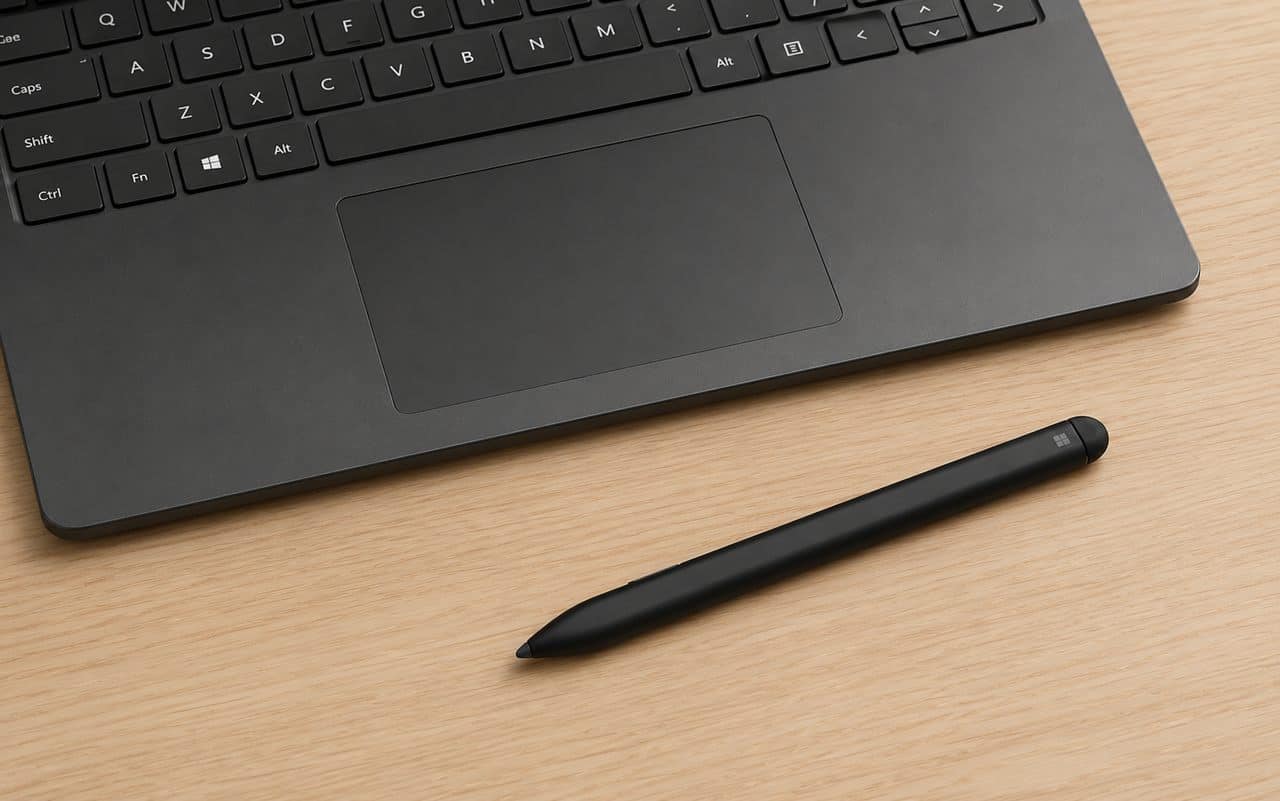
Microsoft has updated the Surface Slim Pen 2 to support Windows 11’s new Haptic Signals system, bringing system-level tactile feedback to compatible Surface devices, as Windows Central writes. The update expands haptic support beyond inking apps and integrates the pen more deeply with Windows 11 interactions.
What Haptic Signals add to Windows 11
Haptic Signals is Microsoft’s new Windows 11 feedback system that adds subtle vibrations to certain actions across the operating system. Users can feel light tactile responses when dragging files, aligning windows, snapping apps into place, or interacting with supported UI elements.
Previous Haptic features on the Surface Slim Pen 2
The Surface Slim Pen 2 already included built-in haptic hardware, but until now, the feature mainly worked inside supported applications. Microsoft 365 apps and select third-party drawing tools previously offered pen-specific vibration feedback during handwriting and inking tasks.
With the latest software update, the Surface Slim Pen 2 can now work with Windows 11’s broader haptic framework. This effectively brings newer Windows 11 haptic experiences to older Surface hardware without requiring users to buy Microsoft’s latest devices.
Limited hardware support for Haptic Signals
The move also makes Haptic Signals more accessible as supported hardware remains limited. Right now, only a small number of devices officially support the feature, including the Logitech MX Master 4 and the trackpad found on the Surface Laptop 8 for Business.
Microsoft is distributing the new functionality through a software update for the Surface Slim Pen 2. Users with compatible hardware and updated versions of Windows 11 should begin seeing expanded haptic support automatically after installing the update.
The update comes as Microsoft continues pushing deeper hardware integration in Windows 11. Recently, the company launched its Driver Quality Initiative to improve Windows 11 stability and also confirmed plans to let users remap the Copilot key on supported keyboards.
Microsoft researchers have uncovered an ongoing cryptojacking campaign targeting high-performance Windows PCs with powerful GPUs. The attackers focus on gaming systems, workstations, and enthusiast PCs to maximize cryptocurrency mining profits.
According to Microsoft, the campaign spreads through SEO poisoning and even manipulated AI chatbot recommendations that direct users to malicious software download pages.
Fake utility downloads target enthusiasts and power users
The attackers impersonate popular Windows utility apps often downloaded by gamers, overclockers, and PC enthusiasts. Victims searching for tools such as CrystalDiskInfo, HWMonitor, Display Driver Uninstaller, FurMark, K-Lite Codec Pack, and PDFgear may end up on fake download sites instead of official pages.
Microsoft says some malicious links also appeared in AI-generated chatbot responses when users asked for software download recommendations. Those responses reportedly directed users to attacker-controlled domains hosting infected downloads.
The malicious files arrive as ZIP archives hosted on a subdomain tied to gleeze[.]com. Inside the archive, victims receive the legitimate software installer alongside a malicious DLL file.
When the real application launches, Windows automatically loads the malicious DLL, allowing the infection chain to begin silently in the background.
ScreenConnect used for persistent remote access
Microsoft says the malware abuses msiexec.exe to install a file named vcredist_x64.dll. Despite the name, the file actually deploys the legitimate remote access tool ScreenConnect.
Once installed, ScreenConnect gives attackers persistent remote access to the infected system.
The attackers then deploy another binary called SimpleRunPE.exe, which copies itself as RuntimeHost.exe into a hidden folder designed to stay out of sight in File Explorer.
Microsoft says the malware establishes six separate persistence mechanisms across Windows autostart locations to ensure it survives reboots and removal attempts.
In some cases, the payload arrives through PowerShell and disguises itself as vlc.exe to imitate the VLC media player.
Malware hides inside trusted Microsoft processes
The campaign uses several stealth techniques to avoid detection.
Microsoft says the malware appears to rely on process hollowing, a method that injects malicious code into legitimate Windows processes. The attackers specifically target Microsoft-signed .NET binaries such as InstallUtil.exe, RegAsm.exe, RegSvcs.exe, and MSBuild.exe.
The malware also uses PowerShell commands to add itself to Microsoft Defender exclusions, reducing the chance of detection by built-in Windows security protections.
Before activating, the malware checks whether it is running inside a virtual machine and searches for roughly 40 process names associated with security tools, malware analysis environments, and debugging software.
If those tools are detected, the malware stops running to avoid analysis.
Attackers prioritize powerful GPUs over mass infections
After successfully hiding inside trusted Windows processes, the malware downloads one of three cryptocurrency mining tools:
gminer
lolMiner
SRBMiner-MULTI
Microsoft says the operation stands out because the attackers prioritize mining efficiency instead of targeting the largest number of victims possible.
Rather than infecting random low-powered systems, the campaign specifically hunts for PCs with strong GPUs capable of generating higher mining yields.
That approach makes gaming rigs, AI workstations, and creator PCs especially attractive targets.
Microsoft urges caution with AI recommendations and search results
Microsoft recommends downloading utilities only from official vendor websites and avoiding links from search ads, SEO-manipulated pages, or unverified AI chatbot responses.
The company also advises users to review indicators of compromise included in its security report and use modern endpoint protection tools capable of detecting process injection and suspicious PowerShell activity.
Google is expanding its Preferred Sources feature to AI Overviews and AI Mode inside Search, giving users more control over which publishers and websites appear in AI-powered search experiences.
The update builds on Google’s broader push toward personalized search results as AI-generated answers become more common across Search.
Preferred Sources now works with AI-generated results
Preferred Sources lets users select websites and publishers they want to see more often in Search results. The feature is available globally in supported languages and can be configured through Search Settings under Source personalization and Source preferences.
Google says users can add almost any website that regularly publishes fresh content. According to the company, people are already twice as likely to click articles from a preferred source compared to standard search results.
So far, users have selected more than 345,000 unique sources.
AI Overviews will surface trusted publishers
With the latest update, Preferred Sources now integrates directly into AI Overviews and AI Mode.
When users search for developing stories or trending topics, Google may display an AI-generated summary alongside a carousel highlighting content from the user’s selected publishers and websites.
Google says the goal is to help people quickly understand a topic while still encouraging them to open articles, blog posts, and discussions from trusted outlets.
The move could also help publishers retain visibility as AI-generated summaries increasingly appear above traditional blue links.
Google wants to show broader perspectives
Google is also expanding how Search presents viewpoints around news and trending discussions.
For some queries, Search may now show a carousel featuring content from multiple sources, including online forums, social media platforms, and public discussions.
According to Google, this should help users discover a wider range of perspectives instead of relying on a single source or publication.
Highly Cited label expands to more articles
Another part of the update includes a wider rollout of Google’s Highly Cited label.
The label identifies original reporting or stories that many other outlets reference and cite. Google says this should make it easier for users to locate the original source behind widely shared news coverage.
The company has been testing the feature for some time as part of its efforts to improve transparency and source attribution inside Search.
Microsoft continues pushing its AI-first vision across Windows 11 and Copilot services, and now the company says Microsoft 365 Copilot has passed another major external AI compliance audit. The company confirmed that Microsoft 365 Copilot has been recertified under the ISO/IEC 42001:2023 standard after completing its 2026 review with zero non-conformities and zero improvement observations.
Microsoft 365 Copilot passes its 2026 AI compliance audit
Microsoft says Microsoft 365 Copilot first achieved ISO/IEC 42001:2023 certification in March 2025. The company completed its recertification in March 2026 through an independent external auditor.
Before the external review began, Microsoft also conducted its own internal audit process. According to the company, the entire review finished without any findings, improvement requests, or compliance failures.
ISO/IEC 42001:2023 focuses on responsible AI management systems. The framework covers governance, risk management, transparency, data handling, supplier oversight, and human supervision of AI systems.
Microsoft says the certification helps demonstrate that Microsoft 365 Copilot meets enterprise AI governance and compliance expectations.
Copilot now uses multiple AI models
One of the biggest changes since the original 2025 certification involves Copilot’s underlying architecture.
Microsoft says Microsoft 365 Copilot originally relied on a single-model setup based primarily on OpenAI technology. The platform now uses a broader multi-model architecture and can provision Anthropic Claude models as part of its AI infrastructure.
The company says its AI risk assessment process has also become stricter as Copilot capabilities continue expanding across Microsoft 365 services.
Microsoft added that the certification scope now includes Microsoft Copilot Studio as well, reflecting the growing role of custom AI agents and enterprise automation tools inside the Copilot ecosystem.
Microsoft positions certification as an enterprise trust signal
Microsoft is clearly using the clean audit results as a trust and compliance signal for enterprise customers, schools, and government organizations adopting AI services.
The company says its AI management systems are evolving alongside Copilot’s rapid feature growth. Microsoft also revealed that it uses AI systems internally to help validate and improve its own AI services, although human oversight remains part of the review process.
The renewed certification could strengthen Microsoft’s position among enterprise customers that require formal AI governance guarantees before deploying generative AI tools at scale.
Google is once again making it harder for websites to detect when you’re using Chrome’s Incognito mode. This time, the work is happening quietly, under the hood, inside the browser’s storage system, rather than through any visible change.
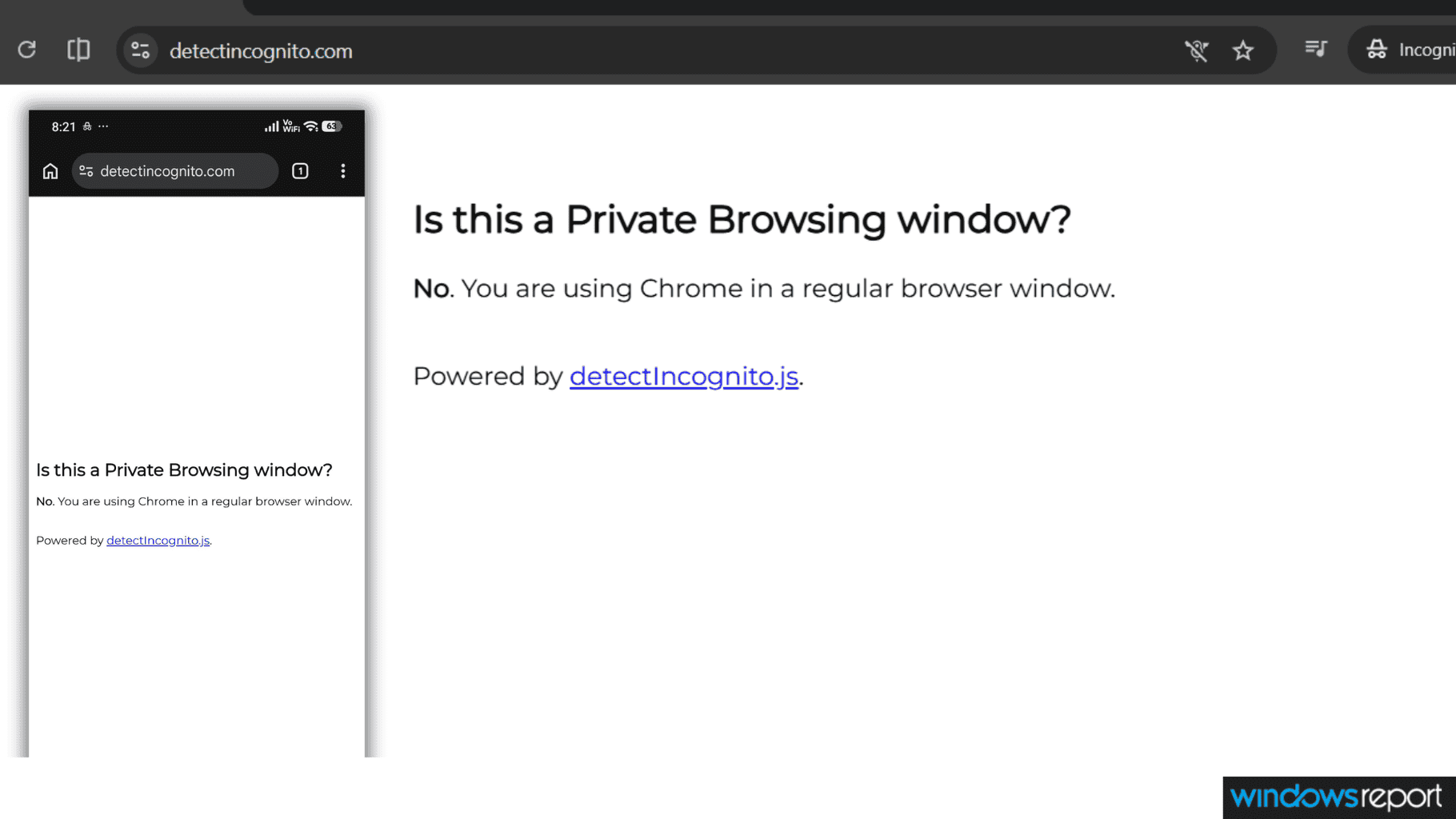
In our testing with beta versions of Chrome on desktop and Android, the detectIncognito tool was unable to detect Incognito mode, as you can see in the screenshots.
For years, Incognito detection in Chromium‑based browsers relied on differences in storage behavior. One of the most reliable tricks used the Storage API: when a site called navigator.storage.estimate(), Chrome reported how much storage you were using and how much quota you had.
In normal mode, Chrome reported a large quota that roughly reflected your actual disk space. In Incognito, where data is temporary and more limited, the reported quota was much smaller. That gap alone was enough for scripts like detectIncognito to conclude “this looks like a private window.”
As a side effect, sites in normal mode could also infer your device’s approximate storage size from that quota, giving them a fingerprinting signal to distinguish users.
To address both issues, the Chromium team has introduced what it calls a predictable reported storage quota. Instead of tying the reported quota to your actual disk or RAM, Chrome now returns a predictable value for sites without special storage permissions.
That means normal and Incognito windows both see the same quota regardless of your real hardware. The change affects the StorageManager.estimate() API and aims to reduce fingerprinting while also closing off storage quota as a side channel for private browsing detection.
Image credit: Google
Google’s Chromium discussions acknowledge that the earlier predictable quota behavior did not fully stop Incognito detection. One Chromium note states that the feature “does not prevent Incognito detection completely,” which led engineers to work on a follow‑up fix that always reports a fixed quota valuein Incognito mode.
detectIncognito still identifies Incognito sessions correctly in current Chrome Stable builds while Google continues testing the newer storage quota behavior in Chrome Beta. Image Credit: Venkat | Windows Report.
It’s rolling out behind a flag of the same name, tested in experiments before reaching release builds. Enterprise admins also get a policy toggle to control the behavior. Google has not confirmed an exact rollout timeline, so it may take time before the change becomes enabled by default across all Incognito sessions.
Tools like detectIncognito have historically combined multiple signals to guess when a user is in private mode. The storage quota gap was one of the clearest. Once Chrome stops exposing it, that method stops working or becomes far less reliable.
This isn’t the first time Google has closed an Incognito loophole. In 2019, Chrome changed the FileSystem API after websites widely used it to detect private windows. Google also said it would continue addressing other detection methods. The storage‑quota change is one of those follow‑up steps. Like the earlier FileSystem API fix, this change makes Incognito detection less reliable.
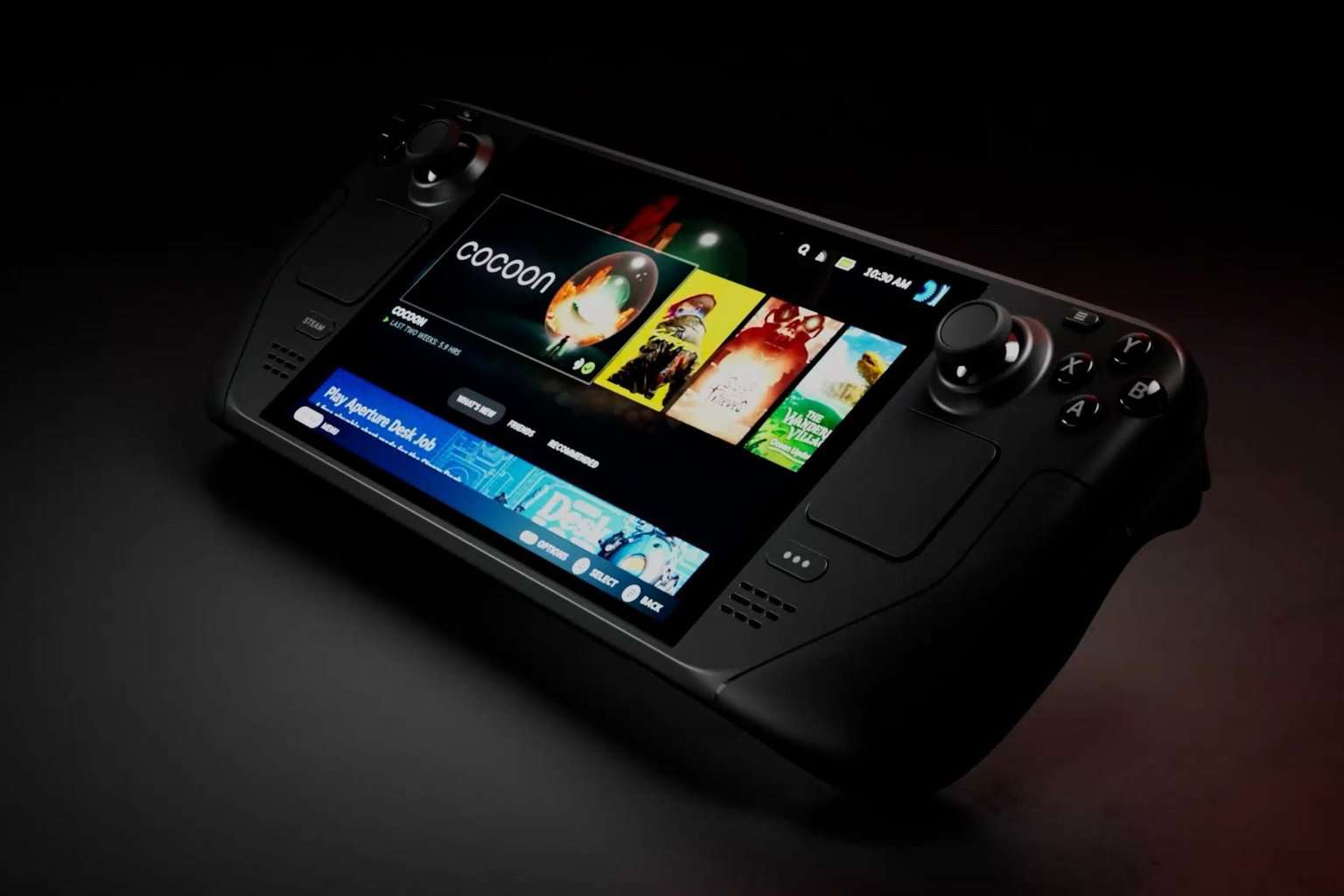
Earlier this year, both the models (512GB and 1TB) of the Steam Deck OLED went out of stock. Well, Valve has officially restocked them, but there is a quite painful catch attached this time. The company quietly confirmed major price increases for both OLED models, with some regions now seeing the handheld cost significantly more than before.
Well, this is just a reminder that the handheld gaming hardware market is getting hit hard by rising component prices everywhere.
Steam Deck OLED now costs more worldwide
According to Valve, the actual Steam Deck OLED hardware itself has not changed at all. However, the company says the higher prices are result of increasing memory, storage, and logistics costs across the industry.
Valve also updated pricing across Canada (512GB – CAD 1,129 | 1TB – CAD 1,349) and Poland (512GB – PLN 3,279 | 1TB – PLN 3,879) as part of the changes. The Steam Deck OLED recently spent periods in and out of stock across several markets, while handheld PC competition keeps heating up with devices like the ROG Ally, Lenovo Legion Go, and newer Ryzen AI-powered handheld systems entering the market aggressively.
For now, it seems paying more for the exact same handheld could be harder to sell, especially as rival portable gaming systems increasingly push stronger specs, higher refresh rates, and Windows-based flexibility.
That said, the Steam Deck OLED still remains one of the popular gaming handheld gaming devices overall when it comes to battery life, OLED display quality, SteamOS optimization, and overall PC game compatibility.
Will you buy the Steam Deck OLED at an increased price? Let us know in the comments below.
As the name suggests, Spotify users can create and share short podcast clips directly from episodes. Not to mention, this makes it easier to save funny moments, wild takes, interview highlights, or random conversations that deserve to live outside a two-hour podcast timeline.
Spotify wants podcast moments going viral faster
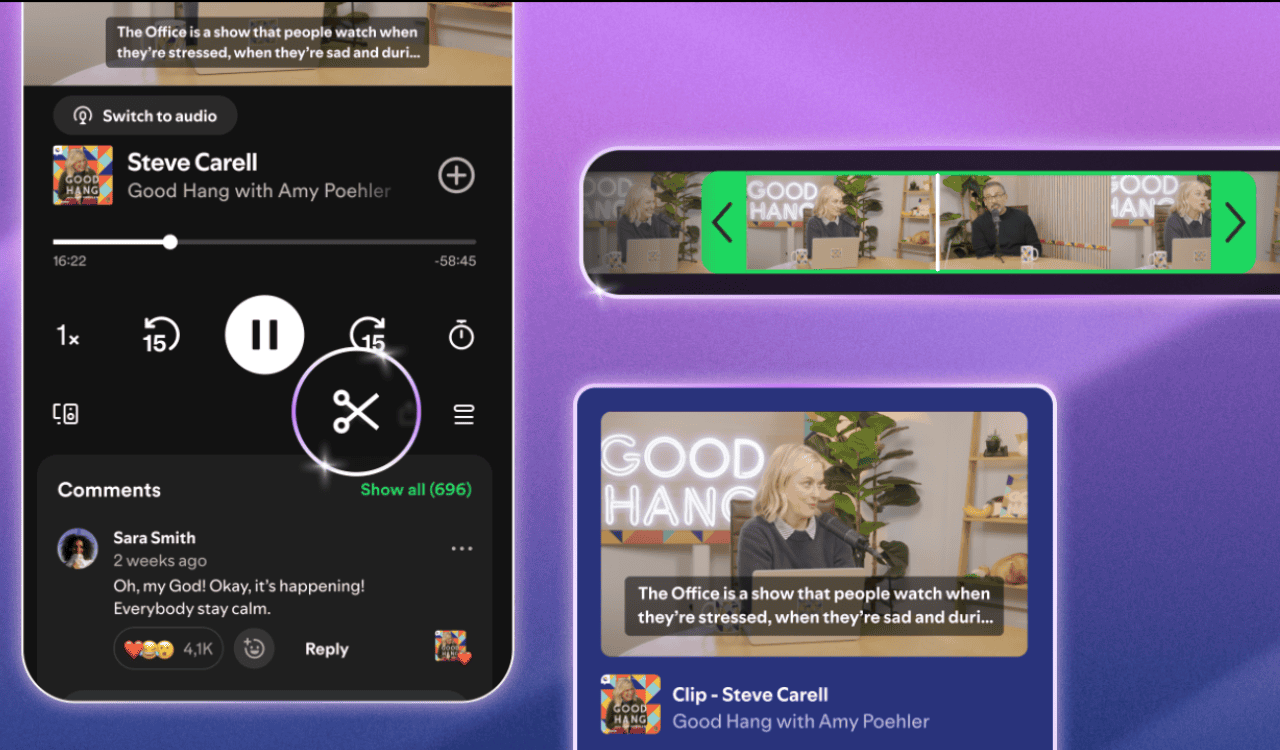
The new feature basically lets listeners cut out specific moments from podcast episodes using a built-in clipping tool. While listening, users simply tap a new scissors icon inside the player, trim the section they want, and either save or share it instantly.
Spotify says clips can be shared through messages, social platforms, timestamps, chapters, or even entire episode links depending on what users want. Podcasts increasingly survive through viral moments now rather than full episode promotion. One funny exchange or controversial discussion clip often spreads faster than the show itself. Spotify clearly knows that.
GIF source: Spotify
Saved clips now get their own dedicated section
The company also added a dedicated area for saved podcast clips inside users’ libraries. Listeners can revisit them later or even add clips directly into podcast playlists. Spotify says podcast chapters, which launched earlier this year, already are getting saved more than 2 million times every month.
According to the company’s early testing, enabling clips apparently increases how often users save podcasts overall. That matters a lot because saved content usually translates into stronger long-term engagement.
Video source: Spotify
Spotify’s new clips feature for podcasts is now rolling out globally for both Free and Premium users on mobile devices, although support will expand gradually across more podcast shows over time.
After months of trailers, leaks, gameplay debates, and nonstop hype, 007 First Light has officially released globally today across consoles and PC. Rather than copying classic Bond formulas again, IO Interactive is pushing a much younger and rougher version of James Bond into the spotlight, one still trying to earn his 00 status inside MI6.
007 First Light turns James Bond into a rookie spy again
IO Interactive instead describes this version of James Bond as talented but reckless, slowly growing into the legendary spy through infiltration missions, covert operations, investigation work, gadgets, and high-risk field assignments.
The studio also confirmed missions can be approached using stealth, brute force, manipulation, or pure improvisation, which honestly sounds very HITMAN-coded in the best possible way.
The cast and soundtrack lineup is seriously good
Rising actor Patrick Gibson plays Bond in this reimagined origin story, while the supporting cast includes Gemma Chan, Lennie James, and even Lenny Kravitz. Meanwhile, Lana Del Rey and legendary Bond composer David Arnold teamed up for the game’s official theme song called First Light.
IO Interactive also packed the game with partnerships involving Aston Martin, OMEGA, Leica, Jaguar Land Rover, and more to push the cinematic Bond fantasy even harder. On the tech front, the game launches with DLSS 4.5 support and enhanced NVIDIA features, while path tracing updates reportedly arrive later this summer.
The game is available now on PlayStation 5, Xbox Series X|S, Steam, and Epic Games Store, with a Nintendo Switch 2 version planned later this summer.
YouTube is making AI-generated content visible even more by changing the placement of AI labels. The platform just announced a major overhaul for how AI-generated videos get labeled, including new automatic AI detection systems that can flag content even when creators do not disclose it themselves.
AI labels are moving directly in the video description
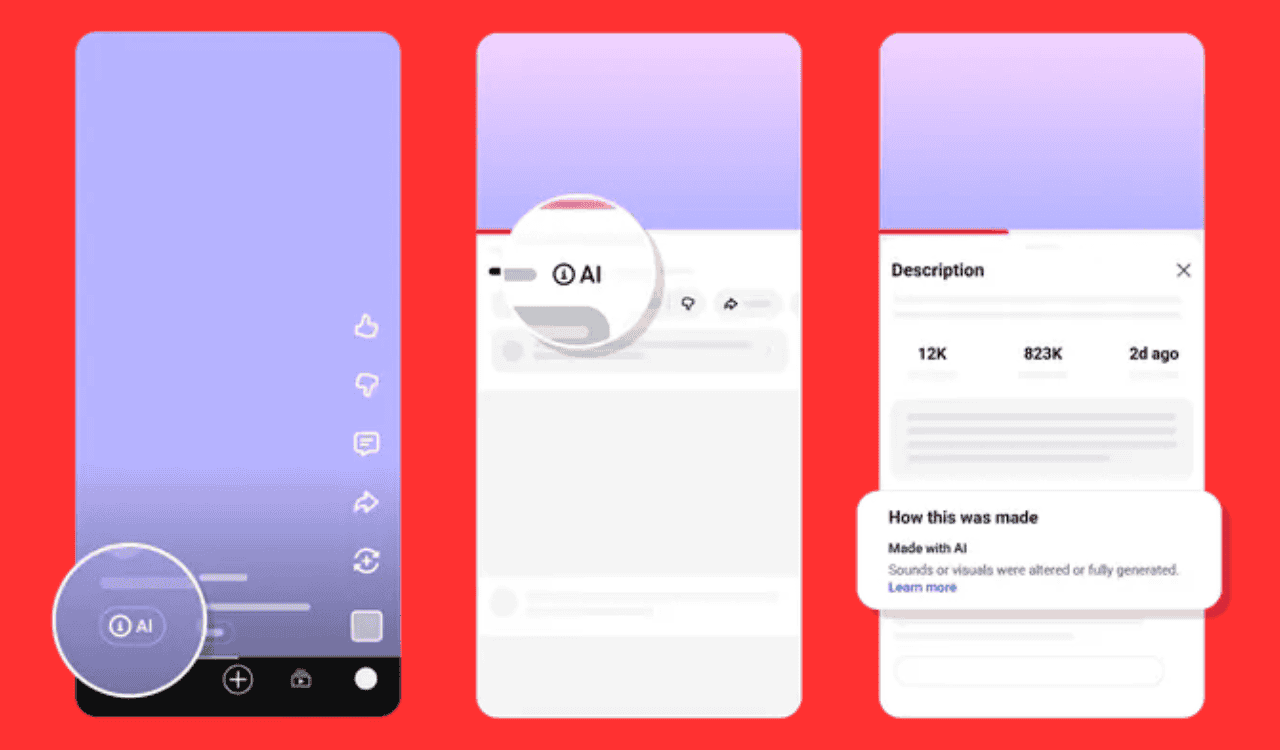
Up until now, YouTube mostly tucked AI labels away inside video descriptions or less noticeable sections. Well, that is changing. For long-form videos, AI labels will now appear directly below the video player itself. Meanwhile, Shorts will start displaying AI disclosures as overlays directly on the video.
The company says this new system specifically targets “photorealistic” and “meaningfully AI altered” content. Less realistic or lightly edited AI content still may keep disclosures hidden deeper inside expanded descriptions instead.
Putting it simply, YouTube wants viewers spotting AI-generated media instantly without digging around for context.
YouTube now will detect AI videos automatically
Starting this month, YouTube says it is rolling out internal systems capable of automatically identifying AI-generated content. If creators fail to disclose major AI usage themselves, YouTube now can reportedly apply labels automatically.
That being said, creators still can appeal or modify disclosures if they believe the system flagged content incorrectly. However, some labels apparently will become permanent no matter what. Videos made using YouTube’s own AI tools like Veo or Dream Screen automatically stay tagged, alongside content containing C2PA metadata tied to fully generative AI systems.
Image credit: YouTube
YouTube says labels will not hurt monetization
Interestingly, YouTube specifically clarified that these AI labels alone will not impact recommendations or monetization eligibility. The platform clearly understands creators already are nervous about AI disclosures affecting reach, ad revenue, or algorithm visibility.
Over the past year, AI-generated videos, fake celebrity clips, deepfakes, and synthetic Shorts exploded across nearly every major platform online. Needless to say, YouTube increasingly looks less interested in simply asking creators to self-report honestly and more interested in building systems that verify it independently.
With the big XBOX Games Showcase 2026 now just days away, eagle-eyed fans may have just found bunch of games that could be part of the upcoming XBOX Games Showcase. As reported by Insider Gaming, a fresh wave of titles suddenly appeared inside the “Coming Soon” section for XBOX Game Pass, and the timing makes it hard to ignore.
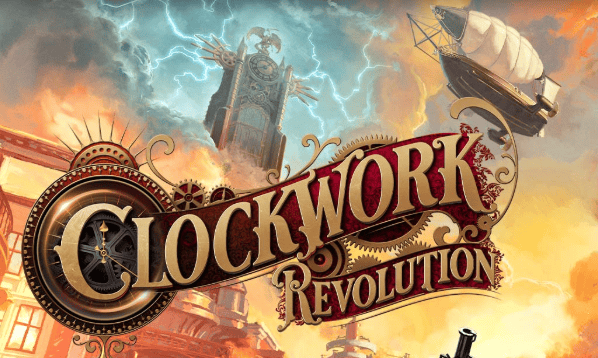
Fable, Clockwork Revolution, and more suddenly surface as “Coming Soon” to XBOX Game Pass
Players first noticed the changes after several major unreleased games quietly showed up inside XBOX Game Pass listings despite still carrying vague or completely unknown launch dates. The newly spotted titles include:
Fable
Clockwork Revolution
Resonance: A Plague Tale Legacy
Tropico 7
Witchbrook
There Are No Ghosts at the Grand
Armatus
Image credit: Insider Gaming
The biggest titles that popped are Fable and Clockwork Revolution, mostly because both projects already built serious hype across the XBOX community. Not to forget, Fable also was recently rated in Korea, which usually starts happening closer to release windows.
Meanwhile, Witchbrook appearing here honestly surprised a lot of people too considering the game has basically lived in development limbo for years.
That being said, nothing officially confirms these games will appear during the June 7 showcase yet. However, players clearly are connecting the dots. Adding this many unreleased Game Pass titles right before XBOX’s biggest yearly presentation feels deliberate, especially when several of them still have TBA release windows attached.
All that said, the listings pretty much confirm all of these titles are planned for day-one XBOX Game Pass launches whenever they arrive.
Are you excited for XBOX Game Showcase? Let us know which of the games are you excited for the most.
OpenAI has tapped Brazil’s massive news market as it officially announced a new partnership earlier this week with Grupo Folha and Grupo UOL. This will allow OpenAI to bring journalism from Folha de S.Paulo and UOL directly into ChatGPT responses. Not to mention, OpenAI’s move comes at a time when it is aggressively making ChatGPT look more like a real-time information platform instead of just a chatbot.
ChatGPT will now surface Brazilian news content directly
Under the partnership, ChatGPT users globally will start seeing summaries, reporting, and attributed content pulled from both Brazilian publishers. OpenAI says the integration focuses heavily on attribution, transparency, and direct links back to original articles.
This also marks OpenAI’s very first official media partnership in Brazil. The country has reportedly become one of ChatGPT’s largest global markets already, with more than 50 million monthly active users and around 140 million messages exchanged every single day.
Over the past year, OpenAI has quietly signed similar partnerships with publishers across the United States, UK, France, and Germany as the company tries to strengthen trust around AI-generated answers.
Grupo Folha and Grupo UOL will also receive access to tools like ChatGPT Enterprise, Codex, and OpenAI APIs to experiment with AI-powered newsroom workflows, products, and internal operations.
Excel’s Copilot experience has been redesigned again
One of the biggest changes revolves around how Copilot itself appears inside Excel. Microsoft says it reduced the number of Copilot entry points down to just two main locations across Windows and Mac versions of Excel. The goal apparently is to make the interface feel cleaner and less cluttered while keeping AI tools easier to access.
There is also a new dock option that lets users reposition the Copilot panel while working. Besides that, Microsoft added curated smart suggestions and refreshed keyboard shortcuts for making the overall experience feel more keyboard friendly.
Image source: Microsoft
Microsoft increasingly wants Copilot behaving like a built-in workspace assistant rather than a separate AI chatbot floating beside documents.
Excel formulas can now pull live web data through Copilot
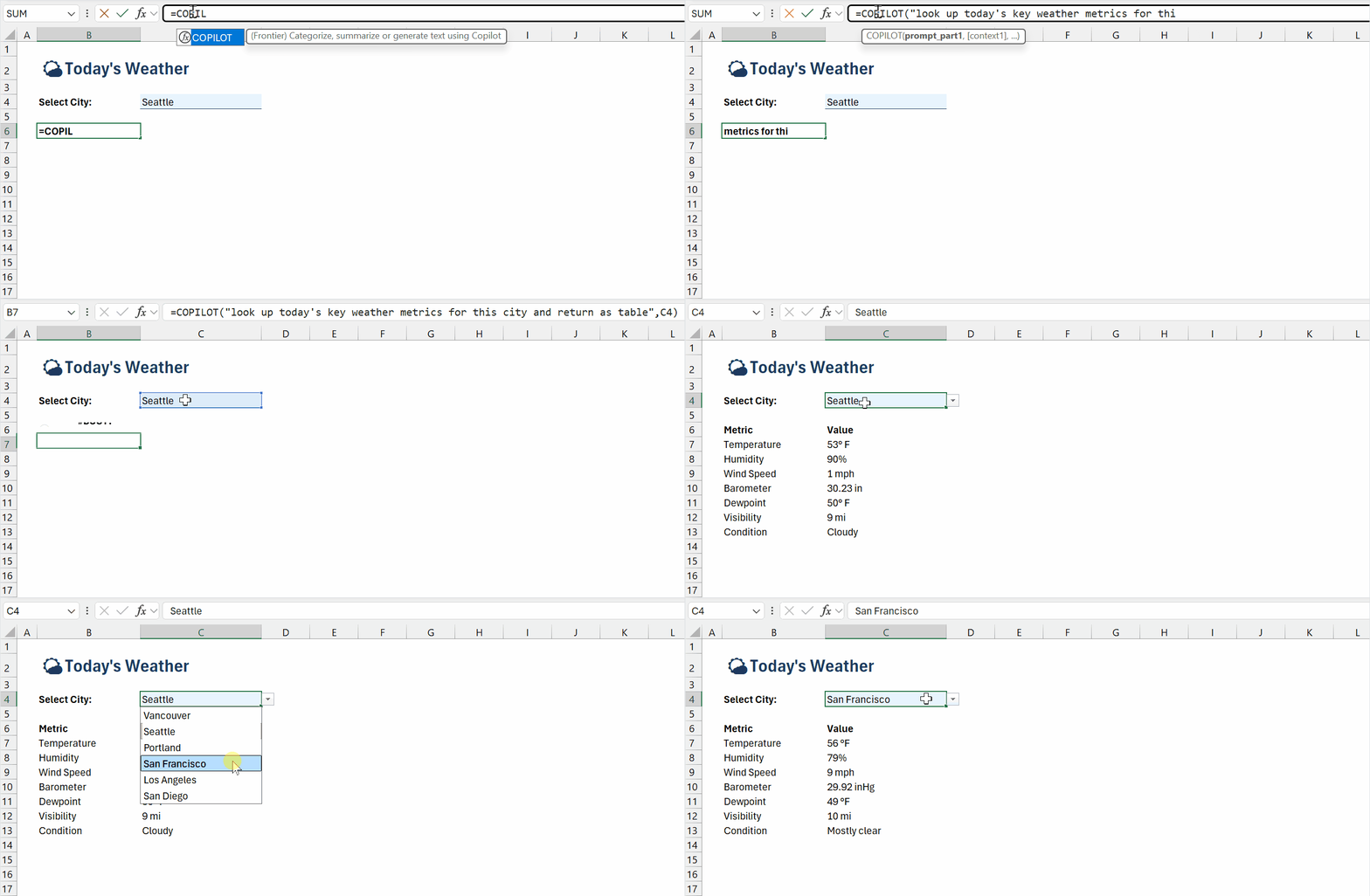
Meanwhile, Microsoft also upgraded the experimental =COPILOT formula for Insiders. The feature can now search the web directly and pull live information into spreadsheets through formulas themselves. That means users potentially can fetch current company information, benchmarks, external data, or other web-based details without manually leaving Excel. For now, these updates remain limited to Insider and Frontier testing channels across Windows, Mac, and web versions.
GIF source: Microsoft
Microsoft also wants AI edits to become more transparent
Over on Excel for web, Microsoft introduced a new “Show Changes” experience to Copilot-generated edits. Whenever collaborators modify spreadsheets using AI assistance, Excel now displays attribution markers and Copilot icons showing exactly where AI contributed changes.
The company says the feature is designed to improve transparency and make AI-assisted collaboration easier to track across shared workbooks.
Image source: Microsoft
Which of the aforementioned features did you find useful? Let us know in the comments below.
NVIDIA has officially retired the classic NVIDIA Control Panel for GeForce users after roughly two decades. The change arrived with the release of Game Ready Driver 610.47, which now positions the NVIDIA App as the primary control interface for GeForce GPUs.
The move marks one of the biggest interface changes for NVIDIA’s consumer GPU ecosystem in years. While the driver itself adds support for new games and includes various fixes, the Control Panel retirement is drawing the most attention.
NVIDIA App Replaces the Classic Control Panel
NVIDIA says all actively supported GeForce features have now been modernized and migrated into the NVIDIA App. The company claims the newer app delivers a faster and more efficient experience while combining multiple NVIDIA utilities into a single client.
For many users, the classic Control Panel has remained largely unchanged for years. It became known for its older interface design, despite still offering important GPU configuration options.
With Driver 610.47, clean driver installations will now remove the classic NVIDIA Control Panel entirely. The familiar desktop right-click shortcut will also disappear after a fresh install.
Existing Users Can Still Keep It
Users who already have the NVIDIA Control Panel installed will still be able to use it. However, NVIDIA confirmed the app will no longer receive new features or bug fixes.
The software will remain available as an optional download through the Microsoft Store for users who still want access to the legacy interface.
NVIDIA says the transition currently applies to GeForce Game Ready and Studio Driver users.
RTX PRO Users Still Get Support
Professional users are not affected yet. NVIDIA confirmed the classic Control Panel will continue receiving support for NVIDIA RTX PRO products until all professional-grade features fully migrate to the NVIDIA App.
This gives workstation users more time before the legacy utility eventually disappears from professional systems as well.
The change comes as NVIDIA continues expanding its software ecosystem around GeForce and RTX hardware. Recently, the company launched new RTX 5070 laptop GPUs, while Steam’s latest hardware survey still shows NVIDIA holding the dominant position among PC gamers.
Capcom is clearly not done pushing Resident Evil Requiem yet. Even after the game exploded out of the gate this year, the company has now quietly released a completely free demo for all platforms. The new demo is available right now on Xbox Series X|S via the Xbox Store. Even Switch 2, PS5, and PC players (Steam and Epic Games) are getting the free demo, too.
According to Capcom, the demo lets players experience part of the game’s early opening sections, giving newcomers a proper taste of the atmosphere, pacing, combat, and horror setup before buying the full release.
That being said, there is one catch. Unfortunately, saved progress from the demo reportedly will not transfer into the full game later. However, considering how much momentum Resident Evil Requiem already has right now, the move honestly feels a little surprising.
The game already became one of 2026’s biggest horror releases and recently smashed a major sales milestone within days of launch. Which is exactly why some players did not really expect Capcom to bother releasing a demo afterward.
That said, there’s some logic behind it. Free demos still work surprisingly well for horror games, especially titles driven heavily by tension, atmosphere, and word-of-mouth reactions. Once players actually experience the opening sections themselves, there is a good chance many will stick around for the full thing. And it seems Capcom seems fully aware of that.
A public dispute between Microsoft and security researcher Nightmare-Eclipse, also known as Chaotic Eclipse, is escalating after the researcher claimed Microsoft banned their GitHub account following a series of Windows zero-day disclosures.
The controversy started in early April after Eclipse released BlueHammer, a Windows zero-day exploit, without giving Microsoft advance notice. The researcher continued releasing proof-of-concept exploits, and Microsoft recently condemned the YellowKey release because it did not follow the coordinated vulnerability disclosure practices normally used between researchers and vendors.
Eclipse argues that the situation developed because Microsoft ignored or rejected previous reports and failed to communicate properly through the Microsoft Security Response Center (MSRC). The researcher also claims Microsoft caused financial harm by refusing payouts tied to vulnerability submissions.
Researcher Moves Work to GitLab
According to Eclipse, Microsoft banned their GitHub account shortly after the dispute escalated. The researcher has since moved projects and exploit research to GitLab.
Eclipse also claims Microsoft previously deleted the Microsoft account used to submit vulnerability reports. Microsoft has not publicly addressed either accusation.
The dispute has attracted attention because GitHub operates under Microsoft ownership, raising concerns among some researchers about how platform access could be affected during security disputes.
Eclipse Teases More Zero-Day Disclosures
Eclipse claims to have already disclosed six Windows zero-day exploits publicly, including BlueHammer, RedSun, UnDefend, GreenPlasma, MiniPlasma, and YellowKey.
The researcher is now teasing additional disclosures planned for July 14. The situation has also renewed criticism around Microsoft’s bug bounty program, which can pay substantial rewards for serious vulnerabilities.
Eclipse suggests their reports were either mishandled or not compensated properly through MSRC.
Security Community Questions Microsoft’s Handling
The dispute has triggered debate within the security community. Security expert Will Dormann suggested Microsoft’s response process may no longer be as effective as it once was.
He speculated that MSRC could now rely too heavily on rigid procedures, including requests for exploit videos and strict disclosure requirements before engaging with researchers.
At the same time, some security researchers criticized Eclipse for publicly releasing active zero-days without giving Microsoft time to develop patches.
Microsoft Remains Silent
Microsoft has not publicly explained the reported GitHub ban or commented on the wider dispute with Eclipse.
That leaves open questions about whether the conflict stems from an uncooperative researcher, internal handling problems at Microsoft, or a broader breakdown in trust between vendors and independent security researchers.
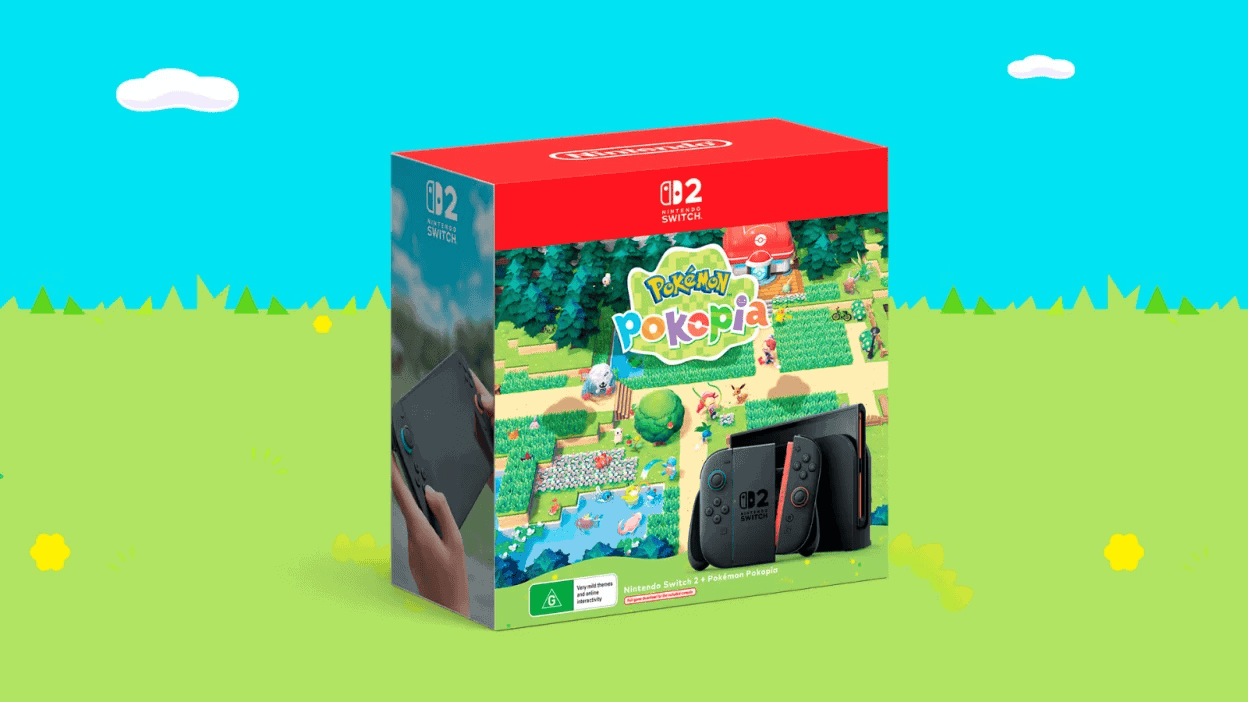
Europe’s Switch 2 Pokémon bundle will reportedly cost €509 and comes with different box art
According to the Dealabs report, the European version of the pack will include the standard Switch 2 console alongside a digital download code for Pokémon Pokopia. Unlike the already revealed Oceania version, the European packaging reportedly swaps character artwork and places Ditto, also known as Metamorph in some regions, on the left side of the box art instead.
Not exactly a massive hardware change, obviously, but Nintendo fans absolutely notice these things instantly. The release itself reportedly is planned for June, although Nintendo still has not publicly confirmed an exact launch date yet.
As for pricing, the European bundle will reportedly launch at €509, matching Nintendo’s current Switch 2 bundle pricing structure. Nintendo already confirmed upcoming pricing changes starting September 1, 2026, meaning this current bundle price reportedly only remains valid before those increases officially kick in. Some retailers in Europe are also expected to offer lower promotional pricing closer to launch.
For those unaware, the Switch 2 Pokémon Pokopia bundle is announced for Noth and South America and are scheduled to release sometime in early June. Meanwhile, the report claims that a bundle with Switch 2 + Pokémon Pokopia pack in also expected to land on June 5 in Australia and New Zealand.
HP has confirmed a faulty BIOS firmware issue affecting several premium commercial PCs, including business laptops, desktops, and workstation systems. The problem appeared after HP released critical BIOS updates in early April 2026, and affected devices may enter repeated BitLocker recovery prompts or fail to boot correctly.
Which Systems Are Affected
The issue affects commercial notebooks, commercial desktops, and workstation computers running Windows 11 23H2, 24H2, and 25H2.
In some cases, users report that their PCs boot directly into BitLocker recovery after the BIOS update. Even after entering the correct recovery key, the system may restart and return to the same recovery screen.
Why BitLocker Recovery Loops Happen
The problem appears linked to firmware changes that disrupt the security measurements BitLocker expects. Since BitLocker relies on TPM and Secure Boot measurements to confirm that the boot environment has not changed, the faulty firmware can make Windows treat the system as altered.
HP says the issue can also prevent Microsoft’s 2023 Secure Boot certificates from installing correctly. These certificates matter because older Secure Boot certificates from 2011 expire in June 2026.
If the update process fails, the handoff between Windows and the motherboard firmware may not complete properly.
Some Systems Freeze at the HP Logo
Some users have also reported systems freezing at the HP logo after installing the BIOS update. This may be tied to the same Secure Boot firmware servicing process.
How Enterprise Admins Can Check the Issue
Enterprise admins can check Secure Boot servicing status through the registry. If UEFICA2023Status remains stuck at In Progress, the Secure Boot update may have failed.
If UEFICA2023Error is greater than zero, the certificate handoff likely failed.
HP’s Recommended Workaround
HP recommends entering BIOS by pressing F10 during startup, then going to Security > Secure Boot Configuration.
Users should enable Microsoft Option ROM UEFI CA 2023, Microsoft UEFI CA 2023, and Enable MS UEFI CA Key, then save changes and reboot.
After applying the workaround, the PC may restart several times while applying the Secure Boot 2023 updates. Users can later verify the update through PowerShell by checking UEFICA2023Status.
HP Warns Enterprise IT Teams
For enterprise deployments, HP warns admins to suspend BitLocker before changing firmware settings across multiple devices. IT teams should also review logs and registry values before pushing recent firmware updates more widely.
More than a decade after The Witcher 3: Wild Hunt first launched, CD Projekt RED has announced yet another, new DLC for RPG fans out there.
The studio has officially announced a brand-new expansion for The Witcher 3 called Songs of the Past, and yes, players will once again step directly into the boots of Geralt of Rivia.
According to CD Projekt RED, the expansion is currently being co-developed alongside Fool’s Theory, a studio filled with developers who previously worked on The Witcher 3 itself. CD Projekt RED has confirmed players will control Geralt again instead of Ciri. That detail already feels huge considering the nonstop debates surrounding The Witcher 4 and its newer direction.
As of now, the studio still has not shared story details, gameplay footage, or a release window of 2027. Alongside the expansion reveal, recently, CD Projekt RED also updated the official PC requirements for The Witcher 3.
The updated minimum specs now list:
AMD Ryzen 5 2600
Intel Core i5-8400
12GB RAM
70GB SSD storage
GTX 1660 or Radeon RX 5500 XT
This suggests the new expansion may push the game harder technically than previous content updates. You can refer to full details here. Considering The Witcher 3 already crossed more than 60 million copies sold worldwide, the company knows exactly how powerful that nostalgia still is.
Every Windows user who is not a trained designer wants the same thing from a logo maker: simplicity, professional-looking results, and tools that help you make a real brand identity without graphic design experience. In 2026, several platforms deliver on these needs by blending logo maker interfaces, and AI logo generator suggestions to make design accessible for everyday users.
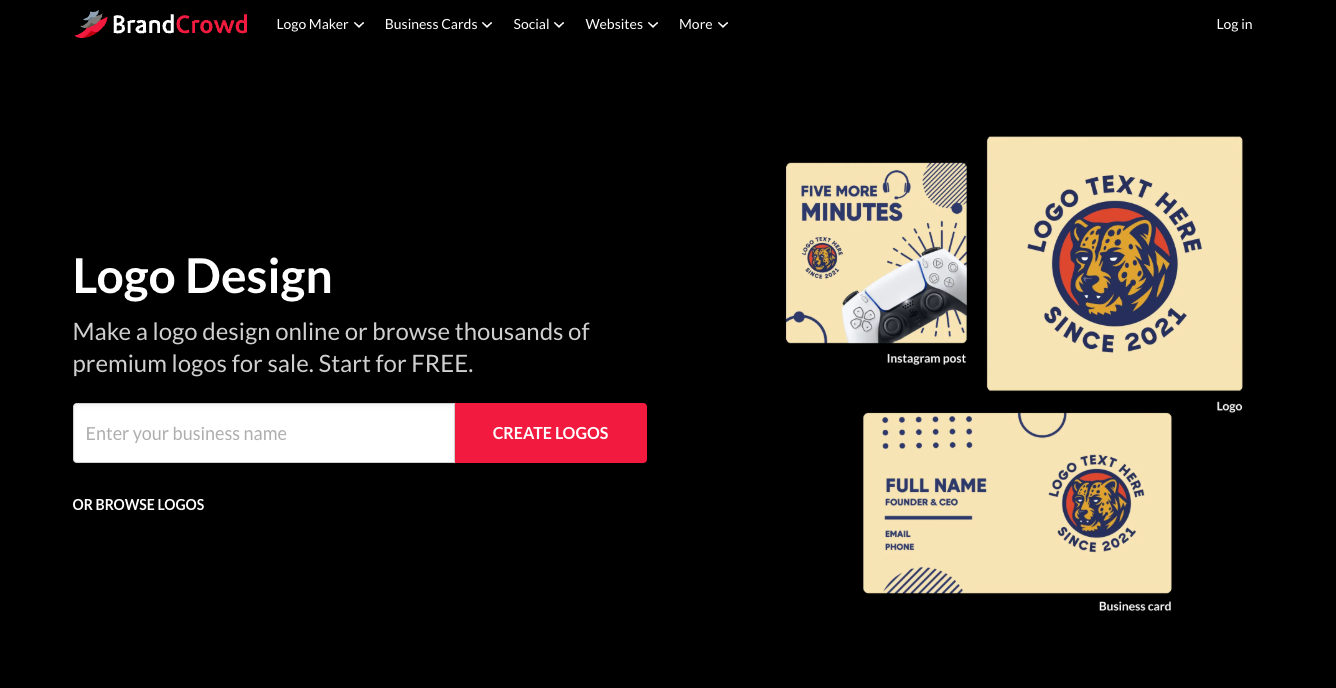
1. BrandCrowd – Balanced Design + Usability for Windows Users
Image credit: BrandCrowd
Why we recommend it
BrandCrowd consistently ranks among the best online logo makers for non-designers thanks to its mix of professional templates and intelligent suggestions. Rather than relying purely on preset art, it uses a logo generator that blends human-designed templates with automated recommendations, giving you a strong starting point every time. The editor is easy to use on Windows browsers and scales from simple logos to broader brand assets.
Key features
Huge library of over 300,000 design templates
Simple AI-enhanced logo generator suggestions
Branding tools beyond the logo such as business cards and social assets
Unlimited edits with paid plans
Export in PNG, SVG, EPS, and PDF formats
Price
BrandCrowd’s subscription pricing makes it accessible:
Starter: about $5 per month billed annually
Value: about $6 per month billed annually
Premium: about $7 per month billed annually
Verdict
BrandCrowd hits the best balance for Windows users who want a logo that feels professionally structured without complex tools. It’s great for startups, small businesses, and side projects alike.
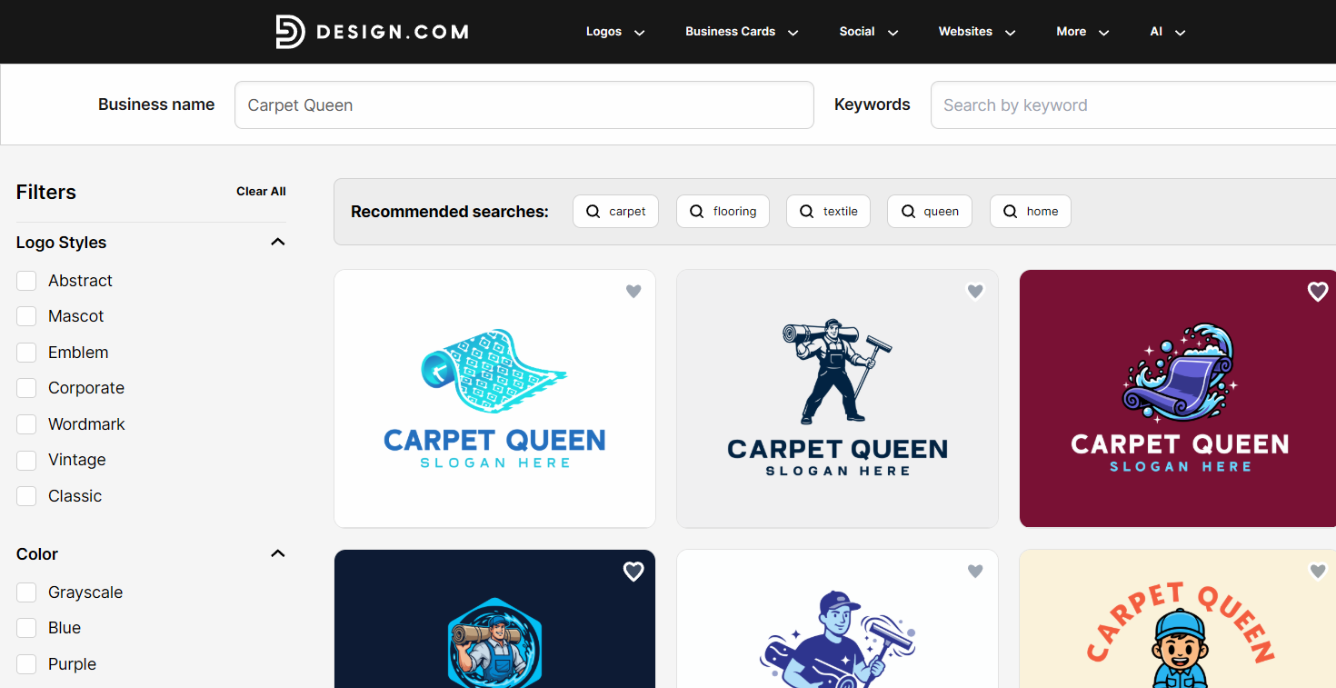
It’s easy to recommend Design.com as it has the largest logo template library in the world, totaling over 500,000 designer created templates.
What’s more, you don’t have to browse these manually. The AI logo generation process quickly takes your business name and keywords, before returning relevant designs in seconds. These can be easily sorted and filtered to your liking.
After generating some initial concepts, you can customize fonts, icons, layouts, colors, and spacing using a beginner-friendly editor that requires no design experience.
Once settled on a logo, the platform will automatically apply it across 50+ branded assets, including business cards, flyers, posters, and even websites. Overall, there are more than 1 million total design templates.
Key features
Easy AI process that draws from 500,000+ professional logo templates.
All-in one branding kit with additional AI tools.
Export in high-resolution PNG, JPG, SVG, EPS, and PDF formats.
Extended licenses and commercial usage rights.
Price
You can use the whole design platform for free, with a select number of free templates and branding options to export.
For access to all logos and designs for downloading, the top plan is just $5/mo when billed annually.
Design.com also provides logo printing with free delivery, producing physical business cards, mugs, apparel, and more.
Verdict
As a web-based service, Design.com is quick and easy for Windows users. It combines ease-of-use for beginners with the quality professionals need, making it a great choice for anyone that needs a logo.
Canva remains one of the most popular logo makers because it combines broad design tools with ease of use. If you want to do more than just a logo, like create social media banners, directories, or presentations later, Canva’s ecosystem works well on Windows browsers. Its recent AI tools offer suggestions and refinements that speed up creativity.
Key features
Drag-and-drop interface with massive template library
Integrated AI design suggestions and brand kit tools
Export in SVG, PNG, and PDF with Pro plan
Broad reuse across documents and formats
Price
Free tier with basic exports
Canva Pro: around $15 per month or ~$10 per month when billed yearly
Verdict
Canva’s logo tools are ideal for creators who want an integrated design suite rather than a dedicated logo workflow. It works best if you already use Canva or plan to build other marketing assets around your logo.
Looka focuses on speed and quick visual options. It uses an AI logo generator that asks you for basic preferences then produces lots of concepts quickly. This makes it a good choice if you want a solid logo with minimal manual tweaking.
Key features
AI-driven logo suggestions
Automatic color palettes and font matches
Brand kits with multiple logo variations
Export-ready assets for web and print
Price
One-time purchase options usually start at modest rates (for standard files), with larger brand kit packages priced higher.
Verdict
Looka is excellent for ideation and rapid results. Its output quality tends to be cohesive, though it is less flexible than BrandCrowd for deep customization.
5. Wix Logo Maker– Best for Integrated Website Brand Flow
Image credit: Wix
Why we recommend it
Wix Logo Maker uses an AI questionnaire to generate logo concepts that match your business tone and visual preferences. For people planning to launch a website alongside a logo, this tool’s seamless link to the Wix ecosystem makes the process straightforward.
Key features
AI-powered generation based on business info
Drag-and-drop editing
Export in SVG, PNG, and JPG
One-click application to Wix sites
Price
Wix offers both standalone logo purchases (around $20–$50 one-time) and bundled logo + website subscriptions from about $11 per month and up.
Verdict
Great for users who want their logo tied directly to a Wix site, though customization outside that workflow can feel limiting.
Adobe Express brings Adobe’s design heritage to the browser. While not a deep design suite, it offers polished templates and AI-assisted suggestions that help you generate respectable logos without Illustrator skills.
Key features
Thousands of templates and Adobe Fonts integration
Simple editor with cloud syncing
Works well with other Adobe Express content like social graphics
Price
Free tier with limited exports
Premium: ~$9.99 per month or around $99.99 per year
Verdict
Recommended if you already use Adobe services or plan to mix logo creation with broader design tasks.
Wrap-Up
In 2026, Windows users have plenty of options beyond traditional design software. If you want the broadest balance of professional quality and ease of use, BrandCrowd remains a standout choice thanks to its blend of AI-assisted suggestions and designer templates. Canva offers the richest design ecosystem, Looka delivers fast AI-generated concepts, Wix Logo Maker ties directly into site branding, and Adobe Express gives Adobe-flavored polish.
Which tool fits you best depends on whether you prioritize speed, customization, future asset flexibility, or integration with other platforms.
Spotify recently partnered with Universal Music Group to launch new AI-powered remix and cover tools on its platforms. Although the new tools are for Premium users as a paid add-on, they allow generating alternate versions of songs from participating artists without leaving the app itself. Well, Spotify co-CEO, Alex Norström, while defending the move in an interview with the Financial Times, said that regulated products “offer a better alternative to the unregulated AI “slop” already spreading online” (via The Guardian).
“There’s a lot of rogue attempts at this,” Norström reportedly said while discussing AI-generated music tools. He also made it pretty clear Spotify wants to position itself as the “legal” and “controlled” version of AI music creation instead of letting unlicensed platforms dominate the space first.
The upcoming feature reportedly allows users to create AI-generated covers, remixes, and alternate song versions using licensed music from participating artists. Norström even told investors the system could eventually turn “one song into 10,000 songs” inside Spotify’s ecosystem.
That being said, the backlash around AI-generated art honestly is not slowing down at all. Musicians, producers, and listeners increasingly have been criticizing what many online now call “AI slop,” basically low-effort generated content flooding digital platforms.
Spotify itself recently introduced artist verification badges specifically designed to help separate human-created music from AI-generated uploads. Norström acknowledged the criticism directly, saying “There’s some negativity out there about AI, for sure.”
However, Spotify believes licensing agreements, recommendation systems, and moderation tools will help keep its version of AI music under tighter control.
While smaller AI startups already signed licensing deals with record labels before, Spotify is becoming the first major streaming platform to fully commercialize AI remixing inside its app feels like a very different level of commitment. And with Universal representing artists like Taylor Swift, Kendrick Lamar, and Lady Gaga, this probably will not stay a niche experiment for long.
Microsoft has unveiled MAI-Image-2.5, a new version of its in-house AI image generation model focused on stronger prompt accuracy, sharper text rendering, and better commercial image creation. The update follows the launch of MAI-Image-2 earlier this year, which Microsoft integrated into Copilot, Bing Image Creator, and Microsoft Foundry APIs.
According to Microsoft, MAI-Image-2.5 currently ranks third on Arena’s latest text-to-image leaderboard, behind OpenAI’s leading gpt-image-2 model with a score of 1388.
Microsoft focuses on better prompt accuracy and image quality
Microsoft says MAI-Image-2.5 delivers noticeable improvements across multiple image styles while producing more coherent and visually polished results. The company claims the model now follows prompts more accurately and generates sharper text inside images, an area where many AI image generators still struggle.
The updated model also reportedly improves visual consistency and detail generation. Microsoft says images should now appear more structured and realistic, especially in scenes involving multiple objects, lighting conditions, or complex layouts.
Another major upgrade involves visual reasoning. Microsoft says MAI-Image-2.5 better understands spatial relationships, scale, composition, and scene structure, allowing it to create more natural-looking outputs.
Meet MAI-Image-2.5 – ranked third on the @arena text-to-image leaderboard. It's another great advance in quality. And with Build just a week away, there's much more to come from the @MicrosoftAI team. I can't wait. pic.twitter.com/11wx96Z04a
— Mustafa Suleyman (@mustafasuleyman) May 26, 2026
Text rendering and commercial imagery see the biggest gains
Microsoft highlighted text rendering as one of the model’s largest improvements. AI-generated posters, packaging concepts, advertisements, and branding materials should now feature cleaner and more readable typography.
The company also says stylized illustrations and commercial product visuals have improved significantly. Generated layouts should remain more stable, while branding-focused imagery should appear more polished and production-ready.
Microsoft appears to position MAI-Image-2.5 more aggressively toward creative and commercial workflows rather than only casual AI art generation.
Availability starts now
MAI-Image-2.5 is already available through Arena for testing. Microsoft says the model will also arrive in MAI Playground and Microsoft Foundry within the next two weeks.
The launch comes as competition in AI image generation continues to accelerate across the industry. In related news, Google recently introduced its Gemini Omni Flash model as companies continue pushing faster and more capable multimodal AI systems.
Microsoft is rolling out major updates for Copilot Notebooks inside Microsoft 365 Copilot, expanding the feature with deeper OneNote integration, new enterprise reference types, and AI-powered content generation tools.
Copilot Notebooks is Microsoft’s answer to Google’s NotebookLM, but the company continues positioning it around Microsoft 365 workflows, enterprise collaboration, and organizational data. The latest update redesigns how notebooks work across Microsoft apps while adding more ways to collect and generate information.
Copilot Notebooks now keeps chats, files, and references together
Microsoft recently redesigned Copilot Notebooks inside the Microsoft 365 Copilot app. Chats, generated content, and reference materials now appear in one unified workspace.
The company says this should make it easier for users to track ongoing work without constantly switching between different sections or apps. The update focuses heavily on reducing friction during research, brainstorming, and document creation.
Microsoft also confirmed that the traditional workspace-style notebook experience will now live primarily inside OneNote. Notebooks automatically sync between the Microsoft 365 Copilot app and OneNote, allowing users to continue work across both applications.
OneNote becomes the center of the notebook experience
The updated OneNote experience includes navigation changes designed to surface important actions faster. Features like Create and Add Reference now appear closer to the top of the navigation panel.
Microsoft says the navigation redesign is rolling out to general availability.
The company also expanded the types of content users can add into notebooks. Frontier program users can now use Teams meetings as references, including transcripts, chats, shared files, and meeting notes.
Support for web page URLs is also available, while Outlook email thread support is expected to arrive in Frontier soon.
OneNote on iPhone gains AI-powered note generation
Microsoft is also bringing new AI capabilities to the OneNote iPhone app.
Users can now record audio, capture images, and type notes during the same session. Copilot can then combine those inputs into a structured notebook page automatically.
After the notebook is generated, users can ask Copilot questions about the content, create presentations, and continue working directly from the generated material.
Microsoft says the feature is rolling out to general availability on iOS.
Copilot can now generate spreadsheets and infographics
The latest Copilot Notebooks update also introduces new AI creation tools.
Frontier users can now generate Excel spreadsheets directly from notebook content. Microsoft also confirmed that infographic generation support is coming soon as part of the Frontier rollout.
The company continues expanding Copilot beyond text generation and summaries, pushing deeper into structured business content creation across Microsoft 365.
The update also includes several reliability and performance improvements across USB devices, standby behavior, input, File Explorer, the Microsoft Store, and Secure Boot certificate rollout. Some features are rolling out gradually, so they may not appear on every PC right after installation.
USB devices and external displays should work more reliably
One of the more useful fixes in KB5089573 targets displays connected through USB4 docks and hubs. Microsoft says these displays should now turn on more reliably, especially when users wake their PCs from standby.
The update also improves the USB3 stack with better recovery and resiliency against certain unexpected hardware faults. In practice, users should see fewer reliability issues with USB accessories and connected devices.
Microsoft improves battery life and standby behavior
KB5089573 also includes several power-related fixes. Microsoft improved resiliency against apps that could keep the sensor hub powered on, which may help prevent unnecessary battery drain.
The update also improves battery life in scenarios involving failed HID devices. Microsoft has improved power handling for apps that try to start HID transfers while the device is in standby.
Input, clipboard, and sign-in reliability get fixes
The touch keyboard should now work more reliably on the sign-in screen, including when users enter or change a password.
Microsoft also improved Explorer.exe reliability when closing the input switcher. Clipboard history should now open and navigate faster, which should make copy-and-paste workflows feel smoother.
Fonts, desktop icons, and Task Scheduler receive smaller fixes
The Times New Roman font family has been updated in this release. Microsoft says the change improves how combining diacritical marks appear in Greek and Cyrillic scripts, making text more accurate and readable.
Task Scheduler now remembers column width changes in the task list view and saves those adjustments across sessions.
Microsoft also improved the reliability of loading desktop app shortcuts, which should reduce cases where desktop icons fail to appear correctly.
Microsoft Store downloads should perform better
The Microsoft Store also gets under-the-hood changes in KB5089573. Microsoft says download performance and bandwidth usage have been improved.
Error reporting should also work better when Store downloads fail because Windows Update group policy settings are enabled.
Windows reliability improves across key areas
The update includes broader reliability improvements for the sign-in and lock screens, File Explorer, and touch gestures on touchscreen devices.
Changing themes in Settings should also work more reliably after installing this update.
KB5089573 also updates how Windows handles Secure Boot certificate rollout. Windows quality updates now include more high-confidence targeting data, which should help more eligible devices automatically receive the new Secure Boot certificates.
Microsoft says devices only receive the certificates after Windows collects enough successful update signals.
The update also adds a new LimitSecureBootRequiredServiceData policy for Group Policy and MDM. When enabled, Windows limits Secure Boot service data sent to Microsoft by suppressing the usual event. Microsoft says the policy belongs to the Windows Restricted Traffic Limited Functionality Baseline.
Microsoft has also recently explained what could happen to PCs that skip the newer Secure Boot certificate update, making these rollout changes more important for long-term security support.
Microsoft has released KB5089573 for Windows 11 versions 25H2 and 24H2 after several weeks in the Release Preview channel. The update moves systems to OS builds 26200.8524 and 26100.8524 and introduces a mix of usability, setup, performance, and accessibility improvements.
While Shared Audio support and NPU monitoring are among the headline additions, the update also changes how Windows Setup handles user folder creation and improves responsiveness across several core Windows experiences.
Windows Setup Now Supports Custom User Folder Names
One of the more noticeable changes appears during the initial Windows setup process. Microsoft now lets users choose a custom name for their user folder directly from the Device Name page.
Previously, Windows automatically generated the folder name based on the account name or other setup information. Users who wanted a different folder name often needed workarounds or manual account creation later.
The new option simplifies that process. Users can still skip the customization step, in which case Windows continues using the default naming behavior. Microsoft says custom names must still follow standard Windows folder naming rules.
Start Menu and Search Should Feel Faster
Microsoft also improved app launch performance and optimized several core shell components. According to the company, areas such as the Start menu, Windows Search, and Action Center should now feel more responsive after installing the update.
The changes arrive as Microsoft continues testing its Low Latency Profile feature across Windows 11. While the company did not directly tie these improvements to that feature, the overall interface should feel snappier in daily use.
Windows Hello Gets Smarter Authentication Behavior
KB5089573 also updates the Windows Biometric service to improve performance after Modern Standby sessions.
Microsoft says Windows Hello Enhanced Sign-in Security should now trigger fewer unexpected authentication blocks. The operating system will also prioritize facial recognition or fingerprint authentication by default when supported hardware is available.
Another small but important change affects PIN sign-ins. If users enter their PIN three times in a row, Windows will continue prioritizing PIN authentication until the user manually switches to another sign-in method.
Windows Search Improves Short File Queries
Windows Search now supports finding and prioritizing files using as few as two characters.
This should help users locate files with short names more easily, especially in folders containing abbreviated project names, screenshots, or temporary documents.
The Storage page now behaves differently when checking temporary files as well. Instead of immediately triggering a User Account Control prompt after opening the page, Windows now only displays the prompt after users actively choose to view temporary files.
Microsoft says these features are rolling out gradually. Some Windows 11 users may not see every new feature immediately after installing KB5089573.
That staged rollout approach continues to apply to several recent Windows 11 updates, especially for feature-related changes tied to newer platform components.
Microsoft has officially released KB5089573 for Windows 11 versions 25H2 and 24H2 after testing the update in the Release Preview channel. The update is now available publicly and brings several production-quality improvements across audio sharing, accessibility, Task Manager, and enterprise camera management.
The KB5089573 also bumps Windows 11 to OS builds 26200.8524 and 26100.8524.
Shared Audio arrives in Windows 11
One of the biggest additions in the update is Shared Audio support. The feature allows two people to listen to the same audio from one Windows 11 PC at the same time using Bluetooth LE Audio broadcast technology.
Users can start the feature from Quick Settings > Shared Audio. Microsoft says the feature requires two supported Bluetooth audio devices that are paired and connected to the PC.
Magnifier improvements focus on accessibility
Microsoft also improved Magnifier behavior for users who rely on screen readers. Windows 11 now provides clearer spoken announcements when users zoom in or out, switch views, toggle color inversion, or turn Magnifier on and off.
The company also added support for magnifying permitted protected content. Lens mode movement should now feel smoother during navigation.
Task Manager gains better NPU monitoring
KB5089573 introduces improved NPU monitoring inside Task Manager on supported PCs. Windows 11 can now show more detailed NPU usage information alongside neural engines integrated into GPUs on the Performance page.
Microsoft also added a new optional Isolation column that shows which applications are running inside an AppContainer. The update further fixes an issue where CPU speed reporting could display incorrectly for virtual machines after resuming from hibernation.
Enterprise camera controls expand
Microsoft added several new camera management features aimed at enterprise environments. Administrators can now configure camera behavior through Group Policy settings under the Camera section inside Administrative Templates.
Windows 11 now supports Multi-App Camera, allowing multiple applications to access the same camera stream simultaneously. Microsoft also introduced Basic Camera mode, which provides simplified camera functionality for troubleshooting and stability purposes.
Microsoft says these features are part of a gradual rollout, which means some users may not see all changes immediately after installing the update.
XBOX is going all-in on football season energy with a brand-new limited-edition controller. The new Team Spirit Limited Edition controller lands through XBOX Design Lab and focuses on matchday aesthetics, bold team colors, fast line patterns, and a massive “26” centerpiece that basically screams 2026 sports hype.
XBOX wants this controller to feel like a live match
Unlike standard themed controllers that mostly swap colors and call it a day, the Team Spirit edition actually pushes a much louder visual identity. The entire shell uses radiating line patterns that spread outward across the controller, almost mimicking stadium lights, crowd waves, or movement across the pitch during a counterattack.
XBOX says the design specifically tries to capture the energy of football rivalries, traditions, and major tournament moments. One of the standout visual details is the central “26” graphic placed in the middle of the design. According to XBOX, it acts as a symbol for “the year of legends,” clearly hinting toward the massive football events lined up for 2026.
The controller also features a prominent halfway-line inspired stripe running through the design to mirror the structure of a football field itself. The interesting part is that this is not just one fixed controller colorway.
Players can fully customize the Team Spirit controller through XBOX Design Lab by changing team colors, adjusting accents, and even adding custom engravings. The XBOX Wireless Controller – Team Spirit Limited Edition is available now through XBOX Design Lab.
If you have been waiting for the right time to grab a new PS5 game, upgrade your PlayStation Plus subscription, or finally buy that overpriced accessory sitting in your wishlist, Sony just dropped one of its biggest annual sales events again.
Here are the biggest PS5 deals from Days of Play 2026 worth checking first
Sony confirmed multiple hardware discounts across consoles, accessories, VR gear, and games. Some of the notable offers include:
$100 off PlayStation VR2
$50 off Pulse Explore wireless earbuds
$40 off Pulse Elite headset
$30 off DualSense Edge controller
Up to $20 off standard DualSense controllers
Meanwhile, several newer PS5 games are also getting discounts, including Ghost of Yōtei, Helldivers 2, Death Stranding 2, and The Last of Us Part 2 Remastered. Sony also says PlayStation Plus members in select European countries will get an extra 5% off PS5 hardware and accessories when ordering directly through PlayStation.
PlayStation Plus users also get a lot this month
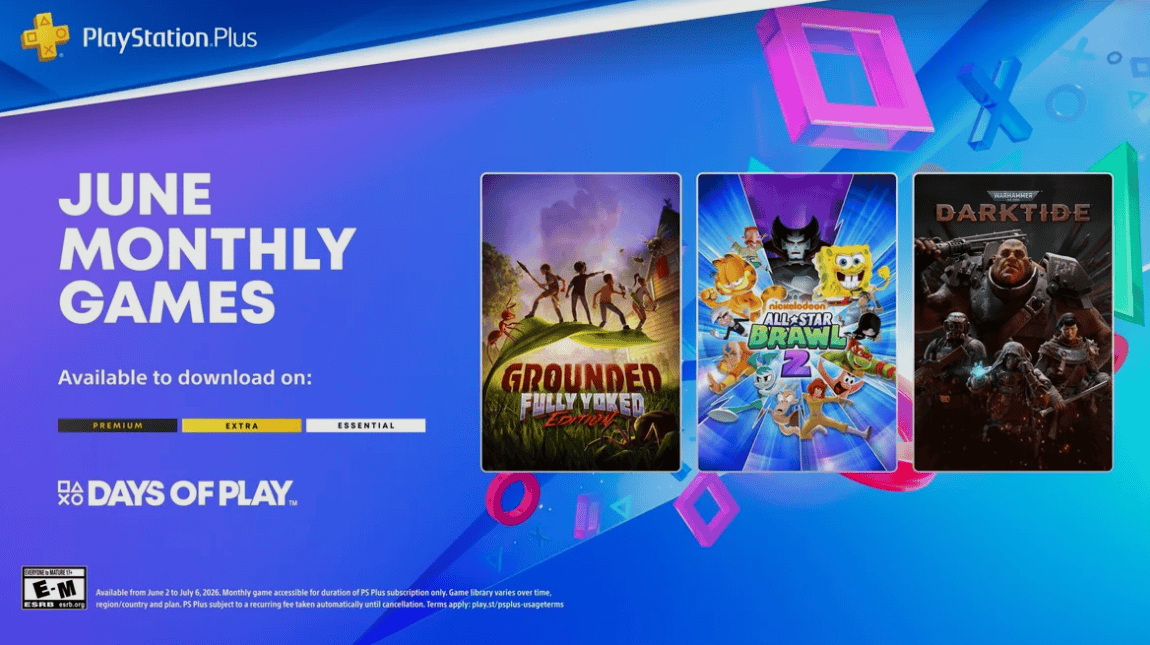
The bigger value honestly may sit inside PlayStation Plus itself. Sony confirmed June’s Monthly Games lineup includes:
Grounded Fully Yoked Edition
Nickelodeon All-Star Brawl 2
Warhammer 40,000: Darktide
Meanwhile, Destiny 2: Legacy Collection (2025) joins the Game Catalog on June 9 for Extra and Premium members. Premium users also get access to more than 40 indie game trials during the event period. That includes titles like Baby Steps, Lumines Arise, and Clair Obscur: Expedition 33.
Image credit: Sony
Even Fortnite players are getting pulled into Days of Play
Sony is also heavily pushing tournaments this year. Games like Fortnite, Tekken 8, NBA 2K26, Mortal Kombat 1, and Gran Turismo 7 will feature special Days of Play events, rewards, avatars, and sweepstakes prizes.
Interestingly, the Fortnite Days of Play Cup even includes a global cash prize pool worth $200,000. Overall, this honestly feels less like a normal PlayStation sale and more like Sony trying to turn the next two weeks into one giant PS5 ecosystem event before the second half of 2026 starts getting crowded with major game launches again.
Samsung and Microsoft are quietly changing how photo syncing works on Galaxy smartphones, and for a lot of users, it can be quite frustrating. In an official document spotted by Gizchina, Microsoft has confirmed that after September 30, 2026, Samsung Gallery will officially stop syncing directly with OneDrive. Once the change goes live, Galaxy users will no longer see OneDrive-backed photos directly inside the Samsung Gallery app.
Samsung Gallery and OneDrive are officially splitting up
While new users already will not be able to connect Samsung Gallery with OneDrive after September 30, existing ones will need to manually switch over to OneDrive Camera Backup if they still want photos and videos uploading automatically to the cloud. The important part here is that your files themselves are not being deleted.
Microsoft says every photo and video already backed up to OneDrive will remain untouched and accessible through the OneDrive app, OneDrive website, or other connected devices.
Samsung users now need to rely fully on the OneDrive app
Samsung Gallery users now will have to open the OneDrive app itself for backup controls, syncing, and cloud photo management. To continue automatic uploads, Microsoft says users must:
Open the OneDrive app
Log into their Microsoft account
Enable Camera Backup
Grant full photo and video access permissions
Only then will new images continue uploading automatically. Interestingly, Microsoft still heavily pushes OneDrive as the preferred cloud photo solution for Galaxy users despite removing the direct Samsung Gallery integration entirely.
Microsoft is testing a new automatic device isolation feature in Microsoft Defender for Endpoint that can disconnect compromised PCs from the network during active cyberattacks. The feature is currently available in preview and forms part of the company’s broader automatic attack disruption system.
The capability is designed to stop attackers from moving across networks after compromising a device. Microsoft says isolated systems still maintain connectivity to Defender for Endpoint services, allowing continued monitoring and investigation while blocking most other network communication.
Microsoft Wants Faster Attack Containment
When Defender for Endpoint detects suspicious activity that suggests a workstation has been compromised, the platform can automatically isolate the endpoint from the network. Microsoft says this approach can help reduce the impact of ransomware attacks, credential theft, and lateral movement during enterprise breaches.
Unlike traditional isolation methods that completely cut off connectivity, Microsoft keeps the isolated system connected to Defender services. This allows security teams to continue gathering telemetry, investigating alerts, and applying remediation steps remotely while the threat remains contained.
How Automatic Isolation Works
The feature activates when Defender identifies behavior that may indicate an active compromise. Once isolation begins, the affected device loses access to most normal network communication, making it harder for attackers to spread across the environment.
Microsoft says the isolated endpoint can still communicate with Defender for Endpoint. This gives security analysts continued visibility into the attack while preventing malicious activity from reaching other systems.
The company positions the feature as a way to slow down fast-moving attacks and give defenders more time to respond before additional devices become affected.
Preview Comes With Some Limitations
Microsoft says the preview currently supports only onboarded end-user workstations managed through Defender for Endpoint. The feature is not available for every type of endpoint at this stage.
Automatic isolation also depends on Microsoft’s broader automatic attack disruption system, which combines multiple automated security responses during active threats.
Admins Can Restore Devices After Investigation
Once security teams complete their investigation and remediation process, administrators can reconnect devices manually. Microsoft says operators can use the “Release from isolation” action either from the Device inventory section or directly from the affected device page in Defender for Endpoint.
The company continues expanding automated security protections as enterprise attacks become faster and more difficult to contain manually.
In related security news, the FBI recently warned that Kali365 phishing attacks can bypass Microsoft 365 MFA protections. Microsoft also criticized a researcher for releasing the YellowKey proof-of-concept outside its security disclosure guidelines.
Mozilla has released version 151.0.2 of its Firefox browser (via Neowin), focusing entirely on bug fixes and stability improvements. The update follows Firefox 151.0.1, which previously addressed crashes affecting some Intel Raptor Lake systems.
Unlike the main Firefox 151 release, this version does not introduce new features. Instead, Mozilla targeted several issues affecting Split View, Windows input methods, caching behavior, website rendering, and web app compatibility.
Split View Receives Multiple Fixes
Mozilla fixed a problem where adding another tab to an existing Split View session could unexpectedly close the layout.
The company also resolved a bug where Firefox closed Split View entirely instead of switching tabs when users selected the “Switch to Tab” option from the address bar.
These fixes should improve multitasking stability for users relying on Firefox’s newer Split View functionality.
Windows Crash With Chinese Input Method Fixed
Firefox 151.0.2 also fixes a Windows crash tied to the Sogou input method editor used for Simplified Chinese typing.
The issue reportedly caused Firefox to crash during text input on some systems. Mozilla patched the bug in this release to improve compatibility with multilingual typing workflows.
macOS Smart Card and Security Key Issue Resolved
On macOS, Mozilla fixed a problem where smart cards and hardware security keys sometimes failed to load certificates automatically.
The bug affected users relying on certificate-based authentication and physical security devices for login or enterprise access.
Firefox Cache Bug Caused Repeated Downloads
Mozilla also addressed a caching issue where Firefox stopped storing new content after the disk cache became full.
When this happened, Firefox repeatedly downloaded the same pages and resources instead of loading cached versions locally. The fix should reduce unnecessary bandwidth usage and improve page loading consistency.
Website and Web App Compatibility Improvements
Firefox 151.0.2 includes several rendering and compatibility fixes for websites and web applications.
Mozilla fixed an issue where some sites rendered incorrectly or failed to load when JavaScript inserted WebKit-specific style rules dynamically.
The update also resolves:
A text selection issue affecting certain styled input fields and text areas
A bug where number input buttons could overlap and hide values
Incorrect sorting of strings containing numbers on some web apps
Dropdown menus failing to open for select elements moved from an iframe into the parent page
Firefox 151.0.2 is currently available through Mozilla’s FTP distribution channels, with wider rollout expected shortly through Firefox’s built-in update system.
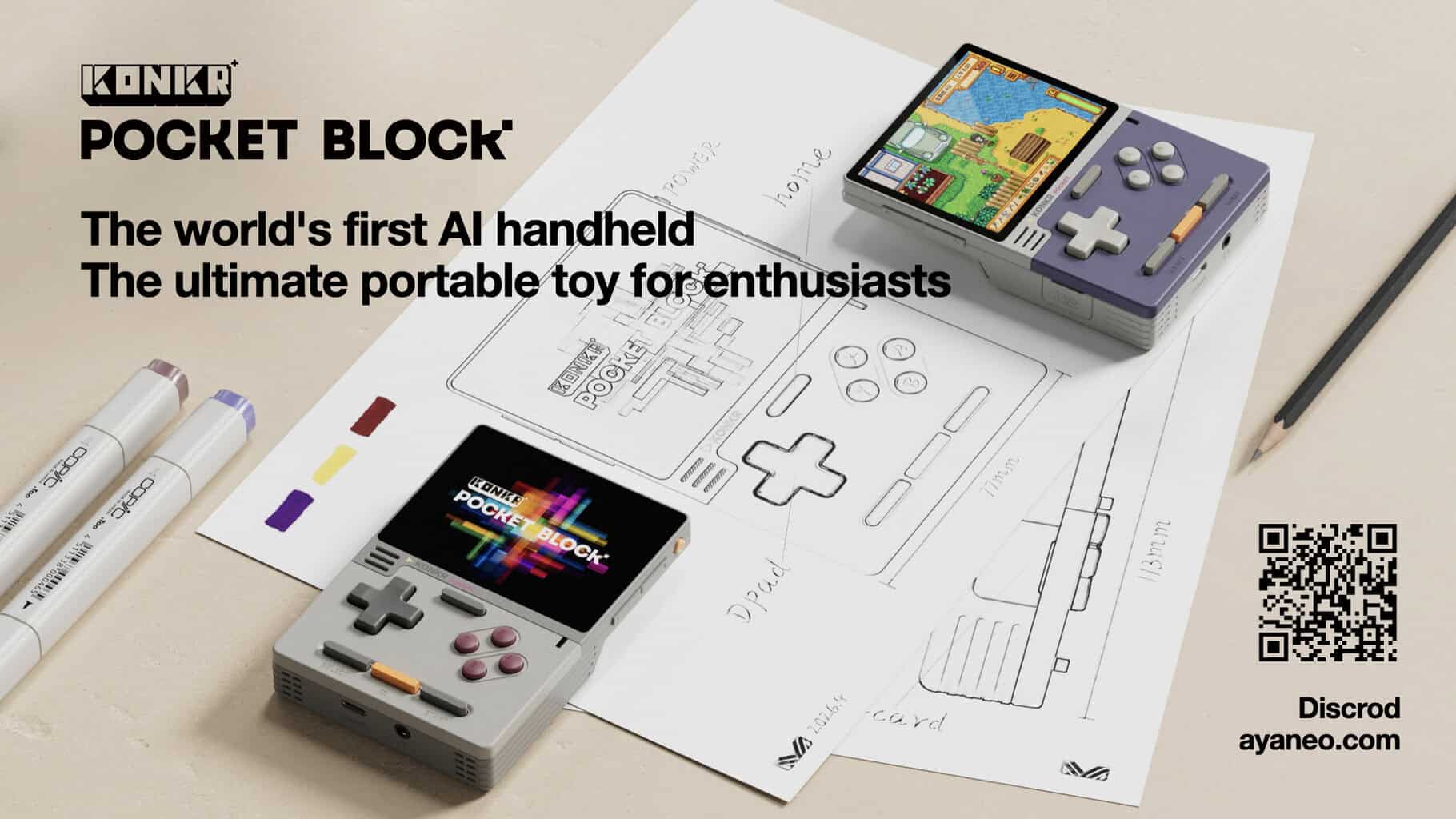
AYANEO, when it unveiled the KONKR Pocket BLOCK yesterday, must have thought that it was announcing the next big thing for retro handheld fans this week. However, the company somehow managed to trigger one of the funniest gaming hardware pile-ons on social media in months. The newly revealed KONKR Pocket BLOCK, which AYANEO is marketing as “world’s first AI-powered handheld” is being mocked online. The problem is that nobody actually knows what the AI part even does.
AYANEO’s mysterious “AI handheld” instantly confused the internet
In my opinion, the device looks pretty cool, given that the design leans heavily on the retro vertical handheld styling mixed with cyberpunk-inspired design elements. AYANEO also claims the system delivers a “smarter gaming experience in the AI era.” That wording, however, is exactly where things started getting little confusing for players out there.
Image: AYANEO
The announcement never explained what AI features the device actually includes. No demonstrations. No technical breakdown. No software examples. Nothing. As of now, all we know that AYANEO’s new Pocket BLOCK is an Android handheld. Apart from that, no details about its processor, RAM, release date, pricing, or any actual AI-powered features has been announced yet.
The company’s X post quickly turned into a giant comment section full of confused users asking whether the AI could upscale games, improve performance, run local models, generate CRT filters, edit save data, or even do real-time translation. So far, AYANEO has confirmed absolutely none of that.
Bro, what do you mean by AI? Is it capable of running all OLLAMA models at least 8b? to voice chat with them
if you don't give us the context, everyone will treat this a a ia slop…
Does it translate in real time? Can I do a super realistic CRT with sound and everything? Can it generate hacks and edit save data? What does the Ai do!?
Why even say it uses Ai then not expand on it? I need to calm down.
Right now, social media reaction feels less like excitement and more like everyone collectively asking the same question: “Cool… but what does it actually do?”
007 First Light launches this week, and performance details for XBOX consoles are now clearer after a new technical deep dive. Following leaked opening mission footage online, developer IO Interactive uploaded the footage itself to get ahead of the leaks.
The studio has now explained why 007 First Light runs differently across XBOX hardware, especially on XBOX Series S.
XBOX Series X gets two performance modes
According to the new breakdown by Digital Foundry, Microsoft’s XBOX Series X offers two graphics modes for the game. Players can choose between a 60FPS performance mode or a 30FPS quality mode. XBOX Series S, however, only supports a 30FPS mode.
IO Interactive says the decision came down to maintaining visual consistency across platforms. Instead of stripping out major rendering systems to hit 60FPS on the lower-end console, the studio chose to preserve advanced lighting, volumetrics, and other graphical effects.
Why XBOX Series S stays at 30FPS
The developer explained that XBOX Series S has tighter GPU and memory limitations, making 30FPS the more stable target while still keeping the same overall visual direction as higher-end systems.
The studio described its development strategy as “scalability-first.” Rather than removing features entirely, IO Interactive scales visual systems down where needed. The same approach reportedly applies to lower-end PC hardware and the future Nintendo Switch 2 version of the game.
Major optimization work for 60FPS
Getting the game to run at 60FPS on XBOX Series X and PlayStation 5 reportedly required significant engine optimization work. IO Interactive modernized its Glacier Engine with a frame graph system designed to improve rendering management and GPU scheduling.
The studio also relied heavily on aggressive async compute techniques to keep GPU resources occupied more efficiently during gameplay.
CPU and rendering upgrades
CPU-heavy systems received optimizations as well. Physics, AI behavior, and animation processing were moved away from the critical rendering path and distributed across parallel worker threads where possible.
The technical deep dive also highlighted the game’s software-based ray tracing systems, upgraded rendering pipeline, and newer lighting technologies powering the game’s environments.
In separate platform news, preload availability for 007 First Light currently appears limited to PlayStation 5.
Long after Microsoft finally closed its massive Activision Blizzard takeover, the legal drama surrounding the deal apparently still was not over. Now, a report by Game File suggests that Microsoft has agreed to pay $250 million to settle a shareholder lawsuit related to the blockbuster $69 billion acquisition of Activision Blizzard.
The lawsuit claimed Bobby Kotick “rushed” the Activision sale
The lawsuit originally came from Swedish pension fund AP7 back in 2022, and the accusations surrounding it were honestly pretty serious. Per the lawsuit, former Activision Blizzard CEO Bobby Kotick allegedly “rushed” the Microsoft acquisition process, which supposedly prevented shareholders from getting a potentially higher price than Microsoft’s agreed $95-per-share deal.
That being said, both Microsoft and AP7 denied wrongdoing as part of the settlement. Microsoft reportedly agreed to settle mainly to avoid the “distraction of litigation,” while AP7 described the final payment as “fair.”
Interestingly, Microsoft itself will only directly cover around 40% of the settlement. The remaining 60% reportedly comes from directors’ and officers’ liability insurance. The payment overall equals roughly 30 cents per Activision Blizzard share. Notably, that’s according to a preliminary settlement filed last week in Delaware’s Court of Chancery. which, however, is pending for final court approval.
The settlement also revisits Activision Blizzard misconduct claims
One of the more notable parts of the filing revolves around earlier workplace misconduct allegations related to Activision Blizzard. In the preliminary settlement, Microsoft stated:
“Microsoft does not substantiate any allegations that there has been systemic or widespread workplace misconduct at Activision; that Activision senior executives ignored, condoned, or tolerated a culture of systemic harassment, retaliation, or discrimination.”
The filing also references statements from California’s Civil Rights Department, which reportedly acknowledged that previous claims had not been “substantiated” through independent investigation or court findings. Meanwhile, Kotick previously argued the AP7 lawsuit itself may have been indirectly connected to Embracer Group due to AP7 executive Emma Ihre previously working there.
Kotick’s legal team described the lawsuit as a “collateral attack on Activision.” Embracer flatly denied the accusations, saying there was “no coordination or collaboration” with AP7 regarding the case. The Microsoft-Activision deal itself officially closed in October 2023 after surviving multiple regulatory battles, including scrutiny from the UK’s Competition and Markets Authority.
Microsoft has detailed where Copilot inside Microsoft 365 is heading next, and honestly, the company seems far more serious about making AI a permanent part across Windows productivity than ever before. This comes at a time when the company is experimenting to make Copilot appear as a sidebar app in Windows 11.
Coming back to the new Copilot design system, Microsoft plans to integrate the AI assistant deeply into how Word, Excel, PowerPoint, and the entire Office ecosystem behave. Not to forget, Microsoft recently rolled back part of its floating Copilot button changes in Word, Excel, and PowerPoint after user complaints.
Microsoft wants Copilot to feel less like AI and more like a “thought partner”
In a Microsoft Design blog from early May, spotted by Neowin, the company has detailed what it calls an “AI-forward” Copilot Design System. The goal apparently is not just smarter suggestions. Microsoft says it wants Copilot to behave more naturally across workflows, continuously adapting to context, documents, actions, and user intent without interrupting productivity.
One of the biggest ideas here revolves around something called the Dynamic Action Button, or DAB. This acts as a persistent Copilot entry point inside Office apps that constantly changes depending on what users are doing. Microsoft says the assistant should remain aware of context while moving between Word, Excel, PowerPoint, mobile devices, desktop apps, and web surfaces.
The company repeatedly pushes the idea of “continuity,” meaning Copilot remembers previous conversations, documents, and workflows rather than acting like isolated sessions every time users switch apps.
Microsoft is redesigning Office apps around AI behavior itself
Another major focus is something Microsoft internally calls “Throw & Catch.” According to the company, this system allows Copilot to smoothly shift between interfaces like Chat, On-Canvas actions, contextual prompts, and side panels while always keeping users aware of where the assistant is currently focused.
Microsoft says the idea popped up from user research, mouse-tracking studies, and workflow testing designed to reduce cognitive friction. There is also heavier focus on Suggested User Actions, contextual prompts that appear dynamically depending on what users are currently working on.
Overall, it feels less like Microsoft is simply adding AI features into Office apps and more like the company rebuilding the entire Microsoft 365 experience around Copilot itself. And judging by the language throughout the blog, Microsoft clearly believes this is only the beginning of a much larger AI transition across Windows productivity going forward.
Microsoft is preparing Windows PCs for a Secure Boot certificate transition ahead of a June 2026 deadline, as older certificates near expiration.
The company is rolling out newer 2023 Secure Boot certificates to keep boot-level protection working properly on supported devices. Many users have noticed a new SecureBoot folder on their PCs as part of this update process.
PCs will still boot if users do nothing
Microsoft’s certificate deadline does not mean affected PCs will suddenly stop working, as Windows Latest writes. However, ignoring the update could weaken boot-level security over time.
Systems that continue relying on older Secure Boot certificates may stop receiving boot-critical security updates. They may also miss newer DBX revocation list updates, which help block known vulnerable boot components and bootkit threats.
Older PCs may behave differently
Legacy BIOS systems are skipped because they do not support Secure Boot. Devices using Compatibility Support Module, or CSM, may still receive the update if they can use UEFI Secure Boot.
Microsoft also blocks the update when Secure Boot is disabled in BIOS. This prevents the certificate process from creating firmware-related problems on systems not actively using Secure Boot.
Multiple reboots may be required
The update may require several restarts. Microsoft says this behavior is expected because the certificates must be staged, applied by firmware, and then used by the updated bootloader.
Users do not need to manually suspend BitLocker. The update process should automatically reseal BitLocker and Virtual Secure Mode keys.
Microsoft warns enterprises to test first
Microsoft advises IT admins not to force Secure Boot certificate updates across entire fleets without testing. Firmware differences across PC models can cause failures or unexpected behavior.
PXE deployment also has limits. A PXE boot setup can provide only one Boot Manager to a client device, so organizations cannot simply keep 2011 and 2023 Boot Managers side by side in one boot.wim file.
After a fleet completes the transition, admins can update boot.wim manually using DISM.
Admins can also review Event Viewer logs under the TPM WMI source. Intune users may see Event ID 1801 when certificates are available but have not yet been applied.
Server and Hyper-V updates need extra care
Windows Server does not follow the same automatic rollout model as consumer Windows 11 PCs. Server admins must apply the new certificates manually.
Hyper-V setups may also need updates on both the host and guest virtual machines before Secure Boot certificate changes apply correctly.
Future Windows upgrades may depend on the change
Windows 11 26H2 is expected to install normally for now. However, future full Windows upgrades may eventually require the EFI partition to use the 2023 certificate chain.
The 2023 Secure Boot certificates are expected to last until 2038. Microsoft’s immediate goal is to prepare existing Windows PCs before the June 2026 certificate expiration window.
Fortnite players finally have a date locked in for the next major live event. Epic Games has announced that it is preparing for another massive season-ending spectacle before Chapter 8 officially begins. The upcoming “Shattered” live event will close out Chapter 7 Season 2 on June 5, and it may end up shaping the next chapter.
Fortnite’s Shattered event goes live June 5
Epic Games has confirmed the event begins at 7 PM ET on June 5, which is a slightly different slot compared to some previous Fortnite finales. For players in Europe, that unfortunately means a very late night. Needless to say, some Fortnite fans are unhappy about the timings and have also requested time change. Meanwhile, players in Australia and New Zealand will basically be waking up straight into the event.
The matchmaking playlist reportedly opens around 40 minutes before kickoff, and honestly, joining early is probably mandatory at this point. Fortnite live events still pull massive player numbers every single time.
When is the Fortnite Shattered live event?
Region
Time Zone
Event Time
Los Angeles / US West Coast
PDT
4 PM – June 5
Chicago / US Central
CDT
6 PM – June 5
New York / US East Coast
EDT
7 PM – June 5
United Kingdom
BST
12 AM – June 6
Germany / France / Europe
CEST
1 AM – June 6
Japan
JST
8 AM – June 6
South Korea
KST
8 AM – June 6
Australia East Coast
AEST
9 AM – June 6
New Zealand
NZST
11 AM – June 6
Team choices may finally matter this season
While the actual event details are still under wraps, one thing still stands out. The company has confirmed the experience will apparently change depending on whether players sided with Team Ice King or Team Foundation earlier this chapter.
That said, it’s unclear how that impacts the finale remains unclear for now. There is also growing speculation that the recently added Overwatch crossover characters could somehow appear during the event itself after arriving in Act 3 earlier this season.
Epic’s final update for Chapter 7 is currently scheduled for May 28, which likely means the next major wave of teasers and event files should start surfacing very soon.