Capcom data breach reveals Sony’s Street Fighter exclusivity over, SF6 could be coming to Xbox

An unfortunate turn of events for Japan-based game company Capcom points to a positive for Xbox fans this console generation as a new data leak hints at the end of the Sony exclusivity window for the Street Fighter franchise.

Earlier this week, Capcom officially acknowledge that the company suffered a massive ransomware attack that left portions of gamer data vulnerable to hackers.

Near the beginning of November 2020, Capcom previously indicated that it suffered a “disruptive cyberattack,” but also downplayed the effects of the breach at the time. However, it seems with its latest press release, the company is admitting to gamers that the attack launched by the Ragnar Locker group did in fact seize upwards of 350,000 gamers data and as a result of stalemate in negotiations, that data had been leaked on the dark-net.

“None of the at-risk data contains credit card information. All online transactions etc. are handled by a third-party service provider, and as such Capcom does not maintain any such information internally. Because the overall number of potentially compromised data cannot specifically be ascertained due to issues including some logs having been lost as a result of the attack, Capcom has listed the maximum number of items it has determined to potentially have been affected at the present time.”

While Capcom seems confident that precious credit card information wasn’t captured, the information that is still floating around the dark-net includes names, addresses, birthdates, phone numbers, email addresses, and some rather juicy gaming roadmap news.

Of the gaming news leaked by the breach is a notable nugget about the Street Fighter franchise no longer being a Sony exclusive.

The image from the emails have been taken down by Capcom, but the above thread contains codenames and other references that all but confirm the new direction Capcom is going with Street Fighter this console generation.

SF5 was arguably a dud last console generation and it’s possible the trend continues for this sequel, but for Xbox gamers, regaining another historic title is always a plus for the console.

5 Best VR Headsets for Windows 10 for an Immersive Experience

The number of Microsoft’s competitors has increased significantly in recent years and many products were introduced on the market similar to the range offered by Microsoft itself. 

Microsoft has managed to deal with these small attacks, offering diverse and creative responses each time. The same goes for the virtual and augmented reality area.

At this point in time, there are thousands of products on the market, but when you want to buy something you should consider specifications, performance, and quality/price ratio.

Here is a list of some of the best VR headsets that are fully compatible with Windows 10. Take a closer look right away.

What are the best VR headsets for Windows 10?

Samsung HMD Odyssey+

  • Anti-sde AMOLED display (2880x1600)
  • Direct Full Array Backlight 4X
  • Access to steamer libraries for games
  • Premium, built-in AKG headphones
  • Adjustable headband
  • Limited field of view

With a 3K anti-sde AMOLED display (2880×1600) with a wide 110O field of view and Direct Full Array Backlight 4X, Samsung HMD Odyssey+ is clearly worthy of your full attention.

Moreover, don’t leave aside the adjustable headband, now 10% lighter with improved comfortable materials.

And if you’re undecided, a 2 free months of Infinity subscription gives you the advantage of enjoying unlimited access to hundreds of VR games and apps.


HTC Vive Cosmos Elite

  • Beautiful and crystal clear display
  • Lighthouse tracking
  • All-new LCD panels
  • Flip-up design
  • Very good build quality
  • Less inspired button placement

HTC Vive Cosmos Elite lets you see the virtual world through a 2880 x 1700 combined pixel resolution.

All-new LCD panels reduce the distance between pixels, minimizing the screen-door effect, while the flip-up design is amazing.

You can go easily between reality and virtual reality, without disrupting your VR experience of playing video games, browsing the web, and not only.  


Microsoft HoloLens

  • Powerful Intel 1GHz 32-bit processor
  • Designed for extended use
  • Windows Hello voice commands
  • Wi-Fi connectivity
  • Modern design
  • Not the most affordable choice

HoloLens is a virtual and augmented reality system developed and manufactured by Microsoft. 

It is one of the first products of this kind that has appeared on the market and runs on Windows Holographic technology that introduces 3D objects in the world around us, objects with which the user can interact.

This gadget comes with Kinect-Style Technology which aims to recognize the user’s voice commands and gestures, which makes the applicability and functionality of this system. 

The calibration of this model is achieved by an accelerometer, gyroscope, and magnetometer.

The system comes equipped with a set of integrated speakers that do not affect the sounds of reality, allowing the user to hear both the sounds of the device and the environment.

The operating speed of the system is provided by an Intel 1GHz 32-bit processor, coupled with 2 GB RAM. The connectivity is provided by an IEEE 802.11ac system and Bluetooth 4.1. 


Oculus Rift

  • Top VR gaming library
  • Halo headband redesigned with speed in mind
  • Intuitive Oculus touch controllers
  • Comfortable face pad
  • More affordable than HoloLens
  • PC connection required

That’s probably one of the most purchased virtual reality systems due to a very good quality/price ratio. 

This model has gone through several stages of improvement since the Kickstarter campaign, but the finished product is of the highest quality. 

In order to work, the device must be connected to a computer that has Windows 10 because it cannot run alone as HoloLens.

The developers recommend a computer with a graphic card equivalent to NVIDIA GeForce GTX  970  or AMD R9 290 and a processor at least equivalent to Intel i5-4590for the proper functioning. 

To avoid problems among users, developers have created a line of computers specially prepared for Oculus Rift.

The device has a resolution of 2160×1200 (1080×1200 per eye), OLED display, integrated 3D headphones that can be removed at any time, HMDI 1.3 ports, USB 3.0 ports, and USB 2.0 ports.

No less important, the calibration is done through a 3-axis rotational system with another 3-axis positional system.


Meta 2 Development Kit

  • Innovative 90° projection
  • Significantly wider field of view as previous AR glasses
  • Three-dimensional display of 3D and CAD
  • Easy installation
  • Stylish design
  • Not necessarily budget-friendly

Meta 2 Development Kit is an augmented reality device worthy of your attention. For patenting this project, developers led research to another level: they tried to fully understand the correlation between a man’s mind and body to create a more natural and fascinating experience for its users.

Where can you use it? Basically in any area where you work thanks to the big number of features of this device which makes it particularly useful in any situation.

The device has a generous resolution of 2560 x 1440 pixels, so the user’s visual field is not limited and a 3D audio system consists of four speakers with the purpose of realizing a more authentic transposition of the wearer in the virtual environment.

Calibration is provided by a 6 axis inertial measurement unit system which will establish an excellent coordination between the device and the user’s actions.

As for the connectivity between the headset and other devices, it is achieved through the included HDMI 1.4b port.


Which of these Windows 10 virtual reality headsets is your choice? Check out these great VR deals too, then let us know your pick in the comments area below.

[wl_navigator]

9 Best desktops for programming and coding

Whether you are a software developer or web developer, programming is most likely at the core of your day to day job. At times, programming can be a daunting task, but having the right set of tools can make the coding life a bit easier.

Before you start looking at your options for the best desktops for programming and coding, it is important to understand your requirements.

If you are a beginner, you probably don’t need a high-end PC. However, if you tend to work on large and complex projects, it is wise to invest in something more robust.

In this article, we explore the best desktops for programming and coding for both beginner and expert level programmers.

What are the best desktops for programming and coding?

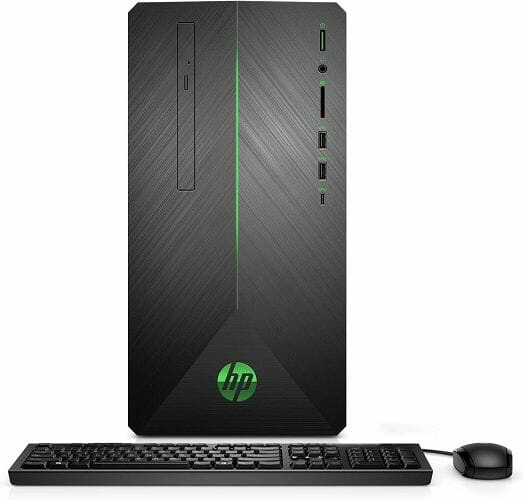
HP Pavilion TP01

  • Good performance for the price
  • Great built-quality and premium looks
  • Plenty of storage and expansion option
  • Optical drive included
  • Only 180W power supply

With the latest and powerful Intel Core i7 processor at its core, the HP Pavilion TP01 is a well-built desktop PC with an attractive chassis giving it a premium look

The 10th gen CPU is paired with 16GB of RAM, 1TB of hard drive, 256GB of SSD storage for your Windows installation that comes installed out of the box.

It also features all the usual connectivity features, along with Bluetooth and WiFi.

Dell Alienware Aurora R12

  • Speedy 10th Gen Intel processor
  • Good customization option
  • Good thermal performance under load
  • Unique design
  • The unique design makes it expensive for the specs

The Dell Alienware Aurora R11 is the upgraded version of its predecessor and starts at $1300. The starting configuration features the latest Intel Core i5 10th Gen CPU coupled with GTX GPU for gaming and coding needs.

While the storage is limited to 8 GB of RAM and 1TB of HDD, you can further expand the same by adding a RAM stick and an SSD drive.

The unique feature of this desktop is again the head-turning case that sets it apart from other gaming desktops in the market.

HP Envy TE01

  • Good built quality with premium looks
  • Powerful Intel 10th Gen CPU and RTX graphics
  • Plenty of storage
  • Built-in DVD writer
  • No Thunderbolt 3 port

If you want a desktop that can also do gaming, the HP Envy TE01 is a good choice. While it features the same Intel Core i7 10th Gen CPU as the previous HP model, this one comes with RTX 2060 graphics for optimal gaming performance.

The HP Envy TE01 comes packed with 16 GB of RAM with an expansion slot, 1TB of SSD storage, and Windows 10 Home installed out of the box. For connectivity, it features HDMI, USB, and Display Ports on the front.

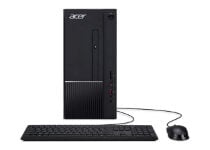
Acer Aspire TC-885-UA92

  • Excellent value
  • Great performance in its segment
  • Optical drive, Wi-Fi, and Bluetooth support
  • USB Type-C support
  • Intel integrated graphics

Acer Aspire TC-885-UA92 one of the best budget desktop for programming and coding as it offers excellent value for the price. The performance is handled by an Intel Core i5 9th Gen CPU with integrated Intel graphics.

Acer Aspire TC-885-UA92 also features 12 GB of RAM, 512GB of SSD storage, USB 3.1 and Type-C ports, WiFi, and Bluetooth connectivity. It runs on Windows 10 out of the box.

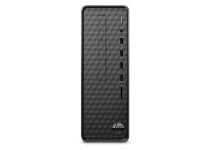
HP Slim S01

  • Slim and compact desktop computer
  • Good performance for the price
  • Plenty of I/O ports
  • DVD writer
  • No USB Type-C

If you are a beginner looking for a desktop for home use, HP Slim S01 is a good choice. It is a budget desktop from HP with a premium-looking design in a compact chassis.

The HP Slim S01 features an AMD Athlon Gold 3140U CPU coupled with 8GB of RAM and 256 GB of SSD out of the box. It also features a DVD driver with plenty of USB ports and an SD card reader.

Acer Aspire TC-865-UR15

  • Well built chassis
  • Good performance for the category
  • Optical Drive, WiFi, and Bluetooth
  • USB Type-C port
  • USB layout is too busy

The Acer Aspire TC-865-UR15 is another budget gaming PC from Acer that offers excellent value while delivering speedy performance in a well-built case.

Acer Aspire TC-865-UR15 features an Intel Core i5 processor, paired with 8GB of RAM, 512 GB SSD, and a DVD writer. Other features in the PC include Bluetooth and WiFi connectivity, USB Type-C, and HDMI port all powered by Windows 10 Home.

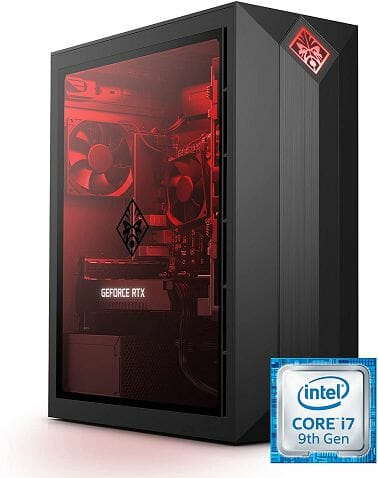
OMEN Obelisk 875

best desktops for coding

The OMEN Obelisk 875 is a compact gaming PC with a great design and top-notch performance. It is a high-end PC and comes loaded with impressive hardware to take on your complex coding projects and intensive gaming sessions.

It features an Intel Core i7 9th Gen CPU paired with RTX 2060 graphics. It also comes with 16GB of RAM, 512GB SSD storage and Windows 10 Home out of the box.

Pros:

  • Tasteful and compact design
  • Very easy access
  • Excellent performance in the segment
  • Plenty of I/O output options

Cons:

  • Loud fans under full load

⇒ Check price

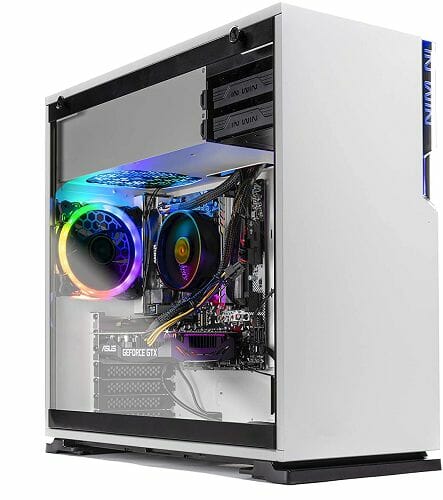
SkyTech Shiva Gaming PC

best desktops for coding

SkyTech Shiva is a custom-built gaming PC that comes with a minimal yet elegantly designed chassis. Under the hood, it features a Ryzen 5 2600 CPU paired with the mid-range RTX 2060 graphics.

For storage, SkyTech Shiva comes with 16GB of RAM, a 500GB SSD drive, and a full RGB fan configuration.

Pros:

  • Good design
  • Good performance in the segment
  • Decent thermal performance

Cons:

  • GPU does not support DVI

⇒ Check price

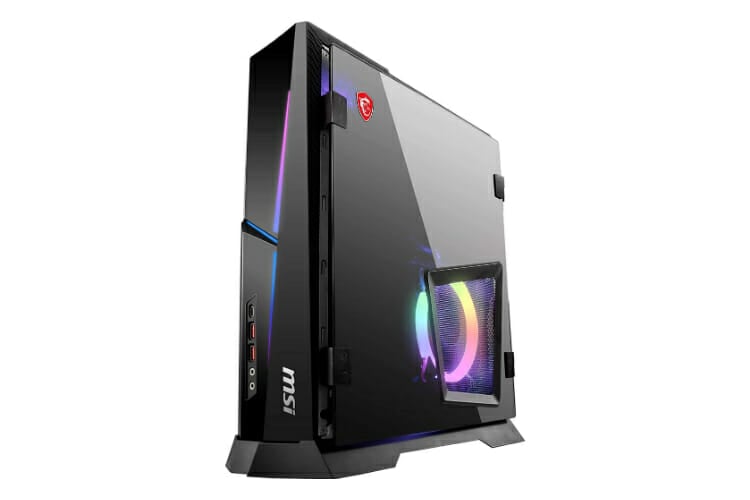
MSI MPG Trident AS

MSI MPG Trident AS is a gaming desktop from the popular gaming hardware manufacturer and packs enough power to meet your coding and gaming needs.

It features an Intel Core i7 10th CPU, NVIDIA RTX 2060 Super GPU, 16 GB of RAM, 1TB SSD and plenty of I/O ports on the front and back. It runs on Windows 10 Home out of the box.

Pros:

  • Sleek and compact
  • Quiet cooling fans
  • Excellent performance in the segment
  • Supports both Thunderbolt 3 and WiFi 6

Cons:

  • Disassembly is complicated

⇒ Check price

HP Pavilion TG01

best desktops for coding

The HP Pavilion TG01 series desktops come in different configurations. The listed HP Pavilion TG01 machine is a budget gaming desktop with a sleek design and good performance.

Pavilion TG01 features a powerful Intel Core i5 9th Gen CPU, GTX 1660Ti graphics, 16GB of RAM and 256GB SSD + 1TB of HDD storage. The RAM and storage is expandable using the empty slots.

Pros:

  • Good design and build quality
  • Powerful i5 processor and NVIDIA graphics
  • Fast 256 GB SSD
  • DVD writer

Cons:

  • Upgrade process is not easy

⇒ Check price

4 best Windows 10/11 credit card readers for small business

The credit card reader is a device that facilitates the transactions because it can be used any time being connected directly to your computer.

It is particularly useful for small and big companies but also for people who do not have the time to go to the bank to make different transactions.

If you believe that you are a person who needs a device like this, we present you a list of the best credit card readers available on the market at his moment.

What are the best credit card readers deals?

Unitech MS146

  • Multidirectional reading
  • Desktop or wall mountable
  • Multiple interface options
  • Withstands repeated 5-foot falls to concrete
  • Environmentally sealed against water and dust
  • Nothing noticeable

This is a durable and compact card reader with two types of reading technology: visible light and infrared. Unitech MS146 is designed to offer an outstanding barcode scanning performance in a very compact form.

The visible light beam consists of the standard configuration of this device. This technology is assisted by a sealed optical system that allows you to use the card reader in the external environment without to worry about water or dust infiltration.

The slot opening has a depth field of 2 millimeters and the ability to read 1D barcodes at 6 mil resolution, being useful even for barcoded forms of badges and access cards.

The infrared configuration is dedicated to the security field. Some applications require a method to secure the information.

Unitech MS146 has sensors on both sides of the reading slot and a bidirectional sensor so that it does not matter which direction you swipe your card, the device will still read it.


ID Tech SREDKey

  • Encrypted MagStripe reader
  • USB keyboard
  • AES encryption
  • 15 key
  • Nothing noticeable

This card reader has an encrypted MagStripe reader which offers a complete security service for the transactions of small companies.

ID Tech SREDKey ensures the confidentiality of transactions through a point to point encryption system that is significantly reducing fraud and information losing.

The encryption system prevents also the access to the credit card information when the owner is storing data. The developers offer to the customers the flexibility to choose the right decryption party.

The SREDKey si available in two interfaces: USB Keyboard or USB HID that makes it very flexible fo use. It is designed for a long period of usage because it has a range of up to one million swipes and key entries.

The main features of this device are: compatibility with TDES and AES encryption algorithms, reading up to 3 tracks of information, it does not need any external power supply, it has a certified key injection service.

ID Tech SREDKey is a top device that totally worth the money.


MagTek 21040140

  • Three-track magnetic card reader
  • Two magnetic heads
  • USB cable
  • Weighs 4.5 oz
  • No instructions

MagTek SureSwipe is a magnetic card reader with bidirectional sensors which means that you can swipe your card in both ways and your card will still be read.

The magnetic read heads are positioned on either side and are saving card flipping and checkout time.

This device is connecting with your system through a USB port in either HID or a Keyboard Emulation setup and it can be reconfigured at any moment.

The reader status after every action is provided by a green or red LED that informs the user if the reading took place.

The swiping speed can reach up to 60 inches /second, so you do not have to move the card slowly through the reading slot.

This device can operate in extreme conditions. MagTek SureSwipe will work perfectly on a temperature between 40 degrees F – 158 degrees F (-40 degrees C – 70 degrees C) and a relative humidity between 10% and 90% as long as there will be no condensation.


MagTek MiniUSB Stripe Reader

  • USB port
  • Keyboard Emulation Software Interface
  • Range of up to one million swipes and actions
  • 125 000 hours of usage
  • May not work with all types of browsers

The MagTek MiniUSB Stripe Reader is working through an already existing software application developed especially for keyboard interface.

It does not need any external power supply so you can use it only when it is connected to a computer. Thanks to the USB port he is compatible with all kinds of computers because he does not require a specific slot to connect.

All the information is transferred to the PC by the Keyboard Emulation Software Interface which makes the data appear like they were entered from a USB keyboard.

This device needs a dedicated software to work on your computer. It is called Human Interface Device and is a developed application required for card reader functioning because it can import the data to any other application.

It is a model specially made to withstand many uses. It operates perfectly between 32 degrees F to 131 degrees F (0 degrees C to 55 degrees C) and if it is disconnected from any power supply it can resist up to 158 degrees F (70 degrees C).

MagTek Stripe Reader also resist airing moisture. During the operation, it can support between 10% and 90% humidity and when it is disconnected it can support up to 100% humidity, obviously as long as it is no condensation.


This is our deals list of card readers. Which card reader would you buy from it? Leave your choice in the comments section below.

5 best tough rugged laptops to buy [Lenovo, Panasonic]

The laptop family emerged as a go-to system once people decided to trade off power for mobility. Nowadays, they are present in all spheres of computing, and more than ever, in some specialized departments.

Your first thought about portable computers, besides performance and battery life, must be durability. Standard laptops can’t sustain even moderate physical damage or water spill. However, there is a special niche of rugged laptops, the sturdy machines that can and will move on through numerous challenges.

Those laptops are rare and often pricey. But, if you are working in extreme conditions and want your laptop by your side, rugged laptops are just the thing for you.

For that purpose, we compiled the list of top 5 laptops that can withstand more than you’ll expect.

Top indestructible laptops for most demanding conditions

Before we start with the list, it’s essential to mention two safety standards that evaluate sturdiness on electronic devices.

IP (International Protection rating) is the rating system that evaluates protective features of the device from both solid and liquid effects and it is composed of two numbers. The first number stands for solids (dirt, dust), while the second one stands for liquid (water) resistance. So, basically the higher the number, the better.

MIL-STD (Military Standard) is the second standard. Simply put, the devices that pass the evaluation are approved for military use. There are two main tests: 810G and 810F. MIL-STD is very important and means a lot when differentiating rugged devices.

Panasonic Toughbook 54

  • Intel® Core™ i5-6300U vPro™ Processor2. 2.4GHz with Turbo Boost up to 3.0GHz. 3MB cache
  • Intel HD Graphics
  • 8GB or 16GB SDRAM (DDR3L-1600MHz)
  • 500GB HDD
  • 14.0″ FHD 1920 x 1080 Display
  • 11.1V, typical 4200mAh, min. 4080mAh Battery (9 hours usage)
  • Missing internal modem

Panasonic is an industry giant, but neither they produce widely popular smartphones nor laptops. However, they are known for their quality and create some of the best-specialized products in the world. In this case, great rugged devices. Besides the rugged smartphones/phablets (ToughPad), they have a few series of Toughbook laptops. We are talking about mostly semi-rugged devices.

Their best model is probably the Toughbook 54, from the Toughbook 5 series. Comparing to most of the other rugged laptops, Toughbook 54 is much lighter and thinner.

It weighs only around 2 kg which is remarkable since most of the standard laptops are heavier. Even though it is not as rugged as fully-rugged devices, it can withstand falls from up to 3 feet on a hard base. In addition, it has confirmed the MIL-STD-810G license and the IP51 rating. That means that it is protected from dust and dripping water. The storage drive is caged and resistant to shock.

2017 Lenovo N23 11.6-inch Touchscreen 2-in-1 Business Laptop

  • Easy to switch between tablet and laptop mode
  • Windows 10 Professional operating system
  • Could be made of better quality materials

2017 Lenovo N23 11.6-inch Touchscreen 2-in-1 Business Laptop is a great combination that allows you to benefit from the performance of a desktop PC combined with tablet mode.

This model lets you switch between laptop and tablet mode, in just a few seconds. The battery is excellent as well, with up to 8 hours of battery life, which could not be better if you are a student or you are using it for work.

Durabook S15AB G2 Windows 10 Pro 64-Bit

  • Water and dust resistant IP5X rating
  • MIL-STD-810G certified military-grade
  • 15.6-inch FHD (1920×1080) Screen
  • A bit expensive

Durabook S15AB G2 Windows 10 Pro 64-Bit has a design that makes it easy to handle thanks to its ergonomic design.

What makes it even more fantastic is that it comes with a long-life battery that can last for up to 13 hours without any downtime.

Its performance and mobility are world-class, compared to other laptops alike from the market.

Panasonic CF-54G2999VM 14″ HD Display

  • Intel Core i5-7300U vPro processor
  • RAM 8 GB expandable to 32G MAX
  • Optional Rugged Fischer USB
  • Non-TouchScreen

The Panasonic CF-54G2999VM is a laptop that features a 14″ HD display and is powered by Intel Core i5-7300U 2.6GHz processor.

It comes with a Windows 10 operating system, 8 GB RAM, and a 500 GB storage capacity. Moreover, its design was created to withstand shocks, dust, and spills.

Getac S410 G2 Semi-Rugged 14″ Laptop

  • Intel Core i5-7300U vPro processor
  • Optional Rugged Fischer USB
  • Emissive backlit keyboard with 4 adjustable levels
  • Non-TouchScreen

Getac S410 G2 Semi-Rugged 14″ Laptop is a great choice for tasks that include complex tasks that require blistering speed. Operations such as 3D graphics, architectural drawing, and CAD applications are perfect to use on this laptop.

This laptop is slimmer and lighter than before. With the new S410, you will see a boost when it comes to CPU performance and graphics enhancements.

Conclusion

This was our list of the top 5 rugged laptops you can purchase right now. There are a lot of standard laptops with better hardware and largely advanced features for less cash.

But, we have to ask ourselves can they withstand being run over by a truck, splashed with water, and rolled in the sand? Well, for the common good we shouldn’t even try. For the special niche of industrial workers, explorers, adventurists, and military task forces, these laptops are gems.

If you have any additions to the list of related questions, be free to tell us in the comments bellow

[wl_navigator]

6 Best G-Sync Compatible Monitors [144 Hz]

Screen tearing is a graphical glitch that occurs on desktop monitors (otherwise VDUs). This happens when graphics cards and VDUs have different frame rates.

For example, you could have a monitor with a 60Hz refresh rate but a graphics card that can only handle 50 frames per second. This disparity in the frame rate can generate screen tearing in Windows games.

G-Sync monitors are those that remedy screen tearing with adaptive frame rates. As such, NVIDIA’s G-Sync technology removes screen tearing in games for VDUs that support it.

A G-Sync graphics card is also required to eliminate screen tearing. These are a few of the best G-Synic monitors for desktops, so don’t hesitate to check them out.

What are the best G-Sync gaming monitors?

LG 27GL83A-B – Best overall

  • Gorgeous 27-inch QHD (2560 X 1440) IPS display
  • IPS 1ms response time
  • 3-Side virtually borderless design
  • Tilt / Height / Pivot adjustable stand
  • Dynamic Action Sync
  • No USB ports

Your searches shouldn’t stop at LG 27GL650F-B. The LG 27GL83A-B QHD IPS monitor is also an interesting choice for all those looking for quality.

Well, the ultra-fast speed of 144Hz allows immediate action on the screen. Rest assured that objects are rendered more clearly for smoother gameplay and unmatched visual fluidity.

Even more, with Adaptive-Sync (FreeSync) technology, you can experience seamless, fluid movement in fast-paced games, with no screen tearing and stuttering.


LG 27GL83A-B – Aslo supports FreeSync

  • Exceptional color fidelity
  • Great 144 Hertz refresh rate
  • Radeon free Sync technology
  • HDR10 compatible
  • Versatile screen tilt, height, and pivot adjustments
  • Questionable customer service

If your goal is to find the very best G-Sync monitor for Windows 10, then you need to take a closer look at the LG 27GL650F-B 27-inch full HD ultra gear monitor.

Note from the start that it comes with a 27-inches Full HD (1920 x 1080) IPS display at 144 Hertz refresh rate and that it’s HDR10 compatible.

Moreover, the included Radeon FreeSync technology puts an end to choppy graphics-intense gaming, video playback, and broken frames with a fluid, artifact-free performance at any framerate.


Acer Predator XB272-HDR – Offers 4K resolution

  • Bright IPS UHD widescreen with 3840 x 2160 resolution
  • Flicker-less Technology
  • Acer ErgoStand
  • Four high-speed USB 3.0 ports
  • ENERGY STAR and RoHS compliant
  • Not the most affordable option

The Acer Predator XB272-HDR is a G-Sync VDU with ground-breaking specifications. You cannot find 4K resolution monitors with a 144 Hz refresh rate that easily.

If that isn’t enough, it also has Quantum Dot Enhancement Film technology that provides a color space 25% greater than more standard sRGB.

The XB272-HDR is in every respect a revolutionary G-Sync VDU that’s raising the bar for the industry, so don’t hesitate to buy it.


Acer Predator X34 – Comes with a curved display

  • Vivid curved display (21:9 aspect ratio)
  • Refresh rate overclocking up to 120Hz
  • DTS-tuned speakers
  • No less than five v3.0 USB slots
  • Great design
  • OSD is difficult to get used to

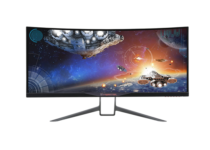
The Predator X34 is one of the best G-Sync VDUs with a curved design. This is a VDU designed primarily for gaming, and it has a resolution amounting to 3,440 x 1,440.

That’s a great resolution, not to mention that the X34 also boasts an ultra-wide 34-inch display. This IPS monitor has greater color consistency than TN panels, but its 100 Hz refresh rate doesn’t compare favorably to the ROG Swift PG279Q’s 165Hz.

The Predator X34 includes a lot of handy configuration options. You can configure the display settings with its RGB sliders, and there are further settings for gamma, color temp, and saturation.

The VDU includes a more novel Aim point option to set up aim points to enhance your shooting in first-person shooters.

In addition, the X34 has customizable LED underglow lights that you can switch to alternative green, blue, orange, and red colors.


Asus ROG Swift PG279Q – Ultra thin bezel

  • Full sRGB gamut for immersive life-like color
  • Ultra-Low Blue Light filters
  • DisplayPort 1.2, HDMI 1.4, and two USB 3.0 ports
  • Asus-exclusive GamePlus hotkey
  • Thin bezel design
  • Random screen flashing issues

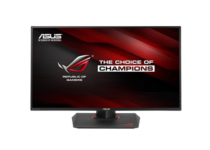
The ROG Swift PG279Q is a 27-inch IPS VDU with a 2,560 × 1,440 resolution. IPS monitors can’t usually match TN panels regarding the refresh rate, so you may need to turn on the variable refresh rate. Yet, the ROG Swift PG279Q is an IPS VDU with lightning-quick refresh rates of up to 165Hz.

So, not only does the PG279Q have stunning color accuracy, it also eliminates motion blur and lag. Plus, there’s no screen tearing in games thanks to its G-Sync technology that synchronizes the frame rates.

Aside from its impressive specs, this VDU also has some great configuration settings for gaming. The PG279Q has a GamePlus hotkey that you can press to select additional crosshair gaming options.

For example, you can select an onscreen timer or frames-per-second counter that tells you the frame rate.

Another hotkey also enables you to select six pre-set display modes to optimize the display for alternative content.


Asus TUF VG27AQ – Has Eye Care technology

  • Tear-free experience
  • Asus Extreme Low Motion Blur Sync Technology
  • Adaptive-Sync
  • Asus Eye Care technology
  • Flexible connectivity options
  • Not enough display modes

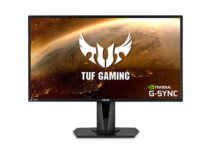
If you don’t know anything about the Asus TUF gaming VG27AQ 27” monitor, it’s time to change that. This WQHD (2560×1440) IPS gaming monitor has an amazingly fast 1ms (MPRT) response time.

Thanks to the included Adaptive-Sync, there’s no reason to worry about ghosting and tearing when it comes to sharp gaming visuals with high frame rates.

Moreover, the Asus Eye Care technology is perfect to minimize eye fatigue, while the full height/tilt/swivel/pivot stand adjustments are perfect to accommodate the monitor to any desk.


Those are six of the best G-Sync VDUs that eradicate screen tearing in Windows games for the smoothest gameplay. Note that Windows 10 supports G-Sync, so the monitors are great for gaming.

Now that you have a perfect monitor for you, why not check our NVIDIA’s G-SYNC Pulsar: The secret weapon for dominating in competitive gaming article to learn more about upcoming Nvidia features.

This specific list is part of our generous selection of monitors. You might want to check it out as well, then let us know your choice in the comments area below. 

[wl_navigator]

5 best ergonomic mice to buy [Logitech MX Master 3]

As many of us spend hours upon hours using PCs at home or at work, clicking, scrolling, and moving the mouse pointer can really be hard on your hands and wrists.

Now, the industry evolved and nowadays we can find a lot of ergonomic mice that make prolonged usage so much easier.

And we all know how much a good mouse and keyboard mean in the everyday workflow or gaming. We have a list of the top 5 ergonomic mice for you so make sure to check it out below.

Note: Deals are subject to change. Keep in mind that the price tag often varies. We recommend going to the vendor’s website to check the price. Some products may be out of stock by the time you’ve made your purchasing decision. So, hurry up and hit the buy button.

What are the best ergonomic mouse deals?

Microsoft Sculpt Ergo Mouse

  • Great shape designed to maximize wrist comfort
  • Back button for faster navigation
  • 4-way scroll wheel for navigating up, down, left and right
  • Windows button
  • No Bluetooth

Microsoft has a line of various hardware solutions, many of them quite innovative and well-designed bringing a great experience to end-users.

When it comes to ergonomic mice, a highly-rated Microsoft Sculpt Ergo might be just the right pick for you.

This small, super-ergonomic mouse is mostly praised for its design, amazing scroll wheel implementation, and Microsoft Keyboard and Mouse accompanying software for customization and additional tweaking.


Microsoft Arc Mouse

  • Ultra slim and lightweight
  • Battery life: Upto 6 months
  • Innovative full scroll plane
  • Must be Bluetooth 4.0 enabled
  • Wireless frequency 2.4 GHz frequency range
  • Difficult to scroll with the virtual scroll

Microsoft Arc Mouse is probably the most futuristic wireless mouse you’ll ever run into. The ergonomic design allows users to flatten it and carry it around.

Not only that it’s incredibly thin and light, but it also brings the surface touch instead of two separated click buttons.

If you are into refined aesthetics, battery longevity, and ergonomic design we strongly recommend getting this peripheral device. It will make your long working hours 10 times easier.


Logitech MX Master 3

  • Ultrafast magspeed scrolling
  • Countless customisability options
  • Wired USB-C recharging
  • Works on any surface
  • The gesture button can be hard to click sometimes

The latest iteration in the MX Master series by Logitech, MX Master 3 is the overall best package you can get today. No somewhat gimmicky ergonomic vertical design, just the perfect balance between the

It’s ultra-quiet, incredibly responsive and fast, and it also allows for per-app customization of buttons.

If you are an IT professional, there’s hardly anything better you’ll find in this price range, and we definitely recommend it.


Evoluent VM4R VerticalMouse 4

  • Comfort and easy-to-reach programmable buttons
  • Plug-and-play
  • Customizable buttons
  • Pointer speed indicators
  • Some complaints about the surface finish

Vertical mice are, in comparison to their regular counterparts, much better for your wrists keeping the hand in a more natural state.

However, there are not many users that invest in these heavily specialized peripheral devices, especially after years of working on a regular mouse.

On the other hand, if you want to give them a try, VM4R by Evoluent is the proper choice.

Evoluent VM4R VerticalMouse 4 brings a highly-ergonomic vertical design that comes with special software to optimize usage and make the transition from a regular mouse easier.

Based on the user feedback, it might be the best vertical mouse you can get in the midrange category.


Anker Vertical Mouse

  • Scientific ergonomic design
  • 1000/1600 DPI resolution optical tracking technology
  • Next/previous buttons
  • 18-month warranty and lifetime technical support guarantee
  • The cord is a bit short

Finally, the last but not the least spot is reserved for an amazing entry-level vertical mouse by Anker.

This optical mouse is more than affordable and, if you ever wondered how it feels working in with a vertical mouse, this might be the best choice for tryouts.

Give it a try and start working with your hand in a more natural position without bending your wrist. Many who have tried never went back to regular mice.


These were the best deals for ergonomic mouse to buy. Do tell us which mouse from our list would you buy, in the comments section below.


5 best Raspberry Pi kits for RetroPie and gaming [Pi 4,Pi 3]

Since it became a thing, Raspberry Pi has never ceased to amaze us, given that you can use its hardware components to create ambitious projects, ranging from basic hosting for your website to full-fledged retro gaming rigs.

Vilros Raspberry Pi 3 RetroPie Arcade Gaming Kit, V-Kits Raspberry Pi 3 Model B+ (B Plus) Retro Arcade Gaming Kit or TAPDRA Raspberry Pi 3 Model B+ (B Plus) Arcade Cabinet Machine Video Game Console Complete Full Kit are all-in-one retro gaming kits that can help you recreate the fun you had spending time on your old consoles or at the arcade room.

Note: Deals are subject to change. Keep in mind that the price tag often varies. We recommend going on the vendor’s website to check the price. Some of the products may be out of stock by the time you’ve made your purchasing decision. So, hurry up and hit the buy button.

Top deals on Raspberry Pi retro gaming kits

Vilros Raspberry Pi 3 RetroPie Arcade

  • Convenient price, considering other options on the market
  • Easy to configure and install
  • Comes with a quick start booklet
  • Only comes with one gamepad

Vilros Raspberry Pi 3 RetroPie Arcade Gaming Kit is the perfect gift for nostalgic gamers who miss the simplicity of making animated, pixelated plumbers hit bricks with their heads or chomping pills in dark corridors while steering away from ghosts.

Although it’s not the real console, RetroPie is a pretty great bundle that gives you both the environment and the simulation, so you can enjoy games from a wide range of retro consoles, whether it’s Super NES, classic NES, or Sega we’re talking about.

After the setup, you just need to populate it with ROMs and you’re ready to play.

CanaKit Raspberry Pi 3 B+ (B Plus)

  • Comes with two gamepads, so you can share the fun with others
  • The power supply has two heat sinks and a noise filter
  • A 32 GB micro SD card is included
  • The operating system doesn’t come pre-installed

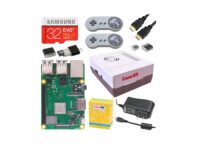
CanaKit Raspberry Pi 3 B+ (B Plus) Retro Gaming Kit is a more complex retro gaming kit based on the popular Raspberry Pi 3 B+ (as its name strongly suggests) computer.

Its compact size and potential to run a wide variety of retro games are some of this kit’s most popular features.

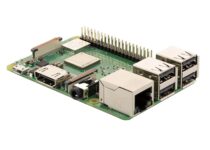
The Raspberry Pi 3 B+ this bundle comes with has a 1.4 GHz 64-bit Quad-Core processor, 1GB RAM, Wireless support and enhanced Ethernet performance.

The kit also encompasses a case with integrated fan support, 2 retro gamepads, and a 32 GBs micro SD card for jumping straight into the action.

V-Kits Raspberry Pi 3 Model B+ (B Plus)

  • Includes two retro gamepads and a retro case
  • RetroPie is ready-installed
  • Includes a USB flash drive with preloaded name folders, for easy transfer
  • A bit pricey compared to other choices

V-Kits Raspberry Pi 3 Model B+ (B Plus) Retro Arcade Gaming Kit is, as its name states, a kit that is meant to help nostalgic gamers recreate their most fond memories of playing video games without searching for old, original consoles that used to run them.

What makes this specific rig stand out in the crowd is the fact that it comes with the popular RetroPie operating system preloaded and includes a USB stick with prenamed folders, for easy game transfer.

So with buying this kit, your only concern should be actually getting the games somehow.

TAPDRA Raspberry Pi 3 Model B+ (B Plus)

  • Infrared IR Remote Controller
  • Support more than 25 platforms
  • Includes a 128GB Micro SD Card
  • Best for tech-savvy users

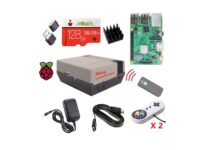
TAPDRA Raspberry Pi 3B+ (B Plus) Arcade Full Kit is a dream come true for old-school gamers that miss all the fun they had with arcade gaming machines.

If pulling those rigid joysticks or mashing the arcade machine’s buttons like a maniac were your thing, you’re definitely going to enjoy this kit that’s based on Raspberry Pi 3 B+, as it comes with everything you need to go back in time and do your thing again.

The best part is that you can also bring a friend along since the control board features a dual controller set. On the not-so-bright side, this kind of fun will now cost you top-dollar, compared to the good old days, when a session was only a coin.

ELECROW Crowpi Raspberry Pi

  • It looks absolutely gorgeous
  • Wood panels are laminated
  • Comes with a built-in screen and 2-Players controls
  • Doesn’t include spare buttons

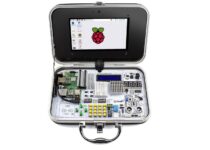
ELECROW Crowpi Raspberry is a gaming kit based on the popular Raspberry mini-computer that can both bring a tear to your eyes (if you are a nostalgic gamer) and be an awesome addition to your parties. Plus, it’s really nice to look at.

This Raspberry Pi-based arcade gaming system might not come with a list of preloaded games, but it does include a 20-inch built-in screen, a dual controller board for two players, two speakers for better immersion and a pretty cool graphics pack for the machine’s exterior.


[wl_navigator]

5 best PC monitors for business [Office, Home Desk]

A great business monitor will not only make sure that your work will look much better, but it will also protect your eyesight and physical health due to the use of a high-quality display.

It’s not enough that your workspace has a powerhouse PC with a huge storage, an excellent mouse and keyboard, and the most comfortable chair.

You also have to own a good monitor so that your work experience flourishes. A high-quality business monitor will maximize productivity, and before you get the best one suited for your needs, you have to consider a few factors such as the size, the practicality, the panel technology, the display’s resolution, ergonomics, and ports.

Now is the best time to purchase yourself a brand new monitor.

Best monitors for business use to buy

Dell Ultrasharp 24 inch Infinity Edge Monitor

  • It comes with the highest resolution in the world providing fantastic image quality.
  • You can view and create the most exquisite details onscreen.
  • It features defined hues and tones and vivid colors as well.
  • You can use the Custom Color mode to change the color parameters according to your needs.
  • Dell manual is not included

This Dell monitor looks like a real bargain for pros especially for the ones who work in the financial and creative sectors.

You can use the Custom Color mode to change the color parameters according to your needs.

Moreover, the Dell monitor comes with an eco-conscious design, meeting the latest regulatory and environmental standards, so it’s perfect for green enthusiasts.

ViewSonic VA2055SA 20″ 1080p business monitor with VGA

  • SuperClear MVA Panel Technology
  • The monitor can deliver the same image quality whether you are looking at the screen from above, the front, below or the side.
  • Incredible clarity and detail while you’re working.
  • It comes with optimized viewing settings that enhance color temperature, contrast, and brightness to deliver an optimized viewing experience.
  • The monitor has a minor glitch

The ViewSonic VA2055SA might be the less pricey full HD business monitor on the market, and it’s also one of the smallest displays capable of showing full HD content.

When it comes to monitors, full HD is the minimum we advise you to get because anything below this it’s not worth it.

More essential features that you should be aware of are the aspect ratio of 16:9, the resolution of 1,920 x 1,080, the response time of 16ms, the viewing angle of 178/178 and the contrast ratio of 3000:1.

LG 25UM58-P 25″ business monitor with Screen Split

  • Fantastic for graphic designers,
  • You can adjust the monitor’s volume, brightness, picture mode presets, and more with only a few clicks.
  • You can customize the monitor’s layout for multitasking with the LG Screen Split feature.
  • Impressive gaming features as well such as the Black Stabilizer for amazing details in dark scenes.
  • Weak quality when connected to a Mac

Widescreen monitors are becoming more and more popular due to their gradual decrease in prices, and they allow businesses to fully embrace having a wider display.

Even if the common perception is that only gamers benefit from such a screen, the truth is that also spreadsheet crunchers and creative professionals appreciate this form factor.

Other essential features include the aspect ratio of 21:9, the resolution of 2,560 x 1,080, the response time of 5ms, the viewing angle of 178/178, the contrast ratio of 1M:1, and the colors support of SRGB 99%.

ASUS MB169B+ 15.6″ Full HD business monitor

  • Slimm and light USB monitor
  • It features a sleek and metallic finish
  • It allows you to experience fast and fluid images
  • Compatible with a notebook and desktop PC that uses a USB 2.0 port
  • Has a smart case that is an adjustable stand and a protective sleeve as well.
  • It’s ideal for people who have to work away from their desks.
  • Consumes a lot of energy

The ASUS MB169B 15.6 – inch monitor is quite different from other models on the market because it’s a portable USB-powered display and you can power it using a single USB cable.

Other features worth mentioning are its aspect ratio of 16:9, the resolution of 1,920 x 1,080, the viewing angle of 160/160, and the contrast ratio of 700:1.

AOC U2879VF 28” LED 4K business monitor

  • It provides a crystal-clear image due to more than 8 million pixels at 60Hz
  • FreeSync technology that reduces tearing
  • The monitor comes with a non-reflecting coating to protect your eyes
  • You can adjust color-intensity to fit your needs best.
  • It provides a wide viewing angle, and it delivers accurate colors and excellent grayscale performance
  • Outdated drivers

This monitor is proof that ultra-high-resolution displays are dropping in price while also gaining some useful features at the same time.

Other essential aspects worth considering in this monitor include an aspect ratio of 16:9, a resolution of 3,860 x 2,160, a response time of 1ms, a viewing angle of 178/178, a contrast ratio of 80M:1, and color support SRGC 99%

Choosing the best business monitor doesn’t only mean that you have to get one that doesn’t flicker or one that looks nice.

The productivity aspect is an essential factor you have to consider. It’s good to know that large screen sizes and high resolutions will provide you more workspace and ultra-wide aspect ratios are best for increased productivity.

For more details on the displays presented above, check the info on each business monitor on Amazon and hurry up and get the best choice for your needs.

[wl_navigator]

5 best Windows 10/11 tablets with the best battery life

There are many great Windows 10 tablets on the market, but what separates a great tablet from a good tablet is its battery life.

In today’s article, we’ll check out some of the best Windows 10 tablets that offer great battery life, so without further ado, let’s get started.

Note: Deals are subject to change. Keep in mind that the price tag often varies. We recommend going on the vendor’s website to check the price. Some products may be out of stock by the time you’ve made your purchasing decision. So, hurry up and hit the buy button.

What are the best Windows 10 tablets with the best battery life?

Microsoft Surface Pro X

  • 13-inch 2880 x 1920 screen
  • Microsoft SQ1 CPU
  • 8/16GB LPDDR4 RAM
  • 128/256/512GB SSD
  • Battery life up to 15h with regular use
  • Not a 64-bit device

Surface Pro X comes with a 13-inch screen and 2880 x 1920 (267 PPI) resolution. The device is powered by Microsoft SQ1 processor and it comes with 8GB or 16GB LPDDR4 RAM.

Regarding the storage, you can choose between 128, 256 or 512GB SSD. The built-in battery can last up to 13 hours with typical usage. As for the graphics, the Surface Pro X uses Microsoft SQ1 Adreno 685 GPU.


Microsoft Surface Pro 7

  • Intel Core i5 or i7 CPU
  • Battery that can last up to 10.5 hours
  • 3-inch 2736 x 1824 (267 PPI) display
  • 4/8/16GB LPDDR4 RAM
  • 128/256/512/1TB SSD
  • Not the best gaming solution

This tablet comes with the Intel Core i5 processor, but you can also choose a model with i7 if you need more power. The battery can last up to 10.5 hours which should be enough for most users.

The tablet has 12.3-inch PixelSense display and it uses 2736 x 1824 (267 PPI) resolution. Regarding the memory, there’s 4/8/16GB LPDDR4 RAM. As for the storage, you can choose between 128/256/512/1TB SSD.

The device has Intel Iris Plus Graphics, so it should be able to handle multimedia with ease.


Dell Latitude 7200

  • Intel Core i5 (8th Gen) 8365U / 1.6 GHz
  • 8GB DDR4 RAM
  • 256GB NVMe
  • 3-inch 1920×1280
  • No major issues

Dell Latitude 7200 is powered by 8th generation Intel Core Processor up to i7 and it comes with Intel UHD Graphics 620 graphics.

he display is 12.3-inch and it uses 1920 x 1280 resolution. Regarding the memory, the tablet uses 8GB DDR4 RAM and 256GB NVMe for storage.

Dell Latitude 7200 uses 4-cell Li-Ion battery with 68Wh capacity. Additional features include Bluetooth 5.0, Ethernet, HDMI port, 3x USB3.1 Gen 1 ports,


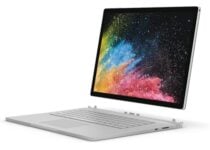
Microsoft Surface Book 2

  • 8th generation Quad-Core i7 CPU
  • NVIDIA GeForce GTX 1060
  • 15-inch 3260×2160 display
  • 16GB LPDDR3 RAM
  • 256GB flash memory
  • Issues with the official USB-C to HDMI cables

This is a 15-inch device and it comes with Intel Quad-Core i7 CPU. The device uses 3260×2160 resolution and thanks to the NVIDIA GeForce GTX 1060, you can enjoy any type of multimedia.

The device has 16GB LPDDR3 RAM and 256GB of flash memory for storage.

Battery life is expected to give you up to 17 hours of video playback, but that can vary depending on your usage.


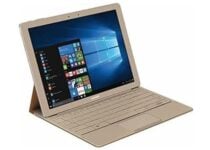
Samsung Galaxy TabPro S 12

  • 12-inch Full HD+ 2160×1440 display
  • 6th generation Intel Dual-Core m3-6Y30 CPU
  • Intel HD Graphics 515
  • 8GB LPDDR3 RAM and 256GB SSD
  • 5h battery life
  • Lack of additional ports

This is a 12-inch device and it comes with FulHD+ 2160×1440 display. The tablet is powered by 6th Gen Intel Dual-Core m3-6Y30 CPU and Intel HD Graphics 515. Regarding the memory, this device has 8GB 1600MHz LPDDR3 RAM and 256GB SSD.

As for the battery, it can last up to 10.5 hours with standard use. Additional features include USB-C 3.1 port, HDMI port, Bluetooth and a built-in webcam.


We hope that you found our article helpful and that you managed to find the perfect Windows 10 tablet for your needs.


6 Best 802.11ac Wireless Routers Available on the Market

Whether looking for a wireless router to decrease the ping in online multiplayer games or streaming media, a good router allows you to use the premium you are paying your ISP for the high-speed connection.

802.11ac is a popular wireless communication standard that most routers and wireless modules in your system use. It works over both 2.4 GHz and 5 GHz bands.

This article explores the best 802.11ac WiFi router for high-quality streaming and low-latency online gaming experience.

What are the best 802.11ac Wi-Fi routers to buy right now?

Asus RT-AC88U

  • Eight superfast Gigabit LAN ports
  • Excellent WiFi performance
  • Excellent coverage
  • Average NAS performance with external hard driver

The Asus RT-AC88U is one of the best home routers the company has on offer. It comes with the latest true dual-band router and superfast eight Gigabit LAN ports. Additionally, it also gets support for Dual-WAN and port aggregation.

Asus RT-AC88U offers 80 percent faster 5 GHz at up to 2100 Mbps with 1024 Qam technology, and 66 percent fast 2.4Ghz coverage with four transmit receivers.

Under the hood, it comes packed with a powerful 1.4Ghz dual-core processor and supports fast USB data transfer with a max speed of 100MB/s and the router download/upload speed over WAN and LAN of 1.8Gbps.

If you don’t need the fancy features offered by other Asus offerings, the Asus RT-AC88U is the best router to strengthen your home network.

Linksys WRT AC3200

  • MU-MIMO support
  • 5Ghz band support
  • Open source firmware
  • Poor long-range support

Pros:

  • MU-MIMO support
  • 5Ghz band support
  • Open source firmware

Cons:

  • Poor long-range support

The Linksys WRT AC3200 may not be the latest of the lot, but still remains one of the best WiFi routers with a strong security system to keep your home network secure.

Linksys WRT AC3200 supports technologies like MU-MIMO and beamforming to provide excellent WiFi to multiple devices at once without compromising on speed.

For advanced users, the open-source firmware of the router makes it possible to modify the router to suit their needs by using packages from the established open-source distributions like OpenWrt and DD-WRT.

Linksys WRT AC3200 offers dual-band WiFi speed up to 2.6Gbps (2.4Ghz and 5Ghz) to enjoy simultaneously 4K HD streaming, gaming, and other internet activities.

NETGEAR Nighthawk X6  

  • Excellent coverage with Tri-band support
  • Easy to set up and use
  • Intuitive guest access
  • Expensive

The NETGEAR Nighthawk X6  Smart WiFi is a Tri-band wireless router that can cover 3500 sq ft area and connect to up to 50 devices simultaneously.

The device features four 1Ghz LAN ports and 2 USB ports. It also comes with built-in Netgear Armor security software, offering multi-layered security for unlimited devices. Included Circle App also offers smart parental controls feature to set a daily internet time limit for apps and website and schedule limits and pause the internet by device or user.

Under the hood, the NETGEAR Nighthawk X6 is packed with a 1Ghz dual-core processor. It also comes with six amplified antennas, Dynamic QoS, and voice control features out of the box.

While the NETGEAR Nighthawk X6 is brimming with features, it is still expensive compared to other routers with similar features.

Asus AC1900

  • Excellent WiFi coverage and speed
  • Advanced features
  • Intuitive user interface
  • No wall-mounting option

If you are on a budget and looking for a premium WiFi router, the Asus AC1900 offers the latest 802.11 ac technology along with superfast WiFi connectivity for an affordable price tag.

Asus AC1900 comes with the latest 802.11 AC technology for a combined speed up to 1900 Mbps. It also packs a 1 GHz dual-core processor under the hood, powering your home network.

For connectivity, Asus has packed the device with 4 Gigabit LAN ports, 1 WAN port, a USB 2.0, and a USB 3.0 port. The intuitive user interface makes it easy to set up the router, and the users can easily manage their home network from the mobile app.

For security, Asus AC1900 comes with Trend Micro multi-stage protection that can detect vulnerabilities in your network and protect sensitive data.

Asus AC1900 is an excellent WiFi router that offers three superfast antennas, four Gigabit LAN ports, and an intuitive user interface for much less than other premium routers.

ASUS Gaming Router Tri-band

  • Covers up to 5,000 sq ft area
  • 2x USB 3.0 Ports
  • Gamers Private Network
  • 8 Gigabit Ethernet ports
  • Large footprint

The ASUS Gaming Router Tri-band is an excellent choice if you have a high-speed internet connection, as this router can churn out a maximum speed of 5,334 Mbps and cover a house or commercial place of up to 5,000 sq ft.

ASUS Gaming Router Tri-band, as the name suggests, is a tri-band router that supports 5Ghz and 2.4Ghz wireless bands. The router is powered by a 1.8 GHz quad-core processor, maximizing data throughput from eight LAN and dual USB 3.0 ports.

The VPN fusion feature enables you to run a VPN and your regular internet connection simultaneously so you don’t have to compromise privacy or network speed.

Other notable features in the router include ROG Game dashboard, Game IPS powered by Trend Micro, offering multi-stage protection and PPTP, and L2TP support.

TP-Link OnHub AC1900

802.11ac Wireless router

Pros:

  • Aesthetically pleasing with elegant design
  • Easy to setup
  • Good WiFi speed

Cons:

  • Single Ethernet port
  • Comparatively limited features

TP-Link OnHub AC1900 is an affordable wireless router that comes with an elegant design and offers excellent performance for the price. Thanks to the Google Companion app, the TP-Link OnHub AC1900 router is one of the most accessible routers to set up.

TP-Link OnHub AC1900 offers super-fast WiFi speeds up to 1900Mb and helps eliminate dead zones with its 2.4Ghz and 5Ghz band 13 built-in antennas.

Additionally, the router offers up to 2,500 sq ft coverage, connection for up to 100 devices, and Bluetooth 4.0 for wireless connectivity. The guest network allows you to share your network resources without compromising security.

⇒ Get TP-Link OnHub AC1900

When looking for 802.11ac Wi-Fi routers, you need to look for the Ethernet ports offered by the router, if the router is dual-band or tri-band, and if it is a standalone or a mesh system.

All the routers listed in this article are standalone Wi-Fi routers that begin at $100 and can go up to $350.

So, go through the list, check the specifications, and pick the best one that meets your requirements rather than buying the most feature-packed expensive router that is overkill for your use.

You might also be interested in checking our list of the best routers for access point.

Tell us if you found the right one in the comments section below.

5 best thermal printers for shipping labels

Working in retail (and not only) more often than not requires you to keep track of what comes in and what goes out, and at the moment there’s no better way to do that than by using thermal printers fit for creating barcodes and shipping labels.

Panduit LS8E, ROLLO Label Printer, and Zebra – ZD410 are all equally-viable choices when it comes to finding the best thermal label printer that can help you organize and keep track of your merchandise once and for all.

Note: Deals are subject to change. Keep in mind that the price tag often varies. We recommend going on the vendor’s website to check the price. Some products may be out of stock by the time you’ve made your purchasing decision. So, hurry up and hit the buy button.

What are the best thermal printers for shipping labels deals?

DYMO LabelWriter 450

  • Compact size and bargain price
  • Can create labels from Word, Excel and Google Contacts
  • Prints crystal-clear barcodes and graphics
  • Compatible with Windows 7 or later and Mac OS X v10.8 or later
  • Some users complain that this device jams a lot

DYMO LabelWriter 450 is one of the most accessible (money-wise) thermal printers that can help you print barcodes and shipping labels with minimum efforts.

This device is fit for a lot of activities, ranging from labeling, shipping, filing and barcode creation to effortless home and office organization.


MUNBYN Label Printer 4×6

  • Compatible with Windows (XP or newer), and Mac (10.9 or newer)
  • Features overheating protection
  • 150mm/s high-speed printing speed
  • Comes with a compact design
  • Some users complain about frequent jamming

MUNBYN Thermal Label Printer 4×6 is a thermal printer with USB support thanks to a matching WiFi Dongle that supports wireless link printing. It can be used to generate labels and barcodes and can be configured quickly thanks to its one-click setup feature.

This device is compatible with Amazon, eBay, FedEx, Shopify, UPS, Etsy and USPS, and other similar popular services.

It also features a built-in label identifier, which only requires you to insert the label so that the device can fetch it and feed it to the printer.


ROLLO Label Printer

  • High speed printing at 150mm/s
  • Compatible with any Thermal Direct Labels
  • Compatible with Windows (XP and newer), and Mac (10.9 and newer)
  • Compact design
  • Not enough instructions for certain situations or issues

ROLLO Label Printer is a thermal printer that can be safely used for creating labels and barcodes and generally for keeping track of your merchandise or inventory through means of labeling your possessions in a seamless manner.

Compared to other products, ROLLO Label Printer works with any Thermal Direct Labels, which means you won’t have to spend a fortune on proprietary labels.

More so, it can print at a speed of 150mm/s, so you don’t have to wait around a lot for labels to be printed.


Zebra – ZD410

  • Can be used wirelessly
  • Max print speed of 6 in/sec
  • Compact design
  • Easy to use
  • Customers complain that it’s difficult to set up

Zebra – ZD410 is a direct thermal desktop printer that can generate labels, barcodes, receipts, tags, and even wrist bands, without the slightest effort.

This device can be connected via USB, BTLE or USB host, depending on your needs.

Its software counterpart, ZEBRA DESIGNER, allows you to use premade labels and barcode templates, but you can also use it to create your own.


Panduit LS8E Kit

  • Many formatting options
  • Sign & label printing software
  • Labels are printed quickly
  • Includes a built-in cutter
  • Consumables for the unit can be expensive

Panduit LS8E is a complete kit that can help you solve your organizing issues by letting you print labels and barcodes quickly and without requiring either ink or toner; printing is done via heated printing pins on heat-sensitive paper.

The kit includes the actual device, but also one pack of self-laminated labels, a case, a quick reference card, the operator’s manual and various other accessories.


If you manage your own small business, run a shop, or just need a way to quickly and effectively keep track of your office or home inventory, you might want to consider turning to thermal printers for label and barcode creation.

Zebra – ZD410, ROLLO Label Printer and DYMO LabelWriter 450 are some of the best thermal printers that can help you with the tasks mentioned above in a seamless manner.

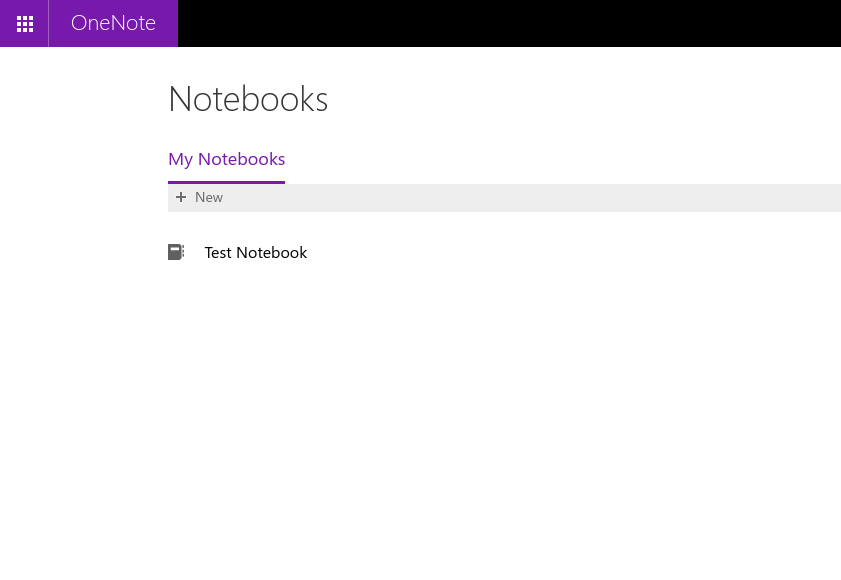
How to rename a OneNote notebook

OneNote makes it simple to take notes and collate information. Unfortunately, managing notebooks themselves can quickly become unwieldy, due to the limited notebook management capabilities of the OneNote apps.

Renaming an open notebook is one common task which can be more troublesome than it seems. The most reliable way to rename a notebook is via the OneDrive web interface – depending on the platform and version of the client app in use, this may in fact be the only option available.

Begin by logging into OneDrive. This guide assumes you’re storing your notebooks in the default location – if not, adapt the guidance as appropriate.

Screenshot of renaming a OneNote notebook via OneDrive

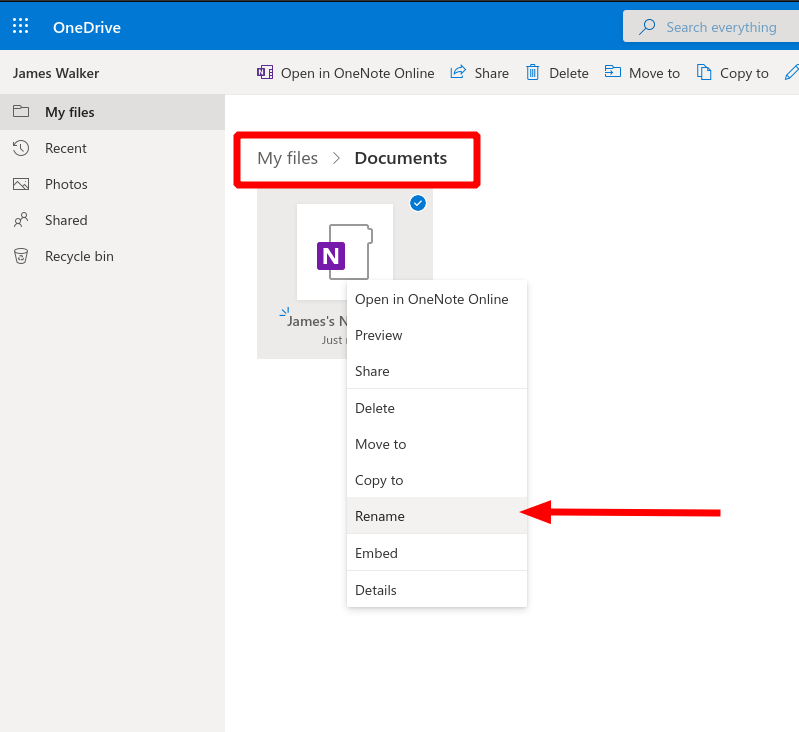
Navigate to your files and then click the “Documents” folder. You should see your OneNote notebooks within this folder. If you can’t find them, it’s worth checking whether a “OneNote Notebooks” subfolder exists.

Once you’ve located the notebook file, right-click it and choose the “Rename” option from the context menu. Type a new name for the notebook. After a few moments, your OneNote apps should detect the change and begin displaying the new name. If this doesn’t happen, you may have to close the notebook within the app (found by right-clicking/long-pressing the notebook name). You’ll then be able to re-open the notebook from its new location.

Screenshot of renaming a OneNote notebook via OneDrive

This technique only works for notebooks stored in personal OneDrive or OneDrive for Business notebooks. Shared notebooks accessed via SharePoint sites or Microsoft Teams – including educational Class and Staff notebooks – should not be renamed in this manner as doing so may leave other users unable to access the content.

Learn more about housekeeping tasks beyond renaming by following our guide on how to delete a OneNote notebook, which explains when to close a notebook in the app and how to remove it from OneDrive for a permanent cleanup.

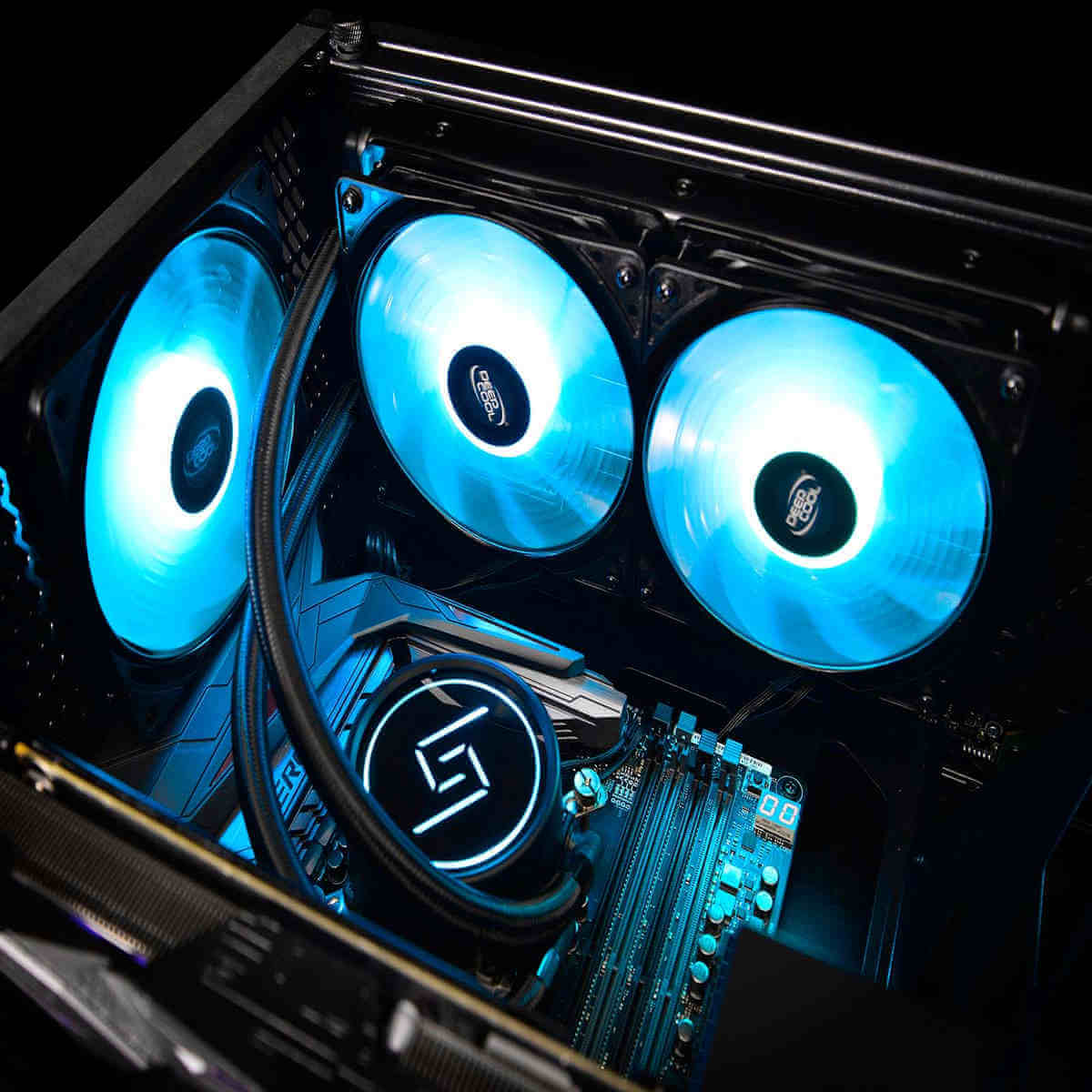
5 Best AIO Coolers and Liquid Cooling Systems

Picking one of the best liquid cooling systems is a common practice for keeping your overclocked processor safe.

A standard air cooler is often in the cards, too, but you can never go wrong with a good AIO cooler when getting the highest cooling performance.

Choosing the perfect all-in-one cooling solution can sometimes be a headache, so we’re trying to make your choice easier. Here, we’ve added the top 5 AIO coolers – liquid cooling systems of the moment.

Note: Deals are subject to change. Keep in mind that the price tag often varies. We recommend checking the price on the vendor’s website. Some of the products may be out of stock by the time you make your purchasing decision, so hurry up and hit the buy button.

What are the best deals on AIO coolers?

Cooler Master MasterLiquid ML240L RGB V2

  • Dual chamber pump
  • Industrial grade seal
  • RGB lighting
  • Wired RGB controller included
  • Not recommended to tighten the screws

The MasterLiquid ML240L model has a refreshed design and enforced capabilities to deliver even more of what you expect.

The Dual Chamber Pump increases cooling efficiency. When combined with the SickleFlow 120 RGB fan and the enlarged radiator for optimized heat dissipation, you can only obtain the best cooling performance without compromising on noise.

Quiet, efficient, and esthetically pleasant, the MasterLiquid ML240L is a complete cooling solution that will make you forget all about overheating.

MSI MAG CORELIQUID 360R

  • Rotating Cap Design
  • 360mm Radiator
  • Triple 120mm RGB PWM Fans
  • Customizable RGB lighting
  • Some users reported fan grinding after short usage

A powerful CPU is a must-have for good quality gameplay – so is a cooling system.

There is no better alternative than this modern AIO cooler, which has PWM fans and a radiator-integrated pump with noise reduction.

To further increase efficiency and please the eye, a rotatable cap is included, and customizable RGB lighting is available.

Corsair H100i RGB PLATINUM AIO Liquid CPU Cooler

  • No less than 16 individually controlled RGB LEDs
  • Complete control over your cooler’s RGB lighting
  • Coolant temperatures control through the CORSAIR iCUE software
  • Low-noise pump design
  • Rather poor customer service

A high-quality closed-loop liquid cooler such as Corsair H100i RGB PLATINUM most likely meets your demands.

It features RGB, 3 x 120mm fans that levitate, while thankfully staying relatively quiet.

At stock speeds, this cooler is once again a great choice, as well as one of the cheapest options for now.

Corsair Hydro Series H150i PRO AIO Liquid CPU Cooler

  • Versatile Corsair iCUE software
  • Useful Zero RPM mode ready to allow fans to stop entirely at low temperatures
  • Fitted with various rainbow LEDs
  • Some users keep getting weird temperature spikes

CPU coolers can be among the noisiest parts of any computer. However, that doesn’t mean they have to be noisy all the time, and Corsair Hydro Series H150i PRO makes a statement in this department.

This AIO cooler lets you experience incredible cooling performance, and the deficient noise levels make you feel like you are in paradise.

NZXT Kraken X63 280mm – RL-KRX63-01

  • Stunning infinity mirror lighting design makes it an incredible build centerpiece
  • Mid-range form factor
  • New Aer P radiator fans included
  • Backed by a 6-year warranty
  • CAM app issues

Enjoy a better cooling performance and greater CPU protection with this AIO CPU liquid cooler.

It may not be the quietest option out there, but it sure does cool your CPU, and it’s impossible not to notice, given the aesthetics.

Choosing the right AIO cooler is very important. There’s no excuse not to grab one as soon as possible, especially if you’re doing intensive work on your PC. You can also go for second-hand AIO coolers if your budget doesn’t allow for a new one.

If you think we missed other relevant liquid cooling system choices, just let us know in the comments below!

[wl_navigator]

Posted in CPU

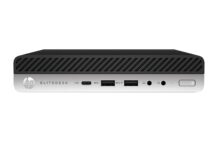
4 best HP mini desktop PCs you can buy [ProDesk, EliteDesk]

The increasingly compact nature of PCs has lead to the evolution of mini PCs that are much smaller than conventional ones yet pack in some great hardware.

Most importantly, they’re budget-friendly too. Mini PCs are available across almost all OEMs but in this segment, we will take a look at some of the best HPmini PCs.

What are the best HP mini desktop PCs I can buy?

HP ProDesk 405 G4 Desktop Mini PC

  • 256GB 6Gb/s storage capabilities
  • Comes with two display ports
  • Windows 10 Operating system
  • No option for the optical drive

The first thing about this HP ProDesk 405 G4 Desktop Mini PC is its styling: the HP ProDesk looks elegant and the design is something that will make a lasting impression on your mind.

Powering the device is an AMD Ryzen 5 2400GE 4-Core 3.2GHz 2MB CPU coupled with an 8GB DDR4 RAM. Storage options include a 256GB SSD. All of this comes packed in a device that is extremely compact and light.


HP EliteDesk 800 G5 Mini

  • Intel Core i5-9500T 6-Core
  • Integrated Intel UHD Graphics 630
  • Comes with 6 x USB Type-A
  • Seems that some buttons are failing because of misalignment

Not everyone requires a high-end machine, making the HP EliteDesk 800 G5 an uber affordable option that strikes the right balance between features and price. The HP EliteDesk 800 G5 comes powered by an Intel Core i5-9500T processor clocked at 3.7GHz and paired with 16GB RAM.

On the storage front, it offers 256GB  and the graphics are managed by Intel UHD Graphics 630. The HP EliteDesk 800 G5 comes preloaded with Windows 10 and is retailing at a good price.


HP EliteDesk 800 G3 Desktop Mini PC

  • Intel Q270 chipset
  • Windows 10 Pro (64-bit)
  • Comfortable and fast
  • The motherboard could present some issues

True to its name, the EliteDesk 800 looks elegant, setting it aside from its competitors. The EliteDesk is designed to deliver the performance necessary by today’s standards with Intel 7th Generation processors.

The HP EliteDesk 800 G3 comes equipped with an Intel Q270 chipset with options that range from a relatively modest Intel Celeron G3930 to an ultra-powerful Intel Core i7-7700T.

Buyers can choose between Intel HD Graphics, Intel HD Graphics 530, and Intel HD Graphics 630. On the storage front, the HP EliteDesk 800 G3 offers choices ranging from 500GB SATA to 1TB Turbo Drive SSD.

Connectivity options on the EliteDesk 800 G3 include Intel i219LM Gigabit Network connection, Type-C Port, Mini VGA Port, Mini HDMI Port, and Mini Serial Port.


HP ProDesk 600 G1

  • Intel Core i5-4570
  • 500GB DVDRW
  • Windows 10 activates once online
  • Not good for graphic-intensive programs

Not everyone requires a high-end machine, making the HP ProDesk 600 G1 an uber affordable optiuon that strikes the right balance between features and price. The ProDesk G1 comes powered by an Intel Core i5 4590 processor clocked at 3.3GHz and paired with 8GB RAM.

On the storage front, it offers 500GB  and the graphics are managed by Intel HD 4600. The HP ProDesk 600 G1 comes preloaded with Windows 7 and is retailing at a good price. Have a look at refurbished options and save some money!


[wl_navigator]

Microsoft details new Fluent Design updates for its Edge browser

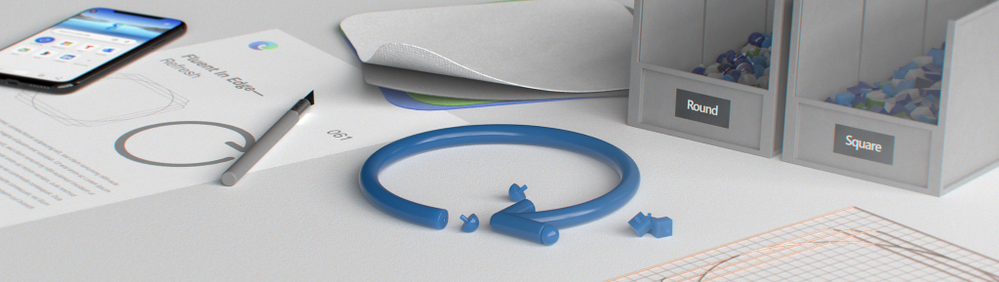
It’s been a week now since some Edge Insiders started to see new rounded corner icons, and the company has now officially unveiled new Fluent Design updates for its Edge browser. Microsoft says that it has begun rolling out the first phase of the new icons, giving Edge a bit of a refresh.

“The new Fluent iconography system provides functional optimizations for user experience as each icon is based on a standard keyline and grid. This will improve scannability as you browse menus and navigation. We’ve also seen optimized rendering across platforms and devices so no matter which device you’re browsing the web on the icons will appear sharp and easy to read,” the Microsoft Edge team explained yesterday.

Microsoft has been working to overhaul the look and feel of all Windows 10 apps and services for quite some time. As a part of the redesign, the company is planning to bring its Fluent Design language into the new Edge browser, making all form components look more like their counterparts in UWP apps. However, unlike all other apps, the Edge Insider Team is adding Fluent Design elements in more subtle ways.

In the blog post yesterday, Microsoft explained that the new Fluent icon updates will arrive in two phases. The first phase, which is currently rolling out, will only focus on the address bar, tabs, navigational bar, and more. With this change, the company plans to refresh the flat and monochromatic icons by adding new ones with more rounded corners.

IrinaL_4-1605637011237.png

Similarly, the second phase of these Fluent icon updates will cover some advanced settings such as Developer Tools (Inspect Element), the Extensions experience, and more.

IrinaL_5-1605637011243.png

Until now, we haven’t seen what the Microsoft Edge team has planned to update the icons with a touch of Fluent Design. With this announcement, we’re expecting Microsoft Edge’s Fluent Design icons to finally show up in the Stable channel in the coming months.

Surface Book 3 vs iPad Pro: Which one is superior?

Considering the inherent build of Surface Book 3 and iPad Pro (2020), the two devices may seem to be worlds apart. The Surface is the hallmark of Microsoft’s 2-in-1 devices, while the iPad Pro symbolizes Apple’s dominance in game-changing innovation. Both are the most powerful gadgets so far in their respective product lines.

Still, making a Surface Book 3 vs Ipad Pro comparison is not necessarily a stretch, especially if you are considering replacing one with the other.

Comparing Surface Book 3 vs iPad Pro

Surface Book 3

  • Comes with a 15” or 13.5” touchscreen
  • 10th gen Intel Core i7-1065G7 chip
  • 17.5-hour battery life
  • Assembly quality could be better

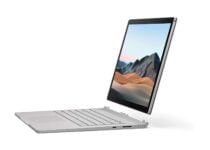
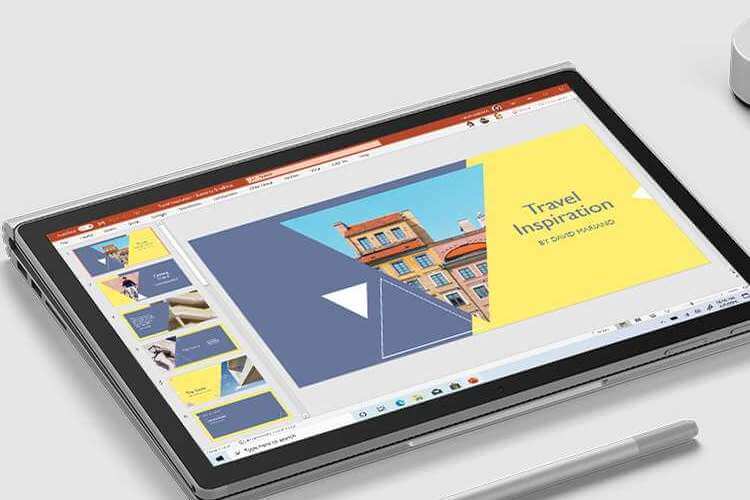
The Surface Book 3 model offers the option of a 15” or 13.5” touchscreen. You can get one with an NVIDIA GeForce GTX 1660 Ti, NVIDIA GeForce GTX 1650, or Intel Iris Plus Graphics GPU. The graphics capabilities of the device suits higher-end gaming applications.

As far as processing speed is concerned, the device supports multiple options. The 15-inch version has a 10th gen Intel Core i7-1065G7 chip.

The 13-inch version offers a choice of a 10th gen Intel Core i7-1065G7 or a 10th gen Intel Core i5-1035G7 processor. Surface Book 3 15” has 17.5-hour battery life, while its smaller counterpart supports up to 15.5 hours of usage.

The device gives you the option of up to 2TB of solid-state drive (SSD) storage. Regarding screen resolution, you can go with the 3000 x 2000 (267 PPI) or 3240 x 2160, (260 PPI) model. You also have multiple choices for RAM, including the version supporting up to 32GB of random access memory.

Also, Surface Book 3 can detach from the keyboard to function as a tablet.

Microsoft Surface

iPad Pro (2020)

  • A storage capacity of up to 1TB
  • 6GB RAM, and it is powered by an A12Z Bionic chip
  • LED-backlit multi-touch tech
  • The speaker could be better

There are two variants of this gadget: iPad Pro 11-inch and iPad Pro 12.9-inch. They are similar in many ways, including storage capacity of up to 1TB. The device has a 6GB RAM, and its powered by an A12Z Bionic chip that boasts 64-bit architecture.

Resolution-wise, iPad Pro 12.9 offers 2732 x 2048 (264 PPI). The display utilizes LED-backlit multi-touch tech. It also uses oleophobic coating as an anti-fingerprint feature.

Comparisons

Surface Book 3 is a different form factor altogether, considering it is a 2-in-1. It is a laptop with the versatility to quickly transform to a tablet on demand. Its processor packs a punch, while the RAM and storage capacity are ideal for applications that require higher computing power.

The device comes with discrete GPUs, which is a significant advantage compared with the iPad. These types of graphics devices have their own random access memory. They do not rely on system RAM to work well with video or graphics-intensive applications.

Surface Book 3 has a bigger display than iPad pro (2020). It also has a superior resolution, which would be ideal for gaming or other scenarios that demand high levels of picture clarity.

The gadget has a longer battery life, compared to its rival, which supports up to 10 hours of typical usage.

Nonetheless, iPad Pro (2020) would be perfect for users who prefer the simplicity of a tablet. It also has superior cameras 12MP (wide) and 10MP (ultra wide). Surface Book 3 cameras have a lower resolution—5MP (front-facing) and 8MP (rear cam).

Of course, nothing beats the iPad when it comes to features like biometric scanning and facial recognition.

Both devices have similar attributes still. For example, they support advanced connectivity options like USB-C and the 802.11ax Wi-Fi standard. They also have built-in Bluetooth 5.0 tech.

SpecsSurface Book 3 15"iPad Pro (2020) 12.9"
Screen size15-inch12.9-inch
DisplayResolution: 3240 x 2160, (260 PPI)
10 point multi-touch G5
Resolution: 2732 x 2048 (264 PPI)
LED-backlit Multi‑Touch with IPS
Storage256GB, 512GB, 1TB, or 2TB128GB, 256GB, 512GB, or 1TB
ProcessorQuad-core 10th Gen Intel Core i7-1065G7 A12Z Bionic chip
GraphicsNVIDIA GeForce GTX 1660 Ti with Max-QN/A


The Surface Book 3 vs iPad Pro comparison is not easy to make since the two devices are somewhat different form factors. But if price and simplicity of use are important to you, the iPad would be ideal.

On the other hand, the Surface Book is an excellent option for tasks that demand higher computing power.

Don’t hesitate to share your feedback, including any questions, in the comments section below.

[wl_navigator]

Best USB C to HDMI & Ethernet Adapters [Popular Picks]

USB Type-C ports offer great transfer speed, thus allowing you to use them to connect your laptop to an external monitor. This is rather simple, and to do that you need to have an appropriate adapter.

If you want to connect your Windows 10 USB-C laptop to an external display, today we’re going to show you the best USB-C to HDMI adapters.

What are the best USB-C to HDMI adapters for Windows 10 PC?

HP USB-C to HDMI Display Adapter

  • Quick connection
  • USB-C to HDMI Display
  • Weights only 0.67lb
  • Some functionality issues

If you need a simple adapter to quickly connect your USB-C device with a HDMI display, HP USB-C to HDMI Display Adapter might be perfect for you. This adapter comes with a single-cable design, and you just need to connect the USB-C connector to your laptop, tablet or smartphone and HDMI display to the other side of the adapter.

The adapter doesn’t require additional power supply or software to work, so you just need to connect it and you’re ready to use it. The device is small and it weighs only 0.67lb so you can easily carry it with you at all times. Regarding compatibility, this adapter should work with any device that has USB-C port with max 5V 3A DC input.

HP USB-C to HDMI Display Adapter is a simple device that allows you to connect your USB-C device with an HDMI display or projector.

VAVA USB C Docking Station 12-in-1

  • Multifunctional
  • 4k 60Hz ultra high-definition video display in Mirror Mode
  • Windows and MacBook/Pro/Air compatibility
  • Occasional irregular performance

This 12-in-1 docking station comes with every port you might possibly need: HDMI, Ethernet, USB 3.0 , USB 2.0, SD/TF card, 3.5mm audio & mic slot, and 1 PD (type C) output to charge your phone.

It support auto-adjusting connection when the Ethernet cable is in use, and date transfer speed goes up to 5120Mbps.

Use the two HDMI ports available to enjoy gaming and streaming at the same time, without having to switch cables.


VAVA USB C Hub 9-in-1

  • Video output supports 4K UHD or full HD 1080P
  • Plug-and-play
  • Windows and macOS compatible
  • Might interfere with local network

This VAVA docking station is similar to the previous one, however, with fewer ports: Ethernet port, a charging port, a HDMI port, an SD card reader, a TF card reader, audio port and 3 x USB 3. 0 Ports.

Consequently, is a more compact docking station, but just as reliable as the 12-in-1 model.


Sabrent USB Type-C Dual HDMI Adapter

  • Dual HDMI output
  • Video output is 4K at 30Hz resolution
  • Simultaneous display
  • Not MacOS compatible

Sabrent’s adapter conveniently lets your connect two HDMI monitors or similar devices that have this type of port. You’ll be able to use both devices simultaneously.

Note that it will work only with USB-C ports that support DisplayPort Alternate Mode (not all USB-C ports/systems have this functionality).

For Windows 10 devices, the adapter supports both SST and MST mode, as well as HDCP.


Lasuney Triple Display

  • 10-in-1 USB C Hub
  • 3 x video output: 2 HDMI + 1 DP
  • Compatible with MacBook or other Type-C laptops
  • Unreliable Internet connection

When using Lasuney’s hub, you will be able to enjoy 4 simultaneous 4K displays from 2x HDMI outputs, one DP output, and your device’s screen.

Note that when used with macOS, some extra settings need to be done to obtain a split screen.

The two USB 3.0 ports ensure data transfer speeds of up to 5 Gbps, while the charger powers up your laptop with 87W out of the total 100W it supports.


4URPC USB C Dual Monitor Docking Station

  • 11-in-1 hub
  • Dual HDMI ports
  • Up to 87W Super Quick PD 3.0 Charging
  • Functionality issues with the HDMI ports

A nice and sleek docking station equipped with 3xUSB-A ports, 2x4K HDMI ports, 1xVGA port, 1xRJ45 Ethernet port, 1xUSB C charging port with 87W power delivery, 1×3.5mm audio jack, 1xMicro SD card slot, and 1xSD card slot.

It will only work with devices that have a Thunderbolt 3 port or USB-C port which supports Alternate Display Mode and Power Delivery. So it is very important to check the list of compatible devices, as well as your device’s specs. 

TOTU 13-in-1 Docking Station

best usb c to hdmi adapters

If you’re looking to connect even more peripherals and monitors to your laptop, then this 13-in-1 hub should definitely help you.

Note that unlike other docking stations, this one needs a dedicate driver, which you can install from the manufacturer’s official website.

TOTU’s hub is compatible with the latest USB 3.1 Gen2 Type-C port devices, including MacBook Air/Pro 13”, Surface pro7, ChromeBook pixel 2016, or Huawei MateBook X Pro.

⇒ Check price


Insignia USB Type-C-to-HDMI Adapter

Insignia USB Type-C-to-HDMI Adapter is a simple device and it allows you to connect your USB-C device with an HDMI display or projector. The device is quite simple to use and you just need to connect the USB-C port to your laptop or tablet and HDMI cable to the HDMI port on the other side of the adapter.

Regarding the supported resolution, this device supports 1080p video as well as Ultra HD 4K x 2K resolution. This is a solid USB-C to HDMI adapter, and it will provide you with a clean high-quality image. The adapter has a sleek and lightweight design, and you can get it for a price which goes around $30. Before purchasing this adapter, we strongly recommend that you check if your USB-C port supports video output.

⇒ Check price


Belkin USB-C to HDMI Adapter + Charge

If you want to connect your USB-C device to an HDMI display, you can do so easily with this adapter. This is device works with any HDMI display but it also supports 4K/Ultra HDTV. Regarding the resolution, this adapter can provide 4K resolution at 60Hz thus giving you a smooth and clear viewing experience.

Since this is a USB-C adapter, you can connect it in any direction to your PC or tablet. The adapter has a USB-C connector and a 15cm built-in cable. It’s worth mentioning that you’ll need a separate HDMI cable if you want to connect the adapter to the HDMI display. This device requires a video-enabled USB-C port in order to work, so be sure to check if your device supports this feature.

⇒ Check price


Moshi USB-C to HDMI Adapter

This is another USB-C to HDMI adapter that allows you to enjoy in a high-quality video on your HDMI display. The device offers high-definition 4K UHD video at 60fps for a crystal clear multimedia experience. In addition to 4K UHD, 1080p video is also supported. The adapter also supports multi-channel digital surround sound.

The device comes with a USB-C connector and HDMI port, and you just need to connect the device to your PC and you’re good to go. This is a Plug-n-Play device, so no additional power adapters are required. It’s worth mentioning that both ends of the cable are encased in anodized aluminum that will minimize electromagnetic interference thus providing the best picture.

Moshi USB-C to HDMI Adapter is simple to use and it offers high-quality performance.

⇒ Check price


Kanex USB-C to HDMI 4K Adapter

If you want to enjoy in multimedia content on an HDMI display, Kanex USB-C to HDMI 4K Adapter is just what you need. This adapter supports Thunderbolt 3 technology and it offers 4K x 2K resolution at 30Hz.

In addition to the high-quality image, this adapter also provides you with a multi-channel digital audio output. The device comes with a 8.25 inch built-in cable with USB-C connector, so you can easily connect the adapter to your PC or any other USB-C device. Of course, you’ll need an HDMI cable to connect the adapter to your HDMI display or projector.

⇒ Check price


Plugable Type-C to HDMI 2.0 Adapter

Pluggable Type-C to HDMI 2.0 Adapter is a simple device and it will allow you to connect your USB-C device to an HDMI display. This adapter requires DisplayPort Alternate Mode over USB-C port, so be sure to check if your device supports it. Using DisplayPort Alternate Mode you’ll directly connect to your graphics card thus ensuring the high-quality picture.

This adapter supports Thunderbolt 3 systems and resolutions up to 3840×2160@60Hz while using HDMI 2.0 cable and display. Of course, the device is fully compatible with HDMI 1.4 and 1.3 standards and it can also deliver 1920×1080, 2560×1440 and 3440×1440 resolutions.

This device is compatible with all major operating systems and it doesn’t require any additional drivers or power supply in order to work. Simply connect the device to your PC, connect the HDMI display and you’re ready to go.

Pluggable Type-C to HDMI 2.0 Adapter offers amazing performance, but before you can use this adapter be sure to check if your device supports DisplayPort Alternate Mode over USB-C port.

⇒ Check price


CableCreation USB Type C to HDMI cable

If you need to quickly connect your USB-C device with an HDMI display, you can do that using this cable. The cable comes with gold-plated USB-C and HDMI connectors, and in order to use it you just need to connect your device and HDMI display with this cable. Regarding the cable, it’s about 6ft long and triple shielded.

This cable supports resolutions up to 3840×2160 at 30Hz in DP1.2 in SST mode. Of course, 1080p resolution is also supported. If you want to quickly connect your USB-C device to HDMI display, CableCreation USB Type C to HDMI cable is the best choice. It’s important to mention that this cable requires DisplayPort Alternate Mode in order to work, so be sure to check if your device supports this mode.

⇒ Check price


Choetech USB C to HDMI Cable

Another cable that you can use to connect your USB-C laptop to HDMI display is Choetech USB C to HDMI Cable. The cable supports 3840×2160 resolution at 30Hz in DP 1.1 or 1.2 in SST mode. In addition, 1080p resolution at 60Hz is also supported.

This cable is simple to use, and it doesn’t require any additional power in order to work. The cable uses HDMI 1.4 interface to deliver high-quality video and audio. It’s worth mentioning that this cable won’t work with USB-C smartphones and tablets. In addition, this cable can work with Thunderbolt 3 USB-C ports, and it requires the support for DisplayPort Alternate Mode in order to work properly.

Choetech USB C to HDMI Cable offers decent features and it allows you to connect your USB-C laptop to any HDMI display with ease.

⇒ Check price


Startech USB-C to HDMI Adapter

If you want to quickly and with ease output video and audio from your USB-C device to HDMI display, you might want to consider using this adapter. This device is compatible with Thunderbolt 3 ports and it requires USB-C device that supports DisplayPort video signal.

This device is light and compact so you can easily carry it with you at all times. Since this is a USB-C device, you can connect it perfectly with your PC in a matter of seconds. The device supports 7.1 surround sound and resolution up to 3840 x 2160 at 60Hz.

Startech USB-C to HDMI Adapter offers great features, so it will be perfect for any user that wants to enjoy in high-quality multimedia on a 4K HDMI display. Regarding the price, this USB-C to HDMI adapter is available for $33.48. It’s important to mention that this adapter works only with devices that support video over USB-C port, so be sure to check if your device supports this feature.

⇒ Check price


TRENDnet USB-C to HDMI 4K UHD Display Adapter

Another simple USB-C to HDMI adapter for basic users is TRENDnet USB-C to HDMI 4K UHD Display Adapter. This adapter allows you to mirror your screen to any HDMI device and it supports 3840 x 2160 resolution. We have to mention that this resolution uses 30Hz frequency which can be a flaw for some users.

The adapter is powered by the connected computer so it doesn’t need an additional power supply. The device is simple to use, and you’ll be able to set it up in a matter of seconds. Simply connect the adapter to your PC and HDMI display to the HDMI port, and you’re ready to go. As for compatibility, this adapter works with both Mac and Windows operating systems.

TRENDnet USB-C to HDMI 4K UHD Display Adapter offers decent features, and its only flaw is that 4K video uses 30Hz.

⇒ Check price


Benfei USB-C to HDMI Adapter

This is another simple USB-C to HDMI adapter. The adapter is made from aluminum ABS material, so it looks rather sleek. The device is light so you can carry it with you at all times. Regarding the resolution, this adapter supports both 1080p at 60Hz and UHD 3840×2160 at 30Hz.

Benfei USB-C to HDMI Adapter is a Plug and Play device, so no additional power supply or software is required. This is a solid device, but unfortunately, UHD resolution is limited to 30Hz, which can be a problem for some users.

⇒ Check price


StarTech Thunderbolt 3 to Dual HDMI Adapter

This is another Thunderbolt 3 adapter that allows you to connect two HDMI displays over USB-C port. This adapter requires USB-C port with Thunderbolt 3 support in order to work, so be sure that your PC meets the requirements.

The device can support two displays in UHD 4K resolution at 30Hz, but smaller resolutions are also supported. StarTech Thunderbolt 3 to Dual HDMI Adapter is a great USB-C to HDMI adapter, especially for those users that want to connect two 4K HDMI displays. If you decide to purchase this adapter, be sure that your Thunderbolt 3 device meets all the requirements.

⇒ Check price


One advantage of the USB-C standard is that you can connect your device to any HDMI display. As you can see, there are many great USB-C to HDMI adapters that can help you connect your laptop or tablet to an HDMI device.

Keep in mind that not all USB-C devices are compatible with HDMI displays, and if you want to use any of these adapters be sure to check if your USB-C device supports DisplayPort Alternate Mode.


[wl_navigator]

GPD Pocket mini PC Review: Is it Worth the Money?

The idea of handheld PCs has taken off thanks to the partnership between Microsoft and ARM.

But, there’s already some competition from a Shenzen-based company squeezing Windows 10 into a small form factor and the Indiegogo campaign was launched to fund the project.

That company is GPD and its project is called GPD Pocket, a handheld Windows 10 PC that includes support for x86 applications.

What is GPD Pocket? [Full specs]

The GPD Pocket comes in a magnesium chassis with dimensions measured at 180 x 106 x 18.5mm and a weight of just 1.06 pounds.

That makes the GPD Pocket remarkably lighter than most other 2-in-1 devices already out in the market today.

The GPD Pocket sports a 1920×1200 7-inch IPS Display with Corning Gorilla 3 protection and a 16:10 aspect ratio.

The small screen, however, might not be of great help particularly for your typing demands.

Nonetheless, it’s a small yet powerful machine that meets your typing needs thanks to its ability to connect to a larger display via a micro HDMI port.

Inside, a quad-core x7-Z8750 Intel Atom SoC clocked at 1.6GHz powers the handheld PC.

The device also includes 8GB RAM and offers 128GB of internal storage.

On the connectivity side, GPD Pocket features 802.11a/ac/b/g/n WiFi, Bluetooth 4.1, Micro HDMI, 2.4/5GHz dual-band, 3.5mm headphone jack, and a USB Type-A 3.0.

In terms of design, the GPD Pocket doesn’t disappoint. It ships with a neat keyboard, though the absence of a track pad might cause inconvenience to some users.

The GPD Pocket also comes with active cooling, which means the device won’t throttle under extreme load.

GPD Pocket 2

The second-generation GPD Pocket features improved specs and a much cooler design.

  • Intel Celeron Processor 3965Y
  • lntel HD Graphics 615
  • 8GB RAM plus 128GB Storage
  • 7-inch Touch Screen
  • Some users complained about screen rotation issues

[wl_navigator]

8 best VR ready laptops for gaming

VR is the future of technology, and nobody has any doubt about it. The development rate of VR technology simply soared in 2016, and we’re sure that this trend will continue to grow in the coming years.

As a quick reminder, in 2016, Microsoft introduced its HoloLens VR headset, and the Xbox One Scorpio capable of running R games. Also, many PC manufacturers launched impressive VR machines, such as the GT73 and GT83 Titan SLI, or the Alienware 15 and 17.

As VR technology is becoming more and more affordable, many potential buyers are already looking for VR ready laptops. To make your task easier, in this article, we’re going to list the best VR ready laptops available, so that you can learn more about the current VR laptop offer.

Note: Deals are subject to change. Keep in mind that the price tag often varies. We recommend going on the vendor’s website to check the price. Some of the products may be out of stock by the time you’ve made your purchasing decision. So, hurry up and hit the buy button.

What is the best VR ready laptop?

ASUS TUF VR Ready Gaming Laptop

  • 15.6-inch IPS FHD display
  • AMD Ryzen 7-4800H Octa-Core processor
  • 16GB RAM, 512GB SSD+1TB HDD
  • RGB Backlit keyboard
  • Not suitable for multimedia or streaming

Fueled by 8 cores and 16 threads, this ultra-powerful AMD Ryzen 7-4800H Octa-Core processor will revolutionalize your idea of performance.

Smooth gameplay powered by machine intelligence that anticipates your needs is one of the perks you can expect from this VR ready laptop from ASUS.

When it comes to graphics, you are in for a wild ride! The unique combo between NVIDIA GeForce RTX 20-series graphics cards and an FHD ISP display will deliver vivid colors with the utmost clarity.

Gaming-optimized, the laptop also comes with an RGB Backlit keyboard and full VR ready hardware and software allowing you to reach unprecedented levels of immersion.

ASUS ROG Zephyrus G14 GA401IU

  • 14-inch Full HD display
  • AMD Ryzen 7 4800HS processor
  • Nvidia GeForce GTX 1660Ti 6GB Graphics
  • LED lighting
  • No Optical Drive

ROG Zephyrus G14 is a surprising option in more than one way.

Powerful enough to outclass its competitors thanks to a unique combo of AMD Ryzen 4000 Series CPU and NVIDIA GeForce graphics, the laptop is compact and portable and could easily fit in your traveling kit.

All this cutting-edge technology comes packed in a thin, lightweight laptop that keeps on delivering.

Equipped with an FHD WQHD gaming display, full-size keyboard, and lots of additional features, Zephyrus G14 will unlock new possibilities when it comes to VR gameplay.

MSI GL65 9SE-249UK Gaming Laptop

  • 15.6-inch display
  • Slim and lightweight design
  • i7-9750H RTX 2060 processor
  • 16 GB RAM 256 GB SSD + 1 TB HDD
  • Annoying static sound

This gaming laptop offers enough memory to help you experience the smoothest gameplay.

The powerful i7-9750H RTX 2060 processor that clocks at up to 4.5 GHz adds even more responsiveness and fluidity taking performance above and beyond.

Just like the previous model on our list, this laptop is compact and slim, which makes it perfect for traveling. Immersive visuals, keyboard lighting, and an FHD display all work together to deliver the ultimate gaming experience.

MSI GS75 Stealth 10SE-068

  • 17.3 Inch Full HD 240hz display
  • Intel Core i7-10750H processor
  • NVIDIA GeForce RTX 2060 6 GB graphics
  • 16 GB RAM plus 512 GB NVMe SSD
  • No optical drive

GS75 Stealth is a truly exceptional gaming laptop that delivers high-class performance with beautiful NVIDIA GeForce graphics and all the storage capacity you could ever need.

The powerful Intel Core i7-10750H processor will boost your gameplay and the FHD display with a stunning 240hz refresh rate will show what immersion is all about.

VR ready with superb colors and high-speed motion visuals, this MSI model will not fail to impress you.

MSI GE66 Raider 10SF-041

  • 15.6 Inch Full HD 240hz display
  • Intel Core i7-10750H processor
  • NVIDIA GeForce RTX 2070 graphics
  • 16 GB RAM + 1TB NVMe SSD
  • No optical drive

Enjoy superbly fluid visuals thanks to a killer combo that not many gaming laptops can boast: NVIDIA GeForce RTX 2070 graphics card with MSI True Colour Technology and a 15.6 Inch Full HD 240hz display.

This mighty trio is further enhanced by a powerful Intel Core i7-10750H processor, per-key RGB backlit keyboard, and a Hi-Res Audio speaker that delivers heavenly sound for a truly immersive gaming experience.

MSI GS66 Stealth 10SFS-032

Equipped with a Steel Series per-key RGB lighting with Anti-Ghosting keyboard and PRO Dynaudio Speakers, this gaming laptop is as performance-driven as they come.

To further accelerate your gameplay and always secure your strategic advantage, the powerful Intel Core i9-10980HK processor gives you exactly what you need in terms of CPU to enjoy a smooth and responsive gaming session each and every time.

If you add beautiful visuals to the table, there is really not much room for improvement.

⇒ Check price on Amazon

Razer Blade 15 Advanced Model

This dynamic laptop is fully optimized for gaming and it will not fail to deliver the immersive experience you have been looking for.

Equipped with an RGB mechanical keyboard with a powerful GPU to support your performance needs, this device will unlock a whole new world of possibilities.

Fueled by the powerful Intel i7-9750H processor in conjunction with the NVIDIA GeForce GTX graphics that deliver smooth visuals with spectacular colors and unparallelled clarity, the laptop is most powerful.

Great power comes packed in small packages these days and this device makes no exception: slim and lightweight in design, advanced in technology.

⇒ Check price on Amazon

ASUS GL502VM-DB74 ROG Strix

ASUS GL502VM-DB74 ROG Strix VR ready laptop


This VR ready laptop is powered by an Intel Core i7 CPU, together with NVIDIA GeForce GTX 1060 Graphics with 6GB GDDR5. It supports wide 160° viewing angles.

Its fast performance and large storage capacity is ensured by the 16GB DDR4 RAM and 1TB HDD + 256GB SSD. Using a keyboard has never been easier. The red-backlit scissor-switch keys offer 1.6mm of travel distance for tactile keystrokes.

⇒ Check price on Amazon

The VR ready laptops listed above cover a wide range of requirements: some are ultra-portable, others have huge displays, some are overclocked and deliver 180% more performance than regular laptops, while others have very friendly price tags.

Think about what you’re looking for in a laptop, and buy the device that best meets your needs.

Feel free to use the comment section below if you’d like to add other VR ready laptops to our list.

[wl_navigator]

10+ best laptops for small business owners [Home, Office]

If you’re always on the go, having a proper laptop is important, especially if you’re a businessperson. There all sorts of laptops on the market, and today we’re going to show you the best business Windows 10 laptops.

What are the best business Windows 10 laptops?

HP 2020 Newest 17.3 Inch Flagship Laptop

  • 17.3-inch diagonal HD+ SVA (1600 x 900) display
  • 16 GB of RAM and 256 GB SSD
  • Extensive connections: 1 x USB 3.0 Type-A, 1 x USB 2.0 Type-A, 1 x USB Type-C, 1 x HDMI, 1 x headphone output/ microphone input combo.
  • Windows 10
  • The optical drive tray is very thin

This is a 17-inch laptop intended for small businesses. The device uses 3.9 GHz 8th generation Intel Core i5-8265U that combines CPU and integrated graphics. Regarding the display, this device offers 1600 x 900 resolution that is great for any office activity.

The 16 GB of RAM can come in handy for accounting apps while the 256GB SSD is very fast for storring and transferring files. The includes DVD writer optical drive can be used to backup office documents on disks.

2020 Lenovo ThinkPad E15

  • 10th gen Intel i5 processor
  • 16GB RAM and 1TB SSD
  • Windows 10 Pro
  • 3-Cell 45 WHr Li-ion battery, up to 11 hours autonomy
  • customer support is not ideal

Lenovo ThinkPad E15 is a great 15.6-inch laptop for business users. The laptop weighs about 4.3 lbs, so you can easily carry this device in your bag. Regarding the processor, you can rely on the newest, 10th gen. Intel i5 processor.

As for the graphics, the device comes with Intel Integrated graphics, enough to stream some videos after work.

This laptop comes with 16 GB of RAM and a 1 TB SSD for storage. If you get to be away from any outlets, don’t worry because you will be covered for up to 11 hours with a full charge.

Lenovo ThinkPad E15 comes with 2 USB 3.1 ports, a USB-C port, HDMI, an RJ-45 Ethernet port, and more.

Newest HP 14″ HD WLED Business Laptop

  • AMD Athlon Silver 3050U up to 3.2GHz
  • 4GB DDR4 and 128GB SSD
  • Wireless-AC, HDMI, Bluetooth, Webcam, SD Card Reader
  • 1366 x 768 resolution
  • Just Windows 10 S installed

This is a very simple laptop with minimal configuration and a very affordable price. The AMD Athlon Silver 3050U is pretty powerful and the 4 GB of memory is OK for office apps but you can forget about any possible gaming.

Otherwise, the 14-inch laptop has a 1366 x 768 resolution and plenty of features that can help you at the office. The HP laptop comes with 802.11ac Wi-Fi, Bluetooth, and a webcam suited for communication with your work peers.

2020 Newest Dell Inspiron 15

  • 12GB RAM, 256GB PCIe SSD + 1TB HDD
  • Windows 10 Pro 64-bit OS
  • 2 x USB 3.1, 1 x USB 2.0, 1 x HDMI, 1 x combination audio jack, 1 x SD card reader
  • Wireless-802.11 AC and Bluetooth 4.1 combo
  • No DVD drive

This laptop comes with 15.6-inch touchscreen display and it supports 1366×768 resolution. The device comes with Intel Celeron 4205U processor, 12 GB of RAM and huge storage space from the 256 GB SSD and the 1TB HDD. That should compensate the fact that, there’s no DVD drive available.

The Dell Inspiron 15 laptop has Intel HD Graphics, an SD card reader, 802.11ac Wi-Fi and Bluetooth 4.0. The device comes with an HDMI port, and a 42 WHr 3-cell battery.

Newest HP Pavilion 15

  • Intel Quad-Core i5 processor
  • 16GB DDR4 and 512GB SSD
  • Windows 10
  • Bang & Olufsen audio
  • No optical drive

HP Pavilion 15 comes with an 8th generation Intel Core i5 processor and 16 GB of memory so it can run any administrative or office apps you might throw at it. 

The 512 GB is fast and big enough to hold all the sensitive data of your company. The 15.6″ WLED-backlit display is also a touchscreen so you can also use it as a tablet. It comes with Windows 10 Home 64-bit OS preinstalled so you won’t have to bother buying one.

ASUS ExpertBook B9450

ASUS ExpertBook B9450 is a thin and light business laptop with a nice 14-inch display with verry narro bezels and Full HD resolution. With its 2.2 lbs, you won’t even feel it in your business case.

Another business advantage is the built-in fingerprint scanner to completely secure your data. Moreover, if you tap the upper right corner of your touchpad, you will activate the LED-illuminated numeric ASUS NumberPad to crunch down on numbers.

⇒ Check price

HP Elitebook 840 G5

The 14″ IPS display is perfect for office work, features a Full HD 1920 x 1080 resolution and a 16:9 aspect ratio. The system is powered by an 8th Gen 1.8 GHz Intel Core i7-8565U quad-core processor.

It also has 16GB of RAM, a 512 SSD, Gigabit Ethernet, Wi-Fi 6 (802.11ax), Bluetooth 5.0, Thunderbolt 3, USB Type-A, and a docking connector. Unfortunately, there is no optical drive available.

⇒ Check price

Lenovo Chromebook S330

Chromebook S330 is a 14-inch laptop and it supports 1920 x 1080 resolution. Of course that being a Chromebook, there is no Windows OS installed but you can buy and install one at any time because the configuration supports it.

And speaking of configuration, S330 had 4GB of RAM, a MediaTek MT8173C processor, and 64 GB of eMMC of storage. That’s not too much but the laptop also comes with 100 GB of cloud storage via Google Drive.

You can add the 2 x 2 Wi-Fi ac and Bluetooth 4.1 combo, a 720p webcam and a built-in 2W speaker system.

⇒ Check price

OEM Lenovo ThinkPad E15

If you need ultimate computing power, you can go for this Lenovo Thinkpad because it’s driven by the latest, 10th generation Intel Quad Core i7 processor helped by 32 GB of RAM.

If it only had a discrete graphics card instead of the built-in Intel UHD, you could have easily used it for hardcore gaming instead of office work. As for autonomy, this rig has an average of 12.2 hours of battery life. The 1 TB SSD and the fingerprint scanner are certainly ready for any fieldwork.

⇒ Check price

2019 HP Elitebook 840 G5

No, you’re not having a deja-vu, it’s another HP Elitebook 840 G5 laptop but this time with a lower configuration for, you guessed it, a lower budget, of course.

This model comes with an Intel Core i5 processor instead of the i7 and only 8 GB of RAM instead of the 16 GB from the more expensive model. However, the 14″-inch display with gorgeous Full HD graphics stays put. So is the Type-C Thunderbolt connector and the Bang & Oluffsen audio.

⇒ Check price

2020 HP 14 inch HD Laptop

This is a budget-friendly, 14-inch laptop dedicated for business or study. It has a mid-range configuration featuring a AMD Athlon Silver 3050U processor, 8 GB of RAM and a 256GB SSD.

The 14 inches 1366 x 768 HD resolution display is nothing too fancy but it will be just great for office apps and documents. Just so you know, this portable comes with a USB-C port, a webcam, and stereo speakers.

Some nice addition to this package include the HESVAP mousepad, a USB Type-A extender cable and a HDMI cable.

⇒ Check price

2020 Dell Vostro 3590

This Dell Vostro 3590 is more manager material with its 10th Gen Intel Quard-Core i7 and 8GB of RAM. And to make things even better, you’ve got a AMD Radeon 610 2GB graphics card that can help you play some new interesting games on your spare time.

If it’s not your type, you can also enjoy streaming some on demand movies on its 15.6-inch FHD (1920 x 1080) display. The 802.11ac Wi-Fi and Bluetooth 4.1 wireless connectivities will be ready for any tipe of communication.

⇒ Check price

Dell New XPS 13 9300

With its slim case, its 13.4-inch slim bezel display, and the Intel Core i7-1065G7 10th gen processor, this Dell XPS 13 9300 laptop is a real management-level powerhouse.

The 16GB RAM and the 512GB SSD is very good for any possible task you might take on with the preinstalled Windows 10 Pro OS. And if things get hot, you will hear the murmur of the built-in dual fans and dual heat pipes to cool things down right away.

A tiny 2.25 mm high quality HD webcam will make sure that you will look good in every business call.

With its slim case, its 13.4-inch slim bezel display, and the Intel Core i7-1065G7 10th gen processor, this Dell XPS 13 9300 laptop is a real management-level powerhouse.

The 16GB RAM and the 512GB SSD is very good for any possible task you might take on with the preinstalled Windows 10 Pro OS. And if things get hot, you will hear the murmur of the built-in dual fans and dual heat pipes to cool things down right away.

A tiny 2.25 mm high quality HD webcam will make sure that you will look good in every business call.

⇒ Check price

Acer Swift 7 SF714-51T-M9H0

With its 8.98 mm thin case, Acer Swift 7 might be one of the slimmest 14-inch, Full HD laptop. And Acer didn’t sacrifice anything because this blade-like laptop comes with a 7th Gen Intel Core i7 processor, and 8 GB of RAM (you can upgrade to 16 GB).

You will be able to rely on a fast 256 GB SSD and you will have about 10 hours of battery life if you’re too far from any outlet. Other business features include the fingerprint reader and a backlit keyboard for late-night work.

⇒ Check price

2020 Toshiba Dynabook Tecra A50-F

Truth be told, Toshiba Dynabook Tecra A50-F is not the slimmest laptop around, but the integrated optical drive and the 45 Whr 4-cell battery explain this situation.

Moreover, this laptop packs a lot of power with the Intel Core i7-8565U processor, the 16 GB of ram and the 512 GB SSD. As for connectivity, A50-F features Intel AX200 Wi-Fi 6 (2×2) and Bluetooth 5 combo. The portable is prepared for communication with a webcam and the TruTalk dual microphones.

⇒ Check price

CHUWI Herobook Pro

CHUWI Herobook Pro is not the thinnest or the most powerful laptop but it certainly has a verry attractive price. And the configuration is really not bad at all. The 14.1 inch has a Full HD resolution and inside there’s a Intel N4000 quad-core processor assisted by 8 GB of RAM.

For storage you will have a decent 256 GB SSD and the 12 hours of battery life completes the picture of a very good laptop for business purposes. Not to mention that it comes with Windows 10 OS preinstalled so you’re good to go right out from the box.

⇒ Check price

Lenovo ThinkPad X1 Carbon

Lenovo ThinkPad X1 Carbon is another lightweight laptop, and it weighs only 2.51 lbs while being just 16 mm thin. ThinkPad X1 Carbon passed 12 military-grade requirements, so it offers decent protection.

Regarding the hardware, the device comes with an Intel Core vPro i7-6600U processor. This is a 14-inch device and it comes with 1920 x 1080 resolution. Regarding the memory, this laptop has 8GB of LPDDR3 RAM. As for the storage, you will have to settle for a 256 GB SSD.

Additional features include two Thunderbolt 3 ports, two USB 3.0 ports and one HDMI port. There’s also an Ethernet port, microSD and MicroSIM port. The device offers both Wi-Fi and Bluetooth 4.2, and there’s an optional NFC support.

⇒ Check price

Acer TravelMate P6

TravelMate P6 is a 14-inch laptop and it comes with LED backlit, ComfyView 1366×768 display. The device uses dual core Intel Core i7-6500U 2.50GHz processor. Regarding the memory, this laptop comes with 8GB DDR4 SDRAM, but you can expand it up to 20GB.

As for the storage, TravelMate P6 has a 256 GB Solid State Drive. In terms of graphics, the laptop comes with Intel HD Graphics 520. Additional specifications include a memory card reader for SD and SDXC cards. The device comes with a Wi-Fi 802.11a/b/g/n/ac adapter and Ethernet port.

The device comes with 3-cell 4850 mAh Li-Polymer battery. Since this is a business laptop, it comes with a built-in fingerprint reader for extra protection.

⇒ Check price

Finding a proper business Windows 10 laptop isn’t a simple task, but we hope that you found a suitable model on our list.

9 Best PC Monitors to Buy [Asus, Acer, Dell]

Monitors, otherwise VDUs (Visual Display Units), can get outdated pretty quickly. So if your desktop is getting a little older, the VDU that came with it probably already is. However, what monitor should you go for right now?

Companies list various specifications for their VDUs. Resolution and refresh rate (otherwise the frame rate) are two of the more significant specs. A monitor with a higher resolution displays more pixels and has a sharper, more detailed picture quality.

However, most higher-res monitors usually have lower refresh rates, which is an important gaming spec. A monitor with a higher refresh rate will have a better frame rate (FPS) for smoother gameplay.

Another thing to note is whether a monitor has adaptive sync, which matches the GPU’s and VDU’s frame rates to eliminate screen tearing. A monitor might have Nvidia G-Sync or AMD FreeSync for Nvidia and AMD graphics cards.

Although they have the same effect, you must have an Nvidia graphics card for G-Sync and an AMD video card for FreeSync. A VDU’s G-Sync will not work if you have a desktop with an AMD graphics card.

The diagonal width of a VDU is another notable specification. Of course, the bigger the monitor the better; but you’ll need extra desk space to fit a more expansive VDU.

Some VDUs also have curved designs, which the companies that design them tell us gives the monitors a greater sense of immersion and a larger field of view.

Aside from that, panel type (IPS or TN), response time, and aspect ratio are other VDU specifications worth noting.

These are some of the best PC monitors that generally have high specs.

What are the best PC monitors that are really worth the money?

ASUS ROG Strix XG279Q

  • HDR gaming monitor
  • 2560 x 1440 resolution
  • Fast IPS
  • 170 Hz refresh rate
  • G-SYNC Compatible
  • At 170 Hz, the monitor has flickering

ASUS is making gaming monitors for a while now and ASUS ROG Strix XG279Q is a proud member of that exclusive genre. And if you decide not to use it for gaming, it’s still an extreme performance HDR, 2560 x 1440 resolution monitor ready for any possible task.

It’s a G-SYNC compatible display with up to 170 Hz refresh rate and fast IPS technology. If you bring this 27-inch monitor on your desk it won’t disappoint.

Acer SB220Q bi

  • 21.5 Inches Full HD (1920 x 1080) monitor
  • Ultra-thin bezels
  • Radeon FreeSync technology
  • 4 ms response time
  • Very low price
  • Doesn't have Display Port

Acer’s SB220Q bi is a very affordable all purpose monitor that can really make the difference on your desk at home or at the office. It has a very thin frame that can make this display very eligible for multi display setups.

It comes with AMD’s FreeSync tehnology that will obliterate any stuttering and tearing while the 4 ms response time will also encourage you to try some gaming titles after work.

Dell Alienware 25 AW2518H

  • 240 Hz refresh rate
  • 1 ms response time
  • NVIDIA G-SYNC compatible
  • Specific gaming OSD design
  • Expensive

The Dell Alienware 25 is one of the hottest VDUs for gaming in 2019. Although the monitor has a relatively standard 1,920 x 1,080 resolution, it has a fantastic response performance.

The 25-inch Alienware 25 boasts a 240 Hz refresh rate and a lightning one ms response time to ensure blur-free gameplay in games. Furthermore, the VDU has separate G-Sync and FreeSync models; so you can get one for a desktop with Nvidia or AMD GPU.

There are also alternative 25 and ultra-wide 34.14-inch Alienware 25 models.

As it’s the Alienware, Dell has given the VDU’s design an extraterrestrial theme. The Alienware 25 AW2518H model includes custom AlienFX lighting effects. That’s a customizable RGB lighting system that illuminates the back of the monitor.

BenQ PD3200U

  • 4K 3,840 x 2,160 resolution
  • 100% sRGB color palette
  • 60 Hz refresh rate
  • 4 ms response time
  • Slight flickering problem

The BenQ PD3200U is a terrific design monitor that’s ideal for graphics design, animating, and image editing. The standout specification of the BenQ PD3200U is its 4K 3,840 x 2,160 resolution that few other VDUs can match.

This is an IPS monitor with a 100% sRGB color palette for stunning color precision. As such, the BenQ has fantastic picture quality; but with a 60 Hz refresh rate and four ms response time, its response performance is not so strong.

Another great thing about the PD3200U is its unique designer display modes. The monitor includes a CAD/CAM Mode that enhances contrast for lines and shapes, which is great for wireframe models. The VDU’s innovative Animation Mode lightens image areas with dark shadows.

Samsung U28E590D

  • One billion color palette
  • 4K UHD 2160p resolution
  • HDMI 2.0 and Display Port connectivities
  • AMD FreeSync and 1ms (GTG) response time
  • Poor viewing angles

The Samsung U28E590D is a great value 28-inch 4K VDU. This is an Ultra HD monitor that has a one billion color palette for more detailed picture quality. Samsung has also enhanced the VDU for gaming with the inclusion of AMD FreeSync to eliminate screen tearing in games.

Furthermore, the U28E590D has a terrific 1 ms response time. As a 4K monitor, it doesn’t have the best frame rate, but its 60 Hz refresh rate is still ok for 4K gaming.

Aside from its great picture quality, the U28E590D also includes Picture-in-Picture and Picture-by-Picture viewing modes. With Picture-by-Picture, you can watch output from two input sources simultaneously.

Acer Predator XB271HU Abmiprz

The Acer Predator XB271HU is one of the best G-Sync monitors more specifically designed for gaming. With a TN panel and 2560×1440 resolution, the VDU has stunning visuals. The monitor’s native refresh rate is 144 Hz, perfect for gaming.

This is a great monitor for watching movies as it has an expansive ultra-wide 27-inch display with a 21:9 aspect ratio that eliminates black bars from films.

⇒ Check price

Acer XR382CQK

The Acer XR382CQK is the best of six Acer XR VDU models. This is a gigantic curved ultra-wide VDU that expands 37.5 inches. The XR382CQK has amazing picture quality with an IPS panel display that boasts a 3,840 × 1,600 resolution, which is just short of the 4K mark.

Its FreeSync eliminates screen tearing in games, and the VDU also has a 21:9 aspect ratio so you can watch 21:9 movies without black bars. This monitor also incorporates HDR display technology for deeper levels of contrast.

The Acer XR382CQK includes plenty of handy features and customization settings. You can select various pre-calibrated presets, such as Racing, Sports, Movies, Graphics, etc.

⇒ Check price

ASUS ROG Swift PG279Q

The 27-inch ROG Swift PG279Q is one of the best gaming VDUs for 2020 because it’s a monitor with great visuals and an ultrafast refresh rate for seamless gameplay. This IPS monitor boasts a 2,560 x 1,440 resolution and 100% sRGB color gamut for stunning colors.

With a 165 Hz refresh rate, the Swift PG279Q provides the smoothest graphics. This VDU also supports Nvidia G-Sync to minimize game lag and tearing.

The ROG Swift PG279Q incorporates GamePlus and GameVisual settings to configure the display. With its GameVisual settings, you can select from six alternative display modes via the OSD menu.

⇒ Check price

BenQ EX3203R

Another great monitor that we want to show you comes from BenQ, and EX3203R uses QHD 2560X1440 resolution which should be enough for most of your multimedia needs. This is a 31.5-inch device and thanks to the 1800R curvature, you won’t miss any of the action on the screen.

The device also uses Display HDR 400 technology providing you with enhanced brightness and contrast bringing the smallest details to life. There’s also Brightness Intelligence Plus technology that will soften the bright areas slightly while keeping the dark areas sharp and clear.

The monitor supports a 144Hz refresh rate, so you won’t miss any of the high-intensive action. It’s worth mentioning that BenQ EX3203R uses Eye Strain reduction technology that will detect ambient brightness and color temperature and adjust your color settings accordingly in order to reduce the eye strain.

⇒ Check price

Those are a few of the best monitors for 2020 that are already out for grabs. All of them are excellent monitors so make sure you let us know in a comment below what was your choice.

Best scientific calculators for chemistry

Chemistry is one of the fundamental scientific fields of the universe, and it allows you to better understand how elements mix and how they form.

However, beyond this description, chemistry means tons and tons of calculations, graphical representations, and statistical analysis. That is why having a scientific calculator can make understanding chemistry a lot easier.

Because of this, we’ve compiled a list of what we think are the best scientific calculators that you could buy if you plan on using them in chemistry.

Note: Deals are subject to change. Keep in mind that the price tag often varies. We recommend going on the vendor’s website to check the price. Some of the products may be out of stock by the time you’ve made your purchasing decision. So, hurry up and hit the buy button.

What are the best scientific calculators for chemistry that I can buy?

Sharp Calculators EL-W535TGBBL

  • Large 16 Digit, 4 Line LCD Display
  • WriteView™ Display
  • 422 Functions
  • Solar & Battery
  • 8 Temporary & 3 Definable Memory Buttons
  • No backlight

Probably the scientific calculator with the most professional vibe to it, the Sharp Calculators EL-W535TGBBL is a great tool if you have to do lots of advanced math equations simultaneously in a short period of time.

You can also use it to display stacked fractions, exponents, exact square roots, and more, and not just the simple digits with pluses and minuses like a typical pocket calculator.

Casio FX-991EX Engineering/Scientific Calculator

  • High-resolution LCD shows
  • Online Visualization
  • 2-way power ensures reliable use in any setting
  • Perfect for Calculus, Algebra, Geometry and more
  • All calculations or equations are lost when powered off

If you’re a student and you attend classes that require math equations from a variety of difficulty levels, then having a scientific calculator is the best investment you can make with your pocket money.

It doesn’t matter if you’re attending Chemistry, Math, Geometry, or Physics classes, the Casio FX-991EX Engineering/Scientific Calculator will surely have all the tools that you may need.

TI-84 Plus CE

  • 15 colors for function Graphing
  • Change style and color of axes and grids on graphs
  • Sequence graphing mode shows time series plot, cobweb/stair-step plot, and phase plots
  • User-defined list names. Lists store up to 999 elements
  • 17 interactive zoom features
  • Has a high learning curve

The TI-84 Plus CE is a scientific calculator that also has graphing functions which are also good for a wide variety of chemistry-related calculations.

The graphing function also comes in 15 different colors, and sequence graphing mode allows you to view your visual representations in a wide variety of graphing modes, making it great for applications where different plots are useful.

Casio fx-115ES PLUS

  • The natural textbook display
  • Over 280 functions
  • Includes fractions, statistics, complex number calculations, base arithmetic, and more
  • The multi-replay function allows you to backtrack step-by-step through calculations
  • You can edit expressions and recalculate answers
  • Not meant to resist too much physical mishandling

The Casio fx-115ES PLUS is  Casio’s latest and most advanced scientific calculator. What makes this particular model so useful is that it features new Natural Textbook Display and improved math functionality.

Because the values and equations appear on the screen exactly as they would in a textbook, it is designed to be the perfect choice for high school and college students learning General Math, Trigonometry, Statistics, Algebra I and II, Calculus, Engineering, Physics., Chemistry, and more.

Texas Instruments TI-36X Pro

  • Ideal for curricula in which graphing technology may not be permitted
  • MultiView display shows multiple calculations at the same time on screen
  • MathPrint shows math expressions, symbols, and stacked fractions as they appear in textbooks
  • Ideal for Algebra 1 & 2, Geometry, Trigonometry, Statistics, Calculus, Biology, etc
  • Convert fractions, decimals, and terms including Pi into alternate representations
  • Select degrees/radians, floating/fix, number format modes
  • Chromed buttons may be difficult to read

Starting off our list is a true powerhouse in the scientific calculator department, the Texas Instruments TI-36X Pro.

It can handle equations that make it useful for a wide variety of school subjects, including Chemistry, Algebra 1 & 2, Geometry, Trigonometry, Statistics, Calculus, Biology, and more.


Chemistry isn’t all about mixing solutions and boiling water, like those that work in the field, can probably vouch with an aching heart.

Hours upon hours of calculations may be required beforehand, and having a means of doing these calculations efficiently can save you precious time and resources.

As such, if you’re attending an advanced chemistry curriculum, or are planning to one day, getting a scientific calculator can make your life a whole lot easier.


[wl_navigator]

5 best Logitech racing wheels to buy

If you like racing games, but think that a controller or a keyboard just doesn’t cut it, then going for a racing wheel is probably the thing for you.

These devices emulate the feeling of driving an actual car, allowing you to feel even more immersed in your game, in both sight and feeling.

Logitech has quite a few racing wheels under its belt, and we’ve compiled a list of their best racing wheels that you can buy.

Note: Deals are subject to change. Keep in mind that the price tag often varies. We recommend going on the vendor’s website to check the price. Some of the products may be out of stock by the time you’ve made your purchasing decision. So, hurry up and hit the buy button.

Top Logitech racing wheel deals to grab

Logitech G920

  • Realistic steering and pedal action for the latest racing titles
  • Durable solid steel ball bearings, stainless steel pedals, and hand-stitched leather wheel grip
  • Dual-motor force feedback
  • Accelerate, brake, and change gears with the feel of an actual car
  • Issues with PC connectivity

If you want to experience your Xbox One and select PC racing titles like never before with advanced driving simulation and realism, then the Logitech G920 is the racing wheel for you.

It features a realistic racing feel to it, and it also comes with dual-motor force feedback, so that you can feel what it is like to be behind a powerful motor and crank it up to overdrive.

Logitech G29

  • Feel everything with ultra-realistic force feedback effects
  • Full rubber wheel, sequential stick shifter, and realistic gas and brake pedals
  • Six programmable buttons, two paddle shifters, and 240 degrees of rotation
  • Inconsistent throttle controls

If you want to get the best out of what force feedback technology has to offer you in terms of racing wheels, then few can offer what the Logitech 29 can.

It also comes as a package deal, with a sequential stick shifter and realistic gas and brake pedals, so you pretty much get everything you need to play a racing game, except the game itself.

Logitech G27

  • Dual-motor force feedback mechanism
  • Six-speed shifter with push-down reverse gear
  • RPM/shift indicator LEDs integrate with racing game software
  • Realistic 11-Inch wheel with leather-wrapped rim
  • It provides a more comfortable, true-to-life racing experience for hours on end.
  • Steel gas, brake, and clutch pedals deliver precise throttle, braking, and shifting control
  • Works well on PC, but as for consoles, it only supports up to PlayStation 3

If you want to feel more like in a simulator and less like inside a game, then you’ll need a steering wheel that focuses more on realism, and that is the Logitech G27.

It is designed to deliver the definitive sim racing experience for both PC and the PlayStation 3 and features a powerful, dual-motor force feedback mechanism that will make you feel the motor’s power.

Logitech G25

  • The exclusive carpet grip system
  • Sequential shift mode
  • Dual-motor force feedback transmission
  • Handcrafted components, including real leather on the steering wheel
  • Change speeds with the six-speed shifter with push-down reverse gear
  • Plastic components make it feel cheap

Not everyone has what it takes to be a real-life race car driver, but that doesn’t mean you shouldn’t try to see what it would be like while still being safe.

That is exactly the sensation that the Logitech G25 will provide, thanks to its great emphasis on realism.

Logitech Wingman

  • Rubber handgrips for comfort and precise control
  • Gas and brake pedals for a realistic driving experience
  • 4 programmable buttons for quick and easy control of horn, lights, view changes
  • 2 wheel-mounted gear shifters
  • USB port connection provides easy plug-and-play installation
  • Too sensitive to sudden movements

If one of those racing aficionados that love feeling every bump, pothole, collisions, or wipeouts, then you should really try the Logitech Wingman.

With this racing wheel, you will be able to feel the race and not just see it with your eyes, allowing you to immerse yourself in the match even more.


Logitech has a long history of creating great gaming peripherals, including mice, keyboards, racing wheels, and more, and they always managed to deliver good products.

Admittedly, their line of racing wheels may need a bit of updating. Nonetheless, they are still valid up to today’s standards, and that definitely says something.


[wl_navigator]

5 best controllers for fighting games

You may think that fighting games are no longer popular the way they were in the arcade game rooms era, but they’re making a comeback and they’re not alone: specialized fighting game controllers are piggybacking, too.

Pandora Box 5 Wireless Arcade 960, Razer Panthera Street Fighter V and NBSXR 3 in 1 Wired USB Fighting Stick are all great fighting game controller choices if you want to impress your friends with your arcade-style moves and dominate the fighting ring at the same time.

Note: Deals are subject to change. Keep in mind that the price tag often varies. We recommend going on the vendor’s website to check the price. Some of the products may be out of stock by the time you’ve made your purchasing decision. So, hurry up and hit the buy button.


What are the best game controllers for fighting games?

HORI Fighting Commander

  • Officially Licensed by Sony
  • Wired controller for instant response
  • R/L toggle switch and Turbo functions
  • Designed for 2D fighting games with a 6-button layout
  • Compatible with PlayStation 4, PlayStation 3, and PC (via Input)
  • The D-pad could use improvements

Fighting games need specialized controllers if you want to feel comfortable, and few are as good as the licensed HORI Fighting Commander.

Not only does it have all the controls that you would need, it comes with features such as Turbo Mode.

If you have a knack for older fighting games, you’ll be glad to know that this controller is great with 2D games in particular.


Mad Catz Street Fighter V FightPad

  • Great for fighting games like Street Fighter
  • Responsive controls and dials
  • Signature Mad Catz design
  • The start button makes it very easy to press the share button by accident

Mad Catz has always been great with gaming peripherals, be it mice, keyboards, or controllers, and they’ve really outdone themselves with the Mad Catz Street Fighter V FightPad.

With a perfectly ergonomic design made with fighting games in mind, this Street Fighter controller puts complete character control in the palm of your hand.

Besides, the multi-purpose analog stick allows for easy navigation throughout your environment.


Razer Raion Fightpad

  • Arcade stick-inspired 6 front-button layout
  • 8-Way d-pad for precise diagonal input
  • 3.5mm analog audio support
  • Built-in competition mode
  • The D-pad could use improvements

Razer has always been great at gaming gear in general, and this includes controllers as well, not just PC-exclusive peripherals.

This goes double for the Razer Raion Fightpad , especially if you’re an avid Street fighter fan that owns a PS4 or a PS5.


Razer Panthera Street Fighter V

  • Fully moddable design
  • High-quality controller stick and buttons
  • Comes with internal storage compartments
  • Is compatible with many popular fighting games
  • The USB cable is proprietary and non-replaceable

Razer Panthera Street Fighter V is a premium arcade-like stick controller that was specially designed for fighting game aficionados and arcade room heroes who think that the old ways are the best ways.

This controller packs an 8-way joystick, 10 responsive action buttons (8 on the front, 2 on the side), and comes with a fully moddable construction so that you can customize the joystick and buttons to your own liking.


Pandora Box 5 Wireless Arcade 960

  • Wireless arcade-like stick controller
  • Comes in pairs so you can share the fun
  • unique design that makes it stand out
  • Not everyone may like the design

Pandora Box 5 Wireless Arcade 960 is a set of two fighting stick controllers just as popular arcade rooms in your city used to have, meant to help you recreate the good old days with your friends at the game room from the comfort of your own home.

What makes this controller pack stand out in the crowd is that they can be used wirelessly and that there are two of them bundled together, so you can call your friends over and have a fighting game tournament in your living room.


If you want to impress your friends with your muscle memory that recalls every fighting game combo from back in the days, you definitely need arcade fighting stick controllers in your life.

Pandora Box 5 Wireless Arcade 960, Razer Panthera Street Fighter V, and HORI Nintendo Switch Real Arcade Pro are all great fighting stick controllers that you can use with a wide range of devices and operating systems.


[wl_navigator]

Five Dates is a new Xbox FMV romantic comedy video game set during a COVID-19 lockdown

Wales Interactive is back with Five Dates, a new Full Motion Video (FMV) video game for Xbox consoles that puts the player in charge of a single Londoner’s dating life as he chats with five potential girlfriends via a smartphone dating app while in isolation due to a COVID-19-related lockdown.

The basic premise admittedly sounds rather cheesy but it does feature several established actors, such as Mandip Gill (Doctor Who) and Georgia Hirst (Vikings), and promises over seven hours of footage which suggests that a fair bit of thought has gone into its production.

An official trailer has also been released for Five Dates and it actually looks pretty cute. The title has also received pretty positive reviews for its release on other platforms so it might be worth checking out if you’re after something different.

You can check out the trailer below along with the official game description.

Vinny, a millennial from London, joins a dating app for the first time while living in lockdown during the coronavirus pandemic. With five potential female matches, Vinny must pluck up courage to video date with wildly different personalities, starring Mandip Gill (Doctor Who) and Georgia Hirst (Vikings). The viewer’s choices will define Vinny’s interactions with each date and their interest in seeing him again. Amidst a branching, multi-directional chain of conversation topics and deep-dive questions, Vinny is faced with digital game dates, awkward scenarios and unexpected truths.

Five Dates is an exploration of the unpredictable modern dating experience, which follows an average single man as he navigates the world of digital dating. Through his journey, the decisions the viewer makes for him will challenge their own conceptions of attraction and compatibility. From the publishing studio that brought you The Complex, The Bunker and The Shapeshifting Detective.

Five Dates is available on Xbox One and Xbox Series X console generations and is currently selling for just $11.69 for the next four days.

Are you a fan of FMV titles and will you give Five Dates a try? Let us know in the comments below and then follow us on Twitter and Facebook for more Xbox gaming news.

Five Dates
Five Dates
Developer:
Wales Interactive
Price:
$12.99

Mortal Kombat 11 Ultimate is now live on Microsoft’s Xbox Series X video game consoles

The new version of the hit Mortal Kombat 11 video game, Mortal Kombat 11 Ultimate, is now available to play on Microsoft’s Xbox One and Xbox Series X consoles.

This newer version of the game is a free upgrade for current owners of Mortal Kombat 11 and features full cross-gen play between both Xbox One and Xbox Series X generations of consoles and cross-platform play with other ecosystems such as Sony’s PlayStation consoles.

Those who buy Mortal Kombat 11 Ultimate as a new release will gain access to all previously released downloadable content (DLC) such as Kombat Pack 1 and Aftermath in addition to the new Kombat Pack 2. Current owners of the base Mortal Kombat 11 game will still need to purchase each DLC separately however despite the free upgrade and rebrand of the base game.

Here’s the full game description:

The definitive MK11 experience! Take control of Earthrealm’s protectors in the game’s TWO critically acclaimed, time-bending Story Campaigns as they race to stop Kronika from rewinding time and rebooting history. Friendships are tested, and new alliances forged, in the battle to save all of existence. MK11 Ultimate features the komplete 37-character roster, including new additions Rain, Mileena & Rambo.

Mortal Kombat 11 showcases every amusing friendship, gory fatality and soul-crushing fatal blow like never before. You’ll be so close to the fight, you can feel it!

  • Includes Mortal Kombat 11, Kombat Pack 1, Aftermath Expansion & Kombat Pack 2.
  • Experience 2 robust, critically acclaimed Story Campaigns from MK11 & MK11: Aftermath
  • Play as the komplete 37-character roster including newly added fighters Mileena, Rain & Rambo
  • Thousands of skins, weapons & gear for an unprecedented level of fighter customization
  • Includes all previous guest fighters: Terminator, Joker, Spawn & RoboCop
  • Every mode including Towers of Time, Krypt, Tutorial, Online, Klassic Towers & more
  • All Stages, Stage Fatalities, Brutalities, Iconic Fatalities & Friendships

MK11 Ultimate is Smart Delivery enabled and includes FREE upgrades on the Xbox Series X:

  • 4K Dynamic Resolution
  • Enhanced Visuals
  • Significantly Improved Loading Times
  • Cross-Platform/Cross-Gen Compatibility

Are you a current owner of Mortal Kombat 11 or will Mortal Kombat 11 Ultimate be your first time diving into this latest entry in the popular fighting game franchise? Let us know in the comments below and then follow us on Pinterest and Twitter for more Xbox gaming news.

Mortal Kombat 11 Ultimate

5 Best browsers for Blackboard Collaborate

Blackboard is one of the most popular online learning platforms, and to access it, you just need to use a compatible web browser.

While the service works with a wide array of web browsers, some browsers work better than others, and in today’s article, we’re going to show you the best browser for Blackboard.

What is the best browser for Blackboard?

Opera One

Opera One is a fast and secure web browser, so it’s perfect for a wide array of tasks. The browser comes with a built-in ad blocker, so you won’t have to deal with ads ever again.

Using Opera One you can organize tabs into workspaces for easier management, and you can also search for open tabs with ease.

It’s important to mention that the browser has a built-in messenger, so you can stay in touch with others at all times. Also, there’s a useful video pop-out feature and a snapshot tool.

Opera One is a great all-around web browser, so if you’re looking for a browser that will work with Blackboard, Opera One should be your number one choice.

Other great features:

  • Native AI and modular AI-ready design
  • Supports Chrome extensions
  • Ad-blocker
  • Free and unlimited VPN
  • Available on all mobile and desktop platforms

Opera One

If you use online learning platforms such as Blackboard, try using Opera One for the best user experience.
Free Download Visit website

Microsoft Edge

Microsoft Edge best browser for blackboard

Another great browser for Blackboard is Microsoft Edge. This browser comes with Windows 10, but it’s also available on macOS, Android, and iOS devices.

The latest version of Edge is based on the Chromium engine, and it fully works with Chrome extensions. Of course, the new version also brings improved performance.

The browser comes with both tracking protection as well as malware protection that can easily detect malicious websites and downloads. If you tend to read a lot in the browser, you’ll be pleased to hear that Edge has a built-in reading mode available.

Microsoft Edge went through many changes, and the latest version looks promising, so if you need a new browser, be sure to consider Microsoft Edge.

Other great features:

  • Built on Chromium
  • Support for Chrome extensions
  • Support for 4K streaming
  • Tracking and malware protection
  • Available on Windows, macOS, iOS, and Android

⇒ Get Microsoft Edge

Firefox

Firefox best browser for blackboard

Firefox has a long history, and it’s a popular browser for users that are concerned about their online privacy. The browser is made by a non-profit organization Mozilla, so it won’t ever sell your browsing data.

Also, the software has tracking protection that should prevent ads from appearing. It’s important to mention that the software has a snapshot tool as well as a pop-out video player.

As for security, there’s a built-in password manager and alert system for breached websites, so you won’t have to ever worry about your data being collected by hackers.

Firefox is a light, fast, private, and highly customizable browser, so it’s a perfect choice for any user.

Other great features:

  • Made by a non-profit organization
  • Built-in password manager
  • Lightweight
  • Tracking protection
  • Support for extensions

⇒ Get Firefox

Google Chrome

Google Chrome best browser for blackboard

Google Chrome is probably the most popular web browser in the world. The browser is incorporated in Google’s ecosystem, so it allows you to access services such as Google Docs and Gmail even while offline.

As for additional Google’s features, there’s Google Pay support and a built-in translator. The browser is designed with user security in mind, and it will let you know if you try to access a malicious website or download a malicious file.

It’s important to mention that Chrome is available on all desktop and mobile platforms, and thanks to the sync feature, you can seamlessly sync your data across devices.

Google Chrome is a great browser, and if you’re looking for a browser for Blackboard, then Chrome might be the best choice.

Other great features:

  • Advanced tab management
  • Media control
  • Support for a wide array of extensions
  • Malware detection
  • Available on all desktop and mobile platforms

⇒ Get Google Chrome

Vivaldi

vivaldi best browser for blackboard

Another useful browser that you might want to check is Vivaldi. This browser comes with tracking protection and a built-in ad blocker, so you won’t ever have to deal with ads.

The browser offers advanced tab management features allowing you to stack tabs, display tabs side by side, and much more. Vivaldi also allows you to pin your favorite websites and apps to the sidebar for quick access.

Additional features include extensive keyboard shortcut support, quick commands, notes, pop-out video player, screenshot support, and support for Chrome extensions.

Vivaldi is a great browser, and if you haven’t tried it already, this might be a good moment to do so.

Other great features:

  • Available for Windows and Android
  • Tracking protection and ad blocker
  • Advanced tab management
  • Sidebar for favorite apps and websites
  • Quick commands

⇒ Get Vivaldi

Blackboard works with almost any modern website, but if you want to have the best experience, then be sure to try any browser mentioned in this article.

Does Windows 10 Have a Built-In VPN? We’ve Tested It!

More and more people are understanding the importance of securing their digital identity and computer network as soon as they boot Windows and get online.

It’s why many users are turning to VPN software solutions. Still, many wonder if Windows 10 has a built-in VPN so they won’t have to install anything extra.

Does Windows 10 have its own VPN?

Yes, Windows 10 has a VPN you can configure to secure your Internet connection and remotely connect to another PC.

A lot of people expect it to be horrible, but it’s not. Still, it doesn’t necessarily mean you should use it. It depends on what you want to do once you’re connected to the virtual private network.

However, to get the most out of your VPN connection, we recommend opting for a premium VPN solution, such as Private Internet Access (more on this later).

Is Windows 10 VPN any good?

The Windows 10 VPN is a good option if you want to connect to the workplace through an encrypted VPN.

You can also get the connection details from commercial VPN services and connect through the Windows 10 VPN instead of installing a native app.

But it’s harder to change VPN server locations when using the Windows 10 integrated VPN.

On top of that, you can’t take advantage of advanced features like port forwarding or split tunneling.

Is a premium VPN a better alternative?

Simply put, yes. PIA supports multiple VPN protocols and encryption modes to secure your Internet connection and bypass any firewall.

It even has the OpenVPN and WireGuard protocols, which the Windows 10 features don’t cover.

Furthermore, PIA can protect your VPN connections with exclusive DNS servers. It provides unlimited bandwidth, native port forwarding, split-tunneling mode, and a kill switch.

There’s also an exclusive ad blocker called PIA MACE, which defends your web browsers from phishing and other dangers.

Besides, you can still set up a VPN connection securely using the Windows 10 built-in VPN provider and PIA’s connection details if you prefer this option without having to rely on the desktop client.

For example, you can set up an IPsec VPN client in Windows 10 using PIA. But you won’t be able to access all its features.

What else you should know about PIA:

  • +3,300 VPN servers in 48 countries
  • 10 simultaneous connections
  • Compatible with Windows, macOS, Linux, Android, iOS, Chrome, Firefox, Opera
  • Full privacy, no logs or leaks
  • 24/7 live chat support
  • 30-day money-back guarantee (no free trial)

Private Internet Access

Consider this premium VPN to secure your Internet traffic and access blocked websites.
Check price Visit Website

Windows 10 built-in VPN setup

use Windows 10 VPN
  1. Right-click the Start button in Windows 10.
  2. Click Network Connections.
  3. At Network & Internet, select VPN.

This is the place where you can add and remove VPN connections, edit connection properties, set the network profile to public or private, apply proxy settings to the VPN connection, or clear sign-in info.

It’s also possible to configure advanced options like turning off your VPN while roaming or over metered networks. What’s more, you can create multiple VPN profiles with distinct settings.

Unfortunately, Microsoft hasn’t integrated an option for exporting VPN settings on Windows 10. But you can still do it with a simple workaround that involves a copy-and-paste operation.

What type of VPN does Windows 10 use?

Windows 10 supports the PPTP, L2TP/IPsec, SSTP, and IKEv2 protocols. If you’re hoping for OpenVPN, you have to separately install the OpenVPN client.

The VPN protocols supported by Windows 10

And, if you want to try the new WireGuard protocol, you have to use a VPN client with WireGuard support, such as Private Internet Access.

Is the Windows 10 VPN free?

Yes, the Windows 10 VPN is completely free to use.

However, you still need to get VPN connection details from somewhere else, since the built-in VPN provider of Windows 10 acts only as a client.

How to set up PIA VPN on Windows 10

  1. Download PIA software on your Windows 10 PC.

  2. Click on the installer to run the installation process.

  3. After this, open PIA interface from your Windows taskbar.
  4. Search for other VPN servers in the list.
  5. Connect to another IP address and navigate on the web.

Basically, this is the most efficient method to secure your online activities with advanced VPN tools for enhanced privacy on your PC, compared with free VPN support.

How do I connect to a VPN on Windows 10?

  1. Press the Start button, type VPN settings, and press Enter.The Windows 10 Start menu shows VPN Settings
  2. Click Add a VPN connection.The Windows 10 Settings shows the Add a VPN connection option
  3. Enter the VPN connection details and click Save.add a VPN connection in Windows 10
  4. Select the VPN connection and click Connect.How to connect to VPN on Windows 10

Using the Windows 10 built-in VPN provider, you can create a VPN connection using the PPTP, L2TP/IPsec with a certificate or pre-shared key, SSTP, or IKEv2 protocols.

Depending on the authentication type, you can sign in with a username and password, smart card, one-time password, or certificate.

Once you specify these details along with the server name or address, you can save the VPN profile, add the VPN connection, and quickly connect to it.

It doesn’t matter which device you use, as long as you’re running Windows 10. For example, you can connect your laptop to a VPN the same way.

To easily connect to the VPN on your PC, learn how to create a VPN shortcut.

Windows 10 built-in VPN provider vs premium VPN solution

If you want to access files through a VPN, then you can use the Windows 10 built-in VPN provider without having to install any additional software.

It requires a bit of tinkering because you have to set up a VPN between two computers and access the router administration panel to forward ports.

Nevertheless, it’s a free VPN for Windows 10. It works great for remotely accessing a computer across the Internet in order to view, edit, copy, and delete files.

You can even map network drives through a VPN so that you can effortlessly access them in your file browser.

However, if you want to use a VPN to hide your IP address, spoof your location, unblock streaming services, and get the best out of the Internet, then you need a premium VPN service like Private Internet Access.

An overview of the Windows 10 VPN

In conclusion, you can use the Windows 10 built-in VPN provider to set up a VPN connection and remotely access another PC.

However, it can’t compare to a premium VPN server like PIA, which grants you total Internet freedom, online security and privacy, site unblocking, and more cool features.

This feature is available on Windows 11 as well, and we have a great guide on how to manually set up a VPN on Windows 11, so don’t hesitate to check it out.

All said here, join our Windows 10 section to see what else you can do with Microsoft’s operating system. To master your VPN and take full advantage of it, feel free to explore our VPN Hub.


5 Best browsers for Brightspace

Brightspace is a popular learning platform that you can access through your web browser and view online courses.

The platform works with a wide array of browsers, but if you’re looking for the best experience, today we’re going to show you the best browser for Brightspace.

What is the best browser for Brightspace?

Opera

browsers with the least data consumption

If you’re looking for a browser for Brightspace, then you might want to consider using Opera. The browser is built on Chromium engine and it’s pretty similar to Chrome.

The browser comes with a built-in ad blocker, so you won’t have to deal with ads ever again. Also, there’s a snapshot feature that might come in handy during the online courses.

Opera also has a pop-out video feature, so you can watch videos while working on something else. It’s worth mentioning that the browser has a built-in messenger, as well as Twitter and Instagram integration.

Opera is a fast, light, and secure browser, and it’s one of the best browsers for Brightspace that you can use.

Other great features:

  • Support for Chrome extensions
  • Free and unlimited VPN
  • Ability to send files and links to other devices
  • Available on all major desktop and mobile platforms
  • Ability to organize tabs into workspaces
Opera

Opera

Opera is fast, reliable, and secure browser, which makes it perfect for Brightspace and other learning services.

Firefox

firefox logo best browser for brightspace

Another great web browser that we want to show you is Firefox. The browser is developed by a non-profit company, so you can rest assured that Firefox won’t collect or sell your data.

The browser uses less memory than other browsers, so it can handle resource-intensive websites and work on less powerful computers.

Firefox is optimized for private browsing, and it has built-in tracker protection that will block over 2000 trackers and ads. The browser also has a customizable interface and the ability to sync your data.

Firefox is a great browser, and since it comes from a non-profit company, you can use it knowing that your data is perfectly safe at all times.

Other great features:

  • Available on all platforms
  • Lightweight
  • Comes with a built-in tracking blocker
  • Support for add-ons
  • Developed by a non-profit company

=> Download Firefox


Microsoft Edge

Microsoft edge best browser for brightspace

Sometimes the simplest solution is the best, and this is the case with Microsoft Edge. The browser comes with Windows 10, so it’s available to use out of the box.

The latest version of Edge is based on Chromium engine, so it’s quite similar to Google Chrome, and in fact, it supports Chrome extensions.

The new version of Edge allows you to block tracking cookies out of the box, and it also has built-in malware protection that will warn you about malicious websites or downloads.

Microsoft Edge offers great features, and it’s available on Windows, macOS, iOS, and Android, so be sure to try it out.

Other great features:

  • Fast and easy to use
  • Tracking protection
  • Malware and tracking protection
  • Available on most desktop and mobile platforms
  • Compatible with Chrome extensions

=> Download Microsoft Edge


Brave

brave logo best browser for brightspace

Another great browser for Brightspace is Brave. The browser is quite fast, and the developers claim that it can load pages three to six times faster than other browsers.

It’s important to mention that Brave won’t sell your browsing data to the advertisers, so your browsing experience will remain private.

The browser has a built-in ad blocker so you won’t have to deal with ads ever again. In addition, the browser will block tracking scripts, and it will let you manage your cookies easily.

These are just a couple of features available in Brave, and if you want a fast and reliable web browser, the Brave browser will be the best choice.

Other great features:

  • Available on multiple platforms
  • Built-in ad blocker
  • Support for Chrome extensions
  • Ability to easily switch search engine
  • Built-in password manager

=> Download Brave


Google Chrome

chrome logo best browser for brightspace

Probably the most famous browser on our list is Google Chrome. This is the word’s most popular browser and rightfully so.

The browser focuses on user safety, so you’ll get a warning when you try to visit a dangerous website or install a malicious extension. Chrome also has its password manager, so your online accounts will remain safe at all times.

It’s important to mention that the browser has a built-in translator as well as a powerful tab management feature.

Overall, Chrome is a great browser, and if you’re looking for a reliable and secure browser, you can’t go wrong with it.

Other great features:

  • Enhanced security
  • Can detect malicious websites
  • Built-in translator
  • Chromecast support out of the box
  • Available on all desktop and mobile platforms

=> Download Google Chrome

Picking the best browser for Brightspace or any other service might not be an easy task, but we hope that you managed to do so by using this guide.

[wl_navigator]

5 best MIDI keyboards for Ableton & Cubase

If you’re making music, you’re most likely using applications such as Ableton or Cubase. In addition to proper software, you also need a good MIDI keyboard to take your production to a new level.

Finding the best MIDI keyboard might not be an easy task, therefore we compiled a list of the best MIDI keyboard controllers for Ableton and Cubase software.

Note: Deals are subject to change. Keep in mind that the price tag often varies. We recommend going on the vendor’s website to check the price. Some products may be out of stock by the time you’ve made your purchasing decision. So, hurry up and hit the buy button.

What are the best MIDI keyboards deals for Ableton & Cubase?

Akai Professional MPK225

  • Pro keyboard performance
  • 8 RGB-illuminated MPC-style pads each with 4 banks for 32 pads
  • Assignable control
  • Comprehensive production software package for Mac and PC included
  • Keys are extremely stiff

This ultra-portable MPK225 comes equipped with 25 semi-weighted, full-size keys and a premium Akai Professional piano-style keybed. There’s also a MPK225 velocity-sensitive keybed with aftertouch.

Additional features include onboard Octave Up and Down controls that allow players to access the entire melodic range.

It has a comprehensive production software package for Mac and PC included – Ableton Live Lite, Hybrid 3 by AIR Music Tech & SONiVOX Twist 2.0 (downloads).


Midiplus AKM320

  • 32 keys
  • Pitch and modulation adjustment
  • Octave and transpose buttons
  • USB interface for PC connectivity and power supply
  • Issues with the USB cable

This MIDI keyboard has 32 keys and it supports velocity sensitivity. The keyboard itself is light, and due to its small form factor, you can easily carry it with you.

This is a Plug and Play device, and it comes with USB MIDI OUT port, so you can easily connect it with your PC. The keyboard has a volume slider, pitch and modulation wheels, octave and transpose buttons.


M Audio Keystation 49 MK3

  • 49 full-size velocity-sensitive keys
  • Pitch and modulation wheels
  • Octave up and down buttons
  • Plug and play
  • Issues with the USB cable and Plug and Play

M Audio Keystation 49 MK3 has 49 full-size velocity-sensitive keys and it provides total control thanks to the volume fader and directional buttons. There are also pitch and modulation wheels, as well as octave up and down buttons.

The keyboard is completely Plug and Play, so you won’t have to install anything in order to use it. The USB port is used for both power and connectivity, so no additional cables are required.


Novation Launchkey 49

  • 49 velocity-sensitive keys
  • Plug and play
  • 16 RGB backlit velocity drum pads
  • 8 knows, 9 sliders
  • Pitch and modulation wheels
  • Drum pads responsiveness issues

If you’re looking for a more advanced MIDI keyboard controller, this might be the perfect model for you. This keyboard has 49 keys and 16 RGB backlit velocity-sensitive drum pads.

In addition, there are 8 knobs, 9 sliders, pitch and modulation wheels, and octave and transpose buttons.

Additional features include 2 track / MIDI channel buttons, 3 inControl buttons, and two RGB backlit round buttons.


Nektar Impact LX49+

  • 49 velocity-sensitive keys
  • 8 hyper-sensitives backlit pads
  • 26 programmable real-time controls
  • Octave and transpose control, pitch and modulation wheels
  • 9 30mm faders, 9 MIDI buttons
  • Few users had issues with pad durability

This keyboard comes with 49 velocity-sensitive keys and 8 hyper-sensitive backlit pads. The keyboard has 26 fully programmable realtime controls and it can support up to 5 user presets.

Buttons for octave and transpose adjustment are available, as well as pitch and modulation wheels. The keyboard has 9 30mm faders, 9 MIDI buttons, and 8 potentiometers.


There you go, these are the best MIDI keyboard controllers that work with Ableton or Cubase. We hope that you found our list useful and that you’ll pick the proper controller for this shopping season.

5 Best Cross Platform External Hard Drives

An external hard drive is one of the must-have accessories that has become almost imperative in this age of computing. Unlike flash drives, external hard drives are perfect for file or system backup due to their size.

Mentioned here are some of the best cross-platform external hard drives that you can really depend on day and night.

Also, as already mentioned, the hard drives are perfectly compatible with both Macs and Windows devices, so you should be able to use them on any platform.

What are the best cross-platform external hard drives?

WD 2TB Elements

  • Fast data transfer rates
  • High capacity
  • Universal connectivity
  • Increased portability
  • Affordable option
  • Questionable USB cables

Finding the best cross-platform external hard drive isn’t an easy task. To narrow down your searches, let us tell you more about the WD 2TB Elements portable external hard drive.

Note from the very start that we are talking about USB 3.0 and USB 2.0 compatibility, as well as incredibly fast data transfers.

Moreover, the price is great if you don’t want to go too expensive, but you know that compromising on quality isn’t ideal either.


Toshiba Canvio Flex

  • Increased compatibility
  • USB-C ready
  • Versatile design
  • Includes USB-C and USB-A cables
  • Warranty of 3-years
  • Not the most sturdy build

The Toshiba Canvio Flex 4TB portable external hard drive should also be worthy of your attention. Let us tell you that it is designed for PC, Mac, and tablets.

With a versatile design and USB-C and USB-A cables included, it can meet most of your demands. As users confirm, it has an excellent read/write performance.

Even more, it is very easy to encrypt with Windows BitLocker or similar tools. As for the 3-year manufacturer’s limited warranty, it’s an advantage to take into consideration as well.


MaxOne 1 TB ultra-slim

  • Advanced cooling system inside
  • Powered by USB 3.0 technology
  • No software installation needed
  • Merely 0.4 inches thick
  • Eye-catching design
  • Incompatibly issues with Dell laptops

This MaxOne 1TB ultra-slim model comes as a portable hard drive that is compatible with Mac, Windows, Xbox One, PS4, and so on.

The sleek and stylish design is a nice surprise. As for the all-aluminum anti-scratch enclosure, it keeps this external hard drive running cool and quiet.

No less important, note that it allows for high-speed data transfer via USB 3.0 while having support for USB 2.0 as well.


Fantom Drives 2TB

  • USB 3. 0 connection
  • High-quality aluminum
  • Cool and quiet operation
  • Additional space for MacBook Pro, PC, PS4, and Xbox One
  • Extra year available with registration
  • Power cable issues

This 7200 RPM hard drive coupled with USB 3.0 support is an ideal choice if you want truly breezy data transfer rates.

That said, the hard drive supports USB 2.0 as well and is compatible with Mac, Windows, PS4, and Xbox One. Give it a try and you’ll see that it is an easy to use plug and play external hard drive.

As for the aluminum casing and the stylish build, they both make the hard drive quite a looker too.


Buffalo DriveStation Axis Velocity

  • Extremely fast file transfers
  • USB 3. 0 PC compatible
  • Compatible w/ Mac after formatting
  • Optional 256-bit AES hardware encryption
  • Time Machine support
  • Less user-friendly tech support

Besides having support for both Mac and Windows devices, the Buffalo external hard drive also boasts of a 256-bit AES encryption feature as well.

The hard drive which includes a 7200 RPM disk is USB 3.0 and 2.0 compatible too. And thanks to the fanless design, it will sit quietly on your desk.

Moreover, don’t leave aside the fact that it comes with both Turbo PC and TurboCopy to enhance file transfer performance.


There you go, some of the best cross-platform external hard drives that you can use on almost any platform. Let us know your choice in the comments area below.

[wl_navigator]

5 best computer repair screwdriver kits

Whether you are tinkering on your PC to clean up some dust, or are opening it up to replace some parts, you will need a very good screwdriver kit.

A good kit will usually contain a handle, and enough replaceable heads to fit pretty much any type of screw. This is especially the case since PCs and laptops usually have different types of screws.

Speaking of laptops, your kit will probably need to have smaller heads too. This is because laptops that aren’t encapsulated usually have very small screws that are hidden in crevices.

There are plenty of screwdriver kits out there, so choosing the right one can be a bit confusing. That is why we’ve compiled a list of the best screwdriver kits that you can buy for PC repairs.

What are the best computer repair screwdriver kits deals?

Kaisi 136 in 1

  • Includes 111 screwdriver bits, handle bar, extension bar, flexible extension shaft, anti-static wrist band, ultra-thin steel spudger, fiber nylon and plastic spudgers, triangle plastic picks, tweezers
  • Repair tools kit for MacBook, PC, Computer, Laptop, Tablet, iPhone, iPad, Camera, Game Consoles, PS4/Xbox Controller, Watches, Glasses and other electronics
  • Ergonomic and press & push design handle
  • The different nibs can fall out of their holders

The Kaisi 136 in 1 Professional Precision Screwdriver kit is good if you are just looking to repair a PC or laptop and hate getting mixed up with too many pieces that are hard to distinguish.

Nonetheless, you have parts for any occasion, and the top-quality materials make it so that this kit will last you for a long time.


StarTech 7 Piece Tool Kit

  • Comes with 7 different drivers and heads
  • Quality design
  • Ergonomic handle
  • Resistant carrying case
  • Not too many heads compared to other kits

If you’re a repair technician who performs a variety of delicate repairs or just a hobbyist looking for a collection of the most commonly used precision screwdrivers, then you need a good screwdriver kit.

The StarTech 7 Piece Precision Screwdriver Computer Tool Kit fits your every needs perfectly, bringing you top-quality drivers with a wide assortment of heads that will be useful in pretty much any situation.


XOOL 80 in 1 Precision Set

  • Can be used to service all popular iPad, iPhone, PCs, and more
  • The kit has 56 different kinds of bits will accommodate many shaped small parts
  • The flexible extension is made of high-quality plastic
  • The magnetic tip on the tool is very convenient when pulling small parts out
  • The carrying case could use a redesign

The XOOL 80 in 1 Precision Set is excellent for anyone looking to do precision repairs on finer products such as laptops or mobile appliances.

The kit comes with 56 different pieces that are made of top-quality materials, and the magnetic driver won’t interfere with your electronics at all.


ORIA Precision Screwdriver Set

  • Kit contains 86 different parts
  • These durable screwdriver bits are made of CRV steel
  • Comes with special bits for iPhone 7/ 7 Plus
  • Ergonomic design
  • The pieces are great, but the packaging is subpar

If 56 parts aren’t enough for you, then the ORIA Precision Screwdriver Set brings you 30 more, bringing that up to a total of 86 parts.

These include the typical drivers, heads, pincers and even special components that are specially designed for iPhone repairs and servicing.


Royace Precision Screwdriver Set

  • The kit comes with 119 parts
  • Great for repairing PCs and consoles
  • This mini screwdriver set is equipped with a plastic storage box that is shockproof
  • Available in soft and hard extensions for narrow corners.
  • Parts easily fall out of the packaging if mishandled

The Royace Precision Screwdriver Set is specially designed for those that are the ones that know how to repair pretty much everything.

This is thanks to the 119 different parts that fit pretty much any type of screw imaginable, and the design that allows you to reach even screws that are harder to get to.


If you’re a professional or an amateur just looking to do a quick patchwork, then you will definitely need a good screwdriver kit.

However, regardless of how good the kit is and how many pieces are included, always make sure you have all the heads placed back in the box or bag after you are done.

5 Best MIDI Keyboards For Garageband

Garageband is one of the best applications for music production, but in addition to the music production software, you need to have a proper MIDI controller as well.

This is where the MIDI keyboard controller comes in handy, and in today’s article, we’ll show you the best keyboard controllers for Garageband to buy.

Note: Deals are subject to change. Keep in mind that the price tag often varies. We recommend going on the vendor’s website to check the price. Some products may be out of stock by the time you’ve made your purchasing decision. So, hurry up and hit the buy button.

What are the best MIDI keyboard controllers for Garageband?

Akai Professional MPK225

  • Pro keyboard performance
  • 8 RGB-illuminated MPC-style pads each with 4 banks for 32 pads
  • Assignable control
  • Comprehensive production software package for Mac and PC included
  • Keys are extremely stiff

This ultra-portable MPK225 comes equipped with 25 semi-weighted, full-size keys and a premium Akai Professional piano-style keybed . There’s also a MPK225 velocity-sensitive keybed with aftertouch.

Additional features include onboard Octave Up and Down controls that allow players to access the entire melodic range.

It has a comprehensive production software package for Mac and PC included – Ableton Live Lite, Hybrid 3 by AIR Music Tech & SONiVOX Twist 2.0 (downloads).


M Audio Oxygen 49 IV

  • 49 velocity-sensitive keys
  • 8 trigger pads, 8 assignable knows, 9 faders
  • Dedicated octave manipulator buttons
  • Plug and Play
  • Keys might be a bit loud

This MIDI keyboard controller comes with 49 velocity-sensitive keys, and it also has wheels for pitch and modulation control. 8 trigger pads are also available and you can use them for beat production or clip playback.

Additional features include 8 assignable knobs and 9 faders that are used for virtual instrument control. Of course, dedicated octave buttons are also there.


Native Instruments Komplete Kontrol A25

  • 25 semi-weighted keys
  • Pitch and modulation wheels
  • Built-in buttons for DAW control
  • 8 touch-sensitive knobs
  • Long key travel

Native Instruments Komplete Kontrol A25 comes with 25 semi-weighted keys and it comes with pitch and modulation wheels allowing you to easily adjust your sound.

The keyboard has built-in buttons allowing to easily control your DAW.

This keyboard is completely USB powered, so you won’t need any additional cables in order to use it. We also have to mention that this keyboard has 8 touch-sensitive knobs and a four-directional push encoder.


Nektar Impact LX88+

  • 88 velocity-sensitive, semi-weighted keys
  • 9 30mm faders, 9 MIDI buttons, 8 velocity-sensitive pads
  • Split, layer, transpose buttons
  • Compatibility with most music production applications
  • Minor connection issues

If you need an advanced MIDI keyboard, this is the perfect model for you. The controller comes with 88 velocity-sensitive, semi-weighted keys.

The keyboard has split, layer, and transpose buttons, 9 30mm faders, 9 MIDI buttons, and 8 encoders.

There are also 9 programmable LED buttons and 8 velocity-sensitive pads for beat creation, as well as 6 dedicated buttons for easy control.


Alesis V49

  • 49 velocity-sensitive keys
  • 8 velocity and pressure-sensitive MPC-style drum pads
  • Pitch and modulation wheels
  • 4 assignable knobs and buttons
  • Drum pad sensitivity issues

This keyboard comes with 49 velocity-sensitive keys and 8 velocity and pressure-sensitive back lid pads. There are 4 assignable knobs and 4 assignable buttons available.

Pitch and modulation wheels and octave adjustment buttons are also available.

It’s worth mentioning that this keyboard comes bundled with premium software which is a major plus.


There you go, these are the best MIDI keyboard controllers for music production in Garageband.

We hope that our article was helpful and that you found the perfect MIDI keyboard for your needs.

FIX: Dynamic Platform and Thermal Framework driver error

The Dynamic Platform and Thermal Framework (otherwise DPTF) device is an integrated solution for thermal and power management in PCs with Intel architecture.

That integrated device can reduce system overheating on Windows 10 desktops and laptops.

Some users have posted in support forums about a Dynamic Platform and Thermal Framework driver issue with error code 31. When that issue arises, the device status for DPTF displays this error message:

Windows cannot load the device driver for this hardware. The driver may be corrupted or missing.

Consequently, the Dynamic Platform & Thermal Framework doesn’t work when that driver issue arises. If your PC’s Intel Dynamic Platform and Thermal Framework Manager have a driver problem like that, check out these potential resolutions for it.

How do I fix Dynamic Platform and Thermal Framework driver?

1. Update your PC’s BIOS

To update your PC’s BIOS, you’ll need to open your PC manufacturer’s driver downloads page in a browser. For example, users with ASUS PCs will need to open the driver download section on the ASUS website.

Then you’ll need to enter your laptop’s or desktop’s model and platform details on the manufacturer’s website to open a specific driver download page for it.

You can find all the exact details required on Windows 10’s System Information window.

System Information window intel(r) dynamic platform and thermal framework manager has a driver problem

Thereafter, find the BIOS file for your desktop or laptop on the manufacturer’s website.

Click Download for your PC’s BIOS file. Then extract and open the downloaded BIOS update file. Follow the setup instructions provided by the BIOS update tool.

A BIOS/Firmware download page intel(r) dynamic platform and thermal framework manager has a driver problem

Note: Incorrectly updating the BIOS can have adverse system effects. Our BIOS update guide provides further details for updating the BIOS. It’s also recommended to check BIOS update guidelines on your PC manufacturer’s website.

2. Use a dedicated driver updater

First, try fixing the Intel Dynamic Platform and Thermal Framework Manager driver issue with a dedicated updater tool.

The solution recommended below will automatically update drivers for devices with outdated, corrupted, or missing drivers.

3. Restore Windows 10 to an earlier date

  1. Press the Windows key + R hotkey to start Run.
  2. Type rstrui in the Open box and click OK to launch the System Restore utility.
    System Restore window intel(r) dynamic platform and thermal framework manager has a driver problem
  3. Click the Choose a different restore point radio button.
  4. Click Next to proceed.
  5. Select a restore point will undo recent Device Manager changes that could have feasibly generated a Dynamic Platform and Thermal Framework driver issue.
    System Restore points list intel(r) dynamic platform and thermal framework manager has a driver problem
  6. To check what software gets removed for a system restore point, click the Scan for affected programs button.
  7. Click Next to continue.
  8. Press the Finish button to roll Windows 10 back to the selected restore point.

The above resolutions might fix the Intel Dynamic Platform and Thermal Framework Manager driver issue (code 31) for some users.

As a last resort, resetting Windows 10 or even reinstalling the platform, with a clean install method, might also resolve the issue.

5 Best Tempered Glass PC Cases of 2026 [Top Choices]

For over a decade now, PC manufacturers and upgraders who have always wanted to showcase their DIY handiwork, have opted for stylish PC cases with advanced features and aesthetic appeal.

Most major PC case makers have embraced this concept and now we have cases with sophisticated features like LED illumination, sci-fi curves, and others majoring in classy looks.

But if you want a classy PC case that strikes a good balance between price and looks, while providing you all round protection and visual enhancement, then the tempered glass PC cases are what to look for.

Tempered glass adds a sense of touch without making the case look bulky, which explains why it was often used in furniture over 20 years ago.

It is harder and more impact resistant than normal glass and very stylish and classy. Moreover, it is better than aluminum and plastic panels at containing noise.

In this article, we will discuss the top-rated tempered glass PC cases that you should buy. These are the PC cases that tick all the boxes with respect to price, features, and looks.


What are the best-tempered glass PC cases deals?

NZXT H510 – CA-H510B-BR

  • Front I/O USB Type-C port
  • Tempered glass side panel
  • Two Aer F120mm fans
  • Motherboard support: Mini-ITX, MicroATX, and ATX
  • Average room for cable management

Designed to expand the legacy of the iconic H Series PC cases, the H510 has great tempered glass side panel that installs with a single thumbscrew.

This new edition comes with innovative features such as removable radiator mounting bracket, flush tempered glass window, and multiple fan filters.

This case also includes USB 3.1 Gen 2-compatability and USB-C connector.


Thermaltake Core P3 ATX

  • 3 way placement layouts: wall mount, vertical, and horizontal placement
  • Supports Mini ITX, Micro ATX, ATX motherboard
  • 5 millimeter thick tempered glass
  • Liquid cooling supported
  • The front panel doesn't have USB-C

The new Core P3 Tempered Glass Edition Open Frame chassis comes with a 5mm thick tempered glass front panel. This great design feature offers you durability and a clear view of the inner components.

Core P3 TG supports the latest PC hardware, AIO and is compatible with extreme liquid cooling configurations.

The chassis is designed with dual GPU and PSU layout options. The 3-way stand placements (wall mount, horizontal, and vertical) provide users unlimited flexibility to building the desired customized PC.


GameMax Predator

  • Four 120mm spectrum fans
  • PWM hub
  • Extensive water-cooling support
  • RGB LED strips
  • Too small dimensions

The GameMax Predator Full-Tower RGB PC gaming case comes with 4mm tempered glass and room for a massive 11 fans.

It also has an extensive water-cooling support with room for up to a 280mm radiator at the front, room for up to a 280mm radiator at the top and a 140mm radiator at the back.

You can control the LED speed, LED mode and fan speed from the hub. Only use the RF remote controller to change the color combinations.


  • 3 sides tempered glass
  • Customizable and ventilated PSU
  • 4 pre-installed 120mm blue LED cooling fans
  • Optional 360mm radiator liquid cooling support in front
  • No fan lighting when set to low power

With over 10 years of solid experience in computer chassis industry, Rosewill premium products have built a name in the industry.

Their newest member of the family, the Cullinan ATX mid tower gaming case is an aesthetic masterpiece that has fully harnessed the beauty of tempered glass.

The case has been optimized for ventilation with 4 pre-installed Blue LED fans, 3 in the front and 1 in the rear panel.

On the outside, the Cullinan is enclosed in three elegantly designed transparent panels made of tempered glass. The thick 0.2-inches tempered glass panels add rigidity without the need for frames.


InWin 303 Black ATX

  • Detachable tempered glass side panel/remove by pressing button
  • PSU chamber with ventilated side panel
  • Metallic video card holders
  • 2 x USB 3.0 / 2 x USB 2.0 / Audio front ports
  • Larger than expected, no place for 3.5-inch drives

The In Win 303 ATX is a dual chamber mid-tower case that is elegantly designed with a combination of steel and tempered glass materials.

The case that measures 500mm x 215mm x 480mm (LxWxH) is large enough to house large capacity motherboards and leave a room for more fans.

The case can support large CPU coolers up to a height of 160mm and graphic cards up to 350mm in length.

There is also a room for two radiators (up to 360mm in length) that can be installed one at the top and the other at the bottom of the case.

Cooling is handled by the 3 fans at the bottom that create efficient airflow for fast heat dissipation. The inbuilt specialized GPU holder is designed to provide extra support to graphics cards.


When buying tempered glass PC cases, it is important to consider connectivity features, as well as motherboard form factor.

Since Windowed chassis come in different sizes, the determining factor for any given case is the main board size. Only you can tell whether you want a compact system or a full tower.

We hope this information will guide you in choosing the right tempered glass PC case.