Some gaming enthusiasts are well-known for not being exactly organized with their devices, especially if they hold more than one computer that they actively use; here’s where KVM switches come into play.
The units mentioned above can help users who would like to share various devices (peripherals and display monitors) between their computers and save some valuable space.
Note: Deals are subject to change. Keep in mind that the price tag often varies. We recommend going to the vendor’s website to check the price. Some of the products may be out of stock by the time you’ve made your purchasing decision. So, hurry up and hit the buy button.
What are the best KVM switches for gaming that you can buy?
ABLEWE KVM Switcher is a switch that can easily be used for gaming enthusiasts to share multiple devices between two computers in a quick, hassle-free manner.
This unit comes with four output USB ports and two USB input ports so you can easily share printers, mice, keyboards, you name it between more computers without plugging and unplugging cables all the time.
ULBRE Soho is a KVM switch fit for gaming usage and designed to help you use the same peripherals on two different computers at the same time by providing you with four USB 3.0 ports.
Switching between the two computers can be accomplished at the press of a button while setting up the device can be done in the blink of an eye, thanks to its plug and play design.
TESmart 4×4-Black is an HDMI KVM switch that can be easily used for gaming purposes, thanks to its four Ultra HD HDMI inputs and four 4K Ultra HD HDMI outputs, which can be configured in any way you can think of.
The unit comes with a remote controller, which enables you to control the matrix switcher without being next to the actual device and memorizes the matrix status even after power down.
AV Access is a gaming-friendly KVM switch that can be used to share numerous devices, thanks to its wide variety of input and output ports.
The product comes with two USB ports (for mouse and keyboard), four USB-HDMI in combo ports for hosts, an HDMI out port for displays, an audio out port, a MIC in one, and an additional USB port for flash drives or printer.
CKL-922HUA is a KVM switch that can help gaming enthusiasts tidy up their battlestations by sharing the same devices (such as peripherals or monitors) between two different computers or laptops.
The unit comes with two USB ports for mice and keyboards, two HDMI IN ports for each computer (four HDMI IN ports total), as well as two HDMI out ports (one for each computer).
All in all, if you’re a gaming enthusiast with several computers and feel like your devices (peripherals, mainly) are hogging way too much of your personal space, you might consider turning to KVM switches to tidy up.
Whether it’s ULBRE Soho, TESmart 4×4-Black, or CKL-922HUA that you prefer for your gaming setup, you can’t go wrong, just as long as you take a good look at their configuration (and purpose) before you make the purchase.
Leave us a comment below to tell us what was your choice.
As a gamer, you need one of those functional laptop lap desks. A lap desk is rather a simple product whose purpose is self-explanatory: keep it on your lap and it then serves as a proper base for your laptop.
Laptop lap desks have been around for decades, and they still hold a great deal of market share. When you’re looking for the best lap desks for gaming, efficiency when it comes to heat dissipation, better viewing angles, and a more comfortable overall position are all essential factors to consider.
To help you figure out which lap desks are worth your money, here you can find which models are the best.
Note:Deals are subject to change. Keep in mind that the price tag often varies. We recommend going on the vendor’s website to check the price. Some of the products may be out of stock by the time you’ve made your purchasing decision. So, hurry up and hit the buy button.
Simplicity and utility and the two selling points of the AboveTEK Portable Laptop Lap Desk, as it is created to be useful, forgoing any features that aren’t essentials.
Made from durable materials, this lap desk will not only hold for a long time, it will also protect you from any heat transfer caused by your laptop.
More so, it is also made with rubber linings that make it skid-proof, allowing you to hold it at different angles without fear of your laptop falling.
If you own a bulkier laptop, such as one that is 17-inches or over, then you know how hard it can be to find a decent lap desk.
Well, the HUANUO Lap Desk offers you enough space for your laptop, besides the standard extra mouse pad and mobile holder.
It too is made with solid materials that will make it stand the test of time, and the cushions are extremely soft to the touch, so your heavy laptop will now be easier to bear.
Sometimes keeping your laptop on a surface, even if while on your lap, can still get uncomfortable for some, and can even cause circulation problems.
Well, that’s when a lap desk like the SAIJI Laptop Bed Tray Table cand come in handy since it has two supporting legs that can bring your laptop well above your lap’s level.
Besides the height adjustment, you can also change its angle, and it has many detachable parts, such as the standard mobile support tray or the mouse pad.
This small lap desk works like a charm. Its ergonomic angle makes it convenient to continue gaming for quite a long time without your wrists ever cramping up.
If a great price and 360-degree adjustability cannot win you over, then keep on reading what else this portable gaming lap desk has to offer:
Acquiring the best lap desks for gaming depends on a lot of different factors.
The choice is always yours, yet all of the above options offer excellent heat dissipation and solid construction, so you can play without worrying about your posture or missing out the perfect moment to score.
For example, a good idea is to use a lap desk when using a laptop in bed.
TD Ameritrade is an investment app that provides market data for its users. However, it has had a few general service issues in the past.
Those have been server issues, but users might sometimes also need to fix the TD Ameritrade app not working on their specific devices.
If your Ameritrade app isn’t working, follow the troubleshooting steps below.
What can I do if the TD Ameritrade app is not working?
1. Clear the app’s cache
Tap Settings on your Android mobile.
In Settings, select Apps.
Next, select the TD Ameritrade app.
Tap Storage to open further options.
Tap the Clear cache button for the TD Ameritrade app.
Turn off your mobile after clearing the app’s cache.
You can also try selecting the Clear data option if the cache option has no effect.
2. Consider using an alternative
While Ameritrade is indeed a very reliable market trading data app, it isn’t the only tool of its kind on the market.
On that note, we recommend that you give TradinView a shot.
This tool will provide you with in-depth info on all varieties of stocks, from foreign currency to oil and gold prices, and it even has sections dedicated to those who invest in crypto-currency.
The entire service is available via your web browser, so as long as you are using a fast and reliable one, you can go ahead and start making better financial decisions using TradingView.
TradingView
Be ahead of your online trading competition with the help of this amazing tool.
Ameritrade’s customer support will probably ask you some alternative ID questions and then provide you with your security question answer.
Alternatively, try logging in to the TD Ameritrade mobile website instead. That sends security codes to users via text messages. So, security answers aren’t needed for the website.
7. TD Ameritrade streaming quotes not working
TD Ameritrade streaming quotes have stopped working in the past. If you can’t view Ameritrade’s streaming quotes, there’s not that much you can do to fix the issue.
Missing streaming quotes will be more of a server issue. TD Ameritrade had a notable outage as recently as May 2020.
You can check if Ameritrade is down at Downdetector.com. Open the Downdetector.com page for Ameritrade, which will tell you if there’s a server issue.
So, that’s how you might be able to fix an Ameritrade app not working. Although not entirely confirmed fixes, those resolutions could feasibly resolve quite a few TD Ameritrade app issues.
If you are still running into problems, remember that similar issues can happen with other banking platforms too. For TD users, we’ve also covered specific fixes in our guide on TD EasyWeb not working, which can help you troubleshoot further.
Whenever someone loses their eyesight temporarily or permanently due to an accident, illness or old age, a lot of the things that they used to do become either harder or impossible.
However, technology is continuously evolving, and gadgets that are there to take the place of computer displays have finally arrived.
These are known as Braille displays, and they manage to offer almost all of the functionality of a regular display in a way those that are visually impaired or completely blind could understand.
We’ve compiled a list of what we think are the best Braille displays that you could currently buy.
Note: Deals are subject to change. Keep in mind that the price tag often varies. We recommend going on the vendor’s website to check the price. Some of the products may be out of stock by the time you’ve made your purchasing decision. So, hurry up and hit the buy button.
What are the best Braille displays that I could buy?
The HIMS Smart Beetle is one of those devices that makes you second guess your decision on whether to buy it or not. At first glance, it looks like a very expensive toy, but once you try it you realize that the investment was well worth it.
You can connect it as a Braille terminal with all popular screen readers, including JAWS, Window-Eyes, NVDA, Voice-Over, Brailleback, etc.
In today’s fast-paced world, vision-impaired professionals and students need a device that lets them stay connected and stay productive on the go, and the HumanWare Brailliant BI 14 is one such device.
It is an incredibly small and compact Braille display, making it easy to carry with you everywhere and it’s designed for ultimate efficiency without sacrificing ergonomics or comfort.
If you’re slowly losing your vision and it is inevitable, it is a good idea to get a head start on learning Braille if you want to continue your hobby of reading books.
As you may have figured out from the name, the USB LCD Display for Braille Notetaker is a device that you attach to a Braille Notetaker so that you can see what you are writing in Braille, making it a good practice tool.
On the top of our list is the Braille EDGE 40 and for good reason. Not only is it the most powerful and versatile Braille display on the market, but it also has the basic features of a Braille Notetaker.
You can use it to do some of the most mundane of tasks, such as creating and saving notes or reading books and documents with the notepad.
You can even use the scheduler to remind you of important dates, use the alarm to remind you of upcoming appointments, or even use the built-in calculator, stopwatch, or timer.
Just because one person becomes blind, it doesn’t mean that they are condemned into a world of darkness where all of their favorite hobbies are cut off.
Technology now allows those that are partially or totally blind to continue reading books, interact with people on social media, and so on, and a Braille display is a perfect example of that.
The dashboard camera offers peace of mind to the drivers. These cams can help you make a case for yourself if something unfortunate happens while you are out driving. However, with all the options around, finding the right dashboard camera can be an overwhelming experience.
While buying a dashboard camera it is important to make sure that the camera offers an excellent day as well as night vision recording. If you are in the market looking for a great dash cam, look no further as we have sifted thought the best deals to find the top 5 dashboard cameras for night driving.
Note: Deals are subject to change. Keep in mind that the price tag often varies. We recommend going on the vendor’s website to check the price. Some of the products may be out of stock by the time you’ve made your purchasing decision. So, hurry up and hit the buy button.
Which are the best dashboard camera with night vision?
TOGUARD Mini Dash Cam is a budget-friendly dashboard camera with all the bells whistles that a budget dashcam should have.
It comes with a 2.45-inch display to watch the recording and it is hidden behind the rearview mirror. The camera is capable of recording in Full HD 1080p resolutions using the 170-degree wide-angle sensor.
TOGUARD Mini Dash Cam automatically starts and stops recording when the ignition is turned on/off. It also comes with a Motion Detection and Parking Monitor feature that can record about 30 seconds clip when the car is in the parking spot.
If you are looking to cover both your front and rear view, COOAU Mirror Dual Night Vision Dash Cam is a better option.
COOAU Mirror Dual Night Vision Dash Cam comes with a dual camera with a 7″ touch screen display. The Sony IMX 323 sensor is capable of recording 1080p Full HD videos in day and night conditions.
Both the front and rear camera supports 170-degree wide-angle recording. The touchscreen display can be used as a daily rearview mirror as well as a parking camera.
Additional features in the setup include Parking Monitor, Motion Detector, G-Sensor, WDR, and Loop Recording.
In case you want the best quality videos from your car’s dashcam, the Campark ACT74 Action Camera is a value for money product you can buy.
The camera offers an exceptional 4K Ultra HD 2160p recording with a 170-degree wide-angle lens. The built-in Wi-Fi connection allows you to connect the camera to any Android smartphone and control the camera with the phone.
With the built-in GPS functionality, the camera can record real-time GPS coordinate in the video file. The Super Night vision feature, thanks to WDR, HDR, and F1.8 wide apertures capture can record detailed videos in low light conditions.
APEMAN 1440P&1080P Dual Dash Cam is another dual-camera setup that covers the front and rear view of your vehicle.
Compared to the COOAU setup, the APEMAN dash cam comes with a 2K resolution recorder at the front and a 1080p Full resolution camera sensor for the rear.
The 150-degree wide-angle sensors monitor all directions without leaving any blind spots. Users can lock particular files or the camera can automatically overwrite the previous recording with new files when the memory card is full.
Garmin is one of the most popular dashcam brands that make high-end dash cameras. The Garmin Dash Cam 55 is a high-end dash cam that backs on a marque’s action camera user interface with tons of additional features.
It offers 1440p 2K resolution recording that can be viewed on a 2″ LCD screen. It is a small device and does not take unnecessary space in your car.
Users can control the camera with Voice commands that can turn on/off the camera, save clips, and more. The camera also comes with Loopmrecording, G-Sensor, and Driver Alerts that provide forward collision and lane departure warnings.
All the dash cams listed in this article offer excellent night vision recording. Depending on your requirement, you can either pick premium 4K dash cams or save some bucks by opting for lower 1080p resolution devices.
Here are the best memory cards that you can use to expand your dashcam’s storage.
Do I need a dashcam?
If you’re on the road over long periods of time, it is good to have a dashcam.
Government organizations, small or large businesses, as well as private individuals use paper shredders to destroy sensitive documents. Besides being recycled to eventually turn into paper again, paper can also be added to compost.
Paper shredders for composting actually offer a great solution for easily recycling large amounts of paper, as well as boosting the health of the soil that it’s added to. If you like the sound of this idea, the simple recommendation is that you should probably start using such a shredder.
For today, we have put together a collection of the top 5 paper shredder deals.
Note:Deals are subject to change. Keep in mind that the price tag often varies. We recommend going on the vendor’s website to check the price. Some of the products may be out of stock by the time you’ve made your purchasing decision. So, hurry up and hit the buy button.
When shredding paper that you plan to compost, you’re most likely looking for a shredder that can turn paper into pieces that are as small as possible.
Well, that exactly what defines the AmazonBasics Paper and Credit Card Shredder, besides the incredibly affordable price.
This little machine will turn up to 8 sheets of paper at a time into confetti, and it can run for 30 minutes straight, so any document you need to be disposed of will be no faster.
Office supplies don’t just mean paper that needs to be disposed of, they can also mean credit card and other small plastic objects.
Well, if you need to destroy a lot of those, then the Aurora AU1230XA will get the job done for you in no time, turning your plastic waste into small shreds.
Besides, if you happen to jam it with too much, it will automatically stop running and go in reverse, basically expulsing whatever jammed it in the first place.
You know that you cannot get the capacity of a commercial shredder at an affordable price. For composting home use, the Fellowes shredder offers a combination of helpful features and overall value.
Let’s hope that the 5 minute continuous shredding time is not a disappointment.
The Bonsaii 14-Sheet heavy duty paper shredder has a high Amazon rating among buyers. It easily destroys about 3500 sheets of paper and its unique design prevents jams, so you can work without interruption and get ready for composting.
When necessary, the shredder briefly stops and puts itself in reverse to clear the jam, so you really don’t have to worry about a thing.
The Bonsaii 20-Sheet paper shredder has a ton of great features for your shredding and composting needs. It uses Advanced Cooling System and patented Cutting Technology, as well as 100% jam-proof technology.
If you have ever tried to undo a jam in a paper shredder, then you’re no stranger to the valuable time wasted with such a procedure. That’s what makes this model even more appealing.
In closing, let us remind you that there are certain types of paper and other materials that aren’t safe for compost in the first place. Some paper contains harmful dyes; as for plastic, it could come from shredded flyers or credit cards.
While these materials can be recycled, they are often dyed with harmful chemicals to grow plants. Stay informed on the topic and choose one of the above paper shredders for composting as fast as possible.
Yes, they are. Offices can use paper shredders to dispose of paper documents that may contain sensitive information that can be used illegally if fallen into the wrong hands.
Microsoft news recap is a weekly feature highlighting the top Microsoft news stories of the past week. Sit back, grab some coffee, and enjoy the read!
Xbox Game Pass mobile app gets ready for EA Play and Xbox Series X|S enhanced games
Ahead of the launch of Xbox Series X|S and EA Play joining Xbox Game Pass next week, a new update for the Xbox Game Pass app prepares it for showing EA Play games once the service is available to Xbox Game Pass members. You can now also see what games are coming to Xbox Game Pass soon and queue them for installation once available.
Microsoft Teams users will soon be able to reply to specific messages
Keeping up in fast-moving conversations or where multiple topics are being discussed is getting easier for Microsoft Teams users on desktop. Soon, it will be possible to reply to specific messages, or rather, quote a message.
PSA: Microsoft Teams web app will end support for IE 11 later this month
Microsoft finally launches HoloLens 2 Development Edition in the United States
This week saw Microsoft’s HoloLens 2 Development Edition launch in the United States, offering a bundle of hardware to help developers create content for the device. In addition, other regions will also see the HoloLens 2 Development Edition launch by the end of the year, including Canada and the UK, among others.
Microsoft’s HoloLens 2
That’s it for this week. We’ll be back next week with more Microsoft news.
Life as an avid gamer can be tough, especially if you can’t get the most out of your gaming sessions. Some of the greatest obstacles of our era when it comes to online gaming are connection issues.
Most of the times, these issues occur as a result of negligence, lack of knowledge or lazyness regarding properly configuring your system for the best results. The rest of the times it’s just bad luck.
With that in mind, we’re going to take a look at a specific, and essential component of your network: your router. Furthermore, we’re going to help you optimize this device for heavy gaming sessions.
Routers are a common networking component
A few years back, routers weren’t so common, but the outstanding increase of Internet-capable devices (especially wireless ones) in households everywhere upped the demand.
As a result, there are almost zero chances to stumble upon a router-less household.
However, many overlook a bunch of aspects when choosing their router, which often translates into a less-than-enjoyable gaming experience.
Not necessarily because the router has poor capabilities or hardware limitations, but for its poorly default configuration, which regular users don’t even bother to explore, let alone modify.
How to optimize routers for gaming?
1. Always use Ethernet, if possible
It’s a widely-known fact that, due to various factors, wireless isn’t as reliable as a wired connection.
Therefore, it makes sense that using an Ethernet connection instead of Wi-Fi can boost your gaming experience.
Pro tip: if you’re going to spend a few hours gaming, and you can afford to lose wireless connectivity, for the time being, just skip the router (if possible) and plug your PC straight into the network.
2. Use the right cables for the job
It goes without saying that subpar cables can really mess up your gaming, so you’ll need to pick up proper ones.
Currently, the latest, and fastest type of Ethernet cable is Cat8, providing you with up to 40 Gbps speeds and a frequency of 2000 Mhz.
However, this might be a bit overkill, considering that home connections aren’t usually that fast.
As a matter of fact, 1 Gbps seems to be a quite common choice for home Internet users, which is the maximum speed that Cat6 cables can achieve.
Check out the list of cables below and make sure to pick one that fits your connection properly:
Type
Max. Speed
Max. Cable Length
Frequency
Cat5 / Cat5e
100 MB/s
328 ft. / 100 m
100 MHz
Cat6
1 GB/s
328 ft. / 100 m
250 Mhz
Cat6a
10 GB/s
328 ft. / 100 m
500 Mhz
Cat7
10 GB/s
328 ft. / 100 m
600 Mhz
Cat8
40 GB/s
98 ft. / 30 m
2000 Mhz
Pro tip:if your connection can handle it, make sure to buy routers with Gigabit Ethernet ports (in addition to speed-matching cables).
3. Change the wireless channel
If choosing Ethernet is just not an option for you, there’s something else you can do to optimize your router‘s wireless capabilities.
First of all, turn off the Internet access of any other wireless bandwidth-consuming device in your household (if possible).
Furthermore, change your wirelessrouter‘s broadcast channel, to avoid interference.
If you have neighbors with Wi-Fi routers, there’s a strong chance that their signal will interfere with yours, leading to poor gaming performances (network-wise).
Changing the channel will take care of this issue. The same goes for using 5GHz instead of 2.4GHz, considering that the former has several more non-overlapping channels than the latter (23, compared to 3).
Don’t get us wrong, interference happens even on 5GHz, but the 2.4GHz can pick up interference even from non-Wi-Fi devices.
Pro tip:use a Wi-Fi analyzer or a channel scanner to help you pick the best broadcast channel for your wireless router.
4. Enable QoS
QoS, short for Quality of Service, is an essential feature for routers nowadays. What this feature essentially does is prioritize bandwidth allocation for certain devices connected to the router.
Therefore, if your household has several devices connected to the router, and all of them are using bandwidth, QoS can help you decide which devices/apps get more of it.
For instance, if one of your roommates is streaming Netflix movies, and another is on a torrenting frenzy while you’re trying to play an online game, you’ll have an awful time without QoS.
Enabling QoS can help you prioritize online games (or your PC, depending on the router model), so it always gets the appropriate amount of bandwidth. Oh, your roommates? They’ll probably just share the leftover bandwidth.
Pro tip:Always prioritize by application, if possible. That way, you can have enough bandwidth on multiple devices, as long as you’ll fit in the QoS configuration scheme.
5. Avoid double NAT-ing
If you’re in a double NAT situation, it can quickly take a toll on your gaming session. Aside from the fact that you may not be able to access certain servers (or host your own public servers, for that matter), there’s also the speed factor.
Many users complained that their double NAT configuration slows down their connection and increases their online ping.
Although others claim that double-NAT slowdowns are a myth, if you’re not concerned about security and care more about gaming, you don’t want double NAT.
You can disable double-NAT by yourself if the ISP modem/router has a Bridge Mode toggle that you can operate.
Otherwise, you’re just a call away from fixing the issue. Just contact your ISP and ask them to put their proprietary router in Bridge Mode. They’ll know what you mean.
Avoiding double NAT is important for stable online performance. If you want to improve your connectivity even further, you can also learn how to change NAT type on Windows 11 to ensure smoother server access and lower ping during gameplay.
Pro tip:you can also bypass Double NAT if you’re not comfortable with disabling it altogether.
Last thoughts on optimizing your router for gaming
All things considered, routers are quite complex parts of your network, but that doesn’t mean you can’t configure them to fit your needs for online gaming.
Whether it’s enabling and using QoS, upgrading your Ethernet cables or switching your Wi-Fi broadcast channel, there’s almost always something you can do to boost your router‘s online gaming-related performance.
You can improve the performance of your Naim system by adding compatible accessories to the speaker. One such accessory is a banana plug that allows you to terminate the loudspeaker cable.
Another advantage of using a banana plug is that it gives you the most reliable connection for any type of speaker cable termination. This is the most practical way of connecting speakers to amplifiers or receivers.
In this article, we have listed the best banana plugs for Naim so that you can conveniently terminate the plugs without having to solder the speaker wires.
Note: Deals are subject to change. Keep in mind that the price tag often varies. We recommend going on the vendor’s website to check the price. Some of the products may be out of stock by the time you’ve made your purchasing decision. So, hurry up and hit the buy button.
On top of our list the Sewell Deadbolt banana plugs. These are cost-effective banana plugs that come in pairs of 2 – 50. Positive negative plugs are marked with red and black for easier identification.
Sewell Deadbolt offers 24k gold plated connectors and crimping teeth for better performance. The fast lock technology allows you to self crimp a reliable connection in no time.
Monoprice 109436 makes speaker installation a breeze. These plugs are designed for use with amplifiers and Naim speakers that uses traditional binding posts.
Monoprice 109436 supports bare wire and spades and also accepts 12 to 18 AWG speaker wires. The color-coded plugs make it easy to maintain polarity.
Similar to Swell plugs, Monoprice 109436 also comes with 24K gold plated connectors for superior quality with brass body construction.
Amazon makes some good accessories and one of them is AmazonBasics Speaker Connector. It is a premium quality banana plug with a 2K gold plated connector.
With AmazonBasics Speaker Connector you can use the female connection on the base of each plug for connecting multiple speakers from a single output.
According to Amazon, these plugs accept 12 to 18 AWG speaker wires and comes with color-coded red rings as well.
If you are looking for corrosion-resistant banana plugs, then theMediabridge offers some high-quality plugs for high-end speaker systems like Naim.
Mediabridge includes 12 pairs of banana plugs. It is compatible with bare wire, spades, and other banana plugs. You can connect 8-18 AWG speaker wires.
For durability, it comes with 24K gold plated connectors offering less distortion and better signals.
Sewell Silverback offers crystal clear signal and improves performance. It is a good quality banana plug for Naim speakers and comes with 24K gold plated connectors for noise-free performance.
The double screw design is claimed to be as effective as soldering without the hassle of the traditional connector.
If you are looking to terminate the Naim speaker wires, using the banana plug is the right way to do it. It helps you to reduce clutter and gives your audio system a cleaner look.
HP Pavilion comes with a 2.4GHz Intel Core i5-9300H processor and a dedicated NVIDIA GeForce GTX 1650 4GB graphics card, so it should be able to handle some gaming.
The device comes with a 15.6-inch micro-edge display with full HD resolution, WLED-backlighting, and anti-glare coating. It’s worth mentioning that the device has 8GB RAM, so it should handle most tasks with ease.
Regarding the storage space, there’s 256GB SSD available, which might not be enough for the latest games. When it comes to ports, there’s one USB 3.1 Gen 2 Type-C port is available, as well as three USB 3.1 Gen 1 Type-A ports.
As for additional features, there’s support for Wi-Fi 5 and 802.11ac standard, as well as Bluetooth 4.2 technology.
Overall, HP Pavilion is a solid laptop, and it should be able to handle light gaming and older titles with relative ease.
This laptop is equipped with the 9th Gen Intel Core i5-9300H quad-core processor. The processor supports Intel Turbo Boost Technology, so it can deliver maximum performance while gaming.
ASUS TUF Gaming FX505GT comes with a 15.6-inch full HD display with LED backlight, and it uses NVIDIA GeForce GTX 1650 with 4GB GDDR5 RAM.
Regarding the memory, this model offers 8GB of DDR4 RAM, which should be enough to run most games. Regarding the storage, there’s 512GB SSD available.
Additional features include HDMI 2.0 port, two USB 3.1 Gen 1 ports, 3.5mm audio jack, RJ-45 port, RGB backlit keyboard, and Windows 10 Home 64-bit preinstalled.
ASUS TUF Gaming FX505GT is a solid laptop, and if you’re looking for an affordable gaming laptop, this might be the perfect model for you.
Acer Nitro 5 is a 15-inch device and it comes with full HD IPS LED-backlit display while being powered by 9th Generation Intel Core i5-9300H up to 4.1 GHz.
Regarding the graphics, this laptop uses NVIDIA GeForce GTX 1650 Graphics with 4GB of GDDR5 VRAM. Although this isn’t the best graphics card, it should be able to handle most games.
The device has 8GB 2666MHz DDR4 RAM and 256GB PCIe NVMe SSD. It’s important to mention that there are two M.2 slots, so you can expand your storage, and there’s even a hard drive bay available.
As for multimedia, there’s Acer TrueHarmony and Waves MaxxAudio technology, and thanks to the dual fans and Acer Coolboost technology, your laptop will remain cool even during intense gaming sessions.
Acer Nitro 5 is a solid gaming laptop, and if you’re looking for a laptop that can handle basic gaming, this model might be just what you need.
This is a 15.6-inch device and it comes will a full HD four-sided NanoEdge bezel display. The device is powered by Ryzen 3 3200U Processor up to 3.5GHz.
Regarding the graphics, the laptop relies on AMD Radeon Vega 3 that should be able to handle multimedia and some light gaming with ease.
As for the memory, ASUS VivoBook 15 has 16GB DDR4 RAM so it should be able to handle multitasking with ease, as well as various games. 256GB SSD is available for storage, which might not enough for the latest games.
As for additional features, there’s a combo audio jack, a Type-A USB 3.1 Gen 1 port, a single Type-C USB 3.1 Gen 1 port, two USB 2.0 ports, and a single HDMI port.
ASUS VivoBook 15 offers decent hardware, and it’s a perfect choice for casual gaming, so you might want to consider it.
Lenovo IdeaPad Gaming 3 comes with a 15.6-inch 120Hz display, so it’s perfect for all types of fast-paced multimedia. Regarding the hardware, this device runs on the 10th Gen Intel i5-10300H quad-core processor.
In terms of graphics, this model uses NVIDIA GeForce GTX 1650 4GB GDDR6 which should be enough for multimedia and some light gaming.
As for the memory, Lenovo IdeaPad Gaming 3 comes with 8GB RAM and 256GB solid-state drive. While the 8GB should be enough for most games, 256GB of storage might not be enough for newer titles.
Lastly, we have to mention that this model comes with Windows 10 Home installed, so you can start with gaming right out of the box.
Lenovo IdeaPad Gaming 3 is a solid device for gaming, and if you plan to run a couple of older titles, you should have no problems with it.
Finding a gaming laptop under 800$ isn’t as easy, especially because you won’t get the best performance on such device, but nevertheless, we hope that you’ll consider these models from our article.
Thanks to the ever-increasing high-resolution media files, creative professionals can run out of storage space in no time.
While deleting your previous projects is not an option; what you can do is add an external hard drive to make more space for new projects.
Music producers usually spend days on their projects and having to re-do all the work just due to a computer hard drive failure is not a feasible solution.
In this article, we have listed the best external hard drive for music production, offering reliable performance for the right price.
Note: Deals are subject to change. Keep in mind that the price tag often varies. We recommend going on the vendor’s website to check the price. Some products may be out of stock by the time you’ve made your purchasing decision. So, hurry up and hit the buy button.
What are the best external hard drives deals to get?
WD 2 TB Elements is a compact external hard drive with multiple storage capacity options. However, the one listed here offers 2 TB of storage space out of the box.
The connectivity options in the drive include USB 3.0 port which is also compatible with the USB 2.0 interface offering reliable performance with faster data transfer.
On the flip side, WD 2 TB Elements misses out on Auto-backup Software, password protection and hardware encryption featured offered by the My Passport series HDDs.
Seagate 8TB HDD is for those who are looking for an external hard drive to use with their desktop PC and large storage space. It is a USB 3.0 compatible hard drive and works with both Mac and Windows systems.
With the Seagate 8TB HDD you can back up and transfer your content incredibly easy due to the automatic recognition, and there is no software required.
WD 4 TB My Passport strikes a perfect balance between style and practicality. It is a 4 TB external hard drive that comes in a premium looking plastic shell.
Compared to WD Elements, the Passport series offers Automatic backup software, password protection, and 256-bit AES hardware encryption out of the box.
The connectivity is covered by a USB 3.0/USB 2.0 compatible port. WD also offers a 3-year manufacturer’s limited warranty.
Seagate Backup Plus Hub is a 10TB external hard drive that comes with some additional features that are not available in other hard drives.
To begin with, Seagate Backup Plus Hub offers two additional USB 3.0 Ports that can be used to charge your smartphone as well as connect multiple devices. It also comes with Seagate backup software.
Similar to WD Elements, Seagate Backup Plus Hub also runs on an external power source and uses USB 3.0 port for connectivity.
For music producers, it is important to protect their work and have a backup in case something goes wrong.
In this article, we have listed the small capacity affordable external drives as well as the massive 10TB HDDs that cost a premium.
Whether you stream games professionally or as a hobby, you must get equipped with the proper tools to help you record audio, video, and gameplay.
Ideally, you need the best quality possible and zero delays. There are a lot of dependable game capture cards that you can explore, but most of them are pretty expensive.
In this article, we’re focusing on the affordable game capture cards that you can get under $100 from Amazon. We picked our favorite ones to let you know what we like and don’t like about them. Have a look to see which is the right fit for you.
Note: Deals are subject to change. Keep in mind that the price tag often varies. We recommend going on the vendor’s website to check the price. Some of the products may be out of stock by the time you’ve made your purchasing decision. So, hurry up and hit the buy button.
What the best deals for game capture cards under $100?
The VG0019 model from MYPIN is a great game capture card that you can get for under $100. It records high-quality videos to 1080p and supports HDMI output. The card works only with gaming consoles, such as Xbox, Playstation, Wii U, DVD, or Blu-Ray.
The recordings can be saved to a USB flash drive (up to 1280Gb) or hard drive (up to 2Tb). Both USB 3.0 and 2.0 work well with this device.
The LEADNOVO audio-video capture card is an extremely useful device to own if you’re planning or recording and streaming audio or visual, and want a crystal-clear quality.
This slick black-box ensures that you can record and stream content with 4K quality at 1080p resolution, and allows you to easily transfer files through it speedy USB 3.0.
You can get it in 3 different colors, ensuring that it will look stylish no matter if you’re using it at home or on the move.
To make things even easier, this device doesn’t require any sort of driver to be installed, and you can start using it as soon as you plug it in.
The MiraBox HSV321 model is also a game capture card that you can get just below $100. It comes with several handy features for game recording and streaming.
For instance, the device includes an HDMI source and output. In addition to gaming consoles, it’s compatible with PCs and laptops.
You don’t need to spend a lot of money to get a reliable game capture card that lets you record audio, video, and games.
Check out our suggestions and pay a visit to Amazon to see which is the best option for you when it comes to the options presented above
If you have any suggestions, feel free to share them with us by using the comment section below.
Users have reported getting forced reboot warnings shortly after signing in, which obviously ended in their systems being rebooted. On the same note, others have been greeted by Windows’ Blue Screen of Death (BSOD), which obviously translates into system crashes.
Microsoft issued warnings, recommends rollback
In light of these recent developments, Microsoft issued a couple of warnings regarding updating to the latest version, as it may not be perfectly stable for certain users.
Additionally, the company recommends users to roll back to a previous, working version of the operating system until the situation is under control.
The rollback recommendation is mainly addressed to users who have experienced these problems. Therefore, if you’ve managed to update and everything is a-ok, you don’t need to worry about it. Not yet, at least.
Device incompatibility causing the issue
Microsoft and Intel have identified some compatibility issues with Thunderbolt NVMe SSDs. Plugging such a device in after upgrading to Windows 10 2004 or 20H2 can lead to a BSOD.
Microsoft has made efforts to ensure that incompatible devices don’t receive the update by adding compatibility blocks. And for good reason, too.
It would appear that forcefully updating to Windows 10 2004 or 20H2 can trigger the BSOD if your system isn’t eligible for an upgrade.
To avoid this situation entirely, make sure your device is compatible before upgrading by checking for updates only from Windows’ built-in Update Checker.
If you see any compatibility blocks, don’t try to force the upgrade by using physical media or other means of deployment.
You might experience BSODs and need to revert to a previous, working version of the operating system, which is not exactly a breeze to do.
Windows 10 force-reboots some systems
Yet another bug rendering your PC almost unusable is the forced reboot one that Microsoft recently confirmed. This one might seem a bit more forgiving than the BSOD one we described above, but it’s just as merciless regarding system usability.
After upgrading to Windows 10 20H2, if you’re among the unlucky affected ones, Windows will prompt you with a message, informing you that your PC will restart automatically in one minute. The message is followed by a forced reboot of your system.
To make matters worse, rebooting your system or logging out of your user account still spawns this error. Therefore, you’ll need to roll back to a previous, stable version of Windows 10 to fix it.
As with the BSOD, Microsoft already applied a compatibility hold on affected devices. So, if your system is not deemed to accommodate the update without any incidents, it’s best if you don’t force it.
Did you have any of these issues after upgrading to a newer version of Windows 10? Tell us all about your experience in the comments section below:
When it comes to DVD players, there are plenty of criteria that you need to look at in order to pick the best ones for a given budget.
For example, not all DVD players can handle all DVDformats, and not all DVDs can playback audio, video and image files.
Because of this, you may end up in the awkward situation of not being able to play a disk because it isn’t compatible.
That’s precisely why we’ve compiled a list of the best DVD players that can also play all DVDformats.
Note: Deals are subject to change. Keep in mind that the price tag often varies. We recommend going on the vendor’s website to check the price. Some products may be out of stock by the time you’ve made your purchasing decision. So, hurry up and hit the buy button.
What are the best DVD players that can play all formats?
The Megatek DVD Player allows you to connect your TV and audio systems for high-quality audio and an enhanced entertainment experience when watching your favorite movies, shows, and sports.
It supports pretty much all file formats you would expect from a DVD player and can read off of any CD and DVD type, making it extremely versatile to use.
The Panasonic S700EP-K is a DVD player that stands out because it can support PAL and NTSC DVDs from any country, making it great for traveling.
Additionally, if you have a thing for image quality, you’ll make great use of this device’s 1080p up-conversion, allowing you to enjoy movies in higher clarity than they were originally intended.
The Sony DVPSR510H is a simple DVD player in terms of what it can do how it can be controlled. It is designed to support all known CD and DVD formats and even has JPEG and MP3 Playback.
More so, it has an ultra-slim design, allowing fitting into pretty much any cabinet along the rest of your multimedia system.
There are a lot of formats when it comes to audio, video, and image files that a DVD player can read. However, not all DVD players are made to read all formats off of all disk types.
A DVD player that can play all formats is good for watching movies, viewing slideshows, and listening to music, and if it can read disk formats from all around the world, then that is a bonus.
What you mainly get with this laptop is screen and sound quality thanks to the AMD Ryzen 3 3200U Dual-Core Processor 2.6GHz with Precision Boost and 15.6″ Full HD (1920 x 1080) widescreen LED-backlit IPS display.
Add to that the True Harmony Technology for deeper bass and more volume and you’ll have just the perfect basic laptop.
The newest HP laptop model in the Stream series comes with an Intel N4020 2.8 GZh processor, a 14” micro-edge, BrigtView display, and an HP True Vision 720p HD built-in camera.
Multi-connectivity is ensured by 3 USB ports, 1 HDMI 1.4 port and 1 AC Smart pin, plus 1 mic/headphone combo.
The battery can last up to 11 hours and 30 minutes (video playback).
The is one example of a budget laptop that comes with Windows 10 Home out of the box, unlike the previous options, so you don’t have to spend time replacing Windows 10 S.
It has a 7th Gen Dual-Core AMD A6-9225 2.6GHz Processor (up to 3.0GHz), more than some previous recommendations, yet some users mentioned that it was too slow for them.
The numerous ports (USB, VGA, mic/headphones combo) will surely come in handy.
As expected from 2-in-1 laptop models, this one is a little more expensive, however you’ll appreciate its speed offered by the 10th Gen Intel Core i5-1035G1, Quad-Core, processor that can reach up to 3.6 GHz with Intel Turbo Boost Technology.
The display is edge-to-edge glass touch screen, 14.0-inch full HD, IPS, micro-edge, WLED-backlit.
It conveniently folds in four positions: laptop position, reverse, tent, and tablet.
Dell Inspiron 15 3558 is a decent desktop replacement. This is a 15-inch device, and it offers a 1366×768 screen resolution.
Regarding the storage, there’s a 1TB 5,200rpm hard drive that will be enough for most average users. The device is powered by a 2.1GHz Intel Core i3-5015U processor and it has 6GB of memory.
Regarding graphics, Dell Inspiron 15 3558 comes with integrated Intel HD Graphics 4400. As for the battery, this device can last almost 9 hours on a single charge.
Available ports include HDMI port, USB 3.0 port, two USB 2.0 ports, an Ethernet port. There’s also a DVD drive, headset jack, Bluetooth 4.0, and dual-band 802.11ac wireless adapter.
Dell Inspiron 15 3558 is a decent device, and it should be able to run most applications without any problems.
As for potential flaws, the only one might be its screen resolution, but that’s expected for a budget laptop.
If the previous model is too expensive for you, you might want to consider something more affordable. Dell Inspiron 11 3162 is a compact laptop that weighs about 2.46 pounds.
Due to its size, you can easily take it with you wherever you go. This 11-inch device offers decent 1366×768 resolution. Regarding the hardware, this laptop has 1.6GHz Intel Celeron N3050 processor.
Additional specifications include 2GB of RAM and Intel HD graphics. Regarding the ports, there’s an HDMI port, two USB 2.0 ports, a headset jack, and a microSD slot. As for connectivity, dual-band 802.11ac Wi-Fi and Bluetooth are available.
In terms of storage, this device comes with 32GB of eMMC storage. The battery life of this model is about 10 hours, which is rather decent.
Regarding the software, this laptop comes with a 64-bit version of Windows 10.
Dell Inspiron 11 3162 offers humble hardware specifications, so you won’t be able to use it for any advanced multimedia projects, but will be perfect for basic users with its lightweight design.
Lenovo IdeaPad 100S-11 (80R2003XUS) is another lightweight, compact and affordable Windows 10 device. This laptop has an 11.6-inch 1366×768 display and it weighs 2.29 pounds. Regarding the hardware, the device is powered by 1.33GHz Intel Atom Z3735F CPU, Intel HD graphics and 2GB of RAM memory.
Regarding the storage, this device uses 32GB eMMC flash storage. As for the ports, there’s two USB 2.0 ports, an HDMI port , and a headset jack. There’s also SD and MMC card reader, so you can use it to expand the storage space. As for connectivity, there’s Bluetooth 4.0 and 802.11 b/g/n Wi-Fi. Despite its humble hardware, this device runs 32-bit version of Windows 10.
This is a humble and compact laptop, so you probably won’t be able to perform any advanced multimedia tasks with it.
When you look at Jumper EZBook Air you’ll notice that it looks similar to MacBook. The device comes with an 11.6-inch screen, and it supports 1920×1080 Full HD resolution.
Regarding the hardware, this laptop comes with an Intel Atom X5 (Cherry Trail) Z8300 quad-core processor and 4GB of DDR3L RAM. There’s also integrated Intel HD graphics and 128GB of flash storage. Unfortunately, there’s no microSD card slot, so you can’t expand available storage.
The device comes with dual-band 802.11a/b/g/n/ac Wi-Fi, Bluetooth 4.0, and an 8,000mAh lithium-polymer battery that can last the entire day. Regarding available ports, the device comes with a 3.5mm headphone jack and a single USB Type-C port.
There’s also a USB-C to full-size USB adapter available that allows you to connect other USB devices to your laptop.
Jumper EZBook Air is a decent Windows 10 laptop, but its flaw is the lack of additional USB connectors.
One available USB Type-C port is used for charging and data transfer, so you can’t attach a USB mouse, USB flash drive, or portable hard drive while charging. In fact, you can only connect a single USB device if you’re not using a USB hub.
This device offers decent specifications, great resolution, and solid lightweight design, but its main flaw is the lack of additional USB connectors, which means that you’ll have to detach all USB devices while charging your laptop.
As you can see, there are many great cheap Windows 10 laptops available on the market. If you’re looking for a new affordable Windows 10 laptop, be sure to consider some models from our list.
Even though Marshall is most known for its iconic amplifiers, they extended their range of products to include speakers, headphones, and other music-related devices.
In today’s guide, we will explore some of the best Marshall speakers available on the market this year. We will cover 3 price ranges – low-end, mid, and high-end.
In order to make the choosing process a lot easier for you, we will present you with the most important features of each product, and we will also cover an easy to understand pros and cons list.
Please read on to see what Marshall speaker models were selected, and see the details for each of them.
Note: Deals are subject to change. Keep in mind that the price tag often varies. We recommend going on the vendor’s website to check the price. Some products may be out of stock by the time you’ve made your purchasing decision. So, hurry up and hit the buy button.
What are the best Marshall speakers that I can buy?
The Stanmore II from Marshall is a great wireless portable Bluetooth speaker that has a very slick old-school look and offers a great sound quality in a compact case.
This speaker is able to produce clear sounds no matter when it is being used, and indifferent to the volume levels, making it the top pick for Marshall speakers.
Marshall Stockwell II is a great portable Bluetooth speaker that looks amazing and sounds even better.
This amazingly designed Bluetooth speaker offers you more than 20 hours of music playtime on a single charge.
Even though it has such a powerful battery, the size of the speaker doesn’t reflect this, being encased in a compact wooden box that’s very easy to carry due to its guitar-like strap.
The Marshall Kilburn II portable speaker is another great option from this amazing brand, offering a unique design, and also great sound quality.
This model uses a multi-directional sound with a Bluefin stereo sound technology and offers more than 20 hours of music playtime on a single charge.
Marshall has always created amazingly performant and good-looking products, and speakers are not any different.
The options we presented you in this guide will surely cover all your audio needs, and people will surely notice the emblematic design and specific logo.
Please feel free to let us know which of these options you chose to buy by using the comment section below.
While modern smartphones come preloaded with good GPS technology, handheld GPS is made for one task and it does it better than any smartphone. Handheld GPS are accurate, durable and offer a much longer battery life.
A handheld GPS is designed to offer a better overview of the terrain for hikers or road for cyclists with detailed maps and satellite imagery.
That said, finding a perfect handheld GPS can be a tedious task as there are numerous options to choose from.
In this article, we have listed the best handheld GPS for hiking and cycling that offer precise location, are easy to use, and have IPX certification.
Note: Deals are subject to change. Keep in mind that the price tag often varies. We recommend going on the vendor’s website to check the price. Some products may be out of stock by the time you’ve made your purchasing decision. So, hurry up and hit the buy button.
What are the best handheld GPS for hiking and cycling deals?
The Fenix 6 Sapphire Multisport GPS Watch was designed for all-day wearability, intensive trainings, advanced running and cycling.
This amazing GPS Watch has preloaded TOPO maps and ski maps for more than 2, 000 worldwide ski resorts.
These Sapphire edition adds the durability of a scratch-resistant sapphire lens and a sunlight-readable display with bezels in stainless steel, titanium or diamond-like carbon (DLC) coating.
Garmin eTrex 30x is the upgraded version of the eTrex 30 and comes with enhancements to screen resolutions, memory expansion while retaining the durability, ease of use and the price tag.
Garmin eTrex 30x offers a 2.2” 240 x 320-pixel resolution display for improved readability. It also comes with 3.7 GB of internal memory to hold larger maps and a micro SD card slot to expand the storage.
The device also has a built-in sensor and worldwide base map with shaded relief.
If you are looking for a sophisticated GPS device, the Garmin 750T is a premium handheld GPS from the company that offers a rugged body that can withstand the rough terrain and some accidental drops.
Garmin 750T also comes with an 8-megapixel rear camera with Auto flash to capture some natural spectacles on the go.
The 3-inch sunlight-readable touchscreen display has both landscape and portrait mode support.
If you are looking for a low-cost alternative, the Garmin eTrex 10 offers all the basic functionalities of a good GPS for an affordable price tag. It is a rugged handheld navigator with preloaded worldwide basemap.
Garmin eTrex 10 features a 2.2-inch monochrome display and comes with WAAS enabled GPS receiver with HotFix and GLONASS support for fast positioning and reliable signal.
It also comes with IPX7 certification making it water and dust resistant for the unknown roads.
Garmin Montana 680t can be taken for hiking, hunting and even on the water. It is a premium handheld GPS navigator and comes with a large 4” dual-orientation, glove-friendly touchscreen display.
There is an 8-megapixel auto-focus rear camera with an LED flash as well.
Garmin Montana 680t comes with both GPS and GLONASS satellite support along with preloaded TOPO US 100K maps. It also features a 3-axis compass with a barometric altimeter for precise direction.
Hiking and cycling are a fun and healthy way of seeing new places on foot. However, unlike any other adventure sport, this also requires constant access to maps.
All the handheld GPS listed in this article offer reliable and precise maps to make your adventure safe.
If you’re looking for a cheap IoT board, this article may help you. Check out the list of IoT boards available below and buy the one that best suits your needs.
What are the best IoT boards with a friendly price tag?
The W5500 Ethernet with POE IOT Board is compatible with the ATmega32u4 and W5500 Ethernet chip, which is quite useful to most IoT projects.
It provides an easier Internet connection to embedded systems while enabling users to have Internet connectivity in their applications.
The WOL (Wake on LAN) and power-down feature mode reduces the power consumption significantly. Moreover, the W5500 Ethernet is also compatible with most of Arduino compatible shields and sensors.
One major advantage of this board is that you can get started building your internet-connected project in seconds.
All you need to do is plug the board into a USB port, download the programming app (Arduino IDE), and you’ll be ready to start writing code.
If you’re a complete beginner, don’t worry: Acrobotic, the startup behind this IoT board has got you covered. You can find plenty of tutorials on Acrobotic’s official page.
If you’ve used other IoT boards that cost less than $50, tell us more about your experience in the comment section below.
Microsoft Outlook is about to get a new Meet Now feature that will allow users to start an instant meeting in Microsoft Teams. The update initially appears to be targeted at the Outlook Windows client first in December, with the iOS version of the app to follow in the coming months.
Currently, meeting organizers have to set up a video call by creating a link in their web browser or with the Teams desktop client by clicking the Meet Now button. This isn’t a smooth workflow for people who often need to deal with back to back meetings. With the Meet Now option, Outlook users will be able to instant Teams meeting right from the Calendar tab on their Windows PCs.
With the upcoming update though, joining meetings in the iOS version of the app is also about to get a whole lot easier. Stephan Frühwirth, a Digital Workplace Specialist at Microsoft, revealed on LinkedIn that the Outlook widget for iOS14 will show a “Join” option for users’ upcoming Teams meetings. It is important to note that the iOS Widgets are only supported on iOS 14 released earlier this fall.
Apparently, the iOS app will support some other video conferencing services as well. A Twitter user named Tero Alhonen posted on August 10, “You’ll now see a Join button on events from common online meeting providers such as Zoom, WebEx, BlueJeans, and GoToMeeting.” However, it remains to be seen if Outlook for Windows will offer similar capabilities too.
Needless to say, the new meeting experience should help participants boost productivity, and it could end up leading more people to use the Teams Meet Now option. Overall, it’s good to see that the meeting experience is evolving, especially when Microsoft Teams currently has more than 115 million daily active users.
Assassin’s Creed Valhalla, the next episode in Ubisoft’s massively popular action-adventure franchise is getting its first Xbox Series X gameplay trailer today. The nine minutes video show the game running in native 4K at 60 FPS on the Series X, and AC: Valhalla should definitely be one of the best-looking launch titles for Microsoft’s new Xbox console.
The Xbox Series X will be the best console to play Assassin’s Creed Valhalla this holiday season thanks to the console’s 12 teraflops GPU and Xbox Velocity Architecture. “Thanks to the collaboration between the game team and Microsoft to implement Xbox Velocity Architecture and DirectStorage API on Xbox Series X | S, you can take full advantage of faster loading speeds for more play time, and a smoother and more powerful experience,” Ubisoft announced last week.
For the first time in the series, Assassin’s Creed Valhalla will take players to a ninth-century England under a Viking invasion. After the franchise previously introduced new RPG elements in AC: Origins and AC: Odyssey, Valhalla will allow players to build a settlement, raid fortresses, and forge alliances with other Viking clans. The Assassin’s Creed franchise has become much more ambitious in recent years, with massive open worlds and lots of side quests to keep players busy.
Assassin’s Creed Valhalla will be available on November 10 alongside Microsoft’s Xbox Series X and Series S consoles. The game will support Smart Delivery, meaning that consumers who purchase the Xbox One version will be able to upgrade to the Xbox Series X/S version for free.
It doesn’t matter if you have a golden voice worthy of an Emmy or if you’re the occasional shower singer, karaoke is a fun activity for just about anyone.
However, if you want to truly enjoy some karaoke, you’ll really need the right tools for the job. This means getting a good microphone that is sturdy, and that is good enough to get the best out of your voice.
With these aspects in mind, we’ve compiled a list of the best Karaoke microphones that you can buy, so that you can have a blast with your friends when your artistic side emerges.
What are the best karaoke microphones to get today?
Probably the most popular karaoke mic that you can find these days, this model boasts the looks and feel of what it takes to party and sing.
Additionally, the sound quality is improved by 30% with the Update Bass Diaphragm Cavity. This gives you a stronger shock and heavier sense and makes you feel like you’re singing in a KTV.
Even more, it supports micro SD card max 32GB and song switch and the 2600mAh rechargeable multi-protect lithium battery is more than decent.
This mic’s selling point is its extreme portability. This is due to its sturdy transportation bag, compact design, and the ability to use it connected to a smartphone.
This makes it so that you can pretty much set up a Karaoke party anytime anywhere, without the need to install bulky machinery.
As for KaraoKing’s 2200 mAh portable karaoke mic with speaker, it boasts up to 8-hour battery life, so you can keep singing all night long.
The TONOR TW820 is a handheld wireless system that combines professional-quality sound with a simple setup and an intuitive interface.
This allows for excellent audio performance experience for a night to remember along with your friends and family members.
One advantage of these microphones is that they provide more distance and more available frequencies for use at the venue, minimizing the possibility of interference from other signals.
Since you’d be using these mics for a party night, having them not work properly or at all can be quite disappointing, not to mention awkward.
This makes it so that you’ll always want to have a device that is both good and affordable, but which will allow you to create a fun atmosphere for everyone present.
This specific deal is part of a generous selection of great microphones you can find today. You might also want to check it out, then let us know your choice in the comments area below.
Just a day after the first reviews for Microsoft’s Xbox Series X and Series consoles have been published (read our Xbox Series X review here), the first PlayStation 5 reviews are out today. However, they’re currently slightly incomplete as journalists are not yet allowed to discuss some PS5 features ahead of the console’s initial launch on November 12.
If we already knew all details about the PlayStation 5’s specs, which on paper isn’t as powerful as Microsoft’s Xbox Series X, Sony’s new console manages to stand out with its exclusive games, an innovative DualSense controller, and a redesigned operating system. Pretty much all reviews have been praising Sony’s new DualSense controller, which introduces better haptic feedback technology as well as adaptive triggers.
Astro’s Playroom, a PS5 launch title specifically built to showcase the DualSense’s innovative features has really impressed most reviewers. The Verge’s Andrew Webster wrote that “The haptics are obvious from the moment you start playing. As you move the lead character, Astro, around, you can feel subtle footsteps in your hands, and they alternate left to right to mimic those steps (…) It’s hard to put into words, but there’s a graininess when you’re walking on sand, and a surprisingly accurate flat “slap” feeling when Astro dives into a pool of water.”
Ars Technica’s Kyle Orland added that “There’s something magical about the combination of clear, synced audio cues from the controller’s crisp speakers; sensitive, directional rumbling that can send highly varied sensations to different parts of the controller; and triggers that offer physical resistance to your fingers when contextually appropriate.” The good thing is that all these immersive DualSense features can still be turned off for players who find them too distracting.
All initial reviews also couldn’t avoid discussing Spiderman: Miles Morales, a PS5 exclusive launch title that received critical acclaim just like its PS4 predecessor. Spiderman: Miles Morales seems to be a true technical showcase for the console, with very fast loading times, excellent use of the new DualSense controller, and photorealistic graphics with optional ray-tracing support.
The game can run at 4K 60FPS on the PS5, though the “Fidelity” mode with ray-tracing enabled will make the game run at 30FPS. However, Insomniac Games’ implementation of ray-tracing looks impressive. “You can really see the difference in the way the sun reflects off the icy roads and glass skyscrapers and more realistic reflections from lights, windows, and puddles,” wrote The Verge’s Andrew Webster, before adding that “as ray tracing is, it’s hard to go back after swinging around New York at 60fps.”
Kyle Orland from Ars Technica agreed. “I was more impressed by the PS5’s ability to render Miles Morales at 60 frames per second (without ray-tracing and downgraded to upscaled “dynamic 4K” resolution). Everything looks smoother, and reaction times are that much faster when you have the quick additional visual information.” It’s still great that ray-tracing is available as an option, and we’ll have to see how the first Xbox Series X games with ray-tracing will perform. So far, Watch Dogs: Legion is one of the first Xbox Series X games that will support ray-tracing, though we haven’t been able to try it yet.
Overall, Orland wasn’t completely blown away by the first PlayStation 5 games available for testers, a sentiment shared by other journalists who reviewed the Xbox Series X. “Games we’ve seen so far on the PS5 don’t quite have the visual “wow factor” you might remember from the jump between previous new console generations. Don’t get me wrong, PS5 games definitely look better with all that extra horsepower, resolution, and/or frame rate behind them. But it’s not quite the massive, obvious visual improvement you might expect for your money after seven years of hardware advances,” Orland wrote.
Backwards compatibility was also a hot topic in these initial reviews, and Digital Foundry’s Richard Leadbetter probably provided the best in-depth analysis of PS4 games running on the PS5. As you may know, the PS4 wasn’t compatible with PlayStation games from previous generations, and it wasn’t clear if Sony could match Microsoft’s great support for backwards compatible games on the Xbox Series X/S consoles.
As it turns out, the PS5 can run existing PS4 and PS4 Pro games much better, especially since there’s a bigger power gap between the PS4 Pro and the PS5 compared to the one between the Xbox One X and the Xbox Series X. “The performance multiplier is actually higher when stacking up PS5 vs PS4 Pro against Series X vs One X. On top of that, there’s the same revelatory increase in CPU performance too, meaning that the often lackluster ‘high frame-rate’ modes seen in many PS4 Pro games now all lock to 60 frames per second,” explained Leadbetter.
If Sony pretty much nailed backwards compatibility on the PS5, Microsoft did go the extra mile on the Series X. “It does lack the refinement and the thorough testing of Microsoft’s solution. There’s no real alternative to Xbox’s innovative Auto HDR technology, and neither is 16x anisotropic filtering forced on in compatible titles in the way it is on the Series consoles,” Leadbetter added.
Backwards-compatible games also benefit from the PS5’s custom NVMe SSD, which on paper is faster than the SSDs found on Microsoft’s Series X and Series S consoles. The PS5’s SSD only offers 667GB of available internal storage, which is less than the 800GB on the Xbox Series X SSD. Sony is still working with SSD manufacturers to determine which NVMe SSDs will work with the PS5’s internal bay. However, PS5 users will be able to use USB-based external storage to run PS4 games.
The PlayStation 5 won’t support external NVMe SSDs at launch.
In the past couple of months, PlayStation 5 architect Marck Cerny said that Sony’s unique SSD technology could be able to eliminate loading times, but the reality is ultimately quite different. Gamespot’s Mat Paget did compare loading times on the same backwards compatible games running on PS5 and Xbox Series X, and the latter actually seems faster in games like Final Fantasy XV and Monster Hunter World. “On the PS5, Final Fantasy XV takes 1 minute and 10 seconds from launch to gameplay. This beats out the PS4, which comes in at almost 3 minutes, but doesn’t match up to the Series X, which only takes 43 seconds to perform the same task. Likewise, Monster Hunter World took 51 seconds on the PS5 and only 29 on the Series X,” wrote Paget.
Tom Warren from The Verge also shared his own speed comparisons for Destiny 2 on PS5 and Xbox Series X, and Microsoft’s console is once again the winner.
I'm sharing Destiny load times because people always ask me about Destiny. Either way, most back compat games I've tried load faster on Xbox Series X than PS5. The difference is so small that it doesn't matter, both consoles are excellent for load times
Sony may well have overhyped its custom NVMe SSD technology, especially since the PS5 doesn’t have an answer for Microsoft’s Quick Resume technology which allows gamers to seamlessly switch between recently-played games. Instead, PS5 gamers will need to close their current game before launching a new one from the main menu.
“That would be totally expected and fine… if we hadn’t been spoiled by the Xbox Series S/X’s ability to “Quick Resume” almost instantly between arbitrary virtual memory save states in multiple games. In contrast, even waiting a few seconds to go through menus and get back to load an in-game save starts to feel slow on the PS5,” wrote Kyle Orland from Ars Technica.
Despite the lack of Quick Resume feature, the PS5 operating system impressed with a new feature called “Activities”, which allows gamers to save time by launching specifics parts of a game right from the main menu. “This won’t always be a big deal, but it’s amazing when you have just a brief window to play; if I just want to knock out a quick Spider-Man side mission while I have some free time, I can get straight to it in seconds”, wrote The Verge’s Andrew Webster.
The PS5 OS is also capable of highlighting relevant Twitch and YouTube streams for PS5 games, and some game activities also have a help button that can open a tutorial video that will play in picture-in-picture mode. This is definitely an area where Sony has been innovating more than Microsoft. As we explained in our Xbox Series X review, the console runs the same OS as existing Xbox One consoles, with some new features such as Quick Resume and Auto HDR.
A last notable addition in the PS5 OS is the ability to set some important settings for PS5 games in the console’s settings, which is another thing the Xbox OS can’t do. “The PS5 also allows for setting your difficulty, graphics mode, language, subtitles preference, and inverted camera controls at the system level, the latter of which can bypass specific games’ settings if they don’t offer inverted controls. (…) For every other setting, however, it will depend on if the game supports those options, explained Mat Paget from Gamespot.
We’ll finish this review round-up with some words about the PS5’s hardware design. We’ve already seen that Sony’s console is much bigger than the Xbox Series X, but the good news is that its cooling system is quite efficient and the console is indeed quieter than the notoriously loud PS4 Pro.
“The PS5 doesn’t run completely silently (and is a tad noisier than the Xbox Series X, in our direct comparisons), but the gentle hum of the system’s cooling fan is only apparent in a completely quiet room (or right up close to the system). That’s true even when the system is drawing over 200W at its heaviest gaming load, a welcome change from the high-speed fan whine of the PS4 and PS4 Pro during high-end gameplay,” wrote Ars Technica’s Kyle Orland.
The same Orland added that the PS5 disc drive is a bit louder than expected, despite Sony including special insulation to reduce noise and vibration. “Despite Sony’s attempts at insulation, you’ll easily make out the whirring of the spinning drive from across the room when installing a game from a disc or watching a disc-based movie,” Orland said.
That’s it for these initial PlayStation 5 reviews, which are really positive overall, though some details are still under embargo. The PS5 may offer a more visible generational break thanks to its new DualSense controller and innovative operating system, though Microsoft’s Xbox Series X remains competitive with faster loading speeds and a unique Quick Resume technology.
The PlayStation 5 will launch on November 12 in seven key markets including the U.S., Japan, Canada, Australia, and New Zealand, with more countries to follow a week later on November 19. The console is priced at $499 in the US, though a discless Digital Edition is also available at $399. Microsoft’s Xbox Series X is also priced at $499, though the Redmond giant is also launching on November 10 the $299 discless Xbox Series S which we plan to review very soon.
Finding the right server for your business is a crucial task, and at times can turn into an overwhelming experience. That’s happening for a reason.
You need to consider several factors while looking for a server, including the current requirements, as well as the ability to scale the server to meet future demands.
Rack servers from HP are some of the most popular options for small businesses. These are compact servers that don’t take much space in your office but are powerful enough to handle day to day tasks.
In this article, we have listed the best HP rack servers to help you find the best one for your business.
The HP ProLiant DL360 G5 is an ideal entry-level server for a start-up business and for the home office. Let’s see why it is worthy of your attention.
Firstly, HP ProLiant DL360 G5 is powered by dual (2) Intel Xeon Silver 4210 10-Core 2.20GHz 13.75MB CPUs. Moreover, it packs no less than 256GB registered memory.
With extensive storage options and a powerful processor, this is one of the best HP rack servers you can buy.
If you are a small business that is planning to grow big soon, the HP ProLiant DL380 G9 is an ideal next step for your business. It is an expensive 2U rack server powered by two Tetradeca-core processors.
HP ProLiant DL380 G9 comes equipped with an Intel Xeon processor with maxed out capacity. For storage, it comes with 64 GB RAM that can be further expandable up to 768 GB.
Even more, do note that it has Environmental Certification: WEEE, EU WEEE, not to mention that the latest BIOS/firmware updates are already applied.
If you are looking for a mid-range rack server from HP, the HPE ProLiant DL20 is the latest entrant to its 10th Gen servers.
It is a feature-rich rack server that is ready to use out of the box. HPE ProLiant DL20 comes with an Intel Xeon -2134 Quad-Core processor coupled with 64GB of RAM and 4TB hard drive.
It also comes with HPE DL20 Gen 10 Rail Kit. However, do note that the hard drives and memory upgrades are not installed.
This is another server worthy of your attention. The HP ProLiant DL380 G10 2U Rack Server packs an Intel Xeon Bronze 3106 Octa-core (8 Core) 1.70 GHz processor.
Moreover, it comes with no less than 16 GB Installed DDR4 SDRAM. As for the operating system, chances are to appreciate diversity.
In this case, we are talking about the usual Windows, along with Linux and even VMware support.
Whether you have an established small business and looking to upgrade or working on a startup, the HP rack servers offer reliable and robust networking solutions.
That’s how you can secure your data and applications without breaking the bank. Let us know your HP rack server choice in the comments area below.
Microsoft is planning to highlight upcoming next-gen games at next week’s Xbox Launch Celebration. Both the Xbox Series X and Xbox Series S launch on November 10, 2020 and our Xbox Series X review is here. November 10 will be a day full of gaming and celebration, but unfortunately, there is no mention of any new or upcoming game announcements.
As noted in a post on Xbox Wire, The event begins on November 10 at 11 AM PT / 2 PM ET, and the event will broadcast live across the official Xbox YouTube, Twitch, and Facebook Gaming channels. Microsoft plans to hold “Xbox Let’s Play” streams during the day, as well as charity drives and global “launch highlights.”
“During the livestream, you’ll see more on lots of next-generation games, including Gears Tactics, Gears 5, Destiny 2, Forza Horizon 4, Watch Dogs: Legion, Tetris Effect Connected, Assassin’s Creed Valhalla, Yakuza: Like a Dragon, The Falconeer, Grounded, The Medium, Dirt5, Halo MCC, Bright Memory, and Scarlet Nexus.”
The Xbox Series X does not launch with any big-name first-party games, excluding Gears Tactics. Halo Infinite is delayed until sometime in 2021, and it was recently announced that Halo Infinite Project Director Chris Lee is no longer working on the game. As far as third-party content goes, the Xbox Series X and S will have next-gen versions of Watch Dogs Legion and Assassin’s Creed Valhalla at launch. The newest Call of Duty installment, Black Ops Cold War arrives on November 13.
Microsoft’s Surface Go 2 has just received a set of new firmware updates this month (via Neowin), The new bits should improve system reliability, Bluetooth and Wi-Fi stability, and the company is further promising improved Surface Dock 2 performance during Wake On LAN scenarios.
Here’s what you should be seeing in Windows Update:
Surface UEFI – Firmware: 1.0.1.1 Improves system stability.
Intel(R) Wi-Fi 6 AX200 160MHz – Network Adapters: 21.110.3.2 Improves Wi-Fi stability and addresses issues related to the system bugcheck.
Intel(R) Wireless Bluetooth(R) – Bluetooth: 21.110.0.3 Improves Bluetooth stability.
Surface Dock Firmware Update: 2.49.139.0 Improves Surface Dock 2 reliability during Wake On LAN scenarios and improves the overall stability.
(Firmware update extension) – no Device Manager notes: 5.5.0.0 Improves Surface Dock 2 reliability during Wake On LAN scenarios and improves the overall stability.
Surface PD Controller: 2.6.0.0 Updates the USB-type C power delivery profile.
As usual, the November 2020 firmware updates for the Surface Go 2 will roll out gradually to all users, so you may not see them immediately in Windows Update. In case you missed it, Microsoft also released new firmware updates for the Surface Book 2 and the Surface Laptop 3 earlier this week.
Microsoft has just updated its Xbox Game Pass mobile app on iOS and Android ahead of a very busy week for Xbox. With Microsoft launching its next-gen consoles next week on November 10, the Xbox Game Pass mobile app is now ready to help early adopters downloading Xbox Series X|S versionw of games in the Game Pass catalog, including Gears 5, Forza Horizon 4, and Sea of Thieves.
Additionally, this latest update for the Xbox Game Pass mobile app will add all EA Play Xbox games once the subscription service becomes available for Xbox Game Pass Ultimate members on November 10. Yesterday, EA announced that Star Wars Jedi: Fallen Order will join the EA Play catalog on November 10, and it will play best on Microsoft’s Xbox Series X|S consoles.
This latest update also brings some UI improvements on iOS devices, and you can read the full release notes below:
Xbox Series X|S is coming: When you use a new Xbox console, the app (this one – the one in your hand right now) will be all ready to support your fun in the next gen.
EA Play – it’s in the Game (Pass): As soon as EA Play is here, you can search the Play List for even more games.
Coming soon: See what games are coming to Game Pass and queue them for installation as soon as they’re live.
More games on home: Need. More. Games. It was only two rows before, now keep scrolling to see even more games in your library. (iOS only
Microsoft’s Xbox Game Pass mobile app is a great complement to the main Xbox mobile app, which was recently redesigned ahead of the release of Microsoft’s Xbox Series X|S consoles. As a reminder, new subscribers can get their first month of Xbox Game Pass Ultimate for just $1 instead of $14.99, and for that low monthly price you’ll now get Xbox Game Pass for Console, Xbox Game Pass for PC, Xbox Live Gold, and EA Play.
When you’re building an audio system or a home cinema, you may feel the need to buy components that compensate each other.
Either they have the same color scheme, or they all have the same minimalist design, having a system that looks like a complete set can be satisfying.
Additionally, some people may like certain styles, such as the ultra-modern look or the vintage look.
That’s precisely why we’ve compiled a list of what we think are the best good-looking stereo and AV receivers.
Note: Deals are subject to change. Keep in mind that the price tag often varies. We recommend going on the vendor’s website to check the price. Some of the products may be out of stock by the time you’ve made your purchasing decision. So, hurry up and hit the buy button.
Top stereo receivers with the best design to buy today
The Sony STRDH190 is a stereo receiver that gets the job done and looks good while doing it too, thanks to the minimalist slim design that lets it fit into any cabinet.
As far as inputs go, it has a Phono input, 4 Stereo RCA audio inputs, 3.5-millimeter input, Stereo RCA output and it also comes with an FM Radio with 30 stations presets.
When it comes to modern designs and minimalist control systems, nothing beats the Yamaha R-S202BL thanks to the brushed aluminum finish and simplistic build.
Any device can be used to deliver good quality music as long as it supports Bluetooth, and you can also use it to listen to your favorite radio shows thanks to the 40 station FM/AM preset Tuning.
The Onkyo TX-NR696 amplifies accurate, noise-free signal processing with high-current power for dynamic speaker control, which results in a pure, rich, and authentic sound.
More so, the wide range of connectivity options and the support for Internet radio make it so that you never run out of things to listen to.
Best vintage stereo receivers to buy
Not everyone is crazy about the sleek and modern design of most stereo receivers you can buy on the market.
That’s precisely why some opt for stereo receivers that have a more vintage look, that have a control system that feels more analog, and a display that makes you think of car stereos from the good old days.
If vintage items are what you love, then you’ll adore the Pyle PDA6BU. Not only does it have a great design, but it also features a host of tools that let you enjoy quality sound from pretty much any source.
It doesn’t matter if you’re playing music off of your phone or are streaming from the Internet or via the FM radio, you will always have something to listen to.
The Pyle PT272AUBT looks just like the stereos you had in your car in the ’90s and early 2000s, so it will surely bring out some nostalgia.
However, this stereo isn’t just a looker, it also provides great sound quality and you can use the Bluetooth, radio, and support for Internet streaming to play music from almost any source you could think of.
There’s no shame in wanting to have all of your items look in a certain way, especially if you’re the type that values aesthetics above all else.
However, knowing how to choose a stereo receiver that gets the job done and is not just a piece of electronic jewelry is recommended.
The HP ZBook x2 is one of the most powerful detachable PCs to date specifically designed for artists and graphic designers who use creative applications like Adobe Creative Cloud.
The HP ZBook x2 is a solid upgrade from previous HP detachable PCs like the HP Elite x2 and HP Spectre x2.
This detachable PC is a work of art: its body is made from both die-cast magnesium and aluminum.
Furthermore, the entire device weighs just 4.78 pounds and is 20.3mm thick in laptop mode. In tablet mode, those stats go down to only 3.64 pounds and just 14.6mm thick.
The HP ZBook x2’s features
The newest detachable PC from HP features a 14-inch touch display that supports 4K resolution. There is also an optional one-billion color, 10 bit HP DreamColor display calibrated to 100% of Adobe RGB.
The touchscreen will also have anti-glare features that will allow users to work even in very bright locations.
The detachable PC comes with a quad-core i7 Intel Core processor with 4.2 GHz Intel Turbo Boost.
Users can also purchase the ZBook x2 with 2TB of PCIe storage and 32GB of RAM. NVIDIA’s powerful Quadro Graphics card also comes installed.
The Surface Pro is the main competitor to the ZBook x2. Yet, the HP device offers 73% more graphics performance than the Surface Pro.
There are also several features specifically designed with artists and designers in mind. For instance, the device will include customizable HP keys that can be used to quickly access different functions of a design application.
These shortcut keys are useful for artists who want a convenient way to access the numerous features offered by Adobe Creative Cloud or other creative applications.
Users have the option of hooking up dual 4K displays to the HP ZBook x2 using its 2 Thunderbolt 3 ports.
There is also an HDMI 1.4 port, one SD card slot, and one USB 3.0 port. The battery is said to be capable of lasting around 10 hours and supports fast charging, able to be fully charged in just one hour.
HP ZBook x2 Modes
The computer is highly versatile, capable of operating in four modes: laptop mode, docked mode, detached mode, and tablet mode.
The first mode is the laptop mode. In this mode, users can use the device like a normal laptop. There is a keyboard directly connected to the display.
The second mode is the detached mode. In this mode, you can use the highly accurate HP pen to design and create on the 4K display.
The great thing about this mode is that you can still use the special shortcut HP keys located on the detached keyboard for quick access to the different functions of the creative application they are using.
When the ZBook x2 is in docked mode, users can hook it up to a maximum of five normal displays or two 4K supported displays.
Finally, in the tablet mode, the device maintains all of its graphical performance courtesy of its installed NVIDIA graphics while benefitting from increased mobility.
HP Active Pen
Since the ZBook x2 is specifically built for artists, it supports the powerful HP Active Pen with EMR technology, providing a stunning 4096 levels of sensitivity for pressure, a dedicated eraser, and multi-directional tilt.
These features are ideal for artists as it helps them produce content just the way they like it.
The HP ZBook x2’s security
The device includes the third generation HP Sure Start, a BIOS protection system that helps keep your identity and content safe.
Furthermore, it utilizes TPM 2.o, which helps secure credentials through a hardware-based encryption system.
Users will also have access to Smart Card Reader, fingerprint reader, and facial recognition features for additional authentication methods and security measures.
Nowadays, the Internet connection speed on your gaming rig is very important, especially if you want to play online games.
The experience will mainly depend on your Internet speed and your ISP, but another critical aspect is the network card that you’re using.
Investing in one that was built for gaming is a must for a full gaming experience, so this article will provide you with all the details needed to make an informed decision.
Check out the best deals on network cards for gaming and choose the one that best fits your budget and needs.
Note: Deals are subject to change. Keep in mind that the price tag often varies. We recommend going on the vendor’s website to check the price. Some of the products may be out of stock by the time you’ve made your purchasing decision. So, hurry up and hit the buy button.
What are the best deals on network cards for gaming?
Gigabyte GC-WB867D-I
IEEE 802.11ac standards compliant
Features an antenna to allow WLAN 2Tx2R transmission
The TP-Link WiFi 6 AX3000 offers an affordable device that allows you to play games online at a decent speed and features 2 antennas with dual-band wireless 2.4Gb/5Gb speed.
This long-range network card uses the patented TP-Link Heat Sink Technology to disperse the built-up heat efficiently.
The TP-Link Archer T9E AC1900 network card is another very good option that gives you all the speed required in order to play games without any interruptions.
This powerful device uses a dual-band connection, is wireless-enabled with a PCI express adapter that uses 3 antennas for incredibly smooth connections.
The Asus PCE-AC88 AC3100 network card offers incredibly fast speeds for online gaming without any lag, 4K-quality video streaming, and speeds of up to 2100Mbps.
Owning a fast PC to play your favorite games online is very important, but the speed of your connection is paramount as well.
For this reason, we gathered the best deals on network cards for gaming that will surely offer you the best experience.We covered all price-ranges to make sure that you will find the perfect fit for your circumstances.
Please feel free to let us know if you found this guide helpful by using the comment section below.
Because we live in an era in which the risk that third-party entities can steal your private information online, it is extremely important that you use a VPN router.
In order to do so, you will need to use a good VPN software as well. If you really want to make sure that you are secure online, you will also need a powerful VPN router.
As we all know, almost everybody in the world is playing games online in 2023. Protecting your identity online is extremely important even while exploring fantastical virtual worlds with your friends.
In order to cover all your online gaming needs, while also ensuring your online safety, it is recommended that you use a VPN router with gaming capabilities. The gaming VPN routers allow a fast processing speed and a dual or even triple-band bandwidth for smooth gaming.
Gaming routers allow you to reach the highest streaming speeds obtainable by your system, while also hiding your identity from third-party entities online.
Here are our Top 4 picks for the best gaming VPN routers available on the market in 2020.
Top 4 VPN routers for gaming available on the market
Here are some of the best features found in this gaming router:
Broadcasts on 3 wireless bands (one 2.4 GHz band at 1000 Mbps, and two 5Ghz bands at 2167Mbps 802.11ac)
Very fast speeds
1.4Ghz dual-core processor
512MB of RAM
WPA-Enterprise and WAP2-Enterprise encryption
MU-MIMO
Adaptive QoS
VPN servers
The Asus RT-AC5300 is our top pick for the top 4 best VPN gaming routers.
This beast offers you a wide range of advanced features that allow you to enjoy a smooth online gaming experience, while also keeping your online privacy.
The Asus RT-AC86U Gigabit Dual-band router comes on second place in our Top 4 best VPN routers for gaming list.
This powerful router gives you all the tools required for a great online gaming experience and also allows you to connect it to your VPN service to keep your private information away from third-parties.
Here are some of the best features found in the Asus RT-AC86U router:
Here are some of the best features of the Linksys WRT32X gaming router:
1.8GHz processor
Dual-band setup featuring with N600 and AC2600 connectivity
Gigabit Ethernet connection
512 MB RAM
Killer Prioritization Engine -allows your Alienware, Gigabyte, or Razer device to be prioritized on the network
The Linksys WRT32X gaming router is in the 3rd place in our Top 4 list. Don’t be fooled by the low ranking here, this router still packs a very powerful punch for its size.
Compared to the first two positions on this list, it still has a long way to go.
This router offers you good quality streaming power, and also the capability to use VPN software with it for increased online privacy.
Here are some of the most notable features found in D-link DIR-885L/R:
Dual-Band speeds – 1000mBps in 2.4Ghz + 2.167 Mbps in 5Ghz
4 x 4 data streams with 1024-NitroQAM technology
1.4 GHz Dual Core processor
MU-MIMO technology
SmartConnect
QoS traffic optimization
Intuitive user interface
The D-link DIR-885L/R gaming router is a mid-range VPN router that offers you great speeds and also a great Wi-Fi range.
Beyond this, it contains features designed to improve your gaming experience.
In this Top 4 article, we explored some of the best gaming routers with VPN capabilities on the market in 2023.
We hope this guide helped you have a better understanding of the features found in each of the options presented in this list.
We would love to know which router option you chose from this guide. Please feel free to let us know by using the comment section found below this article.
Many avid gamers and streamers seek to bring their pings as close to zero as they can, but is 0 ping possible?
Ping is an extremely popular topic on gaming forums, especially in troubleshooting threads where everyone attempts to find news ways to lower ping.
Since we’ve already heard that term getting thrown around a lot, we’ve decided to shift our focus to it and give it our undivided attention for a while.
In other words, we’ll debunk the 0 ping myth once and for all, whether it turns out to be a hoax or a viable scenario.
But first, we need a bit of basic understanding of what ping is and how it works.
What is ping?
Latency is the time data needs to travel from your computer to any remote device and the other way around.
We use ping to measure that latency’s value. That’s precisely why we try to avoid high ping, especially in games, because higher ping is equivalent to higher latency.
For instance, when playing a video game, high ping may translate into stuttery movement, unresponsive menus, and a general game slowdown.
As ping is expressed in milliseconds, you can easily see how long it takes data to travel through your connection.
How does ping work?
The initial device (your PC) sends a small data packet to a remote server
If the host is up, the data packet (hopefully) reaches its destination
The host server generates a response and sends a data packet back to you
That’s basically how ping works. We’re not going to overburden you with unnecessarily complicated terms. It’s worth mentioning that if data packets don’t arrive at their destination, we call it packet loss.
So, in essence, ping can help you assess how fast a small data packet can travel to your destination of choice, and then back to you.
Ping is also a useful tool to see if any host is up. For instance, firing up a CMD instance on your Windows 10 PC and typing ping x.x.x.x where x.x.x.x is any host address will tell you whether it’s up or down.
Furthermore, you’ll also see how fast data travels between the two endpoints (i.e. you and the host).
Is 0 ping possible?
Yes, and no, depending who you ask.
As we’ve previously explained, ping can be used to measure how fast data travels between various devices.
However, this speed highly depends on a wide variety of factors, including but not limited to distance, hardware quality, connection capacity, not to mention additional hardware between you and the server (cables, modems, routers).
Therefore, it’s not possible to achieve 0 ping between you and a remote server. As data takes time to travel, any additional distance between your PC and the game server would further add milliseconds to the ping value.
Having 0 ping would mean that the server would already receive the data packets before your PC could even send it, which is a bit paradoxical, come to think of it.
On the other hand, you may achieve 0 ping if you’re both the pinger and the host, which is kind of useless (unless you’re hosting a game).
You can try it out by using the ping localhost command in a CMD. You’ll most definitely receive ping values of <1ms (which we count as 0 ms).
Final thoughts on achieving 0 ping
All things considered, while it’s possible to achieve 0 ping by playing both roles (pinger and pingee), it’s not exactly useful. Data takes time to travel, and not even fiber network can bend the laws of physics to achieve 0 ping.
However, you can lower your ping as close to zero as possible by resorting to a wide variety of solutions.
For example, you can use a VPN to improve ping, speed up your Internet connection by using custom DNS servers like Google Public DNS, and perform regular network maintenance.
If you’re developing new software or a service, you need to test it for vulnerabilities in a process called pentesting.
Although pentesting can be performed on almost any computer, many users choose to use a laptop for this purpose, and in today’s article, we’re going to show you the best laptops for pentesting you can use.
If you’re looking for a laptop for pentesting, then Dell XPS 13 might be a perfect choice for you. The device is powered by a quad-core Intel Core 10th Generation i7-10510U CPU.
This is a 13.3-inch device and it uses Ultra HD (3840×2160) resolution and InfinityEdge Touch technology. As for the memory, the device has 16GB LPDDR3 2133MHz memory.
Regarding the storage, there’s 512GB M.2 NVMe for storage. As for graphics, the device uses Intel UHD Graphics. Dell XPS 13 weighs around 2.7lbs, so it relatively easy to carry.
The laptop has two Thunderbolt ports, DisplayPort, USB-C 3.1 port with power delivery and DisplayPort, MicroSD card slot, and a headset jack.
Dell XPS 13 is a great device with a powerful CPU and 16GB of RAM, so it’s perfect for pentesting and all other resource-intensive tasks.
Microsoft Surface Laptop 3 comes with a 13.5-inch touchscreen display with 2256 x 1504 resolution. The laptop is powered by Intel Core i7 CPU and 16GB LPDDR4x RAM.
The device can handle resource-intensive tasks with ease, and the 512GB SSD offers more than enough storage for all your applications.
Regarding the graphics, this model uses Intel Iris Plus Graphics, and it can offer up to 11.5 hours of battery life on a single charge with typical use.
As for additional features, this laptop has a USB-C port, a USB-A port, a 3.5mm headphone jack, Wi-Fi 6: 802.11ax, and Bluetooth 5.0 support.
Microsoft Surface Laptop 3 is a great device, and it’s perfect for all testing purposes and other hardware-intensive tasks.
If you’re looking for a powerful laptop for pentesting, then Lenovo Ideapad L340 might be what you need. The device can handle all sorts of tasks thanks to the 9th-generation Intel Core i5 processor.
This is a 15.6-inch device, and it offers 1920×1080 resolution. Regarding the memory, this laptop comes with 8GB DDR4 RAM and 512GB NVMe SSD for storage.
Lenovo Ideapad L340 comes with NVIDIA GeForce GTX 1650 graphics, so it can handle multimedia with relative ease if needed. Regarding the battery, it can provide up to 9.5 hours of power on a single charge.
Additional features include two USB 3.1 ports, a single USB-C port, HDMI port, LAN port, headphone/mic combo, Bluetooth 4.1, and Wi-Fi 802.11 AC 1×1 & 2×2.
Lenovo Ideapad L340 offers great hardware specifications, so it’s perfect for all tasks, including pentesting.
Another great laptop for pentesting is the Dell Inspiron i3583, and this model comes with a quad-core Intel i5-8265U CPU with the Intel Turbo Boost feature.
Regarding the memory, this device has 8GB DDR4 RAM and 256GB SSD. This is a 15.6-inch device, and it comes with a 1366×768 touchscreen display and LED backlight.
As for the graphics, the Dell Inspiron i3583 uses Intel UHD Graphics 620, so it should be able to handle basic multimedia tasks.
The laptop weighs 4.41lbs, and it measures 0.8-inches in thickness, so it’s portable and easy to carry around at all times.
Dell Inspiron i3583 is a great device with solid hardware, so it will be a perfect choice for pentesting and other needs.
Laptops are devices of choice because they offer decent hardware specifications while also being lightweight and easy to carry.
Laptops usually offer less powerful hardware, but that’s not always the case, and in today’s article we’re going to show you the best laptops for writing and video editing.
What are the best laptops for writing and video editing?
Alienware Area51M is a gaming laptop, and this means that it has more than enough hardware power for intensive video editing as well.
The device is powered by a 10th Gen Intel Core i7 10700K processor and it offers 16GB 2933MHz DDR4 memory. As for the storage, there’s a 1TB NVMe SSD available, which should be enough for most of your needs.
It’s important to mention that the laptop can support up to 4 SSDs, so you can easily expand the storage. Regarding the graphics, the Alienware Area51M uses Nvidia RTX 2070 Super with 8GB of GDDR6 RAM.
The device also offers 2.5Gbps Ethernet, a Thunderbolt Type-C port, and an Alienware TactX keyboard that supports N-key rollover.
Alienware Area51M is designed for gaming, and since it comes with powerful hardware, it’s a perfect choice for video editing as well.
If you need a laptop for video editing and writing, then Razer Blade 15 might be the perfect choice for you. The device is using 10th Gen Intel Core i7-10750H so it should be able to handle video processing.
This is a 15.6-inch device, and it comes with a 144Hz Full HD display, which makes it perfect for all types of multimedia, including gaming.
As for GPU, the laptop is using GeForce GTX 1660 Ti, which should be enough for video editing while at the same time being able to do handle gaming.
As for the memory, this device uses 16GB 2933MHz dual-channel memory and 256GB PCIe SSD. Of course, you can expand the storage thanks to the M.2 PCIe 3.0 x4 slot.
Razer Blade 15 is a great laptop, and it has enough power for video editing and some gaming, so you might want to consider it.
MSI GL65 Leopard 10SFK-062 comes with Intel Core i7-10750H 2.6-5.0GHz CPU, so it can handle even resource-intensive tasks with ease.
As for the memory, the laptop has 16GB DDR4 2666MHz, which should be able to handle video editing with ease. Regarding the storage, there’s 512GB NVMe SSD available.
NVIDIA GeForce RTX 2070 8G GDDR6 is used as a GPU, so the laptop should be able to handle multimedia without too many problems.
The device has a 15.6-inch full HD 144Hz display, Hi-Resolution Audio, USB 3.1 Gen2 Type C port, 3x USB 3.2 Gen1 ports, and an enhanced cooling system.
MSI GL65 Leopard 10SFK-062 offers great hardware specifications, and it should be able to handle any video editing tasks without any hiccups.
This laptop is powered by 10th Gen Intel Core i7-10750H and GeForce RTX 2070 8GB GDDR6, so it should handle all multimedia tasks with ease, including video editing.
The display is 15.6-inch, and it comes with full HD resolution, 3ms response time, and 240Hz refresh rate. Regarding the memory, the laptop is using 16GB DDR4 2933MHz RAM.
As for storage, you should have enough space for most tasks thanks to the 1TB PCI SSD. The laptop is using ROG’s Intelligent Cooling to achieve optimal temperature even under high load.
As for additional features, there’s a USB 3.2 Type-C port with DisplayPort 1.4, three USB 3.2 Gen 1 Type-A ports, HDMI 2.0b port, RJ-45 port and audio combo jack.
ASUS ROG Strix G15 is a great laptop, and it’s perfect for all multimedia needs, so it’s a great choice for video editing.
Lenovo Legion 5 comes with AMD Ryzen 7 4800H processor and NVIDIA GeForce GTX 1660Ti GPU, so it should provide you with great multimedia performance.
The laptop comes with a 15.6-inch IPS display, and it supports full HD resolution with a 144Hz refresh rate. As for the memory, this model has 16GB 3200MHz DDR4 memory which is enough for most needs.
As for the storage space, the device has 512GB M.2 NVMe storage available. For maximum performance, there’s Dual Burn support that will ensure maximum performance from your CPU and GPU.
The laptop offers Legion Coldfront 2.0 cooling, so it should keep its temperature low even during resource-intensive tasks. There’s also the Rapid Charge Pro feature that will charge your laptop from 0 to 50% in less than 30 minutes.
Overall, Lenovo Legion 5 is a great laptop, especially if you want to perform resource-intensive tasks such as video editing, so be sure to consider it.
Finding a proper laptop for video editing isn’t an easy task, but rest assured that any laptop from our list should be able to do the trick.
There is currently only one place where you can buy a HoloLens kit from: Microsoft’s Store. Before you hit the buy button, it is worth mentioning that you’ll be getting either the HoloLens 2 (device only) or the HoloLens Development Edition.
As its name suggests, the Microsoft HoloLens2 Development Edition is for developers only. To make things clear, if you’re not a developer, this doesn’t mean that you can’t buy it. Anyone is free to purchase a HoloLens 2 developer device.
Where can I buy the HoloLens 2 headset from?
Microsoft HoloLens 2 offer includes the headset that you can use to immerse yourself in the realm of mixed reality. You can use it either with off-the-shelf apps or build custom solutions using Microsoft Azure services.
Additionally to the HoloLens 2, the Dev Kit offer also includes a Unity Pro & PiXYZ Plugin trial (3 months) and $500 credit for Azure, including mixed reality services.
Keep in mind that sales are final and non-refundable, meaning that you can’t go back once you agree to pay. Also, the product comes with a one-year warranty and is not intended for use by children under 13.
HoloLens 2
Get comfortable in the mixed reality universe with Microsoft's unique gadget that provides reliability and security.
Unsurprisingly, 99.9% of HoloLens users confirm that this device is a beast and it does what it promises. HoloLens generates jaw-dropping holograms and it works exactly as shown in Microsoft’s videos.
After wearing the HoloLens I feel like I know what the future is going to look this. To say the least I was impressed with the entire package the HoloLens provides and am very excited about augmented reality hardware that is about to be released to the public.
The HoloLens2 is not a cheap device, that’s for sure. Indeed, there are other VR headsets that are much cheaper than Microsoft’s creation.
Tech giants such as HP, Lenovo, Acer, Asus and Dell are already shipping VR headsets to Microsoft’s Store. These devices are compatible with the latest Windows 10 updates.
However, you still can’t buy anything quite like HoloLens.
If you or anyone else in the family are hearing impaired, they may struggle to watch TV or listen to their favorite audio tracks. While turning the volume up may be an option, it may not be always feasible.
A good pair of headphones can help you in this situation. These headphones offer amplified sound with quality audio to make things a bit easier.
In this article, we have listed the best headsets for hard of hearing, offering greater comfort, quality, and amplified audio, without breaking the bank.
Note: Deals are subject to change. Keep in mind that the price tag often varies. We recommend going on the vendor’s website to check the price. Some products may be out of stock by the time you have made your purchasing decision. So, hurry up and hit the buy button.
What are the best headset for hard of hearing deals to get?
The Avantree Audition Pro 40 hr Bluetooth Over Ear Headset with Microphoneis one of the lightest full-size headphones in this price bracket, with a very light 200g weight.
It comes with aptX stereo technology for high-quality music streaming, and offers zero delays.
These headphone offers superior sound and value with full dynamic range, deep bass beats, and super definition audio from premium aptX-LL certified Bluetooth transmitters.
First on our list is the COWIN E7. It is a premium quality headset with wireless connectivity. The compact and ergonomic over-ear design offers an immersive experience with greater comfort.
COWIN E7 comes with a base where the audio source is connected. The base offers extended range connectivity to avoid any connection loss when not in the same room.
Sennheiser Momentum 2.0 comes with a similar form factor as of Sennheiser headphones listed earlier, however, for half the amount. It is a wireless headphone with a 2.4G RF transmitter.
Sennheiser Momentum 2.0 features customized volume control and can get 30% louder than similar headphones, making them ideal for hearing impaired people.
The built-in battery can last up to 22 hours of continues use. If the battery runs out, you can always use the included 3.5 mm aux cable.
SteelSeries Arctis 7 offers a new way of listening to audio from any Bluetooth enabled device, especially for your late-night gaming sessions.
SteelSeries Arctis 7 can be used to watch movies, listen to music or hours of gaming thanks to its flexible, lightweight design. It delivers a premium audio experience with a wide dynamic range and rich bass. It also comes with a built-in microphone to provide clear instructions.
Avantree Aria
Quality wireless headset with 35 hours of backup
Active noise cancellation for distraction-free listening
If you are looking for a headset with long-lasting battery backup without having to spend a fortune, the Avantree Aria offers the best value for money.
Avantree Aria is a wireless headset that also works with aux cable in case the can runs out of juice.
It offers Bluetooth wireless connectivity with excellent noise cancellation along with a mic. The built-in battery can last up to 35 hours with impeccable sound quality.
Having hearing difficulties can be challenging for many. However, you can make use of these excellent high-quality headsets to enjoy your favorite activities to make things a little better.
Nothing refreshes our minds more than spending time out in the great outdoors. The beauty of the woods and the enthusiasm of interacting with nature have a magnificent ability to create a feeling of serenity. Imagine how great it would like if the moments were captured with a 360-degree outdoor camera?
It makes sense why most outdoor enthusiasts are opting for 360-degree outdoor cameras for all their outdoor expeditions. So why go for a 360-degree outdoor camera?
Photos and videos are the keepsakes of our treasured moments. And to reminiscence the moment exactly as it happened, you will need a camera that can capture everything from all angles.
That’s where 360-degree outdoor cameras come in handy. These cameras are capable of capturing everything around you, including the color of your shoes.
They will capture every outdoor sporting activity in ultra-high definition and in 360 degrees. In this roundup, we will introduce you to the best 360-degree outdoor cameras for the average consumer.
The Samsung Gear 360 is a very useful and easy to use 360 degrees camera that works amazingly well with a variety of Samsung and iOS devices.
The 4K video quality ensures that you will never miss any details of your surroundings and that you will be able to remember and reminisce about your time in nature with your family and friends any time you want.
When it comes to Samsung devices, it will work with anything that runs Android 5.0 or later, and for iOS, any device that runs iOS 10.0 or later.
The SoulLife PTZ Security Camera is a very powerful and useful outdoor camera that offers 1080p resolution, ensuring your safety at all times.
This camera not only protects you from intruders and offers you the possibility to easily identify the perpetrators, but does so even during night time.
It contains a very useful night vision mode, and it is equipped with 8 infrared LED lights to enable good quality images even in the darkest settings, up to 25 meters away from it.
As all the other cameras mentioned in this guide, it allows for a full 355 degrees pan view of the surroundings, while also having the ability to move vertically to up to 90 degrees as well.
You can easily access the video feed by using the phone application, and also contains motion sensors that, when activated, send you a notification on your phone.
The Insta360 One X camera offers 360 degrees videos with 5.7K quality, at 18 MP, which will surely be exceeding the needs of your video surveillance program.
Beyond these incredible features, the Insta360 ONE X also includes real-time stabilization, Wi-Fi transfer, and also allows you to manually control the speed at which the shot is played back when reviewing the video material.
The included app allows you to easily edit the videos and pictures on the fly, without the need to get lost in complicated video editing software.
To add to this, it is fully compatible with StructionSite, OpenSpace, Holobuilder, Reconstruct, and other major constructions and project documentation platforms available.
The Insta360 ONE R camera is another very good 360-degree camera that offers some incredible features.
As in the case of the model presented above, this camera offers an incredible 5.7 K quality video, making sure that you will not miss any element you choose to capture.
Beyond the professional-level video quality, this device is also IPX8 waterproof and offers stabilization to your videos as well.
Featuring the useful Invisible Selfie Stick effect, it automatically removes the selfie stick from your shot, making for a more professional video result.
The SoulLife security camera was designed to be weather resistant, thus it is a perfect fit for your porch or terrace, being able to automatically track any movement.
This useful device allows you to control it through the phone application, offers two-way audio, and can also pan and tilt 360 degrees, while also offering night vision capabilities.
Even though the night vision in this model is not as good as in the case of the previous SoulLife model presented in this guide, it is still a useful feature to have.
The useful Wi-Fi wireless camera from SV3C ensures that no intruder can enter your yard without you knowing about it.
Featuring a very useful humanoid detection system, this camera automatically follows anything that looks like a human being, thus enabling thorough protection at all times.
To ensure that you are protected no matter what time the event is happening, this amazing cam offers 1080p quality and a Night Vision feature that works nicely for up to 196 ft.
Beyond this, it also allows you to zoom in 5 times, and it can pan 360 degrees.
The YoLuke 5MP wireless camera is a powerful 360 degrees setup that is perfectly suited for any environment while enabling you to protect your yard, terrace, or the surrounding area of your house from any intruders.
One of the most important features found on this camera is the ability to offer you HD image, and Night Vision for up to 115ft, with a 2560x1920p resolution.
The focus and movement of the camera are performed remotely, and the LED arrays included help the Night Vision reach this amazing distance.
Added to this, it features a motion detector, so you don’t need to worry at all about any activity that might be happening without seeing/recording it.
The compact nature and simplicity of use make the Ricoh Theta S a perfect 360-degree camera for outdoor activities.
It has only one button so you can capture full 360-degree footage with one touch of a button. The large sensor produces 14MP high-quality spherical images and full HD videos at 30fps.
It also comes with built-in internal storage of up to 8GB as well as live streaming and live view functionalities. You can stream the footage via USB or HDMI, or use the inbuilt Wi-Fi to transfer the videos to your smartphone.
The Samsung Gear 360 is a lightweight and compact camera that allows you to capture amazing 360-degree videos.
It’s small and portable so you can carry it on all your camping adventures. The camera captures spectacular 30MP images via two 15MP sensors with fisheye lenses. NFC, Wi-Fi, Bluetooth connectivity, and expandable memory are all among the camera’s key features.
You can even extend the fun to the waters or in the field, thanks to the camera’s water-resistant and dust-proof features. Moreover, you can record directly from the Gear 360 or remotely using a compatible Samsung smartphone.
The Kodak PixPro 4KVR360 presents a major upgrade from the last SP360 4K. Kodak has radically changed the software and specs of the upcoming device so as to blend with the current technology.
The PixPro 4KVR360 is equipped with two 20MP cameras positioned at the front and back to effectively record 3600 videos. It seamlessly connects to your smartphones via NFC, Bluetooth, or Wi-Fi.
In addition, it supports up to 128GB microSD storage and features in-camera stitching.
This Vuze camera packs a punch in an easy-to-carry and sleek design. It’s the newest member of the 360-degree portable cameras and captures high-quality videos in 5.7K quality, and can even create 3D videos.
If you’re not interested in recording video, you can use this camera to take 18 MP resolution pictures, being able to easily process both DNG and JPG images.
With the touch of one button, the Vuze XR transforms from a 360 camera to a VR-enabled device, offering 180 degrees 3D video capabilities.
You can easily connect and control the camera by using Wi-Fi, and the mobile app (both for Android and iOS), offers full control, effects, and voice-over features.
The 360-degree camera industry is evolving at a fast pace and comes with a variety of options of all kinds and shapes.
Buyers now have a wide variety of 360-degree outdoor cameras to choose from and more and powerful cams are on the way.
We have dug deep into the internet to bring you the best in features, price, and functionality. We hope that this article will land you on the best 360-degree outdoor cameras for all your outdoor adventures.
Do you have a favorite 360-degree outdoor camera that you feel deserves a place on the list? If you do, feel free to share it in the comments section below.


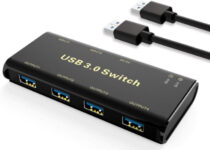
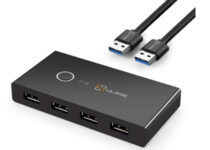

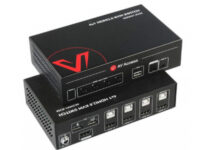

![5 Best Laptop Lap Desks For Gaming [Top Picks]](https://windowsreport.com/wp-content/uploads/2019/11/Laptop-lap-desks-1.jpg)



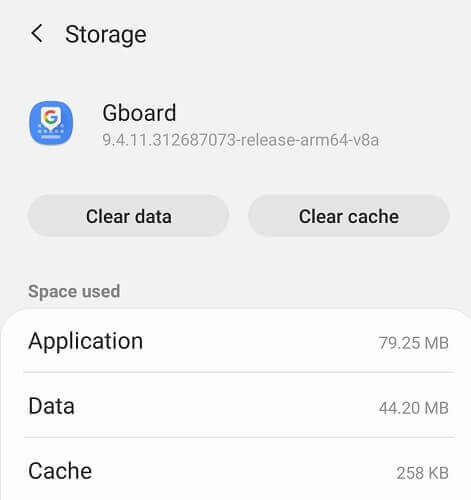


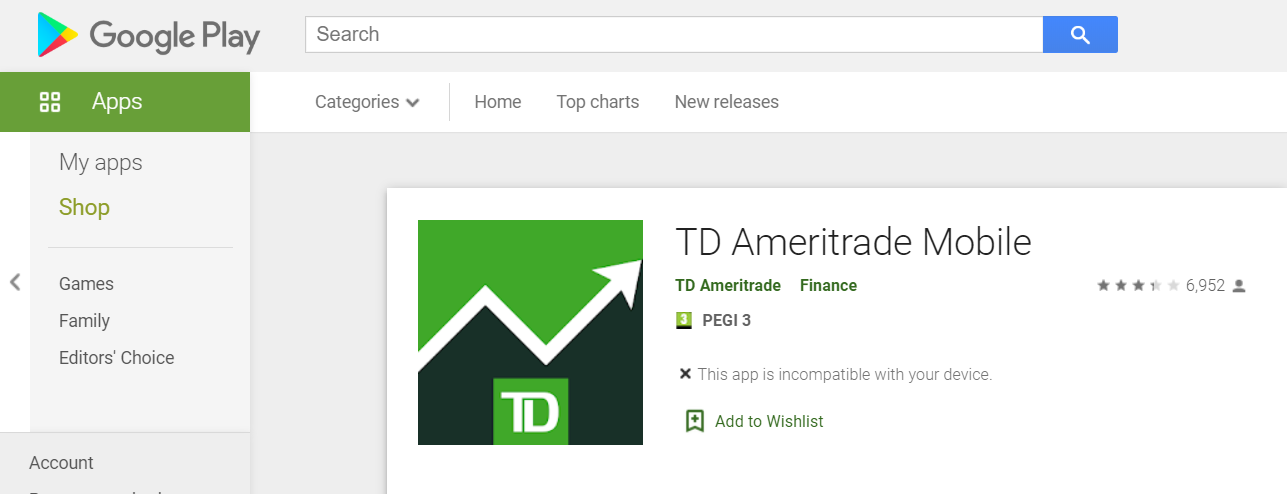

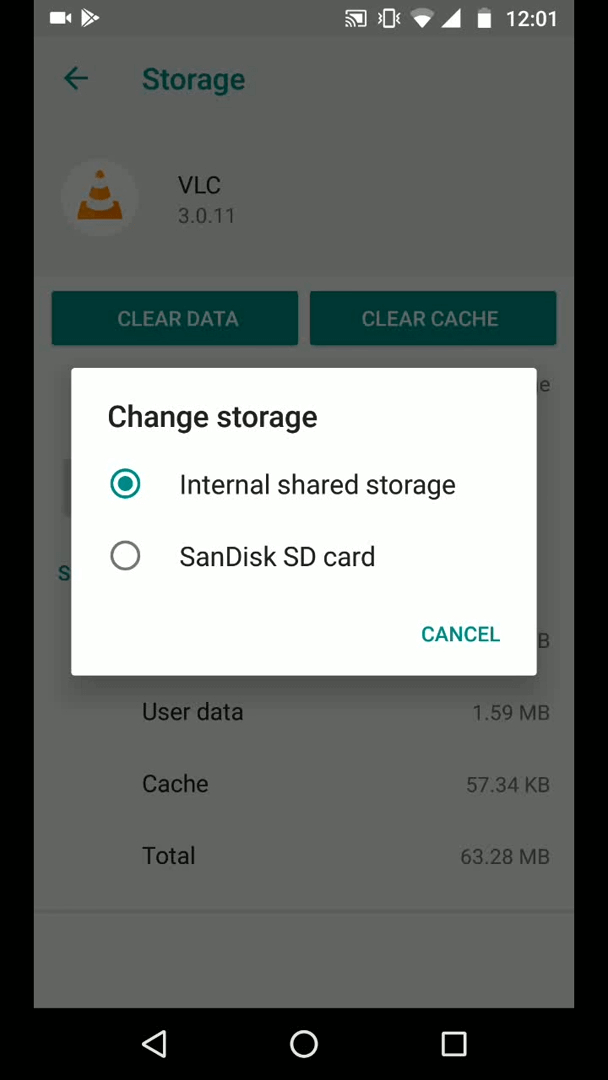












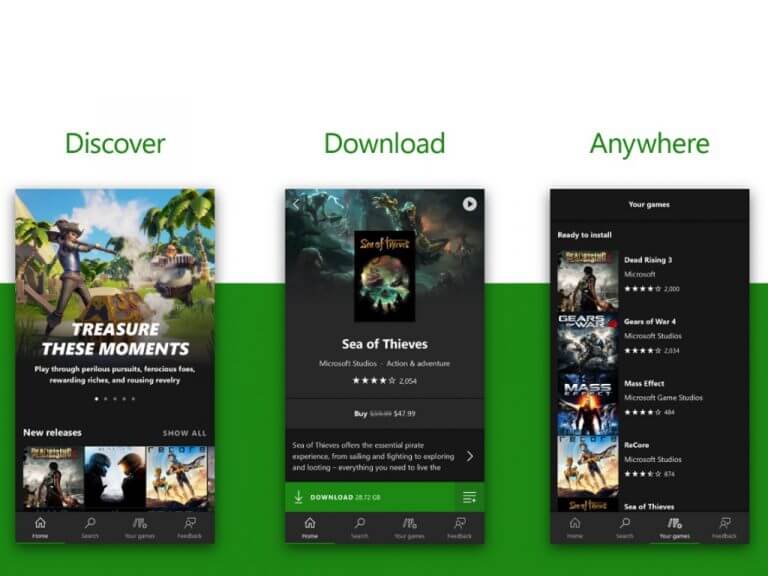
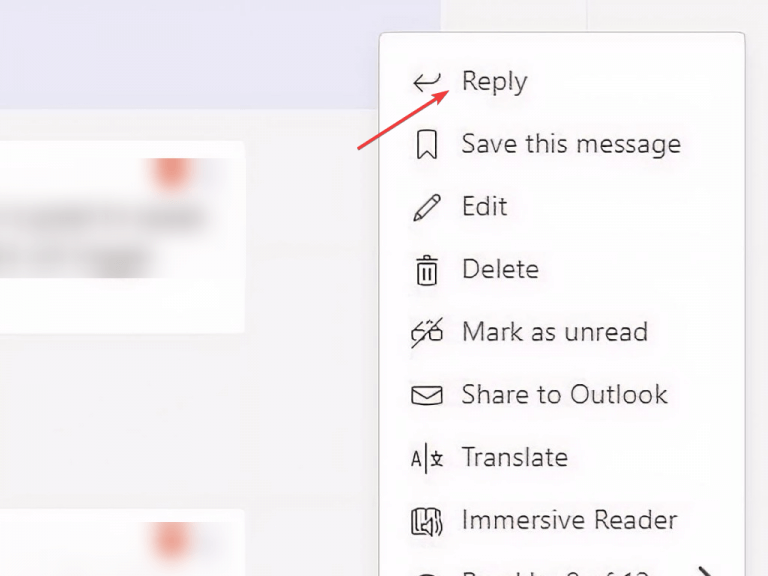














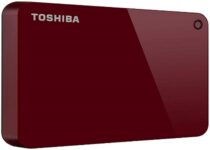
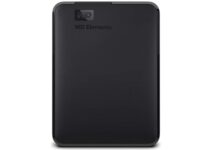
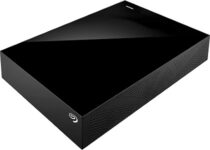
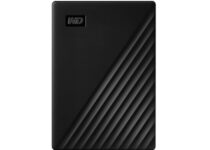
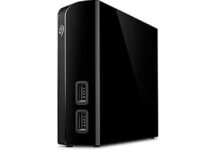
![5 Best Game Capture Cards Under $100 [Budget-Friendly]](https://windowsreport.com/wp-content/uploads/2019/11/game-capture-card-under-100.jpg)




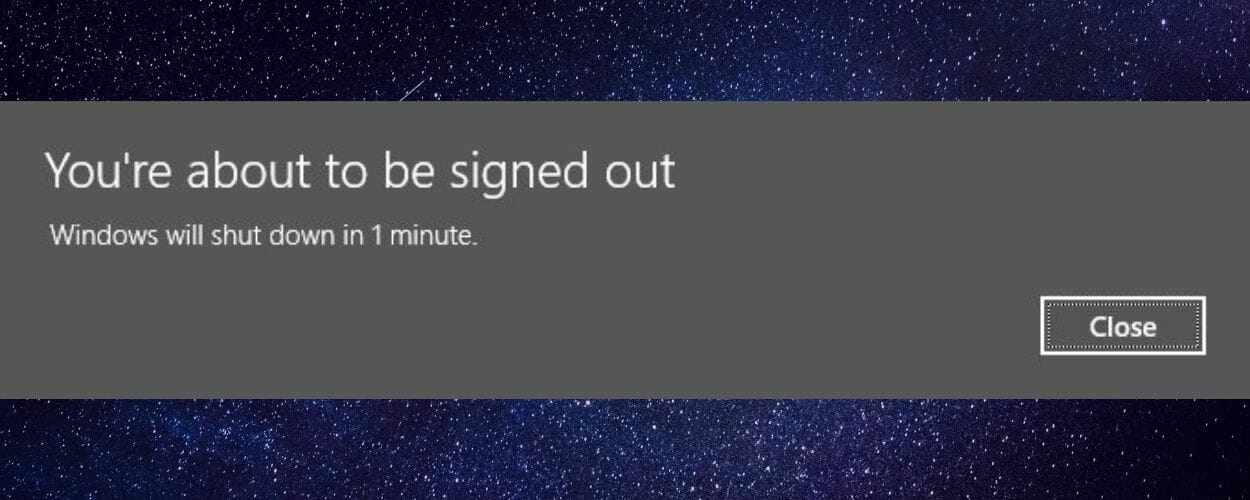
![5 Best DVD Players That Play All Formats [Popular Choices]](https://windowsreport.com/wp-content/uploads/2019/11/DVD-playerss-that-play-all-formats-2.jpg)


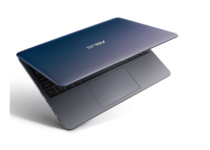
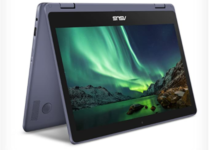
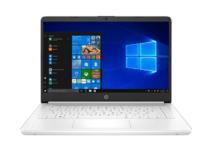
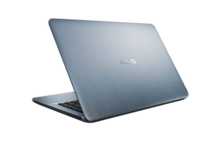
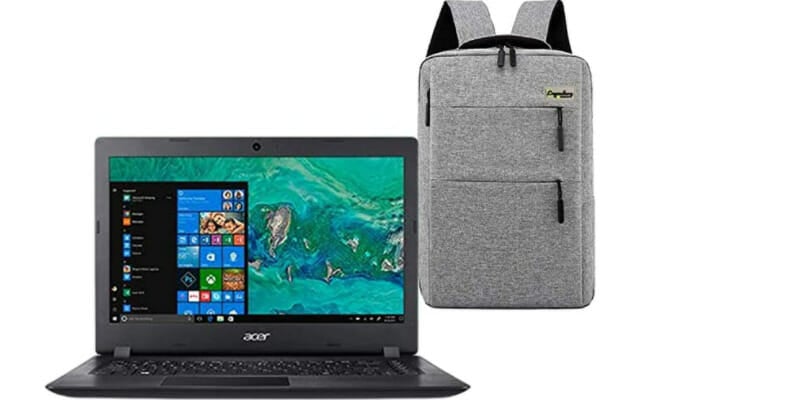
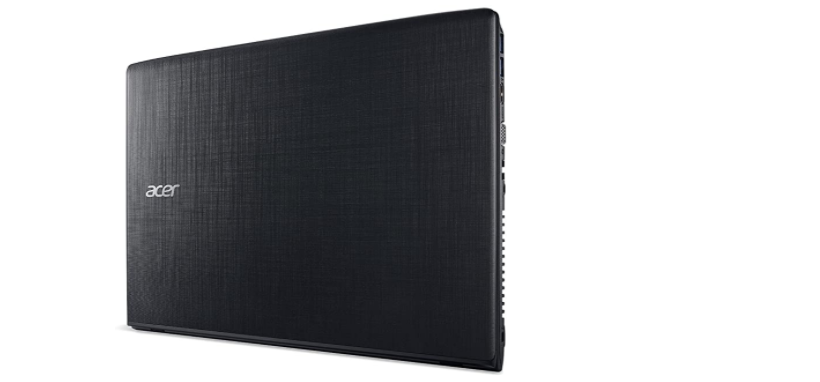
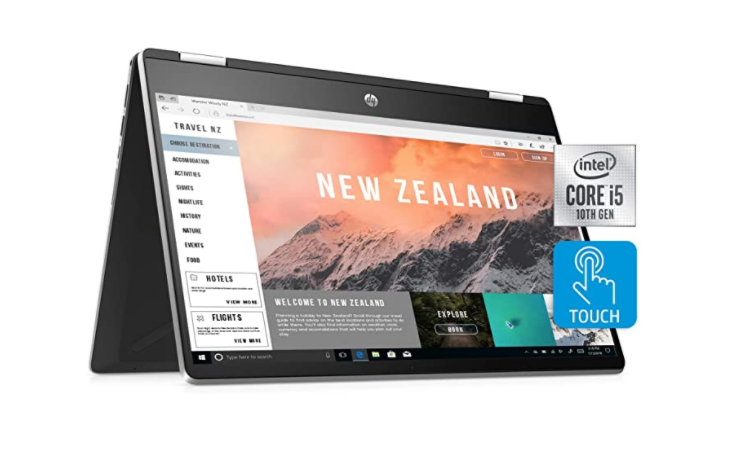
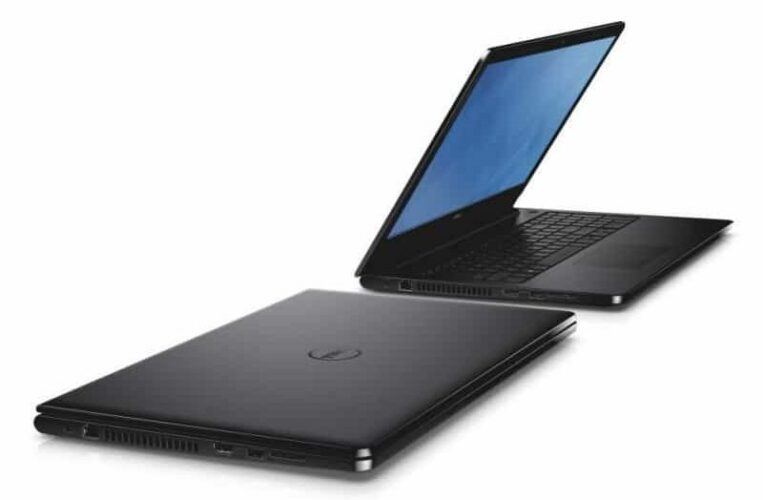
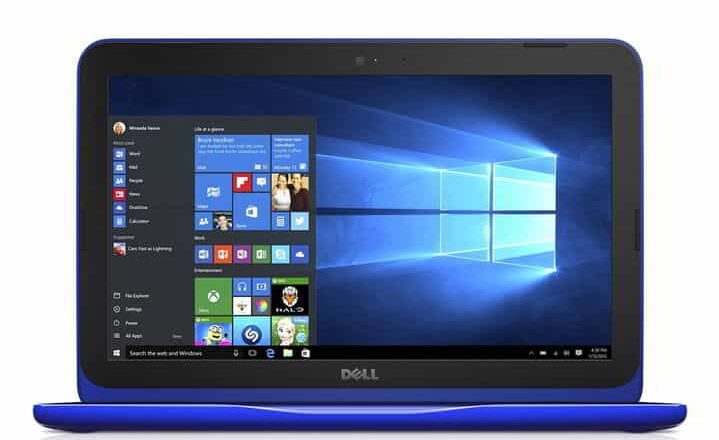
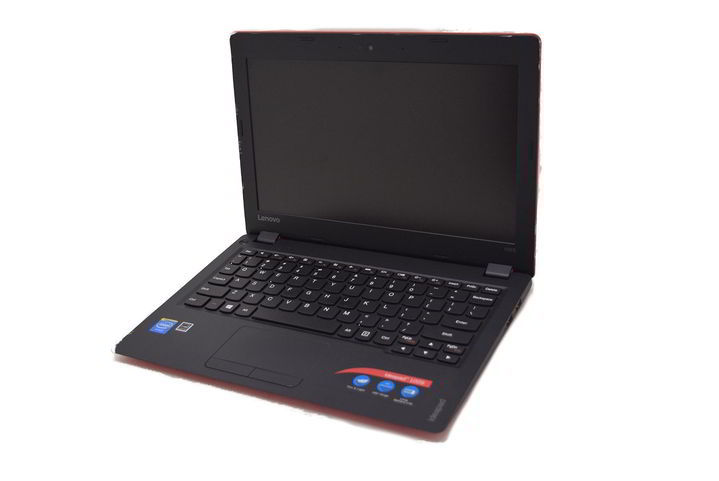
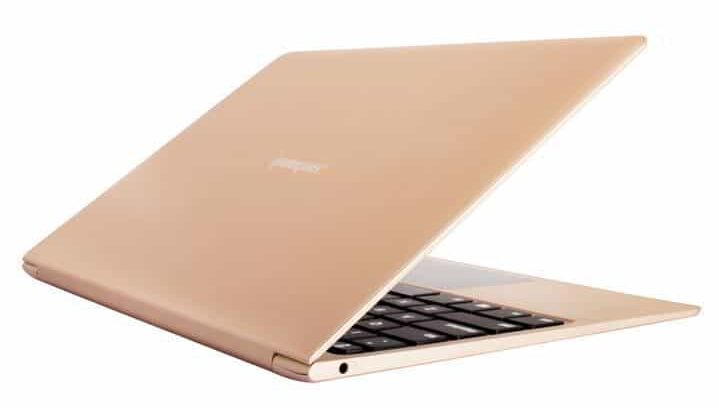



![5 Best Handheld GPS For Hiking And Cycling [2026 Guide]](https://windowsreport.com/wp-content/uploads/2019/11/handheld-gps-hiking-cyclist.jpg)

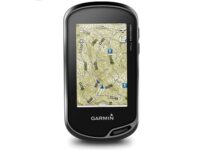


![Best Cheap IoT Boards To Buy Nowunder $50 [2026 Guide]](https://windowsreport.com/wp-content/uploads/2020/09/monitor-IoT-devices.jpg)


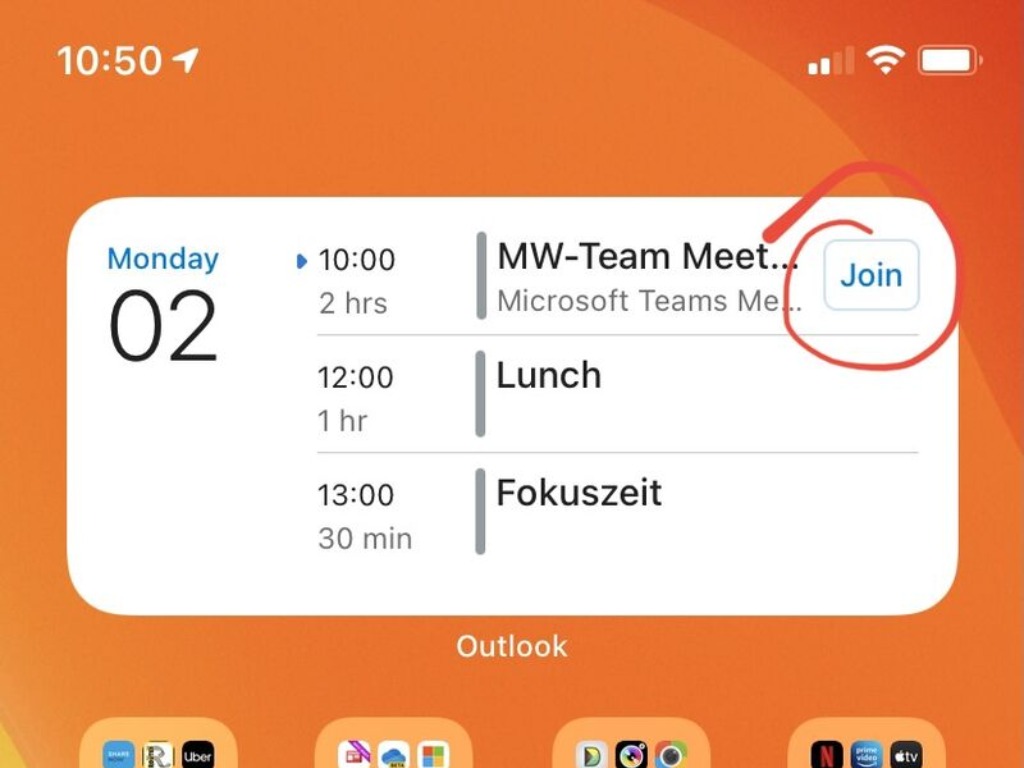





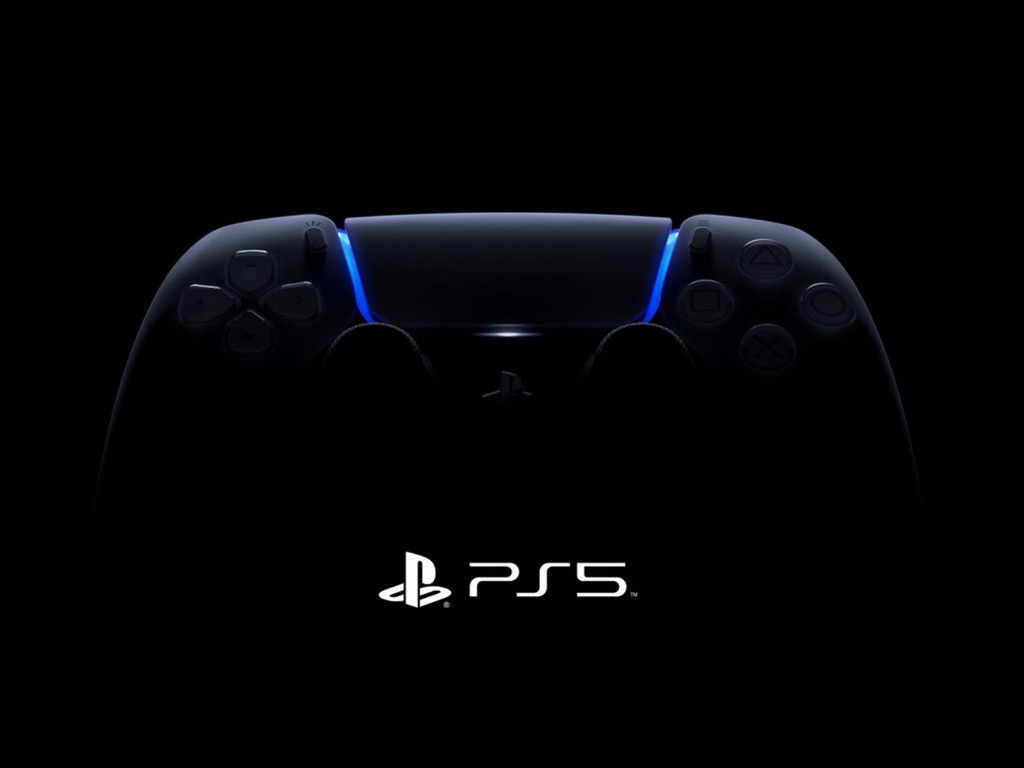


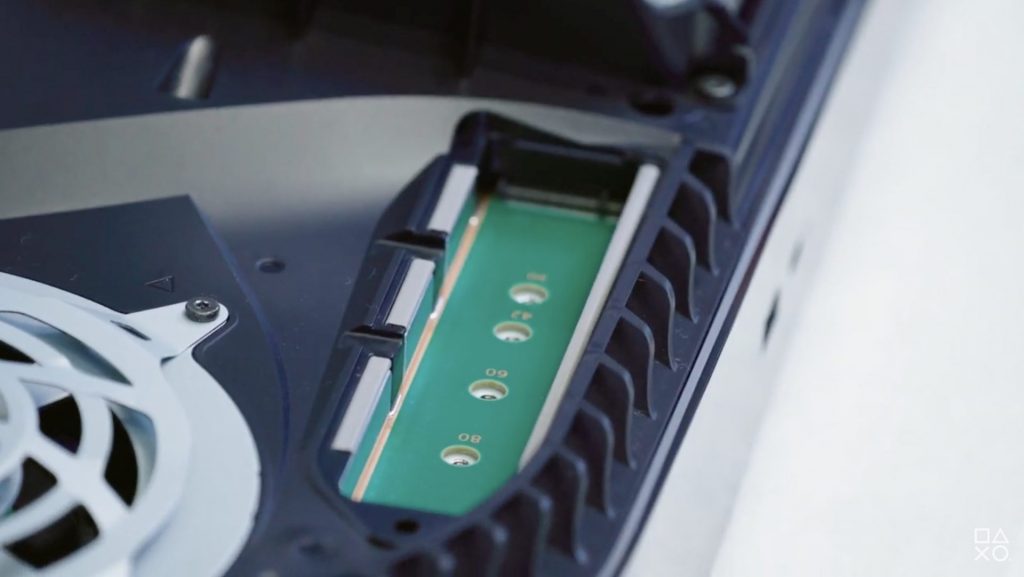




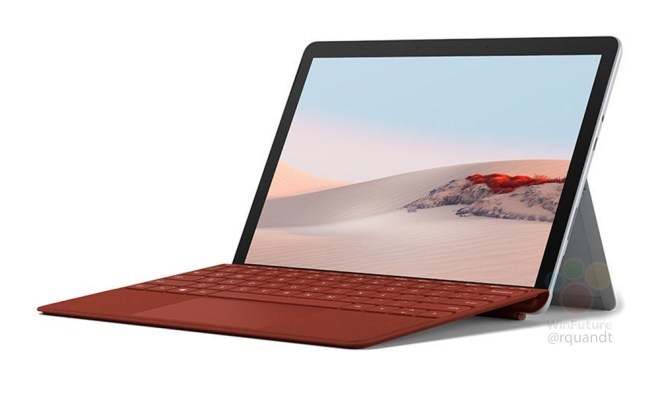
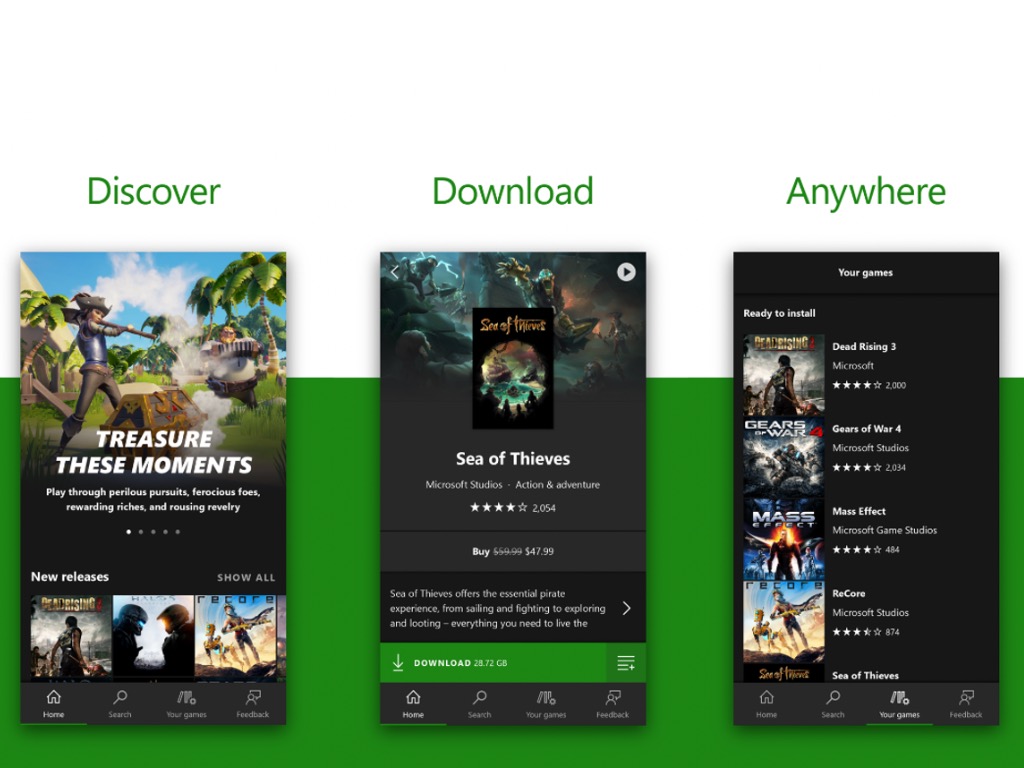



![5 Stereo Receivers With The Best Design [Top Picks]](https://windowsreport.com/wp-content/uploads/2019/11/Stereo-Receiver-best-design.jpg)


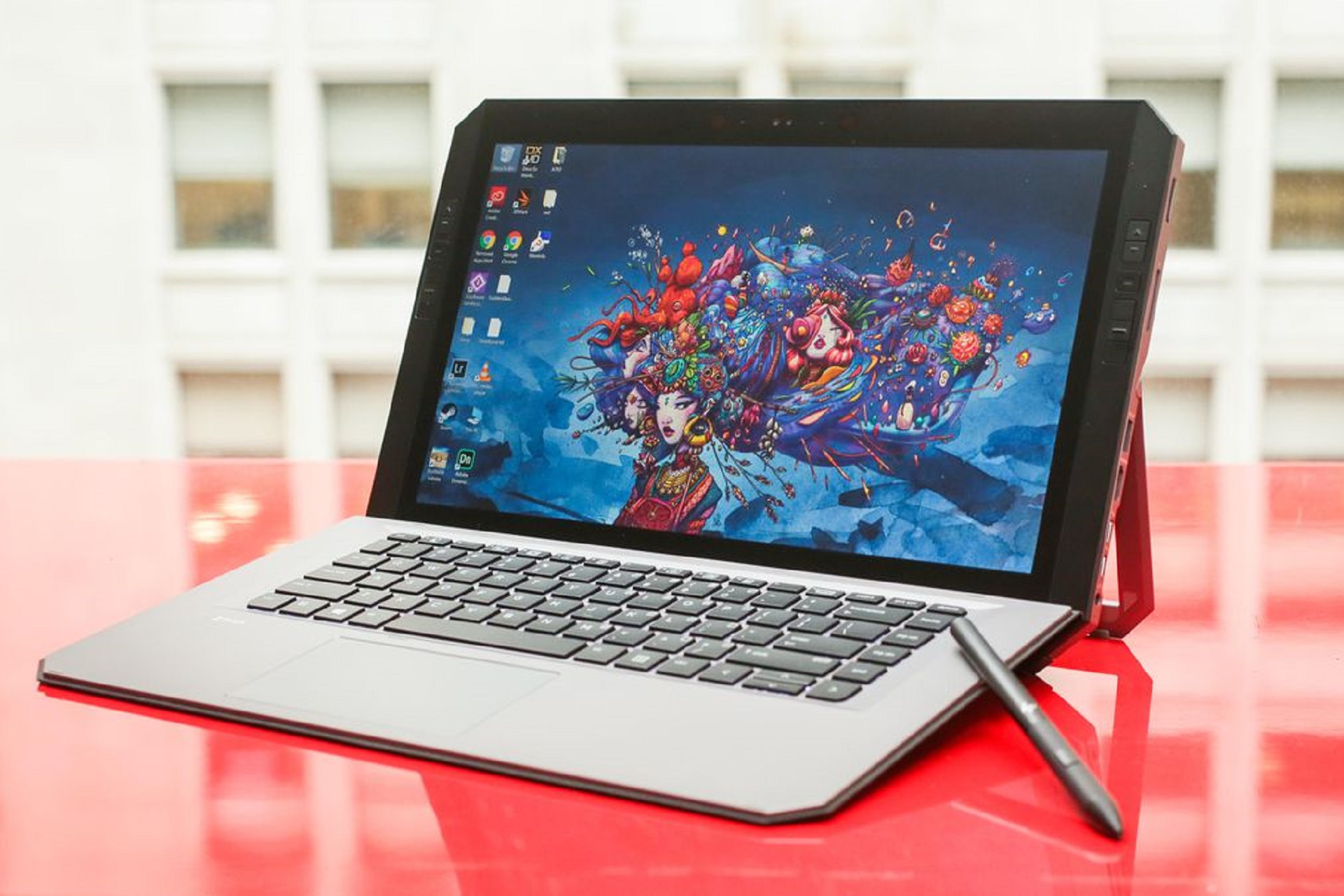


![5 Best Network Cards For Gaming To Buy [2026 Guide]](https://windowsreport.com/wp-content/uploads/2019/11/Black-friday-network-cards-for-gaming.jpg)




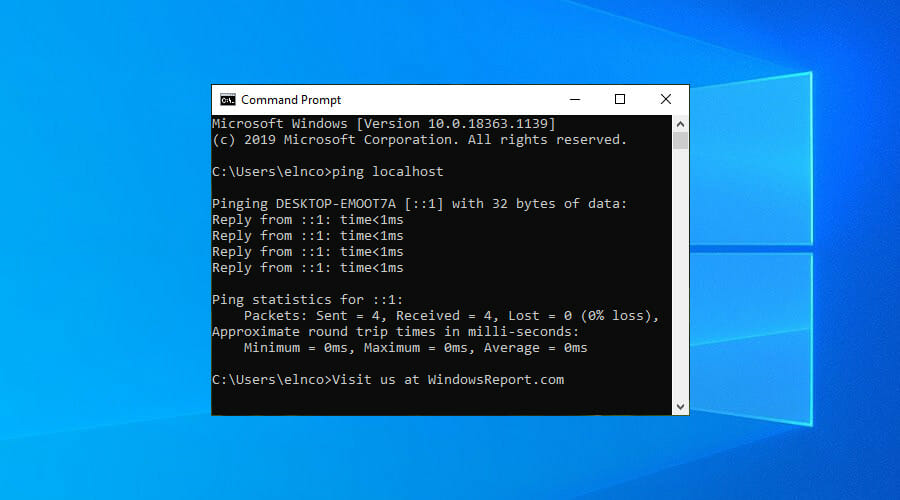



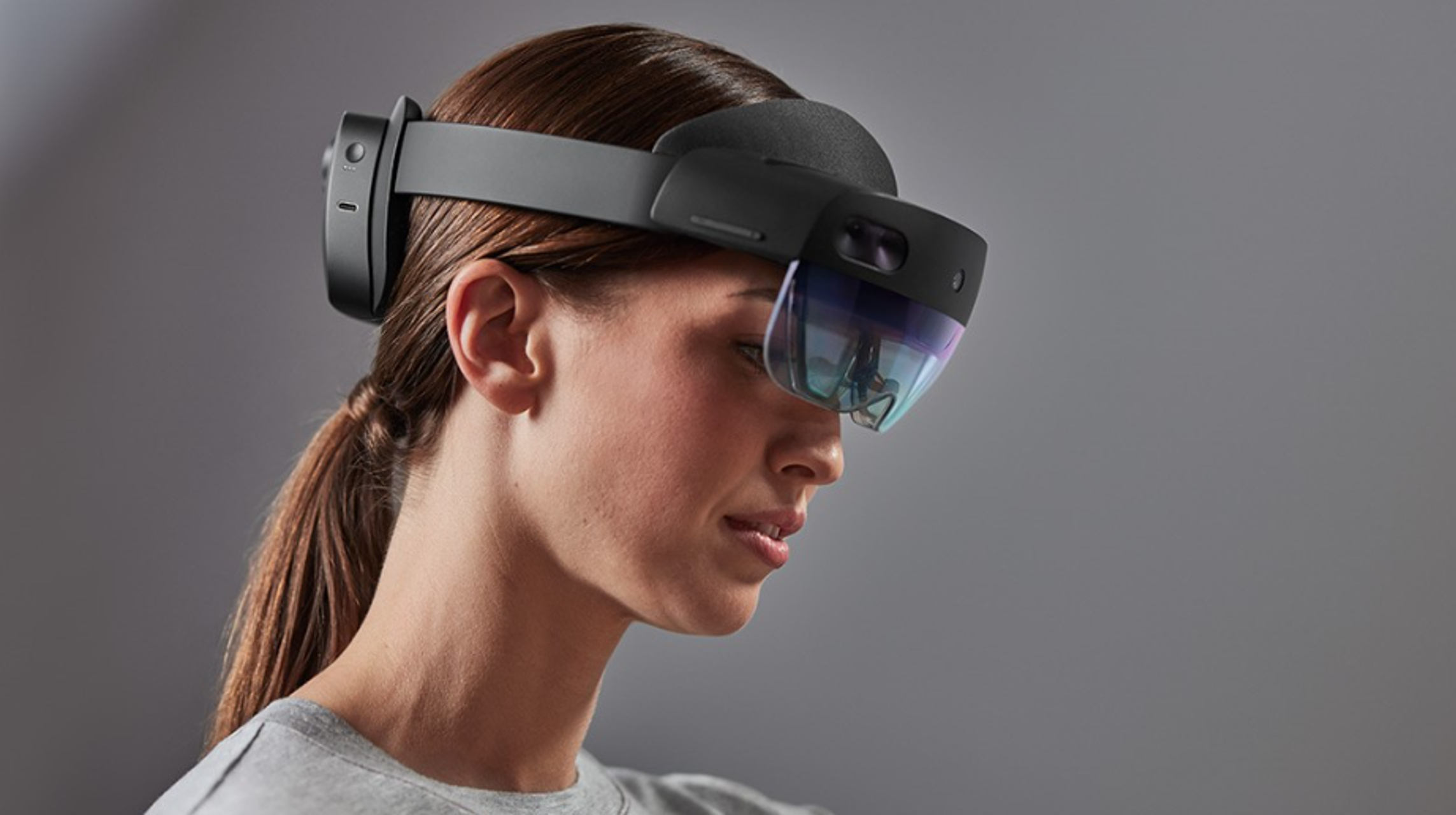


![5 Best Headsets for Hard of Hearing [Buying Guide]](https://windowsreport.com/wp-content/uploads/2019/11/headset-hearing-impaired.jpg)


![12 Best 360-Degree Outdoor Camera [2026 Guide]](https://windowsreport.com/wp-content/uploads/2020/11/Best-360°-outdoor-cameras-to-capture-every-detail.jpeg)