Windows 10 leaked build 14997 features Blue light settings, Edge and Defender improvements

Earlier today, Windows 10 build 14997 leaked onto the internet, making this one of the first leaked builds we have seen in quite some time. While Microsoft’s Windows 10 Insider program is current on holiday break until early next year, we’re getting a small glimpse at what the company has up their sleeve with the Windows 10 Creator’s Update.

Windows 10 build 14997 comes with a new feature that lets you adjust blue light settings so you can see your display a bit easier during the night. You can easily adjust the color temperature or schedule the adjustment automatically at a given time. For example, you can lower the color temperature nightlight at sunset. (see screenshot below, thanks to Changewindows.org).

settings-blue-light

In this build of Windows 10, Microsoft Edge (the browser that comes built into Windows 10) now features the ability to set aside tabs for later viewing. This feature sounds promising, allowing you to see all the tabs you have added into this area grouped by when you put them there. There is also another neat little feature that lets you preview your tabs just by tapping or clicking on the expansion button. Neat feature to quickly skim through all your tabs so you can find the tab you were looking for. (see screenshot below).

edge-tabs-768x593

Edge also comes with some new flags, such as “Allow independent rendering of HTML5 Video elements” and ” Allow background tabs to be put into low power mode” which are both welcomed additions to the browser.

Windows Defender also received a new look in this build, as you can see in the screenshot below.

defender-home-768x525

Other neat features seen in this build include a new set up (or OOBE) experience which features a redesigned dark blue interface and smaller text. We recently talked about how Microsoft wants to integrate Cortana into the set up experience as well. This basically means you can use Cortana to run through the installation experience.

There is also a new share menu,  a new icon for the Get Help app, and a few other minor tweaks across the operating system.  Stay tuned for more coverage on this leaked build. Merry Christmas to all!

Microsoft (MSFT) news recap: aggressive Windows 10 updates a “lowlight”, huge Countdown sale and more

Microsoft (MSFT) news recap is a weekly feature highlighting the top Microsoft news stories of the past week. Sit back, grab some coffee, and enjoy the read!

Microsoft’s over-aggressive push with Windows 10 updates “clearly a lowlight for us”

The Windows 10 upgrade offer that allowed Windows 10 to grow in usage exponentially brought with it several high-profile PR nightmares. One of those was when the upgrade prompt was changed, which as some claim, tricked users into upgrading to Windows 10. Microsoft’s Chief Marketing Officer, Chris Capossela, reflects on the episodic Windows 10 upgrade boxset.

Microsoft’s Countdown sale starts today, save big on select games, apps, more

Microsoft is hosting its big Countdown sale, offering huge discounts on a variety of games and apps, from Forza Horizon 3 to Call of Duty: Infinite Warfare. The sale includes both Xbox One and Xbox 360 games, as well as apps on the Windows Store.

Microsoft is giving away 1,000 Rewards points for free after a weekend service outage

At the weekend, Microsoft’s Rewards platform saw a service outage, which prevented many from earning their rewards points. As an apology, Microsoft is offering 1,000 points for free.

Microsoft Pix and Microsoft Solitaire Collection makes the New York Times’ best apps of 2016 list

2 of Microsoft’s apps have made it into New York Times’ best apps of 2016 list – both the company’s iOS-only PIX app and its multi-platform Solitaire app, have made it on to the list. For those who use the Windows Store, you’ll find no mention of it on this list.

Information on Microsoft’s $927 million support contract with the US Defense department emerges

Microsoft has secured a monster $927 million support contract with the US Department of Defense. The contract is for 5 years to provide support for both the devices, the Windows 10 upgrade and development services.

That’s it for this week – we’ll be back next week with more!

Instagram Live comes to Windows 10 PC and Mobile users

Instagram now lets you broadcast live video on the platform through your PC or mobile device running Windows 10. As you might have probably guessed, the new feature works in the same way as Facebook Live, though there’s no option to replay the video once the broadcast is finished.

Instagram introduced its live video feature in November, along with disappearing video and new Instagram Direct features such as stickers and the ability to draw emojis. You can access the Live video feature swiping right or toggling the bottom of the screen to launch Instagram Live. The video disappears once you conclude your broadcast.

Users can check out their videos from the Stories tab using another device. Followers can also post their comment on your live video. Instagram also baked in a special Instagram Live section in the Explore tab to let users search for the top Live videos.

Note that the update will arrive in waves, meaning it may take a while before you can get your hands on the new feature. The ephemeral live video started rolling out to all users in the United States beginning on December 12.

Instagram Direct updates

In addition to the Live rollout, Instagram also updated its Direct messaging system. The update simplifies the way you send and receive photos and videos. You can now simply swipe to the right to switch to the camera. You can also insert stickers and emojis to your message.

Instagram Direct also lets you select a group or make a new one with which you can then share photos and videos. The photos and videos you share are also ephemeral in nature, disappearing from your inbox of your friends after they view them. You will also receive a notification once a recipient takes a screenshot of your message, just like Snapchat does.

Check out the latest update to Instagram for Windows 10 PC and mobile by downloading the app from the Windows Store.

Read also:

Xbox news recap: Mass Effect Andromeda won’t support Project Scorpio, new Batman game in the works and more

Welcome to our weekly Xbox news recap series, where we go over the top stories of the past week in the world of Xbox. Let’s get started.

Mass Effect Andromeda will not be supported by Project Scorpio

If you were looking to enjoy Mass Effect Andromeda with Project Scorpio, it looks like you’re going to be out of luck. In an interview with Stevivor, Bioware’s Michael Gamble said that the company has “absolutely no plans” for Mass Effect Andromeda on Project Scorpio. While you should still be able to play the game on Scorpio (from what we’ve heard so far, Scorpio will be able to play every Xbox One game) this most certainly means that the new Mass Effect won’t support Scorpio-specific features at launch.

Mass Effect: Andromeda on Xbox One

New Batman game may star Damian Wayne

The newest addition to the Batman: Arkham franchise seems to be in the works. After WB Montreal canceled work on the Suicide Squad game, it seems like they’ve begun to focus all of their resources onto the newest Batman game, which seems like it will feature Damian Wayne. For those unfamiliar, Damian is Bruce Wayne’s son – and, in some continuities, Robin. It’s unclear whether the new game will just be about Robin or will have Damian become the next Batman, but either is possible.

Beam merges its users with Xbox Live

Beam, one of the few services that are competing with the game streaming service Twitch, has merged its users with Xbox Live. From now on, in order to log into Beam, you’re going to be logging in with your Microsoft account. This is to help further integrate Beam as a Windows 10 standard service, which is a process that started earlier this year with the addition of Beam to the Windows 10 Game Bar.

Xbox creates crests to go with your yearly batch of data

Like many game companies, the folks at Xbox like to give you a summary of all the data that your year was made up of. This year, to go along with your collection of achievements, a crest was made up just for you. The crest was made up as a result of the games you played this year, and serves as a reminder of all your achievements. If you’ve played any amount of Xbox over 2016, this is a pretty fun way to look over your numbers and see how you compare to your friends.

Windows store glitch discounts FIFA 2017 at $399

Anyone who’s familiar with software knows that a glitch – if it isn’t bothering you – can be a good laugh. FIFA 17’s place on the Windows store became the subject of that brand of comedy this week, as the game – usually costing $30 – was discounted $399. The glitch its place up on the top of that list of laughs, making tons of Xbox users do a double-take as they’re browsing for their Christmas gifts.

Here are the games that came out this week

Thanks for joining us. To keep up to date with all the latest Xbox news, keep a close eye on our Xbox One news hub.

Will hackers attack Microsoft’s Xbox Live this Christmas?

Christmas is a mere 24 hours away for most of us, however, will this year see a happy year of playing games online, or will we again see issues connecting to Xbox Live?

Phantom Squad, which has claimed to have attacked both Xbox Live and PlayStation Network in the past, has once again threatened to attack Xbox Live over the festive season. The attack, in the form of a Distributed Denial of Service (DDoS), works by overloading servers with too much traffic, causing them to reject new connections and, in some cases, crash.

Whether this attack will actually take place or the amount of damage, if any, it will cause, is yet to be seen. As with any attack, the full force isn’t felt until afterwards.

Many users of Xbox Live have taken to Reddit to discuss the threat. One redditor, Stalfosed, struggled to understand why they do this:

In response, listen_to_robots explained the reasoning for announcing such attacks:

Essentially, these attacks act as an advertisement for the attacker’s services. Attacking popular services such as Xbox Live assists in showing people interested in such services the full force that they carry behind them.

We’ll have to wait and see whether an attack actually takes place; until then, have a merry Christmas!

Keep kids busy this Christmas with this free LEGO DUPLO Windows 10 game

In addition to the free LEGO Ninjago video game, LEGO has also released a free DUPLO video game in the Windows Store for younger gamers. The game is based on the DUPLO blocks for kids aged one and a half through to five and features basic but entertaining gameplay mechanics. Here’s the official description:

All aboard! Driving the colorful LEGO® DUPLO® Train from station to station is any toddler’s dream. Your child will play the role of the train driver, load cargo, build bridges, stop at crossings, help passengers, refuel, and lay new tracks to steer the train safely around obstacles.

Copying grown-ups and their activities is important to your 2-year-old toddler’s development – and few things are as ‘grown-up’ as driving a huge steam train through the scenic countryside, full speed ahead, horns tooting. If your toddler is fascinated by trains, this simple game will provide new inspiration for hours of creative play – with or without a LEGO DUPLO train set.

Do you let your kids play Windows 10 video games? Which ones would you recommend to other parents? Let us know in the comments below.

LEGO® DUPLO® Train
LEGO® DUPLO® Train
Developer:
LEGO SYSTEM AS
Price:
Free

LEGO just launched a free Ninjago Windows 10 video game

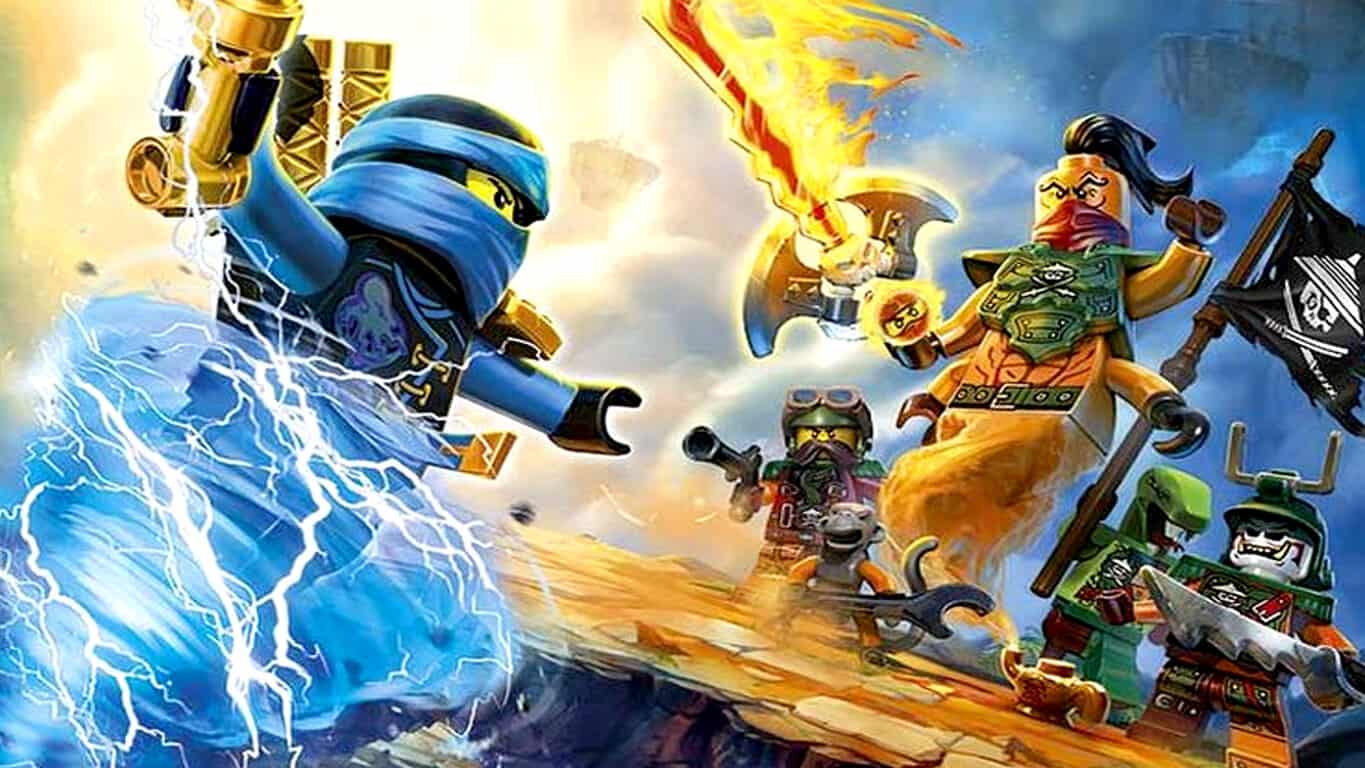
A new LEGO video game has just launched in the Windows Store called, LEGO Ninjago: Skybound. The game is based on the popular Ninjago toy line and animated TV series and is completely free and has zero in-app purchases. Here’s the official game description:

The evil Djinn Nadakhan is stealing parts of Ninjago Island to rebuild his realm of Djinjago in the sky. Playing as Jay you must battle him and his gang of SKY PIRATES to rescue Zane, Nya, Lloyd, Cole and Kai to take back the stolen lands and rebuild Ninjago. Outnumbered and behind enemy lines you must decide your Ninja style. Stealth or fight – the decision is yours!

Choose how you want to play. Sneak through shadows to outwit enemies with stealth or fight them in epic sword battles. Awesome side scrolling fun. Find the secret Tiger Widow venom to stop the evil Djinn Nadakhan. Collect studs to upgrade your Ninja skills. Simple one touch control mechanic.

There’s been a surprising number of free LEGO video games released in the Windows Store recently. Last week saw the release of two new LEGO racing games and the week before saw one based on DC Comics characters such as Batman. There’s also been several major titles released on the Xbox One video game console (check out our favorites here).

Are you a fan of the LEGO video games? Let us know which ones you like in the comments below.

LEGO® Ninjago: Skybound
Developer:
LEGO SYSTEM AS
Price:
Free

The Witcher 3’s Gwent card game update brings ranked mode features

The Witcher franchise has grown into one of the most respected and appreciated video game series out there due to the quality of the content released. Develop CD Projekt Red is now looking to expand the Witcher experience beyond the original games in a similar way Blizzard took their Warcraft franchise and added Hearthstone to the mix. That comparison might be more accurate than you think with the new Gwent card game that heavily draws inspiration from the Witcher franchise.

A new update was released for the game which is still in beta that adds new features and a ranked game mode. There is also a new progression system put in place which directly ties in with the way matches are played. Beforehand, you would need three victories to fill up the bar that altered your level and towards progress.

Now, however, you need crown halves to fill it, a newly added element that can be earned by winning match rounds. Rather than having to depend entirely on winning matches, you can now lose a match and still get something for your time. That sounds like a great concept that will entice players to play more matches overall.

Rewards will be earned through various achievements and will consists of things like cards and card kegs, ore and scraps and other things that are yet to come. These rewards are tied to an experience leveling system which brings a more RPG-style gameplay to Gwent.

Additionally, the update isn’t all about new feature and major gameplay mechanic changes. There was also a fair share of bug squashing which overall cleansed the game of many of its existing problems. Unfortunately, the beta phase is closed to the public, meaning you need to be invited if you want to participate.

RELATED STORIES TO CHECK OUT:

Send Christmas greeting cards with Microsoft Bing

Haven’t found the perfect Happy Holiday card yet? Save yourself the hassle because this year, Bing has you covered.

It is the most wonderful time of the year and Microsoft wants you to spread cheer to your family and friends using a few creative holiday e-cards using their search engine Bing.

Be it Christmas or New Year, hearing from your loved ones that they are thinking about you on these festive occasions is always a delight. Forgot to send a physical Christmas card? Don’t worry just yet, you can still redeem yourself using the magic of social media.

So, to all you festive users out there: It is the time you put your fancy gizmos to constructive use and be awesome to your favorite people.

How to send a custom digital greeting using Bing:

For all our readers technically unaware, here’s a small how-to guide to share your love with your friends and family.

  1. bing holiday cheerYou can either get started here or go to the Bing search page and type ‘Bing holiday cheer’.
  2. bing holiday cheer 2Find the perfect card. There are 14 cards to choose from, each with a default greeting message. You can edit it to your liking with the ‘Edit Message’ button.
  3. bing holiday cheer 3Share the message with whomever, wherever you like. (It’s probably better to pick the platform your receiver is active on the most.) Greet them via a formal Outlook mail, a tweet or via a Facebook message.

Here’s a quick YouTube tutorial of the process as well:

https://youtu.be/ZfZdgBqRYqw

On another note, Microsoft is clearly aiming to persuade its user base to interact more on its platform. This includes giving people more ways to connect during the festive season or a holiday. Also, helping people from different parts of the world find cultural activities happening around them and celebrate historic moments with each other — a win-win for everyone.

Happy Holidays Folks!

Related stories you should check:

Mafia 3 DLC brings the racing world to your crime empire

After the not so intriguing costume pack that was released for Mafia 3 last month, we now get a new DLC that focuses on racing and car customization.

Mafia 3 is the third installment in a very successful video game franchise which explores the fascinating world of crime. One of the most anticipated releases of 2016, Mafia 3’s promise to return us to the inner circles of the mob turned out to be lackluster.

While the initial impact of returning to the franchise coupled with the perks of modern day gaming did fill the hole in the beginning, it didn’t last long.  It was commonly agreed upon that Mafia 3’s gameplay becomes repetitive pretty quickly. The game puts you through a grind many deem unnecessary or unsatisfactory and it seems the game’s developer took note of the feedback.

In what seems an effort to re-ignite people’s interest for the game, a new DLC is being introduced that promises to put a spark into the monotone grindfest. The latest addition to the Mafia 3 collection is a racing and car customization DLC which allows you to modify Lincoln’s cars.

The expansion gives the player access to 10 vehicle slots which are more or less occupied based on your game progression. To be more specific, you get 6 vehicles by playing the game and completing the missions. Three other cars can be obtained by purchasing the Family Kick-Back DLC. It’s a paid DLC but at the same time completely optional, which is nice. The final car can be earned by completing all the new DLC’s races.

The new content is looking good and hopefully redeems Mafia 3‘s bumpy entrance.

RELATED STORIES TO CHECK OUT:

How to become a (Skype, Windows, Office, Xbox) Insider and what it means

Over the past few years, Microsoft seems to be blending a more open development approach with a hint of its successful Windows 7 marketing while also expanding the number of its programs it offers to eager testers and early adopters.

Before the seemingly unnecessarily secretive Windows 8 development period headed by former Windows lead Steven Sinofsky, Microsoft’s operating system was affectionally referred to as the system “made by me.”

The early 2009-2010 marketing of Windows 7’s “made by me” campaign centered around a notion that the operating system was designed by the people and for the people who used Windows. In actuality, Microsoft used a limited closed beta program to back its marketing that Windows 7 was created by listening to customer feedback.

Almost ten years later, Microsoft seems to be leaning on that old notion that its programs are being developed in conjunction with the people who use them the most by introducing Insider and Preview programs across its spread of hardware and software solutions.

Unlike the 2007 Windows 8 beta program, Microsoft’s new Insider and Preview programs are much easier to participate in and come with a more organized approach for providing the company feedback.

Being a Microsoft Insider typically comes with the implicit and explicit understanding that users, customers, and testers are being given early access to a program intended to eventually reach more general availability. With early access, it becomes incumbent on the participant to offer feedback either through open communication or gathered telemetry to help Microsoft engineers develop and shape the outcome of a product.

Anyone interested in becoming an Insider can now do so with a wide selection of products such as Windows 10, Xbox One (consoles/hardware), Office, Skype, and Azure.

Windows 10 Insider Program

The Windows 10 Insider Program includes access to early builds, updates and bug fixes for both Windows 10 on PC and Mobile devices. The program also extends to developers who can get their hands on early Windows SDKs and mobile emulators as well as hardware developer kits as well as early access to the Windows IoT Core.

To get started, either Bing or Google Windows 10 Insider or follow the link here. Anyone meeting the minimum software and hardware requirements and are willing to own a Microsoft account can sign up for any of the above programs.

Skype Preview

As the Skype team puts it, “Be the voice of millions of customers.” The Skype Preview program is a multiplatform experience that spans both commercial and casual use. Users can participate by downloading the various Skype preview apps across iOS, MacOS, Android, the Web, Windows 10 and Windows 10 Mobile.

The Skype for Business customer programs provides you early access to new products and features. It enables your organization to get a sneak peek at what’s coming and to test out the new features in your own environment and give feedback before we release product builds to the general public.

Xbox Preview Program

Perhaps the funniest of the group (depending on how excited one can be about Office and Skype) is the newly minted Xbox One preview program. Now gamers can do more than complain about game development; they can complain the layout, animations and missing features of the Xbox One experience.

Similar to other Insider programs, users are given early access to builds of the operating system planned for release to the general public. Input from Insiders has helped bring features such as Backward Compatibility, Background Audio, dashboard redesigns and much more to the Xbox One experience today which have seemingly helped regain consumer trust in the product.

Xbox Game Preview

Microsoft also recently opened a quieter Insider program designed to help guide hardware construction of 1st party equipment which also includes Xbox One, One S, (probably Project Scorpio) and any future gaming consoles. The invite to this program is a bit more exclusive and requires an email invite, secret handshake, and some other cloak n’ dagger processes.

Office Insider Program

Last but not least of the consumer facing programs is the Office Insider Program. While perhaps the least attractive of the sneak peaks is early access to shaping the next set of updates that millions of users around the world will get their hands on.

By becoming an Office Insider, you can get early access to the latest Office innovations. Your feedback goes directly to Microsoft product teams and will help make Office even better for users worldwide.

To opt into the program users only need to have one of the many Office apps found on Windows Desktop, Mac, Windows Mobile, Android, and iOS.

Each of the above programs come with their own set of stipulations, but anyone opting into any of the options should be aware that updates are a major part of participation.

Typically, each program receives an update a month with some exceptions such as Windows 10 and Windows 10 Mobile often getting two or three in a month, at times.

Becoming an Insider has its benefits and downsides but overall they help shape lives of millions.

Let us know in the comments below which if any Insider programs you are in or thinking about participating in the future.

GoW 4 fans label developer The Coalition greedy after recent Gearsmas, UIR Gear Pack release

The Coalition rolled out this year’s Gearmas offer on December 16 and Gears of War 4 fans can get their hands on the game’s Christmas armor and equipment until January 4.

The Coalition also released a new UIR Gear Pack on December 22, but many fans criticized the company’s move, calling it a greedy attempt to make them pay more money for the game.

Players suggested The Coalition schedule Gearsmas before the UIR Gear Pack so that they have no credits left for the UIR pack and spend real money on that pack.

GoW 4 fans claim that the game developer knew they would stack up credits for Gearsmas. After waiting for a few days for players to spends their credits, the company introduced the UIR Gear Pack. Naturally, most players didn’t have many credits when the UIR Gear Pack arrived. As a result, the only manner to get their hands on this pack was to pay real money.

Gearsmas and the UIR Gear Pack: a proof of TC’s greed?

Yeah Gearsmas! It was fun.
However it should have come with a small subtitle saying “this is actually just here so you have no credits left for the UIR pack and have to spend real money on those.
It’s a real shame. I was enjoying Gearsmas for a while. But in light of today’s UIR announcement I see it for what it truly is.
I think that was their plan from the beginning. They knew most of us will stack up credits and to insult us further, they do this. Because of this, there may not be another Gearsmas again as this was the WORST… POSSIBLE… TIME to announce it. Truly destroyed Gearsmas because of greed.

Also, players are frustrated because they can’t get their hands on the Gearsmas Pack that they want. Many complain they spent thousands of credits on Gearsmas but didn’t get the Festive Tree Lancer, for example. However, it is worth mentioning that some Gearsmas items are listed as rare, which explains why most GoW4 fans still haven’t got their hands on them.

RELATED STORIES YOU NEED TO CHECK OUT:

Help Microsoft improve their Windows 10 Developers blog by taking this survey

Seems like Microsoft is interested in drumming up some more traffic to their Windows 10 Developers blog. Just today, they posted a survey asking enthusiasts to take just a few minutes of their time to give feedback on what they’d like to see the blog post more about.

Before now, the Windows 10 Developers blog covers tutorials, updates, tool announcements, and so on that make developing with Windows platforms easier. Particularly with a heavy focus towards converting apps from other platforms to the Universal Windows Platform (UWP) through most of the last year.

The survey doesn’t give us any reason to believe that the Developers blog will stray too far from its original intent. Instead, it asks enthusiasts to rate their topics of interest and share which social media users often see the blog first.

Hopefully, the feedback will assist the Windows Developer blog to tweak content for its readers and inspire more developers to become involved in the Windows 10 platform.

Interested parties can take the survey here.

EA discounts popular Xbox One games with Origin Sale

If you still have money left in your wallet after browsing Steam’s big Winter Sale, EA’s Origin platform is also offering great discounts on this year’s blockbuster PC titles and more (via Polygon). We’ve highlighted some of the most interesting discounts below and we invite you to check the full list on Origin.com:

  • Save 40% on Battlefield 1 ($35.99)
  • Save 50% on Titanfall 2 ($29.99)
  • Save 67% on Star Wars Battlefront ($9.99)
  • Save 60% on Mirror’s Edge Catalyst ($15.99)
  • Save 50% on FIFA 17 ($29.99)
  • Save 75% on Need for Speed ($9.99)
  • Save 60% on Plants vs. Zombies: Garden Warfare 2 – Festive Edition ($15.99)

The publisher enjoyed a strong lineup of games this year, with both Battlefield 1 and Titanfall 2 getting critical acclaim. But Origin is also offering great discounts on older classics such as Dragon Age Inquisition, the Mass Effect trilogy and more that will keep you busy during the holiday season. Sound off in the comments if you plan to purchase and play many games this weekend.

Microsoft’s over-aggressive push with Windows 10 updates “clearly a lowlight for us”

Microsoft’s Windows 10 operating system achieved some significant new milestones this year. First of all, the company shipped the Windows 10 Anniversary Update in August, bringing a lot of new features to PCs, phones, Xbox consoles and HoloLens headsets. Then at Ignite 2016 in late September, Microsoft announced that Windows 10 was now running on 400 million devices, though the growth of the operating system has clearly stalled since Microsoft ended its free upgrade offer for Windows 7 and Windows 8 users in July.

While this limited time offer definitely helped Windows 10 become the second most used Windows version after Windows 7, the move also caused some PR nightmares for the company this year. Chris Capossela, Chief Marketing Officer at Microsoft, acknowledged it while he was once again a special guest during this week’s Windows Weekly podcast (via Slashdot).

When asked to share some of Microsoft’s low points in 2016, the exec recalled the moment when a change to the Windows 10 upgrade prompt earlier this year led to users complaining about forced updates. Microsoft eventually delivered a patch after two weeks, but Capossela admitted that the whole episode was “very painful” for the company. Here is his full, unedited quote below (you can watch it on Twit.tv starting at 17’30):

We know we want people to be running Windows 10 from a security perspective, but finding the right balance where you’re not stepping over the line of being too aggressive is something we tried and for a lot of the year I think we got it right, but there was one particular moment in particular where, you know, the red X in the dialog box which typically means you cancel didn’t mean cancel. And within a couple of hours of that hitting the world, with the listening systems we have we knew that we had gone too far and then, of course, it takes some time to roll out the update that changes that behavior. And those two weeks were pretty painful and clearly a lowlight for us. We learned a lot from it obviously.

As a reminder, a Californian woman even sued Microsoft for $10,000 this year over a “forced” Windows 10 upgrade that made her PC unusable, and the Redmond giant lost the trial. Do you agree that Microsoft’s aggressive Windows 10 updates were one of the company’s most disappointing moves this year? Let us know what you think in the comments below.

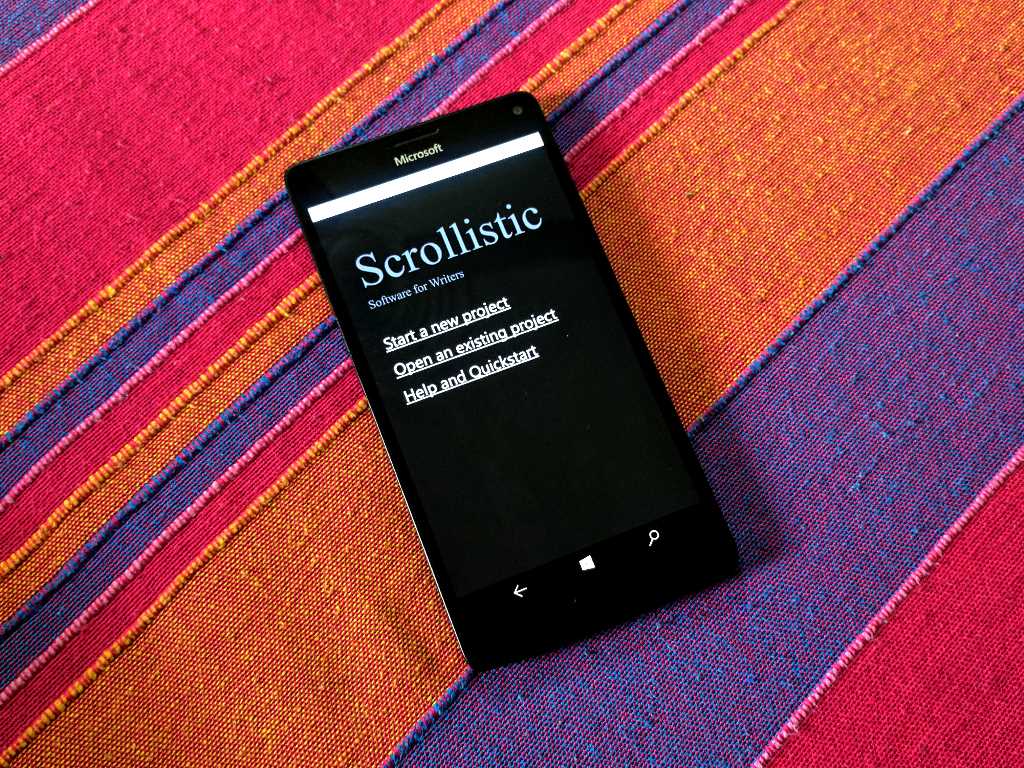
Scrollistic for Windows 10 is a complete writing studio for writers

Scrollistic is a writing studio comprising a chapter-based word processor with powerful CSS formatting for writers and book authors. The app helps writers organize their writing with built-in features for automated e-publishing.

A streamlined word processor with spell checking and simple formatting, Scrollistic is built natively for Windows 10 and Windows 10 Mobile. It is a lightweight UWP app that is designed for authors of both print books and ones who want to publish ebooks.

The app is designed for story planning and for writing documents with chapters. There’s an option to set your target daily word count and get alerted when reached. The app also takes automatic backups and auto-saves your project to ensure you don’t lose your work. I would’ve liked if the project file was saved on OneDrive or something so that I can work on the same book from different machines, including my phone.

One of the main differences between Scrollistic and other writing software is that it generates lightweight HTML for formatting the document. The generated HTML is easily printed and also helpful for publishers who need to format and reformat the document.

Else, if you want to generate an ebook, the app packs in a completely automated process, including automatic live Table of Contents and best practice document structure. There’s also full integration with Kindlegen using OPF3 compliant document packaging and Kindle-friendly default CSS style.

Scrollistic is available for both Windows 10 PCs and mobile devices. It’s free, and while it’s ad-supported, these are non-intrusive. You can also import you existing documents in plain text, so if you’ve already been working on a book, you can give Scrollistic a whirl with the same.

Scrollistic
Scrollistic
Developer:
Jon Bird
Price:
Free

Microsoft updates Windows 10 developer VMs, use them for free until April 2017

Microsoft has announced today the release of the December 2016 edition of its evaluation and licensed Windows 10 developer virtual machines (VM). Both versions are now available to download on the Windows Dev Center for Hyper-V, Parallels Desktop, VirtualBox and VMWare.

If you want to test the free version, be aware that the included Windows 10 Enterprise Evaluation version 1607 will be free to use through April 8, 2017. To use the licensed version with Windows 10 Pro version 1607, remember that you’ll need to purchase a $199 Windows 10 Pro license if you haven’t done it already.

Both versions also include the following tools:

  • Visual Studio 2015 Community Update 3 (Build 14.0.25425.01)
  • Windows developer SDK and tools (Build 14393)
  • Microsoft Azure SDK for .NET (Build 2.9.6)
  • Windows Bridge for iOS (0.2.161107)
  • Windows UWP samples (November 2016 Update)
  • Windows Bridge for iOS samples
  • Bash on Ubuntu on Windows

Virtual machines are perfect for trying out Windows 10 and start developing UWP apps in an optimized environment. Lastly, don’t hesitate to share your feedback about these VMs on the dedicated Windows Developer Feedback UserVoice site.

Shantae Half-Genie Hero: How to rebind keys

Shantae Half-Genie Hero is a fun game to play. Although at first it may look it’s a simple game, players confirm this title is actually quite challenging. In it, you’ll guide Shantae to stop a mysterious crime wave sweeping Sequin Land. Learn what her strong points are and use them when confronted with enemies. For example, her devastating Hair-Whip Attack sends monsters flying and she can use magic attacks.

There are also a few issues affecting the game, but WayForward should soon release a patch to fix them. Speaking of game adjustments, rebinding the game’s keys is not an obvious task. For this reason, we prepared a short how-to guide to help you rebind keys in Shantae Half-Genie Hero.

Here’s how to rebind Shantae Half-Genie Hero’s keys

1.  Go to the main menu > go to the bottom of the Save slot > you should see the following options: Erase, Copy and a set of gears.

2. Select the gears> go to Controller Configuration > configure both the keyboard and gamepad.

Speaking of quick tips, many players report Shantae Half-Genie Hero suffers from low FPS rate issues. One player confirms that forcing the display to 60Hz rather than 144Hz solves this problem. If you’re experiencing low FPS issues and stuttering, use this solution and see if it works for you too.

Shantae Half-Genie Hero received positive reviews on Steam. Players appreciate the game’s upgraded graphics and the polished and fun gameplay.

Pretty much all you’d expect from a Shantae game with refined controls, more content and a much improved level-select system which cuts out the filler content and lets you get right into the action.

You can buy Shantae: Half-Genie Hero for $19.99 from Steam.

RELATED STORIES YOU NEED TO CHECK OUT:

Find out how to win these epic custom Gigantic Xbox One S consoles here

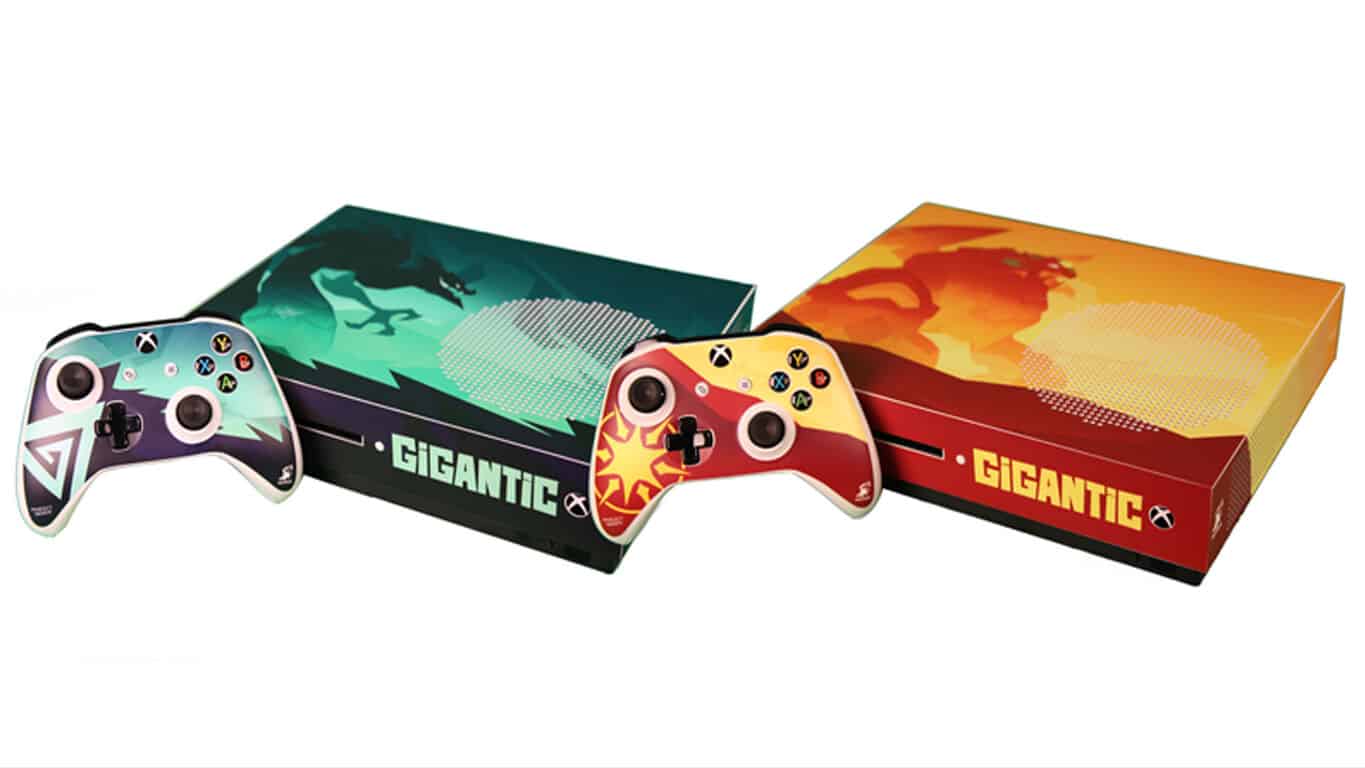
There are currently two very cool custom Xbox One S consoles being given away in a contest to promote the new Xbox One video game, Gigantic.

The two custom consoles have been designed by Flaming Toast Decals with each one featuring a theme dedicated to either House Aurion or House Devaedra, teams within the Gigantic game. Each console also comes with a customized controller as well.

To enter, entrants must be over 13 years old and residents of the United States, and simply retweet the tweet embedded below. Only one entry is allowed per person and the competition will run until January 2nd.

https://twitter.com/GoGigantic/status/812013257456164866

Gigantic is currently in open beta Game Preview on both Xbox One and Windows 10. Have you had a chance to play it yet? Share your impressions of it in the comments below.

Gigantic
Gigantic
Developer:
Motiga, Inc
Price:
Free

Final Fantasy XV Update 1.03 fails to fix graphics issues

Final Fantasy XV recently received two important holiday presents: Update 1.03 and the Holiday Pack. As expected, the former brings a series of useful bug fixes while the latter offers Noctis some cool gifts.

Unfortunately, Final Fantasy XV Update 1.03 let down many fans. Players report that the patch doesn’t fix the annoying graphics issues affecting the game and that they still encounter glitches characterized by flickering and black spots everywhere.

Final Fantasy XV Update 1.03 doesn’t fix graphics bugs

Final Fantasy XV players complain the game is still extremely blurry on the Xbox One console. They actually feel they wasted money on an incomplete game and are very disappointed.

Downloaded the patch, Xbox one still extremely blurry. Glad I wasted money on an incomplete game, honestly didn’t expect this from Square.

FFXV fans became excited when they saw an update in their Download list, but the patch content let them down in the end. Players also started posting videos on YouTube in an effort to draw Square Enix’s attention. It appears that the only solution for gamers is to keep posting videos depicting FFXV graphics bugs and report these errors on the company’s dedicated  forum thread.

Indeed, Square Enix is aware that Final Fantasy 15 is affected by many graphics issues since it created this forum thread at the beginning of December. But somehow, it appears that fixing graphics glitches is not a priority for the company for the time being.

Moreover, a few days ago many players reported that Square Enix Support confirmed that Final Fantasy 15 would receive a major patch in December addressing severe issues such as HUD problems and glitches.

Also, the sound still cuts out in any combat situation after players install Update 1.03. Although this is a rare bug, it’s still occurring nonetheless.

Have you installed Final Fantasy XV Update 1.03 on your Xbox One? If you’ve encountered other issues, tell us more about your experience in the comment section below. Also, don’t forget to report bugs to the FFXV forum.

RELATED STORIES YOU NEED TO CHECK OUT:

Download these Netgear firmware updates to make sure you don’t get hacked

Some time ago, a serious security flaw was discovered in numerous Netgear routers. As soon as the vulnerability was identified, Netgear promised a  firmware update. And now, the company finally released the patch, which will make sure users of Netgear routers are safe.

The vulnerability could allow attackers to take the control over the Command Line, which will grant them access to the entire system. Affected models are the Netgear R6200, R6400, R6700, R7000, R7100LG, R7300, R7900, and R8000 routers, as well as some others.

The update was released to all affected routers. If you use a vulnerable router, you can download the latest firmware update from these links:

Additionally, beta firmware releases for the following Netgear routers are also still available:

To install the latest firmware update for your Netgear router, do the following:

  1. Download a suitable update from one of the links listed above.
  2. Log in to the router via https://www.routerlogin.net
  3. Go to Advanced > Administration > Firmware Upgrade
  4. Click Browse, and then on Firmware update
  5. Now, just upload the downloaded file, and wait for the process to finish

Netgear announced that it will keep looking for possible vulnerabilities in other routers. As soon as a new vulnerability is discovered, the company will make sure to release another security update. You can keep track of all firmware updates on Netgear’s official website.

RELATED STORIES YOU NEED TO CHECK OUT:

Get into the holiday spirit with this mod for Fallout 4 on Xbox One

Looking to make your Christmas Fallout 4 binge a little more festive? If you’re on Xbox One, you can get The Christmas Mod right now and enjoy a bit of holiday cheer in the wasteland. The mod doesn’t do too much for gameplay, but it does a whole lot in the way of making things more colorful and cozy for the holiday-loving gamer.

Here’s what The Christmas Mod brings in its bag of gifts:

♦ Four outfits
♦ Two types of hats: A santa hat and a red top hat (there’s 3 variants of the santa hat, see video)
♦ Tons and tons of items to the settlement crafting menu
♦ Vault-Tec gift boxes to vaults, loot in all of them ?
♦ A secret loot item, which only appears on Christmas Day, in Diamond City
♦ Yummy food items

Be sure to stop by Diamond City at some point on Christmas day to see what the secret loot item is – something tells us it’s going to be particularly festive. Also, be sure to check out TheRealElianora’s other mods if this is something you enjoyed. She also made several other mods for Fallout 4 and Skyrim.

How to share your Office 365 Home subscription with your family members

If you are an Office 365 Home subscriber, you can share your subscription benefits with up to four people (besides yourself, that is) in your household. Actually friends too, but no one puts it that way since there’s Home in the name, you know.

When you share your Office 365 Home subscription, each person gets Office installs for PC, Mac, tablets, and smartphones, their own free 1 TB OneDrive storage, and 60 Skype minutes of calling per month to mobile phones in eight countries and to landlines in 60+ countries. People you share your Office 365 Home subscription with don’t have access to your personal OneDrive storage, mind you, unless of course, you specifically share files or folders with them.

To share your subscription, you send the invitation to any email address or Facebook account, or send a link via another means. You can also directly add one of your Microsoft Family members without the need for an invitation. Once the person gets an invite, he or she will have to sign in with their own Microsoft account and use their own My Office Account page to install Office.

From your My Office Account page, you can find out who has installed Office on your shared subscription, and how many installs they’re using. If all of your available installs are in use, you can deactivate an install on a specific device to free up an install for use on other device.

Of course, you can also remove someone from your subscription. When you do that, the user will lose all their subscription benefits, like extra OneDrive storage and the ability to use your Office installs.

Office 365 Home subscription offers great value that helps you share the benefits of Office 365 with other family members – on their different devices – without sharing your account credentials.

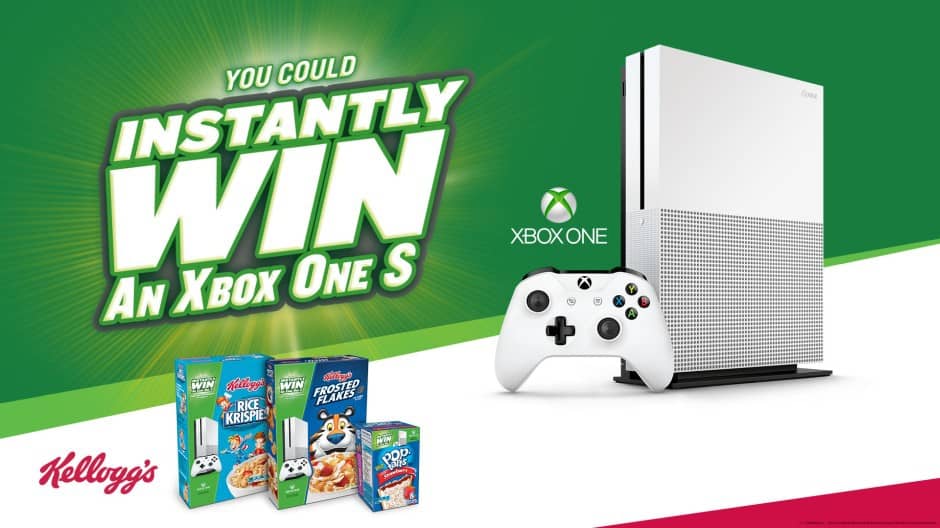
Xbox and Kellogg’s come together, and you can win a free Xbox One S

What better way to start the new year than winning a gaming console? Xbox and Kellogg’s have announced that they have come together and you can end up taking home a brand new Xbox One S if you’re lucky enough to find a winning sticker on a Kellogg’s product.

According to Microsoft, the measure means you will have everything you need to stay happy, healthy, and entertained. The company also points out that soon thousands of specially marked Kellogg’s products around the country contain a winning sticker that can be redeemed for a brand-new Xbox One S. And, as an added bonus, can also customize your Xbox Avatar with a limited-edition item from your favorite Kellogg’s character.

The promotion is open to legal residents of the fifty United States and District of Columbia who are 13 years of age or older. According to Kellogg’s, the odds of winning are 1:28,000, and the game will end on 9/30/17, so let us know if you will be trying your luck by dropping us a comment below!

Hamster Universe brings space traveling rodents to the Windows Store

Some games are just too adorable to stop playing, and that’s precisely the situation for Hamster Universe. Brought to us by the same creators of Wire Defuser and Dumb Monsters, SneakyBox has just released Hamster Universe. According to the description:

Hamsters are idleness critters that prosper all their lives eating, sleeping and occasionally going for a run and not much else. They prosper and reach their milestones that way. One heroic hamster tired of idleness decided there is more to life and idle than just that. Instead of going through the idle games routine of an ordinary rodent, he tapped and gathered like-minded hamsters for a trip of their lifetimes to reach his milestones – gather energy riches. He took some picks and built a high-tech spaceship powered by his tapped click wheel and prepared for a journey to explore the vast riches of the outer space void. All he needs before the takeoff to the void is your click.

The game plays like a typical clicker game, keeping the hamster moving on the treadmill to generate enough energy. As time goes on, the player can unlock upgrades to build more electricity with each click, and even some without clicking. Ultimately, the goal is to explore space where a massive force of hamsters fly through the stars and generate copious amounts of electricity.

While the gameplay might seem a bit redundant, the build of bigger numbers keeps you clicking similar to other titles in the genre. Hamster Universe is free on Windows Store for PC and mobile so give it a try; you may be shocked by what you find.

Hamster Universe
Hamster Universe
Developer:
Game Troopers
Price:
Free

Lego picks up the speed, adds two new racing games to Windows Store

Just a few weeks ago, Lego introduced a new DC comics video game to both Windows 10 and Windows 10 Mobile. The Denmark-based company is now continuing its Windows 10 push and released today two additional racing themed games to the Windows Store (via Windows Central.)

The first of the games is the arcade style racing game “Speed Champions.” This game puts you behind the well of the fastest supercars on the planet and invites you to Put the pedal to the metal, speed past your opponents and complete awesome challenges to secure your place on the winner’s podium.

Second up is “LEGO Pull-Back Racers 2.0” which is an action-packed lane based challenge game. In this game, you are tasked with Gliding along the super-fast speedways in the sleek Record Breaker, and powering across the rough and rugged terrain of the dirt tracks on the Quad Bike.

You can find download links for both games below. Once you’ve downloaded the games, please do let us know what you think by dropping us a comment in the Disqus section!

LEGO® Speed Champions
Developer:
LEGO SYSTEM AS
Price:
Free


LEGO® Pull-Back Racers 2.0

Minecraft solutions Blockworks uses coding to build Great Fire of London replica

Minecraft building solutions Blockworks and the Museum of London have been collaborating on an impressive exhibit to commemorate the 350th anniversary of the Great Fire of London in 1666. However, while building the blocky replica, Blockworks found that they might be in over their heads.

A little bit of history lesson, the Great Fire was a tragedy that swept through the central parts of London in September 1666, moving through 13,200 houses and 87 churches with 1250°C flames, destroying the lives of approximately 80,000 citizens. All because of a bakery accident on Pudding Lane.

The idea of undertaking a project of this magnitude alone is staggering. That is why Blockworks brought in Adrian Brightmoore to help them out. Brightmoore coded a procedural generational code that could create buildings within a ruleset, creating an accurate and believable background for the highlighted center of the city which was built by hand.

Inside the blue outline, built by hand. Outside, procedurally generated.

Of course, in the time before the Great Fire of 1666, houses were very different than they are now. So Adrian’s code constructed homes from the bottom and up, including their overhanging second stories and even small cupboards. Eventually, the coding would build the house in the order of walls, floors, ceilings, roof, chimneys, windows, doors, and stairs. On the edge of his generated buildings, he also put some copy and paste of Blockworks original houses creating a seamless merge between what was hand crafted and what was coded.

The Museum of London has contracted Blockworks for three historical Minecraft maps regarding the Great Fire, inspiring players to experience the event hands on. In the pre-fire map, they can travel back in time and see the city structure as it was. Of course, the hotter map is during the fire where players attempt to help fight the flames and can even rebuild the city after the tragedy.

You don’t have to visit the Museum of London to play in these beautifully designed worlds in your Minecraft. Both the Pre-fire London map and the Fire London map are available for free download from the museum’s website. The Post-fire map is expected to be available in February 2017.

You can now pre-order the Assassin’s Creed movie from the Windows Store

The Assassins’s Creed movie just opened up in theaters yesterday, but if you’re the type who does not like to visit physical movie theaters, then you can now also pre-order the movie from the Windows Store.

Microsoft is listing the pre-order price on the movie for $14.99 and notes that if you pre-order now you can add it to your library and watch it as soon as the movie is released. The movie featuring Oscar nominee Michael Fassbender and Oscar winner Marion Cotillard has a Rotten Tomatoes audience score of 74% and a Tomatometer score of 18%.  Some critics have even said that the movie is arguably better made than most video game adaptations, with others saying that it has to do for its target audience.

Do you think you will be pre-ordering the Assassin’s Creed movie from the Windows Store? As always, please do let us know what you think by dropping us a comment below!

Future Xbox One controllers could have removable triggers

Microsoft’s Xbox One controller is arguably one of the best game controllers on the market today: it feels great in your hands, it has an excellent battery life, and you can even customize the way it looks through the Xbox Design Lab. For power users, Microsoft is also selling the Xbox One Elite controller, which is made of more premium materials and offers much more customization options: you can choose between different joystick and D-pads, and you can even add paddles on the back to add four new buttons that you can configure with the Xbox Accessories app.

The Xbox One Elite Controller.

But while the versatility of the Xbox One Elite controller has been praised by hardcore gamers, Microsoft could well be working on a new type of controller that offers even more customization options. Indeed, Windows Central has discovered a new patent for a “Game controller with removable Trigger accessory” that was published on December 15. The patent explains that the removable triggers would be attached to the controller via three magnetic posts that you can see in the image below. The patent also mentions the following details:

Each of the triggers may be one of a plurality of differently configured removable trigger accessories removably affixable to the game controller. For example, carious differently configured removable trigger accessories may have different sizes, shapes, textured surfaces, materials, and/or other features that are preferred by different users or may be suited for particular gaming or other purposes.

The removable triggers would use a magnet system.

Of course, the publication of this patent doesn’t guarantee that such a controller will ever see the light of day. However, considering that Microsoft has a brand new Xbox One console codenamed Project Scorpio in the pipeline, such a project could definitely make sense for the company next year.

Grab the INSIDE & LIMBO video game bundle on Xbox One today

Two critically acclaimed Xbox One video games, Inside and Limbo, are now available to buy in a special bundle. Here are the official, very brief, descriptions for each game and a link to the bundle in the Windows Store.

Get Playdead’s two critically acclaimed titles LIMBO and INSIDE.

INSIDE is a 2D puzzle platformer adventure game developed by Playdead. Hunted and alone, a boy finds himself drawn into the center of a dark project.

LIMBO is a 2D puzzle platformer adventure game developed by Playdead. Uncertain of his sister’s fate, a boy enters LIMBO.

Buy the Inside & Limbo Bundle on Xbox One

Have you played Inside or Limbo? Which one’s your favorite? Let us know in the comments below.

New Disney Emoji Blitz puzzle video game launches on Windows 10

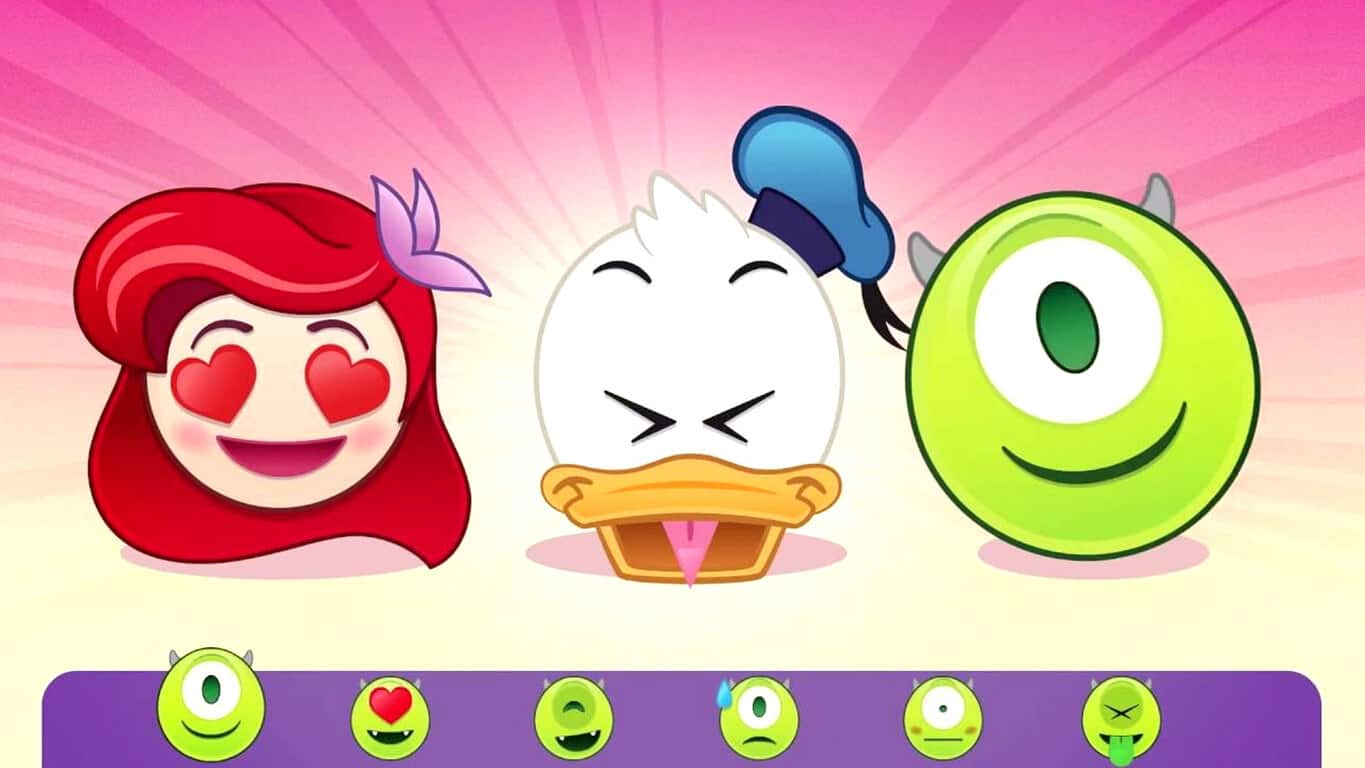
Another new Disney video game has launched on both Windows 10 and Windows 10 Mobile devices. This latest one is called, Disney Emoji Blitz, and as the name suggests, features a variety of famous Disney characters in super-deformed emoticon animation styles. The aim of the game is to match these emoticon-inspired Disney characters in groups of three in a sort of Tetris type of puzzle game. Here’s the official game description:

Match. Collect. Emote! Play and collect hundreds of Disney and Pixar emojis like never before in an exciting matching game! Play fast paced rounds of match-3 to earn prizes, complete missions, and discover new emojis. Collect Disney and Pixar emoji characters and items from The Little Mermaid, The Lion King, Cinderella, Zootopia, The Muppets, Disney|Pixar’s Toy Story, Monsters, Inc., Finding Dory and more!

MATCH emojis to score big points and unlock new characters. COLLECT 500+ Disney and Pixar emoji characters & items. BLAST the board with expressive emoji super powers & combos. PLAY missions to boost your score and earn prizes. CHALLENGE your friends’ high scores.

Disney has been very active in releasing new games for Windows 10 devices. Some of the latest games include, Zootopia: Crime Files, Find ‘n Seek, and Finding Dory: Just Keep in Swimming. This is great to see as so many other companies were removing their Windows 10 Mobile apps in 2016. Do you have a favorite Disney game on your Windows 10 device? Let us know in the comments below.

Disney Emoji Blitz - Holiday
Developer:
Disney
Price:
Free+

Battlefield 1 expands with its first fully-fledged DLC

Battlefield 1 blasted users with an amazing trailer which, unlike many titles before it, stay true to what it promised. So far, several months into the release of EA’s World War I themed first person shooter, players are pleased. In fact, you could say that Battlefield 1 was quite the commercial success, with its enticing gameplay receiving positive responses from celebrities as well. Now that players are accustomed to how Battlefield 1 operates, EA decided it’s time to take the experience to the next level. This includes all kinds of treats for those who are patient enough.

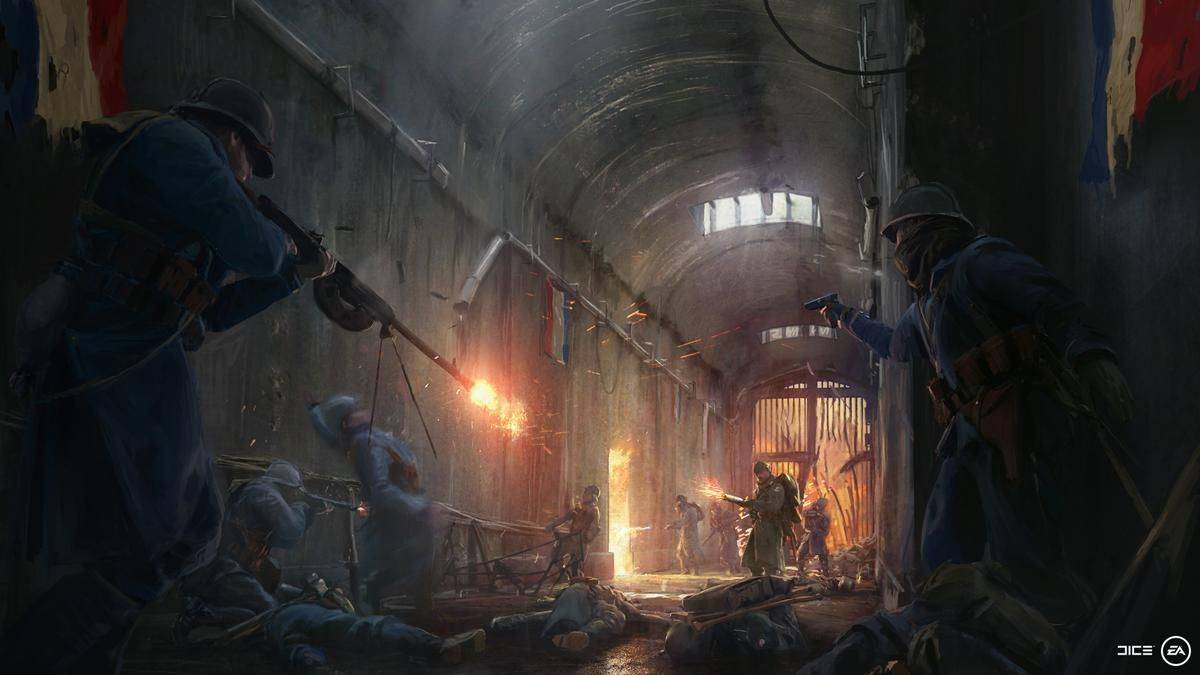
The new DLC is titled They Shall Not Pass and features multiple battles taking place in France. As France seems to be the overall theme of the DLC, it is important to mention that France will be a playable nation. One of the biggest surprises that no one understood when the game was released was the absence of France, with no one able to figure out why the nation was left out of the original experience. Now we know why.

As for the DLC’s story and gameplay, the brave soldiers will be going deep into the Battle of Verdun, the infamous battlefield that scarred the earth and left countless casualties. To take on this new challenge, players will be given new tools to use such as new weapons never before seen in Battlefield 1. There will also be a second battlefield known as the Battle of Soissons, another French war site that took place towards the end of the war.

If you’re excited for this release, you won’t need to wait longer than March 2017 when the DLC will be made available. If you are part of the Battlefield 1 Premium Pass club, you will be able to acquire the expansion two weeks prior to that date.

RELATED STORIES TO CHECK OUT:

Payday 2’s new Scarface DLC wants to channel your inner Tony Montana

Scarface is one of those movies that you either love or haven’t seen yet. The flick left a powerful mark on western pop culture and although it was released a long time ago, it’s still making waves. A testament of this is the new Payday 2 DLC which sports a Scarface theme. If you are looking to return to the Miami mansion where Tony Montana held his last stand in the movie, you now have the perfect opportunity.

Because teleporting to the Scarface universe and having Scarface related content out of the blue would be a bit unsatisfying, there’s a backstory for the DLC. In the Payday 2 Scarface pack, the mansion which served as HQ for Montana and his crew is forcefully taken over by Sosa’s gang. This sparks the plot as now you are required to move in and see that justice is dealt. The objective of these new missions will revolve killing all of Sosa’s men and collecting the valuables found while doing so.

Not only will you get to play on Tony Montana’s playground, but you will get the opportunity to become the legend himself. Iconic elements from the movie have been added to the expansion, including the shower chainsaw and automatic rifle used in the end scene.

The DLC will be broken into two packs, one for heists and one for characters.  The entire content pack will cost around $12, with individual packs costing $7 and $5 respectively. There is also a brand new trailer that teases the new expansion pack and further hypes up the already eager player base that can’t wait to get into Tony Montana’s shoes.

RELATED STORIES TO CHECK OUT:

Automate your Windows PC easily with this useful tool

Are you too busy to perform daily tasks in front of your PC? If the answer is yes, then you’ll definitely find a tool that connects and automates things you do on your device very useful, especially since it gives you more time to handle real work.

Ellp is free to use and it can be installed on PCs and laptops running on Windows 7, 8, 8.1 and 10, but its developer (based on the island of Malta) are planning to bring the tool to Android and iOS in the near future.

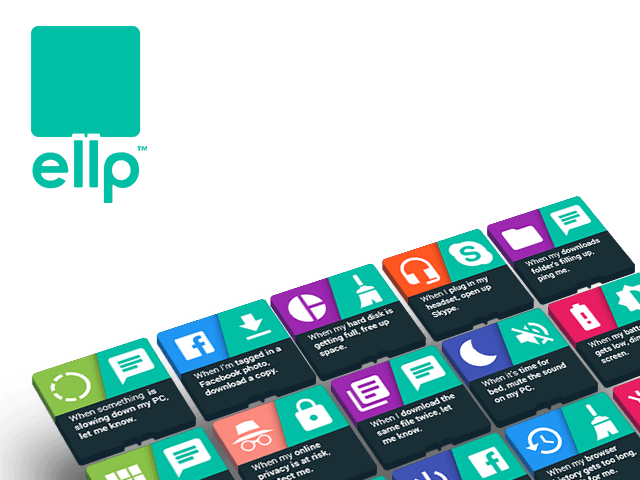
After installing Ellp, the program will launch and display ten cards that represent a task you’d want to automate:

  • When my hard disk is getting full, free up space;
  • When I plug in my headphones, play some music;
  • When I download the same file twice, let me know;
  • When it’s time, perform a privacy cleanup;
  • When I turn on my PC, open my favorite website;
  • When I’m tagged in Facebook photo, download a copy;
  • When my email is involved in a data breach, alert me;
  • When it’s time for bed, mute the sound on my PC;
  • When I plug in my headphones, open Skype;
  • When it’s time, turn off my PC.

When you click on any of these cards, you will be given more options such as setting the threshold when a cleanup is launched (“When my hard disk is getting full…”), which website to open or which time to specify (“…turn off my PC”), etc. However, if you select “When I plug in my headphones, play some music”, you’ll see that this control works only with USB headphones and instead of opening a local file or a playlist, the program opens a website to play music. Also, whenever friends tag you on Facebook, Ellp will automatically download that photo. It will also alert you if your email is involved in a data breach.

RELATED STORIES TO CHECK OUT:

Latest Dishonored 2 update fails to fix AMD Phenom CPU issues

Dishonored 2 recently received a new update aimed at fixing a series of annoying issues affecting the game. The New Game Plus update brings a series of new features, improvements and bug fixes, but fails to fix one of the most severe problems impacting the game: AMD Phenom CPU issues.

Almost a month ago, we informed you that it was very unlikely for Bethesda to add AMD Phenom CPU support to the game. When asked on Twitter whether AMD Phenom support would be added, Harvey Smith, co-creative director at Arkane Studios, offered a vague answer in an attempt to avoid a clear answer: “still in discussion“.

Many gamers using AMD Phenom CPUs hoped the latest Dishonored 2 patch would finally fix all the annoying issues they had been experiencing ever since the game was launched. However, it appears that this is not the case, although the official patch notes confirms that the “Game now runs on Phenom processor”.

Dishonored 2 crashes on AMD Phenom CPUs even after recent update

I didn’t try the 1.3 betapatch, but once 1.3 official came around, my game started crashing after just a few minutes of gameplay. I’ve seen complaints from many other users with the same card. The crashes are seemingly triggered by specific spots in the game and are particulary bad in The Grand Palace (the level is unplayable).

Other gamers relying on AMD Phenom processors had to reinstall Windows after Dishonored 2 crashed. In other words, the game is still unplayable on AMD Phenom CPUs event after players install the latest patch.

Naturally, the majority of Dishonored 2 gamers relying on this type of CPU are very disappointed. However, some Dishonored 2 fans haven’t lost faith yet and hope that “a new patch is released soon to address this issue.”

RELATED STORIES YOU NEED TO CHECK OUT:

Windows 10 KB3206309 adds new features to Windows Defender

Microsoft recently rolled out a new cumulative update for Windows 10 users. Update KB3206309 brings Windows 10 to build version 14986.1001. For the time being, though, there is no official information regarding the content of this update.

Microsoft released KB3206309 for Windows 10 build 14986 which means the update is available only to Windows Insiders. Since this update is now available to Slow Ring Insiders, it’s safe to assume that Microsoft will roll it out to the general public by the end of the year.

Windows 10 KB3206309 revamps Windows Defender

Insiders confirm that update KB3206309 revamps Windows Defender. After installing the update, Windows 10 displays a message informing users that Windows Defender is making some improvements. More specifically, the update adds new features to Windows Defender, finishing the antivirus’ new look.

“Windows Defender is making some improvements.  We’re working hard on adding new features and finishing our new look, so not everything is ready quite yet.  Some features you’re looking for may not be available now, which is why the previous version of Windows Defender is still available on your device.”

It appears that KB3206309 is mainly a security update.

Windows 10 KB3206309 bugs

Judging by Insider feedback, KB3206309 is not a very troublesome update. However, it still causes some issues — just less severe ones compared to previous updates. Here is a list of the issues caused by KB3206309 as reported by Insiders:

  • KB3206309 fails to install: “I also had problems installing this update but on my install windows defender was also downloading and trying to install updates at the same time and I think it was the main problem.”
  • Generating logs from ETL files doesn’t work
  • Computers don’t detect the Wi-Fi network: “I got this CU today, after installing and rebooting this update my laptop is not detecting my WiFi. I did a forget saved networks but it still not showing my wifi in available networks.“

Have you downloaded KB3206309 to your Windows 10 computer? Use the comment section below to tell more about the improvements this update brings.

RELATED STORIES YOU NEED TO CHECK OUT: