Final Fantasy XV issue: Fishing doesn’t work for some players

Final Fantasy XV is finally available on the Xbox One and PlayStation 4. Fans are delighted to receive the game after 10 years of anticipation. The first reviews of the game are generally positive. However, early adopters report game bugs on  Final Fantasy’s forums.

We’ve found various complaints and some of them are quite strange. For example, one user reported that he’s unable to fish in Final Fantasy XV. Here’s what he said:

“I just got the full game (early for some reason but i don’t mind) and it feels like it is impossible to catch a fish.
Lets say fishing has three steps, finding a fish (slowly pushing RT near a fish), holding the fish (tilting the stick to any direction) and getting the fish.

For some reason I am unable to succeed in the second step.
For example the game tells me to go to left and I go to left but the fish still escapes. It almost feels like it isn’t registering my input. At first I thought it was me, I tried moving the stick slowly, rapidly, repeatedly but nothing works. So at this point I am 90% sure it isnt me and it is the game.
Is there anyone else who has this problem and is there a solution.
I understand that there won’t be many people who have experienced final fantasy nor fishing but I still hope somebody can help.”

According to other users, the problem only persists on Xbox One. Unfortunately, no one from the forums had a proper solution for this problem. So, catching fish in Final Fantasy still remains a mystery for some users. Players hope that Square Enix will fix the problem in some of the future updates. Until then, fishes will remain free in the water.

The fishing bug is not the only problem that bothers players who bought the game. Some of the other issues are too-small fonts, Chocobos, and more.

In case you know what’s going on, let us know in the comments.

RELATED STORIES YOU NEED TO CHECK OUT: 

Players angry at Bethesda for disabling achievements in Skyrim with mods

One thing that keeps Skyrim alive to this day is its great compatibility with mods. Skyrim mods are in high demand, especially after the release of its Special Edition, with hundreds of available for players to enhance their experience.

Almost anyone who’s ever played Skyrim has tried at least one game mod. But, there’s one problem: Bethesda has disabled achievements on all modded games. Even the smallest mod will disable Steam achievements. Although the company never clarified why it disabled achievements on modded copies, users have a couple of reasons in mind.

Allegedly, Bethesda sees mods as a kind of cheating. Therefore, mods are presented to make the gameplay easier and the company wants achievements to be earned 100% legitimately. Also, there’s fear of system abuse in the case a mod can automatically unlock all achievements for players who install it.

While the situation doesn’t bother some Skyrim players, others are pretty angry because there are no achievements in modded games. Passionate users of Skyrim mods claim that Bethesda is disrespecting the entire community of modders by not allowing them to hunt for achievements.

This turned out to be a serious discussion on Bethesda forums where one user threw rocks at the company. According to him, Bethesda is not being fair towards players who use mods. Skyrim mods rarely, if never, make the game easier according to players. Mods can only make gameplay harder says the community. Because of that, certain players feel like they’re being punished for using mods.

Unsatisfied players suggest Bethesda enable achievements for modded games in order to make things right. However, the company is still silent, with mods still locking achievements when installed.

For all those who feel this is unfair, there’s actually a way to enable achievements in modded copies. Guess how? By installing a mod! As its name says, the Achievements Mods Enabler mod for Skyrim makes achievements available for everyone.

How do you feel about the lack of achievements in modded copies of Skyrim? Do you think it’s unfair or do you simply not care? Let us know in the comments below.

RELATED STORIES YOU NEED TO CHECK OUT:

Denuvo causes Dishonored 2 to load slowly, users complain

When Bethesda announced Dishonored 2 would come with Denuvo, gamers were generally unsatisfied. The fact that they wouldn’t be able to play the game on as many devices as they wanted angered a lot of people. However, it seems the Denuvo system is making even more of a mess.

Namely, some users report on the Steam Community forums that Denuvo slows the game at startup. Here’s what some of them say:

“Everytime we launch Dishonored 2 the Denuvo loading screen, (the very first loading screen you get after launching the game), is loading so slow I timed it to one to two minutes at worst. The game have been doing this since we got it and no improvement yet. Sometimes but not often enough it can load a bit faster which appears to depend on what type of connection you have.”

According to other users, this problem can be solved by disabling the Firewall in Windows. So, if you’re experiencing the problem with a slow loading screen, try doing this. However, not everyone has confirmed this solution is legitimate, so we can’t guarantee it will work.

In case you’re not familiar, Denuvo is a security technology that protects video games from being illegally copied and distributed. Denuvo has proven to be very effective in protecting AAA games from being pirated. Many large developers have started using this system. EA Sports and the recent games from the FIFA series are the best examples. In Dishonored 2‘s case, the system allows the game to be installed only on up to five PCs.

What do you think about the use of Denuvo in Dishonored 2? Have you noticed any performance issues caused by this feature? Let us know in the comments.

RELATED STORIES YOU NEED TO CHECK OUT:

New Dragon Ball Xenoverse 2 DLC coming in December

Bandai Namco just announced a new content update for Dragon Ball Xenoverse 2. The new update will introduce the very first DLC pack, which will be available through a Season Pass or purchased individually. Additionally, the free update will be released to all owners of the game, as well.

According to Bandai Namco’s official website, the update will arrive on December 20th. Here’s what the free update will bring:

  • New skill for SSGSS Goku: Awakened Skill Kaioken times 10!

  • New skill for Hit: Awakened Skill Pure Progress

  • 6 new costumes

  • 4 new attacks

  • A new event for everyone: Frieza’s Siege! Be ready to defend Conton City against Frieza’s Army, there are 10 new Jersey costumes to win!

  • A new Raid Quest featuring Evil Yamcha, with an exclusive title to win!

In addition to free content, five new teachers will also be included: Future Gohan, Bardock, Cooler, Android 16, Whis. Also, the content of the first DLC has also been revealed:

  1. 2 new playable characters: Cabbe (with his Super Saiyan transformation) and Frost (Final Form)

  2. One new master: Hit

  3. 5 new attacks

  4. 3 new Parallel Quests

  5. 2 new costumes

  6. 5 Super Souls

  7. 2 emotes

However, the company hasn’t said anything about fixing some of the common issues in Dragon Ball Xenoverse 2. In case you don’t recall, the game was plagued by various problems on the release. Some of the issues include screen flickering, audio bugs, and more. We sincerely hope that the company will address at least some of the known issues and make the gameplay experience better.

Are you satisfied by the upcoming update and DLC for Dragon Ball Xenoverse 2? Are you experiencing some issues on your own? Let us know in the comments below.

RELATED STORIES YOU NEED TO CHECK OUT:

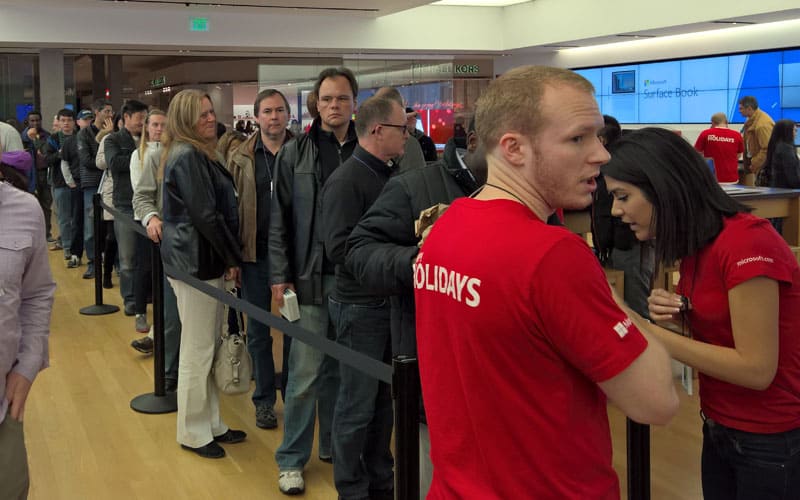
Microsoft rewards Windows 10 Insiders with 10% holiday discount, in physical stores only

In an email sent to Windows Insiders, Microsoft is offering a 10% discount on all products (except the Surface Studio) in Microsoft Stores across the US. Microsoft wants to reward Windows Insiders for all of their valuable feedback. Here is Microsoft’s full text of the email:

Hello Windows Insider,

To thank you for your participation in the Windows Insider program, we’ve organized a special shopping event just in time for the holidays. Stop by a Microsoft Store near you between the hours specified in the list below and enjoy holiday savings of 10% off almost everything in the store. Simply present this email (either printed out or displayed on your device) at the Microsoft Store counter for your discount.

The Windows Insider Team

Here is the list of the select Microsoft Store locations that will be allowing the Windows Insider 10% discount:

Arizona
• Scottsdale Fashion Square
December 13, 2016 — 11am – 1pm

California
• The Village at Corte Madera
December 2 & 3, 2016 — 9am – 10am
• The Village at Corte Madera
December 4, 2016 — 10am – 11am
• South Coast Plaza: Costa Mesa
December 12, 2016 — 9am – 11am
• Westfield San Francisco Centre
December 16, 2016 — 5pm – 7pm
• The Shops at Mission Viejo
December 20, 2016 — 3pm – 5pm

Connecticut
• Westfarms: Farmington
December 2, 2016 — 6pm – 8pm

Georgia
• Perimeter Mall: Atlanta
December 14, 2016 — 8am – 10am

Hawaii
• Ala Moana Center: Honolulu
December 11, 2016 — 9am – 11am

Illinois
• Woodfield Mall: Schaumburg
December 7, 2016 — 5pm – 8pm

Kansas
• Oak Park Mall: Overland Park
December 13, 2016 — 8:30am – 10am

Maryland
• Westfield Montgomery: Bethesda
December 19, 2016 — 10am – 12pm

Michigan
• The Somerset Collection: Troy
December 16, 2016 — 9am – 11am

Minnesota
• Mall of America: Bloomington
December 16, 2016 — 6pm – 8pm

Missouri
• St. Louis Galleria
December 8, 2016 — 4pm – 6pm

New York
• Walden Galleria: Buffalo
December 10, 2016 — 10am – 12pm

North Carolina
• SouthPark: Charlotte
December 15, 2016 — 9am – 10am

Ohio
• Easton Towne Center: Columbus
December 16, 2016 — 10am – 12pm

Oklahoma
• Penn Square Mall: Oklahoma City
December 15, 2016 — 6pm – 8pm

Puerto Rico
• Plaza Las Américas: San Juan
December 8, 2016 — 6pm – 8pm

Texas
• The Domain: Austin
December 8, 2016 — 7pm – 9pm
• Shops at La Cantera: San Antonio
December 8, 2016 — 6pm – 9pm
• NorthPark Center: Dallas
December 10, 2016 — 9am – 11am

Virginia
• Tysons Corner Center
December 18, 2016 — 12pm – 2pm

Washington
• Bellevue Square Mall
December 16, 2016 — 7pm – 10pm

As you can tell, some Microsoft Stores are excluded from this Windows Insider offer. The Windows Insider 10% discount cannot be used in addition to any holiday sale items, and the Surface Studio is also excluded. If you’re a Windows Insider, all you need to do is head to your nearest Microsoft Store and provide a copy of the email if you got it, or you can just print out this article.

Find your nearest Microsoft Store.

Microsoft Ventures to invest in Israel IoT consortium

Microsoft Ventures, GE Ventures, HNA EcoTech, Qualcomm Ventures, and Tata have established  an investment vehicle with an initial sum of $20 million at Tel Aviv University (TAU) to develop IoT technologies (via Reuters)

According to Reuters, The i3 Equity Partners consortium, which consists of  Microsoft Ventures,GE Ventures, HNA EcoTech, Qualcomm Ventures and Tata will partner with Israel’s Pitango Venture Capital and the university’s company, Ramot, to launch the vehicle. A selection of seed and pre-seed startups and “Optional Conditions for success” are reportedly also expected in the vehicle , and also a financial investment of up to $1 million each.

For those who do not know, TAU is Israel’s largest research university and it consistently ranks among the world’s top 10 universities. According to Investopedia, n investment vehicle, meanwhile, is a “product used by investors with the intention of gaining positive returns. Investment vehicles can be low risk, such as certificates of deposit (CDs) or bonds, or carry a greater degree of risk such as with stocks, options, and futures.”

Spanish football league LaLiga signs Microsoft as global technology partner

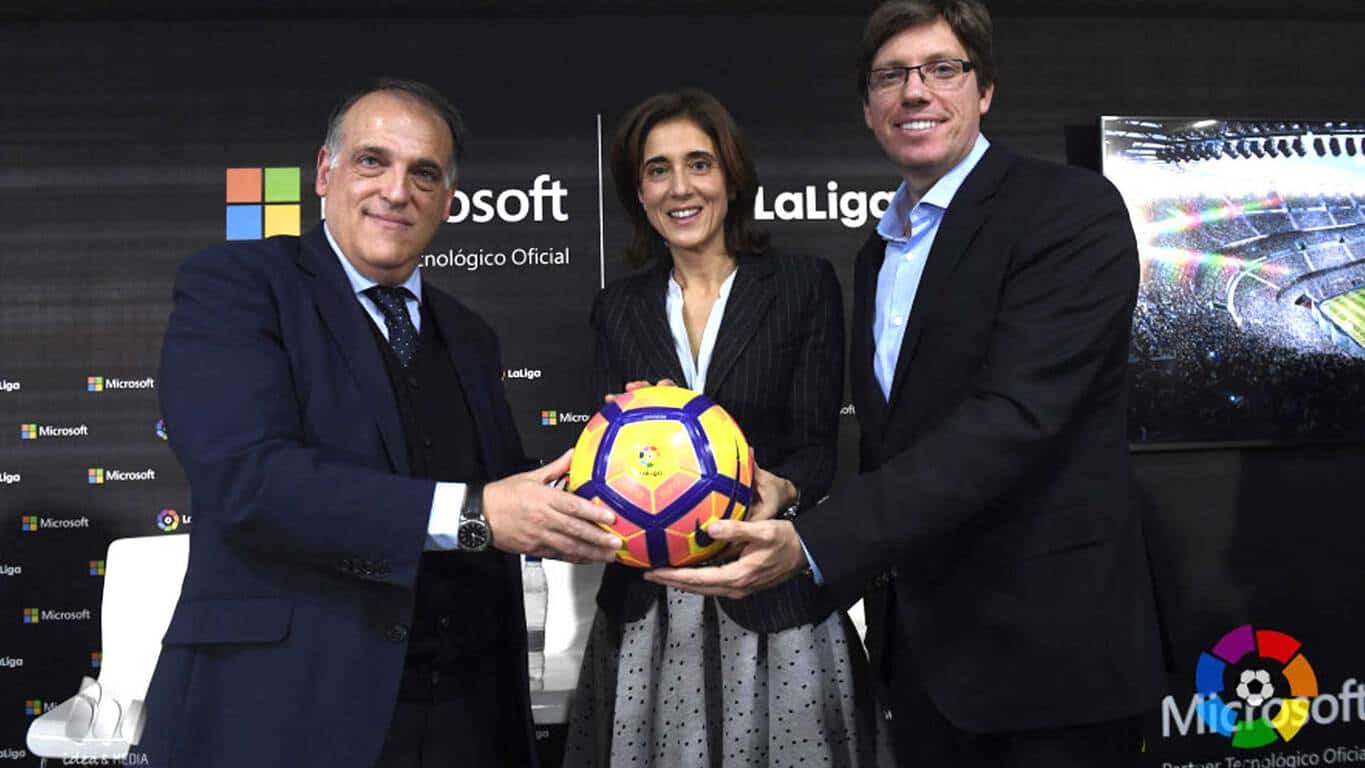
From their more than obvious involvement in the NFL, partnership with NASCAR’s Hendrick Motorsports, and even their recent partnership with the Toyota FIA World Championship team, there is no hiding that Microsoft is very involved in all forms of sports.  Today, however, a new form of Microsoft sports involvement has arisen, as the Spanish football league LaLiga has announced that it has signed Microsoft as a global technology partner (via SportBusiness.com)

According to SportBusiness, under the new partnership, Microsoft will use it’s software solutions to help transform the digital experience for supporters of the LaLiga, which  is the operator of the top two divisions of Spanish football. The length of the deal was not disclosed, but it was revealed that Microsoft’s artificial intelligence tools and Azure will be used across the league. Additionally, Microsoft will reportedly push for the adoption of digital platforms by football clubs in order to aid fan engagement, all while promoting MediaCoach, which is a technology that enables customized analysis of matches for clubs.

HP introduces ProBook x360 Education edition, an affordable Windows 10 machine built for students and teachers

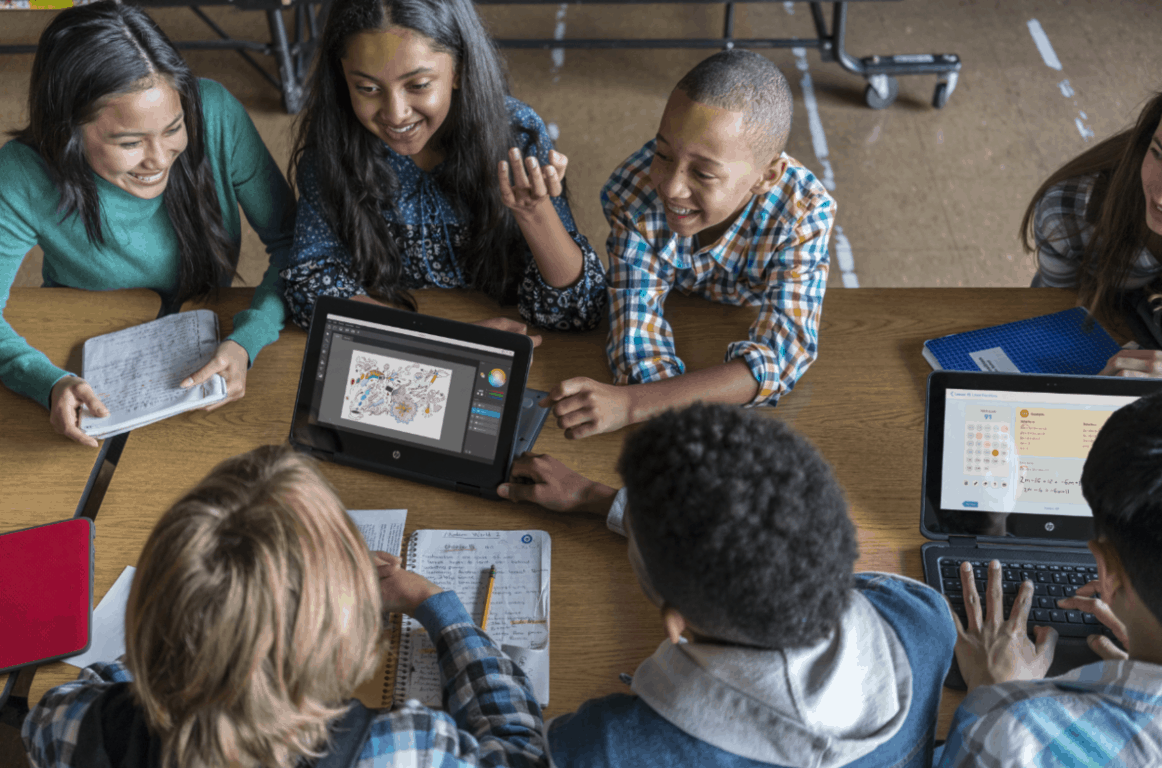
HP has announced the HP ProBook x360 Education edition, an affordable Windows 10 machine built for students and teachers. Featuring several education-specific features, the device will be released on December 16th, and will be coming soon to the HP Education Store.

probook_x360_ee_front
ProBook x360 Education edition

Sporting a hard, industrial rubber encasement, and optional damage-resistant Corning Gorilla Glass, the device has a touch screen which enables the Windows Ink feature, as well as support for an optional active pen.  For teachers specifically, a “Take a Test” app is also built into the laptop, which enables a browser-based, locked-down environment for more secure, online assessments.

Additionally, a “Set up School PCs” app is also included on the device, so a teacher can set up devices in three easy steps, without the need for dedicated IT support. Students, meanwhile, can enjoy the “explorer mode” dual camera system which uses a 1080p HD camera embedded on the keyboard deck to let students take video in tablet mode while viewing what they’re recording in real-time.

What are your thoughts on this device? Which Windows devices do you use in your school and educational institution? As always, do let us know what you think by dropping us a comment below!

Remove Homegroup on Windows 10/11 [Step-by step Guide]

If you have two or more computers, you can use Homegroup to connect them in order to share files between them. This is a great feature, but sometimes, you need to stop and disable file sharing between the PCs in your network.

To do that, you need to remove Homegroup, and today we’re going to show you how to do it on Windows 10.

How can I remove the Homegroup on Windows 10?

Homegroup is a feature first introduced in Windows 7. Due to the simplicity of this feature, it remained a part of all future versions of Windows. Homegroup allows you to share files between the PCs in your home network easily.

You don’t need to enter any passwords; all you have to do is join a Homegroup, and you’ll be able to share files instantly. As you can see, this is a great feature, but sometimes, users want to remove the Homegroup and stop file sharing.

1. Leave Homegroup and disable its services

Creating Homegroup is quite simple, but removing it is simple as well. To do that, you have to enter HomeGroup settings and choose the option to remove the Homegroup. To do that, follow these steps:

  1. Press Windows Key + S and enter homegroup. Choose Homegroup from the list of results.
    remove-homegroup-homegroup-1
  2. When Homegroup window opens, scroll down to the Other homegroup actions section and click the Leave the homegroup option.
    remove-homegroup-homegroup-2
  3. You’ll see three options available. Choose Leave the homegroup option to leave the Homegroup.
    remove-homegroup-homegroup-3
  4. Wait for few seconds while you leave the Homegroup.

Leaving the Homegroup is simple, but even if you leave it, you’ll still have Homegroup icon available in Navigation Panel in File Explorer. This isn’t a major problem, but if you want to remove it you can do so by following these steps:

  1. Press Windows Key + R and enter services.msc. Press Enter or click OK.
    remove-homegroup-services-1
  2. When Services window opens, locate HomeGroup Listener and double click it to open its properties.
    remove-homegroup-services-2
  3. Set the Startup type to Disabled and click the Stop button to stop the service.
    remove-homegroup-services-3
  4. Click Apply and OK to save changes. Repeat the same steps for HomeGroup Provider service.

After disabling HomeGroup services, the Homegroup icon will disappear from the Navigation Panel completely.

2. Use Registry Editor

If you want to remove Homegroup icon from Navigation Panel, you can do so by using Registry Editor. We have to warn you that Registry Editor is a powerful tool, and if you’re not careful you can cause stability issues with your Windows 10 installation.

If you decide to use this method, it might be a good idea to export your registry and use it as a backup in case anything goes wrong. To edit your registry, do the following:

  1. Press Windows Key + R and enter regedit. Click OK or press Enter.
    remove-homegroup-regedit-1
  2. When Registry Editor opens, navigate to HKEY_CURRENT_USER\Software\Classes\CLSID{B4FB3F98-C1EA-428d-A78A-D1F5659CBA93} key in the left panel.
  3. In the right panel locate System.IsPinnedToNameSpaceTree DWORD and change its value to 0.
  4. After that, close Registry Editor and check if Homegroup icon is removed.

If you have Homegroup icon appearing on your Desktop, you can remove it using Registry Editor. To do that, follow these steps:

  1. Navigate to the HKEY_CURRENT_USER\SOFTWARE\Microsoft\Windows\CurrentVersion\Explorer\HideDesktopIcons\New\StartPanel key in the left panel.
  2. In the right panel select the {B4FB3F98-C1EA-428d-A78A-D1F5659CBA93} DWORD and change its value to 1.
  3. Close Registry Editor and check if the Homegroup icon is removed from your Desktop.

If you can’t edit your Windows 10‘s registry, read this handy guide and find the quickest solution.

3. Delete the contents of the PeerNetworking folder

If you have a problem removing the Homegroup, you can easily remove it manually simply by deleting the contents of the PeerNetworking folder. To do that, you need to follow these steps:

  1. Navigate to C:WindowsServiceProfilesLocalServiceAppDataRoamingPeerNetworking folder. Keep in mind that certain folders will be hidden, so you’ll have to reveal them. To do that, simply click the View tab and make sure that Hidden items option is checked.
    remove-homegroup-hidden-1
  2. Once you open PeerNetworking folder, delete all files from it. In order to access this folder, you’ll need administrator privileges, so keep that in mind.
  3. Restart your PC and try to leave the Homegroup again.

For this solution to work, some users are suggesting to delete the contents of PeerNetworking folder on all PCs that are connected to the Homegroup.

After performing these steps on all computers in your home network, you can remove the Homegroup without any problems.

If you can’t delete the contents of the PeerNetworking folder, check out this useful guide that will help you do it with ease.

4. Turn off all PC connected to Homegroup

Few users reported that they could remove Homegroup simply by turning off all PCs connected to the Homegroup. If there aren’t any PCs connected to the Homegroup, the Homegroup will disappear, so be sure to try this solution.

Remember, you need to turn off all computers on your home network and keep them all turned off at the same time. After doing so, you should be able to remove the Homegroup.

Some users are also suggesting to create a new Homegroup on a different PC while all other PCs are turned off, so be sure to try that as well.

5. Use DISM tool

If you have problems with removing Homegroups, that might be caused by a corrupted Windows 10 installation. To fix this problem, it’s advised that you run the DISM tool and scan your PC with it.

Users reported that you should use DISM tool after you delete the contents from PeerNetworking folder. For more information on how to delete those files, check Solution 3.

To perform DISM scan on your PC, you need to do the following:

  1. Open Command Prompt as administrator. You can do that by pressing Windows Key + X and choosing Command Prompt (Admin) from the menu.
  2. When Command Prompt opens, enter the following commands:
    • DISM.exe /Online /Cleanup-image /Scanhealth
    • DISM.exe /Online /Cleanup-image /Restorehealth
    • exit
  3. Wait patiently while each command finishes. This process can take a while, so be sure not to interrupt it.

After the process is completed, the Homegroup should be removed, and you can create a new one.

If you’re having trouble accessing Command Prompt as an admin, then you better take a closer look at this guide.

6. Search for Homegroup on your C drive

Few users reported that they could remove Homegroup on their PC simply by searching for the Homegroup. To do that, follow these steps:

  1. Open File Explorer and navigate to C drive.
  2. When C drive opens, enter homegroup in the search field in the top right corner.
  3. Wait for the search process to finish.
  4. Search for Homegroup or 08 – Homegroup shortcuts. Open any of these shortcuts.
    remove-homegroup-search-1
  5. You should see Homegroup is currently unavailable message. Click Remove Homegroup from the homegroup.
    remove-homegroup-search-2
  6. Wait while the Homegroup is removed.

Your Homegroup should now be removed. A few users reported that they got a message saying that removal process failed, but despite the message the Homegroup was successfully removed.

7. Change Homegroup advanced settings

According to users, you can stop computers from automatically joining Homegroup simply by changing Homegroup settings.

By default, Homegroups don’t require you to enter password in order to join them, and all PCs on your home network will automatically join the Homegroup.

This isn’t something that users want, and if you want to remove a Homegroup from your PC, you need to do the following:

  1. Open Homegroup settings.
  2. Choose Change advanced sharing settings.
    remove-homegroup-change-1
  3. Now locate Homegroup connections section and select Use user accounts and passwords to connect to other computers option.
    remove-homegroup-change-2
  4. After that, click on Save changes.
  5. Restart your PC to apply the changes.
  6. Now you need to repeat these steps on all other computers that are part of your Homegroup.

After doing so, your PCs won’t automatically connect to the Homegroup, and all your computers will be removed from your Homegroup. If you still want to join the Homegroup, you can do that manually by entering your user account password.

8. Change the security permissions

If you can’t remove a Homegroup on your Windows 10 PC, you might have to change the security permissions of specific folders. To do that, follow these steps:

  1. Go to C:ProgramDataMicrosoftCryptoRSA folder.
  2. Locate MachineKeys folder and rename it to MachineKeys-OLD.
  3. Now create a new MachineKeys folder in RSA folder.
  4. Right click newly created MachineKeys folder and choose Properties.
  5. Go to Security tab and click the Edit button.
    remove-homegroup-security-1
  6. Select Everyone in Group or user names field. In Permissions for Everyone section check Full control option in Allow column. Click Apply and OK to save changes.
    remove-homegroup-security-2
  7. After that, restart your PC and you should be able to remove your Homegroup without any problems.

Solution 9 – Check your firewall

If you want to remove an old Homegroup from your PC, you might have to check your firewall settings. To do that, follow these steps:

  1. Press Windows Key + S and enter windows firewall. Choose Windows Firewall from the list of results.
    remove-homegroup-firewall-1
  2. When Windows Firewall opens, click Advanced settings on the left.
    remove-homegroup-firewall-2
  3. Go to Outbound rules section in the left panel. In right panel locate Homegroup rules and delete them.
    remove-homegroup-firewall-3
  4. Now create new rules for Homegroup.

After doing that, the Homegroup will be removed from your PC.

Removing Homegroup from your PC is simple, but sometimes issues can occur. If you encounter any issues while removing a Homegroup, try some of our solutions.

Elsewhere, if you want a decluttered Start Menu, you can remove common group apps, too.

If you have any other questions or suggestions, please leave them in the comments section below.

Microsoft partners with LaLiga to bring digital innovation to the sports industry

Microsoft announced a partnership with LaLiga earlier today that will see the media company incorporate several of Microsoft’s business cloud technologies such as Azure, Office 365, and Dynamics 365 into their products.

“It’s a very important day for LaLiga. Our 360° strategy is key. 180° refers to live games, but that didn’t cut it for our supporters. Today we’re announcing a digital strategy which is fundamental for us. Taking into account the different competitions, teams and players, LaLiga has the most followers in the whole world, but we won’t stop there,” LaLiga’s Javier Tebas said of the new partnership. “We have to give our fans experiences. We want to obtain information about their preferences in order to do so. If we manage that, fan loyalty will be boosted. The 90 minutes isn’t enough nowadays. If we don’t do that, we won’t grow. That’s why Microsoft is key to our development. Years ago we were speaking about debts and tidying the game up, we’re over all of that now.”

In addition to allowing LaLiga users to receive a more customized experience and LaLiga to gain access to more comprehensive statistical and historical data, there are also plans to create some sort of new gamification experience for LaLiga users which will reward them with virtual currencies and offer them the option of unlockable content.

“Our partnership with LaLiga is going to lead to a major new wave of innovation in the sports industry, revolutionizing the way in which supporters relate to clubs and players, and radically transforming the management model of the sports organizations themselves,” said President of Microsoft Ibérica, Pilar López, about Microsoft and LaLiga’s ambitions.

Are you a LaLiga user and are you excited by this news? Share your thoughts with us in the comments below.
Outland video game is now free on Microsoft’s Xbox One console

The Xbox 360 video game, Outland, is now available to download and play for free for Xbox Live Gold subscribers on either the Xbox 360 or the Xbox One via backwards compatibility. The game will only be free for a limited time so it’s worth claiming it now, even if you have no plans to play it for another month or two. Here’s the official game description:

In the middle of Balance and Chaos, now stands one man whose efforts may bridge the ancient divide, or doom the world to destruction. The award-winning studio Housemarque, maker of Super Stardust HD, has teamed up with Ubisoft to create an ambitious platformer inspired by epic adventures such as the Prince of Persia® series. Each player’s adventure will take him between light and darkness and force him to adapt to an ever-changing world.

Download Outland on Xbox One

Have you been playing any games on your Xbox One recently? Share your recommendations with the community in the comments below.

Get the Sleeping Dogs: Definitive Edition for free on Xbox One here

Sleeping Dogs: Definitive Edition is now free to claim on the Xbox One for Xbox Live Gold subscribers. The Definitive Edition of Sleeping Dogs contains all of the game’s downloadable content (DLC) and a host of visual and audio improvements over its original Xbox 360 release. Here’s the official game description:

Alongside a wealth of new technological, audio and visual improvements, Hong Kong has never felt so alive.A vibrant, neon city teaming with life, Hong Kong’s exotic locations and busy streets and markets hide one of the most powerful and dangerous criminal organizations in the world: the notorious Triads. Play as Wei Shen – the highly skilled undercover cop trying to take down the Triads from the inside out. You’ll have to prove yourself worthy as you fight your way up the organization, taking part in brutal criminal activities without blowing your cover.Destroy your opponents in brutal hand-to-hand combat using an unmatched martial arts system. Dominate Hong Kong’s buzzing streets in thrilling illegal street races and tear it up in explosive firearms action. Sleeping Dogs’ Hong Kong is the ultimate playground. Undercover, the rules are different.

Download Sleeping Dogs: Definitive Edition on Xbox One

Sleeping Dogs: Definitive Edition was critically acclaimed by critics and fans alike after its original release and will appeal to fans of the recent Tomb Raider reboot or Watch Dogs. Are you a fan of Sleeping Dogs? Let us know in the comments below.

Twitch Prime users get special bundle for Watch Dogs 2

One of the most anticipated games of the year, Ubisoft’s Watch Dogs 2, has finally been released to eager fans ready to make up for whatever mistakes its predecessor may have made. The second iteration in the Watch Dogs franchise is another chance for Ubisoft to right some wrongs, but it also appears that they are taking advantage of the opportunity to bring some cool rewards to fans in partnership with Twitch.

Watch Dogs 2 players who are also subscribed to Twitch Prime will get a special Twitch Prime bundle for the Ubisoft video game. The rewards consist of cosmetic perks which players can access in-game. Before we get into what Twitch is offering its subscribers, let’s go over what Twitch Prime is for anyone who might not be familiar with it.

Twitch Prime is a premium service offered by Twitch that includes a multitude of benefits. For a fixed amount per month, Twitch users can upgrade to Twitch Prime and get exclusive Twitch.tv services, free games every month, and other features. Twitch Prime users can also subscribe to a channel of their choice for free as a bonus when getting Twitch Prime.

Now that we’ve covered what Twitch Prime is, let’s see what the bundle includes and also how to get your hands on it if you are a Twitch Prime user.

The Twitch Prime bundle for Watch Dogs 2

  • Guts, Grit and Liberty customization pack;
  • XP Boost pack, for extra XP for completing missions and side missions;
  • tv hoodie for Marcus Holloway;
  • Pixel Art customization pack for visual customization of various elements.

How to get the Twitch Prime bundle

  • First off, Twitch Prime users must get their codes from the Twitch page;
  • Once they have retrieve the codes, they have to redeem the codes from the Ubisoft Club Account;
  • Once redeemed, players will receive another key which they can activate locally, depending on what device they are using.

Beyond Good and Evil 2 undergoing ‘serious development’

Michael Ancel, director of Beyond Good and Evil,  recently shut down all rumors suggesting the possible termination of Beyond Good and Evil 2 before it even saw the light of day. He further added that Beyond Good & Evil 2 is “a very serious development for Ubisoft“.

Ancel affirmed that the game would be massive in scope and will even take on interstellar juggernauts like Star Citizen.

“We’re looking at games like Star Citizen and seeing they have these big planet systems and thinking ‘We have the same problems but we are more advanced on this side, [whereas] they’re doing something nice on this side,’” Ancel said.

The game Beyond Good and Evil 2 was first announced in 2008 and disappeared until just last month when Michael Ancel shared some images of Beyond Good and Evil 2 on his Instagram to give slight reassurance to passionate gamers waiting for its release. Ancel explained that the idea was to share the concept art, also assuring that its development never came to a halt and has been in process since the release of Rayman Legends.

Ancel also put heavy emphasis on the integration of interplanetary travel in Beyond Good and Evil 2, saying that:

“Even on Beyond Good and Evil 1 it was supposed to have space travel and all these things but we were limited,” Ancel says. “The big thing that is really cool is that the consoles are now so powerful […] The amount of memory the CPU has, you can do those things now. It’s not ‘Oh, we will never do it.’ It’s working.”

“I’ve been working on [Beyond Good and Evil 2] for a long time, on the technologies that allow you to create those kinds of games – tools to draw the big planets and things like that. We’re confident on the quality and that we can achieve that kind of game.”

He didn’t actually reveal any information regarding its official release, something we don’t expect to happen anytime soon.

Another reason why Ubisoft’s development team, armed with the power of modern day CPU and GPU tech, is excessively dedicated to perfecting this specific game is because the sequel is everything the devs weren’t able to achieve in the first game, ideas that have been kept alive for quite some time.

Along with the much awaited Beyond Good and Evil 2, Ancel is also steering the development of Wild, the open-world survival game where you can possess eagles and ride bears.

Watch Dogs 2 players complain Xbox One S controller doesn’t work

Watch Dogs 2 is finally out and a lot of people are delighted by finally being able to once again step in the shoes of a talented hacker that uses his skills to make the world a better place. This time around, players have a new character to represent them as well as a new villain.

Unfortunately, as soon as the game hit the shelves, the first issues arose. The issue in question is related to game controls and how many people have found themselves in a position where they couldn’t use their controllers to play the game. Many of them took to the forums to ask for help but also critique inconvenience.

Xbox one S controller doesn’t work wirelessly connected to blue tooth. Works fine with every other game.

While people were voicing their frustration on the Ubisoft forums, an admin came along to help players solve the problem. According to the Ubisoft forum admin, players should first try and check the integrity of the UPlay client, i.e. the Uplay files. Also, they should disconnect all other USB peripherals before attempting to connect the controller.

Same issue for me.

Verify files did not fix the issue.

I just updated my controller via ‘Xbox accessories’ that didn’t work.

Unfortunately, there are still people trying to find a solution for this problem, going as far as completely reinstalling Watch Dogs 2. While this might seem a bit extreme, it’s the only fix to the problem that some can think of as the reluctance of Xbox One S wireless Bluetooth controllers to work with the game seems to come out of nowhere, with no official statement regarding the issue made public as of yet.

RELATED STORIES TO CHECK OUT:

Surface Phone rumored to have 6GB RAM, powered by Qualcomm Snapdragon 835

So far, we have been meagerly acknowledged about Microsoft‘s plans for its Surface line. The most recent piece of information on the internet about the Surface series, insinuates that Microsoft is all set for releasing a Surface pro 5 and Surface Pro handset altogether in 2017, tied with the launch of Windows 10 Redstone 3 – or so they say. Microsoft is yet to comment on the authenticity of the news.

Recently, we have come across with the supposed specs of the possible Surface phone, along with speculation that Microsoft might be working on releasing at least two Surface Phone variants  rather than one (though some websites point towards three); a 4 GB RAM model along with a 6 GB one. Here’s a brief overview of their common features, via NokiaPowerUser;

  • a  Snapdragon 835 processor and support for Quick charging 4.0
  • support for continuum (6GB model only)
  • Quad HD (1440 x 2560 pixels) displays of around 5.5-inches
  • several laptop accessories including a detachable keyboard and a stylus pen

Though the information is not concrete solid, consumers can’t help but get eager about the possible successor of the Microsoft Surface Pro 4 which has been out for over a year now.

There are several other takes on the specifications of the Surface Phone on various other sites, implying  the addition of an OLED screen and something armed with fingerprint security. Moreover, it is said that Microsoft could bring x86 emulation to Windows 10 ARM64 devices with Redstone 3 next fall.

Seems like Microsoft might be done with their Lumia series, but they are certainly not ready to give up on their smartphone manufacturing line.

Looking at facts, Microsoft currently has somewhere around 1 percent of the mobile market, so another attempt at smartphone business wouldn’t really hurt, of course, if they somehow get it perfect this time. A successful smartphone release from the company would definitely provide some consolation to the Windows phone devotees, after suffering the loss of their beloved Lumia phones.

Watch Dogs 2 gets new NVIDIA driver support to celebrate release

NVIDIA has released a new driver for its GeForce graphics cards just in time for the release of the long anticipated game, Watch Dogs 2. The much requested sequel to the original Watch Dogs, Watch Dogs 2 provides a new story with a new main character in which players must face the perils of an overly connected city and hack their way to a favorable ending. For a game of this size and stature, most players want to make sure they have everything running smoothly so that they can better enjoy the experience.

NVIDIA recognizes this concern and has released a new GeForce driver called GeForce Game Ready which has been specially developed so that players can enjoy Watch Dogs 2. NVIDIA also took into account Dead Rising 4 and Steep when crafting the driver with the build 376.09.

There are several goodies implemented just for the lucky bunch playing Watch Dogs 2. They will benefit from PCSS, TXAA and HBAO+ support, but also compatibility for SLI configuration setups. Among the features getting fresh support is GeForce Experience Share, enhancing the feature so it may be ready for action. Not to be forgotten are the 20 new settings implemented to deal with how Watch Dogs 2 handles graphics. With these options, players will be able to better craft their desired visual experience and give imagery a personal flavor.

Speaking of graphics, Watch Dogs 2 is a brand new game, meaning that it will be up to par with the latest standards in video quality. That being said, enthusiastic players can expect a max resolution of 2560 x 1440. The game’s Very High graphics setting will put the most strain on your computer, so if you want to play the game with the highest standards available, the new 376.09 driver will help tremendously.

RELATED STORIES TO CHECK OUT:

Microsoft sold an Xbox One every 15 seconds on eBay on Cyber Monday

This past holiday week-end has been exceptional for online retailers, with Cyber Monday 2016 claiming the title of the biggest online shopping day ever with $3.4 billion spent online on a single day. Electronics and gaming consoles were once again among the best selling products this year, and Microsoft’s Xbox outsold Sony’s PlayStation on Black Friday according to a recent report from Adobe Digital insights.

Today, Polygon obtained additional data from eBay confirming that both next-gen consoles enjoyed great momentum in the US during this holiday week-end. According to the online retailer, the PlayStation 4 sold the fastest on Black Friday with one unit sold every 20 seconds, beating the Xbox One (one sold every minute) and Nintendo’s NES Classic (one sold every two minutes). However, Microsoft’s Xbox One quadrupled its selling speed on Cyber Monday with one unit sold every 15 seconds, which was twice as fast as Playstation 4 sales that day.

eBay doesn’t have extensive sales numbers for the holidays weekend yet, though Polygon used eBay’s DataLabs website to found out that 13,353 new Xbox One consoles were sold beyond November 23:

Ebay Xbox One Sales Black friday
Xbox One sales on eBay.

As a reminder, the Xbox One was the best-selling console for four months in a row in October but Sony is reportedly leading this month according to Adobe Digital Insights. That was to be expected, as the Japanese company launched its new PlayStation 4 Pro on November 10 with a heavy marketing campaign around bringing 4K gaming to consoles.

AMD updates its Radeon Software drivers with Watch Dogs 2 support

AMD has chosen November to release their fifth hotfix, that revamps their graphics driver suite. The primary feature of the Radeon graphics card is to add game-specific support for Ubisoft’s Watch Dogs 2. The update has hit the PC on 29th November that is Tuesday, but was released on Monday.

Listed as Radeon Software Crimson Edition 16.11.5, the latest update addresses several issues in a couple of games. It also adds a DirectX 11-related AMD Crossfire profile for Bethesda’s Dishonored 2, as suggested by patch notes. Apart from these overhauls, the update also fixes flickering issues with CrossFire setups in The Division and Battlefield 1.

So, gamers who are all set to enter Ubisoft’s latest open-world title, should grab these drivers right away.

Though they have to watch out or several hardware requirements, if they want to score a copy of Watch Dogs 2.

Minimum System Requirements:

Minimum Recommended
Operating system: Windows 7 SP1/8.1/10 64-bit Windows 7 SP1/8.1/10 64-bit
Processor: Intel Core i5-2400S @ 2.5 GHz
AMD FX 6120 @ 3.5GHz
Intel Core i5-3470 @ 3.2 GHz
AMD FX 8120 @ 3.9GHz
Memory: 6GB 8GB
Storage: 50GB 50GB
Graphics card: AMD Radeon HD 7870 2GB AMD Radeon R9 290 3GB

Coming over to the still ‘unresolved issues’, Dishonored 2 won’t work in Crossfire mode on Windows 7. So, bad news for multi-GPU gamers clinging to the pre-Modern experience. Then there is the persisting problem with launching some games when the third-party Raptr’s game overlay is enabled. The several other miscellanea; issues with the older versions, that includes occasional crashes in Doom and Dota 2 when using those games’ Vulkan back-ends, streaming video using the H.264 format may cause graphical corruption on Polaris cards.

It isn’t all that bad though, as no driver update has ever been ‘perfect’, and to flatten it out, AMD has themselves listed all possible game-related problems in the patch notes.

Game: Problem:
Dishonored 2 – CrossFire mode is disabled on Windows 7.
Watch Dogs 2 – Flickering or game crashing when using multiple Radeon RX 480 cards in CrossFire mode.
Doom – Possible crash when using Vulkan on some Graphics Core Next cards.
DOTA 2 – Possible crash when launching with Vulkan enabled on some Graphics Core Next cards.
Overwatch – CrossFire mode may cause flickering on the main menu or when viewing character models.
FIFA 17 – The game may hang or have a black screen at launch on select Hybrid Graphics or AMD PowerXpress mobile configurations.

No Man’s Sky Foundation Update brings its fair share of issues

No Man’s Sky recently received an interesting update that brings a series of useful game improvements and new features. The Foundation Update, also known as Update 1.1, introduces three game modes, with the Survival mode being the most brutal environment available. Staying alive is a challenge in itself.

Other new features include: base building, a new farming system, new equipment to aid explorers, freighters that can be summoned by explorers, and more.

Unfortunately, No Man’s Sky Foundation Update also brings issues of its own, as players report.

No Man’s Sky Foundation Update bugs


1. Game crashes when players select the game mode

If you’re experiencing this issue, delete all the mod-files and the game should start correctly.

The game is crashing every time I get in my ship in normal mode, and crashes after about 1 min in creative mode or when I get in my ship.


2. The Z key always brings up the menu

Gamers report that using the Z key can be quite tricky on AZERTY keyboards. The majority of players use the Z key to walk, but it always brings up the construction menu when pressed. Fans already requested Hello Games to remap this key.

I have a problem. Everythime i press ‘z’ to walk something pops up and it is really annoying, how do I dissable it it isnt in the controls tab or anything?

The best solution is to simply switch from AZERTY to QWERTY:

  1. Go to Start > open Control Panel
  2. Select Clock, Language and Region > Regional and Language Options > Add a language
  3. Change your keyboard from AZERTY to English US/UK
  4. In the Keyboard section, choose QWERTY > apply the changes by clicking OK.

3. Low FPS rate issues

Players also complain that the FPS rate is extremely low, causing flickering and other graphics issues. Other gamers confirm that the situation can get even worse, and report getting even 1 FPS on the loading screen.

20fps at 4k now… Or 60fps at 1440p but everything flickers… Still a waste of time and money

Apparently, particular actions can also trigger low FPS rate issues. For example, many gamers complain that when they enter the ship, the FPS rate drastically drops to even 5 FPS.


Despite these issues, No Man’s Sky Foundation Update received a warm welcome from gamers. The general opinion is that the update has significantly improved the gaming experience by making the game more stable and more interesting.

RELATED STORIES YOU NEED TO CHECK OUT:

Microsoft releases R Open 3.3.2, updates language for big data analytics

Two years ago, Microsoft completed the acquisition of Revolution Analytics, to bring big data analytics “to everyone.” Today, Microsoft releases R Open 3.3.2, bringing a more “enhanced distribution of open source R,” updating language for big data analytics.

R is an open-source programming language and software environment used for statistical computing and graphing applications. According to Wikipedia, R language is used “among statisticians and data miners for developing statistical software and [used for] data analysis.” The R software environment source code is written in C, Fortran, and R, and is available free under a GNU General Pubic License.

Here’s a video giving you a short overview of the big data analytics available with Microsoft R.

Microsoft R Open 3.3.2 is available on the following platforms:

  • Windows 7.0 SP1, 8.1, 10, Windows Server® 2008 R2 SP1 and 2012
  • Ubuntu 14.04, 16.04
  • CentOS / Red Hat Enterprise Linux 6.5, 7.1
  • SUSE Linux Enterprise Server 11
  • Mac OS X Mavericks (10.9), Yosemite (10.10), El Capitan (10.11), Sierra (10.12)

Download Microsoft R Open 3.3.2, the enhanced R distribution

Microsoft’s annual shareholder’s meeting brings good news, but no Bill Gates or Steve Ballmer

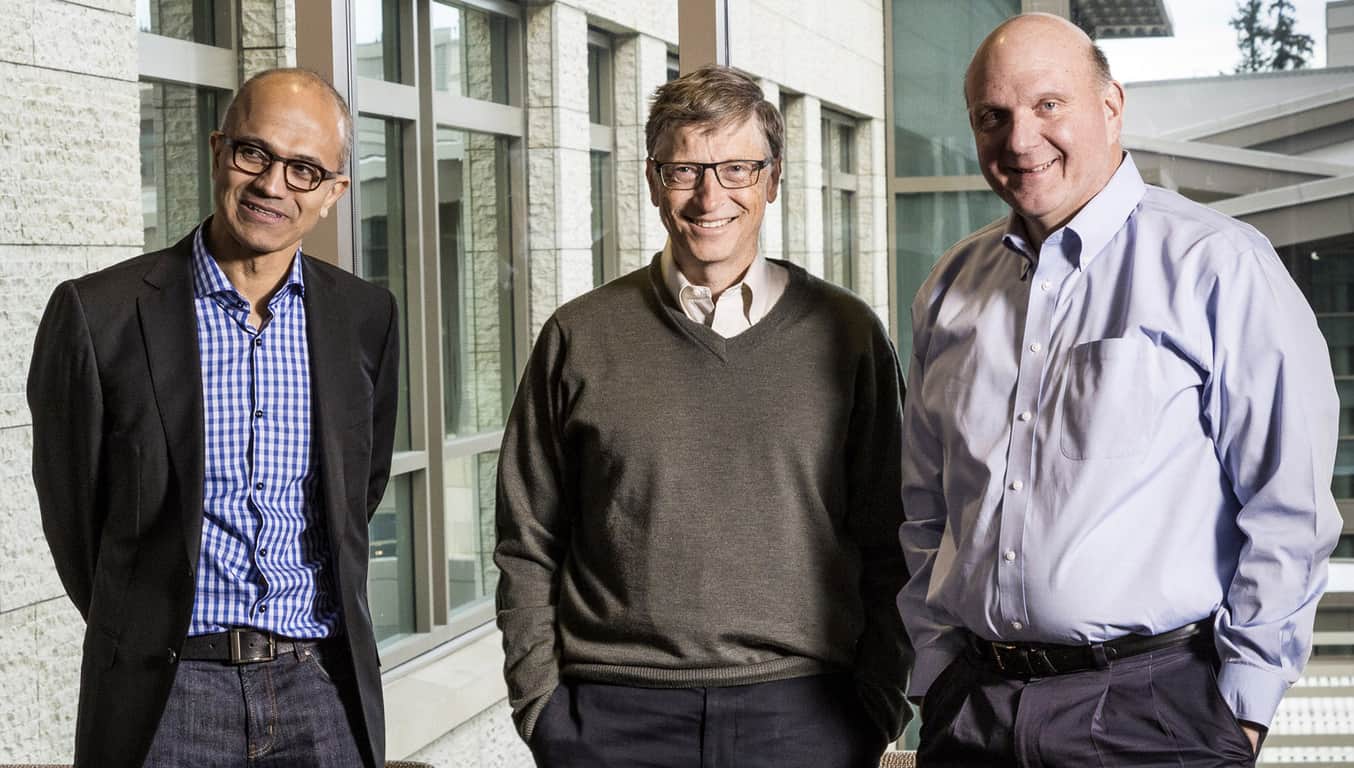
Former Microsoft CEO Bill Gates has remained the world’s richest man for the past few years largely off the successes and failures of his successor Steve Ballmer and his ability to massage the  stock price of the company he co-founded. Thankfully, for both Ballmer and Gates, current Microsoft CEO Satya Nadella continues to drive the company and its stock in the right direction.

In Bellevue, Washington Microsoft is hosting its annual shareholder meeting today where the company and its largest contributors are gathered to discuss and possibly revel in the company’s recent successes.

Unfortunately, neither Ballmer nor Gates will be in attendance of the meeting despite being among the two largest Microsoft stockholders.

According to a report from Geekwire, “Both are said to have prior commitments — Ballmer is speaking at a Stanford University conference — so don’t read too much into it. But it’s the latest indication that this venerable tech company has entered a new era under CEO Satya Nadella.”

Satya Nadella and Bill Gates

While Microsoft has had some recent success and stockholders are due a bit of celebration as the company’s stock price peaked a decade-long high at $60 plus, Nadella was all perspective and future endeavors during the meeting.

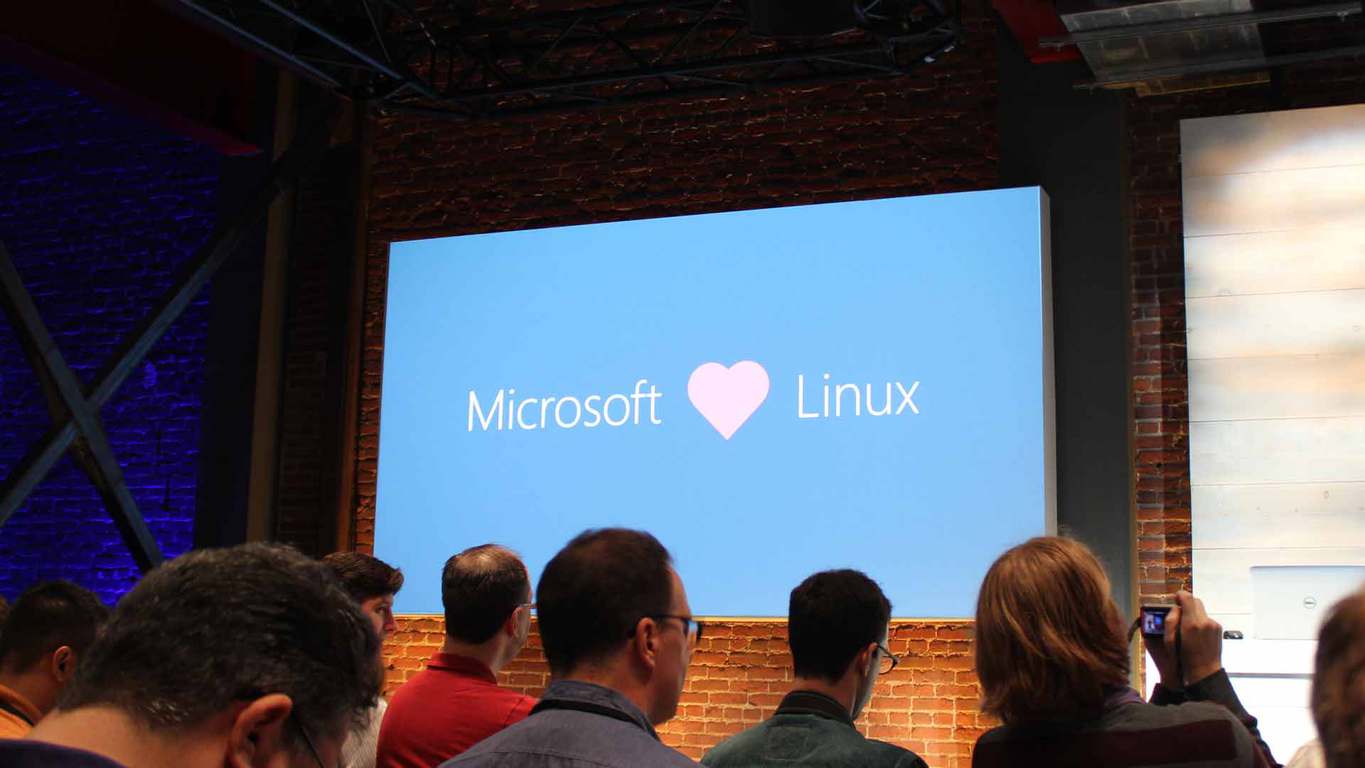
Nadella talked about Microsoft’s increasing cooperation with Linux and other open-source projects. “It might surprise you to learn that Microsoft is one of the biggest contributors to open source today,” he said. He noted that Microsoft is “building Azure as the world’s first cloud supercomputer,” referring to an initiative announced recently to bring high-tech computer chips to the company’s data centers.

He also spoke about efforts to improve diversity at the company, which has been an ongoing struggle at Microsoft and across the tech industry. Technology demos at the meeting included accessibility features in Windows 10 for people with visual impairments and other disabilities.

Nadella was not the only speaker during the meeting as Microsoft’s chief financial officer Amy Hood and company chief legal officer Brad Smith spoke about the upcoming European regulatory review of LinkedIn and New England Patriots head coach’s recent Surface outburst.

NFL Surface

In the Q&A session of the meeting, questions were asked about agenda of Microsoft going into 2017 as well as the future of Microsoft’s place among smartphones by two Windows Phone-toting users. Once again, Nadella parroted his early remarks of aiming for differentiation and remaining in the business.

For Microsoft, 2017 is shaping up to be another solid year for the company and its investors as it’s set to update well-received hardware in the Surface Pro and Surface Book, update its Windows 10 software, refine its development tools and introduce VR to its various platforms. It’ll be interesting to see how the market responds to Microsoft’s 2017.

Microsoft has been trying to buy LinkedIn since 2006

A week ago, we reported that EU Commission, which is expected to rule on Microsoft’s $26 billion takeover of LinkedIn by December 6th had reportedly given the all-clear to the Redmond giant. In the meantime, Konstantin Guericke, LinkedIn Co-Founder and former VP of Marketing revealed today in an interview with CNBC that Microsoft already tried to acquire the company before he left it in 2006. “Microsoft since the early days had a standing offer to our VCs, saying look, if you want to sell the company talk to us, so it’s not a surprise that Microsoft ended up doing the deal,” he explained.

However, the exec added Microsoft didn’t have a good opportunity to buy the company ten years ago as LinkedIn always considered that it would only sell at a high price:

They have always had a sort of line out. It was always difficult because we could see our business growing and so we always had a pretty high valuation in mind because we could see … how the company was going to evolve for the next few years, so there was always a high premium attached that didn’t really make sense for an acquirer to do.

Guericke also went on to say that he is a bit “sad” about the acquisition, even though he admitted that “for all the other companies that it could have been combined with, I think Microsoft makes a lot of sense.” However, the LinkedIn co-founder added the acquisition could only be successful if Redmond allowed the professional social network to remain an independent company, drawing interesting comparisons to Microsoft’s mismanagement of its previous Nokia acquisition:

I think it’s very different situation. Nokia was not exactly thriving at the time when this happened. LinkedIn was thriving and it’s kind of a career make-or-break for the Microsoft CEO so I think it’ll be handled differently, partly because of the lesson of Nokia.


Fortunately, it seems exactly what Microsoft CEO Satya Nadella has in mind. Earlier this month, LinkedIn CEO Reid Hoffman discussed the purchase at the EY Strategic Growth Forum, sharing some details about his discussions with Nadella. “He was talking about doing this in a very different way regarding how Microsoft had done previous acquisitions,” explained Weiner, who added that Nadella convinced him that “LinkedIn could continue to focus on growing LinkedIn.” If Microsoft did wait ten years to make its biggest acquisition ever, Guericke is probably right to think that Nadella will have a lot of pressure on its hands to make this acquisition a win-win situation.

Microsoft Windows Store app to configure ‘Print to PDF’ settings on PCs spotted

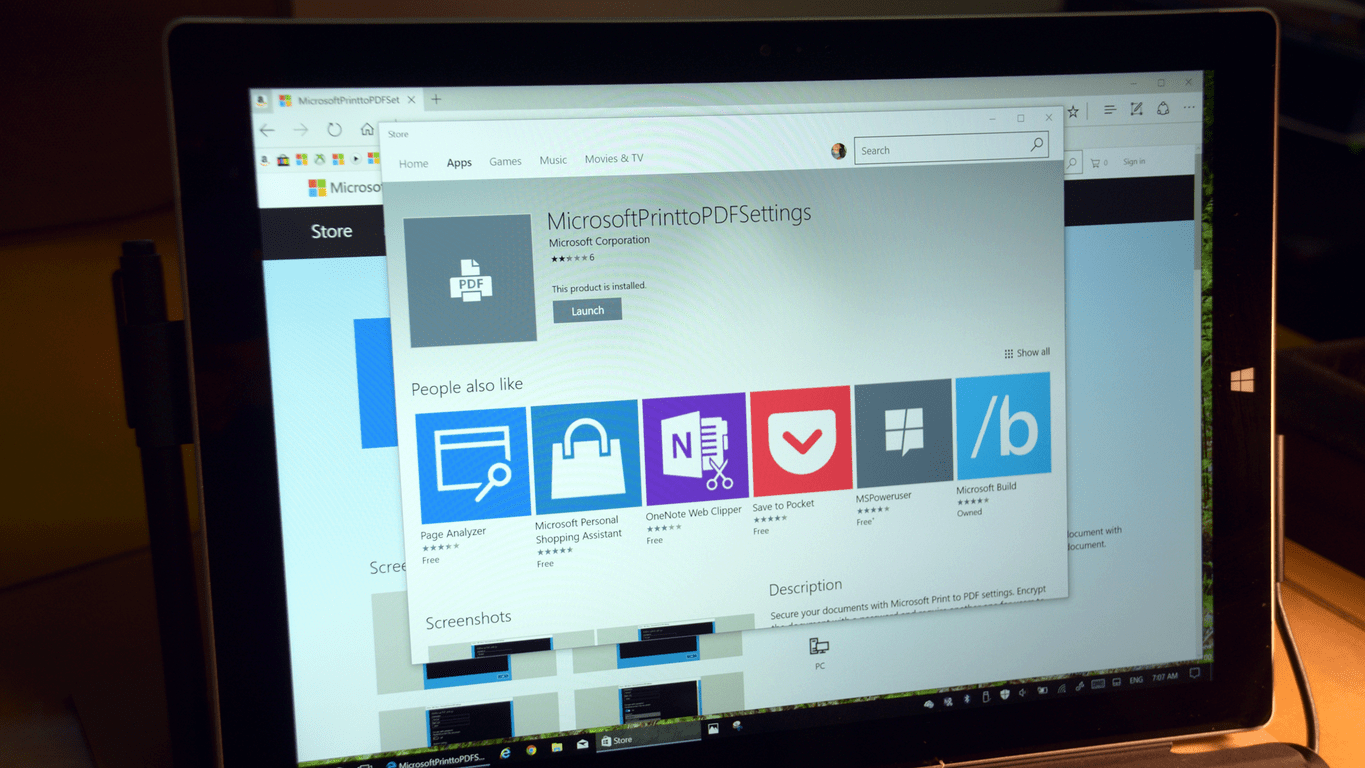
As Windows 10 becomes ever so more popular, more new apps get added to the Windows Store, be it by third party developers, or the folks at Microsoft. Thanks to a tip from our reader Christoper we have just discovered what appears to be a Microsoft designed Windows Store app which is used to configure ‘Print to PDF’ settings on PCs.

MicrosoftPrinttoPDFSettings

According to the store listing, the Microsoft Print to PDF Settings app is used for encrypting a document with a password, and requiring another a password for users to edit, print, or copy your document. At the moment of writing, we managed to install the app on two Windows 10 Machines, one which is running Windows 10 Pro version 1607 Build 14393.447,  and the other which is running the latest Fast Ring Build. In both instances, installing the app would bring up the screen seen above, but no more options for additional settings across the printing experience.  Judging from this, and the poor reviews on the Windows Store, we would assume that while the app is available in the store, and will eventually install additional Print to PDF Security features, it might not be quite ready as of yet.

Despite this latest Windows Store app, Microsoft has already included the “Print to PDF” format and option across Windows 10. Printing to PDF in Windows 10 is as simple as selecting Microsoft Print to PDF from the list of available printers.

If you’re curious as to what this will do on your machine, we have included a download link for you below. Once you have checked it out, let us know what you think by dropping us a comment in the Disqus section!

This Xbox One racing game just got an Ultimate Edition

The Crew: Ultimate Edition is now available to download and play on the Xbox One. This new version contains the full The Crew video game plus the season pass and the Wild Run and Calling All Units expansions which had been released as downloadable content (DLC) after The Crew’s initial release. Here’s the official game description:

Explore the first realistic recreation of the entire USA ever built for a driving game in The Crew Ultimate Edition, your all inclusive edition of the revolutionary action driving game The Crew. Roam the ultimate driving playground on and off road in a 5000km² open world- Master every terrain with powerful cars, agile motorcycles, unstoppable monster trucks or roaring dragsters- Be spontaneous, turn on-road encounters into intense rivalries or bond with friends, creating instant challenges with fellow drivers- Chose the badge or the street, fly solo or join a police squad and use your special abilities to track down and chase Street Racers all over the. Over 120 Licensed Vehicles – 220+ Tuning Kits – A 30+ hours Story Campaign- An inovative Cops Vs Racers Gameplay- Over 220 missions – Unlimited Freedrive activities.

Buy The Crew: Ultimate Edition on Xbox One

Do you like The Crew or do you recommend another racing game on the Xbox One? Share your thoughts with the community in the comments below.
How to make Mozilla’s Firefox look like the Microsoft Edge internet browser

A developer has created a new theme for Mozilla’s Firefox browser that essentially turns it into a, visually similar, alternate version of Microsoft’s Edge browser. The theme features both light and dark Edge themes and can be installed via the Sylish Firefox add-on (go to the Firefox Edge userstyles page) or by a more direct approach which requires the downloading and editing of files from the GitHub page.

Here’s the official description of the theme:

Firefox Edge is a theme for Mozilla Firefox that closely replicates the look of Microsoft Edge (both light & dark themes) without losing any features of Firefox. The theme is applied only to the top level visuals, meaning that context, popup etc. menus will keep their default look. Firefox Edge has been tested on Windows 10 and Firefox 50.

Have you been wanting to make your Firefox browser look more like Edge? Do you even use Firefox anymore? Let us know in the comments below.
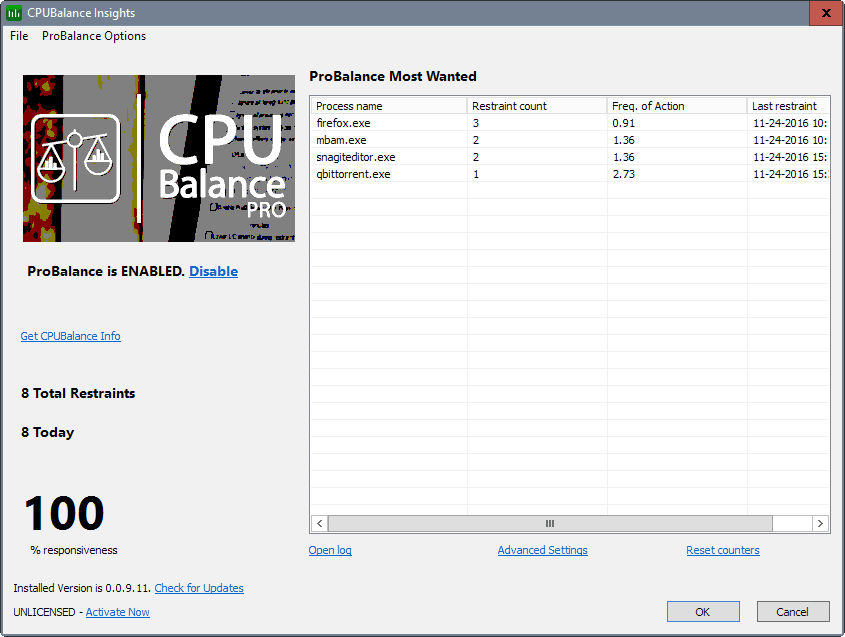
Check out these new Xbox One Rise of the Tomb Raider Gamerpics

Microsoft has uploaded a variety of new Gamerpics featuring images from the video game, Rise of the Tomb Raider. These new Gamerpics can now be enabled via an Xbox One console or through the Xbox app on Windows 10 devices and smartphones.

Gamerpics are essentially avatar images that Xbox users can use to represent themselves online. Other recent additions to the growing Gamerpic library include several images from Halo and ReCore as well as a special image celebrating Xbox’s 15th anniversary.

Which Gamerpic do you use for your account on Xbox? Do you use one of the provided ones or do you make your own with your Xbox Live Avatar? Let us know in the comments below.

Microsoft acknowledges KB3200970 installation issues in Windows 10

Microsoft released cumulative update KB3200970 for Windows 10 as a part of this month’s Patch Tuesday. The update caused a lot of problems to users who installed it. We already told you about its  most common problems.

Ever since users reported these issues, Microsoft has remained silent about possible workarounds — until now. The company has recently spoken about installation issues on Lenovo laptops in a KB page, explaining that a UEFI update was released by Lenovo in order to address possible problems.

“Some Lenovo servers do not start after this update is installed. Lenovo is aware of this problem and has released a UEFI update to address it. In the interim, Microsoft has changed the detection logic in the update to prevent additional customers from being affected.”

Lenovo also confirms the problem. However, according to the company, only devices running Windows Server 2016, 2012R2, or 2012 November update are affected. Lenovo also provided workaround instructions for the affected users.

To resolve the problem, you need to disable Automatic Update, install Lenovo’s UEFI update, and then install the cumulative update as well.

Many problems remain unsolved

Microsoft and Lenovo addressed the installation issues on Lenovo’s laptops. However, as you can see from our report article, the update caused many more. Microsoft remained silent about all other problems on non-Lenovo computers and as a result, they remained unsolved.

So, even though we have some feedback, the majority of users find it useless. The only thing affected users can do is wait for Microsoft to acknowledge these problems or wait for another cumulative update.

The new cumulative update for Windows 10 will be released relatively soon, during December’s Patch Tuesday. Microsoft might decide to release a new update sooner, but it seems unlikely now. When the update is released, we’ll see if the issues still persist.

RELATED STORIES YOU NEED TO CHECK OUT:

Windows 10 Insider builds to improve the Share functionality

Windows 10 is obviously the main focus over at Microsoft, with tons of updates prepared months in advance, with early 2017 already booked for new updates as well.

This is part of Microsoft’s plan of not releasing any new version of Windows and instead focusing on improving Windows 10 over the years.

Although users are significantly more pleased with how Windows 10 turned out in contrast to Windows 8/8.1, there are still things that need to be fixed or updated, and Microsoft is working to bring all these upgrades in a timely manner.

There are also things that haven’t been improved at all since Windows 8, meaning that the relevance of those features has drastically deteriorated to the point where they cannot correctly function in today’s environment anymore.

Such is the case of various Share-based functionalities which no longer meet the norm. This has gotten users asking about updates pertaining to this specific concern, and the answers seem to have finally appeared.

It looks like Microsoft is preparing to solve the Share related problems as pointed out by update builds pushed through their Windows Insider program.

Microsoft official Peter Skillman has responded on Twitter to a series of questions about the highly required Share implementations for Windows 10 in a vague manner characteristic to Microsoft.

He assured those inquiring about it that Microsoft is on it and that users would be able to see changed made to the specific area of the OS “soon”.

While not very satisfying since no specific date was made available, Windows 10 users can at least take comfort in the fact that Peter Skillman’s answer shows us Microsoft is on the right path.

With the next major update (Creators Update) scheduled for 2017, it remains to be seen if Microsoft will be pushing any additional updates containing the changes or if users will have to wait until the beginning of next year to receive improved Share functionalities.

RELATED STORIES TO CHECK OUT:

Foundation Update for No Man’s Sky available with new gameplay improvements

No Man’s Sky has received its first fully-fledged update in the form of the Foundation Update. There are multiple new implementations and abilities that players now have access to, all of which enhance the overall experience.

The game offers new modes for you to try out related  to the Survival genre but also putting a focus on creativity. These allow players to change up the pace and play from a different perspective, all while still playing the game they have come to love.

The Foundation Update allows players to take the role of an entrepreneur of sorts as you employ aliens to work for you and upgrade your gear, but also grow your influence on the planets you visit. You can set up farms and grow resources which can be re-invested in other parts of the game. When too many resources stack up and the deposit storage runs low, there’s also the option of buying bigger ships to carry all the equipment or materials put away for keeping.

While the original No Man’s Sky experience gave off a galactic traveler vibe, the new expansion will bring forth the option of changing your status to that of “Settler” or “local”. The game will now allow you to set up camp permanently wherever you choose. The title of the expansion strongly reflects its “settling down” nature, encouraging players to take a step back and start managing or taking advantage of the fruits of their labor and travels from a base of operations.

No Man’s Sky officials are claiming this is just the beginning and that players have not seen the biggest expansion project that the developers can offer. Luckily for them, the game’s entire structure allows for a healthy flow of updates that won’t deteriorate the quality of the experience.

RELATED STORIES TO CHECK OUT:

Windows 10 might be more secure, but CERT wants Microsoft to keep EMET alive

Microsoft is running into a bit of a conundrum as it looks to transition Windows from the legacy toting tractor-trailer operating system it used to be; to a sleeker and more refined future proof cross-platform experience. The problem, is that the new vision Microsoft has for Windows 10 seems to be truncated by its newness a lot of the time.

Despite Microsoft’s pillar of security regarding Windows 10, Enhance Mitigation Experience Toolkit customers are claiming the baked in EMET features in Windows 10 are nice, but not up to Windows 7 stuff.

According to a report from InfoWorld, “Even a Windows 7 system with EMET configured protects your application more than a stock Windows 10 system,” said Will Dormann, a vulnerability analyst with the Computer Emergency Response Team (CERT) at Carnegie Mellon University’s Software Engineering Institute.

The reason this matters is that Microsoft is looking to extract itself from supporting EMET due to the baked in security measures and exploit migration tools already accompanying Windows 10. Many are arguing that Windows 10 as a standalone product still does not provide the level of granular control or security supporting both Windows 10 and EMET 5.51 would provide.

The main crux of admin complaints stems from application defenses still lagging in functionality.

Windows 10 may be the most secure Windows ever, but the applications have to be compiled to utilize the exploit mitigation features to actually benefit from those enhanced security features. For example, if the application isn’t designed to use Control Flow Guard, then the application doesn’t benefit from Return-Oriented Programming (ROP) defenses, despite the fact that Control Flow Guard is part of Windows 10.

As Microsoft continues to evolve Windows 10, there is a possibility that engineering team builds in the missing feature sets EMET 5.51 user have grown dependent upon. However, until such a time, IT Pro will continue to protest Microsoft’s reluctance to either provide the proper tools and security or support ones already in place.

CPUBalance solves issues with slow PC responsiveness

During high load times, your computer may not be very responsive so you will need to use some tricks to improve its speed. For this, the creators of Process Lasso have designed CPUBalance especially for Windows PCs, powered by a process optimization technology called ProBalance.

CPUBalance is available as a free beta software (version 0.0.9.27), but the license for a limited period of time costs $9.95. However, if you want to purchase the license for an entire year, you’ll pay $29.95 while the lifetime license costs $57.

CPUBalance can run independently or alongside Process Lasso, but it uses a newer “core technology” and offers a greater number of features. If you first install Process Lasso, the CPUBalance will work in cooperation with it, adding the latest controls and engine updates.

After installing CPUBalance, its icon will appear in your Windows System Tray on launch and will run an update check which can’t be disabled. The beta version also has an option under “check for updates” which doesn’t do anything when selecting it. Still, there are plenty available options in the settings list which can be used to tweak the ProBalance configuration:

  • Set the minimum CPU usage for when the program will make automatic adjustments;
  • Set per-process CPU usage when adjustments should start/stop;
  • Set the allowed time over CPU quota before adjustments begin;
  • Set the maximum and minimum time for adjustments;
  • Change processes from below normal to idle priority, an option that’s not selected by default;
  • Ignore all foreground processes, and the ones not running at normal priority;
  • Exclude system services from restraint;
  • Change affinity during restraint;
  • ProBalance functionality will be disabled when the PC is idle;
  • Lower I/O priority during restraint;
  • Disable CPU Core Parking during ProBalance restraint;
  • Set excluded processes.

RELATED STORIES TO CHECK OUT:

TensorFlow open source machine intelligence library makes its way to Windows

TensorFlow is an open source software library that uses data flow graphs for numerical computations. TensorFlow was originally developed by Google engineers and researchers to develop machine learning and deep neural networks research.

TensorFlow is used by Google for speech recognition for Google Now, Google Photos, Gmail, and Google Search. Here’s a look at how TensorFlow helped Google improve their capabilities.

Available as a pre-release on GitHub, TensorFlow is now available on Microsoft Windows. So far, TensorFlow is tested and operational on Windows 10, Windows 7, and Windows Server 2016. Also, TensorFlow supports two languages; C++ and Python (via a pip package). For GPU acceleration, CUDA 8.0 and cuDNN 5.1 are supported. TensorFlow on Windows does have some known limitations. At this time, you are not able to load a custom op library, and GCS and HDFS file systems are not supported.

Get TensorFlow for Windows 10, Windows 7, and Windows Server 2016 via GitHub

Check out Baby Monitor, a cool Kinect app for Xbox One

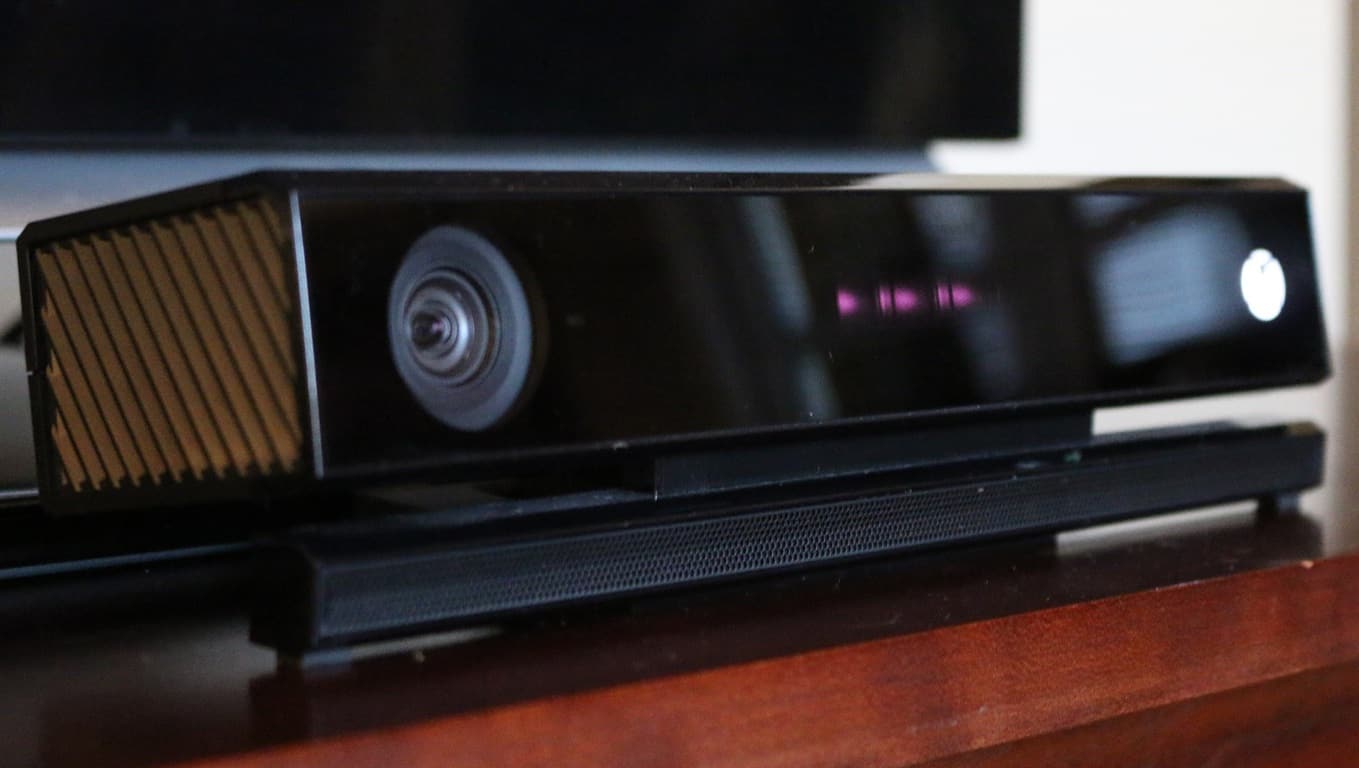
An app to monitor your baby, using your Xbox One and the Kinect is definitely as strange as it sounds, but it may as well be equally useful. A Spanish developer going by the name of “FerriSoft CA” has developed a pretty advanced application for, literally, monitoring your baby using a game console.

What might, at first sight, be dismissed senseless, makes sense under a closer inspection. The developer posted a video on YouTube where he explains how the app works and what it does:

The application uses the infrared sensor in order to be able to see the baby even in a dark room, which is very clever if you think about it. The baby won’t get woken up by the light, as humans can’t see infrared, and you will be able to keep an eye on your kid as the application converts the infrared into visible grey.

The app can be downloaded from the Xbox Store using the link below. Let us know in the comments what you think of the ability to monitor a baby using your Xbox One.

Baby Monitor for Kinect
Developer:
FerriSoft C.A
Price:
$9.99

Skype for Linux updated, SMS feature added

Windows and macOS users have enjoyed the SMS feature for quite a while now, and it seems like Linux users now have the same opportunity to send SMS from their Linux PC. There is a catch, however; you need a Skype number with valid Skype credits in order to use it.

Skype has had the option to call, and text, regular numbers for quite a while now and it’s not surprising to see such a standard feature appear in Skype for Linux. We have seen a couple of updates for Skype for Linux and every single of them has brought something new to the table.

The latest version is 1113, with a couple of fixes and improvements aside from the SMS function, like updating the core of the program to Electron 1.4.7 and other minor bug fixes. All of these improvements bring Skype for Linux closer to other operating systems and one day, Linux may enjoy a fully featured Skype application.

You can play the Gigantic beta for free this weekend on a Windows 10 PC, no key required

Motiga, the developer of the upcoming free-to-play MOBA game Gigantic kicked off a series of closed beta weekends over the last month for Xbox One and Windows users. Today, the company announced that the next closed beta weekend will start this Thursday, December 1 and everyone will be able to participate on their platform of choice:

This weekend, we’re not just opening the gates to everyone who played during a previous beta weekend; we’re inviting you and all your friends to grab an Arc or Xbox One beta key from one of our awesome partners, or to visit the Windows 10 Store and download the game right away– no key necessary! All you need is a valid Microsoft account, and you can download and play Gigantic as soon as the servers are online!

If you’re not familiar with the game, Gigantic’s gameplay pits teams of five heroes and their massive guardians against each other in intense battles across a variety of maps. The game is being developed for the Xbox One, Windows 10 as well as previous Windows versions through a recently announced partnership with Perfect World Entertainment. Last week, the team also published a first developer diary to share some details about the game’s development process:

If you’re interested in trying Gigantic, you can sign up over here and get ready to start playing from Thursday at 9AM PST through Sunday at 11:59 PST. The team will also hold a Gigantic Streaming Weekend on the official Gigantic Twitch channel which will feature various gaming sessions as well as discussions with game developers.