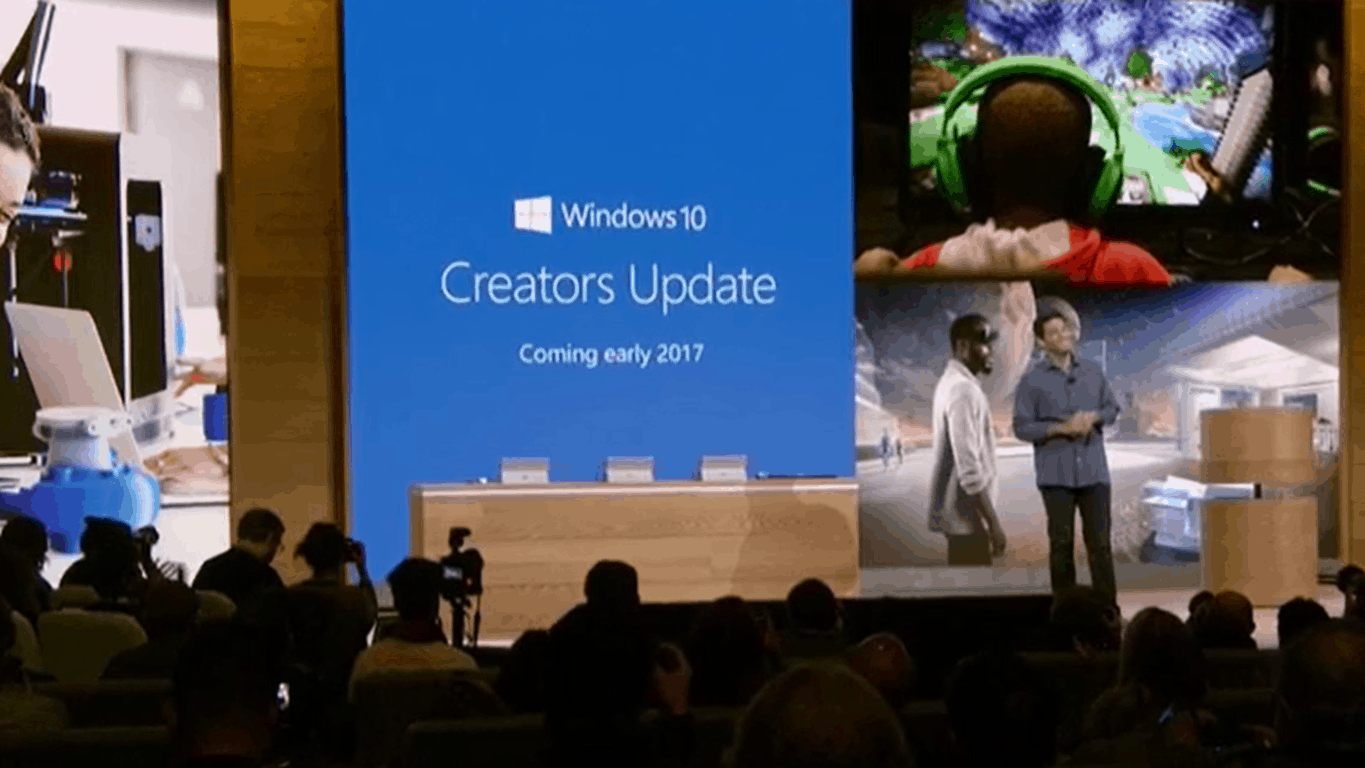
Microsoft to release Windows 10 Creator’s Update for free coming early 2017

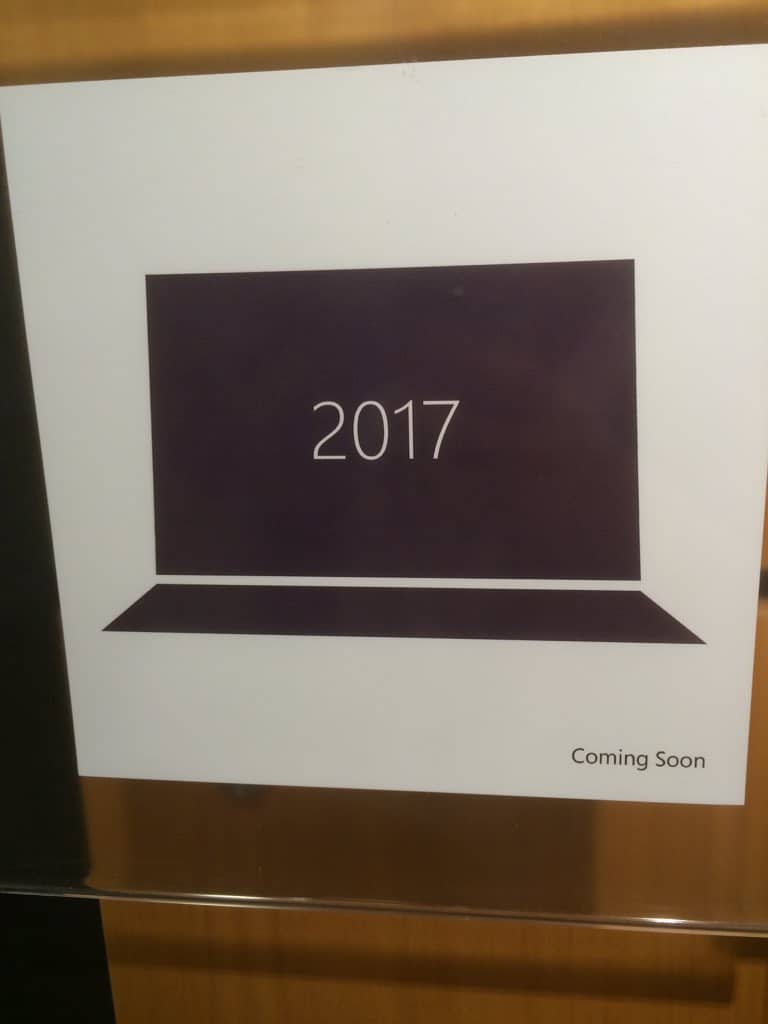
Just as we covered a few minutes ago, the Creators Update is real. It has just been announced on the Microsoft Windows 10 even and it will be available in Spring 2017 for free, just like the previous updates.

Microsoft continues the trend of free Windows updates for Windows 10 with Creators Update, the successor to Anniversary update. This update focuses on creativity and creators to let your “boldest ideas out”. The update will have focus on 3D and depth featuring the new Paint 3D app as seen in the picture below:


The app will focus on 3D creation to push the youth and original people into this new market. “3D if for everybody” as the clip from the event said. The app is easy to use, as opposed to clunky other programs, and is designed to be as simple as “taking a photo or video on your phone”.

But there is more so make sure to stay tuned and follow OnMSFT.

Watch the Windows 10 October event here

Microsoft is about to kick off its October “Windows 10 Event,” and is livestreaming it to viewers around the world. The show is set to kick off at 10am EDT in New York City, that’s 7am on the west coast, and 4pm Central European time.

We’ve embedded the video so you can watch right here as we learn more about (hopefully) a Surface All-in-One, Paint 3D, a new mouse and keyboard, Windows 10 RS2, and maybe even a surprise or two:

While you wait for the festivities to begin, you can check out our expectations for the event, learn a bit more about Paint 3D, and let us know what you want to hear about in the comments below. Should be fun!

Microsoft discounts Office 365 and Office 2016 in India for a limited time

To mark the festive season in India, Microsoft has discounted the price of Office Home & Student 2016 as well as Office 365 Home, whether you are buying a new subscription or renewing an existing one.

The promotion is for a limited time (although no specific end date has been specified) and available only on the official Microsoft Store, and is not available on other online or offline retailers selling Microsoft software at the time of writing.

Office Home & Student 2016

This Office 2016 suite for 1 PC offers full versions of Word, Excel, PowerPoint, and OneNote as well as cloud storage on OneDrive. Usually priced at ₹5,999, the Office 2016 suite is now available for only ₹3,884, a savings of ₹2,115.

Office 365 Home

The Office 365 Home subscription allows full versions of Word, Excel, PowerPoint, Outlook, and OneNote for 5 PCSs or Macs, 5 tablets (including iPad and Android), and 5 smartphones. There’s also 1TB cloud storage per user for up to 5 users as well as ongoing access to updates. Priced at ₹4,199 for an year, the Office 365 Home subscription is available for only ₹2,789 as part of the promotion, a savings of ₹1,410

If you’ve been on the fence to get Office for your home and personal devices, this is a great time to grab it at a discounted price. If, like me, you have an active subscription, make use of the discounted price and renew it for another year and thank me later!

Gwent card game confirmed to be an Xbox Play Anywhere title

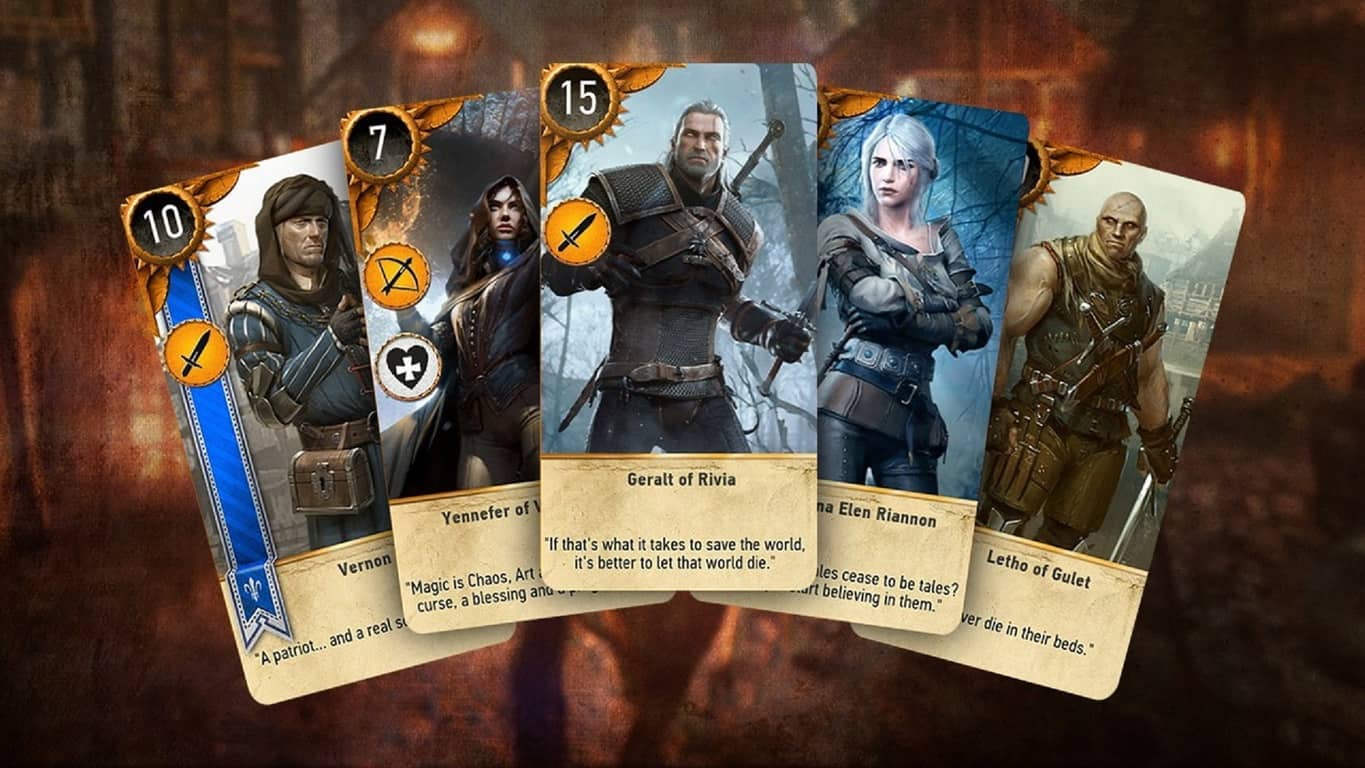
CD Projekt Red, the developer behind the upcoming The Witcher card game spin-off title, Gwent: The Witcher Card Game, has confirmed that the new game will be part of Microsoft’s Xbox Play Anywhere label. This means that Gwent will not only support cross-play between the Xbox One console and Windows 10 PCs but gamers will only have to buy one version to gain the other for free and all digital purchases and progress will transfer between devices.

A closed beta for Gwent: The Witcher Card Game launches today which will give fans an early look at how the stand-alone card game will compare against its original mini-game version that appeared in The Witcher 3: Wild Hunt.

Gwent is a card battler game that requires players to move cards representing both monsters and items in order to defeat their opponent. Are you looking forward to Gwent? Are you glad it’ll be an Xbox Play Anywhere title? Let us know in the comments below.

Rocket Riot rolls out on Steam and Windows 10

Fire up the action-packed, side-scrolling shooter, previously available on Windows 7 and Windows 8.X, is now has now come to your Windows 10 devices (PC and Mobile) with an Xbox Live and Steam  integration. Rocket riot is making a comeback with over 200 compelling levels in an artistic pixelated interface.

Rocket Riot’s independence came as a surprise to Codeglue ( a Dutch game studio, established  by Maurice Sibrandi and Peter de Jong in 2000), after their partnership’s massive success  with Microsoft and now the studio is capable of self-publishing their games, as Microsoft handed over the control to them. And with their newly bestowed free-will, they made sure that their game should be playable on ‘all’ platforms, which brings us the compatibility for Windows 10 devices along with on the earlier releases like Xbox 360, iPad, iPhone and Windows 8 devices.

Rocket Riot, introduced on Xbox 360, for the first time in 2009 as an XBLA game. Which was later published as a launch title for the new Windows Phone 7 by Microsoft. Rocket Riot 3D was later inaugurated in 2012 for Windows 8 with support for stereoscopic 3D.

The game comes in an 8-bit styled environment, and offers a plethora of innovative enemy characters to fight with, using either your mouse/keyboard controls, touch, or USB Xbox Controller.

Rocket Riot is a classic fit for chaotic-indie-shooter game seekers, and also offers the infamous Rocket Riot OST from Sonic Picnic, along with 13 audio tracks, plus a mega mix! Navigating through completely destructible scenes, burrowing the rocket into different locations on the map, and collecting zany power-ups, produce a surreal gameplay.

The game packs solid features and has now come with massive upgrades, rewarding users with  an inciting gameplay:

  • Comes with over hundreds of simpleton characters, and spunky boss levels that are hard to outsmart
  • Now provides gamers with a wide-range of simulating and handy power-ups, varying from explosive to serene
  • Over 200 single player missions
  • Several multiplayer challenges as well, to satisfy your subduing desires
  • Revitalizing maps; but arenas can be destroyed and  reconstructed
  • Over 300 hidden characters unclocked during the gameplay, including zombies, robots, pirates, ninjas, cowboys, and the list goes on.

https://youtu.be/Je2So_ND7Zg

Download it from Windows Store for $3.49, saving $0.5 for the next two days.

DISM GUI is a free Command-line tool which repairs Windows Image

If you want to repair a Windows Image or manage and service OS images, then you should use DISM, which stands for Deployment Image Servicing and Management. This command line utility doesn’t have a user interface, so it’s preferable to use DISM GUI, which carries out many functions in Windows 10, but in a graphical interface.

DISM GUI was written in .NET, being an application that provides basic features for managing drivers, mounting image files etc. In order to mount a WIM (Windows Imaging File Format) file, you will first select it, then choose the folder that will be the mount location, but which will be empty. To find more information about the WIM file selected, just click on Display WIM Info and the details will appear in the text area below. After reading the text, click on Mount WIM and let the process start.

After mounting the image, you will be able to add drivers by clicking on the Driver Management tab from the top bar and choosing the folder where you’ve stored the drivers. Then, you will click on “Add Drivers” and they will be added to the image file. In addition, if you change your mind and want to delete a specific driver, there’s a “Delete Driver” option below. Besides drivers, you can add packages as well, and you will click on the Package Management tab from the top bar, then follow the same steps.

Other utilities offered by DISM GUI include Feature Management, Edition Servicing, Application Servicing etc. The application was created by Mike Celone from https://mikecel79.wordpress.com, and the most recent version requires NET framework 4.0. The author has corrected some spelling errors and added Capture and Apply tabs, as well as a Read Only option to the mount control tab. DISM GUI was also updated for DISM 6.3.

RELATED STORIES TO CHECK OUT:

Tiger Knight: Empire War issues: lag, control bugs, and more

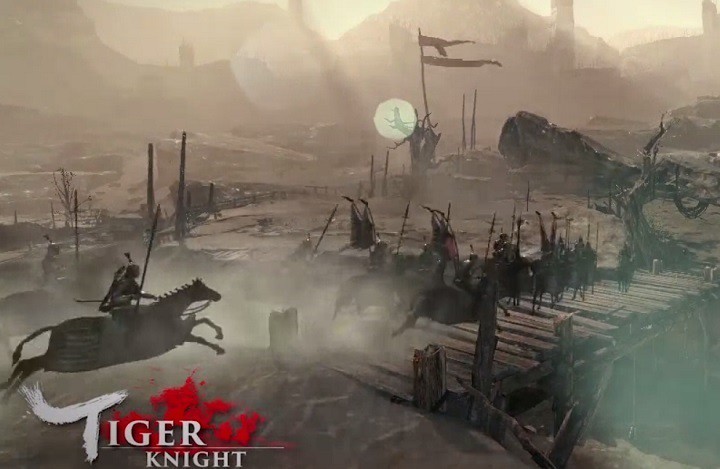
Tiger Knight: Empire War is a massive multiplayer online PvP game that allows you to take part in large-scale wars set in the Middle Ages. The game brings authentic equipment from that time period, such as weapons, armors and horses. Since battles take place in the Middles Ages, this game brings you back to the brutal era of melee wars.

Tiger Knight: Empire War was just launched, but many gamers already encountered a series of issues that severely limit the gaming experience.

Tiger Knight: Empire War bugs


Gamers get disconnected in PvP matches

This issue appears to be prevalent for North America servers. The error message that appears on the screen is the following: “Win 32 shipping.exe error”. If you’ve experienced this bug, you can check your game cache, and restart your computer, but for the time being there is no clear solution for this issue.

Is anyone else experiencing this? My ping jumps all over the place once a game starts. I don’t think i’ve ended a match yet without being disconnected. Sever issues?


Gamers often get stuck in tutorial

Many gamers report the tutorial gets stuck when it tells them to press the left mouse button for attack. The game won’t progress although gamers press the left button many times. Despite restarting the game, uninstalling and reinstalling it, many gamers still can’t progress. The game developers have yet to issue any comment on this situation.


Controls are unresponsive

Many gamers complain they can’t use WASD, although the Settings page confirms WASD is enabled. Changing keys doesn’t solve the problem either.

In the control settings the movement is set to wasd but ingame its swapped to the arrow keys. Changing them doesnt seem to fix it. Also I cant seem to turn left or right when riding a horse, it only moves forwards or backwards.

Other players report that quite often their character can fight, but it can’t move. This issue is caused by the input method. Fortunately, you can quickly solve this problem by pressing ALT+TAB to go to the desktop and then press these two keys again to switch back into the game.


The game adds Chinese language to PC

Tiger Knight: Empire War is created by Oasis Games Limited, the first Chinese company to bring online games to overseas markets, but not all players want to have Chinese language packages installed on their computers. Unfortunately, when you install Tiger Knight: Empire War, you’ll also get Chinese language packages on your system. Hopefully, the game developers will fix this bug in the near future.

Game is good but I have one complain. Why the hell game added chinese language to my system and how should I remove it now? I can select chinese language in language panel, but I can’t remove it.

Speaking of language issues, many gamers also complain about various English translation errors. However, it’s the gameplay that matters the most, translation errors are secondary, but they are nevertheless annoying.


Tiger Knight: Empire War crashes on launch

Some gamers report that Tiger Knight: Empire War instantly crashes on launch. For the time being, there is no workaround for this bug, but it appears that the root-cause of the problem is the game’s cache.


These are the most frequent Tiger Knight: Empire War issues reported by gamers. If you’ve experienced other bugs, you can tell us more about your experience in the comment section below.

RELATED STORIES YOU NEED TO CHECK OUT:

Best Windows 10 Mobile augmented reality apps

Augmented reality is perhaps the most interesting and appealing technology that the human brain has designed in the last years. Also known as “enhanced reality”, this technology allows users to actually see reality differently via various tools such as smartphones or computers. In other words, real-world environment elements are augmented or enhanced by computer-generated input such as graphics, sound or GPS data.

We all remember the huge buzz created around Pokémon Go. This augmented reality game lets you chase virtual creatures, called Pokémons, in the real world. Although augmented reality is only at the beginning, there are already plenty of apps that allow you to literally dive into another reality.

Unfortunately, very few augmented reality apps support Windows 10 Mobile. The most diverse AR experience is available to iOS or Android users.

Best augmented reality apps for Windows 10 Mobile


Wikitude World Browser

Wikitude World Browser windows 10Wikitude World Browser
Wikitude World Browser finds cool places and things allowing you to discover your surroundings in a completely new way. Using this app is very simple: hold up your smartphone and explore what’s around you in augmented reality.

Wikitude relies on content from Wikipedia, Youtube, Twitter, Flickr, Starbucks and thousands more to find out what’s directly in your vicinity with the “Around Me” Tool. You can also specifically search for places you are interested in. For example, you’re looking for a book store. Simply type “book store” into Wikitude’s search box, hold up your phone and you’ll be able to see all the book stores around you.

Wikitude works even if you don’t have a built-in digital compass. With a compass, you will be AR enabled, but if you don’t have one, the app works great in list/map view as well.

Other features include:

  • Find events, tweets, Wikipedia articles, ATMs, restaurants, user reviews and much more around you
  • Browse more than 100 million places and interactive content from more than 3,500 content providers or so called “Worlds”
  • Find mobile coupons and discounts for stores and shops near you.

You can download Wikitude World Browser for free from the Windows Store.


Spyglass

Spyglass augmented reality appSpyglass
Spyglass allows you to create, download, manage and view targets and points of interest on your Windows 10 phone. The app offers three different views: augmented reality, map and list. You can also track targets in augmented reality, view and create your own targets by simply saving you current location.

Download the available points of interest around your current location from OpenStreetMap via Overpass API using the “What’s here?” function. Spyglass also supports geo URIs to share and import coordinates.

Here’s how Spyglass may be helpful:

  • Find back to your hotel, car, some shop, landmark or any other place you want to return to
  • Get more information  about landmarks
  • Discover interesting stuff around you when visiting foreign towns
  • Find out where to get some good food and drinks.

You can download Spyglass for $2.99 from the Windows Store.


Yelp Monocle

yelp monocle windows 10 augmented reality appyelp windows 10 mobile
Yelp overlays business information in the world around you. If you’re looking for a particular place, a pub, a gas station, Yelp will quickly help you with that piece of information.

You can tap quick links to find nearby bars, restaurants, cafes and more and you can also narrow your searches by distance, price, and what’s open now. Yelp also allows you to look up addresses and phone numbers for thousands of businesses.

Although this app is now available for Windows 10 Mobile as well, it does have some limitations on Microsoft’s latest OS. Users cannot write reviews within the app, they cannot pin places to Start, and many criticize the app’s design.

If you’re interested, you can give it a try and test out Yelp Monocle. You can download the app for free from the Windows Store.


Pokémon GO

pokemon go windows 10 mobile
Pokémon GO is not an actual Windows Mobile app, it’s a third-party app that allows Windows 10 Mobile users to enjoy this popular augmented reality game.

The app is developed by ST-Apps. However, gamers will still need to make an account on an Android or iOS device, using Android or iOS emulators to be able to play the game. Side-loading will also be needed in order to install the app as it can’t be found on the Windows Store. For more information on how to side-load Pokémon GO on your Windows 10 Mobile phone, you can follow the steps listed in our dedicated article.

We’ll end our list here. If you’ve tested out other Windows 10 Mobile apps that we didn’t list in this article, you can tell us more about your experience in the comment section below.

RELATED STORIES YOU NEED TO CHECK OUT:

Get the excellent mystery game Oxenfree for Windows 10 for only $5 right now

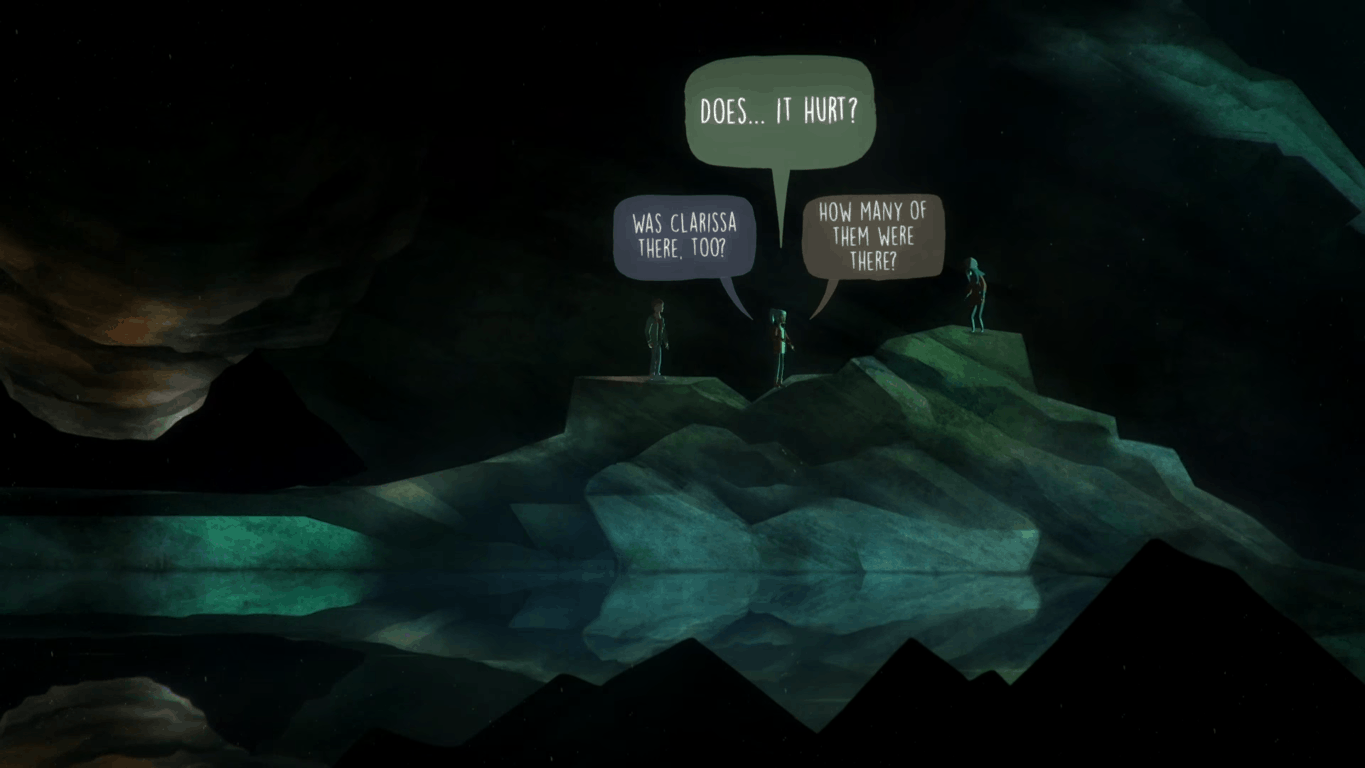
Oxenfree, a supernatural graphical adventure game developed by indie studio Night School Studio was released on both the Xbox One and the Windows 10 Store earlier this year. The game received praise for its story and dialogs, so if you enjoy story-driven adventures then you should probably check it out on the Windows Store as the game is currently priced at $5 (a 75% discount) for the next seven days (via Windows Central).

Oxenfree only runs on Windows 10 PCs, but it supports Xbox Live achievements as well as the Xbox One controller. Here is the game’s official description:

Oxenfree is a supernatural thriller about a group of friends who unwittingly open a ghostly rift. Play as Alex, a bright, rebellious teenager who brings her new stepbrother Jonas to an overnight party on an old military island. The night takes a terrifying turn when you unwittingly open a ghostly gate spawned from the island’s cryptic past. How you deal with these events, your peers, and the ominous creatures you’ve unleashed is up to you. YOU determine every aspect of Alex’s story while exploring Edwards Island, uncovering the base’s dark past, and changing the course of your friends’ lives.

You can buy Oxenfree on the Windows 10 Store from the download link below. If you’re more into casual games, we’d like to remind you that popular side-scrolling shooting game Rocket Riot (also Xbox Live enabled) is still discounted to $3.49 for a few more hours.

Oxenfree
Oxenfree
Developer:
Night School Studio
Price:
$9.99

Microsoft announces Azure Analysis Services Preview

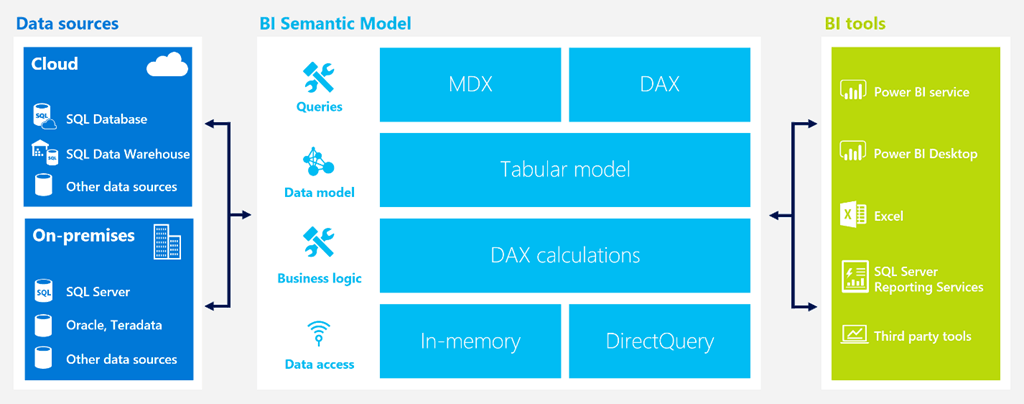
The preview for Microsft Azure’s newest data service for IT and business users was announced today. The Azure Analysis Services is created to assist business owners with the ability to visualize and manage their data easier. The enterprise-grade OLAP engine and BI modeling platform is available for Azure Portal and Azure Resource Manager templates, and now business users will be able to explore data and make informed decisions thanks to the service.

Here are some details:

  • Developers can create a server in seconds, choosing from the Developer (D1) or Standard (S1, S2, S4) service tiers. Each tier comes with fixed capacity in terms of query processing units and model cache. The developer tier (D1) supports up to 3GB model cache and the largest tier (S4) supports up to 100GB.
  • The Standard tiers offer dedicated capacity for predictable performance and are recommended for production workloads. The Developer tier is recommended for proof-of-concept, development, and test workloads.
  • Administrators can pause and resume the server at any time. No charges are incurred when the server is paused. We also plan to offer administrators the ability to scale up and down a server between the Standard tiers (not available currently).
  • Developers can use Azure Active Directory to manage user identity and role based security for their models.
  • The service is currently available in the South-Central US and West Europe regions. More regions will be added during the preview.

Azure Analysis Services is compatible with SQL Server Analysis Services such as using Visual Studio to create and deploy models. Likewise, tabular models and major BI tools for Power, Excel, and Server Reporting Services will be available in highly optimized in-memory engines.

It’s also useful that the Analysis Services can be scaled up and down as needed and can even be paused so that you only pay for what you use all through the Azure Resource Manager. You can try the Azure Analysis Services for free with a $200 credit for your Azure account.

Skype plans updates to calling experiences, rolling out over next few weeks

Back in July, Microsoft announced that it was busy transitioning Skype from a peer-to-peer based architecture to a cloud based one, a shift that is expected to improve several aspects of the service including call quality and overall reliability. While this transition means that some legacy Skype apps such as the old Windows Phone 8 app will soon be deprecated, the ubiquitous messaging app will soon be able to bring new features and improvements to users on currently supported platforms.

Indeed, the Skype team has announced today several improvements to the calling experience that will roll out to users in the next few weeks. The first one will allow users who join a group call to continue talking even if the person who initiated it leaves the call. “The call will carry on smoothly no matter who leaves or joins the conversation,” explained the team.

Next, the “Call Phones” tab on iOS and Android devices will soon become the “Calls” tab, bringing a simplified experience to place Skype-to-Skype calls, calls to phone numbers or purchasing Skype Credit. “You’ll benefit from being able to call any group or individual from a single place, with a single tap,” notes the blog post. It’s not clear if these improvements will also come to the Skype UWP app on Windows 10, which currently uses a different UI.

The new Calls tab, coming first to Android devices.

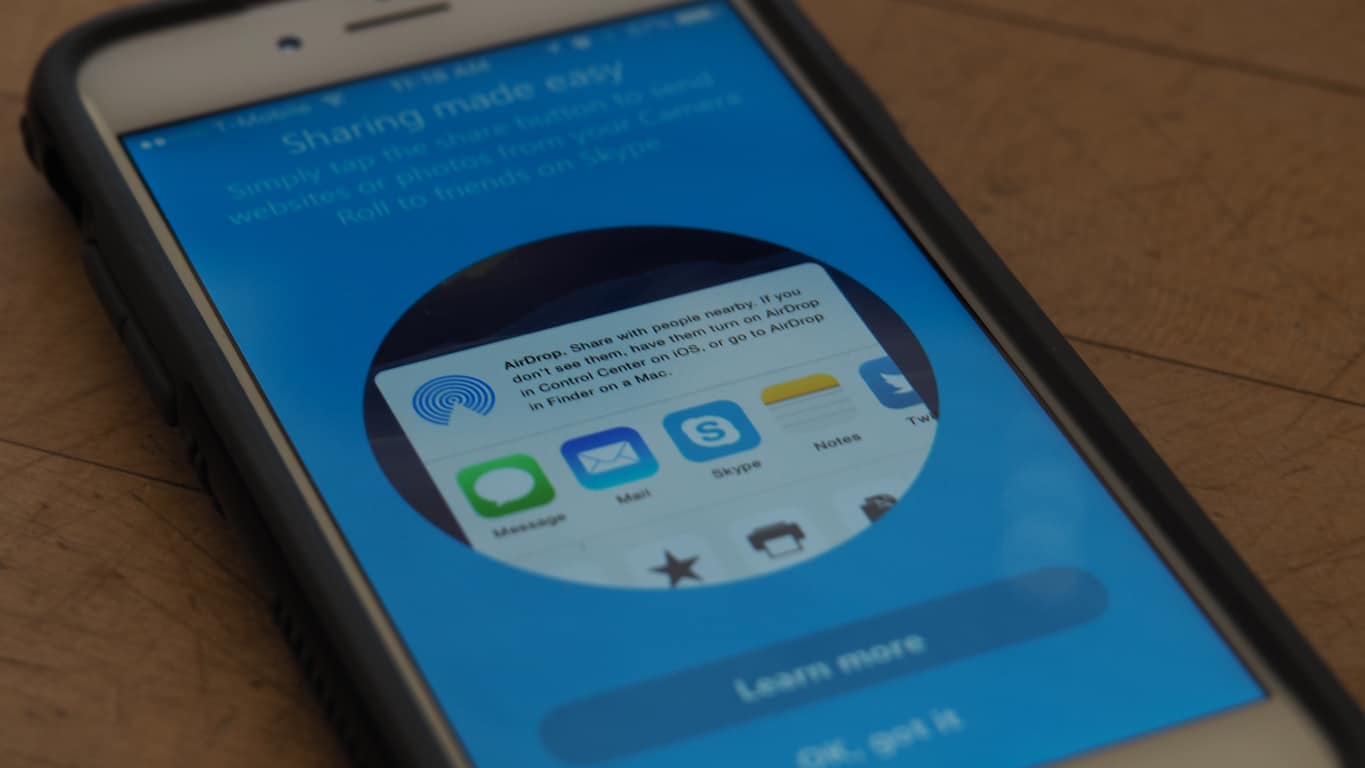
Lastly, a new voicemail experience will allow Skype users to leave a video message or a Skype message to persons or groups they tried to call. Once the feature is rolled out, users will see the following screen when their calls get no answer.

Who needs voicemail when you can leave video messages to your contacts?

For those of you who still prefer Skype’s traditional voicemail delivery, the service will continue to work though the company will deprecate custom voicemail greetings, email notifications, and SMS transcriptions. Let us know in the comments what do you think of these upcoming improvements to the Skype experience.

Windows 10 Insider build 14955 brings Narrator improvements, new Outlook Mail functionality

Microsoft released the latest update for Windows 10 Insiders in the Fast Lane today, build 14955. The newest build looks like it’s more aimed at fixing what’s been broken than introducing new features and functionality. Simply put, the “What’s New” section is rather light this time around.

Here’s everything that’s new in Windows 10 Insider Build 14955, at least according to this build’s blog post:

Outlook Mail & Calendar Update (PC & Mobile): We have updated the Outlook Mail and Calendar apps to 17.7466.4062x.0.. This update introduces a few new things for you to check out:

  • You can now open email messages in a new window.
  • You can now use Quick Actions directly from new email notifications.
  • Get someone’s attention with @mentions. Type the @ symbol anywhere in the body of your email and start typing to pick the person you want to address.

Context Awareness in Narrator (PC): As you navigate around, you can be notified about different groups or other areas you move to, such as groups in the Office ribbon. To configure the amount of context you hear, cycle through options with ALT + Caps Lock + /. To change whether the context is read before the item with focus or after, use CTRL + Caps Lock + /. To check the context at any point. Press Caps Lock + D twice.

What’s interesting is that the Outlook Mail functionality was actually introduced in an app update earlier this morning, and so it’s not actually new to this build. In any event, go update and then let us know if you come across anything else that’s new.

Skyrim Special Edition mods are already running 6 to 1 in favor of Xbox One

The Elder Scrolls: Skyrim Special Edition is on the brink of release and already the game is seeing a clear bias towards Microsoft’s gaming platform. The new version of Skyrim will be coming with a higher resolution and improved graphics. Perhaps more importantly, it is providing support for console gamers to create mods. This is in a similar fashion to the Fallout 4 announcement earlier this year. However, compared to PlayStation 4, Xbox One is showing to be the better of the two options.

In preparation of the game’s release on Friday, Bethesda is sifting through countless mods to approve in advance. Currently there are sixty-five mods for the Xbox One compared to only the ten mods available for PlayStation 4.

Popular gaming news site IGN points out that this is likely due to the difference between Sony and Microsoft’s acceptance policies. For Xbox One, mods are allowed to use third-party assets and install up to 5GB of data, whereas the PlayStation version is restricted to only official game files and cannot exceed a 1GB limit.

These weren’t in the plans that Bethesda had originally anticipated and it seemed last month that we might not even see mods coming to PlayStation 4.

Like you, we are disappointed by Sony’s decision given the considerable time and effort we have put into this project, and the amount of time our fans have waited for mod support to arrive. We consider this an important initiative and we hope to find other ways user mods can be available for our PlayStation audience. However, until Sony will allow us to offer proper mod support for PS4, that content for Fallout 4 and Skyrim on PlayStation 4 will not be available. We will provide an update if and when this situation changes.

But it seems an arrangement was made betwen the developer and Sony after all, albeit quite a bit more restrictive than its competitor.

For a gamer, this speaks volumes to the availability of the title. The Elder Scrolls: Skyrim is commonly accepted as one of the more moddable games to date. Players on PC enhance their game play through more lighting updates, intense AI reconfigurations, and custom adventures to dive into. With the Special Edition opening up modding to console players, it’s no doubt that they’ll want to have the most options available to them.

So if you’re interested in playing The Elder Scrolls: Skyrim Special Edition with the most mods, the best bet would be to buy the Xbox One version. It won’t be available to play until Friday but you can pre-order it now on the Xbox Store.

What I expect (and don’t expect) at tomorrow’s Windows 10 Event in NYC

The day most Microsoft enthusiasts, fans, and watchers have been waiting for almost all year is now just less than 24 hours away. While Microsoft has detailed that it is set to unveil “what’s next for the future of Windows 10” in New York City on Wednesday, many specifics on the event have still been kept under the covers. What follows is a look at what I expect (and don’t expect) while in attendance at my first ever Microsoft Press event.

What NOT to expect

I find it more appropriate to begin by mentioning what most Microsoft followers such as myself seem to have become familiar with, the things that will not happen at the event. To begin with, I highly doubt that Microsoft will showcase any phones at this event. So, let’s put it to rest, there will not be a Surface Phone unveil on Wednesday.

Second on the list is the Microsoft Band 3 and fitness wearables. As we recently reported, Microsoft recently made it official that there would not be a Band 3 this year, and that the Band 2 had been pulled from the Microsoft store. This so, I don’t don’t think the company will have a change of heart and suddenly unveil a wearable that will shock the world.

The design is quite similar to the Microsoft Band 2
What could have been the Microsoft Band 3

Third up is any new information in regards to Project Scorpio. Again, since this event is themed towards the “future of Windows 10,” anything related to Xbox hardware will most likely not be unveiled at this event. There could, however, be some more information on Xbox Play Anywhere, or Xbox related gaming on Windows 10.

Next up is Surface Book 2, and Surface Pro 5.  As has been the theme amongst Microsoft watchers throughout the last few months, it is widely believed Microsoft will not announce a Surface Book 2 or a Surface Pro 5 this year, but rather wait until Spring of 2017. Given Microsoft’s recent sales on the existing lineup of Surface devices, there could, however, be a Surface line refresh with the newer Kaby Lake chips, but that’s pure speculation.

Surface Pro 4 b
A Surface Pro 4

Last up is any mentions of Office and Office 365. Since Microsoft already told us that there would be a separate Office event on November 2nd, I don’t expect to hear much from the Office team at this event.

What you can expect

Topping the list of what can be expected at the event is a new Surface All in One. While Microsoft has remained quiet about the existence of such a device, we’ve reported on this rumored AIO “Surface Cardinal” device at length. Based on what we have already reported on, the newest Surface-branded device might be similar to an iMac, and might be aimed for the living room, complete with a large touchscreen display, support for pen and inking, and a slim design.

Next up is an unveil of new Surface-branded keyboard and mouse. Again, thanks to FCC filings, details on both the keyboard and mouse have leaked, so this one could be much less of a surprise.

Surface Keyboard (Image Via Windows Central)

Third up is more information on the Paint UWP, HoloLens, and Windows Holographic, and perhaps and unveiling of Microsoft’s rumored new 3D ecosystem, code-named Beihei. Fueling this is the fact that an early version of the Paint UWP had leaked, and the fact that Microsoft’s press invite for the event teased creativity with an “Imagine what you will do” header image.

Additionally, since Microsoft recently opened up Windows Holographic to other manufacturers, we could also hear about plans for the future of Windows Holographic, and what may happen with HoloLens moving into the future.

Going back to creativity, since some Microsoft patents for “Paint 3D” were recently revealed, we could also expect to hear more about how HoloLens, or Paint, and how the two can be used for creating and using a 3D objects or environment.

xpaint2-1040x580-png-pagespeed-ic-ys62sjjuyq
Paint UWP

To wrap things up, a Home Hub, or a product similar to Amazon Echo might also appear at this event. As we previously have reported, details on a project very similar to what a Home Hub can be was recently spotted on a Microsoft employee’s LinkedIn page.

I’ll be at the event live, so be sure to follow us on Twitter and across social media to stay up to date on all the news coming out of Microsoft’s October event. And, stay tuned for a post on Thursday, which will give you a personal look at what it’s like to attend a Microsoft Press event.

What are you expecting tomorrow? Will Microsoft pull out some surprises? Let us know what you think will happen in the comments below.

Microsoft advances Azure Government, offering 75 new capabilities to 6 million users

At its 5th annual Government Cloud Forum, Microsoft met with over 600 Azure Government customers and partners to highlight some new capabilities and developments for its 6 million users. Azure Government has added a plethora of capabilities and wanted to share them and other highlights on how Azure Government has made big steps in providing the best technology services for local, state, and US federal government operations.

Recently, Microsoft signed a CJIS (Criminal Justice Information Services) agreement with the US State of Georgia. Microsoft now has 24 signed CJIS agreements in addition to the 13 Microsoft Government Cloud services in the FedRAMP (Federal Risk and Authorization Management Program) compliance certification. Microsoft believes that Azure Government sets them apart from their competitors and that “not all clouds are created equal” (check out their Azure in Government fact sheet).

Microsoft is expanding its Government Cloud services with two new announcements:

  • General Availability of Microsoft Operations Management Suite (OMS): Now available to Azure Government customers, Log Analytics and the Operations Management Suite Portal helps customers collect and analyze data generated by resources in cloud and on-premises environments. The service provides real-time insights using integrated search and custom dashboards to help customers readily analyze millions of records across all workloads and servers regardless of their physical location.
  • General Availability of the Azure Government Marketplace:   Now available to Azure Government customers, Azure Government Marketplace brings the quality, choice, and strength of the Azure partner ecosystem to our IT & Developer government customers using a unified location. We’ve partnered with some of the top ISVs to provide Azure Government customers more options for finding the right solution and quickly spinning up applications that suit their needs. A sample of partners includes: F5 Networks, Cisco Systems, ESRI, Citrix, Barracuda, and Splunk.

In this video, General Manager for National Cloud Programs at Microsoft, Doug Hauger, talks about Microsoft Azure Government products and services, including CRM Online Government and Office 365 Government, and how the Microsoft Cloud for Government meets the security and compliance requirements and needs of US federal, state, and local government agencies.

At the US Police Chiefs showcase, Microsoft signed three police agencies to utilize their Azure Government offerings; Los Angeles, Memphis, and Miami-Dade Police Departments. In addition, two US government agencies, Department of Housing and Urban Development (HUD) and National Oceanic and Atmospheric Administration (NOAA) are also taking advantage of Azure Government, as well as other Azure cloud services.

If you are interested in seeing what else Microsoft can do for your local, state, or federal government agency, sign up for the Azure Government trial. If you still have questions about Microsoft Cloud for Government, you can contact Microsoft and a representative will get in touch with you to discuss your questions and concerns. You can also contact Microsoft Government on Twitter.

The Microsoft Local Tech Gov Summit, a live stream event, taking place on November 16, 2016, from 9:00 AM to 12:00 PM PST. Register today.

Microsoft Canada to partner with city of Toronto to provide cloud-based tools for small businesses

Microsoft Canada is planning to assist the largest city in Canada with an impactful display of support for the local economy. The Mayor of Toronto John Tory has just announced that Microsoft will be providing cloud-based tools and services for their small business owners.

The collaboration was a major highlight of the Enterprise Toronto Small Business Forum being held at the Metro Toronto Convention Centre today. Enterprise Toronto is an entrepreneurial service funded by the City of Toronto that helps small businesses to improve the local economy.

The press release reads:

“The way we work, collaborate and communicate is changing and it is important that small businesses have technology in place that empowers them to be more agile, cost-efficient and competitive in today’s digital world,” said Janet Kennedy, President of Microsoft Canada. “We are excited to bring our productivity suite of services to the City of Toronto’s program and look forward to continuing our commitment to helping Canada’s small and medium-sized businesses grow and prosper with modern technology.”

Microsoft is offering the entrepreneurs access to tools, services, and even their own blog geared toward the initiative.

The Small Business Forum 2016 event has over 2,500 attendees and  is currently already underway. It will be running until 4 p.m. with speeches, panels, and seminars designed to assist small business persons in growing their business through the latest technology and strategies.We’ll be sure to keep you up to date as it progresses.

Fix: Xbox error “A.B.C”

Playing games online on your Xbox is great, but sometimes certain errors can prevent you from enjoying in online multiplayer. Users reported A.B.C error message while trying to play Call of Duty: Black Ops III, so let’s see how to fix this Xbox error.

Xbox error “A.B.C”, how to fix it?

Fix – Xbox error “A.B.C”

Solution 1 – Wait until the game installs the necessary updates

Users reported that this error occurs while trying to access online multiplayer in Call of Duty: Black Ops III. Apparently, this error appears because an update was deployed while you were playing. To fix this error, you need to do the following:

  1. Restart the game.
  2. On the main title screen, do not press X or A. This will allow the game to update itself on the main loading screen. To see if your game is updated, check the version number in the upper right corner. You might have to wait for a few minutes until the update is installed.
  3. After the necessary update is installed, try to start the game again.

Solution 2 – Remove and download your profile

According to users, you can fix this problem simply by removing and downloading your profile. Sometimes your profile data might get corrupted and that can cause Xbox error A.B.C to appear. To delete your profile on Xbox One, do the following:

  1. On the Home screen, scroll left to open the Guide.
  2. Now choose Settings > All Settings.
  3. Navigate to Account and select Remove accounts.
  4. Select the account that you want to remove and choose the Remove option.
  5. After you’re done, select Close.

To add an account on Xbox One, you need to follow these steps:

  1. Scroll left on the Home screen and open the Guide.
  2. Go to Sign in tab, move all the way down and choose Add & manage option.
  3. Select Add new and enter your Microsoft account login information.
  4. Accept the Service Agreement and configure Sign-in & Security preferences.

To remove an account on Xbox 360, do the following:

  1. Go to Settings > System.
  2. Select Storage.
  3. If you have external storage devices attached, select All Devices. If you don’t have any external storage devices, choose Hard Drive.
  4. Select Profiles.
  5. Highlight the profile that you want to remove and select Delete.
  6. You should be able to choose between two options: Delete Profile Only and Delete Profile and Items. The former option will delete your profile, but it will keep all your saved games and achievements intact. The second option will delete everything associated with your profile, including saved games and achievements.

To add a profile on Xbox 360, follow these instructions:

  1. Press the Guide button on your controller and select Download Profile option. If this option isn’t available, be sure that you’re not signed in to any profile on your Xbox.
  2. Select Download Profile button and enter your login information.
  3. Now select the storage location for your profile and wait until your profile is downloaded.

Before you download your profile, some users are suggesting that you need to restart your console. Restarting your console can clear your cache and fix potential problems, therefore we suggest that you do it. To restart your console, follow these steps:

  1. Press and hold the Power button for 10 seconds to turn your system off.
  2. Optional: When your system turns off, unplug the power cable and wait for 10 seconds. After that, connect the power cable again.
  3. Press the Power button to start your console again.

Alternatively, you can perform a full shutdown by following these steps:

  1. Open Settings and navigate to Power & Startup.
  2. Change the Power mode from Instant-On to Energy-saving.
  3. After making these changes, choose the Turn Xbox off option.
  4. Now hold the Guide button on your controller to turn on your Xbox or simply press the Power button on your console.
  5. Optional: Go back and change Power mode from Energy-saving to Instant-On.

Once again, to perform this solution you need to remove your profile, restart your system and download the profile again. After doing all that, the issue should be resolved and you’ll be able to play Call of Duty: Black Ops III without any problems.

Solution 3 – Restart your modem / router

According to users, sometimes this problem can be caused by your Internet connection. If your Internet connection isn’t properly configured, you might experience this error, but you can easily fix it by restarting your modem / router. To do that, follow these steps:

  1. Press the Power button on your modem.
  2. Once the modem turns off, wait for 30 seconds and turn it back on.
  3. After modem turns on completely, check if the problem is resolved.

If you have both modem and wireless router, be sure to restart both devices in order to fix this error.

Solution 4 – Clear your alternate MAC address

According to users, you can fix this issue simply by clearing your alternate MAC address. To do that on Xbox One, you need to follow these steps:

  1. Go to Settings > Network.
  2. Select Advanced Settings > Alternate MAC Address.
  3. Now select the Clear option to clear the alternate MAC address.

On Xbox 360 you can remove the alternate MAC address by doing the following:

  1. Go to System Settings and choose Network Settings.
  2. Select your current network and choose Configure Network.
  3. Select Additional Settings.
  4. Now select Alternate MAC address and make sure that it’s not set.
  5. After that, close the menu to save changes.

After clearing the alternate MAC address, check if the problem is resolved.

Xbox error A.B.C usually appears when you try to play Call of Duty: Black Ops III, but you can fix this problem simply by waiting for the game to install the latest patch. If the issue still persists, feel free to try other solutions from this article.

READ ALSO:

How to Download Windows 10 MySQL ODBC Driver and Configure it

ODBC stands for Open Database Connectivity. This is an API that acts as a bridge between your operating system and database management system such as MySQL.

You’ll need to have the Windows 10 MySQL ODBC driver to access MySQL databases. With that driver, you can then use your databases with numerous applications.

How can I download and install the MySQL ODBC driver on Windows 10?

1. Download the driver

  1. Firstly, open this page on the MySQL website.
  2. Select Microsoft Windows from the Select Platform drop-down menu.
  3. Then click the Download button beside either Windows (x86, 64-bit), MSI Installer or Windows (x86, 32-bit), MSI Installer depending on the Windows version you. For example, if it’s 32-bit system click Windows (x86, 32-bit), MSI Installer.
    download page  download the Windows 10 MySQL ODBC driver
  4. Now, open the MySQL ODBC driver setup wizard to install it.

The above steps are what you need to follow to download the Windows 10 MySQL ODBC driver.

2. Configure the driver

  1. Type set up ODBC into the Cortana search box and then select Set up ODBC Data Sources to open the window in the snapshot below.
  2. Click the System DSN tab and then press the Add button to open the window in the snapshot below.
    add mysql
  3. Next, double-click a MySQL ODBC driver from that list and click Finish.
    finish
  4. Enter an ID in the Data Source Name text box to identify the data source.
    data source
  5. If you’ve installed MySQL instance on the same PC you’re setting up the ODBC driver on, you can enter localhost as the TCP/IP Server name. Enter IP addresses there for remote MySQL servers.
  6. Enter root into the username field. That gives you default access to databases without needing to enter passwords.
  7. Now press the Test button to confirm a connection. A window will pop up stating, Connection was made.
  8. Finally, choose a database to link through the connection from the Database drop-down menu.
  9. Click OK to close the window. The System DSN tab now includes the connection.

So that’s how you can download and configure the MySQL ODBC driver in Windows for a local MySQL server. Configuration for a remote MySQL server is similar, except that a grant permission command and password are usually required.

Civilization 6 Bugs And Issues: How to Fix Them

Civilization is a great and challenging game, but users have reported various Civilization 6 bugs on their PC.

We covered some of these in the past, such as Civ 6 keeps crashing, but there are other issues that you can encounter.

So today, we’re going to address these problems and show you ways to fix them.

Why do Civilization VI bugs occur?

  • Missing DLL files can’t cause the game not to start.
  • Improper sound quality can cause sound issues to occur.
  • A lack of proper permissions can cause the game not to save.
  • Various issues can occur due to improper configuration files.

How can I fix Civilization 6 bugs?

1. The game won’t start due to missing .dll

  1. This is an issue with Visual C++ Redistributable. First, uninstall the versions you already have.
  2. Restart your computer.
  3. Go to Microsoft’s page and download the latest Visual C++ Redistributable for Visual Studio 2015. Download both versions (x64 and x86).

2. Civilization VI won’t start: no specific error message

  1. Install the update for Universal C Runtime in Windows (for Windows 7, 8.1 users).
  2. Reinstall Visual C 2015 Redistribute externally.
  3. Update Windows.
  4. Install KB2919442 and KB2919355 (for Windows 8.1).

3. How to fix audio bugs

  1. Go to Sound in Control Panel and select your playback device.
  2. Hit Properties. 
  3. Go to Advanced and lower the quality.

4. Civilization VI progress won’t save

  1. Go to My Documents and head to the Sid Meier’s Civilization VI folder.
  2. Create a new My Games folder.
  3. Right-click the folder and  select the Properties button.
  4. Go to the Security tab and click Edit and then Add to add a user.
  5. Enter your full email address in the box and hit Check name so the game recognizes the email account.
  6. Perform this action on both your My Games and Civ 6 folders to ensure the email account has the necessary privileges to the Civilization 6 folder.

5. How to turn off unit cycling

  1. Go to Documents\My Games\Sid Meier's Civilization VI\User
  2. Open Options.txt and press Ctrl+F and search for auto cycle.
  3. That should take you to the line: ;Does the selection auto cycle to the next available unit? (0 = no, 1 = yes) AutoUnitCycle 1
  4. Change the last character, the 1, to a 0. Save the changes and your problem is solved.

6. AI’s starting positions are too close to your camp

  1. Go to Steam\steamapps\common\Sid Meier's Civilization VI\Base\Assets/Maps\Utility
  2. Open AssignStartingPlots.lua.
  3. Find the line with local iMaxStart = GlobalParameters.STARTDISTANCE_MAJOR_CIVILIZATION or 9. It should be in the function AssignStartingPlots:_MajorCivBuffer(plot).
  4. Edit the number at the end to the number of tiles you want minimally between starting plots. Change it to 20 or above.
  5. Go to GlobalParameters.START_DISTANCE_MAJOR_CIVILIZATION can be found in Steam\steamapp\scommon\Sid Meier's CivilizationVI\Base\Assets\Gameplay\Data\GlobalParameters.xml.
  6. Set this value as well, setting it to 20 or above.

If you’re having Civilization 6 bugs with AI, then this solution should be able to help.

7. Stop AI’s bugging offers

  1. Go to Steam\steamapps\common\Sid Meier's Civilization VI\Base\AssetsGameplay\Data\GlobalParameters.xml
  2. Use the values below to make sure AI’s offer will become rarer
    <Row Name="AI_TURNS_BETWEEN_FRIENDSHIP_OFFERS" Value="5" />
    <Row Name="AI_TURNS_BETWEEN_PEACE_OFFERS" Value="3" />
    <Row Name="AI_TURNS_BETWEEN_TRADES" Value="10" />

  3. Save changes.

8. Change camera movement to WASD

  1. Open the Civilization VIBaseAssetsUIWorldInput.lua file.
  2. Change the Keys.VK_<direction> to Keys.W, Keys.A, etc.
  3. Change both functions or you’ll scroll forever.

9. How to make the tooltips appear faster

  1. Open C:\Program Files (x86)\Steam\steamapps\common\Sid Meier's Civilization VI\Base\Assets\UI\ToolTips
  2. Open the PlotToolTip.lua and locate the following line: local TIME_DEFAULT_PAUSE :number = 1.1;
  3. Change the 1.1; at the end to 0.2; The Tooltip will now appear sooner.
  4. In the same folder, open PlotToolTip.xml.
  5. Change line 4 (). Change the number in Speed=”4″ to whatever you want: higher = faster

10. Increase the font size

  1. Go to  steam\SteamApps\common\Sid Meier's Civilization VI\Base\Assets\UI\Fonts
  2. Go to Civ6_FontStyles_EFIGS.xml and open the file.
  3.  Change the FontNormal8 line to FontNormal10 or above.

11. Set a custom resolution for windowed mode

  1. Go to Documents\MyGames\Sid Meier's Civilization VI
  2. Open the AppOptions file.
  3. Change the value for the following options: ;Render width in pixels and  ;Render height in pixels

12. How to scale the mini-map

  1. Go to C:\Program Files (x86)\Steam\steamapps\common\Sid Meier's Civilization VI\Base\Assets\UI
  2. Open MinimapPanel.xml
  3. Go to the line "Sampler="Linear" Size="256,256">" 
  4. Increasing the first 256 will increase the size of the map.

These are the most frequent Civilization 6 bugs that can affect gamers. For more solutions, we have a great guide on Civ 6 not launching, so be sure to check it out.

If this article doesn’t answer your question, use the comment section below to tell us more about the particular bugs you’re experiencing.

We’ll update this article as soon as we find a workaround for your problem.

Microsoft patent proposes connecting two Surfaces for multi-screen layout

Have you ever imagined being able to use your Surface device with others of its kind to have a multi-monitor set up? The potential might not be too far beyond Microsoft’s sights according to a recent report. Brazilian site Tecmundo has discovered a patent written up earlier this year in June by Microsoft Technology Licensing, LLC.

The patent proposition describes the possibility of attaching Surface tablet devices together to extend the display, share data, and combine specifications. It reads:

Even though users may have access to a wide range of computing devices, conventional techniques to interact with these devices were provided by the computing devices separately. Accordingly, techniques are described herein to support physical and communicative connections between computing devices. For example, mobile computing devices such as tablets and phones may employ a slate form factor. A connection device may be used to provide a physical (e.g., magnetic) and communicative coupling between the devices, thereby permitting the devices to be used in combination, such as to expand an available display area, share processing and memory resources, and so on.

According to the patent application, Microsoft have a few ideas on how they could go about achieveing the extended displays for mobile devices. Not only are they considering the more data-centric communicative sharing, but they are also looking into creating a physical attachment between the two devices.

It’s been suggested that with the use of a magnetic coupling, the devices could be attached and enable communication as long as they remain intact with each other. There’s also some fascinating figure images that show the potential for making tablets into what can only be described as a rotational hinge attachment. This means that a digital keyboard could be used on the bottom tablet while the top is used for a monitor.

Of course, it’s safe to say that we shouldn’t get too excited about the possibility of seeing coupled Surface devices anytime soon. Not all proposals always turn out to merit investment. The patent was proposed in June and so far we haven’t seen evidence that the multi-monitor devices are on the near horizon. Still, it’s a fun prospect to think about and the development shouldn’t be ruled out completely just yet.

VLC for Xbox One app updated with a number of fixes and enhanced controls

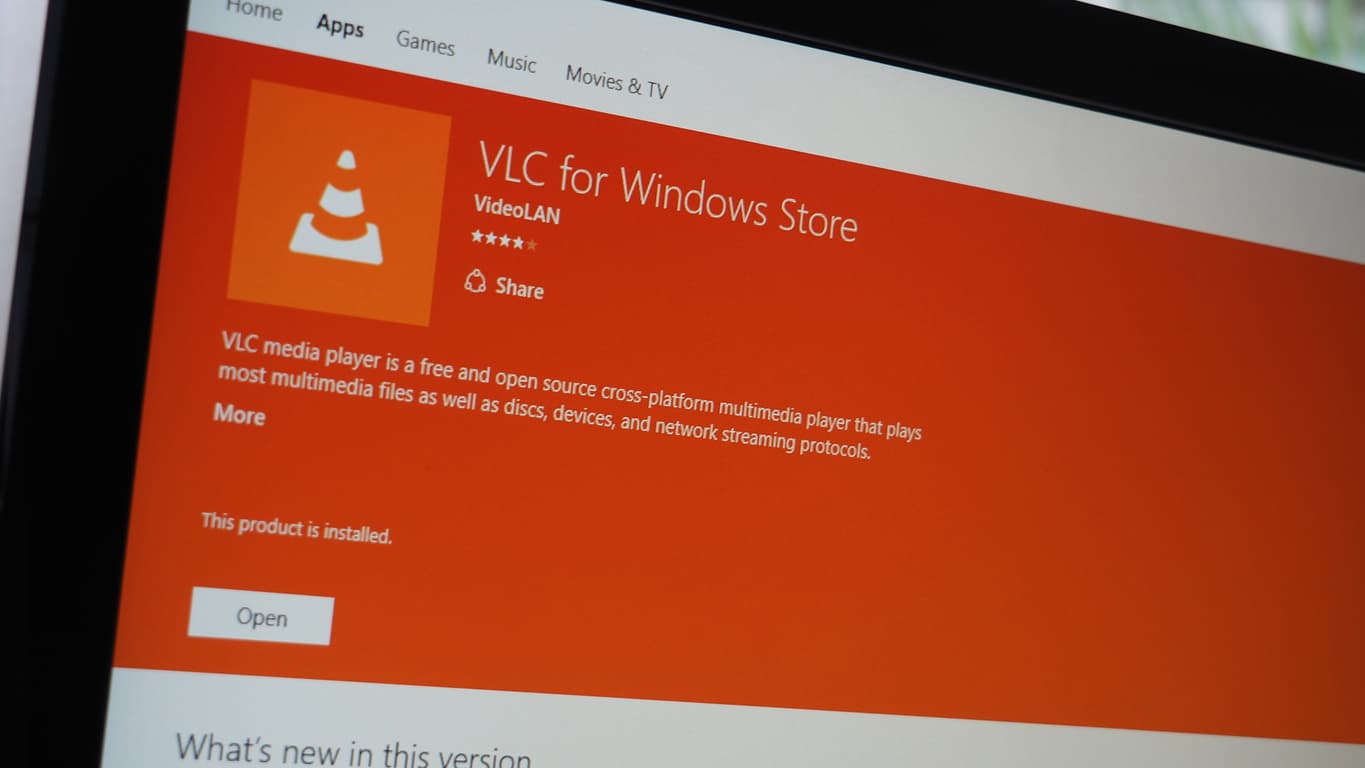
The popular VLC media player app recently made its way to Xbox One via the Windows 10 Universal Windows Platform. That was good news for Xbox One owners, even if the app is in a relatively early stage. Now, there’s an update available that fixes a few issues and enhances the app’s controls.

Windows Central was kind enough to post the details of what’s been updated in Version 2.1.1 of the app (via MSPU) and here it is:

  • Added fast seek using gamepad triggers
  • B will now close the playback overlay when it’s displayed
  • Fix default control panel button focus
  • Improved media discovering performances
  • Fixed tab colors
  • General performance improvement
  • Fix crash when browsing password protected network drives
  • Fix mixed up channels when playing 5.1/7.1
  • Fix too long media discovery
  • Fix wrong external drive being browsed when 2 or more drives are plugged in
  • Fix various hardware acceleration bugs
  • Fix crash when displaying teletext subtitles
  • Fix inconsistent background audio behavior
  • Fix duplicated display of network drives

The update might not show up for you immediately, and so be patient. Let us know in the comments when you get the newest version, and what you think.

VLC UWP
VLC UWP
Developer:
VideoLAN
Price:
Free

Microsoft trademarks for ‘Studio’ and ‘Dial’ may reveal new Surface products

Microsoft’s October 2016 event in New York City is now just two days away, but the rumors for what devices might be revealed at the event continue to fluctuate.

While many continue to speculate over what new hardware Microsoft may present in a couple of days, the company may have revealed its showcase hand in new trademark findings.

Trademarks, which were not filed by Microsoft, but lodged by an independent Slovenian company across multiple countries, include “Surface Studio,” and “Surface Dial.” While it may be a longshot, “Surface Dial” could be for the rumored Surface Phone, and “Surface Studio” may be for the rumored all in one Surface device. Again, since these trademarks are not filed by Microsoft, it remains unclear if they could lead to official product names.

The folks over at TheNextWeb have also discovered some Microsoft trademarks for “Surface Laptop” and “Paint 3D,” perhaps hinting at the new Surface products which might be unveiled on Wednesday.

Surface Laptop trademark application

According to a blog post by Brian Conroy, (The Trademark Ninja,) who is a commercial litigation lawyer specializing in trademark law and intellectual property, two Microsoft trademarks filed in October include “Surface Laptop,” and “Paint 3D.”

Albeit wild, according to The Trademark Ninja, Microsoft could be covering up their tracks and is using the Slovenian company to file these trademarks. But, even if this is not the case, Microsoft has the right to shoot down and fight the trademark application that might conflict with its own product names. What do you think of these trademarks? Let us know what you think by dropping us a comment in the section below!

There is the possibility that “Surface Laptop” trademark might just be used to cover up the name of an impending device. Secondly, the trademark application for “Paint 3D” perhaps hints at the new name for the rumored Paint UWP which Microsoft may be releasing soon.

Microsoft to open two Azure data centers solely for US Department of Defense as it woos government contracts

Microsoft has been working hard to establish Azure as a trusted and certified cloud solution, and has picked up industry leading certifications here in the US and around the globe.

Whether its certifications that guarantee patient privacy for healthcare providers or security certifications for law enforcement agencies, Microsoft’s Azure and Azure Government are getting more and more government contracts.

And now Microsoft is going beyond just certifications, and actually opening up two isolated data centers to meet the United State’s Department of Defense’s needs. The new comes from FedScoop.com, via Bloomberg, which notes that the two new data centers will be able to store Impact Level 5 data. This is the second highest level of sensitive U.S. government information and could lead to an increasing number of federal contracts.

FedScoop’s report also notes that Microsoft has already achieved some impressive numbers for its Azure Government. FedScoop notes:

…nearly 6 million users across more than 7,000 federal, state and local government customer accounts now use Microsoft’s Government Cloud… Microsoft has signed Criminal Justice Information Services agreements in 23 states, covering more than 60 percent of the U.S. population.

Jason Zander, Microsoft’s Corporate Vice President for Microsoft Azure, notes that the last figure for Criminal Justice Information Services agreements is “nearly six times the number signed by our nearest cloud competitor.”

The two facilities will go online sometime in 2017 and provide Microsoft Azure Government and Office 365 US Government Defense services among others. And these data centers will house DoD National Security System data used by both DoD agencies and qualified contractors.

Here’s the Xbox Games with Gold lineup for November

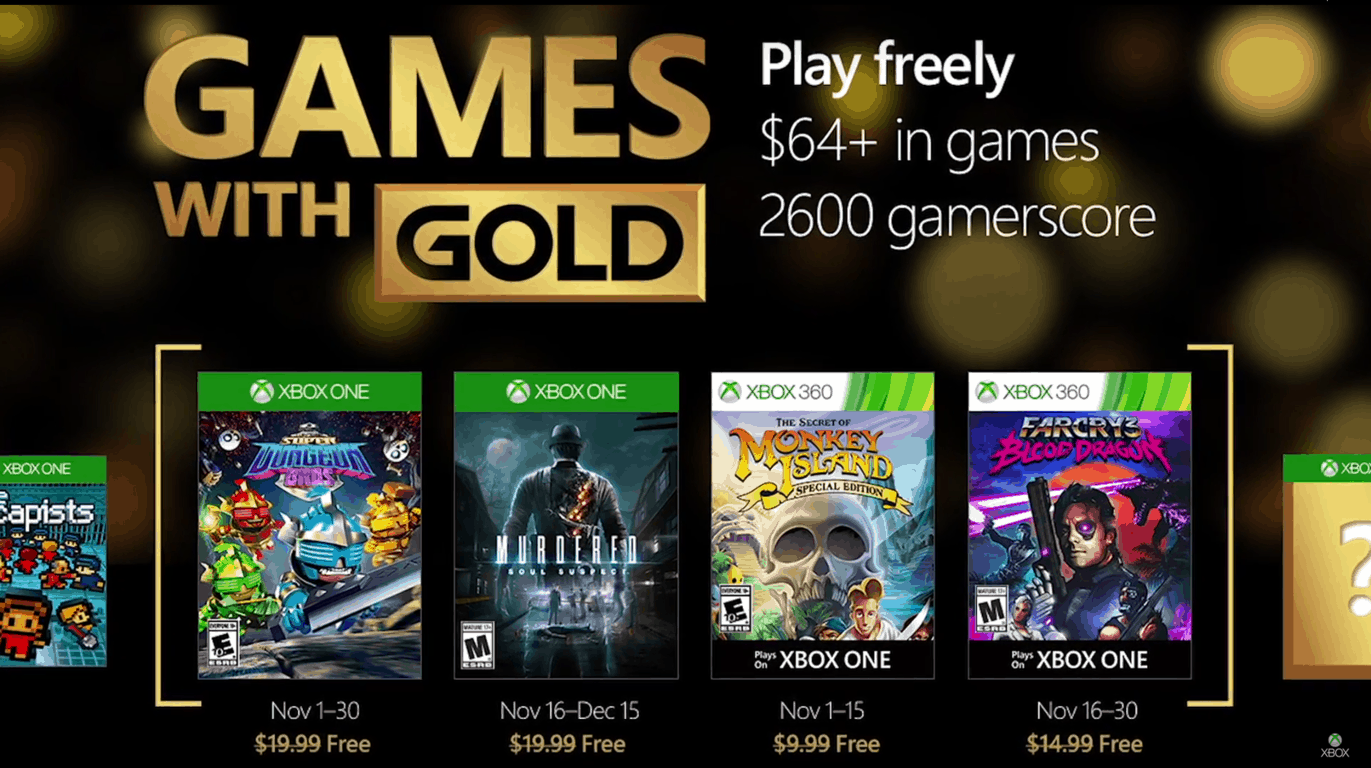
October might be about to end, but that does not mean the Xbox Deals will stop coming. Major Nelson has just taken to his blog to announce November’s Games with Gold Lineup. Titles for next month include Super Dungeon Bros, Murdered: Soul Suspect, Monkey Island: SE, and Far Cry 3 Blood Dragon. We will allow you to judge how exciting these titles are for yourself, and have included download links, trailer, and descriptions for you after the video below.

Xbox One Titles:

Super Dungeon Bros ($19.99 ERP): November 1-30

Play on your own or with up to 4 friends in couch or online co-op as you raid the deepest dungeons of Rökheim. Wield wicked weapons with devastating destruction or exploit the punishing puzzles and terrifying traps that will slice and dice foes and bros alike. Fling your friends onto far off ledges and distant trap triggers, hurl your bros at advancing attackers or unleash your tag team tactics with the ultimate bro-op offensive! If really you’re up for the challenge, test your heavy metal in the deadly daily dungeon or master the way of the wicked weekly dungeon and climb to the peak of the global leaderboards.

Murdered: Soul Suspect: ($19.99 ERP): Available from November 16- December 15

A dark, supernatural detective thriller with a unique gameplay twist: solving your own murder from the afterlife. Ronan O’Connor, a detective with the Salem police, has his life brought to a brutal end by a masked killer. Caught in the purgatorial world of Dusk he must combine his investigative skills with powerful supernatural abilities to uncover the shocking link between his own death and a series of killings terrifying the town of Salem.

Xbox 360 Titles (Backward Compatible on Xbox One:)

Monkey Island: SE ($9.99 ERP): Available from November 1-15 

Relive the hilarious swashbuckling misadventures of the wannabe pirate Guybrush Threepwood as he attempts to become the most infamous pirate in the Caribbean! Back by popular demand, The Secret of Monkey Island™: Special Edition faithfully re-imagines the internationally-acclaimed classic pirate adventure game from LucasArts in gorgeous HD detail.

Far Cry 3 Blood Dragon ($14.99 ERP): Available from November 16-30

Welcome to an 80’s VHS vision of the future. The year is 2007 and you are Sargent Rex Colt, a Mark IV Cyber Commando who’s fighting against a cyborg army gone rogue. Your mission: get the girl, kill the baddies, and save the world. Experience every cliché of a VHS era vision of a nuclear future, where cyborgs, blood dragons, mutants, and Michael Biehn

These titles are available for free for a limited time only for those who are paid Xbox Live Gold members. Be sure to act fast once they are available for download and come back to WinBeta to let us know how the experience of playing these titles is going

Find directions to locations on Google Maps with the default Maps app on Windows 10 Mobile

The built-in Maps app on Windows 10 Mobile is pretty good, both in form and function. The UI is intuitive, there’s the ability to download maps offline, and turn-by-turn voice navigation is perfect.

However, for some regions outside the US, on several occasions you’ll find a landmark or location missing. Incidentally, in these instances, Google Maps would list that location. One, Google Maps is pretty good at map data and POIs outside the US, and since Google Maps is much more popular, most businesses only list themselves on Google Maps and not bother about other mapping services.

But of course, there’s no official Google Maps app for Windows. There’s gMaps though – an impressive client for Google Maps since the early days of the Windows Phone platform. The app allows you to find your location on the map and search for venues using powerful local search with support for multiple layers like street, satellite, traffic, bike, weather, et al.

Yet, I prefer using the Maps app. It’s integrated with Cortana and Bing, and just looks and feels much better. Also, it’s free and built-in. Interestingly, gMaps introduced an interesting feature – the ability to choose the default navigation app – that a lot of people are unaware of.

gmaps-maps-1
gMaps

When I’m unable to find a venue on Maps (the coworking space I work out of is not present on Maps, for example, but listed on Google Maps), I fire the gMaps app and search for that location. Now, to navigate to that address, instead of using the gMaps UI, I choose Maps as the navigation app. The app transfers the lat-long coordinates of the location (behind-the-scenes) to the Maps app which shows me the directions that I can navigate to.

gmaps-maps-2
Transitioning from gMaps to the Maps app

Essentially, this trick allows me to find venues and locations on gMaps and still use the familiar user experience of the Maps app for navigation. gMaps is also available for Windows 10 PCs (It’s not a universal app though), and maybe this works there as well, but for navigation, only the mobile scenario makes sense. If you’d like to try this out yourself, download the gMaps app. It’s free and ad-supported, with an in-app purchase unlocking the ad-free experience.

gMaps
gMaps
Developer:
DreamTeam-Mobile
Price:
Free

Ubisoft releases new patch for Tom Clancy’s The Division

Just last month, the developers behind Tom Clancy’s The Division announced they would be revamping most of the game and now, Ubisoft is preparing for the official launch of patch 1.4 for the popular game. They’re clearly prioritizing this patch over Survival and Last Stand mode, both of which they are currently working but set aside for this patch.

The update is expected to include some huge updates that fix several recurring bugs in the game which contributed to many of its issues in the market. The Division scored mostly positive reviews when it was first released but there were gamers who reported a few drawbacks in the game including lack of activity variety and lack of dynamic encounters, which Ubisoft easily detected from its Public Test server.

The game’s newest update is long-awaited and is already receiving positive reception even before its release on October 25 for the PC, Playstation 4, and Xbox One.

Here are a few high points from the full patch notes:

New World Tiers: When players reach level 30, they will be able to select their World Level Tier which determines the level of the enemies they encounter in the game’s overworld and the quality of loot the enemies drop.

Gameplay Improvements: Ammo capacity will shoot up automatically after a player reaches level 30 by 50%. Also, empty slots will be refilled in matchmaking if the group’s privacy settings allow it. Player accuracy will be lowered for a short time after performing combat rolls and a player’s HP will now regenerate when out of combat. Moreover, the magazines of weapons will be automatically refilled if the player encounters ammo crates.

Gear Sets and Enhancements: All gear sets have been overhauled, the details of which are elaborated in the patch notes. Moreover, a gear score of over 182 will offer fixed stats in the main attributes. Gear talents are reset and armor parts have been changed. Resiliency will now depend on toughness.

UI Enhancements: Items can be marked as junk and as favorites. Players can now repurchase from vendors, and deconstruct items from The Stash.

Skills: All skills except the signature ones now hold a 5-second cooldown period. First aid healing capacity has been revamped and most of the skills have seen alterations to promote balance. With hard caps removed from most skills, several skills are given more power over others, resulting in cookie-cutter gameplay.

Loot and rewards: Weekly and daily loot caches drop items balanced accordingly with players current gear, newer targets set in the High-Value Target contract pool, prizes have been upgraded, and a four-hour time respawn period is added for roaming bosses and NPCs. These updates in the gameplay will bring overall better rewards and meaningful gear progression.

Bug Fixes: Most importantly, the game’s UI has been revamped with several bug fixes.

Patch 1.4 for Tom Clancy’s The Division takes up 5GB of space but may vary from platform to platform. The update will be officially available live after a three hour maintenance period on Tuesday starting at 9.30 CET. With all these features, we can say fans of the game are going to be utterly pleased and to top it off, the film adaption will ignite even more excitement among The Division’s lovers.


Dropbox for Windows 10 now updated with new useful features

Dropbox for Windows 10 OS sports a few new features, including a new grid view that has been long requested by users.

The new grid view comes with a segmented view which groups videos and photos into a grid. In addition, folders and files are also put into a list. From now on, you will be able to access your videos and pictures with ease while still managing your folders and files without any problems.

As expected, the new update also comes with minor improvements for the application. You will be able to add links in comments which will become clickable and since it is a UWP app (Universal Windows Platform), it now has better support for Xbox controllers. Some user interface improvements were also made and you will notice them as soon as you will open the application.

Below you can see the full changelog of the new Dropbox version:

  • A new view style ‘grid view’ has been added with a segmented folder view grouping photos and videos into a grid view, and files, folders and upload in progress into list view
  • Links now are clickable in comments
  • UI improved: blue effect, better adaptive design, animations and more
  • Xbox controllers are now supported
  • Optimization and bug fixes.

Dropbox version 4.5 can now be downloaded and installed directly from the Windows Store.

What are your thoughts about the latest version of Dropbox for Windows? Feel free to tell us what other features you would like to see being added to this application!

RELATED STORIES TO CHECK OUT:

Microsoft introduces digital badges for Microsoft Certified Professionals

Microsoft has partnered with Acclaim to introduce Microsoft badges for Microsoft Certified Professionals (MCPs) to achieve certain certifications or pass select exams.

Acclaim is an independent badging platform owned by the company’s test-delivery partner, Pearson VUE, and provides a way to manage, share, and verify one’s Microsoft Certifications. Acclaim uses the Open Badges standards defined by Mozilla to offer digital badges. The web-enabled representation of an individual’s Microsoft certifications is made of an image and metadata uniquely linked to the person, and can be shared online, embedded in a résumé, or included on an email signature.

The digital badges will allow professionals to easily share the details of their skills in a trusted and verifiable manner to explore opportunities for career advancement. With Microsoft badges, professionals can find out which employers are looking for individuals with their skills, discover what kind of salary to expect to earn with those skills, as well as search for new job opportunities associated with their certification.

For now, MCPs who pass select exams or achieve the certifications, on or after October 21, 2016, will receive badges. However, beginning in November 2016, badges will be retroactively issued to those who passed the exams or achieved the certifications prior to October 21, 2016. After this pilot badge program, Microsoft will share details of additional badges in January 2017.

Microsoft postes a profit of $20.5 billion in Q1 2017

Microsoft’s earning report for the first quarter of fiscal year 2017 is now out. The company posted a profit of $20.5 billion, with $22.3 billion of that categorized as non-GAP, meaning the tech giant overcame all analyst expectations.

The Surface revenue saw an increase of 38% YoY, mainly due to the success of the Surface Book and the Surface Pro 4. This generated $672 million profit in the Q1 in 2016, a number which grew to $926 million in this fiscal year. Moreover, Microsoft is introducing to the public a new version of the Surface device next week, another opportunity for more revenue.

As expected, the Microsoft Phone series is in steady downfall. It declined by 72% this fiscal year. Even more so, the Xbox is not that successful either, even though the company recently released the Xbox One S model. According to its own reports, the gaming part of their business saw a 5% decline. Less people are now using the Xbox Live — 47 million active users,  or 2 million less than how many were using it in the Q4 in 2016 — +but it’s still up from the 39 million YoY.

Microsoft’s cloud business is also on the rise with an increase in profit of 8%. At the same time, Azure revenue is up by 116% while the company’s server and cloud services increased by 11%. Other products, like Office, saw a growth of 5%, while Office 365 increased by 51%.

RELATED STORIES TO CHECK OUT:

Titanfall 2’s new single player mode trailer released

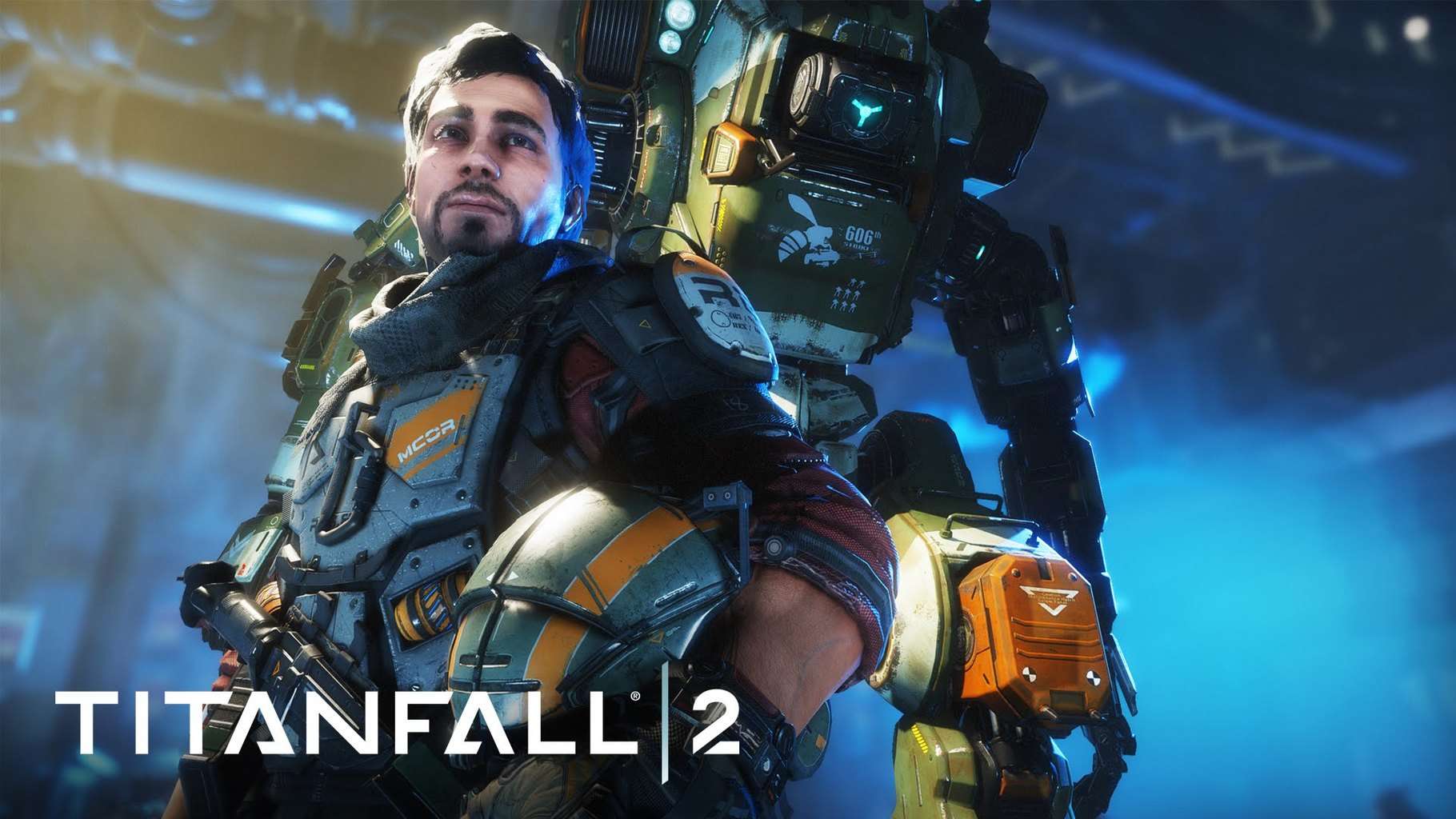
Titanfall 2 is the upcoming mech shooter sequel by Respawn Entertainment that now boasts a new trailer showing single player gameplay. Though two other trailers for the game display footage of the single-player campaign, this newest video is the best, most in-depth look at what might turn this young franchise into a huge success.

This game shows Jack Cooper, a rifleman in the militia, dreaming of becoming a pilot and a vanguard class Titan BT-7274. with the Frontier heating up, Jack, together with BT, have to combine their skills and risk it all in order to survive with the odds against them. Even if you’re fighting as a pilot or in a 20-foot tall machine for war, Titanfall 2 offers a fluid and fun alternative from other, more popular shooters.

A couple of months ago, Respawn Entertainment held two multiplayer tests for the Xbox One version of the game. However, it left the PC version out of the deal for safety measures, namely to prevent anybody from looking up the game files and giving fans spoilers about the main solo campaign. As everybody expected, fans have their hopes up really high for the upcoming game.

Starting October 28, Titanfall 2 will be made available worlwide both on Windows and on Xbox One platforms. Whoever pre-orders a copy of the Xbox One version will enjoy  early access feature to the remastered Angel City map, having long been one of the favorites of the fans.

RELATED STORIES TO CHECK OUT:

5 best family organizer apps for Windows users

Keeping your family fed is a pretty basic task but keeping it organized might be a different story, especially if you have a large family. Maintaining medications, appointments, travel dates, work schedules, chores, emergency contacts, and other joint family activities all under one roof might not be as easy as it sounds. To make family activities run smoothly, you need a safe platform to store and share information. That’s where family organizer apps come in handy.

In this digital era, busy families need smart solutions to stay organized. The internet is crammed with a plethora of tools designed to keep you in the loop with everything going on in your family. These apps let you keep track of your family calendar and to-do lists, all while you are on the go. We have synthesized the multitude of tools to bring you the best five family organizer apps to keep your family organized.

Read also: Top 7 photo viewer software for Windows 10


The Best Free and Paid Family Organizer Apps

Cozi Family Organizer

Cozi family organizer software
The Cozi family organizer app lets you easily update your family calendar by adding to-do lists, setting reminders, adding appointments and sharing the updated information for the family members to see. Each family member is assigned a color, so it’s quite easy to know who is free and who is busy at a glance. With Cozi, it’s possible for each family member to add updates and each update automatically syncs to all users connected to your account.

The Cozi app comes with a very robust reminder system that can be customized to send text and email reminders as well as weekly digest. You can create a family journal, plan meals, add a to-do list, share shopping lists, as well as keep track of photos and memories in the Cozi family journal. Cozi works on your Android, iOS, Blackberry, and Windows PC. The app is available for free with adds although you can subscribe to the Gold package for $29.99 to get an add free experience.

Get Cozi Family Organizer for Windows


Remember the Milk

family_organizer_software_remember_the_milk
Remember the Milk is a free and multifarious app that can help you manage all your tasks across multiple platforms. Once updated with new information, the app sends texts, email, or IM reminders to the users connected to the account. The app also lets you share tasks, to-do lists, and appointments with any contact. You can add all your family members so as to share any information you want to pass to them. You can also set categories on tasks depending on the degree of urgencies such as priority levels and due dates.

Get Remember the Milk


Two Happy Homes

two happy homes family organizer apps
Two happy Homes is a powerful family organizer tool that makes it easier for distant families to communicate and organize things together. Parents keep a joint contact list and calendar and can share useful information, to-do list, medication, and even pictures. The tool also comes with advanced features and can also be used to track and pay expenses online. It’s available in two packages: free and paid. With the free package, you can add up to 10 family members, get expenses tracking service, family calendar, notes and other utilities. With the paid subscription ($14.99 per month), you get unlimited contacts, medical information sharing, and ability to make payments online.

Get Two Happy Homes


AboutOne

family_organizer_apps_aboutone
AboutOne is yet another family organizer app that packs all you need to keep your family organized. The app comes with robust tools that let you easily share inventory, store medical information, share videos, and save important documents such as receipts. The app allows you to manage and share everything with your family members across multiple devices, including Android, iOS, Windows phone, and Windows 8 PC.

AboutOne is available in both free and paid versions. The free version comes with emergency management tools, room for up to 6 family members, and 1GB of storage. The paid version ($5 per month) offers a family calendar that syncs with other calendar programs, room for up to 10 family members, and 5GB of storage.

Get AboutOne


Chore Hero

family_organizer_apps_chore_hero
Chore Hero is a decent app that can help a family that stays together to be organized while teaching kids how to be responsible in a fun way. Unlike other apps on the list that performs multiple functions at the same time, Chore Hero is all about household chores, just as the name suggests. When kids complete the assigned chores, they earn bonus points, eventually graduating from chore newbies to chore heroes. You can either assign duties to various people on different days or let the app pick randomly.


Conclusion

While choosing the right organizer app for your family, it is important to consider your budget and family size as some apps can only add up to 6 contacts, where others offer unlimited contacts. Family organizer apps provide an easy way to keep in touch with family members while reminding them of important family appointments. Other family organizer apps you can check out include Family Organizer, Grocery IQ, Astrid, and Hub Family Organizer.

Windows 10 news recap: Huawei’s rumored high-end MateBooks, Game DVR performance concerns and more

Welcome back to our weekly “Windows 10 news recap” series where we go over the top stories of the past week in the world of Microsoft’s latest operating system. Let’s get started.

Huawei rumored to be planning high-end Windows 10 Matebooks for early 2017

It has been rumored that Huawei is planning on bringing 2 new MateBook devices in 2017, running Windows 10. The devices are said to not only be 2-in-1s and will come in 2 screen sizes: 13.3-inch and 15.6-inch. No price or imagery is available yet of the devices, but we should expect to see more in the not-so-distant future.

Microsoft sets the record straight on Windows 10 Game DVR

With Windows 10 came a new feature for gamers, known as Game DVR. It allows gamers on Windows 10 PCs to quickly record gameplay without having to install third-party software. For some, however, this new feature has apparently caused performance issues on some hardware configurations. In response to these concerns, Major Nelson published a blog post to address them. Major Nelson explains that Game DVR should not cause any performance issues on hardware that using the latest graphics drivers for the Anniversary Update, noting that users should see “equal performance”.

The Windows 10 Xbox app settings. Background recording is off by default.

As shown above, it is also possible to disable the background recording and the Game Bar of the Game DVR. This, in theory, should stop any performance issues on hardware configurations that are affected.

Microsoft rolling out Focused Inbox to Outlook for Mac and web, Windows 10 coming soon

Microsoft has finally provided a timeframe on when Windows 10 will be receiving Focused Inbox support for Outlook. As has been the case for some time, however, platforms other than Windows, such as Mac and Android, will be receiving Focused Inboxes before Windows 10 and Windows 10 Mobile. Windows platforms are slated to receive the update sometime in November – an exact date is not known at this point.

Focused Inboxes separates emails into 2 inboxes – the Focused Inbox is everything that is deemed important to the user and then another inbox, which shows the not-so-important emails, in order to help users stay focused on their work without being bombarded by numerous emails of low importance.

Viber for Windows 10 gains media gallery, more

Viber on Windows 10 has been updated to add several new features and make some changes. This latest update pushes the app to version 6.3, with the following changelog:

  • Large emoticons in chat
  • Media gallery in chat info screen
  • Answer video calls with video to automatically open your front-facing camera
  • Call directly from chat screenSticker support in toast notifications
  • Terms and policy update

Here is the build that got released this week:

Eve V is a 2-in-1 Windows 10 device that takes on Surface

The Finnish firm Eve is largely known for its revolutionary tablet devices like the first 8-inch Windows 8.1 T1 tablet unveiled last year and its crowdfunded Windows 10 tablet the Eve Pyramid Flipper (or Eve V).

In an interview, CEO of Eve Tech Konstantinos Karatsevidis, shed some light about the company’s upcoming launch of the Eve V hybrid Windows 10 device previously developed under the name Pyramid Flipper. Now, Eve is announcing that its 2-in-1  hybrid device will be officially launched on Indiegogo in the coming month and will also sport Intel’s Kaby Lake processors.

Eve revealed that the Eve V Indiegogo campaign will begin o November 21, 2016, with 500 units being initially up for purchase. The finalized product will be rolled out in early 2017. Moreover, the company announces worldwide shipping of their upcoming product.

It was also reported that the Eve V is currently undergoing “testing stages of development” with prototypes to be shipped to community members very soon. The company further claims that its team consists of experienced members from companies such as Apple and OnePlus. Eve also revealed some big names, like Intel, expressing interest in its project. Customers won’t be required to pay for the venture but will be for the manufacturing process. The company says its hybrid, in addition to being cheaper, will not include the type of bloatware found in other devices for faster operate.

The Eve V is LTE-optional, supports e-pen functionality and is similar to Microsoft’s Surface device with its integrated kickstand. It full specifications are yet to be revealed, but the provisional specs are as follows:

  • Display: 12-12.5″ IPS LCD, 2160x1440p or better, Gorilla Glass protection
  • Processor: Intel 7th-gen “Kaby Lake” CPUs
  • Graphics: Intel HD, eGPU support
  • Pen: N-Trig
  • RAM: LPDDR3, 8 GB/16GB
  • Storage: 128GB/256GB/512GB, SSD
  • Battery: 10 hours or better, USB-C port for charging
  • Wireless: WiFi ac 2×2, WiDi or Miracast wireless streaming, Bluetooth 4.2, GPS
  • Camera: Front: 720p HD autofocus or better
  • Audio: Stereo speakers or better
  • Sensors: Luminosity, Magnetometer, Gyroscope, Hall Effect, NFC
  • Ports and connections: 2xUSB 3.1 Gen 1 Type A, 1xUSB 3.1 Gen 1 Type C, 1xThunderbolt 3, 1×3.5 mm audio, MicroSDXC
  • OS: Windows 10

Eve-Tech is yet to reveal the pricing specification of the device but they had previously indicated that the base model will cost less than €1000 (~$1100) and that the “ultimate model” will be priced at €2000 (~$2200) including taxes. For more news and updates regarding Eve V, subscribe to its official website.

Microsoft overhauls the Xbox Forums, brings new design, categories and more

It has been a long time in the waiting, but finally, Microsoft has given the once age-old Xbox Forums a full makeover. Finally, we can wave goodbye to the inconsistent design of the old forums and hello to a more modern design that we’d expect to see on the web in 2016.

With this makeover, the Xbox Forums have received the following improvements:

  • Improve categorisation
  • Moved categories to the top menu, while using the rest of the screen for showing discussions and sub-categories
  • Searching has been improved, making it faster to search

It appears that the new Xbox Forums are still a little premature, as we noticed several issues, such as Gateway Timeout errors, discussions failing to load and the forums being a little flaky in places. So, while the design is definitely an improvement, the overall mechanics of the forums have remained largely the same, with similar issues to the forums predecessor.

Here’s a look at the new design:

xbox-forums-new-design
New Xbox Forums design

The Xbox Forums are designed to allow other Xbox users to provide support to each other, while also enticing game-specific discussion.

Let us know what you think of the latest Xbox Forums update in the comments below!

Fix: Xbox error ICMP

Xbox Live is an integral part of Xbox that allows you to play your favorite games online. Unfortunately, few users reported ICMP error on their Xbox, and today we’re going to show you how to fix this error.

Xbox error ICMP, how to fix it?

Fix – Xbox error ICMP

Solution 1 – Reset network settings to factory defaults

If you’re having ICMP error while trying to connect to Xbox Live, you might want to try resetting your network connection settings to factory defaults. Keep in mind that resetting these settings will remove all your network configuration from your Xbox, including your wireless password, so you’ll have to enter it again. To reset your network settings, do the following:

  1. Press the Guide button on your Xbox controller.
  2. Choose Settings and navigate to System Settings.
  3. Select Network settings.
  4. Choose Wired Network or your wireless connection.
  5. Select Configure Network.
  6. Go to Additional Settings tab and select Restore to Factory Defaults option.
  7. Select Yes, Restore to Factory Defaults to confirm.
  8. After that, restart your Xbox.
  9. Optional: If you’re using wireless network, be sure to configure wireless settings again.

Solution 2 – Test your Xbox Live connection

According to users, sometimes you can fix this problem simply by testing your Xbox Live connection. To do that on Xbox 360, follow these steps:

  1. Press the Guide button on your controller.
  2. Select Settings and navigate to System Settings.
  3. Now open Network Settings and select Wired Network or your network connection.
  4. Select Test Xbox Live Connection.
  5. Wait until the scan process is completed.

On Xbox One, you can test your network connection by doing the following:

  1. Scroll left on the Home screen to open the Guide.
  2. Select Settings > All Settings.
  3. Select Network > Network Settings.
  4. On the right side select Test network connection option.
  5. Wait while the scan tests your connection.

Solution 3 – Check for wireless interference

ICMP error can occur due to wireless interference, and in order to fix the problem you need to remove the source of wireless interference. Wireless interference can be caused by cordless phones, microwave ovens and other devices, and if that’s the case, you might want to move your wireless router away from these devices. In addition, make sure that your router is on elevated position so it’s not obstructed by anything. Sometimes wireless headsets can cause interference with Wi-Fi signal, therefore you might want to temporarily turn off your wireless headset and check if that solves the issue. Some users are also suggesting to change your wireless channel on the router, so you might want to try that as well. To do that, be sure to check your router’s manual for detailed instructions.

Solution 4 – Restart Xbox and your network hardware

Sometimes you can fix ICMP error simply by restarting your Xbox and network devices. To do that, follow these steps:

  1. Turn off your Xbox.
  2. After that, turn off your modem and router.
  3. Wait for a minute or two and turn on your modem again. Wait for a minute until your modem starts completely.
  4. After that, turn on your router and wait until it turns on completely.
  5. Lastly, turn on your console and check if the error is resolved.

Solution 5 – Clear the system cache

Sometimes your cache can interfere with your connection and cause this and many other errors to appear. Your cache holds all sorts of different files, and to fix this and many other problems, you need to clear your cache by following these steps:

  1. Press the Guide button on your controller.
  2. Navigate to Settings > System Settings.
  3. Select Storage or Memory.
  4. Highlight any storage device and press Y.
  5. Select Clear Cache option and select Yes to confirm that you want to clear the cache.
  6. After the cache is cleared, you can test your Xbox Live connection.

As for Xbox One, clearing the cache is a bit different, but you can do it by following these steps:

  1. Press and hold the power button on your console to turn it off.
  2. After your console turns off, unplug the power cable from your console.
  3. Press the power button on your console a few times while the console is unplugged to completely drain its battery.
  4. Connect the power cable to your console and wait until the light on the power brick changes from white to orange.
  5. Turn on your console again by pressing the power button.

After doing that, all cache files should be removed from your console and ICMP error should be resolved.

Solution 6 – Check your network settings

According to users, you might be able to fix ICMP error on your Xbox simply by changing your network settings. To do that, you need set the following:

  1. Make sure that DHCP is enabled.
  2. Set NAT to Open.
  3. Set Xbox Live settings to Automatic.
  4. Trigger your ports.

After doing that, the issue should be permanently resolved.

Solution 7 – Check if you have static IP address

Few users reported that their modem wasn’t fully compatible with Xbox Live. According to them, they were unable to connect to Xbox Live until their ISP assigned them a static IP address. If that’s the case, you might want to contact your ISP and see if you can get a static IP address. Keep in mind that getting a static IP address usually comes with a cost.

Solution 8 – Assign a static IP for your router

According to users, you can fix this problem simply by giving a static IP address to your bridged router. After doing that, use basic DHCP for your Xbox, but don’t assign a static IP address to it. In addition, you might want to disable firewall on your client router as well. To see how to perform any of these steps, we highly suggest that you check your router’s manual.

Solution 9 – Wait until your ISP fixes the problem

ICMP error can sometimes appear due to problems with your ISP. To be sure if this is a problem with your ISP, check if other users are having issues with Xbox Live. If that’s the case, it means that your ISP is having some technical difficulties, therefore be sure to wait for a couple of hours or call your ISP.

Solution 10 – Check if your Wi-Fi card is connected properly

Sometimes your Wi-Fi card might not be connected properly and that can cause this error to appear. If that’s the case, you just need to open your Xbox and reseat your Wi-Fi card. Keep in mind that opening your Xbox will break your warranty, so you might want to consider sending your Xbox to Microsoft repair center.

ICMP error will prevent you from accessing Xbox Live and playing your favorite games online, but we hope that our solutions helped you fix this problem.

READ ALSO:

Fix: Xbox error “Use a different way to pay”

Xbox allows you to purchase all sorts of content online, including games and DLCs, but sometimes certain problems can occur. Users reported Use a different way to pay error on their Xbox, and today we’re going to show you how to fix it.

“Use a different way to pay” Xbox error, how to fix it?

Fix – Xbox error “Use a different way to pay”

Solution 1 – Change your region settings

According to users, it seems that this problem is caused by region locking, but you should be able to fix it simply by changing region settings on your Xbox. To do that on Xbox 360, do the following:

  1. Make sure that you’re signed in with your Microsoft account. If not, choose the Sign in option.
  2. Navigate to Settings and choose System.
  3. Now select Console Settings.
  4. Select Language and Locate > Locale.
  5. Select the locale that you want to use.

To change region settings on your Xbox One, do the following:

  1. Make sure that you’re signed in to your Xbox account on Xbox One.
  2. Scroll left from the Home screen to open the Guide.
  3. Select Settings > All Settings.
  4. Now choose System.
  5. Go to Language & location.
  6. Choose your new location from the list and select Restart now.

Before you change your region, you should know that your gamertag, unlocked achievements and rest of your Xbox profile information will be moved with you. As for your Xbox Live Gold subscription, it will be moved as well, but if the selected region doesn’t support Xbox Live Gold, you might not be able to access it. Same goes for other subscriptions, and if the subscription isn’t supported in the newly selected region, you won’t be able to access it. As for Groove Music, some items from your collection might not be available in newly selected region, so keep that in mind. We have to mention that money from your Microsoft account won’t be transfered if you choose to change your region, therefore be sure to spend it.

You should also know that you won’t be able to change your region if you did so in the last three months. Also, if your account is currently suspended you won’t be able to make changes to your region. Lastly, any balance due on your Xbox subscription will prevent you from changing your region.

Solution 2 – Add your payment information again

Users reported this error while using PayPal with their Xbox account. To fix this error you need to add your billing information again, but be sure that all your information is up to date. According to users, this error appears due to incorrect or outdated billing information, so be sure to fix that. After doing that, you should be able to make payments without any problems.

Solution 3 – Check if you’re using the correct website

According to users, sometimes you might get this error if you’re using the version of the website that isn’t designed for your region. For example, if you’re trying to purchase something, you need to be sure that you’re using the version of the website that is designed specially for your region. This means that if you’re in the UK, you can only make purchases on a UK version of the website. In most cases, you should be able to switch to appropriate version simply by choosing the Change website region option at the bottom of the page.

Some users might try to purchase something from a website that isn’t designed for their region in order to get better offers, but that will cause this error to appear. To avoid this error in the future, be sure to use the version of the website designed only for your region or country.

Solution 4 – Wait for a couple of minutes

According to users, Use a different way to pay error can appear if you try to buy something right away after purchasing another item. If that happens, all that you have to do is to wait for 5 to 10 minutes and try to purchase the same item again.

Fix – Xbox One “Use a different way to pay” PBR9012 or CP205

Solution 1 – Contact your financial institution

Sometimes this error can occur if you don’t have the permission to make online purchases with your payment option. To see if you have the necessary permissions, be sure to contact your credit card company or financial institution. Users reported that this error can sometimes occur due to problems with your credit card, so be sure to contact your bank for more details. Few users had their cards flagged, but after calling Microsoft support, the issue was resolved.

Solution 2 – Add a new payment option

Sometimes you just need to add a new payment option to fix this error. To do that, simply log in to your Microsoft account with any web browser and choose Change a payment option. Now select Add a payment option and follow the instructions on the screen.

To add a new payment option on Xbox One, do the following:

  1. Be sure that you’re signed in to your Xbox One with a Microsoft account.
  2. On the Home screen, scroll left to open the Guide.
  3. Select Settings and navigate to All Settings.
  4. In Account section select Payment & billing.
  5. Select Add credit card or Add PayPal.
  6. Follow the instructions on the screen to add billing information. After doing that, check if the problem is resolved.

Solution 3 – Wait until the error is resolved

If your card is flagged, you’ll get this error while trying to make a purchase. Fortunately for you, this error can be resolved simply by waiting a certain time period. After waiting for 24 to 48 hours, the issue should be resolved and you’ll be able to make purchases once again. It’s also important not to attempt any purchases while your card is flagged or else the wait time will reset.

Xbox error Use a different way to pay will prevent you from purchasing any content on your Xbox One and Xbox 360, but you should be able to fix it by using one of our solutions.

READ ALSO: