If your USB printer is printing random text after installing Windows 11 KB5050092, there’s a fix

Last year in November, Microsoft stopped Windows 24H2 updates because the OS wouldn’t recognize some printers and scanners. Now, after a recent Windows 11 update, KB5050092, owners of USB-connected printers discovered a new issue.

Microsoft has acknowledged that the update, released in January 2025, can lead to printers producing random text and data, including network commands and unusual characters. This issue primarily affects dual-mode printers that support both USB Print and IPP Over USB protocols.

The problem tends to occur when printers are powered on or reconnected after being unplugged. Users have reported that the printed text often begins with the header POST /ipp/print HTTP/1.1, followed by other Internet Printing Protocol (IPP) headers.

To address this, Microsoft has provided a temporary solution through its Known Issue Rollback (KIR) feature. IT administrators can deploy a special Group Policy to reverse the problematic update. The Group Policy can be found under Computer Configuration > Administrative Templates, and the group policy name. Here are the downloads you need, as listed by Microsoft:

Group Policy downloads with Group Policy name:

The administrators must restart affected devices to apply the changes. Microsoft has assured users that a permanent fix will be included in a future Windows update. So, you can either apply this workaround or wait until Microsoft rolls out a fix for this bug.

Microsoft’s Build 27813 to Canary channel completely removes Location History

Microsoft has released Windows 11 Insider Preview Build 27813 to the Canary Channel. This latest build includes a series of minor improvements and bug fixes that aim to enhance the overall user experience for Windows Insiders.

One of the notable changes in this build is the removal of the Location History feature. Previously used by the now-deprecated Cortana assistant, this feature allowed access to 24 hours of device history when location services were enabled.

With its removal, location data will no longer be saved locally, and the corresponding settings have been removed from the Settings > Privacy & security > Location page. Microsoft already teased out this deprecation a while ago.

In addition to this change, the build addresses several issues. The WDMAud system driver, which was causing app crashes after recent MIDI work, has been fixed. Furthermore, a problem in the Settings app where the System > Display > Color Management page might not display the expected color profile list for the selected monitor has also been resolved.

However, Microsoft is still working on some known issues. For instance, a d3d9.dll crash is causing multiple apps to fail to launch for some Insiders. Microsoft is actively working on fixing this problem.

Windows Insiders in the Canary Channel should note that the builds released to this channel represent the latest platform changes early in the development cycle. These builds are not tied to any specific release of Windows, and features included in these builds may never be released beyond the Insider program. Features may change, be removed, or replaced based on feedback from Insiders.

You can read the full release notes for the latest Canary build here.

BlizzCon, Blizzard’s first community event under Microsoft’s tutelage, returns in 2026

Blizzard Entertainment has announced the return of BlizzCon, the ultimate celebration of its games and community.

The event will take place on September 12-13, 2026, at the Anaheim Convention Center. This marks the end of a two-year hiatus, and it was last held in 2023.

BlizzCon has been a big part of Blizzard’s history since its inception in 2005, bringing together fans worldwide to celebrate their shared passion for Blizzard’s universes. The 2026 event promises to elevate this iconic celebration with various activities, including the Opening Ceremony, in-depth panels, the Darkmoon Faire, friendly competitions, and hands-on gameplay.

In the official announcement, Blizzard says it wants to build an unforgettable experience for all attendees. What to expect from BlizzCon 2026? Well, given that this is the first official BlizzCon under Microsoft’s tutelage, Midnight, the second expansion of the WOW Worldsoul Saga, will probably be out by then, so the company might unveil the last part, The Last Titan, which should be released around 2028.

Other surprises might finally be a StarCraft MMO, shooter, or possibly even Warcraft 4. I mean, why not? It could expand on the story that way, too, especially now that RTS games are making a comeback.

However, as BlizzCon 2026 will happen in over a year from now, these are just speculations, but fans can sign up for updates on BlizzCon news, special offers, and ticket sales by visiting the official BlizzCon website.

The company also said it will announce more details as the event approaches.

Microsoft Flight Simulator 2024 now has an official In-Sim Marketplace

Microsoft has announced the launch of the in-sim Marketplace for Microsoft Flight Simulator 2024, bringing convenience and accessibility to the popular flight simulation game. The new capability allows users to purchase and manage content directly within the simulator, enhancing the overall experience for both creators and simmers.

According to the official announcement, the in-sim Marketplace features thousands of items from the MSFS 2020 Marketplace, which have been ported into MSFS 2024. Users can access these items in their My Library section, where almost all content is set to Disabled by default. However, content sold by Microsoft and Asobo is enabled by default, and any purchased content will also be enabled automatically.

To provide more context on content compatibility, the Marketplace includes three states based on creator feedback: Not Creator Approved, Not Available, and No Tag. The Not Creator Approved tag indicates that the content is either incompatible or has not been tested by the creator. The Not Available tag means the content was not successfully ported to MSFS 2024. If there is no tag, the creator has confirmed the content is compatible with MSFS 2024.
One of the key features of the in-sim Marketplace is the introduction of Simverse Coins, a new currency that allows users to purchase content. Simverse Coins can be bought directly in the Marketplace or at select retailers for those simming on the Windows Store or Xbox. Prices in the Marketplace will be displayed in Simverse Coins and local currency, allowing users to choose their preferred payment method.

Additionally, the Marketplace includes a feature that allows creators to upgrade MSFS 2020 ported content to optimize it for MSFS 2024. Creators can provide these upgrades for free or charge an upgrade price. Upgraded content will be designated with an “Upgraded” tag in the upper left corner of the image, and users will receive notifications in the simulator when free upgrades are available.

It’ll be interesting to see how MSFS players will react to the new marketplace. The simulator’s purchasables are some of the most expensive on the market right now, and even though many thought the release of Microsoft Flight Simulator 2024 would ease their price, it wasn’t the case.

What do you think about this?

OpenAI’s new AI Agents promise to revolutionize AI development

OpenAI has announced the release of a comprehensive suite of tools and APIs designed to simplify the development of AI agents. The company says the new AI agents aim to transform how developers create systems capable of autonomously handling complex, multi-step tasks.

The new tools include the Responses API, which combines the Chat Completions API’s simplicity with the Assistants API’s tool-use capabilities. This API supports built-in tools such as web search, file search, and computer use, making it easier for developers to build agents interacting with real-world systems.

Additionally, OpenAI has introduced the Agents SDK, an orchestration framework that abstracts the complexity involved in designing and scaling agents. This SDK includes built-in observability tools that allow developers to log, visualize, and analyze agent performance, helping identify issues and improvement areas.

The Responses API and Agents SDK are designed to work together, streamlining core agent logic, orchestration, and interactions. By enabling developers to create more efficient and capable AI-driven applications, these tools are expected to enhance productivity and innovation across a wide range of industries.

In the official blog post, the company says these latest tools address several critical challenges in AI development, including retrieving information, automating tasks, and integrating with diverse systems.

With today’s releases, we’re introducing the first building blocks to empower developers and enterprises to more easily build, deploy, and scale reliable, high-performing AI agents. As model capabilities become more and more agentic, we’ll continue investing in deeper integrations across our APIs and new tools to help deploy, evaluate, and optimize agents in production.

You can visit OpenAI’s official website to learn more about these new AI agents.

In recent news, the company just released GPT-4.5, the new AI model that promises to be better than its previous iteration; however, it hasn’t proven to be.

Microsoft’s March 2026 Patch Tuesday updates for Windows fixes 7 Zero-Days and 57 security issues

Microsoft has rolled out its March 2025 Patch Tuesday updates, addressing 57 security vulnerabilities, including seven zero-day flaws. These updates are crucial for maintaining the security and stability of various Microsoft products, including Windows, Microsoft Office, and Azure.

Among the 57 vulnerabilities fixed, six zero-day flaws were actively exploited, while one was publicly disclosed before an official patch was available. The zero-day vulnerabilities include issues in the Windows Win32 Kernel Subsystem, NTFS, and Fast FAT File System Driver, among others. These vulnerabilities could allow attackers to gain SYSTEM privileges, execute remote code, or steal sensitive information.

In addition to the zero-day flaws, the updates also address 23 Elevation of Privilege vulnerabilities, three Security Feature Bypass vulnerabilities, 23 Remote Code Execution vulnerabilities, four Information Disclosure vulnerabilities, one Denial of Service vulnerability, and three Spoofing vulnerabilities. These fixes are essential for protecting users from potential cyberattacks and ensuring the overall security of their systems.

Below, there is the full report of all the vulnerabilities addressed with March 2025 Patch Tuesday updates for Windows 11:

TagCVE IDCVE TitleSeverity
.NETCVE-2025-24043WinDbg Remote Code Execution VulnerabilityImportant
ASP.NET Core & Visual StudioCVE-2025-24070ASP.NET Core and Visual Studio Elevation of Privilege VulnerabilityImportant
Azure Agent InstallerCVE-2025-21199Azure Agent Installer for Backup and Site Recovery Elevation of Privilege VulnerabilityImportant
Azure ArcCVE-2025-26627Azure Arc Installer Elevation of Privilege VulnerabilityImportant
Azure CLICVE-2025-24049Azure Command Line Integration (CLI) Elevation of Privilege VulnerabilityImportant
Azure PromptFlowCVE-2025-24986Azure Promptflow Remote Code Execution VulnerabilityImportant
Kernel Streaming WOW Thunk Service DriverCVE-2025-24995Kernel Streaming WOW Thunk Service Driver Elevation of Privilege VulnerabilityImportant
Microsoft Local Security Authority Server (lsasrv)CVE-2025-24072Microsoft Local Security Authority (LSA) Server Elevation of Privilege VulnerabilityImportant
Microsoft Management ConsoleCVE-2025-26633Microsoft Management Console Security Feature Bypass VulnerabilityImportant
Microsoft OfficeCVE-2025-24083Microsoft Office Remote Code Execution VulnerabilityImportant
Microsoft OfficeCVE-2025-26629Microsoft Office Remote Code Execution VulnerabilityImportant
Microsoft OfficeCVE-2025-24080Microsoft Office Remote Code Execution VulnerabilityImportant
Microsoft OfficeCVE-2025-24057Microsoft Office Remote Code Execution VulnerabilityCritical
Microsoft Office AccessCVE-2025-26630Microsoft Access Remote Code Execution VulnerabilityImportant
Microsoft Office ExcelCVE-2025-24081Microsoft Excel Remote Code Execution VulnerabilityImportant
Microsoft Office ExcelCVE-2025-24082Microsoft Excel Remote Code Execution VulnerabilityImportant
Microsoft Office ExcelCVE-2025-24075Microsoft Excel Remote Code Execution VulnerabilityImportant
Microsoft Office WordCVE-2025-24077Microsoft Word Remote Code Execution VulnerabilityImportant
Microsoft Office WordCVE-2025-24078Microsoft Word Remote Code Execution VulnerabilityImportant
Microsoft Office WordCVE-2025-24079Microsoft Word Remote Code Execution VulnerabilityImportant
Microsoft Streaming ServiceCVE-2025-24046Kernel Streaming Service Driver Elevation of Privilege VulnerabilityImportant
Microsoft Streaming ServiceCVE-2025-24067Kernel Streaming Service Driver Elevation of Privilege VulnerabilityImportant
Microsoft WindowsCVE-2025-25008Windows Server Elevation of Privilege VulnerabilityImportant
Microsoft WindowsCVE-2024-9157Synaptics: CVE-2024-9157 Synaptics Service Binaries DLL Loading VulnerabilityImportant
Remote Desktop ClientCVE-2025-26645Remote Desktop Client Remote Code Execution VulnerabilityCritical
Role: DNS ServerCVE-2025-24064Windows Domain Name Service Remote Code Execution VulnerabilityCritical
Role: Windows Hyper-VCVE-2025-24048Windows Hyper-V Elevation of Privilege VulnerabilityImportant
Role: Windows Hyper-VCVE-2025-24050Windows Hyper-V Elevation of Privilege VulnerabilityImportant
Visual StudioCVE-2025-24998Visual Studio Elevation of Privilege VulnerabilityImportant
Visual StudioCVE-2025-25003Visual Studio Elevation of Privilege VulnerabilityImportant
Visual Studio CodeCVE-2025-26631Visual Studio Code Elevation of Privilege VulnerabilityImportant
Windows Common Log File System DriverCVE-2025-24059Windows Common Log File System Driver Elevation of Privilege VulnerabilityImportant
Windows Cross Device ServiceCVE-2025-24994Microsoft Windows Cross Device Service Elevation of Privilege VulnerabilityImportant
Windows Cross Device ServiceCVE-2025-24076Microsoft Windows Cross Device Service Elevation of Privilege VulnerabilityImportant
Windows exFAT File SystemCVE-2025-21180Windows exFAT File System Remote Code Execution VulnerabilityImportant
Windows Fast FAT DriverCVE-2025-24985Windows Fast FAT File System Driver Remote Code Execution VulnerabilityImportant
Windows File ExplorerCVE-2025-24071Microsoft Windows File Explorer Spoofing VulnerabilityImportant
Windows Kernel MemoryCVE-2025-24997DirectX Graphics Kernel File Denial of Service VulnerabilityImportant
Windows Kernel-Mode DriversCVE-2025-24066Kernel Streaming Service Driver Elevation of Privilege VulnerabilityImportant
Windows MapUrlToZoneCVE-2025-21247MapUrlToZone Security Feature Bypass VulnerabilityImportant
Windows Mark of the Web (MOTW)CVE-2025-24061Windows Mark of the Web Security Feature Bypass VulnerabilityImportant
Windows NTFSCVE-2025-24993Windows NTFS Remote Code Execution VulnerabilityImportant
Windows NTFSCVE-2025-24984Windows NTFS Information Disclosure VulnerabilityImportant
Windows NTFSCVE-2025-24992Windows NTFS Information Disclosure VulnerabilityImportant
Windows NTFSCVE-2025-24991Windows NTFS Information Disclosure VulnerabilityImportant
Windows NTLMCVE-2025-24996NTLM Hash Disclosure Spoofing VulnerabilityImportant
Windows NTLMCVE-2025-24054NTLM Hash Disclosure Spoofing VulnerabilityImportant
Windows Remote Desktop ServicesCVE-2025-24035Windows Remote Desktop Services Remote Code Execution VulnerabilityCritical
Windows Remote Desktop ServicesCVE-2025-24045Windows Remote Desktop Services Remote Code Execution VulnerabilityCritical
Windows Routing and Remote Access Service (RRAS)CVE-2025-24051Windows Routing and Remote Access Service (RRAS) Remote Code Execution VulnerabilityImportant
Windows Subsystem for LinuxCVE-2025-24084Windows Subsystem for Linux (WSL2) Kernel Remote Code Execution VulnerabilityCritical
Windows Telephony ServerCVE-2025-24056Windows Telephony Service Remote Code Execution VulnerabilityImportant
Windows USB Video DriverCVE-2025-24988Windows USB Video Class System Driver Elevation of Privilege VulnerabilityImportant
Windows USB Video DriverCVE-2025-24987Windows USB Video Class System Driver Elevation of Privilege VulnerabilityImportant
Windows USB Video DriverCVE-2025-24055Windows USB Video Class System Driver Information Disclosure VulnerabilityImportant
Windows Win32 Kernel SubsystemCVE-2025-24044Windows Win32 Kernel Subsystem Elevation of Privilege VulnerabilityImportant
Windows Win32 Kernel SubsystemCVE-2025-24983Windows Win32 Kernel Subsystem Elevation of Privilege VulnerabilityImportant

As always, it is advisable to download and install the Windows March 2025 Patch Tuesday as soon as possible to benefit from the latest security improvements. You can do so by accessing Windows Update and automatically updating your device. You can also find out more details about the latest updates for Windows 10 and Windows 11 by reading our separate articles.

The new Outlook for Windows will be enhanced with Reply to Header

There is a new handy feature coming to Outlook for Windows in just a few weeks: Reply to Header.

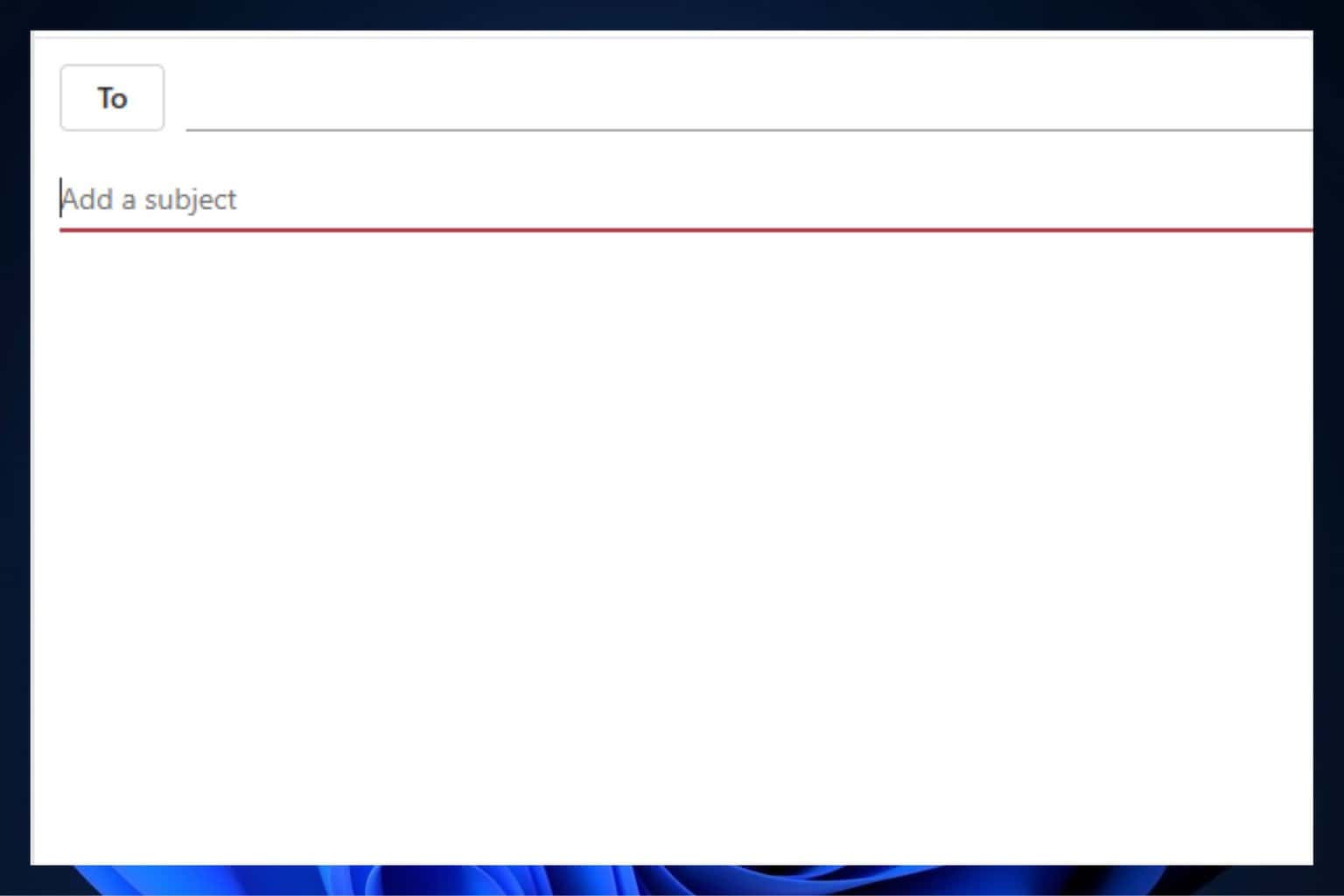
Announced in a recent entry to the Microsoft 365 Roadmap, when you write an email, you can add a “Reply to” field. This field lets you add one or more email addresses where replies to your email should be sent.

So, if someone replies to your email, the reply will go to the addresses you added in the “Reply to” field.

Here’s what the entry says:

Users will be able to toggle a “Reply to” field in the email compose form, which will allow them to add one or multiple addresses which will be used as the recipients for any replies to that message. #newoutlookforwindows

The new enhancement will be available in the new Outlook for Windows starting in April, and all users should have access to it.

Microsoft will also bring the classic Outlook category shortcuts to the new Outlook for Windows, a move that should encourage users of the old platform to migrate to the new version.

The latest KB5053606 Patch Tuesday update for Windows 10 fails to address this annoying known error

Microsoft has rolled out the latest Patch Tuesday updates for Windows 10 in the KB5053606 pack, which are available for versions 20H2, 21H2, and 22H2.

As with any other security update, the KB5053606 patch mainly addresses urgent vulnerabilities that have targeted Windows 10. As such, the patch doesn’t bring any new features or enhancements, and they will be released later this month when the non-security patch comes out.

On the official support page for the KB5053606 pack, Microsoft says the patch comes with two known errors. One focuses on Citrix components that might have failed to install since the January Patch Tuesday updates were released. However, the error only affects a limited number of devices, and Windows 10 Home users are not expected to be affected.

If you haven’t installed the January Patch Tuesday updates, there is a chance a workaround that can be applied, but if you already have, then it won’t work. However, the Redmond-based tech giant is working with Citrix to address the issue.

The other known error concerns the System Guard Runtime Monitor Broker service, which we reported about a while ago. Microsoft says there is no need to take further action, but a workaround exists to prevent it.

You can download the KB5053606 update from Windows Update within Settings or from the Microsoft Update Catalog.

You can read the entire blog post about it here.

Microsoft promises a 10x TypeScript speed increase for faster coding

Microsoft has announced a significant leap forward for TypeScript with the development of a native port of its compiler and tools. This initiative, led by Anders Hejlsberg, aims to address performance challenges in large codebases by transitioning from TypeScript/JavaScript to a native implementation in Go.

The native implementation will drastically improve editor startup, reduce most build times by 10x, and substantially reduce memory usage, said Hejlsberg, the lead architect of TypeScript and Technical Fellow at Microsoft.

The project, dubbed Project Corsa, is expected to deliver a preview of the native TypeScript compiler by mid-2025, with a feature-complete version ready by the end of the year.

The native port promises transformative performance improvements. For instance, the time to run the TypeScript compiler on the Visual Studio Code codebase, which has over 1.5 million lines of code, is projected to drop from 77.8 seconds to just 7.5 seconds, a 10.4x speedup. Similar gains are expected across other popular codebases.

Here is the complete speed increase, provided by Microsoft for several codebases:

CodebaseSize (LOC)CurrentNativeSpeedup
VS Code1,505,00077.8s7.5s10.4x
Playwright356,00011.1s1.1s10.1x
TypeORM270,00017.5s1.3s13.5x
date-fns104,0006.5s0.7s9.5x
tRPC (server + client)18,0005.5s0.6s9.1x
rxjs (observable)2,1001.1s0.1s11.0x
Source: Microsoft

Microsoft’s decision to use Go for this port was influenced by its balance of low-level control, optimized native code support, and concurrency features. The company plans to maintain both the current JavaScript-based and the new native codebases for the foreseeable future, ensuring a smooth transition for developers.

This development marks a pivotal moment for TypeScript, enhancing its scalability and efficiency while opening doors to new possibilities in AI-powered features and large-scale application development. But these are just words. If you’re a developer, you will definitely test the new features and see if they bring that extra kick you were looking for.

Chrome may soon integrate Google Lens into Address bar for Page Search

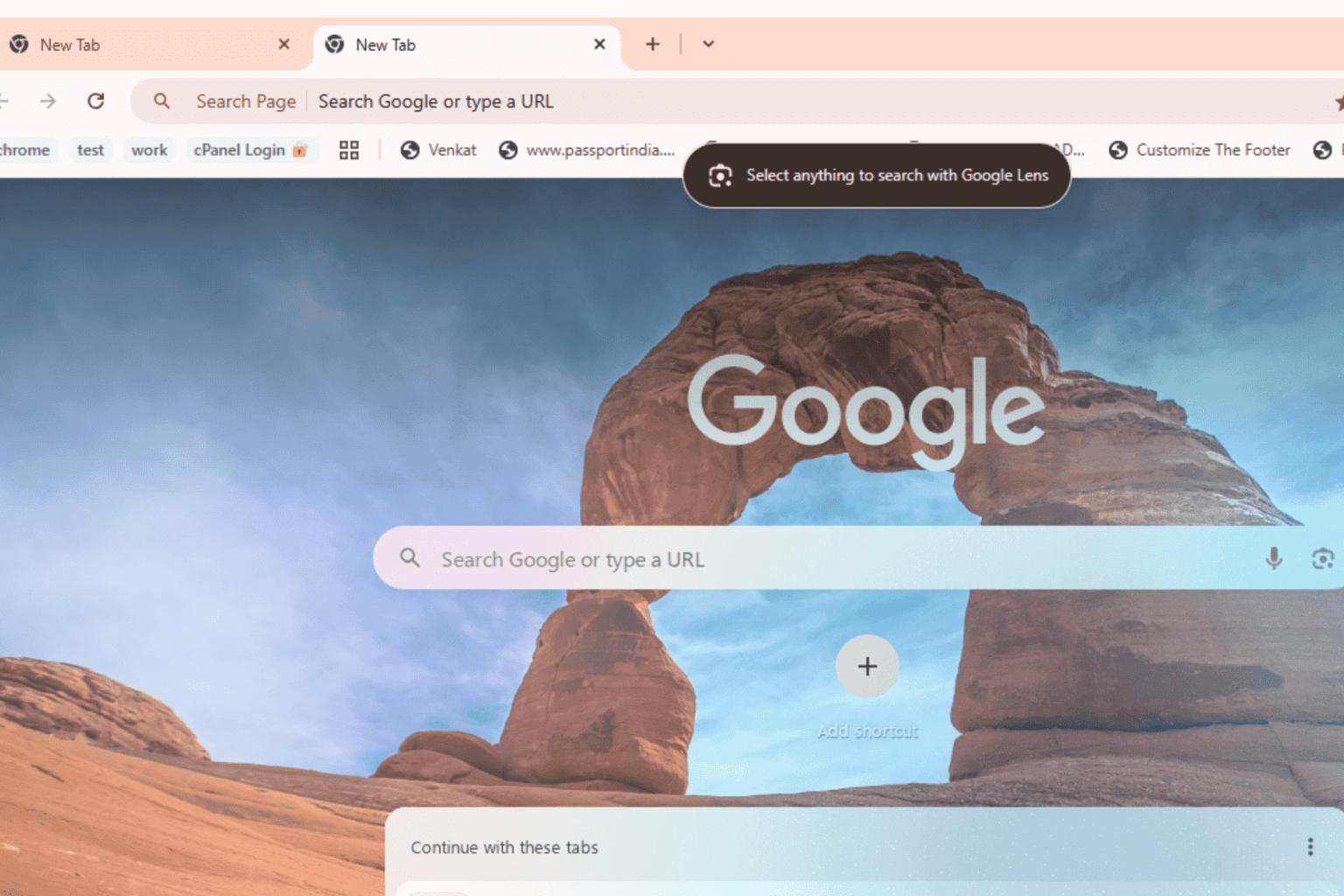
After allowing users to search tabs, history, bookmarks, and even interact with Gemini directly from the Chrome address bar, Google is now developing a new “Page Search” feature powered Google Lens in the omnibox using the @page keyword.

If you’ve ever struggled to locate information on a webpage using the “Find in Page” feature, this new feature could simplify the process. Chrome may soon allow users to search within a webpage directly from the address bar with added power of Google Lens by using built-in Site Search shortcut @page, alongside existing shortcuts like @tabs, @history, and @bookmarks.

@page shortcut to Search Page from Chrome address bar. Image Credit: WindowsReport.

The @page feature is part of Chrome’s Starter Pack, a collection of pre-configured search tools that also includes @history, @bookmarks, @tabs, and @gemini. While we thought this as a text-based search tool, it now appears to use Google Lens for more advanced features.

Image Credit: WindowsReport.

When you type @page followed by a search term in the address bar, it triggers a Lens search within the current page. However, instead of simply highlighting text (like Ctrl+F), it opens Google Lens, allowing you to perform visual or contextual searches on the page’s content. please check the video.

Currently, the feature is still in development, as indicated by its placeholder URL (chrome://page/?q={searchTerms}).

Image credit: WindowsReport.

Integrating page-context search powered by Lens into the address bar, may make browsing faster and more easier.

Apart from this ,Google has cancelled Chrome’s Auto Dark mode feature. and Chrome has started pushing users to use Gemini. Addionally chrome incognito will block third-party cookies by default.

What’s your take on Chrome adding Lens Search into address bar? Let us know your thoughts in the comments below.

Microsoft is killing Publisher next year, so you should convert your projects

Microsoft has announced that its popular desktop publishing software, Microsoft Publisher, will no longer be supported after October 2026. This decision affects several software versions, including Publisher for Microsoft 365, Publisher 2021, 2019, 2016, 2013, 2010, and 2007, and Developer versions from 2010 and 2013.

Publisher, known for its user-friendly layout tools and pre-designed templates, has been widely used by non-professional designers in schools, churches, nonprofits, and small businesses. However, Microsoft has decided to retire the software to focus on newer tools and features within its ecosystem.

To help users transition, Microsoft recommends converting existing Publisher files (.pub) to more accessible formats like PDF or Word documents. Users can do this manually or automate the process using macros for large file sets. While third-party conversion tools are available, Microsoft warns about their varying quality and lack of official support.

For those seeking alternatives, Microsoft suggests using Word or PowerPoint for basic layout tasks. For more advanced projects, third-party tools like Canva, Adobe InDesign, or Affinity Publisher are recommended.

Here’s a table provided by Microsoft on suggested alternative apps for your projects:

I want to create…Recommended App
Ads or FlyersWord, PowerPoint or Designer
BrochuresWord or PowerPoint
Banners, Signs, PostersPowerPoint or Designer
CertificatesWord or PowerPoint
Business cardsWord or PowerPoint
Business invoices, applications and formsWord
CalendarsWord or PowerPoint
EnvelopesWord ​​​​​​​
LabelsWord
LetterheadWord
NewsletterWord
Programs, Folded Paper ProjectsWord
Cards (Greeting, Compliment, etc.)Word, PowerPoint or Designer
Source: Microsoft

Although Publisher will no longer be included in Microsoft 365 after October 2026, users with perpetual software versions can continue using it indefinitely. However, these versions will not receive security updates, new features, or technical support.

This marks the end of an era for a tool that has been a staple in desktop publishing for over three decades. Users are encouraged to prepare for the transition well in advance to avoid disruptions. At least, the Publisher’s demise doesn’t come as abrupt as the one of Skype.

The March 2026 Patch Tuesday updates for Windows 11 bring huge improvements to Narrator

Microsoft has rolled out the latest Patch Tuesday updates for Windows 11, addressing a range of security vulnerabilities and introducing new features: KB5053598 for Windows 11 24H2 and KB5053602 for Windows 11 23H2 and 22H2. These updates are mandatory to install.

KB5053598 and KB5053602 include enhancements to the Task Manager, Taskbar, Lock screen, and Narrator. For instance, users can now share files directly from a jump list on the taskbar, and Windows Spotlight has been made easier to find with changes to the icon color and background.

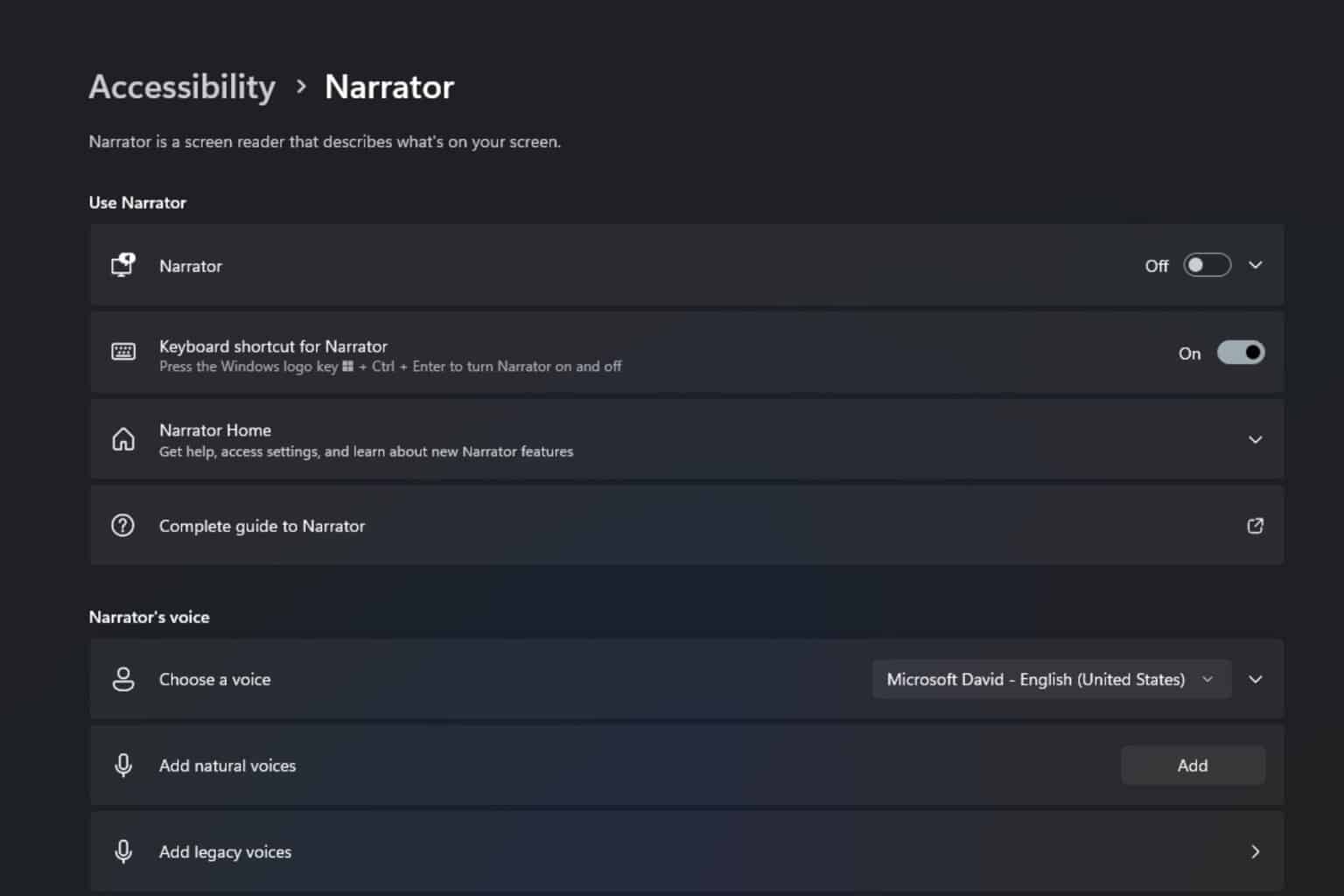
Additionally, the updates introduce new functions for Narrator scan mode, making it more convenient for users to navigate long emails, news articles, and wiki pages.

The updates also improve the File Explorer, allowing users to snooze or turn off the ‘Start backup’ reminder in the address bar.

Furthermore, they address various issues, such as performance improvements when loading folders with a large number of media files and fixing the context menu’s slow opening when right-clicking cloud files.

The March 2025 Patch Tuesday for Windows 11 also addresses security issues discovered in previous months.

Users can install KB5053598 and KB5053602 by navigating to Start > Settings > Windows Update and clicking on ‘Check for Updates.’ Alternatively, the updates can be manually downloaded and installed from the Microsoft Update Catalog:

You can see the release notes for Windows 11’s Patch Tuesday updates for March 2024, here.

ViVeTool v0.3.4 is here and it works on Windows 11 24H2

The ViVeTool team has announced the release of ViVeTool v0.3.4, which brings many new features and enhancements to the popular Windows Insider features management tool.

One of the key highlights of ViVeTool v0.3.4 is improved argument handling, which addresses several issues that users report. The update also includes persistence improvements, ensuring that manual overrides created with previous versions are upgraded to a more stable type with better persistence.

Additionally, the new release introduces the /fixpriority command, which helps restore Windows’s automated A/B feature delivery in case the system has unintentionally stopped receiving experiments from Microsoft. This command is handy for users who have used ViVeTool v0.3.0 or v0.3.1 to create overrides on their system.

The ViVeTool team has also updated the feature dictionary, ensuring users can access the latest data and improvements. The update is built against .NET Framework 4.8.1 and includes ARM64 support, making it compatible with a broader range of devices.

Plus, the popular tool has also surpassed 2 million downloads, according to its developers.

You can read more about ViVeTool v0.3.4 by visiting its GitHub release page.

Microsoft wants to ensure developers don’t use adult content for training AI in a hilarious way

While scrolling through the endless Reddit pages of Microsoft forums, we came across a very funny, to say the least, intervention from the Redmond-based tech giant on one of its guides for training and testing datasets in Azure: the company says that repeating characters, words, or groups of words more than three times is forbidden.

Why? Because it might allude to adult content. We know how this sounds, but hear Microsoft out:

Avoid repeating characters, words, or groups of words more than three times. For example, don’t use “aaaa,” “yeah yeah yeah yeah,” or “that’s it that’s it that’s it that’s it.” The Speech service might drop lines with too many repetitions.

The phrase you just read is an official advice from the Redmond-based tech giant, and you can find it here.

And if you’re thinking what we’re thinking, you should know we’re not alone. The whole Reddit community is also thinking about it, and it is indeed an ingenious way Microsoft devised to make sure not even speech that might allude to not-safe-for-work content is not allowed.

As one Reddit user put it:

Communication about alternative payment involving a tenant, pizza lover, housewife with broken plumbing is fine, I hope.

Funny, Microsoft!

What do you think? Could this restriction be about that or not?

In other news, speaking of AI, you can now talk naturally to Copilot, using the new “press-to-talk” feature. The AI model’s new option will allow you to converse with it using your voice, and it should understand you. Neat, right?

Update Chrome right now to avoid these 5 newly discovered vulnerabilities

Google has issued an urgent security update for Chrome users worldwide, warning of five newly discovered vulnerabilities—three rated high-severity and two medium-severity—that could allow attackers to hijack devices, steal sensitive data, or execute malicious code. The advisory comes alongside a “high-risk” warning from India’s Computer Emergency Response Team (CERT-In), urging billions of users to act immediately to safeguard their systems.

These are the vulnerabilities that can affect you right now

The latest Chrome security flaws include:

  1. CVE-2025-1920 and CVE-2025-2135: Type confusion bugs in Chrome’s V8 JavaScript engine, which could enable arbitrary code execution.
  2. CVE-2025-2136: A use-after-free flaw in Chrome’s inspector component, risking memory corruption.
  3. CVE-2025-2137: An out-of-bounds memory read issue in V8, potentially leaking sensitive data.
  4. An unpatched GPU-related vulnerability involving out-of-bounds memory writes.

CERT-In emphasized that such vulnerabilities could allow attackers to bypass security protocols, access passwords, banking details, and personal data, or install malware through compromised websites.

While Google has rolled out fixes for desktop users (Chrome 134.0.6998.88/.89 for Windows/Mac and 134.0.6998.88 for Linux), merely updating isn’t enough. Restarting the browser is essential to activate the patch. Here’s what cybersecurity expert Davey Winder said:

Automated updates are meaningless if users delay restarting Chrome. Attackers exploit this window of vulnerability aggressively.

Key recommendations from CERT-In

CERT-In’s advisory aligns with Google’s urgency, advising users to:

  1. Update Chrome immediately to the latest version (check via Help > About Google Chrome).
  2. Restart the browser to apply the update—saved tabs will reload automatically.
  3. Enable automatic updates to prevent future risks.
  4. Avoid suspicious browser extensions and websites.
  5. Use strong, unique passwords and antivirus software.

Google’s phased rollout means updates may take days to reach all users. However, with exploit code for V8 and GPU flaws likely already circulating, delaying action increases exposure to phishing, financial fraud, and system takeovers. CERT-In specifically flagged risks for users on pre-130.0.6723.69 versions, though newer builds are also affected.

Additionally, you can try one of these super secure combos we’ve researched to keep your PC and data safe.

With cybercriminals increasingly targeting browser vulnerabilities, proactive measures are critical. Chrome users must prioritize this update-restart cycle to mitigate what CERT-In calls a “severe and imminent” threat. Stay vigilant, and ensure your browser—and habits—stay secure.

SharePoint will suggest users how to format quick links with recommended icons and images

SharePoint’s Design Ideas will soon be enhanced to give users suggestions on formatting links.

In a recent entry to the Microsoft 365 Roadmap, the Redmond-based tech giant says Design Ideas can recommend icons and images for the links and show users how different card sizes would look for a single quick link in a section.

Here’s what the entry says:

Design Ideas now provides formatting suggestions for the quick links webpart. This includes suggesting icons and images for a given link, as well as showing how the webpart would look with different card sizes, for single quick link webparts in a section.

According to the entry, Microsoft will add the enhancement to SharePoint in April.

In recent news, Microsoft announced that the platform will get dozens of AI agents. The company teased a major AI integration with SharePoint, earlier this year.

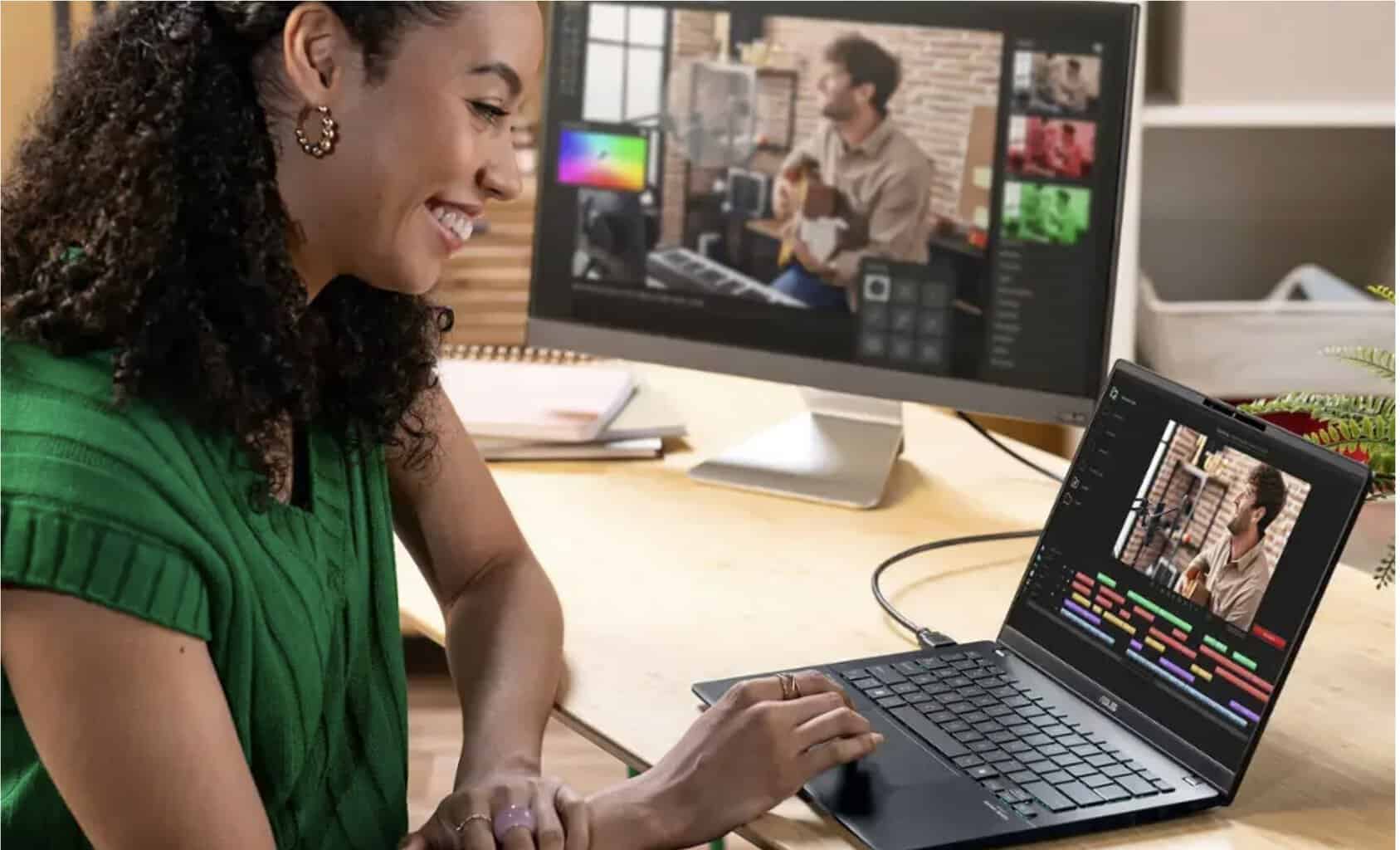
Deal alert: Asus Vivobook S 14 OLED is almost 50% off right now

The Asus Vivobook S 14 OLED, a sleek and high-performance laptop, is now available at a massive 47% discount, dropping its price from $949.99 to just $499.99. This makes it one of the best value-for-money deals for those looking for a lightweight yet powerful laptop.

Here’s why you might want to consider it

Sleek & Portable Design

Weighing just 1.3 kg (2.87 lbs), the ultra-thin Vivobook S 14 OLED is perfect for students, professionals, and frequent travelers. Its 14-inch display with slim bezels ensures a compact and stylish look without compromising screen space.

Strong Performance for Everyday Use

Powered by an Intel Core Ultra 5 226V processor and 16GB of RAM, this laptop delivers smooth multitasking, whether you’re browsing, working on documents, or doing light content creation.

Stunning OLED Display

The 14-inch OLED screen is a standout feature, offering:

  • 1200p resolution for crisp visuals
  • 100% DCI-P3 color accuracy for vibrant images
  • 400 nits brightness (600 nits in HDR mode) for deep contrast and clarity

Perfect for work, streaming, and even light gaming.

Long Battery Life & Advanced Connectivity

  • 75Wh battery – Over 15 hours of usage on a single charge
  • Wi-Fi 7 & Bluetooth 5.4 – Faster and more stable wireless connections
  • Two Thunderbolt 4 ports – Fast data transfer and external display support
  • 512GB Gen 4 SSD – Upgradeable for extra storage needs

At just $499.99, this laptop offers premium features at an unbeatable price, making it a top choice for those who want a balance of affordability and high-end specs.

Copilot in Word will suggest answers from the most recent prompts

It’s been a while since Copilot was introduced in Microsoft Word. With the latest price changes to the 365 Suite, AI is now part of every productivity app there, which only means one thing: Microsoft wants you to use it as often as you can.

And it has come up with inventive ways to do this: for example, in a recent entry to the Microsoft 365 Roadmap, the Redmond-based tech giant says that Copilot in Word will soon use the most recent prompts as suggestions for new tasks when working with it on the platform.

Here’s what the entry says:

When you’re typing in Word, Copilot shows you the most recent suggestions it has given you. You can use these suggestions exactly as they are, or you can make changes to them using the Draft feature with Copilot.

This means that Microsoft is emphasizing the need to establish a natural and instinctual way of working with AI in Word documents.

The new enhancement is coming to Copilot in April 2025.

Speaking of Copilot, the AI model now has a new way of communicating with users, thanks to the new Press-to-talk feature: you’ll be able to talk to Copilot. How cool is that?

Next-gen Xbox set for 2027, with a handheld console coming later this year

Microsoft is reportedly expanding its gaming hardware lineup, with plans to launch an Xbox-branded handheld device later this year and a next-generation Xbox console in 2027. Many rumours were already pointing in this direction, but according to Windows Central, Microsoft has already laid out all the plans, and soon enough, we’ll see the results.

Xbox handheld: Project “Keenan”

Codenamed “Keenan”, Microsoft’s upcoming Xbox handheld is being developed with a leading PC gaming hardware manufacturer. The device will feature classic Xbox design elements, including the iconic Xbox guide button, ensuring a familiar feel for players.

Running on a full version of Windows, this handheld will provide access to the Microsoft Store and PC Game Pass while supporting third-party gaming platforms like Steam.

With Microsoft entering the portable gaming space, this new device could directly compete with Nintendo’s next-gen Switch and other handheld gaming systems.

Next-Gen Xbox console

Microsoft has reportedly approved the development of a new Xbox console, set to launch in 2027. This high-end next-gen console aims to bring significant technological improvements over the current Xbox Series X|S.

Despite its push into handheld gaming, Microsoft remains fully committed to the console market, ensuring Xbox continues to evolve and stay competitive. Microsoft has been bringing its formerly exclusive console games, such as Forza Horizon 5, to PlayStation to boost its overall profitability.

Integration & future plans

Beyond new hardware, Microsoft is also working on deeper integration between Windows and Xbox. Plans include bringing the Xbox OS user interface to Windows, creating a more unified gaming experience across devices.

In January, Jason Ronald, Microsoft’s VP of ‘Next Generation,’ told The Verge that the company intends to integrate Xbox and Windows experiences for PC gaming handhelds produced by original equipment manufacturers (OEMs), also known as third-party hardware makers.

This move will focus on:

  • Better game compatibility
  • Improved controller support
  • A more content-driven experience, shifting away from the traditional Windows desktop interface

What this means for gamers

Microsoft’s latest moves highlight its long-term strategy of offering versatile gaming options across multiple platforms. With the introduction of an Xbox handheld and the development of a next-gen console, the company is looking to cater to a wide range of gaming preferences and strengthen its position in the gaming industry.

Microsoft Edge is Preparing a dedicated Page to easily Install Android Extensions

It seems Microsoft is working on creating a dedicated page for users to browse, discover, and install extensions in the Edge browser on Android. This page features a curated collection of extensions tailored for Android, while also being compatible with the desktop version.

Microsoft Edge for Android does support extensions, although currently, it is limited to 16 extensions. To install these extensions, users need to click on the menu, select Extensions, and then click Get to install each extension individually.

Soon, you can install Android Extensions from the Edge Add-ons Site

Soon, Microsoft will make it easier to install these extensions on Edge for Android. The page we spotted simplifies this process.

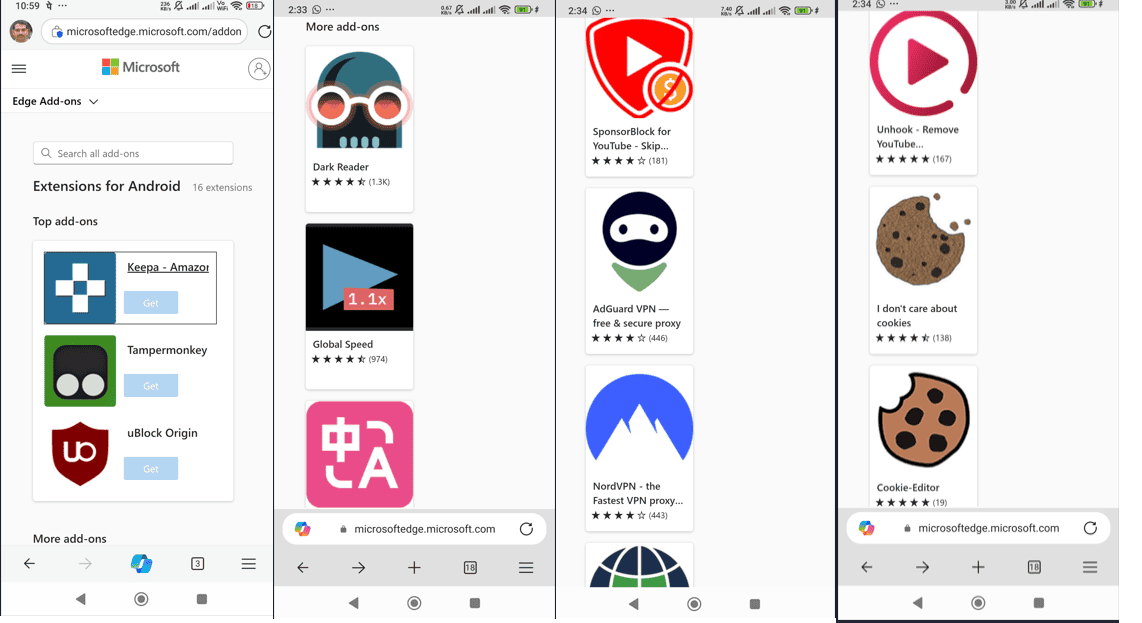
Visiting https://microsoftedge.microsoft.com/addons/collections/mobile_android_extensions in Edge on Android displays all 16 extensions currently supported by Edge.

Mobile Android Extensions page view in Edge on desktop

The page highlights “Top Add-ons” such as Keep, Tampermonkey, and uBlock Origin while listing other supported extensions like Dark Reader, SponsorBlock for YouTube, AdGuard VPN, and NordVPN under “More Add-ons”.

As of now, users cannot install the extensions directly from this page, as the Get button for each extension is grayed out and labeled with “incompatible with your browser.” However, it is only a matter of time before Microsoft rolls out this page to users for Edge on Android.

We expect Microsoft to make this page a permanent option for installing extensions, replacing the current method of accessing extensions via the Extensions button in the menu. Microsoft may soon redirect users to this page for a better Extension install experience.

Until now, Kiwi Browser was the only browser to support extensions on Android. However, since its discontinuation and Chrome’s lack of extension support on Android, there has been a gap in the market. With the backlash Google is facing for dropping Manifest V2 extensions, including popular ones like uBlock Origin, Microsoft has a golden opportunity to capitalize on this and increase its mobile user base for Edge.

As of now, there is no official announcement regarding when Microsoft will fully enable the add-ons discovery page. However, its presence suggests an imminent launch, possibly as part of an upcoming Edge update.

Apart from this, Edge now lets you move the address bar to the bottom on Android and supports the PDF Reflow feature. Additionally, Microsoft has redesigned Edge’s Android settings to match those of the desktop version.

Microsoft Publisher is going away, but here’s how you can get ready for that

Microsoft has announced that Microsoft Publisher—its long-standing desktop publishing software—will no longer be supported after October 1, 2026. Publisher will be removed from Microsoft 365 subscriptions, and existing standalone versions will no longer receive updates or support. This means Microsoft 365 users can no longer open or edit Publisher files using the app.

This isn’t new, as we already reported earlier that Publisher will not be around for much longer. But now Microsoft just doubled down with guidance and support on preparing for the end of the app and possibly the next steps in a dedicated support document.

Here’s what you need to do before the support ends

To ensure continued access to your Publisher files (.pub), Microsoft recommends converting them to alternative formats before the support deadline:

  • Save as PDF – Best for finalized documents that don’t need further editing while keeping their original design intact.
  • Save as Word (DOCX)—This option is ideal for documents that may require future edits. It allows text changes and basic layout adjustments.

This is how to convert Publisher files

  1. Open your Publisher file.
  2. Go to File > Save As.
  3. Choose the format you need (PDF or DOCX) and save it to your preferred location.

If you have many Publisher files to convert, Microsoft suggests using macros to automate and simplify the process.

What alternatives can I use?

Microsoft suggests using other apps from its suite to replace Publisher for different publishing needs:

  • Word – Great for creating flyers, brochures, and ads, with strong text formatting and basic design tools.
  • PowerPoint – Useful for visually rich presentations and marketing materials, offering flexible layout options.
  • Designer – A tool for professional-quality designs across various media formats.

Together, these apps cover most of Publisher’s features, helping users continue their publishing tasks without major disruptions. If you’re uncomfortable with Microsoft’s suite of apps, you can look at the best alternatives you can use right now.

Can I still use Publisher after 2026?

If you have a standalone version of Microsoft Publisher, you can continue using it beyond October 2026. However, remember that these versions won’t receive updates or technical support, which could lead to compatibility and security risks over time.

Why is Microsoft discontinuing Publisher?

Microsoft’s decision to phase out Publisher is based on the fact that many of its features are already available in other Microsoft apps. The goal is to simplify and enhance the user experience across its entire suite of productivity tools.

To avoid last-minute disruptions, users are encouraged to transition to recommended alternatives well before the deadline for a smooth, hassle-free shift.

The new Microsoft Advertising Showroom ads makes Copilot the perfect shopping assistant

Microsoft knows that one of the keys to your heart is shopping, so it just provided another reason why you should use Copilot to fill up your cart. The software giant has unveiled two innovative ad formats designed exclusively for Copilot users. These new formats, Showroom Ads and Dynamic Filters, aim to provide a more interactive and personalized experience for users, At the same time, it’s offering brands new ways to engage with their audience.

The Showroom Ads format emulates the experience of visiting a physical showroom. When you’re searching information about a product, you are presented with an ad experience that showcases the product’s benefits through rich, sponsored content.

Source: Microsoft

Next, you can interact with the ad by asking questions about the product. In the future, Microsoft plans to integrate virtual brand representatives into these ads, allowing users to connect directly with brand agents for more personalized interaction. A pilot program for Showroom Ads is set to launch in April with select clients.

The second format, Dynamic Filters, is designed to help you narrow down your product searches based on individual preferences. These ads adapt dynamically to your queries to make it easier to find exactly what you’re looking for. The pilot for Dynamic Filters will begin this March in English-language markets.

To conclude, through Microsoft Advertising Showroom ads, you will be able to talk to Copilot until you find the right product you’re looking for.

Obviously, Microsoft is trying to monetize Copilot while delivering value to both users and advertisers. Whether or not this will bring users closer to Copilot remains to be seen in the future.

You can now talk to Copilot thanks to Microsoft’s latest update

Microsoft is rolling out a new “press-to-talk” feature in its Copilot app for Windows, making it easier for users to interact with the AI assistant using voice commands. This update is currently available to Windows Insiders as part of version 1.25024.100.0.

Here’s everything new in this update

? Voice Activation: Users can now activate voice input by pressing and holding the ‘Alt’ key and spacebar for two seconds. This triggers a small blue microphone overlay, signaling that Copilot is ready to listen.

? Hands-Free Convenience: With this feature, users can talk to Copilot naturally and issue commands without navigating menus, making interactions faster and more intuitive.

? Improved Accessibility: Adding voice input makes Copilot more accessible to a broader audience, including users who rely on voice-based interaction.

This update is part of Microsoft’s ongoing AI integration efforts to create a more interactive and personalized user experience. Microsoft has been enhancing Copilot’s voice capabilities and reasoning skills to make the AI assistant even more helpful.

Windows Insiders are encouraged to update their Copilot app to try the new press-to-talk feature. If you want to give Microsoft pointers on issues with the app or recommendations, you can do that in the Feedback Hub (WIN + F) under Apps > Copilot or directly within the Copilot app by clicking on your profile icon and choosing “Give feedback”.

Update Firefox right now to avoid streaming, add-on, and security issues

Mozilla has issued an urgent update warning for all Firefox users: make sure your browser is updated to version 128, or ESR 115.13 for those using the extended support release, before March 14, 2025. Failing to update could lead to disabled add-ons and issues with DRM-based streaming services like Netflix.

Here’s why you should update your browser

The issue stems from the upcoming expiration of a root certificate on March 14, which is essential for Firefox’s add-on system and DRM functionality. Without this update, users may encounter:

  • Add-ons and themes getting disabled, affecting the browsing experience.
  • Streaming service disruptions, preventing access to DRM-protected platforms like Netflix.
  • Security feature failures, including Firefox’s built-in protections against malicious add-ons and expired SSL certificates, increasing security risks.

Users running older operating systems, such as Windows 7, 8, 8.1, or macOS versions 10.12–10.14, must also upgrade to ESR 115.13 or later to keep Firefox working properly.

How to quickly update Firefox

On Desktop:

  1. Click the Firefox menu in the toolbar.
  2. Select “About Firefox.”
  3. The browser will display the current version and automatically check for updates.

On Android:

  1. Open the Firefox app.
  2. Go to Settings > About Firefox.
  3. If needed, check your version number and update via the Google Play Store.

If you’re using Firefox in a business or organization, it’s best to check with your IT department before the deadline to ensure compliance.

Updating Firefox is quick and straightforward and won’t affect your bookmarks, passwords, or settings. However, ignoring this update could lead to security vulnerabilities and a degraded browsing experience. To keep your browser safe and fully functional, Mozilla strongly recommends updating as soon as possible.

The latest KB5053660 to Windows 11 Dev and Beta Channels greatly enhaces Live Captions on AMD and Intel®-powered Copilot+ PCs

Microsoft released the Insider Preview Build 26120.3380 (KB5053660) for Windows 11 Dev and Beta Channels, which brings some major changes and improvements to the operating system.

One of the most notable additions is the real-time translation capability for live captions on AMD and Intel®-powered Copilot+ PCs.

This feature now supports a wide range of languages, including Arabic, Bulgarian, Czech, Danish, German, Greek, English, Spanish, Estonian, Finnish, French, Hindi, Hungarian, Italian, Japanese, Korean, Lithuanian, Norwegian, Dutch, Polish, Portuguese, Romanian, Russian, Slovak, Slovene, and Swedish.

Another important highlight of KB5053660 is the introduction of recommended files in File Explorer. Users signed in with their personal Microsoft accounts will now see a carousel of thumbnail previews in the Recommended section, providing quick access to frequently used, recently downloaded, or newly added files.

Additional types of recommendations will be available for those using work or school accounts. However, this feature is not yet rolling out in the European Economic Area (EEA).

The Start menu also sees an update with the introduction of snap group recommendations. This new feature suggests a snap group in the Recommended section based on two apps most likely to be used together, streamlining multitasking for users.

Microsoft also informs insiders that the switching window from the Dev Channel to the Beta Channel will close soon. Switching channels may result in the temporary loss of some features, so users are encouraged to make their decision promptly.

You can read KB5053660’s full changelog here.

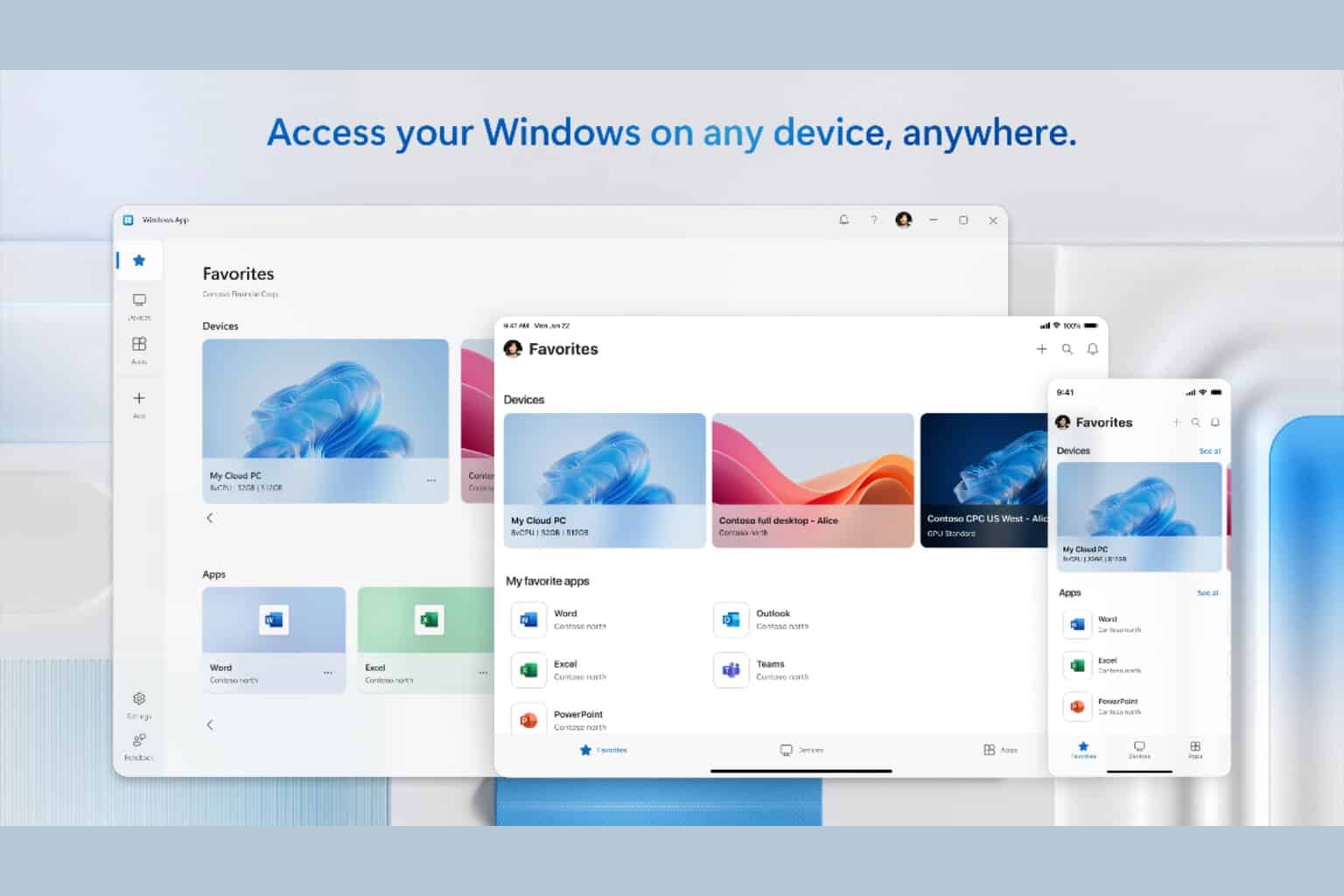
The new Windows App will soon replace Remote Desktop

Microsoft has announced that the Remote Desktop app for Windows, available through the Microsoft Store, will be retired on May 27, 2025. Users are encouraged to transition to the new Windows App (very uninspired name, right?), which offers enhanced features and a more streamlined experience for accessing remote services.

The Remote Desktop app has been widely used to connect to services like Windows 365, Azure Virtual Desktop, and Microsoft Dev Box. However, starting from the retirement date, the app will no longer be supported or available for download. Microsoft has highlighted several benefits of the new Windows App, which is set to replace the older application:

  • Unified Access: The Windows App provides a single interface for accessing multiple Windows services, including Cloud PCs and virtual desktops.
  • Enhanced Features: Users can enjoy customizable home screens, multimonitor support, and dynamic display resolutions.
  • Optimized Remote Work: The app includes advanced features such as device redirection, Microsoft Teams optimizations, and easy account switching.

For users who primarily use the Remote Desktop app to connect to remote PCs, Microsoft recommends using the built-in Remote Desktop Connection utility until the Windows App fully supports this functionality.

Microsoft has also acknowledged that the Windows App currently has some limitations and known issues. Users are advised to review these details and prepare for the transition by updating internal resources, such as user guidance and administrative materials. Another problem is that Windows App is only available with a work or school account.

This change follows a similar transition for macOS users, as Microsoft continues to unify its remote access tools across platforms. The company aims to provide a more cohesive and feature-rich experience for users of its remote services.

For more information, visit the Microsoft Tech Community blog. Will you miss the Remote Desktop app? Let us know in the comments below.

The Windows Insider Program is not what it used to be anymore, insiders agree

The Windows Insider Program is quite complex. It currently has several channels, including Beta, Dev, Canary, and Preview, that feature new Windows capabilities at different stages of development.

However, despite the Program turning 10 recently, and despite the relatively big community, some Windows Insiders agree that the program is not what it used to be anymore.

On Reddit, for example, such a topic has become a place where many Insiders give their honest opinions on the Program, and it’s not exactly reasonable. The truth? Windows 11 might have ruined it.

Here’s what a passionate Insider says about the program:

Microsoft started the Insider Program 10 years ago as way for worldwide tech-savvy users to become Beta Testers and test drive new features and changes WAY BEFORE the general public. Late in the Windows 10 cycle they began doing A/B feature testing which effectively defeated the purpose of the then-Fast Ring.

(You could have the latest and greatest build and not get any of the new announced features, making Fast Ring pointless). — For example, I NEVER got to test the “Sets” tabbed Explorer feature in 2017, it never showed up for me no matter how many reinstalls or restarts I did…)

With Windows 11 they screwed up the Program further by introducing Controlled Feature Rollouts. They introduced also a “get new updates first” toggle in WU which, thanks to CFR, is partially pointless as well. Because turning that toggle on doesnt mean you will get the new stuff to test right away.

And the final nail in the coffin is the fact that some times new features and changes are shipped to consumers before they are shipped to Insiders in any of the 3 channels. I predict some time soon in the near future MSft is going to end the Insider Program.

Other Insiders agree that the main issue of the Windows Insider Program is the A/B testing, and while some understand the necessity of such a rollout, all Insiders think it’s unfair that only some experience a certain feature.

I fully understand what A/B testing is used for and why, but the most unstable channel (Canary nowadays, used to be Dev/Insider Fast in the past) shouldn’t have any of this, period, if you want that, do it on the lower channels. New features should appear in the unstable channels first and gradually rollout to the more stable channels, like it used to be on earlier Windows 10 days, not this mess that we have now, where some features already on stable still are nowhere to be seen on Canary.

If I’m so desparate for a feature locked behind AB testing I use vivetool (I heard it messes up with telemetry but I only use it for tiny features like battery percentage and open explorer tabs instead of windows)

Microsoft’s rollout of features to the Windows Insider Program has been quite confusing, so Insiders are rightfully concerned. The Redmond-based tech giant has introduced a normal rollout and a gradual rollout for Insiders. Additionally, the Dev and Canary Channels often overlap, confusing some even more.

What are your thoughts about this?

This new sophisticated malware campaign is targeting Outlook users

Security researchers have uncovered a highly sophisticated malware campaign targeting Microsoft Outlook users to steal their login credentials. The malware, named “Strela Stealer” (derived from the Russian word for “arrow”), has been active since late 2022 and is specifically designed to extract email credentials from both Microsoft Outlook and Mozilla Thunderbird clients.

Here’s how the malware spreads

Strela Stealer primarily affects users in several European countries, including Spain, Italy, Germany, Poland, and Ukraine. It spreads through targeted phishing emails that have become more advanced over time. In recent attacks, cybercriminals have forwarded legitimate-looking emails containing invoice notifications, but with a dangerous twist—the original attachments have been swapped out for ZIP files carrying the malware loader. These deceptive emails are written in the recipient’s native language, making them appear authentic and increasing the chances of the victim opening the infected file.

Strela Stealer works in multiple steps

Execution chain of Strela Stealer. Source: SpiderLabs.

Once activated, the malware follows a multi-stage infection process, using advanced obfuscation techniques to make detection and analysis difficult.

  1. Initial Verification:
    • The malware begins by running a highly obfuscated JScript file that checks whether the system is located in one of the targeted countries.
    • It does this by scanning the Windows registry key (“Control Panel\International\Locale”) and comparing the system’s Locale ID (LCID) to a list of predefined values associated with German-speaking regions.
  2. Downloading Additional Components:
    • If the system matches one of the targeted regions, the malware downloads more malicious components from a command and control server using the WebDAV protocol.
    • This technique allows the malware to execute in memory rather than being saved to the hard drive, making it harder for traditional antivirus software to detect.
  3. Stealing Outlook Credentials:
    • Strela Stealer scans the Windows registry for Outlook profile data in its final stage.
    • It specifically looks for keys storing email configurations, such as:
      "HKCU\Software\Microsoft\Office\15.0\Outlook\Profiles\Outlook\9375CFF0413111d3B88A00104B2A6676"
    • Once found, the malware extracts login credentials, including IMAP username, IMAP server details, and IMAP passwords.
    • Encrypted data is then decoded using the CryptUnprotectData API function, allowing attackers to read the stolen credentials.
  4. Transmitting Stolen Data:
    • The compromised login credentials and system information are then sent to the attacker’s server via HTTP POST requests, allowing them to gain unauthorized access to victims’ email accounts.

Some simple steps to stay protected

To stay safe from Strela Stealer and similar cyber threats, follow these security best practices:

  • Be cautious with email attachments – Avoid opening unexpected or suspicious emails, especially those with ZIP file attachments.
  • Strengthen email security – Use advanced email protection tools to block phishing attempts.
  • Keep antivirus software up to date – Regular updates help detect and prevent new malware strains.
  • Educate yourself and others – Awareness about phishing tactics can significantly reduce the chances of falling victim to scams.

By staying vigilant and following these measures, users can reduce the risk of credential theft and keep their email accounts safe from cybercriminals.

Microsoft will finally add the category shortcuts to the new Outlook for Windows

The new Outlook for Windows will finally be enhanced with a feature from the classic version of the platform. These category shortcuts should make migrating to the new Outlook easier for classic Outlook users.

Why? Well, quick-access category shortcuts make organizing emails easier, and generally faster. If you have already enjoyed using these shortcuts in the old version of Outlook for Windows, then you should know that Microsoft will soon add them to the new Outlook.

According to a recent entry to the Microsoft 365 Roadmap, the category shortcuts will be previewed in May, and the Redmond-based tech giant plans to roll them out in June 2025.

Here’s what the entry says:

Easily organize your inbox with quick-access category shortcuts! The shortcuts you loved in classic Outlook for Windows will be available in the new Outlook for Windows, making it easier than ever to categorize emails. #newoutlookforwindows

It’s worth noting that the feature will be generally available to all users, everywhere.

In similar news, the new Outlook will soon change how users move emails and messages around. The platform intends to make navigating Outlook a more natural experience.

Microsoft is enhacing Windows Share with image editing and compression capabilities

Windows Share, the platform within Windows 11 that allows users to share files, and other documents quickly, is getting some very unusual features.

According to tech enthusiast, @phantomofearth, Windows Share will be enhanced with image editing and photo compression tools. Microsoft will add some new context boxes to the tool, allowing users to edit images further before they can share them.

There are options to crop, adjust, filter, and markup an image to various degrees. Microsoft also ensures that users can edit the images in Windows Share meticulously.

This is quite useful in many ways. Consider taking a screenshot, and then right before sharing that screenshot with someone, you can edit it to highlight preferred elements. It should work similar to ShareX or even Snipping Tool if it had sharing capabilities.

For now, as you can see below, Microsoft is testing the new capabilities in Windows Share in the Beta Channel of the Windows Insider Program.

It’s worth noting that @phantomofearth spotted it in Windows 11 23H2 Beta.

What do you think about it?

Photo credits: @phantomofearth

Microsoft Search in Bing will be deprecated at the end of the month

Microsoft announced that it will deprecate the Search in Bing capability, the work search experience currently available on Bing.com, by the end of this month, March 31, 2025.

According to the announcement, which was unveiled in Version 134.0.3124.51’s release notes blog post, the Redmond-based tech giant will retire the AddressBarMicrosoftSearchInBingProviderEnabled policy, which will no longer be available in the Edge for Business address bar.

Instead, Microsoft will introduce the AddressBarWorkSearchResultsEnabled policy, which is set to replace the deprecated one and will be available starting with Edge 134.

Edge 134 also introduces the new scareware blocker policy. This policy should make the browser safer for users by defending them from scareware attacks. Microsoft says the new tool is already in preview and can be enabled by using a special policy, ScarewareBlockerProtectionEnabled.

Elsewhere, an update was made so that specific certificates (from Entrust) will no longer be trusted by default if issued after April 16, 2025. If your website uses one of these certificates, you need to get a new certificate that is not affected by this change. Alternatively, you can manually mark the affected certificate as trusted on your system, but you should carefully consider the risks before doing this.

Read Edge 134’s full changelog here.

Finally, a laptop display that expands horizontally from 14 to 18 inch

Compal Electronics, a leading Taiwanese Original Design Manufacturer (ODM), has unveiled an innovative laptop concept called the “Infinite Laptop”. This concept features a display that expands horizontally to transform from a standard 14-inch screen into an ultra-wide 18-inch workspace. That’s a welcome change, as most similar products, mainly from Lenovo, expand vertically.

We don’t know yet if Windows 11 is ready for this new design, but generally, it shouldn’t be a problem, as widescreen displays are already the norm. Maybe the more important question is how the OS will deal with the animations and the resizing of the windows.

The Infinite Laptop screen expands both ways

This design takes advantage of rollable OLED technology, allowing the screen to extend outward from both the left and right sides of the base unit while keeping the central display area above the keyboard. The goal is to boost productivity by offering additional screen space without sacrificing portability.

The Infinite Laptop concept recently earned an iF Design Award 2025, recognizing its potential influence on future laptop designs. According to award documentation, the idea focuses on balancing portability and productivity, aligning with the evolving needs of modern users.

This concept might not hit the consumer market too soon

As an ODM, Compal primarily designs hardware for other brands rather than selling products under its name. While the Infinite Laptop introduces a compelling innovation, it remains uncertain whether this concept will make it to the commercial market. However, it reflects the industry’s growing interest in flexible and adaptable display technologies.

The shift toward expandable displays represents a fresh approach to laptop design, offering an alternative to the usual compromises in portable computing. Built-in expandable screens could reduce reliance on external peripherals while maintaining convenience and portability.

Compal’s Infinite Laptop concept is part of a broader push to explore new solutions that enhance user experiences in mobile computing. As technology evolves, concepts like this may pave the way for future devices that seamlessly combine flexibility with functionality.

With KB5053661, Microsoft introduces the new Recommeded Files on Windows 11

Microsoft has released Windows 11 Insider Preview Build 22635.5025 (KB5053661) to the Beta Channel. This latest build introduces new features, improvements, and fixes to enhance the user experience.

One of the standout features in this build is the introduction of “Recommended files” in File Explorer. This new section, available to all Windows Insiders signed in with their personal Microsoft account, provides quick access to relevant files based on user activity.

The Recommended section is displayed as a carousel with thumbnail previews, showcasing frequently used files, recent downloads, and newly added content to the File Explorer Gallery. Users with work or school accounts will have additional types of recommendations available. However, this change is not yet rolling out in the European Economic Area (EEA).

Another notable update is adding a new feature to the Start menu. This feature recommends a snap group based on two apps most likely to be snapped together. It aims to improve productivity by suggesting app combinations that users frequently use together.

The build also includes several fixes, such as resolving an issue that caused File Explorer to close very slowly for some Insiders using the X button. Additionally, improvements have been made to support web search providers in Windows Search for users in the EEA, enhancing discoverability.

Despite these enhancements, this build still has some known issues. For instance, after installing an app, there may be a delay in app icons showing in grid and category views on the All Apps page in the Start menu.

Microsoft encourages users to provide feedback on issues through the Feedback Hub.

For more details, you can read KB5053661’s full notes here.

The Redmond-based tech giant also introduced an updated Microsoft Store to all Insiders enlisted in the Canary channel.

Windows 11 Build 27808 to Canary Channel brings major updates to Microsoft Store

Microsoft has released Windows 11 Insider Preview Build 27808 to the Canary Channel. This latest build brings several changes, improvements, and fixes to enhance the user experience and huge updates to the Microsoft Store.

The platform now has an updated design for its spotlight area that looks more modern and encompassing. This means users will be able to scroll through more applications, games, and other software without having to scroll down or leave the landing page behind.

Plus, the Redmond-based tech giant updated the Downloads Page to display available updates for downloaded apps, and games.

Another key update in this build is modifying the Task Manager. The Task Manager calculates CPU utilization for the Processes, Performance, and Users pages using standard metrics, ensuring consistent CPU workload display across all pages. A new optional column called “CPU Utility” has been introduced on the Details tab, showing the previous CPU value used on the Processes page.

This build addresses several issues, including a bug that caused popular games like Roblox to crash on launch, a printing issue that led to a green screen error, and a search window crash when searching from the taskbar. Other fixes include improving color profile loading after waking the PC from sleep, better performance of the early boot UI, and resolution of a BitLocker loop issue.

However, this build still has some known issues. Notably, users joining the Canary Channel on a new Copilot+ PC from the Dev Channel, Release Preview Channel, or retail may encounter errors with Windows Hello PIN and biometrics. Additionally, a d3d9.dll crash is causing multiple apps to fail to launch for some Insiders.

Microsoft encourages users to provide feedback on issues through the Feedback Hub.

For more details, you can read the full announcement here.

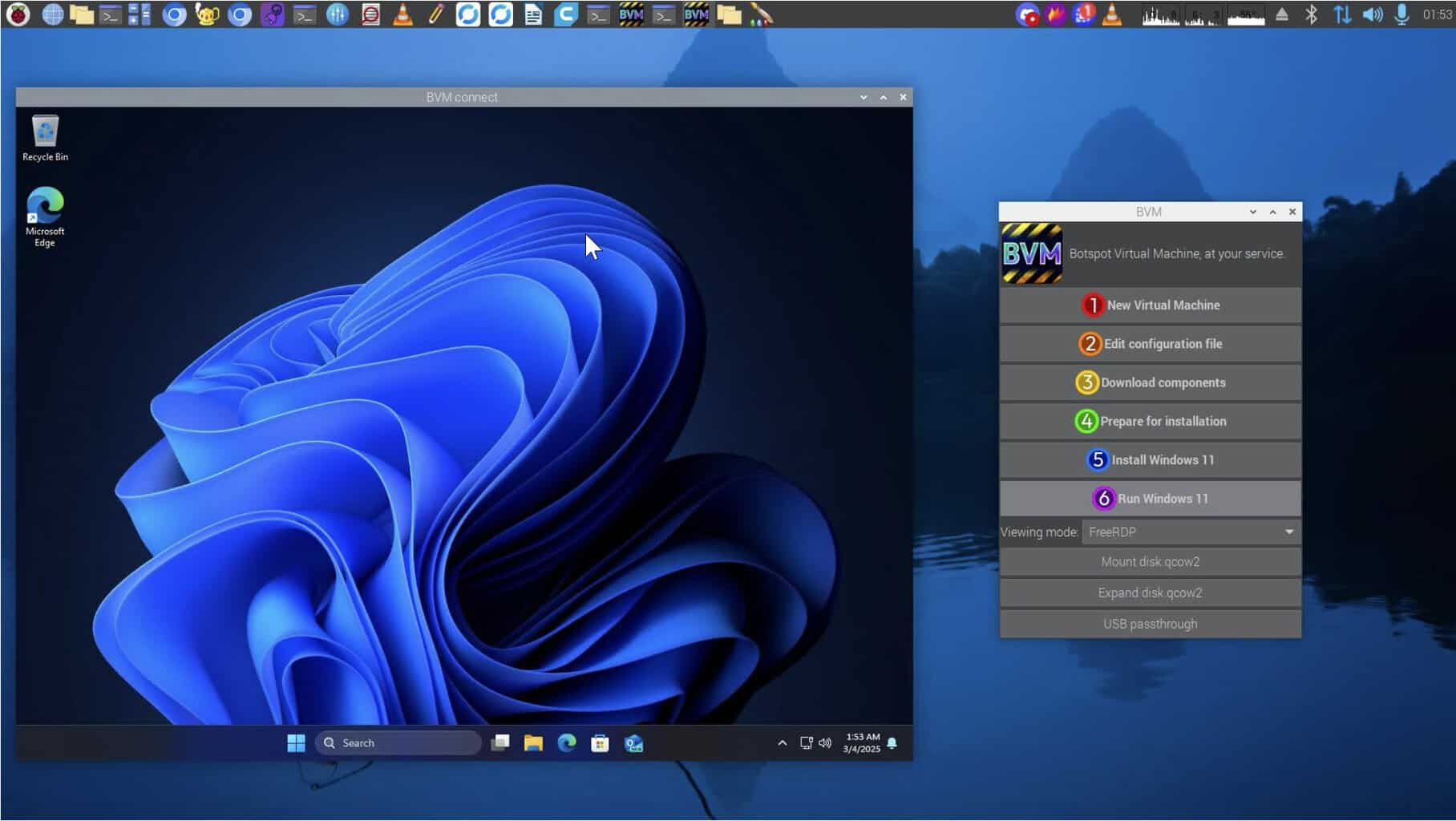
Windows 11 on Raspberry Pi gets new life thanks to Botspot’s BVM

Installing Windows on a Raspberry Pi 4 and Raspberry Pi 5 can be reasonably easy (or not), depending on many factors, but a new update makes it possible for users to run Microsoft’s Windows 11 in a virtual machine with surprisingly seamless results. The tool Botspot Virtual Machine (BVM) is the work of a pseudonymous student and single-board computer hobbyist known as “Botspot,” who released the free script for this functionality.

A week ago, I released a free script for running Windows 11 on Pi OS. It works on all 4th and 5th generation Pi models, Compute Modules, and other SBCs, unlike WoR which only partially worked on Pi 4 and some 5’s, never on Wi-Fi, and now is abandoned. Over the past 7 days, the community has responded with much enthusiasm, but the majority of people still have no clue this exists. Let’s change that!

BVM fully works out-of-the-box, with broad support

The script runs on any Raspberry Pi 4 and 5 variant, including Compute Modules and other single-board computers. Unlike earlier projects such as Windows on Raspberry (WoR), which supported only limited hardware and no longer exists, Botspot’s solution offers broader support with enhanced performance.

By leveraging the native ARM64 architecture, the virtualized Windows 11 runs smoothly on the Raspberry Pi hardware. This approach allows Windows to utilize ARM64 CPU instructions directly, resulting in a user experience that doesn’t feel emulated. The virtual machine fully connects to the Raspberry Pi’s Wi-Fi and Ethernet ports, audio output, and USB passthrough, enabling Windows to interact directly with specific physical hardware, says Botspot:

Of particular note is audio, internet, and USB passthrough, which gives Windows direct access to specific physical hardware of your choosing. That’s how one person connected a Software Defined Radio to a Windows-only SDR tool, on a Pi 5 installed in a portable enclosure. I think many new embedded projects like this are now possible.

Furthermore, Microsoft’s Prism translation layer allows the virtual machine to run traditional x86 programs without requiring recompilation for ARM. However, it’s important to note that the virtual machine lacks hardware acceleration for graphics, making it less ideal for gaming and other graphically intensive applications.

Installing the VM is simple and mostly automated

The installation process is user-friendly, mostly automated via the terminal, with an optional graphical user interface for added convenience. Users can install the virtual machine on a Raspberry Pi 5 with just 2GB of RAM, though a 4GB model is recommended for optimal performance. For the best experience, using an NVMe SSD or a USB 3 drive is advised over traditional microSD cards.

If you need more info or help, check out Botspot’s Raspberry Pi forum post. Additionally, here’s the repository on GitHub with full instructions and tips for getting started.

This update opens new possibilities for Raspberry Pi users, allowing them to run Windows 11 applications and access previously limited features to conventional PC hardware. While it may not be suitable for all use cases, particularly those requiring high-end graphics performance, it provides a practical solution for running Windows-based applications on low-cost, low-power hardware.