Fix: FIFA 17 Ultimate Team server problems

As many of you would assume, the best and the most used traits of modern games are its multiplayer mods. FIFA 17 is excelling in that matter with a great competitive mode called FIFA Ultimate Team, an online mode that has been in the game for a couple of years now and which has built up a legion of fans.

However, as the case is too often with online gaming, there are some issues that frequently annoy users. One closely related to FIFA Ultimate Team is a malfunctioning connection. We’ve prepared some of the most common solutions for this problem in this article.

Fix: FIFA 17 fails to connect to Ultimate Team

Check your account credentials

In the best case scenario, you may get a password or email address wrong. So, be sure to check your credentials before you log in. You can check them out in the web app here. On some occasions, you may be banned or hacked. Of course, that’s the worst case scenario and you won’t see it often. Additionally, you would be informed if the ban occurred.

Check your connection settings

Check on the EA server status. In some cases, they may be down. If they are active and running, move on to your own connection troubleshooting. Follow these steps:

  • Make sure that you are using wired instead of wireless connection.
  • Restart your router/modem.
  • Turn off UPnP if it is available in your router settings.
  • Add FIFA 17 exception to a firewall.
  • Close known interfering programs that work in the background. Namely, antivirus, VoIP, VPN, and download managers (torrent clients). The ones that may hog on your bandwidth.

This should let you move forward to the next and final step of this list. In addition, connection troubleshooting always comes in handy as it is the main reason online gaming is suffering.

Delete Personal Settings and Squad Update

The final workaround confirmed by many users is deleting personal data related to FUT. It seems that some files get corrupted while updating, which prevents FIFA 17 from connecting to the FUT server. Follow these steps in order to fix your issue:

  1. Go to Customize.
  2. Open Profile.
  3. Choose Delete.
  4. Delete FUT Squad Update and Personal Settings.
  5. Restart the game and try again.

Yes, you’ll loose your saved settings, but that is the price you have to pay for to make the game connect again.

Conclusion

These were our solutions for the FUT connection issue. We hope you will succeed to overcome your problems and continue competing in FUT draft. Are you having some similar issues? Please share them with us in the comment section.

RELATED STORIES YOU NEED TO CHECK OUT:
Posted in Fix

Save up to $1,100 on Windows 10 PCs with the Microsoft Store President’s Day sale

If you didn’t spend all your money on Dell’s early access Presidents’ Day Sale already, then you should probably take a look at the Microsoft Store today: the company has just announced its own sale and you can take advantage of up to $1,100 discounts on select PCs, but you can also save big on Surface hardware, Xbox One S consoles and more.

Here are a couple deals that Microsoft highlighted in the announcement:

All deals will be available through Monday, Feb. 20 at local Microsoft Stores in the US and microsoftstore.com, while supplies last. Happy shopping, everyone!

Microsoft removes reference to Microsoft To-Do, the successor to Wunderlist/Project Cheshire

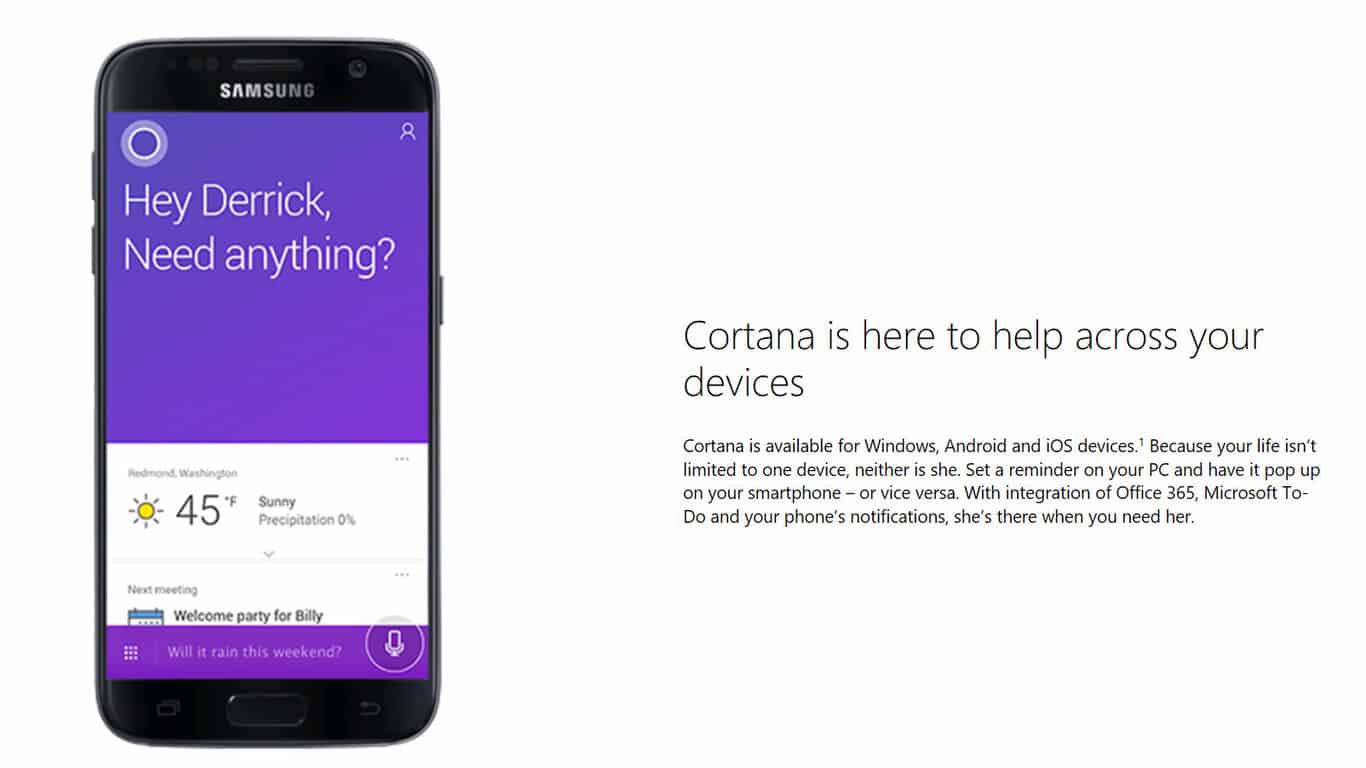
Yesterday we reported that on a page talking about Cortana on official Windows website, a small text mentions hitherto unknown product name – Microsoft To-Do.

With integration of Office 365, Microsoft To-Do and your phone’s notifications, she’s there when you need her.

Soon after we published the post, the page has been updated and while everything stays the same, the two words – Microsoft To-Do – are removed now. So, looks like we were on to something there!

Microsoft has been silent on the progress of their simple task management, or to-do, apps. At the moment, there’s Wunderlist, Project Cheshire (in private beta at the moment), as well as Cortana Reminders. Windows users have been hoping that the long silence is a prelude to something big – a cohesive to-do app that is fully integrated with Cortana instead of duplicating functionality. Looks like, that is what Microsoft To-Do could be.

What are your thoughts on what could be the next, and better, to-do management app from Microsoft?

Microsoft to offer business-in-a-box services across Africa in partnership with Liquid Telecom

Microsoft East Africa and pan-African data, voice and IP provider Liquid Telecom have announced a new partnership to develop the access and use of cloud services across the continent (via TechTrendsKE). By combining Liquid Telecom’s large network and Microsoft’s cloud offerings such as Office 365 and Azure, both companies plan to improve the development of SMBs and startups with a more affordable cloud. The partnership will also lead to the creation of “Business in a box,” a bundle including various cloud services plus connectivity options for SMBs.

Frank McCosker, Microsoft’s General Manager of Affordable Access and Smart Financing 4Afrika explained that “we believe in the power and potential of businesses in Africa and we look forward to providing the best that cloud computing has to offer. In the age of digital transformation, we want to provide not only secure data storage, but the efficiency and scalability that businesses need to achieve more.”

Digital transformation is going to be an important topic for companies of all sizes in the near future, and the partnership could well speed up the adoption of cloud services in Africa. “Cloud computing is still gaining momentum on the continent, but we believe it has the potential to transform the way businesses of all sizes operate,” explained Ben Roberts, Group CTO of Liquid Telecom. “Through better connectivity, faster internet and secure cloud offerings, businesses will have the platforms and tools they need to grow and succeed,” he added.

Microsoft set to open Inside Sales center in Dublin, Ireland, creating 600 jobs

Microsoft has announced today that it will hire 600 people in Ireland to join its new EMEA Inside Sales Center in Dublin, joining existing operations in the country. “New recruits will join the 1,200 people already working with Microsoft in the Dublin based EMEA Operations Centre, the European Development Centre, the Irish Sales and Marketing Subsidiary and at the Europe, Middle East & Africa (EMEA) Data Centre,” explained the company.

This is pretty good news for the Redmond giant following the massive job cuts that happened last year: as a reminder, the company announced back in July that it would cut 2,850 jobs related to phone hardware and sales positions worldwide, in addition to the 1.850 layoffs that were announced two months earlier.

Mary Mitchell O’ Connor, Ireland’s Minister for Jobs Enterprise and Innovation shared that “this latest investment, which brings an exciting new multi-skilled business activity to the company’s Dublin base, further enhances the company’s presence in Ireland and is vindication of the competitive advantage Ireland can offer. The extensive Microsoft operation in Ireland has grown significantly in recent years and we look forward to our very successful relationship continuing to develop in the years ahead.“

If you live in Ireland, you can learn more about the various jobs opportunities in customer sales, operations and more on Microsoft’s Careers website.

New footage of Xbox One action RPG video game Shiness released

New footage for an upcoming action roleplaying game for Microsoft’s Xbox One console has been unveiled today in a new video posted on the official Xbox YouTube channel. The game is called Shiness (surprisingly pronounced “shyness” and not “shin-ness”) and features a variety of characters in an expansive anime-inspired world.

“Our action RPG Shiness is nearing release for Xbox One, so we wanted to introduce you to the game through a new Overview trailer taking you through the Lands of Life. The world of Shiness was born over 20 years ago, born of the pen strokes of Samir Rebib, Artistic Director of the studio,” says, Enigami CEO, Hazem Hawash. “The game’s journey however started on Kickstarter, allowing the project to grow and gain momentum, until it was embraced by Focus Home Interactive. Now the development phase is nearing conclusion, the indie studio keeps pumping all its energy and passion into Shiness, so that a child’s dream gives birth to an indie-RPG with a strong personality!”

No release date has been given yet for Shiness on Xbox One though it’s expected to be sometime in the near future. Do you like the look of this game? Let us know your thoughts in the comments below.

Is ‘Microsoft To-Do’ the successor to Wunderlist and Project Cheshire?

Microsoft has been silent on the progress of their simple task management, or to-do, apps. Much to the agony of Windows users, that is. It’s also a crowded mess out there.

There’s Wunderlist. Microsoft acquired 6Wunderkinder, the creator of the popular to-do app, in June 2015. Apart from progressive updates to the app since then, there’s not been a major refresh of the app and users have been clamoring for a new update since a while.

Earlier in 2016, Microsoft unveiled Project Cheshire, also known as Project To-Do. A to-do app again, the app has been in private beta since last few months. There’s not much information about it out in the open.

Then there’s Cortana Reminders, Outlook Tasks, and of course, some people just use OneNote for making to-do lists.

Windows users have been hoping that the long silence is a prelude to something big – a cohesive to-do app that is fully integrated with Cortana instead of duplicating functionality. Looks like, that is what Microsoft To-Do could be. On a page talking about Cortana on official Windows website, a small text caught the eye of one of our readers, Johnny G.

With integration of Office 365, Microsoft To-Do and your phone’s notifications, she’s there when you need her.

As a tired Wunderlist user who occasionally asks Cortana to remind about things, I’m looking forward to Microsoft To-Do. What are your thoughts on what could be the next, and better, to-do management app from Microsoft?

UPDATE: Microsoft has now removed the reference to Microsoft To-Do from that page. More here.

Conan Exiles: How to build circles and spiral stairs

Oftentimes, Conan Exiles can prove to be quite a difficult game to play, but not for the reason’s you’d expect. For one, many players report they are struggling to build spiral stairs. It appears that often various elements won’t connect or the stairs won’t align.

In this article, we’re going to show you how to build circles and spiral stairs and improve your empire’s infrastructure.

How to build circles in Conan Exiles

  • Take 6 triangles and arrange them in circular shape
  • On the first ring, add squares to the edge of each triangle
  • Fill in the remaining gaps with triangles
  • On the second ring, add squares to the edge of the triangles from first ring, then fill the gaps with triangles
  • Further polish the structure if necessary

How to build spiral stairs in Conan Exiles

  • Start with a triangle and pillar in middle, build it up as high as you can
  • Add the stair flights and support slabs
  • Use your mouse wheel to rotate the pieces an align them to the pillar

If you need more information on how to build stairs in Conan Exiles, you can check out this Steam thread as well as the video below.

Keep in mind that you can rotate items with the mouse wheel. Various stair building issues can be fixed by trying a different angle and then rotating the troublesome element around.

Also, don’t forget to check the structure’s stability with the repair hammer. Below a certain value, you can’t place anything on it. If you can’t get the stairs done, try putting walls around it or foundations under it.

Speaking of Conan Exiles tips, if you’re experiencing various technical bugs, check out our fix article on how to troubleshoot frequent game bugs.

RELATED STORIES YOU NEED TO CHECK OUT:
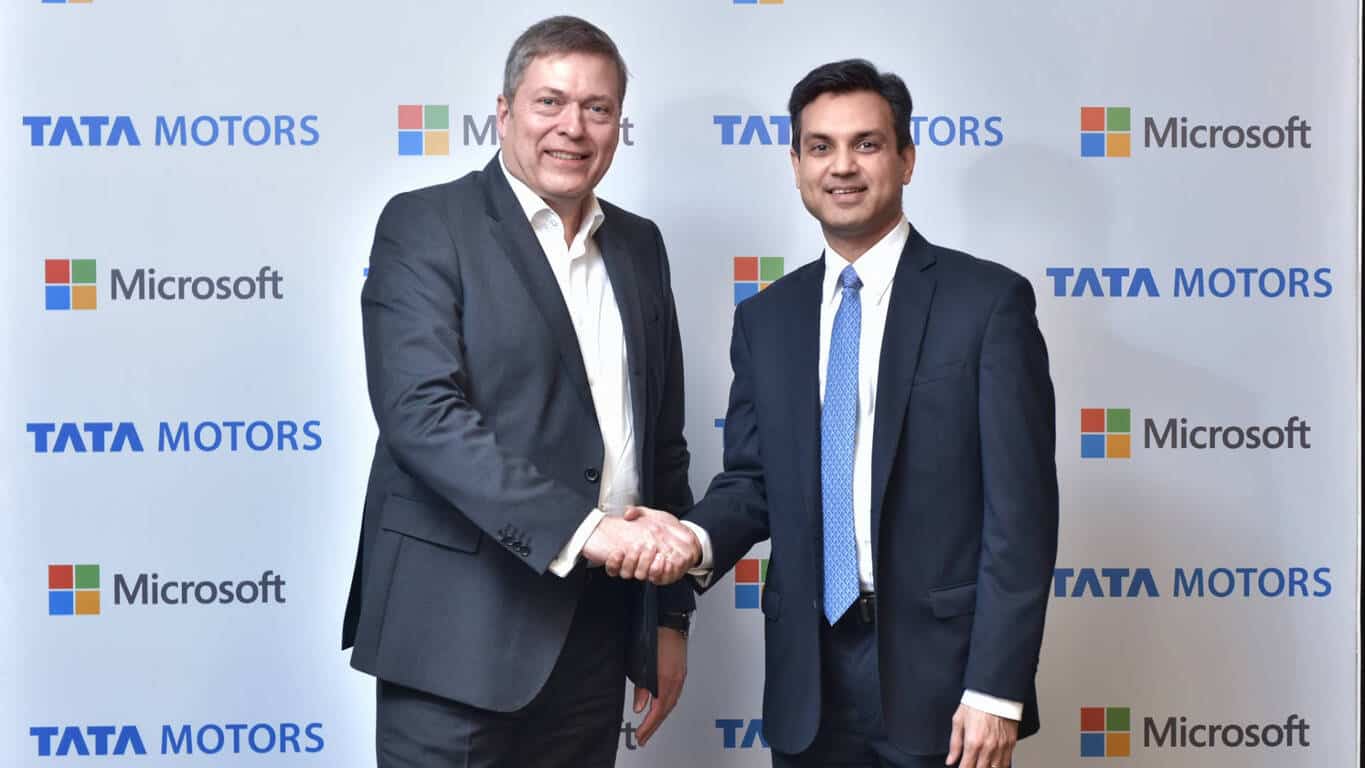
Tata Motors and Microsoft India to collaborate for connected vehicle technologies

Tata Motors and Microsoft India have announced a strategic technology agreement to redefine connected and personalized driving experiences for Indian customers.

Tata Motors Limited is India’s largest automobile company and Tata cars, buses and trucks are marketed in several countries in Europe, Africa, the Middle East, South Asia, South East Asia, South America, Australia, CIS, and Russia.

As part of the collaboration, Tata Motors will leverage Microsoft’s connected vehicle technologies that bring together artificial intelligence, advanced machine learning, and the Internet of Things capabilities on the global hyper-scale Azure cloud, to create a highly personalized, smart and safer driving experience across the digital life of a vehicle owner.

“We are excited to partner with Tata Motors as they embark on a new journey of innovation with Microsoft Azure cloud. Using IoT, AI and machine learning technologies, we will provide vehicle owners in India and across the world with a safe, productive and fun driving experience.”

– Anant Maheshwari, President, Microsoft India

The first vehicle showcasing the vision of the enhanced driving experiences will be unveiled at the Geneva International Motor show on March 7 utilizing Microsoft enabled functionality like advanced navigation, predictive maintenance, telematics, and remote monitoring features.

“With the aim to develop innovative and technologically leading products that excite customers, we at Tata Motors, understand the need for a connected ecosystem that can integrate into the digital lives of customers. We are using Microsoft’s connected vehicle technologies on Azure intelligent cloud to bring the digital lives of our customers into the cars they drive. Making the most of fast-paced innovation cycle that Microsoft has to offer, we will create a fully connected and seamless driving experience for our customers.”

– Guenter Butschek, CEO & MD, Tata Motors

There are several driving scenarios being explored for the future.

  • Based on their profile and location data, vehicle owners can receive proactive point-of-interest, shopping and route assist recommendations enabling them to achieve more on the go.
  • Pre-emptive service alerts based on vehicle health data will enable owners to avoid costly down time en-route on planned road trips.
  • Using industry-leading firmware over the air (FOTA) and software over the air (SOTA) updates protocols, key vehicle settings can be updated remotely, over the cloud. These will help cloud based diagnostics and the ability to use insights from vehicle data to prevent warranty and recall issues, and offer new services that improve user experience.
  • By capturing, analyzing and acting on live road conditions, vehicle owners will be able to increase safety, optimize vehicle performance by avoiding roadblocks and rough terrain. By unifying navigation, data elements like maps, weather, traffic, and parking the solution can deliver optimized routing and location based services to vehicle owners.

Using Microsoft technology will empower Tata Motors to provide connectivity features on mainstream, mass-market vehicles at affordable prices powered by Microsoft Azure cloud and services such as advanced analytics, machine learning, IoT, and artificial intelligence.

Why it takes a day to join a PC to the Windows Insider program, explained

If you’re a Windows Insider, you’re more than likely familiar with the process of joining the program and getting new builds delivered to your machine. You may also realize that when joining the program after a fresh install of Windows 10, or after switching branches, it may take a day to join a PC to receive a Windows Insider build. One Microsoft watcher has finally come up with a solution as to why this is so.

Seen above, Richard Hay, who is a Microsoft MVP since 2010, explains that the reason for the day long wait is due to a “Compatibility Check.” According to a screenshot which Richard provided in his tweet, The “Compatibility Check” runs in the background, since there is no manual way to for the process to run. The process then allows for a discovery of your OS architecture (32 or 64 bit) and also your other settings such as build edition, languages, and country. After this is complete, the machine is then auto targeted for the next available flight on the selected ring, though this may take up to 24 hours.

Safe to say, this tweet finally answers the age old question of why you must wait one day to join a PC to the Windows Insider program. What do you think of this explanation? Can you come up with other reasons for why there is a day long wait? Let us know what you think by dropping us a comment below!

Get Project CARS for free with Xbox Live Games with Gold, starting today

Today is February 16, which means that Xbox Live Gold subscribers can now get two new Games with Gold titles for free on the Xbox Store. For fans of racing games, Project CARS Digital Edition ($29.99 value) is now available to download on the Xbox One, and the game released back in May 2015 should be a pretty good alternative to Microsoft’s popular Forza Motorsports franchise.

It’s worth noting that you’re also being offered the game’s Limited Edition upgrade DLC pack, which includes five exclusive cars from the Touring, Road, Prototype, and GT disciplines. The official description notes:

Project CARS is the ultimate driver journey! The digital edition of Project CARS includes the Limited Edition upgrade DLC pack, unlocking 5 legendary cars drivable in any game mode and showcased with special one-make series within your career!• Ford GT40 Mk IV• BMW M1 Pro Car• McLaren F1• Sauber C9• Mercedes-Benz AMG C-Coupe DTM Guided, tested, and approved by a passionate community of racing fans and real-life drivers, Project CARS represents the next-generation of racing simulation as the ultimate combination of fan desire and developer expertise.

The Xbox 360 title Star Wars: The Force Unleashed ($19.99 value) completes this month’s Games with Gold lineup, and the free game is also backward compatible on the Xbox One. Don’t forget that you can also play Rocket League and NBA 2K17 for free during Xbox’s Multiplayer All-Access event, starting today!

Play Rocket League, NBA 2K17 for free on your Xbox One during Xbox’s Multiplayer All-Access event

The Xbox team has just kicked off today a Multiplayer All-Access event, and all Xbox One and Xbox 360 owners can now play multiplayer games for free through Sunday, February 19. Even better, Xbox One gamers are also invited to download and play NBA 2K17 and Rocket League for free during these four days. Both games are excellent titles and the Xbox One version of Rocket League will actually celebrate its first anniversary tomorrow, February 17.

If you want to keep playing the vehicular soccer video game and the latest installment in the NBA 2K franchise after the end of the limited time unlock, it’s worth reminding that both games are being discounted through Monday, February 20 as part of Xbox’s Deals with Golds and 2K’s Publisher Sale: Rocket League will cost you just $14.99 (25% off) while NBA 2K17 is currently priced at $38.99 (35% off).

In the meantime, you can download both games for free from the Xbox One dashboard or from the download links below. Let us know in the comments if you’re looking forward to spend some quality time on your console this weekend.


NBA 2K17 Limited Time Unlock
Developer:
2K
Price:
Free

Victor Vran: Overkill Edition video game announced for Xbox One

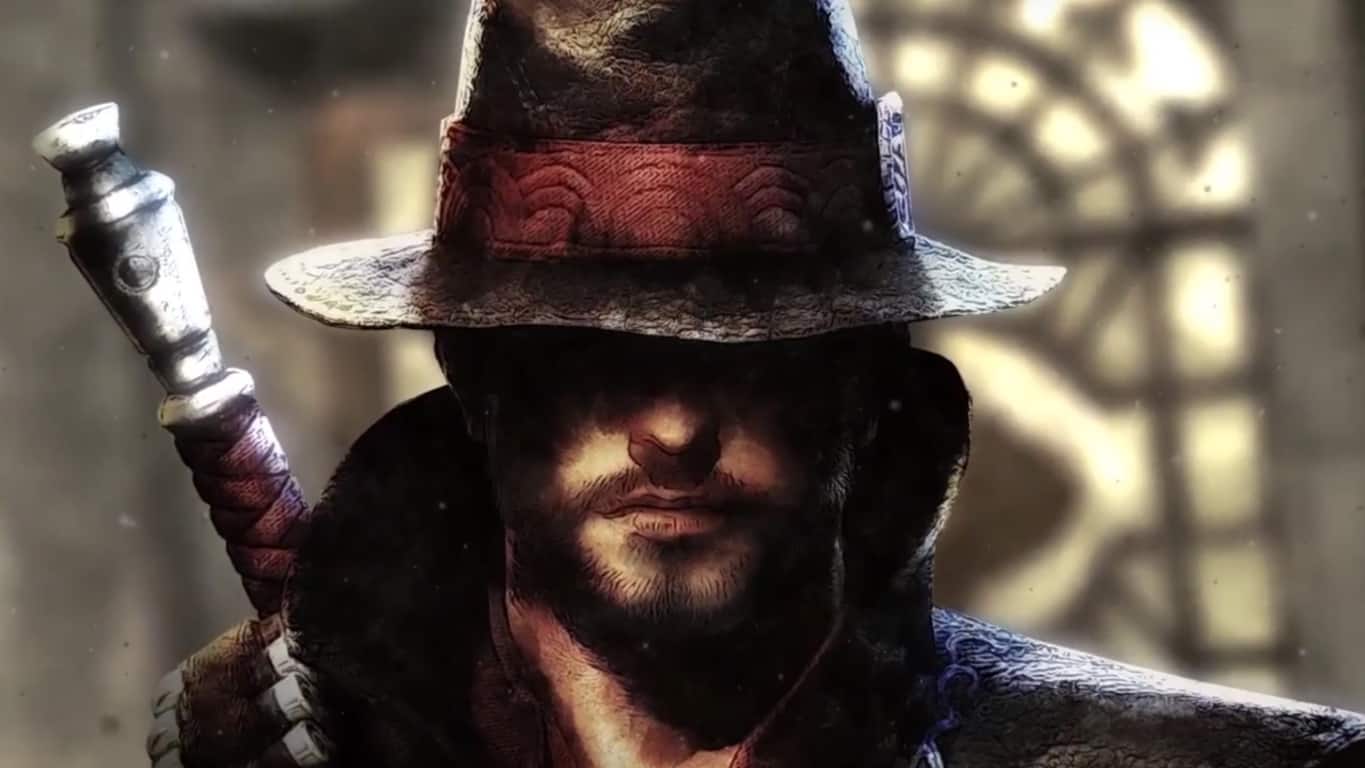
Victor Vran: Overkill Edition has just been announced for release on Microsoft’s Xbox One video game console. “Players and fans can experience the all-action game in full alongside two brand new adventures: the ethereal Fractured Worlds – a challenging and empowering new expansion featuring a new chapter in the story of Victor Vran, and Motörhead: Through the Ages – a wild rock adventure inspired by, officially endorsed by, and starring the loudest band in the world,” the official announcement reads. “Players who already own the game on Windows PC will be able to purchase the Fractured Worlds and Motörhead: Through the Ages expansion packs separately, as will players who wish to purchase the standalone game digitally on consoles.”

Here’s the game description:

Journey to the Fractured Worlds , a dimension formed from the fragments of broken realms. A perilous place for even the most experienced of demon hunters, players will explore its unfathomed depths through new levels and endless dungeons where each step proves more dangerous than the last. Continue the journey as Victor and attempt to piece together the Astrolabe in this new, thrilling addition to Victor Vran.

Enter the world of Motörhead: Through the Ages – a wild tour through the mythos of the loudest band in the world! Harness the powers of the immortal Motörhead to defeat deadly new adversaries in three demon-infested worlds intertwined with the songs of the band.

No specific release date has been given for Victor Vran: Overkill Edition on Xbox One however it is confirmed for 2017. Have you been looking forward to this game? Let us know in the comments below.

Here’s how to change languages in For Honor

Many For Honor players are struggling to change the game’s language, but this has proven to be a more difficult task than expected. If you’re looking for a solution to change For Honor’s languages, you’ve come to the right place. In this article, we’re going to show you exactly how to do that.

Many non-native English speakers can’t stand playing games in their mother tongue. As a result, they prefer to enable the English version of For Honor’s interface. However, the steps to follow are not that obvious, as this player explains:

How do I change my language?
I’m Dutch, but I simply can’t stand playing games in Dutch. The way those ♥♥♥♥ers translate is the stuff of infants. Can’t change it under options. It only allows me to enable subtitles…

To change languages in For Honor you need to open the game’s options file and change some values. As players report, finding the dedicated menu or option to change languages is not that easy.

How to change For Honor’s languages

1. Go to For Honor’s install folder, which should generaly be located at this address:
C:\Users\%YOURUSERNAME%\Documents\my games\For Honor\options.ini

2. Open the file and locate the following values:

[Language]
EnableSubtitles=false
LanguageID=$
SubtitlesID=$
VoiceLanguageID=$

3. Replace the $ with your language ID:
1 = English
2 = French
5 = German
7 = Simplified Chinese
8= Traditional Chinese
13 = Russian
19 = Brazilian Portuguese

If, by any chance, you know the numbers associated with other languages, use the comment section below and share with us this information.

Also, it appears that some versions of the game are region locked. Players confirm that the Russian version of the game supports only Russian and Chinese.

RELATED STORIES YOU NEED TO CHECK OUT:

How to install Anniversary Update from an ISO

If you want to upgrade to Windows 10, one of the most simple and reliable methods is to use the ISO file. Microsoft rolled out the Windows 10 Anniversary Update ISO file last year and you can download it on your computer at any moment.

Upgrading to Windows 10 using the ISO file is the perfect choice for users with limited bandwidth. Also, the compatibility checks and preparations for the upgrade are minimal, as well as the actions users need to perform during the actual upgrade.

How to install the Anniversary Update from the ISO file

  1. Purchase a license for the Windows 10 Anniversary Update if you didn’t take advantage of the free upgrade offer. If you’re running Windows 10 Home or Pro, you can upgrade to the Windows 10 Anniversary Update for free.
  2. Download and install any important updates before upgrading to ensure a smooth upgrade.
  3. Make sure you’ve got enough space on your machine:
    1. Hard disk: 16 GB for 32-bit OS 20 GB for 64-bit OS
    2. RAM: 1GB for 32-bit or 2 GB for 64-bit
  4. Download the Windows 10 Anniversary Update ISO file. Starting August 2, the Media Creation Tool will download Windows 10 build 14393.0.
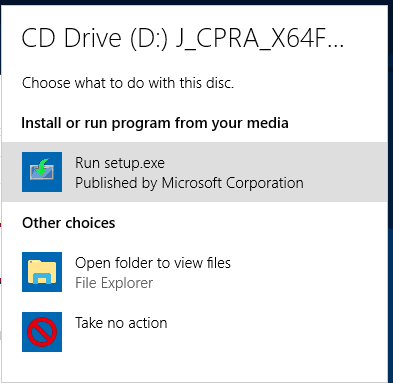
  5. Launch the upgrade. Double click the Windows Anniversary Update ISO, and start the upgrade.

launch Windows 10 anniversary update ISO file

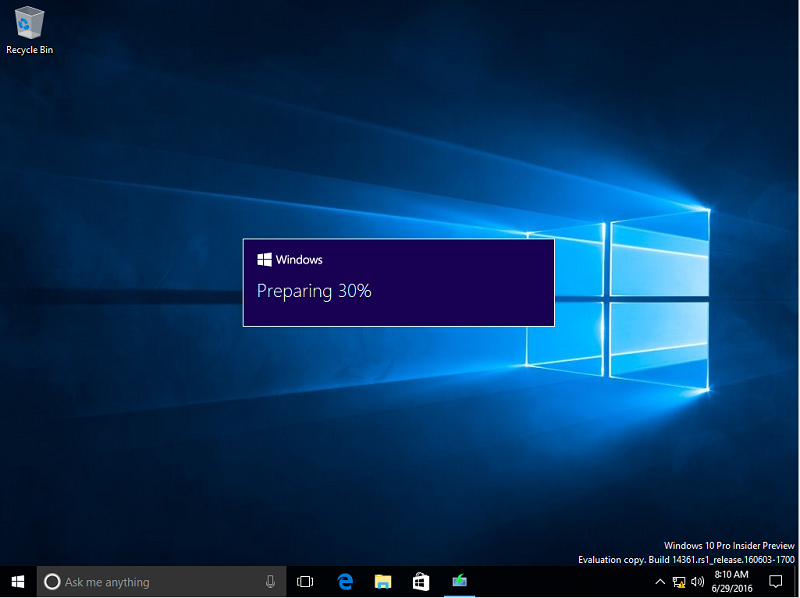
4. Wait while setup is initialized

preparing Windows 10 Anniversary Update ISO file

5. Select Download and install updates (if not done already) > click Next

windows 10 anniversary update installation

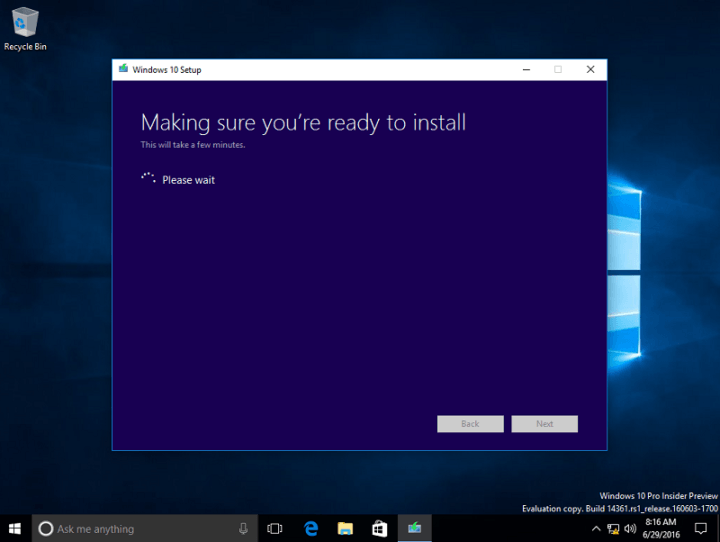
6. Windows 10 setup should now check your system.

Windows 10 setup checks system

6. Accept the End User License Agreement.

7.  Windows 10 setup performs one final check to ensure your system is ready.

Windows 10 setup final check system ready

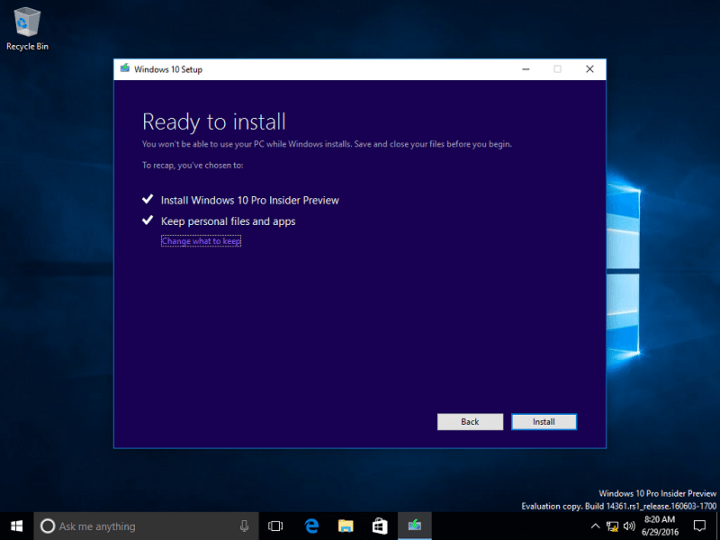
8. Choose what files, apps and settings you would like to keep. If you want to perform a new install or just keep your files click Change what to keep. Then click Install to begin.

Choose what files, apps and settings to keep

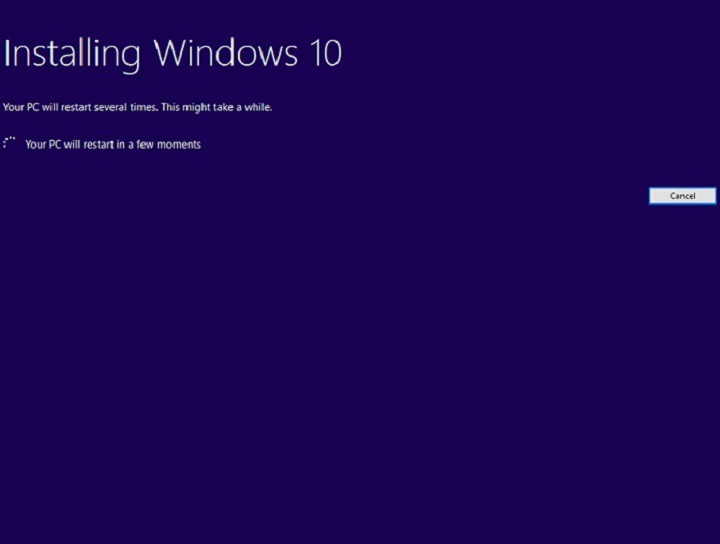
9. Wait for the installation to complete. Your computer will restart several times.

windows 10 installation restarts

10. Windows 10 setup will resume. When complete, Windows 10 setup will restart automatically.

windows 10 setup

11. Sign in to your account and wait while Windows 10 completes application updates and other setup tasks.

post windows 10 settings

12. Congratulations! You’re now ready to use the Anniversary Update!

RELATED STORIES YOU NEED TO CHECK OUT:
Microsoft helps you get to know the Surface Dial in a new video

Were you as impressed as us when Microsoft showed off the Surface Dial? If so, you may be interested to know that the company recently published a blog post that talks a bit more about the Dial, and what it’s capable of. For those more visual learners, Windows Blog editor-in-chief Mollie Ruiz-Harper put together a video that explains everything pretty well.

The video talks about some of the coolest features of the Surface Dial, and what kind of conveniences it offers.  Surface Dial items such as haptic feedback, its backward compatibility with so many PC’s, and its third-party support for programs such as Spotify are all wrapped up neatly in a bow. If you were looking for a convincing reason to drop $99 on the Surface Dial, this video is a good place to start.

Yes, the Xbox FanFest is returning to E3

Xbox Live members will be happy to know that there is extra incentive to go to E3 2017 this year. Not only will they get to take part in the big event, but Xbox Heads Aaron Greenberg and  Mike Ybarra have officially confirmed that there will indeed be an Xbox FanFest 2017.

The fan-focused event originally debuted a couple of years ago and since then, it’s been a big hit. Basically, a limited amount of Xbox fans could buy tickets to gather and experience the Xbox Booth long exclusive from the crowd. Not to mention meeting developers and Xbox team leaders, take part in fun activities and even get some cool swag.

It’s likely we’ll see some of the same restrictions for the E3 2017 Xbox FanFest as we did before. This means fans will probably need to be an adult and tickets will be one per person with a ‘first come, first serve’ policy. Currently, it sounds like the team is still in the planning process. “More details to come soon!”, Greenberg promised in his tweet.

Currently, it sounds like the team is still in the planning process. “More details to come soon!”, Greenberg promised in his tweet. We’ll be sure to keep you updated about Xbox FanFest here at OnMSFT as E3 2017 draws nearer in June.

Microsoft announces Xbox E3 briefing on Sunday, June 11th

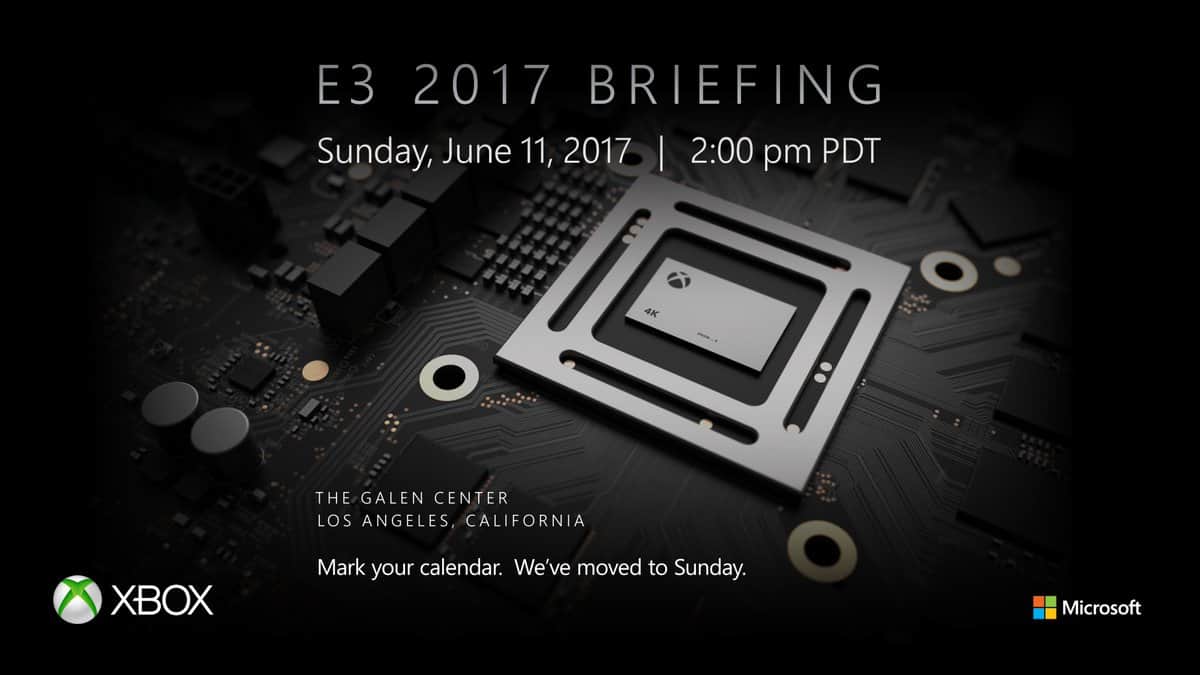
Last year’s E3 conference was quite the remarkable moment for Microsoft.  From the announcement of Forza Horizon 3, the upcoming next generation Project Scorpio Xbox console, and Xbox Play Anywhere, fans and industry watchers alike may recall that Microsoft made lots of noise at the annual video game industry trades fair. Though this year’s E3 conference is still 116 days away as of writing, Microsoft has just officially come out to announced that their Xbox E3 briefing will be on Sunday, June 11th at 2:00 PM PDT.

As seen above, Larry Hyrb was one of the first Microsoft employees to make the announcement, and other Team Xbox members such as Aaron Greenberg shortly joined in with similar Tweets after. It will no doubt be interesting to hear what Microsoft has to offer up at E3, in 2017 and judging from the graphics in this tweet, we might very well end up hearing more about Project Scorpio at E3 2017.  We are planning to be on the ground in Los Angeles to cover the briefing, so be sure to keep it tuned to OnMSFT for all your Xbox news and information all year long.

Microsoft House, the new home of Microsoft Italy, opens today in Milan

Today, Microsoft Italy inaugurated the Microsoft House, its new headquarters located in the district of Porta Volta in the heart of Milan (via Plaffo). The subsidiary chose to move to the new building of Fondazione Giangiacomo Feltrinelli designed by architects Herzog & De Meuron, which looks really stunning. “The building is characterized by elements of linearity and transparency that perfectly match Microsoft’s vision,” explained Carlo Purassanta, Country General Manager of Microsoft Italy on LinkedIn. You can have a look at the building in the video below:

In the blog post, Purassanta explained that the move to new headquarters is also a reflection of the subsidiary’s comittment to the country and local ecosystem of businesses, startups, schools, nonprofit organizations and more. Additionally, Microsoft House will also be the home of a new Microsoft Technology Center in Milan. The exec added:

Microsoft Italy new location aims to be an accelerator of the inner potential and the best resources of Milan and the Country as a whole. We created Microsoft House to be the perfect place to engage in dialogues with our ecosystem. More than a half of the overall space is dedicated to customers, partners, students, startups, nonprofit organizations and consumers – who can discover the benefits of open innovation, now available to everyone.

If you speak Italian, Microsoft Italia did a live stream of the Microsoft House inauguration on Facebook Live and you can watch the 19 minutes video here.

Fix: Sniper Elite 4 micro-stutters and stalls on AMD CPUs

Sniper Elite 4 is now available on both Windows PC and Xbox One. As expected, this launch has also brought a series of technical issues that sometimes severely limit the gaming experience. The most common issues involve low FPS issues, stuttering and game freezes.

The good news is that Rebellion, Sniper Elite 4’s developer, has published a quick workaround to fix micro-stutters and stalls on one particular CPU category. More specifically, if you’re experiencing Sniper Elite 4 micro-stutters and stalls on AMD CPUs you can now quickly fix this problem.

How to fix Sniper Elite 4 issues on AMD CPUs

Following player feedback, Rebellion have identified an issue with XAudio sound processing when running on AMD CPUs. As a result, if you’re experiencing micro-stutters or stalls, try setting the audio reverb quality to OFF in the launcher (you can find this option at the bottom right corner).

Players confirm that this action eliminates micro-stutters and stalls. Rebellion will permanently fix these issues in a future patch.

What causes this issue?

Now that we know how to fix Sniper Elite 4 micro-stutters and stalls, it’s also useful to understand why these issues occur. The culprit is the CPU, as it doesn’t have enough power to process sound. As the CPU is struggling to process audio, it overheats, causing also micro-stutters.

Here’s how one gamer explains this:

It’s your CPU at least the sound part. There is most likely some latency in your cpu processing sound. You can try overclocking it to see if that helps. My i5 at 4.5 has no issues, but I’m experienced in sound issues caused by cpu overhead.

Unfortunately the way AMD did there ‘8core’ cpus of your line was just really bad. There are a lot of parts in a cpu and AMD’s are bottlenecked pretty hard. Your cpu unfortunately in a lot of ways just has less processing power than an intel 4 core cpu which can affect audio processing giving you the experience you’re having.

So, if you’re experiencing micro-stutters and stalls on AMD CPUs, use the quick workaround listed in this article, and tell us if it worked for you as well.

RELATED STORIES YOU NEED TO CHECK OUT:

Microsoft launches Windows Insider Program for Business to better understand IT Pro needs

Since Microsoft introduced the Windows Insider Program along with Windows 10 back in September 2014, millions of enthusiasts have signed up to test preview builds of the latest operating system for PCs and phones. The massive crowdsourcing program has been instrumental to gather feedback on new features and fix bugs before new updates roll out to consumers, but Microsoft is now looking for ways to get more IT professionals involved in the pre-release program.

Indeed, the company just announced the Windows Insider Program for Business (“WIP4Biz”) at its Ignite conference in Australia (via Neowin), a new initiative aimed at IT pros looking for better ways to test preview builds in their corporate environments. During the presentation, the company explained that a better understanding of IT Pro needs will help Microsoft improve Windows commercial deployment.

Windows Insider Program for Business

Details about the new initiative are still scarce for now, but the company is inviting IT Pros interested in the program to complete a pre-registration form on the Windows Insider website. On the dedicated page, Microsoft explains that Windows Insiders who fill the form will get access to new features in the coming months:

In the coming months, we’ll be adding additional features to the existing Windows Insider Program to better support you in your job. (…) Insiders may need to take additional action to access new features when they are made available. Instructions for accessing these new features will be communicated to Insiders who complete this pre-registration form.

According to Redmond, IT Pros are already a “large and critical group within the Windows Insider Program” and the company seems to be doing the right thing to address their specific needs. Sound off in the comments if you think the new initiative is a good way to expand the Windows Insider Program.

Conan Exiles Admin Commands List: Complete & Explained Guide

Conan Exiles allows players to create their own private servers. This comes in very handy at the moment, especially after Funcom ended the collaboration with its official server partner due to quality issues.

To help you better control your private server, we’ll list the most important server command that you can use.

Conan Exiles server commands

First, press the tilde key (~) on your keyboard to bring up the console. Then, log in as an admin. To do this, enter this command and hit Enter: MakeMeAdmin <Admin password>

List of Conan Exiles console commands

Command Parameter Description
MakeMeAdmin AdminPassword Grants you admin privileges
MakeMeNormal N/A Removes your admin privileges
God N/A Toggles god mode
Invisibility N/A Makes your character model invisible
Cloak N/A Toggles enemy detection – NPC’s will ignore you even if you attack them
Fly N/A Allows you to fly
Ghost N/A Enables no collision mode (ie NoClip) – Similar to fly but you are able to pass through solid objects (including the world)
Walk N/A Return to walking mode from Fly or Ghost mode
NoSprintCost N/A Toggles unlimited sprint mode – No stamina drain while sprinting (Note: This is not unlimited stamina)
SpawnItem ItemID Quantity Gives you an item. No item ID list had been compiled yet – You’re better off using the admin panel GUI where you can sort and search items by their names and categories instead of numbered ID’s
DamageTarget Value Deals damage to the object or NPC in your crosshairs.
DestroyTarget N/A CAUTION: Use this command with care. Will permanently remove entire player built structures that you aim at with your camera in one go. Can also temporarily remove parts of the map if you aim at the world, leaving gaping holes players can fall through – Server requires restart to restore the world map.
If you would rather use a safer method to remove NPC’s and structures I recommend the Shift+Delete key shortcut which removes individual building parts one at a time and you won’t ever be able to accidentally delete world chunks.
Teleport N/A Teleport to the surface you’re currently looking at
TeleportPlayer X Y Z Teleport yourself to the specified co-ordinates (You can ask a player to get their co-ordinates by having them use the key shortcut Ctrl+Shift+Alt+L)
SummonPlayer Steam or Character name Teleport a player to your location
ViewPlayer PlayerName Spectate a player of your choosing
ViewSelf N/A Exit spectate mode
PrintPlayerInfo PlayerNameOrID Reveals a specific players Steam name & in-game character name (You can enter a players character name to get their Steam name iLLER. or you can enter their Steam name to get their character name) – You’ll need to double tap ~ to view the output
ToggleDebugHUD N/A Toggles the debug HUD which shows your coordinates, ping and server FPS.

Conan Exiles won’t launch? Check out this step-by-step guide to fix the issue in no time.


How to teleport players in Conan Exiles

  1. Watch your target playing by using this command: ViewPlayer <PlayerName>
  2. Teleport your character to the surface that your camera is aiming at by typing: Teleport
  3. Return the camera to your own character by using the ViewSelf command.

Solve any Conan Exiles problems like a pro by following this dedicated guide.


That’s about it. If you have any other questions or suggestions, don’t hesitate to leave them in the comments section below and we’ll be sure to check them out.

RELATED STORIES YOU NEED TO CHECK OUT:
Microsoft gives Xbox gamers all the Halo Wars 2 Gamerpics

To celebrate the release of Halo Wars 2 on Xbox One and Windows 10, Microsoft has added several new Halo Wars 2-themed Gamerpics for Xbox users to choose from when playing on Xbox Live. These new Gamerpics can be chosen simply by editing one’s profile on either the Windows 10 Xbox app or on the Xbox One video game console.

Gamerpics are essentially static profile pics that can be chosen as an alternative to the animated three-dimensional Xbox Avatars. They can be changed at any time and there are an impressive number to choose from featuring Xbox video game characters and stylized artwork.

Currently, Xbox users are unable to upload their own images to use as their Gamerpics but this functionality is on the way and is expected to launch before E3 in June of this year.

Do you use an Xbox Avatar or Gamerpic? Let us know in the comments below.

Fix: Can’t download and install the Anniversary Update

The Windows 10 Anniversary Update is here, but you can’t download and install it. This must be very frustrating especially when all Windows 10 users are testing out the new features, except for you. If you can’t download or install the Anniversary Update, you’re in the right place because this article will help you pinpoint the causes and offer you possible solutions to fix this issue.

Fix: Can’t download and install Anniversary Update

For a quick remember, the Anniversary Update rolls out in waves, and not all users will be able to get their hands on the update on the same day. It may take some time until your system detects the update.

  1. Set your computer to accept Windows 10 updates.

    1. Go to Settings > Update & security > Windows Update > Advanced options > uncheck the Defer upgrades option (Windows 10 Pro)

windows 10 defer updates

2. Disable metered connection

If you configured your Wi-Fi Settings to metered connection, you won’t be able to see and install updates. To disable meter connections:

Go to Settings > Network & internet > Advanced options > turn off the Set as metered connection option.

set wi-fi metered connection

3. Disable security software

If you’re running an antivirus other than Windows Defender, you should disable it during the upgrade process. Due to various incompatibilities, your antivirus can sometimes block Windows updates.

4. Free up more space on your computer

There are certain space requirements you need to meet in order to download and install Windows 10. Make sure you’ve got enough space on your computer before you try to install the Anniversary Update:

  • RAM: 1 GB for 32-bit or 2 GB for 64-bit
  • Hard disk space: 16 GB for 32-bit OS 20 GB for 64-bit OS.

5. If you’re getting specific errors, search for workarounds.

Sometimes, when users try to install Windows 10, they get various error messages. Fortunately, these errors can be fixed using specific workarounds. Check out our fix articles, if you have received one of the following errors:

If you can’t find a fix on our website for the particular error message you received, let us know in the comment section below, and we’ll do our best to help you.

6. Windows 10 Setup is in a continuous reboot loop

  1. Power down the computer. Wait for an hour and then plug it back in. If you are using a laptop, remove the battery.
  2. Plug the computer back in and restart your machine. Don’t connect to the Internet yet.
  3. Windows 10 Setup will either rollback to the previous Windows version or it will finish installing the Anniversary Update.

If you still can’t download and install the Anniversary Update, you can install Microsoft’s latest OS using the ISO file.

RELATED STORIES YOU NEED TO CHECK OUT:

How to run Resident Evil 7 Biohazard on ultrawide resolution

Capcom recently confirmed it’s not planning to add 21:9 ultrawide monitor support to Resident Evil 7 Biohazard, explaining that it took this decision to prevent potential technical issues due to performance limitations.

While this piece of news lets many fans down, it pushed others to search for a solution — and they found one. It’s not a simple one, but we’ll list the steps in this article below:

How to boost RE 7 Biohazard’s resolution

Back up your RE 7 executable file before using this workaround.

1. Download the HXD Hex editor

2. Launch the download file > double click on setup.exe > install the tool

3. Click Open > select RE 7 Biohazard .exe file > hit CTRL + F > search for 39 8E E3 3F > select Hex value as data type and Search all as search option

4. Change those 39 8E E3 3F Hex values to AB AA AA 40 for a 3440×1440 resolution

5. Look for the line 00 00 80 41 and replace it with either 00 00 AC 41 for 3440×1440, or 00 00 A8 41 for 2560×1080

6. Save the .exe file > close the Hex Editor

7. Restart your computer > set the game to borderless windowed mode. You should now be able to play RE 7 Biohazard on an ultrawide resolution.

As a quick reminder, 8F E3 18 40 stands for 3440×1440 resolution. If you want to enable a 2560×1080 resolution, replace the 39 8E E3 3F values with
9A 99 19 40 at step 4.

This fix has made many players happy:

Awesome! Thank you! I just finished playing from the beginning until you meet the family at the dinner table for the first time, and I’m completely hooked. I’m so glad I don’t have to refund now!

RELATED STORIES YOU NEED TO CHECK OUT:

Fix: NBA 2K 17 user data file has been corrupted

NBA 2K 17 is perhaps the most authentic basketball game of the moment. The title simulates the experience of playing in the National Basketball Association and includes several game modes. MyCareer allows you to guide your player through his career,  while The MyGM and MyLeague modes let you manage an entire basketball club, and guide it to success.

Overall, NBA 2K 17 is a stable game. However, from time to time, the game is affected by various issues and errors. In this article, we’re going to focus on how to fix the NBA 2K 17 error “UserData’ file has been corrupted and is unable to be loaded“.

Fix NBA 2K 17 data user file corruption issues

First things first, this error message occurs after the reserved space was cleared. As a quick reminder, the reserved space is space on your HD where updates and patches are stored. NBA 2K17 regularly receives updates and patches, therefore it’s very important not to clear the reserved space.

If you delete NBA 2K 17’s reserved space, the game will re-create it when it launches. However, when this happens, you may encounter game corruption issues. If this process is canceled, you won’t be able to play any online modes or access any online connected files.

To fix user data file issues, follow these troubleshooting steps:

  1. Load NBA 2K17
  2. Select the Play Now option, but DO NOT head into the game
  3. Stay on that menu
  4. Depending on your internet connection, after a few hours or longer, you’ll receive a notification in yellow font telling you to return to the main menu
  5. Return to the main menu to fully update the game. You should now be able to play NBA 2K17 without any problems.

RELATED STORIES YOU NEED TO CHECK OUT:

Posted in Fix

UWPStreamer app lets you play Nintendo 3DS on your Xbox One

Do you want to play The Legend of Zelda: Majora’s Mask on your Xbox One? While the chances of that happening officially still remain at a dreary 0%, there’s a way for you to make that dream come true. Introducing UWPStreamer, an app that has allowed Nintendo 3DS and Xbox One users to marry their two devices in a slightly rocky, yet loving union.

With the help of some custom firmware on your 3DS and a quick installation of UWPStreamer on your Xbox One, you can play 3DS games directly on your Xbox One – not just as an alternate display, but also using your Xbox One controller. While the process isn’t perfect, and it comes with a considerable amount of latency, it certainly doesn’t make any games unplayable.

If you’re looking for some novelty to make your gaming experience on 3DS a little more exciting, this process is definitely worth checking out. It requires a little bit of bravery to mess about with the Nintendo software that’s usually kept under lock and key, but users who know what they’re doing could get a lot out of this.

UWPStreamer
UWPStreamer
Developer:
WINCODER LLC
Price:
Free

Microsoft shares four ways to declutter your digital space

Most of us that have been using computers for a long time are pretty good at keeping things more or less clean. That said, there are plenty of people who aren’t quite good at maintaining their digital workspace. Whether they be relatively new to computers or happen to be exceptionally scatter-brained like yours truly, there are a lot of things that can go wrong and mess up your desktop’s Feng Shui. In celebration of National Clean Out Your Computer Day, Microsoft offered a few solutions for those problems.

Here are just a few of the tips they have on offer:

1. Use OneDrive to store your files in the cloud: Free up space on your PC by storing your files in OneDrive.

  • OneDrive is a great cloud storage service to store your files, like photos, videos, or documents. By storing these files in OneDrive, you can free up space on your PC. If you want to learn more about getting started with OneDrive check out this Windows 10 tip.

2. Speed It Up: Just like a car, computers need a little tune-up every now and then to make sure they are running as efficiently as possible.

  • Make sure your software is up to date. Updated software will ensure programs run smoother and reduce the risk of security concerns. If you have questions about this you can set up an appointment with the Answer Desk for free tech support from experts at your nearest Microsoft Store.

3. Inbox Sanity: Are you tied down by your ever-expanding inbox and the guilt of all those unread messages? Here are some simple tips to help get your inbox under control – and keep it that way.

  • Sign up for a newsletter you don’t read? Unsubscribe. Reduce the number of emails you receive each day by unsubscribing to email newsletters you don’t need anymore. In Outlook on the web, you can easily unsubscribe with just one click, all without leaving your inbox.

4. Knowledge is Power: Dedicate time to learn about your device. By learning more about how your device works, you will give yourself the power and know-how to resolve issues and keep your device clean and healthy on a continuous basis. A great way to learn more is by attending a free technology workshop at your local Microsoft Store.

You can read a few more tips on the official blog post if you’re interested in getting the tips necessary to make your computer’s desktop sparkle and shine. Even if you feel like you’ve gotten your PC looking fine and dandy, there might be a thing or two you haven’t considered doing yet.

Guide: How to extend Windows 10 battery life

Most of today’s gadgets are affected by battery drain issues. For you to enjoy the great Windows 10 features for an extended amount of time, you can use this guide on how to extend Windows 10 battery life.

Tips and tricks to extend Windows 10 battery life


1. Enable Battery Saver

Windows 10 also provides its users with a battery saving option. To use this feature, you need to:

  1. Go to the Settings app > select System
  2. Go to Battery > select Battery  Saver
  3. Set the battery saving options according to your requirements. Select Turn battery saver on automatically if my battery falls below to turn battery saver on whenever your battery falls below a certain level.

2. Adjust your PC’s display and power settings

2.1. Set a shorter duration for the display when it’s inactive

Go to Settings > System > Power & sleep > go to the option On battery power, turn off after > pick a shorter duration.

2.2. Reduce display brightness

Go to Settings > System > Display > turn off Change brightness automatically when lighting changes > use the slider to set the brightness level you want.

2.3. Set a shorter duration before PC enters sleep mode

  1. Go to Settings > System > Power & sleep
  2. Go to On battery power, PC goes to sleep after >pick a shorter duration.

2.4. Use the lid

Most laptops can go to sleep automatically by closing the lid. But first, you need to enable this setting:

Go to Settings > System > Power & sleep > Additional power settings > Choose what closing the lid does.

2.5. Press the power button

Most computers let you turn off your display, shut down, sleep, or hibernate when pressing the Power button. Here’s how to enable this setting:

Go to Settings > System > Power & sleep > Additional power settings > Choose what the power buttons do.

2.6. Create a power plan

  1. Go to Settings > System > Power & sleep > Additional power settings > Create a power plan.
  2. Select Balanced or Power saver > type a plan name in the box > select Next.
  3. Choose your display and sleep options > select Create

2.7. Use a dark background or theme

  1. Go to Settings > Personalization > Background, and then choose a dark picture or dark solid color.
  2. For themes, go to Settings > Personalization > Themes > Theme settings, and then choose a dark theme.

3. Sync data less often

Sync email, calendars, and contacts less often:

  1. Go to Settings > Accounts > Email & app accounts > select the account that you want to change > select Manage > Change mailbox sync settings.
  2. Under Download new email, choose a longer syncing interval.

To sync only the items you want:

  1. Go to Settings > Accounts > Email & app accounts > select the account that you want to change > select Manage > Change mailbox sync settings.
  2. Under Sync options, select Email, Calendar, or Contacts to turn them off.

4. Turn down the volume

Completely muting your device helps you extend your battery life. When you watch movies or videos, keep the sound at the minimum volume level. You can also plug in your headphones to reduce the impact on battery life.


5. Wi-fi and Bluetooth settings

Wi-fi and Bluetooth significantly drain battery life. For this reason, don’t forget to disable these features if you don’t use them. The best way to turn off both these options, is to switch on the Airplane mode.


6. Unplug unnecessary peripherals

Peripherals also reduce battery life. Plug in external devices only when necessary, and you’ll save a large amount of battery power.


7. Update Windows while charging

Sometimes, installing the latest Windows 10 updates can take more than one hour. Of course, the download and install process use a certain amount of battery power. You can install the updates while your device is charging to save both time and battery power.


8. Use Microsoft Edge for browsing

Microsoft has carried out a series of tests to prove that when browsing with Microsoft Edge, your battery lasts 36-53% longer per charge compared to other browsers.


That’s all for our battery life saving tips. If you’ve got other tips and tricks to extend Windows 10 battery life, do let us know in the comments section below.

RELATED STORIES YOU NEED TO CHECK OUT:

The Wild Eight issues: Multiplayer de-syncing, black screens, and more

The Wild Eight is an unforgiving survival game set in Alaska. As a player, you’ll explore, hunt and craft various objects and weapons with other players. Surviving this nightmare requires a lot of patience and resourcefulness.

Unfortunately, The Wild Eight is affected by a series of annoying issues that limit the gaming experience. In this article, we’ll list the most common bugs reported by players as well as their corresponding workarounds, if available.

The Wild Eight reported bugs

Black screen issues

Many players have encountered black screens when loading save games or after joining a friend’s lobby. The game’s developers are aware of this issue and will roll out a hotfix as quickly as possible.

Every game I try to load up a save, I’m just met with a black screen. No images, but I do have sound.
Tested on 3 computers. Even started new games, and loaded up. Same results.

Multiplayer won’t connect

When players try to connect to multiplayer servers, The Wild Eight crashes. If players are lucky enough to connect, they can’t play the game for more than a few minutes because the multiplayer mode constantly de-syncs. This is a known bug that will be fixed in future patches.

as long as I click on multiplayer, trying to join a server or create a server, the game crashed somehow, if I load the server I create, I can’t see any item bar at the botton or things I was collecting

HUD and chest issues

Players also report that the HUD sometimes disappears. When they go into a chest, the are informed that the chest is occupied but no one on the server is able to open it. This can lead to very frustrating situations where players can die of hunger because they can’t open the chest.

Characters run backward

Controlling characters is not an easy task, especially when they seem to have a will of their own and keep on running backward. An upcoming patch should fix this issue.

So Just bought the game and wanted to start a Single Player and no matter what charachter I choose they run backwards and I can’t stop them.

Other known issues include:

  • Players cannot change key bindings
  • Connection drops after host leaves session
  • High ping on Asia-Pacific servers in multiplayer mode. This bug should be fixed in a week’s time.

Have you encountered other bugs while playing The Wild Eight?

RELATED STORIES YOU NEED TO CHECK OUT:
NASCAR drives toward Office 365 adoption

Stephen Byrd, the director of Technology Integration and Development at NASCAR took to Microsoft’s Office 365 blog today to detail how the auto racing sport is adopting Office 365. The post addresses how Office 365 helps logistics, the sharing of information during races, and much more.

While engineering and race cars are important in NASCAR, simple tasks such as collaborating on documents and sharing files are also essential to a NASCAR race weekend. As pointed out by Stephen Byrd, by being 25 percent migrated to Office 365, including SharePoint Online and OneDrive for Business, NASCAR is able to use these Microsoft services to more easily set up the compound infrastructure, arrange catering, and coordinate travel for employees. For instance, SharePoint Online collaboration team sites eliminated the need to print out runbooks, and rely on email to make sure everyone had correct information before a race. Stephen Byrd explains:

That has fundamentally changed with the introduction of Office 365 and, specifically, SharePoint Online collaboration team sites. Using SharePoint Online, we created a brand-new intranet called Inside Track that employees use to collaborate simultaneously on documents, update spreadsheets in real-time and securely access the information they need on the road or from the track. Productivity is at a peak level in the company, and we’re setting up new races with maximum efficiency.

Additionally, and as we previously detailed in our interview with Matthew Cochran from Hendrick Motorsports, NASCAR is also piloting Microsoft Teams to take chat-based teamwork to the next level. NASCAR hopes to use Teams to ascertain if a penalty has been handed out, rather than hopping on a radio channel or the phone. The auto racing sport also felt confident that the Microsoft cloud-based products are among the best in their class when it comes to cloud security, and points that with Office 365 and a custom app built in PowerApps, they can easily manage data access for all of our employees and hundreds of freelance contractors.

Registration for Build 2017 is now open

Microsoft has opened registrations for its Build 2017 developer conference today, and you may want to act fast if you really want to attend the event (via Petri). Last year, tickets sold out in just one minute but registrations for the event are still opened at the time of our writing.

Hopefully, moving the conference to the Washington State Convention Center in Seattle will allow more developers to attend this year. As a reminder, the event will run from May 10, through May 12 and the ticket will cost you $2,195. You can register right now on the dedicated website with your Microsoft account or your LinkedIn account

Compared to last year, the conference has been pushed to later in the Spring, a couple of weeks after the upcoming release of the Windows 10 Creators Update. However, we hope that Microsoft will have plenty of news to share about UWP apps, Windows Holographic, artificial intelligence and more. Let us know in the comments if you plan to attend the event.

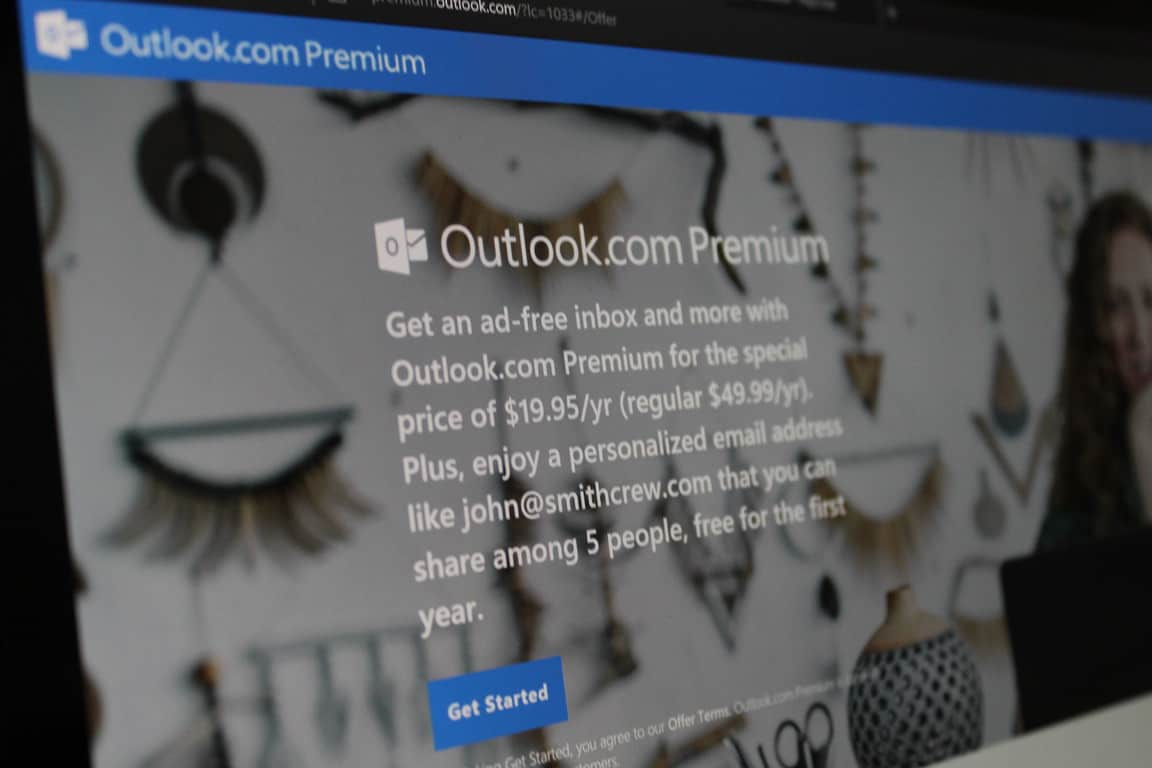
Outlook.com Premium moves out of Preview, but only in the US

Microsoft quietly today launched their Outlook.com Premium service, but only in the US. The move comes after the premium service was an invite-only private test back a year ago, and as it most recently moved to a public preview back in October of 2016 (via ZDNet.)

As part of Outlook.com Premium, for the current price of $19.95 per year (regularly $49.99,) users will have a personalized email with a custom domain plus an ad-free experience. To sign up, interested users can Click (or tap) the blue Sign in to Get Started button on the Outlook.com Premium Offer page. Here is how Microsoft describes the service:

Outlook.com Premium is an enhanced email service which syncs your own personalized email domain (such as Jane@Doe_Family.com) with your Outlook.com mailbox (as well as hotmail.com, live.com, or msn.com), and removes banner ads from your Outlook.com mailbox. Your Outlook.com Premium mailbox automatically syncs with your existing Outlook.com mailbox, so all your emails can be viewed in the same mailbox – regardless of whether they are sent to your personalized email address or to your Outlook.com email address.

You can also invite up to four other people to join your personalized email domain so you can easily share calendars, contacts, and documents. Sharing is setup automatically between the people you invite to join your personalized Outlook.com Premium subscription.

According to Microsoft, subscriptions to Outlook.com Premium will automatically renew annually at the then current price. If you create a new personalized email domain during the registration process, your personalized email domain will be free for the first year. At the end of your first year, there will be an additional charge per year for your personalized email domain. There is still no word on when the service will expand to outside the US.

Create an Xbox Store wishlist and receive deal alerts with new StoreParser feature

StoreParser has always been known as a great place to track Xbox deals and sales, and it has now gotten even better. According to multiple reports on Reddit, StoreParser now allows you to sign up to create an Xbox Store wishlist and receive price alerts.

Overall, all it takes to use this new wishlist feature is first simply log in and search for a game using the search box on StoreParser.com. After you logged in, and found your game, you can then click the arrow on the bottom right-hand corner of your game and then select “add to My Wishlist.” Additionally, if you would like to receive price alerts for these games, you should head to your My Account page, and check the box that says “Notify me when content on my wishlist goes on sale or drops in price.”

StoreParser Wishlist

Though this feature is new to StoreParser, some on Reddit were keen enough to point out that TrueAchivements.com already had a feature which lets you track Xbox games, as well as achievements. Microsoft, nonetheless, urges Xbox gamers to check out Major Nelson’s blog for the latest Xbox deals and had previously blocked StoreParser from listing Xbox Store deals, only to reinstate access a week later.

Sniper Elite 4 Season Pass: Here’s what you need to know

Sniper Elite 4 Digital Deluxe Edition and Season Pass buyers have access to unique game content that will visibly improve their gaming experience. More specifically, the Sniper Elite 4 Season Pass gives players access to all of the game’s DLC packs, including 4 new missions for 1-2 players, 18 new weapons, 32 themed and camouflaged rifle skins for use in all modes, and 9 detailed new characters.

Sniper Elite 4 pre-order bonus content

Players who have pre-ordered Sniper Elite 4 get a challenging and unique mission as well as useful rifle skins:

  • Target: Führer campaign mission: You’ll infiltrate a secret Mediterranean U-boat facility where you can use 30 different ways to take out your target.
  • Camouflage Rifle Skin Pack: This pack allows you to perfectly blend into all wartime Italy environments. The pack is compatible with all seven of the game’s starting rifles.

Sniper Elite 4 expansion packs

The upcoming Sniper Elite 4 expansion packs feature 3 new weapons, 8 new weapon skins and 2 new characters.

More weapon packs and characters

Sniper Elite 4 devolopers are very generous in terms of DLC. The game also features three more weapon packs, such as silenced weapons, well-known wartime Allied rifles, and equipment that can be used for close quarters. Also, three more new characters for co-op and multiplayer are available for you to throw into the battle.

The Sniper Elite 4 Season Pass has a price tag of $34.99 and will be available on launch. If you’re not planning to buy the Season Pass, don’t worry. All new multiplayer maps and modes rolled after launch are free or the whole community.

You can buy Sniper Elite 4 for $59.99 from Steam. The Deluxe Edition is available for $89.99.

RELATED STORIES YOU NEED TO CHECK OUT:

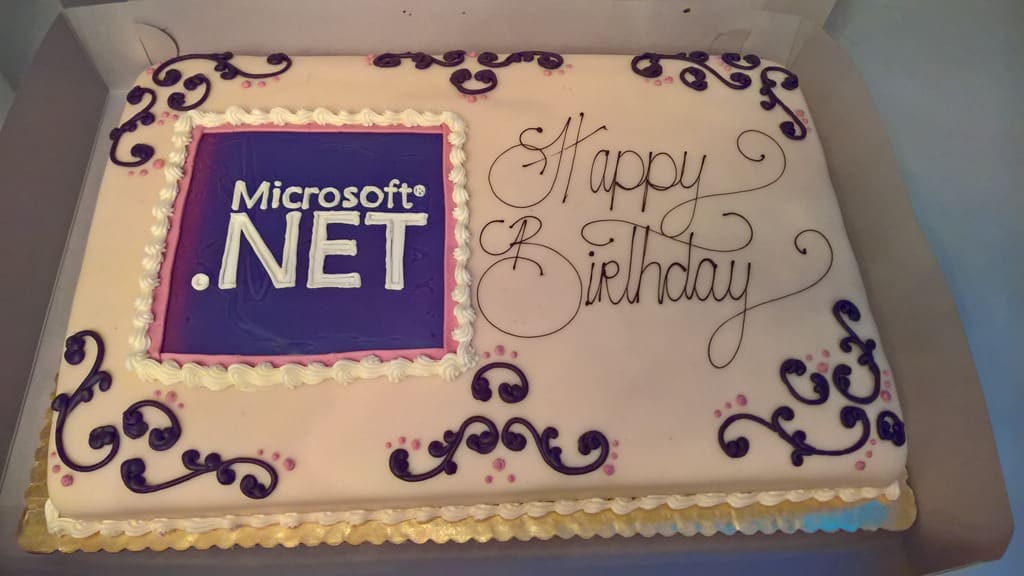
Microsoft celebrates 15 years of .NET

As Microsoft looks to incorporate more open sourced coding and development, the company still manages to keep an eye squarely fixed on its roots in .NET.

Just today, the company celebrated the 15th anniversary of its .NET introduction.

“Since the beginning, the .NET platform has allowed developers to quickly build and deploy robust applications, starting with Windows desktop and web server applications in 2002. You got an entire managed framework for building distributed Windows applications, ASP.NET was introduced as the next generation Active Server Pages for web-based development, and a new language, C# (pronounced “see sharp” :-)) came to be.”

For any developers feeling nostalgic today, the .NET blog is hosting a handful of anniversary tidbits of Microsoft’s .NET programming language.

Microsoft is also encouraging fans to get engaged with today’s anniversary celebrations by suggesting gear to wear as well as links to visit to gather more information about the 15 year evolution of .NET