Xanadu Next was recently released on Windows PC, allowing gamers to enter a mysterious realm shrouded in mist. Whenever Lake Orwell is engulfed in fog, sailors catch sight of a phantom castle just out of reach. As they draw near, it always fades away, leaving only questions for all who have seen this “Castle Strangerock.”
Your task is to help them uncover the secrets of this mysterious and elusive castle. However, you should always stay alert because this is an extremely dangerous task that may cost you your soul. But first, you’ll need to get the game to work.
May Xanadu Next gamers complain about various issues that range from game crashes to audio issues. The bad news is that there are no workarounds available for many of these bugs.
Xanadu Next reported issues
Control bugs:
while using the inventory screen, the skill/spell tabs cannot always be selected by mouse left click, continuing character movement rather than selecting the tab
the mouse does not move, and players can’t hover over anything, which means they can’t buy the key in the city. Users also report that when they use their Xbox controller on a merchant, the game crashes.
the mouse cursor snaps to the top line of a dialogue tree or a shop dialogue regardless of where the cursor was, forcing users to repeatedly select the top option until they slow down the clicks
Game seems amazing but those controls are a bug armaggedon.[…] Can´t select anything , can´t hover the mouse so it is impossible to buy a key. Outside the merchant i can do well in the dungeon and fight is ok. When i try to move the mouse around the merchant wares the game crashes.What a disaster this port for pc is.Refunding now , game is unplayable.
Crash Bugs:
the game immediately crashes after the first custscene in the boat.
the game crashes while trying to allocate bonus points after reaching level 3.
Text bugs:
everytime the character’s name is mentioned in the static narration screens, following the player character’s name, there is always missing text.
text parts are missing on certain pop-up windows.
Other Xanadu Next bugs
sometimes, there are no sound effects
severe stuttering: “I’m still getting VERY heavy stuttering no matter what frame buffer size I choose. 8k acts the same as 256.”
the game’s camera sometimes keeps spinning by itself.
These are the most frequent Xanadu Next bugs reported by gamers. If you’ve come across a workaround for some of the issues mentioned in this article, fell free to list the troubleshooting steps in the comment section below.
Titanfall 2 PC players will be happy to hear that a new update is now available for their favorite game. Patch v2.0.0.7 allows gamers to downscale the rendered image to maintain a consistent framerate, and also brings many bug fixes for a smoother gaming experience.
Titanfall 2 is plagued by many issues, but this latest patch will definitely fix most of them. If you install update v2.0.0.7 and the latest NVIDIA GeForce driver update, you’ll definitely be able to enjoy a smooth Titanfall 2 gaming experience.
As stated before, this Titanfall update brings one new game feature: adaptive resolution scaling (requires TSAA enabled). Gamers can now downscale the rendered image and prevent framerate issues. This feature is very useful for players running lower spec video cards, and will allow them to maintain constant 60FPS rates. Gamers running 4K monitors with midrange GPUs will also appreciate this feature.
Star Wars Battlefront was released in the fourth quarter of 2015 and gained immense popularity, especially in the Star Wars community. Unsurprisingly, the financial success of Star Wars Battlefront has led the game’s makers to green light a sequel, pleasing those who enjoyed the first game. The announcement was made during EA’s earning calls by Blake Jorgensen, CFO for EA. According to him, fans will be able to get their hands on the Battlefront sequel in the Fall of 2017.
He also stated that the team behind the game is focused on securing the high-quality standard set by 2015’s title. The 2015 Battlefront installment wasn’t the first ever made. It was actually a reboot of the original Battlefront game, and while it focused on the story and elements surrounding the original Star Wars movies, the officials say that the sequel will make good use of the newer movies and everything that goes along with them.
EA Dice will once again take the reins of EA’s Star Wars project, with the help of Motive Studios. While the fanbase awaits Battlefront 2, they can go watch some of the upcoming Star Wars movies, as it seems that the Star Wars franchise is once again at full operational speed. Who knows, there’s a chance Battlefront 2 will also incorporate elements from the movies that haven’t been released yet, prolonging the franchise’s lifespan for the foreseeable future.
Steam games have been supporting various PC controllers for a very long time. But this is limited to controllers built for PC only. However, Valve plans to change that, as it introduced support for PS4’s DualsShock 4 Controller, which is currently available in the beta version of the Steam client.
Valve introduced DualShock 4 Controller support to steam with the latest update for its Steam beta client. Here’s which updates the latest version of Steam Clent contains:
“Added Steam Configurator support for PS4 Dual Shock Controller. Note that this is a beta release. Enable in Big Picture settings Add/Test Controller settings. When enabled, PS4 controllers will have access to the same sort of customisation/configuration support as Steam Controllers, including native API support.
PS4 Controllers using this system can map the trackpad, gyro, buttons, etc. to keyboard, mouse, or x-input outputs and can make use of action sets, touch menus, radial menus, and so forth.
Added New Mode – Joystick Mouse. This is a joystick based mouse control useful for stick based controllers.
Added default PS4 templates.
Added software calibration for non-Steam controller based IMUs to counter for gyro drift.
Configuration Browser can now be toggled to show all available controller types rather than the default of the in-use controller type.
Configurations can now be marked as ‘Unique’ to a specific controller. This configuration will only be applied to that controller for that user’s account. By default, all controllers of a specific type will share a configuration unless marked as Unique.
Big Picture now supports PS4 controller glyphs when using Steam Configurator support.”
It was already known that DualShock support is being prepared for Steam. For now, only users of the beta client are able to try it, but it will eventually arrive to everyone in the future. But we don’t know the exact date.
By introducing DualShock support to Steam, Valve follows Microsoft’s model, which already made the Xbox One Controller usable on Windows 10 PCs. We don’t know if Valve’s decision is related to Microsoft’s, but as multi-platform gamepads become more and more popular, supporting one of the two main console’s gamepad is an obvious step.
We don’t know if Valve will do the same thing with the Xbox One Controller in the future, but we’re sure there are many gamers who would like this to happen.
If you want to test your PS4 gamepad on Steam games, you can download the latest version of the Steam beta client from this link.
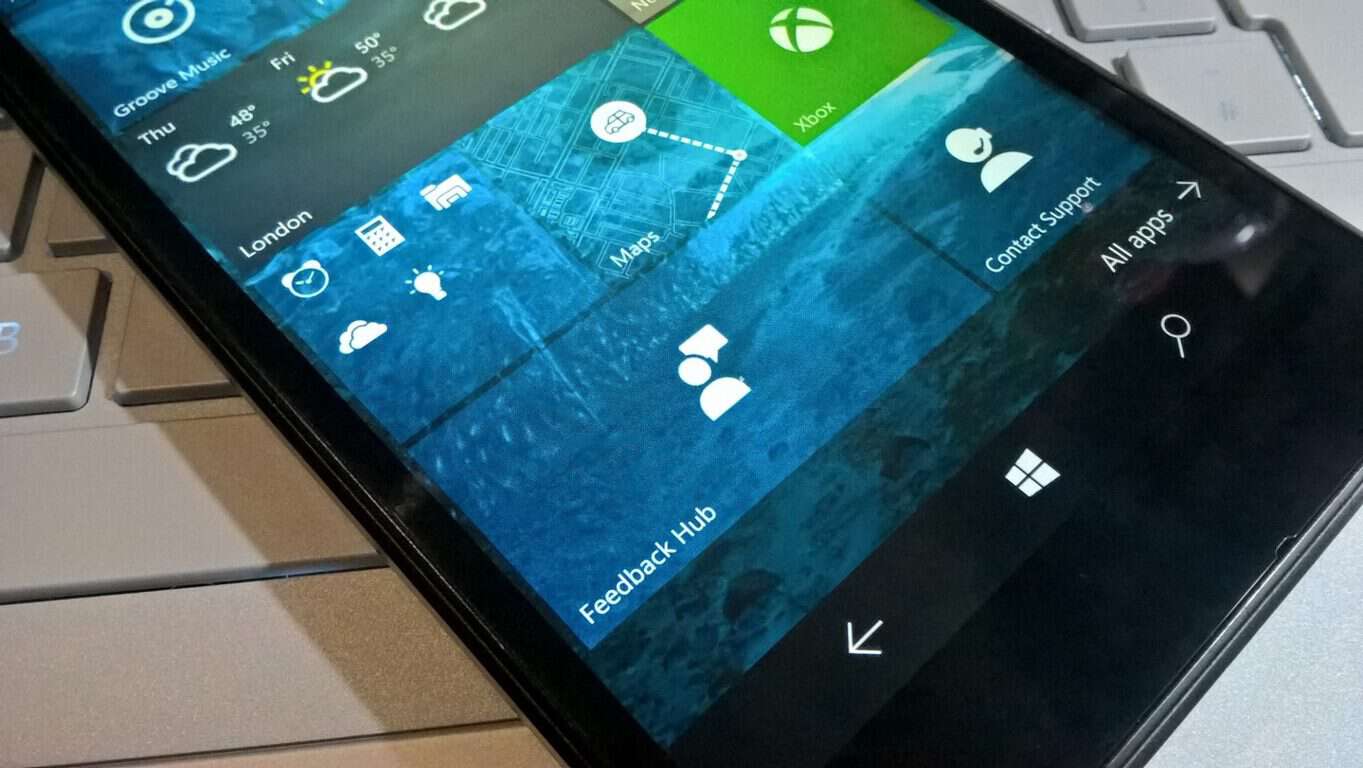
Alongside the latest Windows 10 Insider build 14959 (check out our video recap of 14959 from the awesome Cody Carson) comes an update to the Feedback Hub, one that’s near and dear to our hearts.
Up until now, when linking to a Feedback Hub post, you’d have to get the “Share link” from the post, which looks something like this “insiderhub://announcements/9192481a-ec18-455e-b9e7-4e29004fcab8?Source=ShareLink,” and for it to then be usable in anything other than Microsoft Edge, you’d have to wrap it in an anchor tag (like <a href=”[link]”>Here’s the link</a>), if you were, say, writing a blog post about some new Feedback Hub piece of news, for an audience that has been, say, fleeing from Edge in droves.
Cumbersome, to say the least. Now (and for the moment the links appear for Fast Ring Windows Insiders only, although they work with any Windows 10 build), the Feedback Hub has a new share link, one that looks like this: https://t.co/4SinmRSPya. For one thing, it’s a lot shorter, and for another we can now dispense with all the silly wrapping in anchor tags foolishness, as the link will work in any browser on Windows 10
You will still need to be on Windows 10 to get to the Feedback Hub, which is a drag, but at least the links are cleared up a little. Here’s what that very same Feedback Hub post above says about the whole process:
We are excited to announce that with the latest version of Feedback Hub, you can now share feedback items, Quests or any other content easily with short URL links.
The web URL links for content are short links (e.g. https://aka.ms/bjd708) making them easier to share on social media such as Twitter or Facebook
Unlike Feedback Hub URI links, the URL short links are recognized as web links when shared, making it easier for other people to click on them and get routed to the item
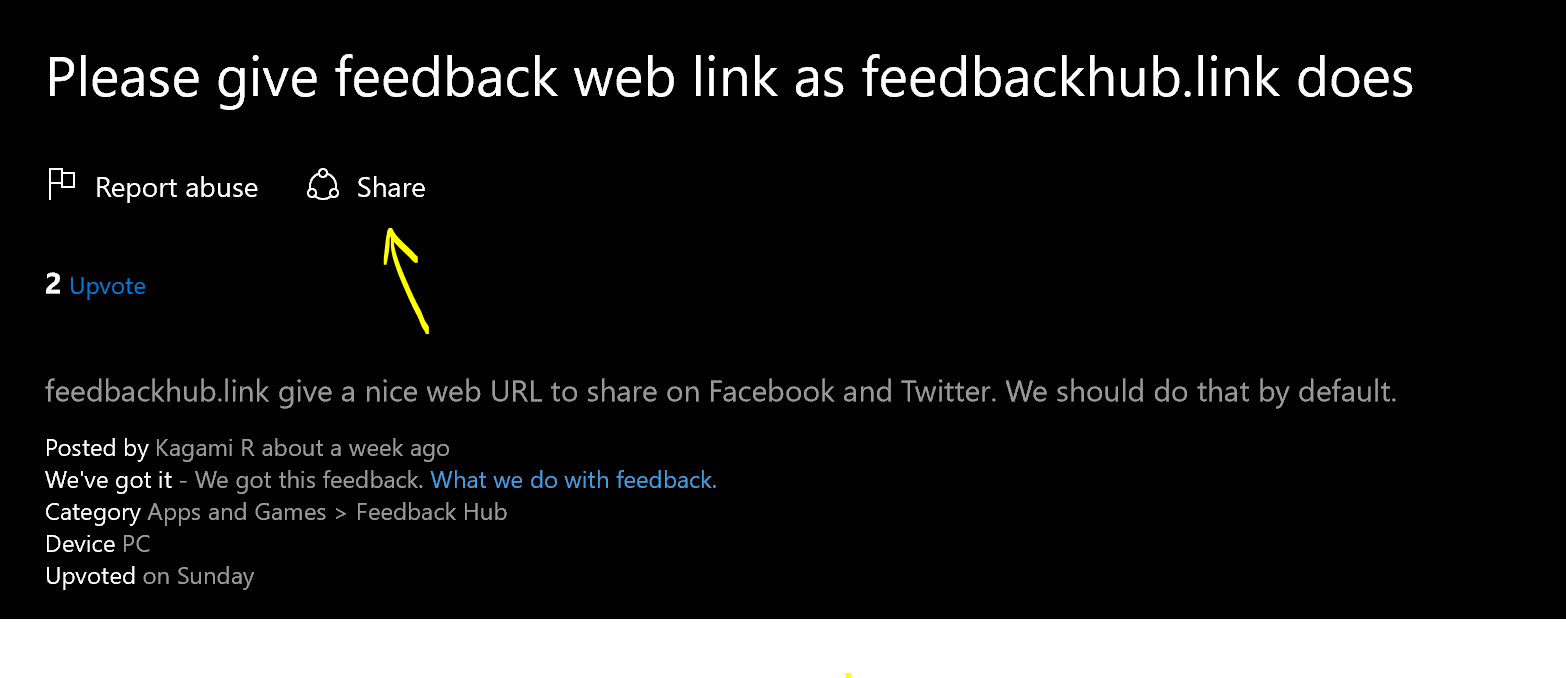
To get the short URL links, just click on “Share” button on any of the shareable Feedback Hub content:
You can then copy the short link from the flyout. If you need the Feedback Hub URI, that is still available under “Other sharing options”:
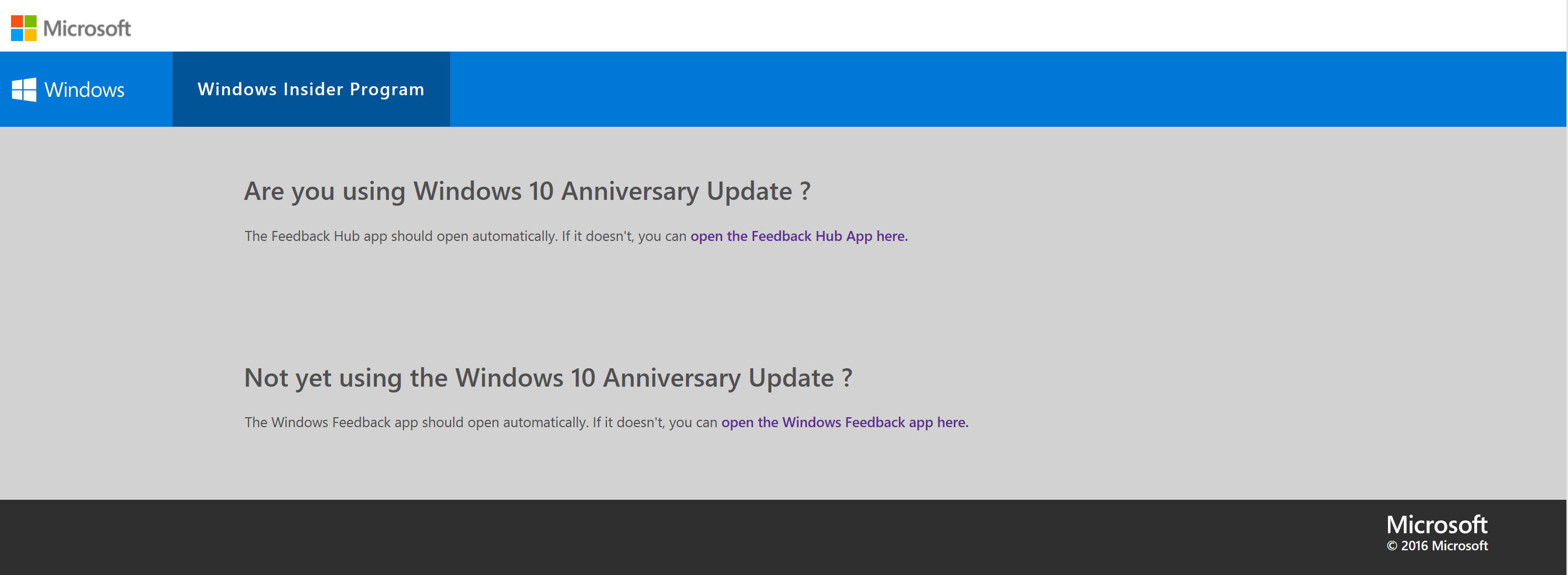
If you are using Windows 10, clicking on the link will automatically open the Feedback Hub app for you (you might get a dialogue from web browser to confirm launching Feedback Hub app). If the app doesn’t launch, just click on one of the links in the web page which will cause the app to launch:
We’re all for anything that makes our editorial lives even the tiniest bit easier, so we’re applauding this newest update, and it should make it easier for us to get you to all the latest Feedback Hub news!
According to Google the vulnerability “can be triggered via the win32k.sys system call NtSetWindowLongPtr() for the index GWLP_ID on a window handle with GWL_STYLE set to WS_CHILD.” In other words, as we said, attackers can break into your system, by taking privileges for running their malicious software. This vulnerability is available in all versions of Windows.
Although Microsoft is aware of the problem, the company still hasn’t released a legitimate patch to address this vulnerability. As this moth’s Patch Tuesday is ahead of us, it is expected from Microsoft to release the patch during this occasion. But what until then?
How to protect your computer from win32k.sys security flaw
There are a couple of things you can do to keep yourself as secure as possible from this security flaw. Unlike Microsoft, Adobe recently updated Flash with the patch, so running the latest version of Flash will take the vulnerability away. As Adobe’s software is known for being a common target of security attacks, it’s not a surprise that the company acted quickly.
The same goes for the most popular browsers for Windows 10, Google Chrome and Microsoft Edge. These browsers already provide solutions to such threats, so just in case, make sure you’re using the latest versions.
Microsoft’s Terry Myerson also said that users with Windows Defender activated will also be safe from attacks:
“Customers who have enabled Windows Defender Advanced Threat Protection (ATP) will detect STRONTIUM’s [that’s how Microsoft internally calls a hacker group who performs the attack] attempted attacks thanks to ATP’s generic behavior detection analytics and up-to-date threat intelligence”.
However, all these ‘solutions’ apply to Windows 10 only. If you’re running an older version of Windows, you’re pretty much exposed. The only thing you can do is to browse the internet with some of the security-oriented browsers, like Comodo IceDragon, or completely disable networking until Microsoft provides a patch.
Another solution that Microsoft suggests is upgrading to Windows 10. Nice try, but we don’t think it will be a clincher for core Windows 7 fans. However, they’ll eventually have to upgrade anyway, but that’s a story for another day.
The services offered by LastPass specialize in the password management domain, offering solutions for keeping your password in order across multiple devices. This might be the best thing created for those that have an affinity for losing or forgetting their password and therefore losing access to important websites or modules.
LastPass caters to multiple types of users, as they offer both a free version of their services, and a premium version, which comes with more permissions. One of the most important features that free accounts lack in comparison to the premium ones is the fact that they can only synchronize on one type of device, depending on what device they first started using LastPass. For example, a free user that started using the service on PC, could only sync their password on PC, and if they wanted the ability to sync their password on mobile devices as well, they would need a premium account. It is worth noting that free users could sync mobile password on PCs, but not the other way around.
The reverse situation applies, as users that started out on a mobile device would be cut off from being able to sync their password to PCs unless they would be willing to opt for a premium version of the LastPass services.
LastPass made an important announcement recently, stating that all users, including free users, would be able to sync all their information across all types of devices. This comes as great news for anyone who wanted this ability was unable to opt for a premium account.
As a part of “Ubi 30” Anniversary, Ubisoft is offering their neon-soaked neon-soaked Far Cry spinoff Far Cry 3: Blood Dragon as a celebratory gesture which is classified as one of the best-rated shooter games. To redeem this gift, all you’ll need a Uplay account, get on with the download, and keep it forever.
The generosity of Ubisoft has been well observed in the past months as well, when the company has offered free downloads for renown titles, like Prince of Persia: The Sands of Time, Splinter Cell, Rayman Origins and The Crew, and is currently giving Beyond Good and Evil for free as a promotional offer.
Far Cry 3 : Blood Dragon is an 80’s action movies and video games inspired standalone expansion game, which basically means that anyone can buy and play the game without having the original copy. The game revolves around a retro-futuristic island where gamers play-act the role of military cyborg Sergeant Rex “Power” Colt. But if you look beyond the whole “80’s mimicry” aspects of the game, it is no less that a standard, high-class and well-presented shooter game.
Though the offer is limited to the Windows PC version of Far Cry 3: Blood Dragon, however, and kicks off Wednesday, Nov 9.
Giving a quick remembrance of the game, Far Cry 3: Blood Dragon was released in 2013 for PlayStation 3, Windows PC and Xbox 360 and took the audience with a storm. The Xbox 360 version is also backward compatible with Xbox One and now the PC version will be out next week, and that too for free.
“Far Cry 3: Blood Dragon isn’t quite as brilliant or hilarious as it thinks it is, and the seven hour running time sees the joke and the gameplay stretched fairly thin. It’s foul-mouthed, gratuitously violent and sometimes shabby looking. Yet it’s still a lot of fun, with some fabulous gung-ho action, an excellent soundtrack and a clutch of fantastic one-liners.”
A journal is one of the most useful personal development tools you can carry around. Not only does it provide a way to keep a day to day record of our lives, but also help us reminiscence treasured experiences, work through internal conflicts, and improve our self-awareness. Journal keeping apps come in handy when you want to record good moments but you don’t want to carry a notebook around. Life is a mystery and each day brings its own unique experiences. What a better way to keep a record of these moments other than to jot them in a digital journal.
Journaling is not a new idea. The practice has been around since the days of our founding fathers, only then it was limited to pen and paper. Thanks to the expansion of consumer technology, we can now keep a digital journal. Today, various apps exist that allow us to save our journal entries online, making it easy to access these entries from anywhere without the need of carrying a notebook. These journal keeping apps also come with digital features that let us tag and share moments with our friends instantly. In this article, we highlight the best 5 journal keeping apps.
Penzu is a powerful tool that allows you to easily keep all your journaling notes online. Penzu offers plenty of security features to ensure your private thoughts are protected from prying eyes. The service also offers mobile apps for Android, iOS, and Blackberry so you can journal on the go and access your account from anywhere. Each journal entry feels like you are writing in a notebook and the process is designed to feel more natural and less technical. You can customize the background using the various themes provided and also change the way pages look.
Penzu allows users to insert pictures, search for folder entries, add tags, and comment on entries. It also gives you the option to input a keyword for every entry in the tag box. This allows you to easily find the entry by keyword search the next time you want to access it. Security is the forte of this app. Penzu uses 256-bit AES encryption, which is the same as the military grade security system used by the US government. The basic service is free, although you can subscribe to the paid version ($19 per year) to access more advanced features. Penzu remains as one of the most robust journal keeping apps.
Microsoft OneNote
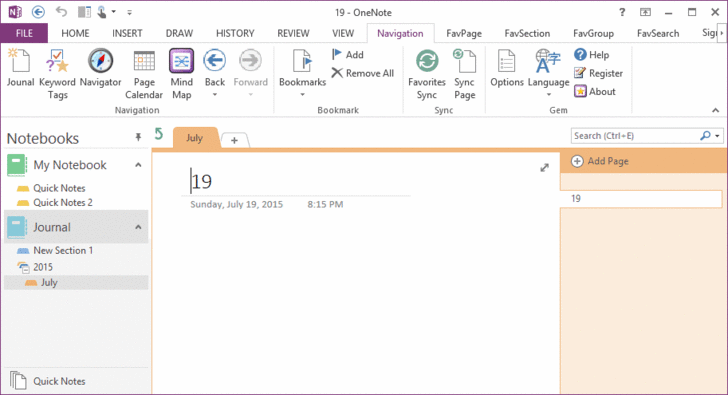
Microsoft OneNote is a sophisticated notetaking tool that can handle many tasks, making it a journaling tool that is far more reliable than its paper counterpart. If you like capturing moments, taking photos, and adding music to your journal entries, OneNote’s file integration system makes such journal keeping tricks easy and enjoyable. OneNote’s handwriting recognition and Windows mobile client makes it easy to record your journal entries even when on the go.
Unlike other digital journals, OneNote’s journal can incorporate a lot. Typed text, handwritten text, drawings, video recordings, audio recordings, and even doodles can all be added to the journal easily. In addition, you can access your OneNote journal on your PC, tablet or phone even when you are offline.
Journey is a beautiful app for PC and mobile devices that takes journaling to a whole new level. As a cross-platform app, you can use it on Windows, Mac, Linux, and even on a Chromebook. The design is perfect and comes with an easy to use UI, customizable fonts, and a well-spaced interface. Journey gives you inspiring thoughts each day to help you start your day on a positive note. It allows you to add one photo to each entry, which is a good thing but also limiting. You can browse your entries by tags which is a decent way to organize them in chronological order.
The calendar is neat and gives you a preview of all the days you have updated the journal. There is even an built-in atlas that shows your location and the entries you made when in that spot. The Android app has a reminder system that you can set to remind you to update your journal at a selected time. One cool feature about Journal is its ability to work offline. You can make entries when offline and Journey syncs the data to its servers when you come back online.
Evernote
Evernote is a very popular application for capturing and organizing all sort of information, which makes it a tool of choice for keeping a daily journal. Evernote is available across multiple platforms and you can use it on Windows PC, iOS, and on Android devices. And since it’s a multifarious application, you can use it to perform many tasks. If you use Evernote as a personal journal, there are various options you can explore to make your journal entries search friendly. For instance, you can leverage the text recognition and create tags to make your journal entries easy to find. In addition to texts, you can also add audio clips and photos to make your notes less monotonous.
Related: Evernote app for Windows 10 PC improved with better navigation, search, and note categories
SomNote
SomNote is one of the most beautifully designed journal apps ever. Available for Windows PC, Macs, and mobile devices, Somnote offers all the basics you could want in a digital journal. You can add photos, tags, organize your journals easily with folders and even lock the app with a password. The interface is beautifully designed and you can customize it to match your preferences. Journals and attached files are automatically synced so you can easily access them on all your devices including PCs and Macs. It even allows you access automatically deleted notes from the trash once the backup mode is activated. Finding your journals is easy as you can either use keyword search or use one of the several sorting options available.
Keeping a personal journal is a great way to improve your writing skills, spill out your thoughts, worries, desires, and feelings on a paper. The very act of writing itself can help you visualize solutions to some of your most pressing problems. The world has evolved so much that we can now easily journal while on the go and even share some of our most treasured moments on social media.
Have you used any of these journal keeping apps? Share your thoughts in the comment section below.
With the addition of the newly announced Microsoft Teams software, it appears Microsoft is looking to not only compete in the enterprise messaging space but beefing up the value of its Office 365 Business offerings in the process.
Soon, Access will be rolling out to Office 365 Business and Business Premium subscribers. Access will be automatically installed for these customers as part of their next regular Office client update, rolling out between December 1, 2016 and January 30, 2017. Access will continue to be included in the Office 365 ProPlus, E3 and E5 plans.
A set of new enterprise data connectors will roll out to Microsoft Access in early 2017. These new connectors include OData Feed, Dynamics CRM, Salesforce and Amazon Redshift and will be available for customers with Office 365 ProPlus, E3 and E5 plans. These new connectors will enable customers to integrate and extend Access into other line of business solutions and databases.
Microsoft offers a special note to existing Office 365 customers explaining, those who have updates set to the Deferred Channel will receive the new Access update in June 2017 as per their system request. Customers on regular update release should be given the update starting December 1, 2016.
To find out more about the Access update for Office 365 Business and Business Premium customers, visit the Access UserVoice site or head over to the Office Blogs.
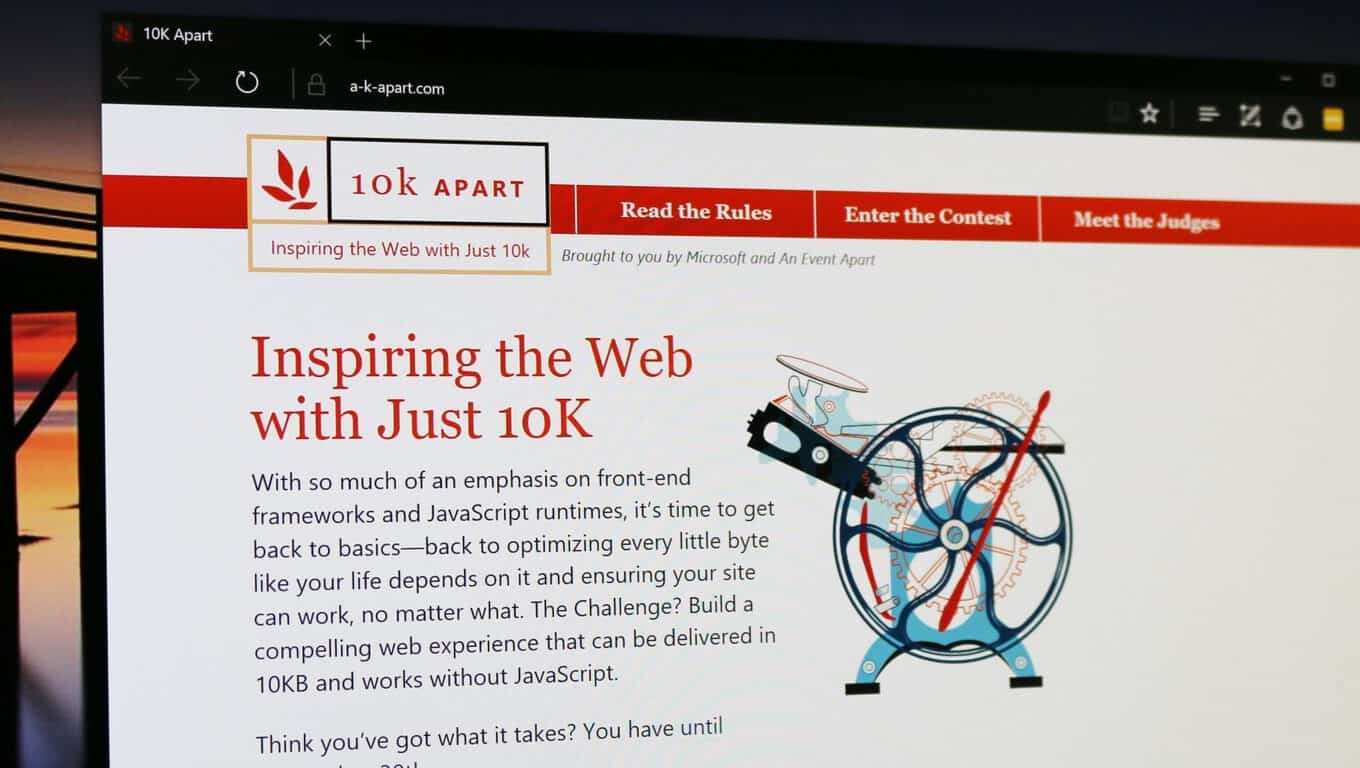
It’s truly amazing to have full websites running with such a low memory print, and it would seem impossible for some, but not for these honorable mentions:
We had so many amazing entries this year that I was glad we’d doubled the honorable mention spots. Without further ado, the honorable mentions for this year’s contest were (in alphabetical order):
Such an amazing group of entries! I highly recommend you check each one out. Do yourself a favor and set aside a few hours to really tuck into them.
But there are a couple of websites that take the crown. The winners are divided into a few categories. The first one is “People’s choice”, and as the name suggests, it’s chosen by regular people from the community.
Firstname Basher
Once the entries were up, we gave you the chance to have your say and pick our People’s Choice award winner and you picked a cheeky little entry by Emilien Schneider, Pablo Barral, and Romain Petiot called Firstname Basher. This clever site helps you pick a name for your child, not by telling you its good qualities, but by telling you what’s wrong with it!
The next winner is the “Best Technical” one that suposedly means that it’s the most advanced one. 10K UK Weather may not have to work so hard as the result will always be “rain” but it’s still pretty impressive.
10K UK Weather Analyzer & Visualizer
This was a hard-fought contest between a handful of stellar entries. Ultimately, 10K UK Weather Analyzer & Visualizer by Yash Raj Singh took home the prize. Judge Rachel Andrew had this to say about it: “I love the use of open data in this one and the various little touches to help bring that data to life, obviously a lot of careful work has gone into this entry.” Judge Heydon Pickering was equally impressed: “Incorporating several impressive features including data visualizations and a little meta game, this was perhaps the most ambitious entry.”
The next one is “Best Design” and it does look really good. The website is a little “Pixel Art Character creator” and features a really sleek and elegant look to it.
10KB Pixel Art Character
This was another toughy. We got so many beautiful entries this year. Ultimately, Hannah Malcolm’s 10KB Pixel Art Character took home the prize. It’s a fun little app for building your own 8-bit avatar. Judge Lara Hogan had this to say: “Super cute and it seems tremendously extendable.” Well done!
And it’s time for the “Best Overall” 10KB website: the Dashingly Responsive.
Dashingly Responsive
I think the judging panel was geeking out big time over the winning entry. Judge Rachel Andrew nailed it when she said “Each time I looked I saw another small detail that impressed me, and the use of simple technology in a creative way seemed to sum up the competition for me.” Mat Marquis felt much the same: “There are a lot of sharp little details in the design of this page, implemented well—and coming in at only ~8k in total, including audio, is pretty impressive stuff.” High praise for Emil Björklund and his deceptively simple-looking Dashingly Responsive. Under the hood it was anything but simple.
This years 10k Apart contest has been really cool, with awesome entries and we want to congratulate the well deserved winners as well as the honorable mentions. Everyone did a great job and deserves an applause for the stunning work they have come up with.
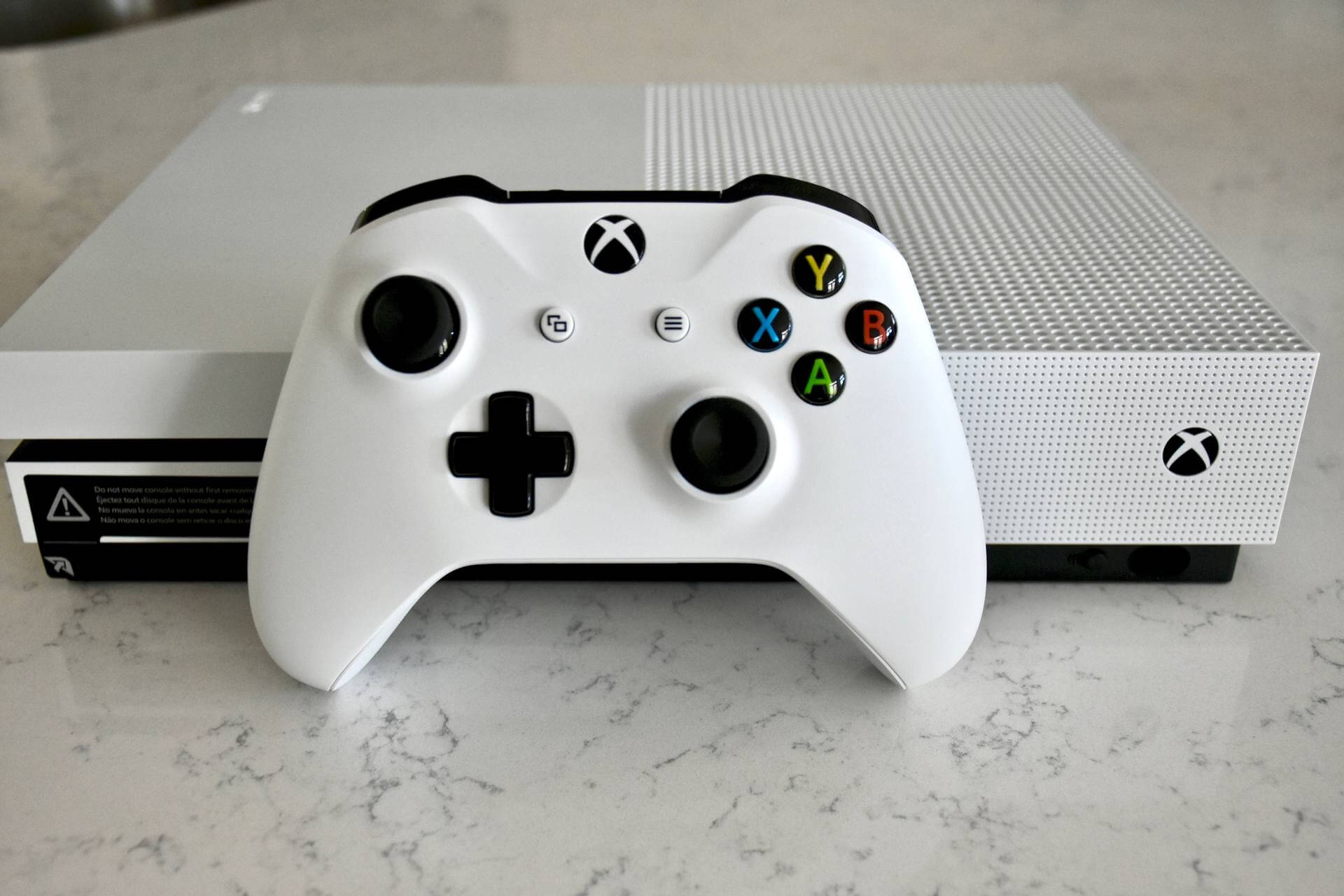
Microsoft’s Xbox team has announced today an interesting offer consumers in the US: starting today through November 12, you can purchase the Xbox One bundle of your choice and get an additional free game (up to $59.99 value) along your purchase. As an example, you could choose the Xbox One S Battlefield 1 Bundle ($299 value) and get a free copy of Call of Duty: Infinite Warfare ($59.99 value) at no additional cost, which may be a great combo for shooter fans.
The offer will be valid at participating US retailers including Amazon, Target, GameStop, Best Buy, Walmart.com and Microsoft Store while supplies last. Of course, there are some limitations as this offer can’t be combined with other promotions and pre-order games are not eligible.
Get an additional game with the purchase of any Xbox One bundle.
Following the release of the Xbox One S back in August, Microsoft has been offering a growing selection of bundles featuring the latest and greatest games such as Gears of War 4, FIFA 17, Madden 17 and Battlefield 1. If you’re interested by this promotion, we invite you to check the Xbox One consoles page on Xbox.com to see how to take advantage of it.
In the always fast-paced sport of NASCAR, where seconds on the stopwatch can be the difference between finishing first or third, technology has become ever so more important to all racing teams. So it was fitting to see Matthew Cochran, an IT Manager at NASCAR’s Hendrick Motorsports, make an appearance during Microsoft’s November 2nd event.
While Matthew appeared briefly on stage to discuss Microsoft Teams, I had the opportunity to sit down with him following the morning keynote and briefly discuss how Microsoft Teams, and Windows 10, are being used at Hendrick Motorsports.
How is Windows 10 used at Hendrick Motorsports?
To begin, I asked Matthew how Windows 10 is used at Hendrick Motorsports, home to NASCAR Champions such as Jimmie Johnson, Jeff Gordon, and current Sunoco Rookie of the year contender Chase Elliot. Matthew detailed that Windows 10 is a great operating system for the NASCAR team to deploy and standardize across the racing team. He even described the evolution of how Windows technology, touchscreen devices, and the UWP are used at the team.
“Before [Windows 10] we were pretty much Windows 7 Professional, and then you take a look at the other devices in the mobile workplace when we’re actually at the track, we’re really relying on touch screen devices such as Surface and various tablets from Panasonic. Windows 10 allowed us to focus all that into one OS that was always updated. Now [with Windows 10] we can develop one application and push that through the Windows Store for Business. It makes our interfaces a lot smoother, it’s very intuitive, it stays updated, it’s very easy.”
How can Microsoft Teams be used at Hendrick Motorsports?
As we have covered in the past, Microsoft Teams is Microsoft’s new cross-application collaboration software. The software competes with Slack, aims to be the new hub for teamwork, and has access to SharePoint, OneNote, and Skype for Business, and all of Office 365 while in one secure space. Matthew mentioned several of these Microsoft Teams features which are useful to a NASCAR team such as Hendrick Motorsports, and how Microsoft Teams is great for security, privacy, and speed.
“For us the persistent chat functionality is key especially during the actual race event. That way in case there is any disconnection from a race engineer standpoint, they can see once they have reconnected to the network anything that has transpired since they were away. Never again do you miss a piece of information. It’s all encrypted, we’re very confident it’s secure… So now [with Teams] the guys don’t have to have four or five different applications open collection all their data. That rich integration is key, and it allows us to control the environment and make sure it’s secure.”
How does being partners with Microsoft give a competitive advantage over the other teams in NASCAR?
In NASCAR, the sport is constantly changing. With new technologies being used across the sport on pit road for officiating, and inspections, I was curious as to what competitive advantages Microsoft technologies have offered Hendrick Motorsports.
“We look at where the sport is today… The sport has really changed to a data driven sport, and so the competitive edges and really into the future we believe will be on how quickly you can consume data and make the intelligent decisions on that data. Microsoft and the Azure platform has allowed us to escalate very quickly and be very agile with the developments of big data analytics and machine learning.”
Hendrick Motorsports, founded by Rick Hendrick, is based out of Charlotte, North Carolina. Since 1984, Hendrick Motorsports has earned a record 11 car owner championships in NASCAR’s premier division, the Sprint Cup Series. You can learn more about the team by visiting their website.
This past June, Microsoft announced Project Bletchley, building blockchain capabilities that are accessible in Azure. The project went live in September, and this week Microsoft has added the blockchain project into Azure Marketplace. Now, you can not only create and deploy a “many-node consortium blockchain network” in Azure, you can do it from the Azure Portal via the Marketplace.
Blockchains, most well known as the backbone of Bitcoin, can be described, as Wikipedia does, as “a distributed database that maintains a continuously-growing list of records called blocks secured from tampering and revision.” The system creates a “chain” of transaction logs that can’t practically be altered, a system that is not only useful for Bitcoin but any number of financial or other types of serial transactions. You can learn more about blockchains from the Bitcoin Wiki.
The new release also adds some new functionality:
Dozen Consortium Members:You can now deploy a blockchain network that has a dozen consortium members.
Premium storage: To support low latency and high throughput applications, you can configure the nodes within the consortium network to leveragepremium storagebacked virtual machines.
Password orSSH key: To secure the nodes within your network, you can now specify an SSH key instead of a password.
You can learn more about Project Bletchley and Azure in this detailed walkthrough, and check out the other blockchain solutions also in the Azure Marketplace, including Chain and Etherium Studio.
Back in August, the Xbox Australia team caught Xbox enthusiasts by surprise by unveiling the Xbox Onesie, a limited edition item designed as “the perfect loungewear attire for true entertainment fans.” While Microsoft did not anticipate the funny gaming uniform to generate such levels of excitement, the company still doesn’t plan to transform the Xbox Onesie into a true product as of today.
However, Xbox’s Major Nelson who just landed in Australia to attend PAX Australia in Melbourne has announced on his blog today that everyone will now be able to get an Xbox Onesie as an avatar item:
When the Xbox Onesie was revealed a few months ago, I received a ton of inquiries about how fans could get their hands on one of these rather rare items. Unfortunately, distribution was extremely limited and I was only able to give a handful of them away.
The good news is, I was able to work with the Xbox Avatar Store team and have them create Xbox Onesie avatar items, designed to look just like the real ones. Even better, all of these Avatar items are free.
Xbox Onesie – Women (black)Xbox Onesie – Men (White).
The Xbox Onesie avatar item is available in both black and white colors for men and women avatars, and you can download all of them from the download links below. As for PAX Australia 2016, our own Brad Stephenson is there and we’ll be bringing you more from the event soon!
You can enjoy in hundreds of different games on your Xbox One, but unfortunately certain errors can appear once in awhile. Users reported Error reading save device message on their Xbox One, and today we’re going to show you how to fix this problem.
“Error reading save device” on Xbox One, how to fix it?
Fix – Xbox One “Error reading save device”
Solution 1 – Restart your console
If you’re getting Error reading save device message you might be able to fix it simply by restarting your console. Restarting your console can fix common Xbox One errors, and in order to restart your console you need to do the following:
Scroll left on the Home screen to open the Guide. You can also open the Guide at any time simply by tapping the Xbox button on your controller.
When the Guide opens, select Settings.
Choose Restart console option.
Now select Yes to confirm.
You can also turn off your console by holding the power button on the front of your device for 10 seconds. After the console turns off, press the power button again to start it.
Solution 2 – Clear your cache
Xbox One holds all sorts of files in its cache, and sometimes those files can get corrupted and cause this and many other errors to appear. To fix problems with corrupted cache, you’ll need to clear it. Clearing the cache is similar to restarting your console, and in order to do it you need to follow these steps:
Press and hold the power button on your console to turn it off.
After your console turns off, unplug the power cable.
While the power cable is unplugged press the power button few times in order to completely drain the battery.
Wait for 30 seconds or more and reconnect the power cable.
Wait until the light on power brick changes from white to orange.
Now press the power button to turn on your console again.
By performing these steps you’ll clear the cache and hopefully the problem with Error reading save device message will be resolved.
READ ALSO: Xbox 360 titles Blue Dragon and Limbo now available on Xbox One
Solution 3 – Delete the save game files
Your saved games are stored on your console and on Xbox Live servers which allows you to continue playing your game on different consoles seamlessly. Unfortunately, sometimes it can happen that your save game files are corrupted, so you might have to delete them. Keep in mind that deleting the save game files from your console won’t delete them from Xbox Live servers unless you choose to delete them. To delete save game files, you need to do the following:
On the Home screen go to My games and apps.
Highlight the game that is giving you this error and press the Menu button on the controller.
Select Manage game option from the menu.
Once the relevant game information shows, scroll to the right and select the saved data for your gamertag in the Saved Data section.
Press the A button on your controller.
Now you’ll see two options available: Delete from console and Delete everywhere. Choose the former and you will delete local copy of the saved games from your Xbox One. If you choose this option your saved games will be restored the next time you start a game. If this option doesn’t work, you might have to use Delete everywhere option to remove your saved games from your console, Xbox Live servers and all other consoles that have your saved game files. Keep in mind that Delete everywhere option will permanently delete all your save game files, and all your progress will be lost.
Error reading save device message on Xbox One can prevent you from accessing your saved games, and if that’s the case, you might want to try restarting your console or clearing the cache. If that doesn’t work, you might want to delete your save game files.
Forza Horizon 3 fans can rejoice at the news that Microsoft is planning on releasing a new expansion for the game. The prelude to the launch comes in the form of a new car pack called Alpinestars. The cars in the pack come from several manufacturers, from the more exotic 1990 Mazda Savannah RX-7 to the 1967 Ford Falcon XR GT. The other cars in the pack are the 1998 Nissan Silvia K, 2016 Dodge Viper ACR, BMW M4 GTS, 2017 Acura NSX, and 1979 Talbot Lotus Sunbeam. A trailer has been released where you can take a look at the new cars.
Although exciting, the new cars are just the tip of the iceberg, an appropriate metaphor considering the new expansion will boast a snowy theme — right in time for Christmas too. Microsoft teased fans with the placeholder Blizzard Expansion, which is surely not the definitive name of the upcoming content. On top of that, all the promotional material suggests an icy theme for the expansion.
As far as the release date for the new Forza Horizon 3 expansion is concerned, all speculation and clues point towards a December release sometime near the end of the month. More information is bound to arrive soon, as per the delight of the Forza community which is already pumped about driving the new flashy rides in a new environment covered in frost.
The latest guest post on the Office 365 blog comes from Chris Brocklesby, chief information officer for easyJet. If you haven’t heard of easyJet, they’re a European airline that prides itself on being able to stay affordable and has over 250 aircrafts currently active. To maintain a network that large, easyJet turned to the Office 365 suite to keep its business running efficiently.
Office 365 came to the rescue as easyJet focused on creating a more customer-oriented experience, built to increase brand loyalty by designing an experience that helps travelers determine everything they need to know without any of the frustration.
To create that sort of digital experience for customers, easyJet needed to give employees a similarly freeing digital toolkit.
We need to provide employees and crew with the right business tools to follow through with this vision. That’s the role of Office 365. We cannot digitize the customer experience without also digitizing the employee experience.
As the Office 365 suite frees employees of the constraints of paper, Skype for Business lets people host meetings without any of the traveling that they would generally need to do. Instead of giving an employee a seat on a flight, easyJet can now sell off that seat to a potential customer.
easyJet’s case is not a unique story – Microsoft fills up the Office blog with testimonials such as this consistently, each one coming from a company that swears by Office’s ability to increase productivity. If you want to read some more, just head over to the Guest Author page on the blog.
giffgaff, a virtual mobile network (MVNO) of O2 in the United Kingdom, is working on several improvements to its fairly new app for Windows 10 devices. The app launched earlier this year and has received some minor updates since then, however, the company is now working on v1.5, which is now available in beta form.
In an email to registered beta testers, giffgaff offered the changelog for v1.5 of its app, the following improvements and changes are being made available:
Improved usage indicator for our £20 Always on goodybag
Function to allow you to use your app when you run out of data or top-up credit
Temporarily removed email contact option while we work on a snazzy new method
Added the ability to remove your saved payment method
Increased security relating to topping up and goodybag purchase
Various bug fixes and performance improvements
As feedback is received, further improvements and updates will be made.
For those who use the giffgaff app on Windows 10, the update is available now if you’ve joined the Windows beta ring for giffgaff. Those wanting to join the beta can sign-up here.
The giffgaff for Windows 10 app is universal and available from the Windows Store for both PC and mobile.
Earlier this year, Microsoft bid adieu to its aging MVP program in favor of being agiler in a “mobile-first, cloud first” world. In retiring the old MVP program and replacing it with a new system, the community many MVP’s got used to was shuttered and left many without a way to network with the men and women who helped each other achieve awards, certifications, and jobs.
Several former MVPs grew in their careers and today, they are CTOs and decision makers. I have a lot of respect for these peers and I listen when they talk. Their experience is king and I would love to see them get involved with the community again!
I am missing the MVP networking and the people…. That energy is unique.”
In light of that absence, Microsoft created MVP Reconnect to connect MVP’er’s with one another.
Here are some of the details.
Who can join?
The program is open to all former MVPs, regardless of technical expertise or award category, with a minimum of 1 full MVP Award year. Members must be in good standing, meaning that they must have no Code of Conduct or NDA violations.
Why should I join?
MVP Reconnect will be the official channel for you to stay connected to other community leaders and Microsoft. You will have the opportunity to participate in an exclusive networking channel, events, and private discussions, as well as local and global offerings.
How do I join?
The program is open to all former MVPs. You can join the program by filling out the membership request form here. We will follow up soon after with an official registration email. Supplying your MVP ID and the primary email you used during your tenure will help expedite the validation process.
Visit the [email protected] site for more information and to begin re-networking with your fellow MVPer’s.
There are plenty of software packages for Windows that map out parts of the known universe, such as the Solar System, and simulate a view of the stars.
The best space apps for PC packages are 3D space simulators. That kind of astronomy visualization software like Star Chart is a great alternative to telescopes. These are a few programs for Windows that you can explore space with.
RedShift is one of the foremost commercial astronomy software packages for Windows, retailing at an affordable price for the Premium version. The software has a flight mode that enables you to explore the galaxy in glorious 3D.
It also provides an expansive panorama of the Milky Way and photo-realistic horizons. Its database includes over 100 million stars, 125,000 asteroids, 1,800 comets, and other celestial objects.
With RedShift’s Macro Recorder, users can record guided tours of space and combine them with background music and photos.
Another great thing about this program is that it enables scope control for robotic and ASCOM telescopes. So it’s a serious bit of kit for astronomers.
Celestia is freely available astronomy software you can add to Windows, Mac, or Linux from this website page.
This program provides another stunning 3D representation of some of the universe with high-resolution mapping of planets. It’s based on the Hipparcos Catalogue that amounts to more than 100,000 stars within and beyond our galaxy.
In this simulator, users can travel space at a walking pace or light speed with the keyboard, and the software provides comprehensive details for the planets and other celestial objects.
In addition, Celestia has an expansive collection of add-ons at the Motherlode site, with which you can add new surface texture maps, asteroids, comets, spacecraft, and satellites to the software.
WinStars 3 is a shareware program that showcases our Solar System in 3D. Users can move through a Solar System map with the cursor, apply zooming options, and adjust 3D animation parameters.
The software boasts an extensive database of 2.5 million stars and 10,000 galaxies, star clusters, and nebulae. With its built-in search engine, users can quickly search for stars and planets, and WinStars 3 gives you extensive details for celestial objects.
Furthermore, you can also operate GoTo telescope mounts with the software.
Stellarium is 3D planetarium software for Windows. This open-source program shows you realistic 3D skylines with a plethora of stars (about 600,000 included in its default catalog).
Thus, it isn’t quite the same as software such as Celestia that provides space travel simulators. The program has fairly minimal system requirements, and you can save its setup wizard by clicking Windows on the Stellarium home page.
Stellarium includes numerous visualization effects for star twinkles, shooting stars, and eclipses. Users can display stars from various locations, including Saturn, Phobos, and Mars. It also has a variety of built-in plugins that you can enable from a tab.
One of those is a telescope control plugin that enables you to operate computerized scopes with the software.
StarStrider is space visualization software that has had some rave reviews. It’s a shareware package retailing at a very affordable price that has a 30-day trial version. This is another full-3D planetarium software package in which you can explore space with a virtual spaceship.
The program includes a variety of rendering modes, extra visual effects such as lens flares, and detailed planetary surface maps that give it a little more graphical gloss.
StarStrider incorporates about 118,218 stars from the Hipparcos (a former ESA satellite) database, and it has an extra database add-on that includes millions more stars. There are also novel anaglyph glasses for the software that provide stereo 3D effects.
Space Engine is a comprehensive space simulator that enables users to boldly go where nobody has gone before.
This is freeware software that represents celestial objects with data from Hipparcos and NGC/IC catalogs, and some of its 3D landscapes are based on space probe data.
It includes more than 130,000 space objects and 10,000 galaxies to boot, which you can fly through in Spacecraft, Aircraft, and Free mode. The flight modes have flexible control schemes based on the WASD keys, or you can switch to autopilot by pressing the G key.
What sets Space Engine apart from some of the other astronomy visualization software is its use of procedural generation to include an undiscovered universe.
The procedural generation algorithms generate masses of uncharted stars and galaxies for you to explore. As such, this space simulator has an unprecedented scale.
So Space Engine packs a lot in and has higher system requirements than most astronomy visualization software. The program needs 960 megabytes of storage space. Two GB RAM, one GB video card, and a two Ghz duel-core processor are minimum system requirements.
Solar System Scope has a desktop and browser version. Click here to open the browser version. That includes a 3D simulation of the Solar System and virtual observatory, and you can double-click planets or moons to expand them.
Press the arrow keys to rotate the camera, and roll the mouse wheel to zoom in and out. You can also open some interesting online models by clicking Content and selecting one from the window.
The desktop version of this astronomy visualization software runs full screen and has more detailed graphics with ultra HD textures for planets and moons. You can also download 2K and 8K texture packages for the program based on NASA imagery.
The desktop software retails at $9.80, and you can add Solar System Scope apps to the Android and iOS platforms.
So those are several astronomy visualization software packages for Windows and other platforms. These aren’t merely static 2D star maps and charts but 3D simulators that show space from a thrilling perspective.
They provide extensive details for planets, stars, moons, and other celestial objects in outer space.
Do let us know the space exploration software you enjoy using in the comments below.
There are types of malware or infections in general that will attempt to change your DNS address. This is obviously a serious security threat and shouldn’t be taken lightly. Fortunately, there is no need for expensive tools to solve this issue. All you need is DNS Lock, a free program developed by Sordum, a company that specializes in freeware. Using DNS Lock, you can change you IPv4 DNS easily and save yourself some future trouble. You can control the software from Run>Services.msc. To run DNS Lock, users are required to run at least Windows XP or newer versions of the operating system for compatibility reasons.
During a test where DNS Lock was installed, a normal setting change was attempted and seemed to go through with no problem while using the TCP/IP properties options. However, during extended observation, i.e. reopening the dialogue, it was noticed that the protections set by DNS Lock were still there and were preventing the manual changes. While a valuable tool to have, it is understandable how it can be bit annoying or hindering even for certain people.
First off, if you want to install DNS Lock on your computer, all you have to do is access the executable and enter your details when prompted. In this case, the details are your DNS IP’s (both secondary and primary). Once you’ve done that, you are good to go. DNS Lock also offers a choice between Google DNS servers and Open DNS servers. If you wish to uninstall the program, you can use the software’s Uninstall feature which will easily get rid of it for you.
Although not perfect, the amount of work required to get the software to run and do its job make DNS Lock quite a good tool to keep around.
If you are a person who’s working on the computer daily, either writing articles or completing forms for your company, then you are most likely using the copy/paste feature a lot.
Well, not many know that once you copy something in Windows, that text/photo will remain in the memory, which means that you can either paste it by mistake to other documents. To make things even worse, if you’ve copied an HD image, it could eat a good amount of RAM — which will slow down your computer.
Today, we will teach you how to replace confidential clipboards items with something else. Let’s say that you’ve copied a password and you want to get rid of it once you paste it to the right place. You can replace the copied item with another text (most likely a random one) by just copying it. However, this can slow down your work and sometimes you may forget to copy a new text.
Well, we have some good news for you, as there is a small tool which is able to erase the copied text/photo from your clipboard. The application is named ClipTTL and it will clear the clipboard after a set amount of time. Keep in mind that the program’s default value is 20 seconds, but you can always change it.
The ClipTTL application is only 58KB in size and it comes as a single .exe file. Once you start the tool, a system tray icon will appear, but you can always close it by right-clicking it and tapping on “Exit/Close” button. If 20 seconds are not enough for you, you can set the timer for 30 seconds by writing a command line such as: clipttl.exe 30.
We remind you that this tool is not able to protect you from a serious attack. For example, there are many logging software out there which can steal what you copy to clipboard.
Fresh off the addition of Blue Dragon to the list of Xbox One Backward Compatible titles, Major Nelson has once again announced a new title for the list. Heading to the Xbox One as a Backward Compatible title today is Limbo.
While a paid version of Limbo is already available on the Xbox Store as a digital download, the addition of Limbo to the Backward Compatible catalog means Xbox 360 users who previously downloaded or played the title (on their Xbox 360) can now enjoy the same title for free on their Xbox One. In case you didn’t know, Limbo was released in July 2010 as a platform exclusive title on Xbox Live Arcade as a puzzle-platform video game. Limbo was developed by Playdead, which most recently has published the hit game, Inside.
With the Windows 10 Anniversary Update, Microsoft Edge saw many improvements such as support for popular extensions like AdBlock. Despite the great features that came with the update, a Net Applications report shows that 40 million users appear to be leaving the Microsoft browser (via ComputerWorld.)
Overall, according to a Net Applications report obtained by ComputerWorld, the overall combined user share of both Internet Explorer and Microsoft Edge was at 28.4% in October, which is a 2.3% drop compared to last month’s numbers. Mozilla Firefox, meanwhile, experienced a 2% increase in user share at 11.1%, possibly due to Edge users choosing an alternate browser. Google Chrome’s share, in the same interval, was at 55% in October, for a 0.6% increase over last month’s numbers.
Microsoft Edge collapse
Additionally, as seen in the chart above, the overall number of users of Microsoft’s browsers continue to fall. The all-time high was 800 million users in December of last year, and October brought an all-time low of about 466 million users. Again, this continues the pattern and brings Edge and Internet Explorer’s user share down 40 million users from September’s number of 506 million users. It is worth noting, however, that these numbers in terms of millions come from ComputerWorld, which took Net Applications percentage data and cross-referenced it based on the total number of Windows PC’s worldwide.
Refinements for Microsoft Edge are on the way in the Windows 10 Creators Update, so the future might hold better news for the Microsoft browser. Which Browser do you use on your Windows machine? Let us know what you think by dropping us a comment below!
If you’re a fan of WWE, you’re probably familiar with the WWE Networkapplication. This application is available for variety of different platforms, including Xbox One, but users reported some errors while using it, so let’s see how to fix those errors.
WWE Network Xbox One error, how to fix it?
Fix – Xbox One WWE Network error
Solution 1 – Restart your console
If you’re having issues with WWE Network app on your Xbox One, you might be able to fix them simply by restarting your console. To do that, you need to follow these steps:
Scroll left on the Home screen to open the Guide. Alternatively you can double tap the Xbox button on the controller to open the Guide.
Choose Settings.
Select Restart console and choose Yes to confirm.
You can also turn off your console simply by holding the power button on the front of the console for 10 seconds. After the console turns off, wait for 30 seconds and turn it back on again by pressing the power button.
Some users are also suggesting that you can fix this problem by clearing your cache. Cache can get corrupted after a while, and the best way to deal with it is to clear it from your console. To do that on Xbox One, follow these steps:
Turn off your console by holding the power button for 10 seconds.
After your console turns off, unplug the power cable from Xbox One.
Wait for 30 seconds and connect the cable again.
Press the power button to start your console.
After your console starts, the cache should be cleared and any problems with WWE Network app will be resolved.
Solution 2 – Make sure that you have Xbox Live Gold account
There are several types of Xbox Live accounts, and Xbox Live Gold account gives you the most benefits. By using Xbox Live Gold you can enjoy in online multiplayer, and few users reported that you need to have Xbox Live Gold in order to use WWE Network app. If you don’t have Xbox Live Gold, you might want to consider buying an Xbox Live Gold subscription.
READ ALSO: WWE 2K17 issues on Xbox One: low FPS rate, game freezes and more
Solution 3 – Use a VPN
Few users reported errors with WWE Network app on their Xbox One, and if you’re having the same issues, you might want to consider using a VPN. WWE Network might not be available in your region, and that can cause certain errors to appear. One way to circumvent these errors is to use a VPN. By using VPN you’ll get a new IP address and you’ll be able to access WWE Network even if it’s not available in your country or region. Bear in mind that there are both free and paid VPN services available, and they offer different features and limitations. After signing up for a VPN, you’ll have to change your DNS settings, and you can do that by following these steps:
Press the Menu button on your controller.
Choose Settings > Network.
Select Advanced Settings.
Scroll to DNS settings and choose Manual.
Now enter the Primary and Secondary DNS address that is given to you by VPN provider.
Press the B button to save changes.
After setting up a VPN, check if WWE Network application is working.
Solution 4 – Ignore the error message
Few users reported that they were able to fix this issue simply by pressing the X button on their controller. By pressing the X button you’ll ignore the error message and hopefully, the WWE Network app will start. Keep in mind that this solution might fix some minor errors, but we can’t confirm that it works for major errors.
Errors with WWE Network on Xbox One can prevent you from enjoying in online content, but you should be able to fix most errors simply by restarting your console. If that doesn’t work, feel free to try any other solution from this article.
Microsoft’s Mike Ybarra confirmed earlier today that today’s update to the Blu-ray Player app on Xbox One will bring added functionality for BD-R and BD-RE disks to the new Xbox One S console. While the app has updated on the original Xbox One as well, the changes appear limited to the Xbox One S for the time being.
For those asking… yes, Xbox One S will support BD-R and BD-RE. App update should happen today. #Xbox
BD-R and BD-RE stand for Writable and Re-Writable Blu-ray disks respectively. As their names imply, they are a format of Blu-ray disks that can be burned or written on in the same way as the DVD-R and DVD-RE disks of old.
Will you be using this new functionality or is this a feature that’s nice to have but will be barely used? Let us know in the comments below.
Atari has just re-released 100 of their classic video games on Microsoft’s Xbox One video game console. The games are split 50/50 between bundles called, Atari Flashback Classics Vol. 1 and 2, and are currently retailing for $19.99 as digital purchases in the Windows Store. Here are the official descriptions for each bundle:
Atari Flashback Classics Vol. 1
Relive the golden age of video games on the latest generation consoles. volume of Atari® Flashback Classics brings 50 iconic Atari games, complete with multiplayer, global leaderboards, and much more. From arcade legends to 2600 classics, this massive library includes some of the most popular Atari titles ever released, including Combat®, Centipede®, Swordquest™, Star Raiders® . Intuitive interface design delivers the responsive feel of the originals on modern controllers. All new achievements, leaderboards and social features, combined with an amazing archive of classic artwork make Atari Flashback Classics the ultimate Atari collection!
Relive the golden age of video games on the Xbox One Platform. Atari Flashback Classics brings 50 iconic Atari games, complete with multiplayer, global leaderboards, and much more. From arcade legends to 2600 classics, this massive library includes some of the most popular Atari titles ever released, including Asteroids, Haunted House, Adventure, Major Havoc, and many more. Intuitive interface design delivers the responsive feel of the originals on modern controllers. All new achievements, leaderboards and social features, combined with an amazing archive of classic artwork make Atari Flashback Classics the ultimate Atari collection!
Microsoft’s email and calendar services are very reliable, helping millions of users to organize their professional life. Since Outlook and Calendar are very important tools, any bugs affecting them needs to be solved as soon as possible.
OWA users often can’t delete items from their mailbox, be it emails or calendar items. When this happens, an error message appears on the screen, informing users about the cause of the bug:
Remote Server returned ‘554 5.2.0 STOREDRV.Deliver.Exception:QuotaExceededException.MapiExceptionShutoffQuotaExceeded
Task ‘[email protected]’ reported error (0x8004060C): ‘The message store has reached its maximum size. To reduce the amount of data in this message store, select some items that you no longer need, and permanently (SHIFT + DEL) delete them.’
Of course, there are many other error messages that can appear on the screen, apart from the two listed above. Fortunately, there’s a quick workaround you can use to solve this problem.
Fix: OWA email and calendar items won’t delete
1. Check if the mailbox is placed on Litigation Hold or is part of an In-Place Hold Search. In this case, the deleted items are put on hold and are not purged from the mailbox.
2. Check in PowerShell if the TotalDeletedItemSize is near or has reached the maximum amout of 100 GB. Get-MailboxStatistics <affected user’s mailbox> | FL Name,DeletedItemCount,ItemCount,TotalDeletedItemSize,TotalItemSize
In Exchange Online, there is a soft limit of 20 GB and a hard limit of 30 GB for the Recoverable Items quota. The quota for the Recoverable Items folder is automatically increased to 90 GB and 100 GB, respectively, when a mailbox is placed on Litigation Hold or In-Place Hold. Then all items are held indefinitely or until the holds are removed. In-Place Hold and Litigation Hold uses the Recoverable Items folder to preserve items.
3.Remove HOLD from the mailbox and delete unnecessary items. Microsoft recommends to use this method with care because the mailbox items were put on Hold for a reason. This option will purge the deleted emails and valuable data will be lost.
4. Enable online archive. In this manner, the old emails will be moved automatically from the mailbox to the archive.
For more information about the connection between Litigation Hold and OWA emails, check out the latest Microsoft TechNet post.
When it comes to performance, stability and features, Microsoft Edge is miles behind browser veterans Mozilla Firefox and Google Chrome which have been around forever. However, there is one category where Microsoft’s replacement for Internet Explorer comes out as superior to the two. The category in question is security, and it has been discovered in the results from the testing made by NSS Labs, which compared the three browsers against one another.
Each browser put up the following version for testing:
Microsoft Edge 38.14393.0.0;
Google Chrome 53.0.2785;
Mozilla Firefox 48.0.2.
The tester offers additional information on threats examined and browser protection.
NSS Labs tested the three browsers’ capability to protect users and prevent threats from causing damage this year in October and September. The total amount of recorded results is 220.918 for socially engineered malware and 78.921 for phishing.
The conclusion of the evaluation is that Firefox offers a 78.3% protection against socially engineered malware and a 81.4% protection against phishing. While not too shabby, Firefox actually finished last, followed by Google’s Chrome browser which scored 85.8% in socially engineered malware blocking efficiency and 82.4% for phishing. The king of the hill is Microsoft Edge, with the top rating of 99% threat neutralization for socially engineered malware and 91.4% successful phishing blocking.
While not the most adored browser due to its lack of features and stability, not to mention clunky handling of some websites, Microsoft Edge cannot surpass Chrome or Firefox just yet in those categories. At least Microsoft Edge users now know that they have the least chance to be damaged by a phishing or socially engineered malware attack on their computer and browser.
Google’s Threat Analysis Group has recently uncovered a set of harmful vulnerabilities in Adobe Flash and the Microsoft Windows kernel that were being actively used for malware attacks against the Chrome browser. Google has publicly announced the security flaw in Windows just 10 days after disclosing it to Microsoft on October 21. Google also pointed out that this flaw could be aggressively used by attackers and coders to compromise security in Windows systems by gaining administrator-level access to the computers using a malware.
This can be achieved by allowing less than honest developers to escape from Windows’ security sandbox that executes only user-level apps without needing admin access. Diving a little deeper into the technicalities, the win32k.sys, a legacy support Windows system library used mainly for graphics, is issued a specific call that grants full access to the Windows environment. Google Chrome already has a defense mechanism in place for this kind of flaw and blocks this attack on Windows 10 using a modification to the Chromium sandbox called “Win32k lockdown“.
Google described this particular Windows vulnerability as follows:
“The Windows vulnerability is a local privilege escalation in the Windows kernel that can be used as a security sandbox escape. It can be triggered via the win32k.sys system call NtSetWindowLongPtr() for the index GWLP_ID on a window handle with GWL_STYLE set to WS_CHILD. Chrome’s sandbox blocks win32k.sys system calls using the Win32k lockdown mitigation on Windows 10, which prevents exploitation of this sandbox escape vulnerability.”
Though this is not Google’s first encounter with a Windows security flaw, they released a public statement regarding a vulnerability and was later bashed my Microsoft for releasing a public note before the official seven-day limit that is granted to software manufacturers to issue a fix.
“After 7 days, per our published policy for actively exploited critical vulnerabilities, we are today disclosing the existence of a remaining critical vulnerability in Windows for which no advisory or fix has yet been released,” wrote Neel Mehta and Billy Leonard of Google’s Threat Analysis Group.”This vulnerability is particularly serious because we know it is being actively exploited.”
A zero-day vulnerability is a publicly disclosed security flaw new to users. And now that the seven-day time period has passed, there is still no patch fix available regarding this bug from Microsoft.
The Flash vulnerability (also disclosed on October 21) that Google shared with Adobe was patched on October 26. So users can simply update to the latest version of Flash. But then again, Microsoft has actively pointed out that for a simple web plugin like Flash, issuing a patch within seven days isn’t a challenging target, but for a complex OS like Windows, it is nearly impossible to code, test, and issue a patch for a security flaw within a week.
Not just Microsoft but many other major software entities have actively opposed this controversial policy of Google of revealing flaws within a week’s limit, but Google has maintained that it is safer for public security to create awareness about a persisting bug that may compromise user safety.
Owlboy is an adventure game where you can fly and explore a new world in the clouds. You won’t be just a simple tourist, though, as you must overcome obstacles and vicious enemies that are out to get you.
Apart from these intended challenges, Owlboy also brings technical challenges as well. The game is affected by a series of annoying bugs but fortunately, its developers quickly acknowledged them and are working to fix them.
List of known Owlboy issues
1. The game crashes with “Song playback failed. Please verify that the song is not DRM protected. DRM protected songs are not supported for creator games.”
This error appears because Windows Media Player is not installed, which is used by XNA for some of the sequences in the game. To fix this issue, install Windows Media Player manually and the game should run fine. D-Pad Studio is trying to find a solution to fix this bug in such a way that players won’t have to install Windows Media Player themselves in the future.
2. Gamers can’t control the game with a keyboard if they have a controller plugged in. To fix this issue, unplug the controller and you should be able to play normally.
3. If you want to use a PS4 controller while playing Owlboy on your Windows PC, you need a third party driver such as DS4Windows. When that’s done, you can select PS4 button prompts in Options > Controls > Controller. For information on how to use a PS4 controller on a Windows computer, check out our dedicated article and follow the steps listed there.
4. There are strange borders on the top and/or bottom of non-16:9 screens. D-Pad Studio is working to fix this.
5.Owlboy sometimes crashes on level load when the game has been running for a long time. If this happens, relaunch the game. D-Pad Studio has already made a fix for this bug, and should be rolled out as soon as possible.
6. Music keeps disappearing in about a minute after players enter any map. No workaround is available yet for this bug.
7. When gamers press the play button, they get the following error: “The containing folder does not exist”. Four choices are then listed on the screen: exit the main menu, load from checkpoint, copy the clipboard and enable crush dumps. No solution is available to fix this bug.
8. The game freezes a lot: “Sometimes when I open the menu, sometimes when I press Start on Xbox 360 Controller, and if I enter in Otus House, freezes too. Sometimes when I’m just flying around, the freeze happens, forcing me to CTRL+ALT+DEL to finish the process.” It appears that reinstalling CommonRedist folder’s DX9 and repairing XNA solves the problem.
If you’ve encountered other issues that we didn’t list in this article, you can use this Steam forum thread to let the developers know about it.
Buzz phrases such as ‘big data,’ ‘the cloud’ and ‘cyber security’ make for easy talking points, but how do businesses looking to transact in the modern economy make real world use of them?
Microsoft’s US Small and Midsize Business Blog (that’s not a made-up title) have a few suggestions as to how companies cam make use of cloud solutions to gain insight into existing or new markets to help lead them forward.
One of the biggest opportunities data offers businesses is the ability to better understand customers. By analyzing customer data – what they buy, when they buy and even what they may not buy – business owners can start to see trends that will allow them to better meet customers’ needs. Imagine if a small gaming retailer suddenly sees an increase in purchases of a specific video game. They can use that data to anticipate when the title will sell out and order a new shipment ahead of time to ensure that customers don’t find an empty shelf in place of what they came in looking for and go elsewhere to make their purchase.
The next suggestion is to collect internally captured data to help streamline and develop more cohesive processes for communication.
Gaining insight from within
Using Power BI to compile all its data into one cohesive dashboard led to more than just improved programs for kids and families at Fort Worth’s Boys & Girls Club. The new insights also painted a bigger picture of the effectiveness of its programs that could be brought before the board of directors and leveraged in marketing and fundraising efforts. By focusing in on individual children, the Club also saved time and money by taking out the guess work and delivering the right services to the right families the first time.
Next up, is finally putting collected data and insights into good use and once again, Microsoft leans on The Boys & Girls Club of Greater Fort Worth in Texas to provide real world use cases for its other services such as SQL Server to make sense of big data.
Using data to drive innovation
The remedy for the Boys & Girls Club was Microsoft Power BI, which can combine data from various sources like spreadsheets, on-premises data sources, MailChimp, Github and dozens of other apps so you can start analyzing data in seconds with one visual, interactive and easy-to-use dashboard.
Another option for businesses with a more advanced IT infrastructure and staff is Microsoft SQL Server. SQL Server is built for use on-premises, in the cloud, or both and enables IT staff to perform advanced analytics and present rich visualizations on almost any device. Even better, SQL Server is available to SMBs at one fifth the cost of other business intelligence solutions.
Microsoft ends its informational blog with the idea that companies of big and small need to embrace big data by making it a friendly endeavor. According to Microsoft, no longer should the phrase big data be a catch-all for future facing scenarios but rather a growing sector of business, commerce, and enterprise ripe for investment.
Mira Lane, an engineer on the product team for Microsoft Teams, just got offstage at the Office event in New York where Microsoft pulled the wraps off the new chat based workspace for Office 365. Our own Arif Bacchus was able to catch up with her for a brief walkthrough of some of the features of Teams, as you can see here:
You can read all about Microsoft Teams here at WinBeta, and if you’re a business customer of Office 365, you can try it out soon (we just checked and it’s not available to us yet, but a Customer Preview is supposed to be available today).
If you’re able, let us know what you think of Microsoft Teams!
During the Microsoft Office event in New York City today, we got to see the new Microsoft Teams tool for Office 365. During the presentation, the speaker showed off a few new chat bots that will make collaborating with your teams smoother: T-Bot and Who-Bot.
T-Bot is the embedded assistant that teaches you how to use Microsoft Teams. The presentation included a demo of asking “How do I make a new channel?” It brought a card up that offered a Help topic.
Who-Bot is a quick reference to team members that you need. Typing in “Who knows about ticket sales” will not only result in members that mention the topic often but will also offer insight on how to contact them via phone, message, email, or more.
These bots work similarly to how Skype Bots operate and users can switch between a chat view, browser view, and so on depending on how they wish to process the information.
It seems these two bots will be releasing with the Microsoft Team for Office 365 which is available today. The event is still underway, so you can catch it live on WinBeta/OnMSFT.
Olympus Rising by flaregames, the popular game based on the Greek mythology, recently arrived on Windows 10 – for both Mobile and PC. The tactical action MMO game is a march through ancient Greece and features God-like warriors and mythological beasts.
Olympus, home of the Greek gods, has collapsed and you’ll have to rebuild the Mount Olympus and win the war of the Gods with the help of Asclepius and Zeus. With your battle strategies and tactical skills, you’ll need to conquer armies and command an empire for rising to glory as well as repel kingdom invaders and form alliances with fellow conquerors.
The game includes legendary heroes of Greek mythology like Zeus, Hades, Hercules, Prometheus, Ariadne, Odysseus, Helen of Troy, Cadmus, Achilles, Jason, and Athena as well as ferocious mythological creatures including Minotaurs and Hydras.
Olympus Rising – Gameplay
Olympus Rising features striking 3D visuals and the presentation is brilliant. Some of the encounters are a visual delight with comic book splash screens that are cheesy, but fun. The narrative of the game is impressive, and leading your army through the enemy defenses is great fun with seamless controls.
There are three currencies in Olympus Rising – Gems, Treasure, and Ambrosia. While Treasure and Ambrosia are generated based on your performance, Gems are available as in-app purchases and can be used to buy resources and skip wait timers.
While the actual gameplay is fun, you are limited by how much gameplay you can get at a time – unless you are willing to pay for an ‘attempt’ to capture and secure an island. Essentially, the IAPs are not item-unlocks, but just fuel to go further. Not many will like this idea, but it’s more of a different approach – pay for gameplay, not elements – and not really unfair.
Olympus Rising – Market
Overall, Olympus Rising is a fun game set in the world of Greek mythology. It treads the middle path of being an action role-playing game and a strategy title, and sometimes that doesn’t help, but offers excellent gameplay and graphics for a free-to-play game.
Download Olympus Rising from the link below on your Windows 10 devices – I’ve been playing it on my Surface 3 and Lumia 950 XL. Give it a whirl, and let us know how you like it.