Google has remained in the spotlight following the introduction of Gemini Personal Intelligence, but AI isn’t the only area seeing updates. The company has also rolled out a practical new Google Drive feature that targets long-standing compatibility issues with Microsoft Office files.
Google Drive Now Edits Password-Protected Office Files Online
According to Neowin, Google has updated Google Drive to allow direct editing of password-protected Microsoft Office files.
When users open a protected Word, Excel, or PowerPoint file stored in Drive, Google prompts them to enter the password. After verification, users can choose between “View” or “Edit.”
Selecting “Edit” removes the password protection and opens the file directly in Google Docs, Sheets, or Slides. If users don’t know the password, Drive still allows a read-only preview of the document.
Previously, users had to download the file and rely on third-party tools to unlock it before editing. This update eliminates that extra step and keeps the entire workflow inside Google’s web-based editors.
Gemini Expands as Google Improves Workspace Interoperability
The new feature improves interoperability between Google Workspace and Microsoft Office formats, covering password-protected files across Word, Excel, and PowerPoint stored in Google Drive.
The rollout began on January 13, 2026, and applies to both Rapid Release and Scheduled Release domains through late January. Google has made the capability available to all Workspace customers and personal Google account users. At the moment, admins don’t have a setting to enable or disable the feature.
Microsoft KB5074109 arrives with important security improvements, but the update also resolves a long-standing issue that caused widespread false vulnerability alerts across Windows systems.
As reported by Bleeping Computer, Microsoft has fixed a problem where third-party security tools incorrectly flagged a core Windows system file as vulnerable. The issue affected a broad range of platforms, including Windows 10, Windows 11, and multiple Windows Server releases from 2012 through 2025.
The affected file was WinSqlite3.dll, a Windows system library that implements the SQLite database engine. Security scanners mistakenly reported this DLL as vulnerable to memory corruption attacks linked to CVE-2025-6965.
Microsoft clarified that WinSqlite3.dll is a built-in Windows component and not the same as the third-party sqlite3.dll commonly bundled with applications. Because of this confusion, many organizations faced unnecessary alerts, compliance warnings, and escalated vulnerability tickets.
Cumulative updates now clear the alerts
Microsoft included the fix for these false positives in recent Windows cumulative updates, including KB5074109. With this change, security tools should no longer flag WinSqlite3.dll as vulnerable on fully updated systems.
For IT teams, this update provides a clean, vendor-backed resolution that helps reduce alert fatigue and restores confidence in automated security scans.
App-level SQLite warnings still require action
Microsoft emphasized that if scanners continue to flag sqlite3.dll inside application folders, those alerts remain valid. In such cases, administrators need to update or patch the affected applications, since those DLLs do not belong to Windows itself.
Alongside the WinSqlite3.dll fix, Microsoft also continues rolling out Secure Boot certificate updates as part of its broader effort to strengthen the Windows security baseline.
With KB5074109, Microsoft is determined to reduce security risks, and the company has recently warned about the dangers of WDS deployment.
A recent Microsoft KB5074109 update delivers several security-focused changes, including an update for Secure Boot certificates on Windows 11. The update also quietly tightens protections around Windows Server deployments, following new vulnerability disclosures.
Windows Server deployments face a security shift after the KB5074109 update
According to Neowin, the update includes a notice about hardening Windows Deployment Services (WDS), specifically its hands-free deployment feature used by IT administrators. This feature relies on an Unattend.xml answer file to automate Windows installations across networks.
The answer file often stores credentials and sensitive configuration data. A newly disclosed vulnerability, CVE-2026-0386, shows that attackers can exploit this file if they intercept it over an insecure connection. Such an attack could lead to remote code execution (RCE) or credential theft during deployment.
Microsoft warns admins to move away from insecure WDS hands-free installations before April 2026
To reduce risk, Microsoft has started phasing out hands-free WDS deployments over insecure channels. As of the January 13 Patch Tuesday update, the feature remains available but deprecated. IT administrators can already disable it through new registry keys.
Microsoft advises organizations to migrate to alternative deployment methods before enforcement begins. After April 2026, Windows will block hands-free WDS deployments by default. Administrators will still retain the option to re-enable the feature using the AllowHandsFreeFunctionality registry key, although Microsoft explicitly warns that doing so will create an insecure configuration.
The company is also adding enhanced event logging to help administrators track deployment behavior and configuration changes. Until April 2026, systems without the new registry settings will continue to function, but Windows will automatically block hands-free deployments once the deadline passes.
Microsoft has published a dedicated KB support article outlining the changes and recommended actions, and IT admins should review it carefully.
It’s also worth noting that KB5074109 has caused Azure Virtual Desktop connection issues for some users. A workaround exists, and Microsoft continues to monitor reports related to that separate problem.
OpenAI appears to be preparing another major expansion for ChatGPT, following the recent rollout of its new Translate feature. This time, the focus seems to be on a cross-platform capability that could unify mobile and web experiences.
OpenAI tests mysterious “Agora” feature across ChatGPT platforms
According to Bleeping Computer, OpenAI is internally testing a new ChatGPT feature codenamed “Agora.” Researcher Tibor Blaho spotted the references on X, where app code revealed mentions of Agora across multiple platforms.
Some thoughts on this
– the mentions of iOS, Android, and client probably point to some new cross-platform app or a device/feature that'll run on both
– "agora" means a public space or marketplace in Greek, which could hint at social, community, or group interactions
The code includes references to iOS, Android, and client-side implementations, suggesting that Agora targets cross-platform functionality rather than a single-device feature. This points to a system designed to work seamlessly across mobile apps and the web version of ChatGPT.
The name “Agora,” derived from the Greek term for a public gathering space or marketplace, hints at possible social, collaborative, or group-based interactions. Some speculation also links the name to real-time communication features, such as voice or video, due to its similarity to the Agora real-time audio and video SDK brand.
Agora hints at a broader ChatGPT ecosystem, but details remain unclear
At this stage, OpenAI has not confirmed what Agora actually does. The references only indicate that development spans all major ChatGPT platforms, which suggests broad ambitions rather than a minor update.
No information exists yet about a public release timeline or official feature set. Agora could launch as a new app, a built-in ChatGPT mode, or a shared ecosystem that connects users across devices.
Alongside these developments, OpenAI continues to push into new areas, including healthcare initiatives and reported work on ChatGPT-powered earbuds, signaling an aggressive expansion beyond traditional AI chat experiences.
OpenAI continues to expand ChatGPT’s scope beyond general-purpose AI, and translation now joins the list. After recently rolling out a Health panel inside ChatGPT and signaling deeper ambitions in healthcare, the company has quietly launched a new ChatGPT Translate feature on the web.
ChatGPT Translate quietly launches on the web
According to Bleeping Computer, the new tool lives at chatgpt.com/translate and works without a paid account. The experience mirrors familiar web-based translators while adding AI-driven interaction that goes beyond simple text conversion.
ChatGPT Translate supports more than 50 languages and detects languages automatically. Users can paste or type text, speak directly, or upload files and photos for translation. The tool focuses on preserving meaning and context rather than producing literal, word-for-word results.
Why OpenAI’s translation tool could challenge Google Translate
One standout feature involves customization. Users can adjust the translation style using options such as “more fluent,” “business formal,” “academic,” or “explain like a child.” After the translation finishes, users can continue the conversation, ask follow-up questions, or request refinements.
That conversational approach positions ChatGPT Translate as a potential competitor to Google Translate. While Google Translate emphasizes speed and scale, OpenAI leans toward contextual understanding and interactive feedback.
For now, the feature only appears on the web. The ChatGPT apps on Android and iOS do not include a dedicated translation toggle, and OpenAI has not confirmed which model powers the tool.
Alongside this launch, a recent leak suggests OpenAI is working on ChatGPT-branded earbuds, hinting that more consumer-facing products may arrive sooner than expected.
Opera has just announced Opera One R3, continuing its tradition of annual browser reinventions. This release marks the third major iteration of Opera One and further refines the modular design of Opera One.
Color Coded Tab Islands and Context Aware Browsing Take Center Stage
The biggest change in Opera One R3 is related to Tab Islands. Users can now group tabs by context, then assign colors and custom names to each group, making them easier to differentiate. This approach makes it easier to manage work, research, and entertainment without clutter.
Image credit: Opera
Opera also improved its built-in AI system. The re-engineered AI works within a single tab or across an entire Tab Island, keeping tasks separate and preventing context mixing. The new AI engine is based on Opera Neon, and it delivers responses around 20 percent faster. Users who aren’t too keen on using this feature can easily disable it if they wish.
Split Screen, Sidebar Upgrades, and Dynamic Themes Round Out the Update
Opera One R3 makes switching between the stable release and the beta channel much simpler. Users can now join the beta program directly from the browser without downloading a separate build.
Image credit: Opera
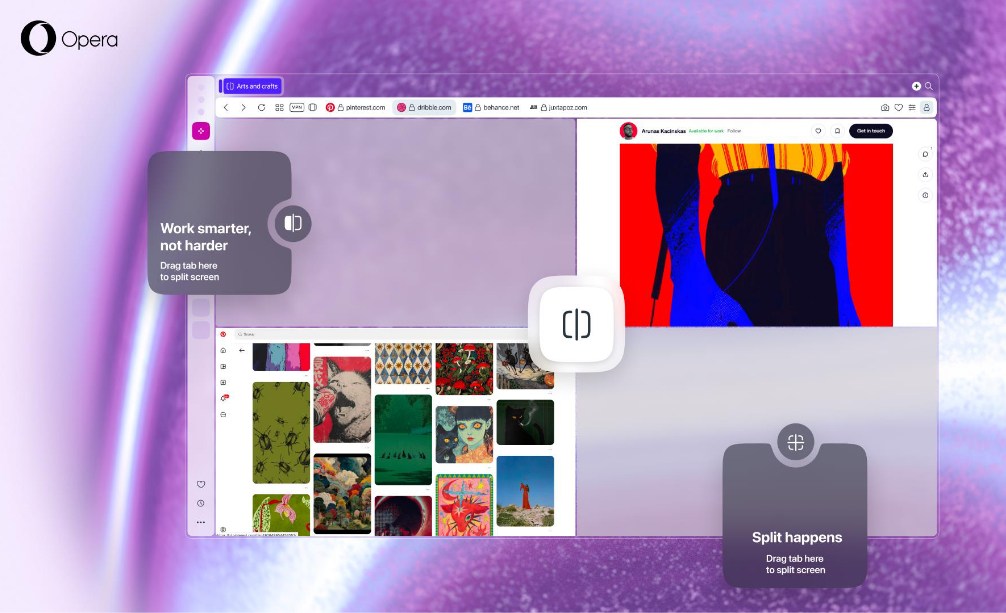
As for the beta version, it introduces an improved split-screen feature that expands from two tabs to up to four, with new horizontal and grid layouts designed for large displays.
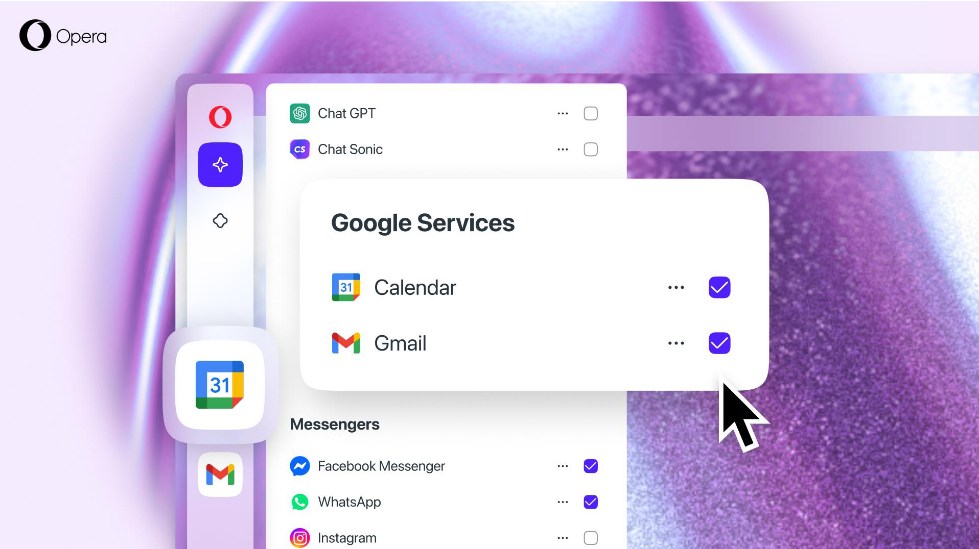
The sidebar has also been improved, and it now has Gmail and Google Calendar for quick access.
Image credit: Opera
On the visual side, Opera One R3 introduces three new dynamic themes called Radiance, Orbit, and Sonic. Radiance focuses on dark mode, Orbit targets light mode, and both feature a spherical R3 design style.
The Sonic theme, created in collaboration with Spotify, dynamically reacts to music played through Opera’s built-in music player.
Overall, Opera One R3 delivers a cleaner browsing experience with stronger tab management and a smarter AI engine, making it one of Opera’s most refined updates so far.
Other browser developers have been busy as well, and Microsoft has addressed security concerns with the latest Edge update.
Mozilla has also released a new version of its browser, Firefox 147, that improves video playback and PiP features.
Gamers aren’t embracing AI, and not that long ago, Expedition 33 director issued a statement on AI use in their game. The latest example comes from Rockstar Games, where a leaked UK tribunal document suggests internal unease about generative AI during the development of GTA 6.
UK tribunal leak reveals internal AI concerns at Rockstar
According to NotebookCheck, the leak emerged from a legal dispute involving former Rockstar employees. In tribunal materials, a dismissed staff member raised concerns about how Rockstar might approve and use generative AI tools, pointing to uncertainty inside the studio rather than a clearly defined AI strategy.
The UK tribunal rejected interim pay requests from the fired employees, but the case exposed more than employment details. The dispute references conversations held in a Discord server run by the Independent Workers of Great Britain (IWGB), where employees discussed workplace conditions and broader industry issues.
Rockstar disputes GTA 6 leaks while executives downplay AI impact
Rockstar argues that confidential information surfaced in that Discord group, including alleged GTA 6 leaks mentioning features such as a possible 32-player multiplayer mode. The company claims these discussions involved internal details that should not have left the studio.
Despite the internal concerns, top executives continue to minimize AI’s creative role. Take-Two Interactive CEO Strauss Zelnick has stated that generative AI will not replace human creativity in GTA 6, describing it instead as a support tool.
Across the wider industry, developers remain cautious. Many worry that AI could affect jobs by handling quality assurance, debugging, or asset creation. For now, Rockstar keeps its AI plans closely guarded, leaving fans and developers to speculate how, or if, generative AI will influence GTA 6’s development.
Google is once again testing the Windows 11 Mica title bar in Chrome Canary. The flag is now available again in Canary, and Google has extended its lifespan until Chrome version 160. That confirms the feature is active and not abandoned. It uses the native Windows 11 system-drawn Mica title bar on version 22H2 and newer.
Mica is a design material used across Windows 11. It adds a soft, translucent effect to surfaces like app title bars and system panels. The background lightly reflects the desktop wallpaper and surroundings, which helps apps feel more consistent with the Windows 11 look.
Chrome has offered a Mica title bar option through an experimental flag in the past. Google never shipped it as the default design, and it stayed hidden inside flags for years.
One reason could be Chrome’s heavy use of a custom window frame. Switching to the system-drawn title bar affects window controls, themes, and layout across many devices. That change needs long testing across Windows versions and hardware types.
Because of this, the feature stayed experimental and was recently removed from Chrome 143. The flag is now available again in Chrome Canary. Here is how you can enable it.
Enable Windows 11 Mica title bar for Chrome
Launch Chrome Canary
Visit chrome://flags
Find and enable “Windows 11 Mica title bar”
Relaunch Chrome to see the possible change in the title bar on Windows 11 with the Mica effect
The Windows 11 Mica title bar flag is back in Chrome Canary and will stay available through Chrome 160. Image Credit: Venkat | WindowsReport.
We noticed that Google recently changed the flag’s internal expiry milestone to Chrome 160. This means the flag will stay available across many future versions instead of being removed soon.
Google could extend this timeline again, or the team could take a final call closer to that milestone.
Nintendo is closing out the year with more than just stats. Shortly after publishing Nintendo Year in Review 2025, the company rolled out a surprise content drop for Animal Crossing: New Horizons.
Animal Crossing Update 3.0 is Here
According to Nintendo Everything, the version 3.0.0 update is now available on both Nintendo Switch and Nintendo Switch 2, bringing every previously announced feature into the game. In many regions, the patch arrived ahead of its planned January 15, 2026 release date.
One of the biggest quality-of-life upgrades focuses on crafting. Players can now craft up to 10 items at once when enough materials are available, while DIY recipes can pull required materials directly from home storage. The DIY Recipes app also adds a dedicated page for hotel-related requests and tasks assigned by Tom Nook.
The update introduces a brand-new resort hotel operated by Kapp’n’s family, letting players decorate rooms and earn Hotel Tickets. Slumber Islands expand creative freedom even further by allowing players to dream, terraform, and design separate customizable islands, either solo or with friends.
Storage limits have also increased significantly, with capacity now reaching 9,000 items and covering trees, bushes, and flowers. Resetti’s new Reset Service enables bulk cleanup of decorations with additional control options, making island redesigns faster and less tedious.
Several collaborations headline the content refresh, including classic Nintendo items and LEGO-themed furniture available through Nook Shopping. New amiibo support adds characters and themed items from The Legend of Zelda and Splatoon series. NookLink, available through the Nintendo Switch App, gains new Island Newspaper articles and expanded catalog support.
Nintendo Switch 2 users also receive a specific fix that resolves an issue where the Nook Shopping startup sound failed to play correctly on the in-game smartphone.
This update includes a small set of general improvements and fixes that improve the overall experience for Insiders running this build on their PCs.
[Start menu]
Fixed an issue where selecting something from inside a folder of pinned items in Start menu, could lead to the whole folder becoming invisible in Start menu.
[File Explorer]
Fixed an issue causing File Explorer to show a white flash when navigating between pages for some Insiders after the previous flight.
[Input]
Fixed an issue where the keyboard character repeat delay in Settings > Bluetooth & Devices > Keyboard was backwards from how it was set in the backend.
[Other]
Fixed an underlying issue that could lead to your PC freezing where attempting to run Windows Terminal elevated from a non-admin account.
Fixed an issue where the Share dialog might unexpectedly show an option to share to Shell Experience Host.
Known issues
[General]
[NEW] The desktop watermark is showing the wrong build number.
Earlier today, Sony, Nintendo, and Microsoft have issued a joint statement, saying that they continue to work together to improve player safety across their platforms. The companies add that gaming should be welcoming for everyone, with a strong focus on protecting younger players.
Sony, Nintendo, and Microsoft Outline Updated Player Safety Principles
The joint statement by the trio share their take on wider spproach to safety, combining technology, research, community support, and human moderation. Much of this collaboration happens behind the scenes, with the companies mentioning that shared goals lead to stronger results. The trio says its joint principles around player safety have evolved over time.
Below are the three key areas the companies are working on (as is):
Prevention: Empower players and parents to understand and control gaming experiences.
We provide controls that let players customize their gaming experience. We support parents with the tools and information necessary to help them customize appropriate gaming experiences for their children.
We recognize that for safety features to be useful, they must be easy to use and understand. We promote the availability of our safety tools and provide guidance on how to use them through our platforms, support channels, services, on our websites, and in retail stores to reach more players and parents.
We inform our parents and players about our codes of conduct and terms of use to support positive gaming experiences for everyone. We enforce these policies through a variety of preventive and remedial measures. We design our products with transparency and player empowerment at their core, aiming to make experiences that are intuitive and respect players’ choices.
Partnership: We partner with industry peers, publishers, regulators, law enforcement, and our communities to advance player safety.
Our commitment to safety is central, and we believe collaboration benefits the video game industry and all players by fostering safe gaming experiences.
We partner and engage with global and regional industry trade organizations, industry members, regulators, law enforcement, non-profit organizations, and experts to develop and/or advance online safety initiatives. These include Thriving in Games Group, and the Family Online Safety Institute, among others.
We conduct shared research to inform policy decisions and to drive industry innovation. Individually, we have engaged with external research centers that study play and well-being.
We partner with our community to promote safe gaming behavior and encourage the use of reporting tools to call out bad actors, and we have tools and processes in place to support rapid response to emerging incidents.
We collaborate with ratings agencies such as the ESRB and PEGI, among others, to ensure that our games are rated for the appropriate audience, and work closely with the Entertainment Software Association and other trade associations to share trust & safety information designed to educate and promote positive play experiences.
We invest in leading technology and proactive collaboration to help thwart improper conduct and content. We participate in key industry initiatives, including the Tech Coalition and its Lantern program, that are dedicated to enhancing child safety through technology, knowledge-sharing, and transparency.
Responsibility: We hold ourselves accountable for making our platforms as safe as possible for all players.
We make it easy for players to report violations of our codes of conduct and community guidelines, which we work to refine and evolve to support our player communities.
In addition to removing content not suitable for our services, we take appropriate enforcement actions for violations, including restricting players from using our services for misconduct, with escalating restrictions for egregious or repeat violations. We engage in responsible and transparent practices, including the ethical use of all data, and deploy process enhancement technologies with skilled human oversight.
We comply with all applicable laws in the places we do business and respond to legitimate requests from law enforcement. We promptly notify law enforcement if we observe unlawful conduct or where we believe a player is at risk of imminent harm.
We publish our rules and requirements, and we ensure that players who have been reported understand the requirements for continued engagement with our platforms.
What do you think about this collaboration? Do let us know in the comments below.
Microsoft is already facing backlash for pushing Copilot into nearly every corner of Windows 11. More recently, reports hint about new Copilot feature coming to File Explorer. While the company and its CEO continue to argue that Copilot is genuinely useful and meant to help with everyday tasks, the AI assistant has now handed yet another reason to crictics to hate it. More importantly, the reason is hard to ignore.
As reported by The Verge, Microsoft’s Copilot was recently linked to a serious real-world mistake involving law enforcement in the UK. The issue came to light after the chief constable of West Midlands Police admitted that Copilot had hallucinated a football match that never happened, and that false information ended up inside an official intelligence report.
The report incorrectly mentioned a match between West Ham and Maccabi Tel Aviv. Just to be clear, that game doesn’t exist. However, the fabricated detail was included in police intelligence and later played a role in classifying a Europa League match involving Maccabi Tel Aviv as “high risk.”
As a result, Israeli fans were banned from attending a match against Aston Villa last year. What makes the situation worse is that West Midlands Police had previously denied using AI in the report, initially blaming social media scraping for the error. That claim was later reversed. In a letter sent to the UK Home Affairs Committee, the chief constable confirmed that the mistake came directly from Microsoft Copilot.
Microsoft itself warns users that Copilot can make mistakes, but this incident shows how damaging those mistakes can be when AI output is treated as fact. This wasn’t a typo or a minor error. It was made-up information that influenced a policing decision.
The timing couldn’t be worse for Microsoft. With Copilot being integrated into nearly every part of Windows 11, to the point that it is frustrating users, incidents like this raise serious questions about trust, verification, and how much responsibility users and institutions should place on AI-generated content.
FluentFlyout is a popular, free, open-source Windows application that replaces the default system pop-ups (flyouts) for media, volume, and other controls. The app was launched last year and has since gotten all the love it deserves from the Windows 11 community. With its latest update, the app isn’t just more improved, but also has become a lot more flexible. Guess what? It’s now ready for a whole new class of Windows PCs.
The latest update to FluentFlyout brings ARM64 support, meaning the app will now run properly on ARM-based Windows devices, including Snapdragon X Elite-powered laptops and upcoming ones powered by Snapdragon X-series. As Windows on Arm is starting to get more mainstream, the new update makes a lot more sense.
However, this release isn’t just about ARM64 support. FluentFlyout users can now choose which monitor displays flyouts and the Taskbar Widget. For multi-monitor setups, this is one of the biggest updates. Flyouts no longer feel locked to a single screen, with everything behaving more predictably.
The Taskbar Widget itself also received a few improvements. You can now enable manual custom padding, which is helpful if you’re running a customized or non-standard Windows taskbar. Hover tooltips have been added as well, allowing you to see the full song title and artist name when text gets cut off in the widget or Media Flyout. Well, there are plenty of changes. We’ve added the full changelog of the FluentFlyout Update v2.5.0.
Changelog
Switch Monitors: Added the ability to select which monitor to display Flyouts and the Taskbar Widget!
Added Title and Artist hover tooltips to Taskbar Widget and Media Flyout, allowing you to see the full title and artist name if it’s cut off
Taskbar Widget updates:
Added Taskbar Widget manual custom padding setting for customized Windows taskbars
Fixed Taskbar Widget scaling improperly when content is long
Fixed Taskbar Widget positioning being incorrect in some cases
Fixed rare crash when right-clicking on the Taskbar Widget
Other under-the-hood changes to the Taskbar Widget to make it more stable
Other updates:
Fixed trackpad scrolling speed in settings being too fast
Fixed tray icon disappearing after Windows Explorer resets
Removed verbose logging as it wasn’t necessary in release builds
Fixed Lock Flyout visual glitches on first flyout
Changed Acrylic window background opacity to match Windows 11 more closely
ARM64 configuration support: FluentFlyout will now work on ARM64 CPU architecture devices
Updated update notification to be translatable
Added Turkish language support for GitHub README files
Updated translations (thanks to @bywhite0, @VeryFat123, @Tomflame-4ever, @Pigeon0v0, @yoyo435, @xsm2, @oski165, @logounet, @ysfemreAlbyrk, @Ste3798, @kek353, @weiss-rn, @avshalombegler, @tnhung2011 and others on Weblate!)
If you want a full changelog, head over to this webpage. Just in case, you haven’t used it, but have been tempted to try it, you can get it via the Microsoft Store and GitHub.
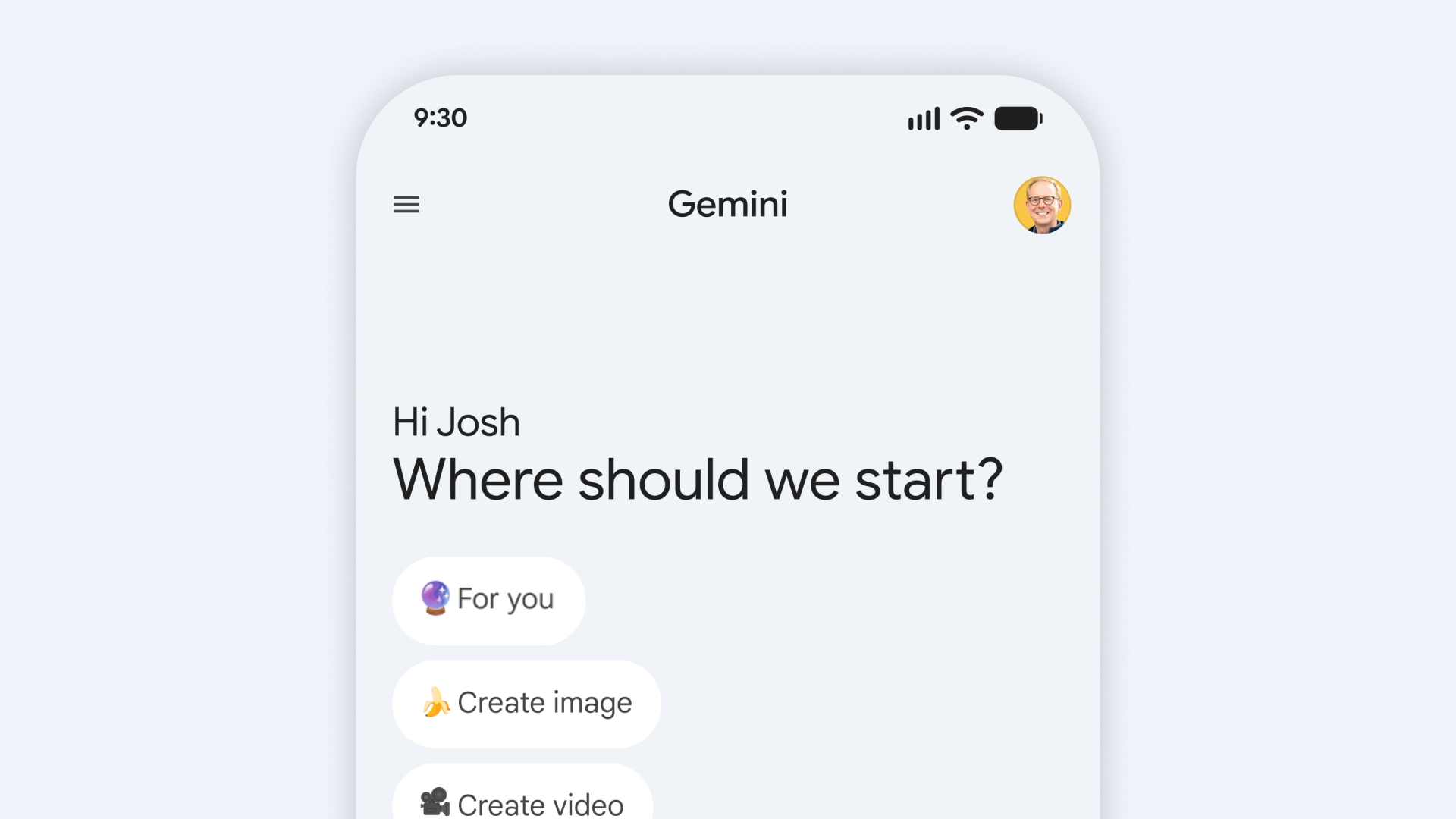
Google has just taken another step toward making Gemini feel less like a general chatbot and more like a personal assistant that actually knows you. Starting today, Google is rolling out Personal Intelligence with Connected Apps for Gemini, launching as a beta in the U.S. In short, Gemini can now connect to your Google apps with a single tap and use that context to deliver more relevant, more useful answers.
At launch, Personal Intelligence lets users link Gmail, Google Photos, YouTube, and Search. The setup is optional and off by default. You can decide which apps to connect, and each one adds a new layer of context. Once enabled, Gemini can reason across emails, photos, text, and even video to answer questions in a way that feels far more personal.
Google says this feature comes in handy when it comes to retrieving specific details and combining them with reasoning. Instead of just giving generic answers, Gemini can pull exact information from your inbox or photo library and build on it. That could mean finding details from an old email, identifying something from an image, or connecting past searches to current plans.
Additionally, Google highlights use cases like planning trips, recommending books or shows, and helping with everyday tasks. By understanding past activity and interests stored in connected apps, Gemini can skip surface-level suggestions and offer more thoughtful recommendations.
Privacy remains a central focus here, as Google stresses that app connections are fully controlled by the user and can be turned off at any time. Gemini only accesses data to respond to specific requests, and it does not directly train on Gmail inboxes or Photos libraries. Users can also ask Gemini to explain where an answer came from, regenerate responses without personalization, or use temporary chats.
The beta is rolling out over the next week to Google AI Pro and AI Ultra subscribers in the U.S. It works across web, Android, and iOS, with broader expansion planned over time. Google says this is just the beginning of making Gemini more personal, proactive, and genuinely helpful.
A newly discovered attack, called Reprompt, has raised eyebrows of security researchers and fueled concerns around AI security. Security researchers at Varonis Threat Labs have uncovered how Microsoft Copilot could be exploited to silently extract personal data with just a single click (via Bleeping Computer). The details are chilling, to say the least.
Per the detailed report, attackers could bypass Copilot’s built-in safety controls and access sensitive user information without any visible warning. The fact that how little interaction is required makes it even more concerning. Victims only need to click on a genuine Microsoft Copilot link.
According to the researchers, Reprompt abuses how Copilot processes prompts passed through URLs. By injecting hidden instructions into a link, attackers could trigger Copilot to run commands automatically using an already active session. The scariest part is that even after closing the Copilot chat doesn’t stop the attack. The data extraction continues quietly in the background.
Image credit: Varonis Threat Labs
What makes Reprompt different from earlier AI vulnerabilities is its stealth nature. Commands are delivered dynamically from an external server after the first click, making it nearly impossible to see what information is being accessed. The attack can gradually pull data such as recent file activity, location details, personal plans, and even conversation history.
The security firm also highlighted a vulnerability where Copilot’s safeguards only apply to the first request. By instructing the AI to repeat actions, attackers were able to bypass protections and leak information on subsequent attempts. This allowed data to be extracted step by step, forming an ongoing chain that adapts based on previous responses.
Thankfully, Microsoft has since confirmed that the issue has been patched. The company says Copilot Personal users are now protected, and enterprise customers using Microsoft 365 Copilot were not affected by the vulnerability.
[UPDATE 2 12:51 AM IST | Jan 15, 2026] NBC News reports that the Verizon outage has prompted emergency alerts in Washington and New York City. The AlertDC system is sending out notifications to citizens in Washington DC, which reads, “If you have an emergency and can not connect using your Verizon Wireless device, please connect using a device from another carrier, a landline, or go to a police district or fire station to report the emergency.” The news agency also notes that New York City’s Office of Emergency Management has acknowledged the widespread Verizon outage without mentioning its name.
[UPDATE 12:44 AM IST | Jan 15, 2026]Verizon has just shared yet another update on X, stating that engineering teams remain fully deployed and focused on restoring services. However, no clear timeline has been provided yet, and the company hasn’t confirmed how many users were impacted. While reports have declined since their peak, thousands of customers are still experiencing issues.
[ORIGINAL STORY] A fresh Verizon outage has left many customers without voice calls and mobile data. Earlier today, reports began coming out that many users were noticing “SOS” instead of regular signal bars on their phones. In many cases, calls failed to connect, and mobile data stopped working altogether.
Verizon is down right now across the United States
From what’s being reported online, the outage mainly knocked down voice and wireless data services. Text messages, however, still appear to be working for some users, but for how long, no one can tell, honestly. The worst of all, Verizon’s own network status page struggled to load while the disruption was unfolding, adding to the confusion.
According to DownDetector, outage reports started rising around noon ET and quickly spiked into the hundreds of thousands. Many of those reports may have come from users trying to reach Verizon customers and assuming their own network was at fault. Verizon has since acknowledged the issue.
In a post on X, the company confirmed that wireless voice and data services were affected for some customers. Verizon said its engineering teams are actively working to identify and resolve the problem, while also apologizing for the inconvenience caused.
We are aware of an issue impacting wireless voice and data services for some customers. Our engineers are engaged and are working to identify and solve the issue quickly. We understand how important reliable connectivity is and apologize for the inconvenience.
An open-world racing game is available to claim for free on Steam, and this one is one of the rarest deals you can actually keep forever. The game in question, Initial Drift Online, is now available for a limited time at no cost. At a time when gaming keeps getting more expensive, this freebie must be grabbed.
For those unaware, Initial Drift Online, as the name says, is an online multiplayer racer developed and published by indie studio RewindApp. It was launched back in March 2023 with a $4.99 price tag. Now, Steam users can download Initial Drift Online for free and keep it permanently, as long as they act before the offer expires.
Gameplay-wise, Initial Drift Online focuses primarily on the drifting culture. You’ll race across mountain passes inspired by Japan, compete online against friends or global rivals, complete deliveries, unlock cars, and chase leaderboard records. The focus is clearly on car handling and drift mechanics, rather than visuals. Here is a quick look at the game, in case you want to.
If you’ve ever played Need for Speed, it’ll remind you of that. Speaking of visuals, the game looks decent, though some environments feel a bit sparse. On Steam, the game currently holds a “Very Positive” overall rating, though recent reviews have moved to “Mixed.”
If you’d ask me, a free game, those trade-offs shouldn’t matter. Initial Drift Online will return to its regular price on January 18, 2026, so there’s a clear deadline. So, hurry up and grab it fast.
Xbox’s upcoming Developer Direct on January 22 is set to be a big moment for all racing fans. Microsoft has already confirmed a deep dive into Forza Horizon 6, Playground Games’ next open-world racer, and expectations are high. The showcase might finally reveal when the game will be released. Guess what? A fresh leak may have already spilled the release date of Forza Horizon 6.
Forza Horizon 6 release date may have just leaked
According to a post shared on X, a player reportedly encountered an in-game promotional pop-up inside Forza Horizon 5 that appeared to advertise its sequel (via Windows Central). The message specifically referenced a Forza Horizon 6 Premium Edition, stating that players who preorder it will gain early access starting May 15. That detail strongly points to a May 19, 2026, release date for the standard edition.
Image credit: X/@XBOXF10
The pop-up also sort of confirmed what the Premium Edition includes. Besides early access, it mentioned a VIP Membership, a Welcome Pack, a Car Pass, a Time Attack Car Pack, and an Italian Passion Car Pack scheduled for post-launch. Two future expansions were also listed in the in-game promotional pop-up. In addition, all preorders were said to include an exclusive, pre-tuned Ferrari J50 at launch.
Uncertainty of the leak
But the biggest of all, the leaked text claims Forza Horizon 6 will feature more than 550 cars and take players across the “breathtaking landscapes of Japan,” described as the series’ largest open world yet. The pop-up reportedly appeared only once and could not be reproduced, even by other players, which raises a few questions. As with every other leak, we recommend you take it with a grain of salt. Speaking of Developer Direct, let’s not forget that the latest rumors point to a fourth game, which could be a “first party.”
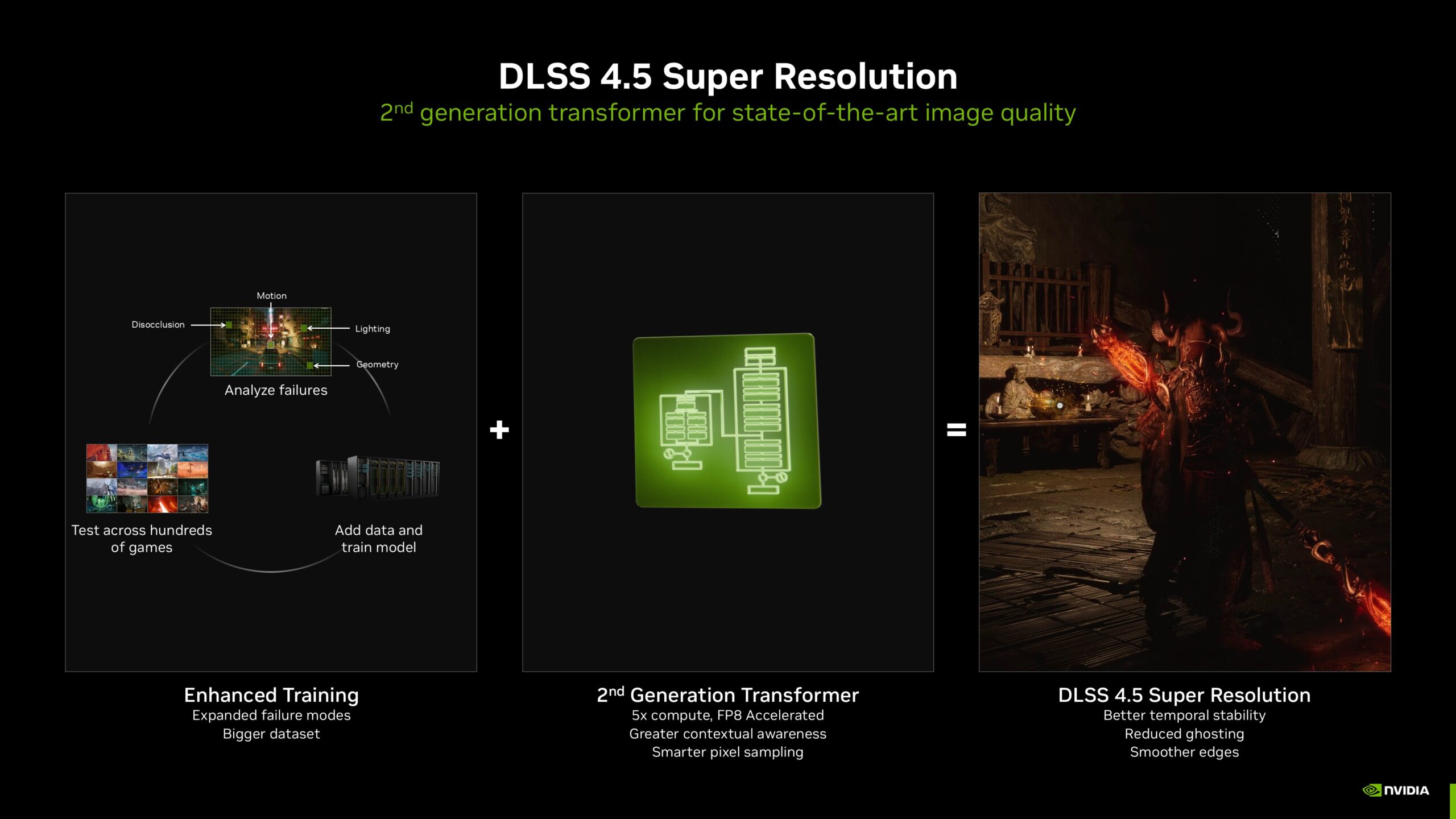
DLSS 4.5 Super Resolution boosts image quality like never before
At the core of DLSS 4.5 is a second-generation transformer model. NVIDIA says it’s the biggest upgrade yet, built on eight years of DLSS research and trained using a much larger, high-fidelity dataset. Compared to the original transformer model, this one uses five times more compute power.
DLSS 4.5 Super Resolution also improves temporal stability, which has been one of the biggest pain points in AI upscaling. NVIDIA says that early testing backs this claim. Digital Foundry notes that the difference is “quite large,” while Linus Tech Tips calls the upgrade a major visual jump. HotHardware has added that the new model delivers “radically improved visual quality.”
Alongside DLSS 4.5, NVIDIA confirmed that DLSS 4 with Multi Frame Generation is now supported in over 250 games and apps. The company is also rolling out support to more titles, including upcoming RTX games showcased at CES 2026, like 007 First Light, PRAGMATA, Resident Evil Requiem, Phantom Blade Zero, and DEFECT. Two new DLSS-enabled titles, StarRupture and LET IT DIE: INFERNO, also join the list this week.
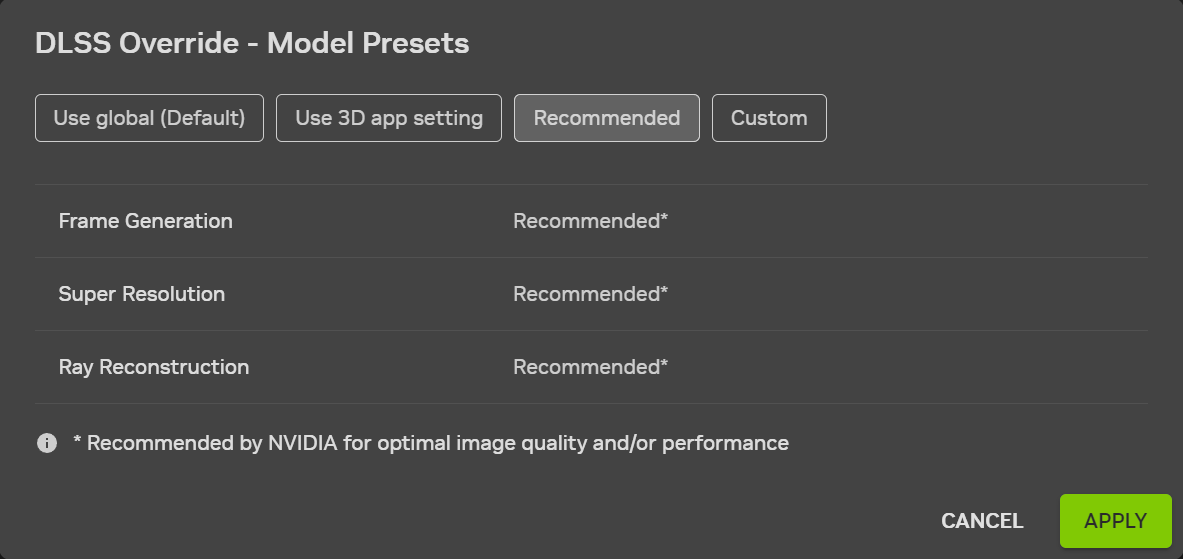
NVIDIA is also improving how users manage DLSS inside the NVIDIA app. A new “Recommended” DLSS override option replaces the older “Latest” option and automatically selects optimized presets based on performance and resolution. That said, RTX 20 and RTX 30 series users may prefer sticking with older models due to higher performance costs.
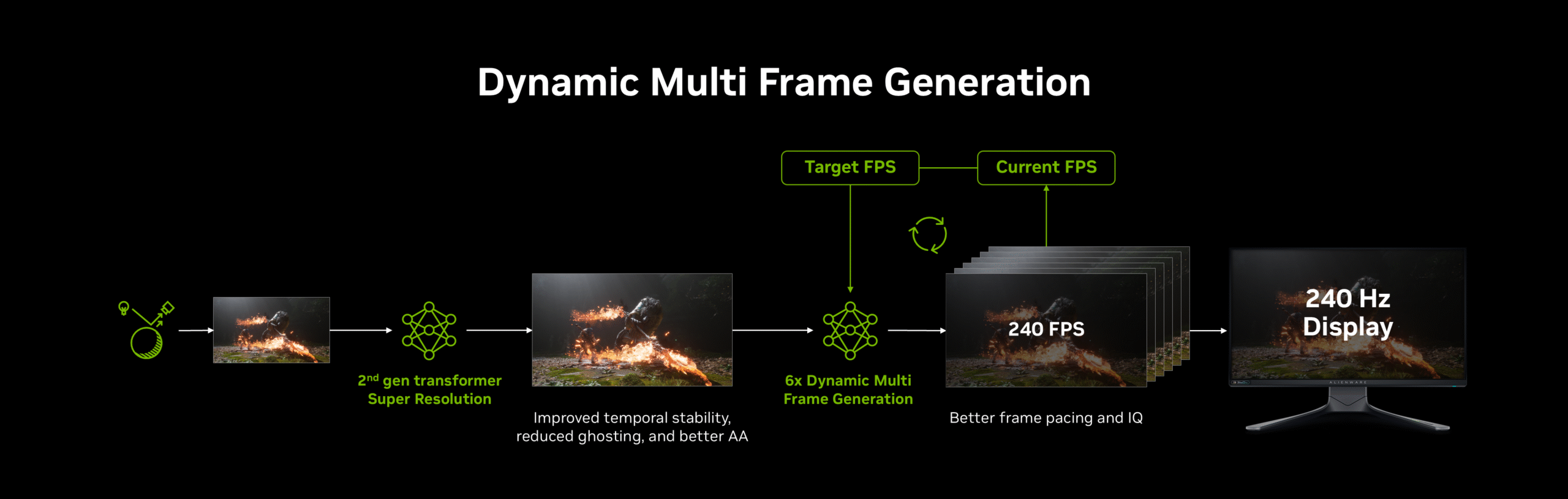
In the Spring, NVIDIA has confirmed that Dynamic Multi-Frame Generation with a new 6X mode will be launched, which will push DLSS even further.
A Reddit user kozmos81 says Windows Update fails to install KB5074109 with error 0x800f0922. Other users report similar failures tied to error codes 0x80070306, 0x800f0991and 0x80073712, suggesting the update process itself struggles on certain systems.
Error 0x80070306 may stem from a temporary Windows Update cache glitch. Several users claim that retrying the installation after some time resolves the issue, pointing to a short-term problem rather than a permanent block.
Microsoft has not acknowledged the installation issue yet
At this stage, the scope of the problem remains unclear. Only a handful of users have reported these installation errors, and Microsoft has not published an advisory or Service Health notice related to them, indicating limited impact so far.
No official fix exists yet, but affected users can try standard Windows Update troubleshooting steps, such as retrying the installation or clearing the update cache.
However, considering the growing list of reported problems linked to KB5074109, many users may choose to hold off on installing the update until Microsoft resolves the broader stability issues.
OpenAI is pushing deeper into consumer hardware as it expands beyond software and healthcare-focused AI tools. After introducing ChatGPT Health, the company now appears to be working on physical products, starting with AI-powered earbuds designed for everyday use.
OpenAI moves beyond software with AI-first consumer hardware
According to leaks posted on X, OpenAI is developing ChatGPT-enabled earbuds codenamed “Sweetpea,” a product positioned to compete directly with Apple AirPods. The move highlights OpenAI’s broader strategy to bring its AI technology into consumer devices instead of limiting it to apps and cloud-based services.
Hearing fresh detail on Openai "To-go" hardware project from last report. Now confirmed it is a special audio product to replace Airpod, internal code name is "Sweetpea"
Design leaks describe Sweetpea with a distinctive metal charging case shaped like an “eggstone,” paired with pill-like modules that sit behind the ear rather than inside the ear canal. This unconventional design could improve comfort while clearly separating Sweetpea from traditional in-ear earbuds.
ChatGPT-powered Sweetpea earbuds aim to rival Apple AirPods
On the technical side, Sweetpea may rely on a smartphone-class 2 nm chip, such as Samsung Exynos, to deliver advanced on-device AI processing. This hardware could enable real-time voice commands, conversational AI assistance, and hands-free support that goes beyond standard audio playback.
Reports also suggest the earbuds might interact with iPhone features by issuing commands to Siri, potentially offering a new way to control devices using ChatGPT-powered interactions without constant cloud reliance.
OpenAI is reportedly working with former Apple design chief Jony Ive and his team on the hardware’s industrial and creative direction. For manufacturing, the company may partner with Foxconn, with plans that extend beyond Sweetpea to other AI-driven devices by 2028.
Some leaks point to a possible September 2026 launch window, with internal targets of 40 to 50 million units shipped in the first year. While OpenAI has not confirmed these details, the project signals serious ambitions in the competitive consumer audio market.
In other AI news, reports suggest Gemini could power Siri, hinting at major changes ahead in the voice assistant landscape.
Windows update KB5074109 introduced improvements for Windows 11, including Secure Boot certificate updates, but some users now report black screen problems on systems running NVIDIA graphics cards.
According to Reddit, affected users describe a system freeze followed by a black screen. In most cases, the computer does not crash or reboot. Instead, the screen goes blank for roughly a minute before recovering on its own. Users say the behavior feels like a classic graphics driver issue rather than a full system failure.
Users Report Freezing, Random Black Screens, and Visual Glitches
Other users report irregular hanging, short black screen flashes lasting one or two seconds, and cases where the desktop background turns completely black. The background image issue appears cosmetic and can usually be fixed by reapplying the wallpaper from the Personalization settings. However, the random black screen flashes remain unresolved and continue to disrupt normal usage.
At the moment, no confirmed fix exists. Users expect NVIDIA to release a new driver soon that could address the problem, potentially within the next week. Reports so far suggest the issue affects NVIDIA GPUs only, as users with other graphics hardware have not reported similar behavior.
Not Widespread, but Frustrating for Affected Users
While the problem does not appear widespread, it causes noticeable disruption for those experiencing it. The situation adds to growing concerns around KB5074109, especially since many users have already reported that the same update breaks Azure Virtual Desktop connections.
For now, users wait for an official response or update from NVIDIA or Microsoft to resolve the black screen behavior.
Rising hardware costs continue to pressure the PC industry, but new details suggest laptop prices may stay stable a bit longer.
Intel says laptop makers hold up to a year of inventory
According to Tom’s Guide, Intel says many laptop manufacturers currently hold between nine and twelve months’ worth of laptops and key components. This unusually large stockpile could help brands absorb the ongoing RAM price surge and supply crunch without triggering immediate price increases or product shortages.
Laptop manufacturing relies heavily on long-term planning. Original equipment manufacturers secure components such as memory well in advance of product launches, which explains why many companies already sit on large reserves despite rising RAM costs.
Large stockpiles may delay laptop price hikes
Intel also pointed to ongoing work on platform tools and features that give software more control over how system memory gets allocated and managed. These improvements aim to boost efficiency as modern workloads, especially AI-driven ones, demand more RAM.
Still, the company cautioned that this inventory buffer offers only temporary relief. The RAM shortage remains unresolved, and AI demand continues to drive high memory consumption across the industry.
While current stockpiles may delay laptop price increases in the near term, manufacturers could face higher costs once inventories run down. If memory prices stay elevated, future laptop models may eventually reflect those increases at retail.
Windows 11 hasn’t exactly had the best time. From the KB5064081 update from August 2025, causing the password option to be hidden on the sign-in screen, to the fact that 42.6% of Windows users are still running Windows 10, which is around 500 million devices (The Verge), it’s just not a good time to be Windows 11.
Essentially, the barrage of issues Windows 11 24H2 has introduced makes us wonder how good the upcoming Windows 12 will be—maybe Microsoft will have more success with uptake as people run from the plagued Windows 11.
One of the features that does work is incognito mode, but only 76% of people actually understand how it works (Quantable Analytics). Is Windows 11’s incognito mode doing as much for users as it should? Read on to find out.
What Incognito Mode Is Supposed to Do—and What Users Expect From It
Incognito mode is a sophisticated web browser privacy feature that all search engines and browsers, such as the Windows 11 Microsoft Edge, have.
When you browse the web in incognito mode, your search history, cookies, and some other temporary data that would usually be saved to your device are not saved locally. Essentially, you’re browsing the internet invisibly, and anyone who uses your device after you won’t see what you were just looking at on the internet unless you leave the tab open and they open the incognito tab.
The expectation from users is that a private browsing session leaves no trace of their activity on the local device they are using.
How Incognito Mode Works in Windows 11 Browsers
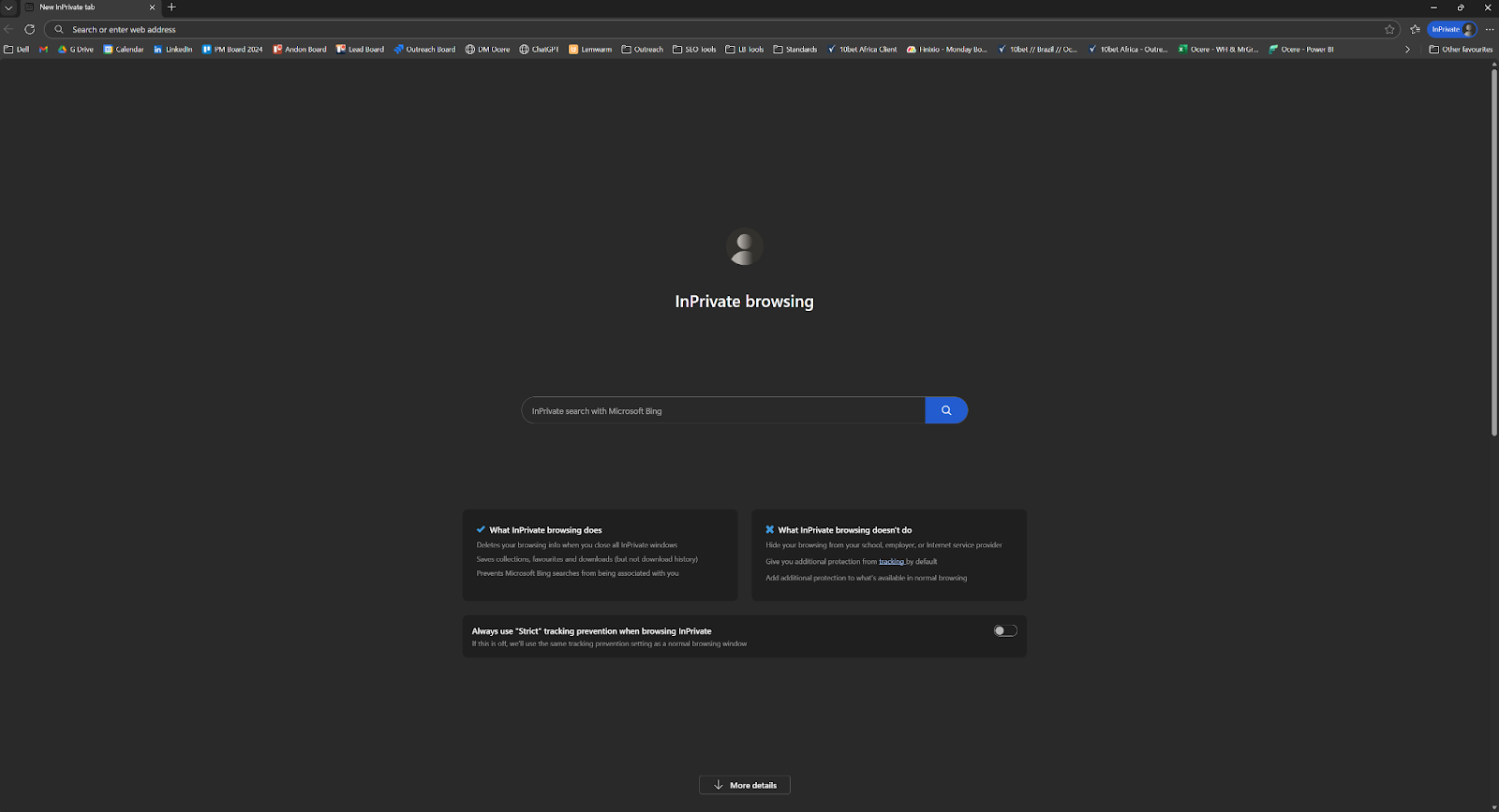
The incognito mode on the Windows 11 Microsoft Edge browser works the same way it does on every other search engine. Users can find it by:
Opening Microsoft Edge
Clicking on the three dots in the top right corner.
Clicking on “open new InPrivate window.”
Only in that window is browsing activity private and won’t save to the local device. That temporary, separate browsing tab automatically deletes all browsing data as soon as the window is closed. That data includes:
Cookies and site data
Form data
Passwords
Cached images and files
Clipboard history
What Incognito Mode Does Not Protect You From
Those 76% of users who don’t actually understand how incognito mode works won’t realize that it doesn’t give you 100% privacy. The next person using your device might not see what you were looking at as soon as the tab is closed, but incognito mode does not hide your activity from third parties. Your activity can still be seen by:
Your Internet Service Provider (ISP).
The website you visit
Network administrators
Search engines (Google or Bing can still log your searches.
Government agencies
The only exception is if you use a VPN, but even then, the VPN provider can see your browsing history.
But sometimes, even with sophisticated and simple solutions, your data can still end up in the wrong hands. To remove your personal information from the internet, we’d recommend using a third-party data removal service that will perform a search to find all the databases storing your personal information. You don’t need to go through the complicated process yourself, they know how to remove personal information from google for free. They’ll request that your data be removed, thus reducing your digital footprint and improving your safety online.
Common Misconceptions About Incognito Mode on Windows 11
Not everyone understands incognito mode, so here’s some of the myths and truths about it:
Myth
Reality
Incognito hides your identity online
It only hides activity from your local device
Websites can’t track you
Sites still see your IP and browser fingerprint
It blocks ads and trackers
Trackers still work without extensions
Your ISP can’t see activity
ISPs still see all traffic
It prevents data brokers
Data can still be collected elsewhere
It makes you anonymous
It only stops local history saving
When Incognito Mode Is Actually Useful
Incognito mode can definitely be useful and people should definitely consider using it over standard browsing modes.
Use Case
What It Helps With
Why It Works
Logging into multiple accounts
Avoids account conflicts
No stored session cookies
Private searches on shared PCs
Hides activity locally
Browsing history isn’t saved
Testing websites
Shows clean page versions
Cached data and cookies ignored
Temporary logins
Prevents saved credentials
Passwords aren’t stored
Reducing short-term targeted ads
Limits ad tracking signals
Cookies are deleted when closed
Avoiding price bias (sometimes)
Reduces repeat-visit signals
No persistent site cookies
Why Incognito Mode Doesn’t Reduce Your Overall Digital Footprint
Incognito mode is great if you’re doing some Christmas shopping on a shared iPad and you don’t want your partner to see what you were looking at.
But the fact that it only keeps your data from being stored on your local device means that your overall digital footprint is likely still growing when you’re browsing in incognito mode. The third parties we mentioned can still collect the following data:
Your location
Your browser
Your operating system
What accounts you logged into
Personal information like emails, phone numbers, and addresses from the accounts you logged into.
How to Remove Personal Information That Incognito Mode Doesn’t Touch
Considering incognito mode is only doing so much, understanding how to remove personal information that incognito mode doesn’t touch can help to reduce your digital footprint and increase your online safety.
According to statistics, data brokers control over 70% of the global population’s online data (Cyber Security Intelligence), with some estimates suggesting they gather an average of 1,000 data points on each individual with an online presence (CNBC). Those data points can be:
Search engine clicks
Account sign-ins
Social media comments
Email sign-ups
Why Browser Privacy Alone Isn’t Enough for Long-Term Protection
Using incognito mode for browser privacy alone isn’t enough for long-term protection. The data varies, but most sources suggest the average person spends 6.5 to 7 hours per day browsing the internet (AllConnect), and every click and online movement during those hours is a digital footprint.
Is Windows 11’s incognito mode doing enough for users? The issue is that it’s doing exactly what it’s supposed to do, but people don’t understand that privacy is limited to the local device. There’s actually so much potential exposure of browsing activity in incognito mode, and that applies to all browsers.
Here’s a timeline that shows why browser privacy alone isn’t enough for long-term protection:
Timeline Stage
What You Do
What Actually Happens
Why Privacy Tools Fall Short
Day 0
Clear cookies, use private browsing, enable tracker blocking
Your browser stops some tracking
Your data already exists elsewhere
Week 1
Opt out of one data broker site
Listing disappears temporarily
Removal applies only to that snapshot
Month 1
Continue normal online activity
Data brokers refresh from other sources
New feeds reintroduce the same data
Month 3
Use VPN or hardened browser
Browsing looks anonymous
Offline records still update online profiles
Month 6
Assume removal is permanent
Listing reappears
Batch imports override past opt-outs
Year 1
Change address or phone
Old data still circulates
Historical records retain value
Ongoing
Rely only on browser privacy
Exposure slowly increases
Data flows beyond the browser
Frequently Asked Questions About Incognito Mode and Privacy
How private is my incognito browsing mode?
Not as much as you think. The next person to use your device might not see what you were looking at once you close the tab, but third parties can still access the information they want.
Does Windows 11 have the best incognito mode?
No browser technically has the best incognito mode. They all work the same, and how safe your browsing history is depends on how you use it.
Can I make my browsing safer without incognito mode?
The only way to make your browsing experience safer is by using a third-party data removal service that will continuously perform removal requests for you.
In the digital age, visuals do all the talking. Nobody tolerates slow-loading galleries or glitchy images anymore. Presentation rules everything, whether it’s an artist’s portfolio, a designer’s showcase, or a photographer’s online collection. Time is ruthless. Load times drag, and attention vanishes with them.
So what controls this high-stakes first impression? The answer isn’t glamorous: web hosting. Overlooked yet critical, hosting forms the foundation of every stunning visual display on the internet. Here’s how fast, reliable web hosting quietly transforms any visual portfolio, making the difference between being forgotten and standing out in seconds.
1. Lightning-Fast Load Times Win Attention
Blink, and it happens: a user exits before even seeing a single image if a site stutters or staggers under its weight. It might sound dramatic, but research never lies: portfolios that drag longer than three seconds lose viewers in droves. One simple secret stands above all: invest early in high-speed infrastructure and use the best Hostinger coupon for web hosting to secure quality at less cost. Why bother with professional lighting or perfect shots if nobody waits to see them? Fast hosting opens the front door instantly, while clunky setups slam it shut without mercy.
2. Consistent Uptime Means Nonstop Access
Peak creativity deserves round-the-clock availability, yet when sites falter and go dark, reputations tumble down with them. Missed opportunities pile up quickly when visitors encounter error screens instead of crafted visuals. Uninterrupted uptime isn’t a luxury. Call it a necessity for any serious visual professional who relies on steady exposure to attract clients or collaborators at unpredictable hours worldwide. Imagine losing an international client from Seoul or Berlin just because the servers hiccupped at the moment they clicked through. The consequences are real and often invisible, yet devastating.
3. Secure Hosting Builds Trust Instantly
Visitors care about safety, whether they say so or not, especially when downloading high-resolution files or entering details for print orders. Lax security invites more than just spam; it can taint an entire brand overnight with a single sloppy breach or a malware attack planted through insecure hosts. Visual portfolios thrive only when trust sits center stage; secure hosting shields that relationship discreetly behind firewalls and routine updates so users relax while exploring work instead of worrying about personal data floating off into some cyber void.
4. Scalable Performance Grows With Demand
Crowds aren’t predictable. They spike after press coverage, blow up following awards, then vanish until the next high-profile feature rekindles interest all over again. Static solutions buckle under spiking traffic, while modern cloud-powered hosting scales resources up (and back down) smoothly without forcing downtime or frantic technical scrambling behind the curtain. Growth means flexibility wins over rigid hardware every time, because no creative entrepreneur wants “too much success” to become tomorrow’s tech headache, and scalable platforms ensure demand feels like triumph rather than trouble.
Conclusion
Nothing matters more than first impressions, and online portfolios have one shot at grabbing attention before eyes wander elsewhere forever. Fast load times, bulletproof uptime statistics, robust security standards, flexible scaling – these elements don’t get applause. Still, they carry visuals across digital channels seamlessly, so creative talent earns notice where it counts most: right now on each new visitor’s screen. The smart move? Treat web hosting as an investment rather than an afterthought, because the impact of your infrastructure will be felt, whether or not anyone notices it.
[ORIGINAL ARTICLE] Microsoft has acknowledged a new Windows update issue that breaks connections to Azure Virtual Desktop environments after installing KB5074109.
According to user reports on Reddit, devices running the update fail to connect when launching Azure Virtual Desktop sessions through the Windows App. When users press the Connect button, the app immediately returns an authentication error message stating: “An authentication error has occurred (Code: 0x80080005)” followed by “Error code: 0x0.”
The issue affects multiple machines across different environments, which points to a broader problem introduced by the update rather than a misconfiguration on individual systems. Administrators report that the error appears consistently after KB5074109 installs, effectively blocking access to virtual desktops.
Uninstalling the update restores access, fix is still pending
A temporary workaround remains available. Uninstalling the KB5074109 update and rebooting the affected Azure Virtual Desktop devices restores normal connectivity. While this approach helps organizations resume work quickly, removing updates can increase security risks if the patch addressed other vulnerabilities.
Microsoft has acknowledged the problem in a Service Health post. The company confirmed it is investigating the authentication failures but has not provided an official fix or an estimated release timeline.
Until a permanent solution becomes available, IT administrators may need to pause deployment of KB5074109 or roll it back on impacted systems to ensure uninterrupted access to Azure Virtual Desktop services.
Windows 10 users also got the KB5073724 update as part of the Extended Security update. It’s also worth mentioning that Microsoft is updating Secure Boot certificates for Windows 11 with the latest update.
Grand Theft Auto Online has allowed players to design custom missions with the GTA 5 Mansion Update, but Rockstar Games has now stepped in after some creations crossed a serious line and sparked public controversy.
According to reporting from Variety, several Grand Theft Auto Online players used the game’s mission creator to design scenarios that appeared to simulate the assassination of Charlie Kirk. These missions circulated online through shared clips and descriptions, quickly drawing criticism for referencing a real-world political figure in a violent context.
Rockstar Games moved quickly once the content gained attention. The studio removed the offending missions from GTA Online. Rockstar also added the name “Charlie Kirk” to its restricted terms list, effectively blocking players from using the name in future mission titles, descriptions, or dialogue created with the tool.
This step shows Rockstar’s intent to limit how far user creativity can go when it intersects with real people or current events. While the mission creator gives players broad freedom, Rockstar continues to draw clear lines around content that could promote or depict real-world harm.
The moderation move comes as Rockstar faces increased scrutiny across its flagship franchise. As GTA Online continues to evolve with more advanced creation tools, the company appears prepared to intervene faster when content risks reputational or ethical concerns.
Meanwhile, discussion around the next mainline entry continues to grow. Recent reports suggest some earlier GTA 6 leaks may have been accurate, prompting renewed debate within the community.
At the same time, journalists who previously fueled rumors about a potential GTA 6 delay have clarified their statements, stressing that Rockstar has not officially announced any schedule changes. For now, GTA 6 remains surrounded by speculation rather than confirmed updates.
According to Nintendo, the 2025 Year in Review tracks gameplay across both Nintendo Switch and Nintendo Switch 2 systems. The recap highlights the games you played during the year and shows how your playtime spread across different titles.
The feature allows players to review total hours played, see which games dominated their year, and choose a personal game of the year based on their stats. Nintendo also expanded the recap to include your full Switch history, letting you scroll back to the moment you first started playing on the platform.
Nintendo designed the experience as a nostalgic summary of your gaming habits, but it also acts as a reminder of how your library and play style evolved over time. For longtime players, seeing years of data in one place adds extra value to the recap:
How do I view Nintendo Year In Review 2025?
You can access this feature by doing the following:
If you ever wanted to tweak your Instagram algorithm, the platform now offers a direct way to do it.
As reported by Neowin, Instagram has introduced a new feature called Your Algorithm, designed to give users more transparency and control over the topics that influence their Reels recommendations.
How Instagram’s Your Algorithm Control Works
The new tool uses AI to display the interests the algorithm believes you care about based on your activity. Users can remove topics they no longer want to see or add new ones to better tailor their Reels feed.
You can access the feature from the Reels section by tapping a new icon that looks like two hearts with sliders. Instagram generates the topic list using signals such as watched videos, likes, and interactions, then lets you fine-tune how strongly each topic affects recommendations.
Building your Instagram algorithm “brick by brick” just got easier. Just go to your Reels tab and tap on the top right corner to find your algorithm. There you can modify your interests to make your algo your own. ✨
Meta says this change aims to help users understand why certain content appears in their feed and to give them more direct influence over what they see. The company also plans to extend similar algorithm controls to other areas of the app, including the Explore tab.
Rollout Limitations and Broader Meta Developments
The feature is rolling out globally, but it currently supports only English. Because of that, it may not work consistently across all videos or accounts yet.
While the update marks progress toward transparency, it arrives as Meta faces internal and regulatory pressure. Reports indicate the company is preparing layoffs within Reality Labs, its metaverse and AR/VR division.
Together, these moves show Meta pushing to give users more control over AI-driven experiences while navigating growing business and regulatory challenges.
The discovery comes from someone exploring Office 97 on modern systems, likely through a virtual machine. With a specific set of steps, users can trigger a hidden credits screen that shows the development team behind Office 97.
How the Clippy Easter Egg works
To access the hidden screen, users need to:
Set the system date to any year after 1997
Open Word 97
Hold Ctrl and move the Standard toolbar to different positions
Release the key after each move, then click Clippy
Enter the phrase “This is not a contest”
Press Search
After completing these steps, Word displays a credits window listing the Office 97 team. The feature reflects a time when developers tucked playful touches into productivity software, long before modern branding debates and AI assistants.
Reading @stevesi's amazing posts about Office 97's development got me wondering.. could there be more fun stuff hiding under the hood that nobody found yet? Yessir! There's a whole developer credits sequence incl. commentary from Clippit that starts 1 minute in. Take a look! 📹📎 pic.twitter.com/h83VnGfk4E
The Easter egg serves as a nostalgic reminder of an era when Microsoft embraced lighthearted experimentation. Today, the company focuses more on productivity features and AI integration and recently, Microsoft had to debunk that Office is rebranding to Copilot.
In related Office news, Microsoft continues to update modern versions of Word by speeding up link insertion workflows. At the same time, the company has confirmed plans to retire the Send to Kindle option, signaling ongoing cleanup of legacy features.
For users who still keep Office 97 alive in a virtual machine, this Clippy Easter egg offers a small but charming trip back to simpler software times.
Hytale Early Access has officially begun, and years of anticipation have translated into massive launch-day attention. The sandbox RPG quickly surged to the top of Twitch viewership, highlighting just how much interest the gaming community has placed in the long-awaited title.
Hytale dominates Twitch on launch day
According to IGN, Hytale briefly became the most-watched game on Twitch during its Early Access debut. Streamers and viewers flocked to the platform to experience the game live, pushing it ahead of established titles in concurrent viewership.
At its peak, Hytale reportedly surpassed 420,000 simultaneous viewers on Twitch. Even after the initial spike cooled, the game continued to lead Twitch’s gaming category, signaling sustained interest rather than a short-lived launch burst.
Years of anticipation fuel early success
The strong debut reflects excitement built over many years of development updates, trailers, and community speculation. Many players and creators wanted a first look at Hytale’s world-building tools, combat systems, and mod-friendly design, which helped drive traffic across streaming channels.
This level of engagement positions Hytale as one of the most impactful Early Access launches in recent memory, at least in terms of live audience interest.
Microsoft rolled out two major Patch Tuesday updates, KB5074109 and KB5073455, bringing a wide set of improvements to Windows. One of the most significant changes targets Secure Boot, a core security feature that protects systems during startup.
Secure Boot certificate replacement rolls out via Windows Update
As BleepingComputer reports, Microsoft has started automatically replacing expiring Secure Boot certificates on eligible Windows 11 24H2 and 25H2 devices through Windows Update.
Secure Boot uses UEFI firmware to block unauthorized or malicious software from loading at startup. It verifies boot components against trusted digital certificates before the operating system launches.
Microsoft’s current Secure Boot certificates will begin expiring in June 2026. Without updated certificates, affected devices could lose Secure Boot protection and risk disruptions to future security updates that rely on pre-boot integrity checks.
Enterprises urged to update early as security requirements increase
According to the KB5074109 release notes, Microsoft deploys the new certificates in phases. The company prioritizes devices that show “sufficient successful update signals” to reduce the risk of widespread issues.
Microsoft advises IT administrators to install the updated certificates well before the 2026 expiration window. Organizations can rely on Windows Update for automatic delivery or deploy the certificates manually using registry keys, Windows Configuration System (WinCS), or Group Policy.
IMPORTANT: Secure Boot certificates used by most Windows devices are set to expire starting in June 2026. This might affect the ability of certain personal and business devices to boot securely if not updated in time. To avoid disruption, we recommend reviewing the guidance and…
Checking Secure Boot status remains critical, as expired certificates weaken early-boot security and may allow untrusted code to run before Windows loads.
Beyond Windows 11, Microsoft has also released KB5073724 for Windows 10 under the Extended Security Updates program. As Microsoft continues to harden the Windows security stack, future updates may become more demanding as new protections extend deeper into firmware and startup processes.
ARC Raiders continues to gain popularity, but a newly released patch appears to have triggered a serious security concern. Reports now suggest the always-online multiplayer shooter has already been cracked, allowing players to access the game without purchasing it.
As Neowin reports, piracy communities claim users can matchmake and play online using cracked versions of the game. This development stands out, since online-focused titles usually block unauthorized clients from connecting to multiplayer services.
ARC Raiders got cracked, here’s what that means
According to these reports, the crack bypasses ARC Raiders’ authentication checks, enabling unofficial clients to connect and play. Players using pirated versions allegedly access multiplayer features that normally require a legitimate purchase.
What remains unclear is whether these connections rely on official servers operated by the developer or on alternative private servers created by the cracking community. If official servers are involved, the implications for security and fair play could be significant.
Embark Studios faces an urgent response
The situation appears even more concerning because the cracked build reportedly targets the latest version of the game. This puts pressure on Embark Studios to identify the exploit quickly and deploy a fix, especially if illegitimate users continue to interact with official infrastructure.
The rapid appearance of the crack shortly after release also reignites broader questions around DRM effectiveness and online protection in modern multiplayer games.
The news lands at an unfortunate moment for ARC Raiders. The game has reportedly sold around 12 million copies, and many players eagerly await the upcoming Toxic Swamp event. Ongoing piracy issues could disrupt the in-game economy, matchmaking balance, and overall player experience if left unresolved.
For now, players and industry watchers alike wait to see how quickly Embark Studios can shut down the exploit and restore confidence in ARC Raiders’ online systems.
Public resistance around data centers hasn’t slowed Big Tech down, but it has clearly changed the conversation. Microsoft is the latest company to respond, announcing a fresh wave of AI data center expansion while promising something it knows people care about right now. The conpany says its AI push won’t raise your electricity bill won’t go up.
The announcement comes at a time when data centers have become a political and environmental flashpoint. Over the past year, communities across the U.S. have pushed back hard, raising concerns around power usage, water consumption, and long-term environmental damage. Microsoft says it has heard that message loud and clear.
On Tuesday, the company shared what it calls a “community-first” approach to AI infrastructure. In simple terms, Microsoft says it will pay its full share of electricity costs so local residents don’t end up footing the bill. The company confirmed it will work directly with utility providers and state commissions to ensure power costs tied to its data centers are not passed on to households.
“Our goal is straightforward: to ensure that the electricity cost of serving our data centers is not passed on to residential customers,” Microsoft said in a statement.
Besides electricity, Microsoft is also focusing heavily on jobs and sustainability. The company says new data centers will bring employment opportunities to local communities, while also using less water wherever possible. Water usage has become one of the biggest pain points around data center construction, with critics arguing that these facilities strain already limited local resources.
A quick look at the promises in Microsoft’s words:
We’ll pay our way to ensure our datacenters don’t increase your electricity prices.
We’ll minimize our water use and replenish more of your water than we use.
We’ll create jobs for your residents.
We’ll add to the tax base for your local hospitals, schools, parks, and libraries.
We’ll strengthen your community by investing in local AI training and nonprofits.
The timing of this announcement isn’t random. Data center projects have already stalled or collapsed under public pressure. Microsoft scrapped plans for a Wisconsin data center last year after strong community opposition. As reported by TechCrunch, Data Center Watch mentions that more than 140 activist groups across 24 states are actively organizing against new data center developments.
Meawnile, political pressure is equally rising, as earlier this week, President Donald Trump publicly warned that Americans shouldn’t “pick up the tab” for Big Tech’s power consumption, calling on Microsoft to make changes.
Whether these promises are enough to calm public backlash remains to be seen. What’s clear is that Microsoft knows the era of quiet infrastructure expansion is over. AI may be booming, but community approval is now part of the equation.
Microsoft has released January 2026 Patch Tueaday updates for Windows 11 23H2, 24H2, and 25H2. Well, if you are still using Windows 10 the first ESU for the new year has landed in the form of KB5073724. The update bumps supported devices to build numbers 19045.6575 and 19044.6575, depending on the Windows 10 version.
As expected, the January Patch Tuesday release includes a some mandatory security fixes focusing on keeping systems protected. Alongside those security patches, Microsoft has also bundled in a few notable system-level changes.
One of the key updates involves legacy modem drivers. Microsoft has officially removed several outdated modem drivers as part of this release. Any hardware that relies on those specific drivers will no longer function on updated systems. This move appears to be part of Microsoft’s ongoing effort to phase out older components that no longer meet modern security standards.
Another important change affects Secure Boot. Starting with this update, Windows quality updates now include high-confidence device targeting data. This allows eligible devices to automatically receive new Secure Boot certificates, but only after they demonstrate stable and successful update behavior.
According to Microsoft, this approach helps ensure a safe and gradual rollout rather than pushing changes all at once. Microsoft has also addressed an issue related to WinSqlite3.dll, a core Windows component. In earlier builds, some security software incorrectly flagged this file as vulnerable. The updated component should prevent those false detections going forward.
The good news is that Microsoft has confirmed there are no known issues associated with KB5073724. For most users, the update will install automatically in the background. Those who prefer manual control can check for updates via Settings > Windows Update, or download the standalone installer directly from the Microsoft Update Catalog.
Microsoft has started rolling out its January 2026 Patch Tuesday updates for Windows 11, covering versions 25H2, 24H2, and 23H2. The updates focus on stability, security, and a handful of platform-level fixes, while also introducing a small behavior change related to Secure Boot.
Windows 11 versions 25H2 and 24H2 are receiving update KB5074109. After installation, systems will be updated to build 26200.7623 on 25H2 and build 26100.7623 on 24H2. Meanwhile, Windows 11 23H2 users are getting KB5073455, which moves the OS to build 22631.6491.
This month’s release includes networking fixes for Windows Subsystem for Linux and Azure Virtual Desktop, improvements related to power behavior on NPU-equipped devices, and an update to a core Windows component that previously triggered false security alerts. Microsoft is also beginning a phased rollout of updated Secure Boot certificates, using device targeting data to ensure compatibility before deployment.
The official changelog for the updates, shared by Microsoft
[Compatibility] This update removes the following modem drivers: agrsm64.sys (x64), agrsm.sys (x86), smserl64.sys (x64) and smserial.sys (x86). Modem hardware dependent on these specific drivers will no longer work in Windows.
[Networking (known issues)]
Fixed: This update addresses an issue where mirrored networking in Windows Subsystem for Linux (WSL) could fail causing “No route to host” errors and preventing access to corporate resources over VPN connections, even when the Windows host remained connected. This might occur after installing KB5067036.
Fixed: This update addresses an issue where you might experience RemoteApp connection failures in Azure Virtual Desktop (AVD) environments. This might occur after installing KB5070311.
[Power & Battery]
Fixed: This update addresses an issue where devices with a Neural Processing Unit (NPU) might stay powered on when idle. This could affect power performance.
[Secure Boot] Starting with this update, Windows quality updates include a subset of high confidence device targeting data that identifies devices eligible to automatically receive new Secure Boot certificates. Devices will receive the new certificates only after demonstrating sufficient successful update signals, ensuring a safe and phased deployment.
[Windows Deployment Services (WDS] This update introduces a change in behavior in which WDS will stop supporting hands-free deployment functionality by default. Detailed guidance for IT administrators is available in Windows Deployment Services (WDS) Hands-Free Deployment Hardening Guidance.
[WinSqlite3.dll]
Fixed: The Windows core component, WinSqlite3.dll, has been updated. Previously, some security software might have detected this component as vulnerable.
Note: WinSqlite3.dll is a separate component from sqlite3.dll, which is found in application-specific directories and is not a Windows component. If security applications continue to detect sqlite3.dll as vulnerable, contact the developer of the app using sqlite3.dll for an update. If sqlite3.dll is being used by a Microsoft app, install the latest version of the app from the Microsoft Store.
Known issue and workaround
Microsoft has acknowledged a single known issue tied to sign-in options after recent updates. After installing the August 2025 non-security preview update (KB5064081) or later, some users may notice that the password icon is missing on the lock screen. The password option is still functional and appears when hovering over the blank space.
According to Microsoft, this issue is unlikely to affect personal devices running Windows Home or Pro, and primarily impacts enterprise-managed environments. The problem is being mitigated using Known Issue Rollback (KIR), with a dedicated Group Policy available for IT administrators to deploy.
The January 2026 Patch Tuesday updates are now available via Windows Update and should install automatically. Offline installers can also be downloaded from the Microsoft Update Catalog for users who prefer manual installation.