GTA 6 Could Get 60 FPS Mode on PS5 & Xbox Series X, But Not at Launch

Late last week, a Brazilian retailer leaked some extra details about GTA 6 that Rockstar hasn’t revealed yet. While the pre-order window has opened for those looking to play the game on the launch day, you can expect some more good news in terms of GTA 6 gameplay, but after launch.

GTA 6 now rumored to get 60 FPS mode on PS5 and Xbox Series X, possibly after launch

A new rumor suggests that Grand Theft Auto 6 could launch with an optional 60 FPS performance mode on the PlayStation 5 and Xbox Series X, although Rockstar Games may not have the feature ready in time for release.

The claim comes from the Polish gaming podcast Rock and Borys, where journalist Borys Nieśpielak said that he received details from a source close to Rockstar Games (via Wccftech). According to the report, the studio is currently working on two graphics modes for the PS5 and Xbox Series X, a 30 FPS quality mode and a 60 FPS performance mode. However, the performance mode is reportedly not guaranteed to be available on day one and could instead release in a post-launch update.

The report also claims that the Xbox Series S is currently targeting 30 FPS. Rockstar is said to be working alongside Microsoft to improve performance on the lower-powered console, although there is no guarantee that a 60 FPS option will be possible.

If true, the news would come as a surprise. Many analysts and former Rockstar developers have previously suggested that GTA 6 would likely run at 30 FPS on current-generation consoles due to the game’s ambitious world simulation, advanced lighting, and heavy CPU requirements.

It’s worth noting that the details remain as an unconfirmed rumor. Nieśpielak emphasized that the information comes from a single source, albeit one he considers credible. Rockstar Games has yet to reveal the game’s graphics modes or officially confirm its target frame rates for any platform.

GTA 6 is currently scheduled to launch on November 19, 2026, for PlayStation 5 and Xbox Series X|S. Until Rockstar shares official technical details, players should treat reports of a 60 FPS mode with a grain of salt.

Microsoft’s Linux U-Turn Continues With Its Own Azure Linux Distribution

Microsoft has released Azure Linux 4.0 in public preview earlier this month, introducing a redesigned architecture, updated software stack, and tighter integration with the Fedora ecosystem. The release highlights how far the company has come since its former anti-Linux stance, with Linux now powering the majority of workloads running on Azure, as Windows Latest reports.

Azure Linux is Microsoft’s own open-source Linux distribution, built specifically for cloud infrastructure rather than desktop PCs. While it has quietly powered several Microsoft services for years, version 4.0 brings major changes that should make the platform easier to maintain and more attractive to enterprise customers.

Azure Linux 4.0 moves to a Fedora-based architecture

Azure Linux 4.0 became publicly available around Microsoft Build 2026 as the next major version of Microsoft’s cloud-focused operating system.

The distribution already powers several Microsoft services, including Azure Kubernetes Service (AKS), Azure SQL, and Azure Cosmos DB. It has also seen adoption by major customers. LinkedIn previously migrated its infrastructure to Azure Linux 3, while Databricks moved more than 100,000 virtual machines and over one million CPU cores to the platform.

One of the biggest changes in Azure Linux 4.0 is how Microsoft builds the operating system. Earlier versions assembled packages individually, but Azure Linux 4.0 is now built as a documented set of overlays on top of Fedora 43. This allows Microsoft to stay closer to upstream Fedora while simplifying development and maintenance.

The distribution also switches to dnf5, the latest version of Fedora’s package manager, bringing Azure Linux in line with the modern RPM ecosystem used by Fedora and Red Hat Enterprise Linux.

Built for Azure, not the desktop

Unlike Ubuntu Desktop or Fedora Workstation, Azure Linux 4.0 is not intended for everyday desktop use.

It ships without a graphical interface, desktop environment, audio stack, or consumer applications. Instead, Microsoft includes only the components required for server and cloud workloads.

The minimal approach reduces the operating system’s attack surface, improves predictability, and makes monthly security updates easier to manage.

Although Azure Linux can technically run outside Azure, Microsoft does not officially support deployments outside its cloud platform.

Modern software stack with post-quantum security

The Azure Linux 4.0 public preview includes several major software upgrades.

Among the key components are Linux kernel 6.18 LTS, glibc 2.42, systemd 258, Python 3.14, OpenSSL 3.5, and enhanced Hyper-V integration.

OpenSSL 3.5 adds support for post-quantum cryptography algorithms, including CRYSTALS-Kyber and CRYSTALS-Dilithium. These algorithms are designed to help organizations prepare for future quantum computing threats.

Microsoft also said FIPS 140-3 certification is still underway and is expected closer to the operating system’s general availability release.

Azure Container Linux targets container workloads

Alongside Azure Linux 4.0, Microsoft introduced Azure Container Linux, an immutable operating system built specifically for container environments.

Instead of updating individual packages, Azure Container Linux replaces the entire operating system image during updates. If an update causes problems, administrators can roll back to a previous version.

This design improves reliability while reducing configuration drift across large-scale deployments.

Why Microsoft built its own Linux distribution

Linux has become the most widely used operating system on Azure, making it increasingly important for Microsoft to control more of its cloud software stack.

Maintaining its own Linux distribution gives Microsoft greater control over security updates, package signing, software bill of materials (SBOMs), and enterprise supply chain requirements.

In related Microsoft news, the company is facing a lawsuit related to Azure’s cloud business. Microsoft CEO Satya Nadella also recently said the future of AI should not belong to only a handful of companies, while Microsoft AI CEO Mustafa Suleyman said artificial intelligence is designed to help workers become more productive rather than replace them.


Microsoft Outlook’s New Grouped Notifications Feature Will Cut Down Desktop Alert Clutter

If your new Outlook inbox constantly bombards you with back-to-back desktop notifications, Microsoft is finally doing something about it. Earlier this month, the company has quietly confirmed a new feature that groups multiple incoming email alerts into a single notification.

The company says the new grouped notifications feature will help reduce interruptions without making you miss important messages. Rather than showing a separate desktop alert every time a new email lands within seconds of another, Outlook will now combine those messages into one notification.

Whenever you click the grouped notification, it opens the latest email, while the remaining unread messages stay available inside the inbox. The update applies to both the new Outlook for Windows and Outlook on the web. Microsoft says the feature will be enabled by default, although users who prefer the old behavior can switch it off by heading to Settings > General > Notifications > Email > Group notifications.

Speaking of the rollout, Microsoft confirmed the feature through the Microsoft 365 Admin Center under Message ID MC1385580.

All that said, grouped notifications will make the desktop experience feel less noisy for users dealing with busy inboxes throughout the workday. In the Message Center, the company has marked that the feature will be available starting late July 2026, with plans to roll it out to every user starting mid-September 2026.

What do you think about grouped notifications? Will it be handy for you if you have it? Let us know in the comments below.

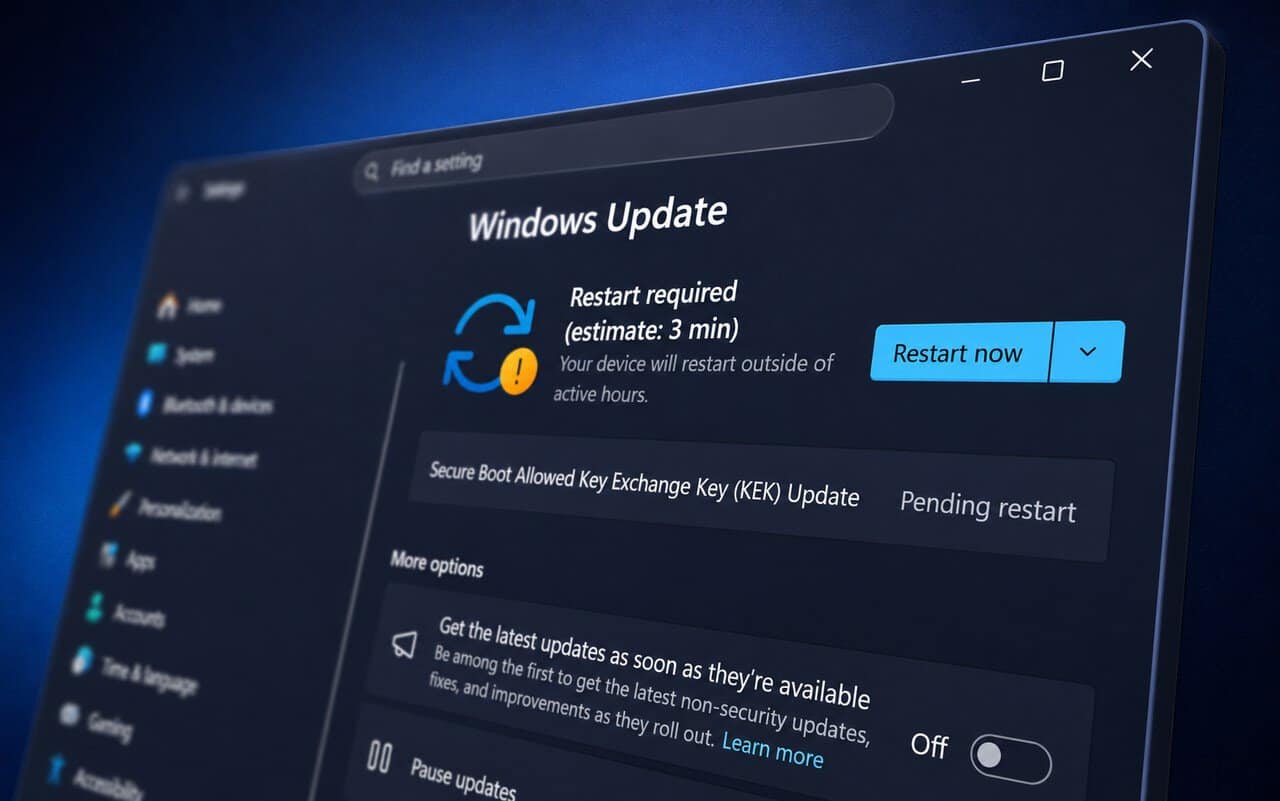
Windows Secure Boot Certificates Expire as PC Makers Issue Important BIOS Guidance

Microsoft’s original Secure Boot certificates are now expiring, prompting nearly every major PC manufacturer to publish support documentation explaining how customers can prepare for the transition. While the change affects low-level system security, most Windows users on supported devices are expected to receive the necessary updates automatically.

Secure Boot is a UEFI firmware security feature that verifies trusted software before Windows starts. Microsoft is replacing the original 2011 certificates with newer 2023 certificates through Windows Update, although some PCs also require BIOS or firmware updates from their manufacturers to complete the transition.

Microsoft is replacing certificates in stages

The Secure Boot certificate transition follows a phased schedule:

  • Microsoft Corporation KEK CA 2011 expired on June 24, 2026.
  • Microsoft UEFI CA 2011 expired on June 27, 2026.
  • Microsoft Windows Production PCA 2011 will expire on October 19, 2026.

Microsoft began distributing replacement 2023 certificates well before the deadlines, pushing them through Windows Update to eligible Windows 10 and Windows 11 systems. However, installing the new certificates also depends on firmware support from PC manufacturers, as Windows Latest writes.

For most home users, the process should happen automatically. Microsoft says supported devices with the latest cumulative updates installed are expected to receive the new certificates without requiring manual intervention.

PC makers publish dedicated support pages

As the certificate deadlines arrived, major OEMs, including HP, Dell, ASUS, Lenovo, MSI, Acer, Samsung, LG, and Microsoft Surface published guidance explaining how customers can verify whether their devices have received the update.

ASUS says most consumer systems receive the certificates through Windows Update, while commercial customers can review supported device lists and use Windows event logs to confirm successful installation.

Lenovo released one of the most comprehensive support resources, organizing BIOS downloads by product family and providing direct firmware links for supported systems. Dell also published detailed documentation, but confirmed that devices reaching End of Service Life before January 1, 2026, will not receive BIOS updates for the Secure Boot transition.

HP separates its guidance between consumer and commercial PCs. Consumer devices generally receive the certificates automatically through Windows Update, while commercial models require minimum BIOS versions before Windows can apply the new certificates.

HP also advises customers to ensure they have the latest corrected BIOS versions installed, as some early 2026 firmware releases caused BitLocker recovery loops and boot failures on certain systems.

Some systems still require BIOS updates

Microsoft Surface devices that remain within their support lifecycle receive the certificates through Microsoft’s regular Windows and Surface firmware updates.

MSI says older laptops based on Intel 7th through 11th Gen processors or AMD Ryzen 3000H to 5000U platforms generally receive the update through Windows Update. Newer Intel 12th Gen and AMD Ryzen 5000H-and-newer systems require BIOS updates before the certificate installation completes.

Acer has published a model-by-model compatibility table showing which desktops and laptops already have BIOS updates available and which remain under development. Some older Acer systems currently display warning indicators because compatible firmware has not yet been released.

Samsung notes that Windows 10 and Windows 11 computers will continue working after the 2011 certificates expire. However, devices that never receive the updated certificates may stop receiving future Secure Boot-related protections and boot-level security improvements.

LG similarly recommends checking Windows Security first and installing any available BIOS updates if Windows Update cannot complete the process automatically.

Windows Security now reports certificate status

Microsoft has made it easier for users to verify whether the transition has completed.

Windows Security now displays Secure Boot certificate status using green, yellow, or red indicators. Windows 10 also gained this reporting feature through the May 2026 KB5087544 update, allowing users to quickly determine whether additional action is needed.

Some computers may restart multiple times while Windows stages the updated certificates into firmware. Microsoft also notes that the new SecureBoot folder created during the installation process is part of the update and should not be removed.

What users should do

Most people running supported Windows 10 or Windows 11 systems with June 2026 security updates installed have likely already received the Secure Boot certificate refresh.

Users who own older hardware or have not installed recent Windows updates should:

  • Install the latest Windows updates.
  • Open Windows Security and check the Secure Boot status.
  • Install any available BIOS or firmware updates from their PC manufacturer.
  • Back up their BitLocker recovery key before applying firmware updates.

Systems that remain unsupported or no longer receive BIOS updates may continue operating normally, but they could eventually miss future Secure Boot protections and other boot-level security improvements.

Google Reportedly Capped Meta’s Gemini AI Access After Compute Crunch Hit Capacity

A new report by The Financial Times claims that Google has been forced to limit Meta’s access to its Gemini AI models after the Facebook parent requested more capacity than Google could deliver.

Per the report, Google informed Meta around March that it couldn’t provide the full Gemini inference capacity the company wanted to purchase.

The report, citing people familiar with the matter, claims the shortage ended up delaying several internal AI initiatives at Meta while forcing the company to rethink how it consumes AI resources.

The reported restrictions apparently extend beyond Meta, although the social media giant is said to have been affected the most because of its unusually large demand for Gemini models.

The report further adds that Meta has since encouraged employees to use AI tokens more efficiently as part of a broader effort to reduce compute consumption while the limitations remain in place.

Despite spending tens of billions of dollars on new AI chips and hyperscale datacenters, major cloud providers are still struggling to satisfy enterprise demand.

Speaking of AI infrastructure, this is yet another reminder that the current bottleneck isn’t necessarily about building better models anymore. It’s increasingly about securing enough GPUs, memory, power, and datacenter capacity to actually run them.

PS6 Price Might Dent Your Wallet, Latest Hardware Cost Estimation Jumps Over $900

The memory crisis isn’t just making gaming PCs and graphics cards more expensive anymore. If recent industry estimates are accurate, Sony’s PlayStation 6 could end up denting your wallet more than you would be expecting. A fresh report suggests that the PS6’s hardware cost has climbed dramatically over the past few months.

PS6 manufacturing cost may have jumped over $900

The latest claim comes from well-known hardware leaker KeplerL2, who recently said the PlayStation 6’s estimated bill of materials (BOM) has increased by roughly $200 since an earlier estimate of around $760. That would put the console’s manufacturing cost at approximately $960 before packaging, shipping, marketing, retailer margins, and other expenses are factored in.

While Sony hasn’t announced the PlayStation 6 or confirmed any pricing, the higher BOM has already fueled speculation that the company could face a difficult decision. It can either absorb part of the manufacturing cost by selling hardware at a loss, as console makers have done in previous generations, or pass more of that increase to consumers. If the latter happens, some analysts believe a retail price between $850 and $900 for the Digital Edition may no longer be unrealistic.

Memory manufacturers including Micron, Samsung, and SK Hynix have repeatedly warned that AI infrastructure demand continues to squeeze DRAM and NAND supply. Lenovo recently also warned that RAM prices may never go back to normal, as the increased prices could become the industry’s “new normal” well into the next decade.

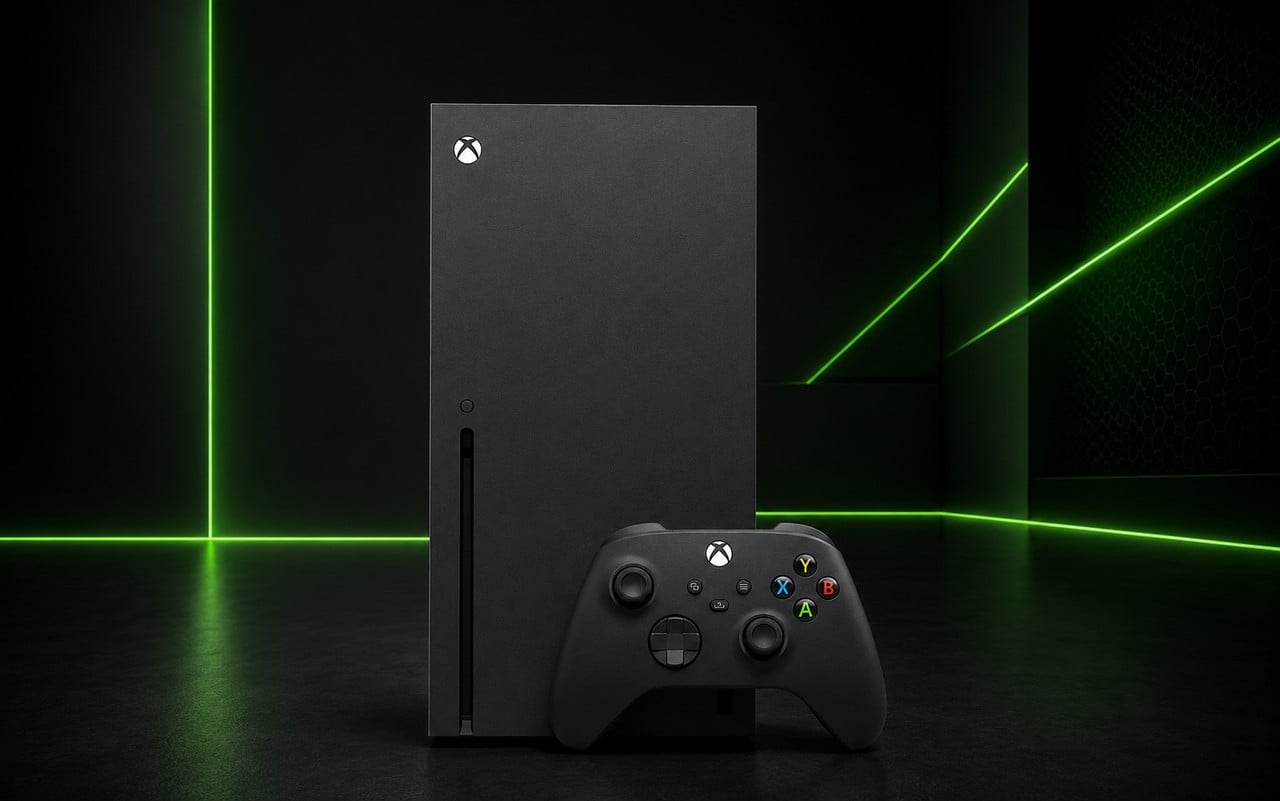
Speaking of effect of memory prices, let’s not forget that Microsoft recently announced price hike for XBOX consoles. The new pricing will take effect starting August 1 worldwide. As of now, PS6 is rumored to launch late in 2027, but some reports suggest that the release may slip past the next year, in 2028 or 2029. As of now, there is no official word from Sony, so we recommend taking every details coming through with a grain of salt.

Microsoft Edge Wins Over Users as Praise Replaces Years of Browser Criticism

The discussion around Microsoft Edge has taken an unexpected turn, with many users now openly praising the browser after years of criticism aimed at Microsoft’s web browsers. The shift became noticeable following a viral post on X that joked about Edge, only for the replies to fill with positive experiences instead of the usual complaints.

The conversation gained momentum after reports that a prototype version of Microsoft Edge outperformed Apple’s Safari across several browser benchmarks. On the popular Speedometer 3.1 benchmark, the experimental Edge build reportedly scored 28.6% higher than Safari while also leading in every other benchmark that was tested.

For Microsoft, the reaction represents another sign that years of work on Edge may finally be changing public perception.

Edge earns praise from longtime browser users

Many users responding to the discussion described Edge as one of the most underrated browsers currently available. Several comments highlighted that the browser feels faster than expected while consuming less memory than Google Chrome, despite both browsers sharing the Chromium engine.

Others pointed to Edge’s smooth scrolling, responsive interface, and reliable performance during everyday browsing. Microsoft’s built-in PDF reader also received praise, with users saying it eliminates the need for dedicated PDF software in many situations.

Microsoft joined the conversation with its own response, describing Edge as the “best freakin’ browser” for Mac, acknowledging the surprisingly positive reaction from users.

The reception stands in sharp contrast to Microsoft’s browser reputation during the Internet Explorer era. Since switching to Chromium in 2020, Microsoft has steadily added performance optimizations, sleeping tabs, efficiency mode, vertical tabs, integrated AI features, and productivity tools aimed at distinguishing Edge from Chrome.

Microsoft continues investing in Edge

Beginning in August, the company plans to move Edge to a faster two-week release schedule, allowing new features and security updates to reach users more quickly.

Microsoft is also preparing support for signing into Edge using a Google account, a feature that should make switching from Chrome easier by simplifying access to bookmarks, passwords, and other browser data for users who rely on Google’s ecosystem.

These additions continue Microsoft’s effort to position Edge as a compelling alternative rather than simply another Chromium browser.

Despite the recent praise, Edge remains a controversial browser in some circles.

Microsoft has faced criticism over aggressive prompts encouraging Windows users to choose Edge as their default browser. Organizations such as the Browser Choice Alliance have also criticized the company’s practices surrounding browser competition and user choice.

Overall, Microsoft Edge appears to be undergoing a meaningful transformation in both performance and public perception, with growing user appreciation highlighting the success of Microsoft’s ongoing improvements.

Via Wccftech

Microsoft Officially Scraps AI Search History Feature from Edge

Last year, in March, we reported about Microsoft testing “History Search assisted by AI” in the Edge browser. Back then, we spotted the toggle to enable the feature in the Canary version of the browser. The option was buried under Settings > Privacy, search and services > Search and Connected Experiences. Fast forward to June 2025, Microsoft started rolling out the AI-powered search history for everyone with the roll out of Edge 138.

For those unaware, the feature allowed users to find previously visited websites using synonyms, phrases, or even misspellings. Better yet, the feature runs entirely on your device, so your data stays private.

Microsoft scraps Edge’s AI-powered search history

Officially, Microsoft described that the feature as “Enhanced search finds sites in your History even when you use a synonym, phrase, or typo. After this feature is turned on, sites you visit will be shown in enhanced history search results. An on-device model is trained using your data, which never leaves your device and is never sent to Microsoft.”

While there was option for admins to use the EdgeHistoryAISearchEnabled policy to disable this feature, many called it “creepy.” Well, if you are among those who didn’t like Microsoft Edge’s AI search history feature, you would be happy to know that the company has killed it entirely.

As spotted by Neowin, Microsoft has added an update to the feature entry in the official Microsoft 365 roadmap portal and noted that “We have decided not to move forward with this change at this time. We apologize for any inconvenience.”

While the decision to kill the AI search history appears to have triggered due to user backlash, there is high chance that Microsoft’s Windows K2 initiative is behind it. In case you don’t know, under the internal initiative, the company has been working towards improving Windows 11 from ground up, and cutting the Copilot bloat across the OS is reportedly also a part of the plan. Whatever may be the case, AI search history in Ede is now gone for good. Not to forget, Microsoft recently also killed the Copilot mode from its browser.

Four XBOX Games Are Shutting Down Servers in July and August

XBOX players will lose access to several online games over the next two months as another wave of server shutdowns approaches.

According to PureXbox, four XBOX games are currently scheduled to lose online functionality in July and August 2026. While three of the titles will simply lose their online features, one game will become completely unplayable once its servers are switched off.

Games affected by the upcoming XBOX server shutdowns

The first shutdown affects Madden NFL 23, with EA scheduled to retire its online servers on July 13. Like previous EA sports titles, offline modes will remain available, but all online features will disappear.

Two more sports games will follow on August 20. NBA 2K Playgrounds 2 and WWE 2K Battlegrounds will both lose their online services, bringing multiplayer and other connected features to an end.

Warface: Clutch will disappear completely

Unlike the sports titles, Warface: Clutch faces a much more significant shutdown.

The free-to-play shooter will permanently close its XBOX servers on August 25, 2026. Because the game requires online servers to function, it will become completely inaccessible after the shutdown.

The development team described the decision as a difficult one and thanked players for supporting the game throughout its lifetime, saying the community played a major role in the game’s journey.

XBOX server shutdown schedule

  • July 13, 2026: Madden NFL 23
  • August 20, 2026: NBA 2K Playgrounds 2
  • August 20, 2026: WWE 2K Battlegrounds
  • August 25, 2026: Warface: Clutch (game becomes unplayable)

Players who still need online achievements, multiplayer progression, or cloud-based rewards should complete them before the respective shutdown dates.

The current list is unlikely to be the last.

Several additional XBOX server closures have already been announced for September and later, including GRID Legends, HAWKED, and NBA 2K25. As publishers continue retiring older games, more announcements are expected over the coming weeks.

There is some good news for XBOX players

The latest shutdown announcements arrive alongside a busy week for the XBOX platform.

More than 20 new games are launching on XBOX this week, giving players plenty of fresh releases across multiple genres.

Microsoft has also expanded XBOX handheld support with another 34 games. Sixteen titles are now officially handheld-optimized for devices such as the XBOX Ally, while another 18 games have been added as handheld-compatible, giving portable players even more options without waiting for future updates.

XBOX Adds Handheld Support for 34 More Games This Week

XBOX players have plenty to look forward to this week. Alongside more than 20 new game releases arriving between June 29 and July 3, Microsoft has expanded XBOX handheld support for another 34 games via TrueAchievements, while 12 titles are now confirmed for the XBOX Game Pass July lineup.

The latest handheld update continues Microsoft’s push to improve the experience on XBOX Ally and other supported handheld devices. This week’s additions include 16 games that are now officially handheld-optimized, as well as 18 more titles that are handheld-compatible with some manual settings adjustments.

34 More Games Gain XBOX Handheld Support

Microsoft continues to grow its handheld gaming library, making it easier for players to enjoy more titles on portable devices.

The latest update introduces 16 handheld-optimized games. These titles have been tested and tuned to deliver a smoother experience without requiring players to change graphics or control settings.

Another 18 games have also been marked as handheld-compatible. While they are expected to run well, players may need to adjust settings to achieve the best performance depending on their device.

New Handheld-Optimized Games

ACA NEOGEO AERO FIGHTERS 3ACA NEOGEO CROSSED SWORDSACA NEOGEO CYBER-LIP
ACA NEOGEO SHOCK TROOPERSACA NEOGEO SHOCK TROOPERS 2nd SquadACA NEOGEO THE SUPER SPY
Alchemist: Journey of The SoulArcade Archives 2 MOON SHUTTLEBastion Break (Windows)
EMPULSE (Game Preview)KalanoroMagnetail (Windows)
Meow Moments: Celebrating Frost & FloraPGA TOUR 2K25Split Crystal (Windows)
Where Winds Meet

New Handheld-Compatible Games

Alien Cat 2 – Retro CollectionArashi GaidenBeastro
Creepy Shift: House For SaleDIMENSIONSGrand Vegas Casino
Hidden Memory – NatureJungle Shoot (Windows)Junkster
Loop Dash (Windows)Montezuma’s Revenge – The 40th Anniversary EditionMoon Raider: Anniversary Edition
Once Upon a JesterPyramid Quest JuniorSin Slayers: Reign of The 8th
Teller’s DutyThe CubWORD SEARCH BY JGABRIB

Microsoft has steadily expanded its handheld compatibility program over recent months, with dozens of additional games receiving optimization each week. As more developers test their titles for portable play, the supported library continues to grow ahead of the arrival of the XBOX Ally handheld ecosystem.

Combined with this week’s 20-plus XBOX game launches and the expanding July XBOX Game Pass catalog, handheld players have plenty of new experiences to look forward to over the coming weeks.

Here’s What the Dedicated Recap App in Microsoft Teams Will Look Like

If you’ve ever spent several minutes digging through Teams to find that one meeting summary of the meeting that happened weeks ago, Microsoft may finally have you covered. Earlier this month, the new “Recap” app for Teams was spotted in the official Microsoft 365 roadmap portal. In case you missed, it’s a dedicated app for Microsoft Teams that brings all your recent meeting content together in one place.

Check out the first look of the Recap app in Microsoft Teams

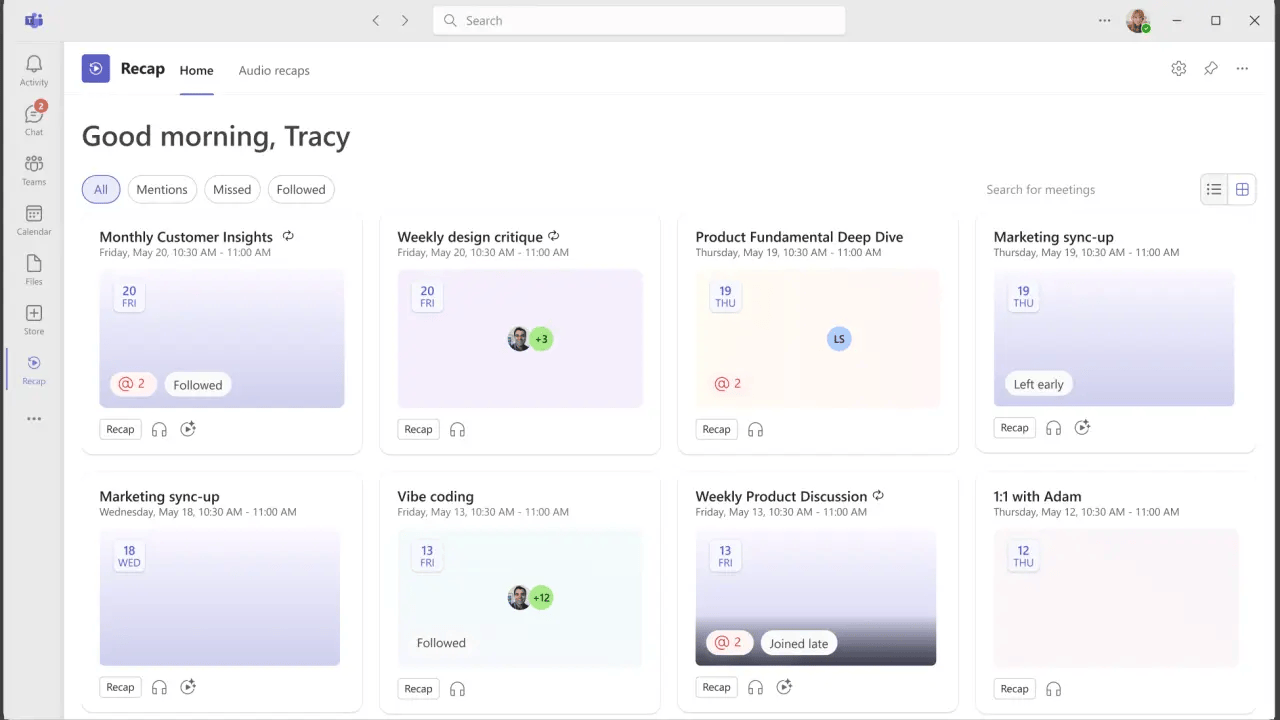
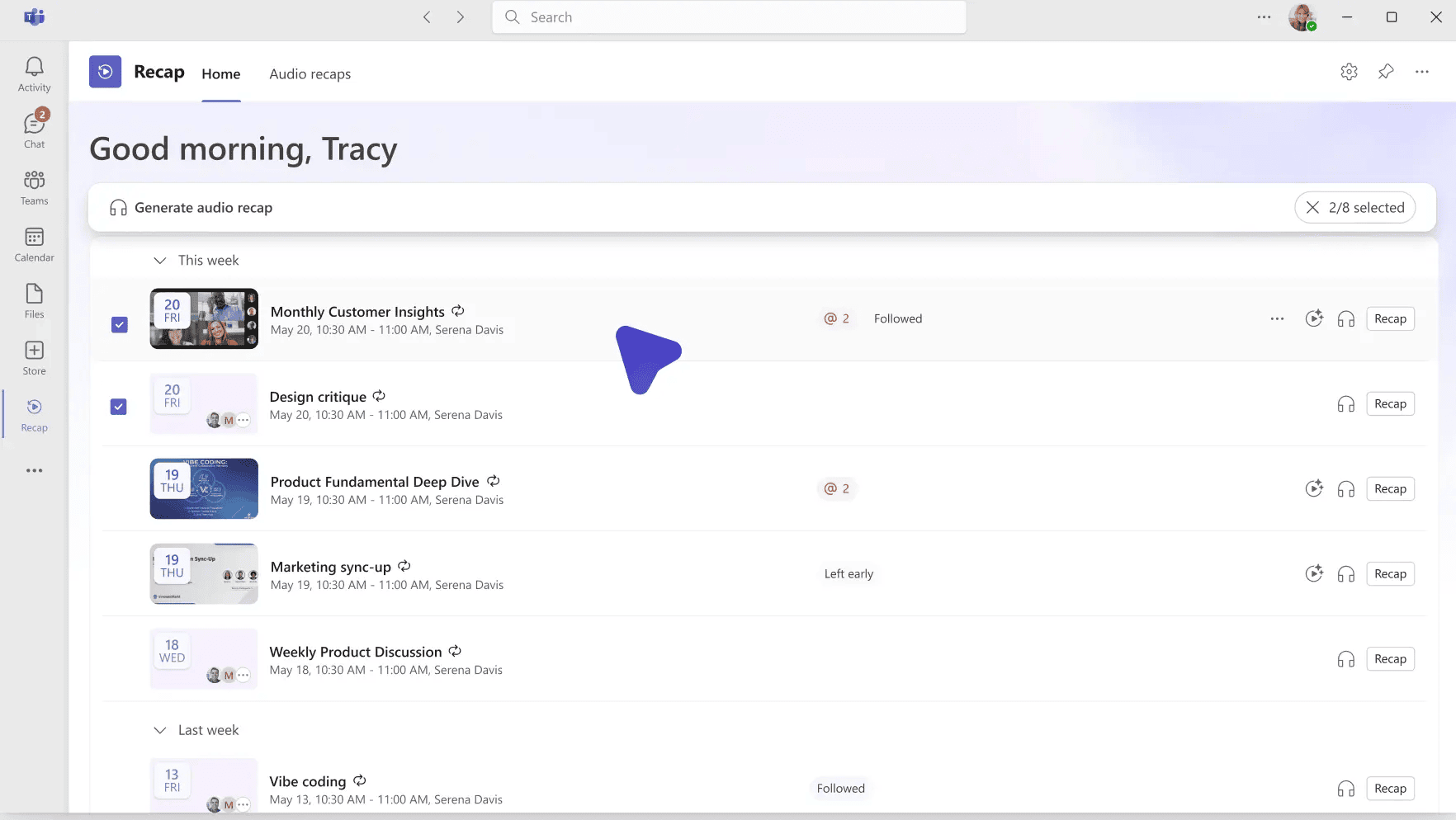
Per the description, the standalone Recap app will provide a centralized location where users can browse meeting recordings, transcripts, AI-generated summaries, and other recap content from the previous 30 days without jumping between chats, calendars, or cloud storage. Well, in case you want to see what exactly the new Recap app looks like, folks over at Neowin shared the first look of the app last week. Here’re some screenshots for you to check:

Image source: Microsoft | Via: Neowin

As seen in the images above, the Recap app will list all the meeting summaries in a chronological order, sorted by date and time. The duration of meeting and the date of it will give you an idea of which meeting recap is the one you want exactly.

The new app goes beyond simple playback as well. If you have a Microsoft 365 Copilot license, you will get AI-powered features, including intelligent meeting summaries, podcast-style audio recaps generated across multiple meetings, and other Copilot experiences already available within Teams. Meanwhile, standard recordings and transcripts will continue following existing access permissions, while the AI features will remain exclusive to eligible Copilot subscribers.

Microsoft plans to preinstall the Recap app inside Teams, although it won’t automatically appear in the left navigation rail. Rather, users will be able to pin it themselves from the Teams app store if they want quicker access. According to the current rollout plan, Windows, Mac, and web users should get the Recap app by the end of July, with mobile support expected to come later down the line.

What do you think about the dedicated Recap app? let us know in the comments below.

Chrome is testing a Save to Memory feature for web snippets alongside AI-suggested Todos

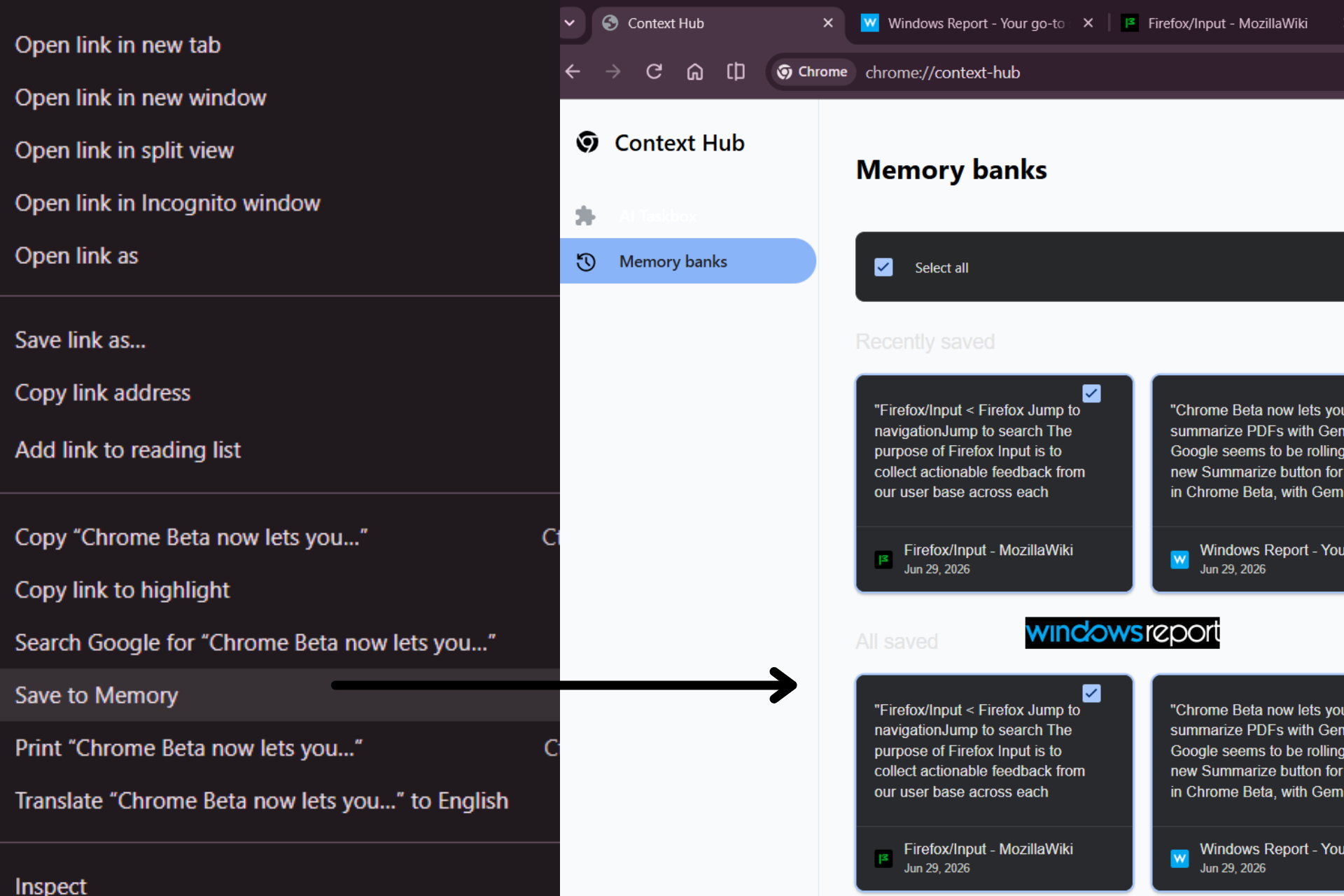
Google is testing a “Save to Memory” feature in Chrome Canary that lets you capture selected web snippets and retrieve them later.

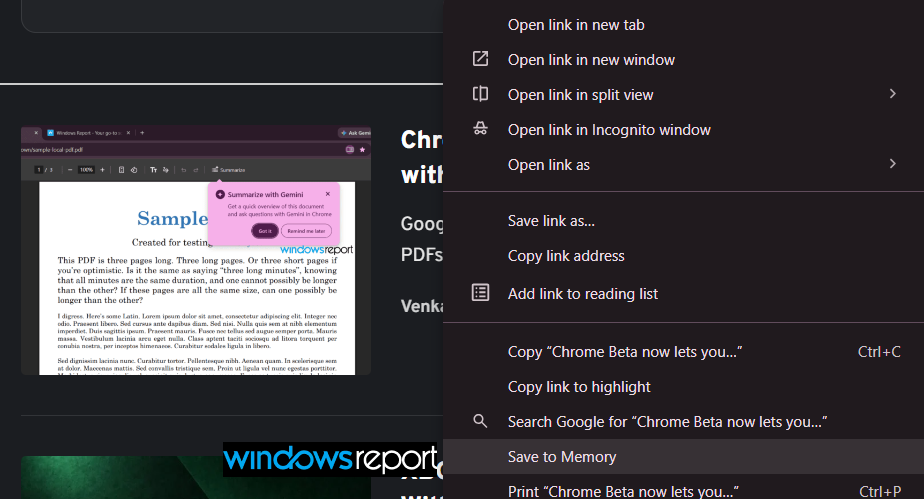
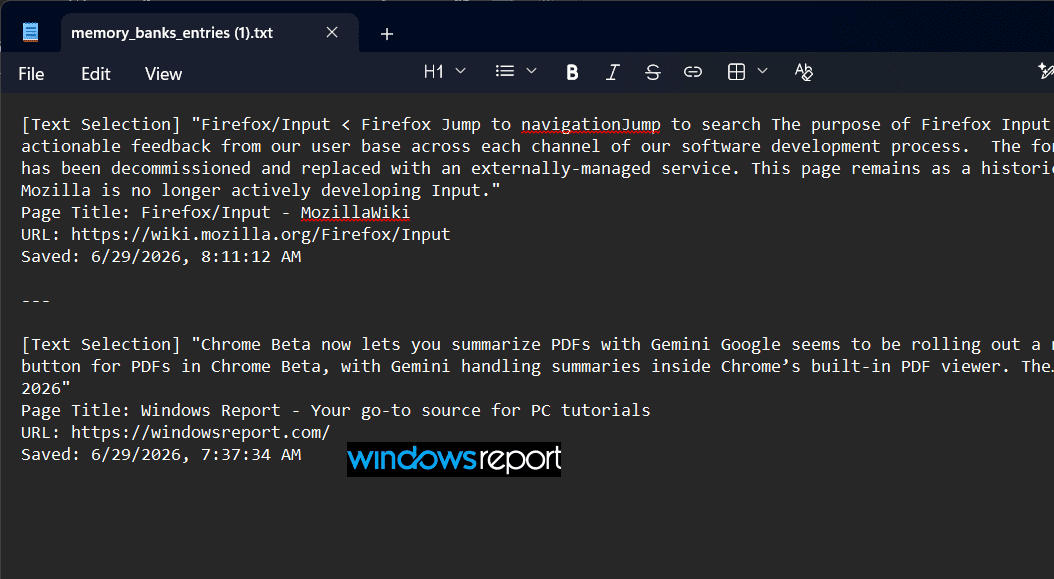
The workflow is simple. When you select text on any webpage and right-click, you’ll see a new “Save to Memory” option. Upon selecting it, Chrome saves it instantly and adds it to a new Memory Banks interface accessible through “chrome://context-hub”.

Image Credit: Venkat | Windows Report.

How it works

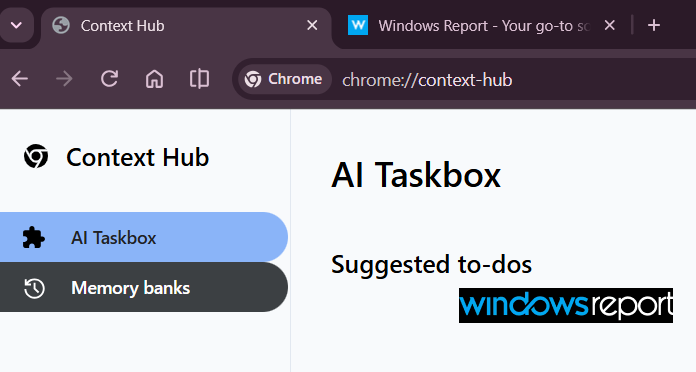
When you navigate to chrome://context-hub, you’ll see two tabs: “AI Taskbox” and “Memory Banks”. AI Taskbox shows suggested todos, though that feature isn’t fully implemented yet. Memory Banks is where your saved passages live.

Image Credit: Windows Report.

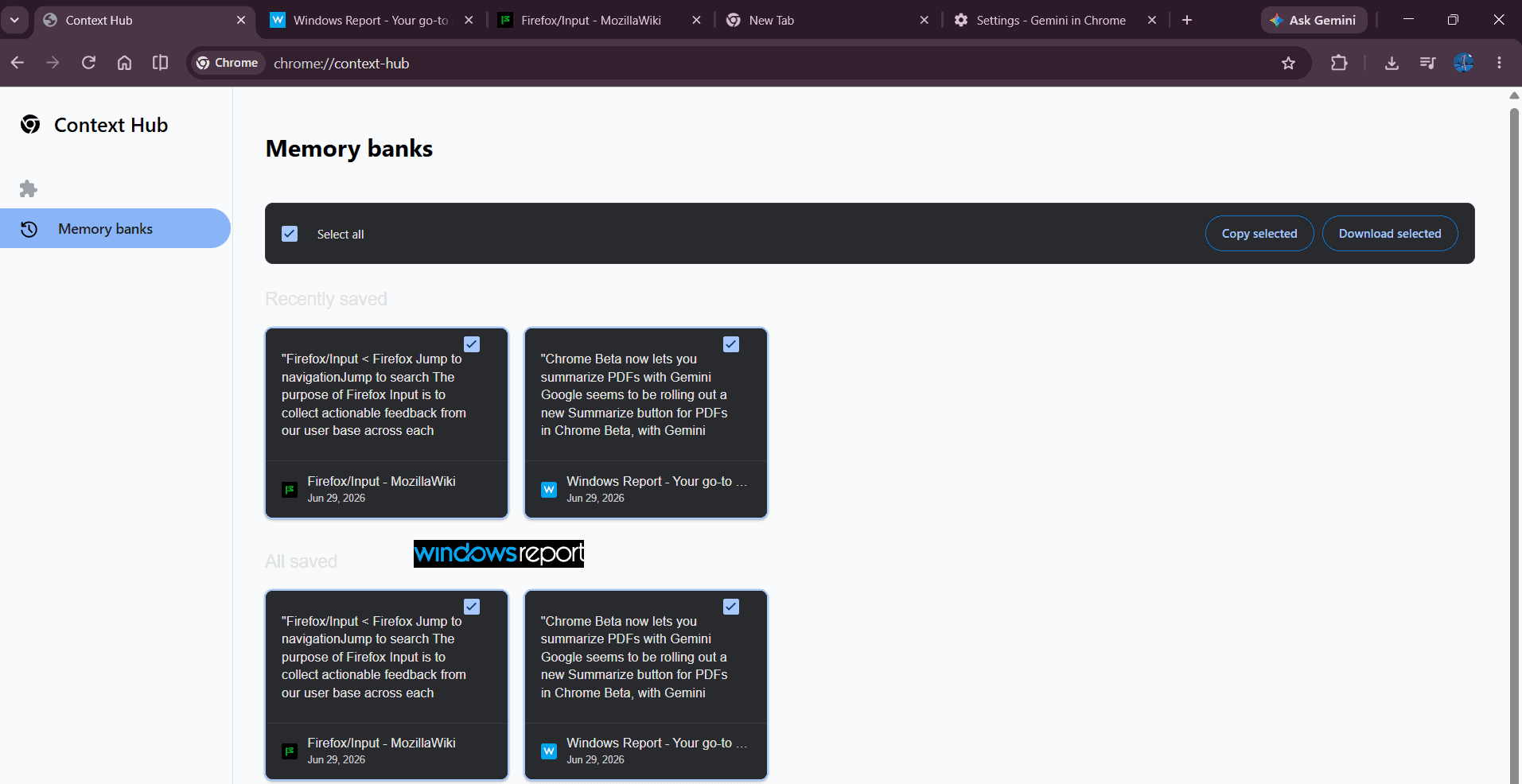
The interface organizes your saved text into “Recently saved” and “All saved” sections. Each item shows the exact text you captured, the page title, the URL, and the precise timestamp of when you saved it. Individual checkboxes let you select specific items or select all at once.

Image Credit: Windows Report.

Managing your saved content

Once you’ve saved passages, you can do two things: copy or download them.

Choosing “Copy selected” puts your selected items into the clipboard in a structured format. The text appears with all metadata intact, ready to paste into notes, documents, or other apps.

Choosing “Download selected” saves everything as a text file called “memory_bank_entries”. If a file with that name already exists, Chrome auto-increments it to memory_bank_entries (1). The downloaded file preserves all the structured data: excerpts, page titles, URLs, and save timestamps.

Image Credit: Venkat | Windows Report.

The format is clean and portable. Downloaded files show recently saved items first, making it easy to find what you just captured.

Still in development

This is clearly early work. The Memory Banks interface is functional and reliable, but some pieces aren’t finished. The AI Taskbox tab exists but “Suggested todos” doesn’t populate. That feature may still be in development or gated behind a flag.

Code commits found by Windows Report confirm Google is working on this infrastructure. Recent changes show the Memory Banks interface, the Save to Memory context menu option, and the Context Hub UI all landing in Chrome’s codebase. Like all Canary experiments, there’s no guarantee it ships in stable Chrome.

Mozilla Warns Clean GitHub Repositories Can Trick Claude Code Into Running Malware

Mozilla’s Zero Day Investigative Network (0DIN) has demonstrated a new attack technique that could allow seemingly harmless GitHub repositories to compromise developers using AI-powered coding assistants such as Claude Code.

According to the researchers, the attack does not rely on obvious exploit code, suspicious shell commands, or other warning signs that would normally attract the attention of security tools or code reviewers. Instead, it abuses the way agentic coding tools automatically troubleshoot project setup issues.

How the attack works

The proof-of-concept begins with a clean-looking GitHub repository that includes normal setup instructions, such as installing dependencies and initializing the project.

A specially crafted Python package intentionally refuses to run until it has been initialized. Instead of executing, it displays an error instructing the user to run an initialization command.

Mozilla’s researchers found that Claude Code can interpret the message as a routine setup issue and automatically execute the recommended command while attempting to fix the problem.

That initialization command launches a shell script that retrieves a configuration value stored inside an attacker-controlled DNS TXT record. Rather than containing malicious code inside the repository itself, the fetched DNS value is executed as a command, allowing the payload to remain hidden from many traditional scanning methods.

Hidden payload increases the risk

The researchers say the AI agent effectively automates the entire attack chain, with each step appearing to be part of a normal software installation process.

If successful, the attacker gains an interactive shell running with the developer’s user privileges. That level of access could expose sensitive information such as environment variables, API keys, local configuration files, and other developer credentials and secrets.

Because the malicious payload is retrieved dynamically from DNS instead of being stored in the repository, reviewers and automated security scanners may not detect anything suspicious during code inspection.

Developers urged to verify setup commands

Mozilla warns that attackers could distribute repositories using this technique through fake job offers, online tutorials, blog posts, or direct messages targeting developers.

To reduce the risk, 0DIN recommends that AI coding agents clearly display the complete execution chain before running setup commands, including any scripts and code that are fetched dynamically during runtime. Giving developers full visibility into every step would make it easier to identify unexpected behavior before code is executed.

In other security news, a malicious Microsoft Edge extension has recently been used to deploy a Python backdoor, while a separate WhatsApp malware campaign has targeted businesses.

Via BleepingComputer

Microsoft Releases Windows 11 KB5102558 and KB5095615 Dynamic Updates

According to Neowin, Microsoft has released a new set of Windows 11 Dynamic Updates alongside the latest C-release preview update, KB5095093. The updates improve the Windows Recovery Environment (WinRE), refresh Windows Setup components, and help prepare devices for future feature updates.

Dynamic Updates are applied before Windows feature upgrades. They update recovery components, Windows Setup binaries, and other files used during the installation process. They also help preserve Language Packs and Features on Demand during upgrades.

New Safe OS Dynamic Update for Windows 11 26H1

Microsoft has released KB5095186, a Safe OS Dynamic Update for Windows 11 version 26H1.

After the update is installed, the Windows Recovery Environment version is updated to 10.0.28000.2335. Microsoft says the update improves the recovery environment used during troubleshooting and recovery scenarios.

Updates for Windows 11 24H2 and 25H2

Microsoft has also released two Dynamic Updates for Windows 11 versions 24H2 and 25H2.

  • KB5102558 – Setup Dynamic Update that refreshes Windows Setup binaries and installation files used during feature updates.
  • KB5095615 – Safe OS Dynamic Update that updates the Windows Recovery Environment.

After installing KB5095615, the WinRE version should be updated to 10.0.26100.8737.

Dynamic Updates install automatically

According to Microsoft, both Recovery Dynamic Updates and Setup Dynamic Updates are downloaded and installed automatically through Windows Update when applicable.

The company also published new Windows Insider builds, including a new Beta Channel release and a separate 26H1 Beta update. Users enrolled in the Windows Insider Program can install these builds through Windows Update, while Dynamic Updates will continue to be delivered automatically during supported upgrade scenarios.

Chrome Beta now lets you summarize PDFs with Gemini

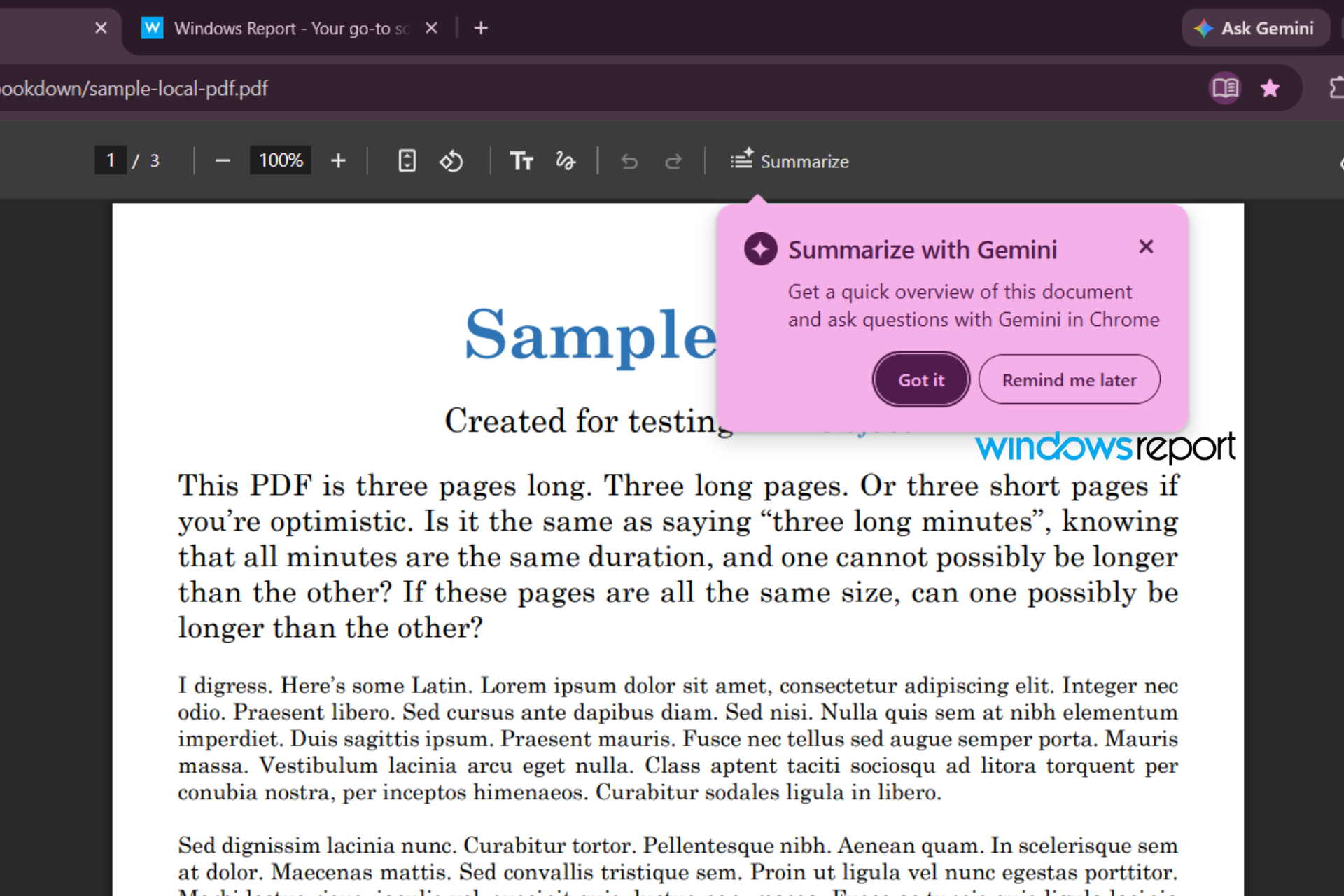
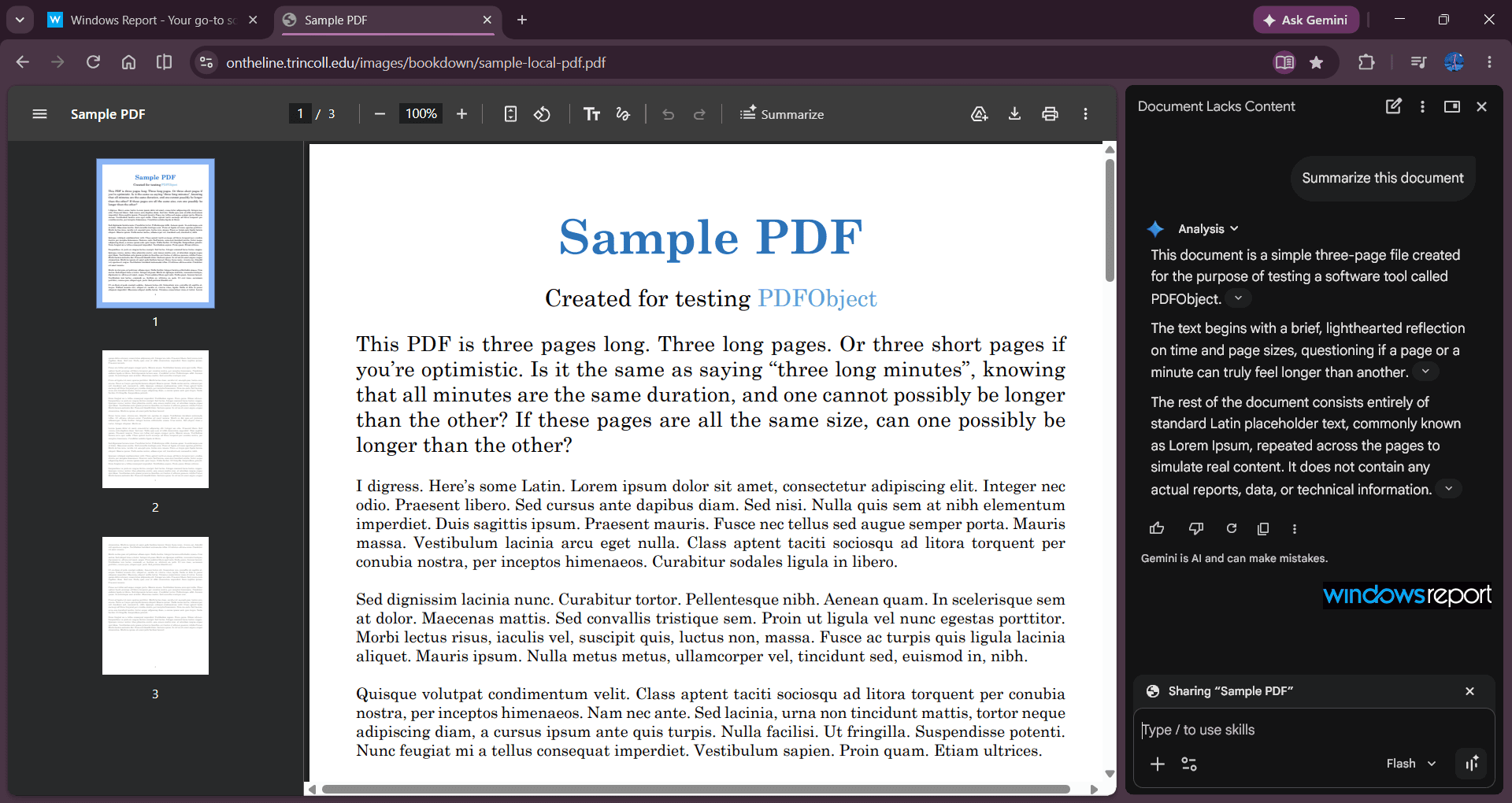
Google seems to be rolling out a new Summarize button for PDFs in Chrome Beta, with Gemini handling summaries inside Chrome’s built-in PDF viewer. The button opens Gemini in the side panel and sends the current PDF over for analysis. Gemini then generates a summary and lets you ask follow-up questions without leaving the browser.

Gemini has supported PDF analysis for some time in Google Drive, where users can upload documents and ask questions about their contents. Google is now bringing that experience into Chrome so users can summarize PDFs without uploading the file separately.

Gemini in Chrome now summarizes PDFs and answers questions in Beta

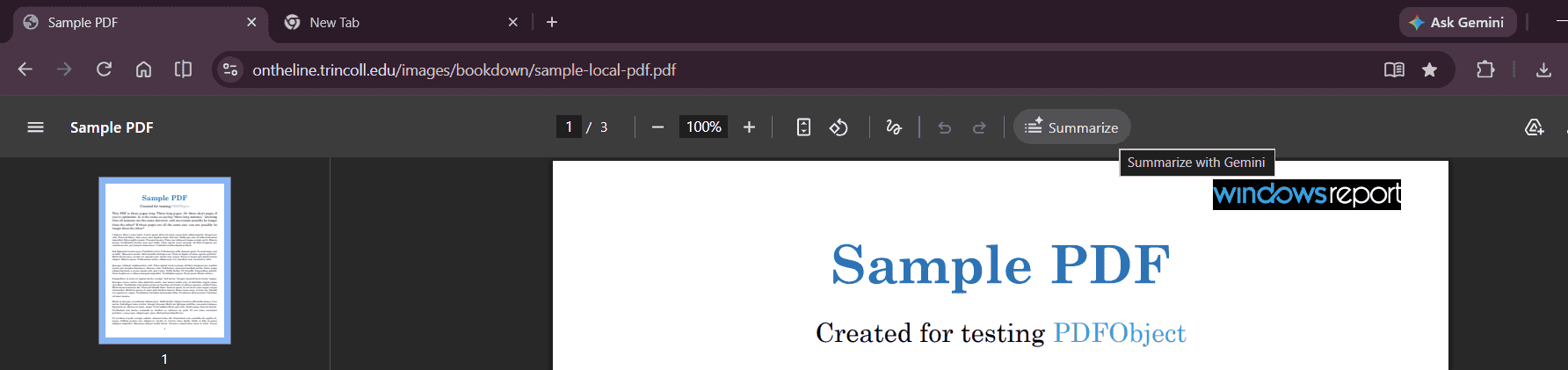
We spotted Google testing this in Chrome Canary back in February, and the feature now seems to be making its way into Beta. In our testing, the Summarize button appeared in a dedicated spot on Chrome’s PDF toolbar, making it easy to open Gemini without leaving the document. Clicking it opened Gemini’s sidebar with a summary request, and the answer appeared within seconds.

Image Credit: Venkat| Windows Report.

That makes the feature genuinely useful for anyone working through long reports, whitepapers, or manuals. Instead of downloading a PDF or opening Gemini separately, you can just click once and get the summary right there in Chrome.

Image Credit: Windows Report.

Google has been adding Gemini to more parts of Chrome for a while now, and this is another step in that push. With page analysis, contextual help, and now PDF summaries, Gemini in Chrome is becoming a more useful AI assistant for reading and research inside the browser.

The feature is still in Chrome Beta, so availability may depend on account, region, or Gemini in Chrome settings. If it’s available, the workflow is simple: open a PDF, hit Summarize, and let Gemini handle the first pass.

If you don’t see it yet in Chrome Beta and want to try it sooner, you can enable the PDF summarization flag in Chrome’s experimental features and restart Chrome. In our case, the feature was available out of the box, without needing to toggle any flags.

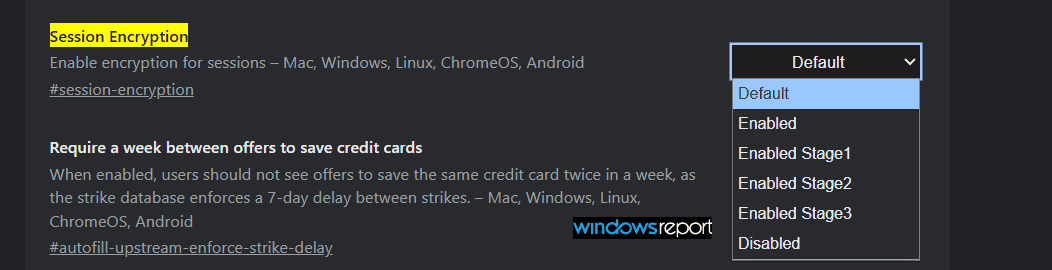
PDF summaries are one of several features currently in development for Chrome. Google is also testing a Gemini shortcut for selected text, alongside security improvements such as session encryption and process isolation on Windows.

20+ Games Are Coming to XBOX From June 29 — July 3

XBOX players have a busy release week ahead, with more than 20 games scheduled to arrive between June 29 and July 3, according to PureXbox.

The biggest new release is arguably Monopoly: Star Wars Heroes vs. Villains from Ubisoft, while RV There Yet? stands out as the week’s major XBOX Game Pass addition. The lineup also includes EA Sports College Football 27 early access, several indie titles, puzzle games, roguelikes, and smaller arcade releases.

XBOX Games Releasing From June 29 to July 3

Here is the full weekly XBOX release schedule:

  • June 29
    • Monopoly: Star Wars Heroes vs. Villains
  • June 30
    • Bunny Pit Stop: Vegas Rush
    • Deathbulge: Battle of the Bands
    • Momento
    • Murky Divers
    • RV There Yet?
  • July 1
    • Clarity: The Seven Demons of Vanguardia
    • Mayor May Knott
    • Tallowmere
  • July 2
    • EA Sports College Football 27 Early Access
    • Hyperwired
  • July 3
    • Bone Marrow 2
    • Independence Day Festive Finds
    • In Fair Spirits
    • Scholar Adventure: Mystery of Silence
    • Swamp TD 2
    • Tanky Tanks – Reloaded
    • The Legend of Fireball
    • Zaxoid

July 3 is the busiest day of the week, with a large batch of smaller games arriving before the weekend.

XBOX Game Pass Adds RV There Yet? and Tony Hawk

XBOX Game Pass subscribers also have a few important dates to watch.

RV There Yet? joins Game Pass on June 30 across Cloud, XBOX Series X|S, and PC. Tony Hawk’s Pro Skater 3 + 4 follows on July 2, joining Game Pass Premium while also being available through Game Pass Ultimate and PC Game Pass.

Game Pass Ultimate subscribers also get access to a 10-hour EA Play trial for EA Sports College Football 27 on July 2. Progress from the trial carries over if players decide to buy the full game.

Eight Games Leave Game Pass on June 30

The new arrivals come as eight games prepare to leave XBOX Game Pass at the end of June.

Lastly, the XBOX Game Pass lineup for July has been revealed, with more additions expected to be announced and released throughout the month.

XBOX Game Pass July 2026 Lineup Expands With 12 Confirmed Games

XBOX Game Pass July 2026 is already shaping up to be a busy month, with 12 titles now confirmed for the service, as PureXbox writes.

The updated list expands the previously confirmed lineup and adds several notable releases across console, PC, and cloud. More games could still join the July schedule once Microsoft announces its regular Game Pass waves during the month.

The biggest names so far include Tony Hawk’s Pro Skater 3+4, Palworld 1.0, Planet Crafter, Mistfall Hunter, and Halo: Campaign Evolved.

XBOX Game Pass July 2026 Adds More Confirmed Games

Tony Hawk’s Pro Skater 3+4 will arrive first on July 2 for XBOX Series X|S, PC, and cloud, bringing the remade skateboarding collection to subscribers.

Winds of Arcana: Ruination follows on July 6 for XBOX Series X|S, PC, and cloud.

Palworld 1.0 arrives on July 10 for XBOX Series X|S, PC, and cloud, marking the full release of the survival and creature-collecting game.

Full XBOX Game Pass July 2026 List So Far

  • July 2 — Tony Hawk’s Pro Skater 3+4 (XBOX Series X|S, PC, Cloud)
  • July 6 — Winds of Arcana: Ruination (XBOX Series X|S, PC, Cloud)
  • July 10 — Palworld 1.0 (XBOX Series X|S, PC, Cloud)
  • July 13 — Ascend to ZERO (XBOX Series X|S, PC, Cloud)
  • July 15 — Denshattack! (XBOX Series X|S, PC, Cloud)
  • July 17 — Fogpiercer (PC)
  • July 21 — Planet Crafter (XBOX Series X|S, PC, Cloud)
  • July 22 — Tears of Metal (PC)
  • July 28 — Halo: Campaign Evolved (XBOX Series X|S, PC, Cloud)
  • July 29 — Mistfall Hunter (XBOX Series X|S, PC, Cloud)
  • July 2026 — Shift at Midnight (XBOX Series X|S, PC, Cloud)
  • July 2026 — Speedrunners 2: King of Speed (XBOX Series X|S, PC, Cloud)

More XBOX Game Pass July Games Could Still Be Announced

The current list probably does not represent the final XBOX Game Pass July 2026 lineup. Microsoft usually announces additional titles in waves, so more games may appear before or during July.

Subscribers should also expect the usual removals. Several games will leave XBOX Game Pass in late June, and Microsoft will likely confirm more July departures in two separate batches.

For now, July looks strong for players who want a mix of remakes, survival games, action titles, indies, and major XBOX franchises. Halo: Campaign Evolved gives the month a major first-party headline, while Tony Hawk’s Pro Skater 3+4 and Palworld 1.0 help start July with broader appeal.

Microsoft Brings MAI-Code-1-Flash to GitHub Copilot Business and Enterprise

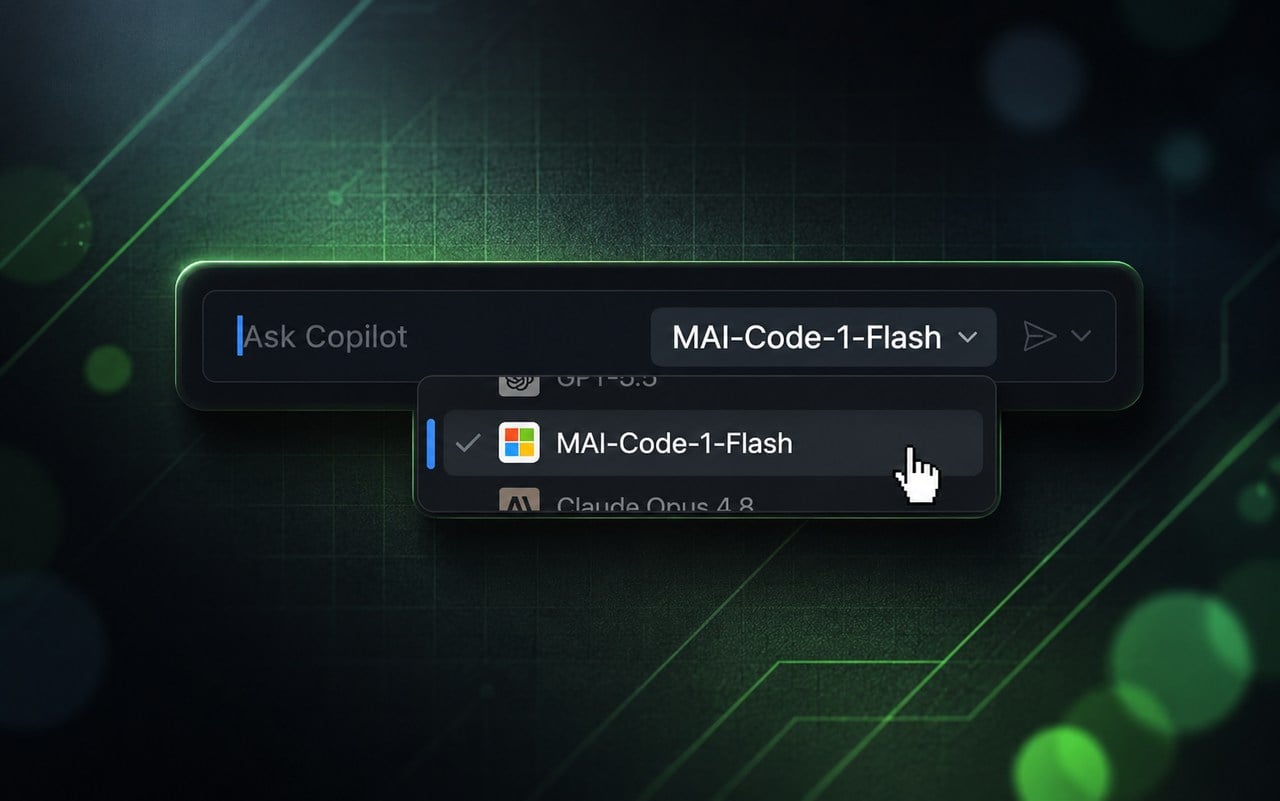
Microsoft has made its MAI-Code-1-Flash coding model generally available for GitHub Copilot Business and GitHub Copilot Enterprise customers, as part of a broader recent expansion of its MAI AI model lineup. The update gives organizations access to Microsoft’s lightweight, first-party coding model inside managed Copilot plans, offering a faster and more cost-efficient option for everyday development tasks.

The rollout closes one of the remaining gaps in the model’s availability. While MAI-Code-1-Flash had already reached most GitHub Copilot experiences, including the CLI, cloud agent, GitHub.com chat, GitHub Mobile, Visual Studio, JetBrains IDEs, Eclipse, and Xcode, managed Business and Enterprise customers had been waiting for support.

Admins must enable the model

Organizations will not see the model automatically enabled. Business and Enterprise administrators must first turn on the MAI-Code-1-Flash policy in GitHub Copilot settings before developers can begin using it.

Once enabled, developers can select the model for supported Copilot experiences as part of their organization’s managed deployment.

Built for speed and efficiency

Microsoft introduced MAI-Code-1-Flash on June 2 as part of its internally developed MAI family of AI models. Rather than competing with the largest reasoning models, MAI-Code-1-Flash focuses on delivering quick responses for common coding workflows.

According to GitHub, the model is well suited for fast code completions, general-purpose coding tasks, code explanations, writing repetitive code, and high-volume developer workflows.

The emphasis is on responsiveness and lower operating costs instead of maximum reasoning capability.

Benchmark results

Microsoft says MAI-Code-1-Flash achieved a score of 51.2% on SWE-Bench Pro during its internal testing.

The company also claims the model required up to 60% fewer tokens on SWE-Bench Verified compared to other approaches, potentially lowering inference costs for organizations using GitHub Copilot under usage-based billing.

These benchmark figures come from Microsoft rather than an independent evaluation, so they should be viewed as vendor-reported results.

Usage-based pricing

GitHub bills MAI-Code-1-Flash through its usage-based pricing system. The published pricing is:

  • Input tokens: $0.75 per million
  • Cached input tokens: $0.075 per million
  • Output tokens: $4.50 per million

As GitHub Copilot continues moving toward usage-based billing, smaller models like MAI-Code-1-Flash could help organizations reduce costs for repetitive coding and AI agent workloads.

Not designed for every development task

Although the model is optimized for speed, Microsoft does not position it as the best option for every scenario.

Large repositories, complex multi-file changes, advanced debugging, and security-sensitive code reviews may still benefit from larger AI models with stronger reasoning capabilities and broader context windows.

For many day-to-day development tasks, however, MAI-Code-1-Flash offers a balance between performance, speed, and efficiency that could make it an attractive default choice for enterprise development teams.

Microsoft’s expansion of MAI-Code-1-Flash to GitHub Copilot Business and Enterprise also comes as competition in the AI coding assistant market continues to intensify. In related news, OpenAI recently announced its new GPT-5.6 model family, introducing another generation of AI models aimed at coding, reasoning, and enterprise workloads.

OpenAI Announces GPT-5.6 Sol, Terra, and Luna in Limited Preview

OpenAI has officially announced the GPT-5.6 family, introducing three new AI models designed for different performance and pricing tiers. The lineup includes GPT-5.6 Sol, Terra, and Luna, with each model targeting different workloads and budgets.

Unlike previous launches, GPT-5.6 is entering a limited preview available only to a small group of trusted partners. OpenAI said the restricted rollout follows discussions with the U.S. government, which requested that the initial release be limited to selected organizations. The company added that it does not believe this approval process should become the long-term standard for future AI releases.

GPT-5.6 introduces three new models

GPT-5.6 Sol is OpenAI’s flagship model, built for demanding reasoning, coding, scientific research, cybersecurity, and agentic workloads.

GPT-5.6 Terra targets everyday professional use, offering performance comparable to GPT-5.5 while costing half as much.

GPT-5.6 Luna is the fastest and most affordable option in the lineup, providing solid performance at the company’s lowest price point.

OpenAI plans to make all three models broadly available across ChatGPT, Codex, and its API over the coming weeks.

Stronger reasoning and agent performance

According to OpenAI, GPT-5.6 Sol is its most capable model to date.

The company says the model delivers improved agentic performance across coding, biology, and cybersecurity tasks. On the Terminal-Bench 2.1 benchmark, GPT-5.6 Sol achieved a score of 91.9%, setting a new record and outperforming Anthropic’s Claude Mythos 5.

GPT-5.6 also introduces a new “max” reasoning effort for more complex problems. For even larger workloads, OpenAI added an “ultra” mode that uses multiple subagents to complete tasks more efficiently than a single AI agent.

Improved safety and predictable caching

OpenAI said GPT-5.6 Sol includes a strengthened safety system with better protections against higher-risk requests, sensitive cybersecurity prompts, and repeated misuse.

The company also spent several weeks pressure-testing the model against real-world attacks before launch.

Developers will also benefit from improved prompt caching. GPT-5.6 supports explicit cache breakpoints and guarantees a minimum cache lifetime of 30 minutes, making API usage more predictable.

Pricing and availability

OpenAI announced the following API pricing:

  • GPT-5.6 Sol: $5 per million input tokens and $30 per million output tokens.
  • GPT-5.6 Terra: $2.50 per million input tokens and $15 per million output tokens.
  • GPT-5.6 Luna: $1 per million input tokens and $6 per million output tokens.

OpenAI also confirmed that GPT-5.6 Sol will launch on Cerebras in July, offering processing speeds of up to 750 tokens per second for select customers.

While GPT-5.6 is currently limited to trusted partners, OpenAI says Sol, Terra, and Luna will become broadly available in ChatGPT, Codex, and the API in the coming weeks.

Anthropic Restores Mythos 5 Access After U.S. Government Approval

Anthropic has announced that it is once again rolling out access to its Claude Mythos 5 AI model after the U.S. government approved a limited restoration. The move follows the model’s abrupt shutdown earlier this month and marks the first step toward making the company’s most advanced AI available again, although only to a carefully selected group of organizations.

According to Reuters, the restored rollout remains highly restricted and focuses on U.S. organizations responsible for operating and defending critical infrastructure. Anthropic emphasized that the decision does not signal a full public return for its latest frontier AI models.

Mythos 5 returns for approved organizations

The company said access is currently limited to selected U.S. organizations that support critical infrastructure. Anthropic added that it continues to work with the U.S. government to gradually expand availability over time.

The public-release version of the model, known as Fable 5, remains unavailable. Anthropic said it is actively working to restore access to Fable 5 as well, but has not provided a timeline for when the model will become available again.

The company stressed that the latest approval only applies to the restricted Mythos 5 rollout and should not be interpreted as a broader reopening of access.

Commerce Department reportedly eased restrictions

Reuters reports that the decision followed a letter issued by the U.S. Commerce Department. According to the report, more than 100 companies and institutions could become eligible to use Mythos 5 under the updated policy.

The reported guidance also removes the requirement for export licenses covering approved companies’ non-U.S. citizen employees. Reuters added that the exemption extends to Anthropic’s own non-U.S. citizen employees as well.

Organizations outside the approved group remain subject to the existing restrictions, meaning Mythos 5 continues to operate under a tightly controlled distribution model.

AI companies continue controlled rollouts

Anthropic is not the only AI developer limiting access to its newest models.

OpenAI recently announced that its GPT 5.6 family would also launch with restricted availability. Initial access is limited to trusted partners and selected organizations, with broader availability expected later this year.

For now, Mythos 5 remains available only to approved U.S. organizations involved in critical infrastructure and related sectors.

In separate news, Anthropic recently accused Alibaba of attempting to distill its AI models, adding another chapter to the increasingly competitive race between major AI developers.

Microsoft Pushes Copilot Prompts Into Edge While Pages Load

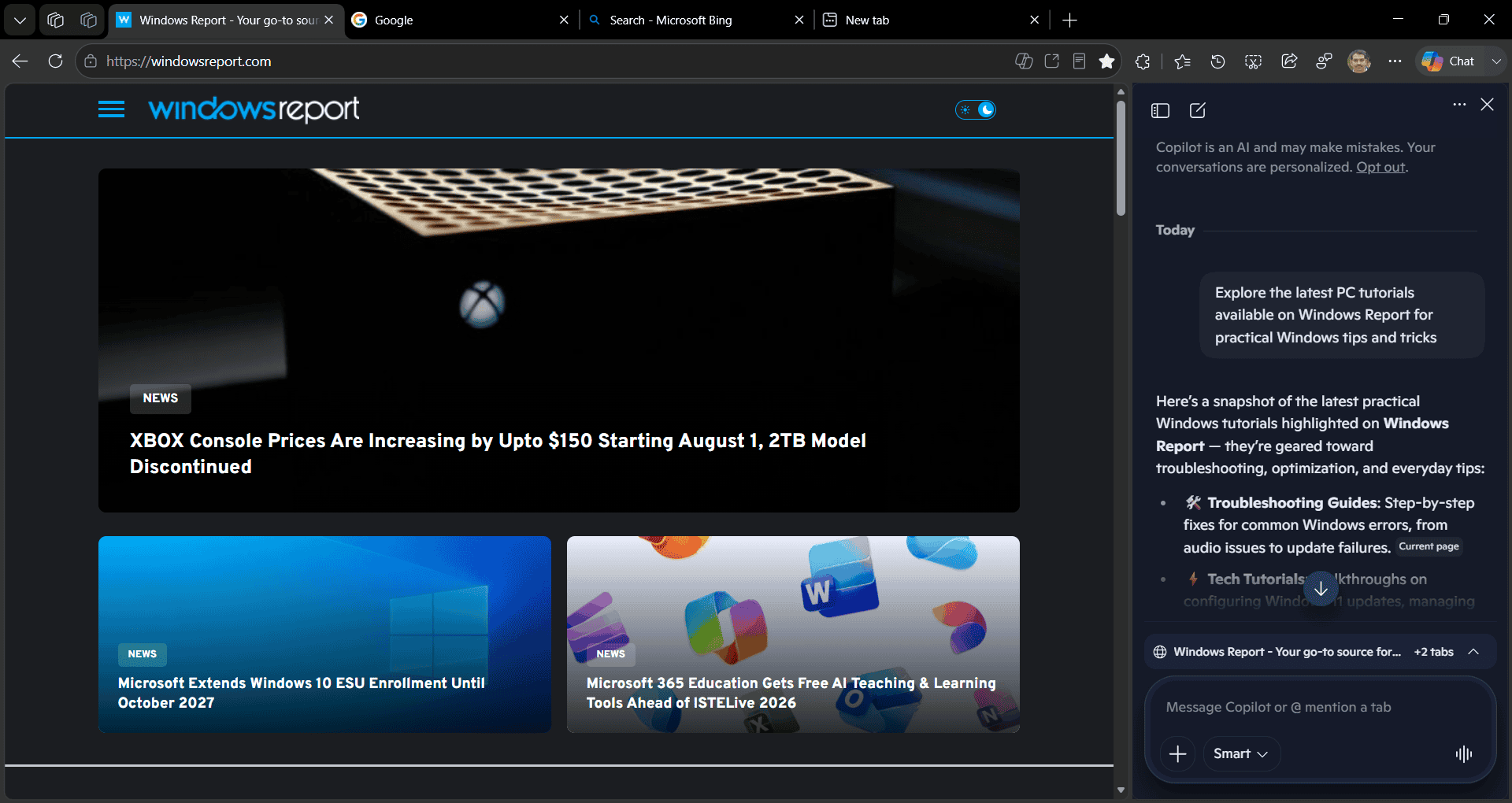
Microsoft is testing another way to put Copilot in front of Edge users. In Edge Canary, the browser shows contextual prompts in the address bar while pages are still loading, temporarily replacing the usual Copilot button.

Microsoft has already spent a lot of time pushing Copilot into Edge through the sidebar, page summaries, Copilot prompts in Settings, and other browser-level entry points. The aim is to make Copilot feel less like an extra feature and more like part of the browser itself.

Contextual Copilot prompts in Edge Canary before pages finish loading

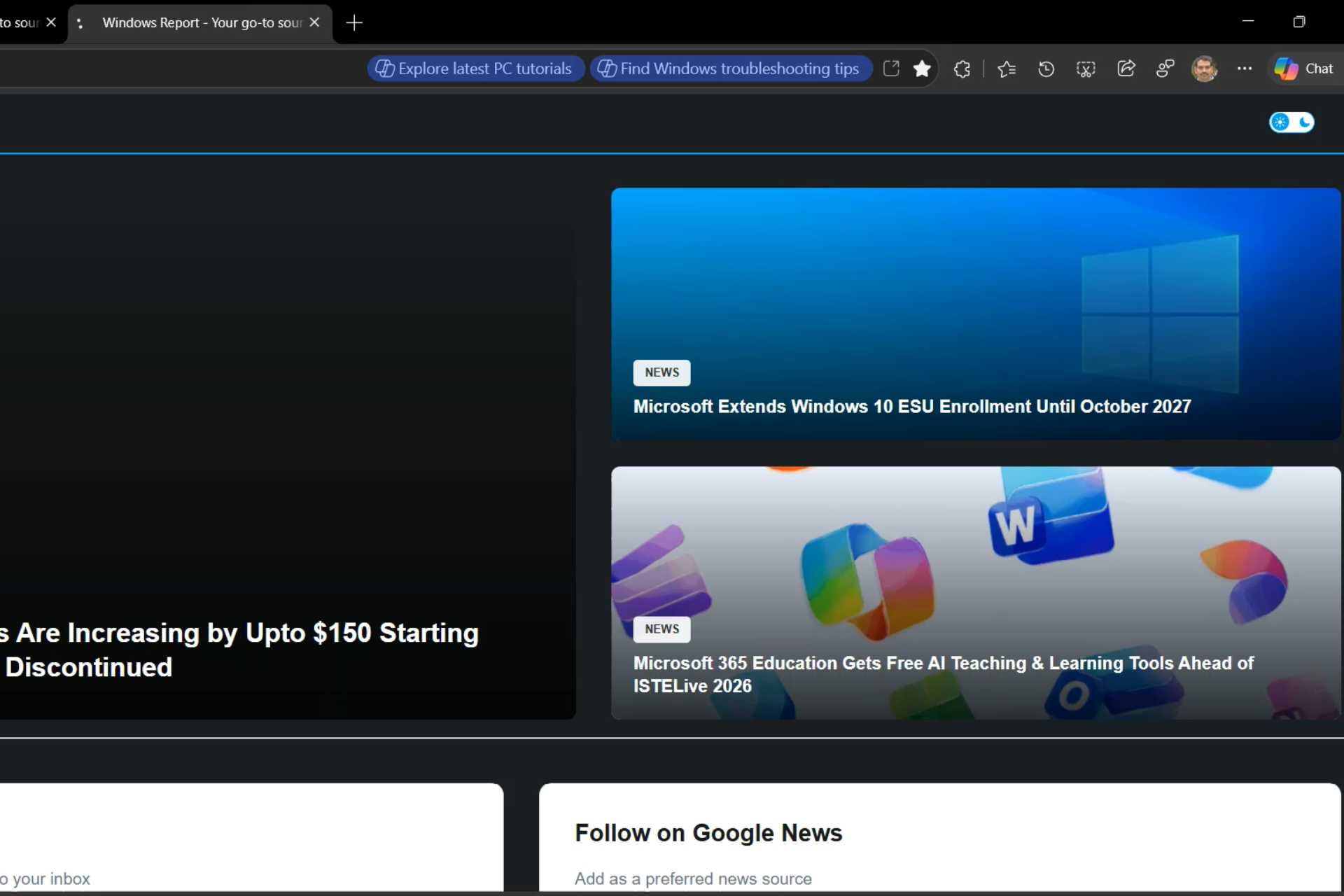
Now Microsoft seems to be taking that a step further. In Edge Canary, as spotted by Windows Report, the address bar can show site-specific Copilot suggestions while a page loads.

For example, Edge Canary showed prompts like “Explore Windows tutorials” and “Check Windows troubleshooting guides” on Windows Report. On Google’s Chrome site, it displayed suggestions such as “Compare Chrome security features” and “Explore Chrome performance tips,” while CNET displayed prompts like “Explore latest tech reviews” and “Find practical how-to guides.”

Clicking one of the suggestions opens Copilot in the sidebar with a query related to the current page. Once the page finishes loading, the prompts disappear and the regular Copilot entry point returns, but clicking the Copilot button again brings back the same suggestions.

Image Credit: Venkat | Windows Report.

The behavior makes Edge smarter about context. It also makes Edge measurably more aggressive about Copilot adoption.

Image Credit: Windows Report.

Microsoft seems to be using page context to make the prompts feel useful and timely, while also turning page-load time into another chance to catch the user’s attention.

It is still unclear whether Microsoft will expand the test to more Edge users. But the experiment shows the company is still looking for new ways to fold Copilot into daily browsing without making it feel completely separate from the page.

Microsoft is also making other changes to Edge. The company is switching to a two-week release cycle and removing the Drop file-sharing feature. Edge is also testing a “Fix an issue” feature for troubleshooting Edge problems and getting Google Account sign-in support.

Windows 11 Future Platforms Preview Adds Screen Tint and Smarter Updates

Microsoft has released Windows 11 Insider Experimental Future Platforms Preview Build 29617.1000, bringing a wide range of new features and improvements for testers. The update focuses on reducing monthly restarts, expanding accessibility options, improving system reliability, and refining several Windows settings.

The company has also released new Windows 11 26H1 Experimental and Beta builds, giving Insider users multiple previews to test.

Unified Windows Update aims to reduce monthly restarts

One of the biggest additions in Build 29617.1000 is a new unified Windows Update experience. Instead of installing different types of updates separately, Windows will now coordinate driver, .NET, firmware, and monthly quality updates into a single update cycle.

Microsoft says this change should significantly reduce the number of restarts users experience each month by allowing most updates to complete with a single restart.

The feature is being rolled out gradually, so not all Insider users will receive it immediately.

Magnifier gains precise zoom controls

Windows Magnifier is receiving several usability improvements.

Users can now enter an exact zoom percentage directly from the Magnifier toolbar instead of relying only on zoom controls. Microsoft has also added several preset zoom levels to make changing magnification faster.

These changes should make Magnifier easier to use for people who require consistent zoom levels throughout the day.

New Screen Tint accessibility feature

Microsoft is also introducing Screen Tint, a new accessibility feature designed to reduce overall screen intensity by applying a color overlay across the entire display.

The feature targets users who experience eye fatigue or light sensitivity during extended computer use.

Screen Tint includes six preset colors, a custom color picker, and an adjustable strength slider.

Microsoft explains that Screen Tint serves a different purpose than Night light. While Night light reduces blue light by making the display warmer, Screen Tint lowers overall screen intensity. Both features can be enabled simultaneously.

However, Screen Tint and Color Filters cannot run together. Enabling one automatically disables the other.

Voice Access expands language support

Voice Access now supports three additional languages: Portuguese (Portugal), Portuguese (Brazil), and Korean (South Korea).

The expansion allows more users to control Windows with voice commands in their native language.

Sound Settings become easier to use

Microsoft continues moving legacy audio options into the modern Settings app.

The update introduces:

  • Clearer description text for the Allow option in audio device properties.
  • Direct access to Listen to this device from audio device properties without requiring users to open the classic Control Panel.

These changes simplify audio configuration while continuing Microsoft’s effort to retire older Control Panel pages.

Reliability improvements across Windows

Build 29617.1000 also includes numerous reliability fixes throughout Windows.

File Explorer is now more reliable when switching between multiple virtual desktops.

Microsoft also updated storage management by allowing users to specify Dev Drive sizes in gigabytes instead of only megabytes. The same improvement is now available when resizing storage volumes under Settings > System > Storage.

Additional improvements include:

  • More accurate automatic accent color selection based on wallpaper.
  • Better wallpaper persistence after restarts and Windows upgrades.
  • Improved support for high-resolution wallpapers.
  • Fewer instances where Windows falls back to a solid-color desktop background.
  • Better reliability when applying and preserving display color profiles.

More Insider builds are also available

Alongside Future Platforms Preview Build 29617.1000, Microsoft has also released new Windows 11 26H1 Experimental and Beta builds. Those releases introduce additional improvements for Mobile Device Settings, Windows Update, recovery management, and other features currently being tested before wider availability.

As with most Insider releases, Microsoft is gradually rolling out many of the new features, meaning some users may receive them later than others.

Windows 11 26H1 Experimental Build Brings Mobile Device Enhancements and GIPHY GIFs

Microsoft has released Windows 11 Insider Experimental 26H1 Preview Build 28120.2374 for users enrolled in the Experimental 26H1 channel. While this build is exclusive to the Experimental channel, it contains the same changes that were recently rolled out to Beta 26H1 testers.

The update focuses on a handful of quality improvements, bug fixes, and feature enhancements. As with many Insider releases, Microsoft says some of the new features are being introduced gradually, so they may not appear on every eligible device immediately.

Mobile Device Settings Receive New Management Options

One of the biggest improvements in this build targets the Mobile Devices experience in Windows 11. Microsoft continues expanding the integration between Windows PCs and smartphones through the dedicated Mobile Devices page.

From there, Windows users can:

  • Add and manage supported mobile devices.
  • Configure a phone to work as a connected camera.
  • Control access to a mobile device’s files from File Explorer.

The changes continue Microsoft’s effort to make Windows and mobile devices work together more seamlessly without requiring additional applications.

Microsoft Adds Remote Recovery Management Support

Microsoft has also introduced a new remote recovery management plug-in.

The plug-in extends Windows Recovery Environment (WinRE) management capabilities for Mobile Device Management (MDM) providers. The addition should give IT administrators more flexibility when managing recovery features across enterprise-managed Windows devices.

Emoji Panel Now Uses GIPHY for GIFs

Another notable change affects the Windows emoji panel.

When users press Windows key + period, the GIF section now pulls content from GIPHY instead of Tenor.

Microsoft says the switch provides a smoother GIF browsing and sharing experience. The change follows the deprecation of the Tenor API, requiring Windows to move to a different GIF provider.

Gradual Rollout Continues

Like many recent Insider builds, Microsoft is gradually rolling out several of the new features. This means not every Insider will receive all changes immediately after installing the update.

This Experimental release follows several other Insider updates announced by Microsoft. The company has also released another Experimental preview that introduces the ability to change the Windows 11 taskbar size, alongside Windows 11 Beta Build 26220.8754, which includes additional fixes and improvements for Insider testers.

Users enrolled in the Experimental 26H1 channel can install Build 28120.2374 through Windows Update by checking for the latest Insider Preview updates.

Windows 11 Beta 26H1 Update Adds GIPHY Support and Mobile Devices Enhancements

Microsoft has expanded its Windows 11 Insider testing program with another Beta release for users on the new 26H1 development branch. The latest update, Windows 11 Insider Beta Preview Build 28020.2366, does not introduce major new features, but it delivers several quality-of-life improvements, bug fixes, and backend changes, including updates to mobile device management and the Windows emoji panel.

The release notes apply specifically to Windows Insiders enrolled in the Beta 26H1 channel. Microsoft says the update focuses on improving existing experiences while preparing the operating system for future releases.

Mobile Device Settings gain new management options

One of the more noticeable changes in Build 28020.2366 is an update to the Mobile Devices section within the Settings app.

Users can now add and manage supported mobile devices by navigating to Settings > Bluetooth & devices > Mobile devices. The page serves as a central hub for managing several phone-related features available in Windows 11.

Among the available options are using a smartphone as a connected camera, managing access to a mobile device’s files in File Explorer, and configuring supported phone integration features.

The improvements continue Microsoft’s effort to strengthen the connection between Windows PCs and mobile devices through built-in management tools.

Windows Recovery Environment gets new MDM capabilities

Microsoft has also added a new remote recovery management plug-in.

According to the company, the plug-in extends Windows Recovery Environment (Windows RE) management capabilities for Mobile Device Management (MDM) providers. While this change primarily targets enterprise environments and IT administrators, it lays the groundwork for improved remote recovery management on managed Windows devices.

Emoji panel now switches from Tenor to GIPHY

Another visible change affects the Windows emoji panel.

Microsoft has replaced Tenor with GIPHY as the GIF provider for the emoji picker, which users can open with the Windows key + Period (.) keyboard shortcut.

The company says the change follows the deprecation of the Tenor API. By moving to GIPHY, Microsoft aims to provide a smoother experience when browsing and sharing animated GIFs directly from Windows.

The new Beta build arrives alongside two additional Insider releases. Microsoft also published Windows 11 Insider Experimental Preview Build 26300.8758 and Windows 11 Insider Beta Preview Build 26220.8754, giving testers across multiple Insider channels a fresh set of updates to evaluate.

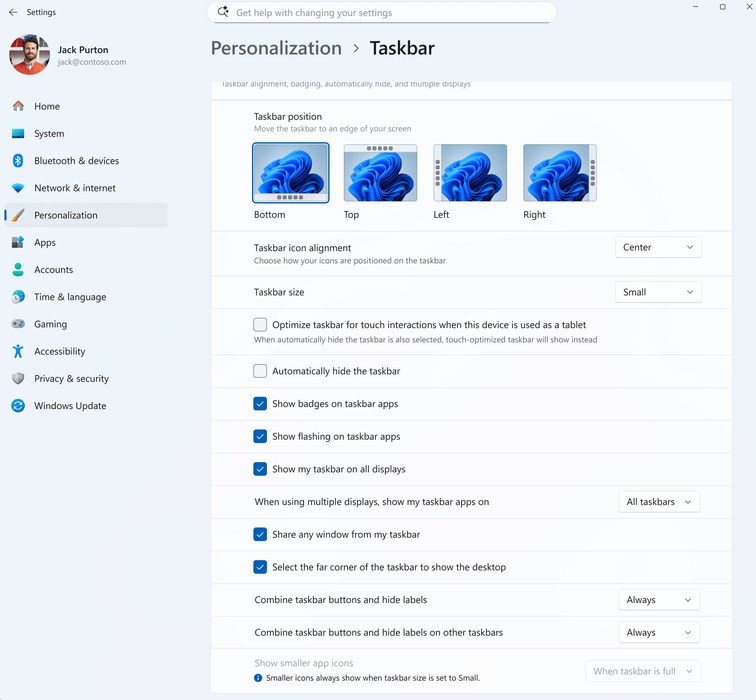
Windows 11 Experimental Preview Adds Dedicated Taskbar Size Setting

Microsoft has expanded its Windows Insider testing with the release of Windows 11 Insider Experimental Preview Build 26300.8758. The latest update focuses on usability improvements, particularly for taskbar customization and File Explorer, while also fixing several bugs affecting everyday workflows.

One of the biggest additions in this release is a dedicated Taskbar Size setting, making it easier for users to find and adjust taskbar scaling options. Microsoft has also refined the animations when switching between different taskbar sizes, resulting in smoother transitions.

Windows 11 gets a dedicated Taskbar Size setting

Taskbar customization has become more accessible in the latest Experimental Preview build. Instead of relying on less obvious options, users can now find a dedicated Taskbar Size setting designed to simplify personalization.

Image credit: Microsoft

Microsoft says the change should make it easier for users to select the taskbar size that best matches their display and workflow. The company has also polished the transition animations between different taskbar sizes, creating a smoother visual experience when switching between them.

While the feature is included in this build, Microsoft is rolling it out gradually, meaning not every Insider will receive it immediately.

File Explorer improvements and bug fixes

Microsoft continues refining File Explorer with several reliability improvements and bug fixes.

The Details pane now offers more reliable thumbnail previews for cloud files, making it easier to identify content stored in services such as OneDrive without opening files.

In addition, Microsoft has reorganized the Details pane so file properties are easier to locate and review.

The update also fixes a long-standing issue where the OneDrive shortcut stopped working whenever File Explorer was launched with administrator privileges.

Another fix addresses an unusual bug affecting permanent file deletion. In some cases, the confirmation dialog displayed an internal Recycle Bin file name instead of the original file name. The latest build restores the correct behavior.

Improved dark mode sounds

Microsoft has also updated several Windows system sounds when using dark mode.

The company has not detailed every change, but says the updated sounds are intended to provide a more consistent experience while using Windows in dark mode.

Microsoft has also released a new Windows 11 Beta update for Insiders. Separately, recent reports suggest that the upcoming Windows 11 26H2 update could require less than 200KB to install for many users already running supported versions of Windows 11, thanks to Microsoft’s enablement package approach.

Windows 11 Beta Update Improves Smart Card Security and File Explorer

Microsoft has rolled out a new Windows 11 Insider Preview build for Beta Channel testers, bringing a handful of security improvements and bug fixes. While this release doesn’t introduce major new user-facing features, it includes an important enhancement for enterprise customers using Azure Virtual Desktop and Windows 365, along with several quality improvements across File Explorer, the taskbar, and system sounds.

The latest update, Windows 11 Insider Preview Build 26220.8754, focuses on improving reliability while also strengthening security for organizations that rely on Microsoft Entra ID authentication.

Smarter smart card security for remote Windows sessions

The biggest addition in Build 26220.8754 is a new smart card removal policy for enterprise environments.

Administrators can now configure Microsoft Entra ID-authenticated remote desktop sessions to automatically disconnect when a redirected smart card is removed. The feature applies to Azure Virtual Desktop and Windows 365 sessions that use RDS AAD Auth authentication.

According to Microsoft, the change helps organizations better meet security and compliance requirements by ensuring authenticated remote sessions do not remain active after a user’s smart card has been removed.

File Explorer and taskbar fixes

File Explorer now correctly handles the OneDrive shortcut when the application is running with administrator privileges. Previously, some users found that the OneDrive shortcut stopped working under those conditions.

The company also improved the reliability of loading the system tray area on the taskbar, reducing cases where tray icons or related elements failed to appear correctly.

Better system sounds in dark mode

Another small but noticeable improvement affects Windows audio.

Microsoft says it has refined system sounds when Windows is running in dark mode. While the company did not provide technical details about the changes, the update is intended to deliver a more polished overall experience.

Although the update is relatively small, it continues Microsoft’s focus on polishing Windows 11 while introducing incremental improvements for enterprise deployments.

In other news, Windows 11 26H2 may be much smaller than expected for users already running recent Windows 11 releases. Microsoft has also updated PowerPoint with new features designed to make creating brand presentations easier.

More XBOX Games Disappear From the Store Without Warning

Several XBOX games have been delisted from the XBOX Store in June 2026, including previously expected removals and a few titles that disappeared without advance notice.

The confirmed removals include Horizon Chase Turbo, Rec Room, and Call of Duty: Warzone for XBOX One. These titles were already expected to leave the store, and all three have now been removed.

However, XBOX users also noticed several additional delistings that were not part of the original schedule, as PureXbox writes.

More XBOX Games Quietly Disappear From the Store

One of the most notable removals is Planet of the Apes: Last Frontier. The game’s XBOX Store page still exists, but players can no longer buy it.

That makes the delisting more important for collectors because Planet of the Apes: Last Frontier does not have a physical XBOX release. With no disc version available, the XBOX Store was the only official way to purchase the game on the platform.

Signs of the Sojourner has also been removed from the XBOX Store. The narrative card game was reportedly delisted because of a dispute with its publisher.

A developer has suggested that Signs of the Sojourner could return in the future, but there is currently no timeline for its return.

XBOX 360 Game Boom Boom Rocket Also Removed

Boom Boom Rocket for XBOX 360 has also disappeared from the XBOX Store.

According to DekuDeals, the rhythm game remained available until June 19 before it was removed. The delisting appears to have happened quietly, without the same level of advance notice as some other June removals.

The latest removals show that XBOX Store delistings can still happen without much warning. While some games leave the store through announced schedules, others can disappear with little public explanation.

XBOX Store Delistings Continue Alongside Game Pass Changes

The delistings come during a busy period for XBOX users. Microsoft has also confirmed which games are leaving XBOX Game Pass at the end of June.

At the same time, the company has announced the Wave 2 lineup for June, along with the first confirmed titles for the July 2026 XBOX Game Pass lineup.

New PowerToys Update Fixes Performance Monitor Bugs and Memory Leak

Microsoft has released another maintenance update for PowerToys, delivering a small batch of fixes aimed at improving the recently introduced Command Palette Dock. The new PowerToys 0.100.2 release follows shortly after version 0.100.1 as the company continues refining features introduced in the major 0.100 update.

The latest release focuses on the Performance Monitor dock extension, resolving two issues that affected accuracy and stability. Microsoft also made an internal optimization to reduce unnecessary resource usage during metric updates.

PowerToys 0.100.2 fixes Performance Monitor Dock issues

According to the release notes, Microsoft fixed a bug that caused the Performance Monitor dock to display incorrect values. Users relying on the dock to monitor system activity should now see accurate performance metrics.

The update also addresses a memory leak in the Performance Monitor dock extension. Microsoft explained that the issue stemmed from the extension repeatedly creating new list items for network upload and download statistics every time the displayed metrics refreshed.

To resolve the problem, the company changed the implementation to reuse stable network upload and download band items instead of generating new ones on each refresh. This should improve memory usage during extended sessions.

Microsoft also reverted an earlier change that forced the Performance Monitor dock to refresh all items whenever any monitored metric updated. The adjustment should further reduce unnecessary processing while keeping the displayed information current.

More PowerToys features are on the way

While version 0.100.2 is strictly a bug-fix release, Microsoft is already working on new functionality for future updates.

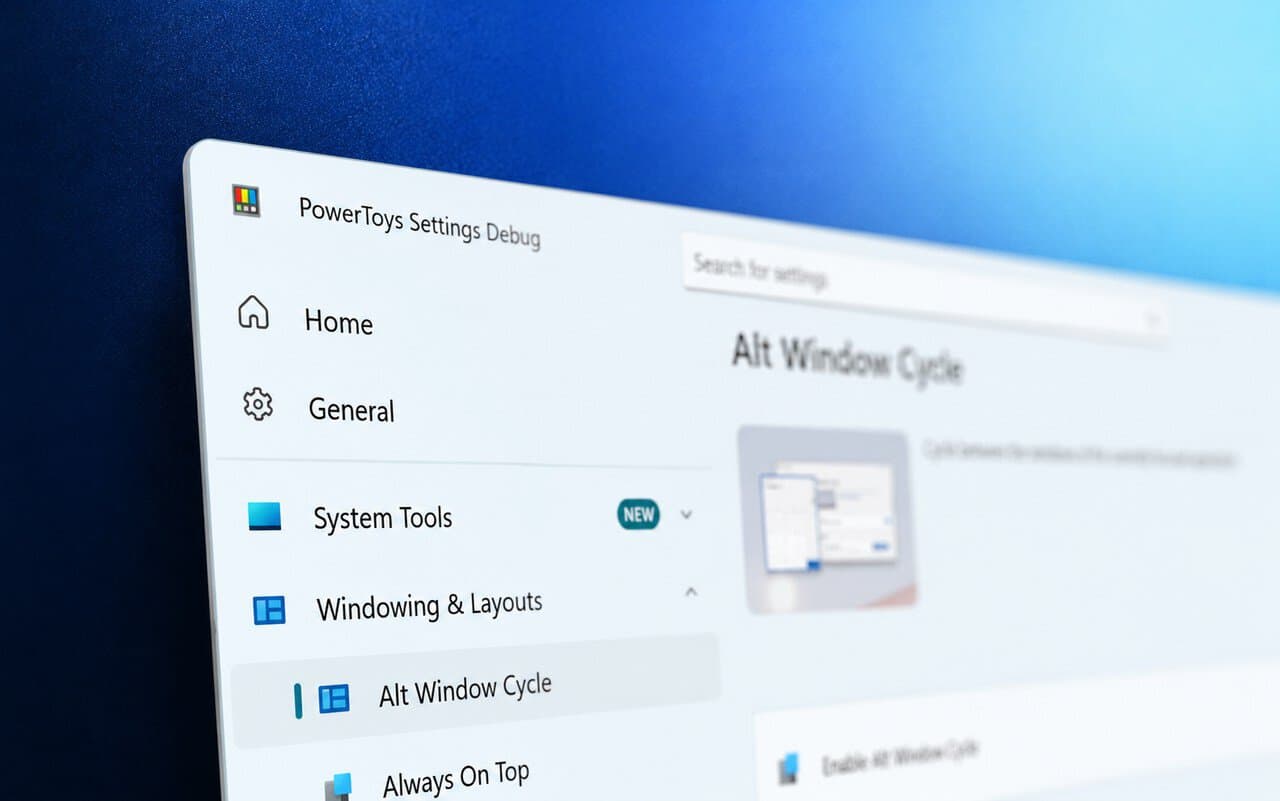
One of the upcoming additions is Alt Window Cycle, a utility designed to make switching between multiple windows from the same application easier.

Microsoft has not announced when Alt Window Cycle will become available, but it is expected to arrive in a future PowerToys release as development continues.

Microsoft Removes Mscenery From Flight Simulator Marketplace After Community Complaints

Microsoft has removed all Mscenery products from the Microsoft Flight Simulator 2020 and Microsoft Flight Simulator 2024 in-game Marketplace following widespread community complaints.

The decision comes after players raised concerns about low-quality add-ons, misleading product descriptions, questionable images, and the validity of Mscenery’s high user scores.

Microsoft pulls Mscenery products from Flight Simulator Marketplace

Microsoft Flight Simulator’s Community Manager confirmed on the official forums that Mscenery products are no longer available for new purchases in the Marketplace, effective immediately.

The removal applies to both Microsoft Flight Simulator 2020 and Microsoft Flight Simulator 2024.

Players who already bought Mscenery products will still be able to access and use them. The change only blocks new sales of Mscenery content.

Community complaints pushed Microsoft to act

The removal follows significant criticism from the Microsoft Flight Simulator community.

Players accused Mscenery of selling add-ons that did not meet expected quality standards. Complaints also included misleading product descriptions and images that allegedly failed to match the final products.

Some users also raised concerns about Mscenery’s high Marketplace scores and questioned whether those ratings reflected real customer experiences.

Microsoft said community feedback played a key role in the decision. However, the company has not explained what new review or quality-control processes it may introduce to prevent similar issues in the future.

Microsoft still needs stronger Marketplace safeguards

Removing Mscenery is a good first step, but Microsoft still needs stronger safeguards for Marketplace content.

Better checks could include stricter product reviews, clearer image verification, stronger quality standards, and more transparent user ratings, especially with Microsoft Flight Simulator World Update 22 launching next month.

In other gaming news, XBOX console prices are getting a price bump, and the Steam Summer Sale 2026 has begun.

Via Windows Central

OpenAI Reportedly Restricts GPT-5.6 Preview to Government-Approved Partners

OpenAI is reportedly preparing to launch its next-generation AI model, GPT-5.6, but unlike previous releases, access may initially be limited to a small number of government-approved partners.

According to The Information, the company will not conduct a broad public rollout during the preview phase. Instead, access to GPT-5.6 will reportedly be granted on a customer-by-customer basis with approval from the U.S. federal government.

OpenAI CEO Sam Altman reportedly told employees that this restrictive deployment is intended only for the initial preview period. He also reportedly said the company does not see this as its long-term approach to distributing AI models and hopes to move toward a more sustainable deployment model in the future.

Government review could shape the rollout

The reported launch strategy comes as the U.S. government increases its focus on advanced AI systems.

According to CNN, both OpenAI and the Trump administration reportedly view GPT-5.6 as having a similar capability level to Anthropic’s Mythos AI models.

President Donald Trump recently signed an executive order asking AI companies to voluntarily submit their most powerful AI models for federal review before making them publicly available.

If implemented as reported, GPT-5.6 would become one of the first major AI models to undergo such a controlled preview process.

Security concerns continue to grow

The reported restrictions follow the release of Anthropic’s Mythos 5, which was later shut down abruptly. According to the information provided, the model was reportedly able to identify vulnerabilities in NSA systems during testing.

At the same time, Anthropic has reportedly accused Alibaba of attempting to distill its AI technology to create its own version of Mythos 5.

These developments have added to growing concerns surrounding frontier AI models, particularly regarding cybersecurity, intellectual property, and national security.

While OpenAI has reportedly described the government-controlled rollout as a temporary measure, the preview of GPT-5.6 may signal a broader shift toward closer government oversight of the industry’s most capable AI systems.

Via Engadget

AMD’s Ryzen 7 5800X3D 10th Anniversary Edition Finally Arrives in the US

AMD’s Ryzen 7 5800X3D 10th Anniversary Edition has finally arrived at US retailers, although getting one may not be as straightforward as expected. The special edition processor has appeared on Newegg, but only as part of hardware bundles rather than as a standalone purchase.

The listing, first spotted by VideoCardz, confirms that AMD’s commemorative version of the popular AM4 gaming CPU is now available in the US. However, availability appears to be much more limited than in Europe, where several German retailers are already selling the processor.

Anniversary Edition lands in the US

Newegg has listed the Ryzen 7 5800X3D 10th Anniversary Edition with a price of $349. At the moment, customers cannot buy the processor by itself, as Newegg only offers it bundled with other compatible hardware.

The retailer’s listing also confirms the model number 100-100000651POF, identifying it as the new anniversary SKU.

While the processor is difficult to find in the US, buyers in Germany appear to have a much easier time, with multiple retailers already stocking the chip.

Same specifications as the original

The 10th Anniversary Edition does not introduce any performance upgrades over the original Ryzen 7 5800X3D, retaining the same specifications, including 8 Zen 3 CPU cores, 16 threads, a 3.4 GHz base clock, up to a 4.5 GHz boost clock, 96MB of L3 cache using AMD’s 3D V-Cache technology, and a 105W TDP.

Like the original model, it does not include integrated graphics, meaning a dedicated graphics card is required. AMD also continues to ship the processor without a bundled CPU cooler.

New packaging includes Carbice Ice Pad

Although the hardware specifications remain unchanged, AMD has updated the package contents.

The 10th Anniversary Edition includes Carbice Ice Pad thermal interface material, giving buyers an additional cooling accessory that was not included with the original release.

AMD also reportedly had to re-engineer the processor for a newer 3D V-Cache stacking process because the original manufacturing method is no longer available.

In related news, AMD recently warned users about FSR driver issues affecting Windows 10. Separate testing has also suggested that the upcoming FSR 4.1 release could perform slightly slower on some RDNA 3 graphics cards in certain workloads.

Microsoft PowerPoint to Soon Make It Easier to Create On-Brand Presentations

Microsoft appears to be working on an another feature for PowerPoint, which can help businesses rely on consistent branding.

A newly added Microsoft 365 Roadmap entry suggests PowerPoint will soon get built-in access to an organization’s brand assets, making it easier to create presentations without hunting for logos, colors, or images.

The feature is listed under Roadmap ID 566351. According to Microsoft’s description, PowerPoint will allow users to seamlessly access company brand colors, logos, icons, images, and other approved assets directly inside the app while creating presentations. The idea is to help users create slides that remain visually consistent with their organization’s branding without switching between multiple tools or folders.

Rather than manually downloading logos or remembering exact color codes, the new experience caters to surface those assets directly within PowerPoint. That should make it easier for teams to maintain brand consistency across presentations, especially in larger organizations where marketing departments usually manage official brand guidelines.

Microsoft hasn’t shared many details apart from its existence in the roadmap. The entry also indicates that the feature will be available across PowerPoint for Windows, Mac, and the web in July 2026.

In other PowerPoint news, PowerPoint Live in Teams is getting new Copilot features, including Explain and Instant Refresh, while ChatGPT can now work inside Microsoft PowerPoint thanks to a new add-in.

Microsoft Is Adding Alt Window Cycle to PowerToys for Easier Window Switching

Microsoft is working on a new PowerToys utility that could make multitasking easier for users who regularly work with several windows from the same application. The upcoming feature, called Alt Window Cycle, introduces dedicated keyboard shortcuts for switching only between windows that belong to the currently active app, instead of cycling through every open program on the desktop.

The new utility is aimed at improving productivity for people who frequently keep multiple browser windows, terminal sessions, or editor instances open at the same time. Rather than relying on the traditional Alt + Tab shortcut, Alt Window Cycle narrows the selection to windows associated with the same process.

Under the proposed implementation, pressing Alt + ` will move to the next window belonging to the active application. Pressing Alt + Shift + ` will cycle in the opposite direction.

For example, if you have several browser windows open alongside other applications, the shortcut will rotate only through those browser windows instead of displaying every open app.

The goal is to reduce the number of key presses needed to move between related tasks without interrupting the current workflow.

Proposed through the PowerToys community

The feature was proposed by Clint Rutkas in a GitHub pull request, continuing PowerToys’ tradition of adding productivity features requested by the Windows community.

Although Windows has long offered Alt + Tab for switching between all open windows, it has never included a built-in shortcut dedicated to cycling through windows from only the active application.

No release date yet

Microsoft has not announced when Alt Window Cycle will become available. Since the feature is still under development, its name, shortcuts, or behavior could change before release.

If it follows the project’s usual release schedule, the utility could arrive in one of the upcoming monthly PowerToys updates.

PowerToys 0.100 recently launched

The new utility comes shortly after Microsoft released PowerToys version 0.100, which introduced a redesigned Shortcut Guide and a new Extension Gallery for Command Palette. The company quickly followed up with version 0.100.1, a maintenance update focused on bug fixes and stability improvements.

As with other PowerToys utilities, Alt Window Cycle is expected to remain optional, allowing users to enable or disable it according to their workflow once it becomes available.

Via Windows Central

Notion Shuts Down Notion Mail After Just Over a Year to Focus on AI Agents

Notion is shutting down Notion Mail on September 22, bringing an end to its AI-powered email client a little more than a year after its public launch. The company says it is shifting its strategy toward AI agents that manage email automatically instead of maintaining a standalone inbox.

Unlike traditional email services, Notion Mail worked as a smart interface for existing Gmail accounts rather than replacing them. Users could organize messages with AI-powered auto-labeling, schedule meetings, and customize how their inbox appeared.
According to Notion, user behavior has changed significantly since the product launched. The company says more than half of Notion Mail users now rely on Notion’s AI agents to handle email tasks without ever opening the inbox itself. That shift has convinced the company to invest in automation instead of maintaining a dedicated email application.

Users Have Until September 21 to Export Notion Mail Data

Although Gmail messages will remain untouched, users must export content that exists only inside Notion Mail before the service closes.

The export process became available on June 25 through the web interface and covers snippets, custom auto-label instructions, email drafts, and scheduled drafts.

The export window remains open until September 21. On September 22, Notion will permanently remove any remaining Notion Mail-only data, including unsaved local assets such as files attached to snippets.

Existing database synchronizations and mail blocks inside Notion workspaces will stay available after the shutdown. However, they will no longer receive new emails once the service is discontinued.

Regulated Organizations Face an Earlier Deadline

Notion is also warning organizations operating in regulated industries not to wait until September.

Companies using Notion Mail in HIPAA-covered environments should migrate away from the platform by June 30 to avoid compliance issues.

The company recommends transitioning workflows early to ensure uninterrupted compliance and to avoid relying on a product approaching the end of service.

In other email news, Google recently announced that unverified Gmail accounts will be limited to 5GB of storage. Microsoft is also adding Google account sign-in support to Microsoft Edge, making it easier for users to synchronize browsing data across services.

Google Chrome Tests ‘Session Encryption’ for Session Restore Data

Google is testing Session Encryption in Chrome, a feature that would protect the data Chrome uses to restore tabs, tab groups, pinned tabs, and browser state after a restart. The feature is showing up in Chrome Canary behind a flag that lets you encrypt session restore data, with multiple rollout stages available for testing.

How Session Encryption Works in Chrome

Encryption basically locks data so only someone with the right key can read it. For Chrome, that matters because session data has usually been stored in a way that could be read locally if someone had access to the device.

Google is moving to a staged encryption model that uses Chrome’s existing encryption infrastructure, similar to the app-bound encryption approach for Windows, to more consistently protect session restore files. In practice, that makes it harder for malware or someone else on the same device to peek at your open tabs and browser state.

Session data is not the same as full browsing history. It’s the snapshot of what you had open when you closed Chrome, including pinned tabs, tab groups, and other details Chrome needs to restore your browsing session. This snapshot can reveal a lot about what you were doing in the browser.

The change would protect that session data on disk, limiting what other software or anyone with access to the device can inspect it.

Chromium code spotted by Windows Report suggests Google is planning a staged rollout for Session Encryption, with Stage 1, Stage 2, and Stage 3 options. Early stages appear to keep both encrypted and unencrypted copies of session data, while later stages move Chrome toward encrypted storage by default. That gives Chrome a fallback if something breaks during migration. Google has not yet disclosed what each stage does.

Chrome’s code review notes indicate that the feature uses Chrome’s existing OS-level encryption infrastructure for local data.

How to enable encryption for session data in Chrome

  1. Launch the latest Chrome Canary.
  2. Visit chrome://flags.
  3. Find “Session Encryption” (described as “Enable encryption for sessions”).
  4. Choose Enabled, or select Stage 1, Stage 2, or Stage 3.
  5. Restart Chrome.
Image Credit: Venkat | Windows Report.

Apart from that, Chrome is also testing Process Isolation on Windows, an Ask Gemini shortcut for selected text, an AI Mode toolbar button, and a stacked split view for tabs.

Google Reworks Gemini AI Coding Team Amid Competition With Anthropic

Google is reshuffling an AI coding team it created only about two months ago, signaling that the company wants to strengthen Gemini’s programming capabilities as competition with Anthropic intensifies.

According to a report from The Information, Google DeepMind has expanded the responsibilities of its internal AI coding “strike team” to include a technique known as midtraining. The team was originally assembled to improve Gemini’s performance on complex, long-running software engineering tasks, but it will now also work on improving the underlying models before they reach their final training stage.

Google wants to improve Gemini before release

Midtraining is an intermediate phase that takes place after a large language model completes its initial broad training but before instruction tuning and task-specific optimization.

Instead of focusing solely on prompts, interfaces, or post-training refinements, developers can expose a model to carefully selected datasets that strengthen specific capabilities before the model is finalized.

For coding-focused AI systems, this approach could lead to more fundamental improvements in reasoning and software development tasks.

Previous AI research has suggested that midtraining can significantly boost performance in areas such as programming and mathematics, making it an attractive option for companies trying to improve model quality without dramatically increasing training costs.

The move suggests Google wants Gemini’s coding abilities to improve at the model level rather than relying primarily on external tools or prompt engineering.

Anthropic’s progress reportedly triggered the shift

DeepMind researchers believed Anthropic’s AI coding tools had moved ahead of Google’s offerings.

The report suggests that Google’s internal reorganization reflects increasing pressure to close that gap in one of the fastest-growing segments of generative AI.

No new Gemini product announced yet

Google has not announced whether the reorganized team will produce a new Gemini model or launch a separate developer-focused product.

The company has also not disclosed the team’s size, any performance targets, or a timeline for when the results of the new strategy might appear in public releases.

For now, the restructuring appears to represent an internal effort to strengthen Gemini’s competitiveness as AI companies continue racing to build the most capable coding assistants.

Meanwhile, the broader AI landscape continues to move quickly. Recent reports alleged that Alibaba attempted to distill capabilities from Anthropic’s Claude models, Anthropic recently introduced Claude Tag for Slack, and the newly released Mythos 5 AI reportedly faced restrictions following a warning from Amazon.

Via Neowin