5 best selfie drones to buy [Foldable, Cheap]

As much as it hurts to admit, it will soon become apparent that the golden age of selfie sticks is coming to an end.

There is a new trend for taking selfies and it has taken the world by storm. Welcome to the new era of Drone selfies, a way to capture photos using selfie drones.

With a selfie drone, you don’t have to extend your arms to take photos, nor will you need a stick to position your phone’s camera. Just toss the drone in the air, smile, and let the drone take pictures of you and your loved ones.

There is nothing more captivating to tech nerds and selfie enthusiasts that seeing a selfie drone in action. Its dynamics is what makes it look like a science fiction concept.

You throw the drone in the air, it positions and takes pictures of you and your friends, then it falls back to your hands, folds and goes back to your pocket. And the good thing; you don’t need super educated thumbs or the technical know-how of an MIT graduate to operate it.

In addition to a quick snap, you can use the drone to capture a selfie video of you and your friends at the center of a vast landscape. In this article, we’ll discuss the best selfie drones in the market that you should buy.


Which are the best selfie drones on the market?

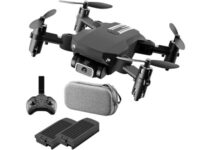
OLOEY Mini foldable drone

  • The Drone incorporates new flight technologies and features
  • The drone can do stunts like 360° flip and trajectory flight
  • You can take clear Photos/Videos at high altitudes
  • Features a 1080p HD camera for great selfies
  • The company's return policy needs improvements

Selfies need to be done right, but if you want them to stand out, a crazy angle and clear imagery should just about do it.

That’s what you will get if you choose to buy the Oloey drone since it is perfectly capable of aerial acrobatics like any other drone, but the 1080p camera will ensure quality pictures wherever you go.

Besides, you can control it via phone, and you always know exactly how a selfie will look before you even shoot it.


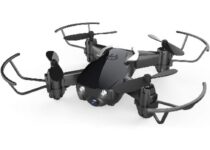
Eachine Mini drone

  • Incredibly affordable given the specs
  • The drone automatically takes off and lands with one click
  • Equipped with 720P HD Camera can take aerial photos and videos
  • On altitude hold mode, you can accurately lock the height and location
  • The camera isn't as good as other entries from out list

Selfies are one thing, but if you also want to shoot the occasional video, then the Eachine Mini drone is what you need, thanks to its high-quality camera and the flight stabilizing features that allow it to stay in one place over long periods of time.

Thanks to this, not only will your photos end up as clear as possible, but your recorded videos won’t look shaky either.

More so, the built-in controls are tailored towards beginners, so if this is your first drone of any kind, you won’t have trouble using it at all.


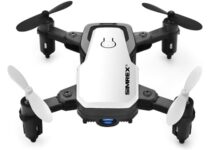
SIMREX X300C Mini drone

  • Can be controlled via smartphone without a dedicated controller
  • Incredibly small and portable
  • Great camera quality
  • Fast recharge times
  • Very delicate build, so try not to crash it into things while flying

Just like how selfie sticks are basically telescopic batons so that they can be as portable as possible, the SIMREX X300C Mini drone is a foldable drone of such minute sizes, carrying it in your pocket will not be a problem at all.

However, this doesn’t mean that it is any less efficient compared to its bigger brothers since it features a high-quality camera, and the ability to control it via your Android or iOS phone, without a dedicated controller.

More so, even if the battery dies out, you can charge it back up to 100% in 8-10 minutes, so you can play around with it with as little downtime as possible.


Eachine quadcopter drone

  • Easy aerial controls
  • 120-degree wide-angle camera
  • Incredibly foldable and easy to travel with
  • 720p HD camera that is great for taking pictures and filming
  • Doesn't fly very well if it is too windy

Many drones can be used to take selfies, but few models can pull off videos and panoramic shots like the Eachine quadcopter drone.

This mini drone features a wide-angle camera that allows you to film or take landscape photography to the next level, making it great to take around when you’re at the beach, in the mountains, or anywhere with a great view.

Taking it with you is made all the easier thanks to the folding arms that make it extremely compact when packaged.


Holy Stone HS160 Shadow

  • Images and videos will be stored in both the app and the mobile album system
  • Operate your drone through an APP after connecting the Wi-Fi to your phone
  • Aerodynamic design makes it easier to fly
  • Features a Wi-Fi FPV 720P HD camera
  • Not very good at hovering

Flying your drone can be extremely fun, so it’s easy to get carried away and fly it until the battery runs out over and over.

Well, if longer flight sessions are what you are looking for, then the Holy Stone HS160 Shadow is the mini drone that you need in your life.

Featuring a sleek and modern design, this mini drone will take some of the best pictures and selfies you’ve ever seen, and store them in 2 different locations for safekeeping.


So there you have it, the top selfie drones to buy. These selfies drones are not toys; they each have an inbuilt flight controller to keep them stable and an unwavering propulsion system to keep them aloft.

Some of these drones have very powerful cameras capable of capturing photos and videos at 4K resolution.

Though most of them are limited by battery life, considering that even the best on the list cannot capture video for more than 30 minutes, we hope that the new entrants in the drone space will fix the problem.

What do you think about the future of selfie drones? Let us hear your thoughts in the comments section below.


[wl_navigator]

Xbox partners with King Ice for a new jewellery collection of epic gamer rings, bracelets, and necklaces

Microsoft has partnered with King Ice (via GTG) to produce a range of high quality, and pricey, Xbox-themed jewellery for gamers looking to express their love for gaming when out on the town or just hanging with friends.

There’s a variety of rings, bracelets, and necklaces on offer showcasing either the Xbox logo or the word ‘xbox’ and each product appears suited for both male and female Xbox players.

Xbox King Ice Collaboration.

A promotional video called ‘Play Together’ was released to help promote the new King Ice Xbox collection which you can watch below. The entire product line can be viewed here.

Are you thinking of buying any of these items? Let us know which ones in the comments below and then follow us on Pinterest and Twitter for more Xbox gaming news.

6 Best NAS with Cloud Backup Access [Terramaster, Synology, QNAP]

The NAS (Network Attached Storage) devices have become popular among the home as well as office users.

NAS devices offer several benefits, one of them being able to access data from the drive using your home or office network wirelessly.

While choosing a NAS, you need to consider a few things. If you are a power user you may need a NAS with powerful hardware, if not, an entry-level NAS is good for casual users.

In this article, we have listed the top deals on NAS with cloud access to help you find the best one for you.

Note: Deals are subject to change. Keep in mind that the price tag often varies. We recommend going on the vendor’s website to check the price. Some products may be out of stock by the time you’ve made your purchasing decision. So, hurry up and hit the buy button.

What are the best deals for NAS with cloud backup access?

TERRAMASTER F4-423

  • 4-Bay High Performance NAS for SMB
  • N5095 Quad-core CPU
  • 4GB DDR4 Memory
  • 2.5 GbE Port x 2
  • Network Storage Server (Diskless)
  • More RAM would have been better

If you’re looking for a modern NAS with cloud backup access, you should definitely consider Terramaster F4-423.

It features 4 bays with a maximum raw capacity of 80TB (4×20 TB), and you can opt for 3.5″ and 2.5″ SATA HDDs.

We have tested it in our WR labs, and although we didn’t use the RAID feature, Terramaster F4-423 supports RAID 0/1/5/6/10.

The NAS is working smoothly, offering Centralized Backup, Duple Backup, Snapshot, CloudSync, and thus you can enhance the safety of your data.

We have also used the built-in M.2 2280 NVMe SSD slot for SSD cache acceleration and increased the storage efficiency of the disk array.

Synology DS220j 2

  • 24/7 file server for household
  • DiskStation Manager
  • Suitable for Windows, macOS and Linux PCs, or mobile devices
  • Integrated media server
  • Slow USB transferring speed

The Synology 2 bay NAS DiskStation DS220j offers up to 32 TB of storage capacity for housing your movies, photos, or important data.

It offers you total protection, because every DiskStation comes equipped with tools like Auto Block and Two-Factor Authentication to help you to keep your data safe.

QNAP 2 Bay NAS

  • Premium feature-rich NAS drive
  • Consistent performance
  • Hardware-Accelerated Transcoding
  • HDMI port
  • A bit pricey for what it offers

QNAP is one of the top three brands known for making premium NAS drives. QNAP 2 Bay NA is a mid-range device from the company and offers more storage for a premium.

This QNAP NA comes equipped with an Intel Celeron processor paired with 2GB of RAM and 4TB of Seagate Iron Wolf Drives pre-installed. You can further upgrade the NAS drive with more RAM and storage.

Synology DS218 2

  • Premium NAS drive with Quad-core processor
  • Plenty of features
  • 4K 10-bit video streaming
  • Synology DiskStation Manager
  • Expensive

The Synology DiskStation DS218 allows you to store, share and protect your data with a private cloud. It is one of the most popular entry-level NAS drives from the company and has received some rave reviews.

Synology DiskStation DS218 comes in multiple hardware option ranging from 1-bay 1GB RAM to 4-bay 2GB RAM. This particular model has 2 bays coupled with 2GB RAM.

It is a diskless drive, so you have to buy the hard drive separately. Powered by a Realtek RTD quad-core processor it is capable of 4K video streaming.

QNAP TS-251B

  • Compact NAS drive
  • Multiple connectivity options
  • Reliable performance
  • Cross-device
  • Has too little RAM

If you want a NAS drive that can be connected to your TV or computer through a physical connection, the QNAP TS-251B is the one to get.

It comes with an HDMI port to connect the drive to other HDMI enabled devices.

QNAP TS-251B is powered by an Intel Celeron dual-core processor paired with 2GB of RAM. It also comes with a SATA and PCIe slot for hard drive installation.

Synology DS918+ 4

  • Premium and powerful NAS drive
  • Plenty of connectivity options
  • 225 MB/s reading speed and 221 MB/s writing speed
  • 4GB DDR3L-1866 memory, expandable up to 8GB
  • Hard drive not included

If you are looking for a premium NAS setup, the Synology DiskStation DS918+ is a diskless powerful, all-in-one private cloud solution. It offers a high-speed scalable storage server designed for home users and SMBs.

Synology DiskStation DS918+ comes equipped with 4GB of RAM that is expandable up to 8GB. It does not include any hard drives and the users can use older drives or buy a new one.

Other features in the NAS drive include dual 1GbE LAN, advanced file system and dual-channel video transcoding on the fly.


NAS drives are not only useful for home entertainment purposes, but can also be used in the office environment to share files between the employees.

All the NAS listed in this article support third-party cloud storage services for cloud access. Go through the list and let us know your pick in the comments section below.

5 best DD-WRT routers [Cheap Options Available]

A DD-WRT router is a router that has a special open-source software (firmware) called DD-WRT installed on it to allow you to customize its features.

DD-WRT routers are preferred when you want to add an extra layer of protection to your all web traffic by setting up a VPN directly onto the router.

Also, they are the best choice if your household has multiple Internet-connected devices at the same time.

Not to mention that by using DD-WRT routers you can stream geo-restricted content, which is a huge problem with many on-demand video providers that only offer services in certain territories.

You can either purchase a DD-WRT router with a pre-flashed VPN, or you can set it up yourself, with a VPN client of your own preference.

Now, when you decide upon buying a DD-WRT router, there are a few aspects to take into consideration, such as performance, the number of devices to cover, specific use.

So check out our top picks below and put one on your to-buy list!

What are the best DD-WRT routers deals?

Asus RT-AC5300

  • Tri band (Dual 5 GHz, single 2; 4 GHz)
  • Supports every operating System, including Windows, macOS and Linux
  • Protection powered by Trend Micro
  • ASUS Smart Connect
  • AiMesh only works via WPS

One of the most powerful routers available right now, the Asus RT-AC5300 is perfect for large homes with its eight Ethernet ports.

It can easily cover more than 10 devices and comes with a powerful 1.4GHz processor reaching a top speed of 5,334Mbps.

Thanks to the four-receive configuration, the covered devices won’t interfere, so transfer rates are excellent. This is probably the best router for seamless streaming and gaming.


Linksys WRT-3200ACM

  • Fast wireless router
  • Tri stream 160 technology
  • Dual-band Wi-Fi speeds up to 2.6 Gbps
  • Operating temperature: 32 to 104 F (0 to 40 C)
  • It loses signal from the modem

With an impressive dual-core 1.6GHz processor, this router can deliver top speeds over dual Wi-Fi bands of 1,900Mbps.

It also boasts an outstanding file transfer speed thanks to an eSATA port, doubled by a 3.0 USB port for file sharing.

The MU-MIMO antennas allow the router to communicate with multiple devices at the same time, increasing the speed of the Wi-Fi network, however it is possible that not every VPN is compatible.


Netgear R6700

  • Fast Wi-Fi performance
  • Recommended for up to 25 devices
  • Wired Ethernet ports
  • Safe & secure
  • The router is dropping signal

This one is another excellent option for gaming and video streaming fans. It is not as powerful as the first two options, but still, it is suitable for smaller homes.

The maximum download speed is 1,750Mbps, divided into two channels. The power antennas are adjustable, but also detachable.


Netgear R7000

  • Fast Wi-Fi performance
  • Recommended for up to 30 devices
  • Smart parental controls
  • Netgear Armor
  • Complaints about the software

One of the most popular routers among VPN fans is the Netgear R7000 router.

Some notable details about it are the stable performance thanks to the dynamic QoS for gaming and streaming, as well as the very good coverage for large spaces and more than 10 devices.

It also comes equipped with a 2.0 USD port for your printer and a 3.0 SUB port for external hard drive or flash stick.


Linksys E2500

  • Dual-band Wireless N
  • Up to 300 + 300 Mbps transfer speed
  • MIMO antenna array
  • 4 Fast Ethernet (10/100 Mbps) ports
  • Needs to call the Linksys customer support to set up the router

A discreet and sleek wireless router, with dual-band Wireless N technology for an optimal coverage over the Internet, and no interference between your devices whatsoever.

The MIMO antenna provides good signal strength at a distance. Set up can be done in just 3 steps using the included Cisco Connect software.


These were our choices for DD-WRT routers. If you have any suggestions on this selection or if you want to add your own preference, please use the comments sections below.


[wl_navigator]

5 Best Cross-Platform Headsets That Work on All Platforms

Headphones provide the best experience when listening to songs or playing games.

With good quality headphones, you can rest assured of picking up even the minutest of sounds, thereby ensuring the most complete listening experience than would have otherwise been possible by any means.

What are the best cross-platform headsets deals?

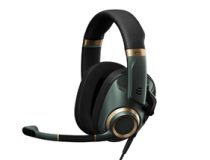
1. EPOS H6PRO – Best overall

  • Compatible with various consoles
  • Lift-to-mute technology, detachable microphone
  • EPOS BrainAdapt technology
  • EPOS Surround
  • Lightweight profile
  • The headphone jack uses an angle connector that can get in the way

This closed acoustic headset allows you to fully immerse yourself in any game. It has a proprietary high-quality speaker system that allows you to experience dynamic sound.

Thanks to the lift-to-mute boom arm, you can easily mute your microphone by lifting it. You can also detach the microphone if you don’t plan to use it.

The headset is light, so you can use it for prolonged periods, and with a volume wheel on the right headphone, you can easily adjust the volume.

As for compatibility, you may use these headphones on PS4, PS5, Xbox One, Xbox Series X, Switch, tablet, or any PC.

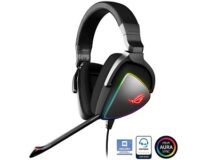
2. ASUS ROG Delta – High-quality sound

  • 127dB signal with 50 millimeter essence drivers
  • Improved lows, mids, highs, and ultrahigh frequency sound quality
  • USB C cable and USB 2.0 for multiplatform compatiblity
  • Airtight chamber design
  • A little heavy
  • Too large for some users

The ROG Delta is a masterpiece of headsets, like the ultimate thing you can wrap around your ears for gaming or listening to music.

The airtight chamber ensures a rich listening experience, while the 100 percent protein leather cushions are incredibly comfortable to wear even for long hours.

Besides being cross-platform compatible, the headset also controls volume adjustment and toggles the RGB effect on or off the device.

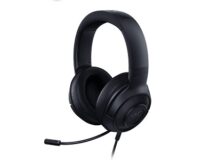
3. Razer Kraken X 7.1 – Ultra light

  • 7.1 surround sound
  • Ultra light and comfortable
  • Uses 40mm drivers
  • Easy to access volume control
  • Cross-platform compatibility
  • Microphone could be better
  • Nondetachable microphone

The Razer Kraken X 7.1 gaming headset gives you the best of everything.

That includes superb clarity thanks to the 40mm speakers, a noise-canceling mic, cross-platform compatibility, a comfortable and ergonomic design, and an affordable price tag.

All of these make the headset perfect for gaming and listening to music.

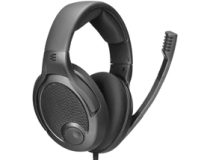
4. EPOS PC38X – Offers high-quality drivers

  • Works with various devices thanks to 2 removable cables
  • Microhone response: 50–16,000 Hz
  • Uses dynamic and open transducer principle
  • 28-ohm driver impedance
  • Comes with mesh knit and velour earpads
  • Background noise on low-volume
  • Could be more comfortable

EPOS PC38X has angled drivers and an open-back design; it offers high-quality stereo imaging and accuracy.

Speaking of drivers, they are the same high-quality drivers from the EPOS GSP 500/600 series and offer an improved low-end extension.

A noise-cancelling microphone is perfect for high-volume and low-distance recording, and it will easily filter any noise.

EPOS PC38X comes with two removable cables, allowing you to connect the headset to the PC or console without issues. Overall, it’s a great device for gamers, regardless of the platform.

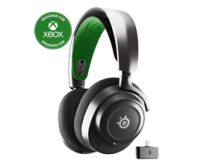
5. SteelSeries Arctis Nova 7X – Offers simultaneous wireless technology

  • AI-power noise canceling microphone
  • 38-hour battery life with fast charging
  • 360-degree spatial audio
  • The volume dial feels a bit loose
  • Minor connectivity issues with the latest Xbox

These headphones come with high-fidelity drivers and offer superior audio quality with 360-degree spatial audio. For fine-tuning, there’s an in-gaming Parametric EQ.

Simultaneous wireless technology is also present, and 2.4GHz and Bluetooth support allow for game and mobile audio mixing. An AI-powered noise-canceling microphone is also available to silence any ambient noise.

Lastly, SteelSeries Arctis Nova 7X comes with a multi-platform USB-C dongle, which can work on a wide range of devices, including PCs, Xbox, PlayStation, Switch, and phones.

Comes with a multi-platform USB-C dongle that lets it work on multiple platforms

If you’re looking for something else, maybe consider USB-C noise-cancelling headphones instead or noise-cancelling headphones for learning.

If you ever wondered are wired headphones better than wireless, then our wired vs wireless headphones guide will answer that for you.

8 best portable solar chargers for laptop and phone

Traveling often, going backpacking, or hiking long trails can mean finding your devices out of juice on the way. And dead laptops are no fun, made even worse by the lack of power to charge.

In this case, nature is your best resource. And what can be more useful than solar power when it comes to juicing up your devices again?

We’ve combed the internet for some of the best laptop solar chargers out on the market, and most of these chargers can juice up several of your devices with a single charge. Check them out below.

What is the best portable solar charger?

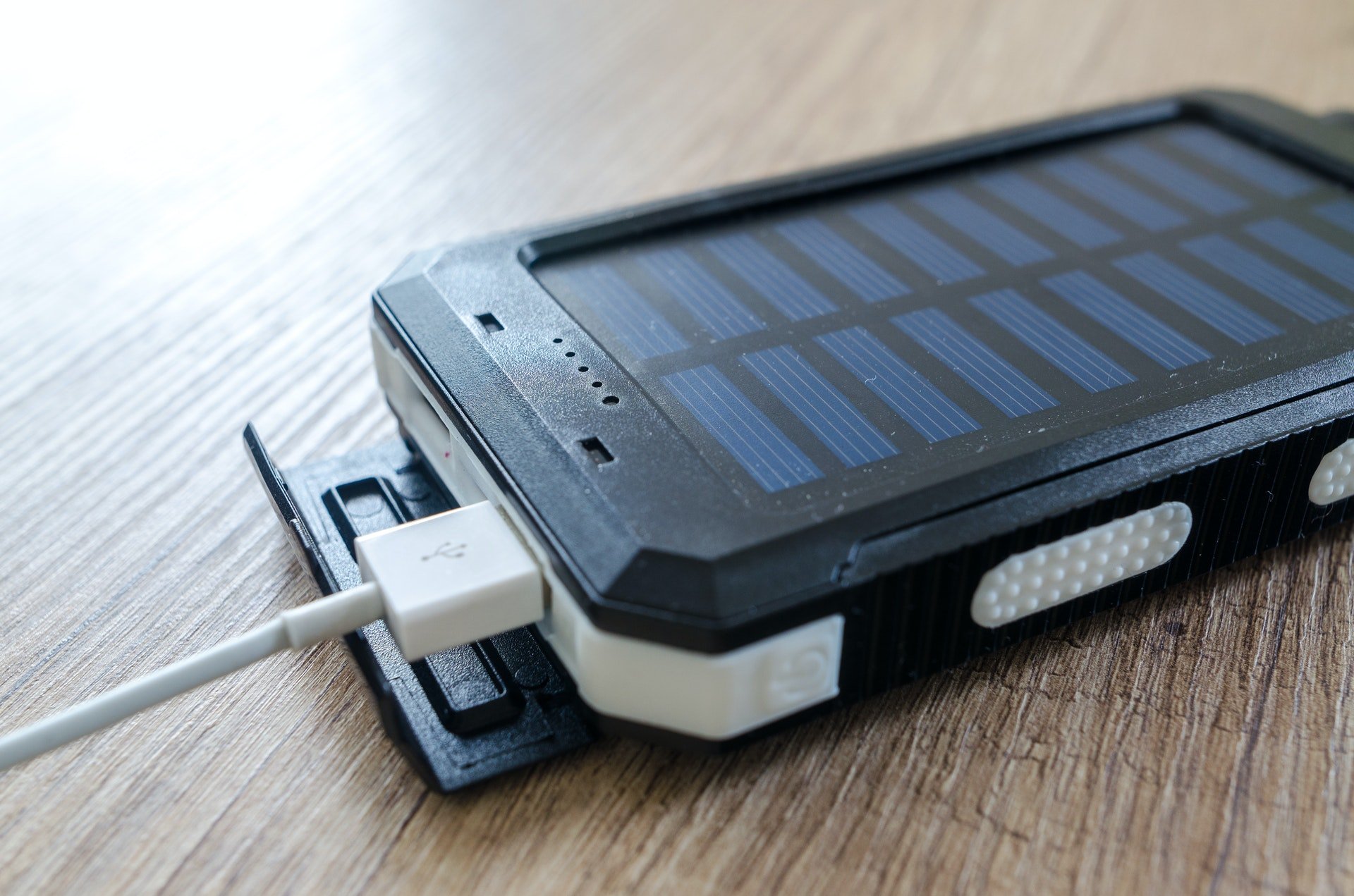
Wireless Solar Charger 26800mAh

  • 26800mAh Ultra-High Capacity
  • Charges really fast
  • Comes with solar panel
  • The charger is a bit heavy

The Wireless Solar Charger 26800mAh is designed to power tablets, laptops, and phone devices.

The solar kit can recharge from the wall, car, or from the sun, all you need to do is hang it outside, in the sun. It has a USB C port that allows you to fully charge the power bank in 7 hours.

Nekteck 21W Portable Solar Panel Charger

  • SunPower Maxeon technology
  • Advanced Smart IC Chip Technology
  • Waterproof
  • Does not seem to be able to charge Kindle device

f you are an outdoor enthusiast, then the Nekteck 21W Portable Solar Panel Charger is ideal for you. It has a rugged design and is capable of storing a great amount of solar power.

It can fold up to a compact 6.3x 11.1x 1.06 package that weighs just 17.3 ounces. You can also connect several panels to collect more energy. 

Solar Charger 25000mAh

  • Waterproof
  • Charges Smartphones and Tablets
  • Dual USB Ports
  • It is a bit heavy

This high capacity battery has a very nice design and you can choose from a variety of colors. It comes with a USB cable, has three-USB ports, a built-in flashlight.

The charger also comes equipped with 4 high-performance solar panels that charge 4-6 times faster than other chargers.

Solar Charger 26800mAh GRDE Wireless

  • External Backup Battery
  • 28 LEDs and 3 USB Output Ports
  • 26,800mAh Wireless Power Bank
  • Can take a long time to charge

Solar Charger 26800mAh, GRDE Wireless Portable Solar Power Bank can charge up to 4 devices at the same time which means that in general, you could charge your phone about 10 times and an iPad Pro for about 2 times.

The solar charger includes 28 LED lights which makes it fantastic as a night light as well, offering great illumination.

It’s a great choice for the outdoor environment since is waterproof, drop-proof, and even dust-proof. A great choice for outside activities.

Goal Zero Nomad 13 Solar Panel

  • Fits easily in most backpacks
  • Built-in pocket to store devices and cords
  • 13 Watt efficient monocrystalline solar technology
  • Only has 1 USB port

The Goal Zero Nomad 13 Solar Panel comes with 1 USB port for connectivity. It can be attached easily to where you need it and fits in most backpacks.

For frequent travelers, the charger can be hung on a backpack if you have any available loops. The solar charger fuels up quickly.

Goal Zero Unisex’s Nomad 50 Solar Panel

Compared to traditional solar panels, The Goal Zero Unisex’s Nomad 50 Solar Panel charger generates more electricity. It can serve up to 50 watts of energy, despite the small size of its solar panel.

You can adjust the panels to receive the best sunlight coverage using its stand. It charges with an available USB port, though there is no internal storage space, meaning you need to charge the laptop in the sun.

⇒ Check price now

Go Power! Weekender SW Complete Solar and Inverter System

This solar charger ships with a 125-watt solar panel and a 1500-watt pure sine wave inverter system. However, you may need at least a 200-ampere-hour battery to store energy from the solar panel. The charger is great for your power requirements on weekends and long trips.

The Weekender system combines a single solar kit and a pure sine wave inverter to produce a complete RV power package.

It includes components that allow convenient access to AC or solar power through your breaker panel. It also lets you charge batteries from both shore and solar power. 

⇒ Check price now

X-Dragon

If you live in a remote place and depend only on renewable energy sources, then the X-Dragon is for you. The system generates 20 watts of power and works more efficiently than most solar-powered chargers since its panels are 25% more efficient than other chargers.

The X-Dragon leverages solar technology and adjusts the current and voltage in accordance with the device that you are charging.

You can easily fold the solar charger for convenient transportation. It includes two USB ports and has a slim design for portability. The device also lets you charge different devices at once without sacrificing quality and performance.


There’s no doubt that portable solar laptop chargers are your best companion while you are traveling for work or leisure, as renewable energy sources like sunlight are the most reliable form of power while outside. Picking the best laptop solar chargers, however, can be a tricky task.

We also have a guide on the best 20000 mAh power banks, so don’t miss it for more great products.

If you think we missed other top-quality portable solar chargers for laptops, let us know in the comments below!

⇒ Check price


How to shop smart and save money with Edge this holiday season

Microsoft has announced some important updates for its Edge browser and Bing this morning. These new features have been designed to help users save some time and money during this holiday shopping season.

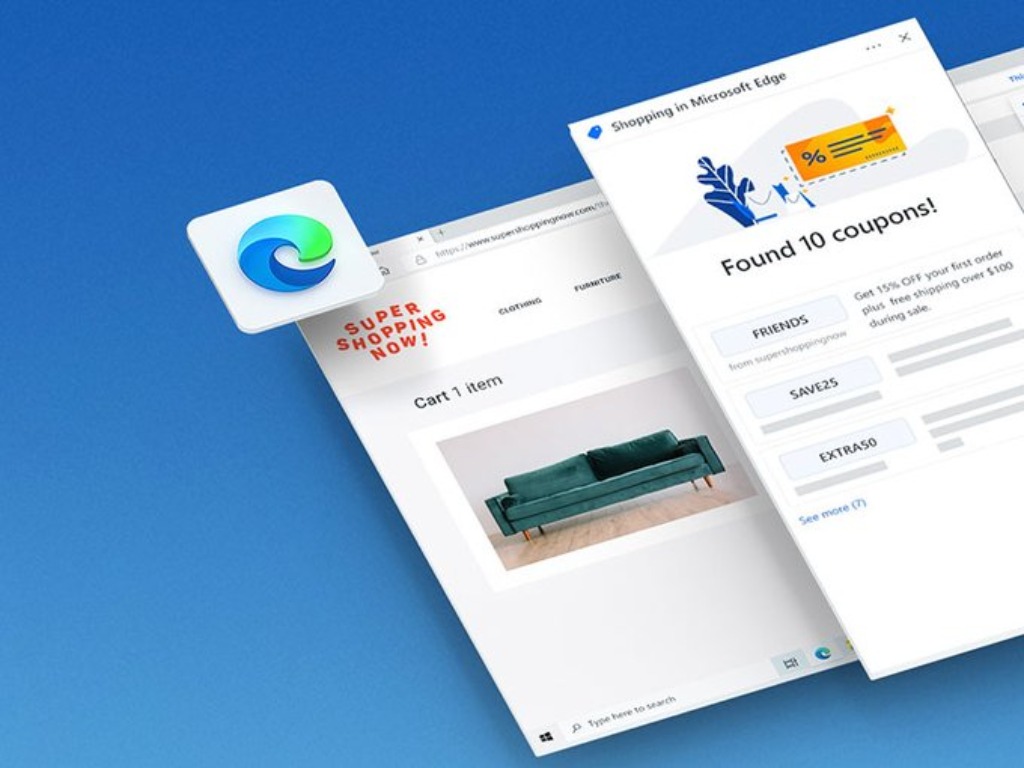
First of all, the new Microsoft Edge browser is getting a new coupons feature that will integrate with the existing price comparison experience. The company noted that coupons are now rolling out on Windows and iOS and it’s coming soon to Android devices.

“Coupons and promo codes are a great potential way to save money but they often require a lot of work to find, and too often they don’t work when you need them. That’s why I’m super excited to announce our new coupons feature in Microsoft Edge for desktop and mobile, which makes finding coupons faster and easier since the feature is built into the browser,” wrote Liat Ben-Zur, CVP of Modern Life and Devices at Microsoft.

TBD

Next up, the company has also announced some improvements for its price comparison experience which was announced last month. Microsoft Edge users will now be able to see a full list of prices for products available at different retailers by clicking a new badge pop up in the URL bar. Both these features (the coupons and price comparison tool) are currently only available in the US for now, though.

TBD

In addition to these Microsoft Edge features, the company has also launched a new shopping hub in its Bing search engine. The new shopping hub includes curated categories such as home decor, gift ideas, clothing, and jewelry, making it easier for users to browse the latest online shopping deals across various retailers. It delivers the ability to search for price drops, retailer and Bing Rebates offers, and much more.

TBD


Lastly, there are a bunch of productivity enhancements for students regarding the new Edge screenshot tool, annotation capabilities for PDFs, and a new URL shortener in Edge. We invite you to check out Microsoft’s blog post for more details.

How to hide and unhide chats in Microsoft Teams

Microsoft Teams doesn’t let you delete chats with your contacts. However, it is possible to “hide” a conversation, removing it from the chat pane while preserving the conversation history.

Hiding chats

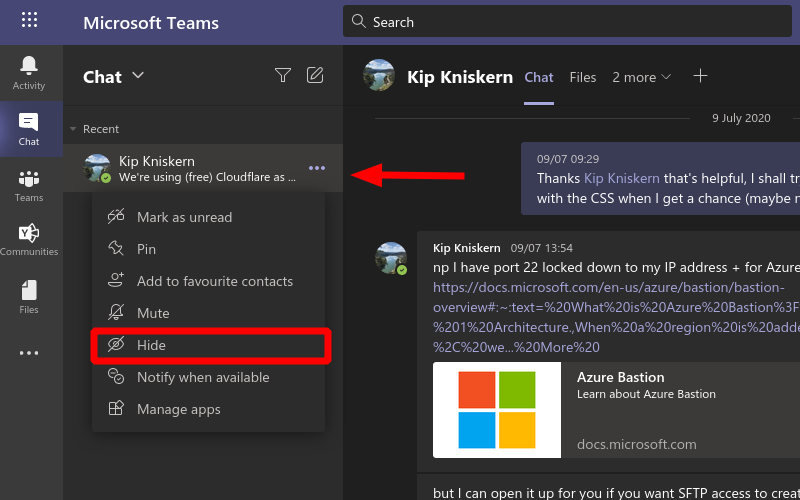
Screenshot showing how to hide a chat in Microsoft Teams

First, find the chat you’re looking for by clicking the “Chat” button in the left sidebar. Next, click the three dots icon next to any of the conversations in the list. Finally, click the “Hide” button to immediately remove it from view.

Unhiding chats

Screenshot of Microsoft Teams searchbar showing a hidden chat

Hidden chats aren’t displayed anywhere in the main Teams UI. To access them, you’ll need to use the search box at the top of the screen. Type a phrase that’s included within the chat – such as the name of the contact – to rediscover the hidden thread.

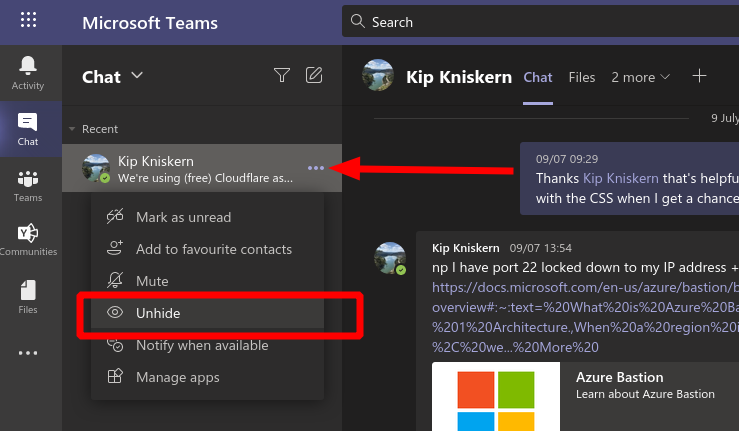
Screenshot showing how to unhide a chat in Microsoft Teams

Click the conversation’s search result to add it back to the Chat sidebar. Then, click the three dots icon and choose the “Unhide” option from the menu. The conversation will be back in the Chat pane permanently, ready for continued messaging.

Google shared drive file disappeared? Here’s the solution

Many Google Drive users share their files. Google Drive users in organizations share files on shared team drives that include members with different access permissions. Content within a shared drive is collectively owned by members of the drive.

When a shared drive file disappears, a member has usually deleted it. However, users might sometimes need to restore deleted files on shared drives.

Admin users can restore erased files on shared GD drives for 25 days after they’ve been deleted.

Can files disappear from Google Drive?

Shared Google Drive files also disappear for owners when they become orphaned files.

That can happen when a non-owner of a shared file deletes it. Then the orphaned file disappears, but it still exists for the owner. File owners can recover missing orphaned files with Google Drive’s search tool.

So, there are two alternative solutions for recovering shared Google Drive files that disappear. This is how you can recover deleted files on shared drives and shared orphaned files.

How do I recover a shared file in Google Drive?

1. Use the Google Admin console

  1. Enter admin.google.com in your browser’s URL bar, and press the Enter key.
  2. Enter your admin credentials to log in to the Google Admin Console.
    Admin console google shared drive disappeared
  3. Select Users to open a list of shared drive members.
    Member users list google shared drive disappeared
  4. Select the user you need to restore deleted files for.
  5. Click the button with the three dots on it for the selected user.
  6. Then select the Restore Data option.
  7. Click the From and To date boxes on the Restore Data window to select a date range to recover files for.
  8. Select Drive on the Application drop-down menu.
  9. Click the Restore button.

Note: Only Google administrator users can restore deleted files for shared GD drives as outlined above. Users who can’t log in to the Admin Console will need to ask an administrator who can recover deleted files.


2. Restore orphaned Google Drive files

  1. Log in to your Google Drive page.
    Google Drive google shared drive disappeared
  2. If you know what the exact title is for the missing file, enter that file name in Google Drive’s search box. That should find the missing orphaned file even it doesn’t have a folder.
  3. If you’re not sure what the title of the missing file is, enter unorganized owner: me in the Search in Drive box and press Return. That search operator finds orphaned files that aren’t stored in any folder.

Users can also find and fix orphaned Google Drive files with the GAT+ G Suite add-on. That’s an audit tool for G Suite apps that only admin users can install from the GAT+ page.

You can find orphaned files with that add-on by clicking Drive on the left of the GAT+ window and selecting Orphaned. That will display orphaned files. Then you can click the File Operators button to select a Fix orphans option.

Fix orphans option google shared drive disappeared

The above solutions will often restore shared Google Drive files that have disappeared. If you know a shared GD drive file has been deleted, try restoring it with the first resolution.

If you’re not sure what’s happened to a shared file, you might need to find an orphaned file as outlined for the second resolution.

[wl_navigator]

Hands-on and how-to guide to Microsoft Yammer, the Facebook for your workplace

These days, connecting with coworkers virtually is more important than ever. With offices being closed due to COVID-19, having an online community to chat, connect, and share professional resources internally with employees is  great for personal productivity (and sanity).

You may think that there’s LinkedIn for that, right? While that is true, Microsoft also has Yammer, which is an internal social networking tool to help you and your coworkers openly connect and engage across your organization. It’s included as part of most Microsoft 365 plans, and today we’ll be giving it a look.

What can you do with Yammer?

Okay, so what can you do with Yammer? Well, to be short, there are a couple of things.  You can use it to stay on top of what matters, use the inbox feature to see messages from coworkers, use it to share files, have conversations with coworkers, and join groups internally as your workplace. You even can create posts, praise your coworkers, edit documents, and send polls, too. Yammer also recently got a redesign, as the video above shows. It’s now much more in-line with Fluent Design and the rest of Microsoft’s iconography.

The profile on Yammer

Profile Delve Yammer

Once you sign into Yammer for the first time on the web, one of the first things you should do is set up your profile. The profile is how coworkers will learn about you, your work, as well as your interests. The profile is also used by Yammer to help you create communities and build a better network, as we get into later.

To edit your profile, you can click your profile icon at the top right of the screen when in Yammer. Then, choose My Office Profile. From there, you can choose to enter a variety of information. If you choose Update Profile you can fill out your profile with interests, skills, your birthday, phone number, and about me, projects you’ve worked on, and a lot more. You also can change your cover photo, too, to make your profile look a bit more personal.

Communities on Yammer

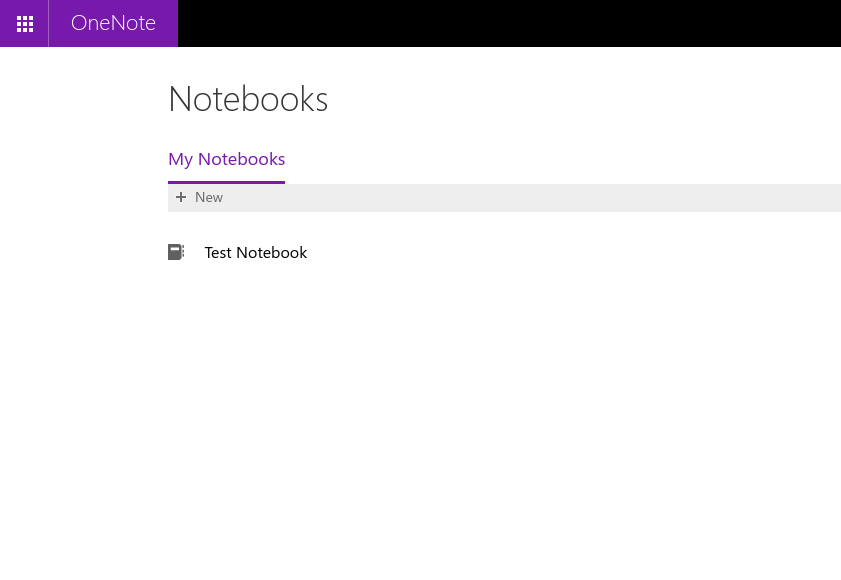
Test Community

With the profile explained, it’s now time to look at another key area of Yammer: Communities. Like Facebook groups or pages, Communities on Yammer give you a place to chat in public with coworkers and post about certain things. It’s the heart of the experience. Generally speaking, you can create a community to get started if your IT admin or boss has not already made one for you.

To create a community, you just need to click the My Communities tab at the side of the page in Yammer. Then, click Create a Community. Once you’re in here, you can choose a name for your community, and add members. If you want, you also can set it as private, so only members of the community can view conversations and post to it. If you set it to public, anyone with access to Yammer can see. Be sure to add yourself, however.

Once finished, you can click Create. You can always add anyone to the community at any time by clicking the Members area inside the community and then clicking the (+) icon. You’re also free to update the Cover Photo, too. Oh, and you can always add pinned files and links to the side of the community by clicking the plus button at the side under Pinned. This helps make your page look a little less generic.

But you’re not the only one that can create communities, so you can find one at any time as you please. Just choose Discover Communities to find one. You’ll be able to search for one and join the discussions.

Joining the conversation on Yammer

Conversations In Yammer

Now that you have a community, or are part of one, you can join the conversation. Yammer makes it really easy to do so, too. It works just like Facebook or LinkedIn, except this time, things are limited internally to just your coworkers and people inside your organization. There are several things you can do in a community on Yammer. You can join the discussion, post a question, send praise, or post a poll.

At any time, you can start a conversation in a community. Just click the community you want to post in, and then on top, choose to start a discussion. This gives you a text box, where you can type out your message. You can add people to it by clicking Add people, you can make it an announcement by clicking the megaphone, or you can even attach a file or a GIF, too. Once you post, your coworker can like or comment on your post. Here, they can even @mention you, too. Or, react to your post by hovering over it, and choosing an emotion.

In addition to conversations, you also can ask a question. Just click Question. You’ll be able to get answers in the comments below the post. Similarly, you can send a poll, too. Just choose Poll.

Finally, there is the Praise option. From here you can praise your coworker for things they’ve done. Just add their name, and then choose an emoji from the top, and then share what you want to praise them for!

The more you post and the more communities you join, the more you’ll see in your Home Feed which lists out all the recommended posts from across your communities. Give it a try, it’s cool!

Notifications, and private conversations on Yammer

Yammer Test Message

Are you a bit more of a private person? A bit too afraid to post in public and prefer a quiet chat instead? Well, in Yammer, you can chat with your coworkers in private, too.

To do this, click the Inbox section. From here, you’ll see all your notifications from across Yammer. This includes unread notifications and private messages. You can create a Private Message from here, too. Just choose New Private Message from the top, and then Add People to choose who to send it to. The recipient will then be able to comment and reply to the message in the same way as if it were public.

You’ll also notice your notifications here, too, in the Inbox section. Or, alternatively, you can click the bell icon on the top right of your screen to show you your Yammer notifications.

Uploading files to Yammer

Files In Yammer

Since Yammer is part of Microsoft 365, it goes beyond discussion and chats. You can use it to collaborate on files. You even can use it to create a Word document directly from inside Yammer, too.

To upload files to discuss, you can click the Files tab at the top of a community. From here, you’ll be able to either Upload or create a new file. If you click Create New. You’ll be able to create either a Word document or a PowerPoint. This will open up Word Online, where you can collaborate on it, just as you would in the dedicated desktop app.

Live events on Yammer

Yammer Microsoft 365 Live Events

Conversations, chats, and communities are just three things to be done in Yammer. IT Admins can also set up a Live Event in Yammer, too. With this, you’re able to bring the members of a community together, centered around a specific event. Say, a celebration, a retirement, a party, or even, a meeting. Live events can be held in a public community to reach all employees or in a private community so that only those with membership in the group can participate.

You’ll need the right licenses to run a Live Event. You can use Teams, Stream, or an external encoder if need be, too.  But, to host a live event in Yammer, your organization must have Enforce Office 365 identity selected, and you must be using Microsoft 365 connected Yammer groups. Some additional requirements are below. And you can read more about it at Microsoft, here.

  • Everyone who attends a Yammer live event must have a Microsoft 365 or an Office 365 plan that includes a license for Yammer (for example, Office 365 A3, A5, F1, E1, E3, or E5) and Microsoft Stream.
  • Only members of your Yammer network can attend live events. Guests and external users do not have access to live events.
  • For live events in public groups, all members of your Yammer network can attend. For live events in private groups, attendees must be members of the private group in which the live event is hosted.
  • For attending a live event in Teams, a Teams license is required.

You can have up to 10,000 people in a live event. Please be aware, though, that events produced using Teams use the Azure Media Player. Events produced using an external app or device will also use the Stream player. Some more information is available here.

How will you use Yammer?

Now that you know the basics, how will you use Yammer? Will you connect with coworkers outside of Teams? Will you send them praise? Let us know in the comments below. And, be sure to stay tuned to our Microsoft 365 Hub. We’re planning to cover Yammer’s mobile apps next.

5 Hp Laptops With Best Battery Life [2026 Guide]

The purpose of a laptop is portability, and being portable means that you don’t need to depend on a power supply for too much and that you can rely on your laptop‘s battery.

This principle applies to both work and gaming laptops, and choosing a laptop with a long battery life can give you the extra hour necessary to successfully submit a business report or last long enough for your online gaming match to finish.

Regardless of the situation, having a good battery life is a must when looking for a laptop, and HP has some of the most long-lasting batteries of any brand out there.

If you too want to get your hands on an HP laptop with good battery life, all you need to do is to take a look at our top picks.

What are the best HP laptops with long battery life?

HP 15-dy1036nr

  • HP True Vision HD webcam
  • Integrated numeric keypad
  • BIOS recovery and protection
  • Battery life: up to 10 hours and 15 minutes
  • Portable, micro-edge bezel design
  • Loud fan

Interestingly enough, the laptop to top our list as having the longest battery life is also the one that has the potential to be both powerful and affordable.

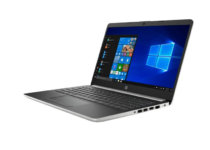
The HP 15-dy1036nr laptop is an ideal choice for all those who like the idea of a thin and stylish, micro-edge bezel design.

Even more, the 15.6-inch diagonal Full HD, anti-glare, micro-edge, WLED-backlit display cannot disappoint you, while the power comes from a 10th Generation Intel(R) Core(TM) i5-1035G1 processor.


HP 15-cs3019nr Pavilion

  • Bluetooth(R) 5 for fast transfer speed
  • Amazon Alexa
  • Superfast 10th Generation Intel Core processor
  • Intel Turbo Boost Technology
  • Battery life: up to 10 hours (mixed usage)
  • No DVD player/ recorder

HP 15-cs3019nr Pavilion is a laptop that is designed to last all day so that you can take some of your projects back at home and keep on working.

It also comes with a sleek and stylish design that makes this eye-catching laptop easy to take anywhere, and you won’t be ashamed of showing it off to anyone else either.

With its beautiful brushed keyboard and color-matched hinge, the smartly this laptop looks as good as it performs. And if you are in a hurry, just ask and Alexa can check your calendar, create lists, play music, and more.


HP 14″ 850011107829

  • AMD Ryzen 3 3200U processor
  • Energy-efficient LED backlight screen
  • Accurate touchscreen
  • Bluetooth 4.2 and RJ-45 LAN Ethernet combo
  • Very sturdy
  • No fingerprint scanner

The first thing that pops into your mind when dealing with a sturdy laptop is that the battery will probably give out pretty soon.

Well, the HP 850011107829 touchscreen home and business laptop is here to prove you wrong, since despite having an impressive array of specs and this sturdy feel, the battery will not give out anytime soon at all.

The DDR4 2400 MHz RAM memory with Solid State Drive combo makes it perfect for gaming, creating, and advanced multitasking. What’s more, it comes at an incredibly affordable price, so buying it won’t set your budget back.


HP Stream 11

  • Microsoft 365 included
  • Intel(R) Celeron(R) N4000 processor
  • HD AntiGlare WLED-backlit display
  • Storage: 32 GB eMMC
  • Lightweight and doesn’t use much space
  • Insufficient hard drive space

If you want to know what it is like to hold an ultra-modern device in your hand, then you couldn’t choose a better laptop than the HP Stream 11 one.

The battery is made to keep you going for hours and the thin, light, and portable design will make you proud of taking it everywhere with you.

Even more, the 11.6-inch diagonal HD AntiGlare WLED-backlit display (1366 x 768) is vivid and perfect for watching movies or playing the latest games.


HP Chromebook MT8183

  • MediaTek mobile processor
  • Google Chrome and Android apps
  • MediaTek Integrated Graphics card
  • HP True Vision camera
  • Wi-Fi 5 WLAN adapter
  • No touchscreen

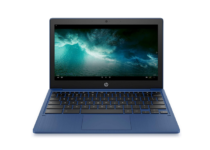
If you’d like a stylish model more than anything else, then you will absolutely fall in love with the HP Chromebook 11-inch MediaTek MT8183 laptop.

You can easily switch between gaming, connecting with friends, and working thanks to the powerful MediaTek mobile processor.

There’s also a full-size keyboard, as well as a vivid 11-inch display, not to mention that you can enjoy rock-solid connections with the latest Wi-Fi 5 WLAN adapter and Bluetooth 4.2.


Work hours at the office will most often drag on and on past the designated schedule, and when that happens, you always want to have your battery last a little bit longer than 8 hours.

More so, if you’re on the road and don’t have access to a power outlet, then a battery with a long battery life will help you squeeze in a few extra hours of work.

As such, battery life shouldn’t be considered a secondary factor when choosing a laptop, business, or otherwise. Let us know your pick in the comments area below. 

[wl_navigator]

Windows 10 Pandora app not working [Desktop version]

Pandora is a music app that’s now available on the MS Store. However, some users have said on support forums that the app doesn’t work for them.

When they try to open Pandora, the app doesn’t start up at all or only briefly opens for a few seconds before closing. To quote one user:

When I open the Pandora App, it will appear to open as normal but goes away after 3-5 seconds. It’s as if the app is closing every time it’s opened (no error messages).

In today’s guide we will explore some of the best fixes for this annoying issue, so make sure to read through it.

How can I fix the Pandora app?

1. Run the Windows Store Apps troubleshooter

  1. To open the search box in Windows 10, press the Windows key + S hotkey.
  2. Type troubleshooting in the search box.
  3. Select Troubleshoot Settings to open that tab.
  4. Click Additional troubleshooters.
  5. Select Windows Store Apps to click the Run troubleshooter button for it.
  6. If the app troubleshooter detects any issues, go through the troubleshooter’s suggestions.

2. Turn off your antivirus software

  1. To turn off the Windows Security antivirus, click the Type here to search button on the taskbar.
  2. Then enter Windows Security in the search box.
  3. Click Windows Security to open it.
  4. Click the Virus and threat protection shield button on the left of the app.
  5. Click Manage settings to open further options.
  6. Toggle the Real-time protection option off.

If you’ve installed a third-party antivirus utility, you’ll need to disable that by right-clicking its system tray icon. Then select the shield disable or deactivate setting for your antivirus utility on its context menu. Disable the antivirus software for about an hour if you can, and then try opening Pandora.


3. Refresh Windows Update

  1. Press the Windows and R keys at the same time to open Run’s window.
  2. Type services.msc in Run’s Open box, and click the OK option.
  3. Right-click Windows Update to select the Stop option for it.
  4. Next, right-click Background Intelligent Service and select Stop.
  5. Click the taskbar button for File Explorer.
  6. Open this folder in File Explorer: C:\Windows\SoftwareDistribution\
  7. Hold the Ctrl key to select all the content within the SoftwareDistribution folder.
  8. Click Delete on the Home tab.
  9. Restart Windows 10, and then try launching Pandora.

4. Reset the Pandora app

  1. Press the Type here to search button on the left side of Windows 10’s taskbar.
  2. Input apps in the search box.
  3. Click Apps & features to open that tab in Settings.
  4. Select Pandora in the app list, and click Advanced options.
  5. Click the Reset option.
  6. Click Reset again on the confirmation prompt.

5. Reset the MS Store cache

  1. Open the Run accessory as outlined for resolution three.
  2. Enter cmd in Run and click to launch the Command Prompt.
  3. Type this command in the Prompt’s window: wsreset.exe
  4. Press the Return keyboard key after entering that command.

The above resolutions aren’t necessarily guaranteed to fix Pandora, but there’s a pretty good chance they’ll fix the app.

However, remember that there’s also a music player on the Pandora website you can utilize as an alternative.

[wl_navigator]

How to make yourself Available, Busy or Offline in Microsoft Teams

Microsoft Teams has support for “presence statuses” which let you signal your availability to your colleagues. Teams will automatically switch you between statuses based on your usage of the app – you’ll appear as Away when the app’s been in the background for a while, or Busy if you’ve got a calendar appointment blocked off in Outlook.

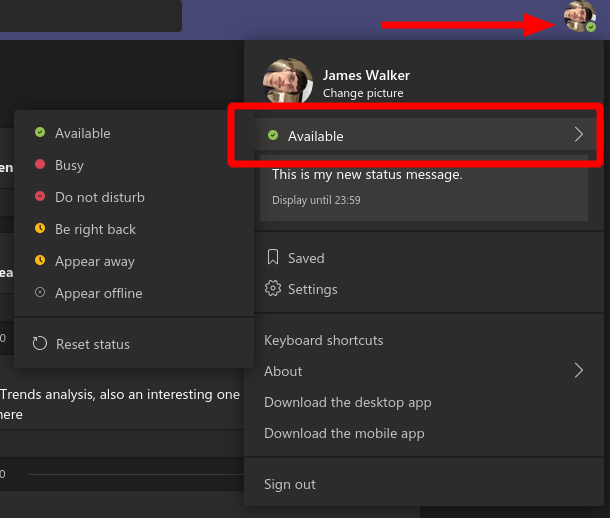
To manually change your status, click your profile picture in the top-right of the app. Below your name, you’ll see your current status. Click or hover this to see and select the available presence modes.

Screenshot of changing presence status in Microsoft Teams

“Available” is the default and signifies that you’re ready to participate in a conversation. “Busy” shows you’re concentrating on a task, while “Do not disturb” will suppress notifications and convey to your co-workers that you want to stay focused. There’s also “Be right back”, for short breaks, and “Appear away” (forcefully enter the “Away” state used when the app’s in the background).

The final option, “Appear offline”, will remove your presence altogether – other users won’t see that you’re signed into the app. This could be helpful if you’re checking messages outside of work hours and don’t want to be pulled into an unplanned conversation.

Once set, your status will be visible as the coloured icon in the bottom-right of your profile picture. It’ll be visible to all Teams users. Microsoft is currently working on adding support for timed status expirations, so that you could choose to mark yourself as “Busy” for the next hour before automatically reverting to “Available”.

5 Best Cables for Subwoofers [2026 Guide]

If you’re in the music business, or simply own a subwoofer for your own personal entertainment, then you also need a good cable to go with it.

But you obviously need to know what exactly makes a good coaxial subwoofer cable.

While in theory, any RCA cable could work, cables that are specifically labeled subwoofer should have certain characteristics.

These range from an improved transmission of sound to better interference reduction.

And this is precisely why we decided to make a list of top cables that are great to use with a subwoofer.

Note: Deals are subject to change. Keep in mind that the price tag often varies. We recommend going to the vendor’s website to check the price. Some of the products may be out of stock by the time you’ve made your purchasing decision. So, hurry up and hit the buy button.

What are the best subwoofer cable deals?

Mediabridge ULTRA Series

  • Excellent bass response and flexibility
  • Low-loss, wide spectrum coaxial cable
  • Dielectric insulation, aluminum braiding, and 2 layers of foil shielding
  • Unique gripped molding and corrosion-resistant gold-plated RCA connectors
  • Male connector tip may be a bit fragile

If great sound signal and high-interference isolation is your main goal, then a Mediabridge ULTRA Series subwoofer cable is just the tool that you need.

Featuring a robust design thanks to the quality materials that it’s made of, this cable will transmit sound and also last you for a very long time.

AmazonBasics Subwoofer Cable

  • Corrosion-resistant 24K gold-plated full-metal connectors
  • Eliminates unwanted noise or feedback for pure, clear audio
  • A minimal signal loss for reliably consistent audio
  • Color-marked connectors for quick, easy left-and-right hookups
  • Cables are bulky and won’t fit in recessed jacks

If you’re looking for a budget subwoofer cable that will still get the job done, then the AmazonBasics Subwoofer Cable is just what you need, delivering a great balance between price and performance.

It comes in many variants, including 1-Male to 2-Male or 2-Male to 2-Male variants, making it great for a wide variety of setups and situations.

Mediabridge Ultra Series RCA Y-Adapter

  • Low-loss, wide spectrum coaxial cable
  • Deep and precise audio quality
  • Built with braided copper shielding, aluminum Mylar shielding and gas injected foam dielectric
  • Finished in a heavy-duty, yet flexible PVC jacket with color-coding
  • The cord is way too short

Yet another product from Mediabridge, the Mediabridge Ultra Series RCA Y-Adapter is a cable that could be used in a wide variety of applications, not just your subwoofer, making it very versatile.

The most noticeable feature of this cable is the Y-adapter which has 1-male to 2-male RCA connectors, that splits audio components for a genuine surround sound experience without the need for any extra cables.

Ultra Series Digital Audio Coaxial Cable

  • Great for connecting subwoofer speakers, receivers, sound systems, and more
  • Copper clad center conductor, dielectric insulation, aluminum braiding, and dual foil shielding
  • Corrosion-resistant gold-plated RCA connectors
  • A tough, yet pliable PVC jacket for durability
  • The cables can be a bit tight

If you’re looking for a cable that you’re going to use quite a lot, and not just the subwoofer, then the Ultra Series Digital Audio Coaxial Cable is the right choice for you.

It can be used to connect a wide variety of devices, including HDTVs, Blu-Ray players, DVD players, game consoles, DVRs, cable boxes, satellite boxes, subwoofer speakers, receivers, sound systems, and more.

However, keep note that it does its job at the highest quality standards in each situation.

KabelDirekt RCA Stereo Cable

  • Y-adapter cable
  • Oxygen-free copper that provides maximum power and efficiency of signal transmission
  • Double shielding for maximum protection
  • 24k gold-plated connectors
  • Connector tips can break off too easily

The KabelDirekt RCA Stereo Cable is ideal for a clear, reliable audio connection to home theater, subwoofer, and other HiFi systems thanks to the premium materials that ensure great sound transmission and shielding.

The gold-plated connectors also protect against corrosion, and the sturdy PVC cable ensures that it won’t snap off too easily because of rolling it too tight.

As mentioned before, a good subwoofer cable should have several specific features if you want it to be good at that particular job.

For starters, they should have tighter woven fibers in the mesh of the shield or a second or third shield made of mesh or foil, and gold plating on the connectors of a subwoofer cable improves conductivity and prevents corrosion.

If you find any other cables that have these specifications, they could be used as a subwoofer cable with great results.

Microsoft Word for web now lets users embed videos, slides, other interactive content

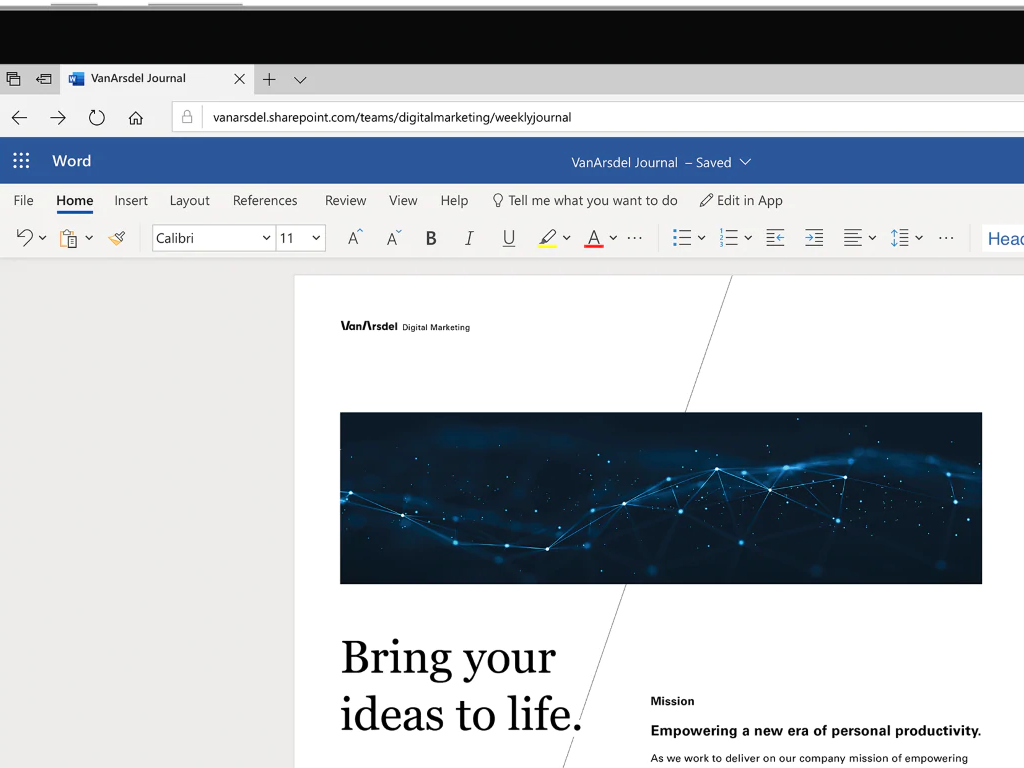
Microsoft is rolling out a new feature for Word for Web that should make it possible for the users to embed interactive web content within documents. In a recent tweet, Microsoft EDU Product Manager Mike Tholfsen announced the rollout of the new feature worldwide.

The new addition, called Word Embed, brings support for embedding interactive web content within the Microsoft Word web client. Just like OneNote, users will be able to embed videos, slides, and more from a wide range of popular platforms, including YouTube, Microsoft Streams, SlideShare, and Vimeo.

For example, to embed a YouTube video, a user could paste the URL into a Word document. If the URL supported is by this feature, the web app should automatically add the corresponding web content in the document.


The new experience makes it easier for the users to play the embedded content right from the document using controls such as play, pause, and more. It also provides the opportunity to immensely reduce the time required to separately open attached links in Microsoft Word, especially for users who have multiple files embedded in a single document.

Furthermore, Mike Tholfsen confirmed in a follow-up tweet that the feature will come to the iPad app and the desktop version of Word in 2021. The number of supported sources is growing, and we invite you to add this page to your bookmarks.

9 best Windows 10/11 tablets under $400

Cheap Windows 10 tablets are finally a reality, mainly thanks to the affordable Intel Bay Trail chips.

If you are looking to buy some under the $400 mark, here is a top 10 collection.

What is the best Windows 10 tablet under $400?

Fusion5 FWIN232 PLUS S1 Ultra Slim Windows Tablet

  • Ultra-slim design
  • 4GB RAM
  • USB 3.0 connectivity
  • 12-month full warranty
  • The compact screen can hinder typing

Ultra-slim and portable, yet powerful and effective for your everyday tasks – what more could you want from a Windows 10 tablet?

Fueled by a powerful Intel processor that neatly combines with an equally powerful GPU, the tablet is quick and responsive. But it’s not all about work – when you work hard, you get to also play hard.

And the 10-inch IPS display with beautiful color rendering is perfect for entertaining as it is for gaming.

Fusion5 Ultra Slim Windows Tablet

  • 4GB RAM plus 128GB Storage,
  • USB 3.0, Bluetooth, Wifi connectivity
  • Intel Quad-Core processor
  • 5MP and 2MP Cameras
  • No output volume on the stereo speakers

When a powerful CPU (fueled by the Intel Quad-core processor) meets an equally powerful GPU (4GB of RAM and 128GB of onboard storage), you can only expect awesome results whether we are talking about work or fun activities.

Regardless of your purpose, this tablet is ready to meet all your needs with Bluetooth 4.0 and Wi-Fi connectivity as well as a full-size USB 3.0 port.

And we dare to add a little extra something: the stylish, ultra-compact design that is both esthetically pleasing as is practical and travel-ready.

Fusion5 Ultra Slim Windows Tablet

  • Upgraded Intel Quad-core processor
  • 10-inch graphic display
  • Bluetooth 4.0 and Wi-Fi connectivity
  • Full-size USB 3.0 port
  • The on-screen keyboard hides the chat entry field

Fusion5 is an emerging tablet selling brand that has gained a lot of popularity recently and for all the good reasons.

High-quality specs including powerful GPU and CPU, a 10-inch graphic-optimized display, generous storage, and numerous bonus features make it a solid option if you’re considering a Windows tablet that will not break the bank.

With Dual speakers, 2 cams (5MP primary camera and 2MP front camera), multimedia support, and a full-size USB port to back you up in any endeavor, be it work-related or fun-seeking, you cannot go wrong with this tablet.

CHIWI Hi10 XR 2 in 1 Laptop with Stylus Pen

  • 10-inch FHD Touch Screen
  • 128G SSD
  • 5G Wifi, BT5 connectivity
  • Turbo frequency 2.6GHz
  • The pen does not include other spare tips

With multiple ports to meet all your needs including Micro HD, TF card slot, USB 3.0, dual USB Type-C, and 3.5 mm headphone jack and full touch and stylus compatibility, this 2-in-1 device from CHUWI is a strong contender in our top of best Windows tablets under $400.

The device is fueled by an Intel Celeron N4120 processor with 4 cores and 4 threads and it supports 4K HD video signal.

The generous 128GB ROM storage capacity with an expandable 128GB SD card slot secures smooth and fast performance.

To boost your productivity, the tablet comes with a keyboard and the latest level pressure stylus.

CHUWI UBook X 12-inch 2-in-1 Windows 10 Tablet

  • Intel Quad-Core processor
  • 8GB+256GB
  • Bluetooth and Wi-Fi connectivity
  • 12.3-inch display
  • TF card is not included in the package

Another nifty product by CHUWI makes our list. This tablet boasts a viewing optimized 12.3-inch display and all the storage capacity you could need.

Performance is also a strong point and this should come in as no surprise since the laptop is powered by an Intel Quad-Core processor.

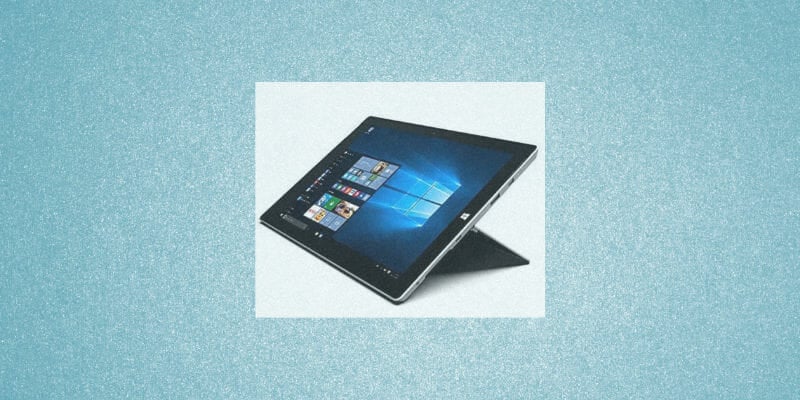
Microsoft Surface 3 Tablet

Powered by a Quad-Core Intel Atom x7-Z8700 processor that clocks at 1.6GHz, this tablet may be compact in size, but it’s as performance-oriented as they get.

The 10.8 inch ClearType Full HD Plus display is another appealing feature that could interest you.

With beautiful visuals and enough battery life to last for up to 10 hours of video playback, you will fall in love with this simple, yet highly-effective device.

⇒ Check price on Amazon

Jumper EZpad Go pc Tablet

This Jumper-developed model offers full touch and stylus support and it comes with a keyboard and unique pen that gives you more control over your writing or drawing while completely eliminating any unnatural resistance.

The device is set to make you feel comfortable when using it and the sleek, adjustable design with various modes does its part to facilitate that.

Performance-wise, you get to enjoy the benefits of the Intel Quad-Core N3450 processor, hybrid storage (4GB RAM and 128GB SSD), and of course full video support through its FHD 11.6-inch display.

⇒ Check price on Amazon

Avita Magus II [WT9M10C44]

This Avita Magus model is another budget-friendly option you should definitely consider when looking for a Windows 10 tablet under $400.

With powerful specs including an Intel Celeron N4000 processor with 2.6GHz Burst Frequency, 64GB of onboard storage, an FHD IPS screen that is also touch-ready, and a battery life that lasts up to 6 hours, you are in for a big treat.

So why not treat yourself?

⇒ Check price on Amazon

TECLAST X4 2 in 1 Laptop Tablet

TECLAST spoils its clientele with this 2-in-1 device that is not only a tablet but also a laptop with a detachable magnetic keyboard.

Powered by the Intel 9th-generation GeminiLake processor with up to 2.4GHz Turbo Boost, 8GB LPDDR4 RAM and 256GB high-speed SSD, and advanced UHD 600 Graphics, this Windows 10 laptop will bring you the most value for your money.

⇒ Check price on Amazon

RCA Cambio 10 2-in-1 Notebook Tablet

If you’re on a quest for Windows 10 tablets, this RCA Cambio notebook will surely catch your eye.

Sleek and compact in design, but powerful and feature-rich, this device boasts a 10-inch FHD touch-ready screen with 2 cams, hybrid memory (2GB RAM, 2GB DDR of System Memory, and 32GB Flash Memory), and performant CPU fueled by an Intel Atom processor.

On the connectivity side, you will be spoiled for choice: USB 3.0 and Mini HDMI Ports, Bluetooth 4.0, 802.11b/g/n Wi-Fi.

To top it all, the battery lasts for up to 5 hours allowing you to perform all your tasks without any interruption.

⇒ Check price on Amazon

So, what is your favorite Windows 10 tablet under $400 from the above list?

Don’t be shy to share your pick with us by reaching for the comments section below.

[wl_navigator]

7 Best USB-C Noise-Cancelling Headphones [2026 Guide]

While the audio device 3.0 specification to use the USB-C port for audio was passed, implementing the same hasn’t been as fast, owing to the rarity of USB type C devices in the market.

Little, yet important gadgets such as unifying receivers, headphone adapters, gaming mice, among many others, are not as many despite the demand.

While the type-C headphones haven’t seen a surge in adoption compared to their wireless and lightning counterparts, there are consumers who are actually looking for USB-C headphones.

We look at some of the best USB-C headphones you can get at this time of the year, but this list will definitely be updated as soon as other type-C headphones are released.

What are the best USB-C headphones to get today?

TaoTronics TT-BH085

  • Hi-Fi Audio Sound & Deep Bass
  • Customizable Comfort & Ultra-Lightweight
  • Up to 40 hours
  • Bluetooth functionality issues early on

If you want quality sound and durability, then this is one of the best USB-C headphones you can buy.

They feature the Active Noise Cancelling (ANC) Technology, which can be turned on or off to cut surround noises significantly so you can enjoy pure music in an immersive listening experience with crisp vivid highs.

One of the factors most music lovers look for in over-ear headphones is the sound, and the 40mm drivers don’t disappoint with the vibrant bass/treble and crispy mids, delivered through its unique design that minimizes interference from other frequencies around you.

Only 5 minutes of recharging will get your  2 hours of playtime; after a full recharge, the headphones can be used for up to 40 hours nonstop.


Belkin in-Ear USB-C Headphones

  • Innovative design for perfect noise isolation
  • For USB-C devices without a headphone jack
  • No tangling wire design
  • Volume issues

You might not expect in-ear headphones to be noise-cancelling, but a few models are, including these Belkin ones.

They do not support calling but are specifically designed to deliver a superior listening experience with cutting-edge digital audio technology with style, quality, and comfort.

They come with 3 models of ear tips to fir any ear form; besides, the flat wire ensures that they won’t get tangled in your pocket or wherever you store them.


Bluedio T5

  • Up to 25hrs of playtime
  • 3-in-1 interface (type-c, wireless and wired)
  • Bluetooth v 4.2
  • Bluetooth issues

T5 is the superior version of the Turbine 4th generation as its details and sound quality are fully upgraded.

Like the previous models, the Bluedio T5, this USB-C headphone comes with ANC technology that cuts out surrounding noise so you can enjoy music in its pure form for an immersive listening experience.

A unique feature is the Vector Flow Supercharging Technology with a vent hole on the back cavity that can exhaust gas and equalize air pressure on both sides of the headphone cavity for enhanced sound quality and powerful bass sound reproduction.

It also has a type-C three in one interface that supports charging and data transmitting, which you can plug in both sides so it is easy to use. Built with premium materials and high-quality polymers with chrome finish, you’re sure to have this pair of cans for a long time.


Sennheiser Momentum 3 Wireless

  • Auto On/Off and Smart Pause
  • Automatic Pairing Mode
  • Premium material for extra comfort
  • Heavy
  • Bass sound feels unreal

This type-C USB compatible headphones have intuitive controls and a 3-button interface that comes in handy whether you’re listening to your music, trying to suppress external noise, or taking a phone call.

The soft earpads and headband made of genuine leather are perfect for long listening sessions, although the headphones might seem a bit heavy at first.

The entire package comes with the headphones, a carrying case, USB-C charging cable, USB-C to A adapter, and an analog cable. 


Bluedio Bluetooth Headphones Over Ear

  • Bluedio's best ANC headphones to-date
  • Price
  • Up to 16hrs nonstop playtime
  • Functionality issues might appear after a few months of use

The only advantage of this pair of headphones is the price. They come at half the price you would get a similar noise-cancelling device.

Apart from that, they use the same ANC technology and Bluetooth connection use by the models we’ve already presented.

Users have also praised the sound quality, which seems crisper than with the T5 model, for instance.


Acessorz Wired in-Ear Magnetic Earbuds

If you’re looking for USB-C earphones, perhaps you might be interested in this pair of earbuds.

They are specially designed for Google Pixel 4/3/2/2 XL and work perfectly with Google assistant.

They suppress surrounding noise so you can enjoy only the sound playing on your smartphone. Mind that they are compatible with certain devices, so please check the specs before considering buying them.

⇒ Check price


AGVEE Digital USB-C Earphones

This pair of earbuds comes with Signal Noise Ratio (SNR) 120dB and a Total Harmonic Distortion (THD) 90dB, and support 44.1k-384k/32bit full frequency sampling.

They have noise-cancelling capability and provide hi-res sound for authentic sound reproduction.

⇒ Check price

So whether you want over-ear or in-ear headphones, you certainly won’t go wrong with any of these seven options listed here.

If you’re looking for something that works on multiple platforms, then consider getting one of these cross-platform headsets.

Let us know which one caught your eye by dropping your comment in the section below.

[wl_navigator]

5 best left-handed gaming mice [Logitech, Razer]

PC gamers have their weapon of choice in the form of the almighty mouse. No other peripheral is as important, but left-handed gamers will have problems finding the ideal mouse.

Almost all gaming mice models are ergonomically designed for right-handed people. Using them with your left hand is awkward at best and infuriating at worst. Quite few gaming mice cater to lefties but worry not. Some of them are world-beaters.

We have assembled a list with the 5 best gaming mice on the market today specifically designed for lefties. All of them have great sensors that perfectly track movement, crisp clicks, and great lifespan.

While most models found in our list lack RGB lighting, they are all pleasant to the eye and deadly in your hands.

Note: Deals are subject to change. Keep in mind that the price tag often varies. We recommend going to the vendor’s website to check the price. Some of the products may be out of stock by the time you’ve made your purchasing decision. So, hurry up and hit the buy button.

What are the best left-handed gaming mice to get today?

Razer Lancehead Tournament Edition

  • High Precision 16,000 DPI optical sensor
  • Dedicated DPI buttons (reprogrammable) for gaming and creative work
  • Created for left and right-handed users with accessible, programmable buttons on both sides
  • Customizable Chroma RGB color profiles
  • Includes 16.8 million color combinations including preset profiles
  • Not suited for those with smaller hands

The Razer Lancehead Tournament Edition is a great gaming mouse featuring 16,000 DPI, true tracking at 450 Inches Per Second and an incredible Resolution Accuracy of 99.4%.

More so, the mouse is designed to fit in both hands, as it features programmable buttons on both sides to which you can bind macros thanks to the Razer Synapse feature.

Other noticeable features:

  • Ridged, rubberized scroll wheel for maximum accuracy
  • Small, tactile bumps increase grip and allow for more controlled scrolling
  • Allows for reconfiguration and assignment of complex macro functions through Razer Synapse
  • Supports up to 50 million clicks

Logitech G903 LIGHTSPEED

  • Professional-grade Logitech G gaming mouse
  • Ultra-fast lag-free wired or wireless connection trusted by professional eSports gamers
  • Wireless rechargeable mouse with a reliable battery life up to 30 hours on a single charge
  • Exclusive battery-saving Clock Tuning Technology
  • Delivers exceptional tracking accuracy
  • The mouses’ bottom skates are a bit awkward

As any professional gamer can tell you, decision-making and split-second actions are pretty much all in a day’s work when talking about professional e-sports.

That is why a mouse like the Logitech G903 LIGHTSPEED is great since it provides you with everything you need, from an ergonomic design to a high-precision sensor that will register all of your movements, regardless of how subtle they may be.

Other noticeable features:

  • Adjustable 200-16,000 DPI range with zero smoothing or filtering
  • The customizable physical button layout
  • Comfortable ambidextrous design for the left or right hand and any mouse grip style
  • Match RGB lighting to your style by adjusting up to 16.8 million colors
  • Pivot Button design ensures consistently fast, accurate, reliable click performance

ELECOM M-XT4DRBK

  • Design focused on 6 skeletal structures and muscles of hands
  • Button at the ring finger position can be customized to the desired function
  • Highly reliable switches
  • Tilt Wheel allows horizontal scroll. It improves your operation at horizontally long files
  • Trackball design can be hard to use for first-timers

If you’re looking for a gaming mouse that can also fill in the shows of some day-to-day non-gaming activities, then the ELECOM M-XT4DRBK is a model that you should consider.

It is ergonomically designed to fit in the hands of left-handers, and the overall casing is made to mold itself to your hand for an incredibly comfortable feeling.

More so, the trackball is great for scrolling, and it is also very easy to clean.


Logitech G300s

  • Nine programmable controls:
  • Symmetrical compact shape
  • Gaming-grade optical sensor
  • Three onboard memory profiles
  • Easy configuration software
  • It may be a bit too small for some

The Logitech G300s is a gaming mouse that feels comfortable in either hand and perfect for gamers who don’t want a large mouse.

It lets you move keyboard commands to mouse buttons that are in easy reach, and it is capable of tracking accurately on a wide variety of surfaces and is tunable to achieve the responsiveness you need.

You can even save three separate profiles for your mouse to remember, and they can be stored on the manufacturer’s cloud.


Logitech G Pro

  • Made with and for Pro Gamers
  • Lightspeed wireless
  • HERO 16K sensor
  • Ultra-lightweight
  • Ergonomic ambidextrous design
  • Prone to develop double-clicking issues

The Logitech G Pro is the result of two years of work with professional esports gamers, combing advanced technologies in an ultra-lightweight design

This can be seen every time the mouse overcomes the traditional limitations of wireless latency, connectivity, and power to deliver a rock-solid, super-fast 1-millisecond report rate connection


Just because the majority of the world is right-handed, it doesn’t mean that lefties can’t have fun in gaming.

Mice that have either a left-handed design or an ambidextrous design are here to cater to their needs, and they are made to be just as good as their right-handed counterparts.

This makes it so that besides skills and wits, nothing else matters in the digital battlefield.


[wl_navigator]

30+ best mouse pads for gaming

In order to achieve the best results while gaming, it’s important to use a proper mouse pad. There’s a wide choice of mouse pads on the market, and today we’re going to show you some of the best mouse pads for gaming.

What is the best gaming mouse pad?

SteelSeries QcK

  • The top choice of esports pros for nearly 20 years
  • Exclusive QcK micro woven cloth optimized for low and high DPI tracking movements
  • Nonslip rubber base
  • 12.6 x 10.8 inches
  • Too slippery for some

If you’re looking for a simple mouse pad that doesn’t have any extra features, you might want to consider SteelSeries QcK. This is a cloth pad, but it comes with high thread count and surface variation providing high accuracy for any type of mice.

The pad also has a non-slip rubber base that will keep your mouse pad safely in place.

The cloth offers a nearly frictionless surface so you can perform smooth mouse movements with ease. As for the size, this pad is 12.6W x 10.8H x 0.08 D in size so there’s more than enough space for you to use.

If you prefer larger mousepads, SteelSeries QcK might be perfect for you. This pad doesn’t offer any advanced features, but it comes with solid design and precision, so it’s perfect for any gamer.

Corsair MM800 RGB Polaris

  • 15 RGB LED Zones
  • USB pass-through
  • High-performance mouse pad optimized for gaming sensors
  • PWM lighting technology
  • Expensive

If you’re looking for a mouse pad that can glow in dark and change colors, you should definitely consider Corsair MM800 RGB Polaris. This is a durable mouse pad and thanks to the micro-texture surface it provides great precision. As for the size, this mouse pad measures 350mm x 260mm x 5mm in size.

Unlike regular mouse pads, this one comes with 15 individual RGB zones and each zone is powered by PWM lighting. Speaking of lighting, you can even synchronize each lighting zone with other Corsair RGB products using CUE software. We have to mention that each lighting zone is customizable so you can use different color combinations.

This pad also comes with a built-in USB pass-through port that you can use to connect your mouse. The pad is precise, and it provides low friction which makes it perfect for both laser and optical mice. Of course, the mouse pad comes with a rubber base so your pad will remain still even during intense gaming sessions.

Corsair MM800 RGB Polaris is a great mouse pad in terms of precision and durability, but it’s highlight is the RGB lighting. This pad offers great design, and the LED lighting enhances the look of the pad in low-light conditions.

Razer Firefly Chroma

  • Customizable Chroma RGB lighting
  • 14 x10 inches
  • Ideal for quicker mouse movements
  • Non-slip rubber base
  • No USB ports

If you enjoy gaming in low-light conditions, you might want to consider Razer Firefly Chroma. This mouse pad comes with micro-textured surface so it offers a perfect balance between control and speed. It’s worth mentioning that this pad has a hard finish that offers maximum accuracy.

Just like the previous model, this one also comes with LED lighting and you can easily configure and choose one of 16.8 million background colors. In addition, you can also toggle through various lighting effects.

Of course, Razer Firefly Chroma is fully compatible with other Chroma devices, so you can easily synchronize them.

The pad also has a non-slip rubber base so it will remain in its place even during intense gaming sessions. There’s also a 7ft braided fiber cable with USB connector for power. As for the size, the pad is 13.98 inches in width and 10.04 inches in height. In terms of thickness, this pad is about 0.16 inches.

AmazonBasics XXL Gaming Computer Mouse Pad

  • XXL dimensions - 17.8 x 15.5 x 0.08 inches
  • Machine washable for easy cleaning
  • Steady, thick, rubberized base
  • High-quality cloth surface
  • The edge feels a little sharp

If you’re on a tight budget but still want a high-performance mousepad, the solution can come from AmazonBasics XXL. It is one of the top choices for hardcore gamers, graphic designers, or anyone who uses a mouse for long sessions at a time.

It offers excellent control and smooth gliding for great precision, and being so large, it accommodates any type of mouse. The 17.7 by 15.7 by .08 inches mousepad can only be thrown into the washing machine for easy cleaning from time to time.

Although it has a pretty big surface, it doesn’t mean it cannot slip on the desk so this one comes with a 2 mm rubberized base to keep the pad in place at any time.

VictSing Gaming Mouse Pad

  • 13 lighting modes
  • 2 brightness levels
  • Designed with premium materials with reinforced stitched edge
  • It grips firmly on any smooth surface
  • Not machine washable
  • No USB ports

If you’re looking for a lighted and very colorful budget mousepad, you’ve found it. The VictSing gaming mouse pad is huge with its 31.5 x 15.7 x 0.2 in dimensions and it comes with no less than 13 lighting modes.

It comes with a 1.5 m USB cable and it has a very simple control of the lighting and colors. Just push the only button on the control plate to change from one to another.

The mousepad offers an excellent gliding surface and a rubberized base for a firm grip on any desk surface. You don’t need to worry about drivers or any software for settings because this one is as plug and play as they get.

Ktrio Extended Gaming Mouse Pad

This Ktrio 35.4 x 15.7 inches mousepad gets things to a whole new level because its XXXL size is large enough to fit your mouse, gaming keyboard and all other desk items.

This comes as a great thing because this mousepad also has a waterproof coating that will prevent damage from spilled drinks. The liquid will remain on the surface as droplets that can be easily wiped with a normal dry cloth.

Ktrio gaming mouse pad has an ultra-smooth surface thanks to the high-quality Lycra cloth for smooth gliding. It was optimized on fast movement while maintaining excellent accuracy and control.

⇒ Check Price

Roccat Taito Control

First gaming mouse pad on our list is Roccat Taito Control. This mouse pad comes in two sizes, medium and compact. The medium size pad measures 400 x 320mm while the small one is 275 x 220mm in size.

This mouse pad is durable so it will withstand hours of intense gaming, but besides durability the pad also offers smooth surface and precision.

The pad is 3mm thick and it has a stitched border that won’t get worn out after hours of usage. There’s also a rubberized backing so the pad won’t move while using it. As for the design, this gaming pad comes in black color with a light blue edge offering a minimalistic design.

Roccat Taito Control is a solid gaming mouse pad, and it offers smooth and large surface along with decent durability.

⇒ Check Price

Logitech G440

If you’re looking for a gaming mouse pad, Logitech G440 might be just what you need. This pad has an ultra low surface friction so it offers high sensitivity. As for the surface, it’s made from polyethylene that allows you to move your mouse using minimal force.

Logitech G440 has a rubber base ensuring your mouse pad stays in its position even during intense gaming sessions.

It comes with three different layers. The surface is made from polypropylene so it reduces the friction. Second layer is high-impact polystyrene core that offers a solid foundation.

Lastly, there’s a rubber surface at the bottom ensuring your mouse pad isn’t moving during intense gaming sessions.

As for the size, this mouse pad measures 11.03 inches in height and 13.39 inches in width.

⇒ Check Price

Corsair MM300

Using a larger mouse pad has its advantages, and if you prefer larger mouse pads, you might want to consider this model. The pad has a smooth and durable surface, and thanks to the stitched edges you won’t have any issues with fraying. This pad comes with textile-weave and it offers consistent accuracy along with low friction.

This pad is compatible with a wide range of peripherals and it should work perfectly with any laser or optical mouse. Of course, the pad comes with anti-skid rubber base so it will remain fixed in place during gaming sessions.

As for the size, this mouse pad is 930mm x 300mm x 3mm in size, so it’s not the most compact pad on our list. However, if you need a large mouse pad that offers precision and durability, we highly recommend you consider Corsair MM300.

In addition to precision, this mouse pad offers great design, so it will be perfect for every gamer.

⇒ Check Price

Benvo Extended Mouse Pad

If you’re looking for a work pad more than a mouse pad, the Benvo Extended Mouse Pad offers XXL dimmensions: 35.4”x15.7”x0.12″. That means that you will be able to fit most of your desk items on it, not only tour mouse.

The thick cloth padding surface of the mousepad allows for optimum speed and accurate control while gaming. Of course, on the other side you will find an anti-slip rubber base that provides heavy grip preventing sliding or movement of the mouse pad.

Lastly, although it covers a lot of desk space, it 0.12 inches thick so you can easily roll it and transport it.

⇒ Check Price

JIALONG Gaming Mouse Pad

The JIALONG mousepad offers an XXL surface perfect for low-DPI gamers and extended arm movements. And the non-slip rubber material base holds the mouse pad still on any surface you might lay it on.

It’s easy to clean and it has a special coating that is effectively preventing any accidental damage from spilled liquids. And if needed, you can wash it in the washing machine just to to keep things clean on your desktop.

The mousepad has the dimensions of 35.43 X 15.75X 0.12 inches.

⇒ Check Price

Havit RGB Gaming Mouse Pad

If you’re looking for a nice, cool area for your gaming desktop, the Havit RGB gaming mouse pad features 7 static light modes and 7 dynamic modes for the lighting.

The 31.5×11.8×0.16 inches pad is made of super fiber and soft soft cloth surface with a non-slip rubber base. 

This extended mouse pad is powered by USB and it’s plug and play so you can forget about drivers or any other complicate settings. The USB cable is detachable so you can easily plug it out, roll it and take it with you wherever you go.

⇒ Check Price

Razer Sphex V2

Another gaming mouse pad that we want to show you is Razer Sphex V2. This is an ultra-thin mouse pad, so it’s perfect if you don’t want any extra elevation from the desk.

As for the thickness, this pad is only 0.02 inches thin, so it’s rather slim and lightweight. The pad is optimized for speed and control and it works perfectly with any type of mouse.

Despite the ultra-thin design, this mouse pad has an extra durable polycarbonate surface. Thanks to the extra durability, this mouse pad will withstand hours of intense gaming sessions. It’s worth mentioning that this pad comes with adhesive base so it will remain in place during gaming sessions.

⇒ Check Price

Reflex Lab Large Extended Gaming Mouse Pad

If you’re looking for a larger mouse pad, you should definitely check out products from Reflex Lab. This mouse pad comes with ultra smooth surface so it offers low resistance allowing you to move your mouse easily. The pad is 5 mm thick so it’s rather comfortable to use and it won’t cause fatigue after long gaming sessions.

It’s worth mentioning that this gaming pad comes with waterproof coating so your mouse pad will remain protected from accidental spills. Of course, the pad has anti-slip rubber bottom ensuring your mouse pad stands still even during intense gaming sessions.

This pad also has high quality stitched edges in order to prevent fraying. In addition to durability, the pad is also machine washable so you can easily clean it. Regarding the size, the pad measures 36”x12” so it offers enough space.

⇒ Check Price

Corsair MM200 Control

Good mouse pad doesn’t have to be expensive, and if you’re looking for a new gaming mouse pad, we have to recommend Corsair MM200 Control.

The pad offers great control and accuracy thanks to the textile-weave surface. Of course, the pad is optimized for all kinds of mice, so it will work perfectly with both laser and optical models.

As for the size, this mouse pad is 360mm x 300mm x 2mm so it’s not the largest or the softest mouse pad on our list. If you find this pad to be too small for your needs, there’s also an extended model available, so you might want to consider it instead.

The pad has anti-skid rubber base ensuring your mouse pad remains steady during the gaming sessions. Corsair MM200 Control is a simple mouse pad, and it’s perfect if you prefer thinner pads.

⇒ Check Price

Logitech G640

Another great mouse pad for gaming is Logitech G640. This pad comes with moderate friction which is perfect if you use low-DPI settings for your mouse. Speaking of surface, the pad has a clean and consistent texture on it. As a result, all your mouse movement will be perfectly translated.

The pad also has a rubber base that will keep it in place while using it. It’s worth mentioning that this mouse pad has a soft fabric that offers comfort while reducing the wrist fatigue. Lastly, this mouse pad is flexible and you can easily roll it and carry it with you.

Logitech G640 offers a simple design, and it will be perfect for any gamer. As for the size, this pad is 15.75 in x 18.11 in x 0.10 in so it offers more than enough space.

⇒ Check Price

HyperX Fury S Pro

If you’re looking for a stable gaming mouse pad, you should definitely consider this model. This pad has anti-fray stitched edges so it offers solid durability. The pad has a densely woven fabric that offers fine texture ensuring precision with your optical mouse.

The surface is made from soft cloth so it offers comfort to your wrist while using it.

At the bottom, there’s a layer of rubber ensuring your mouse pad remains perfectly still even during intense gaming sessions. HyperX Fury SPro is durable and with the densely woven surface, it will be perfect for any optical mouse.

This mouse pad is available in four different sizes, and the smallest one is 290mm x 240mm while the extra large one is 900mm x 420mm.

⇒ Check Price

Cougar Arena

Using a larger mouse pad has its advantages, and if you’re fan of larger pads, today we might have the perfect model for you. Cougar Arena is a large mouse pad so it offers more than enough space for all your gaming needs.

Despite its large size, this pad also offers waterproof design as well as stitched borders. The pad is 5mm thick, so it will provide enough comfort during intense gaming sessions.

The bottom of the pad is covered with rubber, but the rubber comes with wave-shaped design ensuring the stability of your mouse pad. As for the top surface, it’s made from cloth and it offers solid precision during gaming sessions. This pad measures 31.49 in x 11.81 in size so it provides more than enough space.

Cougar Arena comes with a solid and durable design, and the top surface is covered by a full-width Cougar logo. The surface looks visually appealing, but some users might prefer a more subtle design.

⇒ Check Price

BenQ ZOWIE G-SR

Another mouse pad for gaming that you might want to check out is BenQ ZOWIE G-SR. This is a cloth mouse pad, but it comes with rubber base ensuring your mouse pad remains still during gaming sessions.

The top surface is smooth and with even texture it provides great accuracy. Regarding the compatibility, this mouse pad will work with any type of mice. As for the size, this pad is 18.9 x 15.7 x 0.14 inch so it offers enough space for all your needs.

BenQ ZOWIE G-SR is a solid mouse pad, and it will be perfect for gamers that prefer larger gaming pads.

⇒ Check Price

Glorious Extended Gaming Mouse Pad

If you prefer larger mouse pads, you might be interested in this model. This pad measures 36″x11″x0.12″ and you can easily place both your keyboard and mouse on it.

There’s a smooth cloth surface that is optimized for fast mouse movement. In addition, the surface will also provide you great speed and control

The pad has a rubber non-slip base so it will remain in place during gaming sessions. Of course, there’s anti-fraying stitched frame that will increase the durability of your pad. We also have to mention that this pad is machine washable so you can easily wash it.

As for availability, the Extended version is also available in white color. There are also few other sizes available so you can get a smaller or a larger mouse pad depending on your needs.

 ⇒ Check Price

Dechanic XXL Mouse Pad

Another larger mouse pad for gamers that we want to show you is Dechanic XXL Mouse Pad. Thanks to the highly textured weave, the pad is optimized for extra control so it’s perfect for gamers.

The pad is optimized for all mouse sensitivities and mouse sensors and it comes with an anti-slip rubber base that holds your pad in place during gaming sessions.

The XXL version measures 36”x18” so it will be perfect for all your gaming needs. If needed, there are other sizes available as well. It’s also worth mentioning that this pad has an anti-fraying stitched frame that will enhance its durability.

⇒ Check Price

Roccat ALUMIC Double-Sided Gaming Mousepad

If you’re looking for a dual-side mouse pad, you might be interested in this model. Unlike other mouse pads on our list, this one is made from high-quality aluminum so it offers great stability and durability. The mouse pad comes with large corner pads so it will remain in place even during intense gaming sessions.

Since this is a double-sided mouse pad, you can easily use any side. It’s worth mentioning that both sides have different structures, and while one side is optimized for control, the other one is smoother and offers more speed.

We have to mention that this mouse pad is only 3mm thin, and it comes with wrist rest that will provide extra comfort during long gaming sessions. Roccat ALUMIC Double-Sided Gaming Mousepad is 331×272 mm in size, so it’s compact and it will fit anywhere on your desk.

 ⇒ Check Price

SteelSeries QCK Prism

Another model from SteelSeries that we want to show you is QCK Prism. This is a dual-side mouse pad, but it also offers LED lighting. To switch to a different surface, you just need to remove the mouse pad from its slot and flip it.

Both surfaces are different, and you can choose between a premium hard polymer surface that offers great speed or micro-textured cloth surface for better control.

The pad also supports full RGB illumination and it comes with 12 different lighting zones. Colors are fully configurable and you can choose between millions of colors and achieve various lighting effects.

The pad also supports GameSense Lighting and you can configure lights to behave differently depending on certain game events. There’s also support for PrismSync so you can easily sync the lights on your mouse pad with other Prism peripherals.

SteelSeries QCK Prism is a great mouse pad, and it’s perfect if you want a dual-sided mouse pad that has LED lighting. The pad measures 14.04×11.51×0.34 in, so it should provide enough space for all your needs.

⇒ Check Price

Redragon Archelon P001

If you’re looking for an affordable gaming mouse pad, you might want to consider this model. The pad is made from silk-processed cloth so it offers smooth mouse movement.

As for the bottom, it’s made from processed foam rubber and it will keep your pad in place. The pad is made from super-fine and high-density materials and thanks to the water resistance you can easily clean it.

The pad also offers decent durability and with the reinforced stitched edges you won’t have any issues with fraying. Redragon Archelon P001 is 12.99×10.24×0.2 inches in size, so it offers enough space for most gamers. If you need a larger pad, there are also XL and XXL sizes available.

⇒ Check Price

Hyetek Nebula

Another gaming pad that we want to show you is Hyetek Nebula. The pad is made from high-quality eco-friendly materials so it’s perfect for gamers. The pad also has stitched edges that prevent fraying and enhance the durability.

As for the top surface, it’s made from ultra-smooth, low-friction fabric that provides you with exceptional tracking performance and precision.

The pad also comes with non-slip rubber base that keeps your mouse pad in place even during intense gaming sessions. It’s worth mentioning that this pad is rather comfortable so it will reduce the chance of fatigue during prolonged use.

Hyetek Nebula measures 13.97 x 10.00 x 0.118 in, but there are also Large and Extended models available if you need more space. As for the price, you can get the Medium model on Amazon.

⇒ Check Price

Jelly Comb

If you’re looking for a sleek mouse pad, you might want to consider Jelly Comb. The pad comes with strong aluminum construction so it offers great durability. In addition to durability, you can expect great mouse performance thanks to the smooth aluminum finish.

The surface is micro sandblasted so it offers solid precision. Of course, the pad comes with a rubber base that will keep it in place while using it.

Jelly Comb is a sleek and lightweight mouse pad, so it will be perfect for any user. The pad is available in black, silver and rose gold color, and there’s also a larger model available if you need more space.

⇒ Check Price

Razer Gigantus

Another great mouse pad from Razer that we want to show you is Razer Gigantus. This pad is perfect for gamers that use low sensitivity settings because it comes with a large surface. Speaking of size, this pad measures 455×455mm so it offers enough space for most gamers.

The surface is made from cloth and it has no elevations or depressions so it provides you with speed and accuracy. Razer Gigantus is 5mm thick so it’s rather comfortable to use and it won’t cause fatigue after prolonged gaming sessions.

Of course, the pad comes with a rubber base that will keep it in place at all times. The pad also has anti-fray stitched edges on some models so it offers solid durability.

Razer Gigantus is a great mouse pad for gamers that use lower DPI settings.

 ⇒ Check Price

Cooler Master CM Storm Power-RX

If you’re looking for a gaming mouse pad, you might want to consider Cooler Master Storm Power-RX. This is a hybrid mouse pad and it comes with a low friction textured weave that offers great speed and precision.

As for the bottom, it’s made of thin rubber compound and anti-slip silicon base, so it won’t move during gaming sessions.

We also have to mention that the surface is ergonomic so it will prevent wrist fatigue and injury. As for the size, this pad is 450 x 350 x 2.5 mm so it offers more than enough space for all your gaming needs.

This is a solid mouse pad, but keep in mind that this is an older model, so the availability might vary.

⇒ Check Price

Turtle Beach Mouse Pad

Another simplistic mouse pad for gamers is Turtle Beach Mouse Pad. This pad comes with high-quality microfiber surface so it allows you to move your mouse smoothly. Just like many other pads on our list, this one comes with natural rubber base that prevents slipping.

In addition to solid precision, this pad also has anti-frayed stitched edges that will increase the durability of your mouse pad. As for the size, this pad is available in three different sizes and the X-Large model measures 17.72×13.78 in.

Of course, there are Wide and Medium models available if you need a different size.

⇒ Check Price

Lenovo Y Gaming Mouse Pad

If you’re looking for a visually appealing gaming mouse pad, Lenovo Y Gaming Mouse Pad might be the perfect choice for you. The pad has a high-density waterproof microfibre surface that offers speed and accuracy. In order to provide you with solid durability, the pad has braided locked edges.

The bottom is covered by skid-proof surface so your pad will remain in place during intense gaming sessions. Lenovo Y Gaming Mouse Pad is a wide mouse pad and it offers enough space for most gamers. The pad has a minimalistic and visually appealing design, so it’s perfect for all users.

⇒ Check Price

MSI Sistorm Gaming Mouse Pad

Another gaming mouse pad with an attractive design is MSI Sistrom. This mouse pad is made from silicon base, so it provides solid performance. The bottom of the pad is made from anti-slip silicon so your pad will remain in place even during intense gaming sessions. The top surface is 3D textured so it offers low friction and high accuracy.

In addition to accuracy and speed, this pad comes with advanced edge cover technology that enhances the durability of your mouse pad by protecting it from fraying. The surface is also waterproof so you can easily clean it if needed.

If you’re worried about fatigue, you should know that the surface is smooth so it won’t cause fatigue after prolonged gaming sessions. As for the size, this pad is 380 x 260 x 2 mm so it offers more than enough space for all your gaming needs.

MSI Sistrom is a great mouse pad, and it offers amazing design and performance.

⇒ Check Price

Kazaira Extended Gaming Mouse Pad

If you prefer larger mouse pads, Kazaira Extended might be perfect for you. The pad comes with ultra thick and smooth surface that provides low friction and high accuracy. As a result, this pad is perfect for both optical or laser mice. As for the size, this pad measures 36×12 in so you can easily place your keyboard and mouse on it.

The pad also has anti-fray edges that will increase its durability. We also have to mention that this mouse pad is completely black, and it doesn’t even have a logo printed on it. If you’re looking for a professional or subtle mouse pad, this might be the perfect choice for you.

The pad is eco-friendly and its made from natural rubber and textile fabric. In addition, it’s completely waterproof so you can easily clean it. Kazaira Extended is a great mouse pad, and with its large size and simple design, it will be perfect for any user.

⇒ Check Price

MSI ThunderStorm

Another gaming mouse pad from MSI that we want to show you is MSI ThunderStorm. This mouse pad has an aluminum base, and thanks to the conversion coating and hairline finish it offers great durability.

Unlike other mouse pads on our list, this one comes with unique L-shaped design, so it looks great and it allows you more freedom to position your keyboard.

The mouse pad has silicon feet that absorb the vibration and prevent sliding during gaming sessions. In addition, these silicon feet also provide additional comfort while using your mouse. MSI ThunderStorm is ultra-thin, and it has a smooth chamfer edge so it looks great.

We also have to mention that this is a dual-side mouse pad so you can use any surface. Each surface has different features, and if you want maximum precision, you need to use anodized hairline finish surface. If you need more speed, there’s a microtexture surface that is perfect for low-sensitivity mice.

Regarding the size, this mouse pad is 320x225x2mm so it offers enough space for most users. MSI ThunderStorm is an amazing mouse pad with its unique design and dual surfaces so its perfect for gamers.

⇒ Check Price 

VIPAMZ Extended XXL

If you’re looking for a wide gaming mouse pad, you should definitely consider Vipamz Extended XXL. This pad is 36×12 in in size, so it offers more than enough space for serious gamers. Due to its large size, you can easily place both your keyboard and mouse on this mouse pad.

The pad has a smooth cloth surface providing you with optimum speed and accuracy during gaming sessions. There’s also a rubber base that will prevent slipping and keep your mouse pad in place.

It’s worth mentioning that this mouse pad is rather comfortable so you won’t experience any fatigue. The pad doesn’t have any uneven surfaces so you can freely move your mouse. Vipamz Extended XLL is also durable thanks to the waterproof design and anti-fraying edges.

This is a great mouse pad, and there are models with black or red edges. If this model is too big for you, you should know that there are also smaller models available.

⇒ Check Price

Kingston Technology HyperX Skyn

If you prefer ultra-thin mouse pads, Kingston Technology HyperX Skyn might be perfect for you. This mouse pad is paper-thin, and it offers a hard surface for your mouse. Due to its ultra-thin design, this mouse pad offers almost no transition between your desk and the pad.

The pad is optimized for extensive use, and it comes with an anti-microbial surface that prevents dirt and bacteria buildup.

The bottom of the pad is adhesive so it will keep your mouse pad in place during intense gaming sessions. The surface is smooth and optimized for fast mouse movement. Speaking of mice, we have to mention that this pad is fully compatible with both laser and optical mice.

⇒ Check Price

Roccat Sense

Another great mouse pad that we want to show you is Roccat Sense. This pad is made from ultra-soft cloth and it has a friction-reducing microcrystalline coating. As a result, this pad offers both speed and precision during gaming sessions. Regarding the size, this mouse pad is 400x280mm in size so it offers enough space for most gamers.

Speaking of size, Roccat Sense is only 2mm thin, so it’s perfect for gamers that prefer thinner mouse pads. Just like most mousepads, this one also comes with a rubber bottom so it will stand still during your gaming sessions.

Roccat Sense is a solid mouse pad for gamers, and it comes with an attractive design. However, if you prefer more subtle mouse pads, this pad might not be for you.

⇒ Check Price

Razer Manticor

If you’re looking for a subtle gaming mouse pad, you should consider Razer Manticor. This mouse pad has a minimalistic design and it’s made from aircraft-grade aluminum. As a result, the pad is rather durable and thanks to the sand-blasted texture on the surface it provides you with great precision.

This pad is rather thin and it measures 0.09”. As for size, this pad is 13.98”x10.04” so it offers enough space for all types of gamers. Of course, the pad has a rubber base that keeps it in place even during the most intense gaming sessions.

Razer Manticor offers amazing design, durability, and performance. This is a great mouse pad for gamers, and you can get it on Amazon.

⇒ Check Price

Mad Catz Glide 6

Another great mouse pad for gamers is Mad Catz Glide 6. This is a hybrid mouse pad, and it’s made from both cloth and silicone. As a result, this mouse pad works perfectly with any kind of mice. In addition to great design, the pad also offers solid control and maximum accuracy.

The pad has a 3D cloth surface that offers 400% boost in sensor performance according to the manufacturer. The surface is smooth so you won’t experience any sudden mouse jumps during gaming sessions.

The pad also offers decent durability with its waterproof design and head-bonded edges. As a result, your edges won’t fray and the pad will last longer. Thanks to the smooth edges, your wrist will always be comfortable, even during prolonged gaming sessions.

As for the size, this pad is 150% larger than other standard mouse pads on the market, so it offers more than enough space. Mad Catz Glide 6 is a solid mouse pad, and it offers a great and durable design.

⇒ Check Price

If you’re a gamer it’s important to have a proper gaming mouse pad. We covered various gaming mouse pads, and most of them are relatively affordable, so we’re certain you’ll find a suitable model for you.

Best Western Digital External HDD To Buy

The modern laptops prefer SSDs over the traditional hard disk, for portability and performance reasons. However, this usually means users are left with little over 250GB of storage space. Add to that, high-resolution media files and a few AAA games, the free space on your SSD will vanish in no time.

This is where Western Digital’s external hard drives have become popular. They are cheap, offer tons of storage space along with decent performance. In this article, we have listed the best WD external hard drives that you should consider for your laptop.

Note: Deals are subject to change. Keep in mind that the price tag often varies. We recommend going on the vendor’s website to check the price. Some of the products may be out of stock by the time you’ve made your purchasing decision. So, hurry up and hit the buy button.


Which are the best Western Digital External HDDS?

WD 4TB Elements Portable HDD         

  • Compatible with USB 3.0 and USB 2.0 interface
  • High capacity drive ideal for taking backups
  • Fast data transfer over USB 3.0 port
  • Formatted to work with Windows OS. Reformat necessary to use with other platforms

If you are looking for decent storage expansion, the WD 4TB Elements Portable is a good choice. It is a 4TB external hard drive with an affordable price tag.

It comes equipped with a USB 3.0 port which is also compatible with the USB 2.0 interface and an LED indicator. To protect your investment, it comes with 2 year’s manufacturer limited warranty.


WD 1TB Black My Passport Portable 

  • WD Auto Backup and Encryption software included
  • Works with both USB 3.0 and USB 2.0 interface
  • Value for money hard drive
  • Requires reformatting to use with a Mac

The WD 1TB Black My Passport Portable is for those who are looking for not more than 1 TB of storage space and an extremely affordable hard drive.

WD’s My Passport is a lightweight hard drive with a USB 3.0 interface and comes with 3 years of limited warranty. The hard drive is compatible with both Windows and OSX running systems.


WD 8TB Elements Desktop Hard Drive 

  • Massive 8TB of storage with an affordable price tag
  • Silent operation with up to 100 MBps of sustained data transfer
  • Requires external power source

WD 8TB Elements Desktop is not the slimmest or lightest hard driver out there, but it is built like a tank and offers tons of storage.

The device is built for desktop users with massive storage requirements. Similar to other WD driver, it also supports USB 3.0 and USB 2.0 interface with WD’s proprietary software for backup and encryption.


WD 8TB My Book HDD

  • Massive 8TB storage with good performance
  • Included WD backup software and hardware encryption
  • Little expensive than WD elements drive

WD 8TB My Book may offer a similar storage capacity of 8TB as of WD Elements drive but it is expensive than WD Elements. However, it has a few unique tricks up its sleeve to justify the price tag.

Apart from the standard USB 3.0 and USB 2.0 compatibility, WD 8TB My Book also requires an external power source to run. However, it comes with Auto-backup software and time machine compatibility, which is missing in the WD Elements model.

If you want WD backup, hardware encryption and support for Dropbox Cloud Srvc, WD 8TB My Book will serve you better.


WD 4TB My Passport Ultra Silver

  • USB Type-C and USB 3.0 support
  • Massive 4TB storage space with a small footprint
  • 5400 rpm drive feels slow at times

If you are looking for a hard drive that offers more than just USB 3.0 support, WD 4TB My Passport Ultra offers that modern touch with USB Type-C support.

It is a 4TB external hard drive with a rugged design. However, it also equipped with USB Type-C support along with with USB 3.0/2.0 compatibility. For data protection, it comes with password protection and hardware encryption features out of the box.


Whether you want an external backup drive or looking to expand the storage space on your gaming console, the Western Digital external hard drives in this list offer the perfect balance between price and performance.

This specific deal is part of our bigger selection of the external HDD deals you can find.


[wl_navigator]

6 best anti-fatigue mats for standing desks

A standing desk mat, also known as an anti-fatigue mat is the main accessory that anyone should consider for their standing desk. It allows you to stand comfortably much longer than you would be able to on office carpeting or a bare floor.

The mat is designed to keep you comfortable and productive while you stand at work. It can also help you feel more relaxed and energized, improving your mood.


Benefits of using a standing mat

  • A standing desk mat will help you with your immediate comfort and your long term health.
  • The mat cushions your feet from the hard floor, and it promotes subtle movements in your legs and feet.
  • The mat can reduce fatigue as the ensuing micro-movements engage muscles that help to pump blood back up to your heart.
  • It improves blood circulation to your legs, and it reduces the pressure on your feet.
  • It helps you feel engaged and vitalized as you stand.
  • The micro movements that you can perform on a standing mat prevent pain. Using your tendons, muscles, and ligaments even a bit will keep them flexible.
  • The mat can also help with your posture.

What to look for in a standing desk mat

  1. Style & design

The growth of the standing desk market has facilitated the introduction of some beautiful standing mats that fit an office décor greatly.

  1. Materials & construction

If you have a mat that is too cushy and thick, you will struggle as you sink into it. The ideal material is one that can make you naturally wobble a bit while you are still feeling protected from the surface of the floor.

A typical standing mat designed for the office will be about two feet by three. On the other hand, bigger is better because moving more is the ultimate goal.

  1. Productivity

Productivity is closely related to comfort, and you will find out that it’s much easier to remain focused on your work if you feel comfortable and relaxed.

The original intention of a standing mat is to prevent fatigue and to allow you to work long hours standing. It is also important to be able to change from a position to another and to move a mat around quickly.

  1. Safety

Safety is an essential design factor in a standing mat. Poorly designed mats will curl up at the edges, and they will create a trip hazard. If your floor is smooth or slick, you really have to make sure that your mat has an anti-skid material at its bottom to keep it securely in place.

A non-slip top surface is also important because such a surface is almost always textured and this will add an interesting variety to your standing experience.


What are the best standing desk mats?

Topo Comfort Mat by Ergodriven

  • It boasts premium comfort mat material and patented next-generation terrain features
  • Cushioned terrain drives subconscious movement, stretching, and massageMeticulously designed ergonomic topography
  • You can reposition Topo with just one foot
  • A bit pricey given what it can do

Every standing desk needs a good mat, and the Topo family is the greatest offering you fantastic options of mats with next-gen features. With the help of Topo Comfort Mat, even in small spaces, you will sit less, and instead you will stand comfortably because it inspires active and varied stances.

Its cushioned terrain will drive subconscious movement unlike the distracting balance boards and treadmills.

In case you really need to switch between standing and sitting, you should know that this particular mat is created in such a way to be easily positioned with just one foot.

Using the Topo Comfort Mat, you will be able to get the actual benefits of standing, and you will experience how it feels to be both productive and energized. Remember that more movement means more health.

Topo Mini is the best choice for you if your workspace is a bit tight and if you are both budget-conscious but you still want to experience the 3d terrain.

The mat was created to bring more movement and a natural variety of postures to your workspace. With its help, you will be able to stand healthier in any office and fortunately on any budget as well!

In case you are not satisfied with the mat, it also comes with a 100% money-back guarantee (available for purchasing it on its official website).


TerraMat Standing Desk Mat by CubeFit

  • Flat Anti-Fatigue Area
  • Massage Mounds
  • Pressure Peaks
  • Support Track
  • Power Wedge
  • Balance Bar
  • Not very efficient for shorter people

This anti-fatigue standing desk mat was designed to help you move throughout your workdays. Unlike standard flat kitchen mats that are sometimes being used in the office, this one was specifically designed for standing desks. You should know that there are at least eleven starter positions to keep you active with an unlimited amount of new positions being created each day.

The mat features six different foam topographical features which allow you lots of poses, stretches, and stances.

Flat Anti-Fatigue Area – this gives your feet and legs a cushy break from the hard floor offering you the benefit of a less spinal compression and feet which fatigue more slowly.

Massage Mounds – the mat will give the soles of your feet and arches a great massage, offering you the benefit of Plantar Fasciitis relief and making your feet happy.

Support Track – this offers an alternate position for your feet and the benefit that it will stretch your outer calf and hip flexors.

Power wedge – this will offer an alternate position for your feet and a great calf stretcher; it will provide the benefit of stretching out your calves.

Pressure Peaks – you can take off your shoes and stimulate your feet because you will have the benefit of waking up tired feet and also massaging soles and arches.

Balance Bar – you can prop one foot on the balance bar to alternate your stance, or you can put both feet on to do calf raises or work on your balance; this will give you the benefit of more movement and stronger calves and also a tighter core.

The TerraMat will slide out easily from under your desk, and it’s designed to be used in multiple directions. It will not budge while you are standing on it but it will slide easily when you pull it with your feet from under your desk. The mat makes keeping you healthy a priority.


Ergohead Standing Desk Mat

  • 2 massage area for blood circulation and muscle engagement
  • 3 massage mounds further drive movement and ankle range motion
  • Provides you with a large space for standing and encourage movement
  • Made from 100% Polyurethane Foam with a durable integral pebbled skin
  • May not last if you move a lot

This mat was specially created for standing desk users. Ergohead mat is an ergonomic anti-fatigue mat that is designed specifically for smaller standing desk users or for the ones who have only limited space available.

This type of mats is 100% high-quality polyurethane foam featuring a durable integral skin that is pebbled for the most comfortable experience.

You will be able to enjoy health benefits because the calculated terrain will allow you to move more and this only means a healthier standing position at your standing desk.

The mat also features comfort massage points in the middle for blood circulation and muscle engagement and raised front corners for diagonal split stances and engagement of toes. The hamstring and calf stretch are made easy, using the mat’s both directions.

The standing desk mat supports more than ten different standing positions, and they’ll make you feel productive and energized.

The mat easily slides in and out under your desk, and you will be able only to use one foot to position it. The coolest thing is that in case you are not satisfied with the mat it also comes with a 100% money back guarantee.

According to users’ experiences, most people who purchased it are very excited about it. It looks like you can do tons of exercises on the bumps and there is also room in the middle.

The mat is also perfect for arch lifts, and the little bumps can successfully soothe the feet. You can take off your shoes and stretch out the plantar on all ridges of the mat.


Butterfly Ergonomic Standing Desk Mat

  • Encourages healthy movement
  • Will make you feel more energized and productive
  • The massage points activate blood flow and engage more muscles
  • Contoured beveled edge design and no-curl edges prevent tripping
  • May slide if put on smooth surfaces

If you are tired of the traditional standing mats with boring flat surfaces that make you feel more fatigued quickly offering you just one standing position then this is the perfect solution for you.

The mat can relieve your pain, fatigue, and ache and it can also increase your healthy movement rate. With the Butterfly ergonomic mat, you will never end up standing relatively still for hours, stiff, and fatigue.

The mat’s calculated terrain encourages healthy movement while also supporting the user with an incredibly environment-friendly supportive foam.

The contoured beveled edge design and the edges that will not curl will prevent a tripping hazard. The massage points will activate the blood flow, and they will engage more muscles than simple standing mats usually do.

The Butterfly center teardrop will drive movement and the ankle range of motion. The hands-free edge position lets you slide the mat on various surfaces.

Another thing that you should know is that in the neutral mat area, the different thick range from 7/8″(min) to 1 2/5″ (max) will enable the user to adjust their standing posture so as not to become fatigued by standing in one position.

A front contoured beveled edge design offers a foot prop for split stances, and it is specially designed according to the Ergonomics for comfort standing.


Licloud Standing Desk Mat

  • Comes with a massage ball
  • Relieves the pressure from standing all day
  • Central hump drives more movement & simulates and relax your feet
  • The ball is easy to lose

The Licloud standing desk mats are specifically designed for standing desks, and they feature five main functional areas including the following:

  • The massage ball – the mat comes with two massage balls that will let you fidget, flex and also roll while you are working; you can also put them in the hole when you want to avoid them.
  • The Teardrop:  this provides a great massage on the soles of your feet and arches.
  • The massage point: this is very helpful for blood flow and muscle engagement.
  • The flat anti-Fatigue Area: release and give your feet and legs a cozy break from the hard floor.
  • The support mounds: this will drive subconscious movement and will make you choose alternate positions for your feet.

You simply have to lean on the rubber massage ball and use your own body weight and gravity to relieve foot muscle knots and tension.

You can spin the ball on your hand for a long time to alleviate your hand pressure. You can also roll away knots and tension from your back, neck, shoulders, arms, hips, legs, thighs, and buttocks and the mat is perfect for all the areas of the body.

The Licloud standing mat slides out easily from under your desk using just one foot to position it. The hamstring and calf stretch are made easy, using the mat’s in both directions.


Saratoga Comfort Mat

  • Helps you burn calories and maintain focus
  • Engages and relaxes your joints and muscles
  • The fun ball keeps you active over long periods of tie
  • Won't last too long if you wear shoes on it

This mat promises to be the perfect companion for your standing desk. The unique roller balls and groove facilitates lots of movement throughout the day, and this will help you burn more calories than sitting or standing alone.

The mat has the ability to take the pressure off your feet, back, and knees when you compare it to standing on hard floors because of its durable and high-density core. The mat offers long-lasting support, and it lets you stand longer and stronger.

The mat’s cushion base can make it more comfortable to stand at work, and this will improve the mood and your energy. Another benefit of using this mat is the fact that it can reduce the feelings of anxiety and depression.

The Saratoga Comfort Mat is a single piece that is ready to use out of the box. You will not need to worry about your balance like you have to do with lots of similar products or complicated active boards.

With the help of this mat, you will be able to roll away the negative energy and you can leave fidgeting behind because you have the freedom to explore lots of stances.

The mat is priced in such a way that companies and individuals alike can achieve their goals by purchasing it. The durable and high-density core allows you to stand for a longer period of time and it also takes the pressure off your back and joints.

All these will make the way you work much easier. You will also get a 100% money-back guarantee with this product as well if you contact the manufacturing website.


Check out the six standing desk mats listed above and chose the most appropriate one for your working needs.


5 best laptop screen cleaner kits to buy

Because of the amount of time we all spend browsing the internet in the 21st century, it is very important that the screen of the device that we use is clean.

This applies even more in the case that you’re doing sensitive design work on your laptop or tablet. A smudge could confuse you and that could cause issues in the long run. Beyond this, the screens of our devices are full of bacteria and cleaning them often is recommended.

Because there are a lot of options for cleaner kits online, today’s guide is aimed at simplifying the process of you choosing the best option. The list will include all price ranges, in order to better help you make a choice.

Note: Deals are subject to change. Keep in mind that the price tag often varies. We recommend going on the vendor’s website to check the price. Some of the products may be out of stock by the time you’ve made your purchasing decision. So, hurry up and hit the buy button.


Which are the best deals on laptop screen cleaner kits?

Eveo Screen cleaner spray

  • Perfectly suited for your TV, laptop, iPad, Macbook, or any electronic device
  • Effectively removes dust, stains, and fingerprints from the screen’s surface
  • Product tested as safe on all the major brands
  • Leaves streaks if you don't wipe it properly

A clean screen means fewer distractions while you are working, gaming, or watching movies, and few solutions can get the job done as well as the cleaning spray from Eveo.

Tested on all major brands of devices like iPad and Samsung, this spray is proven to remove dust, stains, and grease from all display surfaces instantly.

Just spray it on the screen, let it act for a few seconds, then gently wipe with a paper towel, and that’s it, your screen is as good as new.


Screen Mom

  • Affordable price
  • 2 oz spray bottle that lasts a long time
  • 1 purple 15.75 x 15.75 inches microfiber cloth
  • additional smaller microfiber cloth (6 x 7 inches) for smaller devices
  • No bigger bottles available to purchase

The Screen Mom screen cleaner kit is a very good option to remove all the stains and grease off the screen of your laptop easily.

This kit includes two types of cloths, allowing you to tackle even the most stubborn stains off your screen.


Calyptus

  • The nozzle is designed to spray the cleaning liquid evenly and efficiently
  • 100% natural, non-toxic, biodegradable cleaning liquid
  • 50% more cleaning solutions that other sprays
  • Doesn’t include a cleaning micro-fiber cloth

The Calyptus screen cleaner kit is a very good option that allows you to remove all smudges and stains from your laptop’s screen with just a few swipes.

The package contains a 24 oz sprayer bottle, and a 16×16 inch XL Calyptus Screen Cleaning E-Wipe.


Tech Armor

  • Water-based gel formula that can clean any device without harming it in any way
  • Removes bacteria, germs, and annoying fingerprints
  • Two micro-fiber screen polishing cloths
  • Small cleaner bottle for this price

The Tech Armor cleaning kit is another great option in case you want your laptop’s screen to be clear and clean.

This pack contains a TechClean Gel Screen Cleaner, a microfiber screen cleaner cloth and screen wipes that contain no ammonia or alcohol.


WHOOSH!

  • Can clean a variety of electronic devices, no matter the size
  • An odorless formula so you will never be bothered by smells
  • Includes a 3.4oz, and an easy to travel with 0.3oz bottle + Two 6′ x 6′ cloths + a bonus antimicrobial cloth
  • The antimicrobial cloth has been reported to be abrasive

The WHOOSH! screen cleaner kit is another very useful item to have in your home, allowing you to easily remove any stains, fingerprints, and grease from your laptop’s screen.

This alcohol and the ammonia-free liquid was design to do all the cleaning required, but without any harmful effect on the environment.


Finding the right screen cleaner kit is more problematic than you might think at first. The reviews regarding these products have bee very varied.

Nonetheless, the list we compiled in this buying guide will surely allow you to choose a good option that fits all your needs.

Please feel free to let us know what product you purchased from this guide by using the comment section below.


[wl_navigator]

6 Best Windows 10 Laptops To Buy Right Now

With 2020 almost behind us, a new laptop for a new year might be well worth getting if your current laptop is outdated. Laptops aren’t as future proof as desktops as you can’t upgrade as many of their components.

So when your laptop can no longer run many of the latest software packages, is taking an age to boot up, and feels as if it’s running software in slow motion, you probably need a new one. But which new laptop should you go for in 2021?

Laptops come in various shapes and sizes as they typically range from 12 to 17-inch models. Aside from the more traditional clamshell models, today we have ultraportables with SSD storage that have longer batteries and 2-in-1 laptops that double as tablets for maximum flexibility. So there’s more variety in the laptop industry than ever before. These are some of the best all-round laptops that work well for most things.


Which are the best home laptops to buy?

Acer Aspire 5

  • AMD Radeon Vega 3 Mobile Graphics
  • 4GB DDR4 Memory; 128GB PCIe NVMe SSD
  • AMD Ryzen 3 3200U Dual-Core Processor (Up to 3.5GHz)
  • 15.6 inches full HD (1920 x 1080) widescreen LED-backlit IPS display
  • 1 USB 3.1 Gen 1 port, 2 USB 2.0 ports & 1 HDMI port with HDCP support
  • Issues with the side-angle viewing of the screen

Topping off our list of best laptops that run WIndows 10 is the Acer Aspire 5, a model that is well-rounded and can be used in pretty much any environment.

It is powerful enough to support above-average gaming sessions, elegant enough to carry around in the office or school, and it also fits pretty much any budget since it isn’t that expensive at all.

All in all, if you’re looking for a multi-purpose tool, this laptop is the right choice for you.


ASUS VivoBook L203MA

  • 11.6-inch HD (1366 x 768) Display with HD webcam
  • 64GB emmC Flash Storage and 4GB LPDDR4 RAM
  • One Year of Microsoft Office 365 Included
  • Efficient Intel Celeron N4000 Processor
  • Compatible with Google Classroom
  • Upgradeable to Windows 10 Home
  • Windows 10 in S mode
  • Not for those that need lots of processing power

Our next entry is a laptop from ASUS that focuses more o mobility and portability and makes for an excellent laptop for those that are constantly on the go, or for students that need to have a laptop with them in class.

The 11.6-inch display means that this laptop will not take up much space, and thus will fit into any backpack that you may have prepared for your average textbook.

Besides, work will be a whole lot easier thanks to the 1-year subscription to Office 365, giving you everything you need for both your job and school.


2020 HP 14-inch laptop

  • 14-inch diagonal HD, SVA, anti-glare, micro-edge, WLED-backlit display
  • AMD Athlon Mobile Processor with Radeon Graphics.
  • Ultrathin and ultralight for maximum portability
  • 4GB system memory for basic multitasking
  • Up to 10 hours of battery life
  • Doesn't have the best camera

Another well-rounded laptop is this HP model that you can buy to enjoy pretty much every aspect of your digital life.

The display is crystal-clear, so watching movies or viewing photos will be extremely enjoyable, while the processing power can vary based on the model that you decide to buy.

The battery also lasts for a very long time, so if you are traveling, you can still pull off a few good hours of work or studying before you reach a power outlet.


Lenovo Yoga 920

  • 13.9-inch VDU with 3,840 x 2,160 resolution (and IPS touchscreen)
  • Two JBL speakers with Dolby Audio Premium
  • 1.8 GHz Intel Core Quad Core i7-855OU
  • One lithium-ion battery
  • Intel HD Graphics
  • RAM: 16 GB
  • One TB SSD
  • Battery life isn't that long

The Lenovo Yoga 920 is a sleek 2-in-1 laptop & tablet with a premium design and great build quality that retains the 360-degree hinge which has become a hallmark of the Yoga range.

The laptop only has three alternative configurations with different Intel Core processors and Full HD and UHD resolutions. The high-resolution model is retailing at $1,999.99, but the lowest specification Full HD Yoga 920 is available for $1,199.99.

The Lenovo Yoga 920 is a good value alternative to the Surface Book 2 that includes a Bluetooth Active Pen stylus for Windows Ink.

This laptop features a strong battery that can go up to 10 hours without recharge, so you can watch a few lengthy movies on the Yoga 920 before the battery goes.

The Yoga 920’s 13.9-inch 3,840 x 2,160 resolution touchscreen has fantastic image quality, and with Dolby Audio Premium 360-degree surround sound the laptop provides very decent audio quality.

It also packs in a 1.8 Ghz Intel Core i7-855OU processor for enhanced application performance. So the 920 is a strong 2-in-1 laptop even if its integrated Intel HD graphics GPU isn’t the best for Windows games.


Microsoft Surface Book 2

  • RAM: 16 GB
  • Storage: One TB
  • Nvidia GTX 1060
  • 4.2 Ghz Intel i7-8650U
  • Two lithium-ion batteries
  • 15-inch VDU with 3,260 x 2,160 resolution
  • Stereo speakers with Dolby Audio Premium
  • Issues with the charger

The Microsoft Surface Book 2 is a beautifully designed laptop that’s the 2-in-1 of choice for many. Unlike the HP Spectre x360, this is a 2-in-1 laptop and tablet with a detachable keyboard.

The laptop has four 13.5-inch configurations that are retailing from $1,499 to $2,999. There’s also a 15-inch Surface Book 2 model that’s going for $3,299 on Amazon, which has a higher resolution and better graphics card than the 13.5-inch alternatives.

The Microsoft Surface Book 2 is a top of the range 2-in-1 convertible laptop that you can utilize in four modes much like the x360.

With a 4.2 GHz eighth-generation CPU i7-8650U, the 15-inch Surface Book 2 model outstrips the likes of the MacBook Pro, original MS Surface Book, MS Surface Pro, and Dell XPS in PC benchmarks.

The 15-inch model is ideal for 1080p gaming as it packs in an Nvidia GTX 1060 graphics card, which is the sort of GPU included in mid-range gaming laptops.

The graphical quality of the SB2 is further enhanced with its 3,260 x 2,160 resolution, and even the 13.5-inch variant falls only a little short of the 4K mark with a 3,000 x 2,000 resolution. Microsoft also claims that the 13.5-inch SB2’s battery can last up to 17 hours when playing video, which is one heck of a battery.


Asus ROG Zephyrus GX501

  • Storage: 512 GB SSD
  • 3.8 GHz Intel i7 7700HQ
  • RAM: 16 GB (expandable to 24)
  • Four cell 50 Whrs polymer battery
  • 15.6-inch VDU with 1,920 x 1,080 resolution
  • NVIDIA GeForce GTX 1080 (eight GB VRAM)
  • Two-watt stereo speakers with ASUS Sonic Studio
  • The price tag

The ASUS ROG Zephyrus GX501 is one of the new generation Max-Q gaming laptops launched during 2017. Although primarily a gaming laptop, you could also utilize the GX501 for system resource-heavy video or photo-editing applications.

The ROG Zephyrus has a couple of models that include different GTX graphics cards. The GX501’s models are currently retailing from $2,099 to $2,697 on Amazon.

The ROG Zephyrus GX501 is a high-caliber laptop that includes a top-notch Nvidia GTX 1080 graphics card for amazing visuals.

The GX501 doesn’t have the highest resolution VDU, but its display unit still has a great 120 FPS frame rate and incorporates G-Sync to minimize tearing and lag.

The GX501’s Intel i7-7700HQ processor is a speedy one that can clock it at 2.8-3.8 GHz. In addition, the laptop provides 512 GB of solid-state storage with ultra-quick access times.

Aside from its specifications, the GX501 has some handy features. You can connect it with VDUs via its USB Type-C port and utilize its XSplit Gamecaster to record and broadcast gaming sessions.

The laptop is compatible with the Vive and Rift VR headsets that you can utilize for web browsing and gaming. The GX501’s ROG Gaming Center includes system details, audio settings and hotkey customization options.

You’ll also love the GX501’s backlit keyboard that has dynamic and customizable Aura RGB lighting effects with give the laptop a little extra sparkle.


Those are a few of the best laptops that are out now. Pick the laptop that best matches your requirements. If you need a really portable one, the Dell XPS 13 or the Surface Book 2 might be the best to go for.

The GX501 is the best for gaming, but that doesn’t have a great battery or double as a tablet. However, the Yoga 920 and x360 convertibles are both great laptops and ink-ready tablets with stylus pens included.


[wl_navigator]

Capcom data breach reveals Sony’s Street Fighter exclusivity over, SF6 could be coming to Xbox

An unfortunate turn of events for Japan-based game company Capcom points to a positive for Xbox fans this console generation as a new data leak hints at the end of the Sony exclusivity window for the Street Fighter franchise.

Earlier this week, Capcom officially acknowledge that the company suffered a massive ransomware attack that left portions of gamer data vulnerable to hackers.

Near the beginning of November 2020, Capcom previously indicated that it suffered a “disruptive cyberattack,” but also downplayed the effects of the breach at the time. However, it seems with its latest press release, the company is admitting to gamers that the attack launched by the Ragnar Locker group did in fact seize upwards of 350,000 gamers data and as a result of stalemate in negotiations, that data had been leaked on the dark-net.

“None of the at-risk data contains credit card information. All online transactions etc. are handled by a third-party service provider, and as such Capcom does not maintain any such information internally. Because the overall number of potentially compromised data cannot specifically be ascertained due to issues including some logs having been lost as a result of the attack, Capcom has listed the maximum number of items it has determined to potentially have been affected at the present time.”

While Capcom seems confident that precious credit card information wasn’t captured, the information that is still floating around the dark-net includes names, addresses, birthdates, phone numbers, email addresses, and some rather juicy gaming roadmap news.

Of the gaming news leaked by the breach is a notable nugget about the Street Fighter franchise no longer being a Sony exclusive.

The image from the emails have been taken down by Capcom, but the above thread contains codenames and other references that all but confirm the new direction Capcom is going with Street Fighter this console generation.

SF5 was arguably a dud last console generation and it’s possible the trend continues for this sequel, but for Xbox gamers, regaining another historic title is always a plus for the console.

5 Best VR Headsets for Windows 10 for an Immersive Experience

The number of Microsoft’s competitors has increased significantly in recent years and many products were introduced on the market similar to the range offered by Microsoft itself. 

Microsoft has managed to deal with these small attacks, offering diverse and creative responses each time. The same goes for the virtual and augmented reality area.

At this point in time, there are thousands of products on the market, but when you want to buy something you should consider specifications, performance, and quality/price ratio.

Here is a list of some of the best VR headsets that are fully compatible with Windows 10. Take a closer look right away.

What are the best VR headsets for Windows 10?

Samsung HMD Odyssey+

  • Anti-sde AMOLED display (2880x1600)
  • Direct Full Array Backlight 4X
  • Access to steamer libraries for games
  • Premium, built-in AKG headphones
  • Adjustable headband
  • Limited field of view

With a 3K anti-sde AMOLED display (2880×1600) with a wide 110O field of view and Direct Full Array Backlight 4X, Samsung HMD Odyssey+ is clearly worthy of your full attention.

Moreover, don’t leave aside the adjustable headband, now 10% lighter with improved comfortable materials.

And if you’re undecided, a 2 free months of Infinity subscription gives you the advantage of enjoying unlimited access to hundreds of VR games and apps.


HTC Vive Cosmos Elite

  • Beautiful and crystal clear display
  • Lighthouse tracking
  • All-new LCD panels
  • Flip-up design
  • Very good build quality
  • Less inspired button placement

HTC Vive Cosmos Elite lets you see the virtual world through a 2880 x 1700 combined pixel resolution.

All-new LCD panels reduce the distance between pixels, minimizing the screen-door effect, while the flip-up design is amazing.

You can go easily between reality and virtual reality, without disrupting your VR experience of playing video games, browsing the web, and not only.  


Microsoft HoloLens

  • Powerful Intel 1GHz 32-bit processor
  • Designed for extended use
  • Windows Hello voice commands
  • Wi-Fi connectivity
  • Modern design
  • Not the most affordable choice

HoloLens is a virtual and augmented reality system developed and manufactured by Microsoft. 

It is one of the first products of this kind that has appeared on the market and runs on Windows Holographic technology that introduces 3D objects in the world around us, objects with which the user can interact.

This gadget comes with Kinect-Style Technology which aims to recognize the user’s voice commands and gestures, which makes the applicability and functionality of this system. 

The calibration of this model is achieved by an accelerometer, gyroscope, and magnetometer.

The system comes equipped with a set of integrated speakers that do not affect the sounds of reality, allowing the user to hear both the sounds of the device and the environment.

The operating speed of the system is provided by an Intel 1GHz 32-bit processor, coupled with 2 GB RAM. The connectivity is provided by an IEEE 802.11ac system and Bluetooth 4.1. 


Oculus Rift

  • Top VR gaming library
  • Halo headband redesigned with speed in mind
  • Intuitive Oculus touch controllers
  • Comfortable face pad
  • More affordable than HoloLens
  • PC connection required

That’s probably one of the most purchased virtual reality systems due to a very good quality/price ratio. 

This model has gone through several stages of improvement since the Kickstarter campaign, but the finished product is of the highest quality. 

In order to work, the device must be connected to a computer that has Windows 10 because it cannot run alone as HoloLens.

The developers recommend a computer with a graphic card equivalent to NVIDIA GeForce GTX  970  or AMD R9 290 and a processor at least equivalent to Intel i5-4590for the proper functioning. 

To avoid problems among users, developers have created a line of computers specially prepared for Oculus Rift.

The device has a resolution of 2160×1200 (1080×1200 per eye), OLED display, integrated 3D headphones that can be removed at any time, HMDI 1.3 ports, USB 3.0 ports, and USB 2.0 ports.

No less important, the calibration is done through a 3-axis rotational system with another 3-axis positional system.


Meta 2 Development Kit

  • Innovative 90° projection
  • Significantly wider field of view as previous AR glasses
  • Three-dimensional display of 3D and CAD
  • Easy installation
  • Stylish design
  • Not necessarily budget-friendly

Meta 2 Development Kit is an augmented reality device worthy of your attention. For patenting this project, developers led research to another level: they tried to fully understand the correlation between a man’s mind and body to create a more natural and fascinating experience for its users.

Where can you use it? Basically in any area where you work thanks to the big number of features of this device which makes it particularly useful in any situation.

The device has a generous resolution of 2560 x 1440 pixels, so the user’s visual field is not limited and a 3D audio system consists of four speakers with the purpose of realizing a more authentic transposition of the wearer in the virtual environment.

Calibration is provided by a 6 axis inertial measurement unit system which will establish an excellent coordination between the device and the user’s actions.

As for the connectivity between the headset and other devices, it is achieved through the included HDMI 1.4b port.


Which of these Windows 10 virtual reality headsets is your choice? Check out these great VR deals too, then let us know your pick in the comments area below.

[wl_navigator]

9 Best desktops for programming and coding

Whether you are a software developer or web developer, programming is most likely at the core of your day to day job. At times, programming can be a daunting task, but having the right set of tools can make the coding life a bit easier.

Before you start looking at your options for the best desktops for programming and coding, it is important to understand your requirements.

If you are a beginner, you probably don’t need a high-end PC. However, if you tend to work on large and complex projects, it is wise to invest in something more robust.

In this article, we explore the best desktops for programming and coding for both beginner and expert level programmers.

What are the best desktops for programming and coding?

HP Pavilion TP01

  • Good performance for the price
  • Great built-quality and premium looks
  • Plenty of storage and expansion option
  • Optical drive included
  • Only 180W power supply

With the latest and powerful Intel Core i7 processor at its core, the HP Pavilion TP01 is a well-built desktop PC with an attractive chassis giving it a premium look

The 10th gen CPU is paired with 16GB of RAM, 1TB of hard drive, 256GB of SSD storage for your Windows installation that comes installed out of the box.

It also features all the usual connectivity features, along with Bluetooth and WiFi.

Dell Alienware Aurora R12

  • Speedy 10th Gen Intel processor
  • Good customization option
  • Good thermal performance under load
  • Unique design
  • The unique design makes it expensive for the specs

The Dell Alienware Aurora R11 is the upgraded version of its predecessor and starts at $1300. The starting configuration features the latest Intel Core i5 10th Gen CPU coupled with GTX GPU for gaming and coding needs.

While the storage is limited to 8 GB of RAM and 1TB of HDD, you can further expand the same by adding a RAM stick and an SSD drive.

The unique feature of this desktop is again the head-turning case that sets it apart from other gaming desktops in the market.

HP Envy TE01

  • Good built quality with premium looks
  • Powerful Intel 10th Gen CPU and RTX graphics
  • Plenty of storage
  • Built-in DVD writer
  • No Thunderbolt 3 port

If you want a desktop that can also do gaming, the HP Envy TE01 is a good choice. While it features the same Intel Core i7 10th Gen CPU as the previous HP model, this one comes with RTX 2060 graphics for optimal gaming performance.

The HP Envy TE01 comes packed with 16 GB of RAM with an expansion slot, 1TB of SSD storage, and Windows 10 Home installed out of the box. For connectivity, it features HDMI, USB, and Display Ports on the front.

Acer Aspire TC-885-UA92

  • Excellent value
  • Great performance in its segment
  • Optical drive, Wi-Fi, and Bluetooth support
  • USB Type-C support
  • Intel integrated graphics

Acer Aspire TC-885-UA92 one of the best budget desktop for programming and coding as it offers excellent value for the price. The performance is handled by an Intel Core i5 9th Gen CPU with integrated Intel graphics.

Acer Aspire TC-885-UA92 also features 12 GB of RAM, 512GB of SSD storage, USB 3.1 and Type-C ports, WiFi, and Bluetooth connectivity. It runs on Windows 10 out of the box.

HP Slim S01

  • Slim and compact desktop computer
  • Good performance for the price
  • Plenty of I/O ports
  • DVD writer
  • No USB Type-C

If you are a beginner looking for a desktop for home use, HP Slim S01 is a good choice. It is a budget desktop from HP with a premium-looking design in a compact chassis.

The HP Slim S01 features an AMD Athlon Gold 3140U CPU coupled with 8GB of RAM and 256 GB of SSD out of the box. It also features a DVD driver with plenty of USB ports and an SD card reader.

Acer Aspire TC-865-UR15

  • Well built chassis
  • Good performance for the category
  • Optical Drive, WiFi, and Bluetooth
  • USB Type-C port
  • USB layout is too busy

The Acer Aspire TC-865-UR15 is another budget gaming PC from Acer that offers excellent value while delivering speedy performance in a well-built case.

Acer Aspire TC-865-UR15 features an Intel Core i5 processor, paired with 8GB of RAM, 512 GB SSD, and a DVD writer. Other features in the PC include Bluetooth and WiFi connectivity, USB Type-C, and HDMI port all powered by Windows 10 Home.

OMEN Obelisk 875

best desktops for coding

The OMEN Obelisk 875 is a compact gaming PC with a great design and top-notch performance. It is a high-end PC and comes loaded with impressive hardware to take on your complex coding projects and intensive gaming sessions.

It features an Intel Core i7 9th Gen CPU paired with RTX 2060 graphics. It also comes with 16GB of RAM, 512GB SSD storage and Windows 10 Home out of the box.

Pros:

  • Tasteful and compact design
  • Very easy access
  • Excellent performance in the segment
  • Plenty of I/O output options

Cons:

  • Loud fans under full load

⇒ Check price

SkyTech Shiva Gaming PC

best desktops for coding

SkyTech Shiva is a custom-built gaming PC that comes with a minimal yet elegantly designed chassis. Under the hood, it features a Ryzen 5 2600 CPU paired with the mid-range RTX 2060 graphics.

For storage, SkyTech Shiva comes with 16GB of RAM, a 500GB SSD drive, and a full RGB fan configuration.

Pros:

  • Good design
  • Good performance in the segment
  • Decent thermal performance

Cons:

  • GPU does not support DVI

⇒ Check price

MSI MPG Trident AS

MSI MPG Trident AS is a gaming desktop from the popular gaming hardware manufacturer and packs enough power to meet your coding and gaming needs.

It features an Intel Core i7 10th CPU, NVIDIA RTX 2060 Super GPU, 16 GB of RAM, 1TB SSD and plenty of I/O ports on the front and back. It runs on Windows 10 Home out of the box.

Pros:

  • Sleek and compact
  • Quiet cooling fans
  • Excellent performance in the segment
  • Supports both Thunderbolt 3 and WiFi 6

Cons:

  • Disassembly is complicated

⇒ Check price

HP Pavilion TG01

best desktops for coding

The HP Pavilion TG01 series desktops come in different configurations. The listed HP Pavilion TG01 machine is a budget gaming desktop with a sleek design and good performance.

Pavilion TG01 features a powerful Intel Core i5 9th Gen CPU, GTX 1660Ti graphics, 16GB of RAM and 256GB SSD + 1TB of HDD storage. The RAM and storage is expandable using the empty slots.

Pros:

  • Good design and build quality
  • Powerful i5 processor and NVIDIA graphics
  • Fast 256 GB SSD
  • DVD writer

Cons:

  • Upgrade process is not easy

⇒ Check price

4 best Windows 10/11 credit card readers for small business

The credit card reader is a device that facilitates the transactions because it can be used any time being connected directly to your computer.

It is particularly useful for small and big companies but also for people who do not have the time to go to the bank to make different transactions.

If you believe that you are a person who needs a device like this, we present you a list of the best credit card readers available on the market at his moment.

What are the best credit card readers deals?

Unitech MS146

  • Multidirectional reading
  • Desktop or wall mountable
  • Multiple interface options
  • Withstands repeated 5-foot falls to concrete
  • Environmentally sealed against water and dust
  • Nothing noticeable

This is a durable and compact card reader with two types of reading technology: visible light and infrared. Unitech MS146 is designed to offer an outstanding barcode scanning performance in a very compact form.

The visible light beam consists of the standard configuration of this device. This technology is assisted by a sealed optical system that allows you to use the card reader in the external environment without to worry about water or dust infiltration.

The slot opening has a depth field of 2 millimeters and the ability to read 1D barcodes at 6 mil resolution, being useful even for barcoded forms of badges and access cards.

The infrared configuration is dedicated to the security field. Some applications require a method to secure the information.

Unitech MS146 has sensors on both sides of the reading slot and a bidirectional sensor so that it does not matter which direction you swipe your card, the device will still read it.


ID Tech SREDKey

  • Encrypted MagStripe reader
  • USB keyboard
  • AES encryption
  • 15 key
  • Nothing noticeable

This card reader has an encrypted MagStripe reader which offers a complete security service for the transactions of small companies.

ID Tech SREDKey ensures the confidentiality of transactions through a point to point encryption system that is significantly reducing fraud and information losing.

The encryption system prevents also the access to the credit card information when the owner is storing data. The developers offer to the customers the flexibility to choose the right decryption party.

The SREDKey si available in two interfaces: USB Keyboard or USB HID that makes it very flexible fo use. It is designed for a long period of usage because it has a range of up to one million swipes and key entries.

The main features of this device are: compatibility with TDES and AES encryption algorithms, reading up to 3 tracks of information, it does not need any external power supply, it has a certified key injection service.

ID Tech SREDKey is a top device that totally worth the money.


MagTek 21040140

  • Three-track magnetic card reader
  • Two magnetic heads
  • USB cable
  • Weighs 4.5 oz
  • No instructions

MagTek SureSwipe is a magnetic card reader with bidirectional sensors which means that you can swipe your card in both ways and your card will still be read.

The magnetic read heads are positioned on either side and are saving card flipping and checkout time.

This device is connecting with your system through a USB port in either HID or a Keyboard Emulation setup and it can be reconfigured at any moment.

The reader status after every action is provided by a green or red LED that informs the user if the reading took place.

The swiping speed can reach up to 60 inches /second, so you do not have to move the card slowly through the reading slot.

This device can operate in extreme conditions. MagTek SureSwipe will work perfectly on a temperature between 40 degrees F – 158 degrees F (-40 degrees C – 70 degrees C) and a relative humidity between 10% and 90% as long as there will be no condensation.


MagTek MiniUSB Stripe Reader

  • USB port
  • Keyboard Emulation Software Interface
  • Range of up to one million swipes and actions
  • 125 000 hours of usage
  • May not work with all types of browsers

The MagTek MiniUSB Stripe Reader is working through an already existing software application developed especially for keyboard interface.

It does not need any external power supply so you can use it only when it is connected to a computer. Thanks to the USB port he is compatible with all kinds of computers because he does not require a specific slot to connect.

All the information is transferred to the PC by the Keyboard Emulation Software Interface which makes the data appear like they were entered from a USB keyboard.

This device needs a dedicated software to work on your computer. It is called Human Interface Device and is a developed application required for card reader functioning because it can import the data to any other application.

It is a model specially made to withstand many uses. It operates perfectly between 32 degrees F to 131 degrees F (0 degrees C to 55 degrees C) and if it is disconnected from any power supply it can resist up to 158 degrees F (70 degrees C).

MagTek Stripe Reader also resist airing moisture. During the operation, it can support between 10% and 90% humidity and when it is disconnected it can support up to 100% humidity, obviously as long as it is no condensation.


This is our deals list of card readers. Which card reader would you buy from it? Leave your choice in the comments section below.

5 best tough rugged laptops to buy [Lenovo, Panasonic]

The laptop family emerged as a go-to system once people decided to trade off power for mobility. Nowadays, they are present in all spheres of computing, and more than ever, in some specialized departments.

Your first thought about portable computers, besides performance and battery life, must be durability. Standard laptops can’t sustain even moderate physical damage or water spill. However, there is a special niche of rugged laptops, the sturdy machines that can and will move on through numerous challenges.

Those laptops are rare and often pricey. But, if you are working in extreme conditions and want your laptop by your side, rugged laptops are just the thing for you.

For that purpose, we compiled the list of top 5 laptops that can withstand more than you’ll expect.

Top indestructible laptops for most demanding conditions

Before we start with the list, it’s essential to mention two safety standards that evaluate sturdiness on electronic devices.

IP (International Protection rating) is the rating system that evaluates protective features of the device from both solid and liquid effects and it is composed of two numbers. The first number stands for solids (dirt, dust), while the second one stands for liquid (water) resistance. So, basically the higher the number, the better.

MIL-STD (Military Standard) is the second standard. Simply put, the devices that pass the evaluation are approved for military use. There are two main tests: 810G and 810F. MIL-STD is very important and means a lot when differentiating rugged devices.

Panasonic Toughbook 54

  • Intel® Core™ i5-6300U vPro™ Processor2. 2.4GHz with Turbo Boost up to 3.0GHz. 3MB cache
  • Intel HD Graphics
  • 8GB or 16GB SDRAM (DDR3L-1600MHz)
  • 500GB HDD
  • 14.0″ FHD 1920 x 1080 Display
  • 11.1V, typical 4200mAh, min. 4080mAh Battery (9 hours usage)
  • Missing internal modem

Panasonic is an industry giant, but neither they produce widely popular smartphones nor laptops. However, they are known for their quality and create some of the best-specialized products in the world. In this case, great rugged devices. Besides the rugged smartphones/phablets (ToughPad), they have a few series of Toughbook laptops. We are talking about mostly semi-rugged devices.

Their best model is probably the Toughbook 54, from the Toughbook 5 series. Comparing to most of the other rugged laptops, Toughbook 54 is much lighter and thinner.

It weighs only around 2 kg which is remarkable since most of the standard laptops are heavier. Even though it is not as rugged as fully-rugged devices, it can withstand falls from up to 3 feet on a hard base. In addition, it has confirmed the MIL-STD-810G license and the IP51 rating. That means that it is protected from dust and dripping water. The storage drive is caged and resistant to shock.

2017 Lenovo N23 11.6-inch Touchscreen 2-in-1 Business Laptop

  • Easy to switch between tablet and laptop mode
  • Windows 10 Professional operating system
  • Could be made of better quality materials

2017 Lenovo N23 11.6-inch Touchscreen 2-in-1 Business Laptop is a great combination that allows you to benefit from the performance of a desktop PC combined with tablet mode.

This model lets you switch between laptop and tablet mode, in just a few seconds. The battery is excellent as well, with up to 8 hours of battery life, which could not be better if you are a student or you are using it for work.

Durabook S15AB G2 Windows 10 Pro 64-Bit

  • Water and dust resistant IP5X rating
  • MIL-STD-810G certified military-grade
  • 15.6-inch FHD (1920×1080) Screen
  • A bit expensive

Durabook S15AB G2 Windows 10 Pro 64-Bit has a design that makes it easy to handle thanks to its ergonomic design.

What makes it even more fantastic is that it comes with a long-life battery that can last for up to 13 hours without any downtime.

Its performance and mobility are world-class, compared to other laptops alike from the market.

Panasonic CF-54G2999VM 14″ HD Display

  • Intel Core i5-7300U vPro processor
  • RAM 8 GB expandable to 32G MAX
  • Optional Rugged Fischer USB
  • Non-TouchScreen

The Panasonic CF-54G2999VM is a laptop that features a 14″ HD display and is powered by Intel Core i5-7300U 2.6GHz processor.

It comes with a Windows 10 operating system, 8 GB RAM, and a 500 GB storage capacity. Moreover, its design was created to withstand shocks, dust, and spills.

Getac S410 G2 Semi-Rugged 14″ Laptop

  • Intel Core i5-7300U vPro processor
  • Optional Rugged Fischer USB
  • Emissive backlit keyboard with 4 adjustable levels
  • Non-TouchScreen

Getac S410 G2 Semi-Rugged 14″ Laptop is a great choice for tasks that include complex tasks that require blistering speed. Operations such as 3D graphics, architectural drawing, and CAD applications are perfect to use on this laptop.

This laptop is slimmer and lighter than before. With the new S410, you will see a boost when it comes to CPU performance and graphics enhancements.

Conclusion

This was our list of the top 5 rugged laptops you can purchase right now. There are a lot of standard laptops with better hardware and largely advanced features for less cash.

But, we have to ask ourselves can they withstand being run over by a truck, splashed with water, and rolled in the sand? Well, for the common good we shouldn’t even try. For the special niche of industrial workers, explorers, adventurists, and military task forces, these laptops are gems.

If you have any additions to the list of related questions, be free to tell us in the comments bellow

[wl_navigator]

6 Best G-Sync Compatible Monitors [144 Hz]

Screen tearing is a graphical glitch that occurs on desktop monitors (otherwise VDUs). This happens when graphics cards and VDUs have different frame rates.

For example, you could have a monitor with a 60Hz refresh rate but a graphics card that can only handle 50 frames per second. This disparity in the frame rate can generate screen tearing in Windows games.

G-Sync monitors are those that remedy screen tearing with adaptive frame rates. As such, NVIDIA’s G-Sync technology removes screen tearing in games for VDUs that support it.

A G-Sync graphics card is also required to eliminate screen tearing. These are a few of the best G-Synic monitors for desktops, so don’t hesitate to check them out.

What are the best G-Sync gaming monitors?

LG 27GL83A-B – Best overall

  • Gorgeous 27-inch QHD (2560 X 1440) IPS display
  • IPS 1ms response time
  • 3-Side virtually borderless design
  • Tilt / Height / Pivot adjustable stand
  • Dynamic Action Sync
  • No USB ports

Your searches shouldn’t stop at LG 27GL650F-B. The LG 27GL83A-B QHD IPS monitor is also an interesting choice for all those looking for quality.

Well, the ultra-fast speed of 144Hz allows immediate action on the screen. Rest assured that objects are rendered more clearly for smoother gameplay and unmatched visual fluidity.

Even more, with Adaptive-Sync (FreeSync) technology, you can experience seamless, fluid movement in fast-paced games, with no screen tearing and stuttering.


LG 27GL83A-B – Aslo supports FreeSync

  • Exceptional color fidelity
  • Great 144 Hertz refresh rate
  • Radeon free Sync technology
  • HDR10 compatible
  • Versatile screen tilt, height, and pivot adjustments
  • Questionable customer service

If your goal is to find the very best G-Sync monitor for Windows 10, then you need to take a closer look at the LG 27GL650F-B 27-inch full HD ultra gear monitor.

Note from the start that it comes with a 27-inches Full HD (1920 x 1080) IPS display at 144 Hertz refresh rate and that it’s HDR10 compatible.

Moreover, the included Radeon FreeSync technology puts an end to choppy graphics-intense gaming, video playback, and broken frames with a fluid, artifact-free performance at any framerate.


Acer Predator XB272-HDR – Offers 4K resolution

  • Bright IPS UHD widescreen with 3840 x 2160 resolution
  • Flicker-less Technology
  • Acer ErgoStand
  • Four high-speed USB 3.0 ports
  • ENERGY STAR and RoHS compliant
  • Not the most affordable option

The Acer Predator XB272-HDR is a G-Sync VDU with ground-breaking specifications. You cannot find 4K resolution monitors with a 144 Hz refresh rate that easily.

If that isn’t enough, it also has Quantum Dot Enhancement Film technology that provides a color space 25% greater than more standard sRGB.

The XB272-HDR is in every respect a revolutionary G-Sync VDU that’s raising the bar for the industry, so don’t hesitate to buy it.


Acer Predator X34 – Comes with a curved display

  • Vivid curved display (21:9 aspect ratio)
  • Refresh rate overclocking up to 120Hz
  • DTS-tuned speakers
  • No less than five v3.0 USB slots
  • Great design
  • OSD is difficult to get used to

The Predator X34 is one of the best G-Sync VDUs with a curved design. This is a VDU designed primarily for gaming, and it has a resolution amounting to 3,440 x 1,440.

That’s a great resolution, not to mention that the X34 also boasts an ultra-wide 34-inch display. This IPS monitor has greater color consistency than TN panels, but its 100 Hz refresh rate doesn’t compare favorably to the ROG Swift PG279Q’s 165Hz.

The Predator X34 includes a lot of handy configuration options. You can configure the display settings with its RGB sliders, and there are further settings for gamma, color temp, and saturation.

The VDU includes a more novel Aim point option to set up aim points to enhance your shooting in first-person shooters.

In addition, the X34 has customizable LED underglow lights that you can switch to alternative green, blue, orange, and red colors.


Asus ROG Swift PG279Q – Ultra thin bezel

  • Full sRGB gamut for immersive life-like color
  • Ultra-Low Blue Light filters
  • DisplayPort 1.2, HDMI 1.4, and two USB 3.0 ports
  • Asus-exclusive GamePlus hotkey
  • Thin bezel design
  • Random screen flashing issues

The ROG Swift PG279Q is a 27-inch IPS VDU with a 2,560 × 1,440 resolution. IPS monitors can’t usually match TN panels regarding the refresh rate, so you may need to turn on the variable refresh rate. Yet, the ROG Swift PG279Q is an IPS VDU with lightning-quick refresh rates of up to 165Hz.

So, not only does the PG279Q have stunning color accuracy, it also eliminates motion blur and lag. Plus, there’s no screen tearing in games thanks to its G-Sync technology that synchronizes the frame rates.

Aside from its impressive specs, this VDU also has some great configuration settings for gaming. The PG279Q has a GamePlus hotkey that you can press to select additional crosshair gaming options.

For example, you can select an onscreen timer or frames-per-second counter that tells you the frame rate.

Another hotkey also enables you to select six pre-set display modes to optimize the display for alternative content.


Asus TUF VG27AQ – Has Eye Care technology

  • Tear-free experience
  • Asus Extreme Low Motion Blur Sync Technology
  • Adaptive-Sync
  • Asus Eye Care technology
  • Flexible connectivity options
  • Not enough display modes

If you don’t know anything about the Asus TUF gaming VG27AQ 27” monitor, it’s time to change that. This WQHD (2560×1440) IPS gaming monitor has an amazingly fast 1ms (MPRT) response time.

Thanks to the included Adaptive-Sync, there’s no reason to worry about ghosting and tearing when it comes to sharp gaming visuals with high frame rates.

Moreover, the Asus Eye Care technology is perfect to minimize eye fatigue, while the full height/tilt/swivel/pivot stand adjustments are perfect to accommodate the monitor to any desk.


Those are six of the best G-Sync VDUs that eradicate screen tearing in Windows games for the smoothest gameplay. Note that Windows 10 supports G-Sync, so the monitors are great for gaming.

Now that you have a perfect monitor for you, why not check our NVIDIA’s G-SYNC Pulsar: The secret weapon for dominating in competitive gaming article to learn more about upcoming Nvidia features.

This specific list is part of our generous selection of monitors. You might want to check it out as well, then let us know your choice in the comments area below. 

[wl_navigator]

5 best ergonomic mice to buy [Logitech MX Master 3]

As many of us spend hours upon hours using PCs at home or at work, clicking, scrolling, and moving the mouse pointer can really be hard on your hands and wrists.

Now, the industry evolved and nowadays we can find a lot of ergonomic mice that make prolonged usage so much easier.

And we all know how much a good mouse and keyboard mean in the everyday workflow or gaming. We have a list of the top 5 ergonomic mice for you so make sure to check it out below.

Note: Deals are subject to change. Keep in mind that the price tag often varies. We recommend going to the vendor’s website to check the price. Some products may be out of stock by the time you’ve made your purchasing decision. So, hurry up and hit the buy button.

What are the best ergonomic mouse deals?

Microsoft Sculpt Ergo Mouse

  • Great shape designed to maximize wrist comfort
  • Back button for faster navigation
  • 4-way scroll wheel for navigating up, down, left and right
  • Windows button
  • No Bluetooth

Microsoft has a line of various hardware solutions, many of them quite innovative and well-designed bringing a great experience to end-users.

When it comes to ergonomic mice, a highly-rated Microsoft Sculpt Ergo might be just the right pick for you.

This small, super-ergonomic mouse is mostly praised for its design, amazing scroll wheel implementation, and Microsoft Keyboard and Mouse accompanying software for customization and additional tweaking.


Microsoft Arc Mouse

  • Ultra slim and lightweight
  • Battery life: Upto 6 months
  • Innovative full scroll plane
  • Must be Bluetooth 4.0 enabled
  • Wireless frequency 2.4 GHz frequency range
  • Difficult to scroll with the virtual scroll

Microsoft Arc Mouse is probably the most futuristic wireless mouse you’ll ever run into. The ergonomic design allows users to flatten it and carry it around.

Not only that it’s incredibly thin and light, but it also brings the surface touch instead of two separated click buttons.

If you are into refined aesthetics, battery longevity, and ergonomic design we strongly recommend getting this peripheral device. It will make your long working hours 10 times easier.


Logitech MX Master 3

  • Ultrafast magspeed scrolling
  • Countless customisability options
  • Wired USB-C recharging
  • Works on any surface
  • The gesture button can be hard to click sometimes

The latest iteration in the MX Master series by Logitech, MX Master 3 is the overall best package you can get today. No somewhat gimmicky ergonomic vertical design, just the perfect balance between the

It’s ultra-quiet, incredibly responsive and fast, and it also allows for per-app customization of buttons.

If you are an IT professional, there’s hardly anything better you’ll find in this price range, and we definitely recommend it.


Evoluent VM4R VerticalMouse 4

  • Comfort and easy-to-reach programmable buttons
  • Plug-and-play
  • Customizable buttons
  • Pointer speed indicators
  • Some complaints about the surface finish

Vertical mice are, in comparison to their regular counterparts, much better for your wrists keeping the hand in a more natural state.

However, there are not many users that invest in these heavily specialized peripheral devices, especially after years of working on a regular mouse.

On the other hand, if you want to give them a try, VM4R by Evoluent is the proper choice.

Evoluent VM4R VerticalMouse 4 brings a highly-ergonomic vertical design that comes with special software to optimize usage and make the transition from a regular mouse easier.

Based on the user feedback, it might be the best vertical mouse you can get in the midrange category.


Anker Vertical Mouse

  • Scientific ergonomic design
  • 1000/1600 DPI resolution optical tracking technology
  • Next/previous buttons
  • 18-month warranty and lifetime technical support guarantee
  • The cord is a bit short

Finally, the last but not the least spot is reserved for an amazing entry-level vertical mouse by Anker.

This optical mouse is more than affordable and, if you ever wondered how it feels working in with a vertical mouse, this might be the best choice for tryouts.

Give it a try and start working with your hand in a more natural position without bending your wrist. Many who have tried never went back to regular mice.


These were the best deals for ergonomic mouse to buy. Do tell us which mouse from our list would you buy, in the comments section below.


5 best Raspberry Pi kits for RetroPie and gaming [Pi 4,Pi 3]

Since it became a thing, Raspberry Pi has never ceased to amaze us, given that you can use its hardware components to create ambitious projects, ranging from basic hosting for your website to full-fledged retro gaming rigs.

Vilros Raspberry Pi 3 RetroPie Arcade Gaming Kit, V-Kits Raspberry Pi 3 Model B+ (B Plus) Retro Arcade Gaming Kit or TAPDRA Raspberry Pi 3 Model B+ (B Plus) Arcade Cabinet Machine Video Game Console Complete Full Kit are all-in-one retro gaming kits that can help you recreate the fun you had spending time on your old consoles or at the arcade room.

Note: Deals are subject to change. Keep in mind that the price tag often varies. We recommend going on the vendor’s website to check the price. Some of the products may be out of stock by the time you’ve made your purchasing decision. So, hurry up and hit the buy button.

Top deals on Raspberry Pi retro gaming kits

Vilros Raspberry Pi 3 RetroPie Arcade

  • Convenient price, considering other options on the market
  • Easy to configure and install
  • Comes with a quick start booklet
  • Only comes with one gamepad

Vilros Raspberry Pi 3 RetroPie Arcade Gaming Kit is the perfect gift for nostalgic gamers who miss the simplicity of making animated, pixelated plumbers hit bricks with their heads or chomping pills in dark corridors while steering away from ghosts.

Although it’s not the real console, RetroPie is a pretty great bundle that gives you both the environment and the simulation, so you can enjoy games from a wide range of retro consoles, whether it’s Super NES, classic NES, or Sega we’re talking about.

After the setup, you just need to populate it with ROMs and you’re ready to play.

CanaKit Raspberry Pi 3 B+ (B Plus)

  • Comes with two gamepads, so you can share the fun with others
  • The power supply has two heat sinks and a noise filter
  • A 32 GB micro SD card is included
  • The operating system doesn’t come pre-installed

CanaKit Raspberry Pi 3 B+ (B Plus) Retro Gaming Kit is a more complex retro gaming kit based on the popular Raspberry Pi 3 B+ (as its name strongly suggests) computer.

Its compact size and potential to run a wide variety of retro games are some of this kit’s most popular features.

The Raspberry Pi 3 B+ this bundle comes with has a 1.4 GHz 64-bit Quad-Core processor, 1GB RAM, Wireless support and enhanced Ethernet performance.

The kit also encompasses a case with integrated fan support, 2 retro gamepads, and a 32 GBs micro SD card for jumping straight into the action.

V-Kits Raspberry Pi 3 Model B+ (B Plus)

  • Includes two retro gamepads and a retro case
  • RetroPie is ready-installed
  • Includes a USB flash drive with preloaded name folders, for easy transfer
  • A bit pricey compared to other choices

V-Kits Raspberry Pi 3 Model B+ (B Plus) Retro Arcade Gaming Kit is, as its name states, a kit that is meant to help nostalgic gamers recreate their most fond memories of playing video games without searching for old, original consoles that used to run them.

What makes this specific rig stand out in the crowd is the fact that it comes with the popular RetroPie operating system preloaded and includes a USB stick with prenamed folders, for easy game transfer.

So with buying this kit, your only concern should be actually getting the games somehow.

TAPDRA Raspberry Pi 3 Model B+ (B Plus)

  • Infrared IR Remote Controller
  • Support more than 25 platforms
  • Includes a 128GB Micro SD Card
  • Best for tech-savvy users

TAPDRA Raspberry Pi 3B+ (B Plus) Arcade Full Kit is a dream come true for old-school gamers that miss all the fun they had with arcade gaming machines.

If pulling those rigid joysticks or mashing the arcade machine’s buttons like a maniac were your thing, you’re definitely going to enjoy this kit that’s based on Raspberry Pi 3 B+, as it comes with everything you need to go back in time and do your thing again.

The best part is that you can also bring a friend along since the control board features a dual controller set. On the not-so-bright side, this kind of fun will now cost you top-dollar, compared to the good old days, when a session was only a coin.

ELECROW Crowpi Raspberry Pi

  • It looks absolutely gorgeous
  • Wood panels are laminated
  • Comes with a built-in screen and 2-Players controls
  • Doesn’t include spare buttons

ELECROW Crowpi Raspberry is a gaming kit based on the popular Raspberry mini-computer that can both bring a tear to your eyes (if you are a nostalgic gamer) and be an awesome addition to your parties. Plus, it’s really nice to look at.

This Raspberry Pi-based arcade gaming system might not come with a list of preloaded games, but it does include a 20-inch built-in screen, a dual controller board for two players, two speakers for better immersion and a pretty cool graphics pack for the machine’s exterior.


[wl_navigator]

5 best PC monitors for business [Office, Home Desk]

A great business monitor will not only make sure that your work will look much better, but it will also protect your eyesight and physical health due to the use of a high-quality display.

It’s not enough that your workspace has a powerhouse PC with a huge storage, an excellent mouse and keyboard, and the most comfortable chair.

You also have to own a good monitor so that your work experience flourishes. A high-quality business monitor will maximize productivity, and before you get the best one suited for your needs, you have to consider a few factors such as the size, the practicality, the panel technology, the display’s resolution, ergonomics, and ports.

Now is the best time to purchase yourself a brand new monitor.

Best monitors for business use to buy

Dell Ultrasharp 24 inch Infinity Edge Monitor

  • It comes with the highest resolution in the world providing fantastic image quality.
  • You can view and create the most exquisite details onscreen.
  • It features defined hues and tones and vivid colors as well.
  • You can use the Custom Color mode to change the color parameters according to your needs.
  • Dell manual is not included

This Dell monitor looks like a real bargain for pros especially for the ones who work in the financial and creative sectors.

You can use the Custom Color mode to change the color parameters according to your needs.

Moreover, the Dell monitor comes with an eco-conscious design, meeting the latest regulatory and environmental standards, so it’s perfect for green enthusiasts.

ViewSonic VA2055SA 20″ 1080p business monitor with VGA

  • SuperClear MVA Panel Technology
  • The monitor can deliver the same image quality whether you are looking at the screen from above, the front, below or the side.
  • Incredible clarity and detail while you’re working.
  • It comes with optimized viewing settings that enhance color temperature, contrast, and brightness to deliver an optimized viewing experience.
  • The monitor has a minor glitch

The ViewSonic VA2055SA might be the less pricey full HD business monitor on the market, and it’s also one of the smallest displays capable of showing full HD content.

When it comes to monitors, full HD is the minimum we advise you to get because anything below this it’s not worth it.

More essential features that you should be aware of are the aspect ratio of 16:9, the resolution of 1,920 x 1,080, the response time of 16ms, the viewing angle of 178/178 and the contrast ratio of 3000:1.

LG 25UM58-P 25″ business monitor with Screen Split

  • Fantastic for graphic designers,
  • You can adjust the monitor’s volume, brightness, picture mode presets, and more with only a few clicks.
  • You can customize the monitor’s layout for multitasking with the LG Screen Split feature.
  • Impressive gaming features as well such as the Black Stabilizer for amazing details in dark scenes.
  • Weak quality when connected to a Mac

Widescreen monitors are becoming more and more popular due to their gradual decrease in prices, and they allow businesses to fully embrace having a wider display.

Even if the common perception is that only gamers benefit from such a screen, the truth is that also spreadsheet crunchers and creative professionals appreciate this form factor.

Other essential features include the aspect ratio of 21:9, the resolution of 2,560 x 1,080, the response time of 5ms, the viewing angle of 178/178, the contrast ratio of 1M:1, and the colors support of SRGB 99%.

ASUS MB169B+ 15.6″ Full HD business monitor

  • Slimm and light USB monitor
  • It features a sleek and metallic finish
  • It allows you to experience fast and fluid images
  • Compatible with a notebook and desktop PC that uses a USB 2.0 port
  • Has a smart case that is an adjustable stand and a protective sleeve as well.
  • It’s ideal for people who have to work away from their desks.
  • Consumes a lot of energy

The ASUS MB169B 15.6 – inch monitor is quite different from other models on the market because it’s a portable USB-powered display and you can power it using a single USB cable.

Other features worth mentioning are its aspect ratio of 16:9, the resolution of 1,920 x 1,080, the viewing angle of 160/160, and the contrast ratio of 700:1.

AOC U2879VF 28” LED 4K business monitor

  • It provides a crystal-clear image due to more than 8 million pixels at 60Hz
  • FreeSync technology that reduces tearing
  • The monitor comes with a non-reflecting coating to protect your eyes
  • You can adjust color-intensity to fit your needs best.
  • It provides a wide viewing angle, and it delivers accurate colors and excellent grayscale performance
  • Outdated drivers

This monitor is proof that ultra-high-resolution displays are dropping in price while also gaining some useful features at the same time.

Other essential aspects worth considering in this monitor include an aspect ratio of 16:9, a resolution of 3,860 x 2,160, a response time of 1ms, a viewing angle of 178/178, a contrast ratio of 80M:1, and color support SRGC 99%

Choosing the best business monitor doesn’t only mean that you have to get one that doesn’t flicker or one that looks nice.

The productivity aspect is an essential factor you have to consider. It’s good to know that large screen sizes and high resolutions will provide you more workspace and ultra-wide aspect ratios are best for increased productivity.

For more details on the displays presented above, check the info on each business monitor on Amazon and hurry up and get the best choice for your needs.

[wl_navigator]

5 best Windows 10/11 tablets with the best battery life

There are many great Windows 10 tablets on the market, but what separates a great tablet from a good tablet is its battery life.

In today’s article, we’ll check out some of the best Windows 10 tablets that offer great battery life, so without further ado, let’s get started.

Note: Deals are subject to change. Keep in mind that the price tag often varies. We recommend going on the vendor’s website to check the price. Some products may be out of stock by the time you’ve made your purchasing decision. So, hurry up and hit the buy button.

What are the best Windows 10 tablets with the best battery life?

Microsoft Surface Pro X

  • 13-inch 2880 x 1920 screen
  • Microsoft SQ1 CPU
  • 8/16GB LPDDR4 RAM
  • 128/256/512GB SSD
  • Battery life up to 15h with regular use
  • Not a 64-bit device

Surface Pro X comes with a 13-inch screen and 2880 x 1920 (267 PPI) resolution. The device is powered by Microsoft SQ1 processor and it comes with 8GB or 16GB LPDDR4 RAM.

Regarding the storage, you can choose between 128, 256 or 512GB SSD. The built-in battery can last up to 13 hours with typical usage. As for the graphics, the Surface Pro X uses Microsoft SQ1 Adreno 685 GPU.


Microsoft Surface Pro 7

  • Intel Core i5 or i7 CPU
  • Battery that can last up to 10.5 hours
  • 3-inch 2736 x 1824 (267 PPI) display
  • 4/8/16GB LPDDR4 RAM
  • 128/256/512/1TB SSD
  • Not the best gaming solution

This tablet comes with the Intel Core i5 processor, but you can also choose a model with i7 if you need more power. The battery can last up to 10.5 hours which should be enough for most users.

The tablet has 12.3-inch PixelSense display and it uses 2736 x 1824 (267 PPI) resolution. Regarding the memory, there’s 4/8/16GB LPDDR4 RAM. As for the storage, you can choose between 128/256/512/1TB SSD.

The device has Intel Iris Plus Graphics, so it should be able to handle multimedia with ease.


Dell Latitude 7200

  • Intel Core i5 (8th Gen) 8365U / 1.6 GHz
  • 8GB DDR4 RAM
  • 256GB NVMe
  • 3-inch 1920×1280
  • No major issues

Dell Latitude 7200 is powered by 8th generation Intel Core Processor up to i7 and it comes with Intel UHD Graphics 620 graphics.

he display is 12.3-inch and it uses 1920 x 1280 resolution. Regarding the memory, the tablet uses 8GB DDR4 RAM and 256GB NVMe for storage.

Dell Latitude 7200 uses 4-cell Li-Ion battery with 68Wh capacity. Additional features include Bluetooth 5.0, Ethernet, HDMI port, 3x USB3.1 Gen 1 ports,


Microsoft Surface Book 2

  • 8th generation Quad-Core i7 CPU
  • NVIDIA GeForce GTX 1060
  • 15-inch 3260×2160 display
  • 16GB LPDDR3 RAM
  • 256GB flash memory
  • Issues with the official USB-C to HDMI cables

This is a 15-inch device and it comes with Intel Quad-Core i7 CPU. The device uses 3260×2160 resolution and thanks to the NVIDIA GeForce GTX 1060, you can enjoy any type of multimedia.

The device has 16GB LPDDR3 RAM and 256GB of flash memory for storage.

Battery life is expected to give you up to 17 hours of video playback, but that can vary depending on your usage.


Samsung Galaxy TabPro S 12

  • 12-inch Full HD+ 2160×1440 display
  • 6th generation Intel Dual-Core m3-6Y30 CPU
  • Intel HD Graphics 515
  • 8GB LPDDR3 RAM and 256GB SSD
  • 5h battery life
  • Lack of additional ports

This is a 12-inch device and it comes with FulHD+ 2160×1440 display. The tablet is powered by 6th Gen Intel Dual-Core m3-6Y30 CPU and Intel HD Graphics 515. Regarding the memory, this device has 8GB 1600MHz LPDDR3 RAM and 256GB SSD.

As for the battery, it can last up to 10.5 hours with standard use. Additional features include USB-C 3.1 port, HDMI port, Bluetooth and a built-in webcam.


We hope that you found our article helpful and that you managed to find the perfect Windows 10 tablet for your needs.


6 Best 802.11ac Wireless Routers Available on the Market

Whether looking for a wireless router to decrease the ping in online multiplayer games or streaming media, a good router allows you to use the premium you are paying your ISP for the high-speed connection.

802.11ac is a popular wireless communication standard that most routers and wireless modules in your system use. It works over both 2.4 GHz and 5 GHz bands.

This article explores the best 802.11ac WiFi router for high-quality streaming and low-latency online gaming experience.

What are the best 802.11ac Wi-Fi routers to buy right now?

Asus RT-AC88U

  • Eight superfast Gigabit LAN ports
  • Excellent WiFi performance
  • Excellent coverage
  • Average NAS performance with external hard driver

The Asus RT-AC88U is one of the best home routers the company has on offer. It comes with the latest true dual-band router and superfast eight Gigabit LAN ports. Additionally, it also gets support for Dual-WAN and port aggregation.

Asus RT-AC88U offers 80 percent faster 5 GHz at up to 2100 Mbps with 1024 Qam technology, and 66 percent fast 2.4Ghz coverage with four transmit receivers.

Under the hood, it comes packed with a powerful 1.4Ghz dual-core processor and supports fast USB data transfer with a max speed of 100MB/s and the router download/upload speed over WAN and LAN of 1.8Gbps.

If you don’t need the fancy features offered by other Asus offerings, the Asus RT-AC88U is the best router to strengthen your home network.

Linksys WRT AC3200

  • MU-MIMO support
  • 5Ghz band support
  • Open source firmware
  • Poor long-range support

Pros:

  • MU-MIMO support
  • 5Ghz band support
  • Open source firmware

Cons:

  • Poor long-range support

The Linksys WRT AC3200 may not be the latest of the lot, but still remains one of the best WiFi routers with a strong security system to keep your home network secure.

Linksys WRT AC3200 supports technologies like MU-MIMO and beamforming to provide excellent WiFi to multiple devices at once without compromising on speed.

For advanced users, the open-source firmware of the router makes it possible to modify the router to suit their needs by using packages from the established open-source distributions like OpenWrt and DD-WRT.

Linksys WRT AC3200 offers dual-band WiFi speed up to 2.6Gbps (2.4Ghz and 5Ghz) to enjoy simultaneously 4K HD streaming, gaming, and other internet activities.

NETGEAR Nighthawk X6  

  • Excellent coverage with Tri-band support
  • Easy to set up and use
  • Intuitive guest access
  • Expensive

The NETGEAR Nighthawk X6  Smart WiFi is a Tri-band wireless router that can cover 3500 sq ft area and connect to up to 50 devices simultaneously.

The device features four 1Ghz LAN ports and 2 USB ports. It also comes with built-in Netgear Armor security software, offering multi-layered security for unlimited devices. Included Circle App also offers smart parental controls feature to set a daily internet time limit for apps and website and schedule limits and pause the internet by device or user.

Under the hood, the NETGEAR Nighthawk X6 is packed with a 1Ghz dual-core processor. It also comes with six amplified antennas, Dynamic QoS, and voice control features out of the box.

While the NETGEAR Nighthawk X6 is brimming with features, it is still expensive compared to other routers with similar features.

Asus AC1900

  • Excellent WiFi coverage and speed
  • Advanced features
  • Intuitive user interface
  • No wall-mounting option

If you are on a budget and looking for a premium WiFi router, the Asus AC1900 offers the latest 802.11 ac technology along with superfast WiFi connectivity for an affordable price tag.

Asus AC1900 comes with the latest 802.11 AC technology for a combined speed up to 1900 Mbps. It also packs a 1 GHz dual-core processor under the hood, powering your home network.

For connectivity, Asus has packed the device with 4 Gigabit LAN ports, 1 WAN port, a USB 2.0, and a USB 3.0 port. The intuitive user interface makes it easy to set up the router, and the users can easily manage their home network from the mobile app.

For security, Asus AC1900 comes with Trend Micro multi-stage protection that can detect vulnerabilities in your network and protect sensitive data.

Asus AC1900 is an excellent WiFi router that offers three superfast antennas, four Gigabit LAN ports, and an intuitive user interface for much less than other premium routers.

ASUS Gaming Router Tri-band

  • Covers up to 5,000 sq ft area
  • 2x USB 3.0 Ports
  • Gamers Private Network
  • 8 Gigabit Ethernet ports
  • Large footprint

The ASUS Gaming Router Tri-band is an excellent choice if you have a high-speed internet connection, as this router can churn out a maximum speed of 5,334 Mbps and cover a house or commercial place of up to 5,000 sq ft.

ASUS Gaming Router Tri-band, as the name suggests, is a tri-band router that supports 5Ghz and 2.4Ghz wireless bands. The router is powered by a 1.8 GHz quad-core processor, maximizing data throughput from eight LAN and dual USB 3.0 ports.

The VPN fusion feature enables you to run a VPN and your regular internet connection simultaneously so you don’t have to compromise privacy or network speed.

Other notable features in the router include ROG Game dashboard, Game IPS powered by Trend Micro, offering multi-stage protection and PPTP, and L2TP support.

TP-Link OnHub AC1900

802.11ac Wireless router

Pros:

  • Aesthetically pleasing with elegant design
  • Easy to setup
  • Good WiFi speed

Cons:

  • Single Ethernet port
  • Comparatively limited features

TP-Link OnHub AC1900 is an affordable wireless router that comes with an elegant design and offers excellent performance for the price. Thanks to the Google Companion app, the TP-Link OnHub AC1900 router is one of the most accessible routers to set up.

TP-Link OnHub AC1900 offers super-fast WiFi speeds up to 1900Mb and helps eliminate dead zones with its 2.4Ghz and 5Ghz band 13 built-in antennas.

Additionally, the router offers up to 2,500 sq ft coverage, connection for up to 100 devices, and Bluetooth 4.0 for wireless connectivity. The guest network allows you to share your network resources without compromising security.

⇒ Get TP-Link OnHub AC1900

When looking for 802.11ac Wi-Fi routers, you need to look for the Ethernet ports offered by the router, if the router is dual-band or tri-band, and if it is a standalone or a mesh system.

All the routers listed in this article are standalone Wi-Fi routers that begin at $100 and can go up to $350.

So, go through the list, check the specifications, and pick the best one that meets your requirements rather than buying the most feature-packed expensive router that is overkill for your use.

You might also be interested in checking our list of the best routers for access point.

Tell us if you found the right one in the comments section below.

5 best thermal printers for shipping labels

Working in retail (and not only) more often than not requires you to keep track of what comes in and what goes out, and at the moment there’s no better way to do that than by using thermal printers fit for creating barcodes and shipping labels.

Panduit LS8E, ROLLO Label Printer, and Zebra – ZD410 are all equally-viable choices when it comes to finding the best thermal label printer that can help you organize and keep track of your merchandise once and for all.

Note: Deals are subject to change. Keep in mind that the price tag often varies. We recommend going on the vendor’s website to check the price. Some products may be out of stock by the time you’ve made your purchasing decision. So, hurry up and hit the buy button.

What are the best thermal printers for shipping labels deals?

DYMO LabelWriter 450

  • Compact size and bargain price
  • Can create labels from Word, Excel and Google Contacts
  • Prints crystal-clear barcodes and graphics
  • Compatible with Windows 7 or later and Mac OS X v10.8 or later
  • Some users complain that this device jams a lot

DYMO LabelWriter 450 is one of the most accessible (money-wise) thermal printers that can help you print barcodes and shipping labels with minimum efforts.

This device is fit for a lot of activities, ranging from labeling, shipping, filing and barcode creation to effortless home and office organization.


MUNBYN Label Printer 4×6

  • Compatible with Windows (XP or newer), and Mac (10.9 or newer)
  • Features overheating protection
  • 150mm/s high-speed printing speed
  • Comes with a compact design
  • Some users complain about frequent jamming

MUNBYN Thermal Label Printer 4×6 is a thermal printer with USB support thanks to a matching WiFi Dongle that supports wireless link printing. It can be used to generate labels and barcodes and can be configured quickly thanks to its one-click setup feature.

This device is compatible with Amazon, eBay, FedEx, Shopify, UPS, Etsy and USPS, and other similar popular services.

It also features a built-in label identifier, which only requires you to insert the label so that the device can fetch it and feed it to the printer.


ROLLO Label Printer

  • High speed printing at 150mm/s
  • Compatible with any Thermal Direct Labels
  • Compatible with Windows (XP and newer), and Mac (10.9 and newer)
  • Compact design
  • Not enough instructions for certain situations or issues

ROLLO Label Printer is a thermal printer that can be safely used for creating labels and barcodes and generally for keeping track of your merchandise or inventory through means of labeling your possessions in a seamless manner.

Compared to other products, ROLLO Label Printer works with any Thermal Direct Labels, which means you won’t have to spend a fortune on proprietary labels.

More so, it can print at a speed of 150mm/s, so you don’t have to wait around a lot for labels to be printed.


Zebra – ZD410

  • Can be used wirelessly
  • Max print speed of 6 in/sec
  • Compact design
  • Easy to use
  • Customers complain that it’s difficult to set up

Zebra – ZD410 is a direct thermal desktop printer that can generate labels, barcodes, receipts, tags, and even wrist bands, without the slightest effort.

This device can be connected via USB, BTLE or USB host, depending on your needs.

Its software counterpart, ZEBRA DESIGNER, allows you to use premade labels and barcode templates, but you can also use it to create your own.


Panduit LS8E Kit

  • Many formatting options
  • Sign & label printing software
  • Labels are printed quickly
  • Includes a built-in cutter
  • Consumables for the unit can be expensive

Panduit LS8E is a complete kit that can help you solve your organizing issues by letting you print labels and barcodes quickly and without requiring either ink or toner; printing is done via heated printing pins on heat-sensitive paper.

The kit includes the actual device, but also one pack of self-laminated labels, a case, a quick reference card, the operator’s manual and various other accessories.


If you manage your own small business, run a shop, or just need a way to quickly and effectively keep track of your office or home inventory, you might want to consider turning to thermal printers for label and barcode creation.

Zebra – ZD410, ROLLO Label Printer and DYMO LabelWriter 450 are some of the best thermal printers that can help you with the tasks mentioned above in a seamless manner.

How to rename a OneNote notebook

OneNote makes it simple to take notes and collate information. Unfortunately, managing notebooks themselves can quickly become unwieldy, due to the limited notebook management capabilities of the OneNote apps.

Renaming an open notebook is one common task which can be more troublesome than it seems. The most reliable way to rename a notebook is via the OneDrive web interface – depending on the platform and version of the client app in use, this may in fact be the only option available.

Begin by logging into OneDrive. This guide assumes you’re storing your notebooks in the default location – if not, adapt the guidance as appropriate.

Screenshot of renaming a OneNote notebook via OneDrive

Navigate to your files and then click the “Documents” folder. You should see your OneNote notebooks within this folder. If you can’t find them, it’s worth checking whether a “OneNote Notebooks” subfolder exists.

Once you’ve located the notebook file, right-click it and choose the “Rename” option from the context menu. Type a new name for the notebook. After a few moments, your OneNote apps should detect the change and begin displaying the new name. If this doesn’t happen, you may have to close the notebook within the app (found by right-clicking/long-pressing the notebook name). You’ll then be able to re-open the notebook from its new location.

Screenshot of renaming a OneNote notebook via OneDrive

This technique only works for notebooks stored in personal OneDrive or OneDrive for Business notebooks. Shared notebooks accessed via SharePoint sites or Microsoft Teams – including educational Class and Staff notebooks – should not be renamed in this manner as doing so may leave other users unable to access the content.

Learn more about housekeeping tasks beyond renaming by following our guide on how to delete a OneNote notebook, which explains when to close a notebook in the app and how to remove it from OneDrive for a permanent cleanup.