When you need to share sensitive files securely with your clients or coworkers, things get a little bit complicated.
The small ones will fit in your corporate email which hopefully is protected but what do you do with the bigger ones that you can’t attach?
Using a cloud storage platform like OneDrive, Google Drive, or Dropbox will help but those are not quite great for enterprise usage and are riddled with issues.
That’s why here we’re going to show you how to use Sync, a cloud-sharing solution that is fast, secure, and delivers great features for corporate usage.
How can Sync help you avoid common cloud storage issues?
Sync is used by over 1.7 million businesses and that proves its popularity among users all over the world.
But the more important aspect is that this solution is a lot more stable and reliable and that’s why it’s preferred by businesses.
Using Sync can help you avoid the following issues and errors:
OneDrive 0x8004ded7 and 0x8004de40 errors – There are sign-in issues that can be caused by many possible cloud storage problems
Google Drive can’t connect – This cloud storage solution is pretty sensitive for connection issues
You can’t view or download this file at this time – The Google Drive error effectively blocks users from downloading the shared file
There was an error loading the file – It’s a Dropbox error that prevents users from downloading a shared file.
By installing Sync, you won’t have to deal with any of these disruptive issues when you share your sensitive data.
You will get an installer file and running it will start the process. Check the terms of service box and click Next.
If you don’t have an account, you need to create one so make sute the Create a new Sync account is checked and hit Next.
Complete the account information boxes and select Next again.
New indicate the folder that Sync is going to use for sharing and hit Next.
Now start Sync from the Start menu in Windows. You should find it in the Recently added section if you do this right after the installation.
The action will trigger the start of a File Manager window with the contents of the Sync folder you indicated in the installation process. Feel free to add here the files or folders you want to share.
Complete the form with the credentials you set up during the installation and click the Sign in button.
You will discover that the same files and folders you have copied in the Sync folder from your PC magically appeared in your cloud account.
If the user doesn’t have a Sync account, you can click the three points corresponding the file or folder and select Share as link from the drop-down menu.
The link was generated automatically. Now, all you need to do is to enter the email address where you want to send it and hit the Send email button.
If you already have a team set up with your coworkers, you can click the three dots and select Manage team share.
Also, you don’t need to be in your account to make any modifications. You will notice that when you are in your Sync folder on your PC, right-clicking on any file will give you access to the Sync options right there.
That’s it! This is how to share a file or a folder with Sync. The number of steps doesn’t make it justice because after you set up the folder and users you frequently send files to, all is going to be a lot faster.
Other Sync important features
1. Office integration
Sync Pro includes document previews, which makes viewing your documents directly from your web browser easy, without downloading.
And for Microsoft Office 365 subscribers, Sync includes full integration with Office for the desktop, mobile, and web-based Microsoft document editor.
This makes secure collaboration easy because all edits will save automatically back to Sync!
2. Change rights and permissions
With Sync, it’s also possible to manage the users and permissions right from your PC, without the need for file servers or email.
You will also access the activity logs for all users and file actions on shares, to keep track of any modifications.
And if someone deletes one of the documents, there’s absolutely no problem because you benefit from centralized, real-time backups that help you recover and restore them quickly.
3. Unlimited storage and administrative controls
If you create a free account, you get 5 GB of storage that can handle personal usage. Sync Pro plans for business include up to unlimited cloud storage.
Also, you can have multiple administrative accounts that can handle all the activity, reset passwords, add users, and more.
And if you were wondering, there’s a centralized billing system with invoicing when you add new users to the account.
We also need to mention that you will also benefit from Slack integration and phone support with a great customer assistance team.
You won’t need to worry about security either. The end-to-end encryption permanently protects your data in the cloud from unauthorized access.
We hope that our guide helped you find a better way to share your data safely with this great solution. If you are already using Sync, tell us about your experience in the comments section below.
We’ve started a brand new year, with endless possibilities and a vast array of new technology coming at us from all the companies that you can possibly think of.
And seeing how more and more people are prepared to take the leap to Windows 11 and try out a new experience, hardware manufacturers have to keep up.
Intel, for example, has announced its third-generation update for its Intel Evo certification program at CES 2022.
The company added some new requirements for better video calls for future devices, expanding the certification to include larger and more powerful laptops and even some new foldable designs.
So, if you were still looking for a Windows 11 compatible machine, and decided to leave Windows 10 behind, or you just want to update your setup, here’s what Intel will bring to the table.
Intel promises better quality video calls and foldable laptops
As some of you may know, Intel has been trying to bring foldable laptops to the market since 2019, but the company has been somewhat disappointed by poor OS support from Microsoft.
Howeverm, Intel seems ready to go ahead and try again, and has decided to include foldable laptops in their new Evo specification for 2022.
This couldn’t have come at a better time for all the people out there that are still searching for their Windows 11 compatible device.
Even though there are enough new-generation choices on the market, some users have decided to wait for 2022 and try out the new range of laptops, PCs and tablets.
This Intel Evo branding was introduced back in 2020, as most of us recall, alongside Intel’s 11th Gen Tiger Lake chips.
This was intended as a simple and easy way for users to know that they’d be getting a laptop that checked certain basic performance and experiential metrics.
And, with the introduction of the upcoming 12th Gen Alder Lake chips, Intel is also updating the requirements for Evo approval.
To be more specific, new Evo laptops will have to feature Intel’s new 12th Gen chips, and also fulfill the requirement to mandate high-quality videoconferencing experiences.
As part of that, the new Intel Evo standard will mandate at least a 1080p webcam or better, along with Wi-Fi 6E and AI-based audio enhancement to cut down on background noise.
The most interesting addition to the Intel family, by far, is the introduction of a third category of Evo certification for foldable laptops.
Manufacturers will have to adhere to the usual Evo spec list, with the obvious addition of a large, foldable display, as the first Evo-approved foldables are set to hit the market in 2022.
Furthermore, Intel announced that it’ll be expanding its Project Athena program to desktops, starting with its new wave of 12th Gen Alder Lake chips that the company announced at CES 2022.
Unlike the Intel Evo program for laptops, though, Project Athena for desktops will focus on different experiential requirements, prioritizing things like privacy and sustainability.
So, after reading this article, would you consider tranzitioning to the new Microsoft operating system on one of these upcoming Intel devices?
Share your opinions with us in the comments section below.
Sony officially unveiled its PlayStation VR2 virtual reality system for PlayStation 5 consoles yesterday. Sony brought virtual reality to consoles for the first time with the first PSVR system for the PlayStation 4, and the Japanese company aims to make a giant leap forward with the upcoming PS VR2.
There are no pictures yet of the PlayStation VR2, but the official specs are quite impressive: PS VR2 will support 4K HDR gameplay thanks to two 2000×2040 OLED displays with a 90/120Hz refresh rate providing a 110-degree field of view. PS VR2 will also improve immersion with 3D audio, vibration motors, and an eye-tracking technology giving players an additional input in games.
Sony’s PS VR2 will require a wired connection to a PlayStation 5 console, and the headset will support inside-out tracking to track player movements without the need for external cameras. The new PS VR2 controllers will also feature the same haptic feedback and adaptive triggers previously seen in the PlayStation 5 DualSense controllers.
The first PS VR2 game that Sony announced yesterday is Horizon Call of the Mountain, which will be set in the same universe as the much anticipated PlayStation exclusive Horizon Forbidden West. You can watch a short teaser trailer for the upcoming PS VR2 game below:
Sony sold over 5 million units of its first PlayStation VR headset since its launch in October 2016, and the first PSVR is still compatible with PlayStation 5 consoles. VR is becoming an increasingly competitive market with Facebook receiving praise for its Oculus Quest 2 headset last year, but Microsoft doesn’t seem really interested these days.
Xbox exec Phil Spencer reiterated many times that bringing VR to Xbox consoles wasn’t a priority for the team, and Microsoft’s own Windows Mixed Reality initiative quickly lost traction despite early enthusiasm from partners. However, the Redmond giant is still investing in its HoloLens 2 augmented reality headset for the business world, and the company also has an ambitious vision for the “Metaverse” with its Microsoft Mesh platform.
When compared to previous iterations, Windows 11 has more stringent security standards. The use of a TPM 2.0 chip (TPM 2.0 can be enabled in your BIOS if you have current hardware) and Secure Boot are the two primary requirements for it to run in QEMU.
If you wish to take advantage of Windows 11, you can do so by installing it in a virtual machine using virtualization tools such as QEMU on a Linux or Mac computer. This article assumes you’ve already installed QEMU and are familiar with the process of configuring a virtual machine using it.
However, if you haven’t installed it yet, you can head to QEMU’s download page and install the version you desire after selecting your OP.
Follow along as we will first see what the QEMU requirements are then proceed with the Windows 11 installation process.
What are QEMU’s requirements?
Qemu is a hypervisor that conducts hardware virtualization and is available for free and open-source use. QEMU v2.6.0 added the virtual NVDIMM (vNVDIMM) capability, which allows users to emulate a virtual NVDIMM.
The memory type (pmem) is the only one that has been implemented. In terms of feature enhancements, the block window type (blk) is one that should be deployed in the near future. If there are any changes, please refer to the QEMU release notes.
To get TPM 2.0 emulation, you’ll need to have QEMU 4.0 or higher installed on your computer. Other hardware requirements for Windows 11 include 4GB of RAM and a hard drive with a capacity of 64GB.
Unless you match the basic requirements, which include TPM and Secure boot, you will see an error message stating that your PC is unable to run Windows 11.
After the installation of Qtemu run it from the Windows Startmenu.
In the first column QEMU binaries path copy-paste the following command or enter the path where you have installed the QEMU: C:\Program Files\qemu\
For the second column enter the path of the Qemu-img file that is: C:\Program Files\qemu\qemu-img.exe
Now create a folder anywhere on your computer where you want to save the virtual machines created by QEMU. Click on the folder icon given in the front of the third column to select that particular folder.
Now, from Qemu GUI manager Qtemu, simply click on Machine and select New Machine.
Configure the Virtual Machine hardware, then select the CPU.
By Default, the HAXM- Hardware Accelerated Execution will be selected in the Qtemu but in case the HAXM is not supported by your system or not available, thus uncheck it and check TCG- Tiny Code Generator.
Set the amount of RAM you want to assign to your VM.
Right-click on the created VM on the QTEMU interface and select Machine Settings.
There select the Boot options from the right-side panel and after that check the Enable boot menu and then the CD ROM option following the Save button.
Under the Machine settings, go to the Media menu and click on the CD icon. This will open the Windows file explorer, navigate to the ISO file of the OS with which you want to boot in QEMU, and click on the Save button.
Now, on the main interface of the Qtemu GUI, select the created VM and click on the Start button. This will open the boot screen.
As we know, the QEMU uses the command line to create virtual machines by default. But it would be not feasible for standard computer users using CLI to manage virtual machines, thus we install another open-source application to provide a Graphical user interface (GUI) to QEMU.
How can I make QEMU run faster?
If you are unfamiliar with the terms virtualization and emulation, you might think that they are interchangeable. However, this is as far from the truth as you could possibly go.
Virtualization is the process of emulating the operation of computer hardware, such as the CPU, CD-ROM, graphics controller, and other components.In contrast, in an emulator, the virtual machine duplicates the entire hardware environment in software. In this way, an operating system designed for one computer architecture can be used to run on another computer architecture for which the emulator has been written.
In the case that you are running qemu-system-x64 on an x64-compatible processor, you can take advantage of the hardware virtualization capabilities provided by KVM (hardware virtualization). To make use of KVM, send the command enable-kvm to QEMU.
If you find that QEMU is slower than usual, examine your BIOS settings first, and make certain that VT-x (or Virtualization Technology, depending on your BIOS) is turned on.
Assuming there is also an option for the Execute Disable Bit, make certain that it is also enabled. In the vast majority of circumstances, both options are enabled by default.
Alternatively, if your system is protected against BIOS changes, for example, if you have enabled BitLocker Drive Encryption or any other tamper-resistant method, you may need to take preventive actions to avoid getting locked out after making the aforementioned BIOS settings changes.
Let us know in the comments section below whether the installation process was easy enough and if you have decided to switch to Windows 11 yet. Thanks for reading!
0x0000007c (ERROR_INVALID_LEVEL) is a printer error more users have encountered since November 2021. That error arises for some users when they try connecting to shared remote printers on networks. When that issue occurs, this error message pops up:
Windows cannot connect to the printer. Operation failed with error 0x0000007c.
Consequently, users can’t connect to remote print servers. As this is more of a print server issue, it has had a more notable impact on enterprises and organizations than home users.
The 0x000006e4 (RPC_S_CANNOT_SUPPORT) error is also a very closely connected one. Although it has a different error code, that’s much the same issue as 0x0000007c. When that error occurs, users can’t utilize network printing.
What causes the 0x0000007c and 0x000006e4 errors?
Microsoft released a Windows 11 KB5006674 patch update in October and November 2021. That update has triggered the 0x0000007c and 0x000006e4 networking printing issues for users. The KB5006674 update page states:
After installing this update, Windows print clients might encounter the following errors when connecting to a remote printer shared on a Windows print server:
Thus, the KB5006674 update is a confirmed cause for the aforementioned network printer errors on Windows 11. If you need to fix the 0x0000007c and 0x000006e4 errors in Windows 11, your PC might have received the KB5006674 update.
However, the 0x0000007c and 0x000006e4 errors did exist before Microsoft released buggy updates. Those errors can occur because of corrupted printer drivers, Print Spooler service glitches, or other standard printer inconsistencies.
How can I fix 0x0000007c and 0x000006e4 errors?
1. Check for Windows 11 Updates
Open Windows 11’s Start menu, and click the Settings app that’s pinned to it.
Next, select the Windows Update tab.
Click the Check for updates option on that tab to download and install any available updates.
Also, check for optional updates by clicking Advanced options.
Select the Optional updates navigation option.
If there are optional updates available, click the Download & install button.
2. Run the Printer troubleshooter
First, open the System tab in Settings by pressing the Windows + I hotkey.
Click the Troubleshoot navigation option on the System tab.
Then select the Other trouble-shooters option shown directly below.
Click the Run button for the Printer troubleshooter.
If the Printer troubleshooter detects issues, select its Apply this fix option.
3. Restart the Print Spooler Service
Right-click the taskbar’s Start button and select the Run shortcut option on the Win + X menu.
To open the Services window, enter this Run command and click OK: services.msc
Right-click the Printer Spooler service and select Restart.
4. Clear the Print Spooler
Open the Services window as outlined in the previous resolution.
Then open of these folder paths in File Explorer: C:\Windows\System32\spool\drivers\x64\3 (64-bit Platform) C:\Windows\System32\spool\drivers\W32X86\3 (32-bit Platform)
Press the Ctrl + A key to select all the folder’s content.
Then click the Delete button to clear the folder.
Return to the Services window, right-click Print Spooler, and select Restart.
5. Reinstall the printer’s driver
Press the Windows key + X keyboard shortcut, and select Device Manager on the menu.
Double-click the Print queues category.
Right-click the printer there and select the Uninstall device option.
Click Uninstall on the dialog box prompt.
To reinstall the printer’s driver, right-click the Print queues category and select Scan for hardware changes.
You might also be to replace a faulty printer driver with third-party driver updater software. Try running a scan with software like Outbyte Driver Updater to check the status of your printer’s driver. Such a scan will tell you if your printer has a faulty or outdated driver or not.
After scanning, most driver updater software enables you to automatically download and install new drivers for devices that need them. So, it’s usually easier to install new drivers with third-party driver updater software.
6. Remove and add the printer again
First, press the Windows key + S hotkey for opening the search box.
Type Control Panel in the search text, and select to open that app.
Then select Devices and Printers in the Control Panel.
Right-click the printer you need to fix the issue for to select Remove device.
Thereafter, click the Add a printer option.
Select a printer on the Add a device window.
Then go through the Add Printer wizard.
7. Remove the KB5006674 update
Press the Windows and I keys simultaneously to open the Settings app.
Click the Update history option on the Windows Update tab.
Then select the Uninstall updates option.
Select the KB5006674 update if you can find it listed.
Then press the Uninstall button.
Click Yes to confirm the selected option.
Thereafter, press the Restart button on the Start menu.
To make sure Windows doesn’t reinstall that update, try blocking it with the Show or hide updates troubleshooter. Our How to block Windows driver updates guide provides full details for how you can utilize that troubleshooter.
8. Does this error also affect Windows 10?
Yes, Microsoft has also released updates for Windows 10 and 8.1 that trigger the 0x0000007c and 0x000006e4 x errors. The KB5006670 (Windows 10) and KB5007247 (Windows 8.1) updates can cause this issue to arise on those platforms.
The guidelines above are more specifically for applying the resolutions in Windows 11. However, the potential resolutions above might also resolve the error on Windows 10 and 8.1. Note that you’ll need to remove either the KB5006670 or KB5007247 update for the last resolution.
Has Microsoft released a hotfix that fixes the 0x0000007c and 0x000006e4 errors?
The big M has confirmed the KB5007262 update hotfix resolves the 0x0000007c and 0x000006e4 errors on Windows 11. That’s why we recommend you check for updates as outlined in the first resolution. Alternatively, you can download it from the Microsoft Update Catalog as follows.
Type KB5007262 in the search box, and click the Search button.
Press the Download button for the KB5007262 update.
Right-click the download link and click Save link as.
Choose a folder to download the update package, and press the Save button.
Bring up File Explorer’s window, and open the folder that includes the downloaded update.
Thereafter, double-click the update package to install KB5007262.
Those are some of the most likely ways you can fix the 0x0000007c (or 0x000006e4) error in Windows 11. Now that Microsoft has released a hotfix for the error, updating Windows 11 should be enough to fix this issue for most users.
Microsoft has marked this error off as a resolved issue on its Windows 11 Documentation page. That page includes an additional workaround for print servers that meet certain prerequisites. It also recommends using client-side rendering by enabling the Render print jobs setting for client printers.
So, there might also be more ways to fix this issue. Let us know if you’ve fixed the same error with a different method in the comments section below. Feel free to discuss the x0000007c error there.
There are many websites hosting Windows and Office ISO files but not all of them are genuine and they could come with malware or other bad files that harm your computer. Here, we will talk about the Windows and Office Genuine ISO Verifier tool.
What is the Windows and Office Genuine ISO Verifier tool?
This application is free and will check the ISO files for you and tell you if the Windows or Office ISO images are genuine or not.
It is good to know that the Windows and Office Genuine ISO Verifier requires Microsoft .NET Framework 4.0 Client Profile to run, so make sure that you have it installed before trying to run this tool. The application works with Windows XP OS up to the latest Windows 10 OS version.
To make things even better, the application comes with an intuitive interface, which you can easily understand within seconds, after running it for the first time. You can get Windows and Office Genuine verifier tool.
However, if you have problems when checking an ISO file with Windows and Office Genuine ISO Verifier, apply these steps:
Click on the three dots button located next to the input file.
Select the ISO image that you’ve saved on your computer that you want to check.
Finally, click on the Verify button that’s located on the middle-right side of the application’s window.
When the verification is complete, you will get either a green genuine status or a red not genuine status.
How can I use Control Panel to verify the Microsoft Office license?
Click the Start button, type control, and click Control Panel from the results.
Go to Programs and Features.
Select your version of Microsoft Office and click on the Change button.
From the new screen, select Enter a Product Key, and type in the product key code that you have.
If you encounter any issues, get a fresh .iso file, scan the file with the ISO Verifier and then mount it on a stick or maybe a virtual drive and reinstall Office on your computer.
It is good to know that the Windows and Office Genuine ISO Verifier comes with a wide list of ISO versions, so there is a very low chance for it to detect a file not being genuine while in fact, it is.
Are you a person who downloads ISO files from the internet? Let us know your thoughts about the Windows and Office Genuine ISO Verifier application.
With Windows as the most popular computer operating system in the world, it’s not surprising that users of products not manufactured by Microsoft still use Windows PCs as their everyday workstations.
For example, Apple’s iPhone has hundreds of millions of users worldwide, but a decent segment of them prefer using Windows computers over macOS.
There are many multi-platform apps that function on both Windows and iOS. However, the integration between the two operating systems is still not that great.
That doesn’t come as a surprise, knowing about Microsoft’s and Apple’s rivalry and the obvious difference between the systems.
Because of that, we often need to connect two devices to be able to use certain apps. And what’s the better way to connect a Windows computer with an iPhone than using a remote controller app.
What do you need to look for in such an app?
The apps from our list are the best you can get right now and are capable to control Windows PCs but there are a few things you should consider before downloading.
➡ App compatibility
Even though they are designed to work with iOS, some of the apps don’t work on all versions of the system.
So, especially if you have an older iOS device, the first thing you should do, is to make sure that the app is compatible with your system.
Check the About option on your device to look for the iOS version
If you don’t know what is the iOS version of your device, you can look for it in the General option from the Settings menu, then tap About from the list.
➡ Features
You will see that some of the apps from our list offer the simple control of iTunes while others bring in the full control of your PC.
It’s important to know whether you just want to stream some content on your PC or get and use the data from it. And after you figure that out, just select the software for your needs.
➡ Ease of use
Depending on the complexity of the app, you will have different levels of setup and interraction with the systems.
Most of the programs listed below also offer guidance but some will require advanced connectivity knowledge so if you’re not acustomed with that, it will take a bit more time to implement.
In that manner, we created the list of the best iPhone apps for remotely controlling your Windows PC. The apps are different, so we think they’ll satisfy everyone’s needs.
What are the best iOS apps for controlling a Windows PC?
SupRemo is one of the most secure and complete remote desktop control software available today. This program is for Windows, macOS, Android, and iOS and does not require any installation or configuration.
SupRemo has a completely free version for non-professional use and also has two paid versions (very very affordable and flexible with quarter and annual plans available) which can allow simultaneous connections to control multiple devices.
Unlike its competitors, SupRemo can be installed on an unlimited number of devices and has no limits to the endpoints that can be controlled.
Take a look at SupRemo’s best features:
Unattended access allowed
Included Chat, File Manager, Drag&Drop
Free unlimited Address Book
Automatic updates
Can be integrated on CRM and RMM
SupRemo
Access your data remotely from any platform and corner of the world safely with this premium app.
Remote HD is a great all-around app for remotely controlling a PC using an iPhone. Actually, it’s not just limited to PC, as users can also control Macs and an Apple TV.
Remote HD has everything you’d expect from a remote control app. You can easily live stream your computer screen to see what’s going on. Also, this app simulates a mouse and keyboard, an effective way of controlling your computer.
One of the biggest advantages of Remote HD is that it connects using GPRS, EDGE, or 3G. That way, you’ll be able to monitor and control your computer while you’re outdoors.
The app has even more features for controlling Apple’s products, but that’s not our focus in this article.
In case you didn’t know, Google’s Chrome Remote Desktop has an iOS version, as well. And it’s pretty good. The app basically works the same way it does on Android.
All you have to do is to download it on your iPhone and install the Chrome Extension on your PC.
Once you install the Chrome extension, connect it with your iPhone and you’ll be able to control your PC. The app projects your PC screen on your iPhone or iPad, so you can easily navigate through it.
The only requirement for this app to work is having Google Chrome with the Remote Desktop extension installed on your computer.
Don’t worry: Even though Chrome is required, you can control everything with this app and not just the browser.
Let’s see some of its best features:
Also works on Android devices and available in Google Play
Easy to install and use
Unattended access available
Key mapping feature
Can be set up on any computer with the Chrome browser installed
Microsoft also has its own remote control app available on multiple platforms, including iOS.
However, the app is only available with Server, Enterprise and Professional versions of Windows so if you’re using a different one, you should look for another solution.
To set up Microsoft Remote on your computer, you need to install the RDP assistant on your Windows PC. Once you install the assistant, it will do the work for you.
The app projects your computer screen on your iPhone. Once you’ve set up everything, getting around is quite easy. Microsoft Remote allows you to basically do anything with your computer as if you’re really using it.
There are some additional handy options, like a magnifier and an on-screen keyboard. All these features can be initiated from the user interface.
The app also supports multiple connections, so you can control more than one PC at the same time.
Take a look at the app’s best features:
Connect through a Remote Desktop Gateway
Audio and video streaming
Multi-touch experience supporting Windows gestures
HippoRemote Pro is another versatile, feature-rich remote control app for iPhone. Of course, the app is compatible with Windows, but it also allows you to remotely control Mac and Linux.
The app is multi-functional. It serves as a virtual mouse/keyboard for your computer but also allows you to control various apps. Many apps like Boxee, Hulu Desktop, various web browsers, iTunes, and more are supported.
So, in case you need to control a particular app, you don’t need to bother using a regular virtual mouse and keyboard. It also contains a gaming mouse feature to control your favorite games.
Additionally, the app is also compatible with various online services and sites. For example, it allows you to check your Facebook or post tweets.
Mobile Mouse Pro has one clear purpose. This is one of the best apps for simulating touchpad and keyboard on your iPhone.
So, if you just need to control your Windows PC from the comfort of your couch, Mobile Mouse Pro is the best option.
Mobile Mouse Pro has a couple of connectivity options. You can connect it via WiFi, or Bluetooth. Additionally, in case your mouse doesn’t work, you can connect it via USB and use a virtual mouse instead.
The program also offers some additional options, like volume control, a numeric keyboard, the ability to set hotkeys, multi-touch trackpad, multi-language keyboard and more.
The app is compatible with any Apple device, including the iPhone, iPad, and even the Apple Watch.
Using this app, you’ll benefit from the following best features:
Wireless control over your computer
Supports Bluetooth and USB with in-app purchase (Mac OS X ONLY)
WiFi Remote is a great app solely for controlling your Windows PC with your iPhone. Even though it doesn’t support the screen projection, WiFi Remote offers a huge variety of features for effectively controlling your Windows PC.
The most important feature is, of course, a virtual touchpad, with multi-touch support. There are also text pad and full feature landscape keyboard, for easy typing. Text pad is multi-lingual, as it supports Chinese handwriting recognition.
Another interesting feature is a three-button accelerometer mouse. Using this feature, you can tilt your phone to move the mouse cursor on your computer. But this might feel awkward sometimes.
The app automatically searches for your PC via WiFi, using the computer’s IP address. You can connect multiple PCs, and control them all with this app.
And finally, WiFi Remote has the ability to remotely turn off your computer, so you can use it for this purpose, as well.
Even though iTunes is Apple’s service, aimed to Apple’s devices, there are millions of Windows PC users who are using it. Unlike Google and Microsoft, Apple doesn’t have its own app for controlling Windows PCs.
However, there’s an app called iTunes Remote, that allows you to control iTunes on your Windows computer.
It allows you to do basically anything in iTunes from your iPhone. You can browse the library, control the playback, see upcoming songs, explore shared libraries, and more.
The app looks like a music player app for iPhone. This will give you the feeling that you’re actually using the original app.
Remote connects with iTunes on your computer via the Wi-Fi connection. Just install the app, locate your computer, and start playing music remotely.
At the end of the day, we must say that it would be nice if Apple develops an app for remotely controlling the whole computer, but for now, iTunes users should be satisfied.
Take a look at its most important features:
Browse music by artist, albums, and songs
Create, edit playlists and see upcoming songs with Up Next
Search your entire Apple Music, Apple TV, or iTunes libraries
Explore shared Apple Music, Apple TV, or iTunes libraries
Listen with AirPlay and send music to AirPlay speakers
Group speakers together and set the volume on each speaker independently
Jump Desktop is another advanced remote Windows remote control app for iPhone. It comes with numerous features, but also with a price higher than usual.
So, if you’re willing to pay a good price for a remote control app, Jump Desktop should be in the conversation.
This app offers basically anything you wish. It can project the computer screen, in combination with other features. It also has full mouse gesture and touchpad support, along with an advanced Bluetooth keyboard.
The connection can be established through WiFi and 3G networks, so the app works fine wherever you are.
Some of the additional features are the ability to copy/paste text between devices, HDMI/VGA support, full support for Linea and Infinea barcode and MSR scanners, and more.
Jump Desktop concludes our list of the best apps for remotely controlling Windows PCs from the iPhone.
Even though their purpose is similar, all these apps offer something different. So, you can pick the best one for you, according to your needs.
Let’s take a look at a couple of its best features:
Works with almost any computer and operating system
AnyDesk is a one-of-a-kind remote control app that besides the already expected features like wireless control, also offers TLS 1.2 encryption with an RSA 2048 standard, ensuring that your privacy is protected.
Being designed with speed, compatibility, and usability in mind, AnyDesk offers amazing processing rates, and also works perfectly on a variety of devices (iOS, macOS, Windows, Android, Linux, etc).
To complete an already-amazing set of features, this software comes with a beautiful customizable user interface that ensures you will always be able to access any features with ease while offering a customized experience to every user.
Here are some of the most important features of this app:
Military-grade TLS 1.2 security, 256-bit AES transport encryption
Works on Windows, macOS, iOS, Android, Linux, Raspberry Pi
This concludes our list of the best iOS apps to control PCs running Windows 10 and you hope that it helped you find what you were looking for.
Although some of the apps have strong security encryption to ensure the connection, we recommend using them in a controlled environment, not on a public network.
Many voices claim that there is no need to bother searching for an antivirus for QNAP since all malware infections can be traced back to the source or the client.
Moreover, a fairly large amount of users believe that a thorough scan of all files prior to uploading them on your NAS should be enough to keep your data safe and your equipment clean.
But is that really how it works? As you probably guessed by now, we don’t buy it. Just like we don’t buy the fact that Linux-based systems are 100%, end-to-end, virus-immune. And it’s not that we enjoy being rebels without a cause and challenging the status quo just for the sake of making waves.
Here at Windows Report, we like facts. We have a soft spot for hard, solid facts based on verifiable information from trustworthy sources and QNAP’s recent history tells us we are right to recommend using antivirus for QNAP NAS.
Tip
Here are the criteria on which we focused in order to pick the best antivirus software for QNAP:
➡ Strong anti-ransomware capabilities ➡ Effective malware detection and removal rates (identification, quarantine, neutralization with a high focus on instant reaction) ➡ Cross-platform compatibility to keep OS-specific viruses in check ➡ Low impact on NAS performance and light CPU consumption rates ➡ Regular and automated virus database updates to stop emergent threats also ➡ Strong encryption and password protection modules with a focus on privacy tools ➡ Network monitoring and sanitizing modules
First things first. Does Bitdefender work on QNAP? It sure does and its industry-recognized award-winning protection is nothing less than impeccable.
Wondering if Bitdefender for QNAP NAS is the best solution to secure your storage device? If so, its specs and a hands-on one-to-one encounter will rapidly cast away all your doubts.
Why not give it a go and see for yourself? You have a generous free trial period to test GravityZone Security for Storage to its limits and beyond. We know we did and we loved every second of it.
With unrivaled multi-layered defense against diverse and sophisticated threats, this antivirus for QNAP relies on a powerful blend of innovative technologies to deliver in-depth protection.
It combines heuristics, virus signatures, Cloud scans, and advanced machine learning to fight cyber criminality across shared storage systems including NAS devices, file-sharing, and network storage systems with impressive compatibility.
GravityZone Security for Storage is certified by Nutanix Files, Citrix ShareFile and it supports a plethora of reputed NAS vendors such as Dell, HPE, Oracle, IBM, and of course, QNAP.
Versatility is not to be ignored, but neither is simplicity. What we particularly appreciated about this antivirus software for QNAP is its ease of use.
Bitdefender takes great pride in delivering user-focused, intuitive security solutions and they are 100% entitled to gratification.
GravityZone allows you to protect multi-vendor NAS infrastructures from the same deployment with unrestricted scalability.
The sky is literally the limit as you can add unlimited servers to the equation and rely on an undefeated, high availability security solution that will grow along with your workforce without exposing system points or causing exploitable vulnerabilities.
We can unbiasedly say that the beauty of this product lies in its simplicity. Easy deployment is backed by high customization to deliver a perfectly balanced combination that allows you to shape security according to your specific needs.
Thus, you can easily set automatic actions, trigger custom reports and real-time notifications, define policies, and more with great accuracy and speed.
Similar to Bitdefender, Kaspersky Endpoint Security delivers a highly scalable antivirus solution that can adapt to multi-vendor NAS infrastructures and supports all major protocols including ICAP, RPC, and CAVA agents.
Its fault-tolerant deployment and unified management turn this antivirus for QNAP into a flexible, easy-to-use protection solution for valuable corporate data stored on dedicated systems manufactured by the most reputed producers on the market including EMC, Hitachi, IBM, Oracle, and more.
In terms of defense, Kaspersky Endpoint Security relies on the latest anti-malware engine and heuristic analysis techniques to instantaneously detect and place suspicious files and objects under quarantine. And it does so with close to zero false positives.
You can customize scans with granular precision and be as flexible as you like: from selecting the depth of anti-malware protection to defining exclusions and choosing specific file types for analysis, anything is possible.
We particularly appreciated its adaptable utilization of system resources, which allows securing your corporate network without loading your servers.
Thus, Kaspersky not only provides reliable defense for your NAS but also improves its performance thanks to its flexible scans and exemption settings.
Last, but certainly not least on our list is McAfee Antivirus for QNAP, and we simply could not ignore the official recommendation made by this NAS manufacturer for enhanced security.
It is highly likely that you landed on such a device equipped by default with this preinstalled antivirus. You asked: Is McAfee for QNAP free?
We investigated for you and we can confirm that the offer comes with a price tag. In fact, you can choose between 3 different plans with annual, 2-year, or 3-year subscriptions. Nevertheless, there is a free trial included.
So, is McAfee good security? You can find out for yourself by activating a 30-day trial license on your NAS.
We did just that and here’s what to expect from this antivirus for QNAP. First of all, scanning is quite flexible, thus you can run manual scans, start on the spot, or schedule scans on system files, and activate real-time scanning.
Should the AV engine detect suspicious activity, it will proceed to isolate malicious files in order to prevent virus spreads.
Besides quarantining infected items, McAfee Antivirus for QTS will also automatically update virus definitions in order to deliver premium defense against the newest threats.
How do I secure my QNAP NAS?
QNAP NAS has had its fair share of risky encounters with ransomware, DDoS attacks, brute force attacks, and even crypto-mining malware throughout the years. Of course, this is no more than a handful of examples as the full inventory is much thicker.
The sensitive nature of the data enclosed by these devices raises concerns, but you should be able to harden your equipment by following some basic security practices.
How do I protect my QNAP from malware?
Here’s how to enhance security when it comes to your QNAP NAS:
Always install the latest updates and make sure you upgrade your OS, firmware, and applications to the latest versions available (Unpatched devices are more susceptible to security breaches and exploits).
Sanitize your device regularly (This includes the Malware Remover app, the built-in QNAP antivirus, and most and foremost, a specialized antivirus for QNAP).
Adopt a sensible password policy (Don’t be shy to use specialized tools such as password managers to help you set strong passwords that can resist brute-force attacks. Also, make sure you change your credentials and never use the default admin profile and passwords).
Secure your connection (Since keeping a NAS offline defeats the purpose of owning one, your best bet is to secure your connection. Enable SSL communication if it’s not already in place, avoid using default system ports such as 8080 and 443, secure your home router and use a good VPN tool to hide your IP and encrypt your traffic).
Eliminate superfluous elements and remove suspicious items (Don’t click on any suspicious links and remove all unknown accounts. Moreover, disable functionalities that you don’t actually use such as SSH, Telnet, or other web apps).
Is QNAP NAS secure?
QNAP devices run on a Linux-based OS, which is seen as one of the most secure and reliable systems out there. You’d think that it’s enough to keep threats at bay, right? Not quite.
A NAS serves as a Cloud backup solution for numerous apps and platforms and the assets requiring secure storage are usually sensitive, confidential, or otherwise important to the users that are struggling to protect them.
The very nature of the data held by QNAP devices is what makes them a particularly appealing target for hackers looking to steal information in exchange for profit.
And there is a clear record of both ransomware and malware attacks specifically targetting QNAP NAS devices.
The infamous AgeLocker ransomware went for obsolete and not upgraded QTS versions and preyed on Linux and macOS devices with a predilection for QNAP NAS customers.
Qlocker and eCh0raix are yet more examples of ransomware campaigns designed to exploit vulnerabilities in QNAP devices.
But there is more than just ransomware to dread. QNAP-specific malware also has a taste for causing havoc.
Take, for example, the QSnatch malware that shook the cybersecurity industry with its sophisticated hacking mechanisms coded so persistently that even admins were not able to deploy firmware updates.
Some are programmed to infect hardware while others aim to exfiltrate data including passwords, logs, and sys files in order to prey on unsecured SSH connections and ultimately get remote access.
Finally, QNAP NAS devices are high-profile targets for mining malware and there have been numerous attempts to exploit them in order to mine cryptocurrency. Does this ring a bell? If so, you couldn’t be more right.
Highly appreciated Raspberry Pi devices, which also run on a custom Linux-based system, were briefly compromised and used for cryptocurrency mining.
How to tell if your QNAP NAS has been infected? While QNAP-targeted malware can be (even) trickier to spot, infestation signs will be there.
You just need to know where to look. Searching for processes with unusually high CPU usage is a good way to start troubleshooting.
Along with rapid battery drainage and overall system drowsiness, abnormal CPU consumption rates are the most common indicators of intrusion.
You can try to reboot your device to flush away malware. But this is not always a guaranteed fix, not to mention that a full factory reset will also flush away all your digital belongings.
Why take the chance when you can deploy the best antivirus for QNAP to stay one step ahead of hackers?
OPI, the popular US-based nail polish brand has announced a new beauty collaboration with Xbox, with an upcoming nail polish collection inspired by Xbox Game Pass. The nail polish line will feature 12 different colors with game-inspired names such as “Achievement Unlocked”, “The Pass is Always Greener,” or “You Had Me at Halo.”
The full Xbox-inspired nail polish collection will launch first in the US at ULTA, with the rest of the world to follow in February. It’s worth noting that each nail polish purchase will also unlock exclusive in-game content in Forza Horizon 5 and Halo Infinite, two blockbuster Xbox exclusive games that launched day one on Xbox Game Pass this past holiday season. Moreover, customers will also get the chance to win custom Xbox Wireless Controllers in various shades inspired by the OPI nail polish collection.
If Xbox is still seen first and foremost as a gaming brand, it’s slowly but surely becoming a lifestyle brand as well. Microsoft is already selling lots of Xbox-themed merchandise on the Xbox Gear shop, but we’ve seen some interesting experiments over the years including Xbox-branded body spray, deodorant, and shower gel. This new beauty collaboration with ONI is a pretty fun way to celebrate gaming culture, just like the real Xbox Series X mini-fridges that went on sale during the holiday season.
The OPI x Xbox Nail Lacquers will start at $10.50 ($13.30 CAN) at ULTA and ulta.com beginning in January 2022, and they will also be available at OPI.com, beautybrands.com, SallyBeauty.com, Amazon.com, and other retailers starting in February 2022. “We hope this collection inspires fans across the globe to embrace their creativity and imagination through nail art and color,” said Xbox Global Partnerships Director Marcos Waltenberg.
Xbox Achievements for an unannounced re-release of the classic GoldenEye 007 video game have been discovered and listed by TA, a reliable Xbox Achievements tracking website.
The Xbox Achievements for the game have either been unlocked by just one or two people which likely means that the title’s Achievement requirements are being tested by those involved with its development or release.
No console information is available on TA but a similar Xbox Achievement listing on EP (h/t Wario64 on Twitter) specifies Microsoft’s Xbox One consoles as the platform of choice for GoldenEye 007.
This makes complete sense as a classic game like GoldenEye 007 wouldn’t need advanced hardware like that on the Xbox Series X to run and releasing it for Xbox One would make it playable on the current Xbox Series X console generation anyway.
GoldenEye 007 originally came out on the Nintendo 64 (N64) console back in 1997. It was inspired by the James Bond movie of the same name and was a massive hit due to its visuals (which were impressive at the time,) gameplay, and multiplayer which allowed for four players to play at the same time on the same console.
The Windows Telegram app updated this week for all devices running Windows 10 and Windows 11. This latest update, which was the 12th and final one for 2021, added the new ability to hide message content and finally brought reaction emoji to the popular communications app.
Here’s the brief release notes for the Windows app update:
REACTIONS
Hover over any message to show the reaction button.
Click the button for a quick ???? reaction – or hover over it for the full range of emoji.
Group and Channel admins can enable reactions in their chat via ‘…’ menu > Manage > Reactions.
SPOILERS
Select text when typing and choose ‘Formatting > Spoiler’ in the context menu to hide some or all of the contents of a message.
Click on the spoiler animation in chat to reveal its hidden text.
Spoiler formatting hides text in chat, as well as in the chat list and notifications.
The Telegram service also added message translations, interactive emoji, and themed QR codes this month though these features aren’t available within the Windows Telegram Desktop app yet. They’ll likely be added in a future update in the coming months.
Error Code 0x85050041 pertains to certain inconsistencies with the Windows 10 mail app which might prevent the app from syncing with the mail servers on a regular basis.
It does not always have to do with the app on your device as the error might also be generated if there are issues within the mail server. Of course, that would be beyond your scope.
However, you can always make sure the problem does not have its origin at your end by following a few simple steps.
Here is how you can deal with error code 0x85050041
Type PowerShell in the taskbar search box. In the search result shown, right-click on Windows PowerShell and select Run as administrator.
There will be the User Account Control popup showing Do you want to allow this app to make changes to your PC? Click on Yes.
Alternatively, you can also launch Powershell by pressing Windows + X and choosing Windows PowerShell(Admin) from the list of options.
Type Get-AppxPackage-AllUser in PowerShell and press Enter. This will list all apps currently installed in your device.
Locate windowscommunicationapps from the list of apps.
Once you have found windowscommunicationapps, copy the contents in its PackageFullName section.
Type Remove-AppxPackage X in PowerShell replacing X with all that you have copied from PackageFullName field from windowscommunicationapps app.
Press Enter.
This will remove the default Windows 10 Mail app from your device. Restart your PC.
Please be informed that the above process will also remove the Calendar app as well as both are bundled together. However, the good thing here is that both the Mail and Calendar app also gets installed simultaneously.
If Microsoft’s mail app is still not working and giving errors, we strongly recommend you to switch to a third-party mail app that will do the job even better. We suggest you try Mailbird, a great tool with a bunch of useful features that will help you manage your emails.
2. Use System File Checker
Here are the steps to be followed.
Type Command Prompt in the taskbar search box and select Command Prompt desktop app from the search results.
Right-click on Command Prompt and select Run as administrator.
In the command prompt windows, type the exact phrase including the spaces: sfc /scannow.
The working principle of the built-in System File Checker is rather simple though Windows recommends it for advanced users only.
To begin with, the System File Checker is a tool that is integral to Windows 10 and helps detect system files that might have got corrupted. In that case, the SFC not only detects the corrupted files, it also repairs those as well.
The process takes some time to finish. Also if there are no errors, there will be a message: ‘Windows Resource Protection did not find any integrity violations‘.
However, if there are issues, there will be a suitable message with a mention of the error found. There will also be the path provided to the log file where you can check for further resources on this.
Check to see if this resolves the problem. Press on the sync tab just beside the settings tab on the Mail app. If the problem persists, read on.
3. Disable firewall and/or anti-virus software
The default Windows firewall has often been found to interfere with the connection between your mail app and the mail provider’s servers.
Though far from being the ideal scenario but that is how the firewall or anti-virus software might start behaving. Disabling the two will help determine if that is the case, with suitable remedial steps coming thereafter.
Note: please be forewarned disabling firewall and anti-virus software is a potential security risk for your device.
As such, limit your online activities to only safe zones or sites whilst the protection is down and re-enable both immediately after the testing is complete.
Here is how to disable firewall
Type Windows Defender Security Center in the taskbar search box and select the app from the search result shown.
Alternatively, you can also click on the upper pointed arrow on the taskbar along the right bottom corner, followed by the shield icon. The latter provides a quick snapshot of all the security scenario of your PC along with the current status and controls to change the settings.
Click on Firewall and network protection.
Click on Domain network and toggle the Windows Defender Firewall to off.
There will be the usual warning message Allow this app to make changes to your device. Click on Yes
Repeat the same for Private network and Public network as well.
Now that your firewall protection is turned off, restart your mail app and re-sync your mail. If the problem has been resolved, your firewall was the culprit. In that case, you will have to uninstall your firewall and install it again. Doing so usually solves the problem.
If not, we got to repeat the above process with the anti-virus software.
How to disable anti-virus
In the ‘Windows Defender Security Center’, click on ‘Virus and threat protection’. Your anti-virus software will be listed here.
Toggle the setting to off to disable anti-virus.
As usual, give your consent when prompted with the warning message, ‘Allow this app to make changes to your device’.
Launch your mail app and re-sync your mails again. Check if the problem is resolved. If yes, your anti-virus has been at fault and you have some work to do with it. Try uninstalling and reinstalling the anti-virus software to see if that remedies the issue. You might even have to get in touch with the software manufacturer and see if a patch for the particular type of problem you are facing is available. Also, update your anti-virus to any latest version that might be available. In the most extreme case, you might even have to change your anti-virus software if the current one does not offer a viable solution.
However, if Error 0x85050041 persisted even when the firewall and anti-virus was off, the solution lies somewhere else. Read on.
4. Re-add your e-mail account
Often, deleting and re-adding your e-mail account will establish a clean and uninterrupted connection between your mail app and e-mail server. Here are the steps.
Click on the Settings icon in your mail app. It is located in the left bottom corner.
Select Manage accounts and select the e-mail account you want to delete.
In the Account settings window that appears, select Delete account. This will completely remove the account from your device. There will be a warning message before the account is actually deleted. Consent to it.
Once your account has been deleted, here is how you can re-add it again.
Click on Settings as before followed by Manage accounts -> Add account.
Follow the on-screen instruction to add an account.
Check to see if this solves the problem. If yes, that is fine. If not, there is one other thing you can do – uninstalling the mail app itself followed by re-installing the same again.
5. Reinstall Mail app
Open Windows Store. You can simply type ‘Store‘ in the taskbar search box if the Store icon isn’t already in your taskbar.
Search for ‘mail‘ in the search box within Windows Store.
Select ‘Mail and Calendar’ from the search suggestions.
On the ‘Mail and Calendar’ app page, click on ‘Install‘.
Once the installation is complete, set up your e-mail account from scratch (steps mentioned above).
Restart your device. Error Code 0x85050041 shouldn’t be bothering you anymore.
6. Install the latest Windows 10 updates
If you are still having issues, check to see if you are running the latest version of Windows 10 available. If any updates are available, upgrade your device.
To manually check and install updates, type update into the taskbar and open the Windows update center. Select Check for updates and wait for the process to complete.
If any updates are available, you can choose to install them right away or schedule a preferred date and time for it.
For a seamless Windows user experience, we recommend activating automatic updates. This way your system will always function at the best capacity and be as secure as possible.
7. Re-install Windows 10
Some have also reported they got rid of the Error Code 0x85050041 by re-installing Windows 10 afresh. This should be your last resort. Go for it only if all other steps mentioned above fail.
The reinstall process is quite time-consuming and difficult, so if you decide to do it, make sure you are very careful and create backups for all valuable data on your PC.
To reinstall Windows 10 you will need to remove the current operating system version, and then proceed with the installation process.
We hope these solutions helped you solve the error and use your PC again with no issues.
To read more on the matter, visit our Windows Mail Hub.
1. Check for Windows updates and update your drivers
Downloading Windows 10 updates is mandatory if you wish your PC to run without any problems.
Many updates bring new features, but most importantly Windows updates often fix many hardware and software problems that can cause a wide range of errors, such as PANIC STACK SWITCH.
If you wish to prevent these types of errors from occurring, we strongly advise you to download system updates regularly and keep Windows 10 up to date.
In addition to downloading updates, it’s also important to keep your drivers up to date.
Outdated or incompatible drivers can often cause BSoD error, therefore it’s crucial to update your drivers as often as you can.
According to users, outdated graphics cards, network card or audio drivers can cause PANIC STACK SWITCH error, so we urge you to update these drivers as soon as you can.
Another good practice is to update all the drivers on your PC, but that can sometimes be a long and tedious process.
If you wish to update a specific driver, you can do that simply by visiting your hardware manufacturer’s website and downloading the latest drivers for your device.
Alternatively, you can also download all the necessary files right from the Device Manager simply by following these steps:
Open Power User Menu by pressing Windows Key + X and select Device Manager from the list.
Find the driver you wish to update, right-click it and choose Update driver software from the menu.
Click on Search automatically for updated driver software.
Follow the instructions on screen and Windows 10 should automatically download the appropriate driver.
Update drivers automatically
Searching for drivers on your own can be time-consuming. So, we advise you to use a tool that will do this for you automatically.
Using an automatic driver updater will certainly save you from the hassle of searching for drivers manually, and it will always keep your system up to date with the latest drivers.
Along with that, it will take care of any damaged or missing drivers, and it will remove the risks associated with installing a mismatched driver.
We recommend you to use Outbyte Driver Updater because it is light and simple. The tool scans your device and detects whether your drivers need updates or repairs.
It downloads and installs the best driver versions available for your hardware. You can set it up to regularly scan your PC and keep your drivers in check at all times.
Make sure to change an X value with the letter of the mounted drive with Windows 10 installation.
After the procedure is finished, restart your computer.
5. Check the hard drive
Enter the Advanced Startup (Restart your computer while holding the Shift key).
Choose Troubleshoot > Advanced Options.
Select Command Prompt from the list of options.
When Command Prompt appears, enter the following lines and press Enter after each line in order to run it:
bootrec.exe /rebuildbcd
bootrec.exe /fixmbr
bootrec.exe /fixboot
Some users are also suggesting that you need to run additional chkdsk commands as well. To perform these commands, you need to know drive letters for all your hard drive partitions. In Command Prompt you should enter the following (but remember to use the letters that match your hard drive partitions on your PC):
chkdsk /r c:
chkdsk /r d:
This is just our example, so keep in mind that you have to perform chkdsk command for every hard drive partition that you have.
Restart your computer and check if the issue is resolved.
If there’s a problem with your hard drive, BSOD issues are quite possible. To check if that’s the case, run the chkdsk command.
This command will scan all your partitions for potential problems. If the solution is available, this tool will also apply it.
6. Check your screensaver
Press Windows Key + S and enter screen saver. Choose Change screen saver from the list of options.
When Screen Saver Settings window opens, check your screen saver. Choose the screen saver that you want to use from the list and click on Apply and OK to save changes.
It’s uncommon for malware to change your screensaver, but a number of users confirmed that malware is the cause for PANIC STACK SWITCH error message, so we urge you to check your screensaver just in case.
In addition to checking your screensaver manually, many users are suggesting using tools such as Malwarebytes to completely delete the malware.
7. Remove your antivirus / problematic software
Certain software, such as VPN clients, for example, isn’t fully compatible with Windows 10.
And if you installed any new software in the last few days before the PANIC STACK SWITCH error started appearing, we advise you to remove that software.
It’s worth mentioning that antivirus software can also be the cause of many BSoD errors, so you might want to temporarily uninstall your antivirus.
Common antivirus tools that can cause BSoD errors are Norton, Avast, AVG, and in some cases Kaspersky.
Therefore if you’re using any of these tools, we advise you to temporarily uninstall them and check if that fixes the problem.
It’s also worth mentioning that almost any antivirus software can cause PANIC STACK SWITCH error.
So even if you don’t use any of the aforementioned antivirus tools, we still urge you to uninstall any antivirus program that you have installed.
When removing antivirus software you should know that certain files and registry keys are left on your computer, and even those files can cause BSoD error to manifest.
To completely remove the antivirus program from your PC, we advise you to use the dedicated uninstaller tool.
Many security companies have these tools available on their websites and you can download them for free.
8. Check your hardware
Sometimes recently installed hardware can cause BSoD error to appear, especially if it’s not compatible with your PC.
If the PANIC_STACK_SWITCH error started appearing recently, we advise you to replace or remove any recently installed hardware and check if your PC works well without it.
If the problem still persists, it’s most likely that the issue is caused by faulty hardware.
BSoD errors are commonly caused by faulty RAM, so in order to test your RAM, we suggest that you download and run MemTest86+ for a couple of hours.
If there are no memory errors, BSoD is probably caused by your motherboard or any other faulty hardware.
9. Reset your PC
Restart your computer while it boots. Repeat this step until you enter Automatic Repair mode.
Choose Troubleshoot > Reset this PC.
Select Remove everything > Only the drive where Windows is installed. Keep in mind that choosing this option will delete all files and folders from your C drive.
Follow the instructions and wait for the process to finish.
We have to mention that this solution only works if the PANIC_STACK_SWITCH error is caused by a certain software problem.
Before you reset your PC, you should back up all your files from your C drive.
BSoD errors such as PANIC STACK SWITCH can be troublesome, but we hope that you managed to fix this problem by following one of our solutions.
Creating step-by-step user manuals, tutorials, and guides will help you send your information easier and will allow your audience to understand your message clearer.
Whether you need to create business purpose presentations or just simple guides for certain tasks, step-by-step guides will meet your needs. How? Everybody can understand an explanation with a logical sequence much easier.
You can use dedicated programs to help create your guides quickly with numbered steps, text, images, or media like audio elements or videos.
There are a lot of such tools that help you create step-by-step manuals on the market, and we picked some of the best to help you make your decision easier.
Check out their main features because these will help you decide which option is the best for your needs.
Snagit is software that helps users to create explanatory guides with consecutive instructions, meant to produce some results.
Using this practical program you will finish step-by-step instruction documents in minutes, thus providing how-to guides for anyone that needs support.
It is also reliable as a solution because it provides free templates to use, in order to design comprehensive guides for your colleagues at work. Hence, your instructions can explain certain tasks followed by screenshots for a better understanding.
More so, you have the opportunity to use thousands of templates to create structured reports and customize the guided information to be clear and helpful.
Another great reality about Snagit is the simple creation of instruction guides, following logical steps as selecting images, choosing a template, arranging images with titles or captions, and adjusting images size.
Check out the best features that are included in this tool below:
All in one screen capture for entire desktop or a region
Panoramic scrolling capture to take a full page scrolling screenshot
Grab text from a capture and paste it into other docs
Screen recorder to catch instructions while going through steps
Toggle between webcam and screen recorder
Turn short recordings into animated GIFs
Record iOS screen in a few taps
Lastly, when your guide is complete you can share in a PDF format, image files, email, or Word documents.
Snagit
Do the most descriptive and clear instruction guides using intuitive templates, all with this helpful software.
The next solution is a popular layout and design software for digital and print media. InDesign can help you with books, magazines, eBooks, and other graphic projects.
First of all, the program has extensive tools that can help you create every design product, including layouts for your guidelines.
Besides, you can compose many types of digital interactive products such as eBooks that will surely catch the public attention. Plus, you’re able to create visual presentations to share your ideas and creatively explain processes.
Furthermore, to hold a presentation to explain something efficiently, you should follow a few simple rules, like choosing a visual theme, avoiding clutter in your guide, or even inserting video and audio.
Thus your deck will definitely impact your audience positively because of the descriptive data organized in your guides, providing key insights about the topic.
With this being said, such an advanced program deserves a try for creating instruction designs to simplify any processes you may need.
Check out the main features that are included in this program below:
Unique fonts to make information organised
Astonishing background images from Adobe Stock
Paragraph styles for consistent text style
Drag and drop images or texts
Finishing touch with sound clips, page transitions and hyperlinks
Adobe InDesign
Check this market-recognized software to improve your instructional designs with strong assets.
StepShot is a simple yet powerful tool that allows you to create detailed step-by-step manuals and procedure guides.
This simple all-in-one solution can help you with documentation manuals to transmit data more efficiently, create user guides, help guides, knowledge base articles, training, and more.
So using this solution you guarantee great tools for creating step-by-step guides for various areas, but more likely it’s oriented for students or even bloggers that require to create logical steps for their guides.
Whats’s more, you don’t need advanced requirements to run this software, regarding your system or know-how, because it follows a simple process and it lets you customize your project just the way you need to transmit it.
Check out the best features that are included in this program below:
Using this tool, you will be able to capture the sequence of your steps easily.
The software will follow your cursor, and every one of your clicks will produce a screenshot.
You will be able to annotate images with titles and descriptions.
You will get the chance to add focus to your images with easy and powerful editing tools.
The software allows you to export documents to PDF, Microsoft Word, HTML pages, XML-based formats, and DITA.
Using StepShot, you will be able to save up to 90% of the time that you would spend creating software help documentation.
Unlock all the advantages and benefits of StepShot’s tools in order to create user manuals and training guides much faster than ever before, head to this tool’s official website, and check out more features of this amazing software.
ScreenSteps is a program that allows you to capture a picture of each and every one of the steps that are involved in the process that you are trying to demonstrate.
This next solution is centered on business purposes and offers a knowledge base hub for employees to reduce mistakes and learn in a logical manner.
Plus, you can do various tasks using such tools, such as dummy-proof guides that simplify the processes, training courses, troubleshooting guides. Everything an employee has to read in order to apply certain tasks, it’s there.
Regardless of your business type, there’s always a need for explanatory guides to give context answers and clarify what your employees ask for, and satisfy their needs.
Therefore, with ScreenSteps is a lot easier to create essential content and manage all the guides you need to share valuable onboarding for new or untrained employees.
Take a look at the most important features and functionalities that are included in this software:
ScreenSteps automatically creates a document with each screenshot in the precise order that you have taken it.
You can use the ScreenSteps built-in annotation and text tools in order to add highlights, arrows, and text as well to complete your tutorial successfully and accurately.
You will be able to export your final result to various formats including PDF, HTML, WordPress, Microsoft Word, Type Pad, Joomla, Blogger, MindTouch, Movable Type and more.
Using this tool, you will be able to create a knowledge base for your employees and also create a separate knowledge base for your customers as well.
Overall, using ScreenSteps, you’ll be able to make knowledge bases for various audiences easily. Check out the extended set of features and functionalities that are packed in ScreenSteps on the tool’s official website.
Dr.Explain software is a help file authoring program that is able to capture windows from a live app, and it creates screenshots and adds references to all controls.
If you need quick and efficient support to deliver user manuals for your users, this software is highly capable to help you do it within one week.
Hence, it offers valuable tools to create help documents for recurrent questing from users, multiple formats publishing, automating routine actions, and more.
So this software can help not only a technical writer but software developers, marketing experts, QA specialists, and the list goes on.
Check out the best features that you will be able to enjoy if you decide to use this tool:
The software helps you create files, documentation and online manuals in HTML, CHM, PDF and RTF formats automatically.
This tool is based on a unique interface analysis and screen capture system.
Thanks to this system, Dr.Explain will automatically analyze an app’s user interface and take screenshots of all controls and elements.
You can then add explanatory callouts to all the images in the draft help system.
Eventually, you will have to add descriptions to these callouts and save the result in the desired format.
Imago Recorder is a tool that can easily record activities of the system operations and that allows you to create step-by-step guides and user manuals for third parties.
This simplistic program does the job perfectly for anyone who needs to record short tutorials for their audience. With a few buttons, it provides all the essentials to just get going.
So, even if the interface will not impress you with its look or features, the functionality is flawless and you will record sharp tutorials for anyone to understand.
Take a look at this tool’s main features below:
This simple tool records the system’s activity.
This program enables report content to be saved for later recall and review by a third party.
You can change various settings in this software, and the result consists of a zipped report with screenshots and a system status that can be sent via email.
This is a solution that allows you to create know-hows, work instructions, user manuals, and more. Dokit makes your documentation accessible with just a few clicks on all media, and it integrates with your existing systems.
You should therefore consider this tool in order to create all the guides your team needs, and also develop clear procedures that have to stick in people’s minds.
Check out the most exciting features that are included in this software:
Your procedures will be crystal-clear, visual and action-oriented.
You will be able to use, shorts videos, photos, diagrams, 3D illustrations and more.
These are the five tools that we picked for creating step-by-step guides and user manuals, and they are all compatible with systems running Windows. Check out their sets of features and decide which one is the best for your needs.
If you have any other suggestions or questions, leave them in the comments section below.
A lot of users woke up on January 1st, 2022, and found that your their work email’s inbox was unusually empty. This massive date processing failure issue exceeded what the Servers are capable of processing under the current Int32 data type.
As a result, the malware checking engine is crashing, and consequently, emails and messages have been stuck in transport queues across Exchange Servers 2016 and 2019.
But you can now breathe a sigh of relief because the Redmond tech giant has released a fix patch for this bug.
Manual and automated solutions provided by Microsoft
Just as the company promised on the first day of 2022, it has finally delivered a fix for this nasty problem.
In order to get the fix, IT admins can change the execution policy for PowerShell scripts by running Set-ExecutionPolicy -ExecutionPolicy RemoteSigned.
Afterward, the script can be downloaded with a simple click. and ran on each Exchange mailbox server that downloads antimalware updates.
There is also a manual solution available, which according to Microsoft, is currently automated because it might take some time to make changes, download updated files, and clear transport queues.
Log Name: Application
Source: FIPFS
Logged: 1/1/2022 1:03:42 AM
Event ID: 5300
Level: Error
Computer: server1.contoso.com
Description: The FIP-FS "Microsoft" Scan Engine failed to load. PID: 23092, Error Code: 0x80004005. Error Description: Can't convert "2201010001" to long.
Log Name: Application
Source: FIPFS
Logged: 1/1/2022 11:47:16 AM
Event ID: 1106
Level: Error
Computer: server1.contoso.com
Description: The FIP-FS Scan Process failed initialization. Error: 0x80004005. Error Details: Unspecified error.
The tech giant makes it clear that any manual or automated solution must be performed on every on-premises Exchange 2016 and Exchange 2019 server, and the script can even be run simultaneously on multiple servers.
[PS] C:\Program Files\Microsoft\Exchange Server\V15\Scripts>.\Reset-ScanEngineVersion.ps1
EXCH1 Stopping services...
EXCH1 Removing Microsoft engine folder...
EXCH1 Emptying metadata folder...
EXCH1 Starting services...
WARNING: Waiting for service 'Microsoft Filtering Management Service (FMS)' to start...
WARNING: Waiting for service 'Microsoft Filtering Management Service (FMS)' to start...
WARNING: Waiting for service 'Microsoft Filtering Management Service (FMS)' to start...
WARNING: Waiting for service 'Microsoft Filtering Management Service (FMS)' to start...
WARNING: Waiting for service 'Microsoft Exchange Transport (MSExchangeTransport)' to start...
EXCH1 Starting engine update...
Running as EXCH1-DOM\Administrator.
--------
Connecting to EXCH1.CONTOSO.com.
Dispatched remote command. Start-EngineUpdate -UpdatePath https://amupdatedl.microsoft.com/server/amupdate
--------
[PS] C:\Program Files\Microsoft\Exchange Server\V15\Scripts>Get-EngineUpdateInformation

Engine                : Microsoft
LastChecked           : 01/01/2022 08:58:22 PM -08:00
LastUpdated           : 01/01/2022 08:58:31 PM -08:00
EngineVersion         : 1.1.18800.4
SignatureVersion      : 1.355.1227.0
SignatureDateTime     : 01/01/2022 03:29:06 AM -08:00
UpdateVersion         : 2112330001
UpdateStatus          : UpdateAttemptSuccessful
In all cases, using Microsoft’s emergency script might take some time to run. The script might also take some time to clean up any missed messages in the transport queue.
Public reaction to the fix has been mixed, with some saying it works, while others are claiming it doesn’t do anything.
Other users report that running the script multiple times could help fix the issue, indicating that Microsoft could have done a better job.
Have you managed to sort it out using the solution provided by Microsoft? Let us know in the comments section below.
You need efficient nesting software if you want to minimize the amount of scrap raw material produced while cutting your materials.
Nesting is the process of cutting custom patterns out of different materials to maximize the usage of space. It can be used with glass, wood, steel, ceramic, plastics, etc.
This type of program analyzes the shapes you want to nest and, using computer algorithms, fits as many cutting patterns inside the available space as possible. This allows you to waste less material, reduce production times, avoid any possible human errors, and reduce overall costs.
The cutting is done by specialized CNC (computer numerical control) machines, which can be adapted to your chosen cutting material. The model/models to be cut can be created using CAD (Computer-aided design) software compatible with your CNC machine.
Today, we will explore some of the best automatic nesting software options on the market.
What are the best automatic nesting tools for Windows?
Inventor Nesting is a CAD-embedded software with true-nest shaping tools to optimize raw materials or help in product designs or manufacturing.
You can manage your manufacturing object by setting up nesting properties, thus creating a nesting study to manage your product.
To get a better idea, each nest is a set of shapes arranged on a sheet of material for cutting your available raw materials. Plus, you can compare nesting studies to optimize efficiency while reducing costs.
Furthermore, to create your nest study, the materials need to have packaging associated to include them all. After that, the study can be opened in the dialog box, listing shapes, packaging, and materials.
You can also set up the job quantity or shapes to personalize your product at its best and, therefore create the perfect outcome for your project.
In addition, you’re able to create 3D nesting models and generate cutting paths using Inventor CAM or directly export the project as DXF files.
This tool comes with the Product Design and Manufacturing collection, delivering features that work inside Inventor. You can connect products for 2D drafting, large-scale design review, or visualization.
Key features of Inventor Nesting include:
Automated true-shape nesting
Smooth workflows for cutting paths
Reports reviews and comparison to see nesting efficiency
Guided steps to create your nest study correctly
Inventor Nesting
Manage your nesting projects with ease with the help of this superior CAD software to design the best models.
SigmaNEST is a powerful and easy-to-use full suite of CAD tools that allow you to design parts and nest them, can import data from all major CAD systems, and allow automatic NC (numerical control) and full NC simulation with G-code display.
With this software, you have full control over quoting and cost estimation, inventory management and stock control, work order and job tracking, and integrate perfectly with MRP/ERP business systems.
By using the wide range of features found in this application, you can reduce waste materials, lower the production cost per part, allows part-in-part nesting, and offer you the possibility to choose from a wide range of nesting strategies.
You can also use SigmaNEST to optimize tool path sequencing – allowing you to reduce your CNC machine’s time-cycle for faster and more efficient results. You can also use common-line and continuous cutting features that offer you full control over the cut direction and sequence, and many other options.
You can see its full list of features accompanied by detailed descriptions on the dedicated website.
Some other features that are worth mentioning, based on their type:
Nesting key features include:
Move common line pair – allows you to align and rotate parts
Sheet defined task parameters – can apply cutting directions directly to the material to reduce scrap
HD Super Nest supports Best Sheet and the Continuous Nesting module
High-definition rectangular nesting engine – improved nesting for rectangular parts
CAD import and geometry:
Batch support for files in inventor vault
Easily import CAD data
Solidworkds support
Inventory features :
Can assign configuration rules
Advanced material handling – easily assign part removal
DeepNest – Ideal for laser cutters or plasma cutters
The next entry is DeepNest, an open-source nesting software made for laser cutters or plasma cutters, without losing any materials.
With a robust nesting engine, you can get the advantage of nesting bitmap images for laser engraving and construct your pieces measured by perfection
If you need effective software specialized to improve yield raw material, this solution provides real help by automatically merging common lines, improving part quality to avoid heat, and much more.
Moreover, you will benefit from a simple-to-use interface that helps you finish the job in minutes. Practically, you only need to import your files, mark the most significant part as your sheet, and let the tool find the best answers.
Another worth mentioning benefit is the time-saving option that lets you part your material without multiple laser passes and, therefore, improves your workflow timing.
All in all, such a useful program will significantly help any user who needs robust nesting services, especially for manufacturers who work in the industry. In fact, this software can read DXF, SVG, and Corel CDR files and write DXF and SVG files.
NestFab is another great automated nesting software that offers a wide range of useful features, all of them being covered by a user-friendly UI.
You can fully control nesting settings like quantities, sheet size, and part rotation and have full automation processes that allow you to produce nested parts around the clock.
Key features of NestFab include:
Interactive CAD importer – you can easily import any CAD data to NESTfab by automatically searching for the part that fits
Export nests – you can save your layouts to CAD formats and select from a huge range of export options that assures maximum compatibility
Can print detailed reports – a variety of nesting reports that can assist the production team both before and after the cutting is done
Automates workflow by using a production planning system
You can also add the Ultra Performance package to NESTfab, which adds a few more incredibly powerful and useful features:
Professional-level nesting efficiency
Can set exact part and sheet spacings – including no gap
Free rotation of your parts
Can set tilt tolerance for grainy materials
Repeat nest options – allows more efficient production by repeating the commands
MyNesting offers you a great web app, that allows you to automate your nesting creation process at a fraction of the cost compared to other applications presented in this article.
However, you don’t need to download anything because it simply works in a browser. That means you can start the nesting on your PC at the office and continue the job on a tablet at home or on the move.
The latest iteration of the web app is also AI-powered, so it delivers intelligent nesting algorithms that will bring your productivity to the maximum.
The tool is available for a 7-day trial period, and then you need to pay for a licence. You have two options here. You may use a monthly payment plan or a daily fixed quota to access all its features.
This article explored some of the best nesting software options available on the market. We chose to present software that covers both the needs of professionals and beginners.
The nesting software options presented above cover all your possible needs regarding automating the nesting process and all precision cutting devices, including traditional CNC, laser, or plasma.
What they also have in common is the fact that the services come at a pretty steep price. However, all of them have testing or free trial versions.
Let us know what software you chose from this list in the comment section below.
If music is your passion and you feel the desire to create a unique piece of music or a personal mix, you’ve come to the right place. Looking for information on this, you have discovered that all these things can be done using specialized software solutions. But you don’t know which tools to choose.
Most professional musicians are accustomed to recording and sound editing tools because this is part of the job, and music production involves managing these kinds of tools.
Thereby if you are at the start of your career and want to become a full-time musician, besides vocal or instrument training, you need reliable software like autotune software.
Furthermore, it can be a misconception to reject autotune tools in order to improve your voice, because of the mean opinions. Autotune effects will just provide pitch correction to improve the sound and emphasize your voice.
In case you’re still considering options of autotune and sound editing programs, you only have to get into it and find the most useful solutions.
We want to help you out and in this guide, we’ll list the best autotune software to use on Windows 10.
FL Studio is a semi-professional DAW (Digital Audio Workstation) software available for both Windows and MacOS. It allows you to create songs from scratch, thanks to a multitude of audio samples and integrated instruments. You can also make real mixes starting from already existing pieces.
It is a paid program but, in the versions dedicated to the computer, you can still take advantage of a free trial version lasting 30 days, which allows you to fully test the features.
After more than 20 years of innovation and development, Image-Line has included all the features you need to compose, arrange, record, edit, mix, and burn tracks on a professional level.
FL Studio 20 can be downloaded from the Image-Line software house. To download the digital version, connect to the website dedicated to downloading FL Studio 20. In a few minutes, you will have the software available on our computer ready to be used.
Remember that the timing of downloads changes according to the speed of the ADSL connection that you use. Not to forget the past Image-Line has well thought to make available a box version, or “physical” in a box. This version has slightly higher costs and you cannot download it from the Image-Line website. In fact, only authorized dealers such as midi music sell it.
The features introduced in version 20 are quite numerous. They are detailed in the FL Studio guide. In this review, we decided to summarize what we consider the most important one so that you may know what has changed.
Key FL Studio 20 features
FL Studio 20 is also fully compatible with Mac – Osx operating systems (previously the software was installable on Mac but was not fully compatible). Moreover, the plugin support was also extended in the format AU components (the one used for VST and Logic Pro X plugins).
The bounce allows you to consolidate in midi regions without the need to export and re-import them into the project. This feature also allows you to convert separate regions into a single audio track.
In the Arrangement section (where the piece is constructed with sections, automation, etc.) the various patterns created in the pattern window (the classic grid to be clear) are clearly visible. This can allow you to build and manage the tracks much faster and more intuitive compared to before.
FL Studio 20 allows you to completely customize the top part of the software that has been partially revisited. In fact, there is a new Toolbar (upper part dedicated to tools, windows call, etc.)
If in some software / DAW, the recording is one of the strengths. We can’t say the same of FL Studio that, having noticed some gaps, version after version tries to update itself. In version 20 the live waveform has been introduced, or better, the graphical function thanks to which, while recording, we can see the waveform.
Image-Line knows well what awaits us in the future. To move forward it has improved the compatibility of the software with touch supports and has launched a new version for smartphones “FL Studio Mobile”. The latter helps you to create projects on the phone and subsequently complete them on your computer.
FL Studio
A powerful tool that comes with a professional autotuner to help you autotune easily.
ACID Pro is a veteran when it comes to music production. The first version of this software was released 20 years ago. The new version offers a new and elegant user interface and a powerful 64-bit engine. In addition, support for 24-bit, 192 kHz multitrack recording is available.
With support for 64-bit architecture, you can take full advantage of your PC when building projects. Speaking of projects, the application has 16 tools available and 13 available effects to choose from.
Obviously, ACID Pro 365 comes with 9GB of ACID loops that you can use to create all kinds of music. You can easily change the pitch, length, and other settings of each cycle for perfect results.
In addition to loops, various plug-ins are available to help you create professional music projects. The application also features Beatmapper and Chopper tools available that let you remix your music with ease.
Online editing available
The application supports online editing that allows you to easily change MIDI data using the piano roll and drum grid. ACID Pro 365 also has Groove Mapping and Groove Cloning. Those let you change the feel of your loops or MIDI files with just one click.
Of course, you can also create your own custom grooves from scratch and apply them to loops, files, or tracks. It is also worth remembering that this tool has ReWire support. So, it can work with other ReWire applications such as Sonar, Reason, Cubase, Live, or Pro Tools.
Finally, the application has a CD-burning function. However, it is also possible to save projects in various audio formats including MP3, WMA, WMV, AAC, FLAC, and more.
Overall, ACID Pro 365 is a great music production software, with 16 different tools available and 9 GB of ACID loops. You’ll be able to free your creativity to the fullest.
As for prices, ACID Pro 365 comes with an annual or quarterly subscription. Those options make it perfect for both long-term and shorter projects.
ACID Pro
A great music production software that offers you complete features for auto-tuning.
Avid Pro Tools is a powerful music production tool that will help your free creative genius inside. This tool offers a wide variety of options that allow you to compose, record, edit, mix, and share tracks.
Avid Pro Tools is available in three versions, each suited to different needs.
Pro Tools First is ideal for singers, songwriters and musicians who do not know audio recording or Pro Tools.
Pro Tools Pro is suitable for professionals who are looking for advanced tools to create music.
Pro Tools HD is ideal for audio and production professionals who need maximum track count, performance and surround sound.
Avid Pro Tools 12 offers several unique features that set it apart from the competition.
You can work with up to 10 collaborators in the cloud on a single project, including users of Pro Tools First.
Project Revisions is a feature that keeps all version history and data organized for you. This feature allows you to explore new versions of a soundtrack, take notes and quickly return to any previous state from anywhere.
Track Freeze is a useful feature that allows you to quickly lock or unlock plug-ins on a track to free up processing power.
Avid Pro Tools system requirements:
Windows 7 64-bit, Windows 8 / 8.1 64-bit, or Windows 10 64-bit.
Intel Core i5 processor (minimum).
8 GB of RAM (16 GB or more recommended).
15 GB of disk space for installation.
USB port for iLok authorization (iLok 2 or iLok 3 is required).
USB port or FireWire port for audio device supported ASIO.
Avid Pro Tools
If you plan on successfully breaking into the music industry, try Avid Pro Tools.
Ableton Live is a powerful music creation software that helps you put your ideas into practice. This tool has everything you need to create hypnotizing traces.
Live offers advanced MIDI recording capabilities, allowing you to work with hardware synthesizers, software, samplers, and drum machines. The audio recording function allows you to capture all the sounds of the real world.
Live also includes a musical sketchpad that you can use to combine musical ideas without the rigidity of a timeline. Feel free to improvise and play with the sounds.
When you are satisfied with the result, use Live’s Arrangement View to arrange the notes and create your own song. You can change every detail by moving blocks of music or time.
Ableton Live offers a unique deformation function that allows you to change the tempo and time, in real-time, without interrupting the music. If you no longer have ideas, you can use the instrument’s sound collection.
There are over 3000 sounds you can choose from, including acoustic instruments, multi-sampled acoustic drum kit, and more.
Ableton Live system requirements:
Windows 7, 8, 10
Multicore processor
4 GB of RAM
Disk space required for basic installation: 3 GB of free disk space.
Disk space required if all included sounds are installed: 6 GB of free disk space.
This solution is a tool of choice for every artist who needs detailed voice effects or pitch-correction options. It’s a simple-to-use solution that will surely help you produce famous music.
Firstly, the versatile platform is perfect for any user to improve raw audio files, recording and adjusting multiple effects to sound as crystal clear as possible.
So, using different types of Modes will assure studio-like audio editing benefits. For example, with Auto and Graph modes you can do real-time correction or detailed pitch and time editing that will enhance audio quality.
What’s more, both the Audio and Graph modes are compatible with experts and newcomers alike, so you can produce your music anyhow. In Audio mode, you have two views with their own advantages and capabilities. The basic view offers core editing features to improve your sound.
On the other hand, with the Advanced view, you benefit from more complex traits designed to unlock strong MIDI options, scale editing, or vibrato control.
In addition, you should know that with Graph mode you own complex voice editing tools. More exactly, you have precise control over individual notes and can apply pitch correction only when you consider it.
All of this being said, Auto-Tune Pro it’s a simple way to correct your vocal tracks and obtain professional outcomes that will move your listeners.
Steinberg is a synonym for quality. When you hear that a digital audio workstation is powered by Steinberg, you know it must be a high-quality instrument.
The company proudly states that its Cubase music production software is the best digital audio workstation ever. The instrument offers crystal-clear sound quality and many advanced features that will satisfy even the most demanding musicians.
Cubase is a complete tool that covers all phases of the creative process from composition, recording, editing, and mixing. The software has no rigid limits and allows you to put creativity first and follow your workflow.
The Cubase software is available in three different versions, perfectly suited to your experience and your needs. Whether you are a beginner or a music veteran, whether your budget is low or high, you will find a version satisfying all your needs.
Cubase software versions
Cubase Elements literally turns your computer into a fully equipped music production system. You can record, edit and mix audio and MIDI tracks and bring out your creative genius.
Cubase Artist offers additional editing and sequencing tools that musicians often use.
Cubase Pro is the perfect tool for veterans of music, producers, and expert musicians. This version provides exceptional sound quality and a bevy of extremely advanced audio and MIDI tools.
Before pressing the download button, make sure your PC meets the requirements to run this tool properly.
System requirements for the Cubase software
64-Bit Windows 7, 8, 8.1, 10.
64-bit Intel or AMD multi-core processor (Intel i5 or faster recommended).
4 GB of RAM (8 GB or more recommended).
18 GB of free HD space.
Graphics card with DirectX 10 and WDDM 1.1 support.
If you are a beginner, you can use a free music production software solution. However, if your hobby for music creation has evolved and you want to take it to the next level, you should use high-quality music production software.
The final result is certainly worth every penny spent on the software. Keep that in mind when choosing between a free and premium software version.
The Outlook search results don’t always clarify what folder an email message is in. Some users might need to check what folders their emails are in to be sure they’re in the right folders.
There are a couple of straightforward ways to see what folder an email is in Outlook. If you are looking for a folder location for emails with no subject line, read this guide for simple solutions.
How to find what folder an email is in Outlook?
1. Open the properties window for the email
Users can discover what folder an email is in by opening the properties window for it. Double-click an email message in Outlook to open it. Then press the Alt + Enterhotkey to open the properties window for that message.
That window’s Location detail displays the folder title for that email.
Additionally, if Outlook won’t search all emails on Windows 10, you can check out this simple guide to solve the problem in no time.
2. Find the full folder path via the Advanced Find window
You can find the full folder path for an Outlook email via the Advanced Find window. Double-click an email in Outlook to open the message for it.
Then press the Ctrl + Shift + F hotkey to open the Advanced Find window shown directly below.
The In field for that message will already display the folder title for the message that was open when you pressed the Advanced Find keyboard shortcut. Click the Browse button to open the Select Folders window.
You can then see the folder for that email, highlighted with a selected check box, as well as the full path for it within the folder hierarchy. Click the OK button to exit that window.
So, Advanced Find and the properties windows for email will help you find the folder location of an email. Then you can move an email to an alternative folder if needed when you’re clear on what folder currently includes it.
A consecrated expression of our spiritual and artistic inclinations, painting has been around for a long time. Like everything else, it is changing through evolution and through technological advancements.
Of course, painting is versatile enough to keep up with the constant remodeling imposed by digitalization and thus, it found its way from the traditional setup to the digital one effortlessly.
Watercolor painting makes no exception and continues to enchant art consumers thanks to digital watercolor painting software that is capable to provide a hyperrealistic experience, emulating canvas texture, dense oils, and subtle watercolors alike.
So you can dive in and start exploring watercolor painting digitally, having realistic looks and more importantly, the aesthetic of your art.
More so, if you need extra control and precision in your watercolor techniques, digital tools can surely help in that matter.
Check out our top picks for the best software to simulate watercolor painting and go for the one that thicks all your books.
If you think that Adobe Photoshop only serves for editing photos, you are in for a huge surprise. The very best graphic design software is a natural choice for digital painting allowing you to obtain the effect you want through professional brushes.
Custom paintbrushes to reflect your style and original vision or preset Photoshop brushes will enable you to experiment with everything from watercolor to splatter effects.
Using the complete tools of this program it’s likely to create any artwork, either you need ink wash effects or a paintbrush to just add color.
So not only you will handcraft creative paintings but you’re in more control regarding the linework or shades you may use. More so, depending on the needs you can choose pencils, ink, or charcoal brushes to define the final paint.
Simply said, an entire creative universe is at your fingertips with Photoshop, so just pick from thousands of brushes and confidently draw your ideas.
Let’s quickly go through its key features:
Create a unique toolkit with custom Photoshop brushes that can create any effect you want
Sync your customized brushes with Creative Cloud libraries to paint on mobile or desktop
Object Selection tool (create fast and precise selections by drawing a simple rectangle)
Modern presets (easier, more intuitive, and better organized)
Tips and tricks plus quick start tutorials
Adobe Photoshop
Create professional-looking digital watercolor paintings with this powerful software!
In the second position is Painter by Corel, a professional digital art software service and world-class painting or photo-arts tools.
First of all, you can create genuine watercolor paintings, sketches, or photo-art drawings with tools that will make unparalleled artwork in minutes.
Furthermore, use extremely realistic artist-based brushes, textures, or blending colors to give life to your paintings. You can therefore paint your blank canvas and choose customized brushes for precise details.
You really can’t miss the chance to try out all the brush types and color your canvas in your own way. So choose from thick paint, watercolor, pastel, or liquefy to see what matches the best with your concept.
Other memorable benefits include fine art tools or concept art to quickly develop your painting skills and become a full-time artist.
In addition, the painting composition tools offer features like brushes controls to modify size, shape, or angle, canvas controls, color mixing, or composition tools (divine proportion, layout grid, perspective guides, mirror painting)
With all being said, it only remains to give it a try and enter the world of your imagination from the inside out. Painter software will clearly help in creating every art you can imagine.
Painter
Handcraft singular artworks that will blow your mind using this proficient painting software.
The next solution is Clip Studio Paint and it’s an artist’s software for drawing and painting concept arts, illustrations, animation, and more to go.
To start, it’s important to state the fact that you can use the program for any drawings you prefer, focusing on details or colors made with lots of brushes.
This particular software is specially designed for creators who need to reveal their emotions in their painting, with natural feel brushes or detail-oriented tools.
It’s likely to capture all the details you need using the brush engine and highlight the visual art the way you want viewers to perceive it. You can choose from a multitude of brushes and colors that suits your painting format.
If you strongly desire to stand out with your drawings, make your voice heard by creating astonishing stories that linger in people’s minds. Using Clip Studio assets you can choose from 1000 new materials every month.
Therefore, with plenty of tools and creativity features your painting method will improve, and regardless of theme it will impress every audience.
Clip Studio Paint
Design your best artworks using powerful tools that give life to your visual stories.
Corel PHOTO-PAINT comes with CorelDRAW Graphics Suite: an all-in-one photo editing and graphic design suite.
This wonderful app allows you to apply brushstrokes to images that simulate watercolors, and more. You can paint, color, and draw whatever your imagination produces using patterns, textures, color palettes, and effects filters to transform your ideas into stunning visuals.
Plus, this comprehensive solution can do much more than painting or editing, namely, can create explosive vector graphic images ready to be published on the market.
You should thus explore the extensive features and use professional edits or effects to paint exactly what’s in your mind.
Hence, draw your most imaginative paintings using vector feathering or an inner shadow tool whenever you need to express your heart and soul thoughts.
Let’s quickly go through its key features:
AI-based effects (to replicate techniques from popular art movements)
Non-destructive effects and special effects
Remove unwanted areas and imperfections
Sharpen, blend and blur
Correct color and tone (use adjustment filters for greater control)
Corel Photo-Paint
Easily create astonishing digital watercolor paintings with this incredible software today
Combining traditional effects and digital tools, ArtRage is the perfect software for digital painting. You can smear paint, blend colors, and easily recreate natural gradients or use delicate watercolor strokes that react to the canvas texture.
It even has an integrated Watercolor tool to render a variety of watercolor styles using a soft-bristled brush on wet or dry paper thus creating subtle, blended color washes.
This artist studio offers realistic digital tools created to paint on canvas directly, using expressive oils or a sketchpad with lots of pencils. More exactly, it provides complete painting instruments that are almost real.
You can also use this tool on the go and sketch your ideas on the mobile version of the software. ArtRage Vitae can be used on both Android and iOS platforms.
Plus, the program grants users of all experiences to use it, from beginners to pros, giving them the opportunity to grow their skills quickly.
All in all, the tool has specific toolsets for beginners that need to develop painting skills and it’s supported on both Windows and Mac OS.
Let’s quickly go through its key features:
Paint with depth (add volume to your custom brush strokes)
Complementary colors (automatically display a variety of types of compliment)
Customize your canvas (lighting intensity and angle adjustments)
Gloss and Impasto (thicker paint strokes and adjust the level of gloss in the Oil Brush tool)
Realistic Painting Tools (oils, watercolor, and palette knives)
Rebelle is a powerful digital painting software that emulates realistic watercolor, acrylic as well as wet and dry media artwork.
Realistic techniques like color blending, wet diffusion, and drying combined with creative tools create a unique watercolor simulation that effortlessly reproduces the real look.
More on that, it’s likely to create inspiring art pieces using these program traits of unbelievable oils, watercolors or brushes.
And no matter of professional level, any passionate user can create artworks with Rebelle, exercising painting skills while having a really good time.
Let’s quickly go through its key features:
Watercolor Visual Settings (authentic painting experience with paper texture influencing the behavior of watercolors)
Blow Tool (experiment with the flow of the paint by blowing drips in different directions on the canvas)
Luminous watercolors with blended colors are what Aquarella does best. This professional artistic software will combine liquid pools of color with brushstrokes that emulate the dried paint along the edges to recreate the delicate details found in traditional watercolor painting.
Aquarella offers two different watercolor styles to take your artwork to a whole new level: Aqua Color for a classic watercolor look using the original colors from your photo and Two Tone which combines two light colors to create a delicate translucent painting.
More so, with this tool, you’ll benefit from luminous images combined with liquid colors and watercolor effects to give your painting more value.
Therefore, it’s beneficial to try out such a painting program due to its practical services, and beautiful effects like combining watercolors or blooms to always paint creatively.
Let’s quickly go through its key features:
Thousands of watercolor styles (combinations of watercolor settings, washes, and blooms)
Control over color detail, strength, and edge wetness
Reproducing delicate, translucent paintings executed in watercolors is no longer an impossible job in the digital environment.
By using dedicated watercolor painting software, you can now capture the very soul of those stunning effects produced by wet colors on textured paper with little or no effort at all.
Stay in touch with all the technological advancements of the industry thanks to our Graphics Software page. Leave no secret unrevealed when it comes to the best design tools – explore our Graphic & Design Hub.
What will be your tool of choice? Share your favorite watercolor painting app with us in the comments section below.
A new year has just kicked off and many people coming back to work today may have a couple of video meetings on their agenda. Video meetings have become a key part of this new hybrid work era, but Microsoft is coming up with a new trick to make these meetings less stressful for Teams users.
For many professionals out there, participating in video meetings can feel a lot like looking at yourself in a mirror. When meetings require all users to have their own video on, seeing your own video feed all the time can be enough to make someone uncomfortable after enough time.
That’s why Microsoft Teams will soon let participants in a video meeting hide their own video feed while leaving their camera on, which will allow everyone else in the call to still see them. “An indicator in the form of a cropped part of your own video image will never let you forget your video is on and avoid any undesired circumstances,” Microsoft explained in the Microsoft 365 Admin Center.
According to Microsoft, hiding your video feed during Teams calls should allow participants to relax while still meeting the requirement to have their webcam on, and this will all be done in a non-disruptive way. The option to hide your video feed during Teams meetings will begin rolling out in this month, and all users should have it by mid-March.
Dell’s Alienware is reimagining the way you play your games. Just revealed is Concept Nyx, a futuristic new way to simultaneously allow players in a household to easily access their full game library, and play it on any device, and even change screens during gameplay.
Though there are no current plans to bring this to market, Nyx is a project from the Experience Innovation Group at Alienware. The concept uses edge computing, and a home server where processing happens locally (and where your games are stored,) to send all your games (via an on-device app) across different devices via a Wi-Fi network.
It even has a central library of all your games, regardless of where you purchase them from. Dell provided us with this situation during a hands-on demo in New York City ahead of CES 2022.
Imagine you’re on your desktop in your bedroom exploring Night City in CyberPunk 2077. Your roommates are on their laptops and tablets in the living room, battling head-to-head in Rocket League. And your cousin is also over, casually building a new world in Minecraft on her cell phone. Now let’s say it’s time to prepare dinner so you head downstairs and pass the controller to one of your roommates – you can quickly switch to your CyberPunk 2077 experience on the 65-inch TV in the living room and let
them takeover exactly where you left off, advancing your game while you cook.
Dell tells us that Nyx even can let you power four game streams simultaneously on a big screen TV. That’s because, unlike Cloud gaming services, Nyx has its server in your own home, so it lowers latency, and greater bandwidth and responsiveness. That can equate to single-digit millisecond latency. “As we further develop Concept Nyx, we aim to use each step forward to benefit future products and enhance the user experience. We hope you’re as jazzed as we are to embark on this journey, and we look forward to keeping you in the loop,” said Glen Robson, CTO, Client Solutions Group, Dell Technologies.
If you want to start off your own business and you need a good app that can help you with accounting, Freshbooks is your answer.
The Internet is full of these programs and services, but all of them seem to be lacking features in one area or another.
However, this doesn’t seem to be the case with Freshbooks. The app has everything you and or your accountant need to stay organized year-round and be 100% ready for tax season.
FreshBooks is offering a limited-time offer this year that not only saves you up to 80% off the regular price, but also includes an additional discount: +4 months free subscription on the Lite, Plus, and Premium Plans.
NOTE
Deals are subject to change. Sometimes, some of the deals listed in our guides may no longer be available by the time you hit the buy button. So, hurry up and grab them while they’re hot.
Freshbooks top features:
You can use this neat tool to create and send super polished invoices in about 30 seconds.
Speaking of time, FreshBooks keeps both you and your team organized with smart and simple time tracking tools.
Lastly, your accounting can now be in touch with the latest technologies. FreshBooks gets you paid in a snap by accepting credit card payments directly on invoices.
FreshBooks
Upgrade your bookkeeping with the ultimate accounting tools from Freshbooks. Hurry up, the offer is limited!
Credit card transactions are also made easier to handle since you can save credit card info directly in your Freshbook’s client profiles.
Besides all that, Freshbook offers you integration with a lot of useful apps and services, from G Suite to Shopify. It will help you connect your business and your accounting process better and access everything from one single place.
On top of all that, you can always use the integrations to manage the tasks and the working time of multiple employees, so you should definitely consider Freshbooks if you need a good working hours counter.
You might find good deals for antivirus software all year round, but nothing compares to the discounts advertised for the winter holidays.
If you ever put off buying an antivirus just because your Windows 10 devices come with the built-in solution, Windows Defender, we suggest you rethink your decision and check out the deals below for Norton antivirus.
Norton is among the best antivirus brands out there, and they’ve recently rebranded their product adding the LifeLock technology for premium protection, and you get their products with up to 66% discount this Black Friday and Cyber Monday.
What are the best deals for Norton antivirus I can find?
Norton 360 with LifeLock Advantage
Let’s start with the premium solutions since they are also the most complete ones.
On this note, we recommend Norton 360 with LifeLock Advantage for 10 devices, 1 year. It is perfect to cover your family’s smartphones, tablets, and laptops for a full year, and it will also save you $70.
Some of the perks included in the subscription are:
Real-time protection, firewall and privacy monitor
Webcam and password protection
250GB cloud backup storage
VPN
LifeLock Identity Alert™ System to warn against possible data breach
Million Dollar protection Package (covers personal expenses you might incur and money stolen as a result of identity theft while using Norton)
SchoolTime (to help you manage your child’s remote learning environment and keep your child focused while school’s in session)
Norton 360 with Lifelock Advantage
Premium protection and reliable guarantee against all cyber threats for all your family’s devices.
Norton Antivirus Plus is the most budget-friendly option and it is most suitable for personal use.
It includes the major security features, namely the anti-spyware, antivirus, malware & ransomware protection, as well as the smart firewall and online threat protection.
You can currently get a subscription with a $50 discount and secure one PC. Here’s what the plan includes:
Password Manager
Real-time multi-layered protection
Smart firewall that blocks unauthorized traffic
Cloud backup
100% virus protection promise with money-back guarantee
Norton Antivirus Plus
Get multi-layered protection and all the standard features for a secure and hassle-free experience.
With such high discounts, Norton 360 is surely an interesting antivirus solution to try right now, and with up to 66% discount on most products, it’s a must-buy.
Did any of these offers sound interesting or did you find a better one? Tell us in the comments.
Liquid Web is one of the world’s leading web hosting services providers. This is partly thanks to the customizable single-tenant servers that provide the highest level of security and performance for your site or app, regardless of your area of expertise.
They cater especially to those that require cloud support and cloud sites. Additionally, they have been proven to provide some of the best connection speeds on the market today.
Liquid Web is still cutting the prices on pretty much all of its services. We’ve compiled a list of their best deals, so that you can get started with your business in a fast and professional manner, without breaking the bank.
Given how reliable Liquid Web has proven itself to be over the years, not taking advantage of this generous discount would be a real shame.
Whether you are just starting a new subscription or renewing an already existing one, you should go ahead and get the offers while they’re still on the table.
Best deals & sales for Liquid Web on Cyber Monday 2023
Faster than AWS and Rackspace, Liquid Web offers fully managed, cloud-based virtual private server (VPS) hosting solutions for reliability and powerful root access.
The best part is that these Cloud Servers are completely managed by Liquid Web’s most helpful humans in hosting, so you can escape the learning curve and complexity that is normally associated with public cloud hosting.
If you require a bigger or customized deployment, the Hosting Advisors can assist you in designing a strong cloud system from the bottom up.
The offers range depending on how much performance you want, but overall the prices are very acceptable.
Cloud VPS
Liquid Web offers premium hosting services and some of the fastest VPS services on the market. Take advantage of the deal today!
Liquid Web also puts at your disposal several offers involving dedicated servers. These offer high performance and locked-down security for any website or application.
You also get to choose between multiple offers, such as either upgrading to a bundle and save on services like backups and DDoS protection.
You can even choose Dual Processor bundles if you need them.
The hosting advisers can help you build the best hosting solution for your project, and manage servers that feature basic DDoS protection and automatic security upgrades.
The is a guaranteed 1,000X credit for network downtime and if there is a hardware breakdown, it will be replaced in less than 30 minutes. Moving hosts shouldn’t be difficult, so the specialized team will do the heavy lifting.
Dedicated Servers
If VPS services are not for you, then try out the Dedicated Servers service, they are top-notch!
Nexcess’ high-performance Cloud infrastructure now powers Liquid Web WordPress and WooCommerce services, giving incredible speed, scale, and security – all with the same great support and expertise you’ve come to expect from Nexcess.
Your project needs the most dependable, high-performance cloud infrastructure, supported by a support team that is knowledgeable on all things WooCommerce.
Managed WordPress:
The Nexcess Plugin Performance Monitor alerts you to possible store performance issues before they negatively impact sales.
Every day, your WordPress site performance is verified before and after plugin or theme modifications are made. This way you can rest assured that you get top performance and updated important stuff to keep you going.
The Nexcess Sales Performance Monitor provides vital information on the health of your online business earnings. You will not be caught off guard if your store’s services are impaired or if there are problems with your payment processor. If your store’s sales are decreasing or disappearing in a way that is abnormal to the tendencies of your individual store, the intelligence engine will notify you.
Not exactly what you’re looking for? No worries; Liquid Web has a lot more to put on the plate, such as VMware Managed Cloud, Magento Cloud, server optimization services, Server Clusters, and Database Hosting among others.
Tell us what you need in the comments, and we might be able to guide you to a special offer.
To help you save money, we’ve dedicated our time to go through waves of offers to uncover the best of the best and that’s precisely what this Corel Painter discount is all about.
As you probably know already, Corel Painter is a raster-based creative tool that can easily simulate the behavior of traditional media associated with painting, drawing, as well as printmaking.
You can enjoy it now for less than usual and have total peace of mind thanks to the 30-day money-back guarantee. Therefore, changing your mind at a later point will never turn into an issue.
What’s the best deal for Corel Painter in 2023?
Corel Painter is intended to be used in real-time by professional digital artists who want world-class Natural-Media emulation and digital art brushes at their disposal.
Corel Painter 2023 might seem like a great choice this New Year shopping session, yet we’ve got something far more tempting for you.
Painter 2023 is as diverse as your creativity, the only limits being the limits of your imagination, so don’t be afraid to dig deep and express what comes from within.
It comes with hundreds of realistic brushes including chalks and watercolor, a variety of artistic tools, as well as exclusive media such as Particles, Pattern Pens, and Image Hoses in order to easily transform your photos and drawings into unique paintings.
Moreover, that’s your chance to stylize any image using artificial intelligence and convert imagery into paintings with Auto-Painting.
If you don’t like to play by the book and you feel that you’re able to create your own brushes and palette, Corel Painter is once again the ideal tool for that.
On top of that, you can now change the rotation direction of the brush, squeeze it and use a new watercolor brush palette/
Don’t hesitate to import/export custom content in PSD, JPEG, PNG, TIFF, GIF, and EPS file formats and unleash your creativity.
Corel Painter
Corel has long been a leading option in digital art software and Painter comes with a renewed focus on innovation. Eager to try it out?
Have you managed to transform your favorite photos and drawings into breathtaking paintings? Let us know if Corel Painter is perfect for you as well in the comments area below.
Professional video and audio editing software are usually expensive, we all know that. So your best chance to get a good deal for your preferred tool instead of settling for a cheaper but barely acceptable one is to hunt them down on special occasions.
Yes, we’re talking about CyberLink tools, well-known multimedia software that offers video and photo editing solutions, as well as disc burning and backup products.
Everything works amazing, there are very beautiful effects that are updated on a regular basis, and cool transitions, the resolution is excellent, the workflow is fantastic, and you can even post straight to YouTube, Vimeo, and other websites.
We recommend that you stay with us to the end to discover more about. All of the goods are listed on this page, so you can get to the offer page with a single click.
And since you’re here, you’re probably in for the deals we promised and believe me, they’re as good as mentioned, with discounts ranging between 30 and 40% for annual plans.
Director Suite is a fully-featured solution for video, audio, and photo editing. Basically, if you’re working in the industry, getting this bundle will get you all the necessary tools to add that professional touch to your projects and give your business a boost.
The package includes the most sought-after products in the CyberLink catalog: PowerDirector, PhotoDirector, ColorDirector, and AudioDirector, plus the newly added unlimited access to Shutterstock.
Other perks of getting this bundle:
Unlimited access to plug-ins and effects
New features added monthly
Full access to royalty-free music and sound effects
Priority customer support
In 2023, Cyberlink comes with new intelligent features and UI enhancements enabled by AI-based technologies such as Sky Replacement, Object Detection, Speech Enhancement, and Wind Removal.
Shutterstock and iStock by Getty Images give over 8 million royalty-free resources for video projects of any size. You may capture, edit, share, and stream your work to any popular streaming site with the new screen recording and live-streaming features.
This suite is on the best deal of the year Black Friday & Cyber Monday sale with 30% off until the 26th of November, so now is the best time to get it.
Director Suite 365
A complete suite for professional audio, video, and photo editing; unlimited Shutterstock access included.
To give you a hint in case you only need a piece of the whole suite mentioned above, let’s take a closer look at ColorDirector 365.
This is your ultimate tool to add that exquisite color touch and fine-tune effects to your videos that will make the viewer gasp.
Notable features:
Green/Blue screen maker
Color grading 360
Customized color scheme
Split Tone
Dramatic HDR videos
Color matching
ColorDirector 365 has more precise color settings, such as a new Waveform Scope and Parade Mode for adjusting light and color disparities.
The new Sparkle Effect identifies light sources in your film and enriches it with distinctive, totally configurable, and animated light sparks.
Distort reality, blur backgrounds, and texturize footage to create a colorful and one-of-a-kind video animation that will capture attention and personalize your idea.
ColorDirector 365 also comes with a 30% discount until the 26th of November, so you better hurry.
ColorDirector 365
Correct, balance, enhance, and stylize your video projects and never worry about image imperfections again.
The last offer comes with a 40% discount these days for CyberLink’s professional movie and media player.
It offers centralized management of your full media collection from any device and the possibility to share your collection with anyone, even if they don’t use the same program.
PowerDVD 22 has a comprehensive information and artwork library, as well as innovative AI-based facial recognition capabilities, in addition to a revolutionary cross-device viewing and sharing experience.
The most recent version of this award-winning movie and video playback software enables you to view 8K, 4K HDR Blu-ray, and a variety of media formats on mobile phones, tablets, TVs, PCs, and laptops.
All while ensuring superior audio and video playback for Ultra HD Blu-ray, Blu-ray, and DVD, as well as major file formats, codecs, and 360 videos.
This tool is reduced by 40% until the 26th of November.
PowerDVD 22
This is your chance to get on-the-go access to all your music and movies, from any device and share it with your loved ones.
Pretty much everyone knows about Microsoft’s Office suite and how good it is. However, not everyone can afford to buy it, let alone constantly have the latest version year after year.
Thankfully, a cheaper alternative does exist, and it is called WPS Office. While not as complete a suite as Microsoft’s, WPS has 3 fully equipped programs: a text editor, a presentation creator, and a spreadsheet.
What are the best deals on WPS Office?
The WPS deals are:
Buy 1 Get More
Limited Time Discount
Once you do get the premium version, you will benefit from the same functionality as having Microsoft Word, PowerPoint, and Microsoft Excel, and their file formats are even cross-compatible.
Admittedly, the free version of the programs does come with some limitations, so buying the premium version is recommended.
This makes WPS Office a well-desired asset in every office environment, especially when there isn’t much of a budget to go around.
More so, if all you need is to edit text, make presentations, or need spreadsheets, paying for everything else just because it is part of a suite is absurd.
WPS Office – Up to 70% OFF
WPS Office is a perfect alternative to Microsoft office and an excellent office and business tool.
⚫ Free Office Suite for Docs, Sheets, Slides and PDFs.
⚫ Free & Professional Templates.
⚫ Compatible with All Microsoft Office File Formats.
⚫ Available for Windows 11, Windows 10, Windows 8, Windows 7.
⚫ Over 500 Million Active Users Worldwide.
WPS Office has a large set of templates that are suitable for all types of documents and presentations, from educational materials to social media plans or recipe books.
The premium version with all its benefits included (PDF conversion and editor, bulk output and more text formats, OCR, 20 GB cloud storage space) is currently discounted, so if you want all these features at a very low price/month, take advantage of this offer.
The software is compatible with all major operating systems and it has mobile apps for Android and iOS.
Evolution can sometimes be treacherous as with great progress in the tech world come the great challenges in security.
Malware has a long history of evolving along with security solutions and more sophisticated, ever-changing threats emerge on a daily basis urging software developers to step up their game in order to remain one step ahead.
Vipre is one of those software providers that has not failed to adapt in order to keep our homes and businesses safe from malicious programs, hackers, and all kinds of viruses.
With award-winning security and privacy solutions, VIPRE is one ally you want on your team, but quality comes at a price. Or does it?
We suppose the question that pops into everyone’s mind is: Will antivirus rates drop in 2022? With these special deals, we are about to present, you don’t even have to worry about the budget.
So, without further ado, dig in, compare specs, and choose the best Vipre deal of the season.
The New Year is drawing near, and deals abound on the internet, but when it comes to security concerns, we must tread carefully.
Vipre Home Protection Deals are here to make your life easy. Choose your plan to begin safeguarding your personal devices from malware, phishing, and data loss.
These are the offers you can get right away:
Essential protection with VIPRE Antivirus Plus provides you with top-tier security and vital protection that will not slow down your PC. You’ll also get active enhanced protection to keep the latest malware threats at bay.
Advanced protectionwith VIPRE Advanced Security helps secure your personal information and data with award-winning antivirus protection against today’s most popular threats, including those that dodge standard antivirus for PCs and Macs.
Ultimate protectionwith VIPRE Ultimate Security offers VIPRE Advanced Security’s award-winning antivirus protection combined with the added privacy protection of Privacy and Internet Shields in one bundle. VIPRE Privacy Shield protects your microphone and webcam from eavesdropping, while Internet Shield VPN protects your online privacy.
Even during the Holiday season, don’t let your guard down! Wrap yourself in the finest offers and go shopping stress-free.
Vipre Home Protection Deals
A leading Internet security solution provider that safeguards businesses, software vendors, and home users against costly and harmful cyber attacks.
Why start small when you can go full in with the very best and most complete security suite on the market? VIPRE spares no efforts when it comes to your protection.
With the VIPRE Ultimate Security Bundle, you get the best of everything including the most advanced antivirus with one of the highest-rated protection scores in the industry and the supreme privacy tool that will prevent prying eyes from disrupting your confidentiality and anonymity.
This bundle combines the ultimate protection against viruses, identity theft, ransomware, and more with the most intuitive, user-focused interface that allows you to customize everything from patching to scans.
And if you think all these wonderful capacities will take their toll on your resources, you will be thrilled to know that Vipre is as lightweight a security solution as they get.
Let’s quickly look at its key features:
Protection against viruses, ransomware, Trojans, and emerging threats
Very light on your resources
Easy to install and fully customizable
Schedule scans
Automatic search for definition updates
Vipre Ultimate Security
Award-winning protection and supreme privacy, now at a special price you wouldn’t want to miss out!
An unsecured WiFi network is any hacker’s dream – keep yours safe and all the devices that come with it including laptops, PCs, and smartphones with the ultimate VPN Shield from Vipre.
Why stop there? When activating the VPN, you not only secure your privacy but gain a ton of extra perks such as bypassing censorship, keeping your IP hidden, avoiding ISP throttling, and much more.
Let’s quickly look at its key features:
Secure VPN tunnel for your network traffic
80 server locations conveniently placed in over 50 countries across the globe
Random IP generation and location masking
Unblock geo-restricted content and bypass filtering
Strict no-logs policy
Military-grade encryption for your data
Avoid ISP Throttling
Vipre Internet Shield VPN
Browse, stream, and game freely while still holding a firm grip on your privacy with censorship-shuttering Vipre VPN Shield!
For most business owners, their business is more than an income provider, it’s about legacy, hard work, and many hours invested to make things flourish.
Of course, you would want the best protection for your business in pretty much the same way you want to secure your home.
Here’s where VIPRE’s security solution specially designed for businesses comes in handy, providing you with all the right tools to keep your precious legacy safe from one end to another.
Feature-rich, the software will stretch its protective capacities across all your assets including your network, endpoints, email, and of course, user and sensitive data protection.
With advanced tools that successfully rely on artificial intelligence such as the ThreatIQ or ThreatAnalyzer Sandbox, you can safely turn the lights off in the evening knowing that your business is in good hands overnight.
Let’s quickly look at its key features:
Endpoint protection
Multiple layers of malware detection
Email server and email accounts protection including anti-phishing
Real-time threat intelligence plus sandbox to secure your network
Secure sensitive business information against breaches and data leaks
Vipre Business Protection
Protect your business from one end to another with the best security solution out there!
The New Year is nearly here, so it’s only natural for software companies to have already dropped the price on must-have tools that are worthy of your attention.
If you often tend to forget the importance of protecting yourself as you browse online, then the latest Kaspersky deals are precisely what you need.
You most likely access the Internet through a PC, laptop, tablet, or smartphone while on to go, so let us remind you that you need to be careful about hackers and similar threats that appear out of the blue.
Since 2024 is upon us and the early deals are coming so fast, don’t hesitate to take advantage of them as well. We’ve found the best Kaspersky offers available right now, so take a look below.
For those who don’t know, Kaspersky is one of the leading companies that provide Internet security to computers. It keeps unwanted viruses, malware, worms, and Trojans away.
The company’s triple-layer protection system works 24/7 to secure your devices and data. As for real-time protection, it blocks cyber threats before they even take hold.
Moreover, do note that it includes features such as a free VPN with unlimited traffic as well as free Kaspersky Password Manager Premium and free Kaspersky Safe Kids Premium.
Kaspersky in 2024 comes with 3 plans to choose from, depending on your needs, but all of them offer great discounts so check them out.
Kaspersky Standard – if you happen to be looking for a way to avoid threats like ransomware, crypto lockers, and hackers, this antivirus tool is perfect to keep your PC safe and running fast (50% OFF)
Kaspersky Plus– if you want full online privacy with integrated VPN, secure transactions, webcam security, along real-time threat protection, this tool is your best bet (52% OFF)
Kaspersky Premium – if you want to step up your game and opt-in for new-age features like an identity protection wallet, remote access detection, smart home monitor, and 24/7 remote IT support (55% OFF)
Kaspersky
Keep all your data safe with this modern and very powerful security solution. Now on Sale.
As you can see, Kaspersky is providing amazing deals, and now is your chance to take advantage of this. There are some great options depending on your budget and what you truly expect from your protective software.
Take your time to decide, then let us know which Kaspersky plan is your pick by using the comments area below.
Cyber Monday is a perfect occasion for various service providers and manufacturers to showcase their most attractive deals for their customers. WP Engine is one of the companies that decided not to pass on 2023’s edition of Cyber Monday.
As a result, we caught wind of some great offers that might interest you, especially if you’re about to start a website/blog, or you’re considering scaling your business.
The offers are time-limited, though, so you better get them while they’re still available.
WP Engine offers (save up to 50%)
WP Engine
Choose your WordPress hosting solution now at a 50% discount for Cyber Monday!
IObit has started its deals season by offering most of its products with a significant discount.
All popular products are now discounted by up to 80%, so those interested on Black Friday & Cyber Monday in IObit Advanced SystemCare (normal and ultimate version), Driver Booster 9 PRO, IObit Uninstaller 11 PRO, Malware Fighter 9 PRO, Software Updater 4 PRO, Smart Defrag 7 PRO, can still make the most of this day by taking advantage of the ongoing Christmas offer.
Advanced SystemCare PRO, the most popular tool from IObit, comes with an intelligent clean-up widget, a smart feature for securing personal data, and even more features that will help users optimize the start-up time and running performance of their PC computers.
Above these, the PRO version comes with a booster feature said to dramatically increase the internet speed, a deep registry cleaner that will fix most of the errors from a PC, and a privacy shield that will protect your online persona.
For a limited time only, IObit offers from 50% to 90% discounted bundle which includes the following products: Advanced System Care, Driver Booster, IObit Uninstaller, IObit Malware Fighter, IObit Software Updater, and Smart Defrag 7 Pro. To check more details and what other products are on discount, use the link below:
IObit Best Deals
Enhance your PC with this full-featured bundle that will keep it secure, clean, and optimized.
Definitely an offer worth checking out and acting upon, if indeed this is the software you’ve been searching for.
Advanced SystemCare is a great all-in-one PC utility that can scan, repair, and optimize many aspects of your system.
It aims to remedy whatever ails your computer by not only cleaning up junk files, malware, and invalid registry entries but by giving your computer a boost to optimize your PC experience.
Besides this one, what other software deals are you keeping an eye open this season? Let us know in the comments section below.
QuickBooks‘ continuous evolution has helped it remain at the top of the pile as far as both business bookkeeping and personal finance software are concerned.
For instance, the latest version allows users to track projects or job profitability, photograph and save their receipts via the QuickBooks mobile app as well and generate highly specific finance reports.
For the 2023 Cyber Monday, you can get your hands on some amazing deals of up to 70% off for 3 months on Quickbooks products, for both enterprise and normal plans.
Note: Deals are subject to change. Sometimes, some of the deals listed in our guides may no longer be available by the time you hit the buy button. So, hurry up and grab them while they’re hot.
QuickBooks Online Plus is a subscription-based software that allows you to work from anywhere. Data may be accessed and synced across all of your devices, including your PC, tablet, and smartphone.
Your data is protected, and you have immediate access to the most recent product and feature upgrades. You can also link QuickBooks Online to over 300 applications you currently use to save even more time.
The plans go down to 3 main interests:
QuickBooks Online Plus – Send personalized invoices and quotations, Connect your bank, and track VAT
QuickBooks Online Plus+ Payroll Core – Keep track of your earnings and expenses, and send out customized invoices and quotes. Connect your bank account, track VAT in several currencies, obtain insights and data, and manage staff.
QuickBooks Online Plus+ Payroll Premium– Keep track of your earnings and expenses, and send out personalized invoices and estimates. Connect your bank account, track VAT in many currencies, and get insights and reports. Manage employees and budgets, transactions that occur on a regular basis, inventory, projects, and locations.
Summary of core features:
Easily track your cash flow: To be paid faster, provide customized quotations and invoices. Then keep track of your sales and spending, as well as arrange your receipts in one location.
Improve your business insights: Create reports and work with your adviser to assess your company’s performance and prepare for tax season.
QuickBooks Online Plus
This amazing Cyber Monday deal makes it even more easy to keep track of your company finances with powerful software.
This is what we relate to as all-in-one accounting software for a busy business with extensive accounting needs. Moreover, the plethora of features provides extensive management and secured encrypted services.
It immediately recognizes the bill as paid and alerts you when the funds are sent. Increase your financial freedom by paying suppliers with a credit card or bank transfer, and having the money transferred to you through an actual check or bank transfer.
Email invoices are routed straight to QuickBooks, which generates bill transactions for your approval. You may attach documents to transactions more quickly by uploading them straight from the QuickBooks Desktop mobile app.
By emailing customizable bill payment stubs to your suppliers, you can maintain professional and consistent communications while also saving time. From inside QuickBooks, you may easily update your logo, formatting, balance-paid-to-date, and other needed billing information.
For the 2023 Cyber Monday, the desktop enterprise packages are on offer of up to 20% for the first year.
Summary of main features:
Track items, and costs of goods, and receive alerts when inventory is running low.
Throughout the month, the sales tax is automatically tracked.
Manage the organization estimates, invoices, and payment receipts. Invoice for services, items, billable time, and costs.
Track invoices and purchase orders in one spot, and monitor delinquent bills from a vendor to handle payments more simply.
Import prior financial data from Excel and other applications with ease. and structure your company with Customer, Vendor, and Employee Centers.
QuickBooks Desktop Enterprise
An all-in-one desktop software to easily and efficiently manage transactions, taxes, costs, employees, and other accounting needs.
In the world of graphics design, few software tools are as well-known as CorelDraw and all the other products developed by Corel.
One of the key selling points of all Corel products is how they cater to a wide variety of users, from beginners, creating their first sketch, to digital artists looking for the perfect software to help them hone their craft.
So, if you’re a newbie, you won’t have to worry about learning how to use CorelDraw. As long as you are open to new opportunities, you may effortlessly run any CorelDraw tool.
Speaking of selling points, Corel’s shopping season this month has a few sweet deals, and they are including all of their products in the sale.
This Sale provides significant savings on its various software. Scroll down to see the CorelDraw Deals that will allow you to get the software at a low rate. Even though BF and CM are gone, you can still find great deals from Corel during this year.
If you’re looking for a simple tool that will help you create attention-grabbing posters, cards, social media images, and more, then Corel Vector is what you need.
It doesn’t matter if you’re just doodling something and you don’t want to put a big hole in your budget, this tool is right for you, even without the Cyber Monday discount.
Lastly, the road between buying this product and mastering it is incredibly short, all because of the intuitive UI and clever controls.
Using the new harmonies and color groupings, you can easily narrow down the right painting colors. Complementary, light monochromatic, and dark monochromatic color options are included in the harmonies, which dynamically produce balanced color swatches from your chosen hue.
AI Auto-painting presets have been updated with sophisticated new algorithms to produce richer, more natural-looking results from photos for portraits, still life, and landscape paintings.
To work with layers, better contextual menus, information dialogs, and layer adjuster settings, choose whether to create a landscape or portrait-oriented document directly from the New Image dialog.
Corel Vector
Unlock your inner artist and get started with graphic design by using Corel Vector.
If CorelDraw Essentials 2021 is too basic for you, the next step would be to go for CorelDraw Standard 2021, and luckily it is included in the Cyber Monday sale as well.
Featuring an enhanced toolset specifically designed for photo editing, the UI is made to be more intuitive and know exactly what you need next without you actually looking for it.
CorelDRAW Standard 2021
Corel PHOTO-PAINT Standard 2021
Royalty-free, quality content
You may convert simple lines and shapes into intricate pieces of art. Curves may be created using a variety of adaptable shaping and drawing tools.
With Corel Picture-PAINTTM Standard’s advanced layer-based photo editing capabilities, you can retouch and improve your photographs. Color and tone may be adjusted, effects can be applied, and flaws can be removed.
You can beautifully arrange type using a variety of text tools, and add drop shadows and other effects to text for added emphasis. Create engaging online content using a set of pixel-perfect tools so you can ensure that each visual you export for the web has clean edges.
CorelDRAW Standard 2021
Edit photos like a pro and create fantastic digital art with CorelDraw Standard 2021!
The last stage of your evolution with Corel products is CorelDraw Graphics Suite 2021, as it has everything a digital may ever think of needing and more.
Enjoy professional vector illustration, layout, and photo-editing tools, around 20 new features and enhancements compared to the previous Corel products, and it even allows you to collaborate with clients and colleagues
With new methods that offer you total control over your pages and materials, you may now sketch in perspective in a diverse creative space.
All of your project’s digital resources may be seen, organized, and edited in one spot — a whole new creative playground! You may easily switch between pages, compare designs side by side, and freely move pages around to arrange them whatever you like.
Dynamic asset management has been established to create a single source of truth for design assets by sharing symbols between projects and teams. You may spend less time doing what you love with powerful new picture editing options designed to improve images in fewer steps.
CorelDRAW Graphics Suite 2023
Digital artists who want a complete software suite should use CorelDraw Graphics Suite 2023.
This next entry is aimed mostly at those who work with technical drawings, such as mechanics or architects, but nonetheless, the tool is just as good as the other entries on our list.
Experience a seamless transition from new 3D design to illustration, as well as the ability to effortlessly transform recycled 3D engineering data into rich technical graphics. You may now work faster with a reimagined approach to technical illustration by focusing your frequently used tools where they matter most–at your fingertips.
Thanks to an excellent new asset management methodology, you can be confident you’re always dealing with the most up-to-date symbols.
Moreover, with a host of new features created exclusively for discrete manufacturing operations, you may create comprehensive spare parts pages with full control.
Stay connected with colleagues and clients in powerful new ways as remote work becomes the new normal, and share your work at any time.
CorelDRAW Technical Suite
Aspiring technicians who are looking for a great graphics design tool should definitely take CorelDRAW Technical Suite.
That concludes our list of best CorelDRAW deals that you should take advantage of this year. Keep in mind that deals like this only come once a year, so taking advantage would be a good idea.
Which one of these CorelDRAW deals are you interested in? Let us know by leaving your feedback in the comments section below.
The new year of 2022 often means great offers and promotions, and nothing gets us more excited than getting a bunch of stuff for free. Or for a lower price, depending on how fast you are in getting the deals.
Today we discover Dragon by Nuance, a software development company that has hundred different solutions for businesses, individuals, health care, and partners.
Nuance offers software and apps that are specialized in speech recognition and artificial intelligence. The company’s innovative products can help develop human technology through a better understanding of AI assistants.
What are the best deals and offers for Dragon by Nuance?
When it comes to retail software for desktops, no one else has a product that offers the same levels of functionality, usability, and accuracy for dictation.
We’re talking about a recognized speaker, a close-talking microphone, and acoustic/language models that improve over time as it learns your accent, vocabulary, and patterns.
When it comes to mobile voice recognition, it’s fair to conclude that Apple and Google have accumulated enough data and knowledge, and are paying Nuance enough for it, to put together adequate performance and accuracy.
Nuance’s strategy appears to be to encourage individual app developers to include speech in their interfaces rather than depending on system compatibility.
In the most recent deal through the holiday seasons, Nuance had great bundles that complete each other pretty well as seen below:
Dragon Home + Dragon Anywhere
Dragon Professional Individual + Dragon Anywhere
Dragon Legal Individual + Dragon Anywhere
But wait, there is more to the deals! Besides the software and apps for all your devices, there are also accessories offered by Nuance. In the holiday seasons, those accessories might come free included with Dragon Home, Professional, and Legal.
We will update the discounts and deals as soon as Nuance starts giving and showing care to their clients.
Dragon Bluetooth Wireless Headset
Dragon USB Headset
Nuance PowerMic III
OfficeRunner Wireless Headset
PocketMemo Voice Recorder
SpeechMike Premium Microphone
Even though those offers may be present in the nearest future, usually during holidays like Black Friday, Easter, and Christmas, you should never miss out on the opportunity to test the software and apps that Nuance has to offer.
Dragon by Nuance
Dragon by Nuance is the world’s premier voice recognition technology, with over two decades of ongoing development to suit the most demanding needs.
There are a few more things worth mentioning. There’s a 30-day money-back guarantee for all purchases, and the offer is limited to 5 units per customer.
We’ll be taking a closer look at their offerings throughout 2022, so bookmark this article if you don’t want to miss out on the best bundles, pricing, and discounts.
Do you plan on buying Dragon software and Dragon mobile? Tell us whatever you’re interested in in the comments section below, and we’ll get back to you as fast as you say Dragon.
Some of you may know it as an audio editor and others as a recording software tool. In one case or another, it is one of the best DAWs in the industry.
Even though it serves multiple purposes – and this should come in as no surprise given its versatility – FL Studio is known by all of those who are interested in music, either as creators or as passionate fans.
Feature-rich, this software allows you to tweak the sound in spectacular ways with effects, mixers, equalizers, enhancers, plugins, and more.
This year FL Studio celebrates 25 years and to mark the occasion they offer extra special deals for this Black Friday and Cyber Monday. You can save 25% on selected editions and up to 50% on upgrades.
If you never used FL Studio, they also have a very good 30% OFF deal for new users, it has really never been a better time to sign up for FL Studio.
FL Studio
Start producing your own sounds and mix music at a professional level at less than half the price.
Fl Studio may seem a little intimidating when you use it for the first time, but it is reported to be among the easiest to learn DAW tools. On top of that, it has a large user community that provides online guides and in-depth tutorials.
FL Studio key features:
Powerful audio editor
Large set of instruments and effects
Suppor for audio recording and audio clips editing
MIDI support and scripting
Pre-made samples and loops
Playlist creator
The offer is applicable for upgrades as well. Please note that you cannot get a refund after you activate the product. FL Studio offers fully functional trial versions for its products.
This year, you are spoiled by this tempting deal that brings multiple music plugins effects ready to spice your songs. Hence, let’s see what each plugin can do for you:
Urban Puncher is a percussive effect intended for drum and percussion sounds and offers drum loops that can fit on anything you produce.
KSMHR Essential is the next plugin that contains award-winning signal chains for sound controls, so you can tweak the bass, drums, kicks, vocals, and more. You benefit from 8 modules specially created to enhance instrument sounds.
The 5 Quality Sample Packs include various sample sounds with a blend of trap influences, disco, pop-rock, or retro. You will then get Trap Aura, Tech House, The Morning after, 3 am, and Disco Pop samples.
This FL Studio offer gives multiple genre virtual instruments and effects created for music production, enhancing your songs with pop, rock, or retro influences to put everyone in awe.
Thus, you are able to save more than $400 with this Black Friday Bundle, so act out rapidly to not miss this offer.
FL Studio All Plugins Edition
Raise the stakes with these high-value music production tools and enhance your tracks using FL studio plugins.
Drumaxx is another cool plugin that allows you to play with a drum sample with numerous performance and modulation options until you get the right result.
With Drumaxx you are not limited to electronic-like sound only.
Instead, you get more out of your recordings thanks to the modeling algorithms it uses allowing you to add metallic percussion, bass drums, snares, cymbals, and pretty much any effect you want to obtain a sound that truly represents your vision and style.
Here are some of the features you may find most tempting:
Modeling algorithms for more complex sounds
High-precision controls over multiple parameters
Pluri-dimensional performance options
16 modeled drum pads with multi-output for individual effects
Velocity modulation matrix
Built-in Step sequencer with trigger-key playback
Integrated effects
Drumaxx
Take a drum sample to the next level with this ultimate Plugin for FL Studio!
DirectWave lays proudly at the top of our guide for all the good reasons – it’s the most sought FL plugin out there that caters to all music aficionados.
Feature-rich, this plugin can help you edit most major sound formats to perfection and it can even sample your VST instruments – hot cool is that?
If you think this is impressive, get ready to be blown away by the premium specs that DirectWave delivers and brace yourself, this will not be a short list.
Here are some of the features you may find most tempting:
128 programs with voice polyphony and unlimited zones per program
Realtime SINC-64 point interpolation
Flexible Modulation Matrix
Built-in voice Insert FX with independent settings for each zone
Sound effects (chorus, reverb, delay, and more), channel list, and GUI controls
Built-in sample editor with real-time sampling/recording
Library browser list with a menu program selector included
DirectWave
Don’t delay – install the most popular FL Studio Plugin and tweak your sound to perfection in no time!
Business environments are probably the places where most passwords are created. Unfortunately, it is also the place where most of them are forgotten, and this can severely interrupt the workflow.
Well, Passware’s Kit for Business is the complete solution for recovering up to 250+ file types, and thanks to hardware acceleration and intelligent password detection, your credentials will be recovered not only quickly but also efficiently.
If you’re looking for a software solution made for home use and not just for business environments, then you should definitely give Passware Kit Standard Plus a try.
It supports up to 130+ file formats from a wide variety of domains, and the hardware acceleration allows for faster decrypting, regardless of how powerful the password protection is.
Besides, it also acts as a password manager, so once you’ve used a password, you will never forget it again.
Passware Kit Basic is a tool for the entire family that recovers passwords for MS Excel and Word documents, Windows accounts, websites, and much more. In a matter of seconds, it can recover up to 50 distinct file types, including MS Word, Excel, web browsers, and Windows accounts.
Additionally, the new upgrade Passware Kit Basic allows users to configure password recovery settings for multiple encrypted images and processes them automatically.

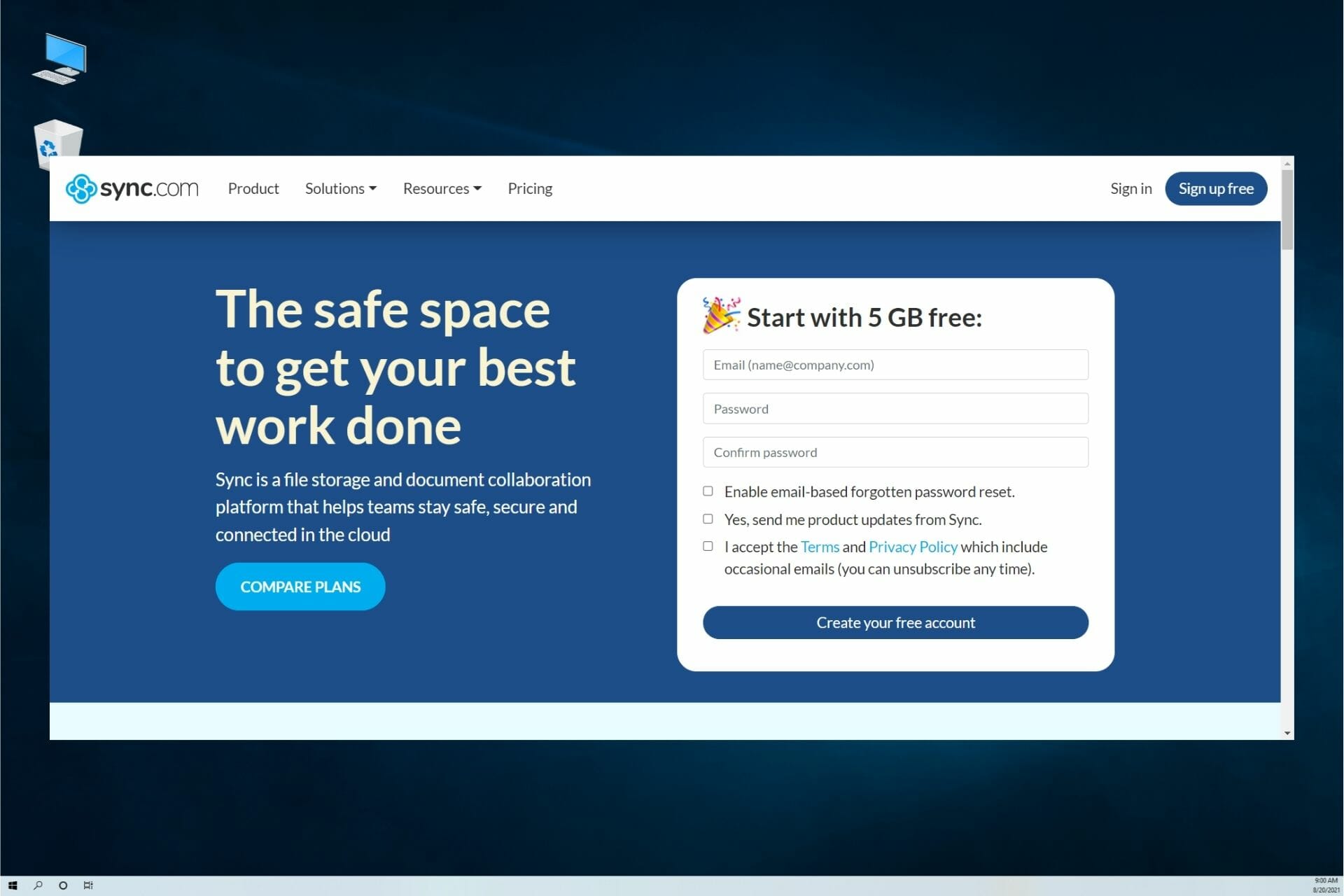


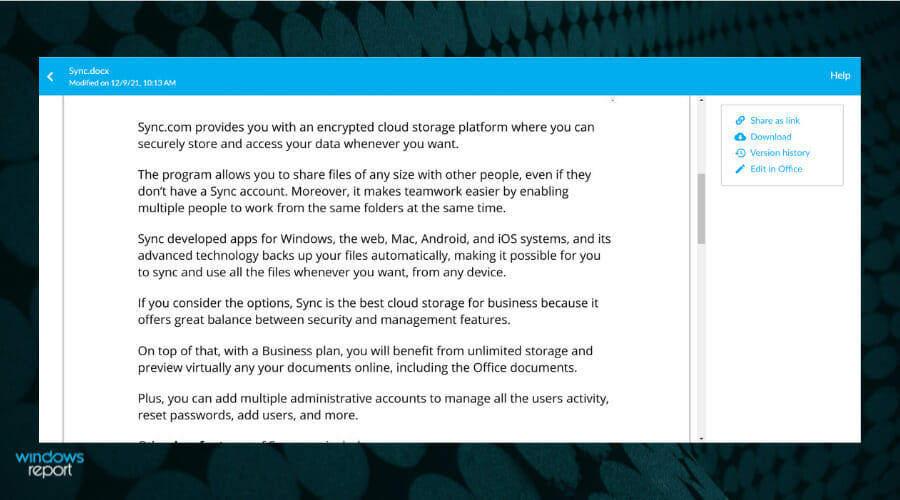

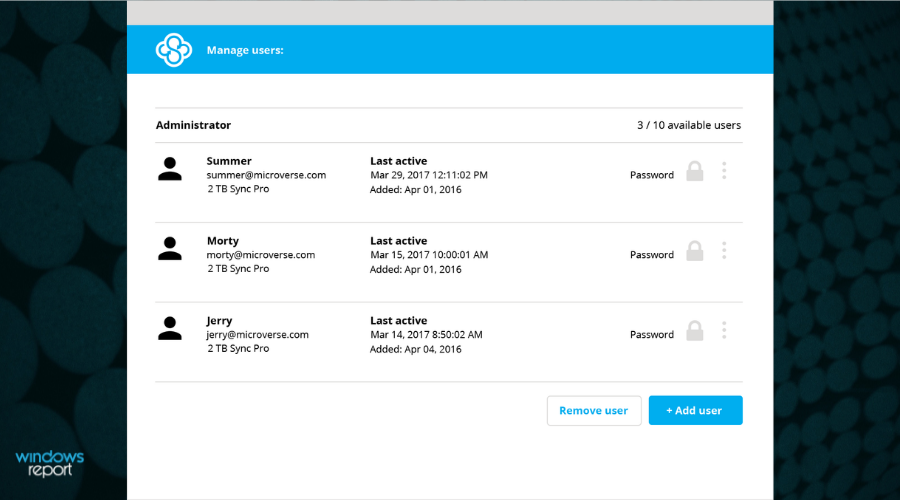




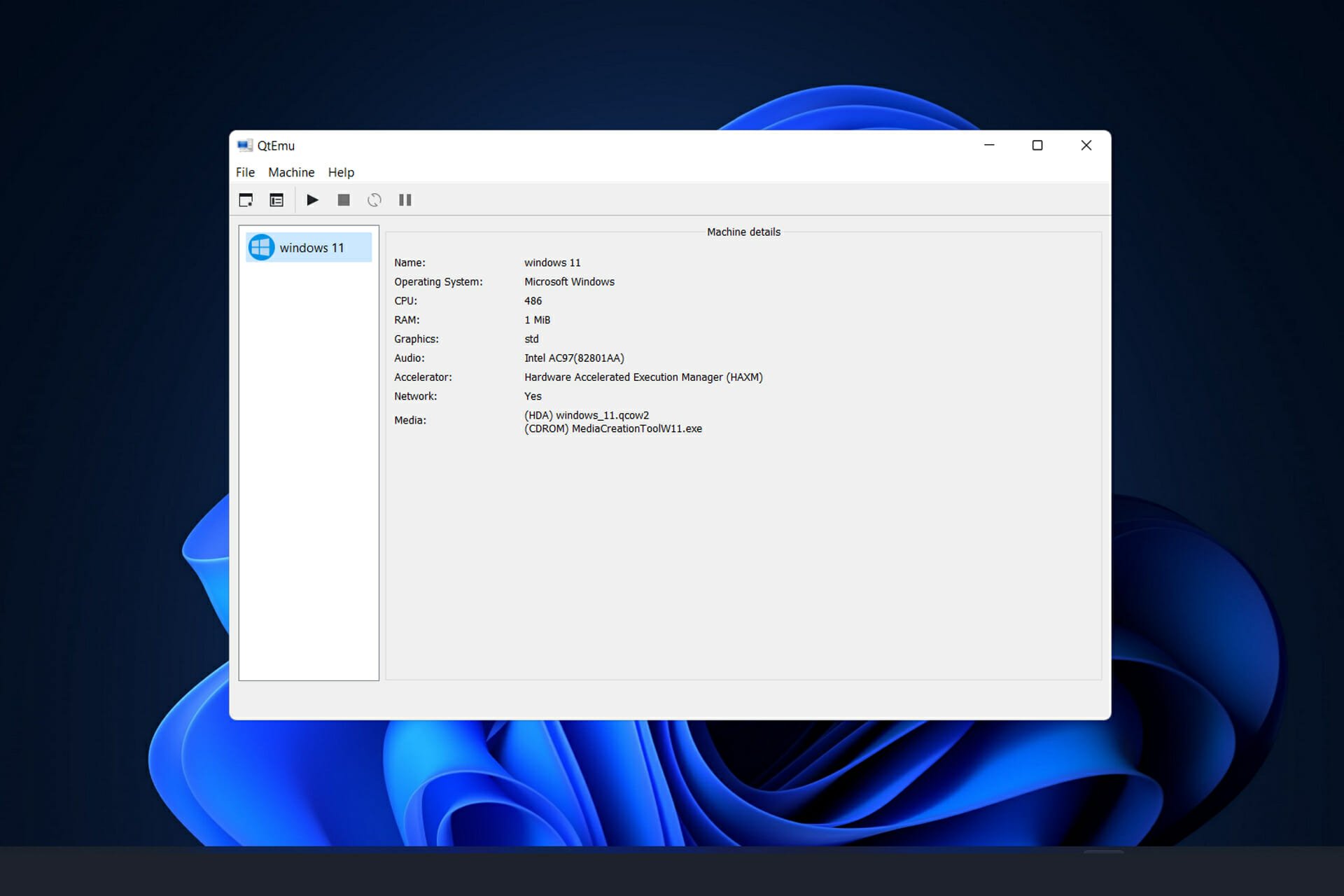


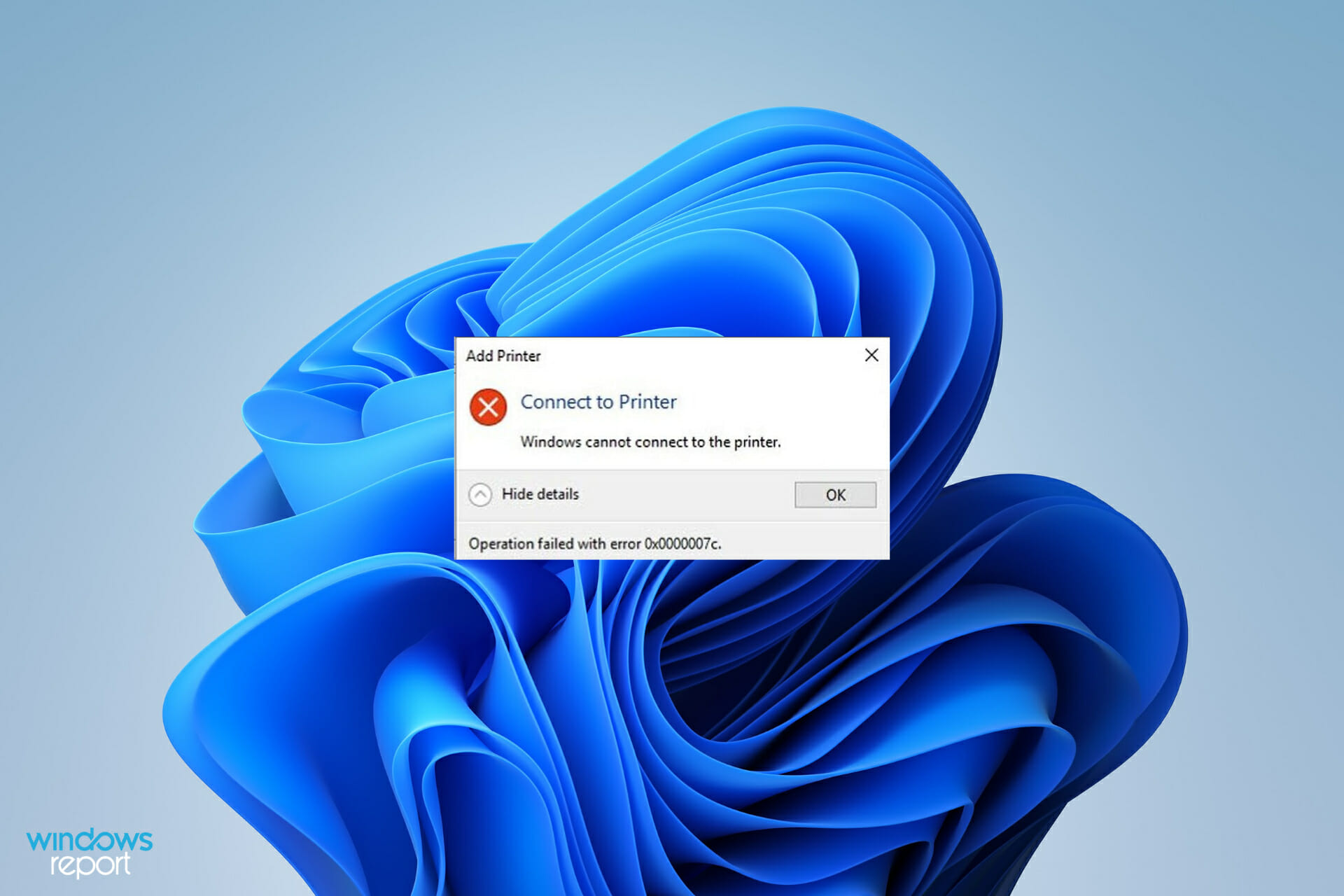

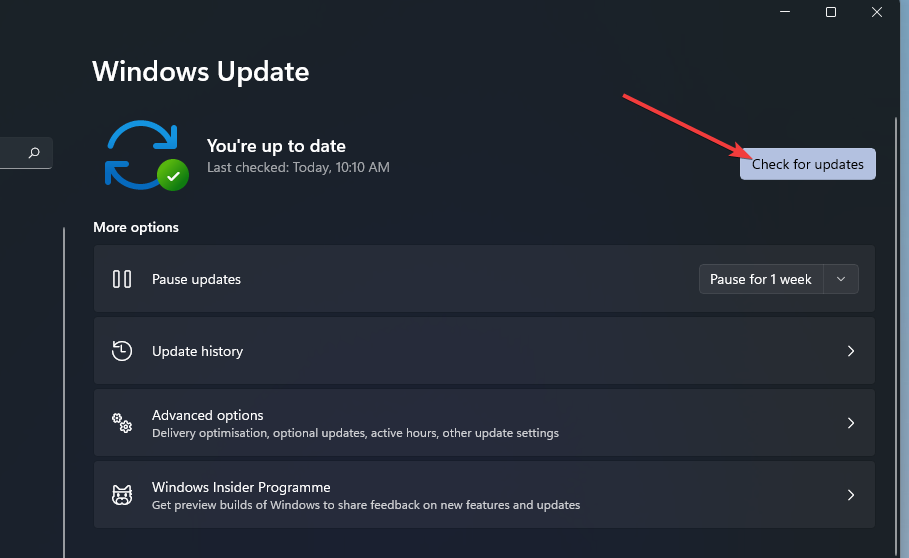


![How to Verify ISO Files [Windows and Office]](https://windowsreport.com/wp-content/uploads/2020/05/verify-iso-files-1.jpg)


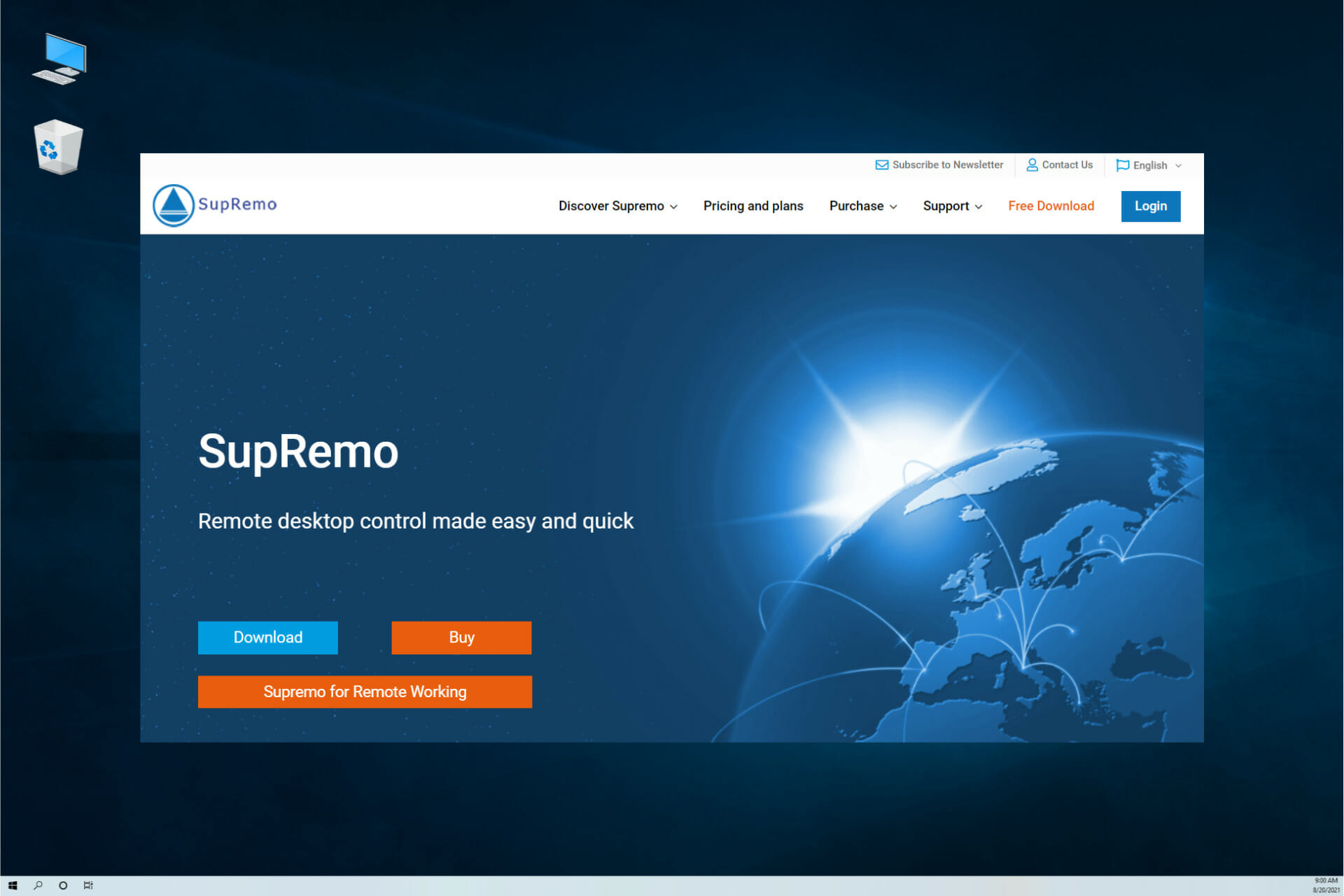
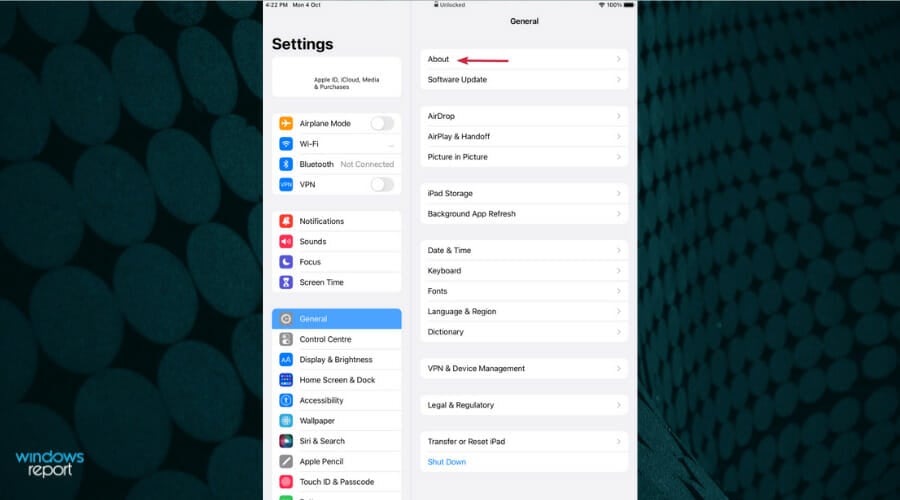


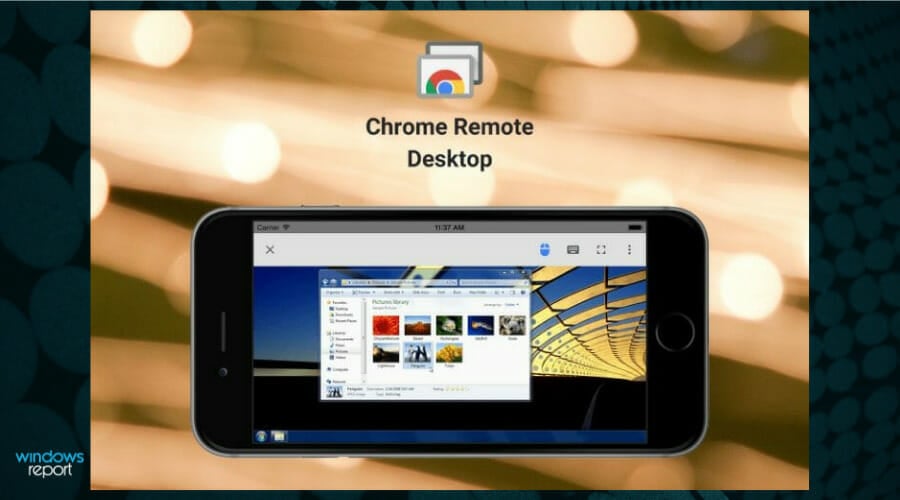
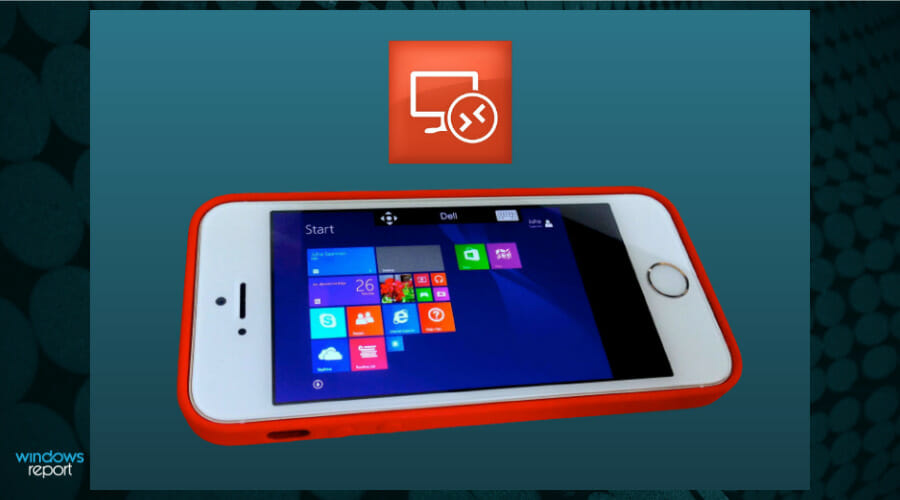
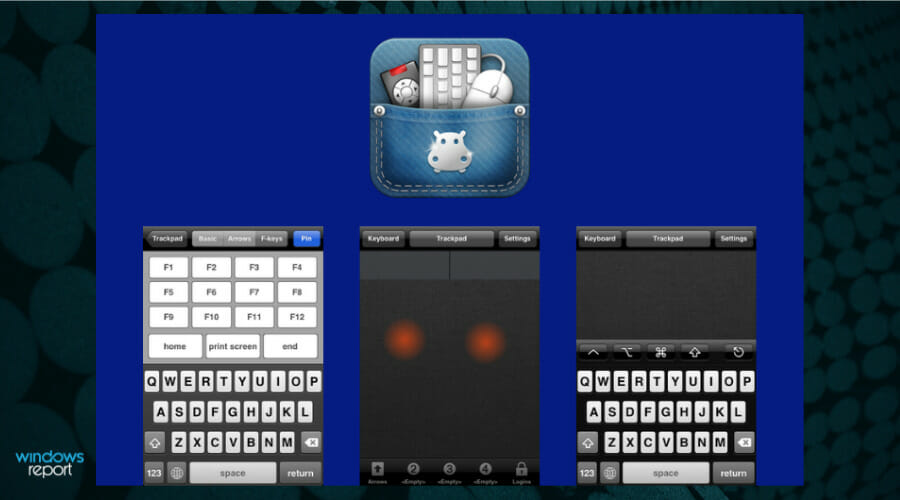

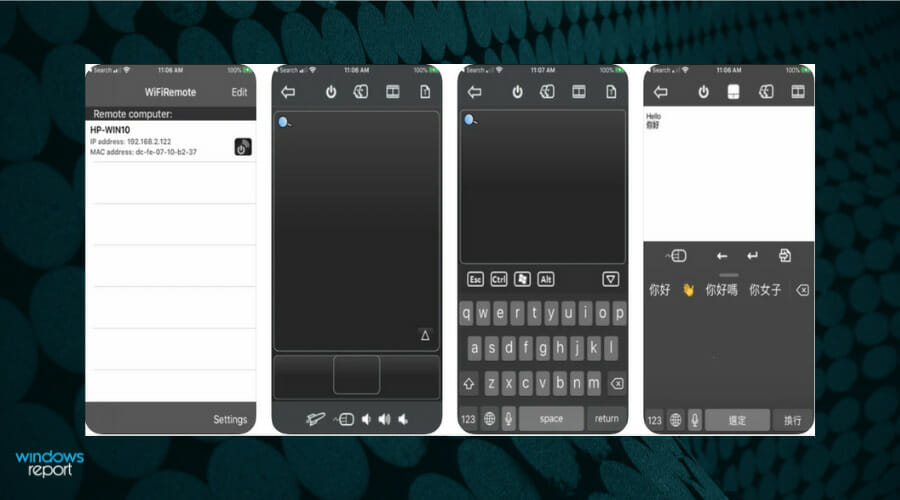

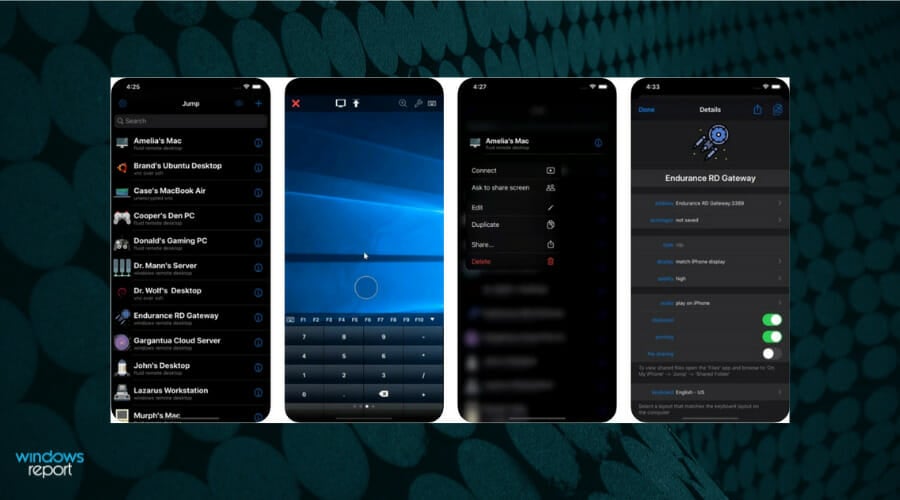










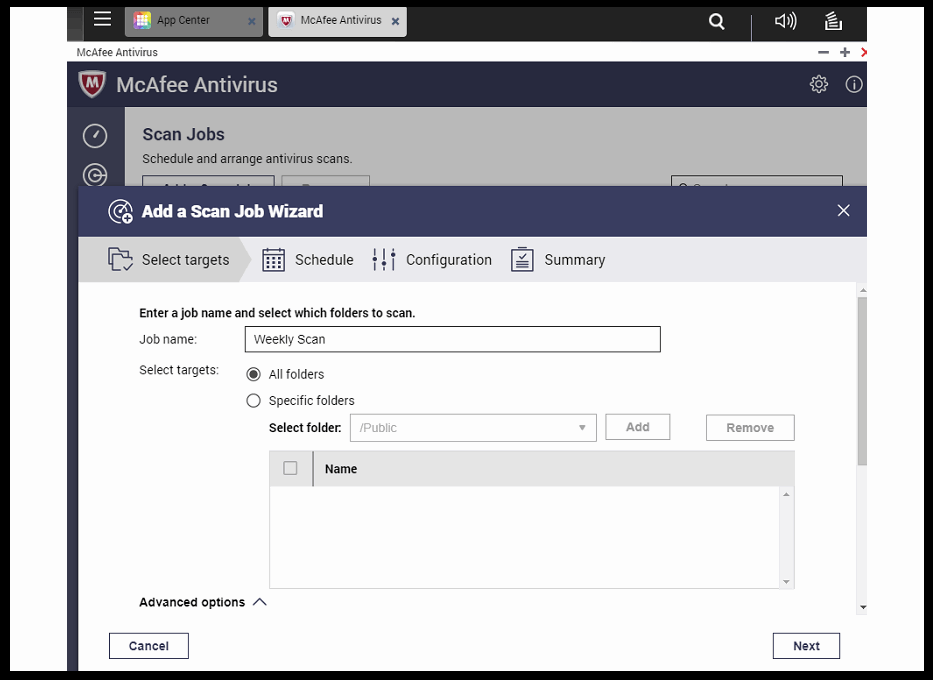






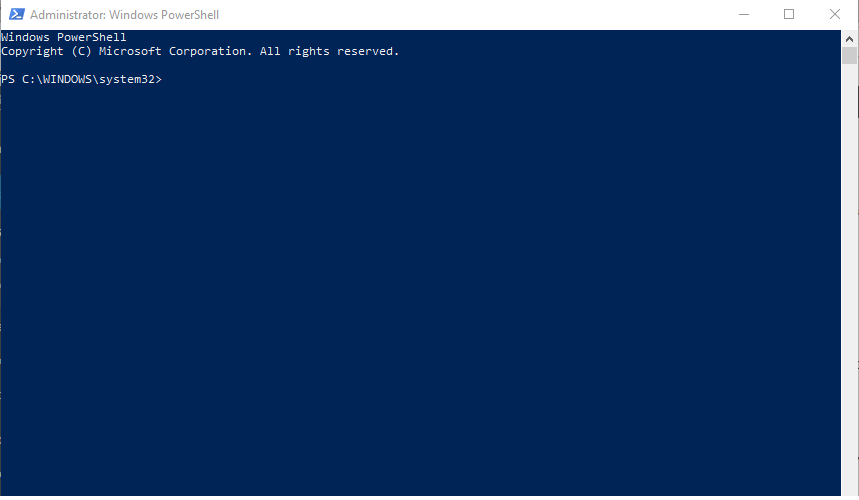
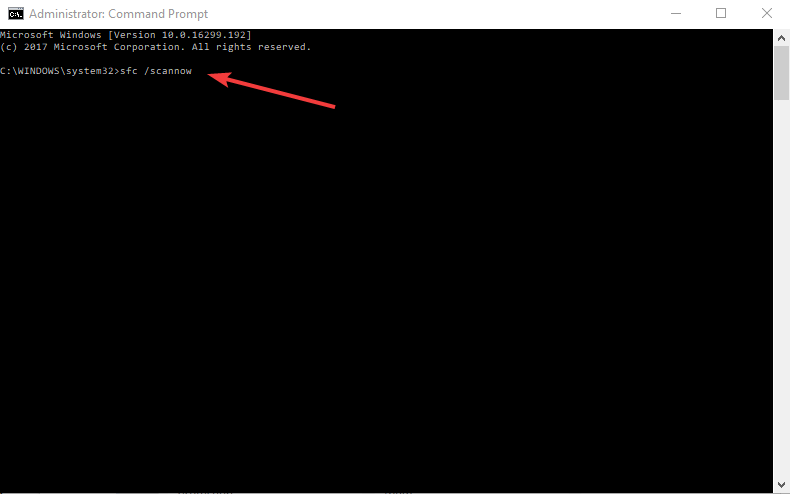
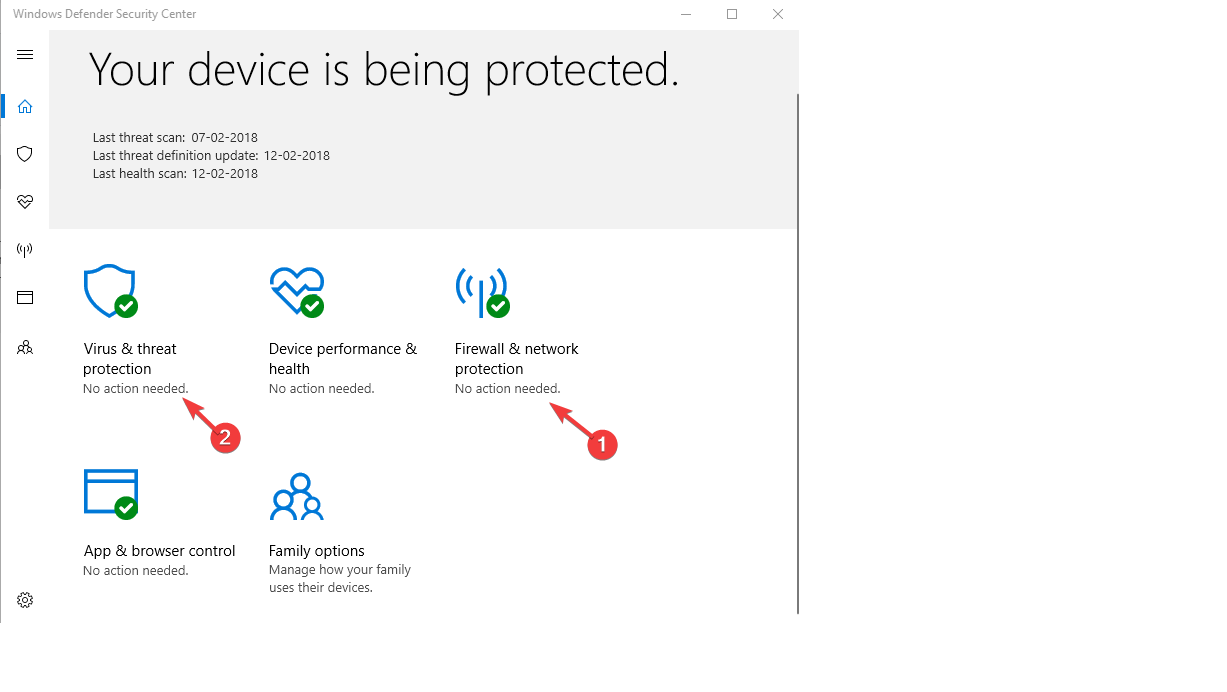
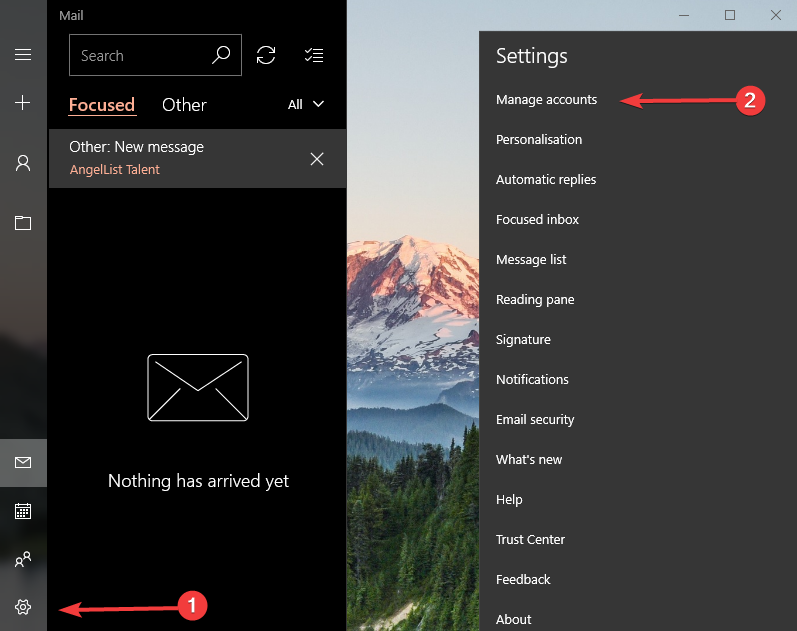

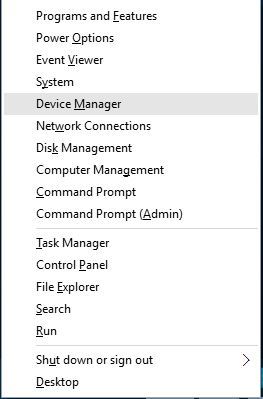
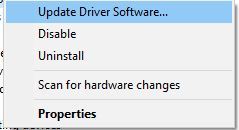
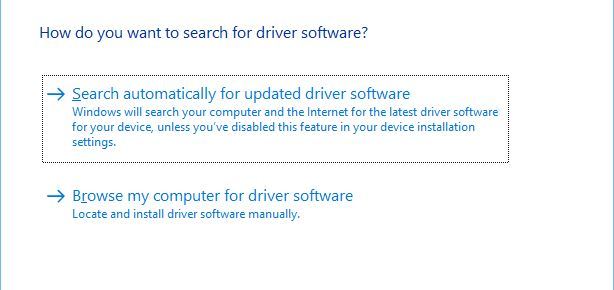
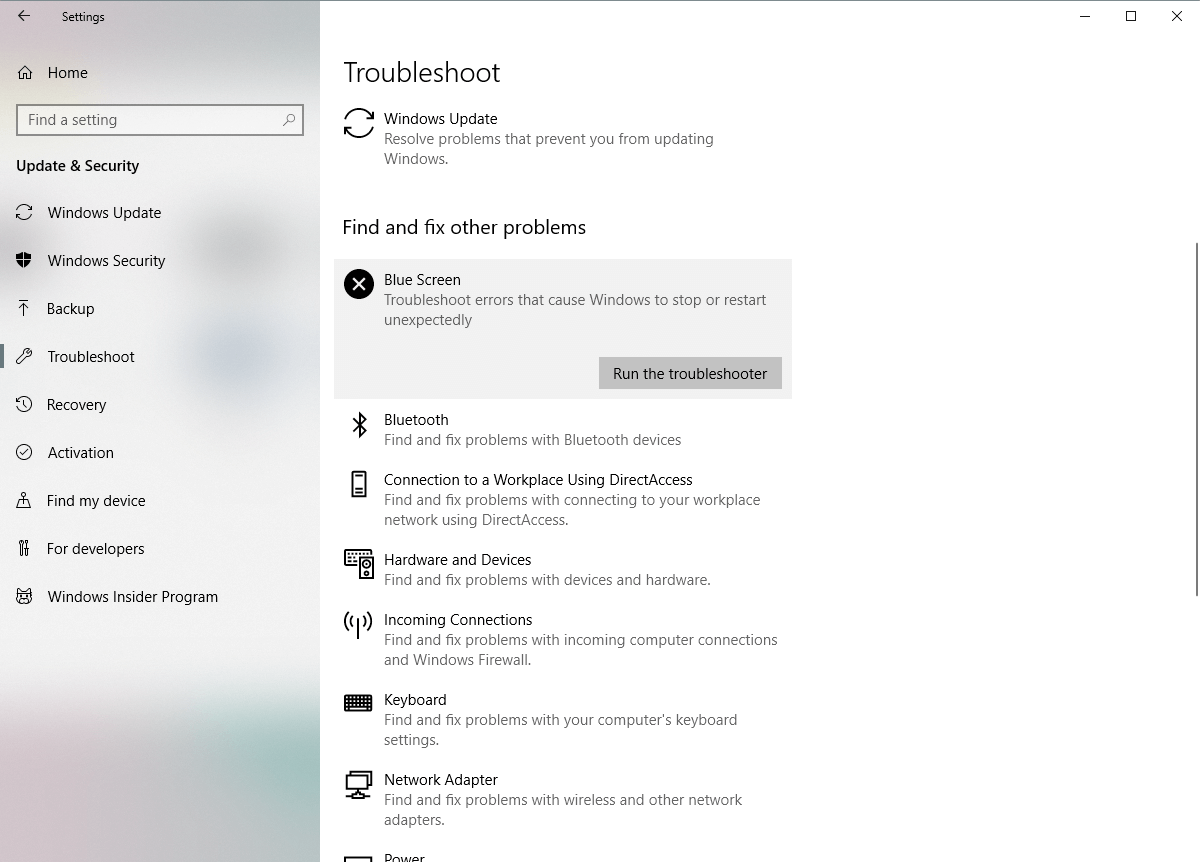


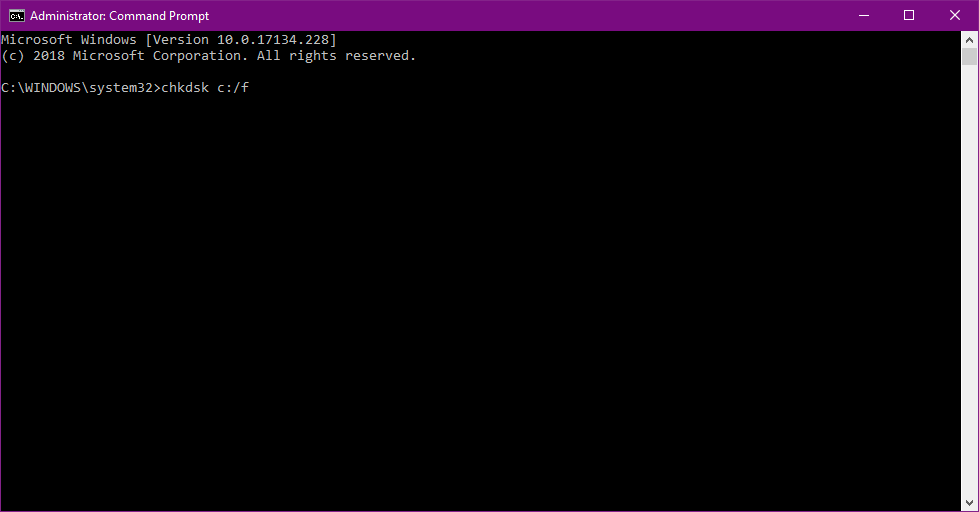



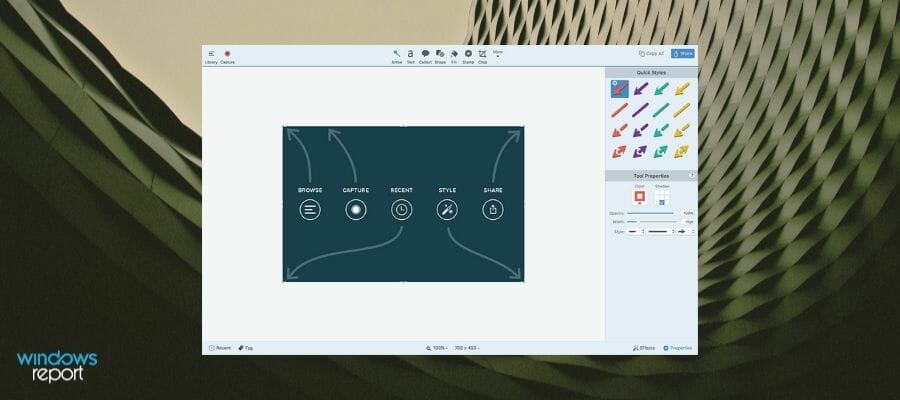

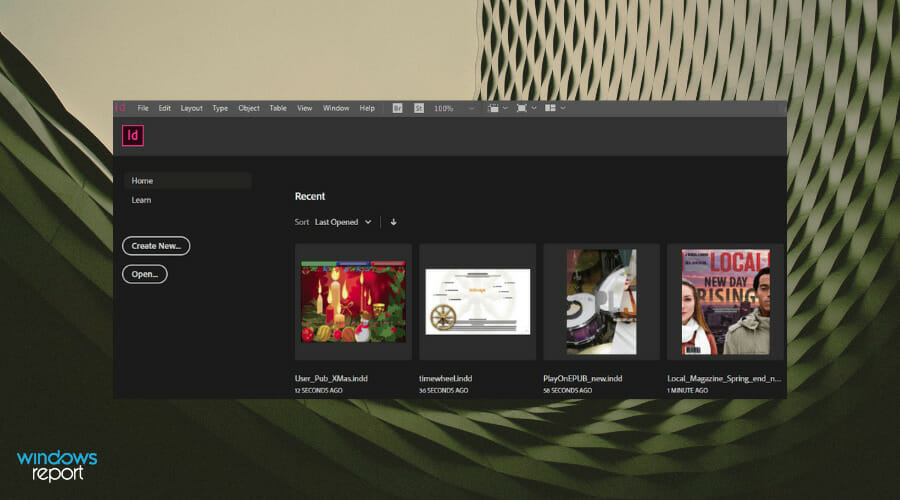

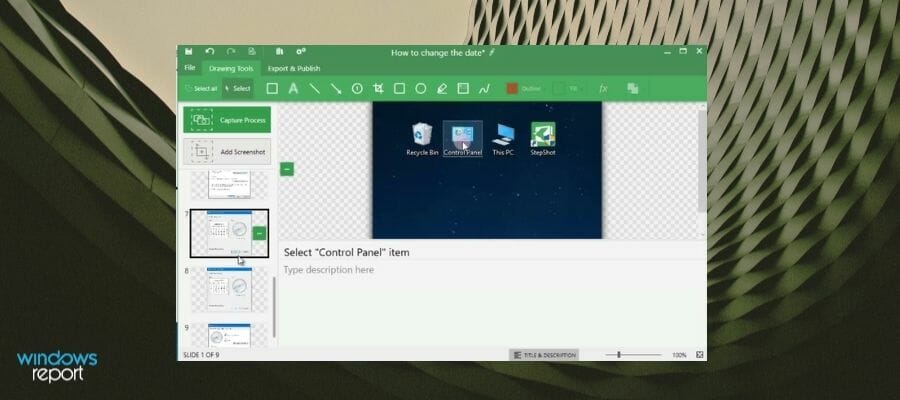
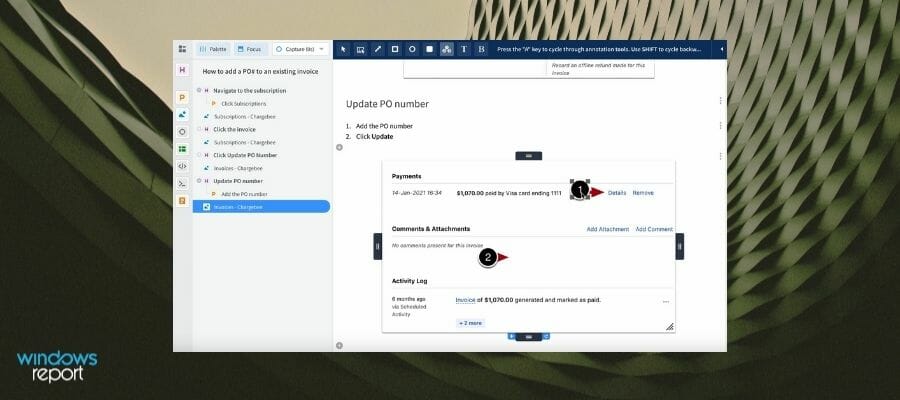
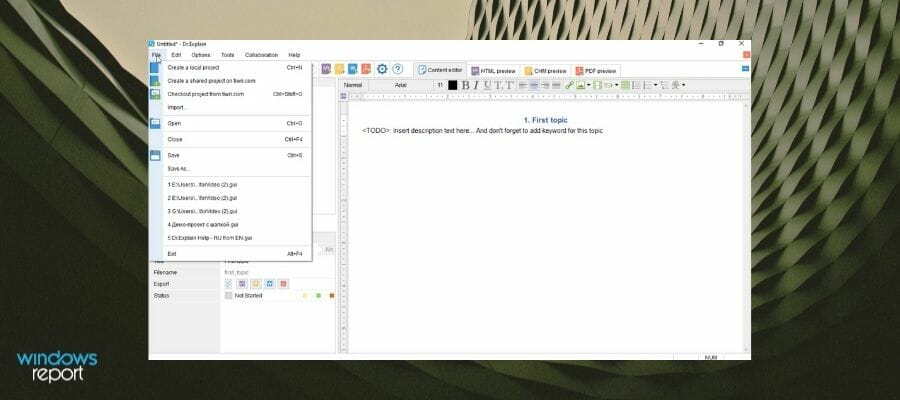
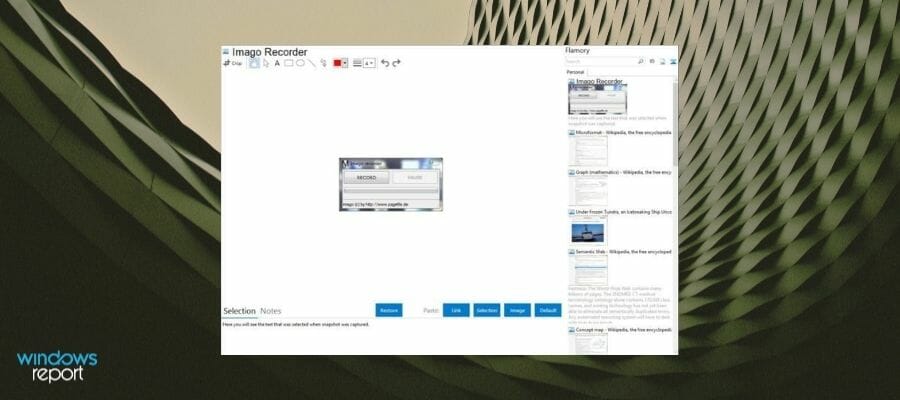
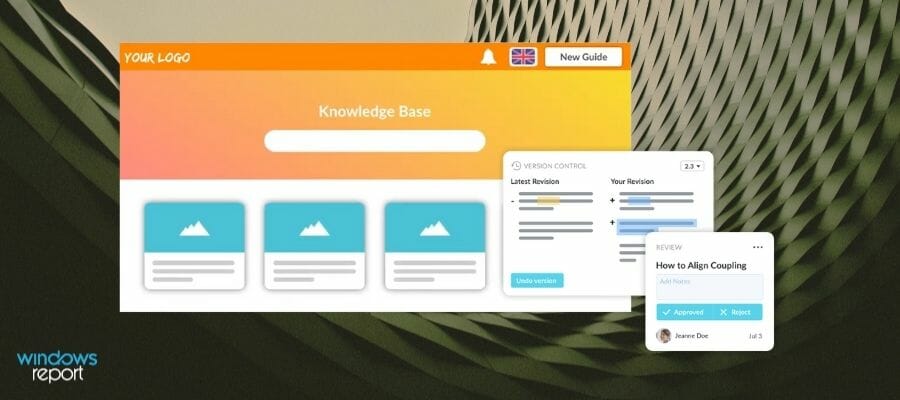
![Nesting Software: 6 Best to Use in 2026 [CNC, Laser, Plasma]](https://windowsreport.com/wp-content/uploads/2020/12/Nesting-software.jpg)



![6 Best Autotune Software For Windows [Free & Paid]](https://windowsreport.com/wp-content/uploads/2019/11/Autotune.jpg)
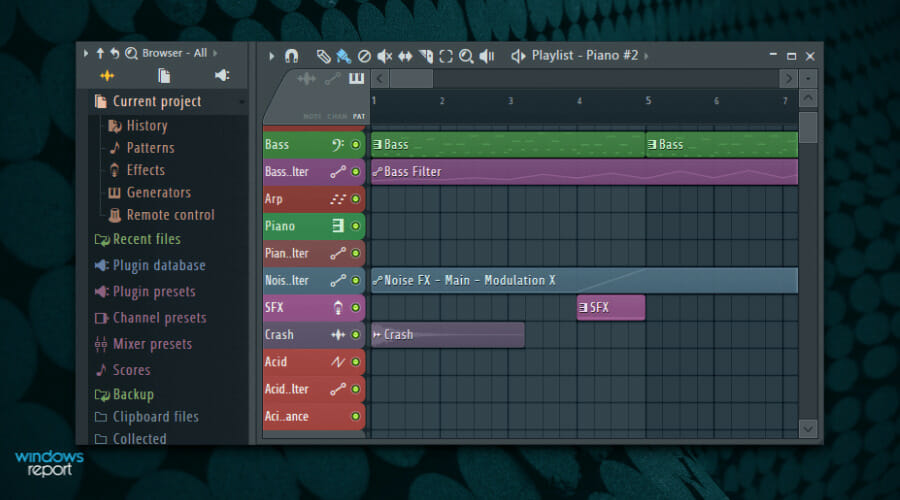

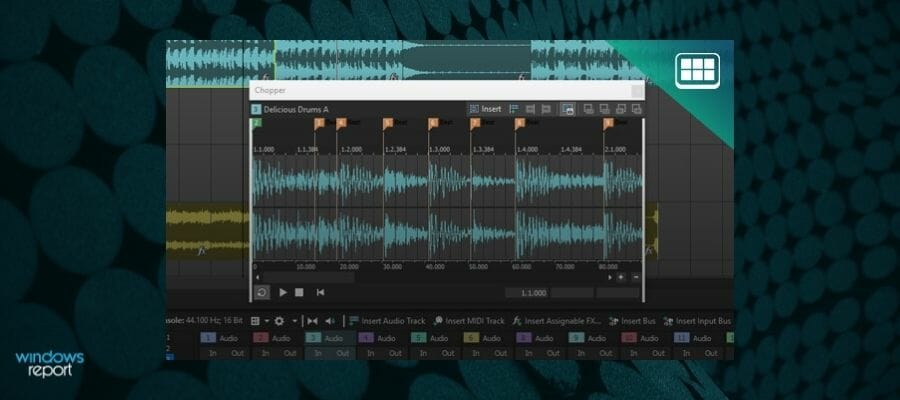


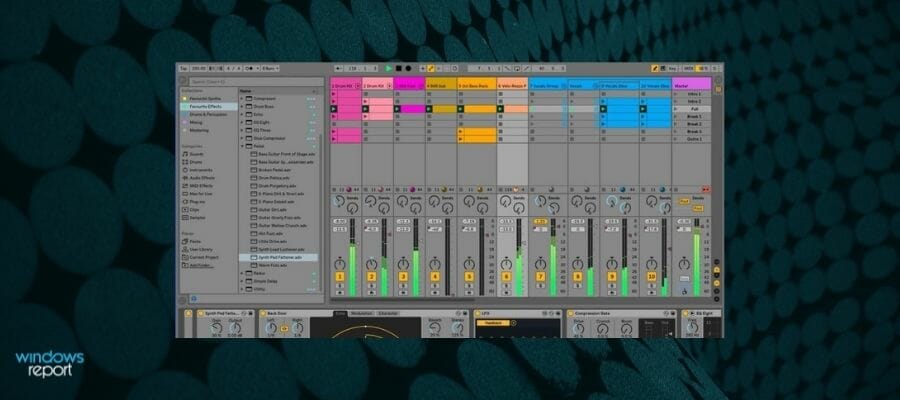
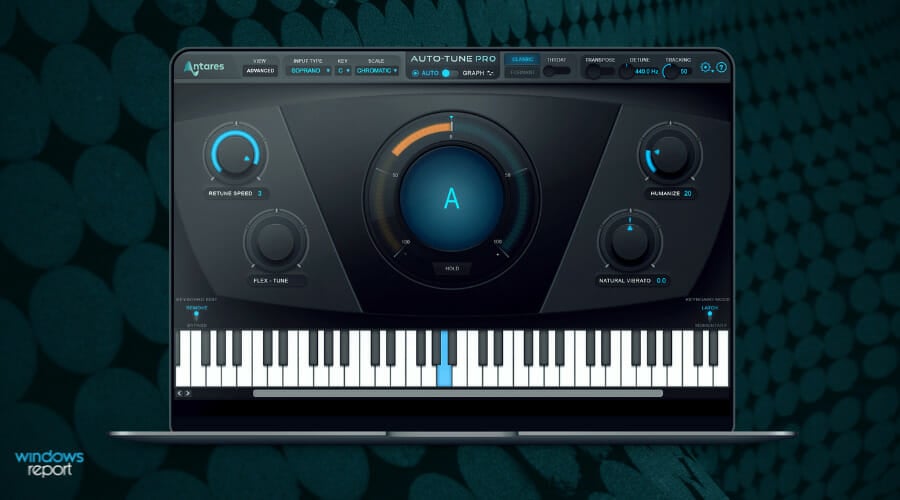
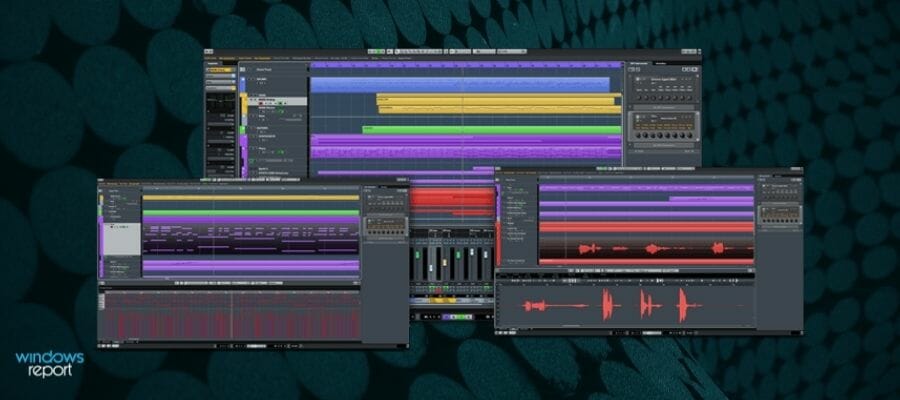


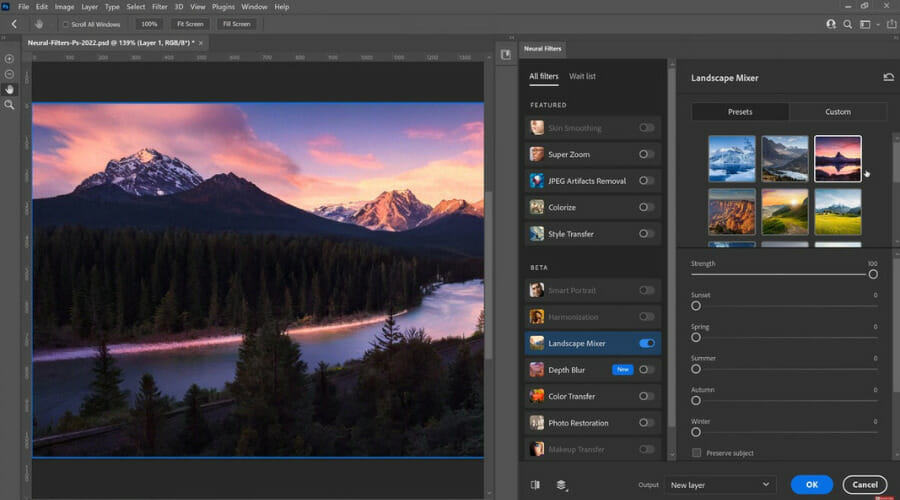












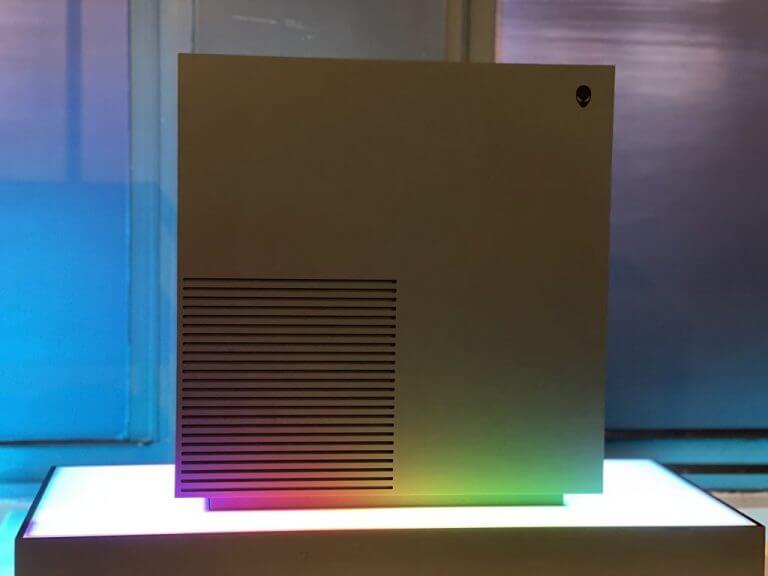

![Best FreshBooks Black FridayOffers To Get [80% OFF]](https://windowsreport.com/wp-content/uploads/2021/11/FreshBook-Christmas-SALES.jpg)






![Best Liquid Web Cyber Monday 2023 Deals To Get Now [71% Off]](https://windowsreport.com/wp-content/uploads/2021/12/Liquid-web-black-friday-2023-71.png)


![Super Cyber Monday Deal For Corel Painter [50% OFF]](https://windowsreport.com/wp-content/uploads/2020/11/Corel-Painter-deal.jpg)


![CyberMonday Deals for CyberLink Products [30% OFF]](https://windowsreport.com/wp-content/uploads/2020/11/video-editors.jpg)







![Best Deals For Vipre Antivirus [70% Off]](https://windowsreport.com/wp-content/uploads/2020/11/Vipre-deals.jpg)







![Best Kaspersky Cyber Monday Deals 2026 [Save Up to 55%]](https://windowsreport.com/wp-content/uploads/2020/11/Kaspersky-deals.jpg)