Microsoft seemingly laid all of its Windows 11 cards on the table as it walked users through all the features to come to the operating system, except for the long-awaited File Explorer upgrade the company has hinted at for some time.
Despite being in almost every screenshot during Microsoft’s 45-minute long unveiling of Windows 11, the company suspiciously avoided the File Explorer icon in the new Taskbar.
Not only Microsoft manage to run full workload scenarios involving Office 365 and Teams without once referencing the File Explorer, but the company also danced around the app during countless demos of other apps that sat near or even directly next to it.
While a new File Explorer has been a fever dream of many Windows users for decades now, it was Microsoft itself that introduced the notion that an update was destined for the aging organizing software. Just recently, Microsoft adjusted the padding to visual elements in the File Explorer to enable slightly improved touch interactions with the app, but, thanks to a quick screenshot caught by many during today’s “What’s Next for Windows” event, there seems more visuals changes are destined for the app.
Based on its brief appearance, the years’ worth of conceptual depictions of the File Explorer may have been overreaching as Microsoft looks to retool the Ribbon with more an iconography-focused layout for editing options.
As evident by the demo, it appears the adjustments to the Filer Explorer are in place to encourage greater touch adoption by users.
Nevertheless, it seems surprising that Microsoft would be bashful in touting the changes while gushing over additional windowing options through visual prompts. Whatever the reason, Microsoft has chosen to remain mum on the changes coming to the Windows 11 File Explorer even though the appetite for it to modernize both visually and functionally, is at an all-time high for some users.
Microsoft has finally shared more details about Windows 11 earlier today, and the next version of the OS should be an exciting update for PC gamers. Indeed, Windows 11 will integrate new platform features that shipped first on Xbox Series X|S consoles last year, and this should definitely help to make the Xbox ecosystem a bit more cohesive in the near future.
Auto HDR, an AI-powered feature that can apply High Dynamic Range enhancements to Standard Dynamic Range (SDR) images will be the first Xbox feature to make the jump to PC. The HDR reconstruction technique will be compatible with games built on DirectX 11 or higher, and it should help to make old PC games look better than ever with no work required from game developers.
Windows 11 will also add support for DirectStorage, Microsoft’s new I/O system that’s one of the components of the Xbox Velocity Architecture on Xbox Series XlS consoles. DirectStorage is a technology designed for unleashing the full performance of an SSD to optimize hardware decompression and let Modern games perform asset streaming in the background without stressing the CPU.
DirectStorage will require a high-performance NVMe SSD and the proper drivers, and Microsoft said today that “DirectStorage Optimized” Windows 11 PCs will come configured with the right hardware and drivers. Even on PCs that are not optimized for gaming, Windows 11 will still provide access to a great selection of games with Xbox Cloud Gaming, which will be integrated into the Windows 11 Xbox app.
Windows 11 will be a free upgrade for Windows 10 users later this year, though the new OS will require a PC with a 64-bit CPU and a DirectX 12 compatible GPU. A new version of Windows is usually a good opportunity for PC makers to sell new devices, and Windows 11 should be no exception.
Microsoft took the wraps off Windows 11 earlier today, and the next version of the OS will ship on new PCs this holiday season and will also be offered as a free upgrade for Windows 10 users. If Microsoft also confirmed today that Windows 10 version 21H2 is coming later this year, the company also announced that Windows 11 will only get one major update every year (via ZDNet).
In recent years, Windows 10 users have gotten used to bi-annual updates in the Spring and the Fall, but Microsoft will do things differently for Windows 11 and that’s probably not a bad thing. Each major update for the Home and Pro editions of Windows 11 will get 24 months of support, while the Enterprise and Education editions of the OS will get 36 months of support.
Microsoft will also service Windows 11 with regular cumulative updates, and the company highlighted today that it has optimized Windows Update on Windows 11 to make patches 40% smaller and make the installation happen in the background. Users have been complaining for years about Windows updates messing with their workflow, but it remains to be seen if Windows 11 updates will be less disruptive.
Windows 11 will have some pretty strict hardware requirements and Windows 10 PCs that don’t have a 64-bit CPU, a TPM 2.0 chip, and a DirectX 12 GPU won’t be able to upgrade. These PCs will need to stay on Windows 10, which will be supported until 2025. We don’t have details about the version 21H2 of Windows 10 coming later this year, but it will likely be another minor update as Microsoft starts to give Windows 11 the priority.
Windows 7 users are no exception. Most of them are already wondering if they will be able to make the transition towards the new Windows without paying a dime.
This seems to be their lucky day since Windows 11 could not only be a free download for Windows 10, but also for owners of Windows 7 devices.
65% of Windows 7 users intend to upgrade to Windows 11
Microsoft has been quite aggressive in pushing Windows 10 to Windows 7, 8, and 8.1 PC and laptop owners.
Users of older Windows versions were able to upgrade at no additional cost and the initial one-year time limit on the free upgrade offer became a thing of the past.
They could easily do so long after that deadline. Even at this point, with Windows 11 in the spotlight, there are ways to make it happen. The truth is that not so many Windows 7 users were willing to embrace Windows 10.
Things are about to change, though. No less than 65% of polled participants have already confirmed their intention to upgrade to the new operating system version.
Changes are that the improvements that leaked so far convinced them to finally take action – the floating Start Menu that can be easily moved and that centered Taskbar are some exciting new elements, not to mention those fluid animations, and the new collection of sounds which give Windows a fresh vibe.
No less than 51% of users will buy a Windows 11 desktop PC
Windows 10 was released in 2015, therefore Windows 7 systems are outdated and offer a less pleasant experience.
Therefore, it comes as no surprise the fact that 16% of Windows 7 users will buy a new Windows 11 device, double the amount of Windows 10 users.
While 51% of users opt for a Windows 11 desktop PC, 41% already plan to become the owners of a new laptop instead.
Even if the free upgrade theory proves to be true for those eager to enjoy Windows 11, this doesn’t turn into an argument against all those upcoming laptops and pre-built machines that will start to be sold with Windows 11 out of the box.
We don’t know how soon this will happen yet rest assured that we’ll keep an eye on things and return as soon as possible.
Halo: MCC has received a big update on Xbox and PC yesterday to go along with the launch of the game’s Season 7, which brings new customization content, map changes, and more. The new cosmetic content to unlock as part of Season 7 includes new Halo 3 Elite armors, new Halo 3 Energy Sword colors, as well as exclusive Halo 4 weapon skins.
The Custom Game Browser that 343 Industries has been working for quite some time is also going live with this new update, though it’s currently restricted to Halo Reach. With this new feature, players can customize and host their own custom game session or search for other people’s custom games.
There are also several notable multiplayer changes in this update, including a new Halo 3 map named “Edge” and the addition of the Halo 3: ODST and Halo: Reach Firefight game modes in Social matchmaking. The settings for the Halo: CE Hardcore playlist have also been updated better align it with the expectations from the competitive community on Xbox.
This update also brings some visual improvements for Halo: CE to make it look closer to the classic experience on the OG Xbox. For advanced users interested in fine-tuning Halo: CE, new mod tools are also available for the Steam version of the game and you can learn more details on this page.
This latest patch has also fixed several issues with Halo: MCC, including a bug that sometimes caused the game to crash on Xbox consoles why performing background operations. You can check out the full release notes for Halo: MCC’s Season 7 update on the Halowaypoint website.
The Windows 11 event is upon us! Today Microsoft is unveiling “the next generation of Windows,” which we know to be Windows 11. Even though a development build leaked last week, there’s still lots we don’t know about Windows 11, both in the details but also the direction Microsoft has planned for Windows. We have some speculation on what to expect and what not to expect, but we’re as excited as you to hear, officially, what’s next. We’ll have lots to say about the news as it’s revealed, and you’ll be able to catch up on all the latest news from our blog posts, but we’re going to be following along right with you, and live blog our thoughts here too. Feel free to chime in, either via the 24 Live Blog interface, or just through comments on this post, and let us know your first reactions to what’s being unveiled.
We are expecting a lot of new and interesting facts about the new operating system although we already know a lot about some of the design features.
NOTE
In case you’re interested in finding out what other people think about the upcoming Windows 11 release, feel free to check out our thorough Windows 11 survey. In total, 6056 users have responded to our queries on this topic, with users ranging from the US, India, the UK, Canada, Australia, and other 147 countries.
When to prepare for the Windows 11 event?
The event will be starting Thursday, 11 a.m. Eastern time on June 24, 2021, with Microsoft’s CEO Satya Nadella and Chief Product Officer Panos Panay both hosting the event.
If you miss the exact time, you can still watch the recording later on the Microsoft website like always.
How to watch the event
Microsoft already created an event page that you can go to right now and you can even set a reminder before the start so you can get right in.
Of course, the streaming will work on any browser you might use, starting with Microsoft Edge but not excluding Opera, Chrome, Firefox and all others.
Of course, you can also use any other streaming-able device like the PC, laptop, smartphone, tablet and the event will also show up on Microsoft’s YouTube channel.
What will we find out at the event?
Satya Nadella already teased the new OS as the next generation of Windows in the invitation for the event so we’re eager to find out more about Windows 11.
How much more? Hopefully a lot because the whole event is only focused of this subject alone.
However, we already got a glimpse of many new features after Windows 11 ISO leaked a few days ago. We even know about a Windows SE version designed for enterprises.
We know about the graphics overhaul, that the Microsoft Store is going to be revamped and that Microsoft Edge got a massive overhaul that will convince a lot of naysayers.
It would be nice to hear about a lot of clarifications and tech details that will bring us closer to the actual Windows 11 OS.
According to our latest exclusive study on Windows 11, you guys are really excited to know more about it and we’re going to make sure you are well informed.
If you have any more questions or you just want to talk about the new OS, leave us a comment in the dedicated section below.
The recycle bin is a temporary storage of deleted files in the Windows Operating System. PC users can restore deleted files or manually clean the recycle bin by using its Empty Recycle Bin function.
However, clearing the recycle bin is a tedious process; hence, the need for an automated process of cleaning the recycle bins i.e. software application. Meanwhile, we have this list of the best recycle bin cleaners.
How does the Delete option in Windows work?
When you hit the delete button, the file will go into the recycle bin. Then after you empty the bin, the file will be deleted.
Well, not quite because the system will not permanently delete the file. It will only mark the space on the drive as empty so it can be overwritten.
That means that it can take a few days and a bit of activity for the original file to get lost because another file was written over it.
Even so, there are a few recovery algorithms that can retrieve a file that was partially written over.
That is why if you want to permanently delete a file it’s not enough to delete it from your drive or simply send it to your recycle bin.
You will need specialized erasing tools to do that for you and we found the best solutions for you below.
What are the best tools to erase recycle bin on a Windows PC?
Fortect is a great help in cleaning your Recycle Bin as it has advanced cleaning features and other optimizing tools.
Besides cleaning your Recycle Bin, Fortect can help you erase junk files and other unnecessary files that slow down your computer which helps with its optimization.
Moreover, you can perform a browser cleanup and remove all your web browser tracking cookies to clear any trace of your online activity.
With this app, you can opt for repairing your damaged or missing operating system files, like DLLs or registry keys, by replacing them with healthy components from the software’s repository.
Fortect is a real-time software and malware monitoring which means it will check your downloads, installs, and executables for digital threats every time you use your PC.
Other key features of Fortect include:
Full scanning report
Ultimate OS repair technology
Registry Key optimization
Windows Restoration
Fortect
Keep your PC optimized and free up space by using this excellent software.
CCleaner is an award-winning PC cleaning program that can also be used as recycle bin cleaner with over 1.5 billion downloads.
It’s extremely easy to use by simply selecting the task you want the tool to perform and then waiting.
It includes options such as registry cleaner, program uninstaller, startup monitoring, duplicate finder, disk analyzer, or system restore.
This program also offers a portable version that you can use from your external drives. The software is compatible with Windows XP 32-bit and 64-bit systems or later.
As old software that wasn’t updated can hide vulnerabilities, you will be happy to discover the CCleaner software updater that will keep app your apps up to date.
It comes as freeware, but for certain actions, you will need the paid version. You just need to test it and see what extra features you want.
Let’s see some of its most important features:
1-click software update feature
PC optimization tools
Removes tracking files and browsing data
Control which apps use your computer’s resources
Driver updater feature
CCleaner
A hassle-free tool to clean not just the recycle bin, but also duplicate or temporary files and get more disk storage space.
With Secure Eraser, you can boast of a versatile PC utility tool that also functions as a recycle bin cleaner.
This program is available in both the free version as well as the Professional version. Secure Eraser is easy to use due to its excellent graphical user interface.
In addition, Secure Eraser also functions as a registry cleaner and system cleaner for deleting junk system files.
The tool supports major Windows OS such as Windows XP, Windows Vista, Windows 7, Windows 8, Windows 10, and Windows Server 2003, 2008, and 2012.
Its most important feature, however, is the great system of deleting your data securely, making sure that you won’t have any remains that can be retrieved.
Its latest version received a speed optimization, and the interface became even more friendly and easy to use.
Also, it extended its support to 64-bit systems and optimized the deletion procedure to become faster.
Let’s see what are its most important features:
Supports all major Windows OS versions, including 64-bit versions
Secure data-erasing system
Excellent graphical user interface
Registry cleaner and system cleaner included
Available in free and Professional versions
Secure Eraser
This excellent tool not only that it cleans your Recycle Bin but also all your unwanted files.
If you want a recycle bin cleaner with drag and drop feature, Securely File Shredder is the ideal program for you.
It’s free and easy to use even for beginners. You can conveniently clean the recycle bin by clicking only one button
In addition, you can change the wipe method for file deletion and also show the program in the notification area.
However, this lightweight program is only compatible with Windows 10 version 17763.0 or higher and Xbox.
Supports the shredding algorithm used by the Department of Defence (DoD), and other algorithms like Schneier’s method, the Gutmann Method, and also a custom-designed one.
Securely is extremely easy to use. You can just drag and drop the files or folders on Securely or mass delete them with just one click.
The app comes in a free version that has a limited number of deleted files per week and features ads.
If you want an unlimited number of deletions and no ads, you will have to go for the Full version of the program.
Securely File Shredder
Delete unwanted files all at once with a very simple drag-and-drop tool.
If you want to schedule the cleaning process of your Recycle bin, use Eraser software. Eraser, just as its name implies, is a secure recycle bin cleaner for any Windows PC.
This software works by scheduling and erasing tasks process. You can set up recycle bin cleaning tasks to run daily, weekly, or monthly.
Eraser supports major Windows OS such as Windows XP, Windows Vista, Windows 7, Windows 8, Windows 10, and Windows Server 2003 – 2012.
This means you can set up Eraser to securely empty the Recycle Bin every day, for example, or to delete the files in your Downloads folder on a schedule.
Eraser works by scheduling tasks to erase certain files. You can set up a task to run immediately after it has been created, manually, on every restart, or recurring on a particular daily, weekly, or monthly schedule.
Not only that it can safely clean your internal drives, but it also works with any drive that works with Windows.
To delete the trash for good, all you need to do is to right-click Recycle Bin, select Eraser, then the Erase option.
The upcoming Space Jam: A New Legacy movie that will be released on July 16 will also get its own free-to-play game on Xbox consoles next month, Microsoft announced today. Space Jam: A New Legacy – The Game is an arcade style game that will be free to grab for Xbox Game Pass Ultimate starting July 1, and it will become free-to-play for all Xbox gamers on July 15.
“The game is inspired by the upcoming live action/animated feature film with deep reverence for the lively characters in Space Jam: A New Legacy and appreciation of the Tune Squad’s pop culture influence, all while reminiscent of classic arcade games of the 1990s,” explained Sarah Bond, CVP, Game Creator Experience & Ecosystem at Xbox.
Space Jam: A New Legacy – The Game will feature NBA star Lebron James as well as Looney Tunes characters Bugs Bunny and Lola Bunny as playable characters. Overall the beat em’ all game looks like a fun companion piece to the movie that is a standalone sequel to the original Space Jam movie from 1996 starring NBA legend Michael Jordan.
To celebrate the upcoming movie and video game, Microsoft has also created three exclusive Xbox Wireless Controllers inspired by “Space Jam: A New Legacy.” The limited edition controllers will be available starting July 8 at the Microsoft Store, Amazon, and other third-party retailers in North America, APAC, LATAM, and EMEA.
It’s not a secret anymore, Windows 11 is coming! But ahead of Microsoft’s June 24 “what’s next for Windows” event, Microsoft appears to be teasing Windows 11, which we just so happen to already know about, thanks to the “leaked” build that our own Cody Carson just went hands-on with.
We don’t let that ruin the fun though. Microsoft is definitely amping up for some Windows 11 marketing, and here’s a recap of all the Windows 11 teasers we’ve seen from Microsoft so far, just a short 24 hours from when the event is set to kick off.
New social media wallpapers and profile photos
Let’s start first with a look at the Windows social media accounts. If you visit Twitter, you’ll see that the Windows account has changed its Twitter header to include a new “wave” which looks a lot like one of the default wallpapers we’ve seen in Windows 11. That wave also carries over to their profile photo, too. Their Instagram and Facebook all have the same imagery well. Clearly, this is a tease at new wallpapers and more Fluent Design effects in Windows 11.
Going back in time a bit, the first Windows 11 leaks started happening on June 15. That’s when screenshots of the operating system appeared online, then the ISO for the entire build. The media was quick to pick up on this, with the first reports happening around 11:50 AM ET. Shortly after, at around 2:48 PM, the Windows Twitter page seemingly tweeted out “This is just the Start. Tune in on June 24 at 11 am ET to see what’s next.” It’s a bit of a push to say so, but Microsoft did seemingly acknowledge the leaks with that tweet and could be teasing more new features ahead which weren’t in the Windows 11 build. That’s just us, though.
Backing up to June 21, Microsoft sent out an interesting Tweet which again seemed to tease something in Windows 11. Looking at the video in the Tweet, you can see the camera zoom in closely on someone’s ear. Now, some people think that’s a tease for new Surface audio devices, but if you think about the new Windows 11 sounds which our Cody showcased in his video, then this could be Microsoft teasing that audio revamp for Windows 11. Even before that, Microsoft pushed out an 11-minute video on YouTube which remixed Windows startup sounds, too. We’ll let you be the judge of what that means.
In another tweet, this one sent out on June 22, you can see Microsoft hinting at more new wallpapers for Windows 11. If you look into the eyes of the woman in the video, you can see one of the wallpapers which we spotted in the leaked Windows 11 build. Clearly, Microsoft had things planned out to tease the new images, before the actual leak revealed everything at once.
Today (June 23), Microsoft sent out a tweet to the Windows account which combines the previous two which we mentioned above. But in this one, you end up seeing a woman touch the camera at the end of the video. Again, it’s just us stretching things out, but Microsoft could be hinting at more touch experiences in Windows 11. We’ve already seen that so far in the leaked build with new gestures for getting into virtual desktops, and minimizing Windows, as well as a new area in the Windows Ink Workspace. Could there be more on the way? We’ll have to wait and find out.
What’s “in store” for developers for a new Microsoft Store?
Continuing down the line, the Windows Developer event sent out a tweet about “tune in to see what we have in store for developers.” This is a separate event from the main Windows 11 reveal and is set for later in the day. It’s rare for Microsoft to hold developer events like this one outside of Build, so this definitely has to be teasing some new features for the Microsoft Store in Windows 11. Again, we’ll let you be the judge on that one, but we’ll be watching live to hear about any new changes.
We’ll be watching live right with you
That’s just a look at Microsoft’s teases. We’ll be watching the June 24 event live, so be sure to look out for our special live blog come event day. And be sure to follow us on Twitter, too, where we’ll be tweeting our reactions and offering commentary. And don’t forget that we’ll be recapping everything that happened at the event on our Podcast. It’s a busy time to be a Microsoft fan, and we have your back!
Last week, we reported that Microsoft Edge is getting a new Outlook extension that will let users quickly access their inbox without switching tabs or apps. The Outlook extension is now available to download on the Microsoft Edge add-ons website, though it is currently in preview (via Neowin).
The Outlook browser extension enables users to read, send, and manage emails and receive new email notifications without opening a new tab. Once downloaded, the browser adds an Outlook icon on the address bar. Users will need to sign in with their work or personal account to see their emails, calendar, contacts, and tasks, and more in a pop-up menu while browsing the web.
Other features include the ability to join online meetings, create new events, as well as view upcoming events. The extension currently supports 50 different languages, including French, Arabic, and Korean and it helps to perform the following functions:
Reading an important email
Checking your calendar
Adding a task based on what you’re reading on the web
Fast look up of a contact’s phone number
Referring to info on a webpage while writing an email
It is important to note that the new Outlook add-on is still a work in progress and the Microsoft 365 roadmap indicates that it will drop its preview tag in July this year. At this point, it’s only available on the Edge Add-ons store, and there is no word on when it will become available for Chrome users.
When you hear the words “Microsoft Garage,” you might think of a garage located somewhere in Seattle, but don’t be mistaken, it is something different. Microsoft Garage is actually an official outlet from Microsoft that allows employees and interns to create and experiment with apps that can solve common problems.
There are even physical Microsoft garage locations around the world in Vancouver, Bay Area, Atlanta, New England, New York City, Dublin, Israel, Hyderabad, Bengaluru, and Beijing. The garage locations provide spaces for projects, as well as talks and workshops.
Anyway, there are some great Microsoft Garage projects for Windows 10, some of which are actually quite cool. Today, we’ll be looking through those garage projects for you.
First on our list is Sketch Pal. This is an app that is really great for Surface devices. It is able to make drawing easier for artists. According to Microsoft, this Windows 10 drawing app brings new features like coloring assist, stroke cleanup tools, and reference view. These features all leverage the technology in a Surface pen like low pen latency, tilt support, and pressure sensitivity. Some other unique features in Sketch Pal include the ability to create your own brush, join strokes, add reference pictures to sketch under or alongside with. You even can use a second PC as a remote palette and continue drawing on another device.
Next up is Charts 3D. This app is more for engineers and those who are information workers, but it actually is quite useful. It is designed to help make data easier to see and understand and for you to create insightful visualizations. Officially, Microsoft says the app can be used by presenters to illustrate their key points with a more immersive and interactive 3D objects.
Some features in Sketch Pal include cool ways to interact with charts such as zooming, rotating, and panning the graph from different perspectives. There are also analytical tools in the app centered around filtering, seeing data as connected lines, and even on a 2D plane. Interestingly, you also can manipulate and interact with the visualization using simple voice commands.
This third Microsoft Garage project goes back to inking, and it’s quite the cool one, too. Sketch 360 is an app that helps artists create full 360-degree sketches through a grid design. The app has a drawing area on the left, and a 360-degree view on the right, which is able to render your 2D drawing in 3D in real-time. Using the app is easy, too, as you can trace along embedded gridlines, use a variety of pens in the app, and tilt and rotate images with the movement of your device. Sketch 360 was so popular that Microsoft ported it over to Android for devices like the Surface Duo!
Fourth on our list is Mouse Without Borders. This app lets you control up to four Windows computers with a single mouse and keyboard. You even can copy and paste text and drag and drop files across the computers, too. If this sounds familiar, then you probably know why. This is basically the Microsoft version of Universal Control, which was recently introduced by Apple as a way to control iPad and Macs with a single keyboard and mouse. Mouse without Borders works on Windows 7, Windows 10, and even Windows XP and Vista. It is not available in the Microsoft Store, but you can download it as a traditional .exe file via the link below.
Finally, we get to an app that’s designed for developers. This one lets you draw wire frame sketches and export them to Visual Studio. Microsoft says this app is designed to help you expedite the process of prototyping UWP and Android user interfaces. Basically, the app lets developers envision and create their ideas more easily.
Though this post mainly focuses on Microsoft Garage projects that have made it to Windows 10, there are others that you can download. Our previous post looked at 10 great Microsoft Garage projects you probably didn’t know about. There we covered other apps like 3D Models in Office, Eye Control for Windows 10, FindTime, Watch For, and so much more. Do you have a favorite Microsoft Garage project? Let us know in the comments below!
A noteworthy trend with point of sales software vendors is that most have tweaked their programs to fit different operating systems.
Competition has also been heating up and with windows still dominating, small businesses looking for the best POS software for Windows are increasingly spoilt for choice.
There are also further improvements and most pos systems now accommodate advanced requirements such as customer loyalty programs, intelligent real-time reporting, and email marketing.
Windows users are in more luck because most POS easily integrate with numerous Windows’ compatible business programs and spreadsheets like Microsoft Excel.
This allows users to add extra capabilities such as complex data filtering.
How do POS systems work?
A POS captures products or services ordered and automatically sum up the amount due including sales tax.
The system then accepts payment and issues a neat receipt. The best POS software for Windows tends to do more.
For instance, they calculate customer rewards, track inventory sale-by-sale, and accepts a host of payments methods such as credit /debit cards.
They also protect business owners and their clients by supporting fool-proof data security technologies including encryption.
Windows users can revolutionize their businesses by installing any one of the dozens of contemporary point-of-system software. Here are some recommendations.
What are the best Point-of-Sales tools for Windows 10?
Topping off our list of best POS software for Windows 10 is a Squarespace, a software service that makes it easy to keep your inventory and customer data in sync, whether you sell online or in person.
Unlike a lot of the other entries on our list, this POS tool not only lets you sell your merchandise online, but you can also do it in person thanks to the Squarespace Commerce app.
Squarespace partnered up with Squire, and this allows the service to accept credit cards, mobile payments, and cash simply by connecting your Square account and pair a reader to a compatible mobile device.
As of now, the service currently supports iPhone, iPad, or Android devices, so hardware limitations will not prevent you from selling your products.
With large websites, inventories and customer lists are hard to keep track of, but Squarespace allows you to keep both of these parameters in sync constantly, all within your online store.
Besides, Squarespace improves the way you relate to your customers by allowing you to have in-person discounts, so you’ll make more sales by offering your customers one-off deals once they’re at the checkout page.
Lastly, you can get in touch with your customers and potential customers better thanks to the mailing list feature.
So, your target demographic will always be just one click away, and they’ll always know of your latest products and deals.
Let’s see some of its best features below:
Great even for large websites with many products
You can grant in-person discounts
Built-in mailing list feature
Available on multiple platforms, including mobiles
Accepts many payment options
Squarespace
Keep your product inventory and customer data in sync with this great POS software!
Copper POS adopts the tried and tested cash-register approach to managing sales to huge success.
Businesses can store their product information, record sales quickly, assess tax, give discounts, print professional receipts, and even process refunds.
The interface is straightforward and needs very little training. It additionally works with all popular barcode scanners and touch screen terminals so cashiers work faster than when using a mouse or keyboard.
Its powerful reporting includes incisive sales by salesperson reports to help nab non-performing employees.
At the same time, it integrates with NCH’s powerful stock management software, Inventoria to help track stock movement.
Business owners who want to streamline customer checkout, save time used ringing up sales, and cut out costly cashier errors have a sure bet in this program.
This impressive collection of abilities will, however, cost a couple of bucks per month but going by the rave reviews from its current subscribers, users have a reason to be optimistic.
Take a look at a few of its most important features:
Multiple payment options including cash, checks, credit cards, and more
Easily apply coupons and promotions to individual items
Print receipts in multiple sizes
Records sales transactions quickly and easily
Works with touch screen terminals and barcode scanners
Copper
Forget about the old cash register and step up at the next level with Copper’s advanced features.
Poster POS is another Windows POS to hold its own against market leaders like copper.
It’s a cloud POS and even topples some of the giants by offering some intriguing features remotely.
For instance, it still captures revenue details accurately offline in the event the Internet connection is disrupted.
Taking orders, printing tickets, and receipts is a breeze while the reliable backup system serves as a useful fallback in case of data loss.
Incredibly, Poster POS incorporates practically all the software needed to run a business efficiently.
It’s has a complete front-office solution, inventory manager, finance controller, analyst, and an amazing CRM (customer relationship management) system.
Set up takes just about 15 minutes while prices start from reasonable amounts if you also consider the competition.
In Poster POS, business owners running restaurants, cafes, and stores have a tool to help run their businesses from anywhere!
Intuit has used its many years of experience in the highly competitive business software niche to build QuickBooks POS, one of the most comprehensive POS in the business.
Indeed, its abilities are top-notch. For instance, the salesperson can create orders as they serve clients around the store from a tablet/laptop and even check the bestsellers.
Another interesting option is to connect a mobile scanner to a tablet like Microsoft Surface® Pro 4 to help ring sales faster.
Furthermore, the POS updates the accounts in the main QuickBooks software to help business owners access accurate tax obligation details on time.
The system also integrates with online stores such as Amazon and will easily process gift and credit cards or email receipts to online shoppers.
QuickBooks desktop point of sale is fully flexible meaning users can print analysis reports from their laptops while on the move.
Though the priciest, the multistore version presents results by store location and traces inter-store inventory transfers.
There’s also the basic version for a startup and the more advanced QuickBooks POS pro for fast-growing businesses.
Not one to be left behind, Square POS engineers have been working in overdrive towards their goal of becoming the world’s best retail POS.
The end result is a dynamic POS that effortlessly sells, manages, reports and grows retail businesses in way competitors can only dream of.
Among the most standout features is the customer directory. From here, sales agents can check purchase history, send digital receipts, on top of collecting useful feedback from buyers to improve service.
The Square POS’ dashboard is also phenomenal. It not only makes ordering and payments flow smoother but also displays quick insights, for example, of top items by sales.
Decision makers will benefit from real-time sales reports, discounts summaries, refunds history, inventory dispatch, and smart charts. Even better, all the reports can be filtered by employees, store, and terminal.
Conveniently, the pos rings up items from any device and accept payments fast without needing extra phones, tablets, or apps.
Other Square POS inventions include a solid payroll, digital rewards program, and email/social marketing assistants.
Square doesn’t charge a monthly fee so charges are super flexible.
A few things to consider when choosing the right POS
One may think that the POS is the last thing when building a business. It’s actually one of the most important things!
Why? Because that’s how you cash in the fruits of your labor, so it has to be perfect for your business. Here are a few things to take into account when getting a POS.
Make sure it integrates with the other hardware
If you’re just starting, you should be looking for an integrated system but if you already installed other hardware, make sure that the new POS is compatible.
You can end up spending a lot more money on other system if the POS is not the one you need.
Get the right features
Whether you have a shoe selling business, you’re delivering food or manage a hair salon, the POS feature have to match your requirements.
So, when you’re picking up your POS, adjust its features and software to your needs so you can make your life easier and the business more successful.
Consider Cloud services
A lot of businesses switched their POSes to cloud storage and some of the software from our list do that.
The data is stored safely, encrypted in the cloud so you can access them wherever you are with any device and that helps keeping the database integrated.
The best POS software for Windows can jumpstart a sluggish business by improving efficiency and cutting down on expensive human errors.
Users profit from elaborate analytics and can take action to correct performance deviations before it’s too late.
On the other hand, customers are happier because of the well-organized checkout process and keep returning. In other words, point-of-sale systems are a win-win.
Lenovo just took the wraps off its updated ThinkPad L lineup introducing its L13 and L13 Yoga’s in their second generation.
We recently reviewed the ThinkPad L13 Yoga here at OnMSFT and as quickly as we finished that piece, Lenovo is back with a second generation that brings a notable platform upgrade.
For the first time in Lenovo’s company portfolio, it’s introducing an AMD ThinkPad Yoga powered by Microsoft’s Windows operating system. The L13 (2nd Gen) will boast AMD’s latest Ryzen 5000 series APU with integrated Radeon graphics.
Similar to its previous generation, the L13 Yoga (2nd Gen) comes in both black and silver with a 13.3-inch FHD IPS display and 300 nits of brightness. As Lenovo is want to do these days, the L13 will come with an integrated digital pen in the box as well as 46Whr battery capable of up to 10 hours of use on a single charge.
Other specs of the L13 Yoga (2nd Gen) include configurations with up to 16GB of DDR/3200MHz RAM and a 1TB of SSD as well as Dolby Premium audio support, Modern Standby software support, Match on Chip Fingerprint reader, and Windows Hello facial recognition.
Lenovo also tossed out a 2nd Gen L13 that delivers a familiar experience as its Yoga cousin with same core components, at least on paper.
Both the L13 (2nd Gen) and the L13 Yoga (2nd Gen) will be available in August of 2021 and start at $799.00 and $999.00 respectively.
Lenovo also showed off its most significant update to its ThinkPad X1 Extreme line up. In its 4th generation, the X1 Extreme gets a chassis overhaul to introduce a new 16:10 panel with narrower bezels as well as new patent pending cooling solutions for better boost performance alongside a new carbon woven pattern.
Not only does moving to a 16:10 design modernize the viewing experience for users, but allowed Lenovo to rejigger a lot of the component placements for hardware that helped improve the width the of trackpad, increased the speaker size by 20 percent and shift the finger print reader to the power button while still maintaining a 17.7mm thickness.
However, anyone looking to use an Extreme notebook may find the design overhaul nice but secondary to the internals, which now come with up to NVIDIA RTX 3080 laptop GPU, Intel 11th gen core i7 or i9 H-Series CPUs, dual DIMM and dual storage options.
Other specs include QHD or UHD options that can output up to 600 nits of brightness on the UHD model, as well as Dolby Vision, 1080p webcam with privacy shutter and Dolby Atmos user firing speakers. There is also an option 5G WWAN and Wi-Fi 6 and 6E connectivity.
The ThinkPad X1 Extreme 4th Gen will be available in August, alongside the L13 options, for $2,149.00.
ThinkPad’s weren’t the only items getting spotlighted today from Lenovo, the company also showed off new IdeaPad 5i Chromebooks which come in clamshell and “Flex” variants.
The standard clamshell Chromebook variant sports a 14-inch touch supported FHD displays with 100% sRGB and 300 nits, Intel processors, SSD storage, and Wi-Fi options. The 5i opts for a premium feel with metal chassis, narrower screen bezels, user facing speakers and privacy shutters identical to Lenovo’s flagship ThinkPad lineup.
The Lenovo 5i 14 Chromebook will be powered by an 11th Gen Intel Core i5 processor with up to 512GB SSD storage options and a proposed 10 hours of battery life indicated by a front LED light bar reflecting battery power capacity for easy identification.
The port situation remains unchanged from other Lenovo Chromebook options that include two 3.1 Gen 1 USB-C, one Gen 1 USB-A, and audio jack.
As for the 5i Flex, there is an option for a full HD IPS LCD touchscreen or OLED which Lenovo claims to deliver 50 percent faster response times over LCD panels with boosted color volume.
The Chromebooks will come in two color options that include Sand and Storm Grey (which looks blue in some lighting situations).
The Flex lineup will be available as early as this month with the Flex 5i-13 Chromebook for $439.99. The Lenovo 5i-14 Chromebook will come a month later in July for $439.99 as well.
Lenovo also rolled out a plethora of work-from-home accessories that include:
Lenovo L15 Mobile Monitor starts at $229.99 is expected to be available starting September 2021
Lenovo LC50 Monitor Webcam starts at $79.99 is expected to be available starting September 2021
Lenovo L32p-30 Monitor starts at $449.99 is expected to be available starting October 2021
Lenovo L27m-30 Monitor starts at $229.9 is expected to be available starting September 2021
ThinkVision M15 Mobile Monitor starts at $219.00 is expected to be available Q3 2021
ThinkVision T24m-20 starts at $299.00 is expected to be available Q3 2021
ThinkVision MC50 Monitor Webcam starts at $99.00 is expected to be available Q3 2021
In April, Microsoft announced that it would start rolling out a new option for joining Teams meetings with a digital code at some point in May. According to a new report from Petri, the company is delaying the release of this feature indefinitely, and it’s no longer coming this Summer.
The Redmond gaint has posted an update on the Microsoft 365 Admin center earlier this month to indicate that the team is no longer moving forward with the release at this point, and it will communicate a new timeline in the future. “At this time we will not be moving forward with rolling out the feature as outlined. We are evaluating changes based on feedback and will announce our new plan via Message center when we are ready proceed,” the company explained.
There’s no further indication as to when the feature will be available for Teams users and whether it will arrive this year as planned. As of now, the firm has not updated the Microsoft 365 roadmap to reflect the delay, and it still states that the feature will be available in June.
Microsoft Teams already allows organizers to share a meeting link with participants or inviting them directly, but the new feature in the app will bring the ability to join a meeting by entering a meeting ID. This update will provide an additional way for attendees to join a virtual meeting in scenarios when the meeting link is not avaialble. This option will be avaialble across Microsoft Teams desktop, mobile, and web clients.
This capability is already available on other platforms (including Zoom) for a while now, so it remains to be seen when Microsoft actually plans to deliver this update. In case you missed it, Microsoft has also delayed the rollout of Shared Channels in Teams earlier this year, and this update is now slated for a release in November 2021.
In a bit of odd marketing for the upcoming Windows 11 event later this week, Microsoft has uploaded an 11 minute video on the official Microsoft YouTube channel featuring a mix of different Windows operating system startup sounds slowed down by 4,000% to create a kind of bizarre meditation audio experience.
The sounds are taken from Windows 95, Windows XP, and Windows 7 while the choice of images shown on screen reflect each operating system’s default wallpapers or design aesthetic.
You can watch the full Windows Startup Sounds Slo-fi Remix video below.
While Microsoft has yet to officially announce Windows 11, pretty much every tease for the June 24th Microsoft Event has made reference to the number 11 in one way or another. The obvious reference here being the runtime of this video, 11 minutes.
Let us guess: you’ve reinstalled your system and everything is spot on except that one thing with the screen resolution, which is glitchy and strangely blurred.
Your GPU drivers are missing, obviously, and even though you’re well aware of that fact, the installation disk is nowhere to be found.
Windows installed some drivers, but they seem to fell short. The nerve-wracking occurrence makes you angry.
Don’t worry. Take a deep breath and check the explanation below. We made an effort to help you resolve your urgent issue.
As you’re probably aware, the CD or DVD for that matter is already outdated data storage technology.
Now, we understand that back in the days the CD distribution simplified things in some regards, but that’s not exclusively the case nowadays.
Especially due to the fact that newest Windows iterations won’t work with the majority of the outdated drivers provided on the installation disk.
So, basically, a lost driver support CD isn’t exactly a grave loss for Windows users. However, that doesn’t mean that the GPU drivers provided by Windows Update will suffice.
What you’ll need to do is to follow the steps below and update sensitive GPU drivers manually. If you have combo-cards or dual-GPU, make sure to do so for both options.
You’ll also find here a reliable third-party tool that will update the drivers automatically and will fix some other related-issues, so be sure to check it out.
In order to help you, we made sure to provide you with the detailed, step-by-step explanation.
How do I install proper GPU drivers in Windows 10 without CD?
1. Install drivers from Device Manager
Right-click on the Start button, and open Device Manager.
Navigate to the Display adapters section, and expand it.
Right-click on your default device, and open Properties.
Choose the Details tab.
From the drop-down menu, select Hardware Ids.
Copy the first row, and paste it into your web browser.
Choose the official support site, and download drivers.
Install drivers and restart your PC.
If you’ve lost a driver support CD, it’s not really a serious waste. You only need to follow the steps above and update the GPU drivers manually.
2. Use a reliable third-party tool
Updating drivers manually can be a complicated and time-consuming process. If you want to solve the problem as quickly as possible, then you can rely on third-party software.
Drivers are essential for your PC and all the programs that you use daily. If you want to avoid crashes, freezes, bugs, lag or any other problems, you will need to keep them updated.
3. Use an alternative search provided by the manufacturer
Additionally, you can use an alternative search provided by the GPU manufacturer. For the detailed insight, you’ll need to navigate to one of these 3 sites.
Of course, depending on who manufactured your graphics card, you should check out the proper one for your needs.
The study was formulated with feedback from 6056 readers from across the globe. Most of the users who responded were from the US, but India, the UK, Canada, and Australia are included as well.
L3 cache takes big hit on the 64 Bit version of Windows 11
Curiosity pushes many users to attempt a plethora of tests on this new version of Windows and, so far, results have been more than pleasing.
A recent thread on Reddit is stirring some controversy among users, with heated discussions related to the overall performance of Windows 11 64 Bit.
The post author ran some tests, using AIDA64, on the 64 Bit version of Windows 10 Pro, as well as the 64 Bit version of Windows 11.
The results, about which he wasn’t pleased at all, indicate that the L3 cache is not actually performing as expected. Note that these tests were run on an AMD Ryzen 5 3600, 6-core processor.
As we previously mentioned, its way to early to get caught up in such meaningless semantics, as these early builds of the OS are much too limited and deprived of most of their main features.
Thus, it should come as no surprise that there may still be elements which won’t perform as expected. However, this won’t stop users stretching this dev build to its limits, trying to find out what makes it tick.
AIDA64 glitch or accurate readings?
Even though the results of the above-mentioned tests were disconcerting to some users, there is still an important question to be asked.
Are these readings as accurate as they can get, or is it that the AIDA64 app just has difficulties with L3 cache readigs?
As strange as it may sound, this application has been known to deliver inaccurate results on this specific cache in the past, as some of the more tech-savvy users pointed out in the thread.
Are you experiencing any actual differences in workloads (even other benchmark results), or only in AIDA’s L3 cache speed test? AIDA has had previous difficulties with the L3 cache test accuracy (albeit with Zen 3 CPUs) as well as memory throughput reporting. It’s also entirely possible that an under the hood change with that Windows 11 build is simply throwing off AIDA’s accuracy (timer change, etc).
A very good remark, as there are many factors which can actually influence the results of this kind of tests.
Not many others have reported similar readings, which could mean that not many have performed this test, or maybe it was a simple matter of inaccurate readings.
All the tests we undergo now will more or less pointless, once the finished, polished version of the OS will be available for users worldwide.
Even 3DMark benchmark tests are lower than expected on Windows 11
In this constant process of getting to know everything there is about the new operating system, users are going out of their way to squeeze every little bit of information out of it.
Running a benchmark test using the 3DMark software did not bring back better results than previous attempts, performed using different software, as some users may have expected.
In fact, the results were significantly lower than any of us might have thought.
And while many users are totally displeased and are beginning to lose faith in Microsoft’s new OS, there are others that constantly remind them that this is still a preview build.
Here’s an idea- it’s pre-release software and not optimized for your scenario yet.
And indeed, its is way too early to rely on such in-depth tests on such a primordial version of this operating system, which is, as you know, still in the dev channel.
Thus, Microsoft still has a long way to go until it can say that it has delivered a fully functioning, bug free, competent piece of softare.
Windows 11 boosts x86 Hybrid CPUs
Hot Hardware took the time and tested the new Windows 11 on Intel’s Lakefield processor. If you didn’t already know, Lakefield is currently the only x86 hybrid CPU on the market.
This piece of hardware combines four Atom CPU cores, with a single Ice Lake CPU core. Note that Lakefield is not a high-performance core, as it’s designed for power efficiency.
According the tests that took place, the performance gains from Windows 11, over Windows 10, are situated between 2 and 11 percent.
Some of the testing applications used pick up a bit of multi-threading performance, like GeekBench, while others gain in single-thread, such as Cinebench.
The Browerbench Speedometer 2.0 is the one that brought home the gold, registering a 10.8 percent performance jump.
Also worth mentioning is that everyone is still running Windows 10 drivers on these early Windows 11 builds, so it’s not impossible that some software updates will improve things further.
Windows 11 is already surpassing Windows 10 performance-wise
Performing these tests and recording such gains are actually really important for a multitude of reasons.
Some rumours even indicate that it’s possible these gains will come to Windows 10 in the future. But this is extremely hard to believe, as the company will want to keep them exclusive for the new OS.
There is no actual way that we can know if Windows 11 is more power-efficient than Windows 10, until the final drivers and software versions are available, however good test results are now.
The 3-6 percent performance improvement recorded in these scenarios suggests that Windows has actually improved dropping workloads on the proper cores for the job.
Are you eager to leave Windows 10 behind and adopt the new Microsoft OS? Let us know in the comments section below.
While others are constantly disapproving Microsoft’s current UI and app customizing choices, others are quite pleased with the overall look and feel of the new OS.
Recently, in a thread that has been stirring users’ curiosity on Reddit, many have gotten to take a look at how Edge will present itself on Windows 11.
Most of the participants in this discussion state that, without the title bar, the Edge browser looks gorgeous, far better than it ever did on Windows 10, while others compare it to Safari.
Reminds me of Safari on macOS Monterey, beautiful indeed. something I wish they would do is center the search bar and the other stuff at the top, I’m guessing that will happen since this is literally a leaked OS.
As most of you we are sure that Microsoft has prepared some changes that will most likely blow our minds, but is keeping them well hid until the official release.
Microsoft has made a lot of changes to Edge lately
As you probably know, in the recent months, Microsoft has applied quite a few changes to their popular browser, and they don’t seem like they will stop.
The company seems bent on constantly improving their internet browsing experience, even more now that their new OS is on its way to the public.
If you want to stay updated and know what changes Edge is going through, make sure you check our Edge-related articles.
After Microsoft has been testing KB5003690 with Windows 10 Insiders in the Beta and Release Preview Ring for some time, they released this update as an optional preview for all supported versions of Windows 10.
To be more exact, this cumulative update takes Windows 10, version 2004, version 20H2, and version 21H1 to Build 19041.1081, 19042.1081, and 19043.1081.
Taskbar graphics and Virtual Reality bugs are fixed
As explained by the developers, this cumulative update addresses quite a number of issues that users have been struggling with on Windows 10, lately.
For example, the situation where the Japanese Input Method Editor (IME) would suddenly stop working while you are typing, has been fixes via KB5003690.
Some of the other problems that Microsoft addresses with this update are:
Updates an issue in a small subset of users that have lower than expected performance in games after installing KB5000842 or later.
Updates an issue that causes blurry text on the news and interests button on the Windows taskbar for some screen resolutions.
Updates an issue in which signing in using a PIN fails. The error message is “Something happened and your PIN isn’t available. Click to set up your PIN again.”
Updates an issue that, in certain cases, takes you out of the exclusive virtual reality (VR) app and back to Windows Mixed Reality Home when you press the Windows button on the controller.
Updates an issue with Search box graphics on the Windows taskbar that occurs if you right-click the taskbar and turn off News and interests. This graphics issue is especially visible when using dark mode.
Updates an issue that might prevent you from using your fingerprint to sign in after startup or waking up your device from sleep.
Microsoft also points out the known issues with KB5003690
Some of the known issues to plague this cumulative update include devices with Windows installations, created from custom offline media or custom ISO image, could have Microsoft Edge Legacy removed by this update.
This issue is only encountered when custom offline media or ISO images are created by slipstreaming this update into the image without having first installed the standalone servicing stack update (SSU) released March 29, 2021, or later.
As always, in order to get the update, you can navigate to Settings > Update & Security > Windows Update, which will prompt the OS to download this cumulative update.
Another way of installing this software on your computer is by using the Microsoft Update Catalog.
Choosing a video game for your children might be a hard decision, and that’s because you know they deserve only the best.
The capabilities that a game for youngsters must have are extremely diverse, and the perfect one needs to offer a perfect balance between them.
Probably one of the most important features that a game must deliver is the ability to improve strategic skills. Besides that, creating an extensive creative perception is an aspect that must be considered.
Our guide will show you some of the best Windows games for 5-year-olds. Make sure you read it completely, to find the one the suits your kid the most.
Lego Worlds is a game that has some extremely robust creation tools. With its fundamental structure, any youngster who has ever played Lego before will be familiar with our recommendation.
It is one of the simplest third-person adventure games, created around digital bricks, collectibles, and plenty to explore. It allows kids to build constructions in a 3D procedurally generated world.
By playing this game, your child will acquire some complex skills and abilities. Thus, the Lego Worlds’ tools are introduced one by one. In these terms, your children will have to solve different types of ingenious puzzles.
But advantages don’t stop here. Your kid will also be able to practice copy and paste structures, raise and flatten land and scenery, and also build brick-by-brick.
Thus, players will be allowed to create their own world by using predefined Lego structures and bringing up some of the most incredible works of art.
The diversity of biomes and Lego imaginative creation let children discover their abilities, in an adventurous and enjoyable way.
In these terms, is no doubt that this game represents a perfect toy for your kids’ creativity, preparing them for school first-years.
If you want a game that will never disappoint your children, who are definitely looking for fun, we strongly recommend considering Lego Star Wars.
Some users affirmed that they had much more fun playing this game than watching the actual movie. Thus, your kids will experience untold adventures, set before the Star Wars.
With its easy and accessible gameplaying, children will be put in an amazing world. Moreover, they’ll be able to play with specific characters, based on each scene of the movie.
Lego Star Wars comes with a total of 59 playable characters. They can be collected by completing levels or by purchasing them during Dexter’s Dinner.
It’s important that up to two gamers can control the champs, using some different abilities. If you’re also game-passionate, you can play alongside your child, detaching yourself from the stressful routine.
To unlock certain interesting chapters, the player will have to complete all the game’s levels. Therefore, it comes as a reward, and it’s probably that your kids will feel much more motivated to reach it.
Another cool thing about this game is the soundtrack. The producers used the same background music as in the Star Wars movies. Considering this, your youngsters’ virtual experience will be complete.
Lego The Incredibles’ stories merge both the Incredibles’ well-known movie and the specific features of all Lego editions.
Your kids will be able to control each member of the Parr family, using plenty of supernatural abilities.
Thus, children can use Mr. Incredible’s brute strength or Elastigirl’s rubber limbs. Among other important characters, we can mention Dash with his speed or Violet with her force field and power blasts.
Each character has a set of combo moves and special super combat that can be charged. Therefore, Lego The Incredibles allows kids to exercise strategic action plans and to show who’s the best in-game.
Players can choose to play from different perspectives. They can either solve puzzles, beat up enemies, or destroy the scenery to earn studs.
The music is, of course, borrowed from the Incredibles movies. This is also a cool aspect considering a full game experience. Taking a look at its graphics performance, it looks and feels as good as any of the previous Lego games.
Overall, Lego The Incredibles is an extremely cool superhero game, that will allow your kids to enjoy a full incredible gameplay experience.
With All-Star Fruit Racing your kids will experience incredible action, filled with rift through looping bends, soar over monumental jumps, and defy gravity itself around tubular tracks.
What’s extremely nice about this game are its explosively colorful racer bursting with championships.
As expected, the main characters of the game are fruits bursting with specific personalities and, of course, with unique powers.
To unlock audacious power-ups, players have to collect fruits and then perform the mix-and-matching fruit juice. This is the access key to the cocktail of ultra-powerful skills, capable of turning the whole race upside-down
All-Star Fruit Racing also allows gamers to put their original stamp on the races. Thus, after winning championships, they’ll be able to unlock additional vehicle parts and skins.
There over 32,000 possible variations from where players can choose to build their own kart.
The game offers three different difficulties and also plenty of additional modes, including custom championships, drag races, and elimination battles for the ultimate racing game experience.
Not to mention that your children can challenge the All-Fruit Star Racing world also on PlayStation or Xbox One in 8-player online races.
Probably one of the most popular old games that we all know is Tetris. Thus, our last recommendation is the newest one, Tetris Ultimate. This game is available in six different modes.
First of all, we have the Marathon Mode. Playing gamers need to break down 10 horizontal lines. Maybe it sounds simplistic, but it’s kind of challenging.
Another interesting mode is the Sprint one. It requires destroying 40 lines as fast as it can be done, without getting filled up to the top. This mode can be great for youngsters to get a competitive head-on, boosting against friends!
Ultra Mode looks pretty much the same as the previous one, but this one limits the player at 3 minutes to score as much as he can.
We can also talk about the Battle Mode and the Battle Ultimate one. These are perfect for running a friendly game turn into a battle of survival. Thus, every cleared lane will be sent to one of your enemies.
The Battle Ultimate Mode looks exactly like Battle Mode, except the player is able to use power-ups to change the effects of the game.
The Endless Mode is a hard one, where the gamer is not able to resume where he left. Note that this is not available until the player completes the Marathon Mode.
Comparing it to the older versions, Tetris Ultimate works also on devices like PlayStation, Xbox One, or Nintendo. So, using it on different peripherals can create unique experiences.
Find out how many hours children spend gaming weekly
Because monitoring your children’s online activity is important for each parent, we’ll come up with some statistics of hours spent on gaming weekly by kids.
The study was made for a period between 2013 and 2017. Its main focus is based on children between ages 3 and 15 years.
As you can see from the graph above, children between 12 and 15 years spend the most time on gaming. From what we observe, kids between 3 and 7 years old obtained some of the lowest scores.
Moreover, besides the youngest category, the study indicates progressive growth during all years. Thus, in 2017, the average spent hours was between a total of 5.9 and 12.2.
Kids alerts distribution by virtual categories
Going forward, as parents, we should consider the type of activity that our children are running in the virtual world. Thus, we propose to you a graph from Kaspersky Safelist studies.
In the section below you’ll find statistics related to the kids alerts distribution, by category, from June 2019 through May 2020.
As you can observe, 39,11% of the studied children prefer software, audio, and video activities, while 24,16% choose Internet communication media.
Third-ranked preference is the computer games activity, which was registered in 15,98% of presented cases.
Prepare yourself for your teen child
The importance of monitoring your kids’ online activity increase while your children are growing. Once they become teens, they are much more exposed to violent or emotionally harmful content.
Thus, we prepared some statistics, conducted by a famous research center, on how parents monitor their teen’s digital behavior.
As we can observe, checking which websites their teen visited is the most popular monitor made by the parents. Moreover, checking the teen’s social media profile is the second-ranked.
Among other measures applied by parents are represented by the following:
Looking through teen’s phone calls records or messages
Using parental controls for blocking, filtering, or monitoring their teen’s online activities
Taking advantage of parental controls to restrict teen’s cellphone use
Using monitoring tools to track teen’s location with his/her cellphone
Of course, it is up to you whether or not you choose to apply some of these monitoring options.
We made sure to select the most engaging and creative Windows games for 5-year-olds. We hope at least one of the listed options will suit your children’s necessities.
If you’re also a game passionate, you should also check a 2021 list related to the 10+ best Windows 10 games. You won’t be disappointed.
For any other additional questions or recommendations, don’t hesitate to comment in the dedicated section below.
Playing video games is one of the most popular activities to enjoy in your free time. However, there are plenty of games that you can choose from, from sports games to action ones.
Since we know how many fans are out there waiting for the highest-rated recommendations, in this article, you’ll find the 5 best basketball games for your PC.
There are a few great options waiting for you. Thus, whether you want to live in the legendary stars skins or have the greatest coaches’ experiences, this list will surely fulfill your needs.
The NBA 2K21 game represents one of the most popular basketball simulations with a gameplay mechanism that allows you to perform the sport under some professional and cultural aspects.
If you’ve ever played some of the NBA game series, this one is going to be extremely familiar to you. However, it comes with some new upgrades.
One of the most popular is the latest shot-stick aiming, which allows for the challenge of actually aiming shots rather than just timing them.
Alongside the developments, the Pro Stick feature has advanced in 2K21. Now, you can also use extensive dribbling and even initiate size-ups.
NBA 2K gameplay director Mike Wang explained on the official NBA2K website the following aspects:
For NBA 2K21, when you shoot with the Pro Stick, the shot meter changes from a timing bar to a targeting system. So instead of trying to stop the shot meter when you reach the perfect release window, you adjust the Pro Stick in real time to hit the ideal center aim point.
Among one of its amazing features, we have to mention the building of a custom player which goes through a story. Thus, you’ll be able to lead into a full career, take to the streets, and rec center for pick-up games.
According to its capabilities, NBA 2K21 allows you to model your player’s movement after the following legendary stars: LeBron James, Russell Westbrook, Giannis Antetokounmpo, Kawhi Leonard, and the list can continue.
You should also know that NBA 2K21 allows you to play on both single-player and multiplayer. In these terms you’ll have the occasion to train your abilities on the single-mode, then show your friends who is the badass.
The NBA 2K20 game also incorporates an important series of well-known basketball celebrities. Moreover, most users affirmed that this sports simulator has no rival in its genre.
Unlike the older NBA editions, it seems like this one proved to feel much more intuitive. Thus, you can easily learn the basics without being trained before.
The centerpiece of the game is the venerable Michael Jordan. However, you can also find there a few legendary names, that will surely fulfill your basketball dream.
You’ll be able to live in the skin of the L.A. Lakers star Anthony Davis or the Miami Heat VIP, Dwayne Wade. Their images were used for the NBA 2K20 game’s covers, considering the impressive gameplay performed in real life
Among other notable improvements from the previous editions, there are now 27 different types of ball handlers. This feature adds some personality and eliminates the feeling of similarities between players.
According to gamers, the biggest strategic change made from the older versions of NBA has to do with the use of turbo. Unlike the other editions, it is more limited now.
As in the NBA 2K21 case, the present game allows you to play in both single-player and multiplayer modes. So, your experience will be completed.
The NBA 2K19 game is built under a fantastic presentation and gameplay, and also a wide array of game modes. You’ll enjoy intuitive control, but you should also know that skills and thoughts are required.
Moreover, the producers did an excellent job with the fluidity of the animations, that match the identity of the basketball legends. In these terms, the players are lifelike and everything feels extremely smooth.
However, some users reported that it is not as smooth as it should. NBA 2K19 has a tougher learning curve than the older NBA series.
Probably one of the most important highlights that NBA 2K19 offers is the variety of modes. Besides all the standards versions that any sports game has, NBA 2K19 comes up with extra options.
For example, you’ll be able to feel the role of a basketball team’s general manager. Thus, the game offers you two stages: the story and the basic.
While the first one is using text-based cutscenes to connect all the big decisions and games, the basic model is cutting out all the story stuff.
NBA 2K19 also includes a Blacktop mode, where you can play street basketball on both one-on-one half-court or five-on-five full court.
If you’re a new player of the NBA series, or you just enjoy having a really good basketball game NBA 2K19 is a solid choice you should definitely consider.
On the same model as the examples presented above, NBA 2K18 requires a good knowledge of the real-life players’ abilities.
Comparing it with the older NBA editions, this time you’ll find some genuinely impressive remakes on handling each legendary player.
The game’s main focus is based on taking advantage of the basketballers’ strengths and weaknesses. Thus, before going for dribbling drives, you’ll have to think twice about how to act.
NBA 2K18 also provides a really cool soundtrack, with 49 specific competitive badass songs. Most of them are also played during real-life gameplays. So, you’ll enjoy a true basketball experience.
However, users claimed that NBA 2K18 has taken a notable step back. Most commonly, gamers describe bringing microtransactions to a place that feels uncomfortable.
According to Metacritic, NBA 2K18 received the most generally favorable reviews for Xbox One and PlayStation 4 game versions. In addition, the Nintendo Switch version got some mixed or average reviews from the critics.
Therefore, if you’re the type of person that can stand the ups and downs of bugs that will be patched, this game is perfect for strategic and professional basketball gameplay.
If you choose to play Draft Day Sports: College Basketball 2021, you’ll have a high-quality virtual experience in the role of head coach of your favorite college basketball team.
You’ll be able to take control of all your desired school’s programs. Thus, you can recruit the next team stars, while preparing them for the new tournaments.
College Basketball 2021 features offer you some recruiting filters that make it even easier to target your favorite players.
In addition, the game allows you to supervise aspects like your players’ grades or decide what player or team will practice the sport.
Speaking about the game’s overall activity, with its amazing UI, Draft Day Sports: College Basketball 2021 provides you a smooth moving around.
For original customization, with the new database editor, you’ll be able to change team details and conference names, you can edit logos, courts, and many more great features.
In conclusion, most users reported this game as being way more stable than the previous versions, where the entire campaign was usually crashing due to some annoying bugs.
As you can see, we started with the four latest NBA editions. However, if you’re basketball-addicted, there are some other versions you should consider.
Thus, you’ll find below a list of best-selling basketball video games, made by Statista in 2012. The results are related to North American lifetime sales, expressed in million units.
As you can observe, the study placed NBA 2K11 on the top of the list, with a total of 4.17 million units sold in North America.
The second-ranked is NBA JAM, with 3.88 million units, and the third one is NBA LIVE 2005, with a total of 3.19 million units. ESPN NBA 2K5 registered a number of 2.14 million units, is set on 10th place out of 10.
Each of the listed basketball video games has some interesting features that you should definitely consider when deciding to extend your NBA playing area.
Other devices on you can play basketball games
In addition, we decided to present you other devices on you can play basketball games, besides your personal computer. Thus, you’ll observe below some statistics results of the U.S. video game market size, by device.
This study was conducted by Grand View Research and it was released for the period between 2016 and 2027. Note that the results are expressed as USD Billion.
As you can see, the study focused on three main devices: console, mobile, and computer. As expected, each device recorded multi-annual growth. In addition, the researchers gave a constantly growing forecast for each gadget.
The most significant one is indicated in the mobile case and the second one in the console’s one. We can admit that our PCs will register a lower usage across time. Thus, the other handy devices will be on the top of gamers’ preferences.
Most popular video games on PS5
As admitted before, consoles and mobiles will gain more significant popularity across video gamers. There are plenty of devices you can choose from, but one of the most preferred by users is the PlayStation edition.
Therefore, we consider properly showing you some of the most played games on the latest version of PlayStation.
The picture indicates the most popular games on PlayStation 5 in the United States as of November 2020, with a focus on the installed base.
As you can observe, on the top three places are set the following games: Astro’s Playroom; Call of Duty: Black Ops Cold War, and Marvel’s Spider-Man: Miles Morales.
However, NBA 2K21, our first recommendation in today’s article, is the fourth-ranked in the study conducted by Statista. As the results show, the game registered a total of 28,6% from the installed base.
Considering all the presented aspects, we hope you managed to find the perfect basketball game for your needs.
Microsoft has finally started rolling out the new tab sharing feature to its Edge browser. The company began testing this update back in April, and some users now have the option to share tabs across devices in the stable version of Edge.
The new tab sharing tool allows users to send active tabs to other desktop or mobile devices. The ability to share tabs across different devices has been available in Mozilla Firefox and Google Chrome for a while now, and it’s great to see the new Chromium-based Edge finally catching up. However, this feature is still a work in progress, and it doesn’t appear to work with all web pages. Moreover, the browser currently only supports sharing tabs with iOS and Android devices running the Canary or Dev version of Edge.
To use this feature, you will need to head to the left corner of the address bar and click the “Send this page” option as shown above. A pop-up menu will then appear on the screen showing the list of all available devices currently logged in with the same Microsoft account. If you choose to send a tab from your desktop to a smartphone, a notification will show up in the notification bar that includes both the web page’s name and URL. Tab sharing is available in both directions, which means that it also supports sharing webpages from mobile devices to the desktop.
The new tab sharing experience appears to be rolling out gradually to a small group of users on Windows 10 and macOS, and it will likely make its way to all Edge users soon. The addition of this feature should make it easier for users to pick up where they left off when switching between devices. Let us know in the comments below if you have also spotted this feature on your PCs.
Microsoft is expanding its ecosystem of “Designed for Xbox” accessories with new HDMI 2.1 monitors from Philips, ASUS, and Acer. There’s already a growing number of high-end TVs that support the brand new HDMI 2.1 standard, but the 4K gaming monitor market is finally catching up this year
For those unfamiliar, HDMI 2.1 is the new future-proof protocol that makes it possible to play games at 4K 120FPS with HDR and Variable Refresh Rate (VRR), which enables capable displays to refreshed as fast as the console can render images. Microsoft’s Xbox Series X|S consoles and Sony’s PlayStation 5 all ship with an HDMI 2.1 port, but it’s probably safe to say that not all early adopters ar aware that they need to upgrade to a new TV or monitor to take full advantage of their next-gen console.
This is precisely what Microsoft is trying to do with these new Designed for Xbox gaming monitors which will be available starting this summer. “From Variable Refresh Rate (VRR) to HDR, these monitors will harness the power of cutting-edge HDMI 2.1 technology to deliver an immersive, high fidelity experience unlike anything seen before,” the Xbox team explained today.
The most expensive option is the Philips Momentum 559M1RYV 55”, which will be priced at $1,599. The 55” 4K 120Hz monitor will support the AMD Freesync Premium Pro VRR technology for a tearing-free gaming experience, and HDR images should also look great with the DisplayHDR 1000 certification.
The new Designed for Xbox Philips Momentum display is certainly not cheap, but it will also offer a TV-like experience with a built-in Bowers & Wilkins soundbar and the inclusion of Philips’s signature Ambilight technology. The TV maker has also worked with Microsoft to add a dedicated Xbox picture mode that should provide the best gaming experience.
Next is the smaller 43” ASUS oRg Strix Xbox edition monitor, which comes with a 4K 120Hz panel with a 1ms response time, AMD FreeSync Premium Pro support, a 90% DCI-P3 color gamut and DisplayHDR 1000 certification. This gaming monitor will also offer an Xbox mode providing the best settings when paired with Xbox Series X|S consoles. Pricing details are not known yet, but the ASUS ROG Strix Xbox edition will be available in October.
Lastly, the 28” Acer Xbox Edition Gaming Monitor will be available this fall at a $949.99 price. You can also expect a 4K 120Hz display with a 1ms response time and AMD Freesync Premium Pro support, though HDR pictures won’t look as good due to the inferior DisplayHDR 400 certifications.
Still, the Acer Xbox Edition Gaming Monitor has other interesting features such as a TUV/Eyesafe certification, as well as a built-in KVM switch allowing gamers to easily switch between different PCs without having to change the monitor, keyboard, and mouse setup.
To fully take advantage of an HDMI 2.1 TV or monitor, gamers also need to get an HDMI 2.1 cable, and this is another area where Microsoft is trying to help. The brand-new Cable Matters Active HDMI Fiber Optic Cable is the first certified cable to be certified by Microsoft, and it’s also pretty long at 32.8 feet. You can already purchase it for $69.99 at various retailers including Amazon and Walmart in the US.
“This is just the beginning, and we look forward to more monitors joining the Designed for Xbox program in the future”, the Xbox team said today. If you prefer gaming on TVs, Microsoft has also teamed up with Samsung and is recommending the company’s Neo QLED and QLED TVs to get the most of its new hardware.
Lenovo has announced the launch of the ThinkPad X1 Fold in India. Covered in an attractive leather folio, the ThinkPad X1 weighs just 999 grams and provides a split-screen experience via its folding OLED screen.
The ThinkPad X1 Fold boasts of a durable multilink torque hinge design and is tested against 12 military-grade certification methods and 27 procedures (MIL-STD 810H). Lenovo claims that the X1 Fold went through additional testing to make sure the screen could handle the stresses of being opened and closed thousands of times. The ThinkPad X1 Fold is an always-connected PC and packs in support for Wi-Fi 6 as well as the optional LTE support.
ThinkPad X1 Fold Specifications
Operating System: Up to Windows 10 Pro
Processor: Intel Core i5 with Intel Hybrid Technology | 11th Gen Intel UHD integrated graphics
RAM: 8GB LPDDR4X 4267MHz
Storage: Up to 1TB PCIe-NVMe M.2 2242 SSD
Display: 33.52cms (13.3 inches) OLED | 2K (2048 x 1536) resolution | 300 nits brightness | 4:3 aspect ratio
The ThinkPad X1 Fold is available at a starting and a staggering price of ₹329,000 ($4,425) on Lenovo.com. It does come bundled with the Lenovo Easel Stand for easy portrait or landscape placement on a desk and a Bluetooth Mini Fold Keyboard that nests inside the system.
Would you be interested in this first-generation and very expensive foldable PC or wait till Windows 11 arrives to see how the experience evolves? Do check out my colleague Kareem Anderson’s review of the ThinkPad X1 Fold before you take the plunge.
Cyberpunk 2077 received a new update this past week that contained some fixes specifically for Xbox One and Xbox Series X console owners in addition to a large number of improvements for players on all supported platforms.
Xbox owners will be pleased to hear that this update, Patch 1.23, fixes a glitch that was making the game unresponsive during fade-outs while also correcting another one affecting a buggy pause menu. The game on all platforms should also be significantly more stable and play better now due to new memory and CPU optimizations and better memory management overall.
Here’s the full release notes for Cyberpunk 2077’s Patch 1.23 update:
Quests & Open World
Space Oddity
Fixed an issue where the “Open the package” objective could change location.
Gig: Family Matters
Fixed an issue where Juliet’s car could disappear on sight after completing the quest.
Fixed a streaming issue in Juliet’s house.
Fixed an issue where it wasn’t possible to enter Juliet’s house if the player didn’t meet either of the Attribute requirements.
The Heist
Fixed an issue where Jackie could go through glass.
Fixed an issue preventing some guards from attacking the player.
Fixed an issue where the “Search the Arasaka officer” objective could remain active after fulfilling it.
Fixed an issue where the mech didn’t spawn in the lobby.
Fixed an issue where some Arasaka guards could clip through the door.
Fixed an issue where some guards could spawn on player’s sight.
Fixed an issue where Arasaka officer’s body could be unaccessible, making the player unable to loot the shard and blocking progression.
The Nomad
Removed unnecessary button prompts.
The Hunt
The news segment in the shard from River will now properly play audio.
The Beast in Me
Fixed an issue where progression could be blocked if the player left Claire after the Santo Domingo race too early.
Queen of the Highway
Fixed an issue where the Basilisk could clip through some of the trees.
Down on the Street
Fixed an issue where there were no quest-related dialogue options when talking to Wakako.
Forward to Death
Smoke and dust will no longer flicker when riding the Basilisk.
Gig: Goodbye, Night City
Fixed an issue where progression could get blocked after rescuing Bruce if the player called Delamain.
Path of Glory
Fixed an issue where V could get stuck in the AV if they stood at the landing spot before it arrived.
Gig: No Fixers
Fixed an issue where it wasn’t possible to open the door to Dakota’s garage at the end of the quest.
Fixed an issue where Iris could teleport instead of walking.
Gig: Getting Warmer…
Fixed an issue where fixer’s car could drive straight through the intersection instead of turning right.
Fixed an issue where the prompt to use the coolant on 8ug8ear could still be selected while plugging her out, which could break the animation.
Fixed an issue where it wasn’t possible to pick up 8ug8ear.
Fixed an issue where NPCs could spawn underground, blocking progression.
Gig: Many Ways to Skin a Cat
Fixed an issue where notifications from Regina regarding this gig could appear during The Heist.
Fixed an issue where it was possible to connect to the computer after failing the quest by destroying the van, which resulted in player getting stuck.
Fixed an issue where progression could get stuck on the “Go to the Revere Courier Servies facilities” objective.
Cyberpsycho Sighting: Where the Bodies Hit the Floor
Fixed an issue where after collecting the information the next objective to send it to Regina wouldn’t appear.
Cyberpsycho Sighting: On Deaf Ears
Fixed an issue where after collecting the information the next objective to send it to Regina wouldn’t appear.
I Fought the Law
Fixed an issue where River wouldn’t be present at the meeting spot before entering Red Queen’s Race.
Gameplay
Fixed an issue where after killing a NPC and stealing their car, their body could get stuck in the car.
Adam Smasher will no longer receive damage during animations between his attack phases.
Fixed an issue where dropping a NPC’s body caused too much destruction.
Cataresist cyberware should now work properly.
Visual
Fixed Johnny’s spectral appearance in various quests.
Fixed various issues related to clipping in NPCs’ clothes.
Fixed appearance of rocks in the Badlands.
The Pickup
Fixed an issue where one of the Maelstromers was T-posing.
Stability and performance
Numerous crash fixes in animations, UI, scene, physics and gameplay systems.
Memory optimizations and memory management improvements in various systems (reducing the number of crashes).
Various console CPU optimizations.
Memory and I/O improvement leading to fewer instances of NPCs with identical appearances spawning in the same area, and to improved streaming.
PC-specific
Fixed an issue where it wasn’t possible to click the upgrade button while playing with 1280×720 resolution.
Fixed an issue where toggling the Windowed and Fullscreen modes with Alt+Enter made the game appear unresponsive.
[Steam] Changing language settings to default will now set it to the language of the Steam client.
A popup message asking to verify integrity of game data will now be displayed when incomplete or corrupted game data is detected.
Xbox-specific
Fixed an issue where signing out during a scene fade-out could result in the game being partially unresponsive.
Fixed an issue where the Pause Menu would open again on its own if the Xbox guide and the Pause Menu were closed in quick succession.
The game has received various updates since launch with the aim of making it as good as it initially seemed it would be though a lot of the excitement surrounding Cyberpunk 2077 has noticeably diminished in recent months and it’s unclear if it’ll ever recover from its buggy debut.
Soda PDF is a modern cloud-based eBook manager, with a wide array of tools and annotation options. Its nine modules provide efficient solutions and help you organize your reading material as needed.
You can connect the software to your OneDrive, Dropbox, or Google Drive accounts to transfer files. Moreover, you have the flexibility to manage your eBooks wherever you are.
Since Soda PDF works on any device with a browser, including laptops, smartphones, or tablets, you can do that easily.
The software supports all major eBook formats and the Optical Character Recognition (OCR) function can turn any scanned document into an editable file, within seconds.
Soda PDF’s annotation instruments package is quite generous and practical, allowing you to insert images, shapes, or links; as well as leave comments or bookmark a specific page.
You can do so by selecting the desired action from the main toolbar. Similarly, you can skip a chapter or go back by entering the page number in the search field.
All standard features of Soda PDF are available online, with certain limitations. The two Premium packs contain free software updates and can be accessed on Windows, Mac, Linux, and Citrix server deployment.
Other important features of this eBook manager include:
Unique 3D Viewer system and page-flipping effect
The Read-Aloud option that can audibly recite the content
Advanced zoom and rotation options without diminishing the quality
Clean and intuitive interface
Creating PDFs from 300+ file formats
Personalized toolbar with item-specific controls for each module
Full compatibility with CBR and CBZ files
Soda PDF
Manage, edit, and convert your eBooks with this intuitive and modern software!
Assuming that you have a large collection of ebooks and want to enjoy spending time reading them, Icecream Ebook Reader is a top-notch choice.
What distinguishes Icecream Ebook Reader from similar programs is the one-click feature that allows you to resume reading where you left it.
The bookmarks feature allows to mark your favorite parts of a book or full-screen mode for PC.
Moreover, you may alter the text to better suit your needs, allowing you to read the text in blocks of any preferred size.
Thanks to this ebook library software you can open PDF, MOBI, DJVU, and other popular book formats. It also provides Copy, Translates, and Search functions.
Write down your ideas regarding each paragraph of the book with the Text annotation feature. If you are a late-night reader then you will definitely make the most of the night mode function.
Improve your workflow with the intuitive scrollbar that facilitates quick navigation. You can also export Library features to easily transfer your eBook collection.
Let’s take a look at the app’s main features:
Library
Reading progress
Book search
Annotations
Bookmarks
Fullscreen mode
Icecream Ebook Reader
Organize your eBook library with this customizable software and enjoy the best digital reading experience!
Ideal eBook management software for your Windows PC is Adobe Digital Editions(ADE) powered by Adobe Inc.
This software enables you to view, organize, and manage your eBooks, journals, magazines, and other electronic publications. You canpurchase digital content within the program.
One excellent characteristic is the Free and open-source reader function for Windows. Feel free to organize your eBook collection with customizing elements such as covers, titles, tags, authors, publishers.
In order to keep a clear evidence of your favorite authors and have quick access to your readings you can use the advanced eBook search and sorting features.
Make things more interactive by creating custom bookshelves. You are also allowed to make library migrations from lower versions to the latest version.
Enjoy the Full-screen mode while reading and also add bookmarks such as tags and comments.
One the best things about this eBook collection manager is that it allows you to even borrow eBooks from public libraries. With this software you also get printing and multilingual support.
Also, Windows users can transfer eBooks from/to USB-connected eReader hardware. Free eBook samples may be downloaded from ADE’s website.
ADE eBook management software is compatible with Windows and can be downloaded for free from the official page in the link below.
The software has the following core features:
Comment
Edit pdf
Fill and sign
Organize pages
Print documents
Adobe Digital Editions
Manage and customize your eBooks library with this advanced versatile software!
Calibre is the topmost eBook management software due to its excellent bundle of features making it possible for Windows users to manage their virtual library.
This ebook management software offers numerous management options for keeping your eBook library organized.
Users can search for a particular book using specific comments or tags that they left on the eBook. It can also be used to find any missing metadata in eBooks.
Thanks to this smart tool you can edit eBook editing and browse your eBook collection using covers, titles, tags, authors, or publishers.
Plan which book you want to read in a more efficient manner with the Advanced eBook search and sorting function.
You can as well download all the metadata for an e-book (metadata such as title, author, publisher, ISBN, tags, cover, or summary).
Transfer your eBook from one device to another(wirelessly or with a cable) so you can access your library from any type of device even from your phone.
A great and very useful perk of this tool is that it supports all major eBook format views, so it works with different devices from various brands.
You can create a Backup library for eBooks and even download the latest news using RSS. Another important feature of Calibre is that it has a vast plugin repository.
Alfa eBook Manageris another recommended eBook management software for your Windows PC.
It allows you to organize both your paper and electronic books together in a single library. AEM’s free version has limited functionalities, while paid versions offer full features.
Manage your entire library with the powerful eBook search and sorting function and feel free to add tags, comments, and custom fields.
You can also make your e-Library match your mood and why not your favorite literature genre by customizing it with interactive elements.
Feel free to update eBooks information from Amazon, Google Images and other book sites. Scan your computer for eBooks, parse metadata.
Take full advantage of the built-in eBook reader and audio player because it supports most popular formats.
Another very interactive characteristic is that you can view your eBooks with realistic 3D models. You also have an EBook converter tool incorporated within this app.
An amazing feature is that with this tool you have access to the most valuable literature pieces because it allows you to download eBooks from the public library.
A most noteworthy feature of Alfa eBook Manager is that users can access the eBook library and read books in the local networks from any device via Web Interface.
The free version of this eBook management software is available for Windows 7/8/10 and gets constantly updated.
eXtreme Books Manager is an advanced eBook management software that can import information for eBooks, audiobooks, and physical books.
Organize eBook collection by using covers, titles, tags, authors, publishers. Manage your library more efficiently with the advanced eBook search and sorting function.
Thanks to this application you get a clean and intuitive library appearance. Another great feature is that this tool allows you to easily import and export data using XML files.
You can extract titles, ISBN codes, and comic issues from the TXT file. Scan your entire hard drive or ISBN barcode in search of digital or audiobooks.
Additionally, you can quickly and easily add books and manage information (manually by title or automatically from the Internet).
Keep track of the books you exchange with other avid readers by using the loan and friend manager tool.
Finally, this eBook management software for your Windows PC is ideal for book lovers new to the idea of managing and organizing their eBooks.
Unfortunately, Lucidor only supports eBooks in the EPUB file format and OPDS catalog files, which is inconvenient.
However, Windows users can convert their eBooks from other file formats to EPUB format using an eBook online converter.
With this tool, you can enjoy reading EPUB eBooks and organize them in bookcases. Also, find your favorite titles faster with the advanced search feature.
Feel free to search for and download eBooks right from the Internet and have a variety of the world’s digital libraries at your fingertips.
You can also convert RSS feeds and web pages into eBooks. Thanks to the tabbed interface function you can open multiple eBooks at the same time.
Keep your library fun, interesting, and efficient by customizing its appearance and changing the themes to give it that unique feel.
Finally, this eBook management software also has extensions for Mozilla Firefox, Wiki, and Moodle applications.
Over the years, eBooks have become increasingly popular among book worms, thanks to their versatility and all the other awesome things you can do with them.
Owning a Kindle will let you download thousands of books at the same time, which you can pull out at any time and read whatever you want.
Compared to taking physical books with you, which are limited by space, this is revolutionary. No longer will you need to carry heavy books with you at all times.
Converting files to the eBook format
In order to get the best eBook reading experience, an eBook reader such as the Amazon Kindle needs specific file formats.
Additionally, using the standard format will give you access to all the different things you can do with an eBook reader, which you would not be able to use otherwise.
If you don’t like buying eBooks from online stores, you can also download them, but you have to make sure the files you download are properly converted to the designated formats.
Thankfully, most eBook management tools such as Calibre will give you the option to choose the exporting format. You can also use dedicated converters like Any eBook Converter.
Benefits of using an eBook Reader
Besides allowing you to store countless books on the same device without having to carry their physical copies around and break your back while doing it, most readers have other useful features.
Lately, all Kindle models are backlit, which means that you can read in the dark without having to use a lamp! You can also increase or decrease the light levels.
Moreover, you have the option to change the font of your text, the spacing, and other formatting tools that allow you to customize your page layout just the way you like it.
One other awesome thing is the built-in dictionary. Sometimes, you might encounter a word and you won’t know what it means.
When reading an ebook, you can tap on the said word and you’ll be given an official definition from the dictionary, alongside the phonetic writing and pronunciation.
We also highly recommend that you try out eBook management softwares to read, organize and manage your eBooks.
That’s about it from us today. If you have any addition or experience with the software above, feel free to give us feedback in the comment section below.
Microsoft may have to step into the antitrust ring again, as its recent “human error” ordeal regarding the infamous Tiananmen Square “tankman” image omissions catch law makers scopes.
Microsoft president Brad Smith was questioned early Monday morning via a letter presented by Ohio Republican Jim Jordan who sits on the House Judiciary committee, on a range of topics primarily focused on censorship, bias, and moderation.
While Jordan’s line of questioning strayed from the heart of the conversation congressional law makers are attempting to have in the wake of new antitrust legislation, his questions still echo a relative sentiment.
With Microsoft’s ability to ‘accidently’ remove important, vital, controversial, and factual information from one of two major search engine platforms in the US, it calls into question just how much power the company holds over competition and the right to information as well as what would become of the company if new bills passed?
As congress begins to weigh in and wrangle some industry influence away from some of the biggest names in tech including Amazon, Apple, Facebook and Google, Microsoft has flown relatively under the radar.
That was until it had the infamous Tiananmen Square “tankman” images removed from its image search engines for a little under 48 hours.
Now it seems, as the language in a new set of proposed antitrust bills gets hammered out, Microsoft may soon come under similar anticompetitive rhetoric, enough so, that it may have spin off several recently acquired businesses to adhere to them.
Below is the summed-up version of the five main bills:
Ending Platform Monopolies Act: Sponsored by Jayapal, whose district includes Amazon’s headquarters of Seattle, and co-sponsored by Rep. Lance Gooden, R-Texas, this bill would make it unlawful for a platform with at least 50 million monthly active U.S. users and a market cap over $600 billion to own or operate a business that presents a clear conflict of interest. Unlawful conflicts would include anything that incentivizes a business to favor its own services over those of a competitor or disadvantage potential competitors that use the platform. Lawmakers have previously expressed concern that both Amazon and Apple, which run their own platforms for sellers and developers, respectively, could undermine competition due to a conflict of interest for their own competing products or apps.
American Choice and Innovation Online Act: This bill, proposed by Cicilline and co-sponsored by Gooden, would prohibit dominant platforms from giving their own products and services advantages over those of competitors on the platform. It would also prohibit other types of discriminatory behavior by dominant platforms, such as cutting off a competitor that uses the platform from services offered by the platform, and ban dominant platforms from using data collected on their services that isn’t public to others to fuel their own competing products, among several other prohibitions.
Platform Competition and Opportunity Act: This proposal from Rep. Hakeem Jeffries, D-N.Y., co-sponsored by subcommittee ranking member Ken Buck, R-Colo., would shift the burden of proof in merger cases to dominant platforms to prove that their acquisitions are in fact lawful, rather than the government having to prove they will lessen competition. The measure would likely substantially slow down acquisitions by dominant tech firms.
Augmenting Compatibility and Competition by Enabling Service Switching (ACCESS) Act: This proposed bill from Rep. Mary Gay Scanlon, D-Pa., and co-sponsored by Rep. Burgess Owens, R-Utah, would mandate dominant platforms maintain certain standards of data portability and interoperability, making it easier for consumers to take their data with them to other platforms.
Merger Filing Fee Modernization Act: This bill, introduced by Rep. Joe Neguse, D-Colo., and co-sponsored by Rep. Victoria Spartz, R-Ind., appears to be companion legislation to the bipartisan bill of the same name in the Senate. The Senate version passed in that chamber on Tuesday as part of a larger $250 billion tech and manufacturing bill. The bill would raise the fees companies pay to notify the Federal Trade Commission and Department of Justice Antitrust Division of large mergers with the goal of raising money for those agencies.
As demonstrated by representative Jordan’s letter earlier today, several of Microsoft’s businesses would fall under the broadest scope and interpretation of the bills as currently written.
Oddly enough, the bills have bi-partisan support from which both political parties have varying degrees of grievances with how the current tech landscape is set and as a result, could help grease the wheels on their implementation as early as this summer.
For its part, Microsoft has been a quiet steward of congressional investigations as of late championing most congressional initiatives and answering grueling subpoenas, but few of them threaten Microsoft’s bottom line as do these five new antitrust bills.
As you know, there are several versions of Windows 10, each with its pros and cons, but what is the best Windows 10 edition for you?
This depends solely on your needs as a user, and in today’s guide we’re going to take a look at various editions and compare them.
What is the best Windows 10 edition?
Windows 10 Home – Best choice for most users
As the name itself says, Windows 10 Home was developed as a consumer version, intended for the typical private home user.
Also called the standard version of Windows 10, this edition is a popular one being that it runs on the vast majority of computers, notebooks, as well as tablets.
Windows 10 Home offers users all core functions and is in itself a complete operating system so if you use your device mostly for browsing online, streaming, social media, paying your bills, and watching Netflix, Windows 10 Home might be the right choice for you.
And if you’re worried about malware, you’ll be happy to know that this edition comes with built-in security features that include antivirus, firewall, and internet protections.
Moreover, Windows 10 Home edition introduces you to Windows Hello, a feature that’ll scan your face or fingerprint for a more fast and secure way to unlock your device.
Let’s see what some of its best features are:
Built-in Outlook, Cortana voice assistant, Microsoft Edge, and OneNote
The option to sync with your Galaxy phone, PC, and OneDrive
Focus assist to block notifications, sounds, and alerts
Built-in security
Parental controls
Password-free functionality
A customizable timeline
Microsoft Photos
Instantly stream live gameplay
Accessibility tools and features for people who are blind, color blind, or have low vision
Windows 10 Pro – Intended for professionals
Windows 10 Professional has all of the features of Windows 10 Home with a few additions for, you guessed it, Windows professionals and small businesses.
The Pro Edition also offers additional features such as domain join, group policy management, remote desktop, the Business Store for Windows 10, Enterprise Data Protection, BitLocker, and other advanced management and security functions.
One of the most notable features of this edition is that users can now access the Windows Update for Business, which gives IT administrators the option to keep the Windows 10 devices in their organization always up to date with the latest security defenses and Windows features.
Windows 10 Pro is aimed primarily at smaller companies and professional users. At most, the remote desktop and BitLocker drive encryption should be of interest to home users.
Let’s take a look at some of the key features:
BitLocker for better data encryption and security management
Remote login that enables you to log in to your work PC from home
Hyper-V, good for using multiple virtual machines on one PC
Protection from fileless based attacks
Device Control (e.g. USB)
Application Control
Windows Hello for Business
Integrated with Microsoft Information Protection
Windows Insider Program for Business
Windows Information Protection (WIP)
Windows 10 Enterprise – Perfect for business users
Windows 10 Enterprise, no connection to Star Trek whatsoever, was developed specifically for business.
Windows 10 Enterprise, in turn, is based on Windows 10 Pro with additional features to assist with IT-based organizations and is aimed at larger companies.
It is sold to them as a volume license and offers additional functions which, among other things, control the operating system distribution in the company as well as device and app management.
With the Enterprise version, companies also have access to Microsoft’s Long Term Servicing Branch. This is a special form of Windows update that only installs security updates and does not add any functions in Windows.
Let’s have a look at what its main features are:
Credential Protection
Endpoint Detection and Response
Unified Write Filter (UWF)
30-months of support for September targeted releases
Windows 10 Long Term Service Channel
Desktop Analytics
Windows Virtual Desktop Use Rights
Microsoft User Experience Virtualization (UE-V)
Microsoft Application Virtualization (App-V)
Windows 10 Education – For students and teachers
Windows 10 Education is based on the Enterprise version and is aimed at educational institutions such as schools and universities, for staff, administrators, teachers, and students.
This edition is available through academic Volume Licensing and was designed as a low-cost way to provide university and school staff and students with Windows 10.
What is important to remember is that pupils and students are able to upgrade to Windows 10 Education if they use Windows 10 Home or Pro at home.
Windows 10 Education has similar features to Windows Pro:
Microsoft Learning Tools
Microsoft Whiteboard
Windows Hello sign-in
Remote Desktop Connection
Windows Update for Business
AppLocker
User Experience Control
Start Screen Control (with GPO)
Why should you choose Windows 10?
It is clear that Microsoft wanted to cover all bases when started developing Windows 10. There’s an edition for each and everyone’s needs, be it home users, schools or universities, small or big companies.
All versions of Windows 10 the following:
High performance
Constant security through regular updates
Reliable compatibility with peripheral devices
Large variety of apps.
Note that apps like Mail, Calendar, Music, Video, Maps, are already included in every edition of Windows 10. Also, if you ever wondered how many apps are available in the Microsoft Store, our article has the answer you’re looking for.
The OS not only offers high-performance operation but also a stable mode of operation, so your apps will work great in all modes, on all Windows-enabled devices.
Speaking of, did you know that more than 1 billion people use Windows 10 as their OS? Take a look at what Microsoft corporate vice president Yusuf Mehdi wrote in the announcement:
We’re delighted to announce that over one billion people have chosen Windows 10 across 200 countries resulting in more than one billion active Windows 10 devices. We couldn’t be more grateful to our customers, partners, and employees for helping us get here.
The digital voice assistant Cortana and Microsoft’s Internet browser Edge, which used to be known as Spartan if you can believe it, are also at your disposition to help you navigate your device easier.
If you want to experience the latest in Windows technology you need to get yourself a Windows 10 upgrade.
Which of the editions provides better security?
All Windows 10 editions provide real-time protection against threats from malicious apps and ransomware with Windows Defender.
The program offers the following:
Protection from fileless based attacks
It has a low resource consumption
In runs silently in the background
It’s completely free.
Automatically gets virus definitions from the cloud
In case you want to learn more, we suggest visiting our Windows Defender review for more in-depth information.
But if you want to know what edition provides the best security, against malware and hackers, you need to take into consideration that Windows 10 Pro, Enterprise, and Education also contain the encryption technology Bitlocker.
If you’re not familiar, Bitlocker does the following:
Encrypts a Windows boot driveUSB or and external drives
With Bitlocker, all information and data stored on the computer is conveniently protected
You just have to log into Windows 10 and then have full access
In the background, Windows 10 automatically decrypts the files as soon as you access them
If the device is stolen or a stranger gains access to the computer, he will not be able to access the data.
A really great feature that’s included in all Windows 10 Editions is the Tips app. Here you can find videos and simple step-by-step tutorials on timesaving shortcuts, Windows 10 basics, tips for remote learning and ways to get organized.
Microsoft also provides the Remote Desktop Connection application in both Windows 10 Home and Windows 10 Pro.
The complete remote desktop support offered by Windows 10 Pro is useful if, for example, you want to have full access to the computer at work from home.
Hyper-V is particularly interesting for Windows professionals. However, the virtualization technology is only included in Windows 10 Pro.
With Hyper-V, a program or operating system can be tested in a secure environment and you can easily run guest operating systems as virtual machines in a window.
Get more control over updates: Under Windows 10 Home, you can receive the updates immediately and you can delay the installation for a short time.
On the other hand, in Windows 10 Pro, you can decide in much more detail whether and when you want to receive which Windows updates.
It has often happened that a new Windows 10 update has proven to be faulty and subsequently had to be uninstalled after struggling with problems.
In Windows 10 Pro, you can simply wait a few days after the update is available and only install it when it is clear that the update is OK.
Microsoft also introduced the Windows Defender Application Guardfunction for Windows 10 Pro, after the function was previously only available for the business version of Windows 10.
With WDAG you can use the Microsoft browser in a sandbox and surf in a completely secure environment. Only extensions may not be used and the favorites created are not adopted in the secured variant.
And for all the gamers out there, there’s also an Xbox app in all Windows 10 editions. The Xbox app works together with Xbox Live for cross-platform play and all game data flows together there.
What Windows 10 edition is right for me?
For the majority of Windows users, Windows 10 Home is the preferred version. For advanced users and IT professionals, Windows 10 Pro and Windows 10 Enterprise are more suitable.
Windows 10 Education is interesting for schoolchildren and students as you can upgrade from a Home and Pro version to the Education version provided your educational institution supports it.
What is also notable is that there’s also a Windows 10 Pro for Workstations edition that was developed for people with advanced data needs such as data scientists, CAD professionals, researchers, media production teams, graphic designers, and animators.
In case you started to have some functionality issues with your AOC monitor, know that you are not alone and there is no need to panic.
Considering that drivers are what ensure good communication between your monitor and your device, this will also be the first place to look and see if everything works properly.
We will explore in this article how you can easily download and install AOC monitordrivers in Windows 10, so make sure to keep on reading.
How can I install AOC monitor drivers in Windows 10?
In the search box type in your exact monitor model.
Once it found it click on Support.
Next, go to the Drivers and Software section and click on Driver.
Finally, click on the downloaded file and follow the instruction.
Once the process finishes make sure to restart your device.
2. Use a third party software
Although having troubles of any kind with your AOC monitor, downloading and installing updated drivers can be done easily with just a few steps.
Is always recommended to use a dedicated tool for updating drivers, even though you can also perform this action manually, as it will avoid any involuntary mistakes to happen.
We hope that this article offered you all the information needed in order to efficiently update your AOC monitordrivers.
Don’t hesitate to leave us a comment in the dedicated section below if you have additional recommendations and suggestions.
Next, search your Huion tablet and click on the Windows icon.
Allow for the file to download and then open it.
Next, double-click on the application file.
Finally, make sure to follow the wizard to install
2. Use the Device Manager
Press the Windows key and R at the same time.
In the Run window type in devmgmt.msc and click OK.
In the Device Manager window locate the Mice and other pointing devices option and expand it.
Go to the Huion tablet and select Update driver from the list.
Next, click on Search automatically for updated driver software.
Allow for the process to finish and restart your device once done.
3. Use a dedicated third-party tool
Another solution that we think is worth taking into consideration is to update the Huion tablet driver with the help and support of third-party software, designed specifically for this purpose.
Considering that updating the driver manually can be less time-efficient and is also prone to human errors, we would strongly recommend choosing a reliable tool that will perform the action automatically.
We hope that this article helped you update your Huion tablet driver with ease. Don’t hesitate to use the Outbyte solution and learn how to update and fix your drivers like an expert.
Microsoft revealed today that it has made a new high-profile hire to bolster its Xbox Game Studios Publishing team. Kim Swift, a video games veteran who worked on Portal and Left 4 Dead has left her Game Design Director position at Google Stadia to become Senior Director of Cloud Gaming at Xbox Game Studios Publishing.
According to her LinkedIn profile, Swift previously worked for the publishing department overseeing design for second-party projects at Google Stadia, and she also led a team working on experimental first-party projects. Peter Wyse, Head of Xbox Game Studios Publishing said in an interview with Polygon that “Kim is going to build a team focused on new experiences in the cloud, something that’s going to support our mission of bringing our Xbox games to connect 3 billion gamers to play our games.”
Overall, this is an interesting hire for Microsoft, and it follows the news of Google closing all of its internal studios making first-party games for the company’s Stadia cloud gaming platform. A lot of Stadia execs have since left the company, including Stadia VP & Head of Games Entertainment Jade Raymond, who went to open a new studio developing exclusive games for PlayStation.
Our team focuses on three pillars in our games: Community, Innovation and Inclusivity. Today, @K2TheSwift joins us in XGS Publishing to accelerate our Innovation and collaborate with independent studios to build games for the cloud.
— Xbox Game Studios Publishing (@XboxPublishing) June 21, 2021
Microsoft is on a journey to help developers build cloud-native games, and the Xbox Game Studios Publishing team also shared today its three core pillars for second-party projects, which are Community, Innovation, and Inclusivity. “You can see this come to focus in a game like Tell Me Why,” Wyse told Polygon. “We’re super proud of that game. It speaks to our values around LGBTQIA+ representation, mental health awareness, and more.”
Last year, the Xbox Game Studios Publishing team also brought us critically-acclaimed games with Microsoft Flight Simulator and Ori and the Will of the Wisps, which have both been made by small external studios punching well above their weight. Upcoming second-party projects include Contraband, a co-op experience developed by Avalanche Studios (Just Cause), and there’s also As Dusk Falls, the new interactive adventure from INTERIOR/NIGHT that Microsoft revealed last year.
Playing video games is probably one of the most popular activities on the computer, in your free time. Thus, producers are constantly updating their products, including new features and some high-quality visualizations.
Of course, there’s plenty of games you can try, but our article will show you 5 of the best gangster games for your PC.
Considering this kind of game allows you to do something you wouldn’t do in normal life, this list will surely fulfill your virtual fantasy.
With its latest update, GTA V is a masterpiece that promises gamers a vast open-world experience. The producers define it as the biggest, most dynamic, and the most diverse open-world ever created.
Grand Theft Auto V blends storytelling and gameplay under some new great features. GTA V allows you to play with 3 main characters who have something in common, the gangster life.
Michael de Santa is a retired bank robber, Franklin Clinton works as a repo man for a car dealership, and Trevor Philips is a mentally unstable redneck and bank robber.
The game’s storytelling is based on their criminal activities, which can be done by completing certain missions.
We can also talk about the deuteragonists and main antagonists of GTA V, who have significant roles during the story. As for the protagonists’ friends and helpers, they are FBI agents or masterminds.
Moreover, players are able to repeatedly jump in and out of their lives, while playing all sides of the game’s story.
Not to mention that GTA V comes with some stunning graphics. Running at a mighty 60 frames per second and 1080p resolution will make a huge difference in your game experience.
The first Mafia game was one of the pioneers of open-world action PC games. The story of the Mafia is set throughout the 1930s, including the final years of Prohibition.
The action is playing in a city of constant drama, Lost Heaven. Its story goes after the rise and fall of a Sicilian-American cab driver who turned into a gangster. Tommy Angelo is the only protagonist of Mafia: Definitive Edition.
Outside the main story, you can also perform a Free Ride mode, so you’ll be able to explore the city without any required mission objectives.
However, during October 2020 the game added some new activities in the Free Ride mode. Thus, we mention taxi missions or racing modes.
Speaking of character models, they are different in terms of voice actors. Moreover, their looks are created to match their voice tone, so you’ll enjoy an extremely realistic experience.
Considering the game is set in the 1930s, the cars seem to be weighty and slow. So, if you’re used to smoothing and swift acceleration as the ones in modern car games, this might represent a disadvantage.
Most users consider the Sleeping Dogs game as being a GTA clone, borrowing some interesting related features. Some others claim that it is the best open-world game they have played in their life.
The location is incredible, and with the game’s technological, audio, and visual improvements, you’ll feel Hong Kong has never been so alive.
The game’s story is inspired by the city set in. So, Sleeping Dogs follows keeping with Hong Kong action movies. Its narrative’s fundamental objective is the over-the-top action.
Wei Shen is the main character. He is an undercover Chinese-American police officer assigned to infiltrate the Sun On Yee Triad organization.
Sleeping Dogs’ main focus is on Shen’s fighting, shooting, and parkour abilities. Also, it implies several gadgets that can be used for combat and exploration.
Another great feature we can discuss is the stories’ presentation. Users are admiring the seriousness of the story, but also that you can choose to be serious or not too.
Thus, you can do a serious quest dressed up like Neo, a bronze god, or wear a pig mask. So your game will imply not only action but also amusement moments for your free time.
Sleeping Dogs is simply evolving as you play. Step by step you get access to cooler stuff, more interesting side-quest, or gadgets. For more enjoyable moments, there is always time for some karaoke or car/bike racing.
Hitman 3 is the dramatic conclusion to the World of Assassination trilogy. In general, the game is based on the same IO interactive built used for the first two editions.
Thus, you’ll be playing with the same bald Agent 47. He is now revolting against his former employers, the International Contract Agency.
One important aspect you should consider is that Hitman 3 gives you plenty of assassination opportunities. Besides that, Hitman 3 allows you to access awesome living and locations. So, you’ll never get bored of playing it.
So, there are six locations: Dubai, UAE; Devon, United Kingdom; Berlin, Germany; Chongqing, China; Mendoza, Argentina; and the Carpathian Mountains, Romania.
Moreover, the game allows you to access too all the previous Hitman levels. Each level implies numerous ways to dispatch targets, rewarding you for playing stages more than once.
In addition, Hitman 3 allows you to access other modes outside of the standard campaign.
Thus, we can talk about Elusive Targets, Escalations, and Contracts, which put different spins on each level. In different circumstances, Sniper Assassin provides a completely unique experience.
Users often claimed Saints Row: The Third as the best game in the Saints Row series. This is an open-world game, which takes you out of Stilwater and drops you into the new city of Steelport.
There are three local gangs that are firmly established. However, a fourth one, Third Street Saints, is not going to be underestimated.
Thus, while playing it, you’ll have to make sure that Saints Row the Third will take over this new city and will overpower the competition.
Moreover, you can enjoy cool character customization. You’ll be able to personalize bodies, clothing, vehicles, and also home properties.
Saints Row: The Third offers you the experience levels feature. Most of this game’s actions are based on the money impulse, as well as it happens in gangster’s real lives. Thus, money can buy lands or weapons.
In addition, respect is an experience point that is able to unlock player abilities like no damage from falling or the infinite sprint.
If you’re looking for a good price deal, don’t hesitate to check Kinguin offers for Saints Row: The Third.
Best graphics out of the top 5
Even though each game is advantageous considering its graphics, one of them stands out in a remarkable way. Thus, we can talk about Grand Theft Auto V.
When playing in-game, you can benefit from an extremely high-resolution setup. With Grand Theft Auto V, you’ll enjoy perfect graphics, with high frames per second.
Look at how cool haircut details and the railway look in the following 4K Ultra Graphics Gameplay picture. Even facial expressions and clothing make no difference from real life.
However, the graphics resolution is related to your PC compatibility. Sometimes, if you want the best graphics you can use, you’ll have to deal with lower FPS. On the opposite, customizing your game for greater FPS usually means some graphics compromises.
Thus, considering you want to call to boost your graphics, the first recommendation is to use the game settings. You’ll need to balance smooth graphics and frame speed.
Other devices to play gangster games
In today’s article, we presented a list of video games that work on your personal computer. However, you must know that there are some other devices you can run them on.
According to some studies, users also prefer playing games on dedicated console games.
The following graphic reveals the top best-selling video game consoles. Also, note that the results are expressed in millions of units sold.
As you can see, from billions of gamers worldwide, PlayStation 2 is the best-selling game console of all time, with a total of 157.68 million units sold since its launch.
Also PlayStation, PlayStation 3, PlayStation 4, and PlayStation Portable are listed in the top 10 devices.
Best PlayStation 4 video games
As you see, PlayStation editions are some of the most popular worldwide devices. Thus, we consider properly to indicate the best video games played on one of the latest versions.
The graphic below shows the best-selling PlayStation 4 video game titles worldwide as of March 2021.
According to the graph, Marvel’s Spider-Man was the most played video game on PS4, with a total of 20 million units.
However, our gangster game’s star, Grand Theft Auto V, is second-ranked in Statista’s study, with a total of 19.39 million units.
So, not only that it has some of the most incredible graphics, but it is also extremely compatible and popular on one of the latest version of PlayStation.
For those ones of you who are game-addicted, we strongly recommend taking a look at the best Windows 10 games. One of them could be exactly what you are looking for.
If you have any other questions or unclear information, feel free to leave a comment in the section below.
Microsoft is finally planning to address issues with the flipped webcam images in Teams Meetings. According to a recent comment made on the Microsoft Teams UserVoice page, the company is close to finalizing a fix, and it plans to roll it out to users in the near future.
“Thank you for your continued feedback, the team is currently planning for this work. We will share an update as soon as one is available. Note: Your meeting attendees receive a non-mirrored video including the image of you and any text, whiteboards, etc. The image and video in your Call Monitor screen is shown to you only, as if you were looking in a mirror,” said Alex from the Microsoft Teams engineering team.
Interestingly, the company noted that the app only mirrors the video in the preview shown to the presenter and the other meeting participants see the unmirrored view. However, many users have been complaining on Microsoft’s UserVoice and Tech Community forums about the webcam mirroring bug, and apparently, it affects some third-party cameras and older Windows PCs. “Teams has issues with some Logitech webcams (mine is a BRIO) where video get flipped randomly and the experience is not consistent. So the ability to flip video is also to deal with issues like this,” a comment on the UserVoice post reads.
As of today, Microsoft Teams doesn’t provide any built-in option to reverse the mirroring effect during meetings, and some people have been using third-party programs to reset their cameras to the normal position. Fortunately, Microsoft is aware of these flipped webcam images issue, and it’s planning to deliver a fix soon. Zoom and Skype for Business already have a toggle button to mirror everything that is broadcast from the webcam.
The mirror camera effect is one of the most annoying problems in Microsoft Teams, and almost 4,000 people have upvoted this post on the UserVoice forum. Unfortunately, the software gaint has not specified a timeline for the update rollout, so it could be a while before it makes its way to the desktop version of Teams. Let us know in the comments section below if you have also experienced the webcam mirroring issue during meetings.
If you encounter There was a problem checking for updates in Wacom Update Utility, you won’t be able to download any updates.
This can lead to various issues, and in the worst-case scenario Wacom driver won’t install, and you won’t be able to use the tablet at all. Luckily, there are a few fixes that you can use.
How can I fix There was a problem checking for updates error in Wacom Update Utility?
1. Restart the Wacom tablet service
Press Windows key + R and enter services.msc. Press Enter.
Click on it and locate TabletServiceWacom from the list.
Next, right-click on it and select Restart.
Restart your device at this point and see if the issue is solved.
2. Use Device Manager
Make sure the tablet is not connected to your PC.
Open Device Manager and locate Human Interface Devices.
Here, expand the option and right-click on Wacom Tablet.
From the list, select Update driver.
In the next window select the Search automatically for updated driver software option.
Allow for the process to finish and restart your device.
This simple solution can help you if the Wacom firmware update has failed.
In the Search section type in your Wacom model and press enter.
Next, download and install the corresponding drivers.
Follow the prompts to finish the installation.
4. Use a third-party tool
Manually installing or updating the faulty or missing drivers is not always indicated since this method is prone to human errors which could cause even more damage to your device.
It is also much more time-consuming than using a dedicated tool that will update your drivers and ensure they are working correctly all the time.
How do I update my Wacom firmware?
Open the Wacom Center.
Click on the Global settings icon.
Navigate to the Software updates section and click on Install update.
Follow the instructions on the screen to complete the process.
We hope that the solutions presented in this article helped you successfully solve There was a problem checking for updates in the Wacom Update Utility. If you managed to fix this issue, check the best drawing software for Wacom tablets.
Which one of the above solutions worked best for you? Don’t hesitate to message us in the dedicated section below if you have additional recommendations or suggestions.
Most users will utilize sound-editing software, such as Audacity, for editing audio clips. However, there are also various online audio editors you can utilize within web browsers.
Those browser sound editors are freely available and are fine for basic audio editing. Check out these online audio editors.
TwistedWave Online is a browser-based version of the TwistedWave software. Unlike some of the alternatives, this sound editor opens in a separate window outside your browser.
That makes it feel more like a separate app as users can maximize and resize its editor window.
This browser sound editor has comparable features to the TwistedWave software.
It packs in a wide variety of VST effects along with other important ones for fading, crossfade, changing pitch speed, amplification, etc. Its users can also trim silences and convert clips to stereo.
Other features
Enables users to export their clips to Google Drive or SoundCloud
It includes a Convert Sampling Rate tool
Users can drag-and-drop audio files to edit into TwistedWave
TwistedWave’s Analyze option provides detailed statistics for audio clips
Beautiful Audio Editor is one of the most feature-rich browser sound editors for Chrome and Firefox.
This is a browser app you can add to Chrome by clicking Add to Chrome on the Beautiful Audio Editor app page. You can also click Demo on the Beautiful Audio Editor page to try it out.
Beautiful Audio Editor enables users to apply 12 different effects to their sound clips. Users can select effects like Dynamic Compressor (for weakening loud parts), revert, peaking (to boost range frequencies), and gain.
This sound editor includes a good choice of frequency effects.
This browser sound editor also enables users to fade volume with volume envelopes. Its users can add control points to envelope areas with which to fade volume.
That’s a great Beautiful Audio Editor feature for generating fade-ins and outs within musical clips.
Other features
Its Edit Mode toolbar includes duplicate switches for duplicating sections
Users can split sections in tracks Beautiful Audio’s Editor’s split button
Beautiful Audio Editor’s usability is enhanced with its various keyboard shortcuts
This sound editor also supports multi-track editing
Bear Audio Tool is a handy browser sound editor for some quick audio editing. With it, you can trim down, cut, merge, and rearrange MP3, WAV, and OGG sound clips.
It also incorporates fade-in, fade-out, and high-pitched options for editing music.
Other features
It enables users to open audio files with URL links
Bear Audio Tool includes a free sound material clip library
Users can drag-and-drop clips into Bear Audio Tools
This sound editor enables users to export clips with six alternative formats
Audacity is one of the best freeware software sound editors for Windows. You can also edit your clips with Audacity Audio Editor Online in your browser.
Audacity editor online has a very similar UI design to its software counterpart and shares many of the same features.
The Audacity Audio Editor Online menu includes a wide range of effects to apply to clips (along with additional plugins).
It enables users to edit and mix a large number of tracks, fade the volume up and down, and alter single sample points. This editor also incorporates four different analysis modes.
Other features
Users can open files from and save them to Google Drive
Audacity audio editor online users can select two alternative input modes
This browser sound editor supports plug-ins like Nyquist, VST, and LADSPA
The above browser sound editors are very accessible ones that are easy to utilize and pack in numerous editing options and tools for editing audio files.
They’re more than adequate for basic editing, and some of them pack in more advanced music creation tools.


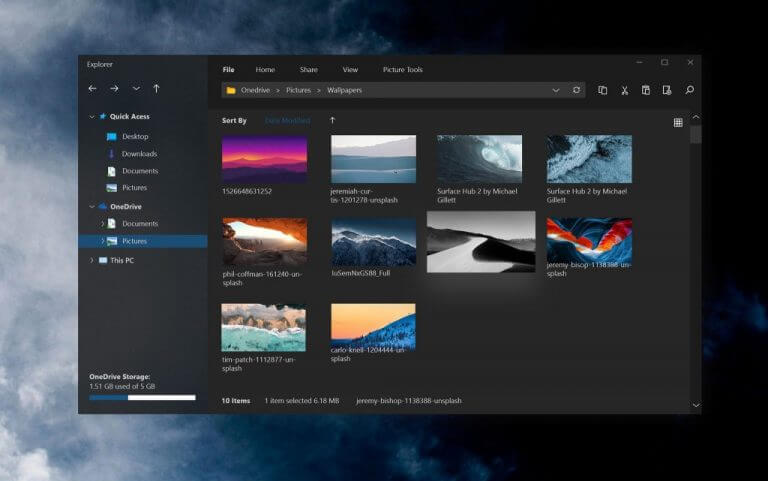
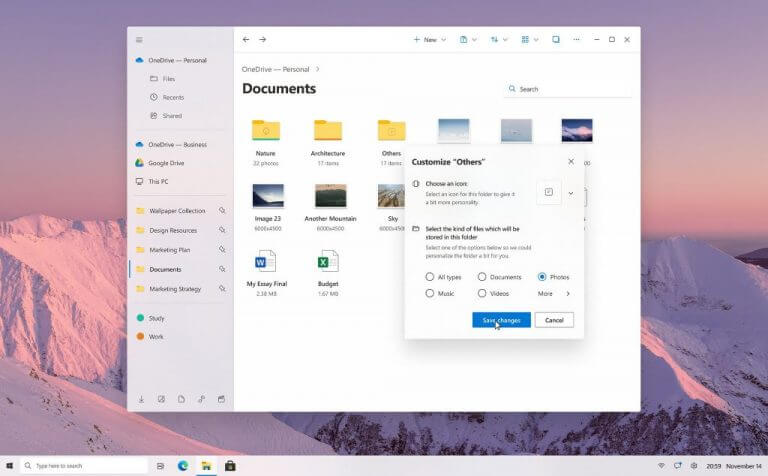
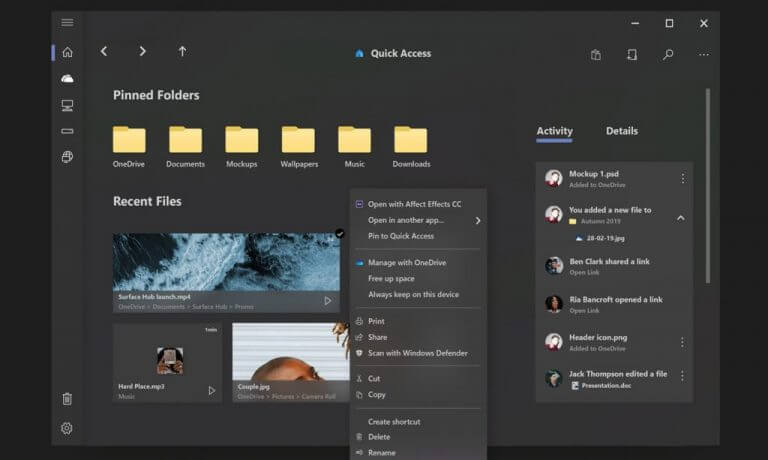 Slide content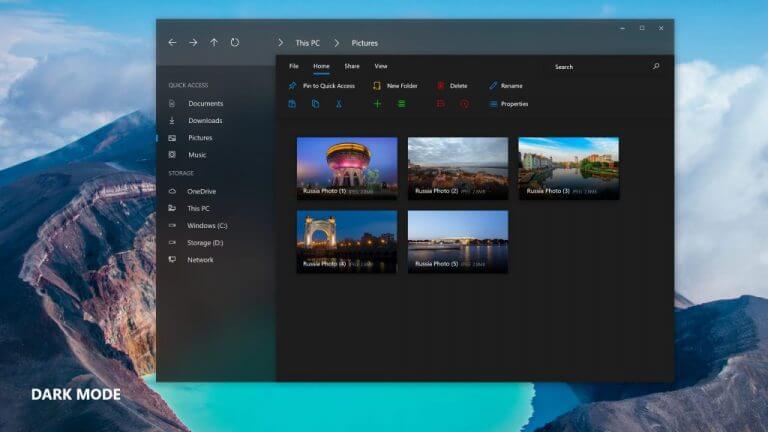
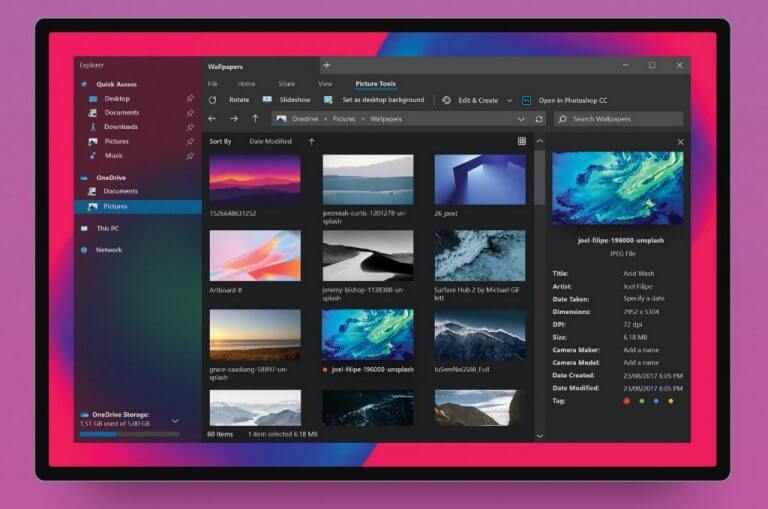
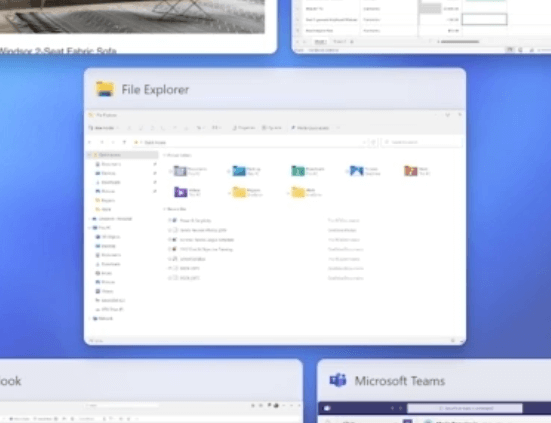
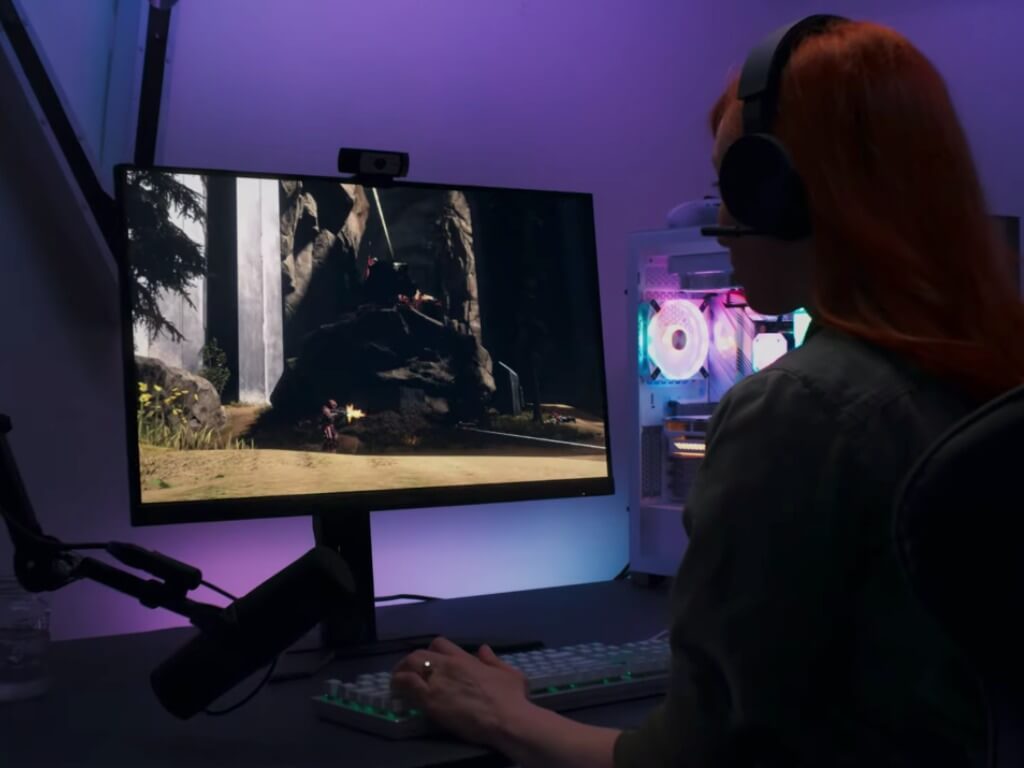
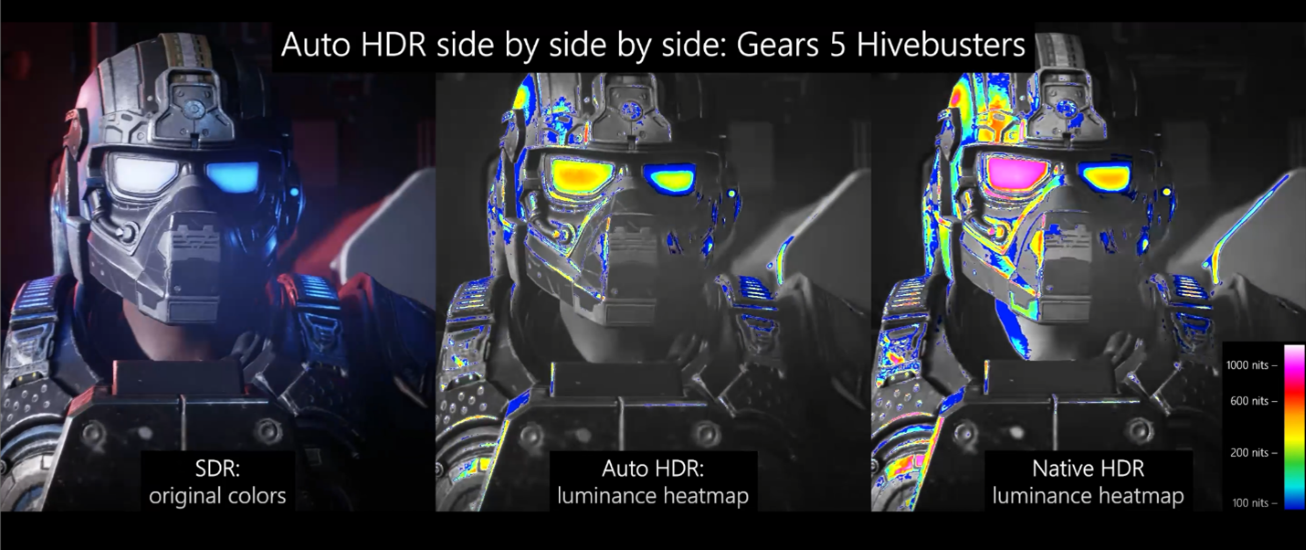
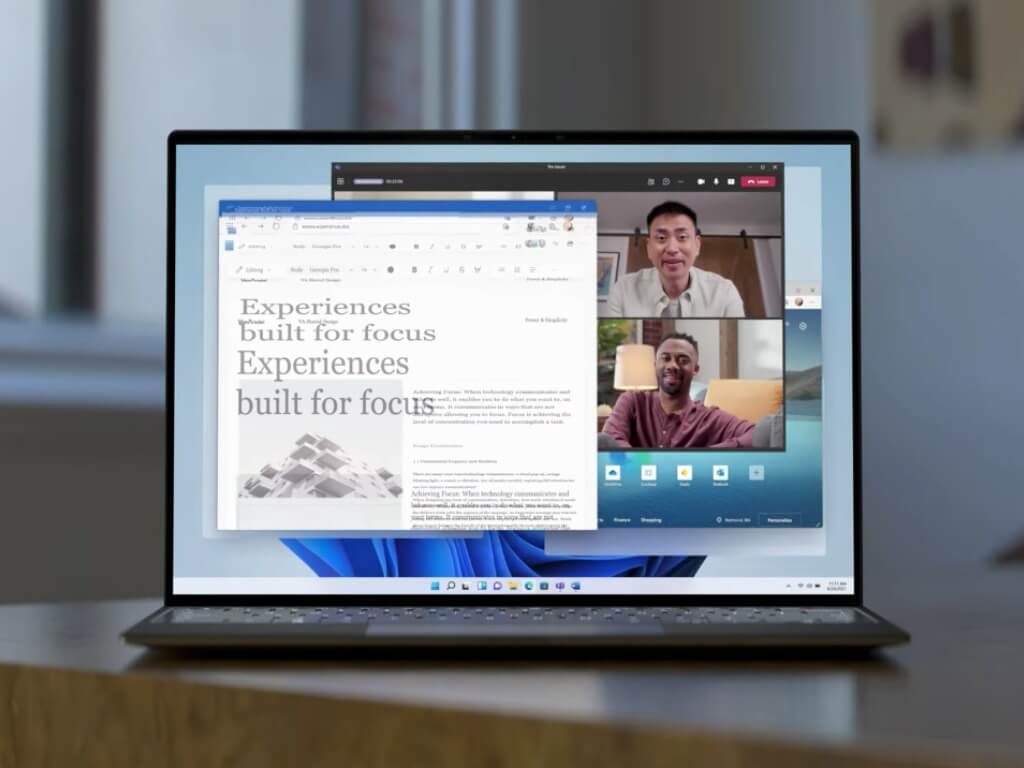
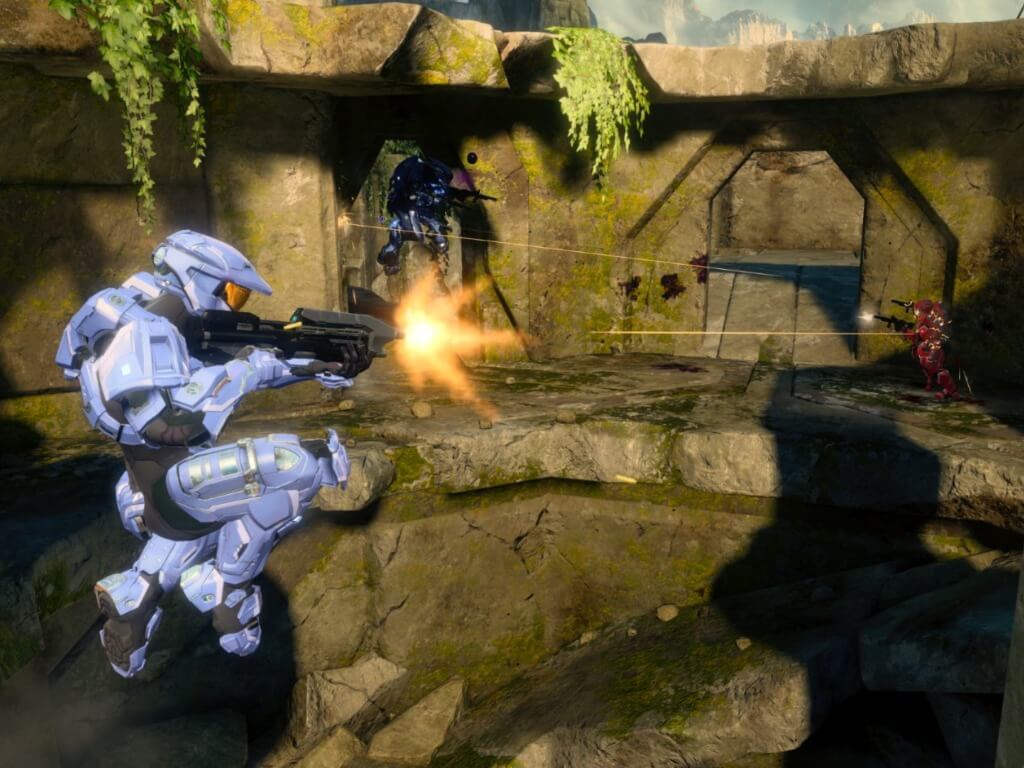


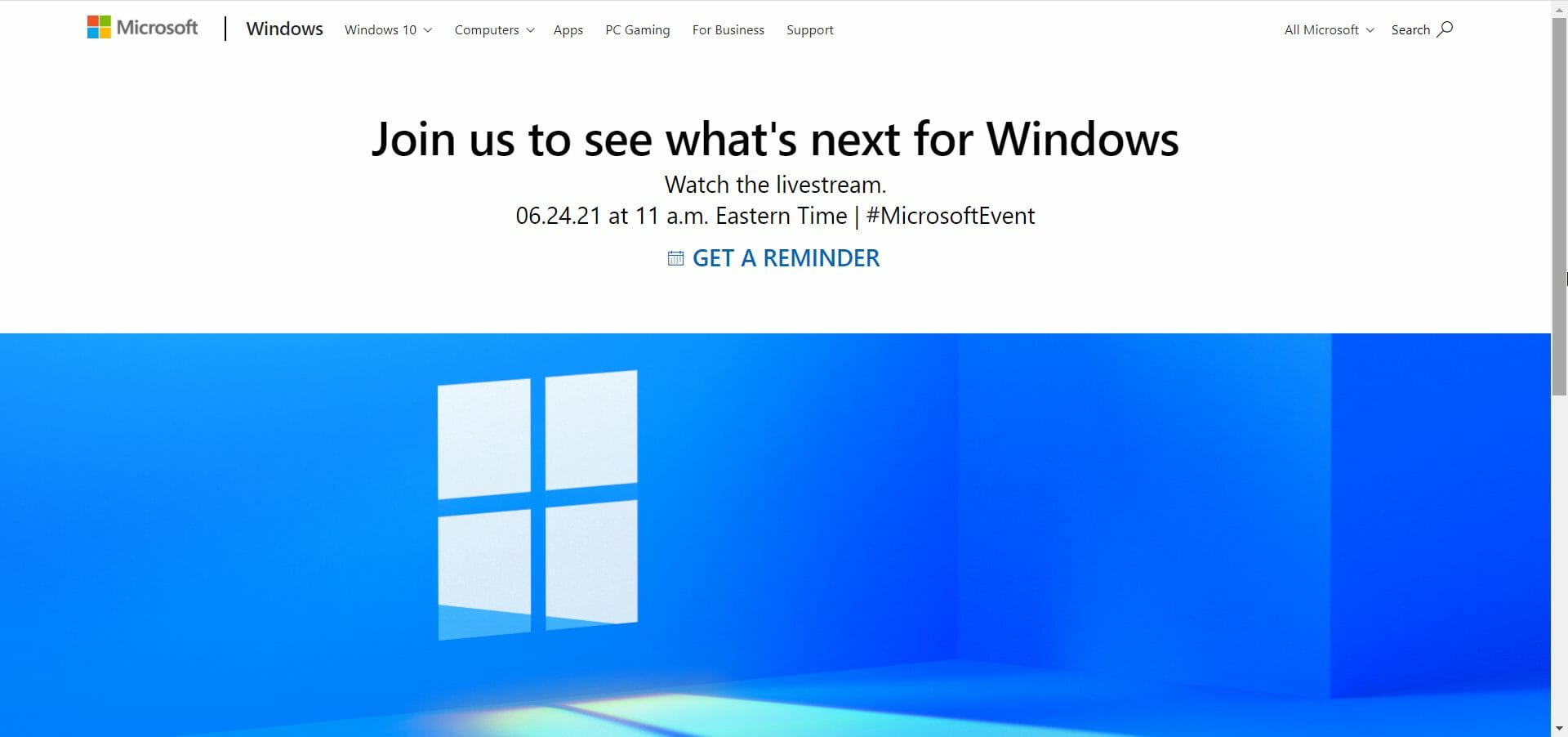

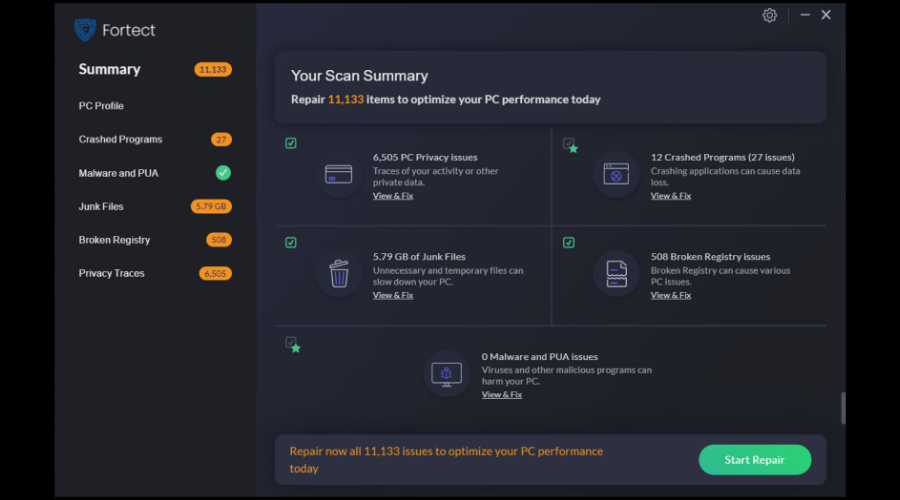

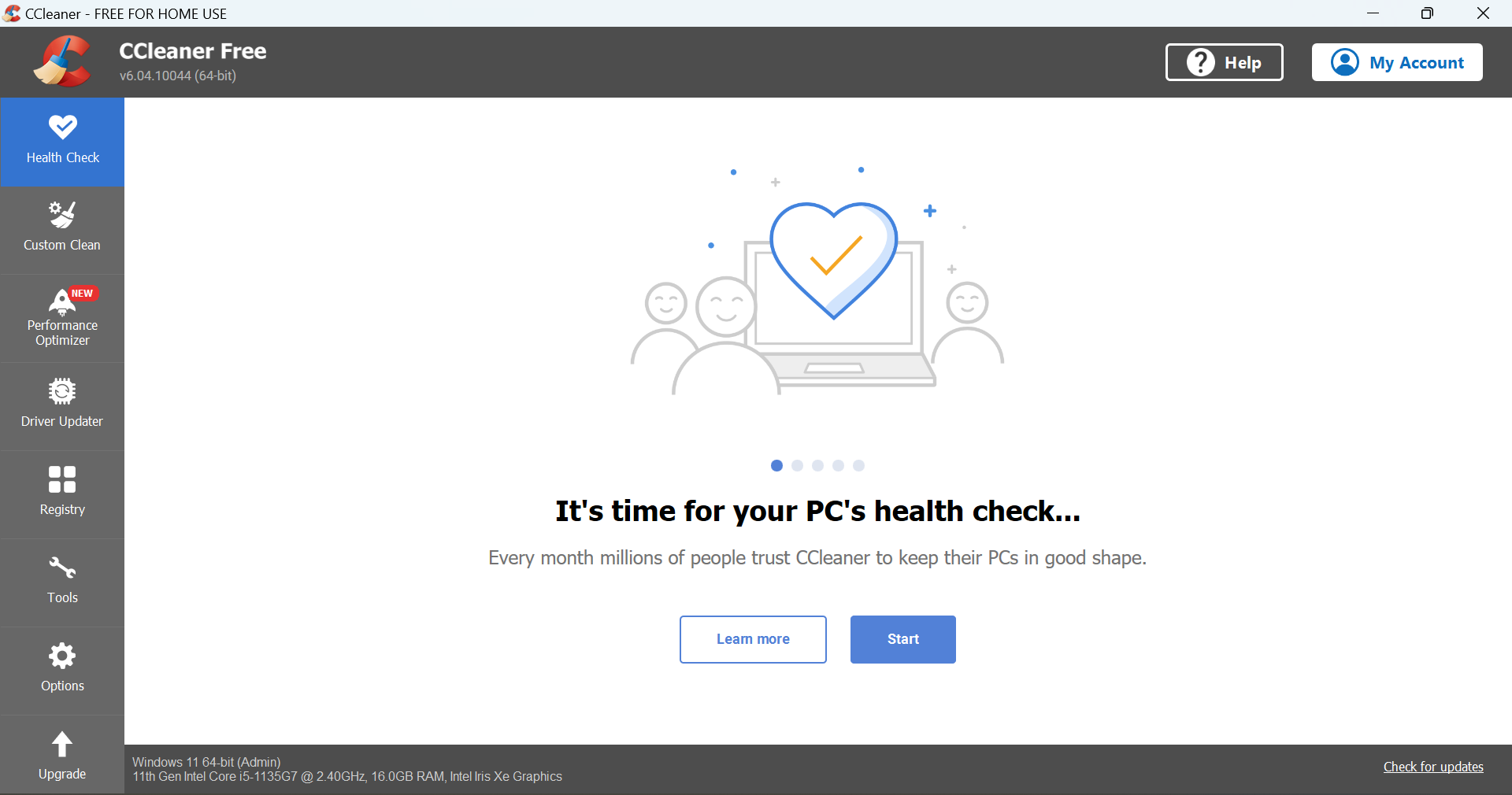


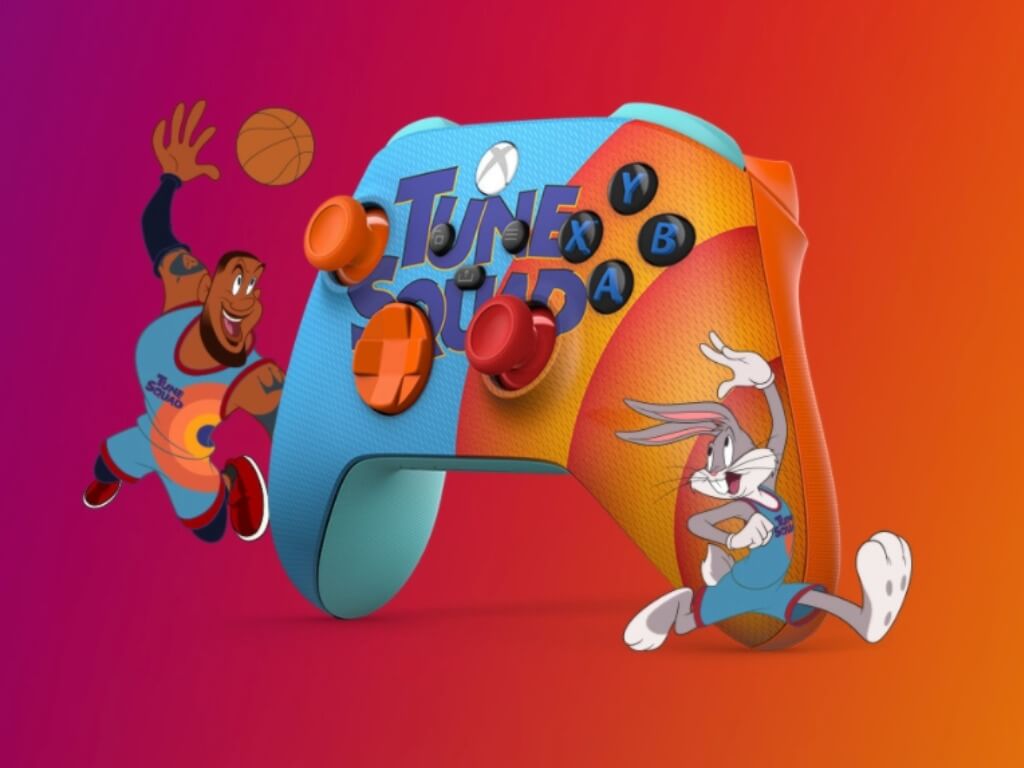

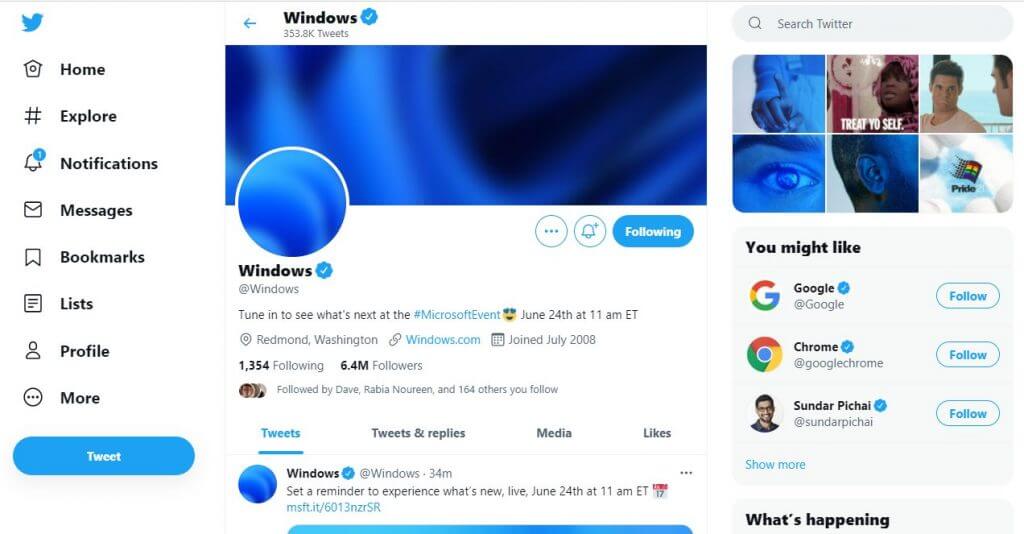


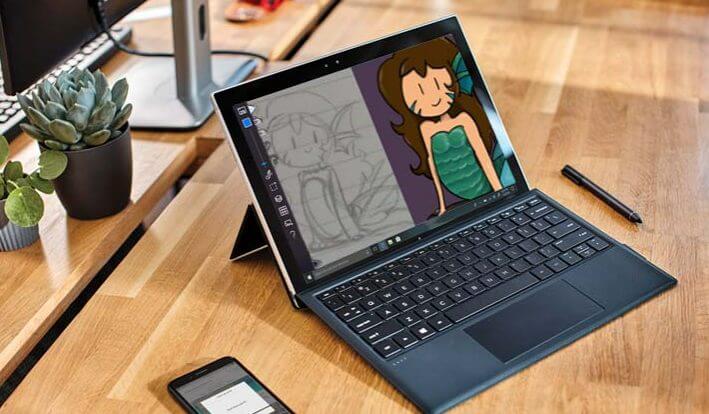

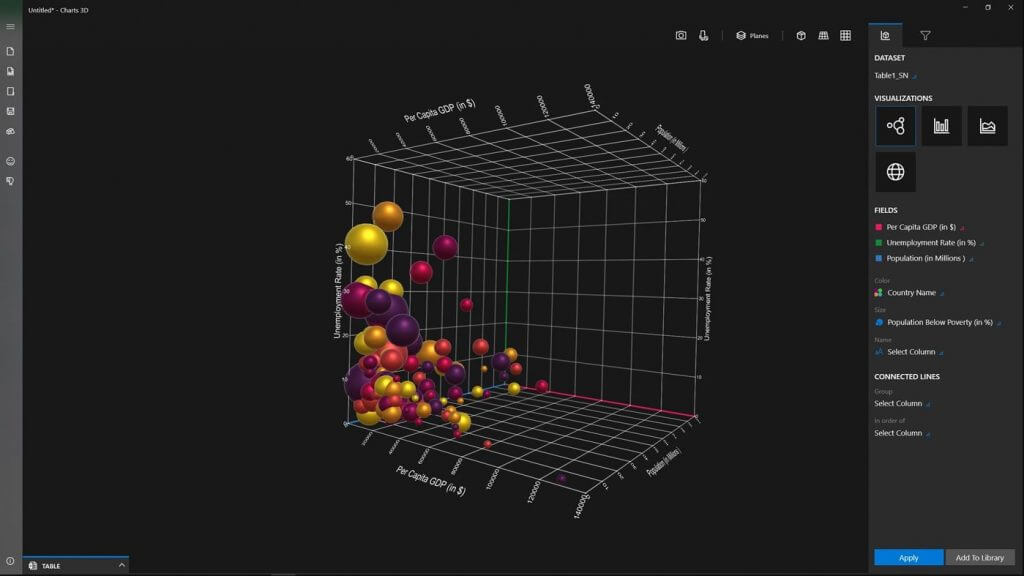

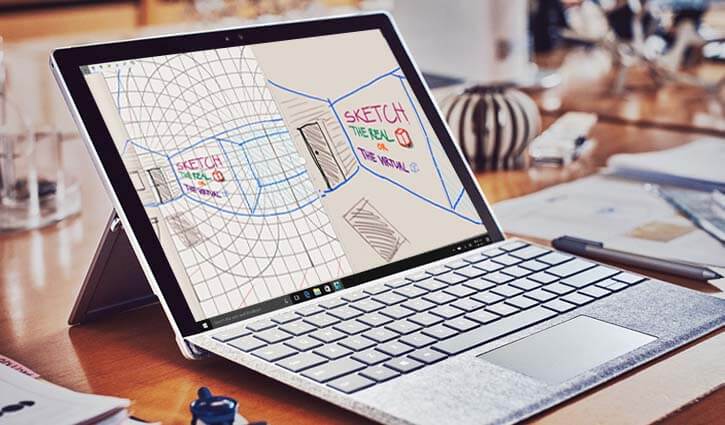









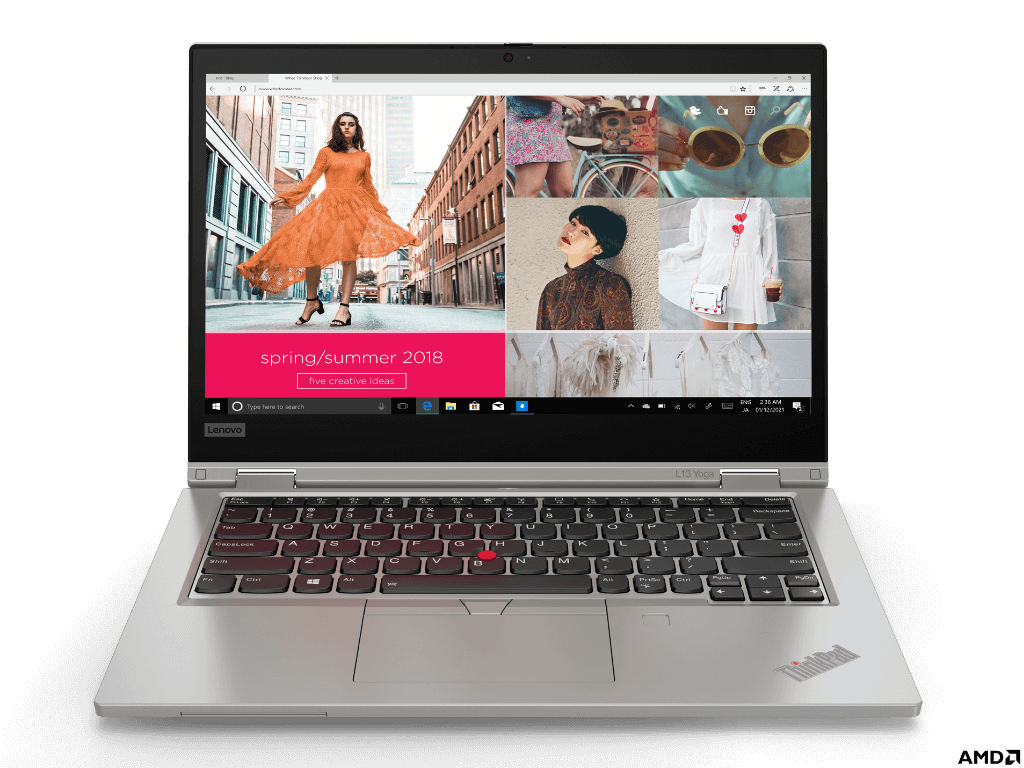
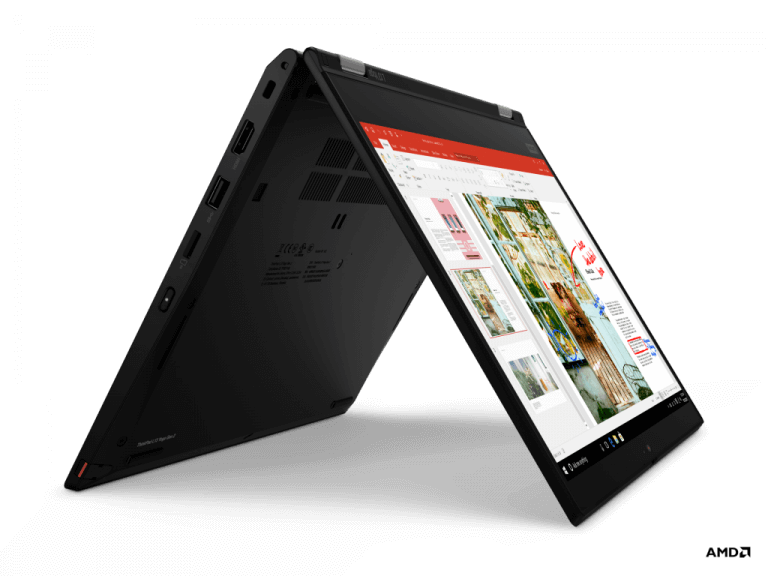
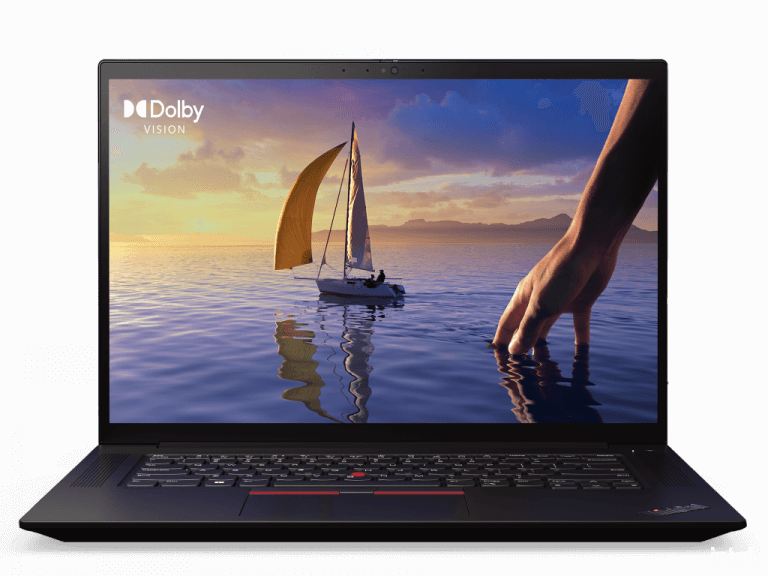
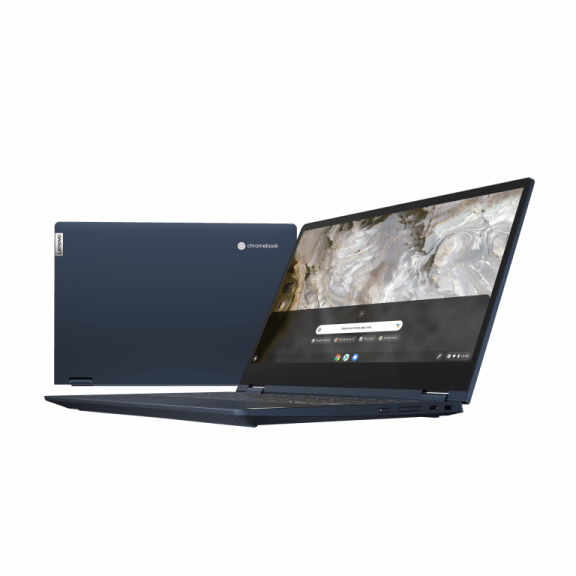
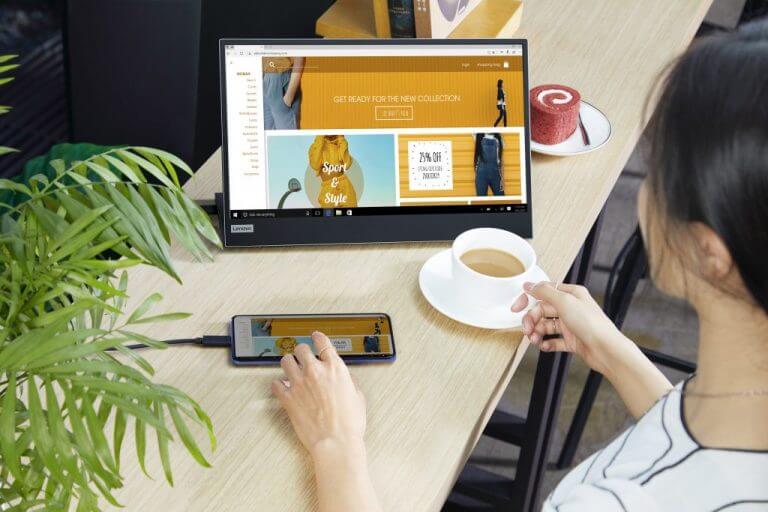
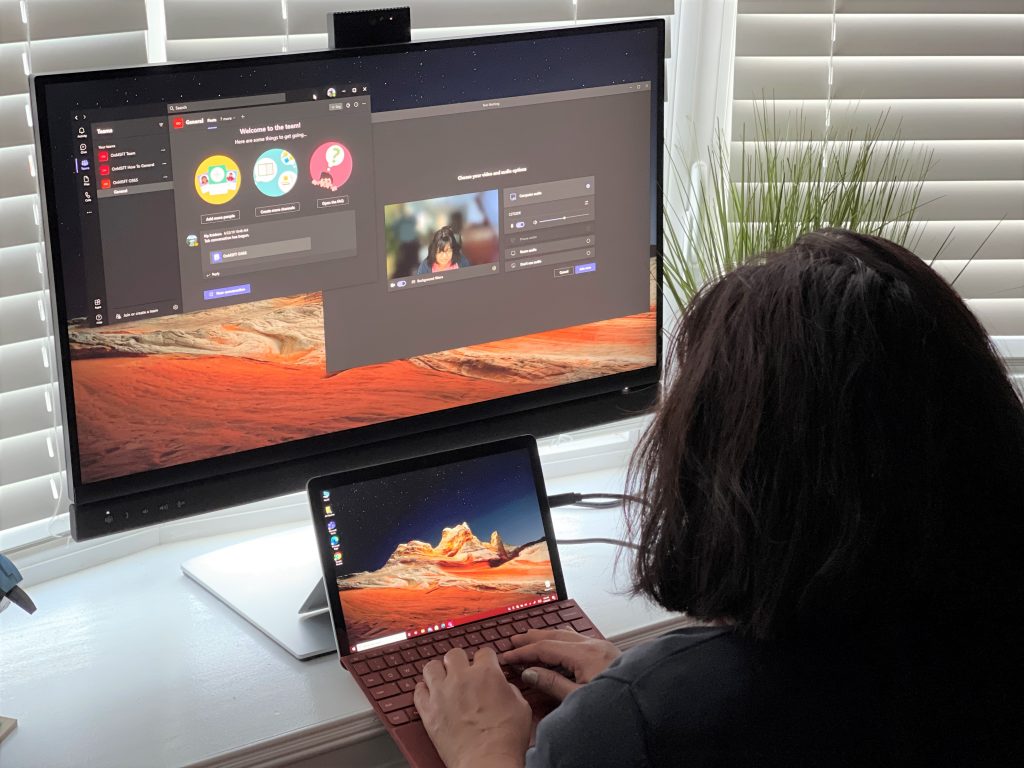
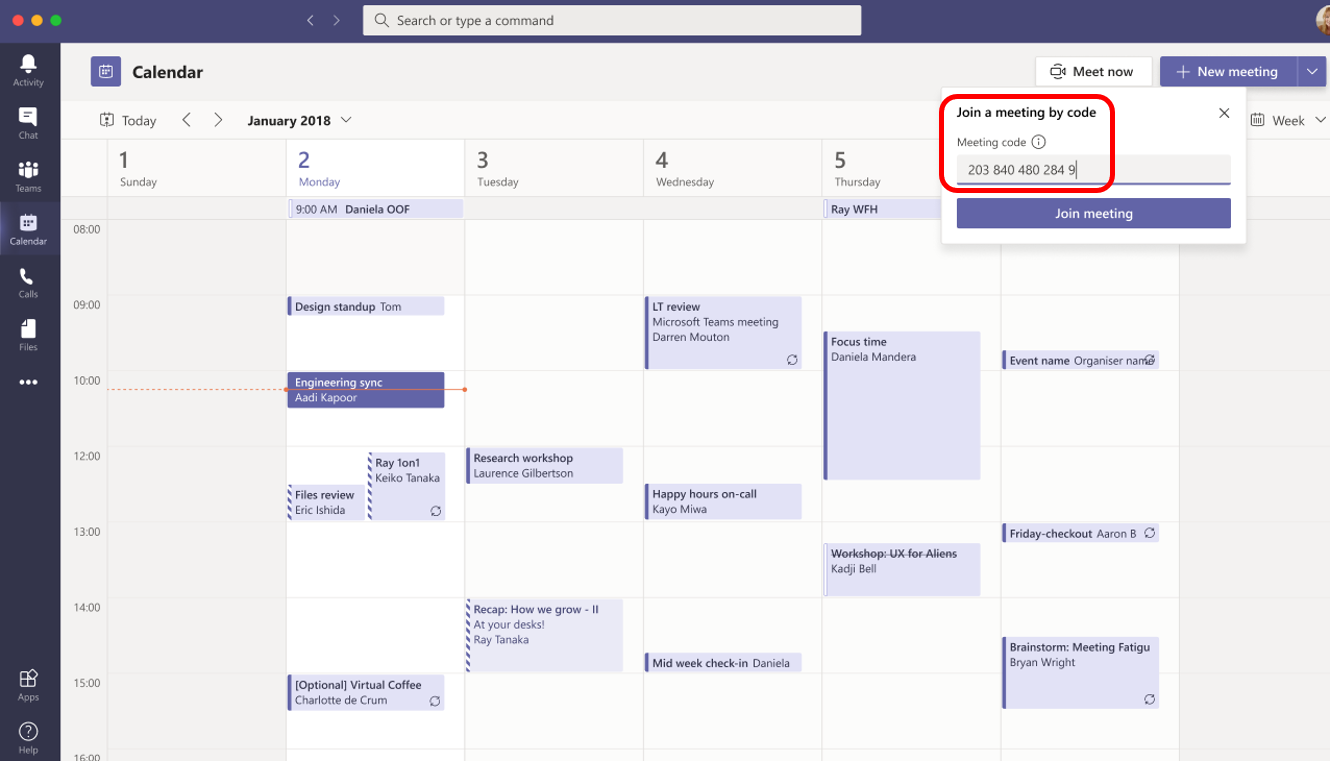


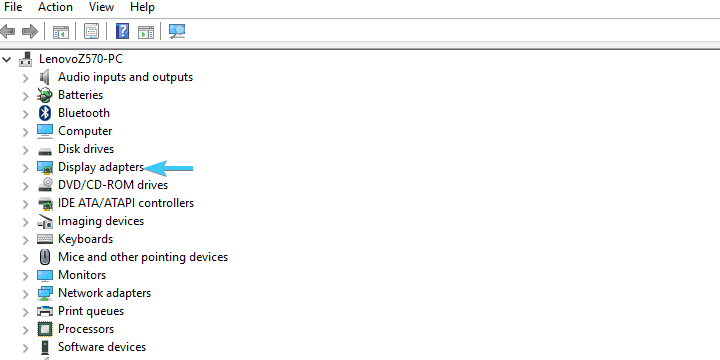
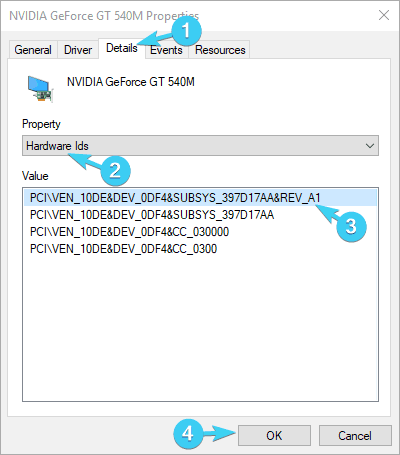
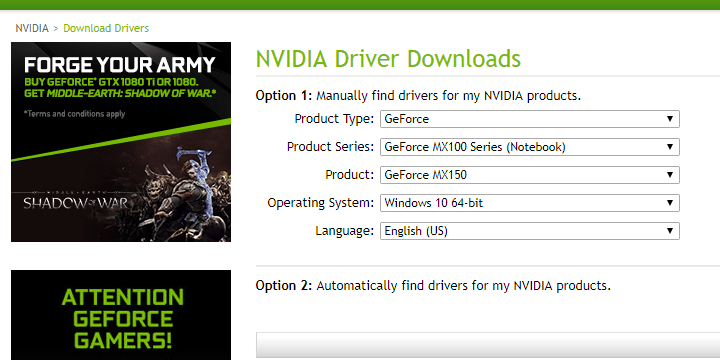

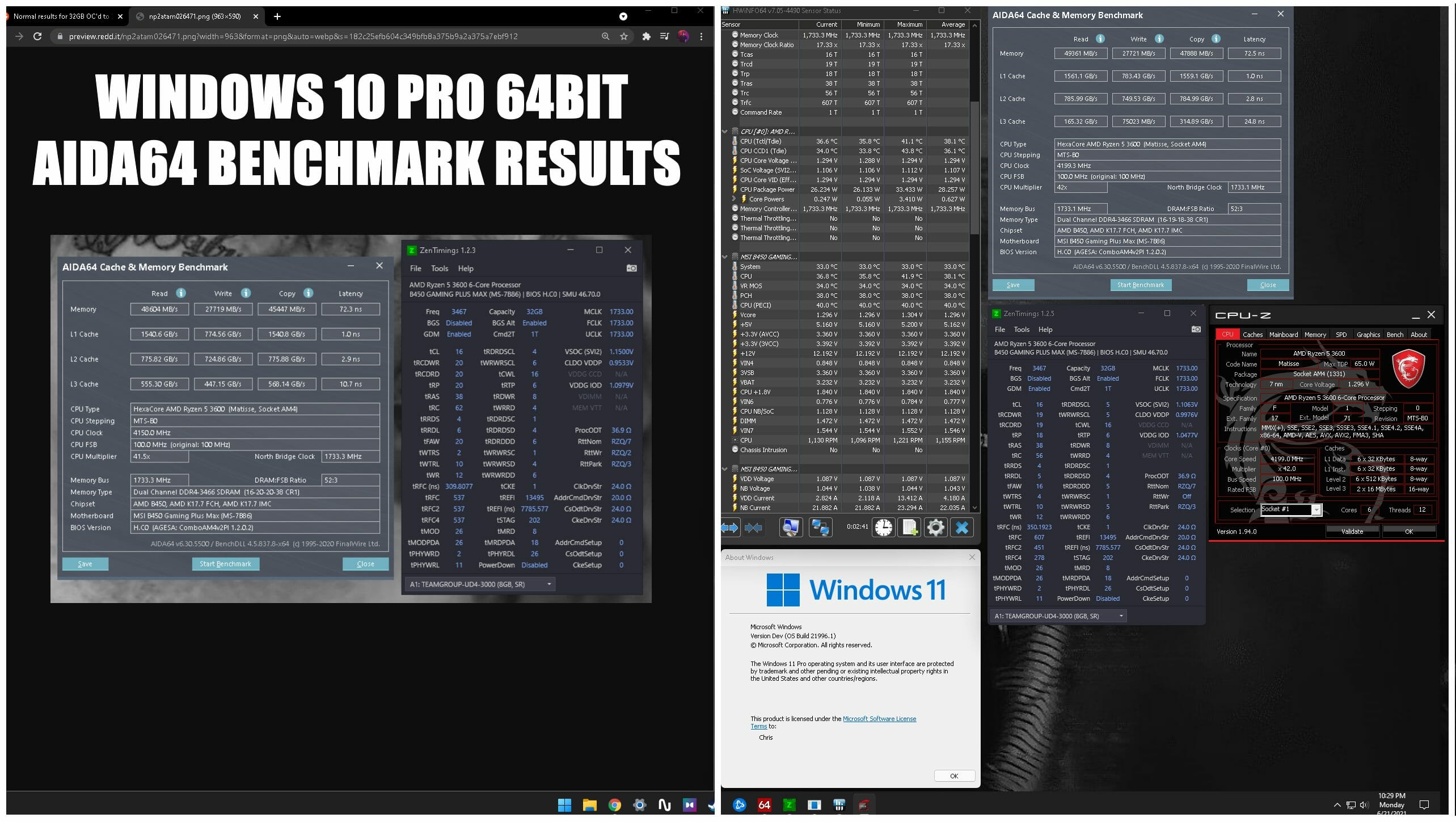
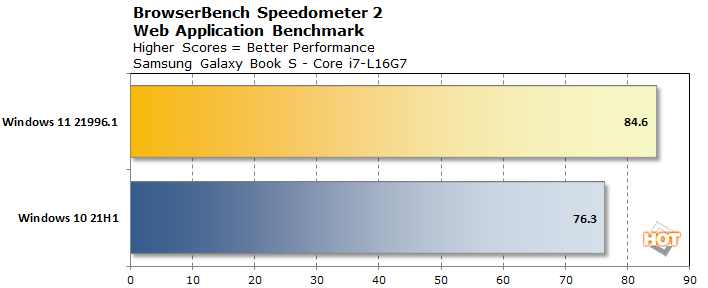

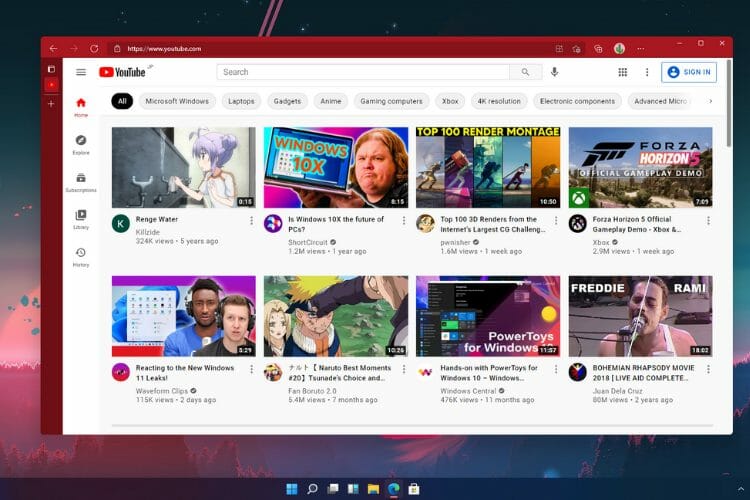







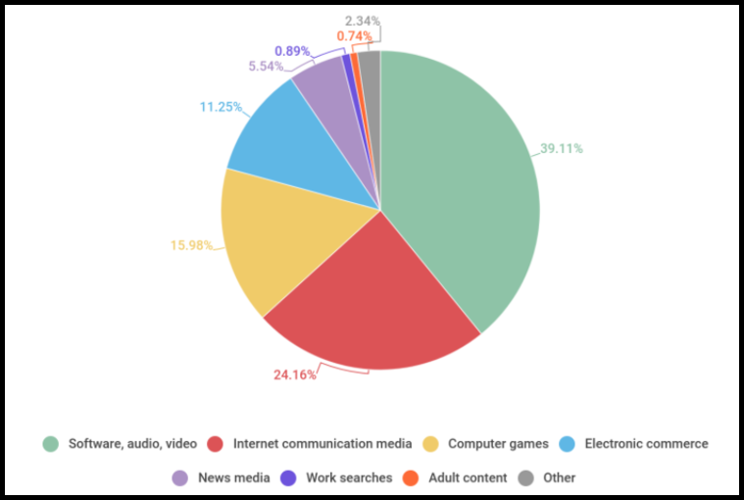









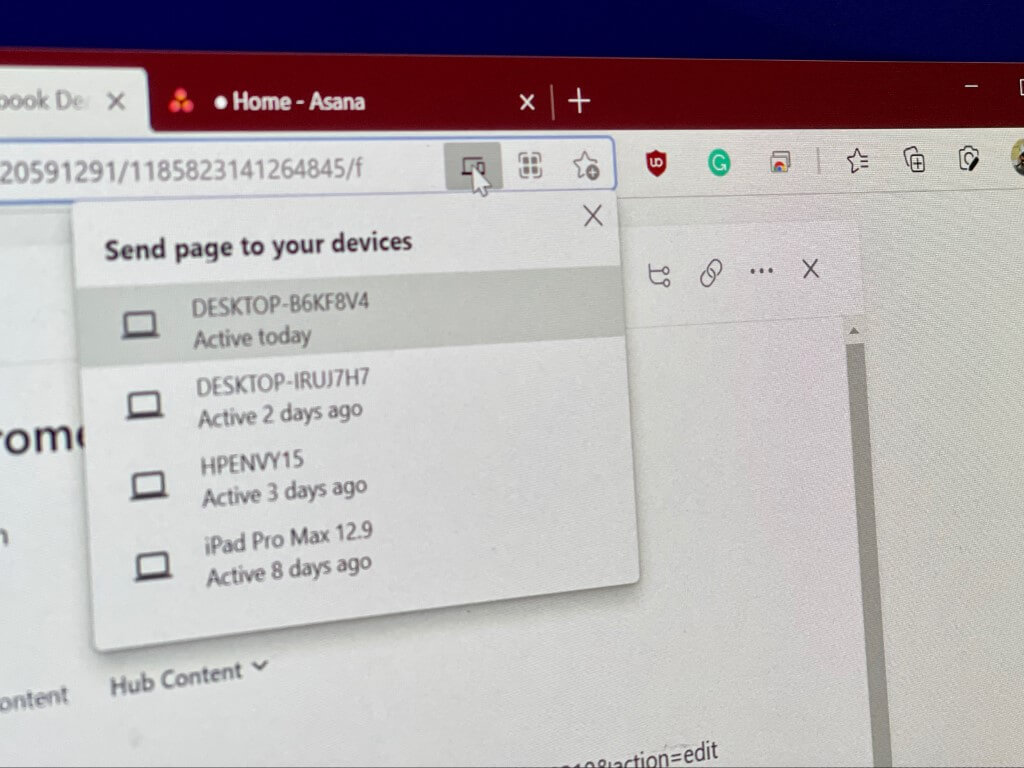
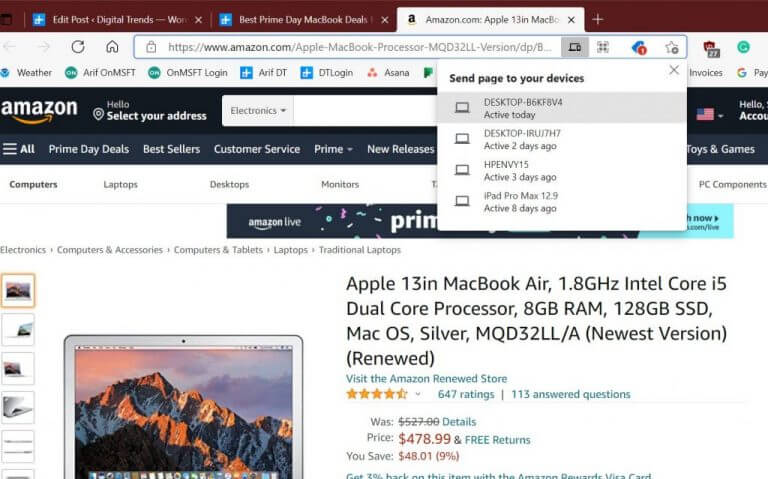

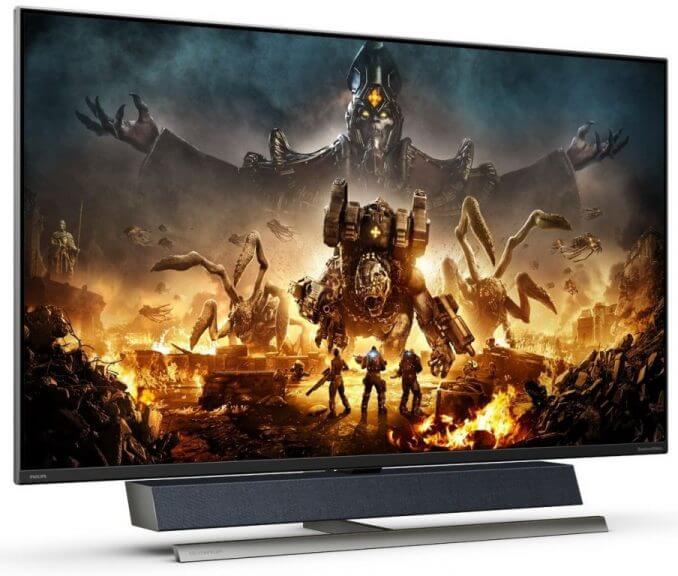
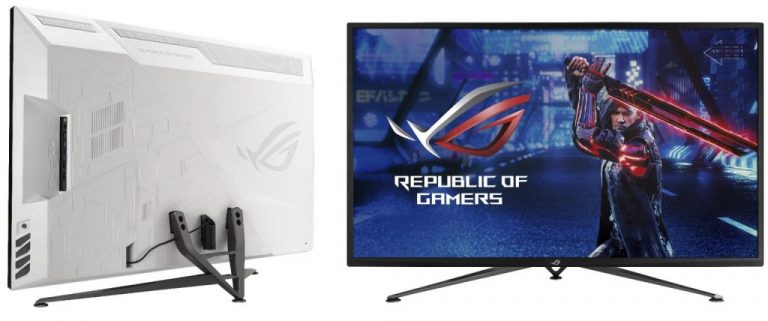
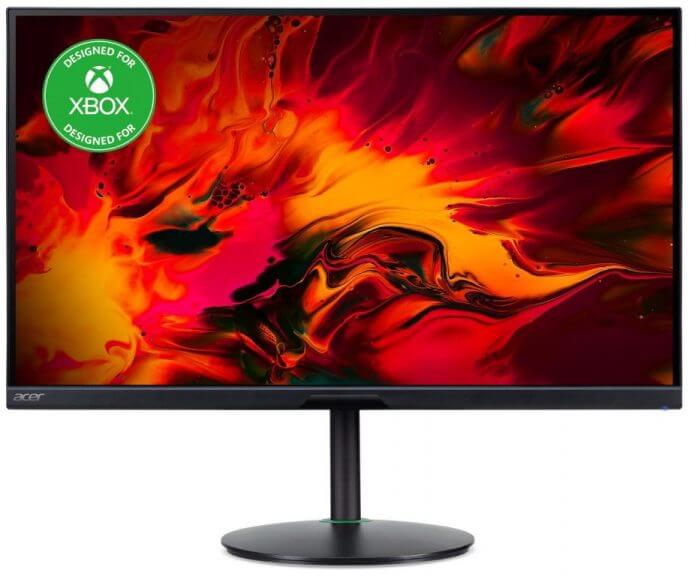
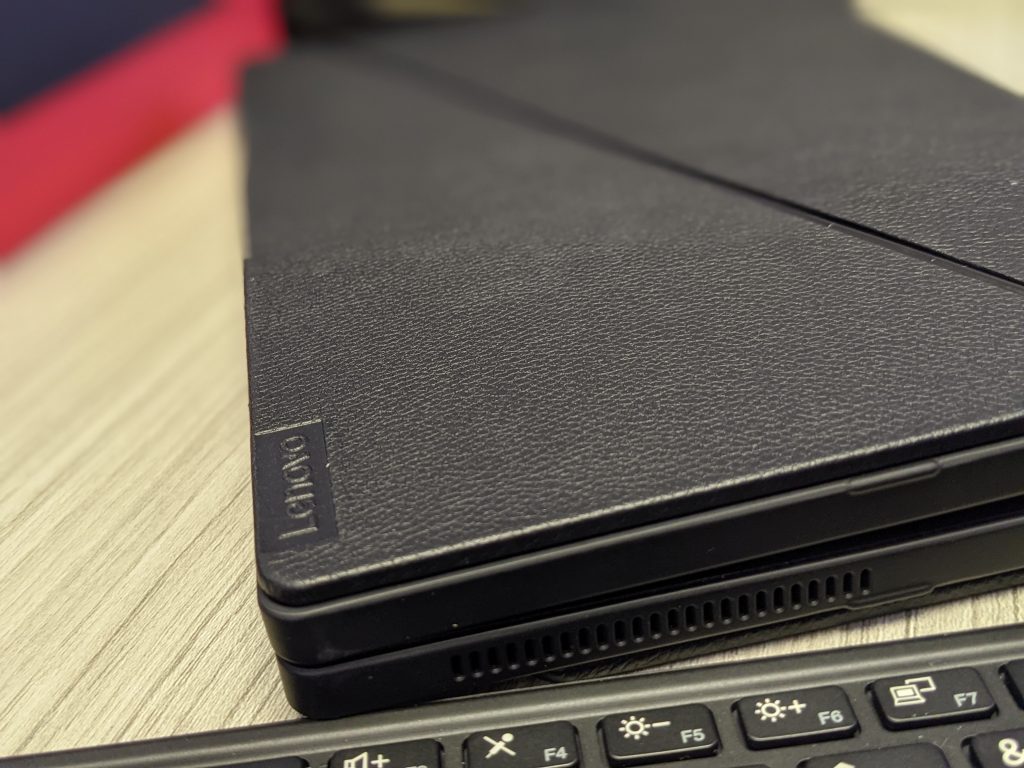
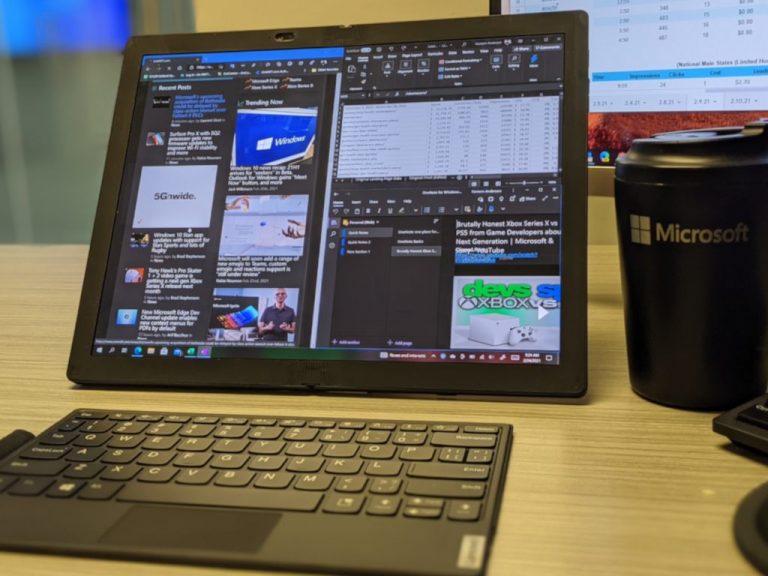
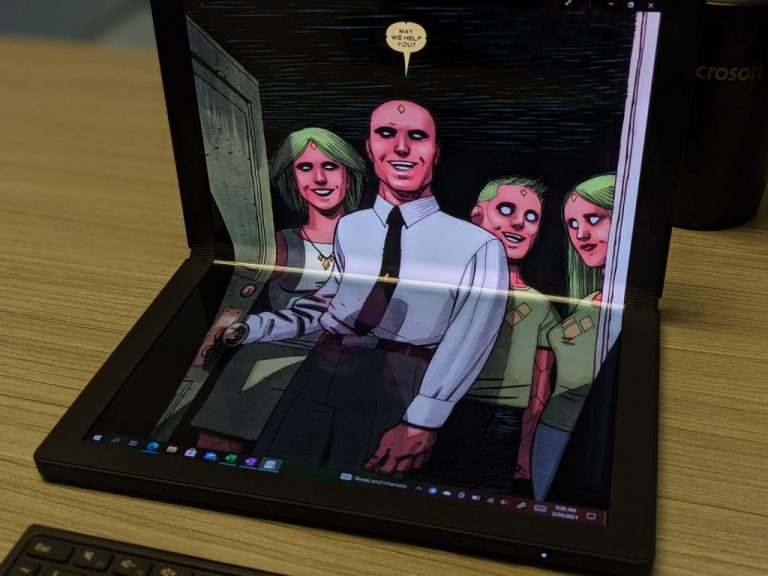







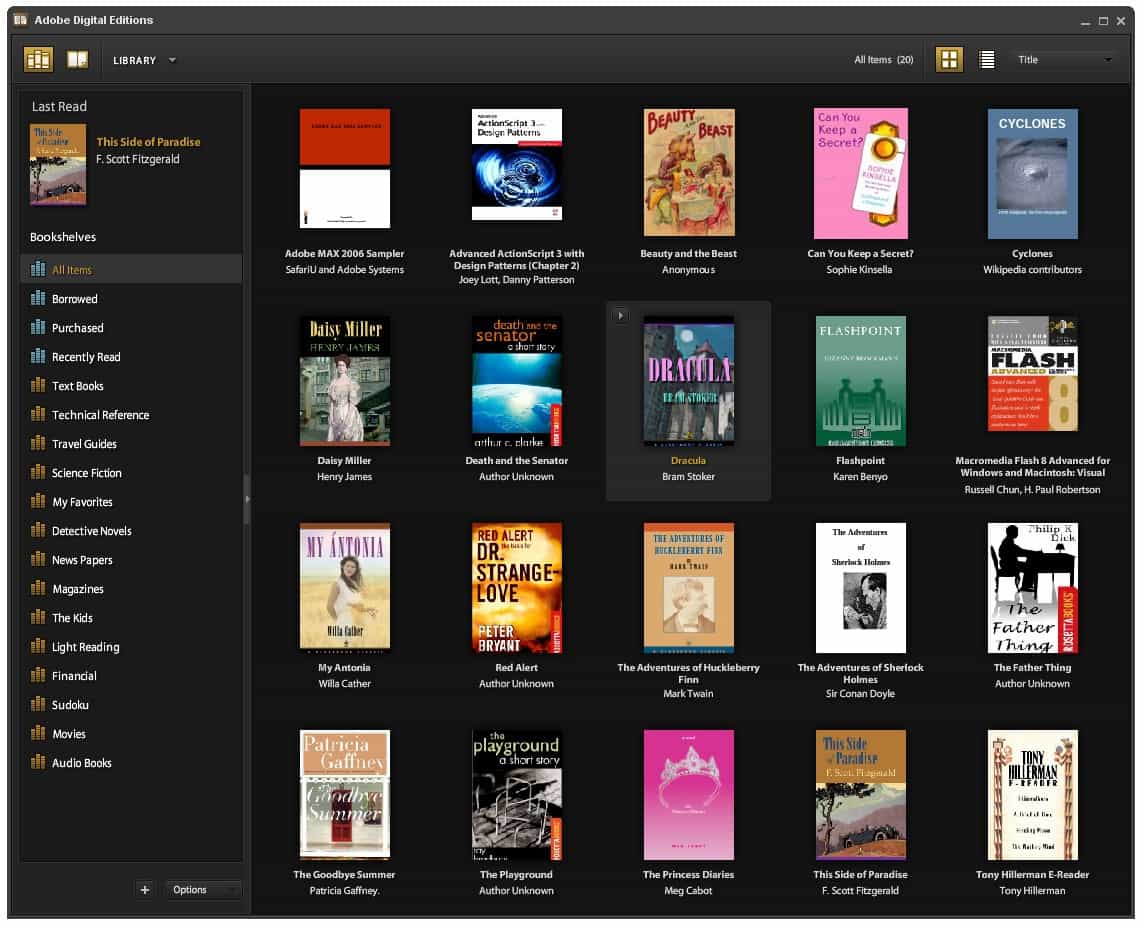


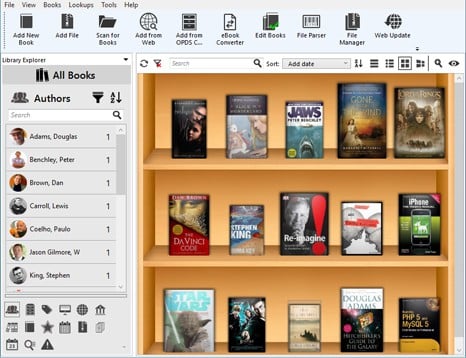





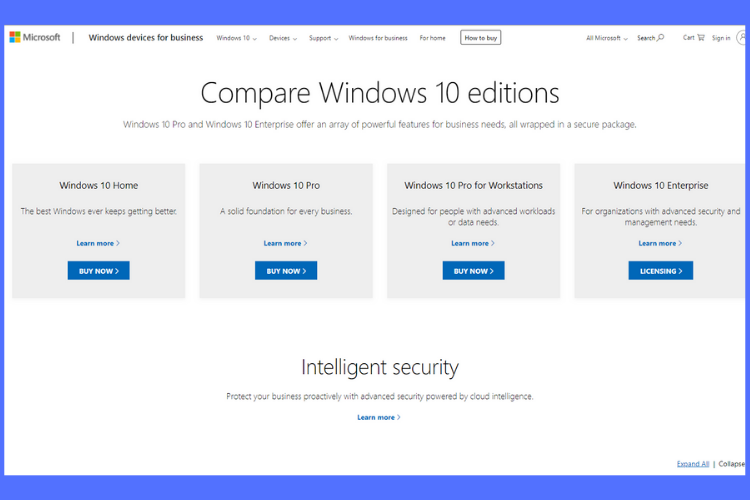
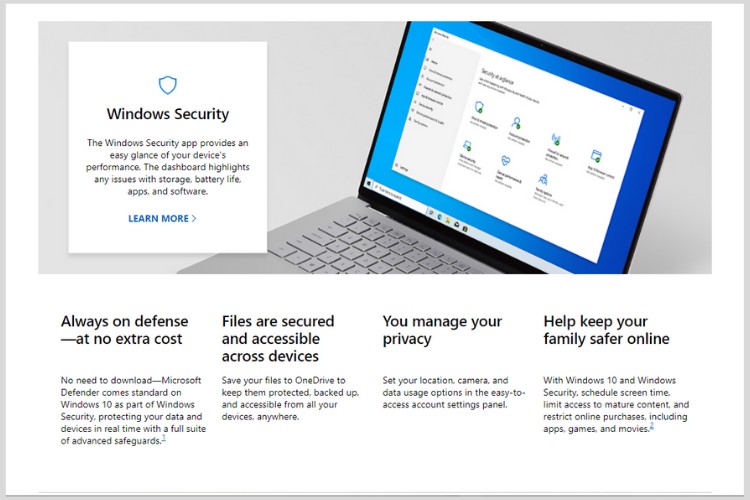
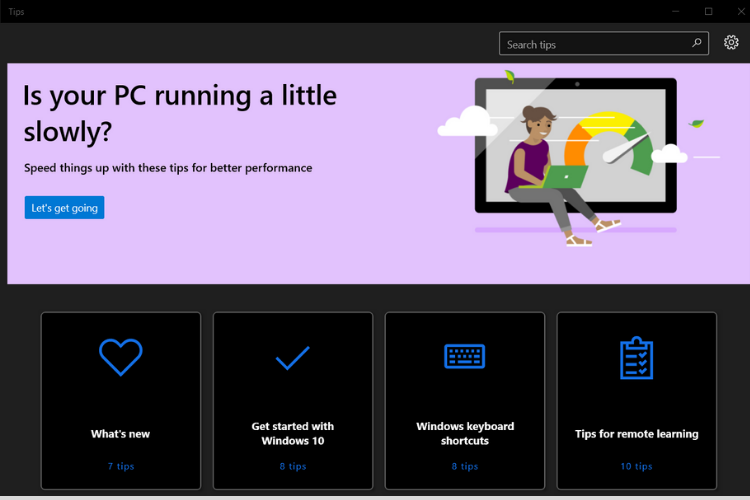
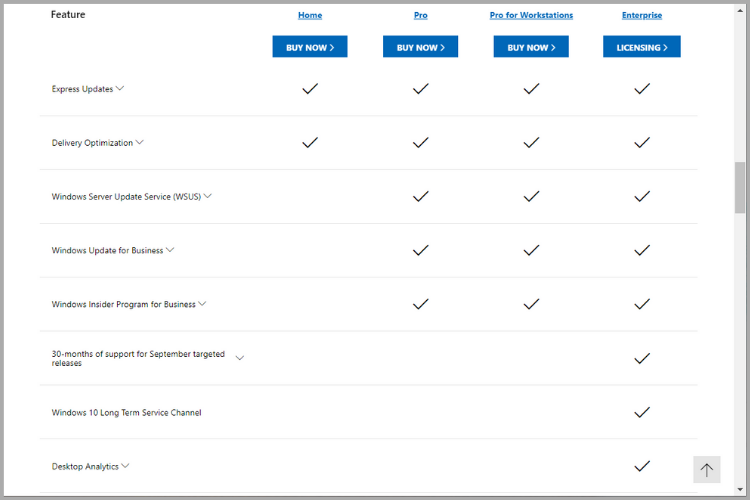


![How to update Huion tablet driver [Full Guide]](https://windowsreport.com/wp-content/uploads/2024/01/wr-placeholder.png)