Microsoft’s over-aggressive push with Windows 10 updates “clearly a lowlight for us”

Microsoft’s Windows 10 operating system achieved some significant new milestones this year. First of all, the company shipped the Windows 10 Anniversary Update in August, bringing a lot of new features to PCs, phones, Xbox consoles and HoloLens headsets. Then at Ignite 2016 in late September, Microsoft announced that Windows 10 was now running on 400 million devices, though the growth of the operating system has clearly stalled since Microsoft ended its free upgrade offer for Windows 7 and Windows 8 users in July.

While this limited time offer definitely helped Windows 10 become the second most used Windows version after Windows 7, the move also caused some PR nightmares for the company this year. Chris Capossela, Chief Marketing Officer at Microsoft, acknowledged it while he was once again a special guest during this week’s Windows Weekly podcast (via Slashdot).

When asked to share some of Microsoft’s low points in 2016, the exec recalled the moment when a change to the Windows 10 upgrade prompt earlier this year led to users complaining about forced updates. Microsoft eventually delivered a patch after two weeks, but Capossela admitted that the whole episode was “very painful” for the company. Here is his full, unedited quote below (you can watch it on Twit.tv starting at 17’30):

We know we want people to be running Windows 10 from a security perspective, but finding the right balance where you’re not stepping over the line of being too aggressive is something we tried and for a lot of the year I think we got it right, but there was one particular moment in particular where, you know, the red X in the dialog box which typically means you cancel didn’t mean cancel. And within a couple of hours of that hitting the world, with the listening systems we have we knew that we had gone too far and then, of course, it takes some time to roll out the update that changes that behavior. And those two weeks were pretty painful and clearly a lowlight for us. We learned a lot from it obviously.

As a reminder, a Californian woman even sued Microsoft for $10,000 this year over a “forced” Windows 10 upgrade that made her PC unusable, and the Redmond giant lost the trial. Do you agree that Microsoft’s aggressive Windows 10 updates were one of the company’s most disappointing moves this year? Let us know what you think in the comments below.

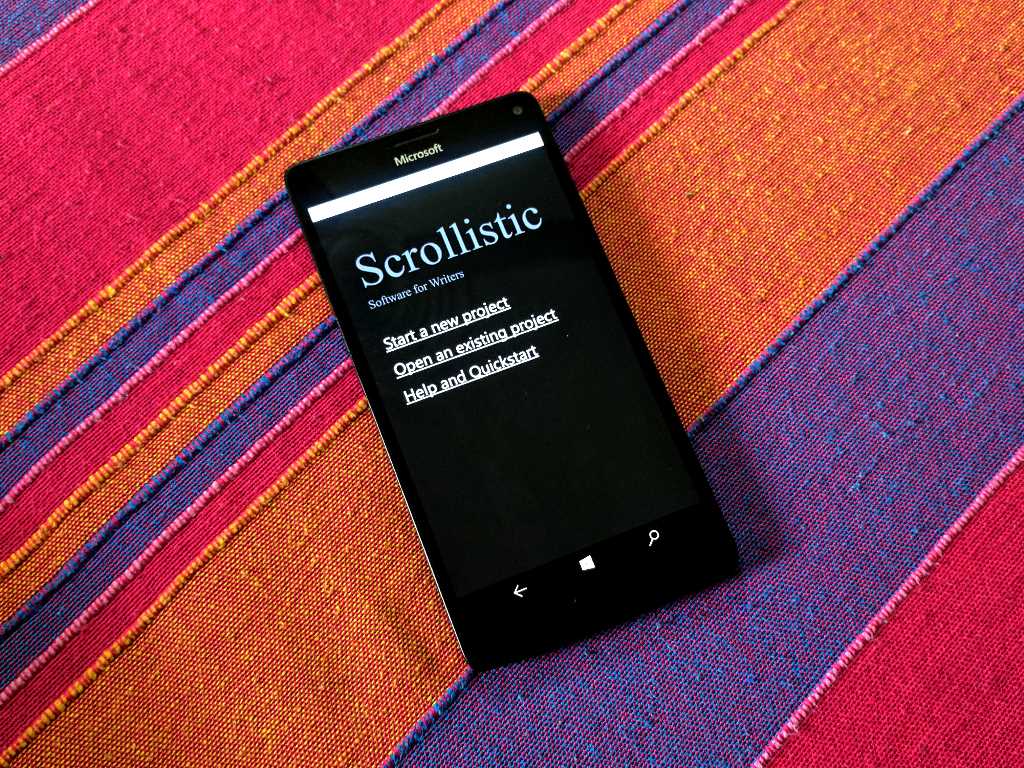
Scrollistic for Windows 10 is a complete writing studio for writers

Scrollistic is a writing studio comprising a chapter-based word processor with powerful CSS formatting for writers and book authors. The app helps writers organize their writing with built-in features for automated e-publishing.

A streamlined word processor with spell checking and simple formatting, Scrollistic is built natively for Windows 10 and Windows 10 Mobile. It is a lightweight UWP app that is designed for authors of both print books and ones who want to publish ebooks.

The app is designed for story planning and for writing documents with chapters. There’s an option to set your target daily word count and get alerted when reached. The app also takes automatic backups and auto-saves your project to ensure you don’t lose your work. I would’ve liked if the project file was saved on OneDrive or something so that I can work on the same book from different machines, including my phone.

One of the main differences between Scrollistic and other writing software is that it generates lightweight HTML for formatting the document. The generated HTML is easily printed and also helpful for publishers who need to format and reformat the document.

Else, if you want to generate an ebook, the app packs in a completely automated process, including automatic live Table of Contents and best practice document structure. There’s also full integration with Kindlegen using OPF3 compliant document packaging and Kindle-friendly default CSS style.

Scrollistic is available for both Windows 10 PCs and mobile devices. It’s free, and while it’s ad-supported, these are non-intrusive. You can also import you existing documents in plain text, so if you’ve already been working on a book, you can give Scrollistic a whirl with the same.

Scrollistic
Scrollistic
Developer:
Jon Bird
Price:
Free

Microsoft updates Windows 10 developer VMs, use them for free until April 2017

Microsoft has announced today the release of the December 2016 edition of its evaluation and licensed Windows 10 developer virtual machines (VM). Both versions are now available to download on the Windows Dev Center for Hyper-V, Parallels Desktop, VirtualBox and VMWare.

If you want to test the free version, be aware that the included Windows 10 Enterprise Evaluation version 1607 will be free to use through April 8, 2017. To use the licensed version with Windows 10 Pro version 1607, remember that you’ll need to purchase a $199 Windows 10 Pro license if you haven’t done it already.

Both versions also include the following tools:

  • Visual Studio 2015 Community Update 3 (Build 14.0.25425.01)
  • Windows developer SDK and tools (Build 14393)
  • Microsoft Azure SDK for .NET (Build 2.9.6)
  • Windows Bridge for iOS (0.2.161107)
  • Windows UWP samples (November 2016 Update)
  • Windows Bridge for iOS samples
  • Bash on Ubuntu on Windows

Virtual machines are perfect for trying out Windows 10 and start developing UWP apps in an optimized environment. Lastly, don’t hesitate to share your feedback about these VMs on the dedicated Windows Developer Feedback UserVoice site.

Shantae Half-Genie Hero: How to rebind keys

Shantae Half-Genie Hero is a fun game to play. Although at first it may look it’s a simple game, players confirm this title is actually quite challenging. In it, you’ll guide Shantae to stop a mysterious crime wave sweeping Sequin Land. Learn what her strong points are and use them when confronted with enemies. For example, her devastating Hair-Whip Attack sends monsters flying and she can use magic attacks.

There are also a few issues affecting the game, but WayForward should soon release a patch to fix them. Speaking of game adjustments, rebinding the game’s keys is not an obvious task. For this reason, we prepared a short how-to guide to help you rebind keys in Shantae Half-Genie Hero.

Here’s how to rebind Shantae Half-Genie Hero’s keys

1.  Go to the main menu > go to the bottom of the Save slot > you should see the following options: Erase, Copy and a set of gears.

2. Select the gears> go to Controller Configuration > configure both the keyboard and gamepad.

Speaking of quick tips, many players report Shantae Half-Genie Hero suffers from low FPS rate issues. One player confirms that forcing the display to 60Hz rather than 144Hz solves this problem. If you’re experiencing low FPS issues and stuttering, use this solution and see if it works for you too.

Shantae Half-Genie Hero received positive reviews on Steam. Players appreciate the game’s upgraded graphics and the polished and fun gameplay.

Pretty much all you’d expect from a Shantae game with refined controls, more content and a much improved level-select system which cuts out the filler content and lets you get right into the action.

You can buy Shantae: Half-Genie Hero for $19.99 from Steam.

RELATED STORIES YOU NEED TO CHECK OUT:

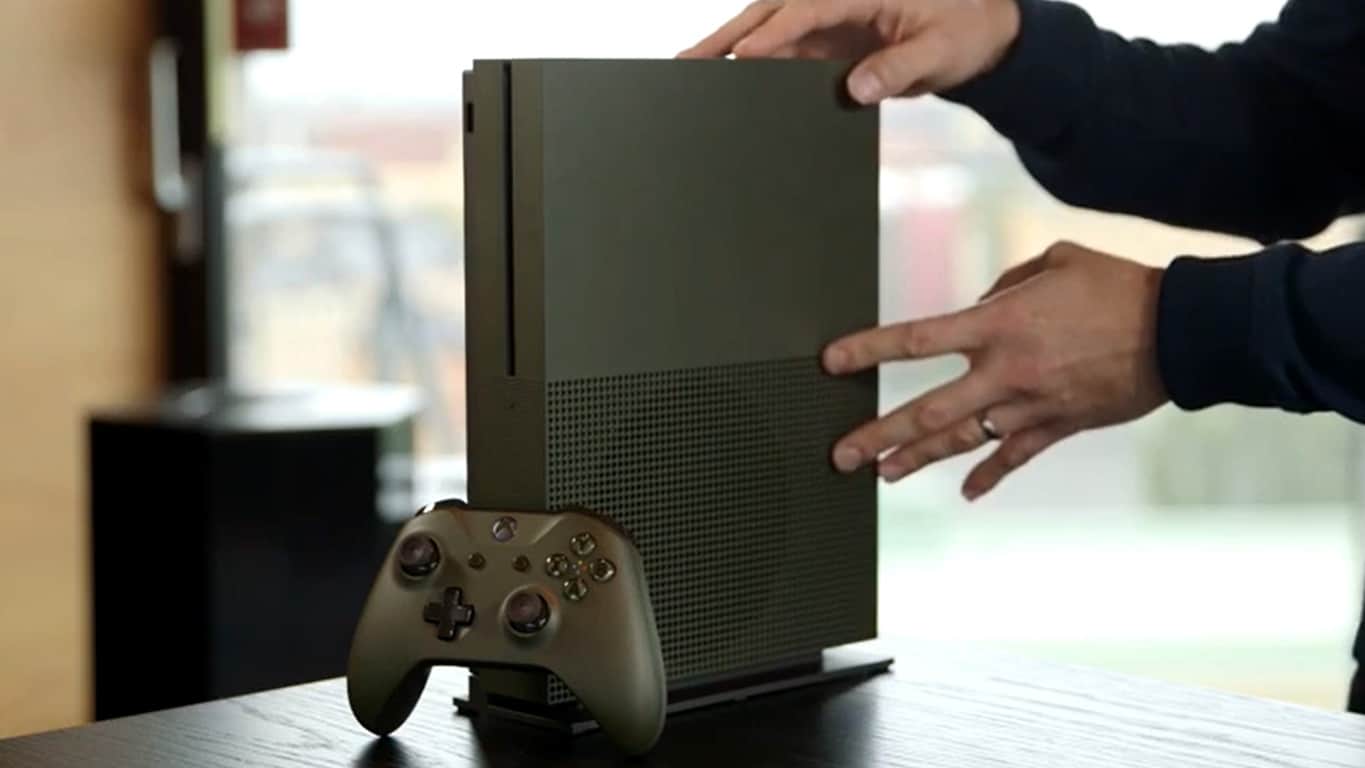
Find out how to win these epic custom Gigantic Xbox One S consoles here

There are currently two very cool custom Xbox One S consoles being given away in a contest to promote the new Xbox One video game, Gigantic.

The two custom consoles have been designed by Flaming Toast Decals with each one featuring a theme dedicated to either House Aurion or House Devaedra, teams within the Gigantic game. Each console also comes with a customized controller as well.

To enter, entrants must be over 13 years old and residents of the United States, and simply retweet the tweet embedded below. Only one entry is allowed per person and the competition will run until January 2nd.

https://twitter.com/GoGigantic/status/812013257456164866

Gigantic is currently in open beta Game Preview on both Xbox One and Windows 10. Have you had a chance to play it yet? Share your impressions of it in the comments below.

Gigantic
Gigantic
Developer:
Motiga, Inc
Price:
Free

Final Fantasy XV Update 1.03 fails to fix graphics issues

Final Fantasy XV recently received two important holiday presents: Update 1.03 and the Holiday Pack. As expected, the former brings a series of useful bug fixes while the latter offers Noctis some cool gifts.

Unfortunately, Final Fantasy XV Update 1.03 let down many fans. Players report that the patch doesn’t fix the annoying graphics issues affecting the game and that they still encounter glitches characterized by flickering and black spots everywhere.

Final Fantasy XV Update 1.03 doesn’t fix graphics bugs

Final Fantasy XV players complain the game is still extremely blurry on the Xbox One console. They actually feel they wasted money on an incomplete game and are very disappointed.

Downloaded the patch, Xbox one still extremely blurry. Glad I wasted money on an incomplete game, honestly didn’t expect this from Square.

FFXV fans became excited when they saw an update in their Download list, but the patch content let them down in the end. Players also started posting videos on YouTube in an effort to draw Square Enix’s attention. It appears that the only solution for gamers is to keep posting videos depicting FFXV graphics bugs and report these errors on the company’s dedicated  forum thread.

Indeed, Square Enix is aware that Final Fantasy 15 is affected by many graphics issues since it created this forum thread at the beginning of December. But somehow, it appears that fixing graphics glitches is not a priority for the company for the time being.

Moreover, a few days ago many players reported that Square Enix Support confirmed that Final Fantasy 15 would receive a major patch in December addressing severe issues such as HUD problems and glitches.

Also, the sound still cuts out in any combat situation after players install Update 1.03. Although this is a rare bug, it’s still occurring nonetheless.

Have you installed Final Fantasy XV Update 1.03 on your Xbox One? If you’ve encountered other issues, tell us more about your experience in the comment section below. Also, don’t forget to report bugs to the FFXV forum.

RELATED STORIES YOU NEED TO CHECK OUT:

Download these Netgear firmware updates to make sure you don’t get hacked

Some time ago, a serious security flaw was discovered in numerous Netgear routers. As soon as the vulnerability was identified, Netgear promised a  firmware update. And now, the company finally released the patch, which will make sure users of Netgear routers are safe.

The vulnerability could allow attackers to take the control over the Command Line, which will grant them access to the entire system. Affected models are the Netgear R6200, R6400, R6700, R7000, R7100LG, R7300, R7900, and R8000 routers, as well as some others.

The update was released to all affected routers. If you use a vulnerable router, you can download the latest firmware update from these links:

Additionally, beta firmware releases for the following Netgear routers are also still available:

To install the latest firmware update for your Netgear router, do the following:

  1. Download a suitable update from one of the links listed above.
  2. Log in to the router via https://www.routerlogin.net
  3. Go to Advanced > Administration > Firmware Upgrade
  4. Click Browse, and then on Firmware update
  5. Now, just upload the downloaded file, and wait for the process to finish

Netgear announced that it will keep looking for possible vulnerabilities in other routers. As soon as a new vulnerability is discovered, the company will make sure to release another security update. You can keep track of all firmware updates on Netgear’s official website.

RELATED STORIES YOU NEED TO CHECK OUT:

Get into the holiday spirit with this mod for Fallout 4 on Xbox One

Looking to make your Christmas Fallout 4 binge a little more festive? If you’re on Xbox One, you can get The Christmas Mod right now and enjoy a bit of holiday cheer in the wasteland. The mod doesn’t do too much for gameplay, but it does a whole lot in the way of making things more colorful and cozy for the holiday-loving gamer.

Here’s what The Christmas Mod brings in its bag of gifts:

♦ Four outfits
♦ Two types of hats: A santa hat and a red top hat (there’s 3 variants of the santa hat, see video)
♦ Tons and tons of items to the settlement crafting menu
♦ Vault-Tec gift boxes to vaults, loot in all of them ?
♦ A secret loot item, which only appears on Christmas Day, in Diamond City
♦ Yummy food items

Be sure to stop by Diamond City at some point on Christmas day to see what the secret loot item is – something tells us it’s going to be particularly festive. Also, be sure to check out TheRealElianora’s other mods if this is something you enjoyed. She also made several other mods for Fallout 4 and Skyrim.

How to share your Office 365 Home subscription with your family members

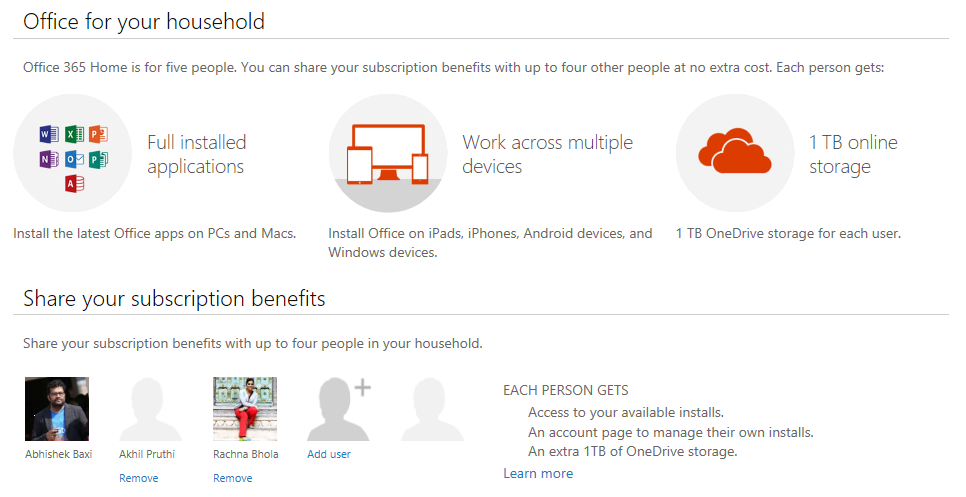
If you are an Office 365 Home subscriber, you can share your subscription benefits with up to four people (besides yourself, that is) in your household. Actually friends too, but no one puts it that way since there’s Home in the name, you know.

When you share your Office 365 Home subscription, each person gets Office installs for PC, Mac, tablets, and smartphones, their own free 1 TB OneDrive storage, and 60 Skype minutes of calling per month to mobile phones in eight countries and to landlines in 60+ countries. People you share your Office 365 Home subscription with don’t have access to your personal OneDrive storage, mind you, unless of course, you specifically share files or folders with them.

To share your subscription, you send the invitation to any email address or Facebook account, or send a link via another means. You can also directly add one of your Microsoft Family members without the need for an invitation. Once the person gets an invite, he or she will have to sign in with their own Microsoft account and use their own My Office Account page to install Office.

From your My Office Account page, you can find out who has installed Office on your shared subscription, and how many installs they’re using. If all of your available installs are in use, you can deactivate an install on a specific device to free up an install for use on other device.

Of course, you can also remove someone from your subscription. When you do that, the user will lose all their subscription benefits, like extra OneDrive storage and the ability to use your Office installs.

Office 365 Home subscription offers great value that helps you share the benefits of Office 365 with other family members – on their different devices – without sharing your account credentials.

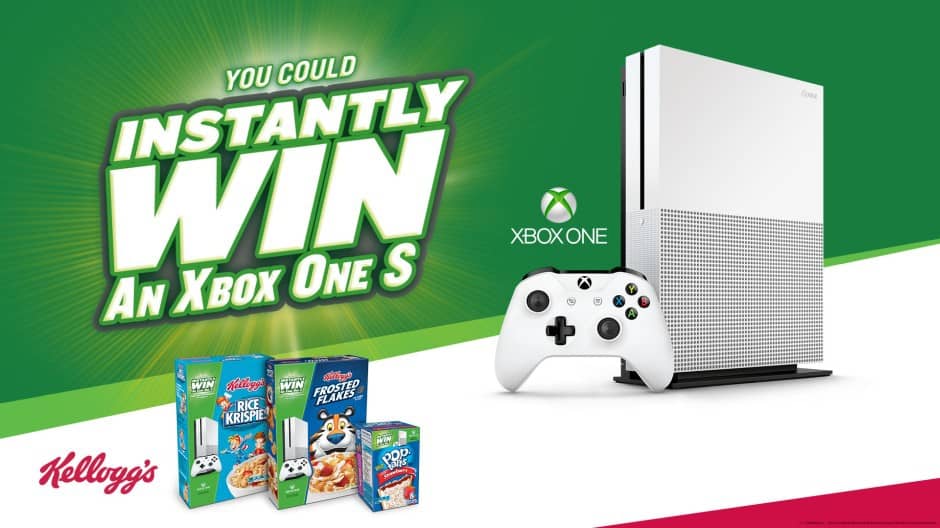
Xbox and Kellogg’s come together, and you can win a free Xbox One S

What better way to start the new year than winning a gaming console? Xbox and Kellogg’s have announced that they have come together and you can end up taking home a brand new Xbox One S if you’re lucky enough to find a winning sticker on a Kellogg’s product.

According to Microsoft, the measure means you will have everything you need to stay happy, healthy, and entertained. The company also points out that soon thousands of specially marked Kellogg’s products around the country contain a winning sticker that can be redeemed for a brand-new Xbox One S. And, as an added bonus, can also customize your Xbox Avatar with a limited-edition item from your favorite Kellogg’s character.

The promotion is open to legal residents of the fifty United States and District of Columbia who are 13 years of age or older. According to Kellogg’s, the odds of winning are 1:28,000, and the game will end on 9/30/17, so let us know if you will be trying your luck by dropping us a comment below!

Hamster Universe brings space traveling rodents to the Windows Store

Some games are just too adorable to stop playing, and that’s precisely the situation for Hamster Universe. Brought to us by the same creators of Wire Defuser and Dumb Monsters, SneakyBox has just released Hamster Universe. According to the description:

Hamsters are idleness critters that prosper all their lives eating, sleeping and occasionally going for a run and not much else. They prosper and reach their milestones that way. One heroic hamster tired of idleness decided there is more to life and idle than just that. Instead of going through the idle games routine of an ordinary rodent, he tapped and gathered like-minded hamsters for a trip of their lifetimes to reach his milestones – gather energy riches. He took some picks and built a high-tech spaceship powered by his tapped click wheel and prepared for a journey to explore the vast riches of the outer space void. All he needs before the takeoff to the void is your click.

The game plays like a typical clicker game, keeping the hamster moving on the treadmill to generate enough energy. As time goes on, the player can unlock upgrades to build more electricity with each click, and even some without clicking. Ultimately, the goal is to explore space where a massive force of hamsters fly through the stars and generate copious amounts of electricity.

While the gameplay might seem a bit redundant, the build of bigger numbers keeps you clicking similar to other titles in the genre. Hamster Universe is free on Windows Store for PC and mobile so give it a try; you may be shocked by what you find.

Hamster Universe
Hamster Universe
Developer:
Game Troopers
Price:
Free

Lego picks up the speed, adds two new racing games to Windows Store

Just a few weeks ago, Lego introduced a new DC comics video game to both Windows 10 and Windows 10 Mobile. The Denmark-based company is now continuing its Windows 10 push and released today two additional racing themed games to the Windows Store (via Windows Central.)

The first of the games is the arcade style racing game “Speed Champions.” This game puts you behind the well of the fastest supercars on the planet and invites you to Put the pedal to the metal, speed past your opponents and complete awesome challenges to secure your place on the winner’s podium.

Second up is “LEGO Pull-Back Racers 2.0” which is an action-packed lane based challenge game. In this game, you are tasked with Gliding along the super-fast speedways in the sleek Record Breaker, and powering across the rough and rugged terrain of the dirt tracks on the Quad Bike.

You can find download links for both games below. Once you’ve downloaded the games, please do let us know what you think by dropping us a comment in the Disqus section!

LEGO® Speed Champions
Developer:
LEGO SYSTEM AS
Price:
Free


LEGO® Pull-Back Racers 2.0

Minecraft solutions Blockworks uses coding to build Great Fire of London replica

Minecraft building solutions Blockworks and the Museum of London have been collaborating on an impressive exhibit to commemorate the 350th anniversary of the Great Fire of London in 1666. However, while building the blocky replica, Blockworks found that they might be in over their heads.

A little bit of history lesson, the Great Fire was a tragedy that swept through the central parts of London in September 1666, moving through 13,200 houses and 87 churches with 1250°C flames, destroying the lives of approximately 80,000 citizens. All because of a bakery accident on Pudding Lane.

The idea of undertaking a project of this magnitude alone is staggering. That is why Blockworks brought in Adrian Brightmoore to help them out. Brightmoore coded a procedural generational code that could create buildings within a ruleset, creating an accurate and believable background for the highlighted center of the city which was built by hand.

Inside the blue outline, built by hand. Outside, procedurally generated.

Of course, in the time before the Great Fire of 1666, houses were very different than they are now. So Adrian’s code constructed homes from the bottom and up, including their overhanging second stories and even small cupboards. Eventually, the coding would build the house in the order of walls, floors, ceilings, roof, chimneys, windows, doors, and stairs. On the edge of his generated buildings, he also put some copy and paste of Blockworks original houses creating a seamless merge between what was hand crafted and what was coded.

The Museum of London has contracted Blockworks for three historical Minecraft maps regarding the Great Fire, inspiring players to experience the event hands on. In the pre-fire map, they can travel back in time and see the city structure as it was. Of course, the hotter map is during the fire where players attempt to help fight the flames and can even rebuild the city after the tragedy.

You don’t have to visit the Museum of London to play in these beautifully designed worlds in your Minecraft. Both the Pre-fire London map and the Fire London map are available for free download from the museum’s website. The Post-fire map is expected to be available in February 2017.

You can now pre-order the Assassin’s Creed movie from the Windows Store

The Assassins’s Creed movie just opened up in theaters yesterday, but if you’re the type who does not like to visit physical movie theaters, then you can now also pre-order the movie from the Windows Store.

Microsoft is listing the pre-order price on the movie for $14.99 and notes that if you pre-order now you can add it to your library and watch it as soon as the movie is released. The movie featuring Oscar nominee Michael Fassbender and Oscar winner Marion Cotillard has a Rotten Tomatoes audience score of 74% and a Tomatometer score of 18%.  Some critics have even said that the movie is arguably better made than most video game adaptations, with others saying that it has to do for its target audience.

Do you think you will be pre-ordering the Assassin’s Creed movie from the Windows Store? As always, please do let us know what you think by dropping us a comment below!

Future Xbox One controllers could have removable triggers

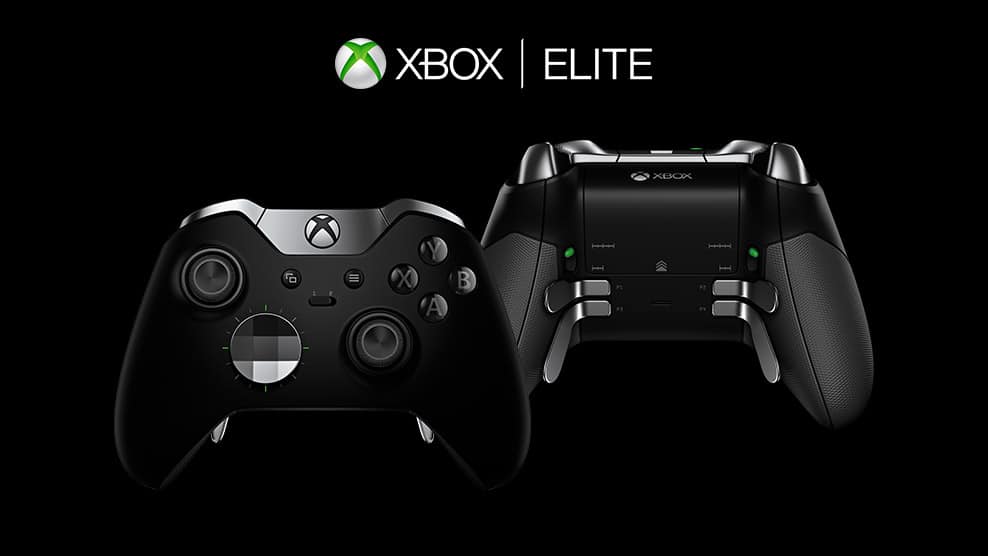
Microsoft’s Xbox One controller is arguably one of the best game controllers on the market today: it feels great in your hands, it has an excellent battery life, and you can even customize the way it looks through the Xbox Design Lab. For power users, Microsoft is also selling the Xbox One Elite controller, which is made of more premium materials and offers much more customization options: you can choose between different joystick and D-pads, and you can even add paddles on the back to add four new buttons that you can configure with the Xbox Accessories app.

The Xbox One Elite Controller.

But while the versatility of the Xbox One Elite controller has been praised by hardcore gamers, Microsoft could well be working on a new type of controller that offers even more customization options. Indeed, Windows Central has discovered a new patent for a “Game controller with removable Trigger accessory” that was published on December 15. The patent explains that the removable triggers would be attached to the controller via three magnetic posts that you can see in the image below. The patent also mentions the following details:

Each of the triggers may be one of a plurality of differently configured removable trigger accessories removably affixable to the game controller. For example, carious differently configured removable trigger accessories may have different sizes, shapes, textured surfaces, materials, and/or other features that are preferred by different users or may be suited for particular gaming or other purposes.

The removable triggers would use a magnet system.

Of course, the publication of this patent doesn’t guarantee that such a controller will ever see the light of day. However, considering that Microsoft has a brand new Xbox One console codenamed Project Scorpio in the pipeline, such a project could definitely make sense for the company next year.

Grab the INSIDE & LIMBO video game bundle on Xbox One today

Two critically acclaimed Xbox One video games, Inside and Limbo, are now available to buy in a special bundle. Here are the official, very brief, descriptions for each game and a link to the bundle in the Windows Store.

Get Playdead’s two critically acclaimed titles LIMBO and INSIDE.

INSIDE is a 2D puzzle platformer adventure game developed by Playdead. Hunted and alone, a boy finds himself drawn into the center of a dark project.

LIMBO is a 2D puzzle platformer adventure game developed by Playdead. Uncertain of his sister’s fate, a boy enters LIMBO.

Buy the Inside & Limbo Bundle on Xbox One

Have you played Inside or Limbo? Which one’s your favorite? Let us know in the comments below.

New Disney Emoji Blitz puzzle video game launches on Windows 10

Another new Disney video game has launched on both Windows 10 and Windows 10 Mobile devices. This latest one is called, Disney Emoji Blitz, and as the name suggests, features a variety of famous Disney characters in super-deformed emoticon animation styles. The aim of the game is to match these emoticon-inspired Disney characters in groups of three in a sort of Tetris type of puzzle game. Here’s the official game description:

Match. Collect. Emote! Play and collect hundreds of Disney and Pixar emojis like never before in an exciting matching game! Play fast paced rounds of match-3 to earn prizes, complete missions, and discover new emojis. Collect Disney and Pixar emoji characters and items from The Little Mermaid, The Lion King, Cinderella, Zootopia, The Muppets, Disney|Pixar’s Toy Story, Monsters, Inc., Finding Dory and more!

MATCH emojis to score big points and unlock new characters. COLLECT 500+ Disney and Pixar emoji characters & items. BLAST the board with expressive emoji super powers & combos. PLAY missions to boost your score and earn prizes. CHALLENGE your friends’ high scores.

Disney has been very active in releasing new games for Windows 10 devices. Some of the latest games include, Zootopia: Crime Files, Find ‘n Seek, and Finding Dory: Just Keep in Swimming. This is great to see as so many other companies were removing their Windows 10 Mobile apps in 2016. Do you have a favorite Disney game on your Windows 10 device? Let us know in the comments below.

Disney Emoji Blitz - Holiday
Developer:
Disney
Price:
Free+

Battlefield 1 expands with its first fully-fledged DLC

Battlefield 1 blasted users with an amazing trailer which, unlike many titles before it, stay true to what it promised. So far, several months into the release of EA’s World War I themed first person shooter, players are pleased. In fact, you could say that Battlefield 1 was quite the commercial success, with its enticing gameplay receiving positive responses from celebrities as well. Now that players are accustomed to how Battlefield 1 operates, EA decided it’s time to take the experience to the next level. This includes all kinds of treats for those who are patient enough.

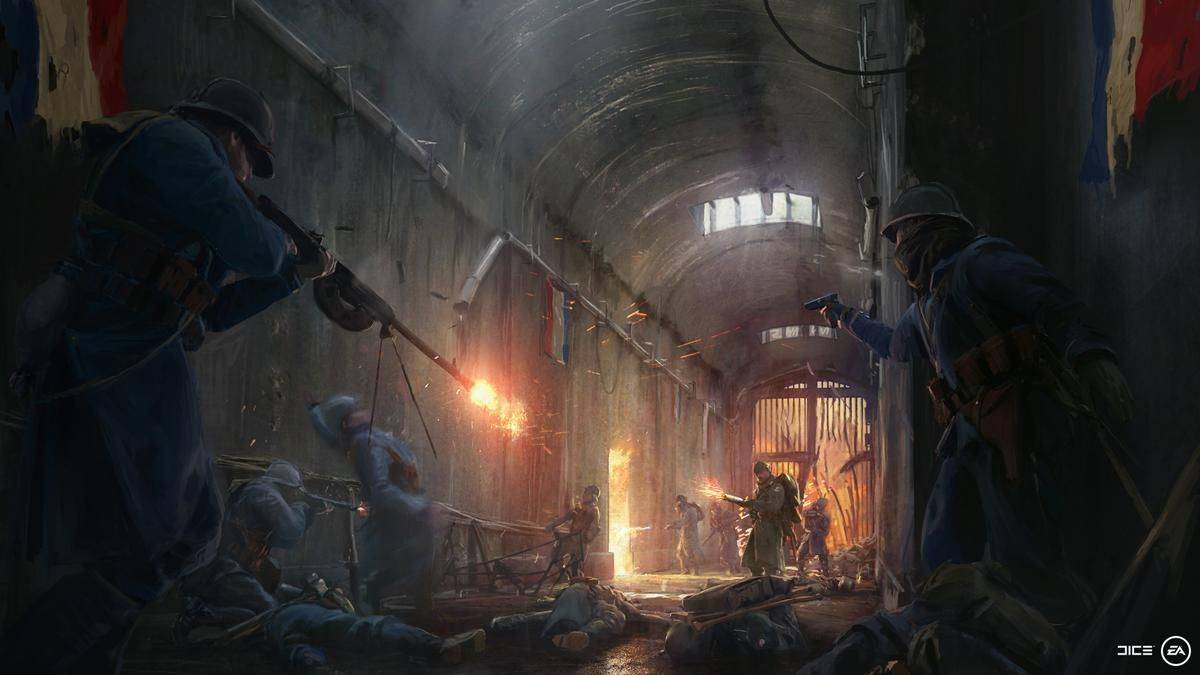
The new DLC is titled They Shall Not Pass and features multiple battles taking place in France. As France seems to be the overall theme of the DLC, it is important to mention that France will be a playable nation. One of the biggest surprises that no one understood when the game was released was the absence of France, with no one able to figure out why the nation was left out of the original experience. Now we know why.

As for the DLC’s story and gameplay, the brave soldiers will be going deep into the Battle of Verdun, the infamous battlefield that scarred the earth and left countless casualties. To take on this new challenge, players will be given new tools to use such as new weapons never before seen in Battlefield 1. There will also be a second battlefield known as the Battle of Soissons, another French war site that took place towards the end of the war.

If you’re excited for this release, you won’t need to wait longer than March 2017 when the DLC will be made available. If you are part of the Battlefield 1 Premium Pass club, you will be able to acquire the expansion two weeks prior to that date.

RELATED STORIES TO CHECK OUT:

Payday 2’s new Scarface DLC wants to channel your inner Tony Montana

Scarface is one of those movies that you either love or haven’t seen yet. The flick left a powerful mark on western pop culture and although it was released a long time ago, it’s still making waves. A testament of this is the new Payday 2 DLC which sports a Scarface theme. If you are looking to return to the Miami mansion where Tony Montana held his last stand in the movie, you now have the perfect opportunity.

Because teleporting to the Scarface universe and having Scarface related content out of the blue would be a bit unsatisfying, there’s a backstory for the DLC. In the Payday 2 Scarface pack, the mansion which served as HQ for Montana and his crew is forcefully taken over by Sosa’s gang. This sparks the plot as now you are required to move in and see that justice is dealt. The objective of these new missions will revolve killing all of Sosa’s men and collecting the valuables found while doing so.

Not only will you get to play on Tony Montana’s playground, but you will get the opportunity to become the legend himself. Iconic elements from the movie have been added to the expansion, including the shower chainsaw and automatic rifle used in the end scene.

The DLC will be broken into two packs, one for heists and one for characters.  The entire content pack will cost around $12, with individual packs costing $7 and $5 respectively. There is also a brand new trailer that teases the new expansion pack and further hypes up the already eager player base that can’t wait to get into Tony Montana’s shoes.

RELATED STORIES TO CHECK OUT:

Automate your Windows PC easily with this useful tool

Are you too busy to perform daily tasks in front of your PC? If the answer is yes, then you’ll definitely find a tool that connects and automates things you do on your device very useful, especially since it gives you more time to handle real work.

Ellp is free to use and it can be installed on PCs and laptops running on Windows 7, 8, 8.1 and 10, but its developer (based on the island of Malta) are planning to bring the tool to Android and iOS in the near future.

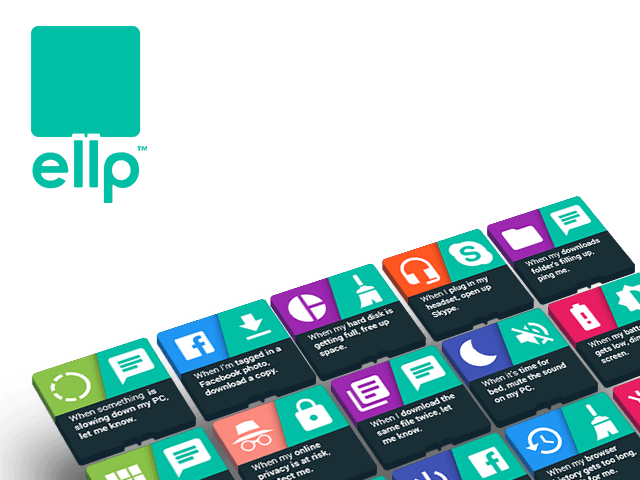
After installing Ellp, the program will launch and display ten cards that represent a task you’d want to automate:

  • When my hard disk is getting full, free up space;
  • When I plug in my headphones, play some music;
  • When I download the same file twice, let me know;
  • When it’s time, perform a privacy cleanup;
  • When I turn on my PC, open my favorite website;
  • When I’m tagged in Facebook photo, download a copy;
  • When my email is involved in a data breach, alert me;
  • When it’s time for bed, mute the sound on my PC;
  • When I plug in my headphones, open Skype;
  • When it’s time, turn off my PC.

When you click on any of these cards, you will be given more options such as setting the threshold when a cleanup is launched (“When my hard disk is getting full…”), which website to open or which time to specify (“…turn off my PC”), etc. However, if you select “When I plug in my headphones, play some music”, you’ll see that this control works only with USB headphones and instead of opening a local file or a playlist, the program opens a website to play music. Also, whenever friends tag you on Facebook, Ellp will automatically download that photo. It will also alert you if your email is involved in a data breach.

RELATED STORIES TO CHECK OUT:

Latest Dishonored 2 update fails to fix AMD Phenom CPU issues

Dishonored 2 recently received a new update aimed at fixing a series of annoying issues affecting the game. The New Game Plus update brings a series of new features, improvements and bug fixes, but fails to fix one of the most severe problems impacting the game: AMD Phenom CPU issues.

Almost a month ago, we informed you that it was very unlikely for Bethesda to add AMD Phenom CPU support to the game. When asked on Twitter whether AMD Phenom support would be added, Harvey Smith, co-creative director at Arkane Studios, offered a vague answer in an attempt to avoid a clear answer: “still in discussion“.

Many gamers using AMD Phenom CPUs hoped the latest Dishonored 2 patch would finally fix all the annoying issues they had been experiencing ever since the game was launched. However, it appears that this is not the case, although the official patch notes confirms that the “Game now runs on Phenom processor”.

Dishonored 2 crashes on AMD Phenom CPUs even after recent update

I didn’t try the 1.3 betapatch, but once 1.3 official came around, my game started crashing after just a few minutes of gameplay. I’ve seen complaints from many other users with the same card. The crashes are seemingly triggered by specific spots in the game and are particulary bad in The Grand Palace (the level is unplayable).

Other gamers relying on AMD Phenom processors had to reinstall Windows after Dishonored 2 crashed. In other words, the game is still unplayable on AMD Phenom CPUs event after players install the latest patch.

Naturally, the majority of Dishonored 2 gamers relying on this type of CPU are very disappointed. However, some Dishonored 2 fans haven’t lost faith yet and hope that “a new patch is released soon to address this issue.”

RELATED STORIES YOU NEED TO CHECK OUT:

Windows 10 KB3206309 adds new features to Windows Defender

Microsoft recently rolled out a new cumulative update for Windows 10 users. Update KB3206309 brings Windows 10 to build version 14986.1001. For the time being, though, there is no official information regarding the content of this update.

Microsoft released KB3206309 for Windows 10 build 14986 which means the update is available only to Windows Insiders. Since this update is now available to Slow Ring Insiders, it’s safe to assume that Microsoft will roll it out to the general public by the end of the year.

Windows 10 KB3206309 revamps Windows Defender

Insiders confirm that update KB3206309 revamps Windows Defender. After installing the update, Windows 10 displays a message informing users that Windows Defender is making some improvements. More specifically, the update adds new features to Windows Defender, finishing the antivirus’ new look.

“Windows Defender is making some improvements.  We’re working hard on adding new features and finishing our new look, so not everything is ready quite yet.  Some features you’re looking for may not be available now, which is why the previous version of Windows Defender is still available on your device.”

It appears that KB3206309 is mainly a security update.

Windows 10 KB3206309 bugs

Judging by Insider feedback, KB3206309 is not a very troublesome update. However, it still causes some issues — just less severe ones compared to previous updates. Here is a list of the issues caused by KB3206309 as reported by Insiders:

  • KB3206309 fails to install: “I also had problems installing this update but on my install windows defender was also downloading and trying to install updates at the same time and I think it was the main problem.”
  • Generating logs from ETL files doesn’t work
  • Computers don’t detect the Wi-Fi network: “I got this CU today, after installing and rebooting this update my laptop is not detecting my WiFi. I did a forget saved networks but it still not showing my wifi in available networks.“

Have you downloaded KB3206309 to your Windows 10 computer? Use the comment section below to tell more about the improvements this update brings.

RELATED STORIES YOU NEED TO CHECK OUT:

Microsoft promotes AdDuplex for Windows apps monetization, offers coupon codes

AdDuplex first arrived on Windows in 2011 where the cross-promotion network began to advertise for developers and games on the Windows Phone 7. It continues to grow according to the Windows App Team’s blog post today, promoting the network SDK For UWP apps on Windows 10.

Put simply, AdDuplex collects your and other app developer’s advertisements into a network. Whenever another app shows an ad, it is pulling from the AdDuplex storage with a 10:8 ratio. As the Windows App Team explains, that means every 10 ads that your app shows, your app is advertised in other apps on the network. It also works specifically for devices that your app or game will be compatible with, customizing your audience to maximum exposure.

The system has attracted over 10,000 apps and is still increasing exponentially by using the other two ads to increase awareness of AdDuplex to unknowing app developers. Furthermore, it has a paid ad campaign where developers can make a 70% profit from the impatient.

To top it all off, the Windows App Team shared some codes that developers or advertisers might be interested in:

If advertising or making money via advertisements on your app is something you’ve been wondering about, AdDuplex seems to have Microsoft’s stamp of approval. Let us know if you have any experiences with AdDuplex in the comments below.

Battlefield 1 Spectator Mode: Here’s how to enable it

Battlefield 1 is an impressive first-person shooter game set during World War 1. Players use specific weapons from that period to take control of armored vehicles, fly planes or ride horses into battle.

Witnessing Battlefield 1 battles is always an impressive experience. If you want to change your perspective a bit, you can enable the game’s Spectator Mode.

How to enable BF1’s spectator mode

1. On Battlefield 1’s start up screen > select Multiplayer. Don’t use the quick match options because you can’t join the game as a spectator.

battlefield 1 multiplayer
2. Go to Server browser

battlefield 1 server browser
3. On the right-hand side, click the … menu
4. Click Join as Spectator

BF1 spectator mode5. The game will load as normal and you’ll have a table-top view of the entire map.

If you want the freecam to focus on particular map spots, you can double click on that specific part of the map. To add various filter options or other additional visual effects, double-click on one of the camera icons dotted around the map. You can then add various filters, such as sepia, black and white, saturated or BF3.

By clicking the camera icons on the screen, you can also add depth of field, adjust FOV and more. For more visual options, simply click “Options” on the bottom right hand side of the screen.

The keybinds to use are:

  • ASD to go Forward, Left, Back, Right
  • Space to raise the camera
  • X to lower the camera
  • F1 changes to first person
  • F2 changes to third person
  • F3 changes to chase cam
  • F4 chanes to freecam
  • Q and E cycles through the various players who are on the server
  • Hold Tab and double click a user to transfer the camera directly onto them
  • To move the camera, hold RMB while moving with the mouse in addition to WASD.

As a quick reminder, you can’t switch from being a live player to spectator mode. You need to exit the server to rejoin the game as a spectator.

RELATED STORIES YOU NEED TO CHECK OUT:

Office 365 may be more secure than on-premises services, says Microsoft

Brandon Koeller, principal program manager for the Office security and compliance team, lays out the 7 ways that Office 365 in the cloud offers more security than any on-premises datacenter. While many might think a privately controlled datacenter less of a security risk, Office 365 in the cloud can offer enterprise customers a better, more secure experience than anything that is offered on-premises.

Here’s the 7 ways that Office 365 in the cloud is a better choice than any on-premises datacenter option:

  • Broader scope of threat intelligence—When a customer’s on-premises servers are attacked by an external actor, the customer can take steps to protect themselves from subsequent attacks from that same actor. With Office 365, instead of simply reacting to individual attacks, customers gain the benefit of intelligence gathered from threats against other customers within the service as well. An attack launched against any organization in Office 365 can functionally inoculate everyone else.
  • Greater automation and decreased human intervention—In the cloud, managing things like hardware, operating systems and patches boils down to a set of tasks that is familiar to any IT administrator. First, gaps in the security posture are addressed at scale. Second, with software operating the service instead of humans, there is less risk of falling prey to spear-phishing, offering an additional layer of protection. Manual management activities are minimal and must be approved by multiple people, which can include customers.
  • Better anomaly detection due to uniformity and simplicity—When cloud services started out, they were mostly based on the same on-premises products that you always used—except they were deployed and managed on servers owned by the provider. In recent years, cloud services have evolved to dramatically simplify configuration options, server roles and management complexity. This simplification gives services the ability to consolidate how they protect, detect and respond to threats. Since software is the main source of interaction, illicit activity by human attackers is easier to identify.
  • Constant innovation—Cloud security teams face two key pressures when building security capabilities: Every feature breaks at some scale, and every customer brings a particular set of concerns and requirements. Some cloud services, including Office 365, have a full-time team of penetration testers who look for vulnerabilities. We asked ourselves how we would make sure that once the vulnerability has been fixed, it doesn’t recur, and that detections of illicit activity by penetration testers work for all instances of a given vulnerability. Our answer was to automate penetration testing attacks and then use that signal to verify the quality of our detections.
  • Smaller breach boundary—A key piece of an effective security strategy is to make your breach boundary is as small and as diverse as possible. Sensitive assets should be isolated from each other, so that it is more difficult for an attacker to move from one asset to another. If an attacker can acquire domain admin privileges, they can access any information managed in that domain. When you adopt cloud services, it is more difficult for the attacker to breach your domain and gain access to any of the data in the cloud service beyond normal “front-door” access to the services which are audited.
  • Cross-application security model—Traditional on-premises security capabilities center on the computer, the operating system and firewalls. In on-premises systems, you parse the logs for multiple applications and must make sense of what those logs mean. In the cloud, we standardize our logging systems to make them more consumable. You can evolve your security capabilities to enable an application-aware security model that adjusts to how attackers work—by breaching accounts, then achieving their goals through front-door interfaces. Cloud application services take your security to a new level by delivering integrated and context-aware security capabilities that cross application boundaries.
  • Transparency—With Office 365 in particular, there is one other benefit: transparency. With many organizations using Office 365, we are compelled to operate in the full light of day. To earn your business, we must have your trust, and to earn that we must be transparent with you about how we protect your data. To that end, we allow our customers to control how a Microsoft support engineer accesses their data. Our business model relies profoundly on the belief that there are no shortcuts and no excuses when it comes to the security of your data.


Office 365 Trust Center offers more details on these 7 ways and more on what Microsoft can offer enterprise customers. Office 365 in the cloud can be a better security option than anything that is offered on-premises.

Dishonored 2 New Game Plus mode combines Emily and Corvo’s powers

It’s been a little over a month since Dishonored 2 was released for PCs and consoles. Since then, gamers have long waited for an update to their favorite first-person stealth and assassination game. Since its release, a New Game Plus mode (NG+) was added to the PC version in a beta patch late last week. And now, that update is finally Live for everyone.

The update gives players the combined powers of both Emily and Corvo at all difficulty levels. It also retains the Runes and Bonecharms earned in previous playthroughs. This new mode is available to all the players who’ve finished the game. Apart from these, there are the usual bug fixes and upgrades.

There still are a few aspects the game lacks, which will hopefully be delivered in the next update to arrive in January. (For instance, the absence of the mission select option that deters players from going back to a specific parts of the game and playing their favorite levels again.) Also, the “custom difficulty” settings options are missing. These options can tailor the experience to a player’s specific taste.

Here are the full patch notes for Dishonored 2′s New Game Plus update courtesy of Bethesda’s blog.

Dishonored 2‘s Latest Features

  • New Game Plus mode
  • New Quick-Access Wheel option for hiding/unhiding items

Improved Features

  • Fixed Oraculum false-kill count in Royal Conservatory
  • AI detection tweaks to clarify when players are detected or not
  • AI locomotion improvement for running
  • Fixed various Bonecharm  effects (Strong Arm, Spiritual Pool, etc)
  • Fixed a problem in slow-motion where some inputs were ignored
  • Blood Thirst: various enhancement and fixes
  • Killing an NPC with their own bullet is now more reliable
  • Tweak for mana potion refill speed, depending on difficulty
  • General performance and optimization improvements
  • Fixed various game logic issues
  • Fixed various User Interface issues

RELATED STORIES YOU NEED TO CHECK OUT:

Giveaway: 3 months of Xbox Live Gold from OnMSFT

As you may already know, I attended the Microsoft First League event in Warsaw and to celebrate the start of the enthusiast-focused program, OnMSFT in now organizing a giveaway which anyone with a Twitter account can enter.

We are giving away a code for 3 months of Xbox Live Gold which works on both the Xbox One and the older model, the Xbox 360. All you have to do in order to enter the giveaway is to sign up in the form below, which will then ask you to follow my personal twitter as well as OnMSFT’s.

a Rafflecopter giveaway

By following those two Twitter profiles you will easily be able to find the latest news about Microsoft and it’s partners right on your Twitter feed, as well as get notified about my future articles a while before they are written as I often share my experiences on the service before making a detailed article here.

The giveaway has no extra points where you can optionally do something for an extra chance of winning. Everyone that enters have the same chances as everyone else with no annoying “notify your friends” requests.

OnMSFT and I wish everyone good luck and remember that there is always a winner, so don’t let your hopes down.

Microsoft First League event in Warsaw: An inspiring day of presentations and gifts

I was invited to Microsoft’s First League program, which I wrote about a while ago. The new program, for Microsoft enthusiasts in the Czech Republic, Slovakia, Serbia, Poland, Hungary and Greece, is designed to support Microsoft’s most hardcore fans. Microsoft First League had its official start on the 17th of December, where I attended the first Warsaw event.

After arriving in Warsaw, we were greeted with a nice yet regular “Welcome” where we were served some drinks and food, got to meet the employees hosting the event, got to know each other and shared some opinions and general talk.

Microsoft First League Program

The event kicked off with explaining some things about the program itself. Who was chosen? Why were they? What were the requirements? What is this all about? All of this and much more was explained.

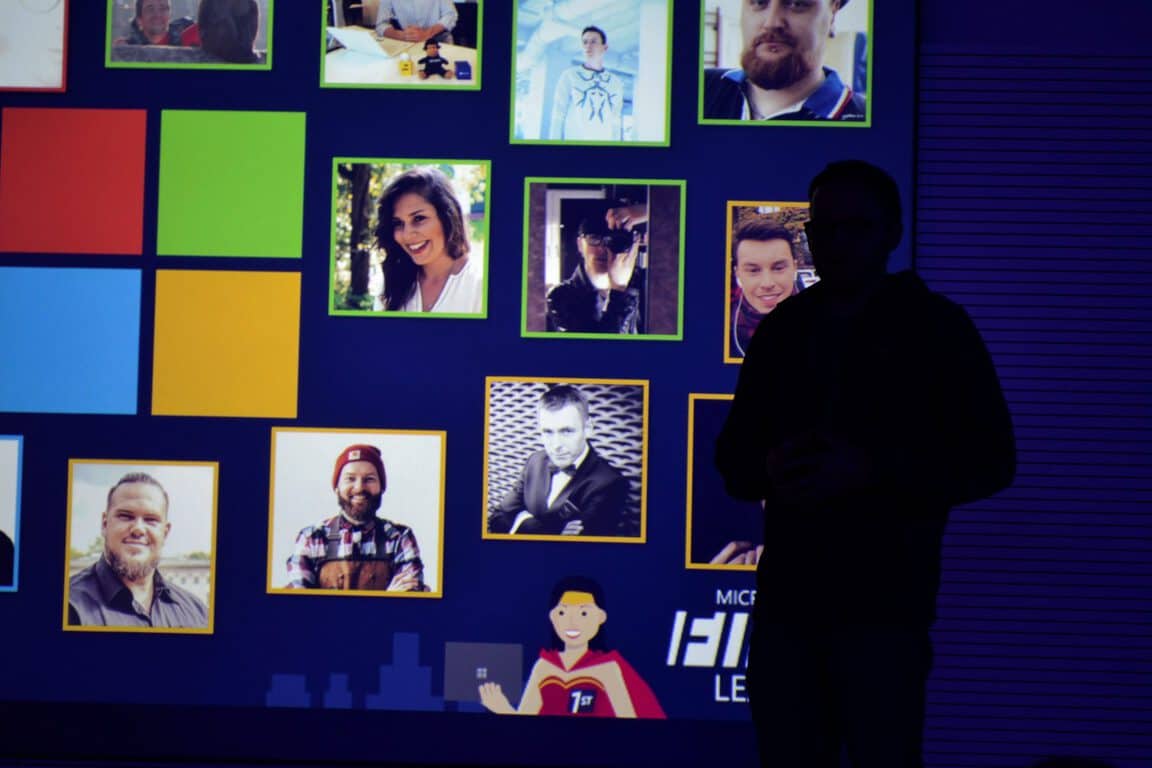
Microsoft’s Jakub Rzany (in the picture) welcomed the members by starting the presentation and answering questions. He briefly explained that the company chose the members based on their “authenticity.”

Microsoft doesn’t want free advertisement from the members. The goal is to let the biggest fans of the brand test out new devices, leave authentic feedback, have fun and feel well as a thank you from the company. As Microsoft’s CEO, Satya Nadella himself said:

Fans of the Microsoft brand have a big role in the development of our company and products. You inspire us, and make us work even harder to ensure we create and deliver great products and services that you love.

Some people in the team aren’t even journalists or bloggers, with no way to promote the brand, so this move was purely to show appreciation towards the people that truly enjoy the products Microsoft is pushing out.

The program has its own website where the members will be able to change the device they lend from Microsoft, and where they will be able to submit “activities” like tweets, articles and other creations surrounding the company. This was presented and shown how it will work and look in the future, as the website is still in a beta and not ready for use.

The Loan Program is probably the most interesting part. The members will be able to apply for different devices of all different form factors. The current ones available are:

  • Huawei MateBook
  • Lenovo Yoga 900
  • Lenovo Yoga Book
  • Dell XPS 13
  • Acer’s Aspire Switch Alpha 12
  • HP Spectre x360
  • MSI GT73
  • Microsoft Surface Pro 4

There were some requirements for the devices, which Microsoft thought about before choosing them. They needed to have a “new design, a new experience and high performance.”

I believe all of these devices did, in fact, meet the requirements where they all have at least a little of each point. They are all futuristic, with each one having its own unique thing, they all have a very specific experience.

The interesting part here is that there are rumours about much higher end devices getting released for the loan program, like the HoloLens, which would allow the members to truly test out Windows 10 in every way possible.

Product presentation

The event continued with a PowerPoint presentation of Microsoft’s and their partners products, some of which the members are supposed to test out during the program’s duration. Each one of the products was presented, with its strong and weak points, describing who each of these products was made for.

Other products like Microsoft’s Office 365, the differences between it and Office 2016 were also explained, as well as different features of the Windows 10 Anniversary Update.

The Xbox One S was also shown, with its new and sleek design as well as some of the cross-platform features, like the Play Anywhere project. Microsoft explained every single one of their flagship products from top to bottom.

Device giveaway

After the product presentations, every member got an individual package ready for them in a separate room. Every device or thing that the package contained was individually chosen for each of the members, based on their applications for the program, info available on the internet et cetera.

I received my own package too, which I tweeted about without revealing too much information at once. Some of the things were visible in the picture, meanwhile, the more interesting hardware was saved for later, which is now:

The detailed list of every item I received at the event can be seen below but keep in mind that this is very individual and what each member got may vary:

  • Xbox One S 500GB FIFA17 Edition
  • Xbox Live Gold 6 months + 14-day trail
  • Additional Xbox One S Bluetooth Controller
  • 6 games for the console, including Battlefield 1, Star Wars Battlefront, Mirrors Edge Catalyst, Plants vs. Zombies GW2, Need For Speed as well as FIFA17
  • A code for a full year of Office 365, which will be refilled as long as the program is active
  • The Huawei MateBook as well as the white and brown keyboard cover
  • Microsoft First League merchandise like two sheets of stickers, a t-shirt and a mug

This set is of a shocking value. Every member was shocked to know what they got. Especially since no member had to pay a single penny for the hardware, but note that every device needs to be returned after some time if the members don’t choose to keep them and pay a small fee, which is purely to avoid some taxes in Poland and may be around a few dollars.

Warsaw Indoor Skydiving

The event ended with some entertainment for the members. To loosen up the corporate feel, Microsoft invited every member to the Warsaw Flyspot, which is an aerodynamic tunnel located in the capital of Poland.

We got our suits, helmets and everything else needed for the sport, signed some documents about our physical and mental health, went through a course and finally got to enter the chamber.

When we were done, everyone gathered again at the Microsoft Poland HQ to summarise the whole event, bring up some info about future events then finally say goodbye.

The next event is slated for March of 2017 where Jakub Rzany confirmed that it will focus way more on the technology itself, virtual as well as argumented experiences and much more, so stay tuned as we will definitely be there to cover everything.

2016: the year of Surface – looking back at a big year for Microsoft’s latest hit

As 2016 is coming to a close, it’s time to look back at what has become one of Microsoft’s most interesting brands this year. In the past couple of months, it seems that Microsoft’s early bet on hybrid laptops has finally started to pay off, and we’ve also seen many great hybrid devices from third-party manufacturers including Samsung, Huawei and Lenovo released to the market. This kind of healthy competition is definitely promising for the future of the 2-in-1 form factor, and we can’t wait to see new devices being revealed at CES 2017 next month.

Market research company IDC also acknowledged earlier this year that Microsoft’s Surface devices and Apple’s iPad Pro were leading the “detachable tablet” revolution. It’s also worth reminding that Apple, which initially mocked touchscreen laptops and 2-in-1 devices has since launched two iPad Pro models which it advertises as “computers”. But does Microsoft still has a better understanding of what consumers wants from 2-in-1 devices? Well, Windows 10 definitely seems to have fixed many shortcomings of Windows 8 and Windows RT, and it’s safe to say that Microsoft’s latest operating system is one of the most versatile operating systems on the market today. According the company, Apple’s iPad Pro just can’t compare.

Just like Apple though, Microsoft slowly iterates: the Surface Pro 3 was a massive improvement over previous Surface Pro models, but the company’s Surface Pro 4 and Surface Book really pushed the hybrid laptops to the next level. Surface may not be a blockbuster success for the company yet, but the Redmond giant seems to be doing all the right things to make it become one of its most successful brands going forward

Microsoft’s latest Surface portfolio  is likely its most successful ever

While Microsoft doesn’t disclose how many Surface units it sells, it’s clear that the Surface Pro 4 and Surface Book enjoyed great momentum this year. Microsoft’s latest earnings report for the first quarter of fiscal year 2017 puts Surface revenue at $926 million, up a whopping 38% from $672 million last year.

But as many signs points to Surface becoming the company’s next billion dollar business, Microsoft highlighted last week that November 2016 was the company’s best month ever for Surface sales. “The momentum was seen worldwide,” explained Corporate Vice President for Microsoft Devices Brian Hall, despite the fact that Microsoft did not release a Surface Pro 5 or a Surface Book 2 this fall. Moreover, the exec added that “the combination of excitement for the innovation of Surface coupled with the disappointment of the new MacBook Pro – especially among professionals – is leading more and more people to make the switch to Surface.” Take that, Apple.

Surface devices are becoming an attractive options for MacBook users.

Some hiccups along the line

We love Microsoft’s Surface brand and hardware, though it’s worth reminding that the launch of the Surface Pro 4 and Surface Book has not been completely smooth for the company. Both models were the first to ship with Intel’s Skylake processors, and those of you who purchased them at launch have probably been affected by annoying sleeping issues. Fortunately, Microsoft was pretty quick to fix it through several firmware and driver updates, though we definitely hope not to see these kind of problems with the next generation of Surface devices.

On a different note, it’s not clear if Microsoft’s multi-million-dollar deal with the NFL managed to improve brand awareness for Microsoft’s 2-in-1 devices. While the company explained earlier this year that it was “very pleased” by the partnership, adding that coaches loved the hybrid devices, it seems that some of them disagree.

Two months ago, New England Patriots head coach Bill Belichik explained that he was “done with the tablet” during a five-minute-long public rant, and Microsoft did its best to answer to what looked like unfair criticism. “We know change can be hard and technology adoption typically has a growth curve. We’re excited to be working with some of the best IT professionals in the industry at the NFL to help with the transition,” explained Corporate Vice President, Windows and Devices Group Yusuf Medhi.

An increased focus on professionals

While Redmond chose not to release a successor to the 10-inch Surface 3 this year, the unveiling of the Surface Book in October 2015 pretty much took Microsoft enthusiasts by surprise. Indeed, the “ultimate laptop” seems like one of Microsoft’s best hardware efforts yet, offering great versatility in what a familiar form factor for fans of old-school laptops. Compared to the Surface Pro 4, the bigger 13.5-inch PixelSense display, improved battery life and dedicated GPU option also make it an attractive option for professionnals. Interestingly, the Surface Book i7 with Performance Base was the only new Surface 2-in-1 to be released this year, but its $2,399 starting price probably makes it out of reach for most consumers.

Moreover, let’s not forget the launch of other Surface products this year including the enterprise-focused Surface Hub and the creative-focused Surface Studio. After some delays, the Surface Hub digital whiteboard launched earlier this year and already enjoys some momentum with sales up 20% with a payback period of nine months.

As for the Surface Studio, it was definitely the highlight of Microsoft’s Windows 10 October event, though it’s too early to know if the versatile all-in-one PC will become an attractive option for artists creative professionals. Still, the introduction video quickly became the most viewed video on Microsoft’s Surface YouTube channels, with more than 10 million views at the time of our writing.

Last but not least, Microsoft also expanded earlier this year its Surface Enterprise Initiative with a Surface as a Service leasing program, bringing new partners to help create an ecosystem of services around the hybrid devices. Additionally, the company announced last week a Surface Hub Try And Buy program which will allow select Microsoft resellers to provide customers Hubs for 30 days before committing to purchasing a large set of devices.

What to expect for 2017?

Microsoft’s Surface line seems to be at crossroads at the end of 2016. The increased focus on professionals seems to have been the main theme this year, though it doesn’t seems to hurt the growth of the product line so far. Of course, Surface devices also remain popular with Microsoft enthusiasts and consumers looking for a tablet that can replace their laptop, but Microsoft could well bring some changes to its Surface portfolio next year.

First of all, Microsoft announced earlier this year that it is developing a new version of Windows 10 that runs on ARM chips: this will allow partners to build new Qualcomm Snapdragon-powered Windows 10 PCs that run x86 Win32 and universal Windows apps, but we suppose that this breakthrough could well push Microsoft to release a new Surface device to showcase the new platform. Indeed, this new architecture would be perfectly suited for a Surface 4 model targeted at consumers who don’t need the more powerful and less battery-efficient Intel processors.

We also guess that Microsoft has iterative updates for the Surface Pro 4 and Surface Book in the pipeline, though the company may well wait for the release of the Redstone 3 update in the second half of 2017 to release them. Last but not least, the rumored Surface phone will likely remain a topic of interest next year. A month ago, Microsoft CEO Satya Nadella explained that the company was planning the “ultimate mobile device,” which would bring true differentiation to a nearly saturated market.

Overall, we hope that Microsoft will continue to surprise us next year. In just four years, Surface has become a very valuable brand for the company, pushing forward new product categories and reshaping what we expect from computers in a world where mobile devices are ubiquitous. Microsoft may well remain a productivity-focused and business-focused company, but the Surface line proves that the technology giant takes its hardware efforts very seriously, and we can’t wait to see what’s next.

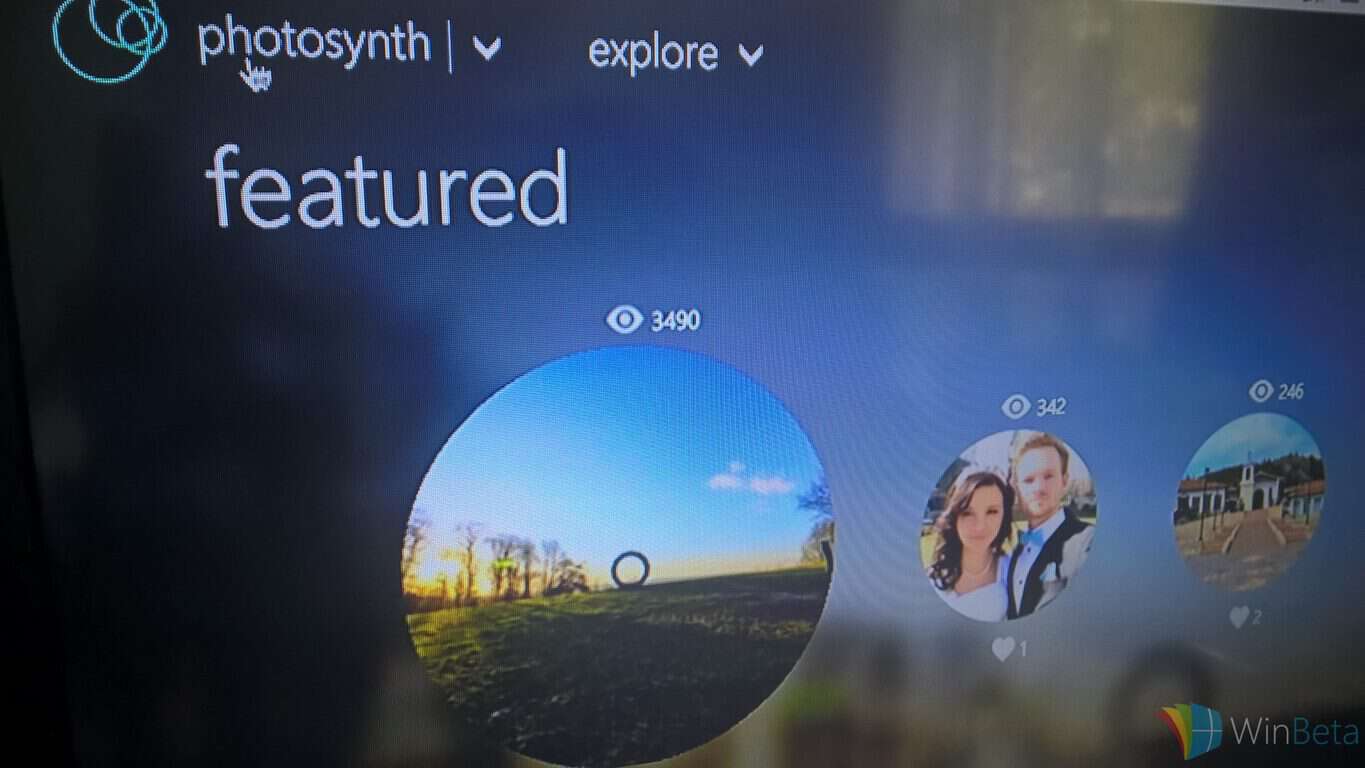
Photosynth to shut down on February 6, 2017, viewer code released as open source

Earlier this year Microsoft announced that Photosynth, a service which stitches multiple photos together in order to create a 360-degree panorama, would shut down in February 2017. Since the initial announcement, Microsoft has gone on to post an update, highlighting how you can download content created from the service, and how you can access a viewer code for the service which has been released as open source.

According to Microsoft, since data will not be retained on the Photosynth website, you should download your “synths” and panoramas to save them locally on Windows and Mac Computers before the February 6th shutdown.  The software giant is providing the following instructions on how to do this:

  1. First install the new offline viewer from download.microsoft.com using this link for Windows or this link for Mac.  If you have a 32-bit version of Windows, use this version of the app. This viewer supports both panoramas and “Tech Preview” synths. Unfortunately, we do not have an offline viewer for the original synths.
  2. Go to https://photosynth.net, and sign-in to your Photosynth account.
  3. Click “My Photosynths”.
  4. Click on one of your panoramas or Tech Preview synths, and look for the “Export” button shown below. If you do not see the export button it is because you are not signed in, or you are not the owner.
  5. Clicking the Export button will cause the pano or synth to be packaged for export. This may take a few minutes, especially if the synth is very large. You will see the button change to “Export Requested”, and sometime later it will change to “Download” signaling that the packaging has completed and your synth or pano is ready to download. (Note that you do NOT need to stay on the page waiting for the packaging to complete; you can return to your library and schedule another synth or pano for export while you are waiting.)
  6. Click Download and wait for the file to be downloaded to your computer. Depending on the size of your pano or synth, and the speed of your connection this could take minutes or even hours.
  7. Finally, use the new offline Photosynth viewer you installed in step 1 to open this downloaded file

Microsoft has also open sourced the Photosynth viewer code, which is available via this link. Anyone can use this code build their own version of the current viewer or fork the repository and make changes. The company also notes that it has open sourced the viewer code to make sure it is maintainable by any interested party in the future.

Medium, Buffer and more are now supported in Microsoft Flow

Microsoft Flow, a tool similar to IFTTT that lets you set up automated workflows between your favorite apps and services became generally available two months ago. The cloud-based app now supports more than 80 different services, as the team announced yesterday six new additions:

  • Buffer – Buffer is a social media management for marketers and agencies. Access your pending and sent updates, social media profiles, and more.
  • Google Contacts – Google Contacts is an online address book, integrated across your Google products and more.
  • Harvest – Harvest is a simple tool to help track the time spent by your team on each project and task.
  • Medium – Medium is a vibrant network of thinkers who care about the world and making it better. Connect to your Medium account to track new publications, write stories and more.
  • MSN Weather – MSN Weather gets you the very latest weather forecast, including temperature, humidity, precipitation for your location.
  • Typeform – Build beautiful, engaging, and conversational online forms, surveys, quizzes, landing pages, and much more with Typeform.

Additionally, it’s now possible to run scheduled triggers on-demand with the tap of a button. To do it, go to the “My Flows” list and the “Run now” button will appear after selecting the “…” menu. Be aware that the option will only work with flows that have the Recurrence trigger.

Flow is already pretty versatile tool, and the increasing list of supported services should make it a more attractive option for both consumers and professionals. If you didn’t try it yet, we invite you to read our previous tutorial to help you get started.

Review: BIO-key fingerprint readers enable Windows Hello on Windows 10 PCs

Fingerprint readers enable biometric authentication on your Windows PCs. This is not new really, however, with Windows Hello on Windows 10, the setup and experience is seamless and straightforward.

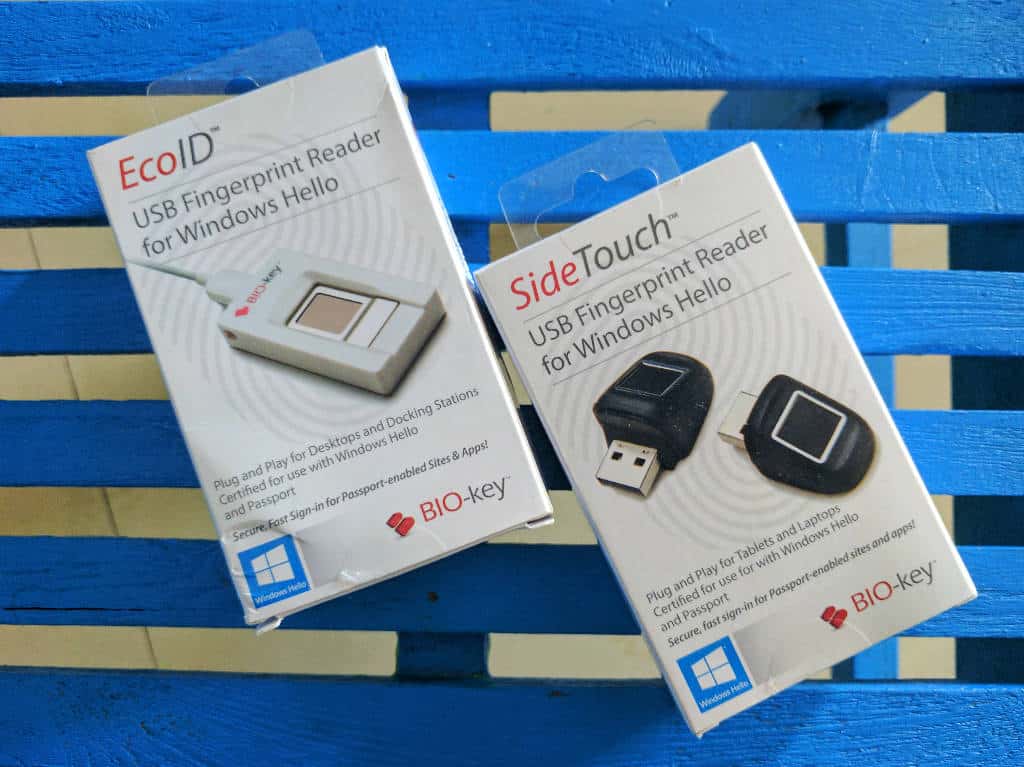
Few months ago, BIO-key announced Windows Hello-compatible fingerprint readers that are extremely compact in size and plug into your PC via USB. The SideTouch and EcoID are designed to make biometric security an easier deployment for not just businesses, but also individual users. Both also support BIO-key’s universal Windows Biometric Framework (WBF) fingerprint engine (and hence work with older version of Windows as well).

These fingerprint readers allow you to sign in to your devices by a simple swipe or touch, giving you access to your PC in less than 2 seconds – faster than typing in the password or PIN. You can also use Windows Hello to log in to supported apps like Enpass, OneDrive, et al.

Once there is an integration update of the Web Authentication specification of the World Wide Web Consortium (W3C), new APIs will enable biometric authentication on the web for Windows Hello-enabled websites, like banking portals for example.

BIO-key, the biometric software and hardware solutions provider, has closely worked with Microsoft for the Windows Hello integration. These fingerprint readers are also available at the Microsoft Stores in the US. Both devices also integrate with BIO-key Enterprise Software for an enterprise deployment.

BIO-key SideTouch

The BIO-key SideTouch fingerprint reader is designed for laptops and tablets – it plugs directly into the USB port. It fits nicely in the USB slot, and is solidly built. BIO-key has been thoughtful and include a neck ring to plug the SideTouch into a Surface which has a tapered edge. With the ring, the SideTouch goes in plush with the Surface’s edge. Neat touch, that.

Unlike other swipe-based fingerprint readers, SideTouch only requires you to touch for quick access to the device. Often though, I encounter a message telling me that the fingerprint reader was dirty and needed to be cleaned. Sometimes when it wasn’t. Maybe the sensor sensitivity is iffy or it’s a driver-related issue. It’s not a showstopper, but a driver update fixing this would be nice.

BIO-key EcoID

The EcoID is designed for desktops or docked laptops/tablets. It plugs into the USB port via a long cable that can go around the back of the desk or something.
The EcoID is fast, and accurate. With my few weeks of usage, I observed that the touch sensor on the EcoID is a tad faster than SideTouch. That’s not to say that the latter is bad, but the former is better. The sensor is also broader in size which minimizes false negatives.

Final Thoughts

The SideTouch and EcoID fingerprint readers are great for individual use – I use one with my Surface and the other on my desktop – as well as enabling businesses to deploy biometric security. The Windows Hello integration makes setup and enrollment a snap, and the authentication is smooth and reliable.

At $39.99, BIO-key SideTouch and EcoID are affordable fingerprint readers. They’re nicely built, and are compact in size. If you’re looking to experience Windows Hello on your Windows 10 devices, these two fingerprint readers offer seamless authentication on everyday basis.

Xbox One users can finally check Twitter and send Tweets with this app

A new app has just launched on the Xbox One that allows users to send tweets and view their Twitter timeline. Named, Raven, the app is the first third-party Twitter app designed for the video game console and is completely free to download and use. It’s a Universal Windows Platform app and can also be used on Windows 10, Windows 10 Mobile, and Windows Holographic devices. The Xbox One does have an official Twitter app but strangely, that that is built for video consumption and not tweeting at all. Here are all of Raven’s features:

  • Automated learning user, search, hashtag, and list that you browsed.
  • UWP apps and responsive UI for Windows 10.
  • Voice operation, corresponding to Cortana.
  • Automatically update the time line when you are using other app.
  • In-App-Browser which supports loading in background.
  • Support Multi-column only when large screen.
  • Split UI for posting more easily.
  • Scroll to bottom and top with one touch.
  • Select words to search in the web.
  • Share information with other App.
  • Collective Notification.
  • Synchronize your setting across windows 10 devices.
  • Special flick UI in command bar for mobile. flick up to use secondary function.

Is checking Twitter something that you would use on the Xbox One? Let us know in the comments below. Interested in video game streaming? Make sure to check out our full coverage of Microsoft’s Beam announcements here.

Raven for X
Raven for X
Developer:
OneNow
Price:
Free

Twitch video game streaming rival Beam to merge users with Xbox Live

Several major announcements were made today relating to Microsoft’s video game streaming service, Beam, in a lead-up to the service’s major expansion to the Xbox One console in the following months.

In addition to the reveal of a new Beam logo, it was also revealed that all Beam accounts would eventually merge with existing Xbox Live/Microsoft accounts and that, starting soon, all new Beam account signups will require the creation of a new Xbox Live/Microsoft instead of a separate Beam account as is the case now.

“By introducing Xbox Live for sign in, you’ll be able to leverage the same account you use for Xbox, Skype, and Windows to log into Beam, and if you don’t already have a Microsoft account, we’re making it super easy to get started,” Beam’s Matt Salsamendi said in a statement. “It’s always a bit jarring to change the way you log into a site, but there are a number of awesome reason why this is cool for the community.”

Some of the benefits mentioned of the merging with Microsoft’s Xbox services included enhanced security and customer support, improved community moderation, richer content discovery, and the huge number of existing Xbox and Microsoft users who will immediately have access to the Beam streaming service once the account merging is complete.

Beam will also begin implementing a Twitter-like @ mention system with users’ Xbox Gamertags being the @ usernames. Beam users will still be able to have separate names for their channels though. A name verification program is also planned.

A broad “Winter” release period has been given for when Beam will roll-out to both Windows 10 devices and the Xbox One video game console. It’s unclear if new Beam apps will be created for Windows 10 and Xbox One as it has been confirmed several times that the Beam service will be fully integrated with the Windows 10 operating system in much the same way the Xbox gaming service is now. It is extremely likely that a Beam app will at least be created for consuming other users’ streams however.

Are you excited by these changes to Beam or would you prefer it stay separate from Windows 10 and Xbox? Let us know in the comments below.

Bug Report: Rise of the Rajas extension cripples Age of Empires II HD

Age of Empires II HD recently received an update that introduced new game features, new maps and many bug fixes. Unsurprisingly, Patch 5.0, also known as the Rise of the Rajas expansion, also brings issues of its own.

Rise of the Rajas bugs


Rise of the Rajas won’t launch

Players report that the Rajas Expansion is not working despite having downloaded the update. There is also an error message that appears on the screen, informing gamers that they don’t own the expansion.

If you’re experiencing this issuese, try restarting Steam. In your game list, you should see the DLC installed with a checkbox next to it.


Low FPS issues

The Rise of the Rajas expansion hasn’t fixed the low FPS rate issues affecting Age of Empires II HD. The problem is still here.


Age of Empires II HD crashes

Players report they can’t access the game as it immediately crashes after they select “Standard game”.

So many bugs on patch 4.9. Please Do Not release it if u guys didnt test it well . It makes me drop a lot of elo n the game was crashed a lot of time. Do Not make a classic game become trash…please


Dracula Mission 3 won’t load

Players cannot launch the Dracula Mission 3 due a Player Personality error. They can’t access the mission no matter what they click, and are forced to shut the game down via Task Manager, losing all campaign progress.


Age of Empires II HD takes a very long time to load

Players can’t start a match because the loading process won’t finish. This issue occurs in single an multiplayer games after installing the latest expansion.


All teams have the same color

Players report that when they change their team color, there are multiple teams of the same color. This issue literally makes the game unplayable.


Have you installed the Rise of the Rajas extension? Is the game running properly for you?

RELATED STORIES YOU NEED TO CHECK OUT:

9 Windows phone apps that were killed in 2016

2016 has been a rather dramatic year for Windows phone users with the shrinking of the userbase in several regions, the implementation of the newer Universal Windows Platform (UWP) app format, and the rumors of a Surface Phone launching sometime in 2017. This, what feels like a transitional year for Windows phone, has also resulted in several companies dropping support for their Windows phone apps and in some cases even removing them completely from the Windows Store.

Here are nine Windows phone apps that were taken from us in 2016.

Vivino Wine Scanner

The popular wine comparison app was discontinued due to an apparent low number of Windows phone users who downloaded it and used it. Vivino Wine Scanner was updated on a fairly regular basis but support ceased mid-2016. The app is still available for download for free but its content is now well behind its iOS and Android counterparts and users are encourage to use the Vivino website instead.

Vivino Windows Phone App

Skype Qik

Microsoft’s official Skype Qik app was terminated in late March 2016 due to the main Skype app attaining pretty much all of its features and making it redundant. Skype Qik was mostly used for video messaging.

Air NZ mPass

Support for the official Air New Zealand Windows phone app was discontinued late in 2016 due to, you guessed it, a low number of active users. The app is still available to download in the Windows Store but its functionality is extremely limited.

PayPal

One of the biggest app disappointments of 2016 was the termination of the official PayPal app. There have been hints that a new PayPal app is on the way but, since July 2016, the old app has been redirecting users to the PayPal mobile website which actually works remarkably well in the Microsoft Edge browser on mobile devices and is a legit quality substitute until any replacement app arrives.

Amazon

Amazon canned its original Windows phone app several months ago and has since replaced it with a new Amazon app designed in the modern Universal Windows Platform app format. This new app is fairly barebones and is more of a repackaging of the Amazon website.

Amazon Windows Phone App

Lumia Offers

As part of a massive rebranding effort in 2016, Microsoft began dumping and renaming several Lumia properties in a shift towards its new mobile strategy. The Lumia Offers Windows phone app was one such casualty of this change in focus but fortunately, it won’t be missed too much due to how limited its actual use was.

Domino’s Pizza

The official Domino’s Pizza Windows phone app was discontinued in the United Kingdom and Ireland a few months ago. Users can still make pizza orders on their phone through the mobile website but that’s hardly a consolation for those who preferred the app.

CNN

CNN closed their official Windows phone app and completely removed it from the Windows Store back in July. No official reason was given for the decision but users were encouraged to visit the CNN website, which actually looks a lot better than the app did.

South Korean KakaoTalk app

KakaoTalk

While unknown to most Western Windows phone users, KakaoTalk is huge in its home country of South Korea and is pretty well known in other Asian countries too. Similar to Japan’s Line, China’s WeChat, and America’s WhatsApp, KakaoTalk connected to a user’s address book and could send and receive messages, and make phone calls for free. The removal of its Windows phone app was likely a combination of dwindling Windows phone users in South Korea and increasing competition from Line and WeChat within the same market. A Windows desktop program is still available for PC users but those who rely on their Windows phone to communicate with other KakaoTalk contacts are out of luck for now.

Were you affected by the killing off of any of these Windows phone apps were there other ones that didn’t appear on this list? Do you think more apps will disappear in 2017 and will they be replaced with UWP versions? Share your thoughts with us in the comments below.