Here’s a list of lesser-known Windows 10 Creators Update features

The Windows 10 Creators Update is the next major upgrade for the OS. Microsoft is working at full thrust to improve this OS version and make it as stable as possible. The company has already rolled out Creators Update features with its latest Windows 10 build, allowing Insiders to test out Paint 3D.

Microsoft already offered an interesting presentation of the upcoming Windows 10 Creators Update, introducing its main features and improvements. Apart from the features Microsoft already announced, the Creators Update will bring many more lesser-known improvements. If you watch the presentation video, you’ll see that Windows 10 Creators Update is a feature-rich release.

Here’s what’s new in Windows 10 Creators Update


Pen support in Word

Microsoft Word pen support Creators Update

Microsoft Word will allow you to use a pen to strikethrough and delete text from the document you’re currently working on. For the time being, no information is available regarding the pens supported by Microsoft Word.


Windows 10 Maps receives the Collections feature

Windows 10 Maps Collections feature

Maps will receive a new Collections feature that will allows users to better organize their places. In this manner, users will be able to organize places as a theme and create a new collection for each of their travel destinations, for example. You can then share your collection of places with your friends and save them the trouble of looking for popular sightseeing places.


Windows Store personalized themes

Windows Store personalized themes

Windows Store users will be able to buy a personalized theme thanks to a new app store tab that will sell themes for Windows 10. You’ll be able to choose themes depicting images of the most popular Windows Store games.


Restore previous Edge tabs

microsoft edge restore tabs

Edge will make it easier for you to keep track of your previous browsing sessions. You can restore tabs from one week or two weeks ago.


Groove Music Maker

groove music maker windows 10 creators update

The Creators Update will allow you to create tracks without using third-party tools. Select your favorite music instruments, set the length of time you want them to play a particular sound, mix all the sounds together and create a hit.


Color Picker

color picker windows 10 creators update

Windows 10 Creators Update will allow users to personalize their accent color. This option is also available in the Anniversary Update OS, but users can only pick the colors they want to use.


Microsoft will release Windows 10 Creators Update in early 2017, revamping its favorite OS version. Judging by the snippets of information the company has revealed so far, it’s safe to say that the Creators Update truly focuses on users’ needs rather than on Microsoft’s. As a result, it’s highly likely that the Creators Update will help Microsoft convince more users to switch to Windows 10.

RELATED STORIES YOU NEED TO CHECK OUT:

  • Users’ lack of interest for Windows 10 Creators Update is worrying

How to remove the win32/subtab!blnk virus from Windows PCs

A new virus recently reared its ugly head: win32/subtab!blnk. This malicious software already affects tens of thousands of Windows users and Windows Defender is unable to remove it. More specifically, Microsoft’s built-in antivirus programs detects win32/subtab!blnk, but fails to remove it.

There are various ways this virus can enter your computer: when you install free software, download spam email attachment and so on. Many users also report that the virus gets installed as a fake Adobe update.

Win32/subtab!blnk is extremely dangerous because it can cause various issues: it can redirect your browser to adware and ransomware websites, install other virus programs, change your computer’s settings, block apps and more. Removing the win32/subtab!blnk threat ASAP is essential for your computer’s security.

Win32/subtab!blnk attacks Windows

What can i do to remove this virus? I have done a full scan with Window Defender (wondows 10)… I get at least thirty times the message: “defender detected malware” or something like that. Always the same malware: win32/subtab!blnk… When I remove everithing, automatically  the message appears on the computer again…. It’s a eternal loop…

How to remove win32/subtab!blnk

1. Uninstall all the programs this virus installed on your computer without your permission. For more information on how to uninstall programs on Windows 10, you can check out Microsoft’s support page. Remove any unknown or unwanted programs.

2. Remove all the browser extensions installed by this virus.

3. Scan your computer with MalwareBytes.

4. Fix your registry using CCleaner or the registry cleaner of your choice.

5. Run a full system scan using Windows Defender. If the antivirus still detects win32/subtab!blnk, download and install Roguekiller. This program is an anti-malware able to detect and remove generic malware and advanced threats like rootkits, rogues, worms, controversial programs, as well as possible bad system modifications/corruptions. Also, delete VulcanRT.

Roguekiller was the one program that found anything, deleted what it found.At that time WD came up with a new link in its warning for this which led to a folder/program that I could uninstall (VulcanRT), I can reinstall it later if need be though I think my graphics will be fine without it.  Uninstall successful.

After you remove the virus, consider installing one of these anti-hacking tools to improve computer security.

RELATED STORIES YOU NEED TO CHECK OUT:

Batman: The Telltale Series now available for Windows 10

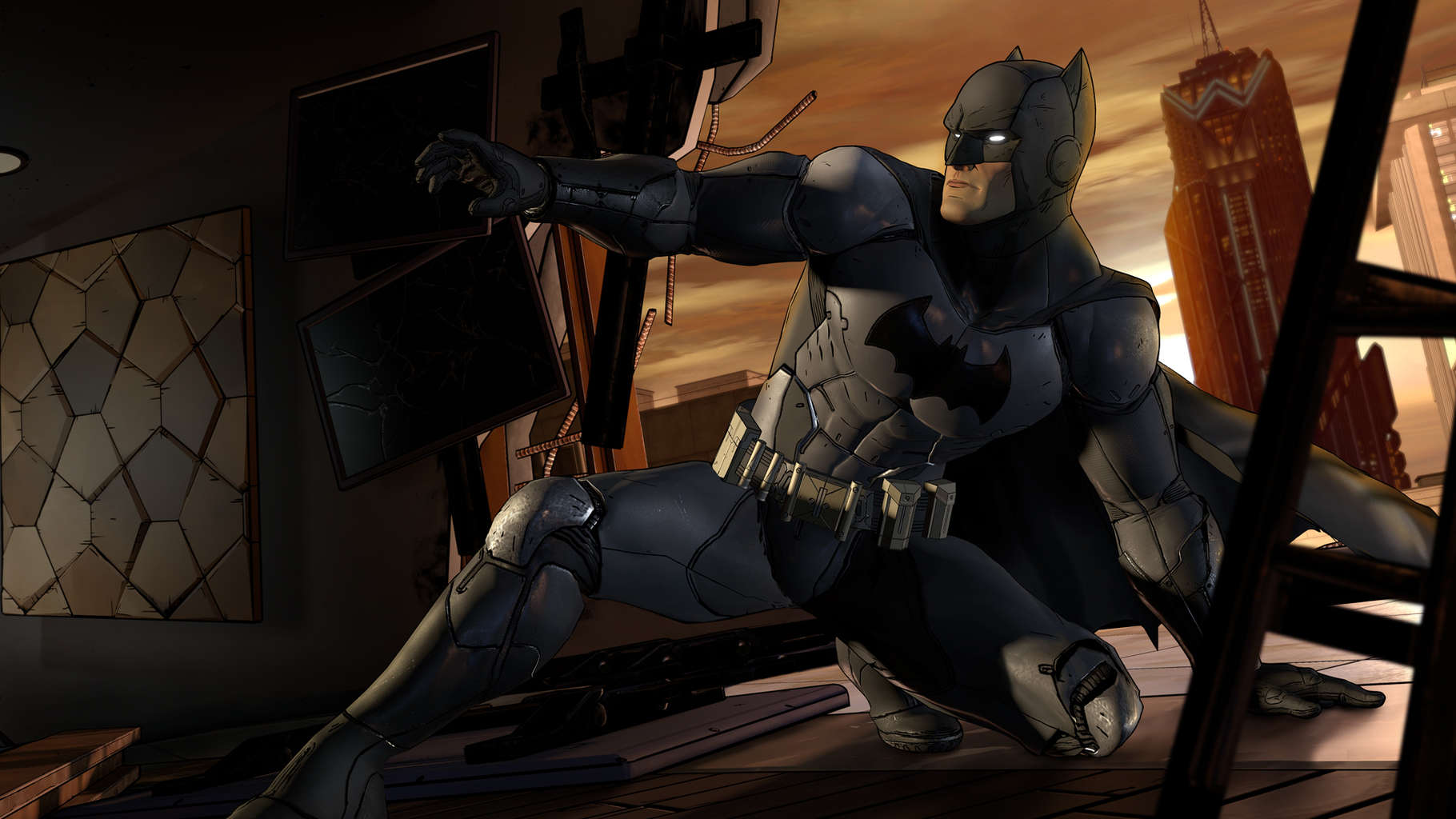
Batman is one of the most iconic superheroes ever created, with a global presence, media coverage across all entertainment types, from comic books, to animated series and live action movies, and of course, video games. Two months after Batman: The Telltale Series was made available on gaming platforms such as Steam and Xbox, Microsoft’s Windows 10 store now also features the newest Telltale series.

On the Windows Store, players can purchase the game’s chapters, starting with the second for $19.99. The difference between Windows Store and Steam is that the first chapter costs $4.99 on the former while Steam offers it for free. Steam users have an edge in this situation because they can try the free first chapter and see if they actually like the game. Windows Store customers have to take a leap of faith, especially if they have never played a game from Telltale and are here just for Batman. An alternative would be to get the first chapter for free by using Steam and trying it out before committing to the rest of the chapters if they are keen on purchasing the game from Windows Store.
In the Dark Knight’s latest return to the video game world, players will guide billionaire Bruce Wayne through a series of challenges and adversities that put Gotham City in danger and threaten a city already hanging by a thread. In this Telltale series, players will soon find out that every decision they make counts tremendously as they uncover and learn more about Gotham as well as Batman and his uneasy state of mind.

RELATED STORIES TO CHECK OUT:

Red Dead Redemption 2 to sell more than 12 million copies, could arrive in 2018 to PC

Rockstar finally announced the second installment of its popular western game Red Dead Redemption. For now, we don’t have any confirmed valuable details about this game, but that didn’t prevent various analysts to analyze the game’s potential, and give use predictions about its success.

Macquarie Securities analyst, Ben Schachter, recently said that the game may be selling over 12 million copies during Take-Two’s second fiscal quarter, if his calculations are correct. His research is based on the number of users’ engagement on social networks on Rockstar’s first announcement post.

“Notably, in its first hour, the announcement received 54K likes and 61K retweets on Twitter, 152K likes and 52K comments on Facebook, and 65K likes on Instagram. We think this demonstrates significant pent-up demand and interest for the sequel.”

Red Dead Redemption 2‘s announcement was indeed well-received on social media, but that’s not surprising at all, because users have waited for a long time for it. The original game sold over 14 million copies across all platforms, which is a pretty good background for the sequel.

So, if Rockstar managed to sell Red Dead Redemption in 14 million copies, the predicted number of 12 million for the sequel definitely seems like a realistic task. Add users’ anticipation to that, and you have the formula for success. So if we take into account the popularity of the franchise, new promised features, and add users’ anticipation to that, we the formula for success.

So, if Rockstar doesn’t take the wrong turn, and it probably won’t, judging by the success of its other titles, Red Dead Redemption 2 could easily be a serious contender for Game of the Year Awards.

Schachter also said he believes the game will arrive on PC in early 2018. The game is scheduled for Fall 2017 on PlayStation 4 and Xbox One, with the exclusive online content coming to PS4 first. If Schachter’s predictions turn out to be true, PC players won’t have to wait for too long to play Red Dead Redemption 2, like it was the case with GTA V, for example. This is something we hope for, as well.

RELATED STORIES YOU NEED TO CHECK OUT:

Control your PC from a Windows Phone using TeamViewer 12

While a huge number of developers are abandoning Windows Phone, TeamViewer doesn’t want to give up on Microsoft’s platform. As the matter of fact, the company is improving its products for Windows-powered phones.

In that manner, TeamViewer 12 brought some new features to Windows Phone users. More precisely, there are two new features for Windows Phone in TeamViewer 12:

  • Windows phone to Windows phone remote connection. Users can now remotely support another Windows phone device from a Windows phone device, in addition to iOS and Android devices.

  • PC to Windows phone remote connection. If for any reason there’s a need to control a Windows phone from the comfort of a PC, now it’s possible.

These new features will surely be useful to people who want to remotely control their computers. This perfectly fits into Microsoft’s philosophy of multi-platform apps, which is TeamViewer’s main goal as well.

Besides these two features, the latest version of TeamViewer also brought some new improvements. If you want to check the complete list of new features and improvements in TeamViewer 12, visit this page. However, the majority of these innovations are only available to users of the paid version.

To be able to control their PCs from a Windows Phone or Windows 10 Mobile device, users need to register to TeamViewer’s beta program. This can be done from TeamViewer’s desktop client and doesn’t require users to pay any fees.

If you already own TeamViewer on your Windows Phone device, go to the Store and check for updates to receive these new features. Or, you can manually download the TeamViewer 12 app from the Windows Store.

RELATED STORIES YOU NEED TO CHECK OUT:

Political Animals is an election simulation game full of corruption

If you’re into politics, you’ll definitely love Political Animals. This election simulation sends you right in the middle of a fierce political contest where any means can be used to make your way to office. The game is set in a fictional world populated by corrupt crocodiles and meritocratic mice.

In this political contest, corruption is always around the corner and you’ll get the chance to find out how incorruptible you really are. Political Animals also allows you to know yourself better and see if you’re capable of running your campaign in the best interests of the people, or if you will succumb to bribery and intimidation.

Of course, when the situation gets really worse, you can always resort to dishonest means to win votes or buy them. After all, all is fair in love, war and politics.

There are many characters you can choose from and several maps you can play on. Also, there are various strategies you can employ to win over the population, district by district, depending on the situation.

Political Animals lets you take turns and move your candidate and their supporting team around the political landscape. Each time you take turns, you spend points. As stated above, you can resort to dishonest methods if the situation requires it: you can bribe the voters to support you, raise funds from the wealthy, give gifts to the influential local district patrons, and more.

Just like in real election campaigns, you’ll encounter unexpected events, such as scandals and the agents of your opponents.

You can buy Political Animals for $13.49 from Steam.

RELATED STORIES YOU NEED TO CHECK OUT:

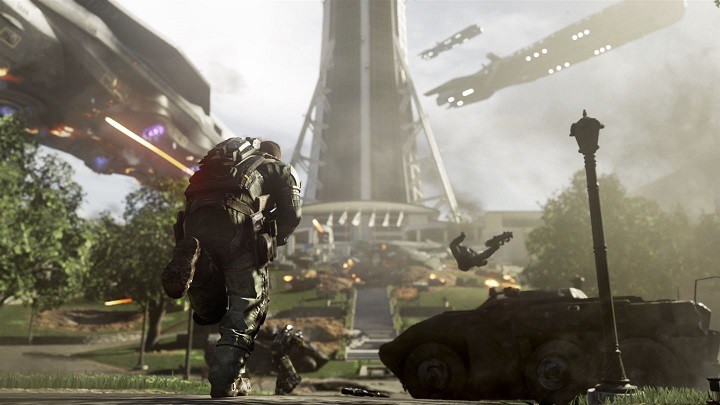
How to fix Call of Duty: Infinite Warfare no audio issue on Xbox One

Call of Duty: Infinite Warfare is a game plagued by many issues, ranging from game crashes to low FPS rate. Many gamers also report there is no game audio, and it appears this bug is prevalent for Xbox One owners.

Having no sound while playing this game can be very annoying. Gamers definitely want to hear gunfire and their enemies drop after a round of successful shots. This bug definitely needs to be fixed.

No sound in Call of Duty: Infinite Warfare

literally the only game my sound doesnt work on is IW. Every other game works. As soon as I load IW there is no sound. Bought it from the xbox store. HELP

How to fix audio CoD: Infinite Warfare audio bugs

Some gamers said that the voiceovers are designed to come out of just the rear speakers when in 5.1 mode. This means that if your TV or headphones are only stereo, you can’t hear anything in the back speakers (voiceovers).

To fix this, go to Settings > Display and Audio > Audio Output > HDMI > stereo uncompressed. This solution worked for some gamers, but if this doesn’t solve the problem for you, use the workaround listed below.

Other gamers suggest that the chat mixer is to blame for these audio bugs. To fix this, go to Settings > All Settings > Display and Sound > Volume > Check the “Do nothing” option. After performing this action, you should hear game audio.

If you’re experiencing Call of Duty: Infinite Warfare issues on PC, check out our dedicated fix article where we list a series of workarounds for the most frequently encountered issues.
RELATED STORIES YOU NEED TO CHECK OUT:

Posted in Fix

Windows 10 users get Forza Horizon 3 demo

While already out for the Xbox One console, the demo version of Forza Horizon 3 has eventually found its way to PC gamers as well. The PC demo has been announced today with a short list of things that players will be able to do, but more on that later. The PC demo clocks in at almost 20 GB, so Windows 10 users now know how much storage they need for the game demo.

The announcement of the PC demo wasn’t the only thing that fans got as the Xbox One variant also got some love with the addition of support for HDR. HDR support was added to the Xbox One demo, as the full version of the Xbox One game had featured HDR support from its inception.

HDR allows the user to experience the game in a much more vibrant and color-rich way, making great use of today’s technologies. However, to exploit HDR, you need a 4K monitor and also the Xbox One S, meaning a lot of players won’t be affected by this since they don’t possess the gear to properly display 4K.

As for as restrictions of the actual demo, players will be able to do a number of things such as explore the world (only a fraction of it will be available in the demo), compete in a couple events, and also compete against friends in its multiplayer mode through Xbox Live.

The demo version features the same system requirements as the full version of the game, meaning that gamers which can play the demo version with no difficulties won’t have any problems running the full game either.

Those interested in getting the full game or trying out the demo version can do so by visiting Microsoft’s official website.

RELATED STORIES TO CHECK OUT:

Watch Dogs 2 season pass costs $40

“The holiday of games” is just around the corner and what better way to begin it with the most anticipated release of 2016: Watch Dogs 2. We all are familiar with versions of Watch Dogs 2 that have been available for a while now. But recently, Ubisoft has given up details of the contents of the $39.99 season pass available with Watch Dogs 2 Gold Edition. Watch Dogs 2 is scheduled to hit PlayStation 4 and Xbox One on November 15th, followed by a PC edition on November 29th. Just 11 more days to go for the epic season pass release we have all been waiting for.

The five add-on packs which will be released after the game’s unveiling later this month are T-Bone Content Bundle, Human Conditions, No Compromise, Root Access Bundle and Psychedelic Pack. PS4 will be getting the first three packs a month prior to any other platform while the last two are day-one additions for season pass owners.

The first DLC pack, however, is to appear in December and arriving with it is a new custom truck that looks kind of like ‘a school bus from the depths of hell’  along with an outfit of the original Watch Dogs‘ Raymond “T-Bone” Kenney. Also, a new co-op difficulty level is added, called ‘Mayhem’.

Next, the second DLC pack, “Human Conditions”, lands in spring 2017 and features a trio of new stories set in San Francisco’s infamous science and medicine industries and features the characters Lenni and Jordi, the latter of whom was featured prominently in Watch Dogs as Aiden Pearce’s “partner.” Another plus to this bundle is the Jammer, an unlockable co-op mission with a technologically savvy villain capable of hounding players. Ubisoft has mentioned that each of these tasks will need an hour to complete alongside information on the availability of an “Elite” co-op mission that will be available next spring.

The third DLC, “No Compromise,” is also to arrive next spring and sees Marcus in a new story starring the Russian Mob along with an unlockable cooperative mode called “Showdown” where “only the best players survive.”  You can check out Ubisoft’s official descriptions for everything below.

  • T-Bone Content Bundle (DLC 1): Players will get the style and the swagger of legendary hacker Raymond “T-Bone” Kenney with his truck and outfit and discover Mayhem, a new co-op difficulty level that will pit players against a new enemy archetype armed with advanced weaponry. (Available December 13 for PlayStation 4)
  • Human Conditions (DLC 2): Through several hours of additional mission content in three new world stories, players will uncover San Francisco’s biggest scandals on the cutting edge of science, medicine and misuse. In Human Conditions, players will also experience new elite co-op missions and face a new enemy type: Jammer, with the technology to hunt players down. (Available Spring 2017)
  • No Compromise (DLC 3): Players will experience an all-new world story which mixes Marcus up in the seedy underbelly of San Francisco and puts him in the crosshairs of the Russian mafia. Also includes a new co-op mode: Showdown, where only the best players will get to survive. (Available Spring 2017)
  • Psychedelic Pack: Customize Marcus’s outfit, weapon, drone and car in the grooviest style. (Available on Day One)
  • Root Access Bundle: Includes full sets of outfits, new cars, a drone skin, and a new weapon, as well as the Zodiac Killer mission. (Available this winter)You can see a glimpse of everything below:

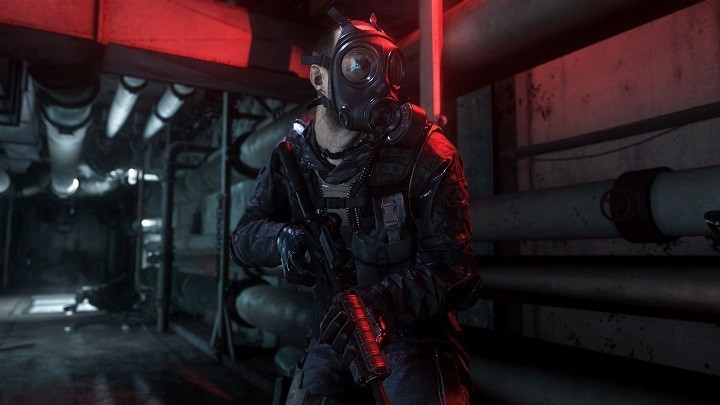
Call of Duty: Modern Warfare Remastered’s TTK needs to be fixed

Call of Duty fans were very busy over the weekend, testing out two new versions of the game: CoD: Infinite Warfare and CoD: Modern Warfare Remastered.

CoD: Infinite Warfare received many negative reviews, but this didn’t stop tens of thousands of players from buying the game. Modern Warfare Remastered is actually more popular and seems to be affected by fewer bugs, offering a more stable gaming experience.

However, there are some CoD: Modern Warfare Remastered issues that bother many gamers. One of the most annoying issues users are complaining about is the TTK’s behavior. Time to Kill indicates how long a gun takes to kill an enemy, starting from the time gamers pull the trigger until the target is dead.

CoD: Modern Warfare Remastered players complain that the TTK is not the same as in the original game, which is extremely disappointing for hardcore fans who put countless hours into the original game.

That’s true. I played a couple of games tonight and the TTK in the remastered is extremely fast similar to how in IW beta was. I experienced many instant deaths and some shoot first and die first situations. SInce the guns have the exact same damage and fire rates as in the original MW1 it does not make sense. It has probably something to do with the dedicated servers. Back in 2007 there were only p2p connections where the player with the fastest connection was chosen as the lobby host and had the advantage over other players. Also the latency values for the connections at that time were huge, over 100ms. These poor quality connections made the TTK feel slower. It may be frame rounding issues with the new engine as well. The remastered has better frame rate and this could affect TTK.

Other gamers suggest that increasing health or scaling back the M16 damage by 5% could fix this issue. After all, the TTK isn’t that bad if you like hard core gaming.

What do you think about the TTK’s behavior when playing CoD: Modern Warfare Remastered? Tell us more about your experience in the comment section below.

RELATED STORIES YOU NEED TO CHECK OUT:

GOG throws deals left and right with Monstrous Fall Sale

If there’s one thing that gamers like more than video games, it must be video games that are on sale.

If you are looking into buying a game in digital form, GOG will probably have it available. However, during the next 10 days, GOG is offering games with great discount deals as per their Monstrous Fall Sale. Prices differ depending on the original price and game title, but all the offers in the sale are good ones

The Monstrous Fall Sale should not be confused with an attempt to dump unsold games, as GOG is cutting prices on some of the most popular titles released too. An example of this is The Witcher 3 GOTY Edition, which has been made available for only $25.69. Other examples are the Original Sin Enhanced Edition of Divinity and Little Big Adventure 2, with the latter being completely free of cost.

GOG also offers a mini treasure hunt within their sales event, as checking in each day and collecting badges will help you unlock Victor Vran, Expedition: Conquistador or Dex. The XP you need to unlock titles can also be gained from regular shopping.

According to GOG, the kick off sales include the classic Grim Fandago Remastered, Day of the Tentacle Remastered and also the praised Pillars of Eternity, with discounts of 75%, 50% and 60% respectively. GOG also encourages people to check back daily and see what new offers and deals have been added to the sales event.

The titles mentioned and many others will be available until November 13th when the Monstrous Fall Sale ends, giving savvy gamers time to pick up their favorites for very good prices.

RELATED STORIES TO CHECK OUT:

How to fix Feedback Hub if it’s not working

The Windows Feedback Hub is an app that enables you to provide input for Microsoft. With that app you can provide some suggestions to make Windows better. You can also join a Windows Insider Programme for the latest updates. However, the app isn’t a lot of good if it isn’t opening. Here are a few ways that you can fix the Windows Feedback Hub if it’s not working.

Reset the Windows Store Apps

  • First, reset the Windows Feedback Hub app via Settings. Enter ‘Apps & features’ into the Cortana search box and then select Apps & features to open the window below.

feedback hub

  • Now scroll to the Feedback Hub and select it.

Feedback hub2

  • Click Advanced options to open the window in the snapshot below.

feedback hub3

  • There you can select a Reset button. Click that button and then press Reset again on the window that pops up.
  • A check mark beside the Reset button highlights the Feedback Hub has reset. Now you should be able to open the Windows Feedback Hub.

Re-register the Feedback Hub app with Powershell

  • Alternatively, you could re-register Feedback Hub with Powershell. Enter ‘Powershell’ into the Cortana search box to open its window below.

feedback hub4

  • Note that you should right-click Windows Powershell and select Run as administrator.
  • Now type Get-AppXPackage | Foreach {Add-AppxPackage -DisableDevelopmentMode -Register “$($_.InstallLocation)\AppXManifest.xml”} into Powershell and press Enter.
  • Once the command is executed, restart Windows.

Reset the Windows Store Cache

  • You could also try resetting the Windows Store Cache. To do so, press the Win key + R to open the Run window.
  • Then type ‘wsreset’ into Run and press Return.
  • The Windows Store window will then open when the cache is cleared.

Run the Windows Store Apps Troubleshooter

If you still can’t open the Feedback Hub, check out the Windows Store Apps Troubleshooter. This is a Microsoft tool that can fix apps. It scans your system and then fixes apps.

  • Open this page and then click Run troubleshooter to save the tool to Windows.
  • Then open the Windows Store Apps Troubleshooter from your default Downloads folder.

feedback hub5

  • Click Advanced and Apply repairs automatically.
  • Click Next to scan your apps with the tool. Note that you’ll need to have a Microsoft Account to use the tool.

Run the  KB3092053 Troubleshooter

Finally, there’s also another troubleshooter you can fix apps with. Microsoft launched the KB3092053 troubleshooter specifically to fix apps not launching on Windows 10 systems with multiple user accounts. So if you have multiple user accounts, this might also fix the Feedback Hub.

  • Open this website page and click the Troubleshooter hyperlink. That will save cssemerg70008.diagcab to Windows.
  • Now click cssemerg70008.diagcab to open the window in the snapshot directly below.

Feedback hub6

  •  Click Next to start the scan and it will detect and fix apps that aren’t working.

Those are five ways you can fix the Feedback Hub if it isn’t opening. Then you can provide some more input for Microsoft with the app. Note that the above suggestions can also fix a lot of other Windows apps that aren’t working.

Gears of War 4’s first Title Update released

Just after few weeks of its release, Microsoft and The Coalition have announced the first Title Update for Gears of War 4 that was released on November 1st, bringing the most awaited legacy player maps, along with much more. The servers were  reported to be down for maintenance purposes and the game was offline for a few hours.

The patch notes reveal it is a large-scale update with major changes. The new update will take up around 6GB of space on your Xbox console or PC. For us, the most interesting addition so far is the new map, that will be available for Season Pass owners of Gears of War 4. Those who don’t have one can play the new maps starting November 8th.

The update has brought many fixes of minor issues across both the Xbox One and Windows 10 versions of the game. Users can also notice changes to the competitive Lancer, Gnasher, and Hammerburst weapons along with a slightly increased difficulty of bots in Social Versus, consistency in weapon respawn and the ability for Xbox One and Windows 10 players to use cross-play over LAN. For the Windows 10 side, notable tweaks include rebound for several keys such as the Execute, Point of Interest keys and Spectator Mode controls. Xbox users are rewarded with a more eye-catching view and HDR Split-Screen Visualization options available with HDR calibration.

The Coalition has actively incorporated customer feedback as a source for future update recommendations and will make Future Community Holiday Event Packs accessible via in-game credits, along with removing duplicate card appearances in packs.

There’s a lot more to the Gears of War 4’s Title Update, so here’s a detailed list of all the changes were implemented from November 1st:

Title Update November 1 2016

New Maps

Two new maps will be added to the developer playlist on November 1st for Season Pass owners and will be available in standard rotation and private games on November 8th for everyone.

  • The Developer Playlist will contain Versus Dodgeball and Arms Race modes for squads up to three large and Horde players on Normal difficulty.

Weapon Tuning Changes
(These changes may occur a few hours after the Title Update hits. We will update people once these go live.)

We have made some changes to the Competitive Lancer and Gnasher. The goal was to try to smooth out the damage falloff to provide a more consistent feel, without sacrificing the skill.

Lancer

  • Very short range damage has been slightly reduced.

Gnasher

  • Very short range damage slightly reduced.
  • Short range damage slightly increased.
  • Active damage boost ratio slightly increased to offset damage reduction.
  • Stopping power completely removed.

Hammerburst body damage has been significantly reduced in Core tuning. Headshot damage has only been slightly reduced to maintain the skill of the weapon.

  • Body damage significantly reduced.
  • Headshot damage slightly reduced.
  • Active reload cooldown increased by 2 seconds.

Fixed an issue where Escalation weapon respawn timers would sometimes not be consistent

  • All secondary weapons (minus the Longshot) are at 60s respawns.
  • The Longshot, Shock and Incendiary grenades are at 90s respawns.
  • All power weapons are at 120s respawns.

Windows 10
**Please make sure to update your Windows OS to Build 14393.222 or later for the game to update. You will not be able to get the update and online games will stop working if this is not done**

  • Execute and Point of Interest keys can now have the same key binding on Windows 10.
  • Windows 10 version now displays the version number on main menu.
  • Users can now rebind Spectator Mode controls on Windows 10.
  • Abnormalities to the UI on high resolution displays have been addressed.
  • Mouse and Keyboard users can now switch weapons during countdown at the beginning of the round.
  • Windows 10 players can now have true offline LAN lobbies.
  • Average FPS has been now incorporated to the benchmark screen on Windows 10.
  • Added in game language selection.
  • Roadie run turn rate on Windows 10 is now a consistent rate instead of reduced when holding the forward key.
  • Pickup and drop fortifications has been moved to the “Q”/Mark Target key bind instead of “C”/Point of Interest on Windows 10.

Xbox One

  • Players can now turn on HDR Split-Screen Visualization in the options menu on Xbox One.
  • HDR calibration has been optimized for Xbox One users.

Xbox One and Windows 10

  • Team Reviving with players on turrets no longer causes stacking skills in Horde.
  • At times the gnasher would fire rounds that would not register or expend ammo despite audio and visual FX. This has been addressed.
  • Ammo crates would sometimes not appear in TacCom in Horde. This has been corrected.
  • Players who get a kill right after you die in Dodgeball will now be able to count toward a respawn for your team including yourself.
  • Escalation will now display COG/SWARM DOMINATION when a victory was made from a Domination.
  • The EMBAR at times could continuously be used in Arms Race after your team has switched to the next weapon. This has been addressed.
  • Bonus supply crates will now fall in accessible areas even when the Fabricator is placed along walls.
  • Users will no longer receive objectives in bounties by killing meat shields.
  • Leader in Guardian will now always be rewarded to the user who killed the prior rounds Leader.
  • Players should now be able to pick up all power drops in Horde.
  • Players will no longer appear invisible if they are saved from a Snatcher.
  • Players can no longer roadie run before countdown.
  • Bots will be a bit more difficult in Social Versus backfilling
  • Shock grenades will no longer auto refill after each Horde wave.
  • Addressed an issue that sometimes allowed for Horde private matches to not start up.
  • Fixed an issue in which flying enemies could drop power on high ground areas that were inaccessible by the player.
  • Addressed an issue where players would sometimes not be able to play co-op campaign with another friend.
  • Removed score from repairing in Horde.
  • Fixed a few bounties not awarding proper XP values
  • Fixed an issue where players could push other players out of bounds on Lift.
  • PC and Xbox One can now play cross play on LAN.
  • Added Iberian Spanish in-game and cinematic voice over

Addressed numerous miscellaneous map and bug fixes.

Future Updates

Gears Pack Feedback

  • We are going to have an update on Gears Packs. One large piece of feedback we are looking at including is the removal of duplicate cards appearing in packs that need it. We do plan on keeping them in some packs where they make sense (ie: Horde Booster Packs).
  • Future Community Holiday Event packs (Gearsmas, etc) will always have a credit path to obtaining them.
  • We will have more details on this here in the very near future.

Player Penalties

  • We are still looking into the player penalty fixes. This did not make it in this Title Update. We are exploring if we can get this without a Title Update. We will keep you posted on this as it is a big focus for us.

Horde Leaderboards

  • We will be wiping the Horde leaderboards sometime after TU1 to ensure players can compete for. We will have more news on when this occurs.

Footstep audio

  • This is being worked on and should be in the next Title Update.

Competitive/Core Lobbies

  • This is a larger update that will take a bit but we still have this planned for a future Title Update.

PC Crossplay Testing in a Special Event Playlist

  • We are hoping to conduct a test on this in November. This will be a separate event playlist for people on both platforms to join. We will see what backend telemetry after the weekend and consider what we can do in the future.

Ranks/Horde Icons not appearing in scoreboards

  • This is still planned for a future Title Update.

Grenade Spawning Fix

  • Another issue we have a fix for in the next Title Update. It didn’t make this round of testing.

Campaign Achievement Issues

  • We have a fix for this in Title Update 2. It will require users to complete the same campaign item that they did not complete to trigger it but they can continue from the checkpoints that they have obtained prior to do so.

Some additional Windows 10 features coming

  • Vertical Split Screen and Ultra Wide HUD scaling are coming to Windows 10 in the next Title Update.

  • Patching on Windows 10 is a better experience now. Cyphos will have a post regarding that later this weekend.

Next Hearthstone expansion to be revealed at Blizzcon

It seems that the big game developer Blizzard is now preparing to release a new major expansion for its card game Hearthstone, the details of which will be revealed during Blizzcon tomorrow.

It is good to know that Blizzard started teasing fans about this upcoming expansion on Twitter this week. The company’s official Hearthstone account on Twitter uploaded a postcard image stating “Greetings from Gadgetzan. It’s as clean as it is safe!”

According to Polygon, Gadgetzan is a goblin-run trading outpost found in World of Warcraft, a MMORPG developed by Blizzard. It seems this outpost is used as a universal auction house that allows Alliance and Horde members to trade with one another even if they are actually enemies elsewhere in the game.

However, Blizzard didn’t stop here: It started to tease fans with a new image with a “faux newspaper” from Gadgetzan. It seems that the company’s recent media is focusing on Gadgetzan’s “unbreakable” bank vault, which might suggest a robbery of some sort will play a big role in the next expansion to be released for Hearthstone game.

Some Hearthstone fans checked the Blizzard’s recent newspaper image and found out a “link” to a “chat with Talan”.  The found link takes you to a Facebook Messenger session with a Blizzard chatbot. From there, you will be able to talk with the bot regarding more details about Blizzard’s future plans for Hearthstone.

Fans who keep talking with the bot are eventually rewarded with some images featuring Hearthstone production artwork. The bot also accepts some unique commands and dialogue options, which means that players will be able to discover more details about the upcoming expansion before the company reveals it at BlizzCon.

Blizzcon 2016 will kick off on November 4, 2016, at the Anaheim Convention Center in California.

RELATED STORIES TO CHECK OUT:

Microsoft highlights what Surface Studio partners are doing with the Dial in new videos

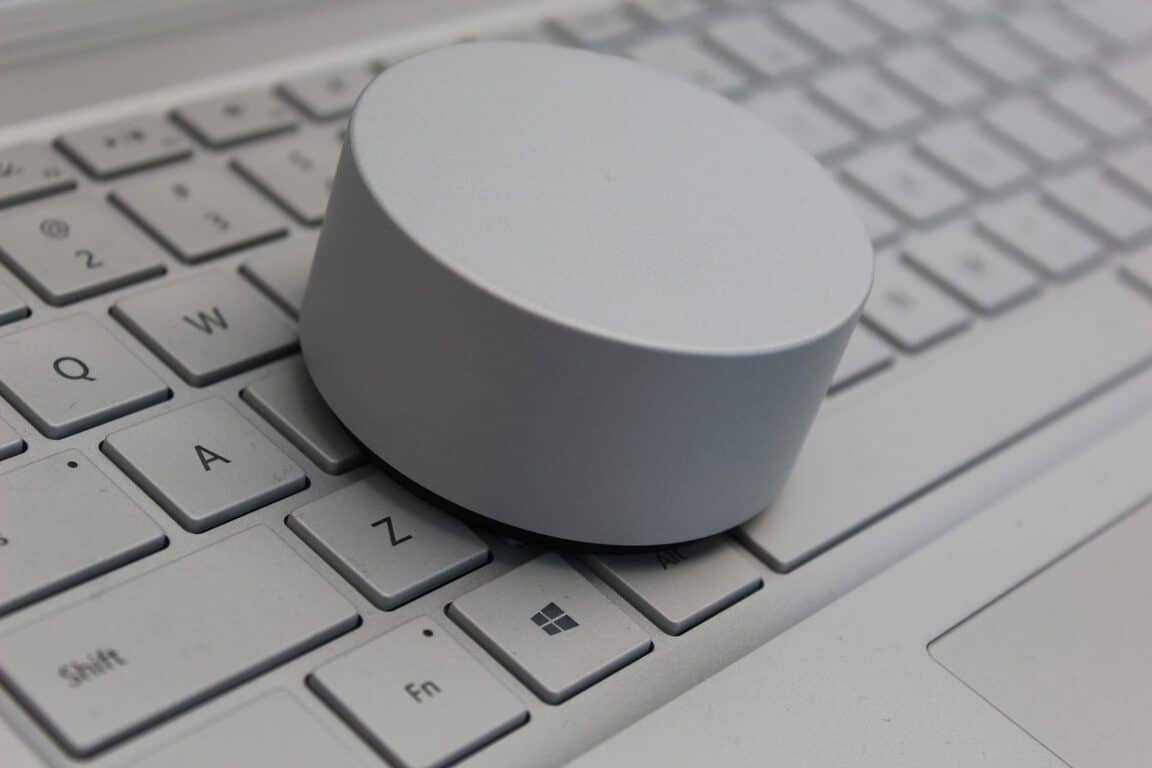
The Microsoft Surface channel on Youtube released six new videos today about the newly announced device, the Surface Studio. More specifically, the videos highlight how app developers are using the related Surface Dial to innovate how users interact with the digital world.

Bluebeam is on the way to eliminating paper from architecture and design thanks to the smooth integration of the Surface Dial. The peripheral is able to slide through layers and zoom into the design so that the user can use the pen to draw, write, and edit.

Similarly, Drawboard designed a protractor tool that rotates along with the device’s degrees.

For artists of the more traditional media, Surface Studio opens up the potential of a new canvas. Gone are the days of buying multiple brush sizes and paint colors. With Mental Canvas, the Surface Dial has specific zones that will let the user switch between colors and sizes with a simple shift of their hand leaving the other to paint and create.

Originally inspired by the Surface, Sketchable also picked up the Surface Dial. Their app has programmed the accessory to rotate images for easier drawing angles.

Even more unique applications like StaffPad for writing music have found ways to utilize the Surface Dial for the better. Users can adjust notes up and down, undo and redo, and even stamp the music from one line to the other.

These are just examples of how Microsoft is recreating how artists interact with the digital world. You can check out all of the videos together on the Surface Youtube channel.

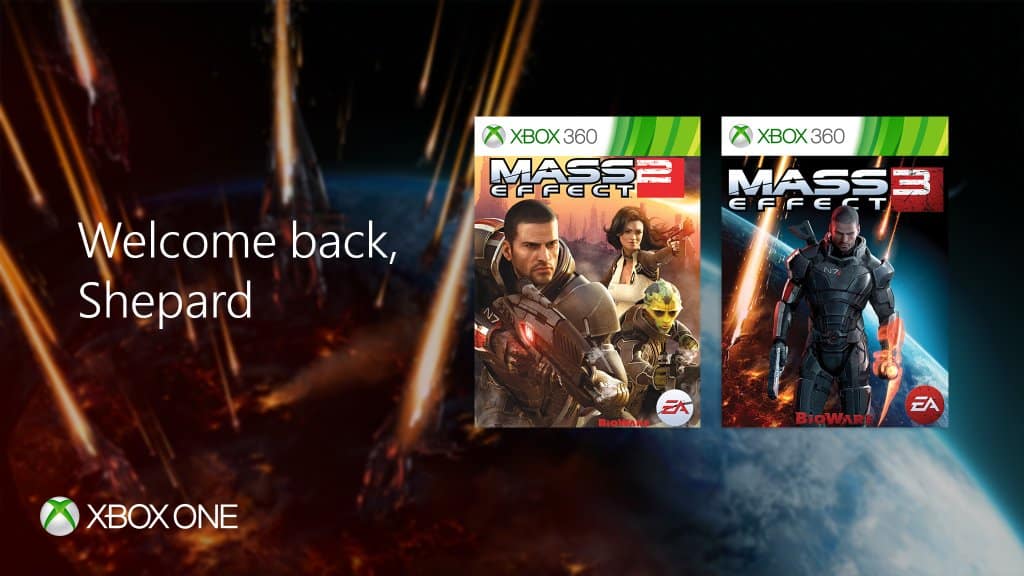
Microsoft adds Mass Effect 2,3 to Xbox One Backward Compatibility list

The Xbox team has announced today that Mass Effect 2 and Mass Effect 3 are the latest games to become playable on the Xbox One via backward compatibility. As fans of the game may know, the announcement was made on “N7 Day,” a yearly celebration of the popular science fiction franchise every November 7.

A year ago, the first game of the trilogy was among the first batch of titles to become backward compatible on the Xbox One (Microsoft was a co-publisher of the game). However, Mass Effect 2 and Mass Effect 3 have never been available on the Xbox Store, and this situation did not change today: to play both games them on your Xbox One, you’ll have to buy a physical Xbox 360 copy while all the optional DLCs are available on the Xbox Store. This is quite unfortunate as both games are available in digital on the Playstation Store for Playstation 3 owners.

Still, this is great news for Xbox One owners as these action role-playing-games are still one of the best games you can play on last gen consoles. Please find the official descriptions below:

Mass Effect 2

Across the galaxy, entire human colonies are vanishing. As Commander Shepard, you will recruit an elite team of the galaxy’s most dangerous and skilled experts, and lead them on an assault into the most dangerous area of the galaxy – from which you might not return. Download new equipment and missions to continue your adventure even after the main story is complete. They say the mission is suicide. Prove them wrong.

Mass Effect 3

Mass Effect 3 plunges you into an all-out galactic war to take Earth back from a nearly unstoppable foe – and how you fight that war is entirely up to you. With over 40+ perfect review scores, USA Today heralds Mass Effect 3 as “the first true blockbuster of the year.”

Electronics Arts and Bioware also released today a new trailer for Mass Effect Andromeda, the next episode of the franchise which is expected to be released in Spring 2017 on Xbox One, Playstation 4 and PC, you can watch it below.

As the full Mass Effect trilogy is now available on the Xbox One via backward compatibility, it’s now the perfect time to play them once again before the release of the much anticipated Mass Effect Andromeda. However, we really hope that EA will one day make both Mass Effect 2 and 3 available to purchase on the Xbox Store.

Trimble launches Sketchup Viewer for Microsoft HoloLens

This morning marked a major milestone for architects and engineers when Trimble announced SketchUp Viewer to be available for purchase on the Windows Store. The 3D viewer for HoloLens is one of the latest innovations to bring augmented and virtual reality to the fingertips of creators.

With the SketchUp Viewer, builders can work with digital models scaled down onto the table or scaled up to a life-size view that the user can walk through. The application makes it possible to interact with their models, edit them, and present them across distances for a more cost effective and time efficient experience.

Here is a list of features from the product page:

  • Open models that have been published to your HoloLens device from SketchUp Desktop.
  • Search, browse and open models from 3D Warehouse.
  • Sign in to Trimble Connect to browse your project folders and open SketchUp & DWG files.
  • Create or join multi-user collaboration sessions. Collaborators can be collocated in the same place or distributed across remote offices.
  • View and interact with your 3D models as holographic scale models.
  • Navigate your projects in a 1:1 immersive mode. Since the HoloLens device is untethered, users are able to walk freely throughout their project models.
  • Users can move, rotate, and scale 3D models.
  • The Scenes panel gives users the ability to navigate to specific locations in the model by choosing from any of the pre-saved scenes that were created in SketchUp.
  • The Layers panel gives user the ability to toggle the visibility of contents that have been assigned to Layers in SketchUp.
  • The Entity Info feature gives users the ability to view component attribute data.
  • The Tape Measure tool gives users the ability to measure point to point distances within the model.
  • The Map Navigator is especially useful while in Immersive mode. It gives you the option to get around in your model by choosing a specific point to jump to.
  • The application interface has been designed to give users the ability to “Pin” various aspects of the user interface to surfaces in their physical environment.

It’s worth noting that the app is for businesses as made obvious by the hefty $1,499.99 price tag. Users can now purchase and download SketchUp Viewer to their HoloLens from the Windows Store.

Windows 10 Insiders November Bug Bash begins today

Fresh off the release of Windows 10 Insider Preview Build 14959 for Mobile and PC, Microsoft has announced that the November Bug Bash is now officially underway. While Dona Sarkar has mentioned that the focus of the Bash is on Creating, 3D, Windows Ink, and Developers, every Windows Insider is now invited to participate and report the nastiest of the latest Windows 10 bugs directly to Microsoft.

Overall, the Bug Bash will run from now until November 13th 11:59 PM PST both internally at Microsoft, and with Windows Insiders. As has been the routine, Quests will be placed in the Windows 10 Feedback hub to point Windows Insiders in the right direction for finding bugs.

Available here, Quests will cycle, and all will be brought back over for the weekend for additional feedback before the conclusion of the Bug Bash. For the complete details on what to expect with the quests, check out  Michael Fortin, Corporate VP for Windows and Device Core Quality’s description of the Bug Bash below.

ADVANCED Quests:

  • Quests marked as “ADVANCED” are more technical and may require changing the system configuration on your device and require an understanding on how to revert the changes after the Quest is done. You should only perform Quests that you feel comfortable doing, if something goes wrong you’ll need to be able to troubleshoot how to get back to a good state on your device.

UPDATE Quests:

  • Quests marked as “Update” exercise Update paths from Windows 10 Anniversary Update to the November 2016 Windows 10 Bug Bash build

DEVELOPER Quests:

  • Quests marked as “Developer Quests” specifically are designed for Developers and may require coding.

As a reward for your hard work, badges will be distributed in the Feedback Hub at the conclusion of the Bug Bash. Let us know if you will be participating in this bug bash by dropping us a comment in the section below!

Power BI Groups will be built into Microsoft Teams too

The announcement for Microsoft Teams last week brought a lot of interest from businesses curious about how the new product would help their teams collaborate. Some already use Power BI Groups as a tool to share dashboards and information as a whole. But they don’t have to worry about all of their previously created group content going to waste by switching to Microsoft Teams. As announced today by the Microsoft Power BI Blog, the Power BI Groups will be available as an integration into Microsoft Teams.

Admins of Power BI groups will be able to add a tab for their already created dashboards and workspaces upon creating a Microsoft Team. It will automatically integrate all of your reports in Power Bi and make them available for use through Teams. This means that users will be able to link reports and share them through Microsoft Teams without needing to open more applications.

We’re excited to learn more about how Teams will be improved in the upcoming months. As of now, it appears the product is shaping up to be the one-stop shop hub for everything an organization could need for team collaboration.

Here’s Microsoft’s latest Xbox ad with NFL Seattle Seahawk Russell Wilson

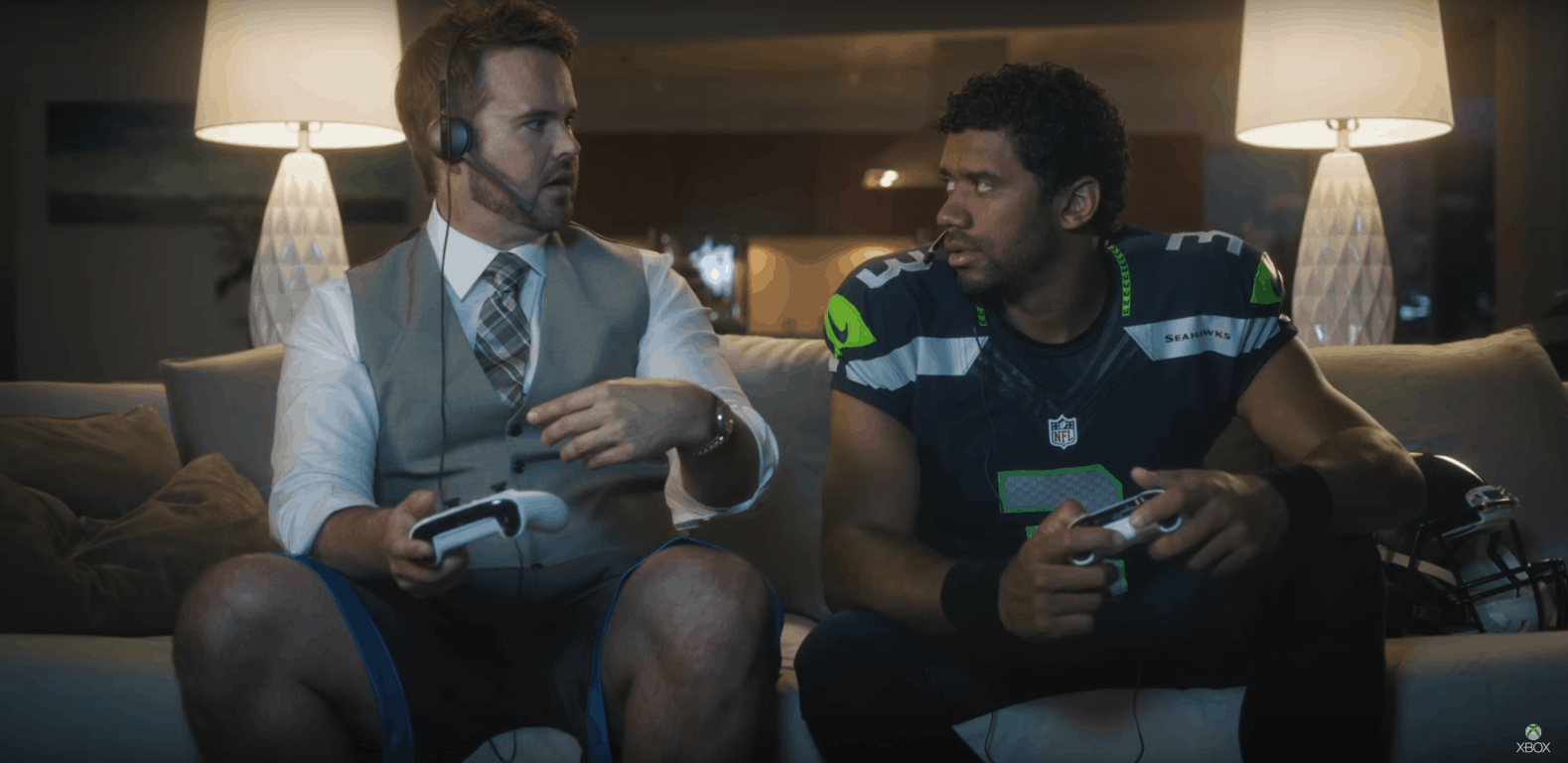
From NFL-themed type Surface type covers, and their ongoing partnership with the National Football League to use Surface tablets on the sidelines, Microsoft has displayed a deep interest in the American sport of football. Yesterday, the company continued the NFL push and published a new Xbox ad featuring NFL star Russell Wilson.

As seen above, the latest 40-second long advertisement features Seattle Seahawks quarterback Russell Wilson playing Madden NFL 17 with a Xbox fan. Funny at best, the two discuss why the Xbox fan did not choose Russel for his fantasy league (after a notification pops up on the screen from the NFL on Xbox App.)  The ad then ends with some specifications on the Xbox One S, such as the fact that it supports 4K, and fantasy football for the price of just $299.

This Xbox ad is just one of many which we have already reported on. And, it comes right as a new report indicates Microsoft and Xbox are outspending everyone in game-related TV advertising heading into this holiday season.

Microsoft Norway provides “safe training environment” for Chess Grand Champion worried about Russian hackers

Casual chess players may not know it, but playing chess at the top level is a computer intensive activity. For Norwegian World Chess Champion Magnus Carlsen, testing new strategies and preparing counter attacks with the help of chess computers has become a daily routine.

But as the champion is currently preparing to battle Russian player Sergey Karjakin at the upcoming World Chess Championship later this month, recent US political hacks linked to Russian hackers have led him to reconsider his training methods. According to a recent report from The Telegraph (via PCMag), a worried Carlsen doesn’t want to give hackers a chance to get their hands on his very valuable training data. To give the champion some peace of mind, Microsoft Norway has offered to help him by providing “a safe training environment and secure communication and collaboration tools.”

Magnus Carlsen
Magnus Carlsen

While Microsoft Norway did not share more details about how it plans to support Carlsen during its secret training, it’s worth reminding that the company had to deal with Russian hackers several times over the past years. Last week, the technology giant blamed Russian hacking group STRONTIUM for leveraging a critical vulnerability in Windows that is expected to be fixed tomorrow on Patch Tuesday. But despite Microsoft’s recent struggles with hackers, Carlsen’s manager told The Telegraph that “Magnus’s preparations are going as planned.”

If you’re a chess fan, the World Chess Championship 2016 will kick off on November 11 in New York and the winner will earn a cool $1.1 million prize fund. Let us know in the comments if you expect data security to become a bigger concern for top level competitors in the future.

Microsoft Garage celebrates 2 years of experimentation, innovation, and shipping

For the 2 year anniversary of Microsoft Garage, a feature blog post was released to highlight how the workshop has changed over the year as well as celebrate some of its higher achievements.

It originally started with an intent to create small ‘snack apps’ that would provide data and feedback from the customer use. One such example is the My Mustache web application that used the Face API for Microsoft Cognitive Services to compare mustaches or even to build a digital one on your picture. The seemingly innocent app contributed largely to the development of improved facial recognition.

Since then, it has grown into a wider influence. They began to focus on building integrations and applications that made working with Microsoft products easier for consumers. The Garage also branched out to host Hackathons where coders from all over can present their ideas and have the opportunity to execute them.

“The Garage is very focused on the bleeding edge of experimentation, moving forward at all times. We help Microsoft be better at experimenting, to be faster, to test ideas and to learn by doing,” says Jeff Ramos, partner director of The Garage. “We’ve really taken Satya Nadella’s challenge to be more customer obsessed seriously, putting projects in the hands of real customers.”

The Garage has now put another sixteen experiments under its belt bringing the total up to thirty. And there’s more and more to come from them. Currently, the feature mentions that the team is in the process of an early-release developer platform for the near future.

Microsoft Garage is a safe space to experiment and share, making innovations and using what some might call failure as a learning experience. They would rather be doers, not talkers, a motto that describes Garage quite well and continues to prove its mettle through trial by fire.

Join us LIVE for ‘Talk Microsoft’ at 1pm PST

Tonight at 1pm PST Sean Michael and Sean Ong will discuss the latest Microsoft and Windows 10 related news. Make sure to join us live on our YouTube channel or check out the video on our channel later this week.

When you join us live you get to comment during the live stream, ask questions, and make comments.

Xbox is outspending everyone in game related TV advertising heading into this holiday season

While Sony is getting ready to release its new Playstation 4 Pro in the US on November 15, a new report shows that Microsoft’s Xbox brand has been leading game-related TV advertising by a large margin during the month of October. The news came today from VentureBeat which partnered with iSpot.tv to get monthly data about the top spending gaming brands.

According to the report, 44 gaming brands spent an estimated $101.6 million on TV ads last month, with 129 ads running 22,538 times on national TV. Microsoft was the biggest spender with an estimated $39.9 million (39.3% of the total) for 16 commercials that ran 4,118 times in October. The company’s top ad was the Gears of War 4 launch trailer, which was the latest blockbuster release from Microsoft Studios last month. According to iSpot.tv, the gaming brand chose NBC, Fox and ESPN as its top networks as well as NFL football, college football and South Park as its top shows during the period.

Microsoft had the biggest TV advertising budget last month (credit: VentureBeat).

Compared to Microsoft’s massive advertising efforts, Sony only spent an estimated $12.1 million (11.9% of the total) last month on 11 commercials that ran 1,612 times. Machine Zone, the developer of popular mobile game Game of War:Fire Age closed the top 5 behind 2K Games and Bethesda Softworks.

While we don’t have additional data about Microsoft’s TV advertising budget for the previous months, we previously reported that the Xbox One was the best selling console in the US for the third time in a row in September. Last month, the company also unveiled a new ad for its Xbox One S console, presenting it as the “ultimate games and 4K entertainment system.” As we’re now nearing the holiday season, we expect Microsoft to keep spending on TV ads as the company obviously needs to compete for mindshare against its Japanese competitor which will launch the Playstation 4 Pro next week.

How to selectively sync OneDrive files to free up your disk space

Recently, we learnt that OneDrive placeholders would return to Windows 10 as ‘On Demand Sync’. It will allow users to store a file offline or re-enable online sync. The advantage of these smart placeholders is that they do not consume the space as the original file, and you’d only need to sync if you need the file on your machine – else it sits pretty on your OneDrive cloud.

Till that happens, you can still selectively sync files on your Windows 10 PC and leave the folders you don’t need (the ones which you only need backed up) on the cloud. This is particularely useful for devices with limited storage, specially tablets.

Right-click the OneDrive icon on your taskbar, and select Settings from the menu that opens up. Select Choose folders under the Account tab.

OneDrive - Settings
OneDrive – Settings

In the window that opens next, clear the check boxes for any folders you don’t need offline, and then select OK.

Sync your OneDrive files to PC

Remember that the folders you clear won’t show up in File Explorer on this machine anymore (unlike the placeholders), but they’ll still be online at OneDrive.com.

Microsoft Team preview out, first impressions are positive

The news that Microsoft has been working on a collaboration tool that would rival  services such as Slack hit the internet a while back, and now Microsoft is delivering with the first preview of the software.

While the software is slated to drop sometime during the first few months of 2017, Microsoft has put out this preview version which is available for the general population so everyone can get an idea of what Microsoft Teams is offering and why you should get it.

One of its main advantages is the fact that it comes with seamless integration with other Microsoft services, which leads to a fast and easy collaboration between multiple parties across multiple platforms. Some of the software featured in Teams are Skype, Office 365 and others such as GitHub. Social media is also included, with Twitter being present. Although Slack and other competitors offer the latter services as well, it’s still a plus that Microsoft included them in Teams.

Microsoft Team is promising great team-based work efficiency with the instant message chat available at all times and the ability to call teammates on Skype and clear issues, functions that cater to group needs. And this is only the beginning, as Microsoft says over 150 integrations from different developers will be made available in Teams.

Microsoft further explains the direction they wanted to take with Teams, stating that people could treat it just like any other Office 365 app in terms of security, as the new service will feature all the compliance standards you would expect a Microsoft product to bare, like ISO 27001, HIPAA, Eu Model Clauses or SOC 2.

The first peek into Microsoft’s new project looks promising, but only time can truly tell how efficient or easily adopted it will be in the workplace.

RELATED STORIES TO CHECK OUT:

Microsoft updates Photos app with Windows Ink support

While these changes are nothing new to  Release Preview users who were granted access to them quite a while back, Microsoft has made them available for the general public, adding more reasons to use their Photos app on Windows 10. With the release of Photos 16.101.10002.0, users will be able to use Windows Ink, which lets them draw on top of their images in a similar manner in which you might draw in Snapchat, for example. On top of the new Windows Ink feature, Microsoft has also provided improvements to the cropping and filtering departments, giving users more options.

The Photos app also comes with a new user interface that ditches the old sandwich style structuring and adopts a new aesthetic direction through a merging with the People app.

With the Windows Ink feature, users will not only be able to draw on top of other images and sketch but also record the drawing and then send it to friends. It can be sent in both video or image format, so it’s up to you how you want to share your creativity.

You can start drawing on top of a photo by tapping the Draw button. The app gives you multiple choices in terms of tools, so until now, the potential artist could choose between a pen and a pencil to draw with. However, the new update brings a new drawing tool in the calligraphy pen, which is for when you feel like stepping up your game. Once your photo has been enhanced, you can go further and use the new cropping options to fit the image according to your vision. If it’s still missing that last touch, you drop a nice filter on top of it. The newest additions to the filter collection give you even more creative control.

RELATED STORIES TO CHECK OUT:

How to remove built-in apps from Windows 10 WIM-File with Powershell

PowerShell is a very powerfull Windows tool that allows power users to perform a series of advanced tasks. PowerShell is a task automation and configuration management framework that comes in a form of a command line.

Many users believe that PowerShell will eventually replace Command Prompt and the list of tasks you can perform using this tool proves them right. Actually, there are many PowerShell capabilities unknown to users but from time to time, Windows power users introduce them to the general public.

One of the most popular PowerShell features is the capability to remove built-in apps from Windows 10 WIM-File. This relatively new script allows users to remove unnecessary built-in-apps. All you need to do is download the script from Microsoft TechNet and run it.

This PowerShell script has been tested on the following Windows platforms: Windows 10, Windows Server 2012 and Windows 8.  It is likely to work on other platforms as well, but no confirmation is yet available.

This script is very useful because in the Windows 10 Anniversary Update all the apps that were previously uninstalled are re-installed when Microsoft pushes out a feature update. With this tool, system admins can easily avoid such situations.

The latest Windows 10 builds no longer reinstall the apps you previously removed. Microsoft made the necessary changes starting with Windows 10 build 14926, which is the first build to no longer reinstall the default Windows 10 apps you uninstalled. This feature will become available to the general public in early 2017 when Microsoft launches the  Windows 10 Creators Update.

Until then, you can use this PowerShell script if you don’t want to include all of the default Windows Store Applications when creating a Windows-10-Image for the Enterprise.

RELATED STORIES YOU NEED TO CHECK OUT:

Fix Call of Duty: Infinite Warfare campaign freezes at intro

If you’re a fan of intergalactic battles, then you’ll definitely love Call of Duty: Infinite Warfare. The game is now out, but it appears that playing it is not an easy task due to various technical issues.

There are many bugs affecting Call of Duty: Infinite Warfare gamers. For the time being, there are very few workarounds available for specific bugs, but you can use these general solutions if you encounter any issues while playing the game.

Speaking of issues, many players report having issues with campaign freezing at intro to “Back in the Fight”.

I’ve been playing through the IW campaign and everything’s been going great up until this point. I just started the mission “Back in the Fight”, get to the end of the Kit Harrington video propaganda and my game freezes. The hum of the ship is on a skipping loop and the game is completely frozen (no moving volumetric fog, etc). I’ve tried the following solutions by CTRL+ALT+DELing out of the game and reloading without any luck.

How to fix Call of Duty: Infinite Warfare campaign freezes at intro

  1. Close the game
  2. Right click on CoD:IW > Properties > Updates > Uncheck Enable Steam Cloud Storage
  3. Once unchecked, go to Local Files Tab > Browse Local Files
  4. Go to ‘players2’ folder
  5. Rename savegame.svg to savegame.svg.old
  6. Restart the game and select the mission and difficulty
  7. Tab out of the game and recheck Enable Steam Cloud Storage.

If you’ve come across other workarounds for Call of Duty: Infinite Warfare, feel free to list the troubleshooting steps in the comment section below.

RELATED STORIES YOU NEED TO CHECK OUT:

New Xbox One Preview Build delivers fixes for Messaging, Cortana, Narrator and more

Microsoft is releasing another Xbox One Preview Build to those registered in the Preview Program. This build is delivering fixes for several core aspects of the console, including Messaging, Cortana, Narrator, Virtual Keyboard and Settings.

With build number 1610.161103-1900, we have the following changelog:

Messaging
When a user attempts to send a message and cannot due to low reputation, that user will now see a dialog informing them of the reason they cannot send messages, and direct them to Xbox Support.

Cortana
Speech recognition for France, Italy, Germany, and Spain has been updated in this build to better recognize your voice commands. If you are located in one these locales, we encourage you to opt in to Cortana via the Cortana app in My games & apps. As you use Cortana we collect field data, allowing us to improve the Cortana experience for everyone.
Groove Music should no longer crash when launched via Cortana.

Narrator
Resolved an issue which caused OneGuide to crash if launched while Narrator is active.

Virtual Keyboard
Resolved an issue which could sometimes cause the virtual keyboard to stop recognizing input.

Settings
The Detailed Network Statistics page should no longer appear blank if Xbox Live is experiencing an outage at the same time.

When turning on the console, it will prompt to update before being able to connect to Xbox Live. The new update may not be available just yet but will be later today.

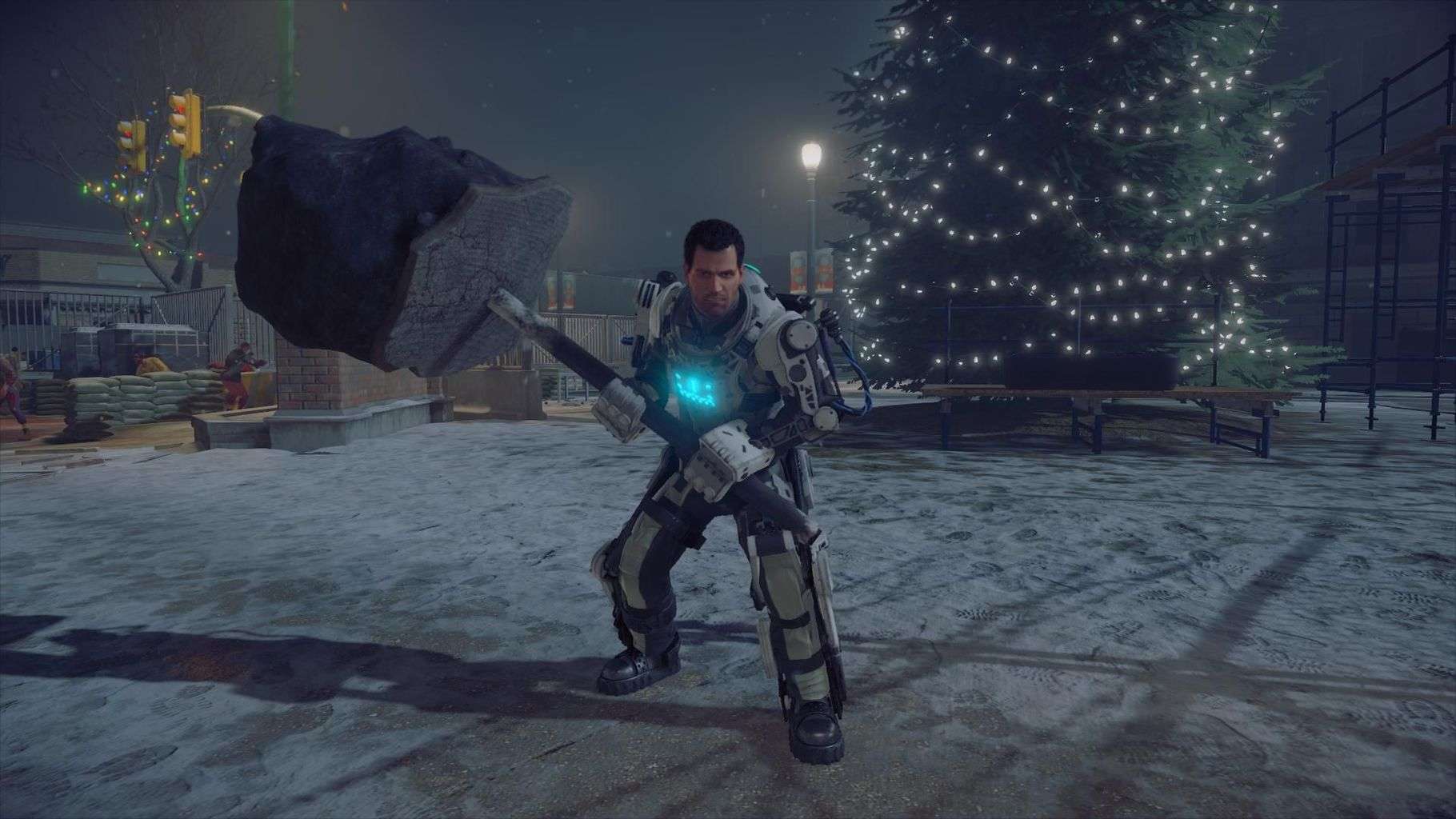
Dead Rising 4: construct your own innovative weapons! Check this game!

Dead Rising 4 is the (you guessed it) fourth installment in the Dead Rising game series where the principle of the game is to construct your own innovative weapons  you can use against an army of undead. The game has gained popularity due to its original concept where players use preposterous means of combining different objects like a paddle and a chainsaw with something like duct tape.

According to the announced details, Dead Rising 4 should be available sometime next month. Xbox One players that are barely able to wait for the game to drop can find a little comfort in the fact that Microsoft has made it available for pre-load. Pre-load is a feature available for those that have pre-ordered the game, regardless of which version they have selected. Unfortunately, pre-load isn’t available for the PC version. Pre-loading allows users to prepare the game ahead of its release, so when it finally releases, all they have to do is play it. The files for Dead Rising 4 amount to a total of 36.34 GB, making it bigger than the last installment in the series by a full 10 GB.

Dead Rising 4 was confirmed to not be part of Microsoft’s Play Anywhere project. Play Anywhere was introduced by Microsoft as a means for players that own both a PC computer operating with Windows 10 and an Xbox One transition from one platform to the other with save files for a game updated on both devices as they progress. Also, players that buy the game on one platform will not be required to buy it on the other platform. Windows 10 is a critical requirement for this service. Unfortunately for Dead Rising fans that own both devices, they will have to invest their time wisely and prioritize a platform.

RELATED STORIES TO CHECK OUT:

The first Windows 10 Creators Update build 14959 available now

The first Windows 10 Creators Update build is finally available for Fast Ring Insiders. Windows 10 build 14959 is available for both Windows PC and Mobile and allows Insiders to test out some of the interesting features Microsoft introduced at the recent Windows 10 Event.

For the time being, the only major Windows 10 Creators Update feature available in build 14959 is Paint 3D Preview. Microsoft showed off a plethora of new 3D features at the Windows 10 event, and more of them will start rolling out in builds in the coming weeks.

With Paint 3D in Windows 10, you can create, view and share images in a whole new dimension. The tool also allows you to modify somebody else’s creations or turn 2D images into 3D images. Paint 3D is simple, intuitive and fun.

Windows 10 build 14959 also introduces two more new features:

  • Microsoft published Windows 10 Mobile 14959 using its new update publishing system called Unified Update Platform (UUP). Thanks to this new UUP system, the download size of this build has been significantly reduced. Also, the UUP reduces the update data sent to client devices as the Windows Update service will evaluate which updates are needed by a given device.
  • Insiders can now control the Display Scaling of their Virtual Machines (PC): Build 14959 brings a new Zoom option in the View menu, where users can override the default scaling and set it to 100, 125, 150 or 200. Microsoft also fixed an issue where certain VMs wouldn’t display the remote desktop connection bar after entering full-screen mode.

Windows 10 build 14959 PC fixes and improvements:

  • We fixed an issue for Insiders resulting in the automatic brightness setting unexpectedly being turned off after upgrading. In doing so, we’ve re-enabled automatic brightness adjust for users that have never changed their auto-brightness setting. […] If you would like to enable or disable automatic brightness adjustment, please go to Settings > System > Display, where you can adjust your preferences.
  • We fixed an issue Insiders on domain connected PCs may have experienced where login might fail when the computer was disconnected from its domain network.
  • We fixed an issue resulting in certain apps, such as Outlook Mail and Calendar, failing to update for some Insiders with the error code 0x800700B7.
  • We fixed an issue for Insiders with certain device models where ejecting an SD card might result in a system crash.
  • We fixed an issue where disliking one of the Spotlight lock screen images would show the new image immediately, followed by a transition animation from the previous image to the new image.
  • We fixed an issue where launching an app from another app while in Tablet mode no longer launched it side by side, and instead launched it fullscreen (for example, when launching a web link from the MSN News app).

Windows 10 build 14959 Mobile fixes and improvements:

  • The data usage page in Settings via Settings > Network & wireless > Data usage has been updated with performance and UI improvements.
  • We fixed issues preventing Insiders from adding cards to Wallet and paying using tap to pay.
  • We fixed an issue resulting in being unexpectedly able to close Start in the task switcher.
  • We fixed an issue resulting in certain options for default calling app via Settings > System > Phone > Default apps from being unexpectedly missing.
  • We fixed an issue causing apps that play media in the background, such as Groove Music, to stop when Battery Saver turns on.
  • We fixed an issue Insiders may have experienced where the phone would get into a state where copy/paste wouldn’t work until the device had been restarted.
  • We fixed an issue where Settings might hang after unchecking “Let apps automatically use this VPN connection” in VPN Settings.

The list of known issues is very short indeed and includes only two issues for PC and two for Mobile.

Have you already downloaded build 14959? Tell us more about your experience in the comment section below.

RELATED STORIES YOU NEED TO CHECK OUT:

Call of Duty: Infinite Warfare Won’t Launch on PC [Fix]

Call of Duty: Infinite Warfare is finally out, but the overall gaming experience is severely limited by various technical issues and bugs. A common problem reported by many was that Call of Duty: Infinite Warfare won’t launch on the PC.

Fortunately, there are some solutions that should help eliminate the problem when Infinite Warface is not working or crashing on startup. Keep reading to find out!

What can I do if Call of Duty Infinite Warfare won’t launch on the PC?

1. Update GPU Drivers

  1. Press Windows + R to open Run, type devmgmt.msc, and hit Enter.
  2. Expand the Display adapters entry, right-click on the graphics adapter, and select Update driver.update driver to fix call of duty infinite warfare won't launch pc
  3. Select Search automatically for drivers and wait for the process to complete.search automatically

Updating the graphics driver is critical for the effective functioning of the PC and to run games smoothly. If Windows can’t find an update, go ahead and install the latest driver version manually.

Both Nvidia and AMD already released their drivers for Infinite Warfare. It’s very important you install the newest drivers for your GPU and get your system ready to run Call of Duty: Infinite Warfare. Use the links below to download the drivers:

Regardless of updating your drivers manually, you can better rely on tailored driver update software. So, this dedicated tool can entirely scan your PC to detect outdated drivers and update all of them in one breath.

⇒ Get Fortect Driver Updater

2. Perform a clean boot

  1. Press Windows + R to open Run, type msconfig, and hit Enter.
  2. Go to the Services tab, tick the checkbox for Hide all Microsoft services, and click on Disable.clean boot to fix call of duty infinite warfare won't launch pc
  3. Now, press Ctrl + Shift + Esc to open the Task Manager, head to the Startup apps tab, select all the apps individually, and click on Disable.startup apps
  4. Head back to the System Configuration window, and then click Apply and OK to save the changes.
  5. Click Restart in the prompt that appears.

A clean boot usually fixes any general issue with your computer. If Infinite Warfare often crashes or you experience black screen issues, perform a clean boot, and this may solve all your problems.

3. Verify the game‘s cache

  1. Launch Steam, navigate to the Library, then right-click on Infinite Warfare, and select Properties.properties
  2. Go to the Installed files tab, and click on Verify integrity of game files.verify integrity to fix call of duty infinite warfare won't launch pc

If Call of Duty: Infinite Warfare won’t launch on PC, some files may be missing or corrupt. Verify the game’s cache, and download any missing files that got lost during the installation process.

4. Game crashes after changing settings

Delete the config file from your Infinite Warfare folder. First, locate the config_mp.cfg file, copy it to your desktop and then delete it. Launch the game and check the settings.

If this solution doesn’t work, delete the whole player folder. Don’t forget to make a copy before removing it completely.

That’s it! One of the solutions here should have helped if Call of Duty Infinite Warfare won’t launch on the PC.

Before you leave, check some quick tips and tricks to improve the FPS on your laptop and enjoy a better gaming experience.

If you’ve encountered other solutions, list the troubleshooting steps in the comment section below.

Xbox news recap: New Tomb Raider leaks, Xbox dominates the UK, Phil Spencer on VR and more

Welcome to our weekly Xbox news recap series, where we go over the top stories of the past week in the world of Xbox. Let’s get started.

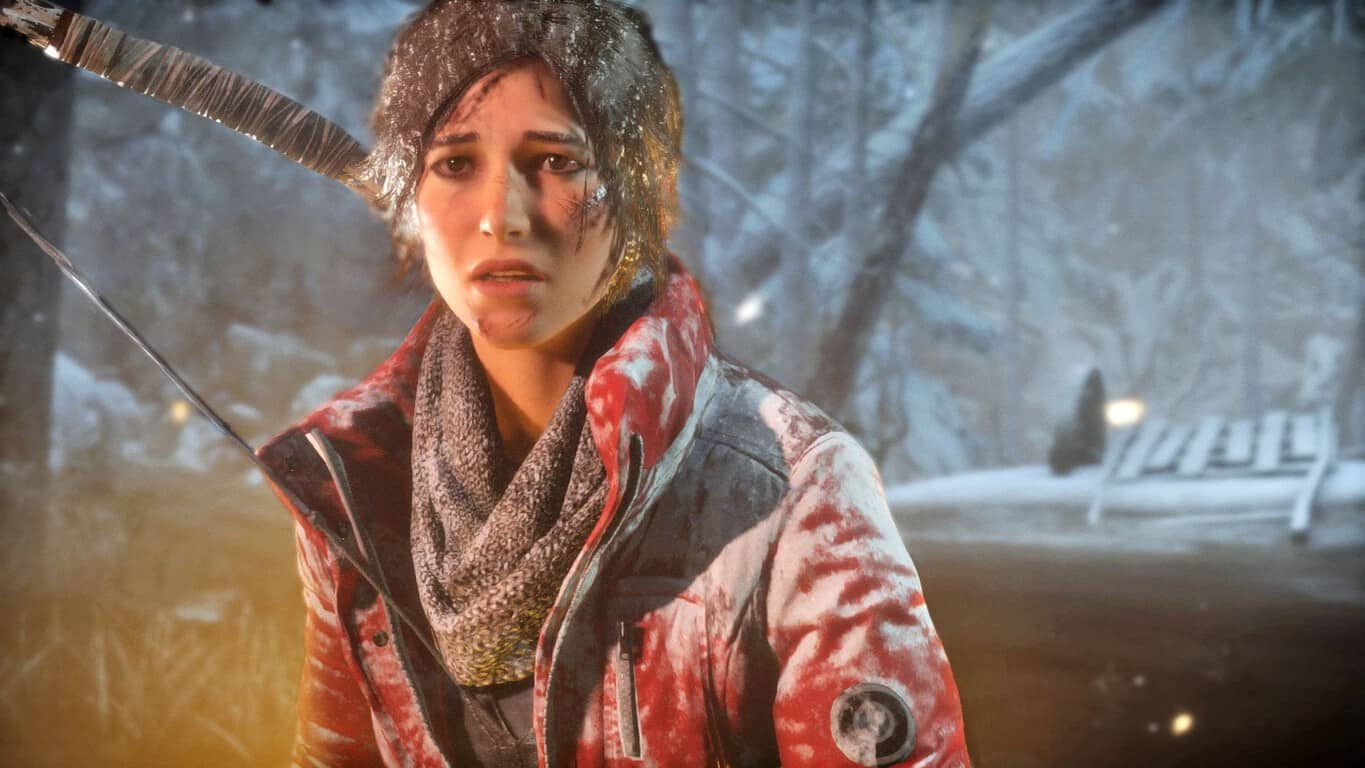
Name of the next Tomb Raider game leaks

The next Tomb Raider game looks like it’s going to be called “Shadow of the Tomb Raider,” according to a leaked document that surfaced earlier this week. A particularly sneaky Tomb Raider fan snapped a photo of someone’s laptop as they seemed to be working on a presentation for the next game. While just about everything else in the photo is blurry, you can make out the “Shadow of the Tomb Raider” logo on top. This might be a working title, but it’s enough to excite the fan base a little.

Xbox leads sales in the United Kingdom

According to a report on Gamesindustry.biz, the Xbox One outsold the PlayStation 4 in September by only 1,500 units – but in October, this gap widened all the way to 25,000, making Xbox account for 54% of console sales that month. This comes at a time where Xbox One has been selling exceptionally well across the board, and gives Xbox fans more reasons to be excited for the future of their console of choice.

Phil Spencer says VR won’t go mainstream for a few years

Xbox boss Phil Spencer spoke a little bit about the future of VR in gaming, and had a few interesting points. In an interview with Stevivor, Spencer talked about how VR is going to be taking a few years before it can really take off. He drew some comparisons between VR and the Kinect, which ended up just becoming a “Dance Central Box.” It’ll be interesting to see how Spencer’s take on VR ends up shaping the direction of Scorpio, and its relationship with AR/VR games.

It may be a while for a new Xbox after the release of Project Scorpio

Speaking of Phil Spencer, he had a few things to say about the future of Xbox once Project Scorpio comes out. In an interview, he said that he doesn’t have any interest in releasing a new console every two years like some people are fearing. Assuming that Phil is speaking the truth here – and we assume that he is – you shouldn’t have to worry about your Scorpio becoming outdated any time soon. “I don’t have this desire to every two years have a new console on the shelf,” Spencer said. “That’s not part of the console business model, and it doesn’t actually help us.”

Here are the games that came out this week:

Thanks for joining us. To keep up to date with all the latest Xbox news, keep a close eye on our Xbox One news hub.

Fix: “The lobby is not joinable” Xbox One error

Xbox One allows you to play hundreds of different games with your friends online, but sometimes certain problems with multiplayer can occur. Users reported The lobby is not joinable Xbox One error during their multiplayer sessions and today we’re going to show you how to fix this problem.

“The lobby is not joinable” Xbox One error, how to fix it?

Fix – Xbox One error “The lobby is not joinable”

Solution 1 – Clear the Reserved space

Many Xbox One games use Reserved space in order to run properly. This space will be reserved for your game and it will not be taken by other games, thus allowing your game to run properly. However, problems with reserved space can occur, and if you’re getting The lobby is not joinable error message on your Xbox One, you might want to try deleting reserved space for the problematic game. This is a simple procedure, and you can perform it by following these steps:

  1. Highlight the game that is giving you this error.
  2. Press the Menu button on your controller and choose Manage game option.
  3. Now you’ll see the game information such as its saved data and Reserved space. Select Reserved space.
  4. Now select Clear reserved space from the menu.
  5. Confirm that you want to delete Reserved space by selecting the Clear reserved space option.

After clearing the reserved space the problem should be resolved and you’ll be able to join lobbies without any problems.

Solution 2 – Unplug your modem / router

Network configuration can cause this error to appear on your Xbox One, and in order to fix it you have to restart your modem and wireless router. This is a simple process and you can do it by following these steps:

  1. Turn off your Xbox One.
  2. Press the power button on your modem to turn it off.
  3. Wait for 30 seconds or more and press the power button again to turn on your modem.
  4. Wait until your modem turns on completely.
  5. Now turn on your Xbox One and check if the problem is resolved.

If you’re using wireless router to connect to the Internet, be sure to restart it as well by following the same steps. After your modem / router restarts the issue should be resolved.

Solution 3 – Exit to main menu

Users reported that The lobby is not joinable error appears in Call of Duty: Black Ops III when someone from the party leaves the game during a match. One suggested solution is to exit to main menu and try to go back to multiplayer. Few users reported that this solution works for them, so feel free to give it a try.

Solution 4 – Check Party management settings

If you’re getting this error message in Call of Duty: Black Ops III, you might be able to fix it simply by changing the Party management settings. To do that, you need to select Social > Party management and set Max players to any value higher than 1. After that you just need to save the changes and check if the problem is resolved.

Solution 5 – Perform a hard restart

To fix The lobby is not joinable error sometimes you just need to perform a hard restart. To do that on Xbox One, follow these steps:

  1. Press and hold the power button for 10 seconds.
  2. When your console turns off, unplug the power cable.
  3. Wait for 30 seconds or more and plug the power cable again.
  4. Now wait until the light on power brick changes from white to orange.
  5. Press the power button on your console to turn it on and check if the problem is resolved.

By restarting your console you’ll delete temporary files, and in some cases that can help you solve this error, so be sure to try it.

  • READ ALSO: Abzu coming to Xbox One January 2017

Solution 6 – Make sure that you’re not using any other DNS

Some users tend to use OpenDNS or Google DNS on their computer or Xbox One, but this can sometimes cause The lobby is not joinable error. To fix that, you can try using your default DNS by following these steps:

  1. On the Home screen go to Settings.
  2. Select Network > Advanced settings.
  3. Select DNS settings.
  4. Select Automatic.
  5. Check your network configuration to see if the DNS settings are changed.

After doing that, check if the error is resolved.

Solution 7 – Join one of your friend’s lobbies

According to users, you might be able to fix this problem simply by joining a friend’s lobby. After doing that, the problem should be resolved. Few users reported that you can also fix this problem by adding a second controller to play as a guest, so you might want to try that as well.

Solution 8 – Make sure that your ports are forwarded

In order to enjoy in online multiplayer, your ports need to be properly forwarded. Your Xbox One requires the following ports in order to run properly:

  • Port 88 (UDP)
  • Port 3074 (UDP and TCP)
  • Port 53 (UDP and TCP)
  • Port 80 (TCP)
  • Port 500 (UDP)
  • Port 3544 (UDP)
  • Port 4500 (UDP)

Some users are also suggesting to forward port 3075 as well, so you might want to do that. Forwarding your ports is a bit advanced procedure, therefore we strongly suggest that you check your router’s manual for detailed instructions. There are also other ways to fix this problem, but by properly forwarding your ports, you’ll fix “Your network is behind a port-restricted NAT” message on Xbox One as well as The lobby is not joinable error. In addition to forwarding your ports, you can try using DMZ or UPnP features to fix this problem.

The lobby is not joinable error message usually appears when you try to play Call of Duty games on your Xbox One, but we hope that you managed to fix this issue by using one of our solutions.

READ ALSO:

IoT cameras have major security vulnerabilities, says Bitdefender

Bitfedender recently detected major privacy vulnerabilities in IoT cameras that allow hackers to hijack and turn these devices into full-fledged spying tools.

The camera analyzed by Bitdefender is used for monitoring purposes by many families and small businesses. The device includes standard monitoring features, such as a motion and sound detection system, two-way audio, built-in microphone and speaker, and temperature and humidity sensors.

The security vulnerabilies can easily be exploited during the connection process. The IoT camera creates a hotspot during configuration via a wireless network. Once installed, the corresponding mobile application establishes a connection with the device’s hotspot and connects to it automatically. The app user then introduces the credentials and the setup process is complete.

The problem is that the hotspot is open and no password is required. Moreover, the data circulating between the mobile application, IoT camera and server is not encrypted. And to make things worse, Bitdefender also detected that the network credentials are sent in plain text from the mobile app to the camera.

When the mobile app connects remotely to the device, from outside the local network, it authenticates through a security mechanism known as a Basic Access Authentication. By today’s security standards, this is considered an insecure method of authentication, unless used in conjunction with an external secure system such as SSL. Usernames and passwords are passed over wire in an unencrypted format, encoded with a Base64 scheme in transit.

As a result, an attacker can impersonate the genuine device by registering a different device, with the same MAC address. The server will connect with the device that registered last, and so will the mobile app. In this manner, attackers can capture the webcam’s password.

Anyone can use the app, just as the user would. This means turning on audio, mic and speakers to communicate with children while parents aren’t around or having undisturbed access to real-time footage from your kids’ bedroom. Clearly, this is an extremely invasive device, and its compromise leads to scary consequences.

In order to avoid privacy breaches, do a thorough research before buying an IoT device and read online reviews that may reveal privacy issues. Secondly, install a cybersecurity tool for IoTs, such as Bitdefender’s Box. These tools will scan the network and block phishing attacks and other threats.

RELATED STORIES YOU NEED TO CHECK OUT: