Next Hearthstone expansion to be revealed at Blizzcon

It seems that the big game developer Blizzard is now preparing to release a new major expansion for its card game Hearthstone, the details of which will be revealed during Blizzcon tomorrow.

It is good to know that Blizzard started teasing fans about this upcoming expansion on Twitter this week. The company’s official Hearthstone account on Twitter uploaded a postcard image stating “Greetings from Gadgetzan. It’s as clean as it is safe!”

According to Polygon, Gadgetzan is a goblin-run trading outpost found in World of Warcraft, a MMORPG developed by Blizzard. It seems this outpost is used as a universal auction house that allows Alliance and Horde members to trade with one another even if they are actually enemies elsewhere in the game.

However, Blizzard didn’t stop here: It started to tease fans with a new image with a “faux newspaper” from Gadgetzan. It seems that the company’s recent media is focusing on Gadgetzan’s “unbreakable” bank vault, which might suggest a robbery of some sort will play a big role in the next expansion to be released for Hearthstone game.

Some Hearthstone fans checked the Blizzard’s recent newspaper image and found out a “link” to a “chat with Talan”.  The found link takes you to a Facebook Messenger session with a Blizzard chatbot. From there, you will be able to talk with the bot regarding more details about Blizzard’s future plans for Hearthstone.

Fans who keep talking with the bot are eventually rewarded with some images featuring Hearthstone production artwork. The bot also accepts some unique commands and dialogue options, which means that players will be able to discover more details about the upcoming expansion before the company reveals it at BlizzCon.

Blizzcon 2016 will kick off on November 4, 2016, at the Anaheim Convention Center in California.

RELATED STORIES TO CHECK OUT:

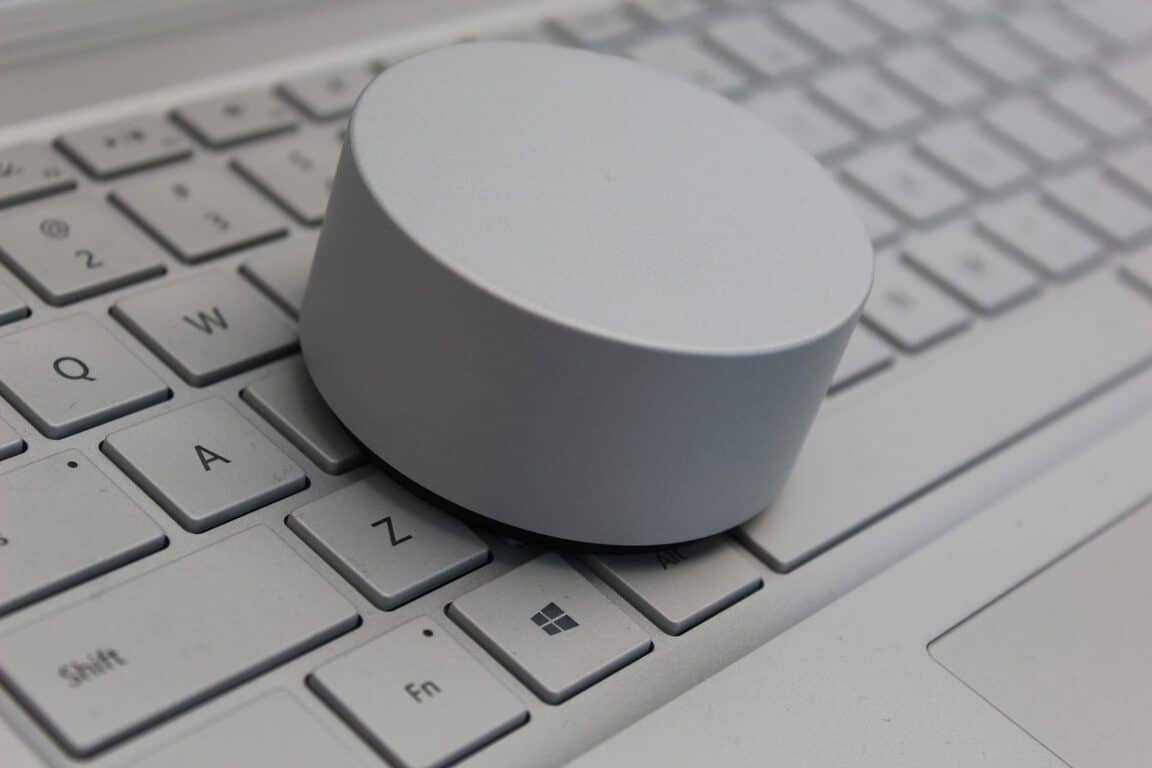
Microsoft highlights what Surface Studio partners are doing with the Dial in new videos

The Microsoft Surface channel on Youtube released six new videos today about the newly announced device, the Surface Studio. More specifically, the videos highlight how app developers are using the related Surface Dial to innovate how users interact with the digital world.

Bluebeam is on the way to eliminating paper from architecture and design thanks to the smooth integration of the Surface Dial. The peripheral is able to slide through layers and zoom into the design so that the user can use the pen to draw, write, and edit.

Similarly, Drawboard designed a protractor tool that rotates along with the device’s degrees.

For artists of the more traditional media, Surface Studio opens up the potential of a new canvas. Gone are the days of buying multiple brush sizes and paint colors. With Mental Canvas, the Surface Dial has specific zones that will let the user switch between colors and sizes with a simple shift of their hand leaving the other to paint and create.

Originally inspired by the Surface, Sketchable also picked up the Surface Dial. Their app has programmed the accessory to rotate images for easier drawing angles.

Even more unique applications like StaffPad for writing music have found ways to utilize the Surface Dial for the better. Users can adjust notes up and down, undo and redo, and even stamp the music from one line to the other.

These are just examples of how Microsoft is recreating how artists interact with the digital world. You can check out all of the videos together on the Surface Youtube channel.

Microsoft adds Mass Effect 2,3 to Xbox One Backward Compatibility list

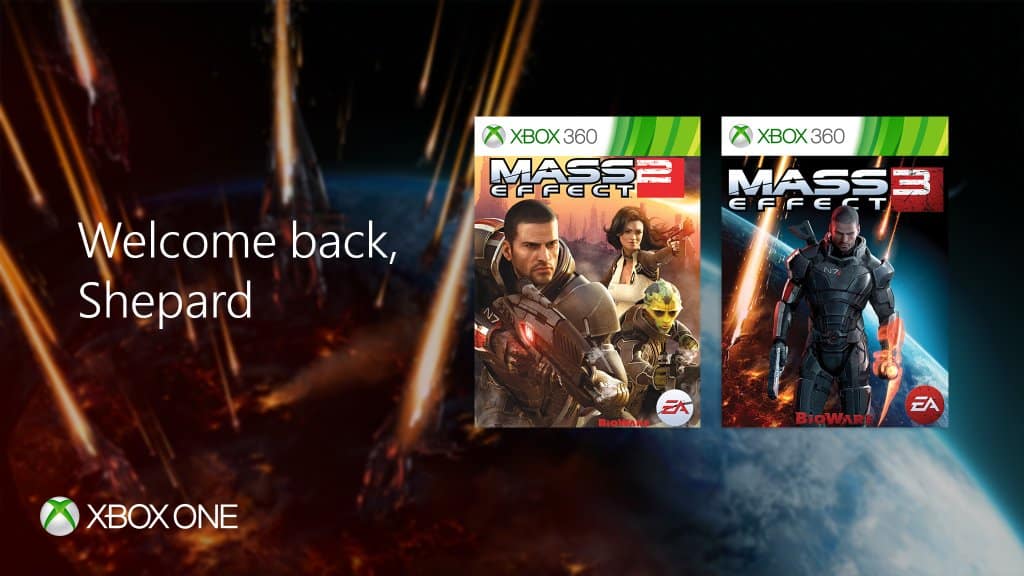
The Xbox team has announced today that Mass Effect 2 and Mass Effect 3 are the latest games to become playable on the Xbox One via backward compatibility. As fans of the game may know, the announcement was made on “N7 Day,” a yearly celebration of the popular science fiction franchise every November 7.

A year ago, the first game of the trilogy was among the first batch of titles to become backward compatible on the Xbox One (Microsoft was a co-publisher of the game). However, Mass Effect 2 and Mass Effect 3 have never been available on the Xbox Store, and this situation did not change today: to play both games them on your Xbox One, you’ll have to buy a physical Xbox 360 copy while all the optional DLCs are available on the Xbox Store. This is quite unfortunate as both games are available in digital on the Playstation Store for Playstation 3 owners.

Still, this is great news for Xbox One owners as these action role-playing-games are still one of the best games you can play on last gen consoles. Please find the official descriptions below:

Mass Effect 2

Across the galaxy, entire human colonies are vanishing. As Commander Shepard, you will recruit an elite team of the galaxy’s most dangerous and skilled experts, and lead them on an assault into the most dangerous area of the galaxy – from which you might not return. Download new equipment and missions to continue your adventure even after the main story is complete. They say the mission is suicide. Prove them wrong.

Mass Effect 3

Mass Effect 3 plunges you into an all-out galactic war to take Earth back from a nearly unstoppable foe – and how you fight that war is entirely up to you. With over 40+ perfect review scores, USA Today heralds Mass Effect 3 as “the first true blockbuster of the year.”

Electronics Arts and Bioware also released today a new trailer for Mass Effect Andromeda, the next episode of the franchise which is expected to be released in Spring 2017 on Xbox One, Playstation 4 and PC, you can watch it below.

As the full Mass Effect trilogy is now available on the Xbox One via backward compatibility, it’s now the perfect time to play them once again before the release of the much anticipated Mass Effect Andromeda. However, we really hope that EA will one day make both Mass Effect 2 and 3 available to purchase on the Xbox Store.

Trimble launches Sketchup Viewer for Microsoft HoloLens

This morning marked a major milestone for architects and engineers when Trimble announced SketchUp Viewer to be available for purchase on the Windows Store. The 3D viewer for HoloLens is one of the latest innovations to bring augmented and virtual reality to the fingertips of creators.

With the SketchUp Viewer, builders can work with digital models scaled down onto the table or scaled up to a life-size view that the user can walk through. The application makes it possible to interact with their models, edit them, and present them across distances for a more cost effective and time efficient experience.

Here is a list of features from the product page:

  • Open models that have been published to your HoloLens device from SketchUp Desktop.
  • Search, browse and open models from 3D Warehouse.
  • Sign in to Trimble Connect to browse your project folders and open SketchUp & DWG files.
  • Create or join multi-user collaboration sessions. Collaborators can be collocated in the same place or distributed across remote offices.
  • View and interact with your 3D models as holographic scale models.
  • Navigate your projects in a 1:1 immersive mode. Since the HoloLens device is untethered, users are able to walk freely throughout their project models.
  • Users can move, rotate, and scale 3D models.
  • The Scenes panel gives users the ability to navigate to specific locations in the model by choosing from any of the pre-saved scenes that were created in SketchUp.
  • The Layers panel gives user the ability to toggle the visibility of contents that have been assigned to Layers in SketchUp.
  • The Entity Info feature gives users the ability to view component attribute data.
  • The Tape Measure tool gives users the ability to measure point to point distances within the model.
  • The Map Navigator is especially useful while in Immersive mode. It gives you the option to get around in your model by choosing a specific point to jump to.
  • The application interface has been designed to give users the ability to “Pin” various aspects of the user interface to surfaces in their physical environment.

It’s worth noting that the app is for businesses as made obvious by the hefty $1,499.99 price tag. Users can now purchase and download SketchUp Viewer to their HoloLens from the Windows Store.

Windows 10 Insiders November Bug Bash begins today

Fresh off the release of Windows 10 Insider Preview Build 14959 for Mobile and PC, Microsoft has announced that the November Bug Bash is now officially underway. While Dona Sarkar has mentioned that the focus of the Bash is on Creating, 3D, Windows Ink, and Developers, every Windows Insider is now invited to participate and report the nastiest of the latest Windows 10 bugs directly to Microsoft.

Overall, the Bug Bash will run from now until November 13th 11:59 PM PST both internally at Microsoft, and with Windows Insiders. As has been the routine, Quests will be placed in the Windows 10 Feedback hub to point Windows Insiders in the right direction for finding bugs.

Available here, Quests will cycle, and all will be brought back over for the weekend for additional feedback before the conclusion of the Bug Bash. For the complete details on what to expect with the quests, check out  Michael Fortin, Corporate VP for Windows and Device Core Quality’s description of the Bug Bash below.

ADVANCED Quests:

  • Quests marked as “ADVANCED” are more technical and may require changing the system configuration on your device and require an understanding on how to revert the changes after the Quest is done. You should only perform Quests that you feel comfortable doing, if something goes wrong you’ll need to be able to troubleshoot how to get back to a good state on your device.

UPDATE Quests:

  • Quests marked as “Update” exercise Update paths from Windows 10 Anniversary Update to the November 2016 Windows 10 Bug Bash build

DEVELOPER Quests:

  • Quests marked as “Developer Quests” specifically are designed for Developers and may require coding.

As a reward for your hard work, badges will be distributed in the Feedback Hub at the conclusion of the Bug Bash. Let us know if you will be participating in this bug bash by dropping us a comment in the section below!

Power BI Groups will be built into Microsoft Teams too

The announcement for Microsoft Teams last week brought a lot of interest from businesses curious about how the new product would help their teams collaborate. Some already use Power BI Groups as a tool to share dashboards and information as a whole. But they don’t have to worry about all of their previously created group content going to waste by switching to Microsoft Teams. As announced today by the Microsoft Power BI Blog, the Power BI Groups will be available as an integration into Microsoft Teams.

Admins of Power BI groups will be able to add a tab for their already created dashboards and workspaces upon creating a Microsoft Team. It will automatically integrate all of your reports in Power Bi and make them available for use through Teams. This means that users will be able to link reports and share them through Microsoft Teams without needing to open more applications.

We’re excited to learn more about how Teams will be improved in the upcoming months. As of now, it appears the product is shaping up to be the one-stop shop hub for everything an organization could need for team collaboration.

Here’s Microsoft’s latest Xbox ad with NFL Seattle Seahawk Russell Wilson

From NFL-themed type Surface type covers, and their ongoing partnership with the National Football League to use Surface tablets on the sidelines, Microsoft has displayed a deep interest in the American sport of football. Yesterday, the company continued the NFL push and published a new Xbox ad featuring NFL star Russell Wilson.

As seen above, the latest 40-second long advertisement features Seattle Seahawks quarterback Russell Wilson playing Madden NFL 17 with a Xbox fan. Funny at best, the two discuss why the Xbox fan did not choose Russel for his fantasy league (after a notification pops up on the screen from the NFL on Xbox App.)  The ad then ends with some specifications on the Xbox One S, such as the fact that it supports 4K, and fantasy football for the price of just $299.

This Xbox ad is just one of many which we have already reported on. And, it comes right as a new report indicates Microsoft and Xbox are outspending everyone in game-related TV advertising heading into this holiday season.

Microsoft Norway provides “safe training environment” for Chess Grand Champion worried about Russian hackers

Casual chess players may not know it, but playing chess at the top level is a computer intensive activity. For Norwegian World Chess Champion Magnus Carlsen, testing new strategies and preparing counter attacks with the help of chess computers has become a daily routine.

But as the champion is currently preparing to battle Russian player Sergey Karjakin at the upcoming World Chess Championship later this month, recent US political hacks linked to Russian hackers have led him to reconsider his training methods. According to a recent report from The Telegraph (via PCMag), a worried Carlsen doesn’t want to give hackers a chance to get their hands on his very valuable training data. To give the champion some peace of mind, Microsoft Norway has offered to help him by providing “a safe training environment and secure communication and collaboration tools.”

Magnus Carlsen
Magnus Carlsen

While Microsoft Norway did not share more details about how it plans to support Carlsen during its secret training, it’s worth reminding that the company had to deal with Russian hackers several times over the past years. Last week, the technology giant blamed Russian hacking group STRONTIUM for leveraging a critical vulnerability in Windows that is expected to be fixed tomorrow on Patch Tuesday. But despite Microsoft’s recent struggles with hackers, Carlsen’s manager told The Telegraph that “Magnus’s preparations are going as planned.”

If you’re a chess fan, the World Chess Championship 2016 will kick off on November 11 in New York and the winner will earn a cool $1.1 million prize fund. Let us know in the comments if you expect data security to become a bigger concern for top level competitors in the future.

Microsoft Garage celebrates 2 years of experimentation, innovation, and shipping

For the 2 year anniversary of Microsoft Garage, a feature blog post was released to highlight how the workshop has changed over the year as well as celebrate some of its higher achievements.

It originally started with an intent to create small ‘snack apps’ that would provide data and feedback from the customer use. One such example is the My Mustache web application that used the Face API for Microsoft Cognitive Services to compare mustaches or even to build a digital one on your picture. The seemingly innocent app contributed largely to the development of improved facial recognition.

Since then, it has grown into a wider influence. They began to focus on building integrations and applications that made working with Microsoft products easier for consumers. The Garage also branched out to host Hackathons where coders from all over can present their ideas and have the opportunity to execute them.

“The Garage is very focused on the bleeding edge of experimentation, moving forward at all times. We help Microsoft be better at experimenting, to be faster, to test ideas and to learn by doing,” says Jeff Ramos, partner director of The Garage. “We’ve really taken Satya Nadella’s challenge to be more customer obsessed seriously, putting projects in the hands of real customers.”

The Garage has now put another sixteen experiments under its belt bringing the total up to thirty. And there’s more and more to come from them. Currently, the feature mentions that the team is in the process of an early-release developer platform for the near future.

Microsoft Garage is a safe space to experiment and share, making innovations and using what some might call failure as a learning experience. They would rather be doers, not talkers, a motto that describes Garage quite well and continues to prove its mettle through trial by fire.

Join us LIVE for ‘Talk Microsoft’ at 1pm PST

Tonight at 1pm PST Sean Michael and Sean Ong will discuss the latest Microsoft and Windows 10 related news. Make sure to join us live on our YouTube channel or check out the video on our channel later this week.

When you join us live you get to comment during the live stream, ask questions, and make comments.

Xbox is outspending everyone in game related TV advertising heading into this holiday season

While Sony is getting ready to release its new Playstation 4 Pro in the US on November 15, a new report shows that Microsoft’s Xbox brand has been leading game-related TV advertising by a large margin during the month of October. The news came today from VentureBeat which partnered with iSpot.tv to get monthly data about the top spending gaming brands.

According to the report, 44 gaming brands spent an estimated $101.6 million on TV ads last month, with 129 ads running 22,538 times on national TV. Microsoft was the biggest spender with an estimated $39.9 million (39.3% of the total) for 16 commercials that ran 4,118 times in October. The company’s top ad was the Gears of War 4 launch trailer, which was the latest blockbuster release from Microsoft Studios last month. According to iSpot.tv, the gaming brand chose NBC, Fox and ESPN as its top networks as well as NFL football, college football and South Park as its top shows during the period.

Microsoft had the biggest TV advertising budget last month (credit: VentureBeat).

Compared to Microsoft’s massive advertising efforts, Sony only spent an estimated $12.1 million (11.9% of the total) last month on 11 commercials that ran 1,612 times. Machine Zone, the developer of popular mobile game Game of War:Fire Age closed the top 5 behind 2K Games and Bethesda Softworks.

While we don’t have additional data about Microsoft’s TV advertising budget for the previous months, we previously reported that the Xbox One was the best selling console in the US for the third time in a row in September. Last month, the company also unveiled a new ad for its Xbox One S console, presenting it as the “ultimate games and 4K entertainment system.” As we’re now nearing the holiday season, we expect Microsoft to keep spending on TV ads as the company obviously needs to compete for mindshare against its Japanese competitor which will launch the Playstation 4 Pro next week.

How to selectively sync OneDrive files to free up your disk space

Recently, we learnt that OneDrive placeholders would return to Windows 10 as ‘On Demand Sync’. It will allow users to store a file offline or re-enable online sync. The advantage of these smart placeholders is that they do not consume the space as the original file, and you’d only need to sync if you need the file on your machine – else it sits pretty on your OneDrive cloud.

Till that happens, you can still selectively sync files on your Windows 10 PC and leave the folders you don’t need (the ones which you only need backed up) on the cloud. This is particularely useful for devices with limited storage, specially tablets.

Right-click the OneDrive icon on your taskbar, and select Settings from the menu that opens up. Select Choose folders under the Account tab.

OneDrive - Settings
OneDrive – Settings

In the window that opens next, clear the check boxes for any folders you don’t need offline, and then select OK.

Sync your OneDrive files to PC

Remember that the folders you clear won’t show up in File Explorer on this machine anymore (unlike the placeholders), but they’ll still be online at OneDrive.com.

Microsoft Team preview out, first impressions are positive

The news that Microsoft has been working on a collaboration tool that would rival  services such as Slack hit the internet a while back, and now Microsoft is delivering with the first preview of the software.

While the software is slated to drop sometime during the first few months of 2017, Microsoft has put out this preview version which is available for the general population so everyone can get an idea of what Microsoft Teams is offering and why you should get it.

One of its main advantages is the fact that it comes with seamless integration with other Microsoft services, which leads to a fast and easy collaboration between multiple parties across multiple platforms. Some of the software featured in Teams are Skype, Office 365 and others such as GitHub. Social media is also included, with Twitter being present. Although Slack and other competitors offer the latter services as well, it’s still a plus that Microsoft included them in Teams.

Microsoft Team is promising great team-based work efficiency with the instant message chat available at all times and the ability to call teammates on Skype and clear issues, functions that cater to group needs. And this is only the beginning, as Microsoft says over 150 integrations from different developers will be made available in Teams.

Microsoft further explains the direction they wanted to take with Teams, stating that people could treat it just like any other Office 365 app in terms of security, as the new service will feature all the compliance standards you would expect a Microsoft product to bare, like ISO 27001, HIPAA, Eu Model Clauses or SOC 2.

The first peek into Microsoft’s new project looks promising, but only time can truly tell how efficient or easily adopted it will be in the workplace.

RELATED STORIES TO CHECK OUT:

Microsoft updates Photos app with Windows Ink support

While these changes are nothing new to  Release Preview users who were granted access to them quite a while back, Microsoft has made them available for the general public, adding more reasons to use their Photos app on Windows 10. With the release of Photos 16.101.10002.0, users will be able to use Windows Ink, which lets them draw on top of their images in a similar manner in which you might draw in Snapchat, for example. On top of the new Windows Ink feature, Microsoft has also provided improvements to the cropping and filtering departments, giving users more options.

The Photos app also comes with a new user interface that ditches the old sandwich style structuring and adopts a new aesthetic direction through a merging with the People app.

With the Windows Ink feature, users will not only be able to draw on top of other images and sketch but also record the drawing and then send it to friends. It can be sent in both video or image format, so it’s up to you how you want to share your creativity.

You can start drawing on top of a photo by tapping the Draw button. The app gives you multiple choices in terms of tools, so until now, the potential artist could choose between a pen and a pencil to draw with. However, the new update brings a new drawing tool in the calligraphy pen, which is for when you feel like stepping up your game. Once your photo has been enhanced, you can go further and use the new cropping options to fit the image according to your vision. If it’s still missing that last touch, you drop a nice filter on top of it. The newest additions to the filter collection give you even more creative control.

RELATED STORIES TO CHECK OUT:

How to remove built-in apps from Windows 10 WIM-File with Powershell

PowerShell is a very powerfull Windows tool that allows power users to perform a series of advanced tasks. PowerShell is a task automation and configuration management framework that comes in a form of a command line.

Many users believe that PowerShell will eventually replace Command Prompt and the list of tasks you can perform using this tool proves them right. Actually, there are many PowerShell capabilities unknown to users but from time to time, Windows power users introduce them to the general public.

One of the most popular PowerShell features is the capability to remove built-in apps from Windows 10 WIM-File. This relatively new script allows users to remove unnecessary built-in-apps. All you need to do is download the script from Microsoft TechNet and run it.

This PowerShell script has been tested on the following Windows platforms: Windows 10, Windows Server 2012 and Windows 8.  It is likely to work on other platforms as well, but no confirmation is yet available.

This script is very useful because in the Windows 10 Anniversary Update all the apps that were previously uninstalled are re-installed when Microsoft pushes out a feature update. With this tool, system admins can easily avoid such situations.

The latest Windows 10 builds no longer reinstall the apps you previously removed. Microsoft made the necessary changes starting with Windows 10 build 14926, which is the first build to no longer reinstall the default Windows 10 apps you uninstalled. This feature will become available to the general public in early 2017 when Microsoft launches the  Windows 10 Creators Update.

Until then, you can use this PowerShell script if you don’t want to include all of the default Windows Store Applications when creating a Windows-10-Image for the Enterprise.

RELATED STORIES YOU NEED TO CHECK OUT:

Fix Call of Duty: Infinite Warfare campaign freezes at intro

If you’re a fan of intergalactic battles, then you’ll definitely love Call of Duty: Infinite Warfare. The game is now out, but it appears that playing it is not an easy task due to various technical issues.

There are many bugs affecting Call of Duty: Infinite Warfare gamers. For the time being, there are very few workarounds available for specific bugs, but you can use these general solutions if you encounter any issues while playing the game.

Speaking of issues, many players report having issues with campaign freezing at intro to “Back in the Fight”.

I’ve been playing through the IW campaign and everything’s been going great up until this point. I just started the mission “Back in the Fight”, get to the end of the Kit Harrington video propaganda and my game freezes. The hum of the ship is on a skipping loop and the game is completely frozen (no moving volumetric fog, etc). I’ve tried the following solutions by CTRL+ALT+DELing out of the game and reloading without any luck.

How to fix Call of Duty: Infinite Warfare campaign freezes at intro

  1. Close the game
  2. Right click on CoD:IW > Properties > Updates > Uncheck Enable Steam Cloud Storage
  3. Once unchecked, go to Local Files Tab > Browse Local Files
  4. Go to ‘players2’ folder
  5. Rename savegame.svg to savegame.svg.old
  6. Restart the game and select the mission and difficulty
  7. Tab out of the game and recheck Enable Steam Cloud Storage.

If you’ve come across other workarounds for Call of Duty: Infinite Warfare, feel free to list the troubleshooting steps in the comment section below.

RELATED STORIES YOU NEED TO CHECK OUT:

New Xbox One Preview Build delivers fixes for Messaging, Cortana, Narrator and more

Microsoft is releasing another Xbox One Preview Build to those registered in the Preview Program. This build is delivering fixes for several core aspects of the console, including Messaging, Cortana, Narrator, Virtual Keyboard and Settings.

With build number 1610.161103-1900, we have the following changelog:

Messaging
When a user attempts to send a message and cannot due to low reputation, that user will now see a dialog informing them of the reason they cannot send messages, and direct them to Xbox Support.

Cortana
Speech recognition for France, Italy, Germany, and Spain has been updated in this build to better recognize your voice commands. If you are located in one these locales, we encourage you to opt in to Cortana via the Cortana app in My games & apps. As you use Cortana we collect field data, allowing us to improve the Cortana experience for everyone.
Groove Music should no longer crash when launched via Cortana.

Narrator
Resolved an issue which caused OneGuide to crash if launched while Narrator is active.

Virtual Keyboard
Resolved an issue which could sometimes cause the virtual keyboard to stop recognizing input.

Settings
The Detailed Network Statistics page should no longer appear blank if Xbox Live is experiencing an outage at the same time.

When turning on the console, it will prompt to update before being able to connect to Xbox Live. The new update may not be available just yet but will be later today.

Dead Rising 4: construct your own innovative weapons! Check this game!

Dead Rising 4 is the (you guessed it) fourth installment in the Dead Rising game series where the principle of the game is to construct your own innovative weapons  you can use against an army of undead. The game has gained popularity due to its original concept where players use preposterous means of combining different objects like a paddle and a chainsaw with something like duct tape.

According to the announced details, Dead Rising 4 should be available sometime next month. Xbox One players that are barely able to wait for the game to drop can find a little comfort in the fact that Microsoft has made it available for pre-load. Pre-load is a feature available for those that have pre-ordered the game, regardless of which version they have selected. Unfortunately, pre-load isn’t available for the PC version. Pre-loading allows users to prepare the game ahead of its release, so when it finally releases, all they have to do is play it. The files for Dead Rising 4 amount to a total of 36.34 GB, making it bigger than the last installment in the series by a full 10 GB.

Dead Rising 4 was confirmed to not be part of Microsoft’s Play Anywhere project. Play Anywhere was introduced by Microsoft as a means for players that own both a PC computer operating with Windows 10 and an Xbox One transition from one platform to the other with save files for a game updated on both devices as they progress. Also, players that buy the game on one platform will not be required to buy it on the other platform. Windows 10 is a critical requirement for this service. Unfortunately for Dead Rising fans that own both devices, they will have to invest their time wisely and prioritize a platform.

RELATED STORIES TO CHECK OUT:

The first Windows 10 Creators Update build 14959 available now

The first Windows 10 Creators Update build is finally available for Fast Ring Insiders. Windows 10 build 14959 is available for both Windows PC and Mobile and allows Insiders to test out some of the interesting features Microsoft introduced at the recent Windows 10 Event.

For the time being, the only major Windows 10 Creators Update feature available in build 14959 is Paint 3D Preview. Microsoft showed off a plethora of new 3D features at the Windows 10 event, and more of them will start rolling out in builds in the coming weeks.

With Paint 3D in Windows 10, you can create, view and share images in a whole new dimension. The tool also allows you to modify somebody else’s creations or turn 2D images into 3D images. Paint 3D is simple, intuitive and fun.

Windows 10 build 14959 also introduces two more new features:

  • Microsoft published Windows 10 Mobile 14959 using its new update publishing system called Unified Update Platform (UUP). Thanks to this new UUP system, the download size of this build has been significantly reduced. Also, the UUP reduces the update data sent to client devices as the Windows Update service will evaluate which updates are needed by a given device.
  • Insiders can now control the Display Scaling of their Virtual Machines (PC): Build 14959 brings a new Zoom option in the View menu, where users can override the default scaling and set it to 100, 125, 150 or 200. Microsoft also fixed an issue where certain VMs wouldn’t display the remote desktop connection bar after entering full-screen mode.

Windows 10 build 14959 PC fixes and improvements:

  • We fixed an issue for Insiders resulting in the automatic brightness setting unexpectedly being turned off after upgrading. In doing so, we’ve re-enabled automatic brightness adjust for users that have never changed their auto-brightness setting. […] If you would like to enable or disable automatic brightness adjustment, please go to Settings > System > Display, where you can adjust your preferences.
  • We fixed an issue Insiders on domain connected PCs may have experienced where login might fail when the computer was disconnected from its domain network.
  • We fixed an issue resulting in certain apps, such as Outlook Mail and Calendar, failing to update for some Insiders with the error code 0x800700B7.
  • We fixed an issue for Insiders with certain device models where ejecting an SD card might result in a system crash.
  • We fixed an issue where disliking one of the Spotlight lock screen images would show the new image immediately, followed by a transition animation from the previous image to the new image.
  • We fixed an issue where launching an app from another app while in Tablet mode no longer launched it side by side, and instead launched it fullscreen (for example, when launching a web link from the MSN News app).

Windows 10 build 14959 Mobile fixes and improvements:

  • The data usage page in Settings via Settings > Network & wireless > Data usage has been updated with performance and UI improvements.
  • We fixed issues preventing Insiders from adding cards to Wallet and paying using tap to pay.
  • We fixed an issue resulting in being unexpectedly able to close Start in the task switcher.
  • We fixed an issue resulting in certain options for default calling app via Settings > System > Phone > Default apps from being unexpectedly missing.
  • We fixed an issue causing apps that play media in the background, such as Groove Music, to stop when Battery Saver turns on.
  • We fixed an issue Insiders may have experienced where the phone would get into a state where copy/paste wouldn’t work until the device had been restarted.
  • We fixed an issue where Settings might hang after unchecking “Let apps automatically use this VPN connection” in VPN Settings.

The list of known issues is very short indeed and includes only two issues for PC and two for Mobile.

Have you already downloaded build 14959? Tell us more about your experience in the comment section below.

RELATED STORIES YOU NEED TO CHECK OUT:

Call of Duty: Infinite Warfare Won’t Launch on PC [Fix]

Call of Duty: Infinite Warfare is finally out, but the overall gaming experience is severely limited by various technical issues and bugs. A common problem reported by many was that Call of Duty: Infinite Warfare won’t launch on the PC.

Fortunately, there are some solutions that should help eliminate the problem when Infinite Warface is not working or crashing on startup. Keep reading to find out!

What can I do if Call of Duty Infinite Warfare won’t launch on the PC?

1. Update GPU Drivers

  1. Press Windows + R to open Run, type devmgmt.msc, and hit Enter.
  2. Expand the Display adapters entry, right-click on the graphics adapter, and select Update driver.update driver to fix call of duty infinite warfare won't launch pc
  3. Select Search automatically for drivers and wait for the process to complete.search automatically

Updating the graphics driver is critical for the effective functioning of the PC and to run games smoothly. If Windows can’t find an update, go ahead and install the latest driver version manually.

Both Nvidia and AMD already released their drivers for Infinite Warfare. It’s very important you install the newest drivers for your GPU and get your system ready to run Call of Duty: Infinite Warfare. Use the links below to download the drivers:

Regardless of updating your drivers manually, you can better rely on tailored driver update software. So, this dedicated tool can entirely scan your PC to detect outdated drivers and update all of them in one breath.

⇒ Get Fortect Driver Updater

2. Perform a clean boot

  1. Press Windows + R to open Run, type msconfig, and hit Enter.
  2. Go to the Services tab, tick the checkbox for Hide all Microsoft services, and click on Disable.clean boot to fix call of duty infinite warfare won't launch pc
  3. Now, press Ctrl + Shift + Esc to open the Task Manager, head to the Startup apps tab, select all the apps individually, and click on Disable.startup apps
  4. Head back to the System Configuration window, and then click Apply and OK to save the changes.
  5. Click Restart in the prompt that appears.

A clean boot usually fixes any general issue with your computer. If Infinite Warfare often crashes or you experience black screen issues, perform a clean boot, and this may solve all your problems.

3. Verify the game‘s cache

  1. Launch Steam, navigate to the Library, then right-click on Infinite Warfare, and select Properties.properties
  2. Go to the Installed files tab, and click on Verify integrity of game files.verify integrity to fix call of duty infinite warfare won't launch pc

If Call of Duty: Infinite Warfare won’t launch on PC, some files may be missing or corrupt. Verify the game’s cache, and download any missing files that got lost during the installation process.

4. Game crashes after changing settings

Delete the config file from your Infinite Warfare folder. First, locate the config_mp.cfg file, copy it to your desktop and then delete it. Launch the game and check the settings.

If this solution doesn’t work, delete the whole player folder. Don’t forget to make a copy before removing it completely.

That’s it! One of the solutions here should have helped if Call of Duty Infinite Warfare won’t launch on the PC.

Before you leave, check some quick tips and tricks to improve the FPS on your laptop and enjoy a better gaming experience.

If you’ve encountered other solutions, list the troubleshooting steps in the comment section below.

Xbox news recap: New Tomb Raider leaks, Xbox dominates the UK, Phil Spencer on VR and more

Welcome to our weekly Xbox news recap series, where we go over the top stories of the past week in the world of Xbox. Let’s get started.

Name of the next Tomb Raider game leaks

The next Tomb Raider game looks like it’s going to be called “Shadow of the Tomb Raider,” according to a leaked document that surfaced earlier this week. A particularly sneaky Tomb Raider fan snapped a photo of someone’s laptop as they seemed to be working on a presentation for the next game. While just about everything else in the photo is blurry, you can make out the “Shadow of the Tomb Raider” logo on top. This might be a working title, but it’s enough to excite the fan base a little.

Xbox leads sales in the United Kingdom

According to a report on Gamesindustry.biz, the Xbox One outsold the PlayStation 4 in September by only 1,500 units – but in October, this gap widened all the way to 25,000, making Xbox account for 54% of console sales that month. This comes at a time where Xbox One has been selling exceptionally well across the board, and gives Xbox fans more reasons to be excited for the future of their console of choice.

Phil Spencer says VR won’t go mainstream for a few years

Xbox boss Phil Spencer spoke a little bit about the future of VR in gaming, and had a few interesting points. In an interview with Stevivor, Spencer talked about how VR is going to be taking a few years before it can really take off. He drew some comparisons between VR and the Kinect, which ended up just becoming a “Dance Central Box.” It’ll be interesting to see how Spencer’s take on VR ends up shaping the direction of Scorpio, and its relationship with AR/VR games.

It may be a while for a new Xbox after the release of Project Scorpio

Speaking of Phil Spencer, he had a few things to say about the future of Xbox once Project Scorpio comes out. In an interview, he said that he doesn’t have any interest in releasing a new console every two years like some people are fearing. Assuming that Phil is speaking the truth here – and we assume that he is – you shouldn’t have to worry about your Scorpio becoming outdated any time soon. “I don’t have this desire to every two years have a new console on the shelf,” Spencer said. “That’s not part of the console business model, and it doesn’t actually help us.”

Here are the games that came out this week:

Thanks for joining us. To keep up to date with all the latest Xbox news, keep a close eye on our Xbox One news hub.

Fix: “The lobby is not joinable” Xbox One error

Xbox One allows you to play hundreds of different games with your friends online, but sometimes certain problems with multiplayer can occur. Users reported The lobby is not joinable Xbox One error during their multiplayer sessions and today we’re going to show you how to fix this problem.

“The lobby is not joinable” Xbox One error, how to fix it?

Fix – Xbox One error “The lobby is not joinable”

Solution 1 – Clear the Reserved space

Many Xbox One games use Reserved space in order to run properly. This space will be reserved for your game and it will not be taken by other games, thus allowing your game to run properly. However, problems with reserved space can occur, and if you’re getting The lobby is not joinable error message on your Xbox One, you might want to try deleting reserved space for the problematic game. This is a simple procedure, and you can perform it by following these steps:

  1. Highlight the game that is giving you this error.
  2. Press the Menu button on your controller and choose Manage game option.
  3. Now you’ll see the game information such as its saved data and Reserved space. Select Reserved space.
  4. Now select Clear reserved space from the menu.
  5. Confirm that you want to delete Reserved space by selecting the Clear reserved space option.

After clearing the reserved space the problem should be resolved and you’ll be able to join lobbies without any problems.

Solution 2 – Unplug your modem / router

Network configuration can cause this error to appear on your Xbox One, and in order to fix it you have to restart your modem and wireless router. This is a simple process and you can do it by following these steps:

  1. Turn off your Xbox One.
  2. Press the power button on your modem to turn it off.
  3. Wait for 30 seconds or more and press the power button again to turn on your modem.
  4. Wait until your modem turns on completely.
  5. Now turn on your Xbox One and check if the problem is resolved.

If you’re using wireless router to connect to the Internet, be sure to restart it as well by following the same steps. After your modem / router restarts the issue should be resolved.

Solution 3 – Exit to main menu

Users reported that The lobby is not joinable error appears in Call of Duty: Black Ops III when someone from the party leaves the game during a match. One suggested solution is to exit to main menu and try to go back to multiplayer. Few users reported that this solution works for them, so feel free to give it a try.

Solution 4 – Check Party management settings

If you’re getting this error message in Call of Duty: Black Ops III, you might be able to fix it simply by changing the Party management settings. To do that, you need to select Social > Party management and set Max players to any value higher than 1. After that you just need to save the changes and check if the problem is resolved.

Solution 5 – Perform a hard restart

To fix The lobby is not joinable error sometimes you just need to perform a hard restart. To do that on Xbox One, follow these steps:

  1. Press and hold the power button for 10 seconds.
  2. When your console turns off, unplug the power cable.
  3. Wait for 30 seconds or more and plug the power cable again.
  4. Now wait until the light on power brick changes from white to orange.
  5. Press the power button on your console to turn it on and check if the problem is resolved.

By restarting your console you’ll delete temporary files, and in some cases that can help you solve this error, so be sure to try it.

  • READ ALSO: Abzu coming to Xbox One January 2017

Solution 6 – Make sure that you’re not using any other DNS

Some users tend to use OpenDNS or Google DNS on their computer or Xbox One, but this can sometimes cause The lobby is not joinable error. To fix that, you can try using your default DNS by following these steps:

  1. On the Home screen go to Settings.
  2. Select Network > Advanced settings.
  3. Select DNS settings.
  4. Select Automatic.
  5. Check your network configuration to see if the DNS settings are changed.

After doing that, check if the error is resolved.

Solution 7 – Join one of your friend’s lobbies

According to users, you might be able to fix this problem simply by joining a friend’s lobby. After doing that, the problem should be resolved. Few users reported that you can also fix this problem by adding a second controller to play as a guest, so you might want to try that as well.

Solution 8 – Make sure that your ports are forwarded

In order to enjoy in online multiplayer, your ports need to be properly forwarded. Your Xbox One requires the following ports in order to run properly:

  • Port 88 (UDP)
  • Port 3074 (UDP and TCP)
  • Port 53 (UDP and TCP)
  • Port 80 (TCP)
  • Port 500 (UDP)
  • Port 3544 (UDP)
  • Port 4500 (UDP)

Some users are also suggesting to forward port 3075 as well, so you might want to do that. Forwarding your ports is a bit advanced procedure, therefore we strongly suggest that you check your router’s manual for detailed instructions. There are also other ways to fix this problem, but by properly forwarding your ports, you’ll fix “Your network is behind a port-restricted NAT” message on Xbox One as well as The lobby is not joinable error. In addition to forwarding your ports, you can try using DMZ or UPnP features to fix this problem.

The lobby is not joinable error message usually appears when you try to play Call of Duty games on your Xbox One, but we hope that you managed to fix this issue by using one of our solutions.

READ ALSO:

IoT cameras have major security vulnerabilities, says Bitdefender

Bitfedender recently detected major privacy vulnerabilities in IoT cameras that allow hackers to hijack and turn these devices into full-fledged spying tools.

The camera analyzed by Bitdefender is used for monitoring purposes by many families and small businesses. The device includes standard monitoring features, such as a motion and sound detection system, two-way audio, built-in microphone and speaker, and temperature and humidity sensors.

The security vulnerabilies can easily be exploited during the connection process. The IoT camera creates a hotspot during configuration via a wireless network. Once installed, the corresponding mobile application establishes a connection with the device’s hotspot and connects to it automatically. The app user then introduces the credentials and the setup process is complete.

The problem is that the hotspot is open and no password is required. Moreover, the data circulating between the mobile application, IoT camera and server is not encrypted. And to make things worse, Bitdefender also detected that the network credentials are sent in plain text from the mobile app to the camera.

When the mobile app connects remotely to the device, from outside the local network, it authenticates through a security mechanism known as a Basic Access Authentication. By today’s security standards, this is considered an insecure method of authentication, unless used in conjunction with an external secure system such as SSL. Usernames and passwords are passed over wire in an unencrypted format, encoded with a Base64 scheme in transit.

As a result, an attacker can impersonate the genuine device by registering a different device, with the same MAC address. The server will connect with the device that registered last, and so will the mobile app. In this manner, attackers can capture the webcam’s password.

Anyone can use the app, just as the user would. This means turning on audio, mic and speakers to communicate with children while parents aren’t around or having undisturbed access to real-time footage from your kids’ bedroom. Clearly, this is an extremely invasive device, and its compromise leads to scary consequences.

In order to avoid privacy breaches, do a thorough research before buying an IoT device and read online reviews that may reveal privacy issues. Secondly, install a cybersecurity tool for IoTs, such as Bitdefender’s Box. These tools will scan the network and block phishing attacks and other threats.

RELATED STORIES YOU NEED TO CHECK OUT:

Xanadu Next issues affect many gamers, no fixes available yet

Xanadu Next was recently released on Windows PC, allowing gamers to enter a mysterious realm shrouded in mist. Whenever Lake Orwell is engulfed in fog, sailors catch sight of a phantom castle just out of reach. As they draw near, it always fades away, leaving only questions for all who have seen this “Castle Strangerock.”

Your task is to help them uncover the secrets of this mysterious and elusive castle. However, you should always stay alert because this is an extremely dangerous task that may cost you your soul. But first, you’ll need to get the game to work.

May Xanadu Next gamers complain about various issues that range from game crashes to audio issues. The bad news is that there are no workarounds available for many of these bugs.

Xanadu Next reported issues


Control bugs:

  • while using the inventory screen, the skill/spell tabs cannot always be selected by mouse left click, continuing character movement rather than selecting the tab
  • the mouse does not move, and players can’t hover over anything, which means they can’t buy the key in the city. Users also report that when they use their Xbox controller on a merchant, the game crashes.
  • the mouse cursor snaps to the top line of a dialogue tree or a shop dialogue regardless of where the cursor was, forcing users to repeatedly select the top option until they slow down the clicks

Game seems amazing but those controls are a bug armaggedon.[…] Can´t select anything , can´t hover the mouse so it is impossible to buy a key. Outside the merchant i can do well in the dungeon and fight is ok. When i try to move the mouse around the merchant wares the game crashes.What a disaster this port for pc is.Refunding now , game is unplayable.


Crash Bugs:

  • the game immediately crashes after the first custscene in the boat.
  • the game crashes while trying to allocate bonus points after reaching level 3.

Text bugs:

Xanadu Next bugs

  • everytime the character’s name is mentioned in the static narration screens, following the player character’s name, there is always missing text.
  • text parts are missing on certain pop-up windows.

Other Xanadu Next bugs

  • sometimes, there are no sound effects
  • severe stuttering: “I’m still getting VERY heavy stuttering no matter what frame buffer size I choose. 8k acts the same as 256.”
  • the game’s camera sometimes keeps spinning by itself.

These are the most frequent Xanadu Next bugs reported by gamers. If you’ve come across a workaround for some of the issues mentioned in this article, fell free to list the troubleshooting steps in the comment section below.

RELATED STORIES YOU NEED TO CHECK OUT:

New Titanfall 2 PC update brings adaptive resolution scaling and many fixes

Titanfall 2 PC players will be happy to hear that a new update is now available for their favorite game. Patch v2.0.0.7 allows gamers to downscale the rendered image to maintain a consistent framerate, and also brings many bug fixes for a smoother gaming experience.

Titanfall 2 is plagued by many issues, but this latest patch will definitely fix most of them. If you install update v2.0.0.7 and the latest NVIDIA GeForce driver update, you’ll definitely be able to enjoy a smooth Titanfall 2 gaming experience.

As stated before, this Titanfall update brings one new game feature: adaptive resolution scaling (requires TSAA enabled). Gamers can now downscale the rendered image and prevent framerate issues. This feature is very useful for players running lower spec video cards, and will allow them to maintain constant 60FPS rates. Gamers running 4K monitors with midrange GPUs will also appreciate this feature.

Here’s what fixes this patch brings:

  • “Stability and GPU performance improvements
  • Titan weakspot highlighting respects colorblind settings
  • Reduced stuttering and playback issues with voice chat
  • Improved speed of allocating Private Match dedicated servers
  • Adjusted Recommended settings for lower end GPUs
  • Reduced hitching when changing between no antialiasing and TSAA
  • Increased performance of streaming textures, reducing stalls and hitches
  • Archer and Thunderbolt now go to Aim-Down-Sights when wallhanging (oops!)
  • Better Network chatroom moderation tools
  • Fixed various grapple gameplay issues
  • Fixed Kraber shots going through Bubble Shield
  • Fixed spawning halfway underground after playing third person animations in Kill Replay
  • Fixed tracker lock-on HUD elements not reliably showing up during Kill Replay
  • Fixed Titan executions not triggering reliably
  • Fixed mantling up stairs
  • Fixed incorrect aspect ratio when switching from fullscreen 1920×1080 to windowed 1600×900
  • Fixed some rare hardlocks and crashes
  • Fixed subtitles being stretched in 21:9 ratios
  • Fixed race condition when accepting Origin game invite with application closed
  • Fixed some display issues in Networks lobbies
  • Fixed disappearing grapple rope with TSAA enabled
  • Fixed NVIDIA Surround crash.”

RELATED STORIES YOU NEED TO CHECK OUT:

The Force is with Star Wars gamers: Battlefront receives a sequel

Star Wars Battlefront was released in the fourth quarter of 2015 and gained immense popularity, especially in the Star Wars community. Unsurprisingly, the financial success of Star Wars Battlefront has led the game’s makers to green light a sequel, pleasing those who enjoyed the first game. The announcement was made during EA’s earning calls by Blake Jorgensen, CFO for EA. According to him, fans will be able to get their hands on the Battlefront sequel in the Fall of 2017.

He also stated that the team behind the game is focused on securing the high-quality standard set by 2015’s title. The 2015 Battlefront installment wasn’t the first ever made. It was actually a reboot of the original Battlefront game, and while it focused on the story and elements surrounding the original Star Wars movies, the officials say that the sequel will make good use of the newer movies and everything that goes along with them.

EA Dice will once again take the reins of EA’s Star Wars project, with the help of Motive Studios. While the fanbase awaits Battlefront 2, they can go watch some of the upcoming Star Wars movies, as it seems that the Star Wars franchise is once again at full operational speed. Who knows, there’s a chance Battlefront 2 will also incorporate elements from the movies that haven’t been released yet, prolonging the franchise’s lifespan for the foreseeable future.

RELATED STORIES TO CHECK OUT:

PlayStation DualShock 4 controllers can now be used to play Steam games

Steam games have been supporting various PC controllers for a very long time. But this is limited to controllers built for PC only. However, Valve plans to change that, as it introduced support for PS4’s DualsShock 4 Controller, which is currently available in the beta version of the Steam client.

Valve introduced DualShock 4 Controller support to steam with the latest update for its Steam beta client. Here’s which updates the latest version of Steam Clent contains:

  • “Added Steam Configurator support for PS4 Dual Shock Controller. Note that this is a beta release. Enable in Big Picture settings Add/Test Controller settings. When enabled, PS4 controllers will have access to the same sort of customisation/configuration support as Steam Controllers, including native API support.

  • PS4 Controllers using this system can map the trackpad, gyro, buttons, etc. to keyboard, mouse, or x-input outputs and can make use of action sets, touch menus, radial menus, and so forth.

  • Added New Mode – Joystick Mouse. This is a joystick based mouse control useful for stick based controllers.

  • Added default PS4 templates.

  • Added software calibration for non-Steam controller based IMUs to counter for gyro drift.

  • Configuration Browser can now be toggled to show all available controller types rather than the default of the in-use controller type.

  • Configurations can now be marked as ‘Unique’ to a specific controller. This configuration will only be applied to that controller for that user’s account. By default, all controllers of a specific type will share a configuration unless marked as Unique.

  • Big Picture now supports PS4 controller glyphs when using Steam Configurator support.”

It was already known that DualShock support is being prepared for Steam. For now, only users of the beta client are able to try it, but it will eventually arrive to everyone in the future. But we don’t know the exact date.

By introducing DualShock support to Steam, Valve follows Microsoft’s model, which already made the Xbox One Controller usable on Windows 10 PCs. We don’t know if Valve’s decision is related to Microsoft’s, but as multi-platform gamepads become more and more popular, supporting one of the two main console’s gamepad is an obvious step.

We don’t know if Valve will do the same thing with the Xbox One Controller in the future, but we’re sure there are many gamers who would like this to happen.

If you want to test your PS4 gamepad on Steam games, you can download the latest version of the Steam beta client from this link.

RELATED STORIES YOU NEED TO CHECK OUT:

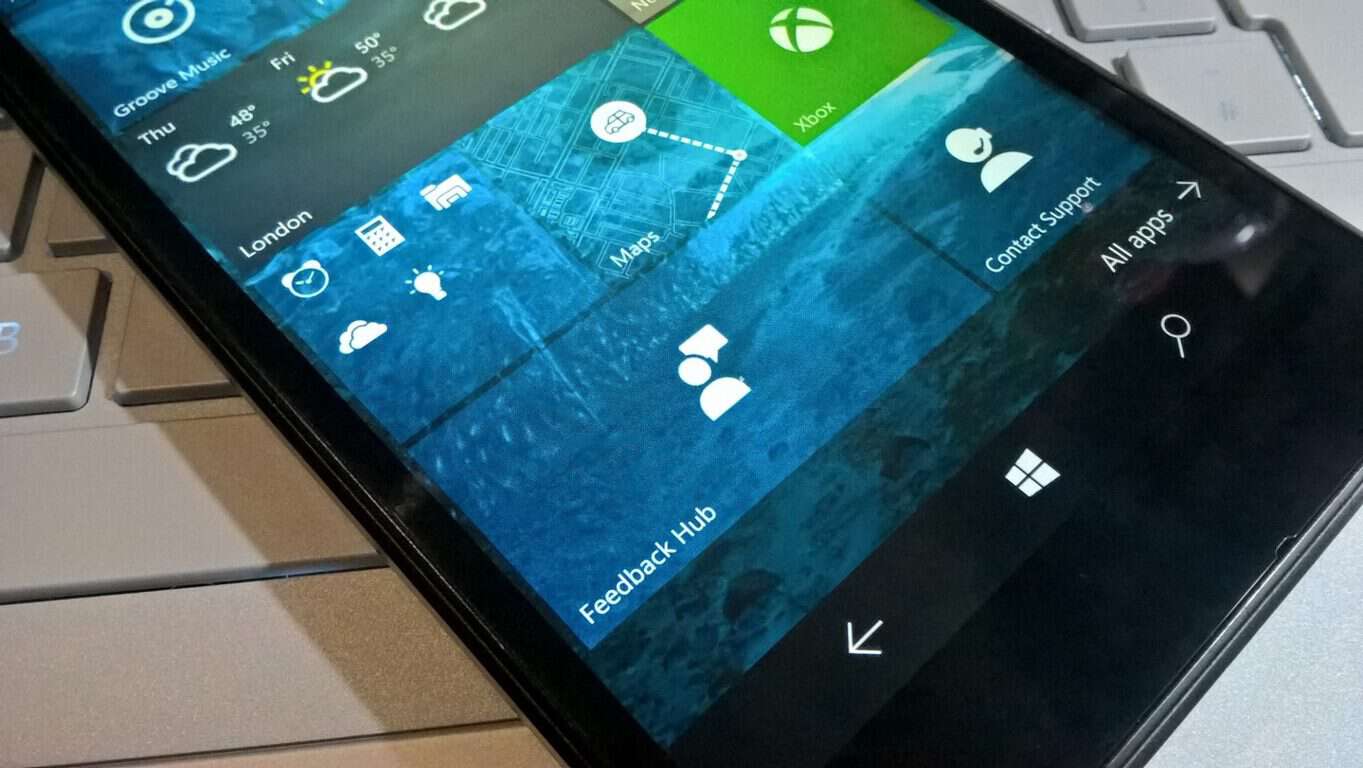
Windows 10 Feedback Hub gets shareable links in latest update

Alongside the latest Windows 10 Insider build 14959 (check out our video recap of 14959 from the awesome Cody Carson) comes an update to the Feedback Hub, one that’s near and dear to our hearts.

Up until now, when linking to a Feedback Hub post, you’d have to get the “Share link” from the post, which looks something like this “insiderhub://announcements/9192481a-ec18-455e-b9e7-4e29004fcab8?Source=ShareLink,” and for it to then be usable in anything other than Microsoft Edge, you’d have to wrap it in an anchor tag (like <a href=”[link]”>Here’s the link</a>), if you were, say, writing a blog post about some new Feedback Hub piece of news, for an audience that has been, say, fleeing from Edge in droves.

Cumbersome, to say the least. Now (and for the moment the links appear for Fast Ring Windows Insiders only, although they work with any Windows 10 build), the Feedback Hub has a new share link, one that looks like this: https://t.co/4SinmRSPya. For one thing, it’s a lot shorter, and for another we can now dispense with all the silly wrapping in anchor tags foolishness, as the link will work in any browser on Windows 10

You will still need to be on Windows 10 to get to the Feedback Hub, which is a drag, but at least the links are cleared up a little. Here’s what that very same Feedback Hub post above says about the whole process:

We are excited to announce that with the latest version of Feedback Hub, you can now share feedback items, Quests or any other content easily with short URL links.

  • The web URL links for content are short links (e.g. https://aka.ms/bjd708) making them easier to share on social media such as Twitter or Facebook
  • Unlike Feedback Hub URI links, the URL short links are recognized as web links when shared, making it easier for other people to click on them and get routed to the item

To get the short URL links, just click on “Share” button on any of the shareable Feedback Hub content:

You can then copy the short link from the flyout. If you need the Feedback Hub URI, that is still available under “Other sharing options”:

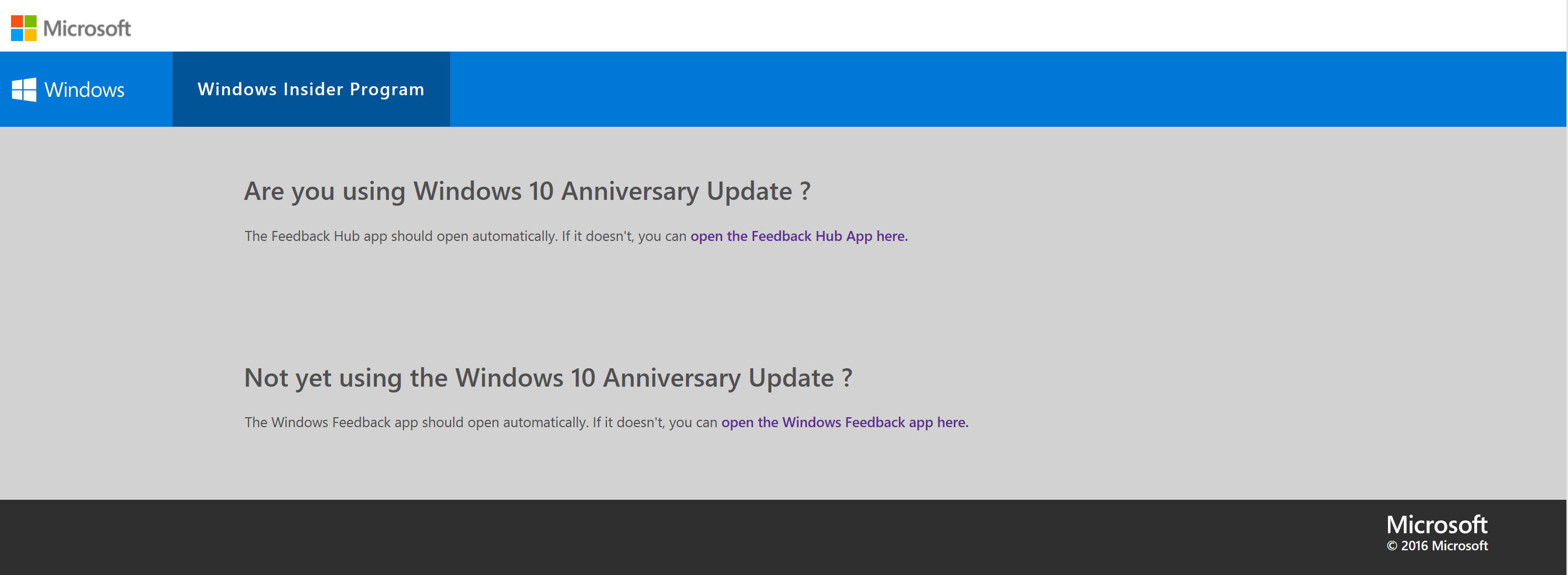
If you are using Windows 10, clicking on the link will automatically open the Feedback Hub app for you (you might get a dialogue from web browser to confirm launching Feedback Hub app). If the app doesn’t launch, just click on one of the links in the web page which will cause the app to launch:

We’re all for anything that makes our editorial lives even the tiniest bit easier, so we’re applauding this newest update, and it should make it easier for us to get you to all the latest Feedback Hub news!

How to protect your Windows from win32k.sys security flaw

As you probably know, Google revealed a vulnerability in the Windows kernel earlier this week. Just like it’s the case with most vulnerabilities, it allows attackers to bypass security measures, and potentially gain a full control of affected user’s system.

According to Google the vulnerability “can be triggered via the win32k.sys system call NtSetWindowLongPtr() for the index GWLP_ID on a window handle with GWL_STYLE set to WS_CHILD.” In other words, as we said, attackers can break into your system, by taking privileges for running their malicious software. This vulnerability is available in all versions of Windows.

Although Microsoft is aware of the problem, the company still hasn’t released a legitimate patch to address this vulnerability. As this moth’s Patch Tuesday is ahead of us, it is expected from Microsoft to release the patch during this occasion. But what until then?

How to protect your computer from win32k.sys security flaw

There are a couple of things you can do to keep yourself as secure as possible from this security flaw. Unlike Microsoft, Adobe recently updated Flash with the patch, so running the latest version of Flash will take the vulnerability away. As Adobe’s software is known for being a common target of security attacks, it’s not a surprise that the company acted quickly.

The same goes for the most popular browsers for Windows 10, Google Chrome and Microsoft Edge. These browsers already provide solutions to such threats, so just in case, make sure you’re using the latest versions.

Microsoft’s Terry Myerson also said that users with Windows Defender activated will also be safe from attacks:

“Customers who have enabled Windows Defender Advanced Threat Protection (ATP) will detect STRONTIUM’s [that’s how Microsoft internally calls a hacker group who performs the attack] attempted attacks thanks to ATP’s generic behavior detection analytics and up-to-date threat intelligence”.

However, all these ‘solutions’ apply to Windows 10 only. If you’re running an older version of Windows, you’re pretty much exposed. The only thing you can do is to browse the internet with some of the security-oriented browsers, like Comodo IceDragon, or completely disable networking until Microsoft provides a patch.

Another solution that Microsoft suggests is upgrading to Windows 10. Nice try, but we don’t think it will be a clincher for core Windows 7 fans. However, they’ll eventually have to upgrade anyway, but that’s a story for another day.

RELATED STORIES YOU NEED TO CHECK OUT:

LastPass removes sync restrictions for all users

The services offered by LastPass specialize in the password management domain, offering solutions for keeping your password in order across multiple devices. This might be the best thing created for those that have an affinity for losing or forgetting their password and therefore losing access to important websites or modules.

LastPass caters to multiple types of users, as they offer both a free version of their services, and a premium version, which comes with more permissions. One of the most important features that free accounts lack in comparison to the premium ones is the fact that they can only synchronize on one type of device, depending on what device they first started using LastPass. For example, a free user that started using the service on PC, could only sync their password on PC, and if they wanted the ability to sync their password on mobile devices as well, they would need a premium account. It is worth noting that free users could sync mobile password on PCs, but not the other way around.

The reverse situation applies, as users that started out on a mobile device would be cut off from being able to sync their password to PCs unless they would be willing to opt for a premium version of the LastPass services.

LastPass made an important announcement recently, stating that all users, including free users, would be able to sync all their information across all types of devices. This comes as great news for anyone who wanted this ability was unable to opt for a premium account.

RELATED STORIES TO CHECK OUT:

Ubisoft giving away Far Cry 3: Blood Dragon for free this month

As a part of “Ubi 30” Anniversary, Ubisoft is offering their neon-soaked neon-soaked Far Cry spinoff  Far Cry 3: Blood Dragon as a celebratory gesture which is classified as one of the best-rated shooter games. To redeem this gift, all you’ll need a Uplay account,  get on with the download, and keep it forever.

The generosity of Ubisoft has been well observed in the past months as well, when the company has offered free downloads for renown titles, like Prince of Persia: The Sands of Time, Splinter Cell, Rayman Origins and The Crew, and is currently giving Beyond Good and Evil for free as a promotional offer.

Far Cry 3 : Blood Dragon is an 80’s action movies and video games inspired  standalone expansion game, which basically means that anyone can buy and play the game without having the original copy. The game revolves around a retro-futuristic island where gamers play-act the role of military cyborg Sergeant Rex “Power” Colt. But if you look beyond the whole “80’s mimicry” aspects of the game, it is no less that a standard, high-class and well-presented shooter game.

Though the offer is limited to the Windows PC version of Far Cry 3: Blood Dragon, however, and kicks off Wednesday, Nov 9.

Giving a quick remembrance of the game, Far Cry 3: Blood Dragon was released in 2013 for PlayStation 3, Windows PC and Xbox 360 and took the audience with a storm. The Xbox 360 version is also backward compatible with Xbox One and now the PC version will be out next week, and that too for free.

“Far Cry 3: Blood Dragon isn’t quite as brilliant or hilarious as it thinks it is, and the seven hour running time sees the joke and the gameplay stretched fairly thin. It’s foul-mouthed, gratuitously violent and sometimes shabby looking. Yet it’s still a lot of fun, with some fabulous gung-ho action, an excellent soundtrack and a clutch of fantastic one-liners.”
Get the game at Ubisoft Club’s website.

Journal App for Windows: 5 Best to Use in 2026

A journal is one of the most useful personal development tools you can carry around. Not only does it provide a way to keep a day to day record of our lives, but also help us reminiscence treasured experiences, work through internal conflicts, and improve our self-awareness. Journal keeping apps come in handy when you want to record good moments but you don’t want to carry a notebook around. Life is a mystery and each day brings its own unique experiences. What a better way to keep a record of these moments other than to jot them in a digital journal.

Journaling is not a new idea. The practice has been around since the days of our founding fathers, only then it was limited to pen and paper. Thanks to the expansion of consumer technology, we can now keep a digital journal. Today, various apps exist that allow us to save our journal entries online, making it easy to access these entries from anywhere without the need of carrying a notebook. These journal keeping apps also come with digital features that let us tag and share moments with our friends instantly. In this article, we highlight the best 5 journal keeping apps.

Related: 6 Best Windows 10 Diary Apps


Best Journal Keeping apps

Penzu

journal_keeping_apps_penzu
Penzu is a powerful tool that allows you to easily keep all your journaling notes online. Penzu offers plenty of security features to ensure your private thoughts are protected from prying eyes. The service also offers mobile apps for Android, iOS, and Blackberry so you can journal on the go and access your account from anywhere. Each journal entry feels like you are writing in a notebook and the process is designed to feel more natural and less technical. You can customize the background using the various themes provided and also change the way pages look.

Penzu allows users to insert pictures, search for folder entries, add tags, and comment on entries. It also gives you the option to input a keyword for every entry in the tag box. This allows you to easily find the entry by keyword search the next time you want to access it. Security is the forte of this app. Penzu uses 256-bit AES encryption, which is the same as the military grade security system used by the US government. The basic service is free, although you can subscribe to the paid version ($19 per year) to access more advanced features. Penzu remains as one of the most robust journal keeping apps.


Microsoft OneNote
journal_keeping_apps_onenote
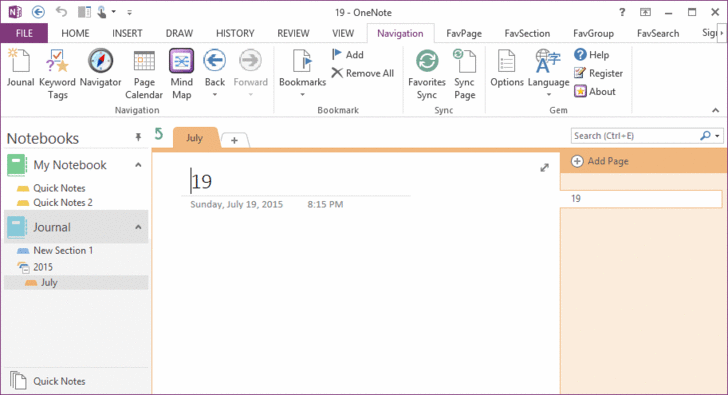
Microsoft OneNote is a sophisticated notetaking tool that can handle many tasks, making it a journaling tool that is far more reliable than its paper counterpart. If you like capturing moments, taking photos, and adding music to your journal entries, OneNote’s file integration system makes such journal keeping tricks easy and enjoyable. OneNote’s handwriting recognition and Windows mobile client makes it easy to record your journal entries even when on the go.

Unlike other digital journals, OneNote’s journal can incorporate a lot. Typed text, handwritten text, drawings, video recordings, audio recordings, and even doodles can all be added to the journal easily. In addition, you can access your OneNote journal on your PC, tablet or phone even when you are offline.

Related: OneNote for Windows 10 gets document and whiteboard scanning


Journey

journal_keeping_apps_journey
Journey is a beautiful app for PC and mobile devices that takes journaling to a whole new level. As a cross-platform app, you can use it on Windows, Mac, Linux, and even on a Chromebook. The design is perfect and comes with an easy to use UI, customizable fonts, and a well-spaced interface. Journey gives you inspiring thoughts each day to help you start your day on a positive note. It allows you to add one photo to each entry, which is a good thing but also limiting. You can browse your entries by tags which is a decent way to organize them in chronological order.

The calendar is neat and gives you a preview of all the days you have updated the journal. There is even an built-in atlas that shows your location and the entries you made when in that spot. The Android app has a reminder system that you can set to remind you to update your journal at a selected time. One cool feature about Journal is its ability to work offline. You can make entries when offline and Journey syncs the data to its servers when you come back online.


Evernote

journal keeping apps - Evernote
Evernote is a very popular application for capturing and organizing all sort of information, which makes it a tool of choice for keeping a daily journal. Evernote is available across multiple platforms and you can use it on Windows PC, iOS, and on Android devices. And since it’s a multifarious application, you can use it to perform many tasks. If you use Evernote as a personal journal, there are various options you can explore to make your journal entries search friendly. For instance, you can leverage the text recognition and create tags to make your journal entries easy to find. In addition to texts, you can also add audio clips and photos to make your notes less monotonous.

Related: Evernote app for Windows 10 PC improved with better navigation, search, and note categories


SomNote

journal_keeping_apps_somnote
SomNote is one of the most beautifully designed journal apps ever. Available for Windows PC, Macs, and mobile devices, Somnote offers all the basics you could want in a digital journal. You can add photos, tags, organize your journals easily with folders and even lock the app with a password. The interface is beautifully designed and you can customize it to match your preferences. Journals and attached files are automatically synced so you can easily access them on all your devices including PCs and Macs. It even allows you access automatically deleted notes from the trash once the backup mode is activated. Finding your journals is easy as you can either use keyword search or use one of the several sorting options available.


Keeping a personal journal is a great way to improve your writing skills, spill out your thoughts, worries, desires, and feelings on a paper. The very act of writing itself can help you visualize solutions to some of your most pressing problems. The world has evolved so much that we can now easily journal while on the go and even share some of our most treasured moments on social media.

Have you used any of these journal keeping apps? Share your thoughts in the comment section below.


Related Stories You Need to Check Out

Microsoft adds Access to Office 365 Business and Business Premium accounts

With the addition of the newly announced Microsoft Teams software, it appears Microsoft is looking to not only compete in the enterprise messaging space but beefing up the value of its Office 365 Business offerings in the process.

Beyond adding a new messaging flow to its Office 365 suite, Microsoft has also included Access in its Business and Business Premium solutions along with some new enhancements to make easier to manage.

Soon, Access will be rolling out to Office 365 Business and Business Premium subscribers. Access will be automatically installed for these customers as part of their next regular Office client update, rolling out between December 1, 2016 and January 30, 2017. Access will continue to be included in the Office 365 ProPlus, E3 and E5 plans.

A set of new enterprise data connectors will roll out to Microsoft Access in early 2017. These new connectors include OData Feed, Dynamics CRM, Salesforce and Amazon Redshift and will be available for customers with Office 365 ProPlus, E3 and E5 plans. These new connectors will enable customers to integrate and extend Access into other line of business solutions and databases.

Microsoft offers a special note to existing Office 365 customers explaining, those who have updates set to the Deferred Channel will receive the new Access update in June 2017 as per their system request. Customers on regular update release should be given the update starting December 1, 2016.

To find out more about the Access update for Office 365 Business and Business Premium customers, visit the Access UserVoice site or head over to the Office Blogs.

Here are the winners of Microsoft’s 10K Apart web page contest

Microsoft and An Event Apart partnered up to offer prizes for people who managed to build a website with only 10kb per page. Finally, we have our winners. Microsoft announced, in a blog post, that the winners and honorable mentions have been chosen and that over 270 of the entries have been accepted into the gallery.

It’s truly amazing to have full websites running with such a low memory print, and it would seem impossible for some, but not for these honorable mentions:

We had so many amazing entries this year that I was glad we’d doubled the honorable mention spots. Without further ado, the honorable mentions for this year’s contest were (in alphabetical order):

Such an amazing group of entries! I highly recommend you check each one out. Do yourself a favor and set aside a few hours to really tuck into them.

But there are a couple of websites that take the crown. The winners are divided into a few categories. The first one is “People’s choice”, and as the name suggests, it’s chosen by regular people from the community.

Firstname Basher

Once the entries were up, we gave you the chance to have your say and pick our People’s Choice award winner and you picked a cheeky little entry by Emilien Schneider, Pablo Barral, and Romain Petiot called Firstname Basher. This clever site helps you pick a name for your child, not by telling you its good qualities, but by telling you what’s wrong with it!

The next winner is the “Best Technical” one that suposedly means that it’s the most advanced one. 10K UK Weather may not have to work so hard as the result will always be “rain” but it’s still pretty impressive.

10K UK Weather Analyzer & Visualizer

This was a hard-fought contest between a handful of stellar entries. Ultimately, 10K UK Weather Analyzer & Visualizer by Yash Raj Singh took home the prize. Judge Rachel Andrew had this to say about it: “I love the use of open data in this one and the various little touches to help bring that data to life, obviously a lot of careful work has gone into this entry.” Judge Heydon Pickering was equally impressed: “Incorporating several impressive features including data visualizations and a little meta game, this was perhaps the most ambitious entry.”

The next one is “Best Design” and it does look really good. The website is a little “Pixel Art Character creator” and features a really sleek and elegant look to it.

10KB Pixel Art Character

This was another toughy. We got so many beautiful entries this year. Ultimately, Hannah Malcolm’s 10KB Pixel Art Character took home the prize. It’s a fun little app for building your own 8-bit avatar. Judge Lara Hogan had this to say: “Super cute and it seems tremendously extendable.” Well done!

And it’s time for the “Best Overall” 10KB website: the Dashingly Responsive.

Dashingly Responsive

I think the judging panel was geeking out big time over the winning entry. Judge Rachel Andrew nailed it when she said “Each time I looked I saw another small detail that impressed me, and the use of simple technology in a creative way seemed to sum up the competition for me.” Mat Marquis felt much the same: “There are a lot of sharp little details in the design of this page, implemented well—and coming in at only ~8k in total, including audio, is pretty impressive stuff.” High praise for Emil Björklund and his deceptively simple-looking Dashingly Responsive. Under the hood it was anything but simple.

This years 10k Apart contest has been really cool, with awesome entries and we want to congratulate the well deserved winners as well as the honorable mentions. Everyone did a great job and deserves an applause for the stunning work they have come up with.

“Let’s do it again soon!”

Buy an Xbox One or One S from now until Nov 12th and get an additional free game

Microsoft’s Xbox team has announced today an interesting offer consumers in the US: starting today through November 12, you can purchase the Xbox One bundle of your choice and get an additional free game (up to $59.99 value) along your purchase. As an example, you could choose the Xbox One S Battlefield 1 Bundle ($299 value) and get a free copy of Call of Duty: Infinite Warfare ($59.99 value) at no additional cost, which may be a great combo for shooter fans.

The offer will be valid at participating US retailers including Amazon, Target, GameStop, Best Buy, Walmart.com and Microsoft Store while supplies last. Of course, there are some limitations as this offer can’t be combined with other promotions and pre-order games are not eligible.

Get an additional game with the purchase of any Xbox One bundle.

Following the release of the Xbox One S back in August, Microsoft has been offering a growing selection of bundles featuring the latest and greatest games such as Gears of War 4, FIFA 17, Madden 17 and Battlefield 1. If you’re interested by this promotion, we invite you to check the Xbox One consoles page on Xbox.com to see how to take advantage of it.

How Microsoft Teams and Windows 10 are being used at Hendrick Motorsports

In the always fast-paced sport of NASCAR, where seconds on the stopwatch can be the difference between finishing first or third, technology has become ever so more important to all racing teams. So it was fitting to see Matthew Cochran, an IT Manager at NASCAR’s Hendrick Motorsports, make an appearance during Microsoft’s November 2nd event.

While Matthew appeared briefly on stage to discuss Microsoft Teams, I had the opportunity to sit down with him following the morning keynote and briefly discuss how Microsoft Teams, and Windows 10, are being used at Hendrick Motorsports.

How is Windows 10 used at Hendrick Motorsports?

To begin, I asked Matthew how Windows 10 is used at Hendrick Motorsports, home to NASCAR Champions such as Jimmie Johnson, Jeff Gordon, and current Sunoco Rookie of the year contender Chase Elliot. Matthew detailed that Windows 10 is a great operating system for the NASCAR team to deploy and standardize across the racing team. He even described the evolution of how Windows technology,  touchscreen devices, and the UWP are used at the team.

“Before [Windows 10] we were pretty much Windows 7 Professional, and then you take a look at the other devices in the mobile workplace when we’re actually at the track, we’re really relying on touch screen devices such as Surface and various tablets from Panasonic. Windows 10 allowed us to focus all that into one OS that was always updated. Now [with Windows 10] we can develop one application and push that through the Windows Store for Business. It makes our interfaces a lot smoother, it’s very intuitive, it stays updated, it’s very easy.”

How can Microsoft Teams be used at Hendrick Motorsports?

As we have covered in the past, Microsoft Teams is Microsoft’s new cross-application collaboration software. The software competes with Slack, aims to be the new hub for teamwork, and has access to SharePoint, OneNote, and Skype for Business, and all of Office 365 while in one secure space. Matthew mentioned several of these Microsoft Teams features which are useful to a NASCAR team such as Hendrick Motorsports, and how Microsoft Teams is great for security, privacy, and speed.

“For us the persistent chat functionality is key especially during the actual race event. That way in case there is any disconnection from a race engineer standpoint, they can see once they have reconnected to the network anything that has transpired since they were away. Never again do you miss a piece of information. It’s all encrypted, we’re very confident it’s secure… So now [with Teams] the guys don’t have to have four or five different applications open collection all their data. That rich integration is key, and it allows us to control the environment and make sure it’s secure.”

How does being partners with Microsoft give a competitive advantage over the other teams in NASCAR?

In NASCAR, the sport is constantly changing. With new technologies being used across the sport on pit road for officiating, and inspections, I was curious as to what competitive advantages Microsoft technologies have offered Hendrick Motorsports.

“We look at where the sport is today… The sport has really changed to a data driven sport, and so the competitive edges and really into the future we believe will be on how quickly you can consume data and make the intelligent decisions on that data. Microsoft and the Azure platform has allowed us to escalate very quickly and be very agile with the developments of big data analytics and machine learning.”

Hendrick Motorsports, founded by Rick Hendrick, is based out of Charlotte, North Carolina. Since 1984, Hendrick Motorsports has earned a record 11 car owner championships in NASCAR’s premier division, the Sprint Cup Series. You can learn more about the team by visiting their website.