ChatGPT is now available as new add-ons for Excel and Google Sheets, which allows to turn data work into a more conversational experience. Powered by the latest GPT-5.5 model, ChatGPT allows users create, edit, and analyze spreadsheets using natural language instead of manual formulas.
ChatGPT add-on for Excel & Google Sheet available for all plans globally
The new add-ons allow users to create full spreadsheets from scratch, update existing ones, and generate formulas simply by describing what they need. Tasks like creating financial models, cleaning survey data, or drafting business plans can now be handled through natural instructions rather than traditional spreadsheet setup.
ChatGPT is now available as an add-on in Excel and Google Sheets.
It can help analyze messy data, write formulas, update spreadsheets, and explain what it’s doing along the way—without leaving your spreadsheet.
As OpenAI notes, users can also ask questions about their data and receive summaries across tabs, along with explanations of formulas and detected errors. ChatGPT shows which cells it references, making its reasoning easier to follow while still keeping changes transparent. With this move, OpenAI is doubling down on ChatGPT’s presence in coroprate setup.
Worth noting that ChatGPT inside Excel and Google Sheets can spot patterns, highlight inconsistencies, and help users understand complex datasets without manually digging through rows and formulas. It also preserves formatting and asks for approval before applying changes, adding a layer of control for users.
The ChatGPT add-ons for Excel and Google Sheets is available globally across ChatGPT Free, Plus, Pro, Business, Enterprise, Edu, Teachers, and K-12 accounts. All that said, it still depends on user oversight, especially for advanced financial models or sensitive data work where accuracy is very important.
Asha Sharma has been on a spree to fix Xbox from ground up, considering the decision she has been making since assuming the role of CEO. Earlier today, a leaked internal memo hinted that the Xbox CEO is bringing in new leaders from Microsoft CoreAI division to Xbox. In the memo, Sharma noted, “We need to evolve how we work and how we are organized across our platform. Right now, it is too hard to ship impact quickly. We spend too much time inward instead of with the community, and we lack the depth we need in some of the fundamentals.”
As part of the plan, Xbox CEO also added that the gaming division will be bringing “new leaders with consumer and technical expertise we do not yet have.” Well, the move has now been confirmed by Asha Sharma on X, along with a big news that many Xbox players would rejoice.
Microsoft finally steps back from infusing Copilot AI into Xbox
Sharma has now confirmed that the company is “winding down” Copilot on mobile. Interestingly, the company has also stopped the development of Copilot on console.
Xbox needs to move faster, deepen our connection with the community, and address friction for both players and developers. Today, we promoted leaders who helped build Xbox, while also bringing in new voices to help push us forward. This balance is important as we get the business back on track. As part of this shift, you’ll see us begin to retire features that don’t align with where we’re headed. We will begin winding down Copilot on mobile and will stop development of Copilot on console.
Late last month, Asha Sharma and Matt Booty announced announced the big reset plan for Xbox. Now, it seems the plan is already under implementation inside Xbox’s walls. In the recent past, we have also come across the Xbox CEO taking in players’ online feedback and even acting upon it and delivering on it. That’s not all, Sharma also seems to be considering advices from industry voices and Xbox veterans alike.
Xbox CEO Asha Sharma is reportedly reshuffling executives inside the gaming division as the company looks to recover from lukewarm performance. The move comes at a time when Xbox is under pressure, with revenue declines recorded in four of the past six quarters.
In an internal memo viewed by CNBC, Sharma wrote, “We need to evolve how we work and how we are organized across our platform.” She added, “Right now, it is too hard to ship impact quickly. We spend too much time inward instead of with the community, and we lack the depth we need in some of the fundamentals.”
Xbox CEO Asha Sharma reshuffles team, bringing in CoreAI talent
As reported, the restructuring includes several high-profile transfers from Microsoft’s CoreAI engineering group, along with talent from Instacart and Meta. Sharma also stated, “Xbox is bringing in new leaders with consumer and technical expertise we do not yet have.” As part of this plan, Jared Palmer will join Xbox to focus on product and engineering systems, while Tim Allen will lead design. Jonathan McKay will take over as head of growth after roles across CoreAI and OpenAI-linked work.
Meanwhile, Evan Chaki will lead forward-deployed engineering efforts, which focus on reducing repetitive development work. Whereas David Schloss will oversee subscriptions and cloud services, areas increasingly central to Xbox’s long-term strategy.
Other transitions include Kevin Gammill leaving his post, while Roanne Sones will take a leave of absence and later serve as an advisor. The shift in leadership comes as Microsoft continues trying to close the gap with PlayStation 5 and Nintendo Switch hardware dominance. It’s unclear how quickly these leadership changes will translate into measurable growth, but the direction suggests a tighter focus on execution and AI-driven development.
Late last month, industry analyst Ming-Chi Kuo claimed that OpenAI is working on an AI smartphone. The claim immediately caught eyeballs of many, especially as it contradicted earlier reports that suggested the company isn’t considering entering the mobile market. Well, Kuo has now shared some more details about OpenAI’s AI smartphone, adding weight to his previous claim.
OpenAI’s AI smartphone will reportedly launch in the first half of 2027
Per Kuo’s latest post on X, OpenAI is fast-tracking the development of its first AI agent phone (via MacRumors). The company is reportedly targeting as early as the first half of 2027 to launch the device. The company is reportedly eyeing a controlled supply chain, with early signs pointing to MediaTek as a key partner.
Per the claim, OpenAI‘s AI smartphone centers around on-device intelligence, with the imaging system likely to become the standout feature. Kuo also notes that “the ISP [Image Signal Processor] is the headline spec [of the device], with an enhanced HDR pipeline improving real-world visual sensing.”
Additionally, the analyst hints at a dual-NPU architecture to handle “heterogeneous” AI workloads. Kuo further goes on to claim that OpenAI’s first-ever smartphone will reportedly feature LPDDR6 RAM and UFS 5.0 storage to “ease memory bottlenecks” in high-speed AI processing. It’s important to note that no smartphone in the market currently comes with LPDDR6, though a few upcoming smartphones from OnePlus and Xiaomi have been tipped to feature it onboard.
Custom-built 2nm MediaTek Dimensity 9600 SoC tipped for the smartphone
As Kuo points out, OpenAI is eyeing MediaTek as the leading candidate to supply a customized Dimensity 9600 SoC built on TSMC’s 2nm process in the second half of 2026. This positions the chipmaker in a stronger role in AI devices, as makers push into agent-like computing.
Last but not least, Kuo, in the post, also notes that “if development stays on track, combined 2027–2028 shipments could reach around 30 million units.” All that said, nothing is official at the moment, so we expect you to take the news with a grain of salt. As details emerge down the line, we’ll keep updating you about OpenAI’s first AI phone, or the first smartphone for that matter. Not to forget, OpenAI is also reportedly developing an AI device in partnership with Jony Ive, which reports from earlier this year claim is on track for a late 2026 launch.
Xbox has just announced the May 2026 Wave 1 lineup for Game Pass subscribers, and it includes some of the best upcoming titles, including the popular Forza Horizon 6. As previously confirmed, the next mainline entry in the Forza Horizon series joins Xbox Game Pass on May 19 as a day one title.
Four more games, including Mixtape, Subnautica 2, Call of the Elder Gods, and Outbound, will join Game Pass as day one releases on different dates this month. With the announcement of new games for Xbox Game Pass subscribers, the company has also announced games that will bid goodbye to the service mid-May.
Games leaving Xbox Game Pass on May 15
Galacticare
Go Mecha Ball
Kulebra and the Souls of Limbo
Paw Patrol Rescue Wheels: Championship
Planet of Lana
If you haven’t cleared your backlog, you have over a week to do so. In case you want to play any of these games beyond their deadline, you can always purchase them at 20% off before they leave the service.
Don Ho has filed a trademark complaint against an unauthorized macOS port of Notepad++, escalating a dispute over branding, user trust, and potential security risks.
Complaint Targets Misleading macOS Version
As reported by The Register, Ho sent a formal complaint to Cloudflare targeting a website distributing a macOS version of Notepad++. The project, created by developer Andrey Letov, used the Notepad++ name, logo, and even Ho’s biography, presenting itself as an official release.
While the site included a disclaimer, it appeared below the main content, making it easy for users to miss.
Trademark vs Open Source
The core of the issue lies in the difference between open-source licensing and trademark rights. Notepad++ is licensed under GPL v3, which allows developers to fork and modify the code.
However, the Notepad++ name and logo remain trademarked. Ho argues that reusing them without permission crosses a legal line and misleads users into trusting an unofficial product.
Security Concerns Raised
The situation also triggered warnings from contributors and the broader community. An unofficial app posing as legitimate software raises the risk of hidden vulnerabilities or even malware.
Letov initially hoped to gain Ho’s endorsement and even added a claim suggesting coordination with the original creator. Ho denied any involvement and demanded a full takedown.
The developer later asked for time to rebrand the project, but Ho rejected the request and continued to pursue removal.
Rebrand Attempt Fails to End Dispute
At the time of reporting, the site remains online but has been rebranded to “Nextpad++ for Mac,” featuring a different logo.
Despite the change, the dispute remains unresolved, and further legal action remains on the table.
The case highlights a recurring issue in open-source ecosystems: code can be reused, but branding cannot. It also reinforces the growing focus on software authenticity and supply chain security, especially after multiple high-profile incidents involving tampered updates.
With Notepad++ widely used across Windows systems, protecting its identity has become just as important as maintaining its codebase.
Worth noting that Mixtape, Outbound, and Call of the Elder Gods launch as day one titles on May 7, May 11, and May 12, respectively. In case you want to learn about all the Xbox Game Pass additions and their release date, check the table below:
Xbox Game Pass May 2026 Wave 1 games and release date
Game Title
Release Date
Platforms
Final Fantasy V
May 5
Cloud, Xbox Series X|S, PC
Ben 10 Power Trip
May 6
Cloud, Console, PC
Descenders Next (Preview)
May 6
Cloud, Console, PC
Wheel World
May 6
Cloud, Xbox Series X|S, PC
Wildgate
May 6
Cloud, Xbox Series X|S, PC
Wuchang: Fallen Feathers
May 6
Cloud, Xbox Series X|S, PC
Mixtape
May 7
Cloud, Xbox Series X|S, Handheld, PC
Outbound
May 11
Cloud, Console, PC
Black Jacket
May 12
Cloud, Xbox Series X|S, Handheld, PC
Call of the Elder Gods
May 12
Cloud, Xbox Series X|S, Handheld, PC
Elite Dangerous
May 12
Cloud, Console
DOOM: The Dark Ages
May 14
Cloud, Xbox Series X|S, Handheld, PC
Subnautica 2 (Preview)
May 14
Cloud, Xbox Series X|S, Handheld, PC
Forza Horizon 6
May 19
Cloud, Xbox Series X|S, Handheld, PC
Not to forget, Xbox is also rolling out game updates for Dead by Daylight and Sea of Thieves: Last Ship Standing. Besides that, World of Warships: Legends is also getting in-game benefits.
Games leaving Xbox Game Pass on May 15
Last but not least, Microsoft has also confirmed that five games are set to leave Xbox Game Pass on May 15. Here’s the list:
Galacticare
Go Mecha Ball
Kulebra and the Souls of Limbo
Paw Patrol Rescue Wheels: Championship
Planet of Lana
As usual, Xbox is offering 20% off on purchases of the aforementioned games if you want to keep enjoying them even after they leave the service.
Microsoft is rolling out a visual upgrade for Xbox achievements, focusing on sharper images and cleaner presentation. As reported by True Achievements, the update improves gamerpics and achievement artwork on consoles running in 4K.
The changes are currently limited to Xbox Insider users in the Alpha and Alpha Skip-Ahead rings. Xbox Series X users benefit the most, as the improvements target high-resolution output.
4K polish brings achievements in line with modern UI
Achievement art and profile images now appear noticeably sharper on supported displays. The update aligns achievements with the rest of the modern Xbox interface, which already supports higher-resolution assets.
This marks a subtle but important shift. Achievements have remained largely unchanged for years, while other parts of the dashboard evolved.
New Insider Update | Experience Changes
Dashboard: We’ve increased the sharpness of gamerpics and certain game or achievement art on Xbox Series X consoles set to 4K output.
Microsoft has also introduced quality-of-life updates tied to achievements. Completed games now stand out more clearly in the list, making it easier to track progress.
Players can also hide games with unlocked achievements, helping clean up cluttered libraries. These changes suggest a broader rethink of how achievements work across the platform.
Microsoft hints at new reward systems
The company is exploring additional ways to reward completion, with early hints pointing toward a system similar to platinum trophies. While no official details exist yet, the direction signals renewed focus on long-term player engagement.
Handheld gaming has been picking up pace lately, and Xbox is quietly continuing to refine its experience on its new handhelds it launched in partnership with ASUS last year. For those unaware, the company introduced something called Default Game Profiles late last year. Well, Xbox is now expanding that system with more supported titles.
Xbox expands Default Game Profiles to more ROG Xbox Ally/Ally X titles
In a Game Dev blog post from yesterday, Xbox’s Principal Program Manager, Clint Woon, confirmed that more than two dozen additional games now support Default Game Profiles on the ROG Xbox Ally and Ally X. This builds on the initial rollout, which already covered around 40 titles when the feature first launched.
For those unaware, Default Game Profiles are essentially pre-configured settings customized for each game. These profiles automatically adjust things like Thermal Design Power and frame rate limits to balance performance and battery life, especially when playing on battery.
That being said, this is not something you tweak manually inside the game. The settings are delivered through Xbox services but applied through ASUS software that comes preinstalled on the handhelds. The idea here is to go beyond standard in-game options and optimize performance at a system level.
As you may know, handheld gaming often struggles with the balance between performance and battery life. That means pushing higher frame rates can drain the battery quickly, while lowering performance too much affects gameplay. This is where Default Game Profiles step in to find a middle ground automatically.
More improvements likely coming your way
With over two dozen new games added, the supported list is growing steadily. However, Woon notes that this is still an ongoing effort. “Our work here isn’t finished, so keep an eye out for more improvements to the ROG Xbox Ally and ROG Xbox Ally X in the future,” he added. If you are wondering which of the games were added, check the list below:
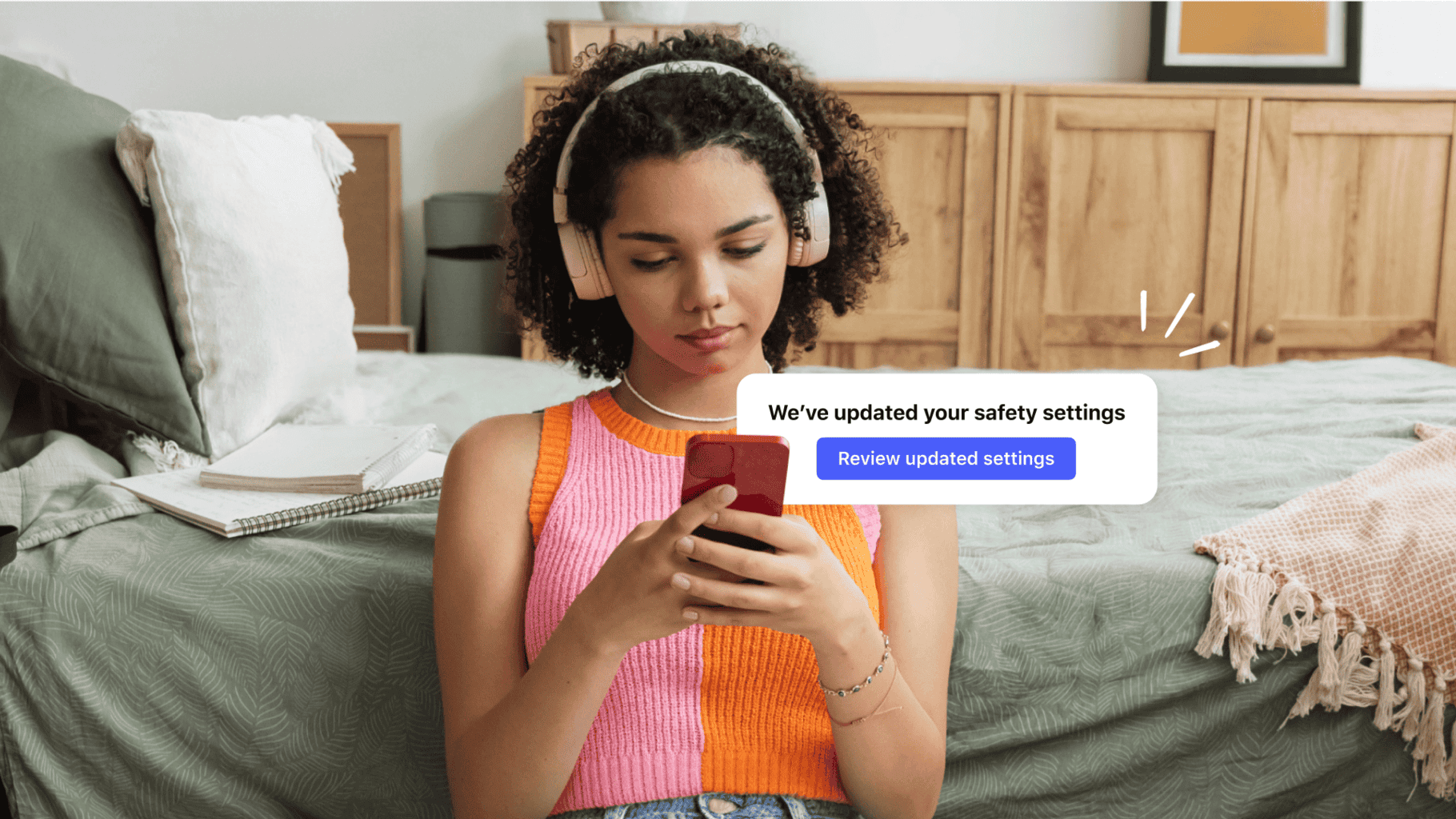
It’s not hidden anymore that social media platforms have been dealing with age-related concerns for years now. These days, it’s not uncommon to see teens misrepresenting their age just to bypass restrictions and access content across Facebook, Instagram, and more. No doubt, this creates safety risks and makes it harder for platforms to maintain age-appropriate experiences. Now, Meta appears to be stepping things up with a new set of AI-powered age assurance measures across Facebook and Instagram.
Meta expands AI tools to detect underage users and enforce teen protections
In a new blog post detailing the new AI detection approach, Meta says it is strengthening its underage enforcement by using AI to identify and remove users under 13 from its platforms. Additionally, the company is also expanding its systems to detect teens who may have listed an adult age and automatically place them into Teen Account protections.
The company has announced that it is expanding its teen detection technology on Instagram across the EU and Brazil, while also bringing it to Facebook in the US for the first time. This means more users who are suspected to be teens will be pushed into safer, age-appropriate settings by default.
Wondering how it works? Meta is now using AI to analyze profiles more deeply. This includes scanning posts, captions, bios, and even comments for signals like school references or birthday mentions. The company is also introducing visual analysis, which looks at general cues, including “height or bone structure,” in photos and videos to estimate age. While confirming this, Meta also explicitly mentioned that the system “does not identify the specific person in the image.”
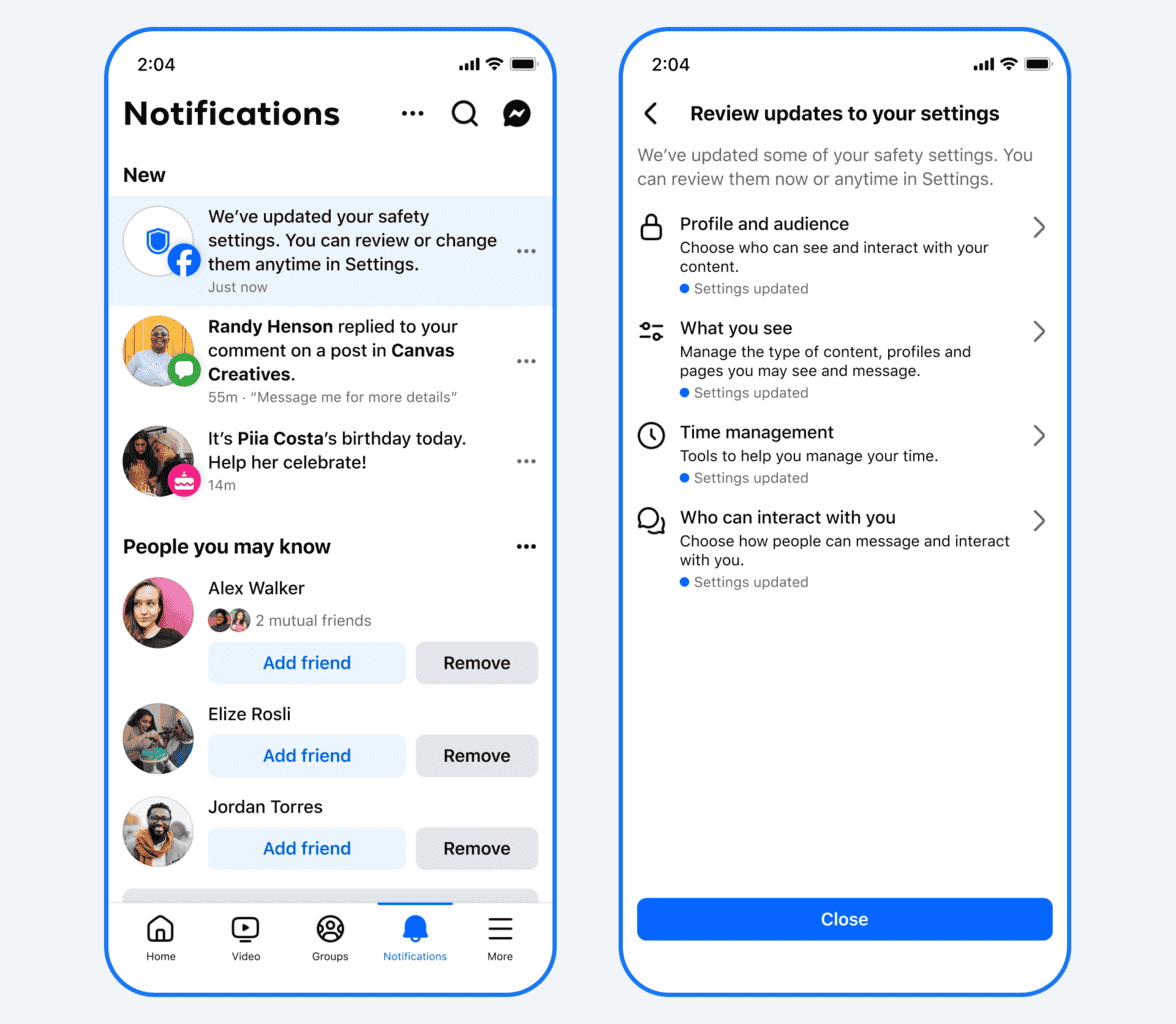
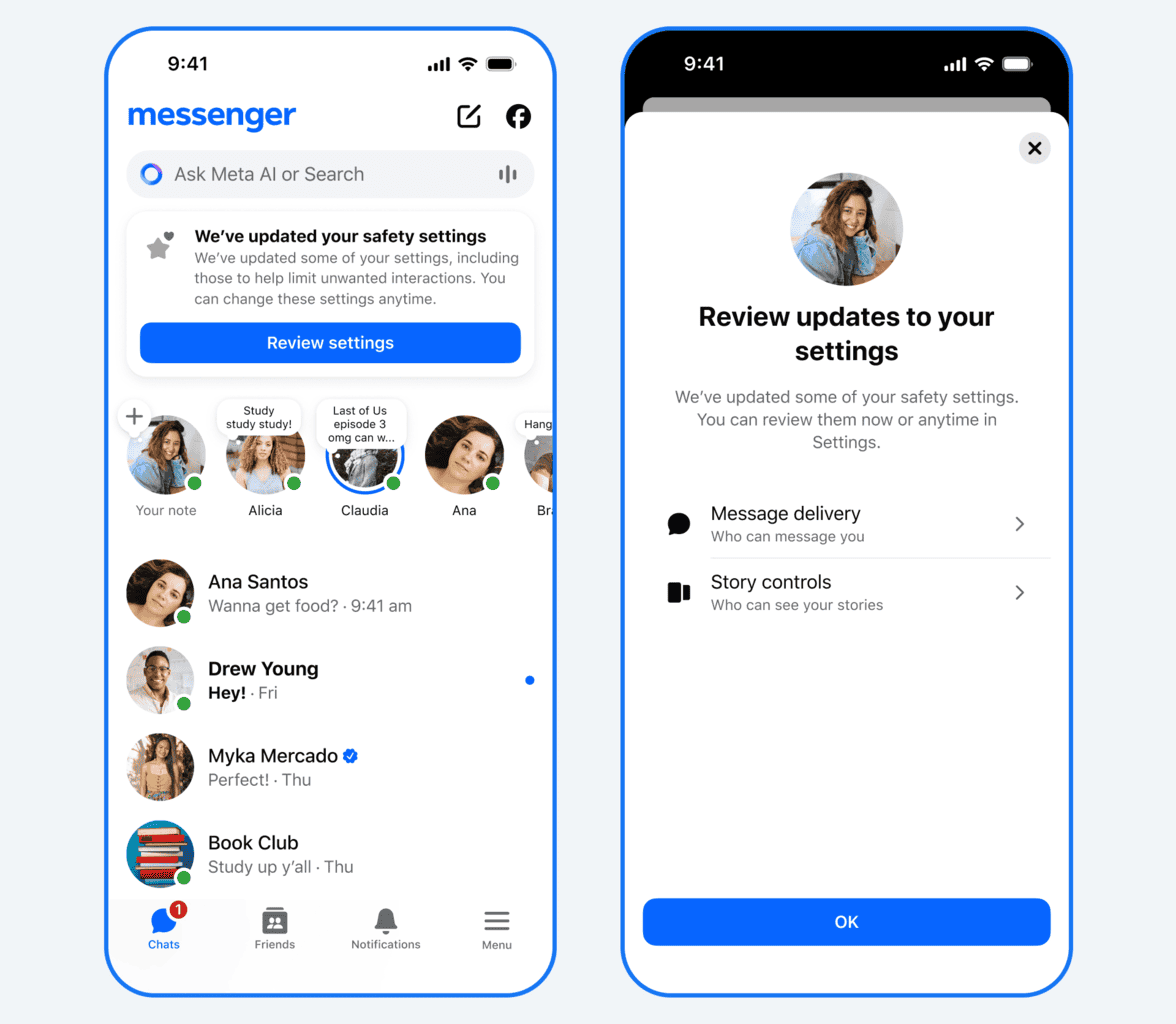
Image credit: Meta
Parents get more tools as strict age enforcement rolls out
Meta plans to send notifications on Facebook and Instagram with tips on how to talk to teens about sharing their correct age online. Parents can also use existing tools to review and confirm their teen’s age settings. Not to forget, Meta is also making it easier to report underage accounts.
A new version of CloudZ RAT uses a malicious plugin called Pheno to extract sensitive data from Windows PCs by abusing Microsoft Phone Link. The campaign, discovered by Cisco Talos, has been active since at least January 2026.
The attack stands out because it does not require access to the victim’s phone. It targets the synced environment on the PC instead.
Attack targets synced messages and notifications
The Pheno plugin monitors active Phone Link sessions on infected systems and accesses the local SQLite database where messages and notifications are stored.
Attackers can extract SMS messages, one-time passwords, authenticator notifications, credentials, and other sensitive codes directly from the Windows device.
SMS-based 2FA no longer reliable in this scenario
This method breaks a common security assumption. Users may believe their phone remains secure, yet attackers can still intercept authentication codes from the synced PC.
The result is a practical bypass of SMS-based two-factor authentication, turning the Windows endpoint into the weakest link.
Infection chain starts with fake ScreenConnect update
The attack begins with a fake update for ScreenConnect. Once executed, it deploys a Rust-based loader followed by a .NET loader.
CloudZ RAT installs itself on the system and creates a scheduled task to maintain persistence. From there, it enables file manipulation, command execution, screen recording, browser data theft, and full remote control.
Advanced evasion techniques make detection harder
CloudZ includes anti-analysis checks targeting tools like Wireshark, Fiddler, Procmon, and Sysmon. It also detects sandbox and virtual machine environments to avoid automated analysis.
The malware rotates user-agent strings to appear like normal browsers and uses anti-caching techniques for command-and-control traffic.
Security implications expand beyond mobile compromise
This campaign shows how legitimate system apps can expand the attack surface. Attackers no longer need to breach a smartphone to access sensitive data.
Avoid SMS-based OTPs when possible. Use authenticator apps without notification previews and switch to phishing-resistant methods such as hardware security keys. Monitor indicators of compromise published by Cisco Talos, including domains, hashes, and IP addresses.
Meanwhile, reports of the Cerdigent threat continue to spread, but many detections appear to be false positives linked to revoked certificates rather than active infections.
Steam Controller sells out fast, resurfaces at higher prices on eBay
Yesterday, the first batch of Steam Controller reportedly went out of stock within 30 minutes. That quick sellout hints a strong early demand, but it also triggered the usual wave of scalpers moving in just as fast. On resale platforms like eBay, listings started appearing almost immediately after stock ran dry.
Prices have already climbed well above retail. In the UK, where Valve priced the controller at £85, some units have sold for over £150. In the US, the price jump is even sharper, with listings reaching over $300 compared to the original $99 price.
It’s not unusual though. High-demand hardware launches often face the same cycle, where limited stock meets aggressive resale tactics. Buyers who missed the initial window are left choosing between waiting for a restock or paying a premium.
What’s new about the latest Steam Controller?
As Valve describes, one of the standout features is the new Steam Controller Puck. It’s a small magnetic hub that doubles as both a charging dock and a low-latency wireless transmitter. The Puck offers a lightning-fast 8ms end-to-end connection and supports up to four controllers simultaneously. You can also connect via Bluetooth or USB-C if you want.
The controller itself features next-generation magnetic thumbsticks using TMR technology for smoother movement, enhanced responsiveness, and long-term durability. They include capacitive touch support, which enables motion controls and Valve’s new Grip Sense feature. It’s a capacitive touch system along the handles that activates gyro aiming when you hold the controller naturally. You can learn more about the new Steam Controller here.
Valve appears to be preparing for a new hardware release after a massive shipment of “game consoles” was spotted entering the United States. As The Verge reports, the company imported nearly 50 tons of hardware across multiple containers, raising questions about what exactly is coming next.
Large shipment arrives ahead of possible launch
According to shipping data, the deliveries arrived between April 30 and May 1. The cargo consisted of 40-foot containers carrying dozens of packages each, with a total estimated weight of roughly 53,000 kilograms, including packaging and pallets.
This shipment stands out because it differs from previous Valve logistics activity. Individual container weights came in at around 12,600 kilograms, noticeably lighter than earlier shipments that averaged closer to 14,500 kilograms. That change suggests a different type of product or at least a different packaging approach.
Estimated units suggest limited early stock
Based on rough calculations using an estimated weight of around 2.6 kilograms per unit, the shipment could represent fewer than 20,000 devices. The real number is likely lower once packaging materials, pallets, and bundled accessories are taken into account.
This points to a more controlled initial batch rather than a large-scale global rollout, which often happens closer to full retail availability.
New product mix raises questions
The lighter weight profile suggests Valve may not be shipping a single, uniform device. Instead, the cargo could include a mix of hardware components or accessories alongside a primary product.
Speculation around the shipment includes a new Steam Machine, a possible “Steam Frame” device, updated Steam Controller hardware, or a combination of console units and peripherals. Valve has not confirmed any details, but the variation in weight supports the idea of a mixed shipment.
Timing aligns with pre-launch activity
Valve has a history of moving large hardware volumes shortly before making announcements, and the timing of this shipment closely matches that pattern. In some past cases, shipments included partially assembled units, sometimes missing components such as memory, which could also explain differences in weight.
Taken together, the scale of the shipment and the surrounding signals suggest Valve is preparing for a hardware reveal. The company has not confirmed what was shipped, but the logistics activity strongly indicates that a new product announcement may be close.
Now, the studio has confirmed that Forza Horizon 6 has officially gone gold, and Playground Games is locking in key performance details for Xbox players. This milestone means the game is finalized for both retail discs and digital release, setting the stage for its Premium Edition rollout.
Forza Horizon 6 adds Quality and Performance modes on Xbox Series X|S
Alongside the announcement, Playground Games has confirmed that both Quality and Performance modes will be available on Xbox Series X|S. On Xbox Series X, Quality mode runs at native 4K with 30fps, focusing on higher detail and richer visuals across the open world. Performance mode, on the other hand, targets 60fps, with dynamic scaling around 4K to keep gameplay fluid, especially during high-speed racing and dense environments.
Meanwhile, the Xbox Series S setup is a bit more balanced around its hardware limits. Quality mode runs at 1440p with 30fps, while Performance mode drops to 1080p but pushes for 60fps. Both modes rely on dynamic scaling to maintain stability, which suggests the game may adjust resolution on the fly depending on scene complexity.
That being said, this approach is not surprising. At a time when racing games are pushing larger maps and more detailed environments, giving players control over performance settings has become almost standard across current-gen titles.
Speaking of launch timing, Forza Horizon 6 Early Access begins for players who have purchased the Premium Edition or Premium Upgrade. This staggered release strategy continues to be a go-to move for big Xbox titles, especially within the Game Pass ecosystem. In previous Forza Horizon entries, performance modes played a key role in how players experienced the game, particularly for competitive racing versus casual exploration. It appears that same philosophy is carrying forward here.
Last week, rumors started floating around that this year’s Call of Duty might still land on older consoles like PS4. Well, that rumor has now been shot down by the official Call of Duty account on X, and it changes things more than you might expect.
The new Call of Duty game will move past last-gen consoles
In a post on X from earlier today, the official Call of Duty account clearly stated, “Not sure where this one started, but it’s not true. The next Call of Duty is not being developed for PS4.” The statement effectively confirms that the 2026 entry is skipping last-gen hardware.
Although the post didn’t explicitly mention Xbox One, Tom Warren on X noted that the next game in the franchise, reportedly Call of Duty: Modern Warfare 4, will also skip Xbox One. For those unaware, Call of Duty has been releasing on PS4 and Xbox One for over a decade, stretching across multiple console generations without fully letting go of older hardware.
Well, this move may finally open the door for more noticeable technical upgrades. Developers no longer have to scale gameplay, visuals, and performance around hardware that is now over a decade old. That being said, millions of players are still on PS4 and Xbox One, which means this decision could split the player base more clearly than before.
Not to forget, Microsoft, at the time of announcing Game Pass price changes, also confirmed that new Call of Duty titles will no longer launch on Game Pass Ultimate or PC Game Pass on day one. Instead, these games are expected to arrive later, likely during the following holiday season, roughly a year after release. Meanwhile, existing Call of Duty titles already available on Xbox Game Pass will remain unaffected and continue to be accessible to subscribers.
Are you disappointed that the next Call of Duty is skipping PS4 or Xbox One? Let us know your thoughts in the comments below.
Gamers are now running PlayStation 3 titles directly on PlayStation 5 hardware using a Linux-based workaround. As VideoCardz reports, this is not an official feature from Sony, but a community-driven solution that relies on jailbreaking the console.
How PS3 Games Run on PS5
The method turns the PS5 into a Linux-powered system capable of emulation. Users install a Linux distribution on a jailbroken console, then run RPCS3, a well-known PlayStation 3 emulator.
This setup does not use native backward compatibility. Instead, it relies entirely on software emulation, similar to how PS3 games run on a PC.
Strict Requirements Limit Access
Only a small portion of users can try this workaround. The process requires:
PS5 firmware versions in the 3.xx or 4.xx range
A successful jailbreak to unlock Linux support
Manual installation of Linux and emulator tools
Newer firmware versions block jailbreak methods, which means most current PS5 systems cannot use this approach.
Game Support and Performance
Some PS3 titles already run at playable levels. Reports highlight games like MotorStorm: Pacific Rift performing well under emulation.
RPCS3 na PlayStation 5 to najlepsze co ostatnio spotkało ten sprzęt. Motorstorm Pacific Rift działa jak złoto. Tylko na PS5 3.XX -4.XX z Linuxem na pokładzie. #PS5linux#RPCS3pic.twitter.com/JMsuVMPWvG
Recent improvements also allow games to run directly from physical discs, although users still need to supply their own decryption keys.
Performance varies widely depending on the game and configuration. Some titles run smoothly, while others struggle due to the complexity of PS3 architecture.
Major Limitations
This setup comes with clear drawbacks. It disables access to PlayStation Network services and only works on older, unpatched consoles.
The installation process remains complex and far from user-friendly, making it unsuitable for most players.
Sony’s Official Approach
Sony does not support native PS3 backward compatibility on the PS5. Instead, the company offers access to older titles through cloud streaming via PlayStation Plus Premium.
This means PS3 games run on remote servers rather than locally on the console.
These updates aim to improve performance and make compatibility expectations clearer across different systems.
This Linux-based workaround shows that PS5 hardware can handle PS3 emulation under the right conditions. However, firmware restrictions and technical barriers keep it a niche solution.
For now, local PS3 gameplay on PS5 remains an enthusiast-only project rather than a mainstream feature.
NVIDIA has confirmed a security incident affecting its cloud gaming ecosystem, following claims by the ShinyHunters group. Initial reports pointed to a potential breach of the GeForce NOW platform, but the company clarified that its own infrastructure remains secure.
According to findings highlighted by The Cybersec Guru and later confirmed via reporting from VideoCardz, the incident involves a third-party Alliance partner rather than NVIDIA’s global systems.
Incident limited to the Armenian GeForce NOW partner
NVIDIA stated that the breach affects a regional provider operating under its Alliance partner program. The impacted service, known as GFN.am, runs localized GeForce NOW infrastructure in Armenia and manages its own user data.
The company emphasized that the issue does not extend to NVIDIA-operated servers or global GeForce NOW accounts. This significantly narrows the scope of the incident compared to early speculation.
Potential exposure of regional user data
While full technical details remain undisclosed, reports suggest that some user records tied to the Armenian service may have been accessed. The exact type of data exposed has not been publicly confirmed.
Only users registered through the Armenian partner appear to be at risk. NVIDIA indicated that affected individuals will receive direct notifications from the regional provider.
Why third-party partners matter in GeForce NOW
GeForce NOW operates through a hybrid model. NVIDIA runs its core global infrastructure, while certified Alliance partners deliver localized services in specific regions.
These partners handle their own systems, including user databases and regional operations. As a result, security incidents at the partner level do not necessarily impact the broader platform.
What users should do now
Users connected to the Armenian GeForce NOW service should stay alert for suspicious activity. Phishing attempts using NVIDIA or GeForce NOW branding may increase following the incident.
It is recommended to avoid clicking unknown links, verify communications carefully, and update account passwords if they were used on the affected service.
NVIDIA response and ongoing investigation
NVIDIA confirmed it is working closely with the impacted partner to investigate the breach and contain any damage. The company moved quickly to clarify the limited scope, aiming to prevent confusion about a wider compromise.
At this stage, there is no indication of a systemic breach affecting NVIDIA’s global infrastructure.
Broader implications for cloud platforms
The incident highlights a recurring risk in distributed cloud services. Even when core systems remain secure, third-party providers can introduce vulnerabilities that affect localized users.
For global users, the situation appears contained. For regional providers, it reinforces the need for stricter security controls and oversight.
Microsoft is rolling out a major interoperability upgrade for Microsoft Teams, enabling Teams Rooms on Android devices to join third-party meetings using SIP. As reported via Neowin, the feature appears under Roadmap ID 558539 and targets enterprise environments that rely on multiple video platforms.
Native SIP support replaces web-based joining
The update introduces SIP (Session Initiation Protocol) support, allowing Teams Rooms on Android to connect directly to platforms like Zoom and Cisco Webex without relying on browser-based workarounds.
This marks a shift away from Direct Guest Join, which uses web layers and often limits functionality. With SIP, devices can dial into meetings using video address links or connect directly through protocol-level interoperability.
The move also brings Android-based Teams Rooms closer to Windows setups that already support advanced integrations like Pexip CVI.
Rollout starts June with global availability by August
Microsoft plans to begin rollout in early June 2026, with full worldwide availability expected by mid-August. Once complete, the feature will reach General Availability status.
However, the capability will not activate automatically. Organizations must enable it manually, and it requires a Teams Rooms Pro license, as outlined in Microsoft documentation.
Enterprise-focused feature with limited scope
The SIP-based join feature applies only to Teams Rooms on Android. Other Teams platforms, including desktop and mobile apps, will not support this functionality at launch.
Microsoft recommends that IT administrators test the feature on select devices before wider deployment. Preparing internal documentation and updating helpdesk workflows will also help avoid disruptions during adoption.
Designed for interoperability without compliance changes
Microsoft says the feature does not introduce compliance or policy changes. Instead, it focuses on improving interoperability across enterprise meeting environments, where multiple conferencing platforms often coexist.
The update reflects a broader push to make Teams more flexible in mixed-platform workplaces, especially for organizations managing diverse collaboration tools.
The new Run dialog uses WinUI 3 and C#, marking another step in Microsoft’s effort to phase out outdated Windows components. The company has acknowledged that parts of the operating system still rely on legacy UI elements dating back decades.
Performance improves despite modern architecture
Microsoft shared early performance data showing the new dialog loads faster than the old version. The updated Run window reaches a median time-to-show of 94 milliseconds, compared to 103 milliseconds for the legacy implementation.
This improvement comes even though the new version relies on a more advanced UI stack. Microsoft achieved this by using .NET Ahead-of-Time compilation, which allows near-native performance during launch.
Backlash driven by misunderstanding
Some users criticized the new Run dialog after comparing its 94ms load time to game frame rendering speeds. This comparison created confusion, as the two scenarios measure entirely different types of performance.
The Run dialog operates as a cold-path process. It must initialize a full application, allocate memory, load frameworks, and render the interface through the system compositor. In contrast, frame rendering in games measures continuous hot-path performance.
In practical terms, 94 milliseconds is faster than a human blink and represents a measurable improvement over the previous version.
Cleaner design and usability improvements
Microsoft also updated the Run dialog’s design to better align with Windows 11. The new interface follows Fluent Design principles and includes proper dark mode support.
The layout removes rarely used elements such as the Browse button, based on telemetry data. The experience now focuses on faster keyboard input and streamlined navigation.
Users can also navigate directories directly from the dialog using shortcuts like the tilde (~). Microsoft built these improvements using insights from PowerToys Run.
Rolling out to Insider users
The updated Run dialog is currently available in the Windows Insider Experimental Channel. Users can enable it manually by going to Settings, then System, and selecting Advanced options.
Microsoft plans to expand availability gradually as testing continues.
This change replaces a component that has remained largely unchanged since the Windows 95 era. It also reflects Microsoft’s broader push to modernize the Windows interface and improve consistency across the operating system.
In parallel, the company is also moving away from legacy printer drivers with its new Windows Protected Print Mode, signaling a wider shift toward modern, secure system components.
Rockstar Games is moving ahead with the console launch of Grand Theft Auto 6, while a new hiring push highlights a growing focus on marketing. The company still has not confirmed any plans for a PC version, reinforcing a familiar release strategy.
The next Grand Theft Auto title is officially set to arrive on Xbox Series X, Xbox Series S, and PlayStation 5 on November 19, 2026. Rockstar and parent company Take-Two Interactive have recently reaffirmed that window, while also hinting that pricing could reflect the scale of the project.
Marketing push signals ramp-up phase
A recent Rockstar job listing tied to marketing production suggests the company is entering a more aggressive promotional phase. The role focuses on creating digital and physical campaign assets, which typically align with the final stretch before a major launch.
This timing fits with broader expectations that Rockstar will significantly increase visibility for the game throughout 2026, especially as the release date approaches.
PC version remains unconfirmed
Despite ongoing speculation, Rockstar has not announced a PC version of Grand Theft Auto 6. Take-Two CEO Strauss Zelnick addressed the topic in a Bloomberg interview, where he avoided giving a direct answer but suggested that “other consumers” could be served later.
That wording strongly points to PC players, though the company continues to avoid any formal confirmation.
Console-first strategy continues
Rockstar appears to be sticking with its long-standing console-first approach. The company prioritizes launching on platforms where its core audience is most active, which historically has meant consoles.
Previous titles, including Grand Theft Auto 5 and Red Dead Redemption 2, followed the same pattern, with PC versions arriving well after the initial console debut.
Delayed PC launch likely part of strategy
Industry observers expect a delayed PC release rather than a full omission. A staggered rollout often leads to “double-dip” sales, where players purchase the game on console first and later upgrade to PC.
Zelnick also clarified that this strategy is not driven by any exclusive marketing agreement with Sony. Instead, it reflects Rockstar’s internal release planning.
Strategic silence around PC timing
The lack of clear communication around a PC version suggests deliberate timing rather than uncertainty. Rockstar tends to control its announcements carefully, spacing out major reveals to maintain long-term interest.
For now, Grand Theft Auto 6 remains a console-first release, with a PC version looking increasingly likely, but arriving later.
As Neowin reports, Microsoft is moving away from legacy printer drivers in Windows 11, signaling a major shift toward a modern, driverless printing experience. The change centers around a new feature called Windows Protected Print Mode, designed to improve security and reduce reliance on third-party drivers.
Windows Protected Print Mode replaces legacy drivers
Microsoft’s new approach introduces Windows Protected Print Mode (WPP), which uses a modern print stack built around a driverless architecture. Instead of relying on traditional vendor-specific drivers, the system works with Mopria-certified printers that support standard protocols like IPP.
This change removes the need to install and manage third-party printer drivers, while also delivering a more consistent printing experience across different devices and environments.
New Settings indicator shows compatibility
To help users understand whether their printer supports the new system, Microsoft added a compatibility indicator in the Settings app under Printers & Scanners. A shield icon paired with a green checkmark confirms that the device supports both Windows Protected Print Mode and IPP.
The update aims to reduce confusion as users transition to the new model, especially in mixed environments with older hardware.
Microsoft blocks new third-party drivers
As part of the transition, Microsoft will no longer accept new third-party printer drivers through Windows Update. Existing drivers will continue to work in many cases, and exceptions remain for older systems or printers that do not support Mopria standards.
This policy marks a clear break from legacy driver distribution, pushing manufacturers toward modern, standardized printing solutions.
Users reassured about existing printers
The shift has raised concerns among users who fear older printers may stop working. Microsoft clarified that currently supported Windows 11 printers will continue to function, and no immediate action is required for most users.
The company emphasized that the transition will happen gradually, avoiding sudden disruptions in everyday printing tasks.
Enterprise environments face biggest changes
The biggest impact will likely affect IT administrators and enterprise setups. Organizations will need to adapt to a driverless infrastructure, updating deployment strategies and internal policies.
Microsoft has already started providing migration guidance to help businesses move toward the new model without breaking existing workflows.
Part of a broader Windows cleanup effort
This move fits into Microsoft’s wider effort to remove legacy components from Windows 11 and replace them with modern, secure alternatives. The goal is to standardize core system functions while reducing attack surfaces tied to outdated drivers.
Related issues: printing and updates still causing trouble
In parallel, Microsoft confirmed a bug affecting Universal Print that can break print sharing in certain environments. The company is working on a fix, though no timeline has been provided yet.
Overall, the shift to Windows Protected Print Mode marks a long-term change in how Windows handles printing, with security and simplicity taking priority over legacy compatibility.
Late last week, Unknown Worlds announced that Subnautica 2 is set to enter Game Preview on May 14. Now, Xbox has confirmed that the game is coming across Xbox Series X|S, Xbox on PC, and the ROG Xbox Ally, with day-one on Xbox Game Pass Ultimate and PC Game Pass. It marks a wide rollout for one of the most anticipated survival sequels in recent years.
Subnautica 2 dives into a new alien ocean
Subnautica 2 picks up the survival formula from the 2018 original and pushes it into a completely new underwater alien world beyond Planet 4546B. As a player, you’ll be a part of the CICADA crew aboard Alterra’s mission, tasked with building a future for thousands of stranded survivors in deep space waters.
That being said, nothing in the Subnautica universe ever stays calm for long. The ocean is still unpredictable, and survival still depends on reading the environment carefully and reacting faster than it reacts to you.
For the first time in the series, co-operative multiplayer is also in play. Players can explore solo or team up with up to three friends, both through Xbox friends and cross-platform support, adding a shared survival layer that changes the pacing of exploration.
Xbox focus, performance tuning, and co-op systems
Developers at Unknown Worlds have reportedly built Subnautica 2 with Xbox integration at the core rather than as an afterthought. Multiplayer ties directly into the Xbox friends system, making it easier to jump into sessions without friction or long setup steps.
The team has been using Unreal Insights to optimize how the game runs on Xbox hardware, with improvements reportedly feeding into other platforms as well. Controller support is also being treated as a primary experience, not a secondary option. The Xbox controller has been improved to feel more natural for survival gameplay, where quick movement and environmental interaction matter constantly.
The ROG Xbox Ally is also part of the early support plan, with default graphics presets designed to balance performance and visual clarity. Players can still adjust settings manually, depending on how they want the experience to run on handheld hardware.
Last week, Valve confirmed that the Steam Controller would launch today (May 4). Well, it’s here, and apparently also gone out of stock quickly after a chaotic opening that left many users stuck in checkout loops and payment errors.
It's here! Steam Controller has officially arrived. Made for you to play all your games on Steam, however you like to play them.
As seen in the users’ comment below the official post, some users managed to place orders instantly, while others were blocked by repeated transaction failures during payment processing.
The error message pointed to issues initializing or updating transactions, forcing users to retry multiple times or contact support. In many cases, even Steam Wallet funds did not help complete the purchase.
Valve initially listed delivery timelines at 3 to 5 days, later extending them to 6 to 10 business days. The product page eventually displayed an “Out of Stock” notice, removing it entirely from cart availability.
As of now, there’s no word from Valve on when the Steam Controller will return to wide availability. However, some users briefly reported seeing the product become purchasable again before it disappeared once more (via GameSpot).
As far as features are concerned, Valve has confirmed that the new Steam Controller introduces a puck-based wireless system that also doubles as a charging station. The controller pairs automatically via USB-C once connected to a PC, allowing low-latency wireless gameplay, while a solid white LED signals a stable connection. You can read more about features here. If you are willing to buy it, try your luck by refreshing the Steam Controller’s sale page. The new Steam Controller costs $99 in the US.
Microsoft has confirmed that April 2026 security updates introduce new protections that block vulnerable kernel drivers, and some backup tools are already impacted (via BleepingComputer). The change is part of Microsoft’s security hardening, which prevents known risky third-party drivers from loading. One affected component is psmounterex.sys, related to CVE-2023-43896, which raises compatibility concerns for backup workflows.
What changes after April 2026 update
After installing updates released on or after April 14, 2026, users may notice backup applications behaving differently. Tools relying on psmounterex.sys can fail when mounting disk image backups as virtual drives. In some cases, accessing or restoring backups may trigger errors or timeouts, affecting recovery operations that depend on virtual image mounting.
Even if full backup creation still succeeds, image mounting may fail during use. Some systems may show errors such as VSS timeout messages or VSS_E_BAD_STATE linked to snapshot creation issues. Event Viewer can also log Code Integrity warnings confirming that psmounterex.sys was blocked under Microsoft’s vulnerable driver blocklist enforcement. Here’s a quick look at the behavior users and IT admins might encounter:
Backup applications that rely on the kernel driver psmounterex.sys might fail to mount backup image files as virtual drives.
Attempting to browse or restore from a backup image might result in errors or timeouts.
Failures might be followed by error messages, such as “The backup has failed because Microsoft VSS has timed out during the snapshot creation” or VSS_E_BAD_STATE.
Event Viewer might show Code Integrity errors indicating that psmounterex.sys was blocked from loading.
Backup creation (full image backups) may still succeed, but image-mount operations will fail.
What IT teams need to monitor
Microsoft says this is an intentional security change designed to reduce risk from outdated drivers. The psmounterex.sys driver will remain on the vulnerable driver blocklist, meaning affected applications will continue failing unless vendors release updated versions. Administrators are advised to validate compatibility and review driver status using Event ID 3077 logs.
Image credit: Microsoft
Event ID 3077 can be found in Event Viewer under Code Integrity logs, where blocked drivers are listed for review. Microsoft support is available for enterprise guidance if disruption occurs.
Intel has announced leadership changes, as it pulls in in Qualcomm veteran Alex Katouzian while confirming Pushkar Ranade as its Chief Technology Officer (CTO). The change at the top comes at a time when AI is starting to redefine client computing.
As part of the leadership change, Alex Katouzian will join as executive vice president and head of the Client Computing and Physical AI Group. His role goes beyond PCs, linking to traditional computing with emerging AI-driven systems like robotics.
Notably, he comes from Qualcomm, where he led mobile and compute platforms. That background could help Intel compete better across connected devices and edge computing. That said, Intel is not stopping there. Pushkar Ranade has now been officially named Chief Technology Officer (CTO)after serving in the role on an interim basis.
Ranade will guide Intel’s broader tech roadmap. This includes areas like quantum computing, photonics, and next-gen materials. Back in recent months, Intel has been trying to regain momentum in AI. These leadership shifts suggest a tighter focus on execution and long-term bets.
Both Katouzian and Ranade will report directly to Intel‘s CEO Lip-Bu Tan.’s CEO Lip-Bu Tan.’s CEO Lip-Bu Tan. This could streamline decision-making at the top level. Speaking of strategy, Intel is clearly linking its PC business with future AI systems. That overlap may define how the company competes moving forward.
It remains unclear how quickly these changes will translate into products. However, the intent behind the shift feels more structured than before. With rivals pushing aggressively in AI and chips, Intel may not have much room for delays. It remains to be seen whether this leadership reset can actually deliver results in the near term.
Notepad++ has long been one of the go-to tools for developers and power users. Known for its lightweight design and fast performance, it works as a code editor and IDE-style tool for editing scripts, debugging code, and managing multiple files with ease.
Notepad++ is a staple for developers and power users due to its speed and lightweight footprint. It supports plugins, syntax highlighting, and multiple programming languages, which makes it popular among Windows users. That being said, the project has now run into an unexpected issue.
Fake Notepad++ macOS site called out by the original creator
A fake website is reportedly claiming to offer an official macOS version of Notepad++, something that does not actually exist. The site, which appears to mimic official branding, has been called out by creator Don Ho. He made it clear that the platform has never released a macOS version.
“Let me be blunt: This site has absolutely nothing to do with Notepad++. It’s not authorized, not endorsed, and not affiliated with the project in any way. The owner is using the Notepad++ trademark (the name) without permission; and even goes as far as placing my name and biography on the site to make it look legitimate.”
In the meantime, Ho has also asked users to call out misinformation when they see it online by linking to the official announcement with a reply that reads, “This is not an official Notepad++ release. It’s an unauthorized project misusing the Notepad++ trademark.”
Audio support for the Valve Steam Deck OLED is finally getting a proper fix on mainline Linux, ending a frustrating limitation for users running distributions outside SteamOS. As VideoCardz reports, the solution arrives with the upcoming Linux 7.1 kernel.
What caused the Steam Deck OLED audio issue
The issue has affected the OLED model since early 2024, when a change introduced in Linux 6.8 impacted the AMD Audio Co-Processor driver. While the update itself worked as intended, it exposed a compatibility problem specific to the Steam Deck OLED’s audio configuration.
Unlike the original LCD version, the OLED model relies on a different audio topology file. This mismatch meant that sound simply did not work on standard Linux kernels, leaving users without audio unless they relied on custom patches or Valve’s own SteamOS.
How the Linux 7.1 fix resolves it
Valve had already addressed the problem internally through SteamOS-specific fixes, and some Linux distributions shipped their own downstream patches. However, none of these solutions existed in the upstream kernel, which meant the problem persisted for anyone running a clean, unmodified Linux setup.
That changes with Linux 7.1. The new fix introduces a targeted workaround using a DMI-based quirk that applies only to the Steam Deck OLED. This approach avoids affecting other AMD-powered devices while restoring full audio functionality on the handheld.
Why this update matters for Linux gaming
The result is a cleaner and more consistent experience. Users no longer need custom kernels or patches to get basic audio working, making it much easier to test newer Linux versions on the device.
This update marks a small but important step for handheld Linux support. It brings the Steam Deck OLED closer to full compatibility with upstream Linux, reinforcing Valve’s broader push toward open platform support.
Microsoft says it is actively improving Windows 11, with a clear shift toward stability, speed, and a cleaner user experience. As Windows Latest reports, many of these changes are already rolling out to testers, with a broader release expected soon.
The company now prioritizes core fundamentals instead of adding more features. This includes better performance, fewer distractions, and more control for users.
Microsoft reduces clutter and refines the Windows experience
Microsoft is moving away from feature-heavy updates and focusing on usability. The company is reducing intrusive elements such as ads, excessive notifications, and unnecessary integrations across the system.
Copilot reflects this shift. Microsoft has reduced its presence across apps, removed the “Ask Copilot” option from several tools, and started rebranding features with simpler names like Writing Tools in Notepad. This suggests a more selective approach to AI integration instead of pushing it everywhere.
Widgets have also been cleaned up significantly. The MSN feed is now disabled by default, notifications appear less frequently, and taskbar badges no longer create constant interruptions. The lock screen has been simplified as well, with fewer widgets and a more minimal layout.
Windows Insider program becomes simpler and more flexible
Microsoft redesigned the Windows Insider Program to make it easier to understand and use. The company simplified the structure by reducing it to Experimental and Beta channels, removing much of the previous complexity.
At the same time, Feature Flags now allow users to enable upcoming features manually. This gives testers more direct control over what they want to try instead of relying entirely on staged rollouts.
Microsoft also made it easier to switch between Insider channels or leave the program altogether. The Feedback Hub received usability improvements, making it quicker to report issues and submit suggestions.
Windows Update changes aim to reduce frustration
Microsoft is addressing long-standing complaints around Windows Update by making the process less disruptive. The system now aims to reduce restarts to a single monthly event instead of multiple interruptions.
Users also gain more control over updates. The process now includes clearer restart and shutdown options after updates, along with the ability to pause updates repeatedly, effectively extending delays for longer periods. During initial setup, users can skip updates to save time and get into the system faster.
File Explorer and performance improvements
File Explorer continues to evolve as Microsoft transitions it toward WinUI 3. This gradual migration reduces reliance on legacy components and improves overall consistency across the interface.
Users should notice faster launch times and smoother navigation, along with fewer visual inconsistencies. These changes are part of a broader effort to modernize core parts of the operating system.
System-wide optimizations also play a major role in this update cycle. Microsoft reduced RAM usage, especially for Widgets, and introduced limits on background preloading for devices with lower memory. Improvements to CPU scheduling help deliver a smoother experience across the Start menu, Search, and general UI interactions.
What’s next for Windows 11
Microsoft plans to continue refining Windows 11 with additional usability improvements. Upcoming updates are expected to bring better taskbar customization, along with further refinements to the Start menu and Search experience.
Many of the current changes are already available in Insider builds, with a broader rollout expected as part of upcoming Windows updates.
Microsoft is clearly shifting direction with Windows 11. The focus now moves away from feature expansion and toward performance, reliability, and a more streamlined user experience.
This strategy directly addresses long-standing user feedback and signals a more mature phase for Windows 11, where refinement takes priority over adding new features.
Mozilla Firefox Beta 151 includes a change planned for the 152 branch. It adds a new metric to track how Firefox Beta handles Windows Start menu search results through Microsoft Bing. The update comes as Start search results often open in Microsoft Edge, even when another browser is set as the default.
On Windows 11, web results from the Start menu are tied to Bing and system-level integration. Because of this, the default browser choice does not always apply to Start menu searches.
Why Firefox is tracking Windows Start menu searches
The metric records when a Bing search from Windows Start opens in Firefox. It counts these events when the browser launches through system integration. It also separates cases where Firefox opens fresh from those where it handles the search in a new tab. Cases where another browser opens instead are not recorded.
According to the bug report, Mozilla aimed to “add a Glean counter to record navigations on Windows to the Bing domain.” It noted that “these navigations commonly occur when users type into the Windows Start menu search.” The metric is used to monitor this entry path.
The change was uplifted from Nightly and is planned for the 152 milestone. Edge opened instead of Firefox in multiple cases, even when Firefox was set as the default browser. Our tests with Firefox Nightly set as the default showed the same result. In those cases, Start menu searches opened in Edge.
Findings also suggest the behavior may depend on how Windows was set up. As noted in the investigation, “Microsoft determines this compliance based on the country or region chosen during the Windows installation setup, not merely the user’s regional settings within Windows.” Attempts to change regional settings or use a VPN did not change the outcome. This makes verification difficult without a fresh Windows installation.
The metric only tracks cases where Firefox opens from Start menu searches. Cases where Edge or another browser opens remain outside Firefox’s measurement. As a result, Mozilla can see when it wins this entry path, but not how often it loses.
There is no visible change for users in this release. The data will help Mozilla measure how often Windows Start search opens Firefox in practice.
Asha Sharma’s recent activity on social platforms has been nothing short of a statement on how she wants Xbox to move forward. From engaging with criticism to openly interacting with industry voices, she appears to be taking feedback rather than avoiding it.
Now, that approach seems to have gone a step further. Xbox co-founder Seamus Blackley was recently invited to visit Microsoft’s Xbox headquarters, marking a notable moment for the brand (via PureXbox). Blackley, often referred to as the “Father of Xbox,” has not been directly involved since 2002. However, he has remained vocal about the platform’s direction over the years.
Back in a recent interview, he raised concerns that Xbox could risk fading if it lost focus. At the same time, he encouraged Sharma to connect with industry veterans and learn from both their successes and failures. It seems Sharma is taking those words seriously.
Over on BlueSky, Blackley recently posted about Xbox HQ visit, while also praising Asha Sharma. In the post (requires sign in), Blackley noted “Recently I had the amazing- and yet very bizarre- experience of going to Xbox HQ as a visitor. I had been invited by Asha, who is very cool it turns out, to have a hike and hang out a bit. I’ll probably talk more about that another time.”
That being said, inviting Blackley feels symbolic as much as strategic. It hints at willingness to revisit Xbox’s roots while navigating its future. That said, it is still early days, and how much influence these conversations will have remains unclear. However, bringing voices like Blackley into the room adds weight to the process.
Microsoft is removing the Sidebar feature from Microsoft Edge as part of a broader effort to simplify the browser experience, as Windows Latest reports.
Sidebar removal begins in Edge
Microsoft has started phasing out the Sidebar app list, a feature that allowed users to run mini web apps directly inside the browser. The rollout begins with Microsoft account users, and while there is no confirmed final removal date, changes are already visible.
Users can no longer add new apps to the Sidebar. Existing integrations, such as Outlook, still function for now, but Microsoft plans to remove the feature entirely in upcoming updates.
What remains in the Sidebar
Not everything tied to the Sidebar will disappear. Microsoft plans to keep core integrations such as Microsoft Copilot, which continues to play a central role in Edge’s future.
Search functionality powered by Bing will likely remain accessible in some form, even as the broader Sidebar experience fades away.
Why Microsoft is removing the feature
Microsoft describes the change as part of a “decluttering” initiative aimed at simplifying Edge and focusing on core experiences. The company appears to shift its attention toward AI-driven features, especially Copilot, while reducing UI complexity.
This move aligns with Microsoft’s broader strategy of integrating AI deeper into its products while streamlining legacy or less-used features.
User backlash and concerns
The decision has triggered frustration among users who relied on the Sidebar for multitasking. Many considered it one of Edge’s standout features compared to other Chromium-based browsers.
The Sidebar allowed quick access to tools like email, shopping utilities, and messaging apps without switching tabs. Its removal may push some users to explore alternative browsers that still offer similar functionality.
A contradiction in strategy
Microsoft continues to position Edge as a priority product. Satya Nadella recently emphasized the importance of improving both Windows and Edge, highlighting steady growth.
Edge has reportedly increased its market share for 20 consecutive quarters, while Bing surpassed 1 billion monthly active users. Despite this growth, removing a widely used feature creates tension between simplification and user expectations.
What to expect next
The Sidebar will gradually disappear across future Edge updates. Microsoft will likely double down on Copilot and a cleaner interface, reducing feature clutter in the process.
At the same time, the company risks alienating power users who valued the productivity boost the Sidebar offered.
Overall, the removal of the Sidebar signals a clear shift toward minimalism and AI integration in Edge’s evolution, even if it comes at the cost of features users actively used.
Halo Studios appears to be working on more than one comeback. A new report now suggests that remakes of Halo 2 and Halo 3 are in active development, quietly building alongside this year’s release of Halo: Campaign Evolved.
Halo trilogy remake plans reportedly taking shape
Citing unnamed sources, YouTube channel Rebs Gaming claims that both projects are real and already in motion. Development is said to be in early stages, but reportedly underway.
One of my new sources sent me proof to verify themself and confirm that the Halo 2 and Halo 3 remakes are definitely happening. Active development is underway; they are in early development.
This follows earlier rumors that Halo Studios is shifting its entire pipeline to Unreal Engine 5. Back in 2024, the team confirmed multiple Halo projects were in development using the new engine.
There are also mentions of experimental add-ons, such as modifiers that could bring newer elements into older missions. It appears the studio may be testing ways to connect the trilogy even more closely.
That being said, none of this has been officially confirmed yet. Microsoft has only acknowledged the Halo: Campaign Evolved so far, with no clear word on Halo 2 or Halo 3. Speaking of the bigger picture, the studio is also believed to be working on a new multiplayer experience and the next mainline Halo title.
A slow rebuild for a major franchise
At a time when legacy franchises are getting full remakes, Halo feels like a natural fit for a modern reset. Unreal Engine 5 could give the series a visual and technical jump it has needed. It is still early, and plans could shift as development moves forward. If the claims reports hold up, Halo may be setting up its biggest return in years.
Microsoft is working on a major visual overhaul inside Windows 11, targeting one of its oldest remaining elements. As Windows Latest reports, the company plans to replace the legacy File Explorer Properties dialog with a modern version built on WinUI 3.
The current Properties window dates back to the Windows 95 era and still relies on legacy Win32 components. This makes it one of the most outdated parts of File Explorer, especially when compared to newer UI elements introduced in recent updates.
Legacy dialog is finally on the way out
Microsoft has started laying the groundwork for this transition in Insider builds. References to a new component labeled “DeletedFileProperties” have appeared inside modern File Explorer resources, signaling active development.
The MicrosoftWindows.Client.FileExp (modern FE) resources.pri had a bunch of strings for "DeletedFileProperties" added to it in recent Insider builds, the same strings in the existing deleted file properties dialog.
These findings suggest that Microsoft is gradually migrating the Properties dialog away from the old Win32 framework toward a fully modern UI stack.
Fixing one of Windows 11’s biggest inconsistencies
The change targets a long-standing issue in Windows 11: inconsistent design across system components. While File Explorer has received updates like a redesigned address bar and Gallery view, the Properties dialog remained visually disconnected.
One of the most noticeable problems involves dark mode. The legacy Properties window never supported it, often appearing as a bright white box even when the rest of the system uses a dark theme. Microsoft has acknowledged that parts of the OS still rely on outdated UI elements, and this update directly addresses that gap.
Performance and usability improvements
Moving to WinUI 3 should also improve performance. The current mix of legacy and modern components can cause delays, visual glitches, and occasional white flashes when opening dialogs.
By reducing reliance on the hybrid UI stack, Microsoft aims to make File Explorer smoother and more consistent. This aligns with the company’s broader effort to optimize performance and reliability across Windows 11.
Part of a larger modernization push
This update fits into Microsoft’s long-term strategy to modernize the operating system. The company continues to replace legacy components with WinUI 3-based alternatives, focusing on cleaner visuals and better system responsiveness.
File Explorer remains a key priority in this effort, with Microsoft previously confirming ongoing work to address inconsistencies and improve overall usability.
Rollout timeline
The new Properties dialog is currently hidden in Insider builds and not yet available for public testing. Microsoft will likely introduce it in experimental channels before a wider rollout.
A public release is expected later in 2026, though no official timeline has been confirmed.
In parallel, Microsoft is also experimenting with other modern UI updates in Windows 11. Recent Dev builds have introduced a redesigned Run dialog and additional interface refinements, signaling continued momentum in cleaning up legacy elements across the OS.
Overall, replacing the Properties dialog marks another step toward a more unified and modern Windows experience.
If you have been waiting for Xbox‘s this week release schedule, the good news is that it’s here. Xbox is adding over 20 games for players across Xbox Series X|S, Xbox One, Xbox on PC, and Game Pass. Speaking of which, Axe Cop is dropping today on Xbox. If you want to get it now, it’s available for $9.99. As the Xbox Wire post describes, the game lets you “Take on missions against his most devious enemies such as Bad Santa Claus, Dr. Stinkyhead, Dr. Doo doo and more! Axe Cop is great for casual and hardcore RPG gamers alike.” Additionally, four new games will be joining Xbox tomorrow (May 5th). If you want to learn more about the games dropping this week on Xbox, take a look at the table below with their release dates.
Games joining Xbox this week (May 4 to 8)
Game Title
Release Date on Xbox
Axe Cop
May 4
Wax Heads
May 5
Dungeonloop
May 5
Golem Lights
May 5
Motorslice
May 5
Magic Sheep
May 6
The Tag-Along Obsession
May 6
Tri6: Infinite 2
May 6
Versebound
May 6
Mixtape
May 7
Akuma Rise
May 7
Bahamut and the Waqwaq Tree
May 7
Decline’s Drops
May 7
Froggy Hates Snow
May 7
iDigging
May 7
Noodlebound
May 7
Priest Simulator: Vampire Show
May 7
Will: Follow The Light
May 7
Barbarous: Survivor’s Quest
May 8
Hydroneer
May 8
In Trusted Hands
May 8
Little Things
May 8
So, which of the aforementioned games are you looking to jump into? Let us know your picks in the comments below. As a reminder, Xbox rolled out its new logo as dynamic backgrounds and more just last week. If you haven’t tried it yet, we encourage you to do so.
Microsoft has quietly taken down a support article that suggested gamers should consider upgrading to 32GB of RAM, following criticism from users and industry observers. The move, first spotted by Windows Latest, comes after concerns that the guidance pushed unnecessary hardware upgrades.
The now-removed document appeared on Microsoft’s Learning Center and positioned itself as advice for building the “best Windows gaming systems.” It described 16GB of RAM as a baseline, while labeling 32GB as a “no worries” upgrade, despite reports that the memory shortage will last until 2028.
Why the recommendation sparked backlash
The guidance quickly drew criticism because it clashed with Windows 11 minimum requirements, which still list 4GB of RAM as sufficient. Many mainstream laptops and desktops also continue to ship with 8GB, making the recommendation feel disconnected from real-world hardware adoption.
The backlash also ties into broader market conditions. RAM prices have started rising again, and analysts expect supply constraints to persist for years. Against that backdrop, recommending 32GB as a standard upgrade struck many as premature and potentially misleading for average users.
Microsoft removes the page without explanation
Microsoft has not issued a public explanation, but the article has been fully removed and now redirects to the homepage. Archived versions have also become harder to access, suggesting a deliberate rollback rather than a routine update.
A pattern tied to AI and Copilot PCs
This is not the first time Microsoft has hinted at higher memory expectations. Similar messaging around 32GB configurations has appeared in recent months, often alongside promotion of Copilot+ PCs, which require at least 16GB of RAM. That connection has fueled speculation that the company is gradually nudging users toward more powerful hardware to support AI features.
Still, modern Windows builds continue to grow more demanding. Expanding AI integrations, including Copilot features, increases both memory usage and update sizes. That trend reinforces the idea that higher RAM configurations may become more relevant over time, even if they are not essential today.
For now, Microsoft appears to be walking back its messaging. The removal of the article suggests the recommendation may have reflected a future-facing vision rather than current reality, and that it reached users before the company was ready to fully justify it.
Peral Abyss has rolled out its Version 1.05 update for Crimson Desert, and there is one addition that quietly stands out. Alongside new gameplay systems and bunch of fixes, the patch brings a new AI-powered graphics setting exclusive to NVIDIA’s RTX 5000 GPUs. Well, we are talking about the “Dynamic Multi-Frame Generation.”
NVIDIA RTX 50 Series GPUs gets exclusive Dynamic Multi-Frame Generation option for Crimson Desert
As mentioned in the patch notes, the new option is powered by NVIDIA’s Streamline SDK 2.11.1. It builds on frame generation tech but takes it a step further with AI-created frames. In simple terms, the game can generate extra frames between rendered ones. This helps improve smoothness without pushing raw GPU power as much. Players can find the option under Settings > Video. That being said, it may still depend on system memory and CPU in real use.
Speaking of updates, the patch also introduces Rematch content. You can now replay bosses anytime using Memory Fragments. There are 69 bosses available from the start.
Alongside that, Re-blockade events bring combat back to cleared regions. These events can appear based on settings and world conditions. Back in earlier builds, once areas were cleared, combat slowed down. This update tries to fix that by reintroducing dynamic encounters.
The patch also adds new creatures like the Iron Eagle and Hyacinth Macaw as pets. A new Mountain God Boar also joins under specific conditions.
Besides content addition, the update includes a long list of fixes across combat, UI, and stability. Several boss issues and gameplay bugs have also been addressed.