NVIDIA recently announced that its latest computing platforms are bringing artificial intelligence to orbital data centers and space operations. By offering massive performance for environments that have strict size, weight, and power limits, NVIDIA allows AI applications to run smoothly from ground to space.
The rapid growth of the commercial space industry has created a huge demand for processing data right there in orbit. The chip maker has introduced the space modules alongside the new Vera CPU.
NVIDIA is putting data centers in space
The newest addition to this lineup is the Space-1 Vera Rubin Module. This hardware delivers enough power to run large language models directly in space. It uses a tightly integrated CPU and GPU architecture with a high bandwidth connection to process massive streams of data from space instruments as they happen.
Compared to the older H100 GPU, the Rubin GPU on this module provides up to 25 times more AI computing power for space tasks. This massive jump in performance unlocks independent scientific discovery and faster generation of insights.
For missions requiring extreme durability, NVIDIA offers the IGX Thor platform. It supports real-time AI processing, functional safety, and secure booting. This allows spacecraft to process sensor data locally and optimize how they use bandwidth. If a satellite is very tight on a physical space, the tiny Jetson Orin module provides high-performance AI in an incredibly small package.
It handles onboard vision, navigation, and sensor data directly on the spacecraft to reduce delays. Because it uses the CUDA platform, Jetson Orin is perfect for satellites that need smart computing while staying connected to ground control.
Six commercial space companies have already started using this new hardware to change how they operate. Aetherflux, Axiom Space, Kepler Communications, Planet Labs PBC, Sophia Space, and Starcloud are deploying these chips to handle their geospatial intelligence and autonomous flight plans.
NVIDIA’s RTX PRO 6000 Blackwell is speeding up ground control operations
NVIDIA also provides data center platforms to handle heavy ground processing. The company introduced the RTX PRO 6000 Blackwell Server Edition GPU to tackle geospatial intelligence tasks. This processor can analyze massive archives of imagery up to 100 times faster than older batch systems that relied on standard CPUs.
The IGX Thor, Jetson Orin, and the RTX PRO 6000 Blackwell are all available today. The Space-1 Vera Rubin Module will launch later.
NVIDIA just revealed the details of its new Vera CPU at the GTC 2026 event in San Jose, California. Built specifically to handle heavy artificial intelligence tasks, this processor marks a major push by NVIDIA into the traditional computing market. By selling these chips directly to server builders and cloud providers, the company is stepping right into the market usually controlled by Intel and AMD.
New Vera CPU delivers a massive jump in speed and everyday efficiency
The Vera CPU features 88 custom cores and is designed to tackle complex AI workloads that require quick decision-making. These chips are built for agentic AI, which means the software can reason, plan tasks, run code, and use tools on its own without needing constant human input.
NVIDIA states that this new chip operates 50 percent faster than standard processors while using only half the energy. It replaces the older Grace CPU and brings significant hardware upgrades to the table.
It achieves this bump in speed by using a new design that allows each core to handle two tasks at the exact same time without slowing down or taking turns. This approach keeps the processor running at full speed without wasting any idle time. The chip also features a massive memory setup that more than doubles the bandwidth of previous models.
Notably, it moves data around at massive speeds, which is essential when running large AI models that need to process huge amounts of information constantly.
It packs massive computer power into a single server rack
Along with the standalone chip, NVIDIA introduced a new rack setup designed for large data centers across the USA and beyond. This new Vera CPU rack packs 256 liquid-cooled processors into a single tall unit. According to the company, this dense layout delivers six times the processing throughput of older systems. To put that in perspective, a single rack can support over 22,000 separate computing environments running independently at the exact same time.
Major tech companies are already lining up to use the new hardware. Meta recently announced plans to use these CPU systems in its own data centers to power its AI tools. Other massive cloud providers like Oracle, CoreWeave, and Alibaba are also on board. Computer makers like Dell, HPE, and Lenovo will build servers using these chips for everyday businesses.
NVIDIA says the Vera processors are currently in full production and will start shipping to partners by the second half of this year.
Microsoft is currently facing a widespread outage affecting Office.com and Exchange Online. The disruption has left many users unable to access their mailboxes, calendars, and other essential productivity tools through various connection protocols.
Microsoft Exchange’s online services are disrupted
The issue surfaced early in the morning and quickly impacted Outlook on the web, the Outlook desktop app, and Exchange ActiveSync for users across the USA and other regions. Microsoft officially acknowledged the problem on social media, pointing administrators to their health dashboard for updates.
“We’re investigating reports of some users experiencing issues when accessing their Exchange Online mailbox via one or more connection methods,” the official @MSFT365Status account posted on X. “More information may be found in the Microsoft 365 admin center under EX1253275.”
The company also confirmed a separate outage affecting the Microsoft 365 Copilot web portal, leaving individuals unable to access Copilot web clients. Microsoft advised users to rely on local desktop apps or the Teams integration while engineers work on a fix.
We're investigating reports of some users experiencing issues when accessing their Exchange Online mailbox via one or more connection methods. More information may be found in the Microsoft 365 admin center under EX1253275.
Microsoft says the issue is fixed, but several users are still facing it
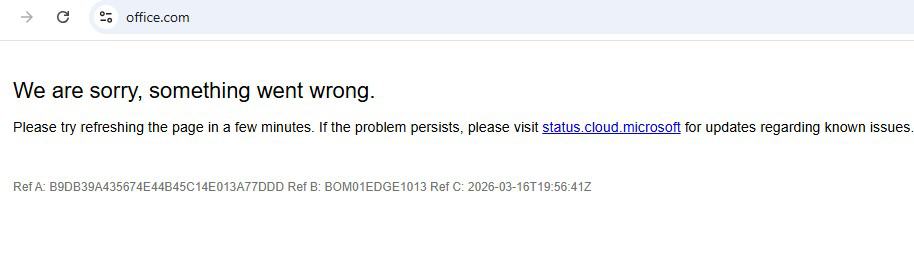
Microsoft recently stated that internal telemetry shows the system is recovering and the issue is no longer occurring for affected users. The ground reality looks different. While Microsoft claims it has fixed the issue, we are still facing problems accessing the Office.com website.
Attempting to load the portal currently results in an error message telling users something went wrong and asking them to refresh the page in a few minutes. This marks another instance of Microsoft 365 services going down, following similar Exchange Online outages that blocked email access in January and last November.
AI cloud provider Nebius has signed a major infrastructure agreement with Meta Platforms that could be worth up to $27 billion over five years. The deal highlights the growing demand for computing capacity as large tech companies scale up artificial intelligence systems. Under the agreement, the Amsterdam-based firm will supply dedicated AI computing infrastructure for Meta’s data center operations.
The contract includes guaranteed capacity and additional purchasing commitments that could significantly expand the partnership over time. The deal also reinforces Nebius’s role as one of the emerging “neocloud” providers focused on building infrastructure specifically designed for AI workloads.
The agreement centers on long-term AI computing capacity
The structure of the Nebius and Meta agreement includes a firm commitment and a potential expansion. Nebius will deliver about $12 billion in dedicated AI infrastructure capacity to Meta starting in early 2027. Meta also committed to purchasing up to $15 billion in additional compute capacity that Nebius plans to build for other customers over the same five year period. If that capacity is not sold elsewhere, Meta can acquire it, bringing the total contract value to roughly $27 billion.
The infrastructure will rely in part on NVIDIA’s upcoming Vera Rubin platform, one of the next generations of AI computing hardware designed for large-scale model training. For Meta, the agreement helps secure access to large volumes of AI processing power during a period when demand for GPUs and data center capacity remains tight across the industry. Notably, Meta signed a similar deal with AMD earlier this year.
For Nebius, the contract provides a long-term revenue stream and supports its plan to expand global AI data center capacity. The agreement builds on an earlier partnership between the two companies. Meta previously signed a smaller infrastructure deal with Nebius in 2025, making the new contract a significant expansion of that relationship.
Nebius’ shares rise after announcement
Investors reacted quickly to the news. Shares of Nebius climbed sharply following the announcement, rising around 13 to 15 percent in early trading as the scale of the agreement became clear. The jump reflects how investors view long-term infrastructure contracts in the AI sector. Securing a customer like Meta provides a predictable demand for the massive computing clusters Nebius plans to build in the coming years.
The deal also arrives shortly after a separate strategic investment from NVIDIA. It adds further momentum to Nebius’s push to expand its AI cloud business.
Microsoft recently released a firmware update for the 11th-generation Surface Pro, aiming directly at a series of troublesome touchscreen and stylus issues. Right now, the rollout of the March 2026 update specifically targets the Surface Pro 11 for Business. It brings fixes for pen and touch-related issues with the new Surface offering. It has arrived after the February 2026 update, which fixed VPN, Dolby Vision, and Teams shutdown errors.
The update resolves pen and touch-related issues
For anyone who relies on the Surface Slim Pen 2, this update addresses a few notable problems. The fix stops the pen from drawing while just hovering over the screen, and it corrects issues where the stylus loses tracking at lower pressure settings or delays writing after you press down.
The update also improves finger-touch accuracy and stops the screen from becoming unresponsive after the tablet wakes from sleep or sits idle.
It also improves usability with accessories
The patch includes a highly specific fix for people working in commercial or field environments across the USA. If you use the device lying flat on a table with a UAG Workflow Series Industrial-Grade Screen Protector, you might have noticed noticeably sluggish touch responses. Microsoft states this update eliminates that exact performance lag.
If you use the business edition of the Surface Pro 11 running Windows 11 version 24H2 or newer, you can download the update right now through standard Windows settings. Alternatively, it is available as a 923MB manual download on the official Surface Support site.
Microsoft confirmed there are no known bugs tied to this new firmware release, though it is always smart to back up your data before installing permanent system updates.
OpenAI is reportedly in talks with TPG, Advent International, Bain Capital, and Brookfield Asset Management to create a joint venture that would distribute its enterprise AI tools across the firms’ portfolio companies, according to an exclusive report by Reuters.
OpenAI and Anthropic reportedly seeking backing from Private Equity (PE) giants
Per the report, the proposed pre-money valuation of the venture is reportedly around $10 billion. However, the final decision hasn’t been made yet. If accurate, the deal would see the PE investors commit roughly $4 billion, with TPG acting as the anchor investor. Advent, Bain, and Brookfield would join as co-founders and secure board seats. People familiar with the discussions reportedly say that the arrangement would give these firms early access to OpenAI’s enterprise products and influence over their deployment across corporate portfolios.
It’s not just OpenAI; Anthropic is also courting private equity, as these firms control enterprise budgets and can accelerate corporate adoption. The AI company, which has been in the headlines recently due to its conflict with the Pentagon, is reportedly talking with Blackstone, Permira, and Hellman & Friedman for a joint venture focused on its Claude AI, with around $1 billion in potential equity involvement. One source noted Anthropic is offering common equity, while OpenAI’s venture would provide preferred equity, giving investors priority returns and downside protection.
The deals come at a time when the AI business is seeing an upward trend. OpenAI’s enterprise revenue reportedly stands at $10 billion out of $25 billion in total annualized revenue, while Anthropic has seen strong adoption among corporate clients. Although OpenAI hasn’t shared many details about the ongoing talks, Fidji Simo, OpenAI’s Applications CEO, took to X (formerly Twitter) earlier today and sort of confirmed the news. Citing the Reuters report in her X post, Simo noted, “This news came out a little earlier than we planned; we’re excited to be building a deployment arm and will share more details soon.”
OpenAI’s Frontier platform expands enterprise AI push
OpenAI’s recently launched Frontier platform includes engineers with consulting firms like BCG, McKinsey, Accenture, and Capgemini to help companies integrate AI into core processes. Simo, in her statement, says, “We are launching a dedicated deployment arm tasked with embedding Forward Deployed Engineers deeply inside of enterprises. This project has been in the works with our investor and alliance partners since last December, and we are grateful for them and their partnership. We’re still early, but the speed of adoption is a clear signal of where this is headed. We’re excited to not just be building these technologies but also building many ways for companies to deploy them and get impact.”
The potential ventures hint at how AI is reshaping deal-making. Rapid technological shifts have unsettled valuations and made it harder for PE firms to underwrite software deals. That said, these alliances could become a model for blending capital, strategy, and AI adoption across multiple industries. Now that both OpenAI and Anthropic are racing toward public offerings, it will be interesting to see which company will convert these partnerships into lasting enterprise dominance.
The global memory shortage is expected to continue for several years as demand from AI infrastructure and cloud providers keeps rising. Industry forecasts now suggest the market may not stabilize until around 2028, when supply and demand are projected to reach balance again.
DRAM demand surges due to AI infrastructure
According to reporting from TechPowerUp citing South Korean media outlet Chosun Biz, memory manufacturers expect shortages to persist as hyperscalers and AI companies continue expanding data-center infrastructure.
Samsung Electronics reportedly believes demand for DRAM technologies, including HBM, DDR, and other high-performance memory, will peak over the next several quarters before gradually stabilizing later in the decade.
The current surge largely stems from massive investments in AI computing clusters and large-scale cloud platforms. Major cloud providers have been placing DRAM orders months in advance to secure supply, increasing pressure on memory manufacturers.
Memory makers expand production capacity
In response to the strong demand, leading memory producers such as Samsung, SK Hynix, and Micron Technology have been investing heavily in new manufacturing equipment and capacity expansion.
Part of this effort involves purchasing advanced lithography systems from ASML, which are required to produce next-generation memory technologies like HBM, DDR, and GDDR.
ASML expects to deliver 56 Low-NA EUV scanners by 2027 based on current industry demand forecasts. Around seven of those systems are expected to go to Samsung, while as many as twenty could be delivered to SK Hynix.
SK Hynix reportedly plans to install twenty Low-NA EUV machines over the next two years, with a particular focus on high-bandwidth memory and advanced storage technologies used in AI systems.
Companies remain cautious about overexpansion
Despite the strong demand for AI hardware, memory manufacturers are being careful not to expand too aggressively.
Building new semiconductor fabrication plants takes several years, and overexpansion could lead to excess production capacity if demand slows later in the decade.
For this reason, companies are expected to continue with their current expansion projects but avoid launching large new initiatives that could flood the market once demand stabilizes.
The benefits of ongoing investments will likely only appear after new production lines and fabs become fully operational in the coming years.
Shortage could affect consumer hardware prices
The ongoing shortage is also expected to impact consumer electronics markets. Limited memory supply could push laptop prices higher as manufacturers struggle to secure sufficient components.
Certain companies have already started adjusting prices. Framework, for example, recently raised prices for DDR5 memory modules, highlighting how supply pressures are beginning to affect the consumer market.
Google has removed its experimental AI search feature called “What People Suggest,” according to reporting from The Guardian. The tool previously surfaced health advice and experiences shared by people in online discussions.
AI Tool Aggregated Health Experiences From Online Discussions
The feature used artificial intelligence to aggregate crowdsourced insights from users who discussed similar medical conditions on forums and other online platforms. It aimed to help people researching health topics see how others with similar experiences managed symptoms or treatments.
For example, someone searching for information about a specific medical condition could view advice or personal experiences shared by other patients. The results also included links to the original discussions so users could review the full context.
Google previously described the experiment as an example of “the potential of AI to transform health outcomes globally.” The feature initially launched on mobile devices in the United States as part of Google’s ongoing efforts to integrate generative AI into search results.
Google Says Removal Is Part of Search Simplification
However, people familiar with the decision say the company has now quietly discontinued the feature. A Google spokesperson confirmed its removal, explaining that the change was part of a broader effort to simplify the search results page.
According to Google, the decision was not related to safety or quality issues.
AI Health Information Under Growing Scrutiny
The removal comes as AI-generated health information faces increasing scrutiny. Earlier reports showed that AI Overviews in Google Search sometimes produced misleading or potentially harmful medical advice.
AI Overviews currently appear in search results for roughly two billion users every month. Following criticism from researchers and medical professionals, Google removed AI Overviews for some medical queries, though they still appear for many others.
Google Continues Expanding AI Healthcare Efforts
Despite discontinuing the “What People Suggest” feature, Google says it remains focused on developing AI tools that deliver reliable health information from multiple sources.
The company is expected to present new AI healthcare initiatives at its upcoming “The Check Up” event.
Capcom’s latest entry in the long-running horror franchise, Resident Evil Requiem, is off to a flying start. The game launched on February 27 across Xbox Series X|S, PS5, Nintendo Switch 2, and PC. Recently, the studio confirmed that Resident Evil Requiem hit the milestone of five million units sold in mere six days. Well, the horror title has shattered yet another sales milestone, this time hitting six million units sold.
Resident Evil Requiem hits the milestone of 6 million units sold
Capcom has now confirmed that “Requiem” is by far the fastest-selling entry in the Resident Evil franchise. In the official announcement, the company has also said that, “Going forward, Capcom plans to implement several measures, such as ongoing support and additional game content, so players can continue to enjoy the title longer.”
For those unaware, Resident Evil Requiem is the latest (eighth mainline) installment in the Resident Evil series, “which offers photorealistic visuals and a deep sense of immersion.” Capcom says that you can enjoy the “elevated essence of the survival horror experience through the interplay between intense fear and exhilarating action, made possible by two protagonists.”
Seeing all the milestones, you must be wondering how positive players’ reactions to the game are, right? Well, over on Steam, the game has grabbed the ‘Overwhelmingly Positive’ tag.
The studio also confirms the Resident Evil series’ 30th Anniversary celebration
Let’s not forget that the Resident Evil series will mark its 30th anniversary on March 22, 2026. And in order to celebrate the occasion, Capcom is also planning several fan-focused events, including a collab with Universal Studios Japan linked to Resident Evil Requiem, as well as orchestral concerts across Japan, the US, and Europe.
Capcom has also promised that it is “firmly committed” to satisfying users’ expectations by using its industry-leading game development capabilities in order to create highly entertaining gameplay experiences.
AMD may be preparing another update to its FidelityFX Super Resolution technology after a new file was spotted on the company’s public download infrastructure.
According to VideoCardz, Reddit users discovered a new version of the amdxcffx64.dll file hosted on AMD’s servers. The file reportedly carries version 2.2.0.1328, which appears to be newer than a previously leaked build numbered 2.1.0.968.
The discovery suggests that AMD is actively updating internal components related to its upscaling technology, although the company has not officially announced a new release.
Updated files appear on AMD servers
AMD’s download infrastructure shows recent activity around the DLL file, indicating that the component may have been updated around March 11, 2026.
Reports claim that the directory listing currently contains two versions of the file, one dated March 2 and sized at 13.8 MB, and another dated March 12 with a larger size of 16.8 MB.
The presence of a larger and newer build suggests that AMD may be continuing development work behind the scenes, but it does not confirm that a public release is imminent.
AMD has not released any official documentation, changelogs, or release notes indicating that a new version of FSR is ready for launch.
Current drivers and FSR preview support
At the moment, the latest recommended driver for the Radeon RX 9070 XT remains Adrenalin 26.2.2, which was released on February 26, 2026.
AMD previously introduced FSR “Redstone” support with the Adrenalin 25.12.1 driver, bringing early access to the next generation of the technology through a technical preview.
The current FSR 4 Technical Preview supports GPUs such as Radeon RX 9070, Radeon RX 9070 XT, and Radeon RX 9060 XT.
However, the technology currently works in only a single game, which has limited its visibility and wider adoption so far.
Crimson Desert may showcase future FSR improvements
One upcoming title that could highlight the next version of FSR is Crimson Desert, which is scheduled to launch on March 19, 2026.
Developer Pearl Abyss confirmed that the PC version of the game will support FSR 3, FSR 4, and AMD’s Ray Regeneration technology.
AMD is already highlighting Crimson Desert on its featured games page, suggesting the title could play an important role in showcasing its latest graphics technologies. Developers have also recently shared the game’s system requirements and performance specifications, so make sure that you can run the game.
Xbox One has reportedly been hacked for the first time, more than a decade after Microsoft officially released the console. That also ends a long stretch during which Microsoft’s console ecosystem remained largely untouched by modders and security researchers.
Xbox One has reportedly been hacked for the first time
Since launching in November 2013, the Xbox One has built a reputation for unusually strong security. For years, the console only allowed officially signed games and backward-compatible titles to run, something Microsoft once described as one of the most secure platforms it had ever launched.
That changed over the weekend when security researcher Markus ‘Doom’ Gaasedelen detailed a new exploit during a presentation at RE//verse Orlando 2026 (embedded below).
“In 2013 some kind of iron curtain came down on security of the Xbox ecosystem,” Gaasedelen said during the talk, noting that the console had remained unhacked for years despite attempts by researchers. The method he used to hack Xbox One, called the Bliss hack, reportedly uses a technique known as voltage glitching.
Rather than modifying reset pins, which is a method once used to hack the Xbox 360, the exploit targets a momentary collapse in the CPU’s voltage rail. Gaasedelen says that he was able to trigger the exploit and run unsigned code on the console. According to the researcher, the vulnerability is effectively unpatchable because it occurs at a hardware level.
If that’s accurate, this could allow users to run homebrew software, alter the system interface, or even install pirated games. However, the exploit appears extremely difficult to execute. Some estimates suggest the success rate may be as low as one in a million attempts (via Tech SK).
Speaking of the Xbox console, let’s not forget that over thirty games are launching on Xbox Series X|S, Xbox One, and PC. You can check the list and release date in our dedicated article.
Before social media and algorithm-driven search pages, the customizable homepage was the norm. It was all about organizing bookmarks, news, and other web services to your liking.
Classics like Netvibes, iGoogle, and MyYahoo now feel like digital fossils. Yet the appeal of a single, organized starting point hasn’t disappeared.
Today, we take a closer look at the current generation of customizable homepage tools.
10 Best Customizable Homepage Tools
The following 10 tools give you more control over how you start your browsing sessions, but each stands out in its own way:
Providing a stable and trustworthy starting point for everyday browsing, the Kadaza homepage strikes the perfect balance between simplicity and personalization.
You don’t need any plugins, apps, or even an account to get started. Just set Kadaza.com as your browser’s homepage or you can find all international versions of Kadaza here. Then you can customize the theme and favorite websites right away. It remembers everything with an anonymous cookie.
Its modern web directory organizes popular sites into categories such as news, social media, shopping, and entertainment. The visual layout makes it easy to scan the homepage and quickly jump to the sites you visit most often.
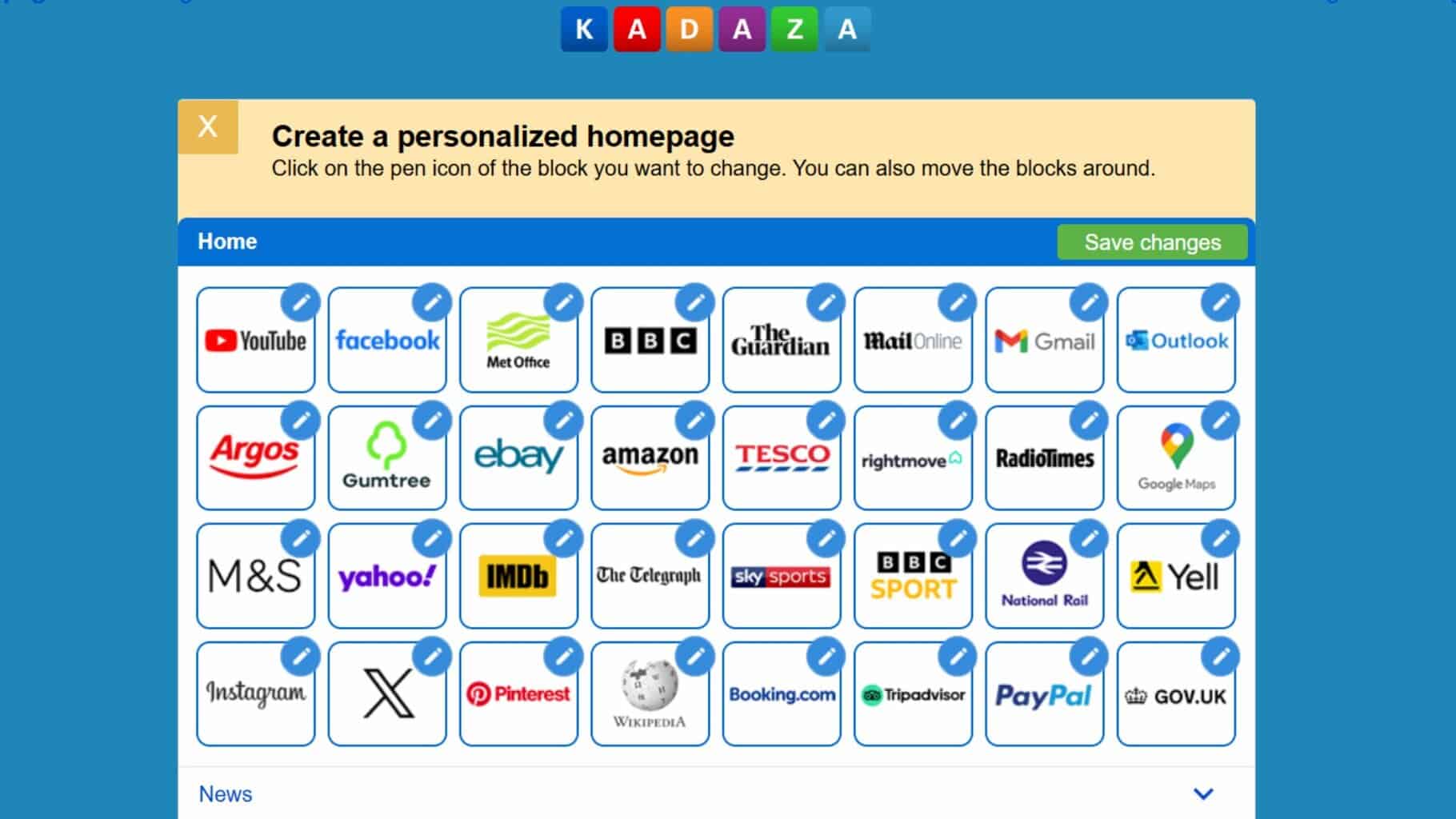
Browse the comprehensive pre-organized directory or edit the 32 tiles at the top of the page with your personal favorite links to make it your own.
It also features a customizable search bar at the top of the page, including Google (web, maps, and translate), Bing, Yahoo, Startpage, Wikipedia, and YouTube.
Kadaza’s themes are simple but stylish, offering a good selection of colors, patterns, and images.
There are also two layouts, with categories in a list or in a sidebar. Both are optimized for desktop and mobile, but you can also use the Android app or browser extensions.
Ultimately, if you were once a user of iGoogle, Netvibes, or MyYahoo, Kadaza is a modern throwback that cannot be ignored.
Symbaloo is a start page and visual bookmarking tool for organizing your favorite websites, apps, and online resources in one place. Instead of traditional bookmark lists, it uses a grid of colorful tiles, each representing a link to a website or tool. This approach makes it easy to quickly access frequently used sites without searching or navigating through menus.
Symbaloo has become particularly popular with educators because of its visual “webmix” system. A webmix is a grid of tiles that link to websites, videos, documents, or tools.
Teachers can create webmixes for specific subjects or lessons and give students one central page containing everything they need. This saves time in class because students don’t have to search for websites or type long URLs.
Symbaloo also supports sharing and discovery, allowing you to explore webmixes created by others. This can be particularly useful for researchers or anyone looking to discover curated collections of useful websites.
Other notable features include cloud syncing, which keeps your webmixes available across devices, and a built-in search bar for quick web searches.
It is common to set a personal webmix as your homepage, but it also offers mobile apps for iOS and Android for easier management of multiple webmixes. Its browser extensions quickly add new websites as tiles, open your webmix directly from the browser, and save pages to your dashboard while browsing.
Start.me is a highly customizable start page that lets you organize everything into a single dashboard. The platform uses a widget-based layout with different blocks for bookmarks, feeds, notes, to-do lists, weather, and other tools.
These widgets can be rearranged and grouped into columns, making it easy to create a dashboard tailored to work, research, or everyday browsing.
One of Start.me’s standout features is its advanced bookmark management. You can organize links into folders, add icons or notes, and even highlight priority bookmarks. The platform also supports multiple pages, so you can create separate dashboards for different purposes such as work, news, or hobbies.
Start.me also offers cloud syncing, meaning your pages are accessible from any device after logging in. Pages can be shared publicly or privately, which makes the service useful for teams, educators, or anyone who wants to curate collections of resources.
Alongside the start page, its browser extension for Chrome and Edge replaces your browser’s new tab page with your Start.me dashboard. The extension lets you save bookmarks while browsing, save open tabs into Start.me, and import existing browser bookmarks.
Overall, Start.me is excellent for organizing your browsing. It effectively combines the simplicity of a start page with the flexibility of a productivity dashboard.
Protopage is a free customizable homepage that doubles as a powerful RSS feed reader. Originally launched in 2005, the service lets you build a personal dashboard where news feeds, bookmarks, notes, and widgets can all be organized in one place.
Feeds are displayed as desktop-style widgets that can be dragged, resized, and arranged anywhere on the page. You can subscribe to news feeds from almost any website and view headlines, summaries, or even thumbnails directly within the widget.
Multiple feeds can also be grouped together, and Protopage uses color-coded tabs. This lets you organize feeds by category such as news, technology, or blogs. It makes it easy to scan dozens of sources at once without opening separate pages.
Beyond RSS, Protopage includes widgets for bookmarks, sticky notes, to-do lists, and other small tools, turning the page into a customizable online dashboard.
It also allows a surprising amount of visual customization through color schemes and wallpapers.
Overall, Protopage is especially appealing to heavy RSS users who want a visual, customizable feed reader that doubles as a homepage. While it lacks some modern polish, its widget-based approach remains one of the most flexible ways to monitor multiple RSS feeds at a glance.
MSN is one of the longest-running web portals and remains a surprisingly capable option for users who want a personalized homepage focused on news and daily information.
It’s the natural choice for Windows users as it’s already set as the default homepage for the Edge browser.
Rather than acting as a bookmark dashboard, MSN works more like a content-driven start page. It combines headlines, widgets, and quick links into a single customizable feed.
The platform’s biggest strength is its news aggregation. MSN curates stories from a wide range of publishers and presents them in a clean, magazine-style layout. You can personalize the feed by selecting topics such as technology, finance, sports, or entertainment, allowing the homepage to fit your interests.
Beyond news, MSN includes a number of useful homepage widgets, including weather forecasts, stock market updates, sports scores, and trending videos. On Windows, it integrates quick access to services like Outlook email, Microsoft accounts, and search via Bing.
Customization options are relatively simple compared with dedicated dashboard tools, but they are easy to use. You can rearrange sections, follow topics, and tailor your news feed without needing to manage widgets or complex layouts.
Ultimately, MSN works best as a news-focused personalized homepage, offering a steady stream of headlines and daily updates in a polished, easy-to-browse format.
Tabliss is a minimalist new-tab browser extension designed to replace the standard blank page with a clean, visually appealing dashboard. It prioritizes simplicity and aesthetic appeal, making it ideal for users who want a calm, distraction-free start to their browsing.
The core feature of Tabliss is its rotating high-quality background images. These can be sourced from built-in collections or your own photos. You can overlay custom widgets, such as clocks, weather forecasts, quotes, and quick links, giving just enough functionality without cluttering the page.
The extension is highly configurable, allowing adjustments to font styles, colors, and widget placement. This makes your new tab page feel personalized without the complexity of a full dashboard.
It also supports lightweight productivity features, such as bookmarking favorite pages for quick access, though it does not attempt to aggregate RSS feeds or news in the same way as Symbaloo or Protopage.
You might choose Tabliss over a traditional personalized homepage if your goal is visual simplicity, minimal distractions, and a focus-oriented browsing environment. It’s particularly well-suited for users who open new tabs frequently and want a pleasant, calm, and lightly functional start page, rather than a busy, content-heavy dashboard.
Momentum is a browser extension that transforms the standard new tab page into a focus-driven dashboard, blending simplicity with productivity tools. It centers on goal setting, motivation, and visual calm to help you start your browsing sessions intentionally.
The free version includes features such as:
Daily focus – a customizable main goal or task to guide your day
Inspirational quotes and photos – rotating backgrounds that create a visually pleasing environment
Quick links – access your most-used websites
Weather and time widgets – at-a-glance contextual information
The premium version adds enhanced productivity features. You can create multiple focus lists, track tasks across days, and integrate with task managers. I.e., Todoist, Trello, and Google Tasks. Premium also offers custom background galleries, additional widgets, and the ability to hide elements for distraction-free focus, making it more suitable for intensive workflow management.
The main benefit of Momentum is that it turns every new tab into a moment of reflection and planning. It encourages you to focus on meaningful tasks rather than getting lost in browsing.
Its combination of aesthetics, goal-setting, and lightweight productivity tools makes it ideal for anyone who wants a motivated, intentional start to their online sessions without the clutter of full-featured dashboards.
MeaVana is another powerful browser extension with a strong focus on custom widgets and customization. It replaces the blank new tab with a canvas of tools and information tailored to how you work and browse.
You can add weather updates, notes, to‑do lists, bookmarks, clocks, and timers, arranging them to suit their workflow. Opening a new tab no longer means a blank page or search bar; instead, you see your preferred widgets ready for action, helping you stay organized and productive.
MeaVana also enhances the visual experience with millions of wallpaper options and daily inspirational quotes. Its multi‑search bar lets you query multiple search engines and sites from one page.
Beyond widgets, features such as a side panel provide quick access to tools and apps without leaving your current tab. Its built‑in AI tools can assist with summaries and writing tasks, all processed locally for privacy.
MyStart is a browser‑based start page experience offering a visually rich, customizable dashboard. It uses high‑definition wallpapers featuring nature, animals, and travel scenes, and a variety of built‑in widgets.
These include a to‑do list, quick access to your most visited sites, bookmarks and apps, live weather information, date and time display, and even extras like music and casual games right on the homepage.
I particularly like its notepad widget, that lets you quickly jot down notes directly on the homepage or new tab without needing a separate app.
Another nice touch is the ability to play chillout music in-browser, to keep you in a calm and focused mindset.
Panda is a custom homepage available directly on the web or as a Chrome-based extension. It focuses on bookmarks, favorite sites, and news aggregation, as well as more advanced widgets.
It is designed for productivity, offering a clean, distraction-free interface with themed layouts, which you can customize to your liking. You can also group links into categories and sync everything across devices.
Instead of going the nostalgic route, Panda can also display an algorithm-driven feed called discovery and inspiration. This intelligently suggests articles, trending content, and topics you might find interesting.
If you want a good balance between traditional and modern start pages, Panda is definitely worth considering.
Conclusion
Whether you want a simple chaos-free homepage or a more modern productivity dashboard, the above 10 tools offer something for everyone.
Kadaza is our pick for best all-rounder, offering customization and curated links, without the clutter. However, you might pick Symbaloo to manage multiple dashboards or Protopage to focus on RSS feeds.
What’s your favorite customizable homepage tool? Let us know in the comments below!
Clair Obscur: Expedition 33 had a remarkable year in 2025, becoming one of the most successful AA games released during that period. The title earned widespread praise from critics and players, helping it secure hundreds of industry awards.
Despite that outcome, developer Sandfall Interactive is already thinking about the future of the franchise.
Sandfall hints at the future of the franchise
According to Insider Gaming, the studio discussed the future of Clair Obscur: Expedition 33 during an interview at the Game Developers Conference.
Lead writer Jennifer Svedberg-Yen was asked about what might come next for the series. While she declined to reveal specific details, the studio confirmed that ideas for the future of the franchise already exist.
Sandfall did not confirm whether those plans involve a sequel, additional content, or other projects related to the Clair Obscur universe.
Record-breaking awards success in 2025
Although the game missed out on awards at the Famitsu event, Clair Obscur: Expedition 33 previously achieved a major milestone in the industry.
These awards included both fan-voted and editorial selections, showing strong support from players as well as critics.
The game is frequently referenced as a standout example of what studios can accomplish with a well-managed AA development budget while still delivering a premium experience.
In separate news, CD Projekt Red recently confirmed that it currently has no plans to release additional DLC or expansions for Cyberpunk 2077, marking the end of post-launch content for the RPG.
In the early days of the web, personalized homepages were a common sight on desktops. It was where you could organize everything from your RSS news feeds and bookmarks to weather updates and email previews.
However, with the rise of the search-engine-first approach, smartphones, and social media, these customizable start pages gradually faded from the mainstream. Netvibes, iGoogle, and even MyYahoo are now relics of the past.
Instead of carefully curating our own dashboards, most of us now rely on search engines, algorithmic feeds, or mobile apps to guide our daily browsing.
In 2026, it’s time to run it back, and Kadaza is here to help!
If like me, you’re tired of being spoon-fed the news some algorithm decided or want to bypass the chaos of social feeds, Kadaza puts you back in the driver’s seat.
What is Kadaza?
Kadaza was launched against the grain in 2008 and is a modern take on the classic personalized homepage. It offers a return to simpler, more intentional browsing habits. You can organize your favorite websites, reduce distractions, and take back a bit of control over how you start your time online.
While it has an Android app and extensions for Firefox, Chrome and Edge, users can also simply set their homepage manually on any browser to Kadaza.com or one of the international versions of Kadaza.
You are then free to use its multi-search bar, directory of sites, or customize it to your liking.
Let’s take a closer look at its features:
Comprehensive Web Directory
By default, Kadaza already offers a comprehensive and well-organized directory of sites and web services, covering all common browsing activity. This includes categories for news, email, social media, AI chat, shopping, games, and much more.
The sites are carefully selected and organized to make navigation simple and intuitive. It doesn’t have endless scrolling or suggestions that steal your time.
The categories allow you to discover popular sites quickly, without searching for them individually. In practice, this means it acts as both a homepage and an overall internet guide. What’s more, there are no intrusive ads or algorithms forcing content onto you.
Multi-Search Bar
At the top of the page, Kadaza includes a search box that aggregates multiple search engines that you can choose from the dropdown. This includes Google (web, maps, and translate), Bing, Yahoo, Startpage, Wikipedia, and YouTube.
You can also choose between the available search engines to appear at the top.
This makes it easy to switch between search functions without opening separate websites, turning the homepage into a central hub for your searches.
Personalization
Of course, the most important feature is personalization. What immediately strikes me about Kadaza is you do not need to register an account. Imagine that, in 2026, a service where you don’t have to sign over all your personal info!
Instead, settings are stored locally in the browser, typically through anonymous cookies and a saved personal URL, which keeps the experience simple and private.
Personalization falls under two areas: Custom homepage tiles and themes.
Themes:
Themes change the visual appearance of your homepage by applying photo-based background images, color themes, or pattern designs.
These backgrounds are available across several categories such as nature, cities, and animals, and helps create a more personal browsing environment, something many modern browser start pages lack.
Personal Favorites:
Under the search bar, Kadaza presents favorite site links as large visual tiles arranged in a grid of 32. By clicking the edit button, you can add your personal favorites and organize them however you want.
If the site isn’t already in its large directory, you can add it to your personal database.
Next, simply drag-and-drop tiles, rearranging them to prioritize the sites you visit most often. This makes it function like a visual bookmark manager, where everything important is visible at a glance.
If you miss the old “start page” style of browsing, this feature alone is a big draw. It also makes browsing feel faster and more intentional compared to modern algorithm-driven feeds.
Mobile and Tablet Compatibility
Android users can opt for the app version, but Kadaza is well optimized for tablets and mobile devices. The interface adapts to smaller screens so users can access their homepage and favorite sites from any device.
You can also choose between two layouts; one with categories in a menu on the left, loading in the center, or the classic view with all the categories in a list in the center, loading below each other.
International Versions
Kadaza isn’t just a single website, it’s actually a network of localized homepages for different countries.
In fact, the service is available in nearly 60 different country versions, each designed with local users in mind.
For example, the Italian version of Kadaza is fully localized, with its own language and a curated selection of websites tailored specifically for Italian users.
Behind the scenes is an international network of volunteers and contributors who help maintain and update website categories around the world. They assist with translations, suggest new websites and help keep the platform up to date.
Kadaza Review – Verdict
To conclude this Kadaza review, the site provides something that I’ve personally needed for a long time but didn’t realize it. A calmer, more organized way of beginning a browsing session.
Almost all of the standard routes now try to catch our attention and keep us engaged at all costs, rather than aiding productivity and giving us the freedom to browse with intent.
Of course, you might immediately jump to social media after starting on Kadaza, but even just a one-page buffer can be enough to change your outlook.
Kadaza is completely free, so give it a try and I’m certain you’ll find the same nostalgic charm as me.
Are personalized homepages back? Let us know if you’re using Kadaza or similar tools in the comments below!
Cyberpunk 2077 landed on Xbox Game Pass last week, following a tease by Microsoft over on X. However, if you have been looking for further expansions for Cyberpunk 2077, the studio behind the game confirmed something that wouldn’t please you.
Cyberpunk 2077 won’t get any extra DLCs or expansions, CD Projekt Red Confirms
When a fan asked about future DLC plans for Cyberpunk 2077, the official account for the studio said there are currently no plans to add more downloadable content or expansions to the game. That response may disappoint some players who hoped Night City would receive additional story content following the success of the Cyberpunk 2077: Phantom Liberty expansion.
“We have no plans for additional DLCs or expansions. If anything changes, we will inform you all!” the account said in a brief statement on X.
The comment is in line with CD Projekt Red’s previous stance about post-launch content. The studio is reportedly prioritizing new projects rather than focusing on Cyberpunk 2077 DLCs.
That being said, the Cyberpunk universe is far from finished. As previously reported, the developer is already working on a sequel to Cyberpunk 2077, though details remain limited and the project is still believed to be years away from release. Late last year, the game director also revealed what fans can expect from the opening hours of the sequel.
With no further DLC planned, Night City’s current storyline appears complete, at least until the sequel eventually arrives.
Microsoft is preparing the next batch of titles for Xbox Game Pass, and the first games confirmed for the April 2026 lineup have already been revealed.
We already know that more than 30 new games are arriving on Xbox this week, and attention is now turning to which titles will join the Game Pass catalog next. While additional announcements are expected in the coming weeks, two upcoming titles are currently scheduled to join the service.
Replaced arrives on April 14
As Pure Xbox writes, the first confirmed title is Replaced, which launches on April 14, 2026. The game is a cinematic 2.5D platformer set in an alternate version of 1980s America following a nuclear catastrophe.
Players take control of R.E.A.C.H., an artificial intelligence trapped inside a human body. As the story unfolds, players uncover the secrets of the powerful Phoenix Corporation in a cyberpunk-inspired narrative.
The game combines pixel art visuals with modern lighting effects and focuses heavily on atmosphere and storytelling. Replaced will be available through Xbox Game Pass on console, PC, and cloud.
Aphelion joins Game Pass later in April
Another confirmed addition is Aphelion, which is scheduled to arrive on April 28, 2026. The game follows astronaut Ariane, who becomes stranded on a frozen alien world while attempting to rescue her injured partner.
Players must explore the harsh planet, navigate dangerous terrain, and avoid threats while searching for a way to survive and complete the rescue mission. The game blends exploration, traversal mechanics, stealth elements, and narrative-driven science fiction gameplay.
Aphelion will launch on Xbox Series X|S, PC, and cloud through Xbox Game Pass.
Kiln could also appear in the April lineup
Another possible addition is Kiln, a title currently scheduled for release in Spring 2026. Although the game does not yet have a confirmed release date, an April launch would make it a potential candidate for the Game Pass lineup.
Microsoft typically announces additional Game Pass titles in waves throughout the month, meaning more games are likely to be revealed soon.
Xbox expands other services as well
Alongside the upcoming Game Pass titles, Microsoft continues expanding other Xbox ecosystem features. The recently updated Stream Your Own Game feature added 45 more titles that players can stream through Xbox Cloud Gaming without installing them locally.
Microsoft has also introduced new Xbox Store policies designed to prevent developers from publishing low-effort bundle spam, a practice that has previously cluttered the storefront with duplicate or heavily recycled content.
These changes come as Microsoft continues refining the Xbox ecosystem and preparing the next wave of Game Pass releases for April.
Microsoft has already added some blockbuster games like Cyberpunk 2077 and others for Xbox Game Pass subscribers as part of the March 2026 Wave 1 lineup. If you own Xbox consoles, this week is going to be packed, as more than 30 titles are scheduled to land across consoles and PC. These releases cover a mix of small indie puzzle games and big releases.
More than 30 titles are coming to Xbox this week, including five that land today
Although this week’s lineup reportedly lacks a major day-one addition to Xbox Game Pass, the lineup still includes some worthy games that you can look forward to. Among the most notable additions are MLB The Show 26, Crimson Desert, and the retro-inspired shooter Starship Troopers: Ultimate Bug War.
Here’s a quick rundown of all the games coming to Xbox this week, alongside their release dates and platforms:
Release Date
Game
Platforms
March 16
Grind Survivors
Xbox Series X|S
March 16
Royal Revolt Survivors
Xbox Series X|S
March 16
Space Kitten
Xbox Series X|S, Xbox One, Windows
March 16
Starship Troopers: Ultimate Bug War
Xbox Series X|S
March 16
The Wellmonts Case
Xbox Series X|S, Windows
March 17
Dread Delusion
Xbox Series X|S, Xbox One
March 17
Emotionless: The Last Ticket
Xbox Series X|S
March 17
Legends Aligned: Land of Order
Xbox Series X|S
March 17
MLB The Show 26
Xbox Series X|S
March 17
Thomas & Friends: Wonders of Sodor
Xbox Series X|S, Xbox One, Windows
March 18
Beautiful Sakura: Volleyball Club 2
Xbox Series X|S, Xbox One, Windows
March 18
Defending Camelot
Xbox Series X|S, Xbox One, Windows
March 18
Dinosaurs Bodycam
Xbox Series X|S, Windows
March 18
Party Club
Xbox Series X|S, Xbox One
March 19
Basketball Classics
Xbox Series X|S, Xbox One, Windows
March 19
Coffee Plis Special Edition
Xbox Series X|S, Xbox One
March 19
Crimson Desert
Xbox Series X|S
March 19
Dragonkin: The Banished
Xbox Series X|S
March 19
No-Skin
Xbox Series X|S, Xbox One, Windows
March 19
Panda Keeper
Xbox Series X|S, Xbox One, Windows
March 19
Realpolitiks II
Xbox Series X|S
March 19
The Coin Game
Xbox Series X|S
March 19
Voidwrought
Xbox Series X|S, Windows
March 20
Battle Puzzle 2048 – Maidens of Steel
Xbox Series X|S
March 20
Cowboy Kart
Xbox Series X|S, Xbox One, Windows
March 20
Hoof and Seek
Xbox Series X|S, Xbox One, Windows
March 20
Kuky Adventure
Xbox Series X|S, Xbox One, Windows
March 20
Machine Gun Fury
Xbox Series X|S, Xbox One, Windows
March 20
Moto Rush Reborn
Xbox Series X|S, Xbox One
March 20
Only Up Rush
Xbox Series X|S, Windows
March 20
Unmourned
Xbox Series X|S, Xbox One, Windows
March 20
Word Quest Space
Xbox Series X|S, Xbox One
March 20
Xray Customs
Xbox Series X|S, Xbox One, Windows
Which of these games are you most excited to play on your Xbox console? Don’t forget to share your favorites in the comments section below.
Microsoft continues expanding the capabilities of Xbox Game Pass, and the company has now released the second March 2026 update for the Stream Your Own Game feature on Xbox Cloud Gaming.
According to True Achievements, the update adds 45 additional games that players can stream directly from the cloud without installing them locally. According to TrueAchievements, the feature is gradually growing as Microsoft expands its cloud gaming ecosystem across multiple devices.
Stream your own games without installing them
Stream Your Own Game allows players to stream titles they already own rather than downloading them to their console or PC. This means users can launch games instantly through Xbox Cloud Gaming.
The feature works across a variety of devices, including Xbox consoles, Windows PCs, mobile phones, and handheld devices such as the Xbox Ally. It is available to subscribers with Xbox Game Pass Ultimate, Premium, or Essential memberships.
Major games included in the latest update
Some of the most notable additions in the latest batch include John Carpenter’s Toxic Commando, WWE 2K26, Legacy of Kain: Defiance Remastered, GreedFall: The Dying World, and survival title The Long Dark. Other additions include indie titles like Minishoot’ Adventures and Planet of Lana II: Children of the Leaf.
Microsoft has been steadily expanding the streaming catalog since launching the feature, enabling players to access more of their owned games through the cloud without relying on local storage.
Full list of new Stream Your Own Game titles (March 2026 update)
7th Domain: Tree of Chaos
Abathor
Agatha Christie – Death on the Nile
Amazing Maze
BlazBlue: Cross Tag Battle Special Edition
Candivity
Car Mechanic Shop Simulator
City Hunter
Coloring Book
Cuisineer
Cup Heroes
Dark Light
Diamond Painting ASMR
Docked
Fight For America
Formula Legends
GreedFall: The Dying World
Greedland
Green Hell (Xbox One)
John Carpenter’s Toxic Commando
Kingdom Rush Origins
Legacy of Kain: Defiance Remastered
Let Them Come: Onslaught
Marathon
Meow Moments: Celebrating Beats & Books
Metal: Hellsinger (Xbox One)
Metal: Hellsinger
Minishoot’ Adventures
Monster Hunter Stories 3: Twisted Reflection
Monster Survivors
Oddsparks: An Automation Adventure
Planet of Lana II: Children of the Leaf
Puzzle Galaxy Xbox Edition
Road 96: Mile 0
Snake.io
Suzerain
Sword and Fairy: Together Forever
Thank Goodness You’re Here!
The Anacrusis
The Knight Witch
The Long Dark
Trinity Fusion
Wingspan
WWE 2K26
Wylde Flowers
More streaming titles coming to Xbox Cloud Gaming
Microsoft typically adds new titles to the Stream Your Own Game library each month as more games receive support for Xbox Cloud Gaming.
It’s been over a month since OpenAI has been rolling out ads for US users enrolled in the Go tier and Free plan. Soon after OpenAI announced its ad rollout plan, Anthropic took a jab at the company with its Super Bowl ad, which OpenAI’s CEO later dismissed, saying the campaign was “dishonest.”
Now, some users on Reddit have shown concerns after a Redditor, citing OpenAI’s privacy policy, claimed that the company is thinking of expanding ads to India, too. After Bleeping Computer spotted the post, it reached out to OpenAI for clarification. In response, OpenAI told the news outlet that ChatGPT ads are not expanding globally yet.
The company has further confirmed that its ad testing inside ChatGPT is only rolling out in the U.S. and doesn’t have anything to share with the news outlet about global expansion. For those unaware, ChatGPT ads are personalized around user queries. This very fact had users worried that it might influence their buying decisions. However, OpenAI maintains that ads do not affect how the AI generates responses.
Ads do not influence ChatGPT’s answers. Ads run on separate systems from our chat model, and advertisers have no ability to shape, rank, or alter ChatGPT’s responses. Ads are separate and clearly labeled. Ads are paid placements, and seeing an ad doesn’t mean OpenAI endorses or recommends the advertiser or its products or services.
Perplexity reportedly pulls back on ads
In view of users’ disinterest in ads, Perplexity has reportedly started phasing out ads introduced in 2024. The company is reportedly also not pursuing new ad deals for now. Internally, executives have acknowledged that advertising can make users “doubt everything,” something it can’t afford at a time when the AI race is intensifying more than ever.
The FBI has launched an investigation into malware-infected games that were distributed through the popular PC gaming platform Steam.
The investigation is being handled by the Federal Bureau of Investigation’s Seattle Division and focuses on several games that allegedly spread malicious software to users who downloaded them.
Malware Allegedly Distributed Through Multiple Steam Games
According to reporting from Glitched, authorities are examining several titles that were allegedly used to distribute malware through the Steam storefront.
The games being investigated include BlockBlasters, Chemia, Dashverse (also known as DashFPS), Lampy, Lunara, PirateFi, and Tokenova.
Valve has already flagged or removed many of these titles from the platform. However, reports suggest that similar games have continued appearing on the store under different names.
Investigators believe the attacks may be connected to a single threat actor or group, indicating the possibility of a coordinated campaign targeting Steam users.
FBI Requests Information From Affected Players
The FBI is asking anyone who downloaded the affected games between May 2024 and January 2026 to submit information through a form available on the agency’s website.
Authorities say that any victim information provided through the form will remain confidential.
The collected data will help investigators determine how the malware spread and identify those responsible for distributing the infected titles.
Streamer Incident Brought Attention to the Issue
One widely reported case involved streamer RastalandTV, who reportedly lost more than $32,000 after downloading the game BlockBlasters.
The streamer was reportedly battling stage-4 cancer at the time of the incident, which prompted a wave of community support as viewers attempted to help recover the stolen funds.
The case quickly gained attention online and helped bring the issue of malware-infected games on Steam into the spotlight.
Steam Moderation Under Scrutiny Again
The situation has renewed criticism of Steam’s moderation and review process.
Some critics argue that the platform should conduct stricter checks before allowing games to appear on the storefront.
Steam has previously faced complaints about the presence of shovelware and low-effort titles, which some believe can make it easier for malicious software to slip through the platform’s review process.
Investigation Continues
The FBI investigation remains ongoing as authorities attempt to identify the individuals or groups responsible for distributing the malware.
Google has launched a new initiative called AI Works for Europe aimed at helping workers, students, and businesses develop artificial intelligence skills.
The announcement was made during the Future of Work Forum in Riga, Latvia, where the company outlined plans to expand AI training programs and partnerships across Europe.
As part of the initiative, Google committed $30 million to the Google.org AI Opportunity Fund to support workforce development and AI education programs throughout the region.
Expanding AI training across Europe
Google says the initiative will expand access to the Google AI Professional Certificate across Europe and work with a wide range of partners to deliver training resources.
The program will involve cooperation with public sector organizations, nonprofits, employers, and universities to help people gain practical AI skills for the evolving job market.
According to Google, the goal is to help both students and professionals build capabilities that allow them to use AI tools effectively in everyday work.
The company says that since 2015 it has already trained more than 21 million Europeans in digital and AI-related skills.
AI skills demand growing in Europe
Google believes broader adoption of artificial intelligence could have a major economic impact in Europe.
The company estimates that AI adoption could boost Europe’s GDP by as much as €1.2 trillion, reflecting the growing importance of AI technologies in many sectors.
Research conducted by nonprofit INCO suggests that AI skills are becoming increasingly important for job seekers.
According to the study, around 24 percent of entry-level job postings in Europe now require some level of AI knowledge.
University partnerships and training programs
Through the NewFutures:AI program, Google.org is supporting nonprofits INCO and Chance to help students gain practical AI skills and career guidance.
The program aims to partner with at least 50 universities across Europe, and participating institutions will be able to offer the training programs to students free of charge.
Google says the training will focus on industries expected to rely more heavily on artificial intelligence in the future. These include information and communications technology, administration, logistics, marketing, and finance.
The Google AI Professional Certificate will also soon be available in ten European languages, which should make the training accessible to more learners across the region.
Partnerships with nonprofits and community groups
Google is also working with nonprofits such as AI Sweden and Talents for Tech to distribute training materials and resources.
These partnerships aim to reach approximately 50,000 workers across Europe through trade unions and community organizations.
Google says improving AI literacy, which refers to understanding and effectively using AI tools, will play a key role in preparing the workforce for the future.
While Google is investing heavily in AI education, discussions about the role of artificial intelligence continue across the technology industry.
Earlier this year, Clair Obscur: Expedition 33 had a remarkable awards-season run. The title secured more than 436 Game of the Year awards from outlets and industry organizations worldwide. That helped the game to surpass the previous record of 435 wins by Elden Ring. However, the awards story looks very different in Japan, especially for Clair Obscur: Expedition 33.
Clair Obscur: Expedition 33 misses out on securing any awards in Japan
Japan’s popular gaming outlet Famitsu recently announced the winners of its Famitsu & Dengeki Game Awards 2025, and Clair Obscur: Expedition 33 failed to win a single category (via TheGamer). Although the game was nominated in two categories, including the RPG category and the Rookie Division, it lost both. The RPG award went to Pokémon Legends: Z-A, while The Hundred Line: Last Defense Academy won the Rookie Division.
The title also appeared in Famitsu’s Top 20 games of 2025, where it placed 14th overall based on votes from the Japanese public. It ranked behind games like Monster Hunter Wilds, Kirby Air Riders, and Rune Factory: Guardians of Azuma.
Interestingly, the game had earlier topped Famitsu’s “Super Popular Game of the Year” poll among 191 Japanese developers and celebrities, with praise coming from developers including Naoki Hamaguchi. However, it seems that the early momentum didn’t help the game to secure official awards.
The RPG developed by Sandfall Interactive had two Indie Game Awards wins quietly revoked, following concerns over alleged generative AI use. At the time, the game director Guillaume Broche addressed the controversy directly, pushing back against claims that AI played a role in the final game, saying, “Everything in the game is human-made.”
The biggest winner was Silent Hill f, which took home three awards, including Game of the Year, Best Developer/Studio, and Best Actor. Overall, the results point out how regional tastes can differ, even for a game that has dominated the global awards circuit.
Microsoft is rolling out new Microsoft Secure Score recommendations for Microsoft Defender for Endpoint (MDE) to help organizations strengthen endpoint security and reduce exposure to common attack techniques.
According to Microsoft 365 Admin Center Message ID MC1251207, the new recommendations focus on improving enterprise security configurations and helping administrators identify potential weaknesses in their environments.
New security recommendations for SMB and RDP
One of the recommendations focuses on hardening SMB server security to protect systems against authentication relay attacks.
SMB relay attacks occur when attackers intercept authentication traffic and reuse it to gain unauthorized access to systems or services on the same network.
Microsoft is also introducing a recommendation that suggests blocking file transfers over Remote Desktop Protocol (RDP).
RDP file transfer features can potentially be abused by attackers to move sensitive data outside the organization. Disabling file transfers helps limit possible data exfiltration attempts during compromised sessions.
Secure Score will reflect implemented protections
Microsoft Secure Score will update automatically based on whether organizations implement the recommended security actions.
However, these settings are disabled by default, meaning administrators must review the recommendations and enable the protections manually if they choose to apply them.
Microsoft confirmed that existing configurations will not change automatically unless administrators explicitly implement the recommended settings.
Administrators are encouraged to review the new Secure Score recommendations regularly and decide which actions fit their organization’s security policies.
Organizations that track security posture through Secure Score may also need to update internal documentation and inform security teams when adopting the new recommendations.
Public preview rollout expected to finish in March
The new Secure Score recommendations entered Public Preview in late February, and Microsoft expects the rollout to complete by mid-March.
The company has not yet confirmed when the feature will become generally available.
The update arrives at a time when organizations face growing cybersecurity threats, including campaigns conducted by state-backed threat actors.
Microsoft has previously warned that attackers increasingly combine traditional intrusion techniques with AI-assisted tools to accelerate cyberattacks and improve phishing campaigns.
Other recent security updates
In related security news, Microsoft recently released the KB5084597 out-of-band update for Windows 11 LTSC 2024 to patch remote code execution vulnerabilities in the Routing and Remote Access Service (RRAS).
The updates allow users to manually choose the name of their user folder, giving more control over how Windows organizes personal directories.
Windows 11 finally lets users choose their user folder name
In current Windows 11 installations, the system automatically creates a user folder during setup based on the Microsoft account email or profile name.
This behavior often results in awkward or shortened folder names, especially when the email address contains long strings or unusual formatting.
While many users never notice the issue, the folder name can become inconvenient when working with scripts, development tools, or command-line utilities.
New setup option makes customization easier
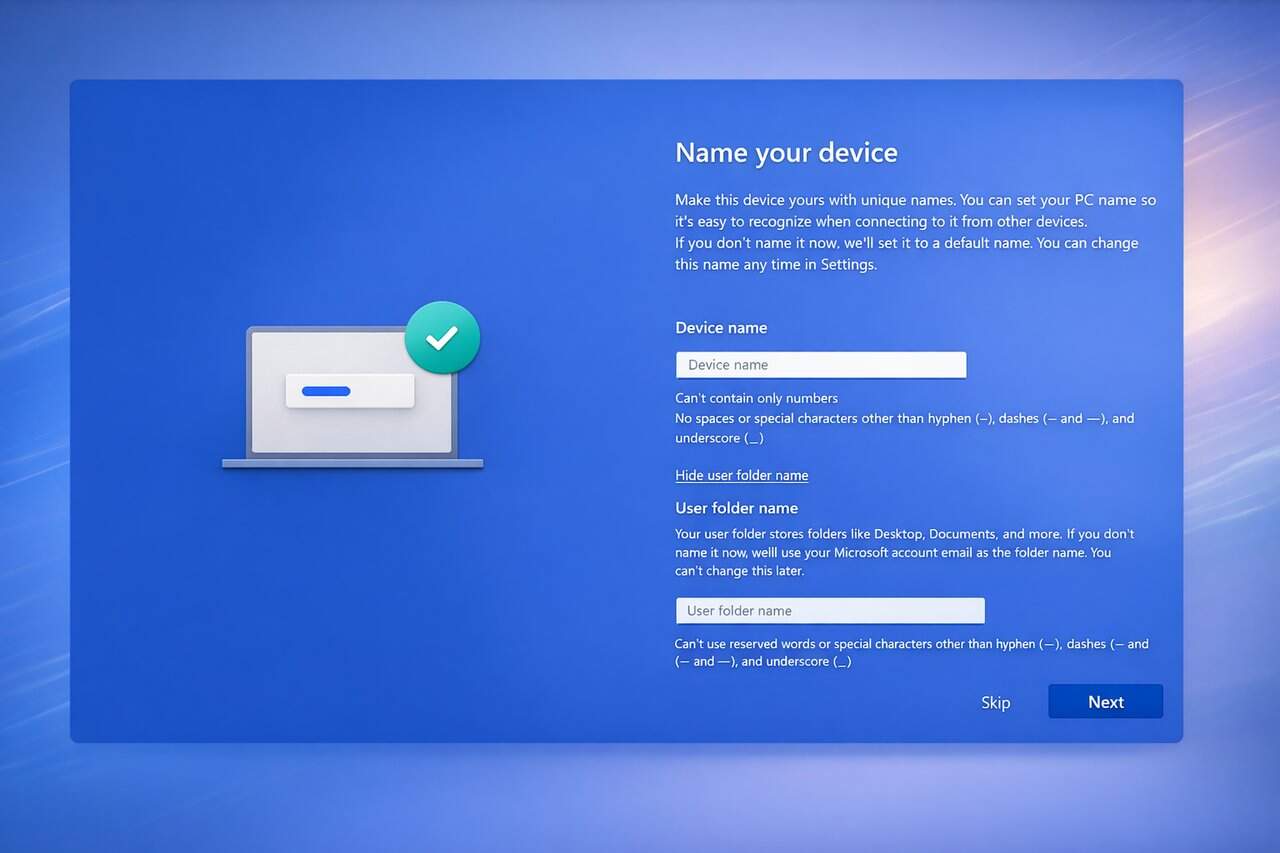
As reported by Neowin, Microsoft has added a new option directly in the Windows setup interface that allows users to set a custom user folder name.
During the stage where users assign a name to the PC, a new “Show user folder name” option appears.
Selecting this option reveals a field where users can manually enter the desired folder name.
The custom name must follow standard Windows naming rules and can include letters, numbers, dashes, and underscores.
If the option is skipped, Windows continues the setup process and automatically generates the default folder name as it currently does.
For users interested in more experimental features, Microsoft is also testing additional changes in the Canary channel through update KB5079452, which brings improvements to Windows pen settings.
Microsoft has announced that it will soon begin phase two of security hardening for Windows Deployment Services (WDS), a network-based tool widely used by administrators to deploy Windows across multiple systems in enterprise environments.
The company first warned about upcoming changes in January 2026 after identifying a vulnerability tracked as CVE-2026-0386. The issue is related to how automated Windows deployments transmit configuration files during installation.
Vulnerability Linked to Unattend.xml Files
The vulnerability stems from the way Unattend.xml files, commonly known as answer files, are transmitted during automated deployments.
These files can include sensitive data such as administrator credentials and deployment configuration details. In certain environments, the files may be transmitted over unauthenticated Remote Procedure Call (RPC) channels.
If an attacker is present on the same network, they could intercept these transmissions. In some cases, this could expose credentials or potentially allow remote code execution on targeted systems.
Because of this risk, Microsoft has started tightening security controls around Windows Deployment Services.
Phase Two Will Disable Hands-Free Deployments
Microsoft plans to remove support for hands-free deployments that rely on insecure communication channels. This change is part of the second phase of the company’s WDS hardening rollout.
During phase one, introduced in January 2026, administrators were advised to block unauthenticated access to Unattend.xml files and disable hands-free deployment through a registry setting.
With phase two, hands-free deployment will be fully disabled, and WDS will operate in a secure-by-default configuration.
Microsoft says that administrators who do not make changes between January and April 2026 will see hands-free deployment automatically blocked after the April 2026 security update is installed.
Configuration Manager Deployments Not Affected
Microsoft confirmed that the vulnerability does not impact Microsoft Configuration Manager environments.
Configuration Manager only uses WDS to deliver boot.wim files and network bootstrap components. It does not rely on the vulnerable Unattend.xml deployment workflow.
The company also confirmed that Windows installation methods relying on boot.wim combined with Windows Setup running directly in WDS mode are no longer supported.
Microsoft says it plans to gradually phase out legacy Windows Deployment Services workflows in favor of more secure deployment technologies.
Microsoft’s decision to bombard every corner of Windows 11 with AI features hasn’t sat well with users. Last year, when Pavan Davuluri posted about the company’s vision to turn Windows into an agentic OS, he faced massive backlash. Shortly after, Microsoft AI chief Mustafa Suleyman defended the company’s vision by hitting back at critics. While the company executives have backed the AI-related plans, Microsoft may have quietly reshuffled its strategy internally due to online backlash.
Microsoft reportedly scrapped Copilot integration in Windows 11 notifications and Settings
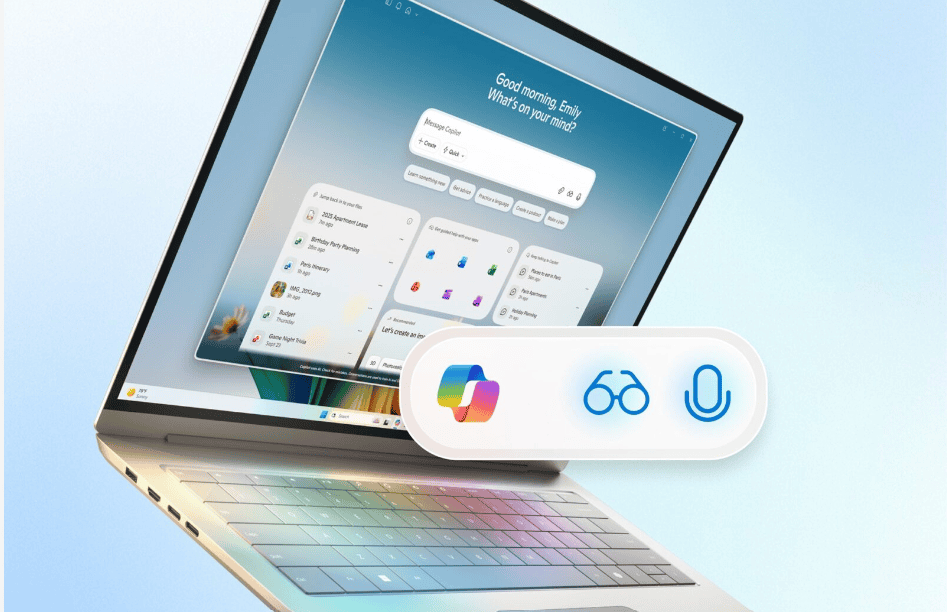
Zac Bowden from Windows Central now reports that Microsoft has dropped plans to add many Copilot-branded AI features that it announced at the time Copilot+PCs first entered the scence. Microsoft’s decision to pause these Copilot AI features was reportedly part of an internal rethink around how AI should appear across Windows, especially after the whole Windows Recall fiasco.
Moving away from pushing every AI feature under Copilot branding, the company reportedly transitioned to integrating AI features into individual apps. AI features like semantic search in Settings and AI actions in File Explorer are some prime examples. These features hand off tasks to other apps rather than handling them directly, something which Microsoft teased in 2024.
Had Microsoft shipped what it promised two years ago, we would have seen “Copilot appear in pop-up notifications from apps with one-click actions such as opening a file or replying to messages,” Bowden notes in the report. Notably, this feature is “unlikely to ever ship on Windows” under Copilot branding, though Microsoft can revisit it in the future.
Speaking of internal plans, a Microsoft spokesperson told Windows Central, “Our approach to product development is to preview with customers and evolve with feedback. Some experiences we may preview privately and update before rolling out more broadly, while others we may preview and iterate publicly with feedback from Windows Insiders. In both of these cases, features may change, be removed, or replaced over time as we gather input from customers.”
The company reportedly rethinks its AI strategy to win back fuming Windows 11 users
Behind the scenes, Microsoft is reportedly trying to reduce what critics have called “AI bloat” in Windows 11. To catch you up, earlier this year, Microsoft promised that it will scale back its AI-everywhere strategy in Windows 11 and will work towards improving the OS from the ground up. In other words, Microsoft subtly hinted that it wouldn’t aggressively push AI features unless they add significant value to the user experience.
Do you think Microsoft will live up to its promise? Share your thoughts in the comments below.
Microsoft has addressed a serious issue that caused some Windows 11 users to lose access to the system’s C: drive, preventing applications from launching and disrupting normal system operations.
Early reports suggested that the problem primarily affected Samsung devices, particularly Galaxy Book4 laptops and certain Samsung desktop models running Windows 11 versions 24H2 and 25H2.
Issue traced to Samsung Galaxy Connect app
Following an investigation, Microsoft and Samsung determined that the issue was not caused directly by Windows updates. Instead, it was linked to the Samsung Galaxy Connect application.
According to Microsoft, the app triggered a configuration problem that blocked access to the system drive. When the error occurred, users could see a message stating that the C:\ drive was not accessible due to “Access denied.”
This type of failure could severely impact the system, preventing users from opening files, launching installed applications, or performing administrative tasks.
To prevent additional systems from being affected, the Galaxy Connect app was temporarily removed from the Microsoft Store.
Samsung has since republished a stable earlier version of the application designed to avoid triggering the problem.
Affected Samsung models
Microsoft confirmed that several Samsung devices were affected by the issue, including the following models:
NP750XGJ
NP750XGL
NP754XGJ
NP754XFG
NP754XGK
DM500SGA
DM500TDA
DM500TGA
DM501SGA
The issue was reported mostly on systems running Windows 11 versions 24H2 and 25H2.
Possible cause tied to system permissions
Some community members also attempted to analyze the root cause of the problem. A Reddit user suggested that the issue might be related to a broken discretionary access control list (DACL) implementation in Windows images shipped on certain Samsung systems.
If that explanation proves accurate, it would support Microsoft’s statement that the problem originated from Samsung software and system configuration rather than a flaw in the Windows update itself.
Microsoft says it continues working with Samsung to better understand the issue and prevent similar problems in the future. The company has not yet provided additional technical details about the bug.
The situation comes shortly after the February Patch Tuesday update, which has already been associated with several user-reported issues, including installation failures and system crashes.
Windows 11 version 26H1 is expected to target next-generation ARM devices powered by Snapdragon X2 chips, which means most users will likely remain on Windows 11 version 25H2. Now, Microsoft has quietly released a new tool that simplifies upgrading to that version.
According to Neowin, Microsoft has published the Windows 11 Installation Assistant 25H2 on its official Download Center. The utility allows eligible systems running Windows 10 or older Windows 11 releases to upgrade directly to Windows 11 25H2.
The Installation Assistant performs an in-place upgrade, meaning personal files, installed apps, and most settings remain intact during the process.
The tool automatically checks your PC compatibility
The Windows 11 Installation Assistant checks whether the device meets Microsoft’s hardware requirements before offering the upgrade. If the PC qualifies, the tool downloads the necessary files and begins the installation process.
Microsoft has not significantly changed Windows 11 system requirements for this release. However, some newer AI-powered features require hardware with a neural processing unit capable of at least 40 TOPS of performance.
Users who already run Windows 11 25H2 can also use the Installation Assistant as a repair tool. Reinstalling the operating system through the utility can help resolve issues such as corrupted system files while preserving data.
Microsoft releases recovery updates and investigates bugs
Alongside the upgrade tool, Microsoft has also published KB5079471 and KB5079463, which are recovery updates designed to help restore Windows environments in certain scenarios.
At the same time, the company continues to investigate several recently reported issues. Microsoft has confirmed a bug linked to a previous Patch Tuesday update that can block access to the system drive, causing an “Access denied” error on the C drive.
Separate reports also suggest that the March Patch Tuesday update may cause crashes or installation failures on some systems. Microsoft has not yet published official guidance for those problems, but additional fixes may appear in upcoming updates.
Anthropic just significantly expanded how much information its AI models can process at once. The company announced that a massive 1 million token context window is now generally available for both Claude Opus 4.6 and Claude Sonnet 4.6. This upgrade transforms what was previously an experimental or premium feature into a standard capability on the Claude Platform.
Breaking down the new pricing and limits
Earlier, pushing an AI model to analyze massive amounts of data in a single prompt came with a massive price multiplier. Anthropic is dropping that long-context premium completely. Standard pricing now applies throughout the 1 million token window.
For Opus 4.6, that means a flat rate of $5 per million input tokens and $25 per million output tokens. Sonnet 4.6 sits at $3 and $15, respectively. Whether you are sending a short 9,000 token request or a massive 900,000 token document dump, the per-token rate remains the same.
Along with the expanded text capacity, Anthropic is significantly increasing its media limits. Users can now upload up to 600 images or PDF pages per request, a major jump from the previous limit of 100. This 1M context is available natively on the Claude Platform, and through Microsoft Azure Foundry and Google Cloud’s Vertex AI.
What this means for daily workflows
Well, a massive context window is only useful if the AI can actually remember and reason across all that data without hallucinating or losing track of the details. Anthropic notes that Opus 4.6 recently scored 78.3 percent on the MRCR v2 benchmark, demonstrating strong recall and reasoning at maximum capacity. This massive cognitive boost perfectly complements the company’s recent push to make Claude’s ongoing memory features free for everyday users.
What this really means is that users no longer have to manually chunk large files, rely on lossy summaries, or constantly clear the AI’s short-term memory. Developers can upload entire codebases to debug complex issues, while legal and financial teams can drop hundreds of pages of contracts or research directly into a single prompt to create interactive charts and data visualizations.
For Max, Team, and Enterprise users accessing Claude Code with Opus 4.6, this massive memory bank is now the default setting. That said, Anthropic has made Claude an appealing competitor against the likes of OpenAI’s ChatGPT and others.
Hardcore Grand Theft Auto fans are back to their detective work. A recent Rockstar Newswire update has the community convinced that a major GTA 6 announcement is just around the corner. While we are currently in a long drought of official news regarding the highly anticipated November release, a sudden change in how Rockstar handles its weekly updates has fueled a fresh wave of speculation.
There’s a break in the normal Rockstar Newswire schedule
Rockstar uses its Newswire blog to outline one single week of bonuses, challenges, and updates for free GTA Online. However, the latest post covering the GTA Online Community Series Showcase did something slightly different than usual. Instead of covering a single week, the developers dropped a massive update detailing three full weeks of content that runs from March 12 through April 1.
This is highly unusual for the studio’s standard communication rhythm. By packing almost a month of GTA Online news into a single post, fans believe Rockstar is deliberately clearing its promotional calendar, perhaps for GTA 6?.
Twitter accounts dedicated to tracking the game were quick to point out the change in schedule. The major theory is that the studio wants the upcoming weeks to be completely free of minor multiplayer updates so it can use the news cycle with an important update around the much-anticipated GTA 6 game.
But, don’t get your hopes up before Summer
While the latest Newswire post has sparked speculation, don’t get your hopes too high. Take-Two Interactive, Rockstar’s parent company, previously confirmed that the official marketing campaign for GTA 6 is set to launch this summer. We are months away from that promised window. Reports also suggest the game is delayed to November this year.
It is entirely possible that Rockstar simply wanted to group the Community Series Showcase into one convenient post. The studio definitely has the bandwidth to manage news for both games simultaneously.
Even so, clearing the deck right before April certainly leaves a suspicious gap in their usual marketing timeline. For now, players will just have to wait and see if this scheduling quirk actually translates into the next official look at the game. Until then, enjoy GTA 5 to the fullest.
The graphics card market is seeing a major shift in Japan right now as AMD Radeon RX 9000 series GPUs are experiencing significant price drops. After a massive price spike triggered by the recent VRAM shortage, costs for the RDNA 4 lineup are finally retreating. The hardware is returning to its pre-hike price levels, providing some much-needed relief for PC builders who have been waiting out the volatile market.
Recent Gazlog market share data reflects exactly how much these pricing swings have changed buyer behavior over the last quarter.
The drop in demand is changing the GPU market in Japan
For those unaware, late last year, a global memory shortage triggered a 30 to 40 percent price increase across many hardware regions. By the end of January, the highly sought-after Radeon RX 9070 XT reached an average peak of 140,000 Yen, which translates to roughly $876. People simply stopped buying.
Notably, the gamers essentially abandoned the RX 9000 series, which caused a sudden and sharp decline in overall sales volume. This massive drop in demand forced AMD and local Japanese retailers to drastically adjust their pricing strategies to move stagnant inventory and win back builders who had paused their upgrade plans. In a similar case, when AMD launched the Ryzen 7 9850X3D, the 9800XD received a price drop.
As a result, buyers who had the patience to wait are finally seeing real financial relief. The average price of the flagship RX 9070 XT has dropped to 109,000 Yen, roughly around $682. That represents a nearly 22 percent drop from the January peak and almost a 19 percent decrease month-over-month. During recent Japanese spring sales events, the lowest selling prices have even dipped under the critical 100,000 Yen mark. We’ve seen a similar price drop on this GPU last month as well.
Other models in the lineup, including the standard RX 9070 and the more budget-friendly RX 9060 XT, are experiencing similar downward trends. They are rapidly returning to pricing structures last seen in November 2025, essentially erasing the inflated costs of the winter months.
Let’s talk about the competition in the GPU market
What this really means is that AMD is becoming highly competitive again due to high necessity. The market situation looks very different from NVIDIA GPUs. While AMD hardware is getting significantly cheaper, NVIDIA’s competing GeForce RTX 50 series has not seen much price relief.
In fact, mid-range and budget NVIDIA cards have actually experienced slight price increases in the Japanese market over the same period. For hardware enthusiasts looking to upgrade their systems today, the recent price drops make the entire Radeon lineup a much more financially compelling option compared to the alternatives.
The split between major technology investors and the people who actually make video games is widening. During the 2026 Game Developers Conference, representatives from venture capital firms expressed surprise at the intense backlash against artificial intelligence. Moritz Baier-Lentz, the head of gaming at Lightspeed Venture Partners, said he was shocked and sad that the industry is demonizing what he considers a marvelous new technology.
Only 7% of game devs see AI as a good thing
The new GDC survey of thousands of industry professionals highlights exactly why investors are feeling the friction. Currently, 52 percent of game developers believe generative AI is having a negative impact on the industry. That negative sentiment has climbed rapidly from just 30 percent in 2025. On the flip side, a mere 7 percent of respondents feel AI is actually good for gaming.
While 36 percent of developers do use AI in their daily work, the vast majority apply it to background administrative tasks like writing emails, brainstorming, or formatting basic code snippets. Very few studios are actively putting AI-generated artwork or dialogue in front of players. The survey arrived soon after NVIDIA showed the path tracing future with massive AI-driven GPU gains.
The real reason why developers are pushing back
According to the report by The Gamer, the resistance to AI is not just about a major fear of new tools. The video game industry has experienced thousands of job cuts over the last two years, with roughly one in four developers facing layoffs. Many workers view AI simply as a cheap excuse for executives to cut creative jobs and automate culture production.
However, there are also deep ethical and technical concerns at play. Developers point to AI models scraping copyrighted artwork without consent or compensation. The serious environmental impact and the massive energy draw of AI data centers are also driving the opposition across the industry.
What this really means is that a massive disconnect exists between the people funding games and the people building them. Tech executives argue that AI will eventually expand what is possible in game design. However, the workforce remains deeply skeptical.
Microsoft has released a pair of new dynamic updates for Windows 11. The patches, labeled KB5079471 and KB5079463, are specifically designed to improve the Windows Recovery Environment. KB5079471 targets devices running Windows 11 versions 24H2 and 25H2, while KB5079463 is built for the newer 26H1 version.
The new updates improve the Windows Recovery Environment
The new Windows 11 KB5079471 and KB5079463 releases are dynamic updates. These updates specifically patch the Windows Recovery Environment (WinRE). They are designed to be applied to existing Windows installation images before they are widely deployed.
This ensures that the foundational recovery tools are completely up to date before the operating system even boots. For IT administrators managing fleets of devices, having an updated recovery image is a necessary step in maintaining a stable network.
The official summary of the new updates is, “This update makes improvements to the Windows recovery environment (WinRE).” Notably, these updates have arrived soon after Microsoft released the Windows 11 KB5079473 patch Tuesday update, which is related to crashes and install errors.
The recovery updates will be installed automatically
You do not need to do anything to install these updates. Microsoft is distributing both KB5079471 and KB5079463 directly through the standard Windows Update channel. They will download and install automatically in the background. Once the patches are applied, your system will not even require a reboot.
If you want to verify the installation, you can check your WinRE version using the command line. Devices running the 24H2 or 25H2 update should show version 10.0.26100.8031. Those on the newer 26H1 release will see version 10.0.28000.1701.
Microsoft is investigating several new problems affecting the classic Outlook desktop client, shortly after acknowledging a missing cursor bug in the same application. The newly reported issues involve email synchronization failures and connection errors when managing groups.
Group creation bug causes “Can’t connect to the server” error
One of the problems causes a “Can’t connect to the server” error when users attempt to create groups in classic Outlook while Exchange Web Services (EWS) is enabled.
According to Microsoft, the issue occurs because the Active Directory Graph call responsible for validating group properties fails. Specifically, the ValidateUnifiedGroupProperties request returns an internal server error, preventing Outlook from completing the operation.
The Outlook team says it is working on updated group functionality based on REST APIs. Microsoft expects this change to resolve the problem once the updated implementation becomes available.
Until the fix is released, Microsoft recommends that users create or manage groups using the new Outlook client or Outlook Web Access (OWA) instead of the classic desktop version.
Gmail and Yahoo accounts may fail to sync in classic Outlook
Another issue currently under investigation affects Gmail and Yahoo email account synchronization in classic Outlook.
Users may encounter error codes 0x800CCC0F or 0x80070057, particularly after changing their Gmail or Yahoo account passwords. In these situations, Outlook sometimes fails to prompt users to sign in again, which prevents the account from reconnecting properly.
As a temporary workaround, Microsoft advises deleting registry entries associated with the affected email account. These entries are located under the following registry path:
Microsoft is also asking affected organizations to open support cases through the Microsoft 365 admin portal and provide diagnostic logs to help the company investigate the issue further.
Microsoft recently released the Windows 11 Patch Tuesday update KB5079473, but early user reports suggest the update may be causing installation failures and system instability on some PCs.
The issue appeared shortly after Microsoft released two new Insider Preview updates, KB5079458 for the Dev Channel and KB5079464 for the Beta Channel. These updates include improvements to Driver Policy management and Windows Setup.
Users report KB5079473 installation failures
Several users on Reddit report that the Patch Tuesday update fails during installation. One report mentions error code 0x80070306 appearing while attempting to install the update.
Attempts to repair Windows using built-in tools such as System File Checker (SFC) and Deployment Image Servicing and Management (DISM) reportedly did not resolve the problem.
BSOD crashes and reboot loops
Other users claim the update triggered more serious issues. One report states that the system experienced repeated blue screen of death (BSOD) crashes while attempting to install the update.
In some cases, affected systems reportedly entered reboot loops, forcing users to perform a hard reset to regain access to their PCs.
Additional reports of system instability
Some users also report graphical glitches, system freezes, and lock-ups after installing the update.
Another report posted on Microsoft’s Feedback Hub claims that the update removed administrator privileges on the affected system, preventing users from performing administrative tasks.
Microsoft has not confirmed any issues yet
Microsoft’s official support documentation currently states that it is not aware of any known issues with the update.
Since the update was released recently, the company may document these problems later if they are confirmed by additional reports.
The situation comes shortly after Microsoft released the emergency hotpatch update KB5084597 to address a network security vulnerability affecting the Windows Routing and Remote Access Service (RRAS).
Microsoft has released an emergency out-of-band security update for Windows 11 LTSC 2024 that addresses multiple critical networking vulnerabilities affecting the Routing and Remote Access Service (RRAS).
The update, identified as KB5084597, patches three security flaws tracked as CVE-2026-25172, CVE-2026-25173, and CVE-2026-26111.
Unlike regular updates, this release is delivered as a hotpatch, meaning supported systems can apply the fix without requiring a system restart.
Security flaws affect Windows remote access networking services
The patched vulnerabilities affect the Windows Routing and Remote Access Service management tool, a feature commonly used by organizations to provide secure remote connectivity and network routing.
RRAS supports several enterprise networking functions, including virtual private network connections, dial-up access, site-to-site networking, Network Address Translation (NAT), and dynamic routing protocols such as BGP.
Microsoft classified the vulnerabilities as remote code execution (RCE) issues.
The flaws involve an integer overflow or wraparound bug in RRAS that could allow an authorized attacker to execute code over a network.
According to Microsoft, a successful exploit could allow attackers to disrupt the RRAS management tool or run malicious code on a targeted system if it connects to a malicious remote server.
Hotpatch allows security fixes without reboot
Because the update uses Microsoft’s hotpatch mechanism, eligible systems can install the security fixes without requiring a system reboot.
Hotpatching is primarily designed for enterprise environments where uptime is critical, allowing administrators to deploy urgent security fixes while minimizing service interruptions.
The update will automatically install on systems that have hotpatching enabled.
Microsoft recommends installing the update as soon as possible to reduce the risk of potential exploitation.
Other Windows updates and issues continue to emerge
The release arrives amid a series of recent Windows developments.