HP’s new Windows 10 gaming computers are true powerhouses

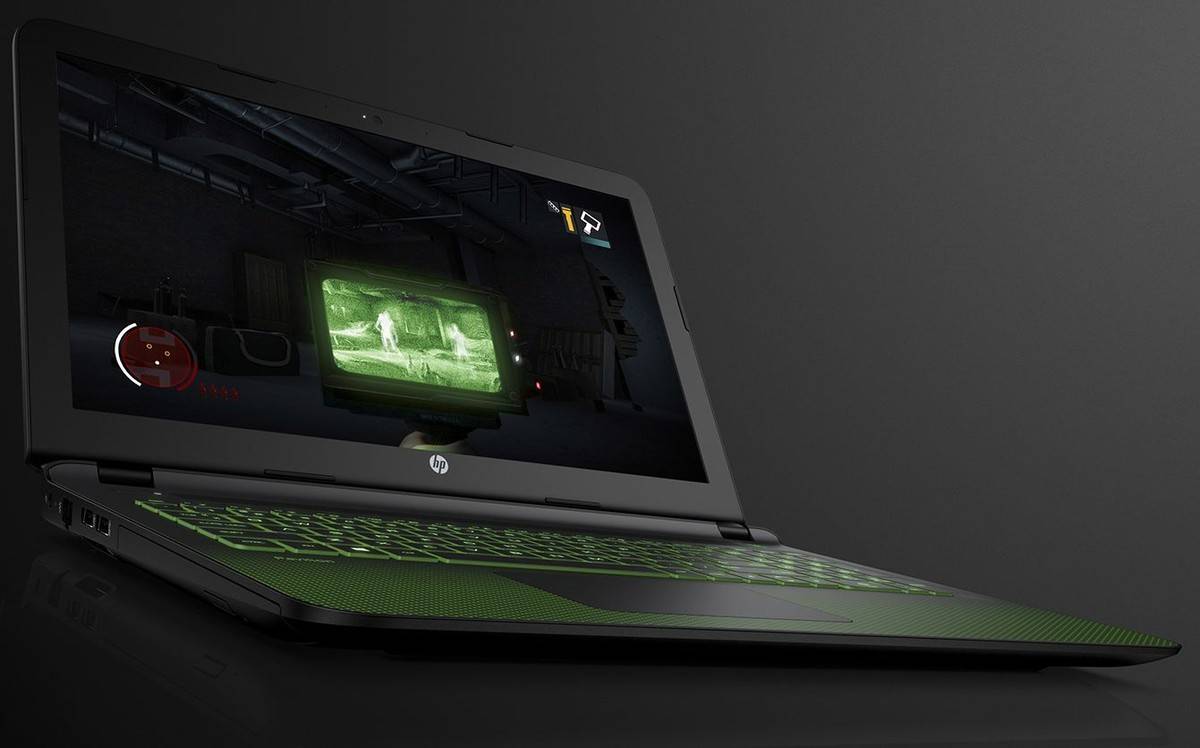
The new OMEN computers by HP, powered by Windows 10 and manufactured exclusively for gamers, have been announced. They come with features such as 4K IPS Full HD displays, Intel Core i7 quad-core processors, and powerful NVIDIA GTX graphics cards, which will allow you to play the latest games at full details without any problems.
These devices will be available starting from July 2016, which means that the gamers will still have a few more weeks to wait for them.

OMEN Laptops

There are not many laptop gamers out there, but it seems that the developers are starting to release decent gaming laptops nowadays, which will most likely make more people to acquire them. We all know that gamers usually prefer desktop computers, because they can easily change the video card, RAM, processor, motherboard without any problems. At the same time, laptops usually overheat very fast, which means that you will need to buy a pretty good cooling case in order to keep your laptop at a low temperature.

The new OMEN laptops powered by Windows 10 come with Full HD and 4K IPS displays of 15.3-inch or 17.3-inch. They will also feature a Dragon Red backlit keyboard, a dual fan design to maintain performance, a 62-watt battery, a NVIDIA GTX up to 965M and a 6th generation Intel core i7 quad-core processor.

In addition, the laptop will also come with a Vision HD camera (you can also opt for an Intel RealSense Camera for 3D experiences and to enable gesture control apps to interact with the PC when gaming), up to 16GB RAM, HP Fast Charge and up to 10 hours of battery life.

The price of these laptops will start at 899.99 dollars for the 15.6-inch one and 979.99 dollars for the 17.3-inch one.

OMEN Desktop

The OMEN desktop computer powered by Windows 10 will feature the latest NVIDIA GeForce GTX 1080 graphics card, an optional advanced liquid cooling thermal system that will make to keep your computer cool while not making too much noise, 32GB of RAM, an Intel Core i7-6700k that you will be able to overclock, 512GB SSD and up to 3TB of HDD.

The OMEN desktop computer will be available for sale via some select retailers, starting from August 2016.

RELATED STORIES TO CHECK OUT:

File Explorer icon gets more colorful in latest Windows 10 build

Build 14352 is finally here and brought many improvements and updates requested by Windows 10 users. Cortana now acts as your personal DJ, and you can set a timer for important events. Windows Ink now has a compass available, while the Feedback Hub shows Microsoft’s responses, offering more visibility to users.

As far as the Windows 10 design in concerned, the File Explorer icon is now more colorful following users’s request:

Updated File Explorer icon: Based on Insider feedback, we have updated the File Explorer icon with more color.

The File Explorer icon’s colors are now more balanced, and yellow dominates the view. The right upper corner design and colors were kept, while the violet half square from the middle has been replaced with a blue ciel one on a yellow background.

The File Explorer icon from previous builds created a lot of fuss among users. Most of them did not like the design and classified it as being ugly and awful. Gabe Aul assured users that the build team explored various ways to adjust the yellow icon to the general black and white Windows app and that was the best possible match. He never really succeeded in convincing users to accept that color design, and we can see the result in the latest build.

Aul still won a battle since Insiders did not ask Microsoft to restore the File Explorer icon back to the taskbar by default.  If you’d also like to bring back the File Explorer icon to the taskbar, you can easily pin it back.

It is interesting to see that Microsoft reads each and every note of feedback sent by Windows 10 users. Nevertheless, we can’t help but raise an eyebrow seeing how long this File Explorer icon design saga has been trailing. Maybe Microsoft should direct resources towards solving more urgent issues and bury the File Explorer icon debate once and for all.

RELATED STORIES YOU NEED TO CHECK OUT:

‘Hacked?’ app for Windows 10 monitors your email accounts for security breaches

It’s an incredibly scary world as we store more of our personal information on the cloud each day. While there’s nothing wrong with trusting the cloud with your important data, it’s important to be diligent and know when you need to take steps to protect your accounts. It’s in the interest of that security that Windows developer Lance McCarthy has developed his new app, which goes by the name of “Hacked?”

Hacked? is simple – enter your email addresses and let the app do the rest. Hacked? will notify you the second that one of your email addresses has been listed on haveibeenpwned, a website that tracks security breaches and can give you an idea on whether or not you’ve been compromised. Unlike haveibeenpwned, which needs you to go to the website and enter your email address when you need to check the status of your email address, Hacked? will shoot you a notification immediately if it becomes an issue.

With the help of Hacked? you can be more diligent about your cyber security and change your passwords the second that you need to. While there will never truly be a perfect defense against hackers, this is a fairly solid start. Hopefully, the forewarning capabilities of this app will help users take the preventative measures necessary to keep themselves safe from the people that would do them harm. Grab the app from the download link below.

Hacked?
Hacked?
Developer:
Lancelot Software
Price:
Free

Join the Plex Universal Windows 10 app Beta program

Plex, the media streaming service that allows you to play movies, TV, and music to any device, is launching a new Universal Windows 10 app soon, and the open beta is available right now. While the service already has a Universal Windows 10 app that’s up on PC, Mobile, and Xbox One, this will be an app that is “specifically built for Windows 10,” ideally sporting a much better client that can better get the job done for Windows 10 users.

You can sign up for the beta right here using your Plex email address and your Windows Store account without much fuss, and once you’re set up you can log into the client on PC to start reporting bugs. Unfortunately, the UWP beta is only available for Windows 10 PCs right now – we don’t know anything about the status of the Plex beta coming to Xbox One, but a mobile version is supposedly coming “soon.”

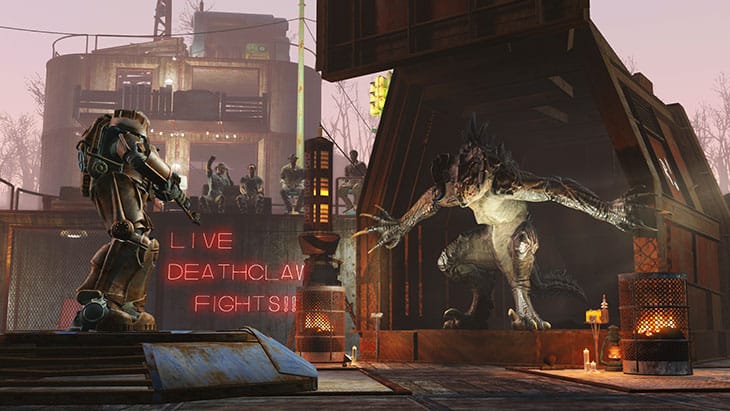
Xbox One users can mod Fallout 4 on May 31st

Just a few days ago we reported that Xbox One would be the first console to allow Fallout 4 users to mod their game, and we now finally know when precisely that’s going to happen. The news about Xbox One’s ability to mod Fallout 4 was initially announced along with the game’s release in E3 2015, and while it took quite a few months to roll out, the feature will be live on May 31st.

The full list of mods that are going to be available at launch is here, but there are a few that were listed a couple of days ago that you might be interested in as well. Of course, those are only the initial mods – the community will continue to develop content for Fallout 4 ad infinitum, so you’ll never really run out of content.

If you’ve never played a Bethesda game – or any other moddable game – on PC and aren’t yet familiar with why modding is so significant, you’re in for an extremely pleasant surprise. Basically, mods are sets of custom content or graphical tweaks made by members of the community that have a burning passion for the game and the talent to turn that passion into reality. Mods can go anywhere from creative re-skins of characters and objects to entirely new questlines, complete with original characters, brand new weapons and armor, unique scenery, and more.

Mods can do more than just alter specific parts of your gameplay experience – they can make the game feel completely new again. If you’re like this writer and millions of other people who have played Fallout 4 since its November release, you may have poured well over 100 hours into this massive title. If you’re about to dive into your first time using mods, you’re going to discover that your first playthrough was really only the beginning of your Fallout experience.

Unlike official DLC, all modded content is a labor of love by the person or people that developed it. That means that all of your mods are absolutely free – no strings attached, nothing to sign, no money necessary. Just browse the mod library come May 31st and enjoy the products of a fellow fan’s hard work.

Ori and the Blind Forest: Definitive Edition available on July 7

Looking to grab Ori and the Bling Forest: Definitive Edition? No problem for this game will be available come July 14, 2016. The original game came out exclusive on the Xbox One and went on to become one of the best games on the console.

The price of the game is just a measly $19.99, but when it comes down to the Standard and Limited Editions, they will both go for $29.99. Furthermore, the retail version will come with a CD that is home to the original soundtrack.

For those who are into music, the soundtrack is one of the best aspects of Ori and the Blind Forest, and as such, we recommend getting the retail version because it also comes with a digital copy of the game as well.

To make things even better, the retail edition is expected to come packed with videos from behind the scenes during development of the game among other cool things.

“We are more than happy to work together with Microsoft Studios and Moon Studios and publish this gem of a game in its PC retail version and give it the physical representation it deserves.” said Reinhard Pollice, Business and Product Development Director at Nordic Games.

Ori and the Blind Forest is one of those games folks can’t help but to love. The story relies around a spirit that goes by the name, Ori. It felt from the tree as a newborn, and as such, was brought up by creature known as Naru.

As expected, things took a bad turn and Ori must now set out to save the tree of the forest from a great evil.

The game was praised by both critics and gamers alike, making us wonder if there will ever be a sequel in the near future. One can hope, but then again, the ending suggests the story might not be able to go any further.

RELATED STORIES YOU NEED TO CHECK OUT:

Microsoft adds preview H.264/AVC support in Edge browser on Windows 10 build 14352

Back in April 2016, Microsoft provided an update roadmap for real-time communication (RTC) in Windows 10’s Edge browser. In particular, the company made note of upcoming support for the H.264/AVC codec, which is the standard in the RTC community. Now, Microsoft is announcing support for H.264/AVC in Edge as of Windows 10 Insider Preview build 14352.

The company outlined what’s new in a post on the Edge Dev blog:

Today we’re excited to announce preliminary support for H.264/AVC support in the real-time communications (RTC) stack in Microsoft Edge, as initially promised in our April roadmap update. You can preview this feature in Windows Insider Preview builds starting with EdgeHTML 14.14352 by navigating to about:flags and checking “Enable experimental H.264/AVC support.” This change helps enable interoperable video communications solutions across browsers for basic 1:1 calling scenarios.

This preview release adds the following for H.264/AVC support in our RTC stack:

  • Support for packetization-mode 1, per RFC 7742
  • Support for Constrained Baseline Profile with levels up to 4.2 (i.e. with profile-level-id=42c02a)
  • Support for the absolute send time header extension (abs-send-time)
  • Support for Picture Loss Indication (PLI), per RFC 4585

More work remains to be done to enable full support for H.264/AVC in Edge, and Microsoft won’t be stopping development with the upcoming Windows 10 Anniversary Update. Check out the blog post for a bit more information and, if you’re a developer, you can grab some particularly technical details as well.

Titanfall 2 gameplay details leaked revealing new tactical plays and bigger multiplayer maps

Titanfall 2 will be released for Xbox One, PS4 and PC in October 2016, and it’s expected to be announced at E3, which will kick off in two weeks, but gameplay details already surfaced on the internet. Some Reddit user has reported that the sequel will come with bigger maps and grappling hooks and will offer players more space to battle in multiplayer mode.

Electronic Entertainment Expo will start on June 12 and Respawn Entertainment will reveal more information about the upcoming Titanfall 2, but fans of the first game who don’t have patience to wait two more weeks are digging out for information. Luckily, someone has fulfilled their wish and posted useful details on Reddit, claiming that it’s from a trusted source.

The post was removed immediately, but lots of websites have copied the text, which said that “Titanfall 2 will release in October and the Mountain dew leak is indeed legitimate. They’ve added a ton of new pilot abilities including the addition of a grappling hook. My source said you can use it quite extensively, for getting into your Titan, aiding free-running, or tactical plays such as pulling enemies while they’re midair. The pre-order bonus will be a handgun called the Violator. Multiplayer maps are bigger which I can assume they upped the player count to go along with them.”

Reddit users have asked “ilovegoogleglass” if the source is an employee of Respawn and he answered that “Can’t really say, but my source is in the know.” Other rumors suggest that the Titanfall 2 will be released in October, in the same period as Battlefield 1, but some fans are not buying it, saying that it would be an uninspired move from the publisher (Electronic Arts) to bring two games of the same genre, in the same month. It is believed that the publisher wants to dominate the market share controlled by Activision with its Call of Duty franchise.

RELATED STORIES TO CHECK OUT:
  • The very first NASCAR game for Xbox One will be released September 13
  • New Civilization VI trailer sets release date on October 21

Windows 10 growth rate seems to be increasing lately

Back at Build 2016, Microsoft announced that Windows 10 passed the 300 million active user threshold, indicating solid progress toward the goal of a billion installed devices. Since then, there’s been a general uncertainty around just how quickly Microsoft’s newest operating system was taking over the world, along with a fair amount of controversy around Microsoft’s increasingly aggressive upgrade tactics.

However, whether it’s those aforementioned tactics or the impending end of the free Windows 10 upgrade, something seems to be prompting people to upgrade. Computerworld reports that their analysis of StatCounter data indicates a sudden rise in the number of upgraders:

Windows 10 in the last two weeks has posted its largest growth spurt since August 2015, according to data from an Irish analytics vendor.

StatCounter, which measures usage share — a proxy for activity, but not necessarily representative of the number of devices running Windows 10 — portrayed a large and extended string of week-over-week increases, starting around May 13 and continuing through Thursday. In the last three days — starting Tuesday — those gains were in excess of a percentage point, a rarity in StatCounter’s Windows 10 data.

According to Computerworld, data shows that Windows 10 is showing more growth activity right now than during the last holiday season at the end of 2016 and beginning of 2016. If attributable to Microsoft’s aggressive upgrade practices, then at least in the short term that seems to have been an efficient effort.

win10 usage may 26
Windows 10 has hit some of its highest-ever growth rates. (source: Computerworld)

We’ll be keeping our eye on this sort of data as July 29, 2016 approaches and the free upgrade offer goes away. Theoretically, at least, it’s a trend that should only increase as people start pondering the cost of failing to do so–in spite of Microsoft’s scaling back on the aggressiveness of their upgrade push. Once the company starts charging for the upgrade, we imagine that the trend will revert to something of a slowdown.

Let us know in the comments if you think Windows 10 will continue to grow at a fast clip. If you haven’t upgraded yourself, we’d love to know why.

Minecraft for consoles to get Battle mini game, more modes to come

Microsoft announced the introduction of ‘Mini games’ for Minecraft: Console Edition, which will bring a new way for players to play the game. The first Mini game that Microsoft promised to arrive is Battle, where players will be able to fight against each other. Battle for Minecraft: Console Eddition will be available in June for free.

Battle Mini game will change the multiplayer concept of the game. In multiplayer mode players almost always cooperated to build and survive together, but the new mini game will throw players into a battle pit, where only the winner will survive.

“Battle allows you to set up a competitive multiplayer fight for survival, where speed, strategy- and sometimes just pure luck- will make you the winner.”

Upon starting the game, players will receive randomly generated resources and will be thrown in a specially designed PVP map. Battles are going to be free for all death matches, which means that only the last one left will be the winner. You can play Battle with up to 4 players in split-screen, or up to 8 players online. You can also participate into public matchmaking, where you’re going to get random opponents.

Battle mini game will be available in June (no release date was precised) to all owners of Minecraft for Xbox One, Xbox 360, and other consoles for free. This is the first of many Mini games Microsoft plans to release for Minecraft: Console Edition.

Mini games should change the way Minecraft on consoles is played, by bringing new modes gameplay options. We don’t know what mini game will Microsoft release next, but we’re sure it will be as awesome as Battle. Of course, as soon as Microsoft announces a new mini game, we’ll make sure to let you know about it.

RELATED STORIES YOU NEED TO CHECK OUT:

How to download and install Photo Story on Windows 10

Since Windows 10 is a modern operating system, sometimes there might be certain compatibility issues with older software and Windows 10. One of this older software is Photo Story, and today we’re going show you how to install Photo Story on Windows 10.

Photo Story is a free application created by Microsoft designed for creating presentations from digital photos. This application went through certain changes over the years, and the last version was released in 2006.

Since Microsoft didn’t update this tool for almost 10 years, many are concerned whether this tool can run on Windows 10. We’re happy to inform you that Photo Story runs on Windows 10 without any problems, and you don’t even have to use compatibility mode in order to run it.

How to install Photo Story on Windows 10?

Installing Photo Story on Windows 10, is simple and straightforward, and you can do it by following these steps:

  1. Go to Microsoft’s website and download Photo Story.
    download-photostory
  2. After the download is complete, start the setup file and follow the instructions to install Photo Story.
    photostory-setup

Photo Story works without and problems on Windows 10, and you can use it to create video presentations from various pictures. You can add text, voice narrations and even background music to your presentation.
photostory-new-project

After you’re done editing your presentation, you can choose between several save presets, or you can manually change the quality settings. Of course, there are some limitations to the software, such as the ability to add up to 200 pictures in a single batch. There are also limitations regarding image size, so if you use a high-resolution digital camera, you might have to resize your pictures before you can import them to Photo Story.

We have to mention that you’re limited to 1024 x 768 output resolution, and you can only save your presentations in .wmv file format.

Photo Story is a great application for creating presentations, and even though Microsoft isn’t developing this application anymore, it still works without any issues on Windows 10.

Here’s what still needs to be fixed in Windows 10 Preview Build 14352

Microsoft’s build 14352 fixes more than 20 annoying issues that prevented Insiders from enjoying a fluid Windows 10 experience. It is actually one of the richest builds in bug fixes, but since we don’t live in a perfect world, there are still some issues to be fixed even in this build. Luckily, there are only three known bugs on the list so far.

Microsoft Edge previously installed extensions don’t work for 15 minutes after your first sign-in. A workaround is available, you need to manually re-install each extension from the Store. This operation will definitely take some time, and Microsoft’s engineering team is working hard to fix this issue by the next build.

Secondly, the new Cortana features brought by this build may not work sometimes. In this case, you should restart your computer as this operation usually gets the features working. You can now tell Cortana to play your favorite songs, by simply saying “Hey Cortana , play <song name>.” This command also works with artists, and playlists from Groove Music.

Thirdly, in certain Microsoft Store apps such as Netflix or Tweetium, users cannot use the keyboard to navigate. The only solution is to use your mouse. This is not a too annoying issue, but for those users who prefer to use the keyboard for navigation, it can be quite frustrating.

In case you discover other issues, don’t forget to send your feedback to Microsoft. Now you can see responses from Microsoft in the Feedback Hub, and you don’t have to wait until the next build to see if the issue you reported is going to get a fix soon.

RELATED STORIES YOU NEED TO CHECK OUT:

Windows 10 build 14352 fixes a huge number of bugs

Microsoft is working hard to improve the Windows experience before the Windows 10 Anniversary Update. The tech giant has rolled out Build 14352, bringing a plethora of fixes to a series of annoying issues. More precisely, Build 14352 fixes 23 Windows 10 issues, ranging from Microsoft Edge instability problems and missing icons to bluescreen issues.

Microsoft’s main source of inspiration when it comes to improving its products is, of course, its users’ feedback. Up until recently, the Windows 10 Feedback Hub was exclusive to Insiders, but Microsoft decided to bring the app to users outside the Preview program. In this manner, the tech giant can collect in-depth feedback from all users and thus gain a better perspective on what needs to be improved.

Microsoft has already done an excellent job in turning users’ feedback into practical improvements in its latest Windows 10 Build 14352, which brings the following fixes:


  • Feedback Hub should now be localized properly. If you install a different language, you will need to relaunch Feedback Hub to have it show in that language.

  • We fixed the issue with Intel HD Graphics 3000 or Intel HD Graphics 2000 GPUs causing rendering issues and instability with Microsoft Edge. If you mitigated this issue by using software rendering instead of GPU rendering, you can go back to GPU rendering.

  • Starting with this build, pinned tabs in Microsoft Edge should no longer get lost after updating to a new Insider Preview build.

  • We fixed an issue causing Surface Books to bugcheck (bluescreen) when using Windows Hello.

  • We fixed an issue that caused the Brightness Quick Action to appear missing.

  • This build includes fixes for Precision Touchpads. We have Improved reliability of using gestures to switch between virtual desktops. We also improved touchpad responsiveness for pans and two finger taps. We also fixed an issue where swiping on the touchpad might not wake the device once it was in Connected Standby state.

  • We fixed an issue resulting in maximized UWP apps slightly overlapping the taskbar if taskbar was positioned on top.

  • We fixed an issue in the Action Center where it wouldn’t show the hover state when moving your mouse over notifications if a notification had been expanded.

  • We fixed an issue resulting in missing icons in Action Center when using Light mode.

  • We fixed an issue resulting in “Restart Required” continuing to show in Action Center after restart has already occurred.

  • Increased hit target of X icon for notifications in Action Center, to make them easier to dismiss.

  • We fixed a timing issue where the Bluetooth Quick Action might appear (with state ON) for a device with no Bluetooth.

  • We fixed an issue where using Esc to exit a full screen video with Microsoft Edge maximized would result in the window becoming unmaximized.

  • We fixed an issue where playing mp4s from a network share in the Movies & TV app would sometimes show an “MF_E_UNSUPPORTED_BYTESTREAM_TYPE” error.

  • We fixed an issue that resulted in the volume mixer slider for system sounds getting reset to 100% after receiving a notification or altering master volume.

  • Update notifications to now deep link straight to Update History, rather than the Windows Update landing page in the Settings app.

  • Updated the Settings app so now the CTRL + E keyboard shortcut will set focus to the Settings search box.

  • We fixed an issue where theme settings were not roaming correctly to other PCs with the same Microsoft account.

  • Fixed an issue resulting in the All apps list in Start being blank for certain languages

  • We updated the Action Center icon to now hide unread notification count when the taskbar is using small icons, as there’s not enough space to display it.

  • Fixed an issue with Command Prompt where it wasn’t keeping the current line in view after resizing the window.

  • We fixed an issue that resulted in the User Account Control dialog sometimes appearing behind other windows instead of in the forefront.

  • We fixed an issue resulting in the Lock screen sometimes not showing the Caps lock warning when Caps lock was on.

In just two weeks, Microsoft’s engineering team managed to fix more than 20 issues, paving the way for the eagerly awaited Windows 10 Anniversary Update. The known issues list now includes only three bugs concerning Microsoft Edge extensions, Cortana restart issues and Store navigation problems.

RELATED STORIES YOU NEED TO CHECK OUT:


Download now latest Windows 10 build 14352 to improve Cortana, Ink and Feedback Hub

Microsoft has just released a new build for Windows 10 Preview. The new build is dubbed 14352, and it is already available to Insiders on the Fast ring. Besides a huge number of bug fixes and improvements, the new release also brought a couple of new features to the system.

Just like some previous Redstone builds, this one also brought some Cortana improvements. Insiders can now tell Cortana to play their favorite song, by simply saying “Hey Cortana , play <song name>.” This command also works with artists, and playlists from Groove Music. You can also set a timer in Cortana, for the personal assistant to remind you about something. Just say “Hey Cortana, set a timer for 10/15/20 minutes,” and she’ll let you know when the time is right.

Build 14352 also brought a lot of Windows Ink improvements, including adding a compass to the Windows Ink ruler, Sketchpad improvements, and more. You can even set reminders in Cortana, based on your Sticky Notes.

Microsoft also updated the Feedback Hub, witch now shows responses from Microsoft. File Explorer icon was re-designed once again, for the second time in a short period. And finally, Windows 10’s Game bar is now supported by games in the full screen.

As always, Microsoft revealed the list of all known issues and fixed problems in this release. Fortunately for Windows Insiders, the list includes many more fixed issues, than current known problems, which is a great improvement. You can check out all fixed issues here, and all known problems here.

We’re going to write our traditional article with issues in this build reported by actual users. So, if you have something you want to tell us about the new build, please share it in the comments.

RELATED STORIES YOU NEED TO CHECK OUT:

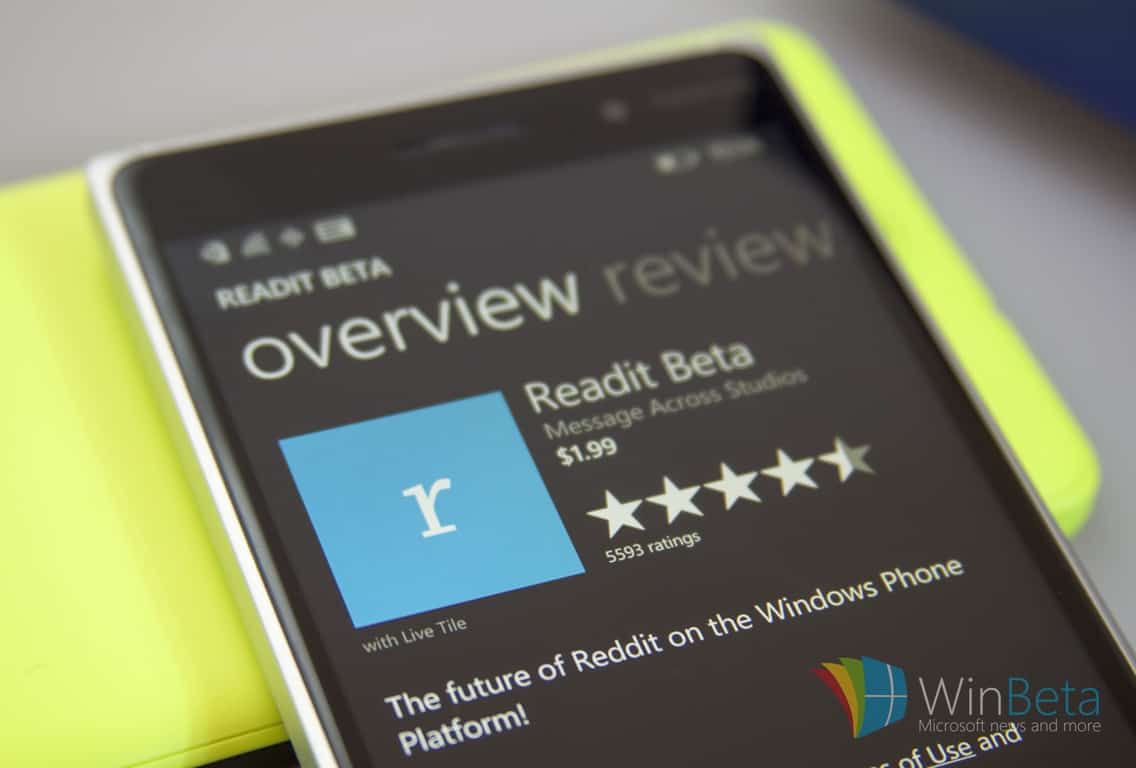
Readit for Windows 10 updated with a ton of enhancements and fixes

While Windows 10 has yet to get development support for an official Reddit client, the handful of third party options available have arguably been more than enough for most users. Among the most-used 3rd party Reddit apps in the Windows Store is Readit, now entering its version 5.1.1.0 with its latest update.

Jumping a couple of points in the upgrade process, Readit is now sporting a massive list of fixes, upgrades, UI enhancements, and optimizations. Via their Reddit page, Readit developers detail the update as followed:

General Additions

Subreddit/post tagging

  • Tag subreddits like in RES
  • Adds a tag to a post if it doesn’t contain the specified text (only on front page/all and multireddits)
  • The tag text is inserted at the beginning of the title just like RES

User tagging

  • Tag users/ignore users like in RES
  • Use the ellipsis menu for posts on desktop or right click a post in the post list
  • Use the app bar for mobile or press + hold on a post in the post list
  • Use the more menu for comments to tag users from a comment
  • Add a tag via the advanced settings page
  • Adds a tag to the user right next to the username of posts/comments so that you can tag/ignore trolls, friends, known users, etc.
  • Keeps track of total vote count – how many up/downvotes you have applied to that user since tagging them
  • Keeps count for any user you have voted on ever

How the tagging “ignore” feature works

  • Self text for comments, messages and posts are replaced with a message stating that the user is ignored
  • If you really want to see the self text of it, the ignored message contains a link that you can click to load the original content

Advanced Settings page added to the settings menu

  • Manage user tags and subreddit tags
  • RES Settings Import
  • Import settings directly from a backup of your RES settings – imports user/subreddit tags and associated data such as vote tracking numbers for users

Cloud Sync has been enabled

  • Syncs data using the roaming storage of your MS account (< 100 kb of data)
  • Will sync between all devices (desktop/tablet/mobile) as long as you are logged into the same MS account
  • Only syncs when an account is added/removed or on app launch
  • To force a sync, lock your device that is syncing the data to the cloud and wait 3-5 minutes. MS controls this. After the waiting period, check your other device and it should have the data.
  • A sync to the cloud occurs if the local file timestamp is newer than the server version
  • A sync from the cloud only occurs if the server file timestamp is newer than the local version
  • Will sync the following:
  • /r/all filter
  • Read posts (gold not required)
  • User accounts (no passwords stored ever, not even in local storage) •Only syncs users down to device if there aren’t any logged in
  • Subreddit tags
  • User tags
  • New comment count since last visit of posts
  • Settings are not synced due to device differences

Bug Fixes

  • Fixed all filter in certain languages
  • Fixed title bar disappearing on navigation for the desktop UI

The update was posted late last night, US time zone, so the new features may still be rolling out to some users. Head over to the Windows Store to see if the update has populated. Also, take some time to comment and add a review of the app to help the developers with their next wave of updates.

Readit
Readit
Price:
Free

The Finnish government isn’t happy with Microsoft over job cuts

It’s always one economy of the world or another that suffers when a multi-national corporation fires a large number of its employees; in the case of Microsoft’s latest downscaling of its phone business, the heaviest weight again fell on Finland, whose government has, as expected, publicly voiced its displeasure with the Redmond company on Thursday, reports Reuters.

To be fair, it’s not the first time there was bad blood between Microsoft and Finland, nor that one of its moves has shaken the Northern European country’s economy. In 2014, Microsoft acquired most of Nokia – the former pride of Finland – for $7.2 billion. In the same year, in the biggest restructuring in the history of the company, right after CEO Satya Nadella came into power, 18,000 jobs were cut, most of which came from the just-acquired Nokia phone business in Finland.

“I am disappointed because of the (initial) promises made by Microsoft,” “One example is that the data center did not materialize despite the company’s promise.”

– Alexander Stub, Finance Minister, Finland

The move has been credited with contributing to the country’s ongoing economic stagnation. For its part, Microsoft has reportedly promised to invest more heavily into Finland to make up for the job cuts, a promise it apparently had not been able to keep, two years down the road.

“The company must bear as big a responsibility as possible over what they have done by laying off people,”

– Jari Lindstrom, Employment Minister, Finland

It is understandable, then, that the new round of layoffs, which again largely targets the phone business in Finland, resulting in 1,350 more unemployed Finnish citizen out of 1850 worldwide, has evoked a strong response the country’s government, who promises “serious talks” with Microsoft about its responsibility in helping the affected. We can only hope that as Microsoft continues its transformation according to Nadella’s vision, the company will not have to do something similar again for a long while yet.

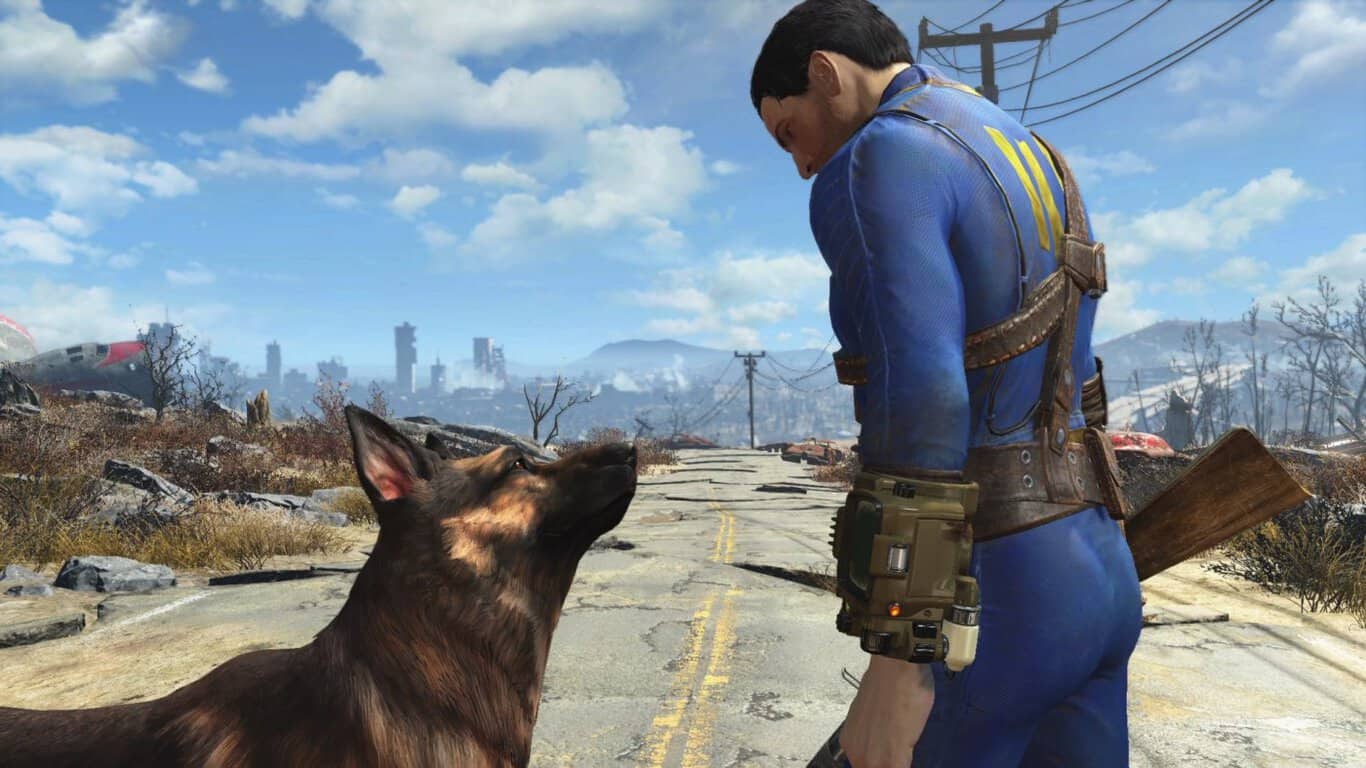
Fallout 4 mods are coming to Xbox One users first

Mods will be coming soon to Fallout 4 on Microsoft’s Xbox One video game console. The game will update in the near future and once the new data has been downloaded and installed, users will be able to access and enable game mods from a new menu option in the main menu.

To create mods for the Xbox One version of Fallout 4, gamers will have to download Bethesda’s Creation Kit to their PC. Once the mods are finalized though, they will be available through the cloud on the Xbox One. Mods will be coming to the PlayStation 4 version of Fallout 4 as well but Microsoft’s Xbox One will be getting the feature first.

Mods are essentially new features added to a game by fans. Examples of mods are new weapons of characters, new environments, and even new music and graphics. A video was released today which showcased some of the Fallout 4 mods that have already been approved. You can watch it above.

Fallout 4 launched on the Xbox One in November 2015 and was one of the most popular video games for several months after it launched. Here’s the official description for Fallout 4 on Xbox One: Bethesda Game Studios, the award-winning creators of Fallout 3 and Skyrim, welcomes you to the world of Fallout 4 . Winner of more than 50 Game of the Year awards, including top honors at the 2016 D.I.C.E. Awards. Fallout 4 is the studio’s most ambitious game ever and the next generation of open-world gaming. As the sole survivor of Vault 111, you enter a world destroyed by nuclear war. Only you can rebuild and determine the fate of the Wasteland. Welcome home.

Do you enjoy mods in your video games or do you like everything 100% official? Let us know in the comments below.

The Witcher 3: Wild Hunt Blood and Wine trailer is plagued by scary monsters

CD Projekt Red just revealed the new trailer for the upcoming expansion pack of its mega hit The Witcher 3: Wild Hunt. The expansion pack will be called Blood and Wine, and it will arrive on May 31 for the PC, Xbox One and PlayStation 4.

As CD Project Red announced, Blood and Wine is going to be the last expansion for The Witcher 3: Wild Hunt, which explains why the trailer is dubbed as the “Final quest.”

You can check out the new trailer for The Witcher 3: Wild Hut Blood and Wine below:

As you can see from the trailer, the new expansion pack will feature a lot of monsters and wicked creatures including barghests, giant centipedes, a massive golem-like creatures, and of course, vampires. Our hero Geralt will apparently be hired to deal with these creatures, and you’re going to help him.

Besides being the last expansion for The Witcher 3: Wild Hut, Blood and Wine might easily turn out to be the last expansion of the franchise. CD Projekt Red’s co-founder Marcin Iwinski recently said that the release of Blood and Wine marks the end of the franchise, as the company won’t release any new The Witcher titles, or additional downloadable content.

The Witcher is definitely one of the most popular franchises in of the genre for the last couple of years, and it also brings a big revenue to CD Projekt Red. So, the reason why the company decided to close out the series is still unknown. However, if there are any changes, we’ll make sure to let you know

What do you think about the trailer for The Witcher 3: Wild Hunt Blood and Wine, and will it be the last game of the franchise? Tell us your opinion in the comments.

RELATED STORIES YOU NEED TO CHECK OUT:
Microsoft yet again attempting to force Windows 10 installs

Getting the Windows 10 operating system on as much systems as possible is Microsoft’s main goal right now, and it appears the company is willing to do whatever it takes to get the job done. The latest attempt to force computer users to upgrade to Windows 10 comes by way of the GWX.exe tool.

What’s interesting here is the fact that many computer users view the GWX.exe tool as malware due to the many times Microsoft has used it to trick Windows users. Microsoft issued an update to the app recently that made it so clicking the X button would not cause the installation of Windows 10.

This time around, after the newest update, things are different. Now, clicking the X button may not necessarily end the installation of Windows 10. There’s a good chance that if you go to sleep for the night and wake up the next morning, Windows 10 will be smiling back at you. This will likely cause some of your accessories and software to cease from working, a huge problem for some.

We hope Microsoft releases an update to fix this issue because it doesn’t look good for the company’s image if it continues like this. Not too long ago on live TV, Windows interrupted the session with a Window 10 upgrade prompt.

We can understand why Microsoft wants to get Windows 10 on as much computers possible. It is more secure, there are several cool features not found on previous versions of Windows, and most importantly, DirectX 12 is exclusive to it. We should also point out that when it comes to gaming, several titles from Microsoft are exclusive to Windows 10. All future titles will also be exclusive to the platform so if you’re a gamer, now is the time to jump ship.

Bear in mind that it is free to upgrade from Windows 7 and Windows 8.x to Windows 10 until July 29. After that, folks will be required to pay.

RELATED STORIES YOU NEED TO CHECK OUT:

Remote Desktop app for Windows 10 losing its Preview status, entering production

If you’re involved with providing technical support or just like to make use of remote machines, then you’re likely familiar with remote control apps like Microsoft’s own Remote Desktop App. This particular iteration of Microsoft’s remote control technology has been around for some time now, with the current production version in the Windows Store being a Windows 8.X app.

On the other hand, adventurous souls might be using the Remote Desktop Preview App, which has been the only way to access Microsoft’ Universal Windows Platform version of the app. All of that’s changing, however, as Microsoft will now start rolling out the Universal Windows 10 App as the official version for all Windows 10 versions, including PCs, notebooks, tablets, and smartphones.

There are some transition issues to keep in mind as you make the switch:

  • Desktop connections are preserved
  • User names are preserved
  • Passwords need to be re-entered
  • Gateways are preserved
  • Remote resources URLs are preserved from Windows Phone 8.1 but require new sign in
  • Remote resources are not preserved from Windows 8.1 and need to be re-added
  • Some general settings are preserved

Also, the official Windows 10 version will not support everything that was in the Windows 8.X version, such as:

  • Multiple simultaneous connections
  • Dynamic resolution and rotation
  • Printer redirection
  • Smartcard redirection
  • Microphone support
  • Localized app (currently English only)

If you want to remain on the cutting edge, then you can keep running the Remote Desktop Preview App. That too will transition to the Windows 10 version while continuing to receive new testing bits. If you want to remain on the production version, then install or retain the Remote Desktop app and you’ll eventually be upgraded to the Windows 10 version.

So, hang tight and hit that update button periodically. Let us know in the comments if and when you receive the new version and what you think of it.


Microsoft updates Surface Pro 4 and Surface Book drivers

Microsoft released a new driver for itsSurface Pro 4and Surface Book devices. The update should bring some new drivers to both devices, and improve the overall performance.

Here’s what the latest update brings for both Surface Book and Surface Pro 4:

Surface Pro 4:

  • “Microsoft driver update for Surface Embedded Controller Firmware
  • Microsoft driver update for Surface Management Engine
  • Fingerprint Cards AB driver update for Surface Fingerprint Sensor
  • Marvell Semiconductor, Inc. driver update for Marvell AVASTAR Bluetooth Radio Adapter
  • Marvell Semiconductor, Inc. driver update for Marvell AVASTAR Wireless-AC Network Controller
  • Intel Corporation driver update for Intel(R) Precise Touch Device”

Surface Book:

  • “Microsoft driver update for Surface Embedded Controller Firmware
  • Microsoft driver update for Surface Management Engine
  • Marvell Semiconductor, Inc. driver update for Marvell AVASTAR Bluetooth Radio Adapter
  • Marvell Semiconductor, Inc. driver update for Marvell AVASTAR Wireless-AC Network Controller
  • Intel Corporation driver update for Intel(R) Precise Touch Device”

If you want to find more details about both updates, check out Microsoft’s Update History page, where details about all previously released updates are listed – Surface Book Update History, Surface Pro 4 Update History.

Microsoft is indeed focused on making Surface Pro 4 and Surface Book better computers, as this is the third update for these devices in just a few weeks. The first May’s update for Surface Book and Surface Pro 4 brought some important camera tweaks to Windows 10 on these devices. The second update, which was released about a week ago, was only for Surface Book, and it improved graphic card drivers of it.

The update should’ve already arrived to your Surface Book or Surface Pro 4, so you probably don’t have to do anything to install it. However, if you’re not sure you received the update, you can go to Settings > Updates & security, and check for updates.

If you noticed some issues on your Surface Pro 4 or Surface Pro Book upon installing the update, please tell us in the comments.

RELATED STORIES YOU NEED TO CHECK OUT:

Microsoft offers $150 discount for Lumia 950 XL with free Display Dock

Are you in the market for a high-end Windows Mobile 10 handset? If so, Microsoft has an awesome Lumia 950 XL deal going on right now. Not only has it been discounted to $499, but it also comes with a free Display Dock.

Usually, the Lumia 950 XL sells for $650 via the Microsoft Store, but this deal allows customers to save $150 along with walking away with a free gift. This kind of deal shouldn’t come as a surprise because the software giant is not selling a lot of these smartphones, so we fully expect to see more of the same throughout the year.

We suggest acting fast on this deal because as usual, it’ll only be available until stocks last. The last time Microsoft offered a deal like this, supplies ran out pretty fast, so we urge interested consumers to jump on it

What type of handset is the Lumia 950 XL? It is currently the best Windows 10 Mobile handset available on the market right now. It comes with a solid 5.7-inch display, 20MP camera, and 32GB internal memory. The device is powered by Qualcomm Snapdragon 810 with 3GB of RAM.

While it’s a powerful smartphone, at launch it was plagued by unfinished Windows 10 Mobile software that caused reviewers and consumers alike to think twice about owning a Windows 10 Mobile handset as their main driver. Since then, many problems that plagued the operating system have been fixed and many more will be fixed with the Anniversary Update set for July 29, 2016.

The Anniversary Update is also set to bring new features to the platform to make it more user-friendly. However, the update expected to satisfy Microsoft won’t come until the Redstone 2 update set for 2017. Microsoft is rumored to release a Surface Phone in that same year, too.

Grab your $499 Lumia 950 XL with free Dsiplay Dock right here.

RELATED STORIES YOU NEED TO CHECK OUT:

Windows 10 build 14352 ‘What’s new’ list includes rulers, new UI elements and Cortana additions

Yesterday, Windows 10 Mobile Insiders on the Fast Ring release cycle got what amounted to a cumulative update with build 14342.1004.

Today, however, PC Insiders are receiving a build with much more involved, as the Windows team rolls up its sleeves to crank out a polished release of the Windows operating system for its July deadline. Windows 10 Insider preview build 14352 is bringing another laundry list of neat refinement features to the operating system, just months before its final release.

Cortana Improvements

Cortana, Your Personal DJ: In addition to playing songs via your local files and OneDrive, you also now have the ability to play any song from the entire Groove Music Catalog using Cortana. If you have a Groove Music Pass, just ask Cortana to play your favorite artist, genre, playlist or song. This also works with Cortana on your Lock screen.

  • “Hey Cortana, play <song name>”
  • “Hey Cortana, play <artist>”
  • “Hey Cortana, play my <Groove playlist name>”
  • “Hey Cortana, pause”

NOTE: Groove Catalog support currently for U.S. English only – other regions to come in the future.

Set a timer: You can now set a timer using Cortana to remind you to go get a snack, take a break, or while cooking. You can set a timer, query how long is left and cancel using natural language. On your PC, this works logged in or above the Lock screen. On your phone, you can use speech or text. Examples below. We are continuing to improve the overall user experience including conversation mode (“set a timer”, then specify the time), and enable turning off a ringing timer using speech. Try out:

  • “Hey Cortana, set a timer for 10 minutes”
  • “Hey Cortana, how much time is left?”
  • “Hey Cortana, cancel my timer”

Windows Ink

Updated Sticky Notes: With the latest update, Sticky Notes are now better than ever* with the ability to create Cortana reminders from your notes that will flow with you across your Cortana enabled devices. You can also ink or type a phone number and it readies itself for calling; write an email address and launch directly to email, write a URL and launch into Microsoft Edge right from the Note. A few jotted-down bulleted items become an easy-to-manage checklist. Don’t forget that Sticky Notes is also a standalone app, just launch it from Start if you’d like to use it outside of Windows Ink Workspace.

 *Certain features are currently limited to EN-US, with more market and language support coming in future updates.

Compass on the ruler: We’ve updated the Windows Ink ruler to include a compass. If the ruler is oriented in the direction of any of the cardinal points or midpoints, the compass indicator will become bold.

Windows 10 Ink Compass and Ruler

General improvements to the Windows Ink experience: We have made performance and reliability improvements based on feedback including:

  • Sketchpad will now dismiss if you tap Esc or Windows key combinations (for example, Win + S or Win + D).
  • We’ve updated the export icon to be the more familiar floppy disk icon for saving your sketch.
  • We’ve polished the experience of opening Sketchpad when many ink strokes are present on the canvas.
  • We fixed an issue that resulted in Sketchpad sometimes needing to be tapped twice before it would launch from the Windows Ink Workspace flyout.
  • Sketchpad and Screen Sketch will now default to touch inking ON for non-pen devices. They will also remember the state of the button when you relaunch Windows Ink Workspace.
  • Going forward from Build 14252, the Windows Ink Workspace icon state (on or off) on the taskbar will be preserved after upgrading.
  • We have updated Sticky Notes to show a small sticky note icon next to the app name when hovering over the app in the taskbar or in Task View.

Other items of note

Windows Game bar improved with full-screen support: One of the most common requests we see for the Windows 10 Game DVR feature is the ability to use the Windows Game bar with more games running in full-screen.  With this flight, we’ve added support for six additional games in full-screen mode with Windows game bar: League of Legends, World of Warcraft, DOTA 2, Battlefield 4, Counterstrike: Global Offensive, and Diablo III. With those games, you can now use Windows key + G to bring up the Windows Game bar when the game is running full-screen.

Tip: You can control this feature through the Windows Game bar settings. In the settings dialog, look for the “Show Game bar when I play full-screen games” checkbox.

Feedback Hub will now show Microsoft responses: You’ll now see short status tags on feedback to let you know what we’re doing with it. The tags are a short-form way to give status on feedback we’re actively working on or have made changes for. The tags will often be published along with a “Microsoft response” comment that gives more context on what the team is doing. This change also replaces the “Received” tag that you’ve been seeing on all feedback with something much more useful and informative!

Feedback tags
Feedback tags

Status tags for feedback

Updated File Explorer icon: Based on Insider feedback, we have updated the File Explorer icon with more color.

New File Explorer vs. old File Explorer

Deploying Windows Enterprise edition gets easier: Prior to Windows 10, the upgrade from the Pro to Enterprise edition required a complete wipe and reinstallation of the OS. In Windows 10, we enabled bit-less edition upgrade from Pro to Enterprise. This means all the features are on the device already and the upgrade to Enterprise edition can be performed by changing the product key rather than having to download and deploy a new image. However, doing this required a reboot to complete. We heard a lot of feedback about having to reboot to complete the upgrade so starting with this build a reboot is no longer required when upgrading from the Pro to Enterprise edition. You can try out this out by going to “Settings -> Update & Security -> Activation” in the settings app and click the “Change product key” button and enter a valid Enterprise product key. If you find any issues, please send us feedback via the Feedback Hub!

Product Key dialog
Product Key dialog

Limited Period Scanning: Limited Periodic Scanning is a new security setting you can choose to turn on if you use an antivirus program other than Windows Defender. This setting can provide an additional line of defense in scanning and detecting malware on your device. To enable this – go to Settings > Update & security > Windows Defender and turn “Limited Periodic Scanning” on. Each month Microsoft’s Malicious Software Removal Tool detects malware on 1 to 2 million devices, even those running other antivirus software. This setting can be turned on for unmanaged devices. You can read more about Limited Period Scanning here.

And with that, this round of new updates comes to a close. Fast Ring Insiders can head over to their Update Settings menu and grab the new build today.

Happy downloading, Insiders!

How to download and install Photosynth on Windows 10

There are many tools that can create 3D models, but one of the best tools for creating 3D models from your pictures was Photosynth. With the release of Windows 10 and the number of compatibility issues, many users are wondering if Photosynth can work on Windows 10.

As we already mentioned, Photosynth service was used for creating 3D models from digital photographs. This tool was created by Microsoft Live Labs and University of Washington and due to its simplicity it gained tremendous popularity. In order to create a 3D model, this application analyzes your pictures, and by using complex algorithms it detects the differences between similar images, thus creating an interactive 3D model.

Photosynth was first announced in 2006, and in 2008 this tool was released to the public, giving the users the ability to create their own 3D models from photographs. Unfortunately, Microsoft isn’t developing Photosynth anymore, and the last patch for this tool was released in 2010. Although Photosynth might be outdated a bit, it can still work on Windows 10 without any problems.

How to install Photosynth on Windows 10

In order to install Photosynth on Windows 10, you need to do the following:

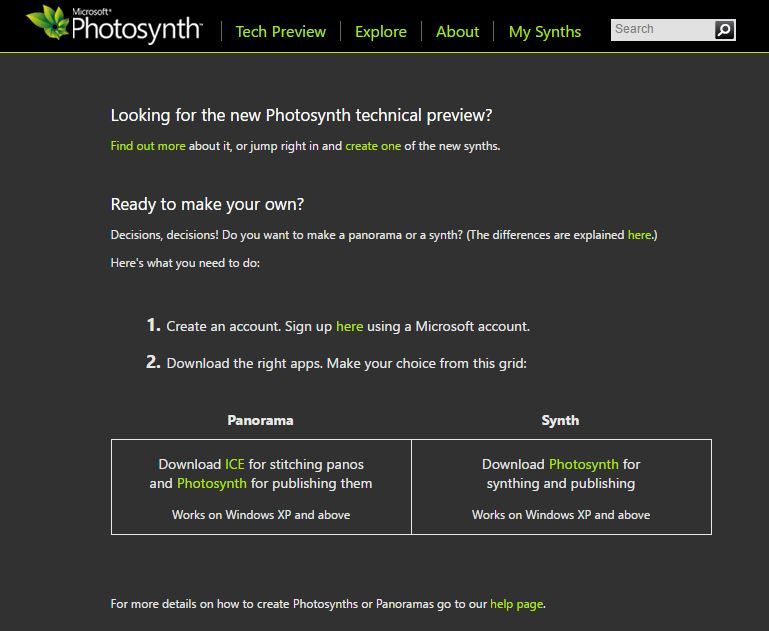
  1. Download Photosynth.
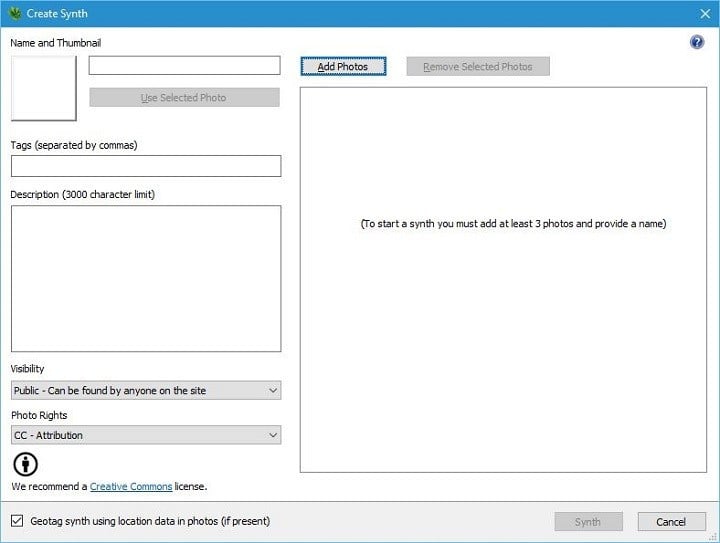
    photosynth-download
  2. After you’ve downloaded the tool, run the setup file, and follow the instructions.
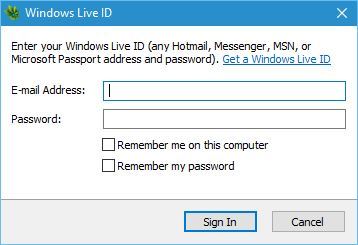
  3. When the tool installs, run it. Enter your Microsoft email and password.
    photosynth-microsoft-account
  4. If you don’t have Photosynth profile, you’ll be asked to create one before you can continue. We had some minor issues, and we were unable to create the Photosynth profile using the link provided by the application. However, you can easily fix this problem if you go to Photosynth website and log in with your Microsoft account. From there, you can easily set up your Photosynth profile.
  5. After you’ve logged in to Photosynth, you can easily add images and upload them to your Photosynth profile.
    photosynth-main

Bear in mind that in order to view Photosynth 3D models that you created, you’ll need to use Silverlight. We have to mention that Silverlight has certain issues with Windows 10, and you can’t run it in Edge or Google Chrome, so if you plan to use Silverlight, make sure to use Internet Explorer 11 or Firefox. You can download Silverlight from Microsoft’s website.

Photosynth works relatively well with Windows 10 since there are no compatibility issues. We had some minor problems while creating a Photosynth account, but other than that there were no major issues. Probably the biggest problem with Photosynth might be Silverlight, so make sure to download Silverlight and use a browser that fully supports it.

Windows Store has a good first year, with 6.5 billion visits and ever-improving developer opportunities

We’ve all been frequenting the Windows Store since it came out last year, and we’ve had a great time grabbing all of the apps coming out on Windows 10. It’s likely that Microsoft fans have made the Windows Store their home, but you can’t help but wonder if the general public has decided to follow suit. Thankfully, Tony Bradley from Forbes got a chance to uncover some clues from Lisa Gurry, Senior Director of Windows at Microsoft.

According to Bradley, Gurry claims that the Windows store has been visited 6.5 billion times in its very first year. That’s is a solid figure, and probably exceeds what many people thought the Windows store was going to be able to achieve right off the bat. If accurate, the number proves that the Windows store has been a successful experiment that will continue to grow and prosper as time goes on. Hopefully, Microsoft will release more detailed statistics for us to pick apart when Windows 10 reaches its first anniversary on July 29th.

As the Forbes article points out, the Windows Store has a number of benefits for developers who choose to engage with Microsoft’s ecosystem: Cortana integration, leveraging cross-play with the Xbox One, Live Tiles and Windows Hello, and over 300 million Windows 10 customers and counting. Hopefully, Microsoft will release more detailed statistics for us to pick apart when Windows 10 reaches its first anniversary on July 29th, and all of these factors will have contributed continued growth for the Windows Store.

Microsoft requiring stronger passwords in response to LinkedIn hack and 10 million attacks each day

Security and passwords. Passwords and security. As large enterprises, educational institutes, small businesses, and everyday consumers are exposed to increasing nefarious online activity, the need for stronger passwords and better security measures are becoming a feature necessity from software and content providers.

In the wake of software provider LinkedIn’s 117 million usernames and passwords leak, the Azure Directory Team is aiding security with measures IT admins can use to better secure their user’s passwords, privacy, and sensitive information.

Reaching out to Robyn Hicock and Alex Weinert of the Azure Identity Protection division, the Azure Directory team can now offer IT admins a walkthrough of the best practices regarding password security. According to Hicock and Weinert the following:

  • Password length requirements
  • Password “complexity” requirements
  • Regular, periodic password expiration

These may seem like no-brainers in the war against password hacking, but in fact have offered an easier way for hackers to obtain sensitive information. In separate whitepaper write ups title Robyn’s paper, Hicock explains the predictability of users when encountered with aforementioned security requirements and how hackers prey on those tendencies.

To counter those measures, the Azure Directory team uses a combined practice of dynamically banning common passwords and smart password lockout.

The details of dynamically banning common passwords include:

When it comes to big breach lists, cybercriminals and the Azure AD Identity Protection team have something in common – we both analyze the passwords that are being used most commonly. Bad guys use this data to inform their attacks – whether building a rainbow table or trying to brute force accounts by trying popular passwords against them. What *we* do with the data is prevent you from having a password anywhere near the current attack list, so those attacks won’t work.

As I mentioned in my last blog and the latest Microsoft Security Incident Report, we see more than 10M accounts attacked daily, so we have a lot of data about which passwords are in play in those attacks. We use this data to maintain a dynamically updated banned password list.

We then use that list to prevent you from selecting a commonly used password or one that is similar. This service is already live in the Microsoft Account Service and in private preview in Azure AD. Over the next few months, we will roll it out across all 10m+ Azure AD tenants.

As for smart password lockout, many online consumers may have already been exposed to the practice in some form or another by companies utilizing two-factor authentication.

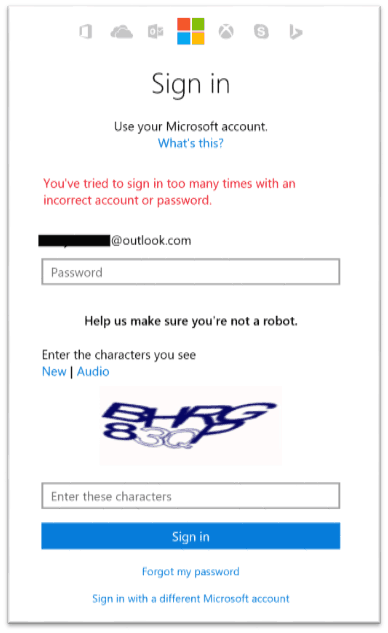
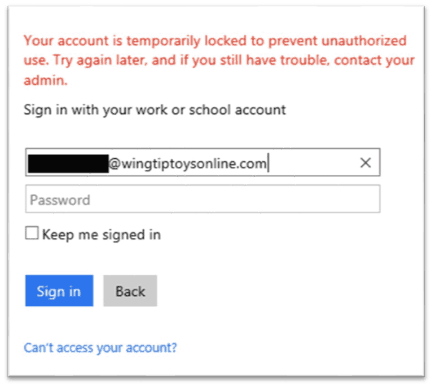
Of course, you already know that when our security system detects a bad guy trying to guess your password online, we will lock out the account. What you probably don’t know is that we do lots of work to make sure that they only lock themselves out!

Our systems are designed for determining the risk associated with a specific login session. Using this, we can apply lockout semantics only to the folks who aren’t you. The only way *you* get locked out is if someone is guessing your passwords on your own machine or network.

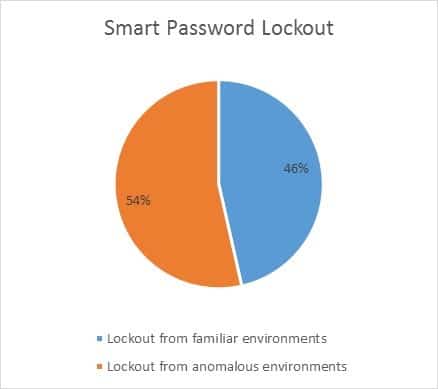
The Azure Directory method of using and smart password lockout has statistically lead to over 50% of hackers being kept away from business or user information.

Smart Password lockout numbers

Obviously, more methods can be implemented on top of or in connection with dynamically banning passwords or smart password lockout, but using the two practices should help any company get a good footing against online password hacks. Let us know in the comments how you think companies like Microsoft can enhance security, and what steps you’re taking yourself to make your information and systems more secure.

Microsoft co-founder Paul Allen gives half a million dollars to Seattle radio station KEXP

Back in April, we reported on the fact that Microsoft teamed up with Seattle Indie Radio station KEXP to present “Inside the Music of KEXP” at the Seattle Center. Today there is some newer information on the KEXP front, as Microsoft co-founder Paul Allen has given half a million dollars to the Seattle radio station.

As reported by GeekWire, the donation helped KEXP surpass a $15 million fundraising goal for a capital campaign that was set to close June 30. It’s not the first time that Paul Allen has contributed, though, as GeekWire also reports that Allen’s Paul G. Allen Family Foundation supports the station through competitive grant proposals.

The donation should come as no surprise since GeekWire notes that Allen has been passionate about music since he received his first guitar when he was 16 years old. Allen’s donation is still very positive for the Seattle community, and it shows that his involvement has transformed the station since its days at the University of Washington back in 2001.

Inspiring tech revealed at this year’s Microsoft Research Latin America Faculty Summit

The Microsoft Research Latin America Faculty Summit has just celebrated its 10th year and Microsoft Research Latin America and the Caribbean’s director, Jamie Puente, has reflected on his experience and the conference as a whole in a recent blog post.

In it, he talks about how seeing the recent summit in Rio de Janiero a week ago reminded him of the original excitement he felt when planning the creation of the event over a decade ago and also on his appreciation of the more recent announcements he had just heard.

Among his personal highlights were Project Premonition, which can use cloud computing and AI to prevent the spread of diseases such as Ebola and Zika. Another favorite of his was Ability Eye Gaze whose technology can be used to improve the lives of individuals with severe motor impairment.

Something Puente was particularly proud of was Microsoft’s numerous collaborations with Latin American universities, research organizations, and other institutions. “One of the collaborations that has yielded some profound results in Brazil is the one we have with the Sao Paulo Research Foundation (FAPESP),” he explains. “Since 2006 our joint venture, the Microsoft Research—FAPESP Virtual Institute for IT Research, has supported research that includes efforts between researchers in ICT fields and their colleagues from others areas of knowledge, such as biodiversity, energy, environment, healthcare, education.  With FAPESP, we’ve invested in 22 research studies and supported 63 student fellowships. These projects and fellowships share an important distinction: Every one of them is geared toward addressing social and economic developmental needs of the region. The notion that—in addition to our commitment to science, we have an obligation to support the application of science to improve lives—that is significant.”

The 2016 Microsoft Research Latin America Faculty Support ran from the 18th to the 20th of May and is likely to continue next year. For breaking news on Microsoft from all around the world, make sure to check WinBeta.

How to remove email and name from the start screen in Windows 10

By default, you need to enter your Microsoft account password anytime you want to login to your Windows 10 computer. But the start screen also shows your name and email address, details you probably don’t want to be accessible to anyone, especially if you’re working in public.

But don’t worry, there’s a way to hide your personal info from the start screen, so you don’t need to worry about safety of your details anymore.

How to hide your personal info from the start screen in Windows 10

If you’re a Windows 10 Insider, running at least build 14328, you can easily remove your personal info from the start screen. Here’s exactly what you need to do:

  • Open search, and type gpedit.msc.
  • Open the Group Policy editor, and navigate to Computer Configuration > Windows Settings > Security Settings > Local Policies > Security Options.
  • Double-click on Interactive logon: Do not display last user name, and click Enable.remove user name logon
  • Go to Apply and exit.

After performing this simple action in the Group Policy editor, your personal details, including your name and email, won’t be displayed on the start screen anymore. Microsoft has started to allow us to customize the start screen more than ever. If you remember, you can already talk with Cortana on the Lock Screen, and we’d like to see what options will Microsoft eventually include in the future.

The ability to remove personal details on the start screen, as well as other customization options are currently available in Windows 10 Preview only. We expect all these options, along with features that Microsoft has yet to announce to arrive to regular users with the Anniversary Update. Until then, if you want to try all the additions, just register for the Insider program, and download the latest Preview build.

RELATED STORIES YOU NEED TO CHECK OUT:

Microsoft’s 3D Builder app updates on Windows 10 with new features and fixes

The Microsoft 3D Builder app on Windows 10 has updated today and has fixed a variety of bugs relating to the previous update which added support for the 3D Scan app and the ability to import images via a webcam or other device.

The 3D Builder app is primarily used to edit files associated with 3D printing. It allows for the creation of new 3D models and for editing of current ones. Here’s the official app description: View, capture, personalise and print 3D models using 3D Builder. Download many kinds of 3D files and edit them using the 3D modelling space. Take a picture with your webcam and make it 3D. Personalise 3D files by embossing your name, or combine models and pieces to make something new. Don’t have a 3D printer? That’s okay – you can order a professional-quality print of your model from inside the app and it’ll be sent to you by the 3D Systems Cubify service.

The app itself is rather comprehensive, despite its basic description, and it can open a range of file types, such as 3MF, STL, OBJ, PLY, FBX, WRL (VRML), DAE, 3DS and DXF files, and can save or export data as 3MF, STL, PLY or OBJ files. It can also automatically correct 3D models to make them compatible for 3D printing and text can be added to any number of shapes from within the workspace.

One of the cooler features of the app is its support for Microsoft’s Kinect sensor which makes the entire process of 3D scanning much more affordable for many people who are interested in jumping on the 3D printing craze. The above video shows one such example of the Kinect being used where it’s shown scanning a couple to create miniature figures of them for their wedding cake.

Do you use this app? Let us know about your impressions in the comments below.

3D Builder
3D Builder
Price:
Free

Windows 10 Mobile camera app gets Panorama mode

Windows 10 Mobile’s default camera app will reportedly get the Panorama feature soon and while we still don’t know when exactly it will arrive for Windows 10 Mobile, it should be available to current flagships, the Lumia 950 and the Lumia 950 XL,  first.

WindowsBlogItalia posted leaked photos of this feature a few days ago. Besides showing us a few screenshots of the Panorama option along with a photo taken with this feature, WindowsBlogItalia also provided some additional details about the Panorama mode in Windows 10 Mobile’s default camera app.

As we already said, the feature should arrive for Microsoft’s flagship phones first, but it also should make its way to other Windows 10-compatible devices later. We don’t know if the feature will arrive in some of the future builds for Windows 10 Mobile Preview, but we assume it will be ready before the Anniversary Update rolls out to Windows 10 Mobile users.

windows 10 mobile panorama

Windows 10 Mobile’s default camera app should get a Panorama mode button, which will activate this feature when tapped. When you tap the Panorama mode button, hold your phone vertically, and move it from side to side, to catch the panoramic image. When moving the phone, the camera will take multiple images and combine them together into one panoramic picture.

This feature became pretty popular in newer Android phones, and the majority of them now come with this feature pre-installed. So, we’re sure that users of Windows 10 Mobile will also welcome it. There are a few third-party apps that allow you to take panoramic pictures with your Windows 10 Mobile device, but most of them don’t work properly. The default feature will certainly do the better job taking panoramic pictures.

Tell us: What do you think about the Panorama mode in Windows 10 Mobile? Will you use it when it eventually arrives for your device?

RELATED STORIES YOU NEED TO CHECK OUT:
Classic Shell’s Start Menu will support Windows 10 Anniversary Update

The latest beta version of Classic Shell, one of the most popular Start Menu alternatives for Windows, will support the Anniversary update. Besides supporting Windows 10’s upcoming major update, the latest version of the software is also full of performance improvements and bug fixes.

Developers of Classic Shell just released the beta version 4.2.7. This version mainly focuses on extending Windows 10 support, meaning that users running this tool on Redstone builds for Windows 10 Preview won’t have any problems with it anymore. Reportedly, a crash occurring in Windows 10 Preview was spotted, so the new version fixes it.

Besides updated compatibility with Windows 10 and various bug fixes, the latest version also brings some new features to Classic Shell. It improves menu animations for Windows 7 style and packs in new textures, colors, and text colors to the taskbar, along with a new Metallic skin and more.

Classic Shell is definitely one of the most popular and most successful customization tools for Windows. It basically works on every version of the OS, but came to prominence in Windows 8.1 where people used it to bring the Start Menu back.

Of course, it’s not less popular in Windows 10 either, as there are still some people who are not satisfied by the looks of Microsoft’s latest operating system. With Classic Shell, they have the ability to design the Start Menu and other Windows 10 UI elements the way they like it.

Classic Shell is available for free, and you can download the latest beta version 4.2.7 from their official website. Due to Classic Shell’s worldwide popularity, there are also translated versions of the tool available for free download.

RELATED STORIES YOU NEED TO CHECK OUT:
HP revenues down sharply, personal systems fall 10% for the year

After the Hewlett-Packard  Co. split last fall, HP Inc. has tackled PC sales in a declining market. Earlier today, Chief Executive Dion Weisler told the Wall Street Journal that the company is taking a significant hit in revenue for both PCs and printers. But that isn’t where he wants he company to compete for sales. Instead, he says that the company is focusing on target niches that have shown a profit and continue to grow HP Inc.

“We are taking share where we choose to play. We are also being careful about what not to do,” Weisler told the WSJ about the switch of sales areas. One such area is the 2-in-1 market with products like the detachable Pavilion x2. This shift doesn’t catch anyone by surprise. According to the analytics over at Canalys, many consumers have driven revenue from the once booming PC and Tablet market straight into the 2-in-1 hybrid laptops.

The most recent reports showed that HP Inc. had a profit of nearly half of last year’s earnings, going from $1.01 billion to $626 million. According to WSJ, total revenue slid down 11% with the decrease in sales across the board of personal systems, consumer sales, commercial revenue, and printers. In particular, the company’s personal systems sales fell 10% year-over-year, with consumer revenues down 16% along with a 7% decline in commercial sales. Share costs have slipped from 55 cents down to only 36 cents per share.

But HP Inc. doesn’t expect for the slide to continue going forward. In fact, they’ve stated that they expect approximately 37-40 cents per share towards the end of this quarter. In a news release reported by CNBC, Weisler’s press release stated:
This quarter we delivered strong results and solid progress towards our long-term strategy. We achieved our operational objectives, unleashed truly amazing innovations, and grew in strategic areas of our business, despite tough market conditions. I’m confident in our ability to execute and remain committed to our plan for growth.

Given the revenue decrease, it’s hard not to compare HP Inc. profit to that of their former partners, Hewlett-Packard Enterprise. HPE has reported a stock that climbed nearly 17%, overshadowing HP Inc.’s stock with an increase of only 3%. The pressure is on for HP Inc. to pull out the big guns and push forward with whatever “truly amazing innovations” they have in the closet.

The Division’s free Conflict update brings new Incursion and other missions

The latest  free Conflict update for Tom Clancy’s The Division is bringing a new Incursion mission available in Columbus Circle, alongside other new challenging missions. But before entering Incursion, you have to work your way to level 30 first — this mission isn’t a gift but rather a privilege you have to earn. This encounter is balanced for a team of four players equipped with high-level gear.

The game changes don’t end here:

  • When a player reaches their max level and enters the Hard and Challenge mode, he will be matched only with Level 30 players.
  • The armor damage mitigation cap has been increased to 75%.
  • Improved weapon blind fire and overall handling are available while in cover.
  • In the Inventory, the Health stat has been replaced with Toughness. This is a combination of Health and Armor.
  • Shooting a player while they are interacting with an object will cause the timer to push back.
  • The extraction departure timer has been increased to 60 seconds once the helicopter arrives.

This update also brings four new gear sets:

  • Final Measure – this powerful defensive set is very useful when defusing hostile grenades.
  • Hunter’s Faith – come out on top with this survival focused marksman set when you duel your enemies.
  • Lone Star – this game-changing utility set takes the task of reloading your weapons off your shoulders.
  • Predator’s Mark – this powerful offensive set allows you to kill your enemies in an instant.

The Conflict update fixes many annoying bugs:

  • Fixed a bug where the effects of player talents would stack when the talent was repeatedly equipped and unequipped.

  • Fixed a bug where the Reckless gear talent would increase player damage resistance instead of decreasing it.

  • Fixed a bug where the Balanced gear talent would remain active indefinitely after the weapon was shouldered.

  • Fixed a bug with the Brutal gear talent where the damage was multiplicative instead of additive.

  • Fixed a bug with the One is None character talent where the weapon could jam when the magazine was down to one bullet.

This is the third update the game has received since its launch: the first one landed in March and brought huge bug fixes and the second one, Incursions, came in April offering many new interesting features, games changes, and bug fixes.

For the complete list of improvements and fixes, you can check out The Division’s official page.

Red Hat Ansible 2.1 supports Windows and Azure to build hybrid, automated environments

Once again, Microsoft’s flirtation with the open source community is bearing fruit for both the company and its traditionally non-Windows based consumers. Specifically, the world’s foremost open source provider Red Hat Inc. just announced the general availability of Ansible 2.1 with support for network automation and an expansion of capabilities, thanks in part to its new support for Microsoft Windows environments.

Ansible stood as Red Hat’s premier agentless open sourced IT automation framework that enabled the easy configuring and managing of computers. By combining multi-node software deployment, ad-hoc task execution, and management configuration, Ansible has become the default solution for businesses seeking open-sourced options.

With Ansible 2.1 bringing support for Microsoft Windows and Azure technologies, users can look forward to the following extensibility features:

Ansible 2.1 now includes support for Microsoft Windows environments, enabling users to use a single automation platform for complete cross-platform automation. New features include:

  • Broader support for Microsoft Azure, expanding Ansible’s support for hybrid cloud deployments, including the ability to take advantage of Azure’s Resource Manager functionality.
  • New Windows modules, enabling the management of Windows file sharing and the Windows firewall, further increasing Windows’ automatable surface area within Ansible.
  • Easier management of domain-joined machines with NT LAN Manager (NTLM), enabling more secure authentication of domain users with just a username and password – reducing the need to configure and manage Kerberos on the Ansible control machine.
  • Kerberos delegation expanded for multi-hop scenarios, enabling better credential flow for legacy scripts and installations that need transparent access to domain file shares, Microsoft SQL Server, and more.
  • Simple reboots with new win_reboot action, helping to solve the challenge of automating software installations on Windows platforms that also require a system restart as part of a workflow.

Also, Ansible 2.1 brings expanded support for Containers that includes a new module, docker service, and a rewrite of existing Docker modules. Ansible 2.1 is now available on GitHub, PyPi and package manager for most supported Linux distributions.

For more info on Ansible 2.1, visit redhat.com.

Forza Motorsport 6: Apex runs smoother with multiple GPUs on the same Windows 10 PC

Windows 10 users that run the latest inside version of the operating system will be able to test out a new beta version of Forza Motorsport 6: Apex for free. However, it is good to know that the game is currently under development, which means that it contains a long list of well-known issues. This is the second update that Forza Motorsport 6: Apex receives in just two weeks, which means that it comes with more improvements to its stability and performance.

The first update that Forza Motorsport 6: Apex received for Windows 10 was released with fixes for a lot of issues regarding the game’s stability and performance reported by the players.

This new update that was released yesterday focuses more on drivers and support for multiple GPUs on a computer. According to its changelog, the new update contains a fix for the issue that prevented the game from detecting multiple GPUs. In other words, if you have more than one GPU on your computer, once you update the game, you will notice that it will run smoother than before without any FPS issues.

Gamers with powerful computers will be able to take advantage of the full power of their devices in order to run Forza Motorsport 6: Apex at high detail without having to worry about lag or any other issue that would make the game crash.

In order to improve its graphical performance, the Windows development team has recently announced that it will allow the ability to unlock frame rates for all Univeral Windows Apps (UWP). The developers of Forza Motorsport 6: Apex have already announced that they will include this feature in its next update, in order to allow users to push their computers to the limit.

RELATED STORIES TO CHECK OUT: