Deal of the day: Save $903 on the HP OMEN 40L gaming desktop

Gaming laptops are suitable for players on the go, but with a gaming desktop, you get superior performance in the same price range. If you are considering a power-packed gaming desktop, this limited-time deal on the HP OMEN 40L is the perfect opportunity!

The HP OMEN 40L, usually priced at $2,549.99, is available for just $1,646.99 after a flat $720 discount and an additional 10% off using coupon code 10CONDT24. Additional taxes apply on the purchase based on your state.

With HP OMEN 40L, performance ain’t a concern anymore. It comes equipped with GeForce RTX 4070 Ti, Intel Core i7-13700K, and 16 GB DDR5 RAM, expandable up to 128 GB.

All games run exceptionally well, and multitasking on the gaming desktop is a breeze. And even under extensive gaming, the HP OMEN 40L remains surprisingly silent, unlike other setups where the fan runs at full throttle, causing discomfort.

With customizable RGB lighting on the fan and RAM, the HP OMEN 40L is a steal deal at this price!

HP OMEN 40L’s specifications

ProcessorIntel Core i7-13700K (up to 5.4 GHz with Intel® Turbo Boost Technology, 30 MB L3 cache, 16 cores, 24 threads)
GPUNVIDIA GeForce RTX 4070 Ti (12 GB GDDR6X dedicated)
Storage1 TB WD Black PCIe Gen4 NVMe TLC M.2 SSD
RAMKingston FURY 16 GB DDR5-5200 MHz XMP RGB Heatsink RAM (2 x 8 GB)
Operating SystemWindows 11 Home
Power Supply800 W 80 Plus Gold certified ATX power supply
Cooling120 mm RGB liquid cooler and 2 x 120 mm RGB front fans
Information source: HP

If you are interested, get the HP OMEN 40L during the deal right away!

The gaming desktop comes with a standard 1-year warranty and a 1-month free trial of Xbox Game Pass.

As for the downsides of the HP OMEN 40L, it comes with a few pre-installed apps, often considered bloatware in Windows 11, and dust accumulation may be a concern for a few.

In case you don’t mind a portable counterpart, Windows 11 gaming laptops are quite popular these days!

Will you get the HP OMEN 40L during the deal, or wait for the prices to drop further? Let us know in the comments section.

Now, Microsoft Graph activity logs is generally available for you to track user activity and more

Recently, Microsoft announced that Graph Activity Logs would be available to the general public. Microsoft Graph activity logs allow data source you to perform security analysis and monitor application activity and threat hunting in your tenant.

Here are the use cases mentioned in the blog post:

  • Identifying the activities that a compromised user account conducted in your tenant. 
  • Building detections and behavioral analysis to identify suspicious or anomalous use of Microsoft Graph APIs, such as an application enumerating all users, or making probing requests with many 403 errors. 
  • Investigating unexpected or unnecessarily privileged assignments of application permissions. 
  • Identifying problematic or unexpected behaviors for client applications, such as extreme call volumes that cause throttling for the tenant. 

In the existing scenario, you can collect sign-in logs to examine authentication activity and audit logs to see changes to important resources.

However, now, with Microsoft Graph activity logs, you can scrutinize the complete picture of activity in your tenant, including token requests in the sign-in log, API request activity,  ultimate resource changes in audit logs and more.

In the blog post, Microsoft also mentioned some basic queries to illustrate how to work with these logs:
 
Summarize applications and principals that have made requests to change or delete groups in the past day:

MicrosoftGraphActivityLogs | where TimeGenerated > ago(1d) | where RequestUri contains ‘/group’ | where RequestMethod != “GET” | summarize UriCount=dcount(RequestUri) by AppId, UserId, ServicePrincipalId, ResponseStatusCode 

See recent requests that failed due to authorization:

MicrosoftGraphActivityLogs | where TimeGenerated > ago(1h) | where ResponseStatusCode == 401 or ResponseStatusCode == 403 | project AppId, UserId, ServicePrincipalId, ResponseStatusCode, RequestUri, RequestMethod | limit 1000 

Identify resources queried or modified by potentially risky users:

Note: This query leverages Risky User data from Entra ID Protection.

MicrosoftGraphActivityLogs | where TimeGenerated > ago(30d) | join AADRiskyUsers on $left.UserId == $right.Id | extend resourcePath = replace_string(replace_string(replace_regex(tostring(parse_url(RequestUri).Path), @'(\/)+’,’/’),’v1.0/’,”),’beta/’,”) | summarize RequestCount=dcount(RequestId) by UserId, RiskState, resourcePath,RequestMethod, ResponseStatusCode 

Microsoft Graph activity logs are available via the Azure Monitor Logs integration of Microsoft Entra, and admins can configure the collection and storage destinations of Microsoft Graph activity logs using the diagnostic setting in the Entra portal.

To access the Microsoft Graph activity logs, you need to have the following:

  • A Microsoft Entra ID P1 or P2 tenant license in your tenant.
  • An administrator with one of the following Microsoft Entra administrator roles listed in the order of least to most privileged role.
    • Security Administrator – To configure diagnostic settings
    • Global Administrator – To configure diagnostic settings
  • An Azure subscription with one of the following log destinations are configured, and permissions to access data in the corresponding log destinations.
    • An Azure Log Analytics workspace to send logs to Azure Monitor
    • An Azure Storage Account for which you have List Keys permissions
    • An Azure Event Hubs namespace to integrate with third-party solutions

You should also consider these limitations mentioned on the Microsoft Learn page

  • The Microsoft Graph activity logs feature allows the tenant administrators to collect logs for the resource tenant. This feature doesn’t allow you to see the activities of a multitenant application in another tenant.
  • You can’t filter Microsoft Graph activity logs through diagnostic settings in Azure Monitor. However, options are available to reduce costs in Azure Log Analytics Workspace. For more information, see Workspace transformation.
  • In most regions, the events will be available delivered to the configuration destination within 30 minutes. In less common cases, some events might take up to 2 hours to be delivered to the destination.

What do you think about Microsoft Graph activity logs? Tell our readers in the comments section below.

New Moment update is in the works, coming after Windows 11 24H2

Everyone is eagerly waiting for the Windows 11 24H2 update, but it seems that Microsoft has bigger plans in mind.

The company is working on another update that will follow this feature update so here’s what we know so far.

Microsoft is working on a follow-up Moment update to Windows 11 24H2

Moment 5 update was recently released, but it seems that Microsoft has no plans to slow down. This update brought some changes, and it has addressed CVE-2024-26248 and CVE-2024-29056 vulnerabilities.

As TechRadar writes, even though 24H2 isn’t out yet, Microsoft is already working on a Moment update that will follow it.

This was discovered by a Twitter user Albacore:

It seems that Microsoft is already thinking about the future, and this update is expected to be shipped most likely in early 2025.

As you know, Moment updates are smaller feature updates that allow Microsoft to release some minor features more frequently.

This might eventually lead to Windows 12, as many are speculating that Windows 12 might be announced later this year.

As for the recent Moment update, many reported that KB5036893 is full of bugs, so maybe you should stay away from it while Microsoft addresses these issues.

Microsoft & Siemens are simplifying the digital landscape. Here’s how it might help you

AI heavily dominates the current tech environment and seems to get more complex each day, but Siemens and Microsoft have taken a significant step towards simplifying the digital landscape. They’ve decided to merge their digital twin languages into a unified framework. This move is not just about technical convergence; it’s about making digital twins more accessible and interoperable across various sectors.

Digital twins, for those who might be scratching their heads, are virtual replicas of physical objects, systems, or processes. They’re a big deal because they allow us to monitor and predict the performance of their real-world counterparts, thereby enhancing efficiency and reducing costs. Now, imagine making this technology more accessible for everyone to use. That’s precisely what Siemens and Microsoft are aiming for.

How is this going to impact customers?

By blending Microsoft’s Digital Twin Definition Language (DTDL) with the W3C Thing Description, a standard developed by the World Wide Web Consortium (W3C), these tech giants are paving the way for a more integrated IoT ecosystem. Why is this important? Well, in the current state of things, customers often find themselves locked into using products from a single vendor because different systems and languages don’t play well together. This convergence promises to change that, offering a consistent modeling experience across various platforms and vendors.

What’s really exciting about this collaboration is the potential it unlocks. Integrating different systems becomes much more straightforward with a unified digital twin language. This means less headache for businesses and developers trying to make their digital and physical assets communicate. Plus, it’s a big win for innovation, as easier integration means more room to experiment and push boundaries.

Thomas Kiessling, the Chief Technology Officer at Siemens Smart Infrastructure, and Erich Barnstedt, Chief Architect Standards at Microsoft, both highlighted the importance of this move.

We see the convergence of two very similar Digital Twin languages like the DTDL and the W3C Thing Description as an essential move that will enable customers to describe the physical world in a way that is agnostic to specific IoT platforms. This strategic alliance underscores our commitment to fostering collaboration and embracing openness.

Thomas Kiessling, Chief Technology Officer at Siemens Smart Infrastructure

They see it as a crucial step towards describing the physical world in a platform-agnostic way. This isn’t just about making their products more accessible; it’s about pushing the entire industry towards a more open and collaborative future.

Ever since we invented the Digital Twin Definition Language and open-sourced its specification and reference implementations, we planned to standardize it through a consortium like the W3C. Therefore, merging DTDL with W3C Thing Description, in close partnership with Siemens, is the natural next step in our journey to democratize digital twins in the industry.

Erich Barnstedt, Chief Architect Standards, Consortia and Industrial IoT, Azure Edge and Platform team, Microsoft Corporation

But what does this mean for you and me? For starters, it could lead to smarter, more efficient buildings, power grids, and transportation systems. It’s also a step towards a future where digital transformation is a bit less daunting for businesses, thanks to more straightforward integration and interoperability.

In essence, Siemens and Microsoft are not just merging languages; they’re helping to build a future where digital and physical worlds converge more seamlessly. It’s a reminder that in the digital age, collaboration and openness can lead to innovations that transform our lives. So, next time you hear about digital twins, remember: they’re not just for techies. They’re a glimpse into a future where technology makes our world smarter, safer, and more sustainable.

From coding to supervising: Microsoft’s AutoDev relegates software developers to the job of supervisors

Software development as a career option has been booming for the last couple of decades. But with the advent of Artificial Intelligence and its integration into day-to-day tasks, there would soon be less dependency on software developers, with AI doing most of the job.

Microsoft’s AutoDev helps achieve just that!

It’s an automated AI-powered software that leverages the capabilities of AI to the fullest. As per Microsoft’s research paper on AutoDev,

AutoDev enables users to define complex software engineering objectives, which are assigned to AutoDev’s autonomous AI Agents to achieve. These AI agents can perform diverse operations on a codebase, including file editing, retrieval, build processes, execution, testing, and git operations. They also have access to files, compiler output, build and testing logs, static analysis tools, and more. This enables the AI Agents to execute tasks in a fully automated manner with a comprehensive understanding of the contextual information required.

The initial test results for AutoDev are positive. Tested on the HumanEval dataset, AutoDev scored 91.5% of Pass@1 for code generation and 87.8% for test generation.

Microsoft’s research paper goes on to highlight how AutoDev would transform the software development landscape by reassigning responsibilities.

The developer’s role within the AutoDev framework transforms from manual actions and validation of AI suggestions to a supervisor overseeing multi-agent collaboration on tasks, with the option to provide feedback. Developers can monitor AutoDev’s progress toward goals by observing the ongoing
conversation used for communication among agents and the repository.
AutoDev’s framework (Image source: Microsoft)

Developers have an interesting (and humorous) take on Microsoft AutoDev

I could see it be combined with code quality and performance measuring tools. Obviously not perfect solutions, but those are the same tools used by developers today? And while this is probably not ready for widespread use yet, it could be a sign of things to come.

Oh I see how this will go. The suits will be very impressed by this, proceed to fire half their engineers in order to cut costs and then end up with vaporware…

The framework will delete itself after dealing with product managers who say they want a green button but what they really mean is purple.

Cool, I hope the AIs make a better Windows OS and give it to everyone for free.

Speculations have been rife about this, but not many expected it to happen this early. We will have to wait and find out how Microsoft’s AutoDev performs in the coming days and if it could actually relegate software developers to mere supervisors.

Other tech giants, too, have thrown their hats in the ring. Google recently released Gemini Code Assist and CodeGemma, the former assisting coding in a wide array of languages while the latter runs locally on the device.

Do you believe AI-driven software like Microsoft’s AutoDev will replace software developers? Share with our readers in the comments section.

Microsoft Store gets a big performance upgrade, and it is available for the Stable channel now

Rudy Huyn, a Principal Architect at Microsoft, posted on X (formerly Twitter) to announce that the Microsoft Store is getting a major performance upgrade, making the product pages load 40% faster on average.

Also, the Buy button appears up to 50% faster on average and provides a smoother launch experience than earlier.

The update brings the Store to Version 22403. It doesn’t have new features, but it definitely speeds up the app. This version was first released to the Windows Insider program and is now available to all users in the Stable Channel.

Here is what Rudy Huyn said in his post:

The video shared in the post shows how the optimized version of the Microsoft Store looks in comparison to the older one.

He also mentioned that Microsoft has improved how the application manages entitlement and licensing, which made the Buy button appear 1.5 times faster than before.

To check the version of the Microsoft Store app, launch the Microsoft Store app, click the Profile icon from the top right and select Settings. Navigate to About and check the version; it should be 22403.1401.2.0 or later. For us, at the time of writing, it is 22403.1401.2.0.

Usually, Microsoft Store updates itself automatically, but if you see that it is still running an older version of the app, head to Library, click Get updates, and click Update to install the latest version manually.

Microsoft Store recently got a new feature named What’s New; to learn more about it, check out this guide.

Have you experienced the changes in the Microsoft Store? If so, share your opinions with our readers in the comments section below.

Firefox gets new tab page wallpaper backgrounds

Chrome and other web browsers support various backgrounds and are known for their customization features.

It seems that Firefox is set to join them as Mozilla is testing wallpaper support on the new tab page.

Wallpaper support on the new tab page is available in Firefox Nightly

According to keen-eyed users on Reddit, Mozilla has recently added wallpaper support to the Firefox Nightly and you can see the new wallpapers on the new tab page.

Users can easily enable this feature and choose one of several available backgrounds to customize the new tab page.

Although Firefox has supported all sorts of customization features with various extensions, that’s not the case anymore.

Browsers such as Chrome and Edge had wallpaper support for a while, and Edge could even use videos as wallpapers.

It seems that Mozilla developers are working on this feature, and you can try it by doing the following:

  1. Start Firefox and navigate to the about:config page.
  2. Paste the following in the search bar: browser.newtabpage.activity-stream.newtabWallpapers
  3. Change the value of this setting to true.
  4. Open the new tab page and click on the Settings icon.
  5. Select one of the 6 available wallpapers.

It’s worth mentioning that Mozzila has one original wallpaper, while others are provided by Unsplash.

If you want to remove the current wallpaper, you can always use the Reset to default link. While the choice of wallpapers is fairly limited, we expect that Mozilla will add more wallpapers in the future.

This is a great feature, but it’s not the only one Mozilla is working on. Mozilla is testing Chrome’s text fragments in Firefox 126, and Firefox is also using an untrusted integrity level thus boosting your security even further.

7 Best Remote Access Tools With Session Recording Option

Many companies use remote access software, but what if you want to record a remote session? Then you might want to use remote access software with session recording.

In the past, users used screen recorder software for this purpose. However, many remote access apps have session recording, so there’s no need to rely on additional third-party software.

Can I record Remote Desktop session?

Yes, Remote Desktop sessions can be recorded. One way is to use screen recording software in the background. However, that’s not the most reliable solution.

This is why many users are choosing remote desktop apps with session recording features.

What’s the best remote access tool with session recording?

SetMe – Best for Session Recording

SetMe remote session recording

SetMe is a remote support solution for IT technicians and organizations of all sizes.

You can connect to multiple PCs without pre-installing software on any one machine.

During an attended or unattended support session, you can easily create video recordings or take screenshots of the remote desktop with just one click.

Video recordings are saved to your local desktop (the exact path can be specified via settings). You also have the option to stop, pause, resume, or cancel video recording.

Thanks to the use of WebRTC real-time communication technology, SetMe allows you to control remote machines with minimal lag.

Multiple screen scaling options allow you to adjust and easily control a remote desktop of any size.

You can also adjust image quality settings or hide the remote wallpaper to further speed up remote-control performance and eliminate delays in poor network conditions.

Other top features of SetMe include:

  • End-to-end encryption.
  • Fast drag-and-drop and copy-paste file transfer with no file size limit.
  • Secure unattended access to PCs and Macs with multi-factor authentication.
  • Multi-session handling and the ability to multitask effectively by managing multiple remote computers at the same time.

Plans start at $33 per month, and a full 15-day free trial is available.

⇒ Get SetMe

Remote Access Plus – Best remote access software

ManageEngine’s Remote Access Plus is a remote access software that is HIPPA compliant and will help desk technicians to troubleshoot any remote workstation in minutes.

Moreover, the solution helps you manage the remote IT workforce and assign tasks from a single dashboard easily.

It’s actually the pinnacle of remote management because it comes with all the tools necessary for running an IT remote assistance business.

Apart from the remote control features, you will get file transfer capability, advanced control over the power options, applying user-lever restrictions, and a lot more.

With Remote Access Plus, you can remotely control Windows, Linux, and Mac computers in your network.

The remote desktop connection tool uses an HTML5 RDP client to get instant access to the machine and diagnose and troubleshoot them wherever they are located.

It even comes with multi-monitor support, voice, and video chat, wake-on-LAN, and session recording.

And in the end, you also get powerful reports to account work the well-done work.

Here are some of its key features:

  • Complete set of remote control and assistance
  • Control Windows, Linux, and Mac computers
  • Single, clod-based dashboard, accessible from anywhere in the world
  • Multi-monitor support, voice, and video chat
  • HIPPA compliance

Remote Access Plus

This tool provides all the tools you need for remote control assistance of any Windows, Linux, and Mac computer.
Free trial Visit Website

Zoho Assist – Best for remote assistance

Zoho Assist is the ultimate enterprise-grade remote support software. So, you can easily use it for troubleshooting the endpoints on your network, or just use it as a tool for your remote assistance business.

Of course, all the sessions can be recorded and audited for reviewing purposes or just to improve the processes as you go.

As this tool is all about remote assistance, you have all the remote access features and communicate with the user at the other end by voice.

However, you may also offer on-demand unattended support on computers anywhere in the world.

All the connections are protected with TLS 1.2 and AES 256-bit encryption so they cannot be intercepted or highjacked.

The best part is that the IT technician can use the dashboard from anywhere and on basically any device because it is cloud-based.

You don’t need to install any software on the endpoint side either but you may send patches, updates or any other files to the target machine.

With Zoho Assist, it’s possible to view simultaneously all the monitors connected to the remote computer and arrange them conveniently.

Let’s review some of its top features:

  • TLS 1.2 and AES 256-bit encryption for all the connections
  • No need for any downloads on any part and the dashboard is cloud-based
  • Quick adoption and simple to use
  • Simple and easy file transfer
  • Unattended debugging

Zoho Assist

Troubleshoot any computer in the world from a cloud-based, professional dashboard!
Free trial Visit Website

Iperius Remote – The most advanced

Iperius Remote is one of the best remote desktop tools – a powerful solution for remote work, IT support, and more.

Key Features of Iperius Remote:

  • Multi-Platform Support: Enables seamless access and control across PC, Mac, Android, and iOS devices.
  • Unlimited Remote Devices and Users: Offers scalability with support for an unlimited number of devices and users under a single account.
  • Affordable Pricing: Provides value with competitive subscription plans starting at just €8 per month, alongside a free version for personal use.
  • Security and Compliance: Ensures data protection with bank-level security, including end-to-end encryption compliant with HIPAA and GDPR and Two-Factor Authentication.
  • Integration with Iperius Console RMM: A complete solution for IT Management, Cybersecurity, and Remote Support.
  • Advanced Support Features: Includes remote printing, address book of connected devices and history, session recording, mass deployment with MSI and GPO, customizable quick support clients, and detailed connection statistics.

A standout feature of Iperius Remote is its Session Recording Capability. With just a simple click, you can activate the recording of a remote desktop session, instantly generating a video file. This feature is invaluable for creating presentations, tutorials, or as part of a remote assistance report, ensuring you have a detailed record of your remote support activities.

Whether you’re providing remote technical assistance, managing a distributed team, or seeking a reliable solution for personal use, Iperius Remote delivers the features, performance, and security necessary for effective remote access and support. The software’s emphasis on session recording enhances its utility, offering a powerful tool for documentation and training purposes.

⇒ Get Iperius Remote

Mikogo – Completely web-based

Mikogo is yet another great tool to use when in need to do a remote desktop connection while recording the session.

It allows you to record the screen, and even the calls, then easily replay and review them later with Mikogo Session Player.

Furthermore, while in an online meeting, you can give someone else the presenter role, allowing any of the participants to share their screens.

If you have multiple monitors connected for increasing your productivity, use Mikogo to share up to 4 monitors, or only the apps you want.

Other great features that are worth mentioning:

  • Session scheduler option to help you send an email or calendar invitation
  • You can attend meetings with the iOS or Android apps, or join via mobile browser
  • Robust Whiteboard tools
  • You can share files up to 200MB
  • Screen sharing for up to 25 participants

⇒ Get Mikogo

TeamViewer – Remote access veteran

One of the most used freeware tools for remote desktop support is TeamViewer. It even has a portable version, so you don’t have to install the app if you need it just one time.

You can use its screen recording feature to create video content, and training materials, capture the screen to show how to troubleshoot an issue, and more.

With TeamViewer, you can have remote access to any device, across platforms, from anywhere, anytime. You only need an Internet connection and you’re ready to go.

The software supports remote desktop screen recording, so you can record all your sessions for later viewing.

Furthermore, you can remotely wake, restart, and install applications on sleeping computers that are running the TeamViewer Client.

Other TeamViewer key features:

  • Remote access to any computer or mobile device running TeamViewer
  • Secure unattended access
  • Ability to remotely restart or wake up devices
  • Remote printing
  • 4K support

⇒ Get TeamViewer

Zoom – Perfect for collaboration

Zoom is another collaborative software used by many teleworkers due to its great online meeting features, remote access, and screen recordings.

This tool allows you to record your meetings on your personal computer or to the cloud, with searchable transcripts. Therefore, it is surprisingly easy to find a particular video.

Moreover, to make the meetings more entertaining, it includes features such as filters, reactions, polls, hand raising, music, or video sharing.

When working from home, you can collaborate with your coworkers using the whiteboarding feature and co-annotation for up to 12 pages.

Key Zoom key features:

  • HD video and audio calls with up to 1000 participants
  • Screen sharing and annotation
  • Meeting recording and transcripts
  • Schedule meetings using Outlook, Gmail, or iCalendar
  • Advanced administrator controls

⇒ Get Zoom

BeyondTrust – For professionals

BeyondTrust, formerly known as Bomgar, is another great remote desktop access tool used mainly for troubleshooting support by IT departments.

Being such a comprehensive tool, you can use the session recording feature to create videos of each support, command line, or training session.

In the recorded videos you can see annotation of who was in control of the mouse and keyboard at any given point during the session, and all command shells used.

Furthermore, it provides you with detailed reports and material for session analysis and training, forming a detailed audit trail.

Other BeyondTrust features:

  • Ability to regulate the level of access without using a VPN
  • Secure session management
  • Password manager for secure credential injection
  • Compatible with a wide array of platforms, including web browsers
  • Zero trust architecture

⇒ Get BeyondTrust

These are the best tools with remote access session recording that you can use on your PC.

However, working from home implies more than online meetings and remote access to your work PC. We can only recommend you also check out the best remote working software.

Feel free to share your impression and suggestions with us in the comment section below. Feel free to tell us which remote solution you like to use most.

This bundle of Microsoft Office and Windows 11 can breathe new life into your old PC

If you are using an old operating system, your computer may not perform at its best. The solution to this is an OS upgrade. Also, if you often need to use productivity tools but your device lacks a good productivity suite, then we have good news for you.

Microsoft offers a bundle that includes Microsoft Office 2021 and Windows 11 Pro for $59.97. The regular price for this duo is $438. You can get it starting April 21, 2024.

Microsoft Office Professional 2021 for Windows is a lifetime license and comes with the following apps:

  • Access
  • Publisher
  • OneNote
  • Teams
  • Outlook
  • PowerPoint
  • Excel
  • Word

Windows 11 Professional license offers several remarkable features, such as advanced security features like BitLocker, Windows Defender Exploit Guard, AppLocker, and Windows Information Protection.

Moreover, it has enhanced productivity tools like Windows Sandbox, Hyper-V, Remote Desktop Services, Azure Active Directory, and more.

All of these things combined can provide you with a better operating system, which improves productivity. When combined with Microsoft Office Professional 2021, it is an irresistible deal.

What do you think about the dynamic combo? Share your opinions with our readers in the comments section below.

Iperius Backup 8.0 Review [2026 Features]

No system lasts forever. Whether you’re upgrading or migrating, hedging against errors or disasters, or adhering to compliance regulations, it’s always important to back up your data. One tool that has proven itself to be a comprehensive backup solution is Iperius Backup. In this Iperius Backup 8.0 review, I test its and new additions and core features to see how they stack up in 2024.

What is Iperius Backup?

Iperius Backup is a backup and recovery software for Windows. It’s designed to be easy to implement while still providing advanced features for power users and businesses. With a Perpetual License for Iperius Backup you can perform backups of your data to many different types of storage devices or the cloud and run incremental and differential schedules. Most importantly, it supports PCs, servers, databases, virtual machines, email servers, and Microsoft 365 accounts.

Iperius Backup 8: A Comprehensive Solution for Microsoft 365 Backup

Iperius Backup 8 stands as a pivotal solution for safeguarding Microsoft 365 data, offering unlimited backup capabilities for Exchange, OneDrive, SharePoint, and Teams. This extensive support ensures users can protect their critical data across the Microsoft 365 suite without facing limitations or additional costs.

OneDrive Backup

Iperius Backup allows users to make unlimited backups of their OneDrive files and folders. This feature is crucial for protecting personal and professional data stored on Microsoft’s cloud service, enabling quick and easy restoration in the event of accidental deletion or data breaches.

Exchange Backup

The software extends its unlimited backup capabilities to Microsoft Exchange, ensuring emails, calendars, and contacts are comprehensively protected. This backup solution is invaluable for maintaining access to critical communications and scheduling information, safeguarding against data loss or corruption.

SharePoint Backup

Iperius Backup includes unlimited SharePoint backup, allowing organizations to secure their SharePoint sites, documents, and libraries. Given SharePoint’s role as a collaborative and document management platform, this feature guarantees that essential resources are backed up and retrievable at any time.

Teams Backup

The introduction of Teams backup in Iperius Backup 8 is a significant enhancement, reflecting Teams’ growing importance as a communication and collaboration tool. This feature supports unlimited backups of chats, attachments, and Teams users, ensuring team interactions and shared information remain protected and recoverable.

Integrated Cloud Backups

Virtually any cloud destination is now supported for your backups allowing for simplicity and scalability. These include Google Drive, OneDrive, Azure Storage, DropBox, Amazon S3, and and any other S3 compatible storage. With strong AES encryption, your data is safe even before it reaches your chosen Cloud. Run this on autopilot by scheduling backups to the cloud automatically. E.g., daily, weekly, or on specific days/times, when it’s most convenient.

All Your Databases

Iperius Backup offers a comprehensive range of features for backing up all your databases, including SQL Server, SQL Express, MySQL, MariaDB, PostgreSQL, and Oracle. Use hot backups to ensure your databases are backed up without interrupting their operations, and you can maintain SQL transaction logs for point-in-time recovery and minimizing data loss in case of a crash or failure.

Enhanced Hyper-V Cluster Backup in Iperius Backup 8

Another significant update introduced in Iperius Backup 8 is the enhanced support for Hyper-V backups, specifically the RCT (Resilient Change Tracking) incremental and differential backups, which now extend to Hyper-V Failover Cluster environments. This advancement is crucial for businesses leveraging virtualization for their IT infrastructure, as it significantly improves the backup process for virtual machines within a clustered setup.

Hyper-V Failover Cluster Support

Hyper-V Failover Clusters provide high availability and resilience for virtualized environments, enabling virtual machines to remain online even in the event of node failures within the cluster. The integration of RCT incremental and differential backup support by Iperius Backup 8 for these environments means that businesses can now more efficiently and effectively back up their virtual machines. This functionality ensures minimal downtime and data loss, enhancing the overall resilience of the IT infrastructure.

RCT Incremental and Differential Backups

RCT technology allows for more efficient backups by tracking changes at the block level since the last backup. This means that only the changes made since the last backup are saved, significantly reducing backup size and time. The support for RCT incremental and differential backups in Hyper-V Failover Clusters by Iperius Backup 8 represents a substantial improvement in backup efficiency and performance, ensuring that businesses can maintain up-to-date backups of their virtual environments without impacting system performance.

Iperius Backup: Flexible Solution for All Backup Needs

Iperius Backup stands out as the leading backup solution for Windows, offering an unbeatable combination of functionality, cost-effectiveness and performance.
  • Perpetual License: A one-time purchase ensures long-term savings, eliminating recurring fees.
  • Unlimited Microsoft 365 Backup: Comprehensive protection for OneDrive files, Exchange, SharePoint, and Teams without additional costs.
  • Unlimited and Incremental VM Backup: Supports both VMware VMs and Hyper-V, including ESXi Free replication, for robust virtual infrastructure protection.
  • Cloud Backup Support: Extensive compatibility with cloud storage options like Google Drive, Azure Storage, DropBox, and Amazon S3, offering flexibility for cloud backups.
  • Drive Image and Disaster Recovery: Reliable system-wide backups for quick recovery in any disaster scenario.
  • Unlimited SQL Server Database Backup: Catering to businesses with large database infrastructures, ensuring data integrity and availability for SQL Server, SQL Express, and MySQL.

Expanding Capabilities with Iperius Console RMM and Iperius Storage

To further enhance its robust backup capabilities, Iperius Backup seamlessly integrates with Iperius Console RMM and Iperius Storage, offering an even more comprehensive data protection solution.

Iperius Console RMM: Centralized Monitoring and Management

The Iperius Console RMM provides a centralized web console for monitoring and managing backups across all your devices. Iperius Backup 8 Console This powerful tool enables IT professionals to:
  • Oversee backup operations from anywhere, at any time, using any device with internet access.
  • Receive real-time alerts and detailed reports on backup statuses, ensuring that potential issues can be addressed promptly.
  • Schedule and run backup jobs remotely, streamlining the backup process and reducing the need for manual intervention.
With its user-friendly interface, the Iperius Console RMM simplifies the complexity of managing multiple backups, making it an indispensable tool for businesses of all sizes.

Iperius Storage: Secure and Versatile Cloud Backup Storage

Iperius Storage offers a highly secure, reliable cloud backup storage solution that complements the Iperius Backup software. It supports FTPS and S3 protocols and integrates seamlessly with Iperius Backup, enhancing the software’s functionality and providing users with flexible storage options. Key features include:
  • High-performance cloud storage designed specifically for backup files, offering fast upload and download speeds.
  • Advanced encryption and data center security measures, ensuring that your data remains safe and confidential. The storage is hosted in Tier III and IV data centers, which are compliant with ISO 27001 and GDPR regulations, providing top-tier security to safeguard your information.
  • Flexible storage plans to suit various needs and budgets, with the ability to scale up as your data storage requirements grow.
Integrating Iperius Backup with Iperius Storage provides a streamlined, end-to-end backup solution that not only secures your data but also offers the flexibility and scalability needed to adapt to changing business needs.

Iperius Backup Review – Verdict

Backup software is an essential part of any data management strategy. Iperius Backup 8 is a versatile and feature-rich choice. It gets points for unlimited backups and perpetual licenses rather than costly subscription plans. Whether you’re a home user looking for a simple and free backup tool, or a large enterprise in need of advanced virtual machine support and cloud storage integration, Iperius Backup has solutions at every level. The free version includes on the fly or scheduled file and folder backups. You can try the premium features for free for 21 days, while its perpetual licenses start from €29, with additional licenses for databases, 365, and virtual machines. For everything it’s just €299.

ASUS TUF A17 at $300 off is our favourite deal of the day

If you were looking for a mid-range gaming laptop, your search ends with the ASUS TUF A17 during the ongoing limited-period Amazon deal!

With a regular price of $1,499.99, you can buy ASUS TUF A17 for just $1199.99 at a 20% discount, translating into $300 savings.

Powered by the AMD Ryzen 7 7735HS processor and NVIDIA GeForce RTX 4050 GPU, the gaming laptop boasts unbeatable performance in the price range. With the FHD 144Hz display, your gaming experience will go up a notch!

ASUS TUF A17 has been designed with aesthetics in mind. It has a sleek body, unlike other bulky gaming laptops. So, if that’s your type, the ASUS TUF A17 is the perfect choice at this price!

Besides, we have seen users getting up to 8 hours of backup from the 90Wh battery, making it your ideal companion when travelling. Equipped with the fast charging functionality, you can recharge the battery up to 50% in just 30 minutes.

Much like other parameters, the laptop has a perfect score in terms of cooling capabilities. It doesn’t heat up even under extensive gaming for long hours.

The only reported drawbacks for the ASUS TUF A17 were the display and sound quality. With effective external speakers, you can quickly get rid of the latter. As for the display, it’s comparable to other gaming laptops in the price range. Not the best, but certainly value-for-money!

ASUS TUF A17’s specifications

ProcessorAMD Ryzen 7 7735HS
GraphicsNVIDIA GeForce RTX 4050
Storage‎1 TB SSD (Solid State Drive)
RAM‎16 GB DDR5 4800 MHz
Operating SystemWindows 11 Home
Display size‎17.3 Inches
Display resolution‎1920 x 1080 pixels
Cooling2 x 84-blade Arc Flow Fans

Hurry up if you want to buy ASUS TUF A17 from Amazon because it’s a limited-time deal!

If you are concerned about the 1 TB storage, the ASUS TUF A17 comes with an additional SSD slot, so you never run out of space.

In case you want to explore more options, discover our top picks for Windows 11 gaming laptops.

Do you believe the ASUS TUF A17 is a steal deal during the ongoing sale? Share with us in the comments section below.

Soon, we have to bid goodbye to Office 2016 2019 apps & some old productivity servers

Microsoft just announced the upcoming end of support (EOS) date for Office 2016 and 2019 apps and productivity servers, which is October 14, 2025.

Here is what the Redmond-based tech giant stated in the blog post:

After this end date, Microsoft will no longer provide security fixes, bug fixes, or technical support. Using products after end of support leaves your organization vulnerable to potential security threats, productivity losses, and compliance issues. 

Here is the list of Office 2016 & 2019 apps and productivity servers affected by this announcement:

  • Access 2016
  • Access 2019
  • Excel 2016
  • Excel 2019
  • OneNote 2016
  • Outlook 2016
  • Outlook 2019
  • PowerPoint 2016
  •  PowerPoint 2019
  • Project 2016
  • Project 2019
  • Publisher 2016
  • Publisher 2019
  • Skype for Business 2016
  • Skype for Business 2019
  • Visio 2016
  • Visio 2019
  • Word 2016
  • Word 2019
  • Exchange Server 2016
  • Exchange Server 2019
  • Skype for Business Server 2015
  • Skype for Business Server 2019

As Microsoft announced the end of support time, the company also suggested that users should migrate devices running the end-of-support products to the cloud with Microsoft 365 E3 to get continuous support. Microsoft 365 E3 includes Microsoft 365 apps like Excel, PowerPoint, Outlook, Word, and more.

However, if your devices don’t need to be connected to the internet or you are not comfortable with moving to the cloud, you can opt for the Office Long-Term Servicing Channel (LTSC). Remember, this version can’t update the feature updates or connect to the Internet, and the EOS of this is October 13, 2026.

Also, to continue running the Exchange Server on-premises, you need to wait for the latest version, which is set to ship in H2 of 2025. This will be released before Exchange Server 2019, and Exchange Server 2016 reach the end of life, so you can perform an in-place upgrade from the older version to the next one.

What would be your next step as any of these product owners? Share your opinions with our readers in the comments section below.

Be quick and get Xbox Series X at 10% off with the latest Walmart deal

Xbox Series X is an amazing console, with some amazing games and features. However, the console might be a bit pricy for some users.

If that’s the case, we got some good news for you, since Xbox Series X is currently available at a discount!

You can get an Xbox Series X for $50 off with this Walmart deal

Series X offers great performance thanks to 12 teraflops of processing power, and it supports 4K gaming as well as 3D spatial sound.

Unlike the previous model, Series X is faster than before with games loading almost instantly, so it’s no wonder that this is the console of choice for many.

If you’re looking to get this console, we have some good news for you as Series X is now available with a 10% discount at Walmart according to Digital Trends.

So go ahead and get your new console for just $449 while the discount lasts. If you’re still on the fence, we have an article that tackles whether it’s worth it to get an Xbox Series X in 2024, so don’t miss it!

In other news, Microsoft has limited extending the Xbox Game Pass subscription to 13 months in several countries, so check if you’re affected.

Intel and Microsoft share vital mitigations for the CVE-2022-0001 vulnerability

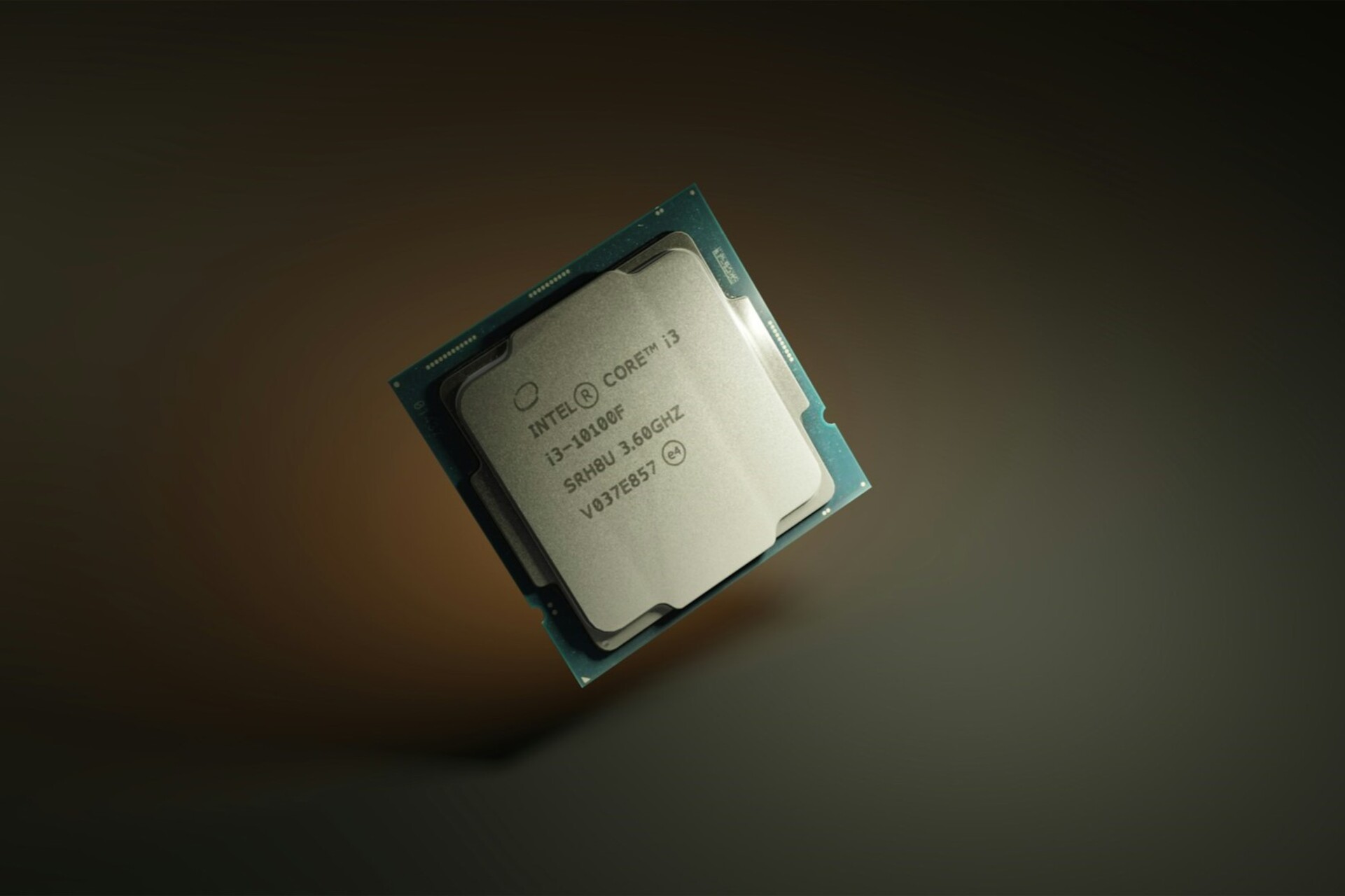
In March‘24, researchers discovered a Branch History Injection (BHI) vulnerability, CVE-2022-0001, in Intel CPUs where attackers could manipulate the branch history. This exposed critical information on the device.

As per Intel’s official website, the vulnerability can be described as,

Branch History Injection (BHI) describes a specific form of intra-mode BTI, where an attacker may manipulate branch history before transitioning from user to supervisor or guest to VMX root mode in an effort to cause an indirect branch predictor to select a specific predictor entry for an indirect branch, and a disclosure gadget at the predicted target will transiently execute. This may be possible since the relevant branch history may contain branches taken in previous security contexts, and in particular, in other predictor modes.

The CVE-2022-0001 vulnerability in Intel CPUs was a major security threat, given the large number of affected processors. Subsequently, mitigations had to be quickly shared to minimize the damage!

Microsoft and Intel share mitigations to counter CVE-2022-0001

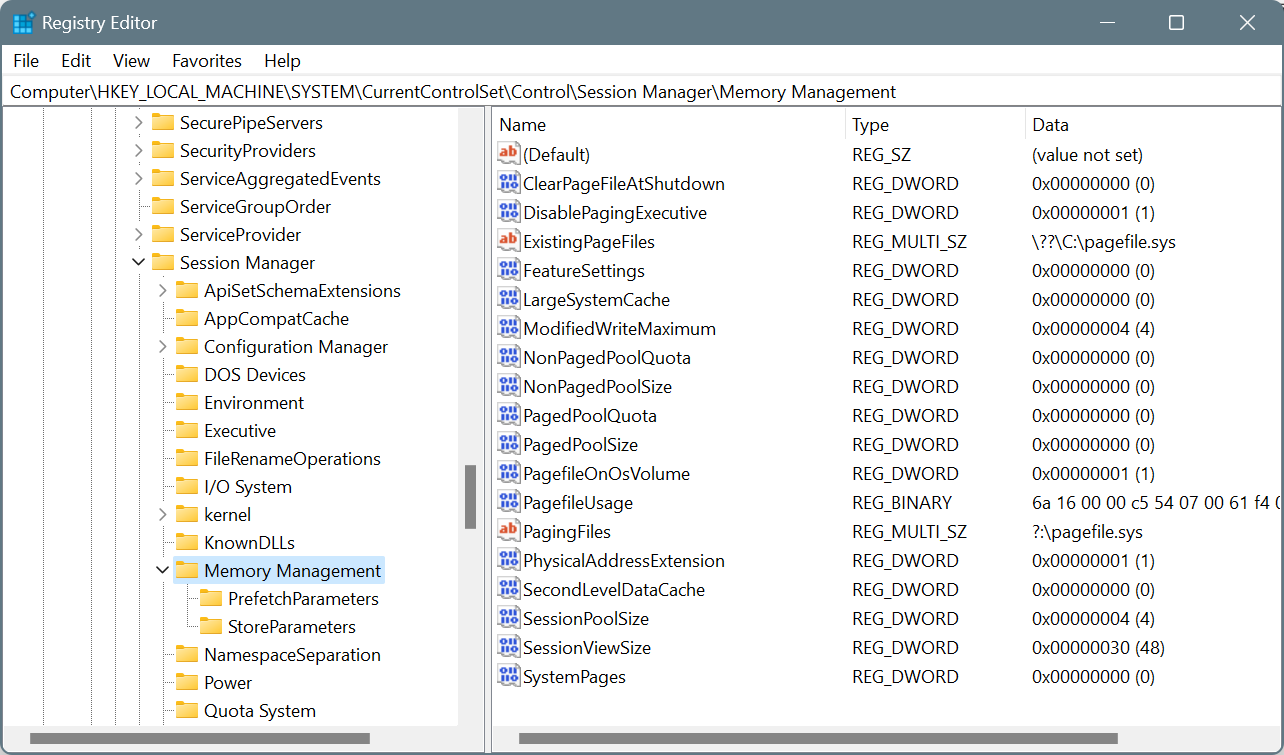
Microsoft, on its part, recommends modifying the Registry to eliminate the risks posed by the Branch History Injection vulnerability. On the dedicated vulnerability page, it suggests the following changes:

reg add “HKEY_LOCAL_MACHINE\SYSTEM\CurrentControlSet\Control\Session Manager\Memory Management” /v FeatureSettingsOverride /t REG_DWORD /d 0x00800000 /f

reg add “HKEY_LOCAL_MACHINE\SYSTEM\CurrentControlSet\Control\Session Manager\Memory Management” /v FeatureSettingsOverrideMask /t REG_DWORD /d 0x00000003 /f
Making changes to the Registry Editor

Remember, these are to be manually applied only to Windows devices running Intel processors. Also, back up the Registry before making the changes. Or, in case things go wrong, you can always undo changes to the Registry or even restore the Registry without a backup.

These mitigations may also affect the performance but are your best bet until Microsoft or Intel discovers a more viable solution for CVE-2022-0001.

As for the CPU manufacturer, Intel has shared mitigations on the official website to protect the branch history. Intel also states that its future processors may contain mitigations for CVE-2022-0001 on the hardware level, and you won’t have to manually enforce them!

We recommend all users make the changes recommended by Intel and Microsoft as the Branch History Injection vulnerability poses a great risk on unprotected systems. There’s no way around it!

Such vulnerabilities arise from time to time, and a fix is shared soon. For instance, another recent vulnerability, Rust CVE-2024-24576, allowed hackers to quickly gain access to your systems. To counter this, you had to update the Rust storage library to version 1.77.2.

If you face any problems enforcing the mitigations, let us know in the comments section.

Fallout 4’s Xbox achievement issues getting attention, the fix is coming soon

Fallout TV show was recently released, and it was a smashing success thus prompting the rise of Fallout 4 players on all platforms.

However, many users have issues with achievements, and according to them, the achievements aren’t unlocking for them.

Fallout 4 achievements are currently broken on the Xbox

This information comes from ComicBook, and according to them, this issue seems to only affect Xbox gamers. Unfortunately, this isn’t a new issue, and it has been present since the end of March.

As you know,  there’s no next-gen version of the game, however, the next-gen release of Fallout 4 is coming soon. This means that all Xbox gamers are currently playing the Xbox One version.

This version hasn’t been updated recently, so it’s still unknown what caused the problem in the first place.

Luckily, Bethesda is aware of the issue, and they are currently looking into this problem. If you care about achievements, your best course of action would be to wait for Bethesda to sort this out.

While you wait, why not get other Fallout games at 75% off? They are just as good as Fallout 4, or even better in some cases.

Windows 10 22H2 Build 19045.4353 brings  account-related notifications

Microsoft released Windows 10 22H2 Build 19045.4353 (KB5036979) to the Release Preview Channel for Windows Insiders using version 22H2 on April 15, 2024.

With this update, you can see account-related notifications for Microsoft accounts under Settings> Home section.

A Microsoft account connects Windows to Microsoft apps, backs up all your data, helps you manage your subscriptions, and more. With the new feature, you will get updates like account status, security information, and recent activity related to your account security.

Furthermore, you will get updates related to your Microsoft subscriptions, like OneDrive storage or Microsoft 365. You will also get alerts about security settings and advice on enabling two-factor authentication or changing your password to improve the security of your account.

You will see the notifications in two places: the Start menu and Settings>Home.

If you want to disable notifications, go to Settings, then Privacy & Security>General. Under Notifications, look for the option related to Microsoft account notifications and disable it.

Here are the improvements and fixes introduced via this build:

  • This update addresses an issue that affects app licensing. Because of this, Copilot in Windows (in preview) does not work as you expect.
  • This update addresses an issue that occurs when your device resumes from Modern Standby. You might get the stop error, “0x9f DRIVER_POWER_STATE_FAILURE.”
  • This update addresses a race condition that might stop a machine from starting up. This occurs when you set up a bootloader to start up multiple OSes.
  • This update affects media allocations. It improves their memory granularity for some hardware setups. This lowers overcommitment. Also, performance is more efficient.
  • This update addresses an issue that affects an accelerator backing store management path. A memory leak occurs that affects some devices.
  • This update makes Country and Operator Settings Asset (COSA) profiles up to date for some mobile operators.
  • This update addresses an issue that affects the container networking Address Resolution Protocol (ARP). It returns the wrong Virtual Subnet ID (VSID) for external ports.
  • This update affects hypervisor-protected code integrity (HVCI). It accepts drivers that are now compatible.
  • This update includes quarterly changes to the Windows Kernel Vulnerable Driver Blocklist file, DriverSiPolicy.p7b. It adds to the list of drivers that are at risk for Bring Your Own Vulnerable Driver (BYOVD) attacks.
  • This update addresses an issue that affects Protected Process Light (PPL) protections. You can bypass them.
  • This update addresses an issue that affects some wireless earbuds. Bluetooth connections are not stable. This occurs on devices that have firmware from April 2023 and later.
  • This update addresses an issue that affects the Distributed Transaction Coordinator (DTC). A memory leak occurs when it retrieves mappings.
  • This update addresses an issue that affects Windows Local Administrator Password Solution (LAPS). Its Post Authentication Actions (PAA) do not occur at the end of the grace period. Instead, they occur at restart.
  • This update makes some changes to Windows Search. It is now more reliable, and it is easier to find an app after you install it. This update also gives you a personalized app search experience.

Are you not part of the Windows Insider Program yet? Check out this website to join the program and experience the features and updates before the official release.

What are your thoughts on these latest changes & updates, given that Windows 10 is approaching its end of life? Share your opinions with our readers in the comments section below.

Microsoft Xbox Insider release notes will now be on the Xbox Support website

Microsoft announced that all the Xbox Insider release notes will be moved from Xbox Wire to the Xbox Support website. The Redmond tech giant has been working on this for a while, and now it is time.

Microsoft mentioned:

Not only will this shift be a more cohesive user experience by having all Xbox ecosystem release notes in one place, but it will also free up space to allow us to produce more (different! new!) content on the blog itself. We have big plans for the coming months, so stay tuned for more info!

Apart from the location change, nothing has changed for Xbox insiders, as we will still get the preview update information for the console and PC.

The tech giant also mentioned that individual release notes will look different than before.

Xbox Update Preview, release notes

The image above shows that the release notes will now be more organized and easier to navigate. Also, finding information on an older version is simpler than before.

On the Xbox Insider Home page on the Xbox Support website, you can check all the information for Insiders and partners, and you can learn about Xbox Insider release notes for Xbox under Xbox Update Preview and for PC under PC Gaming Preview.

When you click Xbox Update Preview, you will be able to access all Xbox Update Preview Rings, including Alpha Skip-Ahead, Alpha, Beta, Delta, and Omega. You can click on the preview ring and go to Monthly Releases; you will find all the previous release notes under it.

Xbox Update Preview,

When you click on the preview release notes, you will be able to see the System Update Details, then Release Notes, which includes fixes and known issues. You can click on the downward arrow to check the details.

However, for PC Gaming Preview, there is no ring system; once you click it, you will be on a page with a list of previous release notes under the Monthly Releases section. You can click any of them to see the information.

PC Gaming Preview

The web page also allows users to access the Xbox Insider Communities, including the Xbox Insider Blog, Xbox Insider Subreddit, Twitter, and the Requests page.

The Xbox Insider Support section allows you to download the Xbox Insider Hub app, check FAQs related to the insider program, look for error codes and their solutions, and view the Terms of Use.

Microsoft also informed us that Xbox Insiders can expect other improvements in delivering informative updates. The company also encourages to send thoughts, suggestions and comments on its Twitter page @xboxinsiders 

What do you think about this migration, and do you like the new release notes format? Share your thoughts with our readers in the comments section below.

Chrome will soon prompt users to use the Gemini shortcut in the address bar

Google is working on adding a suggestion to the address bar’s dropdown menu, also known as the Omnibox, to notify users that simply typing @gemini will get them to quickly start a chat with Gemini, Google’s native AI chatbot.

We recently reported that Chrome is adding a Chat with Gemini shortcut to the address bar. With this, you don’t need to separately open the Gemini app or the official website.

Just use the Chat with Gemini shortcut to search for anything, and it will redirect you to the Gemini website listing the answer to your query.

Currently, the feature or shortcut is still hidden within Chrome. While typing, Chrome will now display a suggestion at the bottom of the menu that reads, Type @gemini to Chat with Gemini.

type @gemini to Chat with Gemini

Presently, this message is not selectable or clickable. It is being tested behind the IPH message for the Site Search starter pack flag in Chrome Canary.

IPH message for the Site search starter pack

[omnibox] Create IPH suggestion for @gemini

This CL creates an informational (can’t be clicked) IPH suggestion for @gemini that appears at the bottom of the Omnibox. Some formatting and styling changes are included in this CL, but the color, font, icon, and triggering still need to be updated.

How do I get the Gemini shortcut in the Omnibox address bar on Chrome?

  1. Launch Chrome Canary, paste the following path in the address bar and hit Enter: chrome://flags.
  2. Search for the Expansion pack for the Site search starter pack flag and choose Enabled pre-prod url from the dropdown menu.expansion pack for the Site search starter pack flag in Chrome
  3. Once done, restart the browser to apply the changes.

Now, you can chat directly with Gemini from the address bar. Simply type @gemini or @ and select the Gemini shortcut.

Unlike Copilot in Edge, Leo in Brave, and Aria in Opera, the Gemini has not yet been integrated into Chrome. At the same time, Copilot, Aria, and Leo are available via the sidebar or toolbar and are quickly accessible!

So, we believe Google should consider adding a dedicated Gemini button in the toolbar. It will not only allow easy access but also provide the much-needed boost to Gemini’s adoption amongst Chrome’s massive user base.

As of March’24, Chrome sits comfortably at the top with a 65% market share across all platforms worldwide, while the next on the list, Safari, stands at just 18.55%. These numbers make it evident how Gemini’s integration into the browser will increase the chatbot’s usage!

Earlier this month, Google’s release of Gemini 1.5 Pro hinted that the tech giant has big plans for the AI assistant.

What’s your take on integrating Gemini in Chrome’s address bar or toolbar? Share with our readers in the comments section.

Chrome improves privacy when it comes to OS accessing Clipboard Data in Incognito Mode

Not that long ago, we wrote that Google has improved Chrome privacy in Incognito mode on Mac by fixing the clipboard issues.

After fixing this issue on macOS, it seems that the changes are coming to both Windows and Android platforms as well.

Google to make changes to clipboard data syncing when using Incognito Mode

Google developers noticed that data copied in Incognito mode in Chrome is being stored in clipboard history and synchronized across all devices.

Microsoft and Google collaborated on this and managed to identify specific formats for Windows and macOS that prevent clipboard data from being shared or included in history.

Google has made certain changes, and the data copied in the Incognito mode will now be treated as private. Here’s how the changes will be implemented across different platforms.

  • Windows: Clipboard will be prevented from writing data into clipboard history and cloud clipboard if the data copied is from the Incognito window. This includes all data, including data from Ominox views.
  • Mac: There’s no special type for pasteboard history, but when using Incognito Mode, the pasteboard can be marked for the current host only preventing data syncing. As for passwords, they are marked as confidential while being copied to the pasteboard.
  • Android: Passwords are marked as sensitive.

Chome also sets copied data from bookmarks in incognito as private on Windows. As for Mac, the copied bookmark data in Incognito is marked as off the record.

While the bug seems to be fixed according to the Chromium developers, we still are waiting for the change to be added to the stable version of Chrome.

As for other security features, Chrome can now detect symbolic links, and Google is also testing a feature that will prevent keyboard spying by websites.

No more clean reinstall! Use this trick to upgrade Windows 11 Home to Pro

Changing your Windows edition usually requires performing a clean installation, and this can be a long and tedious process since you need to install everything from scratch.

However, users have found a way to change editions without having to perform a reinstall or use any other third-party software.

Change your Windows edition quickly with this registry trick

While it’s possible to change the Windows edition with third-party software, many don’t feel comfortable using such tools.

As Neowin writes, it’s possible to change your Windows edition with a simple registry tweak. This was first discovered by a Twitter user Bob Pony:

The process is incredibly simple and you just need to do the following:

  1. Press the Windows key + R and type regedit.
  2. Navigate to the following path and double-click on EditionID value:
    Computer\HKEY_LOCAL_MACHINE\SOFTWARE\Microsoft\Windows NT\CurrentVersion

     
  3. Change it to Core if you want to use the Home version or to Professional if you want to use the Pro version.
  4. Save changes.

If you want to downgrade, change the value to Core download the Windows Home ISO file and run the setup.exe file on it to perform the downgrade.

As for the upgrade, you need to follow the same steps, but change the Value to professional and use the Windows Pro ISO to upgrade. Of course, don’t forget to activate the Pro version with a Pro license key.

This is a simple trick, and it works on both Windows 11 and 10. However, it remains a question why this feature isn’t available out of the box to all users.

Let’s just hope that Microsoft won’t patch this and force users to perform a clean reinstall in the future.

As for Microsoft, the company is currently advertising Windows 11 to ineligible users. That’s not all regarding advertising, as the latest update has introduced app recommendations in Windows 11.

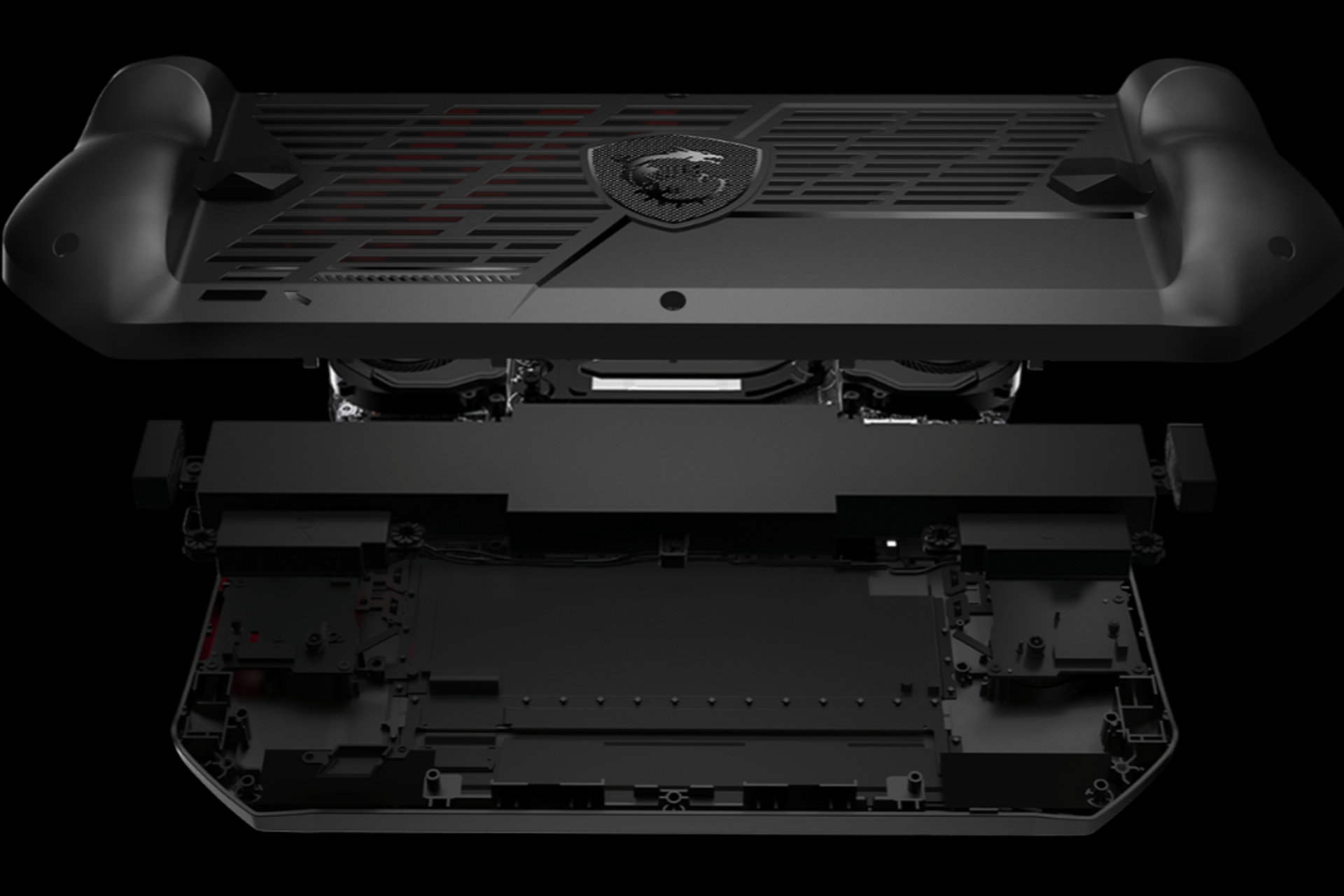
Unclickable bumpers: One of many problems with MSI Claw

MSI Claw, the much-talked-about handheld gaming console released recently, is getting negative reviews from all quarters. Be it due to poor performance, not-so-perfect display, or heating issues, most buyers don’t find MSI Claw to be a value-for-money purchase!

However, one of the design flaws highlighted by Momo Tabari from Laptop Mag pertaining to the device’s bumpers is a perfectly valid criticism. Even though it isn’t mentioned much in online reviews, it’s a problem many of us are facing. You, too, will realize it within a minute!

The bumpers on MSI Claw are not clickable, not the entire surface but parts of it, when you naturally hold the device. I mean, you have to apply more pressure than usual on some parts to press the bumpers, which ruins the entire gaming experience. At times, you may have to re-adjust the finger during gameplay.

The problem was present in some of the early Xbox controllers but was soon rectified after users highlighted it to Xbox.

For someone used to handheld gaming consoles and controllers, this design flaw makes MSI Claw less appealing. As for others getting a device for the first time, they can always find the optimal grip such that the fingers are positioned on the clickable part of the bumper.

For seasoned gamers, it’s too much of a change. And that, too, for a device that proved to be a disappointment when it comes to performance.

Gamers favour ROG Ally and Steam Deck over MSI Claw

When we went through user reviews on dedicated and social forums, MSI Claw wasn’t particularly popular. Many questioned the company’s choice of Intel over AMD when the latter has clearly proven its mettle in the handheld gaming console market with the power-packed Lenovo Legion Go.

A few believe that MSI Claw is overpriced and would have been better suited for the $400-$550 range. The $700 pricing isn’t justifiable, given the performance of the handheld console!

I wanted it to be good so bad! So much potential wasted. The ally and the deck are the true dynamic duo right now! I can’t wait to see what’s next with all the companies throwing their hats in the ring competing and innovating to make the best handheld, it’s a win win for consumers.

Man I was really hoping it would be cool because Intel hardware and all different stuff. But I guess AMD reigns supreme in this space. Still a shame that this is that bad.

I honestly feel the worst part about this is the price.
If this was somewhere in the $350-600, im sure so many ppl would pick this over the ally, but for starting at $700, people were expecting something almost perfect, and they were right to do so! For that much, u can almost buy an actual gaming pc lol.

The Claw is really just a worse and less optimized version of the Ally, if you already have the Ally, there’s really zero incentive to consider the Claw.

The Hall effect joysticks are the only thing attractive about this thing. Overpriced, underperforming ally knockoff. Don’t think Intel can fix any of these issues with support.
Image source: Reddit (OneshotFire)

Our take is to go with Steam Deck, ROG Ally, or Legion Go instead of MSI Claw at this price range for superior performance. If the prices drop, you may reevaluate based on upgrades made to MSI Claw in the period and the relative savings. But the bumpers’ design flaw surely remains a drawback in MSI Claw!

What’s your review of MSI Claw? Share with our readers in the comments section.

ASUS launches its ROG NUC, aka ROC ICE Blade X, with RTX 4070 in the Chinese market

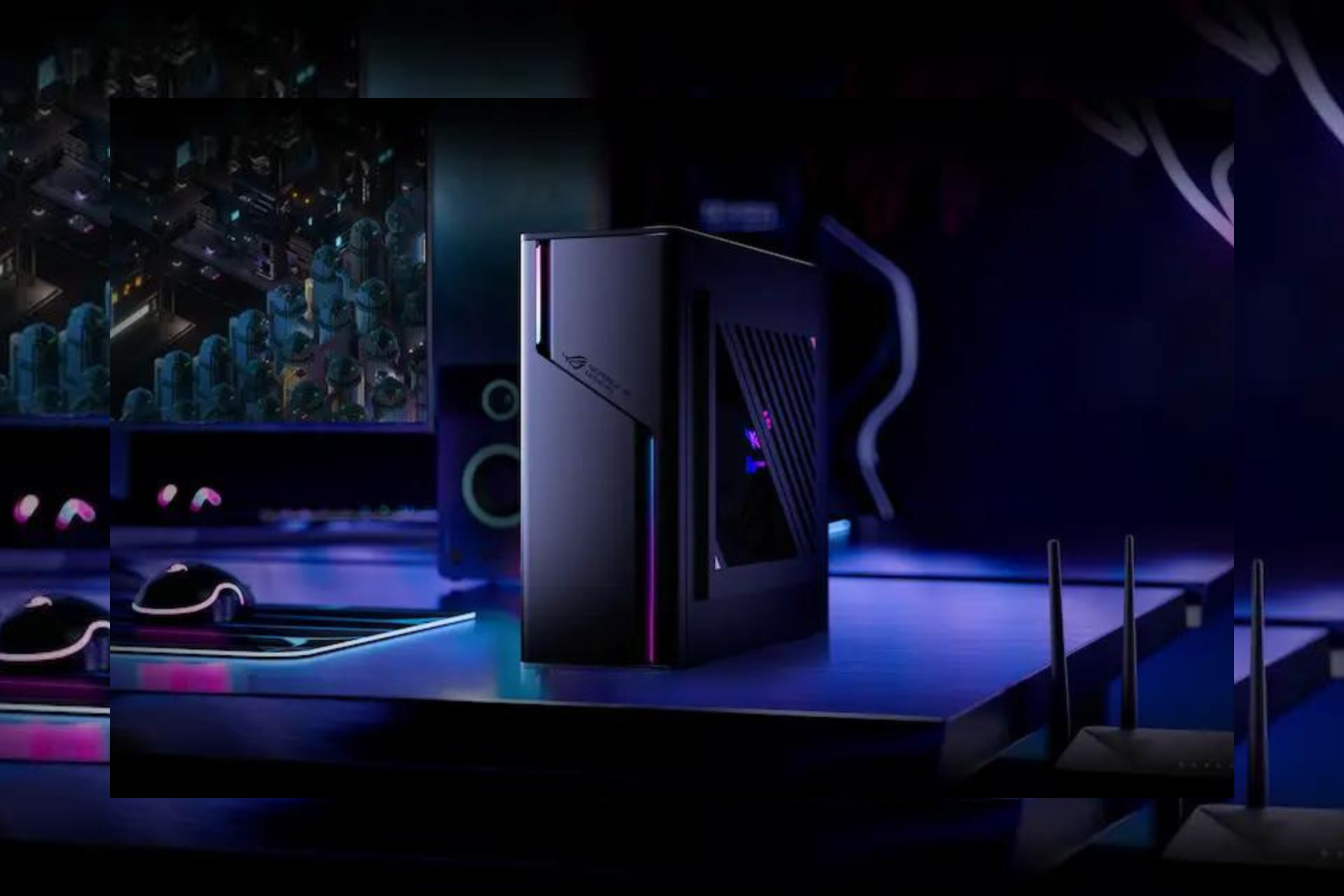
ASUS has launched a robust and faster ROG NUC, a factor gaming PC for gaming enthusiasts in the Chinese market with a small GPU upgrade, i.e., GeForce RTX 4070 Super GPU. The 10-litre model is popularly known as ROC ICE Blade X in the Chinese market.

With an Intel Core i9-14900KF CPU and NVIDIA GeForce RTX4070 GPU, it could be your best gaming buddy.

Here is what the ASUS website says about the ROG G22CH:

Take your Windows 11 Pro gaming to the next level with the compact power on display from the ROG G22CH. Featuring up to an Intel Core i9-14900KF​ processor and paired with an NVIDIA GeForce RTX 4070​ graphics card, the G22CH can handle the latest and greatest games. Stream, communicate, and record your gameplay with ease thanks to up to 32GB of 4800MHz DDR5 RAM. With the ROG G22CH, great power doesn’t need to come with a large footprint.

Here are the specifications for both models available:

ROG G22CH
(ROG Ice Blade X with i9)
ROG G22CH
(ROG Ice Blade X with i7)
ColorExtreme Dark GrayExtreme Dark Gray
Operating SystemWindows 11 HomeWindows 11 Home
ProcessorIntel Core i9-14900KF Processor 3.2GHz (36M Cache, up to 5.6GHz, 24 cores)Intel Core i7-14700F Processor 2.1GHz (33M Cache, up to 5.3GHz, 20 cores)
ChipsetIntel B760 ChipsetIntel B760 Chipset
Graphics
NVIDIA GeForce RTX4070 DUAL12GB GDDR6X : 3x DP, 1x HDMI
SATA1 x SATA 6.0Gb/s ports1 x SATA 6.0Gb/s ports
Memory2x DDR5 SO-DIMM slot
16GB DDR5 SO-DIMM x 2
Memory max up to 64GB
2x DDR5 SO-DIMM slot
16GB DDR5 SO-DIMM x 2
Memory max up to 32GB
Front I/O Ports1x 3.5mm combo audio jack
2x USB 3.2 Gen 2 Type-A
1x USB 3.2 Gen 2 Type-C

1x 3.5mm combo audio jack
2x USB 3.2 Gen 2 Type-A
1x USB 3.2 Gen 2 Type-C
Storage1TB M.2 2280 NVMe PCIe 4.0 Performance SSD1TB M.2 2280 NVMe PCIe 4.0 Performance SSD
Rear I/O Ports1x RJ45 Gigabit Ethernet
1x HDMI 2.0a
3 x Audio jacks
2x USB 2.0 Type-A
2x USB 3.2 Gen 1 Type-A
1x RJ45 Gigabit Ethernet
1x HDMI 2.0a
3 x Audio jacks
2x USB 2.0 Type-A
2x USB 3.2 Gen 1 Type-A
AudioHigh Definition 7.1 Channel AudioHigh Definition 7.1 Channel Audio
Network and CommunicationWi-Fi 6E(802.11ax) (Dual band) 2*2 + Bluetooth 5.3 Wireless CardWi-Fi 6(802.11ax) (Dual band) 2*2 + Bluetooth 5.2 Wireless Card
Expansion Slots(includes used)1x PCIe 4.0 x 16
1x M.2 connector for Wi-Fi
2x DDR5 SO-DIMM slot
1x PCIe 4.0 x 16
1x M.2 connector for Wi-Fi
2x DDR5 SO-DIMM slot
Weight08.40 kg (18.52 lbs)08.40 kg (18.52 lbs)
Dimensions (W x D x H)11.50 x 32.30 x 28.69 cm (4.53″ x 12.72″ x 11.30″)11.50 x 32.30 x 28.69 cm (4.53″ x 12.72″ x 11.30″)
Microsoft OfficeOffice Home and Student 2021 includedOffice Home and Student 2021 included
Ecolabels & CompliancesRoHS
REACH
RoHS
REACH
Power Supply600W power supply (80+ Gold, peak 600W)
600W power supply (80+ Gold, peak 600W)
ThermalLiquid CoolerLiquid Cooler
AURA SYNCYesYes
Included in the Box (Optional)Without mouse
Without keyboard
Wired optical mouse (USB)
Wired keyboard (USB)

The Core i7-14700K variant, which comes with 32 GB RAM and 1 TB storage, is available at 14,999 RMB ($2072.86), while the Core i9-14900K variant with the same specifications is available at 16,999 RMB ($2349.26).

What do you think about ASUS ROG Ice Blade X? Share your thoughts with our readers in the comments section below.

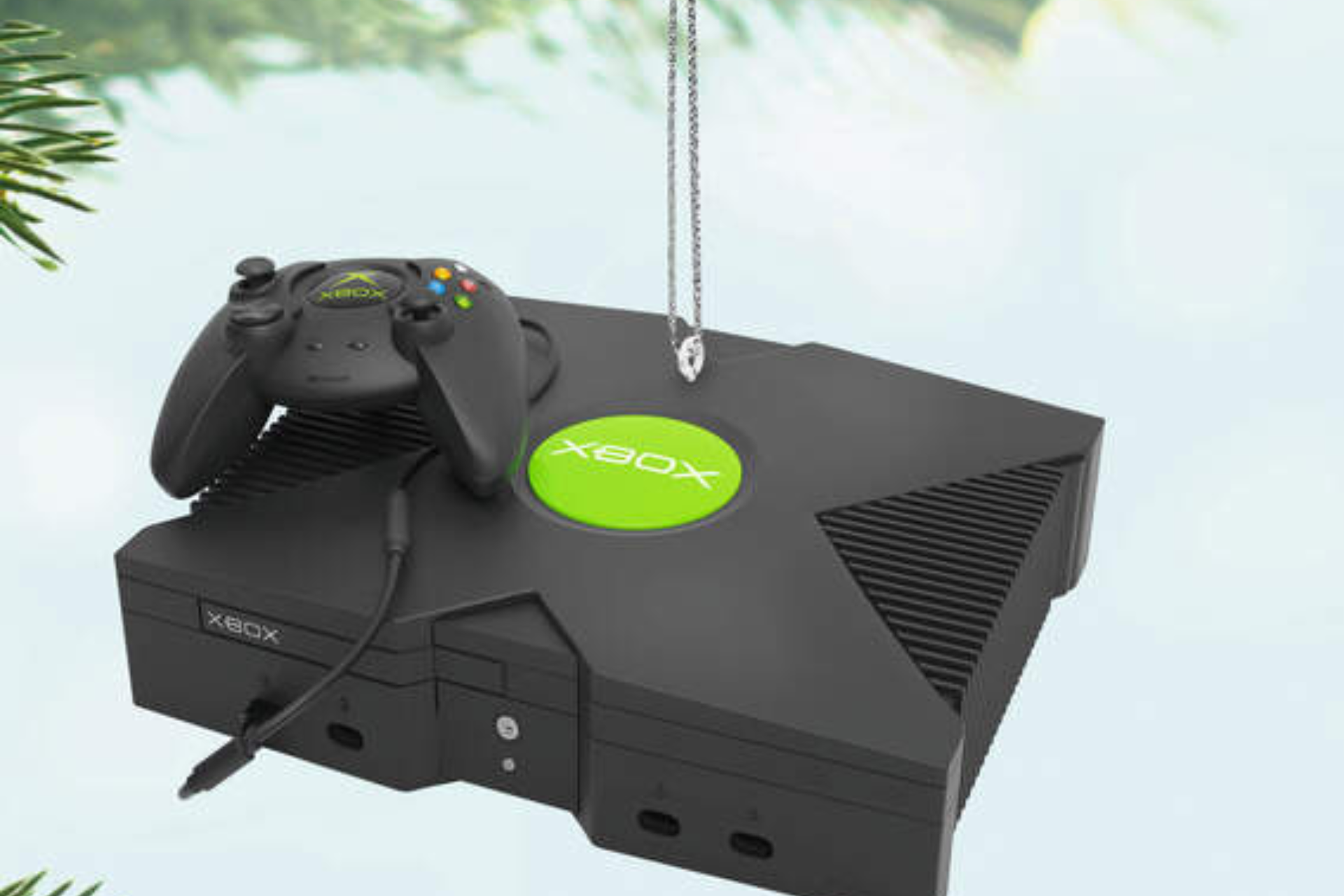
Soon, you will be able to buy an Xbox Console Ornament from Hallmark

Hallmark is all set to release an Xbox ornament this July 13, 2024, as part of Hallmark’s 2024 Dream Book collection.

Hallmark has this ritual of introducing keepsake ornaments as part of its Dream Book collection. The collection usually includes Christmas decor and tree ornaments, which people buy for Christmas.

Last year, Hallmark released miniature Dreamcast and Pokemon & Super Mario ornaments. This year, it is a miniature Xbox console.

According to Hallmark’s official website, the Original Xbox Console Ornament With Light and Sound will be available for $22.99.

Here are the details mentioned for it on the website:

Recall hours spent parked in front of the television, video game controller in hand. Nothing mattered except battling the Covenant and completing the entire “Halo: Combat Evolved” first-person game. Relive the mission when you display this Microsoft XBOX console Christmas tree ornament that lights up and plays the familiar console startup sounds and theme music of the iconic video game. Battery operated.

  • Key Features: Press the Power button on the Magic Light and Sound ornament to see it illuminate and hear music. Ornament plays the console startup sound and music from the video game “Halo: Combat Evolved.”
  • Additional Details: Plastic Christmas ornament features hanger attachment.
  • Includes: One 2024 Keepsake Ornament in gift box for easy gift giving, preservation and storage. Requires three (3) LR44 replaceable batteries (included).
  • Approx. Size in Inches: 3.6 x 3.45 x 1.36

Wario64 first spotted this new Xbox Console Ornament and he posted on X:

Hallmark will have an Xbox Console Ornament (with light and sound) for $22.99 on July 13th. The ornament features the console bootup sound and music from Halo: Combat Evolved.

If you missed out on last year’s collection and want to get Pokemon or Super Mario ornaments, you can get them on Hallmark’s official website under the Ornaments category.

You can also collect other game characters and famous movie characters, such as Power Rangers and Harry Potter, to decorate your tree.

Did you check out the Dream collection on Hallmark, and which is your favorite ornament? Share your opinions with our readers in the comments section below.

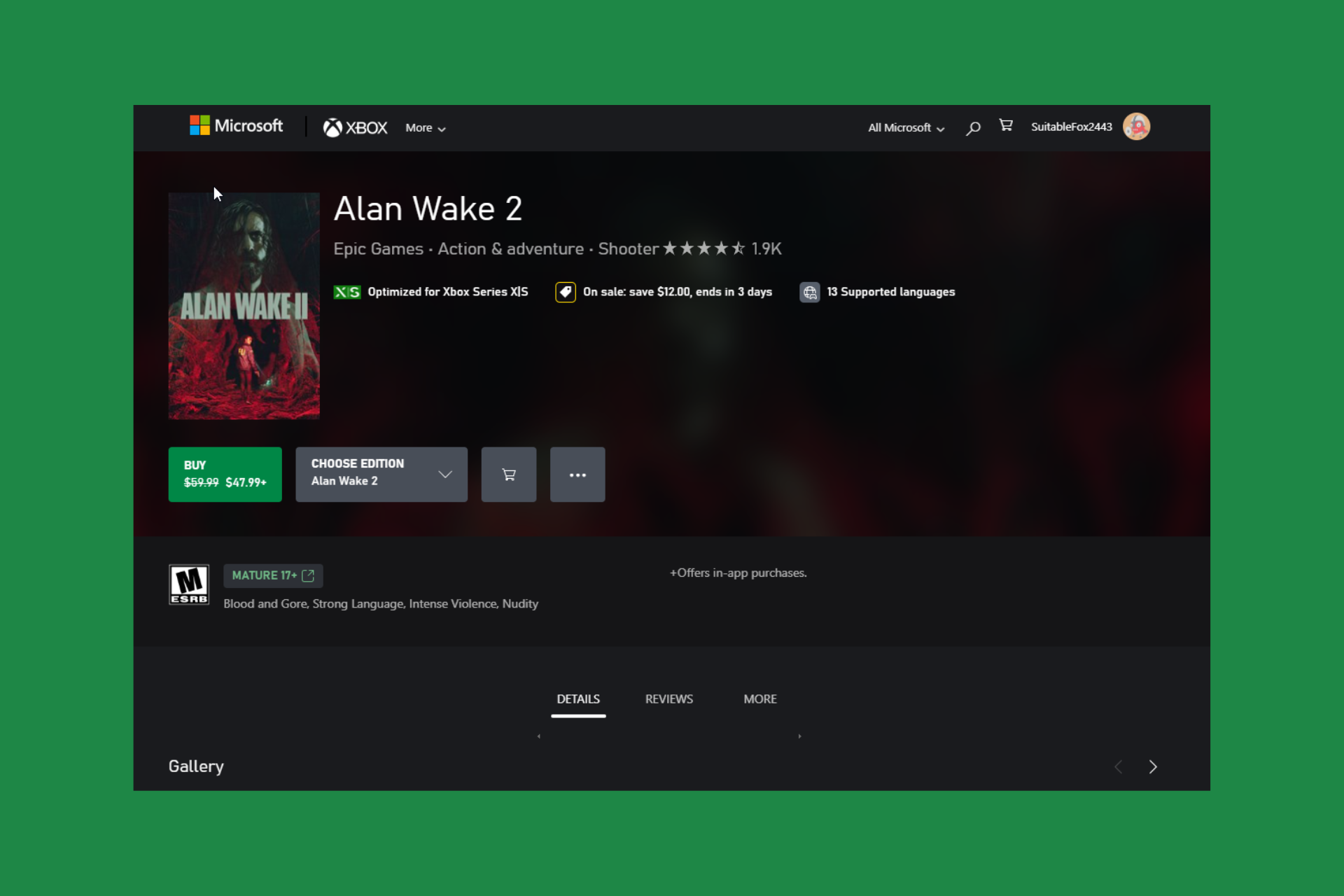
If Alan Wake 2 is on your wishlist, the Xbox Spring Sale is the perfect time to get it

Alan Wake 2 is one of the most popular games, and it has received various awards, such as the Game Award for Best Narrative, The Game Award for Best Game Direction, The Game Award for Best Art Direction, and more, since its release in 2023.

If you are an Xbox player and have the game on your wishlist, now is the good time to grab it. With Xbox Spring Sales, you will get a 20% discount on the game. So, earlier, Alan Wake 2 was available for $59.99, but now you can get it for $47.99/£39.99.

Recently, the game also bagged two BAFTA Games Awards, one for Audio Achievement and the other for Artistic Achievement.

If you are looking to buy some other games from this Spring sale for your console, you can consider getting Baldur’s Gate 3 (earlier, it was for $69.99; now you can get it for $62.99), Forza Horizon 5 Standard Edition (Original price is $59.99, Discounted price $29.99), Suicide Squad: Kill the Justice League (Original price $69.99, Discounted price $34.99) or Red Dead Redemption 2 ( Original price is $59.99, but now you can get it for $19.79).

Have you played Alan Wake 2? If so, share your experience with our readers in the comments section below.

Here’s the Ultimate Microsoft OneDrive Cheat Sheet

As a Windows user, Microsoft’s OneDrive is the ultimate cloud storage partner. Here is a cheat sheet to ensure you reap all the benefits.

Although there are many cloud storage solutions, it makes much more sense to use OneDrive if you’re a Windows user. Apps that belong to the same family and seamlessly integrate with other apps will streamline your workflow and enhance your productivity.

How do I use OneDrive effectively?

1. Install OneDrive

If you’re using a Windows device, OneDrive comes preinstalled in newer OSes, but if not, you can always get it from the Microsoft Store. You can then proceed to download it to other devices you frequently use, like your phone.

Since OneDrive is cross-platform compatible, Mac users can also install it on their devices. The main reason for installing it on multiple devices is to access your files from anywhere. It also supports file synchronization, so you don’t have to worry about transferring files from one device to another.

Another important reason is for backup and restoration. If one of your devices ever fails, you’re sure your files are intact because OneDrive backs up your data. Don’t forget that you can also use multiple OneDrive accounts on your PC.

Once installation is done on any device, follow our step-by-step guide on how to login to OneDrive to start syncing and accessing your files.

2. File management

2.1 Upload files

  1. Navigate to Microsoft OneDrive for Web.
  2. Sign in with your credentials.files already exist in this folder onedrive
  3. Drag the files you want to upload from the desktop and place them in OneDrive in a browser.
  4. Should you encounter any errors like an invalid file name on OneDrive, proceed to rename the file.
  5. Right-click the respective file and click Rename.
    rename - OneDrive error this is not a valid file name
  6. Edit the name and use a shortened version.
  7. Press Enter to set the new name and try uploading the file to OneDrive again.

If the upload speed is not up to par, you can reduce the number of files you’re trying to upload at once or see other ways to increase your upload speed.

2.2 Create folders

  1. Launch OneDrive on your browser or the desktop app.
  2. Right-click anywhere on the OneDrive interface and select New>Folder.
  3. Rename the folder, then move files by dragging and dropping them into the newly created folders.

The key to efficient file organization in OneDrive is to upload and put them in folders.

2.3 File search

  1. Open OneDrive and click the Open folder icon on the taskbar to open the OneDrive folder in File Explorer.
  2. Right-click on a blank space, move your cursor to the Sort by on the drop-down menu to show its options, and then click on Name or Size.
  3. If there are any duplicate files, OneDrive will display them next to each other because they carry the same or almost identical names.
  4. Right-click the duplicate files and select Delete from the drop-down to remove them from OneDrive.
  5. Alternatively, hold down the Shift or Ctrl key while selecting, right-click the files, and then select Delete from the drop-down to remove them from OneDrive.

This is a great way to clear up some storage space by removing duplicate files in your OneDrive. Unfortunately, this manual method can take an excruciating amount of time especially if you have lots of files in storage.

Luckily, OneDrive has introduced an improved search feature with AI that can help you enhance your search results and get rid of duplicate files much faster.

2.4 Restore previous file versions

  1. Open your preferred browser and go to OneDrive.com.
  2. Locate the file you wish to restore to a previous version and right-click it.
  3. Select Version history: This reveals the modification record of the particular file. It also indicates the date of all previous versions alongside the names of users who made the changes.
  4. Choose the desired version and click Restore on it.Edit history onedrive
  5. In case you need to confirm the contents of the file before doing anything else, click Open File. There is also the option of downloading the preferred file version from OneDrive to your PC.

It can happen to anyone where you accidentally edit a file or a collaborator edited a shared file. Restoring to a previous version allows you to recover the original version.

2.5 File recovery

  1. Navigate to your browser, go to the OneDrive website and log in with your info.
  2. Go to Recycle Bin and select all the files you want to restore.
  3. Next, click Restore, and all your selected files will be restored to the location where they were deleted.

Alternatively, you can use data recovery tools if the files are no longer in the Recycle Bin.

2.6 Exclude a folder from sync

  1. Click on the little arrow at the bottom right of the Taskbar, and click the OneDrive icon.
  2. Select the gear icon and click on Settings.
  3. In the Settings app, select the Manage backup button.
    exclude folder from onedrive windows 11
  4. For the folder, you want to exempt from a sync, tap the Stop backup option.
    exclude folder from onedrive windows 11

Not every folder belongs on the cloud because some contain sensitive information. Excluding these folders from OneDrive ensures you limit the number of people who could potentially access it so you get to keep the data secure.

3. Sharing and collaboration

  1. On your browser, go to the Microsoft 365 website and sign in to your OneDrive account.
  2. Select the folders or files you want to share by clicking on the circle icons on the left. Click on the Share icon on the top left or right- click the selected items and go to Share.Select files and share
  3. There will be two options under the Send link pop-up. If you are okay with sharing your data anonymously with editing permissions, go ahead with the default option of Anyone with the link can edit. Or, simply click Copy link and jump to step number 6.Send sharing link
  4. On the next step, under Sharing settings, you can share the link with Anyone or Specific people. Further under More settings:
    • Change editing permissions – Select Can edit to allow the other users to make any changes. If you are not happy giving editing permissions, select Can view only to allow viewing of the shared items.
    • Expiring links (for premium users) – Limit the link access for a certain time period for better security.
    • Set a password (for premium users) – Set up a password to the link to control access to sensitive data.Sharing settings
  5. Click Apply when done.
  6. On the Send link dialogue box, click Copy link to copy the link to your clipboard. Paste this link to WhatsApp, Facebook or email to share OneDrive access with another user.Copy sharing link

You can also take advantage of OneDrive’s direct share feature that allows you to share directly to your contacts and can be done from both the desktop app and on the web.

Anyone with the link can now access the shared file and make changes in real time.

4. OneDrive offline access

4.1 Turn on Files On-Demand

  1. Sign into OneDrive on your device.
  2. Next, click the OneDrive Cloud icon in your system tray, select the gear icon, and click on Settings.
  3. Then, click on the Settings tab and click on Download files as you use them under Files on-Demand.
  4. Select Continue to confirm the process.

4.2 Set Always keep on this device via OneDrive folder

  1. Sign into OneDrive on your device.
  2. Next, click the OneDrive Cloud icon in your system tray and select Open folder.
  3. Locate all the files or folders with the online-only or locally available status, right-click them, and select Always keep on this device.
  4. Wait for the syncing. After that, the file or folder will display a dark green tick to indicate that it is now available offline.  

With Offline Mode for OneDrive, you will be able to view, sort, rename, move, copy, and delete files on your browser without internet access.

5. OneDrive security

5.1. Set up OneDrive with Windows Defender

  1. Press the Windows key, type virus, and select Virus & threat protection.
  2. Click Manage settings.
    manage settings
  3. Choose Manage controlled folder access under the Controlled folder access section.
    manage controlled
  4. Toggle the switch under Controlled folder access forward to enable it.
    off cant access onedrive
  5. Next, open File Explorer.
  6. Right-click the OneDrive folder and select Scan with Windows Defender. 

5.2 Enable MFA

  1. On your Windows 11 PC, visit the Microsoft website and sign in to your account.
  2. Click on the Security tab and select Advanced security options.
  3. Scroll down and click on Add a new way to sign in to verify.
  4. At present, there are five ways to verify or sign in:
    • Using the Microsoft Authenticator app.
    • Email a code.
    • Use your fingerprint, face, or pin.
    • Sign in using a USB, Bluetooth, or NFC device.
    • Send a text code to your mobile.
  5. Under the Additional security section, click on the Turn on option for two-step verification.
  6. Follow the on-screen prompts.
  7. Hit the Finish button.

With enabled MFA, you’ll be prompted to verify your identity whenever you’re accessing OneDrive from an unrecognized device. You can also enable Personal Vault. This adds an extra layer of security with Two-Factor Authentication so that only you can access sensitive information.

Additional tips for using OneDrive

AI is also taking over, so you may want to explore OneDrive AI capabilities and see if it has any perks.

Finally, this is not exhaustive, as it does not include all the ways to get the most out of your OneDrive. Remember, you can always review and customize your OneDrive settings to suit your preferences and ensure optimal file management and privacy.

While at it, we cannot forget to mention that apps can be a letdown at times. So whenever OneDrive is slow or constantly syncing, we encourage you to turn to our expert troubleshooting guides for quick fixes.

This basic cheat sheet should help you efficiently navigate Microsoft OneDrive’s essential features and explore this cloud storage to its full potential.

Have you discovered a new trick to use OneDrive more efficiently from this guide? Do you have one of your own that you would like to share with us? If so, comment below.

Leaked beta build screenshots of Microsoft Server 2012 showcase what could have been

Microsoft Server 2012, released in 2012, represented an important advancement in server operating systems. It included enhanced management capabilities, improved virtualization features, and expanded scalability.

The operating system reached its end-of-life cycle on October 10, 2023, so currently, there are no free updates, bug fixes, or technical support for it.

Recently, PhantomOcean3, a trusted source for Windows news and new developments, posted on X (formerly known as Twitter):

He shared the screenshots, showing us what Windows Server 2012 could have been. Let’s examine each one and see what it tells us.

The first one shows the About Windows dialog box for Windows Server 2008 R2 Datacenter, which seems to be a pre-release operating system version and is based on Windows Server 2008.

This one looks a lot like Windows 8, with a minimalistic design and Start apps in tiles. It features metro UI elements, and a desktop tile on the Start screen shows that you can switch to the Desktop with a single click.

This screenshot shows how the Control Panel would have a new, improved look and could have become a swift tool with an intuitive interface and easy navigation to control system settings.

Aren’t these looking ahead of their time? Especially in 2012, who could have thought Microsoft was testing these cool design elements?

If you think these screenshots are too good to be true and can’t believe their existence, PhantomOcean3 also mentioned that you can go to  Archive.org and download the Microsoft 2012 beta build; try it yourself.

A while ago, he also spotted Windows 11 Notepad getting its own spell-check feature, which Microsoft confirmed when it announced that it was being rolled out to Windows Insiders in Beta and Release Preview Channels on March 21, 2024.

Would you like to try Windows Server 2012 build 8019? Share your thoughts with our readers in the comments section below.

Pac-Man Mega Tunnel Battle: Chomp Champs is coming in May’24 for Xbox, PS, Nintendo, and PC

For all the Pac-Man fans out there, we have got some exciting news. Pac-Man Mega Tunnel Battle: Chomp Champs is coming to Xbox, PlayStation, Nintendo, and Steam next month, i.e., May 8, 2024!

Pac-Man Mega Tunnel Battle, earlier released on Stadia in Nov’20, was discontinued when Google shut down its cloud gaming service. Now that we are looking for a revival of the much-loved 64-player Battle Royale title, gamers can’t be more excited.

An online-only Pac-Man eating competition, the game features multiple interconnected mazes, where players first have to quickly munch through everything in their maze and then move on to the opponent’s maze!

You can add others to your friend’s list, watch their game, track their progress, or invite them to your match.

There are two editions for Pac-Man Mega Tunnel Battle: Chomp Champs. The standard one is priced at $19.99, while the Deluxe edition costs $29.99. With the latter, you also get 7-Days Early Access on pre-ordering the game, in addition to a host of other features.

The game will be released for the following platforms:

  • Nintendo Switch
  • PlayStation 4 & 5
  • Xbox One
  • Xbox Series X|S
  • PC (Steam)

With cross-play support, you can play Pac-Man Mega Tunnel Battle: Chomp Champs with friends who are on a different platform. It’s the only Pac-Man Battle Royale with support for cross-platform play!

For the USA and other countries, the game arrives on Steam on May 8, while for some, it will be released a day later, i.e., on May 9.

For more details about the game, visit Bandai Namco’s official website.

The game’s release is still three weeks away. Until then, you can play one of our top picks for Pac-Man games!

Will you pre-order the game or wait for the official release? Let us know in the comments section.

Windows 11 embraces Hyper-V by default, sparking concerns regarding CPU performance

The security of your system should be your priority, and Microsoft is doing its best to ensure this.

However, this can sometimes come at the cost of performance, and many users are left wondering if is it worth it.

Windows 11 runs with Hyper-V enabled by default, leaving users concerned about performance issues

This was first spotted by users on Reddit, and it seems that this feature is taking a toll on CPU performance, as measured by AIDA64.

Before you start worrying, it’s important to notice that this feature needs to be turned on in BIOS to work, and it will impact both gaming and benchmark performance.

It’s only functional if it’s turned on in BIOS. The part that can hurt gaming performance and benchmark performance is VBS( Virtualization-based security)

VBS shouldn’t be on my default, but you can disable that easily also if it is for some reason.

To disable this feature, you just need to disable Memory integrity in Core isolation settings in Windows Defender. Alternatively, you can just uninstall Virtual Machine Platform from Windows Features.

The question remains, should you disable it? And if you’re not a gamer, the answer is no.

The mass majority of Windows users are not gamers so VBS makes sense to be on by default to increase security. It also doesn’t really make much of a difference in real world performance, only synthetic benchmarks.

Regarding the impact on games, you can expect up to 5% fps drop with this feature enabled:

It impacts synthetic benchmarks quite hard, but is worth only 2-5% FPS in most games.

Many were left confused by what Hyper-V is, and users were quick to explain:

The main benefit of hyper-v for average users is that any of the secure parts of your OS are run in a separate virtualized environment that isn’t easily directly accessible from apps you install (intentionally or otherwise)

If you get rid of it you are reducing the security of your credentials storage and removing a major barrier to malware and rootkit attacks.

As you can see, VBS is extremely useful since it can prevent certain types of malware from causing havoc on your PC. Disabling VBS can have a small benefit on your gaming or benchmark performance, so it’s best to leave it enabled.

To learn more, we have on guide on whether you should turn off Core Isolation on Windows 11, so don’t miss it.

Speaking of security, Microsoft is advertising Windows 11 upgrade to all users, even to ones that don’t meet hardware requirements.

As for updates, the Moment 5 update is available and mandatory but keep in mind that KB5036893 is full of bugs, so don’t rush to install it.

Microsoft Dynamics 365 now costs more, check the new prices here

After more than five years, Microsoft will hike the prices for its Dynamics 365 subscriptions starting in October 2024. This aligns with the recent price rise trend where services across industries, including gaming and entertainment, have become costlier.

In the official blog post, Bryan Goode, Corporate Vice President, Business Applications and Platform, attributed the change in pricing to a wider feature set made available to Microsoft Dynamics 365 users over the last few years.

We have delivered on this through innovations that have helped organizations supercharge customer experiences with AI-powered, real-time customer insights for marketers, sellers, and service agents; as well as by optimizing operations and mission-critical processes with data insights, supply chain visibility, and end-to-end automation of financial processes. And today, we are seeing organizations of all sizes across industries benefit from Microsoft Copilot in Dynamics 365.
ProductOld priceNew priceIncrease
Microsoft Dynamics 365 Sales Enterprise$95$105$10 (10.53%)
Microsoft Dynamics 365 Sales Device$145$160$15 (10.34%)
Microsoft Dynamics 365 Sales Premium$135$150$15 (11.11%)
Microsoft Microsoft Relationship Sales$162$177$15 (9.26%)
Microsoft Dynamics 365 Customer Service Enterprise$95$105$10 (10.53%)
Microsoft Dynamics 365 Customer Service Device$145$160$15 (10.34%)
Microsoft Dynamics 365 Field Service $95$105$10 (10.53%)
Microsoft Dynamics 365 Field Service Device $145$160$15 (10.34%)
Microsoft Dynamics 365 Finance $180$210$30 (16.67%)
Microsoft Dynamics 365 Supply Chain Management$180$210$30 (16.67%)
Microsoft Dynamics 365 Commerce$180$210$30 (16.67%)
Microsoft Dynamics 365 Human Resources $120$135$15 (12.50%)
Microsoft Dynamics 365 Project Operations$120$135$15 (12.50%)
Microsoft Dynamics 365 Operations – Device $75$85$10 (13.33%)
Price comparison before and after the hike for individual products

The new Microsoft Dynamics 365 prices, effective from October 1, 2024, for new and old subscribers, apply across all products, barring the Microsoft Dynamics 365 Business Central and other non-listed products. As for other currencies, the hike and new prices will be comparable!

Besides, the new prices won’t come into effect right away for US government users. Initially, on October 1, 2024, there will be a 10% hike, followed by the remaining amount on October 1, 2025.

Microsoft has given roughly six months to Microsoft Dynamics 365 users to absorb the price change and take suitable measures if required.

Early this year, Microsoft Dynamics 365 and Nuvei’s ERP release made it to the news!

If you are unsure about the updated prices, discover recent features in Dynamics 365 or check the upcoming releases in the Release Planner. Or perhaps consider using the 1-month Dynamics 365 free trial!

Do you believe the price hike is justified? Share with our readers in the comments section.

Xbox Series X in 2026: Is it worth it? Here’s what users say

Despite losing the console war, and Microsoft planning to expand Xbox exclusives to other platforms, as well, the Xbox Series X is still one beast of a console, capable of running demanding games with ease.

However, Microsoft recently announced that the next Xbox console is coming and it will be the biggest generational leap for an Xbox console ever, new reports hint at the 2024 Holiday season release, so around November-December, we should be getting our hands on a brand new console.

So, obviously, as the end of the Xbox Series S and X consoles is approaching, today we’re taking a closer look at how users appreciate the bigger, the better, and the more powerful of the two consoles.

And here is what users think about the Xbox Series X in 2024, according to this Reddit thread.

People love the console’s powerful hardware, but they wish it could have more exclusive games.

Lack of exclusives aside, it’s the best Xbox console made to date. Capable of playing the majority of all Xbox games ever released in better/improved versions. Heck – Xbox used to be the worst way to play Morrowind, now it is arguably the best. I haven’t had any issues with it and it is aesthetically pleasing. I love it.

Reddit user

Certainly satisfied with its performance, quick resume and ease of accessibility. I do wish we had more exclusives, maybe one day.

Reddit user

Same here. Absolutely love the hardware, it is an engineering masterpiece from my very nerdy perspective lol. Just wish for more exclusives as I am currently just mostly playing Xbox One games and tend to use my Xbox 360 more.

Reddit user

Others think the Xbox Series X is better than the PlayStation 5.

I have both PS5 and XBSX and I think Xbox is the better console overall. Quick resume, game pass, game sharing, and backwards compatibility is amazing. Only thing is PS5 shits on Xbox with their exclusives. PS5 has haptic feedback on their controllers too which is really cool but I think Xbox will be doing this with their controllers soon. Also PSVR2.

Reddit user

And then, there are the ones who appreciate the console for its Game Pass model, which allows access to hundreds of games.

Yes 100% especially because of game pass it really changed gaming for me. It has so many games it’s hard to find time to play them all.

Reddit user

Some are dissatisfied with the console’s various elements, but not with the performance of the console itself.

Yes, I’m only dissatisfied with a lack of meaningful installments of Xbox franchises and legacy developers.

Reddit user

Only thing I’m dissatisfied with is that the dashboard shows me ads and hides my pins, which have to be scrolled down to. Having ads prioritized over pins really sucks.

Reddit user

Ultimately, this comment seems to encompass everything users think about the Xbox Series X console. Take a look:

I do the vast majority of my gaming on it.

I think both it and the PS5 rule. But I got the Series X probably two years before I got a PS5 so fell into the rhythm of third party games on the X, and PS5 for the games I would otherwise miss out on.

But as a console system itself, I just vibe with the Series X more. Quick Resume is amazing for me, as I am the kind of person to bounce between games. Right now, I am playing Like A Dragon: Infinite Wealth but will regularly drop in for a run of Dead Cells before work, or play some co-op Diablo with my fiancee. It is a god send to be able to pull all of these games up at any time without a wait.

Game Pass fits me. I like trying new things. I’m not the ‘a couple of AAA games a year’ kind of gamer.

All in all. It’s been great. BUT it really needs stronger first party output. And I would be lying if I said that all the discourse around Xbox’s future hasn’t had me consider shifting my future third party purchases to the PS5.

Reddit user

What do you think about the Xbox Series X console in 2024? You can hop on the Reddit thread and leave your opinions there, but you can also tell us what you think below.

Microsoft Research’s Chris Bishop: We give students university degrees for the same reason we scold AI

Chris Bishop, the director at Microsoft Research AI4Science, released a new book called Deep Learning: Foundations and Concepts, and while presenting the book in the Machine Learning Street Talk podcast, he had quite a few things to say about the ever-evolving AI technology.

He agrees that the general reaction to the capabilities of the artificial intelligence is not necessarily a positive one, even oi AI is indeed capable of providing correct information 95% of the time.

It’s interesting that we do seem to view the capabilities of neural nets with almost a different ruler to that of humans.

Chris Bishop

He stated that the reticence towards AI is due the technology becoming more similar to the human brain, and the human way of thinking things through.

I wonder if parts of the reaction that we have to these models is a little bit of that sense of that threat to the specialness that we feel as humans and I may be completely wrong, this is pure speculation.

Chris Bishop

He goes on to say that AI is not really that different from a top university student, yet we scold the former, while praising and giving degrees to the latter.

It’s interesting that people use phrases like ‘stochastic parrot’ [to describe AI]; it’s just regurgitating stuff that it’s seen before. Imagine there is a very smart physics student, went to a top university, worked really hard for 4 years. They would read books, they would read papers, listen to lectures, have discussions with their professors and with other students. And then they sit their final exam and they pass it with 95%, and they come top of the year. We don’t say ‘Well, 95% of the time, they’re a stochastic parrot regurcitating information, and the other 5% of the time, they’re hallucinating. No, we say ‘Congratulation, you have a fist class honor degree, you’ve graduated with honors.’

Chris Bishop

In many ways, what he’s saying is not exactly far the truth: Microsoft has been placing all the bets on AI for 2 years now, announcing Copilot, its popular AI model, coming to virtually every product and service, from Microsoft 365 to Windows 10, and Windows 11.

But the reception was somehow lukewarm. Despite the focus and emphasis on its capabilities, and the way AI can revolutionize work and how we get information, the adoption rate is slow. According to our survey, only 11% of those who can access Copilot use it for work.

However, the Redmond-based tech giant has been investing a lot of resources into AI research, and if you’ve been following us, we reported on quite some interesting AI studies in 2023: from Gorilla AI, which was the closes AI to reach AGI (the computation process that is comparable to that of a human mind), to WizardCoder, or Project Rumi (this AI can detect emotions and facial expressions and respond accordingly), Microsoft is interested in taking AI to the next level.

The company has seen partnerships with OpenAI, and Mistral, that will result in gigantic AI projects, such as the Stargate initiative, which will take the world by storm.

But maybe, the company should look for approval in places and situations it might not get it at all. Despite the capabilities, AI is not going to be widely adopted by people, but it can be repurposed in places where it could make a difference: the healthcare industry, for instance, which is already seeing the implementation of AI technology in the TRAIN initiative.

There might be a while until Chris Bishop’s words no longer can be considered the truth. But until then, AI companies should look into ways to use the technology to improve existing industries, not create an entirely new one that doesn’t appeal to the general public.

Big savings alert: Get the Lenovo Legion T5 Gen 8 gaming tower for just $1,777

In recent years, gaming laptops have gained prominence and dominate the market. But gaming desktops aren’t yet out of the picture, given their superior performance in the same price range. If you are looking for one, the price for the Lenovo Legion T5 Gen 8 has dropped on Amazon during the limited-period deal!

The power-packed gaming tower desktop is available for just $1,777.85, down $321.15 or 15% from its regular price of $2,099. That’s massive savings for a gaming setup featuring AMD Ryzen 7 7700 and NVIDIA GeForce RTX 4070.

Lenovo Legion T5 Gen 8 is one of the best-performing gaming setups in this price range during the Amazon deal, making it a value-for-money purchase.

The Lenovo Legion T5 Gen 8 is the perfect pick for gamers who find it tedious to set up the PC manually. The hardware configuration, performance, graphics, and internal wiring are all flawless. Also, the pre-installed Lenovo Vantage app is straightforward and allows easy customizations.

Besides, the lighting is just bliss, be it the LEDs or fan lights. And you can easily personalize it in no time!

As for the results under extensive gaming or multitasking, the gaming tower delivers an unmatched experience in the price range. It’s quiet and doesn’t lag or heat up even after hours of use. Gaming on the Lenovo Legion T5 Gen 8 is surprisingly smooth.

Lenovo Legion T5 Gen 8’s specifications

ProcessorAMD Ryzen 7 7700 (8 Cores, 16 Threads, 32MB Intel Smart Cache, Base Frequency at 3.80GHz, Up to 5.30GHz at Max Turbo Frequency)
GraphicsNVIDIA GeForce RTX 4070 (12GB GDDR6X)
Storage4 TB SSD
RAM64 GB DDR5 (‎5600 MHz)
Operating SystemWindows 11 Home
Dimensions16.77″ x 15.62″ x 8.07″
Information source: Amazon

Hurry up if you plan to get the Lenovo Legion T5 Gen 8 during the Amazon deal because it’s a limited-time offer!

As is the case with any computer, some buyers have reported issues with the Lenovo Legion T5 Gen 8, primarily with the memory modules and Internet connectivity.

A few reported getting the Your computer has a memory problem message followed by Blue Screen of Death (BSoD) errors within weeks of purchase or couldn’t connect to the Internet.

If you are looking at budget-friendly options, check our top picks for gaming laptops under $800.

Do you believe the Lenovo Legion T5 Gen 8 is a value-for-money purchase during the deal? Let us know in the comments section.

Firefox beefs up security with untrusted integrity level in Nightly on Windows

While we use web browsers daily, our browsers also allow malware to infect our PCs, so it’s important to keep browsers secure at all times.

This is exactly what Google did with Chrome and it seems that Firefox is following suit.

Mozilla is testing running Firefox at an untrusted integrity level

After Google Chrome, it seems that Firefox will start using untrusted integrity levels for Firefox processes. This is already available and enabled by default in the Nightly versions of Firefox.

If you’re not familiar, Windows has different integrity levels for each process ranging from low to high. The higher the integrity level, the higher the permissions and access rights the process has.

Mozilla is planning to use untrusted integrity for content processes and extensions thus severely limiting access to any malware that might be running in the browser.

The developers have already enabled untrusted integrity for Firefox content process Sandbox in Firefox Nightly, version 126.

By doing so, the process won’t be able to interact with certain system resources and other processes with higher integrity levels.

You can easily check the integrity levels of your processes by doing the following:

  1. Download Process Explorer from the Sysinternals website.
  2. Extract the file and start Process Explorer.
  3. In Process Explorer, click View, select Columns, enable Integrity Level, and click OK.
  4. Now launch Firefox, Firefox Nightly, and Chrome.
  5. Check the Integrity column and you’ll notice they are running at Low, Untrusted, and Untrusted levels respectively.

This is a step forward for browser security, and this feature is only available in the Nightly build, but we expect to see it available in the stable version soon.

We’re glad to see that Mozilla is implementing this security feature, and if you’re interested in other security features, Google is working on a feature that will prevent websites from spying on your keyboard.

There’s also an upcoming feature in Chrome that will detect symbolic links thus boosting your security.

Microsoft releases Edge version 123.0.2420.97 in the Stable channel

Microsoft released a new update for Edge for users in the Stable channel, bumping the version to 123.0.2420.97. You can now download and install the new version, which fixed the browser crash related to Microsoft Edge Sync.

Here is what it says in the release notes:

Microsoft has released the latest Microsoft Edge Stable Channel (Version 123.0.2420.97) which incorporates the latest Security Updates of the Chromium project. 

Fixed various bugs and performance issues, improved reliability.

Improved reliability

  • Fixed a browser crash which was related to Microsoft Edge Sync.

The 123.0.2420.97 update includes security patches for three fixes for Chromium vulnerabilities of high severity; here are the details of them

  • Chromium: CVE-2024-3515 (Use after free in Dawn) – Before version 123.0.6312.122, a use-after-free vulnerability in Dawn within Google Chrome could let a remote attacker trigger heap corruption through a maliciously crafted HTML page because of improper handling of freed memory in the Dawn component. (Chromium security severity: High)
  • Chromium: CVE-2024-3516 (Heap Buffer Overflow in ANGLE) – Before version 123.0.6312.122, Heap Buffer Overflow in ANGLE within Google Chrome may allow a remote attacker to trigger heap corruption via a crafted HTML page by overflowing a memory buffer in the ANGLE component. (Chromium security severity: High)
  • Chromium: CVE-2024-3157 – (Out-of-bounds memory access in Compositing) – Prior to 123.0.6312.122, Out-of-bounds memory access within the Compositing component of Google Chrome could allow a remote attacker who had compromised the GPU process to execute a sandbox escape through particular UI gestures potentially. (Chromium security severity: High)

To find out the current version of Edge on your computer, click the three-dot icon, select Settings, and then About Microsoft Edge. To manually update, navigate to About Microsoft Edge, and it will check for updates and then check and install the newest version for you.

Earlier, Microsoft released an update to patch another security vulnerability under CVE-2024–21388; this lets attackers remotely install extensions.

What’s your review of Microsoft Edge? Share your experience with our readers in the comments section below.

G&J Pepsi reports an 8% increase in revenue after using Microsoft Copilot

The introduction of AI into the mainstream has helped companies across the globe streamline tasks and resulted in significant profits. Microsoft, the top player in the AI space, plays a vital role. Recently, Andreas Kleiner from Microsoft discussed how Copilot helped G&J Pepsi boost their profits.

According to a report published by Inc., Microsoft Copilot aided G&J Pepsi, the largest independent Pepsi bottler with over 1900 employees, to minimize operating costs by 6.6% and increase revenue by 8%.

While discussing Copilot, Microsoft’s principal program manager Andreas Kleiner said,

Previously, G&J technicians would have to find all of this information manually. They would have to search multiple excel spreadsheets, hand-written notebooks, and batch systems. Having everything gathered in real time and available on the technician’s mobile device is a huge time saver.

Earlier, field logistics associates had to go through several spreadsheets to find the best G&J technicians for repair works and installation. It took considerable time and effort, considering the vast scale and network of operations.

But with Microsoft Copilot, it’s all automated!

The AI-powered Copilot automatically identifies the best person for the job based on skills, availability and location and then sends them all the details via the Microsoft Field Service phone app. The app also allows them to summarize the job in concise bullet points.

Besides, G&J technicians can quickly update the job’s status through voice prompts, which helps the back-end team apprise customers in real-time, in addition to registering any other vital information, say parts used or the repair performed.

By integrating Microsoft Copilot, G&J Pepsi has reduced the time between sales agreements and work orders from 2 weeks to 45 seconds, as reported by Inc.

Artificial Intelligence is undoubtedly the future, and we will witness increased AI adoption in the coming days. The top player, Microsoft, plans to invest 2.8 billion in Japan to scale up the AI and cloud computing infrastructure. Recently, Microsoft opened an AI Hub in London.

Would you consider integrating Microsoft Copilot into the company’s day-to-day operations like G&J Pepsi? Share with our readers in the comments section.

Get this HP Dragonfly Pro One 14-inch ultraportable laptop with a huge discount

Ultraportable laptops are usually created for business and have a price tag to match their compact design. The 14-inch multitouch screen HP Dragonfly Pro One had a rather hefty price of $1,399, but now it is hugely discounted to a much friendly tag of $799 at B&H. We usually see $200 – $300 price reductions for laptops from that category so a $600 off is a great find.

Why would I buy HP Dragonfly Pro One?

Because it’s worth every penny and you will see why! First, its chassis is made of aluminum and magnesium alloys, making it extremely light (2.42 pounds) and it’s only 0.72 inches thick.

Despite his wasp-like figure, it boasts some serious power under its hood: an 8-Core 2.7 GHz AMD Ryzen 7 7736U CPU, 16 GB of DDR5 RAM and a 512GB SSD for storage. The 14-inch screen features a 1920 x 1200 resolution. We agree it’s not the best out there but it’s a touchscreen display, which makes this laptop a convertible.

The cherry on top is, in fact, the Qualcomm Snapdragon X55 5G modem. That means you can catch the 5G signal and it will be way better than that public Wi-Fi hotspot from the hotel lobby. Add to that success recipe a good battery life, the 5 megapixel webcam ready for Windows Hello biometrics, and the preinstalled Windows 11.

Now, you should also take note about some of its weak points. There is no video-out port or a USB-A port, only three USB-C connectors. An USB hub or dongle will fix that but that’s another investment and thing to carry around.

Still, HP Dragonfly Pro One’s price is really a steal for a business laptop in his category. Jump on the offer because it’s in limited stock.

Do you own a HP Dragonfly Pro One laptop? Tell us about your experience in the comments below.