Fix: Can’t download and install the Anniversary Update

The Windows 10 Anniversary Update is here, but you can’t download and install it. This must be very frustrating especially when all Windows 10 users are testing out the new features, except for you. If you can’t download or install the Anniversary Update, you’re in the right place because this article will help you pinpoint the causes and offer you possible solutions to fix this issue.

Fix: Can’t download and install Anniversary Update

For a quick remember, the Anniversary Update rolls out in waves, and not all users will be able to get their hands on the update on the same day. It may take some time until your system detects the update.

  1. Set your computer to accept Windows 10 updates.

    1. Go to Settings > Update & security > Windows Update > Advanced options > uncheck the Defer upgrades option (Windows 10 Pro)

windows 10 defer updates

2. Disable metered connection

If you configured your Wi-Fi Settings to metered connection, you won’t be able to see and install updates. To disable meter connections:

Go to Settings > Network & internet > Advanced options > turn off the Set as metered connection option.

set wi-fi metered connection

3. Disable security software

If you’re running an antivirus other than Windows Defender, you should disable it during the upgrade process. Due to various incompatibilities, your antivirus can sometimes block Windows updates.

4. Free up more space on your computer

There are certain space requirements you need to meet in order to download and install Windows 10. Make sure you’ve got enough space on your computer before you try to install the Anniversary Update:

  • RAM: 1 GB for 32-bit or 2 GB for 64-bit
  • Hard disk space: 16 GB for 32-bit OS 20 GB for 64-bit OS.

5. If you’re getting specific errors, search for workarounds.

Sometimes, when users try to install Windows 10, they get various error messages. Fortunately, these errors can be fixed using specific workarounds. Check out our fix articles, if you have received one of the following errors:

If you can’t find a fix on our website for the particular error message you received, let us know in the comment section below, and we’ll do our best to help you.

6. Windows 10 Setup is in a continuous reboot loop

  1. Power down the computer. Wait for an hour and then plug it back in. If you are using a laptop, remove the battery.
  2. Plug the computer back in and restart your machine. Don’t connect to the Internet yet.
  3. Windows 10 Setup will either rollback to the previous Windows version or it will finish installing the Anniversary Update.

If you still can’t download and install the Anniversary Update, you can install Microsoft’s latest OS using the ISO file.

RELATED STORIES YOU NEED TO CHECK OUT:

How to run Resident Evil 7 Biohazard on ultrawide resolution

Capcom recently confirmed it’s not planning to add 21:9 ultrawide monitor support to Resident Evil 7 Biohazard, explaining that it took this decision to prevent potential technical issues due to performance limitations.

While this piece of news lets many fans down, it pushed others to search for a solution — and they found one. It’s not a simple one, but we’ll list the steps in this article below:

How to boost RE 7 Biohazard’s resolution

Back up your RE 7 executable file before using this workaround.

1. Download the HXD Hex editor

2. Launch the download file > double click on setup.exe > install the tool

3. Click Open > select RE 7 Biohazard .exe file > hit CTRL + F > search for 39 8E E3 3F > select Hex value as data type and Search all as search option

4. Change those 39 8E E3 3F Hex values to AB AA AA 40 for a 3440×1440 resolution

5. Look for the line 00 00 80 41 and replace it with either 00 00 AC 41 for 3440×1440, or 00 00 A8 41 for 2560×1080

6. Save the .exe file > close the Hex Editor

7. Restart your computer > set the game to borderless windowed mode. You should now be able to play RE 7 Biohazard on an ultrawide resolution.

As a quick reminder, 8F E3 18 40 stands for 3440×1440 resolution. If you want to enable a 2560×1080 resolution, replace the 39 8E E3 3F values with
9A 99 19 40 at step 4.

This fix has made many players happy:

Awesome! Thank you! I just finished playing from the beginning until you meet the family at the dinner table for the first time, and I’m completely hooked. I’m so glad I don’t have to refund now!

RELATED STORIES YOU NEED TO CHECK OUT:

Fix: NBA 2K 17 user data file has been corrupted

NBA 2K 17 is perhaps the most authentic basketball game of the moment. The title simulates the experience of playing in the National Basketball Association and includes several game modes. MyCareer allows you to guide your player through his career,  while The MyGM and MyLeague modes let you manage an entire basketball club, and guide it to success.

Overall, NBA 2K 17 is a stable game. However, from time to time, the game is affected by various issues and errors. In this article, we’re going to focus on how to fix the NBA 2K 17 error “UserData’ file has been corrupted and is unable to be loaded“.

Fix NBA 2K 17 data user file corruption issues

First things first, this error message occurs after the reserved space was cleared. As a quick reminder, the reserved space is space on your HD where updates and patches are stored. NBA 2K17 regularly receives updates and patches, therefore it’s very important not to clear the reserved space.

If you delete NBA 2K 17’s reserved space, the game will re-create it when it launches. However, when this happens, you may encounter game corruption issues. If this process is canceled, you won’t be able to play any online modes or access any online connected files.

To fix user data file issues, follow these troubleshooting steps:

  1. Load NBA 2K17
  2. Select the Play Now option, but DO NOT head into the game
  3. Stay on that menu
  4. Depending on your internet connection, after a few hours or longer, you’ll receive a notification in yellow font telling you to return to the main menu
  5. Return to the main menu to fully update the game. You should now be able to play NBA 2K17 without any problems.

RELATED STORIES YOU NEED TO CHECK OUT:

Posted in Fix

UWPStreamer app lets you play Nintendo 3DS on your Xbox One

Do you want to play The Legend of Zelda: Majora’s Mask on your Xbox One? While the chances of that happening officially still remain at a dreary 0%, there’s a way for you to make that dream come true. Introducing UWPStreamer, an app that has allowed Nintendo 3DS and Xbox One users to marry their two devices in a slightly rocky, yet loving union.

With the help of some custom firmware on your 3DS and a quick installation of UWPStreamer on your Xbox One, you can play 3DS games directly on your Xbox One – not just as an alternate display, but also using your Xbox One controller. While the process isn’t perfect, and it comes with a considerable amount of latency, it certainly doesn’t make any games unplayable.

If you’re looking for some novelty to make your gaming experience on 3DS a little more exciting, this process is definitely worth checking out. It requires a little bit of bravery to mess about with the Nintendo software that’s usually kept under lock and key, but users who know what they’re doing could get a lot out of this.

UWPStreamer
UWPStreamer
Developer:
WINCODER LLC
Price:
Free

Microsoft shares four ways to declutter your digital space

Most of us that have been using computers for a long time are pretty good at keeping things more or less clean. That said, there are plenty of people who aren’t quite good at maintaining their digital workspace. Whether they be relatively new to computers or happen to be exceptionally scatter-brained like yours truly, there are a lot of things that can go wrong and mess up your desktop’s Feng Shui. In celebration of National Clean Out Your Computer Day, Microsoft offered a few solutions for those problems.

Here are just a few of the tips they have on offer:

1. Use OneDrive to store your files in the cloud: Free up space on your PC by storing your files in OneDrive.

  • OneDrive is a great cloud storage service to store your files, like photos, videos, or documents. By storing these files in OneDrive, you can free up space on your PC. If you want to learn more about getting started with OneDrive check out this Windows 10 tip.

2. Speed It Up: Just like a car, computers need a little tune-up every now and then to make sure they are running as efficiently as possible.

  • Make sure your software is up to date. Updated software will ensure programs run smoother and reduce the risk of security concerns. If you have questions about this you can set up an appointment with the Answer Desk for free tech support from experts at your nearest Microsoft Store.

3. Inbox Sanity: Are you tied down by your ever-expanding inbox and the guilt of all those unread messages? Here are some simple tips to help get your inbox under control – and keep it that way.

  • Sign up for a newsletter you don’t read? Unsubscribe. Reduce the number of emails you receive each day by unsubscribing to email newsletters you don’t need anymore. In Outlook on the web, you can easily unsubscribe with just one click, all without leaving your inbox.

4. Knowledge is Power: Dedicate time to learn about your device. By learning more about how your device works, you will give yourself the power and know-how to resolve issues and keep your device clean and healthy on a continuous basis. A great way to learn more is by attending a free technology workshop at your local Microsoft Store.

You can read a few more tips on the official blog post if you’re interested in getting the tips necessary to make your computer’s desktop sparkle and shine. Even if you feel like you’ve gotten your PC looking fine and dandy, there might be a thing or two you haven’t considered doing yet.

Guide: How to extend Windows 10 battery life

Most of today’s gadgets are affected by battery drain issues. For you to enjoy the great Windows 10 features for an extended amount of time, you can use this guide on how to extend Windows 10 battery life.

Tips and tricks to extend Windows 10 battery life


1. Enable Battery Saver

Windows 10 also provides its users with a battery saving option. To use this feature, you need to:

  1. Go to the Settings app > select System
  2. Go to Battery > select Battery  Saver
  3. Set the battery saving options according to your requirements. Select Turn battery saver on automatically if my battery falls below to turn battery saver on whenever your battery falls below a certain level.

2. Adjust your PC’s display and power settings

2.1. Set a shorter duration for the display when it’s inactive

Go to Settings > System > Power & sleep > go to the option On battery power, turn off after > pick a shorter duration.

2.2. Reduce display brightness

Go to Settings > System > Display > turn off Change brightness automatically when lighting changes > use the slider to set the brightness level you want.

2.3. Set a shorter duration before PC enters sleep mode

  1. Go to Settings > System > Power & sleep
  2. Go to On battery power, PC goes to sleep after >pick a shorter duration.

2.4. Use the lid

Most laptops can go to sleep automatically by closing the lid. But first, you need to enable this setting:

Go to Settings > System > Power & sleep > Additional power settings > Choose what closing the lid does.

2.5. Press the power button

Most computers let you turn off your display, shut down, sleep, or hibernate when pressing the Power button. Here’s how to enable this setting:

Go to Settings > System > Power & sleep > Additional power settings > Choose what the power buttons do.

2.6. Create a power plan

  1. Go to Settings > System > Power & sleep > Additional power settings > Create a power plan.
  2. Select Balanced or Power saver > type a plan name in the box > select Next.
  3. Choose your display and sleep options > select Create

2.7. Use a dark background or theme

  1. Go to Settings > Personalization > Background, and then choose a dark picture or dark solid color.
  2. For themes, go to Settings > Personalization > Themes > Theme settings, and then choose a dark theme.

3. Sync data less often

Sync email, calendars, and contacts less often:

  1. Go to Settings > Accounts > Email & app accounts > select the account that you want to change > select Manage > Change mailbox sync settings.
  2. Under Download new email, choose a longer syncing interval.

To sync only the items you want:

  1. Go to Settings > Accounts > Email & app accounts > select the account that you want to change > select Manage > Change mailbox sync settings.
  2. Under Sync options, select Email, Calendar, or Contacts to turn them off.

4. Turn down the volume

Completely muting your device helps you extend your battery life. When you watch movies or videos, keep the sound at the minimum volume level. You can also plug in your headphones to reduce the impact on battery life.


5. Wi-fi and Bluetooth settings

Wi-fi and Bluetooth significantly drain battery life. For this reason, don’t forget to disable these features if you don’t use them. The best way to turn off both these options, is to switch on the Airplane mode.


6. Unplug unnecessary peripherals

Peripherals also reduce battery life. Plug in external devices only when necessary, and you’ll save a large amount of battery power.


7. Update Windows while charging

Sometimes, installing the latest Windows 10 updates can take more than one hour. Of course, the download and install process use a certain amount of battery power. You can install the updates while your device is charging to save both time and battery power.


8. Use Microsoft Edge for browsing

Microsoft has carried out a series of tests to prove that when browsing with Microsoft Edge, your battery lasts 36-53% longer per charge compared to other browsers.


That’s all for our battery life saving tips. If you’ve got other tips and tricks to extend Windows 10 battery life, do let us know in the comments section below.

RELATED STORIES YOU NEED TO CHECK OUT:

The Wild Eight issues: Multiplayer de-syncing, black screens, and more

The Wild Eight is an unforgiving survival game set in Alaska. As a player, you’ll explore, hunt and craft various objects and weapons with other players. Surviving this nightmare requires a lot of patience and resourcefulness.

Unfortunately, The Wild Eight is affected by a series of annoying issues that limit the gaming experience. In this article, we’ll list the most common bugs reported by players as well as their corresponding workarounds, if available.

The Wild Eight reported bugs

Black screen issues

Many players have encountered black screens when loading save games or after joining a friend’s lobby. The game’s developers are aware of this issue and will roll out a hotfix as quickly as possible.

Every game I try to load up a save, I’m just met with a black screen. No images, but I do have sound.
Tested on 3 computers. Even started new games, and loaded up. Same results.

Multiplayer won’t connect

When players try to connect to multiplayer servers, The Wild Eight crashes. If players are lucky enough to connect, they can’t play the game for more than a few minutes because the multiplayer mode constantly de-syncs. This is a known bug that will be fixed in future patches.

as long as I click on multiplayer, trying to join a server or create a server, the game crashed somehow, if I load the server I create, I can’t see any item bar at the botton or things I was collecting

HUD and chest issues

Players also report that the HUD sometimes disappears. When they go into a chest, the are informed that the chest is occupied but no one on the server is able to open it. This can lead to very frustrating situations where players can die of hunger because they can’t open the chest.

Characters run backward

Controlling characters is not an easy task, especially when they seem to have a will of their own and keep on running backward. An upcoming patch should fix this issue.

So Just bought the game and wanted to start a Single Player and no matter what charachter I choose they run backwards and I can’t stop them.

Other known issues include:

  • Players cannot change key bindings
  • Connection drops after host leaves session
  • High ping on Asia-Pacific servers in multiplayer mode. This bug should be fixed in a week’s time.

Have you encountered other bugs while playing The Wild Eight?

RELATED STORIES YOU NEED TO CHECK OUT:

NASCAR drives toward Office 365 adoption

Stephen Byrd, the director of Technology Integration and Development at NASCAR took to Microsoft’s Office 365 blog today to detail how the auto racing sport is adopting Office 365. The post addresses how Office 365 helps logistics, the sharing of information during races, and much more.

While engineering and race cars are important in NASCAR, simple tasks such as collaborating on documents and sharing files are also essential to a NASCAR race weekend. As pointed out by Stephen Byrd, by being 25 percent migrated to Office 365, including SharePoint Online and OneDrive for Business, NASCAR is able to use these Microsoft services to more easily set up the compound infrastructure, arrange catering, and coordinate travel for employees. For instance, SharePoint Online collaboration team sites eliminated the need to print out runbooks, and rely on email to make sure everyone had correct information before a race. Stephen Byrd explains:

That has fundamentally changed with the introduction of Office 365 and, specifically, SharePoint Online collaboration team sites. Using SharePoint Online, we created a brand-new intranet called Inside Track that employees use to collaborate simultaneously on documents, update spreadsheets in real-time and securely access the information they need on the road or from the track. Productivity is at a peak level in the company, and we’re setting up new races with maximum efficiency.

Additionally, and as we previously detailed in our interview with Matthew Cochran from Hendrick Motorsports, NASCAR is also piloting Microsoft Teams to take chat-based teamwork to the next level. NASCAR hopes to use Teams to ascertain if a penalty has been handed out, rather than hopping on a radio channel or the phone. The auto racing sport also felt confident that the Microsoft cloud-based products are among the best in their class when it comes to cloud security, and points that with Office 365 and a custom app built in PowerApps, they can easily manage data access for all of our employees and hundreds of freelance contractors.

Registration for Build 2017 is now open

Microsoft has opened registrations for its Build 2017 developer conference today, and you may want to act fast if you really want to attend the event (via Petri). Last year, tickets sold out in just one minute but registrations for the event are still opened at the time of our writing.

Hopefully, moving the conference to the Washington State Convention Center in Seattle will allow more developers to attend this year. As a reminder, the event will run from May 10, through May 12 and the ticket will cost you $2,195. You can register right now on the dedicated website with your Microsoft account or your LinkedIn account

Compared to last year, the conference has been pushed to later in the Spring, a couple of weeks after the upcoming release of the Windows 10 Creators Update. However, we hope that Microsoft will have plenty of news to share about UWP apps, Windows Holographic, artificial intelligence and more. Let us know in the comments if you plan to attend the event.

Outlook.com Premium moves out of Preview, but only in the US

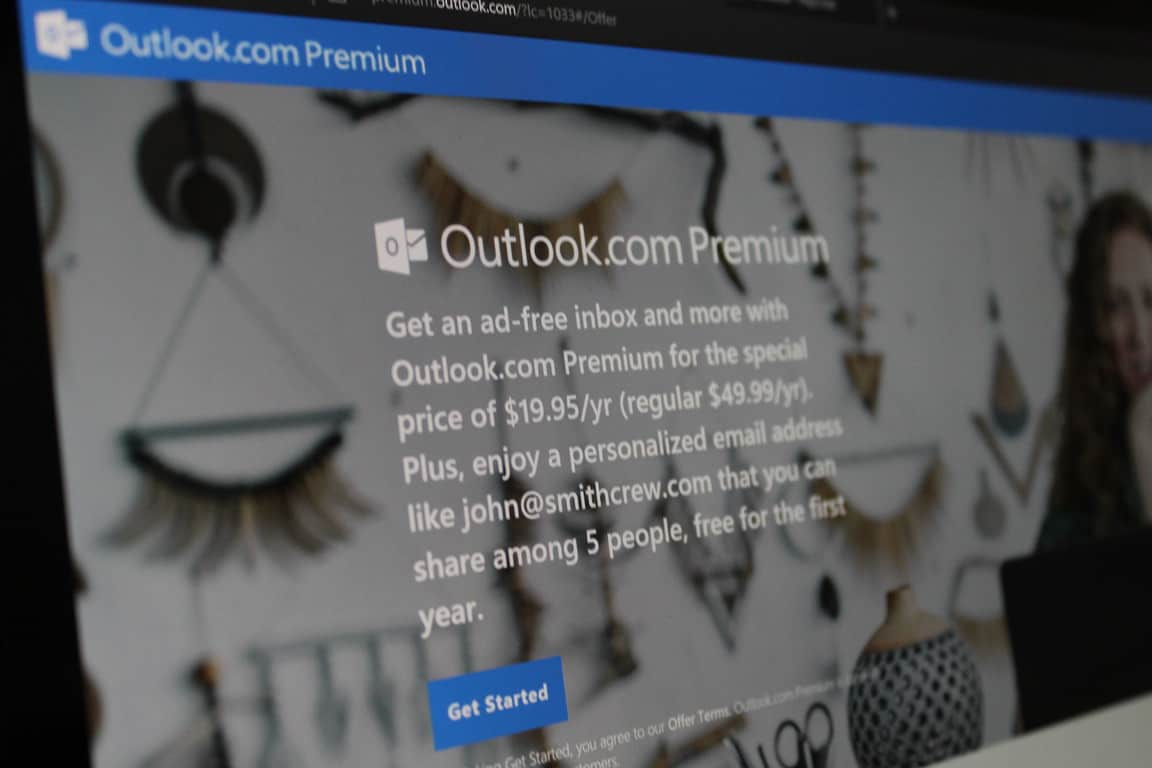
Microsoft quietly today launched their Outlook.com Premium service, but only in the US. The move comes after the premium service was an invite-only private test back a year ago, and as it most recently moved to a public preview back in October of 2016 (via ZDNet.)

As part of Outlook.com Premium, for the current price of $19.95 per year (regularly $49.99,) users will have a personalized email with a custom domain plus an ad-free experience. To sign up, interested users can Click (or tap) the blue Sign in to Get Started button on the Outlook.com Premium Offer page. Here is how Microsoft describes the service:

Outlook.com Premium is an enhanced email service which syncs your own personalized email domain (such as Jane@Doe_Family.com) with your Outlook.com mailbox (as well as hotmail.com, live.com, or msn.com), and removes banner ads from your Outlook.com mailbox. Your Outlook.com Premium mailbox automatically syncs with your existing Outlook.com mailbox, so all your emails can be viewed in the same mailbox – regardless of whether they are sent to your personalized email address or to your Outlook.com email address.

You can also invite up to four other people to join your personalized email domain so you can easily share calendars, contacts, and documents. Sharing is setup automatically between the people you invite to join your personalized Outlook.com Premium subscription.

According to Microsoft, subscriptions to Outlook.com Premium will automatically renew annually at the then current price. If you create a new personalized email domain during the registration process, your personalized email domain will be free for the first year. At the end of your first year, there will be an additional charge per year for your personalized email domain. There is still no word on when the service will expand to outside the US.

Create an Xbox Store wishlist and receive deal alerts with new StoreParser feature

StoreParser has always been known as a great place to track Xbox deals and sales, and it has now gotten even better. According to multiple reports on Reddit, StoreParser now allows you to sign up to create an Xbox Store wishlist and receive price alerts.

Overall, all it takes to use this new wishlist feature is first simply log in and search for a game using the search box on StoreParser.com. After you logged in, and found your game, you can then click the arrow on the bottom right-hand corner of your game and then select “add to My Wishlist.” Additionally, if you would like to receive price alerts for these games, you should head to your My Account page, and check the box that says “Notify me when content on my wishlist goes on sale or drops in price.”

StoreParser Wishlist

Though this feature is new to StoreParser, some on Reddit were keen enough to point out that TrueAchivements.com already had a feature which lets you track Xbox games, as well as achievements. Microsoft, nonetheless, urges Xbox gamers to check out Major Nelson’s blog for the latest Xbox deals and had previously blocked StoreParser from listing Xbox Store deals, only to reinstate access a week later.

Sniper Elite 4 Season Pass: Here’s what you need to know

Sniper Elite 4 Digital Deluxe Edition and Season Pass buyers have access to unique game content that will visibly improve their gaming experience. More specifically, the Sniper Elite 4 Season Pass gives players access to all of the game’s DLC packs, including 4 new missions for 1-2 players, 18 new weapons, 32 themed and camouflaged rifle skins for use in all modes, and 9 detailed new characters.

Sniper Elite 4 pre-order bonus content

Players who have pre-ordered Sniper Elite 4 get a challenging and unique mission as well as useful rifle skins:

  • Target: Führer campaign mission: You’ll infiltrate a secret Mediterranean U-boat facility where you can use 30 different ways to take out your target.
  • Camouflage Rifle Skin Pack: This pack allows you to perfectly blend into all wartime Italy environments. The pack is compatible with all seven of the game’s starting rifles.

Sniper Elite 4 expansion packs

The upcoming Sniper Elite 4 expansion packs feature 3 new weapons, 8 new weapon skins and 2 new characters.

More weapon packs and characters

Sniper Elite 4 devolopers are very generous in terms of DLC. The game also features three more weapon packs, such as silenced weapons, well-known wartime Allied rifles, and equipment that can be used for close quarters. Also, three more new characters for co-op and multiplayer are available for you to throw into the battle.

The Sniper Elite 4 Season Pass has a price tag of $34.99 and will be available on launch. If you’re not planning to buy the Season Pass, don’t worry. All new multiplayer maps and modes rolled after launch are free or the whole community.

You can buy Sniper Elite 4 for $59.99 from Steam. The Deluxe Edition is available for $89.99.

RELATED STORIES YOU NEED TO CHECK OUT:

Microsoft celebrates 15 years of .NET

As Microsoft looks to incorporate more open sourced coding and development, the company still manages to keep an eye squarely fixed on its roots in .NET.

Just today, the company celebrated the 15th anniversary of its .NET introduction.

“Since the beginning, the .NET platform has allowed developers to quickly build and deploy robust applications, starting with Windows desktop and web server applications in 2002. You got an entire managed framework for building distributed Windows applications, ASP.NET was introduced as the next generation Active Server Pages for web-based development, and a new language, C# (pronounced “see sharp” :-)) came to be.”

For any developers feeling nostalgic today, the .NET blog is hosting a handful of anniversary tidbits of Microsoft’s .NET programming language.

Microsoft is also encouraging fans to get engaged with today’s anniversary celebrations by suggesting gear to wear as well as links to visit to gather more information about the 15 year evolution of .NET

New Xbox One Preview build delivered to the Alpha ring with fixes and improvements

There seems to be full steam ahead on the Xbox Insider development front. According to a Tweet from an Xbox One team member by the name of Brad Rossetti, Insiders can expect to see a new Alpha Preview moments from now.

Rossetti claims the new preview will be bringing some frustrated Insiders some much-needed fixes to their game testing experiences.

The Xbox team or its resident spokesperson Major Nelson have yet to officially comment on Rossetti’s claims but some users are already beginning to receive notifications of the update.

Let us know in the comments as to whether or not the preview is your sitting or those of friends or family you may know.

Intel’s eighth-generation Coffee Lake CPUs to launch in the second half of 2017

It may be fair to say that Intel has been taking a beating in the arena of industry opinion. Between the issues with its 6th generation Skylake processor and the recent announcements of its two largest software partners in Apple and Microsoft experimenting with ARM-based architectures powering desktop operating systems, Intel seems to be having a rough go as of late.

Perhaps, in response to the head spinning headlines, Intel has decided to ramp up the release date of its 8th generation Core CPU offering called Coffee Lake. According to a report from Ars Technica, Intel’s Coffee Lake processor will be released in the second half of 2017 rather than its previous product road mapped launch period of 2018.

“At its Investor Day event last week, Intel confirmed that its 8th-gen chips will once again be based on a 14nm process, much like Broadwell, Skylake, and Kaby Lake before it. The first Broadwell chips were released way back in 2014.”

Beyond an updated release date, partnering manufacturers can look forward to promised “15 percent jump int performance versus Kaby Lake.”

Kaby Lake is also rumored to include a six-core CPU for a range of products and while that may see some excitement from power users, it remains to be seen if Intel can drum up the same level of excitement that has been accompanying ARM development these days.

Needless to say, Intel may need a few home run headlines out of its Coffee Lake release later this year to stem the recent ARM tide.

Skate 3 added to the EA Access Vault for Xbox players

If you’ve not checked the EA Access app on Xbox One recently, you might be pleasantly surprised to find that Skate 3 has found its way into The Vault.

Some keen-eyed Redditors found Skate 3 in the EA Access Vault recently, despite there being no official announcement from EA themselves.

Did Skate 3 get added to EA access? from xboxone

For those who are subscribed to EA Access, Skate 3 can now be downloaded. Take a look at The Vault through the EA Access app on Xbox One.

Go download it and let us know how you get on in the comments below!

The city of Munich might drop Linux for Windows 10, could switch by 2020

The Munich City Authority Administrative and Personnel Committee is wanting to reorganize the city’s IT setup. This time, to reverse their former switch to Linux in favor of Windows 10 by the year 2020.

It’s been over ten years since Munich, the capital of Bavaria, switched to industry desktop distribution called LiMux. The migration had cost the city over $32 million dollars and included approximately 15,000 PCs in the conversion.

With Dieter Reiter of the Social Democratic Party (SPD) being elected mayor in 2014, the topic of switching back to Windows was almost immediate. This is the same Reiter that negotiated Microsoft’s office move into Munich and provided a study from Accenture supporting the availability of Windows 10 to government employees.

The debate is causing further of a rift between the Free Software Foundation Europe (FSFE) and the SPD. However, there might be a happy medium for the pair that includes both Linux and Windows 10 systems. As councilor Anne Hübner explained to ZDNet:

“Much of the server structure will remain as it is today. LibreOffice can also continue to be used, but we’ll allow our employees to use Microsoft products if they so wish” she said.

“I don’t think this whole LiMux-Microsoft thing should be debated on high ideologically driven emotions. In the future, whatever product fits our interests best, will be used. It will take some time to determine what’s best and what’s best may also change over time, as the digital industry and user requirements are changing fast.”

The availability of both applications and software independent of their operating systems is a complete option to explore for the committee. If they do vote for the redistribution of Windows 10 across the city’s IT, the choice could be quite costly. So far, the only estimate given was determined in 2014 for buying Windows 7 laptops. As ZDNet notes in their report, there is yet to be a complete Windows 10 migratory estimate.

The meeting to determine the next course of action, or lack thereof, is to be later this week.

Satya Nadella talks diversity, says Microsoft should “look like everyone and every organization in the world”

Microsoft CEO Satya Nadella has been known for his inspirational speeches and the big vision for the tech company. During a meeting with students and faculty at New York University’s Tandon School of Engineering and the Stern School of Business last week, Nadella was certain not let expectations down.

The CEO expressed passionately that Microsoft has to “look like everyone and every organization in the world” reports LiveMint. The Q&A went on as Nadella stressed that diversity is the critical key to empowering every person and organization, a mission that Microsoft has been out to do for quite some time now. Particularly since Nadella took control of the company in 2014.

“Diversity and inclusion is huge. It obviously starts by having a workforce that is diverse but inclusion is a cultural piece that we all have to work on everyday,” he said at the interaction during his visit to the University on 7 February. He said inclusion “shows up in every meeting, starting with me.” “Am I able to actually conduct a meeting where everyone is able to contribute their best because we all come with different styles, we have different cultural upbringings, what makes us tick is different. So you got to have leaders who are in-tuned with that,” he said.

This statement comes at no surprise from the Indian-born CEO. His latest talks across media sources have been in regards to the need for an exception to President Trump’s executive order that banned travel from seven Muslim-dominated countries. The premise of global growth for technology and knowledge is often a topic that incites Microsoft’s stance on inclusion.

But even the company has had its ups and downs with inclusion. The growing concern of minority representation, including women, has been one that Nadella addressed in the talk.

“I will not by any stretch say at Microsoft we have excellence in it. I’ll say we are going to, everyday of the week, push to get better and better at creating that more inclusive culture.”

Even though the layoffs and cutbacks this year on employees has taken a large chunk of diversity out of Microsoft, the company seems intent on widening their spread. The company’s chief diversity and inclusion officer assured media last year that the decline was a setback, seeing a rise in minority hires.

Microsoft announces redesigned and “greatly expanded” Microsoft Trust Center site

Microsoft today took to the Firehose blog to announce a redesigned and “greatly expanded” Microsoft Trust Center site. The website, which is for learning about Microsoft security and compliance practices, now features EU General Data Protection Regulation guidance, audit reports, security assessments, and much more.

Overall, those visiting the expanded website should also expect to see resources and in-depth information about security, privacy, and compliance offerings, policies, features, and practices across Azure, Dynamics 365, Office 365, Power BI, Visual Studio Team Services, and Windows Server 2016.  According to Microsoft, the Trust Center is a part of the Microsoft Trusted Cloud initiative and provides support and resources for information professionals and legal professionals. Please have a look at what is new below.

Do you frequent the Microsoft Trust Center website? If not, you can head there now to check it out. Once you’re checked it out, let us know what you think by dropping us a line below!

Sign up for these free live Office 365 demos and get your questions answered

If you want get the most from Office 365 commercial subscription, you probably won’t want to miss Microsoft’s upcoming series of free live webinars. Indeed, the Office team has announced today three 30-minute live demos with Q&A to help teams learn more about apps and services such as Microsoft Delve, Teams and Sharepoint. The first webinar will be held this Wednesday, February 15 and you can learn more about the topics that will be addressed below:

Work smarter with Microsoft Delve (February 15 at 12 p.m. ET / 9 a.m PT):

  • Discover how the Office Graph is changing the ways we interact with Office 365:
  • Learn what Microsoft Delve is and how you can use it to discover content relevant to your work.
  • Find out how MyAnalytics is enhancing the Microsoft Delve experience.
  • See how Microsoft Delve is being integrated into the tools you already know and love.

Master chat-based collaboration tools in Microsoft Teams (March 15 at 12 p.m. ET / 9 a.m. PT):

  • Use chat for today’s teams in a threaded, persistent way that keeps everyone engaged.
  • Participate in a hub that works seamlessly with Office 365 apps.
  • Customize options for each team with channels, connectors, tabs and bots.
  • Add your personality to your team with cool emojis, GIFs and stickers.

Work efficiently with SharePoint and OneDrive for Business (April 5 at 12 p.m. ET / 9 a.m. PT):

  • Find out when and why to use a particular tool for file sharing, storage and collaboration.
  • See how OneDrive for Business can help you get the most out of personal file storage.
  • Discover how to use some of the newest features to securely store, edit and share your documents.
  • Learn how to make professional team sites in minutes.

Three more demos have already taken place, but are available on demand:

  • Create online meetings with Skype and PowerPoint
  • Build a dashboard in a day with Excel and PowerBI
  • Get more done, more quickly with OneNote and Office On-demand

You can already register for the free webcasts on the dedicated website, and check out the previous demos. If you miss an upcoming live one, the Office team has shared that all resources will be available for free after the events.

Trade in your old console for $150 off an Xbox One S: here’s how

When it comes to purchasing a new Xbox One S gaming console, there is always more than one way to save. Some may turn to Microsoft’s special bundles to get more for their buck, and others may simply wait for special holiday offers. If you have an old console laying around the house, however, you should also consider trading it in to save some money, as Microsoft currently is running an in-store and online Xbox One S trade-in offer until February 27th, 2017.

If you’re trading in online, to get started with your trade in, you should first visit this website to determine your trade-in value. The website lists various consoles, one of which you probably own. After you choose your console by clicking on its image, you must then detail storage capacity and condition, or if you are trading in controllers, power cables.  To qualify for trade in, and as working condition, you must meet the following conditions.

You must own the qualifying device, device must power on, battery must hold charge and not be required to be plugged in to operate, and be in fully functional, working condition without broken/missing components, cracked display/housing, liquid damage, modification(s) or have device warranty seal broken to be considered working. Trade-in cannot be password protected, and must include original chargers/accessories, and hard drive.

Xbox trade-in
Xbox trade-in

After you fill out the condition, you will then be presented a trade-in value for your item. Once you accept you will have to fill our some personal information and Microsoft will provide you a shipping label for your device. You must then box up your console and ship it out. Once it is received, Microsoft will email you a promotion code and you will be able to use the code during checkout of your Xbox One S to get your discount.

It is worth noting that you can also trade-in at the participating physical Microsoft Retail stores, all of which are available via this link here. Of course, the trade-in program does have its caveats and is valid for online purchases only. Other terms can be seen below.

Any appraised value will be determined at trade-in and provided as a Microsoft online store redemption code and is valid online only. The online redemption code will be sent via email once CExchange receives and appraises your trade in. The redemption code will be valid until April 30, 2017. All trade-ins are subject to Microsoft’s discretion and approval. All trade-ins are final. Recycle for Rewards program provided by CExchange, LLC., and other terms and conditions may apply. Not valid on prior orders or purchases; cannot be transferred or otherwise redeemed for cash or gift cards. May not be combinable with other offers. Refunds will take into account the discount. Price discount does not include taxes, shipping or other fees.

Again, this trade is only valid for a new purchase on an Xbox One S device, and for a minimum of $150 off transaction when trading in PlayStation 4, and a minimum of $50 when trading in PlayStation 3 or Xbox 360. Other retailers such as Gamestop have put up similar offers in the past, but this time things are more official from the folks at the Microsoft Store themselves. Do you think you will take up this offer? As always, let us know what you think by dropping us a comment below!

Windows 10 Mobile will soon get Night Light and Continuum updates

Although Microsoft regularly releases Windows 10 builds for both PC and Mobile, some differences remain between both versions of the operating system. For instance, Blue Light reduction came to Windows 10 for PC more than a month ago while Windows 10 Mobile has yet to receive the promised Night Light and Continuum improvements, bug fixes, and visual redesign. Insiders, however, may soon see some of these features according to Windows Insider head Dona Sarkar.

Sarkar said in an interview that Night Light and the Continuum functionality for Windows 10 Mobile is still in progress, though she fell short of providing a specific date for the update’s release. Sarkar said:

We do know that these features are very important, so we want to unveil them at the right time for the audience. For us, it’s all about the quality. We don’t want to add features when we don’t love the quality of the build yet, so we’d rather focus on building up quality than figuring out when to roll features.

In other words, the company is working to get everything right before bringing the blue light filter to Windows 10 Mobile users. Sarkar went on to the reveal that some features are already on track, though they are not ready yet for mass rollout. At the moment, the focus is on the quality. Sarkar explained:

They’re not in the builds yet. We’re still trying to figure out when is the right time for them to be in the builds.

One of the popular apps that pioneered blue light filters on mobile was f.lux, though it is only available to Windows PC users. LightBulb is another program that works to modify the color temperature of your screen according to the time of day in your location.

It is likely that the Night Light and Continuum improvements are not coming with the Windows 10 Creators Update in April because the OS is now feature-locked. That means we will need to wait beyond the upcoming fall for the feature’s release to mobile devices.

If you are on Windows 10 Mobile, are you eager to see the improved Night Light and Continuum features? Let us know!

RELATED STORIES YOU NEED TO CHECK OUT:

Lost your files after Windows 10 upgrade: Here’s what to do

You can’t find your files after upgrading to Windows 10? This is a common issue, but the good news is that you can restore them. In this article, we’re going to list four workarounds that you can use to restore your lost files.

How to recover lost files after Windows 10 update


1. Make sure you’re not signed in with a temporary profile

The very first thing you need to do is check if you are signed in with a temporary profile. After upgrading to Windows 10, the new OS may have created a new account for you.

  1. Go to Settings > Accounts > click on the Sync your settings option
  2. If you are using a temporary account, you’ll see this message: You are logged on with a temporary profile. Roaming options are currently unavailable.
  3. Copy the data that you have been working on.
  4. Sign out of this temporary profile. After signing out, this temporary profile may get deleted.

2. Use the Search option to find your lost files

If you aren’t signed in with a temporary profile, use the search box to locate your missing files. If you still can’t find your files, use the Search troubleshooter.

  1. Click the Search box > type Indexing > select Indexing Options
  2. Select the Advanced button to see more options
  3. Select the Troubleshoot search and indexing option > follow the on-screen instructions

If this action hasn’t fixed your problem, go back to the Search box and type Show hidden files and folders. Under Hidden files and folders, select Show hidden files, folders, and drives. Then try searching for your files again.


3. Restore files from a backup

If the two previous methods didn’t solve the problem, you can also try restoring the data from a backup point.

  1. Go to search box > type Backup and restore > select Restore my files
  2. Follow the on-screen instructions to restore data

Sometimes you can restore a file by creating a new new file with the same name and format. Here’s how to do that:

  1. Create a new file with the same name and type of the lost file
  2. Right click and select Properties
  3. Go to the Previous Versions tab
  4. Select the file version that you wish to restore

4. Enable a Windows 7 Administrator account

If you’ve upgraded from Windows 7 to Windows 10, your files may have got stuck in the disabled administrator account. To restore your lost files, you need to re-enable the account. Here’s how to do that:

  1. Type “computer management” in the search box > select the Computer management app
  2. Go to Local Users and Groups > select Users
  3. If the Administrator account icon has a down arrow, this means it’s disabled
  4. Double click on the icon > go to the Properties dialogue box
  5. Uncheck the “Account is Disabled” option > click on Apply
  6. Log out and log in again with the administrator account.

We hope one of these four solutions helped you to find your lost Windows files. If you’ve come across other workarounds to fix this issue, feel free to list the troubleshooting steps in the comment section below.

RELATED STORIES YOU NEED TO CHECK OUT:

Impact Winter system requirements for PC

Impact Winter is an Early Access survival game that will put your intelligence, resourcefulness, and patience to the test. In it, you’ll take on the role of Jacob Solomon, the leader of a makeshift team trying to survive after a devastating asteroid collision.

With the whole world now buried beneath constant snowfall, your mission is difficult. Be brave enough to keep your companions alive until rescue and in 30 days, help should reach you. Until then, you need to struggle to survive in this hostile environment.

The good news is that you can lower the Rescue Timer, provided that you find the right strategy:

A key part of the gameplay loop takes inspiration from classic RPGs where you earn ‘experience’ and ‘level-up’. In Impact Winter, you’ll be rewarded for your discoveries and choices, and this will strengthen Ako-Light’s signal and lower the Rescue Timer.

Learn to be a leader who listens to his team and if you unite your skills, you’ve got more chance to survive. This is definitely not an easy task as the hard winter conditions seem determined to kill you. Keeping your team’s morale high is as essential as breathing:

Impact Winter isn’t designed as a people simulator. Instead, your team will think and act for themselves, moving, eating, drinking, sleeping and keeping themselves occupied. You won’t be in charge of telling people where to go, instead you’ll be leading over them in a more managerial way. Organizing rations, choosing what gets built, assigning roles, solving dilemmas and even choosing sides in an argument. This isn’t a game that’s built on micromanagement.

If you like survival games and you’re planning to pre-order or buy Impact Winter, you should first check the game’s system requirements. Make sure that your computer is perfectly capable of running it in order to avoid technical issues.

Impact Winter system requirements

  • OS: Windows 7
  • Processor: Intel(R) Core(TM) i3
  • Memory: 4 GB RAM
  • Graphics: DX11 compatible video card
  • DirectX: Version 9.0c
  • Storage: 5 GB available space
  • Sound Card: DirectX Compatible

Impact Winter arrives on April 12.

RELATED STORIES YOU NEED TO CHECK OUT:

Windows 10 news recap: Creators Update is feature complete, Focused Inbox in the Mail app and more

Welcome back to our Windows 10 news recap. We are continuing the trend of our weekly “Windows 10 news recap” series where we go over the top stories of the past week in the world of Microsoft’s flagship operating system.

Hands-on with Windows 10 Creators Update Insider build 15031 for PC

This week saw the release of Windows Insider Preview build 15031 for PC, as part of the Windows 10 Creators Update. Take a look as we get hands-on with the latest Insider build on the Fast ring:

Windows 10 Creators Update SDK is feature complete, says Microsoft

The release of the Windows 10 Creators Update is approaching at a steady pace and Microsoft has now confirmed that the Windows 10 Creators Update SDK is feature complete. This means that they’ll be no new features from now on that developers can make use of, however, consumer-only facing features are still possible.

Microsoft testing Focused Inbox on the Windows 10 Mail app

Reports are coming in that Microsoft is testing the Focused Inbox feature in the Windows 10 Mail app, allowing people to better manage their mail, by only needing to see what’s important.

Build 2017 tickets go on sale Feb 14th, see what’s next with Windows 10

Build 2017 is Microsoft’s annual event to show off what it has been working on for developers and what’s next in the world of technology and particularly Windows 10. The company has announced that tickets for the event go on sale on February 14.

Microsoft, Build

Could Xbox 360 emulation come to Windows 10? “Never say never”

Playing Xbox 360 games on Windows 10 PCs is a dream for some, however, as yet, it’s not a feature that we’ve seen any progress towards. Despite this, Phil Spencer of Microsoft’s Xbox division sent a somewhat cryptic tweet out on the subject of Xbox 360 emulation on Windows 10:

That is the top Windows 10 news for this week – we’ll be back next week with more!

Microsoft news recap: opposes Trump’s travel ban, Photosynth closes its doors and more

Microsoft (MSFT) news recap is a weekly feature highlighting the top Microsoft news stories of the past week. Sit back, grab some coffee, and enjoy the read!

Microsoft joins nearly 100 other tech companies with brief opposing US immigrant travel ban

Microsoft has formally opposed Donald Trump’s immigrant travel ban by signing a brief with nearly 100 other companies in the technology industry, classing the Executive Order as “illegal.”

Microsoft’s $250,000 inauguration donation seems at odds with its recent protest

Despite formally opposing the US travel ban, it has been discovered that Microsoft donated $250,000 to the inauguration. While this is common practice for companies, it seems at odds to Microsoft’s formal stance.

New court ruling means Microsoft’s lawsuit against the DOJ will live on

Microsoft has been fighting for the privacy of its customers for nearly a year against the US Department of Justice. It filed a lawsuit against the use of gag orders to obtain customer information. The suit has now passed through District Judge James Robart, who we may remember from the recent Muslim ban debacle.

Microsoft CEO Satya Nadella defends an “enlightened immigration policy” at Detroit talk

Microsoft’s CEO, Satya Nadella, is continuing to make his stance on Donald Trump’s immigration ban clear. This time he was holding a talk in Detroit when he made the following statement:

Clearly, national security is a high priority, but, at the same time you got to create policy that allow us to continue to be the place where the best and brightest will come, as well as show our humanity. It’s not just about high skill immigration. American has been a beacon of hope far beyond that.

Satya Nadella

Microsoft Photosynth has officially shut down

This week saw the official closing of Photosynth. Microsoft has made the source code open source and released a viewer for the service, so that people can still view their creations offline.

That’s it for this week – we’ll be back next week with more Microsoft news!

Firewall App Blocker for Windows 10 now manages internet restrictions

With Firewall App Blocker, you are able to restrict access to the internet for applications running on Windows. Now, the popular app has been updated to version 1.5, bringing improvements to the overall functionality of Firewall App Blocker.

The whole point of the app is to cut off internet access for any app in a timely, easy manner. This comes as a solution to the rather tedious and annoying process of doing so using the built-in Windows Firewall. With Firewall App Blocker, you have a far easier way to achieve the same result.

With the release of version 1.5 of Firewall App Blocker, users can also enjoy the app in 64-bit. Previously, it was only available in a 32-bit format but now you get to install the appropriate version for your system when you download the installer. The last time FAB got an update was in 2014, which is a pretty long time.

The interface provides a rich summary of what you are allowing internet access to. Additionally, you also get information on where in the computer’s storage it can be found as well as whether or not it is blocked or if any rule is enabled for that particular case.

Folders make things easier

A new feature that comes with version 1.5 is folders. When you do so, you can set it so that all the executables in that particular folder fall under the same umbrella (internet access granted or denied). This is more of a quality of life type of feature, but it is welcomed nonetheless as many will agree that clicking each individual process can be a very annoying business.

You can download the new Firewall App Blocker version from the tool’s official website.

RELATED STORIES TO CHECK OUT:

Phoning Home tips and tricks for smoother gameplay

Phoning Home is an open-world exploration and survival game set on a strange, alien planet. The surprising part is that the main character isn’t a fierce warrior who fights for the survival of this tribe, but two cute little robots named ION and ANI.

If you’ve already bought Phoning Home or are planning to, check out the tips and tricks listed below for better gameplay.

Phoning Home guide

  • Use your compass to find resources that you already scanned at least once. Before resources appear on your compass, you will have to find them. Watch for anything that looks out of the ordinary.
  • Gameplay starts out slow for you to learn all the basic mechanics and to introduce characters, but don’t be fooled. There might be a dangerous surprise behind the next corner already. So, stack up on power-ups like Hull Repairs, Power Cells and Fuel.
  • If storage for one resource is full and you cannot collect anymore, try to craft some power-ups or tools with it to not leave valuable resources behind.
  • Be careful when getting close to lava or other sources of heat.
  • After you met another small robot named ANI, take care of her. She will be helpful, a little bit annoying and sometimes hilarious, but most importantly you cannot win the game if you leave her behind.
  • In cases of bad weather, ANI is very vulnerable. Find shelter for her and disable her auto-follow for a while. You can roam around and look for new paths while the storms rage. ANI really hates everything but sunshine, so make sure she always has enough coating. When her UI interface symbol turns red, she has run out of coating.
  • ANI has her own opinion. Take everything she says with a grain of salt. She is NOT your tutorial guide.
  • When you think you’re stuck, chances are you’re not. Some of the puzzles are rather tricky, especially in the second half of the game. Check the environment and what tools you have unlocked (or can unlock).
  • Combine your tools and features. Maybe the Attractor PLUS the Teleporter might offer a way. There are times when you don’t need the Teleporter for a long time, and then you will run into situations where you constantly need it to traverse the landscape or help ANI around.
  • ANI will follow you through the portals you create with the Teleporter or world portals that you enter. That is, if she can reach them.
  • You can toggle ANI’s auto-follow mode (F) and her auto-attack mode (C). This may be necessary in certain situations to survive. ANI has her own mind and is sometimes very emotional.
  • Save resources in the beginning. You will need them later in the game. In fact, your mission will depend on your ability to use your thruster and other tools.
  • You can, but you don’t have to, fight all hostiles. It’s often the better alternative to avoid confrontation.

RELATED STORIES YOU NEED TO CHECK OUT:

Windows 10 Dynamic Lock automatically locks your PC when you leave the room

Microsoft released rolled out a new Windows 10 build. More specifically, build 15031 brings a few new features, and is the last wave of additions to Windows 10, since Microsoft moved it to the release branch.

One of the new features that comes with Windows 10 build 15031 is Dynamic Lock, a feature that locks your computer as soon as you leave your table. In order to make Dynamic Lock work, you need to pair your computer with a mobile device via Bluetooth.

The feature detects when your mobile device is out of range, and locks your computer after a given time. This is a great thing if you need to leave your computer urgently, as there’s no safety risk, because it will lock itself automatically.

Dynamic Lock automatically locks your Windows 10 PC when you’re not around based the proximity of a Bluetooth-paired phone. If your Bluetooth-paired phone is not found near your PC, Windows turns off the screen and locks the PC after 30 seconds, says Microsoft.

To enable Dynamic Lock, do the following:

  1. Go to the Settings app
  2. Go to Settings > Accounts > Sign-in options and toggle Dynamic lock to on

Remember, before you turn this feature on, you need to make sure your devices are paired via Bluetooth.

This feature is, for now, only available to Windows Insiders on the Fast Ring. However, it will be available to everyone else in April, when Microsoft release the Creators Update for Windows 10.

What do you think about the Dynamic Lock feature in Windows 10? Will you be using it? Let us know in the comments below.

RELATED STORIES YOU NEED TO CHECK OUT:

Here are the best economic simulation games for PC users

Economic simulation games are those primarily based on economic management in which players usually become a tycoon in an industry. For example, some economic simulation games have players build and run their own theme parks, zoos, railway lines, airline companies, hospitals, casinos, cinemas, hotels or even cities.

There are many games that loosely fit in the economic simulation genre. These include real-time and turn-based strategy games such as the Civilization and SEGA’s Total War series. For example, in the Total War games, players adjust tax rates, expand settlements and trade with other empires.

Below are a few of the best Windows games in the economic simulation genre.

Railroad Tycoon

Railroads were big business during the railway boom of the 19th century, and Railroad Tycoon is one of the best economic simulation game precisely because it takes players back to that golden age. In the game, players get to manage their own railway companies by laying tracks across European and American landscapes, building stations and investing in new trains. After Civilization, this is undoubtedly one of the best Sid Meier game franchises with plenty of fans. You can play three of the games in the series now, with the Railroad Tycoon Collection available on Steam

There have been four installments in the Railroad Tycoon series dating back to 1990. Of course, it was the original Sid Meier’s Railroad Tycoon that really launched the franchise.

Railroad Tycoon 2 was also another great game of the series. This had a Railroad Tycoon 2: Platinum Edition that included both the original sequel and The Second Century expansion that expanded the time period the game to cover from the 1800s up to the present era. Sure, RT2 might lack some of the 3D gloss of the more recent additions to the series, but it’s a detailed economic simulation with UI design that captures the authentic look and feel of the industrial era.

In Railroad Tycoon 2, players build extensive railway tracks to transport all manner of cargo and passengers, construct stations, invest in a variety of rolling stock and even dabble in the stock market to expand their railway empires and beat AI tycoons. The original sequel had 18 missions in Europe, North America and beyond, and the expansion pack extended the scenarios to include 20th-century wars.

SimCity

SimCity is an economic simulation in which players become a city mayor. Players build, expand and run their very own cities in one of the first games to highlighted how viable economic simulations could be when it launched on MS-DOS in 1989.

In the game, players establish an annual budget by adjusting tax rates and allocating funds to police, fire services, and transportation. Then they can expand their cities by constructing residential, industrial and commerce zones that can either grow or decline. The game also includes approval polls that provide feedback on your economic management. The first SimCity had countless accolades and launched one of the biggest Windows game series.

Admittedly, not all the games in the series have been that great. However, SimCity 4 for Windows was an evolutionary step for the franchise as the first SimCity that had a 3D graphics engine with rotatable 3D objects. SimCity 4 includes diverse architectural styles, three alternative game modes, UFO invasions and neighboring cities that players could exchange resources with. The SimCity 4 Deluxe edition includes both SimCity 4 and its Rush Hour expansion pack.

Theme Park

Theme Park was originally an MS-DOS game, but you ca nown add it to Windows and macOS from this website. This is an economic simulation in which players build their own Magic Kingdom theme park with all manner of rides, restaurants and other facilities. Players expand parks to increase their overall value so that they can sell them and acquire new plots.

The game has three levels and in the hardest mode, players can invest in park shares and fund research to build the latest, most exciting rides. The first Theme Park is undoubtedly a classic title that launched a trilogy, which includes Theme Park Word and Inc, and inspired numerous other theme games.

RollerCoaster Tycoon

Theme Park probably inspired the RollerCoaster Tycoon game series, which began on Windows and was then ported to other platforms. The premise of RollerCoaster Tycoon is much the same as players construct and maintain theme parks. Building huge roller coaster designs with corkscrews and vertical loops is a big part of the game, but players can also still add a diverse range of rides to the parks including log fumes, go karts, and ferris wheels.

The main difference between the games is that RollerCoaster Tycoon includes scenarios for players to complete by either building a park from scratch or taking over a pre-built park that could do with a bit of investment. Some of the scenarios are also based on real theme parks such as Lightwater Valley.

Of course, it was the first RollerCoaster Tycoon game that really made the series and is rated among the best economic simulation games ever. There have been several titles in the series and RollerCoaster Tycoon 3 is also one of the best installments as the first to fully showcase theme parks in glorious 3D with adjustable camera angles.

The game also includes the CoasterCam that enables players to ride their roller coasters and other rides from a first-person perspective. In addition, RollerCoaster Tycoon 3 also has Soaked and Wild expansion packs in which players build water parks and zoos with wildlife and safari rides. RollerCoaster Tycoon 3: Platinum includes all the expansion packs and original Tycoon 3 within the same package.

Cities: Skylines

It has taken a while for a serious successor to SimCity to emerge, but Cities: Skylines could be it. This economic simulation game launched in 2015 and in it, players can build huge cities up to 36 kilometers in scale. Management of transportation infrastructure is a big aspect of the game, and players can designate customizable districts to their cities in which to apply alternative taxation policies and develop more specific industries such as oil, mining, agriculture, and others. Budgeting also comes into play as players can choose what utilities and services to budget for and tinker with.

The publisher already released a triumvirate of expansion packs for Cities: Skylines. After Dark includes day/night cycles and more unique buildings, Snowfall adds lots of snow to the cities, and Natural Disasters gives players earthquakes, flooding and tornadoes to deal with. There’s also a Deluxe Edition that includes five historic monuments and a digital art book. Cities: Skylines has had some rave reviews, so it could be the start of something big.

Offworld Trading Company

Offworld Trading Company is another recent game that could shake up the economic simulation genre. This is an  real-time strategy game set on Mars in the year 2063 after a worldwide market meltdown on Earth. In the aftermath of the Great Collapse, companies have established the New Martian Colonies on Mars. Thus, players must win over the resources from Mars, extract and then manufacture them into tangible goods with which to build up their colonies. Military maneuvering doesn’t come into play in Offworld Trading Company, as victory is won by buying up all competitor stocks.

The game pays close attention to realism as Mars planetary geologist Kirby Runyon even provided some input for it. He stated: “It’s great that space is being shared just beyond what is strictly ‘scientific.’ It’s an awesome setting for this game, and I hope that it does a lot to draw people into wanting to learn more. I’m so excited to be able to watch science infused with art.” So, Offworld Trading Company is certainly an original and intriguing sci-fi economic simulation game.


Few can doubt that economic simulations have been among the more exciting Windows game series. SimCity 4, Railroad Tycoon 2, Theme Park and RollerCoaster Tycoon 3 are terrific economic management simulation games. Cities: Skylines and Offworld Trading Company are two newer games that are taking the genre to exciting new heights with more advanced 3D graphics.

RELATED STORIES YOU NEED TO CHECK OUT:

Xbox news recap: Scorpio bringing more new IP, Xbox 360 games on PC and more

Welcome to our weekly Xbox news recap series, where we go over the top stories of the past week in the world of Xbox. Let’s get started.

There will be more new IP with Scorpio in 2017

The Year of the Scorpio is here – 2017 will launch the new console, and, to accompany this golden age of Xbox, we’re going to be getting a whole lot more in the way of single player games, with many of them being new IP. If you’re a gamer always looking for fresh new worlds to explore, then you’ll be happy to know that Phil Spencer feels “very good about this year” when it comes to new IP.

Xbox 360 games running on PC might just happen

Want to run your Xbox 360 library on your souped-up PC? Microsoft might be working on a way to do that. Phil Spencer responded to a question on the topic by saying that “Running BC reliably on all the different PC HW configs would be a lot more work than XB1, but never say never.” That bit of hope is something that Xbox fans can hold onto – stuff like this would probably be shot down on the spot if it wasn’t on the team’s radar at all.

Xbox One gets File Explorer in new Insider build

Looking to store some photos and videos in your Xbox One? The possibility is there now with a hidden feature in the latest Insider build. The File Explorer made its way to the console recently, and while it doesn’t really have much use at the moment, it’s nice to see it there. We’ll have to wait and see how the feature develops, but you can rest easy now knowing that, if you need to create a few folders for some reason or another, Xbox has got you covered.

Xbox One has its best January since launch, still outsold by PS4

Xbox continues to have a really good time, enjoying its best January since the console came out a few years back. While the PS4 still outsold it, Xbox is continuing to find its stride after being buried under Sony’s console for quite a while since the two platforms released. With Scorpio on the horizon and a huge new library of games promising to fill our shelves, we can look forward to a year of success for the console – January ought to be just the start.

State of Decay 2 release date to be announced at E3

We’re now officially at that time of the year where everyone is thinking about E3 2017. The team at Undead Labs told us all on Twitter that they’ll be announcing the release date for State of Decay 2 at this year’s E3, much to the delight of people who adopted the cult classic back when it released on the Xbox 360 Arcade.

State of Decay 2

Captain Cutter and Atriox have a battle of wits in new live action Halo Wars 2 trailers

Halo Wars 2 is coming out pretty soon, and its new live action trailers are actually pretty funny. They feature Cutter trying to get control of an armrest on an airplane, and trying to out-negotiate Atriox at a car dealership. Astute observers might even notice that Cutter pulls out his Lumia 950 at one point, proving that Windows 10 Mobile is, of course, the operating system of choice for the UNSC.

Thanks for joining us. To keep up to date with all the latest Xbox news, keep a close eye on our Xbox One news hub.

Microsoft releases Windows SDK for Google Analytics

Microsoft has released a Windows SDK for Google Analytics. Now, with a simple SDK based on the Android SDK variant of Google Analytics, developers can now integrate Google Analytics tracking into their Windows apps. It is based on Google’s Measurement Protocol, as explained by Microsoft’s Windows apps team:

The SDK is built on top of Google’s Measurement Protocol, a service that allows developers to send engagement data to the Google Analytics Servers over HTTP requests. The APIs in the Windows SDK for Google Analytics are modeled on class names and design patterns from Google’s Android SDK, to ensure maximum portability and readability for those already familiar with Google Analytics on other platforms.

Google Analytics for apps allows developers to record crashes, key user events and see the general app usage in a detailed view. The SDK is available for Universal Windows Apps, desktop apps and WinRT apps.

To find out how to integrate Google Analytics into a Windows app, Microsoft provides some instructions here.

The new SDK is open source and Microsoft invites users of it to contribute. Additionally, it asks users to provide feedback on the GitHub repo.

Windows 10 UWP Community Toolkit 1.3 is now available

Microsoft has released version 1.3 of its Windows 10 UWP Community Toolkit. The Community Toolkit is a collection of elements and helpers available for developers to use, in order to provide assistance in the development of universal Windows 10 apps.

Here is the changelog for v1.3 of the toolkit:

  1. Controls. Several new controls were added in this release, including some very popular requests from the community:
    • WrapPanel. Positions child elements in sequential position from left to right or top to bottom, breaking content to the next line.
    • TextboxMask and TextBoxRegex (attached properties). Allows setting common or custom masks (like telephone numbers) for input.
    • SurfaceDialTextboxHelper (attached property). Extends any Textbox control to be controlled directly from a Surface Dial.
    • MarkdownTextBlock. Embeds and renders in real-time markdown syntax.
    • TileControl. Enables repeatable tile content.
    • ScrollHeader. Builds upon FadeHeader and enables Quick Return, Sticky and Fade behaviors.
    • Expander. Provides an extendable container to show/hide any content by clicking the header.
    • AdvancedCollectionView: Builds upon CollectionView and easily sorts and filters collections before displaying them.
    • Loading control. Shows an animation with some content when the user should wait in some tasks of the app.
  2. Services
    • OneDrive service. Roam user files through the new OneDrive service with a simplified API model (similar to StorageFolder). The new service makes it easy to authenticate OneDrive users and more in the same consistent way you have come to expect from the toolkit services.
    • Microsoft Translator Service. Translate text in 60 languages supported by Microsoft Translator Services. The free tier supports up to 2 million requests per month.
    • We’ve added support for geographical metadata to tweets.
  3. Animations
    • Light. Add light effects to your page or controls to draw user attention.
    • Reorder grid animations (attached property). Add smooth animations when resizing a grid view.
    • ParallaxService. Allows to create a parallax effect for items contained within an element that scrolls like a ScrollViewer or ListView.
  4. Notifications
    • New toast features. Allows group toasts notifications (only available on Creator Update).
  5. Accessibility. With the support of the community, we started the journey to add accessibility capabilities to all the controls in the toolkit. You can track progress here.
  6. Sample App
    • The Sample App now has embedded documentation (using the new Markdown control).
    • The Sample App provide pointers to a few external OSS resources, for example, the newly released Windows SDK for Google Analytics.

That’s quite a lot to be getting to grips with! In addition to this, users of the Community Toolkit now have a UserVoice page, where they can provide their ideas and feedback on the toolkit.

File Explorer from Windows 10 Mobile appears in latest Xbox One Insider build

A feature, non-existent in the build notes for Xbox One, appears to have been hidden amongst one of the latest Insider Preview builds.

The File Explorer built for the Universal Windows Platform (UWP) appears to have made its way from Windows 10 Mobile to Xbox One (via Windows Central).

Xbox One UWP File Explorer from Windows 10 Mobile

For the most part, the File Explorer app is not very useful, with it having limited functionality at this point. It does allow apps to create folders, such as MyTube Beta to create a YouTube folder for offline video files, however, it is not currently possible to move content to the Xbox One’s local storage device.

As time progresses, it is safe to assume that this functionality will be expanded to allow for more useful actions, such as storing pictures taken with USB cameras to the console itself, rather than relying on OneDrive storage.

We’ll have to wait and see to look how far this progresses.

Phoning Home issues: Game crashes, broken achievements, and more

Phoning Home is an open-world exploration and survival game set on a strange, alien planet. The game follows the journey of two robots – ION and ANI — as they work towards a common goal. As a player, you’ll control ION, an exploration unit on a mission to secure natural resources after your ship crash-lands on an alien planet, forcing you to survive in a strange world full of dangers.

With only your ship’s A.I. for company, you set out to explore your new home. In order to escape, you need to find a way to contact your home planet. Phoning Home is an interesting, fun and challenging game that will also play with your nerves from time to time. The title is affected by three annoying issues that limit the gaming experience.

Phoning Home reported bugs

Thruster achievement is broken

Thruster achievements don’t display accurate information, listing less thruster progress than actually achieved by players. ION Lands is investigating this issue and will patch it with the next update.

All thruster achievements say “1/whatever” …since I’m at the desert I’m sure you’ll believe I’ve thrusted many more times than that!

Motion blur/bloom

Phoning Home doesn’t offer any option to disable motion blur, but this could change in the future. As far as motion bloom is concerned, this is not just a simple glow but rather it plays an important role in defining the look of the game.

Not to be rude but even slight motion blur can make players like myself very sick, this is a little game breaking for me personally.

Phoning Home crashes at startup

For some players, the game crashes at the loading screen after a minute in the game. Usually, no error messages appear on the screen. Other players report that after five minutes, the monitor goes to sleep, but the sound of whatever is happening in the game is repeated over and over until they perform a hard reset.

Hello, i have almost the same issue, the game crashes after 1 minute in game… And no errors messages… i have this problem only with that game…

If you’re planning to buy Phoning Home, don’t forget to check the game’s system requirements first.

Phoning Home minimum system requirements:

  • OS: Windows XP / 7 / 8.1 / 10
  • Processor: Intel Core i3 / AMD, 2.5 GHz
  • Memory: 4 GB RAM
  • Graphics: Shader Model 3, 2 GB video memory
  • DirectX: Version 9.0
  • Storage: 10 GB available space

Phoning Home recommended system requirements:

  • OS: Windows 7 / 8.1 / 10 (64-bit)
  • Processor: Intel Core i7 / AMD FX-8350, 3.4 GHz
  • Memory: 8 GB RAM
  • Graphics: NVIDIA GeForce GTX 780 (3 GB) / AMD R9 290 (4 GB)
  • DirectX: Version 11
  • Storage: 10 GB available space

RELATED STORIES YOU NEED TO CHECK OUT:

Microsoft to announce new security features for Windows 10, Surface, Office 365 at next week’s RSA

The RSA security conference event this year will be hosted in San Francisco, and sure enough, Microsoft will be attending the event as usual. In fact, Microsoft’s own Senior Cryptographer Dr. Josh Benaloh is a key speaker this year. Today, ZDNet reported what the tech giant’s topics and announcements will be.

Microsoft’s focus on the Windows Hello security has been paying off well for its users and attendees at the RSA conference will get to learn more about the intricacies behind it. Furthermore, Microsoft will likely discuss its collaboration with Intel to support a hardware-based authentication that the two expect to be available by the end of 2017.

Other topics expected to take the stage will include:

  • The addition of Windows 10 and some Surface devices to the NSA’s Commercial Solutions for Classified Programs
  • Hardware security support added to turn off microphones and cameras by device more incremental security updates and threat
  • More incremental security updates and threat protection beginning with the Windows 10 Creators Update
  • Security features improved and added into Office 365
  • Azure SQL Database’s Threat Detection coming later this year.

There’s bound to be a topic of interest when it comes to protecting private data, whether from personal use to the broader government’s reach. As it stands, their Government Cloud is the first and only commercial cloud provider to have a Level 5 clearance for the Department of Defense. Rightfully so, Microsoft is keen to remind people that “not all clouds are created equal.”

No doubt we’ll learn more about the next step in security for Microsoft once the event is underway from February 13 to 17. You can still register to attend the event on the official site.