Losing important data on Android happens surprisingly easily. Whether you accidentally delete photos, clear chats, factory reset your phone, or damage the device, it can be difficult to retrieve files when they’re gone from the interface.
The good news? Dr.Fone Android Data Recovery simplifies this process with a recovery tool that works for virtually any Android device.
I recently got hands-on with the Windows version, but you can also recover Android data on a Mac or use the standalone Android app.
Key Features
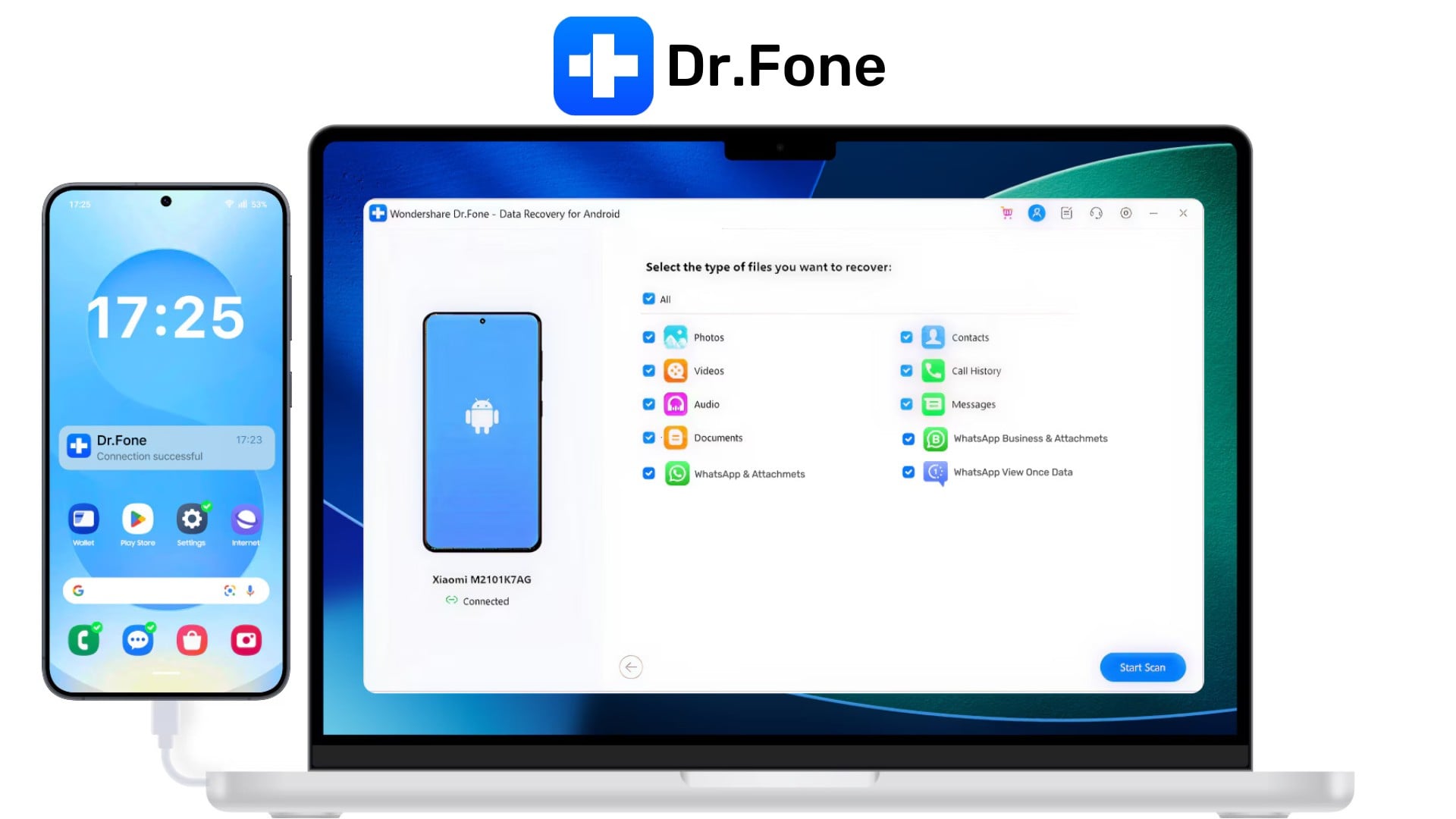
Dr.Fone Android Data Recovery provides a comprehensive range of features for recovering almost any type of data. This includes photos, videos, audio files, WhatsApp messages, contacts, SMS conversations, call logs, documents, and other file types.
Scan and Preview
The process starts by connecting the Android device to a PC via USB. It then performs a deep scan to identify recoverable files.
Rather than immediately restoring everything, the program displays recoverable content in organized categories you can preview.
This is particularly useful because many recovery tools provide vague results or force you to recover entire storage partitions blindly.
The preview system also helps determine whether files are genuinely recoverable before purchasing the full version. You can verify deleted images and conversations before committing to recovery.
Moreover, instead of restoring everything at once, you can scan your device and choose specific files to recover. This helps save time and avoid restoring unnecessary data.
Recover from Any Device
Because your device is connected to Windows, the software offers a wide variety of recovery options. Accidental deletion is the most obvious scenario, but the software is also useful when recovering data from:
Water-damage
Broken screens
Boot loops
Failed Android updates
Factory resets
Crashed systems
Virus infections
I tested it on my old Huawei that is unable to navigate due to a cracked screen. Because it can access internal storage, the phone itself does not have to be fully functional.
In basic broken screen scenarios, you can even control the device directly on the PC under the “Recover from Broken Phone” option.
Dr.Fone also supports thousands of Android devices from brands such as:
Samsung
Google Pixel
Xiaomi
OnePlus
Motorola
Oppo
Compatibility varies slightly depending on Android version and manufacturer restrictions, but overall support is broader than many competing recovery tools.
WhatsApp Media Server
One standout feature is the WhatsApp Media Server. As well as recovering regular WhatsApp data, it can also help you save temporary WhatsApp media files, including “View Once” content.
This is most successful when the data was stored in a backup before it was opened or is still accessible as temp data in the device’s cache.
Windows Guide
It couldn’t be easier to get started on Windows.
1. Download and install Dr.Fone
Install the Windows software from the official Wondershare website and launch the application.
2. Select Android Data Recovery
From the main dashboard, choose the Android Data Recovery module.
3. Connect your Android device
When prompted, use a USB cable to connect the device to your PC. You may need to enable USB debugging through Android Developer Options.
4. Choose file types
Select the types of data you want to recover, such as photos, videos, contacts, or WhatsApp messages.
5. Start the scan
Dr.Fone will begin scanning the device for recoverable data.
6. Preview results
Once scanning is complete, browse recoverable files through the preview interface.
7. Recover selected files
Choose the files you want and restore them to your PC.
The process is heavily guided throughout, making it easy for anyone to recover their data.
FAQ
Does Dr.Fone Android Data Recovery require root access?
No. Dr.Fone Android Data Recovery does not require root access for Android data recovery. The software supports a no-root recovery workflow, allowing Android devices to be connected to a Windows PC or Mac, scanned for recoverable data, and restored after previewing the scan results.
The standard process includes connecting the device, enabling USB debugging when prompted, scanning for supported data types, previewing recoverable files, and recovering selected items to the computer.
Where is the recovered data stored?
Dr.Fone Android Data Recovery primarily recovers files to your PC, not directly back onto the Android device itself. This is desired if the device itself is broken or unstable.
If you previously used Dr.Fone to create a full backup of your phone to your PC, you can use the “Restore to Device” feature to push that specific backup file back onto your phone.
Is it safe to use?
Yes, Dr.Fone is developed by Wondershare, a long-established software company with widely used media and utility tools.
What are the recovery limitations?
Dr.Fone is unable to recover data from internal device storage if it has already been overwritten by new data and files.
To improve the chances of recovery, you should stop using the device and disconnect it from the internet.
To make a full recovery, you will need one of the following premium plans:
$34.95/mo
$39.95/yr
$49.95 Lifetime
Dr.Fone Android Data Recovery Review – Verdict
Overall, Dr.Fone Android Data Recovery is one of the most accessible Android recovery tools currently available. Its step-by-step interface, broad device support, and preview features make it a viable solution for everyone.
While no recovery software can guarantee success in every case, Dr.Fone excels when it comes to recently deleted files, WhatsApp recovery, and damaged-device situations.
Xbox Game Pass subscribers are about to lose a few games in two weeks’ time. Microsoft has quietly updated the “Leaving Soon” section for Game Pass, confirming that five games are currently scheduled to exit the service on June 15. While departures are a normal part of the subscription cycle, a couple of names in this lineup stand out immediately.
One of the biggest surprises is Teenage Mutant Ninja Turtles: Shredder’s Revenge. The retro-inspired game has been through Game Pass for years and even remains part of the Xbox Game Pass core library. Because of that, some players assumed it would stick around much longer.
Joining it on the way out is Warhammer 40,000: Space Marine – Master Crafted Edition, another notable departure that arrived on the service relatively recently.
Titles leaving XBOX Game Pass on June 15
Jurassic World Evolution 2
Lost in Random: The Eternal Die
Scott Pilgrim vs. The World: The Game – Complete Edition
TMNT: Shredder’s Revenge
Warhammer 40,000: Space Marine – Master Crafted Edition
As always, June is already shaping up to be a busy month for Xbox Game Pass, with several new additions confirmed and more announcements expected throughout the coming weeks. For now, subscribers who want to keep any of these departing games permanently can take advantage of the usual Game Pass member discounts before the June 15 deadline.
Most of the gaming monitor brands these days are chasing higher refresh rates, but there’s one brand that stole the spotlight at Computex 2026 with something unique. Here, we are talking about MSI, which has two new flagship QD-OLED gaming displays. One packs built-in AI features designed to learn how you use your setup. Whereas the other one introduces display mode gamers haven’t seen before on a QD-OLED panel.
MSI’s new Triple Mode gaming monitor goes all the way to 680Hz
The first one is officially dubbed MSI MPG OLED 322URDX36. At first glance, it looks like another premium 31.5-inch 4K QD-OLED monitor. Dig a little deeper, though, and things get interesting. MSI says the display can switch between three different performance modes depending on the game you’re playing.
Users can run it at 4K and 360Hz, drop down to 1440p at 520Hz, or push all the way to 1080p at a staggering 680Hz. Dual-mode gaming monitors have become increasingly common, but MSI claims this is the first QD-OLED gaming monitor to offer a Triple Mode setup.
Image credit: MSI
MSI wants AI to manage your gaming setup
The second monitor from MSI is the MEG X ultrawide. This 34-inch curved QD-OLED monitor introduces MSI’s new LuckyClaw AI assistant, which is built directly into the display ecosystem. The company says users can control settings using voice or text commands while the AI learns usage habits over time. LuckyClaw can also launch applications, adjust monitor settings automatically, and work alongside MSI’s gaming-focused AI tools.
Image credit: MSI
Notably, both gaming monitors feature fifth-generation QD-OLED panels, a 0.03ms response time, NVIDIA G-Sync support, and MSI’s OLED Care 3.0 protection suite. MSI has also integrated its DarkArmor Film technology, which reportedly improves black levels while adding additional scratch resistance.
MSI is still keeping pricing and release details under wraps. Given the specifications and the company’s “world’s first” branding, neither display is likely to land in budget territory. Speaking of gaming, let’s not forget that LG recently unveiled 1000Hz gaming monitor, which it says will launch in the second half of this year.
The information comes from a new post on Board Channels, where fresh retail listings for the older Ampere-based GPU were spotted.
One of the newly listed models is the Colorful Battle Axe GeForce RTX 3060 DUO 12GB V2, signaling that the RTX 3060 may continue to play a role in the budget and lower-midrange gaming market.
Pricing Similar to Original MSRP
According to reports, the channel price for the RTX 3060 12GB is set at 2199 RMB, which converts to roughly $325 USD.
Meanwhile, Colorful’s official online store lists the graphics card at 2349 RMB, or approximately $347 USD, depending on exchange rates.
That places the GPU slightly above the original $329 MSRP of the GeForce RTX 3060 12GB when it first launched, although regional taxes and import costs can significantly affect final retail pricing.
Availability
Colorful’s official listing indicates that shipments are expected to begin this week. Current delivery estimates suggest customers should receive orders before June 5.
Reports also claim that the initial allocation is relatively limited, with only a few dozen units reportedly distributed to each region during the first shipment wave.
Weekly Restocks Planned
Sources familiar with the matter say Colorful is preparing ongoing weekly restocks for the RTX 3060 12GB.
This suggests the newly listed inventory may not simply be leftover warehouse stock being cleared out. Instead, it could represent a broader refresh of RTX 3060 supply for the Chinese market.
Despite being several generations old, the GeForce RTX 3060 12GB remains attractive to many gamers because of its larger VRAM capacity.
Although the GPU is no longer new, its 12GB VRAM configuration still makes it a compelling option for budget-conscious gamers looking for a capable graphics card.
In other NVIDIA news, the company recently unveiled its new RTX Spark CPU during Computex 2026, officially expanding into the Windows PC CPU market.
While ratings don’t always guarantee immediate announcements, they often hint that a game is moving closer to release, and that’s exactly why fans are paying attention.
The newly published ESRB listing offers a small glimpse into what players can expect. According to the rating summary, Silent Hill: Townfall contains blood, violence, and strong language. The description also references several disturbing scenes, including a close-up stabbing sequence and another moment involving a character being consumed by a monster.
Needless to say, it sounds like Townfall isn’t abandoning the series’ darker roots. The rating itself may be the bigger story, though. Games typically receive age classifications much closer to launch, which naturally raises questions about whether Konami is preparing to finally share a release date.
If Townfall is getting an update, tonight’s showcase feels like the obvious stage. Sony and Konami have worked closely together throughout the current Silent Hill revival.
During February’s State of Play presentation, Konami dedicated significant time to multiple projects, including Silent Hill: Townfall, Metal Gear Solid: Master Collection Vol. 2, and Castlevania: Belmont’s Curse.
Dashlane temporarily locked some users out of their password manager accounts after a brute-force attack triggered the company’s automated security protections.
The company says there is no evidence that Dashlane itself was breached or that its internal systems were compromised. Instead, attackers reportedly targeted user accounts through repeated login attempts from unfamiliar devices and locations.
According to reports highlighted by BleepingComputer, several users began receiving unexpected verification emails for new device registrations. The emails included one-time verification codes used to approve new logins.
Users receive unexpected verification emails
Many affected users said they never requested the verification codes.
Some initially believed the messages could be phishing attempts because the login notifications appeared without warning. Reports about the issue started appearing on Reddit before Dashlane publicly acknowledged the incident.
Dashlane later confirmed that some accounts had been targeted in an external brute-force attack campaign.
The company says its automated protections responded by temporarily suspending affected accounts to prevent potential account hijacking attempts.
Dashlane says accounts were suspended automatically
Dashlane explained that the lockouts were part of its normal security response system.
The company later restored access to suspended accounts after reviewing the activity. However, some users continued reporting login problems even after Dashlane marked the incident as resolved, according to additional Reddit reports.
Others criticized customer support response times during the outage.
Dashlane has not disclosed how many accounts were affected or provided technical details about the attackers behind the campaign.
Incident timeline
According to Dashlane’s status page, the company started investigating the issue on May 31 at 15:19 UTC. The incident was marked as resolved at 22:30 UTC the same day.
A follow-up update published on June 1 at 07:32 UTC said Dashlane was continuing to monitor the situation for lingering issues.
At the time of writing, Dashlane has not announced additional mitigation measures or confirmed whether the attack campaign is still ongoing.
The Dashlane incident comes during a busy week for cybersecurity news.
Windows administrators are also dealing with active exploitation of the critical Windows Netlogon vulnerability tracked as CVE-2026-41089. Microsoft recently patched the flaw, but security agencies now warn that attackers are exploiting it in the wild.
Microsoft also recently resolved a My Sign-Ins outage that prevented some users from accessing MFA setup and sign-in management features.
Microsoft’s biggest developer event of the year is officially here and going with the trends don’t be surprised if AI takes the center stage once again. Build 2026 kicks off today in San Francisco, placing Microsoft directly between Google’s recent I/O event and Apple’s upcoming WWDC keynote.
While developers are preparing for two days of announcements and technical sessions, most of you must be eager to know what Microsoft CEO Satya Nadella would announce at the opening keynote.
Microsoft’s AI push is far from observer
Microsoft has already hinted that Build 2026 will revolve heavily around AI-powered tools, developer platforms, and the next phase of its Copilot ambitions. According to the company’s own event description, executives will outline how developers can build across Microsoft’s ecosystem during what it calls the “AI era.”
That wording alone gives a pretty strong clue about where the presentation is headed. Recent reports have also pointed toward new AI models, additional Copilot capabilities, and fresh Windows experiences that could be unveiled during the keynote.
Windows could get some attention too
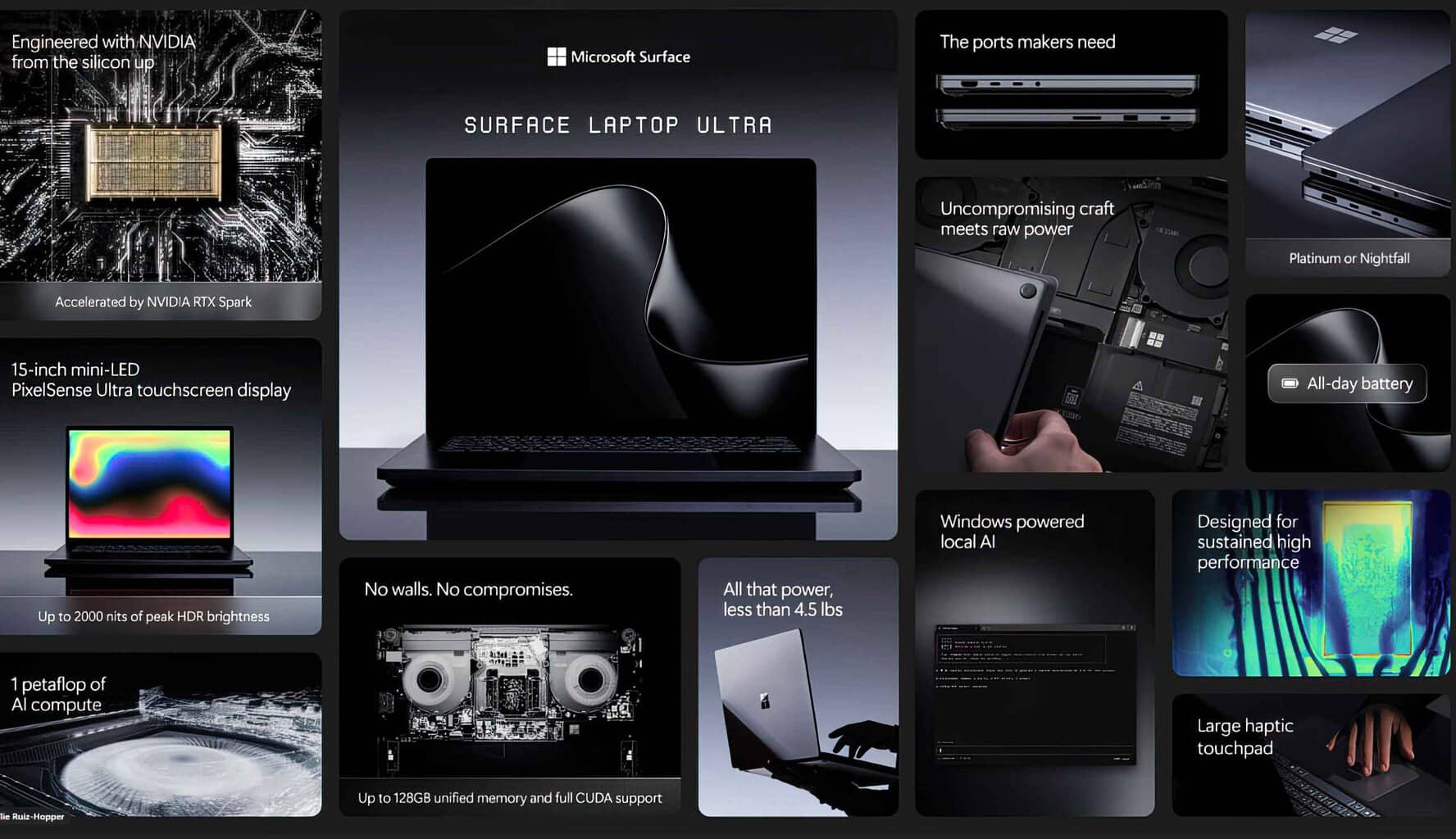
AI may be the headline act, but it likely won’t be the only story. Microsoft recently introduced the Surface Laptop Ultra, a new premium device powered by NVIDIA’s RTX Spark platform. The laptop is expected to launch later this year, making Build a logical place for Microsoft to provide a closer look at the hardware and explain how it fits into the company’s broader AI strategy. Meanwhile, Windows users will be watching closely for any operating system announcements that extend beyond Copilot features.
How to watch Build 2026 Conference
The opening keynote begins at 12:30PM ET | 9:30AM PT and will be streamed live online for free. Microsoft is broadcasting the event through its official channels, while additional sessions will remain available through the Build virtual experience for registered attendees.
The latest PlayStation Plus Essential lineup has officially landed, giving subscribers three more games to add to their libraries. June’s lineup is now available to download across the UK and Europe, with other regions following throughout the day.
As always, once claimed, the games remain to your account as long as you maintain an active PlayStation Plus subscription.
Three New Games Join PS Plus Essential
Leading the lineup is Grounded Fully Yoked Edition, Obsidian’s popular backyard survival adventure. Joining it is Nickelodeon All-Star Brawl 2, the platform fighter featuring characters from across Nickelodeon’s biggest franchises.
The third title is Warhammer 40,000: Darktide, which finally gives PlayStation Plus subscribers access to Fatshark’s co-op shooter set in the grimdark Warhammer universe.
Meanwhile, Sony is also extending access to FC 26. The football title was originally part of May’s PS Plus Essential offering, but subscribers now have until June 16 to claim it before it disappears.
June’s PS Plus drop arrives just hours before Sony’s major State of Play presentation, where new game announcements, trailers, and gameplay reveals are expected to take center stage.
Microsoft has announced a new file download manager for Teams, designed to reduce clutter on screen and make file downloads feel less disruptive. While the update doesn’t change how files are stored or secured, it does alter what happens after a download finishes.
Microsoft is introducing a new download manager
Once the update lands, Teams will automatically dismiss file download notifications after roughly four seconds (via Neowin). Instead of leaving completed download alerts hanging around on screen, Microsoft wants the experience to feel cleaner and less intrusive.
Users won’t lose access to their downloaded files, however. Teams will continue offering quick options to open a downloaded file or jump directly to its location after the transfer completes.
The notification changes are part of a broader file download manager experience coming to Teams. Microsoft says the goal is to simplify the overall workflow while reducing unnecessary interruptions during work sessions. The company isn’t changing storage locations, permissions, compliance settings, or existing security controls as part of the rollout.
That means organizations won’t need to revisit governance policies or file management settings once the feature arrives. The new experience will first reach Targeted Release users in early June 2026 before expanding more broadly later in the month.
Microsoft has confirmed that worldwide availability is scheduled to begin around mid-June, with Microsoft expecting the rollout to finish before the end of June.
That being said, IT admins may still want to give support teams a heads-up. Employees who are used to seeing persistent download notifications could initially think something has changed with file handling, even though the files themselves continue working exactly as before.
Attackers are now actively exploiting a critical Windows Netlogon vulnerability patched by Microsoft earlier this year, according to a warning issued by the Centre for Cybersecurity Belgium (CCB).
The flaw, tracked as CVE-2026-41089, affects Windows Server domain controllers and could allow remote code execution without authentication. Microsoft addressed the issue during its May 2026 Patch Tuesday updates, including the Windows 11 May 2026 Patch Tuesday update KB5089549, but Belgium’s cybersecurity authority says exploitation attempts are already occurring in the wild.
What Is CVE-2026-41089?
Netlogon is a core Windows Server service used in Active Directory environments to authenticate users, devices, and services across domain-based networks. Because the service operates on domain controllers, vulnerabilities affecting Netlogon can pose a major risk to enterprise infrastructure.
Microsoft assigned CVE-2026-41089 a critical CVSS 3.1 severity score of 9.8 and described it as a stack-based buffer overflow vulnerability in Windows Netlogon.
How the Vulnerability Works
According to Microsoft’s advisory, an attacker could exploit the flaw by sending a specially crafted network request to a vulnerable Windows domain controller. Successful exploitation could allow remote code execution, potentially giving attackers control over affected systems.
Importantly, the attack does not require authentication. An attacker would not need valid credentials or prior access to the environment to attempt exploitation.
The vulnerability impacts all supported Windows Server versions, including Windows Server 2025.
Belgium Warns of Active Exploitation
The Centre for Cybersecurity Belgium urged organizations to deploy patches immediately, especially on domain controllers, which should be treated as the highest priority systems due to their role in authentication and identity management.
While the Belgian agency confirmed active exploitation, it did not release technical details about the attacks or identify the threat actors involved.
Microsoft has not yet updated its own advisory to officially confirm exploitation activity.
Security experts generally consider Netlogon vulnerabilities especially dangerous because compromising a domain controller can enable attackers to move laterally across networks, escalate privileges, deploy ransomware, or steal credentials from enterprise environments.
Recommended Actions for Organizations
Organizations are advised to install the May 2026 Windows security updates as soon as possible and monitor for suspicious authentication attempts, unusual domain controller behavior, and abnormal network activity tied to Netlogon services.
Search is starting to look very different in 2026, and not everyone seems happy about it. As major platforms race toward AI-generated answers, DuckDuckGo is doing the exact opposite. The privacy-focused search engine has just introduced new tools that make its AI-free search experience easier to access, and the timing doesn’t appear accidental.
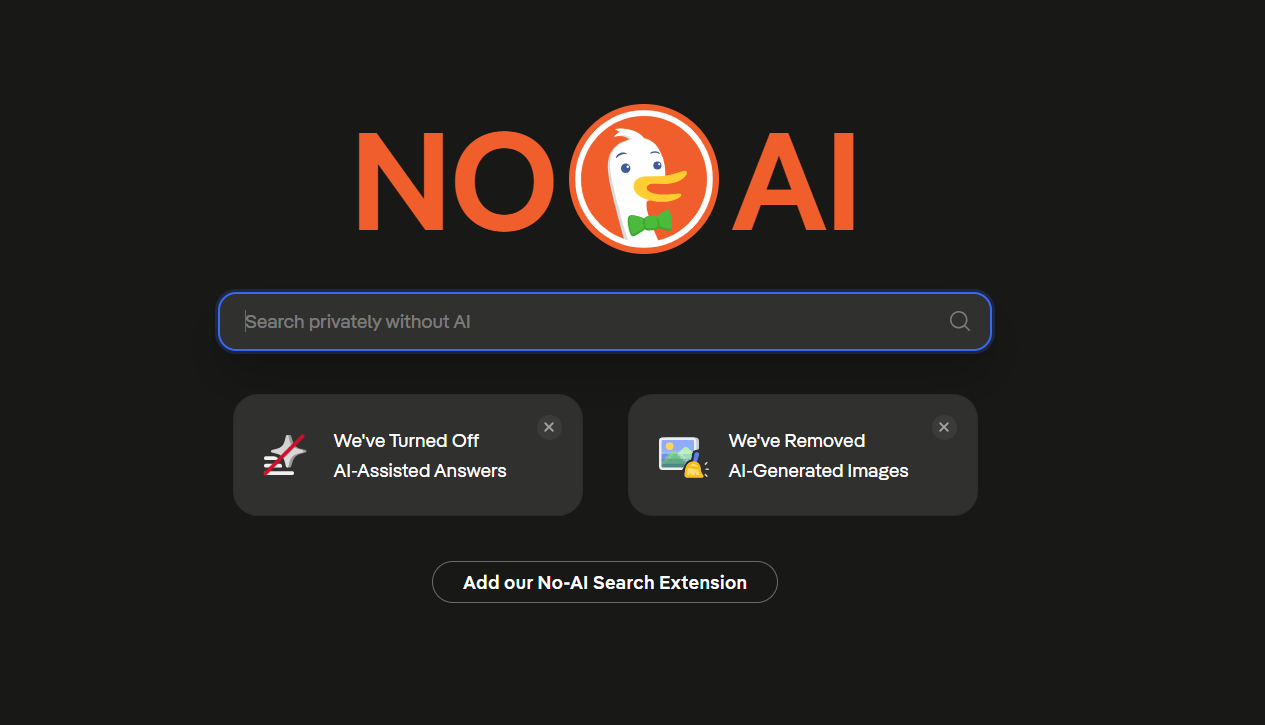
The company announced new browser extensions for Chrome and Firefox that automatically set DuckDuckGo’s dedicated “no AI” search experience as the default. Once enabled, users are redirected to a version of DuckDuckGo that removes AI-generated answers, AI chat prompts, and significantly reduces AI-created images from search results.
This comes as Google has made some of the biggest changes related to Search. Rather than prioritizing traditional website links, the Mountain View giant is increasingly pushing AI-generated overviews and conversational search experiences. While Google sees AI as the future of search, many appears to be looking for an exit route.
DuckDuckGo says interest in AI-free Search is climbing fast
According to DuckDuckGo, traffic to its no-AI search page has surged since Google’s latest search overhaul. The company says visits jumped nearly 30% week-over-week, while app installations in the United States also climbed sharply.
One of the most notable figures were reported on May 28, when traffic to the AI-free search experience reportedly hit its highest level yet. DuckDuckGo claims visits have remained well above normal levels since then, suggesting the trend may be more than a short-term reaction.
Since Google revealed its plans for an AI search overhaul, visits to our "No AI" search page have tripled…and they’re still rising! Want to make it your default on Chrome or Firefox? Grab our No-AI extensions and banish AI-assisted answers, chat, and AI images. (1/3)
That said, DuckDuckGo is not positioning itself as an anti-AI company. The company still offers its own AI chatbot experience and even sells premium subscriptions that include access to advanced AI models.
Microsoft has resolved an outage that prevented some users from accessing the My Sign-Ins portal and setting up multi-factor authentication (MFA).
During the incident, affected users trying to open mysignins.microsoft.com were met with 504 Gateway Timeout errors. The issue also blocked some users from configuring MFA or managing account sign-in security settings.
Microsoft tracked the problem in the Microsoft 365 admin center under incident ID MO1329260.
Users could not access sign-in security settings
The outage mainly affected users attempting to manage authentication and account security settings through the My Sign-Ins portal.
According to Microsoft, affected users experienced 504 Gateway Timeout errors, failed MFA setup attempts, and problems accessing sign-in activity and authentication settings.
The company classified the issue as an active service incident while elevated error rates continued.
Microsoft says cache configuration change triggered the issue
Microsoft later confirmed that the outage was caused by a recent cache configuration change.
As the company attempted to fail over traffic to alternative healthy infrastructure, the service started experiencing high CPU and memory usage. Microsoft said the issue became worse as European traffic volumes increased during peak usage hours.
The additional load prevented the My Sign-Ins infrastructure from handling incoming requests correctly.
Microsoft rolled back mitigation actions
To restore service, Microsoft rolled back the mitigation actions and redirected traffic back to the original infrastructure.
The company initially attempted to stabilize the platform by failing over to healthy systems and monitoring telemetry data.
However, elevated error rates continued for some time, forcing Microsoft to evaluate additional mitigation steps. Microsoft now says access to the My Sign-Ins service has been restored.
The MIX Summer Showcase 2026 featured more than 60 indie games across multiple genres, with several major announcements for XBOX players, as PureXbox writes. The showcase included new XBOX Game Pass additions, horror games, roguelites, action platformers, and retro-inspired shooters.
Some of the biggest reveals are heading directly to XBOX Series X|S, while a few will also launch day one on XBOX Game Pass.
The Most Interesting XBOX Games Shown During MIX Summer Showcase 2026
Monsters Are Coming! Launches on XBOX Game Pass This August
One of the biggest XBOX-related announcements was Monsters Are Coming!, a top-down bullet hell action roguelite launching on August 6, 2026.
The game is coming to XBOX Series X|S and XBOX Game Pass. Players defend a moving city while fighting large waves of monsters, collecting resources, and building defenses during each run.
The mix of roguelite progression and city-defense mechanics gave the game one of the more unique gameplay concepts shown during the event.
BrokenLore: Don’t Lie Brings Psychological Horror to XBOX
BrokenLore: Don’t Lie also appeared during the showcase with a new look at its psychological horror gameplay.
The game focuses heavily on themes such as medication, lies, fragile relationships, and distorted reality. The developers described the experience as emotionally intense and heavily narrative-driven.
It is currently planned for PS5, XBOX Series X|S, and PC. A Steam demo is already available.
Memoria Wake Combines Souls-Like Combat With Metroidvania Exploration
Memoria Wake stood out as one of the more visually surreal games from the showcase.
The title mixes exploration, souls-like combat, puzzle-solving, and Metroidvania progression mechanics. Players explore dreamlike environments while parrying enemies and searching for a missing friend.
The game is planned for XBOX Series X|S, XBOX Cloud, and PC in 2027.
Paperhead Delivers Classic Boomer Shooter Action
Paperhead received a release date during the event and launches on September 18, 2026.
The game blends fast-paced first-person shooter gameplay with cartoon-style visuals and melee combat. Players can use weapons like shotguns while also attacking enemies with kicks and a magical pencil.
The title is coming to PS5, XBOX, and PC.
Hands Over Mixes Horror and Multiplayer Card Game Chaos
Hands Over introduced a different kind of horror experience.
The first-person co-op game combines card mechanics, sabotage systems, bluffing, and survival gameplay. Players must work together while also turning against each other during brutal card-based challenges.
The game is planned for PlayStation, XBOX, Nintendo Switch, and PC platforms.
Wild Blue Skies Looks Like a Modern Star Fox-Style Shooter
Wild Blue Skies was another major reveal for XBOX fans.
The game is described as a spiritual successor to classic on-rails shooters from the 1990s, especially Star Fox 64. It combines cinematic flight combat with action-adventure elements.
Wild Blue Skies launches on August 13, 2026 for PS5, XBOX Series X|S, and Steam.
Duskfade and Raji: Kaliyuga Also Head to XBOX
Duskfade showcased a colorful fantasy world trapped in eternal night.
The game focuses on 3D platforming, combat, swinging mechanics, and exploration. A demo is already available on Steam ahead of release.
Meanwhile, Raji: Kaliyuga was officially revealed as the sequel to Raji: An Ancient Epic. The mythological action-adventure game is also confirmed for XBOX Game Pass.
The MIX Summer Showcase arrives during one of the busiest weeks of the year for gaming announcements.
With Microsoft 365 becoming increasingly expensive and more people looking for lightweight alternatives, I decided to see what other productivity suites are out there.
One that tops the list is WPS Office. In this review, I get hands-on with the full premium version. Here’s everything you need to know.
What is WPS Office?
WPS Office is a cross-platform productivity suite that includes Writer, Sheets, Presentation, and PDF apps. These provide functionality similar to Microsoft Word, Excel, PowerPoint, and Adobe Acrobat.
WPS is available on Windows, macOS, Linux, Android, and iOS, and offers strong compatibility with Microsoft Office file formats. It also has a selection of powerful AI tools for writing assistance, summarization, translation, and content generation.
Basic features can be used for free before upgrading to an affordable premium plan, making it an attractive option if you’re seeking a lower-cost alternative to Microsoft 365 or something more powerful than Google Workspace.
Main Features
At first glance, WPS Office feels very familiar. The suite includes dedicated apps for documents, spreadsheets, presentations, and PDFs, covering most of the functionality that home users, students, and businesses typically need from Microsoft 365.
What makes WPS stand out is that everything is bundled into a single application rather than being split across multiple programs. This creates a more streamlined experience, allowing you to switch between documents, spreadsheets, presentations, PDFs, and cloud files from a unified interface.
Docs/ Writer
WPS Writer is the suite’s word processing application and will feel instantly familiar to anyone who has used Microsoft Word. It supports all major document formats, including DOC, DOCX, and PDF, while offering a clean ribbon-style interface that makes the transition from Microsoft Office seamless.
The app includes everything most users need for day-to-day document creation, from advanced formatting and styles to tables, headers, footers, references, and collaboration tools. During testing, I found it handled large documents smoothly and maintained formatting when opening files created in Microsoft Word.
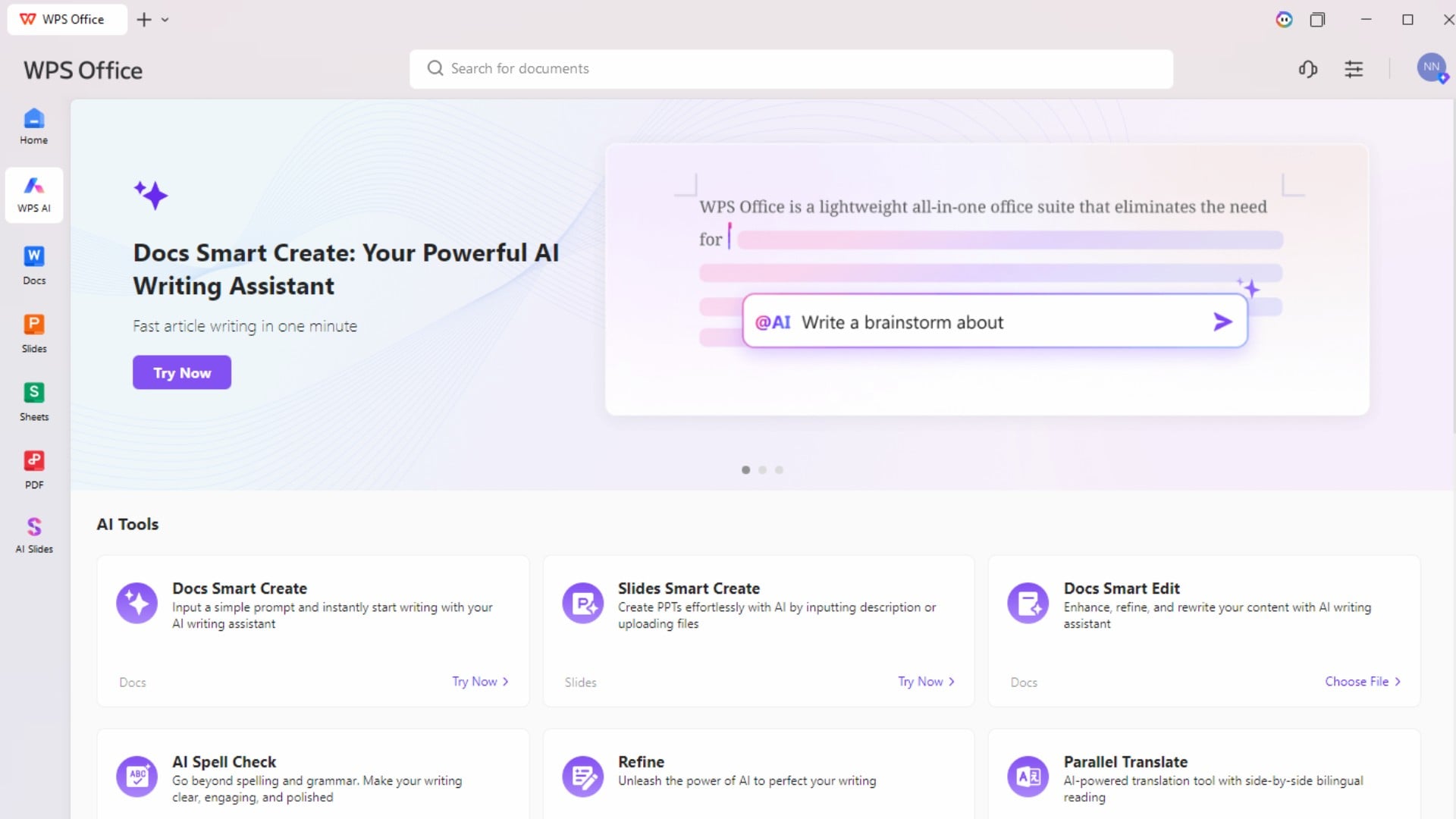
One area where Writer stands out is its integration with WPS AI. Rather than relying on separate browser-based AI tools, features like content generation, rewriting, summarization, and grammar correction are built directly into the editor.
Slides/ Presentation
Presentation is WPS Office’s equivalent to Microsoft PowerPoint. It supports PPT and PPTX files and includes a large collection of professionally designed templates.
One of the most impressive features is AI Slides. Instead of building a presentation from scratch, you can enter a topic and related info, and WPS can generate a structured presentation complete with layouts, suggested content, and visual elements.
There is also a Slides from Doc feature that can convert existing written documents into presentation outlines automatically. This can save considerable time when preparing meetings, classroom presentations, or business proposals.
Sheets/ Spreadsheet
WPS Sheets offers a surprisingly powerful spreadsheet experience that closely mirrors Excel. It supports XLS, XLSX, CSV, and other common spreadsheet formats while maintaining excellent compatibility with existing Excel files.
The application includes formulas, pivot tables, charts, conditional formatting, data validation, filters, and advanced data analysis tools. Most users switching from Excel will find everything they need already available.
Performance is also excellent. Large spreadsheets opened quickly during testing, and calculations remained responsive even with more complex datasets.
While power users working with highly specialized Excel macros may still prefer Microsoft’s ecosystem, Sheets provides more than enough functionality for most people.
PDF
One of WPS Office’s biggest advantages is its built-in PDF functionality. Many office suites focus solely on documents, spreadsheets, and presentations, leaving users to purchase separate PDF software.
WPS integrates PDF reading, annotation, conversion, editing, signing, and management directly into the main application.
This means you can:
Read PDFs
Annotate documents
Add comments and highlights
Convert PDFs to Word
Convert Word to PDF
Merge PDF files
Split PDF files
Extract images
Digitally sign documents
For many, this eliminates the need for an Adobe Acrobat subscription entirely.
WPS AI
AI is now a major focus across productivity software, and WPS has embraced this trend with a surprisingly comprehensive collection of AI tools.
Rather than limiting AI to a simple chatbot, WPS integrates AI functionality throughout the suite.
AI Summarizer
The AI Summarizer can quickly condense lengthy documents into concise summaries. This is particularly useful when reviewing reports, research papers, meeting notes, or academic materials.
Instead of reading dozens of pages manually, you can quickly identify key points and important information.
Smart Create for Docs and Slides
Smart Create lets you get started by generating content from simple prompts.
Slides from Doc
One of the most impressive features is Slides from Doc. This tool automatically converts written documents into presentation slides, extracting key information and organizing it into a logical presentation structure.
For anyone regularly turning reports into presentations, this can save hours of work.
Docs Smart Edit
Smart Edit functions as an AI writing assistant. It can:
Rewrite text
Improve clarity
Adjust tone
Expand content
Shorten content
Improve readability
Rather than switching to ChatGPT or another external AI tool, everything happens directly inside Writer.
AI Spell Check
Beyond traditional spell checking, WPS AI can identify grammar issues, awkward phrasing, and stylistic improvements.
This makes it particularly useful for students, non-native English speakers, and professionals producing client-facing documents.
Parallel Translate
View formatted translations side-by-side with support for more than 30 languages.
Chat Doc
Instead of manually searching through lengthy files, you can ask questions about the content and receive AI-generated answers based on the document itself.
For documents like research papers, contracts, manuals, and reports, this can dramatically speed up information retrieval.
Other Productivity Tools
While the core office applications are strong enough on their own, WPS Office includes a huge collection of additional tools and helpful features.
Cloud Sync
Cloud synchronization allows users to access documents across Windows, macOS, Linux, Android, and iOS devices. Changes are automatically synced, making it easy to move between desktop and mobile workflows.
File Conversion
WPS includes numerous conversion tools, including:
PDF to Word
Word to PDF
Image to PDF
PDF to Image
Image to Text (OCR)
PDF Compression
These tools remove the need for many standalone conversion utilities.
Extract Image from PDF
You can also quickly save embedded images from PDF files without taking screenshots or using specialist software.
Templates
As well as AI, the large template library means you never have to formulate content and documents from scratch. Just some of the template types include:
Resumes
Business reports
Invoices
Presentations
Budgets
Resume Master
Resume Master helps users create professional CVs and resumes using guided templates and layouts, making it particularly useful for students and job seekers.
Splitter & Merger
This organizational tool allows you to split documents into two or more separate files or combine documents together. You can even merge different document types together and save it as your preferred format.
Batch Editing
For users managing large numbers of files, the batch tools can automate repetitive tasks like file conversion, printing, or renaming files.
User Interface and Performance
One of WPS Office’s greatest strengths is its user interface.
Rather than launching separate applications for documents, spreadsheets, presentations, and PDFs, everything runs inside a unified workspace. This creates a cleaner experience and makes switching between tasks much faster.
The interface feels heavily inspired by Microsoft Office, which is a positive thing. Most users will feel comfortable immediately, with familiar ribbons, toolbars, and menus throughout the suite.
The software is also remarkably lightweight. At around 250MB, it’s significantly smaller than Microsoft Office and runs particularly well on older hardware. During testing, performance remained smooth even with multiple documents, spreadsheets, PDFs, and presentations open simultaneously.
In an era where many software applications have become “bloatware,” consuming gigabytes of storage and demanding high RAM, WPS Office is a nice exception. This isn’t just about saving disk space; it’s about accessibility. Regardless of which devices you are using, old or new, you can get your work done.
Collaboration
WPS provides robust sharing mechanisms that allow you to generate links for documents, spreadsheets, and presentations instantly. These links can be configured with specific permissions, such as view-only or edit access, facilitating a seamless feedback loop with colleagues or classmates without needing to email static file versions back and forth.
Pricing
You can use the core Writer, Sheets, Presentation, and PDF reader entirely for free. While the AI and PDF editing features require a paid plan, there’s a lot of functionality here and is a great way to try the suite before committing.
WPS Pro ($2.99/mo) – The Pro plan unlocks premium PDF editing features, advanced file tools, additional templates, 20GB cloud storage, and removes various limitations found in the free version.
WPS AI ($9.99/mo) – The full suite of AI-powered productivity features, including AI writing assistance, document summarization, AI Slides, translation tools, and PDF Chat.
WPS Pro + AI ($10.83/mo) –Combines the features of both plans.
Ultimately, WPS Office remains significantly more affordable than Microsoft 365, while offering many of the same core features.
WPS Office Review – Verdict
WPS Office succeeds because it understands what many users actually need. A familiar, lightweight, affordable alternative to Microsoft 365 that doesn’t sacrifice functionality.
Its excellent Microsoft Office compatibility, integrated PDF tools, extensive template library, and growing collection of AI features make it far more than just another free office suite. The software feels polished, responsive, and surprisingly comprehensive, especially considering how much functionality is available at no cost.
While users deeply invested in Microsoft’s ecosystem may still prefer Office 365, WPS Office is an excellent choice for students, freelancers, small businesses, and budget-conscious users looking to reduce software costs. Add in its AI-powered productivity tools and built-in PDF capabilities, and it becomes one of the strongest suites of its kind.
In 2026, it’s never been more important to encrypt your internet activity with a VPN. But where do the big names currently stand and are there any newcomers with better features?
We take a deep dive into the current market, so you can find the best VPN for Windows.
8 Best VPNs for Windows in 2026: Latest Features Tested
We narrowed down 8 leading VPN providers based on features, performance, and pricing. Here’s how each stands out:
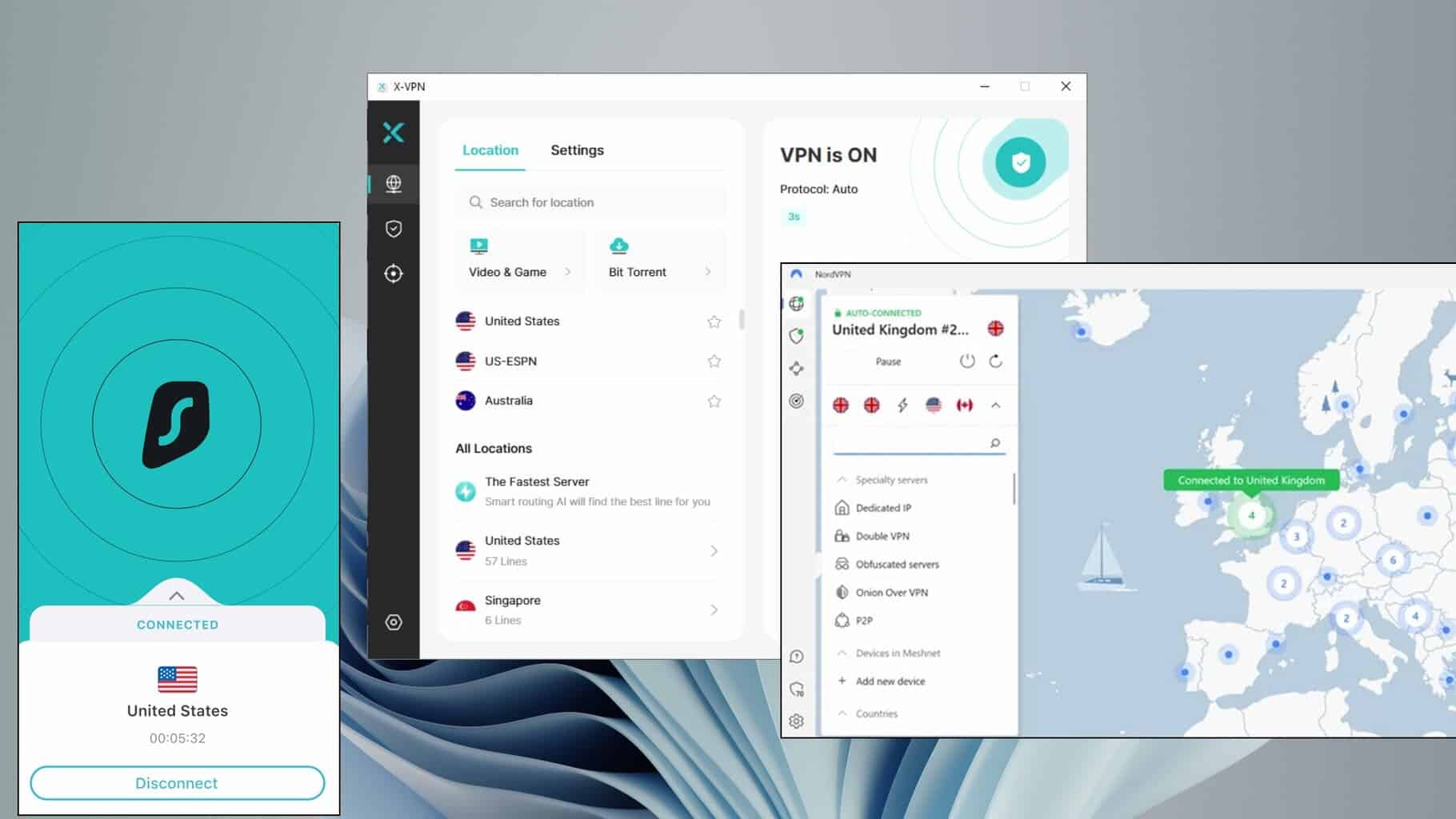
X-VPN rises to the top in 2026, offering a complete package that is tough to beat.
Its robust network is made up of more than 10,000 servers, covering 250+ locations, across 80+ countries. So, wherever you are in the world or wherever you want to appear, there’s a suitable server that can accommodate high-bandwidth tasks.
What’s more, you can choose servers that are fine-tuned for streaming, gaming, and torrenting. For example, selecting the US-Video option will provide optimal performance when watching a US-based streaming service.
By default, X-VPN connects using its proprietary Everest protocol. This is stable for all-round internet use and great for bypassing VPN restrictions. Alternatively, you get the freedom to choose from other open-source protocols like OpenVPN and WireGuard.
X-VPN has all the expected VPN features, including an automatic kill switch to pause internet activity if the VPN connection drops, as well as split tunneling, which lets you manually choose which apps on your PC to protect.
It also offers some advanced features for those that need a higher level of privacy and stability. The obfuscation setting under protocols allows you to manually enter a trusted URL that isn’t restricted by your ISP or network admin. Your traffic is then made to appear like it’s from the trusted site.
Stable Connection is a setting that prioritizes stability and performance by dynamically choosing the best server routes for your connection. Toggling this on can solve connection problems but may take a little longer for the initial connection to be made.
The Windows app couldn’t be easier to navigate. It launches on startup and most users can get connected with a single click, choosing either the fastest server using smart AI routing or browsing for a specific location and server type. Everything else is easily found under the settings tab.
In addition, there are some great extra security features. The powerful ad blocker removes intrusive ads from web pages, while browser protection blocks trackers, cookies, malicious sites, and dangerous downloads.
There is even a dark web monitor, which alerts if your email has been included in a data breach and leaked on the dark web.
You can get all this for up to 5 devices for $2.99/mo (24-month plan), while the generous free plan gives Windows users access to 1,000 servers across 50 locations with unlimited bandwidth.
NordVPN continues to be one of the best VPNs on Windows, offering a large server network and lots of features.
As of 2026, it now has over 7,400 servers, covering 118 countries. This ensures fast and stable speeds, no matter where you want to mask your location.
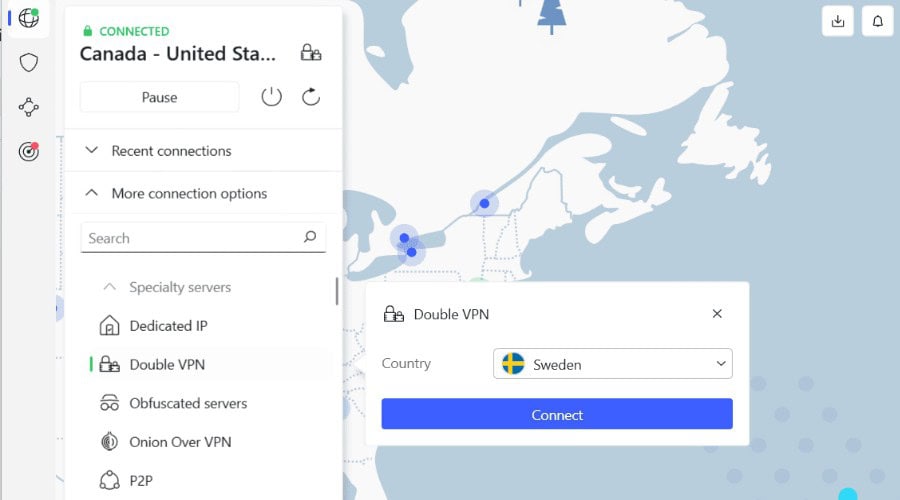
The ability to bypass restrictions is boosted by special obfuscated servers that disguise the type of traffic, not just the source. This can help bypass ISP throttling and VPN bans, because all activity looks like regular web browsing.
It also has servers optimized for P2P file sharing, Double VPN which offers two levels of encryption, and Onion Over VPN. The latter sends your encrypted VPN connection through the Tor network, combining to provide one of the most secure and untraceable connections possible.
A NordVPN plan protects up to 10 devices simultaneously across Windows, macOS, Android, iOS, Linux, and streaming devices.
On Windows it supports app-based split tunneling, uses an automatic kill switch to prevent leaks, and SmartPlay. This automatically combines VPN encryption and SmartDNS technology so streaming services can load smoothly while you’re connected to the VPN.
NordVPN has several premium tiers and pricing plans to suit all budgets, starting from $11.95/mo with no commitments.
From the Plus plan, you get browser protection, and ad blocker, and a password manager.
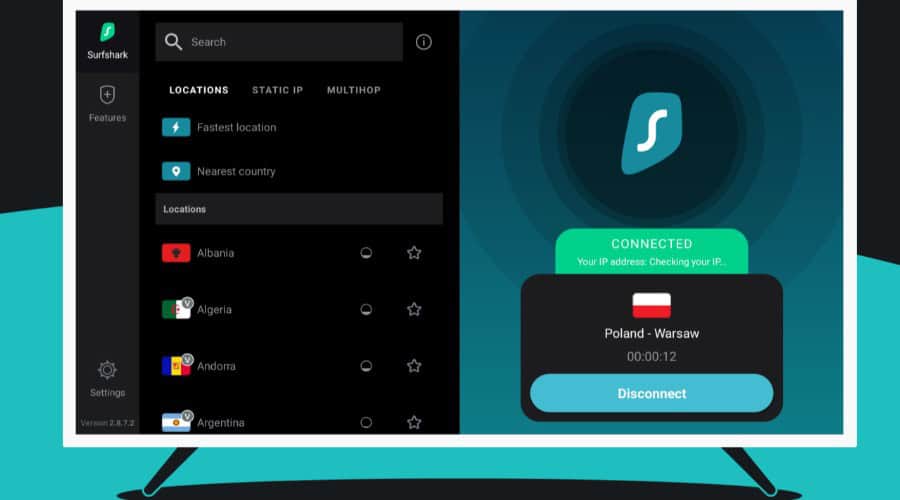
When it comes to VPN performance, it’s hard to beat Surfshark. Its network of 4,500+ servers offer consistent 400Mbps+ speeds, with locations in 100 countries.
What’s more, you can protect an unlimited number of PCs and other devices under a single account. Surfshark apps are available on Windows, macOS, iOS, Android, FireTV, Chromebook, gaming consoles, and other smart devices.
We were able to use multiple PCs to stream in 4K or game at the same time, with no buffering or lag.
On Windows you get an automatic kill switch to prevent IP leaks, multi-hop connections that route traffic through two VPN servers, and advanced split tunneling. Unlike many VPNs that only support app-based split tunneling, Surfshark lets you enter URLs too.
Protocols include WireGuard, IKEv2 for mobile devices, and OpenVPN which is useful for setting up on the router level.
Static IPs are also available if you are facing suspicious activity messages or need to access a streaming service like Netflix that doesn’t like constant IP changes.
Even with just the Starter plan ($15.45/mo) you get all these core VPN features, as well as an ad, tracker, and malware blocker. Higher tiers give you access to safe searching, full antivirus, data leak alerts, and identity theft protection.
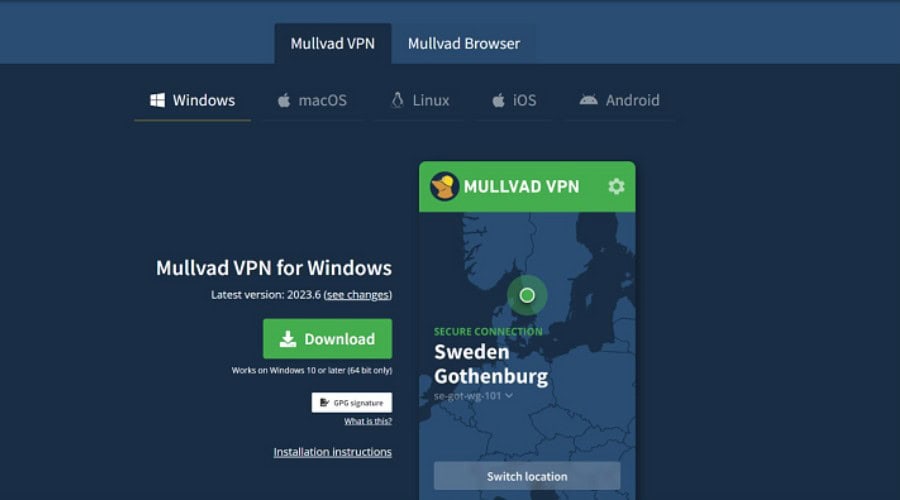
If you require a higher degree of privacy than your average VPN, Mullvad is designed for maximum anonymity, meaning it tries to avoid collecting any information that could identify you.
Its approach is different from most providers because it removes the usual account and payment links that connect a user to their identity. When you create an account, the system simply generates a random 16‑digit account number, which becomes your only identifier.
Because there’s no email or name, Mullvad cannot directly connect the account to a real person. Therefore, there is no data to breach or share.
Furthermore, you can purchase a plan with cryptocurrency, further hiding the fact that you purchased a VPN plan in the first place.
In terms of features, Mullvad is a good all-round VPN on Windows. Its network is made of 580+ servers, across 50 countries, with 90 selectable city locations. It uses its own form of obfuscation, that makes traffic analysis harder for ISPs and services that ban VPNs.
Moreover, its multihop option sends your traffic through two or more servers in different locations and jurisdictions. It also encrypts DNS requests and uses a kill switch to prevent leaks.
If you only want to protect certain apps, you can use its split tunneling feature to choose what to protect.
Mullvad is one of the more affordable VPNs, with a single $5.82/mo flat monthly plan.
5. ExpressVPN – Most User-Friendly VPN for Windows
As one of the biggest and longest running VPN providers, ExpressVPN has found the perfect balance between features and usability.
While it has advanced leak prevention, servers and protocols for different tasks, and obfuscation technology, none of this has to be configured manually. Instead, it automatically recognizes current device and network conditions and applies the best settings. Its Network Lock kill switch is also automatic.
All most users have to do is launch the app, browse for a location, and connect. The experience of streaming, torrenting, gaming, and bypassing restrictions is seamless.
Premium ExpressVPN users can protect up to 14 devices at once. This includes Windows, macOS, Linux, Android, iOS, and practically all other common devices.
Its network is supported by 3,000+ individual servers, spanning 105 countries. Many of these have multiple city locations to connect to. Speeds remain fast and stable regardless of activity, thanks to its proprietary Lightway protocol.
Windows users benefit from advanced split tunneling, which allows you to choose which apps, IPs, or URLs should be encrypted or excluded from the VPN connection.
It’s good to see that ExpressVPN now also offers ad blocker and tracker blocker to keep you safe while browsing.
Monthly plans start at $12.95 with deep savings for committing to longer terms upfront.
Private Internet Access (PIA) has always been dedicated to growing and strengthening its server network. So much so that it now boasts the largest pool of individual servers of any popular VPN provider (30,000+).
These are divided across locations in 90 countries and users can choose right down to the state and city in the United States.
You also get unlimited device connections, covering any Windows systems, as well as macOS, Linux, mobile, and other smart devices.
Suffice to say, if you are a heavy internet user and need to make it look like you are in certain regions, PIA gets the job done in a fast and stable manner.
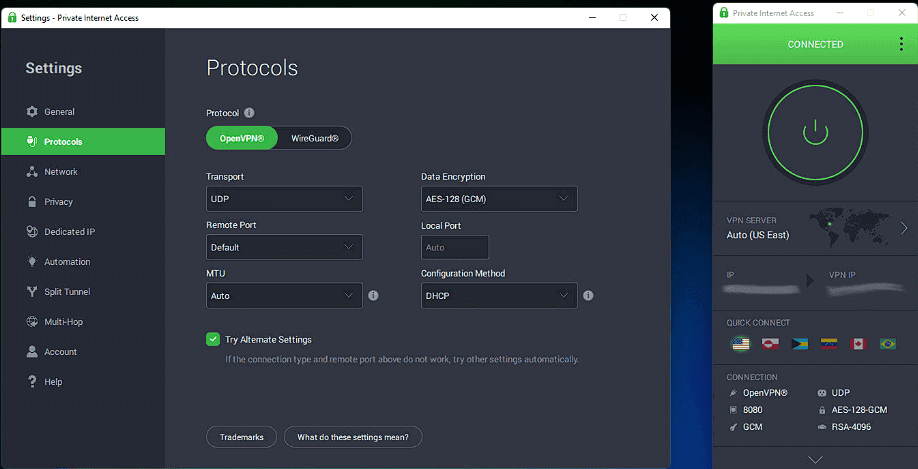
Features include app-based split tunneling, automatic kill switch, and the ability to use obfuscation. In PIA’s case, this hides VPN usage from your ISP by making everything appear like regular web traffic. You can also use multi-hop to add an extra layer of encryption.
Another useful feature is PIA MACE. This blocks ads, trackers, and malware at the DNS level.
Standard monthly pricing is $11.95, with discounts for committing to longer plans. Add-ons include dedicated IPs, corporate VPN, and a full-blown antivirus.
CyberGhost recognizes that there isn’t always a one-size-fits-all solution when it comes to VPNs. That’s why it divides its servers and optimizes them for different tasks.
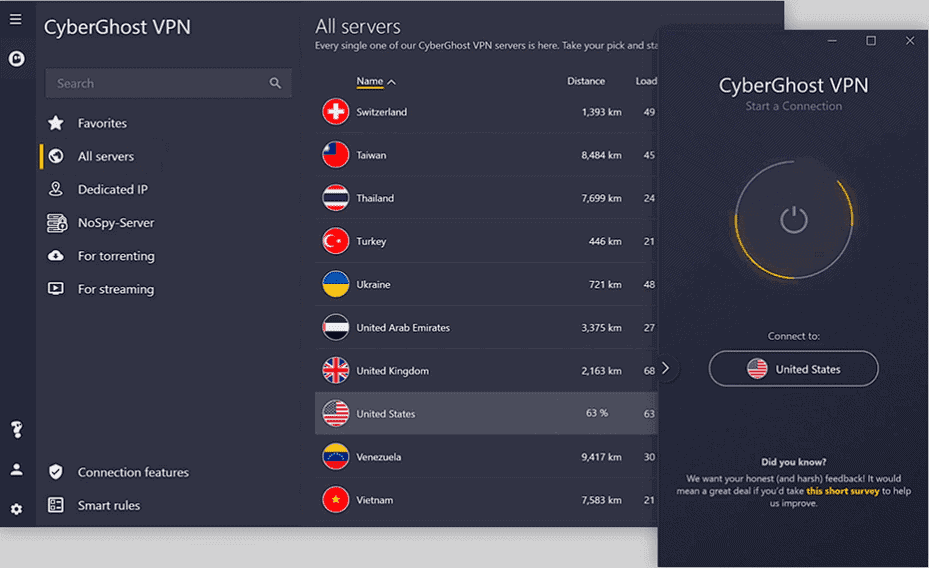
For example, if you are downloading large files via a P2P platform like Bittorrent, click the “downloading” category and choose the location closest to you. This ensures both fast and stable speeds and anonymity from ISPs and entities snooping on the torrent tracker.
Likewise, the streaming section lists all the dedicated streaming options. I.e., you can choose Netflix France or BBC iPlayer to get the best experience using those streamers. If a specific service isn’t listed, you can still choose the appropriate location whilst applying the best settings for streaming.
Overall, CyberGhost houses thousands of servers across 125 locations, making it perfect for unblocking content and bypassing restrictions. It also offers unique dedicated IP addresses for your chosen location, so it doesn’t trigger suspicious activity warnings.
Its intuitive Windows app includes an automatic kill switch, protocol selection, app-based split tunneling, and an ad blocker.
Premium users can install the app on up to 7 devices from one account, covering all common desktop and mobile operating systems. Pricing starts at $12.99 per month, which discounts for 6-month, 12-month, and 24-month plans.
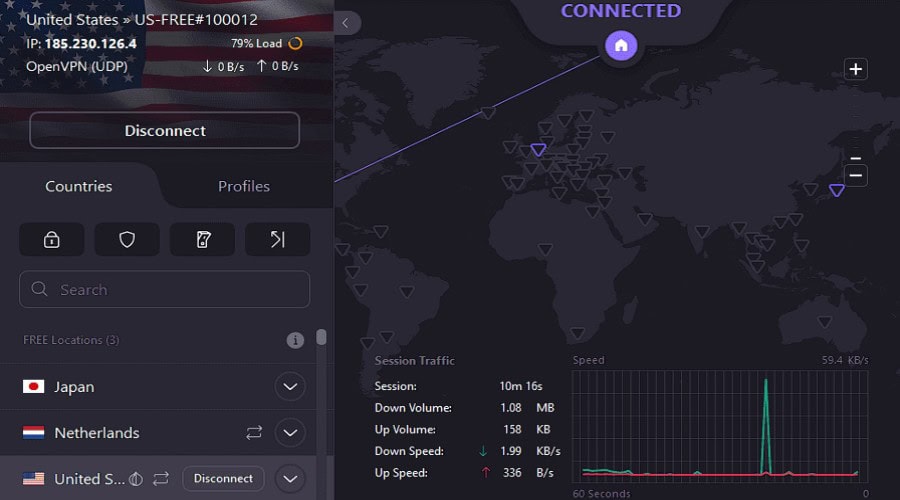
For those that cannot afford premium VPNs, ProtonVPN has a generous free plan with unlimited bandwidth and a 1 Gbps server network. This makes it a rare free VPN that’s fast enough to support stable 4K streaming and other high-bandwidth tasks.
The catch is you can only change your IP to locations in a limited number of countries. These include the Netherlands, Japan, United States, Canada, Poland, Romania, and Singapore.
ProtonVPN’s no-logs policy is backed by the fact its headquarters is in Switzerland, which puts it outside the user data sharing judications of the US and Europe. Moreover, it also offers a Tor over VPN protocol, which routes VPN encrypted traffic through more encrypted nodes.
If you upgrade to a premium plan, you get full access to 15,000+ servers in more than 120 countries. You can also protect up to 10 Windows or other devices at the same time.
The premium Windows app includes an ad blocker, traffic obfuscation, a kill switch, leak prevention, and split tunneling. Monthly pricing starts at $9.99.
X-VPN represents the best all-rounder right now, balancing a powerful free version and feature-rich premium version with a high level of account anonymity.
NordVPN is also a solid option, if you require certain specialty servers, while Surfshark is the better choice for unlimited devices.
Ultimately, the best VPN for Windows in 2026 will depend on your individual needs, but the above 8 picks have something for everyone.
Florida Attorney General James Uthmeier has filed a lawsuit against OpenAI and CEO Sam Altman, accusing the company of releasing unsafe versions of ChatGPT while misleading the public about the platform’s risks.
According to reports from Reuters, this is the first lawsuit brought by a U.S. state directly targeting OpenAI over alleged harms linked to ChatGPT. The case could become a major legal test for how AI companies handle safety, product liability, and child protection.
Florida Accuses OpenAI of Ignoring Safety Warnings
The lawsuit claims OpenAI focused on rapid growth, product rollout speed, and market expansion instead of prioritizing user safety.
Florida alleges the company ignored both internal and external warnings about potential risks tied to ChatGPT. The complaint also argues that OpenAI misled users by presenting ChatGPT as safer and more reliable than it actually was, particularly for younger users.
The state claims OpenAI rushed safety testing before releasing a major model update and failed to properly address known risks involving dangerous conversations and harmful outputs.
Sam Altman Personally Named in Complaint
Florida also named OpenAI CEO Sam Altman in the lawsuit.
The complaint alleges Altman helped create a company culture that encouraged aggressive AI deployment despite unresolved safety concerns. Florida argues that leadership decisions contributed to inadequate testing and insufficient safeguards before public releases.
This makes the lawsuit more significant because it targets both the company and its top executive directly.
Lawsuit References Self-Harm and Violence Cases
The complaint points to several real-world incidents where ChatGPT allegedly played a role in harmful behavior.
Florida argues these examples show that ChatGPT can still generate unsafe responses despite OpenAI’s moderation systems.
The state claims the chatbot’s safeguards failed in situations where vulnerable users needed stronger protections.
Florida Wants Damages and Safety Changes
Florida is seeking significant financial damages from OpenAI. The state also wants court-ordered changes to how ChatGPT interacts with minors and handles safety risks.
Attorney General Uthmeier also believes that other states could eventually launch similar legal action against AI companies.
OpenAI Defends Existing Safety Systems
OpenAI says its models are designed to reject harmful requests involving violence, self-harm, and criminal activity.
The company also points to existing safety tools and protections, including moderation systems, age-related safeguards, and escalation procedures for dangerous situations.
OpenAI has not yet publicly commented in detail on the Florida lawsuit itself. The lawsuit could shape future regulation around AI chatbots in the United States.
The legal battle also increases pressure on major AI companies to prove that their safety systems work consistently in real-world situations instead of only during internal evaluations.
Sony’s latest summer games showcase is now hours away. The upcoming State of Play showcase will go live today, June 2, where you can get more than an hour of game reveals, updates, fresh gameplay footage, and a closer look at what’s coming to PS5 this year and beyond.
If you’re planning to tune in live, here’s everything you need to know before the show starts.
How to Watch PlayStation State of Play June 2026
Sony will livestream State of Play via PlayStation’s official YouTube and Twitch channels. Sony has also confirmed a Japanese-subtitled version through YouTube for regional viewers. The showcase is expected to run for more than an hour, making it one of PlayStation’s biggest sshowcase of the year.
PlayStation State of Play June 2026 Global Start Times
Time Zone
Local Time
PT (Pacific Time)
2:00 PM, June 2
CT (Central Time)
4:00 PM, June 2
ET (Eastern Time)
5:00 PM, June 2
BST (British Summer Time)
10:00 PM, June 2
CEST (Central European Summer Time)
11:00 PM, June 2
IST (India Standard Time)
2:30 AM, June 3
KST (Korea Standard Time)
6:00 AM, June 3
JST (Japan Standard Time)
6:00 AM, June 3
AEST (Australian Eastern Standard Time)
7:00 AM, June 3
NZST (New Zealand Standard Time)
9:00 AM, June 3
Source: Sony
What Has Sony Already Confirmed for State of Play June 2026?
Sony has already confirmed that it will showcase Marvel’s Wolverine. Insomniac Games’ highly anticipated PS5 exclusive will open the show, with Sony promising a deeper look at gameplay ahead of the game’s September 15 launch. That alone is enough to make this State of Play one of the most anticipated PlayStation events in recent memory.
Sony State of Play June 2026 Predictions
While Sony hasn’t confirmed the rest of the lineup, several major games are widely expected to make an appearance. Intergalactic: The Heretic Prophet remains one of the strongest candidates after months of silence from Naughty Dog. Marvel Tokon: Fighting Souls could also return with new character reveals ahead of its August launch. Elsewhere, fans are hoping for updates on Phantom Blade Zero, Silent Hill: Townfall, Onimusha: Way of the Sword, and possibly even a surprise God of War project. Some community predictions also point toward PlayStation hardware announcements, including a rumored PS Portal OLED refresh.
Sony State of Play June 2026 Livestream
So, what are your expectations from today’s State of Play? Let us know in the comments below.
Microsoft has released a fresh batch of official Windows 11 Insider ISO files for users testing preview versions of the operating system, according to Neowin. The new ISOs are based on builds released last week and allow testers to perform clean installations without relying on Windows Update.
The updated images cover several Insider channels, including Experimental Future Platforms, Experimental 26H1, Experimental, and Beta releases.
These ISOs give testers direct access to the latest preview builds without needing to install an older version of Windows first.
Where to Download the ISOs
The files are available through the official Windows Insider download portal.
To access them, users must sign in with a Microsoft Account, join the Windows Insider Program, select their preferred Insider build and language, and then download the ISO image directly.
The download process remains restricted to registered Insider members.
Why Insider ISO Files Matter
ISO files remain one of the most useful tools for Windows enthusiasts and IT testers because they allow users to perform clean installs of preview builds, create bootable USB installers, upgrade systems manually, test Insider builds on virtual machines, and avoid lengthy Windows Update installation chains.
Instead of installing an older release and downloading multiple updates afterward, users can jump directly into the latest available build.
The new Insider ISO releases make it easier for testers to deploy the latest Windows 11 preview builds quickly. Whether users want to test experimental platform changes, run clean installations, or set up virtual machines, the updated ISO files simplify the process significantly.
Microsoft continues to refresh these images regularly as new Insider builds become available.
Chrome recently made headlines for the wrong reason: it was quietly downloading a ~4 GB Gemini Nano AI model to people’s devices without making it obvious. That model powers some on-device AI features (like scam detection and parts of Gemini in Chrome), but many users didn’t know it existed or how to stop it.
Google already added a toggle for the 4 GB model itself in Settings > System > On-device AI. But that disables all on-device AI features (including scam detection), not just Skills. What’s new in Chrome Canary is a dedicated switch specifically for Skills.
How to Disable Skills in Chrome
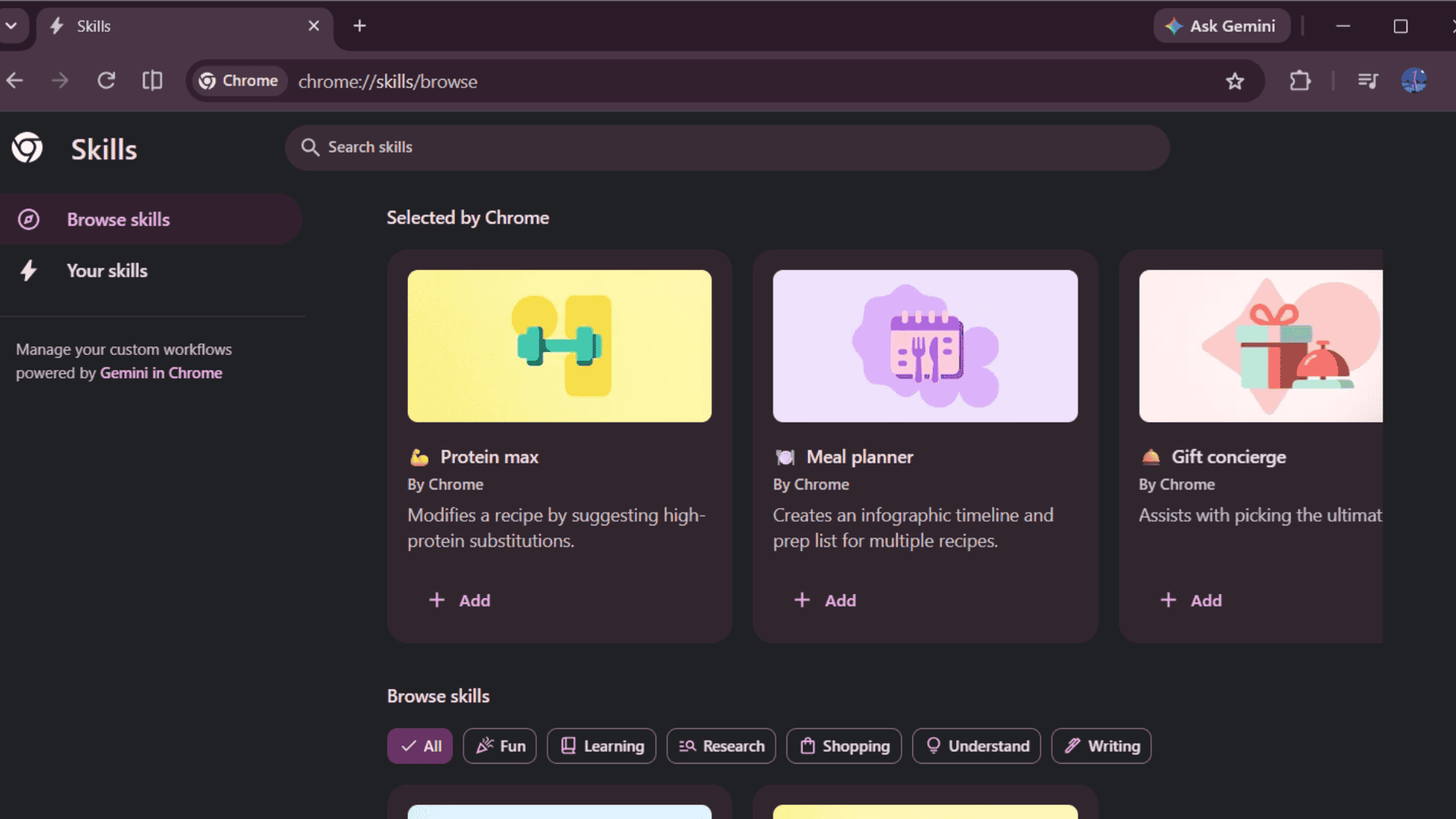
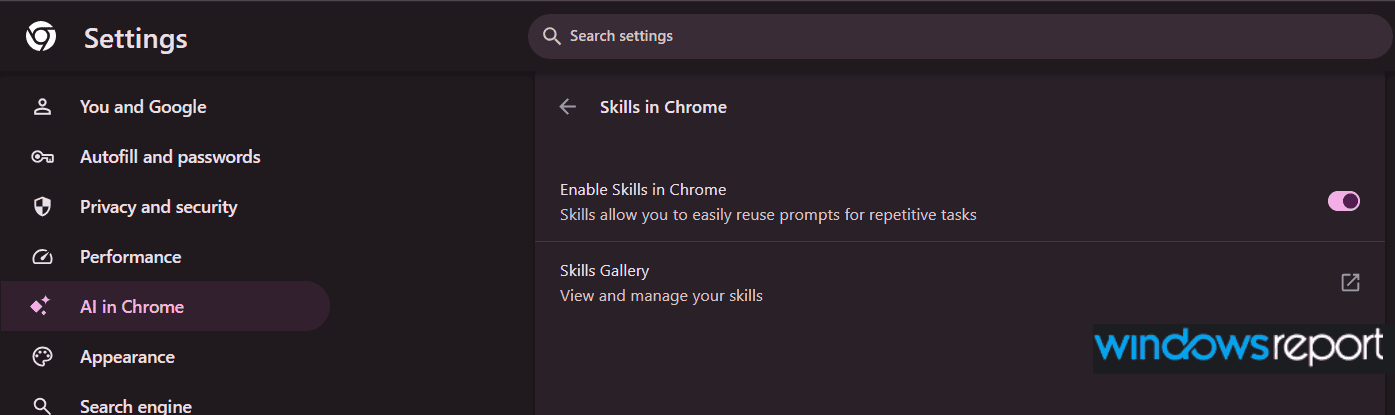
What’s new and only in Chrome Canary right now is a dedicated Skills subpage under AI in Chrome (chrome://settings/ai). It looks like this:
A “Skills in Chrome” page with the message: “Skills allow you to easily reuse prompts for repetitive tasks”.
A master switch labeled “Enable Skills in Chrome”.
A “Skills Gallery” link that opens your saved Skills at chrome://skills.
Skills in Chrome Settings. Image Credit: WindowsReport.
When the toggle is off, Skills should stop showing up in the Gemini side panel and stop running, even if you keep on-device AI enabled for other things. Before this, there wasn’t a clear, single switch just for Skills.
Enable Skills in Chrome toggle. Image Credit: Venkat | WindowsReport.
For context: Skills are part of Gemini in Chrome. You type / in the Gemini side panel to browse and use your saved Skills, or you open the Skills Gallery to manage them. If you don’t use Skills much, or if you see them as just another layer of AI clutter on top of the ~4 GB model drama, this new toggle gives you a simple way to turn them off.
This is only in Chrome Canary right now, so it’s still a test. It might change before it reaches stable Chrome, and not everyone will see it yet. But if Google ships it as-is, it would be the first time Chrome gives users a clear on/off switch specifically for Skills.
Along with Skills, Chrome also lets you disable AI-powered history search and AI suggestions. Microsoft has integrated Copilot into Edge, while Mozilla has been testing AI-powered features in Firefox. As browsers add more AI tools, companies are also creating more settings to manage them individually. Users get more control and can choose which features they want to use.
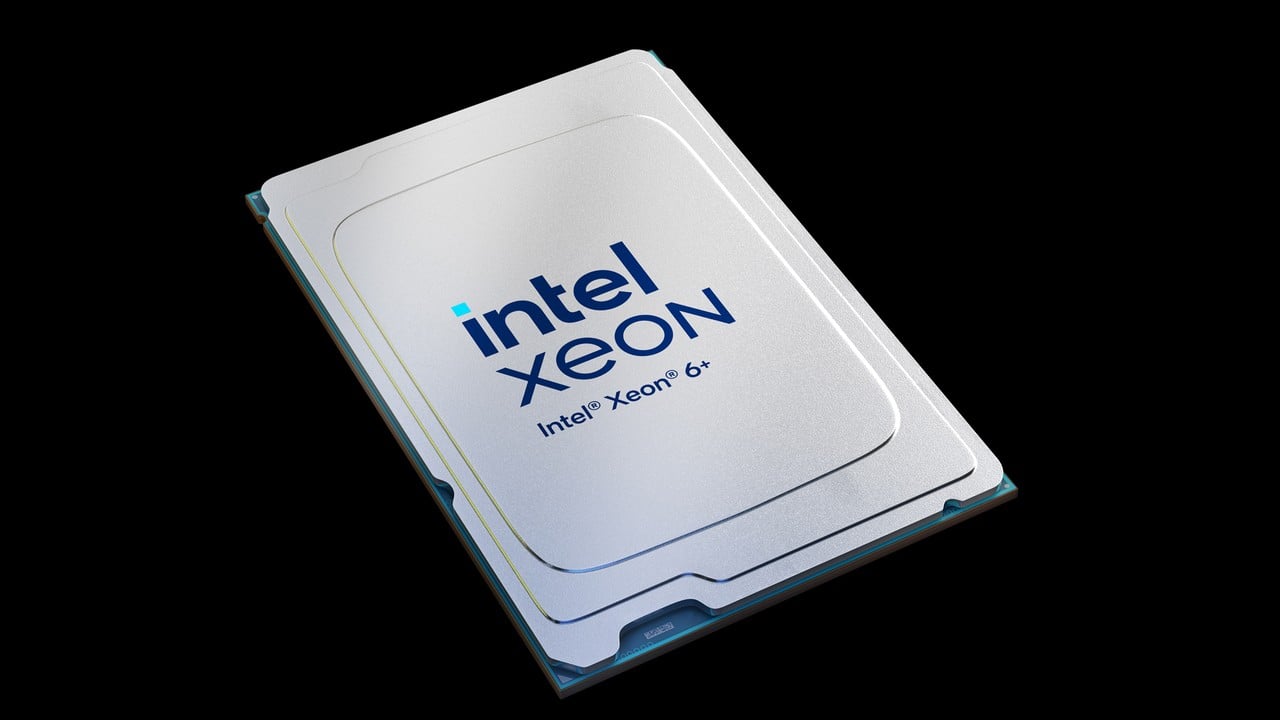
Intel used Computex 2026 to outline a major shift in its data center strategy as the company prepares for an AI-heavy future. Alongside the new OpenVINO Physical AI Platform, Intel introduced next-generation Xeon 6+ processors, new networking hardware, and energy telemetry tools designed for modern AI infrastructure.
The company says data centers are rapidly moving away from traditional CPU-only workloads toward mixed environments that combine CPUs, accelerators, and AI inference systems. Intel expects AI and traditional workloads to reach a near 50-50 split within the next five years.
Intel says AI inference will drive future data center growth
Intel believes AI inference workloads will become one of the largest growth areas in enterprise and cloud infrastructure. Because of that, the company says future data centers need stronger performance per watt, improved per-core performance, higher core density per rack, greater memory bandwidth, and better support for accelerator-connected training and inference.
Intel argues that traditional server designs are no longer enough for AI-focused deployments. The company wants to position Xeon 6+ as a platform optimized for dense and efficient AI-era workloads.
Clearwater Forest launches with up to 288 E-cores
One of the biggest announcements was Clearwater Forest, Intel’s upcoming Xeon 6+ server platform built on the Intel 18A process node.
The chips use new Darkmont E-cores and focus heavily on core density and power efficiency.
Intel says the top Clearwater Forest SKU features up to 288 E-cores. Each compute tile contains 24 E-cores, while the largest configuration combines 12 compute tiles in total.
The company also highlighted major improvements in cache and memory support.
Xeon 6+ specifications
Feature
Xeon 6+ Clearwater Forest
Architecture
Darkmont E-cores
Process node
Intel 18A
Maximum cores
288
Memory support
12-channel DDR5
Maximum memory speed
8000 MT/s
Last-level cache
Up to 576MB
Intel says the platform includes up to 576MB of enhanced low-latency last-level cache. The processors also support 12-channel DDR5 memory running at speeds up to 8000 MT/s.
That level of server memory bandwidth suggests Intel has made major improvements to its integrated memory controller design.
Intel compares Xeon 6+ against AMD EPYC
Intel directly compared its flagship Xeon 6990E+ processor against AMD’s EPYC 9965.
According to Intel, the new Xeon chip delivers up to 30% higher average performance per thread. The company also claims up to 30% better performance per watt during workloads operating at roughly 40% CPU utilization.
Intel also compared the platform against its own previous-generation Xeon 6780E processor.
Intel claims Xeon 6+ delivers up to 55% better efficiency and as much as 126% higher overall performance on average compared to the earlier generation.
Application Energy Telemetry targets power efficiency
Intel also introduced a new feature called Application Energy Telemetry, or AET.
AET provides low-overhead CPU-level energy usage tracking directly from the processor silicon. Intel says this allows data center operators to measure energy usage across workloads such as applications and virtual machines without relying heavily on operating system or runtime-level tracking.
One major advantage is workload tracking across moving threads. Even when threads shift between cores, AET can continue monitoring energy usage accurately.
Intel says the feature should help cloud operators optimize workload scheduling and improve power efficiency inside large server environments.
AET support begins with Linux kernel 7.0 and newer.
Intel announces new 200Gbps Ethernet controller
Intel also announced the E835 Ethernet controller and adapter for server-grade networking environments.
The controller supports speeds up to 200Gbps, which equals roughly 25GB/s of throughput.
The announcement fits Intel’s broader AI infrastructure message, where networking bandwidth becomes increasingly important for accelerator-heavy deployments and distributed inference systems.
New Xeon 6300 chips target SMB servers
In addition to high-end AI-focused hardware, Intel also launched new Xeon 6300 processors for small and medium business entry servers.
The new chips support up to 12 cores, which represents a 50% increase over previous 8-core entry-level Xeon platforms.
Intel appears to be updating both the high-performance AI segment and the lower-cost SMB market at the same time.
Intel teases Diamond Rapids for 2027
Intel briefly teased its next-generation Diamond Rapids platform during the presentation.
The company did not share detailed specifications yet, but Diamond Rapids is expected to launch in 2027 as Intel’s next major server architecture after Clearwater Forest.
Intel pushes deeper into AI infrastructure
The overall message from Intel at Computex 2026 was clear. The company wants to stay competitive as the data center market shifts toward AI inference, accelerators, and power-efficient high-density infrastructure.
Clearwater Forest focuses heavily on E-core scaling, memory bandwidth, and efficiency rather than raw traditional CPU performance alone.
As VideoCardz writes, AMD officially announced EXPO Ultra Low Latency, or EXPO ULL, during Computex 2026 alongside the new Radeon RX 9070 GRE graphics card. The new feature expands AMD’s existing EXPO DDR5 memory technology and focuses on reducing memory latency for Ryzen gaming systems.
EXPO ULL arrives as part of the EXPO 1.2 update and introduces a new low-latency memory profile designed for supported DDR5 kits on AM5 motherboards.
AMD EXPO ULL targets lower DDR5 latency
AMD says EXPO ULL gives DDR5 memory kits tighter automatic tuning compared to existing EXPO profiles. The company claims the feature can reduce memory latency by around 5 ns to 7 ns compared with standard DDR5-6000 configurations.
The new profile automatically adjusts several low-level memory parameters. Earlier references to EXPO 1.2 mentioned tuning controls including ULL Enable, tREFI, tRRDS, tWR, and VDDP voltage. AMD says motherboard BIOS updates will handle most of the tuning automatically for compatible systems.
AMD claims gaming FPS improvements with EXPO ULL
According to AMD, EXPO ULL can improve both average frame rates and 1% low performance in games. Compared with standard JEDEC DDR5 memory, AMD claims users may see up to 13% higher average FPS and up to 15% better 1% low FPS.
Compared with existing EXPO memory profiles, AMD says EXPO ULL can still deliver up to 4% higher average FPS and up to 4% better 1% low FPS. AMD says the internal testing used a Ryzen 7 9700X platform across more than 30 games.
The focus on 1% low improvements may help reduce stutter and improve frame pacing in CPU-heavy titles.
EXPO 1.2 expands AMD DDR5 memory tuning
EXPO ULL is part of the broader EXPO 1.2 update for AM5 systems. AMD appears to be pushing DDR5 optimization further as Ryzen 9000 desktop processors mature.
Recent AGESA 1.3.0.1 and 1.3.0.1b firmware releases already introduced expanded DDR5 tuning controls for AM5 motherboards. EXPO ULL builds on those changes with a more aggressive low-latency preset.
The feature still depends heavily on motherboard vendors and memory compatibility. Full support will require BIOS updates from board manufacturers.
Memory brands preparing EXPO ULL kits
AMD confirmed several memory partners are preparing EXPO ULL-certified DDR5 kits, including G.SKILL, Kingston FURY, KLEVV, Lexar, TeamGroup, V-Color, XPG by ADATA, and Origin Code. These kits are expected to launch in June 2026.
AMD continues expanding the AM5 ecosystem
AMD has spent the past year focusing heavily on AM5 platform optimization, especially around DDR5 compatibility and memory stability.
EXPO ULL shows AMD is now targeting lower latency and smoother gaming performance rather than only pushing higher memory frequencies. The feature could become particularly attractive for Ryzen gamers looking to maximize 1% low FPS performance without manual memory tuning.
With Ryzen 9000 systems already benefiting from improved DDR5 support, EXPO ULL may become another selling point for AM5 gaming builds later this year.
Intel has announced a new Physical AI OpenVINO framework at Computex 2026, expanding its push into robotics, edge AI, and autonomous systems. The company is pairing the platform with upcoming Core Ultra Series 3 processors based on Panther Lake architecture.
The new framework targets robots, drones, industrial automation systems, and autonomous machines that need fast local AI processing without relying heavily on cloud infrastructure.
Intel Pushes Into Physical AI
Intel describes Physical AI as the next stage of artificial intelligence, where AI models interact directly with real-world hardware instead of only generating digital content like text, images, or code.
These systems combine sensors, cameras, and actuators to understand environments and perform physical actions in real time. Intel says the growing complexity of robotics deployments created a need for a more unified AI platform.
The company is focusing heavily on vision-language-action, or VLA, models. These AI systems can analyze visual input, understand instructions or context, and then perform physical actions based on that information.
According to Intel, VLA models could power future warehouse robots, manufacturing systems, delivery drones, and autonomous vehicles.
OpenVINO Physical AI Aims to Simplify Robotics Deployment
Intel says current robotics pipelines often require extensive custom engineering work for every deployment. Developers frequently need to manage sensors, codecs, inference loops, compute coordination, and device-specific integrations separately.
The company claims this process increases deployment complexity and raises operational costs.
Intel’s new OpenVINO Physical AI framework aims to solve that problem by offering a unified hardware and software stack designed for robotics and edge AI workloads.
The framework is also intended to reduce reliance on dual-compute architectures that many robotics systems currently use. Intel says those setups can increase maintenance requirements and total cost of ownership.
By consolidating workloads onto a more integrated platform, Intel believes developers can improve efficiency while lowering costs.
Edge AI Plays a Major Role
Intel says edge computing is critical for Physical AI systems because robotics workloads require immediate responses.
Sending sensor data to cloud servers can introduce latency, which may create safety or reliability issues in autonomous systems. Local AI processing allows machines to react faster while also improving privacy and reducing bandwidth usage.
The company positions Panther Lake-based Core Ultra Series 3 processors as a key part of this strategy. These chips are expected to provide the CPU, GPU, and AI acceleration capabilities needed for medium-sized VLA workloads directly on edge devices.
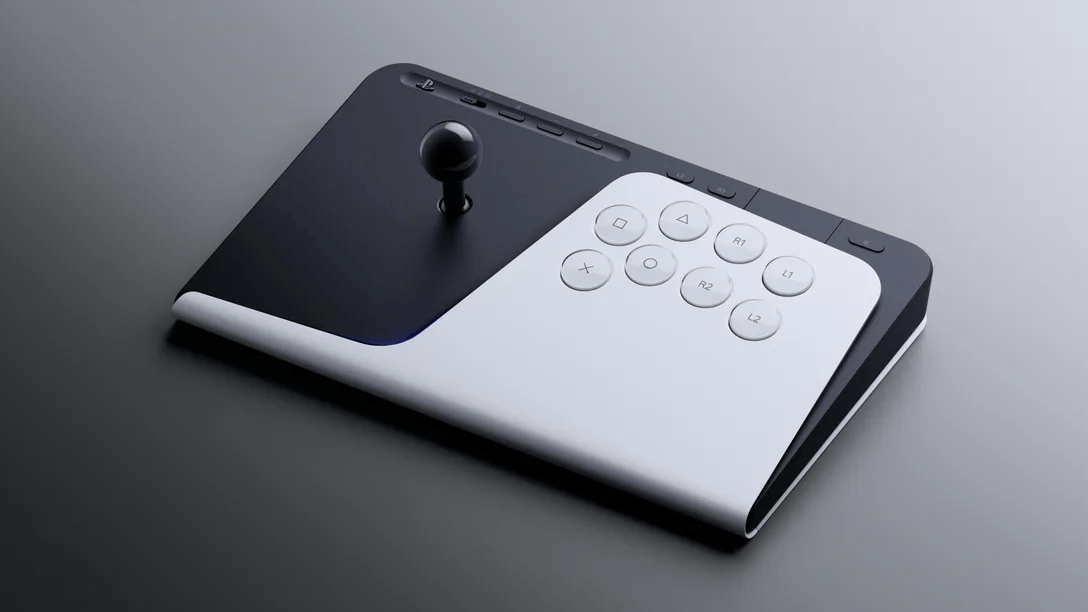
PlayStation is quietly building an entire desktop gaming ecosystem, and three new accessories are nearing the official launch. Sony today confirmed the launch plans for the FlexStrike wireless fight stick, its new 27-inch gaming monitor, and the Pulse Elevate wireless speakers. While the company first teased all three products months ago, we finally have release dates, pricing details, and pre-order information.
PlayStation FlexStrike fight stick launches on August 6 for $199.99
Sony’s first wireless fight stick, FlexStrike., launches globally on August 6, arriving just in time for Marvel Tōkon: Fighting Souls. Built for both PS5 and PC, the accessory focuses on competitive players who regularly travel between tournaments, local events, and gaming sessions with friends.
The fight stick ships with a built-in rechargeable battery and even includes a dedicated sling carry case. Sony will begin taking pre-orders on June 12, with pricing set at $199.99 in the United States.
Sony wants a bigger presence on gaming desks
The company is also expanding beyond traditional living room setups. Sony’s new 27-inch Gaming Monitor releases on August 27 in the United States and Japan. The display features a QHD IPS panel with a 2560 x 1440 resolution, VRR support, and refresh rates reaching 120Hz on PS5 and PS5 Pro. PC and Mac users can push that number up to 240Hz with compatible hardware. Pre-orders open June 5, while pricing starts at $349.99.
Image credit: Sony
Pulse Elevate wireless speakers complete the setup
Sony also confirmed that its Pulse Elevate wireless speakers remain on track for release later this year. The speakers borrow technology from the Pulse Elite and Pulse Explore lineup and are specifically designed to pair with desktop gaming setups. While Sony stopped short of revealing pricing or a launch date, the company says additional details will arrive in the coming months.
Just as Call of Duty fans were processing the Modern Warfare 4 reveal, another rumor has surfaced online. Two of the most beloved entries in the franchise, Call of Duty: Black Ops and Call of Duty: Black Ops 2, have reportedly appeared on South Korea’s ratings board. The listings popped up without any announcement from Activision or XBOX, which is why longtime Call of Duty fans are paying attention to them.
Black Ops 1 and Black Ops 2 just popped up again
Unfortunately, the new ratings don’t reveal much on their own. There are no platform details, no release windows, and no mention of visual upgrades or additional content. All that’s currently known is that both titles were recently rated in South Korea, which naturally opens door to speculation about why Activision would revisit games that originally launched more than a decade ago.
One possibility is that Microsoft could be preparing the games for Xbox Game Pass. Since completing its acquisition of Activision Blizzard, Microsoft has been gradually bringing older Call of Duty titles into its ecosystem. Black Ops and Black Ops 2 remain two of the most requested entries among fans who want easier access to the classic campaigns and multiplayer experiences.
Then there’s the remaster theory. Rumors about Black Ops remasters have surfaced multiple times over the years, although none have ever materialized. While the Korean ratings don’t confirm anything, the timing has certainly added fuel to the conversation.
Whether this turns out to be a Game Pass addition, a re-release, or something entirely different, fans now have one more reason to keep an eye on Activision and XBOX in the weeks ahead.
Ray tracing has looked impressive for years, but it has never been perfect. Ghosting, blurry lighting, flickering reflections, and noisy shadows still manage to sneak into some of the biggest PC games. NVIDIA now says it has a fix coming later this summer. The company has officially unveiled DLSS 4.5 Ray Reconstruction, a major upgrade at improving image quality in ray-traced and path-traced games. This update is all about making games look cleaner, sharper, and more stable while you play.
NVIDIA wants Ray tracing to look closer to the real thing
The announcement revolves around the new, second-generation transformer model designed to replace traditional denoisers used in ray-traced rendering. According to NVIDIA, the upgraded model combines denoising and Super Resolution into a single AI-powered process. The result is improved lighting accuracy, clearer motion, better temporal stability, and higher-quality image reconstruction across complex scenes.
The company says the new Ray Reconstruction model delivers 35% more compute capability while processing 20% more parameters without increasing performance costs compared to the previous version. It has also been trained on a larger dataset, allowing it to make smarter decisions when rebuilding missing visual information.
Cleaner reflections, better lighting, and fewer visual artifacts
NVIDIA showcased several examples of the improvements. In Indiana Jones and the Great Circle, the company says snow ghosting is significantly reduced while particle effects appear cleaner. PRAGMATA reportedly benefits from more responsive lighting effects, while Alan Wake 2 shows improved preservation of fine television static details without losing clarity.
Developers are also getting more control over temporal accumulation settings, giving studios additional tools to fine-tune image quality based on their own games.
Translation, in its most basic sense, has been practiced for centuries. But the version that modern businesses require: accurate, field-specific, and regulatory-aware, is a fundamentally different discipline.
When a pharmaceutical company expands into a new market, or a law firm processes international contracts, the task isn’t simply converting language. It’s conveying meaning within a professional system that has its own vocabulary, its own standards, and in many cases, its own legal weight.
Why Generalist Translation Falls Short
This is where industry-specific translation comes in handy. Generalist methods (using fluent speakers with no domain knowledge) often result in grammatically correct but not domain-proficient text. The terminology may be technically correct but inappropriate for the field or regulatory context.
The healthcare, legal, financial compliance, engineering, energy, software and government documentation sectors all have environments in which word choice is critical, and any missteps have serious ramifications.
For instance, Rapid Translate organizes its services by sector, which illustrates just how varied the requirements are across different professional environments.
Legal and Certified Translation: Precision Without Exception
Legal translation combines language and law, leaving virtually no room for error. Contracts, court documents, immigration papers, and intellectual property documents must be translated word-for-word. A single misinterpreted clause can affect enforceability. Errors in immigration documents may result in rejection or delays of months.
Certified translation adds another layer of requirements. Many government agencies require formal certification from the translator. For example, USCIS submissions in the United States have strict rules, and if they are not met, documents are returned. The same applies to court evidence.
Compliance, Expertise, and Professional Standards
Not all bilingual professionals can produce certified translations that meet institutional requirements. The process requires linguistic precision and knowledge of agency procedures and compliance standards.
Medical and Technical Fields: When Getting It Wrong Has Consequences Medical translation is about safety as well as accuracy. Terminology errors affect clinical trials, pharmaceutical labelling, device instructions, and regulatory submissions. Documentation must comply with requirements such as FDA and EMA guidelines.
Technical translation also carries high risk. Generalist translators may lack knowledge of engineering manuals, patent applications, and software documentation. Poorly drafted patent claims can weaken protection. Incorrect instructions may lead to equipment failure or injury.
Expertise as a Signal of Reliability
Medical and technical professionals immediately notice when terminology does not match industry standards, and inconsistencies can signal quality issues or lack of expertise.
Translation is only part of the challenge when entering consumer markets. Localization adapts content to cultural expectations, communication patterns, and user behavior.
E-Commerce as a Practical Example
A product description translated literally from English into Portuguese can be correct but still feel unnatural to a Brazilian consumer. Localization adjusts tone, formality, and cultural references to match expectations.
Business Impact of Proper Localization
Companies entering new markets benefit from localization alongside translation, improving conversion rates and customer retention and strengthening brand perception.
The Business Case for Getting This Right
Translation is a strategic process, not just an administrative task. Companies that invest in quality translation and localization are more confident in international expansion and ensure their documents and messaging are understood correctly the first time.
Across legal, medical, technical, and consumer contexts, the key principle remains the same: translators must understand not only the source language but also the professional environment of the target language. This is what enables successful global communication without treating translation as simple word conversion.
AMD has officially launched the Radeon RX 9070 GRE in the United States and other global markets after previously limiting the card to select regions, including China. The wider rollout was announced during Computex 2026.
The new GPU sits between the Radeon RX 9060 XT and the standard RX 9070 in AMD’s gaming lineup. AMD appears to position the card directly against Nvidia’s GeForce RTX 5060 Ti while targeting the mainstream 1440p gaming segment.
AMD targets 1440p gamers
According to AMD, the Radeon RX 9070 GRE delivers strong gains in traditional rasterized gaming workloads. The company claims the GPU can be up to 40% faster than the RTX 5060 Ti at 1440p in certain titles.
AMD specifically highlighted games such as Monster Hunter Wilds and Resident Evil Requiem during its presentation. In lighter esports-focused games like Arc Raiders and Overwatch 2, AMD expects the performance gap to be smaller.
The company also shared average gaming figures, claiming the RX 9070 GRE is around 22% faster overall than Nvidia’s competing card across AMD’s internal benchmark suite.
AMD also pushes ray tracing performance
AMD says the RX 9070 GRE improves ray tracing performance as well. According to the company’s own numbers, the GPU can reach up to 30% better ray tracing performance than the RTX 5060 Ti in some workloads.
AMD used Assassin’s Creed Shadows and Marvel’s Spider-Man 2 as examples during the announcement. The company expects the card to deliver better ray-traced gaming performance while maintaining strong 1440p frame rates.
Independent testing will still be important because AMD’s presentation did not fully detail the testing methodology, upscaling settings, or exact benchmark configurations for every title shown.
RX 9070 GRE pricing and value
AMD priced the Radeon RX 9070 GRE at $549 globally.
For comparison, AMD used a $569 reference price for Nvidia’s GeForce RTX 5060 Ti 16GB during its Computex presentation. Based on those numbers, AMD claims the RX 9070 GRE delivers roughly 26% better value.
The launch also gives AMD another option in the increasingly competitive upper-midrange GPU market, where pricing and VRAM capacity continue to influence buyer decisions.
AMD continues expanding its GPU strategy
The wider RX 9070 GRE release arrives during an important period for AMD. Last month, the company predicted a possible 20% revenue drop due to ongoing market conditions and export-related challenges.
At the same time, AMD has continued introducing new gaming-focused technologies and platform features. One recent example is the upcoming CPPC performance feature, which could improve PC responsiveness and gaming efficiency on supported systems.
The RX 9070 GRE now gives AMD another globally available RDNA gaming option as competition in the GPU market intensifies ahead of the second half of 2026.
After multiple rumors and leaks, ASUS has launched yet another ROG XBOX Ally handheld. To celebrate 20 years of the Republic of Gamers (ROG) brand, ASUS has officially announced the ROG XBOX Ally X20, a special-edition handheld that finally brings an OLED display to the Ally lineup. The new model comes with upgraded controls, fresh hardware, and a bundled pair of gaming-focused AR glasses.
ASUS finally gives the Ally lineup an OLED upgrade
For the first time, the ROG XBOX Ally family is moving to OLED. The company has equipped the ROG Xbox Ally X20 with a 7.4-inch Nebula HDR OLED panel featuring a 120Hz refresh rate, FreeSync Premium Pro support, Dolby Vision, and up to 1,400 nits of peak brightness. Apparently, the cooling system inside the handheld has also been redesigned to better manage temperatures around the OLED display.
Image credit: ASUS
Under the hood, the ROG XBOX Ally X20 packs AMD’s Ryzen AI Z2 Extreme processor alongside 24GB of LPDDR5X memory and 1TB of PCIe 4.0 storage. ASUS is also highlighting support for Auto SR upscaling, a feature previously limited to Copilot+ PCs that can boost performance while maintaining image quality.
In addition, the ROG XBOX Ally X20 comes with the new TMR joysticks designed to improve precision and durability. That comes alongside a redesigned Transforming D-Pad that can switch between four-way and eight-way configurations.
Image credit: ASUS
Bundled with the ROG XREAL R1 Edition 20 AR glasses
The company is bundling the ROG XBOX Ally X20 handheld with the ROG XREAL R1 Edition 20 AR glasses, which can project a virtual 171-inch display and support refresh rates up to 240Hz. The glasses connect via USB-C and are designed to work seamlessly alongside the handheld.
Image credit: ASUS
That said, the OLED screen may end up stealing the spotlight regardless. Ever since Valve introduced the Steam Deck OLED, players have been waiting for ASUS to make a similar move. Now it finally has, and it appears the company wanted its 20th anniversary celebration to make a statement while doing it. Speaking of handhelds, let’s not forget that Acer has also announced the Predator Atlas 8 with Intel Arc G3 Extreme processor.
Intel has officially announced its Arc G3 and Arc G3 Extreme chips for gaming handhelds, and the company is already making bold performance claims.
During a Gamers Nexus interview with Intel’s Tom Petersen, Intel shared new benchmark figures for the Arc G3 Extreme platform running inside MSI’s upcoming Claw 8 EX AI+ handheld.
Intel claims big gains for Arc G3 Extreme
Intel says Arc G3 Extreme is 44% faster on average than the Core Ultra 7 258V used in Lunar Lake systems. The comparison used 1080p High settings, with 2x upscaling enabled in supported games.
The Arc G3 Extreme test system ran at 35W sustained, while the Lunar Lake system ran at 30W sustained.
Arc G3 Extreme also targets AMD Z2 Extreme
Intel also compared Arc G3 Extreme against AMD’s Ryzen Z2 Extreme. According to Intel’s own numbers, MSI’s Claw 8 EX AI+ was 42% faster on average than the ASUS ROG Xbox Ally X at 35W sustained.
The same 1080p High settings and 2x upscaling rules applied to that comparison.
Intel is also pushing efficiency claims
The most interesting claim may be power efficiency. Intel showed Arc G3 Extreme at 17W delivering similar average performance to AMD’s Z2 Extreme at 35W.
Intel presents this as a 2x performance-per-watt advantage, although some games still favored AMD in the lower-power comparison.
Intelligent Bias Control 3.5 could help handheld gaming
Intel also detailed Intelligent Bias Control 3.5, a software feature built for handheld gaming. It adjusts CPU scheduling and power behavior so more power can move toward the GPU when needed.
Intel says the feature can also improve frame pacing. At 12W, Intel claims IBC enabled a 13% average FPS uplift.
In a separate 12W test, Intel showed Arc G3 Extreme running 37% faster on average than AMD’s Z2 Extreme.
Arc G3 Extreme specs and first handhelds
Arc G3 Extreme is based on Panther Lake and uses Intel Arc B390 graphics. The GPU includes 12 Xe3 cores.
Intel has confirmed Arc G3 and Arc G3 Extreme for several upcoming handhelds, including MSI Claw 8 EX AI+, Acer Predator Atlas 8, and ONEXPLAYER 3.
These results come from Intel, so they should be treated as vendor-provided benchmark claims rather than final proof of real-world performance.
Still, Intel is clearly positioning Arc G3 Extreme as a major step forward for Windows gaming handhelds. If independent testing confirms these numbers, AMD’s Ryzen Z2 Extreme could face stronger competition than expected.
At the ongoing Computex 2026 event, multiple brands have announced AI laptops. Among them, one comes from MSI that’s betting big NVIDIA’s latest platform. The company has officially announced the Prestige N16 Flip AI+. It is a premium 2-in-1 laptop, which MSI says is its first one to pack the latest NVIDIA RTX Spark processor.
MSI appears to be positioning this laptop as a hybrid device for creators, developers, and AI enthusiasts who want serious hardware in a portable design.
MSI is bringing NVIDIA RTX Spark to a thin-and-light laptop
The MSI Prestige N16 Flip AI+ packs the new NVIDIA RTX Spark processor under the hood, which the company claims is an AI-focused platform designed for advanced content creation, local AI workloads, and RTX gaming.
MSI says the laptop is capable of handling everything from large language models and generative AI applications to creative workloads and productivity tasks. While NVIDIA RTX Spark grabs attention, the screen specifications are arguably just as impressive.
The MSI Prestige N16 Flip AI+ with a 16-inch UHD+ Tandem OLED display that uses a dual-layer OLED structure. According to the company, the panel can exceed 1,000 nits of peak brightness while improving efficiency and longevity compared to traditional OLED screens.
Image credit: MSI
The display also covers 100% of the DCI-P3 color gamut, carries Calman verification, and offers Delta E below 1 for professional-grade color accuracy. The laptop also comes with support for Variable Refresh Rate (VRR) as well. Notably, the laptop also packs a substantial 99.9Wh battery, suggesting MSI wants endurance to be part of the story as well.
As of now, pricing and availability of the new 2-in-1 MSI Prestige N16 Flip AI+ laptop details remain under wraps. Speaking of new devices, let’s not forget that Microsoft has also announced the Surface Laptop Ultra powered by the same NVIDIA RTX Spark processor. Meanwhile, Acer has unveiled the Predator Atlas 8 gaming handheld with Intel Arc G3 Extreme processor.
As VideoCardz writes, the company showed a multi-generation roadmap during GTC Taipei, placing RTX Spark laptops, compact desktops, and DGX Station for Windows under the same broader AI PC and workstation strategy.
NVIDIA’s Windows AI PC roadmap now stretches beyond Blackwell
The first generation arrives in 2026 and uses Blackwell-based hardware.
RTX Spark targets premium Windows laptops and compact desktops. It uses Grace Blackwell Spark silicon with LPDDR5X unified memory, aiming at AI agents, creative work, development, and gaming.
DGX Station for Windows sits much higher in the lineup. It uses Blackwell Ultra-class hardware, HBM3e memory, and ConnectX-8 800G networking for enterprise AI workflows.
Rubin and Feynman are already on the roadmap
NVIDIA’s roadmap then moves to Rubin for 2027 and 2028.
The company lists Vera Rubin Spark with LPDDR6 memory, along with Rubin systems using HBM4, Vera CPU technology, and CX9 1600G networking.
After Rubin, NVIDIA’s roadmap points to Feynman. The future platform lists HBM Next, Rosa CPU, and CX10 networking.
The roadmap also shows Rosa Feynman Spark entries for 2029 and 2030. This appears to be the first public appearance of the Rosa Feynman Spark name.
DGX Station for Windows targets enterprise AI
NVIDIA is also bringing DGX Station for Windows with the GB300 Grace Blackwell Ultra Desktop Superchip.
The system combines a Blackwell Ultra GPU with a 72-core Grace CPU through NVLink-C2C. NVIDIA lists up to 748GB of coherent memory and up to 20 petaFLOPS of FP4 performance.
The company says DGX Station for Windows can run AI models with up to 1 trillion parameters locally.
This device is not aimed at gaming. It targets local AI agents, model development, data science, high-throughput inference, and enterprise AI workloads.
OEM partners will bring DGX Station to market
DGX Station for Windows is expected in Q4.
NVIDIA’s partners include ASUS, Dell Technologies, GIGABYTE, HP, MSI, and Supermicro.
The bigger takeaway is clear. NVIDIA is treating Windows AI PCs and deskside AI workstations as a multi-generation market.
RTX Spark gives NVIDIA a premium PC platform for laptops and compact systems, while DGX Station for Windows pushes the same strategy into enterprise AI development.
NVIDIA says the platform targets AI agents, content creation, and gaming. The first systems are expected to arrive this fall from major PC makers.
A full NVIDIA PC chip
RTX Spark combines a Blackwell RTX GPU with a 20-core Grace CPU custom-built with MediaTek.
The CPU and GPU connect through NVLink-C2C, giving the chip up to 600GB/s of GPU-to-CPU bandwidth. NVIDIA says this is around five times the bandwidth of PCIe Gen5.
The top configuration supports up to 128GB of LPDDR5X unified memory.
RTX Spark brings Blackwell graphics to Arm PCs
The flagship RTX Spark configuration includes 6,144 CUDA cores, fifth-generation Tensor Cores, and FP4 AI acceleration.
NVIDIA lists up to 1 petaFLOP of FP4 AI performance. The company also says RTX Spark can run 120-billion-parameter language models locally and support up to 1 million tokens of context.
For creators, NVIDIA says the platform can handle 90GB 3D scenes, 12K 4:2:2 video editing, and 4K AI video generation.
Gaming is part of the pitch
RTX Spark also supports RTX ray tracing, DLSS, Reflex, and G-SYNC.
NVIDIA claims RTX Spark PCs can play AAA games at 1440p and over 100FPS with ray tracing, DLSS, and Reflex enabled. The company also said graphics performance can come close to a GeForce RTX 5070 Laptop GPU, depending on the application.
Windows on Arm remains the biggest question
RTX Spark uses Arm architecture, which means traditional x86 Windows apps may need Microsoft’s Prism emulator.
Native Arm apps should offer better performance and efficiency. NVIDIA says Adobe is reworking Photoshop and Premiere for RTX Spark, while apps such as Blender, DaVinci Resolve, Maxon Cinema4D, Redshift, Topaz Photo, CapCut, Cubase, Bitwig Studio, and Affinity by Canva are also part of the native software push.
NVIDIA and Microsoft are also working on a Windows platform for local AI agents. NVIDIA calls its runtime OpenShell, while Microsoft is adding security and containment features so agents can run under user control.
First RTX Spark laptops are coming from major OEMs
We already saw Surface Laptop Ultra with RTX Spark announced, but additional devices will come in 14-inch to 16-inch designs. Some models will be as thin as 14mm and weigh around three pounds.
Confirmed partners include ASUS, Dell, HP, Lenovo, Microsoft Surface, MSI, ASUS, and later Acer and GIGABYTE.
Confirmed systems include the ASUS ProArt P14 and P16, Dell XPS 16, HP OmniBook X14 and Ultra 16, Lenovo Yoga Pro 9N, Microsoft Surface Laptop Ultra, and MSI Prestige N16 Flip AI.
The first RTX Spark systems will likely target premium price points. NVIDIA has not confirmed pricing yet.
The company says RTX Spark will grow into a wider family of chips covering more price ranges. Lower-end configurations may start with as little as 16GB of memory.
Several details remain unclear, including Linux driver plans, exact real-world performance, pricing, and whether NVIDIA has plans for gaming handhelds.
Still, RTX Spark marks a major shift for NVIDIA. The company is no longer just selling GPUs for Windows PCs. It is now building the full chip inside them.
Acer has entered in the handheld gaming race in a big way with the Predator Atlas 8. It is a Windows 11 gaming handheld powered by Intel’s new Arc G-Series platform. While handheld PCs are no longer a niche category, Acer appears to believe there is still room to push things further, especially when it comes to graphics performance and battery life.
Acer’s new handheld is built around Intel’s latest gaming hardware
The handheld packs up to an 80Wh battery and supports Intel Endurance Gaming technology, which dynamically balances power consumption and performance during gameplay. That alone could make it stand out in a category where battery anxiety remains one of the biggest complaints.
Acer is bringing some familiar Predator branding to the handheld space. The device features a dual-fan cooling solution, including what Acer describes as the first metal cooling fan ever used in a handheld gaming PC. The company claims the AeroBlade design can increase airflow by up to 10 percent compared to traditional approaches.
On the front, the Acer Predator Atlas 8 features an 8-inch WUXGA touchscreen with a 120Hz refresh rate, VRR support, Gorilla Glass Victus protection, and up to 500 nits of brightness. The handheld also includes Wi-Fi 7, Bluetooth 5.4, dual Thunderbolt 4 ports, and support for microSD expansion.
The handheld gaming fight keeps getting bigger
The handheld PC market is suddenly becoming crowded, with ASUS, Lenovo, MSI, Valve, and now Acer all fighting for attention. The Predator Atlas 8 is scheduled to launch in North America, Europe, the Middle East, Africa, and Australia in October 2026. As of now, Acer hasn’t detailed the pricing of the handheld but looking at the specs sheet below, it seems the company is seriously trying to make a mark in the gaming niche.
Up to 1 TB via one PCIe Gen4 NVMe M.2 SSD slot (2280)
Cooling
Two fans (one Predator AeroBlade metal fan and one plastic fan), Vortex Flow
I/O Ports
Two Thunderbolt 4, UHS-II micro SD card reader, up to SD 4.0 (support for SD, SDXC, SDHC, SDUC), 3.5 mm audio jack (combo)
Control and Input
A B X Y buttons, D-Pad, L/R full-size analog joysticks (Carbon Film), XBOX Game Bar Widget button, PredatorSense button, L/R bumpers, View button, Menu button, Power button with fingerprint sensor, Volume button(+/-), L2/R2 Hall-effect analog triggers, L/R Macro buttons, L/R Adjustable Trigger switches
Audio
Two 2 W speakers, Realtek ALC712, two onboard mics, DTS:X Ultra and Hi-Res Audio, Acer PurifiedVoice
Battery
Up to 80 Wh, 4S1P, 4-cell Li-ion
Power Supply
Option 1 Wall Mount: AC Power Adapter, 65W Type-C Power CordOption 2 Brick: AC Power Adapter, 65W
Wi-Fi and Connectivity
Intel Killer Wi-Fi 7 BE1775s, Bluetooth 5.4
Software
PredatorSense, XBOX Game Pass Premium (2 months), PC Game Pass (3 months)
Dimensions
299 x 127.4 x 28.5/58.37 mm
Weight
Under 810 g with 80 Wh batteryUnder 770 g with 60 Wh battery
Microsoft has officially announced the Surface Laptop Ultra, a new, premium laptop that caters to the need of AI developers, creators, engineers, and more. The company describes it as the most powerful Surface Laptop ever created, and looking at the specifications, that claim may not be far off. The announcement came shortly after the unveiling of the new Surface PCs for business with Intel Panther Lake chips.
Microsoft is chasing AI creators and power users with the new Surface Laptop Ultra
The standout feature of the Microsoft Surface Laptop Ultra is that it comes with a custom NVIDIA Blackwell RTX GPU, full CUDA support, and up to 128GB of unified memory. Microsoft says the system can deliver up to one petaflop of AI compute and is capable of running AI models with up to 120 billion parameters locally.
Microsoft isn’t just stopping with raw power. The Surface Laptop Ultra comes with a 15-inch mini-LED PixelSense Ultra display featuring up to 2,000 nits of peak HDR brightness and a 3:2 aspect ratio. The new laptop also includes a larger haptic touchpad, HDMI, USB-C, USB-A, a headphone jack, and a full-size SD card reader.
Image credit: Microsoft
The good news is that the Surface Laptop Ultra remains under 18mm thick and weighs less than 4.5 pounds. You’ll have the Platinum and a new Nightfall finish to pick from at launch.
Image credit: Microsoft
The Microsoft Surface Laptop Ultra arrives at a time when nearly every major PC maker is racing to build the ultimate AI machine. That being said, Microsoft’s approach feels slightly different with this one. Rather than focusing on lightweight AI features or chatbot shortcuts, the Surface Laptop Ultra appears to be built around local AI workloads from day one.
As of now, the company hasn’t announced pricing of the laptop, but Microsoft wants Surface Laptop Ultra competing in a very different league than the average premium laptop.
Microsoft is changing how Self-Service Password Reset works in Microsoft Entra ID, and some users may need to update their recovery methods before September 2026.
According to Microsoft 365 Message Center notice MC1325414, SSPR will soon accept only registered authentication methods. This means users will no longer be able to reset passwords with unregistered contact details stored in the directory, such as a mobile number, business phone, or alternate email.
Microsoft Entra ID SSPR Is Getting Stricter
Today, some users can reset passwords using contact attributes already saved in their directory profile. These details may work even if the user did not register them as trusted authentication methods.
That behavior is going away. Microsoft will require users to register their password reset methods before they can use them for SSPR.
Phone numbers and alternate email addresses can still work, but only after Microsoft Entra ID treats them as registered and trusted authentication methods.
Rollout Starts in July
Microsoft will start prompting affected users to register authentication methods on July 6.
The enforcement phase begins on September 7. After that date, unregistered methods will no longer work for password resets. General availability is planned for September 2026.
Some Users May Lose Password Reset Access
Microsoft says 86% of Entra ID SSPR users already rely on registered methods, so most users should not notice any change.
The risk applies to users who still depend on older directory contact attributes. After enforcement begins, these users may fail password reset attempts until they register a valid method.
If they cannot register on their own, they will need help from their IT admin.
What Admins Should Do Now
Microsoft recommends that admins review SSPR coverage in the Microsoft Entra admin center.
Admins can check user registration details by going to Authentication methods and then User registration details.
They should make sure every user has at least one registered authentication method that meets the organization’s SSPR policy. Microsoft also recommends paying special attention to IT admin accounts, since losing reset access for privileged users can create bigger support and security problems.
Why Microsoft Is Making the Change
The change is part of Microsoft’s wider Secure Future Initiative.
Microsoft wants password resets to rely on verified authentication methods instead of basic directory contact data. This should reduce risk and make account recovery more consistent across Entra ID environments.
Microsoft is preparing a new AI-powered feature for OneDrive called Suggested Rename. According to Microsoft 365 Roadmap entry 564909, the feature will use Copilot to recommend clearer and more descriptive file names based on file content.
The feature is currently listed on the Microsoft 365 Roadmap and is expected to roll out to the web version of OneDrive in June 2026.
Copilot will suggest better file names automatically
Suggested Rename works by analyzing the contents of a file after it is uploaded to OneDrive. Copilot then generates recommended file names that better describe what the file contains.
When the rename window appears, users will see three suggested names. They can choose one of the recommendations or keep the original file name instead.
Microsoft says the feature is designed to make files easier to organize, search, and identify later.
Suggestions can appear during uploads or manual renaming
The Suggested Rename feature can appear in multiple situations inside OneDrive.
Users may see recommendations immediately after uploading a file. Suggestions can also appear when manually renaming an existing file.
Microsoft may also surface the recommendations through toast notifications inside the OneDrive web interface.
Office files, PDFs, images, and Markdown supported
The feature will support several common file types at launch.
Supported formats include:
Word documents
PowerPoint presentations
Excel spreadsheets
PDF files
Markdown files
Images
Microsoft has not confirmed whether additional file formats will be added later.
OneDrive changes continue across Microsoft services
The OneDrive ecosystem has seen several changes recently.
Suggested Rename appears to be one of the next AI-focused additions coming to the platform as Microsoft continues integrating Copilot deeper into its cloud services.