5 Best Stop Motion Animation Kits To Buy [2026 Guide]

Those of you that are a bit older, or maybe fans of Tim Burton, probably know what stop motion animation is.

If you don’t, then you should know that put in simpler terms, it is what kids used to watch before CGI cartoons were invented.

Stop motion animation is fairly simple to achieve, and that’s why you can even buy kits that help you get started and get better at it with time.

Since there are plenty of kits out there, we’ve compiled a list of what we think are the best. This is so that you will have the best experience while directing your mini-movies.

What are the best stop motion animation kits that I can buy?

Zing TST617A Stikbot Action Figure

  • Easily cut and edit footage
  • Create the background of your scene
  • Allows you to capture amazing photos and videos
  • Not compatible with Galaxy S7

If you want to make a stop motion animation movie where your characters have more joints for more complex movements, then you’ll love the Zing TST617A Stikbot Action Figure

This animation kit includes a studio stage with a green screen, assorted props, StikBot characters, and a camera mount for your phone.

Additionally, you can use the kit in conjunction with the mobile app to simulate backdrops against the green screen and make the animation process a whole lot easier.

Zu3D Complete Stop Motion Animation Software

  • Includes two licenses
  • Full software support
  • Comes with modeling clay, paper, and toys
  • The camera could be of better quality

Zu3D Complete Stop Motion Animation Software Kit For Kids is also a type of animation game that helps you create fun animated movies.

The kit contains everything you need, including two everlasting software licenses, animation webcam, green screen, modeling clay, mini-set, and handbook.

With this fun game, your kids will be able to create their fantasy world and let their imagination take life.

Lego Make Your Own Movie Activity Kit

  • Stop-motion animation is easy with accessible (and free) apps available for tablets and phones
  • Projects are an easy introduction to animation. Mini movies can be made in as little as an hour
  • Stop-motion animation scales up to older or more advanced kid moviemakers
  •  
  • The book may be hard to understand for children alone

What better way to start off a list of best stop motion animation kits than with one from the biggest brands in the toy industry, one that also features several stop motion movies under its belt?

The Lego Make Your Own Movie Activity Kit is a complete guide to making good stop motion animations and it includes a very in-depth book plus several props, but you can also use your own Lego toys as well.

Stopmotion Explosion – Animation Kit

  • Used around the world by STEM educators, teachers, homeschoolers and after-school programs.
  • Ideal for LEGO Brickfilms. Securely connects to your computer without detaching.
  • Learn everything you need to know in our Stopmotion Explosion book
  •  
  • Using the app alongside the book is recommended for faster learning

If you want to discover how to animate LEGO, toys, modeling clay, action figures and more, just buy the Stopmotion Explosion – Animation Kit.

It includes several props, a guide book and a 1920 x 1080 high-definition camera with an upgraded easy focus ring and low profile that will make your amateur stop motion movies look like professional work.

HUE Animation Studio Kit

  • Includes the award-winning HUE HD USB camera with microphone
  • Comes with a 60-page animation activity book with printable activities
  • Props include a mini stage with background and green screen
  • You get a license for stop motion software with time-lapse features, sound effects, and backdrops
  •  
  • The software could use a little more tweaking

The HUE Animation Studio Kit is unique in its own way since it can be used in conjunction with pretty much any type of toys or clay that you may have.

This is because the kit only includes a guide book, a license to a stop motion animation software, a HUE HD USB camera with a microphone, and a mini stage with background and green screen.

This makes it ideal for animations featuring anything from Lego or Playmobil toys, or even clay animations.


timulating a child’s creative thinking is great, especially at a young age. If you can make it so that they are also productive at the same time, it’s even better.

Such would be the idea behind stop motion animation kits, as not only will your child learn how to harness their imagination, but they may even develop it into a great pastime or career later on.

[wl_navigator]

5 Best Audio Mixers With USB Interface

Audio mixers are irreplaceable devices if you’re making your own music or playing music as a DJ.

Many modern audio mixers have a built-in USB port that allows you to play music straight from a flash drive or your PC.

Some models even have Bluetooth, thus making this process completely wireless. If you’re looking for such an audio mixer, be sure to check one of these models.

Note: Deals are subject to change. Keep in mind that the price tag often varies. We recommend going on the vendor’s website to check the price. Some of the products may be out of stock by the time you’ve made your purchasing decision. So, hurry up and hit the buy button.

What is the best USB audio mixer?

A4 4Channels Audio Mixer

  • 4 channels, two mono channels, and a single stereo tape channel
  • 2-band equalizer for each input
  • A USB port for playback and recording
  • Bluetooth support
  • Minor issues while recording directly to a USB flash drive

A4 4Channels Audio Mixer is an affordable mixer and it comes with 4 channels and effects processor.

The mixer has a USB port that can be used for power, playback and recording. Bluetooth is also available and it has a range of up to 8 meters.

The device has XLR input, 6.35mm input, and +48V phantom power.

Depusheng T6 6-Channel Audio Mixer

  • 6-channel input
  • Phantom supply +48V
  • 3 equalizer knobs
  • USB slot, Bluetooth support
  • Cannot record to USB

This mixer has a slim body design, and thanks to the metal casing this mixer is both fall-proof and durable. There is a 6-channel input as well as a phantom supply +48V.

The mixer also has 3 equalizer knobs for each channel as well as a USB slot and Bluetooth support.

There are two sets of stereo outputs available, one for earphones and one auxiliary effect output.

Pyle Professional Audio Mixer 4 Channel

  • Rugged steel chassis
  • 4-channel mixer
  • +48V Phantom button
  • USB port for playback and recording
  • Bluetooth support

Pyle Professional Audio Mixer is a 4-channel mixer, and it supports XLR and unbalanced 1/4″ Plug with +48V Phantom power.

All channels have a 3-band equalizer so you can easily adjust your audio quality.

The USB port is available and you can use it for audio playback or recording.

If you prefer a wireless approach, you’ll be pleased to know that Bluetooth is available as well.

Mackie ProFX30v2 30-Channel 4-Bus FX Mixer

  • 8-channel mixer
  • Vita preamps
  • 16 different effects
  • USB recording and playback
  • No Bluetooth

If you’re looking for a more advanced audio mixer, you should consider this model. This is a 4-channel mixer, and it’s designed for live sound with its Vita preamps.

The mixer offers ReadyFX effects engine that provides 16 different effects and there’s a 7-band graphic equalizer that lets you fine-tune your sound.

The USB port is also available and you can use it for both playback and audio recording.

Pyle PMXU68BT

  • 6 channels
  • 16 Bit DSP processor
  • +48V phantom power
  • USB port for recording
  • Static noise issues with Bluetooth

This is a 6-channel mixer and it comes with XLR inputs. Additional features include an equalizer, 16-bit DSP FX processor and mic preamp.

The device comes with a USB port so you can easily use your flash drive or PC for playback.

If you prefer wireless connectivity, you’ll be pleased to hear that Bluetooth 4.0 is available.


There you go, these are some of the best audio mixers with USB and Bluetooth connectivity.

We hope that you found this article useful and that you managed to choose the perfect mixer for your needs.

[wl_navigator]

Best Microsoft Surface Pro 2 Accessories To Use

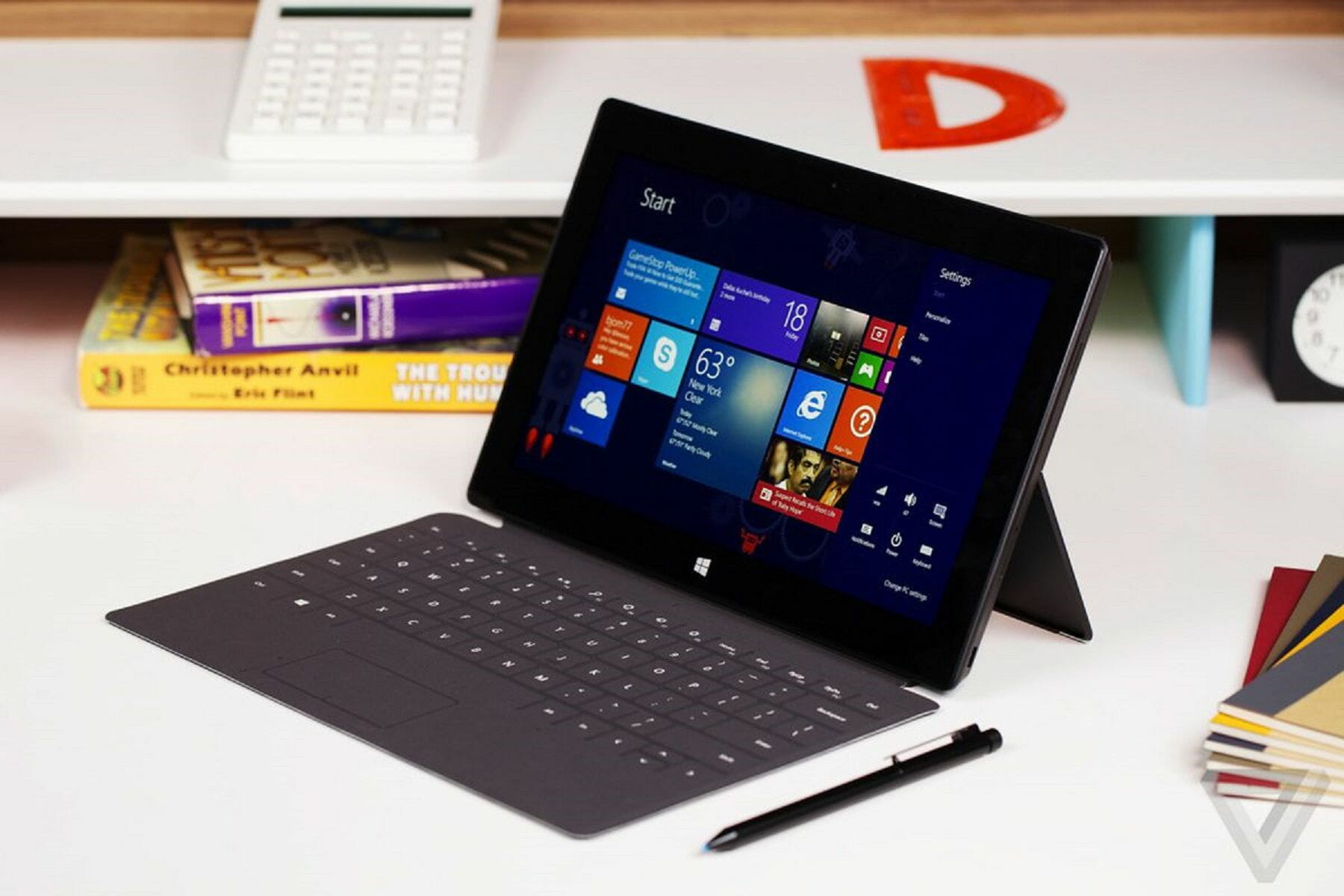
Microsoft managed to release great handsets that can mix a regular tablet with a high-end desktop, all in one powerful and good-looking Windows-powered device.

But in order to take full advantage of the latest Surface Pro 2 gadget, you should use compatible accessories.

By using these official accessories you will be able to personalize your Windows device as much as you like.

The best accessories for Surface Pro 2 include:

  • wireless adaptors
  • covers
  • Surface edition mouse
  • screen protectors
  • cases
  • docking stations
  • micro SD cards
  • dedicated cables and a lot more

Thus, you can now have a complex and complete list of Surface Pro 2 accessories in one place, which means that this review is just for you.

What are the best accessories for Surface Pro 2?

Covers

The first thing to do when having a Windows-based device is to personalize the same.

When you first buy a new tablet or laptop it will feature the classic design which in most cases is actually quite boring.

So, if you want to offer a personal touch on your Surface Pro 2, you need to buy dedicated covers.

Microsoft Surface Pro Signature Type Cover- Cobalt Blue

  • Soft high-quality material
  • Ultra-slim, stylish design
  • LED backlighting
  • Fully compatible with Surface Pro devices
  • Pad connector is not corrosion-proof

The Microsoft Surface Pro Signature Type Cover is more than just a keyboard.

With LED backlighting for a colorful typing experience, this Alcantara constructed device provides a smooth, almost velvety tactile feel that instantly boosts your comfort.

It’s compatible with Surface Pro devices and perfectly blends with the Microsoft Surface Pen and Surface Mouse to complete your experience and add a stylish touch to your daily routine.

But the cover is more than just looks. Its ultra-slim design makes it seriously comfortable and its powerful features place it on top of our lists when it comes to the very best Surface Pro accessories.

Microsoft Surface Touch Cover 2

  • Full compatibility with Surface RT, Surface 2, Surface Pro, or Surface Pro 2
  • Silent mechanical keys
  • Lightweight and compact design
  • Spill-resistant dust-proof membrane
  • Does not support Surface Pro 3 and newer models

This cover is a classic one, though it represents the improved variant of the original Touch Cover provided by Microsoft.

Touch Cover 2 is featuring illuminated keys, though it is available only in black.

Type Cover 2

  • Fully compatible with Surface Pro devices
  • Silm and lightweight design
  • Resistant material
  • Wide variety of colors to choose from
  • The front case is a bit flimsy

If you want to personalize your Surface Pro 2 by adding a new flavor of colors, then Type Cover 2 is just what you need.

These covers are featuring a super-thin, lightweight design and can be smoothly used on your Windows RT device.

Limited Edition Touch Cover

  • Fully compatible with Surface devices
  • Lightweight, sleek design
  • Smart magnetic connection
  • Pressure-sensitive spill-resistant keyboard
  • The Surface device may need restarting for all keys to function

If you want to capitalize on your own design preferences, then you should try the Limited Edition Touch Cover.

These covers can be made based on your own desires so you can completely personalize your Surface Pro 2.

Cases

If you want to protect your Microsoft Surface 2 and at the same time use the device on different angles with ease, you need to buy compatible cases.

On that matter, you can choose several cases, though not all the available products are also recommended by experts.

So, relying on user experience and user results, here are the best cases available for your Surface Pro 2:

  • MoKo Case Fit Microsoft Surface Pro – this case provides the best tablet experience on the go, as the MoKo Case can be used in tight situations for ensuring that you can properly use your Windows tablet. The case can be ordered in different colors on Amazon.
  • Incipio HILSON Zipper Folio Case – If you need to use your Surface Pro at various angles, then this case will be just perfect for you. The case itself is made up of two cores that allow’ the Surface Pro kickstand to extend. Also, the case will protect your tablet, as it is a hard shell.

Docking Stations

When using a powerful Windows tablet, such as the Surface Pro 2, the best accessory to buy is, of course, a docking station.

The docking station is the best way in which you can upgrade the battery of your device, so we can say that this product is a must-have.

Microsoft Surface Dock 2

  • Multiple ports to attach all your peripherals
  • Kensington compatible security lock support
  • Dual 4K support
  • Extended power supply and a longer Connect cable
  • There is no built-in DisplayPort

Microsoft Surface Dock 2 is the link you were missing to bring all your entertainment and working tools together.

With numerous ports to meet each and every one of your needs (USB-C, USB-A, Ethernet, audio jack, and security support), you can attach all your peripherals and transform your Surface device into a fully operational working station.

It even supports dual 4K at 60Hz and the cable is extra long for more space. It’s practically more of everything in one single compact-looking device that does not take a lot of office space.

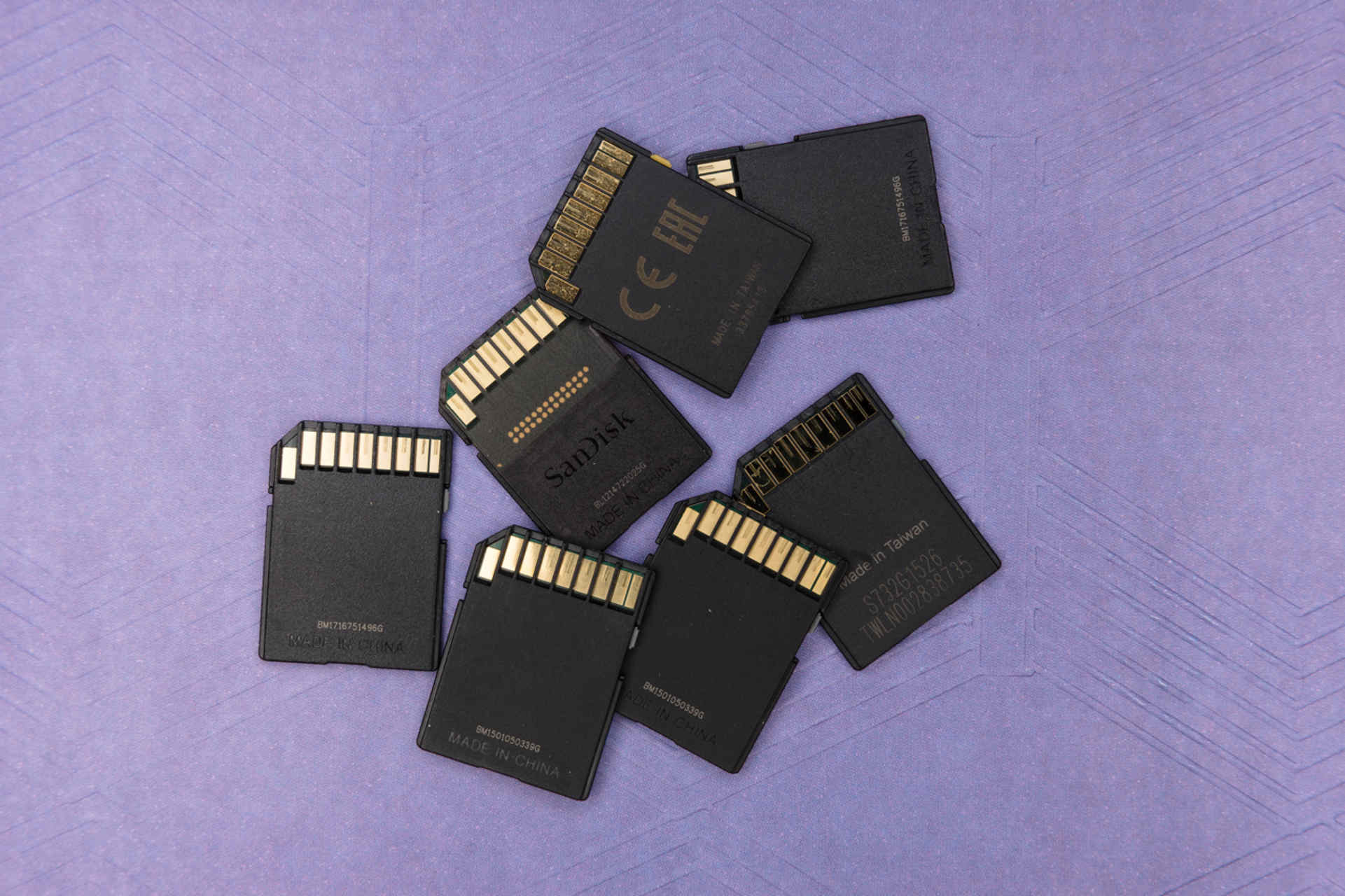
SD cards and Flash Drives

The Surface Pro 2 is being provided in two variants depending on the amount of internal storage memory you need: 32 or 64 GB.

Now, if you want to expand the storage capacity you can anytime buy and use a micro SD Card. The best deals you can choose for a micro SD card are:

  • SanDisk Ultra 64GB – this micro SD card is fast and offered on a great price on Amazon.
  • Patriot Supersonic Rage XT 64GB Flash Drive – in addition to a micro SD card you can use a flash drive in order to expand and port your memory capacity and data. This flash drive is also available on Amazon.

Any other micro SD card – you can buy any other SD card for your Surface Pro 2 either from Microsoft’s own store, or from any other place you want. Just make sure you choose the best price.

Pen and Mice

Surface-Pro-2-mouse

In order to use your Surface Pro 2 easily, you need to buy a dedicated mouse or a pen.

You can find various products and accessories on the web, while on Microsoft’s web store you can anytime buy the Wedge Touch Mouse, the Arc Touch Mouse or the Surface Pro Pen so choose what you need for your Windows RT tablet.

Cables and Adaptors

Surface-Pro-2-adaptors

If you want to connect your Surface Pro 2 with your TV, or with any other gadget, you need to buy new accessories. In that matter, you should start with cables and adaptors, such as:

  • Mini DisplayPort to VGA – this cable can be used if you want to connect your tablet with VGA compatible devices like projectors or monitors. The Surface Pro 2 accessory is available on Amazon
  • Mini DisplayPort to HD AV Adapter – this cable is similar with the up mentioned one only it uses HDMI connections. The price is also the same and you can also order this cable from Amazon.
  • Ethernet Adapter – if you want to connect your Surface Pro 2 to a wired network then you need to order this cable which will cost you the same amount of money as the already presented accessories from this category.
  • Wireless Adapter – if you don’t want to use a cable for connecting your Surface Pro 2 with various devices, then you can anytime use the Wireless Adapter offered by Microsoft. 

So, those are the best accessories to use on your Microsoft Surface Pro 2.

If you want to add something to the list from above, don’t be shy and point it all out by using the comments field below.

[wl_navigator]

5 Best Mini Vacuum Laptop Coolers To Buy

Are you an addicted gamer or heavy system user? Does your PC overheat after heavy usage? You might do yourself good by getting a vacuum cooler for your laptop. In this article, we’ll be showing you some of the best mini vacuum laptop coolers out there.

Overheating is one of the most notorious causes of system damage. However, by adapting the service of a vacuum laptop cooler, as a short term solution, one can reduce the operating temperature of their laptops, and mitigate the overheating effects.

There are numerous mini vacuum laptop coolers out there, with varying degrees of durability and reliability.

In light of this, we have compiled for you a list of five best mini vacuum laptop coolers, all of which are available on Amazon. Read on!

What are the best mini vacuum laptop coolers deals?

OPOLAR Laptop Fan Cooler with Temperature Display

  • Temperature display
  • Rapid Cooling
  • Auto-Temp Detection
  • 13 wind speeds (2600-5000 RPM)
  • Some owners complain about the noise

The Opolar Laptop Fan Cooler is an advanced laptop cooler that is equipped with a mini vacuum fan, which is basically designed to suck out heat from an overheating laptop. The cooler hosts a flexible design, and it can be used alongside a cooling pad.

Key features of this cooler include Automatic temperature detection, Rapid cooling, a temperature display, 13 wind speed, 2-way installation, 60 dBA (maximum noise level), and much more.


KLIM Cool + Metal Laptop Cooler Fan

  • The maximum rotation speed of 4500 RPM
  • The metal structure acts as a heat sink
  • Equipped with a Japanese motor
  • 4 sleeves to fit the air exhaust of most laptops
  • Very noisy

If you’re looking for a heavy-duty mini cooler for your laptop, KLIM Cool + Metal Laptop Cooler Fan can do a great job even extended sessions of gaming.

Its metal casing is acting as a heatsink so it will achieve even faster cooling than most similar coolers. The built-in Japanese motor spins the fan with a maximum of 4500 RPM, one of the highest speeds for any such coolers.

The Cool + comes packed with 4 suction cups of different sizes and shapes so that it will adapt to the air exhaust of most laptops. 


OImaster Laptop Cooler with Adjustable Stand

  • 3-speed adjustable
  • Powerful ball bearing turbine fan
  • Two adjustable stands
  • Non-slip rubber pad to eliminate vibration
  • Bulky design

The OImaster Laptop Cooler is equipped with a powerful ball bearing turbine fan to provide a powerful cross-flow for heat dissipation. However, unlike other coolers, it doesn’t block the laptop air exhaust so in case of any malfunction, it won’t endanger your portable.

Another plus for this cooler is the included double stand for smartphones or tablets so if they heat up during charging, it would be a good idea to use this clever gadget.

The fan has a speed of 2100-2900 RPM so it is slower than some other coolers but this one covered more space. It also has only 30 dB noise, so it’s a lot less loud than other products.


KLIM Zephyr +

  • Triple function small and powerful pocket fan
  • Crossflow turbine cooling
  • 3000 RPM
  • Doubles as a laptop stand
  • Difficult to use it vertically

KLIM Zephyr + is an all-purpose fan that can even be used for cooling your self in the summer. It has a double stand that can host tablets or smartphones but it can also act as a laptop stand and raise it at an angle.

This not only helps you with typing ergonomics but also cools the laptop faster by raising it off the table. The crossflow technology achieves a higher cooling factor while using a low fan RPM.

Because it doesn’t need to cover the air exhaust, it is compatible with any size and brand of laptop. 


Pccooler Laptop Vacuum Cooler

  • Laptop cooling fan with color changing breathing light
  • Rapid cooling for 12-17 Inch laptops
  • Wind speed power knob
  • Small and portable
  • Up to 3300 RPM
  • The power knob is too protuberant

Pccooler Laptop Vacuum Cooler is very small and easy to carry around and the manufacturer sais that its design was inspired by the powerful Ferrari cars.

It can cool laptops from 12 to 17 inches and it has a fan with a maximum 3300 RPM speed adjustable from a rotating knob.

It doesn’t show the temperature but it does show the heat levels by displaying colorful signal lights on its surface. It’s pretty cheap so you should at least try it.


Overheating is a notorious downside of most laptops. And irrespective of system specs and configuration, every laptop/notebook is exposed to this menace. This is especially common to heavy users, especially gamers, who spend hours nonstop on their PCs.

To curtail/mitigate the effects of system overheating, several laptop coolers have been developed, and quite a number of them are portably designed, for mobility and convenience of usage. In this article, we have outlined five of the most reliable ones (mini vacuum laptop coolers) for you.


[wl_navigator]

4 Best Digital Clocks For Visually Impaired [2026 Guide]

Digital clocks for visually impaired people distinguish themselves from regular clocks. The most important aspect is that these gadgets must display time big enough to read it from across the room.

But some modern digital clocks come with a ton of attractive features, such as talking functions, multiple alarms, adjustable volume and brightness, or customizable colors.

In this article, we handpicked the 5 best digital clocks that you can buy for visually impaired people from Amazon. Some are simple and affordable, while others are dedicated to tech-savvy users interested in exploring cool features.

Note: Deals are subject to change. Keep in mind that the price tag often varies. We recommend going on the vendor’s website to check the price. Some of the products may be out of stock by the time you’ve made your purchasing decision. So, hurry up and hit the buy button.


What are the best digital clocks for visually impaired people?

SHARP Digital Alarm Clock

  • Battery backup in case of a power outage
  • Easy-to-read illuminated red lights
  • High-speed USB charging port
  • Extremely simple to operate
  • High / Soft Alarmvolume
  • The clock might seem too light for some

Alarm clocks don’t need to be expensive acquisitions, and the SHARP Digital Alarm Clock is a great example of that.

This budget-friendly alarm clock has been designed with absolute simplicity in mind and is very easy to operate. This makes it ideal for adults, children, teens, seniors, and the elderly.

Speaking of the elderly, they won’t have a problem seeing the time on this clock, since the LCD screen is quite big, and the digits are displayed in bright red lights.


RCA Digital Alarm clock

  • Single alarm with alarm indicator
  • Night light with on/off switch
  • 0.7-inch green LED display
  • Full-width snooze button
  • Battery backup
  • Supports only the 12-hour format

The RCD20 model from RCA is a budget-friendly digital clock ideal for visually impaired people. It has a green LED display of 0.7 inches and a single alarm with an alarm indicator.

The gadget also integrates a night light with its own on/off switch. It gives out low-intensity light that illuminates dark rooms but doesn’t interrupt your sleep.


SVINZ Digital Clock

  • Shows the day of the week, day cycles, and date (month, day, year)
  • 3 independent alarms with adjustable volume
  • 8-inch glare-free HD screen (white or yellow)
  • Additional day information
  • 3 auto-dimming features
  • Battery backup
  • Some users reported inaccuracies about day cycles and time sync

The 8-inch display digital clock from SVINZ has great functions for visually impaired people, including 3 independent alarms and 2 color display options (white and yellow).

It shows additional day information and has 3 auto-dimming options to lower brightness in the evening, increase it at day time, and turn it off.


iGuerburn Talking Day Clock

  • Create a digital photo frame from USB devices or SD/MS/MMC cards
  • Customizable background and font colors: blue, red, white, black
  • 8-inch large display with touchscreen and adjustable brightness
  • Customizable day display + 8 separate alarms
  • Talking function with adjustable voice volume
  • The digital photo frames cannot show time

The iGuerburn Talking Day Clock is an excellent digital clock for tech-savvy visually impaired people. It has a large display of 8 inches and can be controlled via touchscreen.

Available in white and black, the clock displays the current time, day of the week, and date (month, day, year). Plus, it speaks this info out loud in a digital voice.


YISSVIC Digital Clock

  • Digital frame for photos, music, and videos using 32Gb USB sticks or SD cards
  • USB port to charge other devices, like your smartphone
  • 5 adjustment options for brightness and volume (each)
  • 9-inch backlit screen with 1024×600 high-resolution
  • Full day information, including day cycles
  • No snooze functions

This digital clock from YISSVIC can be placed on a flat surface or mounted on a wall. It has multiple features and can turn the clock into a digital frame for photos, music, and videos.

The screen is large, ensuring that you can check the time from 10 feet and from any angle. Remote control is included.


If you’re not a big fan of extra clock features, you can get away with a simple and budget-friendly digital clock that shows the time in large numbers.

But if you want to play with multiple alarms, digital photo frames, and others, you should take your time to explore all options and see which gadget is best suited for you. You can choose the best model from RCA, FiBiSonic, SVINZ, iGuerburn, or YISSVIC.


Here’s a list of the best Braille watches that you can get today.

  • Are there any e-book readers for the visually impaired?

Yes, there are. In fact, Kindle itself has a couple of models that cater to the visually impaired.

  • Can the visually impaired use a PC?

Yes, they can, all thanks to gadgets and peripherals that cater to their needs.

For example, here are some of the best keyboards for the visually impaired that you can use.

[wl_navigator]

5 Best Headsets with Noise Canceling Mic [Popular Picks]

Whether you are into competitive gaming, work from home that requires attending tons of calls every day, or run a call center, a good headset with noise-canceling microphone can help make things easier.

A noise-canceling microphone only picks up your voice and reduces background noise, offering crystal clear output and input. Apart from noise reduction, comfortability is another aspect that you should consider while looking for a headset.

In this article, we have listed the best headsets with a noise-canceling microphone to ensure that you and your employees can focus more on the work than adjust the microphones.

Note: Deals are subject to change. Keep in mind that the price tag often varies. We recommend going on the vendor’s website to check the price. Some of the products may be out of stock by the time you’ve made your purchasing decision. So, hurry up and hit the buy button.

What are the top deals on headsets with noise-canceling mic?

Sennheiser SC 165

  • HD Stereo Sound
  • Noise-canceling technology
  • Easy connect using a 3.5 mm jack or USB
  • Sleek design
  • Can be considered expensive

If you are looking for a more premium option for personal use, the Sennheiser SC 165 is one of the best headsets with a noise-canceling microphone.

Sennheiser SC 165 also features dual USB and 3.5mm audio connectivity which allows you to use the headset with both PC as well as your smartphone. It offers a more natural-sounding stereo sound without much distortion.

Sennheiser MB Pro 2 UC ML

  • Premium headset with ultra-noise canceling microphone
  • Dual wireless Bluetooth connectivity
  • Works with all the major UC platforms
  • Neodymium speakers
  • Can’t use and charge the headset simultaneously

The Sennheiser MB Pro 2 UC ML is a premium headset made for professionals who are looking for a consistently hands-free communication solution that works with all the major UC platforms, including Avaya, IBC, etc.

Sennheiser MB Pro 2 comes with dual Bluetooth connectivity to switch between two connected devices. The wireless connectivity means you can use the headset at your comfort without having to manage the cables.

And the ultra-noise canceling technology filters out all the unwanted background noise to offer crystal clear input.


Mpow 071

  • Budget headset for all-day use
  • Wideband audio and noise-canceling microphone
  • 3.5 mm and USB audio input
  • Comes in multiple colors
  • Some complaints about static noise

Mpow 071 is an excellent value for money headset. With dual – USB and 3.5 audio input, this headset offers a microphone with noise cancellation feature to reduce the background noise and pick up your voice only.

Mpow 071 comes in multiple colors. As discussed it comes with a noise reduction sound card and offers easy access control. There is an inline volume switch and mic/speaker mute function for taking short breaks.


Logitech H800

  • Wireless headset with noise cancellation microphone
  • Noise cancellation
  • Comfortable and HD sound output
  • 40 ft Bluetooth range
  • Short battery life

Logitech H800 is a wireless Bluetooth headset that can be used as a headset as well as a headphone to listen to your favorite tracks.

Logitech H800 offers up to 40ft Bluetooth range complemented by 6 hours of battery life. The package also includes a USB cable to charge the headset. And the built-in microphone with noise cancellation makes sure your clients hear what you say and nothing else.


Sennheiser Enterprise Solution SD Pro 2 ML

  • Premium wireless headset with ultra-noise canceling microphone
  • Dual connectivity options
  • ActiveGard feature for hearing protection
  • Up to 4 headsets can be paired to a single DECT base station for a call
  • The mute function needs improvement

The Sennheiser SD Pro 2 offers enhanced flexibility. It is a premium headset designed for business professionals who spend hours every day on their desk phone or softphone.

It also comes with a dual connectivity option that allows you to switch from desk phone to PC without using additional adapters.

Sennheiser SD Pro 2 has a built-in microphone with ultra-noise canceling technology. The DECT base station can be paired with 4 devices simultaneously.

Other features offered by the headset include ActiveGard technology that detects and neutralizes any excessive loud noise before reaching your ears.


Having a comfortable pair of headsets with a noise-canceling microphone can help the professionals who work from home and don’t want their clients to be disturbed by the background noise.

All the headsets listed in this article offer excellent sound quality, noise-canceling features, as well as dual input options so that you can attend the conference calls without any distraction.

5 Best Paper Shredders With Auto-Feed

We’re used to talk a lot about identity theft as a result of our digital interactions, but you should think big. Victims of identity theft aren’t only of digital nature, but dumpster diving is still in full force.

This isn’t a picture that you want to keep in mind for too long, right? So, make sure to take advantage of some of the best paper shredders of the moment.

Paper shredders with auto feed are meant for professional workplaces, but also for home offices. You just need to fill the tray with documents and the shredder does the shredding for you. Rest assured that some automatic shredders also have a manual feeding option when necessary.

That’s why for this post, we’re inviting you to take a look at these models to see which ones meet the needs of your organization.

Note: Deals are subject to change. Keep in mind that the price tag often varies. We recommend going on the vendor’s website to check the price. Some of the products may be out of stock by the time you’ve made your purchasing decision. So, hurry up and hit the buy button.

Top deals on paper shredders with auto feed

AmazonBasics auto-feed micro-cut paper shredder

  • If the shredder runs continuously beyond the max run time, it will automatically shut off
  • Shreds up to 150 sheets and up to 10 sheets of 20-pound bond paper at a time
  • Shreds 6X smaller than standard cross-cut shredders
  • Micro-cut shred size
  • User-friendly design
  • Has a narrow throat

If heavy-duty paper shredding is what you need, you don’t need to break the budget with a brand product, as AmazonBasics products will do just as fine.

It can shred up to 150 sheets at a time, or even 10 sheets of 20-pound paper and the shreds are 6 times smaller than that of regular shredders.

More so, you don’t have to worry about its life expectancy, since it turns off automatically when it reaches its maximum continuous run time, thus preventing the motor from overheating.


Automax 100M

  • Sleep Mode steps in after 2 minutes of inactivity to save extra energy
  • Auto Reverse stops and reverses paper if a jam occurs
  • Demands little power
  • Very easy to operate
  • Relatively quiet
  • Not built for speed

Automax shredders are recognized for their quality and reliability, so why not buying one of their affordable models?

The Automax 100M shreds up to no more than 100 sheets automatically or 10 sheets manually, yet it compensates with Micro-cut P-4 security level and a 6 gallon pull out bin that eliminates the need for frequent emptying.


GBC Auto Feed

  • Small shred size for good security
  • Runs consecutively for 10 minutes
  • Includes a 7-gallon pull-out waste bin with bin full indicator
  • Limited overall 2-year warranty, along with a 7-year warranty on the cutters
  • Easily jams up

This is a bit more expensive than the previous option, but it is far more capable as well. If you like the idea to stack, shut and shred, then keep in mind that this GBC model shreds up to 130 sheets with auto feed, or 6 at a time manually.

In fact, all these make it a reliable choice for a small or home office and even a personal shredder:


Fellowes 4656201 AutoMax 200M

  • The spacious 8.5-gallon pull-out bin
  • Multiple shredding controls
  • Shreds paper very fast
  • Modern design
  • Engine noise continues even after complete shredding

Can automatically shred a paper stack of up to 200 pages, including documents with staples. You’ll love to hear that it shreds documents into illegible micro-cut particles that are 10x smaller than cross-cut particles.

On the upper-front edge of the shredder, you can find three buttons: a back arrow for reverse, a forward arrow dedicated to forward, and the On button for automatic shredding.

The four icons on the top-left edge are for overheating, a paper jam, a full bin, or an open bin.


GBC SmarTech

  • 300-sheet auto-feed tray plus manual slot – 8 sheets at a time manually
  • Large, 11-gallon pull-out waste bin
  • Hands-free operation
  • P-4 Level Security
  • Ultra-quiet
  • Difficult to fit full capacity of sheets in the feeder

Instead of being in the awful situation of inserting documents into a feed slot by hand, you can open the shredder’s lid, place the stack of up to 300 documents, close the lid, and let the shredder do its magic.

Performance doesn’t come cheap, yet intelligent features like Self-Cleaning Cutters, Power Save, and Auto+ Jam Clearance make paper shredding a conveniently effortless practice.


Despite our greatest efforts, we still leave a paper trail that can turn us into huge targets over night. Old-school thieves rummaging through recycling bins have no chance against these paper shredders with auto feed.

Just don’t postpone your choice for too long!


Here’s a list of the best home paper shredders that you can buy.

  • Why should I use a paper shredder?

Besides protecting confidentiality by destroying documents, paper shredders make the paper much easier to compost.

In fact, here are the best paper shredders that can be used for composting.

  • Do small offices use paper shredders?

Yes, small offices that also work with confidential documents can definitely use a paper shredder.

Here are the best paper shredders that you can buy for your office.

[wl_navigator]

5 Best Stereo Receiver For Outdoor Speakers [2026 Guide]

Whether you are planning a great afternoon hangout with your friends in your backyard, with great food and music, or simply want some me time, a good stereo system for your outdoor speakers can add to the experience.

There are plenty of great receivers with Wi-Fi, Bluetooth, and other great features, especially for outdoor speakers. However, choosing from so many options can be an overwhelming experience.

In this article, we have listed the best stereos for outdoor speakers that offer excellent performance, design, and other features that you expect from your stereo receiver.

Note: Deals are subject to change. Keep in mind that the price tag often varies. We recommend going on the vendor’s website to check the price. Some of the products may be out of stock by the time you’ve made your purchasing decision. So, hurry up and hit the buy button.

What are the top deals on stereo receivers for outdoor speakers?

Fosi Audio BT20A

  • Cost-effective branded stereo receiver with 2x RMS 100 Watt amplifiers
  • It comes with an advanced circuitry design, built-in speaker protection circuit that is made for indoor and outdoor speakers.
  • Bluetooth 4.2 with 50 ft range
  • A couple of design flaws that do not affect the functionality

Fosi Audio BT20A is another compact-sized mini D-class power amplifier with bass and treble control to enhance your songs at the touch of a button. It also comes with Hi-Fi Bluetooth stereo amplifiers offering noiseless Hi-Fi sound.

The Bluetooth 4.2 core comes with a 50ft range and guarantees low signal delay. Fosi Audio BT20A comes with 100 Watt RMS amplifiers for passive speakers.


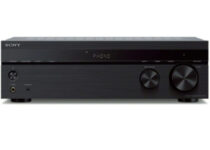
Sony STRDH190

  • Premium 2 channel stereo receiver for outdoor speakers
  • 4 analog audio input and one output to connect traditional audio components
  • Bluetooth connectivity for wireless audio streaming
  • Bluetooth Standby feature
  • Premium design
  • FM tuner takes some time to scan

Breath a new life into your record collection and bring together your digital music with the Sony STRDH190. It is a 2-channel stereo receiver with Bluetooth, turntable input and FM Radio.

Sony STRDH190 allows you to stream from your digital music collection using any Bluetooth enabled device. And the Bluetooth Standby mode allows you to turn your receiver on using your paired smartphone.


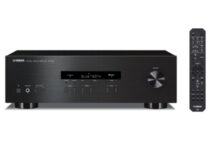
Yamaha R-S202BL

  • Premium 2 channel stereo receiver
  • Bluetooth connectivity
  • Advanced circuitry design to offer better protection for your electronic
  • 40 station FM/AM preset tuning
  • Bluetooth quality is not the best

Yamaha is always known for its excellent quality and the Yamaha R-S202BL is no different. With the receiver, Yamaha has offered its 125 years of musical heritage that reproduces music as it would be experienced live.

Yamaha R-S202BL comes with Bluetooth streaming to connect your smartphone and play music wirelessly. It also comes with 40 station presets and a sleek design with a brushed aluminum finish.


Amphony 300

  • Super compact stereo receiver for outdoor speakers for a reasonable price
  • Bluetooth connectivity to stream music to your speakers wirelessly
  • Comes with 2×40 Watt power amplifier
  • linear frequency response and ultra-low distortion
  • Poor range from the included antenna

If you are looking for a compact stereo receiver that supports Bluetooth connectivity for wireless media streaming, then Amphony 300 is what you need.

Amphony 300 can turn any speakers into wireless Bluetooth speakers. It is a powerful receiver that incorporates a 2×40 Watt power amplifier. You can also extend the range by replacing the external antenna.


KEiiD Bluetooth 5.0 Stereo Digital Amplifier

  • Affordable price
  • Bluetooth 5.0
  • 2x RMS 40 Watt amplifiers for home audio
  • Compact size and lightweight
  • The FM tuner is not the best

KEiiD stereo receiver is perfect for outdoor audio entertainment with the latest design and compact size. It comes with some advanced features such as 30-180 minute Sleep Timer, 5 level protection to keep your external devices safer and adjustable L/R balance & 6-EQ options.

The built-in Bluetooth 5.0 technology offers stable and a lossless connection for up to 65ft distance. External Bluetooth antenna can be replaced to extend the range.  There are 2 RMS 40 Watt home audio amplifiers made for HiFi music purpose and home audio.


So, these are the best stereo receivers for outdoor speakers that you can buy today. Make sure you read the description and go through the specification list by clicking the link before making a purchase.

For any additions or suggestions, leave us a comment in the section below.

[wl_navigator]

3 Best VR Cable Management Systems [2026 Guide]

VR is becoming incredibly popular, and with lots of games, apps, and devices on the market, more and more people have VR headsets in their homes. But this also means a lot more cables from and to the headset, and for many, that’s a big problem.

If you want to manage your cables properly, today we’ll show you the best VR cable management systems that you can get. Check them all out and choose the one that best fits your budget and needs.

Note: Deals are subject to change. Keep in mind that the price tag often varies. We recommend going on the vendor’s website to check the price. Some of the products may be out of stock by the time you’ve made your purchasing decision. So, hurry up and hit the buy button.

What are the top VR cable management deals to get?

KIWI design VR Cable Managemen

  • Comes with retractable adjustable pulleys
  • 360-degree retractable design
  • Adhesive plates for easy setup
  • Ceiling screw hooks, drywall studs
  • Pulleys might feel too strong to some users

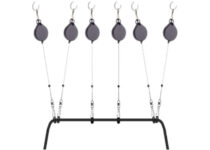
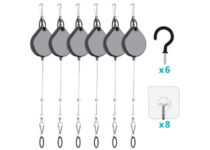
This system uses hooks and adhesive plates in order to hold your cables. There are retractable pulleys that can be adjusted and they are designed to rebound automatically, thus keeping cables out of the way.

We also have to mention that this system has a 360-degree retractable design, so you won’t ever have to worry about your cables getting stuck.

VeeR VR Cable Management

  • Compatible with all VR headsets
  • Adhesive hooks
  • Screw hooks and screw caps for popcorn ceilings
  • 60-inch retractable wire on each hook
  • No adjustable tension on the pulleys
  • Wire tension might be too weak for some users

This VR cable management system comes with adhesive hooks that can be easily attached to your ceiling. Each hook has a 60-inch retractable wire that will rebound automatically, so you should be able to move freely and easily.

If needed, there are also screw hooks and screw caps for popcorn ceilings.


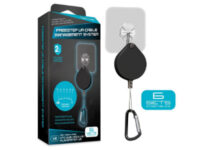
Hyperkin FreeStep VR Cable Management System

  • 6 adhesive ceiling hooks
  • Retractable pulleys with carabiner clips
  • 4 feet long wire on each pulley
  • Compatible with all VR headsets
  • Pulleys aren’t strong enough to retract the cable

This cable management system comes with 6 adhesive ceiling hooks. It’s worth mentioning that each pulley has a 4 feet long retractable wire as well as a carabiner clip that will hold your cables.

Regarding compatibility, this VR cable management system works with HTC Vive, Oculus Rift, PS VR, and other VR headsets.


If you’re using VR, it’s important to have a good VR cable management system in order to ensure that your cables are out of the way during gaming sessions.

We showed you some of the best cable management systems for VR, and we hope that you’ll find the right model for you.

If you have any suggestions or additions, feel free to use our comments section below.

Posted in VRTagged

Receiver for Ceiling Speakers: Best of 2026

If you have a home theater, you need a good AV receiver for it. There’s a wide array of AV receivers on the market, and in today’s article, we’ll show you the best AV receiver for ceiling speakers.

So, there are multiple types of home speakers that don’t require power and it only works with a receiver. People that use this type of ceiling or wall speaker need to also get a powerful receiver to connect it.

For that reason, we researched and analyzed the following AV receiver for different brands of ceiling speakers. Thus, go ahead and find the most suitable one.

Note icon NOTE
Deals are subject to change. Keep in mind that the price tag often varies. We recommend going to the vendor’s website to check the price. Some of the products may be out of stock by the time you’ve made your purchasing decision. 

Which are the best AV receivers for ceiling speakers?

Denon AVR-X3600H

  • Powerful 9-channel amplifier with advanced home cinema specs
  • Features advanced video processing with 4K upscaling
  • 105 watts per channel deliver high power performance
  • IMAX Enhanced technology
  • Multi-dimensional audio
  • May have audio signal issues at times

If you want to build your very own home cinema and love the good image and sound quality, then there’s no way you can go wrong with the Denon AVR-X3600H.

It features 4K Ultra HD video, 4:4:4 Pure Color sub-sampling, Dolby Vision, HDR10, HLG, eARC, 3D, and Bluetooth 2020.

Besides, even your source material will look better thanks to the IMAX technology that delivers better home theater imaging, superior sound, and clearer pictures.


Sony STRDH590

  • S-Force Pro virtual surround sound
  • HDCP 2.2 and Bluetooth
  • 4K HDR pass-through
  • 2 channel sound
  • Requires a TV with HDCP 2.2 support

This AV receiver has an auto-calibration feature that will analyze and adjust the audio and deliver the perfect sound in your room. This is a 5.2 channel receiver and it allows you to enjoy in 4K video thanks to the 4K HDR pass-through feature.

There’s also an S-Force PRO feature that creates a virtual surround sound experience using only two speakers. Additional features include HDCP 2.2 compatibility and Bluetooth connectivity that lets you play music right from your phone.


Onkyo TX-RZ830

  • Support for 4K/60 Hz, HDR10, HLG, Dolby Vision, and HDCP 2.2 pass-through
  • 180W per channel
  • THX Certified
  • Minor issues with HDMI pass-through

This AV receiver comes with support for Dolby Atmos and DTS:S and it offers support for 5.2.4 or 7.2.2 speaker layouts. The receiver is THX Certified and it offers Dynamic Audio Amplification.

The list of supported features includes 4K/60 Hz, HDR10, HLG, Dolby Vision, and HDCP 2.2. There’s are also 5GHz/2.5GHz Wi-Fi and Bluetooth available for wireless connectivity. The device has Chromecast built-in and it also works with Google Assistant.


Sony STR-DH790

  • 4K support thanks to the HDCP 2.2 standard
  • Virtual surround with S-Force Pro
  • 2-channel sound
  • Bluetooth
  • The navigation menu could be better

This AV receiver supports 7.2ch sound as well as Dolby Atmos and DTS:X. Virtual surround with S-Force Pro feature is also available if you’re using only two speakers.

Advanced D.C.A.C. feature is present and it will optimize the sound according to your room’s acoustics.

It’s worth mentioning that this receiver supports 4K quality thanks to the HDCP 2.2 standard. Bluetooth is also available, allowing you to play music directly from your phone.


Yamaha RX-V683BL

  • Dolby Atmos and DTS:X support
  • Multiroom wireless audio
  • 2-channel AV receiver
  • HDCP 2.2 standard
  • Bluetooth, Wi-Fi
  • Issues with Musiccast app and Echo

Yamaha RX-V683BL is a 7.2-channel AV receiver and it supports both Dolby Atmos and DTS:X. The receiver supports multiroom wireless audio thanks to the MusicCast feature.

Bluetooth playback is also available allowing you to play music from your phone or tablet. It’s worth mentioning that Wi-Fi is also available, so you can stream content seamlessly.

Of course, 4K 60Hz playback is available thanks to the HDCP 2.2 standard.


These are some of the best AV receivers that you can find on the market, so feel free to consider all entries from this list for your home theater setup.


If you’re interested in the latter, here’s a list of the best Bluetooth AV receivers.

  • Do AV receivers only work with certain speakers?

Theoretically, all AV receivers should work with all speakers, but some are more compatible than others.

For example, here are the best AV receivers for Klipsch speakers.

  • Can I control my AV receiver without a remote?

Yes, you can. Many AV receivers work, for example, via voice control with Amazon’s Alexa.

Best 5 AIO Printers For Small Businesses [Buying Guide]

Regardless of the business venture, all offices will need a printer sooner or later, since paperwork is inevitable. However, not all printers are great for offices, so choosing a good model may be a bit difficult.

Additionally, office space may be limited and if you get an AIO printer so that you won’t need other machinery such as fax machines, it is even better.

Thus, we’ve decided to compile a list of what we think are the best All-in-One printers that are good for small businesses.

Note: Deals are subject to change. Keep in mind that the price tag often varies. We recommend going on the vendor’s website to check the price. Some of the products may be out of stock by the time you’ve made your purchasing decision. So, hurry up and hit the buy button.

What are the best AIO printers for small business that I can buy?

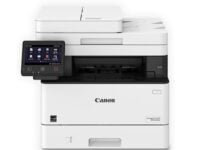
Canon Imageclass MF445dw

  • Save 10% on all ink reorders with Dash Replenishment.
  • 900-Sheet maximum paper capacity
  • Print up to 40 ppm
  • Print up to 8-1/2-inches X 14 inches
  • 3-year limited warranty
  • Can be a bit complicated to use

Designed for small and medium-sized businesses, the Canon Imageclass MF445dw model showcases the perfect balance between speed, performance, and minimal maintenance, along with the ability to add an extra paper tray.

A 5″ Color touchscreen delivers an intuitive user experience and can be customized by a device administrator to help simplify many daily tasks.

Additionally, you can use it wirelessly or via Alexa, so you don’t have to go to it per-say whenever you have a task to be done.


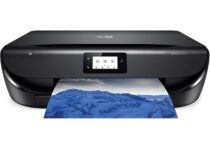
HP ENVY 5055

  • Print, scan and copy borderless, high-quality photos and documents with crisp, sharp text
  • Easily set up your wireless printer, scan documents with your camera, and print from social media or the cloud
  • The reliable dual-band Wi-Fi and Bluetooth Smart deliver a stable connection for steady performance
  • You get ink automatically ordered by your wireless printer and delivered to your door
  • Some software issues

Owning a small business means printing documents again and again, and if you want them in high-quality, then you need a printer like the HP ENVY 5055.

Additionally, since you’ll be using it a lot, the printing ink will run out pretty soon. That is why it comes with an optional automatic ink ordering service once it runs out of a particular color.


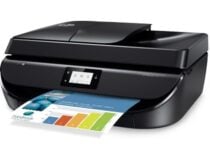
HP OfficeJet 5255

  • Your printer measures ink levels and places smart reorder when you are running low
  • Print, scan, copy and fax efficiently with a 35-page auto-document feeder
  • The HP Smart app allows you to easily set up your wireless printer
  • Get a stable, reliable wireless connection with dual-band Wi-Fi
  • Has automatic two-sided printing, and a touchscreen
  • Doesn’t come with detailed instructions

If you like to know the power of holding technology in your hands, then you need to get an HP OfficeJet 5255 for your office environment.

It comes with an HP Smart app that allows you to easily set up your wireless printer, scan documents with your camera, and print from social media or the cloud, such as iCloud, Google Drive, and Dropbox.

Best AIO business printer

Of course, small businesses aren’t the only ones that need printers. In fact, businesses need them in general, and the bigger the company, the more printers it will need.

That’s precisely why we’ve included a few entries on our list that are great for bigger companies as well.

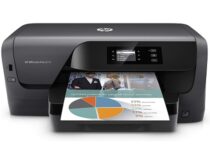
HP OfficeJet Pro 8210

  • The HP Smart app allows you to set up your HP wireless printer, scan documents with your camera, and print from your smartphone
  • Save up to 50% with HP Instant Ink or Save 10% on all reorders with Amazon Dash replenishment
  • Delivers exceptional productivity for your small business
  • Built-in Wi-Fi Direct for easy mobile printing
  • Up to 50% less cost per page than lasers
  • May have issues with the Mac OS

Printers for small businesses need to emphasize low costs of use and maintenance, and the ability to be controlled wirelessly, and these are all things that you can do with the HP OfficeJet Pro 8210.

The printer comes with an app that allows you to control the printer from anywhere, straight from your smartphone.

Additionally, the printer is designed to save you up to 50% more on printing costs as opposed to regular laser printers, saving you a  fortune in the long run.


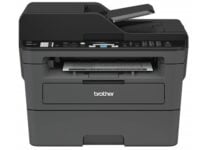
Brother MFCL2710DW

  • Connect via Ethernet interface to share with multiple users on your network, or connect locally via USB interface
  • Easily send print jobs wirelessly from your desktop, laptop, smartphone, or tablet
  • Save money and time with the 50 sheets automatic document feeder
  • Print speeds of up to 30 pages per minute, at less than 50dB
  • A 250 sheet tray means less fill-up time
  • Connectivity issues

Some Offices only need black and white printing to save up money, and that’s where dedicated monochrome printers come in handy.

One good example is the Brother MFCL2710DW, and it brings all the tools of a large printer into a smaller, more compact frame.

The manual feed slot offers flexible paper handling for a variety of materials and sizes, such as card stock or envelopes, to help you create professional-looking documents.


Every office needs a printer because every office deals with papers and documents all the time. It doesn’t matter if you need to print texts, scan pictures, send files, or anything else of the sort, a printer is absolutely necessary.

Additionally, if you can get yourself on an AIO printer to save some space, it’s even better.

Bottom line is that when you decide to buy a good printer for your office, go for quality because having a broken printer while waiting for maintenance can be a real pain.


For an expanded list of similar tools, check out the best software tools for Canon printers.

[wl_navigator]

5 Best Thermal Pastes For Threadripper

The AMD Threadripper is part of the latest generation of gaming CPUs from AMD, the AMD Ryzen.

As you can imagine, being a heavy-duty gaming CPU means that it already comes with high-frequency rates, and those that will be using Threadripper will probably overclock it anyway.

As such, you’ll need some really serious thermal paste if you don’t want your PC to act as a room heater during the summer.

That’s precisely why we’ve compiled a list of what we think are the best thermal pastes that you should use for the AMD Threadripper.

Note: Deals are subject to change. Keep in mind that the price tag often varies. We recommend going on the vendor’s website to check the price. Some of the products may be out of stock by the time you’ve made your purchasing decision. So, hurry up and hit the buy button.

What is the best thermal paste for AMD Threadripper?

ARCTIC MX-4

  • Comes in quantities between 2 and 45g
  • Composed of carbon micro-particles which lead to an extremely high thermal conductivity
  • No risks of causing short circuits
  • Lasts for 8 years
  • May be a bit harder to apply since it is very liquid

The ARCTIC MX-4 is a revolutionary product in terms of composition since unlike most other thermal pastes, this one is not made from a liquid metal composite.

The compound is composed of carbon micro-particles which lead to an extremely high thermal conductivity that guarantees that heat generated from the CPU or GPU is dissipated quickly and efficiently.


Thermal Grizzly Kryonaut

  • Convenient 1.0-gram syringe
  • Delivers optimal heat transfer for larger-scale cooling systems, including water-cooled systems
  • Designed with extremely demanding applications
  • A popular choice for overclockers and extreme gamers
  • Thermal conductivity 12.5 W/mk
  • Can be a bit difficult to apply and spread

The Thermal Grizzly Kryonaut is a go-to thermal paste for those that love to have powerful PC systems and frequently overclock them anyway.

It comes with a spatula for easier application, and it will manage to decrease the average working temperature by quite a lot.


Noctua NT-H1

  • Renowned premium-grade thermal compound for optimal heat-transfer
  • High-end thermal compound to reduce temperatures on PC applications and electronics
  • Trusted Noctua quality with excellent long-term stability
  • 3.5 g pack for around 3-20 applications
  • Not electrically conductive and non-corroding thermal grease
  • The label is misleading in terms of how many applications come in a tube

If you’re looking for a thermal paste that is trusted by thousands, then the Noctua NT-H1 is the product for you. It manages to efficiently dissipate the heat from both CPUs and GPUs with great effects.

Additionally, despite being metallic it doesn’t conduct electricity and doesn’t corrode your PC components, so you don’t have to worry about the long-term side effects of using it.


Cooler Master HTK-002-U1

  • High Thermal Conductivity
  • Low Thermal Resistance
  • Non-Curing
  • Non-Corrosive
  • Easy Application with Included Razor Blade
  • The occasional quality control issues

If you’re looking for an average thermal paste for everyday use, then the Cooler Master HTK-002-U1 is what you need. While it does get the job done like any other thermal paste, it doesn’t come with anything special.

It does come with an application blade so using and spreading the compound isn’t all that hard, and it also doesn’t corrode your computer component despite being metallic in nature.


Thermal Grizzly Hydronaut

  • Convenient 7.8-gram syringe, making this thermal paste very easy to apply
  • Delivers optimal heat transfer for larger-scale cooling systems, including water-cooled systems
  • Silicon free: Lightweight, flexible and very easy to apply
  • A popular choice for overclockers and extreme gamers
  • Thermal conductivity 11.8 W/mk
  • Some users reported that the temperature changes are way too low

Yet another Thermal Grizzly cooling paste, the Thermal Grizzly Hydronaut is a great choice for avid gamers and those that overclock their systems frequently.

The tube shape makes it very easy to apply, the compound is metallic and dissipates heat in an efficient manner, but it does it without conducting electricity or corroding your PC’s insides.


AMD CPUs are notorious for heating up very well, and since gamers will probably be using them at full capacity, and even overclocking them frequently, it should come as no surprise that they will need a good thermal paste.

Not only will this ensure that your PC doesn’t get damaged over time, but it also means that the lower temperature will translate into better performance during intense moments.

Posted in CPU

Best Mechanical Keyboards for Windows 10: Ranked by UX

Your keyboard is one of the most important input devices that you use on everyday basis. Standard keyboards use a switch-dome technology to register keystrokes, and over time certain keys can stop working.

If you want a more durable solution that offers tactile and auditory feedback whenever you press a key, you might want to consider getting a mechanical keyboard. There are many high-quality mechanical keyboards on the market, and today we’re going to help you pick the best mechanical keyboard for your Windows 10 PC.

What are some of the best mechanical keyboards for Windows 10?

Redragon K552 Mechanical Gaming Keyboard

  • 87 TKL anti-ghosting keys with 12 multimedia keys
  • Ergonomic, anti-splash, non-slip design
  • Rainbow LED RGB backlighting with 6 colors and multiple brightness levels
  • High-speed corrosion free USB port
  • Keys' surface could be more generous

If you’re a gaming aficionado, there is no better tool to complete your perfect immersive experience than a quick, yet silent mechanical keyboard and the Redragon K552 model might just be that trusted companion you were looking for.

Equipped with dust-proof Cherry MX switches, this keyboard gives a smooth tactile feel and is quick to follow your lead in silence.

The Rainbow LED RGB backlighting adds a nice touch and you get to experience true comfort during the most intense gaming sessions thanks to its ergonomic, splash-resistant design.

All 87 keys are geared with anti-ghosting TKL technology and you even have 12 multimedia keys to get as much of your keyboard as physically possible.

Of course, you needn’t worry about special treatment as these high-speed precision keys are perfectly adapted to last and last thanks to the durable metal-abs.

Logitech G613 Lightspeed Wireless Mechanical Gaming Keyboard

  • Romer-G mechanical switches
  • Programmable G keys with macros support
  • Customizable key profiles
  • Multihost 2 4GHz connectivity
  • Bluetooth connection is a little slow

This mechanical keyboard is sturdy and built to accompany you for a long time.

Thanks to its special Romer-G mechanical switches you will enjoy a precise and silent typing experience with fewer accidental keystrokes.

Connectivity is also privileged as the keyboard is multi-host and supports Bluetooth technology allowing you to connect multiple devices simultaneously.

What’s more, you can even program macro sequences and customized commands thanks to the programmable G keys – what’s there not to like?

Velocifire VM01 Mechanical Keyboard

  • Mechanical Brown switches for fast and silent typing
  • Green LED backlighting with 5 modes to choose from
  • Anti-ghosting technology
  • 12 multimedia function keys
  • Keycaps' size could be larger

Equipped with Mechanical Brown Switches, this ergonomic keyboard provides the best typing experience. It’s fast, quiet, and built to fit perfectly in your hands to prevent fatigue.

Its LED backlighting enhances your gaming experience and you can choose from 5 different lighting modes with adjustable breathing speeds.
And if you’re not a fan, you can switch it off completely.

All 104 keys are equipped with anti-ghosting technology and you also have 12 multimedia function keys for repetitive tasks.

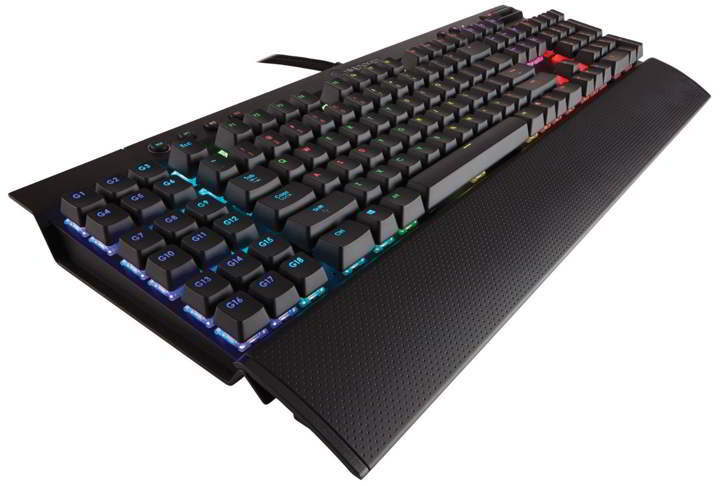
Corsair K95 RGB

This keyboard comes with Cherry MX Red key switches thus delivering the linear key response and wide actuation zone.

The keys don’t have an audible click so they aren’t noisy. The keyboard has an aircraft-grade black anodized brushed aluminum finish and it looks amazing.

In addition to its great design, Corsair K95 RGB is also lightweight and durable.

The keyboard has 18 G-keys and you can assign up to 108 macros. We should also mention that this keyboard is 100% anti-ghosting, so each key you press will be registered.

The keyboard comes with a soft-touch wrist rest, but you can remove it if you want. If you want to assign additional macros, you can assign them to any key on the keyboard thanks to the included software.

It also has a Panasonic display controller so you easily control the lighting. Corsair K95 RGB also has onboard memory, and you can save your settings and use them on a different keyboard if you want.

Just like many other keyboards, this one comes with multimedia controls so you can easily control the playback.

Corsair K95 RGB comes with CUE software that allows you to assign a unique backlight color to individual keys. You can change the backlight of any key on the keyboard and you can save multiple backlight color profiles.

If you want, you can set the color to cycle automatically, and you can even choose the color cycle for individual keys. You can also configure the velocity, direction, and duration of the color cycle.

The keyboard also supports reactive typing, and you can set the color to change whenever you press a specific key.

⇒ Check price on Amazon

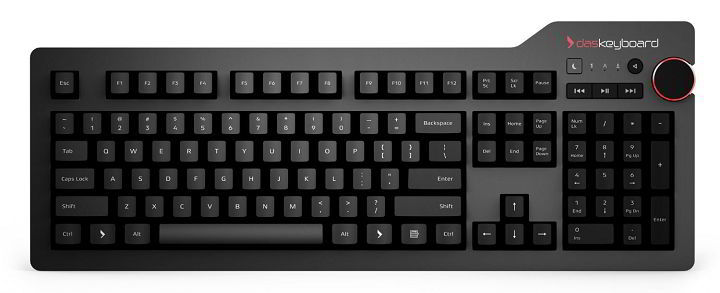
Das Keyboard 4 Professional

Das Keyboard 4 Professional comes with a sleek design and there are two models available.

Both models offer the same features, and the only difference is the type of switches. Depending on your preference, you can choose between Cherry MX Brown or Cherry MX Blue switches.

In addition, key switches come with gold contacts thus increasing the lifespan of the switches.

The keyboard comes with a large volume knob so you can easily adjust the volume at any time and it has playback controls right next to it.

There’s also a dedicated sleep button available so you can put your PC to sleep with a single button.

Another interesting feature of this keyboard is the USB 3.0 hub. The keyboard has two USB 3.0 ports available, so you can attach any storage device to quickly transfer your files.

Das Keyboard 4 Professional supports the N-Key rollover feature, and this feature works fully with Windows, Linux or Mac OS X computers.

Unlike regular keyboards, this one comes with a modern and sleek font for your keys. The keyboard also comes with a magnetically detachable footbar that raises the keyboard to an optimal 4-degrees.

Das Keyboard 4 Professional comes with an extra-long cable that is 6.5ft long, so you can connect it easily with your PC.

Regarding the design, the keyboard comes with a sleek anodized aluminum top panel, resonance-free bottom enclosure, and a laser-engraved aluminum bottom label.

⇒ Check price on Amazon

Das Keyboard X50Q Soft Tactile RGB Mechanical Keyboard

Designed by Das Keyboard, the keyboard uses new Gamma-Zulu Gaming switches with gold contacts thus ensuring durability and speed.

Unlike other keyboards on our list, this one comes with an interchangeable aluminum top panel so you can customize your keyboard any way you like.

The keyboard also has 5 programmable macro keys. To record a macro, you just need to press Fn and F12 keys on the keyboard.

Additional features include full N-Key Rollover, so you can press multiple keys at the same time, and each keystroke will be recognized.

The X50Q keyboard also comes with a red LED backlight that will improve your vision while using the keyboard in low light conditions.

Regarding the backlight, you can choose between five different brightness levels.

The keyboard also supports the USB 2.0 pass-through feature, and you can connect the necessary peripherals, such as a USB mouse or headphones directly to the keyboard.

⇒ Check price on Amazon

Logitech G910 Orion Spectrum

Logitech G910 Orion Spectrum comes with Romer-G mechanical switches that are up to 25 percent more responsive.

This is a backlit keyboard and it supports up to 16.8 million colors. This keyboard also works with the Arx Control app that allows you to see game info or system statistics on your phone.

There are also dedicated media control buttons so you can easily control the playback or adjust the volume.

The keyboard has 9 customizable G-keys that allow you to assign macros to them. You can assign up to 27 commands to these keys.

It’s also worth mentioning that this keyboard supports 113 key anti-ghosting, so your keyboard input will always be recognized.

Logitech G910 Orion Spectrum comes with a large palm rest and adjustable feet which means that you’ll always find the most comfortable position while using this keyboard.

⇒ Check price on Amazon

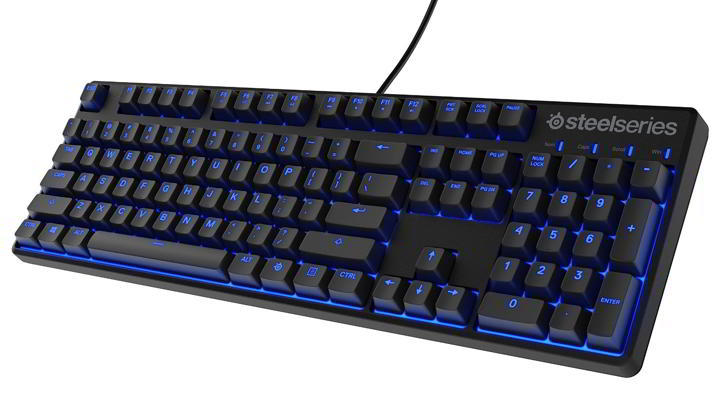
SteelSeries Apex M500

SteelSeries Apex M500 is another gaming keyboard, but unlike others, it comes with a low-profile design.

This keyboard comes with Cherry MX Red mechanical switches that are optimized for gaming. SteelSeries Apex M500 keyboard is made from plastic and it has a hardened steel backplate, so it’s somewhat durable.

Just like many other gaming keyboards, this one comes with LED backlight. There’s only blue backlight available, but you can choose between four different levels of brightness.

The keyboard has playback controls, but it also comes with a cable management system, so you can better organize your keyboard cable. This keyboard supports customization and you can personalize and re-assign any key.

Of course, there’s support for all sorts of macros, and you can easily set your macros using SteelSeries Engine software.

⇒ Check price on Amazon

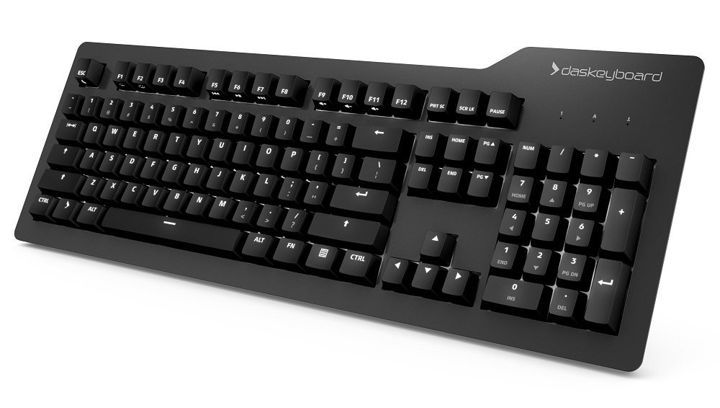
Das Keyboard Prime 13

Das Keyboard Prime 13 is a mechanical keyboard with a minimalistic design.

The keyboard comes with top aluminum panel, white backlit keys and modern font, so it looks rather elegant.

The keyboard uses Cherry MX Brown switches with gold crosspoint technology. According to the Das Keyboard, each key can last over 50 million keystrokes.

As we already mentioned, this keyboard has white backlit lighting and it supports seven different levels of brightness.

Just like all other devices from Das Keyboard, this one has a USB port available thus allowing you to attach any USB device to it. The keyboard has a dedicated sleep button that will put your PC in Sleep Mode with a single press of a button.

In addition, the LED Auto-Dim feature will automatically dim your keyboard after 10 minutes of inactivity. The keyboard also has side-lit media controls that you can quickly access.

Das Keyboard Prime 13 also supports Full N-key rollover which ensures that every keypress is recognized. W

e also have to mention that this keyboard has a 6.5ft cable, so you can easily connect it to any PC.

⇒ Check price on Amazon

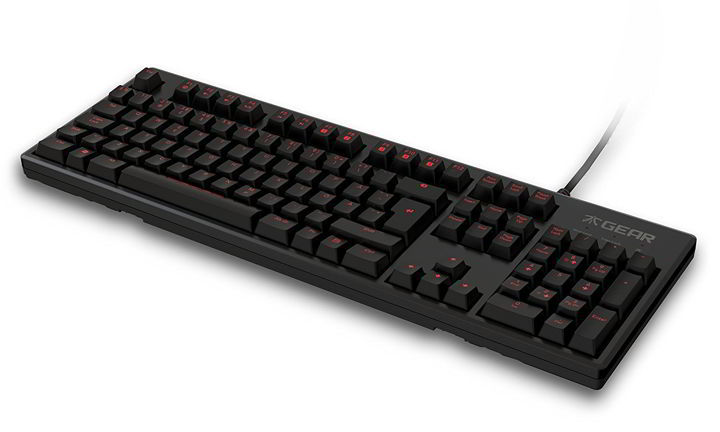
Fnatic Rush Pro

Fnatic Rush Pro is a gaming keyboard that offers a simple design. The keyboard supports up to five profiles and it has a detachable wrist rest.

There’s also a red LED backlight if you’re using this keyboard in low light conditions.

The keyboard uses Cherry MX Red switches thus providing you with fast response time and reliability. Fnatic Rush Pro comes with a soft-rubber coating so it provides a tactile feel.

We also have to mention that this keyboard has two additional USB ports on the back. This allows you to easily attach any USB device to your keyboard quickly and easily.

As we already mentioned, the keyboard supports custom profiles so you can set different macros and LED settings.

⇒ Check price on Amazon

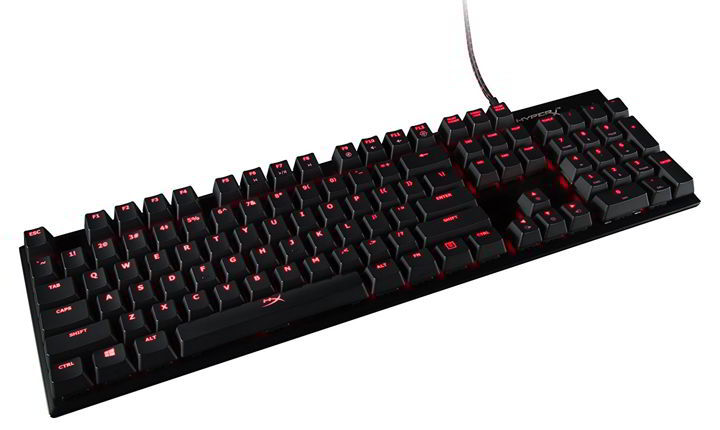
HyperX Alloy FPS

If you’re a gamer, you might be interested in this mechanical gaming keyboard.

The keyboard comes with a detachable USB cord, so you can easily transport it. We also have to mention that the keyboard uses Cherry MX mechanical switches with gold crosspoint technology.

HyperX Alloy FPS keyboard has a minimalistic design and it has a metal alloy top plate, so it’s rather stable.

The keyboard also has one USB port so you can easily connect any USB device to it.

Additional features include Game Mode that will disable Windows keys and LED-backlit with five brightness levels. There are also textured keycaps that you can use for FPS games.

⇒ Check price on Amazon

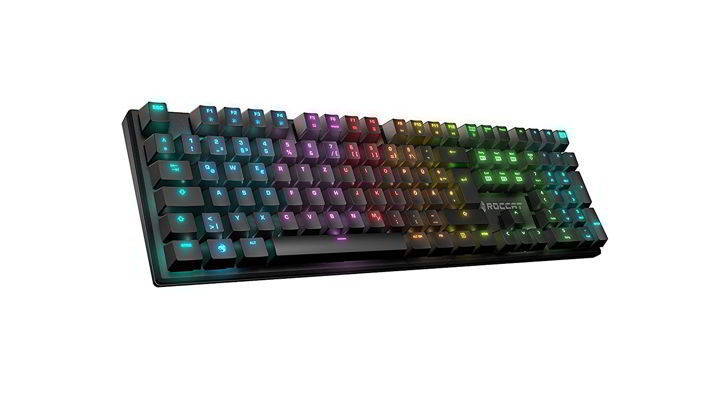
ROCCAT Vulcan 122 Aimo RGB Mechanical Gaming Keyboard

This is another mechanical keyboard for gamers. The keyboard comes with durable aluminum-alloy housing and it offers 16.8 million colors for illumination.

In addition to a wide range of available colors, you can also use all sorts of different effects. Supported effects are wave, breathing, ripple, and solidly lit. You can also quickly switch through effects by using F1-F4 keys.

The keyboard comes with minimalistic frameless design so there’s no palm rest or thick border. This is an anti-ghosting keyboard that has a 1ms polling rate which means that every keystroke will be registered.

In addition, this keyboard also supports N-key rollover. Roccat Vulcan 122 also has multimedia keys and six programmable macro keys. Since this is a gaming keyboard, there’s also support for Game Mode.

⇒ Check price on Amazon

SteelSeries Apex M800

SteelSeries Apex M800 uses a special switch called QS1 switch. These switches have a 3mm throw depth and a 1.5mm actuation.

Since this is a gaming keyboard, there are six quick macro keys. This keyboard also comes with an extensive macro editor, and you can even record new macros with a simple button press.

The keyboard has four different lighting patterns, but you can also create your own illumination designs.

We also have to mention that this keyboard supports N-key rollover. In addition, it has support for programmable keys, and there are also two USB 2.0 ports available.

⇒ Check price on Amazon

G.Skill Ripjaws KM570

G.Skill Ripjaws KM570 is a mechanical gaming keyboard and it comes with Cherry MX Brown switches.

If you prefer different switches, there are models with different types of switches. This keyboard has a simple design so it will be great for gamers and other users alike.

Just like many other gaming keyboards, this one has support for macros. Speaking of which, you can also create macros on the fly, which can be rather useful.

The keyboard comes with red LED lighting and it allows you to customize lighting for each key. In addition, this keyboard also has 7 lighting patterns, and you can adjust their speed and brightness.

G.Skill Ripjaws KM570 also comes with N-key rollover and 100% anti-ghosting, which means that every single keystroke will be registered. Of course, there are also dedicated playback keys available.

The keyboard has hotkeys for Windows applications, but there are also dedicated hotkeys for keyboard customization.

⇒ Check price on Amazon

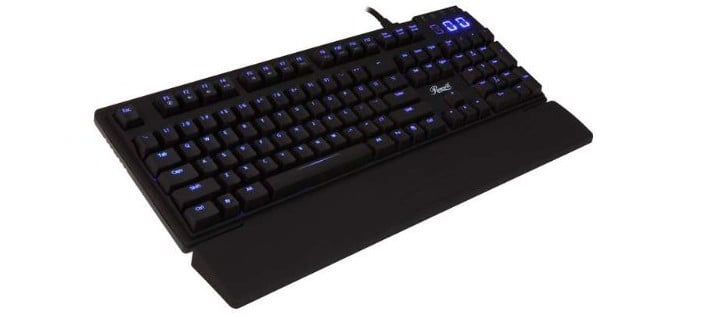
Rosewill Apollo

This is a simple mechanical keyboard that is available with red or blue LED. In addition, you can also choose between Cherry MX Blue, Cherry MX Brown and Cherry MX Red switches.

The keyboard is custom programmable and you can save up to five different profiles. You can also switch between the profiles by using the quick switch keys.

The keyboard comes with three levels of brightness control and there’s also a breathing mode supported.

Rosewill Apollo comes with a detachable wrist rest, and there are also headphone and microphone jacks and two USB 2.0 ports. T

he device also has high-quality braided fiber cable.

⇒ Check price on Amazon

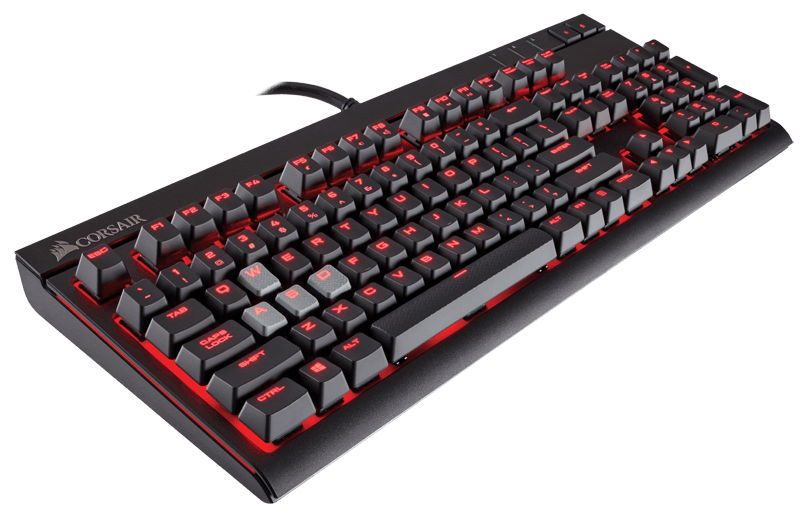
Corsair STRAFE

Corsair STRAFE is a mechanical gaming keyboard that comes with Cherry MX Red switches.

The keyboard has red backlighting so you can use it in low light conditions. Corsair STRAFE can be programmed and you can set up macros or reassign keys if you want.

The keyboard has a USB port that allows you to connect any USB device to it.

Corsair STRAFE has textured and contoured keycaps and there are two special sets for MOBA and FPS games available.

This is a 100% anti-ghosting keyboard and it supports 104 key rollovers. Of course, this keyboard also supports playback control by using the F keys.

⇒ Check price on Amazon

There are many great mechanical keyboards on the market, and choosing the right one can be a hard task.

Be sure to consider the mechanical keyboards from this article and share your favorite with us via the comments section below.

Xbox Series X video game, The Medium, has run into trouble in Australia

The upcoming Xbox-exclusive video game, The Medium, has been denied classification in Australia which could potentially mean a delay or even a ban in the country if not rectified soon.

Classification rejections in Australia are usually the result of in-game content that conflicts with the Australian Classification Board’s standards such as sexual violence or drug-taking for rewards or benefits. Given the horror nature of The Medium, it’s possible that parts of the game may be simply too violent or inappropriate.

Kotaku, who initially reported on this classification denial, suggests that a technical error or a mistake made during the online application process may be behind it. They also reached out to the developers and were told that they were working on reapplying to the board before the end of the week.

The Medium is currently still set to launch in most regions on December 11th on Microsoft’s new Xbox Series X and Xbox Series S consoles. A Windows PC version will also release on the same day and the title will be available to play for free for all Xbox Game Pass subscribers on both platforms.

It’s worth noting that The Medium is one of the few new Xbox titles launching this year that are exclusive to the next gen consoles and won’t be available to play on the current gen Xbox One.

Are you excited for The Medium? Why do you think it was denied classification? Share your thoughts with the community in the comments below and then follow us on Pinterest and Twitter for more Xbox gaming news.

The Medium
The Medium
Developer:
Bloober Team S.A.
Price:
Free

5 Best Bluetooth Headphones With Mic For Phones

If you’re looking for some really good headphones with a mic for your smartphone, you’ve come to the right place. In this article, we’re going to list the best headphones that fit the bill.

What are the best Bluetooth headphones with mic for phones?

VANKYO C751 Over Ear Wireless Bluetooth Headphones

  • CVC 8.0 microphone
  • Deep Bass and Hi-Fi sound
  • Comfortable Protein Earpads
  • 30 hours playtime for TV
  • Problems with noise-canceling

The Vankyo C751 headphones are perfect for working at home and taking online classes, but you can also take them with you while commuting or traveling because they are really comfortable.

When the outside noise is overwhelming, these headphones will really help you with the industry-leading noise cancellation feature. They are so smart that they analyze your personal characteristics like head size and glasses, and optimizes the sound accordingly. Long story short, they reduce the ambient noises by up to 90%.

They feature dual 40 mm drivers for powerful sound and rich music. The big drivers can also produce a deep, accurate bass response. And if you double press the volume down button, you will easily change the band of EQ for a different sound experience.


Mpow H7 Bluetooth Headphones

  • Up to 25 hours of rechargeable battery life
  • Professional 40mm drivers
  • CVC 6.0 microphone
  • Quick smartphone connection
  • Controls are not very easy to use

If you don’t want to worry about the battery, the Mpow H7 Bluetooth Headphones could be the perfect choice because the built-in 420 mAh battery, can delivers up to 25 hours of playing time.

And if you get a call, you can take it without pulling your smartphone from your pocket because these headphone have a CVC6.0 noise cancelling microphone technology that can ensure you crystal clear sound during the call.

The Mpow H7 Bluetooth Headphones are extremely versitile and can be paired with smartphones, MP3/MP4 players, TVs, laptops, PCs, iPads and other Bluetooth devices.


PowerLocus Wireless Bluetooth Over-Ear Stereo Foldable Headphones

  • Comfortable to wear for an extended period of time
  • 40 mm audio drivers
  • One-click pairing with most smartphones
  • 15 hours of music playtime
  • The call sound is not perfectly clear

The PowerLocus headphones have a 15 hour music play autonomy. That’s definitely not the greatest one in the market but the surprise is that if you run out of battery, you just have a audio cable to connect them without any problems.

Other great surprises include the built-in FM radio and the microSD slot. The memory card compatibility is absolutely great because you can even ditch the smartphone at home while you still have your favorite playlist while you’re running in the park.

And if we’re talking about running, you need to know that the PowerLocus headphones are equipped with super soft protein foam artificial leather earmuffs so you can wear them for hours.


Mpow 059 Bluetooth Headphones

  • Attractive design
  • Up to 20 h music time
  • Portable bag included
  • Can get your ears tired after a while

The Mpow Bluetooth headphones will definitely draw people’s attention. Not only are they good-looking and reliable, they also deliver excellent sound quality.

While these headphones don’t support active noise cancellation, at least they won’t drain your phone’s battery or damage its sound either.

The device is equipped with a built-in 420 mAh battery capable of providing up to 20 hours of music time in a single charge.

Should the headphones run out of battery, you can always use the audio cable available in the package. The foldable headband saves desk space and also allows you to carry the headsets in a small bag. Keep in mind that the microphone only works on wireless mode.


Cowin E-7 Active Noise Cancelling Bluetooth Headphones

  • Active Noise Cancelling technology
  • 45 mm large-aperture drivers
  • Built-in NFC technology for quick pairing
  • High-quality microphone
  • Can be pretty fragile

The Cowin E-7 headphones look amazing and will definitely draw everyone’s attention. These headphones are your perfect travelling companion, significantly reducing noise when you travel, at work and anywhere in between.

The proprietary 40 mm large-aperture drivers deliver high clarity sound with deep, accurate bass response. The headphones offer 30 hours of playtime on Bluetooth mode, but you can plug in the 3.5 mm audio cable when the battery is dead.

Its only downside is the fact that the chrome color will chip off easily.


If you’ve used other Bluetooth headsets you think should be on our list, use the comment section below to tell us more about your experience.

5 Whiteboards For Online Tutoring & Teaching

If you’re recording courses for online teaching or tutoring, you’ll need a board to draw and write on that is easy to see.

This means either going for a whiteboard or a blackboard, but since whiteboards are a cleaner variant, they are usually the go-to choice.

However, there are plenty of whiteboards out there that teachers could buy. That is why we’ve compiled a list of what we think are the best whiteboards for online tutoring and teaching so that choosing one will be a lot easier for you.

Note: Deals are subject to change. Keep in mind that the price tag often varies. We recommend going on the vendor’s website to check the price. Some of the products may be out of stock by the time you’ve made your purchasing decision. So, hurry up and hit the buy button.


What are the best whiteboards for online tutoring and teaching?

AmazonBasics magnetic framed dry erase whiteboard

  • Durable painted-steel dry-erase surface erases easily and resists staining and ghosting
  • Use vertically or horizontally; dry-erase marker and magnets included
  • Magnetic dry-erase board for sharing ideas and getting organized
  • Doubles as a magnetic bulletin board for added versatility;
  • Ideal for home, school, or office
  • The packaging may not be ideal

If you want your whiteboard to be the focal point of your online courses, then the AmazonBasics magnetic framed dry erase whiteboard is the best tool for the job.

This aluminum whiteboard looks as if it floats right in front of the wall, and whatever will be written on it will surely attract the attention of your students or subscribers.


Officeline dry erase board

  • It features a lightweight but sturdy design that is not too warped.
  • High-clarity and scratch-resistant
  • Easy to install
  • The occasional quality control issue

Regardless of what you are using them for, whiteboards need to be simple, resistant and easy to clean, and the Officeline Dry Erase Board has them all, and more.

The board is extremely resistant to writing and erasing, and it comes in an extremely slim design that makes it take up very little space.


U Brands dry erase board

  • Highly durable erases easily, resists staining, ghosting, and duals as a bulletin board
  • Pin-It cork magnet enables repositionable to push pin use anywhere on the board
  • Accessories and marker clip can be snapped into any side of the frame
  • Customize your board with U Brands Gruv snap-in frame accessories
  • Dry erase marker with eraser and Pin-It cork magnet are included
  • Issues with the Velcro

If you’re looking for a whiteboard that is easy to mount, then the U Brands Dry Erase Board is a good first choice.

It is highly durable to repeated erases and writing, and it can be fully accessorized just the way you want it, making it an excellent whiteboard for those that are constantly on the go.


VIZ-PRO dry erase board

  • Smooth and durable magnetic writing surface, easily dry wipe with all dry-erase markers
  • Silver finished Aluminium frame, ABS plastic corner with screw-fixing in corners
  • Easy installation with fixing kits, can be mounted vertically or horizontally
  • Include fixing kits, pen tray
  • The occasional quality control issues

The VIZ-PRO Dry Erase Board comes from one of the leading manufacturers of visual display media and presentation products to retailers, offices, schools and education sectors

This can be seen from the whiteboard’s high-quality design and how easy to mount it is, so you can start your online courses in no time.


XBoard magnetic whiteboard

  • Protective, anti-scratch magnetic dry erase surface also dual as a bulletin board
  • The detachable marker tray can be placed on any of the whiteboard’s 4 sides
  • The magnetic dry erase board can be mounted vertically or horizontally
  • High-grade sturdy aluminum frame built with ABS plastic corners,
  • Problems with the shipping

If you want to feel like a professional when holding your courses in front of your online students, subscribers, and viewers, then getting an XBoard Magnetic Whiteboard is a good way to start.

The board looks good and it contrasts well with whatever color it is written on it, while the sturdy aluminum and plastic design are meant to be sturdy and lightweight at the same time.


Technology provides us with ways to connect to others like never before, and it seems that teachers can benefit a lot from this too.

Not only can they now make their classes a lot more fun, but they can get in touch with students and people that want to learn new things regardless of where they are.

What’s more, if they have a way of presenting their classes in a clear and efficient manner, like with a good whiteboard, then they will surely have a lot of success.


Check out this article for the best whiteboards for online tutoring.

  • Can I learn classes all by myself?

Technology has evolved where even classes can be offered as online services. Here are the best educational online class services that you can try.

  • What good software can teachers use?

There are many great software tools that serve educational purposes that can help tutors with their teaching.

[wl_navigator]

5 Best Dell Servers for Virtualization: Performance & Reliability

Dell makes one of the best consumer-grade virtualization hardware. However, while choosing virtualization hardware for your server, you should consider a few things so that you don’t overspend on the hardware or underspend and bottleneck your startup servers.

While purchasing a hardware platform you need to consider the processor, memory, networking, and storage resources offered by the virtualization hardware.

In this article, we have listed the best Dell servers for virtualization to help you choose the best hardware for your tasks.

Note: Deals are subject to change. Keep in mind that the price tag often varies. We recommend going on the vendor’s website to check the price.

Some of the products may be out of stock by the time you’ve made your purchasing decision. So, hurry up and hit the buy button.


What are the best Dell servers for virtualization?

Dell PowerEdge T30

  • 1TB 7.2K RPM SATA 6Gbps Entry 3.5in Cabled Hard Drive
  • Cost-effective Dell tower server for small businesses
  • 8GB RAM, 1TB HDD, and Quad-Core processor
  • Easy upgrade
  • OS not included

If you are looking for a mini-tower server, the PowerEdge T30 server from Dell offers enough power to use it as a virtualization server for your business or hobby.

Coming to the specification, the PowerEdge T30 comes equipped with an Intel Xeon E3-1225 3.3GHz Quad-Core processor that can be overclocked to 3.7GHz. It also comes with 8GB of UDIMM RAM and a 1TB SATA hard drive with usual connectivity options.


Dell PowerEdge T330

  • Top of the line Dell tower server
  • Power Intel Xeon Quad-Core processor
  • Microsoft Windows Server 2016
  • Nothing noticeable

Dell PowerEdge T330 is top of the line powerful, efficient, versatile and often dubbed as the bedrock of data centre tower server from the hardware giant.

Dell PowerEdge T330 is powered by an Intel Xeon E-2124 Quad-Core 3.3GHz 8MB processor paired with 32GB of RAM and an 8TB hard drive. Being a tower server, it allows you to upgrade the components with ease as your business grows.


Dell PowerEdge R810

  • Value for money power for Dell server
  • Powerful 10 Core CPU and 128Gb of RAM
  • Plenty of storage
  • The price tag

If you want a top of the line Dell server for virtualization, the Dell PowerEdge R810 is a value for money server. This version of the server is Amazon renewed (Refurbished) that works and looks like new with some good reviews.

Dell PowerEdge R810 is powered by 4x Intel Xeon E7-4870 10 core processors paired with 12GB of RAM and H700 raid controllers. For storage, it comes with 6x 600GB Enterprise 10k hard drives.


Dell PowerEdge R610

  • Value for money server
  • Fast 8 core processor with 16 threads
  • Upgradable with more RAM and storage
  • 2.5-inch drivers can be expensive

Dell PowerEdge R610 offers a world-class system and image commonality and usability for the IT managers. It takes advantage of Dell’s system commonality with the logical layout of components and power supply placement enabling simple and straight forward installation.

Dell PowerEdge R610 comes equipped with 8 Core Intel Xeon Quad-Core E5540 CPU paired with 32GB of RAM and 2x 146GB 10K 2.5” SAS hard drives along with PERC6/I storage controllers.

You can install and configure VMware ESXi on Dell PowerEdge servers. Refer to Dell’s website for detailed instruction.


Dell PowerEdge R710

  • 2x 2.53GHz Intel Xeon Quad-Core E5540
  • Value for a money virtualization server
  • Powerful hardware to run VMware
  • 72GB RAM
  • Lacks iDRACard

If you are looking for a Dell virtualization server to run WMware, the PowerEdge R710 is an excellent server to build a data center with the ability to scale making it future proof.

DELL PowerEdge R710 is powered by 2x E5540 2.53GHz 8-Core processors paired with 72 GB of RAM. For storage, it comes with 6x 1TB 3.5” hard drivers along with PERC 6/I storage controller.

DELL PowerEdge can be configured in many different ways. To install VMware you can refer Dell’s official guide for detailed instruction.


Dell offers some of the best servers for virtualization. We have listed both rack and tower servers to help you choose the best server for your virtualization work without overspending.

[wl_navigator]

5 best robotics kits for middle school [2020 Guide]

Only after the child has grasped a few basic notions about mechanics and electricity will he be able to fully understand the complexities of creating a robot.

That’s why most robotics kits are usually designed to cater to those that are in middle school, or older.

This is because they manage to blend fun with education, allowing children to continue learning even when not at school.

Given their educational potential, we’ve decided to compile a list of what we think are the best robotics kits a middle schooler may like. 

Note: Deals are subject to change. Keep in mind that the price tag often varies. We recommend going on the vendor’s website to check the price. Some products may be out of stock by the time you’ve made your purchasing decision. So, hurry up and hit the buy button.

What are the best robotic kits deals?

LEGO Mindstorms EV3 31313

  • Intelligent EV3 Brick
  • ARM9 processor
  • Wi-Fi USB port and Internet connectivity
  • Micro SD card reader
  • Robots tend to burn batteries pretty fast

Not only is the LEGO Mindstorms EV3 31313 a good robotics kit for kids of all ages, but it is also a good STEM toy since it promotes your child’s use of imagination.

They can use over 600 parts to build 17 different predesigned robots, or simply try to construct a whole new design of their own making.


LEGO Boost Creative Toolbox 17101

  • Compatible with selected iOS, Android, Kindle and Windows 10 devices
  • Can build and rebuild into 5 cool multifunctional models.
  • A tablet or mobile phone is required, but not included
  • 7-12 year old boys and girls
  • Sorting the 847 pieces can be boring

Yet another robotics kit from LEGO, the LEGO Boost Creative Toolbox 17101 is a great toy if you want to build some of the most well-known robots in the universe.

All robot creations run on batteries, and they can perform a lot of complex tasks, such as dancing, playing music and more.

Additionally, the parts are compatible with those of other robotic kits allowing your child’s imagination to run wild in terms of new robot ideas.


Thames & Kosmos Robotics Kit

  • Requires a tablet or smartphone
  • Using the app interface, you can program the robots you build to behave
  • Comes with a full-color, 64-page step-by-step illustrated manual
  • The ultrasonic sensor works on the same principle as sonar
  • App has issues with newer versions of iOS

The Thames & Kosmos Robotics Kit kit gives kids a simple, fun, and customizable introduction to robotics that lets them build eight motorized machines.

You will need to download an app through which you will be able to control your robotic creations, and you can make them perform tasks that are actually quite complex.


LEGO Creator Robo Explorer 31062

  • Robo Explorer robot toy features bright-green eyes, working tracks, rotating body and head, and more
  • 3-in-1 model: rebuilds into a robot dog with a light-up jetpack or a robot bird with light-up eyes with the lego light brick
  • Robo Explorer stands over 4” (11cm) tall
  • Robot dog stands over 2” (7cm) tall
  • Designs may be a bit too simplistic for some

If hundreds of parts, wiring, and small motors are just not your thing, then something more simple like the LEGO Creator Robo Explorer 31062 is a great alternative.

You can use it to create either a humanoid robot, a dog, or a bird, all of which have minimalist designs that stimulate your child’s imagination.


CIRO Solar Robot Kit

  • Come with 190 pieces that can build 12 different types of robots from one kit
  • Includes the robot’s moving and connecting parts like gears, plates, tires, and shafts
  • Comes with a step-by-step guide
  • Robots are solar-powered
  • Can’t do much with it on cloudy or rainy days

If you want your child to learn how to build robots but hate the hidden costs of constantly having to buy batteries, then the CIRO Solar Robot Kit is the right thing for both of you.

The kits contain a bit under 200 parts and you can create 12 different robots by using them. Additionally, all you need to do to make them function is to just leave them out in the sun beforehand.


Getting your child engaged in a hobby at an early age is the best way to make sure that the certain hobby actually sticks.

That’s why introducing them to the wonderful world of robotics when they are about in middle school is a very good idea.

Furthermore, even if they hate the building process, at least they will get a cool-looking robot when they are finally finished assembling it.

[wl_navigator]

3 Best External HDD With SD Card Reader

For travelers and photographers who are on the move and away from home for a long time, being able to back up their photos and drone footage is crucial.

While the conventional external hard drives are handy, the lack of an SD card slot on your computer can make things difficult for photographers. This is where external hard drives with SD card reader step in.

In this article, we have listed the best external hard drives with SD card reader so that you never miss another stunning capture because of low SD card space. Take a closer look below and you’ll find them all.

What are the best external hard drives with SD card reader?

LaCie Rugged Raid Pro

  • Bold color
  • USB Type-C and USB 3.0 support
  • Adobe Creative Cloud All Apps Plan
  • Rugged design
  • Three years limited warranty
  • Not consistent data transfer speed

If you are looking for a well-built external hard drive with an SD card reader, LaCie Rugged RAID Pro is a great choice that won’t empty your pockets.

LaCie Rugged RAID Pro offers multiple storage options starting from 1TB. It has an SD card reader, USB 3.0, and USB Type-C port for connectivity, along with an extreme drop, dust, and water-resistant case.

Even more, it offers complimentary membership to the Adobe Creative Cloud All Apps plan that can be used to access the latest photos and video editing apps.

WD 2TB My Passport

  • SD 3.0 card reader
  • Wi-Fi 802.11ac support
  • RAW image preview support
  • Battery pack that acts as a power bank
  • 10 hours of battery backup
  • Limited transfer speed

WD 2TB My Passport Wireless Pro is a top of the line storage device from Western Digital. It comes with an SD 3.0 card reader to move the data on the fly.

It is also equipped with Wi-Fi 802.11ac to stream 4K videos and slide through other media files wirelessly using the My Cloud mobile app on iOS and Android.

WD 2TB My Passport Wireless Pro is available in multiple storage options and comes with up to 10 hours of battery backup.

However, do note that the actual battery life depends on file size, type, devices connected, Wi-Fi signal, and other similar factors.

Even more, the built-in battery pack can act as a power bank to charge your smartphone. That’s an ideal solution if you’re on the go all day long.

WD 1TB My Passport

  • Wireless 802.11ac features
  • WD iOS and Android app support
  • Shock-resistant SSD
  • All-day battery
  • Fast SSD transfer speeds
  • The battery drains quickly

If you are looking for a faster hard drive, check out the WD 1TB My Passport Wireless. It is an SSD based external hard drive that comes in multiple storage options ranging from 250GB to 1TB.

There is a built-in SD card reader with a one-touch copy button to back up your data. The hard drive is enclosed with a durable, shock-resistant case.

For connectivity, WD 1TB My Passport Wireless offers a Wi-Fi 802.11ac option that can be used with iOS and Android app for WD, along with a USB 3.0 port.

Compared to Wireless Pro, WD 1TB My Passport Wireless offers a faster data transfer rate of 390 MBps. As for the built-in battery pack, it can be used as a power bank as well.

All the external hard drives in this list come equipped with an SD card reader, and some even offer Wireless features. Go through the product descriptions to find the right hard drive for your needs.

This specific article is part of a generous selection of external HDDs. You may take a closer look and let us know all about your choice.

Logitech Brio 4K webcam with Windows Hello [Best Deal]

Logitech introduced a 4K webcam with BRIO lens for desktop users with high standard image quality. The same type of lens is used by the Logitech 4K Pro Webcam.


Logitech BRIO 4K webcam detailed specs & features

Logitech Brio webcam

The 4,096 x 2,160-pixel Logitech 4K Pro Webcam shows off a 13-megapixel sensor that can stream 4K video, though there is not much need for this type of resolution just for videoconferencing. More to the point, it could be hard to find programs that support live 4K streaming right now.

The good news is that the webcam includes a bevy of features to complement its 4K resolution such as a second infrared LED and sensor.

That means you can use the webcam to securely log in to your PC with Windows Hello when paired with the primary sensor and some software workarounds.

The infrared sensor works to keep hackers at bay by letting you place your face in front of the camera for biometric authentication.

The webcam also features the Logitech Rightlight 3 and HDR to make sure lighting looks clear on your face. You can also change the viewing angle to 65-degree, 78-degree, and 90-degrees with the large sensor.

The webcam can stream 4K at 30FPS, 1080p at 60FPS or 720p at 90FPS. You can take advantage of the 4K feature only when you plug the webcam into a USB 3.0 port. BRIO also allows for a 5x zoom, which can also support a 1080p stream.

On the connectivity side, the Logitech 4K Pro Webcam ships with a standard adjustable clip, a tripod thread, a privacy shutter, a USB Type-C connector, and a USB Type-C attached to a USB 3.0 Type-A connector.

While the 4K webcam may not be suitable for most desktop users due to the low adoption of 4K-enabled PCs, BRIO looks to target YouTube users who stream 4K video.

  • 4k image sensor
  • USB 2.0 and USB 3.0 Type-A and C ports
  • Certified for Skype for Business and Cisco; ready-to-use for most video meeting apps
  • Video quality might suffer on Macs

Are you thinking about buying this webcam? If you have further doubts, drop us a line in the comments section and maybe we can make some recommendations.


[wl_navigator]

Lost Windows 10/11 certificates trigger Microsoft inquiry

According to a recent Windows 10 release information document, updating to a newer version of Windows 10 may result in some system and user certificates to go missing.

Reportedly, this issue affects Windows 10 systems that received updates through outdated installation sources or media that don’t have a Latest Cumulative Update (LCU) dated October 13, 2020, or later integrated.

These installation media and sources include but are not limited to ISO images, physical storage units, or update management utilities. As it turns out, the issue wasn’t noticed for systems that were updated through Windows Update or Windows Update for Business.

Microsoft to release a fix in the upcoming weeks

It appears that several versions of both client and server platforms can be affected by this issue. According to the release information document, these platforms are:

Client: Windows 10, version 20H2; Windows 10, version 2004; Windows 10, version 1909; Windows 10, version 1903

Server: Windows Server, version 20H2; Windows Server, version 2004; Windows Server, version 1909; Windows Server, version 1903

Windows 10 Release Information

At the time being, Microsoft disclosed no ETA regarding an upcoming fix. However, it confirmed started working on a resolution, as well as its intention to provide customers with refreshed installation media and updated bundles in the upcoming weeks.

Workaround available for affected users

If you’re among the users who’ve experienced this issue first-hand, you’ll be glad that Microsoft offers a workaround for this situation. Apparently, you can use Windows‘ built-in recovery features to go back to a previous version of Windows.

  1. Open the Start Menu on your Windows 10 PC
  2. Go to Settings
  3. Click on Update & Security
  4. Access the Recovery section
  5. Click Get started under Go back to the previous version of Windows 10

Note that in most cases, the recovery option only offers you a 10-day timeframe to perform the rollback. Furthermore, for this workaround to actually work, you’ll need to be in that specific previously-configured timeframe (10 or 30 days).

If you managed to rollback to a previous unaffected version of Windows 10, you can now proceed to update to the latest version of the OS by using official installation media or sources, as mentioned above.


Have you noticed missing certificates on your Windows 10 machine after updating? Tell us all about it in the comments section below.

[wl_navigator]

4 best Windows hosting platform with free trial

Windows hosting is a great choice for any individual or business looking to power up their websites on a Windows server.

Some advantages of choosing Windows hosting over other hosting types include compatibility for .NET frameworks, Active Server Pages or ASP, Visual Basic, C#, SharePoint, content built-in Microsoft FrontPage, and using products in Microsoft Stack.

It is also easy to use, manage and update, stable and reliable with full security and safety for your site, plus you enjoy seamless integration of Microsoft products to your website. You can even use it regardless of your experience level with hosting.

If you want to experience these benefits and features, you can do it for free by using the best Windows hosting with free trial.

Selecting the best Windows hosting provider is not as easy a task as it seems, but if you use the best Windows hosting with free trial, you can get a firsthand experience and decide for yourself.

Here are our top picks for the best Windows hosting providers that offer free trials.


What is the best Windows hosting with free trial?

A2 Hosting

best webhosting with free trial

A2 is one of the most popular Windows hosting providers as it offers blazing fast speeds on fine-tuned servers, in a high-performance environment that’s 20 times faster than competing brands.

This is the best Windows hosting with a free trial with a risk-free, 30-day money-back guarantee if you are not impressed with its services, but we bet you will be satisfied.

Its benefits include simple integration with other web building tools in Windows like the .NET framework and ASP.

You also get fast speeds, 24/7 Guru Crew support, and a variety of tools to get your Windows hosting up and running.

Features such as Windows hosting integration elements like MSSQL, ASP, .NET Framework, C#, and Visual Basic are all included in A2’s Windows hosting solution. This is one of the benefits why A2 hosting users go for their services, as well as their scalability and Plesk control panel – a complete range of tools to ensure and enable you to succeed.

A2 Hosting

A2 Hosting

Get unlimited data storage and free site migration at a very affordable price.
$2.99/mo. Visit website

Bluehost

best Windows hosting with free trial

This is the best Windows hosting if you want to get a simple service, with a free trial, speed, and security included.

Bluehost lets you enjoy some of its benefits such as exclusive 24/7 access to expert support, or extreme speeds thanks to BlueHost’s revolutionary VPS platform. Plus, it is so simple to use because it integrates key features and tools that make Windows hosting a breeze.

Features include Plesk Onyx 17.5 control panel, ASP.NET 4.5 and MVC 5, PHP 7.0 and 7.1, enhanced email features, multi-location hosting, one-click install of more than 50 apps, integrated ServerShield with CloudFlare, daily scans for malware detection, secure FTP access, and hotlink protection.

The service also offers features support for SMTP, POP, and IMAP for advanced email hosting, as well as one-click installation of over 20 e-commerce platforms and easy-to-install SSL certificates. A dedicated IP is available as an add-on.

If you’re satisfied with Bluehost after the trial period, you can choose a plan from either of three options: Standard, Business, and Pro, and get unlimited disk space, unlimited data transfer, unlimited email accounts, all on high-performance servers.

Bluehost’s free trial is for a 30-day period, after which you will start paying and your account will automatically renew at special introductory rates. However, you can cancel before this time thanks to their money-back guarantee.

Bluehost

Bluehost

This is the best deal you can get for free domain registration, site builder, and built-in website security.
$3.95/mo. Visit website

Host1Plus

best Windows hosting with free trial

This hosting provider offers full scalability and 24/7 support, as well as a 14-day money-back guarantee if you’re not happy with their service.

Its features include direct access to your web control panel, advanced networking features, KVM virtualization, clever service delivery, quick deployment of your virtual machine in just seconds, pre-configured templates like the cPanel to manage your site easily, simplified management and control.

With Host1 Plus, you’ll be able to create your domain zones, edit records directly, schedule automatic backups or make manual ones, save time spent on getting support through a simplified rDNS control system, rescue mode to work in a safe environment in case of file system corruption, and track your use of resources live with alerts to avoid overusing your CPU, memory or network.

You also get advanced networking on a high-speed network built on high-end hardware, as well as cloud server locations in multiple premium data centers for better reach and higher connectivity.

⇒ Get a free trial for Host1 Plus


HostGator

best Windows hosting with free trial

As one of the top five web hosting brands in the world, HostGator hosts more than 9 million domains, backed by 24/7 tech support, whether it’s for your personal or business website.

Each of its hosting plans comes with tech support, a 45-day money-back guarantee, 99.9% uptime guarantee, plus exclusive discounts to try out Windows hosting with HostGator.

It also gives you unlimited disk space and bandwidth, a flexible and easy to use Control Panel, unlimited sub-domains, FTP and email accounts, a free SiteBuilder and SiteStudio, free 4500 website templates, free website, and domain transfer, free MySQL and Script transfer, plus 52 free scripts installed instantly on your account.

For better administration, the latest cPanel is available on HostGator’s Windows Hosting, plus password protected directories, custom error pages, web statistics programs, a web-based file manager, and you can instantly install more than 75 open-source scripts such as WordPress.

It is simple and easy to use, backed by an award-winning tech support team.

Make web hosting easy
hostgator website logo
  • A variety of site building tools and templates
  • Drag-and-drop building experience
  • Unlimited Sub Domains, FTP and Email Accounts
  • Unmetered Bandwidth

Some of the factors to consider when selecting the best Windows hosting with a free trial are the features offered, security for your website, responsiveness for mobile and web clients, contact channels so you can reach the tech support team, the type of hardware for hosting as it affects your site’s overall performance, its processors and storage.

Check also the hosting plans, terms of engagement, backup layers, control panel, data recovery, and unlimited availability of resources.

Now that you know the best Windows hosting with a free trial, let us know your favorite pick, or share with us the one you’ve used before by dropping a comment in the section below.


[wl_navigator]

7 best Windows hosting with RDP to always be in control

The remote desktop access to your Windows VPS (Virtual Private Server) is made via an Internet connection, and it allows users to interact with a remote computer as if that computer were local. In a RDP setup, the local machine will receive a copy of the remote’s server’s image. The image is then updated on the local computer when a change is detected by the remote desktop software or on a timed interval.

Regarding Windows hosting with RDP, there are lots of such services on the market and we picked four of the best of them to show you their sets of features in order to make your choice a bit easier.

Which are the best Windows hosting with RDP services?

AccuWebHosting

If you are looking for a low-cost Windows VPS hosting that guarantees 99% uptime, then AccuWebHosting is the right option for you.

Within the VPS hosting plans you will have full root access and remote desktop access to connect to your Windows Virtual Machines.

The AccuWebHostingprovides superior Windows VPS hosting that comes with different plans with various price options.

The service also offers superior Windows VPS hosting that comes with different plans with various price options.

AccuWebHosting

AccuWebHosting

Get the best web hosting offer with 1Gbps connectivity speed and 99.9% uptime with this amazing service. Get the best deal now!
Check price Get it now

Inmotion

Inmotion hosting is another great service that offers superior performance, security, and the best hosting experience.

Hack and malware protection, NGINX, PHP7, free SSD storage, advanced caching, free automatic backups, a free domain are some of the most important features that are included.

It has safe upgrades, pre-installed site launch on checkout, drag and drops functionality, free themes, full design and hosting, and plugins including eCommerce for WordPress.

Inmotion

Inmotion

Get one of the best web hosting services out there and help your business grow in no time.
Check price Get it now

GoDaddy

best Windows hosting services with remote desktop

GoDaddy is one of the world’s largest web services companies that created their own WordPress Hosting product.

Dealing with drop-downs, settings and jargon as a new website owner can be pretty difficult but the GoDaddy hosting product seems to solve this.

Their WordPress Hosting product has back end design, usability and onboarding to help you with these issues.

Moreover, GoDaddy website builder for WordPress gives you the opportunity to choose the best visual setup whether you’re using it for your business or hobby.

GoDaddy

GoDaddy

Use this amazing tool to easily customize every part of your website’s pages with easily editable templates.
Check price Get it now

Veeble Windows VPS

Veeble Windows VPS service provides free Basic-Managed support, and you will be able to report all kinds of server issues related to software, operating systems, or primary configuration for free.

Check out the best features included in this service:

  • Using Veeble Windows VPS, you will never have to worry about bandwidth limits ever again.
  • All your servers come with unmetered bandwidth, and this means that there won’t be any overage charges.
  • You will be able to reinstall using the preconfigured Windows anytime via the Windows VPS panel.
  • Windows VPS panel provides one-click reboot, quick backup, console access, the possibility to reset the root password and live resource statistics.
  • Each one of the Veeble Windows VPS includes RDP access with admin rights.

The operating systems that are available for installation from the VPS panel include the following: Windows Server 2003Windows Server 2008, Windows Server 2008 R2, Windows Server 2012 Standard, Windows Server 2012 R2, Windows Server 2016 Standard.

You can check out more features included in the Veeble Windows VPS on the official website.

⇒ Get it now

Alps Host Windows

Alps Host Windows hosting provides Advanced Windows hosting services with IIS, ASP.NET and SqlServer 2016. You will get premium 24/7 support, one-click application installation, and more features.

Check out the most important ones below:

  • The web hosting servers are hosted in the cloud, and this means that your website will be hosted on more servers that are connected to work as one.
  • Your website will not depend only on one machine and even if a single device is broken the other will work and there will be no downtime whatsoever.
  • In every plan, there will be included a one-click app installation.
  • You will be able to easily backup or restore your database and manage your tables and other elements as well.
  • You will be able to simply manage your databases with PhpMyAdmin.
  • You can also access the IIS console remotely and manage your sites via Search Engine Optimization, DB Manager, URL Rewrite and Smooth Streaming.

You can check out more features offered by this service and the complete set of plans that are available on the Alps Host Windows hosting official website.

⇒ Get it now

Vultr Hosting

Vultr Hosting provides high-performance cloud servers and hosting. Check out the most impressive features of this service below:

  • It’s available in 15 locations all over the world including Los Angeles, Miami, Seattle, Amsterdam, Paris, London and more.
  • Using this service, you will get the latest generation Intel CPUs guarantee consistent performance.
  • You will be able to deploy CentOS, Debian, Ubuntu, Windows, FreeBSD and you can also use the Upload ISO feature.
  • You will have a full root access and a dedicated IP address included with every VM.
  • You can spin up and spin down with great ease and pay only for the hours that you will use this platform; there won’t be any long-term contracts involved.
  • You can integrate with the API quickly to spin up, destroy and also control your instances.
  • There are also a lot of features available with just one click: Restart, Reboot, Reinstall, Change OS, View Console and more.

Vultr claims to be up to 4 times faster than its competitors. You can check out the complete set of its features on the official website.

⇒ Get it now

OneHostCloud Windows VPS Instances

With OneHostCloud, you will be able to choose from the RDP Ready Windows Server 2012 R2, Windows 10 and Windows Server 2016 on OpenStack. You will get full SSD storage for all VPS instances.

Check out more features that you will be able to enjoy with the help of this service:

  • Is less than five minutes, you will be able to have your own Virtual Private Server up and running thanks to the fast provisioning system.
  • To create your account, you first have to sign up and complete the easy registration process.
  • You have to be mindful of the fraud protection, so if you are using a VPN, it’s recommended that you disable it until your order is provisioned.
  • You have the ability to select from a range of hosting plans in order to suit your virtual private server requirements.
  • You can also ask the friendly support team to assist you if you need anything.
  • After you receive your VPS, your service will be provisioned in less than a minute.

There are multiple plans and plan types to suit all kinds of Windows VPS Hosting uses from Compute with dedicated Cores up to VPS Network where enhanced port speed is provided.

Check out more features and the plans offered by OneHostCloud on the official website.

⇒ Get it now

These are four of the best Windows hosting with RDP services, and all of them have some really neat set of features to offer users.

It’s best if you head to their official websites and check out the complete list of functionalities that they provide and also the plans and pricing attached.

After you’ve analyzed them, you will be able to make the best-informed choice for your needs.


[wl_navigator]

Microsoft Teams gets new Project and Roadmap apps

Microsoft Teams is making it easier to manage, track, and collaborate on group projects with the addition of the new Project and Roadmap apps. With this release, the company is now allowing users to create new projects or roadmaps by adding them as tabs within Teams.

“Connecting directly to Project from within Teams has been one of the major requests from Project users, and these apps will make it easy to manage, track, and collaborate on all aspects of a team’s project in one place. This brings content and conversation side-by-side in one integrated experience,” the company explained.

The Project app in Teams makes it easier for users to schedule and assign resources to projects within the app. Users will now be able to open existing roadmaps/projects or create new ones regardless of their skill level or role. More specifically, it brings access to the same set of capabilities currently available in the web app, allowing users to organize data in Teams channels, chat, and tabs.

Blogs gif.gif

For teams who often need to deal with multiple projects simultaneously, the Roadmap app allows them to connect projects and track their current status across an organization. It will show you a consolidated timeline view of Microsoft Project and Azure Boards projects to increase visibility across all ongoing work.

create Roadmap.gif

The company detailed two different access levels for both Roadmap and Project apps in Microsoft Teams. Office 365 users will be able to view the shared Roadmaps or Projects in a read-only mode only. However, Teams users need to acquire appropriate Project for the Web licenses for creating and editing Projects/Roadmaps. You can learn more about these new apps on this support page.

5 best cross-platform keyboards to buy

Users now often have more than one device type to suit their professional requirements. Or it might just be the case of owning multiple devices to cater to the various requirements that they might have.

For instance, you might have an iPad for entertainment purposes, a Kindle for reading books or, say a Surface Pro for your work.

In that case, it makes sense to invest in cross-platform accessories such as a keyboard that can attach to all devices. Mentioned here are several such keyboards that you can attach to any device where you need to do typing work.

Note: Deals are subject to change. Keep in mind that the price tag may vary as some of the discounts may no longer be available by the time you’ve made your purchasing decision. So, hurry up and hit the buy button while the discount is on.

What are the best best cross-platform keyboard deals?

Logitech K380 Multi-Device Wireless Bluetooth Keyboard

  • Slim and elegant design
  • Connects to all Bluetooth wireless devices with external keyboard support
  • 2-year battery life
  • Low profile keys
  • Doesn't have a Numpad.

Based on Bluetooth 3.0 technology, the keyboard is compatible with Windows, Android, Mac, or even iPad and iPhone devices. The keyboard also comes with 3 buttons to quickly switch between the device that is paired with.

It requires 2 AAA batteries for its power and it grants a stunning 2-years autonomy.

The keyboard has a minimalistic layout and comfortable, laptop-style typing.


Jelly Comb Pocket Size Portable Mini BT Wireless Keyboard

  • Ultra-compact
  • Includes a touchpad
  • Compatible with Windows, iOS, and Android
  • Rechargeable battery
  • Only 63 keys

If you need a smart keyboard for your mini-PC or your smartphone, the Jelly Comb Pocket Size Portable Mini BT Wireless Keyboard might be just what you’re looking for.

It’s a 3 piece foldable keyboard that can be caried in a generous pocket but it has all the needed functions of a regular keyboard minus the Numpad, of course.

However, in the right side you will find a touchpad that can eliminate the need for an extra mouse for your device.


Logitech Bluetooth Multi-Device Keyboard K480

  • Works with Windows and Mac Computers, Android and iOS Tablets and Smartphones
  • Generous stand for smartphones and tablets
  • Easy-Switch dial to change between 3 connected devices
  • No number pad

It’s another amazing multi-device keyboard in that it can match up with several platforms. Those include Windows, Mac, Android, Chrome OS, and so on.

It can easily switch between three devices and can also recognize the OS it is paired with, re-mapping the keys in the process, complete with the hotkeys and shortcut keys as well. It allows for a soft and quiet feel that makes it extremely comfortable for typing.

Let’s be honest, its design is pretty attractive and modern.


OMOTON Ultra-Slim Bluetooth Keyboard

  • Super compatibility
  • 30-days continuous use autonomy
  • Slim and comfortable
  • Optimized multimedia keys
  • No Esc key

With no dedicated numeric keypad, the OMOTON keyboard is all about super-compact dimensions. That said, the keyboard still provides for a comfortable typing experience and has almost a month-long battery backup time from its twin AA sized batteries.

The keyboard is also designed to get into sleep mode automatically to preserve battery power and has an operating distance of 10 meters. Plus, it is also among the cheapest too.


Arteck Universal Wireless Bluetooth Keyboard

  • Light and thin
  • Stainless steel case
  • Six months autonomy on a single charge
  • Compatible with most Bluetooth devices
  • No numerical pad

It’s among the lightest and thinnest out there and one way it achieved that is by giving up on a dedicated numeric keypad. It also boasts of a stainless steel build, which means the keyboard can also take on some rough as well.

The built-in Li-ion battery lasts six months on a single charge. Also, of course, the keyboard is cross-platform compatible and can pair up with Windows, Android, Mac, and iOS devices.


There you go, the best cross-platform keyboards that will run on any device or platform, so if you’re looking for a new keyboard, be sure to try one of our picks.

For even more options tailored to Microsoft devices, check out this guide on the best Surface Pro keyboards. Tell us which one you chose in the comments section below.

5 Great Games Under $30 To Get Today [2026 Guide]

A hard copy of a game is always better than just a digital copy, just how live music is always better than music from an MP3 file.

So, if you are looking for the best deals for a hard copy of a game on Amazon this holiday season, then check out the list below. All of these games are new and below $30!

Also, there is a wide variety of genres so you can find something that is appealing to your taste.

What are the best games under $30 to buy before the year-end?

  • The Elder Scrolls V: Skyrim
  • Sonic Sega All-Stars Racing
  • Fallout 3: Game of the Year Edition
  • Call of Duty: Black Ops
  • Halo Reach

The Elder Scrolls V: Skyrim

  • Massive world to explore
  • Complex character customization
  • In-depth RPG elements
  • Great voice acting
  • Timeless classic
  • Hard to complete integrally

Freely roam and adventure through the rich Elder Scrolls’ universe. Be the master of your own fate as you choose your race, quests, and adventures. Furthermore, in this legendary edition, you are given three more official DLCs: Dragonborn, Hearthfire, and Dawnguard.

Dragonborn lets your character explore the coast of Morrowind and islands of Solstheim. Grow in power as you traverse these lands to learn magic that even dragons bend to.

In Hearthfire, you can taste how it is like to become a residence in this massive fantasy world. You can buy land and build your very own home. You can build huge, complex castles or small homey cottages.

The Dawnguard expansion is more story-oriented. You play the hero that must vanquish the powerful Vampire Lord called Harkon. Of course you can decide to the darker path instead and replace the Vampire Lord yourself.

All in all, The Elder Scrolls V: Skyrim is a perfect buy before 2020 ends. The game is available for PC, Xbox.


Fallout 4

  • Huge world
  • Great gameplay
  • Awesome graphics
  • Complex character customization
  • The game size

Fallout 4 may not be the newest game out there, but it certainly has earned the right to be the best game of its year. Set in a world that has moved on, a dystopian futuristic version of the United States.

You play as a character trying to survive in a land ravished by mutants, monsters, and more. It is an open world, and it is up to you to make your name in this twisted world.

Fallout 4 comes with plenty of expansions packs: Automatron, Wasteland Workshop, Far Harbor, Contraptions Workshop, Vault-Tec Workshop, and Nuka-World.

The expansion pack that received the most favorable reviews was Far Harbour, where the starting plot is to investigate the missing of Kasumi, the daughter of the Nakano family.

The game overall is highly engaging and there is a huge world to explore in every way possible.


Shadow of the Tomb Raider Definitive Edition

  • Photorealistic graphics
  • Quick-time events
  • No customization
  • Various and detailed worlds to explore
  • Death can be very punishing

There are plenty of the glorious Tomb Rider and her adventures so we bow to this modern amazon. First, we were taken by the photo-realistic graphics and after a while, the immersion is so deep that you feel like gripping one of the branches from the jungle and swing from the treetops.

Shadow of the Tomb Raider is an action-adventure game played from a third-person stance. You will obviously play as Lara Croft to explore fascinating environments from Central and South America. A lot of the game revolves around a large hub in the Hidden City of Paititi.

This Definitive Edition includes all available content to date including the Season Pass that has a lot of challenge tombs, missions, weapons, and outfits.

It also comes with the Croft Edition bonuses, the Croft Fitness outfit, and some gameplay adjustments.


Control Ultimate Edition

  • Awesome graphics
  • Great storytelling
  • Very rewarding gaming experience
  • Everything can be used as a weapon
  • Takes a lot of space

Control is the winner of over 80 awards so noone can argue with the fact that it’s an excellent third-person action-adventure.

Developed by Remedy Entertainment, Control combines open-ended environments with world-building and storytelling into great gameplay.

The main character uses all kinds of weapons but with her telekinetic Jedi-like superpowers, every object can become a weapon so the diversity of the situations is mindboggling.

The game is extremely rewarding but it requires 42 GB of available space and a pretty high configuration like an i5 Intel processor, 8 GB of RAM and NVIDIA GeForce GTX 780 / AMD Radeon R9 280X graphics card.


The Jackbox Party Pack 7

  • Fun to play with friends
  • Very interactive
  • High comedic value
  • Massive database of mini-games
  • You can't play it alone

If you want a goofy engaging action to play with the whole family or your friends you’ve hit the jackpot with The Jackbox Party Pack 7.

First of all, this is not a game, it’s a huge collection of games that you can play with a lot of people by using your smartphones as controllers. 

The Party Pack 7 is an add-on if you will, that includes 5 more games to the merry collection: Quiplash 3, The Devils and the Details, Champ’d Up, Talking Points, and Blather ‘Round.

Quiplash 3 is a head-to-head battle of who gives the most hilarious responses to quirky prompts. During the battle, the other players vote for their favorite.

The Devils and the Details is a collaborative game to survive in suburbia. In Champ’d Up you need to draw absurd characters that will battle over unusual titles. 

In Talking Points, everyone will have to give a speech responding to picture slides that you’ve never seen before or play as the Assistant and approve the pictures as fast as you can.

Blather Round is a guessing game where you will have to describe a secret word using a very limited vocabulary. This is the definition of the perfect goofy fun time.


As you can see there are quite a few affordable new hard copy games available on Amazon this holiday season. All of the games mentioned in this list are immensely popular and acclaimed. Therefore, you will undoubtedly have a lot of fun with them.

7 Best Fund Management Software [2026 Guide]

The investment management industry is currently facing many critical challenges.

Using a really good fund management software allows you to focus on other stringent issues, while the tool takes care of the rest.

Fortunately, there are many fund management tools that can you can use to make your job easier.

They can  keep track of industry trends, organize your information, help you assess how to use your funds in an efficient way and take corrective actions when necessary.

What to look for in a fund management software?

An optimal fund management program facilitates the identification, forecasting, and the categorization of all source funds.

Users can model complex rules to allocate funds from multiple funding sources to recipient budgets, operations and projects without the need for complicated Excel models or even custom programming.

If you’re looking for a reliable fund management software, check out the list below.

What are the best management software for business success?

Empower

Personal funds are indeed a headache to manage, especially if you are thinking ahead of time, about saving money, a retirement plan, or maybe even a trust fund for your children.

Well, things will be a whole lot easier once you use Empower, an in-depth financial management tool that will cover every aspect of your money-spending ways.

Here are some of the features included in the Empower service:

  • Net worth viewer – gives you an accurate view of your net worth, more precisely what you have minus what you owe.
  • Savings Planner – show you an annual savings range that will project a very good chance of reaching your retirement goals.
  • Budgeting – take better control of your spending habits by using this tool to plan ahead of time what expenses are worth it and which aren’t.
  • Cash Flow – linked somewhat to budgeting, cash flow gives you an overview of your recent spending habits, allowing you to change for the better.

Empower

Take better control of your financial future with the help of this amazing service that lets you plan out everything from the very beginning.
Check Price Visit Website

Turbotax

best tax software

Turbotax is a great tax software that will help you apply for your tax return in record time.

You can gain access to TurboTax either by downloading software or by accessing the online tax portal.

Of course, the desktop version is better because you can get access to all your stored documents even if you’re not connected to the Internet.

However, if you use the online tool, you will be able to access your files from anywhere in the world with an Internet connection.

One of the best features of TurboTax is that it’s extremely user-friendly and it guides your every step to apply for the tax return.

Even though the free version of this software offers you access to file 1040 Forms, allows you to claim the child tax credit, earned an income tax credit, and is designed for those of you who don’t need to claim any deductions or credits other than the standard deductions.

If you need the software to process more complicated papers, then you will need to try out one of the premium versions.

Here is a small summary of the premium editions of TurboTax:

  • Turbotax Free Edition – contains all the features found in the free version, and adds the ability to contact a tax pro for help through video
  • Deluxe – can claim other tax deductions and tax credits, including the ItsDeductible feature (calculates the value of donated items), can file Schedule C papers
  • Premier – contains all the features found in the Deluxe version, and adds the ability to report both investments and rental income
  • Self-Employed – contains all the features found in the Premier version and adds deduction help, expense-tracking, and also independent contractors features

TurboTax

This free and excellent software is the best you need to help you with both federal and state taxes!
Try it free Visit website

V3 for Investment

v3 fund management software

V3 is a powerful, front-to-back software that you can use to manage the entire lifecycle of your funds. This tool allows you to better organize the information related to your investors into distinct capital accounts.

Each account contains thorough details about the fund capital transactions, fees and income/expense, and other investment information. Your investors can easily access all this information at any time.

Key features include:

  • NAV Processing
  • Transfers and Exchanges
  • Management and Performance Fees
  • Investor Reporting
  • Management Reporting
  • Performance Analytics

⇒ Get V3 for Investment

FusionInvest

Finastra

FusionInvest is a complete investment management software suitable for a wide variety of activities, including fund management. The tools rely on a collaborative investment approach.

This software aim at simplifying the complexity of investment management. It supports all business functions from the front office and risk in order to deliver you accurate information about your investment results.

FusionInvest is developed by Finastra, a reliable company with over 15 years of experience in portfolio management software.  Many companies, including start-ups and established hedge funds, rely on this tool to manage their funds.

⇒ Get FusionInvest

Fund Manager

Fund Manager

Fund Manager is a portfolio management software available in three versions: Personal, Professional, and Advisor. They are perfect for individual investors, professional traders, as well as investment advisors.

This tool produces accurate and easy-to-grasp financial pictures, allowing you to analyze your investment progress.

Although it comes with an old-fashion user interface, Fund Manager is a complex tool that offers a wide variety of features, including:

  • Track stocks, funds, options, bonds, etc
  • Powerful graphing
  • Extensive reports
  • Capital gain calculations
  • Export to tax software
  • Bond calculations/income schedule
  • Multi-currency support
  • Broker/dealer interfaces, and more.

⇒ Get Fund Manager

EcoSys

EcoSys

EcoSys is a very versatile fund management software that offers you the necessary infrastructure to manage your organization‘s funds and distribute them to programs, projects, and operations.

This tool allows you to quickly identify, forecast, and categorize all your source funds. You can also model complex rules to allocate funds from multiple funding sources to various projects without using complex Excel models.

Key features include:

  • Automate funding approvals through workflow and email notifications
  • Model cash flows and performs what-if analysis of investment scenarios
  • Report/view data by fiscal period, project lifecycle, funding source
  • Manage and report across projects by portfolio/programs/project types
  • Enforce complex rules for allocations of funds, including strict timing requirements.

⇒ Get EcoSys

Altvia

Altvia

This fund management tool optimizes the Salesforce platform organizing data more clearly for greater operational efficiency and transparency.

The Altvia fund management software allows you to easily manage your workflows and data and track critical information throughout all the stages of the investing process. You can extract in-depth reports about your investment results and send them over to investors.

⇒ Get Altvia

A reliable fund management software tracks your investment results accurately so that you can adapt your strategy accordingly. The tools listed above will provide you with accurate rapports, allowing you to make the best decisions on how to manage your funds.

5 Best Logitech Gaming Keyboards To Buy

The keyboard is an essential part of any gaming desktop. There are various Logitech keyboards specifically tailored for gaming with game hotkeys and more customizable keys than standard productivity alternatives.

Some of them leave the others in the background because of the sheer amount of features and quality, so this guide will provide you with the best Logitech gaming keyboards that are worth noting.

What are the best offers for these Logitech gaming keyboards?

Best wireless connectivity

  • Bluetooth connection to PC
  • Silent mechanical switches
  • 6 programmable G keys for macros
  • Works with Mac, Windows, Chrome OS, and Android
  • Battery-powered, but can last more than a year on one set

The Logitech G613 keyboard is our top pick for the list of the best gaming keyboards to use this year.

One of the most important aspects of using this keyboard is that you are not constrained in any way by hanging cables, because it uses a Bluetooth connection to send signals to your PC at lightning speed.

If you’re an avid gamer, you will also appreciate the Romer G mechanical switches that enable quick and silent activation of any option. To add to this, you can also set any macros you feel are useful on the six programmable keys, with custom settings for each app.

Even though this keyboard is powered by two AA batteries, one set can last you up to 18 months of gaming, so you’ll never have to worry about the keyboard disconnecting in the middle of your gaming session because of power.


Best for gamers

  • Novel GamePanel display
  • Customizable backlight effects
  • Programmable macros
  • Pricey

The Logitech G19 is worth noting for players who are searching for an advanced gaming keyboard. It incorporates a novel GamePanel LCD display that shows users game stats, system data, slideshows, and even video playback.

This keyboard enables players to record macros for games and assign them to 12 programmable G-keys. It also includes a couple of high-speed USB ports and customizable backlighting effects.


Best for movie lovers

  • LCD display panel
  • Multimedia hotkeys
  • Programmable keys
  • Lacks USB 2.0 ports

The Logitech G15 is another gaming keyboard with an LCD display panel that provides handy info.

This keyboard includes numerous multimedia hotkeys and 18 programmable keys to assign macros to.

It also provides players with a key switch to turn off the Windows key, which can come in handy for gaming.


Best for fast response times

  • Mechanical switch design
  • Great lighting effect
  • Handy Game Mode key deactivates Windows key for gaming
  • Expansive keyboard that takes up desk space

The G910 Orion Spark is a more economical gaming keyboard alternative to the likes of the G15 that has a mechanical design. Its mechanical switch design ensures a faster, more responsive keyboard.

This gaming keyboard also provides nine programmable G-Key buttons for games and media control buttons. The G910’s next-gen RGB lighting is another bonus.


Best for lower budgets

  • More economical than a lot of other Logitech gaming keyboards
  • Great per-key backlighting effect customization
  • Streamlined design ensures it doesn’t hog desk space
  • Lacks G-keys

The G512 is a highly-rated keyboard that’s a more economical alternative to the aforementioned Logitech keyboards. It has a great mechanical design and is more streamlined than some game laptops with fewer keys.

This keyboard supports alternative Romer Tactile, Romer Linear, and GX Blue switches.

Another great thing about the G512 is its per-key RGB lighting customization and LightSync tech that syncs with some devices.


Logitech gaming keyboards offer users numerous handy gaming features and neat lighting effects to boot. Their programmable keys and macro-recording options can come in handy for both multimedia and productivity users. So, they’ll be great additions to most Windows gaming rigs.

This specific deal is part of our bigger selection of the best keyboard deals you can find. You might also want to check out our dedicated Black Friday hub for tech deals.

[wl_navigator]

8 Best Tips to Fix High Ping with a VPN Optimized for Gaming

If you’re playing an action-packed game where every millisecond counts, such as a tactical shooter like Valorant or a battle royale like Fortnite or PUBG, then you need the smallest possible ping.

Otherwise, you end up losing matches just because your ping is too high. That’s why a lot of users get a VPN to improve their ping.

It is however very important to configure your VPN accordingly. Else, you may make the situation even worse and actually increase ping rates.

Below we’ll discuss what affects ping rates and what are the VPN features to look for and use when you decide on which VPN is best for your high ping.

Can a VPN lower ping?

Yes, you can use a VPN to find a faster and lower ping server for your game.

If you experience high ping due to insufficient bandwidth or because you are located far away from the gaming servers, a VPN can truly make a difference.

Your connection is not as direct when using a VPN, so getting service with quality servers and unlimited data is truly important, otherwise, you may end up with an even higher ping than before.

Does VPN cause high ping?

Yes, a VPN may cause high ping if it’s not used properly.

That’s precisely the issue we’re trying to tackle in this article, especially when considering that you can not only bypass firewalls and unblock games but also improve your ping with a VPN.

Ideally, your ping should be between 60ms-100ms. So that’s the range you should keep an eye on when using a VPN for gaming.

How can I fix high ping with a VPN?

If you get a high ping when using a VPN, it’s possible that you didn’t configure your VPN to get an optimal connection. You can find below several trustworthy fixes for this issue:

  1. Use a reputable VPN
  2. Connect to an optimal VPN server
  3. Change DNS servers
  4. Change the VPN protocol
  5. Disable the proxy
  6. Turn off other tools and set up split tunneling
  7. Enable or disable obfuscation mode
  8. Use a GPN

All of these options are reliable and tested, but make sure to check them all and see which applies best to your specific situation.

1. Use a reputable VPN

  1. Decide on a good VPN service. For high ping, ExpressVPN is a great choice because it has thousands of fast servers in all corners of the world, being suitable for pretty much any online game.
  2. Get an ExpressVPN subscription and install it on your device.
  3. Launch the VPN app and click on the power button to connect to a server.
  4. If you want to connect to a specific country, click on the three dots next to Selected Location.
  5. You’ll get a list of all countries available, pick your preferred location and connect.
  6. Launch your game and start playing.

We know how tempting it is to use free VPN apps, especially on mobile since the Play Store and App Store are overcrowded with freebies.

But we can’t stress enough how dangerous free apps are, particularly free VPNs.

Besides leaving the door open for malware attacks through ads, free VPNs rarely reduce high ping. That’s because they have few servers and everyone uses them, leading to network congestion.

On top of that, you risk exposing your network traffic to the free VPN provider, which collects and sells it to the highest bidder.

Instead, a premium VPN is worth the money, as long as it comes with a zero-logging policy.

It might simply be the VPN service itself, which isn’t built to handle VPN traffic. There are a lot of VPN services we like for gaming, such as ExpressVPN.

ExpressVPN has servers located in 90+ different countries. This means you can get great connection speed all around the world.

ExpressVPN

Make the most of your online games by connecting to ExpressVPN’s lightning fast servers!
Free trial Visit website

2. Connect to an optimal VPN server

It’s critical to determine the game server and then connect to the same location through your paid VPN service. Otherwise, you might end up with a higher ping than without using a VPN.

It’s generally a good idea to play in the same region as your current location. In that case, you just have to pick the VPN server recommended by the VPN provider since they usually auto-select the nearest server.

However, that’s not possible for some gamers. In that scenario, you can lower your ping when playing in other regions by simply connecting to a VPN server in that region.

If you’re still not getting satisfactory results, explore different VPN servers.

3. Change your DNS servers

All the best VPNs for gaming have exclusive DNS servers. Make sure your computer, smartphone, or tablet uses the proprietary DNS servers of the VPN service before you connect to a VPN server and launch your game.

However, if this option doesn’t exist in your virtual private network app, then you can set up custom DNS servers on your device. We suggest opting for Google Public DNS, Cloudflare, or OpenDNS.

4. Change the VPN protocol

The VPN protocol is responsible for the level of encryption. Generally, higher encryption means a worse connection speed. But that’s not the case with VPNs that support modern protocols.

Open the settings panel of your VPN and select OpenVPN UDP. On the other hand, if your virtual private network solution supports the newer WireGuard protocol, use it instead since it’s faster.

ExpressVPN offers many protocols, and also its own proprietary protocol, Lightway, which is very fast and secure. Private Internet Access and Surfshark support WireGuard, while NordVPN created its own protocol based on WireGuard, called NordLynx.

5. Disable the proxy

A lot of VPN solutions come with built-in proxy settings, such as Shadowsocks or SOCKS5.

If you previously used this option, you should know that connecting to a second location increases the encryption overhead, which leads to high ping with VPN.

As such, you should check your VPN settings and disable the proxy. Similarly, turn off any proxy tools running on your computer and check Windows to make sure it doesn’t connect to a proxy.

6. Turn off other tools and set up split tunneling

If your entire network traffic is routed through the VPN server, this could result in a high ping with the VPN. Consider how many other applications run in the background while you’re playing.

If those tools need active Internet connections, such as a web browser, torrenting client, or streaming app, they could take up your entire bandwidth, especially when encrypting data over a VPN.

What you need to do is disable all these applications and set up split tunneling mode. Although you can manually do this, it’s much easier to use a VPN with built-in support for split tunneling, such as ExpressVPN.

7. Enable or disable obfuscation mode

If your ISP can detect VPN traffic, it might throttle your bandwidth. That translates to a poorer connection speed and high ping with VPN.

But you can hide the fact that you’re using VPN and make your traffic look like HTTPS by using obfuscation mode.

There are currently few VPN services that support obfuscated servers, such as NordVPN or Surfshark.

On the other hand, if you previously connected to obfuscated servers for another activity on the web but forgot to turn it off, this could also be the reason why your in-game ping is higher.

8. Use a GPN

A GPN is a type of software that works similarly to a VPN. The most significant difference is that a GPN is optimized for gaming traffic.

That means you can’t use it for anything other than gaming, such as torrenting, streaming, or secure browsing. On top of that, GPNs usually support fewer platforms.

Kill Ping is a noteworthy GPN that you can check out if you’re interested in fixing high ping with VPN. However, it’s only available for Windows.

To conclude, you should be able to fix your high ping issues with VPN by using the solutions we provided above.

Also, always remember to check if your game’s servers are running well in general. If it’s a problem that comes from the game itself, your only choice is to wait up until they fix it.

And, if you can think of anything else that we haven’t already covered, make sure to leave us a comment in the section below.

Windows 10 keeps resetting default browser [Solved]

Windows 10 comes with some great applications, but many users reported some issues while trying to change the default applications.

Users reported that Windows 10 keeps resetting the default browser. This can be an annoying issue, and in today’s article, we’re going to show you how to fix this problem.

How do I stop Windows 10 from changing my default browser?

1. Try Opera One

Opera One is a well-known web browser, and since it’s built on a Chromium engine it’s quite similar to Chrome. The browser also works with Chrome extensions which is a major plus.

The browser offers tracking protection and a built-in ad blocker that should make your browsing experience more enjoyable.

Speaking of the browsing experience, Opera One allows you to organize tabs into workspaces, and you can even search for open tabs with ease.

For extra privacy, the browser has a built-in VPN with unlimited bandwidth, so you can rest assured that your online activity is safe from your ISP.

Opera One is a great browser, and if you’re having issues with your current browser, we suggest trying out Opera One as an alternative.

Other great features of Opera One include integrations for Messenger, Twitter, and Instagram, a video pop-out, and even a built-in AI.

It is worth mentioning that Opera One will offer qualitative browsing features with modern built-in elements on the homepage that makes everything more comfortable.

⇒ Get Opera One

2. Start File Explorer as administrator

  1. Open Task Manager.
  2. Locate Windows Explorer, right-click it and choose End Task.
     
    end task windows explorer windows 10 keeps resetting default browser
  3. Go to File  > Run new task.
    run new task windows 10 keeps resetting default browser
  4. Enter explorer and check Create this task with administrative privileges. Click OK or press Enter.
    create new task window windows 10 keeps resetting default browser
  5. No go to Settings app > Apps > Default Apps and try to change the default web browser.
    web browser windows 10 keeps resetting default browser

For a quick walkthrough on applying this setting, follow our guide to set default browser in Windows 10.

3. Turn off Internet Explorer

  1. Press Windows Key + S and enter features. Select Turn Windows features on or off.
    turn windows features windows 10 keeps resetting default browser
  2. Now locate Internet Explorer 11 and disable it. Click OK to save changes.
    Internet explorer 11 windows 10 keeps resetting default browser

After doing that, check if the problem is resolved.

If Windows 10 keeps resetting the default browser, be sure to try installing a new one, such as Opera One, or try our other solutions.

How to reduce ping in PUBG Mobile (Android & iOS)

PUBG Mobile is one of the most popular battle-royale games that you can play on your smartphone or tablet for free.

Unfortunately, many players experience high ping and latency issues, which prevent them from fully enjoying the game.

If you’re one of them, check out our 10 easy solutions to reduce PUBG Mobile high ping, latency, and lag spikes so that you can quickly get back to your game.

How do I check my ping in PUBG Mobile?

Without using any special tools, you can check your PUBG Mobile ping in the lower-left corner of the screen during a match.

Ideally, it should be below 100ms.

How do I reduce my ping in PUBG Mobile?

1. Connect to the nearest game server

After the login screen, PUBG Mobile automatically selects the nearest game server to your current location.

If you want to eliminate high ping issues, make sure you pick this one instead of exploring others.

2. Update the game and your OS

If you haven’t played PUBG Mobile for a long time and missed the auto app updates, it’s possible that you’re behind.

Visit the Play Store or App Store and make sure to download the latest version of PUBG Mobile.

Similarly, you should update your operating system to take advantage of the latest features, improvements, bug fixes, and security patches.

3. Check your Internet connection

Your PUBG Mobile experience is only as good as your web connection. Get started by running an Internet speed test on your mobile device using a network app like Fing to check the download and upload speed.

If the results are not satisfactory, consider the following to reduce ping in PUBG Mobile: move closer to the router to get a better signal, connect to another WiFi network, or switch to mobile data if you can afford it.

4. Close all other apps

If you have multiple apps running on your smartphone or tablet, it could be the reason why you’re experiencing PUBG Mobile high ping.

To fix this, simply close any unnecessary apps that need an Internet connection, such as Facebook, Instagram, Twitter, banking, or other games.

5. Turn off background syncing and auto updates

By default, your device silently runs updates in the background, whether we’re talking about the OS or apps.

This could take a heavy toll on the system resources, especially when playing a battery-draining game like PUBG Mobile.

But you can handle this problem by disabling background syncing and app updates.

6. Clear storage on your device

If you’re running low on storage, it could be why PUBG Mobile has high ping. Just like a desktop operating system, your mobile OS needs free disk space to run tasks.

Therefore, you should clear storage on your device and check your PUBG Mobile ping again to see if it worked.

If you have trouble deciding what to delete, consider old photos and videos that were already backed up to the cloud. You can also uninstall unused apps.

7. Repair PUBG Mobile

The main screen of PUBG Mobile has a Repair button to fix any in-game issues, including high ping and latency. But you have to log out to see it.

If you’ve already downloaded the latest game files, you can skip the Routine Repair option and proceed with Restore Default Settings, Initialization, and Repair Resources.

8. Use a game booster

We don’t necessarily recommend using a game booster for Android, iOS, or other mobile operating systems.

That’s because these tools usually perform the same tasks that you can do on your own if you spend a little time exploring your device’s features.

Furthermore, free apps are typically filled with ads and end up doing more harm than good.

Nevertheless, you can explore game boosters in the Play Store or App Store to see if you can find one that can reduce your PUBG Mobile high ping.

9. Use an Android or iOS emulator

If your iPhone, iPad or Android device is too old, it might simply not meet the system requirements of PUBG Mobile, leading to connectivity issues.

In that case, a cool workaround is to use an iOS or Android emulator on your desktop (until you buy a new smartphone or tablet, at least).

Check out the best PUBG Mobile emulators for PC.

10. Use a VPN

Finally, if everything else fails, consider installing a VPN for Android or iOS.

Using a VPN can improve ping and fix PUBG Mobile lag caused by network congestion, such as a crowded server.

However, just like in the case of the game booster, we advise you against using a free VPN.

In addition to the malware risks associated with ad-supported apps, a free VPN could collect details about your network traffic and share it with third parties.

If you want to take our word for it, use Private Internet Access (PIA). It’s a premium VPN created by Kape Technologies, which you can get at an affordable price.

PIA reroutes your traffic to another server that’s closer to the PUBG Mobile servers, which could also mean reduced latency. It’s ideal to lower your ping when playing in other regions.

More about PIA:

  • +15,700 servers in 74 countries
  • Supports iOS and Android
  • No logs or leaks
  • 24/7 live chat support
  • 30-day money-back guarantee (no free trial)
Private Internet Access

Private Internet Access

Lower your ping in PUBG Mobile, especially when playing in other regions, using this reliable VPN.
$2.69/mo. Buy it now

In conclusion, if you have high ping issues when playing PUBG Mobile, the 10 solutions we listed above should set you on the right path, including a ping reducer.

And, if you have other suggestions, please don’t hesitate to drop us a comment in the section below.

7 Best 4K Monitors For Windows 10/11 [2026 Guide]

Evolution in display technology has taken a huge turn in the past few years, and things keep on getting better and cheaper every year. A few years ago, the Korean tech giant LG introduced the world’s first 3D UHD TV using the 4K system, and now almost all manufacturers have followed the bandwagon.

We even have 4K monitors that have taken computer resolution to a whole new level. But what exactly is 4K? Used correctly, 4K describes the 4096 X 2160 resolution first introduced in theaters. That resolution has been standardized to 3,840 X 2160 which is also known as Ultra HD and targets consumer electronics.

Recall that your laptop or HDTV has a native resolution of 1920 X 1080 pixels. This makes 4K monitors 4 times brighter and more colorful than what you are used to seeing. The digital arena has also been marked by other high-end monitor display technologies that are here to further refine the 4K resolution.

We now have 4K IPS monitors and OLED (Organic Light-Emitting Diodes) monitors. After defining a new era in TV technology, OLED displays have finally transcended to computer monitors. In this article, we will discuss the best 4K monitors for Windows 10.

The Best 4K Monitors for Windows 10

Philips 276E8VJSB

  • More than 1 billion colors
  • 27 inches LED screen
  • Lowblue Multiview technology
  • Active dual connection
  • 4-years warranty
  • Some small light bleeding issues

The Philips 276E8VJSB is a 4K monitor that offers you image quality using more than 1 billion colors, encased perfectly using ultra-narrow borders.

Having ultra-narrow borders enables you to focus your gaze without any issues on the 27 inches 4K monitor.

You can enjoy your favorite movies, TV shows, and games without having issues with your eyes, thanks to the Low blue Multiview technology used in this beautifully-designed monitor.


Asus VP28UQG

  • 28 inches screen
  • 3840 x 2160 resolution
  • 1 ms DP HDMI
  • Adaptive-Sync/ FreeSync
  • Eye Care Monitor
  • Occasional flickering has been reported in some remote cases

The VP28UQG monitor from Asus offers you 4K/UHD image quality at a 3840×2160 resolution, while also protecting your eyes from any harm with the incorporated Eye Care Monitor feature.

This slick monitor displays the image on a 28-inch display, while also ensuring that the response time is an astonishing millisecond long, and tops it off with an Adaptive-Sync/AMD Free sync feature that ensures crisp visuals.

You can easily control all the settings of your new monitor by using the 5 way OSD joystick, enabling you to quickly activate the useful Asus Game Plus without the need to change your computer’s settings.


SAMSUNG LU32R590CWNXZA

  • 32 inches screen
  • Split-screen function
  • 2500:1 contrast ratio
  • 1 billion colors
  • Game-mode included for automatic image optimization
  • The curvature of the screen stops 6 inches from the sides

The Samsung LU32R590CWNXZ curved gaming monitor takes your immersive gaming experience to the next level, effectively covering your field of view.

This monitor features a 32-inch screen that will surely help you experience the virtual word – no matter if it’s games, videos, or browsing, at a totally different level.

One very useful feature of this monitor is that it offers split-screen functions so you can connect it to two different devices simultaneously.

It has won the CES 2019 Innovation Award because of the revolutionary UHD curved screen and the amazing 178 degrees Wide Viewing Angle.


LG 24UD58-B

  • 24 inches LCD screen
  • 3840 x 2160 resolution
  • FreeSync
  • Screen split option
  • Only 1 year warranty

The LG 24UD58-B is a great 24-inch UHG 4K monitor that offers you, as some of the previous mentions in this guide, access to FreeSync technology as well.

It has a 3840 x 2160 resolution with IPS, and a brightness of 250 cd/m2, ensuring that your gaming experience will never lack depth and beautifully contoured colors.

Offers you quick access to a split-screen 2.0 feature, and also a very useful Game Mode and Black Stabilizer option which automatically calibrates the settings to fit the respective game.


Asus VA32UQ

  • 31.5 inches screen
  • 3840 x 2160 resolution
  • 178 degrees viewing angle
  • Narrow bezel design
  • Some functions only work on a Windows 10 operating system

The Asus VA32UQ monitor offers you very good image quality on its 31.5-inch screen, allowing you to enjoy long movie-watching or game-playing sessions without putting a strain on your eyes.

This is ensured by the included Eye Care technology, which considerably reduces the amount of blue light that it emits, without affecting the image quality.

This amazingly designed monitor allows you 178 degrees viewing angle and ensures that you make the most out of its size by using a very narrow bezel design.

Beyond this, it also features adaptive-sync/free sync technology to reduce the appearance of choppy frame rates to a bare minimum.


AOC CU32V3

  • 3840 x 1260 resolution
  • Super-curved screen
  • Wide range of colors
  • LowBlue mode to protect your eyes
  • Screen is glossy

The AOC CU32V3 monitor is another super-curved 4K device that enables you to cover your entire field of vision while playing games, watching movies, or just exploring your favorite websites.

It features a 32-inch screen with 4K UHD capabilities at 3840 x 2160p, resolution.

Offers you a super-color at 121% sRGB, to ensure that you will experience the most intense color nuances you have ever seen., being the perfect choice if you are working in the image processing software.

Beyond this, it also has a LowBlue mode that enables you to protect your eyes from the harm of blue light and also ensuring that your circadian rhythm is not affected even if you’re working late in the night.


UPERFECT Gravity Sensor

  • 3840 x 2160 px resolution
  • 10-point touchscreen
  • 100% sRGB color gamut
  • 16.7M colors
  • Super-slim 5mm profile
  • Not battery powered

The UPERFECT Sensor monitor is a very cool-looking display that offers you a 15.6 inches display with 10-point touch UHD capabilities, at a resolution of 3840 x 2160px.

It features an HDMI and a dual-USB C connection that ensures fast transfer speeds, and a frameless design that allows you to use the entirety of the display.

Also featuring a FReeSync and HDR feature, you will get a 1000:1 contrast ration, 100% sRGB color gamut, and a whopping 16.7M colors.


Given all the buzz making the rounds about 4K and Ultra HD displays, you may probably have heard a thing or two about this technology.

You got to believe the hype because this technology is awesome, suffice it to say that 4K is the future of displays.

Some of the renowned streaming services like Vudu, Amazon Instant Video, YouTube, and Netflix have already begun streaming 4K content.

And since 4K TV’s are a bit expensive, you can enjoy the dazzling images on a good and cheaper 4K monitor. The list above is by no means exhaustive, but it highlights the trailblazers in 4K display monitors.

[wl_navigator]

How to block Programs list ads on Microsoft Edge

Finding all your apps and programs in Windows 10 is a simple task. You just need to select the Start button and scroll through the alphabetical list on the left.

However, things could get confusing since Microsoft started to place ads in the Programs list when using Microsoft Edge and not only.

The company often promotes its services within Windows, yet this latest change doesn’t seem to make all users happy. Here’s what one of them says:

Microsoft now putting ads in the programs list. Yes, they only open in Bing and Microsoft Edge.

How can I block Programs list ads on Edge and Bing?

remove ads from the Programs list
  1. Find your way into Settings.
  2. Up next, go to Personalisation > Start.
  3. Finally, you need to disable Show Suggestions occasionally in Start.

There are quite a few users who became so accustomed to ads on the Internet that a few more in the Programs list won’t bother them at all.

Anyway, if you’re determined to remove ads from the Programs list, simply apply the above steps. You can also right-click the notice, go to Settings, and disable Suggestions this way.

The above tricks work if you usually scroll through the alphabetical list or if you select any letter in the alphabetical list, and then select the letter that the name of the app begins with.

In both cases, you can return to an ad-free experience in both Bing and Microsoft Edge. And if you’d like to forget all about pop-ups and adware on Edge, apply the tips from this detailed guide too.

Let us know if you’ve encountered these ads as well and if you find them intrusive. The comments area is waiting for you.

[wl_navigator]

8 Best USB-C SD Card Readers for Ultra-Fast Transfers

An SD (Secure Digital) card is a little gadget that is used to increase the storage capacity for different digital devices such as smartphones, tablets, and others.

The benefits that make an SD card popular include portability, fast data transfers, and hot-swapping functionality.

In order to access any files on the SD card, you need an SD card reader, and with technological advancements, today’s market is warming up to the type-C connector or port, so you will need the best USB-C SD card readers to access files on modern devices.

Card readers come in different sizes, shapes, colors, and builds so that they can be easily carried wherever you go, and add convenience to your life.

When looking for the best USB-C SD card reader, you need to consider factors such as speed, portability, aesthetics, compatibility with other devices and operating systems, multiple functionalities such as extra ports for charging your phone or other tasks, and multiple slots to cater for different card storage capacities.

What are the best USB-C SD card readers to use?

uni SD card reader

  • Up to 5 Gbps transfer rate
  • USB 3.0, USB 2.0
  • Simultaneous read & write on two cards
  • Functionality issues with iPad Pro although it's advertised as fully compatible

What you’ll get with this SD card reader mainly is On the Go, plug-and-play card access to all your media in just a matter of seconds, wherever you are.

The device is sturdy, made of aluminum, tested for repeated outdoor use, and doesn’t compromise data transfer speeds.

The two card slots can take SD, SDHC, SDXC, MicroSD, MicroSDHC, MicroSDXC cards of up to 2TB, and can be used simultaneously to read and write information.

The Type-C USB connection ensures wide compatibility with most laptops, smartphones, and tablets. Besides, the device also has backward compatibility with USB 2.0 ports, in which case it only runs at 480Mbps, reading UHS-II cards at UHS-I speed.

Vanja

  • 3-in-1 USB port compatibility
  • Compact design
  • Runs on Windows 10, 8, 7, Vista and XP, macOS 10.4.6 and above, Android OS.
  • Not compatible with iOS

This comes as the second-best USB-C SD card reader in terms of user reviews and popularity. It has a USB 2.0 SD/micro SD card reader for data transmission, and management of all your data from, to, or on different devices and across multiple platforms. This means you can create, copy, edit, move, delete, rename, and open in among other tasks.

This USB-C SD card reader is compatible with all USB Type-C devices and tablets or smartphones that support the OTG function.

While trying to access your files, you can also connect your devices and playback videos or music from external memory without taking up so much space, and it doesn’t need more power supply, nor does it need additional software installation.

Read your memory cards with the speed and convenience you desire using this excellent quality, durable, and high-grade USB-C SD card reader. Back up your important media and digital files, and carry it around wherever you want – that’s the convenience that comes with it.

It also has a document viewer for all major file formats, and you can store and share all your digital content securely.

Lention

  • Transfer speed of up to 95MB/s
  • Three colors
  • Can take up to 3 USB simultaneous devices
  • Users reported interference with the Wi-Fi adapter/router

If you want the best USB-C SD card reader but with added functionality, this is your best bet. This card reader features a multi-port hub with one SD card reader, micro SD/TF card reader, and three USB 3.0 ports with high-speed data transfers of up to 5 Gbps.

You can also connect a maximum of three USB devices at the same time while you transfer data from your SD card.

Its benefits include its lightweight, portability, plug and play so you don’t need external drivers or power before using it, plus it is widely compatible with most major devices and computers.

With a sleek unibody, aluminum alloy exterior, ionized finish, reinforced TPE cable coating, and EMI protection to prevent interference with wireless devices, there’s no betting on this one – it’s a sure winner.

It comes in three colors: Rose Gold, Silver, and Space Gray.

Cable Matters USB-C SD card reader

  • USB 3.1 data transfer rate of 5 Gbps
  • Dual slots that can be used simultaneously
  • 6-inch cable tail
  • Reportedly disconnects and corrupts SD saved files

This is one of the top brands when it comes to the best USB-C SD card reader and other useful USB-C devices such as the USB-C Gigabit Ethernet adapter and many others.

Features include a dual-slot USB-C SD card reader with convenient access to SD, SDHC, SDXC, and micro SD cards from your computer or smart device that also has a Type-C port. The card reader can access data from two cards at the same time to download files from your video camera to your computer, at fast speeds and a transfer rate of up to 5 Gbps.

It is ideal for an OTG-enabled smartphone that doesn’t have a micro SD card slot.

Other features include a 6-inch cable tail for easy access to insert and remove SD cards, hot swap support on the SD adapter to eliminate the need for unplugging and/or re-plugging when switching cards, a portable bus-powered card reader, and portable memory expansion.

It is your best companion for all your essential data storage needs and is compatible with a wide variety of smart devices and computers.

The advantages of having this USB-C SD card reader include twice the memory migration, multi-tasking for data migration, and can download more data to save time. It is also lightweight, cute, and portable so you can go with it anywhere.

It is available in black and white color options.

uni USB C card reader & adapter

  • Backward compatible with USB 2.0 and USB 1.1
  • Simultaneous double microSD/SD card access
  • Wide compatibility with most USB-C / A devices
  • Functionality issues reported with various SD cards

Yet another excellent card reader from uni, this time in a different design, but equally reliable.

First of all, the design looks very slick, and the fact that it’s so compact makes it extremely easy to carry in your pocket, thus enabling very good portability.

Users have highly appreciated the compact design that allows for an easy carry-around and prevents blocking other ports.

With this small card reader, you can store, view, edit, and transfer files with your USB-C and USB-A laptops in standard UHS-I, on the go or whenever it’s convenient for you.

Just as it was the case with the first card reader, this one too supports simultaneous management of two cards, to save you repeated plugging/unplugging.

best USB-C SD card reader

Satechi is another known brand when it comes to gadgets. In this best USB-C SD card reader category, Satechi doesn’t disappoint.

It features an SD card slot, Micro SD card slot, aluminum design, and a compact size for portability. It is also compatible with most modern laptops and other type-C devices.

Besides file transfers and reading, you can also take advantage of the super-speed USB 3.0 ports that deliver maximum performance.

It comes in two color options: Silver and Space Gray and has a 1-year manufacturer warranty tagged to it.

⇒ Get Satechi USB-C SD Card Reader

STARWARE

Starware’s card reader boasts wide compatibility with most memory cards without transfer speed loss, among them SDXC/SDHC/SD/MMC/RS-MMC/Micro, SD/TF/Micro, SDXC/Micro, or SDHC/UHS-I cards.

The curved edges of this card reader make it look very slick, and the materials from which it is built offer a good feel, and fit any setting, no matter if you’re using it in the office or at home.

In terms of devices that can take it, we’re talking about most USB-C devices, including older macOS devices, iMac 2017, Mac mini 2018, iPad Pro 2020, as well as various smartphone models.

The high-level material (aluminum) ensures durability and resistance to repeated usage over years. As a matter of fact, this one detail is the most appreciated aspect of this device.

⇒ Get STARWARE USB C to SD/microSD Card Reader

Anker

Our last pick is an ultra-compact SD/microSD card reader, compatible with most USB-C devices, and the design looks incredibly good.

The compact metal-finish casing offers a more professional look to this useful device, and the materials used to build it are clearly good quality.

It comes as an excellent choice for expanding your smartphone’s memory and getting access to large media or other important files.

Other perks of Anker’s card reader are the 18-month warranty in case something doesn’t work as it should and the friendly customer service.

⇒ Check price on Amazon

So, have you found in this list the USB-C SD card reader that suits your needs?

To ensure you’ll make the best decision, make sure to read the description and information described above carefully.

Share with us more in the comments section. We’d also love to hear about your experience with any of these SD card readers, or if there’s one you feel should have made the list, tell us about it.

Windows 10/11 bugs affect connectivity and Start Menu

As it turns out, Windows 10 hosts a couple of new bugs, and Microsoft already identified them and started to work on a fix. One of the issues disrupts the users’ network connectivity upon trying to use VPN or access the Microsoft Store.

The other problem affects tiles in the Start Menu. Users of affected systems may notice certain tiles in their Start Menus are greyed-out. Furthermore, the broken tiles display a progress bar regarding an ongoing (and apparently never-ending) app update.

Microsoft fixed previous VPN issue

Reportedly, a troublesome combo between a Windows 10 2020 May Update and a cumulative update triggered some connectivity issues for some Windows 10 users. VPN users who would rely on EAP-MSCHAP v2 (Secured Password) as the authentication mode and toggled the automatic login feature, to be more precise.

KB4580364 VPN fix

This combination of features would sometimes fail to establish a connection, prompting users with an authentication dialog, asking them to input credentials incorrectly.

Microsoft has zeroed in on this problem and has already issued a fix for it, as the KB4580364 highlights show.

Windows 10 apps connectivity issues

On the other hand, Microsoft still has to fix a series of issues that affect Internet connectivity in certain situations. For instance, it seems that users who attempt to establish a VPN connection or launch the Microsoft Store might lose connectivity randomly.

Furthermore, some users reported issues with reaching the Internet while using various apps, such as Microsoft 365 or Spotify. There’s no ETA on these fixes, but given their severity, we can expect that Microsoft will issue an update as soon as possible.

Start Menu tiles can be fixed

Last, but not least, it appears that Windows 10 has a bunch of functionality issues regarding tiles in the Start Menu. While some of them work flawlessly, other suddenly decide to give up and show a gray tile instead.

More so, the tile always seems to be displaying an update message that never progresses, which can be mildly unnerving for some.

Luckily, we have an easy fix for this issue. Just unpin the greyed-out tile and pin it once again in order to reset its former functionality.


Did you also experience some (or all) of these issues? Tell us if and how you managed to fix them in the comments section below.

[wl_navigator]

HP Envy 15 Review: The real ultimate laptop, with everything I want in the next Surface

Last year, I reviewed the Surface Laptop 3 for Business and called it “the ultimate laptop I’ve always wanted.” For the $1,300 price, it definitely was a good laptop for me. That’s thanks to its spacious 15-inch screen, the 3:2 aspect ratio display, and the Intel Core i5 Ice Lake processor inside. But recently, with the release of Microsoft Flight Simulator 2020, I was itching for a new laptop with more power.

My old XPS 15 with a GTX 960M inside just wasn’t cutting it and, my Surface Laptop 3 could not play the simulator at all. Looking at all the options available, including a Surface Book 3, I decided to sell my Surface Laptop 3 to my colleague, and settled for buying the HP Envy 15 ep0098nr, instead.

For the sale price of $1,600 ($1,700 normally,) this laptop offers a lot of value. From its CPU, RTX 2060 Max-Q graphics card, AMOLED display, and overall performance, it’s one big beast. In the long run, I even think it even has everything that should come in the next Surface Laptop or Surface Book.

The specs, the price, and the options
Hp Ency 15 Laptop Desktop

To begin my review, I’ll start first with the specs and a bit of a tangent. But, please, do stay with me. As a Surface fan, I think the HP Envy 15 departs from anything Microsoft has to offer from the Surface lineup. After using it as my main machine, I do hope Microsoft could make some changes for its next-generation Surface Book devices, or the Surface Laptop 4.

My top-range Envy 15 model from HP (there’s another model with more storage and RAM on sale at Costco) comes configured with the 10th Generation Intel Core i7-10750H processor, clocked at 2.60 GHz. It should be noted that this is a 6-core processor that can turbo-boost to 5 GHz when needed.

The Envy 15 also comes configured with 16GB of RAM, a 512GB SSD with 32GB of Intel Optane storage boost. Both RAM and storage are upgradeable by removing the screws at the bottom of the laptop and prying the casing off. There’s also the star of the laptop, the Nvidia GeForce RTX 2060 Max-Q graphics card with 6GB of VRAM. The display, meanwhile, comes in at 15.6 inches, 4K Resolution. It’s also an AMOLED panel, as well. Full specs are listed below.

Type Specs
Processor Intel Core i7-10750H (6-cores, 1.6G GHz, 5GHz Turbo Boost)
Graphics Integrated Intel UHD Graphics
Nvidia GeForce RTX 2060 Max-Q with 6GB GDDR6 VRAM
Display 15.6 inch 4K OLED, multi-touch, 400 nits of brightness
RAM 16GB DDR4-2933 SDRAM (User upgradable)
Storage 512GB Intel SSD + 32GB Intel Optane Memory
(User upgradable, second SSD slot available)
Connectivity Intel WiFI 6, Bluetooth 5 Combo
(Soldered to motherboard, non-upgradable)
Ports 2 Thunderbolt 3 with SuperSpeed USB Type-C
1 SuperSpeed USB Type-A
1 HDMI 2.0
1 headphone jack/microphone combo
1 AC smart pin
1 microSD Card reader
Camera HP Wide Vision HD Camera with a kill switch on keyboard
Weight and Dimensions 14.09 x 9.32 x 0.73 in
4.74 lb
Speakers Audio by Bang & Olufsen; Dual speakers
Battery 6-cell, 83 Wh Li-ion polymer

Looking at the Surface Lineup, this is where there’s a lot of value for the price in the HP. Microsoft’s own 15-inch Surface Laptop doesn’t come with a dedicated graphics card inside. Keeping that difference in mind, configuring a 15-inch Surface Laptop 3 with Ryzen 7, 16GB RAM, and a 512GB SSD will push the price to well over $2,099. The 15-inch Surface Laptop 3 for Business, meanwhile, comes in at $2,200 for a model with 16GB of RAM, 512GB SSD, and the Intel Core i7 processor. Again, all these models come without a dedicated graphics card.

With just the Surface Book 3, meanwhile, the difference is quite astounding. This is one of the closest Surface devices to the Envy 15, in terms of specs. It is true that the Surface Book 3 has the benefits of a detachable screen and tablet or inking (the HP Envy 15 doesn’t support pens) but when it comes to raw power, this HP is hard to beat for this price.

For $2,300, Microsoft’s Surface Book 3 comes configured with an Intel Core i7-1065G7 processor. This is still a 4-core processor, to be clear. It also has 16GB of RAM and only 256GB of Storage. The GPU, meanwhile, maxes out at the Nvidia GeForce GTX 1660 Ti Max-Q with 6GB VRAM.

Now for the TL;DR version. For $1,700 (or $1,600, as I paid, when on sale,) the Envy 15 is an absolute steal. It comes with a better graphics card, a better 6-core processor, and a better AMOLED panel, too. Not to mention, you can upgrade the RAM and the storage on the Envy, which isn’t an easy task on a Surface.

Though I don’t own one, reviews have shown that the Surface Book 3 is its own monster, and is great for video editing and even gaming, However, the $600 difference between Surface and HP can make a huge difference when looking for a device with raw power.

The Surface comes at a premium, but Microsoft really could make some gains by including a graphics card in the next Surface Laptop, or buffing up the Surface Book 4 with a heftier GPU, even if it means changing up the design. This review will show lessons to learn for Microsoft and potential Surface buyers. There are indeed better laptops out there for the price you pay for a Surface.

The design, keyboard, and trackpad
Hp Envy 15 Design

Speaking of design, Microsoft’s Surface lineup has always been associated with premium look and feel, and HP’s Envy 15 is no different. Microsoft opts for an aluminum enclosure on its Surface Laptop devices, and magnesium on the Surface Book and Pro lineup. HP looks to have learned from this and applies that to the Envy 15. Tl;DR, this feels like a Surface device.

All around, the Envy 15 sports a minimalist look. It features an aluminum silver-colored chassis which looks just like a MacBook, or a Surface Laptop from afar. For this high-end price, there are no cheap materials. The Envy is built like a tank, including the keyboard deck, as well as the display itself.

But I say “built like a tank” because the Envy 15 is a heavy laptop. At nearly 4.7 pounds, and with a dedicated GPU inside, it’s heavier and a lot thicker than a Surface Laptop 3, which is what worries me if Microsoft ever decides to add a dedicated graphics card to the Surface Laptop lineup. It’s also heavier than a Surface Book 3, too, which comes in at 4.2 pounds.

Still, the Envy 15 still plenty portable when you compare it to other gaming laptops with RTX graphics like the ASUS ROG Zephyrus S GX701GX. It is more like the Razer Blade 15 and has a compact look when sitting on the desk. Silver look and all, it is so much more of a professional look and slimmer profile than most gaming laptops. And, the lid is easy to open with just one hand, too.

Hp Envy 15 Keyboard

The keyboard on the Envy 15 meanwhile, is one of my all-time favorites on a laptop. While I appreciated the keyboard on the Surface Laptop 3 (finding it was as comfortable as the Surface Type Cover) HP manages to take things up a notch with the Envy 15. The keyboard is in a chicklet-style layout, and tapping on the keycaps gives a nice soft-feeling, a little softer than what you get on a Surface. I was able to get to 75 words per minute on Bing’s typing test.

Unlike Surface, the keycaps are silver on gray, though. This means that it might be hard for some to see, especially when the two levels of backlighting are turned on at night. But to rescue itself, HP integrates a webcam kill switch and a microphone kill switch on the keyboard. This disables both camera (it puts a physical shutter in front of it) and microphone in the device manager, a nice thing to have when we’re spending most of our time in meetings these days.

Moving to the Trackpad, now. It is just fine. With Surface devices, the Trackpads always feel like they’re solid and integrated into the keyboard deck. The Envy 15’s trackpad, while does feature Microsoft precision drivers, fee,s a bit light and “cheap.” It makes a hollow clicking noise, which I hate. Most times I did try to use a Bluetooth mouse with the Envy.

Oh, and let me not forget! There’s a fingerprint reader on the keyboard, too, since the Envy 15 lacks a Windows Hello webcam. I liked having this for quick and easy logins, just like Windows Hello on my old Surface. Just tap the fingerprint reader and login in a hurry. No passwords are necessary.

The Ports
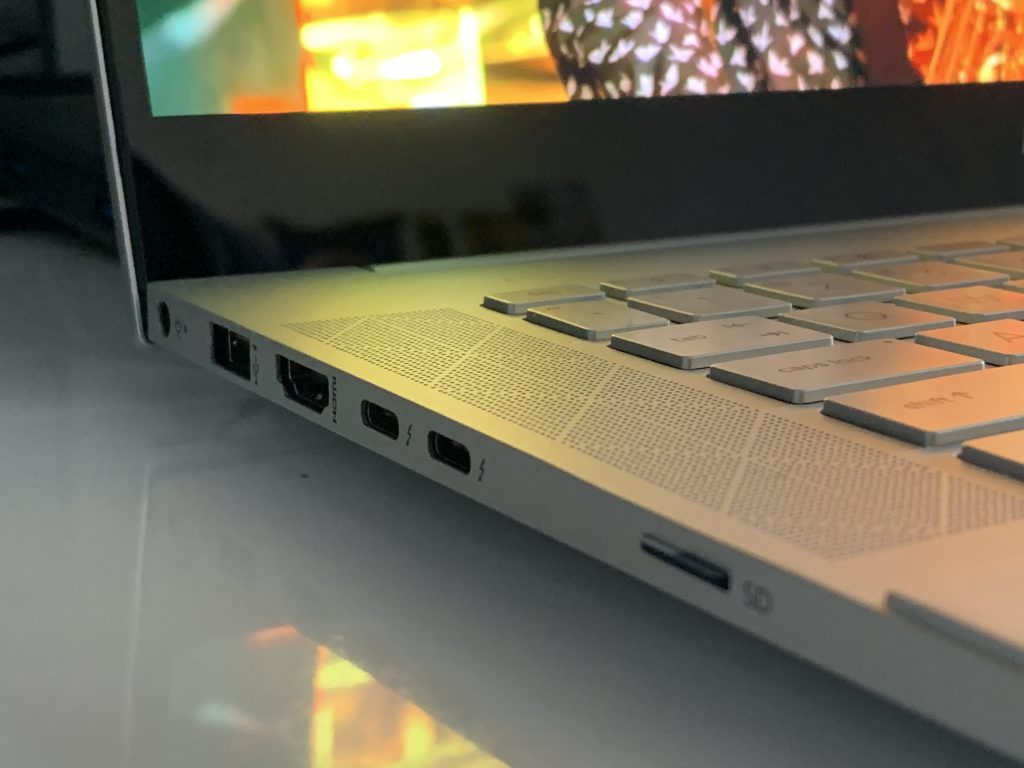
Hp Envy 15 Ports Left

Looking at the ports onboard the Envy 15, there is a lot to go around. You won’t ever need a dongle if you buy yourself this laptop. It comes with 2 Thunderbolt 3 USB-C ports, an HDMI port, and 2-USB-A ports, too. Of course, there’s also a headphone jack as well. Oh, and there’s even a microSD card port for expansion, too.

This is where the Envy 15 doesn’t feel like it has wasted space. Unlike what you get on a Surface Laptop (USB-C and USB-A and no expandable storage) there’s a port for everything you need. It comes closer to what Microsoft has on the Surface Book 3 (2 USB-A, 1 USB-C,  2 Surface Connect, and full-size SD card reader.) For content creators, which both Surface Book 3 and the Envy 15 target, that’s a nice mix of ports, though some folks might have wanted a full-size SD card reader instead of micro SD on the Envy.

There is still one flaw, though. While all modern Surface devices with USB-C can be charged through the port, the Envy 15 can not. It only will charge up through its 200-watt proprietary pin charger. This makes a lot of sense because of the dedicated power-hungry RTX graphics card, but it is a bummer for this price. It would have been great to be able to charge the laptop up on the go.
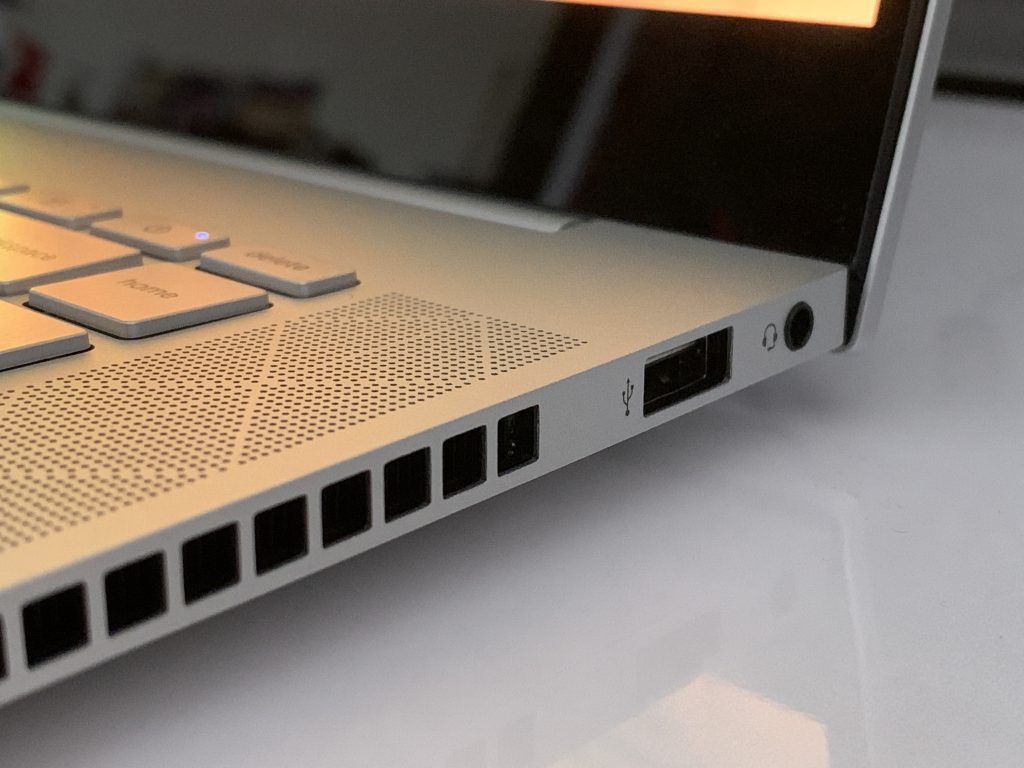
Hp Envy 15 Ports Right

Related to ports are the speakers, webcam, and connectivity. In these areas, the HP feels a bit different from a Surface. I loved the speakers on my Surface Laptop 3, but with the HP, speakers are buried under the laptop chassis and are downward-firing. I often had to turn the sound up to high levels just to feel immersed.

The webcam is also just like what you get on a Surface as it is 720p. However, the HP Envy doesn’t have a dual far-field microphone as you’d find on a Surface. It’s noticeable when you’re on web calls. I had to plug in an external microphone when I do my weekly Podcast for OnMSFT.

As for wireless, the Envy sports support for WiFi 6 and Bluetooth 5. No issues there, as this is routine for most laptops in 2020.

The performance and gaming
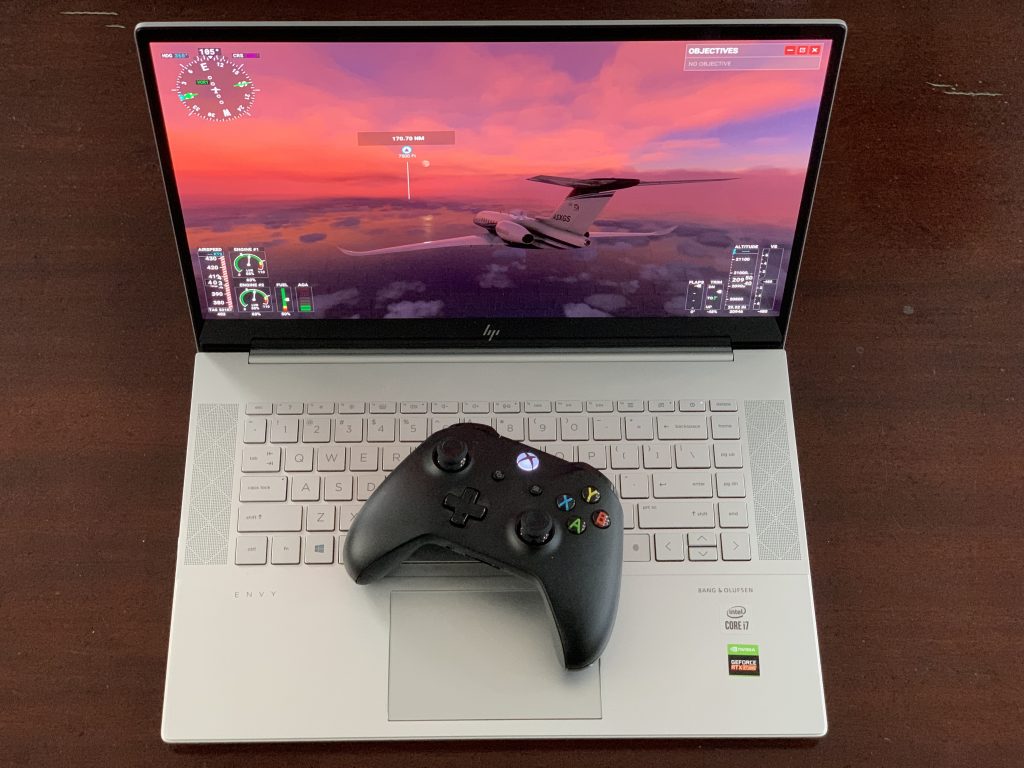
Hp Envy 15 Performance Gaming

One of the reasons I purchased my HP Envy 15 was for gaming and enjoying Microsoft Flight Simulator 2020. In this area, the Envy does not disappoint. I may be repeating myself, but it’s one heck of a machine, with specs that can handle almost any game.

But to be clear, though, HP doesn’t advertise this as a gaming laptop. Instead, it’s meant as a studio laptop, for coding, designing games, and videos. This is evident when you boot up the laptop and open the Nvidia GeForce Experience. There are no game-ready driver updates for download, as you’d see on most gaming laptops.

Like most of my reviews, I don’t want to dive too deep into technical testing and aspects. Generally speaking, I will just mention how I used the HP Envy 15. For me, that’s casual computing and work, as well as gaming.

For work and casual computing, the Envy 15 doesn’t disappoint. Generally, I have a workflow in Edge of 10-15 tabs. Sometimes its media-heavy content, and other times, it’s webpages with lots of images. Here, the Envy blasts through everything. That’s evident with its Basemark web score of 765 as well as the obvious advantages of having a 6-core Intel Core i7 processor inside. There’s no need for Geekbench, here.
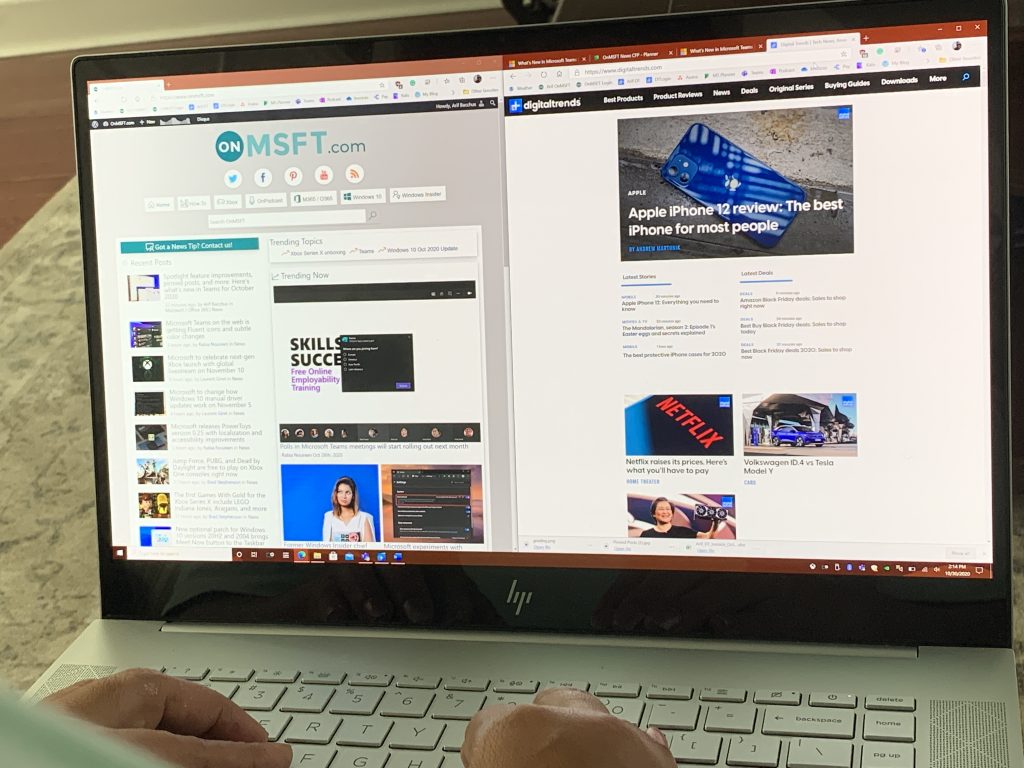
Hp Envy 15 Onmsft Side By Side

For gaming, the Envy 15 tackles every game I threw at it. In Microsoft Flight Simulator, I did not get any lag when playing on “High-End” settings at the native 4K resolution. The lands below my airplane loaded just fine, and it looked great when flying through New York City and taking in all of my home town’s details from the skies above. I thoroughly enjoyed cross-country flights, flying over Pakistan, Disney, and even Downtown Los Angeles, not to mention the realistic feeling of flying through a hurricane.

Again, the HP Envy 15 isn’t designed to be a gaming laptop, but with RTX graphics inside, there’s no reason why it can’t be one. It was able to play some games on Steam at excellent frame rates. I downloaded Metro: Exodus on Steam, and it hit about 40 frames per second on ultra settings with ray-tracing enabled, and 38 without it enabled. It’s amazing to see that game push out such high frames.

Finally, for video-editing, the Envy 15 doesn’t disappoint, either. When I encoded a 38 minute long 1080p 30 frames per second video (the weekly OnMSFT Podcast) the HP Envy took around 2 minutes to push it out to completion. My MacBook Pro typically takes about 30 minutes to do this same task.

I do also want to mention the cooling, here, as well. HP is using “vapor cooling” technology on the Envy 15. This is usually reserved for higher-end gaming laptops, and I think it works well with this Envy, too. The Envy never felt too hot to the touch, especially when I was gaming and playing Microsoft Flight Simulator.

HP’s own Performance Control app will also give full control of the systems’ fans to help cool down the laptop when gaming. The fans might come on full-speed when plugged in and gaming, but it does it for a purpose — keeping the laptop cool. Air will pass through the sides and the vents on the rear, as well as the vents on the top of the keyboard, too, ensuring the laptop never turns into a stovetop.

The display

Hp Envy 15 Display

These days on a laptop, it’s all about the bezels and image quality. While Surface Book 3 and Surface Laptop 3 do have thicker bezels than laptops like the XPS 15, HP’s Envy 15 is on a similar footing. The bezels along the side are slim, but there’s an ugly chin at the bottom of the display. However, the 4K AMOLED Panel (which supports HDR) makes up for this in every single way.

Though I praised the PixelSense display on the Surface Laptop 3 when I reviewed it, the Envy 15 kicks things up a notch. Thanks to the AMOLED panel, it pushes out some very accurate colors and deep blacks. On the first day I unboxed the laptop, I watched a sample video to test the 4K HDR quality, and I was amazed. The yellow and golds in the saxophone in the video were super vibrant and lively. Not to mention, the accurate brightness of the colors on the DJ’s stage. I felt like I was in the scene with these musicians.

I’ve yet to see a laptop with this type of color accuracy and vibrancy. Microsoft’s PixelSense displays are great for inking, but 4K OLED is even better, especially for creators. HP says it can hit 100% of the DCI-PC color gamut, and total brightness of 400 nits. Just be aware, there’s no screen-technology for gamers, here. You won’t find Nvidia’s G-Sync on board and the screen is locked to 60Hz.

The display does have some faults, though. One of which is battery life, as we’ll discuss next. The other is its aspect ratio. Coming from using a Surface Laptop 3, I really do miss the 3:2 aspect ratio. On this HP, with a 16:9 aspect ratio, it feels like I am losing a lot of vertical space. If the bottom chin was cut out, this problem probably would have been solved.

The battery life
Hp Envy 15 Battery

To end this review, there’s the all-important battery life segment. Here’s where there’s a mixed bag. AMOLED and 4K displays are known to consume a lot of power. And, with this HP Envy 15 having a power-hungry RTX graphics card inside, the combination doesn’t quite equate to good battery life.

Keeping the display brightness down to around 20 percent, and setting Windows to “better battery” I received about 5-6 hours of screen-time for my general day-to-day productivity. When gaming on the battery (which I would not recommend because the HP isn’t able to use the full power of the RTX GPU) I got half that, with the performance settings set to “best performance.” Considering this is more of a workstation and desktop replacement, rather than an ultrabook. This is still good battery life considering the specs, though.

The end: Better than a Surface

If you’re looking for a powerful laptop that’s under $2,000, but also has enough power for gaming, video editing, and even managing virtual machines, then this HP Envy 15 is you. Compared to Microsoft’s top-end Surface devices, there’s a lot of value here for the price.

For sure, you do lose some things from Surface with the HP. That includes a 3:2 aspect ratio, pen support, and the tablet form factor, along with battery life. However, in terms of raw power, the HP Envy 15 is unmatched for it’s $1,700 (and when on sale $1,600) price. You’ll get better RTX graphics, a fantastic display, and the versatility of a six-core Intel processor.

It could be lessons learned for Microsoft, too. The company’s own Surface Laptop 3 lacks a dedicated GPU, and when compared to the Envy 15, the Surface Book 3 sports a lesser-powered GTX graphics. Here’s to hoping the next Surface packs more power.