The Division receives Conflict update in less than a week

The Division is an online open world third-person shooter video game released in March 2016 that was developed by Ubisoft Massive and published by Ubisoft. The game is available for Xbox One, PlayStation 4 and Windows PC.

Since the game was announced back in 2013, that means that it took time for the developers to finally make it available to the public. Even if it took quite a while for the developers to release the title, we can say that it is currently one of the most popular games out there, played by many gamers all over the world. Even if it was released with glitches and bugs, the developers addressed them and the game runs smoothly on all platforms as a result.

Conflict will be the next big update for the young release, not only coming with new gear sets, weapons, and loot but also the new Clear Sky Incursion. According to Ubisoft, the agents will now fight against Rikers. You will need to take back a formerly LMB-controller anti-air missile site in order to restore safe passage to the skies over Manhattan. At the same time, you will have to reclaim supply drops stolen by Rikers.

The new update will also come with a high-value target, which will surely be quite hard to kill, as you will now have a limited amount of time to do so. In addition, players will now be able to hijack loot in the Dark Zone, which will make things even more intense than before.

The Division: Conflict update will be released for Xbox One and PlayStation 4 consoles and Windows PC on May 24, 2016.

RELATED STORIES TO CHECK OUT:

ARK: Survival Evolved receives a new Official Mod map

ARK: Survival Evolved is an action-adventure survival game scheduled to be released for Xbox One, PlayStation, OS X, Linux and Windows PC in Q4 2016. The game was developed by a consortium of companies: Instinct Games, Effecto Studios, Virtual Basement and Studio Wildcard.

The game’s early access period began for Windows PC on June 2, 2015, for Linux and OS X on July 1, 2015 and for Xbox One on December 16, 2015. In this game, players need to survive as they are stranded on an island filled with natural hazards, potentially hostile human players, and dinosaurs.

You can play the game in either first person or third person view and navigate around the map on foot or by riding a dinosaur. You will use improvised weapons and firearms to defend yourself against hostile humans and creatures, but you can also build bases which can be used for defensive measures in both single-player and multiplayer modes.

ARK: Survival Evolved is now receiving a new update which adds support for The Center, a huge map free to all players. Studio Wildcard claimed that the new map doubles the in-game playable geography of the already enormous landscape, making it around 70 square kilometers.

The Center is filled with lava rivers, giant picturesque mountains, ancient underground ruins, big ice caves, and more mysteries, all highlighted by some awesome lighting effects. The developer added that the map is so big that the caves come with their own unique ecosystems.

The game is now in the midst of its early-access period  and the gamers who want to play it will need to pay for it. Until 24 May, 2016, there is a 33% discount on Steam for this game: making it only 18,75€.

Here is the trailer of the new map that has been added to this game:

RELATED STORIES TO CHECK OUT:

How to add Shutterstock images into a PowerPoint presentation

Microsoft announced a partnership with Shutterstock, which brought integration of PowerPoint and famous stock photos directory. Users of Microsoft PowerPoint will now be able to add stock images from Shutterstock to their presentations directly from the program.

To make the integration possible, Microsoft and Shutterstock released the new add-in for PowerPoint, which allows users to easily use stock images in their presentations. All you need to do, is to open the extensions, and select a photo you want to add to your presentation.

Shutterstock add-in for PowerPoint offers some great features, including: 84 million stock photos, the ability to try a photo before you buy it, sizing options, and many more.

How to add stock photos to your PowerPoint presentation

To be able to add stock photos from Shutterstock to your PowerPoint presentation, you need to install the Shutterstock add-in first. Once you install the add-in, you’ll be able to easily add any stock photo to your PowerPoint presentation. Here’s exactly what you need to do:

  1. First thing first, you need to install the Shutterstock add-in. You can do so from the Office Store
  2. Once you downloaded and installed the extension, you just need to open PowerPoint, and the Shutterstock plugin will automatically show up on the right side of the PowerPoint interface

Now you can browse stock photos, and add them to your presentation. The only downside to this extensions is that, just like all other photos from Shutterstock, you need to purchase images to before you include them in your presentation. Price range goes from around $20 for two images, to up to $250 for 20 images. You can also purchase a subscription service for $139 per month, for 350 images.

The Shutterstock add-in is compatible with PowerPoint 2013, PowerPoint 2016 and Office 365.

Tell us what do you think about this combination, and are you willing to give a few bucks to make your presentations richer with Shutterstock images.

RELATED STORIES YOU NEED TO CHECK OUT:

All keyboard shortcuts now available in Windows 10 universal apps

Users reported that certain keyboard shortcuts were unavailable in UWP apps. Now, this issue is fixed thanks to the latest Windows 10 build. Among the affected shortcuts there were CTRL + C, CTRL + V, and ALT + Space. These are all staple shortcuts, especially for certain programs.

It seems the problem occurred immediately after upgrading to Windows 10, as users report:

I’m happy with w10, upgrade from w7.  But I having frustrations with copy/paste.  It copies a segment from a web site okay but when pasting in an email it doesn’t appear.  Is there a clipboard somewhere where I could store it? […]

I am using Edge and Outlook. If I’m on a webpage and wish to copy a paragraph, I highlight it, it turns grey, and I copy.  When I go to paste in email I right-click and no drop-down menu.  Nothing.

Then other times it works as advertised.  Never had this problem with W7.

Help!!!

I have installed Windows 10 on both my Laptop and Desktop machines.  On both machines I am not able to use the keyboard shortcut “CTL-V” to paste files in the File Explorer app.  The copy, CTL-C, works OK.

Of course, I can “right-click” the destination folder and select the “Paste” option.  However, it would be nice to be able to use CTL-V option to save a keystroke.

Speaking of keyboards, many users have reported issues with their on-screen keyboard lately. More precisely, the on-screen keyboard didn’t appear on their device’s screen. There are several methods available to fix this problem: launch the keyboard from the Settings app, add it to the taskbar, or launch the app from the applications list.

Speaking of keyboard improvements, you should also know that the ALT + Y issue in UAC UI has been fixed, as well, in the recent Windows 10 build release.

RELATED STORIES YOU NEED TO CHECK OUT:

Microsoft commits to greener datacenters “for a brighter future”

While new datacenters is an important investment for any cloud-heavy technology businesses, they also pose risks to the environment. As a major cloud player and big spender on datacenters, Microsoft has published a new post on its blog today, by President and Chief Legal Officer Brad Smith, to confirm its commitment to building greener houses for its data. The post follows news of Microsoft’s new datacenters in Dublin, Ireland.

To be fair, Microsoft has already put a lot of effort into making their datacenters environment-friendly. Approaches include implementing a carbon emission fee for each of its business units, purchasing renewable energy certificates, and investing in carbon-reducing community projects. The results have been impressive: 100 percent carbon neutrality, c14 billion kilowatt hours of green energy purchased, and approximately 44% of datacenter energy coming from renewable sources.

Microsoft is now the second largest user of green energy in the U.S.

“The largest tech companies today may each consume as much electrical power as a small American state. There may come a point in just a few decades when we each may consume as much power as a mid-sized nation. This creates an obvious responsibility that we need to take seriously.”

– Brad Smith, President and Chief Legal Officer, Microsoft

Microsoft, of course, realizes that its achievements do not mean resting on its laurels: President Brad Smith fully admits the company’s potential energy footprint as it cloud business continues growing, and the responsibility that comes with being such a big energy consumer. Smith express his organization’s commitment to fulfilling this responsibility by being transparent about its consumption and continuing greenifying its operation, with activities like maintaining carbon neutrality, retiring renewable energy certificates, and investing in new energy technology, among others. Microsoft is aiming to have 50 percent of its energy coming from wind, solar, and hydropower by 2018, and increasing in the future.

It’s great to see technology leaders like Microsoft committing to social responsibility amid their expansion, and we can only hope that more companies will follow these examples for sustainable development in the future.

Over 1 million new gamertags are now available for Xbox Live Gold members

Xbox Live users who have been wanting to change their Gamertag to something more creative or suitable are in luck because today is the day when Microsoft is releasing over one million Xbox Live Gamertags from redundant accounts.

Announced a few days ago, this recycling of Gamertags is possible due to the termination of Xbox Live accounts that were created during the time of the original Xbox video game console yet were never upgraded or transitioned to its successor, the Xbox 360.

What does this mean? Well, mostly that those users who signed up for an Xbox Live account but found that their desired name had already been taken may have a chance to get it after all. That is if their choice of name is one of the one million or so being released back into the wild.

A full list of names hasn’t been revealed by Microsoft (just think how long it would be if it was) but the company has announced that these Gamertags consist of proper names, pop culture references (entertainment, sports, gaming), types of food, geography and travel, science and technology, math and numbers, animals, and “some of the greatest inventions of all time”.

It’s important to note that access to these new Gamertags will only be available to users who have been paid members of Xbox Live Gold for at least one year and that the names will be released in waves over a 24 hour period to allow gamers in other countries a chance to get the Gamertags they want.

Xbox Live users who had their Gamertag automatically assigned to them when they joined are entitled to one free change while those that have previously selected their names will need to pay a small fee to choose something different.

The easiest way to change an Xbox Live Gamertag, and see which options are available, is on this page here, however Xbox Live members can also use the Xbox app on Windows 10 and the Xbox One console itself. Xbox 360 users will need to use the website, the Xbox app, or an Xbox One console to access these newly released options.

Those who have been using an Xbox Live account to play games on Windows 8, 8.1, and 10 PCs and tablets or on Windows phones can change their name on the website or through the Xbox app. Remember, these new Gamertags are only available to Xbox Live Gold subscribers at the moment.

A Gamertag is basically a username or alias that’s used to identify users playing games on Xbox Live supported video games such as on the Xbox 360, Xbox One, and select titles on Windows PC and Windows phones. Gamers can still display their real name on their profile page but a Gamertag is what is used most often when playing with other players and searching for friends to connect with.

Are you going to change your Gamertag or are you happy with the one you have? Let us know in the comments below.

Surface Pro 4 models discounted by up to $150

The 2-in-1 Surface Pro 4 released in October 2015 are getting a major price reduction, but the promotion is available only for three of its configurations. Microsoft is offering a $100-$150 discount on four Surface Pro 4 variants until May 28.

Every few weeks, the Surface Pro 4 gets big discounts and fans have the chance to buy the tablet at a more affordable price. In the previous month, two models in the range were included in a money-off promotion. Eight days after that deal ended, the company introduced another promotion for the premium Windows 10 tablet.

The latest ongoing promotion is available for four configurations of the Surface Pro 4, as follows:

– The Core i5 variant backed by 8GB of RAM and which has a 256GB SSD now costs $1,199, a price reduction of $100;
– The Core i7 variant with 8GB of RAM and 256GB SSD is now priced at $1,449, a price reduction of $150 discount;
– Another price reduction of $150 is offered for the Core i7 variant with 16GB of RAM and 256GB SSD, now $1,649;
– Also, the Core i7 variants with 16GB of RAM and 512GB SSD costs now $2,049, $150 less than usual.

Microsoft hasn’t specified how long this deal will be available but sources say that the promotion will end on May 28. A few days ago, the “Free Surface Pro 4 Signature Type Cover” promotion ended, but another deal will continue until June 30 for the Surface Dock that will cost $30 less when buying the Surface Pro 4.

The Surface Pro 4 has a 12.3-inch Pixel Sense display that supports 2736 x 1824 pixels and comes with a free Surface Pen.

RELATED STORIES TO CHECK OUT:

ALT + Y issue in UAC UI gets fixed in recent Windows 10 build release

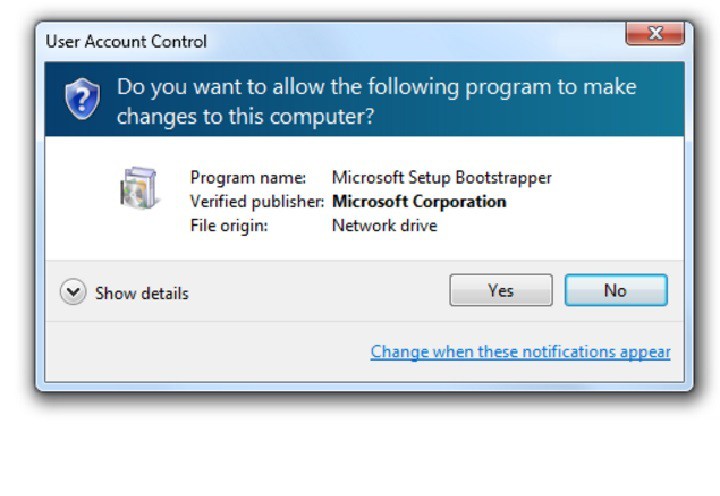
Windows 10 Insider Preview Build 14342 brings a fix for the ALT+ Y keyboard shortcut to choose “Yes” in the UAC UI. You can now use this shortcut again whenever you give your permission for software and drivers to install or when you change system settings and don’t want to use the mouse.

Back in April, users reported the issue on Microsoft’s Support Page:

14328: UAC locked on, dialog does not respond, Ctrl-Alt-Esc to escape

So there’s a “known issue” in 14328 that Alt-Y does not give a “Yes” response to the UAC dialog. But for me the dialog does not respond to anything at all. Not the button, not the link, not the mouse, not the keyboard. So there are no useful changes I can make to any settings, and no programs will install. Any clues for how to get out of this? […]

The build looks worth investigating, but I’ll have to revert to previous if this carries on.

Still doing this on build 14332. The PIN setting dialog is also affected.

Microsoft listed this tiny bug on its to-do list and promised users a fix would soon be available. One month later, Build 14342 brought the awaited fix alongside Dark Mode support for the UAC. Even though this feature was present in the Windows 10 Preview for quite some time, users mainly notice it while using the Settings app. But with this change, the dark mode will have a bigger impact on system’s user interface.

Speaking of shortcuts, build 14342 has also fixed an issue where certain shortcuts weren’t working in UWPs, like  CTRL + C, CTRL + V, and ALT + Space. Everything should run smoothly now.

Build 14342 has not solved all the problems in Windows 10. Microsoft listed six important issues they are still working on, hoping to solve them by the next build release:

  • Feedback Hub is not localized and the UI is in English only, even with language packs installed.
  • Feedback Hub takes about 20-30 minutes to download and populate itself if launched from Start in build 14342 .
  • The QQ app from Tencent crashes.
  • Bash prompts are not accepted a non-English keyboard.
  • The All apps list on Start appears empty when running Insider Preview builds in certain languages.
  • Square boxes appear in certain apps when using some of the new emoji.

RELATED STORIES YOU NEED TO CHECK OUT:

Posted in Fix

Tencent launches Blade BOX, its own Intel-powered Windows 10 gaming console

As many of you may already know, there are rumors which say that Sony is preparing to release an upgraded version of PlayStation 4. Wanting in on some of the fun, League of Legends developer Riot Games along with Intel and Haier have announced the upcoming Tencent TGP BOX, which will be released under the name of “Blade BOX”. This Windows 10 gaming console is designed to change traditional gaming and we are pretty sure that many PC gamers will be interested in it.

As we’ve told you above, the console will run on Windows 10, but for now we don’t have any information about its specifications. However, it is expected to be powered by the sixth-generation Intel processor (i3, i5 and i7), so it should be pretty powerful and fast.

The upcoming Blade BOX console will not be very similar to the consoles that we have become accustomed to. Instead, it will feature more curved edges and will have a different layout on the back. However, the controller looks almost the same as that one of the Xbox One.

Expected features of the Blade BOX: 

– Ability to download and stream games;
– Ability to play local games;
– Ability to stream live gaming sessions;
– TGP Box Mode (the TGP box mode will allow you to switch the console between gaming mode and Windows 10).

Here are some games that will be able to run on the upcoming Blade BOX console:

– FIFA Online 3;
– NBA 2K Online;
– League of Legends;
– Need for Speed: Hot Pursuit Tournament;
– Monster Hunter Online.

According to reports, more games will be added later this year from third party developers and publishers. It’s not sure if the console will be released for the Western markets as Tencent is a company most commonly known in the Asian market. If you’re looking for more traditional ways to game, here are some of the best gaming laptops to check out.

RELATED STORIES TO CHECK OUT:

Windows 10 users complain about fast draining phone battery with latest build

Insiders can now install the Windows 10 Mobile Insider Preview Build 14342 and test out some new improvements. As usual, the latest build brings both advantages and disadvantages. Such is the case with the latest Mobile build, with users now complaining about fast battery drain after install.

Microsoft has made public its known issues list for this build but has not yet included an issue more and more users have been complaining about: fast battery drain.

Lumia 1520 Build 14342. Need to charge the battery twice in 24h

The battery last only few hours.

Any tips to solve this problem?

Another user confirms:

I’ve had this since overnight when my phone updated to 10.0.14342.1001

Just as you describe, without any use (or apps open) my 930 is going from 100% charge to 0% in about 4 hours. I’ve had it charging for several hours now and it’s only up to 19%. It also seems that if you actually use the phone whilst its charging that the % doesn’t increase at all!

The phone is too warm to leave in my pants pocket 🙂

I’m hoping that someone has an idea of what is causing this, cause otherwise I’m going to have to use the reset tool.

So far, Microsoft has not issued any official statement or update acknowledging this unusual battery drain.

Yeah – I have a Lumia 930 with the same issue. No tips to solve it yet…. I hope someone will find something because with the 930 I only get about 4 hours battery when not even using the phone!

This is not the first time a build causes battery issues. Back in January, Windows phone owners complained about charging issues and fast battery drain after having installed the build, implying that Microsoft rushed the build release.

Perhaps the battery drain issue in the current build is due to the install problems many users reported. More specifically, the Windows logo freezes on the screen for minutes on end as if the build install stopped. (In actuality, it continues in the background, with the only solution being to simply wait about 40 minutes to allow the device to finish the install.)

Meanwhile, we suggest you try the following workarounds to extend your phone’s battery life:

  • Adjust screen brightness
  • Turn off your display after some time of inactivity
  • Activate battery saver when battery is low.

RELATED STORIES YOU NEED TO CHECK OUT:

Windows 10 apps will soon be compatible with the Kinect sensors

Microsoft will soon allow developers to make Windows 10 apps compatible with Xbox’s motion sensor, Kinect. While the majority of people think that Microsoft has already given up on Kinect, these fresh reports show that Redmond still has plans with the motion sensing technology.

As Microsoft’s blog post states, starting from the Anniversary Update for Windows 10, UWP apps will be allowed to access Kinect’s data and use the motion sensor as a control device. According to the same blog post, most of today’s UWP apps can’t access most of the data from a Kinect sensor (or any third-party sensor) including RGB, infrared (IR), depth data and skeleton data, with the last being very important to Kinect apps.

Reportedly, three things will make the integration with Kinect in Windows 10 possible. These three things are:

  • “The new Windows.Media.Capture.Frames extensions to Media Capture are available in the Windows 10 SDK preview, build 14332 or newer. These API extensions are device independent. To access IR and depth data, a compatible device and a matching device driver are also required.
  • A matching driver update for Kinect will be available later this spring.
  • To access skeleton data from Kinect, which is delivered through Windows.Media.Capture as a custom stream, a Kinect-specific supplemental SDK is needed, which we plan to release in the second half of 2016.”

Microsoft additionally promised that none of existing Kinect Win32 apps and SDK capabilities will be affected by the new Kinect support. Check out the brief preview of Kinect SDK for Windows 10:

What do you think about using Kinect in Windows 10? Is it a worthy controller, or is this Microsoft’s try to resurrect something that will fail? Tell us in the comments below.

RELATED STORIES YOU NEED TO CHECK OUT:

Peter Molyneux still wants to make Fable 4 after Fable Legends failure

If you’ve been a long time Xbox fan,  chances are you’ve played the Fable games. This franchise was one of the best Microsoft had out there until the rise and fall of  Fable Legends.

Many fans, including us, would have rather a Fable 4 instead of what Microsoft and the now defunct Lionhead Studios attempted. Still, all is not lost: The creator of Fable and founder of Lionhead Studios, Peter Molyneux, is interested in Kickstarting Fable 4 should Microsoft give him the go ahead.

Molyneux said he would love to do a Fable 4 after he has finished work on his current project. The plan is to reunite with some of the Lionhead Studios employees to work on the game, but the ball is in Microsoft’s court now:

“When I finish what I’m working on now, if someone comes to me and asks, hey, do you want to do Fable 4, I’d totally be up for it,” Molyneux says in an interview with Eurogamer. “I would get Dene back. I would get Simon back. And I would remake this world. It’s such a rich world and there are so many avenues we didn’t explore. That would be really good fun to do. “And I’d still want the equivalent of another dog.”

The Eurogamer article went on to add that Microsoft wanted to sell Lionhead Studios but at the same time, didn’t want to let go of Fable. This is the reason the studio was not sold because potential buyers also wanted the full rights to Fable.

It is clear if the software giant is interested in doing something with the Fable name, so there might be a chance for Peter Molyneux to get his hands back on the franchise he created. Then again, he did a questionable job with Fable 3, so we’re not fully sold on him returning.

As for Fable Legends, Microsoft sunk over $75 million into its development. That’s rather interesting because the game doesn’t look or play like a $75 million title, so no wonder it was canned.

RELATED STORIES YOU NEED TO CHECK OUT:

AMD Crimson driver receives DOOM, Battleborn support

AMD just released a new version of its Radeon Software Crimson Edition graphics package. The software is now updated to  version 16.5.2 and features support for some of the most recent gaming titles, including DOOM and Battleborn.

Besides bringing the support for some new titles, the recent update for AMD Crimson driver also fixed some previously known issues. One were some graphical errors in League of Legends caused by Crossfire technology, as well as an issue with corrupted textures in Star Wars: Battleborn. The newly rebooted Hitman also received some improvements with this update, as the common problem of character models and environments being rendered too dark is now long gone. Support for Hitman was added in the previous update for AMD Crimson.

The software’s user interface and range of functionality also received a few changes in the most recent update, with the Radeon Settings utility receiving the most of the overhaul.

AMD Crimson was released last year as a replacement for the company’s Catalyst Control Center. However, things weren’t so smooth back then as the program often crashed and caused various problems for users. But all that trouble is apparently behind it: further updates drastically improved the stability and overall performance of the software.

If you own a compatible AMD graphics card, you can head over to the manufacturer’s website to download the driver package for free. Or you can simply check for updates in Windows 10 and this update will probably be delivered directly to you.

RELATED STORIES YOU NEED TO CHECK OUT:

Mirror’s Edge Catalyst now available for pre-order on Xbox One

The long wait for Mirror’s Edge Catalyst is almost over! The free running parkour video game will be releasing across PC, Playstation 4, and XBox One three weeks from now.

For those that don’t know, the original Mirror’s Edge game released by Electronic Arts was a relatively short but groundbreaking adventure that left many fans desperate for more. It took years for EA to respond to the outcry of requests, giving them a teaser. That teaser was during the Electronic Entertainment Expo in June 2013. But it took nearly two years for the title of Catalyst to be formally announced.  Nearly three years later after the original glimpse of gameplay, we are on the cusp of the new game’s release and eager to see it come to Origin on PC, Playstation 4, and XBox One.

The game’s story follows Faith, an adventurous and daring free-runner that resides in the City of Glass. While Glass is beautiful to look at with tall glistening skyscrapers and illuminated rooftops, the city holds darker secrets. Players run through the cityscape as Faith, uncovering those terrible mysteries and fighting for freedom against the hidden conspirators that want to stop the main protagonist. With a number of districts, factions, characters, and corporations to learn more about, Faith evolves from a curious young heroine to a rebel that the Conglomerate must crush by any means necessary.

XBox One owners can now pre-order and download the game through the store, however, it won’t be playable until 12:01 AM EST on July 7, 2016. With the pre-order purchase of Mirror’s Edge Catalyst, players will receive the game as well as the Speed Runner Kit and the Combat Runner Kits. Both of these kits customize your appearance while you run through your friend’s worlds, compete against them, and make your mark at the top of the leaderboards.

Pre-order and download the game early by visiting the store. Learn more about the game by visiting the Mirrors Edge Catalyst official site.


Fix: Windows 10 Mobile phone stuck at Windows logo screen

The recently launched Windows 10 Mobile Insider Preview Build 14342 offers a plethora of fixes for annoying issues, but also brought build install issues. This is not the first time when build install does not go according to plan. Many users could not install the previous Mobile build because of the 0x80070002 error, which has been fixed in the current build.

Thousands of Insiders reported getting stuck at the Windows logo screen after the post-install reboot for build 14342. Although nothing seems to be happening while the Windows logo freezes on the screen, the build is working in the background. Users should simply wait for about 40 minutes and allow the device to finish the install.

We are seeing reports of users getting stuck at the Windows logo screen after the post-install reboot for build 14342.1001.  We’re actively looking into this issue.

Workaround:  although much longer than usual, waiting 30-40 minutes at the Windows logo screen allows the device proceeds as normal with data migration and finishing the install.

If you hit this issue, please wait this extended time and allow the install to complete.  It is also recommended to plug your device into a charger to help prevent excessive battery drain while the update process completes.

For some users, this passive solution did not work and the phone did not complete the install. The second solution for them is to force the reboot.

  • Hold the Power + Volume Down keys for 11 seconds
  • The device will vibrate and reboot
  • Allow the device to reboot
  • Device should continue with installation
  • If the device stops again at the Windows logo screen, leave the device connected to a charger and wait.

This workaround solves the issue, Insiders confirmed:

FYI: My Lumia 950XL also got stuck on the Windows Logo screen. After waiting for approx. 90 minutes no change, so I did the power button reboot sequence. The Phone gracefully restarted and continued installation at step 1 (2?) of migrating data.  It is up and running now and all seem well as far as I can tell. Nice 🙂

The good news is that Microsoft guarantees this bug will not break your phone and patience will eventually solve everything.

RELATED STORIES YOU NEED TO CHECK OUT:

We answer: What is Power User Menu in Windows 10 and how to use it?

Windows 8 made some major changes in terms of user interface, but it also brought some new features, such as Power User Menu. This was such well-received feature that it has made its way to Windows 10, and today we’re going to explain you what is Power User Menu and how to use it on Windows 10.

As you probably know, Windows 8 removed the Start Menu completely, and this is why Microsoft implemented a somewhat hidden feature in Windows 8 called the Power User Menu. Although Power User Menu is no Start Menu replacement, it’s still rather useful since it provides access to some of the advanced features of Windows.

With Windows 10 we got Start Menu back, but since Power Menu turned out to be such a popular feature, it’s still present in Windows 10. In fact, in many of our how to articles we mentioned the Power User Menu, so you might be already familiar with it.

What is Power User Menu and how to use it?

Power User Menu gives users a quick way to access some of the most commonly used tools and features in a matter of seconds. This menu is rather useful, since it makes some of the most popular tools available at your fingertips, and you can easily access them with a single keyboard shortcut.

If you want to access Power User Menu, you just need to right click the Start Button or press the Windows Key + X on your keyboard.

power-user-menu
As you can see, Power User Menu offers quick access to some of the popular tools on Windows 10, and we’ll explain quickly what each of these tools does.

First is Programs and Features, and this tool is used to remove installed software, but you can also use it to view and remove installed Windows Updates or to turn certain Windows features on or off.
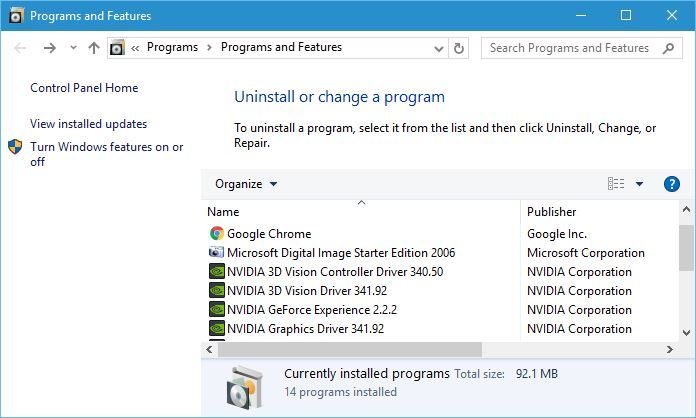
programs-and-features
Next on our list is Power Options. Using Power Options you can change your power plan, which is rather useful if you’re using a laptop, change what the power button does, or set your PC or monitor to turn itself off after a certain time of inactivity.

power-options
Event Viewer is an advanced tool that lets you see log of events that happened on your PC. You can use this tool to see when your PC was turned on or off, or you can use it to see when and why certain application crashed. Event Viewer is one of more complex tools on our list, and it’s and due to its complexity, it might not be suitable for basic users.

event-viewer
Next we have System, and by using this shortcut you can see some of the basic system information, such as the version of Windows 10 that you’re running, amount of RAM or the CPU that you’re using.

system
Device Manager is a tool we mention and use rather often. This tool will allow you to view all your installed devices and uninstall or update their drivers. In addition, Device Manager allows you to change the properties of installed devices, so it can be rather useful tool.

device-manager
Network Connections will allow you to see all network adapters on your PC. By using this shortcut you can easily change the properties of your network adapter or even disable it completely.

network-connections

Disk Management is another advanced tool that allows you to create new partitions or to change the size of hard drive partitions. This tool can delete entire partitions, so be extra careful if you’re going to use it.

disk-managment
Computer Management is a tool that lets you access many hidden Windows 10 features. In fact, you can even use Computer Management to access some tools that are available in Power User Menu. Since this tool can be used to access many other advanced features and tools, you should be careful if you’re going to use it.

computer-management
Command Prompt and Command Prompt (Admin) are the same tool, but they come with different privileges. Command Prompt comes in a form of command line, and you can use it to create files, delete folders, check your network adapter properties, create new users, or even format your hard drive.

command-prompt
There are countless ways you can use Command Prompt, but not all of the advanced features are available in regular Command Prompt, so you’ll have to use Command Prompt (Admin) that has full administrator privileges.

Next on our list is Task Manager, and you are probably familiar with this tool, so we won’t go into much detail. You can use Task Manager to view all your currently running applications and close them instantly if they stop responding. In addition, you can set which applications will start alongside Windows 10 every time you start your PC.

task-manager
If you used any previous version of Windows, you’re probably familiar with Control Panel and you know that you can use it to change almost any setting on your PC.

control panel options
File Explorer and Search options don’t offer access to any advanced features, and instead they work as a shortcuts to File Explorer and Search.

Run option will open a Run dialog that allows you to run almost any application from your PC. You can use this feature to run tools such as Command Prompt or Registry Editor by simply entering the name of the file in the input field.

run
Shutdown or sign out option allows you to quickly turn off or restart your computer, so you might use this option from time to time. Last option on our list is Desktop, and by using this option you will minimize all open windows and instantly show your Desktop.

As you can see, Power User Menu offers shortcuts to some of the most used and most powerful features on Windows 10. It’s also worth mentioning that you can access any of these options by using a simple keyboard shortcut. When you press Windows Key + X shortcut, you should see Power User Menu, and each option on the list will have an underline under a certain character, and you can simply press that character on your keyboard to quickly access a specific tool. For example, if you press Windows Key + X and then press T, you’ll open Task Manager. These shortcuts are available for all options on the list, thus making these features easier to access.

Power User Menu is rather useful and it can be used to access many tools and features of Windows 10 quickly. Bear in mind that some of these tools are rather powerful, so use them with caution.


Startup VNTANA uses Azure and Kinect to project Star Wars-like holograms

Social augmented reality startup VNTANA has partnered with Microsoft to release the HOLLAGRAM, an interactive hologram system with social media integration and data collection capabilities that is leveraging Microsoft’s Azure cloud and the Kinect motion-tracking device. The innovative holographic technology uses standalone hardware and works by combining real-time-time holographic video capture with interactive gesture control, allowing users to experience augmented reality without the need for wearable devices. Here is more technical information from the press release:

Consumers stand in front of VNTANA’s HOLLAGRAM and immediately see their own hologram LIVE on the display. Using gesture control, they can interact directly with holographic objects, such as a celebrity, product or any other object rendered in the digital space simply by moving their hands in front of the display. Immediately after the experience, users receive a branded email with a GIF, video or photo of the experience that they can share on social media.

The startup was founded in 2012 and became a member of Microsoft Early Developer and Microsoft BizSpark programs a year later after the team hacked the Microsoft Kinect and sent Microsoft a video of what they could do with gesture control. VNTANA Co-Founder and CEO Ashley Crowder shared in the press release that “Microsoft has been a huge part of our success, both as a partner and now as a client. Their technology provided us the tools to build the next generation of our products”.

In the following video, you can watch VNTANA CEO and CRO return to their alma mater USC to showcase their innovative technology:

As Microsoft is also exploring different uses cases for holograms with its HoloLens headset, Microsoft Vice President for Developer Experience and Chief Evangelist Larry Orecklin shared the company’s enthusiasm for VNTANA’s technology:

Empowering startups like VNTANA is a main driver for Microsoft. We are always looking for startups and entrepreneurs whose vision is built around innovation of our technology. VNTANA is a story of a startup that had the vision, the innovation, the passion, and we are thrilled to have partnered with them and excited to see what the future looks like for holograms.

What do you think of VNTANA’s use of Kinect?

Windows Store Update and UWP Microsoft Health App now available for download

Just two days ago we delivered you some late night news on the new Windows Store rolling out to Windows Insiders on build 14342 on both Mobile and PC.  After a bug on PC’s prevented the Store from properly updating to the new version, today we can report that the update to the Windows Store is now available for all Windows Insiders on the latest builds.

new-windows-store
New Windows Store main page

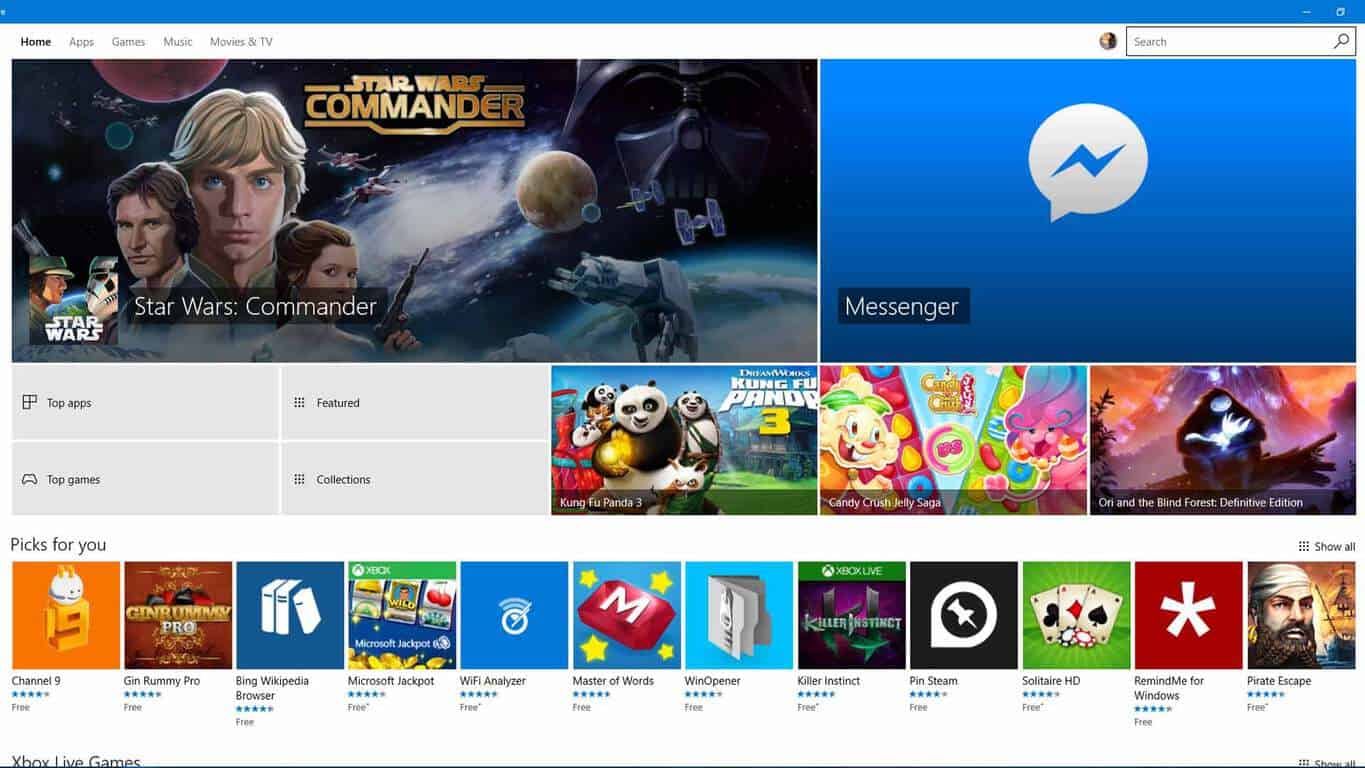
Just as on Windows 10 mobile, the new Windows Store for PC features a new homepage design (seen above) which better shows off available apps and media. Additionally, the update to the store brings a new individual app listing page design (seen below). Lastly, the downloads and updates page also is seeing updates in the new Windows Store, and it now shows off recent activity with information on recently updated apps, and a new download indicator and the ability to hide apps.

New Windows Store app listing page

However, while the update also overhauled the store, it also squashed another bug which prevented the check for update button on the Windows 10 Mobile version of the Store from working. Now, as part of this update, the button now works successfully for a manual check for updates.

In other Windows Store news, the Microsoft Health UWP app is also now available to download. As we have written previously, with the new Microsoft Health app for Windows 10 PCs, Band owners will be able to sync their Band to their PC or Tablet through a USB cable and be able to “manage tiles, personalize your band, update firmware, and more.” The live Tile for the new app will also display info like your step count and calorie burn in your Start menu.

Microsoft Band
Microsoft Band
Price:
Free

What is your take on the new store? Do you like the new design? Let us know your thoughts by dropping us a comment below.

A remastered Batman: Return to Arkham is coming to Xbox One this July

According to Polygon, Warner Bros. Interactive confirmed that Batman: Return to Arkham will be a remastered bundle of Batman: Arkham Asylum and Batman: Arkham City, set to launch July 26, 2016 on Xbox One and PS4 for $49.99. According to Warner Bros. Interactive, both Batman games included in the Batman: Return to Arkham bundle were remastered using Unreal Engine 4.

Batman: Return to Arkham will allow players to access all of the additional DLC that was released for Batman: Arkham Asylum and Batman: Arkham City, and including all of the content contained in the “Game of the Year” editions as well. Batman: Return to Arkham will also have improved graphics, characters, and environments, as well as improvements to in-game lighting and effects, all powered by the Unreal Engine 4.

Batman: Arkham Asylum took place within the walls of Gotham’s craziest insane asylum, where many notorious villains, like the Joker, called home. The sequel, Batman: Arkham City, followed up on the mayhem that was created when the prisoners escaped, wreaking havoc on the streets of Gotham.

Batman: Return to Arkham will be available to play on Xbox One July 26.

Microsoft patents a Surface Book-like multi-pivot armadillo hinge

From a patent for the “shy user interface” to another patent for a “phone pad,” the folks at the U.S. patent office have probably been very busy documenting and sorting through Microsoft patents. More recently, though, the folks over at Patent Yogi have dug up yet another Microsoft patent, this time, a patent for a multi-axis multi-pivot armadillo hinge.

Screen Shot 2016-05-18 at 9.37.46 AM
Diagrams for the multi-pivot armadillo hinge (Photo obtained from Patent Yogi)

Overall, the hinge seems very similar to the one already found in Microsoft’s Surface Book. Patent Yogi describes it as very flexible and mentions that it “can stabilize an entire device” by allowing the device to recline and fold upward and backwards. The patent for the new hinge, though, also details hinge cover portions which are over the multi-pivot hinges to protect the hinges from foreign objects, and the user from being pinched.

Screen Shot 2016-05-18 at 9.38.16 AM
Detaching or attaching devices from multi-pivot armadillo hinge (Photo obtained from Patent Yogi)

As per Patent Yogi, the patented hinge also includes a quick attach and detach assembly to allow the user to detach primary and secondary portions of an attached device (in order to use the two independent of each other.) Again, this is somewhat similar to the already existing hinge on Surface Book, which features a display that can be pulled apart from the hinge on the keyboard.

Screen Shot 2016-05-18 at 9.38.38 AM
A closer look at multi-pivot armadillo hinge  (Photo obtained from Patent Yogi)

The patent, however, mentions other uses for the hinge, including attaching a first touchscreen to one portion, and a second touch screen to another portion.  In the patent documentation, which was filed back in November of 2014, Microsoft officially describes the hinge as follows.
The description relates to devices such as computing devices that have hinged portions One example can include a first portion and a second portion. This example can also include a multi-pivot hinge unit rotatably securing the first and second portions. This example can further include a set of rigid hinge cover portions that are configured to be able to rotate relative to none another while collectively covering the multi-pivot unit.
While a bit dated back to 2014, the patent is nonetheless very interesting. We would love to hear your thoughts on this patent, so be sure to drop us a comment below!

Tado’s Universal Windows Platform app updated with new features

The official tado app has just updated to version 2.11.12. This new updated fixed several bugs and improved the app’s overall stability and user interface performance significantly, so hopefully it won’t crash or freeze any more for those who have been experiencing those problems.

The tado app is used for controlling tado-branded Smart Thermostat and the tado° Smart AC Control devices and while the iPhone is usually used in tado’s marketing it is good to see the company still supporting Windows phone users.

Here’s the official app description:

The tado° app connects to your tado° Smart Thermostat and your tado° Smart AC Control to control your heating system or air conditioning based on your location. tado° pre-heats or pre-cools before you get home and saves when you leave. The app always shows the current state at home, such as temperature or humidity. Check and adjust settings from anywhere.

Have you noticed any improvements with the app since the update? Let us know in the comments below.

tado°
tado°
Developer:
tado.
Price:
Free

Annoying 0x80070002 error gets fixed in Mobile Build 14342

Many users reported issues when trying to install build 14332 on their Lumia phones. Despite numerous attempts, the same annoying error message kept appearing on the screen: “Update: 10.0.14332.1001 – Error 0x80070002”. In other words, users could not take advantage of the improvements brought by the respective build.

Fortunately, we have a good piece of news for all Lumia phone users. Microsoft has managed to fix this bug in the latest Windows 10 Mobile Insider Preview Build 14342.

Here’s how users first described this installation bug:

Hi I’m trying to install the latest build on my Lumia 930 but I get this error “Update: 10.0.14332.1001 – Error 0x80070002”

I have this same issue with the lastest windows phone update. When i go to install the update it fails and says Update: 10.0.14332.1001 – Error Code 0x80070002  (Lumia 640 ) it tells me to please contact support … Please Help me thanks 🙂

Another user describes the methods he used to fix the error, to no avail:

Same here. Downloads, reboots, updates 0% progress aaaannnnd lets bail on the update and reboot again.

Lumia 930 build 10.0.14328.1000 to 14332.1001

The list of Lumia phones affected by this build installation bug is the following: Lumia 930, 1520 , 640, 730DS, 635, 830, 535, 735 and 950.
Given the huge number of users affected, Microsoft tracked the bug internally thanks to the log files sent by users and managed to provide them with a fix in the latest Mobile build.

Today we are releasing Windows 10 Mobile Insider Preview Build 14342 to Windows Insiders in the Fast ring. […]

We fixed an issue causing installation of mobile builds to fail with Error 80070002.

Indeed, the fix works and all the users who had previously reported build installation issues have successfully installed the current Windows 10 Mobile Insider Preview Build 14342.

I can confirm that once the update to 332 fails and you hit retry, it then finds 342 and starts downloading.

If your Lumia phone cannot install the latest 14342 build, go back to Slow Ring, reboot the phone and switch back to Fast Ring to install it.

Confirm! – My update works fine now!

1) I have change back to slow ring and reboot the phone

2) I have Change again to sfast ring – and click on search update

3) Phone download and install update fine.

RELATED STORIES YOU NEED TO CHECK OUT:

Cooking Fever comes to Windows 10, lets you show off your cooking skills

If you like resource and time management games, then you should probably try out Cooking Fever, a popular cooking game in which you’re tasked with preparing the best recipes, upgrading your restaurants, and attracting more customers.

Cooking Fever allows you to explore international cuisine and cook delicious meals and desserts from all over the world. If it seems simple, it’s not — the clock is always ticking. There are 12 unique locations available, from fast food to Oriental restaurants, and you can practice your skills with a variety of cooking techniques.

Hundred of ingredients and tasty dishes are waiting for you. And the good news is that you can translate some of them into real life. Don’t be shy to use all the kitchen appliances, from coffee makers to pizza ovens, because this time you are not doing the dishes. Feel free to be as creative as you can. If needed, get inspiration from these recipe apps for Windows 10 so that you can do better next time.

Learn how marketing works and decorate your restaurants to attract more clients. Make your customers experience more personal and memorable so that they keep coming back. Go through all the tasks and upgrade your kitchen to create an even greater variety of dishes. In Cooking Fever, there are more than 400 levels are available to complete.

Have fun cooking and share your delicious meals on Facebook. In-app purchases are also available, ranging from $2.99 to $99.99.  The game supports the following operating systems: Windows 10, Windows 8.1, Windows 10 Mobile, and Windows Phone 8.1.

Still not convinced? Players love this game:

I don’t play a lot of games but I love this! Short or long play time, many cool restaurants to unlock, strategy in making upgrades and tons of creative options… I’m addicted 🙂

I really like this game. The fact that there are different restaurants with different foods keeps it interesting but I wish it was easier to get gems especially since you need them for a lot of the upgrades.

You can download Cooking Fever from the Microsoft Store for free.

RELATED STORIES YOU NEED TO CHECK OUT:

Office 365 now supports Concur’s expense and travel booking tools

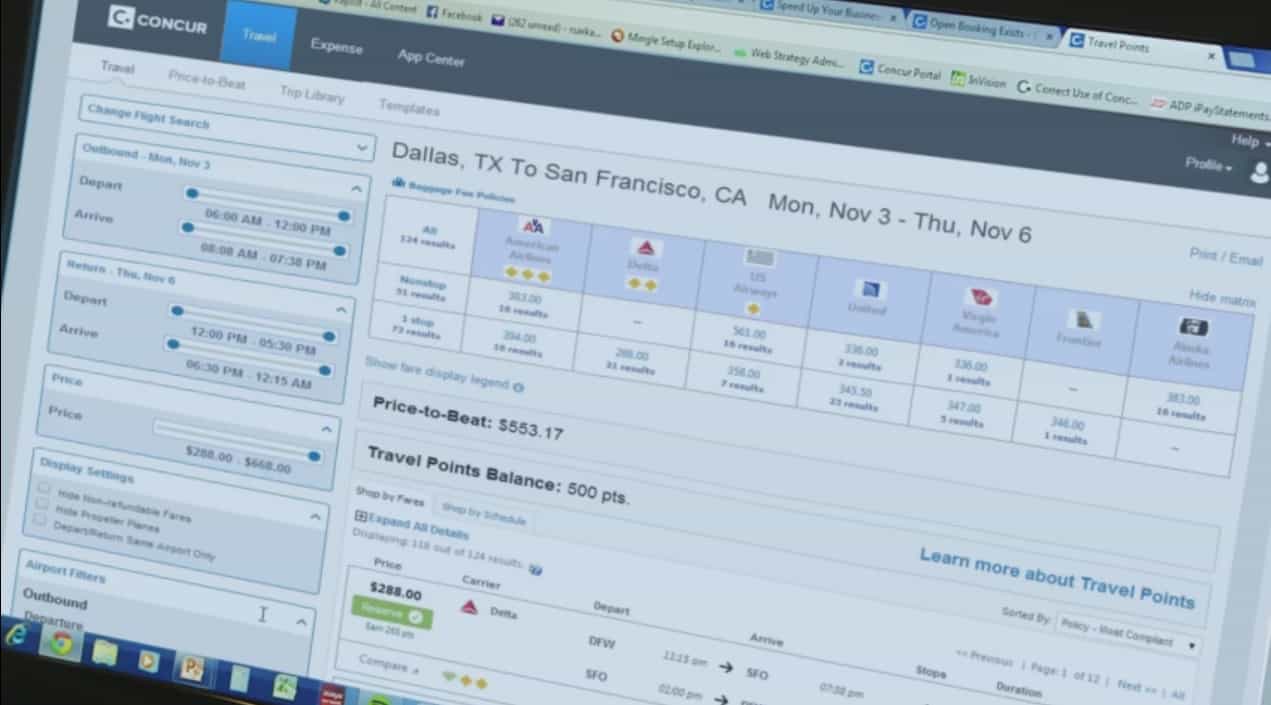
The Office 365 platform just got another injection of accessible productivity with the addition of Concur travel booking and expense tools. Thanks in part to Microsoft’s push for Office 365’s extensibility as more than just a collection of word processing and number crunching tools, customers can now navigate expense reports and plan travel within the productivity suite.

Specifically, users can now take their Excel crafted expense reports and submit them via the Outlook app if they happen to be on the go or working from a mobile workstation, according to tnooz.com. With the support of Concur’s software tools, expense reports in Office 365 become a one-click send and receive process with receipt notes and payment detail authentication.

Furthermore, Office 365’s Concur’s support will also enable a sort of intelligent booking process that scans a customer’s Outlook Calendar for meetings and schedules trips accordingly. Concur’s travel booking software takes into account a customer’s traveling tendencies and routines such as preferred hotel accommodations, flight, and metro transportation choices and offers tips and suggestions during the booking process that are in line with company traveling policies. Concur’s software also keeps a running list of users choices to reduce time and effort during subsequent booking session in the future.

Concur and Microsoft are not strangers to this level of integration. Back in 2006, Microsoft and a then SAP-renamed Project Mendocino, sought to do a very similar and tightly woven integration that seemingly fizzled. Anecdotally, Mendocino, which eventually became known as Duet, shot out of the cannon with very little focus, attempting to access data stored in SAP’s business applications through Excel and Outlook. Perhaps with ten years of market observations, Microsoft and Concur can execute a much more focused release that customers will be drawn to.

Concur

Beyond bolstering the amount of tools a single Office 365 subscription offers customers, the addition of Concur’s expertise in travel and expense brings the company’s 40 million users to the 70 million and growing user base of professionals using Microsoft’s productivity platform. Microsoft plans to have the Concur support baked into the Office 365 platform by autumn 2016.

Download Windows 10 Clean Install tool

Microsoft is reportedly working on a new tool for clean installing Windows 10. As elaborated on in the Community forums, the new tool will provide users with a simple way to install Windows 10 on their computers.

The Program Manager on the Windows Insider Engineering team, Jason, recently shared the information with forum users:

“Hello Windows Insiders!

Want a simple and easy way to start fresh with a clean installation of Windows?  Looking for an easy way to do this?  We’re working on a tool to make this possible.

Final testing and validation is underway and we will want your feedback once it is ready to go!  Stay tuned for additional information as we work through the finishing touches.

And as always, thank you for being Windows Insiders!

– Jason”

Since Jason mentioned that Microsoft wants user feedback, we assume the tool will be released to Windows Insiders first. Also, as it is in the later development phase, we expect Microsoft to provide more details about the Windows 10 clean install tool very soon.

The Media Creation tool for Windows 10 is already available, and we assume the new tool will be different and will feature a greater number of options outside the ability to mount the Windows 10 ISO image.

We don’t exactly know how the tool will work, we don’t know its name, and its release date is still unknown. As soon as Microsoft provides more info about the tool, we’ll make sure to get you updated.

What do you think: how will the alleged Windows 10 clean install tool work? Tell us your opinion in the comments!

RELATED STORIES YOU NEED TO CHECK OUT:

New Civilization VI trailer sets release date on October 21

The award-winning Civilization franchise is returning again after a long hiatus. The new game, titled Sid Meier’s Civilization VI, is slated to hit Windows PCs come October 21, 2016 — a date the title also shares with Battlefield 1.

The Civilization series is a real-time strategy franchise where in each game, the player must build a powerful empire capable of standing the test of time. Players must become the ruler of the entire world by building an empire from the Stone Age right up to the Information Age.

This won’t be an easy task as several problems will arise along the way. However, it’s not impossible if the player has the mind for strategy. Be prepared to wage war with other factions as you participate in diplomacy with others. Furthermore, you will also get the chance to get to head-to-head with some of history’s well known figures.

Here are some of the cool features to expect from Civilization VI:

  • EXPANSIVE EMPIRES: See the marvels of your empire spread across the map like never before. Each city spans multiple tiles so you can custom build your cities to take full advantage of the local terrain.
  • ACTIVE RESEARCH: Unlock boosts that speed your civilization’s progress through history. To advance more quickly, use your units to actively explore, develop your environment, and discover new cultures.
  • DYNAMIC DIPLOMACY: Interactions with other civilizations change over the course of the game, from primitive first interactions where conflict is a fact of life, to late game alliances and negotiations.
  • COMBINED ARMS: Expanding on the “one unit per tile” design, support units can now be embedded with other units, like anti-tank support with infantry, or a warrior with settlers. Similar units can also be combined to form powerful “Corps” units.
  • ENHANCED MULTIPLAYER: In addition to traditional multiplayer modes, cooperate and compete with your friends in a wide variety of situations all designed to be easily completed in a single session.
  • A CIV FOR ALL PLAYERS: Civilization VI provides veteran players new ways to build and tune their civilization for the greatest chance of success. New tutorial systems introduce new players to the underlying concepts so they can easily get started.

For those who are interested, the game can be pre-ordered right now.

RELATED STORIES YOU NEED TO CHECK OUT:

Microsoft shuts down Project Spark, online services stay up until August

It’s official now: after a lot of speculation in recent moths, Microsoft finally decided to shut down its game creation tool Project Spark for good. Starting this week, Project Spark won’t be available on Windows 10 or Xbox One anymore, and developers who were used to this tool will have to find another platform to create games.

Project Spark Community Manager Thomas Gratz confirmed the game was removed from both Windows 10 and Xbox One Stores, and that all online services will be completely shut down August 12. Once online services are down, users will no longer be able to upload their creations or download additional content.

“This was an extremely difficult decision for our team that we do not take lightly. When “Project Spark” transitioned away from active development last fall, many of our team members moved to other projects within Microsoft Studios. While this means there have been no layoffs at Microsoft, it also means it’s simply no longer feasible to continue the behind-the-scenes work involved with keeping “Project Spark” up and running with meaningful updates and bug fixes, so we have come to this hard decision.” said Gratz.

This probably happened because Project Spark failed to reach its potential. The software maker had high hopes for the project, which allowed users to create a game within a game, but it apparently wasn’t popular enough.

Microsoft also said that it would offer players who purchased “Project Spark Starter Kit” in retail stores some sort of refund. Those who purchased the game in retail outlets will receive a credit, which can be used to purchase other apps or games from the Windows Store or Xbox Marketplace.

RELATED STORIES YOU NEED TO CHECK OUT:

Gears of War: Ultimate Edition now supports V-Sync on Windows 10

Gears of War: Ultimate Edition was recently updated for Windows 10, with its developer bringing to the table several features that were previously released for the Universal Windows Platform. Many of these features are what PC games have been asking for, but even then, the UWP platform is still miles behind the likes of Steam regardless.

V-Sync is probably the most important as it is one of the features thousands of gamers have been asking for, so it is great to see Microsoft listening and delivering on what its customers desire.

Here are the list of fixes and improvements as seen via the official website:

– Added v-sync toggle to video options. Toggle “off” to not be limited by your monitors refresh rate. Note: This requires an OS update that can be found here: https://support.microsoft.com/en-us/kb/3156421

– Added frame rate limit selector to video options. Use to reduce your frame rate if you are getting too much tearing, or choose unlimited to let the game render as fast as possible. Note: This option is best used with v-sync off. With v-sync on, it will force the game onto a refresh interval (render every refresh, every second refresh, etc.).

– Added anisotropic filtering setting to video options.

– Added FPS counter toggle to video options.

– Fixed a bug where post processing could become disabled.

– Fixed a bug where PSO’s could be created on the fly instead of read from the cache, causing hitches.

This is no doubt a huge update, one that should calm the storm if even for a little bit until other UWP features are released in the coming months.

As it stands right now, Microsoft needs to improve Windows 10 in terms of gaming if it wants folks to take the Windows Store seriously going forward. There’s already a strong competitor in the form of Steam, which means gamers have little incentive to purchase games from the Windows Store.

Want more Gears of War? Microsoft announced the release date of Gears of War 4 along with a new trailer. Check it out here and enjoy what the future has in store.

RELATED STORIES YOU NEED TO CHECK OUT:

Office 365 enhanced to simplify the process of eDiscovery

Microsoft’s Office 365 team just announced the release of a new set of eDiscovery enhancements for the productivity suite that include search, hold, export and case management.

Great, so what is eDiscovery and how does it benefit you?

eDiscovery or Electronic Discovery refers to the process of discovery in litigation or government investigations. The discovery aspect of eDiscovery is the result of tirelessly searching and sorting through data that can be identified as potentially relevant by attorneys or paralegals and eventually put on hold. Without assistive tools such as Office 365’s machine learning or predictive coding, the process could invoke unforeseen additional man-hours and cost. The Electronic part of eDiscovery centers around the subsequent exchange of data found and held by the discovery process that pertains to an investigation and is then exchanged in electronic format. Once again, Office 365 is looking to help attorney’s package their discovery in the easiest and most standard compliant ways as possible with its enhanced exporting of review applications.

The Electronic part of eDiscovery centers around the subsequent exchange of data found and held by the discovery process that pertains to an investigation and is then exchanged in electronic format. Once again, Office 365 is looking to help attorney’s package their discovery in the easiest and most standard compliant ways as possible with its enhanced exporting of review applications.

Today, the Office 365 team is making the eDiscovery procedure a tad easier and more compliant for its customers with the addition of:

Enhanced case management and access controls

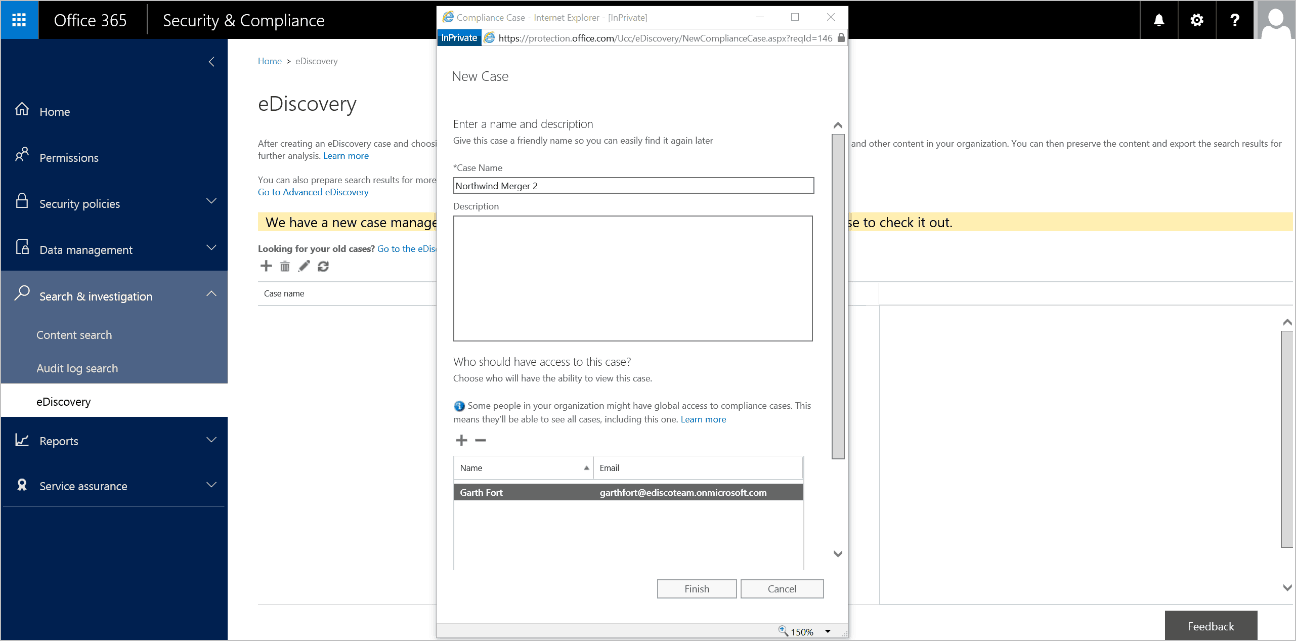
The eDiscovery page in the Security & Compliance Center now has an option for case management, allowing you to work on eDiscovery cases without leaving the Security & Compliance Center. Use the eDiscovery case management feature to control who has access to the case, place content sources on hold and associate Compliance Searches with the case.

Case management controls

Preserving vital information with Case Management Holds

Preserving information is integral to the eDiscovery process. With Office 365 eDiscovery Case Management Holds, you can select the mailboxes, OneDrive for Business sites, SharePoint sites, and Office 365 groups you want to preserve as part of your investigation. Applying a hold preserves all data in the selected content sources until you release the hold. Content is preserved in place, so people can continue working on their documents and email without any loss in productivity; but behind the scenes, the content is preserved and is available to be searched and exported.

More granular search capabilities with Permissions

Now, in an eDiscovery case, you can create granular searches which allow you to search either a small number of locations or your entire organization. In addition, the searches you create as part of an eDiscovery case are only accessible by people that are part of the case. You can search and export data from mailboxes (active or inactive), public folders, OneDrive for Business sites, SharePoint sites and Office 365 groups.

Above all, the Office 365 team is also tweaking the export functions of its eDiscovery tool. Customers can now export the bulk sum of their search results (upwards of 100 GB) of data in a single PST export. The single PST export should come as a welcomed replacement to the previous exporting practice of sending multiple PST exports to cover related data. Furthermore, PST exports retain the metadata when and if SharePoint documents are downloaded.

The Office 365 team is not done with enhancing the eDiscovery process. The team also have plans in the near future to roll out more improvements and enhancements such as keyword statistics, source statistics, and export de-duplication. Eager researchers can head over to the Security & Compliance Center in their tenant to test drive the newly improved eDiscovery tools.

ID@Xbox Game Fest Week 3: what’s next?

The ID@Box Game Fest, which is all about independent Xbox game developers, is entering the third week, and this means now is your chance to try out the best future and prior program graduate games from the Xbox Game Preview and ID@Xbox programs. After checking out an official Xbox video about the occasion, we’ve given a few of the games a look and have included Microsoft’s descriptions and download links below.

Subnautica: $19.99

This game is a work in progress. It may or may not change over time or release as a final product. Purchase only if you are comfortable with the current state of the unfinished game. Descend into the depths of an alien underwater world filled with resources, creatures, wonder and threats. Craft equipment and submarines to explore lush coral reefs, volcanoes, cave systems, and more – all while trying to survive.

Elite Dangerous: $37.49

Explore, trade, fight and survive in Elite Dangerous’ massively multiplayer galaxy, and challenge the world in CQC: Close Quarter Combat. Become Elite in the interstellar PVP arenas of the ultimate 34th century gladiatorial contest.

The Long Dark: $19.99

The Long Dark is a thoughtful, exploration-survival experience that challenges solo players to think for themselves as they explore an expansive frozen wilderness. Monitor your Condition, search for life-saving supplies, and master survival skills like fire-building, maintaining your gear, hunting, fishing, and landmark-based navigation. There are no zombies — only you, the cold, and everything Mother Nature can throw at you. The hit Steam Early Access sandbox becomes the first survival game available on Xbox One!

Ark: Survival Evolved: $34.99

Stranded on the shores of a mysterious island, you must learn to survive. Use your cunning to kill or tame the primeval creatures roaming the land, and encounter other players to survive, dominate… and escape!

The Solus Project: $14.99

Humanity is on the verge of extinction. You are the last hope, tasked with finding a safe haven for a colony. But now you are stranded on a deserted alien planet and every other member of your crew is dead. The fate of humanity rests in your hands: you must survive… The Solus Project is a first-person survival adventure game by the award-winning Teotl Studios and Grip Digital.

Layers of Fear: $19.99

Dare you help paint a true Masterpiece of Fear? Layers of Fear is a first-person psychedelic horror game with a heavy focus on story and exploration. Delve deep into the mind of an insane painter and discover the secret of his madness, as you walk through a vast and constantly changing Victorian-era mansion. Uncover the visions, fears and horrors that entwine the painter and finish the masterpiece he has strived so long to create.

Sheltered: $14.99

 Sheltered is a deep and emotional survival & post-apocalyptic disaster management game. After a global apocalypse, a frightened family find their way to a deserted shelter, where they try to survive. You take on the role of protecting four family members. Their wellbeing and survival is your responsibility. One mistake, one bad decision and a loved one is gone, forever. Sheltered is a world where death is permanent.

The above-mentioned titles are just a few of the current and best future games from the Xbox Game Preview and ID@Xbox programs. Other titles include Prison Architect, and Ark: Survival Evolved. So, if these titles sound interesting, now is the best time to fire up your Xbox One and download away!

Microsoft takes sides in Brexit debate, says UK should stay in EU

While citizens of the United Kingdom will soon have to go to the polls to decide if their country should stay in or leave the European Union, Microsoft UK CEO Michel Van Der Bel has just shared his perspective on the Brexit debate via an open letter released today on Microsoft UK website (via the New York Times). In the letter, the executive claims that Microsoft currently has more than 5,000 employees in the country and also chose to leverage on the UK’s attractivity by opening its first overseas R&D laboratory in Cambridge.

And so, it’s not so surprising to see Van der Bel publicly take a stance and explaining that “the UK remaining in the EU supports important criteria for continued and future investment by Microsoft and others.” Please find the full letter below:

Ahead of the referendum in June, we’ve been asked by employees, customers and partners about Microsoft’s view on the UK’s membership of the European Union. As a business in an industry which will be affected by the decision we have carefully examined our position.

Ahead of the referendum in June, we’ve been asked by employees, customers and partners about Microsoft’s view on the UK’s membership of the European Union. As a business in an industry which will be affected by the decision we have carefully examined our position.

First and foremost, we want to emphasise that we firmly believe this is a decision for individual voters to make, based on the issues that are most important to them. We appreciate and respect that there are a range of reasons that motivate people on both sides of the debate, but as a business that is very committed to this country, our view is that the UK should remain in the EU.

We have a long history here. It’s where we opened our first international office in 1982 and we have been investing in the UK ever since. We have more than 5,000 highly qualified people working in fields including support, marketing, gaming, communications, cybersecurity and computer science research. We’ve built a global centre of excellence for the development of artificial intelligence and other computing disciplines. We’ve also worked in partnership with innovators, entrepreneurs and people with a passion for technology to help to create a thriving partner network of around 25,000 British businesses.

Historically, the UK being part of the EU has been one of several important criteria that make it one of the most attractive places in Europe for the range of investments we have made. At key moments in our international growth we have specifically chosen to invest in our capabilities here in the UK. Most recently, we announced that we would start offering cloud services this year from new UK-based data centres. And as we’ve grown, so too have the UK technology businesses we work with.

For us, the UK’s membership of a wider EU was also a key reason why we chose to invest in our first overseas R&D laboratory in Cambridge. Why? Because we knew that the world-leading scientists we wanted to attract would want and need to work directly alongside other great researchers from across the region. This flexibility of doing business attracts the best people, and the investment that follows them, to the UK.

Whatever the outcome of the referendum, we respect the decisions made by UK voters. Our commitment to our staff and business here remains firm, but we also believe the UK remaining in the EU supports important criteria for continued and future investment by Microsoft and others.

Your sincerely
Michel Van der Bel
UK CEO
Microsoft Ltd

The UK is set to have its referendum on June 23 and the latest opinion polls have shown uncertain results. Do you think Microsoft’s UK CEO is right to publicly take a stance in the debate? Please tell us what you think below.

SongArc goes Universal, appears in the Windows 10 Store

Ever since the advent of Windows 10, the Windows Store on PC has been slowly populated with more and more quality games in a variety of genres (thanks in no small part to Microsoft’s effort in bringing over Xbox exclusives); one category that it is still sorely lacking, however, is in rhythm games. or those clamoring for a solid musical gaming experience from the Store, we have good news: critically acclaimed Windows Phone game SongArc has become a Universal Windows App.

The name should be no stranger to Windows Phone enthusiasts, or even just general Windows Phone users of years past: SongArc – from the titular is one of the highest-quality games for the platform, with consistent support from the developers, a shining beacon in the proverbial Windows Phone gaming desert (comparatively). That is not to say SongArc is merely “better than nothing”: the game is a phenomenal rhythm game by itself, with great minimalistic graphics, a touch-optimized playstyle reminiscent of Guitar Hero, and the ability to play with music sheets created from existing songs on your device, share your sheets as well as purchase pre-created sheets with in-game coins (more than 140,000 sheets created at this point).

From initial impression, the transition of the game to Windows 10 Store has thankfully not cost it any of its luster: the game is nicely optimized for high-resolution big screens, and still look pin-sharp on a Surface Book. The gameplay is just as addictive as ever; the big screen, however, adds a level of easiness or challenge depending on your view it: consecutively notes are spaced out easier to hit, but there’s more ground to cover. The game’s most unique feature, the Sheet Creator, seems to also be working as intended; unfortunately, there were no songs on my computer to test it on, and  from the video tutorial, it looks like a certain level of musical affinity will be needed.

Overall, the app is a great addition to the list of high-quality Universal Windows Apps games, and should making fans of the game on other platforms, rhythm games enthusiasts, or simply gamers with a creative side, happy for some time to come.

SongArc
SongArc
Developer:
Response
Price:
Free

Xbox Live Gold prices are reportedly going up in select markets

According to a report Gameinformer, Microsoft will soon increase the price of the Xbox Live Gold subscription in Austria, Hungary, Israel, South Africa, Sweden, and Turkey starting June 20 to adjust on currency fluctuation. Our colleagues learned about the price increase after a reader from South Africa sent them the following email from the Xbox team:

Microsoft sent this email to an Xbox Live Gold subscriber in South Africa (credit: GameInformer).
Microsoft sent this email to a Xbox Live Gold subscriber in South Africa (credit: GameInformer).

In the US, the current price of the Xbox Live gold monthly subscription is $9.99 per month (or $59.99 per year). In South Africa, the increased monthly fee (R159) will represent about $10.33. While Microsoft didn’t share the adjusted prices for Hungary, Israel, Sweden and Turkey, it has already told GameInformer that “the new price in Austria aligns with other European markets,” which is currently €6.99.

A Microsoft representative also shared more details about the price increase in a email to Gameinformer:

We occasionally update pricing in a given market to provide a balance of service and value, and in some instances, meet currency fluctuations within the region, and will be adjusting the price of Xbox Live Gold subscription in a small number of markets on June 20, 2016. We do so always keeping in mind that our goal is to offer our members the premium gaming and entertainment service at a fair price.

While this price increase is obviously not good news for Xbox owners in the affected markets, the Xbox Live subscription (which is optional) is still great value for your Xbox One or even your Xbox 360: the subscription will not only allow you to play multiplayer games on Xbox Live and use social features with your friends such as party chat but also grant you free games and exclusive discounts every month. Last, it’s still possible to pay less for Xbox Live Gold  by choosing an annual subscription or by buying a discounted code on the Internets (which are not region-locked). If you’re a Xbox Live Gold subscriber living in one of the markets affected by the price increase, please tell us in the comments if these changes may push you to reconsider your subscription in the coming months.

Microsoft and SAP partner on bringing SAP HANA platform to Azure

SAP announced today at its annual SAPPHIRE NOW conference that it has expanded its partnership with Microsoft to provide more choice for SAP deployments. Following this announcement, Microsoft is now claiming that its Azure cloud platform “offers the most comprehensive platform for running SAP workloads, with a broad range of choice and capabilities for enterprise customers.”

First, the enterprise application software company will get a new deployment option for the SAP HANA cloud platform on Microsoft Azure, and the Redmond giant has detailed on a dedicated blog post on the Azure blog all different deployments options now available for SAP applications :

  • SAP HANA on Azure with multi-node support for deployments capable of scaling up to 32 TBs of memory for SAP HANA Enterprise OLAP applications like SAP BW.
  • SP HANA on Azure with single-node support up to 3 TB each of memory for SAP HANA Enterprise OLTP applications like S/4HANA.
  • SAP HANA One images in Azure Marketplace
  • Controlled Availability of SAP S/4HANA on Azure GS5 [i]

Additionally, the following new scenarios are available today:

  • SAP HANA Enterprise on Azure GS5 for OLAP (single node) in production and non-production scenarios
  • SAP HANA Enterprise on Azure GS5 for OLTP NetWeaver solutions for non-production scenarios

But that’s not all, as both companies have also announced new integrations between Microsoft Office 365 and cloud solutions from SAP to “combine Office 365 communications, collaboration, calendar, documents and other data with cloud solutions from SAP, including Concur, SAP Fieldglass®, SAP SuccessFactors®, and SAP Ariba® solutions, helping employees improve their overall productivity.” These new cloud services integrations will be available in the third quarter of 2016, with plans to release additional integration features in the future.

Last, Microsoft has also announced that it is extending the certification and support of SAP Business Suite, NetWeaver and SAP HANA Developer Edition on Azure Linux Virtual Machines. The Azure team added that “customers can choose to deploy a 2-tier or a 3-tier SAP configuration with various Azure VM sizes available to support SAP workloads ranging from 200 SAPS to 20,000 SAPS capacity.”

SAP CEO Bill McDermott shared the following statement in the press release:

“We believe the IT industry will be shaped by breakthrough partnerships that unlock new productivity for customers beyond the boundaries of traditional platforms and applications. SAP and Microsoft are working together to create an end-user experience built on unprecedented insight, convenience and agility. The certification of Microsoft Azure infrastructure services for SAP HANA along with the new integration between Microsoft Office 365 and cloud solutions from SAP are emblematic of this major paradigm shift for the enterprise.”

Microsoft to host Research Faculty Summit 2016 in Rio de Janeiro on May 18-20

Microsoft has just announced that it will be hosting the tenth annual Microsoft Research Latin America Faculty Support in Rio De Janeiro, Brazil from May 18th- May 20th, 2016.

Overall, the event explores with researchers how innovations in computing, fueled by academic and industry research, can rise to meet the regional scale challenges of today. The three-day event will also be divided up into three sessions, with one for each day. The three sessions include Recent advances in Information Technology, Open source software and industry, and Microsoft Academic: new applications and research opportunities. The full details from each of these sessions, as described by Microsoft, can be seen below.

Recent advances in Information Technology: May 18, 08:30-09:30 PT

In this talk we present an overview of recent developments in information technology, especially in the areas of computer vision, speech and natural language processing, and new computer interfaces, in particular those developed at Microsoft Research. Many of these technologies are the result of the new developments in computer architecture, machine learning and deep neural networks, and big data.

Open source software and industry: exploring the reality: May 19, 04:30 – 05:30 PT

In this talk we shall survey this landscape, present statistics and examples of some of Microsoft Research’s OSS tools, explore the challenges, and make some predictions as to where the most exciting industry OSS developments will launch in the future.

Microsoft Academic: New applications and research opportunities: May 20, 4:30 – 9:30 PT

Microsoft Research is determined to change the way that research information is discovered, analyzed, and exploited. The Microsoft Academic Graph is a new entity graph of research publications, authors, venues, organizations, and topics which is now driving new features in Bing, Cortana, and Microsoft Academic. In addition, Microsoft Research has opened up this dataset to the community new APIs to support further research, experimentation, and development. This talk will highlight how Microsoft is surfacing this information in novel ways, and how the research community can take advantage of these data and APIs to fuel new research opportunities.

Speakers at the event include Paula Bellizia, General Manager of Microsoft Brazil, Rico Malvar, the chief scientist at Microsoft Research, and Judith Bishop, and Alex Wade of Microsoft Research. All the sessions will be streamed live on Channel 9, which can be accessed by clicking here or the links for each of the sessions above.


Microsoft highlights speech and Cortana in Universal Windows Platform Apps

A cool feature of Microsoft’s Universal Windows Platform (UWP) app format is the support it gives for developers to incorporate Window’s Cortana and voice controls into their apps. Microsoft, in an attempt to educate developers on the feature’s potential, have begun a blog series that explores the benefits of using voice and how to implement it into a variety of apps.

This first entry in the series goes in-depth with what specific code to use to incorporate voice-controls in a UWP app, how to choose language and grammar settings, and also how to use specific hardware such as different microphone inputs.

Microsoft admits that not all apps and situations call for voice-controls however and gives the example of how it could be used when driving yet would be impractical when a user is walking through a busy street and may not be able to be heard properly. “Context is king, and it’s not easy to always get it right even with a modern device that’s packed with sensors,” Microsoft’s developer evangelist, Mike Taulty says. “Consider your scenarios carefully and look at our guidance around these types of interactions before getting started.”

Microsoft has been pushing Cortana heavily since the launch of Windows 10 and has been promoting it as one of the operating system’s main features. The company has even launched Cortana apps on iOS and Android and continues to evolve the feature across the board.

Cortana recently updated on Android and gave users on that ecosystem a more convenient way to access the app’s services. A more controversial change to Cortana recently has been Microsoft’s decision to only let it function with the company’s Edge internet browser instead of the various other options such as Firefox and Chrome. The reason given was that Microsoft wanted to essentially improve the user experience but one can’t help but wonder if it was just done to encourage more people to use Edge.

How do you use Cortana? Let us know in the comments below.