Nintendo Switch 2 Dominates Japan Sales With 3.7 Million Units Sold

Nintendo Switch 2 continues to post impressive sales numbers, and reports suggest Nintendo may already plan additional Switch 2 models.

According to GamesIndustry, sales data from Famitsu shows the Switch 2 sold around 3.7 million units in Japan during 2025. That figure represents more than half of all home console sales in the country for the year.

The original Nintendo Switch placed second with 1.52 million units sold, highlighting how quickly consumers shifted to the new hardware generation.

Switch 2 sales show Nintendo’s strength at home

The strong performance reinforces Nintendo’s dominance in its home market. The Switch 2 launched in June 2025 and quickly became one of Nintendo’s fastest-selling consoles to date.

Early global figures also point to record-breaking momentum. The system sold millions of units worldwide shortly after release, outperforming previous Nintendo console launches during comparable periods.

New Switch 2 models may be in development

Following this sales success, industry chatter suggests Nintendo could work on additional Switch 2 variants, potentially including revised hardware or alternative configurations. Nintendo has not confirmed these plans, but past console cycles show the company often refreshes successful systems.

Despite the momentum, Nintendo has faced criticism over the new Joy-Con 2 color options, with some fans voicing disappointment online. At the same time, Nintendo released its Year in Review 2025, giving Switch owners a detailed look at their gaming habits.

With strong sales and ongoing discussion around hardware updates, the Switch 2 remains central to Nintendo’s strategy heading into the next year.
Spotify Tests Page Match to Sync Audiobooks With Real Book Pages

We saw many improvements from Spotify in the past year, including AI audiobook recaps and new prompt-based playlist features. It seems that is not all, as Spotify continues to push deeper into audiobooks and reading experiences.

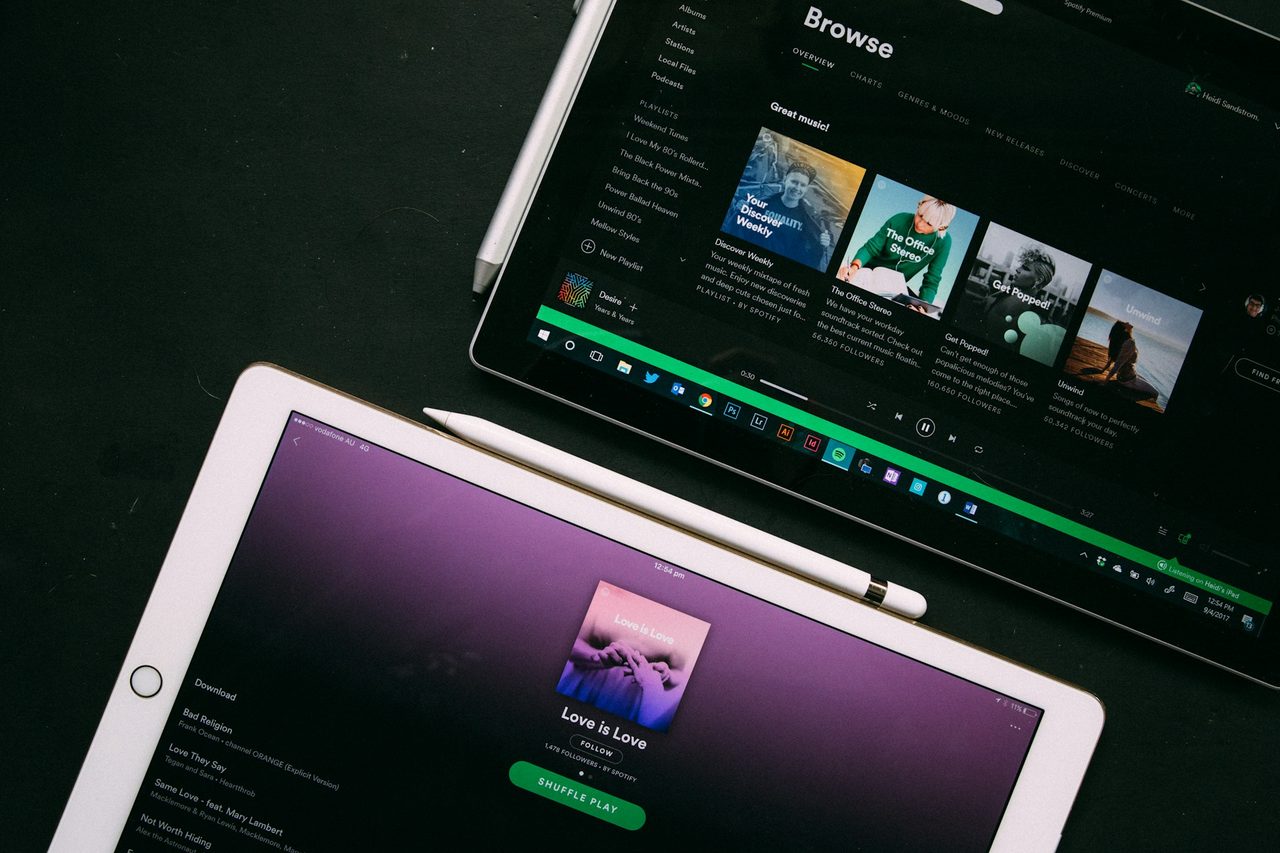
As Android Authority reports, Spotify is testing a new feature called Page Match, which aims to sync user progress between audiobooks and book pages. The feature surfaced in code strings found in Spotify version 9.1.18.282, pointing to a major upgrade for audiobook users.

Spotify tests Page Match for audiobooks and books

According to the discovered strings, Page Match can “match your progress from the book page to the audiobook, and back again.” This setup would let users switch between reading and listening without losing their place.

The idea mirrors Amazon’s Whispersync for Voice, but Spotify’s approach looks more ambitious. Whispersync only works with Kindle ebooks and Audible audiobooks, while Page Match could also support physical paper books.

How Page Match could work

Code references suggest that Page Match may rely on optical character recognition (OCR) to scan text from a real book. Spotify could then map that text to the correct timestamp in the audiobook.

If Spotify ships the feature, users could:

  • Read a book and continue listening from the same point
  • Listen to an audiobook and resume reading on the exact page
  • Move between formats without manual searching

Page Match also appears to work in reverse, meaning audiobook listeners could see the precise page number tied to their current listening position.

Purchase requirements and availability

Page Match seems to require users to own or unlock the audiobook on Spotify first. If users do not have access, Spotify will likely prompt them to purchase the audiobook before enabling the feature.

Availability should remain limited to regions where Spotify already offers audiobooks, including the US, UK, Canada, much of Europe, Australia, and several other markets.

Spotify has not announced Page Match publicly or confirmed a release timeline. As with many features uncovered through app code, Spotify may still change or cancel it before launch.

The discovery also follows reports that Spotify plans to increase Premium subscription prices in the US, which could dampen excitement despite continued feature expansion.

ARC Raiders’ Weapon Blueprints Are Now Being Sold Outside the Game

ARC Raiders continues to dominate the extraction shooter space, with the game reportedly selling more than 12 million copies. With such a massive player base, some players now actively look for shortcuts that bypass the game’s intended progression systems.

According to The Gamer, an unofficial real-money market has emerged where players sell ARC Raiders weapon blueprints outside the game’s systems. These blueprints offer a major advantage, as they allow faster weapon crafting and smoother loot progression.

Unofficial blueprint trading targets rare progression items

Weapon blueprints remain relatively rare during normal gameplay, especially for high-tier weapons. That scarcity has pushed some players toward third-party platforms, where sellers list specific blueprints for real money.

Several listings price rare blueprints at or above the cost of the base game itself. Sellers typically farm these items in-game and then coordinate deliveries to buyers during live matches, effectively turning grinding into a paid service.

While the trades happen outside the official marketplace, buyers still need to extract successfully to keep the items. This adds risk, as failed runs mean lost purchases with no protection or guarantees.

This growing black-market activity clashes directly with ARC Raiders’ core design philosophy, which emphasizes risk, progression, and player skill. The situation raises even more concern after ARC Raiders was cracked recently, as exploit-driven behavior could spread faster and harm the wider community.

Real-money trading can disrupt balance, create unfair advantages, and damage trust among players. Many fans now hope the developers step in with stronger countermeasures to protect the game’s economy and progression loop.

In other ARC Raiders news, the game received its first update of the year not long ago, making this a good moment for returning players to jump back in while the developers continue refining the experience.

Microsoft Pushes AI Into the Mainstream With Focus on Real Adoption

AI technology continues to move fast, with companies like OpenAI planning to release dedicated AI devices later this year. At the same time, Microsoft is pushing to bring AI into everyday enterprise workflows, with a strong focus on real-world adoption.

According to TechRepublic, Microsoft’s recent framework agreement with the ACTU shows that AI rollout goes beyond installing new tools. Organizations must treat AI as a workplace shift that affects employees, processes, and long-term work habits.

AI adoption depends on people and processes, not just technology

Early AI deployments often struggle to scale across large organizations. Teams follow different workflows, confidence in AI varies widely, and many companies lack a clear plan for daily AI usage. These factors create uneven adoption, even when the underlying technology performs well.

The agreement highlights that successful AI adoption depends on how widely employees use the tools and how deeply they integrate them into everyday tasks. Deployment numbers alone no longer signal success if teams avoid or underuse the technology.

Enterprise buyers now prioritize rollout readiness and accountability

For vendors, this shift changes how success looks. Strong adoption support now drives customer retention, while poor rollout practices lead to lower usage and fewer renewals. Selling AI no longer ends at deployment.

Enterprise buyers increasingly judge AI tools on rollout readiness rather than features or pricing alone. Organizations ask how training works, which tasks teams can use AI for, how reviewers check AI output, and who takes responsibility when errors occur.

As AI becomes part of everyday work, more internal stakeholders join the decision process earlier. HR, legal, compliance, and workplace relations teams now shape AI adoption policies alongside IT and leadership.

In related developments, Microsoft has started expanding Copilot’s Real Talk feature globally, while Apple’s Siri is expected to gain new AI capabilities powered by Google’s Gemini model.

Arknights: Endfield Release Date Confirmed With Exact Global Launch Times

After months of anticipation, Arknights: Endfield finally has an official release schedule, with exact unlock times now confirmed for all major regions.

Arknights: Endfield release date and US launch time

According to Newsweek, Arknights: Endfield launches in the United States on January 21, 2026. The game becomes available at 5:00 PM Pacific Time and 8:00 PM Eastern Time.

Because the release follows a coordinated global rollout, players in many regions outside the US will gain access during the early hours of January 22, 2026, rather than late on the 21st.

Global release times and supported platforms

Release timing varies by region, with staggered unlocks across GMT, CET, CST, JST, AEDT, and NZDT time zones. For players who want precise regional launch times, GameRant has shared a full breakdown covering each major location.

LocationTimezoneEndfield Release Time
Los AngelesPT (UTC-8)January 21, 2026, at 07:00 PM
ArizonaMT (UTC-7)January 21, 2026, at 08:00 PM
Mexico CityCT (UTC-6)January 21, 2026, at 09:00 PM
New YorkET (UTC-5)January 21, 2026, at 10:00 PM
Sao PauloBRT (UTC-3)January 22, 2026, at 00:00 AM
LondonGMT (UTC+0)January 22, 2026, at 03:00 AM
ParisCET (UTC+1)January 22, 2026, at 04:00 AM
JohannesburgSAST (UTC+2)January 22, 2026, at 05:00 AM
MoscowMSK (UTC+3)January 22, 2026, at 06:00 AM
DubaiGST (UTC+4)January 22, 2026, at 07:00 AM
New DelhiIST (UTC+5:30)January 22, 2026, at 08:30 AM
JakartaWIB (UTC+7)January 22, 2026, at 10:00 AM
SingaporeSGT (UTC+8)January 22, 2026, at 11:00 AM
TokyoJST (UTC+9)January 22, 2026, at 12:00 PM
SydneyAEDT (UTC+11)January 22, 2026, at 02:00 PM
AucklandNZDT (UTC+13)January 22, 2026, at 04:00 PM

At launch, Arknights: Endfield will be available on PlayStation 5, PC, iOS, and Android. The game uses a free-to-play model with optional in-game purchases through gacha-style systems.

PS5 players can also purchase an optional $10 preorder bundle that includes Basic HH Permits, T-Creds, combat records, and several upgrade materials. The bundle offers bonus items without restricting access to the core experience.

In other gaming news, new Fable concept art has leaked ahead of Developer Direct 2026, giving fans an early look at what may be coming next.

Samsung’s Galaxy Book 6 Lineup Gets Release Date and Pricing Details

Samsung Galaxy Book 6 pricing and availability details are now official, as laptop makers continue rolling out new hardware amid rising competition across the PC market.

As SamMobile reports, Samsung has confirmed pricing and launch timing for the Galaxy Book 6 lineup in South Korea. The series includes three models: Galaxy Book 6, Galaxy Book 6 Pro, and Galaxy Book 6 Ultra.

Samsung will release the Galaxy Book 6 series in South Korea on January 27, 2026, at 9:00 AM KST. Buyers can choose between Gray and Silver finishes, with Samsung confirming both colors for the Pro and Ultra models.

CES 2026 debut brings major hardware and AI upgrades

Samsung first unveiled the Galaxy Book 6 lineup during CES 2026, showcasing meaningful hardware and design improvements across the range. All models ship with Intel Core Ultra Series 3 processors based on the Panther Lake architecture, delivering higher performance and better efficiency. The company has released specs for Book 6 Pro and Book 6 Ultra models.

FeatureGalaxy Book 6 ProGalaxy Book 6 Ultra
Screen sizes14″ / 16″16″
CPUIntel Core Ultra 7 Processor (Series 3)Intel Core Ultra 7 Processor (Series 3)
GPUIntegrated Intel / Intel ArcNvidia RTX 5060 or RTX 5070
RAM32 GB LPDDR5X32 GB LPDDR5X
Storage1TB NVMe SSD1 TB NVMe SSD
Pricing$2,305 / $2,373$3,129 / $3,332

Samsung also highlights stronger on-device AI capabilities. Integrated NPUs handle AI workloads locally, allowing faster processing without heavy cloud dependence and improving responsiveness in supported applications.

Galaxy Book 6 Ultra targets creators, Pro models focus on productivity

The Galaxy Book 6 Ultra targets creators and power users by pairing Intel’s latest processors with discrete Nvidia graphics for demanding workloads. The Pro models emphasize premium productivity with integrated graphics, while the standard Galaxy Book 6 serves as a more accessible option for everyday users who still want modern features.

In other PC industry news, Dell has reportedly stepped back from AI PC messaging, while Acer continues unveiling new Copilot+ PCs as competition in the Windows laptop space intensifies.

It also seems that NVIDIA will join the Arm race as it plans to develop Arm-based chips.

Microsoft Ends Free Grace Period, Changes Partner Subscription Billing

Microsoft has started the Kerberos Hardening Phase for Windows Domain Controllers, but the company is also rolling out partner billing changes that could impact subscription costs.

According to Neowin, Microsoft has introduced new billing rules tied to Extended Service Terms (EST) for partner-managed subscriptions, with enforcement beginning this week.

Microsoft Removes 90-Day Grace Period for Expired Subscriptions

Under the new rules, Microsoft has removed the long-standing 90-day free grace period after a subscription expires. Instead, expired subscriptions now move directly into Extended Service Terms, which is a paid state.

EST charges the standard monthly subscription price plus a 3% surcharge. Customers must actively cancel the subscription, or the system automatically transitions it into EST and starts monthly billing.

What Extended Service Terms Mean for Partners

Microsoft designed EST to give partners more control over what happens at the end of a subscription term. Partners can now:

  • Renew subscriptions proactively
  • Cancel subscriptions before expiration
  • Allow subscriptions to move into a paid extended term

This approach helps prevent surprise renewals, but only if partners configure settings correctly ahead of time.

Risk of Unexpected Charges If Partners Don’t Prepare

Partners who fail to review their renewal settings may see subscriptions automatically enter EST. That scenario triggers monthly charges until someone explicitly cancels the service.

Microsoft now allows partners to check EST eligibility directly in Partner Center and adjust expiration and renewal behavior to match the new model.

What Partners Should Do Next

To avoid billing surprises, Microsoft recommends that partners:

  • Audit upcoming subscription expirations
  • Review renewal and cancellation settings
  • Align customer agreements with the new EST billing structure

The company says these changes improve transparency and flexibility, but the added surcharge could increase costs for customers who miss renewal deadlines.

Whether this move hurts paying customers or simply encourages better subscription management remains to be seen. In other Microsoft news, the company has pushed emergency Windows updates and recently edited an ad after accidentally promoting Google Chrome.

Microsoft Quietly Edits Windows 11 Ad After Chrome Appears on Taskbar

Ever since its release, Windows 11 has come with aggressive promotion for Microsoft Edge. Microsoft has previously pushed Edge through Bing search prompts and even ran Edge-themed ads on Chrome’s download page.

That context made a recent marketing slip stand out.

According to WindowsLatest, Microsoft published a YouTube ad titled “Windows 11 is the home of gaming” on December 23, 2025. The original version of the ad clearly showed the Chrome icon pinned to the Windows 11 taskbar.

The appearance of Chrome felt unusual, since Microsoft typically highlights Edge and Bing across its ecosystem. Viewers quickly pointed out the irony, suggesting that someone on the marketing team actively used Chrome during production.

Microsoft quietly edited the ad

Microsoft noticed the mistake and edited the ad without any public statement.

In the updated version, Chrome no longer appears on the taskbar. Microsoft replaced it with Edge and other first-party apps such as PowerPoint, aligning the visuals with Microsoft’s usual branding strategy.

The company did not acknowledge the change or explain how the error slipped through.

The brief appearance of Chrome triggered predictable reactions across social media and forums. Many users joked about Microsoft’s long-running campaign to steer people away from Chrome, only for Chrome to appear in an official Windows 11 promotion.

While the incident caused no lasting damage, it served as a reminder of how closely users scrutinize Microsoft’s browser messaging.

In related news, Microsoft recently released a new Edge update that finally lets users hide Copilot from the browser interface.

Windows Once Had a Faster Restart Trick Using Shift + Restart

Shutting down or restarting a PC remains a core Windows function, and Microsoft recently confirmed a Windows 11 shutdown bug, followed by an emergency fix. Alongside that news, a lesser-known restart behavior from classic Windows versions has resurfaced, revealing how Windows once handled “fast restarts.”

Shift + Restart worked very differently in early Windows

As Neowin reports, long-time users may remember that pressing Shift + Restart triggered unusual behavior in early Windows releases. In Windows 95, this shortcut did not force a full cold reboot.

Instead, Windows showed a “Windows is restarting” message and attempted a faster restart cycle. That idea closely resembles Fast Startup, a feature Microsoft introduced years later with Windows 8.

In modern systems like Windows 10 and Windows 11, Shift + Restart now opens the Windows Recovery Environment, not a fast reboot.

How the old fast restart actually worked

Microsoft veteran Raymond Chen recently explained the original behavior in a post on The Old New Thing. Early Windows relied on a legacy 16-bit function called ExitWindows with the EW_RESTARTWINDOWS flag.

The restart sequence followed a strict order:

  • Windows shut down the 16-bit kernel
  • The 32-bit virtual memory manager exited
  • The CPU dropped back into real mode
  • Control returned to win.com, the DOS-based Windows loader

At that point, win.com attempted to relaunch protected-mode Windows and displayed “Please wait while Windows restarts…”.

Why it felt fast, and why it often failed

Early Windows systems ran in two modes. Real mode supported minimal hardware, while protected mode delivered the full GUI, multitasking, and memory protection. By design, .com files like win.com consumed all conventional memory, then released unused space to create one large, contiguous block.

If memory stayed contiguous, Windows rebuilt core components and relaunched the GUI without a full reboot. If memory fragmentation occurred, the process failed and fell back to a traditional restart.

Reliability remained a major issue. Some users experienced crashes after two consecutive fast restarts, while others saw no problems at all. Faulty device drivers that failed to reset properly likely caused corrupted memory, which only appeared during shutdown or restart.

Today, Microsoft avoids this fragile mechanism. Windows 10 and 11 route Shift + Restart to recovery tools instead, prioritizing stability over speed. This design choice matters even more now, as Microsoft continues to patch critical shutdown and restart bugs through emergency fixes and recent Dynamic Updates.

In short, fast restarts once existed in Windows, but modern Windows leaves that experiment firmly in the past.

New Fable Concept Art Leaks Ahead of Xbox Developer Direct 2026

As anticipation builds for Xbox Developer Direct 2026, new concept art for the upcoming Fable reboot has surfaced online, offering an early look at the game’s world and key locations.

According to MP1ST, the artwork appeared through the portfolio of a former developer who worked on the project. The images showcase richly detailed environments and suggest that Playground Games is aiming to significantly expand the scale and depth of Albion.

Concept art highlights familiar and new locations

Several images focus on Bloodstone, the notorious port town last seen in Fable II. The art depicts distinct areas such as a market district, artisan quarter, arena, and a location called Pub Island, alongside interconnected paths tied to a character named Jacobs.

Other illustrations show what appears to be the entrance to Bloodstone, featuring a large castle set between mountainous terrain. This design hints at a dramatic gateway into the criminal underworld, the town is known for.

Flooded village and enemy encounters teased

The leaked artwork also introduces a swamp village named Hamlet, which reportedly serves as the protagonist’s home. Two versions appear in the images: one intact and another submerged after a flood, suggesting environmental changes may play a role in the story.

Additional scenes show sewer environments where the hero prepares to fight a giant werewolf, an enemy type already teased in earlier trailers. The art also includes redesigned loot chests, some clearly inspired by classic Fable items.

Because the timing of the artwork remains unclear, these concepts may reflect early development ideas and could change before launch. Even so, the images strongly suggest a larger, more detailed Albion that blends returning locations with new storytelling elements.

With Xbox Developer Direct 2026 approaching, fans may not have to wait long for official gameplay and deeper insights. In other Xbox news, Microsoft has started giving away gift cards to select players, while Bungie has confirmed a release date for Marathon.

NVIDIA Plans Arm-Based Chips for Windows PCs Starting in 2026

NVIDIA continues to expand beyond GPUs. After rolling out DLSS 4.5 Super Resolution, the company now appears to push deeper into the Windows PC space with custom Arm-based processors.

According to WindowsLatest, NVIDIA plans several Arm chip families designed specifically for Windows on Arm PCs, with launches spread across 2026 and 2027.

NVIDIA eyes Windows on Arm laptops starting in early 2026

Supply-chain reports from DigiTime suggest that Windows on Arm laptops powered by NVIDIA’s N1X platform could arrive as early as Q1 2026. These devices may ship with Windows 11 version 26H1 preinstalled.

The reported lineup includes N1, N1X, N2, and N2X chips. N1X reportedly targets notebooks, while N1 could focus on desktop-class systems. More advanced N2 and N2X platforms are expected to follow around Q3 2027.

Industry sources say NVIDIA wants to challenge existing Arm PC players by delivering AI-optimized silicon tightly integrated with Windows.

OEM partners and early hardware signals emerge

Reports indicate that major PC makers like Acer, Asus, Dell, HP, Lenovo, and MSI already work on systems built around the N1X platform. NVIDIA has not confirmed these partnerships publicly.

Interestingly, N1X silicon already appears inside NVIDIA DGX Spark systems, which suggests early hardware validation outside consumer laptops. This detail strengthens claims that development sits well beyond the concept stage.

NVIDIA has not officially announced timelines or product names, and all current details rely on supply-chain leaks and industry chatter. Launch schedules could still shift due to demand uncertainty or manufacturing challenges.

This Arm initiative aligns with a broader industry push toward AI-focused Arm systems on Windows, supported by Microsoft’s work on Windows 11 26H1.

At the same time, NVIDIA faces mixed momentum elsewhere. The company plans to continue producing the RTX 5070 Ti, but recent Windows updates caused black screen issues on some NVIDIA GPUs, and users still await a proper fix.

If the reports hold true, 2026 could mark NVIDIA’s most aggressive expansion yet into Windows PCs, this time powered by Arm.

Marathon-Themed Limited Edition DualSense Controller Unveiled Ahead of The Game’s March Launch

Earlier today, a leak that stemmed from the Xbox Store revealed the release date of Marathon. Later in the day, Bungie, the studio behind the game, officially confirmed that the game will release on March 5, 2026, on Xbox Series X|S, PlayStation 5, and Steam. But there was one more thing alongside that announcement.

Sony & Bungie wants you to play Marathon with a the game-themed Dual Sense controller

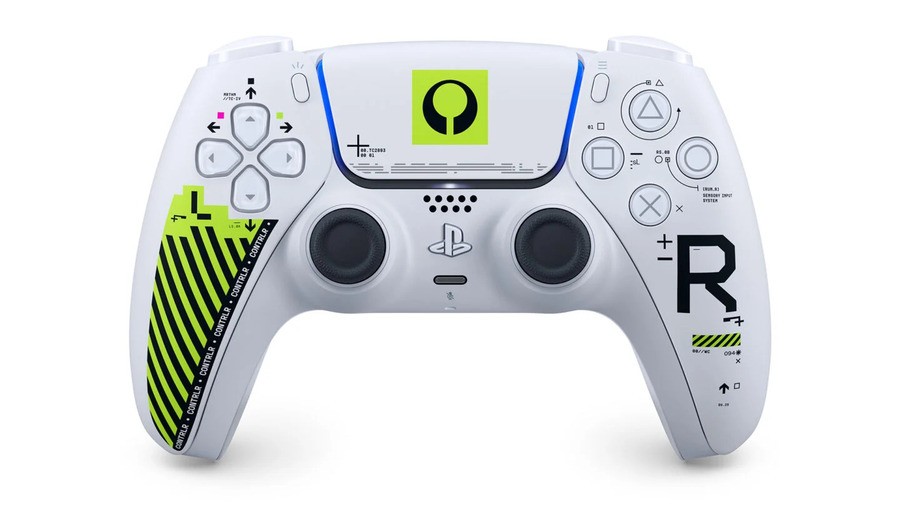
Over on the PlayStation Blog, Sony and Bungie officially unveiled a Marathon Limited Edition DualSense controller. Check out the first look at a new accessory inspired by Bungie’s upcoming sci-fi shooter. Sony and Bungie are launching this controller alongside Marathon on March 5, 2026, and it’s very much rooted in the game’s world.

Here’s a statement from Bungie regarding the design process of the Marathon Limited Edition DualSense controller:

“We were excited for the opportunity to commemorate Marathon’s launch with a limited edition design that would excite our fans and our team, and feel like a true part of the world we’re building—something that could exist naturally alongside other objects in the game and feel functional, grounded, and authentic to the universe of Marathon. We set out to create a design that paid homage to the bold graphic design, vibrant color, and visual art direction of the game, along with its industrial design, architecture, and environmental surfaces and equipment. The result is a design that reflects the world’s balance of form and function, where clean lines, purposeful markings, and vivid accents come together to feel both futuristic and believable.”

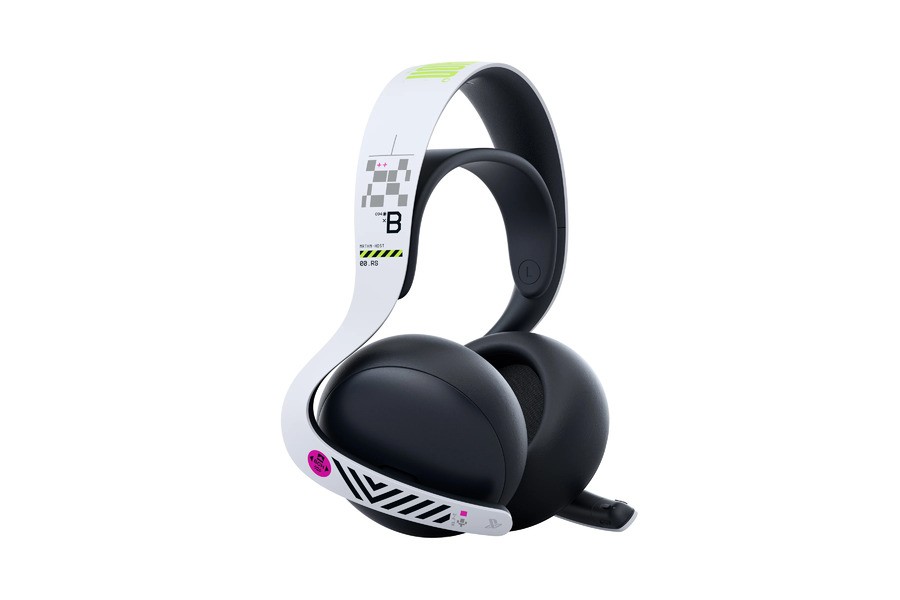
Soeaking if accessories, you also have the option to grab the Marathon limited edition Pulse Elite headset. Sadly, it’s limited to the US, and costs $169.99. It works similarly as the controller. Check it out below.

Marathon Limited Edition DualSense controller pricing and availability

Speaking of pricing, Sony has confirmed the Marathon Limited Edition DualSense controller will be available in limited quantities worldwide. It will launch with a price tag of $84.99 in the U.S., €84.99 in Europe, and £74.99 in the U.K. Pre-orders open on January 29, 2026, starting at 10 AM local time via direct.playstation.com, as well as select participating retailers.

As always, availability and launch timing may vary depending on region. Moreover, if you pre-order directly from PlayStation, you will also get free launch-day delivery, where eligible

AYANEO’s New KONKR FIT Windows Handheld Debuts With AMD Ryzen AI 400 Series Chip

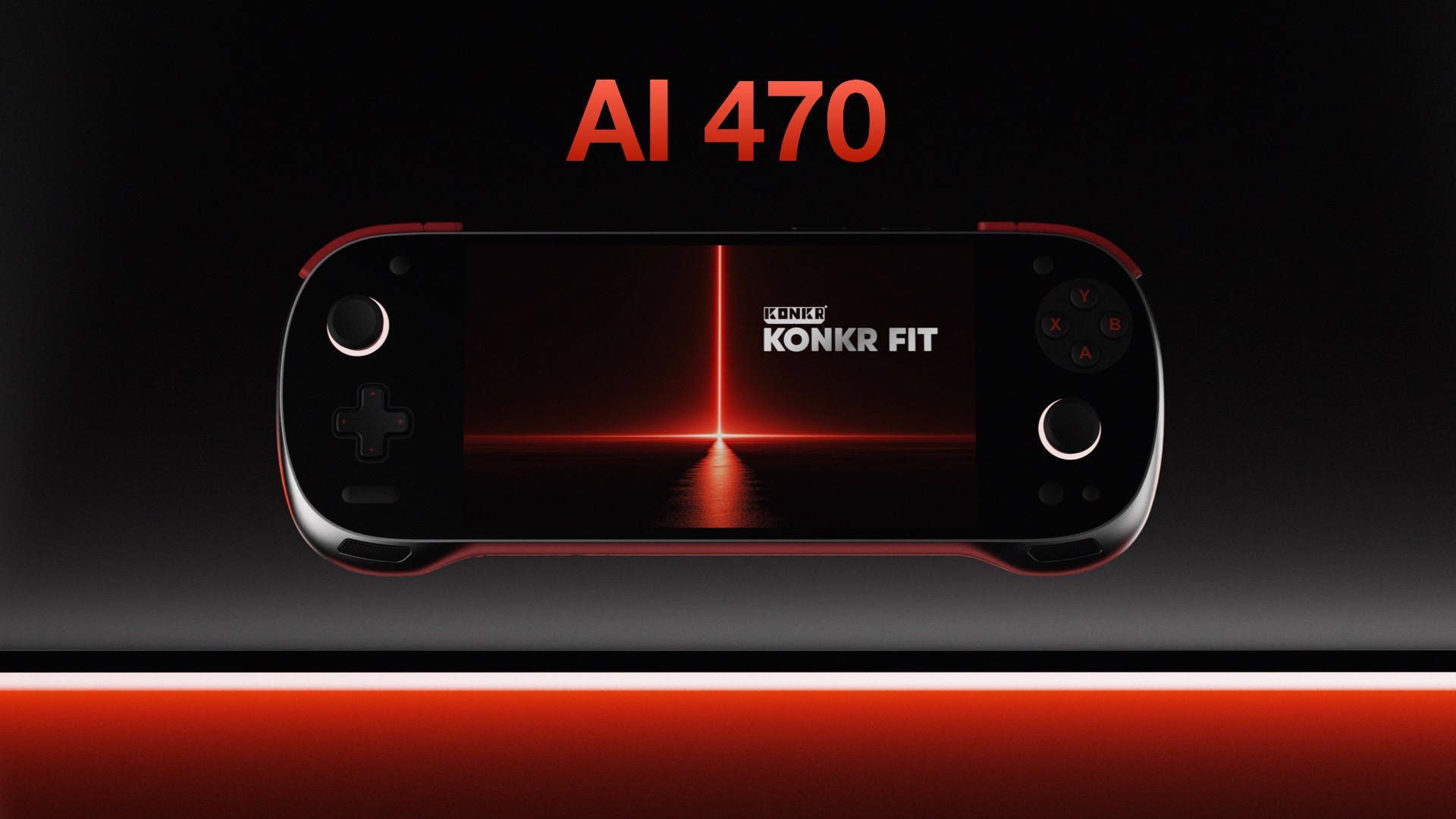
AYANEO’s sub-brand, KONKR, has officially launched its first Windows handheld called the KONKR FIT. AMD’s Gorgon Point platform powers this handheld. Although the name sounds new, the platform is basically an evolved version of Strix Point. KONKR’s latest FIT Windows handheld focuses on affordability, efficiency, and good battery life.

The KONKR FIT Windows handheld focuses on battery and balance

AYANEO’s KONKR FIT handheld comes with AMD’s Ryzen AI 9 HX 470 APU, which is part of the Ryzen AI 400 series that AMD unveiled at CES 2026. For those unaware, the chip features 12 CPU cores, 24 threads, Radeon 890M integrated graphics, and support for up to 55W TDP. AMD also rates the NPU at 55 TOPS, keeping AI workloads firmly in focus.

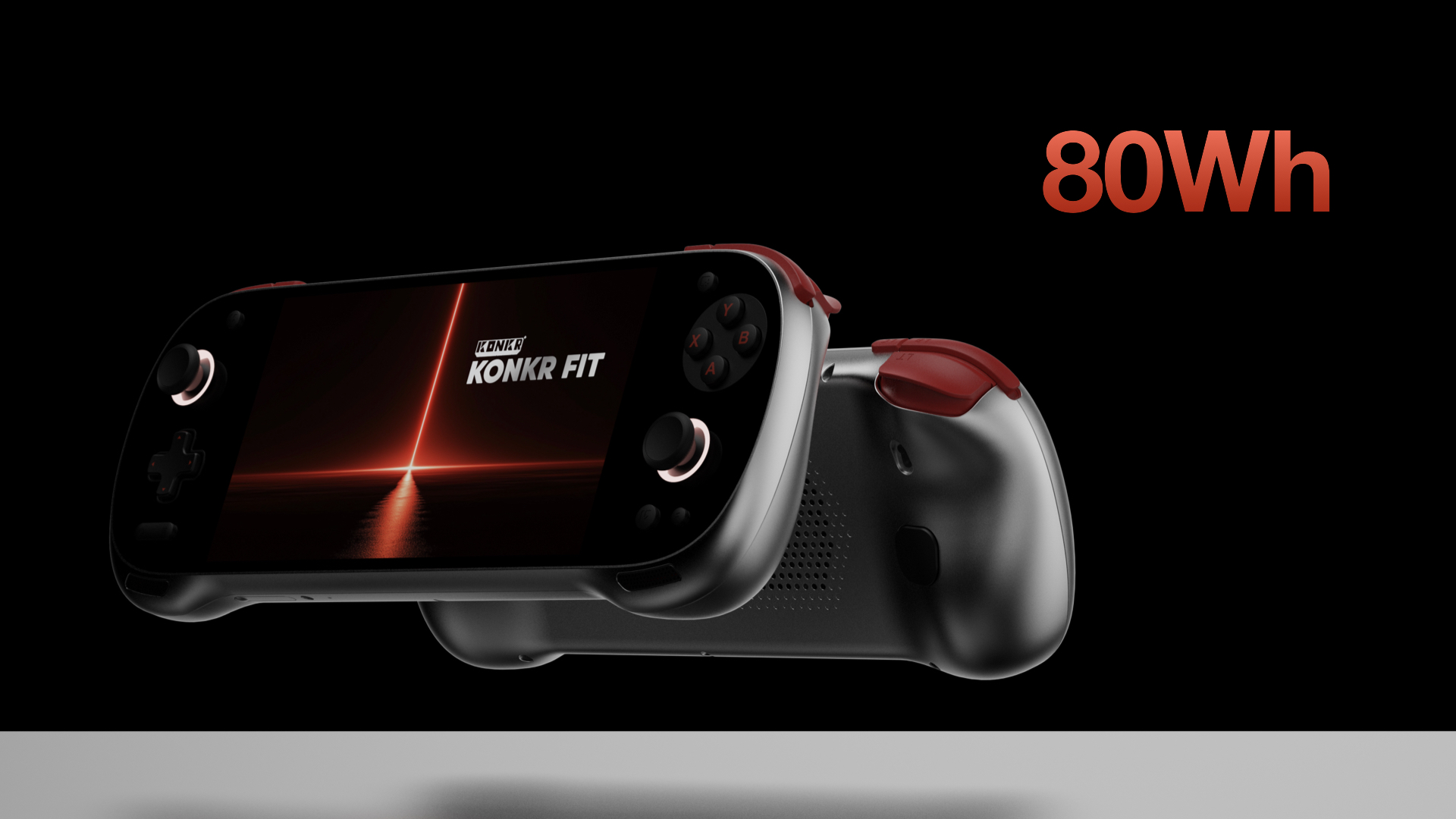
AYANEO pairs that performance with a 7-inch OLED display with an undisclosed resolution and refresh rate. One of the standout features of this Windows handheld is its battery life. AYANEO offers the KONKR FIT with an 80Wh battery, which the company claims is a key benefit over existing x86 handhelds that compromise endurance for size.

That’s not all; the faster integrated graphics, featuring the Radeon 890M with reported clock speeds over 3 GHz, should boost gaming performance without significantly increasing power consumption.

Plenty of details are still missing

AYANEO hasn’t revealed details related to the handheld’s RAM, storage options, ports, cooling, weight, or detailed display specs yet. The marketing teasers of the handheld hint at what the brand calls “signature design aesthetics” and “flagship performance.”

There’s still some time before we learn more about the handheld’s real-world performance. All that said, with a large battery, an OLED panel, and modern AMD silicon, the KONKR FIT looks like a serious contender in the next wave of Windows handhelds.

What do you think about this handheld? Will you grab it once it’s out there? Do let us know in the comments below.

Microsoft Starts New Kerberos Hardening Phase for Windows Domain Controllers

Microsoft appears to be kicking off yet another secure, hardening phase for Active Directory domain controllers. In a recent KB guide, the company mentioned that a new Kerberos vulnerability has been discovered, which is being tracked as CVE-2026-20833.

New Kerberos protections target RC4 and legacy encryption

To tackle that, Microsoft has started rolling out protections designed to prevent information disclosure attacks that could expose Kerberos service tickets using weak or legacy encryption, including RC4. Those protections are included with the latest Patch Tuesday updates.

For those curious, Microsoft notes that if the vulnerability is exploited by attackers, it could allow them to carry out offline attacks to recover service account passwords. The consequences sound scary, to say the least.

Microsoft says that the key changes it made are related to encryption. The company has changed the default behavior of domain controllers so that only AES-SHA1–encrypted Kerberos tickets are supported for accounts without an explicit encryption configuration. In short, older and weaker encryption methods are now being pushed out in favor of modern standards.

Why installing the update alone isn’t enough

It’s important to note that simply installing the update won’t fully close the door for attackers. By default, the changes land in Audit mode, which means warning events are logged, such as KDCSVC Event ID 205, when insecure configurations are detected.

Microsoft wants admins to review these logs, fix risky setups, and prepare for what comes next. Some strict changes are being made in the coming months as well. Starting April 2026, Enforcement mode will be automatically enabled on all Windows domain controllers, which will block vulnerable Kerberos connections from non-compliant devices. Not to forget, Audit mode will be removed entirely in July 2026. For organizations that still rely on RC4, Microsoft says the only option will be to explicitly enable it per service.

As a quick reminder, the guidance mentioned above applies to Windows Server 2008 Premium Assurance, Windows Server 2008 R2 Premium Assurance, Windows Server 2012 ESU, Windows Server 2012 R2 ESU, Windows Server 2016, Windows Server 2019, Windows Server 2022, and Windows Server 2025.

OpenAI’s First AI Device Reportedly “On Track” for Late-2026 Launch

Ever since Jony Ive joined hands with OpenAI, there has been growing chatter around the company’s AI-powered device. When both announced the partnership, Ive’s startup, io, shared a promotional video confirming the 2026 launch window. Now that we’re in 2026, the first official word from OpenAI related to its AI device launch has just surfaced online.

OpenAI is eyeing the second half of 2026 to launch its first AI device

According to Axios, OpenAI is eyeing a launch for its AI device in the second half of 2026. Chris Lehane, OpenAI’s Global Chief Affairs Officer, reportedly also confirmed that the device is “on track” for a late-2026 launch. Notably, this is the very first time someone from the company has shared information related to the long-rumored AI device.

Lehane reportedly declined to confirm what form the device might take, whether a pin, an earpiece, or something entirely different. He did, however, list “devices” as a major focus for OpenAI in 2026. Additional details about these devices would emerge much later in the year.

While Lehane stopped short of confirming a commercial launch timeline, he noted that late 2026 remains the most likely target, based on how development progresses.

The first AI device could be earbuds

Earlier this month, a detailed report by a Weibo tipster offered a closer look at the AI hardware, which is rumored to be AI earbuds. Internally, the pea-shaped AI earbuds from OpenAI are codenamed “Sweetpea.” If that report turns out to be accurate, OpenAI could present significant competition to the likes of Apple AirPods and Galaxy Buds.

Apart from the design and functionality, the report also noted that OpenAI has gone with Foxconn to manufacture its first AI device. Considering that Foxconn’s relationship with Apple has reportedly been eroding over time, the partnership with OpenAI might give it a boost during a challenging period.

Let’s assume OpenAI is launching the AI earbuds later this year. Do you think it could shake up the market? Do let us know in the comments below.

Xbox Developer Direct 2026 Kicks Off Today; Check Start Time, How to Watch Live & What to Expect

[Updated January 22, 2026] We have updated this guide with additional details leading into the Xbox Developer Direct 2026 event

Information about upcoming games has already leaked, and we got a concept art for Fable that showcased several in-game locations. That’s not all, as the Forza Horizon 6 release date, price, and other information were leaked ahead of time.

[ORIGINAL ARTICLE] Xbox Developer Direct 2026 is kicking off tomorrow. As with every year, you can expect deep dives into three upcoming titles, including two that are first-party games from Playground Games. If you’re looking to enjoy the reveals, this guide will cover everything, from the start time to the games expected at the Xbox Developer Direct 2026.

When & Where to Watch the Xbox Developer Direct 2026

The Xbox Developer Direct 2026 is scheduled to go live on Thursday, January 22. According to the official announcement, the livestream starts at 10 AM PT, 1 PM ET, 6 PM GMT, and 7 PM CET. Microsoft will stream the event across all official Xbox platforms. That includes YouTube, Twitch, and Facebook. Notably, the YouTube broadcast will stream in 4K at 60fps.

If you’re wondering how long it will be, Microsoft hasn’t confirmed the runtime of the Xbox Developer Direct 2026. Considering that last year’s Developer Direct runtime was nearly 53 minutes, we are expecting something similar this year, too. Expect the event not to cross the one-hour mark.

Which Games Are Confirmed for Xbox Developer Direct 2026?

Microsoft has confirmed deep dives into three upcoming titles:

Rumors About a Surprise Fourth Game at Xbox Developer Direct 2026

According to rumors from earlier this month, the three confirmed games will be accompanied by a fourth game, which will be a small original project from a first-party studio. The game announcement will reportedly close out the event. Xbox might surprise us with a shadow drop, too. So, in two days, you’ll get additional details about the new games.

Not to forget, we’ll be covering some of the biggest reveals from tomorrow’s Developer Direct. So, are you tuning in live for Xbox Developer Direct 2026? Which game are you most excited about? I’ll go first — it’s Forza Horizon 6. Also, what do you think the mystery fourth game could be?

Hytale Modder Runs Windows 95 Inside the Game Just Days After Early Access Launch

Hytale Early Access has only just begun, but the sandbox RPG has already exploded in popularity, becoming the most-viewed game on Twitch as players and creators dive into its tools.

Hytale modders start pushing limits almost immediately

According to Tom’s Hardware, a Hytale modder known as Sadat Sahib (iamcxv7) has achieved something few expected so early. He successfully managed to run Windows 95 inside Hytale.

A video shared by the modder shows a functional Windows 95 environment running within the game. Users can see on-screen interaction, although the controls appear awkward due to limited keyboard and mouse input support.

Minecraft and even Hytale itself run inside the game

That was not the end of the experiment. The same modder also managed to get Minecraft running inside Hytale, highlighting just how flexible the game’s creator tools already are during Early Access.

Most impressively, the modder pulled off a fully meta achievement by running Hytale inside itself. This nested version of the game effectively places Hytale within Hytale, demonstrating a level of technical freedom rarely seen so soon after a launch.

These early experiments show how fast the Hytale modding community is moving. Just days into Early Access, creators already push the engine beyond expected limits, which bodes well for long-term creativity and community-driven content.

In other gaming news, PlayStation Plus subscribers can look forward to a fresh batch of Extra games arriving later this January.

Xbox Is Again Handing Out $5 Gift Cards for Free to Some Players

2026 appears to include a lot of surprises for Xbox fans. In one of our previous reports, we talked about a surprise fourth Xbox game that Microsoft might unveil at the Developer Direct scheduled for January 22. Well, prior to that surprise, Xbox appears to be distributing free gift cards yet again.

Free $5 Xbox Gift Card reaches some players who didn’t even buy titles at the Countdown sale

The news comes via folks at PureXbox, who reported that many Xbox players have been getting freebies with some extra credit over the weekend. The free gift cards are apparently a result of a promotion that Xbox ran through December last year.

Image credit: PureXbox

For those unaware, Xbox kicked off its Countdown Sale right after mid-December. That’s when Microsoft’s gaming division hinted that when players buy EA Sports and/or 2K Sports titles, they would be able to grab $5 Xbox gift cards along with some in-game credit. It seems the company is now rolling that out to players.

Per the news outlet, players apparently received notifications over the last weekend confirming that they can redeem the aforementioned credit. Interestingly, the Xbox Gift Card is being offered to players who didn’t even buy any EA Sports or 2K Sports titles during the sale period.

PureXbox speculates that they might have gotten the gift card because of being an Xbox Game Pass Ultimate member. If you are, too, don’t forget to check the quiet surprise from the “Offers and Credits” section on Xbox.

Simply head to the Microsoft Store app > navigate to the bar on the left > scroll up to your profile. Finally, click on the “Offers and Credits” button. If you’ve received a free gift card from Xbox, it should be visible there. It’s unclear whether the company is rolling out these free gift cards in batches or all at once.

Have you received a similar $5 Xbox Gift Card? If yes, let us know whether you bought the aforementioned games during the Xbox Countdown Sale.

Latest Microsoft Edge Update Makes it Easier to Hide Copilot

Microsoft Edge 144 update is now rolling out to all users in the Stable Channel, bringing noticeable usability, performance, and platform-level changes.

According to Neowin, Microsoft has released Microsoft Edge version 144.0.3719.82 worldwide, continuing its fast update cycle after recently fixing a major Edge security issue.

Edge 144 makes Copilot easier to hide

One of the most visible changes in Edge 144 focuses on Microsoft Copilot. Users can now right-click the Copilot icon in the toolbar and select Hide Copilot. This action opens Settings, where users can manage the Copilot visibility toggle directly, without navigating through deeper menus.

WebGL changes target virtual and headless systems

Edge 144 also updates how WebGL works across platforms. On Windows systems without a physical GPU, Edge now uses WARP instead of SwiftShader, mainly benefiting headless environments and virtual machines. On non-Windows platforms, Edge now requires a physical GPU to support WebGL.

Performance, autofill, and visual search improvements

Microsoft has renamed Efficiency mode to Energy saver. Efficiency mode for PC gaming now appears as PC gaming boost inside browser performance settings.

Autofill also receives a quality-focused update. Edge now prompts users to confirm whether an address should be saved when filling out forms, which helps prevent unwanted or incorrect Autofill entries.

Another addition allows users to send images directly to Bing Visual Search from the Edge search bar on Windows. The feature supports image identification, text extraction and translation, and product discovery.

Edge 144 fixes multiple security vulnerabilities and resolves a browser crash that occurred when users uploaded files from local folders.

More changes are on the way. Microsoft is removing Collections from Edge, while Copilot continues expanding with features like Copilot Real Talk that are rolling out globally.

Windows 10 Emergency Update KB5077796 Fixes Remote Desktop Sign-In Failures

Patch Tuesday updates have triggered a wave of problems for Windows users, ranging from reboot loops and shutdown bugs to black screens on NVIDIA GPUs. Microsoft has now stepped in with an emergency update for Windows 10 that targets one of the most disruptive issues.

Microsoft releases out-of-band Windows 10 fix

Microsoft has released KB5077796, an out-of-band emergency update dated January 17, 2026, for Windows 10 versions 22H2 and 21H2. The update applies to OS Build 19045.6811 for 22H2 and Build 19044.6811 for 21H2.

KB5077796 rolls up fixes and quality improvements that first appeared in the January 13, 2026 cumulative update KB5073724. Microsoft pushed this emergency patch after reports confirmed that the earlier Patch Tuesday release caused widespread connection problems.

Remote Desktop sign-in failures finally resolved

The primary fix in KB5077796 addresses a Remote Desktop sign-in failure. Some users could not authenticate when connecting through Remote Desktop apps, including the built-in Windows Remote Desktop App.

The issue also disrupted Azure Virtual Desktop connections, which previously left affected systems unable to complete the authentication step.

This emergency update resolves those authentication failures on impacted Windows 10 machines. Microsoft lists no new security features in KB5077796, only stability and quality improvements carried over from the earlier update. The company also reports no known issues with this release.

Microsoft distributes KB5077796 exclusively through the Microsoft Update Catalog, not through standard Windows Update, which means users must install it manually if they need the fix.

[UPDATED] Bungie Officially Confirms Marathon Release Date After Today’s Leak, Pre-Orders Now Open

[UPDATE: 19 Jan 2026 | 11:30 PM IST] Following a leak from earlier today, Bungie has officially confirmed that Marathon will release on March 5, 2026. Pre-order is now open across Xbox Series X|S, PlayStation 5, and Steam. We’ve also updated the title of this article to reflect the latest information. Check out the pre-order trailer below:

[ORIGINAL STORY] A leaked release date trailer of Marathon may have just spoiled Bungie’s party earlier than they would have liked. The leaked footage was first shared by X user @EtherealAbyss and has since been circulating across multiple gaming subreddits.

Sony previously confirmed the March 2026 launch window

Per the footage seen in the embedded tweet, Marathon will release on March 5, 2026. After months of delays, drama, and uncertainty, fans now have a day to circle on their calendars. The video mixes gameplay with cinematic segments. At the end, the date appears in bold, clear text. Pre-orders are expected to begin once the trailer is officially published.

Sony previously hinted at a March 2026 launch back in November 2025. This leak now solidifies that window. Alongside the leaked release date, Marathon will reportedly feature content exclusive to the Deluxe Edition. It’s set to include the Midnight Decay Bundle, two weapon skins, and extra in-game items. However, there’s no information on the pricing just yet.

Image credit: X/@EtherealAbyss

At this point, we know a few details about Marathon, thanks to Bungie. The studio has steadily rolled out details about the game. Core features like pricing structure, the battle pass system, and various gameplay improvements have been confirmed. Just last week, new info leaked about Runner Shells, the studio’s archetypes, abilities, and customization options.

While the release date trailer has leaked, we still don’t know when Bungie will officially drop it. Given that we are already a month and a half away from the release date, don’t be surprised if the game is released early or pushed to a later date.

For those unaware, Marathon is a PvPvE survival extraction shooter from Bungie. It takes place on Tau Ceti IV, a hostile world filled with danger and opportunity. Players step into the shoes of bio-cybernetic Runners. The idea is to scavenge valuable loot and survive fast-paced engagements against both AI and other players.

So, are you grabbing Marathon at launch? Let us know what you think about the leaked date and Deluxe Edition details.

Copilot Real Talk Goes Global as Microsoft Pushes More Human-Like AI

Copilot continues to evolve as a core Windows 11 feature, and after Microsoft recently patched a Copilot-related vulnerability, the company has now started rolling out a notable new capability worldwide.

According to WindowsLatest, Microsoft has begun expanding Copilot’s Real Talk feature globally, after limiting it to U.S. users during earlier testing. The rollout marks a shift toward making Copilot feel less like a standard assistant and more like a conversational AI companion inside Windows 11.

Copilot Real Talk rolls out globally

Real Talk focuses on creating a more human-like conversation experience with Microsoft Copilot. Instead of short, utilitarian answers, the feature adapts its tone, depth, and reasoning style based on the ongoing conversation.

Users can adjust attributes such as response depth (standard or compressed) and writing style (standard or casual). When a session starts, Copilot also tries to factor in what it already knows from previous interactions to shape replies.

Microsoft positions Real Talk as a way to stimulate discussion, challenge assumptions, and encourage deeper thinking. In this mode, Copilot may offer alternative viewpoints or guide the conversation rather than simply answering a prompt. Users can also get insight into how Copilot reasons when Real Talk is active.

Microsoft tests video creation and broader AI features

Alongside the Real Talk expansion, the report notes that Microsoft is testing a generative “create a video” feature for Copilot. This experiment signals broader ambitions beyond text-based chat, as Microsoft pushes Copilot toward richer multimedia creation tools.

These updates form part of Microsoft’s wider AI strategy to stay competitive with platforms like Google Gemini and ChatGPT, both of which continue to add conversational and creative features.

The push comes during a turbulent period for Copilot’s public image. The assistant recently appeared in a controversy involving UK police use, and investor sentiment around Microsoft’s AI-heavy strategy has shown strain, with the company’s stock reportedly down 10% over the past few months.

Even so, the global rollout of Real Talk suggests Microsoft plans to double down on making Copilot more engaging, conversational, and central to the Windows experience.

Memory Shortage Turns Absurd as Thieves Only Steal DDR5 RAM from South Korean Office

If you’ve been catching up with tech news lately, you must be aware of the situation around the memory crunch. Well, it now seems the DDR5 memory shortage is no longer just a PC builder’s headache; it’s now showing effects across the hardware industry, including gaming PCs to next-generation consoles.

Since September 2025, the price of DDR5 RAM prices have reportedly jumped four times. What once cost around $200 now sells for $800 or more in some markets. That steep rise has turned high-end memory into a scarce and expensive component, which has now created a new challenge for manufacturers and consumers alike.

DDR5 RAM shortage sparks targeted hardware thefts

What’s worse is that the DDR5 RAM’s situation has reportedly also raised security concerns. As first reported by TechRadar, reports coming out of South Korea suggest that “an intruder broke the tempered-glass side panels of two desktop computers but ignored desk drawers and other office property.” That’s enough to hint that the targeted DDR5 RAM thefts suggest that memory has become valuable enough to attract organized resale activity.

Interestingly, the thieves made off with only four Micron DDR5-5600 32GB CL46 memory modules, a lineup Micron has since pulled from the consumer market. Not to mention, that’s an unusual development for what was once considered a low-risk component.

For PC gamers, the impact is immediately visible. Reports from late December 2025 suggest that major console brands like Sony and Microsoft have delayed their next console due to similar reasons. That’s not all; the existing console may also see a price hike in the coming days. However, neither of the companies has confirmed any price hike, at least this year. On the Nintendo side, the Switch 2 is reportedly already dealing with higher-than-expected production costs.

For now, DDR5 supply constraints and increasing prices have become a pain point for everyone. If the situation doesn’t improve soon, memory could become one of the aspects that can reshape the future of gaming hardware. Apparently, all of that blame has to come down to the AI boom.

Article feature image source: Pixabay

Google Adds “Answer Now” Button to Gemini for Faster AI Replies

Google adds a new “Answer now” button to the Gemini app on Android, iOS, and the web, giving users more control over response speed. The feature targets users who want quick answers without waiting for extended reasoning.

“Answer now” lets users skip long reasoning steps

As reported by 9to5Google, the “Answer now” button appears next to Gemini’s spinning status indicator while a response is generating. Tapping it immediately delivers an answer, bypassing the longer in-depth thinking phase.

The option works with higher-tier models, including Gemini 3 Pro and Gemini 3 Thinking. Importantly, the button does not switch Gemini to a faster or lower-quality model. Gemini continues using the selected model but shortens the reasoning process.

“Answer now” replaces the old Skip button

Google confirmed that “Answer now” fully replaces the older “Skip” button. The company has started rolling it out to both free and paid users across supported platforms.

This update fits into Google’s broader push to refine the Gemini chat experience, following recent integrations like Gemini in Gmail and Gemini Personal Intelligence.

Google continues to iterate quickly on Gemini features, focusing on usability and responsiveness. Beyond this update, reports suggest Google may explore deeper AI integrations in the future, including potential ties between Gemini and Apple’s Siri.

That’s not all, the company has introduced Gemini Personal Intelligence beta, and Gmail also got Gemini integration.

For now, the new “Answer now” button gives Gemini users a simple way to choose speed over extended reasoning when they need information fast.

PlayStation Plus PS3 Streaming Reportedly Broken for Premium Subscribers

Many PlayStation Plus subscribers report that they cannot stream PS3 games through the service on modern PlayStation consoles. The issue affects titles included with PS Plus Premium, where cloud streaming replaces native backward compatibility for PS3 games.

According to GamingBible, players across Reddit and other community forums describe streams that fail to launch or display a blank screen after starting. Multiple users confirm they experience the same behavior, which suggests a broader service-side problem rather than isolated account issues.

Streams start, but games fail to load, users say

Several players explain that clicking the Stream button produces audio without video, leaving the game unplayable. One user said the stream launched with sound only, while the screen remained black. Another reported upgrading to PS Plus Premium specifically to stream a certain PS3 title, only to find the feature unusable.

The reports continue to pile up, with users sharing identical symptoms across different regions and consoles. Frustration grows as no workaround appears to solve the problem.

Sony remains silent as frustration grows

So far, Sony has not acknowledged the outage or provided an explanation. Many subscribers criticize the lack of communication, especially since PS3 streaming represents a core selling point of the Premium tier.

Some commenters point out that cloud streaming once served as Sony’s primary answer to backward compatibility. In 2026, players expect better reliability for a paid service, particularly when older games drive their subscription choice.

The ongoing streaming failure lowers the perceived value of PS Plus Premium for users who mainly want access to classic PS3 titles. As for PlayStation Plus, the January lineup has been announced, so you might want to check it out.

While PlayStation struggles with streaming reliability, Xbox Cloud Gaming may soon introduce ads, based on recent UI hints. Elsewhere, Capcom fans speculate that Resident Evil 5 received a subtle tease, fueling remake rumors once again.

For now, PS Plus subscribers wait for Sony to clarify what broke PS3 streaming and when a fix will arrive.

Resident Evil 5 Remake Speculation Grows After Actress Teases March Announcement

We recently saw fresh gameplay from Resident Evil Requiem, but new chatter suggests the Resident Evil franchise may have more to reveal soon.

Resident Evil 5 actress teases March reveal tied to series anniversary

As ScreenRant reports, Eva La Dare, the voice and motion capture actress for Sheva Alomar in Resident Evil 5, shared a social media post that quickly sparked fan speculation.

The post referenced the upcoming 30th anniversary of the Resident Evil series and included related hashtags, prompting discussion across the community.

The tease remained intentionally vague and did not confirm any specific announcement. Still, the timing led many fans to speculate that Resident Evil 5 or related content could appear as part of anniversary celebrations planned for March.

No official remake confirmation from Capcom so far

Despite the growing chatter, Capcom has not confirmed a Resident Evil 5 remake or any reveal directly connected to La Dare’s post. Community insiders and long-time leakers suggest the tease could instead relate to broader anniversary projects rather than a full remake announcement.

Previous leaks have also denied that a Resident Evil 5 remake is actively in development. If such a project exists, reports suggest it would still sit at an early conceptual stage rather than full production.

For fans looking to revisit the series in the meantime, January’s PlayStation Plus Extra lineup includes Resident Evil Village, offering another way to experience Capcom’s survival horror catalog.

In other gaming news, reports also indicate that Xbox Cloud Gaming could introduce ads later this year, signaling potential changes to how cloud-based games reach players.

PlayStation Plus Extra and Premium Games Coming January 20, 2026

PlayStation Plus Extra and Premium subscribers are about to get a fresh wave of games on January 20, 2026, with several high-profile titles joining the Game Catalog. Sony confirmed that both tiers will receive new additions, while Premium members also gain extra classic titles.

Major Games to join the PS Plus Extra Catalog

As GameRant writes, the January update includes a strong mix of indie hits, racing games, and big-budget releases. One of the standout additions is Resident Evil Village, giving subscribers a perfect horror experience while waiting for the next mainline entry. Capcom recently shared fresh Resident Evil Requiem gameplay, which makes this timing especially appealing.

Another highlight is Like a Dragon: Infinite Wealth, expanding the PS Plus lineup with a massive RPG adventure.

The full list of games arriving on January 20 includes:

  • A Little to the Left
  • A Quiet Place: The Road Ahead
  • Art of Rally
  • Darkest Dungeon
  • Expeditions: A MudRunner Game
  • Like a Dragon: Infinite Wealth
  • Resident Evil Village
  • Ridge Racer (Premium only)
  • The Exit 8

Games leaving PS Plus Extra and Premium

Alongside the new arrivals, several games will leave the service later in January. Subscribers who want to finish these games should plan ahead.

The following games are scheduled to depart PlayStation Plus Extra and Premium: Like a Dragon Gaiden: The Man Who Erased His Name, Monopoly Plus, Sayonara Wild Hearts, and SD Gundam Battle Alliance.

In other gaming news, reports suggest ads could arrive in Xbox Cloud Gaming soon, while Xbox Game Pass recently expanded its Stream Your Own Game library with 48 additional titles.

Xbox Cloud Gaming UI Shows Ad-Supported Playtime Ahead of Official Launch

Xbox Cloud Gaming has started showing references to an “ad supported” experience in its user interface, despite Microsoft not officially launching such a tier yet.

Some users have spotted messages like “1 hour of ad supported play time per session” when launching games, suggesting that a time-limited, ad-backed option is already partially visible.

Ad-supported Xbox Cloud Gaming messaging surfaces ahead of announcement

As WindowsCentral writes, the appearance of these notices appears unintentional or premature, as Microsoft has not made any public announcement confirming an ad-supported Xbox Cloud Gaming tier. The wording, however, strongly points to active internal testing rather than a simple placeholder.

Reports indicate that Microsoft has explored an ad-supported cloud gaming model for some time as a way to broaden access beyond the current Xbox Game Pass requirement. Instead of subscribing, players could stream games through Xbox Cloud Gaming with ads integrated into gameplay sessions.

How an ad-supported tier could change Xbox Cloud Gaming access

Unlike existing Game Pass tiers, the rumored model could allow users to stream games they already own, supported by ads rather than a monthly fee. The mention of session limits, such as one hour per play session, suggests Microsoft may control usage through time caps instead of paywalls.

Sources claim Microsoft has tested this concept internally for months, and the sudden appearance of ad-related UI text hints that a rollout or formal reveal could happen later this year. If confirmed, this would mark a major shift in Xbox Cloud Gaming’s business strategy by introducing a lower-cost or even no-cost entry point.

For now, Microsoft has not confirmed any details, pricing, or timelines for an ad-supported launch. Speaking of cloud gaming, Xbox Cloud Gaming is expanding to Hisense and VIDAA-powered smart TVs.

In other news, Xbox Game Pass recently added 48 more titles to its Stream Your Own Game library, and Microsoft may have accidentally leaked a release date for Forza Horizon 6.

Latest Windows 11 Update Leaves Classic Outlook Unusable for Many

Recent Patch Tuesday updates continue to cause disruption for Windows 11 users, and email reliability now sits at the center of new complaints. We wrote about broken POP accounts, but it seems there are additional problems present.

As Neowin reports, Microsoft’s latest Windows 11 cumulative update for versions 25H2 and 24H2 has broken classic Outlook, leaving the app unstable or unusable for many users.

Classic Outlook freezes and fails after the latest update

Users affected by the Patch Tuesday rollout say classic Outlook now suffers from random hangs, frequent freezes, and serious usability problems. Some report that Outlook fails to open entirely, while others experience lost draft emails due to sudden lockups.

The issues appeared immediately after installing the most recent security updates for Windows 11, suggesting a direct link between the cumulative update and the Outlook failures. Several users describe the app as “completely unusable” in its current state.

Another Windows 11 update adds to post-Patch Tuesday problems

This Outlook bug joins a growing list of post-update issues tied to Windows 11 versions 25H2 and 24H2. Recent Patch Tuesday updates also triggered shutdown and hibernation problems, along with Azure Virtual Desktop connection failures, though Microsoft addressed those in an emergency update released earlier.

So far, Microsoft has not published official guidance or confirmed a fix for the classic Outlook issue. Historically, similar update-related bugs have resulted in follow-up patches or out-of-band updates.

Until Microsoft delivers a resolution, affected users can uninstall the latest cumulative update as a temporary workaround or wait for an official fix to restore Outlook functionality.

Chrome tests Windows 11 alerts after default browser changes

Google is testing native Windows 11 notifications to alert users when Chrome loses default browser status. This goes beyond the infobar and brings the prompt into Windows.

Chrome has long relied on an infobar inside the browser to ask users to set it as the default. Google is now testing a different method. The message can reach users even when Chrome is closed. That makes default browser changes more noticeable.

“Chrome is no longer your default browser” Windows notification

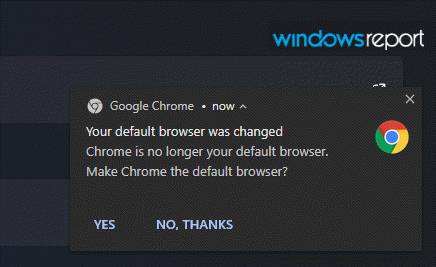
During the test, Windows 11 delivered a toast with this message:
“Your default browser was changed. Chrome is no longer your default browser. Make Chrome the default browser?”

The alert is delivered through the Windows notification system, not inside Chrome.

The Windows 11 toast sent by Chrome after the default browser setting changes. Image Credit: Venkat | WindowsReport.

Default browser settings often change after app installs, system changes, or resets. Many users only notice later, when links start opening in another browser.

Google has been testing how Chrome handles default browser messaging over time. Recently, we reported that Chrome started thanking users after they set it as the default browser. It also added a message that explains users can open links from apps, documents, and messages in Chrome once it becomes the default.

Browsers such as Edge and Firefox already prompt users to set them as the default browser, usually through messages inside the app. Edge has even used Windows itself, including the Settings app, to promote default browser changes in the past.

Chrome’s test is different because it uses a native Windows notification instead of limiting the prompt to the browser window.

Chrome detects when users change the default browser and now responds with a Windows notification that offers a quick option to set Chrome as the default again. Google is currently testing this behavior in Chrome Canary.

That’s not all. Chrome could make it easier to ask AI about webpages with Lens and bring back the flag to enable the Windows 11 Mica effect in the title bar.

Microsoft Begins Blocking Intune Email Access on Non-Compliant Devices

Microsoft has continued to tighten security across its enterprise services, and after announcing that Exchange Online will drop support for legacy mobile apps, a similar move has now reached Intune.

Microsoft begins enforcing stricter Intune compliance for work email access

As Neowin reports, Microsoft has started blocking access to work email for some users whose devices are not properly prepared in Microsoft Intune.

The block targets Intune-managed Microsoft 365 email access when devices or configurations fail to meet required security standards. Microsoft applies these restrictions to apps that do not run the latest SDK or Wrapper version, core Microsoft apps on Android and iOS, and the Android Company Portal app.

Administrators can identify affected users by opening the Intune admin center and navigating to Apps > Monitor > App protection status, where at-risk accounts appear clearly flagged.

Outdated Outlook, Teams, and OneDrive apps can lose work email access

Microsoft has linked the change to its broader effort to enforce stronger security policies for mobile and managed devices that access corporate email. Users with non-compliant devices may lose access to Outlook and other work email apps until they update software or meet policy requirements.

The block can also affect core productivity tools such as Microsoft Teams and OneDrive if users continue running outdated versions.

Microsoft recommends that IT teams review Intune compliance reports and close any policy gaps so impacted users can regain access quickly. The move highlights how Intune’s compliance checks and conditional access rules now play a central role in protecting corporate data.

In other Microsoft news, the company has pushed emergency updates following recent Patch Tuesday releases and rolled out new dynamic updates across supported Windows versions.

Microsoft Releases Dynamic Updates KB5074108, KB5074208, and KB5073454

Microsoft has released a new batch of Windows 10 and Windows 11 setup and recovery updates alongside Patch Tuesday, according to Neowin. These updates focus on behind-the-scenes system components rather than user-facing features.

The updates target Windows setup binaries and the Windows Recovery Environment (WinRE). Microsoft designed them as Dynamic Updates to improve pre-boot recovery, feature upgrades, system resets, and repair scenarios.

Microsoft targets Windows setup and Safe OS components

Among the releases, KB5074108 delivers a Safe OS Dynamic Update for Windows 11 versions 24H2 and 25H2, refreshing WinRE and related Safe OS components. KB5073454 provides the same type of update for Windows 11 version 23H2.

Microsoft also published Setup Dynamic Updates. KB5074208 updates setup binaries and appraiser components for Windows 11 23H2, while KB5074207 improves setup files used during feature updates for Windows 10 versions 21H2 and 22H2.

WinRE updates roll out across multiple Windows versions

Several updates focus entirely on recovery improvements. KB5075039 updates the Windows Recovery Environment on active systems and requires at least 250 MB of free space in the recovery partition. KB5073933 enhances WinRE for Windows 10 21H2 and 22H2, while KB5073932 targets Windows 10 1809 and Windows Server 2019. KB5073931 delivers similar improvements for Windows 10 1607 and Windows Server 2016.

Microsoft replaces older Safe OS and Setup Dynamic Updates with these packages to keep recovery and setup tools compatible with newer firmware and platform changes.

The company distributes these updates automatically through Windows Update, the Microsoft Update Catalog, and WSUS. IT administrators can also inject them into offline images for enterprise deployments.

Microsoft has stayed busy beyond these releases. The company recently shipped emergency updates that address shutdown problems and Azure Virtual Desktop issues. On the feature update side, KB5074157 has also landed in the Beta channel, continuing Microsoft’s steady cadence of platform refinements.

Microsoft Pushes Emergency Windows Updates After Patch Tuesday Breaks Shutdown and Cloud PCs

Microsoft has released emergency Windows updates to address serious issues triggered by the most recent Patch Tuesday rollout. Users reported reboot loops, black screens, shutdown failures, and Cloud PC startup problems, prompting Microsoft to act ahead of the next scheduled update cycle.

As BleepingComputer reports, Microsoft issued out-of-band (OOB) updates designed to fix critical bugs affecting Windows 10, Windows 11, and Windows 365 Cloud PC environments.

Emergency updates target shutdown and sleep failures

One of the most significant fixes resolves a bug that prevented some PCs from shutting down, entering sleep, or hibernating normally after installing recent cumulative updates. The issue caused repeated restarts or forced users to power off systems manually.

Microsoft also included broader stability improvements related to Windows Update and core servicing components, aiming to reduce post-update reliability issues.

Cloud PC and enterprise fixes roll out ahead of next Patch Tuesday

Another major fix improves Windows 365 Cloud PC reliability. Some Cloud PCs failed to boot or displayed startup errors, disrupting remote work environments and enterprise operations.

The out-of-band updates are not available through Windows Update. Users and IT admins must download them directly from the Microsoft Update Catalog.

Operating systemKB updateIssues resolved
Windows Server 2025KB5077793Fixes remote desktop connection issues to Cloud PCs
Windows Server 2022KB5077800Fixes remote desktop connection issues to Cloud PCs
Windows Server 2019KB5077795Fixes remote desktop connection issues to Cloud PCs
Windows 11 25H2 / 24H2KB5077744Fixes remote desktop connection issues to Cloud PCs
Windows 11 23H2KB5077797Fixes Cloud PC remote desktop issues and shutdown problems with Secure Launch enabled
Windows 10KB5077796Fixes remote desktop connection issues to Cloud PCs

Organizations that cannot deploy the OOB updates can instead use a Known Issue Rollback (KIR) through Group Policy to mitigate related remote desktop problems.

“The special Group Policy can be found in Computer Configuration > Administrative Templates > <Group Policy name listed below>,” Microsoft explained.

Microsoft released these fixes ahead of the next Patch Tuesday to limit ongoing disruption. The company recommends installing them as soon as possible if affected systems show shutdown or Cloud PC issues.

Meanwhile, users continue to report installation errors with KB5074109, and some say the update breaks Outlook POP email accounts. Microsoft has not released a fix for that issue yet.

OpenAI Tests New ChatGPT Task and Workflow Features Behind the Scenes

OpenAI has stayed busy lately, with plans to test ads in the US for certain ChatGPT tiers. However, that is not the only change in motion, as the company also works on a new ChatGPT feature set.

OpenAI quietly tests major ChatGPT update with task and workflow features

As Bleeping Computer reports, OpenAI is internally testing a new ChatGPT web update that could roll out in the coming weeks. Researchers spotted the changes through references shared on social media.

The leaked update includes mentions of a feature codenamed “Salute.” Based on the discovered references, Salute allows users to create tasks that support file uploads and progress tracking. This points to ChatGPT evolving beyond standard chat into a more structured task and workflow tool.

Developers uncovered the feature through internal code and web application references. OpenAI has not officially announced the update, and testing continues behind the scenes.

ChatGPT may gain smarter models, secure tunnels, and editable code blocks

The leaked references also mention an “is model preferred” flag. This suggests ChatGPT could automatically select models optimized for local business, restaurant, or hotel results inside map-based business widgets.

Another notable discovery involves Secure Tunnel functionality. According to the reference, Secure Tunnel connects an internal MCP server to OpenAI using a customer-hosted tunnel client over outbound-only HTTPS. This design avoids inbound firewall changes and improves enterprise deployment flexibility.

Finally, OpenAI appears to test inline editable code blocks and math blocks. These tools resemble the writing block functionality spotted in earlier experiments and would improve hands-on coding and technical editing inside ChatGPT.

Alongside these tests, OpenAI recently released a new Translate feature and continues development on a cross-platform project called Agora. The company has shared a few details so far, but the steady stream of experiments shows no slowdown in ChatGPT’s expansion.

Chrome is testing an easier way to ask AI about any webpage using Google Lens

Google is testing a new flow in Chrome Canary that lets users ask AI about an entire webpage without selecting text or images.

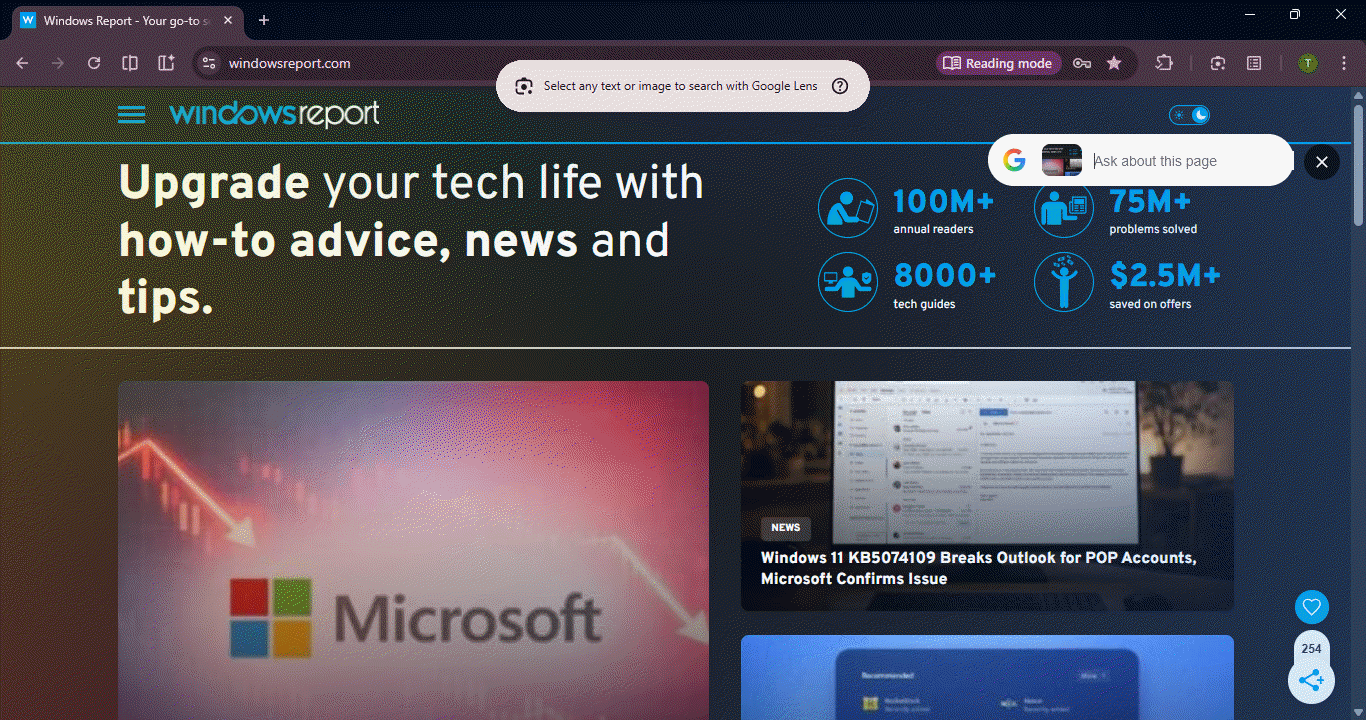
When you right-click on a page and choose “Search with Google Lens,” a small floating bar now appears at the top. It says “Ask about this page” and includes a preview of the current page. The bar stays out of the way and minimizes when you click elsewhere.

The floating “Ask about this page” bar in Chrome Canary appears at the top of the webpage. Image Credit: Venkat | WindowsReport.

Google Lens now captures the whole page in Chrome Canary

This is different from the older Lens experience. Earlier, Lens opened in a fixed side panel and required users to manually select content; now, Chrome captures the whole visible page by default.

If you interact with the floating bar, Chrome opens Google’s AI Mode in the side panel. This is the same AI Mode interface that has begun to show up in Chrome Canary, with tabs such as AI Mode, All, Exact matches, Products, and Visual matches.

​​The flow feels simple for users: you can right-click anywhere on a webpage and trigger Google Lens without selecting anything. A small overlay then opens and gives you a way to ask about the page directly, and if you continue, Chrome opens the full AI Mode panel in the side panel with more detailed results.

The “Ask about this page” prompt existed before, but Chrome Canary now presents it inside a new floating UI and links it directly to AI Mode. Triggering it still requires users to focus the omnibox while staying on the page. By contrast, the right-click flow feels more direct and easier to use because it works immediately without changing focus.

That’s not all. Chrome now offers the Mica title bar flag in Canary until version 160 and lets you ask about previous tab from the address bar.

Arknights: Endfield Brings Action RPG Combat to PS5 on January 22, Check Gameplay Details

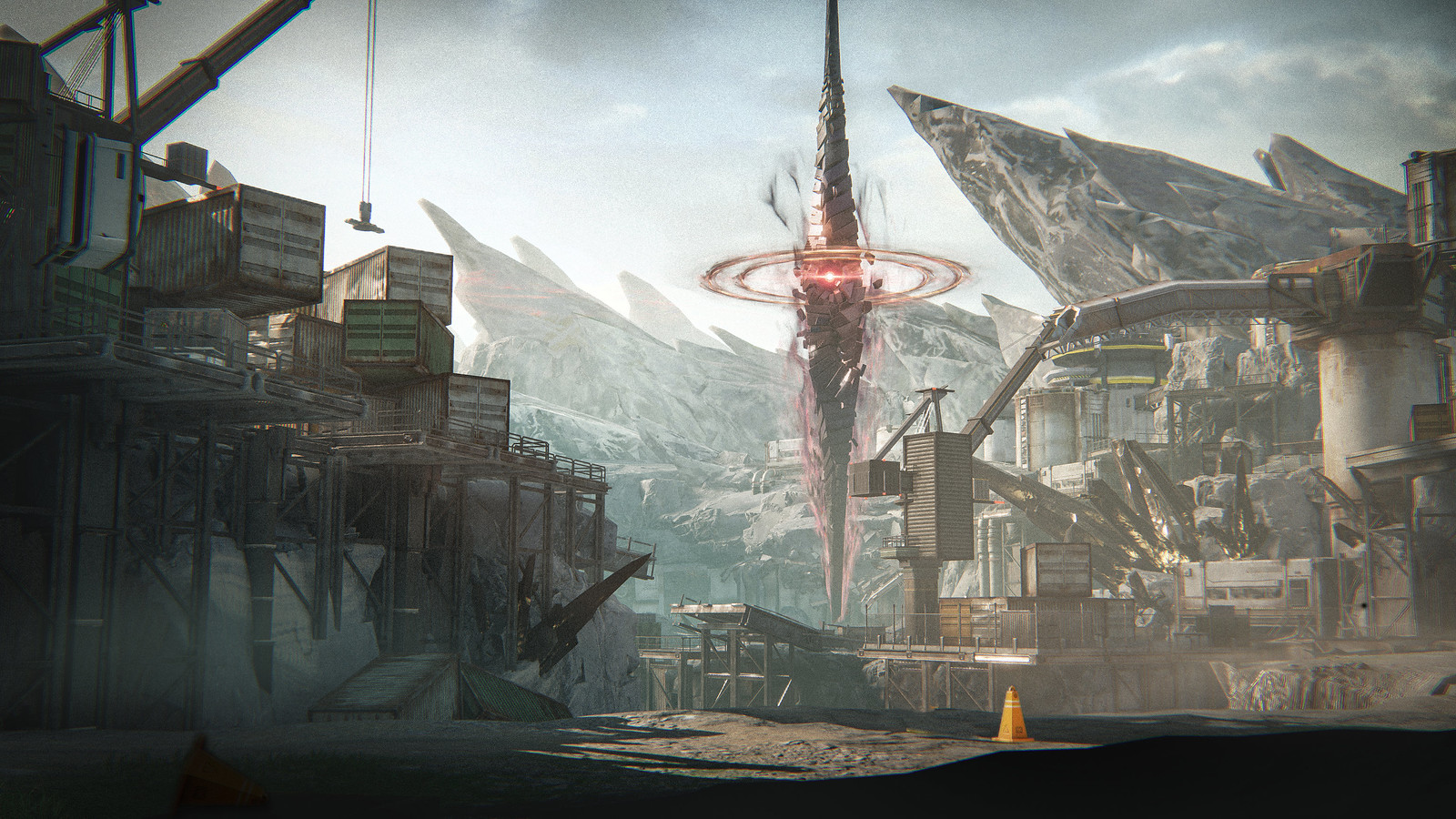
Arknights: Endfield is almost here, and Hypergryph is finally opening the door to what players can expect on PS5. The game will launch on January 22, with Endfield taking the Arknights universe in a new direction. This time, the focus is on real-time action, open-ended exploration, and large-scale systems that grow alongside your story. The setting is Talos-II, a harsh but striking planet shaped by past disasters and unfinished ambitions.

You play as the Endministrator, leading a squad of Operators tasked with pushing the boundaries of civilization. Exploration and expansion go hand in hand. As you move through dangerous zones, industrial facilities rise behind you, turning wastelands into functioning hubs.

Combat is built around fast, tactical decision-making. Up to four Operators fight at once, and you can switch control freely between them. Attacks flow into stagger damage, opening enemies up for devastating Executions. Skills consume SP, ultimates change the pace of battle, and well-timed positioning allows Operators to chain combo abilities together.

Outside combat, Endfield’s Automated Industry Complex system plays a central role. Players build production lines that generate gear, medical supplies, and resources that directly impact progression. The Blueprint system simplifies it all, letting you place, copy, or move entire setups instantly, even sharing layouts with others.

The story doesn’t stop at launch. New regions, threats, and companions await as the mystery of Talos-II deepens, with key characters like Tangtang shaping what comes next.
On PS5, Endfield supports DualSense haptics, adaptive triggers, 3D audio, and Activities integration, making the experience feel purpose-built for the console.