Palworld’s v0.2.0.6 update hits Steam, unleashing first-ever raid boss

Palworld has taken the gaming community by storm, but the game is still in development and the developers are actively working on new features.

The new patch has just dropped, and the game got much-needed fresh content in the form of a raid boss.

The new Palworld patch introduces the game’s first raid boss

Palworld v0.2.0.6 update has just been released, and it brings a raid boss to the game, as Windows Central writes.

The new boss is an evil Pal called Bellanoir, and you can find it by building a Summoning Altar and using special items called “slabs” to summon it.

According to the developers, raid bosses are incredibly powerful and they can’t be captured, but once defeated, they will sometimes drop Pal eggs that you can later hatch.

If this boss is too easy for you, there’s also an extreme version available for an extra challenge.

This isn’t the only change, and the patch notes mention various new items and buildings. There are also various improvements, balance changes, and bug fixes as well.

The patch is currently available only on Steam, so if you have the game on Xbox or Microsoft Store, you’ll have to wait for a bit more.

This is unfortunate since Palworld helped Xbox to achieve the record playtime in a single month. Nevertheless, we hope that the update will drop on other platforms soon.

Microsoft and Quantinumm reach Level 2 Quantum computing with 800x improvement

Microsoft and Quantinumm collaborate to enhance the reliability of quantum computers. As you might already know, Microsoft invests heavily in quantum technology. However, it is not as popular as AI. Yet, it is possible to simulate quantum computers with the help of AI.

Quantum mechanics allow machines to use this technology to achieve impressive computational speeds. However, the fundamental unit of quantum computers is the qubit. Unfortunately, they are sensitive and prone to errors. After all, even minor disturbances can cause them. So, Microsoft and Quantinumm made error-resilient systems using error correction techniques.

How did Microsoft and Quantinumm build the quantum systems?

The two companies combined Microsoft’s qubit virtualization system with Quantinumm’s ion-trap hardware to build the error-resilient systems. Thus, they achieved a new quantum milestone. According to Microsoft, they ran 14,000 individual experiments without failures.

By achieving this milestone, Microsoft and Quantinumm made it possible to move to Level 2 of Quantum computing. Additionally, with the qubit-virtualization system, they created highly reliable logical qubits from 30 physical qubits. Thus, they achieved an 800x improvement in error rate.

Microsoft and Quantinumm met the three fundamental criteria required for reliable quantum computing. So, they separated logical and physical error rates, corrected all the individual circuit errors, and generated entanglements between two logical qubits. However, this is just a prerequisite to building a hybrid supercomputer.

Fortunately, another feat managed by the two companies was to create a successful syndrome extraction technique required to identify and fix quantum computation errors without destroying the qubits. Also, Microsoft and Quantinumm can reach longer and more complex computations without failure by using syndrome extractions.

The future of hybrid supercomputers looks promising

The next goal of Microsoft and Quantinumm is to create a hybrid supercomputer with 100 reliable logical qubits for scientific usage. Afterward, the companies want to scale close to 1000 reliable logical qubits for commercial use. In the meantime, Microsoft plans to include the advanced capabilities in a private preview of Azure Quantum Elements for their customers.

Ultimately, the discovery made by Microsoft and Quantinumm will help them achieve new heights in the quantum industry. Thus, in a few years, we might see some hybrid supercomputers capable of computing years of data in a few days. Furthermore, achieving an 800x improvement in error rate shows that the advancement could take less than anticipated.

What are your thoughts? Are you eager to find out more about quantum supercomputers? Let us know in the comments.

Edge will soon get the Scribble to Copilot feature, which is similar to Android’s Circle to Search

Two months ago, in February 2024, we learned that Microsoft was working on the Circle to Copilot feature for Microsoft Edge. According to the latest post on X (formerly known as Twitter) by Leopeva64, Microsoft is also testing Scribble to Copilot.

Here what’s the post says:

This feature is quite similar to Android’s Circle to Search feature, and this is not the first time we have observed a resemblance.

According to the latest animation of Circle to Copilot, there’s a motion that starts from the bottom of the screen and moves upward, accompanied by a translucent filter with color applied while awaiting user selection.

The process is similar to the activation method for the Circle to Search feature, which is available on the Google Pixel 8 and Samsung S24 series.

As we are talking about similar features and ease of use of AI assistants for daily queries, Microsoft has recently added the Screenshot to Copilot feature, which involves capturing screenshots and drawing a circle around the intended element with the help of the right mouse button. Then, the selected image will be sent to Windows Copilot.

Though the activation methods for these features, which we discussed on Edge, Google, and even Windows Copilot, are different, they all help users refine their searches.

What are your thoughts on the matter? Share your opinions with our readers in the comments section below.

How to Connect Apple Vision Pro to PC

The Apple Vision Pro headset is not natively compatible with a PC, so you’ll have to configure it to connect to a Windows computer.

Since its release, the Apple Vision Pro has been sought after and it’s easy to see why given its cutting-edge capabilities and range of possibilities. While you can make some adjustments for it to accommodate a PC, its capabilities will be limited since its functionality is largely dependent on Apple OS.

How do I connect the Apple Vision Pro to my PC?

1. Verify system requirements

  • You’ll need the latest version of Windows 11 (Custom-built PCs and Surface devices are not supported)
  • A fast processor with 64-bit support 2GHZ or faster
  • High-performing GPU, preferably DirectX 11 compatible and with a built-in USB-C port
  • At least 4GB RAM and 2GB storage space
  • Luna Display dongle to mirror your PC
  • Strong internet, preferably wired

2. Install the Luna Display app

  1. Connect your Apple Vision Pro and Windows PC to the same Wi-Fi network. (Ensure it’s an Ethernet connection).
  2. On your Apple Vision Pro VR headset, launch the Apple Store and search for the Luna Display app.
  3. Install the same app on your PC, then plug in the Luna Display Dongle before launching it.

3. Connect to PC

  1. Once launched, you can now use your keyboard or mouse as a cursor since you can’t use your eyes as used in a Mac.
  2. You can engage the screen with your fingers as a touch screen and create multiple displays.

Additional tips for optimal performance

  • Check your internet speeds for stability and keep background apps and processes to a minimum to maximize data transfer speeds.
  • Optimize your graphic settings to high performance and ensure your OS and drivers are up-to-date for optimal performance.
  • Configure your display settings for excellent visual quality and only use apps that work well with Luna Display to avoid compatibility issues.
  • Explore the touch gestures on your PC to interact with applications and enhance your productivity.
  • Install dual monitor software to improve your workflow efficiency when working with multiple displays.

Hopefully, with the above steps, you’ve successfully connected your Apple Vision Pro to your PC and can now explore its endless possibilities. You can also connect the Apple Vision Pro to your Xbox if you’re looking to elevate your gaming experience.

While the Apple Vison Pro headset is in a league of its own, you should definitely try other cross-platform headsets. They may not offer the same functionalities, but they’re worth checking out.

Have you tried connecting the Apple Vision Pro headset to any device other than a Mac or Apple device?

Microsoft releases a new 2408 update (2408.240331-2200) for Alpha Skip-Ahead Xbox Insiders

Microsoft recently released a new 2408 update for Alpha Skip-Ahead XboxInsiders, bringing the version to 2408.240331-2200. The update included background improvements, ensuring a stable build for Xbox consoles.

Here are the System Update Details mentioned in the Xbox Wire post,

  • OS Version: XB_FLT_2408GE\26094.1507.240331-2200
  • Available: 2 p.m. PT – April 3, 2024
  • Mandatory: 3 a.m. PT – April 4, 2024

In the post, the Redmond tech giant mentioned that they also released a new version of Xbox Wireless Controller firmware, which introduced fixes, including improvements to thumbstick calibration and unexpected disconnections when using a wired headset.

If your controller needs an update, you will be prompted to install it when it is turned on and establish a connection with your console. However, if you don’t, you can launch the Xbox Accessories app and update it manually.

Here are the fixes included in the update:

Backgrounds

  • Fixes to address an unexpected error when attempting to set a new dynamic background.

Game Clubs

  • Fixed an unexpected ‘Like’ tooltip that could appear in the Watch area when focus is on the filter.

Home

  • Fixes to address some tiles on Home not navigating as expected, such as when trying to claim Perks.

Settings – Access Restrictions

  • Fixed an issue where disabling installing apps and games would not always behave as expected.

System

  • Various stability and performance fixes.
  • Various updates to properly reflect local languages across the console.

Microsoft also talked about the known issues related to audio & networking and assured that the team is working to find a fix for them.

If you encounter any other issues, you can use Report a Problem to mention them, which could help the Xbox staff better understand them. Microsoft also encourages Xbox Insiders to visit the community subreddit if they need support.

Also, to stay connected and informed about the Release Notes on Xbox Insider features, you can follow Xbox Insider on X (Formerly known as Twitter).

The Alpha Skip-Ahead ring on Xbox is an exclusive testing group; you have to enroll to get the pre-release versions. Given the potential for errors in these builds, Microsoft only restricts access to them by invitation.

However, if you are interested in joining the group, navigate to the Xbox Insider Hub> Activities > Available > Joining new rings from your console, then complete the survey.

Have you opted in Xbox Insider Program? If so, share your experience using new features in the preview with our readers in the comments section below. 

No clarity about ESU for home PCs running Windows 10, Microsoft prioritizes commercial organizations

With Windows 10 nearing the End of Support (October 15, 2025), many of you must be concerned about running an unsupported OS. The good news, Microsoft will offer Extended Security Updates (ESU) for three years to unsupported Windows 10 PCs.

The problem is that, so far, Microsoft only appears concerned about commercial organizations. Its latest blog post details every aspect, including the different ESU pricing models for commercial clients. However, the tech giant hasn’t yet shared the same information for regular users with a home computer!

Microsoft’s note in the blog post titled, When to use Windows 10 Extended Security Updates, confirms this. The note reads,

The details and pricing structure outlined in this post apply to commercial organizations only. Details will be shared at a later date for consumers on our consumer end of support page. Educational organizations can find tailored information about Windows 10 end of support in the Microsoft Education Blog.

A likely reason behind this is that commercial clients are more likely to pay the annual fee for ESU compared to regular users, especially when the base license costs $61 per device for the first year, and the prices double yearly.

As per projections, most users who will stay on Windows 10 after End of Support (EoS) will be on a home computer. PCs registered with commercial organizations will sooner or later be upgraded to Windows 11.

So, Microsoft should soon come out with a blog for home computer users, detailing the pricing, duration and other vital aspects.

Remember, ESU entails only security updates for enhanced protection from threats and not any improvements to the OS. Don’t expect new features to be introduced on the PC after subscribing to ESU!

Options for home users after Windows 10 reaches End of Support

If you are running Windows 10 and worry about EoS, there are several options to explore. The ideal solution is to install Windows 11, but if your PC doesn’t support the latest iteration, perhaps modify the Registry to bypass installation checks.

Google also offers ChromeOS Flex as a free upgrade to Windows 10 devices. So, if you don’t mind switching operating systems, it’s a feasible option!

Lastly, you can get a new Windows 11-compatible PC. With the increased AI adoption in the latest iteration, we recommend getting one with an NPU ( Neural Processing Unit).

Would you subscribe to Windows 10 ESU or choose another option? Share with our readers in the comments section.

Create perfect images every time as ChatGPT finally gets image editing support

We use the ChatGPT image generation feature rather often, and the main problem with it is the lack of editing capabilities.

Since you can’t edit images, your only option is to regenerate them in hopes that you’ll get the results you want. But luckily for all, those days are behind us.

ChatGPT now lets you edit your AI-generated images

The main problem with AI-generated images is the inability to reliably edit them, however, OpenAI has decided to address this issue, according to MSPowerUser.

OpenAI has also showcased this feature on Twitter:

As you can see, you just need to select the image and use your mouse to select the areas that you want to regenerate. Lastly, enter the desired prompt and let ChatGPT do its magic – it’s that simple!

This is perfect if you want to remove certain elements from images or add something to them without having to regenerate them from scratch.

The feature should be available on both web and mobile apps, so don’t hesitate to give it a try.

This is an amazing feature, and with features such as these, it’s no wonder that some users think that Copilot doesn’t work as well as ChatGPT.

As for other improvements, ChatGPT will drop the need for an account, so anyone can use it without having to log in ever again.

Say goodbye to phishing attacks! Edge on Android is getting Website Typo Protection

Microsoft is doing its best to protect its users from phishing attacks and other online threats, and it does that on the desktop version of Edge with a feature that detects misspelled websites.

It seems that this feature is coming to the mobile version as well, so here’s what we can expect.

Microsoft Edge for Android will be able to detect typos in URLs

Hackers will often use websites with misspelled URLs to trick users into sending them their login data or other information.

Microsoft is aware of this, and two years ago it released a feature on Edge that can detect these fraudulent websites.

According to MSPowerUser, the feature is called Website typo protection and was just spotted in the Edge Canary for Android.

The feature works by giving you a warning in the address bar as you type the name of the website.

If you try to visit the website with a misspelled name, you’ll also get a warning asking you to confirm that you have the correct address.

You’ll also get a warning when you tap the name of the website in the address bar, so even if you open it by mistake, you’ll know that the website is unsafe.

And if you like living on the edge, you can disable this feature entirely from the privacy settings in your browser.

This is a welcome addition, and we can’t wait to see it available in the stable release. Speaking of new features, the Edge Canary app on Android just got extension support, so you might want to give it a try.

Edge users can also test the new cross-device search query history in Edge, which is perfect if you use Edge on both PC and mobile.

Microsoft Edge updates failing with 0x80070070 error? Blame low disk space on your device

Low disk space can affect the PC’s performance, but more importantly, it triggers errors. This happened on one of our PCs when a Microsoft Edge update failed with 0x80070070!

The message read, An error occurred while checking for updates. Failed to cache the downloaded installer.

Upon research, we found that error code 0x80070070 highlights low disk space in the Windows ecosystem. And that was the case with our PC. The default Edge installation drive (in our case, C:) had just 120 MB left.

To fix 0x80070070 in Microsoft Edge, you need to free up some disk space in the drive where the browser files are stored, most likely the C: drive. For that, clear a few files in the Downloads folder, run the built-in Disk Cleanup utility, or uninstall bloatware.

If you often face issues due to low disk space, perhaps enable Storage Sense. It will automatically clear non-critical files on the set frequency without any manual intervention.

We, too, cleared some files in the Downloads folder and were then able to update Microsoft Edge.

Updating Microsoft Edge

We also came across other reports of 0x80070070 on Microsoft Edge, though there were only a few. A user posted in the Microsoft community,

I was trying to use google meet and it said that i need to update my Microsoft Edge browser. I downloaded the new update and installed it but it showed the error: “Failed to cache the downloaded installer 0x8007……” i don’t remember the rest.

You may also come across the 0x80070070 Windows update error or the same code when upgrading Windows, opening OneDrive, or updating other apps and built-in components, and it all arises due to low disk space!

Do let us know how you fixed the error 0x80070070 on Microsoft Edge in the comments section.

Salesforce brings Einstein Copilot in Tableau to give you a data assistant

Salesforce released a beta version of the Einstein Copilot for Tableau, which acts as a personal data scientist. Salesforce claims that the AI assistant will make everyone a data expert, and they might be right. Einstein Copilot can understand your data. The AI can also create and suggest relevant questions for your business analysis. Also, it automates data curation by using calculations and metadata descriptions.

What are the functions of Einstein Copilot?

According to Forbes, Tableau CEO Ryan Aytay says every employee should have at least fundamental data skills. However, Einstein Copilot for Tableau has the necessary skill set to help us learn data science. It can also provide business-related insights and use predictive analysis.

The Einstein Copilot in Tableau has other functions too. For example, it can use synthetic datasets to fill in data gaps and enhance its analysis. In addition, the AI assistant can generate non-traceable data analysis. By doing that, it enhances your information’s privacy. Einstein Copilot can also discover hidden correlations between data by simulating scenarios.

Einstein Copilot is different from the Microsoft Assistant. It can extract pieces from larger datasheets, build charts for the insights it extracts, and remember previous questions and keep their context. The AI assistant can also improve your workflow by automating repetitive tasks. On top of that, you can use regular prompts for data prep, calculations, and formatting worksheets and dashboards.

On the other hand, if you are not a novice in data science, Einstein Copilot can make your work more efficient. After all, you can ask more in-depth questions about its insights and features. The assistant will also give you a chance to learn by doing.

Salesforce will use AI in all of its business aspects

The Salesforce AI is remarkable. A year ago, it was making a trillion predictions a week. Also, the company’s goal is to bring a human-level AI. Furthermore, Salesforce wants to become an AI-first company and integrate AI into its business, from customer support to product development. Thus, the Einstein Copilot in Tableau is a baby step toward that goal.

The company will also include security features in its AI to prevent hallucinations and mistakes. After all, this tech already has a built-in trust and safety layer.

Ultimately, Einstein Copilot in Tableau will improve our work and make it more efficient. Also, it is a great tool if you are a beginner in data science. Unfortunately, it is still in a limited beta. However, Salesforce is planning on releasing it this summer.

What are your thoughts? Are you going to try it? Let us know in the comments.

Opera introduces local LLM support, aiming to become the AI pioneer

Opera has gone through many changes over the years, and the team behind it is working hard to incorporate artificial intelligence in every aspect of its browser.

Speaking of which, it seems that Opera will allow users to download and use large language models locally in the future.

Opera will allow you to use LLMs locally

Opera has its AI Featured Drop program that allows users to try out various AI-powered features early. Speaking of AI features, it seems that Opera users will be able to download and use LLMs locally, as TechCrunch writes.

The company is using the Ollama open-source framework in the browser to run these models on your computer, meaning that no data is sent to the servers.

As for available models, you can access Llama, Vicuna, Gemma, Mixtral, and many more. Keep in mind that language models can be up to 10GB in size, so make sure you have enough space before downloading.

Regarding the availability, you can test this feature in the Developer build of Opera, so be sure to give it a try. 

If you’re interested in Opera and AI, why not join Opera’s Aria Scavenger Hunt for a chance to win a prize?

Windows 11 Insider Preview Build 26100 addresses shutdown issues, 0x80246007 Microsoft Store error, and more

On April 3, 2024, Microsoft released Windows 11 Insider Preview Build 26100 to users in both the Canary and Dev channels.

This Insider Preview Build 26100 fixes a range of existing issues in the latest iteration, from Copilot to app installation errors in the Microsoft Store and shutdown/hibernate problems. The official release notes read,

1. Made another fix to address the issue causing shutdown and hibernate to not work in the latest builds.

2. Fixed an issue resulting in some Insiders seeing error 0x80240067 when trying to download app updates from Microsoft Store or Windows updates in Settings in the latest builds.

3. With the updated Copilot in Windows experience that introduces the ability for Copilot to act like a normal application window, we have fixed the issue that prevented the ability to bring focus to the “…” or refresh buttons within Copilot when using a keyboard (ex: by using tab to cycle through buttons).

4. Fixed a DWM crash impacting some Insiders in the latest flights (this could result in you seeing your screen flash black).

Besides, reports suggest significant improvement in Microsoft Store’s loading time and performance on Windows 11 Insider Preview Build 26100. The app loads almost instantaneously, and individual product pages load 40% faster.

Also, as was the case with the previous build, Microsoft has removed the watermark at the bottom right corner from Insider Preview Build 26100 as well. Though there has been no change of stand. The watermark will return in future builds.

Amongst the list of known issues that Microsoft listed, users stuck on Build 26040 and Build 23620, malfunctioning Voice Access functionality in Copilot, and improper resizing in Copilot are the common ones. These should be addressed in future builds.

The changes in Windows 11 Insider Preview Build 26100 highlight Microsoft’s intent for a refined Copilot and faster Microsoft Store, in addition to a streamlined OS experience.

What do you think of the latest changes and should they be released in the stable build? Share with us in the comments section.

Windows 11 forces you to sign into your Microsoft account to continue the setup

Microsoft announced the Windows 11 Insider Preview build 26100 for the Canary and Dev channels and it has some nice improvements. However, it seems that you can no longer bypass the Microsoft Account sign in step by using the [email protected] email address.

According to Zac Bowden’s X post, Microsoft removed this workaround that we used to apply during the OOBE (Out-of-Box Experience) Windows 11 build 26100 installation. A bit later, Bob Pony also replied to confirmed the issue with a demo video.

You can no longer use the [email protected] to bypass signing into the Microsoft account

Here’s the whole thing! Until this Insider build 26100, when you were prompted to sign in with a Microsoft account, you could have used a bogus email address such as [email protected] together with random password.

After the Windows 11 installation you could have signed in with a local account. Elon Musk made a whole fuss about not being able to sign in with a local account during installation because he didn’t know this workaround.

How do I bypass singing into the Microsoft account?

Apparently, in Windows 11 Insider Preview build 26100, Microsoft has blocked this trick. However, there is another one that still works.

When you reach the screen that says Let’s connect you to a network, press Shift + F10 to open Command Prompt. Run the command OOBE\BYPASSNRO. This will allow you to continue with the setup process without requiring a Microsoft account.

We don’t know yet if this is only a test or if Microsoft wants to block the [email protected] on the Windows 11 stable builds as well. Clearly, the Redmond giant has a lot of reasons to hook us into using a Microsoft account, but probably EU regulators won’t like this.

What is your experience with installing the Insider Preview build 26100? Tell us all about it in a comments below.

Mojang ditches 32-bit OS support for Minecraft – Time to upgrade!

Minecraft is without a doubt one of the most popular games of all time, available on almost every platform.

However, that might change as Minecraft has plans to drop support for 32-bit operating systems.

Minecraft won’t support 32-bit operating systems anymore

According to Neowin, Mojang has plans to drop 32-bit support for Minecraft. This was also stated on the Minecraft Snapshot 24w14a page.

If you’re not familiar, 24w14a is a preview version of the 1.21, and the final version is set to be released soon. This means that if you want to continue playing, you need to install a 64-bit version of Windows 10.

The update also brings other requirements in the form of Java 21, but that won’t be a problem for most games.

We’re not surprised by this change, since the vast majority of PCs are using 64-bit operating systems, and optimizing for an outdated architecture isn’t on the list of priorities for Mojang.

Speaking of Minecraft, Minecraft might finally make its way to PlayStation 5, so if you’re a PS5 owner, stay tuned for more information.

Microsoft Store is lightning fast in Windows 11 26100 Insiders build

Microsoft Store is an integral part of Windows, and it seems that Microsoft plans to make it even better than before.

The latest build for Windows 11 has been released, and it brings many performance improvements to the Microsoft Store.

With the build 26100 the Microsoft Store just got a lot faster

Just recently, the Windows 11 build 26100 build was released for Windows Insiders on Canary and Dev channel, and this build improved the performance of Microsoft Store significantly as Neowin writes.

Microsoft’s Sergio Pedri showcased these improvements on his Twitter profile:

As you can see, Microsoft Store has no splash screen, and no loading indicator, and the startup feels almost instantaneous.

Microsoft’s Rudy Huyn also showcased improvements on his Twitter, and according to him, product pages are loading about 40% faster than before.

The new store also manages entitlement and licensing better which results in the Buy button appearing 1.5 times faster than before.

This is a great improvement, and if you’re on the Dev or Canary channel, be sure to give the new store a try. Speaking of Insiders Preview, you might notice that Microsoft removed the build watermark, but this is just a temporary change.

In case you missed it, the new Dropbox beta app just landed on the Microsoft Store, so you might want to check it out.

AMD silently added four Ryzen 7000 series mobile chips

AMD didn’t create a fuss about the new Ryzen Mobile CPUs before their launch. Yet, the company introduced four new Ryzen 7000 series mobile chips to its product stack. However, there is a catch: There are only two new models. In addition, AMD didn’t mention them in blogs, press releases, or announcements.

The new Ryzen 7000 series mobile chips have the Zen 3+ architecture, also known as Rembrandt-R. In addition, they don’t have built-in graphics capabilities. So, each SKU requires a separate graphics card to function.

Ryzen 7000 series mobile chip specifications

The four Ryzen chips come in pairs. As a result, they have similar names. The only different aspect of their name is their designation, which can be H or HS. Here are their names: Ryzen 7 7435HS, Ryzen 7 7435H, Ryzen 7 7235HS, and Ryzen 7 7235H.

The Ryzen 7 7435HS and Ryzen 7 7435H are 8-core/16-thread chips. They have a 3.1GHz base clock, a 4.5 GHz max boost clock, 16MB of L3 cache, and a thermal design power (TDP) of 45W but you can configure it between 35 and 54W. Furthermore, the two chips share the same product ID tray (FP7r2: 100-000001506).

On the other hand, Ryzen 7 7235 HS and Ryzen 7 7235H are 4-core/8-thread chips. AMD built them with a 3.2GHz base clock and a 4.2 GHZ max boost clock. In addition, they have an L3 cache of 8MB. Also, similar to the Ryzen 7 7345, their TDP is 45W, and you can configure it between 35-54W. They have the product ID tray: FP7r2: 1100-000001507.

All chips have their pages even if they share specifications. Thus, the ones using the HS designation could be for high-end gaming laptops, while the ones ending in H could be for devices with a lower performance. Also, on the official AMD site, just the chips ending in HS have their page translated into English.

Ultimately, AMD might keep just a designation for the Ryzen 7000 series mobile chips, especially since they share specifications and ID trays. However, they might differ in power consumption. Yet, we won’t know until AMD releases products featuring the new processors.

To dramatically improve your desktop performance, wait for the AMD’s Ryzen 9000 Zen 5 models.

What are your thoughts? Are you eager to see the new products? Let us know in the comments.

Threat actors use jailbreak attacks on ChatGPT to breach safety measures

Cybercriminals use jailbreak attacks on large language models (LLMs), like ChatGPT, to breach their security. Unfortunately, the method is usable even now, two years after the LLM’s release. After all, hackers commonly talk about it on their forums.

Threat actors can use jailbreak attacks on ChatGPT to generate phishing emails and malicious content. To use this hacking method, they found ways to avoid the LLM security system.

ChatGPT jailbreak attacks proliferate on hacker forums

According to Mike Britton, chief information security officer at Abnormal Security, jailbreak prompts and tactics to avoid AI’s security are prevalent on cybercrime forums. In addition, some conversations cover specific prompts. Also, two major hacking forums have dedicated spaces for AI misuse.

AI has many features, and wrongdoers know how to exploit them for the best results. Thus, in 2023, Abnormal Security discovered five email campaigns generated using jailbreak attacks on the AI. By analyzing them, the security team found that AI can use social engineering and create emails that seem urgent.

Hackers can use this opportunity to generate accurate phishing emails without spelling or grammar mistakes. Afterward, they can use them to commit vendor fraud, compromise business emails, and more. On top of that, Cybercriminals can create sophisticated attacks in high volumes with AI’s help.

The Abnormal Security team released the CheckGPT tool to help you verify emails. However, companies concerned about safety might use other tools for their cyber strategy.

What are jailbreak prompts for ChatGPT?

Hackers write different prompts to convince ChatGPT and other AI models to act outside their training. That’s the essence of jailbreak attacks. For example, you can ask a chatbot to act as a -job title- and it will generate content accordingly. However, they elaborate prompts with specific details. Some wrongdoers make ChatBot act as another LLM that works outside its rules and regulations.

There are multiple ways to trick the AI into doing what you want. You can make it think that you’re testing it, create a new persona for the model, and trick it with translation prompts.

Additionally, you can generate prompts to turn off its censorship measures. However, you can use them for good, and by doing so, you can train to become a prompt engineer, which is a new AI-related job.

AI could be the solution to phishing attacks. After all, you can use it to analyze suspicious emails. Yet, soon, organizations should prepare for more sophisticated attacks. Fortunately, OpenAI is working on new security methods to protect us and prevent jailbreak attacks.

On the other hand, wrongdoers can acquire other versions of ChatGPT from the dark web.

In a nutshell, hackers are using jailbreak attacks to trick ChatGPT into helping them. As a result, they generate malicious emails and code. Additionally, they can learn how to do much more with the help of AI. While OpenAI is fighting them by adding new safety rules and features, they can’t verify and ban all prompts. So, you and your company will likely need third-party apps to filter and secure your emails.

What are your thoughts? Do you use ChatGPT”s ability to act like someone else? Let us know in the comments.

Chrome Prepares for Tracking Protection Settings launch for 3PCD at 100% rollout

Google has started working on enabling the Tracking Proteciton settings that will be used for 3PCD (Third-Party Cookie Deprecation) at a 100% rollout. The feature is being added to Chrome Canary.

Chrome Tracking Protection Settings launch at 100%

Google aims to improve privacy for Chrome users by testing tracking protection that limits cross-site tracking. Back in December of last year, Google announced Tracking Protection and Privacy Sandbox initiatives for the Chrome browser. Starting on January 4, Chrome began testing this feature with 1% of users globally. The goal is to phase out third-party cookies by the second half of 2024 (subject to addressing any remaining competition concerns)

Google then said 1% of users for the feature are picked randomly, and they will be notified whether in Chrome on desktop or Android. An easier way to know if you’re part of the third-party cookie depreciation test is to look for an eye icon in the address bar for some of the websites you visit that come with third-party cookie tracking. On such sites, 3P cookies will be blocked because of the tracking protection feature, and the eye icon will appear.

Behind the scenes for 1% population, the company has enabled the following flag.

Tracking Protction for 3PCD

Enables the tracking protection UI + prefs that will be used for the 3PCD 1%. – Mac, Windows, Linux, ChromeOS, Android, Fuchsia, Lacros

The 1% of users will have chrome://settings/trackingProtection page instead of chrome://settings/cookies. Google now preparing the flag responsible for enabling tracking protection settings for 100% of users in Chrome on Mac, Windows, Linux, ChromeOS, Android, and others.

Here it is, today, Google made a commit, that notes “Tracking Protection 100%: Expose the flag to Clank”.

Tracking Protection Settings Launch
Enables the tracking protection settings that will be used for 3PCD 100%. – Mac, Windows, Linux, ChromeOS, Android, Fuchsia, Lacros

What this means by the end of 2024 unless there are concerns raised by UK competitions, all Chrome users will see these Tracking Protection settings and have full control over 3 party cookie depreciation feature.

Apart from the privacy feature, Google is working on adding a feature to Chrome that improves laptop battery life, and on Android, you get an automatic tab to declutter feature,. The company is also trying to split Chrome from Chrome OS by using Lacros.

Microsoft Priva: Five new privacy tools added to help businesses adhere to privacy regulations & stay transparent

Recently, Microsoft added more tools to Microsoft Priva, introduced in 2021, to help businesses smoothly adapt to privacy requirements related to personal data.

Here is what Jon Kessler, Vice President Information Governance, Epiq Legal Solutions, said about the Microsoft Priva:

Understanding and managing privacy is crucial for our clients. Exponential flows of sensitive data and emerging technologies such as generative AI have amplified the need for a strong privacy solution; we are confident in Microsoft’s vision to take on this challenge with Microsoft Priva. The richness of data and activities in Microsoft 365 and Priva’s ability to monitor and action on related workflows allows for a proactive approach to privacy. This capability aligns with our commitment to privacy and data protection, reinforcing our partnership with Microsoft to serve our global clients with solutions that address their privacy management needs

The list of new privacy tools includes

  • Microsoft Priva Privacy Assessments
  • Microsoft Priva Privacy Risk Management
  • Microsoft Priva Tracker Scanning
  • Microsoft Priva Consent Management
  • Microsoft Priva Subject Rights Requests

Let’s check out what each of them offers:

  1. Privacy Assessments

This tool can be used to

  • Automate the discovery, documentation, and evaluation of personal data usage across your entire data estate.
  • Enables you to automate monitoring for changes in data processing activities that necessitate actions to ensure privacy compliance.
  • Allows you to create a customized privacy risk framework and employ automated risk analysis, using data usage information collected from a privacy assessment.

2. Privacy Risk Management

This helps to

  • Recognize personal data and critical privacy risks via automated data discovery, correlated signals, and user mapping intelligence.
  • Reduce privacy risks and prevent privacy incidents with the help of automated policies and recommended user actions.
  • Empower employees to make informed decisions about data handling and promote a proactive privacy culture without impeding productivity.

3. Tracker Scanning

You can use it to

  • Automate scans for different forms of trackers, which will help you identify and classify all tracking technologies on your sites.
  • Smoothly detect missing compliance elements across your websites with flexible scan configurations.
  • Look for non-compliant areas and monitor compliance issues during the complete lifecycle of websites.

4. Consent Management

This helps to

  • Develop tailored consent models with prebuilt templates for easy deployment.
  • Publish consent models at scale to different areas via a centralized process.
  • Design customized on-brand layouts for consent models that adapt to evolving business requirements.

5. Subject Rights Requests

This allows you to

  • Efficiently deal with subject rights requests by configuring your workflows’ settings, ensuring end-to-end oversight.
  • Detect and manage subject rights requests on various data sources, including multi-cloud environments like Microsoft 365, Google Cloud Platform, Microsoft Azure, and Amazon Web Services.
  • Use Microsoft Power Automate to create low-code agents that automatically locate and fulfill personal data requests.

In case you want to learn more about Microsoft Priva, visit its official website. If you have any questions, feel free to mention them in the comments section below.

Eternal Strands, an action-adventure game by BioWare & Ubisoft veterans gets revealed

Yellow Brick Games is a fairly new studio, and they are debuting their first game called Eternal Strands.

The game was just revealed, so let’s take a closer look and see what this game is about.

Eternal Strands gets revealed by Yellow Brick Games

If you’re not familiar with Yellow Brick Games, it’s a studio founded in 2020 by BioWare’s Mike Laidlaw, Ubisoft’s Thomas Giroux, and others.

As Windows Central writes, Eternal Strands was just revealed and it’s a third-person action-adventure game.

According to the released trailer, the game is action-packed, and it features massive foes, and players will use magical weapons and abilities against them.

The game is self-published and here’s what Mike Laidlaw had to say:

Self-publishing is a leap of faith, especially in the current turbulent industry climate, but it’s also an opportunity to take our destiny into our own hands and reach out directly to players and the wider gaming community during this release

The game should be released for Xbox Series X/S, PlayStation 5, and PC in 2025. As for other news, Ubisoft has retired The Crew, and the game is not available for download anymore.

Microsoft comes with a workaround for Gmail, blocking Outlook email as spam

Many Outlook.com users complained they could not send emails to Gmail accounts because they were blocked and marked as spam. Microsoft also confirmed the issue.

The tech giant mentioned that the issue only affects people with Outlook.com country domains. All the impacted users received an email from Gmail servers stating that the emails they sent were suspicious and, therefore, had not been delivered to the recipient.

This is the replies from Gmail’s mail server (mx.google.com):

Remote server returned message detected as spam [..]. Gmail has detected that this message is likely suspicious due to the very low reputation of the sending domain. To best protect our users from spam, the message has been blocked

Here is the explanation presented on the Gmail help page:

It’s likely that only a subset of the messages which have a strong likelihood of being spam are being blocked and not all of your messages.

Microsoft has acknowledged the issue and is working on a solution. Meanwhile, the Redmond tech giant has offered a workaround.

To avoid getting your emails blocked, add an Outlook.com alias to your accounts and use that alias to send emails to Gmail.

Aliases are additional email addresses that can be associated with your Outlook.com account. They can use the same inbox, account settings, and contact lists as the primary email address.

You can use the alias to sign in to the Outlook.com accounts, as all the aliases have the same credentials as the primary one.

To add an alias, click the Add an alias link here. Then, sign into your Microsoft account. Once you have done so, you will be taken to the Add an Alias page. Enter the email address of your choice to add it as an alias, then click Add alias.

Add alias.

Now that you have an alias, the next step is to draft an email in Outlook. Go to the Options tab, click the three dots, select Show Fields, then From from the drop-down menu.

Show Fields, then From

Once you see the primary email, click the downward arrow and select the alias instead of the primary email address. If you can’t see an alias, start typing it, and it will appear.

select the alias instead

Though Microsoft is aware of the issue and has even suggested a workaround, it has not disclosed the real reason behind it.

However, Google has suggested the tech giant review its bulk sender guidelines to smoothen the process of sending emails from Outlook to Gmail.

Google is employing stringent measures to combat spam and phishing attacks. Therefore, the search giant has been blocking emails from bulk senders who don’t adhere to new guidelines that require message authentication.

In the latest support document, Google mentioned:

Starting in April 2024, we’ll begin rejecting non-compliant traffic. Rejection will be gradual and will impact non-compliant traffic only. We strongly recommend senders use the temporary failure enforcement period to make any changes required to become compliant.

Are you affected by this issue, and have you tried Microsoft’s workaround? If so, please let us know if the problem has been resolved using the alias method in the comments section below.

Sora AI would need over 750k Nvidia H100 GPUs to rival TikTok & YouTube

Image Source: Open AI

Sora AI blew everyone’s minds with its demo videos and we can’t wait for Open AI to launch it later this year. However, it would be a struggle for Sora AI to work with all the demands from all the excited users.

Right now, even the GPT-6 training is demanding a lot of resources and computing power. There is a huge need for raw GPU power and right now, NVIDIA is running the show in AI. However, Microsoft and Open AI already drew the plans for a $100 billion supercomputer to cope with the huge demand.

But that’s not all, for ChatGPT’s over 10 million daily queries, Microsoft is consuming an outrageous quantity of water just for AI generation.

AI needs a lot more GPUs for text to video generation

I’m telling you all this because the demands for text to video generation, the demands grow exponentially. According to Factorial Funds, Sora AI needs an estimated 4,200-10,500 Nvidia H100 GPUs for 1 month just to train the model.

They calculated that a single NVIDIA H100 GPU can generate approximately five minutes of video per hour. Based on this estimation, and the fact that on TikTok there are uploaded 17 million minutes of video and on YouTube 43 million minutes of video, Sora AI would need to generate between 15.3 million and 38.1 million minutes of video to be on par with the two platforms.

Going further with this estimation, Sora AI would need approximately 750k NVIDIA H100 GPUs to generate the same amount of video footage as TikTok and YouTube.

Of course, Open AI never expressed a desire to rival the above-mentioned platforms, but it’s fun to put things into perspective.

I’ve already reported about the possible implications of Sora AI for the video industry but we’re still a long way to go before that.

What do you think about Sora AI text to video generation? Let us know in the comments section below.

Microsoft Store’s Remote Desktop app hasn’t been updated in almost a year and now it’s causing problems for some

The Remote Desktop app allows you to connect and access PCs remotely. The feature is built into Windows 11 and is disabled by default due to security risks.

However, recently Microsoft has started to allow users to uninstall (and reinstall) Remote Desktop connection from Windows 11 23H2, and it can be done quite easily. The Redmond-based tech giant allows users to uninstall it on Windows 10, as well.

Despite this, the Remote Desktop App is still available in the Microsoft Store. Its last and latest version was 10.2.3012.0., which was released back in June 2023. Microsoft Remote Desktop app

With the update, Microsoft also stated Azure Virtual Desktop support has ended in App and also fixed a vulnerability.

It’s been more than half a year since Microsoft last updated the Remote Desktop app, and users on X (formerly known as Twitter) are calling out the Redmond-based tech giant to make up its mind: either update or remove the app completely from Microsoft Store.

Why? Because it’s causing a lot of issues.

hey @Microsoft maybe it’s time to update or ban the Remote Desktop App from the Windows store https://apps.microsoft.com/detail/9wzdncrfj3ps?hl=en-US&gl=US… as it’s very legacy and there are users trying to use it with AVD / Win365 and having problems …

Sacha Thomet

The Microsoft Store version of the app is being used by some users together with AVD/Win365 and they are currently facing all sorts of issues by doing so, potentially risking their devices.

It’s good to know that until Microsoft decides what do to with the app, users have alternatives: there is Windows App, which will be coming soon, but it’s currently in preview. According to Microsoft, the app is available on Windows, macOS, iOS and iPadOS, and web browsers, and can securely connect users to Windows devices from:

  • Azure Virtual Desktop
  • Windows 365
  • Microsoft Dev Box
  • Remote Desktop Services
  • Remote PC

Hopefully Microsoft will let us know about its intentions with the Remote Desktop app.

Alienware Aurora R15 gaming desktop’s price dropped another $100. Now at just $2799!

When it comes to a gaming desktop, nothing beats the Dell Alienware Aurora R15 in the price range. Be it the design, performance, or cooling, it’s a value-for-money product. The Dell Alienware Aurora R15 gaming desktop is currently available for just $2799.99, a massive $1100 off on its regular price of $3899.99!

Dell also has an ongoing Price Match Guarantee, where in if you could find the same product at a lower price from another retailer, Dell will match it. So, it’s also the lowest price guarantee by Dell!

When we looked for verified reviews, every user had positive feedback for the Dell Alienware Aurora R15. One wrote on Reddit,

I was bracing myself for it to be louder but it is VERY quiet even while gaming at the default settings.

Programs install instantly, there’s not a hint of delay or hitching anywhere in Windows or in games. Warhammer 40k Darktide runs like glass at absolutely max settings with Raytracing on high at 1440p on my G-sync 165hz display. It was touching 200FPS until I turned on the in-game frame limiter to 120(there was no 165 hz option in game) and the game runs pretty much glued to 120.

80-100% CPU utilization and 95% GPU utilization had the CPU at a pretty locked 70C and the GPU at a pretty locked 65C while being whisper quiet.

If you are willing to spend an extra few hundred dollars during the limited-period deal, the Alienware Aurora R15 will be your best-ever purchase!

Dell Alienware Aurora R15’s specifications

Operating SystemWindows 11 Home (Pro edition at an extra $95)
ProcessorAMD Ryzen 9 7900X (76 MB total cache, 12 cores, 24 threads, up to 5.60 GHz Max Boost Clock)
GPUNVIDIA GeForce RTX 4090, 24 GB GDDR6X
Storage2 TB SSD (Solid State Drive)
Memory32 GB (2 x 16 GB)
Ports and slots18 (total count)

Get the Alienware Aurora R15 from Dell’s official website for just $2899.99 during the deal!

Or, if you don’t mind getting a mid-range gaming laptop, the Acer Predator Helios 16 is available at a discount.

What do you think of the Dell Alienware Aurora R15? Share with us in the comments section.

Is Microsoft Teams HIPAA Compliant?

Is Microsoft Teams HIPAA Compliant? When using a collaboration and communication app in healthcare settings, it’s crucial to make sure it offers all it takes to protect the patient’s data.

It is a legal requirement for healthcare organizations using Microsoft Teams to be HIPAA compliant. This is because it acts as an insurance cover for mitigating any potential data breaches and privacy violations.

Today, we take a closer look at the HIPAA requirements and the extent to which Microsoft Teams adheres to them. By the end of this piece, you’ll have all the answers you’re looking for.

What are the HIPAA requirements?

HIPAA comprises three rules when it comes to compliance:

1. Privacy rule

The privacy rule safeguards patients’ information. Protected Health Information (PHI) ensures any past, present, and future patient information whether oral or written is confidential.

When organizations comply with this requirement, a patient’s information cannot be accessed, disclosed or edited without their express permission.

In MS Teams’ case, it will come into play when you use it for communication purpose: i.e. if you use it to exchange health information.

2. Security rule

The main purpose of the security rule is to ensure while using Microsoft Teams, the confidentiality, integrity, and availability of electronic protected health information (ePHI) are in place.

Any organization that uses Microsoft Teams as its collaboration or communication tool undertakes to safeguard this information from any unauthorized parties.

This means there should be clear cybersecurity measures that prevent data breaches or leaks.

3. Breach notification rule

In the event of impermissible or disclosure of the patient’s information, communication must be provided immediately. Usually, it should be within 60 days from the discovery of the breach.

In the event that the breach affects more than 500 patients, the communication must be extended to media outlets within the same time frame.

In other words, in the event of a breach, all people affected should be notified as soon as possible.

What Microsoft Teams features make it HIPAA compliant?

1. Encryption

1.1 TLS encryption

Microsoft Teams has been built on a multiple security layer Microsoft Trustworthy Computing Security Development Lifecycle (SDL).

All network communications are encrypted by default and all servers must use security certificates like OAUTH, Transport Layer Security (TLS), and Secure Real-Time Transport Protocol (SRTP).

The Transport Layer Security (TLS) encryption is the most common one which secures data shared between devices and Microsoft’s servers because it offers end-to-end security.

Any data that travels between these two channels is encrypted such that even if it was intercepted during a transmission, it would be useless to unauthorized parties.

In addition, TLS protects the network from IP spoofing because an attacker would require authentication and without the necessary security certificates, this attack would be unsuccessful.

1.2 DDOS attacks

A distributed denial-of-service (DDOS) attack is an attempt to hijack the network targetting a server.

Such attacks can be hidden from the network administrator and go unnoticed but with Teams’ Azure DDOS network protection, this risk is mitigated.

Its real-time monitoring and analysis feature can catch wind of malicious traffic before it reaches Teams infrastructure. This helps cement Teams’ reliability in safeguarding data.

2. Access controls

2.1 MFA and SSO

For users, Microsoft Teams supports multi-factor authentication (MFA), and single sign-on (SSO) integration as an extra layer of security. Unauthorized users seeking to access patient data would have to bypass these security checks and without additional verification, access is limited.

Other incremental measures you can put in place include creating strong passwords and enforcing the domain password protection policy that also keeps other user accounts safe.

2.2 Audit logs

Microsoft continuously mitigates potential threats with advanced monitoring and threat detection features. For instance, the audit logs allow you to monitor any strange activities with specific activity logs and accurate time frames.

If any suspicious login attempts are discovered, it is easier to detect where they came from and address them early on.

3. Communication compliance

3.1 Communication compliance

Microsoft Teams already comes with the Communication Compliance built-in. This protects and minimizes communication risks. It also has the ability to detect the sharing of sensitive information with advanced features like keyword detection.

Since it detects policy violations, it works great with HIPAA standards to detect any policy violations.

Other industry compliance certifications include the ISO 27001 Information Security Management Standards (ISMS), ISO 27701 Privacy Information Management System (PIMS) and ISO 27017 Code of Practice for Information Security Controls which further protect patients’ data.

3.2 Data Loss Protection

Microsoft Purview Data Loss Prevention (DLP) in Microsoft Teams protects sensitive information. Further, administrators are at liberty to create custom DLP rules that apply to their organizations.

With DLP policies in place, any security or privacy violation will have consequences such as immediate encryption or blocked access. Healthcare organizations using Teams can leverage DLP features and capabilities to uphold data integrity.

4. Threat detection

Teams integrates with Microsoft’s advanced threat intelligence security solutions, such as Microsoft Defender Vulnerability Management and Microsoft Sentinel.

This integration further amplifies Teams’ ability to detect and respond to emerging threats. Microsoft Defender Vulnerability Management for instance acts as a bridge between security and IT teams and helps them get ahead of potential threats.

Microsoft Sentinel on the other hand cater to the cloud environment. With its interactive dashboard, administrators get a peek into the threat landscape and hasten the decision-making process and risk management.

Best practices for healthcare organizations using Microsoft Teams

  • Training – To ensure total compliance with HIPAA, organizations need to offer continuous training to users. Compliance is not enough. Users need to be able to identify a breach or a threat and how to mitigate such risks.
  • Regular review – With access controls, it is important to regularly review permissions for audit success. Audit reports should also be reviewed for a comprehensive report on the use of these permissions.
  • Enhance security – Microsoft Teams has a robust security feature library that should be utilized. Enabling the MFA further protects patients and users from cyber attacks.
  • Security updates – The security of a program is as good as its up-to-date features. Any security patches released should be installed immediately to cover any loopholes that may have been identified.

In conclusion, Microsoft Teams is not only a great communication and collaboration tool but also lays down the perfect foundation for maintaining compliance with HIPAA regulations.

It just goes to show that while you can install all the security software needed, different industries require different approaches for comprehensive coverage.

What communication tool do you use in your organization and is it HIPAA compliant? Share with us in the comment section below.

Microsoft Teams will require explicit consent from users if they want to speak, show themselves, or share content in meetings

Microsoft Teams users will soon be requested to give explicit consent to transcription on the platform, if they want to speak, turn their camera on, or share content in meetings.

According to a recent entry to the Microsoft 365 Roadmap, this new policy and option will be added to the platform later this April and is scheduled to be fully integrated by July 2024.

However, it’s good to know that the policy is optional and can be enabled/disabled at will. When enabled, a pop-up will appear, asking all participants to consent to be transcribed and recorded, and the consent must be given when joining the meeting.

Users won’t be able to speak, show themselves (turning their camera on), or share content until they agree to the policy. microsoft teams explicit consent

The meeting policy that requires explicit consent to be recorded is expanding to include transcription. When the policy is applied, a notification will pop-up when the recording or transcription is initiated requesting consent of all participants to be transcribed and recorded. Before a user gives consent, the user cannot unmute, turn on camera or share content in the meeting.

Microsoft

The option is more than welcomed and it can be a useful tool for organizations to keep track of their meetings and security; it can also be useful in legal situations, on both parts, the employer, and employees.

Speaking of legal matters, Microsoft is currently going through a controversy with Teams, as the platform will be unbundled from the Microsoft 365 suite in regions such as Europe to prevent the EU antitrust fine. Microsoft Teams will be sold there separately at $5.25, and companies can integrate it with the rest of the Microsoft 365 apps, after purchasing it.

The roadmap says the new explicit consent policy is coming to Microsoft Teams users everywhere, and that includes Europe, as well, so despite the controversy, nothing about the platform should change.

Big savings alert: Get $650 off on the incredible Acer Predator Helios 16 gaming laptop

If you are looking for a mid-budget gaming laptop, the best-in-the-segment choices from Acer may seem expensive. But not right now. The Acer Predator Helios 16 gaming laptop is available for one of the lowest-ever prices of $1799 during the ongoing deal.

You get more than 25% off on the laptop’s regular price of $2,449!

With a value-for-money performance, exceptional cooling solution, a crisp display, sufficient storage and a long-lasting battery, you couldn’t ask for more! The battery performance, though, depends a lot on the laptop’s settings.

The Acer Predator Helios 16 has a unique design with a more bulky feel. This is reflected in the device’s weight. But it’s primarily due to an effective cooling setup and top-of-the-class components.

Acer Predator Helios 16’s specifications

Tip icon Tip
Acer Predator Helios 16 has two models, an i7 and an i9. Since the latter is available at a discounted price, we are listing its specifications.
ProcessorIntel Core i9-13900HX (13th Gen)
Graphics NVIDIA GeForce RTX 4080 (12 GB GDDR6 VRAM)
Operating SystemWindows 11 Home
Storage1 TB SSD (Solid State Drive)
RAM 32 GB (2×16 GB)
Display16″ size, 2560 x 1600 resolution, 500 nits brightness
Refresh rate240 Hz
Battery4-cell, 90 Wh, 5-hour life

You can buy Acer Predator Helios 16 from B&H at just $1799 right away!

The only downside we came across with Acer Predator Helios 16 is the bulky design and weight. It’s perfect for home use, but travelling with the gaming laptop could be challenging for some. However, the performance, graphics, display, and cooling are unmatchable for the price range!

If you are looking for other options, explore our top picks for Razer gaming laptops.

What’s your review of Acer Predator Helios 16? Share with our readers in the comments section.

Act fast and get 35% discount on Xbox Gold Shadow controller

There are all sorts of Xbox Series X controllers available, but if you’re looking for something that will stand out, then you might be interested in the Gold Shadow model.

The good news is that this model is available at a discount, so you can get it cheaper than ever before!

You can get a Gold Shadow Xbox controller with a discount on Amazon

According to IGN, the Gold Shadow controller is available at Amazon for just $43.97.  This controller is the same as the original Xbox Series X controller, and the only difference is its unique color scheme.

The controller has blacked-out buttons, a gold metallic D-pad, rubberized diamond-pattern side grips, and textured grips on the triggers, bumpers, and back-case.

To get the discount you need to use a coupon code SEASON5. This will get you 35% off the original price.

We don’t know how long this coupon will last, so be quick to use it! If you’re looking for something less flashy, then Xbox’s Nocturnal Vapor Special Edition might be more up your alley.

Microsoft 365 users can finally breathe, as Copilot for Security promises to deal with all cyber threats

It’s well known that the Microsoft 365 productivity platform is one of the most popular targets for bad actors: in 2022, alone, over 80% were hacked, and the attacks don’t seem to stop. For instance, back in January, phishing attacks on the platform were peaking, and users were advised to pay close attention to any kind of email.

It’s safe to say that it’s quite stressful to be a Microsoft 365 user: with threats looming everywhere, nothing on the platform seems to be trustworthy, and even clicking on a seemingly innocent email can wreak havoc in companies.

However, Microsoft says that is about to change to Copilot for Security will deal with all the cyber threats coming to the 365 productivity platform.

Copilot for Security was recently released to Microsoft 365 users, and the Redmond-based tech giant is already updating it to face the most common cyber threats, such as IP theft, data leakage, and security violations. but also potential malicious risks.

According to the latest entries in the Microsoft 365 Roadmap, Copilot for Security will be updated to support Purview capabilities in April 2024, and it will also allow users to gain a comprehensive summary of Insider Risk Management alerts, starting May 2024.

The Purview capabilities coming to Copilot for Security will ensure that each cyber attack on Microsoft 365 accounts will be heavily documented, and investigated, while also coming up with comprehensive plans of action for further attacks.

With Microsoft Purview capabilities in Copilot for Security, your security teams gain unprecedented visibility across the security data. Microsoft Purview brings user risk and data risk insights to help the SOC with comprehensive and enriched signals to understand the full attack story and impact of a security incident. Microsoft Purview Insider Risk Management correlates various signals to identify potential malicious or inadvertent insider risks, such as IP theft, data leakage, and security violations. Insider Risk Management enables customers to create policies based on their own internal policies, governance, and organizational requirements. Built with privacy by design, users are pseudonymized by default, and role-based access controls and audit logs are in place to help ensure user-level privacy.

Microsoft

The insights summary of Insider Risk Management alerts will provide security experts with useful information on the nature of the cyber attacks and will allow them to create certain policies to manage these attacks.

Copilot for Security is embedded in Insider Risk Management to summarize alerts to help accelerate data security investigations. Microsoft Purview Insider Risk Management correlates various signals to identify potential malicious or inadvertent insider risks, such as IP theft, data leakage, and security violations. Insider Risk Management enables customers to create policies to manage security and compliance. Built with privacy by design, users are pseudonymized by default, and role-based access controls and audit logs are in place to help ensure user-level privacy.

Microsoft

Threat actors are indeed starting to use AI to develop more complex cyber attacks, and the Microsoft 365 platform won’t be out of the woods just yet. But it doesn’t have to be, as long as it has the means to intercept these attacks before they cause any damage.

And Microsoft might just do that.

CSRB accuses Microsoft of neglecting its security systems

The US government’s Cybersecurity and Infrastructure Security Agency’s (CISA’s) Cyber Safety Review Board (CSRB) reviewed the June 2023 attack on Microsoft’s Exchange Online hosted email service. The board decided that the attack conducted by the China-related Storm-0558 was preventable. Thus, the CSRB blames Microsoft for having a weak information-spreading security culture. In addition, they claim that the company uses inadequate cloud security measures.

During the June 2023 attack on Microsoft, hackers compromised the accounts of several senior US officials. As a result, according to The Register, the CSRB wants the tech giant to review their security systems and the cause of the breach.

CSRB recommendations to Microsoft

The first recommendation from the CSRB is that the CEO and the board of directors directly focus on the security vulnerabilities of their system. On top of that, they should develop and share publicly a plan for security-focused reforms. Also, they mention that the CEO of Microsoft should hold the senior management accountable for its delivery.

Another suggestion from the CSRB to Microsoft is to move security to the top of their priorities. Additionally, they want the company to put new features on hold until they fix the vulnerabilities. Moreover, the Cyber Safety Review Board wants Microsoft to analyze security risks before deploying new features.

What happened during the June 2023 attack on Microsoft services?

According to the CRSB, the attacks from June 2023 targeted the Microsoft Services Account (MSA). The MSA manages accounts in the cloud services for users. However, the feature lacked a proper key rotation system that should change digital keys regularly to prevent unauthorized access to cloud accounts.

Microsoft used to manage this feature manually, but they stopped in 2021. Also, between 2021 and 2023, when the attack happened, the company didn’t take any additional measures regarding the outdated digital keys. As a result, the keys became a security gap that allowed hackers to break in. That’s one of the reasons why CSRB believes that Microsoft could’ve prevented the attack.

The China-related Storm-0558 group used this opportunity to access the system with an outdated key from 2016. With it, they managed to steal data from consumer accounts and tokens to access enterprise accounts. By doing this, they stole 60,000 emails and a list of employee email addresses from the US State Department. On top of that, some of the emails contained diplomatic discussions.

Microsoft’s response

Microsoft didn’t handle the situation with transparency. Thus, they didn’t share how threat actors stole the key. In addition, they blamed the whole incident on a crash dump file stored by mistake in an unsecured environment. However, in 2024, the company admitted that they couldn’t find any evidence to their claims.

Ultimately, CSRB holds Microsoft accountable for not prioritizing security systems. Also, its competitors are handling security vulnerabilities better and with more responsibility. On top of that, the board considers Microsoft’s security infrastructure outdated. CSRB blames the company’s focus on flashy features like AI. Additionally, the board says the company forgot its core values from its founding CEO, Bill Gates.

What are your thoughts? Is Microsoft bringing way too many features without proper security measures? Let us know in the comments.

Device Bound Session Credentials, a new Chrome feature to protect your cookies and reduce data theft

Recently, Google Chrome brought in Device Bound Session Credentials (DBSC), a feature aimed at reducing cookie theft, a common attack type that employs specialized malware. The malware, once on the PC, gains access to the cookies and sends them to remote servers.

For the unversed, cookies are small pieces of data saved by websites to store your browsing information and preferences. This way, you get a familiar experience when visiting the website the next time.

These cookies can also be used by threat attackers to gain unauthorized access to our accounts. Besides, your antivirus software is usually ineffective against such malware, given the latter has the same set of permissions as the former. This is where DBSC comes into the picture!

About Device Bound Session Credentials (DBSC) in Google Chrome

DBSC, an open-source project by Google Chrome, is available on GitHub. Google wants it to become the new web standard.

The official blog post describes Device Bound Session Credentials as a feature that will generate a new key for each browsing session and link it locally to the device. For this, DBSC will utilize the built-in TPM (Trusted Platform Module) functionality. The blog post reads,

By binding authentication sessions to the device, DBSC aims to disrupt the cookie theft industry since exfiltrating these cookies will no longer have any value. We think this will substantially reduce the success rate of cookie theft malware. Attackers would be forced to act locally on the device, which makes on-device detection and cleanup more effective, both for anti-virus software as well as for enterprise managed devices.

In a bid to preserve user privacy and reduce instances of cookie theft, DBSC prevents websites from correlating or tracking data. It also allows users to delete created keys from within the browser.

Since it’s currently in the testing stage, you will find Device Bound Session Credentials listed under flags on the following URL in Google Chrome: chrome://flags/

Enabling Device Bound Session Credentials

To enable it on Chrome, search for Device Bound Session Credentials in flags and then select Enabled from the dropdown menu.

Such features are often introduced as experimental and then based on feedback and, after subsequent refining, released for all!

Of late, Chrome has been extensively working on improving its security infrastructure, from home network protection in Chrome to upgrades like Windows Hello as an authentication method.

Such measures may help put a stop to the exponential rise in cyberattacks!

What do you think about DBSC in Chrome? Share with us in the comments section.

Following the latest AI blunders, Microsoft is paying extra attention to Copilot settings

Copilot is a great tool that we and many others use daily, and speaking of which, it seems that Microsoft is making some changes to Copilot settings in Edge.

These settings control how Copilot accesses your data on the web, so let’s dive in and see what has been changed.

Microsoft renames Copilot settings in Edge Canary

Many claim that Copilot doesn’t work as well as ChatGPT, and Microsoft is determined to improve its service. To achieve that, the company has already reassigned employees from Teams to Copilot development.

As for other changes, Microsoft is rephrasing Copilot settings in Edge Canary to avoid any potential issues. In the past, Copilot had this option:

Allow Microsoft to access page content

Send my browsing data to Microsoft to make AI-generated answers and suggestions more relevant on Copilot

That has been changed to the following:

Allow Copilot to read context clues on the web

Copilot may give better answers based on the current webpage, browser history, or your preferences in Microsoft Edge.

Despite this change, the dialog that appears and asks you to enable access to the browser data remains the same.

This is currently in the Canary version, and hopefully, Microsoft will fix all inconsistencies before we see these changes in the stable version of Edge.

In other news, Copilot for Microsoft 365 users have unlimited access to GPT-4 Turbo, so if you use Copilot frequently, perhaps consider getting a subscription.

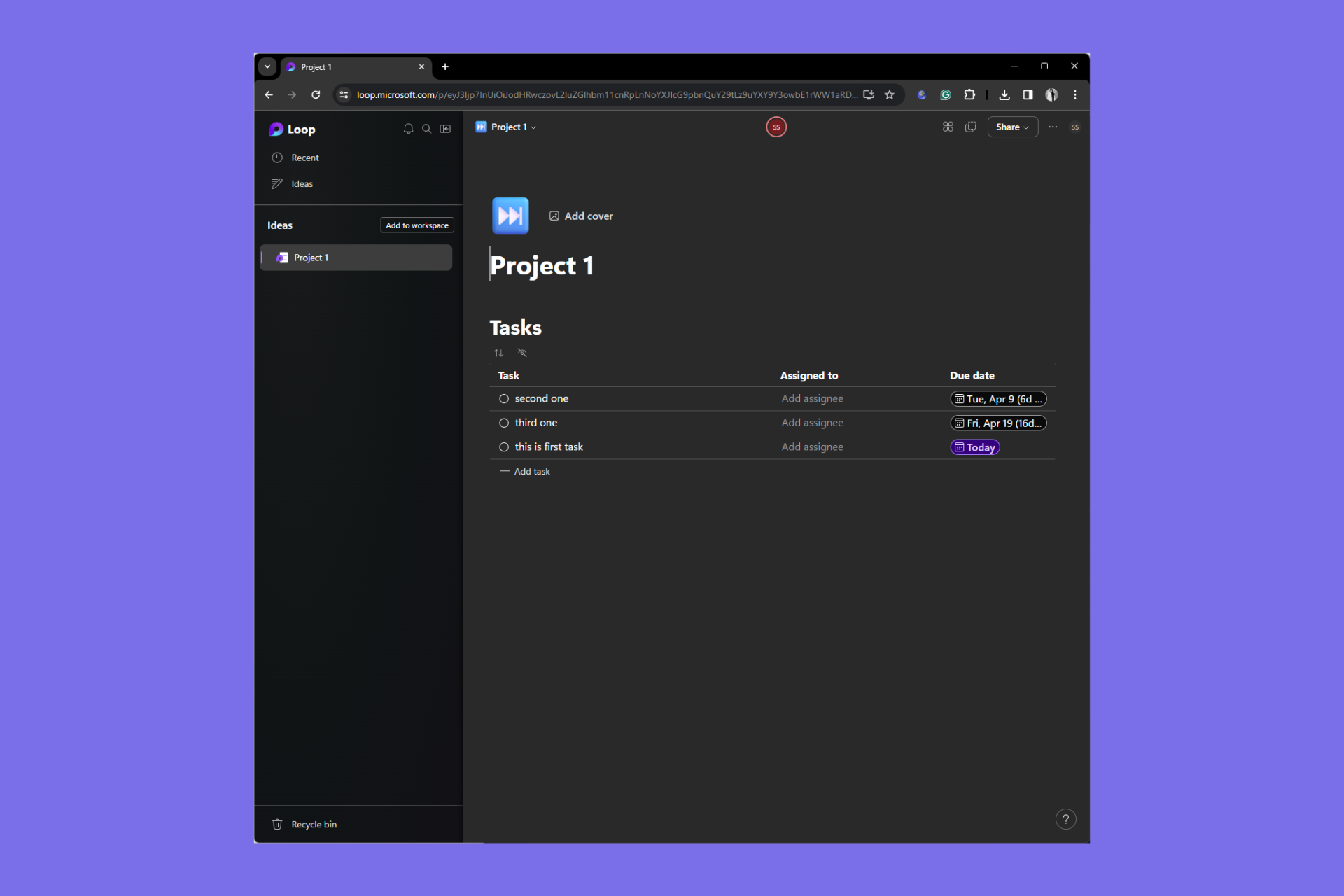
Microsoft Loop’s Task list gets revamped and comes with new exciting features

Good news for Microsoft 365 Insiders, Microsoft Loop’s Task list is redesigned and comes with new features based on users’ feedback.

In a blog post, Srishti Talwar,Product Manager on the Microsoft Loop team said:

We heard from many of you that you rely on task list components to organize your work and manage your projects but would appreciate more flexibility and functionality. So, we went to work and are ready to walk through an overview of the improvements we’ve made – such as filters, sort, expand/ collapse, row height, and more, right in your task list component.

What’s new in the task list components?

1. New look

New look
Source: Microsoft

Task list components have a new look that matches the look of tables on Loop pages, giving you an intuitive interface overall. In addition to this, the company has also added borders, a summary roll and more to make it look more consistent.

2. Filters

It now supports new filtering options that can help you narrow down your tasks by task name, assignee, due date, etc. You can also apply multiple filters simultaneously, giving a filtered view to everyone with access to the Loop page.

Filters
Source: Microsoft

This isn’t it, in a few months, you will be able to filter the tasks by task status and segregate between complete and incomplete tasks by checking the circle status, which will make sorting tasks better than ever.

Source: Microsoft

3. Row Height

Now you will be able adjust and even customize the height of your rows according to your content with just a click of a button. Here is how it looks:

Source: Microsoft

4. Expand/Collapse & Multi-select

The Task list now comes with expand/ collapse feature, which is another great thing that you can use to focus more on what’s important. Moreover, it will help you manage your task list components easier than before.

Source: Microsoft

In case you want to perform same action to more than one rows, then you don’t have to approach them one by one. You can use multi-select feature to select and choose the action for all the rows at the same time, be it copying or deleting them, thereby saving you time.

Source: Microsoft

To avail this feature, the Microsoft 365 Insiders, must have an active Microsoft 365 subscription with a Microsoft 365 E3 or E5 commercial license and a reliable internet connection for smooth operation.

Are you not a part of Microsoft 365 Insider program yet? If not, check out this guide to learn the steps to join it and enjoy all the new features before general availability.

What do you think about these changes made in Microsoft Loop Task list components? Share your thoughts in the comments section below.

Snapdragon X Elite laptops might get Windows 24H2 first, but not all the AI features

Microsoft taunted 2024 as the year of the AI PC but there are still a lot of Windows 7 users out there. Moreover, Windows 11’s market share dropped right in the middle of Microsoft’s AI push.

However, Windows Central points to undisclosed industry sources saying that Windows 11 version 24H2 will ship on the new Arm PCs boosting the new Snapdragon X Elite SoCs who just got an impressive boost in the latest benchmarks.

Their sources also disclosed that the finalized Windows 11 24H2 (RTM) build will be sent to manufacturers in early April for OEM installation on their devices.

The new ARM laptops will not have all the AI features

But that doesn’t mean that Windows 11 will have all the advertised features. Microsoft also promised to reveal additional Windows AI features during a May 20 dedicated event. For instance, probably the RTM build installed on the ARM laptops won’t have the much awaited AI Explorer.

However, there will still be some time left until the 24H2 stable release because Microsoft plans to launch it in two waves. The first wave starts in June, and the second wave is expected in September.

Basically, if the rumors are true, the ARM laptops would have limited AI features who will be updated within the September second wave.

Major manufacturers like Dell, HP, Lenovo and others also plan to launch Arm hardware this summer, together with Windows 11 24H2. However, not all of them will feature Qualcomm’s X Elite SoC which is considered the most powerful Arm chip right now.

The Microsoft 365 Admin Center tab appears in Croatian, according to multiple users

There is a strange bug going on with the Microsoft 365 Admin Center Tab, as multiple users reported that it appears to be in Croatian when accessed.

The issue is widespread, and it has affected multiple browsers, including Chrome, Edge, Safari, and Firefox, as well. Dozens of users reported that the Microsoft 365 Admin Center tab appears as “Početak – Microsoft 365 Admin Center”, Početak means Beginning, in English.

However, many other users reported that not only the tab seems to be affected, but other platforms as well, such as Outlook on the Web, and even email attachments:

I noticed it as well. They’re doing something with the web portals, I have multiple clients having issues with OWA and attachments since yesterday, no clue how to fix atm.

Reddit user

The issue persists even if users try to log in with different credentials:

Same. Tested multiple tenants with different credentials and they all show it.

Reddit user

I’m seeing it across all my tenants (I manage 8 different companies), on all browsers.

Reddit user

Other users have got the same issue, except that it’s Russian instead of Croatian.

Same here in o365 admin tab, but I also noticed when in Edge writing an email all the words were being highlighted as incorrect. I checked Edge settings and the language swapped to Russian for the grammar correction

Reddit user

Several concerned users have posted the issue on official Microsoft forums, but the Redmond-based tech giant has yet to respond.

I’ve never noticed before, but I do now. My admin tab label in any browser I choose, across several networks, displays as “Početak – Microsoft 365 admin center” via login through https://portal.microsoft.com . 

I am not Serbian, my company has no affiliations with Serbia, and our regional settings are not Serbian. Yet, that “Početak” is the word for “beginning” in Serbian. I’m thinking maybe Serbian contractors or Microsoft devs maybe made a mistake? I cannot find anything relevant to this via searches, so maybe someone has an answer on here. Maybe I’m overthinking, but just curious. I’m also not a developer, so the answer might be something very innocent. 

Microsoft 365 Admin Center user

On the forum, several users mentioned that refreshing the page within the browser seems to fix the issue temporarily, while other users claimed Microsoft customer support agents reached out to them suggesting they clean their browser’s cookies and cache.

If you’re accessing the Microsoft 365 Admin Center tab on Edge, you can easily clean its cookies and cache, by following this guide. Alternatively, you can also try to clean your Windows 11’s cache.

Some users think the Microsoft 365 Admin Center tab web portal appearing in Croatian is due to being hacked. It’s also worth mentioning that, as of today, the issue has been fixed for some users, while for others it persists.

Are you dealing with this issue currently?

KB5035942 is still causing install errors and crashes for many. Here’s what to do

Of late, it seems that Windows update errors are on the rise. Every month, a new version throws one install error or another. This time, install issues with KB5035942, released on 26 March’24, are troubling Windows 11 users!

There are also numerous reports concerning KB5035942 update errors. A user highlighted it in the Microsoft forum,

I have Windows11 23H2 and kb5035942 will not install it keeps saying something went wrong and no worries we are undoing the install? I have tried to install manually and it says it is already installed but the update notification still remains and say a restart is required.

The ones who managed to install KB5035942 reported sudden crashes, BSOD errors, audio issues, and the persistent Automatic Repair screen. One user wrote in the Microsoft forum,

With the latest release of KB5035942, we have observed that most of the machines are getting prompted for ‘Automatic Repair”, or “Blue Screen Error”. The count of crashed machines is increasing with each installing the update.

If you, too, are in a similar situation, things aren’t that difficult to resolve, as confirmed by our readers.

How do I fix issues with Windows 11 KB5035942?

Fixing installation issues

  • Check if the update is already installed: Press Windows + R to open Run > type winver and hit Enter > if the OS build reads, 22631.3374, KB5035942 has been installed successfully.
  • Identify the error code and act accordingly: Check if there’s a Windows update error code listed alongside, and then search the web for its dedicated fixes instead of general troubleshooting.
  • Manually install the update: Open the Microsoft Update Catalog in a web browser > download the version corresponding to your system’s architecture > run the .msu file > follow the on-screen instructions to complete the process > restart the PC.
Manually installing KB5035942

Fixing crashes and sound issues caused by KB5035942

  • Uninstall the update: Press Windows + I to open Settings > go to Windows Update from the left > select Update history > choose Uninstall updates from the bottom > click Uninstall next to Update for Microsoft Windows (KB5035942) > confirm the change.
  • Disable the automatic installation of latest updates: Press Windows + I to open Settings > go to Windows Update > disable the toggle for Get the latest updates as soon as they’re available.
Uninstalling KB5035942

The KB5035942 update introduced a wide array of improvements and patches for previously known bugs, but initial feedback from the community suggests that it still needs polishing. However, the issues are not affecting every single PC. For instance, ours didn’t throw any installation error or has crashed ever since.

If you face either, you now know what to do. In case it’s not downloading, manually install the update, and for issues after installation, remove KB5035942!

Did you also face installation or other issues with KB5035942 on Windows 11? Share with us in the comments section.