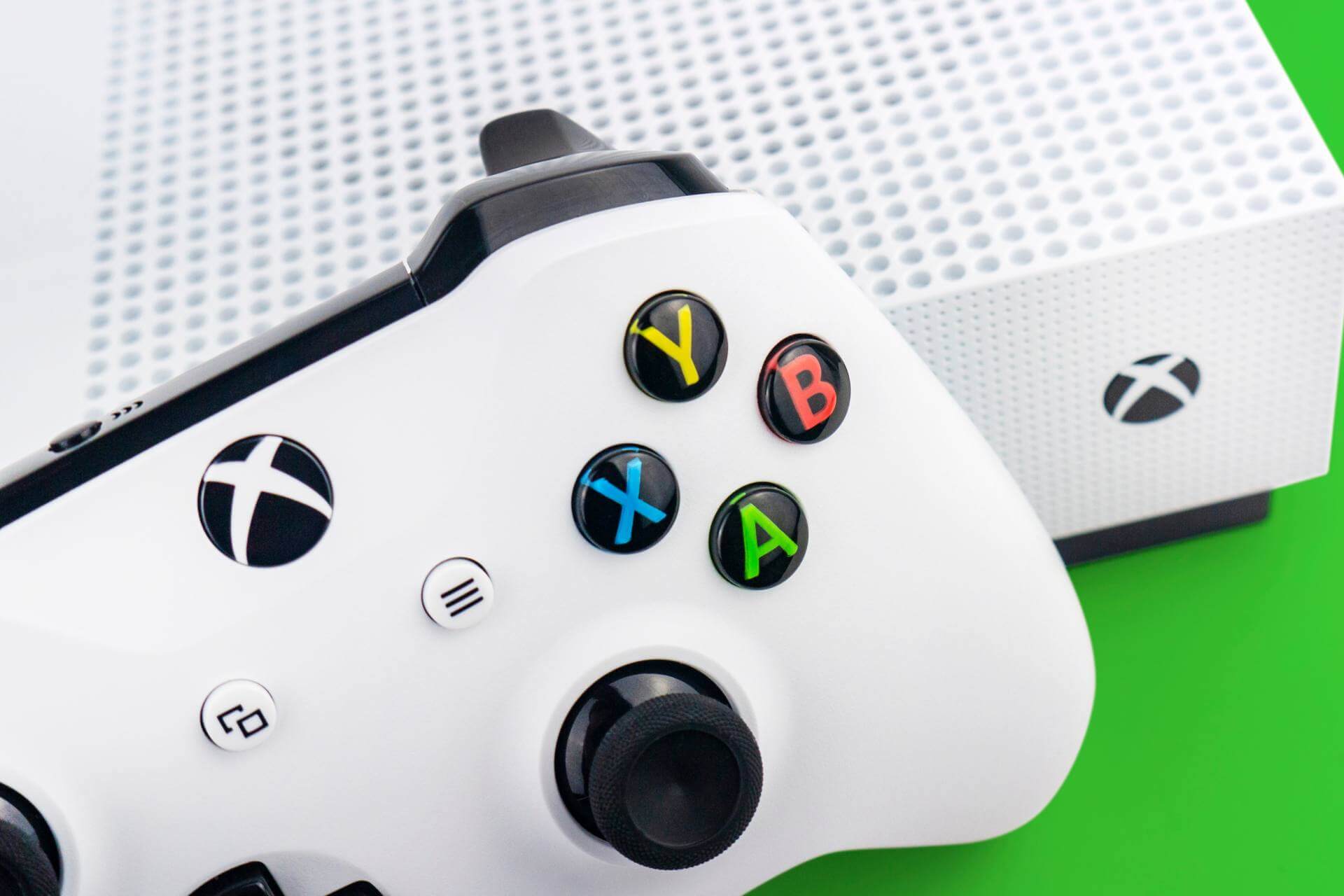
The official Windows 10 Fitbit app has just updated with added support for Microsoft’s Xbox One video game console. The app has been released in the Universal Windows Platform app format for a while now but has been restricted to functionality on Windows 10 devices, such as the Surface Pro, and smartphones running Windows 10 Mobile. This Xbox One app is essentially the same app on Windows 10 and Windows 10 Mobile and runs on the same code. Due to this, the app’s appearance on the console looks identical to that seen on Windows 10 PCs with the only difference being its inability to sync to Fitbit devices, most likely due to the hardware limitations of the Xbox One hardware.
With the inability to sync to Fitbit devices, the Xbox One Fitbit app’s main purpose is to check data and leaderboards after a device has synced to the cloud via another connected device. Users with the app already installed on other devices should find it in the Ready to Install section of their Xbox One while everyone else can grab it in the Apps section of the Store on the console.
Do you have the Fitbit app installed on your Xbox One? Let us know what you think about it in the comments below.
Microsoft recently pushed out three Windows 10 updates, further improving the Windows experience. Windows 10 cumulative update KB3197954 brings a list of 12 fixes and improvements, KB3199986 improves the servicing stack, while KB3190507 still remains a mysterious update.
The support page for KB3190507 is not available yet but it appears this update’s role is to fix KB3194496’s install issues. As a quick reminder, KB3194496 was rolled out on September 29 but was plagued by install issues. As a result, the majority of Windows 10 users weren’t able to install it on their machines.
At the beginning of October, Microsoft pushed out the KB3194496 fix script hoping to solve installation bugs. Unfortunately, this fix script didn’t prove to be very helpful since many Windows 10 users reported they still couldn’t install the update. Now, it appears that Microsoft is giving KB3194496 another chance by rolling out KB3190507.
KB3190507 removes the task Microsoft\XblGameSave\XblGameSaveTask, the same task that prevented users from installing KB3194496 in the first place. At the same time, KB3190507 restores the key HKLM\SYSTEM\CurrentControlSet\Control\Lsa\OSConfig\Security Packages.
Third time’s the charm for Microsoft. For the time being, Windows 10 users haven’t reported any issues caused by KB3190507. It appears that this time, Microsoft finally found the right formula to fix the annoying KB3194496 install issues.
For more information about the recent Windows 10 updates, you can check out the Windows 10 update history page. To install the updates manually, go to Settings > Update and security > Check for updates.
Have you already downloaded the three Windows 10 updates? Tell us more about your experience in the comment section below.
The Windows 10 Creators Update or the RedStone 2 update, is already the topic of discussion on many renowned news sites, and Microsoft is pleased to announce another new addition coming out with the update, that is the new Windows 10 themes.
The plethora of changes are hitting us like a whirlwind and the company is still testing new features to add in existing builds. The newly designed themes are to bring fresh and striking visual styles to the Windows Store, that Microsoft is also considering to put up for purchase. Feels like a disappointment, as users were expecting some refreshing additions to the OS as a gift, but a screenshot that recently appeared on the internet shows that some themes are indeed available with a more than reasonable fee. However, nothing is official yet and who knows Microsft may change their minds before any public announcement.
Diving a little deep into the design characteristics of the latest themes, which were previously offered on Microsoft’s website as a theme repository and ere delivered as MSStyle files, but changed some minor aspects of the system. Hopefully, the new additions may modify a bit more (like the Action Centre and the Taskbar), and feature advanced functionalities to give a more uplifting look and feel. Besides nobody would be thrilled by the idea of paying a sum of money just for a few new fonts, colors, and wallpapers.
But we would advise our readers not to get too carried away, as Microsoft still hasn’t confirmed any features and specifications yet and the product is still under testing phases, which would apparently take months to be launched publicly. If you want to know more about the Windows 10 Creators update, see the video below:
So that’s how to disable a keyboard key on Windows 10 with AutoHotkey. If you want to enable the key again, just right-click the AutoHotKey icon on your Taskbar and choose Suspend Hotkeys.
As the end of October ticks away, the Office 365 security and compliance team have thoughtfully rounded up all the security related updates that landed for the software suite in the past thirty-one days.
For those in the IT field looking to push out updates to networks but wondering what’s ben included, Microsoft’s month-end summaries come as a godsend for many.
New updates security and compliance updates for October include:
Applying intelligence to security and compliance in Office 365—To stay ahead of the evolving threat landscape, companies need the ability to analyze and learn from that data to identify, intercept and respond to threats. Office 365 provides unmatched security intelligence to help customers protect, detect and respond to threats. Read about the new security and compliance capabilities of Office 365 that were announced at the Microsoft Ignite conference.
Security engineering evolution in Office 2016 for Mac—Security is a critical component in all our products at Microsoft. To help you get a better idea of how we build security into Office 2016 for Mac, the engineering team discusses how we think about it from a development and testing perspective, including the latest updates.
Get updates on Office 365 Security & Compliance Center—The Microsoft Office 365 Security & Compliance Center is the central place to view and manage your data. Find out how the experience is improved by centralized security controls, including the ability to view and manage security and compliance for your cloud services.
Accelerate your eDiscovery analysis workflow with one click—Does your legal department often complain about how long it takes to run an analysis for eDiscovery investigations? We released two new features for Office 365 Advanced eDiscovery—Express Analysis and Export with analytics to Excel—to make it easier and faster for organizations to quickly find, analyze and review relevant information related to investigations, legal matters and regulatory requests.
The Office team is also providing a quick four-minute video to help go over what organizations can do to achieve better compliance standards.
To read up on methods to keep your company compliant sing Office 365, visit the Microsoft Office Blogs today.
The Office Team has announced today that it’s introducing enhanced control over Office 365 third-party apps to help companies better manage what kind of apps employees are allowed to use. This new feature will be a part of Office 365 Advanced Security Management, providing IT admins the ability to approve or revoke apps’ access to Office 365.
As the company explains in the blog post, many companies using Office 365 today allow employees to install any third-party Office 365 app without any IT intervention, which can be problematic if these users don’t make sure that the apps they use comply with their organization policies.
However, app permissions will now “provide information to IT about which applications in their network have access to Office 365 data, what permissions they have and which users granted these apps access to their Office 365 accounts,” explains the blog post.
App permissions can be managed from Office 365 Advanced Security Management.
Following an examination, IT admins will be able to revoke permissions to non-compliant apps which will prevent them from accessing employees’ data in Office 365. Additionally, the new feature allows IT admins to notify users that the Office 365 third-party apps they have installed will be banned. To get more information on this new feature, we invite you to watch this Ignite 2016 session below:
If your company uses Office 365, let us know in the comments what do you think of this new app permissions system.
There is good news on the horizon for those excited to play the newest installment of the popular video game franchise Final Fantasy. The next game in the series, Final Fantasy XV, experienced a slew of delays, pushing its release date to November 29th. Its original release date would have meant the game receiving a day one patch which user would have had to install, and the Square Enix didn’t want that.
The good news: Final Fantasy XV achieved gold status, which means the game is ready and can finally enter the next step in the process that ends with the game in the hands of customers worldwide.
While the main game is ready for the distribution process, the creative team behind Final Fantasy XV now has the opportunity to focus on extra content, specifically the three additional levels specifically designed for players who buy the premium version of the game. The premium version contains the Season Pass, which in turn contains the three extra episodes. In this extended version, players get to experience new stories through the eyes of another member of the team.
Each of the three new characters players will be able to control, Gladiolus, Ignis and Prompto, will have their own unique gameplay which you will be able to use against new enemies added to the game. Their three stories will be released in that same order.
Later on, we will also get a DLC for the game called Comrades, which will bring multiplayer action to Final Fantasy XV.
There is also a brand new four-minute trailer called Omen released for the game, which shows the prophecy as seen by Noctis’ father, King Regis.
Microsoft is always looking to offer gamers new ways of buying their favorite Xbox game titles. Available through select carriers, Microsoft offers mobile Operator Billing (OB) on Xbox to make buying your favorite Xbox game easier than ever.
OB is fast becoming one of the most popular and preferred payment methods worldwide because you don’t need a credit card to pay, all you need is your phone number. By using OB, Xbox gamers use their phone number to pay for games, movies, TV shows, and much more on Xbox Live and have the charges added to their monthly phone bill. Adding your cell phone number to your Microsoft account can add a new convenient way to pay for all things Xbox.
Operator Billing
Xbox gamers can access OB via the Xbox App on Windows 10 devices, Android, and iOS smartphones, depending on location. Xbox gamers on the following mobile operators can use OB today in the Xbox Store on Xbox One:
Beeline Russia
DNA Finland
Elisa Finland
O2 Germany
O2 UK
Swisscom Switzerland
Telenor Hungary
Telenor Norway
Telenor Sweden
If you don’t see your OB service provider listed, don’t worry – Microsoft is adding more OB partners soon. If you are already a customer of one of the above-mentioned mobile operators, Microsoft adds a new simple way set up OB:
“Just find a game you’d like to purchase, select “Buy,” choose “Add a new payment method’ on the payment screen, and select “Mobile phone.” Next, pick your mobile operator and enter your phone number to receive a verification code. When you receive the code, simply enter it on your Xbox and you’re done!”
Currently, OB is not yet available in the US, but may be an option sometime in the future. Would you like to be able to purchase Xbox games, movies, and more using your cell phone number? Let us know in the comments.
Microsoft Azure Government is continuing to expand and now has documentation support on the official site. According to an Azure blog post released today, users can now go onto the Azure web page and search through topics of solutions and information that are readily accessible. Furthermore, it gives quite an interesting look into how the Department of Defense could use Azure to regulate safety.
Azure Government is the cloud solution specific to satisfying government regulations. The company boasts that it has unmatched security and that the cloud service has recently obtained higher clearance to the Department of Defense data than any other commercial cloud provider. “Not all clouds are created equal,” the Redmond giant declared two weeks ago in their Azure Government highlight blog.
The new documentation is also a surefire way to stay up to date with all of the preview releases and future features. There are over twenty-three documentations for you to peruse. Take a look over on the Azure webpage and just click the Documentation tabs to select Azure Government from the list.
Tomorrow, Vaid will announce Project Olympus, Microsoft’s next generation hyperscale cloud hardware design in collaboration with the Open Compute Project (OCP). Project Olympus will offer a new model for open source hardware development with the OCP community.
In 2014, Microsoft joined OCP in an effort to reimagine its Azure cloud hardware through the open source community. Initially, Microsoft shared Azure server and datacenter designs and offered Azure’s software-defined networking (SDN) principles. Microsoft learned a number of important things through its collaboration with OCP and the open source community.
One such important thing is that open source hardware development is not being developed at the same pace as open source software. With the current process for open hardware development, the designs that are offered are almost 100% complete and ready for production. This process limits interactive community engagement and adoption and slows down cloud hardware deployment.
In order to address these issues, Microsoft collaborated with OCP to introduce a new hardware development protocol allowing for more community-based open collaboration. Project Olympus offers this new open source collaboration approach that is used for software development and applies it to developing cloud hardware.
Project Olympus introduces cloud hardware designs to the OCP community that are about 50% complete. By sharing designs that are in the early stages of development, Project Olympus allows the community to contribute by downloading and modifying the hardware design just like open source software. Bill Carter, Chief Technology Officer, Open Compute Project Foundation commends Microsoft for Project Olympus, saying:
“Microsoft is opening the door to a new era of open source hardware development. Project Olympus, the re-imagined collaboration model and the way they’re bringing it to market, is unprecedented in the history of OCP and open source datacenter hardware.”
Here’s a look at what Microsoft’s Project Olympus will contribute; a new universal motherboard, high-availability power supply with included batteries, 1U/2U server chassis, high-density storage expansion, a new universal rack power distribution unit (PDU) for global datacenter interoperability, and a standards-compliant rack management card.
Project OlympusProject Olympus Rack system
Head over to the OCP GitHub branch to check out the Project Olympus’ mechanical and power server chassis interfaces, the universal motherboard, and PDU (protocol data unit) specifications. Microsoft will open source the entire rack system in the next few weeks.
Last week, Microsoft announced during its Windows 10 event in New York an upcoming portfolio of third-party VR headsets leveraging the built-in Windows Holographic shell in the Windows 10 Creators Update. Unlike Microsoft’s HoloLens mixed reality headset which is standalone device, this first wave of third-party VR headsets will need to be tethered to a Windows 10 PCs but with a starting price of $299, Microsoft’s partners are expected to give some good competition to rival solutions from Facebook and HTC.
When we go to WinHEC, we’re really thinking how are we going to democratize this technology, how are we going to work with these partners to build devices that can reach all price points, that can reach everyone on the planet.
In the lengthy interview, Myerson goes on to explain that the purpose of Microsoft’s partnership with PC manufacturers HP, Dell, Lenovo, Acer and ASUS is not about “filling the ecosystem” with low cost VR solutions. According to him, Microsoft does expect from its partners premium VR products as well:
I don’t see it necessarily as filling in below. By building HoloLens, we were able to push ourselves as hard as we can to see, to go create, really we call it Windows Holographic, to go create that expression. That allows us now to then partner with HP, Dell, Lenovo, Acer, ASUS on how can we create expression of that for your gaming PCs, and that’s the accessories we showed today.
But I think if we hadn’t done HoloLens first, we wouldn’t have been able to do those partnerships as well. And I’m not ruling out the fact that one of those guys builds a $3,000 accessory, because I think we’ll see all kinds of creative expression in what they do. But by building Surface Studio we’re going to be able to have some really well-rounded partnerships and other people will express ideas.
First wave of third-party VR headsets.
While Myerson didn’t provide more details about the specs of these upcoming VR headsets, he did share that he expects them to “work super-well on most laptops.” However, the exec added that using these third-party headsets, which will have an opaque lens, should be quite different from the augmented reality experience provided by the company’s HoloLens headset (which has a translucent lens). To explain it, Myerson used an external monitor analogy:
One way you can think about these VR accessories is as an external monitor. It’s not technically accurate, but conceptually I think it works quite well. You put on the headset and you’re looking at another monitor. So it’s not a perfect technical analogy, because it lives now in the Holographic shell, so a shell from the desktop. But now I’ll be able to tap at this, so you get the shell and it’s the same shell we have in HoloLens. That comes up and HoloLens has a transparent or translucent lens, while these accessories we talked about today will have often opaque lens.
We use this term mixed reality to represent this spectrum of augmented reality to virtual reality and everything in-between. And in some ways the transparency of the lenses is the difference between augmented and virtual reality, but it’s the same volumetrics compute.
Overall, it seems that Microsoft will have some work to do to explain to consumers the differences between mixed reality and virtual reality. If the third-party VR headset market becomes fragmented between translucent lenses and opaque lenses, it looks that this still young market could become confusing pretty quickly. To add a bit more confusion, Microsoft patented earlier this year a new dimming module that could enable switching from a mixed-reality experience to a fully immersive VR experience, providing a “best of both worlds” solution. While WinHEC is only a few weeks away, we can’t wait to see how Microsoft and its partners will make their VR efforts more consumer-friendly.
According to the report, the number of Windows Phone apps available on the Italian Windows Store has gone from 329,507 to 239,216 following the purge which represents a 27% decrease. As a reminder, Microsoft still claims on this page that there are 669,000 available on its Windows Store though that number has not seen an update since at least a year (not all these apps are available in all markets).
For now, it’s still unclear how this new age rating policy is affecting the Windows Store globally and we have yet to learn about the removal of popular Windows Phone besides high profile voluntary departures from the likes of eBay or even Skype for Windows Phone 8.1 phones. However, the apps that have now been removed from the Windows Store should remain usable for consumers that have downloaded them prior to the cleaning. Additionally, developers can still resubmit their apps to Microsoft after completing an age rating questionnaire on the Dev Center though we doubt they’ll do it now after missing the September 30th deadline in the first place.
With all of the Surface and Windows 10 news swirling around, it’s too much for just written posts. Tonight we’ll have the first episode of our new podcast “Talk Microsoft.” We’ll be discussing all the biggest news from the recent Microsoft event and even chat some about the Apple event that followed it.
Hosting will be yours truly (Sean Michael), and a new but familiar co-host, popular YouTube celebrity and developer Sean Ong. Both of us will bring our personality and Microsoft related experience to the biggest tech news out of Redmond.
The show will be live on our YouTube channel at 11am PDT. We’ll base our podcast times on Pacific (Redmond) Time so make sure you know what time it’s on in your area. Daylight savings time starts at different times in the UK and US so make sure not to miss us. We’ll then post the podcast on the website in case you can’t tune in live or want to rewatch the show.
Editor’s note: OnMSFT’s new website launches in one week, get hyped!
Using registry files and the Registry Editor is not a piece of cake for everyone. Therefore, it’s important to know how to read registry files without regedit.
Editing the registry via .reg files is the simplest way to change it, but sometimes you need to check what changes the file will perform to your system.
In case you’re not familiar with this tool, we have a great guide on how to use Registry Editor on Windows, so we encourage you to check it out.
Why should I view the registry file without importing?
It’s possible that .reg file that you want to import comes from a malicious source. Therefore, it’s advised to view it before running it and ensure that it doesn’t make many unwanted changes to your PC.
Another reason is compatibility issues. Certain .reg files will make changes that won’t work or aren’t compatible with your system. Therefore, it’s always good to check the reg file and see what it does, before running it.
Do keep in mind that to understand what a reg file does, you need to have advanced PC knowledge and be familiar with the registry and its commands.
How can I read registry files without regedit?
Open the file in Notepad
Right-click the Registry file you want to access.
Choose Open with from the context menu.
If you’re doing this for the first time, a text editor won’t show up as one of the first options, so just click on More apps.
Now, find Notepad, and check it.
After doing that, you’ll see the contents of the reg file.
After doing this, your Registry file will appear in Notepad, and you’ll be able to see what it contains and edit it.
That should be all for our article about accessing Registry files in Windows 10. If you have any comments, questions, or suggestions, feel free to let us know in the comments below.
Do you need to keep track of file and subfolder modifications in folders? If so, there are a few software packages available that will highlight folder changes. FolderChangesView is software that shows you what files have been altered and how they have been modified. This is how you can track folder changes with FolderChangesView.
First, download FolderChangesView, which is compatible with most Windows platforms. Open this page and click Download Folder Changes Viewer to save its ZIP.
Then open the ZIP and click Extract all in File Explorer to decompress the file.
Open the software’s window below from the extracted FolderChangesView folder.
The Choose Folder window in the snapshot below also opens. Enter a folder path to track in the Base folders to monitor text box.
To exclude folders, select the Excludethe following folders check box and enter their paths into text box.
Alternatively, you could click the selected Monitor all subfolders under the specified folders check box to exclude subfolders.
You can select the Folder Summary Mode option to show modifications to just the folders instead of specific files.
Press OK to close the Choose Folder window.
Now try FolderChangesView out by opening the folder you selected to track in File Explorer.
Then right-click a file in the folder and select Rename. Enter an alternative title for the file.
The FolderChangesView window will now highlight that file modification in the folder as shown in the snapshot below. However, the window doesn’t include the files if you selected Folder Summary Mode.
If you were to right-click a file and select Delete, the window would highlight the deleted file as below. The file’s Deleted Count column includes 1.
Add a new subfolder to the folder by right-clicking an empty space in File Explorer and selecting New > Folder. Then the FolderChangesView window will show that new folder as in the snapshot below.
The FolderChangesView Properties window also includes file details. Select a file on the program’s window and click the Properties button to open it as below.
You can halt folder tracking by pressing the Stop Monitoring Folder Changes button on the toolbar. Then you can resume it by clicking Start Monitoring Folder Changes.
To clear all listed items on the window, press the Ctrl + X hotkey.
To save items on the list, press the Ctrl key and then select files and subfolders.
Press the Save Selected Items button to save them. The txt document includes all the saved items on the list as shown below.
Overall, FolderChangesView is great software to track folder changes with. It has an effective UI, good variety of configuration options and clearly displays folder modifications. It’s also a portable tool that you can add to USB flash drives.
Farming Simulator 17 recently received one major update, aimed at fixing a long list of issues. However, this update doesn’t fix all the game bugs, as there are plenty of potential issues gamers may encounter while playing Farming Simulator 17.
Farming Simulator 17 reported bugs
Random game crashes
Many gamers report that Farming Simulator 17 randomly crashes after hours of play, deleting their progress. Unfortunately, the auto-save option is only available when playing in multiplayer mode.
Game just crashed after hours of play. During this session I had collected all 100 golden nuggets, completed a handful of missions, done a full harvest, and purchased a bunch of new equipment. -_-
Silo won’t empty completely
Some gamers complain they can’t empty their silos completely: “anybody else having a problem emptying silo completly at the bga tried convayor and the bucket can’t get it to empty so it is useless any solutions thanks”.
Fortunately, one user found the solution to fix this bug. Follow the steps listed below to fix the silo bug:
Go to C:\Users\YOURUSERNAME\Documents\My Games\FarmingSimulator2017\savegame1
You are going to edit the Vehicles .xml file
Scroll down the list until you find the silo you wish to edit.
Then edit the amount to zero.
Machinery get old too quickly
Many gamers complain that their machinery gets worn-out too quickly, forcing them to buy new equipment. Unfortunately, there is no option to turn off this feature, and prevent machinery from getting obsolete. Also, gamers believe that the machinery’s lifespan is calculated on real time hours, not in game hours. For the time being, this idea remains a simple hypothesis, but there are many players who are waiting for a clear answer to this question.
As we all know there is a weird system in the game that make machinery get old quick which mean extremely expensive to keep. Any ideas how to disable this? I see no setting for it ingame?
Tractor stutters
This bug is not caused by any FPS rate drop, it appears that the culprit is actually the latest patch: Farming Simulator 17 Update 1.2.1. And this is not the only bug caused by this update. Xbox One players complain the update has completely messed up their controller settings.
What was fixed in the update… everything feels worse. […] What was actaully fixed?
For me now when manualy doing jobs and missions the tractors stutter it’s not a frame rate thing the tracter actually slows down 10km/h then speeds up again and repeats for almost the whole field …
Graphics glitches
Again, this problem appears to be caused by the latest update. Gamers report that vehicle frames can hardly be seen, and there is no sky texture.
I’ve seen a few posts where people are saying that graphically, vehicle frames only can be seen, and there is no sky texture (i.e. it’s black).
I have experienced this also, but only since the latest update.
The solution that worked for me is to remain on a “very high” overall graphic settings with the following alterations.
Max Shadow Lights: 3 (Down from 5)
Shader Quality: High (Down from very high)
Max Tire Tracks: 200 (Down from 400).
Other common bugs include the following:
Trees fall through the map (particularily the bigger ones)
The crane at the train station breaks, so the lifting mechanism is upside down
Stumpgrinder won’t grind certain stumps.
These are the most frequent Farming Simulator 17 issues reported by gamers. Hopefully, the game developers will release a new update in a few days’ time.
ASC 10, or Advanced SystemCare 10, is an optimization toolkit that excels with its high adaptability and responsiveness. With the release of the newest version of the software, new features were added that improve the overall quality of the product, which will please the developer’s customer base. Let’s take a look at the kind of features that were implemented in this new version of Advanced SystemCare.
Better management of resources
This new version is able to more efficiently keep track of processes and detect when one of them is putting too big of a strain on your components, such as the hard drive, CPU or RAM.
Take care of junk files more efficiently
There is a lot of software or even drivers that leave behind junk files which are no use to your system and end up as leftovers from the operations were performed by said software. Advanced SystemCare 10 takes care of these files faster than any other version and ensures your PC only deals with files it actually needs and uses.
IObit Uninstaller 6
If you are looking to remove anything other than junk files on your PC, Advanced SystemCare 10 allows you to remove further files such as toolbars or even apps through its Iobit Uninstaller 6, which comes included with the performance booster toolkit.
FaceID
This new tool allows users to lock their PC’s with a unique authentication tool: their face. Set a facial recognition password and ensure the security of system.
These new features on top of what preview versions of the software have to offer make Advanced SystemCare 10 a complete service bound to take care of any performance hindering issues your system runs into.
Although it was just launched, Titanfall 2 is already one of the most popular games of 2016. The game offers a revamped single player campaign that further explores the unique bond between Pilot and Titan, as well as a robust multiplayer experience that includes six new Titans.
Unfortunately, the gaming experience is severely limited for some players due to various issues. Respawn Entertainment has opened a forum thread where the company is going to regularly post various workarounds for the Titanfall 2 issues reported by players.
Our team is working to outline any troubleshooting issues we have been alerted on that helped other users. We will be adding to this list through launch. Data Center Searching….
Having multiple enabled network adapters might leave you in a state where you will not be able to get the proper data center list. Disable all adapters outside of the one you’re using, and this should resolve the issue.
AMD GPU Drivers
Make sure you have the latest AMD Game Ready driver before hitting the Frontier. Get the 16.10.3. drivers here: 16.10.3 Driver (Live 10/27 after 6PM PT)
Network Invites
Currently selecting ‘Invite network’ and jumping into a match with network players and the match ends, you will get put back into your network lobby. That is intended functionality for Network invited games.
Unfortunately, for the majority of Titanfall 2 issues reported by gamers, there is no workaround available yet. The number of bugs that affect players will definitely be reduced in the coming weeks thanks to all the updates that Respawn Entertainment will roll out.
If you experience any issues when playing Titanfall 2, you can report the bugs on this forum thread. In this manner, you can inform Respawn Entertainment about the problems gamers encounter and help the company develop fixes faster.
Microsoft showcased a handful of innovations at today’s Microsoft Event conference in New York. Besides announcing a new major update for Windows 10 that introduces new features along with new devices, the event’s keynote speakers also spent a solid amount of time telling us about Microsoft’s plans for augmented reality and virtual reality for the future.
Microsoft’s general manager Megan Saunders explained how Microsoft’s HoloLens and VR devices from other manufacturers can function together to create a brand new virtual experience for Windows 10 users. Saunders also showed how apps originally developed for HoloLens would work on third-party VR devices.
One of the showcased apps was Microsoft’s HoloTour, an app that allows you to take virtual tours through various cities and locations around the world using VR. Although the app is designed for HoloLens, it seems that it works flawlessly on VR devices as well.
“Holotour is a special experience that allows you to explore and interact with new places. It was made for Microsoft HoloLens, but here it is in virtual reality running on Windows 10,” Saunders said.
The first trace of the HoloTour date back to March this year, when Walking Cat shared on Twitter that he found it in the Store. This app takes you on realistic VR trips to some of the world’s most famous places. According to Microsoft, users will have the feeling they’re really present while using HoloTour.
Microsoft today announced many other manufacturers are currently working on their set of VR devices for Windows 10. This will allow all Windows 10 users to run VR and AR apps on their computers without having to spend a big amount of money for HoloLens.
On November 2, 2016, Microsoft CEO Satya Nadella and Office CVP Kirk Koenigsbauer will announce the new and big changes in the spirit of collaboration and on “empowering teams to achieve more” with Office 365. Right on the heels of the recent Microsoft Event in New York City, Microsoft will have another live stream event, this time discussing big changes coming to Office 365.
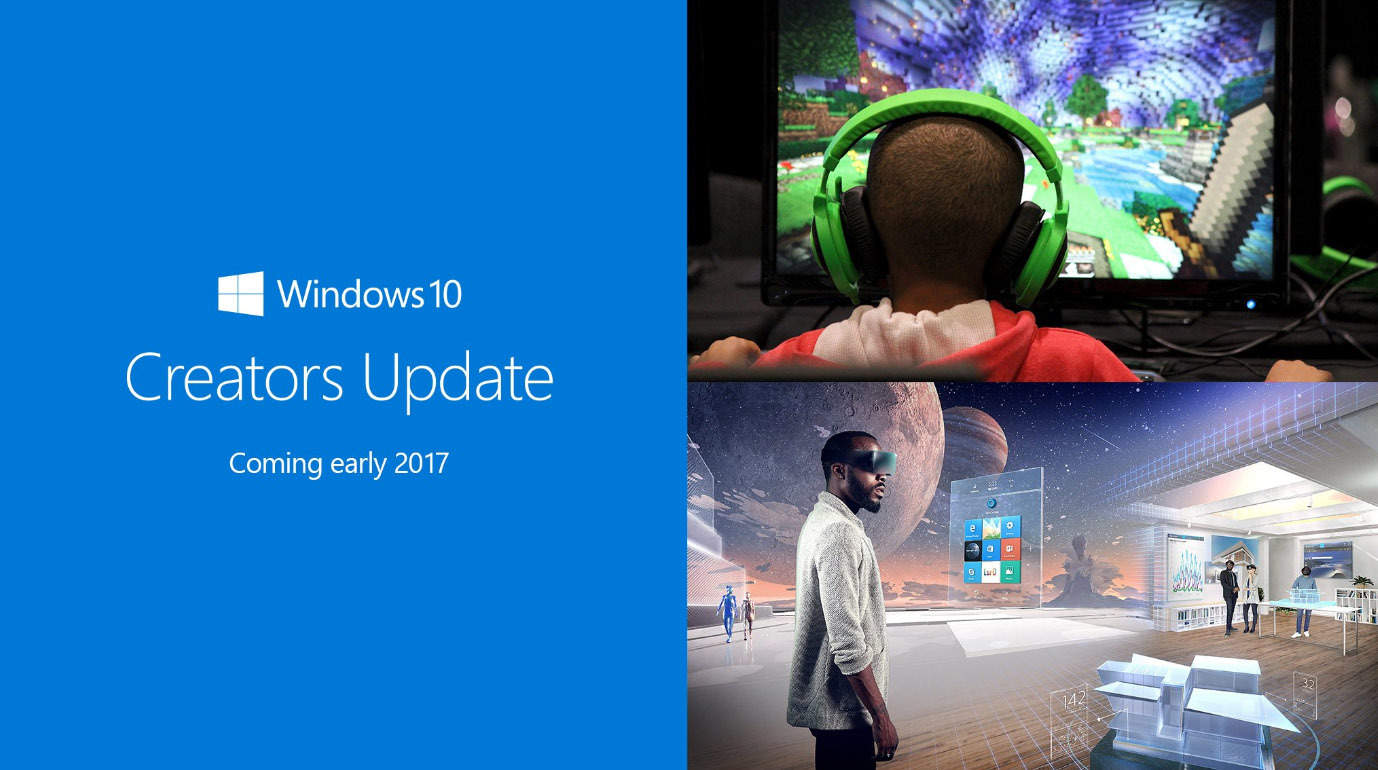
This year’s Microsoft Event is behind us. At the event, one of the main topics at the conference was the next major update for Windows 10, which Microsoft finally announced: The Creators Update will be released in early 2017.
At the event, Microsoft showcased the most important features of the update. As its name implies, the Creators Update will be focused on creative professionals by aiming to enhance both creativity and productivity while using Windows 10. The biggest highlight of the update will be 3D support for Windows 10 and its features.
Now that we know what Microsoft is up to with the new major update, it’s time to actually see them in action. We are clear that regular users will get 3D support once the update gets released — but what about Windows Insiders?
We expect Microsoft to finally start shipping new features to Insiders soon so they can test the new tools. In fact, Microsoft released a new build for Windows Insiders just before the event with no new features or improvements — and we think that’s just calm before the storm.
If you’re a Windows Insider, you probably know that previous Redstone 2 builds weren’t so feature-rich. But now that we know what to expect, Microsoft should finally make these features available to testers. Of course, new features will be released gradually — probably one or two features a build — but it will be enough for things to become more interesting in Windows 10 Insider Program.
What’s the feature you’re looking for in Windows 10 Creators Update? Tell us in the comments.
While the Halloween games we list in this article are not complex, they will certainly give you a spook — all while being a lot fun to play.
Halloween Mountain: The best website to play Halloween games online
This website offers a collection of six addictive Halloween games. As simple as these games may first look, they’ll quickly have you glued to the screen. We played all six of them and we guarantee you won’t get bored. Also, the music accompanying these game has the potential of becoming an ear worm. Another advantage of this website is that it’s ad-free.
Skeleton Cannon: This little Halloween game gives you the chance to shoot a skeleton out of a cannon just to see how far you can make it fly. Various objects like trampolines and springboards can help your skeleton fly a greater distance, while spikes will stop its trip.
Halloween Hangman: This is classic hangman featuring a wisecracking skeleton that almost makes you want to lose just to see him hang. This game boasts over 15 million visits. Try it and you’ll see why it’s so popular.
Graveyard Golf: This is a great miniature golf game set in a spooky graveyard. Practice your aim while avoiding spiders, sand traps, and various obstacles.
Spooky Block-Out: This is a spooky Halloween twist on a classic game. You control a paddle that is used to hit a ball into breakable blocks. Bounce a ball into the blocks to break them. Eliminate all of the blocks on the screen to advance to the next level.
Pumpkin Toss: You can test your aim as you throw as many pumpkins as you can into moving holes before time runs out. This task is not as simple as you may think. Even if you try to aim only the 25 point holes, you won’t be able to score enough points before the time runs out. Try aiming for the 100 point holes.
Halloween Matching: Memorize the cards quickly before they flip over and then try to find all of the matching pairs before time runs out. The game starts out pretty easy but will get challenging quickly as more cards are added and the time limit shrinks.
Check out these games and tell us what you think about them in the comment section below. If you’ve found other websites where you can play online Halloween games, list them in the comments.
A couple of days ago, a video was released with the Creators Update announcement that showed off the innovations of putting 3D at people’s fingertips.
The new announcement video follows the story of a young girl learning to cultivate at a young age to leading an urban farming reclamation initiative. But wait, we’ve heard about this before: the acting call for Microsoft’s top secret video we wrote about earlier this month. Well-known enthusiast WalkingCat had revealed on Twitter some of the scenes behind the video called Beihei Announcement Video.
During Microsoft’s New York event yesterday, all was revealed. With the use of Capture 3D app and the exciting Paint 3D that’s already available for Insiders, Microsoft is expecting to bring 3D capability across Office and even into reality.
Furthermore, towards the end of the video we see what is described in the script as a “large magic-windows type of device” that shows holographic augmented reality on the screen.
Walking Cat felt the need to point these out to us in another follow-up tweet.
The ‘magic-window’ doesn’t seem to be recognizable at this time of anything Microsoft has released so far. Perhaps we’ll be seeing more about it after the Windows 10 Creators Update is released in Spring 2017.
Microsoft has released today new updates for its Groove Music and Movies & TV apps for Windows Insiders in the Fast Ring and members of the Xbox One Preview program. Both universal apps have been bumped to version 10.16101.10252.0 and the new bits bring some minor UI and UX changes that are likely to improve usability.
Here is the change log for the Groove Music app:
When you’re offline, it’s easier to see what’s playable. When you’re connected again, online pages automatically refresh.
Search auto-suggestions on Xbox can easily be seen and accessed directly above the on screen keyboard.
We added additional accessibility context in UI components allowing narrator to be more descriptive when reading user context.
Notifications will remain on screen as long as they have focus, otherwise they will automatically dismiss.
We improved the persistent header in collection pages to remove graphical glitches and increase the smoothness of scrolling.
Now, here is the one for the Movies & TV app:
When you multiselect videos in File Explorer, you can now use the Previous and Next controls to skip between them while you watch
If you only own an episode or two of a TV show, you now get a link to complete your season in the Store.
You can now use “Y” on your Xbox controller to search your collection and our catalog.
You can now quickly purchase the next season of your TV show straight from post-roll
You can now re-rent an expired movie straight from the Movies & TV app (no need to go through the Store anymore).
On Windows devices, you can more quickly resume or restart movies currently in progress.
I case you missed it, Microsoft also pushed new updates to its Windows Maps and Skype UWP apps for Windows Insiders earlier this week, and as usual these updates should roll out to non-Insiders in the coming weeks.
The Windows 10 event from October 26 confirmed once again that Microsoft is a major innovator in the computer industry. The company offered Windows 10 fans a glimpse into the upcoming Windows 10 Creators Update, scheduled for release in Q1 2017.
If we were to use only three words to describe the Windows 10 Creators Update, these words would be “3D power”. The upcoming Windows 10 version offers 3D support for a variety of apps, such as Paint and PowerPoint. As a result, in 2017 these two apps will metamorphose into Paint 3 and PowerPoint 3D.
Paint 3D is simple, intuitive and fun. You can also import all your Paint 3D creations to PowerPoint 3D to personalize your presentations.
If you’re one of the 100+ million people who use and love Paint every month, you already know how easy it is. The same simple ethos that has always characterized Paint runs through the all new Paint 3D experience – allowing anyone to quickly and easily create in a new dimension. Your brushes now work directly on 3D and even your favorite photos become stickers on 3D models.
With Paint 3D in Windows 10 you can create, view and share images in a whole new dimension. The tool also allows you to modify somebody else’s creations or turn 2D images into 3D images.
Paint 3D lets you share your creations with the Remix 3D community. Once you’ve added the finishing touches to your 3D creations, you can share your favorite images with the Remix 3D Preview community.
The video below shows you how easy it is to create 3D images in Paint 3D:
If you can’t wait until early 2017 to get your hands on these impressive features, you can join the Insider program and test Paint 3D. Windows 10 builds will incorporate Windows 10 Creators Update features starting from next week.
Microsoft introduced its upcoming Windows 10 OS, under the code name Windows 10 Creators Update. This OS version brings major new features, making the Windows environment 3D-friendly.
Indeed, Windows 10 Creators Update introduces 3D support to a variety of apps, allowing users to draw in Paint3D or create very interesting presentations in PowerPoint 3D.
PowerPoint will metamorphose into PowerPoint 3D next year and will allow users to add 3D images and animations to their presentations. All this is possible thanks to a new option that lets Windows 10 users insert 3D objects on their slides. The new option is very easy to use, adding a 3D image is no different than adding a regular image, the steps to follow are the same.
All you need to do is go to the Insert menu and select the 3D Models option. Choose the 3D image you want to insert and you’re done.
Moreover, PowerPoint 3D allows you to add 3D animation as well. In this manner, your presentation content literally becomes alive. To raise the stakes even higher, you can zoom the 3D image in and out, as you follow the main ideas of your presentation.
For more information about PowerPoint 3D, you can watch the Windows 10 event presentation. To go straight to PowerPoint 3D, jump to minute 27.
Speaking of 3D, if you don’t like the 3D images from the Insert menu, you can create your own 3D pictures using Paint3D. Thanks to 3D support, Microsoft has just revolutionized presentations. PowerPoint now feels modern and limitless.
What do you think about the new PowerPoint 3D tool? Are you looking forward to using it?
Microsoft has released a new update to its Windows 10 Maps app for Windows insiders on the Fast Ring. The app has been bumped to version 5.1610.2954.0 and gained a new “Collections” features which lets you better organize your saved locations.
You can create a new Collection right after tapping a random location, but you can also do so by going into the “Saved places” section of the app where you can now see both your saved Favorites and Collections. Once you create some collections, You can pin them your to your Start Screen.
The new Collections feature.
This new feature is a good addition for those of you who use the app a lot and struggled to keep some organization with their saved locations. As usual, the update should roll out to other Insider rings and the Production ring in the coming weeks. Let us know what you think of this new feature in the comments below.
As you all know, I was on the ground in New York City yesterday to cover Microsoft’s October Windows 10 Event. As both a Microsoft reporter and enthusiast, the moment marked a first for me. After four years of journalism school and many years watching these Microsoft press events from my own computer, I finally had the chance to attend a Microsoft press event in person, and in my home city. What follows is a personal look at what it was like for me to attend this event.
The journey to the event:
As my Bio says, I live in Queens, New York, so a trip out to Spring Studios in lower Manhattan (the venue for this event) meant a 45-minute ride on the A train. Usual shifts here for my duties at WinBeta (OnMSFT) start at 9AM, but the day of the event I woke up at 6 AM ET, and left my home at 7 so I could arrive ahead of time and scout the area near the venue. If you followed me on Twitter, or on my OnSMFT Instagram, you should be familiar with what I experienced upon my arrival.
If I learned one thing from college, it’s that you should always show up to class early. And, if I learned one thing from being a New Yorker, it’s that the trains always could have delays. That being in my mind. I arrived at Spring Studios well ahead of time around 7:45 ET. The line to enter the event was empty, and I was the only one there. After a bit of walking about to take some b-roll shots, someone else finally joined the line. Now that I was not alone, I joined in and became the second person in line.
It was a cold morning in New York, so I chatted with those around me and waited things out until 9:15 when Microsoft finally let us all into the venue. In the lead up to the moment, The Microsoft events team showed up and signed us in (using Surface devices!) and we received our press credentials.
After walking in, we were guided up elevators, and we entered the event hall. The first thing I did was search for the right spot, and for a hardwired ethernet connection so I can touch base with my colleagues. I got myself set up in the middle of the room on a comfy table, and plugged in my laptop, (and also collected the cute goodie bag Microsoft left us. ) The Keynote started promptly at 10, and I quickly got to work snapping pics.
I must say, as a Microsoft reporter going to a Press event for the first time, I was very happy to see the folks which I am constantly writing about on stage. It came as a big change over my familiar way of seeing news and quotes as a text on, screen, or a Microsoft blog post. Be it Panos Panay, or even Satya Nadella himself, I was amazed to see these folks which I am constantly writing about right before my very eyes. It was also refreshing to see and meet a few fellow Microsoft reporters who I have come to become familiar with.
Of course, what is a post about the Microsoft event without writing about the devices unveiled? After putting much thought into my initial what to expect post, I knew something big was planned for this event. The moment Panos Panay stepped on stage with two Microsoft Studio devices by his side, my hairs stood up and I burst into applause, as I knew this was the start of the next chapter in Microsoft history. Of course, I had to stay focused and remember that I was here as a reporter, and not a fanboy. (Fanboyism came later when I got to see the devices!)
After the keynote ended, the press was invited to a lower level floor for a Microsoft device showcase. The newly announced devices, and everything Microsoft has recently released, from Surface Hub, Surface Pro 4, Xbox One S, were on display for us to try out for ourselves. As both Microsoft enthusiast and reporter, I must say I felt as if I were in a dreamland.
After checking out a map of the floor, I went around and tried out the various products. I started with my own (amateur) hands on of the Surface Studio, and then moved onto doing my duties as a reporter by asking Microsoft representatives for demos of both the Surface Studio, and the Surface Dial. You can see what it was like for me by checking out the videos below.
Personally, I must remark that I’ve never quite seen a device like the Surface Studio. The display on the device is downright beautiful, and I was sure to try out some gameplay of Forza Horizon 3 on the device when I was granted the chance. Everything was downright flawless, and it was amazing to see that I could move the device down to a low angle (thanks to the hinge) to play the game. It was also amazing to see Microsoft show off the possibilities of this device, from using it for creative purposes, and even marking up notes on it like the device was a canvas and piece of paper.
The same can be said for the Surface Dial. To be honest, I’ve never really seen an accessory such as this before. However, as explained by Microsoft, it was interesting to see that it can be used in multiple ways, be it controlling the volume on your PC, or creatively in design studio applications. Again, my thoughts were, “this is another way in which Microsoft will innovate”
My hands on experience with Paint 3D was also amazing, and given that I own a much underpowered Surface 3, using a Surface Pen to create 3D objects on the brilliant display of the Surface Pro 4 was truly awesome. Since I am a writer, and not an artist, and I rather asked the Microsoft representative to craft up a creation for me.
All in all, I am extremely grateful for this opportunity to attend a Microsoft Press event. I’ve been a Microsoft fan for quite the longest while, and to have a job (better yet get a chance to play with Microsoft devices) where I can write about the things I care about is a dream come true.
You can download all sorts of DLCs on your Xbox that allow you to access new content, but sometimes issues with downloadable content can occur. Users reported Downloadable content has changed Xbox error and today we’re going to show you how to fix it.
“Downloadable content has changed” Xbox error, how to fix it?
Fix – Xbox error “Downloadable content has changed”
Solution 1 – Clear the system cache
Your cache holds all sorts of temporary files, and sometimes these files can get corrupted and cause Downloadable content has changed error. To fix this problem, you need clear your cache by following these steps:
Press the Guide button on your controller and choose Settings.
Navigate to System Settings.
Choose Storage or Memory.
Now you need to select any storage device and press the Y button on your controller.
After that, select Clear System Cache.
You should see a confirmation message on your screen. Select Yes.
Unlike Xbox 360, Xbox One doesn’t have the option to clear cache from the menu, but you can clear the cache by powering down your console. To do that, follow these steps:
Press and hold the power button on your console until it turns off.
After your console shuts down, unplug the power cable from it.
While the cable is unplugged press the power button a few times to completely drain the battery.
Wait for a few minutes and connect the power cable to the console.
Now wait until the light on the power brick changes from white to orange.
Once the light changes, press the power button on your console to turn it back on.
Some users suggest that you can clear the cache simply by holding the Xbox button for 10 or more seconds. After your console shuts down, turn it back on again, and the cache should be completely cleared.
Solution 2 – Install the game to the hard drive
According to some users, you can fix this error simply by installing the game to your hard drive. Installing the game has certain advantages such as faster loading time and less disc usage. However, you’ll need to have a disc in the disc drive in order to start the installed games. To install a game on Xbox 360, do the following:
Insert the game to the disc drive. If the game starts automatically, be sure to close it.
From the Home screen select the game and press the X button on your controller.
Now select Install.
Wait until the game installs to your hard drive.
On Xbox One you’ll be asked to install the game as soon as you insert the game disc. Keep in mind that installing games requires a lot of free storage space, and depending on your hard drive the installation process can sometimes take 10 minutes or more.
Sometimes Downloadable content has changed error can appear due to scratches on your game disc. To fix this problem you need to clean your disc carefully and check if that solves the issue. Some users recommend taking the disc to the shop and using a professional disc polishing machine to clean it. After cleaning the disc, the error should be resolved.
Solution 4 – Try a different disc of the same game
Users reported that this error was fixed after using a different disc. Simply borrow the disc from a friend and check if it works on your console. If the other disc works, you need to use it and install the game from it. After doing that, you should be able to start the game with your disc without any problems.
Solution 5 – Delete the Title Update
You can fix this issue on Xbox 360 simply by deleting the Title Update. This is a simple procedure, and you can perform it by following these steps:
Open Settings.
Go to System Storage and find the problematic game.
Delete the Title Update.
After doing that, you need to restart your console and download the update again. When the update installs the issue should be permanently resolved.
Solution 6 – Buy a new game disc
If you’re having this problem, it might be because your game disc is damaged, and if cleaning and polishing the disc doesn’t solve the problem, you might want to consider purchasing a new game disc. Before purchasing a new disc, we strongly suggest that you borrow a friend’s disc and check if it works on your console. If the disc works, you might want to consider buying a new disc or installing the game from your friend’s disc to your hard drive.
Downloadable content has changed error can be caused by your system cache or by a damaged disc, but you should be able to fix this problem by cleaning the game disc or by clearing your cache. If that doesn’t work, you might want to consider buying another copy of the game.
Microsoft recently pushed a new Windows 10 build to Fast Ring Insiders. The update is available for both PC and Mobile and brings a bevy of improvements and fixes for both platforms.
Build 14955 is not as feature-rich as the previous build releases. The update brings new features to only three Windows 10 apps: Outlook Mail, Calendar and Narrator. More specifically, you can now open email messages in a new window, use Quick Actions directly from new email notifications and get someone’s attention with @mentions. All you need to do is type the @ symbol in the body of your email and add the person you want to address.
As far as Narrator is concerned, as you navigate around, and you can be notified about different groups or other areas you move to, such as groups in the Office ribbon. You can also configure the amount of context you hear by cycling through options with ALT + Caps Lock + /.
Windows 10 build 14955 important PC improvements
“We fixed the issue causing you to be unable to sign into apps such as Feedback Hub, Groove, MSN News, etc. with your Microsoft Account.
Fixes for precision touchpad:
We fixed an issue where precision touchpad was mis-classifying presses when mousing with one finger and pressing with another.
We fixed the issue where the 4-Finger gesture graphic would be viewable in Settings on PCs that support only 3-contact.
This build includes several fixes for Narrator
We fixed an issue resulting in Task Manager always opening with the default view, despite having configured it on the previous launch.
We fixed an issue where attempting to partition a USB drive via DiskPart would fail with the error “The system cannot find the file specified”.
We fixed an issue where certain USB drives were failing to mount automatically or via Device Manager, despite being mountable using Disk Management.
We fixed an issue where Settings would crash when copying hardware properties from the Wi-Fi settings page.
We fixed an issue where files were no longer automatically selected after being pasted into a folder in File Explorer.
We fixed an issue resulting in not being able to enter input into the Time or Place fields when creating a Reminder in Cortana.
We’ve updated the advanced tab of the device properties window in the Sounds control panel to now allow you to select the following sample dates as the default format for devices that support it: 24 and 32 bit at 176400Hz, and 16, 24 and 32 bit at 352800 Hz.
USB Audio 2.0 devices are now named based on the make/model of the device, rather than using a generic name.
We fixed an issue in Microsoft Edge that prevented dragging content out of the browser to other windows
We fixed an issue that caused Microsoft Edge to crash when using the Share button to share web pages and PDFs to Mail.”
Windows 10 Mobile build 14955 improvements
“We fixed the issue causing you to be unable to sign into apps such as Feedback Hub, Groove, MSN News, etc. with your Microsoft Account.
We fixed the issue that was causing some devices to appear “stuck” on the blue Windows logo screen during the boot cycle when rebooting a phone on earlier builds.
We fixed a bug resulting in notifications banners not appearing from Outlook Mail accounts that had been pinned as tiles to Start.
We fixed an issue resulting certain apps being unexpectedly missing from the Share dialog.
We fixed an issue where Insiders who had configured a data limit on their phone may have ended up in a state where they would receive frequent notifications about having exceeded that limit.
We fixed an issue resulting in not being able to enter input into the Time or Place fields when creating a Reminder in Cortana.”
For more information about Windows 10 build 14955, check out Microsoft’s Windows Insider page.
FIFA Mobile for Windows 10 was rolled out earlier this month courtesy of Electronic Arts. The mobile version of the most recent entry in the popular franchise is more of a consumer version of FIFA 17 for smartphones, available for PC, PlayStation 4 and Xbox One. FIFA lovers will be thrilled to know their favorite football simulation is finally available on Windows 10 tablets and PCs.
FIFA Mobile is unquestionably the most anticipated title for football fanatics, and thanks to its new and improved gameplay, its ratings are high and download numbers are going through the roof. This is understandable: FIFA17 Mobile adds a range of new features compared to previous versions, including team management controls redesigned to make the most of the Attack mode feature along with the opportunity to participate in live events and play in leagues with either your friends or other players via chat and climb online leaderboards.
What’s mandatory is a touchscreen to play the game. If the app is launched on a PC or laptop with no touch support, it might cause a system crash. The update comes with enhanced graphics and can be downloaded on a Surface or on Asian tablet but not a classic laptop. Thankfully, a newer version is reportedly in the works that adds compatibility with laptops.Nonetheless, the news is delightful for users who own a tablet with Microsoft’s system and want to play FIFA Soccer Mobile.
The game is basically free but offers in-app purchases ranging between $3.50 and $ 337.90.
From the official app description:
“Football has never been so compelling as the new FIFA Mobile! Create and manage your team, compete in 1-on-1 games and look forward to enjoying daily updated content. FIFA Mobile is bigger and better than ever, has been completely redesigned and developed exclusively for mobile devices and is suitable for both professionals and novices. The download size is less than 100 MB, so you can join at any time on the road. “
Now that all of the fall’s major titles have hit stores, NVIDIA realizes it is the perfect opportunity to roll out Game Ready updates, creating a wave of excitement among PC gamers. This helps update PCs to become game ready for games like Battlefield 1, Civilization 6, and the upcoming release of Titanfall 2 this Friday.
NVIDIA yanked the GeForce 375.57 drivers and rolled out build 375.63 updates that come with a huge list of improvements, including the fix for Windows 10 Start menu tile issues, bad graphic card updates, and driver troubles that came with the last build along with severe headaches to gamers. In the 375.57 WHQL update, in addition with a few fixes and improved game support, gamers are rewarded with some VR as well.
The release notes mention a “Game Ready VR” section, so we can expect the classic series Serious Sam in Serious Sam VR: The Last Hope and the incoming Eagle Flight From Ubisoft, to be getting VR experiences.
What we have gathered from several sources including the Nvidia subreddit is that gamers were quite unhappy with the last 375.57 build that came with this list of gremlins:
Caused the Windows Store apps to crash frequently
Disabled drag and drop feature for Start menu tiles, and caused a system crash
Image artifacts in GIFs and videos.
Signal loss when refresh rate changed from 144 Hz to 240 Hz on BenQ ZOWIE monitors
Corrupted Overwatch decals and flickers on Ansel UI, when attempted to move an image with the cursor in Mirror’s Edge Catalyst
A bug that when triggered, caused dots on all the characters in GTA V
This explains why NVIDIA rushed the latest build out and luckily, the new 375.63 drivers seem to work just fine and fixes all the messes of its predecessor. Another notable aspect is the convalesced performance and quality of motion vectors that come with the Motion-Estimation-Only mode of the video encoder, especially in stereo VR use cases. This feature contributes greatly in improving NVIDIA’s recording quality with stereo VR games.
Though there are some areas where the update hasn’t yet rolled out and GFE is still offering the bad 375.57 driver update, which may be caused by the delayed update for NVIDIA server. We would strongly recommend not to install it and instead get the newer driver directly from Nvidia’s website, especially if you are running Windows 10 on your systems.
Slack is a channel based service that allows users to communicate in large groups and set specific parameters for their conversations such as who is involved, who messages go out to, and so on. Users can also send direct private messages to one or multiple people instead of mass broadcasting messages. You can create and organize multiple groups or “channels” for determined spaces for each of your conversation topics or groups.
Competition for Slack in the form of Microsoft Teams is out ow. Initially, Microsoft decided to name its newest addition to the Microsoft family Skype Teams, even creating a web page domain with that name, but it eventually was changed to Microsoft Teams. Accessing the old Skype Teams website will redirect the user to the new, appropriately named page for Microsoft Teams.
Microsoft Teams is already promising to overthrow Slack and take all its business with its set of valuable features that Slack lacks such as integration with highly used Microsoft apps from the Office suite. Not having these integrations comes as quite the detriment for Slack, just like the Skype-based calling features that come with Microsoft Teams. Since it’s from the Microsoft family, it will most likely also include communication abilities with Office 365, Microsoft’s current version of the Office suite.
Microsoft wrapped up its big event in New York this morning and left most Microsoft fans in awe. A flurry of announcements for both hardware and software in Microsoft’s future gave us all something to look forward to. It wouldn’t be a good Microsoft conference, however, without some incredible videos to give these announcements that extra bit of flair. Here are our favorites.
Microsoft’s conference revolved around creators – not just painters and musicians, but people who create anything. Whether you sit down at your computer to compose a symphony or create a great spreadsheet, Microsoft wants to celebrate your identity as a creator. This video does a great job of showing off their plan to empower creators of all kinds.
A lot of us tuned into this event to get some hardware news, and Microsoft delivered. While what we ended up getting wasn’t named the Surface Book 2, it might as well be. The Surface Book i7 does everything that made the original Surface Book great and does it all with bigger and better hardware. This clean-cut, nice-looking video gives us a look at one of the prettiest laptops that are on the market today.
This video can give you chills. Personally, I watched it about ten times after the conference. This serves as a fantastic introduction to the Surface Studio while giving a subtle nod to the new Surface Dial. The haunting rendition of Pure Imagination in the background ties the whole thing together, giving you a genuine feeling of artistry. This video might go down as one of the best ones that Microsoft has ever put out.
This takes a break from the more theatrical nature of the other videos and opts to give you a few testimonials. Hearing professionals talk about how the Surface Studio helps them do wonders to sell the device. Mix this praise with some upbeat instrumentals and a few great shots of the Studio at work, and you’ve got a solid ad.
If you don’t feel like dropping the money on any new hardware this year, you can still get excited about the Windows 10 Creator’s Update. The update is all about empowering creators of all kinds, and this video does wonders for that. From showcasing Groove Music Maker, to taking a look at the new streaming function from the Xbox Game Bar, to exploring Windows 10’s new fascination with 3d, this ad helps you get an idea of what the update is all about.
It really feels funny to write thisfor thefourth time today, but Marvin is at it again. Marvin, a user of the “Microsoft Group” on Telegram noticed yet another nice, this time not so subtle, change to Windows 10 coming in the Creators Update.
Windows Defender may get a total overhaul from the old “Security Essentials” look to the new MDL2 UWP look. We cannot confirm if it is a true Universal App at this time, unfortunately. The new design is very clean and fits right into the system, just like it should. The picture below only shows it in the light theme, but let’s hope it features the dark one too to satisfy the dark-theme-loving amongst us.
The only weird thing about this design is the placement of the Hamburger button which seems to be a little lower than in other apps.
Yet again,Marvin from the “Microsoft Group” on Telegram brings us some news. He managed to notice this new Personalization menu that was displayed at the Windows 10 event in NYC today.
The new menu under Themes section includes a colour picker for the accent colour, which means that users will be able to precisely adjust the colour they want on their PC. Hopefully, this will come to Mobile too. The new menu also includes a sidebar on the right side that shows you how you can customise the experience to your own liking. This is a slight aberration from the Settings layout at the moment.
The new Personalization menu looks sleek and nice. More advanced customization settings have been requested since the release of Windows 10, and they might finally be here with the Creators Update. We’ve also reported earlier that the update might bring paid themes via Windows Store.
Windows Insiders should expect these features soon, as the first of the preview builds for the Creators Update are expected this week.