How to display YouTube lyrics using Cortana

Cortana is a very useful Windows 10 feature, allowing you to run a series of tasks on your computer using only your voice. You can ask Cortana to set reminders, create appointments or search for a particular information on the web.

Cortana can also display YouTube lyrics in Microsoft Edge, and this is a feature few Windows users actually know it exists. This feature allows you to quickly display the lyrics of your favorite songs, without using a search engine to do that.

Unfortunately, this feature is not available for all users since Cortana still has regional limitations. Since there is no list of the countries where this feature can be enabled, we suggest you follow the steps listed below to see if this feature is available on your computer.

How to display YouTube lyrics in Microsoft Edge using Cortana

  1. Enable Cortana > launch the Edge browser
  2. Go to YouTube > play your favorite song
  3. Search to see if the option “Want the lyrics” is available in the right-side of the search bar
  4. Click on “Want the lyrics” > wait for a few seconds for Cortana to display the lyrics.

Cortana displays information about the artist, the duration of the song, as well as links to listen or buy the songs from the Windows Store.

Speaking of Cortana, many Windows 10 users who have installed the Anniversary Update on their computers have complained that Microsoft’s personal assistant freezes or is missing altogether. Of course, if you’re experiencing this issue, you wan’t be able to use Cortana to display YouTube lyrics. Fortunately, we’ve found a workaround that can help you to fix this issue.

Have you already used Cortana‘s YouTube lyrics display feature? What do you think about it?

RELATED STORIES YOU NEED TO CHECK OUT:

How to remove tech support scam pop-ups in Windows

Hackers never sleep, we all know this. However, it appears that the number of hacking attacks has increased lately, with more and more Windows users reporting such events. Hackers are smart people, and they use a variety of methods to access your computer: they send you emails pretending to be from Microsoft’s Support Team, or they simply call you to offer you tech support.

Another common modus operandi are the tech support scam pop-ups, informing users their systems are at risk and immediate tech support is required. Oftentimes, these pop-ups appear “at the right moment”, when your computer isn’t working really well due to various issues. This coincidence makes the tech support scams even more reliable and unfortunately many users take the bite.

If you ever receive such tech support pop-ups, you should never ever use the contact information they provide you with. Instead, take action to remove these annoying tech support scam pop-ups.

Tech support scam pop-ups are on the rise

“My computer has been infected by spyware or scamware.  It wants me to call 855-309-0456.  It has locked up Windows Defender and has hidden from Malwarebytes and McAfee.  Any Suggestions?”

How to remove tech support scam pop-ups

The majority of these scam pop-ups run an active script, locking up the browser. The script displays the fake alert window every time you click on the X button or on the OK button, preventing you from regaining access to your browser’s graphical interface.

  1. Right-click on the taskbar > select Task Manager.
  2. Select the browser app > click the End task button.

tech support scam pop-up end browser task

3. Install one of the following antimalware programs listed in our “10 best anti-hacking software for Windows 10″ article, and perform a full system scan.

We suggest you first install Malwarebytes Anti-Malware, HitmanPro or Spybot Search & Destroy. Since all the anti-hacking software we listed in our top 10 article use different malware database signatures, we recommend you run a scan using at least three of them. This should be enough to detect and remove any unwanted software or browser hijack programs. Disable the previous anti-hacking software before installing a new one to avoid possible conflicts.

4. Install a specialized antivirus program for browsing to block future tech support scam pop-ups.

Common tech support scam phone numbers and websites

Since prevention is better than cure, beware of the following phone numbers and websites, which are used by hackers for their tech support scams.

Don’t ever call these phone numbers (the list is not exhaustive):

  • 1-855-309-0456
  • 1-888-408-2361
  • 1-855-970-1892
  • 1-800-808-7753
  • 1-800-051-3723
  • 1-844-373-0540
  • 1-844-471-0786
  • 1-888-751-5163
  • 1-866-795-4288

List of malicious tech support scams websites (the list is not exhaustive):

  • hxxp://support.windows.com-en-us.website/warning/pcwarning/
  • hxxp://system-connect.com/popup.php
  • hxxp://maturegame.net/alert.php
  • hxxp://ms-malware-support.com/
  • hxxp://certified-pc-help.com/1/
  • hxxp://pcsupportwindows.com/zp/al-zp-ca.html
  • hxxp://www.virusaid.info/norton.html
  • hxxp://ivuroinfotech.com/
  • hxxp://alert.browsersecuritynotice.com/a8-500c4-absn1113-222533-index-1m1.html
  • hxxp://192.3.54.103/f5u3.php
  • hxxp://www.uscomphelp.com/zeus/
  • hxxp://customerservice-247.net/index.html
  • hxxp://systemscheckusa.com/
  • hxxp://www.email-login-support.com/index-10.html
  • hxxp://instantsupport.hol.es/viruswarning.html
  • hxxp://mobile-notification.com/system-alert/
  • hxxp://www.dream-squad.com/9/campaign1421?s1=09_rr_ppc_skm&s2=us_skm&s3={removed}
  • hxxp://immediate-responseforcomputer.com/index-10.html
  • hxxp://www.hostingprivilege.com/virus-found.html
  • hxxp://bihartechsupport.com
  • hxxp://tech01geek.com/ms/
  • hxxp://ibruder.com/services.html#
  • hxxp://notificationsmanager.com
  • hxxp://treeforyou.com
  • hxxp://www.xxxdovideos.com/WARNING%20%20VIRUS%20CHECK.htm
  • hxxp://fixcomputerissues.com/detect.html
  • hxxp://www.enortonsupport.com
  • hxxp://simunexservices.com
  • hxxp://browseranalystic.info/index.html
  • hxxp://www.usonlinehelp247.com
  • hxxp://customer-cares.com
  • hxxp://tech-suport.com
  • hxxp://securesystemresource.net/netgear.php
  • hxxp://systemerror.us
  • hxxp://v4utechsupport.com/detect.htm
  • hxxp://shopforless.us
  • hxxp://www.getlms-online.info/virus-found.html
  • hxxp://thehelpcomputer.com/pop.htm
  • hxxp://spitzi.co.uk/support_for_pc_laptop.html
  • hxxp://fixpc365.com/test.html
  • hxxp://softhelp-support.com
  • hxxp://www.pcteckers.com/media.html
  • hxxps://www.techworldwide.org/
  • hxxp://fix-max.com/
  • hxxp://thanksfordownloading.com/site/ad/tryagain2c/
  • hxxp://publicsafetycheck.com/
  • hxxp://pcsecurity360.jimdo.com/
  • hxxp://www.pctools247-support.com/index.html
  • hxxp://immediateresponseforcomputer.com/index112.htm
  • hxxp://techsupport113.com/
  • hxxp://www.driverupdatesupport.com/support/eng/lp1/index_av.php
  • hxxp://mac.printerhelpandsupport.com/alert/mac-alert.php
  • hxxp://tradeandme.com/treda&channelfflb&gferdcr&eiGZtrVMrBG9iHvASF-earchqavascriptpopup&ieutf-8&oeutf8&aqt&rlsorg.YCwAwrlsorgmozillaen&channelfflb&qjavascrmozillaen-USofficial&clientfirefox.htm
  • hxxp://allsolutionshop.com/
  • hxxp://security-warning.net/warning.html
  • hxxp://computer-experts.co/D202122014/support-for-malwarebytes.php
  • hxxp://emailhelp.biz/
  • hxxp://pchelpdesk.co/cp/support-for-malwarebytes.php?affiliate=46355-7881_74
  • hxxp://www.publicsafetycheck.com/
  • hxxp://virus.geeksupport.us/
  • hxxp://pc-warning.ga/
  • hxxp://windows-alert.ga/

For extra anti-hacking protection, don’t forget to enable the real-time protection feature on your antivirus, and run an anti-hacking program at the same time, one which doesn’t cause conflicts with your antivirus.

RELATED STORIES YOU NEED TO CHECK OUT:

Visual Studio Code brings iOS web debugging on Windows or Mac online

Microsoft’s pitch of a world overrun by Universal Windows Platform developed apps has to come to full fruition. The company has done an admirable job in building the foundation of a single-core operating system that would indeed foster a truly universal app experience, but it would seem that most developers remain hesitant at best or indifferent at worst regarding Microsoft’s UWP proposition.

Fortunately, Microsoft is attempting to dissuade doubtful developers through a multi-pronged strategy that includes tempting app developers from platforms beyond Windows. Not only is Microsoft hoping that iOS and Android developers eventually seek the multifaceted development environment of Windows, but that they will come to depend on its simplified workflow.

To further encourage developers from iOS environments, Microsoft is announcing iOS Web Debugging for VS Code available on Windows and Mac.

Our new iOS Web Debugger works quite similar to our Chrome debugger which we introduced back in February. Under the hood it’s the same debugger running inside VS Code, which is powered by our open source vscode-chrome-debug-core library. To make the connection from our debugging library to the iOS device, we are leveraging two open source projects, ios-WebKit-debug-proxy and ios-webkit-debug-proxy-win32; that enables communication with the iOS devices over USB through the WebKit Remote Debugging Protocol. The protocol is compatible with the Chrome Debugging Protocol for the script debugging APIs, and this means our debugger works without additional mapping logic.”

iOS debugging VS
iOS debugging VS

Alongside the new debugging Protocol, developers can also look forward to additional feature support coming with iOS Web Debugging that includes, setting breakpoints, stepping, stack traces, debugging eval scripts, virtual port forwarding via HTTP and more. Developers will also find that iOS Web Debugging will help them increase their user base by supporting development for expanded hardware that includes development for watches and consoles.

For those interested, visit the GitHub repository here, or follow its development on Twitter. Let us know in the comments what you think of Microsoft’s cross-platform development tools.

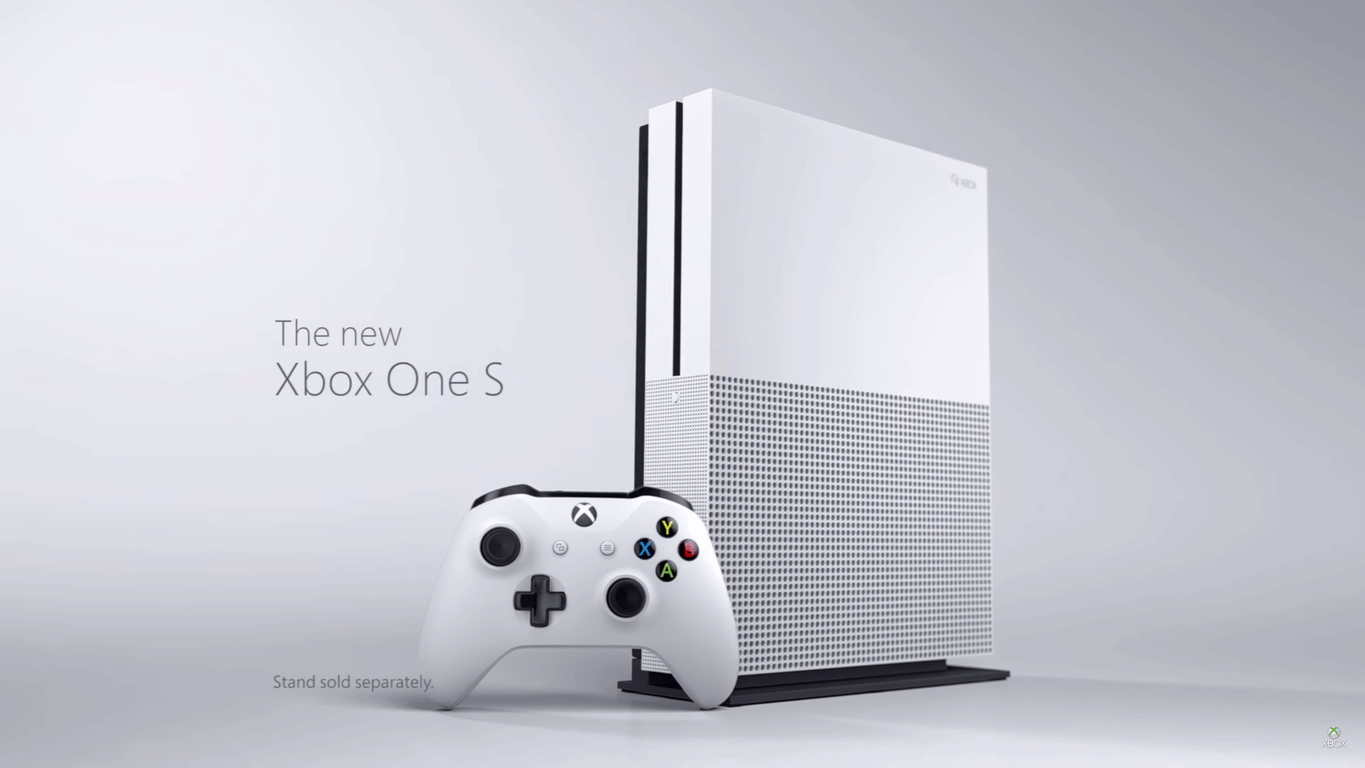
Xbox One S 2TB launch edition is in stock at Amazon, get it tomorrow (or today?)

If you’re looking for a Xbox One S 2TB launch edition then you might want to act now. Amazon.com currently has the 2TB launch edition Xbox One S in stock, and it’s even eligible for free same day and one-day delivery in some markets!

upload_8_22_2016_at_9_38_21_AM
Xbox One S, Amazon listing

Obviously, the 2TB launch edition comes with a  2TB Internal Hard Drive Xbox One S Console, 1 Xbox Wireless Controller (with 3.5mm headset jack), 1 Console Stand (for vertical orientation), HDMI cable, AC Power cable, and a 14-day Xbox Live Gold Trial. It also packs the power of High Dynamic Range (HDR) technology and support for a 4K output.

You might want to act fact, though, as supplies of the console may be limited, and can dwindle pretty quickly, In fact, the current listing only show that only 5 more left in stock! So, act fast, and act now, and be sure to come back to WinBeta to let us know if you’ve gotten yourself a brand new Xbox One S 2TB launch edition console!

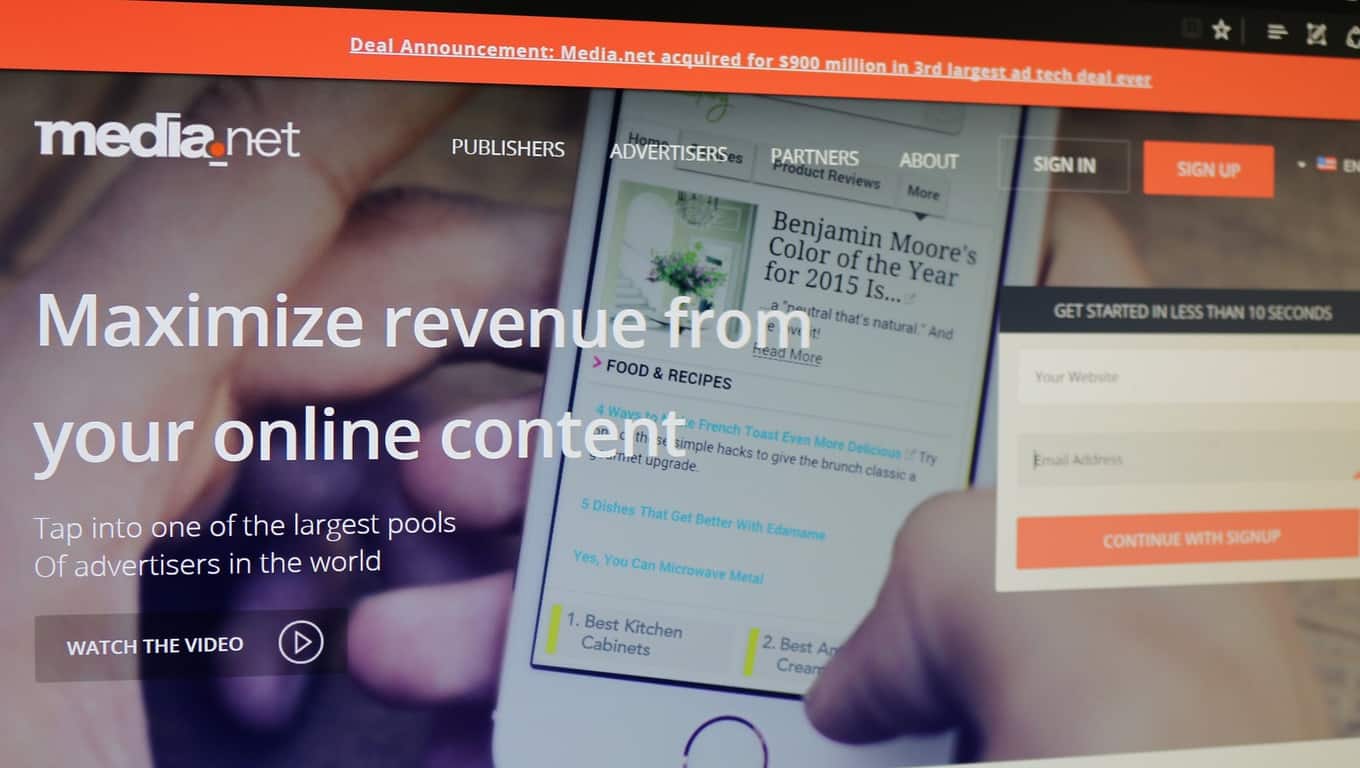
Media.Net, which powers Bing/Yahoo contextual ads program, acquired by Chinese group for $900 million

Media.net, the tech company which powers Bing and Yahoo’s contextual ad program, is being acquired for $900 million. Bloomberg reported this morning that Media.net is being acquired by a group of Chinese investors. The group is led by the Chairman of Beijing Miteno Communication Technology Company, a provider of cellular towers.

Bloomberg also reports that Miteno “has been ‘moving aggressively’ into mobile advertising and hoped to accelerate the transition through an acquisition.” However, Miteno does not have enough cash to make such a large purchase, so they have worked with a group of investors to finance the acquisition. The sizeable deal is being reported as “the third larget ad-tech acquisition in history.”

Media.net helps automatically select which ads appear on a website based upon the site’s actual content. For example, if you are reading a webpage about hamburger recipes, then Media.net’s technology picks up on the context of that content and places ads for hamburger restaurants on the webpage. Media.net powers contextual ads for Yahoo and Bing.

Media.net was founded by Divyank Turakhia in 2010. He was able to create his firm while remaining the sole shareowner. So by the end of the two-step transaction, the entrepreneur will become $900 million richer. But because the acquisition is taking place in stages through an intermediary group of financiers, we’ll have to wait and see What this could mean for Bing and Yahoo’s contextual ad program.

Microsoft VP Wim Coekaerts to keynote LinuxCon

Tomorrow, August 23, 2016, Microsoft’s Vice President of Enterprise Open Source, Wim Coekaerts, will keynote LinuxCon in Toronto, Canada. This will be the first keynote ever for Coekaerts, who left Oracle to join Microsoft earlier this year. With the recent release of Windows 10 Anniversary Update, Coekaerts will go over the newest developments for the Linux platform at Microsoft.

Coekaerts is already something of a legend among those in the Linux community, and a great addition to Microsoft for Linux development in Windows 10. Coekaerts will be tasked with showing just how committed Microsoft is to support Linux. Microsoft has already delivered .NET Core, PowerShell, and SQL Server to Linux. Microsoft also open-sourced Visual Studio Code and PowerShell, too.

According to Coekaerts, he will reveal how Microsoft is making Windows 10 available as the best operating system to run open source software:

“In my keynote tomorrow, I will talk about how we are applying our learnings into the Linux ecosystem, what our approach to open source is, what it means for Linux users, and how me and my team are working to take this to the next level.

One of the areas we are focused on is delivering open management solutions. In today’s multi-cloud, multi-OS world, customers need simple, unified tools to reduce complexity. We’re also investing in making Microsoft Operations Management Suite (OMS), which gives you visibility and control of your applications and workloads across Azure and other clouds, a first-class tool for managing Linux environments.”

Additionally, Coekaerts announced that OMS Docker Container monitoring preview is ready today. OMS Docker Container monitoring preview will allow users to evaluate their “container inventory, performance, and logs from one place, get a simplified view of containers’ usage, and can diagnose issues whether your containers are running in the cloud or on-premises.”

Microsoft will have more announcements in store at Coekaerts’ keynote tomorrow at LinuxCon.

Minecraft Redstone bug becomes a feature in Pocket / Windows 10 Editions

Most of the time when the folks over at Mojang update Minecraft they usually smash bugs. This time, however, the Minecraft developer has announced that the Minecraft Redstone quasi-connectivity bug has become a feature in the Pocket and Windows 10 Editions of the game.

According to Mojang, quasi-connectivity is a known bug which occurred in the PC edition of Minecraft where pistons can receive Redstone power from a distance of two blocks when they are placed in a very specific diagonal position, rather than from a block right next to it. This ultimately meant that players could have powered a piston and then remove the power without the piston detecting it. In fact, some Minecraft exploiters even built Block Update Detectors which took advantage of this.

2
Minecraft Pistons

While this bug was never really intended, Mojang notes that the community found many uses for the feature, and so they have decided to build a new “Observer Block”  into the pocket and Windows 10 Editions which will behave in the same way as the bug. According to Mojang, in a more official matter, the block will check for changes in the environment and, if triggered, switch between emitting a strong signal and an unpowered state.

As always, be sure to stay tuned to us here at WinBeta for all your Minecraft news and information. Be sure to visit our Minecraft news hub, and also drop us a comment below!

Microsoft to acquire AI powered scheduling service Genee

Microsoft has announced that the company has signed an agreement to acquire Genee, which is an artificial intelligence power service. The agreement is all part of the Redmond Giant’s efforts to further the ambition of bringing intelligence into every digital experience.

Genee was officially started in 2014 and was co-founded by  Ben Cheung and Charles Lee. Overall, Genee is a technology which simplifies the time-consuming tasks of scheduling meetings. Under the hood, this was accomplished by use of natural language and processing and optimized decision-making algorithms.

As part of the deal, Ben Cheung and Charles Lee will join Microsoft. As a result, the Genee service will shut down on September 1, 2016 and Genee will no longer send useful reminder and agendas from your calendar.  All existing calendar entries created by Genee, however, will remain.

In a blog post about the acquisition, Cheung and Lee express gratitude for the community, and also look forward to what is ahead.

We thank all of you who participated in Genee’s private and public betas. The Genee team will take the valuable experiences and lessons that you taught us to Microsoft, where we’ll continue to build amazing next generation intelligent experiences…. We consider Microsoft to be the leader in personal and enterprise productivity, AI, and virtual assistant technologies, so we look forward to bringing our passion and expertise to a team that is committed to delivering cutting-edge language and intelligence services.

So, what are your thoughts on this acquisition by Microsoft? How do you think Genee will fit into Microsoft’s ambitions? Let us know what you think by dropping us a comment below!

PowerShell is now open source and available on Linux

PowerShell is a task automation and configuration management framework that comes in a form of a command line. It is an important tool for network administrators, allowing them to simplify the system management tasks.

Microsoft has recently open sourced PowerShell, making it available on Linux and iOS as well. Although the Redmond giant is not a big fan of open source software, it realized that management tools should be compatible with any platform.  After all, Microsoft’s customers live in a multi-platform world, and they need tools that allows them to manage any systems.

Nearly one in three VMs on Azure are Linux-operated, and almost 60% of third-party IaaS offers in the Azure Marketplace are open source software. Living in such an open-source friendly world, Microsoft had but one choice: to adapt, and this means embracing the open-source environment.

Microsoft wants to earn customers’ preference as the platform for running all their workloads – Linux as well as Windows. This new thinking empowered the .NET team to port .NET Core to Linux and that in turn, enabled PowerShell to port to Linux as well. PowerShell on Linux is now designed to enable customers to use the same tools, and the same people, to manage everything from anywhere.

The open source PowerShell project is still in its beginning stages. Microsoft has already open sourced small portions of PowerShell to a number of its experienced partners to sample the best possible feedback.

The initial release is an “alpha” version and is community supported. Microsoft is planning to deliver an official Microsoft version of PowerShell based on open source to anyone running a supported version of Windows or *nix.  The tech giant hasn’t revealed the exact time of this release, explaining that everything depends on the community input and business needs.

RELATED STORIES YOU NEED TO CHECK OUT:

Readit for Windows 10 updated with improved translations, a darker dark theme and multiple fixes

One of the most popular Reddit clients for Windows 10 has received another update. The latest update to Readit brings, as usual, numerous improvements as well as bug fixes. The developer, Caleb Keith, shared the changelog on Readit’s sub-reddit.

In terms of general improvements, the dark theme is now darker than before:

  • Darkened back up the dark theme a bit more, if you don’t like it, please use the legacy dark theme. Unfortunately I will never find a balance that will make everyone happy.
    • Darkened chrome color
    • Darkened unread post color a bit

This will be a good change for AMOLED devices. In addition to that, translations and language support have also received some improvements:

  • Translations updated across app
    • Settings landing page
    • Inbox
    • Profile
    • Other missing translations fixed
    • Still not quite 100% strings translated such as certain setting names in individual settings pages
  • App is now available in Russian, Turkish and Polish

Finally, there have also been numerous bug fixes to improve the app for issues noticed by users:

  • Fixed graphical issue (when using small thumbnails) when pressing and holding on a post, you must now release your finger now for the context menu to appear though
  • Fixed open post/comments on other device not working sometimes with mobile UI on phones/tablets/desktops
  • Fixed return to top button being visible when viewing post content in some scenarios
  • The username and subreddit are now ordered the same in the post list as in swipeview for small thumbnail UI
  • Fixed overlapping bar on top of post viewer in profile
  • The status bar color on mobile now matches the chrome color
  • Fixed status bar in light theme

The update is available in the Windows Store now for Windows 10 devices and brings the app to version 5.7.0.0.

Readit
Readit
Price:
Free

Microsoft’s Authenticator app for Windows 10 Mobile to be released soon

Microsoft just presented a new Microsoft Authenticator’ app for Android, iOS, and Windows 10 Mobile. The app is already available on Apple’s and Google’s platforms, while it has yet to arrive on the Mobile variant of Windows 10.

This Microsoft Authenticator app is different than the previous one for Windows 10 Mobile. The previous app was made for Windows Phone 8.1, but also worked on Windows 10 Mobile, while the brand new app is fully built for Microsoft’s latest OS for phones. Microsoft Authenticator is actually already available in the Store, but only as a beta version.

The new app combines features of all previous Microsoft’s authentication apps into a new hub for controlling Windows 10 devices. The app works with both Microsoft accounts and Azure AD accounts.

With Microsoft Authenticator you’ll be able to log in to your Windows 10 computer with just a single tap on your phone, without needing to enter an authentication code. This feature, however will require a Bluetooth connection, so it might not be very practical for all users.

Here’s the official description of Microsoft Authenticator:

  • “User experience refresh. We’ve made the app experience incredibly simple while maintaining the highest level of security.

  • Best in breed MFA experience through one-click push notifications. You only need to click the “approve” button in the notification to complete your login. (And in most cases, you won’t even need to open the app to complete the approval.)

  • Support for wearables. You can use an Apple Watch or Samsung Gear device to approve MFA challenges.

  • Finger prints instead of passcodes. We’ve added support finger print based approvals on both iPhone and Android.

  • Certificate based authentication. Support for enterprise customers to sign in through certificates instead of passwords.”

You can already download the authentication app for Android and iOS, while it should be available on Windows 10 Mobile soon.

Tell us in the comments, what do you think about Microsoft’s new authentication app for Windows 10? Do you think this way of authentication is easier?

RELATED STORIES YOU NEED TO CHECK OUT:

Windows 10 news recap: more family features, Amazon returns in a basic form, tool for freezing issues and more

Welcome back to our weekly “Windows 10 news recap” series where we go over the top stories of the past week in the world of Microsoft’s latest operating system. Let’s get started.

Windows 10 Anniversary Update has several new family features

Microsoft has made improvements to Windows 10 in the Anniversary Update that adds an extensive amount of new family features. Changes include setting multiple time limits per day, only showing appropriate content in the Windows Store, instant access request notifications and more.

Windows 10 Anniversary Update causing webcam problems, Microsoft “dropped the ball” on communicating changes

The Anniversary Update for Windows 10 has been causing many people some issues with webcams. Microsoft made some changes to streamline the usability when multiple codecs are trying to be used, which has caused some unintended consequences.

Amazon launches a bare bones Windows 10 app for PC and Mobile

After Amazon abandoned its age-old Windows Phone app, it launched a new Universal App for Windows 10 PCs and Mobile, as well as the Microsoft Hub. Unfortunately or fortunately, depending on your preferences, the app is simply a web wrapper for its website and doesn’t provide any Windows 10-specific features. Effectively, it is loading their website in an app, rather than directly in a browser, such as Microsoft Edge.

Crowdsourced Windows 10 2-in-1 Pyramid Flipper gets the reddit AMA treatment, to be called the Computer One

A Windows 10 2-in-1 device, known as the Pyramid Flipper, will be called the Computer One and the team behind the device took to reddit to host an AMA, answering several questions surrounding the crowdsourced device.

Microsoft testing tool to fix Windows 10 Anniversary Update freezing problems

Many users of Windows 10’s Anniversary Update have reported issues with freezing. Fortunately, Microsoft is now testing a tool that it hopes will resolve the issues that users are experiencing.

Windows 10 app devs will soon be able to send notifications to select users

Microsoft is trying to provide app developers more APIs and features to work with when it comes to Windows 10, in order to push more app developers to release apps for the platform. One feature that the company is currently testing with some users is the ability to send push notifications to specific sub-set groups of users, through a method known as customer segmentation in the marketing world.

Electronic Frontier Foundation says Windows 10 upgrade tactics are “annoying to downright malicious”

Even following the aftermath of Microsoft’s apparent pushy upgrade methods of getting users on to Windows 10, it is still receiving flak. The Electronic Frontier Foundation has called Microsoft out for its tactics, calling them “annoying to downright malicious.”

When it comes to new builds and updates, here’s what we received this week:

That’s it for this week – let us know your thoughts in the comments below.

Download and use Google Drive on Windows 10/11

Absolutely everybody is using a cloud storage system of some form or another. But undeniably one of the most popular of those cloud storage solutions is Google Drive, sitting alongside Apple’s iCloud and Microsoft’s own OneDrive. But how easy is Google Drive to use with Windows 10? Well, thanks to the Google Drive Windows 10 app, Google’s storage solution is actually one of the easiest to use whilst on Windows 10 and access from other devices whilst you’re out and about.

As you’d likely imagine, Google Drive is the go-to option for those that already use many of Google’s services. For example, it’s integrated into Google’s Android mobile operating system and works seamlessly with Google’s incredibly popular email service, Gmail. However, that doesn’t mean Windows 10 users can’t take advantage of Google Drive too.


nexusae0_Captura-de-Tela-2817629[1]

Web Access

Google Drive is primarily an online tool, accessed through your computer’s internet browser. With that in mind, the best way to get started with Google Drive is to set-up an account through the online site at drive.google.com. However, the best thing about Google’s online Drive portal is that it provides everything you need to store and access your files. Think of Google Drive’s website as an online file explorer, allowing you to not only create files but access the files you’ve uploaded from any device.

Users of Google Drive’s online interface will know that the site is designed to look and feel like an application. With that in mind, the easiest way to use Google Drive on your Windows 10 PC is to add the site to your bookmarks or even pin it to your desktop and access when necessary.

What’s fantastic about Google Drive is its suite of applications that can be accessed directly from your web browser. Google Drive actually originated as a fully integrated office suite, with a word processor, presentations and spreadsheets. With that in mind, Google’s online suite of office applications is often accredited as the best available, easily beating Microsoft and Apple’s similar solutions. However, just don’t expect the same level of functionality as the Microsoft Office suite on your desktop.


Google-Drive-Features-Blog-SVN-Tortoise-Checkin-Checkout[1]

Offline Access

Accessing a web application isn’t all that possible if you don’t have access to the web. Thankfully, Google has extended their Drive service to be completely accessible offline, which is especially useful for Windows 10 users. The Google Drive desktop app is available to download for free from Google Drive’s downloads page, where you’ll also find links to download Google Drive for a number of operating systems, including iOS and Android.

In terms of the functionality of Google Drive’s desktop app, users of the web application will find it works similarly. However, the app does allow certain files to be marked for offline access, meaning you’ll be able to take your laptop or tablet out of the house or office and access your files on the go. What’s more, the app allows easy and offline access to Google Drive’s suite of office applications too, meaning that those who don’t have access to Microsoft Office can still access a free alternative on the go.

Whether or not you have the need for a Windows 10 desktop application depends on how often you use Google Drive and whether or not you intend to take your files with you on the go. However, for those that do need the latter, it’s fantastic to see that Google are fully prepared with their own desktop app.


It’s pretty easy to see why Google Drive is one of the most used cloud storage solutions available. That’s helped by the solution’s flexibility, allowing users to access their files just about anywhere, no matter what device they’re using. Plus, Windows 10 users are some of the best catered to.

There’s never been a better time to switch to Google Drive as your cloud storage solution of choice.

Fix: Surface Pro 3 keyboard issues after Windows 10 Anniversary Update

Some users reported keyboard issues on their Surface Pro 3devices, upon installing the Anniversary Update. However, one of them actually found a solution for this problem on his own, and he decided to share it with everyone who encounters the issue.

Apparently, the feature called Filter Keys caused the problem with keyboard to some Surface Pro Users. So logically, to solve the problem, you need to disable this feature, and the issue should be solved. Here’s what users who found the solution said on Microsoft’s forums:

“I wanted to throw this out there because I didn’t see this very easy fix posted anywhere, and I am confident someone down the road will run into this. After I ran the Anniversary Update, my Typecovers 3 and 4 wouldn’t type. I could get the Fn key to light up, volume up/down worked. I could log in using the PIN. Touchpad mouse worked.  Looking in settings, I saw that “Filter Keys” was enabled. It was locking up the keyboard. Simply disabling that feature and my keyboard is working without a problem.”

If you already know how to turn off this feature, just do it. However, if you’re not sure how to turn the Filter Keys option off, follow these steps:

  1. Go to the Settings app
  2. Go to Ease of Access > Keyboard
  3. Find the Filter Keys option, and make sure it’s toggled offSurface Pro 3 filter keys

There you go, according user who reported it, turning off this feature should fix the problem. So, if you encountered keyboard issues upon installing the Anniversary Update on your Surface Pro 3 device, try with this solution.

Unfortunately, the Anniversary Update caused a lot of problems on the huge variety of Windows 10 devices. Although issues mainly occurred on PC, users of devices such as Surface Pro 3 and Surface Pro 4 also encountered issues on their own.

In case you have any comments, or questions, just let us know in the comments.

RELATED STORIES YOU NEED TO CHECK OUT: 

Fix: No Wi-Fi, mobile data connection in Windows 10 Mobile Anniversary Update

The Windows 10 Mobile Anniversary Update is here, but it’s not bug-free. As users test out the new OS, they’re encountering various issues that make the Windows 10 Mobile experience anything but perfect.

The latest user reports have revealed that many users can’t connect to the internet after they install Windows 10 Mobile Anniversary Update on their terminals. This bug is prevalent for Wi-Fi connections, but users have also reported that sometimes they can’t use their mobile data connection either.

Before updating my phone was working fine. After the update my phone cannot find my WiFi router nd cannot be connected to any network. Even Mobil data is not working. I tried to connect to a Mobil hotspot but it shows no internet access. I don’t understand.

Fix Wi-Fi Internet connection issues in Windows 10 Mobile Anniversary Update

If you can’t connect to a network that you’ve connected to before, delete the network from your phone and reconnect from scratch.

  1. Go to Settings >Network & wireless > Wi‑Fi > Manage > press and hold the network name > Delete.
  2.  Select the Wi‑Fi network in the list of networks > connect to it again.
  3. If there are no Wi‑Fi networks listed, go to Settings > Network & wireless > Wi‑Fi > turn off Wi‑Fi networking > turn it back on.
  4. Turn off Bluetooth while you’re trying to connect to Wi‑Fi. Sometimes, the two networks operate on the same frequency, which can cause come interference.  Go to Settings > select Devices > Bluetooth > turn it off.

There the network names are unavailable, you need to manually connect to the hidden network.

  1. Go to Settings > Network & wireless > Wi‑Fi
  2. Select Manage > Add.
  3. Type the network name > select Add.
  4. Type the password > select Done.

Fix mobile data connection issues in Windows 10 Mobile Anniversary Update

Sometimes, after an update, APN settings reset and users can’t activate a mobile data connection.

How to manually add your carrier’s Internet APN settings

  1. Go to Settings > Network & wireless >Cellular & SIM > SIM settings.
  2. Scroll down > go to Add Internet APN
  3. Fill in the blanks with your carrier’s data. Go to your carrier’s website for more about the required APN information.
  4. Save the settings.
  5. Go back to SIM info > select the profile name you typed >Apply.
  6. When the connection is activated, test it out to see it if works.

We hope these workarounds help you to fix these internet connection issues in Windows 10 Mobile AU. If you’ve found other workarounds, you can list them in the comment section below.

RELATED STORIES YOU NEED TO CHECK OUT:

How to Configure a DLNA Server on Windows 10

Windows 10 packs a dozen premium entertainment tools, but only a few people use them because most people don’t even know they exist. Did you know you can quickly turn your Windows 10 PC into a cool DLNA server? You can, and we will show you how to do it.

You don’t need to download and install third-party applications to access this service. Windows 10 does have an integrated DLNA server that you can enable to access this service.
Many streaming devices you plug into your TV, including PlayStation 4, X-Box One, X-Box-360, and ROKU, offer DLNA streaming support. They can stream music and video files over the network from your PC, provided you have a DLNA server set.

Currently, the internet is crammed with software that can do precisely that, but in this guide, we are only going to touch on the built-in DLNA feature in Windows 10.

What is DLNA?

If you have a smartphone or an HDTV, you probably have heard of DLNA or read about it in the manual. If you didn’t get the jargon, fear not; we will break it down for you in the simplest way possible. DLNA, or the Digital Living Network Alliance, is a way for multimedia devices to communicate on the same network. DLNA-compliant devices can stream music and share videos and photos with each other.

DLNA-compatible smartphones can also be used to mirror media content from the handset to an HDTV that is also DLNA-enabled. So, if you have some cool videos on your smartphone that are DLNA enabled and you would like to view them on the big screen, you can either use the DLNA or Wi-Fi Direct feature on your device to do this. When used this way, your smartphone acts as a remote control.

How can I Enable DLNA in Windows 10?

  • Open the control panel and search for ‘Media’. You can use the search option or fire up Cortana search for the control panel, and then search for Media. At the top, you will see the ‘Network and Sharing center’ option.
Windows 10 DLNA Server
  • Click the ‘Media streaming options’ link that is right below the Network and Sharing Center. After that, click ‘Turn on media streaming’ to activate the media streaming server.
  • Windows 10 DLNA serverCustomize the streaming service

Although the above control panel does not mention the term DLNA, the media streaming feature in Windows is a DLNA-compliant media server. From here, I may be unable to show you how to add media because I don’t know what type of DLNA-compliant streaming device you have.

However, the entire process is a no-brainer thing, as the Window will show you the connected devices once you turn on the media streaming feature on your DLNA-enabled streaming box.

Once your media streaming device has been connected to your Windows 10 computer, you can launch Windows Media Play to see the available streaming files. The process should not take you more than 5 minutes if you know your media streaming devices in and out.

Remember, you can similarly enable DLNA in Windows 11.

Was the guide helpful? Let us hear about your experience with the inbuilt DLNA server on Windows 10 in the comments section below.

Windows Self-Healing repairs Anniversary Update freeze issues

The arrival of the Windows 10 Anniversary Update OS has proven to be a complete nightmare for many users. The most severe issues are the annoying system freezes that have affected tens of thousands of users.

Microsoft has officially acknowledged this issue, but hasn’t been able to offer a permanent fix to help Windows 10 users to solve this problem once and for all. According to Insiders, the tech giant has actually already developed a tool to repair the Anniversary Update freeze issues. The name of the tool is Windows Self-Healing, and it’s still in the testing phase. This is why Microsoft hasn’t pushed it with the system update rollouts yet.

The existence of this tool was revealed by an Insider who contacted  the Surface Tech Support to solve the freeze issues on his Surface device. He revealed the tool can be downloaded from this address, and the whole troubleshooting process may last for about 40 minutes.

Windows Self-Healing displays a series of prompts, guiding Windows users through a series of checks and fixes, and then asks them to reboot. The tool may also ask you to confirm the time zone you are in.

Then, if it has installed correctly and fixed corruption and missing files, it will ask (like it did for me) to check the option to perform a new  System Update.  I did that and rebooted two times.  HOWEVER, after performing these actions which took about 40 minutes on my 512 Surface Book, the MS Tech had me go to the Troubleshooter and run, as Advanced/Administrator, the Troubleshoot problems with Windows Update.  It came back that there were still missing or corrupt Registry Files and I was directed to choose the option to APPLY FIX.  I did that and all the freezing has stopped.

Since the Windows Self-Healing tool is still in the testing phase, it also causes issues of its own, less severe than the actual system freezes. Insiders have reported the display randomly flashes after running the repair tool. This is not a very annoying issue, the flashes last only for a split second, showing the rectangle box that appears when the OS is reloaded.

If you’re still experiencing OS freezes, but don’t want to roll back to your previous Windows OS, you can run the Windows Self-Healing tool at your own risk.

RELATED STORIES YOU NEED TO CHECK OUT:

Witcher 3 Game of the Year Edition will be released for PC, Xbox One soon

CD Projekt Red, the developer of Witcher 3 has finally confirmed that the Game of the Year Edition will be released for PC, Xbox One and PlayStation 4 on August 30, 2016.

The Witcher 3: Game of the Year Edition will include all previously released DLCs, including “Blood and Wine” and “Hearts of Stone” and it is expected to be sold for $49.99.

We remind you that “The Witcher 3: Wild Hunt” has been released back in May 2015 and it became an instant classic, claiming over 250 Game of the Year awards. The Witcher 3 comes with over 100 hours of gameplay, but thanks to the DLCs you get an extra 50 hours of gameplay.

The Witcher 3: Game of the Year Edition comes with all additional content including armors, companion outfits, weapons, side quests and game modes. Konrad Tomaszkiewicz, the game director, has confirmed that all improvements and features that have been added to the game will be included along with the 16 FREE DLCs. Tomaszkiewicz has added that, after the game’s launch, it took them a lot of time to improve it and most of the improvements were made thanks to the player feedback.

One of the features that a gamer who has played The Witcher 3: Wild Hunt will notice is the User Interface, which has changed a lot. In addition, fans will notice that they will switch faster between items during combat. The game has already received a new inventory grouping system that allows players to easily find what they’re looking for. Keep in mind that the map comes with more filters and markers that allow players to plan their adventure better than before.

Here is the trailer of the upcoming The Witcher 3: Game of the Year Edition that will be released on August 30, 2016 for PC, Xbox One and PlayStation 4:

RELATED STORIES TO CHECK OUT:

Battlefield 1 open beta starts on August 31, 2016

EA has finally released the official trailer of the upcoming Battlefield 1 game. The game is expected to be released on October 21, 2016 for Xbox One, PlayStation 4 and Windows PC.

However, it seems that the company will start an Open Beta for Battlefield 1 at the end of this month, on August 31, 2016. In addition, if you update your preferences on your Battlefield Insider account until August 21, 2016, you will get early access to the BETA on August 30, 2016.

Below you can see the trailer of the upcoming Battlefield 1 game:

According to EA, the Battlefield 1 Open BETA will come with the Sinia Desert map, but you should know that when the game will be officially released, it will include a couple of other maps. In addition, the company has confirmed that the game will come with two modes: Conquest and Rush.

Conquest mode is a large-scale game mode where 64 players can join the fight and try to gain control of key objectives. It is good to know that this is the game mode that most of the Battlefield fans enjoy playing.

On the other hand, the second game mode that you will be able to play during the Open Beta is Rush, which is a 24-player mode where the attackers will have to find and destroy the defending force’s Telegraph Posts (the Telegraph Posts are used to call in artillery strikes). The defenders will need to disarm explosive that the attackers will plant on the telegraph positions. In case a Telegraph Posts is destroyed, the defenders will need to fall back to the next sector and protect the Telegraph Posts located there.

You can already pre-order Battlefield 1 for $79.99 and have access to the game on October 21, 2016 when it is officially released.

RELATED STORIES TO CHECK OUT:

Final Fantasy XV to be released on November 29th

Final Fantasy XV was supposed to be released on September 30th, as Square Enix has announced on March 30th, during an event that took place in Los Angeles. Unfortunately, the developer is forced by circumstances to change its plans and delay the game’s launch until the 29th of November.

The first game from the Final Fantasy franchise was released in 1987, being created by Hironobu Sakaguchi. The latest entry is Final Fantasy XV and it’s becoming a full action RPG, giving players the feeling that the game is very similar to Kingdom Hearts. Square Enix – the developer, has firstly talked about the Final Fantasy XV in 2006, at the E3 event, and it took it ten years to finish it. The fans are anxious to play it, but they’ll have to wait a little longer, until November 29th, when the game will be officially released.

Hajime Tabata, the game’s director has talked (in Japanese) on Youtube about the delay, and you can watch the video below:

However, if you don’t speak Japanese, we’ll tell you what he stated. He explained that the game will be delayed because he “wants the game to achieve a level of perfection that fans deserve”, so the team will have more time to perfect Final Fantasy XV. “From the moment we joined this project, our vision was to create a level of freedom and realism previously unseen in the series. Regrettably, we need a little bit more time to deliver on this vision and are confident that this new release date will help us achieve this,” Hajime Tabata added.

Final Fantasy XV is the 15th main installment in the series, having a thematic connection with Fabula Nova Crystallis Final Fantasy, and it provides a darker atmosphere that focuses on more realistic environments. Also, the human characters look more realistic.

RELATED STORIES TO CHECK OUT:

HP OMEN X Desktop comes as a powerful Windows 10 gaming PC

A few months ago, HP announced some new gaming devices that got everybody excited. Now they surprised us and announced their new gaming PC running Windows 10, namely the OMEN X Desktop. Microsoft declared that OMEN is a very powerful desktop that can be fully customized by users.

It is designed to offer the best performance to any gamer, together with a modern design and a good thermal management. The cube shape also helps in housing an innovative solution for managing temperatures, based on a design with three chambers and separate cooling for each.

Obviously, the OMEN X Desktop will be VR compatible and it will bring lots of other interesting features. First of all, it runs overclockable chipsets, namely the sixth generation of Intel Core i5 and i7.

Secondly, it seems that it will have dual AMD Radeon R9 Fury X or dual NVIDIA GeForce GTX 1080, both of which are great. Moreover, it will also contain NVME PCIe connected SSDs, support for DirectX 12 and support for maximum 3 cooling radiators (120 mm ones that have exhaust events to be mounted on the top).

It’s great that you can customize the LED light and adjust the brightness in real time. There are also four modes, Audio Show, System Monitor, Color Show and Single Color from where you can choose. An interesting change brought to the design of a regular gaming PC is the fact that the case has a stand that raises it off the ground. This is not included just for the innovative and modern design, but also to facilitate a better ventilation.

Another great option is the fact that you will be able to choose whatever specs you would like, and for this HP collaborated with Maingear for making this possible starting with 2017.

RELATED STORIES TO CHECK OUT:

Watch free movies on Windows 10 with the Hotstar app

Star Network recently released Hotstar, an app for Windows 10 designed to allow people to watch movies and TV shows on any device running Windows 10 without any costs. Moreover, it brings live updates on scores in cricket games, it gives you the option of continuing to watch a movie exactly where you left it and it adapts its streaming if you have a lower internet connection.

This new entertainment app seems to be the next successful app developed by Star Network. Many people seem to be interested in being able to watch full episodes of their TV shows, successful movies and see sports scores live right on their Windows 10 devices.

What’s even better is the fact that the app offers you a great variety of TV shows and movies: from teen drama, drama, crime, comedy, family drama, mythology and reality to fantasy and romance. As such, it is suitable for users of any age and gender, being an app that can be used by the entire family, especially if many members are currently using the latest OS developed by Microsoft.

Moreover, the app is not limited only to English, it also offers the TV shows in lots of other languages, such as Bengali, Kannada, Hindi, Malayalam, Telugu, Tamil and Marathi. This is great, since it will attract lots of users from other countries who will be able to enjoy media content in their own language. Hotstar will also include some Bollywood blockbusters which they will feature in full-length and will be offered close to their theatrical release.

Sports fans will also love the app since it offers live coverage of many types of sports, including even Kabaddi, Football or Cricket. You can watch the VIVO IPL 2016 on this app and be updated in real time with live scores and free streaming.

RELATED STORIES TO CHECK OUT:

Microsoft Rewards to pay you to use Edge and Bing

A couple of years ago, Microsoft started a program called Bing Rewards. Basically, anybody could sign up and get paid simply for using the Bing search. As it seems, Microsoft imported the idea and wants to do the same for the Edge browser and not only.

On Wednesday, the company announced that the previous Bing Rewards program will be renamed Microsoft Rewards. It is based on a simple idea: if you use or buy many Microsoft products, you will receive lots of freebies in return. With the beginning of this program, people will be able to also collect points when they browse in Edge or buy stuff in the Microsoft stores.

This is an important step in promoting the browser, since at the end of last month, Google had more than 50% of the global market share for browsers. Edge is currently at 5.09% and Microsoft is hoping to give it a push by using this program. Of course, they also made the decision to block Cortana and allow it to only use Bing and they are hoping that through these two actions the browser will become more popular and successful.

If you enrolled in the Bing Rewards program, you would have received some credit for every 2 searches you perform in Bing a day. However, there is a limit of 30 searches on the PC and 20 on the mobile phone, so you can’t look up things all the time. 475 credits mean that you have a discount of 5$ for Amazon or for a gift card at Starbucks. Under the new name of Microsoft Rewards, the limit for the searches stays the same, at least for now. Each credit you had in Bing Rewards will turn into 10 Microsoft Points.

RELATED STORIES TO CHECK OUT:

Windows 10 Redstone 2 build 14905 now available to Insiders

Microsoft has started pushing its secondRedstone 2 Windows 10 build 14905 to Insiders. The latest build is currently available to all Insiders on the Fast ring, and includes numerous system improvements and bug fixes, but no notable new features.

Windows 10 build 14905 is also the first Redstone 2 build available to Windows 10 Mobile Insiders. The previous build 14901 was pushed to PCs only, because the Anniversary Update wasn’t available on Windows 10 Mobile at the time of its release. But now, as the Anniversary Update is available on all Windows 10-powered devices, all Insiders can start testing Redstone 2 releases.

Since build 14905 is among the earliest Redstone 2 builds for Windows 10 Preview, it doesn’t contain any new features, but only system enhancements. Additionally, Microsoft continued to work on the common shared Windows 10 core for all versions of the system, OneCore, as the company aims to bring even better integration between its platform with the next major update for Windows 10.

As for the additions, build 14905 actually brought a new sound set for Windows 10 Mobile. Insiders running this build are now able to experiment with more sound schemes on their devices. No new features for Windows 10 build for PCs.

As we said, the new build brought a lot of improvements for both platform. Here they are:

“Improvements and fixes for PC

  • We have fixed an issue causing a large blank space to appear between the address bar and web content after the address bar moves back to the top when opening a new tab in Microsoft Edge.
  • We have updated Narrator Scan mode for table navigation to now support CTRL + ALT + HOME to go to the beginning of the table CTRL + ALT + END to go to the end of the table.
  • Microsoft Edge now supports the CTRL + O keyboard shortcut for setting focus to the address bar.
  • We fixed an issue resulting in Sketchpad and Screen Sketch crashing after trying to change the ink color twice in a row when the ruler was visible.

Improvements and fixes for Mobile

  • Missed call notifications are now more actionable, with inline options to call back, text or remind yourself to do something about it later.
  • We fixed an issue where videos played in Windows Phone 8 apps might not pause when an incoming call was received.
  • We fixed an issue where, if “Show my caller ID” is set to “My contacts”, the contact being called might still see a blocked caller ID.
  • We fixed an issue where the Lock screen might fail to update to the new time after a time zone change.
  • We fixed an issue resulting in music not resuming after a call was finished, if Turn-by-Turn directions were being read out from the Maps app when the phone call came in.

Known issues for PC

  • Support for kernel debugging over 1394 has been removed, but will be available in an upcoming kit release. A work-around will be posted to the Debugging Tools for Windows Blog shortly.
  • Adobe Acrobat Reader crashes when you try to launch it.
  • Cortana’s text to speech capabilities is not working in this build. For example, Cortana won’t be able to read text messages out loud for you, tell jokes, sing, or give verbal prompts.
  • When clicking on the power button on the Start menu, it closes the Start menu without opening the flyout with restart/shutdown options appearing. As a workaround – you can right-click on the Start button (or WIN + X) and choose to shutdown via this menu instead.
  • Apps such as Yahoo Mail, Trivia Crack, Google and the Skype Translator Preview app will crash in this build due to a compatibility issue from a recent platform change.
  • The Settings app may crash on certain editions of Windows 10 when navigating to different settings pages due to a missing .dll file. We are working on getting this fixed soon.

Known issues for Mobile

  • If you move apps between a SD card and internal storage (either direction), those apps will get stuck in a pending state. The workaround to get your apps working again is to uninstall the app through Settings > System > Storage (apps cannot be uninstalled from All apps list). Then you can re-install the app from the Store.
  • Cortana’s text to speech capabilities is not working in this build. For example, Cortana won’t be able to read text messages out loud for you, tell jokes, sing, or give verbal prompts.”

As always, we’re going to scout forums all over the web for potential issues in this build, because ‘known issues’ surely won’t be only issues bothering Insiders who installed Windows 10 build 14905.

In case you have already installed this build on your device, and encountered some problems, feel free to let us know in the comments, so we can include your issue in our report.

RELATED STORIES YOU NEED TO CHECK OUT:

Windows 10 build 14393.85 available to Insiders on the Release Preview ring

Moments after releasing the Anniversary Update for Windows 10 Mobile, Microsoft pushed a new cumulative update to Windows Insiders. The new update is called build 14393.82, and is currently available on Windows 10 PCs and Windows 10 Mobile, but only to Insiders on the Release Preview ring.

Microsoft haven’t released the changelog for the update, so it’s still unknown what changes it brought to the system. However, users didn’t notice any changes compared to the previous build, so the update is probably just a cumulative one, with some system improvements and bug fixes.

As we said, regular Windows 10 users, and Insiders on the Slow and the Fast ring won’t get this update, as it is only available to Insiders on the Release Preview ring. We also don’t know if Microsoft will eventually push build 14393.82 to users outside the Release Preview ring. If you’re eligible for this update, just go to Windows Update, and check for updates.

Users who already installed this update have mixed impressions about it. While it indeed improved how the system works for some users, other people complain that it actually made things worse. For example, some users say that the update made their devices faster, compared to the Anniversary Update, while some say that it just causes overheating.

If you already managed to install build 14393.82 for Windows 10 Insiders on the Release Preview Ring, let us know about your experience in the comments below.

RELATED STORIES YOU NEED TO CHECK OUT:

Microsoft and Dutch boy band pull a prank to teach teens a lesson about online privacy

Privacy is a hot topic nowadays, and that’s for a good reason. Nobody wants their data stolen, personal info accessed, or addresses exposed. A boy band, B-Brave, together with Microsoft, showcased how easy it is to get your personal information stolen just by posting a picture on the internet.

It all started when the boy-band-member, Dioni Jurado, “accidentally” leaked the phone number of his bandmate, Kaj van der Voort. Over 600 phone calls and 4’000 WhatsApp messages were made and sent to his number. But this was no accident. This was a stunt, made to trick the Dutch teenagers to show them how easy it is to get into trouble.

It was revealed that it was a hoax, and why it was done, today in a YouTube video (via Fortune):

The video explains that you should think twice before posting an E-mail address, phone number, or racy picture on the internet because it could lead to unwanted consequences. Results of a survey have also been revealed, showing that over 60% of all Dutch teens had the same password across all devices and services, a quarter have shared their login information with friends, and almost one in five have experienced someone logging into their account(s) without their permission.

These are serious numbers that the dutch teens, me, you, we need to make sure get lower and lower. Let us know in the comments whether or not you take better care of your own information.

Xbox One gets a new system update, features Startup Chime settings, fixes for Universal Store, more

Microsoft is rolling out today a new update to the Xbox One system software, and the new build brings several new features and improvement that previously rolled out to members of the Xbox One preview program. Xbox Live’s Major Nelson announced the update on Twitter earlier today, and the new build 10.0.14393.1040 (rs1_xbox_rel_1608.160816-1851) brings new settings for the startup chime, improvements to the Xbox Universal store and more.

Here is the full changelog:

New or updated features

Startup Chime

  • You can now modify, turn on, or turn off the startup chime! You’ll find three new options in Settings > Power & startup > Power mode & startup.
    • On (startup chime plays anytime the console is powered on).
    • Only with power button or voice (startup chime plays when console is powered on via the power button or voice; does not play when powered on with the controller).
    • Off (startup chime never plays).

Performance and General Improvements

Xbox Universal Store

  • This build contains multiple fixes to address crashes in the Store.
  • Fixed an issue which required users to click twice on the buy button.
  • Fixed an issue which could sometimes cause time based trials to display incorrect time remaining.
  • Fixed an issue which could sometimes cause a “Try again later” error to appear when newly purchased content is downloading.
  • Resolved an issue which could cause errors when attempting to purchase or play Movies and TV content.

Sign-In

  • Resolved an issue that was preventing some users from being able to sign in.

Xbox Guide

  • Speed and performance improvements.

Game DVR

  • You should now receive a “storage is full” notification when attempting to upload a capture to Xbox Live if storage is full.

Controller

  • Resolved an issue which could cause certain games to fail to recognize the controller upon launch.

My Games & Apps

  • Resolved issues which could cause certain apps to fail to install.
  • Resolved an issue which could sometimes cause a black screen to appear when attempting to use the Weather App.
  • Resolved issues which could sometimes cause Groove Music to crash.

Localization

  • Resolved an issue which could sometimes cause the titles of universal apps (Movies & TV) to not appear in the console’s selected language.

Miscellaneous

  • General stability improvements for games.

That’s a pretty big changelog, and as usual you can download this latest build on your console by heading over to Settings > All Settings > System > Console info & updates. Feel free to share your experience with the new build in the comments below.

Microsoft supports Wi-Fi Alliance LTE Unlicensed plans, has some concerns

Microsoft supports the Wi-Fi Alliance (WFA) with the Coexistence Test Plan (CTP); which would allow new LTE technologies to share the same unlicensed spectrum as Wi-Fi. Microsoft joined two other WFA member companies, HP Enterprise and Broadcom, in a letter to WFA to support the CTP and the amount of progress made with CTP so far.

WFA member companies that are currently producing LTE-based products see the CTP progress as slower than expected. However, Microsoft, one of WFA’s founding members, notes that the CTP will be deployed almost twice as fast as any other program in WFA history. While Microsoft supports CTP, Microsoft does have some concerns about the plan specifics.

In a letter to the WFA, Microsoft noted a few problems with the CTP.

“First, LTE-U Forum members continue to oppose the inclusion of Wi-Fi links that operate at low-signal levels into the testing scenarios. Wi-Fi’s ability to operate at low-signal levels is one of the key reasons why an incredible number of simultaneous users can take advantage of the technology. We believe it is both fair and reasonable to insist on testing real-world scenarios that make use of this core aspect of Wi-Fi, and are concerned that continued pressure to exclude low-signal level testing is an indication that LTE-U Forum members are having difficulty fulfilling their promise of fairness in a number of real-world scenarios using the methods they have chosen.

However, the currently proposed compromise threshold is significantly higher than that received by Wi-Fi access points from many battery-powered Wi-Fi clients. Under the current test plan, millions of Wi-Fi devices operating today will be ignored by LTE-U equipment while it is calculating how to share fairly, with the result that some of these devices will be interfered with, and, in the worst-case scenario, will be denied access to the channel completely when some LTE-U devices transmit a signal that will cause Wi-Fi devices to turn off when they assert that it is their turn to transmit.

In addition, we continue to be concerned that there is still no clear understanding about how various unlicensed LTE devices will determine their duty cycle. Microsoft has been involved in cognitive radio research for over a decade, and we are skeptical of the notion that unlicensed LTE equipment can garner enough information to operate fairly based on the amount of energy it receives. To the best of our knowledge, the use of received energy to decide the impact of a radio’s transmissions on an unknown number of neighbors is still an open question in research.”

While WFA has been successful in delivering effective certification programs for wireless technology for over 17 years, Microsoft still has some reservations about the Coexistence Test Plan (CTP). At the moment, Microsoft supports the WFA. However, Microsoft hopes once the CTP is complete, there will be a fair balance between Wi-Fi and LTE, giving everyone the best wireless service possible.

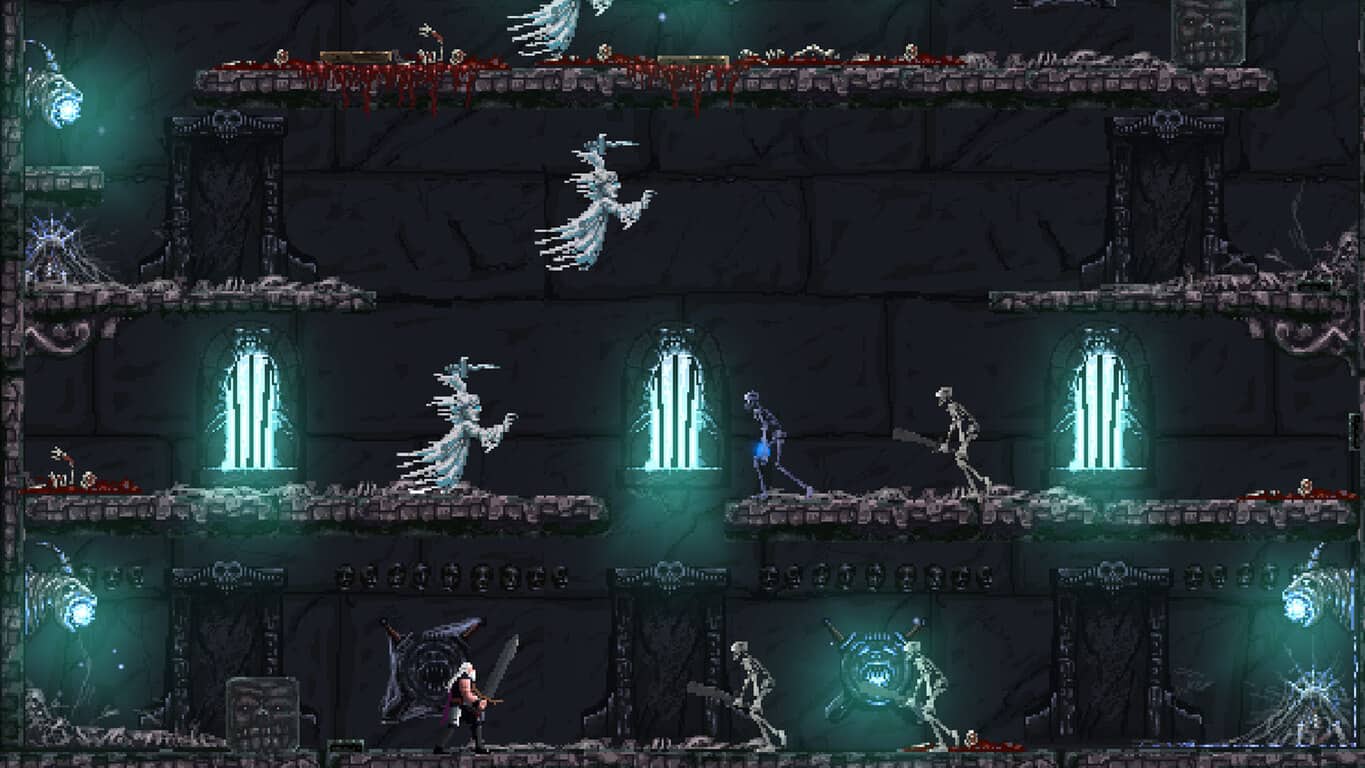
Slain: Back from Hell is rocking its way to Xbox One on October 5th

The upcoming arcade platformer, Slain: Back from Hell, has just been given the release date of October 5th for its launch on Microsoft’s Xbox One console.

Inspired by the hack-and-slash platformers of the 80s and 90s, Slain: Back from Hell features of 15 hours of non-linear gameplay across a variety of levels featuring boss fights, mini-boss fights, sub-mini-boss fights, and even “macro-sub-mini-boss fights”. The game contains no levelling or grinding but it does give the player the option of three unique weapons to choose from. The heavy metal soundtrack was recorded by Curt Victor Bryant, formally of Celtic Frost.

Here’s the official game description: ‘Slain! – A gothic puzzle-combat platformer with gore galore. Putting a strategic twist on the classic hack and slash games of the ‘80s and ‘90s.’ Players control Bathoryn, a hero in a Gothic world, seeking to liberate seven great towers from 7 deadly overlords. Bathoryn must battle his way through a doomed land packed with gruesome pixel art foes before ascending (or sometimes descending) each tower, defeating puzzles, traps and monsters alike. At the heart of each tower, he must confront a mighty overlord. Defeat it and Bathoryn’s quest continues. Fail, and you’ll die gruesomely – mauled by werewolves, disintegrated by floating monstrosities, squashed by great weights or torn apart by hidden blades. And you will fail…

Nick Alfieri, Director at Digerati, the publisher behind Slain: Back from Hell, had the following to say about the upcoming console release, “Since launching on PC, Slain has undergone a complete overhaul that has made the game a strong mixture of gory combat, platforming and strategy. These changes have earned high praise from the community and soon enough console gamers will get to experience the ultimate metal game.”

Are you looking forward to Slain: Back from Hell and are you a fan of its retro arcade graphics? Let us know in the comments below.

Farming Simulator 17 is now ready to pre-order on Xbox One

Farming Simulator 17 is now available for digital pre-order and pre-download on the Xbox One. The game, as most could probably tell from its title, is a farming simulator which tasks gamers with running their own farm.

Here’s the official game description: Farming Simulator 17 invites you into the challenging world of a modern day farmer. Take on all the challenges of farming life, including animal husbandry, crops, sales, and woodcutting. You decide how you want to manage and grow your farm in a huge, open world! Farming Simulator 17 is coming fall 2016 with a load of new features (new map, new brands and vehicles, new animals to breed, and a load of new gameplay features that we will unveil in the coming months).

Pre-order Farming Simulator 17 on Xbox One

Those who pre-order the Farming Simulator 17 will get two bonus tractors, the Challenger MT700E Field Viper and the Valtra T-Series Cow Edition. A special Premium Edition of Farming Simulator 17 is also being sold. That version contains the same two bonus tractors and a season pass for future content.

Are you a fan of simulation video games? Share your favorites with the community in the comments below.

KB3179574 for Windows 8.1 causes slow boot up issues

Microsoft has recently pushed the August update rollout for Windows 8.1, bringing a plethora of system improvements to the OS. The KB3179574 update for Windows 8.1 aims at improving system stability, but as many users have found out the hard way, sometimes it does exactly the opposite.

The user rant against this update was first triggered by Microsoft not revealing the exact content of the update. Many users simply refused to install KB3179574 because they didn’t know what to expect from this update. Others, possibly influenced by a pushy Windows 10 upgrade experience, didn’t want to install the update fearing this was another trick Microsoft was employing to force them to upgrade.

Windows 8.1 users are reluctant to install KB3179574

“Way to go Microsoft … don’t let people know what these updated will do so you cause all kinds of chaos. […]  Maybe it’s just a glitch that the information webpages don’t show up for them, and if so Microsoft needs to get on a fix and show the public what these updates will do to their computer.”

“probably another sneaky way of installing Win 10 which I don’t like at all and been battling there efforts to sneak it back on my PC”

Then, Microsoft published the content of the update, and users begun installing it. For some this has proven to be a bad decision because their computers now need more time to boot up. Moreover, the entire OS seems to be slower now.

“About a quarter of an hour ago, I got offered two updates: kb3179574 (optional) and kb3177723 (recommended) I installed both of them and restarted. And guess what ? The PC booted very slowly and the whole OS (win8.1) became equally slow.”

Users who have uninstalled the update report their computers are now working properly. In other words, in case your computer’s performance is affected by the KB3179574 update, you should uninstall it. For the time being, Microsoft hasn’t issued any comments on this issue.

RELATED STORIES YOU NEED TO CHECK OUT:

Vinci is the best alternative for Prisma on Windows 10 Mobile devices

Prisma is the latest free photo-editing application that everyone is talking about. It was released two months ago by a Russian guy called Alexey Moiseenkov and it can be installed on Android and iOS devices.

People use it to transform their ordinary pictures into beautiful works of art, as the application has many modern art filters and after obtaining the desired artistic effect, users are sharing the results on social media networks. Since Prisma isn’t available on Windows Phone 8.1 and Windows 10 Mobile devices, the best alternative for users of these operating systems is Vinci.

Vinci can be downloaded from the Windows Store and it’s a free artsy photo app created by Russian social site VK. It was firstly released for iOS and Android (on July 28) and now it can be installed on Windows mobile devices, as the application offers the same features across all three supported platforms.

Vinci also gets help from “neural networks” and artificial intelligence, using dozens of inspiring filters to edit photos instantly, as it takes only 2 seconds per filter to apply, compared to Prisma on an iPhone 6S running on iOS that takes between 4 and 9 seconds per filter.

Unfortunately, Vince doesn’t have gradients for the filters, and from the press release, “New filters are already being tested and will be added automatically to the application. The project’s developers are working on an easy and quick tool for automatic photo enhance.” This means that the independent developers that are behind this application are doing their best to make Vinci more appreciated than Prisma.

The application was released for Windows Phone 8.1 and Windows 10 Mobile on August 12, and users who downloaded it “can experiment 20 different filters – some of them slightly retouch your photos, others transform the pictures into different art styles or turn images into something beyond recognition. The app functionality is equal to the Vinci app for iOS and Android launched on July 28. Now Vinci takes the first place in top popular apps in Russia’s App Store.”

RELATED STORIES TO CHECK OUT:

Kaspersky products have issues in Windows 10 Anniversary Update

The Windows 10 Anniversary Update is not compatible with a series of hardware and software products, which may cause serious issues to users’ computers. McAfee has already published a list of all its security products that are incompatible with the Anniversary Update, and Kaspersky has now done the same.

You can still run Kasperky’s security products on the Anniversary Update OS, but a series of security features will be unavailable, making your computer vulnerable to threads.

The following Kaspersky products will operate with limitations on the Anniversary Update

1. Kaspersky Internet Security 2016 /2017 limitations

  • Self-Defense
  • System Watcher (limitations in detecting some objects)
  • System memory scan
  • Protection against screen lockers
  • Protection against cryptoviruses
  • Safe Money (limitations in clipboard protection, protection against screenshots, and protection from several types of attacks)
  • Application Control (limitations in protection of the Edge browser; limitations in categorizing Metro applications; limitations in applying customer settings toward certain applications)
  • Trusted Applications mode (limitations in connection with Windows Program Data Updater service for Kaspersky Internet Security 2017 only).
  • File Anti-Virus (limitations in work in case too many files are copied for Kaspersky Internet Security 2017 only).

1.1. Kaspersky Internet Security 2017 for Windows 10 RS1 (32-bit) will not control:

  • Installation of keyloggers.
  • Taking screenshots.
  • Direct access to physical memory.
  • Access to password storage.
  • Managing printer driver.
  • Access to internal browser data.
  • Access to critical objects of the operating system.
  • Operation of Windows system applications.
  • Logging of registry.
  • Access to audio files.
  • Access to the webcam.

1.2. Kaspersky Internet Security 2017 will partially control:

  • Driver loading (Kaspersky Internet Security 2017 will not block driver loading, it will only show a notification on the fact of loading).
  • Changes in system files.
  • Windows shutdown.

2. Kaspersky Anti-Virus 2016 /2017  limitations:

  • Self-Defense
  • System memory scan
  • Protection against screen lockers
  • Protection against cryptoviruses
  • System Watcher (limitations in detecting some objects for Kaspersky Anti-Virus 2017 only).
  • File Anti-Virus (limitations in work in case too many files are copied for Kaspersky Anti-Virus 2017 only).

3. Kaspersky Total Security 2017 / 2016 limitations:

  • Self-Defense.
  • System Watcher (limitations in detecting some objects)
  • System memory scan.
  • Protection against screen lockers.
  • Protection against cryptoviruses.
  • Safe Money (limitations in clipboard protection, protection against screenshots, and protection from several types of attacks).
  • Application Control (limitations in Edge web browser protection; limitations in categorizing Metro applications; limitations in applying customer settings toward certain applications).
  • Trusted Applications mode (limitations in connection with Windows Program Data Updater service for Kaspersky Total Security 2017 only).
  • File Anti-Virus (limitations in work in case too many files are copied for Kaspersky Total Security 2017 only).

3.1. Kaspersky Total Security 2017 for Windows 10 RS1 (32-bit) will not control:

  • Installation of keyloggers.
  • Taking screenshots.
  • Direct access to physical memory.
  • Access to password storage.
  • Managing printer driver.
  • Access to internal browser data.
  • Access to critical objects of the operating system.
  • Operation of Windows system applications.
  • Logging of registry.
  • Access to audio files.
  • Access to the webcam.

3.2. Kaspersky Total Security 2017 will partially control:

  • Driver loading (Kaspersky Total Security 2017 will not block driver loading, it will only show a notification on the fact of loading).
  • Changes in system files.
  • Windows shutdown.

For more information and recommendations, check out Kaspersky’s Support page.

RELATED STORIES YOU NEED TO CHECK OUT:

No Man’s Sky to be available on PCs

Hello Games has released “No Man’s Sky” for PlayStation 4 on August 9 in North America and in the next day it arrived in Europe. This action-adventure survival video game was loved by many players who said is pretty fun, although there were some gamers who got bored while playing it. On August 12, “No Man’s Sky” arrived on PC, being available for purchase on Steam and GoG.

The game costs ‎$59.99 and the minimum requirements for “No Man’s Sky” on Windows 7/8.1/10 (64-bit versions) are: an Intel Core i3, an nVidia GTX 480 or AMD Radeon 7870 GPU, 8GB of RAM and 10 GB available space. Hello Games, the developer, was inspired from classic science-fiction, building the gameplay on four pillars: exploration, survival, combat, and trading.

The action takes place in an open universe which includes 18 quintillion planets and some of them can be inhabited. Players will need to explore them, gain information about them and submit it to the Atlas, which is a database that other players have access to it, as well. Everytime they do their job correctly, players are compensated in in-game currency and they’ve able to upgrade their character’s equipment, to buy new ships and travel deeper into the galaxy. They will land on planets with hostile environments, but if they’ll start killing lifeforms and draining too many resources, they will be hunted by patrolling robotic Sentinels.

Every player will decide his character’s destiny. They will choose between being a fighter, stealing from the weak, or taking out pirates and collect the bounties. They will get huge rewards after investing in more cargo space or decide to just explore the universe and survive in toxic environments, but they will need to strengthen their suits, otherwise they’ll die for sure. Since they will bump into other players while exploring the galaxy, they will have the option to exchange maps and share their discoveries.

RELATED STORIES TO CHECK OUT:

Microsoft Forms helps teachers individualize education

Did you know, Microsoft has a division within its company walls called the Forms team? If you answer is no, then you probably haven’t a clue what the Microsoft Forms team does or how it would benefit you in slightest.

The Microsoft Forms team is primarily composed of company engineers who seek to create a “go-to resource for summative and formative assessments, surveys and more,” that teachers can use to measure a student’s progress.

As an example, guest author Laura Stanner, a Microsoft Innovative Educator Expert and technology integration consultant joined the company’s Office Blogs to rave about a new feature which arrived on Microsoft Forms recently.

My favorite feature in Forms—Individual responses

  • A brand new feature, based on teacher feedback, is Summary responses, which allows teachers to quickly see class-wide trends. Teachers can also “pop out” and project one of the questions in the summary response to watch the pie charts change in real-time with their students, as answers are submitted. That makes for a visually engaging, real-time experience for students, too.
  • While Summary responses helps teachers see class-wide responses, in today’s classroom teachers also need the ability to capture individual feedback to quickly guide instructional decisions, and more.
  • That’s why the Individual responses option, linked to Summary responses, is an incredibly welcome addition to Forms, and perhaps my favorite feature!
  • As a teacher, I now have the ability to identify individual student mastery, struggles and possible needs with a quick click of a button while still accessing whole-group summative data.
  • And the link between the summative and individual responses is what makes Forms an incredibly valuable tool for educators around the world.

In Stanner’s write up, she gives a few more hands on examples of how Microsoft’s Forms can help individualize teacher/student interactions. That include the benefits of an “individual response” for teachers as well as students and some ideas on how to use Forms for more summartive and formative data collecting.

Forms-Individual-Response

As Forms continues to develop, it seems set to replace the now, seemingly antiquated Excel Survey with a more streamlined experience for educators looking to get more granular data through, well, forms. While attempting to unseat Excel Survey, Forms currently leverages user’s knowledge and familiarity with Excel to gain adoption by allowing educators to download Form responses directly into Excel.

The Forms team is also seeking advice on which new features to add to Forms and encourages teachers to makes use of the Feedback button during any session to offer ideas or suggestion on development. In the near future, the Forms team would like the service to become its own dedicated app that will include teacher-requested features such as image support, branching and other improvements to quizzes and more in addition to the aforementioned individual response support.

For more information on Form or the team behind it, either contact them via the Feedback section during a session or head to the Microsoft Office blog to read more.

Here’s how a group of math teachers spent the summer productively using Office 365

School may be out, but that doesn’t mean that teachers get to rest. Microsoft joined a group of math teachers over the summer at PCMI (Park City Mathematics Institute), a three-week experience that’s meant to help teachers better do their jobs, helping them stay sharp and privy to new ideas in education. Microsoft and the Office team came down to help teachers better use their peers as resources, getting them to come together and work on education resources together.

Getting a bunch of teachers coming from all different backgrounds to work together on one thing can be tough. The team here was about as varied as they could be, coming from elementary school, middle school, and high school – not to mention the fact that they hail from all over the world. In the blog post detailing this project, it was made clear that there was a whole lot of work that went into getting everyone organized using OneNote.

math

Despite all of the differences the team of teachers had, they were able to work together without much issue when they got the hang of OneNote and OneDrive, which let them easily share their ideas and files with one another through the cloud. Once everybody got over the hurdle of “Why can’t we use Google Docs?” everything went smoothly. Even though some people didn’t have the Office suite installed on their computer, the online tools worked just fine and were able to get people to work without making them go out and install anything.

Tons of effective learning resources arose as a result of this project and all of them are available online now. These projects stand as effective proof that, with the right tools, it’s possible for anyone with a common goal to come together and create something helpful.