Windows Store pushes for age ratings in apps, will unpublish noncompliant apps soon

Back in June of this year, Microsoft sent emails out to app developers to assure them of making sure the age rating on their apps had been set. It appears now that the Redmond giant is continuing this push of the age rating, and is warning that it will unpublish noncompliant apps soon (via Neowin.)

According to an email obtained by Neowin, non-compliant apps will be unpublished and removed from with Windows Store on September 30, 2016, due to failure to comply with policy 11.11, Age Ratings. The email also requests that the developer “remedy the failure” and resubmit the app for approval. Additionally, in another email also obtained by Neowin, Microsoft also highlights the fact that beta (both private and internal) apps will also be required to conform to the age ratings.

The age ratings are reportedly set based on the answers to a five-minute questionnaire available in the Dev Center. Regardless, this does draw into question what will happen to the multiple apps which have not been updated or just all out neglected on the Windows Store.

Windows 10 continues to gain share, now on 23% of all PCs worldwide

While Microsoft ended its free upgrade offer to Windows 10 on July 29, the new operating system has continued to grow its desktop OS share over the last month. According to the latest data from NetMarketShare, Windows 10 claimed a 22.99% desktop OS share in August 2016, which is 1.86 points of percentage higher than its 21.13% score in July (via Windows Central).

Desktop Operating System Market Share (source: NetMarketshare).

Of course, Windows 7 is still far ahead with a 47.25% desktop OS share in August, which is actually up from 47.01% in July. Windows XP still closes the podium with a 9.36% OS share (down from 10.34% in July) while Windows 8.1 went from 7.8% in July to 7.92 last month.

Desktop Top operating system share trend (source: NetMarketshare).

Windows 10 managed to maintain a steady growth since its release in July 2015 and the upcoming months promised to be very interesting. As IFA 2016 is officially underway, many OEMs are currently introducing their latest portfolios of Windows 10 PCs and 2-in-1s though consumers who don’t want to buy a new PC can still purchase a Windows 10 license to upgrade their current machine. Let us know in the comments if you expect Windows 10 to maintain its current growth in the coming months.

More Assassin’s Creed Ezio Collection details leaked, coming to Xbox One

Earlier this year, we reported that Ubisoft won’t release a new Assassin’s Creed game this year amid a 30% decline in revenue. However, it seems that a compilation of previous titles from the action-adventure video games franchise is reportedly coming on both the Xbox One and Playstation 4 in the coming months.

French website Gameblog has published promotional material about Assassin’s Creed: The Ezio Collection, a compilation of previous Assassin’s Creed titles featuring Assassin’s Creed II, Assassin’s Creed: Brotherhood and Assassin’s Creed: Revelations (with all their respective DLCs) plus animated movies Assassin’s Creed: Lineage and Assassin’s Creed: Embers (via Gamespot).

The Assassin's Creed Ezio Collection (credit: Gameblog.fr).
The Assassin’s Creed Ezio Collection (credit: Gameblog.fr).

While Ubisoft has yet to officially announce the bundle, Gameblog also reports that the collection should launch at a €70 (about $78 US) retail price and all games are expected to run at a 1080p resolution and 30 FPS. Assassin’s Creed II, the most critically-acclaimed among these three games is already backward compatible on the Xbox One just like the first opus of the franchise.

HP’s new Pavilion Wave and Elite Slice PCs boast fresh looks and Windows 10 optimizations

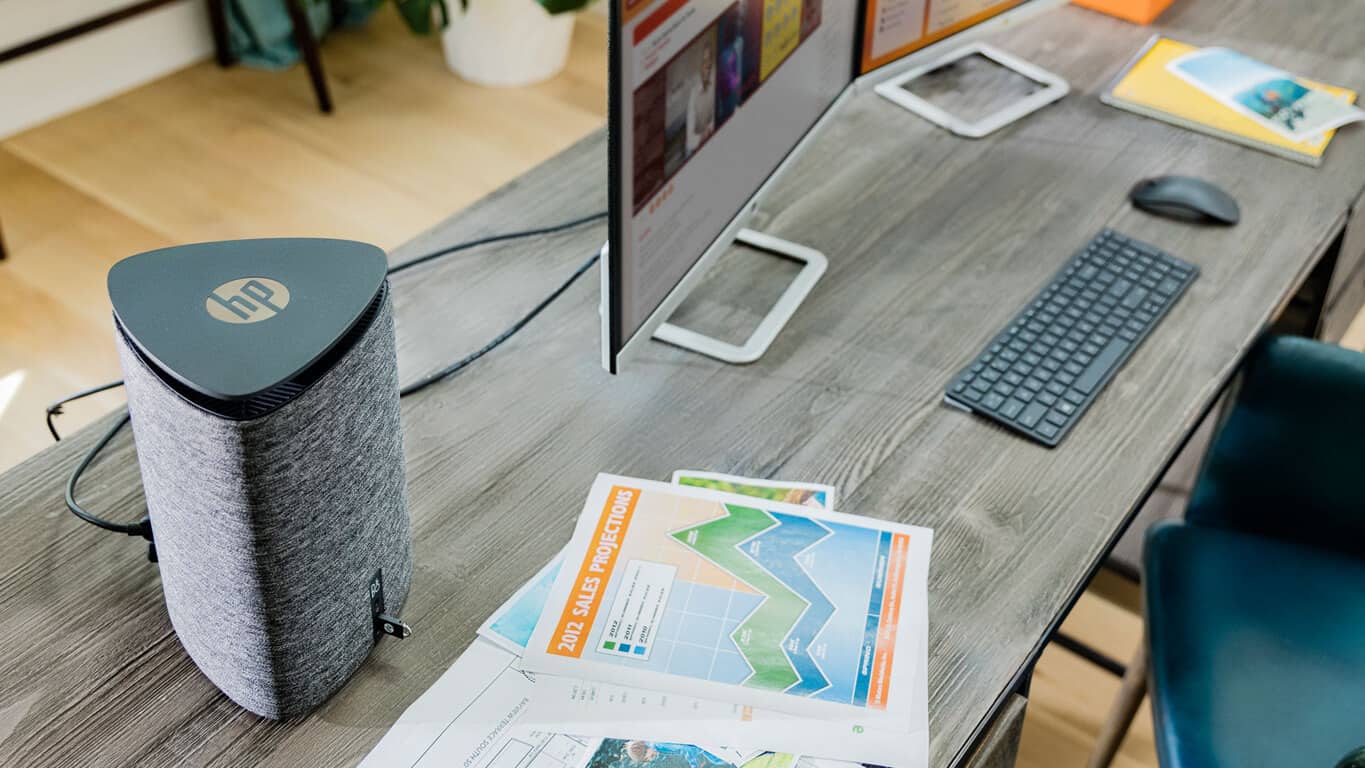
HP have just revealed two new, rather cool-looking, PCs, the HP Pavilion Wave and HP Elite Slice. Both computers are complete, fully functional PCs, designed for Windows 10 and will be available for purchase this month.

The HP Pavilion Wave features two built-in dual microphones, which enable voice integration with Windows 10’s Cortana, and a 360 degree speaker on its top. According to Microsoft, it’s “built around a fully integrated, advanced audio system to play music, listen to movies and web chats” and can power up to two 4K displays.

Here are the HP Pavilion Wave’s features:

  • Powered by Windows 10
  • Fully integrated, advanced audio capabilities
  • Up to two 4K displays are supported out-of-the-box to power entertainment and productivity
  • Peripheral support with three USB 3.0 ports, one USB 3.1 Type-C port for data transfer, one HDMI port, one DisplayPort, Gigabit Ethernet and a microphone/headphone jack.
  • Cortana support with two dual microphones for customers to talk to their PC for a hands-free experience
  • High-performing power house with up to 6th  Generation Intel Core i7 quad-core desktop processors, ample storage up to 2 TB HDD, an optional dual drive with 128 GB SSD5 and up to 16GB of DDR4 system memory
  • Optional AMD Radeon R9 M470 discrete graphics for photo and video editing or light gaming
HP Elite Slice
HP Elite Slice

The HP Elite Slice is “the first modular commercial desktop with cable-less connectivity” and boasts a simplified design that allows for convenient customization of its hardware specs and features. Two of the modules that can be implemented are the Audio Module (which features the same dual microphones and speaker as the HP Pavilion Wave) and the ODD (Optical Disk Drive) Module.

Two covers are also available, the HP Collaboration Cover and the HP Wireless Charging Cover. The former essentially transforms the PC into a Microsoft Skype for Business phone while the latter turns the device into a wireless charging base for supported mobile phones. The HP Wireless Charging Cover won’t be available until 2017 however.

Here are the HP Elite Slice’s features:

  • An optional touch fingerprint sensor for improved security and easy authentication.
  • HP Sure Start with Dynamic Protection, the industry’s first self-healing BIOS-level protection.
  • Up to 6th Generation Intel Core i7 35-watt processors for the performance to easily handle productivity and collaboration needs.
  • Unique 360-degree dual fan pipe ring keeps the powerful device running cool.
  • Peripheral support for enhanced productivity including one Ethernet port, built-in Wi-Fi module and antennas, one HDMI and one DisplayPort to power multiple displays.
HP Elite Slice
HP Elite Slice

HP is also offering a specially designed combination of HP Elite Slice modules called, HP Elite Slice for Meeting Rooms. This package contains the HP Elite Slice, the HP Collaboration Cover, HP Audio Module and the Intel Unite software. It is being specially marketed towards professionals searching for a convenient, yet high quality conference solution.

More information, along with specific release dates for each product, is expected to be released soon. For now though, let us know what you think of the HP Pavilion Wave and HP Elite Slice. Are you impressed by their form factors and functionality? Share your thoughts with the community in the comments below.

Save

Free demo for Forza Horizon 3 to be released September 12, 2016

According to a tweet posted by Game, a free demo of Forza Horizon 3 game will be released on September 12, 2016. The Forza Horizon 3 is an upcoming video game developed by Playground Games and published by Microsoft Studios and is set to be released for Xbox One and Windows PC on September 27, 2016. To make things even better, the game will feature cross-platform play, allowing you to play with your friends no matter if they own an Xbox One or Windows PC.

Forza Horizon 3 was announced during the E3 and will feature the largest open world ever created by Playground Games. The game is set in Australia and will have rugged, rough terrain where you will be able to test your driving skills. The game comes with wide variety of cars ranging from classics to off-roaders. Forza Horizon 3 comes with the Nomad car and 2015 Baldwin Motorsports #94 Monster Energy Trophy Truck, both of which have never seen before in the Forza series.

In case you like driving games, we suggest you download and install the Forza Horizon 3 Free Demo that will be found on both the Xbox Store and Windows Store starting from September 10, 2016. This way, you will be able to test the game, form an opinion and decide if you want to purchase it or not.

Below you can see the Forza Horizon 3 Trailer:

What are your thoughts about Forza Horizon 3? Will you test the game before you purchase it or will you just wait for the final version of the game to be released and grab it blindfolded?

RELATED STORIES TO CHECK OUT:

Windows 10 KB3176938 gets re-released for better system reliability

Microsoft recently re-released cumulative update KB3176938 for Windows 10 PC, taking Windows 10 to build 14393.105. Microsoft first released KB3176938 last week, and probably decided to roll out this update again in order to bring additional fixes.

As far as the changelog is concerned, Microsoft hasn’t offered any details about the content of this second cumulative update, nor any explanations as to why it rolled out the same cumulative update twice. Taking into account we’re talking about the same KB number, chances are this update brings the exact same fixes and improvements. The tech giant has probably only polished them.

Indeed, soon after users installed the first KB3176938 update, many complained about various issues such as: remote desktop connection errors, audio issues, taskbar issues and Ethernet bugs. We assume these issues have been fixed by the second KB3176938, but users haven’t confirmed this for the time being.

Here are the fixes listed in the changelog for KB3176938 :

  • “Improved reliability of the Windows Ink Workspace, Microsoft Edge, File Server, Windows kernel, Microsoft Component Object Model (COM), Cluster Health Service, Hyper-V, Multi-Factor Authentication (MFA), NTFS file system, PowerShell, Internet Explorer, facial recognition, graphics, Microsoft Store and Windows Shell.
  • Improved performance for the speed of purchasing Store apps.
  • Improved battery life of wearable devices (such as the Microsoft Band) while Bluetooth is connected and idle.
  • Improved compatibility of using Xbox One controllers with various games.
  • Addressed issue with incorrect character mapping between Japanese and Unicode for the question mark (?) symbol.
  • Addressed issue that prevents the download and initialization of .NET objects in Internet Explorer.
  • Improved support for new near-field communication (NFC) chips for Windows 10 Mobile.
  • Addressed issue with game or app audio not resuming after ending a call on Windows 10 Mobile.
  • Addressed additional issues with compatibility, Remote Desktop, BitLocker, PowerShell, Direct3D, networking policies, Dynamic Access Control (DAC) rules, Microsoft Edge, Connected Standby, mobile device management (MDM), printing, Fingerprint logon and Cortana.”

Have you installed the second KB3176938 update? What differences did you notice compared to the first version of the update?

RELATED STORIES YOU NEED TO CHECK OUT:

Fix: Lumia won’t download Windows 10 Mobile Anniversary Update

The Anniversary Update for Windows 10 Mobile is finally here, after the PC versions was released. However, not everyone is able to grab the update immediately, mostly because Microsoft decided to release it gradually, but also because of various installation errors.

So, if you actually received the update, but are unable to download on your Lumia phone it for some reason, we’re going to show you a few solutions for your problem

Solution 1 – Plug in your device

Windows 10 Mobile is programmed to to make sure that once you start downloading a new update, nothing interrupts it. Therefore, if you don’t have enough battery to download and install the whole update, your device simply won’t let you download it.

So, the solution for this is pretty obvious, you just need to plug in your phone to a charger, and try to download the update once again. If you’re still not able to download the Anniversary Update, even though your phone is plugged in, or your battery is full, try some of the solutions listed below.

Solution 2 – Make sure you’re connected to WiFi

Similarly to the previous case, you’re phone probably won’t let you download the Anniversary Update, or any other update for Windows 10 Mobile if you’re using data connection. Windows 10 Mobile does this to prevent huge data charges, because updates like the Anniversary Update are quite big, and they can eat a lot of data, and even cause some additional charges if not connected to WiFi.

lumia won't download anniversary update 4

If you see that your is not connected to a WiFi network, try connecting it, and see if you’re now able to download the Anniversary Update. If you still can’t download it, try some of the other solutions from this article.

Solution 3 – Make sure you have enough space

Just like we mentioned above, the Anniversary Update is quite big for mobile standards, and it can take up to… So, if you don’t have enough free space, you obviously won’t be able to download the second major update for Windows 10 Mobile.

You have two choices in case you don’t have enough space on your device. You either can delete some apps or other data, and free up some space for the update, or get a bigger memory card, and transfer your apps and data to it. It’s completely up to you.

Solution 4 – Soft reset

Soft reset simply refreshes your phone, without deleting any of your apps and data. Performing this action can be useful with various system problems, and the problem with downloading the Anniversary Update could be one of them.

To perform a soft reset on your Windows 10 Mobile device,  press Power Off + Volume Down button at the same time, until your phone restarts. After your device restarts wait for it to start again, and for everything to go back to normal. Once your performed a soft reset, try downloading the Anniversary Update once again, and it might work this time. If performing the soft reset didn’t help solving the problem with downloading the Anniversary Update, prepare for some more serious actions.

Solution 5 – Hard reset

If none of the solutions above helped you download the Anniversary Update on your Lumia phone, you can try with the most serious solution – a hard reset. As its name says, hard reset brings your Lumia to factory settings, and deletes all installed apps and media.

Once you perform a hard reset, try downloading the Anniversary Update once again, and hopefully you’ll be successful.

But remember, it is highly recommended to do a backup of your data, so you don’t loose everything after resetting your phone. If you don’t know how to do a backup of your data and media, follow these instructions:

  1. Go to Settings > Update & security > Backup
  2. Tap on More optionslumia won't download anniversary update 3
  3. And then, go to Back up nowlumia won't download anniversary update 2

Once you backed up all your stuff, you can perform a hard reset without fearing that you’ll loose all your data. To perform a hard reset in Windows 10 Mobile, do the following:

  1. Go to Settings > About
  2. Now, tap on Rest your phonelumia won't download anniversary update 1
  3. Answer Yes
  4. Wait for the process to finish

Once you perform a hard reset, and your phone gets back to work, head over to Windows Update, and try to download the Anniversary Update. Hopefully, you’ll be successful this time.

That’s about it, we hope that at least one of these solutions helped you to download the Anniversary Update on your Lumia phone. If you have any comments, questions, or suggestions, just let us know in the comments.

RELATED STORIES YOU NEED TO CHECK OUT:

OneDrive client for Windows updated with new productivity features

Microsoft just pushed a new update for its OneDrive client for Windows PCs. The new update changes the software version to 17.3.6517.0809, and brings a few handful features for both regular and business users.

Perhaps the most notable addition for the OneDrive PC client is the ability to pause sync for a certain period of time. Users are now able to stop sync between their OneDrive accounts and the PC client for two, eight, or 24 hours. During that period of time, downloads and uploads to OneDrive from a PC will be forbidden.

This addition might come in handy because until now OneDrive needed to be fully close to stop syncing. When syncing is paused, users will still be able to access existing content in their OneDrive PC client.

oneDrive client update

As for Business users, the latest OneDrive client update brings a feature to boost their productivity: document collaboration. Business users are now able to collaborate on a single document directly from Office apps like Word, Excel, PowerPoint, and Visio. This feature works similarly to how editing documents in the online version of Word or Excel works.

However, both Office 2016 (Click-to-run version 16.0.6741.2027 or later) and OneDrive for Business as part of an Office 365 business subscription are required to make this happen.

“Use Office 2016 to sync Office files that I open
Applies To: OneDrive for Business

With Office 2016 and OneDrive for Business, you can co-edit and share documents right from your Office apps like Word, Excel, PowerPoint and Visio. If you sync your files to your computer, OneDrive and Office work together to sync documents and let you work with other people on shared documents at the same time.

Note: To collaborate and share on documents this way, you need a Windows computer running the latest version of Office 2016 (Click-to-run version 16.0.6741.2027 or later) and OneDrive for Business as part of an Office 365 business subscription.”

The new update for OneDrive PC client is definitely a good thing, but introducing a few less or more noticeable features definitely won’t compensate for most recent OneDrive cuts that Microsoft pulled. (Yes, we’re talking about recent decrease of OneDrive’s storage to 5GB.)

However, we hope that Microsoft won’t experiment more with removing OneDrive features,but instead deliver handy updates like this one. Despite all the changes, OneDrive is still one of the most popular cloud storage services out there with more than 500 million users.

RELATED STORIES YOU NEED TO CHECK OUT:

NVIDIA releases WHQL Game Ready Driver version 372.70 with Fallout 4 and other fixes

One of the more important pieces of software on any gaming machine is the GPU driver, which can impact both gaming performance and overall stability. For anyone running an NVIDIA GeForce GPU, the release of new Game Ready Drivers is always a big deal, and for those folks today is a good day.

NVIDIA released WHQL Game Ready Driver version 372.70 this morning, and here’s the complete changelog:

Game Ready Drivers provide the best possible gaming experience for all major new
releases, including Virtual Reality games. Prior to a new title launching, our driver team
works up until the last minute to ensure every performance tweak and bug fix is
included for the best gameplay on day one.

Game Ready
Provides the optimal experience for World of Warcraft: Legion, Battlefield 1: Open Beta,
Deus Ex: Mankind Divided, and Quantum Break on STEAM.

New Features
– Enabled Fast Sync for Maxwell GPUs and the Extended, Clone, and Surround multimonitor
configurations.

Application SLI Profiles
No SLI profiles were added with this version.

3D Vision Profiles
Added or updated the following 3DV profiles:

  • Battlefield 1 – not recommended
  • Deus Ex: Mankind Divided – upgraded to excellent

3D Compatibility Mode Profiles
No compatibility mode profiles were added with this version.

  • Software Module Versions
  • NView – 148.03
  • HD Audio Driver – 1.3.34.15
  • NVIDIA PhysX System Software – 9.16.0318
  • GeForce Experience – 2.11.4.0
  • CUDA – 8.0

You can view all of the details about today’s update in the 372.70 release notes, and as always you can download the drivers here. Let us know if the update has improved your gaming or general PC experience.

Help Microsoft celebrate PAX West and win an Xbox One S

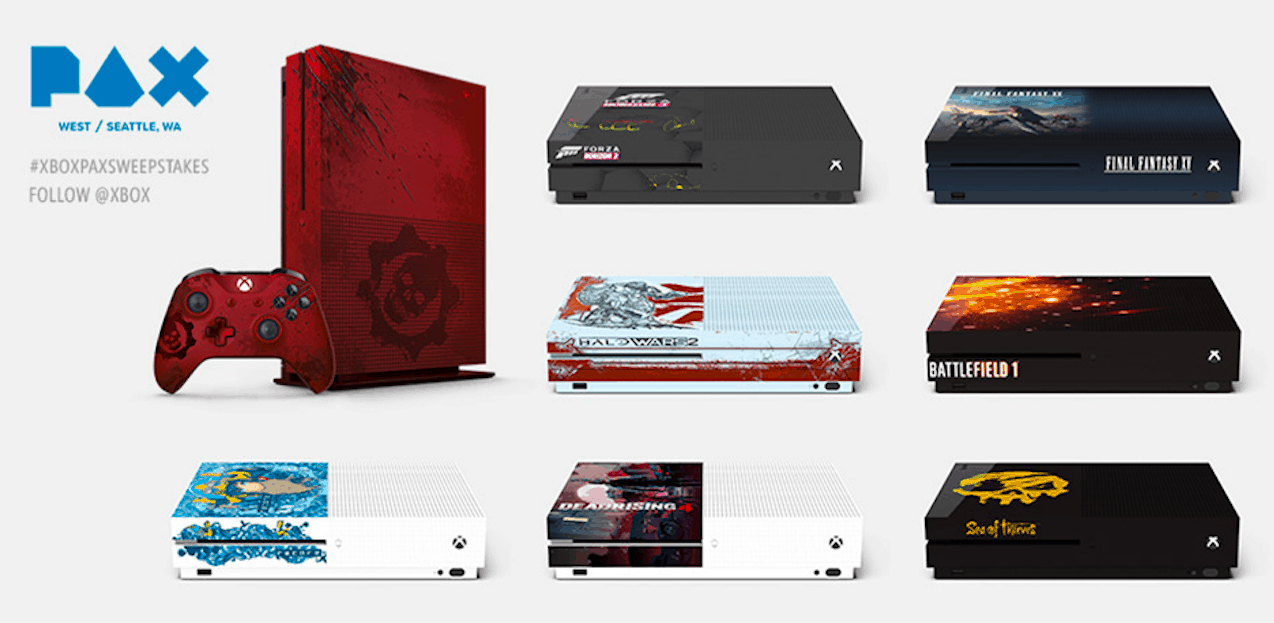
Just two days before the beginning of PAX West 2016 on September 2 in Seattle, WA, the Xbox team has announced today the PAX West Custom Console Sweepstakes to give you a chance to win one of eight customized Xbox One consoles. If you’re in Seattle, you can check them out at the Xbox booth inside of PAX West event. This Sweepstakes will begin tomorrow September 1, 2016 at 11:am PST and will be open to all US residents above 18 years of age, and you don’t even need to attend the gaming show or pay anything to participate.

Here’s how to enter and get a chance to win one of the custom Xbox One S consoles featuring designs inspired by Gears of War 4, Halo Wars 2, Forza Horizon 3, Dead Rising 4, ReCore, Sea of Thieves,Battlefield 1, and Final Fantasy XV:

On site

  • Take one photograph of a custom-branded Xbox One S console located at the Xbox booth and share it via Twitter or Instagram using the promotional hashtag “#XboxPAXSweepstakes” during the event hours (make sure you are following @Xbox on Twitter and Instagram).

From your home:

  • Create and share a post on Instagram tagged with “#XboxPAXSweepstakes” and “@Xbox” during the Sweepstakes Period (make sure you are following @Xbox on Instagram).
  • Retweet one of the Sponsor’s designated promotional Tweets containing “#XboxPAXSweepstakes” during the Sweepstakes Period. Retweets must be in the exact form as the original tweet to be eligible to receive an entry in the applicable random drawing (make sure you are following @Xbox on Twitter).
  • Send an e-mail to [email protected] during the Sweepstakes Period with the subject line “Microsoft PAX West Custom Console Sweepstakes” and include in the body of the e-mail you first name, last name, address, city, state, zip code, daytime phone number, and e-mail address.
  • On your Xbox One console, you will automatically receive one Sweepstakes entry when you log into the Xbox Live service. Once you’re in, go to the “PAX West Custom Console Sweepstakes” landing page on the dashboard and click the designated area during the Sweepstakes Period as instructed.

Each Xbox One console will be a 2TB model ($399 value) though it seems the Gears of War 4 Xbox One S is the only one model to be truly customized. Sound off in the comments to tell us which custom Xbox One S model you would like to win!

Microsoft Solitaire Collection reaches 100 million unique users milestone

Microsoft has just announced that the Microsoft Solitaire Collection (the version of Solitare included in Windows 10 and 8) has reached more than 100 million unique users.

As part of the announcement, the Redmond giant also unleashed some new statistics for the card game. Leading off is that in the 26 years since it was introduced, Solitaire still remains one of the most played games of all time on any Windows OS. Secondly, on average, 55 million Microsoft Solitaire Collection games are played per day. Additionally, since the newer Solitare Collection is a Xbox Live game, Microsoft highlights the fact that game has awarded more than 1.3 billion Gamerscore to players to date.

A new game mode named “Events” will also be heading to Microsoft Solitaire Collection on Windows 10 this fall. The new mode will let you win awards and stack you up against your friends and those in the community.

Microsoft releases Data Science Virtual Machines for Windows and Linux to help kick-start analytics projects

Microsoft is introducing a new Azure Virtual Machine specifically tailored for data scientists. The Microsoft Data Science Virtual Machines are Azure virtual machines that come preloaded with popular data science tools. And it comes in both Linux and a Windows flavors

What’s included in the Data Science Virtual Machine image

The VMs do not carry any software charges for using them. So Azure customers are only paying for the runtime of the VM and any storage needs. Microsoft Data Science Virtual Machines come loaded with the following tools:

  • Microsoft R Server Developer Edition
  • Anaconda Python distribution
  • Jupyter Notebooks
  • IDLE
  • Azure Machine Learning
  • Cortana Sample Gallery
  • Microsoft Azure Poweshell
  • Git Bash
  • SQL Management
  • Visual Studio Community Edition,
  • Power BI desktop
  • SQL Server Express edition
  • Azure SDK

With these tools, data scientists will be able to code in R, Python, SQL, and C# the minute their VM instance is up and running. Microsoft list a few ideal usage scenarios for when an analytics team might want to use a data science VM, such as “onpremise Analytics desktop replacement in the cloud, data Science Training and education, dedicated on-demand elastic capacity for large workloads, and short Experiments & Evaluation.”

This isn’t the first time Microsoft has created special preconfigured Azure Virtual Machines. Currently, there are 1056 virtual machine images available to choose from. These include everything from SQL Servers to SAP HANA Developer Edition to Windows Developer Virtual Machines. There is even an image to set up your own Minecraft server through Azure Virtual Machine.

azure virtual machine
How to select a Data Science Virtual Machine image in Azure.

How to setup a Data Science Virtual Machine in Azure

To use Microsoft’s new Data Science Virtual Machine image you will need both an Azure subscription and an Azure storage account. And if you are new to Azure be sure to take advantages of their free trial with a $200 credit. Once your account is setup, go to Virtual Machine in the Azure Portal and search the list of VM images for Data Science Virtual Machine. Then choose either Windows or Linux.

You’ll then have to enter some information for the VM and choose the size and disk type. After you click buy, Azure will provision the computing space in a data center for your VM in about 10-20 minutes. You can then pull up your VM using the Remote Desktop app.

Play the Battlefield 1 Open Beta on Xbox One and win Xbox Live Rewards

Battlefield 1 Open Beta on Xbox One and Xbox One S is rounding out to be one of the best Battlefield games yet. I signed up for the Battlefield Insider program, so I enjoyed a couple of days of Battlefield 1 Open Beta early access. I was able to download the Open Beta on Sunday, August 28, 2016, and play the game on Monday and Tuesday with little issues. There are some bugs in the Battlefield 1 menus and other connection issues, but overall it has been a fantastic experience.

In a post on Xbow Wire, Microsoft announced that Xbox Live Rewards members will now be able to get exclusive Battlefield 1 Rewards. At this time, these rewards are only available to Xbox Live Rewards members in the US, UK, France, Germany, and Mexico. Xbox Live Rewards members will also get a chance to enter to win prizes in the new Battlefield 1 Sweepstakes.

The grand prize is an all-expenses-paid trip to tour the EA DICE Studios in Stockholm, Sweden. Other available prizes include Logitech G633 headsets, Battlefield 1 Early Enlister Deluxe Edition and Battlefield 1 Standard Edition digital download codes, Xbox Live Gold Subscriptions, and Xbox Gift Cards.

Additionally, anyone (in the US and Canada) that plays the Open Beta and streams their gameplay via the Twitch app on Xbox One will be automatically entered to win a trip for two to TwitchCon 2016. The winner will receive two general admission tickets to TwitchCon, roundtrip airfare to San Diego, a four nights hotel stay, and $1,000 cash.

The Open Beta features two gameplay modes, Conquest and Rush, playable in the Sinai Desert map. Battlefield 1 has a different feel than previous Battlefield games. Personally, I think Call of Duty has gone overboard with their future warfare games of late. It is nice to a chance of pace with EA taking Battlefield to the early days of warfare seen in World War I.

New Acer Windows 10 PCs announced at IFA

Acer has introduced several Windows 10 PCs at IFA 2016 today including the Swift 7 and Spin 7 new ultrabooks, refreshed Predator 15 and 17 gaming laptops as well as a brand new Predator 21” curved-Screen model. Acer’s new ultrabooks feature an impressive thin and light design in well-designed enclosures while the Predator X21 gaming laptop is powered by top of the line specs including dual NVIDIA GeForce GTX 1080 GPUs. Let’s dive into the details below:

The Acer Swift 7 ultrabook

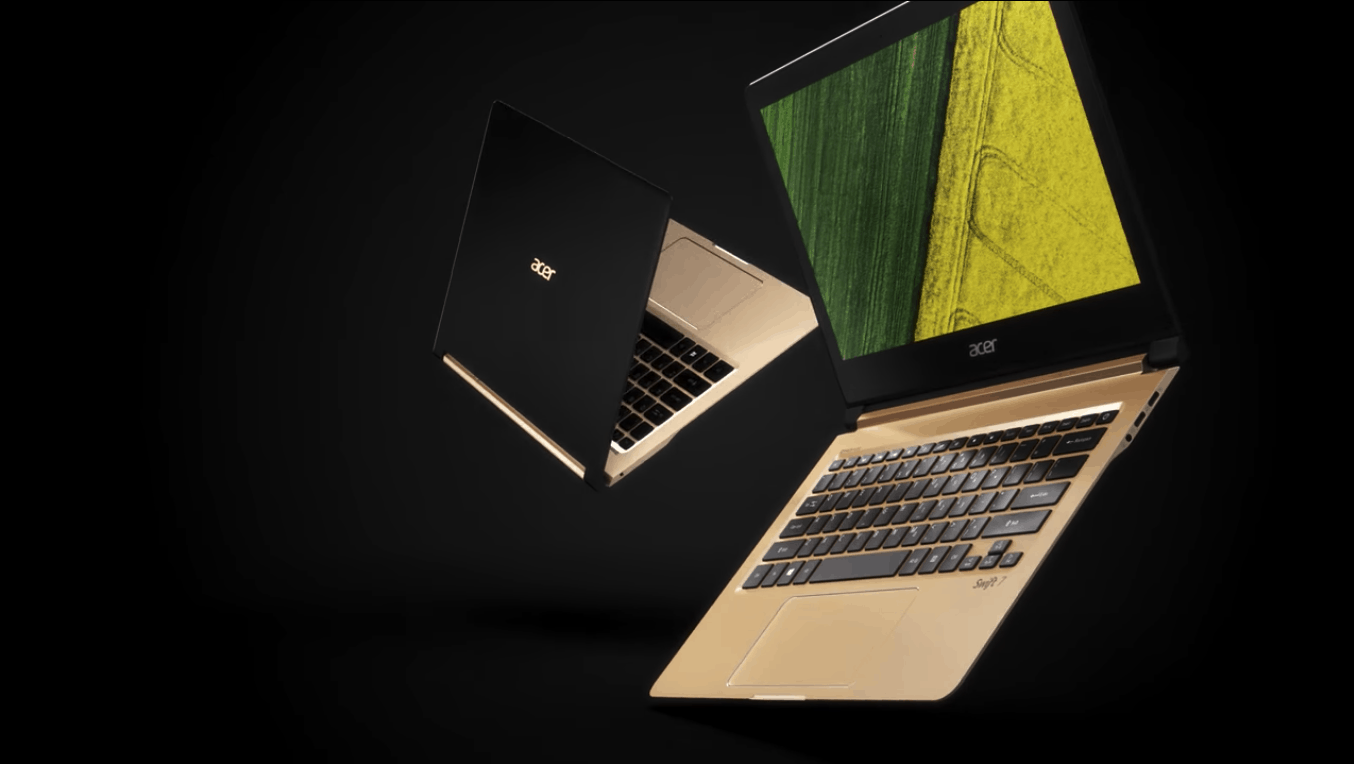
the Acer Swift 7 looks to be one of the thinnest and lightest ultrabook ever with its all-aluminum dual tone body measuring .39 inches thin and weighing in just 2.48 pounds. The notebook also features a 13.3-inch FULL HD IPS 2 display which is not touch enabled, an HD webcam with HDR imaging support and two USB 3.1 Type-C ports. On the inside, you’ll find a 7th Generation Intel Core i5 processor, a 256GB SSD and up to 8GB of memory and the notebook should deliver up to 8 hours of battery life.

The Acer Spin 7 convertible notebook

The Acer Spin 7 convertible notebook is slightly bigger than its Swift 7 little brother as it features a 14-inch FHD IPS touchscreen display with Gorilla Glass in a 0.43 inches thin and 2.6 pounds package. Unlike the Swift 7, the Spin 7 has a mate black chassis with polished silver hinges and diamond-cut edges around its wide-glass touchpad, and hardware specs are also slightly better with a 7th gen Intel Core i7 processor though battery life should be around 8 hours.

The updated Acer Predator 15 and 17 gaming laptops

There is not much to say about the refreshed Predator 15 and 17 gaming notebooks except that they now come with the latest NVIDIA GPUs with the all-new Pascal architecture. The gaming laptops can be configured with NVIDIA Geforce GTX 1070 graphics to make them pretty future-proof and VR-ready.

The Acer Predator 15 gaming laptop.

The Acer Predator 21 X gaming laptop

The Predator 21 X is the first gaming laptop to feature a 21” curved-screen as well as eye-tracking technology that provides Windows Hello support as well as “new interactions in gaming like aiming, identifying enemies and taking cover simply by gazing at objects on the screen.” Additionally, the gaming notebook features beastly hardware specs under the hood:

  • The latest 7th Generation Intel Core processors
  • 5 cooling fans and dual NVIDIA GeForce GTX 1080 GPUs in SLI for unmatched graphics performance
  • Full-sized mechanical keyboard featuring CherryMX switches, with customizable RGB backlight settings for each individual key.
  • SoundPound2+ (4 speakers and 2 subwoofers), 3-way audio and Dolby audio
  • Advanced cooling architecture with 5 system fans, 3 of which are ultra-thinAeroBlade metal fans, to extract excess heat for uninterrupted performance during intense sessions
  • ThePredator 21 X’s numeric keypad also touts a unique design as it can be flipped over and turned into a Precision

Pricing and Availability

  • The Acer Swift 7 and Spin 7 ultrabooks will be both available in North America in October with prices starting at $999 and $1,199, respectively. Both models will also be available in EMEA in October with prices starting at €1,299.
  • The refreshed Predator 15 and 17 gaming laptops will be available in North America in September with prices starting at $1,699; and in EMEA in October with prices starting at €1,799.
  • Acer has yet to announce a release date for its Predator 21 X gaming laptop

You can learn more about Acer’s latest Windows 10 laptops by heading over to Acer.com, let us know in the comments what do you think of these new additions to the Windows 10 ecosystem.

Battle arena game Towerfall Ascension is coming to Xbox One

Video game developer Matt Thorson announced on Twitter that he has been working diligently for the last few months on Towerfall. The game originally released on the unpopular Ouya console in 2013. However, was re-released later as Towerfall Ascension for PlayStation 4 and PC. Now he admits to working on an Xbox One version as well.

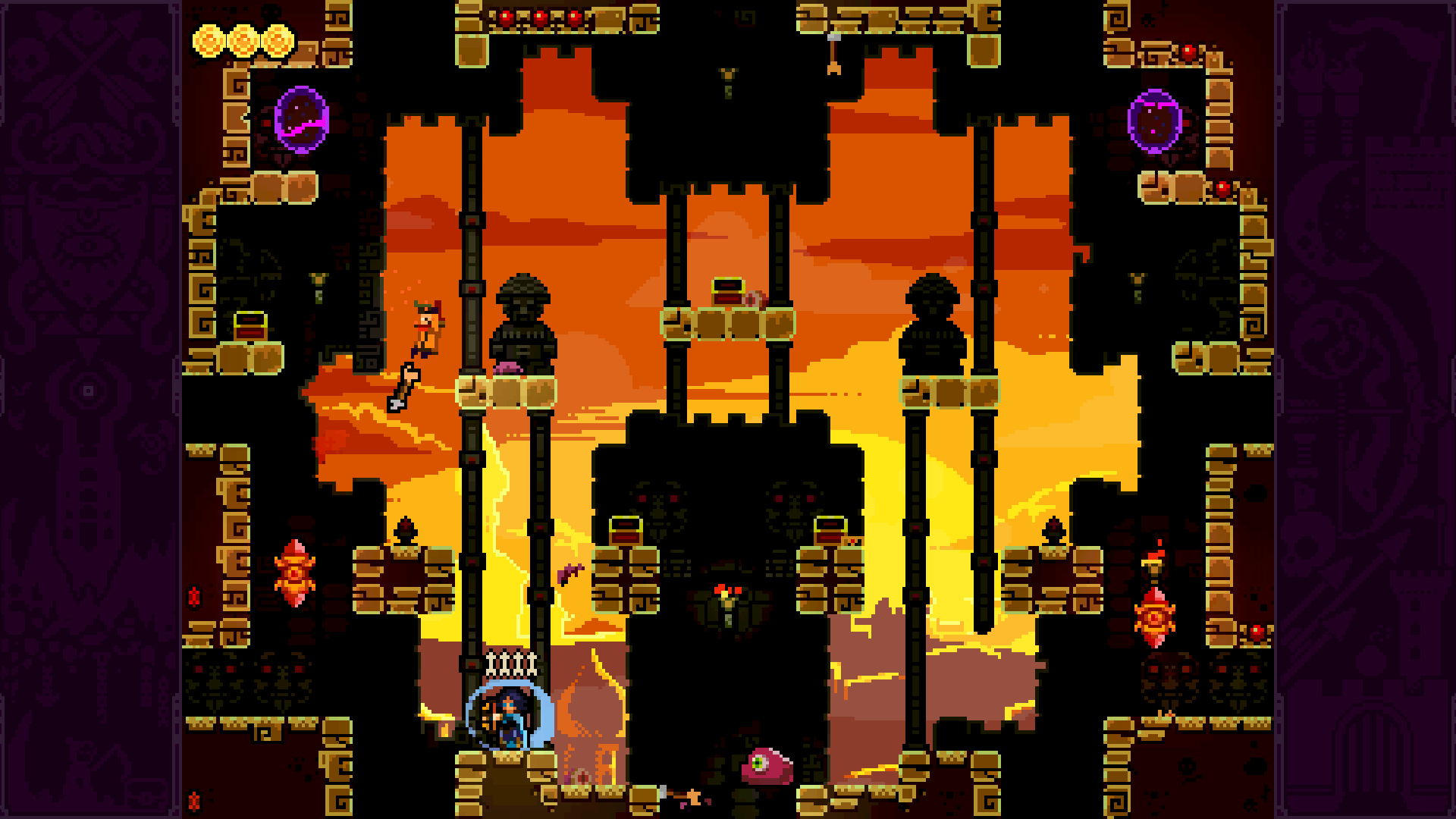
The local multiplayer battle arena lets up to four players fight it out with archery and head stomps. The official description on the itch.io page reads:

Inspired by classics from the golden age of couch multiplayer, TowerFall Ascension is a 4-player local party game centering around hilarious, intense versus matches. The core mechanics are simple and accessible, but hard to master and combat is fierce. Loot treasure chests for game-changing power-ups, master the art of catching arrows out of the air, or descend on your foes and stomp them into submission. TowerFall is best played competitively with friends, cross-legged on the floor within punching distance of each other.

A tweet from Matt Thorson states that Towerfall Ascension and its Dark World DLC will both be available on the console and it is ‘awesome’. Currently the game sells for $14.99 so we’ll likely see a similar price tag with the console’s release.

In addition, Matt recently pushed the limits of the 4-player multiplayer. He released the 8-player modded version of Towerfall Ascension. The $8.88 price tag for the new version doesn’t include the single player campaign, only the local multiplayer battle arena that has been tweaked significantly for larger fights.

Even though the two announcements so close together got fans excited, Thorson rained on the parade. He confirmed via Twitter that the 8-player mod wouldn’t be available on Xbox Store or anywhere else for that matter.

It is unfortunate that we don’t have a release date yet. Given that Towerfall sold well with its exclusive Ouya release, fans will likely expect the same reaction to the popular party game.

Fix: frame rate drops in Xbox One backward compatibility games

The Xbox One backward compatibility program allows gamers to play their favorite Xbox 360 games on the Xbox One for free. The list of compatible games already includes important titles such as Call of Duty, Borderlands, Witcher 2, Red Dead and more, with more games to come soon.

According to user reports, the frame rate may drop in Xbox One backward compatible games. The same issue has been reported soon after gamers installed the Anniversary Update on their devices.

Frame rate drops in Xbox One backward compatible games

So my xbox one has always had trouble with backwards compatibility. Not that it doesn’t work. It works, but every game seemed to drop frames really bad. To the point it was unplayable. I had gotten rid of my xbox 360 and was excited to do gears of war 2 and 3 coop story with a friend. When we attempted this the frames were so bad we could not even aim properly. […]

Recently, I saw that Call of duty 2 was made backwards compatible on my xbox one […]. Seeing this made me excited as I have not played that game yet and wanted to try it out. So I put in Call of duty 2 and discovered the same problem I had with gears. Laggy, dropped frames everywhere.

Fortunately, the same user who reported this issue also offered a fix. Apparently, deleting the local Xbox 360 storage solves the problem. Go to Settings > System > Storage > Clear local Xbox 360 storage.

Other users who were experiencing the same issue quickly confirmed this workaround helped them solve the problem. In other words, in case you encounter frame drop issues while playing Xbox One backward compatible games, simply delete the local Xbox 360 and that should fix everything.

Don’t forget to back up the content you saved before deleting the Xbox 360 storage.

RELATED STORIES YOU NEED TO CHECK OUT:
Windows 10 Get Started app updated with more content

The Windows 10 app, Get Started, updated today and has added a fair bit of new content. Users should now be able to find more information on newer Windows 10 devices and the content for mobile devices, desktop PCs, and the Surface Hub has been expanded. Several bugs have also been squashed and a new feature which allows users to search the app by topics has been added.

Get Started is an official Microsoft app that comes pre-installed on all Windows 10 and Windows 10 Mobile devices. The app contains a variety of introduction and training videos on the new operating system’s features and updates often with news on any major changes that have been made. A significant amount of information was added relating to the recent Anniversary Update for example.

Unfortunately, the Get Started app is only really discoverable through random searching of the app list from the Windows 10 Start Menu on Windows 10 devices or the app list to the right of the Start Screen on Windows 10 Mobile phones so it’s unclear how many users use it, let alone know of its existence. Even searching for help in Windows 10 via the built-in search function or Cortana rarely brings up content from the app, instead preferring to direct users to a Bing search result instead.

Windows 10 Get Started App

Here’s the official app description: Master Windows basics and learn some new tricks with the official Get Started app! If you’re new to Windows, this app will get you up and running like a pro in no time. And even if you’ve been using Windows forever, the app will guide you to new and updated features. We’ll update the app as Windows 10 changes, so check back to see what’s new.

Do you use the Get Started app on your Windows 10 or Windows 10 Mobile device? Do you find it useful? Let us know in the comments below.

Microsoft Tips
Microsoft Tips
Developer:
Microsoft Windows
Price:
Free

Pre-order Oceanhorn: Monster Of Uncharted Seas now on Xbox One

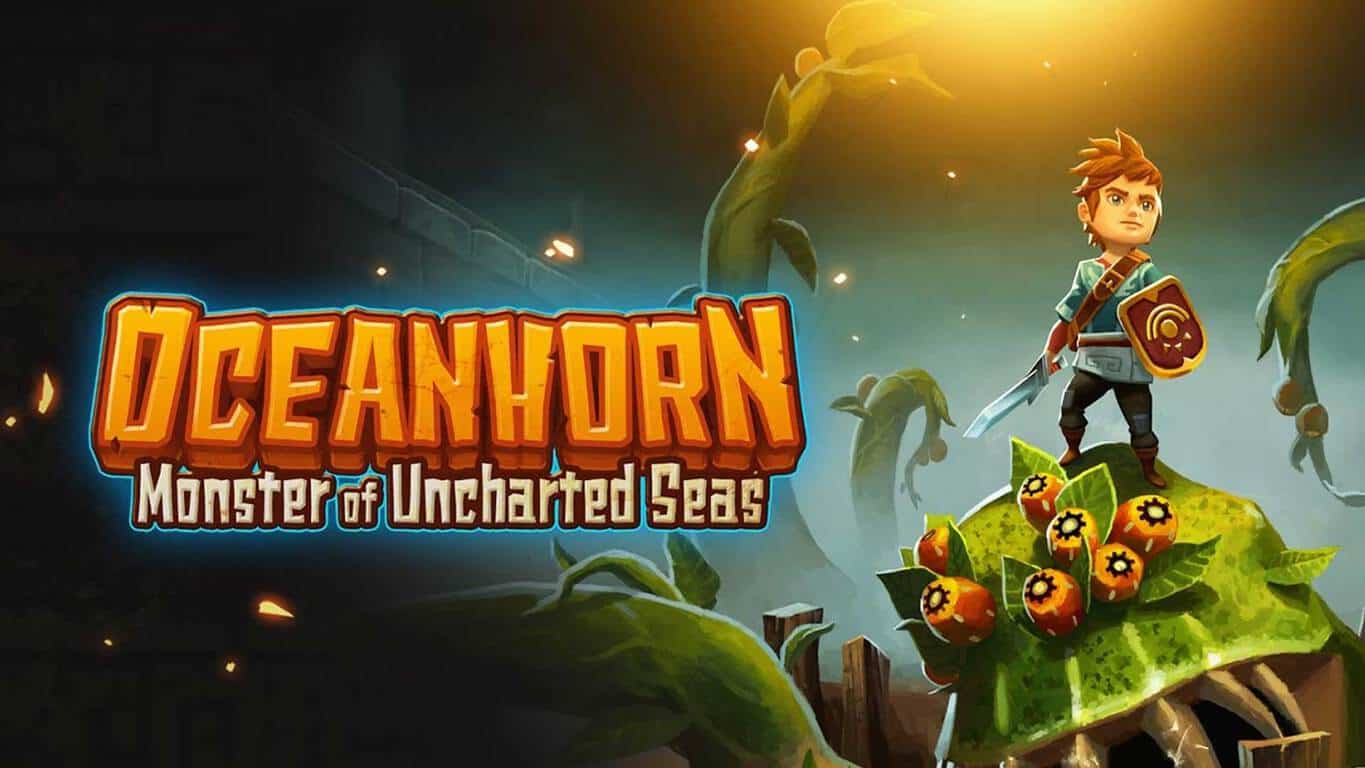
Oceanhorn: Monster Of Uncharted Seas is now available to pre-order on the Xbox One ahead of its September 7th release date. The game is a 3D puzzle adventure title that should appeal to fans of Nintendo’s Legend of Zelda franchise.

Here’s the official game description: SET SAIL AND EMBARK ON AN EPIC JOURNEY Grow from a boy to a legend.  You wake up and find a letter from your father. He is gone… The only lead is his old notebook and a mysterious necklace. What happened?  Explore the islands of Uncharted Seas, a world filled with many dangers, puzzles and secrets. Fight monsters, learn to use magic and discover ancient treasures which will help you on your quest. Use all your wits and skill to unravel the mysteries of ancient kingdom Arcadia and sea monster Oceanhorn.  Oceanhorn combines captivating storytelling, breathtaking 3D visuals and exciting gameplay into one massive action adventure experience you will never forget.   Enjoy an incredible soundtrack from the best video game composers in the world: Nobuo Uematsu (Final Fantasy) and Kenji Ito (Seiken Densetsu)

Pre-order Oceanhorn: Monster Of Uncharted Seas on Xbox One

Have you pre-ordered any Xbox One games recently? Let us know which ones in the comments below.

Fix: Can’t install Pokémon Go updates on Windows 10 Mobile

Pokémon Go for Windows 10 Mobile recently received a new Pokedex, as well as many other features. Unfortunately, some users haven’t been able to install the PoGO version 1.0.29 on their devices due to various errors.

If you’re still struggling to install the PoGo update on your phone, we have a very quick solution for you.

Well what his saying is that we need an appx file cause the .appxbundle is not working in many phones i have the same problem i hope you could help us.

Fix: Can’t install the latest PoGo UWP app update

The problem seems to lie in the file extensions the update comes with. In order to fix this issue, simply change the extension from “appxbundle” to “appx” and you’ll be able to install the update.

I had this problem on L930 and I fixed just changing the extension of .appxbundle to .appx […].

https://pogo-windows.com/#Releases
choose my device (ARM).
It get something like PokemonGo-UWP_VERSION_arm.appxbundle
After downloaded, I rename the file (on my computer, just rename) the extension to .appx
Send to my phone, with developer mode on, and open the file with file explorer
wait for a seconds and done!

Many PoGo players confirmed this workaround really works, allowing them to install the awaited update on their Windows 10 phones.

PoGo version 1.0.29 takes the game to the next level, bringing important fixes and improvements:

  • “Renaming feature is getting added with added fixes to its sorting option in the Pokemon page
  • Various technical stuff getting fixed & improved at the moment.
  • Various scaling fixes
  • Preparation for the Appraise feature has been added
  • Follow Button resetting map zoom and direction fixed.”

You can download the latest PoGo update from PoGo-Windows.

RELATED STORIES YOU NEED TO CHECK OUT:

Inking updates and Visio’s expansion highlight August 2016 updates to Office 365

Office 365 has been undergoing a ton of improvements and changes recently, not the least of which is the introduction of the Office Insider program that went live last November. A bunch of new features are coming to supplement it now, with a refreshed focus on inking, a smarter way to keep track of people, a better way to maintain the security of sensitive files, and a brand new Insider program. You can check all of these out in detail with the Office blog post, but here’s the gist.

The changes to inking are fairly novel and extremely interesting, and many people should get use out of them. The change is, without a doubt, the introduction of equations. All you need to do is write down an equation, circle it with the lasso tool, and indicate to Office that you want to have that equation solved. The process is quick, easy, and its use of the ink tool over just your keyboard makes it a lot closer to the classic note-taking experience that many people are now so used to.

mathoffice

Also new to inking is the introduction of rewind, which lets you record and replay notes in the order that they were taken. This should be an especially strong tool for professors who want to show off certain processes to their students, and opens up a few new avenues of teaching things like math via Office.

The addition of WIP (Windows Information Protection) to Office Mobile for Windows 10 is going to be an invaluable asset for companies trying to make sure their information stays secure. Described as an “enterprise-ready solution,” WIP is a fairly simple solution to a series of big security problems. The feature lets you change files to be either “personal” or “work” so that your IT department can handle them accordingly.

wipoffice
Office WIP.

The new “people experience” is something that many professionals are going to enjoy, as it makes it much easier to keep track of other people in your company. The feature lets you click on a person and find out what your mutual emails are, what files you both have access to, what meetings you’re both going to, and more. It seems like it’s going to be an excellent tool for people who are trying to reach out in their company a bit more.

Visio is also receiving some additions, with two new apps coming out. They’re described in the blog post:

  • The new Visio Online Preview lets you view and share Visio diagrams with just a browser. Drill deeper into sub-processes or link out to web pages. Zoom into detailed views in high fidelity. Open a diagram in Visio Pro for Office 365 to edit.
  • With the new Visio for iPad, access your Visio diagrams from virtually anywhere using your iPad. Search for content, filter different visualizations of the same diagrams, and use the intuitive pan and zoom window to easily navigate or view your diagram in full fidelity. Send feedback and vote on your favorite features on UserVoice.

For those who run into any issues in Office, in-app assistance has been included into Office 365 apps, letting users open up a chat with an IT professional at Microsoft without having to open up a browser. This change makes it so a whole lot more people are going to be able to get help with whatever problems they’re facing in Office, as a pretty big portion of people probably didn’t know they could do anything like that beforehand.

helpoffice
Office in-app assistance.

If you’re familiar with the Office extension that launched on chrome not long ago, you’ll be happy to know that an extension is coming to Edge as well. Now directly from Microsoft Edge, you can open up documents in OneDrive, create new Word files, and more. The extension has been extremely successful on Chrome with over 3 million downloads, so putting the extension on Edge is a solid move on Microsoft’s part.

Finally, some news that regular Windows Insiders are going to be happy about. The Office Insider program is getting a brand new ring to enter: The Fast Level. For those who aren’t familiar, the Fast Level is something that lets Insiders get the very latest builds – the ones being used internally at Microsoft – at the risk of sacrificing the support and stability that most mobile phone users are used to. If you’re feeling adventurous, this is definitely for you.

That’s about it for August’s big updates. Office has gotten a serious new suite of features this month, with a little something thrown in there to make everybody happy. With the addition of the Fast Level, Office insiders are surely going to be introduced to a whole new set of interesting features in the very near future. We’ll have to wait and see what else Microsoft has up its sleeve for us.

All About: Microsoft Software Repair Tool for Windows 10

The Software Repair Tool is an application for Windows 10 which runs when contacting the Microsoft Support. The tool runs a few checks and fixes on a machine with Windows 10 installed and provides important diagnostic information.

How To Use Microsoft Software Repair Tool for Windows 10

After you accept the license agreement, you will be able to click on the “Proceed to scan and fix” button. This will start the repair process automatically without giving you the option to stop it using the interface.

The tool will then do the followings:

Unfortunately, the tool lacks details or options that would allow you to run only some of the repair options instead not all of them. Here are the operations performed by Microsoft’s Software Repair Tool without your knowledge:

  • Reset Winsock, proxy settings and firewall settings
  • Reinstall all built-in app packages using PowerShell
  • Reset WSUS cookie/authorization
  • Reset Windows Store using wsreset.exe
  • Runs Windows Update / Automatic App Update scheduled task
  • Register several dll files
  • Component cleanup using DISM
  • Repairs Windows image using PowerShell/DISM
  • Restores default power scheme

In other words, this tool is actually restoring/resetting your system and running some individual repair operations. This means that depending on the issue that you experience, there is a high chance this tool will do much more in order to fix a simple issue.

This is why we suggest you run a full system backup before using the the Microsoft Software Repair Tool. This way, in case the tool messes up your system, you will be able to restore it using the backup file that you previously created.

RELATED STORIES TO CHECK OUT:

Halo App available for Windows 10 on September 8

Microsoft announced that the Halo 5: Forge app would be coming to PCs that run Windows 10. The app will let you create your own maps and more for Windows 10 PCs and Xbox One. Besides this, Microsoft will launch an official Halo app targeting PCs running Windows 10.

The future release will represent help for gamers who need to find quick and easy content to download and to launch all the Halo games released for Windows PC. Moreover, you will get the latest news, tutorials, videos, updates and content from the Halo world.

The app will be released with Halo 5: Forge within a couple of weeks. At that moment, the Halo 5: Forge game page is the portal that gets you into the game. From here, you can immediately start playing and jump in. Microsoft will also include some new tutorials for Forge targeting both veteran and new players in order to help them play and fully enjoy the many new experiences the game offers.

News on the future releases of Halo Wars 2 and Halo Wars: Definitive Edition will also be delivered through the app. Moreover, gamers will get the chance to  see news and reports about what’s going on in the game’s world: Esports, collectibles, new stories, articles and videos about the game, experiences of other users and so on. Also, if you need some tips and tricks on the game, it will be the place to consult in order to connect to the bigger Halo community. Moreover, you can make new friends from this universe.

On September 8, the Halo app and the Halo 5: Forge will be made available on the Windows Store.

RELATED STORIES TO CHECK OUT:

Pokémon Go for Windows 10 Mobile receives new Pokedex

Pokémon Go is one of the most played mobile games in the world, becoming extremely popular in just a few days after its launch on July 6. Unfortunately, Pokémon Go is available only for Android and iOS devices, making Windows Phone users jealous. However, if you have a phone that runs Microsoft’s OS, there’s a similar Pokémon Go game that you can install and play without any problems.

The name of the game is PoGo and it just received a new update that introduces some new features. If you are playing Pokémon Go, you will most likely be interested in the new features added to PoGo.

PoGo received an item inventory along with Pokedex. In addition, this update comes with a new feature that will notify you when you level up or when an egg hatches. Below you can see a full list of the features that have been added or fixed on the latest PoGo version:

  •  Item inventory has been added
  • Pokedex has been added
  • Battery saver mode has been added
  • Level up notification has been added
  • Hatching notification has been added
  • New translations have been added
  • The update system has been improved and it can now remotely disable the application if some gamebreaking change occurs
  • Improvements have been made regarding the network handling
  • The UI has been improved
  • The app messages have been improved to make them more useful
  • Some catching bugs have been fixed
  • Resume to map page after suspension has been fixed
  • Other minor issues have been fixed.

PoGO version 1.0.29 can now be downloaded and installed on your Windows 10 Mobile.

Have you tested the latest PoGo version on your mobile device yet? Tell us your thoughts about it!

RELATED STORIES TO CHECK OUT:

Blu pulled Windows Phone from its website. Why?

The strategy Microsoft used for Windows 10 Mobile was to let third-parties take responsibility for the hardware system instead of Nokia or Microsoft Mobile. However, recent data received from AdDuplex shows this was a faulty strategy that leads to unfavorable outcomes. Most recently, one example of this Blu removing any information regarding Windows Phone from its newly redesigned home page.

Previously, Blu released several white box Windows Reference Design devices which were rebranded. In doing so, Blu seems to have done more than other OEMs to support and promote these devices, such as making the Windows 10 Mobile upgrade available to these handsets.

However, the company’s interest in Windows Phone seems to have diminished, and many people think that the release of a third generation of handsets for Microsoft is less and less likely.

Microsoft‘s retirement from the Windows Phone network was a step that left behind a gap which is not easily filled. Though OEMs tried to solve this problem, it seems that Android devices have been better at taking advantage of the situation. Android‘s market share simply soared in the last years.

This happened because the combined brand between Nokia and Microsoft was the element that convinced people to buy the devices. Since Nokia left the deal and Microsoft doesn’t trust Windows phones, potential buyers aren’t interested in buying Windows Phones from different brands.

The future doesn’t look very different either. Satya Nadella declared last year that third party OEMs should step their game up a notch if they want people to pay attention to them again. It’s clear that if Microsoft still wants to have a mobile division, they should get the factories back to serious work as well.

RELATED STORIES TO CHECK OUT:

Forza Horizon and Castle of Illusion are the latest Xbox One Backward Compatible titles

Two more Xbox 360 games have joined the roster on the Xbox One Backward Compatibility feature. In addition to working on the older consoles and new, the games are now updated in the Xbox Store for purchase through your Xbox One. Saves, achievements, and other progress can be transferred over via the cloud with relative ease so you can pick up and play where you left off.

Forza fans are excited to be racing off with the game once more. The racing game Forza Horizon was originally released on Xbox 360 in February 2013.

Forza Horizon’s description reads:

Where cars belong! Celebrate speed, music, and style at the Horizon Festival. From the makers of the highest-rated racing franchise of this generation, Forza Horizon combines legendary Forza authenticity with the freedom of the open road.

Disney’s Castle of Illusion starring Mickey Mouse is also now Backward Compatible. It was originally released as a Sega Genesis game in 1990 and then re-mastered for the Xbox 360 in 2013.

The title’s description reads:

With all-new HD graphics and gameplay, Castle of Illusion brings Mickey and his world to life in this magical Disney adventure! When the evil witch Mizrabel kidnaps Minnie, it’s up to Mickey to brave the dangers of the Castle of Illusion to rescue Minnie. Gather your courage and traverse enchanted forests, take on hordes of rebellious toys and navigate mazes of living books. Play as Mickey and save Minnie from Mizrabel’s evil clutches!

As of late, fans of Disney have been clamouring to buy the Castle of Illusion from a variety of sources. The game was confirmed to Game Informer by Sega to be officially delisting as of September 2, 2016. Buyers of the original Xbox 360 fans might find themselves nostalgic for the game and thankful for the addition to the Backward Compatibility list.

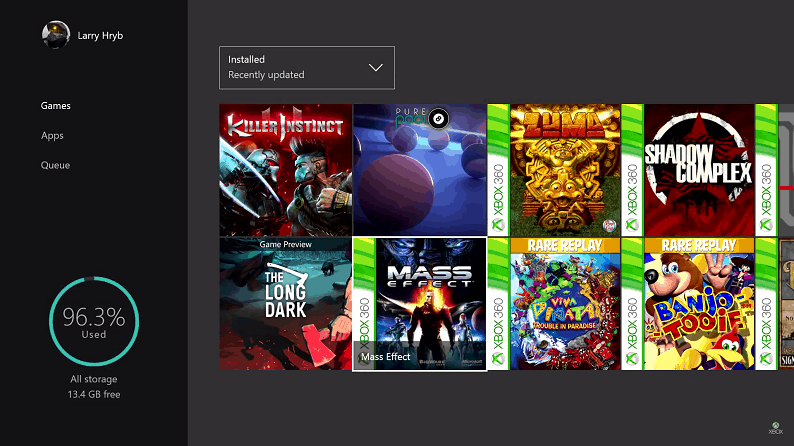
As he always does, Larry Hryb from the Xbox Team has updated the Backward Compatible list on his site to reflect the new additions. Check out the rest of the Xbox 360 games that you can play on your Xbox One by visiting his Xbox One Backwards Compatibility List.

Microsoft Garage cranking out 5 new projects with help from summer interns

Earlier today, Microsoft published a lengthy blog post to reveal how several developer interns managed to turn their software projects into real products thanks to Microsoft’s Garage Internship Program in Cambridge. Five of these projects are now available to try on the Microsoft Garage website and some of them may well help you change your computing habits and increase your productivity. However, be aware that these latest projects are not currently available on all platforms: one of them is a Windows app, two other projects are iPhone apps and two other ones are browser add-ins. More details below.

Project Santorini (Windows app)

Project Santorini a Windows app that provides a fresh take on revisiting your old photos using metadata. The app allows you to browse your photos store on OneDrive by either using location or time, and here is the official description:

Santorini guides you through a fun and serendipitous photo exploration journey by using your hidden photo metadata. Enter the experience by choosing a starting photo from your OneDrive collection. Our novel dual-axis interface then allows you to fluidly navigate between photos taken in the same place and other locations. Enjoy your journey as memories flood back from your sister’s wedding, your son’s first day of school, or your unforgettable vacation. To re-enter from another starting point, simply return to the collage view and choose another photo. Have photos without an associated time or location? Santorini also makes it fun and easy to add that information as well.

Project Santorini
The Project Santorini app.

Write Ideas (iPhone app)

Write ideas eases students through their writing assignments using structured prompts and questions. Using Write ideas, students are able to express their creativity in a variety of ways such as voice, doodles and text. Students can then export their work to email or OneNote and use it as a foundation for their writing assignments.

The Write Ideas iOS app.

Hearing AI (iPhone app)

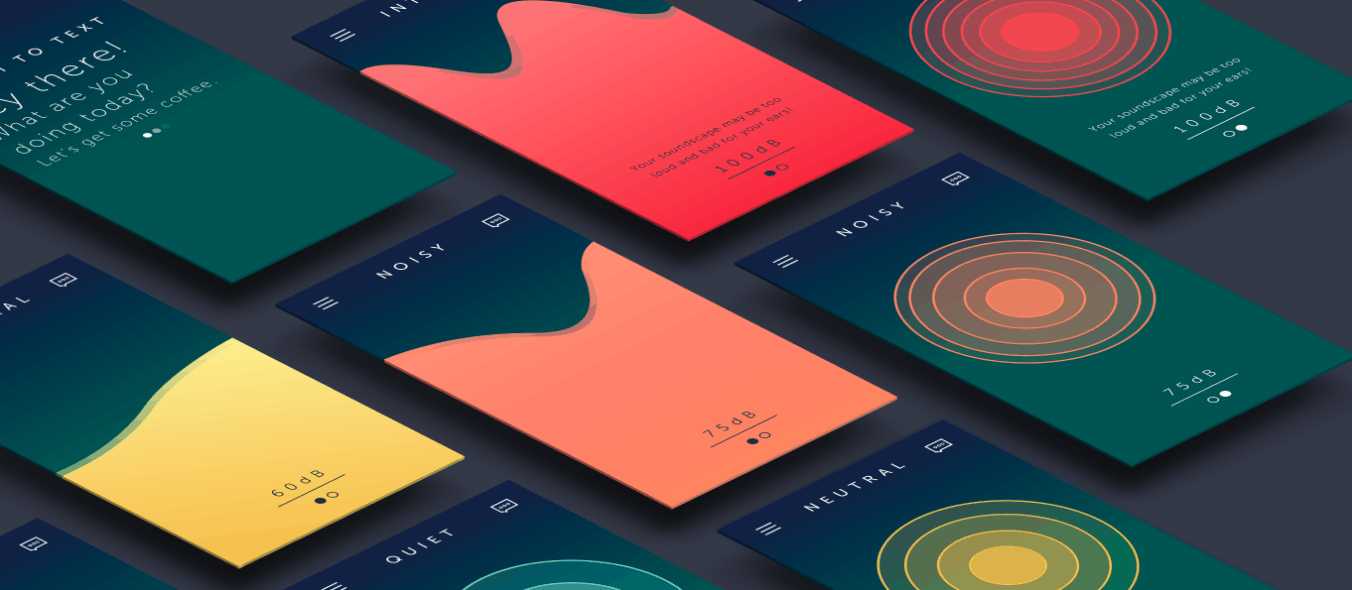
Hearing AI aims to connect people to the world of sound. The interface allows people to visualize the intensity of environmental sounds in order to gauge the ambience of a physical space. Hearing AI distinguishes between four different types of sound environments and notifies people if there are sudden changes or if sounds are damaging to their ears.

The Hearing AI iPhone app.

Project Copenhagen (browser add-in)

Project Copenhagen is the simplest way to view, attach, and share your OneDrive files to anyone with Gmail.

Simplify your sharing – Attach multiple files to your emails with a few clicks of a button all within Gmail.

Store files with ease – Download attachments directly to your OneDrive, right in your inbox.

The Project Copenhagen browser add-in.

Project Oceana (browser add-in)

Project Oceana is the quickest way to access, and keep tabs on, your Outlook inbox right from within your Chrome browser.

Stay in touch – Quick glance into your Outlook inbox and preview messages with a single click of a button.

Stay informed – View unread mail and receive optional push notifications whenever you receive a new e-mail.

Organize effectively – Delete and flag e-mails directly from the extension.

The Project Oceana browser add-in.

All these new Microsoft Garage projects are currently in private beta in the US (and Canada for some of them) but you can sign up today to receive an invitation to try them by using the above links. Let us know what you think of these latest Microsoft Garage apps and services by dropping us a comment below.

Forza Horizon 3 goes gold, adds a Warthog and lots of Xbox achievements

The highly anticipated off road racing game Forza Horizon 3 is making its final preparations to speed onto your television. With the release only a month away, the game has finally ‘gone gold’ meaning that it is completely finished with the coding and ready to play.

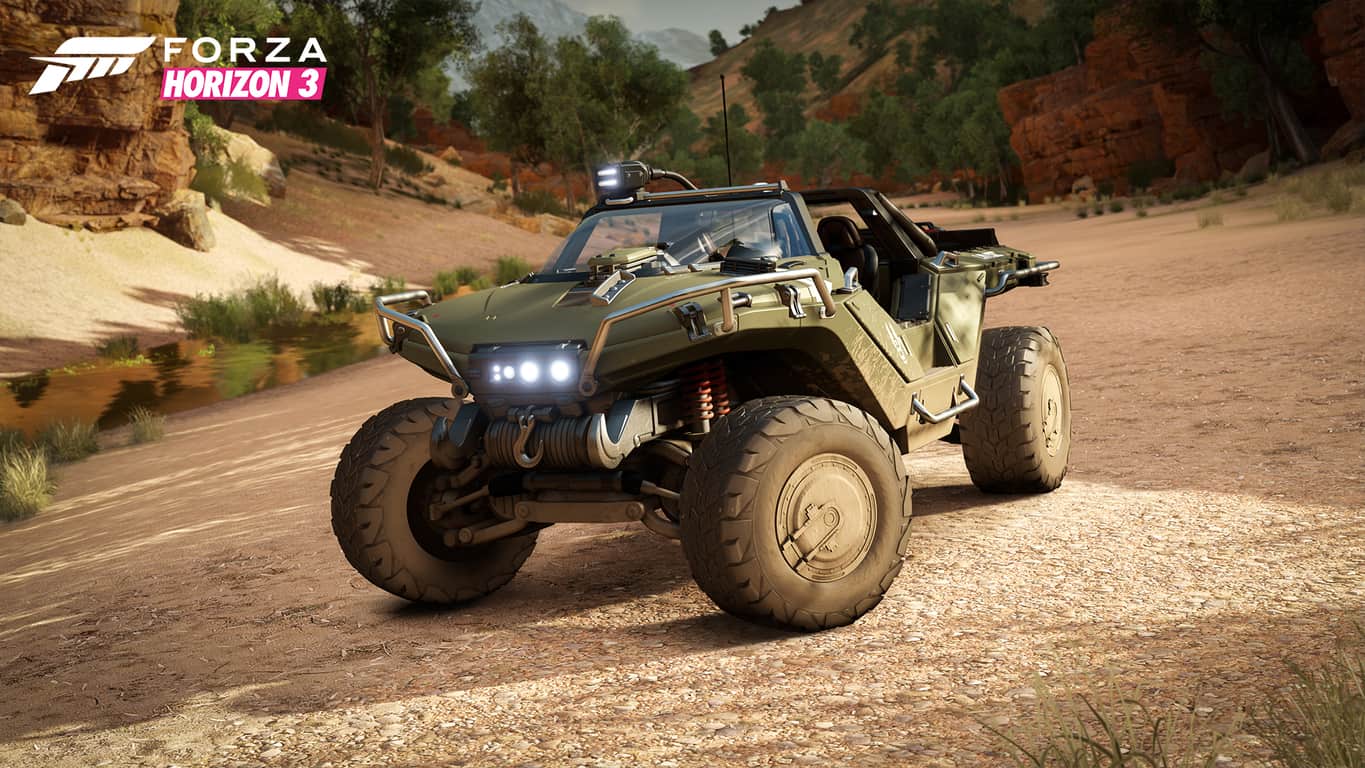
Halo fans and Forza racers alike have been requesting the popular transport vehicle from the Halo franchise and now’s their chance to get behind the wheel in a completely new game. The Warthog will be available for individuals that have played either Halo 5: Guardians or Halo: The Master Chief Collection on Xbox One. Codes will be available as early as September 5th.

The official description reads:

The 2554 AMG Transport Dynamics M12S Warthog CST is a civilian transport alternative to its militaristic cousin, the M12 Force Application Vehicle. What it may lack in brute force – you won’t find a turret on this version – it more than makes up for with its 720 bhp twin turbo V8, making it significantly faster than its FAV counterpart. The Warthog CST in Forza Horizon 3 is also ideally suited for the rough and tumble landscape of Australia. With the most advanced suspension in Forza Horizon 3 (with more than 70 cm of suspension travel), plus advanced dampening, you won’t find the combination of power and stability like this anywhere else in the Horizon Festival.

Another addition that was finalized in the latter days of development was the Xbox Live Achievements list. For a full list of over 60 achievements, be sure to check out the latest blog post on Forza Motorsport.

True to the Xbox Play Anywhere edict, Forza Horizon 3 will have compatibility with the same achievements, saves, and friends between Xbox One and Windows 10. Along with Direct X 12, Windows recommended PC specs are as follows:

CPU i7 3820 @ 3.6GHz
GPU NVIDIA GTX 970 or NVIDIA GTX 1060
AMD R9 290X or AMD RX 480
VRAM 4GB
RAM 12GB
Hard Drive Type HDD
Available Space 55 GB
Resolution 1920 x 1080
Windows Version Windows Anniversary Edition 64-bit 14393.101

Race through the Australian outback on September 27. Or if you’d like to cross the line early, you can pre-order the Forza Horizon 3 Ultimate Edition for early access on September 23.

Microsoft interns spend a summer as “doers, not talkers”

If you ever wondered what it was like interning for Microsoft, then you should look no further. The Redmond giant has just posted a story to the Firehose blog which describes how Microsoft Garage interns spend their summer as “doers, not talkers,” and how they make an impact through their projects.

Overall, the Microsoft post highlights the story of Maddy Leger, who completed a 12-week winter internship at Microsoft as a software developer. After initial success, the Northeastern University junior was invited to stay longer and take on a program manager role. She learned about the importance of beta programs, time management and much more. While at the Microsoft internship, Leger also learned about the legal, privacy, security, accessibility review processes, and will even have the chance to watch the products she helped create ship at the end of her internship. She says,

Coming out of this internship, I have a really solid understanding of the entire product lifecycle, from the perspective of all three roles…  In 16 weeks. Beyond the software skills, I learned a lot about how to pitch/demo a product, how to use customer research to make informed decisions about features and a whole lot of other soft skills.”

Microsoft highlights that at end of their internships, most interns will see the projects they’ve worked on get released to the public through the Microsoft Garage.  Close relationships between the students and their mentors, teamwork, and a close relationship between the students and sponsoring business groups also highlight the internship at Microsoft Garage.

Maddy Leger and her internship team (Photo from Microsoft)

Microsoft Garage internships are also heavily involved, for example, software engineers are involved in the design decisions, user research and sprint planning. Designers even lead a lot of the user research and work on multiple projects, and some of them write code for the projects. Ben Fersenheim, who runs The Garage Internship Program in Cambridge, put the Microsoft internship program best, and said,

For students, I think the program demonstrates in a very tangible way that Microsoft is a place where they can have true impact on people’s lives. We have a motto in the Garage: ‘Doers, not talkers,’ and I think we live that motto – students get a chance to deliver working code to real people.

The Microsoft Garage internship program pulls undergraduate and graduate students from 20 different universities in the US and Canada. Candidates come from various majors, including computer science, engineering, design, and even fine arts.  In Canada, 50 interns a year are hired from universities and help source out projects from Microsoft’s internal business groups.

Microsoft now calls Outlook.com rollout date of Spring 2017 “incorrect”

Users of Outlook.com might have been a bit confused lately about the recent updates concerning the migration towards the new experience. Microsoft had been teasing its users for a while now about migrating the old Outlook.com infrastructure to a newer one. Originally announced in spring of last year, the ‘new Outlook.com experience’ will be on par with the features and accessibility that Office 365 offers.

We know that accounts have been upgraded since February this year with rollouts occurring each week. A Twitter statement even confirmed that users could be looking out for the upgrade towards the end of the summer this year.

But a Microsoft message popped up a few days ago gave some startling news. “We expect the upgrade to be finished in the first half of 2017,” it read in the statement adding that shared calendars were having difficulty during the transition. Nearly half a year was a big difference, so ZDNet reached out to the company for an official statement. What they got was a complete debunk of that earlier message.

Here’s the official statement, from that spokesperson:

“The error message incorrectly stated the date as the first half of 2017; we’re updating this message to reflect the latest migration schedule. We are in the final stages of the Outlook.com migration, with nearly 90% of our active users already migrated. A small percentage of our active users will take additional time to migrate based on certain features they are using like shared calendars.”

It seems the Outlook.com migration will in fact be rolling out in the year, but what is more interesting is that the reply didn’t give any clearer explanation on when it can be expected.


How to sign into Windows 10 Mail with a Yahoo account

Microsoft’s in-house Mail app for Windows 10 is one of the best email clients for the system, supporting all the big email services including Outlook, Gmail, and Yahoo.

Syncing an email account with Windows 10 Mail is a piece of cake for the majority of users, but can be tougher for others. For example, most Gmail and Outlook users have no problems connecting their accounts with the Mail app, but Yahoo users often have trouble signing in.

While it may seem like an error, in actuality users logging in with Yahoo are required to enable a certain setting in Windows 10’s Mail app first.

If you’re using Yahoo mail and have problems syncing it with the Windows 10 Mail app, here’s what you need to do:

  1. Log in to your Yahoo account in a browser (www.mail.yahoo.com)
  2. Click on your name in the upper-right corner of the screen, and choose Account Info
  3. Now go to Account security, and turn on Allow apps that use less secure sign inyahoo mail app sign in
  4. Save the changes.

After doing this, try logging in with your Yahoo mail account to Windows 10’s Mail app and you should have no problems.

For some reason Yahoo recognizes Windows 10’s Mail app as an app that is less secure than other email clients. So, turning this option off is required to be able to normally sync the two services. A lot of people didn’t know about this which is why they reported it as a problem.

If you experience other problems with Windows 10’s Mail app, check this article out for potential solutions.

In case you have any comments or questions, let us know in the comments below!

RELATED STORIES YOU NEED TO CHECK OUT:

HP Elite X3: Here’s what you need to know

The HP Elite X3 is one of this year’s stars, with the potential of millions of buyers considering buying this smartphone. We know what the specs for this phone are and we also know how much it costs, but very few people have had the opportunity to get their hands on this terminal.

We’ve gathered all the information we could find about the experiences of the lucky few who’ve tested the HP Elite X3 first hand, and we’ll sum it up for you in this article.

HP Elite X3: Everything you need to know

  • The bottom speaker is not as loud as the top speaker, and there is no equalizer to correct that. The overall sound quality is rather poor. Compared to the Lumia 950 XL model, HP still has work to do, but the company will possibly fix this bug with a future update.
  • HP Elite X3’s camera doesn’t render details as well as Lumia 950 XL’s camera. Overall, the photos taken with the Lumia 950 XL model are clearer, purer and have less-noise than the pictures taken with the Elite X3. Also, it seems it exaggerates levels of color saturation. The X3’s flash leaves much to be desired, and pictures taken in dark environments are just that — dark.
  • The body quality feels goods, but there is still space for improvement.
  • Its battery life is pretty good. Under normal circumstances, this phone can power you through the day without any problem.
  • Its touchscreen responsiveness is similar to the Lumia 950XL.
  • The Elite X3 is powered by a Snapdragon 820 processor while the Lumia 950XL is equipped with a Snapdragon 810 processor. The Elite X3 is indeed faster than the Lumia 950 XL, but the difference is not really that huge. If you don’t need the power of HP’s top notch phone, you should stick to Microsoft’s good old Lumia 950XL.
  • Other issues include: sharing to WhatsApp crashes, a sluggish keyboard, opening the camera app reboots the phone, and sometimes the SD card is not recognized.
  • No overheating problems have been detected on the X3. Unfortunately, the Lumia 950 XL has been plagued by overheating issues since the day it was released.
  • The Elite X3 is waterproof, which should protect it in case you are caught in the rain.

Of course, more information should be available as soon as the Elite X3 officially hits the store. Stay tuned.

RELATED STORIES YOU NEED TO CHECK OUT:

Microsoft: Xbox One S will not support 4K pass-through, will look into it for the future

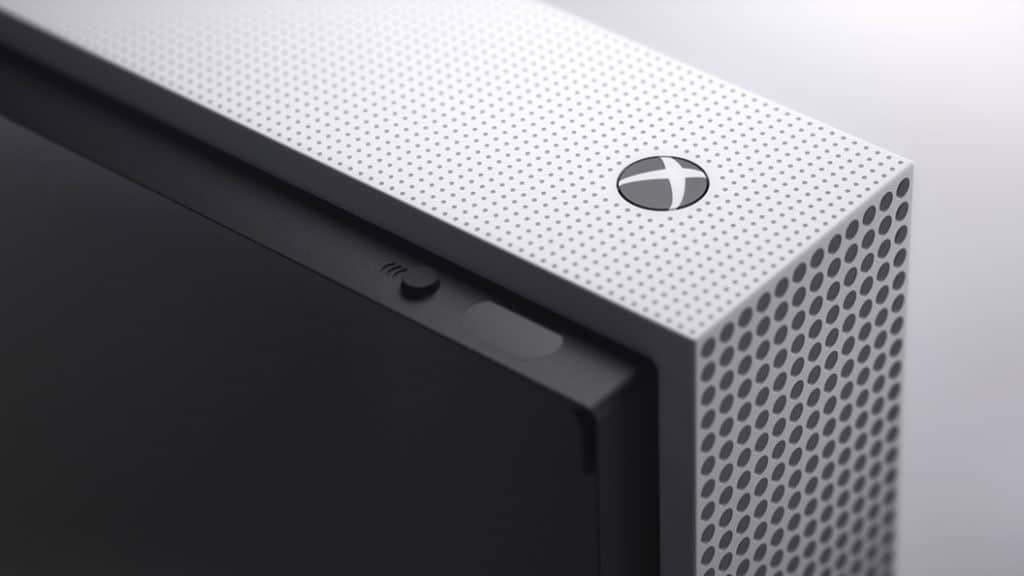
At E3 2016 this year, Microsoft confirmed 2 new successors to the original Xbox One, namely Project Scorpio and Xbox One S. The Xbox One S will be the immediate successor, plugging the gap whilst the company works on its next-generation of console, known only as Project Scorpio. The improved Xbox One brings a smaller overall body, an internal power supply, IR blaster and 4K video output.

On top of all these improvements, we also reported that the Xbox One S will upscale games to 4K, however, it won’t support native 4K gaming. That role is left to Project Scorpio, arriving in 2017.

Last week, reports began to surface from several different media outlets that claimed the Xbox One S would not support 4K pass-through. 4K pass-through allows a connected device, such as Amazon Fire TV stick, to push 4K content through the console and display it in native 4K on the display. These reports were unconfirmed and unverified, until now.

Today, Microsoft reached out to us with a statement that confirms the Xbox One S does not support 4K pass-through for the time being, however, they aren’t ruling out adding support for it in the future:

Xbox One S does not currently support 4K pass-through via HDMI-in. We will continue to explore making the changes needed for the hardware to support pass-through as 4K broadcasts become more widespread.

Through the statement given by the spokeswoman, we can see that Microsoft is not completely ruling out adding 4K pass-through to the Xbox One S, however, it believes that the content available for the technology is not widespread enough to warrant implementing it just yet, although, they do state that they’re exploring options for the future, for if or when the technology is more widespread.

What do you think of the lack of 4K pass-through support? Let us know in the comments!

Users complain recalling Outlook emails almost never works

Microsoft Outlook is one of the most popular email services in the world, with millions of users relying on this platform to deliver their messages every day. And as with all email, when you are in a hurry and you’ve got little time to reply to an important email, you can sometimes address it to the wrong recipient. The question is: can you recall it?

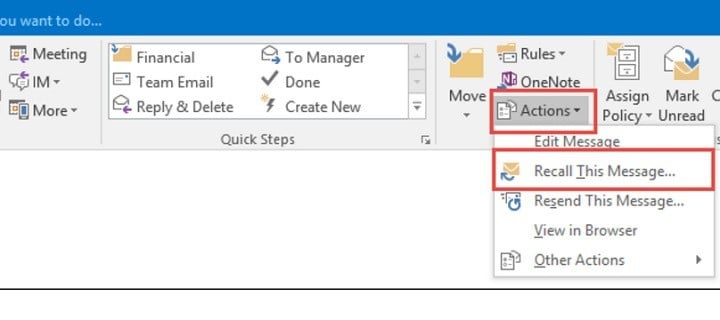
In theory, the latest versions of Microsoft Outlook allows users to recall their emails. In practice, this almost never works because there are a series of requirements that must be met. Long story short, users can recall their emails as long as:

  1. the recipient is on the same Exchange Server environment
  2. the message is still in the inbox and not moved by an inbox rule
  3. the message hasn’t been read

If these criteria are not met, the recipient receives a message informing him/her that you want to recall the email. If you’re lucky, they will delete it but unfortunately, recall messages only spark the recipient’s curiosity. In most cases, they will open the email because it’s very hard resisting the temptation.

It only works if the recipient double clicks the recall notification and they haven’t already read the message you want to recall. Pretty useless.

Secondly, most Outlook users are connected to their inbox around the clock and it’s very unlikely that any of your emails remain unread.

Another possibility is to set timer to send your email one to five minutes after you hit the Send button, but doing this could cause various bugs.

Many Outlook users wish Microsoft would really bring back the recall feature. On previous Outlook versions such as Outlook 97, this feature worked very well and helped users avoid embarrassing situations at work.

What’s your take on this situation? Have you ever had an issue with the recall feature?

RELATED STORIES YOU NEED TO CHECK OUT:

MyTube Windows 10 app now allows you continue watching on other devices

A Reddit user by the username fmarx1 spotted a new feature in the non-beta MyTube Universal Windows App allowing you to continue watching your current video on other Windows 10 devices with the app installed. The feature is using the new “continue app experiences” API that allows developers of apps like Readit to let you continue doing whatever you were doing on one device and transfer it to other devices by simply pressing a button.

A screenshot of the feature, provided by the abovementioned user, can be seen below:
All you have to do to get the feature up and running is to download MyTube on both (or more) devices you are planning to use it on, press share, then select devices, and you’re almost done. Now select the device you want to watch the video on and viola.

You can go ahead and download the YouTube client below. Let us know in the comments what you think about this new functionality.

myTube!
myTube!
Developer:
Ryken Studio
Price:
Free

Microsoft Rewards begins changeover from Bing with new Windows 10 notifications

Back on August 17th, Microsoft announced that it would be changing Bing Rewards to Microsoft Rewards. At the time the Redmond giant was relatively vague as to when the switch over to the new rewards program would begin happening, but it appears now that steps are in place and the changeover has begun (via WinSuperSite):

msnotifications
Microsoft Rewards notification (Image from WinSuperSite)

WinSuperSite, running a Windows 10 machine with Build 14393.82, received Microsoft Rewards notifications in the Action Center under the title “From Microsoft.” While “notifications From Microsoft” is not necessarily new, the Rewards notifications are new. They also apparently showed up after a Windows Store purchase, and when clicked, linked to the Microsoft Account homepage and a new tab called Rewards.

So, have you noticed any notifications from Microsoft Rewards in your system’s Action Center? As always, please let us know what you think by dropping us a comment below.

Sleep Number Bed app adds integration with Microsoft Health, more

Sleep Number, the manufacturer of smart and adjustable beds, has released a new update to its SleepIQ app for iOS and Android devices, according to WinSuperSite. If you’re not familiar with it, the company’s SleepIQ technology tracks your sleep patterns to “empower you to make changes for your best possible sleep.” With this new update, the app now integrates with several health and wellness apps such as Microsoft Health, Fitbit, Withings and more. Here is the full changelog:

– Connect SleepIQ® to the following health & wellness apps: Fitbit, MapMyRun, Withings, Microsoft Health, Nest
– Track your Sleep Number® bed order delivery (for new accounts)
– WiFi control available for Sleep Number setting
– General bug fixes

According to the new app description, the app is now able to “learn how life affects your sleep, and sleep affects your life.”

What should you change to sleep better? Over time, SleepIQ® will help you know. Whether you’re tracking steps, indoor temperature, hours of activity or more, SleepIQ will pair the data from these apps to your personalized sleep data and help you understand how what you do during the day affects how you sleep at night. By simply doing what you already do – and sleeping on your SLEEP NUMBER® bed with SleepIQ® technology – you’ll be on your way to optimizing your sleep for the best days possible.

If you own a Sleep Number bed, you can download the SleepIQ app from the download links below. Let us know in the comments if you will use these new integrations with popular quantified health apps to learn more about what’s impacting your sleep.

‎Sleep Number
‎Sleep Number


Sleep Number
Sleep Number
Price:
Free