7 Best HTML5 Editors to Use in 2026

HTML5 stands out as one of the most popular languages for web developers. You need knowledge of this language to create websites, and other web presentations.

And as Windows 10 is a great platform for any kind of development, HTML5 developers are welcomed, as well.

In that manner, we’ve prepared a list of the best HTML5 editing software you can currently find on the market, to help you decide which one’s the best option for your work.

So, without any further ado, check out our list of the best HTML5 editors for Windows 10 (and other versions of Windows).

Which are the best HTML5 editors for Windows 10?

Adobe Dreamweaver

Adobe Dreamweaver C6 is probably the most famous HTML5 editor on this list, mainly because it is developed by one of the most famous software companies, Adobe.

But Adobe Dreamweaver is not on this list just because it came from Adobe, but because it indeed is a powerful tool for developing in HTML5.

Our small review is not enough to tell you about everything this program has to offer.

Dreamweaver is a professional editor that features a multi-screen preview panel, WYSIWYG functions, incorporation with Adobe BrowserLab and jQuery Mobile, and supports CSS3, HTML5, iOS, and Android apps.

With Adobe Dreamweaver C6 you can design and build a full website from scratch because it offers all the required tools for doing that.

Because of its professional design and feature richness, Dreamweaver costs a lot for regular users and is mainly aimed to pros.

So, if you’re just looking for a simple program to start learning to code with, you should look for some of the options listed below.

For more info about buying Adobe Dreamweaver, visit Adobe’s official website below.

Adobe Dreamweaver

Create webpages just the way you want them to be with the help of this amazing design tool from Adobe!
Free trial Visit website

Aloha Editor

aloha editor windows 10

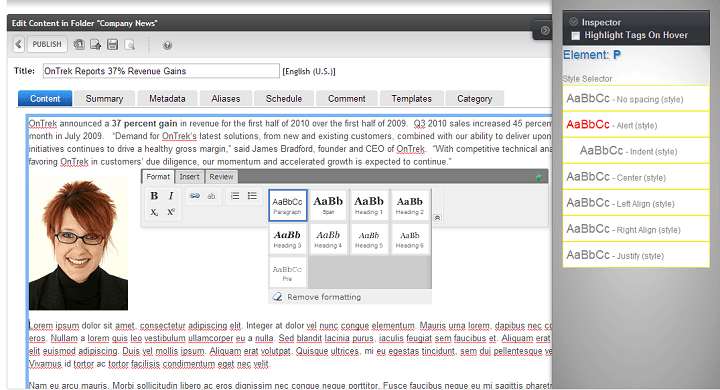
Aloha Editor is one of the most powerful web-based HTML5 editors you can find. It is also very small, and simple to use, so beginners shouldn’t have problems accustoming to it.

Aloha allows you to edit pretty much any DOM (document object model) element. You just need to embed the code within an online document.

This browser-based tool allows you to various types of content, including tickers, sliders, accordions, or image descriptions in slideshows.

Additionally, you can just select a piece of text, and a floating menu will immediately show, allowing you to change the font size, face, insert tables, and more.

Aloha Editor is perfect if you need to add a few corrections to your site that’s already online.

However, this program doesn’t come with the best support documentations, as tutorials and manuals of how to install and use Aloha are almost impossible to find, so you’ll have to get around on your own.

Aloha Editor is available for free, so if you want to download it, you can do so from the link below.

⇒ Get Aloha Editor


Notepad++

notepad++ windows 10

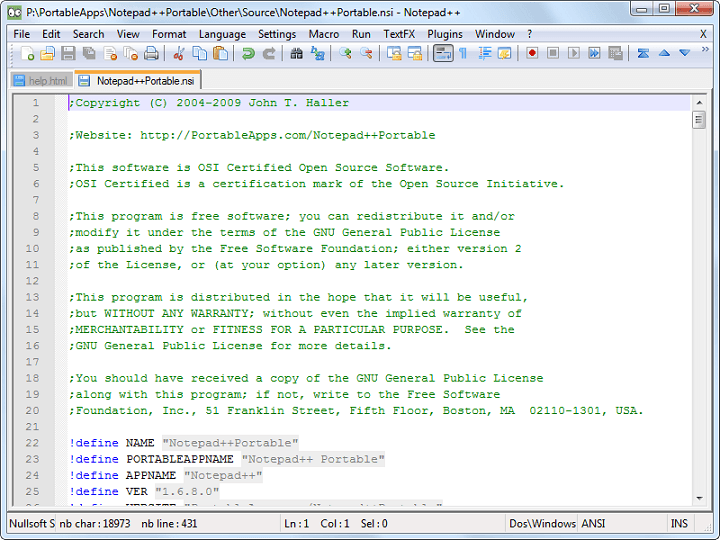
Notepad++ is another classic tool for HTML5 development. You probably used this tool in school while you were learning the fundamentals of HTML. However, Notepad++ is still very popular, and useful.

You won’t find some of the most advanced features in this program, so it’s more recommended to beginners.

However, the lack of features can be compensated by the high number of plugins available for this program.

User interface of Notepad++ can be a little bit confusing sometimes, but nothing too serious. You can find many useful plugins for Notepad++ here.

Notepad++ is available for free, and you can download it from the link below.

⇒ Get Notepad++


Maqetta

maqetta windows 10

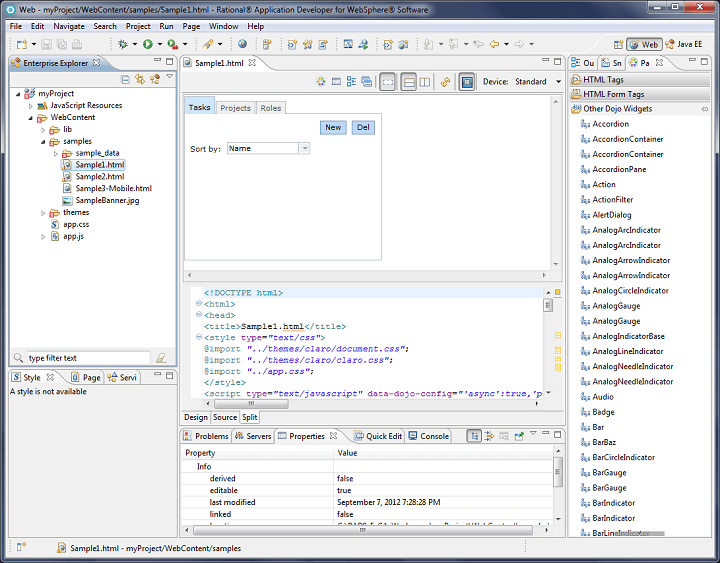
Maqetta is an open source WYSIWYG HTML-5 editor.

It is very feature-rich, with features like developer/design workflow, visual page editor, evaluation and commenting, sinter activity sans programming, wireframe, theme editor, themes and widgets, JavaScript libraries, mobile authoring.

The program itself was developed in HTML, so works fluently in the browser-based environment.

Maqetta provides support to all major browsers, including Google Chrome, Firefox, and Safari, but we haven’t tested it in Windows 10’s Microsoft Edge.

This tool is available for free, and you can use it by visiting the link below.

⇒ Get Maquetta


Aptana Studio 3

aptana windows 10

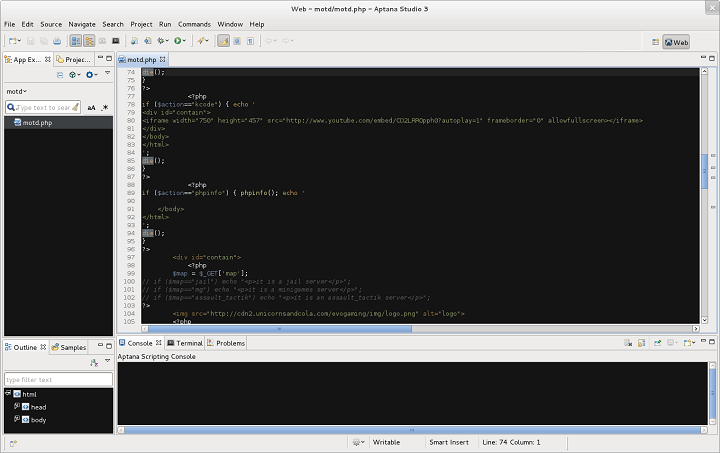
Aptana Studio 3 is another open source HTML5 editor. This program stands out for ‘open web development’, as developers can easily test their apps with a single setting.

Besides HTML5, Aptana Studio 3 also supports other modern technologies, like JavaScript, CSS3, PHP, Rails, Ruby, and Python.

The tool is compatible with all major browsers, and features JavaScript Code assists, HTML, GIF incorporation, IDE Customization, operation wizard, and incorporated debugger.

If you want to download Aptana Studio 3, you can do so for free from the link below.

⇒ Get Aptana Studio 3


Sublime Text 2

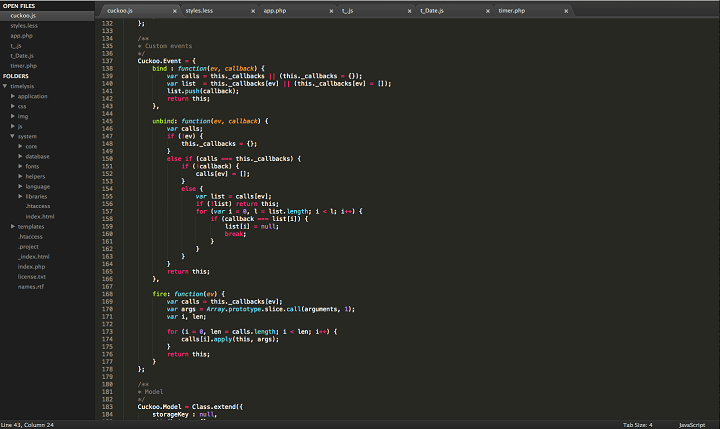
sublime text windows 10

Sublime Text 2 is also one of the most recognizable HTML5 editors on the market. This program is used by millions of developers, and they only have a good word for it.

It’s very simple, yet powerful tool that can satisfy every developer‘s needs.

Sublime is also very versatile and customizable, because of its extensions and JSON files. Downloading and installing add-ons in Sublime Text via its Package Control is a piece of cake.

So, it’s no wonder whey more and more professional developers choose Sublime Text 2 as their number one tool for developing in HTML5.

Sublime Text 2 is heavily supported, which means you basically can find tutorials, guides and documentation about this program anywhere.

Sublime Text 2 is free to download and use, but if you want to publish your work somewhere, you’ll have to pay $70 for a commercial license. This still is a fair deal, considering what can you do with this program.

⇒ Get Sublime Text 2


BlueGriffon

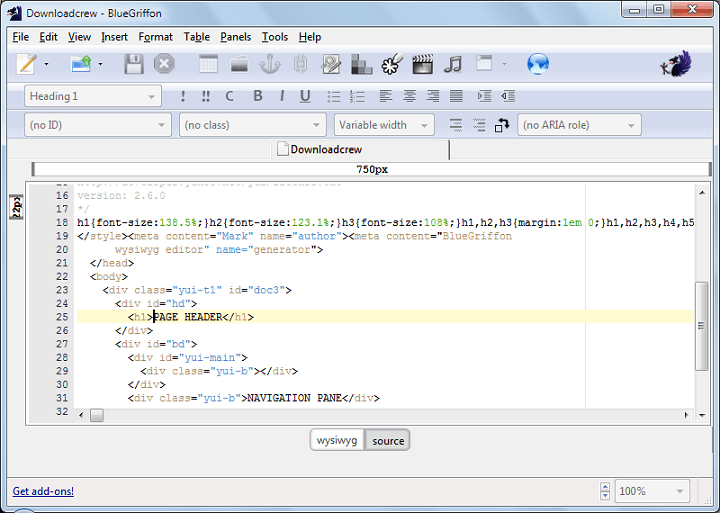
bluegriffon

BlueGriffon is another web-based HTML editor, but it’s different from other browser-based tools.

This program can be installed on a computer, and used, even if you’re not connected to the internet at the moment. This ability is provided by Firefox’ Gecko rendering engine.

This program is very simple in design, therefore it should be very simple to use, even for users with less experience.

BlueGriffon is a WYSIWYG editor with support for HTML4 and HTML5, as well as XHTML. It also has the ability of directly embedding HTML5 audio and video directly into a webpage.

All important HTML elements, like the header, footer, and paragraph tags are listed in a simple dropdown menu. So, developers can insert them easily into a webpage, with just a few mouse clicks.

All in all, BlueGriffon is a great tool, and it competes with some other programs for the title of the best web-based HTML5 editor.

BlueGriffon is available for free, and you can download it from the link below. But if you want to use all the features, you’ll have to buy a license.

⇒ Get BlueGriffon

Do you agree with our list? Or do you have something to add? Tell us in the comments section below.

Newspaper Design Software: 5 Best to Use in 2026

The number of tools for brands and publishers to make their newspapers professional and vivid is continually increasing. There are a few essential features that you should look for when choosing the best publishing software for your newspaper needs.

The ideal software should come with a full selection of features for design and page layout. First of all, you’ll have to make sure that the software is user-friendly and it fits your skills.

The perfect tool should also come with programs to adjust graphics, edit images and adjust filters. There should also be included some useful text options as well.

We picked up five of the best tools for newspaper design, and we recommend that you analyze their features before making your final decision.

Design your newspaper with these professional tools

Adobe InDesign – Astonishing digital print

This publishing software is perfect for creating newspapers, and it’s part of Adobe’s Creative Cloud. You can also purchase and download the software separately as well for both professional and home use.

One of the best advantages included in Adobe InDesign is the fact that it’s able to take on almost any project that you might have.

InDesign does not come with any preloaded templates, but there are a few online video tutorials to help users figure out how to work best with this tool.

Take a look at more exciting features that are packed in this great newspaper design software:

  • This is a very versatile software that comes with built-in features that allow you to create both graphics-heavy and text-oriented projects.
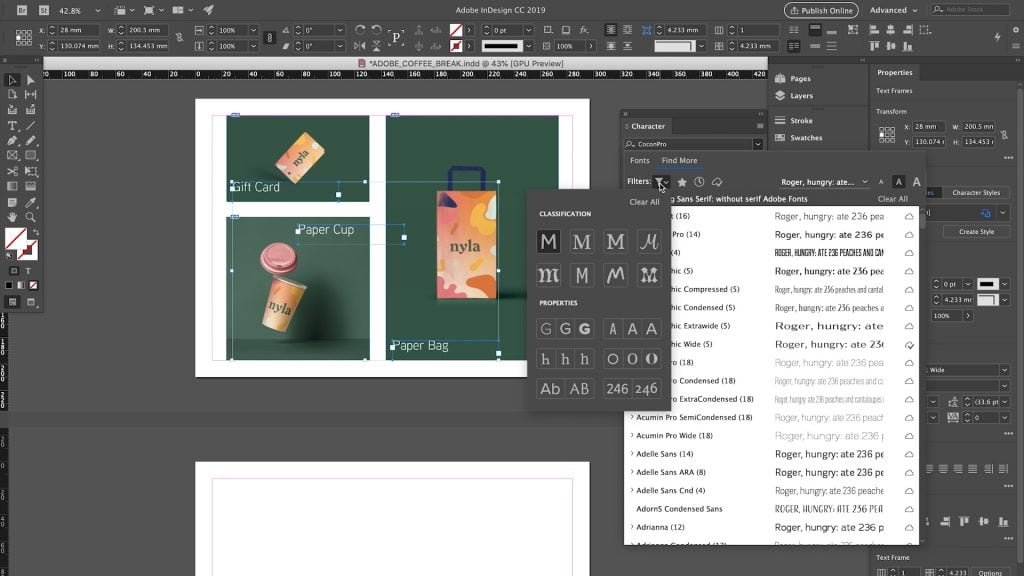
  • There’s one amazing feature that allows users to save and view recently used fonts so that later you will get the chance to have easy access to them when they need them again.
  • There are some layer tools that allow you to edit and adjust the pictures to fit your newspaper best.
  • With its professional layout and typesetting tools, you will be able to create pages with more columns that feature vibrant graphics and stylish typography as well.
  • You can prepare your documents for printing with the help of just a few clicks.

This software can easily sync with Adobe’s other products as well, and it allows you to manage all your design needs in a single place. This is an excellent tool for beginners and more advanced publishers as well.

You can find out more about Adobe InDesign’s features by heading over to its official website and taking a look at the latest functionalities that have been included in this great software.

Adobe InDesign

For professionals that want to design their own magazines, books, and newspapers, we recommend Adobe InDesign.
Check price Visit Website

FlipHTML5 – Dynamic flipping pages

FlipHTML5 is another handy app for making newspapers that you should consider. This software is ideal for creating, publishing, and sharing newspapers effortlessly. FlipHTML5 is able to surprise its users with interactive HTML5 digital publishing tools.

The multi-output feature supports publishing your newspapers in ZIP, HTML, and EXE formats. This means that you will then be able to send your digital newspapers to your readers via Email.

Check out more exciting features that you will get to enjoy if you decided to use this software for creating your newspaper:

  • FlipHTML5 offers its users amazing publishing solutions.
  • You will be able to enjoy full control in customizing the configuration of your newspaper.
  • You will also get the chance to export your newspaper to a local computer and host it on your website as well.
  • The user interface supports 17 languages, and this will turn out to be a convenient feature.
  • You will be able to add rich content to engage your readers with all kinds of amazing experiences.
  • You can customize your keywords and page titles as well in order to ensure maximum search engine visibility.
  • FlipHTML5 allows you to start your publication automatically after inserting a DVD or CD or after plugging a USB drive into your computer.

⇒ Get FlipHTML5

Lucidpress – Alternative designs

With Lucidpress design is made easy and the software will allow you to create beautiful content in no time at all. If you decide to use this tool for creating newspapers and more, you will finally get the opportunity to say goodbye to all the hassle of using desktop layouts and design software.

You will never have to worry about updates or sending files back and forth between your home and work computers.

Also, you will be able to push your publication to your social media accounts, web pages, and you can order high-quality prints straight from the program’s editor as well.

Take a look at the best features that are included in this newspaper layout software has to offer:

  • The drag-and-drop page layout will make every aspect of the newspaper’s design more intuitive.
  • You will be able to easily layout text, photos, shapes, and more for the most professional results that will surely impress your readers.
  • Lucidpress can also integrate your other tools in order to put your content at your fingertips.
  • You will be able to import from Adobe InDesign, transfer texts from Google Docs and also upload pics from Dropbox, Facebook, and much more.
  • The software also allows you to export your creation as PDF, JPG, and PNG.
  • All your personal data is guaranteed to remain safe when you are using this tool because Lucidpress is using servers secured with AES-256-bit encryption.
  • Each and every version of your project will be stored, and your changes will be automatically saved.

⇒ Get Lucidpress

YUDU – Enriching publishing

YUDU newspaper software

YUDU is a newspaper maker software that can be used by both beginners and professionals.

This tool has both apps and web-based software for publishing online documents. YUDU already managed to offer amazing solutions for thousands of clients all over the world. The software has constantly been developing and improving since 2007.

Using this program, you will be able to control your newspaper’s distribution, review engagement statistics and make sure that your readers enjoy the best interactive reading experience.

At the same time, you can rapidly and effortlessly publish high-quality digital newspapers and more.

Check out its key features:

  • YUDU built more than 1,000 hybrid and native apps for Windows and more.
  • The digital content that you can create with YUDU can be text, graphics, and even video and audio.
  • Your content can be fixed layout or responsive HTML that will be ready for desktops, mobiles, online and offline as well.
  • There’s also a print-replica mode that is available for PDF publishing, and this will turn out perfect for desktops and laptops for more abundant and higher-quality content.

⇒ Get YUDU

Edition Digital – Manage and distribute content

Edition Digital allows you to create, manage and distribute your newspaper. This newspaper design software comes with a rich set of features, and we’ll list the main ones below:

The software has lots of handy features that will allow you to present yourself, your skills, and all of your knowledge in the most innovative ways with galleries, videos, and animations to allow your readers to get to know you better.

You will also be able to quickly and effortlessly assemble great-looking and high-quality content that will definitely make a significant impact on your readers.

  • You can use this software for simple digital replicas of your printed newspaper.
  • Using this tool, you will be able to keep your content fresh with various articles, and this will provide a continuous publishing model and keep your readers coming back for more.
  • Using Edition Digital, you can produce stunning interactive content without having to know any code.
  • The user interface is effortless to use and intuitive enough to let you create great content.
  • With the help of this software, you will be able to simplify and enhance your work process.
  • You can extract images straight from PDF without any coding needed.
  • Your work will be available on all platforms, and this means that you create your content once and distribute it everywhere you, please.

⇒ Get Edition Digital

There are the best tools for creating a great newspaper that you can currently find on the market.

No matter which one you decide to use, you’ll be able to enjoy great and unique sets of features that will allow you to create the newspaper that you have always dreamed of. Good luck!

5 Best Photo Editing Software for Fujifilm [2026 List]

Looking for a good Raw converter to refine Fujifilm photos? This article is meant exclusively for you. Herein, we are going be listing some of the best photo software for Fujifilm, and help you find out which one is most suitable for you.

Their products constitute some of the leading choices of snappers across the globe. And for better quality, there is an avenue (available to snappers), for fine-tuning raw Fujifilm images into refined pictures.

To do this, a number of digital solutions have been developed.

One important factor in selecting photo software is the issue of compatibility, specifically with Windows PC. However, there seem to be many of these applications available in the market. And in this article, we’ll be outlining some of the best ones.

Follow through, as we bring you five of the best photo software for Fujifilm.

Which is the best photo editing software for Fujifilm cameras?

Adobe Lightroom – Leading tool for Fujifilm editing

Lightroom, from Adobe, is one of the leading software for fine-tuning Fuji photos. It is an online, web-based tool that is designed to enable you to upload, process, and manipulate raw Fuji photos as you see fit.

With respect to its relatively large global client base, it is often regarded as the best raw image manipulator or simply put, the best photo software for Fujifilm.

If you find Photoshop to massive and with too many options then you will be happy to learn that Lightroom is easier to use and is focused solely on photography.

As a cloud-based tool, Lightroom houses support for all web-supported platforms most especially Windows computers, as well as iOS & Android mobile platforms.

Furthermore, it hosts a flexible setup, enabling you to edit, adjust, crop, remold, recolor, and share your favorite photos as you like.

Notable features of Adobe Lightroom include:

  • Great at performing photo enhancements and photo organization using machine learning
  • Import presets and profiles from Google Drive and local storage
  • Support for new cameras and lensesPanorama fill edges (easily fill in the edges of stitched-together panoramic)
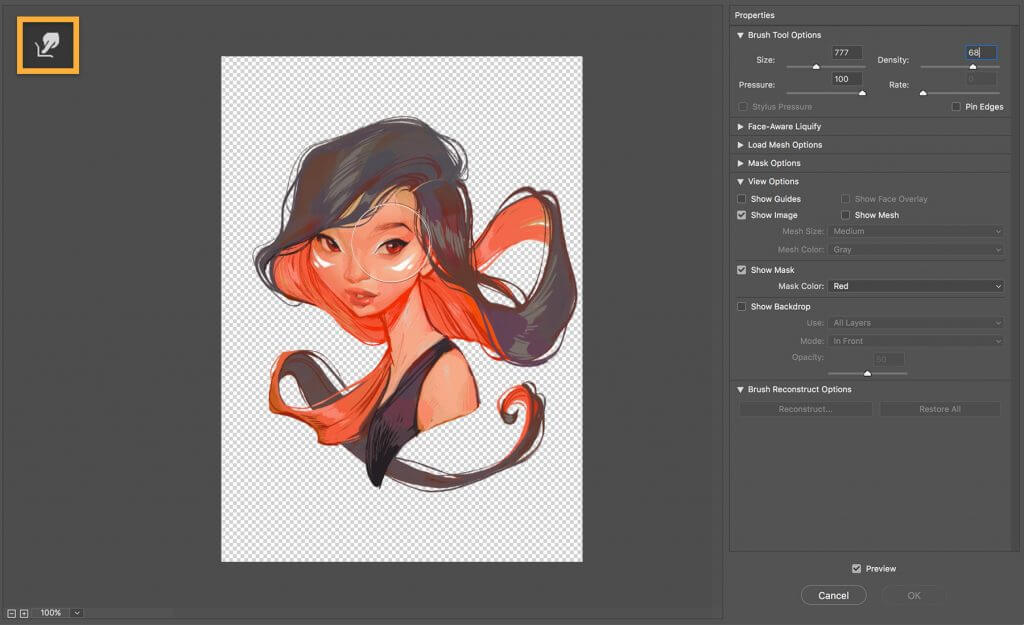
  • Cloud storage starting at 1TB
  • Lightroom’s edits are always non-destructive
  • Available on many platforms

Adobe Lightroom

If you ever need software to assist you in your camera work, especially Fujifilm cameras, try Adobe Lightroom!
Free trial Visit website

Skylum Luminar – RAW digital image edits

Luminar, from Skylum, is another industry-class raw image processor, widely used for processing and editing Fuji photos. Luminar is supported on all modern 64-bit Windows PC, from Windows 10 down to Windows 7.

It’s the ultimate choice of thousands of professional photographers across the globe for processing raw digital images.

Luminar is a versatile photographic tool, designed to, not only process raw images but also edit normal JPEG photos. The most significant feature of Luminar is probably its beautiful user interface, which makes it not only attractive but also highly intuitive.

Other notable features of Luminar include an AI-enhanced sky filter (Sky enhancer), 60+ photo styles, image editing & cataloging, magic sliders, and Accent AI.

It also features gradient adjustment, RAW development, soft glow, high key, LUT mapping, multi-format image file support, a 2-month refund policy, sunrays customization (AI-enhanced), editing support, and more.

Skylum Luminar

Take full advantage of this RAW image editing with unique managing tools.
Check price Visit website

Capture One Pro – Superior photo editing

Capture One, from Phase One, is a renowned image manipulating, tethering, and cataloging software for Windows PC. It is a durable tool, widely used for processing raw image files from digital cameras (like Fuji digital cameras).

In addition, Capture One has gone through several developmental phases since it was first developed 15 years ago. Today, there is an exclusive version of Fujifilm raw image processing.

This version is known as Capture One Pro Fujifilm, and it can support more than 30 Fujifilm digital cameras.

Key features of Capture One Pro include luminosity mask, customizable UI, compressed raw support, film simulation (exclusive to Fujifilm raw images), masking versatility, folders cataloging, local & Luma curves.

It also provides you with film grain, DNG color treatment, OpenGL support, black & white conversion, keystone adjustment, color correction, noise reduction, sharpening tools, HDR support, tethered shooting, and many more.

Capture One Pro is a propriety-licensed software i.e. it’s a paid software. However, there is a free trial offer (one month) for first-time users.
Capture One Pro Fujifilm version is offered at a starting price of $219 (outright purchase) or at a subscription rate of $19 per month.

⇒ Get Capture Pro Fujifilm

ON1 Photo Raw – Game-changing quality

best photo software for fujifilm

ON1 Photo Raw is a popular raw image processing software, with exclusive support for Fujifilm raw images. As such, it stands out as one of the best photo software for Fujifilm. In fact, it is widely regarded as the perfect alternative to Adobe Lightroom.

ON1 Photo Raw is supported on both Mac and Windows operating systems. For Windows, it is supported on all modern 64-bit Windows versions; from Windows 7 to 10.

This raw image processing software is equipped with a powerful set of image processing, editing, organizing, and manipulating features.

ONI Photo Raw is available in two pricing variants: ON1 Photo Raw Full Version ($99.99) and ON1 Photo Raw Upgrade ($79.99). Both versions are, however, subject to an initial 30-day free trial, before full purchase.

⇒ Get ON1 Photo Raw

Topaz Studio – AI-powered edits

Topaz Studio best photo software for fujifilm

Topaz Studio, from Topaz Labs, rounds up our compilation of best photo software for Fujifilm. Topaz Studio is an all-inclusive image manipulator and organizer. And it is also widely used to process raw Fujifilm images.

This software hosts the latest in artificial intelligence (AI) technology, designed to recreate/remix raw digital image files into refined – HDR – images.

Also, it hosts some of the best obtainable masking and image adjustment features, as well as some exceptional artistic effects. All these are hosted on a customizable interface, which can easily be tailored to suit your needs.

Other key features of Topaz Studio include AI-enhanced tools (ReMix, Dehaze & Clear), JPEG to RAW AI, HDR support, photo effects suite, channel mixer, color overlay, color theme, color tuning (HSL), focal & motion blurs.

You also get radiance & quad tone, precision contrast, noise reduction, film grain, layers, tone curves, a video library, in-house support, plug-ins, texture effects, and many more.

Topaz Studio offers a free trial version (to first-time users), albeit with limited features (basic adjustments). To enjoy the full package, you’ll have to purchase some or all of the Pro adjustments.

⇒ Get Topaz Studio

Fujifilm cameras are some of the most widely used digital cameras across the globe. And while these cameras are of quality standard, there are little or no built-in options to refine and process them.

Hence, the need for raw image processing tools.

This article has outlined five of the best photo software for Fujifilm, specifically those supported on Windows PC.

So if you are in need of a reliable RAW (raw image file) converter to process Fujifilm photos, the above are some of the best options you can get.

7 Jewelry Design Software that is Free to Download

Today’s advancement in technology has made acquiring the best software to design jewelry for Windows 10 a lot easier.

For a locksmith, goldsmith, silversmith, or jeweler current jewelry creation software offers the best in aesthetics and structure for innovative jewelry designs.

Only the best digital tools can make the transformation from a manual to a digital jewelry studio possible and seamless.

Conventionally, it would take the local jeweler a couple of hours to create or modify the size of a ring.

The jeweler first needs to sculpt a block of wax to build the model required for production.

But miraculously with 3D jewelry design software for Windows 10, it’s easier to achieve the same task in minutes.

The beauty of the 3D jewelry application software for Windows 10 is that it allows one to create multiple elements as well.

It’s possible to adapt to prongs, a number of gems, and even multiple jewelry designs for rings and more to a 3D printer. So, it’s time to explore some of the best software to design jewelry for Windows 10.

There is countless jewelry rendering, creation, or repair software for Windows 10. Many of the software solutions listed below come with compatibility for your PC, iPad, Android, or iPhone devices as well.

Here are some of the best jewelry designing software for beginners, intermediate designers, as well as advanced designers.

What is the best free jewelry design software?

Adobe Illustrator – Industry standard graphics tool

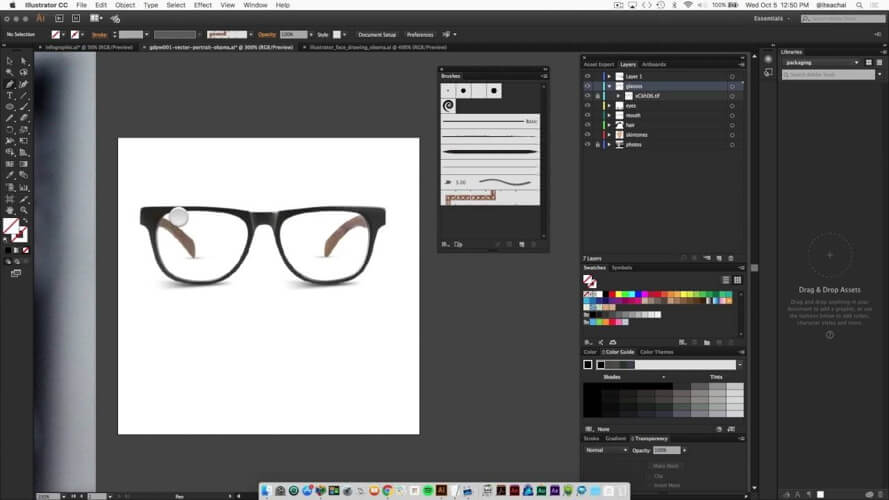
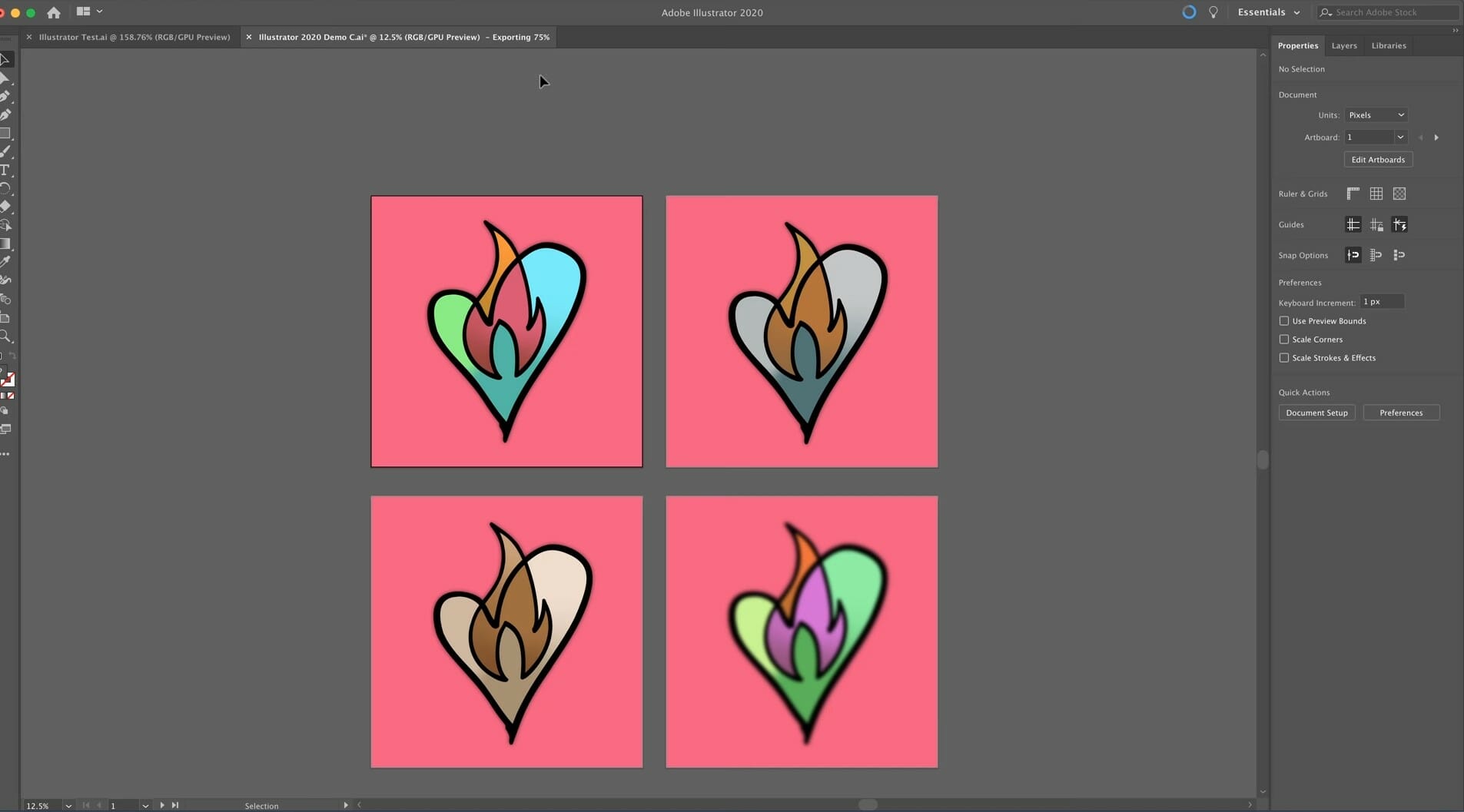
The industry-standard vector graphics software is used by millions of designers to create stunning web and mobile graphics.

Seamlessly integrating with other Creative Cloud apps like Photoshop, InDesign, XD, and Premiere Pro, Illustrator saves your artwork directly in the cloud, making the design process easy and fast.

Since your graphics design is vector-based, you can scale it down for mobile display or up to billboard size and it will always look pristine.

Let’s quickly go through its key features:

  • Improved launch time and faster file opening
  • Improved effects (faster rendering of Drop Shadows, Gaussian Blurs, and Feather Effects in preview mode)
  • Simplified vector paths (work faster with complex vector objects)
  • Freeform Gradients (create rich color blends)

Adobe Illustrator

Adobe Illustrator is the perfect tool for any designer whether it’s jewelry or any other product.
Check price Visit website

Autodesk AutoCAD – Intermediate and advanced jewelers

Autodesk Autocad

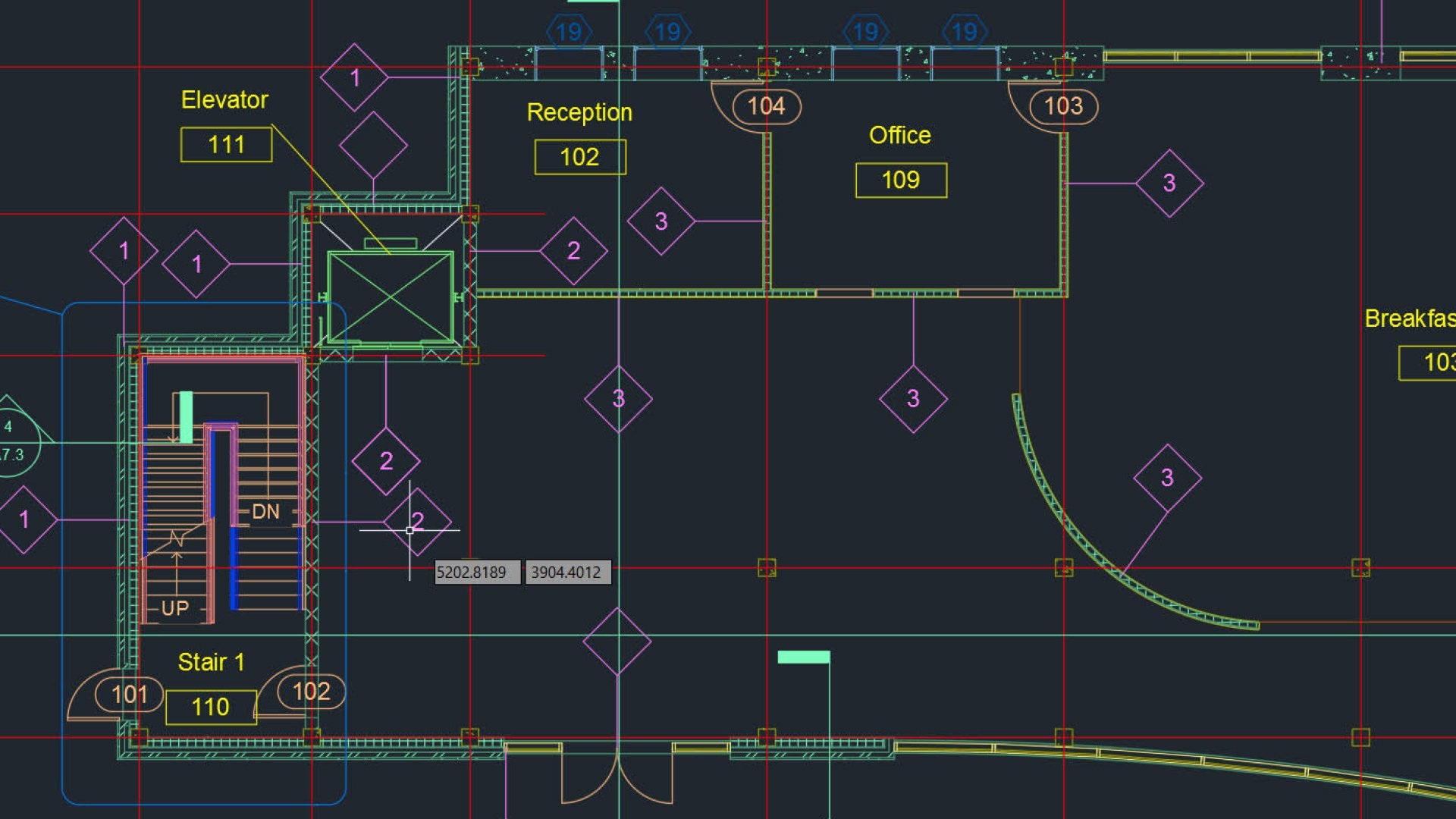
AutoCAD offers one of the most advanced tools for designs that make your work more professional and explosive for a jewelry designer.

It is arguably one of the best software to design jewelry today. AutoCAD is a commercial-level jewelry software that even a beginner can quickly learn how to use.

It shouldn’t take so long to become a professional jewelry designer using this tool.

Its 2D and 3D functions make it possible to create designs of different shapes and intricate details with ease plus it’s well-priced.

AutoCAD has lighting effects, hatching and annotation functions that help users adjust or render designs creating photo-realism.

The friendly graphics user interface makes designing complex structures and designs seamlessly. With the GUI, it’s possible to re-arrange the toolbar to a more convenient work area.

There is an appreciable number of commands to learn in becoming more familiar with AutoCAD and to design smoothly.

AutoCAD is compatible with most operating systems and allows for easy import and export of files even from your PC to Apple computers.

Autodesk Autocad

Elevate your jewelry designs with the efficiency and creative freedom of Autodesk Autocad.
Free trial Visit website

TinkerCAD – Jewelry design software for beginners

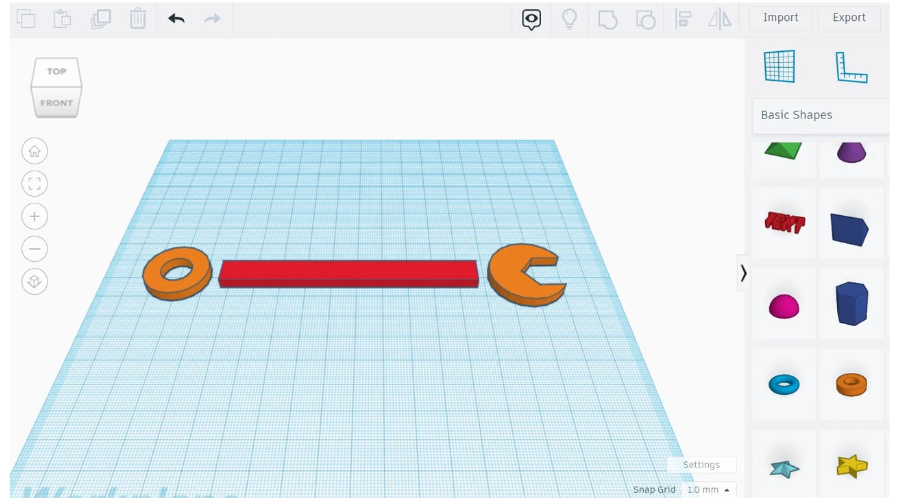
Those relatively new to 3D jewelry rendering software modeling should find that TinkerCAD has been the perfect pick.

The good thing for jewelry designing beginners is that it is free and works directly from your internet browser.

The major drawback though is that more experienced jewelry designers will find this too basic due to the less complex features.

Its graphic user interface is quite simple to use making it user-friendly and requiring no previous knowledge of CAD software. So the TinkerCAD software could just be a start off point.

It could help users learn how to use 3D software to design jewelry before upgrading to more advanced software.

Though simple, it’s versatile in helping users create a lot of awesome models for rings, necklaces, pendants, etc.

And it shouldn’t take more than a few minutes to create an intricate design using the TinkerCAD jewelry software.

⇒ Get TinkerCAD

LibreCAD – Jewelry design software for beginners

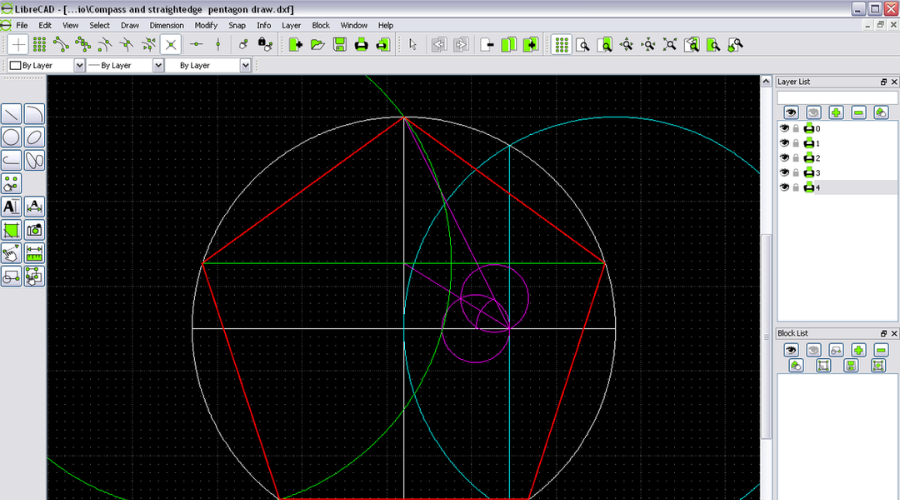
Jewelry design software

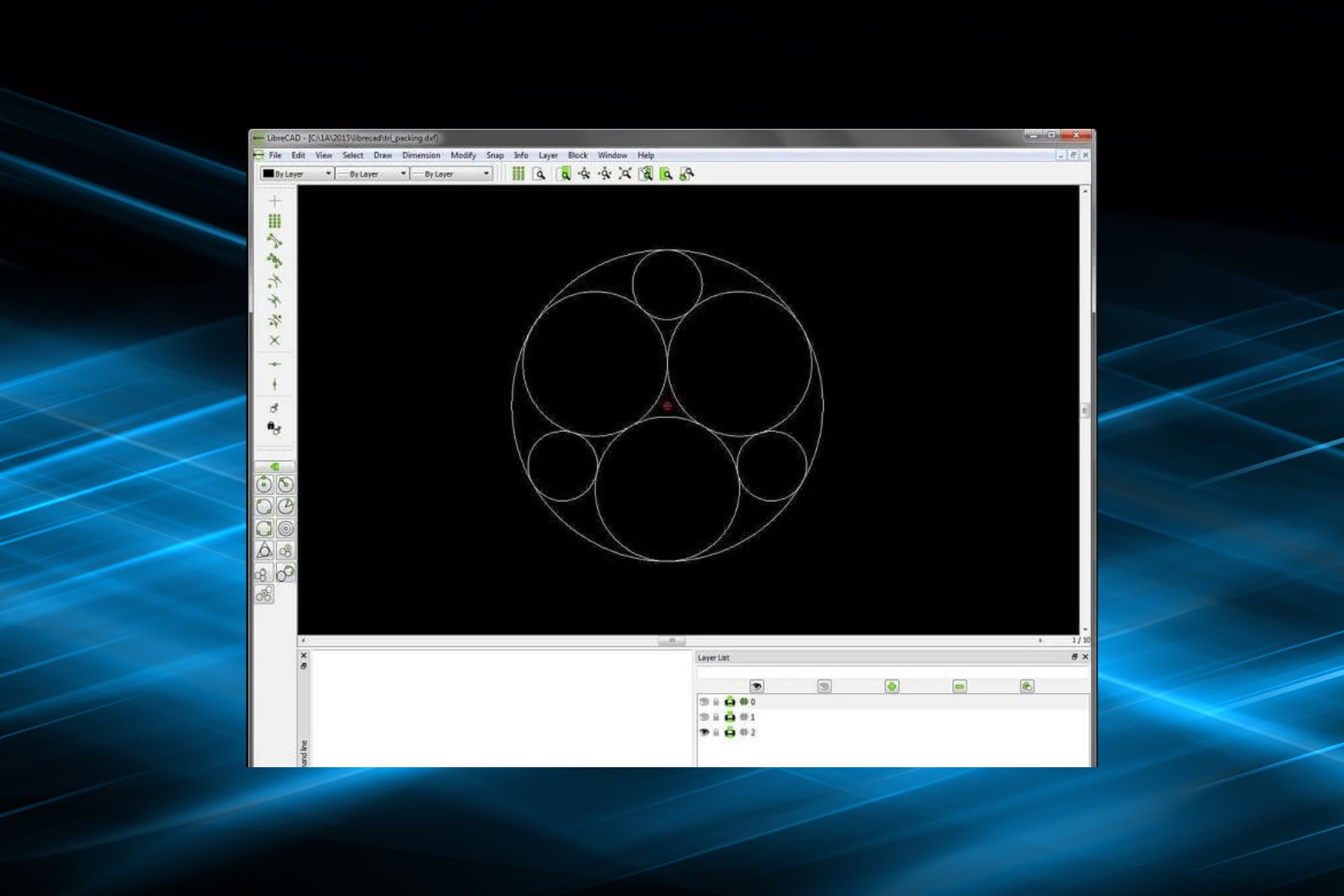
LibreCAD offers one of the best open-source 2D software for jewelry designs and it’s free. The jewelry software comes with all the basic functions required to develop one’s jewelry creation skills.

For a beginner jewelry software designer, it’s possible to modify or model designs with much ease from the friendly user interface.

The major drawback for LibreCAD, however, is that it can only display in 2D views. But with the Isometric view function, the situation could be salvaged.

For beginners, it still stands as one of the best software to design jewelry for basic drawing or 3D CAD designs. LibreCAD also has only 30 MB file size so the user might not be able to store up or process much.

However, work can go on without feeling cluttered while preparing for the shift to expert software.

Overall, LibreCAD provides exceptional jewelry creation software with good enough functions and versatility.

With the additional line of command at the bottom, the user can streamline the workflow for an awesome experience.

⇒ Get LibreCAD

SketchUp – Intermediate users

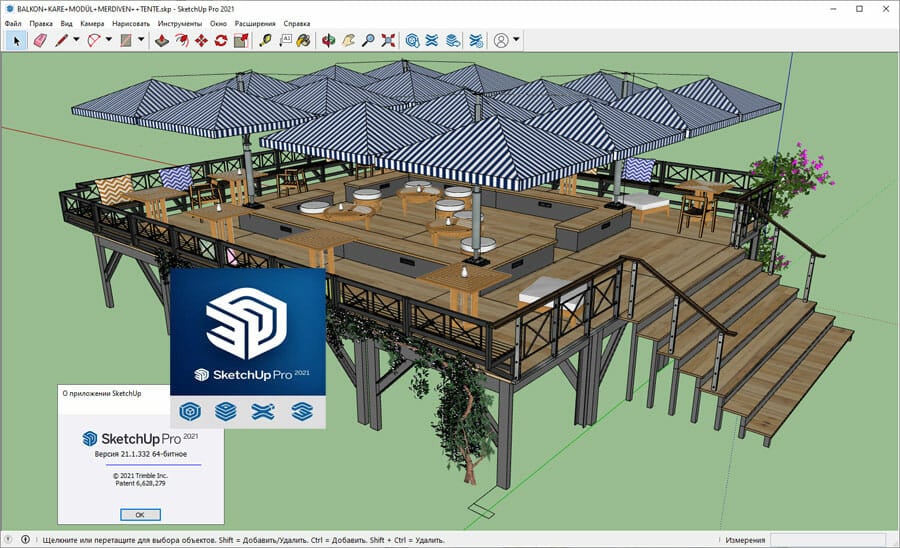
For more experienced jewelers, SketchUp software made by Trimble could pass for the best software to design jewelry.

The SketchUp 3D modeling design application is one of the most populous among jewelers, architects and scale modelers. And one of the reasons is that it can create exceptional edgy and geometric jewelry designs.

SketchUp has a free version that one could try out for a start. After gaining mastery with the trial version then it’s time to upgrade to a paid version with more advanced features.

It is a blend of simple to complex user interfaces and excellent functionality to make just the perfect jewelry design. The software makes it possible to sketch up creative jewelry designs using the learning aid for newbies.

For advanced users, exceptional drawing tools help hone their skills even better.

Its initial name was SketchUp Make with SketchUp free being an internet-based application. SketchUp has the desktop version for those who subscribe to the paid version, SketchUp Pro.

SketchUp Pro comes with all the features and functionalities required to create 3D modeling.

Other features include the print function; to print prototypes after downloading and installing STL export module for free.

⇒ Get SketchUp

RhinoGold – Intermediate users

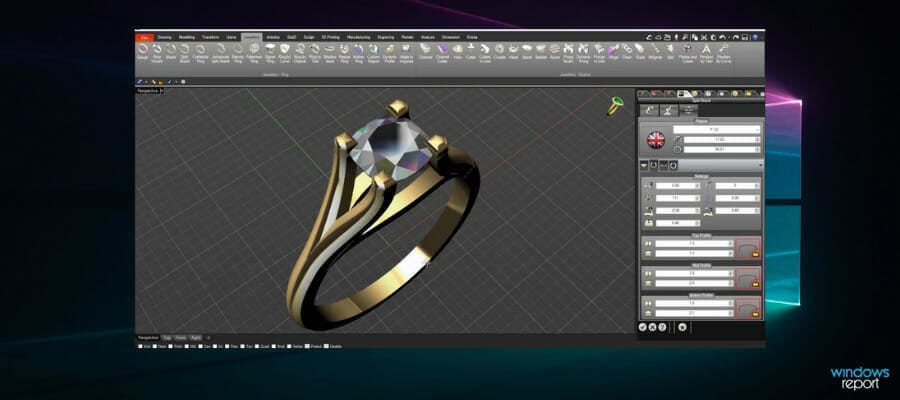
For those conversant with 3D modeling, then Rhino3D should be familiar. RhinoGold’s popularity lies in its ability to help jewelry designers create impressive designs.

Industrial builders, architects, and jewelers find Rhino3D very impressive for creating precise and complex models.

Rhino3D has several versions but the RhinoGold version should be an excellent pick for the best software to design jewelry.

With RhinoGold, a more experienced jeweler can create intricate designs with all the necessary curves.

This software can help put the jewelry pieces together step by step with different prototypes.

It has several functionalities to allow for making exciting jewelry designs for halos, pendants, body rings, bracelets, earrings, eternity bands, etc.

Another plus for RhinoGold; it’s possible to start from scratch to build a new jewelry design. Using its unique engraving or modeling modules it’s easy to create some of the best jewelry designs using this software.

⇒ Get RhinoGold

MatrixGold – Intermediate and advanced jewelers

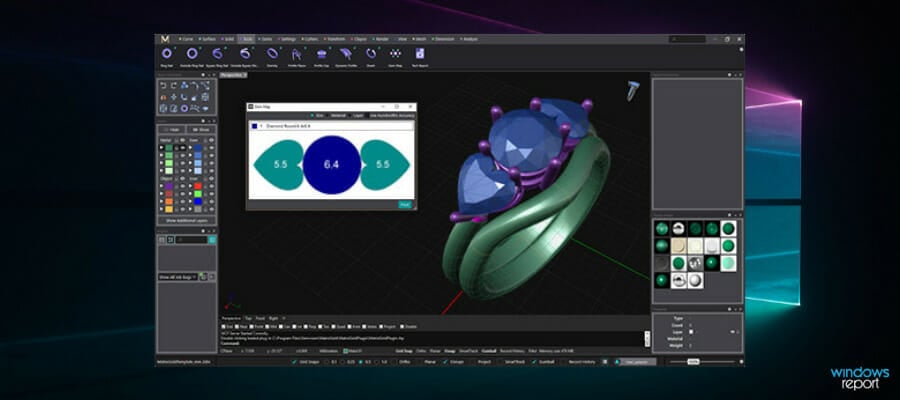
The 3D MatrixGold software is a popular brand amongst professional jewelers. It offers one of the more impressive, versatile, and user-friendly tools for 3D printing of jewelry with different prototypes.

For the best result, use Matrix from scratch in creating jewelry concepts and intricate designs. The 3D CAD version was designed specifically for jewelers and it is a bit more advanced for a beginner user.

It would require mastery or get used to before one can manipulate the 3D CAD expertly. And the reason is that 3D CAD was designed by professionals with excellent but complex functionalities.

It works just as well as the Rhino but with a more exceptional interface and attention to detail for jewelers.

To make it easier though, the developers of the software included a step-by-step builder interface for creating designs plus exploring tools. Click the button below to get the free download for Matrix jewelry design software.

⇒ Get MatrixGold

The AutoCAD version presents the overall best software to design jewelry for professionals. It is not just cost-effective but also easy to use in creating blueprints for more delicate rendered models.

For beginners or intermediate users advancing gradually, SketchUp Pro might just be the way to go! 

SketchUp has an intriguing CAD program for starters with a customizable user interface to create exceptional 2D and 3D CAD.

Jostling for the best software to design jewelry? Take note that the above jewelry creation software can definitely offer exceptional performance anytime. They all arguably make the best jewelry-making software.

However, the best pick would differ for each person based on interest, purpose, price and available features.

Also, it pays to start off with a jewelry designing software free download version just to try out.

Besides each 2D CAD software or 3D CAD software for jewelry creation has its own fan base due to user experience. Some jewelry software is more popular with a higher market share in some countries than others.

But picking any of the suggested 2D CAD software or 3D CAD software listed above won’t be wrong! Have a splendid jewelry software design experience!

Typography Font Design Software Free: 6 Best for PC in 2026

There is certainly not a shortage of fonts on the market. In fact, there are tons of fonts available online, both free and paid, to choose from. But what if you have something more specific in mind?

Adding a personal touch to a project might just make the difference between failure and success when it comes to design projects.

Premade fonts are up for grabs and one can simply pick the font of their choice and rapidly integrate it in their work. However, if you want something unique that really stands out, you will definitely want to try your hand at creating a custom font.

This is where the font editors step in. The creative process has never been more realistic thanks to these software programs that allow you to design your own fonts.

You’re probably wondering by now what are the best tools for the job. Without further ado, here are our top picks for you.

What is the best typography software?

Adobe InDesign – Diverse fonts layouts

Adobe InDesign represents one of the foremost design and typography software due to its impactful and creative technology.

Starting here, you have access to various fonts and graphics, allowing a unique and ideal typography style for your projects.

This solution also offers Fonts services that will help you convey emotions and write official documents according to your audience specific.

You have a rich collection of fonts, including both design fonts and Adobe Fonts types that will ensure the success of your story.

Therefore, you have thousands of font styles and it’s possible to preview them in your layout. And even more, these fonts are automatically synced across your Creative Cloud hub.

In addition, it supports OpenType or Autostyle fonts that allow you to edit your letters according to your exact preference.

Let’s go through its key features:

  • Detailed typesetting tools
  • Copy-paste between Illustrator and InDesign
  • Brand new formats
  • Duplicate pages
  • UXP and preview option

Adobe InDesign

Gain a new writing perspective using this leading desktop publishing application.
Check price Visit website

Adobe Illustrator – Pretty vector lettering

Adobe Illustrator is a vector graphics software used by millions of designers and artists to create mobile graphics, logos, icons, book illustrations, and much more.

One of its main characteristics is nothing more and nothing less than the gorgeous typography that speaks for itself. The tools boasted by Illustrator enable you to find a font style that fits your work or turn to other graphic designers for typography design inspiration.

You can even import your favorites by choosing from over 17,000 high-quality fonts with Adobe Fonts — across the Adobe Creative Cloud in Photoshop, XD, and Premiere Pro or sync with Adobe Stock and use it as a basis for a new custom font.

Plus, there is Sketch-based development you can either draw by hand in Illustrator or import hand lettering / digital art from Adobe Photoshop.

Let’s quickly go through its key features:

  • Custom font design (serif or sans serif fonts, handwriting, tattoos, and many more)
  • Custom letterforms that fit your unique layout and design
  • Adobe Originals (available in Illustrator’s font menu, it allows you to choose an existing font to kick off your design process, then adjust the weight, width, or slant to suit your specific needs)
  • Image Trace (transform your imported font sketch into an easily edited vector graphic to refine your work)
  • Integration options (third-party plug-ins can easily be integrated to help you finalize and manage your fonts)

Adobe Illustrator

Whenever you need to design anything, including fonts, always consider this as a first pick.
Free trial Visit website

CorelDRAW – Numerous font types library

CorelDRAW Graphics Suite 2020 is a complete solution for professional vector illustration, layout, photo editing, and typography tools.

One of its main characteristics focuses on cutting-edge typography technologies and enhancements to core type tools that allow you to produce unique illustrations, signage, logos, and more.

Work efficiency is also important and Corel has not failed to impress in this department by introducing the Integrated Corel Font Manager. This useful feature allows you to organize and manage your font library, use your favorite fonts without installing them and work faster with fonts using the network storage feature.

Let’s quickly go through its key features:

  • Fine-tune type with support for variable fonts (advanced OpenType support and complex script support)
  • Fit text to paths
  • Add effects to text (block shadows and contours)
  • Integrated Corel Font Manager
  • Special characters, symbols, and glyphs
  • Font embedding

The Graphics Suite is compatible with Windows 10, Windows 8.1, or Windows 7, in both 64-bit or 32-bit architectures.

CorelDRAW

CorelDRAW provides you with all the design tools you may ever need to create fonts just the way you like them.
Check price Visit website

SummitSoft Graphic Design Studio – Creative font designs

Graphic Design Studio is a professional illustration and design software by SummitSoft that offers splendid typography tools.

Let’s quickly go through its main characteristics:

  • Transform text and fonts (control font face, color, size, shape, layout, and design, adjust emphasis, customize alignment, perfect spacing, and add subscript and superscript text to give any font a creative edge)
  • Advanced typography features such as ligatures, glyphs, and more
  • Great variety of ready-to-use styles and materials, selection of textures, icons, fonts and backgrounds, specially designed effects to shape transformations

⇒ Get Graphic Design Studio

Another great tool offered by SummitSoft is Creative Fonts.

Each font is unique and cannot be found elsewhere, making Creative Fonts a great source for one-of-a-kind projects.

While there are many different collections to choose from like Creative Fonts Sci-Fi, Creative Fonts Handwriting, Creative Fonts Classic, Creative Fonts Comic and much more, you can have all of them in the FontPack Pro Master Collection offering 7000+ fonts.

⇒ Get Creative Fonts

Fontlab Studio – Variable and colored fonts

best software for calligraphy

FontLab is a professional font editor, crafted for graphic designers and typographers.

The latest version of the software, FontLab 7, allows you not only to design typefaces and create or modify fonts but also to draw, space, kern, hint, and export desktop, web, color, and variable OpenType fonts for any Unicode writing system.

Boasting up to 3 design axes and 16 masters, FontLab allows you to create extensive font families that vary in weight, width or other aspects and manage them through multilingual glyph design, spacing and kerning to automatic and manual hinting and Python scripting

Let’s quickly go through its key features:

  • Complete integrated workflow for font creation
  • Font family management
  • Advanced Blend algorithm (turns standalone fonts into interpolable font families)
  • Supports the encoding of any Unicode character
  • Advanced typography with OpenType Layout (small caps or ligatures with the industry-standard Adobe FEA syntax)
  • OpenType Preview (allows you to see the effect of features, including how they interact)

⇒ Get Fontlab Studio

FontCreator – Most used font creator

FontCreator is one of the most popular font editors suitable for both experienced graphic designers and beginners by combining an intuitive interface with professional features.

Did you know that FontCreator was the first font editor to allow scalable color fonts? The software ables you to jog with scalability parameters at will since it supports both COLR and SVG color extensions.

Moreover, the editor allows you to view, create, edit, and even debug the most complex fonts thanks to its OpenType Feature Proofing.

Let’s quickly go through its key features:

  • Font overview with categories (quick and easy access to the glyphs, character subsets, and Unicode ranges)
  • Supports Open Type, True Type, and Web Open Font Format
  • Design high-quality fonts
  • Optimize Contours
  • Scalable Color Fonts
  • Visual OpenType Designer
  • Kerning (manually add kern pairs to your font supporting both individual glyphs and glyph classes)

⇒ Get FontCreator

Taking creativity to the digital environment has never been so easy. Thanks to these typography font design editors, you have all the tools you need to turn average fonts into unique creations, at your fingertips.

Which one will you choose? Feel free to share your opinions with us via the comments section below.

Best PDF Compare Tool: 7 We Tested in 2026

Comparing two documents to figure out the changes between them can be a time-consuming task. Especially when the documents run across several pages. Imagine having to compare documents side-by-side using two monitors.

When your work involves comparing documents as a part of a structured review, every change matter.

Earlier we shared a detailed guide on the best software to compare two documents. However, if you are explicitly looking for PDF comparison software, this is the guide you need.

The tools listed in this article help you analyze and compare two PDF documents in no time. Some of the tools also offer merge functionality.

While all the tools are capable of PDF documents, you can use these tools to compare other types of documents when supported.

Let’s take a quick peek at these products:

  1. Soda PDF – Best option overall
  2. Adobe Acrobat Pro DC – Multi-compatibility
  3. ABBYY FineReader – Multiple format support
  4. KIWI PDF Comparer – Easy to use
  5. Draftable – Intuitive interface
  6. ExamDiff Pro– Simple usage
  7. Araxis Merger – Automatic merging

Which is the best software to compare PDF documents?

Soda PDF – Best option overall

Soda PDF comes with the best all-in-one solution for your PDF needs, even with the comparing two PDF files feature tool.

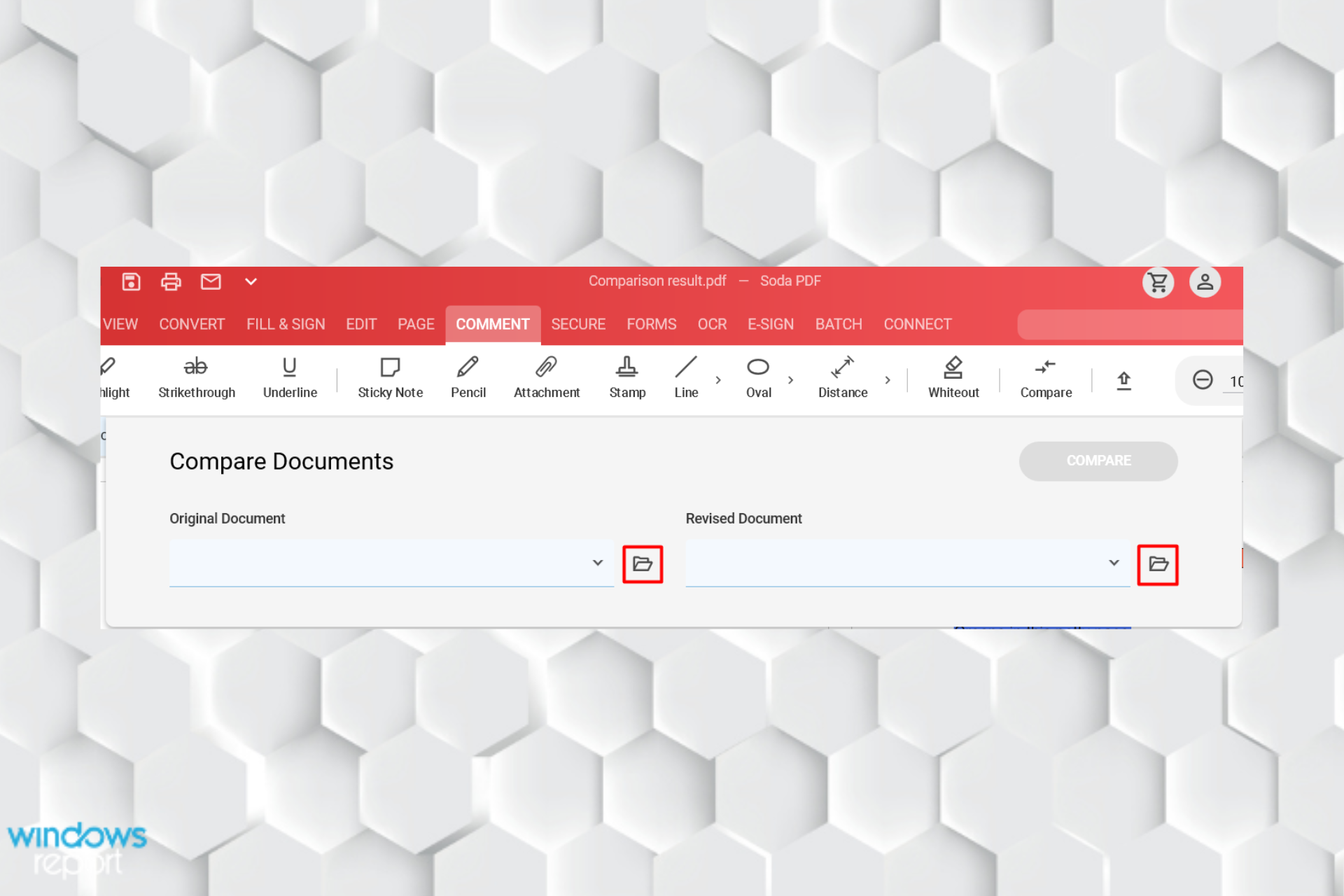
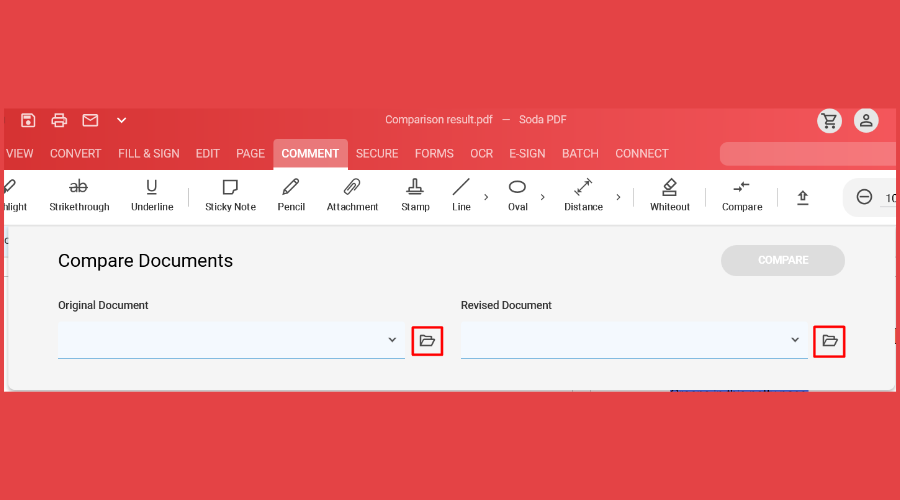
You can compare two PDF files in two different ways. One option that you have is to use the Compare Documents feature from the Review Module. This option is recommended because you can compare different versions of the same file, having highlights at every change. So, your files will open up next to each other showing all the differences between one and another. 

Another option is to use the Side By Side View feature from View Module that allows you to simply open up two files next to each other. Here, the disadvantage here is that for this option are no markings to indicate changes or differences in the document.

Besides the comparison tool, you must know that you can edit with Soda PDF like any other word processor: you can add, remove, change, or modify the text, fonts, and colors directly in the PDF.

Soda PDF

Compare the PDFs you need and enjoy the best tools to edit or highlight parts of text!
Check price Visit Website

Adobe Acrobat Pro DC – Multi-compatibility

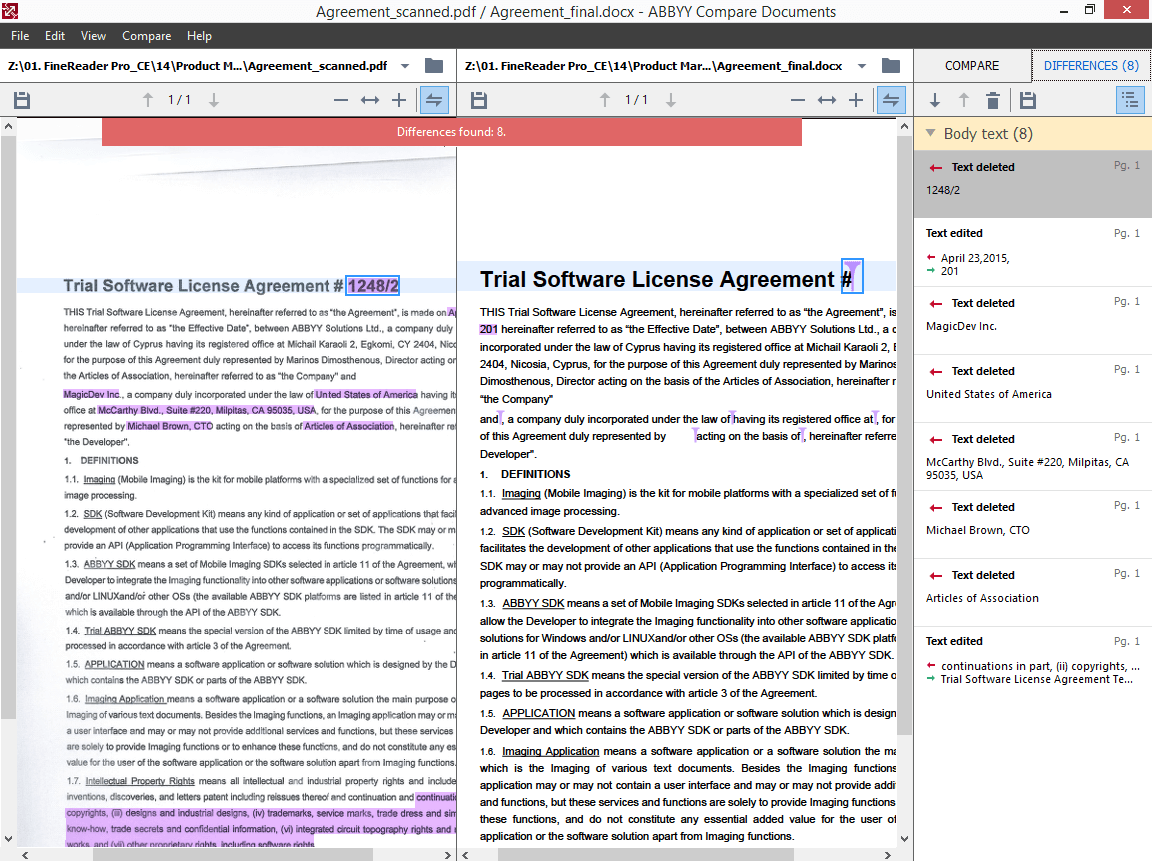
Adobe Acrobat Pro DC is the most powerful document comparison software for Windows and Mac. The software can compare both files and folders and present the differences in visual text format. 

Also, you can scan the summary with all your changes.

Apart from offering a document comparison feature, it also allows you to convert documents to Microsoft Office-supported formats.

As well, you can share the files with your team in order to be reviewed or signed. The most impressive thing is that Adobe Acrobat allows you to track the document until it gets to the destination person.

Adobe Acrobat offers a 2-way file comparison. You can view the differences between PDF documents in a side-by-side view, where you can visualize both PDF files, so you see the differences in a highlighted way.

Also, you can select to view only the desired page with its changes.

For folder comparison, you can use regular expressions-based file filters to include or exclude items, compare using file properties like size and data, compare a folder, or include all the subfolders and view folder comparison results in the tree view.

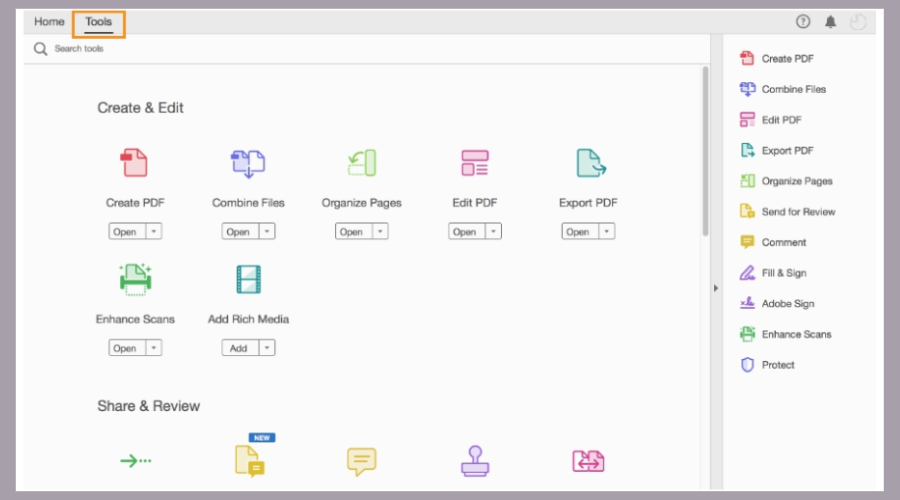
You can compare PDF files in an easy way, so you have to select Tools > Compare Files. Then choose the older the newer file version you want to compare by clicking Select File > Compare Document.

You can select Go to First Change in order to see the differences between those two files selected.

Adobe Acrobat Pro DC

Adobe is an excellent tool that allows you to select filters by content, images, text, or annotations.
Check price Visit Website

ABBY FineReader – Multiple format support

FineReader

ABBY FineReader is a powerful document comparison tool that supports multiple file formats. It is a premium tool, but you can try the free trial for a limited time to try the software without any risk.

One interesting feature offered by ABBY FineReader is the ability to compare two files of two different formats.

For example, you can compare a PDF file and a Word document of the same file side by side without having to convert it to one specific file format.

ABBY FineReader also offers a document editing and conversion feature. You can edit scanned images or PDF Files and any necessary information or correct typos directly from the ABBY FineReader editor.

The scanned documents and images can be converted into multiple formats including Word, Excel, searchable PDF, and more.

In addition, ABBY FineReader comes with a proofreading feature, and it can recognize decorative fonts for accurate results and support creative Ebooks by converting the documents to EPUB and FB2 format.

ABBY FineReader is a robust document comparison tool. While the price tag is a little on the higher side, it can be justified with the features on offer.

ABBYY Fine Reader

Try this robust document tool and compare your files easily.
Free Trial Visit Website

KIWI PDF Comparer – Easy to use

KIWI

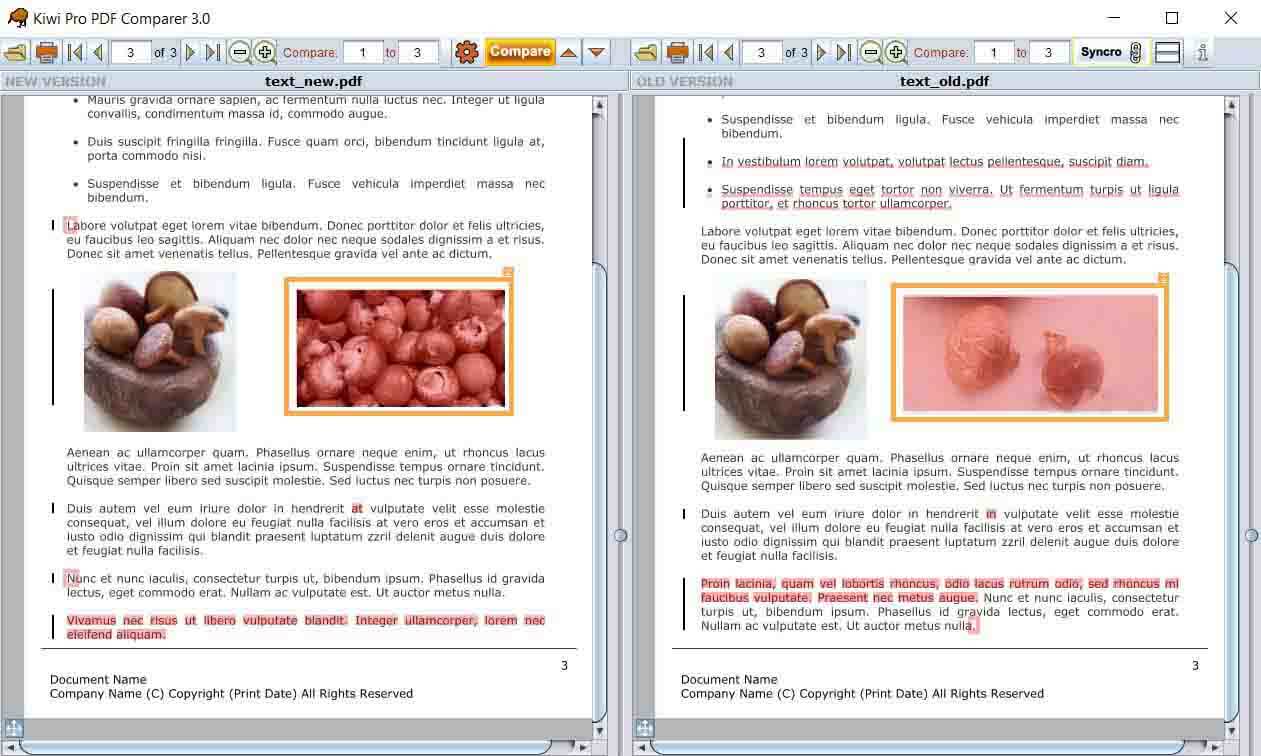
KIWI PDF Comparer is a PDF document comparison software that comes in both free and paid versions. The software can be used to detect changes in text and images. It can also show differences in movements, insertion and deletion, and more.

If you don’t want to compare a complete PDF file, you can specify a region and KIWI will only compare the documents for changes in that region. It is a cross-platform program; as a result, you can run it on Windows, macOS, and Linux computers.

It comes with two comparison modes, Text compare, and Compare Pixel to Pixel. The first one finds matches and differences in text and image files irrespective of the page.

The Pixel to Pixel comparison finds differences between pages like they are images.

On the customization front, you can leave the header, side margins, and footers from comparison and also select what pages to compare in case the document has multiple pages.

The software is easy to use and offers an intuitive user interface. To compare a file, simply load the PDF documents and customize it as per your requirement. Click on Compare to initiate the scanning process.

The changes are highlighted across the documents. You can change the thickness and color of the mark and other things to highlight the text over a complex background.

The free version of KIWI only supports up to 100 pages of comparison. For extended features like Image comparison and print results, you need to upgrade to the premium version.

⇒ Get KIWI PDF Comparer

Draftable – Intuitive interface

Draftable

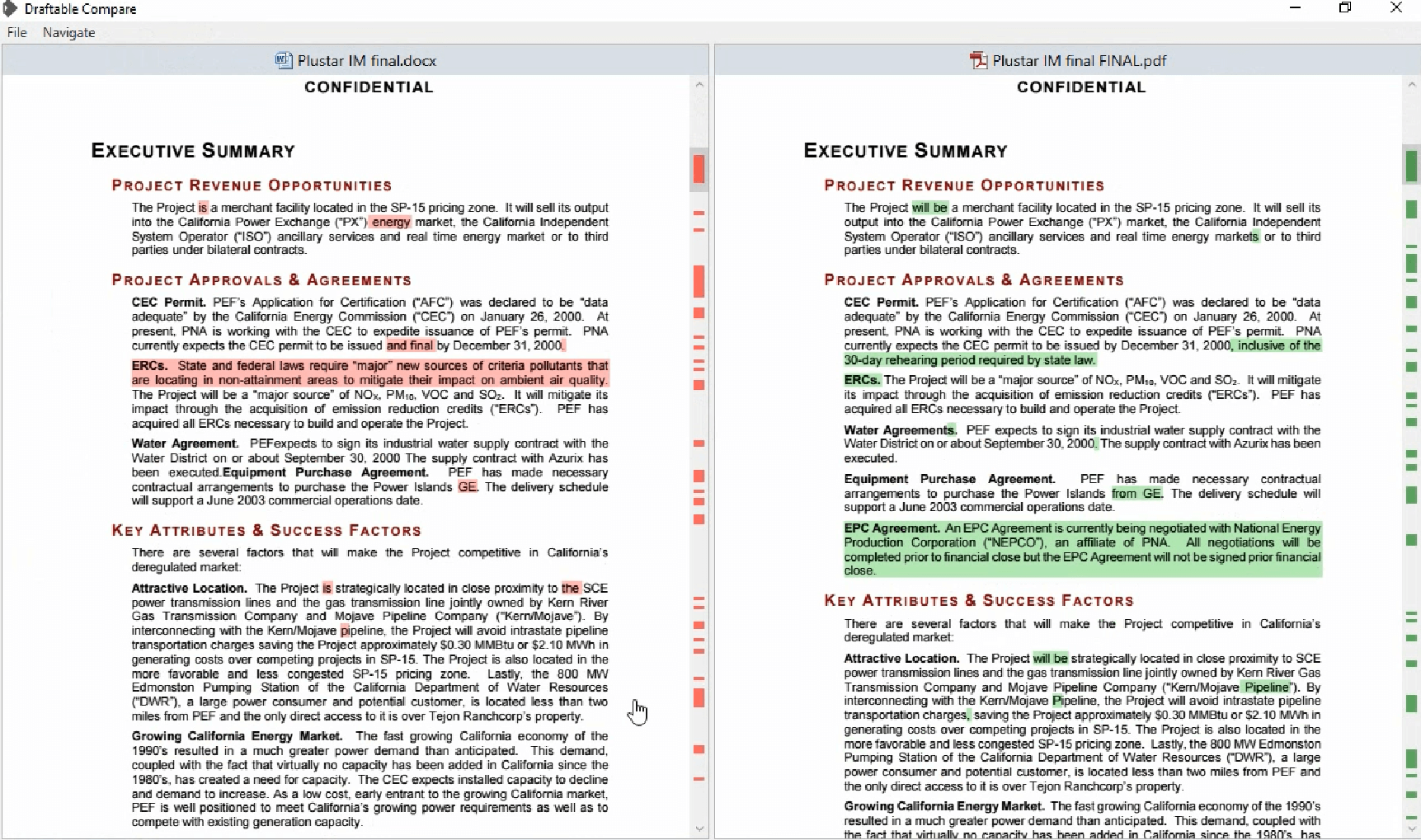
Draftable is a cloud-based PDF document comparison solution. You can also download the standalone version of the tool to your PC, but that comes with only 14 days of a free trial.

Draftable online is free to use and a better option if you have a few pages of information to compare and also if the documents are not confidential.

To compare the documents, visit the website and upload the old and new documents that you want to compare. Click the Compare button to upload and start.

The online version accepts a maximum of 10 MB upload with 300 pages of documents.

The offline version of Draftable, on the other hand, offers more privacy but is not free. Both the version supports multiple file-formats including Word, Excel, and PowerPoint.

Similar to FineReader, Draftable also supports the comparison of documents of different file formats.

⇒ Get Draftable

ExamDiff Pro – Simple usage

ExamDiff Pro

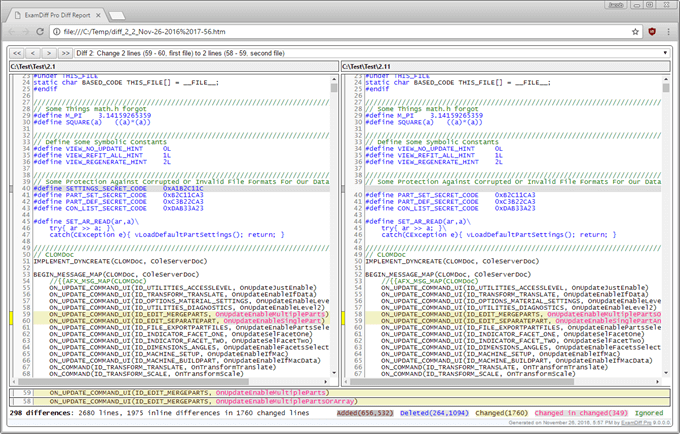
ExamDiff Pro is a premium PDF file comparison software that offers a multitude of features to advanced users.

Apart from document comparison support for PDF and Office file formats, ExmaDiff Pro also supports comparison between programming codes, executable files, and more.

Using the tool, you can perform a two-way and three-way difference and merge the document. It also offers Line Inspector panel for easier recognition of differences within lines.

The file differences can be saved to a dynamic HTML web page or taken as a printout. You can also add manual synchronization points to a text file, compare directly from the Explorer menu, etc.

The Advanced Ignore option allows you to ignore cases, line break styles, comments, trailing, leading, and more.

To extended functionality, you can download third-party plugins to add support for Doc formats, Fetch Remote File, and compressed file formats.

ExamDiff Pro is a powerful tool and one of the most useful utilities that you can have as a programmer or web developer/designer.

⇒ Get ExamDiff Pro

Araxis Merger – Automatic merging

Araxis Merger

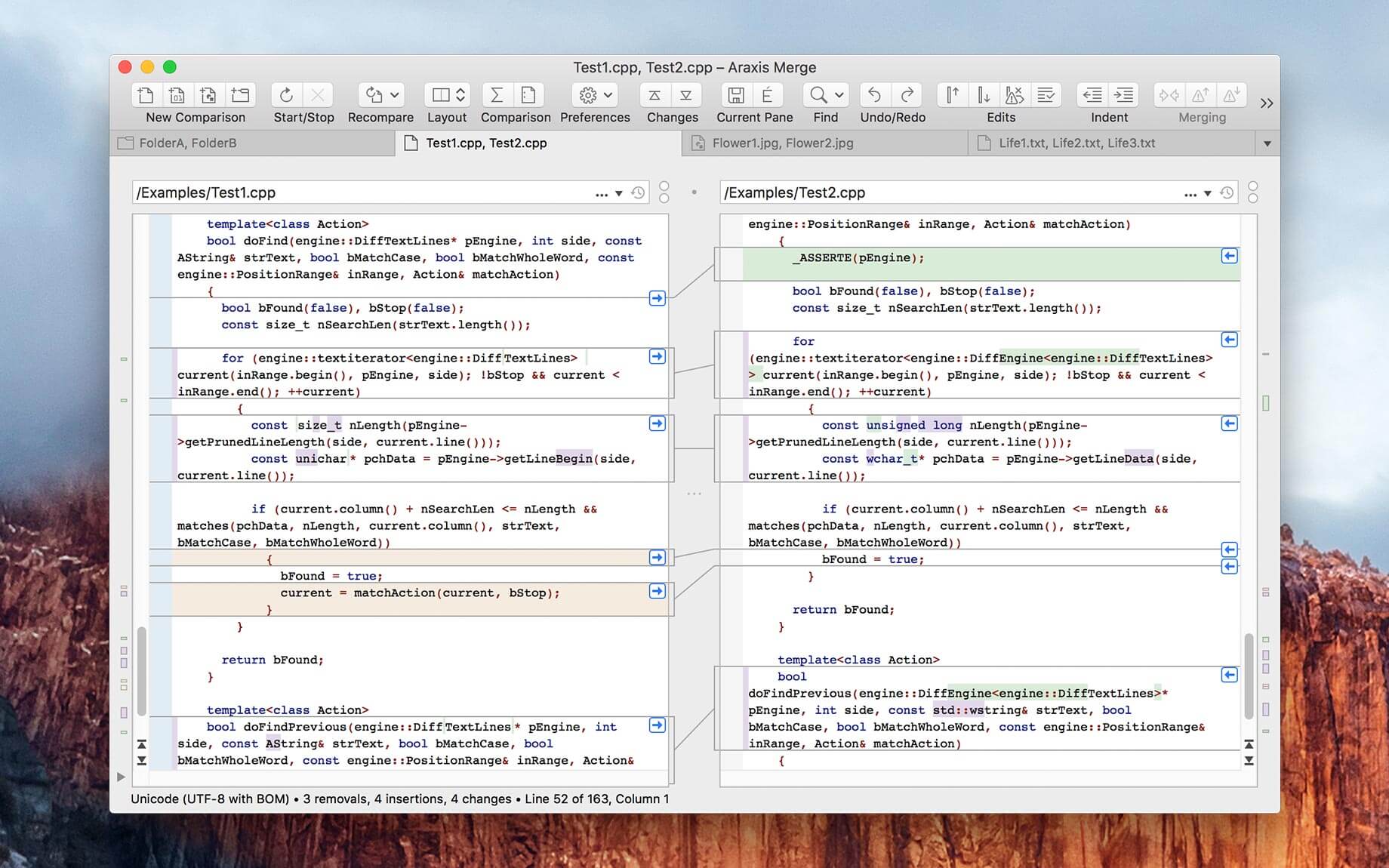
Araxis Merger is another file comparison tool that helps you to compare text from Microsoft Word to PDF files with ease. It can also spot changes between source, HTML, XML, and even other text file revisions.

The file can be accepted, merged, edited, or deleted directly from the editor. The Pixel comparison feature allows you to compare image-based files for text changes.

It also supports a 3-way comparison and automatic merging, but the feature is only limited to Pro users.

Other feature offered by Araxis Merger includes folder comparison and sync, direct access to SCM, portable report, printing and automation, and plugin support for extended functionality.

Araxis Merge is available for both Windows and ac computers. You can download the free trial for 30 days before opting for the premium license.

⇒ Get Araxis Merger

File comparison tools are not only handy for law firms and office work but also extremely useful for web developers and designers, programmers, and publishing professionals to compare source files, drafts, and web pages.

For basic needs, the free PDF document comparison tools offer enough features to find all the differences between the two documents.

However, if you want a multi-purpose tool or have thousands of pages to compare, the premium tools in the article come with advanced features to compare any type of files.

Have you used any of the PDF comparison files before? Do let us know your pick in the comments below.

Collage Maker Software for PC: 5 Best in 2026

Whether you are talking about children’s books or a college-level anatomy atlas, illustration is important since they help with the comprehension of the text that’s next to it.

Of course, book illustrations can’t be your typical doodles, as they do require an artistic approach, as well as quality rendering.

That being the case, we will be looking over several software tools that you can use in order to create fantastic and highly-detailed book illustrations, regardless of what they will be used for.

These applications have been tried and tested, and we will be ranking them based on the toolset that they provide, as well as how easy they are to use by both beginners and experienced users alike.

What is the best software for designing book illustrations?

Adobe Illustrator – Variety of book designs

Topping out our list is a software tool that even has illustrator in the name. This Adobe product can be considered the bread and butter of vector graphics software, allowing you to create pretty much anything as long as it involves shapes and colors.

Those of you that are familiar with other Adobe products will probably recognize the UI as well since the elements are arranged in pretty much the same fashion.

Regarding versatility, purchasing Adobe Illustrator will open up a whole world of possibilities to you in terms of customization, since there are hundreds of plugins to use for whatever task you are currently on.

Illustrations big or small will be easy to create from the ground up while using this tool, with the pencil tools brushes, and layer support making your job a whole lot easier.

More so, once you are done, you can save your work in many different formats, most of which are supported by all the other Adobe products.

Adobe Illustrator offers a wide array of features, and it’s one of the best book illustration software that you can use.

Here are some of Adobe Illustrator’s main features:

  • Full layer support
  • Supported formats work well with all products from the Adobe Cloud Creative Suite
  • Professional-level tools and features
  • Familiar UI
  • Have all the tools needed for creating superb book illustrations

Adobe Illustrator

Adobe Illustrator is the world’s best vector drawing software, so it’s perfect for book illustrations and all other drawing needs.
Free trial Visit website

Adobe Photoshop – Professional visuals for books

Adobe Photoshop - Best Painting Software

Yet another entry in our list is a program that is also part of the Adobe family. Photoshop is arguably one of the most recognizable programs in the world, being used as the default word when talking about a photo that has been edited.

While the difference between Adobe Photoshop and Illustrator is only important to those that work in the business as professionals, suffice it to say that’s far as book illustrations are concerned, the two programs are almost identical.

The UI is arranged in pretty much the same manner, so anyone versed in the ways of Illustrator can easily transition to Photoshop and vice-versa.

Lastly, any illustrations created in Photoshop are compatible with Illustrator, so you can always make the needed edits on a dedicated tool.

Photoshop is an extremely versatile tool and it’s one of the best software for illustrating children’s books without a doubt.

Here are some of Adobe Photoshop’s main features:

  • The best program as far as layer support is concerned
  • Created illustrations are fully compatible with Adobe Illustrator
  • Great for raster-based art
  • Familiar UI
  • It can be efficiently used to create digital art, including book illustrations.

Adobe Photoshop

Adobe Photoshop is the world’s best photo editor, which makes it perfect for creating book covers and illustrations.
Free trial Visit website

CorelDRAW – Typography and font management

CorelDraw has always been considered a fundamental graphics design tool since you can create pretty much anything. To that end, book illustrations are not an exception, and you can create incredibly beautiful ones using this program.

What CoreDRAW lacks in the sheer amount of options and tools as compared to the previous entry it more than compensates with the fact that it is extremely user-friendly. This makes it an excellent choice for those that don’t have much experience using such tools.

Importing image elements, working in layers, and all other operations you would otherwise be used to doing in different windows can now be accomplished within the same window using the simplest of commands.

More so, taking into consideration how feature-rich the program is, it is also surprisingly very easy on your PC, making it a perfect book illustration app for all users.

Here are some of CorelDRAW’s main features:

  • A broad range of supported file formats
  • Full layer support
  • Can handle both vector and raster-based graphics simultaneously
  • Supports 64-bit OS and multi-core processors
  • Versatile and powerful drawing tools

CorelDRAW

CorelDRAW is one best-known illustration applications on the market, so it’s a perfect choice for any kind of graphics.
Check price Visit website

Inkscape – Full-text support

best software for calligraphy

If what you are looking for is a product that can be used for drawing book illustrations, regardless of whether they are scientific or artistic in nature, there’s no way you can go wrong with Inkscape.

If you have all the necessary hardware, then this software is the ultimate tool for those that want to know what it feels like to draw by hand, without any of the disadvantages.

Of course, Inkscape is not limited to doing only that. Whether you are an illustrator, designer, web designer, or just someone who needs to create some vector imagery, Inkscape has pretty much everything that you may ever need.

One great thing about this tool is that it is also actively updated with fixes and new features, allowing it to keep up even with some professional-grade tools.

Inkscape is completely free, and if you don’t want to use expensive software then Inkscape might be the best children’s book illustration software for you.

Here are some of Inkscape’s main features:

  • Flexible drawing tools
  • Broad file format compatibility
  • Powerful text tool
  • Bezier and spiro curves
  • Free of charge

⇒ Get Inkscape

GIMP – Art creation on multiple platforms

GIMP book illustration software

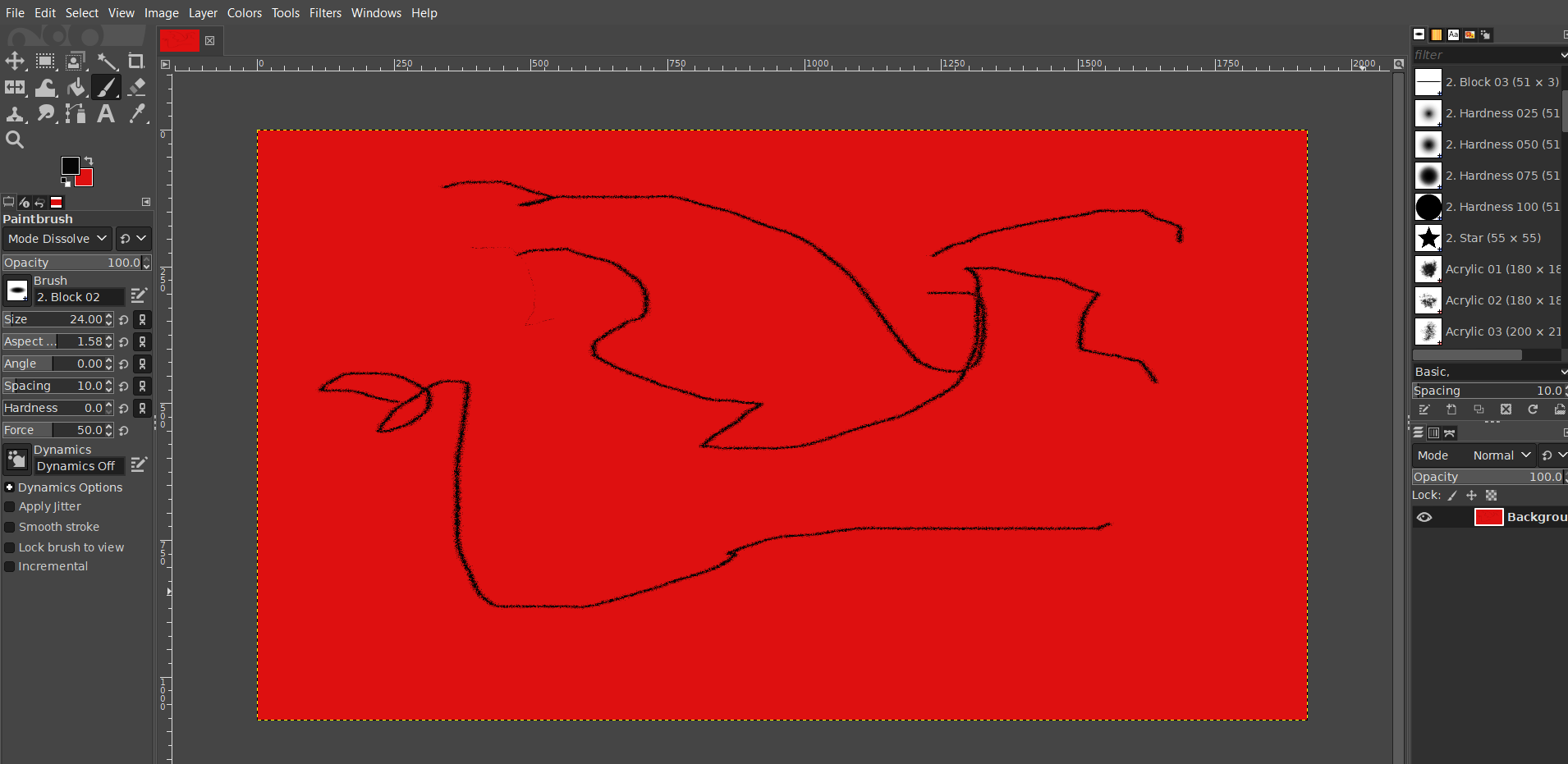
Closing our list is probably what many of you already know as an entry-level graphics design tool. This tool can be downloaded freely and it is also open source.

These two make it an excellent choice for those that are just starting their journey into the world of creating book illustrations, or any other kind of digital art for that matter.

More so, the fact that it is open-source means it is also constantly updated with new features, without straying away from the original intent of creating the perfect beginner’s tool.

The UI is incredibly simplistic and clear that even a child could understand it. Admittedly, this comes at the cost of this program being the least feature-packed of all our entries.

However, if book illustrations are all that concern you, then GIMP should be on your priority list.

Here are some of GIMP’s main features:

  • Completely free
  • Open-source
  • Constant updates
  • Intuitive design
  • Entry-level software

⇒ Get GIMP

Conclusion

Art is art, and with sufficient talent, you could probably get away with creating superb images using our handpicked platforms.

In conclusion, not everyone is born with that talent so having a good third-party graphics design tool can greatly reduce the burden of creation, allowing you to create illustrations that will definitely bring joy and awe to your readers.

Official Age of Empires video game merch arrives in the Xbox Gear Shop

Microsoft’s official Xbox Gear Shop has just added a large number of new items inspired by the popular Age of Empires video game franchise.

Items include an Age of Empires-branded wine glass, beer stein, mug, tumbler, phone case, blanket, and tote bag. A good selection of AoE shirts have also been added. You can see them all here.

The Xbox Gear Shop is part of Microsoft’s push to make Xbox more of a trendy lifestyle brand instead of something that people only associate with gaming. There are some genuinely high quality and fashionable items on there that are definitely worth checking out if you have even a passing interest in Xbox. The online store recently added international shipping too which means that enthusiasts in almost every region can order from the site.

Are you an Age of Empires fan and are you thinking of picking up any of these items? Let us know which ones in the comments below and then follow us on Pinterest and Twitter for more Xbox gaming news.

NVIDIA Shield TV adds support for Microsoft’s new Xbox Series X video game controller

Shield TV owners received an operating system update today that brings their smart TV devices up to Version 8.2.2 and adds support for the new Xbox wireless controllers that launched alongside Microsoft’s new Xbox Series X and Xbox Series S video game consoles.

This update also adds support for the Sony PlayStation 5’s DualSense controller and Control4 home automation systems. Here’s the full release notes:

Connect next-gen console controllers to your SHIELD and enjoy playing Android or GeForce NOW gaming with your favorite controller. To begin, start Bluetooth pairing on your SHIELD and start pairing mode on your controller.

  • DualSense: Hold PlayStation and Share/Clip button until light pulses blue.
  • XBox Series X/S: Hold the pairing button until the Xbox button blinks.

SHIELD TV now supports Control4 home automation systems.

Use your Control4 remote or app to navigate your SHIELD and even directly launch installed apps. Contact your certified Control4 installer to add your SHIELD today.

  • Includes Android security patch level December 2020.
  • Improved IR volume control behavior with SHIELD Remote 2019 with Denon receivers.
  • Additional bug fixes

Do you have a Shield TV device? Let us know what you think of this latest update in the comments below and then follow us on Twitter and Facebook for more tech and gaming news.

Nvidia nForce networking controller not working [Fixed]

The chip that controls network communications is the NVIDIA nForce Networking Controller and since it’s used to manage network communications it’s a must to have it work properly.

Some users reported getting the error message The network adapter NVIDIA nForce Networking Controller is experiencing driver or hardware related issues without any indications on what to do next.

We have gathered in this article a few steps that will help solve the Nvidia nForce networking controller issues in no time, so make sure to keep on reading.

How can I fix Nvidia nForce networking controller?

1. Update your drivers

  1. Click the Start menu button, type in Device Manager.win10-run-dialog-box
  2. Type in devmgmt.msc in the Run dialog box and click OK.
  3. Right-click on NVIDIA nForce Networking Controller and select the Uninstall Device option.
  4. Look for your NVIDIA nForce Networking Controller driver on the device manufacturer’s website and follow their instructions.
  5. Save and run the installation file on your computer. Your computer may restart several times during the installation.

2. Modify your adapter’s settings

  1. Type Device Manager into the search bar and enter devmgmt.msc in the Run box.
  2. Navigate to the Advanced tab in the Properties window and find the Link Speed and Duplex Mode options.
  3. On the right-side change the value option to your actual connection speed or Full Duplex respectively.
  4. Finally, apply the changes you have made and restart your device.

3. Assign network settings manually

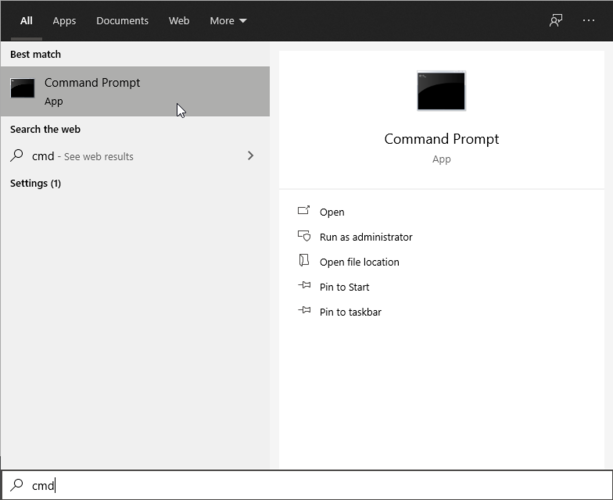
  1. In the Start menu search cmd.
  2. Right-click on the Command prompt and select Run as administrator option.
  3. Type in the following command and press enter: ipconfig /all
  4. Next, open the Run dialog box by pressing the Windows logo key.
  5. Type ncpa.cpl in it and click OK.
  6. Click on Network and Internet and select Network Connections.
  7. Next, click on the Change adapter settings option.
  8. Click on Properties and in the Use the following DNS server addresses enter the data you noted previously.

Hopefully one of the above solutions have helped you fix the Nvidia nForce networking controller not working.

If you have additional recommendations or suggestions please let us know in the comments section below.

Tattoo Design Software: 5 Best to Use in 2026

It’s known that transitioning from the classical way of drawing as an artist to the digital one is not always comfortable or without challenges.

As an artist, you can worry that the final product could be too different from what you envisioned and that it will miss the natural touch of real-world drawing.

Gladly, there are programs created with this exact objective in mind, of giving artists the same experience and natural touches as with traditional drawing.

We have gathered a list of drawing software recommendations for tattoo artists, so make sure to keep on reading.

What are the best drawing tools for tattoo artists?

Adobe Photoshop – First-place tattoo artwork

best software for calligraphy

Without exception, when thinking about drawing apps for tattoo artists, Adobe Photoshop should definitely be the first on the list.

This app will offer you all the basic and advanced features to create unique works of art. Moreover, you can edit photos with over 1000 plugins and features all available for download and use.

You will have two spaces in Adobe Photoshop: one where you find all the tools you need with different options for customization and the other one is the workspace, where you will actually create your design.

In the panels, you will manage all the layers that are overlapping in order to make up the final drawing.

Adobe Photoshop

Create amazing drawings with quick edits or even total image transformation with this powerful app.
Free trial Visit website

Corel Painter – Blank canvas designs

Corel Painter Pro

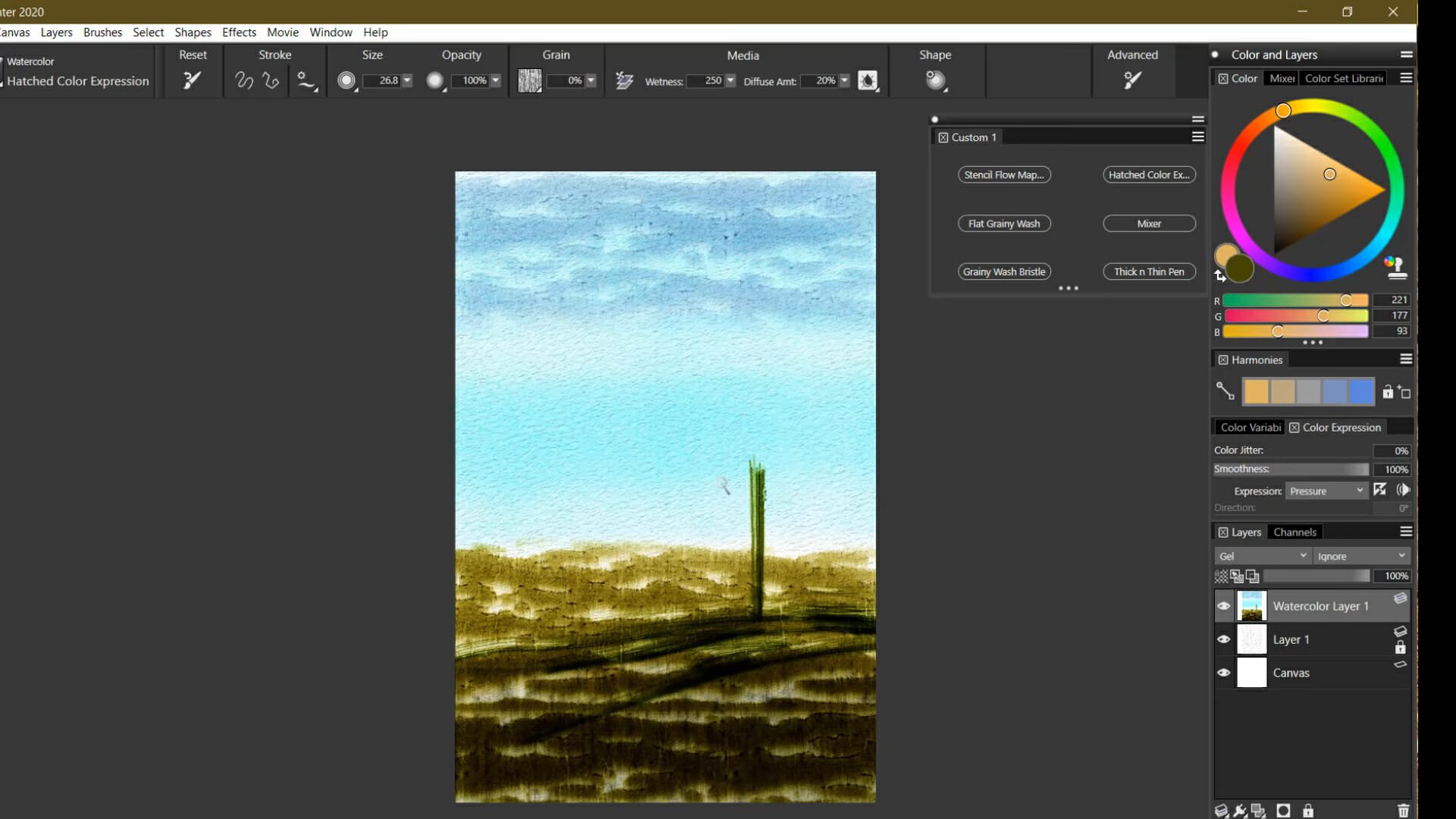
Painter art software earns its place because it comes with concept art designs and visionary drawing tools.

Firstly, you have numerous brushes, canvas settings, or colorization to create the most inspiring tattoo models.

Hence, it can deliver natural like oil paintings or pencil drawings that can look amazing on your skin. Moreover, you have unique edits with creative patterns, flow maps, or paper designs.

In addition, this professional tool can be used by beginners or advanced artists alike. It has an intuitive UI and constant support for learning.

Corel Painter

Offer insightful messages through your tattoo designs with this professional art tool.
Free trial Visit website

Adobe Illustrator – Professional drawings

Our next recommendation goes to Adobe Illustrator thanks to its vector-based features. Many of the capabilities that exist in Adobe Photoshop are also present in this app, which makes it a fantastic choice.

Thanks to being vector based, any image you create with Adobe Illustrator can be enlarged or expanded as much as you need, without having to lose any of the image quality.

Adobe Illustrator is fully compatible with the rest of the Adobe products and is just as easy to connect and share the drawing you create with social media channels.

The amazing collection of templates that are available to use will give you a quick start anytime you are in need of some inspiration.

Adobe Illustrator

Create stunning drawings with software that is vector based and with highly customizable tools.
Free trial Visit website

Corel Draw – Imaginative tattoo designs

Another powerful but easy-to-use and perfect if you are tattoo designer is Corel Draw. This app comes with some cutting-edge vector illustration tools that you should definitely try.

With Corel Draw you can produce unique illustrations, logos, and many more and deliver the results in less time than compared to other apps thanks to its productivity tools.

The easy-to-use integrated workflow inside Corel Draw will be a bliss to work with and will make the transition from classical drawing to digital one really simple and easy.

Corel Draw

Transition easily from traditional drawing to digital one with this powerful and complex tool.
Free trial Visit website

Clip Studio Paint – Free coloring expression

Not as the last choice, Studio Paint is the greatest pick for drawing and sketching inspiring tattoo designs.

As they say, this solution is the artist’s tool when it comes to drawing because it has diverse painting styles.

More than that, you can use various presets with brushes to add more personality to your tattoo art.

Not only that, there are intuitive coloring tools and traditional mixing colors for shaping your final designs to the maximum potential.

Clip Studio Paint

Have the best time using this infamous painting tool dedicated to any kind of artist.
Free trial Visit website

With this last software, we conclude our list of best drawing software for tattoo artists and we hope that the information gathered here will help you make the best decision.

As you can see there are several great software to choose from, depending on your needs and on how you envision the final outcome.

If you have additional recommendations or suggestions, we would like to hear about them in the comments section below.

[FIX] Playstation 4 error NW-31473-8

It seems as though many Playstation 4 users have encountered an NW-31473-8 code error whenever they are trying to open a game or even when trying to create a party with one or more online friends.

The reason for this error code can be related to PSN Server issue and it indicates a problem with the main PSN Connectivity server. Another possible reason is a TCP/IP inconsistency or a bad automatic network setup.

In this article we will explore a few easy steps you can make in order to solve this issue, so make sure to keep on reading.

How can I fix error code NW-31473-8?

1. Check the PSN Server status

It can happen that the error code NW-31473-8 appears due to an issue with the main PSN connectivity server, as Sony officially acknowledges this on its support page.

In order to verify and see if that’s the case or not, the first thing we recommend you do is to check the PSN Service Status page. On this page, you should see if there are any issues reported with Account Management, Gaming & Social, or PlayStation Store.

If there is indeed an issue with the server, there is nothing you can do in order to fix the problem. All you can do is wait for the issue to be solved by Sony.


2. Reset your router

Another common cause for the above error, once you ruled out the PSN server, is the TCP or IP inconsistency. This kind of problem in general is brought up by some type of corrupt data.

Gladly, if the TCP or IP inconsistency is the cause, restarting the router will solve the error as it will refresh all essential TCP and IP information.

In order to restart your router, simply locate the on/off button, usually at the back of the router, and press it. Next, press on the power button to cut off power and afterwards remove the power cord. Wait a full minute before powering back on the router.


3. Set the connection manually

  1. Go to the main dashboard of your PS4 and click on the Settings icon.
  2. Select the Network settings menu.
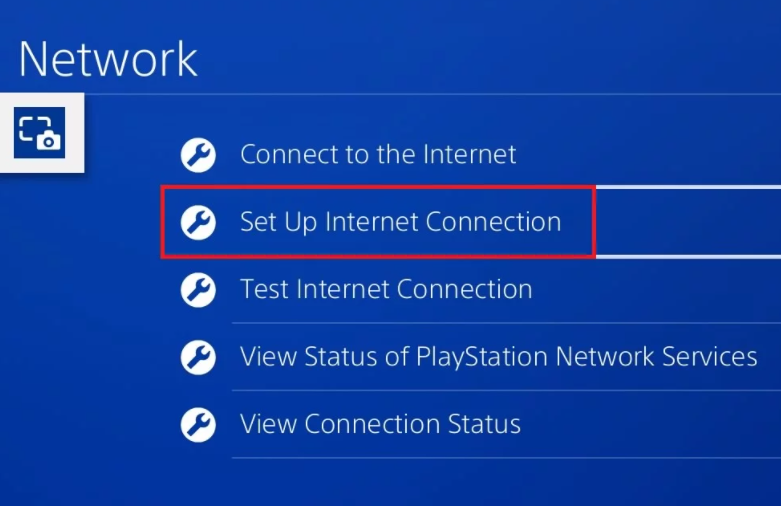
  3. Here, click on the Set Up Internet Connection option.
  4. Next, choose Use Wi-Fi or Use a LAN cable depending on what you are using.
  5. Select Custom and click on Automatic at the IP Address Settings prompt.
  6. In the DNS Settings prompt assign the following values to Primary DNS: 8.8.8.8 and to Secondary DNS: 8.8.4.4.
  7.  In the MTU Settings menu, choose Do Not use.
  8. Next, in the Proxy Server menu, also select Do not use.

We hope that one of our solutions helped you fix the NW-31473-8 error code. For another related PS4 network error, check out our detailed article.

If you have additional recommendations or suggestions, please let us know in the comments section below.

Paint Software for Kids: 4 Best to Download

Painting software for kids is attractive and fun, creating a really enjoyable environment where they can safely develop their skills.

The painting software we will present in this list has been specially created in a way that are great at being used by kids, as they come with fun and exciting features.

Each and every one of these software options will allow your kid to edit and import different kinds of images in order to bring their creation to life.

What are the best painting software for kids?

Adobe Fresco – Most suitable kids’ painting

Adobe Fresco is yet an amazing painting app that is inspired by the classic technique of applying pigment to wet plaster, and it can be complicated to use for a child.

With a bit of help from you and a good drawing tablet, your child will be able to create astonishing art in no time.

The really great thing about this tool is that it aims to replicate the way in which real-world watercolor and oil paints interact with each other or other surfaces.

Fresco includes brushes to create scalable drawings, layers, masking, and selection tools. All the files can be manipulated in Photoshop and easily transferred afterward to PDF for editing.

To get the most out of this software, it is recommended that you use it with a drawing pad or a similar device. This enables your child to have the same experience as painting on a canvas.

Adobe Fresco

Use this realistic app and create amazing painting with a tool that makes you feel you are using real water colors.
Free trial Visit website

Paint 4 Kids – Most kid-friendly

This image has an empty alt attribute; its file name is Paint4Kids.jpg

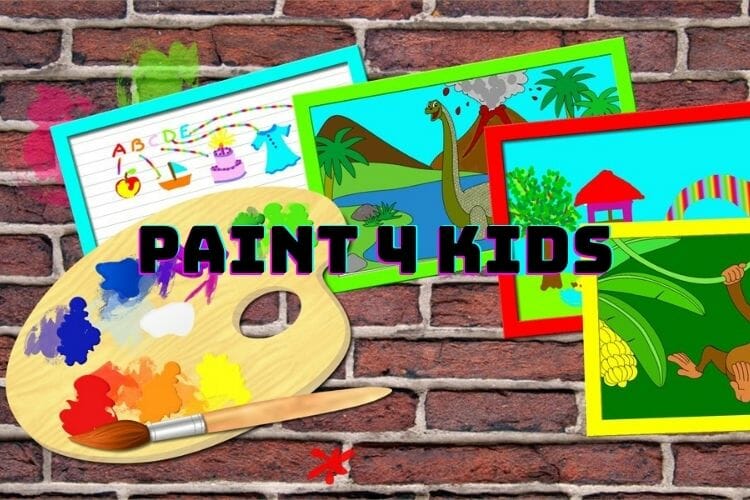
Paint 4 Kids is a Microsoft app that was designed specifically for kids, and offers a good range of tools to enable your child to create a variety of artworks.

It comes bundled with already-drawn shapes that your child can fill with colors just like in the case of a real-life coloring book.

You have the option to fill the shapes by using one tap or draw freehand over the sketches, which enables kids of all ages to enjoy this app thoroughly.

There are different brush sizes available, but no other more complex tools are to be found.

Paint 4 Kids

Unleash your kid’s creative potential by trying out this incredibly engaging application today!

ArtRage6 – Artistic paintings

ArtRage 6 combines perfectly the digital tools with the classic effects, making it another perfect painting tool. This software allows you to smear paint, and blend colors and it makes it easy to recreate natural ingredients.

Moreover, it has a Watercolor tool integrated that renders a variety of watercolor styles using a soft brush.

You can add volume to your custom brush strokes and use any of the variety of colors available in order to reach the desired combination.

⇒ Get ArtRage6

Tux Paint – Most interactive UI

Tux Paint is a child-friendly software application that enables your young ones to develop and enhance their digital creative skills without much of a learning curve.

This colorful software offers big icons with intuitive controls, thus enabling your child to focus on the creative part, and not on finding the right tools or colors.

Here are some of the best features found in this software:

  • Interactive sounds that play when tools are selected and used
  • A funny-looking penguin appears at the bottom of the screen giving useful information
  • One-size canvas makes it easier for kids to use the software
  • No file names need to be added when saving an art project
  • Wide variety of tools, brushes, and colors available to use

⇒ Get Tux Paint

These are some of the most perfect painting apps to use for kids and we hope that the information we offered you in this guide is enough to help you take the best decision.

If you have additional suggestions or recommendations, please let us know in the comments section below.

You can now install Adobe Lightroom without Creative Cloud

Those of you that use Adobe products have probably heard and most likely use Creative Cloud.

It is basically Adobe’s proprietary launch platform from which users can buy, download, update, manage, launch and uninstall all of their Adobe products.

Such products include Adobe Photoshop or Adobe Illustrator, Adobe Lightroom, and more.

However, this doesn’t seem to be the case for long. One of Adobe’s most important products, Adobe Lightroom has been updated, but it no longer requires Creative Cloud as a prerequisite.


Adobe and Microsoft collaborate to make Adobe Lightroom install easier

This not only marks a monumental change for users, but it also showcases the partnership between Microsoft and Adobe, as Lightroom can now also be downloaded from the Microsoft App Store.

As far as features go, there aren’t any significant differences between the Microsoft Store version and the regular version, so users will not experience any changes in functionality.

What makes this news even greater is that Lightroom is available in the Microsoft Store with a 7-day trial, which you can download at absolutely no cost.

Adobe Lightroom

Adobe Lightroom

Test the powerful photo editor Adobe Lightroom now, and edit stunning images like no other!
Free trialVisit website

Adobe commented on their decision to offer a free trial with the following:

Your first week is free. Once your free trial ends, the recurring monthly payment or upfront payment for a year in full, whichever option you selected, is automatically charged to your Microsoft account. To stop service, go to account settings and turn off auto-renew at least 24 hours before the end of your billing period. Prorating is unavailable – when you turn off auto-renew, service will continue until the end of that billing period

Furthermore, already active subscriptions to Lightroom will apply to the Microsoft Store version as well.


What are the new system requirements?

You won’t be able to run the Microsoft Store version of Lightroom with older versions of Windows anymore. You will need Windows 10 version 1903 and newer.

As such, if your device has already been updated to Windows 10 version 1909 you are eligible. Additionally, your PC will need to have at least 4GB of RAM to run the Store version of Lightroom.

Do you think getting Lightroom without Creative Cloud is a change for the better? Let us know in the comment section below.

5 of the best painting software for Windows 7

Microsoft no longer actively supports Windows 7, and some notable publishers are only releasing their latest painting software for Windows 10.

However, there is still some great painting software you can utilize on Windows 7.

The best painting software includes a plethora of art and design tools for artists to unleash their creativity with.

They also include image editing tools to refine photos with. These are five of the best painting software for Windows 7 users.

Adobe Photoshop

Adobe Photoshop painting software for windows 7

Adobe Photoshop is the crème da la crème of image editing and painting software for Windows platforms. The latest Photoshop 2021 doesn’t support Windows 7, but you can utilize Adobe Photoshop 2020.

Although some might think Photoshop is primarily an image editor, you can utilize this software for website, packaging, banner, logo, and icon design.

Painters will love Photoshop’s preview blending modes, sample brush presets, and a wide variety of brush tip controls. So, it’s among the most comprehensive art packages.

Other useful Adobe Photoshop features

  • Enables users to set up picture collages
  • Includes a Content-Aware Fill tool for removing unwanted details
  • Enables users to organize brush presets in folders
  • Includes more than 1,200 brushes
  • Users can set up slideshows with Photoshop’s Timeline feature
Adobe Photoshop

Adobe Photoshop

Use the full capabilities of Adobe Photoshop on your system and create astonishing work from the comfort of your own home.
Free trialVisit website

Adobe Illustrator

Adobe Illustrator painting software for windows 7

Adobe Illustrator is among the foremost graphics design applications for Windows. So, you can design all kinds of media with this application. As vector graphics software, Illustrator enables users to vectorize brush strokes for their designs.

Illustrator is the best software for users who need to apply paint to illustrations. It includes a Live Paint utility for colored drawings. That tool makes painting objects more like applying watercolors for pencil sketches.

Aside from Live Paint, painters will also appreciate Illustrator’s Brush tool. The Brush tool enables users to set up custom brushes.

This utility makes painting with Illustrator more flexible as users can customize brushes according to their design requirements.

Adobe Illustrator’s Transparency panel also enables users to apply transparent effects to art.

With that panel, users can apply blending modes, add transparent gradients and meshes, lower object opacity, and incorporate opacity masks for transparency variations within their pictures.

Other useful Illustrator features

  • Illustrator’s Adobe Sensei extracts colors from photos
  • 18 precision drawing tools
  • Includes six tools for complex typography
  • Graphing tools that enables users to set up data visualizations
Adobe Illustrator

Adobe Illustrator

Create amazing digital artworks on your Windows 7 system with this powerful software today.
Free trialVisit website

Corel Painter

Corel Painter painting software for windows 7

Corel Painter is an art package specifically designed to simulate traditional painting, printmaking, and drawing art media. So, this software is designed specifically for professional digital artists. The latest Corel Painter 2021 is only available for Windows 10, but Painter 2020 supports 64-bit Windows 7.

What sets Corel Painter apart from alternative art packages is its brushes. Firstly, it packs in a massive selection of brushes with more than 900 to choose from. Coral Painter’s brushes are also renowned for their realism and how they replicate real-world paintbrushes.

Corel Painter’s Brush Accelerator is among its most novel features. That feature optimizes Corel Painter’s brushes for your system specifications. Corel claims Brush Accelerator enables users to paint up to 20 times faster with traditional brushes.

Corel Painter also boasts impressive color selection features. Its color wheel is a very versatile color selection utility that combines very nicely with the mixer palette for mixing colors. Painter’s Color Harmonies feature provides complementary colors for current selections.

Other useful Corel Painter features

  • Includes layer tools for users
  • Provides dab and stroke previews
  • Enables users to set up brush presets
  • Includes extensive color modification, brightness, and canvass texture effects
  • The Move menu enables users to set up animated clips from pictures
Corel Painter

Corel Painter

Use this versatile tool to take your digital art creation to the next level in Windows 7.
Free trialVisit website

GIMP

GIMP painting software for windows 7

GIMP is among the most versatile image manipulation software for Windows.

You can utilize GIMP for painting, editing photos, graphics design, and more besides. The best thing about GIMP is that it’s open-source software that’s freely available for Windows, Linux, and Mac platforms.

GIMP includes parametric and raster brushes. Both brush types are very versatile for digital painting. The parametric brush can be especially effective for dry media charcoal, chalk, and pastel paintings.

There are a wide variety of additional brush packs for GIMP its users can download from DevianArt and other sources.

The brush packs are designed for more specific artistic effects. Alternatively, you can set up your own custom brushes within GIMP.

There are also a wealth of plugins you can add to GIMP to extend its paint feature set. For example, you can add the Paint Studio plugin to GIMP.

That plugin adds a further 102 brushes, 16 gradients, 12 palettes, and 28 patterns to GIMP. Even some Photoshop plugins reputedly work with GIMP!

Other useful GIMP features

  • Customizable UI design
  • Includes numerous filter effects for images
  • Users can retouch images with GIMP’s clone tool
  • Includes layer and layer mask tools

⇒ Download GIMP


Rebelle

Rebelle painting software for windows 7

This is art software specifically for painting that incorporates watercolor simulation techniques. Rebelle mimics natural media more closely than the vast majority of digital paint software. Therefore, this software delivers some of the most realistic and natural-looking digital painting output.

Rebelle incorporates an extensive toolkit for painting. It incorporates wet tools for oil, acrylics, ink pen, and watercolor paintings. Alternatively, you can utilize its pastel, marker, and airbrush dry tools among others. Rebelle also includes a Brush Creator tool, blend and smudge options, and watercolor texture settings.

Although it’s not image-editing software, Rebelle does still include layer and color tools. Its layer utility enables you to overlap painting areas. Rebelle users can also adjust RYB color mixing, apply gamma correction, and select alternative RGB color profiles.

Other useful Rebelle features

  • Rebelle’s DropEngine generates water drip effects
  • Includes a Blow Tool for blowing drips
  • Ruler and perspective tools included for precision drawings
  • Includes numerous digital templates
  • Enables users to apply transparent water mixing

⇒ Download Rebelle 4


These are some of the best art packages digital artists can utilize on Windows 7.

Digital artists can paint visually stunning and realistic paintings with that art and design software.

Origin Error Code 327683:0: Fix it in 6 Easy Ways

Some users have posted on EA’s forum about an Origin 327683:0 error. That issue arises for some users when they try to update Origin or install games with that gaming client.

If you are also dealing with this issue, we will show you how to fix it for good in this guide.

What is error 327683:0 in Origin?

Error 327683:0 is an Origin update and game installation issue. Origin downloads the updates and games but displays the 327683:0 error message during installation.

The issue can be due to conflicting antivirus software, Windows’ firewall blocking Origin’s requests, and corrupted cache data.

How can I fix the Origin error 327683:0?

1. Run Origin as an administrator

Run as administrator option error: 327683:0

First, try running your Origin client software as an administrator by right-clicking its shortcut icon on the desktop.

Then, you can simply select the Run as administrator option on its context menu.

If you don’t have a desktop shortcut for it, right-click Origin on your Start menu, select More, and then choose Run as administrator. This also helps with issues like Origin Error Code 20.403; read this guide to learn about the issue

2. Log out and back into Origin

  1. Click Origin at the top left of the game client’s window.
  2. Now, choose the Log Out option.
    origin logout
  3. Finally, log back into Origin’s gaming client with your user account details after some minutes.

3. Temporarily turn off Windows Defender Firewall

  1. Press the Windows and R keys simultaneously to launch the Run accessory.
  2. Type this command line in Run’s Open box and press Enter: control firewall.cpl
  3. Next, click Turn Windows Defender Firewall on or off, which will open the settings in the snapshot directly below.
    Turn off Windows Defender Firewall options error: 327683:0
  4. Select both the Turn off Windows Defender Firewall options and click OK to close the window.
  5. Then try installing the Origin updates or games with the firewall off.

4. Disable third-party antivirus utilities

  1. Right-click the antivirus software icon for it on the Windows Taskbar.
  2. Choose the corresponding option to disable your antivirus.
  3. Finally, select the duration for which you want the antivirus to be disabled.
    disable error: 327683:0

5. Clear Origin’s cache

  1. Completely close the Origin client software if it’s open.
  2. Launch run with the Windows key + R hotkey that opens it.
  3. Open Origin’s cache folder by entering this location command and pressing Enter: %ProgramData%/Originprogramdata
  4. Select all content within the folder that opens with the exception of LocalContent.
  5. Click the Delete button on File Explorer’s Home tab to erase the selected content.
  6. Open Run’s window again.
  7. Next, input this location command and press Enter: %AppData%
  8. Select the Origin subfolder within the Roaming folder that opens.
  9. Click the Delete button to erase the Origin subfolder.
  10. Click AppData in File Explorer’s path bar to open that folder.
    AppData folder error: 327683:0
  11. Open the Local folder within the AppData directory.
  12. Select the Origin folder in the Local directory, and press the Delete key.
  13. Thereafter, restart your desktop and laptop.

6. Reinstall Origin

  1. Open Run’s window.
  2. To open Windows’ uninstaller, enter this launch command in Run: appwiz.cpl
  3. Select Origin in the programs list.
  4. Click Uninstall to remove Origin.
    Programs and Features error: 327683:0
  5. Restart Windows after you’ve uninstalled Origin.
  6. Open Origin’s download page in a browser.
    Origin's download page error: 327683:0
  7. Click the Download button for Windows.
  8. Then, reinstall Origin with the downloaded setup wizard.

Those are some of the most widely confirmed resolutions that users have fixed error 327683:0 with.

So, there’s a good chance at least one of the above fixes will do the trick. With Origin’s 327683:0 error fixed, you can install Origin games again.

Similarly, if you want to know how to backup your origin game saves, we have a guide.

Fall Guys isn’t coming to Xbox Game Pass despite the Xbox team teasing it on social media

Fall Guys, a new platform battle Royale game from developer Mediatonic quickly became one of the most hyped games of 2020, along with Among Us. Since its launch on PC and PlayStation 4 back in August 2020, the game went to sell over 11 million copies on Steam, and it also became the most downloaded free PlayStation Plus game of all time.

Earlier today, a message from Reddit user ronbag gained some traction as it showed the Xbox team teasing the arrival of Fall Guys in Xbox Game Pass. The Xbox Game Pass team is known for its use of a funny tone on social media, but this reply to a comment on the official Xbox Game Pass Instagram account looked pretty serious.

Fall Guys is coming to Xbox Game Pass from Xboxnews

Unfortunately, the news that Fall Guys is coming to Xbox Game Pass has since been denied by both the official Fall Guys Twitter account as well as the one from the game’s publisher Devolver Digital. “There are no plans for Fall Guys to come to any form of Gamepass,” the publisher tweeted a couple of minutes ago.

Fall Guys coming to Xbox consoles and Xbox Game Pass would have been great news for Microsoft’s game subscription service, which recently welcomed the indie hit Among Us on PC. Even though the publisher’s tweet was pretty clear, there’s still a small chance that the original message from the Xbox Game Pass team was true.

As you may recall, we’ve seen the same thing happen with Control, the latest game from Remedy that joined Xbox Game Pass for Console last month and will be available for PC subscribers tomorrow. Xbox head Phil Spencer first announced in a December 2019 interview that the game was coming soon to Xbox Game Pass, but publisher Remedy was quick to deny it. One year later, the game did eventually come to Xbox Game Pass.

We’ll see what happens with Fall Guys, but the developer should really strike the iron while it’s hot and bring it to more platforms until the next gaming phenomenon shows up. If iOS and Android versions are also in the works, it would be surprising to see Fall Guys skip Xbox consoles entirely when Among us, another indie hit recently launched on Nintendo Switch with Xbox One and Xbox Series X|S versions to follow in 2021.

Microsoft looks to bolster the self-driving car market with new Cruise and GM partnership

Microsoft appears to be re-entering the automotive market in a significantly greater capacity than it has been previously.

A few years back, Microsoft seemingly slunk away from the automotive infotainment wars as Apple and Google staked their claims for center console attention leveraging their dominant smartphone operating systems. Only a few brands continued to make use of Microsoft’s underlying OS, and eventually those contracts were replaced with Blackberry’s QNX alternative.

In a similar pivot away from OS-centric development and eying the broader cloud services market, Microsoft continues to push forward with cloud computing and AI solutions for vehicle and road automation and forgoing the rigamarole of the infotainment competition.

On the Cruise website, the company announced that it, General Motors, and Microsoft have entered into a “long-term strategic relationship,” to expedite the “commercialization of self-driving vehicle.”

“Our mission to bring safer, better, and more affordable transportation to everyone isn’t just a tech race – it’s also a trust race,” said Cruise CEO Dan Ammann. “Microsoft, as the gold standard in the trustworthy democratization of technology, will be a force multiplier for us as we commercialize our fleet of self-driving, all-electric, shared vehicles.”

As with most of its cloud deals, Cruise will make use of Microsoft’s Azure cloud while Microsoft will siphon its partners’ knowledge and expertise to create better solutions to help accelerate its own innovation in the market.

While it would sci-fi-ish to see Microsoft connecting every automated car to another on the road while all vehicles communicate with AI-powered charging stations and real-time mapping APIs, I would venture to say yesterday’s deal may be a bit more pedestrian on an early scale. More than likely, Microsoft will provide Cruise and GM with AI scalability and machine learning capacity while also backing the companies internal communications, productivity, and production platforms through an integrated Microsoft 365 stack.

At the end of the day, GM and Cruise will create their own proprietary solutions that lay atop an Azure platform of information tracking to manage its array of on-vehicle sensors, in-warehouse operations, and digital supply chain tracking that all gets parsed through Microsoft’s cloud computing solutions. Microsoft may not show up on any self-driving vehicles but its presence in the market is now more significant than it’s ever been.

The specifics of the deal aren’t public knowledge yet, but what is known so far is that Microsoft, along with General Motors, Honda, and other institutional investors will enter into a consortium of sorts with a combined equity investment of over $2 billion in Cruise. The influx of investment also raises Cruise’s valuation to $30 billion.

12 Best Software to Mix Audio and Video Files [Free & Paid]

While editing a video sometimes you might want to mix different audio and video clips together.

By doing so you can achieve some interesting results, so today we’re going to show you the best audio & video mixer software.  

What is the best app to merge audio and video files?

Adobe Premiere Pro

Mixing video and audio together in order to create a compilation or a music video is one of the most basic tasks that you can perform with a video editor.

Of course, while any low-end video editor can perform this task, very few manage to blend the two elements together at a truly professional level.

That is where Adobe Premiere Pro is different compared to all the rest, as this timeline-based video editor has all the tools that you may ever need in order to pull off this job.

It doesn’t matter if you want to add a simple sound effect to a 5-minute video, or if you want to make a YouTube-worthy music video, Adobe Premiere Pro has got you covered. Simply annotate along the timeline where you want the secondary audio to be added in, and then let Premiere Pro process the file.

Of course, you can also use the program to perform some minor audio editing as well, so you don’t have to switch back and forth between audio and video editors.

However, that wouldn’t be the case with Premiere Pro anyway, since importing and exporting into Adobe’s dedicated audio editor, Adobe Audition, is incredibly easy.

Here are some of the perks of using Adobe Premiere Pro:

  • Great for mixing video, imagery, and audio together
  • Familiar-looking timeline-based video editor
  • Very compatible with all other Adobe products
  • Works best when paired with Adobe After Effects
  • It can be tested for free for 7 days
Adobe Premiere Pro

Adobe Premiere Pro

Industry-leading software for audio & video mixing for beginners and pros alike.
Free trialVisit website

VSDC Video Editor

Many video editors allow you to combine both audio and video and that’s also the case with VSDC Video Editor.

The application has a relatively simple interface so even the basic users will be able to edit videos without too much hassle.

The application supports a wide range of codecs and video formats including AVI, MP4, MKV, MPG, WMV, 3GP, FLV and many others.

As for audio files, the application can work with MP3, WAV, WMA, FLAC, PCM, OGG, AAC, M4A, AMR and many other popular formats.

In addition to audio and video files, the application also works with various image formats.

In terms of video editing, VSDC Video Editor supports a wide range of effects and you can even perform color correction and various transformations.

All visual effects are sorted into five different categories so you can easily access any of them.

In addition to video effects, the application supports a wide range of audio effects and you can easily normalize sound, change the volume, add reverb or echo effects.

According to the developer, this is a non-linear video editor so you can freely position your elements anywhere on the timeline.

The application also offers various blending modes and by performing minor adjustments you can get some interesting results.

The application also supports masking so you can create different masks and use them to hide or highlight certain elements.

The VSDC Video Editor supports social networks and you can easily export your video and optimize it for social media websites such as Facebook, YouTube, Instagram, Twitter, etc.

It’s worth mentioning that the application supports the H265/HEVC codec so it can work with 4K videos with ease.

The application also allows you to optimize your videos for various devices and you can even create and burn discs right from this tool.

If you want to share your videos online, you can also upload them to YouTube directly from this application.

Additional features include video stabilization tool and a file converter that can easily convert files from one format to another.

Speaking of extra features, VSDC Video Editor also supports video capture as well as screen recording.

The application allows you to use multiple tracks which makes it incredibly easy to combine audio and video.

Your audio will be added as a separate track, but you can also choose to mute the original audio. Each track supports customization and there’s a wide range of parameters you can configure.

⇒ Download VSDC Video Editor Pro


Full Video Audio Mixer

This is a simple application that allows you to easily combine audio and video files.

The application offers a simple interface that allows you to extract the video track and save it as its own file. You can also use this tool to extract audio from video files.

The application allows you to perform some adjustments to your videos and you can change the video size or crop your video.

If needed, you can also rotate your video or flip it right from this application.

You can also cut your video in order to remove the unnecessary segments. The application offers several syncing options and you can keep the original sync or you can add delay time to audio or video. You can also change image motion if you wish to do so.

There are also several mixing options available and you can remove the original sound from the video or choose to keep it.

In addition, you can also change the sound volume and tempo of the original audio.

The application has a built-in audio editor so you can easily preview your audio file and edit it.

You can cut, copy and paste the desired segments and change the audio amplification. If needed, you can also reduce the length of the audio so it can match the length of your video.

Full Video Audio Mixer offers a simple user interface so even the most basic users will be able to use it.

The application uses a tabbed interface so it’s easy to add both audio and video.

The software doesn’t offer any advanced features, which can be a flaw if you’re an advanced user. Speaking of missing features, there’s no preview feature available which is another flaw in our opinion.

We also have to mention that this isn’t a free application, and it will leave its watermark on all processed videos unless you purchase a license.

⇒ Download Full Video Audio Mixer


VirtualDub

Another application that can help you mix audio and video files is VirtualDub. This is a video capture software but it also offers some video editing features.

The application reads and writes AVI2 and multi-segment AVI clips. In addition, there are MPEG-1 and Motion-JPEG decoders available.

VirtualDub also allows you to remove and replace audio tracks on any video with ease.

As for video editing, the application offers some basic effects such as blur, emboss, smoothing, 3×3 convolution, and the ability to change brightness and contrast.

In addition, you can flip, resize and rotate videos or adjust levels, deinterlace, and threshold.

The application also offers bilinear and bicubic resampling and you can also decompress and recompress both audio and video.

If needed, you can also remove specific segments, adjust frame rate or decimate frames. In addition to all these features, VirtualDub is rather fast so you can process and edit videos with ease.

VirtualDub has a simple interface, but it offers decent video editing features, and you can even use it to mix audio and video files.

The application is completely free and portable, so it will work without an installation.

⇒ Download VirtualDub


VLC

Another application that can help you mix audio and video files is VLC Media Player.

This is a powerful media player and it can play almost any file with ease. In addition to files, the application also works with online streams, webcams, discs, and other devices.

It’s worth mentioning that VLC uses hardware decoding so it’s faster than other multimedia players.

As for supported formats, VLC Media Player supports a wide range of both audio and video files.

In addition, the application offers many advanced features, and you can extend it even further with various plug-ins.

VLC Media Player also allows you to play two or more files simultaneously allowing you to mix audio and video files.

Even though you can play and mix two files, you can’t save them as a separate file.

VLC Media Player is a great application, and even though you can combine audio and video files, you won’t be able to save them.

This is one of the best multimedia players, and if you need a media player that can also mix files, be sure to consider VLC.

⇒ Download VLC


VideoMeld

Another application that can help you mix audio and video files is VideoMeld.

The first thing you’ll notice about this application is its slightly outdated interface, but despite the interface the application has a lot to offer.

According to the developer, the application allows you to mix any number of audio and video files.

In addition to mixing, you can edit videos by adding captions, special effects and transitions to them.

Speaking of effects, there are about over 50 different video effects and transitions. You can also record your screen using this application and create video tutorials.

As for additional features, the application supports HD video up to 1920×1080 and it can save it to MPEG 4 H.264 format.

There’s also support for 7.1 surround sound which is always a welcome feature. Audio effects are also available and some of the available effects include Noise Reduction, Compressor/Expander, Equalizer, and Pitch.

The application uses a non-destructive virtual editing system so there’s no need to process your files. As a result, you’ll perform your edits faster and save time.

VideoMeld supports zooming, panning, and cropping, but you can also change colors, tint, and transparency.

There’s even support for blue or green screen so you can easily add custom background to your videos.

The application supports multiple undo and redo steps, and thanks to the multiprocessor usage you’ll achieve maximum performance.

Lastly, the application can also extract audio from video files and save it as an MP3 file which can be useful to some users.

VideoMeld is a decent video editor and it allows you to edit your videos, but it also lets you mix audio and video files.

Our only complaint is the slightly outdated interface, but if you don’t mind it, feel free to try this application out.

⇒ Download VideoMeld


OpenShot

If you need to mix audio and video files, you can do that by using OpenShot software.

This is an open-source application and you can use it without any restrictions. The application is available for all major desktop platforms including Linux and Mac OS X.

The first thing you’ll notice about this application is its modern and friendly user interface which makes it perfect for first-time users.

The application works as a video editor and you can easily trim your videos and remove any unnecessary segments.

There’s also support for animation and keyframes so you can easily create various animations.

As for additional features, the application offers various visual effects and you can easily remove the background from your videos, invert colors or adjust the brightness.

In order to edit your videos, the application offers an unlimited number of layers so you can combine multiple videos, effects, and audio tracks.

OpenShot supports waveforms and you can easily add them to your videos. There’s also a title editor as well as support for 3D animations and effects.

In addition, there’s support for time effects and you can easily adjust the speed of your playback. Speaking of playback, the application supports audio mixing so you can easily mix audio and video clips with ease.

OpenShot is a solid video editor and it comes with a modern and user-friendly interface. The application supports a wide range of features, and it’s perfect if you want to edit videos or mix audio and video files.

⇒ Download OpenShot


Aimersoft Video Editor

This application comes with a modern and simple interface that will be appealing to both basic and advanced users alike.

The tool works with audio, video, and photo files, and you can combine them to create some interesting results.

It’s also worth mentioning that you can easily edit your files right from this application and apply various special effects.

As for effects, there are more than a hundred visual effects that you can apply to your videos.

You can also add various text elements to your videos or use one of many available video transitions or credits screens.

As for additional options, the tool offers speed control so you can slow down or speed up your videos.

In addition, you can also play your video in reverse. Since this is a video editing software, it supports all standard video editing features.

This means you can easily trim or crop your videos, change the hue, saturation, or brightness. If needed, you can also merge videos with ease.

The application also offers various audio editing options so you can easily trim, split or change the volume of audio files.

Using this tool you can easily record your screen and there’s even a video stabilization feature available.

Additional features include split-screen, support for the green screen as well as tilt-shift. To make the editing process simpler, Aimersoft Video Editor also has a scene detection feature that will help you find a specific scene in a matter of seconds.

The application supports multiple tracks so you can easily mix audio and video. You can add your audio over the default audio track or completely remove the original audio.

Aimersoft Video Editor is a great tool for video editing, and thanks to the friendly user interface even the most basic users will be able to use it.

The application is perfect if you want to make edits to your video or if you need to mix audio and video files.

⇒ Download Aimersoft Video Editor


Avidemux

If you need to combine audio and video files, you might want to consider using Avidemux.

This is a free video editing tool and it allows you to perform basic editing tasks like cutting your videos, adding filters, or performing encoding tasks.

The first thing you’ll notice about this application is its simple user interface, but despite the interface, the application has a lot to offer in terms of usability.

The application is compatible with a wide array of codecs and video formats so you should be able to open any video file with it.

You can choose between many video output formats and configure output settings for each format.

In addition, you can choose the audio output format as well, change its configuration, or even apply basic effects.

Using Avidemux you can preview your video at any time, and you can navigate frame by frame in order to find a specific scene. If you want, you can also navigate through keyframes.

There’s full support for keyboard shortcuts so you can use them to control your playback and preview your video.

If needed, you can also select a specific segment of the video by using start and end markers.

As for audio, the application allows you to have up to four different audio tracks. If needed, you can keep the original audio track or you can completely remove it.

In addition to combining audio and video, you can also extract audio from a video file and save it separately.

Avidemux has a simple user interface, so you shouldn’t have any issues adjusting to it. The application doesn’t offer any advanced features, but it’s perfect if you want to mix audio and video files.

⇒ Download Avidemux


Kate’s Video Toolkit

Another simple application that can help you mix audio and video files is Kate’s Video Toolkit.

The application has a humble interface and it allows you to easily mix files. Using this tool you can play video files and adjust the volume or play rate of any video.

In addition, you can also see relevant information such as used codec, resolution, and frame rate.

The application also supports video conversion and you can easily convert your video to AVI, MPEG, WMV, DVD, VCD, and SVCD format.

Each format supports advanced options so you can configure various parameters.

If you don’t want to convert an entire video, you can simply set start and end time to convert only a specific segment.

If needed, you can also join two or more video files and export them to one of the available formats.

The application fully supports audio and video mixing and you can mix files with ease. The preview option is also available so you can see how your mixed video will look like.

In addition, you can easily mix two or more audio/video files. The application will remove the original audio and replace it with a new audio track, so keep that in mind. Once you’re done, you can save your file in one of the many available formats.

Lastly, the application allows you to create transitions and switch between different files. This feature supports only two videos, but it allows you to choose between 25 different transition effects.

If needed, you can set the transition starting point and duration in seconds.

This is a simple application, and it doesn’t offer any advanced features, so it might not be the best choice if you’re an advanced user.

If you’re a basic user and you’re looking for a simple tool, this free application might be just what you need.

⇒ Download Kate’s Video Toolkit


MediaCoder

This is a media transcoding software, but you can also use it to combine audio and video files.

The application supports file conversion for both audio and video files, and there’s also support for H.264/H.265 GPU accelerated encoding.

You can also use this tool to rip discs and there’s also support for video capture.

The application supports various audio and video filters, so you can easily enhance any multimedia file.

MediaCoder supports multiple threads and by doing so it ensures maximum performance.

It’s also worth mentioning that the application uses Segmental Video Encoding technology for improved parallelization.

MediaCoder supports a wide range of formats including both lossy and lossless audio formats. A list of audio formats includes MP3, FLAC, WavPack, Vorbis, and many more.

Various video compression formats such as H.264/AVC, H.265/HEVC, VP8/VP9, MPEG 1/2/4, Flash Video, XviD, DivX, and many more are available as well.

Using this tool you can compress multimedia files and reduce their size or even optimize them for playback on various multimedia devices.

If needed, you can also use this tool to extract audio from a video file. Lastly, you can also mix audio and video files together using this tool.

MediaCoder is a great transcoding application, and it offers an abundance of features.

The application offers a wide range of configurations, so it might not be suitable for basic users. If you just want to mix audio and video files, you might want to try a different application.

On the other hand, if you’re no stranger to transcoding, you’ll find MediaCoder perfect for all your needs.

The application is completely free, and there’s even a portable version available so you can run it without an installation.

⇒ Download MediaCoder


FormatFactory

Another useful application that can help you mix audio and video files is FormatFactory. This is a file converter software, and it works with a wide array of formats.

As for the video, it allows you to convert your files to MP4, MKV, AVI, WebM, 3GP, MWV, FLV, SWF, GIF, and several others.

If needed, you can also choose to optimize your files for various video devices.

In addition to audio and video files, FormatFactory also works with images, so you can convert images to WebP, JPG, PNG, GIF, ICO, and several other formats.

If needed, you can also use this tool with documents and easily convert PDF to HTML. In addition, Mobi, EPub, and AZW3 formats are also supported.

The application also works with DVD and CD discs allowing you to easily rip both DVD and audio CDs.

Alternatively, you can also convert any DVD or CD to ISO. Even though this is a file converter, it offers some hidden features, such as the ability to join video or audio files.

The application also offers a powerful rename ability as well as the ability to mix audio and video files.

As for video mixing, you can output your file to MP4 or MKV format. Of course, you can customize various parameters for your output file including video encoder, bitrate, FPS, audio stream quality, etc.

After you add the desired audio file, you can disable its audio track or keep it. If needed, you can also view video information or trim the unnecessary segments.

Video cropping is also available so you can resize your video with ease. After doing that, you just need to add a desired audio file and you’re good to go.

FormatFactory is a solid media converter, but it also offers video and audio mixing along with other features.

If you need a media converter that can also mix audio and video files, we recommend you check out FormatFactory. The application is free to use, so be sure to try it out.

⇒Download FormatFactory

Mixing audio and video is relatively simple as long as you have the proper tool to do that. We covered a wide range of tools for audio and video mixing, so feel free to try any of them.


Packaging Design Software: 7 Best to Use in 2026

Although not everyone wants to admit it, we all look for the packaging when deciding whether to buy a product or not. It has to be attractive yet to the point.

Designing such packaging is thus no easy task, as you not only need a good sense of style but also a good graphic design tool to go with it. Depending on your choice, you can eventually make your job a whole lot easier.

As such, we’re going to be listing a few software tools that are to be the best of the best when it comes to designing the packaging or pretty much any product imaginable.


What is the best product packaging design software?

Adobe Illustrator – Professional designing tool

Topping out our list is a world industry-standard and best software for packaging design that has dominated the market for years now.

Adobe Illustrator is a vector-based graphic design program that allows you to unleash your wildest imaginations when it comes to visuals.

It doesn’t matter if you are interested in designing a simple 2-color logo or a banner the size of a stadium with all the colors of the rainbow, Illustrator has everything you need.

The program comes with an extensive library of tools, brushes, and extensions that can be used to enrich your experience using it.

That being said, even a task such as designing the packaging of a product is a piece of cake with Adobe Illustrator.

The software features layer support, so your packaging can contain all the elements that you can ever dream of.

One great thing about is that it features plenty of tools that automate the creative process in an intuitive way, so less time focusing on doing basic tasks and more time focusing on what truly matters.

Here are some of Adobe Illustrator’s main features:

  • 24/7 Customer Support
  • An almost unlimited supply of resources
  • Plenty of tutorial guides
  • A complete toolset
  • Familiar UI for those used to Adobe Photoshop

Adobe Illustrator

Create awesome product packages that will attract customers and help your business with Adobe Illustrator
Free trial Visit website

CorelDRAW – Very intuitive interface

Are you wondering which software is used for packaging design? If you’re not all that versed in graphic design tools, then maybe Adobe Illustrator’s UI might seem a bit scary.

As such, if you are willing to part with a few of the tools and features, you could always choose a program like CorelDRAW.

While still a solid vector-based graphic design tool, CorelDRAW is far more user-friendly thanks to the cleaner and more intuitive UI.

However, unlike Illustrator, CorelDRAW is far more limited in terms of what it can do, as it is mostly directed towards those who want to make simpler designs, such as logos, or infographics.

This doesn’t mean that you cannot use it for packaging designs, just that you won’t be able to do everything you want with it just as easily.

Here are some of CorelDRAW’s main features:

  • Intuitive interface
  • A solid set of tools and features
  • Full layer control
  • Not too resource-intensive
  • Great for designing logos as well

CorelDraw

Create amazing graphic designs for your work by using the plethora of features included with CorelDraw
Check price Visit website

Adobe Dimension – Vector graphics and 3D models

We all know that Adobe is the best when it comes to art, graphical, or any visual product, so it shouldn’t come as a surprise that they also have a product specifically created for logo and packaging design.

Adobe Dimension provides you with a specific set of tools that will enhance your capabilities when it comes to visually enhancing your brand.

This tool will allow you to easily design packages, logos, illustrations, and even product mock-ups.

Adobe Dimension benefits from the years of experience that the company has gathered for its family of visual software. It allows you to use vector graphics or images and 3D models.

The interface is very intuitive and you can easily create 3D text, customize basic shapes, and then add rich materials to them. You can enhance your designs further with seamless imports to Adobe XD of InDesign.

You should also know that Adobe Dimension is part of the Creative Cloud All Apps plan.

Some of the key features of Adobe Dimension:

  • Create real-life images in real-time
  • Adobe Stock for 3D assets
  • Vector graphics and 3D models
  • Automatically match your 3D design with any background image
  • Create 3D text and customize basic shapes

Adobe Dimension

Package designing is made easy with this professional tool from Adobe.
Free Trial Visit Website

Graphic Design Studio – Wide library of templates

This next product is probably new to you since it hasn’t been on the market for all that long as compared to the other entries, but that doesn’t mean it is not a good choice.

However, do not get fooled by its short time, because this doesn’t mean that it is bad since it comes with quite an impressive toolset.

Graphic Design Studio from Summitsoft boasts what many would argue is an entry-level interface that pretty much anyone can handle.

By using this program you can create your own professional-looking graphics with easy-to-use design tools that make your projects look like you paid a graphic designer.

This is all thanks to the menus that are arranged in a way that is both logical and intuitive, as you can almost tell where you can find a certain feature even if it is your first time using the program.

More so, if you’re a fan of the hands-on approach, you will be happy to know that Graphic Design Studio also supports pencil and pen tools to their full extent.

Here are some of Graphic Design Studio’s main features:

  • Beginner-friendly UI
  • Wide range of tools
  • Can be used for plenty of graphic design projects
  • A wide library of Inspirations (templates) to choose from
  • The price tag

Graphic Design Studio

Design your own creations and put your ideas on paper by using a plethora of features with Graphic Design Studio
Check price Visit website

Affinity Designer – Portable device compatibility

This next entry is probably one that many Adobe Illustrators have heard. Affinity Designer was originally designed for use on the MacOSX but has slowly migrated to the Windows platform as well.

Those of you with prior Photoshop or Illustrator experience will find the UI to be very familiar, but those of you who are hard-core Windows fans may not like the macOS-inspired look.

However, if you love designing on the go, such as on a tablet, then you’ll love how Affinity Designer integrates itself with the device.

Regardless of which, if packaging design is what you are looking for, then Affinity Designer has all the tools that you may ever need, including font bundles, illustration kits, brush packs, and more.

All in all, these bonuses are meant to help you bring some extra creativity and polish to your projects, thus creating quality products.

Here are some of Affinity Designer’s main features:

  • Plenty of bonus features such as brushes, fonts, and more
  • Full layer support
  • Vector-based design
  • Portable device compatibility
  • Photoshop and Illustrator-inspired look

Affinity Designer

Affinity Designer’s interactive and awesome UI will make binging your ideas to life easier than ever
Check price Visit website

Inkscape – Open source design software

If you’re on a budget and are not bothered by the occasional bug here and there, then Inkscape is definitely the tool that you should be looking at.

Taking into consideration the fact that it is completely free, the sheer number of features and tools that Inkscape has is amazing.

More so, the fact that it is open-source makes it an ideal candidate for a large number of plugins that can add even more functionality to the base program.

As far as graphic design goes, Inkscape is perfectly capable of creating pretty much anything, from tiny logos to digital art and even billboards and banners.

Unfortunately, being free means that technical support is non-existent, but if you browse their forums, you are bound to find a solution at some point.

This product is completely free, without any hidden costs, although you can contribute through donations if you wish to support its development.

Here are some of Inkscape’s main features:

  • High-quality vector-based graphics
  • Great support forums
  • Highly customizable with plug-ins
  • Free
  • Open-source

⇒ Download Inkscape

4Pack – Complete product management

4Pack is a complete solution when it comes to managing your business and that of course includes the packaging design part of the process.

This platform allows you to bring together product management and packaging management plus many other tools that will make handling your products much easier.

The package design software from 4Pack comes with many of the tools we already have seen in the more visual and art-oriented software above.

The software comes with color management, an artwork archive, an asset library, and packaging material management and it allows integration & migration.

Having all this, plus the actual product management under the same system can be a benefit for some people, especially if you are not able te personally manage everything on your own.

Key features of the 4Pack platform:

  • Complete product management
  • Multiple pricing models to fit your business
  • Dynamic artwork
  • Packaging Material Management

⇒ Visit 4Pack


Designing your packaging in a way that will draw the attention of potential customers is basically winning half the battle.

Thus, it is always good to invest in a very good software tool when it comes to designing your product. Therefore, make sure that your final choice suits your needs.


Pattern Making Software: 4 Best to Download in 2026

With the latest advancements in computer technology, it is easier than ever to start producing original pattern designs for your clothing business.

Apparel pattern making software classifies as CAD (Computer Aided Design) software, and it can be used by anyone, no matter if they have experience in the industry or not.

Of course, experience in using CAD software helps, but with the use of specialized software, the learning curve in this domain is not very steep if you have the time to invest in learning.

Good CAD software for this domain will offer you the possibility to save a lot of time, reduce the overall costs of production.

You will also never have to worry about getting a measurement wrong before sending your project’s panels to be cut by a CNC machine again.

In order to help you get you started in this domain as soon as possible, in this article we explored some of the best apparel pattern making software available on the market in 2019. Read on to find out more.


What’s the best apparel pattern making software?

Adobe Textile Designer

Prints for fabrics aren’t all that easy to design as simply sketching on a piece of paper. That is why Adobe Textile Designer was created, the best fashion pattern making software on the market.

Acting as a set of tools for fashion and décor artists, helping them streamline the process of designing prints for fabrics for their own needs.

Initially, fashion designers would use Adobe Photoshop for this kind of job, but then they realised that using the base generic program didn’t cut it anymore, so they decided to go for a more niche approach with more dedicated tools.

That’s how Adobe Textile Designer came to be. You can use it to create bold and striking patterns, but not only for clothes, pretty much anything that is covered in fabric and can use a splash of color.

Thanks to this handy plugin, you can do much more within Photoshop, while keeping every element editable until you are ready to send it to your printer.

This includes, but is not limited to, previewing patterns, defining separations, and working with colorways.

More so, the great part about this program is that the files it edits are the same PSD format that Photoshop users are used to. Thus, you can always switch between one program or another when editing your print.

Note: Adobe Textile Designer is merely a plugin for Adobe Photoshop. As such, you will also need to purchase and install the base program in order to use Adobe Textile Designer.

Adobe Textile Designer

Adobe Textile Designer

Bring your awesome design ideas to life by creating any pattern possible with Adobe Textile
Free trialView website

PatternSmith

PatternSmith by AutoMetrix - apparel pattern design

PatternSmith is one of the best clothes pattern making software options on the market that gives you a wide range of tools to help you create the apparel of your dreams.

Whether you represent a company and need to streamline the pattern making process, or if you just started the journey by creating garments at home, this software will surely help you.

This software allows you to draft patterns, edit, nest, and also control the cutting machines, giving you professional results, while also reducing wasted materials and simplifying the process of apparel creation.

Here are some of the best features found in PatternSmith:

  • Automatic computer-calculated nesting – allows you to make the most out of the piece of garment you’re trying to cut
  • Can customize the fit of your entire project
  • Wide range of templates to help you choose the best option for your project
  • Can create patterns in 3D and then automatically transform them into 2D data for cutting
  • HideShot – helps you outline and find any flaws in your patterns
  • Automatically slices large patterns to get the most out of your material and fit it easily into your cutting machine

⇒ Try PatternSmith


PatternMaker

This software is another great option that helps you deal with all the issues of pattern creating, by offering you access to a wide range of features.

Here are a few of the best features found in PatternMaker:

  • Can view and print designs as needed with the capability to move, rotate, cut, and spread your apparel garments
  • Great professional-looking templates that can simplify the entire process of garment creation
  • Can be used to draw a wide range of pattern pieces (polygons) – curved segments, circles, rectangles, etc.
  • Easily measure curved items with very exact results
  • Can open and also export .dxf files

⇒ Try PatternMaker


Accumark 2D

Accumark is another great software option that will surely help you streamline the process of creating garment patterns and offering you access to a wide range of features.

Accumark’s plethora of features will simplify the process of creating, editing, and cutting your project’s 2D panels, allowing you to create wonderful things.

Here are some of the best features found in Accumark 2D:

  • Create professional-looking garment designs fast
  • Material-efficient calculations – allows you to get the most out of every piece of garment by reducing waste
  • Multi-dimensional grading – easily modify any existing projects
  • Can generate custom reports based on your needs
  • Easy customization for your apparel by using the drag and drop image placement feature
  • Very useful automatic batch processing for large-scale projects

⇒ Try Accumark 2D 


Because apparel design is complicated as it is, it is far more efficient to use specialized software to help you with the design, measuring, fitting, and cutting of your 2D patterns.

For these reasons, in this article, we explored some of the best software options on the market that allows you to save precious time, reduce the waste of material, and also simplifies the process of cutting your apparel panels.

Please feel free to let us know how these software options worked for you by using the comment section below.


Stained Glass Design Software: 4 Best Pattern Generators

Through the ages, people have used different types of materials and mediums to represent different elements of their psyche.

Starting with some of the most ancient cave paintings found across the globe (made with ash and red ochre), art has evolved into a more refined subject in time.

Today we have a wide range of types of art to choose from – painting, writing, drawing, acting, singing, and dancing. Each of the types of art we mentioned above can be combined with a wide range of environments.

One of the most interesting currents of art evolution is to use stained glass to create beautiful patterns. In this article, we will explore some of the best software options that will help you create amazing art.

What’s the best stained glass design software?

Adobe Illustrator – Bold glass designs

grab Adobe Illustrator

There is no secret that Adobe does a remarkable job when it comes to keeping up with the ever-changing world of content creation.

Adobe Illustrator is the best proof that an industry-standard vector graphics software tool can be what stained glass design professionals are looking for.

Illustrator basically puts the power of Adobe’s famous design tools in the hands of those eager to create sketches, icons, flyers, product packaging, book illustrations, billboards, and so much more with ease.

Among the positive things about this program is the fact that it assures amazing results at literally any size you could think of.

Moreover, it offers you a wide range of templates and design presets to choose from. Also, keep in mind the major benefits coming from its integration with Adobe Creative Cloud.

You are no stranger to other popular Adobe apps, so you’ll find sharing your art projects extremely intuitive as well.

These are some amazing key features to consider before making a decision:

  • Snap to Pixel feature allows precise alignment to customized pixel boundaries
  • Layout customization features are here included too
  • Seamless workflow with other Creative Cloud apps like Premiere Pro and InDesign
  • Illustrator trial works on both Mac OS and Windows
  • Illustrator is on its way to iPad; don’t hesitate to sign up and get early access

Adobe Illustrator

Create the most colorful, detailed, and amazing designs for your stained glass projects with Adobe Illustrator
Free trial Visit website

Artlandia SymmetryWorks – Affordable pattern design tool

Artlandia SymmetryWorks - stained glass design

Arlandia SymmetryWorks is not actually a computer program or a stained glass program per se. This is a plug-in designed for Adobe Illustrator that allows you to create an incredible amount of shapes and patterns to fit your stained glass project.

We have all heard about the endless capabilities of Adobe Illustrator, so in this article, we will focus on the features of the plug-in for creating stained glass patterns.

Even though this is not a stand-alone program in itself, SymmetryWorks contains an incredible amount of cool features that simplify the process of creating your stained glass pattern.

Here are some of the best features:

  • Can create patterns with one click of the mouse
  • Everything can be edited in real-time
  • Drag-and-drop features for adding new objects to your project
  • Has the ability to create replicas and multi-replicas
  • Supports a wide range of Illustrator objects, symbols, compound shapes, etc.
  • Can be used to create nested patterns including Guilloche
  • Full support for blends, swatches, and also raster images
  • Great harmonic growth designs – can create fractal-like patterns with ease

⇒ Get now Artlandia SymmetryWorks 

Glass Eye 2000 – Glass colors and texture

Glass Eye 2000 is a great software option that can simplify the process of creating beautiful stained glass models, offering you a wide range of capabilities under a user-friendly dashboard.

This software can be used both by professionals in the domain, but also by people that have no experience and want to start creating easily.

You can use Glass Eye to preview all your designs before building them and apply a wide range of glass colors and even different material textures.

Even more, it automatically calculates the number of pieces you need to build the model and can print the model pattern at 1:1 size.

If you are curious to see some patterns created by other people that used this software, you can visit the official pattern library. 

Glass Eye 2000 was released in a few different versions, each with its own capabilities. This is the complete list.

⇒ Get Glass Eye 

American Bevel Designer – High-class glass artwork

American bevel designer - stained glass software

American Bevel Designer is another great tool to have installed on your PC that helps you create an unlimited number of professional-looking stained glass designs.

This software can be used to create windows, doors, or for your own personal art projects. To be more precise, you can create pieces of stained glass by using built-in Pre-drawn Shapes.

Then, choose from different types of levels, can create lines, arches, and circles, and also allows unlimited multi-level undo’s.

This software also works on a WYSIWYG (What You See Is What You Get) type of text editing and different cool effects.

One of the best features found in American Bevel Designer is the fact that you can create custom pens that fit the needs of your current project, save them, and use them when needed.

In addition to this option, you can choose from a color gradient filled with 254 colors.  

The patterns that create your design can be then printed in full size, allowing you to easily transform your model from a virtual environment to real life.

You can also find a good range of downloadable patterns on the official American Bevel website.

If you are not sure about how to get started using this software, you can access the official tutorials page. 

⇒ Get American Bevel Designer 

In this article, we explored some of the best software options that can help you create amazing works of art using stained glass.

The features covered by these 4 top software options will surely help you get started in your art journey, or help you create a stained-glass project professionally.

We would love to find out what your experience with using this software was like. Please feel free to let us know in the comments section below.

Here’s How to Open NEF files in Windows 10

Nikon Electronic Format, a RAW file format containing digital photos taken by a Nikon camera. This format has detailed images as captured by the camera’s sensors, with no compression or loss of quality.

The NEF file format stores images’ metadata, such as the model of the camera itself, settings, lens information, and other details.

The main advantage of writing images in NEF file format to the memory card compared to the TIFF or JPEG format is that no post-processing is permanent.

Stuff like the hue, tone, sharpness, or white balance is applied, but these are retained as instruction sets that come with the NEF file and can be changed as many times as you want without affecting data.

Another advantage is that depending on the camera you’re using, the NEF file retains 12-bit or 14-bit data, translating to an image with a greater tonal range than an 8-bit JPEG or TIFF file.

With Nikon’s Capture NX2 software or other imaging programs, the after-capture processing of NEF files gives you greater control over the final image than when JPEG or TIFF files are processed.

You can then save them as TIFF, JPEG, or as NEF again. Provided the original NEF file is preserved, the digital negative remains untouched, and processing doesn’t change the original instruction set.

It is exclusive to Nikon cameras, and sometimes it is referred to as digital negatives and is written to the camera’s memory card in either uncompressed or lossless compressed format.

How do I open NEF files in Windows 10?

Adobe Photoshop – Most popular app

There’s no way you can talk about opening or editing image files without the name Adobe Photoshop popping into your mind.

This raster-based image editor can also be used as a NEF file opener. More so, the toolset allows you to take the NEF file and then turn it into a more manageable format, such as JPG or BMP.

Besides, NEF files could always use a little bit of doctoring themselves, and that is something that Adobe Photoshop can easily handle as well.

Normally, this world-class program is subscription-based, but now you can test it for a full 7 days without any limitations.

If Photoshop cannot open the files, install the latest Camera RAW plugin supported by your version of Photoshop and try opening them again.

Adobe Photoshop

Convert any type of file, including NEF easily, without losing data by using Adobe Photoshop.
Check price Visit Website

FileViewer Plus – Highly rated

FileViewer Plus is an extremely powerful software highly rated on the market. It will open over 300 file formats, including all the most popular photo formats.

You can open, convert, and edit not only NEF files but also RAW, 3FR, ARI, CR2,  CRW,  and many other popular formats directly in its interface.

The best thing so far about this tool is that it can be used not only on photo files. You can also open and edit video, image, and text formats without having to download other software.

FileViewer Plus

Try FileViewer Plus and open over 400 formats on your PC with ease.
Check price Visit Website

GIMP – Free software

GIMP, or GNU Image Manipulation Program, is a free photo editing software for Windows, though it requires some extra skills or time to understand and use it.

Although it’s not as simple as most free photo editors, if you want to open NEF files, then GIMP is one of the best tools for this task.

⇒ Get GIMP


IrfanView – Advanced image processing

IrfanView is your best bet for opening NEF files. Some cool things you can do with this photo viewer include file searches, and batch conversions for advanced image processing.

The software also has Photoshop filter support, Paint options, blurring, and more, all packed into an easy to understand and interactive interface.

In case you’re not familiar with it, we have a great guide on how to set IrfanView as the default photo viewer in Windows 11, so don’t miss it.

⇒ Get IrfanView


CaptureNX2 – Fully-featured

This is a full-featured, non-destructive photo editing software that gives you all the tools to quickly and easily edit your digital photos.

It has features such as color control, selection control, auto-retouch, and shadow/highlight adjustment. You can enhance the hue, brightness, and saturation of an image as well.

It works with RAW NEF files, but also JPEG and TIFF as well, and its interface has customized workspaces, toolbar functions and layout.

In addition to that, the software also has edit list functionality, a redesigned image browser with a favorites folder, and image resolution adjustments.

⇒ Get CaptureNX2


ViewNX2 – RAW processing feature

This software also helps you open NEF files, and has a refined user interface with three different workspaces: Browser/GeoTag/Edit.

These can be smoothly switched using the tool button. You can also select background color based on image brightness.

It is free to download and install to browse, edit and share images and movies. It also has RAW processing functions and movie editing features equivalent to those in digital SLRs.

Images saved in the Nikon Image Space can be browsed as if saved on your own PC. Once you login, you need not input your ID and password again, plus you can use the drag/drop for easy uploading of images.

⇒ Get ViewNX2


How do I process NEF files on my camera?

Here are the steps you can take to process the NEF files in your Nikon DSLR camera prior to opening the file:

  1. In the Retouch menu, find NEF in-camera processing feature.
    • This lets you process NEF RAW files into JPGs within the camera, and is useful for shooting RAW files or sharing a quick JPG
  2. Adjust Picture Controls or change images from color options like Black & White (B&W) or Sepia, change white balance, exposure compensation and so much more.
  3. Once you’re done with and satisfied with the adjustments, preview it by pushing the magnifying glass button on the back of the camera.
  4. Select EXE when you’re ready to save the JPG file to your media or memory card.
  5. The original NEF file will be saved on the memory or media card so you can revert to the original capture when opening the NEF file on your computer.

If you have the right codec on your PC, you can open or view NEF files without needing more software. For Windows 10, you don’t need to install the Microsoft Camera Codec Pack.

The codecs are built-in to the operating system, but you would have to download a codec if you want to add support for DNG formats or others not supported.

The Microsoft Camera Codec Pack enables viewing various device-specific file formats in Windows Live Photo Gallery and other software-based Windows Imaging Codecs (WIC).

Installing it will allow supported RAW camera files to be opened or viewable in File Explorer and is available in 32-bit or 64-bit versions.


How do I convert a NEF file on Windows 10?

You can convert NEF files to different formats using a file converter or an image viewer/editor and then save to a different format such as JPG, RAW, PNG, TIFF, PSD, GIF, and many others.

There are other online options that you can use to convert your NEF files to open in Windows 10, like Zamzar, Pics.io, and Online RAW converter that convert the NEF files to BMP, GIF, JPG, PDF, and TDG, among others.

Are there other ways you can open your NEF files in Windows 10? Share with us by leaving a comment in the section below.

5 Best Transcription Software for PC

If you’re looking for good transcription software, this article will definitely help you. Transcribing audio recordings is an excellent way to earn a few extra dollars from the comfort of your home.

If you decided to work in audio transcription, you’ll also need reliable and feature-rich transcription software. If you want to download free video to text transcription software, we’ve got you covered as well.

In this article, we’re going to list the best transcription tools that you can use to get the job done really fast.

How to choose the best transcription software? We will help you by answering a series of questions that you might have asked :

  • Do you need a free or a full-featured version of the tool?
  • Does it support audio/video-to-text transcription?
  • Can you edit the text while transcribing?
  • Does it allow you to use voice commands?
  • Can you use a foot pedal to control playback?

You can find the answer to these questions below.

Rating
(1 to 5)
Free/PaidAudio/Video to textDictate&EditVoice commandsFoot pedal support
Adobe Premiere Pro5Free version availableYesYesNoYes
Express Scribe4.5Free version availableYesYesNoYes
Dragon Naturally Speaking5PaidYesYesYesYes
InqScribe4PaidYesYesNoYes
Audiotranskription5PaidYesN/ANoNo

What are the best transcription software?

Adobe Premiere Pro

Adobe has a habit on adding more and more software tools to its Creative Suite, and many of them have a habit of eventually becoming the best of their domain.

That certainly seems to be the case with Adobe Premiere Pro as well, as it has become an industry-leading video editor that everyone uses.

The timeline-based interface is organized in a way that caters to both new and veteran users, and the toolset makes it so that you can do pretty much anything to your video files, including transcribing them.

Normally these premium-level products would be subscription-based, but you can grab it now for free.

Here are some of the perks of using Adobe Premiere Pro:

  • Easy import and export to and from other Adobe Products
  • Compatible with pretty much any video file format
  • Capable of creating professional-level videos from scratch
  • Tutorials on how to use it are easy to come by
  • Can be tested for free
Adobe Premiere Pro

Adobe Premiere Pro

Transcribe your videos into texts easily by using the feature-rich Adobe Premiere pro.
Free trialVisit website

Express Scribe Transcription Software

Install Express Scribe on your computer and you’ll literally become a better typist. This tool lets you control audio playback so that you never miss a word.

Express Scribe supports both audio and video playback and plays most formats, including encrypted dictation files. The tool comes in two versions: a free version, and a premium one.

It is worth mentioning that the free version supports only common audio formats, including WAV, MP3, WMA, and DCT.

In other words, if you often transcribe from audio formats that are not frequently used, we recommend buying the Pro version of the tool.

Express Scribe supports professional USB foot pedals to control playback. Of course, you can also use hotkeys to control playback when transcribing into Word or other similar software.

Other features include:

  • Dock both analog and digital portable voice recorders to load recordings
  • Works with speech recognition software to automatically convert speech to text
  • Works with FastFox text expander for entering medical/legal phrases and common phrases with keyboard shortcuts
Express Scribe

Express Scribe

Transcribe your audio and video playbacks, play most file formats, and control your audio playback with Express Scribe
Check priceVisit website

Dragon NaturallySpeaking

Dragon NaturallySpeaking is a very versatile speech recognition software that can also help you transcribe audio recordings a lot faster. If you aren’t fast at typing, this tool will save the day.

To transcribe audio with Dragon NaturallySpeaking, you first need to pair the software with a compatible recorder. Then go to Tools and open a DragonPad.

Go back to Tools, click the option Translate Recording, open the audio file that you need, and hit the Transcribe button.

Dragon NaturallySpeaking will then transcribe the audio file into the recently opened DragonPad. The only downside is that there will be no punctuation in the transcription, so you’ll need to add it yourself.

To make sure that that the transcription is flawless, you should also go over the whole text while listening to the audio recording. The tool is accurate only with one speaker at a time.

It is worth mentioning that the transcription feature is only available in the Pro version of Dragon NaturallySpeaking. You can buy it for $300. In case you do not afford such a version, don’t worry.

On the link below (the official NUANCE webpage) you can choose between multiple versions and you also have a feature list for each version at your disposal.

Dragon Naturally Speaking

Dragon Naturally Speaking

Dragon Naturally Speaking is a great audio transcription software, allowing you to transcribe flawlessly and translate your recordings
Check priceVisit website

InqScribe transcription software

InqScribe is a powerful transcription tool that lets you play audio recordings and videos and type your transcripts in the exact same window.

This is an excellent feature as it gives you better visibility over the entire transcription process.

InqScribe is compatible with most media players out there. It can play audio and video files from your hard drive, flash drive, CD, server, or URL.

You can control playback using custom shortcuts and keep your hands on the keyboard at all times. The software also support USB foot pedals, but this is optional.

Once you’re done, you can share your transcripts via file or email. InqScribe can import and export data in the following formats: plain text, tab-delimited text, XML, HTML (export only), Final Cut Pro XML (export only), Spruce STL (export only), Subrip (export only), WebVTT (export only).

⇒ Get InqScribe

Audiotranskription

Audiotranskription is useful transcription software that allows you to slow down, as well as speed up audio playback.

In this manner, you can adapt the audio to your typing speed, and then speed the audio recording when proofreading your work.

The program comes with an interesting feature that automatically rewinds audio a little when you hit the pause button so that you can hear the last two words again.

Audiotranskription also types the speakers’ names in dialogues and marks them in different colors. The tool automatically inserts timestamps while typing.

This feature comes in very handy if you want to check an incomprehensible paragraph later. However, sometimes the software inserts the wrong timestamp, but in most cases, it gets it right.

This transcription software also supports comments, meta-level, or context information.

This is actually a very useful feature, allowing you to take notes and add comments, listing further details about the topic at hand.

⇒ Get Audiotranskription

The automatic transcription software currently available often fails at transcribing audio recordings.

The more variables (multiple speakers, background noise, non-native speakers, etc.), the lower the performance of these tools.

For the time being, nothing replaces the good old manual process of audio transcription. Indeed, this process takes more time and involves more money.

If you really want a good transcription tool, you’ll have to pay for it. Of course, you can use a free transcription tool, but the results are simply not the same.

We guarantee you that the four transcription tools listed above will make your transcription job much easier. Select the one that best suits your needs and start transcribing right now!

5 Best Video Repair Software to Unpixelate Videos

All kinds of issues can appear after you download your favorite videos that can ruin your whole day. Videos might freeze while they’re playing, they might be pixelated, they might break or not run at all.

There are all kinds of reasons for which a video can fail from faulty video codecs to corrupted formats, and these can be resolved with the help of video repairing tools.

Now many people know how to make a video less pixelated, but video repairing tools will take care of the damaged files, and mend corrupted videos easily to provide users hassle-free viewing experiences.

Here are 5 of the best software that can fix pixelated videos and many other related problems.

Make sure to check their features and functionalities before deciding which one is the best choice to enhance pixelated video.

What are the best video repair software to get rid of pixelation?

Adobe Premiere Pro

adobe premiere

Adobe is well-known for the top-quality products it delivers when it comes to imagery, both moving and stationary, and Adobe Premiere Pro is a testimony to that fact.

This industry-leading video editing software is designed for pretty much any type of video, for film, TV, and the web.

It features an abundance of creative tools, integration with other apps and services, and more.

Additionally, the power of Adobe Sensei helps you craft footage into polished films and videos, including the transformation of pixelated videos into high-quality movies.

The majority of Adobe Premiere Pro’s toolset is automated, and it intuitively manages to tell what you want from it.

This allows even those without advanced video editing skills to make use of it.

Let’s quickly look at its key features:

  • Integration with plenty of other Adobe products
  • Available on all platforms, from PC to mobile
  • Supports all major video formats
  • Familiar Adobe interface
  • Automated toolset
  • Frequent updates
Adobe Premiere Pro

Adobe Premiere Pro

Take pixelation out of your video projects with the industry-leading video editing software.
Free trialVisit website

Stellar Repair for Video

Pixelated videos are one thing, but when you have to edit a video that needs an entire hots of repairs and improvements, few tools come close to Stellar Repair for Video.

This user-friendly program is designed with the generic user in mind, having all of its tools organized in an intuitive manner.

Additionally, any type of repair you want to perform on a video is done through a wizard-like setup, where most of the time you just need to specify what you need, confirm, and move forward.

This software provides the option to choose multiple videos with the same or different file extensions and repairs them simultaneously.

You can repair the corruption in headers, frames, and data along with resolving sound issues in the video files.

Video processing speeds are quite high, and the only variable that can affect this is the size of the video and the number of operations you want to perform simultaneously.

Let’s quickly look at its key features:

  • Repair multiple videos simultaneously
  • Repairs severely corrupt video files using sample files
  • Preview repaired videos before saving
  • Fix severely corrupt and compressed videos
  • Repair videos recovered from corrupt storage media
  • Repair Standard Definition, Full HD as well as 4K resolution Video files
Stellar Repair for Video

Stellar Repair for Video

Unleash the stellar power to effortlessly repair even severely corrupt videos!
Check priceVisit website

Wondershare Filmora (Video Editor)

FilmoraPro

Just as its name suggests, Wondershare Filmora is not a dedicated video repair software, but a powerful video editor with all the video editing tools you need.

But there’s more to it than just titles, effects, and transitions. This all-in-one video software allows you to instantly upload to social networks and burn to DVD for better video preservation.

Of course, there are some useful features to optimize videos for mobile devices or convert them in a variety of video formats to eliminate corruption or pixelation.

Let’s quickly look at its key features:

  • Robust video editing toolkit (split, crop, trim, rotate, set fade in & fade out, adjust duration, etc.)
  • Contrast, Saturation, Brightness, and Hue tools
  • Record videos with a webcam and microphone
  • Wide range of animation effects
Filmora Video Editor

Filmora Video Editor

Edit and enhance your videos with great ease and have fun while you’re at it!
Free trialVisit website

Kernel Video Repair

Kernel Video Repair is an expert in repairing corrupt video files for all commonly used video formats and more.

The tool is as versatile (seamlessly blending with all Windows versions including Vista and XP) as it is easy to use.

You just need to select the videos you want to repair (one ore multiple videos simultaneously) and click the Repair button.

Finally, choose the location to save the freshly repaired video and you’re all set.

Let’s quickly look at its key features:

  • Compatible with all Windows version including older ones
  • Repair single or multiple video files simultaneously
  • Support for a wide range of formats (MP4, MPEG, MOV, Mkv, 3gp, Avi, Asf, DivX, and more)
  • Supports repairing high-quality HD, 4k and Blue-ray videos
  • Restores original quality with 100% integrity
  • Simple and interactive user interface

⇒ Get Kernel Video Repair


VLC Media Player

VLC Media Player is one of the best apps available to play video and audio files.

Not many people know that this handy tool is also great for repairing damaged videos that come in various formats such as MP4, MOV, AVI, and QTRM.

So, it’s time to learn that VLC Media Player has the great ability to fix your videos if they are pixelated or have other types of problems.

Let’s quickly look at its key features:

  • To fix damaged videos, you have to go to Tools and select Preferences from the drop-down menu.
  • After a window will open, click on Inputs/Codecs.
  • Scroll down to the location of Damaged or incomplete AVI file and see the drop-down called Always Fix.
  • After saving your preferences, you will be able to play the video without any errors.
  • The tool is compatible with Windows systems, and it’s completely free.
  • You can also add skins, extensions, and more.
  • There are no ads, spyware, or user tracking.

⇒ Get VLC Media Player

These are 5 of the best video repairing tools that will help you fix your pixelated and damaged videos.

No matter which one you decide to get, it will definitely provide a flawless viewing experience. So what’s it going to be? Share your thoughts with us via the comments section below.

Best Video Face Blurring Software for PC [2026]

If you’re looking for a reliable video face blurring software to hide or protect the identity of the persons appearing in your videos, you’re in the right place.

With privacy concerns rapidly escalating, you may be obliged to censor the faces of the people who star in your videos, and what better way to achieve that than with using good-quality video face masking software?

In this article, we’ll list the best tools that you can use to quickly anonymize faces in videos ranging from free video face blurring software to paid suites.

What are the best face blurring tools for PC?

Adobe After Effects

Adobe After Effects

At this point in time, it’s safe to state that Adobe After Effects is the best visual effects software in the world and you can also use it to blur people’s faces in videos.

Thanks to the motion tracking feature, you can easily obscure faces, logos, and other elements. You can apply a feathered mask to protect a person’s identity and then track that mask as it moves across the frames.

Here’s a quick guide to get you started with face blurring on After Effects:

  1. Go to Insert, and then select add a Null Object.
  2. Open the tracking panel and select both position and rotation to better track a person’s face.
  3. Select your tracking points. Set the newly created Null Object as the target.
  4. Go to Layer and add a new Adjustment layer in order to apply the blurring effect.
  5. Go to Effects & Preset and type the word mosaic.
  6. Drag the mosaic effect over the new adjustment layer.
  7. In order to apply the mosaic effect only to people’s faces, enable the pen tool, and start clicking around the subject’s face to mask it.

Let’s quickly look at its key features:

  • Create stunning animation with special effects
  • Content-Aware Fil to easily remove objects from videos
  • 12x faster performance on handling multi-channel EXR files
  • New GPU-accelerated display to view your designs
  • Seamless integration with Adobe apps and 300+ third-party tools
Adobe After Effects

Adobe After Effects

Looking for a face blurring tool? Go pro with the industry-standard motion graphics and visual effects software.
Free trialVisit website

Adobe Premiere Pro

Industry-leading Premiere Pro is unparalleled when it comes to video editing. Face blurring is just one of the many things you can achieve with it and the results will undoubtedly be over the top.

This versatile video editor will match any device, any platform, and any format allowing you to craft footage in any shape and resolution, from 8K to VR even on mobile workstations.

With seamless integrations you can get even more out of Premiere Pro without ever leaving your timeline. From Adobe Creative Cloud apps to hundreds of third-party extensions, you have it all at your fingertips.

Let’s quickly look at its key features:

  • Integrated lightweight proxy workflows and native file support
  • Compatible with all file formats, devices, and operating systems
  • Seamless integration with other apps and services
  • Intelligent reframing to automatically reformat your videos and optimize footage
  • Selective color grading with Lumetri Color tools
  • Essential Sound Panel to manage tracks
  • Immersive toolkit for VR 180 editing
  • Comprehensive and interactive in-app tutorials
Adobe Premiere Pro

Adobe Premiere Pro

Take your projects to the next level with the industry-leading video editing software.
Free trialVisit website

Movavi Video Editor

Movavi is an interesting video editor that also has a face blurring feature. If you need a tool to hide people’s faces or hide confidential information, the Movavi Video Editor can help you.

Using this feature is very easy and intuitive. After you install Movavi Video Editor, open it and import the video that you want to edit by clicking Add Media Files.

Here’s a quick guide to get you started with face blurring on Movavi:

  1. To blur people’s faces, go to Filters and select Blur. You can choose to blur an entire video or just a face.
  2. There is a series of different blur filters that you can use. To add your preferred blur effect, drag its icon to the video on the Timeline.
  3. You can even tweak the blur effect intensity from mild blur to intense blur.
  4. Moreover, you can also add an artistic touch to your blurring and choose various blurring shapes, such as hearts, diamonds, and more.
  5. Once satisfied with the result, you can export your creation by hitting the Export button.

Movavi Video Editor

Get started on video editing with this user-friendly, intuitive software.

Wondershare Filmora Video Editor

Wondershare Filmora is a great video editing software that also supports face blurring.

If you want to post a video online, but you don’t want others to see your face appear in the respective video, you can simply blur your face.

This tool features a face-off function that lets you blur out faces in less than one minute.

This feature automatically tracks the position and rotation of the face in your video to prevent awkward situations where blurred faces become visible for a split of a second.

Another interesting feature is the one that allows you to replace people’s faces with hilarious masks or funny faces.

⇒ Get Filmora Video Editor free


Corel VideoStudio

The new Corel VideoStudio Pro delivers all the tools you will ever need to create stunning videos with hyperrealistic effects while enjoying an optimized performance.

This award-winning video editing software combines the ease of use with next-generation editing features to satisfy all skill levels.

Packed with preset templates to get you started on face blurring or any other project you envision, 1500+ filters and effects, and a plethora of editing features, VideoStudio is the perfect choice for you.

Let’s quickly look at its key features:

  • Streamlined editing for accelerated workflows and performance
  • Smart slideshow and optimized 4k display
  • Enhanced video masking, blending modes and premium effects
  • HD, 4K & 360 video editing
  • Extensive animation toolkit
  • Color and Lens correction plus Chroma key/Green screen

⇒ Get Corel VideoStudio Pro


This brings us to the end of our list. Test all the face blurring software solutions listed above and keep the one that best suits your needs.

If you have any suggestions or questions, don’t hesitate to leave them in the comments section below.

Best Catalogue Design Software of 2026

All businesses need an interactive catalog these days.

If your organization delivers the interactive catalog to customers or if you decide to publish it online, this will definitely help you introduce your products more comprehensively and widely as well.

This is one of the most effective ways to promote your business in less time and with lower costs. Check out the seven options that we gathered for you in order to help you make an easier choice.

What are the best catalog creation tools for Windows PCs?

Adobe InDesign (suggested)

If you want desktop publishing software that can handle pretty much anything, you should definitely try out Adobe InDesign.

This program is perfectly capable of creating not only catalogs but also s posters, flyers, brochures, magazines, newspapers, presentations, books, and eBooks.

The conversion process is also quite simple, as all you need is a bit of text and some images, and Adobe InDesign’s simplistic UI will almost do the rest for you.

What’s great about this tool is that it perfectly integrates with other programs from the Adobe family. This makes importing content from Illustrator or Photoshop a piece of cake.

Here are some of the things that you should expect from Adobe InDesign:

  • PDF accessibility enhancements
  • Offers support for endnotes
  • HTML Export
  • Can support various object styles
  • Full support for text management in Creative Cloud Libraries
Adobe InDesign

Adobe InDesign

Create the coolest looking catalogs, posters, flyers, and much more easily with Adobe InDesign
Check priceVisit website

Flipbuilder

Most businesses choose to create their catalogs in simple PDF files that you can download, or even worse, ar a text document.

While there’s nothing wrong with the format, it has become rather mundane, and it definitely doesn’t help your brand stand out at all.

However, this all changes with Flipbuilder, as it will help you easily convert static PDF magazines, brochures, and catalogs into interactive, media-rich eBooks.

In addition to that, you can easily view, edit and share them on the Internet, social media websites, and even mobile platforms.

The conversion process is extremely simple, and the end result is positively amazing. There is no loss in image or text quality, but handling your catalog becomes a lot more interesting.

Just click on the edge of the screen or swipe with your finger and it will turn to the next page with a great 3D page-flip effect.

Additionally, your catalogs can now include built-in videos, audio, or hyperlinks to other websites as well.

Features:

  • Create life-like page-flipping eBooks with ease
  • Enrich your publication with video, audio, links, etc
  • Abundant pre-design templates and backgrounds
  • Mobile friendly – reach your audiences on all devices
  • Interactive reading – engage readers immediately
  • Upload online and embed into your website
Flip Builder

Flip Builder

Convert plain PDF brochures, magazines, and catalogs into media-rich and interesting looking eBooks with Flip Builder
Check priceVisit website

Flip PDF

You can use Flip PDF in order to engage your audience with interactive media and get the best appearance.

Check out what are the most significant features that you will be able to enjoy if you decide to get Flip PDF:

  • This tool offers an amazing selection of themes, templates, scenes, and backgrounds.
  • You will get support for interactive elements such as links and also rich media.
  • Flip Pdf offers HTML and Flash output, and the possibility to share online and offline as well.
  • You can embed the catalog into your website if you want to.
  • You will be able to customize an excellent appearance for your catalog, and you’ll be able to inject life into your digital content with videos, sound, image slideshows and more.

Flip PDF is a professional but at the same time an easy-to-use digital catalog maker.

It will make sure that all users have the ability to design their own interactive catalog that will eventually captivate customers to read.

Flip PDF

Flip PDF

Create catalogs in any shape or form and engage the public with interactive media using Flip PDF.
Check priceView website

MyBusinessCatalog

MyBusinessCatalog is a great software for creating product catalogs. Whenever your customers need a catalog to check out your products, this tool will turn out to be your best friend.

Using MyBusinessCatalog will spare you from asking for help from experts who usually turn out costly beyond imagination.

Take a look at the features that you will be able to enjoy if you do decide to use this tool:

  • MyBusinessCatalog comes with various options that will allow the customization of your catalog according to your preferences.
  • You will be able to easily create catalogs from just a simple database.
  • This tool provides a user-friendly interface that allows you to create your catalogs effortlessly.
  • MyBusinessCatalog enables you also to create links automatically that will send your potential customers straight to the product’s webpage.
  • You will also get the chance to easily create various designs such as catalogs with and without prices and catalogs without the business’ information in case you want to send them to your resellers.
  • One of the best things about this software is that it updates the catalogs automatically. All you will have to do is to update the Excel spreadsheet every now and then without having to go through the hassle of redesigning your manual every time you want to change something.

Overall, using MyBusinessCatalog, your products will be as attractive as possible, and your customers will enjoy the best presentations.

You can take a look at the complete set of features that are packed into the software by heading over to the official website and give it a try.

MyBusinessCatalog

MyBusinessCatalog

MyBusinessCatalog will help you create awesome and interesting catalogs with ease for your customers
Check priceVisit website

iPaper

With the help of iPaper, you will be able to drive sales, get leads and you can do all this with online flipbooks.

Check out what to expect when you’re using iPaper:

  • You will be able to turn your catalogs into engaging online flipbook to increase your sales and generate great leads.
  • With iPaper, you can enable shopping straight from your online catalogs for instance.
  • You can turn your online catalogs into effective sales and conversion tools.
  • Using iPaper, you can engage your readers to stay longer and also get in touch without interruptions during their flipbook experience.
  • You will also be able to bridge the gap between your offline and online channels.
  • With iPaper, you will get the chance to turn your print catalogs into useful marketing tools.

⇒ Get iPaper

Clever Cat Catalog Creator

Creating a catalog using a traditional page layout is an approach that can take days or even longer. It has never been easier to create a flipbook product catalog.

Catalog Creator teamed with Yumpu and managed to create a simple way to create a Flipbook. Check out the best features that are included in Catalog Cat:

  • This tool can save you hundreds or thousands of dollars in production.
  • It’s straightforward to learn using this software even for beginners.
  • You will be able to update the data in CleverCat directly and also to make changes in the original spreadsheet.
  • The template designer is a great feature that you will be able to enjoy.
  • Each product can have up to two photos, 20 customizable data fields, 20 labels and fonts from your computer.

⇒ Get CleverCat

Catalog Machine

If you’re looking for a tool to create catalogs on your PC, perhaps you want to consider Catalog Machine.

This tool allows you to create catalogs online, and you can easily create both PDF and online catalogs.

The tool is incredibly simple to use, and even if you don’t have much experience with design, you should be able to figure out the basics without any problems.

It’s worth mentioning that this tool is quite fast, and thanks to SSL encryption, your data will remain completely safe.

Of course, the backup feature is available, so if any problem occurs, there should be a backup of your catalog available at any time.

Since this is an online service, it fully supports collaboration, so you can easily work with multiple team members on a single project.

As for customization, you’ll have full creative control over the product data and images, and you can even import your products from online stores and CSV files.

Of course, all data is available for change, and you can easily change product descriptions or any other product information.

It’s worth mentioning that you can easily design your own templates from scratch or you can use one of many available predefined layouts for catalog pages.

Overall, Catalog Machine is a solid catalog maker, especially if you’re looking for a simple but powerful catalog maker tool.

Overview:

  • Simple and fast to use
  • Collaboration support
  • Ability to import products from e-stores and CSV files
  • Ability to create PDF & HTML catalogs
  • Number of available templates to choose from

⇒ Get Catalog Machine

FlipHTML5

This is another awesome digital publishing solution that allows you to create amazing catalogs for your business.

Check out the most exciting features that are included in FlipHTML5:

  • FlipHTML5 is a great tool when it comes to catalog creating and publishing.
  • Using this tool you will be able to create amazing interactive content.
  • This is one of the leading free catalog creators that you can find online these days.
  • FlipHTML5 allows you to add prices and links for your products.
  • You will also be able to add an About Us in the reading interface of your company.
  • This tool can help you get to know your customers better using the Google Analytics Integration.
  • You will be able to track readers and their behaviors in order to adjust your marketing strategy the best possible way.

⇒ Get FlipHTML5 now

These are currently the best programs for creating catalogs that you can find on the market.

After checking out their features you will be able to make an informed decision and choose the best software for your needs.

Make sure to leave any feedback regarding the subject in the comment section below.

Star Wars: Squadrons’ latest update is now live on Xbox One, Xbox Series X, and Windows

The latest update for the Star Wars: Squadrons video game is now live on both the Xbox One and Xbox Series X family of consoles and Windows PCs.

While this update doesn’t add any free content such those seen in the recent The Mandalorian and Star Wars: The High Republic updates, it does fix a variety of bugs.

Here’s the full release notes for the 4.2 update:

General

  • Fixed an issue where aim assist would not function as intended when firing lasers at a player who is drifting.

Custom Games

  • Fixed an issue where music would overlap for a spectator in Custom Games
  • Fixed an issue where the Flagship’s health and shields would not display correctly on the tactical map.

Social

  • Fixed an issue where text chat could stop functioning when using a controller.
  • Starfighters & Components
  • The TIE defender’s Concussion Missile cooldown has been increased from 2.3 seconds to 6 seconds.

It’s unclear if future updates to Squadrons will add any new content as the Star Wars game was never intended to have live service support like Star Wars Battlefront II which received massive content update for years post launch. It could get some more minor cosmetic additions along the lines of the small Mandalorian and High Republic updates but, while the former was met with a lot of positivity from the fandom, the content in the latter didn’t seem to excite anyone. At least as far as the Squadrons playerbase on Twitter and Facebook is concerned.

What do you think we’ll see in future Star Wars: Squadrons updates? Share your thoughts with us in the comments below and then follow us on Pinterest and Twitter for more Xbox gaming news.

STAR WARS™: Squadrons
Developer:
Electronic Arts
Price:
Free

FIX: PureVPN not working with Netflix [7+ tested methods]

If you discover that PureVPN is not working with Netflix any longer, you might need to step in.

Usually, if your VPN is suddenly not working with Netflix, it might be a temporary issue, which should resolve by itself in a short while.

However, you might also experience this problem if you recently made any changes to your system or VPN configuration.

We won’t assume anything, so we’ll just walk you through some methods you can use to restore PureVPN’s ability to work with Netflix.

How can I fix PureVPN not working with Netflix?

Switch to another server

If you notice PureVPN is not working with Netflix, the first thing you should always do is try another server.

There are various reasons why a VPN server can suddenly decide to drop everything (or, in your case, Netflix) and take a break.

One of the most common causes for this happening is the server becomes overloaded.

Thanks to modern technology, VPN services provide us with multiple servers we can switch between if we notice something amiss.

With that in mind, disconnect from the troublesome PureVPN server and just pick another one.

Before you skip to the next fix, we remind you that you must connect to a US server if you want to watch US Netflix. The same goes for other regions.

Change the VPN protocol

It’s not a secret that different protocols work in different ways.

So it shouldn’t surprise you to find out that changing your PureVPN protocol can make it work (better) with Netflix.

Here’s how to do it:

  1. Launch PureVPN
  2. Open its Preferences window
  3. Navigate to the App Settings section
  4. Open the Selected Protocol dropdown menu
  5. Select another protocol from the list

By default, PureVPN is set to automatic, which may sound great, but sometimes automatic settings just don’t cut it.

We suggest trying OpenVPN (UDP) since UDP is more appropriate (faster) for streaming multimedia content.

However, if you notice that this one doesn’t work either, feel free to try all of them.

More so, note that PureVPN offers multiple usage modes:

  • Stream
  • Internet Freedom
  • Security/Privacy
  • File-Sharing
  • Dedicated IP

Make sure to select the Stream VPN mode, as it’s less likely to cause any trouble with Netflix.

Clear browser/app cached data

  1. Click Chrome’s More button (three dots, vertically stacked)
  2. Select the Settings option from the menu
  3. Scroll down until you reach the Privacy and security section
  4. Click the Clear browsing data button
  5. Make sure you select cookies, as well as cached images and files
  6. Click the Clear data button
  7. Restart Chrome
  8. Connect to an appropriate PureVPN server
  9. Go to Netflix
  10. Check if PureVPN is still not working with Netflix

Keep in mind that the instructions above are only available for Chrome browsers.

But don’t worry, other browsers have similar settings, so you’ll have no trouble clearing data on Firefox or Opera, for instance.

If you’re using the Windows 10 Netflix app, things are even simpler; you just need to reinstall the app.

During the uninstallation process, Windows 10 automatically clears any cached app data.

Reinstalling it lets you start fresh, which could make PureVPN work again with Netflix.

Log in to Netflix without a VPN

Sometimes Netflix may not be able to process login requests coming from VPN users, which can make it seem that your VPN doesn’t work with Netflix.

If that’s the case, the resolution is quite simple; you just have to log in without using a VPN.

  1. Log out of your Netflix account
  2. Disconnect from the PureVPN server
  3. Log back in to your Netflix account
  4. Reconnect to a PureVPN server

After logging back in to your Netflix account, you can safely reconnect to your VPN and Netflix should now work just fine for you.

If it still doesn’t work, make sure to clear your browser cache and try again. We’ve described the procedure in the method above.

Use public DNS/flush your DNS

Many users noticed that their ISP-assigned DNS may be somewhat limiting, so they turned to free alternatives.

A restricted DNS server address could even stand between PureVPN and Netflix, causing various connectivity issues.

Google Public DNS is a free alternative to your ISP’s DNS, and it’s quite easy to use, too.

  1. Right-click your Start Menu
  2. Select Network Connections
  3. Click the Change adapter options button
  4. Right-click your default Internet connection
  5. Select Properties from the context menu
  6. Highlight Internet Protocol Version 4 (TCP/IPv4)
  7. Click the Properties button
  8. Toggle the Use the following DNS server addresses radio button
  9. Type 8.8.8.8 and 8.8.4.4 in the Preferred, respectively Alternate fields
  10. Click OK to confirm your settings
  11. Close the Properties window

Although you should already be seeing some improvement, you could also get rid of old DNS data that may interfere with your connection.

Here’s how to do this on a Windows 10 PC:

  1. Launch Command Prompt with administrator rights
  2. Type the following commands, one by one, each followed by the Enter key:
    • ipconfig /flushdns
    • ipconfig /registerdns
    • ipconfig /release
    • ipconfig /renew
    • netsh winsock reset
  3. Restart your PC

When your PC finishes its boot sequence, you can connect to PureVPN and check if Netflix is working as it should.

If the issue was caused by using a restricted DNS or cached DNS data build-ups, everything should run smooth from this point onward.

Remember that you may still need to flush your DNS from time to time, so you might want to bookmark this guide for later use.

Check security software

Security software on your PC such as firewalls and antivirus utilities can make PureVPN stop working with Netflix.

To prevent that from happening, make sure that your firewall doesn’t block PureVPN in any way.

Check connection rules and make sure PureVPN has the appropriate amount of privileges.

Now check your antivirus for the same restrictions. If you find any, you might want to remove it, lest you prefer this PureVPN not working with Netflix situation.

Use another VPN

  1. Purchase another premium VPN subscription (we recommend PIA)
  2. Download the VPN installer on your PC
  3. Install the VPN client
  4. Launch the VPN client
  5. Log in to your account
  6. Connect to an appropriate server (e.g. US servers for US Netflix)
  7. Enjoy streaming your favorite content on Netflix

Private Internet Access is a great VPN service brought to you by Kape Technologies that can unblock Netflix for you in a jiffy.

It comes with a series of top-notch privacy/security features meant to keep your online identity safe while you’re browsing the Internet.

Thanks to its huge network that counts over 22,000 servers, it’s easier than ever to switch servers in case your current one doesn’t work.

Check out PIA’s key features:

  • Zero-logging policy
  • Can unblock Netflix and other geoblocked services
  • Military-grade encryption
  • Over 22,000 servers all over the world
  • Built-in VPN kill switch
  • PIA MACE feature that blocks ads and malware domains
  • Private DNS on all servers
  • P2P support on all servers
Private Internet Access

Private Internet Access

Looking for a VPN that works with Netflix? Why not try PIA?
Check priceBuy it now

Other solutions

  • Restart your modem and/or router
  • Check if your router doesn’t blacklist Netflix
  • Reinstall PureVPN
  • Launch PureVPN with Administrator rights
  • Reinstall the TAP/TUN adapter driver

Conclusion

To sum it up, if you notice that PureVPN is not working with Netflix anymore, there are many things you could do about it.

Our recommendation is that you try all the methods we described in our guide and avoid skipping either one of them.

The ones you skip may be the very ones that get you out of this sticky situation.

What is Microsoft Blend?

Microsoft Blend for Visual Studio, also known as Microsoft Blend is an application program that developers use to design user interfaces for programs such as WPF, Silverlight and Web applications

This product is developed and sold by Microsoft, and back when the Microsoft Expression Studio suite was still available, it was an integral part of it.

From an overall view, Microsoft Blend for Visual Studio is yet another way for Microsoft to encourage developers to create more and more programs, expanding their resources in a versatile manner.


What is Microsoft Blend?

Down to its very core, Microsoft Blend for Visual Studio is an interactive, WYSIWYG front-end for designing XAML-based interfaces for Windows Presentation Foundation, Silverlight and UWP applications.

It helps you design XAML-based Windows and Web applications. It comes with the same basic XAML design experience as Visual Studio while adding visual designers for advanced tasks such as animations.

Ever since Microsoft Expression Studio suite was discontinued, Microsoft Blend for Visual Studio has become a part of the Visual Studio suite.

Because of this, it is released on an almost yearly basis alongside Visual Studio, and it is constantly upgraded.

How do I use Microsoft Blend?

The tool panel:

The UI for Microsoft Blend is pretty simple, featuring a versatile toolbar-based design that you want in all your designing programs.

You can access the tool panel on the left side of the XAML design, when your .xaml file is open. This feature has a user-friendly interface and is meant to help you create and modify objects.

All you have to do is select a favorite tool and use your mouse to draw on the artboard. You also have the possibility to choose different shapes like an ellipse or a line by right clicking on the tool.

With a variety of tools like the Selection tool that allow you select certain objects and path segments, the Brush that can help you add a gradient effect or modify the type of brush you’re using.

Brush Tool

You can let your creativity run wild with the Brush tool. It allows to completely change the appearance of an object, make a special set of brushes in order to enhance your creation.

You can design your own tile brush starting from an image brush or a drawing brush in order to make captivating and original digital drawings.

Another way of developing a unique brush is to basically take a control button as an original pattern .

Create and apply templates or styles

One of the most exciting features of this software is that it gives you the possibility to create a template or a style even if your are not a professional illustrator.

In order o do this you can either choose to convert an object on your artboard or make your template design from a preexisting control.

Applying your templates is pretty easy, just access the Objects and Timeline Window go to Edit Template and simply click Apply Resource.

The Resources are basically objects, for example a color that you created, that you can reuse later on in other graphic design projects.

Another fun and interesting feature is the Visual States tool that allows you to create a button a change its appearance based on its state. When a user clicks on a button it can change its color.

Object Tool

Create your layout panels texts and controls with the Object tool. Thanks to this feature you can draw a variety of shapes to make your content engaging.

In order to create a new UI and program its behavior, you will need two main windows in Microsoft Blend. These are the Assets and the Objects and Timeline windows.

The Assets window

If you know how to use Visual Studio, then you will find Microsoft Blend’s Assets window to be extremely familiar. Alongside the controls, you’ll find everything you need for your artboard in the Assets window.

These include pretty much all the tools from styles and media, to behaviors and effects.

The Objects and Timeline window

Once you add all UI elements and effects, you can organize and program their behavior through this window.

The interface for this window is similar to that of a video editing tool, where you set behaviors and actions within a timeline.

With this feature you can manage your storyboard close it or delete it. You can view the timeline by selecting the Timeline composition area on the right.

No matter how useful an application is, it will never have the success you

expect of it if it doesn’t look in a way that will attract your users. If you don’t have the skills to make the UI look attractive, you can at least make it look simple.

All things considered, a tool like Microsoft Blend is a must-have for independent and professional developers alike.

Do you use Microsoft Blend for designing your application‘s UI? Let us know in the comment section below.


Age of Empires 3 Not Working on Windows 10: How to Fix

Age of Empires 3 is a popular real time strategy game released in 2005, so it’s not necessarily uncommon to find problems with this old but popular game on Windows 10.

If you’re a Windows 10 user, and you’re having issues with Age of Empires 3, you might want to take a closer look at our solutions, so keep reading.

What to do if Age of Empires 3 is not working on Windows 10?

1. Run the game in compatibility mode

  1. Right-click Age of Empires 3 shortcut, and choose Properties.
  2. Go to the Compatibility tab.
  3. Check Run this program in compatibility mode, and select the operating system from the list.
  4. Click Apply, then OK.

This is a pretty straightforward solution, just run the game in Windows 10 compatibility mode by following the above steps to solve the problem.


2. Install the latest version of DirectX

Windows 10 users have reported getting The program can’t start because d3dx9_25.dll is missing from your computer error message when trying to run Age of Empires 3.

Try reinstalling the program to fix this problem. This error is caused if DirectX file is corrupted or not copied properly, so in order to fix it you need to download and install the latest version of DirectX.

In addition, you can also insert the game disc, and go to DirectX9 folder and copy the d3dx9_25.dll file from there to your game directory.

Also, check out possible fixes for Age of Empires 2, in case you’re having issues with it on Windows 10, as well.


3. Update Windows

Make sure that you’re running the latest Windows OS updates on your machine.

Microsoft constantly rolls out Windows updates in order to improve the system’s stability and fix various issues, including game bugs or game compatibility problems.

Keep in mind that running outdated Windows versions may cause various technical issues preventing you from enjoying a smooth gaming experience.

To access the Windows Update section, you can simply type “update” in the search box. Then go to Windows Update, check for updates and install the available updates.

Your Windows Search box is missing? Get it back right now with the help of this handy guide.


Having trouble updating your Windows? Check out this guide!


4. Remove temporary files and folders

1. Go to Start, and type Disk Cleanup, and launch the tool.

2. Select the disk that you want to clean.

3. Select Clean up system files.

Disk Cleanup is the simplest and quickest manner to delete temporary files and folders.

When you use your computer or browse the Internet, your machine accumulates various unnecessary files, the so-called junk files.

They may affect your PC’s speed, trigger various error codes, prevent apps, programs and games from running, etc.

It’s important to regularly clean your temporary files on the disk where you installed the OS.


5. Clean boot your PC

  1. Type System Configuration in the search box, and hit Enter.
  2. On the Services tab, select the Hide all Microsoft services check box, and click Disable all.
  3. Navigate to the Startup tab, and click on Open Task Manager.
  4. Go to the Startup tab, and select all items in Task Manager.
  5. Click Disable, and close the Task Manager.
  6. On the Startup tab of the System Configuration dialog box, click OK and restart your PC.
  7. Launch the game again and check if the problem persists.

By clean booting your PC, you use a minimal set of drivers and startup programs. This eliminates software conflicts that may occur when you launch Age of Empires 3.


6. Update your game client

If you use a third-party game client on your Windows 10 computer, update it as well. Running outdated game client versions may trigger a variety of issues that will limit your gaming experience.

So, make sure to cross this possible cause off your list by installing the latest game client updates.

In case you’re not running the original version of the game, you should know that there’s a great deal currently going on at Amazon to get Age of Empires 3 at a seriously discounted price.


Well, we hope that these quick solutions helped you fix the problem, and you can now enjoy smooth Age of Empires 3 gaming sessions.

If you have any other questions, post them in the comments section below, and we’ll continue the talk there.

How can I tell if Windows Update is stuck?

If you’ve ever asked yourself the question: How can I tell if Windows Update is stuck?, then you came to the right place. This issue is more common than you might think.

Because Windows 10 updates the services constantly, in some cases, it might happen that the installer got stuck at a certain percentage of the download or installation process.

This can cause a lot of anger, and some people even ended up having to reinstall their operating system again, as they stopped the process forcibly, while it was still working.

In today’s article we will explore the most common circumstances in which you might find yourself in. We will also discuss the best way to make sure that your Windows update is stuck or not, so keep reading.


What can I do if Windows 10 Update is stuck?

1. Check if the process is really stuck


In some cases, the update process inside Windows 10 will be slower than in other cases.

For this reason, drawing the conclusion that the process might be stuck will vary depending on your patience, internet speed, and CPU speed as well.

To make sure that you’re not stopping your update process while it’s still running, it is recommended that you wait 2-3 hours before reacting.

If after 2-3 hours the bar doesn’t advance at all, then you can safely assume the update process has stopped.


2. Verify if your PC’s CPU and RAM are being used

  1. Press the Ctrl+ Shift+ Esc buttons to open the Task Manager.
  2. Press More details inside the window.
  3. Select the Performance tab, and check activity of CPU, Memory, Disk, and Internet connection.
  4. In the case that you see a lot of activity, it means that the update process is not stuck.
  5. If you can see little to no activity, that means the update process could be stuck, and you need to restart your PC.

In this article we discussed how can you tell if Windows Update is stuck, or if its just taking longer than expected.

Using these methods will surely provide you with the required information to make an informed decision about your next step.

Now that you know how to tell if Windows Update is stuck, we have a great article on what to do if Windows Update is pending install, so don’t miss it.

We would love to know if this guide answered your question. Please feel free to let us know by using the comment section found below.

Microsoft Lists introduces Rules to help users keep track of changes in their lists

Microsoft Lists now supports a new “Rules” feature that makes it easier to notify people when something changes in their lists. Last week, Microsoft Senior PM Chakkaradeep Chandran announced on Twitter that the feature is now rolling out to Targeted release customers.

With this update, SharePoint users will now be able to create and manage if/then rules to set reminders and send notifications about changes in Microsoft Lists. Once a rule is set up, Microsoft 365 will automatically send these notifications emails to one or more users in an organization.

To get started with Rules in Microsoft Lists, select the “Automate” option, then click “Create a rule” in the list command bar near the top of the page. The feature will be available to all list users in Microsoft Lists and SharePoint. Keep in mind that users with edit permissions on the list will only be able to create and manage a maximum of 15 rules per list.

In a follow-up tweet, Chandran confirmed that the company is also working to add a native Teams integration, which will allow Lists users to send notifications to a Teams Channel. In case you missed it, Microsoft Lists also added support for undo and redo commands earlier this month.

Fix: Kast audio not working [Windows & Mac]

Kast is a popular live streaming hangout service that allows you to share videos, movies, live content, and games with friends in private or public watch parties.

However, several users have reported issues during watch parties due to the Kast audio not working bug.

According to Kast, the problem can occur due to incompatible microphones and headsets that do not work with streaming computer audio on Kast.

This problem can also occur if you have selected a different audio source for streaming.

In this article, we have listed a few troubleshooting steps to help you resolve the Kast audio not working issue on Windows and Mac computers.

How do I fix the sound on my Kast?

1. Check your computer audio

kast audio not working mac

To fix the Kast no audio input issue, make sure that you have Computer Audio selected as your input.

Also, check if your microphone icon is enabled on the party screen. You may also want to confirm the same with other members if they are facing the issue.

Check your audio device compatibility 

According to Kast, some headphones with a USB connection may not work well with the app.

Try changing your headset or using a speaker to fix any problem triggered due to incompatible USB hardware.


2. Enable Stereo Mix in Windows 10

kast audio not working
  1. Expand the system tray, right-click on Kast, and select Exit. You can also kill any Kast process from the Task Manager.
  2. Next, right-click on the Speaker icon in the taskbar and select Open Sound Settings.
  3. Under the Master Volume section, click on Manager sound devices.
  4. Scroll down and click the Stereo Mix option.
  5. Click the Enable button to enable Stereo Mix.
  6. Launch Kast and open its audio settings.
  7. Click the drop-down menu and then select the Stereo Mix option.
  8. Host a watch party and check if the audio is working.

Using the Stereo Mix feature, you can record the stream output. Kast audio may require you to enable this option and select it as the Audio source to transmit audio.

Enable Stereo Mix to see if that helps you resolve the Kast no audio from video problem.


3. Change the output device

kast audio not working
  1. Close Kast and exit the app from the system tray. Also, close any Kast related processes running in the background from Task Manager.
  2. Right-click on the speaker icon in the Taskbar and select open Sound Settings.
  3. Under the Output section, click the drop-down menu and select Speakers/ Headphone.
  4. Close the settings window, launch Kast, and check if the Kast no audio when streaming issue is fixed.

You may encounter audio related issues if the audio output on your system is set to Speakers. Change the output option to speakers and headphones to fix the problem.


4. Use third-party audio software

kast audio not working
  1. Download and install VoiceMeeter Banana.
  2. Run the installer and follow on-screen instructions to install the software.
  3. Launch VoiceMeter, and click the A1 button.
  4. Select WDM listening device from the drop-down. If it does not work, then try the MME version. Make sure your input and output of both the devices are either WDM or MME.
  5. Next, click the Select Input Device under Hardware Input 1 in the upper left corner.
  6. Select your WDM input device from the drop-down.
  7. Make sure to set VoiceMeter VAIO as your 1st virtual input.
  8. Next, right-click on the speaker icon in the taskbar and select Open Sound Settings.
  9. Click the drop-down menu under Speakers and select VoiceMeter as the Output device.
  10. In the Kast app, change the audio input to Computer’s audio.

5. Use Kast Web app (Mac)

kast audio not working

Getting your Mac to stream audio can be a bit tricky process. Kast seems to acknowledge this issue on their support guide as well.

As a workaround, Kast recommends using the web version of the app. Visit the Kast Web App and login with your credentials. Start a watch party and see if that resolves the Kast audio not working on Mac issue.

The web version has exclusive tab audio for Chrome tabs in addition to the standard audio options on Windows and Mac computers.

This allows you to share the audio from Mac more easily than from the desktop app. However, do note that when using Kast Web on your Mac, you will not be able to stream audio when sharing a browser tab.


The Kast audio not working issue can occur on your Windows and Mac system.

Check your audio input and output settings to see if that helps. If not, you can use third-party audio software like VoiceMeter to fix the problem.

Microsoft Teams to improve Search suggestions with new “Top Hits” section

Microsoft is planning to improve the search function in its Teams collaboration platform by adding a new “Top Hits” section. Indeed, the improved search functionality will help users discover relevant files and other items they might be looking for. The Microsoft 365 roadmap indicates that the feature would hit general availability in March.

The “Top Hits” section, powered by Microsoft Search, should significantly speed up the search process in Teams by showing top hits in the results. For instance, if a user searches for the term “deadline,” Microsoft Teams will intelligently scan other users, chat messages, and shared files to quickly displaying the most relevant suggestions at the top of the search results.

The company says that this feature will improve discovery and reduce search times for Teams users. It could be particularly useful when users need to go through the entire search suggestions to find relevant files with similar names.

Microsoft Teams Search Function

In addition to Top Hits, the company is also working on a redesigned search results page that should provide better context and faster results. The new search results page in Teams is expected to launch in June, though that date is subject to change. Do you think these changes will help you to be more productive? Sound off in the comments section.

Photoshop error Not a PNG file [TECHNICIAN FIX]

Adobe Photoshop is an industry standard when it comes to image editing and manipulation software for the Windows platform. Photoshop supports all the image formats from jpg to png.

However, some users have reported that they are not unable to work with any images due to a Not a PNG file error. If the user clicks on OK, the image doesn’t load into the Work area.

This is a common error and we have compiled a list of possible fixes to resolve it on a Windows computer.

Why Photoshop won’t open PNG files?

1. Update Photoshop

Photoshop constantly gets updated with new features and better compatibility, so you will need to update it to the latest version in order to take advantage of these new features.

Adobe Photoshop is the most recognized image editor in the world, and to maintain its spot at the top, Adobe is constantly adding new features to it. Here are some examples of the latest features to look forward to if you update Adobe Photoshop to the latest version:

  • Support for mobile devices
  • Enhanced Content-Aware Fill
  • Improved Lens blur with the new GPU-based algorithm
  • Faster image processing

2. Check and Change the File Extension

  1. Navigate to the folder where the problematic image is saved.
  2. Right-click on the image and select open with Notepad.
    Notepad Jpg PNG
  3. Check what the first character says. If it says ÿØÿá it means it is a jpg image. If it says ‰PNG it means it is a PNG image.
  4. Now if it says ÿØÿá it means you need to change the image extension to jpg.
  5. Open, File Explorer. Make sure the File Name Extensions box is checked.
  6. Right-click on the image and select Rename. Now change the file extension from png to jpg.
  7. Now try to open the file in the Photoshop to see if the error is resolved.

This is a simple solution but it can help you to determine the cause of the Not a png file error in Photoshop.

3. Resave the image as PNG

  1. Navigate to the folder where the PNG image is saved.
  2. Right-click on the image and open with Paint.
  3. In the Paint app, click on File > Save As.
    Save Paint Png file
  4. Save the image as a png file.
  5. Now try to open the image in Photoshop and check for any improvements.

Although this is a workaround, it will ensure that your file is saved as a PNG and by using it you should circumvent the Not a png file error in Adobe Photoshop.

4. Disable Use of Graphic Processor

adobe photoshop disable graphics processor
  1. Launch Photoshop.
  2. Go to Edit >Preferences >Performance
  3. In the  Performance tab, uncheck Use Graphics Processor
  4. Quit and relaunch Photoshop
  5. Drag and drop the problematic image onto the Workarea and check if the PNG file error is resolved

You may need to use Graphic Processor for other 3D-related tasks, but several users reported that by disabling this feature they fixed the Not a png file Photoshop error.

5.  Reset Photoshop Preferences

adobe photoshop reset preferences
  1. Launch Photoshop
  2. Click on Edit > Preferences
  3. In the General tab, click on Reset Preferences on Quit
  4. Quit Photoshop and reboot the computer.
  5. Launch Photoshop and try to access the image that was giving the error to see if resetting the preferences resolve the error.

Adobe Photoshop Not a png file error will prevent you from working with PNG files, but hopefully, you managed to fix it after reading this guide.