Windows 10 mobiles and laptops include webcams and cameras for you to record videos with. Webcams are not always ideal for recording videos, but almost all mobile phones have built-in cameras with video-recording options.
Some smartphones can record higher-quality video output. So there are quite a few video-recording apps for Windows 10 Mobile, although app support for that platform is still more limited than Android and iOS.
These are some of the best video-recording apps for Windows 10 mobiles and PCs you can install from the Windows Store.
What are the best video-recording apps for Windows 10?
When talking about Adobe Premiere Pro, those of you that never actually used it may only know it as a video editor and a video converter.
While you may not be wrong, you’d only be scratching the surface in regards to what exactly this program is capable of, since it has several components that also make it an excellent video recorder.
As long as you have a camera attached to your PC, you can record pretty much anything you like, and even do some live editing while you are at it.
More so, you can later doctor up the recordings and create great feature films using the program. Thus, you can consider Adobe Premiere one of the best video recording software for Windows 10.
Here are some of the main benefits of using Adobe Premiere Pro:
UI caters to both veteran and beginners alike
The timeline-based interface looks familiar
Great for combining videos seamlessly
Compatible with other video editors, especially adobe After Effects
Can be tested for free for 7 days
Adobe Premiere Pro
Record and edit your videos like a professional with the industry-leading software.
GoPro is a Windows 10 Mobile app that enables you to operate cameras remotely from your phone. It gives you full remote control of camera options so that you can record videos with a secondary camera.
GoPro is great for sports recording and gear-mounted shots where your camera would usually be out of reach. It also includes HiLight Tag for you to highlight key moments in a recording and options to trim clips.
The app only works with a limited variety of camera and mobile models. It’s compatible with the wearable HERO4, HERO 3, HERO + LCD, and HD HERO 2 cameras.
Movie Maker is a free app for Windows 10 Mobile that enables users to record short, fun video clips.
This app enables users to record brief movie clips complete with text, background audio, and perhaps some photos mixed in.
Plus it also includes some extra options for editing videos such as adding emoji over the recording, adding enhancing filters with special effects and transitions.
Moreover, this app will help you to easily share videos on social network platforms like Facebook or Instagram.
Animotica is a video editor app for Windows 10. It is an easy-to-use multi-purpose app.
With this, you can edit videos, make movies or use the app as a slideshow video maker. You can easily join, split, trim, combine video and photo, add music, add voiceover.
Furthermore, you can add transitions to your videos, scale, rotate, and reverse them. Alos, you can adjust color and image, apply Chroma Key effect.
With the add animated titles and captions, stickers, a custom logo with amazing animations, you can create marvelous videos. Also, you can share them on various social networking websites.
This highly-rated app, available for Windows 10 PCs and mobiles, adds DSLR options to your camera.
ProShot gives you shutter speed, ISO, flash, aspect ratio, alternative camera mode, focus, white balance options and more besides.
In addition, it includes eight alternative filters to apply to photos. This app also enables you to record 4K video at 60 frames per second to give your clips a boost.
With it you can record videos in P, M, Auto, C1, and C2 shooting modes and adjust the resolution and frame rate. So ProShot is great for both photography and video recording.
As Microsoft is now phasing out Lumia Camera, the Windows 10 Camera app is getting much more attention.
Microsoft has revamped the app and added many of the previously exclusive Lumia Camera options to it.
The Windows Camera app for phones now includes rich HDR, slow motion and panorama video-recording options. Its digital video stabilization enables smoother video recording.
Plus you can capture still photos from 4K recordings and add motion to static photographs with this app. The desktop version also includes a handy framing grid and photo timer camera options.
Overall, there aren’t that many video recorder apps for Windows 10 compared with Android.
Those are five of the best video recording app for windows 10 that will enhance your video recording and photography.
Being able to design your own apparel is a great way to stand out from the crowd and represent your personality entirely.
But because not all of us have any clothing design skills, getting some help from CAD (Computer Aided Design) software is a must.
In order to create a virtual model of your preferred apparel item (t-shirts, blouses, hats) you can choose between 2D elements (panels), or create the full 3D object directly.
If you are planning on transferring the virtual project into reality, then it would be recommended that you create your project using the 2D option.
This allows for a faster transfer of your hat panels into printed guidelines, allowing you to start working faster.
In this article, we will explore some of the best software options that allow you to design your dream hat, no matter if you have experience with design or not.
What is the best design software to create custom hat designs?
Adobe Illustrator is our top pick for the best hat design software available on the market because of its never-ending capability to create amazing designs.
This software enables you to create projects from scratch, edit older projects, or simply use one of the multiple design templates.
There is no software on the market that gives you such a great selection of templates and presets to choose from.
No matter if you are going to use the creation templates as they are, or edit them and make your own, this process is simplified considerably.
Here are some of the most important features of Adobe Illustrator:
Snap to Pixel feature that ensures your projects come out perfectly designed
The color synchronization option helps you choose the best option for the design with just a few clicks
Warp-tool that allows you to customize your design easier than ever
A fully customizable interface that enables you to create the layout you need
Toolsets are designed simply, and only show the detailed features once a specific tool is activated
Can handle a wide range of file formats giving you unlimited freedom to create
Adobe Illustrator
With Adobe Illustrator you can create new hat design projects, edit older projects, or simply use one of the multiple design templates. Try it now!
Solidworks is a great software option that can help you create professional-looking renderings and models of your preferred hat designs.
The wide range of features included in this software allows you full freedom when it comes to the way you can modify and edit your virtual model.
You can use this program to design your virtual hats, can simulate the use of the model to help you spot any issues with the structure, and can even estimate material costs depending on the choices you make.
This tool also gives you access to a wide range of elements for your design – pins, straps, etc., extending its customization capabilities even further.
Here are some of the best features found in SolidWorks:
Can set custom geometry and scene setup
Can add markups to material panels and other parts of your design
Customizable material appearances, textures, decals, etc.
Can set up custom material properties, notes on nodes, and even design content tables
Can set custom relationships between your project’s elements
An extremely exact measuring tool that assures your final template is as exact as possible
Optitex is another great software option that enables you to create your custom hat designs with ease. The features found in this software allow you to customize every aspect of your project, set custom stitches, etc.
Because of a user-friendly and easy to understand interface, Optitex is extremely useful for both moments in which you have a design in mind and need to transfer it before you lose the inspiration.
What makes this software stand out from the crowd is its ability to combine 2D and 3D elements into one project, without turning managing both types into a chore.
You also have access to a large library of elements, both 2D and 3D, to customize your designs no matter what vision of it you may have.
Rhino 6 is another great design tool for your hats project that offers an incredible range of features.
As in the case of SolidWorks, Rhino is more of a CAD software than Optitex and requires a bit of a learning curve to be able to use it properly.
Once you move past the learning stage, this software offers you basically unlimited customization power and can create anything from car designs to clothing and hats.
The measurement done in this tool are extremely exact, to the level that you could even build car parts with it.
This feature comes in very handy if you’re trying to design a new model of a hat, and need to have exact panel templates in order for the final product to look as it was designed.
One of the best features found in this program is the fact that it uses double-precision meshes, making it easier than ever to get exact results.
You can also animate your project if you want to, see the way it performs in real-life environments.
In order to start creating a hat in Rhino, you will first need to create the individual panels of your project, then use the Unroll Surface command.
This transforms all the panels of your project into 2D flat surfaces that can be printed to scale. Having a printed to scale design makes it easy to cut out the materials and build your project.
Modo is another very useful tool to have downloaded on your PC.
This app is designed specifically to tackle 3D modeling, but it can also customize the textures you use in your project, and also gives you the ability to create beautiful renders.
Because of Modo’s simple user interface, anybody can understand how to use it easily, but that doesn’t mean that it lacks in other departments.
Here are some of its best features:
Great photorealistic rendering with customizable shading and lighting settings
WYSIWYG (What You See Is What You Get) type software
The wide range of available tools can be extended even more by creating your own
Shading system based on layers and nodal connections
A wide range of built-in materials that look real
Access to even more customization by downloading different plugins
In this article, we explored some of the best software options on the market that can help you create beautiful looking hat designs.
After your design is complete you can simply use the built-in features to print out the designs to scale, and start creating your hat.
We would love to know how your experience was when trying out this software. Please feel free to let us know by using the comment section found below this article.
This week, Tom Warren over at The Verge wrote that it looks like “Microsoft now has a true answer to Chrome OS.” He goes on to show off a number of features now out in the public thanks to a “leaked” version of Windows 10X, made available to adventurous users via a virtual machine image that anyone with Windows 10 Pro can install and play with.
Don’t get me wrong, Windows 10X looks to be a simple, clean and lightweight operating system, and could well be an effective “answer” to Chrome OS. The problem is that Chrome OS isn’t Microsoft’s big problem. Chromebooks, especially Chromebooks in education, are.
Let’s take a step back for a minute, and talk about the Education (Edu) market. Google introduced Chrome OS, and Acer and Samsung introduced the first Chromebooks, way back in 2011. While those first notebooks were notoriously underpowered, and didn’t do much more than connect to the internet, Chrome OS and Chromebooks have come a long way since then. While Chromebooks first took hold in business, the US education market is where they have really shined (Google has not fared so well for example in China, where Google services are blocked, making the Chromebook nearly useless, nor are Chromebooks much of a solution where internet connectivity is poor). In 2017, Chromebooks and other Google devices made up 58% of all devices purchased for US classrooms, and that number is almost certainly higher now.
Microsoft has not been quiet in Edu, pushing OneNote for Classroom, Teams, and low cost notebooks to schools to try to combat Google’s dominance. However, its attempts to create a true competitor to Chromebooks have fallen flat. Both Windows RT and Windows 10 in S Mode have done little to slow down Google’s dominance in schools. And while the education market may not be the most lucrative in terms of bottom line dollars, this is a battle for “hearts and minds.” Students of today are growing up not needing Microsoft, not needing Windows. If Google apps and services are good enough in school, they well could be good enough in the next generation of enterprise, too, and that cuts to the heart of Microsoft’s bread and butter.
So yay, Windows 10X! Well, not so fast. First, there’s the age old story, going back to the failings of Windows Phone: the lack of an app market. Windows 10X reportedly won’t ship with Win32 application support, meaning, and get this: the Electron-based Microsoft Teams app won’t run on Windows 10X (the web version, of course, does work).
Speaking of management, here’s another big (read BIG) problem for Microsoft and the classroom: Google has developed a robust, simple, and cheap solution for educators and other admins to manage Chromebooks. So in addition to cheap devices and cheap and easy to use software, Chromebooks offer a complete management solution for education at a very affordable price.
So far, Microsoft’s offerings are both more expensive and harder to use. This could change, of course, as could apps like Teams coming to Windows 10X, but we’ve heard nothing so far, with a rumored launch of Windows 10X almost upon us.
Mary Jo Foley reported on a job posting for “Cloud Powered Windows Devices,” and it’s possible that a cloud management feature could be a game changer.
“Windows 10X is the next generation Windows OS built to run on next generation form-factor devices from Microsoft and a host of other OEM partners! Our team, Cloud-Powered Windows Devices (CWD), builds innovative user experiences for category-creating hardware with mobile information workers and EDU opportunities in mind. The software we build brings life to next generation form-factor devices like the flagship Surface brand as well as competitive devices built by our close OEM partners.”
If Windows 10X is indeed the front end to a “cloud powered Windows,” able to compete with Google’s management suite and offer cloud powered software that could not only run, but be managed in the cloud, well then we might have something. That’s a big if, however.
Truthfully, most of what we know about Windows 10X and Microsoft’s plans for it have come from leaks and speculation, as the company has said little about it’s ambitions for the new clean and light OS. But if it’s slated to take on Chromebooks in education, Windows 10X looks to be in a similar position to where Windows Phone was even at its height: facing an uphill battle against already established competitors, with an ambitious but flawed operating system and an app problem.
So, while Windows 10X may be Microsoft’s “answer” to Chrome OS, in practice (and in edu), it doesn’t appear to be a Chromebook killer, and probably won’t be for some time to come.
A large number of users have reported having issues when trying to open a file created in Adobe InDesign or their PC.
They get an error message saying: Can not open file. Adobe InDesign missing plugins. Please upgrade your plug-ins to their latest versions.
This error occurs when a file was created in one version of the software (ex. CS 5), and you are trying to open it in CS 5.5. Even though the versions seem similar, this can’t be further from the truth.
The error message nuance depends on the specific plugins that were used in the creation of the file you’re trying to open. The variables for solving this problem are extremely high in number.
In this article, we will explore the best way to deal with InDesign plugins missing. Please follow the steps presented in this list in the order that they were written in to avoid any unnecessary complications.
How do I fix the InDesign plugin error?
1. Update your Adobe InDesign
Firstly, update the software to the latest version. Usually, newer versions of a product, solve issues from the previous versions and add numerous other great features.
The latest InDesign version has a new enhanced review process with new set of review tools like highlight text, insert text, and, strikethrough text.
Another great feature of this tool is the detection of damaged documents. After detecting that a document is damaged, a prompt appears and you can choose to repair them on Adobe servers.
Visit the official Adobe website and download the latest release of Adobe InDesign. Follow the on-screen instructions to complete the installation process.
The .idml file format can be opened in any previous version of Adobe InDesign.
After opening it in your InDesign (ex. CS3), then you can easily save the file as .inx, and export it to ‘.indd’ file format in order to remove all plugin info stored inside that file.
After this process is completed, try to see if the error message appears again.
Note: This method should help you when the software prompts the missing plugins (channels model.indesignplugin) error. The issue appears when you try to open an old .indd file.
After the installation of the plug-in is completed, open your file in InDesign.
Next to the Help button at the top of your screen, you will notice a new menu called InEXUtils.
Select it and choose the Ignore missing plugins (All docs) option.
Save your InDesign files again.
In this article, we explored the best way to deal with the issue caused by missing plugins inside Adobe InDesign. Following these methods will surely solve your problem once and for all.
Please feel free to let us know if this guide helped you, by using the comment section found below.
The world of music has changed. Decades ago, if you were a musician and you wanted to record an album you had to constantly play your music in clubs and bars every night.
You would hope that some big-shot producer would be at that specific time in the bar for you to get even get a chance at recording an album.
Today, some of the best artists record their music in their home studios using some basic tools like a computer, a USB microphone, and a pair of headphones.
A microphone works by converting acoustical sound into an electrical signal. You can change the final sound quality by modifying the signal through amplification or mixing.
A USB mic is a microphone that is designed to easily connect to computers, and paired with recording software, enables you to record your voice or any other sounds you might want to add to your music track.
One of the best USB microphones on the market is Snowball from Blue.
Snowball features the industry-leading Blue condenser capture technology that delivers natural sound directly to your desktop or laptop running Windows 10.
In order for you to match Snowball to your own personality, it comes in a variety of colors – textured white, gloss black, electric blue, orange, and chrome. You can always read the manual for using Blue Snowball.
To use Snowball for recording purposes, you will need software installed on your operating system.
In this article, we will explore the best options to use in order to pair your Snowball mic to Windows 10 and produce professional recordings easily.
What is the best Blue Snowball microphone software?
Adobe Audition is the very best digital audio editing software that you can use to edit, mix, record, and restore audio or design sound effects for a perfectly layered, robust sound.
This powerful DAW provides a complex toolset that includes multitrack, waveform, and spectral display for creating, mixing, editing and restoring audio content.
Speaking about multitrack, you can easily manage multichannel audio content in Adobe Audition. Simply separate all channels, group them based on the track type, and reroute source file channels.
Just keep in mind that the order in which you select the channels determines the channel order in the multi-track session.
Needless to say, you can also edit single channels from the built-in Waveform Editor.
Let’s quickly go through itskey features:
Robust audio toolkit including audio cleanup, restoration, and precision editing tools (spectral frequency display, Diagnostics panel, effects, and more)
Record, edit and integrate music clips
Step-by-step, interactive tutorial guides
Seamless integration with Adobe Premiere Pro and other third-party apps and devices (including the Blue mic)
This audio editing software is a full-featured professional audio and music editor for Windows 10 that works perfectly with the Snowball microphone.
Wavepad Audio from NCH is free for non-commercial use and allows you to easily edit audio files – cut, copy and paste parts of recordings, add effects, amplification, and noise reduction.
It works as a wav or mp3 editor but also supports a wide range of file formats including vox, gsm, wma, real audio, au, aif, flac, ogg, and more.
The master’s edition of this program has other additional effects and features that offer serious mixing and post-processing features at a sound engineer level.
Let’s quickly go through itskey features:
Easy to use interface
Sound editing tools – auto-trim, compression, pitch shifting, etc.
DirectX and Virtual Studio Technology DLL plugins
Ability to reduce vocals from a music track
Can record voiceovers for multimedia projects
Batch processing
Scrub, search and bookmark audio for precise editing
Audacity is another very good option to use with your Snowball microphone. It’s one of the most popular sound editing applications. It offers a wide array of features, and it’s free and open-source.
Let’s quickly go through its key features:
Four user-selectable themes
Four user-selectable colorways for waveform display in audio tracks
Scrubbing
Timer Record – enables you to schedule when a recording begins and ends to make an unattended recording
MIDI playback
Punch and Roll recording – for editing on-the-fly
A large array of digital effects and plug-ins – Built-in LADSPA, VST(32-bit) and Nyquist plug-in support
Multitrack mixing
Audio spectrum analysis using the Fourier transform algorithm
Ableton Live is another powerful tool you want to have in your ‘tool belt’ that works perfectly with the Snowball microphone from Blue.
It is very popular among musicians, sound designers, and artists from across the world.
Ableton Live bolsters a wide range of virtual devices that give you the possibility of creating professional-sounding music from scratch, or mix and edit existing songs.
Some new virtual devices presented in Ableton Live are:
Wavetable – A new synthesizer built into Ableton that can shape, stretch, and morph sounds using wave tables derived from analog synths
Echo – combines the sound of classic analog and digital hardware in a single device
Drum Buss – This is a workstation for drums and other instruments, capable of adding warmth and distortion, control dynamics with compression and transient shaping and control bass decay with the dedicated low-end section
Pedal – This feature allows you to separately control models of overdrive, distortion and fuzz guitar pedals and is also capable of driving synth sounds and drums
Let’s quickly go through its pro key features:
Ability to capture MIDI
You can edit multiple MIDI clips at the same time
Offers the Arrangement View that can be optimized to quick editing and more efficient song creation
Browser collections – allows you to create color-coded collections of plug-ins, samples, and devices for easy access
Voicemeeter is an application endowed with Virtual Audio I/O and can be used as a main audio device by your system. It works very well with the Snowball microphone offering professional audio recording.
It supports all audio interfaces – MME, DirectX, KS, WaveRT, WASAPI, and ASIO to connect DAW audio or musical instruments.
The Virtual Audio mixer enclosed in VoiceMeeter is able to mix different audio sources coming from audio devices and applications.
This software also allows you to mix sounds coming from the Snowball microphone and other inputs such as music, movies, Skype calls, etc. It can mix 3 inputs into 3 outputs through 2 buses.
By including various DSP algorithms from VB-Audio, the tool lets you control the sound as you want, without any limitations whatsoever.
Its powerful features can be used by VOIP users, broadcasters, podcasters, video gamers, musicians, DJs, etc.
This tool is free to use for casual users offering you the possibility to pay what you want.
Once you have downloaded the file, install it on your Windows PC to run the iPadian Emulator.
Once it has been installed, open the iPadian emulator and go to the App Store.
Search for GarageBand in the search bar and click on enter.
Click on the GarageBand option and start downloading it.
Once you have downloaded the software, you can use GarageBand on Windows using the iPadian emulator.
In this article, we explored the best software options to use in Windows 10 to professionally record sound using Blue Snowball.
Whether you need software with an easy-to-understand user interface or want tools with professional recording capabilities and effects, this article covers it all.
We presented the best features of each software option and even gave you a solution to run iPad software on your Windows 10 PC.
Let us know what you think about the options presented here in the comment section below.
Photo stamp remover software helps you eliminate watermarks and other kinds of stamps for photos effortlessly, resulting in clean photos that retain their original quality.
There are a lot of such editing tools for digital photos on the market, and that’s why we picked up some of the best options to make your choice much easier.
Take a look at their feature sets and decide which one is the best for your photo editing needs.
With inPixio Photo Studio Pro 12, removing obstructing objects or people in your pictures is easier than ever.
The photo editor has been recently revamped and now comes with a new interface, for easier use, as well as with social media integrations.
The powerful AI feature makes inPixio Photo Studio a great choice for any sort of photography manipulation. You can easily remove objects, add them, change lighting, and many more.
Here are some of its key features:
Removes unwanted objects, as well as text, watermarks, or logos
Adobe Photoshop – Professional-grade removal with extensive tutorial support
This raster-based image editor has all the tools you may ever need to manipulate a digital image in any way you want, like removing unwanted elements such as imperfections or stamps.
The best part about all this is that you don’t even need prior experience using these tools since the job can be done with minimum effort thanks to the intuitive UI.
Here are some of the perks of using Adobe Photoshop:
Flawless stamp removal from photos
File formats are compatible with many other image editors
Tutorials for using the program are everywhere
Great for both beginners and professionals
Can be tested for free for 7 days
Adobe Photoshop
Remove watermarks and stamps from your images without using quality.
Photo Stamp Remover can remove watermarks and stamps from your photos effortlessly, and it also provides batch processing support and a really easy to use interface.
Photo Stamp Remover uses low-to-moderate system memory, and it has a great response time, thus not being demanding for your system.
It will carry out the tasks quickly and without errors. Thanks to its intuitive and straightforward interface, Photo Stamp Remover can be used effortlessly by beginners as well.
Check out more important features that come with Photo Stamp Remover:
This straightforward software allows you to remove watermarks from digital photos
Simple and intuitive interface
You can also benefit from the batch processing as well
Zoom in and out of the pictures when you preview them in the main frame
Inpaint Tool (Photo Objects Eraser) is another excellent program for removing unwanted elements from your pictures including watermarks and more. This tool is intended for image retouching and for removing unwanted objects from the photos.
Take a look at the key features that are included in this program:
It removed watermarks and stamps
You can also eliminate other elements from your pictures to enhance their quality and message as well
The software processes BMP, PNG, JPEG files in greyscale and RGB
This program is also able to process TIFF files in Greyscale, RGB, CMYK, and RGBA and it saves TIFF files in input image’s color mode
Inpaint Tool (Photo Objects Eraser) does not support multilayered TIFF files
This is another photo eraser tool that will help you erase unwanted objects from your pictures including stamps. The program is not difficult to use, so that is can also be maneuvered by beginners as well.
You can clone parts of your photo and increase the Edge Blur to smooth the transition between your selection and the surrounding pixels.
Check out the best features that come packed in this software:
The program’s user interface is intuitive and user-friendly
In the Eraser module, you have to select an erase method, mark the watermark that you want to remove or any other unwanted object and click the Erase button
The objects or watermarks will be removed without damaging the background
You can use the Clone module where you have to select Source Point to adjust the brush size in a way to make it cover the whole object
Artipic Photo Editor is a multi-platform editing system that lets you to quickly and easily eliminate objects from your photos and edit the pictures with all kinds of functionalities.
Take a look at the essential features of Artipic Photo Editor:
You can edit, retouch, compose and distribute your photos
These are the best stamp remover programs that you can currently find on the market for different prices.
Each of them comes with its own impressive set of features and what they all have in common is the fact that they will help you get rid of annoying watermarks and stamps from your photos.
Microsoft announced today that it was increasing the price of Xbox Live Gold in select markets. The subscription service is still required to play all multiplayer games on Xbox consoles, even free-to-play games like Fortnite.
“In many markets, the price of Xbox Live Gold has not changed for years and in some markets, it hasn’t changed for over 10 years,” the Xbox Live Gold team said today. “Going forward, new pricing will be 1-month for $10.99, 3-months for $29.99, and 6-months for $59.99, or your local market equivalent.”
It seems a bit surprising to increase the price of Xbox Live Gold right in the middle of a pandemic when more people than ever have been playing games to cope with these difficult times, but here we are. Microsoft will notify all Xbox Live Gold subscribers affected by the new price changes, but here’s what you can expect:
If you’re an existing online 12-month or 6-month Xbox Live Gold member, there’s no price change. If you choose to renew your membership, it will renew at the current price.
The price of a 1-month Gold membership is increasing $1 USD and the price of a 3-month membership is increasing $5 USD or the equivalent amount in your local market.
If you’d like to upgrade your Gold membership to Xbox Game Pass Ultimate your remaining Gold time will also convert directly to Ultimate (up to 36 months). For example, if you have 11 months of Xbox Live Gold now, and you upgrade to Xbox Game Pass Ultimate, those 11 months convert to 11 months of Ultimate at no additional cost.
If you’re an Xbox Live Gold subscriber, you should probably took a look at upgrading your subscription to Xbox Game Pass Ultimate, which includes Xbox Live Gold as well as Xbox Game Pass for Console, access to EA Play on Console, Xbox Game Pass for PC, as well as access to over 100 Xbox Game Pass games on Android devices. Xbox Game Pass Ultimate is just $14.99/month while one month of Xbox Live Gold is now $10.99, you definitely gain a lot by switching to Xbox Game Pass Ultimate.
If you’re scratching your head at these latest price increases for Xbox Live Gold, you’re probably not alone. Former Xbox exec Mike Ybarra suggested Microsoft “get rid of Gold, stop charging for multiplayer especially in F2P games.”
Yikes. Get rid of Gold, stop charging for multiplayer, especially in F2P games. And put energy behind ensuring Game Pass is the best deal around. Must be a plan to make Gold only people go to Game Pass to show growth there. Poor communication on this, sadly.
Do you think that Microsoft chose the worst timing for announcing these price changes, and do you think it’s time for Microsoft to finally get rid of Xbox Live Gold? Let us know what you think in the comments below.
The YouTube app for Xbox consoles can finally display videos in High Dynamic Range (HDR), Engadget is reporting today. According to an official support page, all Xbox consoles since the 2016 Xbox One S support HDR playback on YouTube.
Microsoft was the first console maker to bring HDR to consoles with the Xbox One S, but it apparently took some time for YouTube to bring its Xbox app up to speed. YouTube probably isn’t the best place to find high-quality HDR content compared to Netflix or Amazon Prime Video, but you should be able to find HDR videos on YouTube pretty easily using search.
Most 4K TVs these days support HDR as well as Dolby Vision, two visual technologies that will display higher contrast with more colors than standard digital video. HDR can make a real difference for videos and games, and it’s good to see the YouTube app on Xbox finally supporting this format.
If you’ve enabled HDR in the TV & display options of your console’s setting, your TV should automatically switch to its HDR mode when watching videos or playing games in HDR. Microsoft’s new Xbox Series X and Series S also come with a new “Auto HDR” setting that uses an algorithm to apply an HDR treatment to SDR games, and the results can be pretty impressive.
The software collection from Adobe Creative Cloud is paradise for all creative minds and artists, including graphic designers, animators, multimedia artists, art directors, web developers, and copywriters.
If you’ve been patiently waiting for the best possible deal on any Creative Cloud product, this is your chance. We’ve prepared excellent Adobe deals and all you have to do is pick.
Adobe Photoshop is the prime suspect behind every image that was professionally manipulated. It needs no introduction since it’s the go-to photo editing software of experts and enthusiasts alike.
With this program, you can work with retouching tools, gradients, shapes, swatches, styles, patterns, and other modern presets. Elaborate selections can be automated using an intelligent object selection tool.
Besides creating and managing multiple layers, you can transform them proportionally and manipulate objects with an enhanced warp tool.
Put together impressive composites, mask images with a frame tool and synchronize your projects to the Adobe cloud.
If you’ve always wanted to get your hands on an original copy of Adobe Photoshop at a reasonable price, now’s the time.
Adobe Photoshop
Adobe Photoshop allows you to create and edit pictures using many great tools and features
In addition, it is a feature-rich program for logo and hand-lettering design that you can use to create graphics of infinite scale.
When it comes to logo design, you can scan drawings and sketches using Adobe Capture to import them into Illustrator.
Moreover, you can use Pathfinder and Shapebuilder tools to seamlessly blend and transform shapes, or pick a predefined logo to help get your ideas flowing.
As far as hand-lettering design goes, Adobe Illustrator unlocks endless possibilities, whether you wish to create meticulous tattoos or innovative branding.
You can begin with freehand drawing and work your way up using the Image Trace tool to simplify your tasks, slowly learning.
It is possible to vectorize and scale the letters to any dimensions, use flexible brush settings to your advantage, and keep designs in check with rulers and grids.
Stunning graphics and illustrations can be created with Adobe Illustrator. Whether you’re a novice or pro, this app will open a door to your imagination.
Adobe Illustrator
Open the doorway to your imagination by using Adobe Illustrator and its plethora of creative features
Aimed at graphic designers and production artists, Adobe InDesign is tailor-made for print and digital media.
You can design and publish stylish layouts, like magazines, flyers, newspapers, posters, book covers, brochures, annual reports, and various presentations.
Using InDesign, it’s possible to create pages with multiple columns, beautiful graphics, tables, elegant typography and images, including the ones powered by Adobe Stock.
For instance, you can import SVG files to put together exquisite animations and interactive graphics, while also using flexible fonts.
In addition, your designs can be quickly and easily modified with Paragraph, Character, and Object Styles tools, thanks to the interactive interface.
Meanwhile, collaboration tools are available for teams so that you can effortlessly exchange feedback and decide on the final edits together. Assets can be shared with Adobe Experience Manager.
Adobe InDesign
Adobe InDesign is the most feature rich and comprehensive tool for graphic designers, beginners and professionals alike
Adobe Lightroom is the go-to software solution for managing your photos and applying quick edits using a cloud-based service.
Cloud storage starts at 1TB to make sure there’s plenty of room for all your precious memories and that you can access them from anywhere.
Editing tasks are simplified with the aid of sliders and presets, which take care of all the hard work on your behalf.
For example, you can fix the lighting by adjusting RGB curves, or correct colors and apply soft toning in photos with harsh lighting.
If you’re new to all of this, you shouldn’t be overwhelmed by the photo editing features of Adobe Lightroom. The software’s interface is interactive and easy to read.
The software allows you to explore a wide range of tutorials for color, light, composition, stylization, and touch-up, among others.
What makes it different than Photoshop is that Lightroom does not overwrite the original pictures but saves copies. It also doesn’t support the complex graphic manipulation features found in Photoshop.
Adobe Lightroom
Edit images in any possible way, including lighing, composition, color, and stylization with Adobe Lightroom
Adobe After Effects is an intricate program dedicated to producing motion graphics and visual effects. It can be used in television production and film making.
In fact, Adobe After Effects actually won an Academy Award in 2019 for scientific and technical achievements.
Using this software solution, you can design transitions, titles, intros and end credits for movies. It’s also possible to insert various effects like fire, rain or snowstorm.
What’s more, you can bring a static character to life with professional video animation features, as well as get rid of any unnecessary objects from a crowded scene with Content-Aware Fill.
For a truly immersive experience, you can create VR videos. Any part of your imagination can be shown to others by mixing images with videos to produce the results you have been waiting for.
It can’t be argued that the software programs included in Adobe Creative Cloud are bound to unleash your creativity and open the door to new experiences.
Moreover, you can share these experiences with others, whether you want to climb the career ladder or just impress your friends.
Therefore, you cannot leave this page without at least taking a look at the hottest deals we have prepared for all Adobe Creative Cloud tools.
Adobe After Effects
Add awesome and unique effects to your videos with Adobe After Effects, the best post-processing software out there
Knitting is yet another great way for us to express our creativity and craft beautiful things while we’re at it.
It’s familiar, it’s been around for ages and some may tend to associate this form of art with a retirement hobby.
But if you think that this sport is mostly reserved for elderly citizens, you’re in for a big surprise. With its retro vibe, knitting has made a spectacular comeback recently and it even entered the digital world.
That’s right, you can now use knitting software to create your patterns and come up with a spectacular design for your projects.
Since more and more people are taking up on this relaxing, yet highly satisfactory activity, there is no shortage of knitting design software.
If you’re just starting to decipher this skill, a knitting pattern maker software can prove quite useful.
So, without further ado, here are the best knitting design software options on the market.
When it comes to design software, a best-of guide would not be complete without mentioning Adobe Illustrator.
This amazing vector-graphics application gives you all the tools you need in order to create amazingly intricate knitted patterns and the freedom to modify them in any way you can imagine.
The tools contained in this handy app allows you to create your knitting patterns fast, and with pixel-perfect accuracy.
Here are some of the main features found in Adobe Illustrator:
A simplified version of the Warp tool that works perfectly for knitting patterns
Access to a wide range of patterns from AdobeStock
A wide range of templates and presets can simplify the creation process considerably
Color Synchronization
Snap to Pixel capability that ensures your knitting patterns will be extremely exact
Adobe Illustrator
Create amazing knitting patterns with the world’s most powerful vector-graphics software!
Knit Design Studio is a great bit of software for all keen knitters out there.
Like many of the knitting design software featured here, it can make graphs for many usual and not-so-usual knitting operations. However, it can also be used for graphing lace patterns and cables.
When you have finished, you will have a graph that includes all of the operations, plus you can also include any special instructions you may need to complete your project.
And, of course, you are able to save all your graphs for future use.
There is also a very nice set of help files to help you understand how to use the Knit Design Studio software, which are included in the downloaded program.
As a bonus, this is a free program, so you can download it knowing that if it turns out not to be a good fit for you, you have not wasted any money.
DesignaKnit comes from Soft Byte LTD and helps you create perfect graphs without the annoyance of making mistakes when manually transferring your designs to the graph paper.
This tool even has an Interractive Knitting function. That means that you will see your knitting progression row by row whether you’re doing a manual or machine work.
Here are some of DesignaKnit’s best features:
Control the number of stitches and rows
4 product levels for different levels from hand knitting to advanced machine work.
Pattern diagram conversion for printing on an actual piece of fabric
Make your marker lines to make diagrams easier to read
This is a paid-program. However, you can try it before you buy it.
First of all, SweaterMakeris a program for machine knitters, so if you are like my mum and do all your knitting by hand, this is not for you.
However, you may be able to use the graphs to knit your sweaters, although this is not guaranteed.
lus, this is a paid-program so if you are a hand-knitter, this is probably not for you.
Also, SweaterMaker works best when you print out the charts and use them while you are sat at your knitting machine.
If you don’t have a printer, you will need to think about buying one. Printers are not expensive anymore (although ink still is), but it is still something worth considering.
That’s it for our list of best knitting design software programs. We chose them based not only on how good they are but also on their wide range of budgets.
If you are a knitting design software enthusiast and have some thoughts about any of the above, feel free to let us know in the comments below.
Different occasions call for creativity when creating disc labels, such as birthdays, weddings, company events, or parties.
Whatever the case may be, you need the best CD label software for this task.
While many people still use marker pens to write on the CD face, CD labeling software is best for the job as it eliminates the hassle of writing on each CD by hand while saving time and reducing stress on your part.
CD label software has different features based on which brand you prefer.
However, the main features include pre-designed templates, customizable designs, image galleries, import abilities, simple or advanced photo editing tools, and other multimedia you can use.
It is advisable to pick the right CD label software, especially in commercial or industrial settings to avoid messing up your brand’s reputation.
However, we also understand those who are looking for free CD cover software. Here are our top picks for CD label maker software for Windows 10 you can get in the market.
It doesn’t matter if you are talking about creating labels, digital art, or doctoring photos, any process that has anything to do with image editing cannot be done without at least mentioning Adobe Photoshop.
This raster-based image editor comes together with the Adobe Creative Suite and acts as the go-to program for anyone that needs to add a little something extra to their photos.
Unlike many other similar tools, Photoshop is great because the toolset allows professionals and veteran users to do whatever they want.
But the simplistic UI prevents beginners from feeling overwhelmed from the get-go.
More so, you can customize the program for any given particular task thanks to its extensive plug-in support.
For example, if you plan on using the program exclusively for creating CD and DVD labels, then you can download a set of plug-ins and libraries that will turn it into a tool dedicated specifically to that task.
Therefore, such a complex editing tool represents the perfect environment to explore your creativity and build something in any form you need.
Here are some of the advantages of using Adobe Photoshop:
Popularity means that it works with formats that are supported by all other image editors
Can be used for any type of image editing, not just disk label creation
Can be customized and tweaked thanks to plug-in support
Very compatible with other programs from the Adobe Creative Suite
You can try it before you decide to buy it for 7 days
Adobe Photoshop
Adobe Photoshop is one of the best image editors out there so it will do wonders in label making.
If Photoshop is not much your style, then your best bet is a program that is, for all intents and purposes, nearly identical but with a few key differences.
Adobe Illustrator is a world-leading vector-based image editor, and it is especially great for creating digital art and imagery, such as the one you would usually see on disk labels.
Of course, the fact that the program is vector-based has its own perks, such as the fact that the images can be zoomed in and expanded indefinitely without losing any quality.
This means that besides creating CD labels, you can use the same image files to create projects that are very large in size, such as banners and billboards.
Just like Photoshop, you can also test out Illustrator for free during a 7-day trial, along with all other programs included in the Adobe Creative Suite.
That being said, this superior software creates a different world of stunning graphics and colors, also providing support for practical tasks like discs labeling.
Here are some of the advantages of using Adobe Illustrator:
Give you access to a very extensive Cloud library
Very compatible with other programs from the Adobe Creative Suite
allows you to work on multiple projects at the same time
Features integration with the Illustrator family of mobile apps
You can try it before you decide to buy it for 7 days
Adobe Illustrator
Adobe Illustrator can be a great alternative to Photoshop and it’s a world-leading vector-based image editor.
A very efficient program for creating and printing CD labels is Disketch Disc Label Software from NCH.
This tool allows you to create professional labels and covers with ease and speed. Choose from the provided templates and personalize labels with your own photos and artwork.
Important features:
Label images and text are easy to arrange and format
Place text and images on layers
A rich selection of text styles
Format, resize, and align your text with ease
Label printing also allows you to print on sticky labels, or directly onto printable discs. If you do not have a printer at hand, you can export files to send to a print shop nearby.
You can manually adjust the printing position on a page before printing which is pretty cool for last-minute retouch manipulations.
Moreover, you are able to create disc covers from scratch and personalize your CDs exactly how you like. Thus create significant memories with your loved ones or organize media content efficiently.
So if you need CD labeling software that can do much more, this is a match to create wonderful moments that everyone will enjoy.
Disketch
Make your best CD or DVD covers with label systemization software and try out Disketch Disc Label.
This CD label software comes with more than 1500 predesigned label formats and templates, 50.000+ clip art images, and over 600 fonts to help you create stunning labels in a jiffy.
With its boxed version, you get a free CD/DVD labeling kit and an applicator.
In three easy steps, you can create your custom labels, and enjoy the powerful, simple CD label application with the most sophisticated features in the industry.
Its wizards help you make simple or complex labels quickly, and you can import data from Excel, Access or Outlook, and create personalized labels using its built-in address book.
Consequently, this tool is all about making your job easier, providing great instruments to help you label discs in the blink of an eye.
Thereby you can forget about old-fashioned ways of labeling CDs or using too complicated software. Practically does the job for you in just a few minutes.
This CD label software requires a 1GHz or faster processor, Windows XP/Vista/7/8/10 OS, 1GB RAM for 32-bit Windows or 2GB for 64-bit, a printer, and 100 MB free hard disk space on your computer in order to use it.
Features include tracking or data management, image or artwork importation, and exporting of label designs in either JPEG, PNG, BMP file formats.
You will also have access to hundreds of complete label designs and over a thousand background images for your use.
Other cool tools it comes with include image effects such as opacity, shadows, contrast and brightness control, plus you can edit and/or format text, typefaces, fonts, and other text properties.
You can also click and drag images, text, and shapes to your preferred position, use a variety of basic colored shape objects on your labels, add layers, and so much more.
One of the unique features is that I need to make a label but I’m in a big hurry wizard, which lets you create complete labels in a quick, short time.
Hence this flexible software offers all the support you need plus comes with such practical features so you only have to watch as it happens.
Design and print labels with this CD label software, whose features include a mailing database, mail merging option, and barcode generator.
Label Maker Pro from Belltech Systems comes with a world of templates, on which you can add your creativity and create your own custom CD labels professionally. You can also link to your Excel or Access data, and do what you want with the labels.
Use it not just for making CD labels, but also labels for letterheads, postcards, envelopes, and other business items in full color.
Thus you can use this multifunctional software to create or print labels easily plus managing data using other desktop apps.
Then nothing stops you from trying this tool with ease, due to its simplistic platform yet great functions of labeling and managing information.
If you want to create appealing, attention-catching CD labels that draw eyeballs, then Disc Labeler 7 is your go-to label printing software.
It is Windows 10-ready and features a scalable vector graphics capability (WYSIWYG), an image library with thousands of colorful images.
You can use them as backgrounds or clipart, plus symbols but the numbers vary with the edition you select.
You can also create and manage playlists for re-use in future label designs, and use its Circular Text tool to create a text that matches the contour of the CD or DVD edges with any font and size.
If you have your own images, you can insert/import or scan them directly to your label designs and use them as backgrounds, or even create collages and so much more.
It also has photo editing tools and seamless support for most major printer models without the need to change driver settings.
Use its built-in video tutorials to forget lessons, tips, and tricks to help with your labeling experience.
NOTE
System requirements include Windows 7/8.1/10, 2GB memory (4GB recommended), 400MB free hard disk space, a Windows-compatible printer, and access to the Internet for software activation.
If you’re on Windows XP, you can still get the Disc Labeler 6, otherwise, upgrade to 7 and enjoy the best labeling experience in label printing software.
Now that you know the best label printing software you can use, let us know your favorite, or what we may have left out that’s still good to use, in the comments section below.
EMZ is a file extension for a compressed graphics file often used by the Microsoft Office Suite and Visio.
If you have a received EMZ file to work with, your PC may not recognize the file format and be unable to access them.
Many users want to know how to open EMZ files in Windows 10. Follow the steps given in this article to learn what is an EMZ file and how to open it.
How do I open an EMZ file?
1. Access EMZ files with Adobe Photoshop
Adobe Photoshop is and should be the go-to program for opening pretty much any image-type file format available, since it has near-universal compatibility with them all, including EMZ files.
Being a professional image editor also means that not only will you be able to open the EMZ file, but you will be able to edit, enhance, and doctor them in whatever way you see fit.
Finally, once you are done viewing and editing it, you can use the program to convert it to a different file format. For example, you can turn the EMZ file into something more easily accessible, such as JPG or BMP.
Adobe Photoshop
Adobe Photosop can open any image you can throw at it, including the EMZ files that can also edit.
Microsoft Office – Apart from Microsoft Word app, you can also open the EMZ file with other Microsoft Office apps such as PowerPoint, Excel, etc.
File Viewer Plus – File Viewer Plus is a multipurpose file viewer application. You can open Documents, Media files, Archives as well as many other file formats including EMZ files using File Viewer Plus.
Microsoft Visio – Another popular Microsoft Program that opens EMZ files is called Visio. It is a powerful diagramming solution that makes it easy to collaborate with your team and create professional-looking reports and charts.
XnView MP – XnView MP is one of the most popular photos viewer application with Image resizer and batch converter features. EMZ files usually containing a graphic property and you can access them using the XnView MP photo viewer app.
That’s it. The most common way to access the EMZ files is to use the Microsoft Office app. However, if you don’t have it installed, you can use one of the software listed in this article to open the EMZ Files.
Do let us know if you have any queries in the comments below.
TGA is an image file in the Truevision Graphics Adapter format, which Truevision established in the ’80s.
With its lossless compression, the TGA format is ideal for images such as line drawings and icons. Game publishers also use it for texture files.
So, if you’re wondering how to open .tga files, our guide below will clear the question.
What are the best tools to open TGA files on Windows 10?
1. Open TGA files with an image editor
TGA is an image format, so you can open it much the same as a JPG, GIF, or PNG photo. However, TGA is not as widely supported as the JPG or GIF formats, and Windows’ Paint editor doesn’t open TGA files.
Nevertheless, you can still open TGA images with a solid image editor like Adobe Photoshop.
This product is specially designed to open all manner of image file formats (including TGA) and edit them in whatever way you want.
Adobe Photoshop
Adobe Photoshop can open and edit almost all image formats, and the TGA format is no exception.
Check out the TGA Viewer software if you don’t need to edit a TGA image. That’s freeware software specifically designed to open TGA files.
You can add that program to Windows by clicking the Download TGA Viewer Setup link on the link below and then run through its setup wizard.
TGA Viewer doesn’t include many options, but its users can open TGAs, zoom in and out of pictures, adjust image dimensions, and save the TGA files to alternative formats with the software.
3. Open TGA Pictures with universal file viewer software
3.1 Use File Viewer Plus
Alternatively, you can open TGA pictures with universal file viewer software. Universal file openers are programs that open lots of alternative file types.
File Viewer Plus is a universal file viewer for Windows that can open and display over 300 different file types. You can also edit files, save your changes, and batch-convert files to several other file formats.
Open TGA files, view, edit, and convert to JPEG, PNG, TIFF, GIF, BMP, and JPEG2000 as easily as drag-and-drop. We recommend this program; you can test it immediately by downloading the fully functional trial.
Universal Viewer is one freeware file opener you can utilize to open TGA images.
Click Zip package on the link below to save the freeware Universal Viewer’s ZIP file to Windows. Then, you must decompress the ZIP by opening it in File Explorer and selecting the Extract all option.
Press the Browse button to select a path to the ZIP file, then click the Extract button. Then, Open Universal Viewer from the extracted folder.
Press the From Computer to select a TGA file to convert to JPG.
Click the Convert button to initiate the conversion.
Press the Download button to save the new JPG file to a folder.
Then, you can open the JPG image using your first-choice editing software.
If you need to open a TGA image in software that doesn’t support the format, you can convert the file to JPG format.
Then you’re not opening a TGA file, but you can still open the same image as a JPG with the necessary software.
You can always convert the picture back to the TGA format after editing it. This is how you can convert TGA files to JPGs with the Convertio web tool.
You can open TGA images in Windows 10 with Paint.NET, TGA Viewer, and Universal Viewer. However, quite a few more programs still support that file format.
Microsoft Digital Image was a rather popular digital image editing software from Microsoft. This tool has achieved great popularity due to its simplicity, but many users are concerned that this tool won’t run on Windows 10 properly.
Microsoft Digital Image was discontinued by Microsoft, and some of its features were implemented to other tools.
The last version of this tool was released in 2006, and in 2007 the development of this software was permanently cancelled.
Since this a rather old software, we wanted to know, can Microsoft Digital Image run on Windows 10?
Can Microsoft Digital Image run on Windows 10?
Try Adobe Lightroom as an alternative
Running software which has been discontinued can be dangerous, as no more security patches will be delivered and you’ll be putting yourself at risk. While you can still download and install Microsoft Digital Image on Windows 10, we highly recommend using Adobe Lightroom.
Lightroom is an industry-leading photo editor which goes hand-in-hand with Adobe Photoshop and all the other apps in the Creative Cloud. You can quickly edit RAW photos and bring back detail, change focus and much more. Most professional photographers swear by it as the best tool to do image corrections.
Here are just a few of the things you can do with Lightroom:
Merge photos together to create HDR panoramas and fill in uneven edges
Easily create and share albums
Add metadata to photos
Seamless transition between platforms, including mobile
Do batch editing and quickly enhance photos with the power of your GPU
Adobe Lightroom
Adobe Lightroom is a great software for image editing and management, and it’s intended for both beginners and professionals.
Download Microsoft Digital Image Starter Edition 2006
Launch the setup executable and follow the instructions
Authorize the UAC (User Account Control) if necessary
If you’re trying to install it on a 64-bit OS, skip the error by clicking OK
When you receive the MS Internet Explorer 6.0 error, do not click OK
From your Start menu, click your user icon and select Sign Out
Wait a few seconds, and click Cancel
Click the OK button in the error dialogue
The installation will now complete without an issue
Bear in mind that you’ll be installing a Starter Edition, so you might miss certain features. If you have your own copy of Microsoft Digital Image on a CD, you can use it to install the software as well.
Some users claim that Microsoft Digital Image is running without issues on Windows 10, and we can confirm that we have successfully installed Microsoft Digital Image Starter Edition 2006 by following the steps above.
If Microsoft Digital Image isn’t working on Windows 10 for you, you might have to choose an alternative solution.
We already wrote about the top 7 photo viewer software for Windows 10, and many of these tools come with built-in editing features that allow you to edit as well as view and organize your pictures.
This is the simplest way to download Microsoft Digital Image for free on Windows 10, but for the best experience, you might want to try some of the other alternatives below.
PhotoScape is a simple image editing tool that allows you to easily edit your pictures. This tool lets you change image size, adjust brightness, contrast, remove red eyes, add text and much more. There’s also an option for Batch editing available, so you can easily edit multiple photos.
With PhotoScape you can also combine multiple pictures into one or even slice a picture into several pieces if you wish to do so. In addition, there’s an ability to create animated gifs, add frames and filters and much more.
If you can’t install Microsoft Digital Image on Windows 10, be sure to get PhotoScape since it’s a great alternative with all the features you need.
Fly Free Photo Editing & Viewer is another tool similar to Microsoft Digital Image. This tool allows you to view your photos and to create slideshows. In addition, you can use Fly Free Photo Editing & Viewer tool to resize or crop pictures, perform brightness and color adjustments, add text, and much more.
There’s also a batch resize feature that allows you to easily resize multiple pictures simultaneously. It’s worth mentioning that we had some minor issues with this software, but we fixed that by running the application in Compatibility mode.
Microsoft Digital Image might be discontinued, but if you have your own copy on a CD, you can try to install it on Windows 10. Alternatively, you can download and install the Starter Edition as we did.
If Microsoft Digital Image doesn’t work on on your computer, feel free to try some of the alternatives that we mentioned above.
A number of users have reported that they can’t trim video in PowerPoint. This issue can become extremely frustrating in time, especially if you have a large number of projects that include videos.
Here is what one user had to say about this issue on Microsoft Answers forums:
Can’t trim video in PPT 2016.Is my version missing features or something? All the videos and articles i’ve seen about trimming video for PPT 2016 refer to a mythical “(Video Tools) Playback tab” that i don’t have. They say to click on the video and this tab is supposed to appear. It doesn’t. What am i doing wrong? I’m very frustrated.
Many of our readers asked us to help them solve this annoying PowerPoint error on Mac. For this reason, we decided to write this quick guide and save the day.
Please follow all the steps carefully, and after each method try to see if it fixed the issue. Most importantly, do not lose faith and try all of the solutions if needed.
What to if I can’t trim video in PowerPoint?
1. Update PowerPoint on your Mac
Open up PowerPoint.
Choose the option Help from the top menu -> select Check for Updates.
Inside the newly opened window, under the section How would you like updates to be installed? select Automatically Download and Install.
Click on Check for Updates.
Note: In case you can’t see the Check for Updates button inside the Help menu, download the latest Microsoft AutoUpdate Tool and retry the steps mentioned above.
2. Make sure your Office 365 subscription is active inside the software
Sign into your Office 365 account by using the Microsoft account email and password.
Observe the details under the Services & Subscriptions title.
If you see a circle arrow it means that subscriptions are set to renew automatically
If you can’t see any subscription there, it means that is the reason for the above-mentioned error.
To fix it buy an Office 365 subscription and activate it.
3. Use the Set option (For PP Mac Version)
Inside PowerPoint -> click on Video Tool.
In the newly opened window -> click on the Set button -> drag the markers to your desired location -> press Trim.
This method should trim your video file to the desired size.
Even though This technique applies only to PowerPoint 2016, it allows you to bypass the Trim Video option not being available by using the Video Tool inside PowerPoint instead.
4. Use third-party software
The easiest way to handle any particular issue is to usually go for a third-party tool that is designed to do just that in a fast and efficient manner.
That would be the reasoning behind why we recommend Adobe Creative Cloud Express for your video-trimming needs.
You can use this tool’s trimming feature to easily cut the length of your videos and choose what you need to focus on. The process is so intuitive and you’re able to upload any video from your PC, and then add cut times manually. After this, just download your trimmed video instantly.
This suite of programs is specially designed to create and design visual content that can be used for businesses, education, social media, so trimming a few videos is second nature for it.
The UI is extremely easy to comprehend, and the end results always look fantastic and seamless.
We hope this article solved your problem. Please let us know if any of these methods proved useful in your situation by using the comment section below.
Windows users intending to use a virtual private network with Microsoft Edge can enjoy many benefits that come with using the best VPN for the Edge browser.
With a VPN for Windows operating system, you get advantages such as accessing content that would otherwise be censored across the world. It also protects your privacy using encryption whether you’re at home or on public Wi-Fi while hiding your IP address and identity.
If you want the best VPN for the Edge browser, factors such as internet speed, performance, the strength of the encryption, privacy policy, pricing, free trials, and legal jurisdiction will help you make an informed decision.
Since you’re looking for a security software to help you as you surf the internet while protected, you need to make sure you get the best VPN tool to work with.
Browser friendly, the PIA VPN really has the edge when it comes to your safety on the web. But it does not just secure your browser, it extends its protection to all your apps thanks to the TCP/IP interface level.
This leading VPN provider relies on tunneling technology to provide multi-layered security, which basically means that it uses encrypted tunnels to create multiple layers of privacy around you.
Besides its massive network and having gateways worldwide (45+ countries), the service is your number 1 choice for confidentiality: it has a strict zero-logs policy and it keeps to it.
According to their own words, the approach is rather simple: No logging. Period.
It might also be worth mentioning that these advanced features are packed in a very intuitive and easy to use interface allowing you to connect your VPN client with just one click, literally. Plus, PIA is one of the best VPNs for Netflix on Mac.
Compatible with all major operating systems and browsers, PIA will do more than protect your identity and guarantee your anonymity, it will also provide unrestricted access to the internet by bypassing IP-based censorships.
This is a top choice VPN for the Edge browser that works perfectly well with Windows.
With CyberGhost, you get many advantages that come with using a good VPN such as bypassing censorship, unblocking content from different parts of the world, high-security features, and strong encryption.
This VPN is easy to use, works well with Windows, and installs seamlessly, plus it comes with the CyberGhost free anonymous proxy that helps you browse easily, anonymously, and you get protection from spying, an anonymous IP so no one will know who you are online.
Its features include permissions for P2P torrenting, military-grade encryption, privacy policy, guaranteed IP change as it replaces your IP with a CyberGhost IP address, plus anonymization server connection for increased protection so you’re anonymous when online.
CyberGhost gives amazing discounts on pricing for their plans, plus has servers in 27 countries, superfast connections for streaming online, and it is user-friendly and reliable.
Update: CyberGhost 8 for Windows has been launched and it downloads automatically when you get your CyberGhost VPN copy from the official website.
This version has a wider range of tools and features. We recommend you check the newest version for the best online protection.
CyberGhost VPN
Looking for a VPN that's compatible with Edge? CyberGhost VPN is a solid choice.
If you’re looking for tight, extra security, then NordVPN is your best VPN for the Edge browser.
This VPN comes with DNS leak protection, kill switch, double-hop, and auto-connect that makes it a favorite among its users.
It can be used on other devices besides your Windows PC, though it can be slower than other VPNs because of its extra security features.
Some of its salient features include a strong OpenVPN that’s encrypted with several security options, plus its speed allows you to stream well in HD so its not really that slow.
NordVPN also gives you good value for your money backed by a 30-day money-back guarantee and amazing customer care.
It has over 2000 servers, with 59 locations and you can use up to 6 devices on the VPN.
Other features include double data protection so your information passes through two different VPN servers (not one like others), great performance, and it’s easy to use with a compact interface that comes with all the basic and essential features of a VPN.
What’s more, you can test run it for three days before subscribing to one of its affordable plans. It also accepts Bitcoin, has no caps on bandwidth, and comes with comprehensive setup tutorials for any operating system including Windows.
However, NordVPN doesn’t have ad-blockers, neither does it block trackers, plus its speeds decrease if you’re using double encryption.
NordVPN
Tired of looking for a VPN that works great with Edge? NordVPN has got your back.
This is a leading VPN that also works very well with Windows operating system, with servers globally in over 94 countries, and counting.
ExpressVPN features OpenVPN encryption that delivers strong security, no usage logs as the logs are aggregated so they cannot be traced to a single user. It also comes with 24/7 tech support and security for public Wi-Fi.
With this VPN for Edge browser, you can work with multiple devices simultaneously, while enjoying blazing fast connection speeds, plus P2P permissions for Bittorrent, making this VPN the best for tasks that are high on data.
Some advantages of using ExpressVPN include a user-friendly yet intuitive interface, very strong encryption for security, multiple server locations, anonymity while online, plus it accepts bitcoin currency.
The downside, however, is it is a bit pricey, doesn’t have ad-blocking, and only connects up to three devices per user – but it is still worth it.
ExpressVPN
ExpressVPN is an excellent VPN service and works great with Edge.
IPVanish VPN is one of the best VPN for the Edge browser used on Windows OS based in the US.
It features more than 850 servers on over 60 locations, with more than 40,000 IP addresses for its users.
Some of the benefits you’ll enjoy with this VPN include excellent performance, the fastest speeds, total privacy as it doesn’t keep any logs, plus it is among the best for torrenting and P2P traffic.
Features include 256-bit encryption over OpenVPN, L2TP, and PPTP protocols, but it is a bit high on price compared to rival brands and doesn’t come with a free trial.
It’s easy to use, safe for surfing with Microsoft Edge and Internet Explorer, plus you get access to censored content and a 7-day money-back guarantee.
IPVanish directs all your online traffic through an encrypted tunnel so you’re safe from hacking or spying, plus it keeps your information away from search engines, websites, and online marketers who want to target or track you.
This is done by concealing your IP and replacing it with a new IP and location.
Enjoy great speeds on an intuitive interface, 24/7 year-round tech support, unlimited bandwidth, and zero log policy for privacy.
IPVanish
In need of a trustworthy VPN that works great with Edge? Why not try IPVanish?
This is another US-based VPN that offers OpenVPN, AES-256 encryption, doesn’t keep log activity, plus if you’re really pressed when seeking assistance, you may not get it immediately as tech support is ticket-based so you’ll have to wait.
However, Hotspot Shield has amazing benefits such as secure and private access to the free and open internet, access to social networks, and video streaming among other sites.
Its VPN protocol is patented and integrated by 70 percent of the world’s largest security companies, and it is the number one VPN in performance with thousands of servers globally.
With this VPN for Edge browser, you can browse the web safely as it protects your identity and encrypts your data whether you’re at home or in public, plus you can enjoy secure access anywhere to your favorite apps and sites.
Hotspot Shield has a simple interface, fast speeds, strong encryption, is affordable, and offers a 30-day money-back guarantee.
However, it is US-based, plus you don’t get support immediately so it’s slow, and it doesn’t accept Bitcoin. Its free version also has ads and restrictions like you cannot stream Netflix, among other issues.
Hotspot Shield
Is your VPN not working well with Edge? Maybe it's time for a change. Try Hotspot Shield.
Some Outlook users have posted on Microsoft’s support forum about an Outlook.pst is not valid error.
When those users open the Outlook application, an error message pops up that states, The path specified for the file (PST) is not valid. Therefore, Outlook can’t find PST data for a user profile.
The Outlook.pst is not valid error often arises when the PST file for an Outlook user account doesn’t exist at the location specified in the error message.
It might have been moved to another location or deleted. However, if the PST file is at the specified location, that data file is probably corrupted.
How can I fix the Outlook.pst error efficiently?
1. Use Stellar Repair for Outlook
If your Outlook PST file is corrupted, you can repair it with Stellar Repair for Outlook. Stellar Repair is a highly rated PST file recovery tool that can restore heavily corrupted PST files.
Stellar Repair can scan very large PST without restrictions and provides an enhanced preview window for recoverable mailbox data.
Its users can then select all, or more specifically, recoverable mailbox items within its preview window to restore the recovered PST data file.
This being said, using this performant tool guarantees the recovery of your Outlook mailbox and fixes PST files quickly, so consider Stellar Repair for Outlook.
Other useful features
Enables users to split or compact larger PST files
Exports mailbox data in PST, HTML, PDF, EML, and RTF formats
Provides detailed log reports for PST files it recovers
The Technician Edition exports recovered PST data directly to Office 365
2. Relocate the Outlook PST file
Press the Windows and R keys at the same time to launch Run.
Type Control Panel in Run, and select the OK option.
Next, click Mail (32-bit) in the Control Panel to open the window in the snapshot directly below.
Press the Data Files button.
Select the default PST file, and click the Open File Location button.
If you can’t find the PST at its specified location, the file might have been moved to an alternative folder path. To search for the PST file, press the Windows key + S hotkey.
Then enter the title of the PST file, as listed on the Data Files tab, in the search box.
If the search box finds the PST file, right-click it and select Open file location.
Then move the PST data file into the folder path (location) specified for it on the Account Settings window’s Data Files tab.
To learn more about PST files, our guide on Outlook PST file location should provide you with all the necessary information.
3. Check if the PST file is in the Recycle Bin
Click the Recycle Bin icon on your Windows desktop.
If there’s a lot in your Recycle Bin, enter the PST file title in the search box.
Right-click the PST file in the Recycle Bin and select the Restore option.
Check that the PST is restored to its original Outlook location.
Capcom has just revealed during its Resident Evil Showcase that Resident Evil Village, the next installment in the popular survival horror franchise will be released on May 7, 2021 on all platforms. The game was initially expected to be a PC, PS5, and Xbox Series X|S exclusive, but Capcom revealed today that PS4 and Xbox One versions will also be available with free next-gen upgrades (the Xbox version will use Smart Delivery).
Resident Evil Village is the sequel to Resident Evil 7 biohazard, which marked a return to the franchise’s survival horror roots four years ago. Resident Evil will be celebrating its 25th anniversary this year, and it seems that Village will provide a good amount of fan service with several gameplay elements inspired by the beloved Resident Evil 4, such as the familiar inventory system.
Between the mysterious merchant character, the mutated villagers, and a beautiful gothic castle to explore, this new episode looks like an exciting return to form for Capcom. PlayStation 5 gamers can download an exclusive demo of Resident Evil Village called “Maiden” starting today, and a different free demo will be available on PC and Xbox consoles later this Spring.
Resident Evil Village is available for pre-order today, Capcom is offering a Mr. Raccoon Weapon Charm and a Survival Resources Pack as pre-order bonuses. A Deluxe version of the game is also available for pre-order, and it includes a Samurai Edge weapon, an option to replace the save room music and the typewriters you save on with the music and tape recorder from Resident Evil 7 biohazard, and other bonuses.
Gamers who purchase Resident Evil Village will also get access to Resident Evil RE:Verse, a standalone multiplayer deathmatch game featuring iconic Resident Evil characters. You can watch a short teaser trailer below:
Over the past 25 years, Resident Evil has become a true cultural phenomenon with over 25 different games, a series of Hollywood and animated films, with a new live-action series currently in development for Netflix. Resident Evil Village will be one of the first big games to launch later this spring, and we’re really looking forward to seeing Capcom’s excellent RE Engine in action on next-gen consoles.
Some players have said on Blizzard’s forum there was an error code 2 when they tried to join online sessions for games like Diablo 3 and World of Warcraft.
The Battle.NET connection issue displays this error message, Battle.net Error #2 Unable to connect. Consequently, players can’t play Diablo 3 or WoW online.
How can I fix the Battle.NET error code 2 quickly?
1. Check if Blizzard Battle.NET is down
First, check if there’s a more general Blizzard Battle.NET outage with Downdetector.
Open Blizzard Battle.NET’s Downdetector page within a browser. That page will tell you if there’s a general Battle.NET outage or not.
If so, you’ll need to wait for Blizzard to resolve the matter.
2. Disable third-party antivirus software shields
To ensure a third-party antivirus utility isn’t quarantining Battle.NET app files, try disabling that software.
Right-click the antivirus utility’s system tray icon to select a context menu option that will temporarily disable its shield.
Alternatively, open the antivirus software to find a disable option on its settings tab.
3. Uninstall third-party firewall software
Press the Windows key + R hotkey to launch Run.
Open Programs and Features by entering appwiz.cpl in the Open box and clicking OK.
Next, select your third-party firewall software.
Click the Uninstall button and Yes on confirmation prompts.
Restart Windows after uninstalling the third-party firewall software.
4. Change the default region for your Battle.NET account
There are a few drawing software that comes at an affordable price whilst not making you compromise on the quality.
Testing all of them can be a tedious and frustrating process, especially when time is an issue and there is a deadline knocking on the door.
Thankfully you don’t have to worry about that anymore.
We have tested and put together a list of the best drawing software under 100 and why they would be the perfect choice for you, so make sure to keep on reading.
Which is the best free drawing software under $100?
Is not always easy to find good software and without having to pay a lot of money on the monthly subscription but luckily for many professionals, Adobe Illustrator is one of the best drawing software out there at an affordable price.
This software is part of the Adobe Creative Cloud which makes it more easier to work with especially if you are already using any of the other Adobe products.
Thanks to the fact that Adobe Illustrator is vector-based anything you create, from typography to freehand drawing or tracing and recoloring graphs, will be up for scaling to what size you need it without compromising on the quality.
Moreover, you can work on your desktop or iPad even offline as all your work will be saved in the cloud and you can pick it from where you left it anytime.
Adobe Illustrator
Create fantastic works of art with this vector based software at the most affordable price. Get the best deal now!
Clip Studio Paint is a software specialized for painting and drawing and comes with all the editing elements anyone would need.
This software comes with a mix of features that are extremely useful and important which is pretty great considering the price for gaining access to the app.
Thanks to the story feature available you will have no problem keeping all your projects and work organized, especially when you are working on longer projects that need constant editing.
Moreover, Clip Studio Paint allows you to customize pretty much anything in order to fit your own specific needs, which is an absolute must when working with a drawing software.
Clip Studio Paint
Get the best available drawing software with features that will bring your art to the next level.
This professional, open-source app is a great choice for creating concept art, comics, and many more. Krita is one of the number one software for many artists and we will show you in the following line why.
Krita supports RGB and CMYK at 8 and 16 bits integer channels, as well as 16 and 32 bits floating point channels.
Brush engines, filters and customizable features to bring them exactly how you need them is something that you will find when working with Krita.
This software is being developed by an international community of open source professionals who aims to create the most amazing digital painting application available.
Krita
Have fun creating with this free app and take advantage of the multitude of features put at your disposal.
If you are looking for a reliable, complex yet easy to use tool then Autodesk Sketchbook should definitely be an app to try.
The developers that designed this app come with a history of creating apps for designers, engineers, and architects which makes it safe to assume that has contributed a lot to how amazingly good Autodesk Sketchbook turned out to be.
This professional app promotes and has in the center of it the development of creativity, thanks to the multitude of tools that you can use. The brushes can be fully customized to fit your own need and you can choose the resolution of saved images, store your work in progress for finishing it later, as well as export your work.
And if you were wondering about social media, yes, you will be able to share your work on the media channels with just a few clicks.
Autodesk Sketchbook
Fully featured app with a multitude of tools that will make your creativity reach new heights. Get the best deal now!
Hopefully one of the above presented software will be the one that you are looking for. As you can see there are several drawing apps that do offer impressive features and toolkits.
If you have additional recommendations and suggestions please let us know in the comments section below. We would love to hear them.
Jade Empire is an old action role-playing game that quite a lot of players are still playing on Windows.
However, some users have posted on Steam and EA forums about a Jade Empire problem starting up for Steam. When those players try to play the game, a Failed to find Steamerror arises.
How can I fix the Jade Empire failed to find Steam issue?
1. Run Steam as an administrator
Right-click your Steam shortcut and select the Open file location context menu option for it.
Then right-click the Steam.exe and select Properties.
Select the Compatibility tab shown directly below.
Click the Run this program as an administrator option to select it.
Press the Apply button, and select the OK option to exit.
Then click your Steam shortcut to run that software as an administrator.
2. Copy the Steam.dll file into Jade Empire’s folder
Right-click a Steam shortcut to select Open file location. The default installation path for Steam’s folder is this: C:\Program Files (x86)\Steam
Then right-click the Steam.dll file and select Copy.
Click System to open the window in the snapshot directly below.
Then click Advanced system settings.
Click Environment Variables to open the window in the shot directly below.
Select Path in the User variables box.
Click the Edit button.
Then click New on the Edit environment variable window.
Enter, or copy (Ctrl + C+) and paste (Ctrl + V), the full path for your Steam installation folder. Right-click a Steam shortcut and click Open file location if you’re not sure what the path for your Steam folder is.
Press the OK option.
Those are some of the best Jade Empire Steam fixes for Windows 10. Players have confirmed the above resolutions can fix the Jade Empire & Steam won’t launch issue.
If these resolutions have worked for other players, at least one will probably fix the same Failed to find Steamerror for you.
Microsoft has just released the Windows 10 preview build 21296 for Insiders in the Dev channel, which brings various bug fixes and minor changes to Clipboard and Storage Spaces Settings. This build also brings a fix for the issue that broke x64 emulation on some ARM64 devices after installing the previous build 21292.1010.
You can find the full list of changes, bug fixes, and known issues in the build 21296 below:
Changes and Improvements
We’re starting to roll out an update our converged clipboard history design (WIN + V) to support pinning, unpinning, deleting, and syncing individual entries. Appreciate your patience and feedback while we’ve been working on this. If you have any other feedback in this space, we welcome it in the Feedback Hub under Input and Language > Clipboard.
The ability to manage and create Storage Spaces from within Settings is now rolling out to all Insiders in the Dev Channel. If you have any feedback as you explore the changes, please file it under Files, Folders, and Online Storage > Storage spaces in the Feedback Hub.
Fixes
The issue that could prevent Call of Duty: Modern Warfare and Call of Duty: Black Ops Cold War from launching has been fixed and is in the process of rolling out. Please update your game(s) to apply the fix.
We fixed an issue from the previous flight where Xbox Game Bar was launching on its own for certain games, without pressing WIN + G.
We fixed an issue where when the Xbox Game Bar was launched (like when pressing WIN + G), the PC might appear unresponsive.
We fixed an issue resulting in the Program Compatibility Assistant sometimes unexpectedly taking up a large amount of CPU resources in the last few flights.
We fixed an issue that could result in explorer.exe hanging when mounting ISOs.
We fixed an issue where the Windows Security app might show both a check for updates button and link at the same time.
We fixed and issue causing some Insiders to experience rendering / graphic issues after resizing certain app windows.
Installing this build will restore x64 emulation on ARM64 if it had previously broken after installing Build 21292.1010.
For Insiders using x64 apps on ARM64, there is an updated preview of the ARM64 C++ redistributable (version 14.28.29812) now available to install from https://aka.ms/arm64previewredist. This updated redist adds vcruntime140_1.dll and fixes crashes occurring in a number of CAD applications.
Known issues
We’re working on a fix for an issue Insiders have reported where certain games like State of Decay 2, or titles from the Assassin’s Creed franchise, may hang or crash when launching.
We’re investigating an issue where some 32-bit systems may lose network connection after taking this build. If you are running a 32-bit version of Windows, you may wish to pause updates until the issue is resolved.
Miracast users may experience very low frame rates in this build.
We’re looking into reports of the update process hanging for extended periods of time when attempting to install a new build.
We’re investigating an issue impacting the reliability of Start and other modern apps, which started in the previous flight. If you are impacted, you may experience the Start menu layout resetting.
Aero Shake is disabled in this build. To enable it, you will need to go here in Registry Editor and create a new DWORD entry named DisallowShaking with a value of 0: HKCUSoftwareMicrosoftWindowsCurrentVersionExplorerAdvanced.
Live previews for pinned sites aren’t enabled for all Insiders yet, so you may see a grey window when hovering over the thumbnail in the taskbar. We’re continuing to work on polishing this experience.
We’re working on enabling the new taskbar experience for existing pinned sites. In the meantime, you can unpin the site from the taskbar, remove it from the edge://apps page, and then re-pin the site.
[News and interests] Upgrading to this build will cause your news and interests taskbar setting to be reset to “Show icon and text”. This is fixed going forward.
[News and interests] Sometimes the news and interests flyout cannot be dismissed with pen.
[News and interests] News and interests uses more taskbar space on the left than expected.
[News and interests] The taskbar button can show stale information each time the user signs into their Windows session.
[News and interests] The news and interests flyout shows content in a single column before quickly switching to double column.
[News and interests] Text in taskbar button can look pixelated in high resolution screens.
[News and interests] The taskbar context menu and news and interests overlap.
[News and interests] In certain circumstances, news and interests uses 100% of CPU when first launched.
[News and interests] Attempting to share content dismisses the flyout.
[ARM64] Insiders who installed the preview version of the Qualcomm Adreno graphics driver on the Surface Pro X may experience reduced brightness of the display. This will be addressed in a future update.
Microsoft has also warned today Insiders running the build 20262 or earlier that these builds will expire at the end of the month. If you’re still running one of these older builds it’s recommended to install a newer build before January 31, 2021 to avoid “getting in a bad state.”
Microsoft has released an update for its Microsoft To Do app on the web. The main new feature in this update is the addition of AI-powered task suggestions in the My Day view that allow users to get quick access to important tasks on their lists, separating them from others and making it easier to prioritize them. These suggestions essentially include To-Do tasks that have deadlines and are marked important by the user itself.
“We’ll show up to seven tasks we identify as most relevant to you in this section. It’ll update as you add new tasks or edit existing ones. Your urgent tasks, like ones due today or tomorrow or the ones that are overdue, will show up here. All other tasks with due dates will continue to show up in the Later and Earlier sections of the suggestions pane” the Microsoft To Do team explained.
To get started with intelligent suggestions, head to the Microsoft To Do web app and click the My Day list. In the suggestions pane, users will see a newly added section called “Tasks that seem important.” This should make it easier for them to identify important tasks and add them to their My Day list. There is also the ability to mark specific entries as irrelevant by selecting select more options > This isn’t relevant to me.
Keep in mind that the feature is available to English-speaking users for now. Moreover, the Tasks that seem important section still doesn’t include Planner tasks, though bringing this information right to the suggestions pane could have its advantages. Do you think this is an interesting addition, and it will help to boost your productivity? Sound off in the comments below.
In order to design every aspect of a great-looking bag or backpack, you will need to be able to design shapes (2D panels). These panels will be the parts used to build your final 3D project for a backpack or bag.
Fortunately for you, the days in which you had to start your projects by using a pen and paper to create templates for your panels are gone.
Today, we can use specialized bag design software that allows you to edit every aspect of your design with precision and professionalism. You can also render your models faster and have automated measurements.
You can choose to use either 2D or 3D purse design software to create your project. Creating 2D panels that you can then print out and use to cut materials is a bit easier than the 3D modeling option.
In this article, we will explore some of the best bag pattern-making software options on the market that allow you to design your leather bags, book bags, and coffee bags with ease.
Be sure that they do offer a lot of other useful features to help you along the way, so read on to find out more.
Adobe Photoshop is a popular raster graphics editor among professionals worldwide. As you may know, it has been used for superior design projects and realistic painting for ages.
Since it is an extremely powerful tool for drawing and painting with intuitive pens and brushes, it can clearly turn into your top fashion design software for bags.
You may crop, retouch, repair, and erase unwanted elements in a blink of an eye. Moreover, experiment and play around with color and light to make sure your bags will look better than ever.
Besides the chance to enjoy a remarkable level of customization, controlling brushes with your finger or Apple Pencil will feel like second nature.
Amazing key features you should take into consideration:
Thousands of pencils, pens, markers, and brushes may be used with a guarantee of maintaining high quality
Precise Content-Aware Fill if you want to fill multiple areas of an image without leaving the window
Spot Healing feature to clean up imperfections with ease
Useful Patch Tool to hide unwanted content
Enhanced Transform Warp to divide your image with a customizable grid
Adobe Photoshop
Create your backpack, purse, and more with industry-leading design software.
Canva doesn’t need much introduction because it’s the go-to platform for everybody who needs gorgeous designs for almost anything.
This free design resource can offer a wide range of bag concepts due to its extensive templates and themes you can inspire.
For example, there are sleek and minimalist designs for those who prefer a simple bag, to bold and vibrant patterns for those who love to make an impression.
Whether you need a bag for work, travel, or daily use, the bag ideas are designed to boost your style and offer fashion-wise results.
As you probably know, this solution has plenty of templates you can choose from. Thus, you can make use of the mockup feature that can envision your project on other designs.
Some key features you can find useful:
A variety of design templates
Practical editing tools
External app integrations
Creation hub for branded ideas
Numerous mockup templates
Canva
Express your authentic self with distinctive bags designs using this leading design app
Another great bag design software is Adobe Illustrator. While Adobe Photoshop excels at designing the best bags and backpacks, Illustrator brings you the joy of unmatched 3D control over your project.
If the creation of geometric figures isn’t your thing, then you’ll probably enjoy creating 3D patterns in Illustrator. You may control their appearance with shading, rotation, lighting, and other properties.
Moreover, keep in mind that there’s an application for mobile devices known as Adobe Illustrator Draw that you may also use.
After all, it integrates with Illustrator in an excellent way, so that’s your chance to transfer your latest bag designs between the PC or Mac and your tablet/smartphone.
That, along with tons of tutorials to help you manage the capabilities of the program, makes it a great fashion design software for bags.
Some key features that you’ll most likely find useful:
The workspace is not only intuitive, but you can adjust it according to your preferences
Two simple ways to create 3D objects: by revolving or extruding
Incredible Pen tool to create all kinds of designs
Useful Shape Builder tool to create and reshape objects with ease
Integration with other Adobe products you use daily
Adobe Illustrator
Create amazing pieces of purses and handbags with one of the best bag design software.
Marvelous Designer is a great software option that was designed specifically to help its users create beautiful fashion designs, with 3D capabilities.
You can use this software to quickly and easily create bags, backpacks, blouses, t-shirts, dresses, pants, etc., no matter how complicated the models or patterns are.
This software will virtually replicate the fabrics you chose for your project and creates a 3D render so you get an idea of how the final product will look.
Marvelous Designer is compatible with most other 3D design software and offers a beautifully designed user interface that helps you streamline the process.
You can use this tool to immediately edit and apply different garments with different textures to a 3D shape of your choosing.
It is worth mentioning that this app has been used by the top-of-the-range game studio – EA Konami. If you saw The Hobbit, then you know what Marvelous Designer can do for you.
The customization power offered by this software is unlimited, being constrained only by your imagination.
Here are some of the best features found in Marvelous Designer:
Great processing speeds for both design and rendering
Technology-based on sewing and pattern making – creating blueprints for a garment
Can be used by people with little to no experience because of its intuitive design and user interface
Can edit textures, fabrics and physical properties either by using one of the built-in presets, or by choosing the parameters on your own (advanced users)
Can trace existing models and assign specific locations for pins
High-polygon modeling – captures the realistic movement of clothing on different shapes
Great segment and sewing tool – simple to use and fully editable
Optitex is another great purse design software option that contains all the features required in order for you to create incredible fashion designs with ease.
You can create bags and all sorts of accessories with customizable stitching, design, and other features.
You can easily create 3D virtual samples of any part of your bag design. It allows you to save money and time when starting a new project, while also allowing you to see a high-quality rendition of what you created.
This software gives you the power to maintain constant contact with all the elements found in your supply chain, making information clear for everybody involved, and reducing the production costs.
Constantly communicating with your suppliers and partners allows you to always make informed decisions, simplifying the entire process of manufacturing.
Optitex has a very encompassing library that allows you to choose from a large collection of elements – eyelets, handles, zippers, etc. This software works by combining both 2D and 3D worlds into one space.
The 2D view allows you to edit your project’s elements on a plane, while the 3D view allows you to apply that element to any surface with different shapes and sizes.
The rendering of the 2D element layered on the 3D element is created through the powerful processing power found in this software.
Rhino 7 is an incredible backpack design software. It helps you create a backpack with ease and exact measurements. With this capability, you will never encounter any issues regarding the sizes of your material panels.
This ability is powered by the newly developed double-precision meshes, allowing you to achieve great results no matter how big your project is.
In Rhino you have the ability to add, edit, and remove any annotations, change their styles, and also offer you access to history support.
This software has all the capabilities needed in order to create projects from scratch, edit them in any way imaginable, and analyze the structure of your materials.
Moreover, you can also render 3D objects, animate your project if needed, and also translates curves, surfaces, and solids.
In order to create a backpack or bag in Rhino, you will need to draw the shapes of your panels in 3D, then use the command Unroll Surface for every panel.
Doing this assures that your structure is completely flattened, so you can easily transfer the final project into a material-cutting machine.
Some other useful features found in Rhino 7:
Freeform 3D modeling tools with professional-grade features
Great accuracy is both design, analysis of data, and manufacturing
Compatible with all other design, CAM, drafting, engineering, animation, and illustration software options
Can repair the structure of meshes from IGES files
The learning curve is not as big as in the case of the other software options
Modo is another incredibly useful bag design software. This tool is specifically designed to create 3D modeling, textures, and also rendering complex materials and patterns.
Modo contains great direct modeling capabilities with flexible procedural modeling and also contains the MeshFusion Boolean toolset and other great sculpting tools.
This software was designed to be easily understandable and used by artists and designers of every level of expertise, without limiting your ability to create astounding backpacks and bags.
Plus, the layer-based and nodal shades system – creates amazingly real-looking materials with ease.
It also supports UDIM workflows while also integrating perfectly with modeling and selection workflows.
Here are some of its best features:
Incredibly powerful renderer with photorealistic results
WYSIWYG (What You See Is What You Get) developer tool compatible with Unity and Unreal
Flexible tool assembly system – can build your own set of tools by joining different operations
Perfectly integrates with Python and C++ APIs
Can customize the look and functionality of the user interface
Supports formats like OpenSubdiv, OpenColorIO, OpenEXR, OpenVDB, and Alembic
A great library of pre-made realistic materials
One of the best options found in Modo is the fact that its features can be easily extended by downloading one or more plugins from the official Modo library. Here are a few examples of some useful plugins:
V-Ray – a toolkit that allows you to control the lighting, shading, and rendering of your project
Power Translators – greatly useful tools for designers and engineers, allow you to import CAD data from other software
This 3D fashion design software should be your go-to method to create and visualize bags or bag-back designs.
CLO is the tool that delivers the ideal workspace to sketch any ideas for clothing and garments items. More exactly, you can design 3D projects and visualize anything in real life.
Thus, there are valuable features that offer the entire framework to create any clothing or accessories.
For instance, you can use various fabrics to create your bag such as wool or woven in a natural simulation environment.
In addition, you have plenty of tools to design your product such as 3D arrangement on avatars, roll-up styles, and even realistic zippers.
Here are some of its best features:
Texture generator 3D maps to visualize the product
Avatar size editor
Motion auto conversion functionality
Object browser to manage the product
Grading review editor
It’s worth mentioning that you can use CLO for free with limited functionalities or choose the right plan according to your design purposes.
Because designing bags and backpacks is a difficult job as it is, you can make things a lot easier by using specialized design software.
The top list we presented in this article covers both the needs of experienced designers and also people who just started their design saga.
If you’re not very experienced with using CAD software, you might want to first try out Marvelous Designer, Optitex by Efi, or Modo applications, as handbag design software options.
Because of their specialization in this domain, it is a lot easier for you to learn all the steps of the creation process than in software that isn’t.
Even if they are simpler to use than the other CAD options presented in this article, these two options offer a wide range of features that cover all your design needs.
If you don’t mind a bit of a steep learning curve, or if you already have experience using CAD software, you could jump right in and try out Rhino or SolidWorks.
If you don’t know which one of these two to try out first, we would recommend going with Rhino, as it allows you a bit more freedom to create, has high-polygon modeling, and also offers great rendering capabilities.
We would love to know what software option you chose from this list and how it worked for you. Please feel free to let us know in the comment section found below.
Drawing tablets have become a go-to tool for digital artists worldwide, and Wacom drawing tablets are some of the best in the business.
But, having an excellent Wacom drawing tablet is half the job. You also need to find the right drawing software for Wacom that is fully compatible with the tablet.
When looking for drawing software for Wacom, it is important to think about your drawing needs. Depending on what you want to draw, if the art will be digital-only or go for print, you can pick a basic or advanced drawing software.
Now that you are clear about your requirements, let’s take a look at the best drawing for Wacom that will help you create that artwork that sweeps the audience off their feet.
Let’s take a quick peek at what advanced software we found:
Corel Painter is a professional blank canvas painting and photo-art tool. The popular drawing software offers emulation and digital art brushes, unlimited brush customizations, texture, and other media to create your signature style drawing.
Existing users of the Painter will appreciate the improved user interface and efficient workflow. Painter offers many useful touches for those who are just getting started, making it easier to get started with the tool unaided.
Painter is compatible with popular photo manipulation tools like Photoshop, supports stylus tilt, rotation bearing, and pressure to create nature painting, and is available on both Windows and Mac platforms.
Key features of Corel Painter:
GPU support for brushes has improved performance
Redefined user interface
Excellent choices of brushes and bristles
Tracing tool with the ability to rotate the canvas
Corel Painter
Make the most out of your Wacom tablet with amazing digital art brushes with a wide range of customization options.
When it comes to photo and video manipulation, Adobe software is among the most highly recommended tools, and Photoshop is just the right drawing software for creative professionals.
Photoshop is part of Adobe’s Creative Cloud subscription, so you need to have a subscription to use it with your Wacom tablet. With the latest iteration, Adobe has made Photoshop’s interface more customizable and helpful for veterans and newcomers.
Another exciting part of the new Photoshop update is the new Object Selection Tool. The company has also put Sensei to good use, making it an efficient tool for photographers and creative artists.
Being a part of Adobe’s Creative Cloud, it is easy to access Photoshop across devices. You can start work on your desktop and then continue the same on your laptop from anywhere.
Key features of Adobe Photoshop:
New and improved Object Select Tool
Cloud integration and multi-platform support
Excellent collection of phot correct and manipulation tool
Slick easy to use interface and help for budding articles
Adobe Photoshop
Create your Wacom tablet art at a professional level by using this amazingly powerful and versatile software.
Clip Studio Paint is another great drawing software option for Wacom tablets suitable for both beginners and professionals.
Not only it has brushes for every style, more than 40000 options to be exact, but customizable ones as well so you can get realistic color mixing for your drawings.
Moreover, it offers smooth and precise brush strokes and you can adjust the pressure sensitivity to define every single detail.
With Clip Studio Paint, you can select, test, and manage colors with six color palettes, and you can enable the Companion mode to turn your Wacom tablet into your own digital painting palette.
Key features ofClip Studio Paint:
Unlimited painting styles
Lots of presets
Easy color selection
AI colorization
Smart fill tools
Clip Studio Paint
Get unlimited painting styles with AI colorization to create beautiful artwork.
From making vector logos to shirt design, Adobe Illustrator CC is a graphic design software and is fully compatible with Wacom drawing tablets. With the new update, the tool has only gone on to become better.
Adobe has made available its new Sensei tool available for Illustrator. It allows you to automatically extract colors from a photo, add them to your design, turn hand-drawn sketches into vector graphics, and more.
With the new smart glyph snapping, you can easily position text and other objects precisely and snap to key points like the baseline and the x-height. Adobe has also improved the text tool with new enhancements, allowing you to align text vertically to the frame’s middle or bottom.
Similar to other Adobe software, Illustrator is also part of the company’s Creative Cloud subscription and comes with all the additional benefits, including Adobe Cloud storage.
Key features of Adobe Illustrator:
Excellent vector design capabilities
Compatible with drawing tablets such as Wacom
Simplified free Transform tool
Many improvements of existing features
Adobe Illustrator
Adobe Illustrator gives you all the tools you need to create astonishing works of art with your Wacom tablet.
A full-fledged art studio with a massive range of natural media painting tools, Autodesk SketchBook is an excellent tool to work on your Wacom drawing tablet.
With an elegant user interface and massive 100 Mpx canvas, while maintaining the zoomed-in feeling of traditional drawing, Autodesk SketchBook offers a superior drawing experience. You can also scan and import your art with a transparent background, ready for inking and coloring.
Autodesk SketchBook features over 190 customizable brushes that can incorporate both textures and shapes. Creative professionals will enjoy a lot of features as the tool succeeds in offering a feature-rich yet minimal work area.
Key features of Autodesk SketchBook:
Excellent user interface
Highly customizable
Great collection of brushes
Easy to use for both professionals and beginners
Autodesk SketchBook
Explore the elegant and intuitive Autodesk SketchBook software with your Wacom tablet to for great-looking results.
So, these are the four best drawing software for Wacom tablets. Explore the tools to see if they meet your requirements. Most of these software also offer free limited trials to help you try the tool before making a purchase.
If you have additional recommendations or suggestions, make sure to leave them in the comments below.
Microsoft is working improve the Xbox OS without requiring users to to download install full OS updates every time. Xbox Program Manager Brad Rossetti explained the experiment on Twitter, which will begin with a subset of Xbox Insiders in the Omega ring.
“This latest update will allow Team Xbox to flight new experiences for the console such as the Dashboard, Guide and Settings without the need of a full size system update that normally includes stability/perf fixes,” Rossetti explained on Twitter yesterday. This new process for flighting build will hopefully lead to more frequent changes on the Shell and other parts of the Xbox OS, which usually receives new updates almost every month.
Thanks for the Omega build questions – it is 2.00pm PST, as noted this latest update will allow Team Xbox to flight new experiences for the console such as the Dashboard, Guide and Settings without the need of a full size system update that normally includes stability/perf fixes
Overall, this new initiative echoes what the Windows Insider team is also doing on Windows 10. Back in November, the team announced that it would begin shipping new features to Beta channels insiders through the Windows Feature Experience Pack, instead of requiring Insiders to install full builds. If this new process has yet to be used extensively on the Windows Insider Beta channel, it’s going to be interesting to see if this new flight process on the Xbox side of things will lead to more impactful changes ont the Xbox OS.
Are you wondering what a PES file is and how to open this file format on your Windows 10 PC? Windows Report has highlighted programs that you can use to open PES in Windows 10 computers.
A PES file is the default file format that is used to store information on how to create embroideries using a sewing machine. The file contains codes such as jump, trim, stop, and many others.
PES supports colors from color palette which can be opened and accessed by sewing software. To be more precise, these files can be opened only with embroidery programs that support PES file format.
Hence, there are a few programs that can be used to open PES files in Windows 10 PC.
There are quite a few embroidery programs that support the PES file format to choose from. However, none of them is as popular as Adobe Photoshop.
If you choose the industry-standard software when it comes to editing and retouching photographs, be sure that you’ll be able to do much more than simply opening PES files on Windows 10.
Do you plan to edit different image formats without requiring an expensive plugin, create new effects, or even PES files from scratch?
Just figure out exactly what you need because all of these are easily achievable through Adobe Photoshop.
Grab the free version below right away. You’ll create dynamic images for a variety of multimedia platforms.
Adobe Photoshop
With Adobe Photoshop you can forget all about your problems regarding PES files that refuse to open.
SewWhat Pro is a popular embroidery software tool used to view, modify, and convert embroidery files used by different sewing manufacturers.
It comes with advanced project management tools that are integrated with numerous plugin for converting files from one format to another.
The program supports various embroidery file profiles of which PES file is among. You can access PES files, view contents, and modify to whatever preference you want.
The easy-to-use interface places all necessary tools and features orderly in the program menu. Furthermore, by using SWP, you can open PES files in Windows 10 computers.
However, SWP offers a free 30-day trial of their Demo version during which you can sufficiently test all the basic but limited features after which you can purchase the full product.
Embroidermodder is open-source embroidery design software that has been around for a while. The software has many features that allow you to create, edit, and convert embroidery designs.
Some features found on Embroidereodder include design cross render, auto adjustable rulers, and lots of measurement tools. It supports numerous embroidery design file formats such as SVG, PES, and DXF.
Meanwhile, this program can be used to open PES files as well as edit and convert PES formats easily with its batch conversion tool.
With EM, you need not worry about converting PES files into other supported file formats.
Conclusively, Embroidermodder is a good application to have if you’re into sewing and fashion design. Also, for the purpose of opening PES files in Windows 10 computers.
When it comes to embroidery software, Buzztools is one of the best with its excellent features offered. The program has been in the industry since 1997 and has garnered customer loyalty based on their experience.
In addition, this program enables 3D viewing, conversion, and browsing of embroidery designs. The easy-to-use GUI (Graphic User Interface) makes it ideal for practice by home users.
Buzztools support many popular embroidery file formats which include SVG and most especially PES file formats. You can customize font size, colors, and other details of your PES file using Buzztools.
The software is highly rated for its clean and professionally presentable designs making it an excellent embroidery program.
Studio Plus is an embroidery design program with a very good interface and excellent services. It is used primarily to make catalogs, inspirational images, and clothing designs.
You can easily open PES files on Windows 10 computers by using this software. This tool makes it easy to modify and convert images and text files even with zip protection.
Studio plus supports many formats of embroidery software files. PES files are viewed and modified using Studio Plus tools whereby you can change the font size, color, and other adjustable features.
PES files can then be converted to other file formats using the inbuilt converter integrated with the program.
In addition, Studio Plus is a good embroidery program and fares well when compared to Buzztools.
Hence, Studio Plus is a must-have program to open PES files in Windows 10 especially if you’re into embroidery.
The program uses vector outlines to draw stitches and sketches in which you choose the color of the design of your preference to achieve a professional-looking design.
Embird Studio supports numerous embroidery and image formats such as BMP, JPG, TIF, and most especially PES files.
PES files can be viewed and modified using Embird Studio; you can insert and design colors, join or split designs and resize the density, centers, and size of your PES file.
In addition, Embird Studio can also compress PES files to ZIP and RAR format or convert them to other file formats.
Ballard Embird Studio is a good embroidery program to open PES files on your Windows 10 operating system.
The programs we mentioned above can open PES files in Windows 10. However, most of the programs come at a cost and represent good value for money as they are easy to use with powerful tools and features.
Hence, you can get any of the software we mentioned above to open PES files in Windows 10. Share your experience with us in opening PES files on your Windows 10 computers. Feel free to comment below.
If you’re hard of hearing or have a hard time seeing things on the computer screen, then you should not feel left out of Microsoft Teams. Thanks to a feature known as the Immersive Reader, you can hear your posts, chat messages, and assignments out loud, or even increase the text size to focus on just a specific chat or message.
The feature that allows you to do this is known as Immersive Reader. In Teams for Education and certain Teams clients, Immersive Reader even has some grammar tools, too which can help our students. Today, we’ll be looking at how you can use Immersive Reader in Teams.
How to launch Immersive Reader
To get started with Immersive Reader, you’ll want to find it by putting your mouse over a message in a chat or channel. If you’re on a touch screen device, you also can tap your finger on the screen. Once done, you can select ( . . .) and then choose Immersive Reader. Your Teams window will then switch over to a full-screen experience.
Note that if you’re using Teams for Education, you can also use the Immersive Reader on any assignment. Simply click the icon which looks like a book next to the Turn in button. For educators, you can try Immersive Reader by clicking Student View and then Immersive Reader.
Using the Immersive Reader
Once you launch into the Immersive Reader, there’s a lot you can do with it. You can choose the Text Preferences button to change the size of the text, and get ready to play the text you like to focus on. This gives you access to text size, allowing you to change how big and small the item is. You also can increase the spacing between the text, so you can focus on the individual letters. In addition, there are other controls for Font, themes, and colors.
But, when you’re ready to play a message, simply hover over it, and click the play button on the bottom of the screen. Teams will begin reading back whatever you highlighted and continue onwards. You can control the speed or type of voice by clicking the sound icon next to the play button.
You can exit Immersive Reader at any time by clicking the back arrow on the top left corner of the screen.
Learning English speech with Immersive Reader
The coolest part of the Immersive Reader, though, comes with its grammar controls. You can toggle to these controls by clicking the second button on the top right of the screen. It looks like a magic wand that appears to be under a series of lines. This will give you toggle options to see the nouns, verbs, adjectives, adverbs in sentences in Teams. Each will be highlighted in a different color. You also can turn on labels for syllables, too. It’s a great way to learn the English language, and see each key aspect of a sentence.
Translating languages with Immersive Reader and other features
The final aspect of Immersive Reader comes with its translation abilities. If you toggle to the Reading Preferences icon, the one on the far right side of the screen, you can see the translate option. To translate the text in Teams, and hear it read out loud, click the toggle switch for Document and then choose your language from the Translate list. Now, Teams will switch over to the language you choose, and clicking play will play messages in a new language.
But, that’s not all. You also can use the picture dictionary feature. The picture dictionary feature will give you the ability to click on any single word to hear it and read about and see a picture to help define the word.
Just one tool for education in Teams
The Immersive Reader is just one cool feature in Teams. It’s primarily designed for education customers and those with disabilities, but there are other education features, too. Microsoft has a list of all the education features in Teams here, and we invite you to check it out. We also remind you that you can visit our Teams hub for more news and information.
Microsoft launched its next-gen Xbox Series X and Series S consoles back in November, and both of them as well as Sony’s PlayStation 5 remain in very short supply at the beginning of 2021. While neither Sony or Microsoft have shared any informations about their respective console sales so far, DigiTimes recently reported that Sony shipped 3.4 million PS5 consoles in just four weeks, with PS5 shipments to reach up to 18 million in 2021.
If we believe the words of Xbox head Phil Spencer, Xbox’s biggest rivals are now Google and Amazon with their new cloud gaming services ready to reach billion of gamers. However the exec would be wrong to dismiss the long-lasting competition with Sony and Nintendo, the latter having a true best-seller with the Nintendo Switch. The PlayStation 4 was also a massive success for the Sony with over 110M units sold worldwide, and the company’s internal studios also managed to release hit after hit with the critically-acclaimed Uncharted 4, God of War, Marvel’s Spiderman, The Last of Us Part 2, or Ghost of Tsushima.
During the previous console generation, Sony also managed to negotiate some really important marketing deals with game developers for games like Destiny 2 or Call of Duty, giving PlayStation gamers a variety of exclusive content. Sony also continues to claim time exclusivity deals on blockbuster games like the Final Fantasy VII Remake, or the next-gen version of GTA Online which will be available for free exclusively for PlayStation 5 players during its first three months.
Microsoft may have the most powerful console on paper with the Xbox Series X, but that doesn’t mean much when Sony’s machine has better exclusive games and a much bigger user base ready to jump from the PS4 to the PS5. With Halo Infinite being delayed to Fall 2021, Microsoft is mostly relying on third-party developers to do the heavy lifting, but so far most cross-platform games like Assassin’s Creed Valhalla, Dirt 5, or Cyberpunk 2077 run just as good, if not better on the PS5.
It’s still early days for the Xbox Series X and Series S, and so far this console launch has been much smoother compared to the disaster that was the Xbox One launch back in 2013. Microsoft’s Xbox Game Pass subscription service also continues to make its mark and crossed 15 million subscribers, though it has yet to become Xbox’s true killer app.
Overall, I believe Microsoft still has a lot of work to do to make the Xbox ecosystem more attractive to the billions of gamers across the world. It all starts with the games, but there are also many thing Microsoft can do on the platform level to make playing games on Xbox better compared to other platforms. Here are five areas where Microsoft needs to really make a difference in the coming months and years.
Improve Xbox Live social features or partner with Discord asap
If Xbox Live made it really easy to use voice communication on consoles back in the day, Discord has now become the place where PC and console gamers stay in touch. It’s a better solution than Xbox Live for voice chat thanks to features like noise suppression and echo cancellation, and it’s also a great app to build a community, whether you’re a developer or a video games enthusiast streaming on Twitch or elsewhere.
Microsoft itself is a heavy Discord user, having set up official servers for the Xbox brand, the Xbox Ambassador Program, as well as various first party studios and gaming IPs like Halo or Minecraft. In comparison, the company’s Xbox Live Clubs are slowly but surely becoming virtual ghost towns, and they also remain completely absent from the new Xbox apps for Windows 10, iOS and Android.
Many Xbox gamers have been asking for a while for a full-fledged Discord app on Xbox consoles, though there’s still nothing on that front. There’s already the possibility to link your Xbox account to your Discord account to share your Xbox Live game presence on Discord, but that’s pretty much it for now. Discord is probably the one social app that Microsoft needs right now to appeal to more gamers and consumers in general, and Xbox consoles having deep integrations with Discord would definitely make them more attractive.
Discord is currently growing very fast with over 140 million monthly active users and 800,000 downloads a day. With the company now being valued at $7B after a latest funding round, it will be interesting to see if Discord can continue to grow independently or if it will end up being acquired by a bigger company. If I was Phil Spencer, I’d go ask Microsoft CEO Satya Nadella to acquire Discord asap before Google, Facebook, or Amazon try to do the same.
Build Twitch, other live streaming services into the Xbox OS
This is an obvious one, but since Microsoft shut down Mixer back in July 2020, using the Twitch app is now the only way to stream games on Xbox One and the process is quite cumbersome, to say the least. While Mixer streaming used to integrated right into the Xbox Guide, starting a stream on Twitch currently requires to leave your game and open the Twitch app, which isn’t preinstalled on the console. Once the app is installed and you’re logged in with your Twitch account, you’ll need to go the Broadcast tab, check your settings, and then hope for the best.
I wouldn’t be surprised if most Xbox gamers don’t know how to stream games on Xbox consoles. Sony nailed game streaming on the PlayStation 4 by making it as easy as pressing the Share button on the PS4 controller, with Twitch and YouTube streaming being natively integrated in the PS4 OS. The new Xbox Series X controller finally caught up and added a Share button for taking screenshots and recording videos, but you can’t use it to start streaming on Twitch yet.
Following the sunsetting of Mixer, Xbox head Phil Spencer said that “we absolutely want to give gamers the choice of where to stream from Xbox.” Well, it’s really time to get this done, as the lack of built-in streaming solutions on Xbox is becoming quite embarrassing. Mixer may have been a ghost town, but it did the job pretty well with actually less latency compared to other streaming services.
Yes, we absolutely want to give gamers choice of where to stream from Xbox.
I’m being a bit provocative here, but I’m probably not the only one to think that some of Microsoft’s practices on the Xbox platform are a bit anachronistic. Let’s start with Xbox gamertags: As of today, Microsoft lets Xbox gamers change their nickname on Xbox Live once for free, but all subsequent changes will then cost $9.99. You don’t need to pay anything to change your username on Twitter, Twitch, or many other online services, and I’m not sure how Microsoft can still get away with this $10 fee in 2021.
Xbox gamers have also been complaining for years about Microsoft requiring an Xbox Live Gold subscription to play free to play games like Fortnite or Rocket League. Sony and Nintendo don’t require any subscriptions to play free to play games on PlayStation or Nintendo Switch, and it’s really weird to see Microsoft, a company that made some pretty great moves to make gaming more accessible still putting F2P games on Xbox behind a paywall.
It has been rumored for quite some time that things could finally change with the launch of Halo Infinite and its free-to-play multiplayer mode, though it doesn’t look like Xbox Live Gold is going away time soon. I can only imagine what would happen if Xbox was the only console platform where online multiplayer is completely free for all gamers. For now, though, Xbox Live Gold likely remains a big revenue source for Microsoft, even more so than Xbox Game Pass which only has over 15 million subscribers.
Is it time for Xbox Live Gold to go away?
Another thing that keeps surprising me on Xbox is that not all first-party games support Xbox Play Anywhere. For those unfamiliar, Xbox Play Anywhere allow consumers to buy a game once on the Microsoft Store and and get both the PC and Xbox versions for free with cross-save support. Microsoft pioneered Xbox Play Anywhere with games like Forza Horizon 3 and Gears of War 4, and most Xbox Game Studios have since followed with some notable exceptions.
For some reason, games like Halo: The Master Chief Collection, Minecraft, Minecraft Dungeons, or Wasteland 3 don’t support Xbox Play Anywhere, meaning that the PC and Xbox versions are separate purchases. I’m aware that Minecraft and Halo are some of Xbox’s biggest cash cows, but when a game like Halo: MCC already supports cross-save, cross-play, and shared achievements across PC and Xbox, I’m not sure why this game doesn’t support Xbox Play Anywhere in the first place.
Microsoft did many other things that surprised me over the years, like selling a $49.99 Season Pass with very little value for Gears of War 4, adding lootboxes to its biggest games, or keeping Minecraft for Windows 10 off Xbox Game Pass for PC, for some reason. I’m also not a big fan of selling an Xbox Adaptive Controller for people with disabilities at $99, with accessories for it also being really expensive.
Raise the quality bar for Xbox Game Studios
Microsoft purchased several new studios in recent years, and the company will soon own 23 game studios in total once the acquisition of Bethesda/ZeniMax Media is completed. The company is likely not done with big studio acquisitions, and with the video games industry now generating more revenue than Hollywood, it’s safe to assume that Amazon, Google, and other companies are also interested in growing their gaming divisions in the near future.
Last week, Microsoft published a list of 30 games coming exclusively to Xbox in 2021, but besides Halo Infinite, Flight Simulator, and Psychonauts 2, it’s an overwhelming majority of third-party games. Hellblade 2, the new Forza Motorsport, Fable, or State of Decay 3 are not coming in 2021, though Microsoft may still have some unannounced games coming later this year.
Creating AAA games is requires many years of hard work, and the new Perfect Dark game from The Initiative is being envisioned as Microsoft’s first “AAAA” title. In the meantime, Microsoft had some success with “second-party” titles like Ori and the Will of the Wisps and Microsoft Flight Simulator, two games developed by external studios that received critical acclaim and multiple awards this year. Having Flight Simulator as a launch title for the Xbox Series X would have been really great, but the game is now coming to Series X|S consoles this summer and it will hopefully be one of the best-looking games to play on Xbox this year.
It’s been nice to see Microsoft work with talented third-party developers over the years, though other second-party games like Crackdown 3 or Battletoads seemed to have received very little traction since launch. The same could be said about Ninja Theory’s Bleeding Edge, a side project that probably was a waste of time and resources, or Microsoft’s timed exclusivity deal for PUBG, a game that launched in beta for a year on Xbox and had horrible performance all along.
In the past, the Xbox division had the guts to cancel ambitious projects like Fable Legend, Scalebound, or the remake of Phantom Dust, an OG Xbox game you probably never heard about. I don’t think anybody would have missed Crackdown 3, a game that clearly was in development hell for many years. Now, 343 Industries’ Halo Infinite is making many people worried after many management changes a general lack of excitement for the first gameplay demo from July. It doesn’t inspire confidence that 343 Industries is committed to release Halo infinite on Xbox One consoles, even though we’ve all seen Cyberpunk 2077 launch with horrible performance on the base Xbox One and PS4 consoles.
With Bethesda about to join Xbox Game Studios, Microsoft will soon have various talented team of developers capable of creating high-quality solo games. It remains to be seen if the next Fallout, The Elder Scrolls, or the recently announced Indiana Jones game will be Xbox exclusives, but this is still very exciting news for the future of the Xbox division. Microsoft now releasing all of its new first-party games on day one on Xbox Game Pass remains a very compelling reason to join the Xbox ecosystem, though I also have many things to say about the company’s popular game subscription service.
Xbox Game Pass also needs more quality, not quantity
Xbox Game Pass definitely remains one of the best deals in gaming these days, especially now that the $14.99 Ultimate tier gained the EA Play catalog and Xbox Cloud Gaming on Android at no additional cost. As of this writing, Xbox Game Pass Ultimate provides access to 356 games on console (including 88 games from the EA Play catalog), 233 games on PC, and 210 games available on Android via Xbox Cloud Gaming, and Microsoft keeps adding new games every month.
It may not get as much attention as Microsoft’s Xbox Game Pass, but Sony’s PlayStation Now cloud gaming service has a catalog of over 700 PS4, PS3, and PS2 games that are playable on PS5, PS4, or Windows PCs for $9.99/month or just $59.99 a year. Just like Xbox Game Pass, Sony also has many AAA games on the PlayStation Now catalog such as Fallout 4, the BioShock trilogy, Red Dead Redemption, as well as several games that are also available on Xbox Game Pass such as Final Fantasy XV, Injustice 2, or PUBG.
If both services have plenty of quality AAA games, there’s also a lot of filler content on the catalogs. The “Most Popular” section of Xbox Game Pass currently shows games like Minecraft, Forza Horizon 4, Tom Clancy’s Rainbow Six Siege, Halo: MCC, and Destiny 2, and the only non big-budget games I found in that list are Descenders, Subnautica, and the beta game Totally Accurate Battle Simulator.
I currently have no way to verify this, but I wouldn’t be surprised if most Game Pass subscribers stick with the blockbuster games and ignore all the indie games they probably never heard about. Having some variety in the catalog is good, but the “small” games that really matter seem to be missing from Xbox Game Pass. Among Us, one of the most popular games of 2020, has yet to be released on Xbox after launching on the Nintendo Switch in December. Yesterday, the developer of Fall Guys, another game that truly exploded last year said that it had “no plans” to come to Xbox Game Pass despite the Xbox team teasing it on social media.
If Xbox Game Pass remains great value overall, I think Microsoft can do even better to bring more value to Ultimate subscribers. I wish this Ultimate tier also included all DLCs for Xbox Game Studios titles, something Microsoft does for Gears 5 but not for other games like Minecraft Dungeons, Forza Horizon 4, or Flight Simulator. A recent rumor suggested that Ubisoft+ games could also join Xbox Game Pass Ultimate next year, and this would nicely complement the EA Play catalog.
In the meantime, there are also many frustrating things with Xbox Game Pass, especially on the PC side. Too many games that are available both Xbox Game Pass for Console and PC lack support for cross-saves, and many PC games actually have no support for Xbox Live features including achievements. It’s also quite frustrating for PC subscribers to see that the best Xbox Game Pass titles are usually only available on Xbox, as it was the case for GTA V, Red Redemption 2, or The Witcher 3. This is something Microsoft can address by bringing Xbox Cloud Gaming to Windows PCs, though streaming the Xbox One S version of games in 720p is probably not something most PC gamers want to do.
Microsoft brought Xbox Game Pass games to Android devices last year, and it’s time for the company to bring its Xbox Cloud Gaming technology to other platforms. Google Stadia didn’t waste any time by launching on PC, Android, and TVs with Chromecast streaming sticks, and Google announced at CES that Stadia would come to new LG TVs later this year. Microsoft really has some catching up to do, especially on the technical front: While Stadia supports streaming games in 4K, the current Xbox Cloud gaming technology is limited to 720p with really slow loading times due to Microsoft using Xbox One S consoles in server blades.
In the future, I wish that all Xbox games consumers purchase on the Xbox store will be cloud-enabled on day one. This would mean that consumers could play these games on Xbox consoles or stream them on any device, similar to how Stadia games work. This could be the next evolution of Xbox Play Anywhere, with Microsoft making “buy once, play anywhere” a reality.
We still don’t know when Microsoft will bring Xbox Cloud Gaming to PCs and other platforms, but a Windows 10 app leaked last year and is hopefully coming very soon. Microsoft has a good opportunity to be an early leader in the cloud gaming market, but the company will also need to replace the Xbox One S consoles in its server blades with newer Xbox Series X hardware. That may take more time than expected considering that the new consoles still remain very hard to find in most Xbox markets.
Files can get deleted in various ways. So, it’s not uncommon for users to need to recover files that they accidentally erased themselves.
The good news is users can at least usually recover recently deleted files a few days or a couple of weeks after erasing them.
The Recycle Bin is a file deletion safeguard in Windows that makes it easy to recover files.
Unless configured otherwise, the Recycle Bin stores the files users select to delete. So, you can often recover deleted user files from the Recycle Bin.
You might still be able to recover files that were in an emptied Recycle Bin. When a file is fully deleted, the references to it are erased and the hard drive space it originally consumed becomes available.
A file’s data remains intact until it gets overwritten. So, users can retrieve recently deleted files with recovery software.
How can I recover recently deleted files?
1. Use Stellar Data Recovery
Stellar Data Recovery is among the more highly-rated file recovery utilities for Windows and Mac platforms.
This software enables users to quickly and easily recover their document, email, photo, audio, and video files. It includes a Deep Scan option for thorough file recovery scanning.
With Stellar Data Recovery, users can select to scan specific folders, internal drive partitions, or various external storage devices for data recovery.
After scanning, this software provides a preview of all files it can recover. Then users can choose what files to recover.
Other useful features
Can recover missing (corrupted) hard drive partitions
Stellar Data Recovery Premium can repair corrupted photos and videos
Includes an optical media data recovery utility
Includes a Drive Monitor add-on that can detect bad disk sectors
Stellar Data Recovery
Easily recover any deleted files with this powerful and easy to use software today.
To check if your Recycle Bin includes a deleted file, click the Recycle Bin desktop icon in Windows.
If there are many files in the bin, enter a file title in the search box.
Select a file to restore from the Recycle Bin. To select multiple files, press and hold the Ctrl key.
Click the Restore selected items option.
3. Restore Deleted Files with File History
If you have enabled File History, connect the external storage you choose to back up files on to your PC.
Press the Windows key + S hotkey.
Type the keyword backup in the search utility.
Click Backup settings to open the window shown directly below.
Next, click the Restore files from current backup option.
Have a look through the File History window to see if includes a file you need to restore. If so, select the file and click Restore.
Note: Only users who have enabled File History can recover deleted files with the method outlined directly above. Our How to Save File Copies Automatically post tells you how users can enable File History backups.
4. Recover deleted files Microsoft’s Windows File Recovery utility
Windows doesn’t include any built-in file recovery tool. However, you can download Microsoft’s freely available Windows File Recovery utility from the MS Store.
Our Windows File Recovery guide provides further details for how users can recover data with that utility.
5. Check the Trash (Mac)
Mac users can check if their Trash bins include deleted files by clicking the Trash button on the Dock.
Then right-click a deleted file and select its Put Back option to restore it. Alternatively, you can drag-and-drop files from Trash onto the desktop.
6. Recover deleted files with Time Machine (Mac)
If you’ve configured automatic Time Machine backups on a Mac, you can restore a deleted file with that utility by opening the folder that included the file before its deletion.
Click the Time Machine’s clock icon shown directly below.
Select the Enter Time Machine option.
A Time Machine timeline will then open for the opened folder. Click the arrows to view file backup versions for that folder.
Select a file backup for a deleted file with Time Machine.
Note: This method will only work for users who have previously enabled automatic Time Machine backups.
So, there’s always a chance you might be able to recover a deleted file. First, check if your Recycle Bin or Trash includes a deleted file.
If not, you might be able to restore deleted files with File History or Time Machine if you’ve activated those backup tools.
Checks (otherwise cheques in the U.K.) might be getting a little outdated, but they are still widely issued and remain a valid alternative to card or web transactions.
There are still plenty of check printing applications designed primarily for business users.
Check printing software enables users to set up, fill out, and print their own custom checks.
And here are a few notable applications for Windows 10 that you use for this purpose. HERE
Millions of people worldwide use Illustrator for one good reason: it’s the best graphic design software that can create anything from logos, checks, flyers, to beautiful illustrations that can be embedded anywhere, in any size.
If you’re in need of a good check printing software, the Illustrator is irreproachable. Boasting unlimited fonts, gorgeous typography, and rich colors, the tool allows you to personalize your check in unprecedented ways.
Integrate unique logo designs and vector-based artwork that you can scale as much as you want to fit the size you need and know that it will still be print-ready.
Scale your check for printing, print multiple artboards, and automatically rotate or reposition them on the page to achieve a crisp look.
The best part is that it works seamlessly with other Creative Cloud apps like Photoshop, InDesign, XD, Adobe Stock, and Premiere Pro.
Use Adobe Stock to choose from high-quality, artist-designed, creative Illustrator templates to kickstart your check-writing project and save templates inside Creative Cloud Libraries to organize your work.
Let’s quickly look at its key features:
Improved launch time and faster file opening (launches, saves, and renders effects faster than ever before
Improved special effects in preview mode
Simplified vector paths
Rich color Freeform Gradients
Interactive step-by-step tutorials
Adobe Illustrator
A professional digital design software that will make your checks look exquisite.
PrintBoss is among the industry standard check-printing software for Windows that’s compatible with more than 40 accounting applications. There are four alternative PrintBoss packages for Sage, QuickBooks, Dynamics, and other software.
Those packages also have standard and enterprise editions, and you can try out a 30-day trial of the software.
PrintBoss enables its users to print checks from any number of bank accounts.
It provides a variety of templates to print, or you can design your own checks in various formats that include logos, MICR lines, Void After statements, signatures, and customized backgrounds.
The application enables its users to print both blank and pre-written checks. PrintBoss also has a checkbook register that maintains a record of printed checks and an account balance.
Checksoft is a check printing application for Windows 10 that works with Quicken, QuickBooks, and Bookkeeper bookkeeping software.
The software has personal, business, and premier versions. Checksoft Premier is the best version that includes additional billing tools and options.
Checksoft boasts more than 100 check templates to choose from. Or you can design your own checks with more than 1,000 background images and logos.
This software has a Check Design Wizard so that you can quickly set up new checks to print.
The application also includes numerous account management tools, such as its Reconciliation Wizard, custom reports, and account registration. Note that Checksoft only prints to its own check paper stock.
The ezCheckPrinting application is compatible with 32 and 64-bit Windows platforms from XP to 10 and Macs.
This software has most of the tools and options you’ll probably need for printing checks.
It includes a WYSIWYG editor with which you can design customized checks that include logos, signatures, alternative fonts, custom stubs, and additional text labels.
EzCheckPrinting users can print checks with MICR encoding, pre-written checks, and blank checks with empty fields.
The software supports any number of accounts, and you can also print checks with check-on-top, in middle, at the bottom, and three per page formats.
The freeware version of the software adds a watermark to printed checks. The nice part with it is that the trial package doesn’t expire.
There aren’t that many freeware check-printing applications, but AccelMax Cheque Writer is one that’s freely available.
This software keeps a record of issued checks with its logbook and prints out various forms of checks.
AccelMax Cheque Writer users can set up their checks by scanning check paper or saving check images from websites.
You can adjust the check layouts by dragging and dropping objects and fields and customize their font styles. In addition, you can set up invoices, account summaries, and graphical reports with this software.
Note that you can download the tool for free, but you will need to enter a password, provided on the software‘s website, to extract the RAR archive.
Those are six applications for Windows with which you can design, fill out, and print checks. Have you tried any of them so far? Let us know what is your favorite tool in the comments section below.
Many graphics cards incorporate VRAM (otherwise virtual memory), which is a type of RAM (Random Access Memory) specifically for graphical data.
VRAM is primarily needed for graphics-intensive software, such as Windows games and 3D graphics design applications.
PCs can include integrated or discrete GPUs (Graphical Processing Units). An integrated GPU shares standard system memory (RAM).
Separate discrete graphics cards are those that have their own VRAM, which isn’t shared with processors.
So, you only really need to find out how much VRAM your laptop or desktop has if it includes a discrete graphics card.
There are a couple of ways you can check what your discrete GPU’s total VRAM amounts to. You can also monitor VRAM usage with Windows 10’s system tools.
How do I check how much VRAM I have in Windows 10?
1. Open Advanced display settings
Click Windows 10’s Type here to search button, which is on the left side of the taskbar.
Type advanced display settings in the search utility.
Click View display info to open Settings as in the snapshot directly below.
Then click Display adapter properties to open the window in the shot directly below.
The Adapter tab on that window specifies your GPU’s VRAM as Dedicated Video Memory. You can click OK to exit the window.
Note: If your PC includes two GPUs, the Adapter tab will only show you details for your integrated GPU. Users with PCs that include two GPUs can find VRAM details for their discrete graphics cards as outlined for the second method.
2. Open DirectX Diagnostic Tool
Right-click your Windows 10 Start button, and select Run to open that accessory.
Next, type this command into Run: dxdiag
Then click OK to open the DirectX Diagnostic Tool shown directly below.
Select the Display 2 tab in the snapshot directly below.
There Display Memory specifies the amount of VRAM your discrete GPU has in megabytes (1,000 MBs = 1 GB). You can click Exit to close the window.
To check VRAM usage, right-click your taskbar and select the Task Manager option.
Select the Performance tab.
Then select the GPU box there.
If your PC includes two GPUs, select GPU 1 to view VRAM dedicated graphics card memory usage.
You can view shared memory usage for a secondary integrated GPU by selecting GPU 0.
You can also view apps’ GPU usage within the GPU column of Task Manager’s Processes tab.
Click the GPU column on the Processes tab to view app GPU utilization from highest to lowest.
So, that’s how you can see how much VRAM your graphics card has and monitor VRAM usage via the Task Manager. If your graphics card has more than 4 GB VRAM, you can play more system demanding games at higher resolutions.
Before you leave, we have a great guide on how to clear VRAM on your PC, so don’t miss it.
Many of you are looking for a software to build a scoreboard to a video they’ve recorded. It may be a simple home-made one, so a beginner-friendly tool is most likely welcomed in such a case.
However, professionals may have in mind scoreboards for soccer games or golf tournaments. Industry-standard tools would better do the trick for them, that’s for sure.
One case or another, a scoreboard added at the right time can add more clarity to your videos and make them way more interesting.
It doesn’t matter if you’re a beginner or a professional in the fields of graphic design and video production.
The easiest, yet most efficient way to achieve your goal is to build a text animation template in After Effects and then make a few adjustments in Premiere.
Creating a great text animation template in After Effects is not a time-consuming task.
If you want to save time while working on your project, just follow the steps described below.
How can I add a scoreboard to my video?
1. Create and edit an After Effects composition
First, download Adobe After Effects.
Create an After Effects composition. (Use one or more text layers.)
You may add animation or any other effects on the text layer.
If there are some text layers that you don’t want to further edit in Premiere Pro, click the Lock icon. (The locked text layer is not editable in Premiere Pro but is still visible.)
Save your After Effects project.
Adobe After Effects
A professional, yet easy way to add just about any effect to your videos to give them the sparkle they lack.
Microsoft has launched a new file sharing experience that enables Outlook users to drag and drop files to Teams. The company has announced on the Teams UserVoice page that drag and drop support is now generally available in the Microsoft Teams desktop app for Windows and Mac.
Previously, there was no way to upload the file attachments in Outlook to Teams directly, and users had to download the file to the desktop before manually uploading it to the files tab in Teams. This was a major limitation since downloading/uploading text files might not take that long, but larger files can use a lot of bandwidth and take a long time.
Thanks to this update, the drag and drop support should cut that time significantly. For instance, users will now be able to open Outlook for Windows and then proceed to drag and drop a selection of email attachments to Microsoft Teams. The feature is already supported on the web, and it makes multitasking easier while you are in a meeting or a call.
In other news, Microsoft Teams will soon support Large gallery view and Together Mode on the web. At the moment, the new meeting experience is already available for public preview users, and these capabilities are expected to launch next month officially.
Creating a graphic novel takes time and it definitely helps to have a drawing software to work with that will make the entire process easier and why not, more creative.
Deciding upon which is the best software for drawing graphic novels can take some time taking into consideration the multitude of available options.
Thankfully you do not have to worry about that as we have reviewed them and we’ve put together a list with the best ones we recommend you use.
What is the best software for drawing graphic novels?
Drawing software such as Adobe Photoshop is a good choice for using when working on graphic novels because the app comes with a grid function that lets you add two-point perspective or graph grids.
The workflow for creating graphic novel in Adobe Photoshop is not at all complicated, you just need to make sure that you’ve selected the Sketch filter and from there on you can start working on your project.
Using Adobe Photoshop is easy even if you are a beginner or a professional and have already worked with it on other occasions.
The high level available for customizing the pen and the other available tools is something many artists appreciate about it.
Adobe Photoshop
The extended customization features and multiple features of this app will allow you to create fantastic graphic novels.
Clip Studio Paint is one of the most unique, versatile digital software out there and the most preferred among professionals.
The editing elements available along with the customization options allow you to create the exact tools you need for your project without having to make any compromises on the quality.
Clip Studio Paint comes with a nice workflow and a story feature that enhances productivity and makes it easier to continue your work from where you left it at any moment.
The interface is also customizable and it comes with a familiar feel that will definitely make it a pleasure to work with.
Natural, smooth brushes and highly customizable interface make this the best software for drawing novels.
Corel Painter is a software that will allow you to work with multiple layers and choose between several available brushes, textures that will give your work the classic touch.
A great selling point for this software is that it has many predesigned artworks. The Smart Auto Painting or the Auto Painting Pallet are features that offer a smart brush stroke and fantastic painting effects.
The fact that Corel Painter is a graphics art editor, makes it widely used by digital artists professionals for their work.
Corel Painter
Get the most benefit for your artwork with using this powerful and reliable digital software. Get the best deal now.
Perhaps one of the most important things about Krita is that it has been created by artists and comes with a multitude of features.
The app is also completely free and it’s open source. The available brushes can be customized and have a preview available that shows a detailed view of the type of brush involved.
Moreover, Krita is highly customizable which is of course, fantastic. You can choose a theme for the edit window and customize the sidebar through dockers and panes.
Thankfully, Krita is being constantly updated, and you will see constant releases and bug fixes. The developers are adding new features at an amazing pace that will rank it number one on your list of favorite apps.
Krita
Enhance your art with one of the most customizable software out there that is constantly being updated with new features. Get it now!
Today, Windows Report will be showing you how to open PSD files in Windows 10. But before we proceed, what is a PSD file?
Well, aPSD file is the native format for an image file created by Adobe Photoshop software which is an advanced image-editing program used to create graphics and also to enhance digital photos.
PSD files consists Photoshop elements such as shapes, text, effects, images, layer masks, image layers, adjustment layers, annotation, keywords, and many more.
In addition, created PSD files can be modified after creation by graphics professionals.
However, PSD format supports CMYK, RGB, monochrome, grayscale, indexed colour, lab colour, and multichannel colour modes only.
You can export created image to standard image formats such as .JPEG, .PNG, and .GIF.
In Windows PC, media programs included with Windows such as Windows Photo Viewer, Windows Media Center, and Windows Explorer can open PSD files only if the appropriate codec i.e. Ardfry PSD codec is installed.
However, if you intend to open PSD files in Windows 10, there are several Windows 10 compatible software that can do the job. Here are the programs that can open PSD files and how to view PSD files in Windows. 10.
Adobe Photoshop is a popular graphics editing program that is used by hundreds of millions worldwide. Adobe Photoshop is used to create raster, pixel-based images, or graphics and is the industry standard editing software.
Photoshop is renowned for its many features with users having many choices of drawing, editing and selection tools to create clean, professional graphics.
PSD is the default file format of Photoshop and this makes Photoshop unique as you can import PSD file format and easily edit, modify and save your changes.
This tool is a must-have for you if you’re into graphic designing and photography.
Adobe Photoshop CC
Adobe Photoshop is a great photo editor that can also view and edit PSD files with ease.
Adobe Illustrator is the most common program used to create and modify graphics.
Illustrator allows you to customize images without losing quality and gives an interface with lots of libraries that contain logos, arts, and other graphics.
Adobe Illustrator supports numerous formats such as industry-standard graphics files and can be used to open PSD files in Windows 10 PC.
Meanwhile, PSD files are easily modified and edited with many tools available in Illustrator.
In addition, Illustrator is industry-standard software valued by professionals for graphics editing and gives value for its price.
Adobe Illustrator
Adobe Illustrator is the professionals’ favorite tool for for handling any graphics including the EPS files.
CorelDraw Graphics Suite is a popular graphics software suite used by millions of graphic professionals worldwide. It is commonly used to design logos, flyers, and other media documents.
In addition, CorelDraw Graphics suites support various formats such as Microsoft Word documents (.DOC and .DOCX files), camera RAW files, and files such as PSD and PDF files.
PSD files can be edited, modified and converted to other formats. CorelDraw graphics suite is an ideal suite for graphic and designing. Also, you can easily open PSD files in Windows 10 with this tool.
If you want to open .psd files on Windows 10, you can do it by using a dedicated tool.
We strongly recommend FileViewer Plus, a universal file viewer for Windows that can open and display over 300 different file types including .pwp, .psb, .ppm, and many other image formats.
In some rare cases, if FileViewer cannot display the native view of the file (but that’s for sure not the case for .psd files), you can use the Text and Hex views to inspect the file contents.
These views let you see inside the file, providing valuable information, especially for unknown file types. You can even search for content stored in the file.
ACD Canvas is primarily a graphics drawing program that is also used to create and edit specialized and technical illustrations.
This tool consists of a nice user interface that gives a drawing canvas that you can customize to your preference with lots of palette tools to choose from.
The program has support for over 120 file formats and supports popular formats such as Illustrator (.AI), Portable Document Format (.PDF), CorelDraw (.CDR), PowerPoint (.PPT), and most especially Photoshop (.PSD).
PSD file formats can be easily viewed, edited and modified without tampering with the file size or graphics quality.
In addition, ACD Canvas gives an amazing drawing program which allows users to edit various graphics formats at an amazing price.
GIMP gives a lightweight graphics editor that allows for editing, manipulation, and conversion of graphic works.
In addition, GIMP has some similarities with Adobe Photoshop as it is a layer-based graphics editor with numerous features.
The software has numerous tools such as image format converter, image renderer, and photo adjustment tool. Also, GIMP supports many popular formats such as PDF, PNG, BMP and most notably PSD.
PSD files are easily viewed and worked on with GIMP allowing you to edit, modify and convert PSD files into other formats.
Furthermore, GIMP is a very handy image editor to have with its easy layout and interface which has similarities to Adobe Photoshop and comes with zero cost.
This tool can open PSD files in Windows 10 computers without stress.









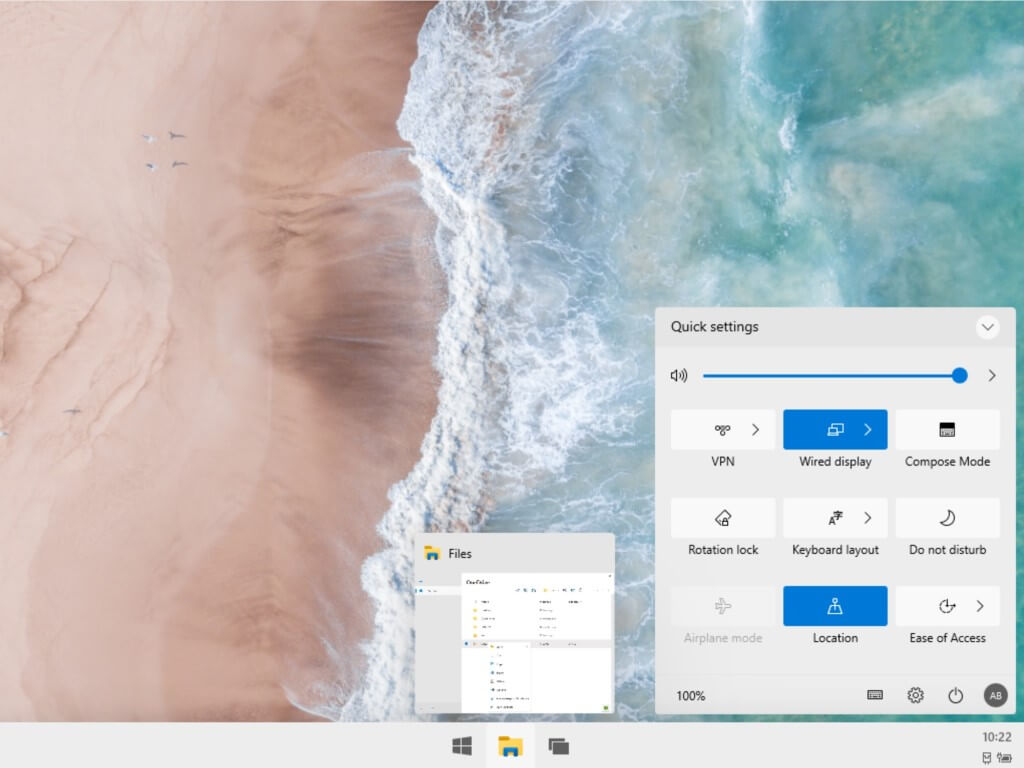

![Adobe InDesign missing plugins error [Guaranteed Fix]](https://windowsreport.com/wp-content/uploads/2018/11/Black-Friday-deals-from-Adobe.jpg)




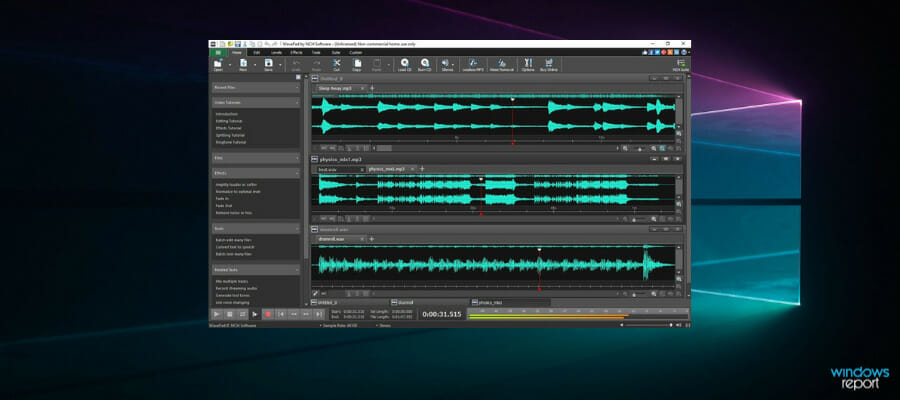
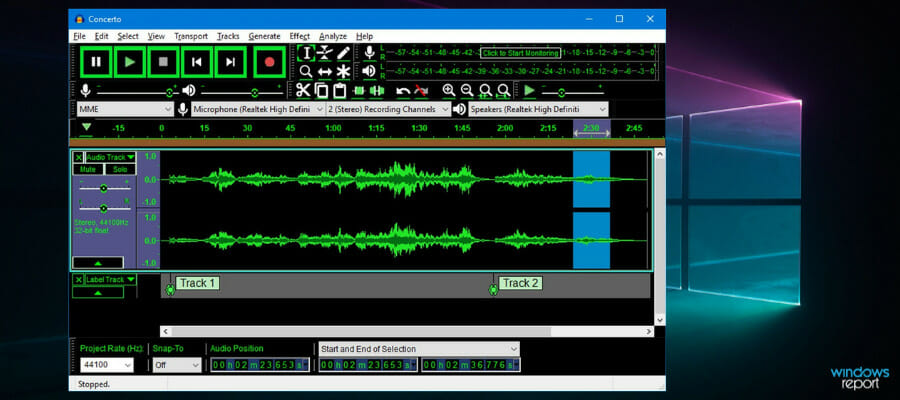
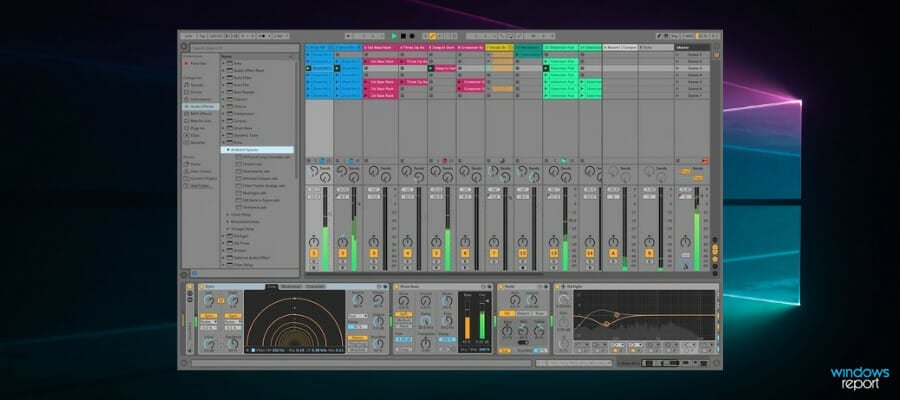
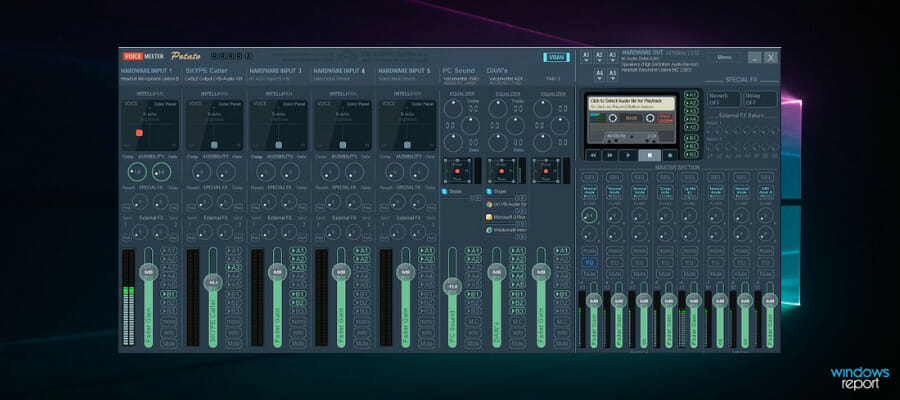
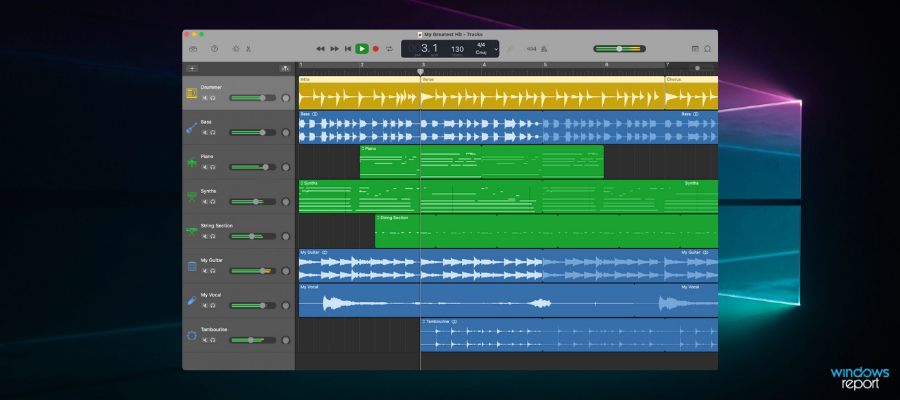

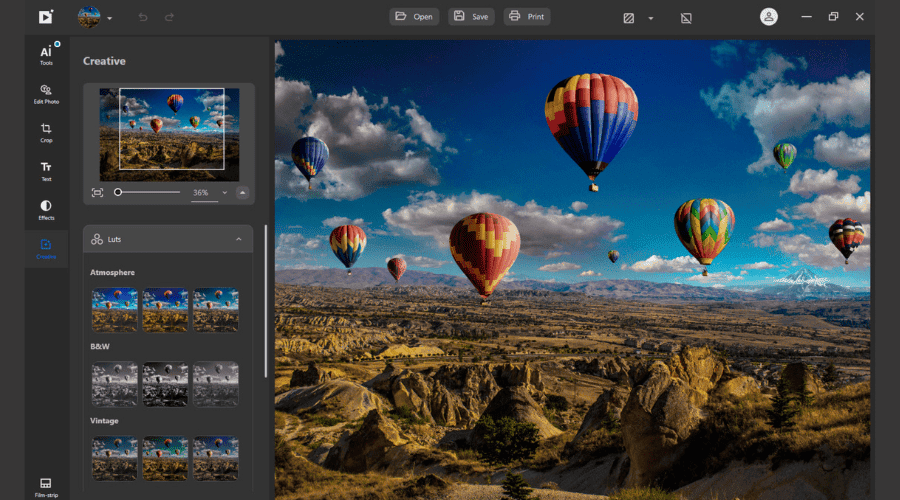
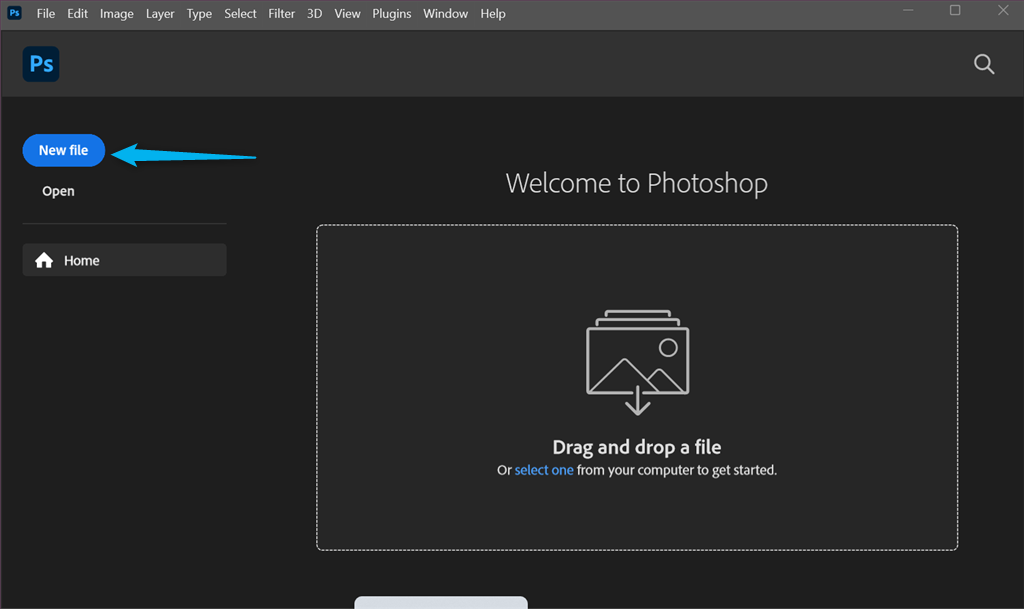









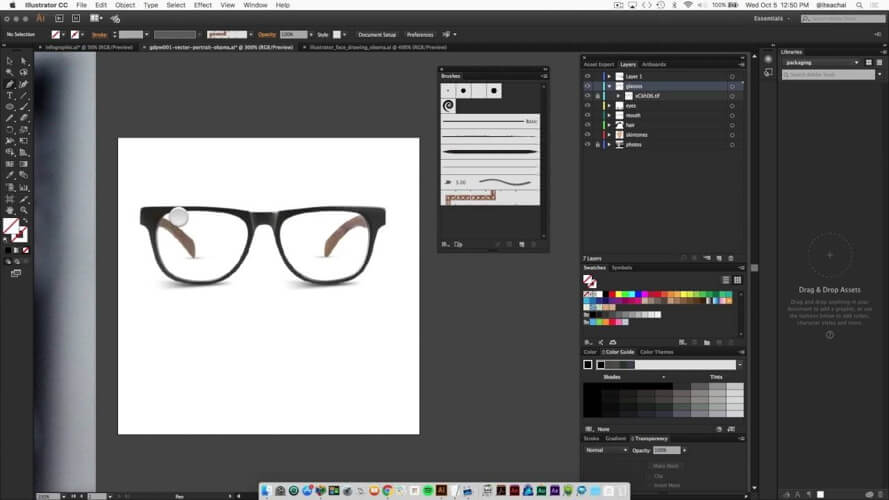

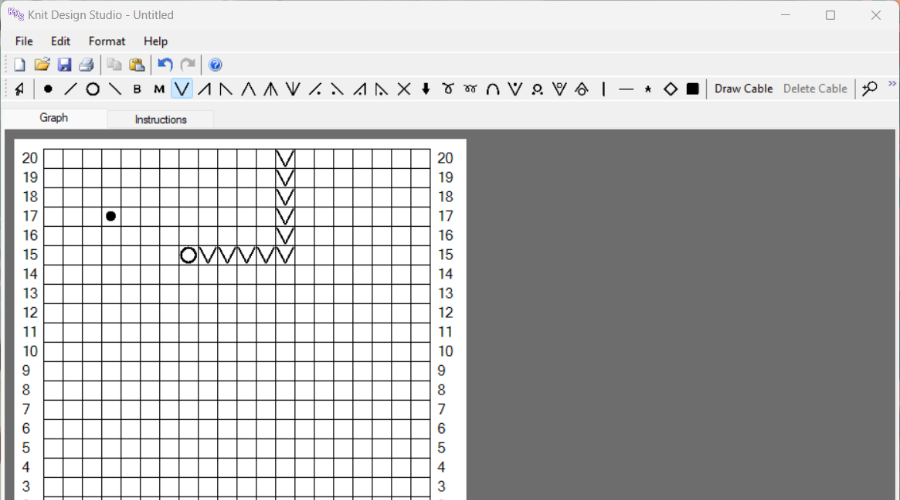
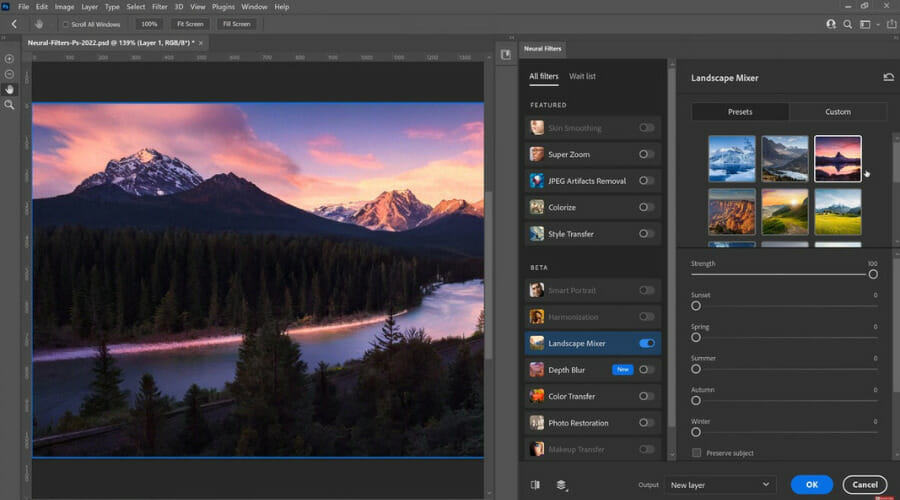

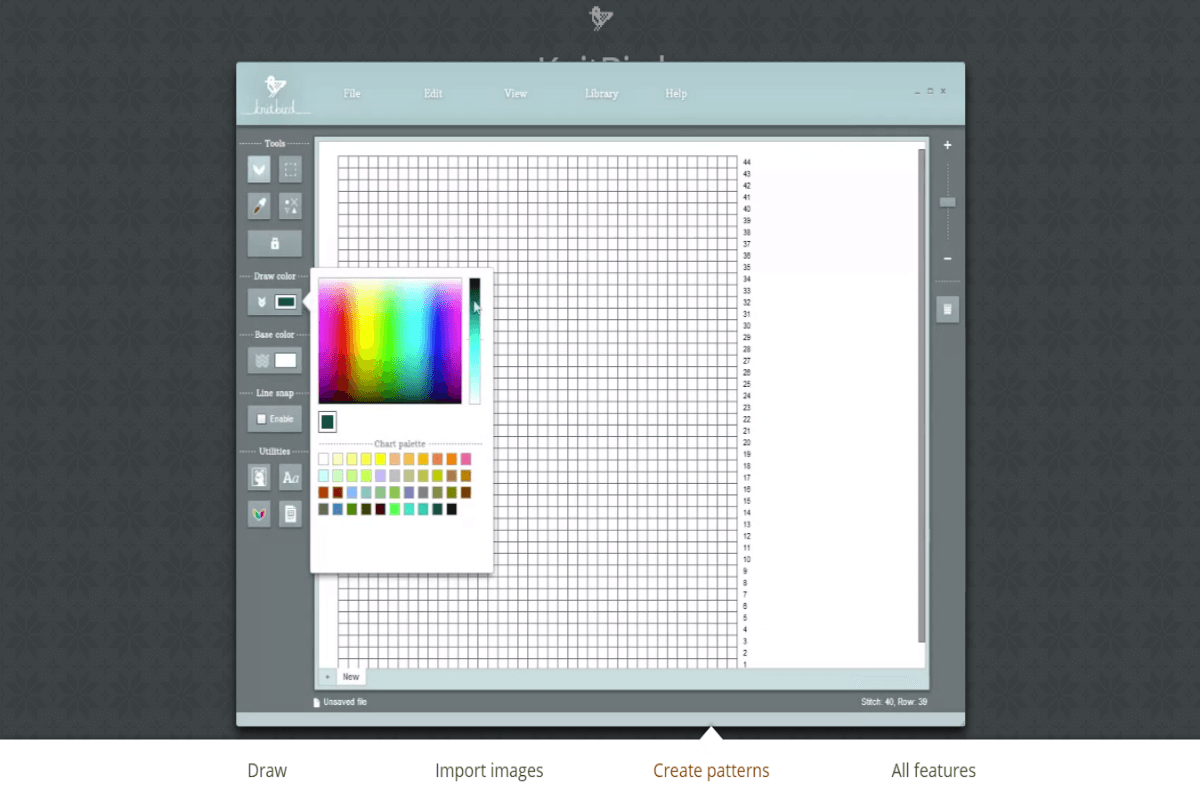
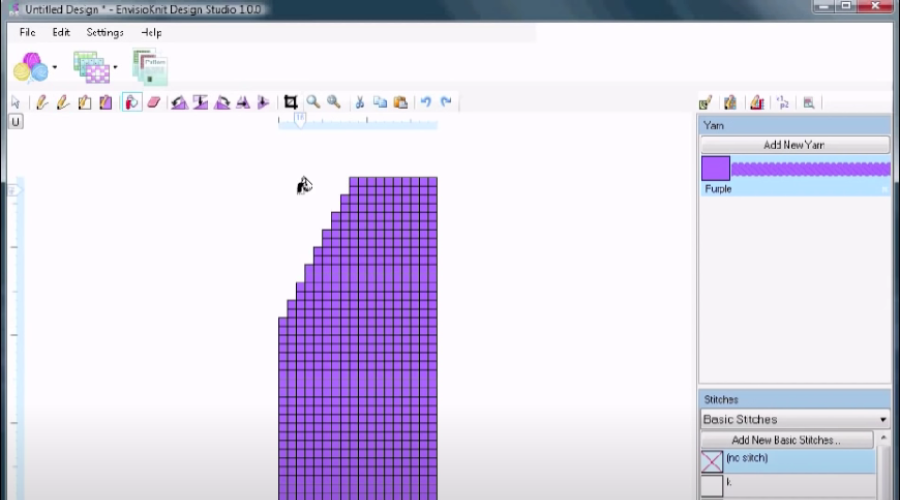

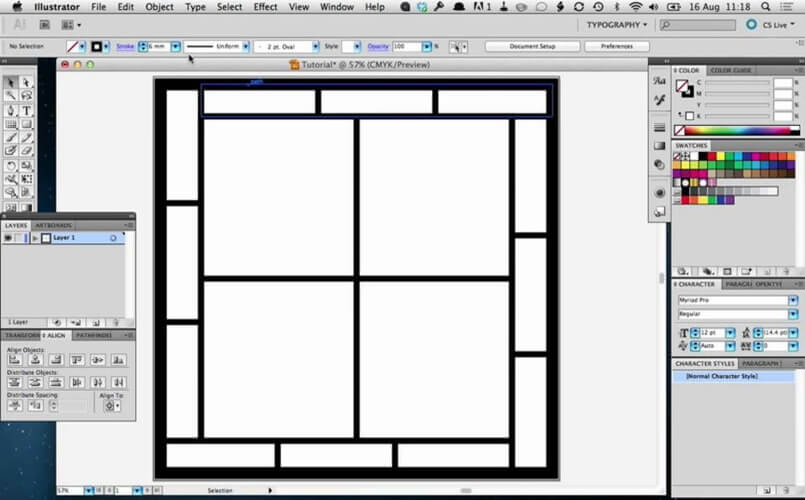







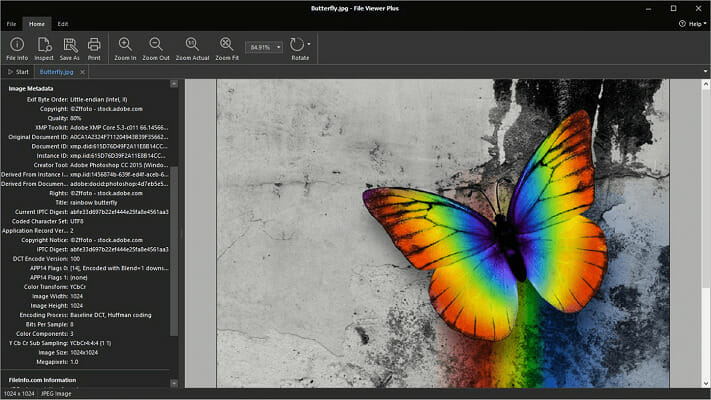




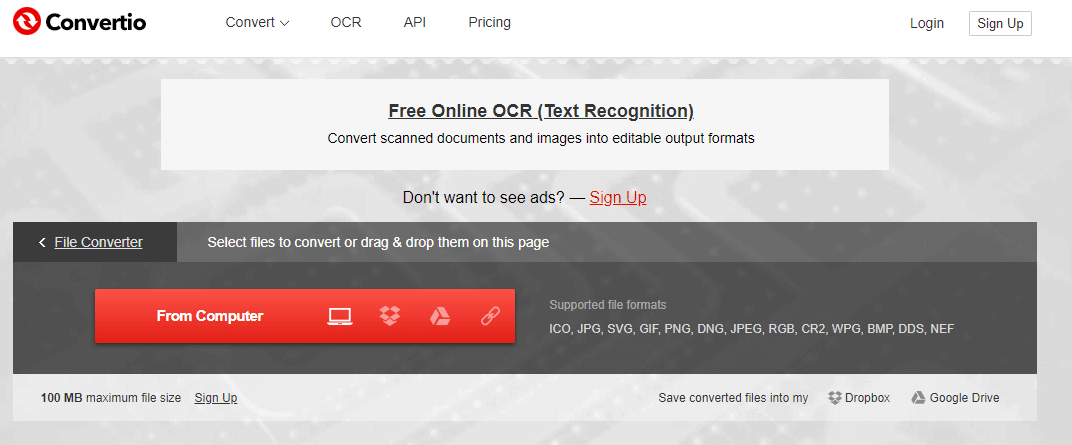
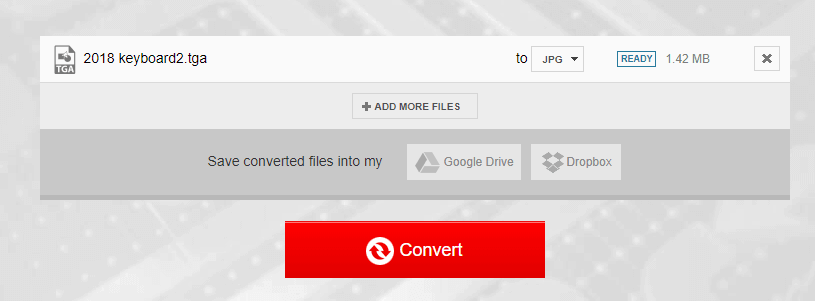







![Can’t trim PowerPoint videos on PC [Easy Steps]](https://windowsreport.com/wp-content/uploads/2020/04/PowerPoint-1.png)
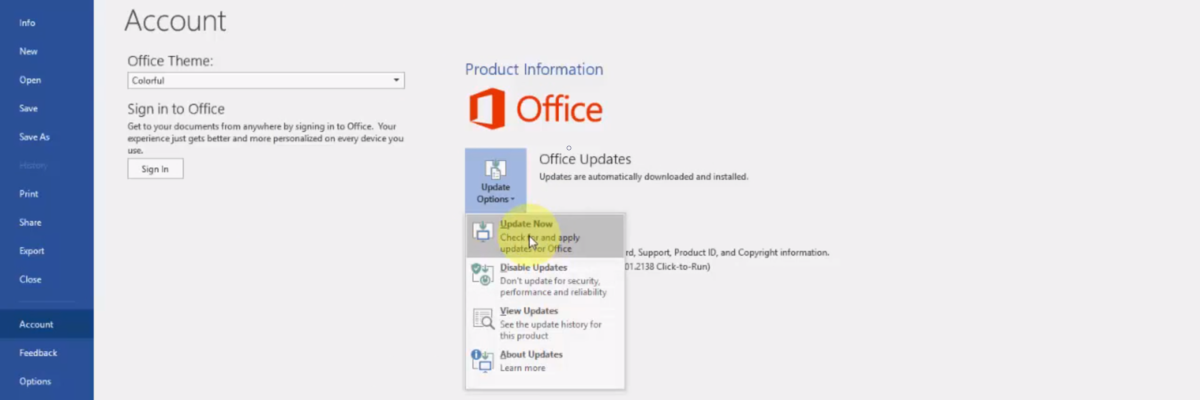
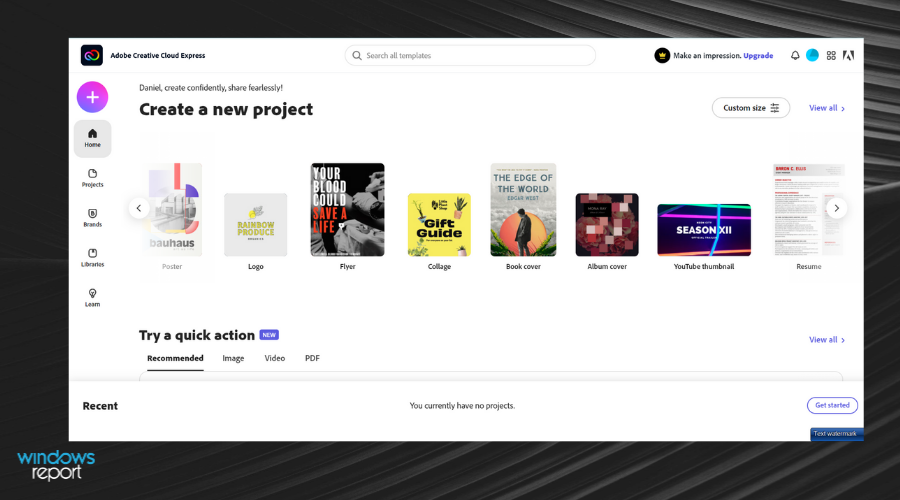











![Fix: Outlook.pst Is Not Valid Error [Invalid Path]](https://windowsreport.com/wp-content/uploads/2020/05/Outlook-5.jpg)





![Battle.NET Error Code 2 in Blizzard Games [Diablo 3 / WoW]](https://windowsreport.com/wp-content/uploads/2020/04/Blizzard.jpg)

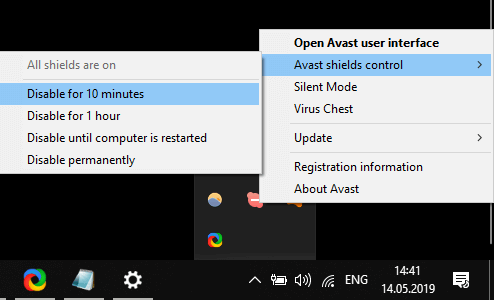
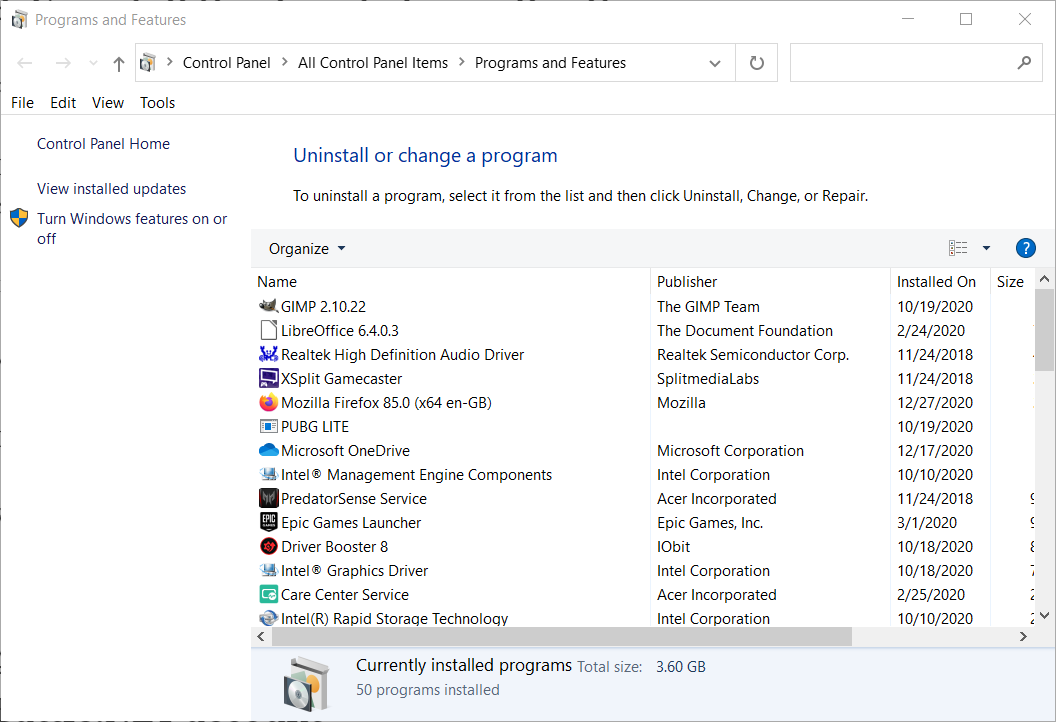
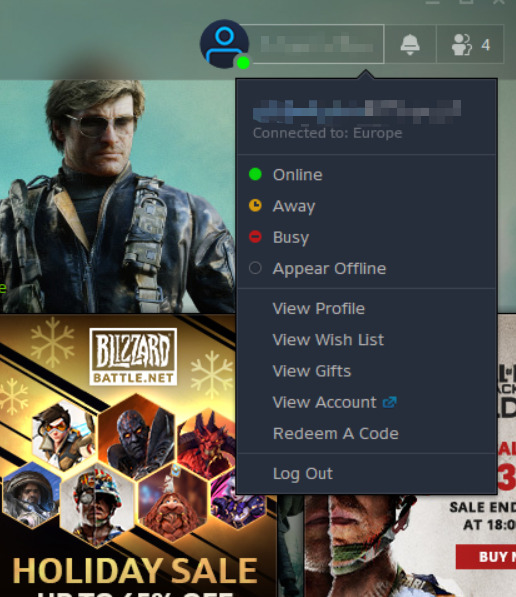
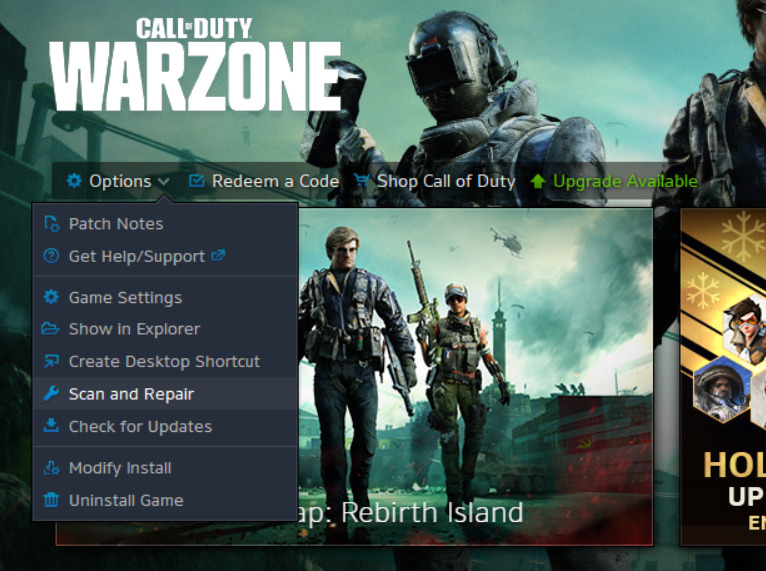
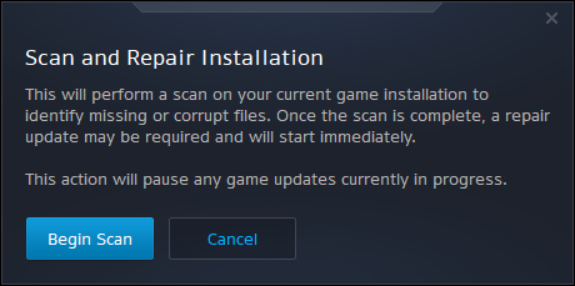






![Jade Empire: Failed to find Steam error [Solved]](https://windowsreport.com/wp-content/uploads/2020/09/Cant-find-my-steam-folder-Windows-10-Mac.jpg)


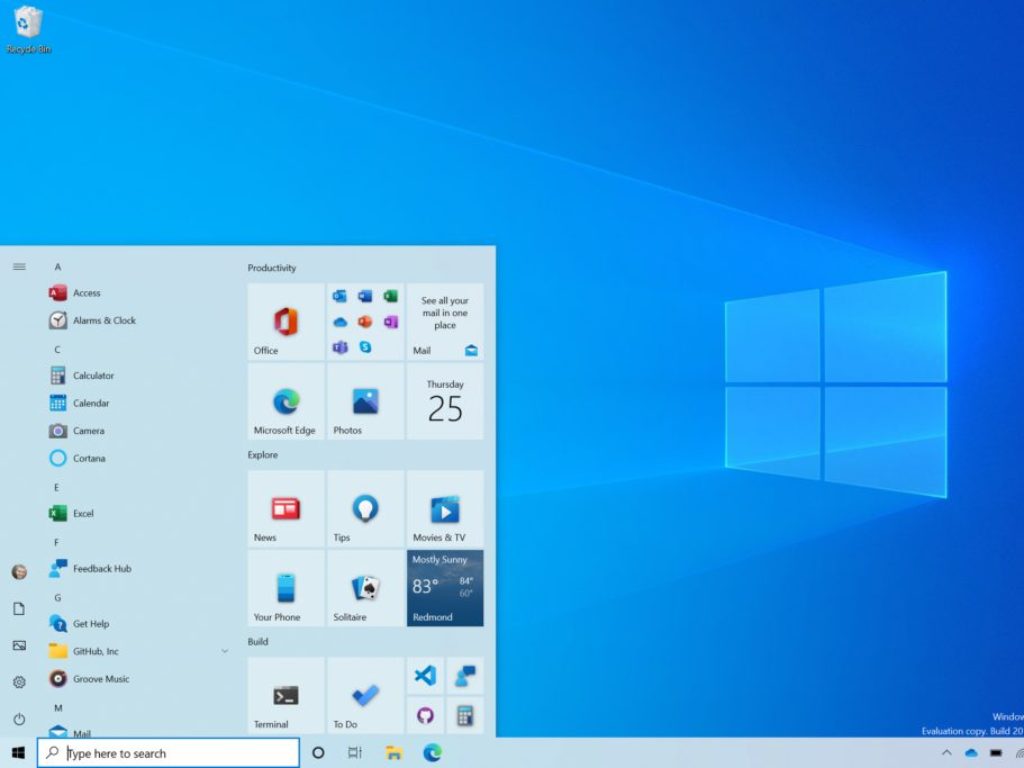

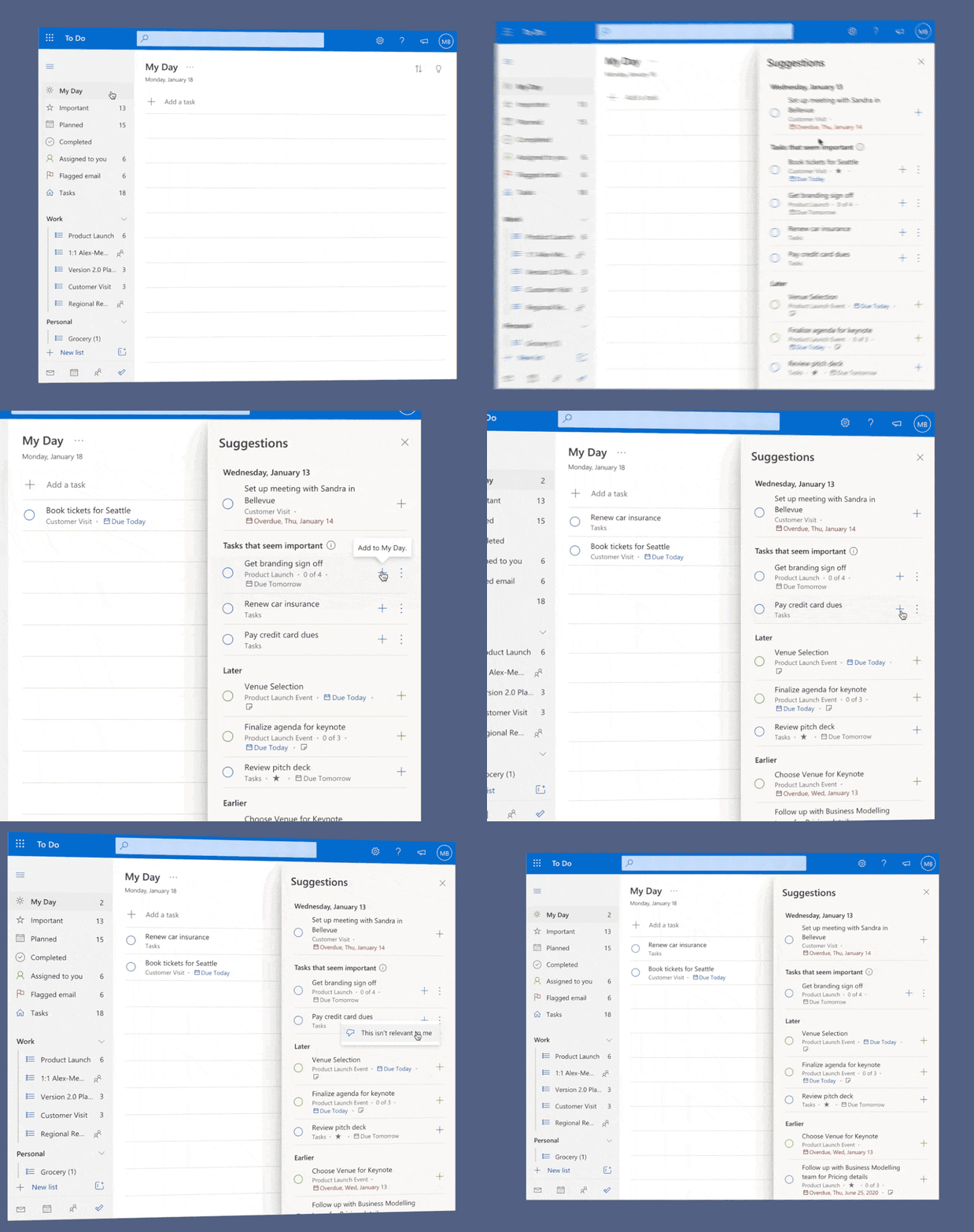
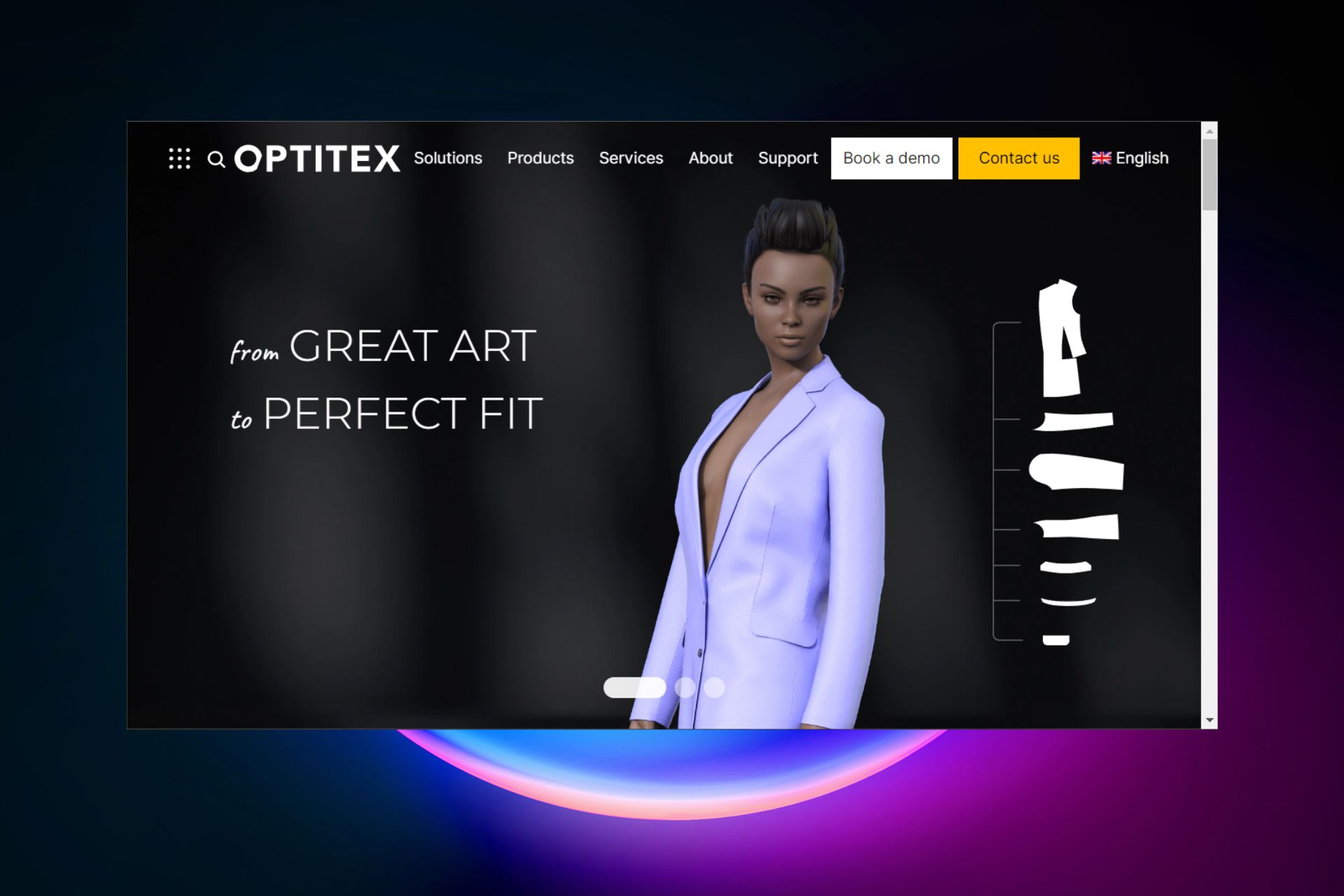
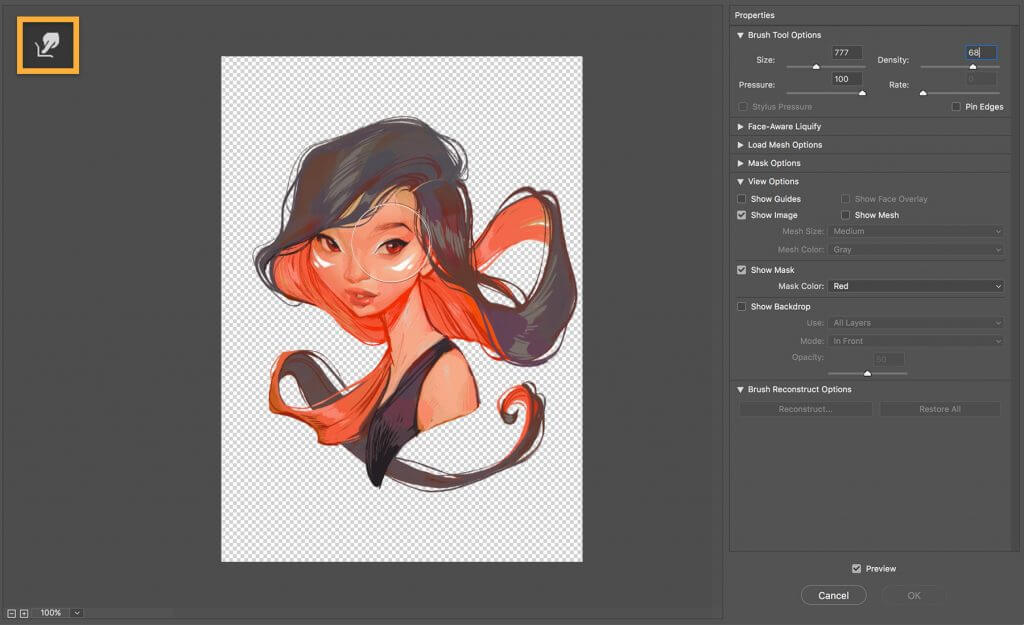
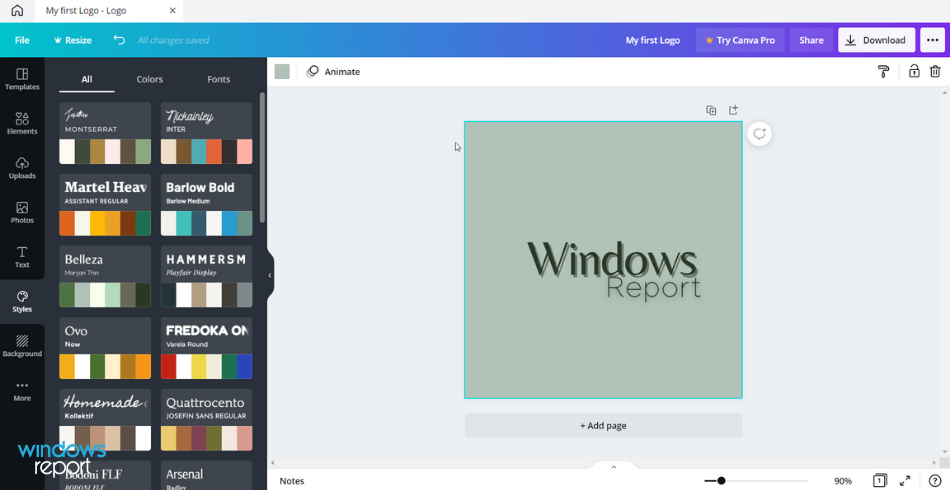

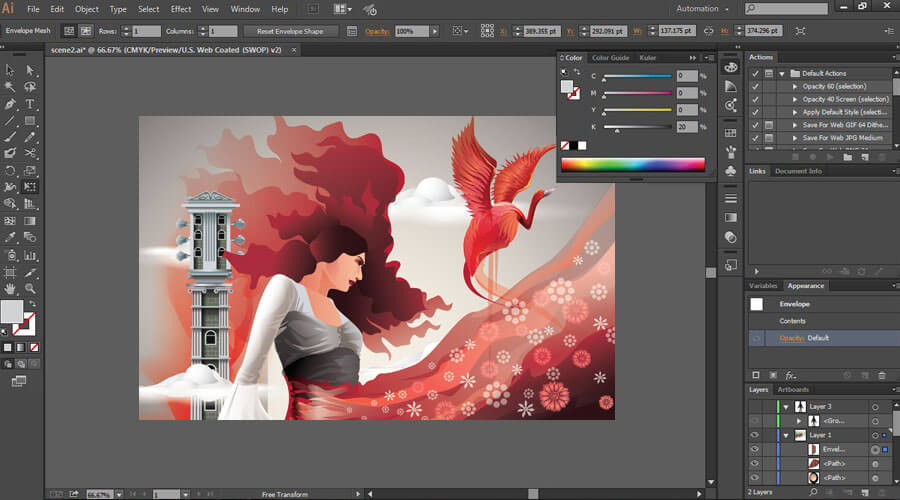

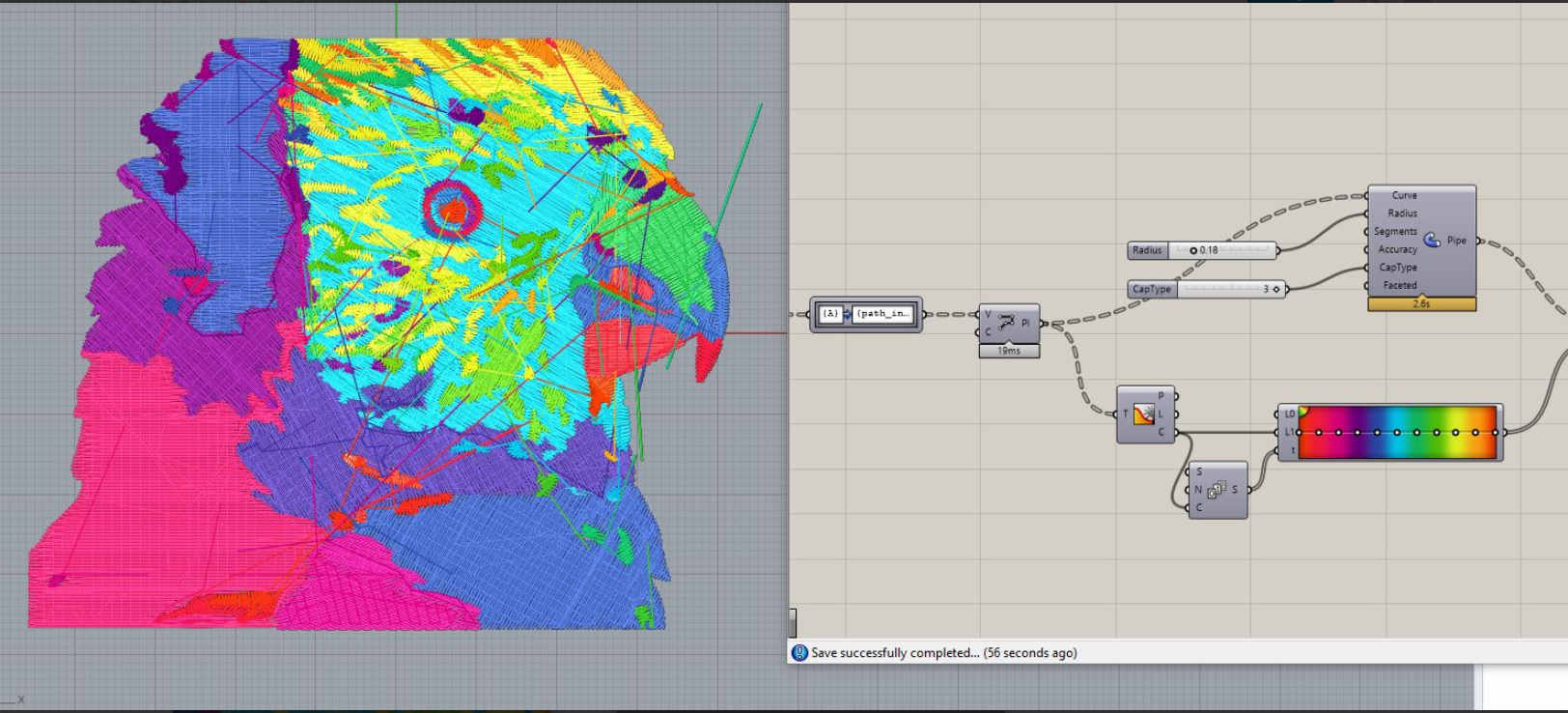

![Best Drawing Software for Wacom Tablets [2026 Reviewed]](https://windowsreport.com/wp-content/uploads/2021/01/best-drawing-software-for-wacom.jpg)

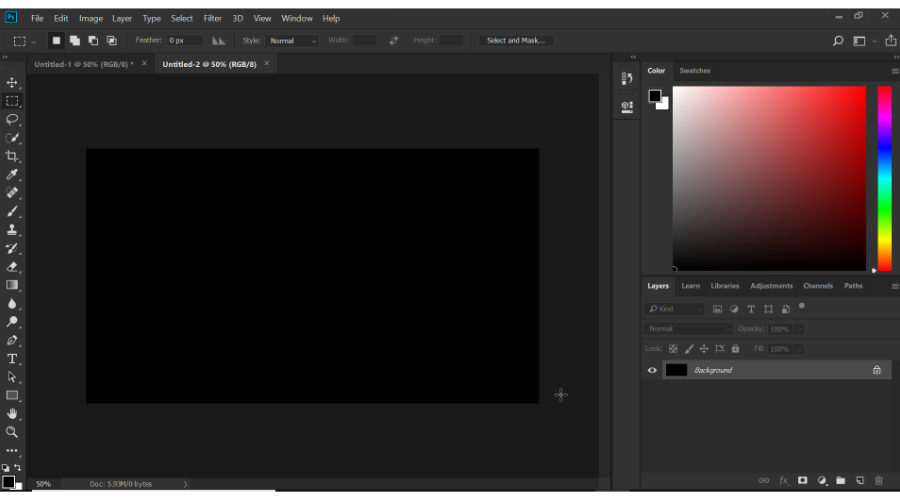
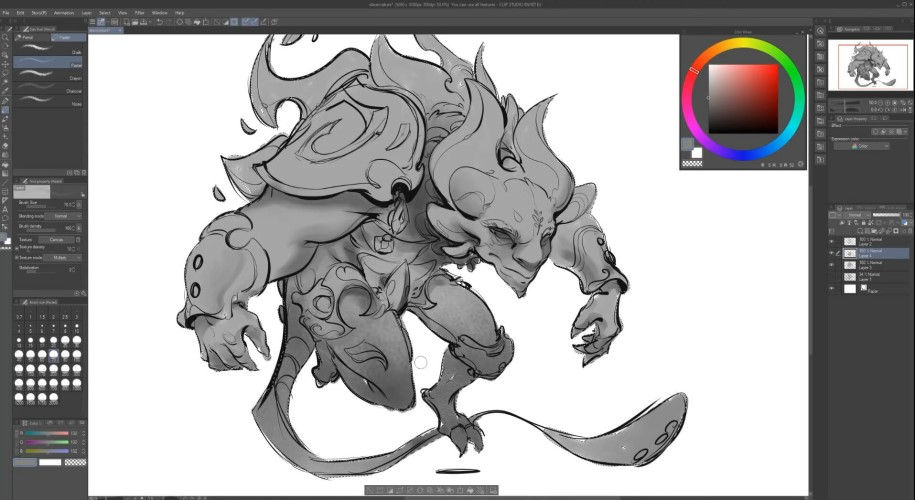
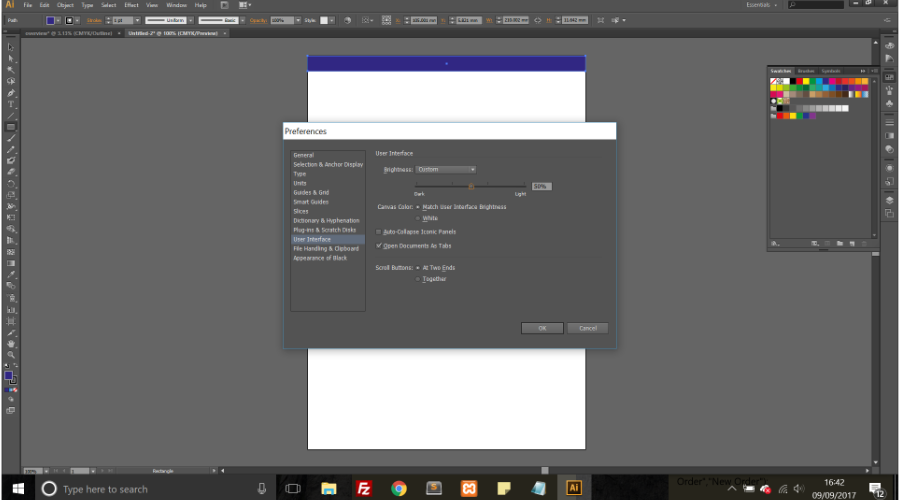
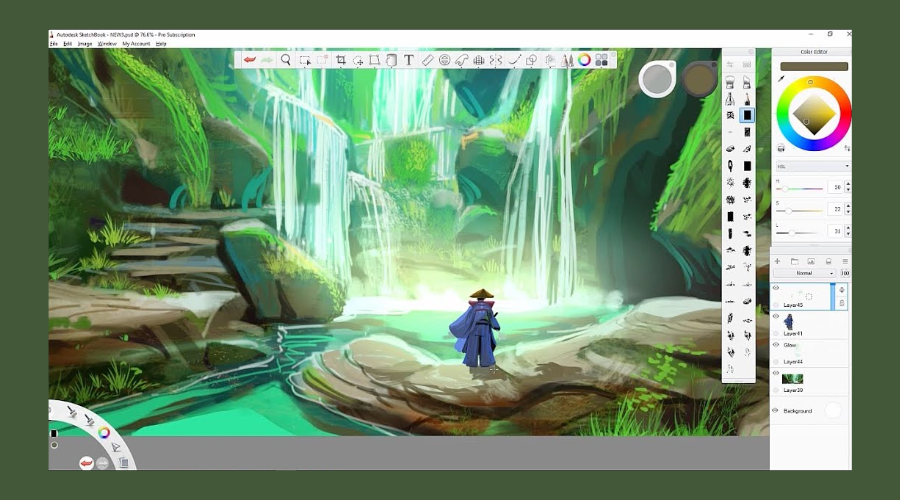




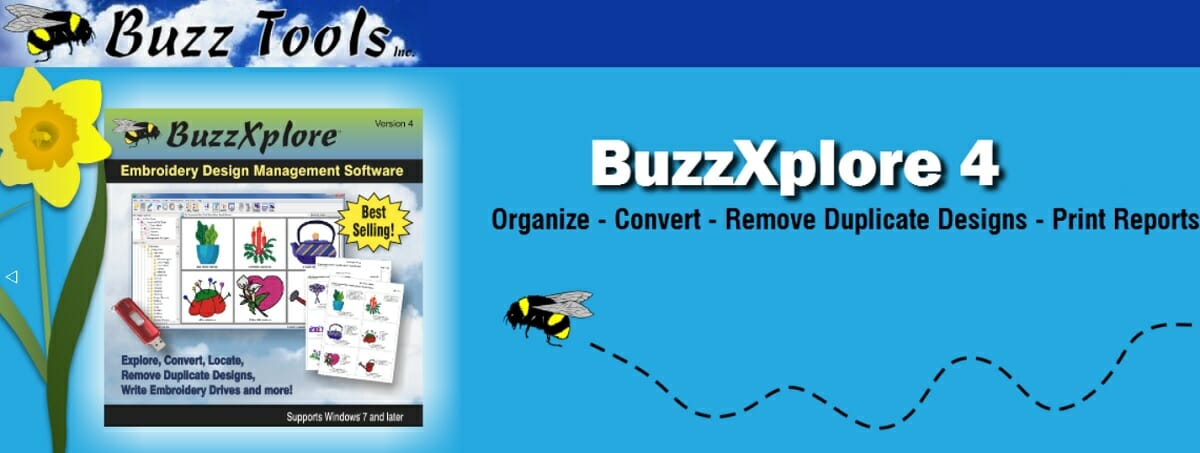
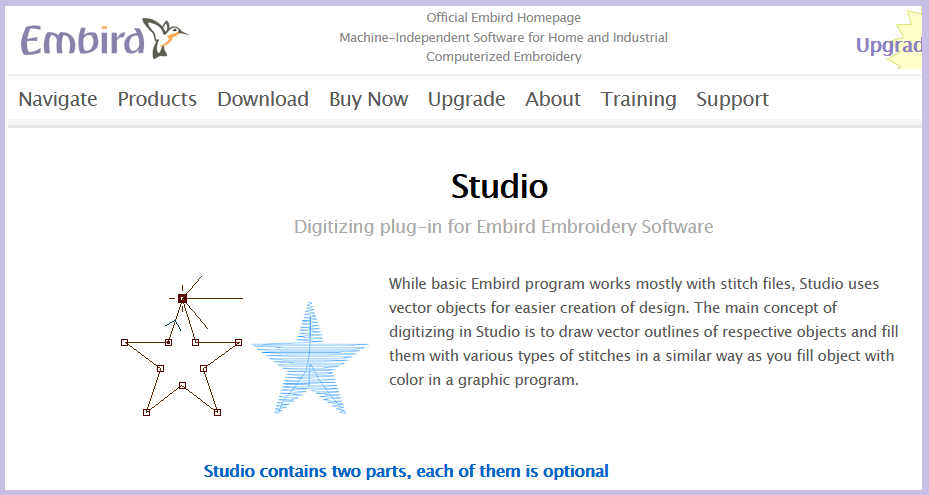

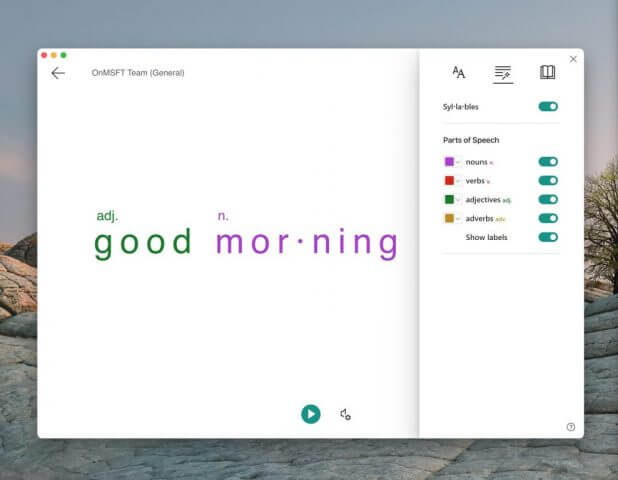
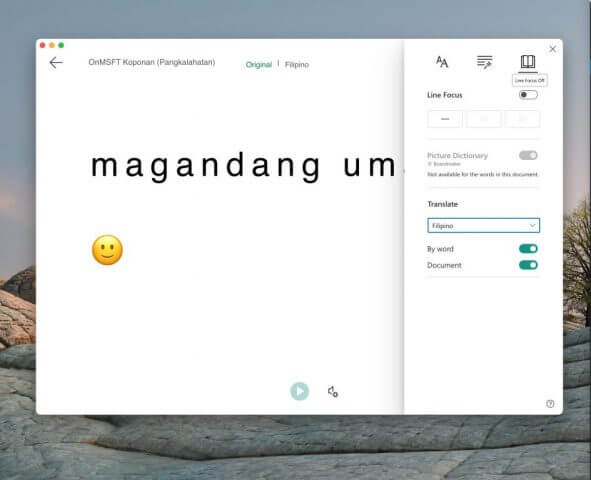


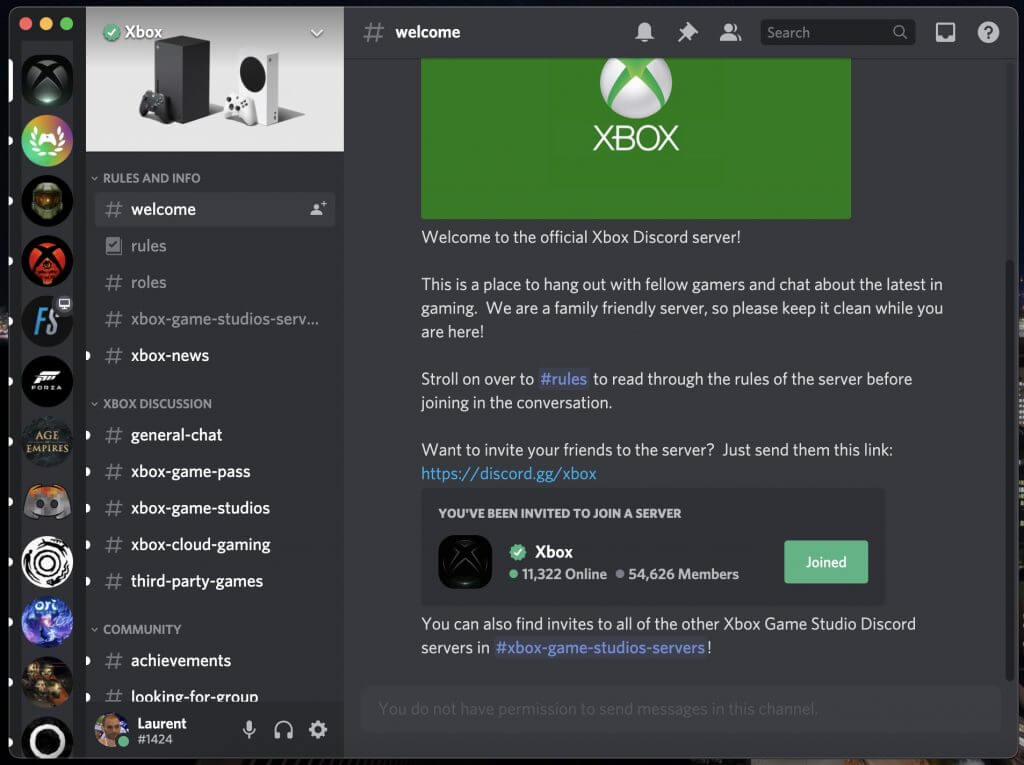

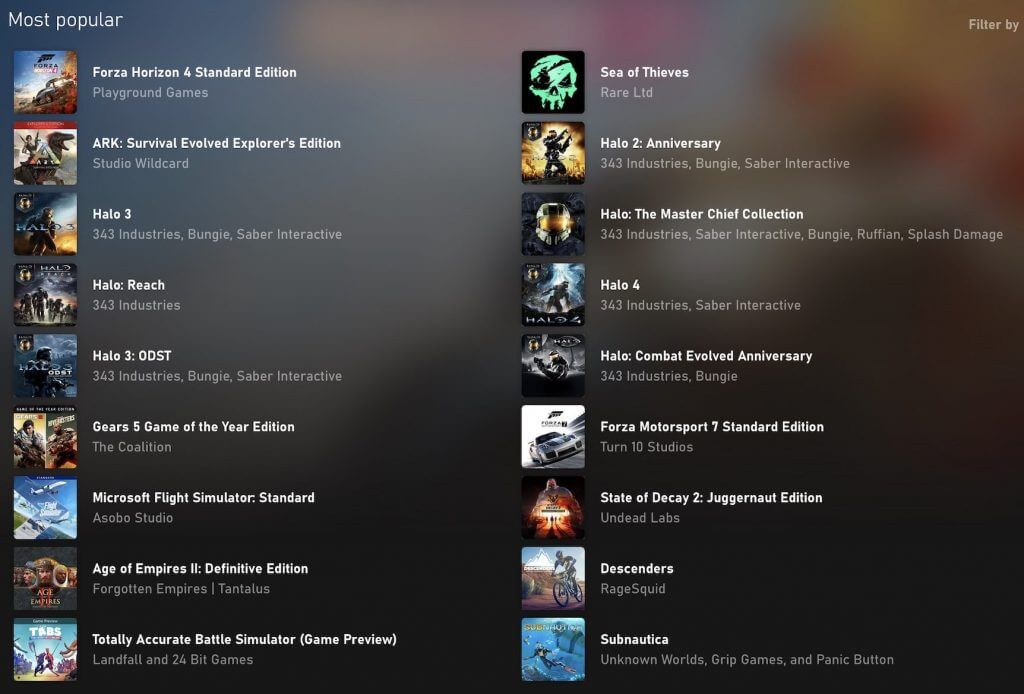
![How to recover recently deleted files [Windows 10 & Mac]](https://windowsreport.com/wp-content/uploads/2017/08/restore-accidentally-deleted-files.jpg)
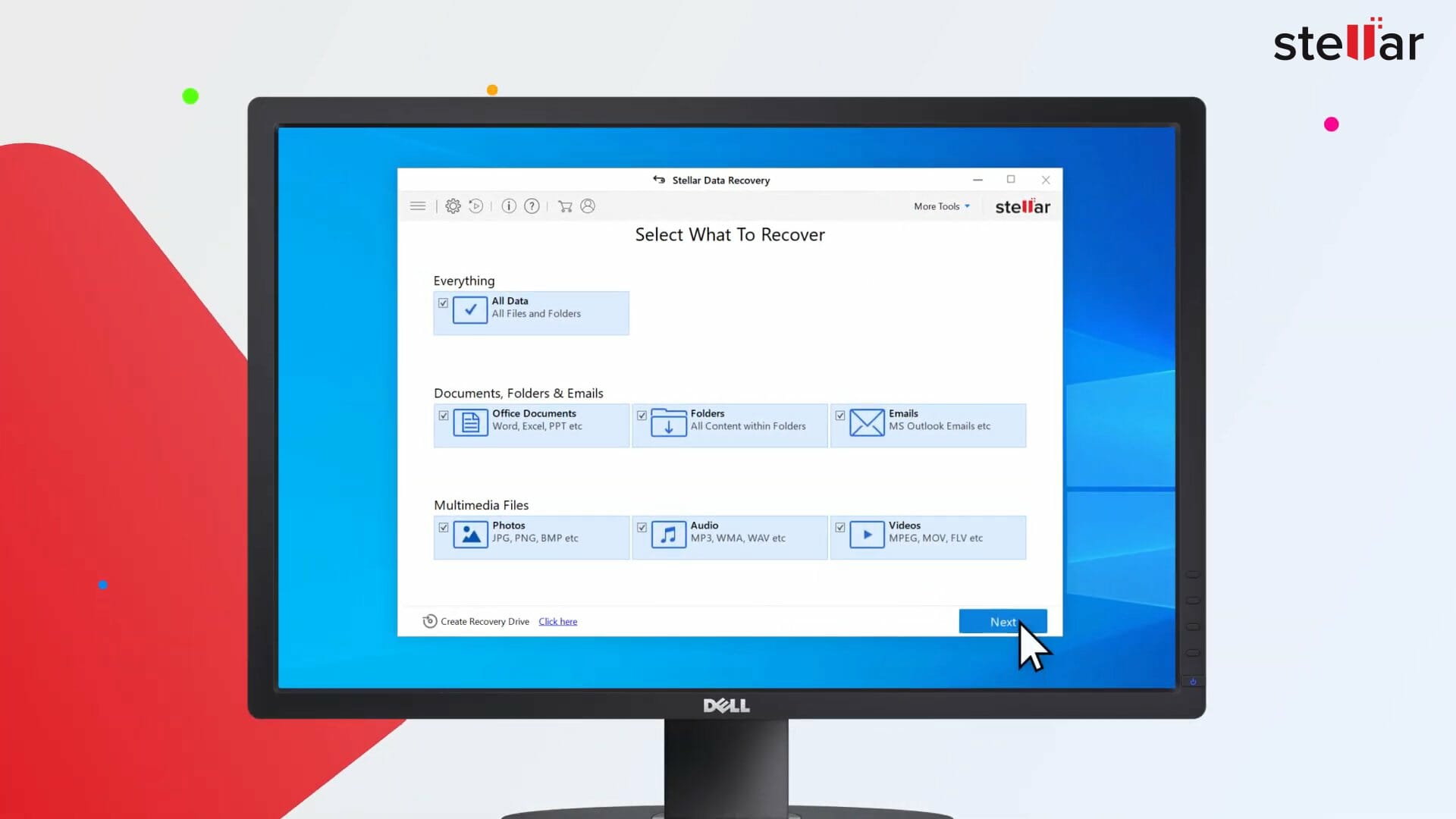


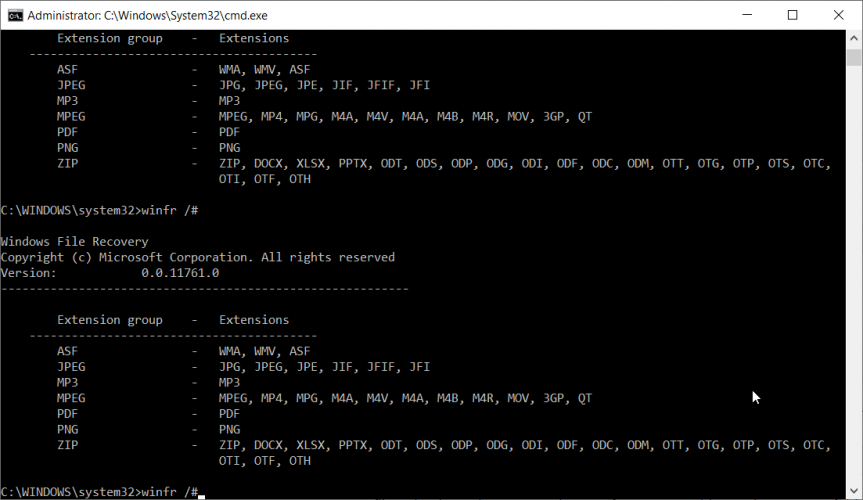


![5 best check printing software [Personal & Business]](https://windowsreport.com/wp-content/uploads/2020/04/check-printing-software.jpg)