Have you ever wanted to change keyboard shortcuts on Windows 10 to something else? In the past the process of remapping keys or keyboard shortcuts usually involved downloading a difficult-to-use third-party application. Now, the process is a a whole lot easier with PowerToys, a Microsoft application that you can use to make any key on your keyboard act like any other key—and even remap keyboard shortcuts.
Remap any key
With PowerToys, it’s easy to remap any key to another key or even change a keyboard shortcut combination. If you don’t already have PowerToys installed, you can download it for free directly from its GitHub page. Once installed, follow these steps.
1. Open PowerToys
2. Toggle on the Keyboard Manager
3. Choose Remap a key
4. Choose the plus button (+) as shown to add a new key mapping
At this point, you will need to choose a key that you want to remap in the “Key” field and what you want the key remapped to in the “Mapped To” field. For this example, I am going to use Scroll Lock as a replacement for Paste on Windows 10. Keep in mind you can choose the key that you want to remap by choosing it from the drop down menu or by choosing Type and simply typing out the key you want to use.
In the “Mapped To” field, I will enter the Paste keyboard shortcut (Ctrl + V) as I want to remap Scroll Lock to act as the Paste command any time I press the key.
Once you are finished making your selections for the key remapping, Choose OK to confirm. At this point you will see a pop-up message confirming your key remapping selection. Choose Continue Anyway to confirm the key remapping.
That’s it! You’re finished. Now as long as PowerToys is running, any time I press Scroll Lock, the key will act as the Paste shortcut on my Windows 10 PC. Now in Keyboard Manager in PowerToys, you will see the key remap that you created.
Delete a key remap
Deleting a key remap is easy. All you need to do is go to Keyboard Manager in PowerToys and click the “Remap a key” button to take you to the list key remaps.
Once there, click the trash icon and press OK to confirm.
The key you remapped will be removed. Now, you can create a new key remap using the guide above or exit PowerToys completely.
Do you use any other PowerToys utilities on Windows 10? Let us know in the comments!
Microsoft’s Xbox Cloud Gaming (Project xCloud) technology has reached an important new milestone with the new support for original Xbox and Xbox 360 games. Until now, only select Xbox One games were playable on Android devices via Microsoft’s cloud gaming technology, but that’s changing starting today with a selection of 16 original Xbox and Xbox 360 games.
“We’ve listened to the feedback, going all the way back to our earliest cloud gaming preview, and making games from previous generations available on mobile devices has been one of the most requested features by the community,” the Xbox team explained. Fable II, Fallout: New Vegas, and The Elder Scrolls IV: Oblivion are among the new Backward Compatible games playable with Xbox Cloud Gaming starting today, and you can find the full list below:
Banjo-Kazooie
Banjo-Tooie
Double Dragon Neon
Fable II
Fallout: New Vegas
Gears of War 2
Gears of War 3
Gears of War: Judgment
Jetpac Refuelled (touch controls enabled)
Kameo
Perfect Dark
Perfect Dark Zero
The Elder Scrolls III: Morrowind
The Elder Scrolls IV: Oblivion
Viva Piñata (touch controls enabled)
Viva Piñata: TIP (touch controls enabled)
The Xbox team said today that more OG Xbox and Xbox 360 games will be cloud-enabled soon. Xbox Cloud Gaming is currently only available with an Xbox Game Pass Ultimate subscription, which also includes Xbox Game Pass for Console, Xbox Game Pass for PC, and Xbox Live Gold. Over 100 Xbox games are currently cloud-enabled, with many of them supporting touch controls on Android phones and tablets.
When Command Prompt appears, enter the following lines and press Enter after each line in order to run it: bootrec.exe/rebuildbcdbootrec.exe/fixmbrbootrec.exe/fixboot
Some users are also suggesting that you need to run additional chkdsk commands as well.
To perform these commands, you need to know drive letters for all your hard drive partitions.
In Command Prompt you should enter the following (but remember to use the letters that match your hard drive partitions on your PC): chkdsk /r c:chkdsk/r d:
This is just our example, so keep in mind that you have to perform chkdsk command for every hard drive partition that you have.
Restart your computer and check if the issue is resolved.
Corrupt disk sectors or some other hard drive-related problems can easily cause various BSOD issues. Including the SYSTEM_LICENSE_VIOLATION error for Windows 10 and Windows 8.
While the steps described above are perfectly capable of solving the issue under discussion, you might find the elevated Command Prompt a bit daunting.
2. Use a third-party BSoD fixer
BSoD errors aren’t that easy to solve manually. You need to find the cause of the problem and then find ways to solve it. There is another way to fix these errors faster and more effectively.
Namely, using a full system repair tool that will resolve Blue Screen issues as we speak. Not only will the software pinpoint exactly what’s wrong with your PC, but it will also fix it for you.
3. Run the BSOD Troubleshooter
Open the Settings app and go to the Update & Security section.
Select Troubleshoot from the menu on the left.
Pick BSOD from the right pane and click Run the troubleshooter.
Follow the instructions on the screen to complete the troubleshooter.
If updating your drivers didn’t get the job done, we can try Microsoft’s built-in troubleshooter for BSOD errors. This is probably the easiest solution for almost any BSOD issue because it basically solves the problem for you.
4. Update Windows 10 and all your drivers
Blue Screen of Death errors are often caused by hardware and software issues, and in order to avoid them, it’s highly recommended that you update Windows 10 as often as you can.
Microsoft is constantly releasing updates for Windows 10 via Windows Update, so be sure to download them.
Many of these updates fix certain hardware and software glitches, therefore if you wish to avoid BSoDs, we strongly suggest that you keep Windows 10 up to date.
In addition to downloading Windows 10 updates, it’s just as important to update your drivers. Windows 10 utilizes your drivers in order to communicate with your hardware.
If a certain driver is out of date, or just not compatible with Windows 10, you’ll probably get a BSoD error such as SYSTEM_LICENSE_VIOLATION. To fix these types of errors you have to update all your drivers.
Updating drivers is relatively simple, and you can do it simply by visiting your hardware manufacturer’s website and downloading the latest drivers for your device.
While downloading drivers, be sure to download drivers for all major hardware components.
4.1 Update drivers automatically
Searching for drivers on your own can be time-consuming. So, we advise you to use a tool that will do this for you automatically.
Using an automatic driver updater will certainly save you from the hassle of searching for drivers manually, and it will always keep your system up to date with the latest drivers.
5. Run the SFC scan
Right-click on the Start Menu button, and open Command Prompt (Admin).
Enter the following line and press Enter:sfc/scannow
Wait until the process is done (it may take a while).
If the solution is found, it will automatically be applied.
Now, close the Command Prompt and restart your computer.
The next thing we’re going to try is the SFC scan. This is a command-line tool that scans your computer for potential issues and resolves them.
So, it might be helpful when dealing with the SYSTEM_LICENSE_VIOLATION error, as well.
6. Run DISM
Right-click Start and open Command Prompt (Admin).
Paste the following command and press Enter: DISM/Online/Cleanup-Image/RestoreHealth
Wait until the scan is finished.
Restart your computer and try updating again.
Standard way
The third troubleshooting tool we’re going to try is DISM. As its name says, Deployment Image Servicing and Management (DISM) reloads the system image, resolving some potential problems on the way.
We’ll walk you through both standard and the procedure that utilizes the installation media below:
With the Windows installation media
Insert your Windows installation media.
Right-click the Start menu and, from the menu, choose the Command Prompt (Admin).
In the command line, type the following commands and press Enter after each: dism/online/cleanup-image/scanhealthdism/online/cleanup-image/restorehealth
Now, type the following command and press Enter: DISM/Online/Cleanup-Image/RestoreHealth/source:WIM:X:SourcesInstall.wim:1/LimitAccess
Make sure to change an X value with the letter of the mounted drive with the Windows 10 installation.
After the procedure is finished, restart your computer.
7. Install a Windows optimizer
You could simply use a third-party tool to check your hard drives and detect and repair any issues on the spot without the hassle.
Windows optimizer software will free up precious space thus provide with more available memory and allowing you to enjoy faster startup and loading times.
These tools are generally complete tuneups, cleaning, repair, and optimization suites. They can also detect and replace corrupted Windows files, create backups, and more.
Remove junk data, useless temp files, web browsing traces, fix superfluous Registry entries, broken shortcuts, and disable unnecessary services to boost jour PC’s performances.
8. Find and uninstall problematic applications
Sometimes certain applications can cause this error to appear, therefore it’s crucial to find and remove those applications.
It’s worth mentioning that almost any application can cause the Windows 10 system license violation error, so you might have to do some research before you find the problematic one.
You should also know that recently installed or recently updated applications can cause this error too, therefore if you updated or installed any new app before the BSoD error started appearing, uninstall it.
One common cause for Blue Screen of Death errors is your antivirus software. Almost any antivirus software can cause a BSoD error, so be sure to remove any third-party antivirus programs that you have installed.
To completely remove an antivirus program you should use a dedicated removal tool. Many security companies offer these tools for their software, so be sure to download one for your antivirus program.
9. Enter Safe Mode
Start Automatic Repair while restarting your computer during the boot.
Alternatively, you can hold the Shift key and click the Restart button.
When your computer boots, select Safe Mode with Networking or any other version of Safe Mode.
If the problem is caused by certain software, you’ll be able to tell that by entering Safe Mode.
Safe Mode starts only with basic drivers and software, therefore, if your issue is caused by a certain application or a problematic driver, your system should work without any problems in Safe Mode.
10. Perform System Restore / Windows 10 reset
Start Automatic Repair by restarting your computer a few times during the boot.
Choose Troubleshoot > Advanced options > System Restore.
Select your username and enter your password and click Continue.
Pick Choose a different restore point, and select a restore point you wish to return to.
Click Next and wait for the process to finish.
According to the users, they managed to fix SYSTEM_LICENSE_VIOLATION error by performing System Restore.
If System Restore didn’t fix the issue, you should try performing a Windows 10 reset. This procedure is similar to clean install, therefore be sure to back up all important files from your C partition.
Note: It’s also worth mentioning that you might need a Windows 10 installation media to complete this step, therefore you should use the Media Creation Tool to create a bootable USB flash drive.
To perform Windows 10 reset, do the following:
Start Automatic Repair.
Choose Troubleshoot > Reset this PC > Remove everything.
If you are asked to insert Windows 10 installation media, be sure to do so.
Select Only the drive where Windows is installed > Just remove my files and click Reset.
Follow the instructions and wait for the reset process to complete.
After the reset, all your installed applications and files will be removed, including any software cause for the BSoD. If the error appears again, it’s most likely that you have faulty hardware.
11. Check for faulty hardware
Your RAM can be the common cause for BSoD errors such as SYSTEM_LICENSE_VIOLATION, therefore be sure to test your RAM first.
There are plenty of specialized tools you can use to perform detailed tests of your RAM, so make sure that you download one. If RAM is not the problem, check if other major hardware components are working properly.
Any recently installed hardware can cause these types of issues, especially if it’s not fully compatible with your PC. If you installed any new hardware recently, be sure to remove it or replace it and check if that fixes the error.
SYSTEM_LICENSE_VIOLATION BSoD error can be troublesome, but we hope that you managed to fix it by using one of our solutions.
Do share your troubleshooting experience with us via the comments section below.
As more people across the world hurtle towards mobile computing, it is becoming increasingly important for most software products to be loaded with remote control features.
The remote control features enable team collaboration anywhere, and at any time, therefore they are being sought by an increasing number of companies all around the world.
The same goes for security software where antiviruswith remote control management exists to troubleshoot workplace and client issues quickly and securely without moving from your desk.
Remote control also allows for quick and safe connections to machines so as to resolve issues in real-time, which in turn saves you time, money, and stress.
IT admins are able to receive real-time alerts and report on threats, while taking control of their networks’ security from any location, at any time, especially with the many remote workforces across the globe.
Here are our top picks for the best antivirus with remote control management.
What is the best antivirus with remote control management?
With Bitdefender’s tools, you get full visibility into your overall security posture, security threats on a global scale, and control over security services that protect virtual or physical desktops, servers, and mobile devices.
All these are managed through a single console, Control Center, for control, reporting, and alerting services (in companies this is for various roles in the organization).
Through the Device Control module, you can perform remote or manual installs by going to My Bitdefender window, where you can update, start a scan, and register the product, all from the cloud.
Once you open My Bitdefender page, you can find all devices installed with Bitdefender and control it from there.
Notable Bitdefender features:
Great price plan
VPN included
Best Windows compatibility
Awesome customer support
Bitdefender Total Security
Now you can have the remote control management, and you can provide total protection for your PC against malware threats only with Bitdefender!
Panda Remote Control is a tool developed by Panda Security to let you access your computer(s) on your network remotely from a web console.
With this tool, you can troubleshoot issues without being physically present, or, if you’re an agency, you can resolve your clients’ security problems without them having to intervene, and with little if any impact on their activity.
It is available in Panda’s Endpoint Protection, Endpoint Protection Plus, and Adaptive Defense 360 consoles when you buy it, then automatically installs the first time you enable Remote Control option in the settings of the configuration profile for the group that hosts remote computers.
Only users with Total Control or Security Administrator permissions can use it – not users with Monitoring Administrator’s Guide 7 permissions.
You get three options when defining the privacy level to apply when accessing remote computers: Always ask for permission, Just notify, and Allow access without notification.
Notable Panda Dome features:
Real-time monitoring
Personal firewall
Device management
USB Protection
Panda Dome Essential
You can have full protection for your PC against viruses and remote control management with Panda Dome.
AVG’s Managed Workplace 10 comes with integrated advanced security features including expanded remote control functions.
The Premium Remote Control has been enhanced to include ad hoc and on-demand sessions to offer remote support to anyone on the internet without deploying Managed Workplace.
It also has end-user consent feature that respects the privacy of your clients by requesting access to initiate remote control to their devices.
This remote control feature saves clients the cost of purchasing and maintaining a separate remote control solution.
Notable AVG features:
Computer Protection
Web & Email protection
Hacker attacks protection
Privacy protection
AVG Ultimate
Take advantage of remote control feature and secure your PC against all malware threats.
Avast is a leading antivirus with remote control management for smooth running and troubleshooting issues without leaving the comfort of your desk.
The software will keep your PC safe, using a combination of self-improving AI and advanced system protocols to stop any new threats from entering your system and possibly stealing data.
The remote control feature allows the Avast customer support team to access your PC, troubleshoot, and potentially fix problems that proved too difficult for you.
The Premium remote control features include:
Remote administration to remotely connect to any computer and install new software, troubleshoot, switch users, among other tasks
System information to see vital info about the hardware and software
File transfer to send log files and receive software updates to troubleshoot and resolve issues fast and effectively
Session recording, a one-click recording to capture sessions for follow-up and/or training
Maximum security for complete end-to-end encryption to keep your connection safe
Full-featured chat client to stay in touch with customers as you troubleshoot their problems
Avast Premium Security
Get Avast with remote control management for pleasant running and great PC protection from spyware.
All BullGuard products in its comprehensive security suite are designed with your business in mind.
One of the most striking things is its effective and pleasing design, with a simple to navigate and use dashboard interface, and clearly marked features and actions.
It comes with a remote control so you can manage your personal or business information, whether your device is not close by, or even if it gets lost or stolen.
You can choose from BullGuard Premium Protection, BullGuard Internet Security or BullGuard antivirus.
Have you used any of these antivirus with remote control management? Or do you have one that you currently use that’s not listed here? Share with us your experience in the comments section below.
While most modern web browsers require you to install a third-party extension to block ads, the UC Browser comes with a built-in ad blocker. However, several users have reported the UC Browser adblock is not working.
To fix the problem, we have listed a few workarounds to help you resolve this issue once and for all.
How do I fix UC Browser adblock if it’s not working?
1. Use an alternate browser with a built-in adblocker
UC Browser is blocked in a few countries to comply with the region’s local laws. Fortunately, there are alternative browsers like Opera One browser that offer built-in adblocker.
Similar to the UC browser, Opera One blocks all kinds of intrusive ads, loads pages faster, and comes with a filter option to unblock ads from any site you want.
Additionally, Opera One browser offers a free VPN for enhanced privacy and security, built-in messenger apps and snapshot features, video pop-out, battery saver, and even an AI.
Launch UC Browser browser and click the Menu icon from the top menu.
Choose Settings from the options.
From the left pane, click on the Ad Block tab.
Under Block settings, check the Block pop-up window box. You can also change your filter page ads preference.
Close the settings page and relaunch the browser app.
Once the app restarts, check if the ad-block issue is resolved. If the ad-block setting is enabled and UC Browser adblock still is not working, try clearing the browser cache to see if that helps resolve the issue.
Clear browser cache
Click the menu icon and choose Clear browsing data. You can also access it by pressing the Ctrl + Shift + Del key on your keyboard.
Choose the data you want to clear and click the Clear data button.
Don’t clear the saved password and other data, as you will have to enter these details when accessing the website again.
Tap the Menu icon represented by three horizontal lines.
Now tap on the Ad Block feature to turn it on.
Optional: Tap on Powerful Ad Blocker for even better ad protection.
Clearing the browser cache will help you resolve any issues that occur due to corrupted data.
3. Reinstall UC Browser
On Android:
Open the Settings menu on your Android device.
Navigate to Apps or Application Manager.
Now select UC Browser and choose Uninstall.
Download the application again.
On Windows:
Open the Settings app. You can do that with Windows Key + I shortcut.
Navigate to the Apps section.
Select UC Browser from the list of installed apps and click on Uninstall.
Once uninstalled, reboot the computer.
After the restart, go to the UC browser download page and download the browser’s latest version.
Install the browser and check if the UC Browser adblock not working issue is resolved.
To completely remove certain applications, it’s better to use a dedicated uninstaller software.
The UC Browser Adblock not working issue may occur due to file corruption. If enabling the adblock option in the setting does not help, consider using an alternative web browser like Opera.
Watch Dogs 2 was long awaited but it was finally launched for PC. Windows PC finally got their hands on the game and play as Marcus, a brilliant young hacker.
Gamers can join the most notorious hacker group, DedSec, and do their best to execute the biggest hack of history.
Watch Dogs 2 fans initially complained about Ubisoft’s decision to delay the PC release of the game.
However, delaying the Watch Dogs 2 PC release was actually a wise decision, taking into account all the issues reported by Xbox One players.
In this manner, Ubisoft bought more time to optimize the game and add some cool new features. However, judging by gamers’ reports, Watch Dogs 2 still needs more optimization on PC.
As always, before purchasing Watch Dogs 2, make sure your computer meets the system requirements for this game.
Unfortunately, even after you check them, you may still encounter some game bugs, as players report. For instance, more users say that Watch Dogs 2 freezes every few seconds.
Users are also complaining about low FPS problems, camera shaking, launch problems, and more so here’s what you can do to fix most of these problems.
How can I fix Watch Dogs 2 PC bugs?
1. Update all drivers
First, don’t forget to update your computer’s drivers as they can be the cause of this problem, especially the graphics card drivers.
For that, you will need to go to the manufacturer’s website and download the corresponding driver for your device.
However, this can be a daunting task for most so we recommend using a dedicated tool to automatically download all the outdated drivers on your PC.
The recommended solution below does the job quickly and safely but the cherry on top is that it can update all your drivers in one go.
2. Terminate background processes
Open Task Manager by right clicking the Start button and choosing it from the menu.
Now examine any process is using an excessive amount of CPU but make sure not to kill any Windows processes as this may turn into a mess.
Unfortunately, the game is not very good in using your CPU properly so even with a good CPU you may have problems.
So however simple it may seem, this solution makes a lot of sense so try it.
NOTE
2. Edit the GameProfile.xlm file
Press Windows key + E to start File Manager.
Locate the Watch Dogs 2 game profile. You will usually find it in the following location: C:\Users\[user]\Documents\My Games\Watch_Dogs 2
Find the WD2_GamerProfile.xml file, right-click on it and open it with Notepad.
Search for DeferredFxQuality using Ctrl+F. You should see it highlighted in its complete form: DeferredFxQuality=console
Change console with pc.
Save the document and exit.
Right click the file again and select Properties.
Check the read only box from the bottom and exit.
This procedure may also help you in fixing any problems in running Watch Dogs 2 so make sure you try it.
3. Run the game in Compatibility mode
Open File Explorer as shown in the previous solution.
Locate the Watchdogs2.exe file. Usually, you can find it in the following location: C:\Steam\steamapps\common\Watch_Dogs2\bin
Right-click the exe file and select Properties.
Click the Compatibility tab and select Windows 7 from the drop-down menu.
Click Apply and OK to save the changes.
This procedure will help you fix the lag and stuttering problems you may have in the game so make sure to try it out.
Running the program as administrator may also help fix any problems is starting the game.
4. Disable the page file check
Start File Manager by pressing Windows key + E.
Go to the Watch Dogs 2 folder and look for the exe file. Again, you should find it at the following path: C:\Steam\steamapps\common\Watch_Dogs2\bin
Right-click the executable file and select Properties.
Click on Set launch options and enter the following text: -disablepagefilecheck
Some users say that they fixed Watch Dogs 2 issues by doing this procedure so make sure you try it out.
5. Change graphics settings
Lowering or simply turning off some of the graphics settings of the game can improve the performance of the game. Some of them mai increase the FPS dramatically.
To play with the graphics settings go into the game’s Settings, then select Video and Quality, them tweak the various options.
Changing the Ambient Occlusion, Geometry, Shadows and Extra Details will influence the game’s performance so play with the settings until you find the correct ballance.
As you can see, despite Ubisoft’s best efforts, Watch Dogs 2 is still affected by many issues on PC. However, the general solutions provided here will fix most of the issues.
Have you installed Watch Dogs 2 on your PC? Use the comment section below to tell us more about your experience.
Are you interested in antiviruses with free VPN? Or maybe you prefer security combined with anonymity while surfing the web? Look no further, this post is meant just for you.
Meanwhile, an active VPN protects you from hackers and masks your activities from the prying eyes of ISPs’.
It also enables your device to appear as if you are physically located with the VPN server. Hence, your true location becomes hidden.
We are going to pass through some of the best Antiviruses that offer a VPN service included in their plan.
Can I use an antivirus with VPN?
Antivirus and VPN can definitely work together and it is a great idea to use them both because they protect different things in different ways.
The main difference is that antivirus programs safeguard your devices from all types of online – and offline – threats including viruses and malware, while VPN services protect your online privacy by masking your IP address and encrypting your online activity information.
These two services are the ideal combination to maintain your security level high while protecting your device with a single provider.
TotalAV is an antivirus with a free VPN included that protects your online activity, whether you’re shopping, paying bills, or accessing emails.
It helps you leave no digital footprints, making your activities anonymous and impossible to track by encrypting your connection.
It has two strong protocols available, OpenVPN and IKEv2, that allow you to customize for enhanced privacy or better speed scores.
TotalAV can check your downloads and installs for viruses and threats every time your PC accesses them. It can protect your device against fake, scam, and phishing websites that are created to harm your PC, compromise security and steal your personal data.
Take a look at other key features of TotalAV:
Block unlimited ads
Schedule smart scans
Data breach monitoring
Block tracking cookies
Multi-device compatibility
TotalAV
Excellent antivirus and VPN solution to keep your device secure and protected all the time.
This new-age antivirus is the most suitable choice in terms of VPN online security and antivirus capabilities at the moment.
You can rest assured regarding the reliability of Bitdefender, as it offers accountable virus-free technology that can stop any advanced malware or data breach attack.
Some users may wonder about the functionality of the software. Well, this leading antivirus passed multiple independent tests analyzing its malware detection and removal, or impact on the PC.
Regarding the VPN, you have daily traffic you can use to secure your online confidential data and browse on any search engine with no worry.
Lastly, we encourage you to give it a try and enjoy complete freedom from spyware or hackers, or any kind of virus threats.
Avira Phantom VPN secures the web browsing of so many devices. The subscription for Avira software starts at a decent price so you may consider this option.
The free version of Avira does not include the Kill Switch feature, which obstructs your apps from communicating with the internet in case your VPN gets disconnected.
Technical support is also not available for the free version. Avira Phantom VPN keeps your devices protected against several network threats.
If you’re looking to unlock Netflix content from other countries, you definitely need to know that you can do that with this tool.
Let’s look at this solution’s best features:
Avira subscription allows you to protect many devices at the same time
Users of Windows OS make use of the VPN protocol (OpenVPN) – it is fast, new, secure, and open-source
Avira contains the Kill Switch with DNS protections
Avira ensures that no one monitors your DNS requests
This subscription service is easy to use
It enables BitTorrent and P2P
The data logging policy is unique
Avira Phantom
Ready to enhance your online security? Try Avira Phantom VPN today and unlock a world of possibilities!
Norton has been in the antivirus industry for a very long time.
It had its up and downs and users from several years ago can easily remember how difficult it was to use it. It had a bad interface; it was very annoying with a lot of notifications and so on.
All of that is in the past now and only the name remains: Norton 360 – it is the same as an older product but other than that, they have nothing else in common.
It looks very good, it provides top-notch protection from viruses, malware, and spyware and it doesn’t impact the performance of your computer.
The VPN that is included, comes with unlimited bandwidth and a no-log policy that we found to be very useful.
All of these features are included in any plan you choose. However, we must point out two things. If you have kids, getting the Deluxe version will also provide you with Parental Control functionality which is very useful.
Also, if you plan on using a VPN all the time, like you should, getting Norton 360 Deluxe makes more sense because you can install it on 5 different devices.
A Norton360 license comes with multiple benefits that we like include:
A really good antivirus
VPN
Password Manager
PC SafeCam
Cloud Backup storage
Norton 360
Experience top-notch protection against viruses, malware, and spyware. Enjoy peace of mind with advanced security features.
AVG software is an all-in-one package. It is very compatible with Windows OS. It effectively protects devices against online threats.
This is not only an antivirus that offers a VPN, but you will also find that it will boost the system performance of your PC.
It’s true that it doesn’t offer the best malware protection and the VPN has only limited features but the prices are reflecting that so you might consider it.
Look at some of the best features of this solution:
It optimizes the speed of your system
Great storage zones for sensitive files
Great price
It has a well-integrated interface
AVG
Protect your devices against online threats while boosting your system performance.
Avast Premium Security offers VPN security to your device. It ensures supreme privacy, secure connection, and speed for your device.
This tool comes with DNS leak protection, peer-to-peer support, and always a secure connection.
By using this VPN, your online activity will be always hidden from everybody, even from your ISP so you will have the perfect privacy protection wherever you are.
Of course, the VPN provided with the antivirus doesn’t offer as many servers as a dedicated one, but it will still provide you with the technology to conceal and protect your identity.
Let’s see some of its key features:
Affordable pricing
DNS leak protection
Open-source technology for the Windows operating system
Unsecured networks and public Wi-Fi are protected
Peer-to-peer support
A secure connection is guaranteed
Choice can be made from several speedy servers around the world
Your online activities can be hidden from advertisers, employers, and governments
Avast Premium Security
Enjoy supreme privacy, a secure connection, and fast speeds while browsing.
This is certainly one of the best free antivirus programs available. It has a proprietary Defense+ technology that usually assumes an unknown file is a potential threat which makes it almost 100% effective.
It is compatible with Windows 7, 8, and 10 Vista. A lot of antivirus programs assume unknown files are safe and only get concerned about files that have proven to be a problem.
Comodo definitions complete database is updated almost every day. Always, check the Summary date for the last update. It can be updated offline.
Let’s see what are Comodo’s key features:
Contains a full range of detection engines for spyware, viruses, rootkits, and other malware
Offers protection from all sources of infection like games, email, IM, etc
Can block malicious websites by scanning URLs
Optionally provides added security by using Comodo’s free DNS servers on your computer
Minimal usage of system resources
Multi-layered protection (HIPS, Sandbox, AV, and Firewall)
It has a neat user interface and attractive GUI skins
Ready to try one of the best free antiviruses with VPNs? If you want a dedicated VPN instead, we have an excellent list of the best Windows 10 VPNs to check out.
Share your favorite pick in the comments section below and tell us about your experience.
Just when you thought that every major social media platform under the sun had finished announcing some kind of Clubhouse-esque audio broadcast feature, Microsoft steps in and confirms that they’re also testing such functionality with LinkedIn.
“We’re doing some early tests to create a unique audio experience connected to your professional identity,” LinkedIn’s Suzi Owens told TechCrunch earlier today. “And, we’re looking at how we can bring audio to other parts of LinkedIn such as events and groups, to give our members even more ways to connect to their community.”
A mockup of what the audio room experience could look like was provided to TC from LinkedIn and, as expected, it looks remarkably similar to the UI used on Clubhouse with active speakers displayed at the top of the screen and listeners shown underneath.
LinkedIn Voice Rooms mockup provided by LinkedIn via TechCrunch
Of course, this image is just a mockup and the final release will likely look different as the functionality and UI is refined and tested.
Clubhouse became incredibly popular a few months ago as it opened up its platform to more users and began hosting live audio discussions by celebrities and popular media personalities. It began to experience stiff competition from more established networks almost immediately, however, with Twitter already testing its own communal audio broadcast feature, Twitter Spaces, at the time of Clubhouse’s launch and Facebook, Instagram, Discord, and even Spotify announcing similar plans for audio broadcasting soon after.
Telegram, the mega-popular privacy-focuses messaging app with over 500 million users, stepped up its group audio feature earlier this month with an update across all of its supported platforms that enabled audio chats with literally millions of potential listeners.
While Clubhouse has been getting a lot of buzz, it’s still restricting itself to an invite-only form of user signups and is limited to an app that’s available only on iOS devices such as the iPhone and iPad. Telegram, meanwhile, already has hundreds of millions of active users and offers apps on all of the main platforms.
Microsoft’s LinkedIn social network is in a similarly strong position to dominate Clubhouse with over 750 million users as of February this year and apps on iOS, Android, and Windows. LinkedIn also has a userbase that’s remarkably similar to that now on Clubhouse which has attracted entrepreneurs, business owners, recruiters, and marketers. It’ll be interesting to see how many make the jump back to LinkedIn whenever it activates this new feature in the months ahead.
What do you think? Are you curious to see what LinkedIn’s voice feature looks like? Do you think it’ll dominate Clubhouse? Share your thoughts with the community in the comments below and then follow us on Twitter and Facebook for more Microsoft news.
The new Halo Moa Burger T-shirt was added to the official Xbox merch storefront very recently and pre-orders are now open with an expected ship time of three to four weeks from now.
In addition to the Moa Burger T-shirt, the Xbox Gear Shop has also recently added a new Gears of War standee, new Halo socks, and a variety of new Xbox merch such as an Xbox Achievement light, Xbox socks, and some Xbox playing cards.
In January 2021 Adobe has permanently disabled the Flash Player which has had a lot of impact on many other services.
Since the HP Solution center is based on Flash, it’s not uncommon for it to stop functioning, and not be able to continue printing your documents, as many users reported it happened.
We will explore in this article the exact steps you need to make in order to fix the Hp flash error and ensure full functionality once again, so make sure to keep on reading.
How can I fix the HP Solution Center Flash error?
1. Use a specialized software
Before proceeding with any other step, we would recommend that you first ensure the drivers are not outdated or faulty, using specialized software.
2. Install Print Management console
Go to the Search box and type in Features.
Next, open Manage Optional Features and click on Add a Feature.
Type Print Management and next, open and install Print Management.
After doing that, check if the HP Solution Center Flash error is still there.
3. Reinstall HP printer software
Disconnect the cable from the printer.
Open the Settings app and navigate to the Apps section.
In this opened list, locate the HP Printer and click on Uninstall.
Follow the on screen instructions to complete the process.
After the process is complete, restart your device.
Finally reinstall the HP printer.
After doing that, the HP Solution Center Flash error will be gone. Keep in mind that this process might leave certain files behind, so to completely remove the software it’s advised to use a specialized tool.
Windows apps are notorious for being difficult to uninstall completely. Those ugly residues consuming disk space and the registry may be rather difficult, thus expert removal software is strongly suggested.
It’s a safe and easy approach to maintain your system clean and running. So why not spare yourself the hassle and use an automated option that applies a clean code to make room for a fresh installation?
4. Open the HP Solution Center
There is no direct downloadable link for the HP Solution Center since it’s built-in software that will be downloaded on your device when you install the HP driver.
To locate the HP Solution Center on your device, go to the search bar and type in HP. Click on the displayed result, and once you’ve done that, the Solution Center will automatically open.
This is about all. As you can see the HP solution center flash error can be a frustrating issue but it can also be solved quickly, in just a few easy steps.
We hope that one of the steps presented above has helped you fix the HP Solution Center. Please let us know in the comments section below which solution worked best for you, we would love to know.
When looking for new software, the average user will always go for whatever is faster, more lightweight, affordable, and feature-rich, so software developers are in a constant arms race to enhance their products.
The same can be said about the video editor market, as they are evolving to have friendlier UIs, an easier learning curve, and, if possible, not require a next-gen PC to run, which isn’t easy given the nature of such software.
Well, today we will be looking over a video editor slightly different from all the others, called Fastreel by Movavi.
What makes this video editor particularly intriguing is that it is 100% a web app, meaning there is nothing to download on your PC.
If we’ve managed to catch your attention, continue reading below about all the features, pros, and cons of Fastreel, and decide for yourself whether it is your next investment in multimedia editing.
Is Fastreel worth it?
Fastreel’s features
A 100% online tool
First and foremost, Fastreel’s best feature is the fact that all of its resources are online, which means that users have nothing to install on their PCs, and access can be done from any updated web browser.
This in itself also eliminates the need for anything resembling system resources, since as long as your PC can run the browser you are accessing Fastreel from, it will run Fastreel smoothly as well.
This feature makes the service accessible to anyone with a stable Internet connection, even if their PCs are considered average or even below.
All the tools that you’d expect from a video editor
Because of the online nature of the service, you’d believe that the video editor is not all that feature-rich since that is the nature of web apps in general.
However, when it comes to sheer editing, Fastreel was a surprise since it had all the tools needed to create online videos, regardless of whether it was something complex like making a slideshow with added audio or simply cropping a video.
The service will not grant you access to a single UI where the tools are accessible. Each feature can be accessed separately, having its UI and workflow.
Here are all the online tools currently available on Fastreel:
Create a slideshow
Make a video from clips and photos
Compress a video
Cut a video
Crop a video
Change video speed
Merge videos
Mute a video
Reverse a video
Add music to a video
Rotate a video by 180 degrees
Resize a video
Flip a video vertically or horizontally
Loop a video
Add text to a video
Make a stop-motion clip
Add a watermark to protect your videos
Make a video collage
Make a split-screen video
Add filters to change the color palette of your clips
Add subtitles
Each tool is accessed separately, and the interface is similar across them all for familiarity when using multiple tools.
If you’re interested in performing multiple tasks on a single video, there’s no need to upload the video, edit it, download it, and then upload it again to use the other tools.
This is all thanks to a feature that saves your work in the cloud, and transitioning from one online tool to another is simply a matter of pushing a button.
Online templates make everything easier
Besides the fact that the service is completely online, another thing that would normally limit the number of customers for a video editor is having a UI that is too cluttered with features and options.
Fastreel eliminates that issue by giving you access to entire libraries of templates to choose from, basically doing half of the job for you, whichever project you are on.
These templates come in the form of built-in transitions, music, and fonts; all you need to do is add your files and change the text.
These templates come in handy when you create job-related projects, vlogs, YouTube tutorials, and even serious content like business videos, and this is all thanks to the wide palette of available templates.
The templates are further organized into categories, so whatever your needs, there is already something there done for you:
Marketing and Business
Social Media
Education
Festive
Love
Family
Hobby
Is Fastreel affordable?
Not only is Fastreel affordable, they also have a 100% free subscription plan, with the only limitation being that any videos edited and exported will have a watermark on them.
Other than that, any free user can test out all the online tools, templates, and other features that Fastreel as offers without any other kind of limitations, so the free plan is a great stepping stone towards the paid one.
Speaking of paid plans. Movavi’s Fastreel is quite accessible in terms offering:
Single Premium – $5.95/Video
Unlimited Premium – 19.95/Month or $9.95/Month if you choose to be billed annually.
Movavi Fastreel
Video editors that are lightweight and accessible to beginners exist, and Fastreel from Movavi is one of them!
You can upload photos, videos, and audio to create your movies
Cons
The video duration is up to 30 minutes
Your videos are only available for 24 hours
As far as ease of access agoes, Fastreel from Movavi scored the highest marks since it’s rare to be able to use a fully-equipped video editor without actually having to install a fully-equipped video editor.
That being said, if you are looking for a service that will allow you to create fantastic home content for both business and pleasure, Fastreel has everything you need, and it’s only one web browser away.
Have you tried Movavi’s Fastreel yet? Let us know your thoughts about the service by leaving your feedback in the comments section below.
Knowing which antivirus to invest in to protect your personal or office data and devices from potential threats can be tricky if you don’t get to test drive it first.
While there are free download versions for most, if not all, antivirus software, getting antivirus for one year free is a steal.
What’s even better is getting the best antivirus for one year free, so you can run it on your devices and see its features at work before updating to a paid version.
We checked out the top for up to 1-year free antivirus software solutions and here are our favorite picks.
Is there a 100% free antivirus?
Yes, there are plenty of 100% free antiviruses, some of which we will talk about in the list below. Most of them have subscription plans but they also offer a free alternative with fewer features.
A free antivirus will provide you with basic security and threat protection, so for a simple home PC. If you want an antivirus for work or business, we recommend you choose a subscription plan.
A premium antivirus comes with additional layers of security. From included VPN or ad blocker to different types of browsing protection features.
What is the best free antivirus for up to one year?
TotalAV’s free version gives you on-demand scanning to find and remove malware, with no time limit, which is more than most trials offer. It does not include real-time protection, so it suits a check-up rather than full-time defence.
Upgrading adds real-time protection, WebShield for phishing and malicious sites, the tune-up tools, and in the higher plans a VPN, an ad blocker and a password vault. One subscription covers Windows, Mac, Android and iOS.
Free on-demand scanner with no time limit
Real-time protection and WebShield in the paid plans
Tune-up tools included
VPN, ad blocker and password vault in the higher plans
One subscription for several devices
TotalAV
Get the best modern antivirus, a complete security solution that you can test before buying.
Bitdefender is hailed for its all-around, continuous, and powerful protection against sophisticated threats whether for home or business use.
While using this antivirus you get to enjoy on-demand and on-access virus scanning and removal, and advanced threat detection using its behavioral detection that monitors your active apps.
Bitdefender offers unbeatable real-time protection by using innovative technologies that predict, prevent, and detect most cyber threats before they can harm your computer.
Moreover, the unlimited and secure VPN keeps your privacy and all you do online private. Hide your IP within seconds and you will be untraceable for the time being.
Let’s quickly look at itskey features:
It also comes with an anti-phishing feature that sniffs and blocks websites that pose as trustworthy to steal your data
Anti-fraud advanced filtering system that warns when you visit scam websites
Multi-layer ransomware protection
Advanced webcam protection extended to all your devices
If system resources aren’t an issue, running the system scan in high priority mode can be a useful option for scanning your PC.
By complying with this requirement, Bitdefender allocates comparable system resources to other programs instead of directly competing with them.
Bitdefender Total Security
Want the best security against all Internet threats? Bitdefender is your best bet.
Another great antivirus that you can get for free is Avira Antivirus. The Free version of this tool can detect and remove both malware and ransomware from your PC.
In addition, Avira Antivirus will also block ads and make your browsing experience faster. Avira Antivirus can also analyze your privacy status and let you know if there are any privacy threats.
The software will analyze your home network and let you know if there are any security vulnerabilities that you need to address.
In addition to these features, the free version of Avira can also update your software and work as a basic password manager.
Let’s quickly look at itskey features:
Protection against malware and ransomware
Phishing protection
Password manager
Identify theft protection
Besides being a reliable and comprehensive cybersecurity app, our free VPN also protects your privacy. In addition, it has tools that can clean your PC.
Moreover, it will block all ads while you are online, so you won’t see those pesky ads anymore.
Avira Free Antivirus
Use a comprehensive cybersecurity solution to protect your computer that is also free.
This antivirus pools advanced protection technologies, detection, and remediation features, to classify all your running processes on all endpoints from a centralized platform.
You can control and manage your systems from your home, office, or remote locations, plus protect all your devices against all forms of malware and spam.
Wherever you are, you are protected with WiFi security options to keep you safe from hackers. Stay safe when connecting to any public WiFi.
Additionally, use the free VPN to keep you anonymous online, keep your children safe with advanced parental controls and manage all your passwords from one software.
Let’s quickly look at itskey features:
Antispam protection modules
Contextual intelligence is used to reveal patterns of malicious behavior and generate defensive strategies to counter any threats
Easy to use and maintain and minimizes resource usage
Gives guaranteed service availability, and constant system monitoring
Panda Dome will protect your PC even when not connected to the internet by proactively scanning any USB or external device plugged into it.
Parental control solutions allow you to block, limit the time or limit the use of apps and mobile devices. Receive notifications when your child leaves or arrives at preset zones.
Panda Dome
Combine cloud scanning with advanced disinfector capacities to shield your PC.
Kaspersky has evolved over the years and now offers easy management from a cloud-based console.
With this antivirus, you get endpoint security, strong protection, easy management, and multi-layered protection with enhanced mobile security and device management.
Protect your browsing, shopping, chats, and all sensitive data across all your platforms with award-winning software that also provides tools to guard your privacy.
Stay safe wherever you are with anti-hacking, real-time protection and prevention of any attempts to steal your data.
Let’s quickly look at itskey features:
Security center that detects and remediates threats
Fraud Prevention tool for proactive detection of cross-channel fraud in real-time
APT Intelligence features to deliver comprehensive practical reporting so you are always in the know, and/or aware of high-profile, targeted attacks
Browsing security to enhance your privacy by scrambling your history and online data while blocking webcam spies
For laptops, Security Tools includes options to disable scheduled processes on battery power and enable balance protection at boot.
In addition, deferring scanning activity during times of high CPU and disk system usage allows you to get the best performance while avoiding shutdowns and draining your battery.
Kaspersky Internet Security
Try out one of the best complete security solutions that come with a top-notch security feature.
AVG’s Internet Security is an efficient program that keeps malware away from your system and devices. It takes up less storage space, runs faster, and you can also use it on old or slow devices.
With this antivirus for one year free, you can enjoy antispam, firewall and email protection, web browsing protection, and protection for your data and identity against theft online.
As an advanced antivirus, it scans your PC for viruses as well as your email and link and website you access using its AI detection
Also, with a smart behavior shield you get alerted if any suspicious behavior is detected on your PC.
Let’s quickly look at itskey features:
AVG also comes with PC tune-up and drive encryption
Delivers the latest cloud-based protection feature
Fully compatible with Windows 10
Real-time, on-demand, and on-access scheduled protection to safeguard your system and devices against threats such as rootkits or any malicious links
AVG offers a safe way to browse the Internet. It offers a link scanner that prevents you from visiting malicious websites, checks files before and after downloads, and protects your emails to prevent you from sending anything malicious.
AVG Antivirus
An amazing aid in protecting your computer when browsing online.
McAfee offers advanced security that protects all your devices against threats, compatibility with every operating system, and ease of use with its robust user-friendly software that is both easy to install and manage.
It comes with a secure VPN with high connection speed that is meant to hode your identity while browsing online. Using a VPN has its perks, so you gain access to watch geo-restricted content.
With multi-platform compatibility, you can protect every device in your household against online threats. Keep you family safe from phishing, scams and others risks.
Let’s quickly look at itskey features:
It provides protection such as data encryption security for online use
24-hour data theft protection.
It is so easy to use, plus you can monitor the security status of your devices
Provides automatic updates on the latest threat definitions
McAfee is popular for providing protection for a variety of online threats by using complex technology. In addition, it also comes with a secure Wi-Fi connection and a guard for any incoming attacks.
Moreover, on top of the basic antivirus protection, you gain lost wallet protection, indentity theft coverage and personal data cleanup.
McAfee Total Protection
Get the protection you need for your computer and don’t risk losing any of your sensitive data.
This powerful antivirus delivers 100 percent uninterrupted and certified protection, for data and identity.
You can enjoy features such as File/Web/Email shield that monitor malware hiding in your programs for suspicious activity.
This antivirus removes all types of viruses and other malware. For maximum security, Avast Free Antivirus also analyzes unknown files to prevent malware infections.
Avast Free Antivirus automatically detects wireless network weaknesses and unwanted connections within the network.
Let’s quickly look at itskey features:
Protection for your inbox and share points, URLs, and email attachments
Detects unrecognized file downloads
Updates software automatically
Browser add-ons for easy and secure auto-filling in online login forums
Additionally, you can use a free VPN to hide yourself while surfing the web. No one can track you. Watch geo-restricted content from multiple streaming platforms while using a VPN.
Avast
Get all the features and security of a premium antivirus for free.
These are the best up to one-year free antivirus that you can install and try out before buying. Tell us your favorite antivirus for one year free by dropping your comment in the section below.
There are many great antivirus applications on the market, and many users are wondering does an antivirus slow down gaming.
This depends largely on the antivirus itself because some antivirus tools are better optimized than others so they use fewer resources.
For best performance, we recommend using antivirus with Gaming Mode, and speaking of performance, in today’s guide, we’ll show you the best antivirus applications that don’t slow down gaming.
What are the best antivirus options that don’t slow down gaming?
Total AV is famous antivirus software that covers all the security needs against malware without slowing down your PC or games.
It’s common sense that you need an antivirus for improved system protection. Thus, you can take advantage of clever tune-up options or hacking and ransomware blocking with this solution.
Besides the powerful scanning engine, you can monitor or remove all types of viruses without affecting other resources on your PC.
For instance, you benefit from anti-spyware and adware protection tools that keep you away from spamming ads or malicious files that track your crucial information.
If this isn’t enough, there is also a remote firewall that blocks all the corrupted downloads and files to get into your system.
TotalAV
Change your antivirus with this light usage tool that stops all the complex malware instantly.
This antivirus software offers great protection against all types of malware including phishing attacks and ransomware.
Thanks to Advanced Machine Learning, it can detect any suspicious activities and new types of malware with ease.
As for the performance, it has a Gamer Mode feature, so you can enjoy gaming without interruptions. To make less impact on your performance, the software supports cloud-powered scanning, so you won’t even notice that it’s running.
ESET HOME Security Essential is incredibly simple to use, and thanks to the privacy protection features, you can rest assured that your personal information is completely safe at all times.
ESET HOME Security Essential
Ensure maximum protection and a stutter-free gaming experience with ESET HOME Security Essential.
Another amazing antivirus that won’t interfere with your gaming sessions is Avira. The application offers advanced protection and it will block all types of malware, ransomware, spyware, and other threats.
Thanks to the Identity Protection feature, all your accounts will be protected with a strong and unique password thus greatly improving your online security.
Avira also has a Speed Booster feature that will optimize your system while the PC Cleaner feature will delete all unnecessary data that might be slowing down your PC or tracking you online.
Avira
Avira Antivirus offers great protection against all types of malware while being incredibly light on your resources.
If you need an antivirus that does not slow down gaming, then Avast is the perfect choice for you.
This antivirus is light on your resources, and thanks to machine-learning protection, it will detect all types of malware.
The software has a friendly user interface, and even first-time users will be able to use it. It’s worth mentioning that the software has a passive mode that lets you run multiple security products simultaneously.
To make sure that your system is safe, there’s a Behavior Shield that blocks applications that perform suspicious activities.
Last but not least, there’s a Game Mode feature that lets you enjoy multimedia without distractions.
Avast Free Antivirus
Browse the web safely and enjoy multimedia without slowdowns with Avast Antivirus.
Microsoft has released a security report indicating an increase in firmware attacks. It also highlights the complexities of fighting back against these types of exploits. Their insusceptibility to automated removal processes is chief among the reasons why they are so formidable.
Microsoft cites a recently commissioned study on firmware security investments compiled by Security Signals. It shows that over 80 percent of businesses have experienced a firmware attack within the past two years. The survey also found that across the board, only 29 percent of enterprise security budgets were allocated to tackling firmware exploits. The Security Signals study involved interviews with 1,000 enterprise security decision-makers (SDMs) from the United States, Germany, UK, Japan and China.
How Firmware Attacks Work
Firmware hacks are effective because they compromise a device before it boots. They attack the deep-level code that controls hardware and software when the system is starting and during runtime. The two primary avenues for Windows systems are usually Basic Input Output System (BIOS) and Unified Extensible Firmware Interface (UEFI) protocols.
Tackling the Menace
According to data obtained from the National Institute of Science and Technology (NIST), firmware attacks have increased by more than five times over the past four years. Current remedies against these types of attacks include the use of Kernel data protection (KDP) and memory encryption solutions. They work by blocking malware from accessing kernel memory.
According to the Microsoft – Security Signals report, 36 percent of enterprises are proactive in this area and fortify their systems using hardware-based memory encryption mechanisms. This is still less than half of all businesses involved in the research study.
That said, a series of recent firmware attacks have led to more vigilance. The recently-discovered ThunderSpy bug targeting Thunderbolt ports revealed the level of damage that firmware vulnerabilities can cause. ThunderSpy works on devices utilizing Thunderbolt ports and allows a hacker who has physical access to the device to read the drive’s contents and copy data. Among the more scary aspects about it is that it allows a malicious penetrator to bypasses drive encryption, Secure Boot, antivirus, and other related security measures.
The level of data access through ThunderSpy is immense because it leverages direct memory access (DMA). Other related firmware exploits that are still being found in the wild include the RobbinHood, Derusbi, Uburos, Sauron, and GrayFish vulnerabilities. To tackle this problem, Microsoft has come up with a new category of devices designed to thwart such security threats called Secured-core PCs.
They feature revolutionary security features such as Credential Guard, Virtualization-Based Security, and Kernel DMA protection.
Are you ever in the middle of something on your Windows 10 PC and you are interrupted and have to log out or turn off your PC? Do you wish there was a way to pick up where you left off? Thankfully, there are settings available on Windows 10 that allow you to pick up where you left off instantly in apps on Windows 10. Here’s what you need to do.
1. Open Settings (Windows key + I keyboard shortcut)
2. Open Accounts.
3. Open Sign-in options from the left pane.
4. Go to Restart apps and turn on toggle for “Automatically save my restartable apps when I sign out and restart them after I sign in.”
You’re done! If you want to turn off the ability to restart your apps where you left off, all you need to do is turn the toggle off in the last step of the guide.
Keep in mind that the ability to start where you left off in apps on Windows 10 typically applies only to Microsoft apps and not third-party apps. Another important thing to keep in mind is that whatever settings you have in Microsoft Edge are superseded by this setting.
So it doesn’t matter if you have pick up where you left off disabled in On Startup settings of Microsoft Edge, your Edge browser is going to restart right here it left off regardless of any Edge-specific privacy settings you have. It’s an important thing to note if you are looking to keep your privacy.
Do you like to pick up where you left off on Windows 10 or start fresh every time you log in to Windows 10. Let us know in the comments.
Hackers are becoming more audacious with attacks being launched daily across the globe. In the case of WordPress, tens of thousands of organizations, including OnMSFT.com utilize the platform to provide daily updates to millions of users. With hackers constantly changing tactics, the platform is slowly becoming a new cybersecurity frontier that will in the future impact Microsoft and non-Microsoft users alike.
And now, according to the latest related news report, a new WordPress PHP exploit attempt has been reported by Nikita Popov, a contributor to the WP project. According to his statement, he found two malicious commits that had been pushed to the php-src git repository. The changes were designed to create backdoors on websites using the updated library.
The scheme would essentially give the perpetrators access to WordPress websites by leveraging remote code execution via PHP and a HTTP header. They would also be able to take over the server hosting the PHP site and modify files on the system.
PHP is a scripting language used to create dynamic and responsive websites. WordPress is coded using PHP, which is Open Source. Subsequently, WP files typically have a .php extension.
As It Happened
The malicious repository changes which happened on Saturday were made to look as if they were made by two renowned WP contributors Rasmus Lerdorf and Nikita Popov. This was in an attempt to make them look authentic. While it might appear that authors’ accounts were compromised, the ploy is believed to have worked by exploiting the git infrastructure and not by targeting specific accounts.
As such, the PHP Group has announced that it will be shifting from the git infrastructure to GitHub. This will provide greater security and allow all future changes to be tracked.
The devious attackers also tried to create confusion by attaching a comment on the changes implying that the exploits had been sold to Zerodium, a firm that specializes in the purchase of premium zero-day vulnerabilities. The comment read “REMOVETHIS: sold to zerodium, mid 2017”.
That said, Zerodium CEO, Chaouki Bekrar, has denied any dealings involving the WordPress PHP exploit. “Cheers to the troll who put “Zerodium” in today’s PHP git compromised commits. Obviously, we have nothing to do with this. Likely, the researcher(s) who found this bug/exploit tried to sell it to many entities but none wanted to buy this cr**, so they burned it for fun,” he said via Twitter.
Had the changes made by the hackers gone unnoticed, thousands of websites would have been compromised, allowing hackers to carry out a range of attacks on different types of devices including those running Windows. Hackers usually undertake this via XSS, traffic redirection, autofilled data, and more.
To prevent related compromises, Microsoft user are advised to use a reliable firewall, and set Windows Defender updates to automatic.
Businesses today are facing numerous challenges from the digital space such as cyber-attacks from hackers, and threats that come with viruses, spyware, and malware.
These threats have taken various forms which if undetected, can destroy your corporate image, data, and information while messing up your systems and network.
This is why antivirus for corporate use was designed – to detect, deal with and destroy threats that are lurking or imminent threats that may bring disastrous outcomes to your company.
An antivirus for corporate use helps protect your systems, your data as well as those of your clients while giving you centralized control and scalability for advanced protection.
Ideally, a good antivirus for corporate use should protect your devices and hardware, emails, cloud environment, IP information, and data (both yours and your clients’), among other areas.
If you’re looking for an antivirus that will match the needs of your business while delivering total security and enhanced performance, here are the top picks you can choose from.
ESET offers extremely reliable business software, besides their home user solutions. ESET PROTECTION Complete is an all-inclusive tool, that covers all the security needs of your business, whether small, medium, or large.
With ESET’s complete business antivirus, you’ll secure your network against zero-day threats, malware, phishing, and spam managed from an easy‑to‑use cloud-based console.
This solution offers file and mail server protection; additionally, you get cloud app protection, full disk encryption options, and cloud sandbox.
ESET PROTECT Complete
Looking to give a try to a complete corporate antivirus that’s easy to deploy? ESET is the answer.
This antivirus for corporate use leaves nothing to chance. With its powerful antivirus, data, and identity protection against zero-day threats, this is the ultimate security for your company.
It protects your IP, customer data, business strategy, and everything else including your server, email, and VPN, with superfast analyses of unknown files in your system, without slowing down your business, or employees as they work.
Notable features of Avast Enterprise Protection Advanced:
Complete data protection
Safe deletion of confidential documents so they cannot be recovered
Inbox protection, protection for share points from infection
Active scanning of files, URLs, and email attachments using the Field Shield
Web Shield, and Email Shield tools
Full identity protection, and an easy-to-use VPN
The Behavior Shield tool monitors deeply rooted malware hiding inside your running programs for any suspicious activity to shut down attacks.
Other tools include the CyberCapture feature that detects unrecognized file downloads, Software Defender to update software automatically, a browser add-on for easy and secure auto-filling of passwords in online login forums, and a SecureLine VPN to make every connection private no matter the network or Wi-Fi used so as to prevent identity and/or data theft.
Avast Endpoint Protection Advanced
Efficient security shield against ransomware, data breaches and email scammer for your entire business network.
For small and medium businesses, German antivirus developer Avira has a convenient product called Prime. It covers up to 25 devices and offers the classic, but reliable and powerful security featured the home-user products offer as well.
Notable features of the tool that your business will benefit from are the unlimited VPN and the password manager, to help with both securing and generating strong passwords.
Also, Avira Prime also supervises all system drivers and important software in terms of updates, making sure that they work in optimal parameters.
Avira Prime
Scalable and reliable security for your business, made in Germany.
Thisantivirushas been ranked highly in independent tests and incorporates innovative multi-layered defenses that block all forms of malicious threats, ensuring yourorganizationoperates at optimal performance.
Its multi-layered protection combines traditionalsignature-based protection with behavioral-based protection to guard against known and new malware outbreaks, with industry-leading detection rates.
Featuresinclude a vulnerability scannerto detectoutdated softwarethat is easily exploitedby hackers, freeand powerful backupto keep your filessafe in case of a system crashor computerloss, behavioral-baseddetection,anti-spamfilters, a featurethat stops unwanted appsfrom hijacking your browser, and automatic PCtune-up.
It is simple to navigate with an effective, user-friendly design and easy to use dashboardinterface with clearly marked features and actions.
Thisantivirusfor corporate use delivers continuous, powerful protection against any sophisticated threats.
Features include the GravityZone feature – adaptive, layered endpoint security designed for cloud and virtualization – protects your enterprise from advanced targeted attacks through its monitoring and revolutionary hypervisor introspection architecture, layered next-generation endpoint protection against cyber threatsto detect advanced persistent threats, and protection for yourorganizationfrom ransomware and defeats exploits, and zero-day attacks.
It also has the GravityZone Endpoint Security HD with HyperDetect with specialized local machine models and behavior analysis techniques trained to spot and detect hacking tools, malware obfuscation, and exploits.
For your infrastructure, thisantiviruseffectively blocks attacks that most traditional endpoint and next-genantivirusdefenses don’t.
Pandais thefirstand onlyantivirusfor corporate that pools advanced protection technologies,detectionand remediation features, to classify 100 percent of running processeson all endpoints.
It is easy to use and maintain, minimizes resource usage, gives guaranteed service availability, andconstantsystem monitoring.
Featuresinclude endpoint protection from a centralized platform, systems control, andmanagementwhether in the office or remote locations, fusion toprotectall IT infrastructure devices including smartphonesand tablets, and email securitytoprotectagainst all forms of malware and spam.
It also has contextual intelligence used to reveal patterns of malicious behavior and generate defensive strategies to counter any known or unknown threats.
Itsanti-spam protectionmodulesadapt to the userfor maximum efficiency thus preventingfalsepositives and guaranteeing 100 percent spam blockage.
This antivirus is designed for businesses running multiple computers with serversand other devices. It has easymanagementfrom a cloud-basedconsolefor corporates in the financial, healthcare, data center, industrial, government or telecoms industry.
Featuresincludecloud endpointsecuritywith strong protectionand easymanagement, advanced world-classcybersecurity for business, and ready-to-scale protection against every type of threat your company faces, on-premise or cloud.
Its multi-layered protectionis powered by machine learningand humanexpertiseand offers granular security management, secure communicationand collaboration, and enhancedmobile security and device management.
Otherkey featuresinclude asecurityoperations center to detect andremediate threatsand FraudPreventionfor proactive detection of cross-channel fraud in real-time.
The comprehensive practicalreporting(APTIntelligence) feature lets you increase your awareness andknowledgeof high-profile, targeted attacks.
This antivirus for corporate takes only 20 seconds to check your computer – that’s 60 times faster than the average scan time of other antivirus software.
Features include identity theft protection for yourusernames, account numbers, and other personal information, secure browsing with real-time anti-phishing to block fake sites, lightning-fast scans with no interruptions, webcam protection from spying threats, and guaranteed satisfaction.
Windows Photo Viewer allows the users to print directly from the app with a few clicks. Sometimes, after giving the print job, you may notice that Windows Photo Viewer won’t print or prints only partially, leaving most of the page blank.
Several users have reported similar issues on the Microsoft community forums. So in this article, we have listed a couple of troubleshooting tips to help you resolve Windows Photo Viewer printing issues in Windows.
Note: In case you’ve only started getting the error after updating Windows 10 with one of the recent cumulative updates (KB5000802, more specifically), the issue lies with Microsoft. They are working on a solution and the problem should be fixed in the next batch of updates.
What can I do if Windows Photo Viewer isn’t printing?
1. Uninstall the latest updates
Open the Windows Settings.
Select Update and Security, then View update history.
Click on Uninstall Updates.
As mentioned, KB5000802 might be the problem so find this update, right-click on it and uninstall. If you believe the reason is another update, uninstallthat.
Wait for the updates to uninstall.
Restart your PC.
2. Extract the zip file before printing
In case you are trying to print from a zip file without exacting the file, you may not able to print.
Right-click on the Zip file and select Extract.
Open the extracted folder.
Open the picture in Windows Photo Viewer.
Try printing the photo and check for any improvements.
WinZip
The world leading file opener, file compression and file archiving tool that never lets you down.
Spam is one of the most annoying and dangerous things you can get in your mail that not only clogs it up with unwanted material but also takes up too much time trying to eliminate.
It is officially the established name for the volumes of emails that either promote pills, weird stocks, and other questionable stuff, and nobody likes such things taking up their space in their inboxes.
However, you cannot avoid such unsolicited bulk or junk messages, but you can get the best antivirus with antispam to deal with it before it checks in.
Antivirus with antispam has become increasingly important because research shows that 1 in 284 emails contain malware, 91 percent contain links, and 2 out of 3 spam messages are related to pharmaceuticals.
With such information in mind, it’s about time you got yourself an antivirus with antispam to deal with those annoying junk messages once, and for all.
Panda Security Essential with antispam works with Smart technology, based on Big Data and Artificial Intelligence that monitor running apps on your systems and then classifies everything.
This is unlike traditional solutions which only work when there’s a detected problem. Its approach is based on behavior intelligence.
This antivirus identifies known and unknown threats from malware, file attacks, and other malicious behavior before they even exist.
You get continuous monitoring and protection against all types of threats, detailed forensic information, security audits, and real-time alerts, so you can control everything happening on your network.
This tool also lets you avoid data leaks, discover and resolve vulnerabilities in your system and apps, and detect targeted attacks.
Let’s quickly look at its key features:
Antispam feature to stop the avalanche of junk email through the following phases
Installation of the antivirus (at most 15 minutes) then it works automatically
Scan and detect: it immediately scans inbound and outbound messages and applies the actions you define
Constant Updates: spam signatures update automatically through minute-by-minute micro-updates
Adapting the detection system: the system’s sensitivity can be set to High (for greater detection), Medium (for a balance between spam and false positives), and Low (for less spam detection but no false positives)
Finally, action on spam detected is determined by you, whether to eliminate or quarantine
Panda Security Essential
Security is provided by Artificial Intelligence for continuous virus monitoring and protection.
This is one of the top antiviruses with an antispam feature, which was launched for Windows Workstations.
This is a quality and mature antispam product, with lots of effort put into its development so as to get it right the first time.
Internal tests and beta tester reports reveal that this antivirus with antispam achieves excellent spam detection rates.
Bitdefender AntiSpam works with any mail program, including Outlook and Outlook Express, which has a toolbar that lets you configure and train the tool directly from your mail client interface.
Bitdefender also has the Free Antispam for Mail Services that provides essential features for increased organizational productivity by blocking spam.
The award-winning Bitdefender spam filter provides anti-phishing, content, and attachment filtering.
Plus, it is easy to install and has a user-friendly web-based interface with a powerful command-line management system.
Let’s quickly look at its key features:
Different proprietary modules so your inbox can be spam-free
Whitelist-blacklist (used to block mail from known spammer domains, and accept mail from known legitimate addresses)
Heuristic filter (performs tests on all message components, looking for words, phrases, links, or other spammy characteristics)
Bayesian learning module (can be trained to know which messages are spam, and which ones aren’t)
Bitdefender Antivirus Plus
Bitdefender Antivirus Plus will ensure the top anti-spam protection for your PC and a lot more.
One of the best solutions for antispam on your PC is to go for the ESET Home Security Premium solution.
This version is a step up from NOD32 Antivirus and it comes with an excellent antispam an intelligent firewall that will ensure perfect protection against such problems.
Although it’s complex and strong, this security solution is very easy to use and even offers parental control and protection for portable media like external drives, including USB flash drives.
Let’s take a look at its key features:
Multiple platform compatibility including Windows, Mac, and Android
File encryption
Password organizer
Anti-theft laptop protection
ESET HOME Security Premium
If you want to opt for a premium security tool, try ESET Home Security Premium and its smart antispam protection.
Spam presents a huge challenge when it comes to business. It eats up work time thus reducing productivity, overloading the system, and also can damage your company’s reputation.
The challenges in spam prevention include protecting against multi-protocol messaging traffic malware, increasing infrastructure costs, and system inefficiencies from bulk spam.
Filtering content to remove spam, protect against data or IP leakage, and compromise between using an effective spam filter and blocking legitimate email also add to this list.
Norton 360 antivirus with an antispam feature protects against external threats in inbound and outbound messages and instant messages.
It detects and blocks spam before it reaches the internal infrastructure and protects from the spread of viruses and worms.
Let’s see what the main features of Norton 360 are:
This is one of the most common antiviruses with antispam features and although it’s free, it comes in a great package.
Filter out spam with either Avast Internet Security or Avast Premier, which allows you to download the Avast spam filter feature.
That way, you will be able to stay safe from phishing and save time that could have been wasted on junk emails.
In case you have either of these two Avast antiviruses with antispam installed on your computer, you can get antispam by opening Avast, clicking Settings, selecting Components, and then looking for AntiSpam to install, and customize it.
Although you can only get the anti-spam feature only with the paid versions, you can still try the free version on some of your devices for its powerful protection.
Let’s see what the main features of this antivirus tool are:
Light on your system and resources
App monitoring with Behavior Shield for constant protection
The Do Not Disturb Mode will ensure a perfect block against popups
Advanced Ransomware protection
How can I protect my computer or device from spam?
You may have an antivirus with antispam, but there are steps you can take to prevent the spam from getting to your computer or device in the first place, including:
➡️ Avoid spam by not giving out your email address to unknown or unfamiliar recipients
➡️ Check online shopping, which opens the spam floodgates because it is hard to shop without providing a valid email address or getting discounts or free stuff in exchange. This makes you vulnerable to annoying and dangerous spam. Check out these online shopping tips to stay safe at all times.
➡️ Open an email for potential spammers. Don’t use your personal email, but have more than one for friends, family, and others for unfamiliar sources.
➡️ Install a spam filter to protect your inbox from spam infiltration.
➡️ Ignore and delete – don’t open a message or messages from an unknown source or click any links, pictures, and anything else in it. Don’t open any attachments, and neverrespond to such messages no matter what it promises in return. Acting on or responding to spam confirms that your email is real, so it exposes you in return.
Now that you know the best antiviruses with antispam, you should also check our list with the best e-mail scanning software. They will also help you get rid of spam.
If you know about other effective tools, and you know they should be on this list, share them with us in the comments section below.
Data is a priority for any business in today’s digital age. It’s frustrating when you lose your data either because of a hard drive crash, or your computers get infected with a virus or malware.
In one case or another, your data can be lost due to damage or corruption of your files. You may need to recover the data using sophisticated software, which also requires trained manpower to implement.
A successful data recovery operation can disable corrupt files while uploading and reinstalling necessary programs or files, and help you reclaim your data after damage or loss.
In this case, you will need a great antivirus with data recovery to extract and reinstall data lost through damaged or corrupted files.
Here is our list of the best antivirus with data recovery for your Windows device.
What’s the best antivirus software with data recovery?
Bitdefender protects all endpoints and features an integrated enterprise security system, with simplified security for SMBs and for service providers.
With the Bitdefender Rescue CD, a free tool that scans your computer in a safe environment without having to load your operating system.
The scanning engines detect and disinfect even the latest malware with automatic updates, and you can set this up either on a CD/DVD or on a USB flash drive.
For data recovery, you need to create a Bitdefender Rescue CD/DVD with an ISO image that you can download, and an image-burning application.
Bitdefender Antivirus Plus
Besides blocking malware, Bitdefender comes with handy utilities to recover your data.
This antivirus with data recovery combines advanced protection technologies, and detection and remediation features, so you don’t have to panic when you lose data.
Panda’s backup and data recovery protection features take care of your data so you won’t lose a single file ever again, plus you’ll recover them quickly and easily.
It is easy to use and maintain, cuts costs, and minimizes resource usage, plus you get guaranteed service availability, and constant system monitoring.
Panda Security Essential
Panda Antivirus Pro offers reliable data recovery features and it never slows down your system.
Norton (by Symantec) is an easy-to-use, fast-to-install security antivirus with unrivaled performance and guaranteed protection that delivers the best protection for any way you choose to connect.
With Norton Security Premium (with Backup) and Norton’s Online Backup, you can ensure all your data is protected against corruption or damage, plus have a smooth data recovery process to restore all or most of what was affected.
Norton also delivers complete virus and malware protection for your computer and devices, identity and privacy protection, defense against Internet threats, and online support from Norton technicians.
Norton Antivirus Plus
Norton Antivirus Plus delivers complete malware and antivirus protection with a comprehensive UI.
F-Secure antivirus for enterprise lets you do business with confidence.
As an antivirus with data recovery, F-Secure uses the Rescue CD, a downloadable computer utility app that lets users fix non-booting hardware corrupted by excessive malware.
The F-Secure Rescue CD performs different types of repairs including data recovery, plus the PhotoRec tool that recovers data lost through corrupted file systems, or data deleted accidentally.
F-Secure approaches cybersecurity with a combination of the latest human expertise and continuously improves technology to comprehensively predict, prevent, detect, and respond to threats.
F-Secure
Get the latest technology to keep your computer protected.
For worry-free data security, Trend Micro is your best antivirus for data recovery. It is simple, easy to set up, plus is trusted by more than half a million businesses worldwide, with 30 years of security expertise.
Trend Micro provides round-the-clock threat visibility and protection for your data, with an all-in-one cloud solution that provides endpoint, web security, and email protection in one hassle-free bundle with automatic updates, zero maintenance, and low monthly costs.
Through its Full Disk Encryption Recovery Tool, a bootable disk used to repair a device if it’s unable to boot, Trend Micro lets you scan and repair issues that prevent logging in, and recover your data, even from an encrypted disk.
Once a full disk encryption device is fully encrypted, you may have to perform system restore actions, like in the case of a corrupted Windows environment.
Data recovery methods are available to Endpoint encryption admins and authenticator accounts to recover data when the full disk encryption device isn’t functioning properly.
Have you used any of these antiviruses with data recovery? If so, share your experience with us, or let us know your favorite one that didn’t make the list by dropping a comment in the section below.
Under the Display section on the left, click Set up G-Sync.
You should see Enable G-Sync checkbox. Uncheck it and save changes.
If you have Nvidia graphic card you should know that G-Sync can sometimes cause crashes with FIFA 16.
Users have reported crashing issues on new PCs with updated drivers, and it seems that the only solution is to disable G-Sync. To do that, follow the steps above.
3. Delete the ButtonData folder
Go to FIFA 16 installation directory. By default it should be: C:Program Files (x86)Origin GamesFIFA 16
Locate the ButtonData folder and delete it.
Few users have reported that they have managed to fix FIFA 16 crashing issues by removing ButtonData folder. To remove this folder, follow the steps above.
4. Make sure Windows Media Player is installed
Press Windows Key + S and type features. Choose Turn Windows features on or off.
Windows Features window will appear. Scroll down to Media Features section and make sure to check Windows Media Player. You might have to wait a bit for Windows Media Player to download and install.
Click OK to save the changes.
Users report crashes at the language page, and if you’re having this problem, you can fix it by activating Windows Media Player.
It seems that game’s intro requires Windows Media Player, and if Media Player isn’t activated the crash occurs.
5. Change your PC name and/or user name
Press Windows Key + S and type msconfig. Choose SystemConfiguration from the list of results.
When System window opens, click on Change settings option.
Go to Computer Name tab and click the Change button.
In Computer name section enter a new name for your computer. Remember not to use any special characters.
Click OK to save changes and restart your computer.
FIFA 16 supports only ASCII characters, and if your PC name or username has at least one special character, it might cause FIFA 16 to crash.
To fix this issue, make sure to alter your username or PC name so it doesn’t contain any special characters. To change the computer name, follow the steps above.
Previous steps work only if you’re using a Microsoft account, but if you’re using a local account, you’ll just have to create a new local account that doesn’t have any special characters in its name.
6. Run the game in compatibility mode
Locate FIFA 16 shortcut or .exe file and right click it. Choose Properties from the menu.
Go to Compatibility tab and check Run this program in compatibility mode for. Select Windows 7 or any other older version of Windows.
Click Apply and OK to save changes.
If FIFA 16 is crashing on your Windows 10 computer, you might want to try running it in compatibility mode. To do that, follow the steps above.
7. Move your FIFA 16 folder to Desktop
In some cases, FIFA 16 folder can get corrupted and cause the game to crash while launching. In you are having this issue, you should go to the Documents folder, locate FIFA 16 directory and move it to your Desktop.
After you start the game, FIFA 16 directory will be recreated and repaired.
8. Make sure that your drivers are up to date
If you’re having FIFA 16 crashes on your computer, make sure that you update your display drivers.
Just visit the website of your graphic card manufacturer, locate your graphics card and download the latest drivers for it.
After you’ve installed the latest drivers, restart your computer and try running FIFA 16 again.
All your drivers need to be updated, but doing it manually sometimes can be tricky, so we recommend using a dedicated tool to do it automatically.
The solution recommended below will update and repair all your drivers in a single take with just a few clicks from you.
9. Other quick fixes that you should try
Disable your Internet connection – In some cases, FIFA 16 crashes can be caused by your internet connection, so it’s advised that you disable it while starting FIFA 16. After the game starts, you can minimize it and enable your Internet connection again.
Unplug all USB controllers – If FIFA 16 crashes while starting, you can try disconnecting all USB controllers. After you’ve disconnected all USB controllers, start the game and reconnect them.
Disable unnecessary applications – Certain application, such as FRAPS, can cause FIFA 16 to crash. If you’re using FRAPS, we highly advise you to disable it before trying to run FIFA 16.
Delete your Game Face – It has been reported that FIFA 16 freezes and crashes while loading a saved career. If you’re having this issue, just delete your Game Face and crashing issues should be resolved.
2. Fix – FIFA 16 fps drop
1. Edit fifasetup.ini file
Go to Documentsand locate the FIFA 16 folder.
Find fifasetup.ini. Create a copy of this file on your Desktop, in case something goes wrong.
Switch back to the DocumentsFIFA16 folder and open fifasetup.ini with Notepad.
FPS drop can make FIFA 16 almost unplayable at times, but you can fix this issue by changing the game’s .ini file. To change FIFA 16 .ini file, follow the steps above.
2. Close any unnecessary applications
If you’re having fps drops in FIFA 16, or in any other game for that matter, it’s important to turn off any unnecessary background apps.
After closing all unnecessary applications, try running FIFA 16 and check if the issue is resolved.
3. Change priority of FIFA 16 process to High
Start the game. As soon as the game starts, press Alt + Tab to minimize it.
Find fifa16.exe process and right-click it. Choose Set Priorityand select High.
Close Task Manager and switch back to FIFA 16.
If this solution works for you, we have to mention that you’ll have to repeat it every time you start FIFA 16.
4. Change the NVidia/Catalyst control panel settings
Start Nvidia Control Panel.
Go to Manage 3D Settings.
From the list of options find and disable OpenGL and Triple Buffering. Enable V-Sync.
Save changes and try running FIFA 16 again.
Users have reported micro stuttering and fps drops while playing FIFA 16, and if you have similar issues, you might want to change certain options from NVidia Control Panel or Catalyst Control Center.
If you own AMD graphic card, you can change these options from Catalyst Control Center.
3. Fix – FIFA 16 can’t install
1. Install Visual C++ Redistributable
Users have reported the VC++ runtime redistributable package was not installed successfully. Setup cannot continue error message while installing FIFA 16.
If you’re having the same problem, it’s advised that you install Visual C++ Redistributable separately. To do that, follow these steps:
Go to Origin GamesFIFA 16__Installervcvc2012Update3redist.
There should be two files available. If you’re using 64-bit version of Windows 10, install both vc_redist.x64.exe and vc_redist.x86.exe. If you’re using 32-bit version of Windows, just install vc_redist.x86.exe.
Return to Origin library and install the game.
2. Disable your antivirus
Sometimes FIFA 16 can’t install if your antivirus software is running. We don’t know why this happens, but if you have this issue, disable your antivirus before installing FIFA 16.
3. Delete _Installer and Core folders
Go to the following folder: C:Program Files(x86)Origin GamesFIFA 16
Locate the _Installer and Core folders and delete them.
Open Origin, right-click FIFA 16, and choose Repairgame from the menu.
Users have reported that they cannot re-install FIFA 16 after the original installation gets interrupted. If you have the same issue, you might want to do the previous actions.
Doing this will refresh all the system files used by the game and that will hopefully prevent any other errors from occurring.
FIFA is a great game but there are many other successful titles that you might want to try. Check our list with the best Windows 10 games for your PC.
In this article, we provided the FIFA 16 origin error fix and other solutions for some of the other issues for the game. We hope that our solutions helped you enjoy the game again.
Google doesn’t seem to be too much in love with Microsoft’s Windows Store idea and that’s why there aren’t too many Google apps there.
Today we’ll be discussing how to use Google Hangouts on Windows 10 about the future of an app made for touch devices.
We will briefly explain what Google Hangouts is all about and whether or not you can use it on your Windows 10 device.
The short answer is – definitely, but not on the modern user interface, as Google has to officially submit the app, certify it and then make it available for Windows 10 and Windows RT users.
This isn’t the single software affected by this, so we’ve decided to take a new approach here.
How can I use Google Hangouts on Windows 10?
Despite the fact that Google has somewhat offered Chrome for the touch version of Windows 8, Hangouts won’t work, and that hasn’t changed with the release of Windows 8.1, 10 neither.
So, just make sure that you use the Chrome desktop application to run Hangouts without any problems. For those who are new to Google Hangouts, here’s a simple and useful description of the service:
Google Hangouts is an instant messaging and video chat platform developed by Google, which launched on May 15, 2013 during the keynote of its I/O development conference. It replaces three messaging products that Google had implemented concurrently within its services, including Talk, Google+ Messenger, and Hangouts, a video chat system present within Google+. Google has also stated that Hangouts is designed to be “the future” of its telephony product, Google Voice, and integrated some of the capabilities of Google Voice into Hangouts.
Google+ Hangouts is one of the best services when it comes to group conversations tools as it adds photos, emoji, and video calls for free.
A video call with up to 10 friends can be made completely for free. There are over 850 emojis to make sure your conversion has some real style.
To be able to use Hangouts Windows 10 and I guess on all the upcoming Windows versions, you will have to download and install the Chrome browser and use Hangouts as a plugin, or as a Chrome extension.
The extension and plugin don’t get frequent updates, so we will be sure to cover them only when they are worthy and come with some important upgrades.
Use the web version of the app
We’re resuming the update of this article in order to provide a helpful page for our readers and to provide some form of insight into what the most recent versions are bringing.
Thankfully, for the people who prefer not to install extra software into their devices, you can use Google+ Hangouts in your browser.
Simply go to this site and make sure you are logged in on the account you want then you can start chatting and talking to your acquaintances right away.
The web-based version is constantly updated, and since it’s not software that you need to download, you will always use the latest version.
Download the Google+ Hangouts Chrome extension
The latest version of Google Hangouts for Windows brought more fixes for sending and receiving MMS, bugs preventing some from sending SMS longer than 160 characters.
If you weren’t aware, there is a Hangouts extension for Google Chrome. It has all the features of the web-version and it’s working great, while also being accessible.
As with the web version, the extension gets constant updates and fixes so you won’t have to worry about incompatibility.
Moreover, if you’re on mobile, you should know that it is available for Android as well, and you can find it in the Android store.
There you have it. We’ve included both ways of using Google Hangouts. You can opt for the accessible Google Chrome extension, or the web-based version. You can use both ones since they get constantly updated.
We strongly encourage you to give us some feedback regarding the approach of this article in the comment section below.
Blue Screen of Death errors such as apc_index_mismatch ntoskrnl.exe can cause a lot of problems on your PC including crashes and data loss.
In today’s guide we’re going to investigate this error and show you a couple of easy methods that you can use to fix it, so let’s get started.
How can I fix apc_index_mismatch ntoskrnl.exe error?
1. Use a specialized repair software
If you’re having issues with apc_index_mismatch ntoskrnl.exe BSOD error, the simplest way to deal with it is to use dedicated repair software.
2. Reinstall your graphics card drive
Press Windows Key + X and choose Device Manager from the list.
Locate your graphics card driver on the light, right-click it and choose Uninstall driver.
If available, check the Remove driver software for this device and click on Uninstall.
Once the driver is removed, update the driver to the latest version.
Keep in mind that audio drivers can cause this problem as well, and users had issues with Dell drivers, but after switching to Realtek HD Audio Driver the problem was resolved.
Apc_index_mismatch ntoskrnl.exe error is often caused by your graphics card drivers, and to update them quickly, it’s advised to use Outbyte Driver Updater software.
Press Windows Key + I to open the Settings app, and go to the Apps section.
Look for Star8 software, select it and click on Uninstall.
Follow the instructions on the screen to remove it.
Keep in mind that other applications can cause this error to appear, especially the ones that modify Windows shell, so if you have any applications that change the way Windows looks, be sure to remove them.
4. Check your BIOS settings
Access BIOS on your PC. If you don’t know how to do that, check our how to access BIOS guide.
Now look for the Gaming Boost setting and enable it.
Optional: If you don’t have this setting, try slightly increasing the speed and voltage of your memory.
Sometimes your BIOS settings can cause apc_index_mismatch ntoskrnl.exe error, but after following these steps, the issue should be gone.
5. Check your hardware
In some instances, your hardware can cause this BSOD error to appear. If that’s the case, you might want to remove any recently installed hardware or check if all hardware is working properly.
Users reported that their CPU or PCI-E wireless adapter caused this issue, so be sure to check them first.
Fixing apc_index_mismatch ntoskrnl.exe doesn’t have to be a hassle, and in most cases, you can fix the problem by reinstalling or updating your drivers.
Did ever encounter this error on your PC? Share your solutions with us in the comments section below.
Microsoft has launched a bounty program for its Teams communication platform. With people now more than ever working remotely due to Covid-19 restrictions, there’s an increased need for robust security protocols to protect business communication apps such as Teams. Of course, the proactive involvement of security researchers from around the world is imperative to achieving this objective.
The Microsoft Teams bounty program will see white hat hackers get between $6,000 and $30,000 to sweep for high-impact vulnerabilities. Security researchers who find security issues related to cross-site scripting (XSS) are eligible for a reward that starts at $6,000. Microsoft underlines that exploits of this nature should only be in the context of teams.live.com or teams.microsoft.com. There should also be minimal user interaction involved. On the other hand, security loopholes that allow XSS code to be executed arbitrarily with no user interaction stand to get a $10,000 minimum payoff.
Third on the list in the Teams bounty program is obtaining a user’s authentication credentials. To qualify for the reward, a bounty hunter should demonstrate the ability to steal a user’s authentication token without relying on a phishing attack. The reward starts at $15,000. Highest on the list is the identification of an exploit allowing remote code execution in the context of a current client, while requiring no user interaction. For this effort, the company is paying out a minimum $30,000 award.
That said, vulnerabilities identified outside the High Impact program can qualify for a $500 minimum remuneration, but this is at the sole discretion of the company.
Participation Requirements
To participate in the Microsoft Teams bounty program, candidates are required to undertake testing on their own Teams subscription accounts. Additionally, the bugs reported must also be replicable on the latest Microsoft Teams desktop client version installed on the latest patched versions of Linux, Windows, or macOS.
Finally, Microsoft prefers that the exploit instructions be clear and relayed via text or video. In a nutshell, the submitted guidelines should allow the company’s security team to promptly replicate the scenario and ascertain exploitability.
A Recent Hack
The Microsoft Teams bounty program comes at a time when the company is facing serious competition from fast-rising group communication and collaboration platforms such as Slack and Zoom. With the recent Microsoft Exchange attack stirring individual clients and businesses that rely on its software, the tech giant is looking to mollify users by fortifying app security.
The Teams application has seen tremendous growth over the past year adding over 90 million users. It is also a key revenue generator for the Redmond-based tech firm. In 2020, its revenues reached $6.8 billion, an impressive 700 percent increase compared to the previous year. Today, over 500,000 organizations worldwide use the application.
If you’re streaming online, you need a secure antivirus that won’t interfere with your streaming. To ensure that, you need an antivirus with the Gaming Mode feature.
In addition to the Gaming Mode, you need a reliable antivirus that can protect you from all types of malware and phishing attacks. And to get the maximum performance, it’s recommended to use an antivirus with low resource usage.
In this guide, we’re going to present to you the best antivirus for streams that will let you stream online without any slowdowns.
What is the best antivirus to use while streaming?
If you stream, the two things you want from an antivirus are protection that does not interrupt and tools to keep the PC tidy. TotalAV gives you real-time protection and WebShield for the phishing links that land in chat, and its startup manager and junk cleaner free up resources before you go live.
It is available for Windows and Mac, and the higher plans add a Safe Browsing VPN.
Real-time protection that runs in the background
WebShield for phishing links from chat
Startup manager and junk cleaner
Windows and Mac
VPN in the higher plans
TotalAV
Keep your PC secure and stream your favorite games without any slowdowns with TotalAV.
Bitdefender comes with advanced threat protection that can detect any type of malware. The software also has protection against zero-day attacks and multi-layer ransomware protection.
Regarding your privacy, the software has anti-phishing, anti-fraud, antispam, and web attack prevention features, so your personal information will remain safe.
Bitdefender has a Gaming Mode feature, as well as webcam protection, and since it’s lightweight, you can stream and play games without any slowdowns.
Bitdefender Total Security
Protect your PC against all the latest threats, zero-day attacks, and ransomware with Bitdefender.
If you’re looking for the best antivirus for streamers, you might want to consider using Avira. This software will block malicious websites, ransomware, and other online threats.
The application has its own firewall that will block access to your device and keep you safe. Regarding privacy, the software has built-in anti-scam protection that will warn you about phishing websites.
As for additional features, the software offers a free VPN, as well as free tune-up tools, a software updater, and a password manager, which makes it a perfect all-around solution.
Avira
For maximum protection and the best streaming experience try using Avira.
Another great antivirus for streamers is Avast Free Antivirus. The software is available on multiple platforms, and thanks to machine-learning virus protection, it will protect you against all types of malware.
The software has a Behavior Shield feature, so it will analyze software behavior and block any suspicious activity. Of course, a gaming mode feature is available, so you can enjoy multimedia without distractions.
Using Avast Free Antivirus you can also scan your system for vulnerabilities, such as weak passwords, out-of-date software, etc. The antivirus is lightweight, so it can protect your PC without any slowdowns, so it’s perfect for streaming.
Avast Free Antivirus
With Avast Free Antivirus you can stream without any slowdowns while keeping your PC 100% secure.
Coffee Meets Bagel is an online dating site and social platform based in San Francisco.
Although the website is quite intuitive and user-friendly, some users may experience technical issues every now and then.
We’re not going to teach you how to use a dating site, you probably figured that one out.
However, what we will do is teach you how to fix any technical issues that may render Coffee Meets Bagel unusable on your end.
How can I fix Coffee Meets Bagel not working?
1. Reinstall the app
If you’re using Coffee Meets Bagel on a mobile device (Android or iOS) and it’s suddenly not working, you should try reinstalling it.
First of all, you need to uninstall the app completely, in order to get rid of all data associated with the app.
To make sure there’s no residual data on your device, go to your device’s configuration section and clear your cache.
You may want to try installing the app from a trusted source, especially if your device is rooted or jailbroken.
2. Restart your devices
Regardless of where you’re using the app, restarting your devices can be beneficial for various reasons.
In fact, that’s probably the reason why tech support agents always ask you if you’ve tried restarting your device.
Without further ado, if Coffee Meets Bagel is not working, try restarting your PC/phone/tablet, as well as your router/modem.
The reason we ask you to restart your router is that Coffee Meets Bagel may be unaccessible to you due to a connection issue.
If you’re using Coffee Meets Bagel on a mobile device, try switching to mobile data to rule out any connectivity issues.
3. Clear cookies
As we’ve mentioned several times before, cached data can seriously affect your ability to access online services.
That’s precisely why we urge you to clear your browser’s cookies and cached data, at least those associated with Coffee Meets Bagel.
Additionally, after doing so, try launching your web browser in incognito mode, to rule out any extension interference.
If your browser extensions get in the way, we suggest disabling them one by one until you find the culprit.
4. Check security software
Your firewall, as well as your antivirus and anti-malware services, may sometimes become over-zealous if left unattended.
Therefore, if you didn’t take the time to configure each of them manually and make sure they won’t block Coffee Meets Bagel, they might do just that.
Luckily for you, there’s an easy way to fix that; just look in each of their configuration sections for signs of Coffee Meets Bagel restrictions.
If you notice any blacklisting rules or limitations, simply remove them so you can start accessing the service once more.
It would also be a good idea to check your router for such restrictions.
However, you can easily rule out router-based limitations by trying to access Coffee Meets Bagel from a different device.
If it’s not working on the other device as well, there might be something wrong with your connection.
If it does, you’re looking at a device-related issue.
5. Switch to public DNS
In certain cases, using an ISP-assigned DNS seems to be extremely restrictive in terms of speed and accessibility.
Thus, if you notice that your connection acts strange or you can’t access certain services, you could try to switch to public DNS.
One such service is offered by Google and the best part is that it’s completely free. Here’s how you can use it:
Right-click your Start menu
Select Network Connections
Click the Change adapter options button
Right-click your active Internet connection
Select Properties from the context menu
Double-click Internet Protocol Version 4 (TCP/IPv4)
Toggle the Use the following DNS server addresses radio button
Type 8.8.8.8 in the first field and 8.8.4.4 in the field below it
Click OK
Now you can either restart your PC and check if Coffee Meets Bagel is now working for you or you can flush your DNS and do the check afterward.
6. Flush your DNS
Flushing your DNS is a good idea, especially if you just switched from one DNS provider to another.
Although the technique sounds a bit weird, it actually helps your PC get rid of outdated DNS info and acquire a fresh set of DNS data.
Here’s how you can flush and renew DNS info on a Windows 10 PC:
Launch CMD with administrator rights
Type the following commands in this precise order:
ipconfig /flushdns
ipconfig /registerdns
ipconfig /release
ipconfig /renew
netsh winsock reset
Restart your PC
After your PC finishes its reboot sequence, pop open a web browser and check if you can access Coffee Meets Bagel.
7. Check your hosts file
Modifying Windows’ hosts file is a popular way to impose system-wide restrictions on online services like Coffee Meets Bagel.
Therefore, it’s safe to assume that with proper modifications to this file, your PC may be rendered incapable of accessing Coffee Meets Bagel.
For that reason, we suggest you take a quick look at this file and make sure that there are absolutely no mentions of this website within it.
On the other hand, whoever blocked Coffee Meets Bagel on your PC might’ve used the website’s IP address.
You can find your Windows’ hosts file at this location:
C:WindowsSystem32driversetc
To avoid any unpleasant situations, back up your hosts file, then delete any additional lines in the original file until it looks like in the screenshot below.
To summarize, you can remove any line that’s not preceded by a # symbol.
If you see that Coffee Meets Bagel is now working, you can keep the new, modified file.
If you still can’t access the website, you can replace the modified file with the one you just backed up.
8. Use a VPN
A VPN is excellent if you plan on protecting your online privacy and adding an extra layer of security to your connection.
However, it is also capable to hide your geo-location, making you appear in a different region.
Therefore, if Coffee Meets Bagel is not working for you due to location-related issues, just switch to a different region where this service works.
Choosing a US server is the obvious choice here, since the service is based in the US.
Private Internet Access is an excellent VPN that can handle bypassing geo-restrictions while also protecting your privacy like no other.
It has more than 29,000 servers worldwide, which makes server switching and bypassing geo-blocking a child’s play.
Private Internet Access
Coffee Meets Bagel not working for you? You might be facing geo-blocking, and PIA could help you bypass geo-restrictions in no time.
To wrap it up, if Coffee Meets Bagel is not working on your end, there are several ways you could fix it.
We recommend you try all of the methods we’ve described in this guide and avoid skipping either one. We’re quite confident you’ll eventually stumble upon a fix that will unblock Coffee Meets Bagel in no time.
If you are interested in a similar platform for dating, we recommend you try Zoosk. For a safe and private experience, that you can access from anywhere, check out the best VPN for Zoosk.
Microsoft has a cool new Windows 10-themed activity for Windows Insiders. The company is currently running a “playoffs” on the Windows Insider Twitter page, where you can vote each day for your favorite Windows 10 keyboard shortcut until one rules supreme.
Welcome to the playoffs between our top performers in #ClashOfTheKeyCombos. ⌨️ Take each poll to vote for your favorite key commands to get them to the next round. pic.twitter.com/7KBE0YaUuF
A bit like the NCAA March Madness tournament currently ongoing here in the United States, each day, certain Windows 10 keyboard shortcuts are moving onwards to the next round. There is a big list that Microsoft is currently selecting from (though it is a bit hard to read.) Some examples include copying and pasting, selecting all, clipboard history, the emoji panel, and more. You can check the Windows Insider Twitter each day for these polls, then vote before time runs out and your favorite keyboard shortcut gets eliminated.
It’s great to see that Microsoft is running this tournament, as it is allowing Windows Insiders to interact with each other and have some fun. Of course, there are some critics who think Microsoft should be focusing on bigger things, but we think that nothing is wrong with having some fun. Do you have a favorite keyboard shortcut in Windows 10? Let us know your thoughts in the comments below.
Basically, a lot of users put aside the fact that the outdated Security Essentials can deal with an abundance of the ever-growing virus threat.
That’s exactly where the third-party antivirus is, maybe not the subtlest, but certainly the preferred solution.
Now, most professional users or corporations will turn to paid security solutions in order to protect every software inch of their network and individual PCs.
However, a standard home user who roams freely through the Internet isn’t in a particular urge to spend his or her hard-earned money on an antivirus, without knowing if it suits his needs.
This is where our antivirus solutions come in, which you can try for free for 30 days, or for which you have a 30-day money-back guarantee before you should buy their amazing full services.
But before we dive in, keep in mind that Microsoft has officially ended Windows 7 support in January 2020. This means that installing a reliable antivirus solution on your Windows 7 computer is of paramount importance.
So, if you’re looking for the best antivirus to protect your PC and add some bonus features to your daily workflow, too, make sure to check out the list below.
What are the best free trial antivirus solutions for Windows 7?
TotalAV’s free version gives a Windows 7 PC on-demand scanning to find and remove malware at no cost, with a simple interface that suits an older machine. Ransomware, worms, viruses and spyware are all covered by the scan.
Upgrading adds real-time protection, WebShield for dangerous websites and the tune-up tools, which help an ageing PC boot faster. Installation is a download and a few clicks.
Free on-demand scanner
Removes ransomware, worms, viruses and spyware
Real-time protection and WebShield in the paid plans
Tune-up tools for an older PC
Simple setup
TotalAV
TotalAV is the perfect tool with multilayered protection to keep your computer free from any malware threats.
The 3 words to describeAvast‘s free edition is: simple, compact, and useful. Most antivirus developers create too much of a gap between the paid and free versions. That’s not the case with the Avast Free Antivirus.
Yes, you’ll lack some of the useful premium features, but the essentials are still there: real-time protection, web-based protection, and deep and thorough scanning and detection capabilities.
In addition, you’ll have the following secondary features and a few quirky tools at your disposal:
Phishing protection
Password manager which you can sync on multiple devices (not perfect, but since it’s free…)
Wi-Fi Inspector to keep your network safe.
Rescue Disk feature for restoring the system.
Software Updater that looks for outdated programs installed on your PC.
Browser Add-on integration for security while you’re surfing the interweb.
SafePrice add-on for the best prices while shopping online.
Protection-wise, its virus base is enormous and the detection rates are slightly above average. When it comes to drawbacks (and every product has those, too), the Avast Free Antivirus’sCPU activity can sometimes be an issue.
Luckily, you can restrain that by enabling the Game Mode within the AvastControl Panel.
Avast Free Antivirus
Avast Free Antivirus proves that even older operating systems deserve support, so get your copy today and stay protected.
Avira emerged from a small alternative antivirus solution to a full treat for users that favor free antimalware tools.
It’s simple to use and configure but packs valuable features in regards to anti-malware on-demand scans and real-time protection.
It checks most of the boxes in those regards but excels in a variety of additional features you can download.
With those, you can create your own anti-malware suite on multiple platforms and customize it by your own choice.
Some notable features that you can get with the free version of the antivirus:
Real-time protection and browser safety;
Password manager;
Avira Phantom VPN – free VPN service limited to 1GB. You’ll need to pay in order to stretch the mileage.
One-click optimization tools.
There’s more and you can easily find them once you install this nifty little antimalware tool.
However, even though it does everything it’s supposed to do, Avira surely does take some time while scanning or updating, which might be a blocker for some.
You can compare these with the premium features of the paid versions and choose the plan that fits you best.
Avira Antivirus
Don’t let Windows 7 be a target to cyber attacks. Use Avira and stay protected from all threats 24/7!
This antivirus is one of the most effective in the early detection phase. This feature and many others make it one of the most stable antiviruses on the market.
It is a tool that detects the potential viruses and malware before they become part of the antivirus signature database.
The latest version of BullGuard comes also with a game booster incorporated. If you are a gamer, it will be very helpful for you. It will focus your computer resources on the game and will optimize network traffic.
All BullGuard versions come with a 30-day free trial period.
BullGuard
Windows 7 may no longer be supported, but that doesn’t mean it has to stay unprotected. Get BullGuard today!
While we’re at essentials, we can’t overlook theBitdefender which is, arguably, one of the best free antivirus programs you can get for Windows 7.
But, there’s a catch: the amazing virus detection and protection features are all you’ll get. No additional features, no multi-structural protection, password managers, etc.
Most of the antivirus software nowadays evolved into multi-functional hubs for everything even remotely related to PC security. Not the free version of Bitdefender.
With the free edition of the software, you’ll get the ultimate anti-malware andanti-phishing protection traits. For other built-in tools and bonus features, you’ll need to purchase the premium version.
Basically, premium protection for free with top results from various independent testing labs in regards to malware detection and antiphishing protection. And that’s where it excels the most.
If you’re accustomed to uncluttered antivirus solutions, with special emphasis on simplicity and real-time protection from malware and fraudulent sites, look no further than Bitdefender‘s Free Edition.
The highest ratings in various security categories speak for themselves.
Bitdefender Internet Security
Keep your Windows 7 PC safe with the world’s safest antivirus tool. Take advantage of the amazing offer today!
Panda Dome Essential is yet another top option for your Windows 7 system.
The program has special algorithms and can filter URLs and web surfing. You will also have an integrated USB protection provided for your USB devices, Wi-Fi security, and free VPN included.
Also, you can use it on all versions of Windows due to its latest total optimization.
You will dispose of a new, lightweight interface that does not overload your PC. Because of its latest redesign, it is intuitive and quick.
Panda Dome Essentials
Keeping a Windows 7 PC protected can be a tough job. Gen Panda Dome Essentials to make things easier!
A classic in the antivirus software industry, AVG got redesigned and now, besides the exquisite protection features, Windows 7 users can experience better-suited looks, as well.
Various security experts place AVG just below Bitdefender in regards to antimalware protection. It slightly fails in the anti-phishing department, but that’s just one minor flaw we can single out.
AVG tracks unknown and suspicious applications and prevents them from running until it’s certain that they won’t harm your PC in any way, and then and just then, enables them to start.
Besides the great depth of virus base and ferocious dealing with infections, AVG, as well as the majority of modern-day antivirus solutions, comes with a lot of auxiliary tools.
The first that crosses our mind is Web TuneUp utility that works as an add-on for basically all browsers. With Web TuneUp, you can browse safely and with your privacy unscathed.
The multitude of protective features indeed requires some tweaking, but with the redesigned interface, the majority of newcomers will have an easy time.
AVG Internet Security
AVG has always proven itself to be a reliable antivirus developer. Get Internet Security today and see why!
A lot of security experts either advise you to keep your hands off third-party solutions or not to use them as real-time protection services. Especially on Windows 10.
However, security isn’t something you should threat lightly and we’re talking about Windows 7.
So, if you’re not keen to use an active software solution but rather a specialized malware and anti – AdWare tool, consider Malwarebytes tools as the best suited for the job.
Malwarebytes Anti-Malwareand AdwCleaner are 2 different programs that thrive in different categories.
The first is, in its free form, a simple but nonetheless effective tool with a single purpose: locating and exterminating malware infections.
You’ll just need to download it and run it manually since the free version lacks real-time protection.
The detection rates are probably the best in the class and, taking into consideration the precision of the paid version, this free-of-charge program is not far behind.
The second program addresses the most popular contemporary malware and that’s AdWare.
AdWare isn’t only about annoying ads that bombard you, but also the following viruses that come with it and bring much more problems.
Now, even though most users pay close attention while installing programs or blocking annoying pop-ups, the unwanted software will find its place on your PC.
That’s where the AdWare Cleaner comes into play. Just run it and it will perform a deep scan and eliminate all AdWare-related programs and browser add-ons.
You can find the Malwarebytes Anti-malware tool on the main site. While for Malwarebytes AdWare Cleaner, navigate to this web address.
For maximum protection, we recommend the paid version which includes more features.
Malwarebytes
In a world where an old OS is a sitting duck for cyber-attacks, software such as Malwarebytes can be really helpful!
Do you work on a snailware? Or rather on a slow PC? Today, we will be talking about ideal antivirus programs for slow computers.
Computer slowdown may be due to so many causes. It could be a result of a faulty program download and installation, web browsing, overloaded file folders, etc.
Some software also slows down computers, while some don’t. Therefore in this article, we’re going to see what antivirus is best for you if you’re using a slow PC.
What is the best antivirus software for slow computers?
Total AV – Best browsing security and system maintenance
TotalAV is an award-winning antivirus with enhanced anonymity features and security to the highest levels.
Besides great security features, TotalAdblock will get rid of any future ads, will disable notifications, and make your browser faster since there is less data to load.
Also, TotalAV brings its own tune-up tools to ensure your system is completely optimized. Delete old junk files, safely uninstall unused apps, and smartly manage your browsing data and cookies.
Moreover, The WebShield feature will protect you every time you access any website or download any files. They will be scanned before you even open them and alert you if something was off.
Let’s see the main key features of TotalAV:
Real-time protection and prevention against threats
Potentially unwanted apps protection for unknown installers
Browser manager and cleaner
Multi-device compatibility
Zero-day cloud scanning and phishing protection
Total AV
Protect every aspect of your PC to make it run optimally and safely.
When it comes to a slow PC the last thing you need is an antivirus that interferes with the functioning of your device and freezes your active programs, that’s why you should trust ESET antivirus.
This professional software promises to offer advanced protection against multiple types of viruses from ransomware to worms, spyware, and add-ons.
One of the best qualities of the ESET antivirus is the fact that it offers full protection without slowing down your PC while streaming or performing any other activities.
Another awesome feature is the battery-saving mode which allows you to save the resources of your device and thus avoid overheating and CPU usage.
Let’s see some of its greatest features:
Powerful anti-phishing and anti-ransomware protection
IoT and webcam protection against harmful actions
Trusted by over 110 million users worldwide
Password management system
One license for all your devices
ESET Internet Security
If you’re looking for advanced protection for your slow PC, ESET provides the online security that’s best for your device.
Bitdefender is one of the best value for Windows PC protection and it comes with different programs for PCs, Macs, iOS, and Android devices.
Bitdefender protects against ransomware and malware, using next-gen technologies that don’t slow down your computer.
Thanks to the automatic updates, the program will always be up to date with the latest malware signatures.
The program comes with a multitude of useful features, including real-time data protection, webcam protection, and an adware blocker to prevent the automatic installation of various browser extensions.
Bitdefender also comes with an excellent VPN feature to keep your browsing activity private and provide ultimate security against stolen data.
Let’s review some of Bitdefender’s top features:
Anti-ransomware protection
Wi-Fi Security Advisor scans the networks you connect to and recommends the best protective action
Bitdefender Firewall for an extra layer of security
Advanced heuristic methods to detect ransomware and other new threats in real-time
Easy to maintain and operate
Bitdefender Total Security
Trust this antivirus software built on advanced technology for real-time security even on a slow PC.
The Panda Dome Antivirus free security software is very good for slow computers and compatible with Windows OS.
It makes use of cloud processing to protect your PC thereby removing the need for heavy software updates and demanding scans.
The process monitor enables you to see active processes and lets you know if they are using a secure connection. It scans quickly and you have three types of scanning: full scan, critical scan, and custom scan.
The Panda software also contains a handy vaccination tool that checks attached USB drives for malicious software.
These options are usually presented in a clear dashboard, with tiles that are movable and can be customized to suit your preferences.
Take a look at some of its greatest features:
Complete, personal, data protection
Scanning of external devices for infection
Free, limited bandwidth VPN
Antivirus and firewall for Windows
Technical support 24 hours a day, all year
Panda Dome Antivirus
Keep your slow device safe from malware and data phishing with this lightweight antivirus.
The Avast Free Antivirus software is very good for slow computers and compatible not only with Windows devices but also with Macs, Android, or iOS devices.
During various testing, this antivirus software was rated highly for its ability to detect, block, and remove viruses. It can quickly detect threatening programs to your PC such as keyloggers and adware.
It also brings some options such as Real Sites, Webcam Shield, or a Do Not Disturb mode, which can come in handy nowadays for various online activities.
Check out the best features of Avast:
Completely free
Behavioral Shield feature that keeps an eye on any suspicious modifications on all apps
Software updater tool that takes care of keeping all your apps up to date
Advanced ransomware protection
Ransomware Shield to perfectly secure your systems against such threats
Avast Free Antivirus
Rely on Avast Free Antivirus as the best solution for protecting your slow PC from dangerous cyber threats.
This antivirus software has become very popular among users who own a slow PC thanks to the fact that it blocks viruses and malicious websites and it also light on your device.
A great element about this PC is the free VPN that offers advanced security of your online session by anonymizing your presence and in addition, also offers a 500MB/month limit.
With this tool, you won’t have to worry about somebody else hacking your password because with the Identity Protection feature your accounts are protected with strong unique passwords.
The PC Cleaner function is another element that helps you remove your digital traces and prevents Windows from tracking your activity.
Check out the best features of Avira:
Apps and drivers updater included
Free VPN included
Anti-scam advanced protection
PC cleaning tools
100% free
Avira
Your PC is slow but do you still want good protection? Count on Avira to keep you safe from malicious threats.
AVG Internet Security software is an all-in-one package. It is very compatible with Windows OS and offers a very nicely integrated interface.
Among the best features is the fact that it optimizes the speed of your system and also the fact that its operations can be tuned, including unused applications, visual effects, and others.
With the AVG antivirus, you also get great storage zones for sensitive files and it also has a dashboard that enables the monitoring of the device’s health.
However, the downside of AVG Ultimate is that some security features are missing from the program. Also, its user interface is not optimized for novice PC users.
Check out this tool’s top features:
Data encryption and file shredding features
Enhanced Firewall for full control over your PC
Email Shield especially designed for e-mail protection
30-day money-back guaranteed policy
Protects up to 10 devices on one license
AVG Internet Security
Don’t miss out on this antivirus tool that optimizes your PC so you can enjoy great speeds in absolute safety.
In conclusion, the antivirus programs mentioned above are most suitable for your slow computers. Most of them have a great interface, are very easy to use, free, and contains several features.
However, they protect your PC against viruses and malware. Some of them also help to clean viruses and restore infected or hidden files.
Wi-Fi is an important feature of Internet connectivity. Many devices such as laptops, gaming consoles, and smartwatches can be connected to Wi-Fi connections.
Some major benefits of Wi-Fi include portability, increased Internet speed for streaming, gaming, and downloading of heavy files.
Although, there are many ways of making your Wi-Fi secured with WPA2 and a strong password. It is possible that your friends might have accessed your password details and shared them with others.
This can lead to heavy data usage and/or people having access to your network and confidential shared files on your Wi-Fi network.
However, many Wi-Fi routers enable users to see the list of connected devices on your Wi-Fi connection; some hackers have various ways of connecting without your knowledge.
Hence, the WindowsReport team has compiled some of the best software that can be used to monitor your Wi-Fi connections and block illegally-connected devices.
Surfblocker is a lightweight, simplistic and affordable internet access software meant to monitor and limit which programs have access to your Wi-fi internet.
This includes choosing which sites can be accessed, which software can access the internet, or simply password protecting the internet entirely and setting time-out timers.
In addition, the software allows you to block harmful and inappropriate content as well. Overall, the software is perfect for organizations and home use as well, since it increases productivity by eliminating distractions.
Here are some of Surfblocker’s key features:
Password-protect internet
Restrict internet access
Allow/block specific websites
Limit internet usage
Schedule internet activity
Disable/enable internet simply with one click
Stops harmful content
Surfblocker
Surfblocker allows you to freely and easily customize who uses your internet and when!
Advanced IP Scanner is a comprehensive tool that can perform numerous administrative tasks including scanning your network for connections.
The software also enables you to remotely shut down your Wi-Fi connections via HTTP/FTP protocols.
In addition, this tool helps you to set the address ranges for all your connections which are scanned to view active connections.
After scanning, the software displays all the information of the connected devices and enables you to remove unwanted devices from your connection.
Furthermore, Advanced IP Scanner is an excellent utility software to block other Wi-Fi users. Also, this tool is compatible with Windows OS and can be executed from a USB device.
This tool is an excellent program for detecting and removing devices on your Wi-Fi connection. Who is on my Wi-Fi software works by scanning and identifying your Wi-Fi connections for unknown connections.
Firstly, the software scans your connection address range and shows the number of devices connected to your Wi-Fi. Once an unknown network is detected, you receive an alert that gives you information about the device.
Also, you can configure the scanning intervals to your preference and it includes 2mins, 5mins, and 10mins.
This tool is free to download but to get more features you need to upgrade to the paid plan which costs $9.95 a month. This may seem expensive but the main features make it a good value for the money.
Wireless Network Watcher is one of the best software to block other Wi-Fi users.
This utility software requires no setting of the Wi-Fi address range, as it automatically scans your main network for connected devices. You can also set a custom IP address for the tool to search for connected devices.
Also, this tool scans quickly and displays full information about connected devices such as device name, IP address, Mac address, and activity state.
The software also uses a cool alert system that gives a sharp sound when unknown devices connect to your wireless connection.
You can easily disconnect Wi-Fi devices and the software can run in the background while running scans on an interval basis.
Angry IP Scanner is a useful Java tool that can be used to manage your Wi-Fi connections.
The tool also has a well-arranged menu with necessary features for blocking other people from connecting to your Wi-Fi connection.
In order to use this tool on your Windows PC, you have to install Java Runtime on your computer. After installation, the tool scans your network adapter from a pre-selected list of IP addresses.
You can also import your IP list text file for numerous Wi-Fi connections. The program scanning process is very fast due to its multiple thread system.
Lastly, Angry IP Scanner is a useful tool for blocking Wi-Fi connections. Although, you need to have Java Runtime installed on your system to use this tool.
Softperfect’s Network Scanner is an excellent program for detecting and blocking unwanted devices from your Wi-Fi connection.
The program scans your network adapter with a simple click on its main window.
After clicking the Scan Now tab, it scans all devices connected to your network and displays all devices connected to your network.
Meanwhile, this tool enables you to tick devices found as known devices while any device that is unknown is blocked from accessing your Wi-Fi network.
The program can also be preset with scanning intervals from 0 to 60 minutes and runs in the background.
Softperfect Network is an ideal Windows software to block other Wi-Fi users; this unique software is easy to use and utilizes low system resources when scanning.
That’s about it for this article. We hope that our choices will be useful to you. Have you ever used any of the software we mentioned above? Comment below to share your experience with us.
KeepVid was a popular video download website. Lots of users utilized KeepVid to download videos from YouTube, Dailymotion, Vimeo, and other websites.
They do so by entering their page URLs there, which the site converted to downloadable clips. However, KeepVid shut down its video download service in 2018.
The official KeepVid site of today includes video conversion, editor, and compression tools. There are, however, plenty of alternatives to KeepVid.
Users can download YouTube videos with numerous web apps that convert video URLs entered into numerous downloadable formats.
Another alternative is for you to utilize video download software for both Windows 10 and Mac platforms. These are some of the best web app and software alternatives to KeepVid.
If you look for the best KeepVid alternative, 4K Video Downloader is our top recommendation in order to save videos in high quality and high quantity.
4K Video Downloader supports the vast majority of big video-sharing sites. With it, you can download standard, 3D, and 3260-degree videos with the MP4, MKV, 3GP, and FLV formats at up to 8K resolution.
As a 4K Video Downloader user, you can extract audio from videos to MP3, M4A, or OGG files. You may even extract subtitles from YouTube clips with this software.
As for the Smart Mode feature, it applies preferable settings to video downloads, which is another nice touch to consider.
4K Video Downloader key features you are about to enjoy:
Fast 3D video download
Intuitive proxy setup to bypass geo-restrictions
Access to private YouTube content with no signing in
Extended video sites support
YouTube subtitles extraction in over 50 languages
4K Video Downloader
4K Video Downloader is more than a powerful alternative to KeepVid. It’s the ultimate tool for downloading videos!
Clip Converter is one of the best KeepVid alternative sites. This web app enables users to convert and download video URLs to common formats, such as MP4, MKV, MOV, 3GP, and AVI.
Clip Converter is also a KeepVid alternative for MP3 downloads as it enables users to convert video URLs to the MP3 audio format for download.
Note, however, that this web app doesn’t download copyrighted music videos.
Video Grabber is both a web app and desktop software. You can utilize the online app to download web videos in MP4 or WEBM formats (with up to 1080p resolution).
Video Grabber also includes a video conversion utility for converting uploaded clips to alternative formats. With an additional cloud-based video editor to boot, this website has a lot of handy tools.
Video Grabber Pro is the desktop software version of the web app. You can download web video clips from the likes of Vimeo, DailyMotion, YouTube, and Blip.tv with that software.
It also includes additional streaming video and audio grabber, video converter editor, screen recording, and CD ripper/burner utilities.
Downvides.net is a web app that supports video downloads from YouTube, Facebook, Vimeo, and Instagram websites.
It enables users to download clips with four alternative video formats and three audio formats. In addition, users can download full YouTube playlists or channels with Downvids.nets.
So, this is a good web app for those who need to download multiple videos in their YouTube playlists.
WinX YouTube Downloader is one of the most comprehensive video downloader software. This software is available for most Windows platforms and Mac OS.
WinX is also 100 percent freeware that doesn’t come with any extra bloatware.
Despite its title, WinX users can actually download videos from more than 300 video-sharing websites along with YouTube.
This software enables you to download videos from sites at 4K and even 8K resolutions. Another good thing about WinX is that it can batch download videos at good speeds.
You can also grab snapshots from videos with this software, which is a good bonus feature.
Video Keeper is highly-rated software for both downloading videos from websites and converting them to different formats. You can utilize it on Windows 7 to 10 and MacOS platforms from 10.8 on.
This software is available for $49.95, but you can also download a freeware version that places a watermark on output.
With Video Keeper, you can download videos from pretty much any video-sharing website.
This software has few limits in that respect, and it enables you to both download clips at up to 8K resolution or extracts MP3 audio from them.
Furthermore, Video Keeper can download full YouTube playlists or channels or batch download separate clips.
Video Keeper also incorporates other handy video tools. It can convert videos to a wide range of alternative file formats.
You can utilize it to record screencasts and live video streams. Furthermore, you can play clips with Video Keeper’s built-in media player.
So, who needs KeepVid? Those are some of the best web apps and software you can utilize for downloading videos from video-sharing websites. You won’t miss KeepVid much when you utilize those alternatives.
Kohl’s is a US-based department store chain, and since February 2013 it’s been the largest one in the United states.
Aside from its impressive number of physical locations (1,158 to date), Kohl’s also operates a website for its services.
However, customers and employees alike seem to be unable to access the Kohl’s website every now and then for no good reason.
Upon trying to access it, the Kohl’s website would just display an Access denied error message.
While we’re not entirely sure what causes the occasional rejection from the Kohl’s website, we know some tricks to circumvent this issue.
How can I fix Kohl’s access denied?
1. Clear cookies
Sometimes, letting cookies and other cache data to build up on your device might make it impossible to access certain websites.
Therefore, we suggest you clear cache data and cookies from your browser and check if you still encounter the Kohl’s access denied error.
If you want to rule out any network issues, we suggest connecting to Kohl’s using another device on the same network.
Should you notice that the second device can access Kohl’s, the problem is clearly device-related.
2. Restart your devices
There’s a good reason why tech support agents always seem to ask you the same question about whether or not you’ve tried resetting your device.
Rebooting your PC, router, and modem are often times overlooked by novice and seasoned users alike.
It’s been proven countless times that a simple restart to a troublesome device can easily solve a wide range of issues.
With that in mind, try resetting your PC, as well as your router/modem if you notice that Kohl’s is not accessible for other devices on your network.
3. Check your firewall
It doesn’t matter whether you use Windows’ built-in firewall or a third-party solution, a firewall can be problematic if it starts blocking things for no reason.
Therefore, checking if your firewall has suddenly decided to block Kohl’s may not be the worst idea ever.
Most users don’t bother configuring their firewall rules, which is why they end up unable to access various websites or online services.
While you’re at it, you can take a look at your antivirus, too, and make sure it doesn’t restrict your web browser or Kohl’s domain in any way.
4. Check your hosts file
Using Windows’ hosts file to prevent your computer from accessing certain domains is not unheard of.
You can even find certain system-wide ad-blockers that modify your hosts file to restrict your PC from accessing ad and malware domains.
With that in mind, you should check out that Kohl’s hasn’t been blocked on your PC through the hosts file.
The hosts file can be found at the following location on your PC:
C:WindowsSystem32driversetc
All you have to do is open the hosts file in any text editor and make sure that Kohl’s domain isn’t mentioned anywhere within the document.
However, it’s worth mentioning that certain programs use websites’ IP addresses to block them in the hosts file instead of the domain name.
Therefore, we suggest you back up the hosts file (just copy it someplace safe), then edit the original and delete anything that’s not preceded by a # symbol.
You can check the screenshot below to see how your hosts file should look after removing the additional lines.
After editing the file, save it, then try accessing Kohl’s website again. If the hosts file was the issue, you should be now able to access the website.
5. Use public DNS
It’s no secret that your ISP-assigned DNS can be restricted in certain ways, which is why we recommend you to switch to a public DNS service.
We’ve used Google’s public DNS and were pleasantly surprised by the results.
We’ll show you how to make the switch, but remember to back up your ISP-assigned DNS by writing it down somewhere, in case you need it later.
If you have auto DNS there’s no need to backup anything.
Right-click your Start menu
Select Network Connections
Click the Change adapter options button
Right-click your default Internet connection
Select Properties from the context menu
Double-click the Internet Protocol Version 4 (TCP/IPv4) option
Toggle the Use the following DNS server addresses button
Type 8.8.8.8 in the Preferred field and 8.8.4.4 in the Alternate one
Click the OK button
Now you can either restart your PC or flush your DNS to get rid of outdated data from your PC. Here’s how to flush DNS on Windows 10:
Launch CMD with Administrator rights
Type the following commands, one by one:
ipconfig /flushdns
ipconfig /registerdns
ipconfig /release
ipconfig /renew
netsh winsock reset
Restart your PC
After restarting your PC, you can check if Kohl’s website still says access denied or not.
6. Use a VPN
A trustworthy VPN can help you circumvent various connection issues such as the one depicted in our guide.
Whether Kohl’s decided to restrict your entire region from accessing its website or your ISP doesn’t want you to go windowshopping on Kohl’s, a VPN can take care of that.
One of the best VPNs that can bypass these unfair restrictions is Private Internet Access, also known as PIA.
Not only could a VPN like PIA help you access the Kohl’s website once more, but it will also keep your identity hidden while at it.
Private Internet Access
Can’t access the Kohl’s website from your location? Private Internet Access could help you with that.
TurboTax is a tax application with a big user base in the USA. Some users have posted on support forums about a TurboTax error 1603 issue.
One user’s forum post said this, I’m getting this message when launching TurboTax 2020: 2020 TurboTax updater fails with Microsoft Installer error 1603.
The above issue arises when Microsoft .NET Framework can’t apply an update. It can happen when users launch TurboTax and a dialog box pops up for updating the program. The update routine fails, and users can’t utilize TurboTax as a consequence.
How can I fix TurboTax error 1603?
1. Reinstall TurboTax
Some users have said reinstalling TurboTax resolved error 1603 for them. You can more thoroughly remove TurboTax with IObit Uninstaller.
The IObit Uninstaller utility will erase leftover files and registry entries ensuring that the application is completely removed.
The software also packs in some handy additional features. Its Software Updater tab displays a list of new updates for installed applications.
Users can click the Update All button on that tab to update them. Furthermore, users can remove toolbars and plugins from browsers with IObit Unisntaller.
Other IObit Uninstaller features:
The Install Monitor logs software installation system changes for IObit users
IObit enables users to remove Windows updates
This software includes a black theme
It incorporates an all-in-one Software Health feature for system maintenance
IObit Uninstaller
With IObit Uninstaller, you can completely remove any application from your PC in a matter of moments.
Users can manually update TurboTax without launching the software. Applying manual updates has fixed the 1603 issue for some users.
Open the Intuit TurboTax update page in a browser. Then you can download the latest R.22.0 update from there to install it.
3. Free up hard drive space
Open Windows 10’s search box by clicking the magnifying glass button on the left side of the taskbar.
Type the keyword Disk Cleanup within the search tool’s text box.
Click Disk Cleanup to open the window shown directly below.
Select the checkboxes on the Disk Cleanup tab.
Click the OK option.
Then click the Delete Files button on the dialog box prompt that pops up.
You can also free up hard drive space with third-party disk cleanup software. The best third-party disk cleanup utilities can free up more HDD space than Windows 10’s Disk Cleanup tool.
NOTE
This potential fix might be effective if your hard drive has very little free space. If your hard drive has lots of free space, you’ll probably need to try different resolutions. Check out our hard drive-cleaning guide for further details about how to free up HDD space.
4. Close background programs before launching TurboTax
Right-click your Windows taskbar and select Task Manager to open that utility.
Close all programs listed under Apps on the Processes tab by selecting them and pressing the End task button.
Look through the Background processes section of the tab to see if any other third-party background programs are running. Select third-party background programs you find there and click End task to close them.
You can also close background software via the Windows system tray on the right side of the taskbar. Right-click the system tray icons for third-party background programs and select their Exit options.
Then run the TurboTax application.
NOTE
If you have a third-party antivirus utility installed on your PC, make sure you at least disable its shield. To do that, you’ll need to right-click the antivirus utility’s system tray icon and select a disable option for it.
5. Clean boot Windows
Press Windows Key + R shortcut.
Type this command into Run dialog and press Enter: msconfig
If it’s not already selected, click the Selective startup radio button on the General tab.
Uncheck the Load startup items option.
Select Load system services and Use original boot configuration settings if those checkboxes aren’t already selected.
On the Services tab, click the Hide all Microsoft services checkbox to select it.
Next, press the Disable all button.
Click Apply to save the new MSConfig settings.
Press the OK button to close the System Configuration window.
Then click Restart on the prompt that opens.
Thereafter, launch TurboTax to see if the issue persists.
NOTE
You can restore your original boot configuration by selecting the Load startup items option and clicking the Enable all button within the MSConfig utility.
If clean booting fixes TurboTax error 1603 error 1603, you’ll need to identify and uninstall a conflicting program after restoring the original boot configuration.
6. Reinstall Microsoft Visual C++ runtime packages
Open Run dialog as outlined in solution four.
Input this Control Panel applet command in Run’s Open box and click OK: appwiz.cpl
Then type the keyword Microsoft Visual in the Programs and Features search box as shown directly below.
Select your Microsoft Visual C++ packages there.
Click the Uninstall to remove the Microsoft Visual C++ packages.
Restart your PC.
Download the latest versions of the Microsoft Visual C++ packages you just uninstalled from Microsoft’s Visual C++ downloads page.
Then install the downloaded Visual C++ Redistribute packages.
First, launch Settings by pressing the Windows + I keyboard shortcut.
Click Update & Security to open the options in the screenshot below.
Click Download and install if there’s a Windows 10 feature update available.
If you already have the latest Windows 10 version, click Check for updates to see if there are any patch updates available. If so, download and install those updates.
The above resolutions have fixed the TurboTax error 1603 for numerous users. So, there’s a pretty good chance at least one of those resolutions will fix the issue for you.
A firewall is a hardware or software program that acts as the first line of defense, screening out threats from incoming and outgoing traffic on your network.
These include both hackers and malware that try to sneak into your computer via the Internet.
Such threats try to use viruses and keylogging software to access your computer and steal sensitive data by recording your sessions and tracking your keystrokes.
They also use this to run illegal activities without your knowledge. Through an Internet connection or Wi-Fi network, cybercriminals find entry to your computer.
However, strong firewalls block unauthorized connections such as these and let you choose which programs can access the Internet.
If you have multiple computers or devices connected in your home or office network, protect them with a hardware firewall for your router and a software firewall that prevents the spread of malware in the event one of your computers is infected.
Installing one of these antivirus solutions for IoT is also a good idea. Even more, antivirus solutions with firewalls exist to protect your network and computers from such infections that come via the Internet.
So, here are the top choices you can use on your personal computer.
What’s the best antivirus software with firewall packages?
TotalAV focuses on real-time protection: files are checked as they are opened, downloads and attachments are scanned, and WebShield blocks malicious and phishing sites before they load. Ransomware is stopped before it can lock your files.
It does not include its own firewall; it works alongside the Windows firewall instead. The higher plans add a Safe Browsing VPN for public networks, and one subscription covers Windows, Mac, Android and iOS.
Real-time protection against malware and ransomware
WebShield blocks phishing and malicious sites
Works alongside the Windows firewall
Safe Browsing VPN in the higher plans
Windows, Mac, Android and iOS
TotalAV
This tool is the ideal choice against viruses, and unauthorized third parties, ensuring your privacy for banking operations.
Bitdefender’s Total Security and Internet Security have a firewall that adds an extra layer of protection, by blocking potential malware applications that want to connect to the internet.
While this protection is activated, your personal information is safe from hackers and other data snoops.
This new firewall has been completely redesigned to improve usability and allows for better management of application rules.
Bitdefender antivirus protects your computer fully against privacy invasion, ransomware, and all other threats from a single account.
It also keeps your whole family safe with full protection for all your devices, plus protection from e-threats, advanced parental controls, and better privacy with webcam protection, and you can shop or bank online worry-free.
Other best features include:
Powerful security features
Easy to use
Light on resources
Bitdefender Total Security
Bitdefender protects your computer against viruses and contains a useful firewall that blocks malware applications.
Avira Antivirus offers excellent protection for Windows, Android, Mac, and iOS against malware. This performant software contains an advanced detection system that prevents ransomware and zero-day exploits.
The users can choose to benefit from complete web protection and have safe banking and shopping activity.
Avira Antivirus offers enhanced performance and firewall security so you will be able to maintain your computer fast and covered from malware.
Visit websites, download files, and stream movies without worries when you use Avira Antivirus thanks to its complete protection.
It keeps your computer fully protected against infected websites, phishing, and ransomware and allows you full control over your computer’s security.
Other best features include:
Identity protection
System optimizer
Fast VPN
Avira Antivirus
Protect your computer against viruses, malware, ransomware, and different types of malicious software.
Many firewalls and antivirus can interfere with Windows Firewall and trigger some annoying errors or make your computer slow.
Emsisoft has merged two of its main security solutions and solved this issue through the Windows Firewall Fortify feature included in the recent version of Emsisoft Anti-Malware.
Emsisoft has a strong key feature that allows it to detect and intercept malicious actions from malware programs in real time before your computer can be damaged.
That is called the Behavior Blocker. Through this technology, the anti-malware is capable of defining behavior patterns that reveal illegitimate manipulations of Windows Firewall settings.
Emsisoft’s developers have removed the redundancy of building more firewall code that could interfere with the Windows Firewall.
Thus, the former Emsisoft Internet Security merged with Emsisoft Anti-Malware and received fortifying enhancements.
Panda’s firewall protection comes as a filter that protects your PC and prevents unauthorized entry of intruders, providing an effective means for safe navigation on the internet.
The firewall filters connections in and out of the computer when connected to the internet, and intervenes in established connections between your PC and others in the network which you exchange files and share folders, among other tasks.
Firewall protection automatically assigns permissions to applications when possible, while assessing the risks posed by the apps and the type of communication the apps want to establish.
In some cases, exceptionally, when the app or user tries to connect, the firewall will request permission to authorize the connection via a popup message.
Panda’s firewall carries out a series of filters including static filtering at the network level based on admin-defined rules, dynamic filter at the application level with stateful inspection, and deep packet inspection.
Admins can also configure traffic filtering for different protocols based on a timetable or calendar, and allow or deny access to some network services during configured intervals.
Kaspersky Standard provides protection against ransomware for all apps and devices plus websites visited, to ensure hackers and attackers are locked out.
You can shop, surf, socialize, and stream safely knowing your passwords, files, photos, and privacy are guarded. You can also shop or bank online.
This antivirus features the firewall component that ensures your security on local networks and the internet while monitoring all network connections on your computer.
The firewall assigns a specific status to each connection and applies packet and network rules to filter network activity depending on that status.
This tool has multilayered protection created to neutralize viruses and malware and prevent them from damaging your PC.
Norton 360 is an award-winning, all-in-one protection for your PC, with performance tuning and data backup.
Its powerful two-way firewall protection lets you regain control over inbound or outbound traffic from the internet, protecting against hackers, and keeping your personal and sensitive data away from the internet.
Norton 360’s firewall software provides protection each time you’re online, so you can surf with peace of mind.
You can configure it any way you want so as to allow only some apps to access the internet, block certain IP addresses, and so much more.
It is an easy-to-install and intuitive antivirus solution that will keep your device protected against all kinds of online threats.
With ZoneAlarm’s Extreme Security, you are 100 percent guaranteed from viruses and protected from threats such as WannaCry and all zero-day attacks.
Even more, rest assured that you also get parental controls, PC tune-up, and online backup, among other features.
The two-way firewall stops internet attacks at the front door, catching thieves on their way out, while proactively protecting against inbound and outbound attacks and making you invisible to hackers using full Stealth Mode.
It monitors and blocks threat traffic and its Kill Controls instantly disable the malware.
The advanced firewall monitors behaviors in your computer to spot and stop even the most sophisticated new attacks that bypass traditional antivirus and security suites.
The firewall monitors programs for suspicious behavior, while advanced-access protection targets and defeats new and advanced attacks that other firewalls miss like raw data access, timing, and SCM/COM attacks.
Another antivirus that has a built-in firewall is Webroot Antivirus. The application is available on both PC and Mac, and it offers always-on security for your data and identity.
In addition to standard protection, Webroot Antivirus has ransomware protection as well as real-time phishing protection that will protect you from malicious websites that are trying to steal your personal data.
As for additional features, there’s a built-in firewall so you can easily monitor your network traffic and control which applications have access to the Internet.
In terms of speed, Webroot Antivirus offers incredibly fast scanning speed, so it shouldn’t slow down your PC or interfere with your work at all.
There’s also an Internet Security Plus version available, and this version can also protect your smartphone or tablet, and thanks to the built-in password manager, it will keep your sensitive information secure from malicious users.
Lastly, there’s the Internet Security Complete version. This version has the same features as the previous two versions, but it can also remove the traces of your online activity in order to protect your privacy.
It’s worth mentioning that this version also comes with 25GB of online storage that you can use. Webroot Antivirus is a simple but powerful application.
It offers solid protection along with lightning-fast scanning speed and a built-in firewall. If you’re looking for a new antivirus to secure your system, Webroot Antivirus might be the right choice for you.
This antivirus with a firewall turns your PC into a fortress to stop hackers and malware from accessing your computer via the Internet and Wi-Fi.
You can block unwanted access with firewall protection using Avast Premier and Internet Security, both of which come with firewalls giving you complete control over online traffic to and from your computer.
In order to tweak the firewall settings, open Avast Free Antivirus, click protection, then go to the firewall icon and open it, then customize your firewall from the series of options.
Avast Antivirus has next-gen cybersecurity that blocks viruses, malware, ransomware, and other threats in real-time.
It helps you avoid fake sites and stop cybercriminals from stealing your passwords, banking information, and other personal data.
Microsoft Teams is a great platform for communication, but many users reported Your connector is running an old configurationmessage while using it.
This message may interfere with your everyday communication, and prevent you from staying in contact with your team, and this is why it crucial that you fix this error message as soon as possible.
Fixing this issue is relatively simple, but it can be tedious, and in today’s guide we’re going to show you what causes this message to appear and how to properly fix it.
How can I fix Your connector is running an old configuration?
1. Update all connectors
On the connector configuration page click on Update URL.
A new URL will be generated.
Copy the new URL to the third-party source that is using the URL.
Microsoft made some security improvements recently to Microsoft Teams and connectors are switching to a new webhook URL format for improved security.
Since this is a global change, the only way to fix Your connector is running an old configuration error is to update all the connectors.
Therefore, if you’re a Microsoft Teamsadministrator, you should be able to easily fix this problem by following the instructions from above.
2. Recreate/update bots
As previously mentioned, you need to update all your connectors if you’re getting this error message.
If you’re using bots, you’ll need to update or recreate them to fix this problem.
Your connector is running an old configurationmessage in Microsoft Teams can be problematic, but as you can see, it’s not caused by a user or a server error.
With Microsoft making security improvements, users are left with no other alternative than to manually update all the connectors with a new URL.
Did you find this guide helpful? If you did, feel free to leave us a comment in the comments section below.

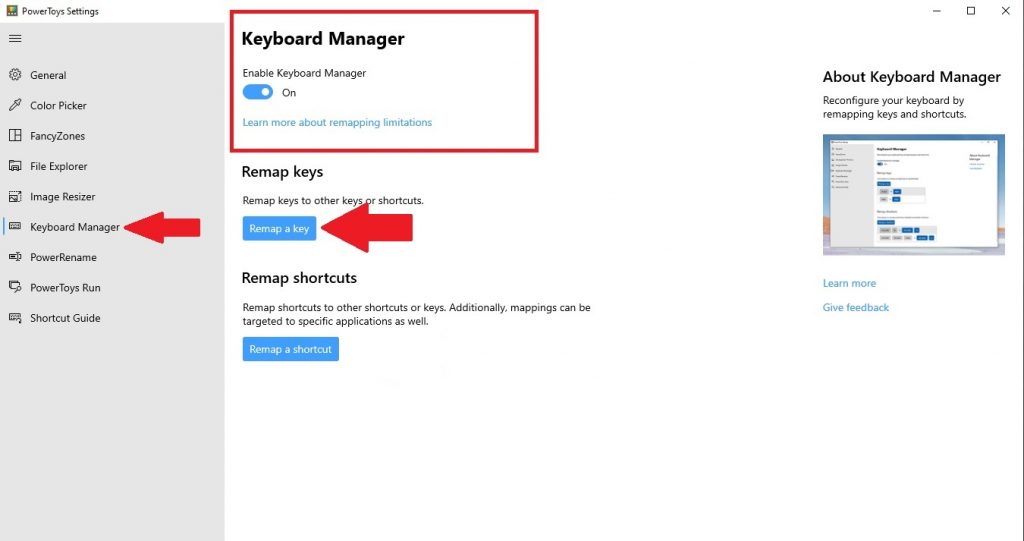
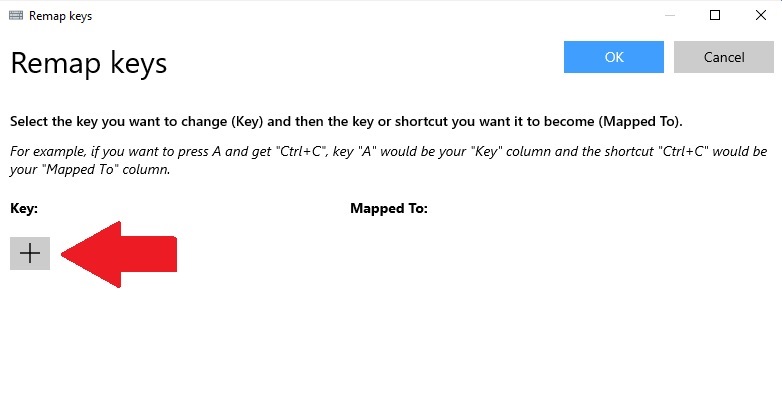
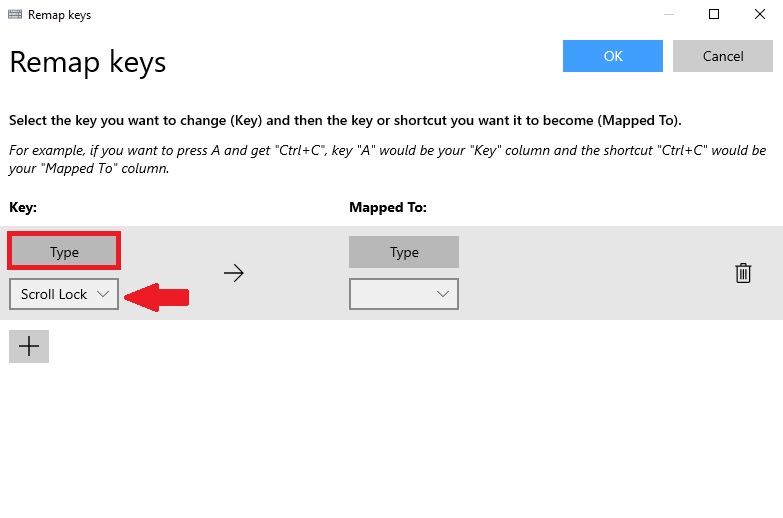
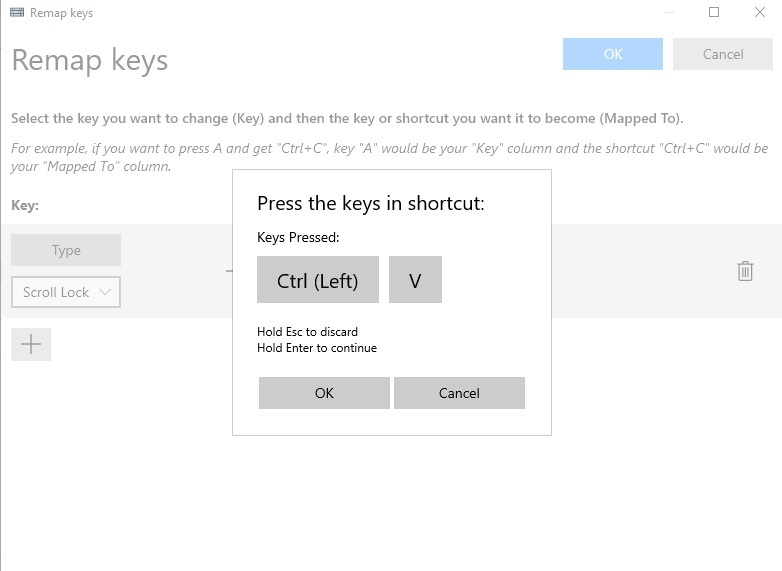
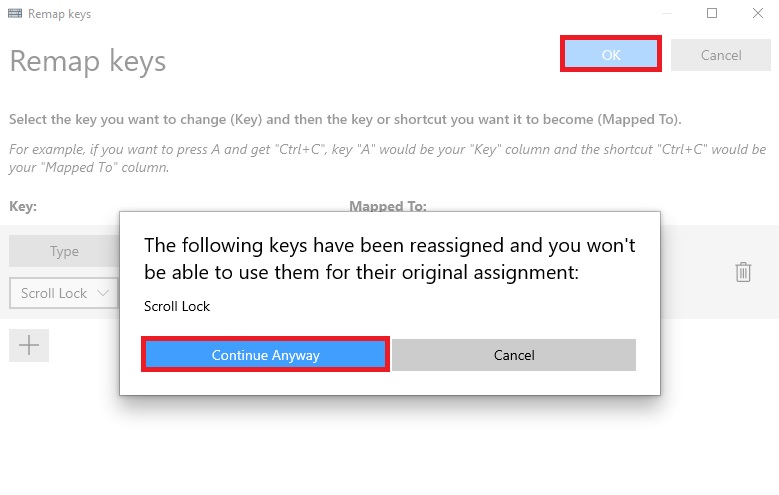
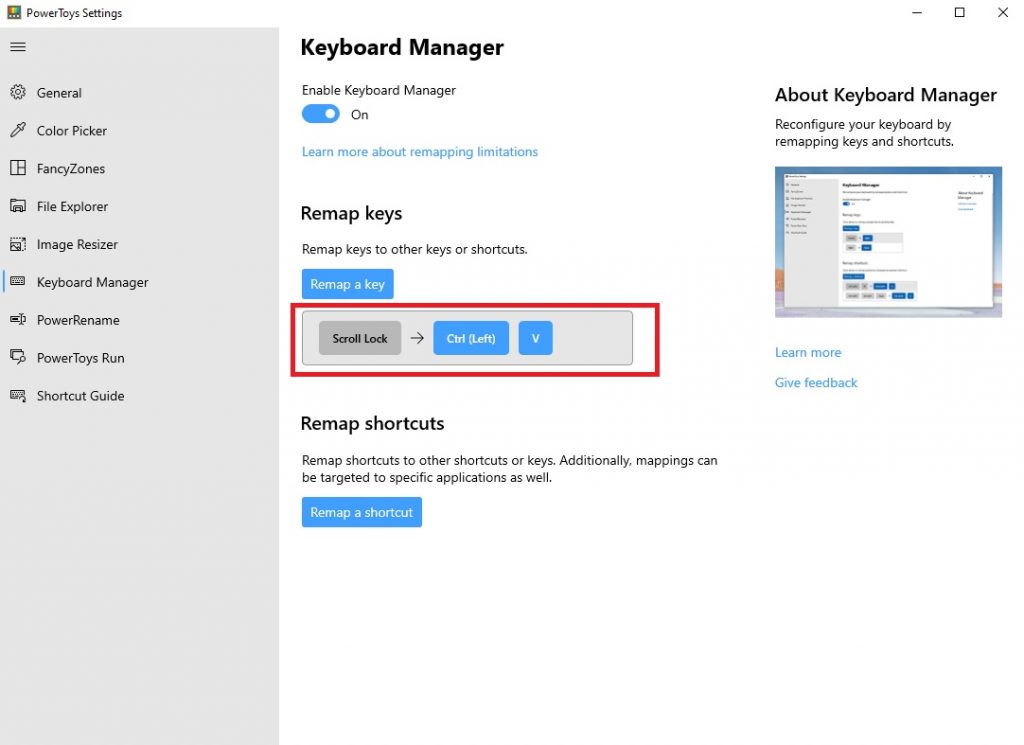
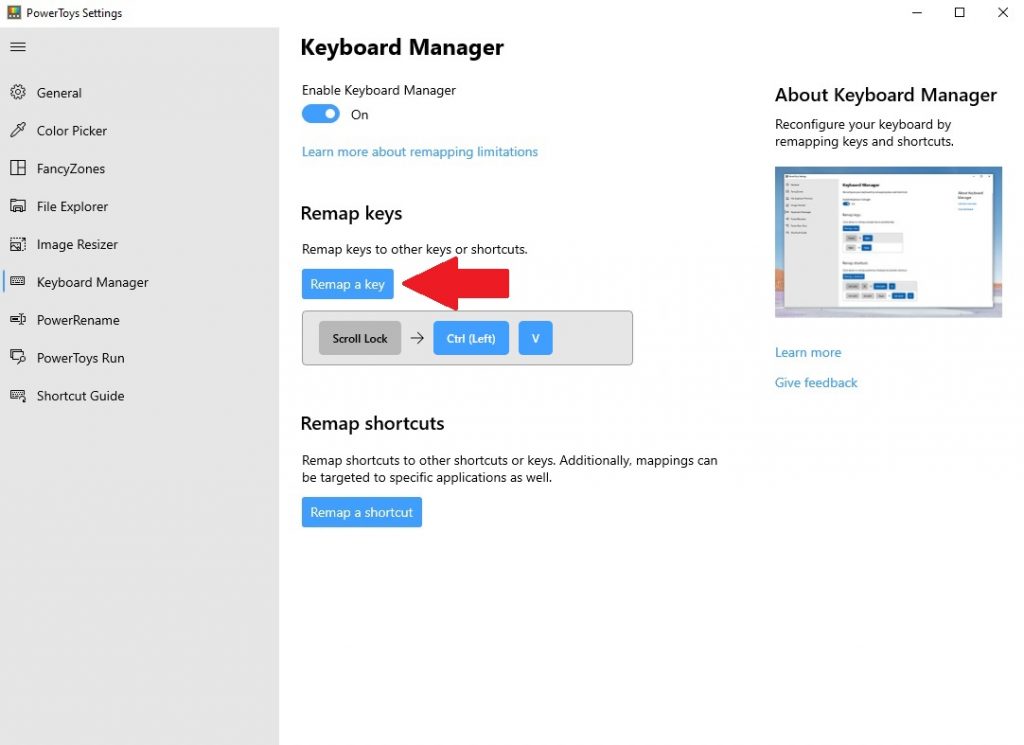
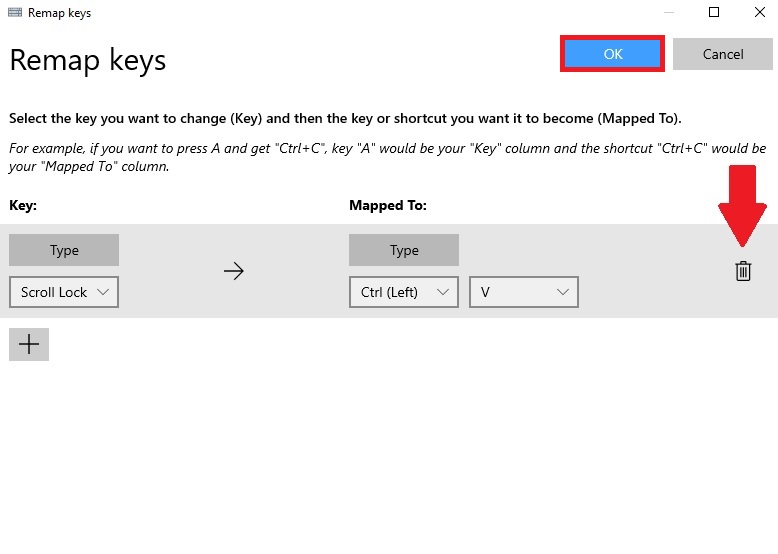




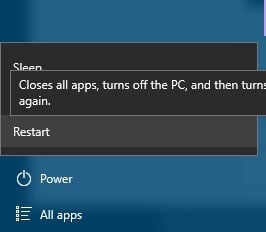
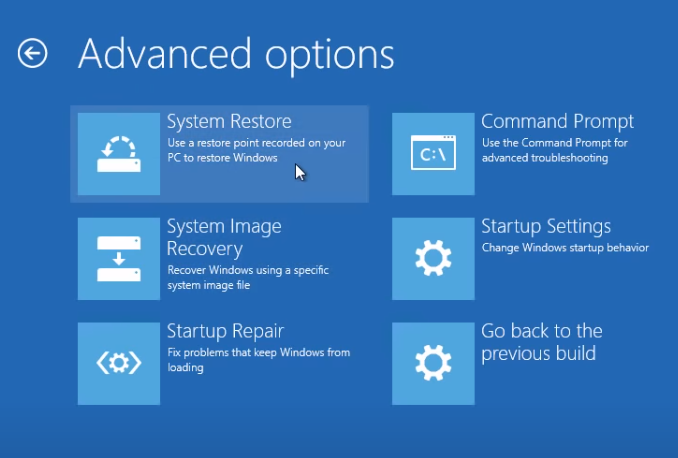













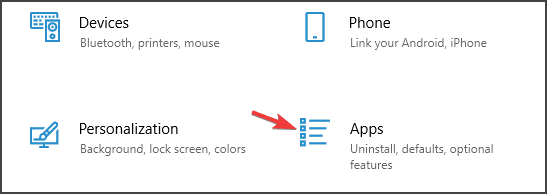
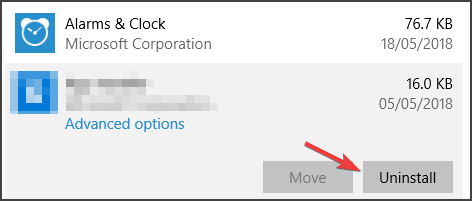

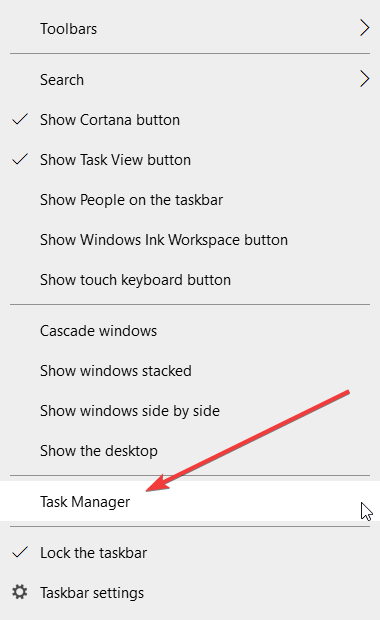

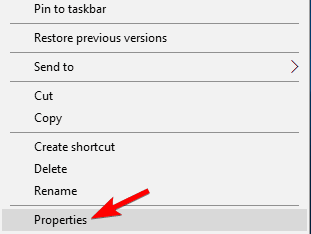

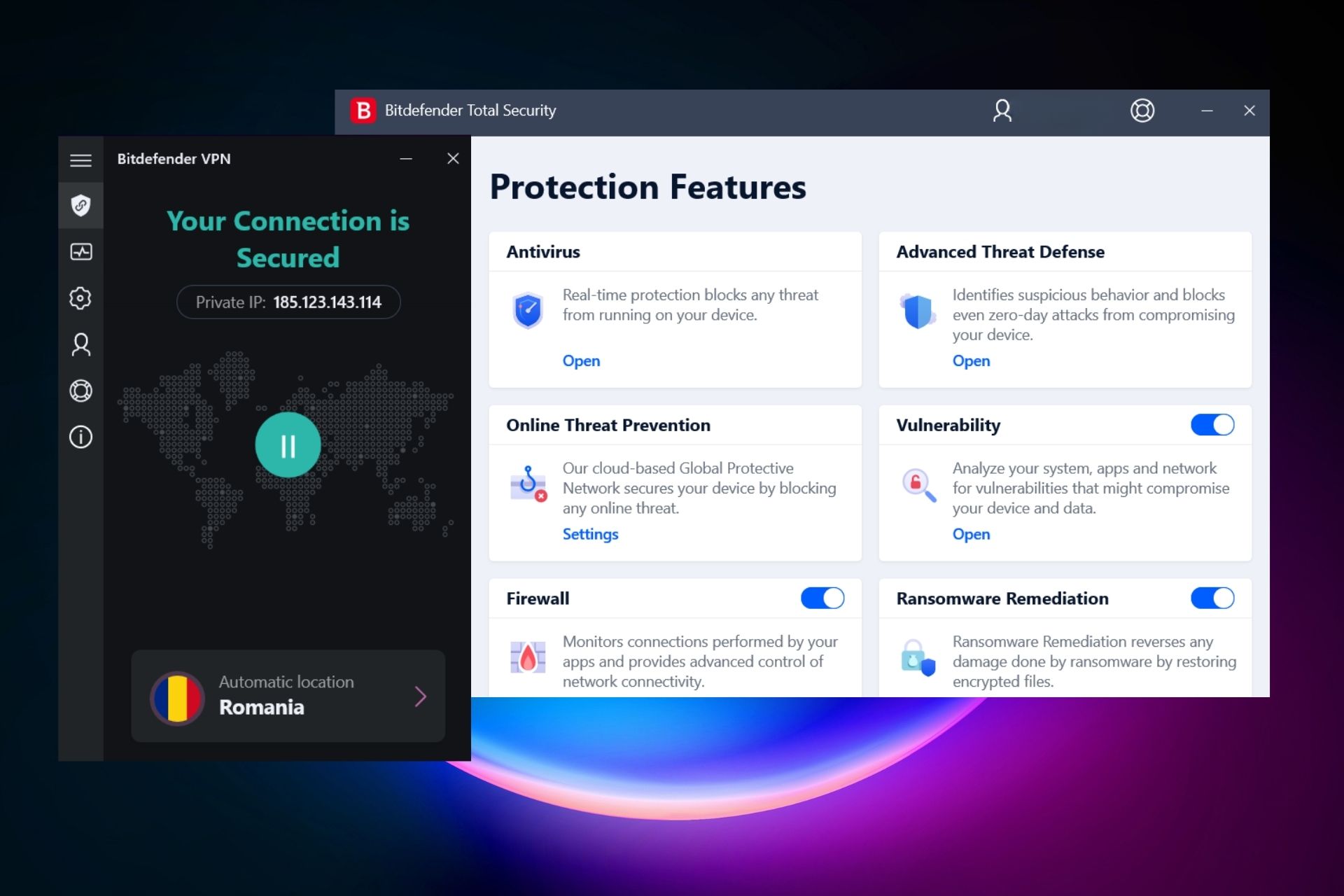
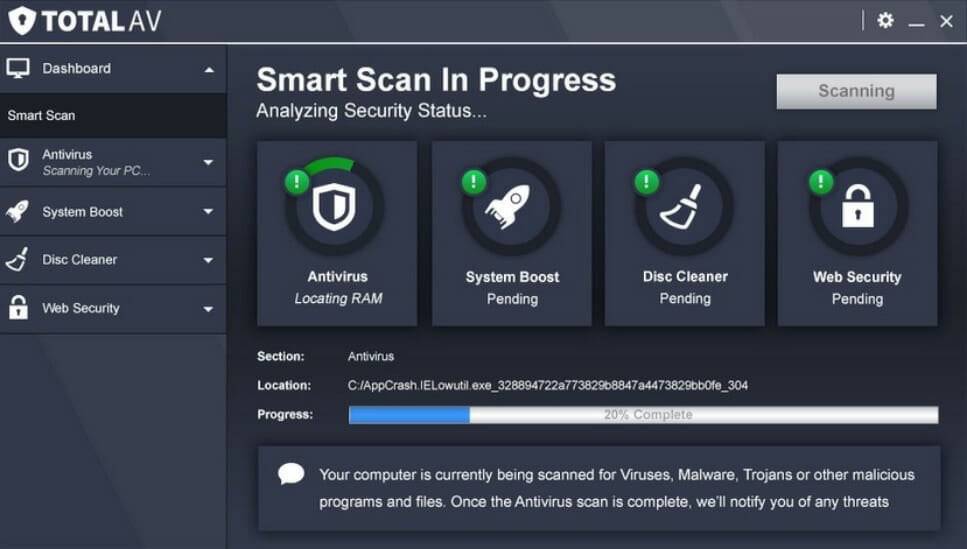

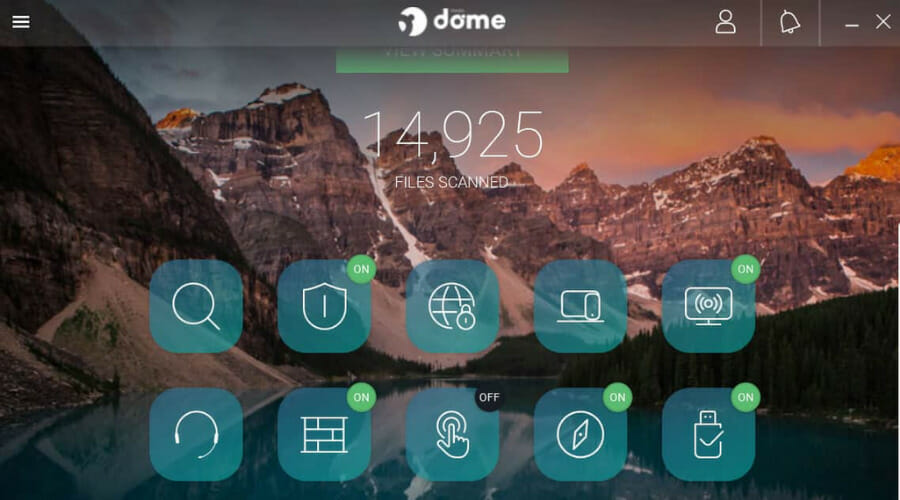
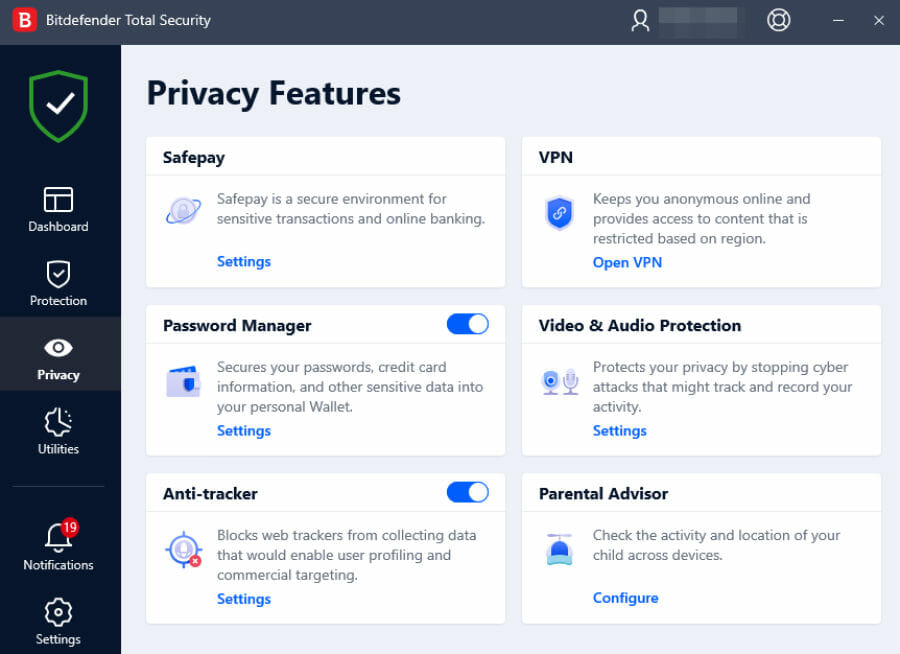
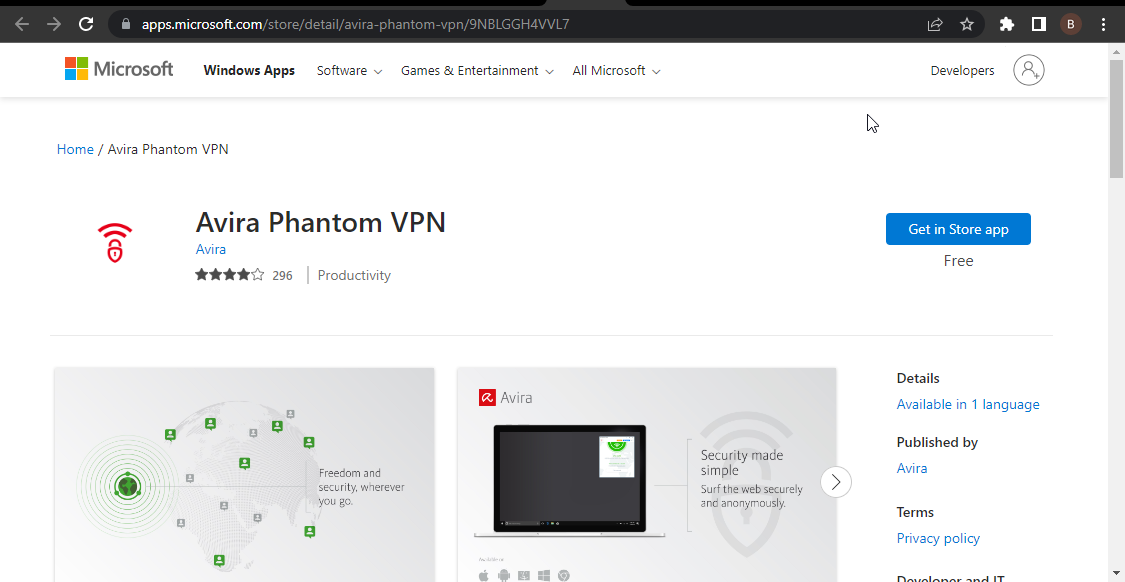

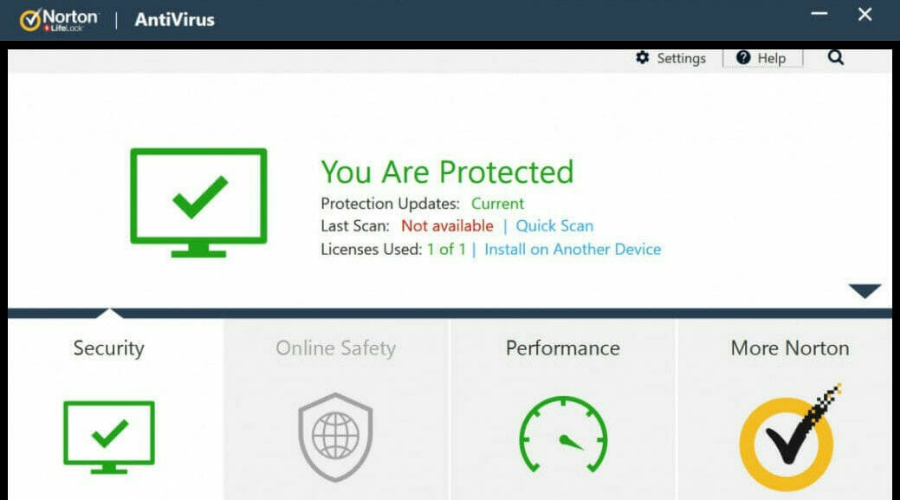

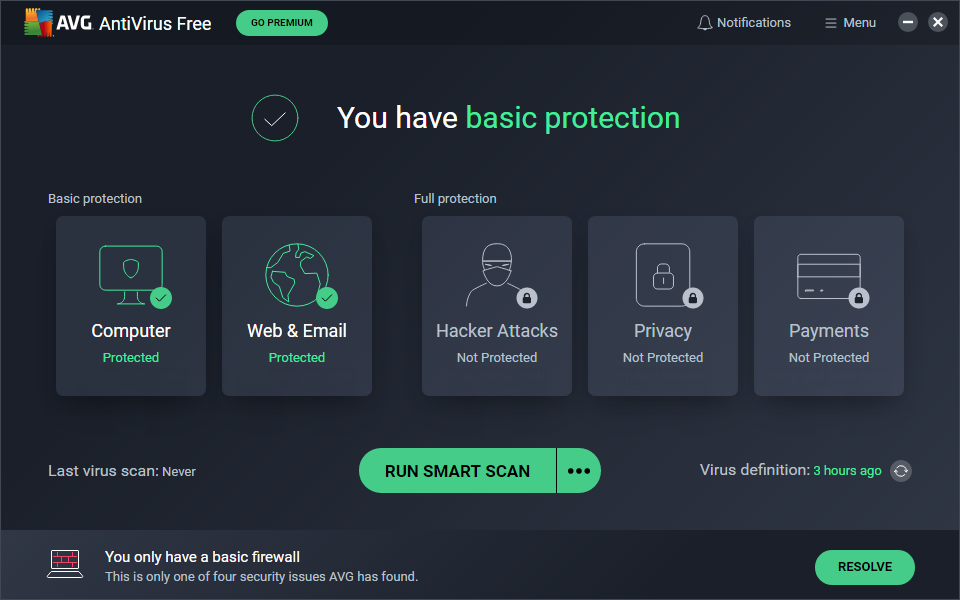

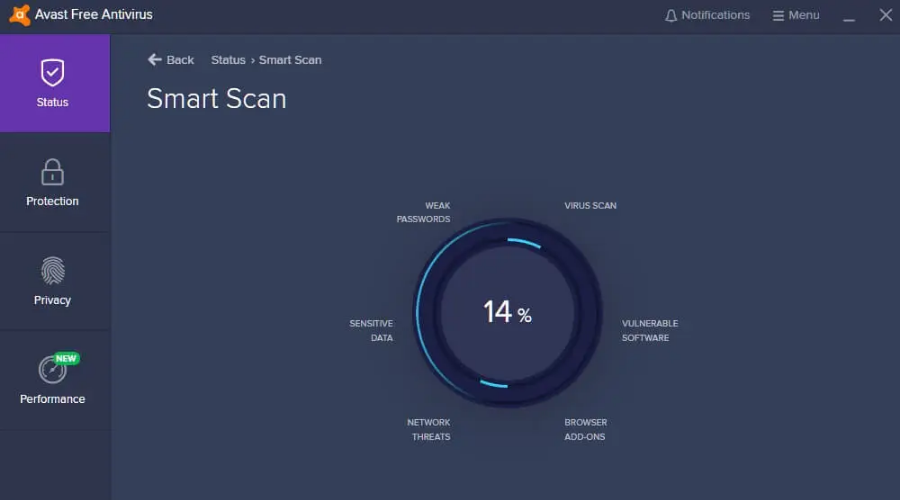

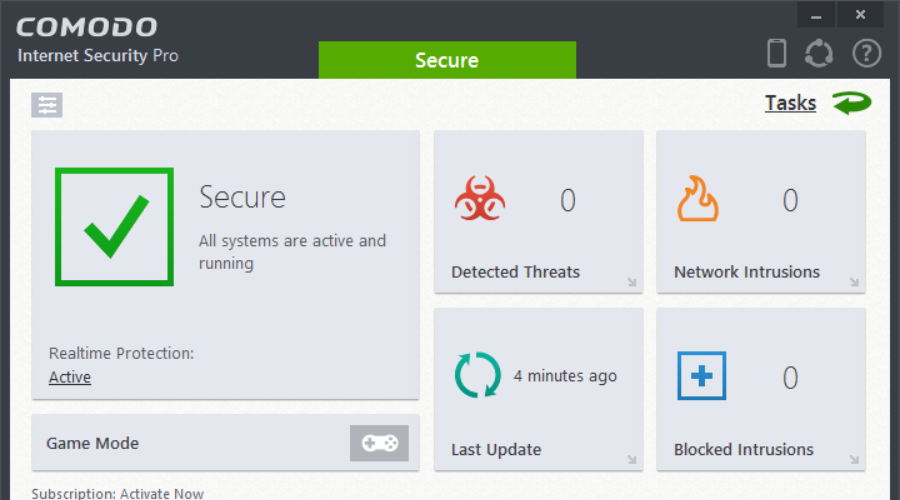

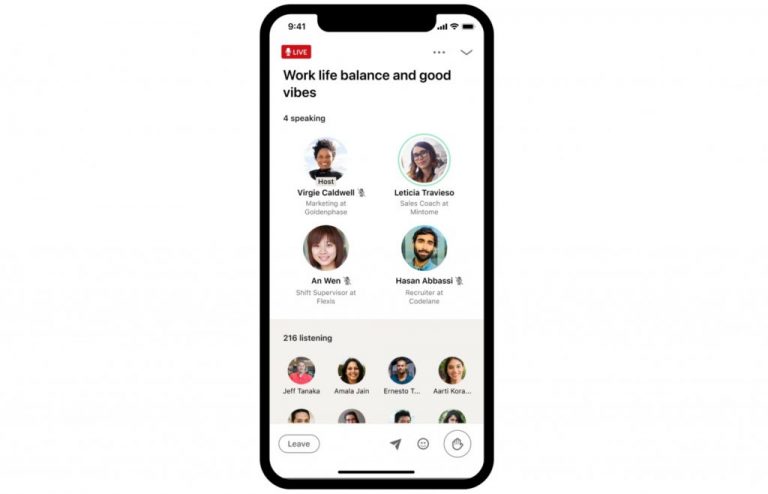

![HP Solution Center not Working [Flash Error]](https://windowsreport.com/wp-content/uploads/2021/03/hp-solution-center-flash-error.jpg)





![Movavi Fastreel for Windows 10/11 & Mac [Review]](https://windowsreport.com/wp-content/uploads/2021/02/Fastreel-Review.jpg)






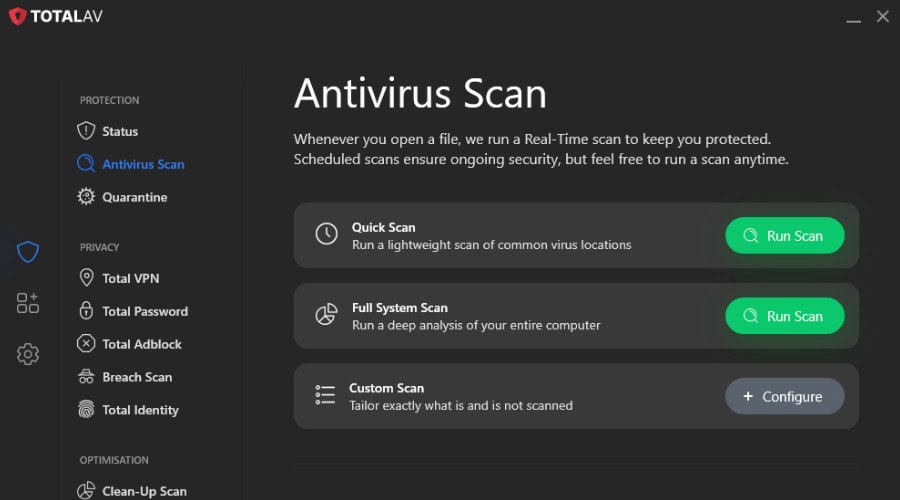
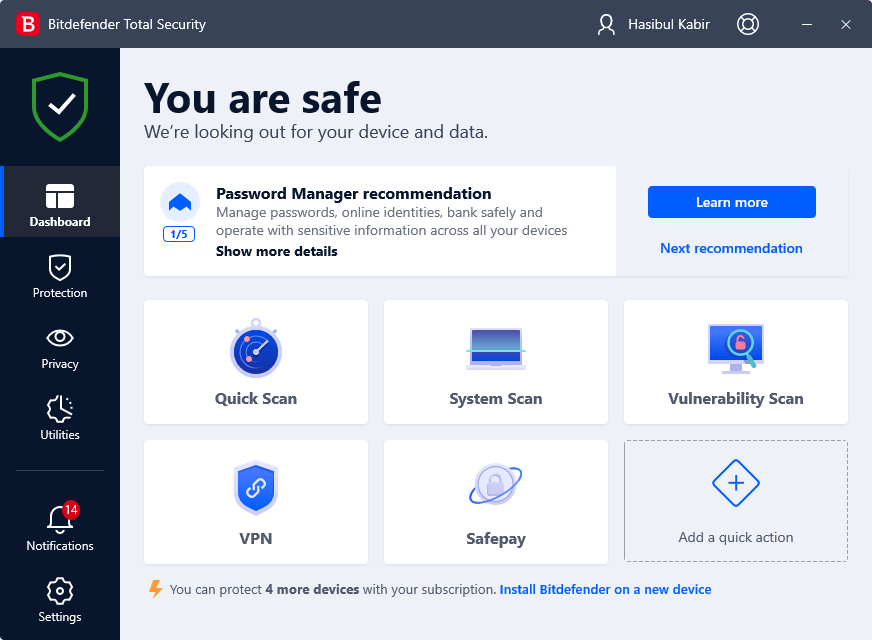
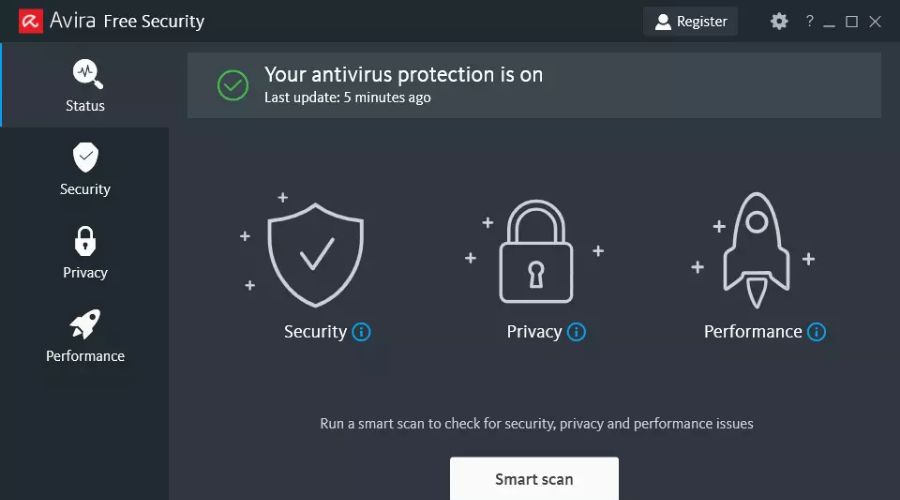

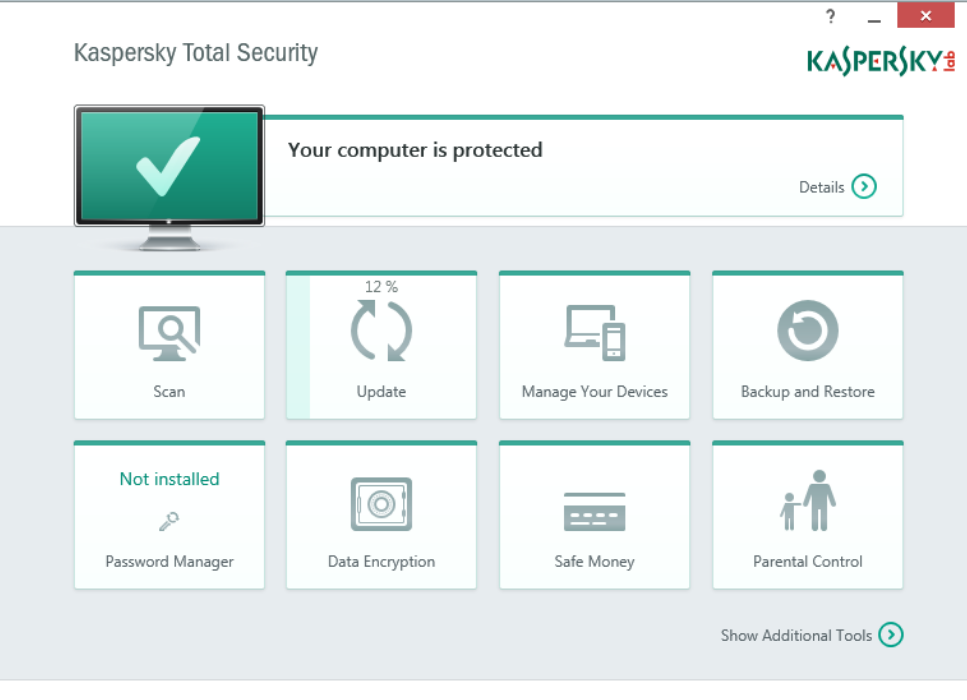

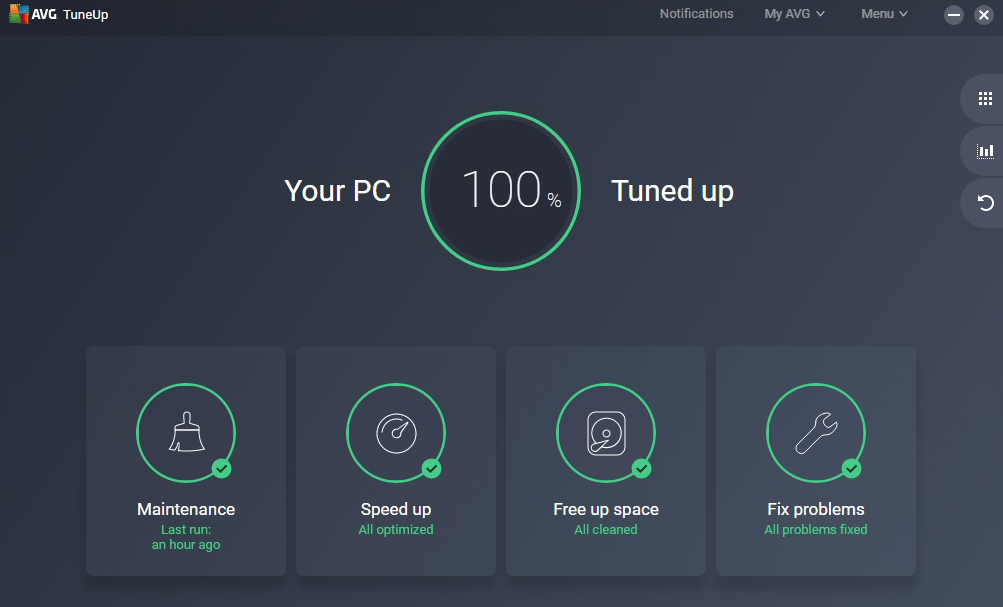
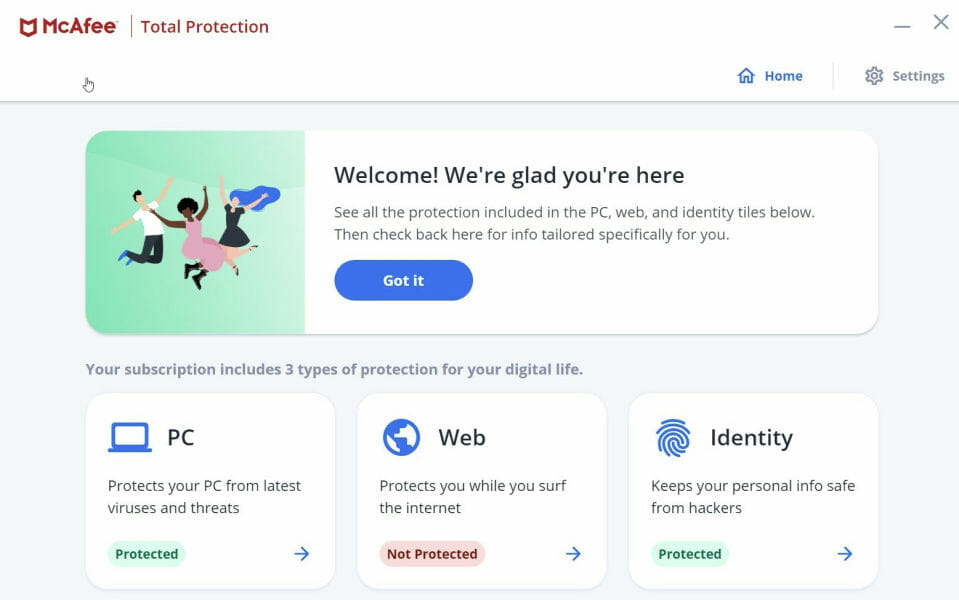

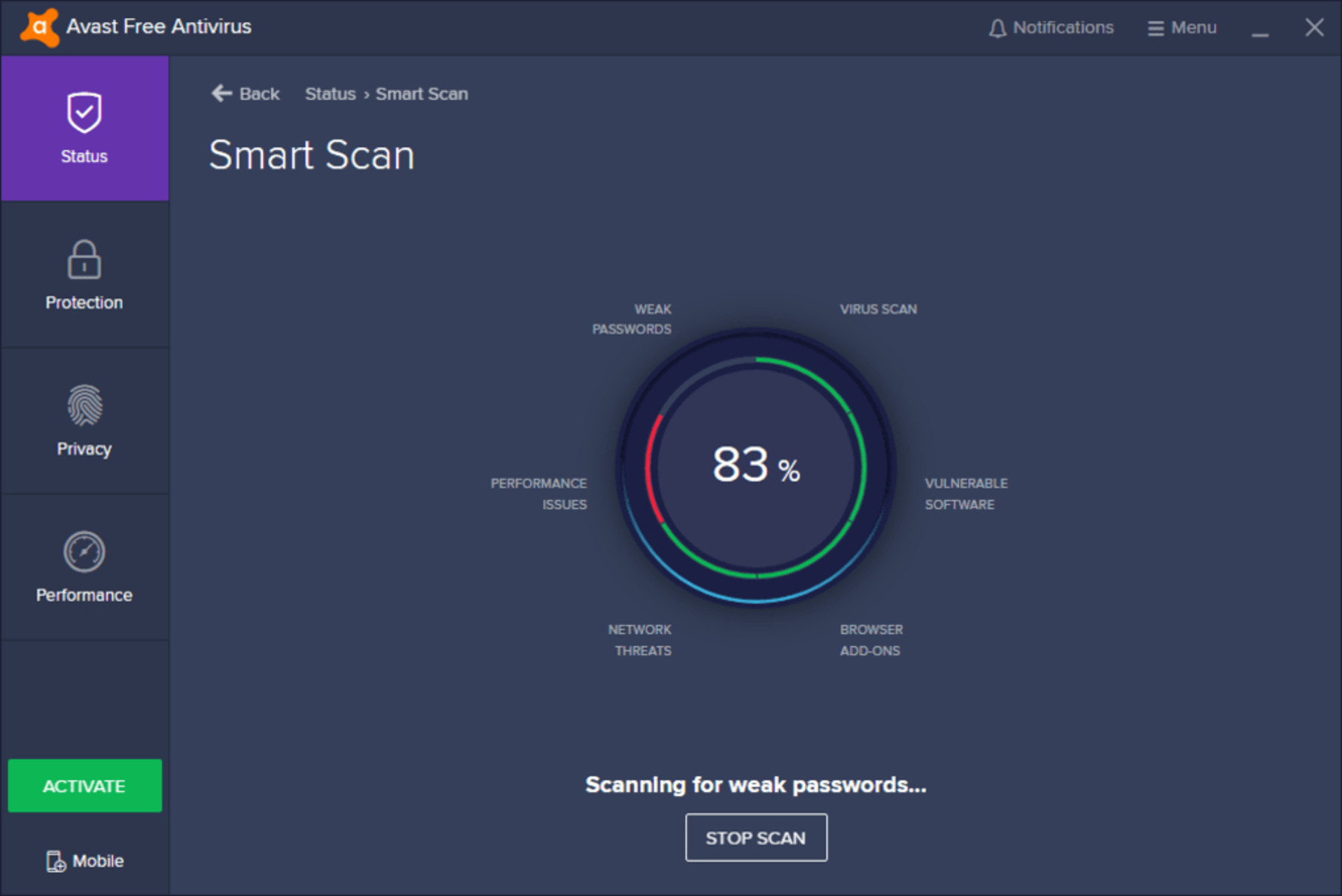


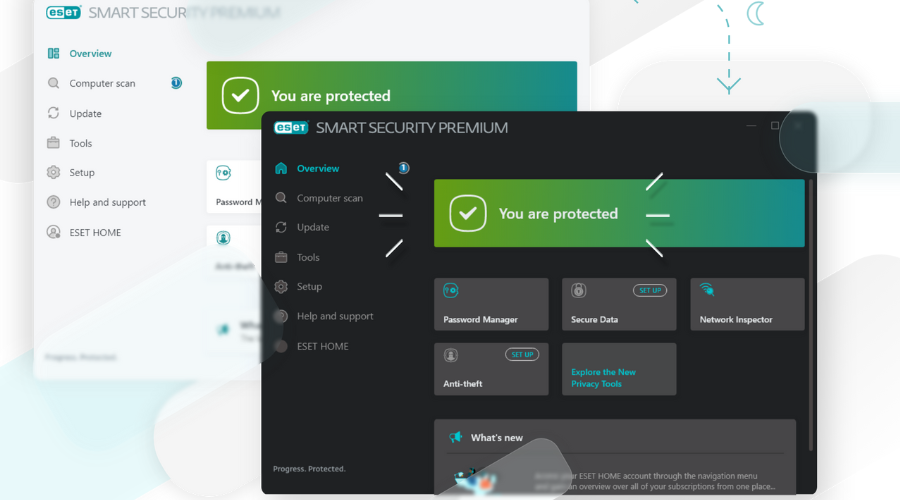
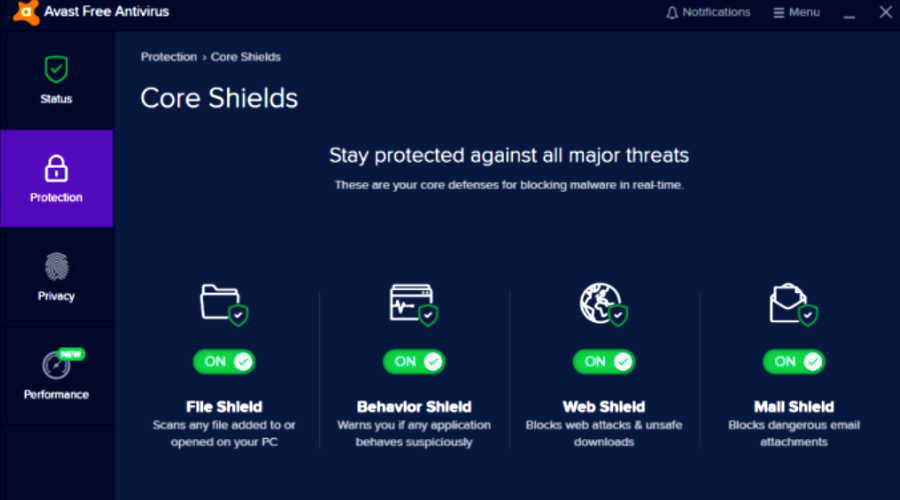

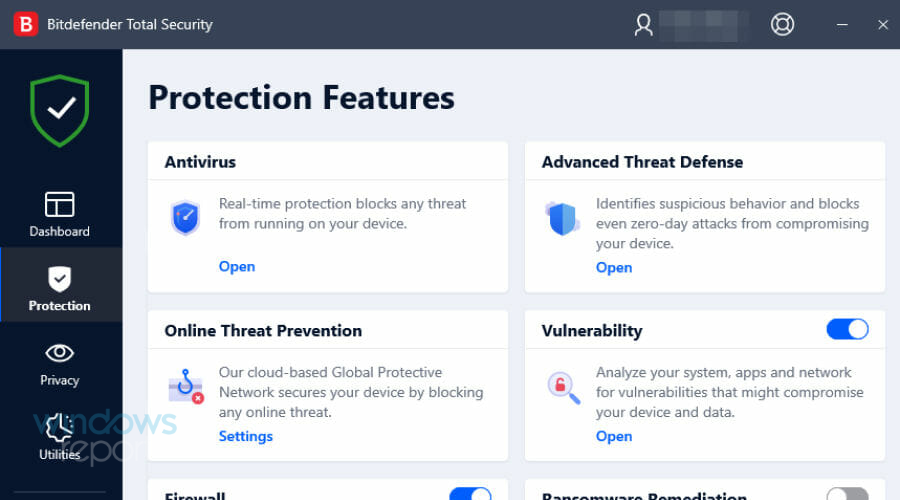

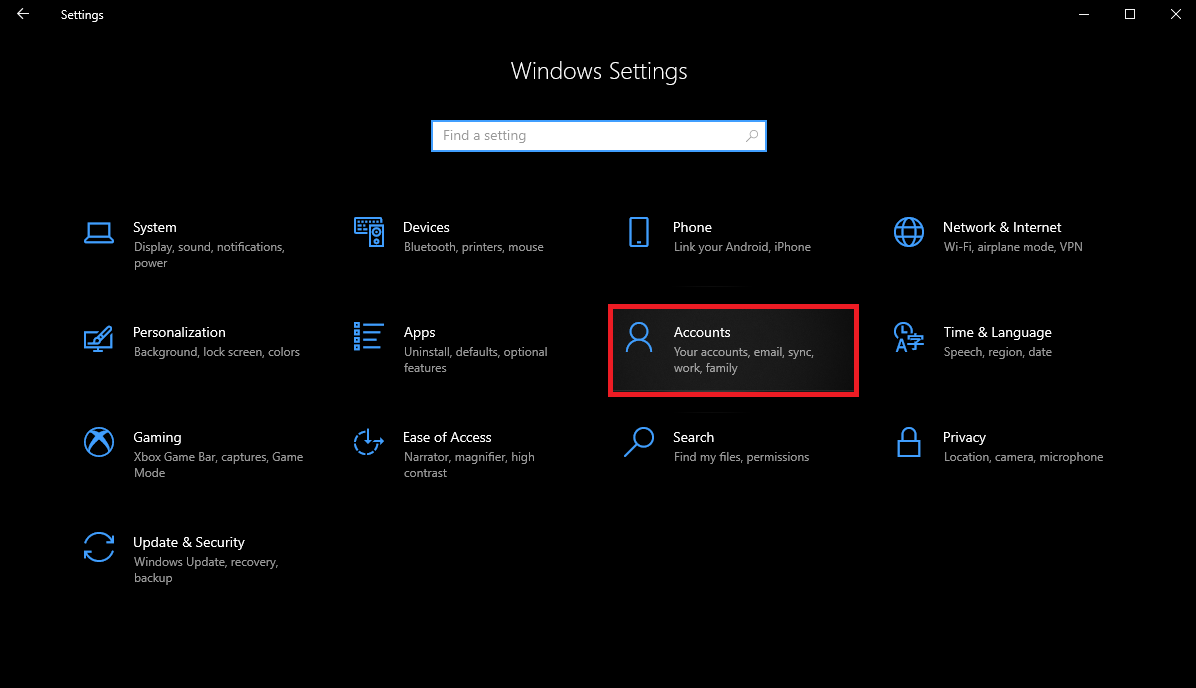
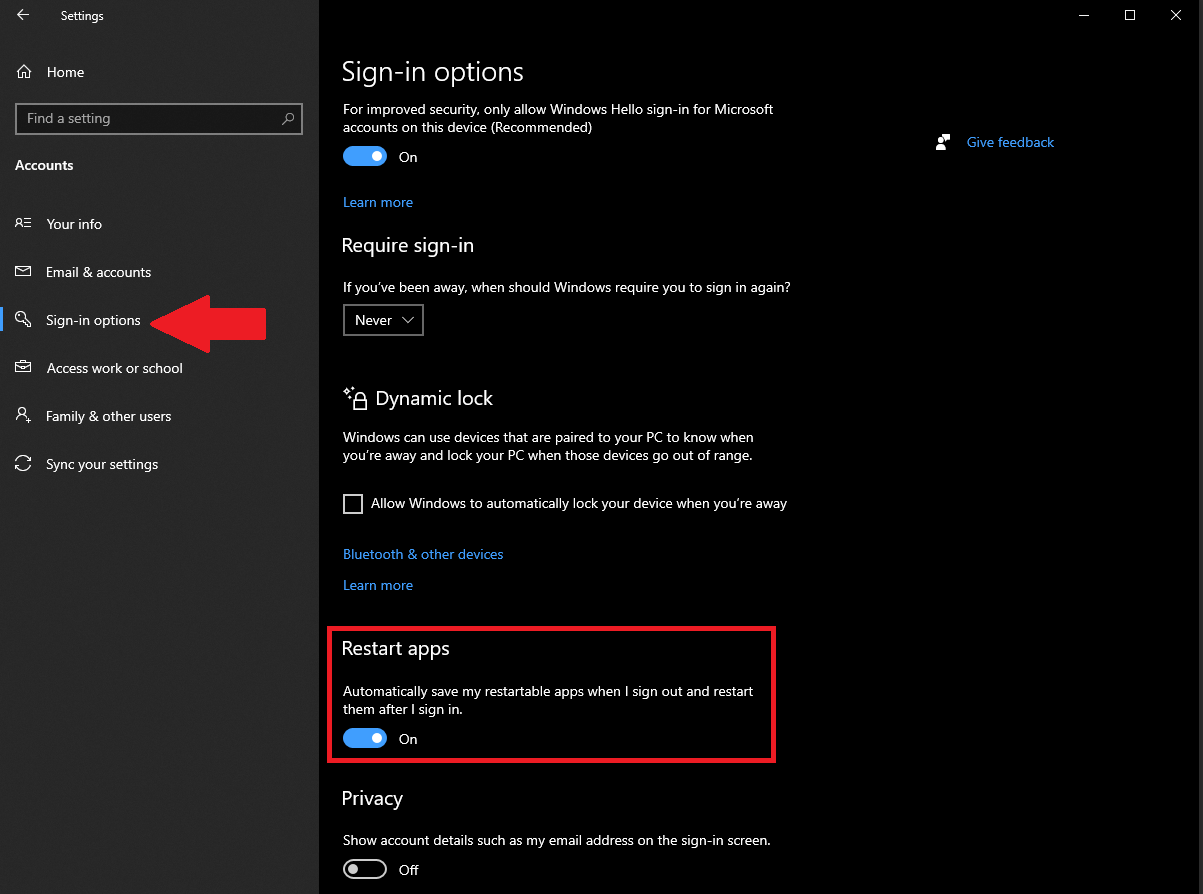



















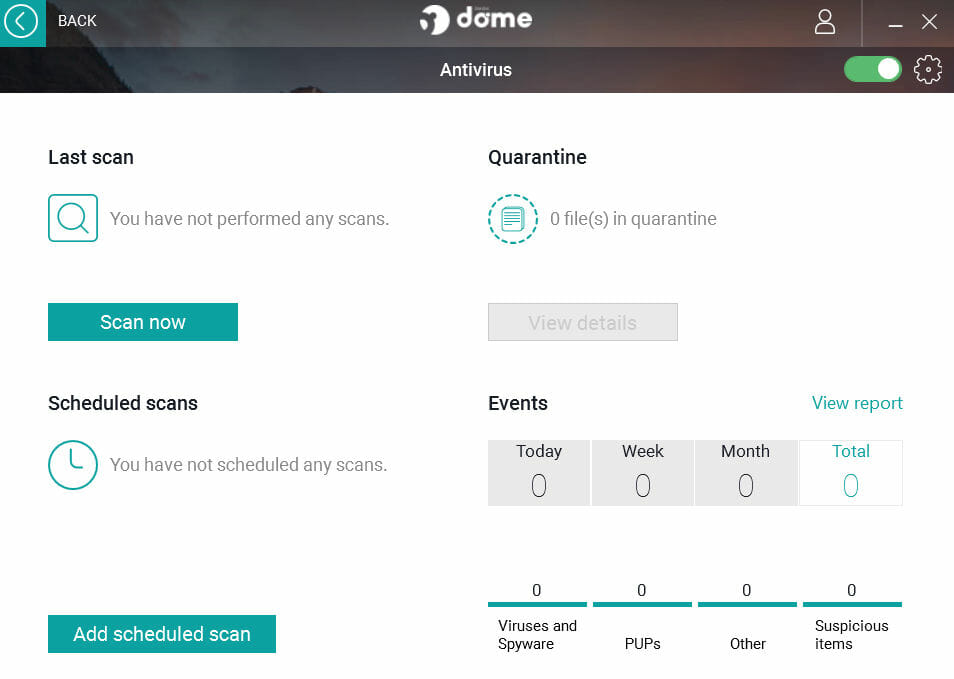



![6 Best Antivirus Software With Data Recovery [2026 Guide]](https://windowsreport.com/wp-content/uploads/2019/02/Antivirus-software-with-data-recovery.jpg)



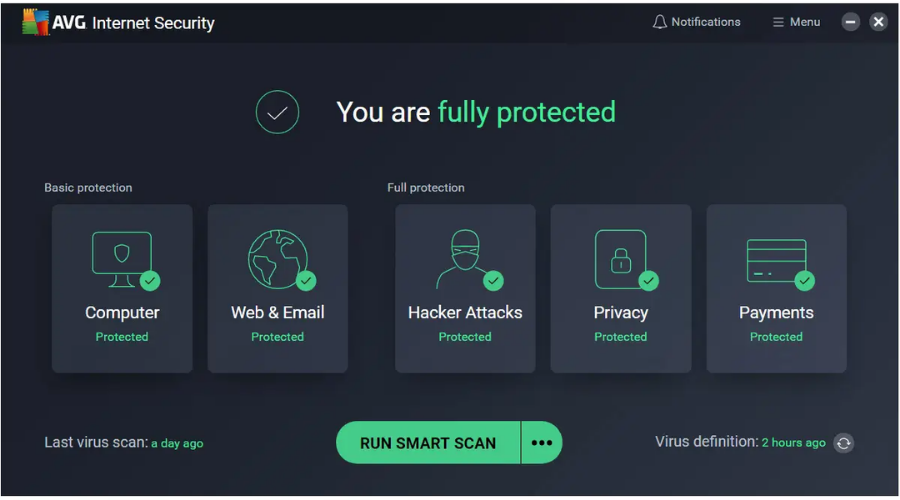




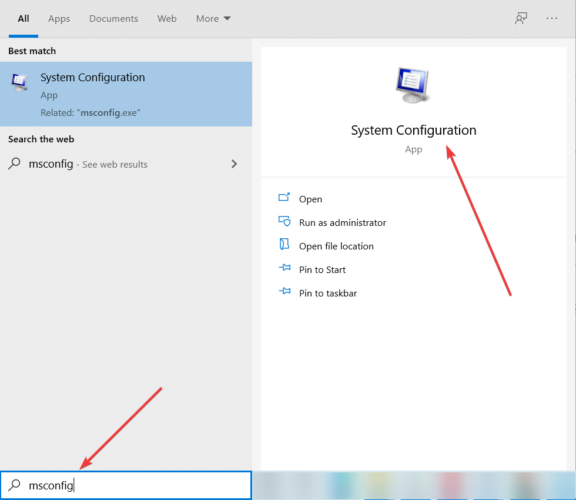


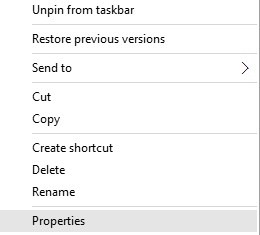
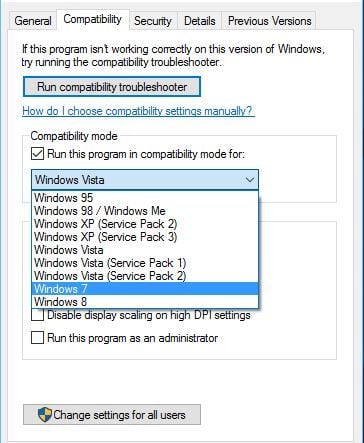




![FIX: Apc_index_mismatch ntoskrnl.exe [Full Guide]](https://windowsreport.com/wp-content/uploads/2021/03/apc_index_mismatch-ntoskrnl.exe_.jpg)
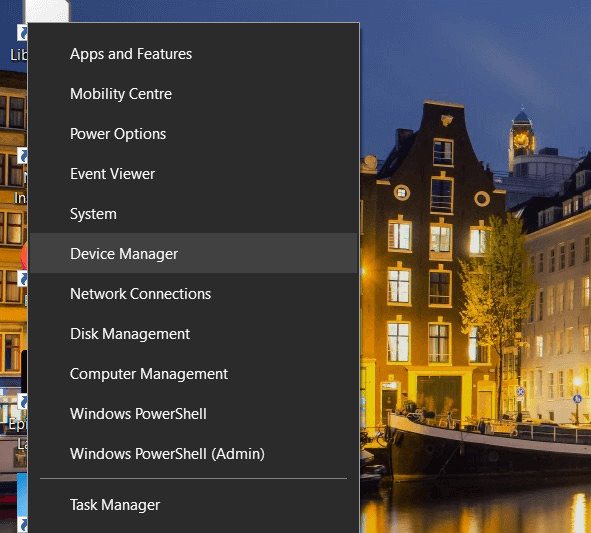

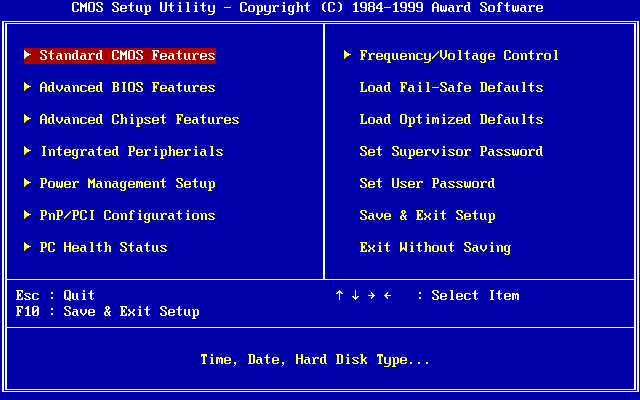
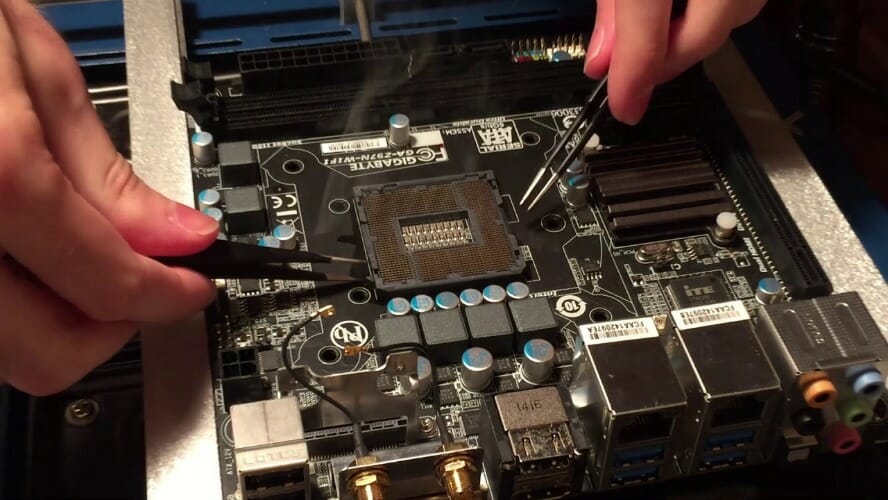
![4 Best Antivirus For Streamers [Top Picks]](https://windowsreport.com/wp-content/uploads/2021/03/best-antivirus-for-streamers.jpg)
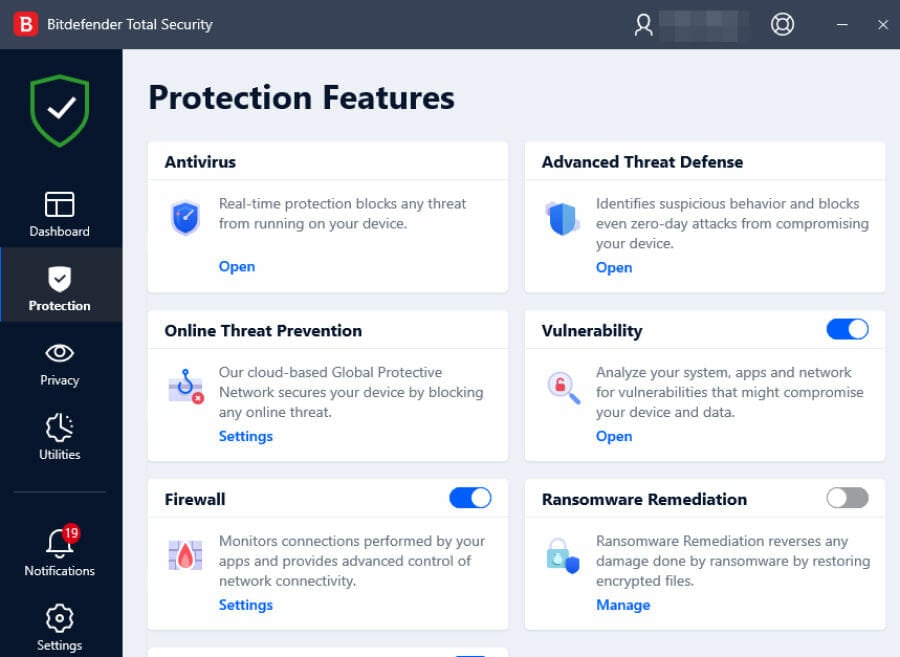
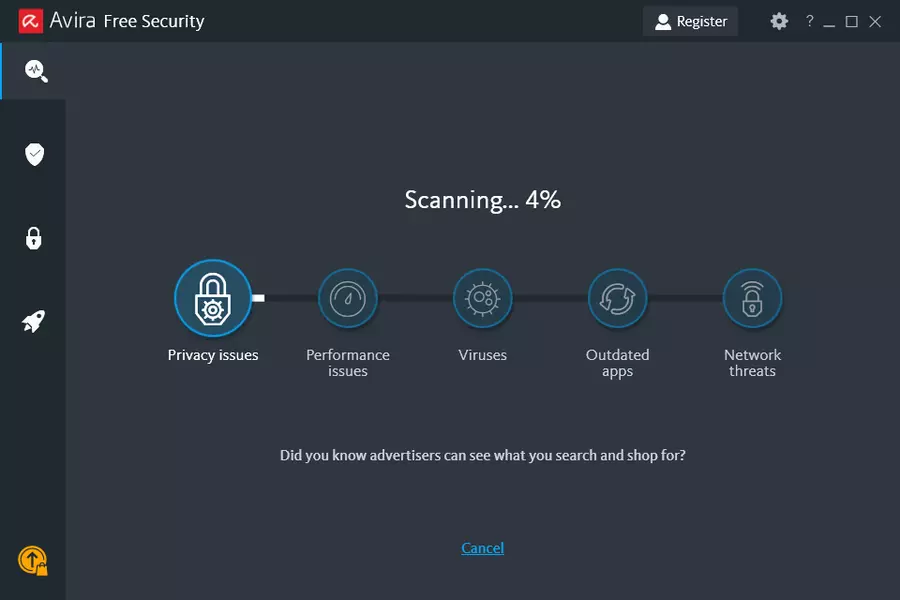
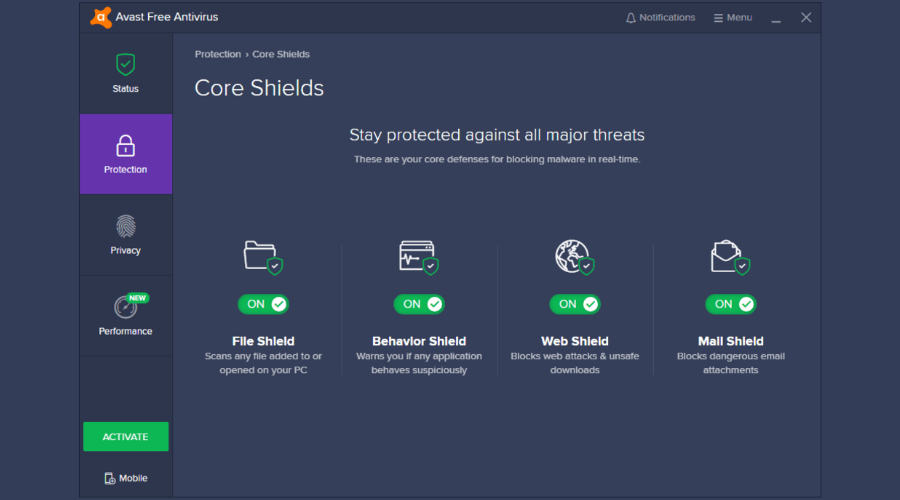


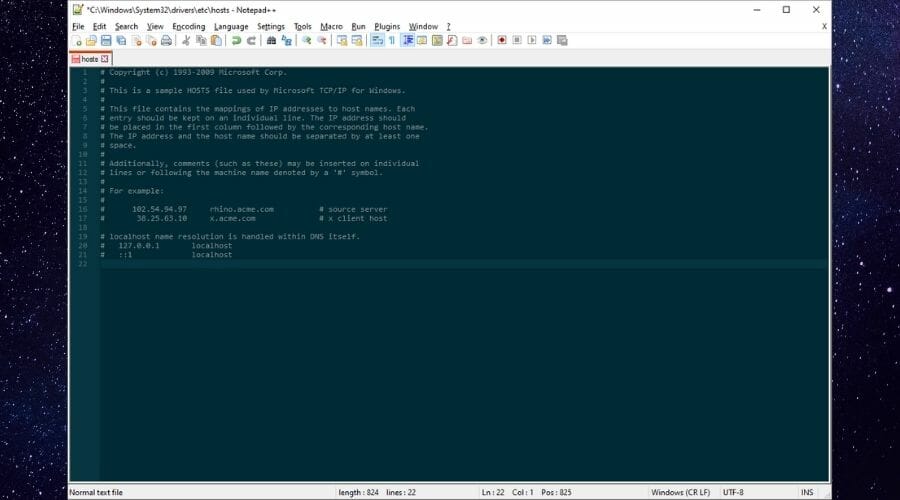












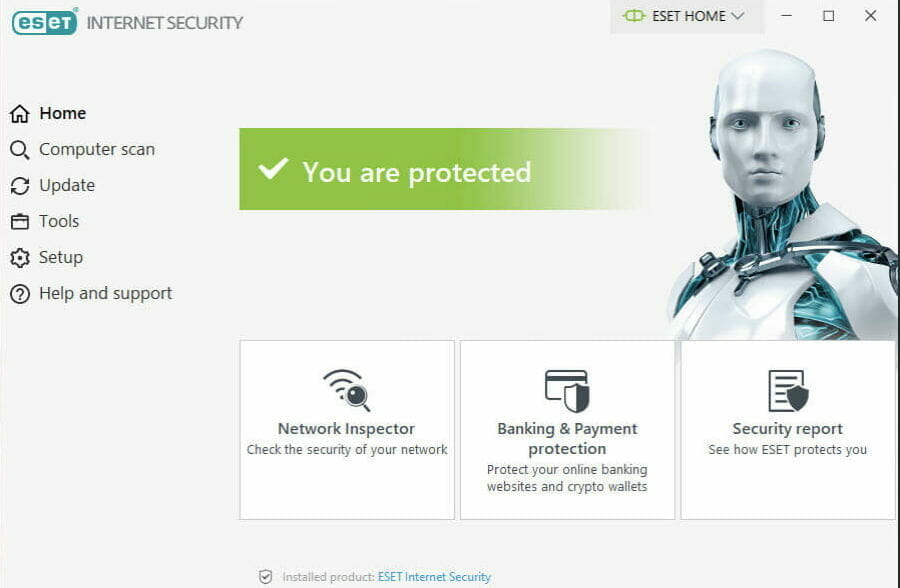
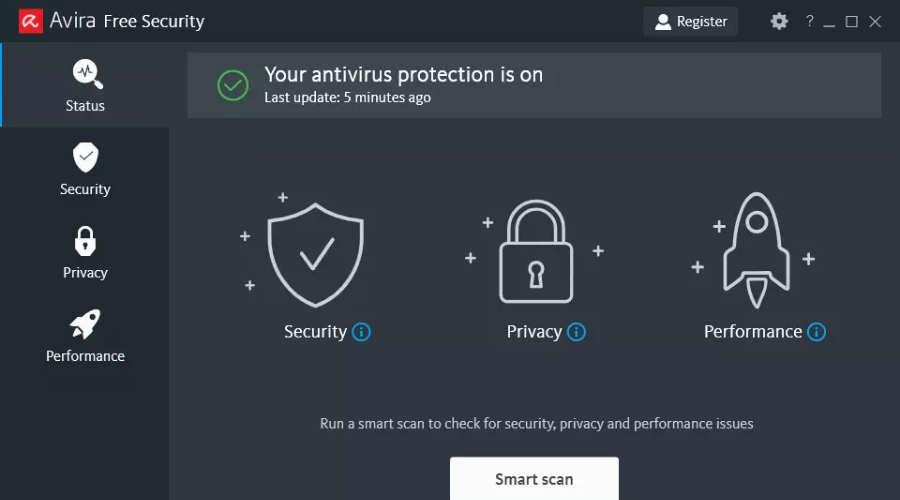



![5+ best alternatives to KeepVid [Windows 10/11 & Mac]](https://windowsreport.com/wp-content/uploads/2020/08/video-download-cover-image.jpg)





![FIX: TurboTax Error 1603 [Full Guide]](https://windowsreport.com/wp-content/uploads/2021/03/turbotax-error-1603.jpg)




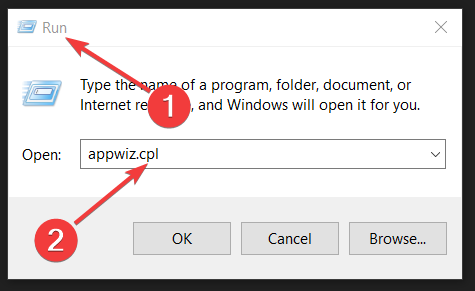

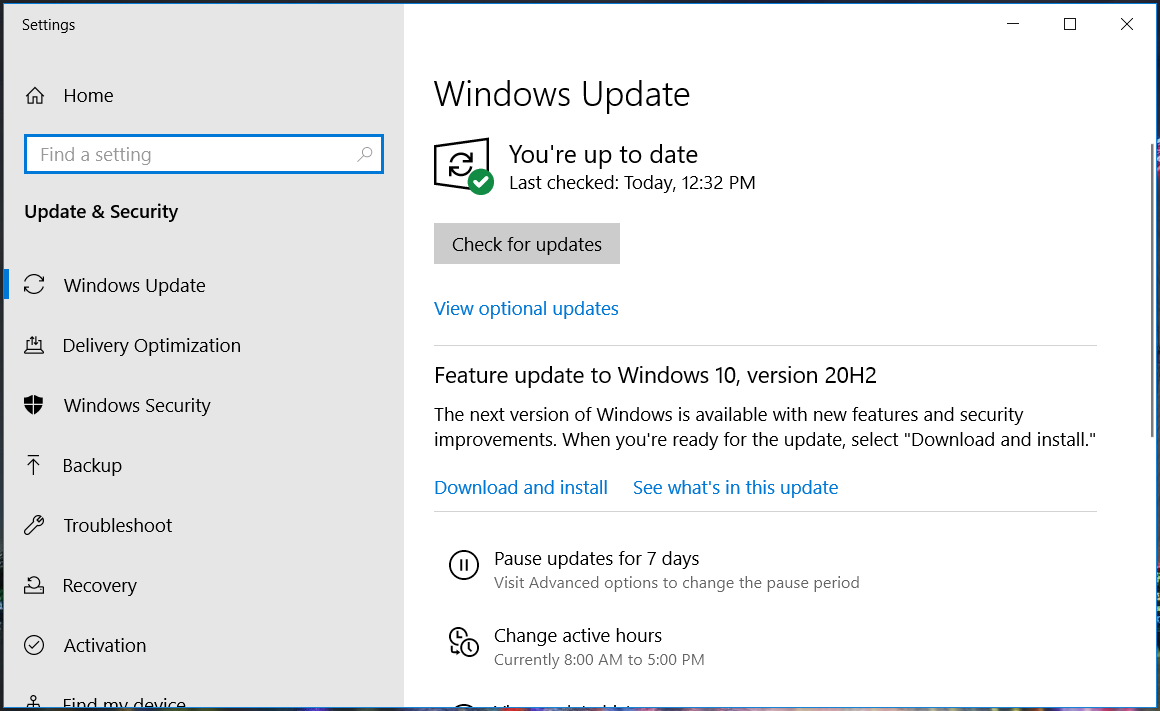
![11 Best Antivirus Software with Firewall [2026 Reviewed]](https://windowsreport.com/wp-content/uploads/2018/10/Antivirus-software-with-firewall-packages.jpg)

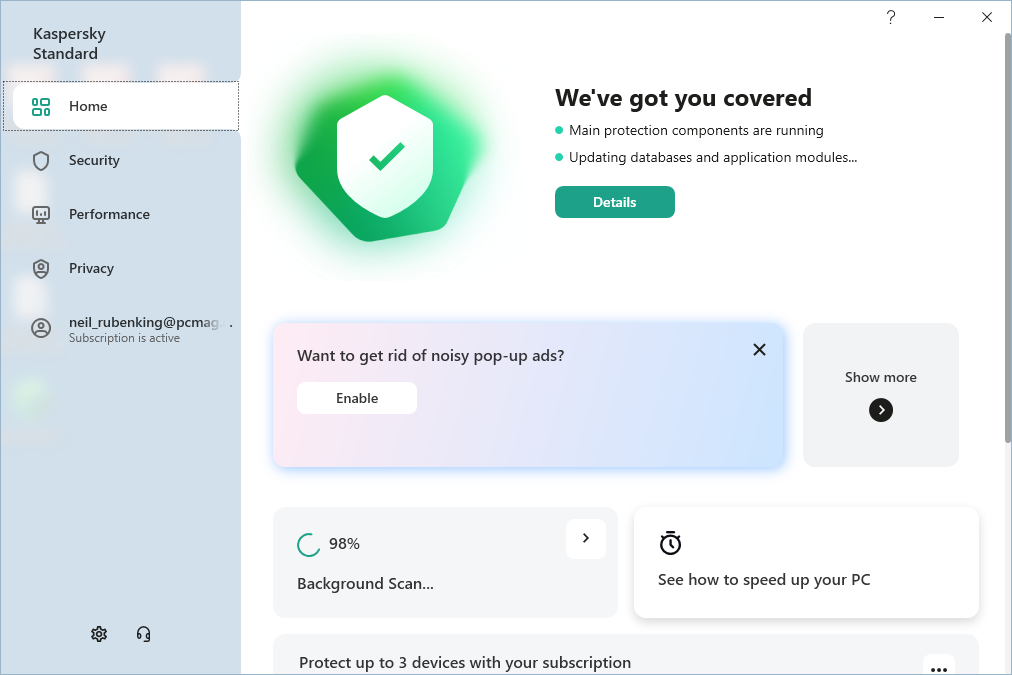


![Your connector is running an old configuration [Full Guide]](https://windowsreport.com/wp-content/uploads/2021/03/your-connector-is-running-an-old-configuration.jpg)