5 Best 360° Action Cameras To Capture Every Angle

360-degree cameras have been around for a while, and their allure has locked the minds of every photographer. They are not just new cameras, but a new category of cameras.

Their ability to capture moments in 360 degrees gives the user a feeling of being immersed in the action. 360-degree action cameras are designed for filming action while being immersed in it. Therefore, they are compact, lightweight, portable, mountable, and some are even waterproof.

When buying a 360-degree action camera, it is of paramount importance to consider the cam’s resolution. Sure, a normal camera will produce great images at 1920 x 1080 since it only needs to capture around 900 of the space around the object.

If we were to use the same resolution in a 3600 camera, the image would appear blurred since it will be stretched out over a wide area. Ideally, the best 360-degree action cameras should shoot at 4K minimum. Read on to discover the best 360-degrees action cameras in the market today.


What are the top best 360-degree action cameras to buy?

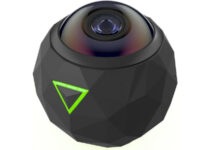
360Fly 4K

  • 16 MP - 2880 x 2880 pixel resolution
  • Waterproof down to 30 feet
  • Time-lapse and front-facing modes
  • Auto-activation
  • Built-in gyroscope
  • Problems with the login system

The 360Fly 4K packs all you would want in an action camera. It comes with a powerful 16MP image sensor so you can capture crystal clear images at 2880 x 2880 pixel resolution. It also offers a generous 64GB internal storage so you will never run out of storage space.

The orb design is modern and the sealed casing is waterproof to a depth of 30 feet. The camera is incredibly easy to use. There is only one button on the casing that allows you to start recording video in just a single click.

The footage transforms into virtual reality experiences with just the push of a button. The camera has mobile and desktops apps so you can easily edit and share your 360 degrees videos on the social media.

The durability of the camera is not questionable, thanks to its dustproof, shockproof, and waterproof capabilities. You can use the 360Fly 4K camera to record any action or sporting activities, surfing included.


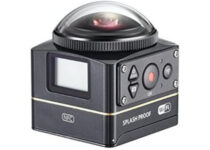
Kodak PIXPRO SP360 4K

  • UHD videos at 30 fps recording
  • YouTube & Facebook Compatible For 360 Degree Videos
  • 4K Equivalent VR Video
  • Control wirelessly with an Android/iOS smartphone
  • Problems with stabilization

The PIXPRO SP360 4K can record ultra-high definition videos at 30 fps via its huge 235 degrees FOV lens. Kodak notes that the camera is waterproof up to 2m deep when used with the cover so you can use it to record videos in moist conditions or in shallow waters.

The device can also survive extreme temperatures. You can pair two PIXPRO SP360 4K cameras together to capture full 3600 x3600 spherical content.

Kodak has an intuitive PIXPRO stitch software that you can use to effortlessly stitch videos from the two SP360 4K and create an immersive 3600 x 3600 footage. There is also a free PIXPRO SP360 4K editing software for PC so you can add all the flavor you want to your 4K videos.

And if the 4K version is too pricey for you, there is another cheaper version of the PIXPRO S360 that only records videos at 1080p.


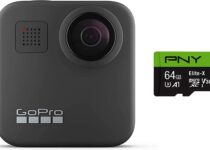
GoPro MAX

  • Bundled with a PNY Elite-X 64GB U3 microSDHC Card
  • Very good stabilization
  • Super stabilized time-lapse videos
  • Time Warp
  • Perfect for extreme sports but also for vlogging
  • Short battery life

For years, GoPro has set the standards for how 360-degree action cameras should look like. The camera is very easy to work with and it’s designed for everyone. That doesn’t mean that it can’t be used by professional photographers and filmmakers.

Love it or hate it, there is no competition when it comes to versatility and features.  That’s expected because it comes from the company that creates the legendary GoPro cameras. But what exactly makes it so powerful?

The Max can be easily considered to be one of the most creative GoPro cameras. It can capture traditional videos and photos but it can also shoot 360 degrees footage of everything around you and vlog it right away.

There’s no need to pan to snap a panoramic shot without having to pan, just point and click. And aside from the perfect video, the six built-in mics will capture immersive audio as you’ve never heard before.

The Max package includes a 64 GB MicroSDHC card so you will be ready to shoot and record right away.


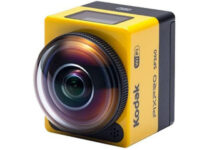
Kodak PIXPRO SP360 Action Cam with Explorer Accessory Pack

  • Advanced MOS sensor with 16 million image pixels
  • Captures all the high-speed action with 1080p
  • Wi-Fi and NFC connectivity
  • Includes the Explorer Accessory Pack: Standard Housing, Bar Mount, Vented Helmet Strap for Top Facing, Vented Helmet Strap for Front Facing, Flat Adhesive Mount, Curved Adhesive Mount, Extended Arms, Quick Clip
  • Not fit for professional use

This is a very affordable camera that can give you a start in capturing 360 degrees photos. Usually, these action cams don’t come with all the accessories and after you buy them, you spend a lot of money to mount it to a helmet, on your bike, or to take it for underwater exploration.

That the main different point about this package, that it is packed with a ton of accessories so that you can jump in and record your adventures from day one. 

Another wow moment comes from the 16 MP resolution MOS sensor which is faster and captures more clear images than a CCD or a CMOS sensor. And it features a lot of viewing modes like Ring, Dome, Front Degree/Rear 180 Degree, 360 Degree Panorama, and Globe.

This camera is a great find and a good start for recording your adventures.


Insta360 ONE R Twin Edition

  • Interchangeable lenses
  • IPX8 waterproof
  • 1-inch touchscreen
  • AI Editing
  • 5.7K resolution
  • Pretty expensive

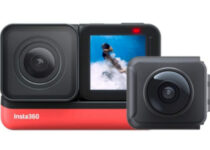
The Insta360 ONE R Twin Edition is a premium camera that allows you to record 5.7K 360-degree videos. This action cam can transform in a few seconds from a 360-degree camera to a wide-angle, 4K 60 fps action camera just by swapping out the lenses.

The FlowState embedded technology achieves gimbal-like image stabilization without mounting it on a gimbal. And thanks to a smart scene-detection algorithm, your captured footage will be clear and steady even when the sun goes down.

ONE R is prepared for any harsh conditions because it’s IPX8 waterproof to 5m (16.4 ft) but truth be told, you need to mount it in its dedicated bracket.


While it requires only 2 lenses to create a 360-degree image, it has become a common consensus that the more the better. You should also consider other factors that make a 360-degree camera stand out, such as stitching capabilities.

Some cameras are able to stitch the images automatically and in real time, while others may require you to use special software or even do it manually. We hope that this article will help you to make a more informed buying decision.


[wl_navigator]

5 Best Headphone Amps With Bass Boost

A headphone amp is a relatively low-powered amplifier that raises the low-voltage audio signal from a source device so that the speakers in your headphones can provide better sound.

Bass boost is a feature that some of these amplifiers have that, as the name implies, improve the bass performance of a sound signal.

There are plenty of such devices out there tough, and choosing one can be difficult. That is why we’ve compiled a list of what we think are the best.

Note: Deals are subject to change. Keep in mind that the price tag often varies. We recommend going on the vendor’s website to check the price. Some of the products may be out of stock by the time you’ve made your purchasing decision. So, hurry up and hit the buy button.

Top headphone amps with bass boost that I can buy

FiiO E10K

  • Can handle PCM files up to 24-bit/96 kHz while improving audio quality
  • Has an optimized low-pass filter and selectable bass boost circuit
  • Connects to your laptop via its micro USB connection
  • Sleek, brushed aluminum shell and chassis allow for durable, portable use.
  • Best suited for experts

The FiiO E10K is designed to improve your laptop’s audio output quality via its PCM5102 DAC chip , improving the sound quality of whatever you are listening to beyond what the headphones could ever deliver.

It comes with a selectable bass boost and low-pass filter, both of which are circuitry optimized for a low noise floor when engaged, allowing you to customize the sound of your audio to the finest details.


FiiO A1

  • Power and audio quality for headphones ranging from 16 to 100 Ohms
  • Renowned sound quality through expertly selected components and design
  • Beautiful all-aluminum body and chassis
  • 160 mAh internal battery powers for up to 14 hours of use
  • Can’t be used while charging

If you have headphones ranging from 16 to 100 Ohms then the FiiO A1 is the right amplifier for you since it is potent enough to drive all but the most power-hungry headphones.

It also comes with a great bass boost circuit that completely bypasses when off to ensure low noise floor and purity of sound quality.

The A1 provides one flat, and three bass enhanced EQ profiles which you can switch by pressing the power button. The light will indicate which EQ mode you’re on.


Creative Sound BlasterX G5

  • Supports high-performance headphones for a studio-grade listening experience
  • 120 dB USB Digital Audio Converter (DAC)
  • High-quality powered headphone splitter
  • Native 7.1 surround sound
  • Crystal Voice features
  • Some issues with the software

If sound clarity and quality are more of your thing, then the Creative Sound BlasterX G5 is the headphone amplifier that you need in your life.

They let you enjoy your music on the go with the jaw-dropping audio fidelity and 7.1 virtual surround sound that will simply engulf you into a cloud of music.

We need to remind you that all is based on a built-in 120 dB USB Digital Audio Converter (DAC).


Indigo Portable Powered Headphone Amplifier

  • Dual headphone output jack with smartphone support for making calls with CTIA headsets
  • Smooth rotating analog volume knob
  • Over 8 hours of battery life and two bass boost levels
  • Up to 250 mW power output
  • Support for 16 to 150 Ohm headphones
  • Not suited for expensive professional headphones

The Indigo Portable Powered Headphone Amplifier is the tool that you need if you want to improve the music listening experience in your life.

Not only does it improve the sound quality of otherwise weak headphones, but the two levels of bass boost also let you feel the beat like never before.


M-Audio Bass Traveler

  • Ultra-portable headphone amplifier
  • Two 1/8-inch headphone jacks
  • Compatible with high-quality, high-impedance (from 16-100 ohms) headphones
  • Long-lasting (approx. 8 hours) rechargeable Lithium polymer battery
  • Bright LED indicator for power on, battery charge, and low battery warnings
  • Universal connection to virtually all audio equipment with a 1/8-inch output connector
  • Adds bass but doesn’t really amplify anything else

Not everyone needs a headphone amplifier, but if you like to feel the music vibrate deep inside your core, then the M-Audio Bass Traveler is just what you need.

Featuring two conveniently located 1/8-inch headphone outputs and one 1/8-inch stereo input jack, Bass Traveler seamlessly connects to virtually all personal listening devices.


Buying a headphone amplifier for an audiophile is the same as buying expensive gear for gaming.

You do end up spending some extra money, but you will do it to improve an aspect of your life in a way that others would not really care about.

Thus, if you want to feel a song’s bass with your entire being, not just your ears, a good headphone amp will take you a long way.


[wl_navigator]

5 Best Hp Elitebook & Probook Deals

Nowadays having a laptop when you are a businessman is pretty much a must. Not only do you need a device that is portable, but you also need it to be powerful enough to be able to handle the day-to-day tasks that you put it up to.

Of course, not every laptop is up for the task, and you need a model that is lightweight, as slim as possible, and that gives off a vibe of seriousness. A line of products that fit this description to the bill are the EliteBooks and ProBooks from HP, which also happen to be on sale.

If you too want to benefit from the discounts to EliteBooks and ProBooks from HP, all you need to do is follow the link below.

HP EliteBook and ProBook limited time deals 

Get an extra $10 off! Select Intel PCs during the Intel Sneak Peak sale using the code 10NOVINTEL.

What are the top HP Elitebook & Probook laptop deals?

2020 HP EliteBook 840 G6

  • Windows 10 Pro 64
  • Intel Quad-Core i5-8265U processor
  • 16 GB memory; 500 GB storage
  • 14 inch FHD (1920x1080) IPS display
  • Fingerprint scanner
  • Plastic components don’t seem too high-quality

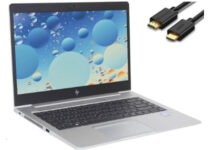
The first model to top our list is the 2020 HP EliteBook 840 G6 laptop, which boasts an elegant design that may fool you into thinking it is anything but powerful.

It is customizable to have parts that would put even gaming laptops to shame while still maintaining a slim design befitting of an EliteBook, and the long-lasting battery life means that you can work overtime without having to worry that it will fail on you.


HP 15-dy1036nr

  • 10th Gen Intel Core i5 processor
  • 15.6-inch FHD display
  • Wi-Fi 6 (2x) and Bluetooth 5 connections
  • HP True Vision HD webcam
  • Integrated numeric keypad
  • Just Windows 10 Home

Yet another elegant laptop from HP, this model comes with a 10th generation i5 Intel processor, and combined with 8 GB of RAM you will be prepared for any business and office apps you will install on it.

It’s also awesomely equipped with dual-channel Wi-Fi 6 and Bluetooth 5 connections so you will be ready for any wireless challenge. At the storage department, you will meet with a 256 GB SSD. It’s not the highest capacity but it will certainly be fast.


HP ProBook 450 G7

  • 16GB RAM
  • 10th generation Intel i5 processor
  • 2 x USB 3.1 ports
  • 512GB PCIe SSD
  • Windows 10 Pro
  • Not so good for running games

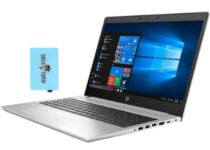
The HP ProBook 450 G7 is a staple of what it means to combine powerful performance and elegant design, making it the go-to laptop for businessmen around the world.

It features the same ultra-slim metallic chassis that HP ProBooks are known for, and it can be customized to be powerful enough to even handle graphically challenging endeavors.

Your data is protected thanks to a plethora of security features, and the long battery life means that you will probably be finished with your work long before the laptop needs a recharge.


2020 HP ProBook 450 G6

  • 16GB DDR4 memory
  • 512GB SSD
  • Backlit keyboard
  • Bonus IST Computers 500 GB portable hard drive
  • Windows 10 Pro
  • The display is not Full HD

The ll-new 2020 HP ProBook 450 G6 is one of the latest models to joining HP’s ProBook family, but it manages to live up to the name with flying colors.

This powerhouse comes with a 512 GB SSD but this particular model comes in an excellent offer with a bonus 500 GB portable hard drive from IST Computers so you will forget about storage problems for a while.

The high-speed processor will also make short work of any tasks you give it, while the long battery life will make sure that it can keep on working for hours on end.


2020 HP Elitebook X360 1030 G3

  • 2 in 1 convertible laptop
  • Intel UHD Graphics 620
  • IPS FHD (1920x1080) touchscreen display
  • 2x USB 3.1 gen1 Type-C Thunderbolt
  • Windows 10 Pro 64
  • The display is only 13 inches

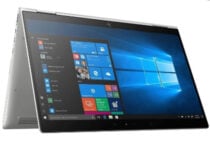
The latest HP Elitebook X360 1030 G3 2 in 1 convertible laptop is perfect for any businessman on the go because it’s extremely thin and light. But that doesn’t mean that it sacrificed power.

 This elegant 13.3″ convertible comes with an Intel Core i5-8350U processor and an Intel UHD Graphics 620 chipset and the 16 GB of RAM installed will not disappoint with any utility or app.

Of course, it’s not a gaming laptop but it will still do a great job with streaming a Full HD movie while you’re resting after work. 


If you work in an office environment and you like to take your work home with you, then having a laptop strictly for business would be ideal.

Of course, while any laptop could theoretically be used for this, only a handful have all the features necessary to make working on them more efficiently, and such would be the case with EliteBookss and ProBooks.

Couple that with an ultra-modern design that inspires trust, accountability, and style and you have the recipe for success right in your backpack.

[wl_navigator]

4 Best Razer Gaming Headset Stands To Buy

Razer has always been good at creating gaming-specific gear. This also includes gadgets that you may never have thought are useful until you actually hear about them.

This includes stands for headsets that are created to hold your headsets in place in a way that frees up your desk.

If you too want to complete the look of your RGB-filled desk in a way that is also useful, then buying a Razer headset stand is a good way to start.

Note: Deals are subject to change. Keep in mind that the price tag often varies. We recommend going on the vendor’s website to check the price. Some of the products may be out of stock by the time you’ve made your purchasing decision. So, hurry up and hit the buy button.

What are the best Razer gaming headset stands that I can buy?

Razer Gaming Mouse Bungee V2

  • Drag-free cord Cable control (up to 3.2 mm)
  • Rust-resistant spring arm
  • Weighted base for non-slip gaming stability
  • Space-saving to organize and manage cords and cables
  • Less drag, more frag. Perfect Accessory for gaming or office use
  • Difficulties pairing it with large mousepads

The Razer Gaming Mouse Bungee V2 lets you improve gaming precision since it is designed to eliminate cable tangling and provide accurate mousework with full freedom of movement.

The Cable will be held in a secure manner without having to worry that it will be frayed, and the rust-resistant spring arm means the gadget will last for quite a while.


Razer Base Station Chroma Mercury

  • 16.8 million color combinations
  • 3-port USB hub to support more devices
  • Weighted base with anti-slip feet for increased stability
  • Detachable headphone stand
  • It's expensive

If you love to customize your desk with the perfect color for your mood, then Razer Base Station Chroma Mercury can be your perfect stand. Not only that it rests your awesome headphones in a good light but it also offers a 3 port USB hub to help you with the cable management on your desk.

Of course, you can choose one of the preloaded lighting effects or create your own easily through Razer Synapse. But the light and color show is not only decorative. The stand will react to Windows notifications and other Razer Chroma integrations like in-game alerts.

The headphone stand is detachable from the base station so you can carry it easily or fit it in more tight gaming setups. 


Razer Base Station Chroma

  • Ultimate personalization and gaming Immersion with Razer Chroma
  • Syncs with Razer hardware, Philips hue, and gear from 30+ Partners
  • Supports 16. 8 million colors
  • Convenient, 3x port USB hub
  • Non-slip rubber base
  • Detachable base for portability
  • The price tag considering what it actually does

Everyone knows how Razer is almost synonymous with RGB, and the same can be said about their headphone stands. The Razer Base Station Chroma comes in several neat colors, and it will complete your gaming rig in a way only razer products can.

It also comes with 3 USB ports so you can charge whatever you want, and the 16. 8 million color RGB lighting will make your desk look like a gamer’s dream.

If you love the RGB theme of Razer’s products but can’t afford to buy all of the ones you want, then you can settle with non-RGB gaming gear, and add the lights afterwards.


Razer Headphone Stand

  • Made from high-grade robust aluminum to ensure a quality build
  • Rubber, anti-slip base
  • Built to accommodate all existing Razer headset
  • Helps you optimize your desk no matter how much space you have
  • Way too overpriced

If you love Razer gear but are not a fan of RGB lights, then you can go with the Razer Headphone Stand. It is made of high-quality aluminum to ensure a quality build.

Additionally, it has a great design meant to fit all Razer headphones, and look good while freeing up your desk space at the same time.


Whenever you are gaming, having your desk freed up means your movements patterns will be unhindered and that you don’t have to worry about getting tangled.

More so, since all the gadgets on our list support the same familiar Razer visual style, those that like having their workstation look a certain way from top to bottom will be pleased.

6 Best VPNs For Indonesia [2026 Guide]

Indonesia is popular for its islands and beaches among international tourists. Many expatriates from around the world also live in Indonesia for business and leisure purposes.

That said, being a conservative country, Indonesia has blocked access to a specific category of websites which deals with violence and nudity.

As a result, adult sites have been banned in Indonesia. Even though some streaming services are not banned in the country, the content catalog offered by them isn’t impressive, to say the least.

This is mostly due to the unavailability of many popular shows due to censorship.

If you are an Indonesian looking to bypass censorship and unblock contents on the Internet or watch geo-restricted content on Netflix, you can use one of the best VPNs for Indonesia.

In this article, we have tested and reviewed some great VPNs that will help you bypass blocked websites and access geo-restricted content with ease.

What are the best VPNs for Indonesia?

Private Internet Access (recommended)

grab Private Internet Access

Users all over the world appreciate that Private Internet Access is extremely fast, user-friendly, and secure. Moreover, it’s perfect for battling censorship in Indonesia.

If your wish is to change locations, all you need to do is to click the panel below the Connect button. This directs you to a list of the available locations, organized by country.

There’s even a Ping speed listed to give you details regarding latency and connection speed. Then, feel free to set up your connection preferences under Connection, as well as network preferences under Network.

Moreover, keep in mind that there’s also a strict no-logging policy, which is ideal for BitTorrent security-conscious users who’d like to remain private.

Here’s a quick list of great features this Kape Technologies VPN service brings to the table:

  • Unblocks BBC iPlayer and US Netflix
  • Works with various strong protocols, such as PPTP and OpenVPN
  • Unable to hand over information in case of a court order
  • Compact apps for every major platform
  • Excellent customer service that can help you out whenever you’re experiencing an issue
  • Try it risk-free 30-days‎‎ and get your money back if it isn’t what you’re looking for
Private Internet Access

Private Internet Access

Private Internet Access is the best VPN service for Indonesia to battle censorship. Now available at a major discount!
Check price Visit website

CyberGhost

CyberGhost is a VPN service provider that comes with top-notch security features, some exclusive features but expensive plans.

Essential features like IP hiding, kill switch, access to geo-restricted contents, and P2P support for torrenting and TOR support are all included with CyberGhost.

CyberGhost is a multi-platform VPN. You can connect up to 7 devices simultaneously using one account.

With over 6400 servers in 89 countries, you can change your location manually from the VPN setting to find the best performing server.

CyberGhost has a strict no-logging policy, and we found no instances of data leak in our tests.

The application itself is easy to use and offers options like Ghost browsing, Wi-Fi, Anti-censor, Ghost Download, and Ghost Pro on the main page.

When it comes to speed, CyberGhost is not the fastest of the lot. We tested it using our 100 Mbps connection and it could only reach 51 Mbps down and 20 Mbps up on the EU server.

On the US and Asian servers, the speed is even slower. CyberGhost shines with its multitude of features, offers anonymous torrent downloading, and supports Netflix unblocking.

However, it’s monthly plans are pretty expensive considering the competition.

CyberGhost does have a 30-days money-back guarantee, so give it a shot as you will get your money back if not satisfied with the service.

Pros:

  • IP Hide, Kill Switch
  • Supports up to 7 Device simultaneous connection
  • No logging policy and no leaks
  • Netflix unblocking supported

Cons:

  • Average download and upload speed
  • Monthly plans are expensive
CyberGhost

CyberGhost

Cyberghost is perfect to use in Indonesia because you can use more than 6400 safe servers around the world.
Check price Visit website

NordVPN

get NordVPN

If accessing Netflix is your priority, NordVPN can be a good option coming from Tefincom & Co., S.A.

That’s a Panama-based VPN company offering top-end security and zero compromises on anything when it comes to user security and features.

To begin with, NordVPN offers an IP hiding feature that is essential to safeguard your identity while browsing blocked websites.

NordVPN also allows you to access a Netflix account from other countries if you want to watch the shows that are banned in Indonesia.

It works on your smartphones as well as your computer and tablet. You can connect the account with up to 6 devices simultaneously offering privacy and security to your entire family or friends.

There are other features on offer including Kill Switch, DNS Leak Protection, TOR support, and SmartPlay which allows you to access 400 geo-restricted contents.

For downloading and uploading purposes, NordVPN offers speeds up to 70 Mbps and 48 Mbps respectively. Note that speed does vary depending on the server.

NordVPN is an excellent VPN for unblocking websites in Indonesia. If you want to commit to this service, get the yearly plan as long as it’s much cheaper.

Pros:

  • Simple and practical user interface
  • Plenty of servers in 59 countries
  • P2P and Torrenting support
  • Netflix support

Cons:

  • Monthly plans are on the expensive side

NordVPN

NordVPN

Open the world of safe and open entertainment with this amazing VPN that will also protect your privacy!
Check price Visit website

IPVanish

grab IPVanish

If you want to share your VPN connection with a large group of people, IPVanish offers up to 10 devices in simultaneous connection.

It also offers unlimited P2P traffic, access to geo-restricted content from Netflix and Amazon Prime, and unlimited server switching.

Owned by StackPath, LLC – a US-based company – this VPN service can be of concern for some people.

However, in our testing, we didn’t find any data leaks, and the company has a strict no-logging policy. The monthly plan starts at $10 but the yearly plans are much cheaper.

You can download content from the Internet or stream TV shows and sports events without any buffering issue as IPVanish offers a solid speed of 80 Mbps down and 40 Mbps up on the EU server.

The user interface of IPVanish is simple and offers all the information on the connection page. You can manually select the servers or let the VPN connection to the best performing server automatically.

To protect user data, IPVanish relies on the AES-256 encryption protocol which is used by the worlds leading security agencies. It also offers 100% privacy for torrenting.

Surprisingly, IPVanish does not support TOR compatibility which otherwise acts as a layer of protection on top when used with VPNs.

IPVanish is an affordable VPN. It may not be the cheapest, but still affordable with its monthly and yearly plans. It also comes with a 30-day money-back guarantee, just in case.

Pros:

  • Multi-platform support
  • SOCKS5 web proxy / 256-bit AES encryption
  • Unlimited bandwidth
  • Unlimited P2P traffic for torrent downloading
  • IKEv2, OpenVPN, and L2TP/IPsec VPN protocols
  • 10 simultaneous connections on multiple devices

Cons:

  • The company is located in the US
Just try it
ip vanish logo
  • Unlimited P2P traffic
  • 256-Bit encryption
  • Multiple VPN Protocols

PureVPN

download PureVPN

PureVPN is a Hong Kong-based VPN provider developed by GZ Systems Limited. It allows you to enjoy restricted content on Netflix and bypass blocked websites in your country.

To access Netflix US, you can use the PureVPN Chrome and Firefox extension. PureVPN is compatible with computers and smartphones.

You can connect up to no less than 10 devices simultaneously using one PureVPN account.

Essential features such as Internet Kill Switch, Split Tunneling, DDoS protection, advanced port forwarding, and NAT Firewall are all included out of the box which sets it apart from other VPNs that offer some of these features.

It relies on the industry-standard 256-bit encryption to protect user data from prying eyes. It also supports all the major security protocols including OpenVPN, PPTP, SSTP, IKEv2, and L2TP/IPSec.

The download speed offered by PureVPN is not the best but doable for most of the users.

The maximum download speed was 65 Mbps on the UK server while the upload speed was decent at 40 Mbps. The speed does vary depending on the server.

PureVPN supports unlimited P2P downloads. But, it doesn’t come with its own TOR support. Although, you can use a third-party solution on top.

PureVPN looks affordable and comes with a 31-day money-back guarantee. Do give it a shot to see if it meets your requirement.

Pros:

  • 2000+ servers in 140+ countries
  • Hong Kong-based company
  • Up to 10devices simultaneous login
  • Split Tunneling
  • Kill Switch

Cons:

  • Not the fastest

⇒ Download PureVPN here


Hotspot Shield

grab Hotspot Shield

If you are not yet ready to spend money on a VPN client, try Hotspot Shield. Developed by AnchorFree, it offers a free plan that is sufficient to browse the web, but not for downloading.

It is a multi-platform software enabling the user to use it on smartphones and computers. Hotspot Shield boasts of over 600 million users worldwide thanks to its popular free plan.

The user interface is one of the best in business with sci-fi movie inspired UI. On the security front, Hotspot Shield relies on the top-notch 256-bit AES encryption but uses OpenVPN tunnel protocol which is secure but the only option.

Coming to the speed, Hotspot Shield can easily be crowned the fastest VPN client in the market today.

On a 100 Mbps connection, it scored 95 Mbps down and 46 Mbps up on the UK server. The results from the EU server are just as good, but the US server is very low.

Hotspot Shield is fully compatible with torrent downloading and also allows you to unblock Netflix in your country. Unfortunately, it doesn’t have TOR compatibility.

Hotspot Shield does have some issues with its logging policy. The company serves ads to the users of the free plan for which Hotspot Shield collects some data.

That is a compromise you may need to make for using the free plan.

Pros:

  • Free VPN with 500 MB limit
  • One of the fastest VPN
  • Supports Torrent downloading
  • Modern user interface
  • Netflix unblocking supported

Cons:

  • Logging policy issue
  • DNS Leak found
Fastest VPN
hotspot shield vpn logo
  • Military-grade encryption
  • Connect up to 5 devices
  • Automatic kill switch

VPNs offer the necessary tools to keep your Internet sessions private from the government and allow you to access geo-restricted content with ease.

Have you used any of these VPNs before? Do let us know in the comments below.

5 best TI engineering & statistics calculators

Texas Instruments is a well-known brand in the field of personal calculators. They manufacture some of the best calculators that you can find on the market, spread out across a wide range of domains.

These include pocket calculators, scientific calculators, and even graphing calculators. This versatility in product choice may make it hard for some to choose the right model for themselves.

That is why we’ve compiled a list of what we think are the best Texas Instruments for engineering and statistics.

What are the best TI calculators for engineering and statistics?

Texas Instruments TI-84 CE

  • High-resolution, full-color backlit display
  • Rechargeable battery
  • Preloaded apps and images
  • MathPrint feature
  • Seven different graph styles for differentiating the look of each graph drawn
  • Available in a variety of fun colors
  • The price tag

If you’re looking for a scientific and graphing calculator that offers everything that you need, but not enough to make it forbidden in exam classes, then the Texas Instruments TI-84 CE is the right choice.

It features a high-resolution display and you can even use real-world images on it,  and it can also load 7 different graph styles, allowing great versatility in terms of equation representation.

Texas Instruments TI-83 Plus

  • Graphing calculator handles calculus, engineering, trigonometric, and financial functions
  • Can display graphs and tables on split screen to trace graphs
  • The LCD screen features 64 x 96-pixel resolution for clear, readable display
  • The TI-83 Plus is approved for use in many exams
  • Built-in memory for storage and analysis of up to 10 matrices
  • Fourteen interactive zoom features.
  • The price tag

The Texas Instruments TI-83 Plus is the predecessor of the Texas Instruments TI-84 CE, but that doesn’t make it less effective than its newer counterpart.

In fact, they feature pretty much the same toolset, but this model caters more towards older users, thanks to the button arrangement.

However, it can still come as useful for students, as it is permitted in pretty much all of the most popular exams.

Texas Instruments TI-30X IIS

  • Robust, professional-grade scientific calculator. Logs and antilogs
  • It has 2-line display shows entry and calculated result at the same time
  • Easily handles 1 and 2 variable statistical calculations and three angle modes
  • It has 1-year limited warranty
  • Solar and battery-powered
  • The display is no eligible from certain angles

The Texas Instruments TI-30X IIS features an entire host of settings appropriate to classroom and study needs, combining statistics and advanced scientific functions.

It is made to help students explore math and science concepts in an easy manner since it shows entries on the top line and results on the bottom line.

It also allows a review of previous entries to look for patterns, making it ideal for general math, algebra 1 and 2, geometry, trigonometry, statistics, and science.

Texas Instruments TI-36X

  • Ideal for curricula in which graphing technology may not be permitted
  • MultiView display shows multiple calculations at the same time
  • MathPrint shows math expressions, symbols, and stacked fractions
  • Ideal for high school through college
  • Convert fractions, decimals, and terms including Pi into alternate representations
  • Select degrees/radians, floating/fix, number format modes
  • Weird button placement for certain functions

The Texas Instruments TI-36X is an advanced, four-line scientific calculator, with higher-level math and science functionality, that is ideal for computer science and engineering courses.

If you are into multitasking, then you will love this model’s MultiView function that allows multiple calculations to be displayed simultaneously, even if they are complicated math equations.

Texas Instruments TI-30Xa

  • One-line, 10-digit display
  • Fraction features
  • One-variable statistics
  • Conversions
  • Basic scientific and trigonometric functions
  • Ideal for general math and general science, pre-Algebra, algebra 1 and 2
  • Some issues with button response

The ultra-simplified Texas Instruments TI-30Xa makes a great addition to anyone still in school or taking math courses in college thanks to the perfect balance between simplicity and the toolset level.

It features basic scientific and trigonometric functions, and it is also ideal for general math and general science, pre-algebra, algebra 1 and 2, making it a must-have for anyone still in school.


Texas Instruments proves once again that it is the go-to manufacturer of calculators for anyone doing math at a beginner, intermediate, or a professional level.

The graphing calculators are perfect for good equation representations, the scientific calculators are great for pretty much all branches of math, and the regular pocket calculators offer all the tools any student may ever need.

[wl_navigator]

5 Best Cable Management Boxes To Buy

Cable management is always challenging unless you have a practical cable management box on your desk. With multiple devices like printers, cell phone chargers, laptops, and headphone chargers being the most common devices on any desk, managing your cords has become a necessity.

A cable management box is a small container that helps you to neatly tuck away surplus cords on your desk. You can keep your surge protectors, cables, and other small equipment stored securely.

In this article, we have listed the best cable management box to manage surplus wires from your gaming console, office desk or even entertainment system.

Note: Deals are subject to change. Keep in mind that the price tag often varies. We recommend going on the vendor’s website to check the price. Some of the products may be out of stock by the time you’ve made your purchasing decision. So, hurry up and hit the buy button.


Which are the best cord management box deals?

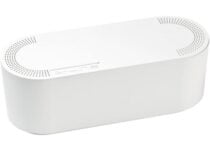
D-Line Cable Management Box

  • Box conceals/protects cords and power strips, making them less accessible
  • Hiding Power Strips and cords makes surfaces easier to clean
  • Great as a desk cable management solution in the office
  • Popular wire organizer, to hide TV cables in the home
  • The price tag

When thinking about cable management, you need something that can keep them well organized and safe from access.

That’s exactly what you will get if you opt for the D-Line Cable Management Box, since it conceals and protects cords and power strips, making them less accessible.

This makes it handy for anyone at home or office that frequently face a cluttered desk because of cables, allowing a tidier workspace.

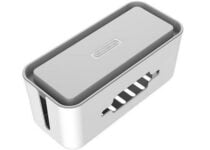
Tokye Cable Management Box

  • Made from durable plastic with a lifetime guarantee
  • Large size box can hold surge protectors
  • Included cable ties, sleeves, and clips
  • Nothing noticeable

Tokye’s specious cable management box is perfect for those who have surplus cables on their office desk, entertainment room, or anywhere in general.  It comes in two colors and made from high-quality ABS plastic.

Tokye’s cable management box also comes with cable clips, a cable sleeve as well as cable ties. The cable clips with self-adhesive fits on any surface whereas the cable ties will prevent wire tangling.


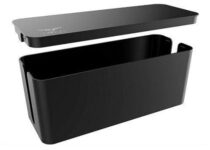
NTONPOWER Cable Management Box

  • High-quality high-temperature resistant cable management box
  • Holds surge protectors, power strip, and other cables
  • Cost-effective
  • Nothing noticeable

With a beautiful design and high functional container, NTONPOWER’s cable management box is an excellent value for money product. For safety, it is made of high-quality ABS high-temperature resistant material.

For accessibility, it comes with a removable lid on the top. There is a detachable lid with a bracket to hold your charging cables.

The box can fit many sizes of outlets, surge protectors, power strip, and still has space for cords.


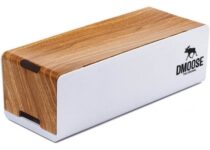
DMoose Cable Management Box

  • Large cable management box with rustic wooden style cover
  • Made from high-density fireproof ABS plastic
  • 4 accessible cord pass-throughs
  • Nothing noticeable

A highly functional yet elegant looking cable management box from DMoose allows you to hide your surplus wires while adding a touch wood design to your desk.

DMoose’s cable management allows you to efficiently manage all the cables on your table while making sure your children don’t touch electric adapters. It is made of high-density fireproof ABS plastic for added protection.


Baskiss Cable Management Box

  • Waterproof, high resistance soft-touch material
  • Large size cables management box
  • Kids and pets friendly
  • Nothing noticeable

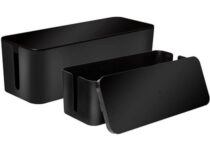
If you are looking for multiple cable management boxes, the Baskiss’s set of two sleek black boxes in multiple sizes can solve all your cord chaos by neatly hiding messy power strips and adapters.

Baskiss wire cord hider allows you to take control of the computer and electronics cord cutter without unplugging anything.  

The lid on the box can also be used as a tray to keep your phones and other devices. The waterproof and high-temperature body ensures safety for children and pets.


Cable management boxes are a great solution to keep your desk as clean as possible. Apart from management solutions, these little boxes can also help you keep dangerous wires away from your children and pets.

Go through the list and pick the best cable management box that meets your requirement.


Check out this list for the best ones that you can buy today.

  • How else can I organize my cables?

If you have too many cables to keep track of, one great way of keeping tabs on them is using dedicated cable management software.

[wl_navigator]

5 Best Rugged SSD Enclosure To Buy

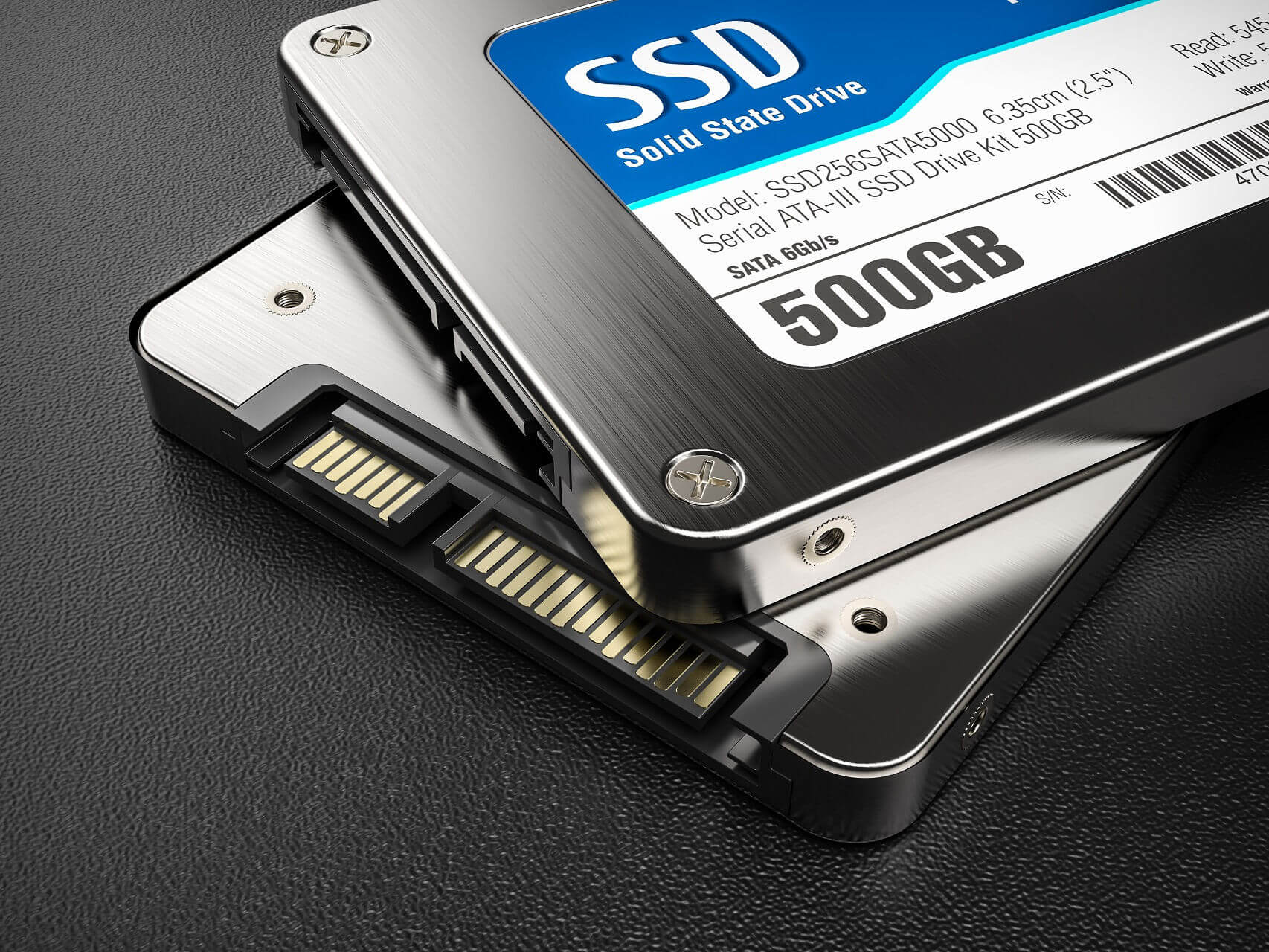
Solid state drives are great, especially if you need to quickly transfer your files. If you have an old SSD, you can easily transform it into external storage using an SSD enclosure.

Speaking of which, today we’re going to show you the best rugged SSD enclosures that you can buy, so let’s get started.

Note: Deals are subject to change. Keep in mind that the price tag often varies. We recommend going on the vendor’s website to check the price. Some of the products may be out of stock by the time you’ve made your purchasing decision. So, hurry up and hit the buy button.

What are the best rugged SSD enclosure deals to get?

UGREEN USB C Hard Drive Enclosure

  • Transfer speed up to 6Gbps
  • USB 3.1 Gen 2 Type-C connector
  • Fireproof, shockproof case with EVA foam
  • USB cable issues

This enclosure works with 2.5-inch hard drives and it allows you to easily connect them to any PC or laptop. This is a USB 3.1 device, so it offers transfer speed up to 6Gbps.

The enclosure has a USB C Gen 2 connector, so you can connect it in a matter of moments.

The device is completely Plug and Play and it works with devices up to 10TB. The interior of the case is covered with soft EVA foam for protection while the exterior is made of fireproof and shockproof ABS material.


Inateck 2.5 External Hard Drive Enclosure

  • Auto sleep after 10 minutes of inactivity
  • Transfer speed up to 5Gbps
  • Plug and play
  • Lock design
  • It might look a bit cheap

This enclosure uses USB 3.0 standard and it delivers transfer speeds up to 5Gbps. In addition, there’s support for UASP ensuring high transfer speeds.

The device is completely Plug and play so no additional drivers are required.

Additional features include a switch design that will securely lock your SSD.  There’s also an auto-sleep feature that will turn off your SSD after 10 minutes of inactivity.


Sabrent USB 3.0 to SSD

  • Ultra-light aluminum case with silicone shockproof bumpers for extra protection
  • USB 3.0 standard that delivers transfer speeds up to 5Gbps
  • Designed for 2.5-inch drives
  • Issues with initial setup for some users

This SSD enclosure is made for 2.5-inch SSDs, and it’s made from ultra-light aluminum that provides heat dissipation.

Thanks to the USB 3.0 standard, this case provides transfer speeds up to 5Gbps. Of course, the case is compatible with older USB standards.

It’s worth mentioning that the case has silicone shockproof bumpers that will protect your drive from accidental falls.


ineo 2.5″ USB 3.0 Rugged Hard Drive Enclosure

  • Uses 3.0 standard with USAP protocol for extra speed
  • Made from silicon frame and ABS cover
  • Compatible with older USB standards
  • Waterproof and shockproof
  • The built-in cord can be too short for some users

If you’re looking for a waterproof and shockproof case, this model is perfect for you. The enclosure comes with a compact silicon frame and ABS cover, so it’s quite durable.

This model is compatible with 2.5-inch drives, and it has USAP protocol support.

This is a USB 3.0 enclosure, but it’s fully compatible with older USB standards.


Cable Matters Premium Aluminum Enclosure

  • Uses USB 3.1 standard and it can provide transfer speeds up to 10Gbps
  • Aluminum housing that protects and cools your drive
  • Easy to connect thanks to the USB-C port
  • UASP technology
  • Minor design flaws

This enclosure supports 2.5-inch drives and thanks to the aluminum housing, your SSD will remain protected and cool. The case supports USB 3.1 standard and it can deliver speeds of 10Gbps on PC that support it.

The device has a USB-C port, so you connect it easily to any PC with the included cable.  There’s also a UASP technology available that improves the transfer speeds.

Protecting your files is important, and if you have an old SSD that you want to convert into the portable drive, be sure to check out one of these great enclosures.


Here are the best SSD enclosures that you can buy today.

  • Are SSDs fast?

Yes, SSDs are generally much faster than any HDD. In fact, the slowest user-grade SSD is still 10 times faster than the fastest HDD.

If speed is what you need, check out this list of the fastest SSDs that you can get.

  • Do SSDs have low storage space?

In general, SSDs are much more expensive per unit of storage than an HDD. However, if your budget can manage it, there are even SSDs that can store 2TB that is user-grade.

[wl_navigator]

5 Best Voice Recorders with Longest Battery Life

Voice recorders are useful for a variety of tasks, such as quoting someone when you’re a journalist or taking memos and notes.

Besides voice clarity and storage space, another key aspect that you should consider when buying a voice recorder is the battery.

The longer the battery, the more you can continuously record, and the less you’ll have to waste time recharging it. That’s precisely why we’ve compiled a list of the top voice recorders to buy that have an exceptionally long battery life.

Note: Deals are subject to change. Keep in mind that the price tag often varies. We recommend going on the vendor’s website to check the price. Some products may be out of stock by the time you’ve made your purchasing decision. So, hurry up and hit the buy button.

What are the voice recorders with the longest battery life?

Sony ICD-PX370

  • Up to 57 hours of battery life for extended recording (MP3 128Kbps stereo)
  • Built-in, direct USB Connection for quick file transfer to your PC
  • Record MP3 Audio quickly and easily
  • Not very beginner-friendly

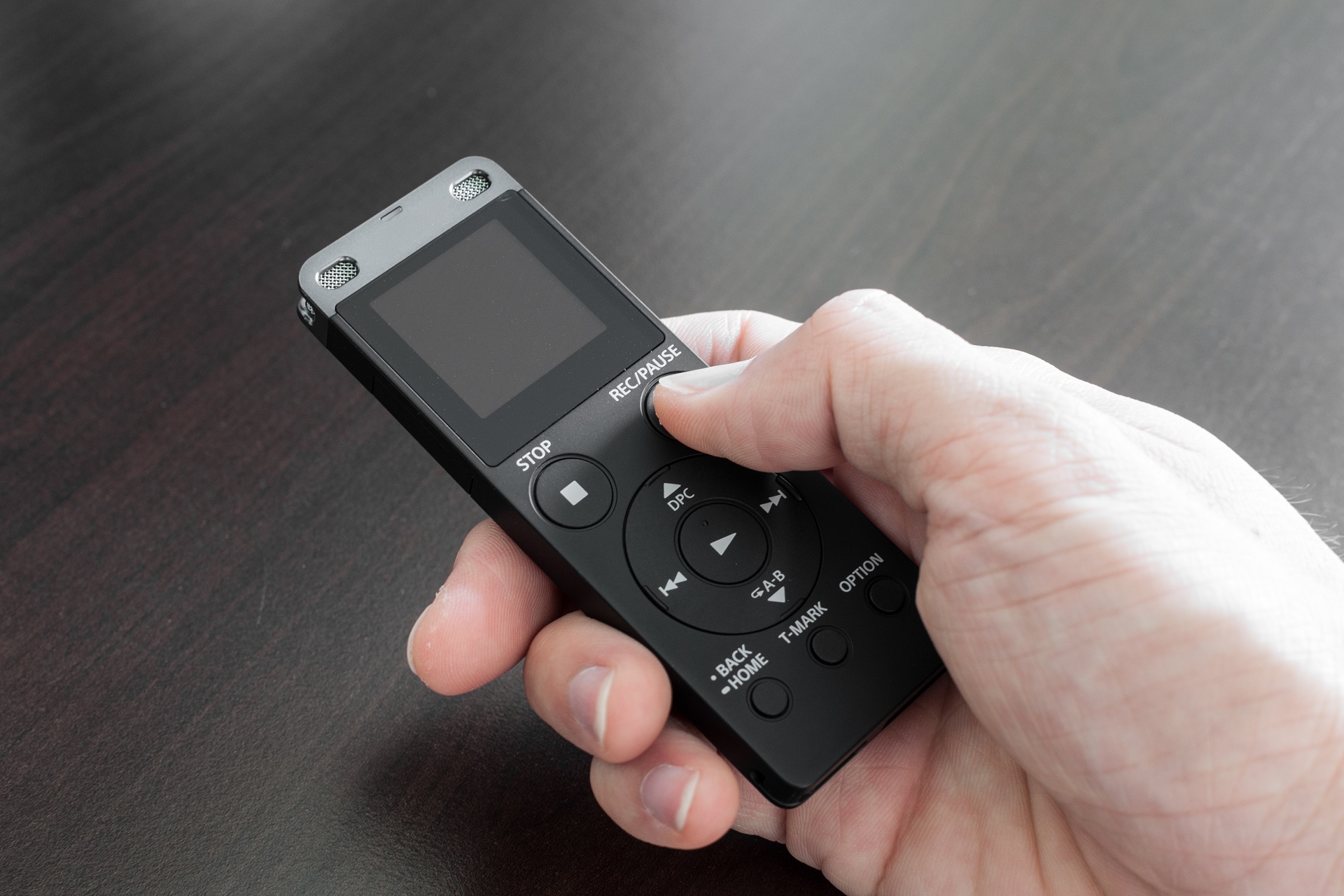
On the top of our list is the Sony ICD-PX370, a voice recorder that proudly boasts a battery life of up to 57 hours on a single charge.

It also connects easily to your PC thanks to the USB connection so you can download the recordings for later, and recording is just a matter of pressing a single button.

If you are ever on the go or stuck in the wilderness where there’s no power socket nearby, having a voice recorder that will last a good couple of days can be great for research, or can even be a lifesaver.

Tschisen Digital Voice Recorder

  • Voice-activated recording can automatically detect voice and omit silent moments
  • 8GB internal memory lets you store up to 145 hours of recordings or 1500 songs
  • Built-in 800mAh rechargeable battery can record continuously for 50 hours
  • It comes with external speakers and can be used as an MP3 player
  • Crystal clear recording with 1536Kbps voice resolution
  • Dual-microphones with dynamic noise reduction
  • Not very beginner-friendly

The second entry on our list is the Tschisen Digital Voice Recorder which boasts a battery that can last for up to 50 hours.

The storage is more than enough to handle the battery, as it can save up to 145 hours of recordings in crystal-clear quality, and the speakers make the device usable as an MP3 player as well.

Aiworth Digital Voice Recorder

  • 16Gb flash memory could save 1160 hours recording files at most
  • Supports up to 45 hours of continuous recording
  • Power-on password protection
  • Extremely user-friendly
  • High-quality recording
  • Variable play speed
  • The occasional quality control issues

The third entry on our list is the Aiworth Digital Voice Recorder, and it can record a solid 45 hours before dying out.

The flash memory that comes with this device is pretty large, allowing it to hold up over 1000+ hours of content.

Additionally, all that stored info is safely stored thanks to the password protection that the device provides, as you need to enter a 3-digit code to unlock it.

TENSAFEE Digital Voice Recorder

  • Compact and portable size with a premium metal shell and well-operated buttons
  • 32GB Memory audio recorder could store up to 2240 hours recordings file
  • Intelligent dynamic noise reduction and 360° Sphere recording
  • A single full charge could continuously record 30 hours
  • Can also be used as an MP3 player
  • The documentation is not that great

While the fourth entry on our list, the TENSAFEE Digital Voice Recorder, can only last up to 30 hours on a single charge, that is still enough for you to record everything you may need in between recharges.

It can also be used as an MP3 player so you can mix business with fun, and the dynamic voice reduction ensures that you record just the things that you need and not just environmental noises.

Sony ICD-BX140

  • Built-in 4 GB flash memory
  • Automatic record level settings
  • Low Cut Filter for reduced wind effect
  • Features built-in monaural microphone
  • Voice Activated Recording for hands-free recording
  • Noise Cut mode helps provide clear speech playback
  • Not much storage space

Despite being the last entry on our list, the Sony ICD-BX140 is still capable of recording up to 28 hours before needing to visit the power plug.

It is designed to be extremely simplistic and compact and caters more to those that just need to make simple recordings, such as memos or mental notes.

While many qualities make a good voice recorder, few ever think to realize how important a long-lasting battery is.

On that note, check out our list of the best voice recorders for journalists. Also, if you hate carrying around a physical voice recorder, you could always simply go for a professional voice-recording software tool.

And don’t forget that many users have voice recorders that they use to set reminders for later.

Does a VPN Slow Down Gaming?

Unlike a few years back, VPNs are all over the place nowadays. And for good reason, too.

This type of service can come in handy for a lot of purposes, ranging from keeping your connection secure to watching geo-restricted content and lowering ping while playing.

However, there’s still a lot of confusion regarding the matter, so we’re going to try to shed some light on it. For instance, there’s a lot of uncertainty regarding whether or not a VPN slows down gaming.

Stick around and you’ll find out.

How can a VPN affect gaming?

First things first, a VPN could technically slow down gaming in two ways:

  • Increasing the load on your connection (a VPN could slow down your Internet), thus doing a number on your ping
  • Using a large chunk of your system resources can subsequently affect your in-game FPS count

However, we already know that VPN can improve in-game ping, under the right circumstances, so the first claim is bogus. Furthermore, no trustworthy VPN (that we know of) is a huge resource monger.

Therefore, you can rest assured knowing that using a VPN won’t mess with your ping. No slowdowns there.

On the other hand, if you misuse a VPN, you can seriously impact your gaming session, and not in a good way.

For instance, if you live in Europe, then connect to a US VPN server and play a game on a server in Europe, things will start to look bad.

That’s because you just increased the distance data has to travel from you to the game server and the other way around.

On the other hand, you can still lower your ping when playing in other regions.

Does VPN cause lag to other players?

Here’s another urban myth we’ve previously debunked that might fall under the same category: VPNs causing lag for other players. Sadly, the answer to this claim is yes, but it’s not how you imagine.

If you’re using a VPN and are already lagging like crazy, the game server may try to balance things and increase the latency of other players as well.

However, as we’ve stated before, a VPN usually has a positive impact on your ping, so the chances of this ever happening are close to none.

For example, you can use ExpressVPN to fix the lag. Or you can resort to NordVPN to reduce high ping.

VPN improves packet loss

Another factor that could weigh in on your gaming sessions’ slowdowns is leaking packets.

This occurs whenever data packets that travel throughout your connection never reach their destination, whether it’s you or the remote server you connect to.

Not only a VPN can improve the route those packets take, but it can also reduce packet loss altogether. However, it only works if your ISP throttles your connection or offers improper traffic routing.

Last thoughts on VPN slowing down gaming

All things considered, if you were wondering whether or not using a VPN can slow down your gaming, the answer is no, but only if you use it properly.

The point is, as long as you appropriately use a reliable VPN, you shouldn’t worry about massive gaming slowdowns. If anything, you might even be surprised by lower ping and improved packet loss.

How to fix Among Us ping on Android & PC (13 solutions)

Among Us has taken the gaming world by the storm. However, if you’re experiencing high ping, it might be impossible to fully enjoy the game, especially when your crew must rely on you. But you can fix Among Us ping in 13 steps.

Why is my Among Us ping so high?

  • Your Internet connection is not fast enough
  • Your ISP is throttling your bandwidth
  • Your Wi-Fi isn’t working properly
  • Your device isn’t updated or optimized
  • The Among Us servers are down or fully stacked

There could be a number of reasons why you’re getting lag spikes and latency issues with Among Us. For a smooth-free gaming experience, your ping should be below 100ms.

Fortunately, unless there’s a problem on the server side, you can fix it by following our easy instructions below.

How to solve Among Us ping issues?

1. Connect to a game server in your region

When you’re looking for an online game server to play, make sure to pick your own region. Otherwise, you might end up with Among Us high ping just because the hosted server is too far from your location.

For example, if you live in Europe, then pick the Europe region.

2. Update the game files and operating system

Are you sure you’re running the latest version of Among Us, Steam, Windows, or Android? It’s a quick fix that often gets overlooked, probably because it seems so mundane.

If Among Us is not working on your PC, the first thing you should do is download the newest version.

This way, you can take advantage of any new features, improvements, bug fixes, and security patches. It could also mean fixing Among Us ping.

And, if you’re encountering technical problems, like the Windows Update service not working or the Steam updates are stuck or not downloading, you can troubleshoot one issue at a time.

3. Check the Among Us server status

The most common issue with this game is that its servers aren’t working the way they should. This could happen for many reasons, like too many users are logged in, or the servers are in maintenance mode.

No matter how much you try, you either receive the Matchmaker is full error in Among Us, or manage to find a server but can’t do anything about it due to high ping.

That’s why it’s a good idea to check the game server status by visiting the InnerSloth Twitter page and Among Us subreddit.

At least you won’t have to waste time looking for the cause of the high ping and perhaps you can play something else until the servers are back up.

4. Use a VPN

Using a VPN can improve your ping by redirecting your network traffic to a server that’s closer to the game server.

A shorter distance between the VPN and the game server means a shorter round-trip time and a lower Among Us ping.

We strongly advise against using free VPNs, though. They have few servers which are usually crowded by other users looking for free VPNs.

Plus, you risk getting infected with malware due to in-app ads, as well as getting your private data collected and shared with third parties.

Instead, you should consider a premium VPN for gaming. We recommend Private Internet Access (owned by Kape Technologies) because it’s one of the few VPNs we’ve come across that has native port forwarding support.

It means that you can host game servers through a VPN in Among Us without having to change router settings.

Plus, PIA has numerous VPN servers all over the world and supports split tunneling if you want to isolate game traffic from the rest.

Besides, a VPN comes with other benefits in addition to gaming, such as streaming, torrenting, secure browsing, bypassing censorship, and unblocking websites.

You can download PIA for all popular platforms.

More about PIA:

  • Supports Windows and Android
  • A zero-logging privacy policy
  • No IP, DNS, or WebRTC leaks
  • 30-day money-back guarantee
  • 24/7 live chat support
  • No free trial

Private Internet Access

Use this reliable VPN to fix your Among Us ping and improve your gaming experience.
Free Trial Visit Website

5. Clear storage on your Android or PC

Your operating system requires free disk space to perform critical operations in the background, and that also applies to games.

If you’re running low on storage, it might be why you’re getting Among Us high ping.

But you can easily fix this by finding the largest files on your PC or Android and deleting them. If it’s too hard to decide, delete old photos and videos, but make sure to back them up first.

6. Check your Internet connection

If your web connection isn’t good enough, you’ll have a hard time enjoying Among Us on your Android or PC due to high ping and lagging issues.

However, you can run a speed test on your machine to find out your download and upload speed.

It’s also a good idea to run speed tests from multiple devices connected to the same network, in order to rule out technical problems with your hardware (old smartphone, low-spec PC etc.)

7. Change the Wi-Fi network or switch to wired mode

Since you’re already checking your Internet speed, you should verify the quality of your Wi-Fi network to make sure there’s nothing wrong with your router. It’s an easy way to fix Among Us ping.

To do this, simply run a speed test while your computer is connected to the Wi-Fi and then repeat the test after switching to Ethernet mode.

It’s normal for the Ethernet speed to be better, but if your wireless connection isn’t reliable enough, you can either fix your slow Wi-Fi, switch to another Wi-Fi network (if possible), or just play Among Us in wired mode.

That last part seems impossible for Android gamers, but you can always turn to Wi-Fi hotspot makers or Android emulators with zero lag.

8. Terminate any other running apps

If you’re running other apps with Internet access besides Among Us and Steam, you should terminate their processes, especially if they use a lot of network bandwidth.

On Windows, you just have to fire up the good old Task Manager, sort the processes by network usage, and kill the ones occupying the top spots.

Examples include resource-demanding web browsers, torrent clients, and streaming apps.

On Android, simply close any other apps aside from Among Us.

9. Disable background sync and auto updates

Your Android smartphone or tablet always runs in the background and checks for the latest updates.

Needless to say, your Windows PC does that too. Unfortunately, they might cost you a lot of bandwidth which, in turn, causes Among Us ping issues.

To fix it, simply turn off background syncing and auto updates. On PC, that means disabling the Windows Update service.

10. Optimize your GPU settings

If you’re playing Among Us on a Windows PC, you might want to check your graphics settings to see if they’re optimized for gaming.

You can do this manually or you can use a free tool like Nvidia Control Panel to get the best gaming settings out of your computer. It only works for Nvidia GPUs.

Another excellent freebie is MSI Afterburner, which you can use to improve the performance of your graphics card by controlling your GPU settings.

In turn, you might be able to fix ping issues, including Among Us lag.

11. Update your drivers

PC users usually underestimate driver updates. Most believe that their hardware is simply not powerful enough to handle gaming performance.

However, before you consider buying a new GPU card or a completely new computer, check your device drivers, especially the GPU and networking drivers.

You can update drivers manually if you’re willing to spend a little time making this happen.

But there’s the risk of accidentally installing incompatible drivers, which could lead to system stability issues.

To avoid this, turn to drive updater software tools since they’re designed to detect your old and outdated PC drivers in order to update them automatically.

12. Use a GPN

use Kill Ping

A GPN is a special type of software that focuses on optimizing your network for gaming and eliminating ping.

A good example is Kill Ping. Similar to a VPN, it chooses the fastest route to a game server.

The only issue with a GPN is that you can’t use it for anything else besides gaming, although it’s usually more expensive than a VPN subscription.

Therefore, a GPN is more suited for hardcore gamers, while a VPN is targeted at the general Internet consumer. You can only download Kill Ping for Windows PC.

Kill Ping

Kill Ping

Use this powerful GPN to reduce your Among Us ping on Windows PC.
Check price Buy it now

Find out more about this GPN in our Kill Ping review.

13. Use a game booster

A game booster is a tool that performs PC tasks automatically to improve your gaming experience, with little intervention on your side.

Game Fire is a pretty solid choice, but you can also explore other game boosters for Windows 10.

Here’s what to expect: lowering the priority of running processes, turning off Windows unused features, defragging the disk space, suspending unnecessary background services, and putting a stop on anything that normally disrupts your gaming performance.

Since a game booster may also act as a ping reducer, it could positively affect your Among Us ping by lowering it. You can download Game Fire for Windows PC.

Game Fire

Game Fire

Optimize your PC and boost your gaming experience using this powerful tool for Windows computers.
Check price Buy it now

Among Us server connection errors are fairly common due to the game’s popularity. However, unless there’s a problem on the developer side, you should be able to fix your Among Us ping by following the easy instructions we provided above.

If we forgot to include something important, kindly remind us by dropping a comment in the section below. Tell us about your experience with high ping in Among Us and how you managed to fix it.

[wl_navigator]

8 Best Phone Portable Chargers

Battery life doesn’t constitute a strong point for Windows phones. Gone are the days when your phone’s battery was able to power you for days on end.

Modern phones feature big displays and run tens of apps simultaneously, and all these elements drain battery life.

Indeed, somehow this is the price we pay for using top-notch phones. Still, a decent phone should be able to keep up with your day-to-day activities.

However, some phone models appear to have serious difficulties powering users throughout the day and could use a helping hand.

Unfortunately, the latest Windows phone models are notorious for their battery and overheating issues, and some of them have been plagued by these problems since the day Microsoft launched them.

One solution to extend your phone’s battery life is to use one of these battery-saving apps, but that, unfortunately adds another app to your phone.

If you use your Windows phone extensively, you should keep a portable charger within reach and use it when your phone’s battery reaches critically low levels. Here are a few picks for those power-hungry phones.

Which would be a long-lasting portable charger to buy today?

Anker PowerCore 10000

  • 10,000mAh
  • Small and lightweight (3.6 x 2.3 x 0.9 in; 180g)

  • 46hrs of battery life
  • Users experience issues with fully recharging the product

Anker PowerCore 10000 is one of the smallest and lightest chargers in its power category (10,000mAh).

This power bank comes with a portable charger, a micro USB cable, a travel pouch, and an 18-month warranty.

The default charger color is black, but you can get a blue, white, or red one for some extra bucks.


RAVPower 32000mAh

  • 3 x iSmart 2.0 output ports
  • Smart LED power-level indicator
  • Designed to prevent overheating
  • Takes a long time to recharge

RAVpower 32000mAh is a robust power bank that can simultaneously charge 3 devices with 2.4A Max per port.

Battery life can last up to 11 days, and it can take almost all day to recharge fully.

It might not be the most discrete charger at 6.93 x 2.99 x 1.02 inches, but it’s the price you have to pay for 11 days worth of charge.


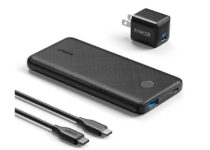
Anker PowerCore Slim 10000

  • 18W of USB-C charging power
  • 18-month warranty
  • 5.89 x 2.70 x 0.57 inches
  • Few users have reported problems with the connector port

Yet another Anker charger, just as thin and compact as the first option.

The device conveniently supports most USB-C smartphones, or tablets, and the charging speed is super fast.

As per users’ testimonials, it can stand 4x iPhone full charges on one battery cycle (just as it’s advertised) and will fully recharge back in about 4 1/2 hours.

Together with the PowerCore Slim 10000 you will also get an Anker Nano III wall plug and a USB-C to USB-C cable.


Ekrist Power Bank 25800mAh

  • Dual USB ports (2 1A+1A)
  • Safety LEDs
  • 45-days money-back guarantee
  • Fully recharging it seemed problematic for some users

With this power bank, you can charge iPhones, iPads, iWatchs, AirPods, Samsung Galaxy smartphones, and most other smartphones, tablets, or Bluetooth devices.

In one cycle, the charger can refill a device up to 6 to 8 times. It will then take about 8 to 24hrs to recharge, depending on the wall power plug used.

iMuto 10000mAh 18W

  • Smart digital screen
  • Battery life for 8 charges
  • Recharges in about 4 hours with a PD 2. 0 adapter
  • Short life span

This portable charger is a real monster. It packs a 20000mAh capacity and yet can fit in the palm of your hand. You can always rely on this device to power your Windows phone, as it can charge it 8 times.

If you’re planning to go on a trip in the middle of nowhere, the iMuto Portable Charger should be an essential item in your backpack.

The smart digital screen displays the remaining power in digital format. This feature is hidden by default until activated. Thanks to the built-in protection system, your devices are safe from over-charging, over-voltage, over-current, and short circuits.

The device is compatible with the following Windows phones: Lumia 435, 635, 550, 640/640XL, 650/650, Lumia 735, 830, 950XL, and Lumia 1520. The charger also comes with a travel waterproof pouch.


Acuvar 2600mAh Portable Charger

This portable charger connects to your Windows phone through a USB cable, extending its battery life. Thanks to its tiny size, you can easily slip it into your pocket: 4 x 1 x 1 inch.

The Acuvar portable charger can power your phone for 4 to 6 hours. It’s compatible with the following Windows phones: Lumia 920, Lumia 820, 808 PureView, Lumia 900, Lumia 810, Lumia 822, Lumia 521 and 520.

The charger’s case is made of soft-touch plastic, and the built-in flashlight could come in handy if case you go on a hiking trip.

⇒ Check it now on Amazon


VicTec 7000mAh

This charger is a combination of Qi wireless charger and a portable power bank with dual USB output. It is slim and compact, and you can easily carry it in your pocket. With a high capacity of 7000mAh, it will quickly revive your Windows phone battery.

You can plug in the VicTec portable charger, and charge your phone while the device itself is still charging – this is how powerful this charger is. You can charge two Windows phones at the same time: one wirelessly, and one on the USB port.

The charger supports the following Windows phones:  Lumia 1520, 1020, 929, 928, 920, 830, and 820.

⇒ Check it now on Amazon


CHOETECH 10400mAH

This device is a heavy-duty charger than can power your Windows phone for several days. It supports two types of ports: standard USB and USB-C ports, convenient especially for Lumia 950 and Lumia 950 XL owners. Thanks to the dedicated quick charge ports, it can charge your Windows phone up to 75% faster.

Some users complained that this charger is heavier than most chargers, but don’t expect this device to be light as a feather – after all, it packs a 10400mAh capacity that needs to be stored somewhere.

⇒ Get it now on Amazon

As you can see, we listed various portable chargers in this article. If you don’t plan to use the charger very often and you’re looking for a cheap device, we recommend you buy one with less power.

If you’re looking for a heavy-duty charger, go for the ones boasting 10000mAh or higher.

For those who are looking for a high-capacity power bank, don’t miss our guide on the best 20000mAh power banks.

After all, the perfect Windows phone portable charger is the one that best suits your needs.

5 Best laptops that come with Microsoft Office

Microsoft Office is one of the most used applications on every PC, and this is why many users are looking to get a laptop that comes with Microsoft Office installed.

Finding a suitable laptop isn’t as easy as you think, so in today’s article, we’re going to show you the best laptops that come with Microsoft Office preinstalled.

Which laptops come with Microsoft Office installed?

Lenovo IdeaPad 14

  • Up to 16GB DDR4
  • Up to 128GB SSD PCIe M.2
  • Windows 10 Pro + Microsoft Office
  • Dual microphone
  • Not suited for resource-intensive tasks

If you’re looking for a laptop that comes with Microsoft Office installed, then Lenovo IdeaPad 14 might be just what you need. The device comes with AMD A6-9220e 1.6 GHz APU that will be enough for basic needs.

This is a 14-inch device, and it comes with an LED backlight and a 1366 x 768 display. Regarding the memory, the laptop offers 4GB of DDR4 memory and 64GB of eMMC flash memory.

As for other features, the device has 802. 11ac WLAN support, USB 3.0 port, HDMI 1.4, headphone/mic combo port, and AMD Radeon R4 integrated graphics.

Regarding the software, the laptop has Windows 10 Home 64-bit edition as well as Microsoft Office 365 Personal 1-year subscription available.

Lenovo IdeaPad 14 is a lightweight device with humble hardware, but it should be able to handle all your office tasks with ease.

XINYANGCH NB15A

  • Comes with Windows 10 and Office preinstalled
  • Full HD 15.6-display
  • Quad-core Intel Celeron J3455/J4115 CPU
  • 8GB RAM
  • Weighs 1.8kg, 6.66mm thick
  • Uses DDR3 RAM

XINYANGCH NB15A comes with a quad-core Intel Celeron J3455/J4115 2.0-2.3GHz processor, which should be enough to handle basic office tasks with ease.

Regarding other specifications, there’s 8GB DDR3 RAM and a 256GB HDD, which would be more than enough for Microsoft Office and other similar applications.

This is a 15.6-inch device and it uses Full HD resolution, and the built-in 7.4V 4500mAh battery can provide you with enough power for 4 to 6 hours.

The device comes with Windows 10 and Microsoft Office preinstalled, so you can start using the device right out of the box.

XINYANGCH NB15A offers decent features, and if you’re looking for a laptop that can handle basic tasks such as web browsing and basic office work, this model might be the right choice for you.


Jumper X3 Office

  • 13.3-inch Full HD IPS display
  • Dual-band Wi-Fi support
  • Mini HD output and 2xUSB 3.0 ports
  • Up to 6 hours of battery life
  • Comes with Office 365 preinstalled
  • Battery life could be better

Jumper X3 Office is a 13.3-inch device that comes with a Full HD IPS display, and it weighs 2.7lbs. Regarding the size, this model is only 8mm thick, so it’s comfortable to carry.

This laptop comes with 4GB RAM DDR3 that should handle most basic tasks with relative ease. Regarding the storage, there’s 64GB EMCC storage available.

As for the CPU and graphics, the device uses Apollo N3350 1.1GHz-2.4GHz CPU and HD Graphics 500 GPU. Regarding the battery, it offers 4500mAh, so it should provide you with a decent battery life.

Additional features include 2.4/5GHz Wi-Fi, TF card expansion slot, two USB 3.0 ports, mini HD port, Windows 10, and 1-year Office 365 subscription.

Jumper X3 Office is a solid device if you’re looking for a laptop that can handle basic computer tasks and Microsoft Office on daily basis.


Asus Vivobook

  • 11.6-inch 1366 x 768 display
  • 4GB of DDR4 SDRAM
  • 32GB eMMC
  • Weighs 2.18lbs and it’s 0.7-inches thick
  • Comes with Windows 10 S Home and Office 365
  • Not designed to handle resource-intensive tasks

If you’re looking for a lightweight laptop that can handle Office, then Asus Vivobook might be the right choice for you. The device comes with an 11.6-inch display, LED backlight, and 1366 x 768 HD resolution.

Regarding the hardware power, this model uses Intel Celeron N4000 and Intel UHD Graphics 600. As for the memory, there’s 4GB of RAM and 32GB of eMMC flash memory.

The device has an HDMI output and a built-in media reader. As for the size, this laptop is 0.7 inches thin and it weighs about 2.18 lbs.

Regarding the software, you can find Windows 10 Home in S mode installed as well as a 1-year subscription to Office 365 Personal edition.

Asus Vivobook offers humble specs, but if you need a laptop for basic Office tasks, this model should be more than enough for all your needs.


HP Stream Laptop

  • 11.6-inch 1366x768 display
  • Weighs only 2.37lbs
  • 32GB storage and 4GB RAM
  • Intel Celeron 1GHz dual-core processor
  • Windows 10S and Office 356 preinstalled
  • Can’t handle resource-intensive tasks

HP Stream Laptop is a slim and portable device, and it comes with an 11.6-inch 1366×768 display while weighing only 2.37lbs.

The device has 32GB of storage and 4GB RAM which should be enough for basic tasks such as editing documents or creating spreadsheets.

As for the CPU, this model uses Intel Celeron 1GHz dual-core processor. It’s important to mention that the laptop has a solid battery that will last up to 13 hours on a single charge.

Regarding the available software, this model comes with Windows 10 S preinstalled and 1-year Office 365 Personal subscription.

HP Stream Laptop is a solid device for basic tasks, and if you’re looking for a simple and affordable laptop, this model might be just what you need.

Finding a laptop that comes with Microsoft Office preinstalled isn’t a hard task, and we hope that this guide helped you find the right model for you.

[wl_navigator]

5 Best Stem Toys For 7 To 9 Year Olds

For those of you that don’t know, STEM stands for Science, Technology, Engineering, and Math. Any toy that has the STEM tag attached to it is meant to be educational in one of these fields.

STEM toys are a great way to stimulate a child’s mental growth and teach them interesting new things without making them feel as if they are at school.

Because STEM toys are quite plenty, we’ve decided to compile a list of the ones we think are the most fun and useful for learning at the same time.

What are the best STEM toys for 7 to 9-year-olds?

Snap Circuits Jr. SC-100

  • Easy to understand illustrated instruction manual
  • No other tools needed
  • Wide variety of projects
  • Ease of snapping items together
  • No cleanup issues
  • Low quality control

If you want to set your child on the road to becoming an electrical engineer, no STEM toy will do a better job than the Snap Circuits Jr. SC-100.

Thanks to this assembly kit, your child will be able to assemble over 100 different electronic circuit projects with just a bit over 30 electronic parts.

Kids can construct working models of a photo sensor, a flashing light, an adjustable-volume siren and much more.


ThinkFun Gravity Maze

  • Useful combination logic game
  • Helps build spatial reasoning and planning skills
  • Great stealth learning experience
  • Clear instructions
  • Fun is guaranteed
  • Lacks long-term engagement capabilities

Engineering doesn’t have to start off from the get-go with advanced math and formulas that give you headaches.

Instead, you can make it fun with a toy like the ThinkFun Gravity Maze. Depending on the model you buy, it can be a great tool to help your child learn about engineering electronics and more.

Do note that the package contains no less than 60 challenges, a game grid, 9 towers, 1 target piece, and 3 marbles.


IQ BUILDER

  • Wide range of geometrical configurations
  • Comes with 3 different e-books
  • Safe for your child
  • Fun and engaging
  • Easy wash with a warm water bath
  • The advanced booklet is a bit too difficult for children

Spatial geometry is yet another branch of mathematics many fail to realize is ideal for the good development of your child’s imagination and creativity.

The IQ BUILDER set is a great toy that allows you to build almost any shape you can imagine, from a simple triangle to complex fractals, and the 3 booklets that come with the toys are there to help you along the way.

Moreover, do note that it was inspired by a group of teachers, and these toys have been applied in classrooms to assist in demonstrating concepts of geometry, physics, and mathematics.


STEM Master 176 piece

  • More balls, wheels, and connectors
  • Easy-to-use pieces
  • Promotes STEM learning
  • Includes builder's guide
  • Child-safe construction
  • Questionable reusable storage box

The STEM Master 176 piece educational construction building toy is also worthy of your attention if you want to find a unique gift.

This teacher-recommended play set provides your kids with a solid foundation for in-demand skills, covering Science, Physics, Math, Geometry, and more.

Do keep in mind that it comes with a full-color builder’s guide with 42 ideas for beginner, intermediate. and advanced builders, to ensures creativity and amazing geometrical configurations.


Engino Discovering 

  • Comprehensive guides on each subject
  • 3D rendered illustrations
  • Great with the Engino 3D app
  • Quality materials
  • Made in Cyprus
  • Missing pieces random issues

If you see that your child has a knack for being a construction engineer, then Engino Discovering is just what they need to further harness this talent.

Not only does the kit contain all the materials needed to build complex structures such as suspension bridges and houses, but the models can also be previewed thanks to the 3D-viewing mobile app.

Well, this Engino 3D app is free to download for Android or Apple iOS, so don’t hesitate to give it a try for hours of fun.


There’s nothing wrong with trying to introduce your child to the fascinating world of science, technology, engineering, or math as long as you know how to do it properly.

Nowadays toys are becoming more and more advanced and creative, so managing to blend a fun time with a bit of learning is much easier than you think. Let us know which one is your choice in the comments area.

[wl_navigator]

4 Best Hp Premium Business Laptops Deals

20 years ago, having to carry a suitcase and wearing a suit when going to work said something about you as a person. Nowadays you still have to wear a suit, but the suitcase has been replaced by a laptop bag.

When going on a business venture, your image might bring you closer to success, and that is why having a laptop that is as sharp, or even sharper than you can be the key to nailing that deal or not.

One laptop brand that you can rely on to provide you with a good image is HP‘s line of business-oriented laptops. Check our top picks below.

What are the best HP business laptops to get?

HP 15-dy1036nr

  • Micro-edge bezel design
  • BIOS recovery and protection
  • Incredibly fast processor
  • Intel Turbo Boost Technology
  • HP Fast Charge
  • Loud fan

This HP 15-dy1036nr 10th Gen Intel Core i5-1035G1 laptop is a roof that you can combine elegance and power into a single device.

Do note that it comes with a 15.6-inch diagonal full HD, anti-glare, micro-edge, WLED-backlit display that will make watching movies a joy.

Even more, the battery takes 100% charge in less than one hour and it lasts over 5 hours between videos on YouTube and browsing the web.


HP 3050U

  • Micro-edge WLED-backlit
  • Ultra-thin and very light
  • Up to 10 hours of battery life
  • Windows 10 Home in S mode
  • Modern design
  • Wrong AC adapter issues

No two people are alike, so why should your laptop be the same as everybody else’s laptop? The HP, AMD Athlon Silver 3050U laptop is an ideal choice if you don’t want to settle for a regular model.

This one is equipped with an AMD Athlon mobile processor with Radeon Graphics so that it can easily keep up with your everyday tasks.

As for the 14-inch diagonal HD, SVA, anti-glare, micro-edge display, it’s great if you happen to work in design or creation.


HP Ryzen 3-3200U

  • AMD Ryzen 3 3200U processor
  • Natural finger-touch navigation
  • Energy-efficient LED backlight screen
  • Built-in media reader
  • Backward-compatible with Wi-Fi networks
  • Not the sturdiest keys

This HP 14″ touchscreen Ryzen 3-3200U home and business laptop is a great choice for all those looking for a smart dual-core processor and a vivid display.

When it comes to this 1ouchscreen, it has a typical 1366 x 768 HD resolution. However, the natural finger-touch navigation makes the most of Windows 10.

And if you are not convinced yet, keep in mind that you can use to smoothly run your games and photo- and video-editing applications, as well as multiple programs at once.


HP HD premium business

  • Reliable battery life
  • Great CPU
  • HP TrueVision HD camera
  • Micro Edge display
  • Modern, clean design
  • Bloatware issues

This HP 14″ HD premium business laptop is recommended to all those who want to be productive all day long.

With a great battery life and fast-charge technology, this laptop lets you work, watch movies and videos, or even enjoy gaming, if that’s your wish.

As for the Micro Edge display, it’s the proof that squeezing a larger screen into a smaller frame for barely visible bezel isn’t just a myth.


When in a corporate environment, you always need to look your sharpest if you want to impress, and having a business laptop that completes your overall image can take you a long way.

Of course, this doesn’t mean you should leave performance behind for looks when choosing your device.

You should just be more aware of what products on the market perfectly blend the two, such as the HP premium business laptops.

This specific article is part of our generous selection of great laptops. You might also want to check it out, then let us know all about your choice in the comments section below.

[wl_navigator]

5 Best Portable Wi-Fi Hotspot Device

Sometimes you need to access the Internet quickly, especially while traveling. In that case, you might want to consider getting a portable Wi-Fi hotspot device.

These devices are quite handy and simple to use, and today we’ll show you the best mobile Wi-Fi hotspots for international travel. Take a closer look below right away.

What are the best portable Wi-Fi hotspot devices to buy?

  • Ideal dor HD streaming
  • Mini USB power supply
  • Built-in adapter
  • Next-generation Wi-Fi standard
  • Great design
  • Not the latest firmware

If you like the idea of a conveniently small and light to pack and take on the road router, then TP-Link AC750 Wireless nano travel is perfect for you.

With Dual Band AC750 Wi-Fi, rest assured that you are about to get a strong, fast connection for HD streaming on all your devices

Moreover, there’s one switch for multiple modes, which makes this router perfect for Wi-Fi at home and on the road as well.

Huawei E5577Cs-321

  • Rapid download speed
  • Unlocked GSM
  • Connection for up to 10 devices
  • TFT screen
  • Great build quality
  • Battery life could be better

This portable Wi-Fi hotspot from Huawei can deliver speeds up to 150Mbps on 4G LTE and 43.2Mbps on the 3G network. The device is unlocked, so it can work with any SIM card or network out of the box.

The hotspot has a built-in battery and it will provide you with up to 6 working hours and up to 300 hours on standby. These numbers are decent, yet not the best for these days.

Regarding the Wi-Fi, the device supports Wi-Fi 802.11a/b/g/n standards and it can provide a connection for up to 10 devices.

NETGEAR Nighthawk M1

  • GSM unlocked
  • Supports both 3G and 4G
  • Provides network access for up to 20 devices
  • 5040mAh battery
  • Modern look
  • Heats up when using Ethernet or microSD card

NETGEAR Nighthawk M1 supports both 3G/4G LTE, and since it’s unlocked, it should work without any issues with your mobile provider.

A single USB port is also available, and it allows you to share and stream multimedia wirelessly. The hotspot has a 5040 mAh battery that should last you for a day, but it can also work as a power bank.

As for the number of connected devices, do note that this hotspot can simultaneously work with up to 20 devices.

RAVPower FileHub AC750

  • You may connect up to 5 devices
  • 2.4GHz & 5.8 GHz dual-band
  • Great transmission speed
  • Clean design
  • Multiple network modes
  • No warranty

If you want to transfer your photos, videos, music, and documents between SD cards, USB flash drives, external hard drives, and smart devices, then this RAVPower FileHub AC750 travel router is perfect.

Do note that it is upgraded with 300Mbps Wi-Fi speed on 2.4GHz band and up to 433 Mbps on 5GHz, so every transfer will work smoothly.

Even more, there are 3 network modes waiting for you: bridge, access point, and router, so RAVPower FileHub AC750 can easily meet most of your demands.

Reliance 4G LTE

  • Unlocked GSM
  • It’s 4G LTE compatible
  • Speeds up to 150Mbps
  • Modern, clean look
  • Easy to use
  • Doesn’t work with CDMA carriers

The Reliance router 4G LTE comes with unlocked GSM and it’s compatible with 4G LTE. Keep in mind that this hotspot won’t work with Verizon, Sprint, or any other CDMA carrier.

The device works only with 4G bands B3/B5/B40 and it can deliver speeds up to 150Mbps. If that’s an issue for you, it is an ideal choice.

Moreover, this small and lightweight cannot disappoint in terms of supported Wi-Fi standards. To be more precise, there’s support for 802.11 b/g/n and 2.4GHz network.

Setting up a mobile hotspot often leads to errors, so it’s better to get a more stable solution. These are some of the best portable Wi-Fi hotspots to buy if you’re traveling. Before buying a device, double-check if the hotspot is fully compatible with your mobile network.

After doing so, don’t hesitate to let us know your final pick. Use the comments area in that regard and help other readers make a decision too.

9 Best Usb Type-C SSD Drives To Buy

USB-C ports and connectors are becoming a standard, and we already have laptops and smartphones that use this type of port.

This port usually works with USB 3.1 standard, so it offers an amazing transfer speed.

With its speed and simplicity USB-C port is perfect for external storage, so today we’re going to show you the best USB-C SSD drives.

What are the best USB-C SSD drives?

LaCie Portable SSD 2 TB Solid State Drive

  • Cross-platform compatibility (Mac and Windows)
  • Edit videos (4K included) directly on the drive
  • Fully customizable backups
  • Sturdy drop-resistant design
  • A bit tricky to format as encrypted external storage for Mac

This SSD flash drive is as lightweight and compact (weighing no more than 82g) as it is sturdy and durable, capable to resist falls up to 2 meters.

Feature-rich, you can use this nifty device to edit 4K videos, compressed videos, and more directly on the drive – how cool is that?

Data transfer speeds are also impressive as you can move a 1h long footage from here to there in under 1 minute.

The storage capacity exceeds all expectations with a whopping 2TB of free space for you to fill up with what you love most including photos and videos in High-Res.

These features can only be matched by its flexibility as the drive works like a charm on both Windows and Mac infrastructures thanks to its versatile USB-C and USB 3.0 ports.

SanDisk Extreme Portable SSD 500 GB

  • High-speed data transfers
  • Rugged, shock-resistant/water-proof/dust-proof construction
  • Compact and portable design
  • Generous storage capacity (up to 2TB)
  • Performance may be affected by the host device

SanDisk Extreme Portable SSD is built to last and last. Its rugged, drop-resistant water and dustproof makes sure it will.

You might think that such a sturdiness automatically translates into bulky gear. We are here to tell you it’s anything but that.

With a compact, portable design, the drive can easily fit into your pocket.

That’s right, all these features and more including a storage capacity of up to 2TB, high-speed data transfers, versatile USB-A, USB 3.1 Type-C, and USB-C connectors that go on Windows and Mac alike are no bigger than a regular pen drive.

It’s safe to say that the best things come in small packages, don’t you agree?

Samsung T7 Touch Portable SSD – 500 GB

  • Fingerprint/password/256-bit encryption
  • Compact pocket-size design
  • External storage capacity of up to 2TB
  • Shock-resistant aluminum-reinforced frame
  • Some OSs may require T7 Touch reformatting

Samsung is a world-leading hardware manufacturer for a good reason and this portable device only strengthens this status quo.

While the device itself is small and can easily be fitted in the palm of your hand, its capacities are impressive. The embedded PCIe technology helps you transfer enormous amounts of data in a heartbeat with speeds of up to 1000 MB/s.

Shock-resistant, the drive is encased in a metal body to make sure your data is safe. Speaking about data security, there is more than just muscle power here.

You can secure your precious files with just one finger touch, via a password, or by using the AES 256-bit encryption.

Samsung T3 SSD

If you’re looking for compact USB-C SSD, Samsung T3 SSD might be perfect for you. This drive offers read/write speeds up to 450MB/s on USB 3.1 computers with UASP mode enabled.

The drive is extremely light, and there are models that weigh about 0.1lbs. Regarding the size, this SSD is slightly larger than a business card.

Despite its small size, Samsung T3 SSD has strong exterior metal body and internal support frame that will protect your drive from accidental drops.

If you’re worried that someone will access your files, the drive also supports optional AES 256-bit hardware encryption.

This drive has a USB-C port so you can connect it easily to your PC, smartphone or tablet. To make the connecting process simpler, the drive comes with USB-C to USB-A cable.

⇒ Check price on Amazon

Glyph Blackbox Plus

This USB-C SSD drive comes with a rugged exterior, so it’s perfect for users that are always on the go. The drive has aluminum chassis as well as a rugged rubber bumper that will protect it from accidental drops.

In addition, there’s a fanless heat dissipation that will keep your SSD cool.

The drive has a USB-C port, but it’s also compatible with USB 3.0, USB 2.0 and Thunderbolt 3. Regarding the transfer rate, this SSD can provide up to 450MB/s.

The drive is bus-powered, so it doesn’t require any additional power supply in order to work. Glyph Blackbox Plus is relatively compact, so you can carry it with you at all times.

It’s worth mentioning that this SSD is formatted for Mac computers, so if you want to use it on the Windows platform you need to reformat it first.

Glyph Blackbox Plus is a durable SSD drive and it has a solid performance. The drive comes with USB-C to USB-C cable, so you can easily connect it with any USB-C device.

There’s also a USB-C to USB-A cable, so you can use it even if you don’t have a USB-C port on your PC.

⇒ Check price on Amazon

SanDisk Extreme 900 SSD

If you’re looking for a fast USB-C SSD drive, this model might be perfect for you.

According to the manufacturer, this SSD is up to 9 times faster than regular external hard drives, so it’s perfect for file storage or backup.

The drive has a sleek aluminum exterior that provides temperature and impact resistance.

The device also comes with SanDisk SecureAccess software that allows you to encrypt your files with 128-bit AES encryption.

This SSD doesn’t require any drivers or software in order to work, and it’s fully compatible with both Mac and Windows computers.

This device uses a USB 3.1 Gen 2 standard, and it offers up to 850MB/s read and write speed.

n order to use this device on your PC, you’ll need a USB port that provides a 10W 2A power supply.

The drive comes with USB-C to USB-C cable and USB-C to USB-A cable so you can connect it with any PC easily.

⇒ Check price on Amazon

 Oyen Digital MiniPro SSD

This solid-state drive comes with synchronous NAND flash so it offers maximum performance.

The SSD has no moving parts, so it’s perfectly silent. The drive has a compact aluminum body that provides protection but at the same time, it also cools your SSD.

Oyen Digital MiniPro SSD is compatible with USB 3.1 and Thunderbolt 3, and it offers up to 450MB/s speeds.

Regarding the power, this device is powered through a USB-C port, but you can also use an external adapter.

Keep in mind that an external adapter is not included.

The drive is fully compatible with USB 3.0 and USB 2.0 standards, but for best performance, it’s recommended to use USB 3.1 Gen2 port.

The drive comes with a USB C-C cable so you can easily connect this drive to any compatible USB-C device.

In addition, there’s also a USB C-A cable, so you can connect this SSD to any computer with a standard USB-A port.

⇒ Check price on Amazon

ADATA SE730 SSD

If you’re looking for a compact SSD, this model might be perfect for you. This device supports USB 3.1 Gen 2 standard and it offers 500MB/s read and write speed.

The drive uses MLC Flash for durability, so your files should be safe.

Just like the previous entries on our list, this drive comes with USB Type-C port, so you can easily connect it to any compatible device.

The list of compatible devices includes Windows, Mac OS, and Android devices. It’s important to mention that this device is dust-resistant, shockproof, and waterproof.

We also have to mention that this device is rather lightweight and it weighs only 0.07lbs.

The drive also has a textured metallic exterior so it looks elegant. ADATA SE730 SSD offers great performance and design as well as durability.

⇒ Check price on Amazon

G-Technology G-DRIVE

This USB-C SSD drive comes with a sleek, lightweight aluminum case, so it looks great. The drive supports USB 3.1 Gen 2 standard and it offers transfer speed up to 10Gb/s.

G-Technology G-DRIVE is simple to use and it relies on the USB port for power, so no external power supply is required.

The drive has a reversible USB-C connector, so you can easily connect it with any compatible device.

Regarding the compatibility, this device is fully compatible with any computer with USB-C or USB 3.0 port.

G-Technology G-DRIVE comes with USB-C to USB-C cable, and you can quickly connect it to any device. Of course, there’s also a USB-C to USB-A cable so you can connect the drive to any other PC.

⇒ Check price on Amazon


Currently, there aren’t many USB-C SSD drives on the market, but we’re certain that we’ll see more of them in the future.

If you’re looking to purchase a USB-C SSD drive, be sure to check the models from our list.

How to use ExpressVPN for Netflix to watch streaming shows

ExpressVPN is a popular premium VPN service that has a broad applicability range, including watching geo-restricted content on Netflix. For a long time now, US Netflix has been off-limits for non-US residents. And make no mistake, it still is.

However, services such as ExpressVPN have made it possible to cross the geographical boundaries set by Netflix, albeit only virtually, so that you can enjoy the full library of streaming content without significant efforts.

Does ExpressVPN work on Netflix?

Before we get to the technical details of configuring ExpressVPN to work with Netflix, we must make sure that this service can unblock US Netflix, to begin with.

Although Netflix is notorious for blocking non-US residents from accessing its US library, a few workarounds involving VPN usage have surfaced in the last few years.

On the other hand, Netflix quickly caught wind of using VPNs to bypass geo-restrictions and started to block VPN users.

Fortunately, ExpressVPN is one of the services that work on Netflix. In other words, ExpressVPN can bypass Netflix’s VPN block gracefully and without significant efforts.

How to use ExpressVPN to watch Netflix

ExpressVPN
  1. Purchase an ExpressVPN subscription plan
  2. Download and install ExpressVPN on your device
  3. Launch the VPN client
  4. Log into your ExpressVPN account
  5. Connect to a fast US server
  6. Log into your Netflix account
  7. Enjoy watching US Netflix content from non-US locations

Sometimes, Netflix may figure out VPN IP addresses and prevent them from accessing geo-restricted content. If you notice that a certain ExpressVPN US server doesn’t seem to unblock US Netflix, just pick another one and try again.

ExpressVPN

ExpressVPN

Need a VPN that can unblock US Netflix for you? ExpressVPN might be what you’re looking for.
Check priceVisit website

It’s worth mentioning that ExpressVPN also offers a DNS service, called MediaStreamer for faster streaming speeds. However, note that the MediaStreamer doesn’t provide you with any of ExpressVPN‘s privacy and security features.

For instance, you can’t change location, and your traffic won’t be encrypted. However, you’ll benefit from higher streaming speeds, and your traffic won’t be detected as VPN traffic, thus it won’t be blocked.

It’s also worth mentioning that the MediaStreamer service comes with a premium ExpressVPN subscription. Therefore, you’ll need to have one of those before you can use the DNS service.

How to use Media Streamer to watch Netflix

  1. Sign in to your ExpressVPN account
  2. Head to the DNS Settings tab
  3. Type your IP address in the appropriate field
  4. Hit the Register my IP address button
  5. Enable the Automatically register my IP address option
  6. Go to the Active Subscriptions page
  7. Click Set Up ExpressVPN
  8. Copy the address in the MediaStreamer section
  9. On your Windows 10 PC, hit the Win key on your keyboard
  10. Type ncpa.cpl and press Enter
  11. Right-click your active network connection and select PropertiesEthernet properties
  12. Uncheck IPv6 and double-click IPv4
  13. Click the Use the following DNS server addressesExpressVPN blocked by Hulu
  14. Paste the MediaStreamer address in the Preferred DNS Server section
  15. Click OK
  16.  

If you’re using non-automatic, ISP-assigned DNS servers, it’s a wise thing to write them down somewhere. You may need to replace the DNS server at some point.

Why is ExpressVPN not working with Netflix?

Even if we’ve tested ExpressVPN and it seems to work flawlessly with US Netflix, some users reported having some difficulties while trying it.

The most probable reason is a misconfiguration on your end, but it’s nothing that a bit of troubleshooting can’t solve. Last, but not least, you can always reach out to ExpressVPN‘s support team for guidance.

What free VPN works with Netflix?

If you’re not exactly prepared to commit to purchasing a premium ExpressVPN subscription, you should know that there are some free VPNs that work with Netflix.

Two of the most popular VPNs that we’ve tested and work with Netflix are:

Although both HolaVPN and Opera VPN can unblock US Netflix, keep in mind that they have a limited number of servers.

Additionally, since their services are free for everyone, you may land on an overcrowded VPN server, which might translate into a slow, always buffering Netflix experience.

You should only turn to these VPNs as a last resort. It’s been argued for a long time that free VPNs might steal your data, so if privacy is your main concern, you should try a paid VPN service such as ExpressVPN.

Final thoughts on using ExpressVPN with Netflix

All things considered, if ExpressVPN‘s ability to unblock US Netflix is what’s keeping you on the fence about purchasing a subscription plan, you should go ahead and do it.

ExpressVPN works flawlessly with US Netflix, and also provides you with a premium DNS service, if you prefer faster streaming speeds in exchange for lesser security.

7 Best OLED TVs For Gamers [Immersive Experience]

Playing your games on an OLED TV is a fantastic experience thanks to the technology’s incredible contrast performance and spot-on motion handling.

OLED TVs feature displays that operate without a backlight, and they can produce perfect black, and these surpass the dark grey mist that lots of LED TVs have been trying to pass off as black.

Here are the best OLED TV options you can get on the market these days. Take a look at their most impressive features to make your purchasing decision much easier.

What are the best gaming OLED TVs to buy?

LG OLED55CXPUA

  • G-SYNC compatible
  • Great 1ms response time
  • Low input lag
  • HGiG for immersive HDR gaming
  • Setup is a breeze
  • Surround sound issues

You need to know from the start that this LG OLED55CXPUA smart OLED TV is built for gaming. Gaming features and the latest tech, like NVIDIA G-SYNC and FreeSync, are included here.

Even more, LG’s fan-favorite webOS platform makes it surprisingly fast and easy to stream movies and shows whenever you want.

As for the OLED MOTION PRO, this is LG’s most advanced motion handling for fast movements in sports and action sequences.

Sony A8H 55

  • OLED and Pixel contrast booster
  • Game mode
  • Compatible with Alexa
  • Advanced color and gradation
  • Great contrast
  • Not the best software

If you’re after very good contrast, bright, and vibrant colors, then this Sony A8H 55 Inch TV BRAVIA OLED 4K Ultra HD Smart TV cannot disappoint you.

That’s your chance to take your PlayStation experience to the next level with a Sony 4K gaming TV featuring dedicated Game Mode for a more responsive gaming experience.

No less important, feel free to seamlessly integrate your iPhone and Siri devices with your Sony TV and keep the fun going with high-quality content streaming.

LG C9 Series

  • Amazing picture quality
  • 2.2 Channel Speaker System
  • Pre-color-calibrated
  • Supports NVidia Gsync
  • Great 1.3ms input lag
  • Expensive

For advanced image and sound technologies inspired by the cinema optimize picture and sound for a spectacular experience in all gaming scenes, take a closer look at the LG C9 Series Smart OLED TV.

LG TVs are the very first to integrate both the Google Assistant and Alexa with LG ThinQ AI technology and this one is no exception.

With its HDMI 2.1 and 1.3ms input lag for gaming, this OLED TV is simply perfect in its design and function.

Sony XBR-65A8G

  • x Reality Pro
  • Compatible with Alexa
  • Acoustic Surface technology
  • Triluminos display
  • Google Assistant built-in
  • No browser app included

This Sony XBR-65A8G BRAVIA OLED 4K Ultra HD Smart TV is recommended to all those who are x Reality Pro fans.

This feature upscales images to near 4K clarity while reducing on-screen noise. All this time, rest assured that you do get stunningly real detail, depth, textures, and vivid colors.

Moreover, immersive audio emanates from the entire OLED screen with Acoustic Surface technology, making this TV a great choice for gaming.

Sony XBR-77A9G

  • Amazingly sharp picture quality
  • Great auto-brightness setting
  • Solid built-in sound
  • Seamlessly integrates with iPhone and Siri
  • Powerful processor
  • Cumbersome checkbox set-up process

Sony’s best processor found in the XBR-77A9G 77 MASTER Series BRAVIA OLED Smart TV analyzes content to bring out OLED’s intense contrast with pure blacks, peak brightness, and vivid colors.

Even more, while not gaming, you can use your voice to easily search for the latest movies and shows, get answers, and manage tasks.

As for the included Game Mode, rest assured that it offers a smoother, more responsive gaming experience.

LG OLED65GXPUA

LG OLED65GXPUA

If you like gaming, note that OLED TVs are built for gaming, with features like NVIDIA G-SYNC and FreeSync for less lag, high refresh rates, and incredibly smooth gameplay.

As expected, the powerful a9 Gen 3 AI Processor 4K automatically makes everything you see and hear clearer and more dynamic.

And if you are not convinced that this LG OLED65GXPUA Alexa built-in Smart TV is a stand-alone powerhouse, let us add that it uses AI to authentically upscale lower-resolution content.

⇒ Get LG OLED65GXPUA

LG OLED65CXPUA

LG OLED65CXPUA

Another interesting choice is the LG OLED65CXPUA 65″ CX 4K OLED TV. Its advanced AI processor delivers better picture and sound.

AI powers webOS to offer personalized content recommendations, and integrated voice assistants, like Google Assistant and Alexa, are nice additions as well.

Even more, the TV comes sealed in its original box and includes full manufacturer-provided protection, so rest assured that you’ve covered it in case of any unfortunate event.

⇒ Get LG OLED65CXPUA

Playing games on OLED TVs will be an unforgettable experience regardless of the moment of the day you enjoy playing.

These TVs that use organic light-emitting diodes are hot these days, and the roundup that we presented above includes the best models on the market.

OLED TVs provide picture quality that is extremely hard to beat these days. They also have a light, thin form factor that is notable even in today’s world populated with all kinds of flatscreens.

If you want to learn more OLED vs QLED vs NanoCell for gaming has all the information you need.

To enhance your gaming experience, you’ll want to choose an OLED TV. Just let us know your final pick in the comments section below.

5 Easy Methods to Fix The Laptop Speaker Buzzing Issue

We understand how annoying that buzzing laptop speaker sound can be, and we will be helping you fix it in this guide.

This buzzing sound occurs in many situations, especially when playing computer games, watching video content, or listening to music. This article covers all the available solutions to fixing audio buzzing in Windows 10.

Why does my laptop make a buzzing noise when I watch videos?

In Windows, there are many reasons why you may experience a buzzing sound, including:

  • Faulty sound output devices – Once the output devices are bad, the outcome may be this buzzing sound.
  • Corrupt files – Once you have corrupt app files or system files, you should expect the device to manifest different problems, and the buzzing sound on your laptop may be one of them.
  • Misconfigured sound devices – This is a pretty common trigger. In this case, you just have to undo the configuration, and the issue should be solved.
  • Windows settings – Settings on the OS can also affect sound output, and bad settings must be undone.

Users have encountered a few variations to this problem, including laptop making buzzing noise when watching videos, playing music, and brand-specific variants like HP, ASUS, and Acer laptop speaker buzzing.

Regardless of the cause, you should be able to fix it using any of the solutions suggested below.

How can I fix the buzzing sound from my laptop’s speakers?

Before you go into complex fixes, you should do the following:

  • Check your Wi-Fi adapter – Your Wi-Fi adapter could actually be one of the suspect causes of audio buzzing. Check that it is not touching the sound cable on your computer, as the small dual aerials, if angled towards the sound cable, can create a buzz.
  • Restart the device – A reboot is a quick fix for many random computer problems.

1. Update audio/sound driver

1.1 Update audio/sound driver using a utility tool

We strongly recommend using Outbyte Driver Updater for this job as it’s an extremely reliable tool that can get the job done in no time and just a couple of clicks.

The first step is to download and install Outbyte Driver Updater. It only takes a few seconds, and you don’t even need to click its icon because it will start automatically.

This awesome tool will start scanning your PC for any problems with your drivers and will search for new versions of the already installed ones.

After a short while, you will receive a complete report with the list of recommended drivers.

Lastly, it would help if you decided whether you click the Update All button from the top or install only the ones you want by checking their corresponding boxes and clicking on their install button.

Outbyte Driver Updater

Outbyte Driver Updater will solve the problem with the audio driver in no time and you will get rid of the annoying buzzing.
Free trial Visit website

1.2 Manually update drivers

  1. Right-click on the Start menu and select Device Manager.
  2. Expand Audio inputs and outputs in the list of Drivers to unfold the options.
    laptop speaker buzzing
  3. Right-click on an audio driver and select Update Driver. 
    laptop speaker buzzing
  4. Click on Search automatically for drivers and wait for the system to search.
  5. Repeat steps 3 and 4 for every driver under this category, and verify that the laptop speaker buzzing is resolved.

2. Run the Play Audio troubleshooter

  1. Open Control Panel, click the View By option, and select Large icons.
  2. Click Troubleshooting.
  3. On the left pane, select View all, and click on Playing Audio troubleshooter.
  4. Follow the wizard to complete the troubleshooting.

3. Check Sound settings

Sometimes the easiest way to resolve audio buzzing is by going to your sound properties and checking on the levels of your subwoofer. Adjust while you listen to check whether the buzzing goes away.

Check your speaker properties, click Levels, and ensure your speakers’ output is on or below the middle mark (50). Anything above that may cause audio buzzing.

4. Use System Restore

  1. Press the Windows key + R keyboard shortcut, enter rstrui in Run, then click Enter.
  2. If you can select a Choose a different restore point option, select that option and click Next.
    laptop speaker buzzing
  3. Select Show more restore points to expand your choice of restore points fully.
    laptop speaker buzzing
  4. Select to restore Windows to a date that predates the buzzing sound, and click Next.

Windows 10 offers advanced recovery options that allow users to clean and install the OS. If you’re a Windows 10 user, you can also use the Reset this PC recovery option.

5. Contact Microsoft support for troubleshooting

You can contact Microsoft support if none of the above fixes worked. The phone number will depend on where you are calling from.

Sometimes, even a System Restore may not fix the laptop’s buzzing sound. Microsoft’s level 2 support may perform an in-place upgrade or repair installation.

While you may not lose any data in the process, it is always safe to first back up your important files. It may take a few hours and at the end, you may have to re-install a few drivers.

Any of the above steps will work for you, and while calling level two support is almost always effective, we hope any of solutions 1 through 4 would do the trick.

Did any of these solutions stop your laptop speaker from buzzing? Let us know in the comments section.

How to mute all microphones in Microsoft Teams

Microsoft Teams recently received a feature that allows meeting organizers to eliminate audio disruptions, called Hard Mute.

Although Microsoft started to deliver the update containing this feature in October, reportedly it just became widely available for all Teams users.

What Hard Mute does is help you, as an organizer or educator, reduce audio distractions and background noise by muting the microphones of everyone attending the meeting (except you, of course).

You can unmute microphones of certain attendees during the meeting manually, as needed.

How can I mute all mics in Microsoft Teams?

  1. Access the Calendar tab
  2. Select a scheduled meeting from the list
  3. Go to Meeting Options
  4. Toggle the Allow attendees to unmute offAllow attendees to unmute Microsoft Teams
  5. Click the Save button

That’s it, you’ve pre-configured a future meeting so that Microsoft Teams participants can’t unmute their mics by themselves. However, note that you may still need to mute their mics after the meeting starts.

You can do that by heading to the Participants section and selecting the Mute all participants option.

Furthermore, you can change attendees privileges regarding their ability to unmute microphones by themselves even after a meeting has started. Just follow these easy steps:

  1. Join a meeting
  2. Click the Show Participants button
  3. In the Participants section, click the … button
  4. Select Don’t allow attendees to unmute
  5. Click the Don’t allow button once more to confirm your action

Note that you must have organizer permissions in order to modify participant’s ability to unmute. Furthermore, you can unmute the microphones of attendees that use the Raise your hand option in the Microsoft Teams app.


Do you think muting all microphones in Microsoft Teams is a useful feature? Tell us your opinion in the comments section below:

[wl_navigator]

5 Best Tower Cases With Tempered Glass

If you want to build your own PC, you’ll need a proper case for it. Many users go for the full tower case since it offers the most space for your components.

Speaking of cases, today we’re going to show you the best full tower cases with tempered glass for your future PC.

Note: Deals are subject to change. Keep in mind that the price tag often varies. We recommend going on the vendor’s website to check the price. Some of the products may be out of stock by the time you’ve made your purchasing decision. So, hurry up and hit the buy button.


What are the best deals on full tower cases with tempered glass?

Thermaltake View 71 RGB Edition

  • 4-sided tempered glass
  • 3 RGB led fans
  • Vertical GPU
  • Some parts might not line up perfectly and make the case close with more difficulty

The best part of this thermal case is the three RGB LED fans that provide enough airflow to the interior of the case.

With the preinstalled Vertical GPU mount and 3-Way Radiator support, plus a riser cable and GPU support bracket to release the weight on the motherboard.

The 5mm-thick tempered glass that is applied on 4 sides (top, front, left, and right) offers this case a classy, futuristic look.


Thermaltake Core V71

  • Made from SPCC
  • 4mm tempered glass
  • 4 preinstalled fans
  • Some users had issues while installing certain components

This case comes with a 4mm thick tempered glass side panel that allows you a great view of all of your components. The case brings 4 preinstalled  fans that will ensure hardware components remain cool at all times.

There are two 5.25-inch bays and 8 hidden 3.5 or 2.5-inch bays, so you should have enough space for all your storage drives. The front panel has two USB 3.0 and USB 2.0 ports as well as HD audio port.


Raidmax Magnus Z23

  • Modular design
  • 120mm RGB fan
  • Two USB 3.0 ports + one USB 2.0 port
  • No space for a DVD drive

Raidmax Magnus Z23 comes with a brushed aluminum finish and 4mm dual tinted tempered glass panels. The case has 10 slots with a vertical VGA layout, and thanks to the modular design you can easily remove HDD or water-cooling tank bracket.

The case has a built-in 120mm RGB fan and two bays for 2.5 and 3.5-inch drives. Regarding the ports, there are two USB 3.0 ports, two audio ports, and a single USB 2.0 port.


Dark Base PRO 900 Black Rev. 2

  • Relocatable motherboard tray
  • 4x140mm fans, and can support an additional 4
  • Modular HDD slots can support up to 5 HDDs, 10 SSDs, and 2 optical drives
  • Minor issues while installing the power supply

This case has a tinted, tempered glass panel with LED strips and a relocatable motherboard tray that you can remove and use as a test bench. Regarding the cooling, there are four 140mm fans built-in.

Speaking of fans, this case can support up to 8 fans, which makes it perfect for overclocking. The case has modular HDD slots, and it can support up to 5 HDDs, ten SSDs, and two optical drives.


darkFlash BF5

  • Supports up to 285mm VGA and up to 160mm CPU coolers
  • Fits E-ATX / ATX / Micro ATX / mini ITX motherboard
  • Two built-in fans
  • Metal case might seem a bit cheap

darkFlash BF5 case comes with a tempered glass side panel, but it also has front mesh and acrylic panel. The case supports all motherboard sizes and it comes with cable management holes.

The case supports up to 285mm graphics cards and up to 160mm CPU coolers. Regarding the cooling, there are two 200mm RGB fans pre-installed. There are also two SSD bays and an HDD bay available.

So these are our top picks for PC cases with tempered glass design. If you’re building a new PC, be sure to consider one of these models.

If you know a similar model that we didn’t include, drop us a line in the comments section.


[wl_navigator]

5 Best Ergonomic Keyboard Trays To Buy

Keyboard trays are great for those of you that don’t have enough space on their desks to spare. They are also great if you do have enough space, but you like to spread out a lot during work.

They come in a variety of shapes, sizes, and materials, and they can also be articulated or not. Depending on what you want, finding the right model for your computer keyboard can be a bit difficult.

That is why we’ve compiled a list of what we consider to be the best ergonomic keyboard trays that you could buy.

What are the best articulating keyboard trays to get?

VIVO large keyboard tray

  • Easy installation
  • Large surface area
  • Very sturdy
  • Extended manufacturer warranty
  • Great tech support
  • You cannot raise or lower the keyboard

First of all, let us tell you more about the VIVO large keyboard tray. It is an ideal choice for all those who want to enjoy ergonomic typing angles that relieve stress on wrists and shoulders.

After all, that’s a keyboard especially designed to eliminate the discomfort of outdated workspaces. Just keep in mind that the total length from clamp to clamp is 32.5″.

Even more, all necessary hardware and instructions are provided for assembly, and mounting your keyboard tray to the desk, so this could never turn into an issue.


KT1 ergonomic keyboard tray

  • Ergonomic keyboard tray
  • Adjustable height keyboard tray
  • Foam mouse pad included
  • Nice nylon sliders
  • Great price
  • Unpleasant hinge right where the knees go

The KT1 ergonomic under-desk computer keyboard tray is also worthy of your attention, especially if you’d like to quickly position keyboards at elbow-height.

The distance between mouse and keyboard is adjustable as well, in order to optimize shoulder posture and let you continue your activities with maximum comfort.

As for the uncaged ergonomics designed KT1 in-house shape, it is ideal for those who want an effective ergonomic keyboard tray that’s easy to use.


3M keyboard tray

  • All-in-one engineered wood platform
  • Battery-saving design
  • Offers a fair amount of adjustment
  • Detailed instructions
  • Lifetime warranty on certain components
  • Questionable mouse pad

If you’re looking for a simplistic keyboard tray, then the 3M AKT60LE is a good item to start off with. It is adjustable, offers comfortable hand positioning for mouse and keyboard, and uses minimal space.

Simply turn the knob to adjust height +1.25″/-4.5″ from mounting surface and tilt +15°/-15° to get to a comfortable working position.

As for the sturdy all-in-one engineered wood platform, rest assured that it minimizes bounce while typing and using the mouse.


Kensington keyboard drawer

  • Extra-wide tray
  • Adjustable height levels
  • Very sturdy
  • TAA compliant
  • Inexpensive
  • Installation can be troublesome

The Kensington K60004US lets you measure, adjust, and fit yourself with Kensington’s patented SmartFit System so you can customize your keyboard drawer just the way you want it.

Thanks to the sliding drawer, it has ample room for your keyboard, wrist rest, and mouse with mouse pad, and it can be installed at 3 different height levels.

As for the extra-wide 26″ tray, it can also hold a wrist rest, mouse, and mouse pad alongside the keyboard.


Fellowes underdesk keyboard drawer

  • Different height adjustments
  • Impact-resistant tray
  • Anti-fatigue mat to reduce back pain
  • Great design
  • Contains 100% recycled materials
  • Cannot fit keyboards that are too tall

This Fellowes office suites underdesk keyboard drawer moves your keyboard and mouse off the desktop to save workspace and features 3 height adjustments to suit preferred work position.

You can move the mouse tray mounts to the right or left side of the keyboard tray and can be stowed away when not in use.

Even more, rest assured that this sturdy, impact-resistant tray fits standard keyboards. It’s up to you to give it a try.


It is easy to find an office desk that can fit your height, as you can also adjust your positioning using a good office chair. However, when that isn’t enough, a keyboard tray is a great solution to consider.

Not only do these desk addons help with saving extra desk space, but they also make your desk more accessible for people of different heights. Don’t forget to let us know your choice in the comments area.

[wl_navigator]

5 Best Karaoke Machines For Home Use To Buy

Karaoke can be a lot of fun, but not everyone likes to go to a club to do it. Those of you that would like to try some Karaoke within the comfort of your own home are probably already looking for a Karaoke machine to buy.

Of course, there are plenty of Karaoke machines out there, so knowing which are the best is essential.

That is precisely why we came up with a list of what we think are the best Karaoke machines that you could use in the safety of your home.

What are the best Karaoke machines for home that I can buy?

Singing Machine SML385UW

  • Top loading CD player plays music CDs plus CD + Graphics
  • Bluetooth for wireless digital audio streaming from compatible devices
  • USB connectivity to record your performance or to play your saved songs
  • 54 LED disco lights with dimmer setting let you control the party ambiance
  • 2-Digital LED display lets you know your song track. Echo control for voice effects
  • Built-in speaker in wood cabinet provides powerful sound
  • RCAL cables connect to your television set for scrolling lyrics for instant plug and play fun
  • The occasional problems with the mic that comes in the package

If you want a Karaoke machine that you can use in the comfort of your own home, then portability is probably one of the strong points that you are looking for.

The Singing Machine SML385UW is very portable, and it can be connected to other devices through a wide variety of methods, making it extremely versatile regardless of what your sound source is.

KaraoKing G100

  • Comes with two wireless microphones and a disco ball with dancing lights
  • Can connect with USB, AUX, Bluetooth, and FM radio
  • Has built-in wheels
  • The mics that come within the package are weak

If you love fun, having friends and having fun while with friends, then there is no way you can go wrong if you buy the KaraoKing G100.

It comes with 2 wireless microphones so that you and your BFF can enjoy great duets, and the disco ball’s dancing lights will put everyone else in the groove.

Karaoke USA GF845

  • Comes with 2 mics, RCA AUX and power cables, remote control, 300 songs, and more
  • The 35W speaker has synchronized LED lights that flash with the rhythm.
  • Includes two DVDs with a total of 300 classic karaoke favorites
  • 7-inch colored display
  • The speaker is too weak for bigger rooms

If you want a Karaoke machine that is the epitome of connectivity and compatibility, then the Karaoke USA GF845 is a good model to start at.

The package comes with 2 wireless mics, one remote control, two DVDs that feature 300 of the most popular karaoke songs and more.

It also works with Bluetooth, RCA, AUX, SD memory cards, USB & DVDs, in addition to smartphone apps.

Singsation All-In-One Karaoke System

  • Great for all ages (4 – 104)
  • Stand adjusts from 2’ to 6’ height and anywhere in between
  • Connect your smartphone or tablet for thousands of songs/karaoke videos from YouTube
  • 10 different voice effects
  • 16 different room and ceiling-filling light shows
  • Lacks power in the speaker department
  •  

If you want to turn your living room into a Karaoke bar, then you should start the transformation by buying the Singsation All-In-One Karaoke System.

This karaoke machine will make you feel as if you are playing on stage and the variety of voice effects and 15 different light shows will make it so that everyone else is having fun hearing you, regardless of whether you are good or not.

iKaraoke KS303W-BT

  • Can connect to your Bluetooth enabled Smartphone, Tablet or MP3 Player
  • Play your favorite Karaoke CD&G’s or Music CD’s in the convenient Front Loading CD Player
  • Multi-color lighting effect to set the mood for your parties or family fun
  • Convenient cradle for your Android or Apple Tablet
  • Includes 1 Wired Microphone
  • The occasional Bluetooth connectivity issue

Get the party started with the iKaraoke KS303W-BT Karaoke system. You can take your favorite song off of YouTube, load them on your phone or tablet, and then simply connect them to the Karaoke machine via Bluetooth.

It comes with an entire host of colored lighting effects, making it great for both the one doing the singing and the one doing the listening.


Karaoke is extremely fun, and if you can get your hands on a Karaoke machine that you can use at home, then it will quickly turn into a fun-house.

The great part about these machines is that since you’ll be using them at home, they don’t need to be too extravagant or too loud, so you can get away with buying one without wasting too much money.

[wl_navigator]

5 Best Powerline Gaming Network Adapter

Powerline network adapters can be extremely useful and allow you to set up a network in your home without any unnecessary clutter.

Speaking of Powerline network adapters, today we’ll show you the best Powerline adapters for gaming that you can buy.

Note: Deals are subject to change. Keep in mind that the price tag often varies. We recommend going on the vendor’s website to check the price. Some of the products may be out of stock by the time you’ve made your purchasing decision. So, hurry up and hit the buy button.


What are the best Powerline network adapters for gaming?

TP-Link AV2000

  • 2×2 MIMO for greater speed and stability
  • Speeds up to 2000Mbps
  • Gigabit port
  • Range up to 1000 feet
  • Instructions manual could be better
  • It can block adjacent outlets

This adapter offers transfer speeds up to 2000 Mbps and it allows you to connect multiple adapters in order to expand your network. The device has a Power Saving Mode feature that will reduce the power consumption up to 85%.

The device is completely Plug and Play, so it won’t require any additional configuration. Regarding the connectivity, there’s a 1 Gigabit port on the adapter.

NETGEAR PowerLINE 1200

  • Speeds up to 1200Mbps
  • MIMO and Beamforming technology
  • Range up to 5382ft
  • Plug and Play
  • Must be on the same phase (side) of the power panel
  •  

NETGEAR PowerLINE 1200 uses Homeplug AV2 technology, and it can deliver speeds up to 1200Mbps. The device supports multiple data streams (MIMO) and Beamforming technology, so you should have a fast and reliable network connection.

The adapter has a range up to 5382ft, which should be enough for most homes. The device is completely Plug and Play, and you can encrypt your signal with a press of a button.

TP-Link AV600

  • Speeds up to 600Mbps
  • 300m range
  • Plug and Play
  • 128 AES encryption
  • Issues with Siemens and GE AFCI breakers
  •  

This adapter can deliver transfer speeds up to 600Mbps, which should be enough for most daily activities, including gaming. It’s worth mentioning that this device has a range of up to 300 meters over your electrical circuit which should be enough for smaller homes.

This is a Plug and Play device, but it also supports adding additional TP-Link Powerline adapters to your network. As for the compatibility, the network is compatible with AV2000 to AV200 Powerline adapters.

TRENDnet Powerline 1300 AV2

  • Speeds up to 1300Mbps
  • Can support up to 8 adapters in the network
  • Compatible with Powerline 1200, 600, 500, and 200 adapters
  • The device can sometimes enter the Power Saving Mode randomly

TRENDnet Powerline 1300 AV2 adapter offers speeds up to 1300Mbps, and it allows you to have up to 8 adapters on a single network. In order to provide you the best signal, the device supports MIMO and Beamforming.

If you want to expand your network, you should know that this adapter is compatible with Powerline 1200, 600, 500, and 200 adapters.

D-Link DHP-P701AV

  • Uses AV2 MIMO technology
  • Transfer speeds up to 2000Mbps
  • Integrated passthrough socket
  • Can support 16 Powerline adapters in a network
  • Might not deliver the maximum speed

This model uses AV2 MIMO 2000 technology and thanks to the integrated power socket, you can easily use this device as a power source and for Internet access. The device can provide speeds up to 2000 Mbps, and it can support up to 16 Powerline adapters in a network.

The adapter has a built-in noise filter and a power-saving mode that is activated automatically if there’s no traffic detected in span of five minutes.


As you can see, there are many great Powerline adapters available on the market, and if you’re looking for a model suitable for gaming, be sure to check the entries from our list.

[wl_navigator]

How to remove RegretLocker ransomware on Windows 10

RegretLocker is a recently identified malicious software and classified as ransomware. Recently, it started to target Windows 10.

All systems infected with this ransomware have their data encrypted and all of the affected files are appended with the .mouse extension.

For example, a regular 1.jpg file would appear as 1.jpg.mouse. After the encryption process is complete, ransom notes titled How to restore files.txt are dropped into compromised folders.

Moreover, users receive ransom demands for the decryption. The issue is now affecting Windows Hyper-V virtual machine as well.

In this case, a virtual hard disk is created and stored in a VHD or VHDX file, containing a raw disk image, including a drive’s partition table and partitions.

How can I remove RegretLocker ransomware on Windows 10?

remove RegretLocker
  1. Press the Power button at the Windows login screen. Then, press and hold Shift, and click Restart.
  2. You can now select Troubleshoot > Advanced options > Startup Settings.
  3. Then, press Restart once again.
  4. Once your PC is active, select Enable Safe Mode with Command Prompt.
  5. Up next, enter cd restore and click Enter.
  6. Type rstrui.exe and press Enter again.
  7. When a new window appears, click Next and select a restore point that is prior to the infiltration of RegretLocker.
  8. After doing that, click Next.
  9. Finally, click Yes to confirm the system restore.

In order to remove RegretLocker ransomware on Windows 10, you simply need to apply the above steps. The code used by RegretLocker may have its source from a recently published security research.

When it comes to the affected Windows Hyper-V virtual machines, RegretLocker uses the Windows Virtual Storage API OpenVirtualDisk, AttachVirtualDisk, as well as GetVirtualDiskPhysicalPath functions to easily mount and compromise virtual disks.

Also, the Windows Restart Manager API is involved in the process, to terminate Windows services that keep a file open during encryption.

Have you been affected by the RegretLocker ransomware? Let us know if the above procedure proved to be useful in your case too.

[wl_navigator]

Microsoft Edge Canary brings back legacy Edge’s two-page layout for PDFs

Microsoft has been working to improve the PDF experience for Edge users. Not long ago, the software gaint announced that Microsoft Edge’s PDF reader will get a two-page layout. Microsoft Edge Canary now offers a new “page view” option to open PDF documents in a two-page view on a PC (via Reddit).

If Microsoft Edge has supported PDF documents for a long time, it only offered a limited set of capabilities that forced users to look for alternative apps. Right now, it is only possible to view one page at a time and users need to scroll down to flip pages.

With this new feature, the company wants to ensure that PDF files can be viewed without the need to use online services or third-party applications. Currently, the option is disabled by default in Edge Canary. Insiders who want to test the feature can follow the steps below to enable it.

  1. Open Microsoft Edge Canary (version Build 88.0.688.0 or later).
  2. Type edge://flags/#edge-pdf-two-page-view in the address bar.
  3. Now use the drop-down menu to enable the “Enable two page view for PDF” flag.
  4. Finally, restart Microsoft Edge to apply the change.


Once enabled, open a PDF document in your browser, navigate to the toolbar, and then click on the “Page View” icon. You should now see an option to switch between the single page and two-page layouts. There is also another option to make the cover page display separately (based on the user’s preferences).

As you probably know, the two-page layout experience isn’t something new, as the legacy version of Edge supported this capability. Moreover, it’s already available in other Chromium-based browsers including Google Chrome. The latest addition should be helpful for Microsoft Edge users who often need to use PDF editing tools in the new Edge browser. Do you think you could benefit from this feature? Sound off in the comments down below.

7 best webcam cover stickers to protect your privacy

Almost every smart device has a built-in webcam, and many users are concerned that malicious users can use those built-in webcams to spy on them.

To protect your privacy, yu can always use a webcam cover sticker.

In this article, we’ll show you the best webcam cover stickers for your devices.

What is the best webcam cover sticker for your device?

CamJAMR

  • Package with 17 black webcam lens covers
  • Various sizes
  • Durable and reusable
  • Adhesive might remain on the surface if the sticker is removed

If you’re looking for a webcam cover sticker, you might want to consider stickers from CamJAMR. This company offers a wide range of designs, so you’ll definitely find one for you. To use a cover sticker, you just have to clean the area around your camera and place the cover sticker over it.

It’s worth mentioning that every CamJAMR sticker has a small tab that is slightly lifted so you can easily remove the sticker if you need to use your camera.

Each pack comes with multiple stickers so you can easily cover a front camera on your phone, tablet, or laptop. In addition, you can also cover your PC webcam with these covers. 

CamJAMR stickers are simple to use and are perfect for any device. The stickers are completely reusable and you can even stick them back to the original package if you don’t need them anymore. 


C-Slide Webcam Cover

  • 1.5” x 0.5” and 1.5mm thick
  • Open or close at your convenience
  • Sticks firmly
  • Given the shape, the lid won't close all the way

The C-Slide Webcam Cover is designed for laptops but you can also use it for smart TVs or other devices with a built-in camera. The cover is 1mm thin, so it will perfectly fit your laptop.

As for its other dimensions, C-Slide is 1.5 inches in length and 0.5 inches in height. This cover has a sliding design to more easily cover your webcam without the need to completely remove the cover when you need to use the camera.

C-Slide uses double-sided tape to easily adhere to any surface. The cover is made from high-grade plastic and thanks to its simple design, you won’t scratch your camera lens while using this cover.

The C-Slide Webcam Cover is a great camera cover for your laptop since you can block and unblock your camera without removing the cover. The cover is incredibly simple to use but you won’t be able to use it on mobile devices or tablets due to its size.


  • Ultra-thin (0.023 inch)
  • Made of metal
  • Suitable for most laptops or smartphones
  • Not suitable for 2019 MacBook Pro

This small accessory is made o metal, so you’ll get a very durable cover slide that will perfectly fit your device’s the built-in webcam.

Almost every smart device has a built-in webcam, and many users are concerned that malicious users can use those built-in webcams to spy on them.

You’ll be able to secure the cover slide with a special adhesive that is already attached to the back of the cover. Fixing the cover on your device and pressing for 15 seconds will get it firmly stuck.

Similarly to the previous recommendation, this one also allows you to slide the cover open/closed depending on your needs.

At only 0.6mm-thick, it’s slimmer than a microSD card, so you can have a reference.


YUAKUOD Webcam Cover (6 Pack)

  • Made of premium high-strength ABS plastic
  • 6 pieces
  • Fits almost all laptops, tablets, Macs and smartphones
  • Won't work on printers

YUAKUOD’s camera cover is similar in design to the one from CloudValley, only made from another material and even thinner (0.03 inch).

The sticking process is the same – take off the protection foil on the back of the product, fix it on your device and press for a few seconds.


Nertpow Webcam Cover

  • 3 pack
  • Nano double-sided adhesive
  • 3.1 x 3.1 x 0.5 inches
  • Might leave adhesive residue

This is one of the cheapest offers for a webcam slide cover and users have been nicely surprised with the quality they got for such a low price.

It works better than regular stickers. However, pay attention if you have screen protections on your devices, as it won’t stick to those.


Ehunt Camera Cover Black/Red

top webcame cover stickers

This small webcam cover measures 0.02 inches in thickness, so you won’t even notice it adheres and it will not interfere with the closing or opening the lid of your laptop.

It will blend in with your smartphone design as well, without interfering with apps requiring facial recognition or webcam-use.

The gadget comes in red-black or fully black colors and the package includes 3 pieces.

⇒ Check price for Ehunt camera cover


Ehunt Pink/Blue/Green Camera Cover

Yet another model of webcam sliding camera covers, still from Ehunt, this time in more vivid colors.

The design is also slightly different, but the covers are just as thin – 0.028 inch each.

They come in package of three, one of each color.

⇒ Get your Ehunt pink+blue+green webcam cover

If you’re concerned about your privacy, a webcam cover sticker is the best solution for you. All these stickers are relatively affordable, so feel free to try any of them.

If you have a suggestion of another similar accessory, let us know in the comments below.


[wl_navigator]

FIX: Qualcomm QCZ9565 Bluetooth 4.0 has a driver problem

Windows laptops feature Qualcomm Bluetooth chips to enable Bluetooth on the laptops. That said, at times the Qualcomm QCZ9565 Bluetooth 4.0 has a driver problem that can occur when trying to connect to your Bluetooth headset or speaker.

As the error indicates, the error is usually triggered by a faulty or outdated Qualcomm Bluetooth device driver. To fix the error, try updating the driver. If not, roll back to the previous version to see if that helps.

In this article, we explore a few troubleshooting steps to help you resolve the Qualcomm QCZ9565 Bluetooth 4.0 has a driver problem error in Windows 10.

How do I fix the Qualcomm QCZ9565 Bluetooth driver problem?

1. Update Bluetooth drivers

The first logical step is to make sure your Bluetooth drivers are up to date. You can do this from Windows Settings or with the help of dedicated software.

Open the Settings panel and select Update and Security. Select the Windows Update icon in the left ribbon, then select View optional updates. Click on the Driver updates tab and locate your Bluetooth driver.

Click the Download and install button and wait for the process to complete. Reboot your PC and see if the issue persists.

In terms of automatic driver updaters, we recommend you try Outbyte Driver Updater because it provides the perfect mix of usability, simplicity, and performance.

Outbyte Driver Updater is an advanced driver update utility for Windows. It offers a simple, fast, and secure way to update all your drivers with one click to help you enjoy a better system performance.

After the initial launch, Outbyte Driver Updater scans for the missing and outdated device drivers. You can go through the report and then choose a single device driver to update or choose to download and install all of your outdated device drivers.

The built-in download manager helps in managing in-progress driver downloads. With over 18 million driver files available for download, you can quickly update drivers for all the devices connected to your PC.

Additionally, it also comes with a schedule manager and driver backup feature to automate the update and backup process.

Other key features of Outbyte Driver Updater include one-click downloads and updates, a built-in download manager, and support for driver backup that saves a copy of all your drivers to a compressed file.

⇒ Get Outbyte Driver Updater

2. Rollback Bluetooth driver update

Qualcomm QCZ9565 Bluetooth 4.0 has a driver problem
  1. Press the Windows key + R.
  2. Type Devmgmt.msc and click OK.
  3. In Device Manager, expand the Bluetooth category.
  4. Right-click on your Qualcomm Bluetooth device and select Properties.
  5. In the Properties window, open the Driver tab.
  6. Click the Roll Back Driver button. If it is greyed out, it means you cannot roll back the driver from Device Manager.
  7. Proceed with on-screen instructions to roll back the driver to the earlier version.
  8. Click OK to save the changes and reboot your computer.

Once you have rolled back the driver, try connecting to any Bluetooth device to see if the error is resolved. Installing the previous version of Bluetooth driver can help if the error occurred after installing a Windows update.

If the roll back driver button is greyed out, you can manually install the previous version of the driver as well.

To install the driver manually, visit your laptop manufacturer’s download center. Download and install the appropriate version of the Bluetooth driver for your PC.

3. Check your antivirus and firewall

Qualcomm QCZ9565 Bluetooth 4.0 has a driver problem

  1. Press the Windows key + I.
  2. Go to Update & Security.
  3. Open Windows Security.
  4. Click on Firewall and Network Protection.
  5. Choose the Public profile or the one that is currently active.
  6. Toggle the switch to disable Windows Defender Firewall.

Note: If you are using a third-party security solution and if it comes with its own Firewall, make sure to disable it as well.

Once you have the firewall down, enable Bluetooth try connecting to any Bluetooth-enabled device and check for any improvements.

If the issue persists, disable your antivirus as well. To disable the antivirus, expand your system tray by clicking the arrow icon. Right-click on the antivirus icon and select Disable Temporarily or a similar option.

Now that you have both firewall and antivirus disabled try connecting to a Bluetooth device from your PC.

If the issue is resolved, make sure to enable the Windows Defender Firewall. Replace your antivirus with a better security program.

4. Uninstall and reinstall the Bluetooth device

Qualcomm QCZ9565 Bluetooth 4.0 has a driver problem
  1. Press the Windows key + R.
  2. Type devmgmt.msc and click OK.
  3. In Device Manager, expand the Bluetooth category.
  4. Right-click on the Qualcomm Bluetooth device and select Uninstall Device.
  5. Confirm the action by clicking on Uninstall.
  6. Once uninstalled, reboot the computer.

After the restart, Windows will automatically detect the device and install the required drivers. If Windows fails to detect and install the drivers, open Device Manager, click on Action, and select Scan for hardware changes.

The Qualcomm QCZ9565 Bluetooth 4.0 has a driver problem that can be resolved by updating the driver.

If not, try rolling back the driver to an earlier version or reinstalling the Bluetooth device to fix the error.

Looking for more fix articles? Don’t hesitate to heck out our dedicated Troubleshooting hub.

To make the most out of your new PC, explore our thorough Windows 10 section.

3 Best HP Servers For Virtualization [Top Picks]

Virtualization is important, especially in business environments, and this is why many users prefer using a dedicated PC as a virtualization server.

Speaking of servers, today we’re going to show you the best HP servers for virtualization, so let’s get started.

What are the best deals on HP servers for virtualization?

HP MicroServer Gen10

  • AMD Opteron X3421 Quad-Core 2.1GHz CPU
  • 16GB DDR4 2400MHz RAM
  • 4TB 7200 SATA 3 3.5-inch hard drive
  • Lack of CD drive
  •  

This server is powered by AMD Opteron X3421 Quad-Core 2.1GHz 2MB CPU, but it can reach speeds up to 3.4GHz with the Turbo feature. Regarding the RAM, the device uses 16GB (2 x 8GB) DDR4 2400MHz RAM.

As for the storage, there is 4TB (2 x 2TB) 7.2K 6Gbps SATA 3.5-inch hard drive. We also have to mention the RAID Controller, and the server uses MARVELL 88SE9230.

HP ProLiant ML30 Gen10

  • Intel Xeon E-2124 Quad-Core 3.3GHz CPU
  • 32GB DDR4 2666MHz RAM
  • 8TB 7200rpm 6Gbps 3.5-inch hard drive
  • 2-Port 1GbE HPE Ethernet 332i Adapter
  • No major complaints

HP ProLiant ML30 Gen10 is powered by Intel Xeon E-2124 Quad-Core 3.3GHz 8MB CPU. As for the memory, there’s 32GB (2x16GB) DDR4 2666MHz RAM. In terms of storage space, there’s an 8TB (4 x 2TB) 7200rpm 6Gbps SATA 3.5-inch hard drive.

As for onboard NIC, there’s 2-Port 1GbE HPE Ethernet 332i Adapter.

HP ProLiant ML350 G10

  • Intel Xeon Gold 5118 Dodeca-core 12 core CPU
  • 32GB DDR4 RAM
  • 12Gb/s SAS controller
  • 2x800W power supply
  • A bit expensive

This device is powered by Intel Xeon Gold 5118 Dodeca-core 12 core processor that is clocked at 2.30GHz. As for the memory, the server has 32GB DDR4 SDRAM.

The SAS controller can deliver speeds up to 12Gbpbs and the server itself has a 2x800W power supply.


Picking the proper server for virtualization isn’t an easy task, but we hope that our article helped you find the proper model for your needs.

[wl_navigator]

Best Antenna for Basement TV: 5 Most Popular Picks

If you want to watch your favorite TV shows but you’re worried that your basement apartment will stop you from achieving this without a cable connection, you found the perfect buy guide for your situation.

In today’s guide, we will discuss some of the best antennas for a basement or below-ground apartment, and we will include a very easy-to-follow features list with a pros and cons section included.

Read on to find out the details about every product.

Note: Deals are subject to change. Keep in mind that the price tag often varies. We recommend going on the vendor’s website to check the price. Some of the products may be out of stock by the time you’ve made your purchasing decision. So, hurry up and hit the buy button.

What TV antennas work best in basement apartments?

GESOBYTE Amplified HD Digital TV Antenna

  • Upgraded 2020 TV antenna
  • Full HD sound quality
  • The indoor HDTV antenna can reach up to 200 miles
  • Seems to be inconsistent in the number of channels it can pick up

The GESOBYTE Amplified HD Digital TV Antenna comes with a with built-in Smart IC Chip Next generation & Crystal Clear Filter Technology that it allows it to picks up signals within a 200 miles range.

As a result, you will have a clearer picture, low noise, and access to more free broadcast TV signals with great frequency performance.

This antenna contains an 18 ft long coaxial cable and a USB power adapter which makes the antenna easier to be placed in your house in order to get the best signal.

DrillTop Amplified HD Digital TV Antenna

  • A full 130 miles range
  • Can be used indoor as well as outdoor
  • Simple plug and play setup
  • Flimsy cardboard

The DrillTop TV Antenna Amplifier is be able to receive HD signals from your local TV networks even if you’re up to 130 miles from the towers.

The antenna is easy to setup and use once installed. It can be used both indoor as well as outdoor.

The design is really nice, comes with a round shape that will fit just perfect in any inside or outside corner of your house.

Clear Stream 4

  • Offers a 70 miles range
  • Multi-directional elements that are built into the design allows for better reception of signal even in bad weather conditions
  • Lifetime warranty on parts
  • Mount and coaxial cable are sold separately

The ClearStream 4 antenna is a powerful device that any person passionate about HD TV should have at their disposal.

Even if you’re not inclined to disconnect from the cable company you are connected with, this device can act as a backup in case of storms or loss of connection for any reason.

XFtree Digital Antenna

  • Cheap option with good signal (contains an amplifier signal booster)
  • Can capture 4K HD TV quality
  • Slim design that complements any home decor
  • Issues with signals if the walls of the upper part of your house are diffusing signal

The XFtree Digital Antenna is very affordable, and it is a great fit for any TV that’s placed in a basement apartment.

This strong indoor antenna can capture and reproduce signals with HD quality images even from distances of 130 miles (209 km).

The package includes a 17 feet coaxial cable that allows you to find the best signal location in your basement apartment

RCA Indoor

  • Includes an in-line amplifier
  • Comes with a 20-foot coaxial cable
  • Can be used with both a rotor and mast mount (sold separately)
  • Not a very long range is provided

The RCA Indoor antenna is a very good option for a basement apartment, as it offers a 50 miles range for capturing 4K and 1080 HDTV-quality channels with ease.

The materials with which this antenna is built allows it to be a good indoor and outdoor device. If you choose to mount it indoor, the design with complement any home decor. 

If you install it outside, the tough materials will protect it from the elements at all times.

5 Best Stop Motion Animation Kits To Buy [2026 Guide]

Those of you that are a bit older, or maybe fans of Tim Burton, probably know what stop motion animation is.

If you don’t, then you should know that put in simpler terms, it is what kids used to watch before CGI cartoons were invented.

Stop motion animation is fairly simple to achieve, and that’s why you can even buy kits that help you get started and get better at it with time.

Since there are plenty of kits out there, we’ve compiled a list of what we think are the best. This is so that you will have the best experience while directing your mini-movies.

What are the best stop motion animation kits that I can buy?

Zing TST617A Stikbot Action Figure

  • Easily cut and edit footage
  • Create the background of your scene
  • Allows you to capture amazing photos and videos
  • Not compatible with Galaxy S7

If you want to make a stop motion animation movie where your characters have more joints for more complex movements, then you’ll love the Zing TST617A Stikbot Action Figure

This animation kit includes a studio stage with a green screen, assorted props, StikBot characters, and a camera mount for your phone.

Additionally, you can use the kit in conjunction with the mobile app to simulate backdrops against the green screen and make the animation process a whole lot easier.

Zu3D Complete Stop Motion Animation Software

  • Includes two licenses
  • Full software support
  • Comes with modeling clay, paper, and toys
  • The camera could be of better quality

Zu3D Complete Stop Motion Animation Software Kit For Kids is also a type of animation game that helps you create fun animated movies.

The kit contains everything you need, including two everlasting software licenses, animation webcam, green screen, modeling clay, mini-set, and handbook.

With this fun game, your kids will be able to create their fantasy world and let their imagination take life.

Lego Make Your Own Movie Activity Kit

  • Stop-motion animation is easy with accessible (and free) apps available for tablets and phones
  • Projects are an easy introduction to animation. Mini movies can be made in as little as an hour
  • Stop-motion animation scales up to older or more advanced kid moviemakers
  •  
  • The book may be hard to understand for children alone

What better way to start off a list of best stop motion animation kits than with one from the biggest brands in the toy industry, one that also features several stop motion movies under its belt?

The Lego Make Your Own Movie Activity Kit is a complete guide to making good stop motion animations and it includes a very in-depth book plus several props, but you can also use your own Lego toys as well.

Stopmotion Explosion – Animation Kit

  • Used around the world by STEM educators, teachers, homeschoolers and after-school programs.
  • Ideal for LEGO Brickfilms. Securely connects to your computer without detaching.
  • Learn everything you need to know in our Stopmotion Explosion book
  •  
  • Using the app alongside the book is recommended for faster learning

If you want to discover how to animate LEGO, toys, modeling clay, action figures and more, just buy the Stopmotion Explosion – Animation Kit.

It includes several props, a guide book and a 1920 x 1080 high-definition camera with an upgraded easy focus ring and low profile that will make your amateur stop motion movies look like professional work.

HUE Animation Studio Kit

  • Includes the award-winning HUE HD USB camera with microphone
  • Comes with a 60-page animation activity book with printable activities
  • Props include a mini stage with background and green screen
  • You get a license for stop motion software with time-lapse features, sound effects, and backdrops
  •  
  • The software could use a little more tweaking

The HUE Animation Studio Kit is unique in its own way since it can be used in conjunction with pretty much any type of toys or clay that you may have.

This is because the kit only includes a guide book, a license to a stop motion animation software, a HUE HD USB camera with a microphone, and a mini stage with background and green screen.

This makes it ideal for animations featuring anything from Lego or Playmobil toys, or even clay animations.


timulating a child’s creative thinking is great, especially at a young age. If you can make it so that they are also productive at the same time, it’s even better.

Such would be the idea behind stop motion animation kits, as not only will your child learn how to harness their imagination, but they may even develop it into a great pastime or career later on.

[wl_navigator]

5 Best Audio Mixers With USB Interface

Audio mixers are irreplaceable devices if you’re making your own music or playing music as a DJ.

Many modern audio mixers have a built-in USB port that allows you to play music straight from a flash drive or your PC.

Some models even have Bluetooth, thus making this process completely wireless. If you’re looking for such an audio mixer, be sure to check one of these models.

Note: Deals are subject to change. Keep in mind that the price tag often varies. We recommend going on the vendor’s website to check the price. Some of the products may be out of stock by the time you’ve made your purchasing decision. So, hurry up and hit the buy button.

What is the best USB audio mixer?

A4 4Channels Audio Mixer

  • 4 channels, two mono channels, and a single stereo tape channel
  • 2-band equalizer for each input
  • A USB port for playback and recording
  • Bluetooth support
  • Minor issues while recording directly to a USB flash drive

A4 4Channels Audio Mixer is an affordable mixer and it comes with 4 channels and effects processor.

The mixer has a USB port that can be used for power, playback and recording. Bluetooth is also available and it has a range of up to 8 meters.

The device has XLR input, 6.35mm input, and +48V phantom power.

Depusheng T6 6-Channel Audio Mixer

  • 6-channel input
  • Phantom supply +48V
  • 3 equalizer knobs
  • USB slot, Bluetooth support
  • Cannot record to USB

This mixer has a slim body design, and thanks to the metal casing this mixer is both fall-proof and durable. There is a 6-channel input as well as a phantom supply +48V.

The mixer also has 3 equalizer knobs for each channel as well as a USB slot and Bluetooth support.

There are two sets of stereo outputs available, one for earphones and one auxiliary effect output.

Pyle Professional Audio Mixer 4 Channel

  • Rugged steel chassis
  • 4-channel mixer
  • +48V Phantom button
  • USB port for playback and recording
  • Bluetooth support

Pyle Professional Audio Mixer is a 4-channel mixer, and it supports XLR and unbalanced 1/4″ Plug with +48V Phantom power.

All channels have a 3-band equalizer so you can easily adjust your audio quality.

The USB port is available and you can use it for audio playback or recording.

If you prefer a wireless approach, you’ll be pleased to know that Bluetooth is available as well.

Mackie ProFX30v2 30-Channel 4-Bus FX Mixer

  • 8-channel mixer
  • Vita preamps
  • 16 different effects
  • USB recording and playback
  • No Bluetooth

If you’re looking for a more advanced audio mixer, you should consider this model. This is a 4-channel mixer, and it’s designed for live sound with its Vita preamps.

The mixer offers ReadyFX effects engine that provides 16 different effects and there’s a 7-band graphic equalizer that lets you fine-tune your sound.

The USB port is also available and you can use it for both playback and audio recording.

Pyle PMXU68BT

  • 6 channels
  • 16 Bit DSP processor
  • +48V phantom power
  • USB port for recording
  • Static noise issues with Bluetooth

This is a 6-channel mixer and it comes with XLR inputs. Additional features include an equalizer, 16-bit DSP FX processor and mic preamp.

The device comes with a USB port so you can easily use your flash drive or PC for playback.

If you prefer wireless connectivity, you’ll be pleased to hear that Bluetooth 4.0 is available.


There you go, these are some of the best audio mixers with USB and Bluetooth connectivity.

We hope that you found this article useful and that you managed to choose the perfect mixer for your needs.

[wl_navigator]

Best Microsoft Surface Pro 2 Accessories To Use

Microsoft managed to release great handsets that can mix a regular tablet with a high-end desktop, all in one powerful and good-looking Windows-powered device.

But in order to take full advantage of the latest Surface Pro 2 gadget, you should use compatible accessories.

By using these official accessories you will be able to personalize your Windows device as much as you like.

The best accessories for Surface Pro 2 include:

  • wireless adaptors
  • covers
  • Surface edition mouse
  • screen protectors
  • cases
  • docking stations
  • micro SD cards
  • dedicated cables and a lot more

Thus, you can now have a complex and complete list of Surface Pro 2 accessories in one place, which means that this review is just for you.

What are the best accessories for Surface Pro 2?

Covers

The first thing to do when having a Windows-based device is to personalize the same.

When you first buy a new tablet or laptop it will feature the classic design which in most cases is actually quite boring.

So, if you want to offer a personal touch on your Surface Pro 2, you need to buy dedicated covers.

Microsoft Surface Pro Signature Type Cover- Cobalt Blue

  • Soft high-quality material
  • Ultra-slim, stylish design
  • LED backlighting
  • Fully compatible with Surface Pro devices
  • Pad connector is not corrosion-proof

The Microsoft Surface Pro Signature Type Cover is more than just a keyboard.

With LED backlighting for a colorful typing experience, this Alcantara constructed device provides a smooth, almost velvety tactile feel that instantly boosts your comfort.

It’s compatible with Surface Pro devices and perfectly blends with the Microsoft Surface Pen and Surface Mouse to complete your experience and add a stylish touch to your daily routine.

But the cover is more than just looks. Its ultra-slim design makes it seriously comfortable and its powerful features place it on top of our lists when it comes to the very best Surface Pro accessories.

Microsoft Surface Touch Cover 2

  • Full compatibility with Surface RT, Surface 2, Surface Pro, or Surface Pro 2
  • Silent mechanical keys
  • Lightweight and compact design
  • Spill-resistant dust-proof membrane
  • Does not support Surface Pro 3 and newer models

This cover is a classic one, though it represents the improved variant of the original Touch Cover provided by Microsoft.

Touch Cover 2 is featuring illuminated keys, though it is available only in black.

Type Cover 2

  • Fully compatible with Surface Pro devices
  • Silm and lightweight design
  • Resistant material
  • Wide variety of colors to choose from
  • The front case is a bit flimsy

If you want to personalize your Surface Pro 2 by adding a new flavor of colors, then Type Cover 2 is just what you need.

These covers are featuring a super-thin, lightweight design and can be smoothly used on your Windows RT device.

Limited Edition Touch Cover

  • Fully compatible with Surface devices
  • Lightweight, sleek design
  • Smart magnetic connection
  • Pressure-sensitive spill-resistant keyboard
  • The Surface device may need restarting for all keys to function

If you want to capitalize on your own design preferences, then you should try the Limited Edition Touch Cover.

These covers can be made based on your own desires so you can completely personalize your Surface Pro 2.

Cases

If you want to protect your Microsoft Surface 2 and at the same time use the device on different angles with ease, you need to buy compatible cases.

On that matter, you can choose several cases, though not all the available products are also recommended by experts.

So, relying on user experience and user results, here are the best cases available for your Surface Pro 2:

  • MoKo Case Fit Microsoft Surface Pro – this case provides the best tablet experience on the go, as the MoKo Case can be used in tight situations for ensuring that you can properly use your Windows tablet. The case can be ordered in different colors on Amazon.
  • Incipio HILSON Zipper Folio Case – If you need to use your Surface Pro at various angles, then this case will be just perfect for you. The case itself is made up of two cores that allow’ the Surface Pro kickstand to extend. Also, the case will protect your tablet, as it is a hard shell.

Docking Stations

When using a powerful Windows tablet, such as the Surface Pro 2, the best accessory to buy is, of course, a docking station.

The docking station is the best way in which you can upgrade the battery of your device, so we can say that this product is a must-have.

Microsoft Surface Dock 2

  • Multiple ports to attach all your peripherals
  • Kensington compatible security lock support
  • Dual 4K support
  • Extended power supply and a longer Connect cable
  • There is no built-in DisplayPort

Microsoft Surface Dock 2 is the link you were missing to bring all your entertainment and working tools together.

With numerous ports to meet each and every one of your needs (USB-C, USB-A, Ethernet, audio jack, and security support), you can attach all your peripherals and transform your Surface device into a fully operational working station.

It even supports dual 4K at 60Hz and the cable is extra long for more space. It’s practically more of everything in one single compact-looking device that does not take a lot of office space.

SD cards and Flash Drives

The Surface Pro 2 is being provided in two variants depending on the amount of internal storage memory you need: 32 or 64 GB.

Now, if you want to expand the storage capacity you can anytime buy and use a micro SD Card. The best deals you can choose for a micro SD card are:

  • SanDisk Ultra 64GB – this micro SD card is fast and offered on a great price on Amazon.
  • Patriot Supersonic Rage XT 64GB Flash Drive – in addition to a micro SD card you can use a flash drive in order to expand and port your memory capacity and data. This flash drive is also available on Amazon.

Any other micro SD card – you can buy any other SD card for your Surface Pro 2 either from Microsoft’s own store, or from any other place you want. Just make sure you choose the best price.

Pen and Mice

Surface-Pro-2-mouse

In order to use your Surface Pro 2 easily, you need to buy a dedicated mouse or a pen.

You can find various products and accessories on the web, while on Microsoft’s web store you can anytime buy the Wedge Touch Mouse, the Arc Touch Mouse or the Surface Pro Pen so choose what you need for your Windows RT tablet.

Cables and Adaptors

Surface-Pro-2-adaptors

If you want to connect your Surface Pro 2 with your TV, or with any other gadget, you need to buy new accessories. In that matter, you should start with cables and adaptors, such as:

  • Mini DisplayPort to VGA – this cable can be used if you want to connect your tablet with VGA compatible devices like projectors or monitors. The Surface Pro 2 accessory is available on Amazon
  • Mini DisplayPort to HD AV Adapter – this cable is similar with the up mentioned one only it uses HDMI connections. The price is also the same and you can also order this cable from Amazon.
  • Ethernet Adapter – if you want to connect your Surface Pro 2 to a wired network then you need to order this cable which will cost you the same amount of money as the already presented accessories from this category.
  • Wireless Adapter – if you don’t want to use a cable for connecting your Surface Pro 2 with various devices, then you can anytime use the Wireless Adapter offered by Microsoft. 

So, those are the best accessories to use on your Microsoft Surface Pro 2.

If you want to add something to the list from above, don’t be shy and point it all out by using the comments field below.

[wl_navigator]

5 Best Mini Vacuum Laptop Coolers To Buy

Are you an addicted gamer or heavy system user? Does your PC overheat after heavy usage? You might do yourself good by getting a vacuum cooler for your laptop. In this article, we’ll be showing you some of the best mini vacuum laptop coolers out there.

Overheating is one of the most notorious causes of system damage. However, by adapting the service of a vacuum laptop cooler, as a short term solution, one can reduce the operating temperature of their laptops, and mitigate the overheating effects.

There are numerous mini vacuum laptop coolers out there, with varying degrees of durability and reliability.

In light of this, we have compiled for you a list of five best mini vacuum laptop coolers, all of which are available on Amazon. Read on!

What are the best mini vacuum laptop coolers deals?

OPOLAR Laptop Fan Cooler with Temperature Display

  • Temperature display
  • Rapid Cooling
  • Auto-Temp Detection
  • 13 wind speeds (2600-5000 RPM)
  • Some owners complain about the noise

The Opolar Laptop Fan Cooler is an advanced laptop cooler that is equipped with a mini vacuum fan, which is basically designed to suck out heat from an overheating laptop. The cooler hosts a flexible design, and it can be used alongside a cooling pad.

Key features of this cooler include Automatic temperature detection, Rapid cooling, a temperature display, 13 wind speed, 2-way installation, 60 dBA (maximum noise level), and much more.


KLIM Cool + Metal Laptop Cooler Fan

  • The maximum rotation speed of 4500 RPM
  • The metal structure acts as a heat sink
  • Equipped with a Japanese motor
  • 4 sleeves to fit the air exhaust of most laptops
  • Very noisy

If you’re looking for a heavy-duty mini cooler for your laptop, KLIM Cool + Metal Laptop Cooler Fan can do a great job even extended sessions of gaming.

Its metal casing is acting as a heatsink so it will achieve even faster cooling than most similar coolers. The built-in Japanese motor spins the fan with a maximum of 4500 RPM, one of the highest speeds for any such coolers.

The Cool + comes packed with 4 suction cups of different sizes and shapes so that it will adapt to the air exhaust of most laptops. 


OImaster Laptop Cooler with Adjustable Stand

  • 3-speed adjustable
  • Powerful ball bearing turbine fan
  • Two adjustable stands
  • Non-slip rubber pad to eliminate vibration
  • Bulky design

The OImaster Laptop Cooler is equipped with a powerful ball bearing turbine fan to provide a powerful cross-flow for heat dissipation. However, unlike other coolers, it doesn’t block the laptop air exhaust so in case of any malfunction, it won’t endanger your portable.

Another plus for this cooler is the included double stand for smartphones or tablets so if they heat up during charging, it would be a good idea to use this clever gadget.

The fan has a speed of 2100-2900 RPM so it is slower than some other coolers but this one covered more space. It also has only 30 dB noise, so it’s a lot less loud than other products.


KLIM Zephyr +

  • Triple function small and powerful pocket fan
  • Crossflow turbine cooling
  • 3000 RPM
  • Doubles as a laptop stand
  • Difficult to use it vertically

KLIM Zephyr + is an all-purpose fan that can even be used for cooling your self in the summer. It has a double stand that can host tablets or smartphones but it can also act as a laptop stand and raise it at an angle.

This not only helps you with typing ergonomics but also cools the laptop faster by raising it off the table. The crossflow technology achieves a higher cooling factor while using a low fan RPM.

Because it doesn’t need to cover the air exhaust, it is compatible with any size and brand of laptop. 


Pccooler Laptop Vacuum Cooler

  • Laptop cooling fan with color changing breathing light
  • Rapid cooling for 12-17 Inch laptops
  • Wind speed power knob
  • Small and portable
  • Up to 3300 RPM
  • The power knob is too protuberant

Pccooler Laptop Vacuum Cooler is very small and easy to carry around and the manufacturer sais that its design was inspired by the powerful Ferrari cars.

It can cool laptops from 12 to 17 inches and it has a fan with a maximum 3300 RPM speed adjustable from a rotating knob.

It doesn’t show the temperature but it does show the heat levels by displaying colorful signal lights on its surface. It’s pretty cheap so you should at least try it.


Overheating is a notorious downside of most laptops. And irrespective of system specs and configuration, every laptop/notebook is exposed to this menace. This is especially common to heavy users, especially gamers, who spend hours nonstop on their PCs.

To curtail/mitigate the effects of system overheating, several laptop coolers have been developed, and quite a number of them are portably designed, for mobility and convenience of usage. In this article, we have outlined five of the most reliable ones (mini vacuum laptop coolers) for you.


[wl_navigator]

4 Best Digital Clocks For Visually Impaired [2026 Guide]

Digital clocks for visually impaired people distinguish themselves from regular clocks. The most important aspect is that these gadgets must display time big enough to read it from across the room.

But some modern digital clocks come with a ton of attractive features, such as talking functions, multiple alarms, adjustable volume and brightness, or customizable colors.

In this article, we handpicked the 5 best digital clocks that you can buy for visually impaired people from Amazon. Some are simple and affordable, while others are dedicated to tech-savvy users interested in exploring cool features.

Note: Deals are subject to change. Keep in mind that the price tag often varies. We recommend going on the vendor’s website to check the price. Some of the products may be out of stock by the time you’ve made your purchasing decision. So, hurry up and hit the buy button.


What are the best digital clocks for visually impaired people?

SHARP Digital Alarm Clock

  • Battery backup in case of a power outage
  • Easy-to-read illuminated red lights
  • High-speed USB charging port
  • Extremely simple to operate
  • High / Soft Alarmvolume
  • The clock might seem too light for some

Alarm clocks don’t need to be expensive acquisitions, and the SHARP Digital Alarm Clock is a great example of that.

This budget-friendly alarm clock has been designed with absolute simplicity in mind and is very easy to operate. This makes it ideal for adults, children, teens, seniors, and the elderly.

Speaking of the elderly, they won’t have a problem seeing the time on this clock, since the LCD screen is quite big, and the digits are displayed in bright red lights.


RCA Digital Alarm clock

  • Single alarm with alarm indicator
  • Night light with on/off switch
  • 0.7-inch green LED display
  • Full-width snooze button
  • Battery backup
  • Supports only the 12-hour format

The RCD20 model from RCA is a budget-friendly digital clock ideal for visually impaired people. It has a green LED display of 0.7 inches and a single alarm with an alarm indicator.

The gadget also integrates a night light with its own on/off switch. It gives out low-intensity light that illuminates dark rooms but doesn’t interrupt your sleep.


SVINZ Digital Clock

  • Shows the day of the week, day cycles, and date (month, day, year)
  • 3 independent alarms with adjustable volume
  • 8-inch glare-free HD screen (white or yellow)
  • Additional day information
  • 3 auto-dimming features
  • Battery backup
  • Some users reported inaccuracies about day cycles and time sync

The 8-inch display digital clock from SVINZ has great functions for visually impaired people, including 3 independent alarms and 2 color display options (white and yellow).

It shows additional day information and has 3 auto-dimming options to lower brightness in the evening, increase it at day time, and turn it off.


iGuerburn Talking Day Clock

  • Create a digital photo frame from USB devices or SD/MS/MMC cards
  • Customizable background and font colors: blue, red, white, black
  • 8-inch large display with touchscreen and adjustable brightness
  • Customizable day display + 8 separate alarms
  • Talking function with adjustable voice volume
  • The digital photo frames cannot show time

The iGuerburn Talking Day Clock is an excellent digital clock for tech-savvy visually impaired people. It has a large display of 8 inches and can be controlled via touchscreen.

Available in white and black, the clock displays the current time, day of the week, and date (month, day, year). Plus, it speaks this info out loud in a digital voice.


YISSVIC Digital Clock

  • Digital frame for photos, music, and videos using 32Gb USB sticks or SD cards
  • USB port to charge other devices, like your smartphone
  • 5 adjustment options for brightness and volume (each)
  • 9-inch backlit screen with 1024×600 high-resolution
  • Full day information, including day cycles
  • No snooze functions

This digital clock from YISSVIC can be placed on a flat surface or mounted on a wall. It has multiple features and can turn the clock into a digital frame for photos, music, and videos.

The screen is large, ensuring that you can check the time from 10 feet and from any angle. Remote control is included.


If you’re not a big fan of extra clock features, you can get away with a simple and budget-friendly digital clock that shows the time in large numbers.

But if you want to play with multiple alarms, digital photo frames, and others, you should take your time to explore all options and see which gadget is best suited for you. You can choose the best model from RCA, FiBiSonic, SVINZ, iGuerburn, or YISSVIC.


Here’s a list of the best Braille watches that you can get today.

  • Are there any e-book readers for the visually impaired?

Yes, there are. In fact, Kindle itself has a couple of models that cater to the visually impaired.

  • Can the visually impaired use a PC?

Yes, they can, all thanks to gadgets and peripherals that cater to their needs.

For example, here are some of the best keyboards for the visually impaired that you can use.

[wl_navigator]