Microsoft’s decision to pull the plug on Windows 10 updates in October is now headed to court. In a lawsuit filed in San Diego Superior Court, Southern California resident Lawrence Klein claims the company is putting millions at risk by ending support for its decade-old operating system.
He argues the move forces customers to upgrade hardware they might not need, and paves the way for Microsoft’s push into AI-powered software. Windows 11, launched nearly four years ago, has only just surpassed Windows 10 in user numbers.
But StatCounter data shows 43% of Windows users are still on the older version. Come October 14, those PCs will stop receiving security patches and new features. However, users can still pay for Microsoft’s “extended security” plan, starting at $30 a year for individuals and climbing to $244 annually for businesses by 2028.
Klein owns two Windows 10 laptops. He says both will be “obsolete” once updates stop. Since Microsoft’s AI tools like Copilot require newer hardware with neural processing units, something older devices don’t have.
Industry estimates suggest 240 million PCs can’t run Windows 11 at all. Without updates, they’ll be more vulnerable to cyberattacks, and many could end up in landfills as people upgrade.
All in all, Klein isn’t asking for personal damages. Instead, he wants a court order keeping Windows 10 updates alive until usage drops below 10% worldwide.
Keeping your device drivers updated ensures smooth performance and prevents hardware issues. The best driver updater for Windows 10 tools can automatically detect outdated drivers, download the latest versions, and install them with minimal effort.
Below, we review free and paid options, including the highest-rated driver updaters trusted by millions of users.
1. Fortect – Driver updater and powerful maintenance tool
Price
Type
Top Feature
Paid only
PC repair + updater
Repairs OS & updates drivers
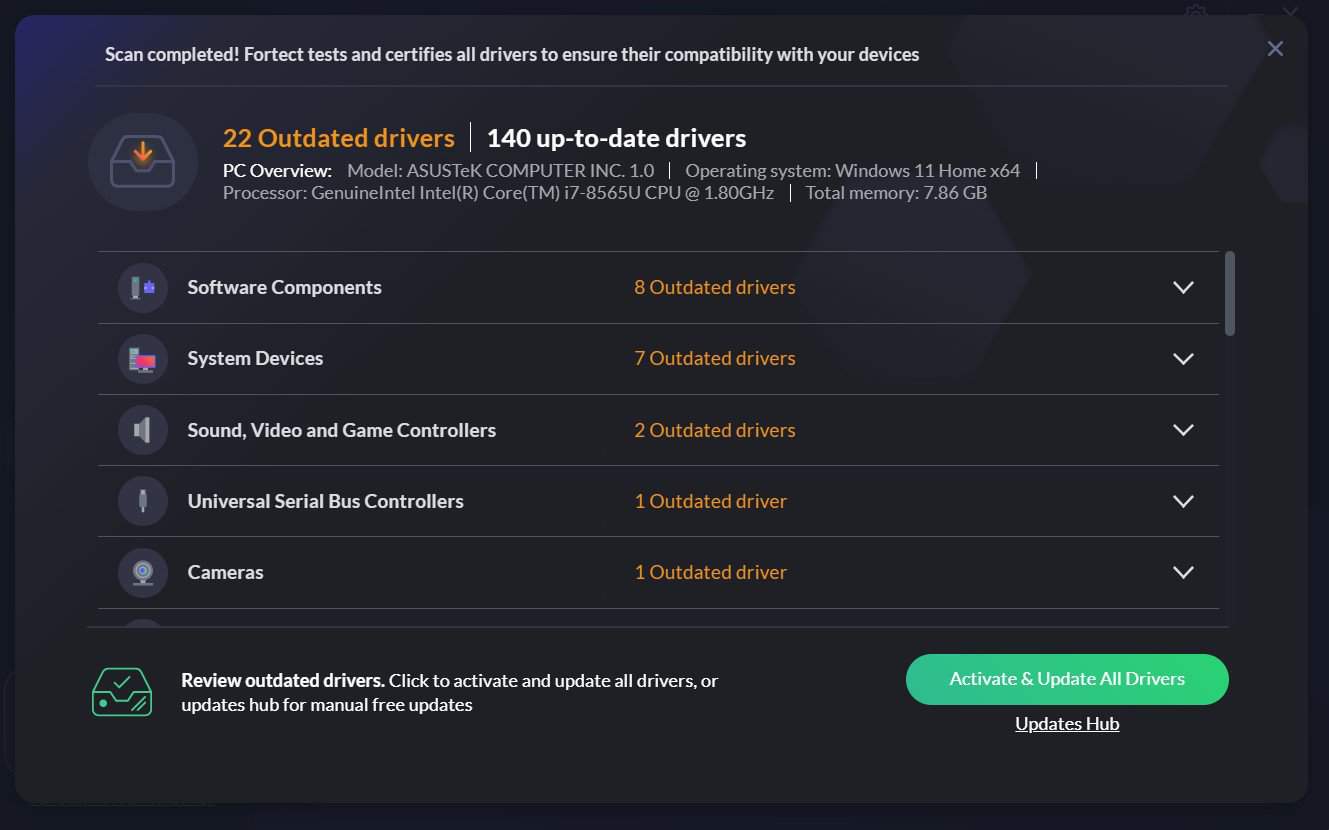
Fortect is more than just a driver updater—it’s a complete PC maintenance tool. It repairs broken files, removes junk, and replaces damaged system elements.
We love how Fortect delivers an all-in-one package for both casual users and power users. It’s a versatile solution that tackles system health and driver issues together.
Pros:
Comprehensive system repair features
Simplifies driver updates for smooth hardware performance
User-friendly with minimal effort required
Cons:
Higher cost than standalone driver updaters
Some features require Pro version
Fortect
Update your drivers and keep your computer running smoothly with this comprehensive tool.
Fortect Driver Updater focuses on ease of use, offering quick scans and updates for outdated drivers. It has a sleek interface with tools for driver backup and restoration.
We like its straightforward design and reliable performance. For anyone seeking an efficient, no-fuss updater, this one’s a solid choice.
Pros:
Simple interface and fast scans
Includes driver backup and restore features
Excellent for non-tech-savvy users
Cons:
Limited advanced features for power users
The free version has restricted functionality
Fortect Driver Updater
Keep your computer in top shape with this powerful driver updater.
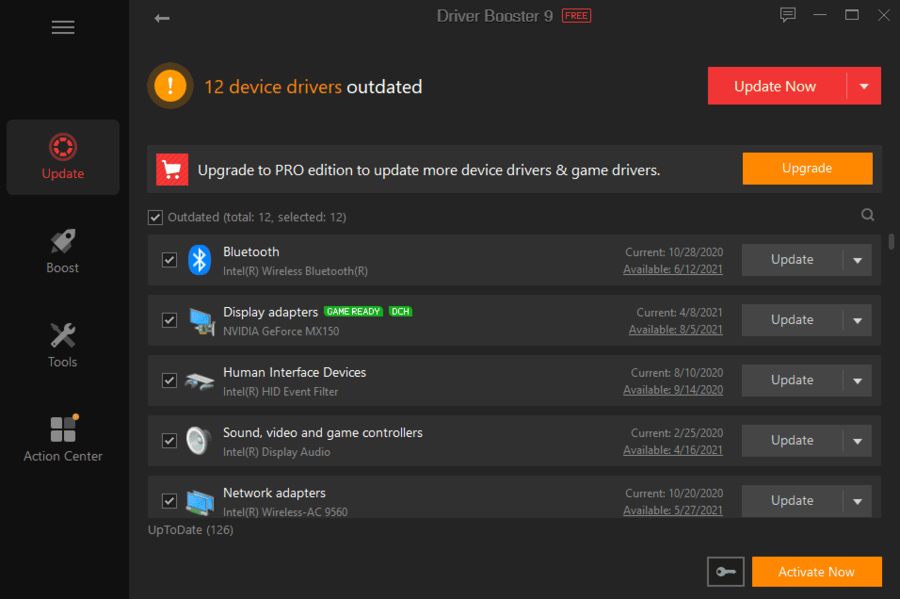
Driver Booster features a huge driver database, real-time updates, and game-focused optimizations. Its one-click scans and updates make it accessible for all users.
We liked its speed and in-depth scanning abilities. Gamers and tech enthusiasts will especially appreciate its advanced capabilities.
Pros:
Extensive driver library for broad compatibility.
Optimized for gaming setups.
Easy one-click operation.
Cons:
Free version is heavily limited.
Advertisements for upgrades can distract.
Driver Booster
Forget all about outdated drivers and get a taste of peace of mind with the IObit Driver Booster!
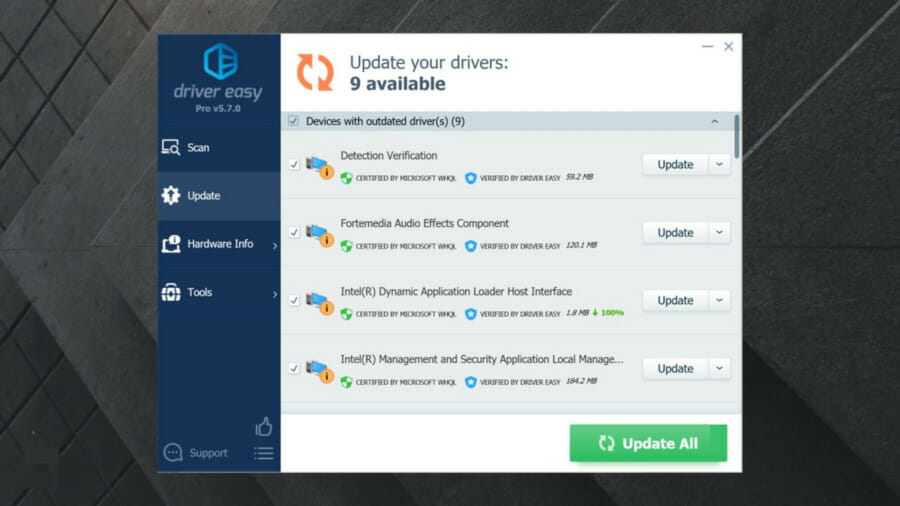
Driver Easy boasts a massive driver library that covers most hardware on the market. Its intuitive interface makes it beginner-friendly, while features like offline updating add flexibility.
We found it reliable and efficient, especially for older or rare hardware. It’s a solid choice for anyone looking for dependable updates.
Pros:
Huge driver database supports most devices
Offline update mode is handy for fixing network issues
Straightforward and user-friendly
Cons:
Free version lacks automation
Pro features locked behind a paywall
Driver Easy
A driver update solution with a massive database that helps you download all the drivers you need.
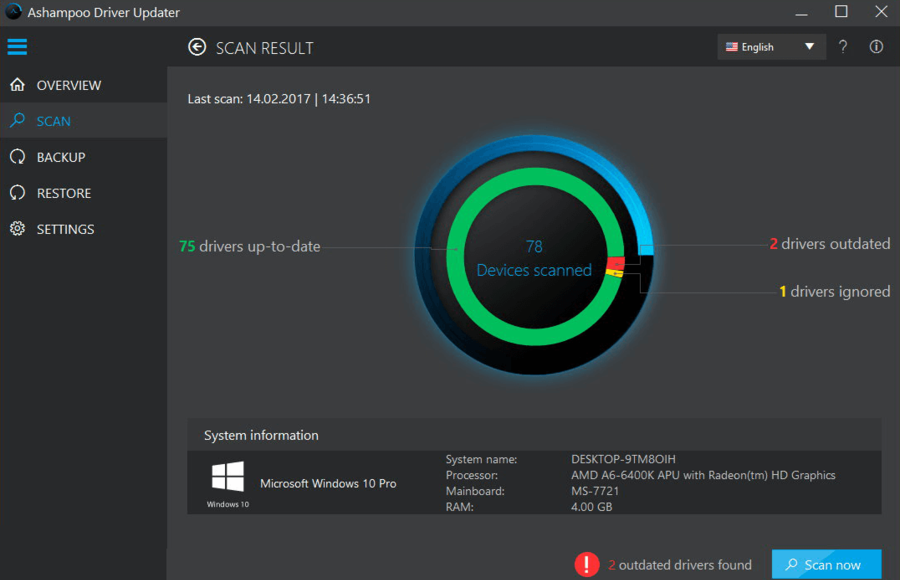
Ashampoo Driver Updater is designed to ensure seamless compatibility across devices. It supports both modern and older hardware, ensuring all drivers stay updated. Its sleek interface and lightweight design make it user-friendly.
It offers a balance of simplicity and functionality. It’s a versatile tool for multi-platform users.
Pros:
Works on both old and new systems.
Intuitive design for easy use.
Lightweight and fast installation.
Cons:
Smaller driver database than some competitors
Limited advanced customization options
Ashampoo Driver Updater
Great tool with over 150,000 supported drivers ready to help you install all the updates with just one click.
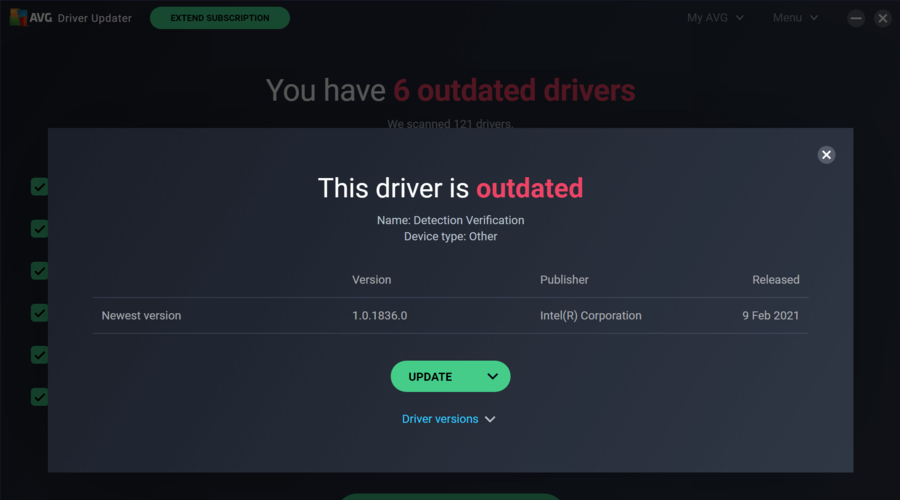
AVG Driver Updater is another great option that is worth being mentioned, as tons of worldwide users run it whenever they need to update certain drivers.
It keeps things simple with automated scans and updates. It focuses on stability, avoiding problematic updates that could cause crashes. Its trusted brand name adds an extra layer of reliability.
Pros:
User-friendly interface with automated features
Reliable updates focused on compatibility
Backed by a well-known brand
Cons:
Premium pricing compared to similar tools
Free trial is too limited for testing
AVG Driver Updater
A reliable tool with a user-friendly interface that has an extensive database to get you any device driver.
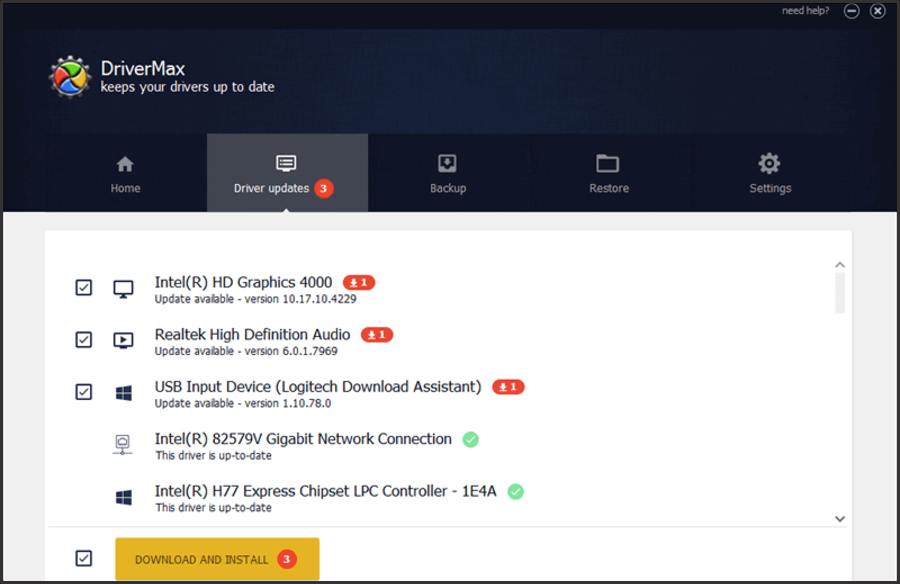
You should also consider DriverMax. Its interface is well-organized with five specific tabs: Home, Driver Updates, Backup, Restore, and Settings.
It features an extensive driver database, automatic updates, and the ability to back up and restore drivers, ensuring system stability. The user-friendly interface simplifies the process of keeping your drivers up to date.
Pros:
Extensive driver database
Automatic updates
Backup and restore functionality
Cons:
Some users report occasional false positives
Free version has limited features
DriverMax
Restore device drivers and keep your computer healthy with this amazing tool.
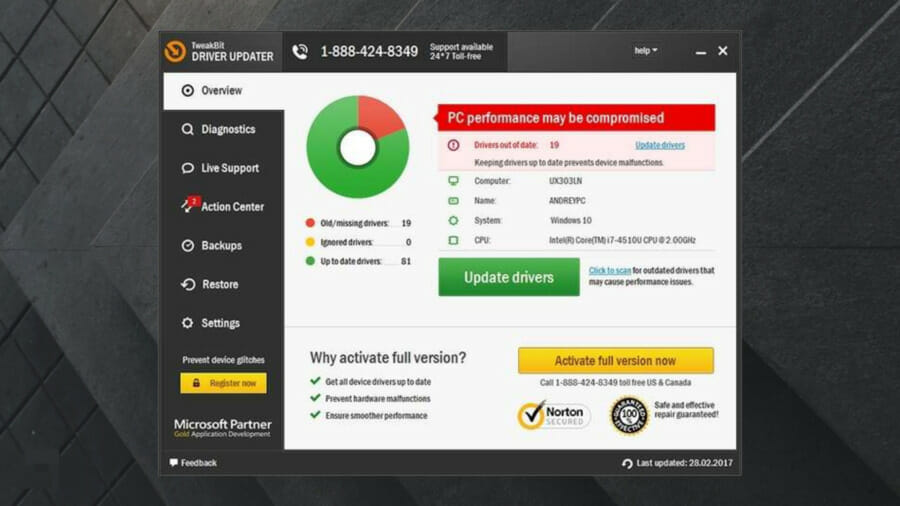
TweakBit Driver Updater supports a wide range of devices and ensures that your system remains stable and performs optimally. The intuitive interface makes it accessible for users of all skill levels.
From our perspective, TweakBit Driver Updater is a solid choice for those seeking a straightforward solution to keep their drivers current without delving into complex settings.
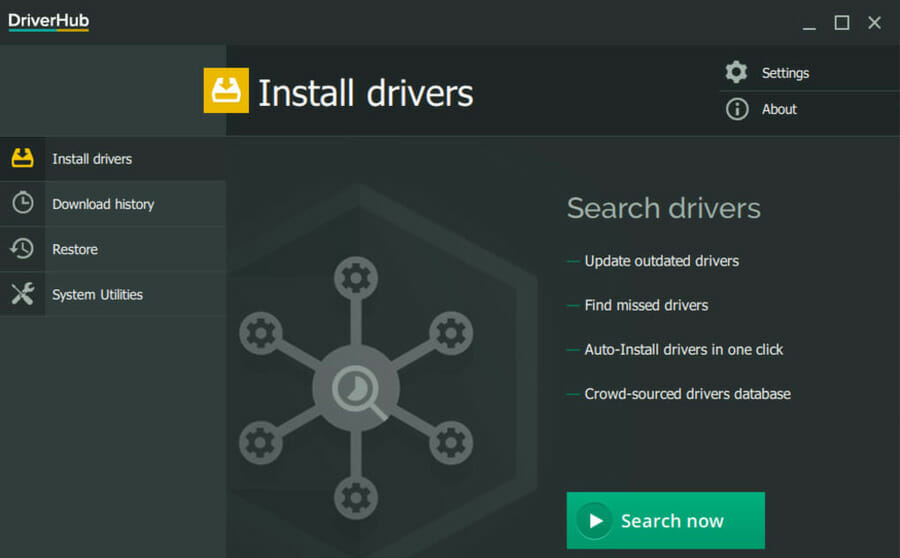
DriverHub is the right tool if you want to check for outdated drivers and easily update them because it saves you time and money.
It provides a straightforward approach to driver management, featuring a comprehensive database of drivers for various devices. Moreover, the app has an offline driver installation, which is particularly useful when internet access is limited.
After you decided on a product, tell us what it is and why did you choose it. In case of having any other questions or suggestions, we wait for them in our comments section below.
Developers can now access the latest GPT-5 lineup directly through GitHub, Azure AI Foundry, or OpenAI, with options tailored for different needs. The flagship GPT-5 model focuses on advanced reasoning for analytics, orchestration, and code generation.
GPT-5-mini offers lower cost and latency for real-time tools, while gpt-5-nano is optimized for speed and concise reasoning. There’s also a preview of gpt-5-chat, designed for natural, multimodal, multi-turn conversations with persistent context, ideal for building agent-driven apps.
The update also marks the debut of OpenAI’s GPT OSS within the toolkit, providing developers with open-source options that can run in the cloud or locally.
The gpt-oss-120b model is available via Azure AI Foundry for large-scale deployments, featuring adjustable reasoning effort and structured output support. For edge or Windows setups, gpt-oss-20b-cuda-gpu offers CUDA-optimized local inference with performance-boosting RTN quantization.
AI Toolkit now makes it easier to compare models side-by-side, generate ready-to-run SDK snippets in Python or JavaScript, and deploy to different environments — whether cloud, local, closed-source, or open-source.
With this release, Microsoft is positioning the AI Toolkit as a flexible hub for experimenting with and integrating both cutting-edge and open-source AI models. It will help streamline development from prototype to production.
The architectural design process has become much easier thanks to the rise of AI and its ability to quickly render sketches and visualize ideas.
But which platform is the best?
We narrowed down 6 powerful tools, so you can choose the best architecture AI rendering platform for your requirements.
From software plugins to web-based solutions, these tools will expand your creativity, save money, and completely streamline the design workflow.
6 Best Architecture AI Rendering Platforms
The following all perform AI architecture rendering, but each stands out in different ways:
1. MNML.AI – Best Architecture AI Rendering Platform
MNML.AI is our current top pick for AI architecture rendering.
This all-in-one AI design assistant offers 12+ tools built for architects, designers, and real estate professionals — from interior AI design to masterplan rendering and 10-second HD video generation.
Standout features include the ability to generate quick design alternatives, professional architecture visualization, and transferring the style of one image to another. The robust AI editor also lets you erase and replace selections or smartly extend images based on your specifications.
It’s never been easier to bring your ideas to life, quickly explore different styles, and generate high-resolution photorealistic images.
As an all-in-one AI architecture and design assistant, the possibilities are endless. Here’s what else it offers:
Over 40 styles across more than 12 tools.
Turn hand drawn or digital sketches into completed designs.
Transform rooms with interior AI and virtual staging.
Generate 10-second HD videos with no editing skills.
Upscale and enhance images instantly to 4K.
Render 2D plans and masterplans.
Generate design concept statements based on keywords.
Sign up now to try MNML.AI for free, with premium plans available from $19/mo or one-time credit packs for $49.
Trusted by over 1.8M users globally, MNML.AI helps you visualize, refine, and present your ideas in seconds.
MyArchitectAI helps architects, interior designers, and visualization artists transform their sketches and models into photorealistic images. The web-based platform offers a user-friendly interface with 5 main tools.
While the platform is a great all-rounder, it is one of the few that offers a dedicated furniture renderer. This allows you to generate individual furnishings with high detail, rather than an entire interior design.
Here’s what else it offers:
3D Rendering – Upload your sketch or model (CAD or linework) and use prompts to generate a photorealistic interior or exterior render.
Style Transfer – Upload a reference image to apply its style to your design, with a photorealistic output.
Render Editor – Highlight areas to populate, erase, replace, or retexture, with prompting support.
If you already use popular CAD and BIM software, EvolveLAB’s Veras works as plugin for AI render tasks on Windows. It supports Revit, SketchUp, Archicad, Rhinoceros, and Vectorworks, allowing you to quickly render your existing designs and iterate different styles.
Users can choose from a wide variety of presets, enter prompts to guide Veras, and adjust the level of creativity via the geometry slider.
Moreover, Selective Generation mode lets you edit specific parts of your image, giving more control over individual objects and textures.
In addition to the plugin, Veras offers a standalone web version where you can upload sketches and images for exterior AI and interior AI rendering.
You can try the web version for free, while premium pricing starts at $49/mo for a single plugin license.
LookX is a powerful cloud-based platform for AI interior design and architecture rendering. Like most AI render tools, it does a great job at sketch to image AI, transforming your drafts and blueprints into high-quality, photorealistic models. However, it stands out most for its text to image capabilities.
This feature allows users to create unique, custom designs simply by inputting a descriptive text prompt. By using text-to-image generation, you can experiment with different concepts quickly and easily.
The built-in prompt assistant makes the process even easier by automatically expanding descriptions and offering additional prompt suggestions.
Other notable features include:
Real-time 3D rendering, allowing model rotation.
AI video shorts, generating motion from still images.
Style Adapter, applying the style from a second image.
Resolution upscaling.
Style Duplicator, applying styles from the community Creations Plaza.
You can try LookX for free with 100 credits before upgrading to a $20/mo premium plan.
Fotor keeps things simple, offering a straightforward tool for generating exterior AI architecture.
It’s available on the web and supports sketch to image AI, which turns any existing image or sketch into a full rendering in the style of your choosing.
You can also generate architectural designs from scratch using prompts only. Simply enter some descriptive keywords and choose one of the many pre-set styles. The 3D works or photography styles work well for architecture.
A premium plan allows you to generate up to 8 variations at once. These are available from $9.99/mo and unlock several additional editing features that can help refine your images after rendering.
MidJourney can be a great tool for creating architectural renders, especially for generating unique and creative designs. While it requires a good understanding of prompting, when mastered, users can produce stunning images that capture the essence of various architectural styles and settings.
Unlike some of the dedicated AI architecture platforms, MidJourney runs within Discord. Users interact with the MidJourney bot by typing the “/imagine” command followed by a text prompt that describes the type of architectural or interior design image and style they want to create.
You can also upload one or more source images to render a sketch or change or blend styles.
MidJourney pricing starts at $10 per month (or $96 per year, which averages $8 per month).
Overall, MNML.AI provides the best architecture AI rendering platform, with a comprehensive range of tools that are easy to use.
However, the other picks may suit you in certain circumstances. For example, MyArchitectAI is great for rendering individual furnishings, while the likes of Veras can plugin to your existing software. LookX is also a great choice if you need extra prompting support.
Whatever AI render tool you choose, it’s now easy to render sketches, try different styles, and output high-resolution photorealistic designs.
Microsoft is testing a new AI tool called Copilot 3D, and it’s all about turning regular images into 3D models. The free web app is available to some users through the Copilot Labs portal and requires you to sign in with your personal Microsoft account.
You can simply upload a PNG or JPG under 10MB, and Copilot 3D will quickly generate a 3D model you can edit, print, or drop into games and art projects. There’s even a small library of ready-made models to download in the popular GLB format if you just want to play around.
Microsoft says it wants to make 3D creation less intimidating and more fun. “Whether you’re exploring ideas, testing a concept, or guiding hands-on learning, Copilot 3D supports imaginative experimentation without the complexity of traditional 3D software,” the company explained.
Everything you make is saved to your My Creations page for 28 days, so there’s time to tweak or download later. Microsoft also makes it clear, only upload images you own the rights to, and avoid anything that shows people without permission.
The company won’t use your uploads to train AI, but it will block anything illegal. To catch you up, If this Microsoft dived into 3D before with tools like Paint 3D and Remix3D. As of now, both have been discontinued.
However, we expect Copilot 3D could stick around longer given that Microsoft has been actively investing in Copilot. While it’s still an experimental feature, it could make 3D design something anyone can try.
Microsoft is adding a new way to catch up on your work in Word without staring at the screen. The latest update brings Audio Overviews to Microsoft 365 Copilot (via Neowin), letting the AI read a summary of your document out loud.
You can listen while commuting, making coffee, or doing anything else away from your desk. This update comes as Microsoft 365 Copilot now runs on OpenAI’s GPT-5, which promises more accurate summaries and smoother interactions.
The Audio Overviews feature is now available in Word for Windows (version 2506, build 18925.20138) and Word for the web, but you’ll need a Microsoft 365 Copilot license to use it.
Once you open a document, click the Copilot button in the Home tab and ask for an audio overview. Copilot will generate a short spoken summary and give you playback controls to pause, skip ahead or back, and adjust the speed.
You can also save the audio to OneDrive for later or share it with others. All saved overviews appear in your Copilot chat history, making it easy to revisit them anytime.
There are some limits, though. The document needs at least 100 words, the feature currently works only in English, and it only supports files stored online in OneDrive or SharePoint, not local files. Moreover, Microsoft says more languages are coming in the future.
NVIDIA GeForce NOW members are getting a packed week of cloud gaming, with five new titles joining the service, with the notable addition of Mafia: The Old Country, which launched yesterday.
The prequel to the award-winning Mafia series takes players back to 1900s Sicily, telling the gritty origins of Enzo Favara and his rise in the Torrisi crime family. It joins the full Mafia trilogy already available on GeForce NOW, meaning subscribers can stream the entire saga without waiting for downloads or updates.
This week’s additions also include the official launch of Stormgate 1.0, a modern real-time strategy game that blends competitive play with a lighthearted tone, plus the early access debut of Titan Quest II, THQ Nordic’s sequel steeped in Greek mythology.
Marvel fans have reason to log in too. Marvel Rivals Season 3.5 dropped today, bringing Blade as a playable hero, a new Resource Rumble mode, and overhauled team synergies that shake up the competitive meta.
Rounding out the lineup are Assassin’s Creed Mirage on PC Game Pass, Amnesia: The Dark Descent via the Epic Games Store, and HUNTER×HUNTER NEN×IMPACT on Steam.
With GeForce NOW’s cloud streaming, members can jump into these games instantly on nearly any device. Whether you’re chasing vendettas in Sicily, battling vampires in the Marvel universe, or commanding armies against demons, the latest GFN Thursday lineup has something for everyone.
The weekend’s almost here, but Xbox isn’t making you wait to start playing. This week’s Free Play Days lineup is live, and it’s a mixed bag of fantasy quests, monster collecting, platforming challenges, and even a pup-filled adventure.
The Elder Scrolls Online is free for everyone on Xbox until August 12. It’s part of QuakeCon celebrations, and you can roam Tamriel’s Second Era without spending a dime. Expect to see Morrowind’s ashlands, Daggerfall’s coasts, and plenty of dragons if you wander into Elsweyr.
The Game Pass Ultimate, Standard, and Core members also get Souldiers. This one blends Metroidvania exploration with tricky platforming and combat. You can choose between Scout, Caster, or Archer and tackle it however you like.
If you’ve got younger players around, PAW Patrol World lets you team up as your favorite pups and explore Adventure Bay. On the other side of the tone spectrum, Cassette Beasts offers a quirky spin on monster collecting. You’ll record creatures onto tapes and play them back in turn-based battles—no random encounters here.
Everything except Elder Scrolls Online wraps up August 10 at 11:59 p.m. PT, so if you want to try them, it’s time now. Hurry up!
This week’s Free Play Days titles and prices after trial ends:
The Elder Scrolls Online – $4.99 (Xbox One, Series X|S)
Cassette Beasts – $19.99 (Xbox One, Series X|S, PC)
Souldiers – $6.99 (Xbox One, Series X|S)
PAW Patrol World – $19.99 (Xbox One, Series X|S, PC)
OpenAI’s latest AI model, GPT-5, isn’t as good as Sam Altman hyped it, at least according to initial testers. The new model’s debut has been met with a wave of criticism, with long-time ChatGPT Plus subscribers voicing frustration across Reddit and other forums.
According to this Reddit post, GPT-5 is horrible. Worth noting that the backlash began almost immediately after the update went live. Many users say GPT-5 feels slower and less capable in certain tasks compared to GPT-4o, despite CEO Sam Altman’s bold pre-launch hype.
Others are unhappy about the disappearance of older models they relied on for specific work. The complaints don’t stop there. The new model now comes with tighter usage limits, which some subscribers say makes the Plus plan feel like a worse deal than before. “We’re paying more for less,” one user wrote, summing up the mood in multiple threads.
The backlash highlights a challenge OpenAI has faced with every major release, balancing innovation with the needs of its existing user base. GPT-5’s new features may appeal to fresh sign-ups, but old users feel something is clearly off. Some even said “They ruined ChatGPT.”
At the time of writing this piece, Sam Altman tweeted to address the backlash. The CEO responded to almost everything users have criticized in the last 24 hours or so. According to Altman’s post on X, OpenAI will double the ChatGPT Plus users’ GPT-5 rate limits after finishing the rollout.
The company will also improve model selection transparency, and fix autoswitcher issues which caused GPT-5 to perform significantly worse since launch. More importantly, Plus users will be able to access GPT-4o. Altman also noted that UI changes and smarter responses are coming. He further noted, “we expected some bumpiness as we roll out so many things at once. But it was a little more bumpy than we hoped for!”
Microsoft has rolled out a new security baseline for Edge version 139, making a key change to its recommended enterprise settings.
The update adds one new control and removes another, hinting at the company’s latest thinking on browser safety. According to Microsoft, the baseline now disables the EnableUnsafeSwiftShader policy by default.
SwiftShader, a software-based renderer, acted as a backup for WebGL when no GPU acceleration was available. It was especially relevant for virtual machines, which are common in enterprise setups.
The move aims to reduce potential attack surfaces, as malicious content could exploit flaws in the renderer. While Microsoft says this is a proactive measure rather than a reaction to known vulnerabilities, the change could disrupt organizations that relied on SwiftShader for compatibility.
IT teams can choose to override the setting, but that would mean departing from the company’s official security guidance. The update also introduces a new Edge for Business security connectors feature.
For the unitiated, it is designed to integrate the browser with enterprise data loss prevention tools and authentication systems, potentially closing security gaps in corporate environments.
Security baselines are downloadable from Microsoft’s Security Compliance Toolkit. Not to forget, it allow administrators to quickly apply a vetted set of browser settings across an organization.
Microsoft has rolled out Edge 139 to all Stable Channel users, bringing performance tweaks, a redesigned settings menu, and new privacy tools. The latest update has rebuilt the Settings section using Microsoft’s WebUI2 framework.
This overhaul speeds up navigation and simplifies menus, making it easier to find and adjust options. Some pages have been merged or removed, including the Wallet tab, which now directs users to a unified “Passwords, Payment, and Personal Information” page.
That’s not all; security gets a boost with real-time alerts for compromised passwords. If Edge detects your login details in a known breach, it will prompt you to update them immediately. Autofill settings also gain a consent toggle for collecting form field labels, aimed at improving suggestion accuracy.
Other updates include a policy for hiding or showing Microsoft 365 Copilot in Edge for Business. Now, there’s also a profile-based system for opening external links, and a built-in lightweight AI model called Phi-4-mini. This model powers new writing and summarization APIs for websites and extensions, available under Edge flags.
Performance tools are now split into two sections, Performance and Secure Network, for easier monitoring. Users struggling with sync can reset their data directly from settings, and macOS admins get updated controls for Microsoft AutoUpdate.
Not to forget, Edge 139 also fixes eight Chromium-based vulnerabilities and disables a key graphics feature as a security precaution. The update is rolling out now, and you can check by going to edge://settings/help.
Mozilla has released Firefox 141.0.3 targeting two specific but important bugs. The update comes shortly after version 141.0.2, which addressed crashes on PCs with older NVIDIA drivers and other stability issues.
The Firefox 141.0.3 update addresses a problem affecting websites built using Svelte, a JavaScript framework known for creating highly interactive pages.
In recent versions of Firefox, certain on-screen elements on Svelte sites would unexpectedly vanish over time. A message appearing after a button click, for instance, could disappear without warning. The latest patch resolves that bug.
The latest update also fixes an issue in Strict Tracking Protection. While Firefox continued to block cryptominers, they were not appearing in the list of blocked items, potentially leaving privacy-conscious users confused. With the update, the block list display now reflects the actual protections in place.
Not to forget, Firefox 141, released in late July, was a more feature-heavy update. It introduced AI-powered tab grouping, vertical tab improvements, WebGPU support for Windows, memory optimizations for Linux, and new address bar actions. But, the recent updates has been released to fix multiple bugs spotted by the team and users. users.
The 141.0.3 update is available now through Firefox’s built-in updater as well as Mozilla’s website. You can also install it manually by navigating to the “About Firefox” section in the menu.
YuE, an open-source AI model that can turn written lyrics into complete five-minute songs, is officially here. A research team from the Hong Kong University of Science and Technology and M-A-P is behind this model.
The project, described in a paper on arXiv, arrives at a moment when AI-generated music is facing mounting legal questions.
YuE is available on GitHub under the permissive Apache 2.0 license, allowing both developers and musicians to explore the technology without restrictive terms. The researchers say the goal is to encourage transparent innovation in AI music while keeping it accessible to creators.
Technically, YuE builds on the LLaMA 2 architecture and was trained on trillions of tokens. Its standout feature is the ability to keep songs coherent over several minutes. The model separates vocals and accompaniment into parallel streams, avoiding the muddiness that can happen in dense arrangements.
It also uses a method called structural progressive conditioning. This breaks a track into logical sections, like verses and choruses, helping it preserve melody and rhythm through each part.
Another strength is its in-context learning ability, which lets users feed in a short audio clip to guide genre, vocal style, or even replicate a specific voice.
The official demo showcases impressive flexibility, from smooth jazz scatting to aggressive metal growls, all without direct training for those styles. With its open release, YuE could become a notable tool for musicians looking to experiment with AI, without crossing into legally murky territory.
Microsoft’s 50th Anniversary Surface Laptop was never going to be easy to get. Only 50 units were given away in a competition earlier this year, and that window closed months ago. But there’s at least one part of it you can still own, the wallpaper.
Bundled with the anniversary device, the exclusive design is a reimagined version of Windows 11’s Bloom background. It’s a striking choice for dark theme fans, who love deep blacks and vibrant colors on their desktop background.
The design swaps the usual vibrant shades for a muted palette with swirling gold accents, originally made to match the laptop’s gray-and-gold finish but fitting well on any desktop.
The company never sold the laptop, but the wallpaper has now surfaced online for anyone to download. You can click on the image below to download it in high resolution.
The 50th Anniversary Surface Laptop itself was a nod to Microsoft’s history, pairing a retro 1975 logo with modern design touches.
While you can’t buy one, Microsoft’s current Surface Pro and Surface Laptop models are still around, just without the anniversary extras. Not to forget, Microsoft has also introduced a “Windows XP Crocs” to celebrate its 50th anniversary.
OpenAI is making an unusually bold move to keep its best people from walking away. According to The Information, the company is handing out $1.5 million retention bonuses to around 1,000 research and engineering employees. That adds up to more than $1.5 billion, one of the biggest talent-protection spends the industry has seen.
The payouts come at a time when its rival company, Meta, has been on a hiring spree. Zuckerberg’s company is aggressively targeting AI researchers from rival companies.
Its “buy or poach” approach, reportedly driven by CEO Mark Zuckerberg, has intensified after the company’s internal AI projects hit setbacks. OpenAI’s bonus plan appears designed to cut that recruitment drive off at the knees.
Initially, the details of the offer surfaced when Hyperbolic Labs co-founder Yuchen Jin shared news of the internal announcement on X. He said the deal even covers new hires, instantly putting them in the millionaire bracket.
Jin compared it to the wealth effect seen at Nvidia, where a large percentage of employees hold significant equity. The news comes as OpenAI just announced GPT-5, its latest flagship model. But this time, it’s not a product launch grabbing the spotlight; it’s the scale of the company’s investment in its workforce.
The bonuses add to a growing list of moves by tech giants to lock down scarce AI expertise. In an industry where the supply of elite engineers is limited, the thinking is simple: whoever secures the talent controls the future.
Built using Microsoft Azure infrastructure, GPT-5 is designed to tackle more complex reasoning tasks and improve overall performance across chat, code generation, and business workflows.
In Microsoft 365 Copilot, the model brings better understanding of context and long-form queries. It now handles deeper tasks like reasoning across emails and documents, helping enterprise users stay organized and save time.
The GPT-5 upgrade also extends to Copilot Studio, where custom GPT-5 agents can be created for more advanced business needs. Developers aren’t left out either. GPT-5 is coming to GitHub Copilot and Visual Studio Code, promising improved results for longer, more complex code and agentic tasks.
The new model can also be accessed directly through Azure AI Foundry, where Microsoft’s intelligent routing system automatically picks the best model for each prompt.
For general users, GPT-5 powers the new “Smart mode” in Microsoft Copilot. Available on desktop, mobile, and web, it brings faster, more accurate help with writing, research, and creativity, at no cost.
Microsoft says its AI Red Team has already tested the new model for safety, claiming it has one of the strongest security profiles yet. The release is part of Microsoft’s ongoing push to bring more capable and secure AI tools to everyone.
Microsoft is preparing to sunset another long-running product alongside the end of life for Windows 10 this year. The company has confirmed that Microsoft Lens, its popular mobile document-scanning app, will be phased out by the end of 2025.
To catch you up, Microsoft first launched the app in 2014 as Office Lens for Windows Phone. It quickly became a go-to tool for converting documents, whiteboards, and notes into digital files.
Seeing the successes, the company expanded to iOS and Android. It was in 2021 when the company renamed it as Microsoft Lens.
Well, the app will retire soon. Microsoft says that it will phase out the app in stages starting September 15, 2025. By mid-October, new downloads will be blocked from the App Store and Google Play. In mid-November, the app will disappear from both stores entirely.
On December 15, the app will be killed. Users will lose the ability to create new scans. Existing files will remain accessible in the MyScans folder, but without updates or support.
The company has also urged users to use the Microsoft 365 Copilot app, which now includes an upgraded Scan feature. Microsoft says this tool supports scanning text into Word, tables into Excel, and more, with all files saved to OneDrive under “MyCreations.”
If you’ve relied on Microsoft Lends for a long time, it’s time to bid goodbye to the familiar tool. With the company heavily investing in AI, we saw that coming. Speaking of AI, Microsoft yesterday announced that it has integrated the newly announced GPT-5 model into its products.
Battlefield 6 has barely begun its beta phase, but it is already breaking some longstanding records. Within its first day on Twitch, the game pulled in 844,723 concurrent viewers, putting it ahead of nearly every Call of Duty title and cementing itself as one of the most-watched FPS launches in years.
The only Call of Duty game to outpace it is Warzone, which still holds the Twitch crown with over 1.6 million peak viewers. For comparison, Modern Warfare II topped out at 751,937, while Black Ops Cold War peaked at 705,050.
It is not just Call of Duty that has been overtaken. Battlefield 6’s numbers also beat the peak viewership records of Rainbow Six Siege, Overwatch, Escape from Tarkov, and PUBG.
DICE and EA’s shooter arrives at a critical moment for the brand, which has been looking for a true comeback since its Battlefield 4 heyday. The beta’s explosive debut hints that this could be the revival longtime fans have been waiting for.
With the test set to expand to more players over the weekend, the big question is whether Battlefield 6 can keep its momentum and possibly challenge Warzone’s record.
The full launch is still ahead, and if the current trajectory holds, Battlefield may find itself not just back in the fight, but leading it.
Microsoft Flight Simulator 2024 is taking to the skies with a prehistoric twist. A new expansion, Jurassic World: Archipelago, is set to add the franchise’s iconic dinosaur-filled islands to the ultra-realistic flight sim, complete with creatures like the T. rex, Velociraptor, and Mosasaurus roaming below.
Announced by Orbx and Universal on X, the upcoming add-on reimagines the entire Jurassic archipelago just off the coast of Costa Rica.
Fans of the films will recognize locations from Isla Nublar to Isla Sorna and other islands from the Muertes Archipelago. The expansion drops players into a timeline just before the 2015 Jurassic World movie, with the park open, but not exactly stable.
“Set just before the events of the 2015 Jurassic World film from Universal Pictures and Amblin Entertainment, the islands are captured at a moment when the park is operational but not everything is under control,” reads the official description. “The landscape itself is much more than a pretty backdrop: it’s both a challenge for aviators and a journey of recreating your favorite movie scenes.”
The DLC will include multiple helipads, airstrips, and custom-built environments at Juan Santamaria Airport and Herradura Bay Marina. Spotting dinosaurs mid-flight is part of the experience, making each flyover feel like stepping into the films themselves.
Jurassic World: Archipelago launches at the end of August or early September 2025 for Microsoft Flight Simulator 2024, with support for the 2020 version and Xbox coming soon after. If you’ve ever wanted to soar over Isla Nublar in a Cessna while a Brachiosaurus grazes nearby, your time is almost here.
Microsoft has announced the general rollout of Microsoft 365 Copilot Chat for students aged 13 and older. The tool is designed to support learning while keeping school administrators in control and student data protected.
Copilot Chat is a stripped-down version of the full Microsoft 365 Copilot experience. It doesn’t access private organizational content like emails or internal documents. Instead, it uses public data and limited student inputs to help with research, writing, and general questions, making it ideal for K-12 classrooms looking for a safe AI assistant.
To activate the tool for students, IT admins will need to make a few backend adjustments. Most importantly, they must tag student accounts with the correct age group in Microsoft Entra ID. Accounts marked as “NotAdult” will gain access to Copilot Chat.
Microsoft notes this setup helps maintain compliance with privacy regulations like FERPA and COPPA. Admins can also customize how Copilot Chat behaves using the Microsoft 365 admin center.
From enabling or disabling access for specific groups to managing AI agents and enforcing usage policies, the controls are built to be flexible and secure. Behind the scenes, Microsoft promises the same enterprise-level security found across its ecosystem.
Well, that includes encrypted data, access controls, and protections against malicious prompts. While Copilot doesn’t alter permissions, it can surface content students already have access to. This is why admins are encouraged to regularly audit sharing settings using tools like Microsoft Purview.
Microsoft is giving Teams users an extra layer of peace of mind during meetings. A new feature, now generally available, quietly watches your screen and flags sensitive information before you accidentally share it.
It’s called sensitive content detection, and it works across desktop, web, and mobile versions of Teams, if you’re own Teams Premium license. Microsoft designed this tool to spot things like credit card numbers, bank details, passport data, and other personal identifiers while you’re sharing your screen in a meeting.
Here’s how it works: if Teams spots something sensitive, the app notifies both the presenter and the meeting organizer. It won’t interrupt the session or kick you out of screen sharing, but it does suggest you stop and check. Attendees won’t know anything’s happened. The alert stays private between you and the meeting host.
This feature lives under “Advanced protection” in the meeting options menu. Once enabled, it runs in the background during screen shares. Microsoft says it doesn’t want to be overly aggressive in blocking content, especially to avoid false alarms. Instead, it’s there as a safety net, a quiet nudge when something might slip through unnoticed.
For users handling financials, legal docs, or internal records on calls, this could be a major safeguard. It’s one of those features that feels overdue, and now that it’s live, it could help prevent some costly mistakes. Moreover, the feature is available starting today for all Teams Premium users.
Kalypso Media has officially announced Disciples: Domination, a new dark fantasy strategy RPG set to launch in 2026. Developed by Artefacts Studio, the game picks up 15 years after the events of Disciples: Liberation and brings players back to the war-torn realm of Nevendaar. IGN posted an exclusive trailer for the upcoming title.
Here is what the studio defines this as:
Rule through the chaos! Fifteen years after Avyanna freed Nevendaar from the tyrannical grip of the gods, Disciples: Domination returns you to a realm hanging in the balance. In this dark fantasy strategy RPG with turn-based combat, take your place on Queen Avyanna’s throne, and attempt to hold together a crumbling kingdom.
The fire of doubt burns scorching within her, sparked by the crushing weight of the throne in Yllian and stoked by twisted dreams of becoming one of the very monsters she once defied, and destroyed. Paralyzed by fear and haunted by her own power, Avyanna’s rule begins to crack. Allies disappear and abandon her. An unknown force spreads strife and madness through her realm.
The choice is yours—shape the future, for salvation or ruin. As you chase the truths behind the ceaseless conflicts, dark magic and lurking conspiracies infecting your rotting empire, you’ll face betrayal, strife, and shadowy schemes. Uncover the long-lost Mountain Clans, witness the rise of an ancient cult and confront a corrupted seer whose visions have awoken bitter grudges, while old enemies are on the rise.
It will take all your courage to save Nevendaar. Are you brave enough to face—and embrace—its darkest truths?
The turn-based combat has been reworked with faster, grid-based tactics and faction-specific abilities. This time, you’ll build a squad of companions who each bring something different to the battlefield.
Managing your capital city of Yllian also plays a key role, as you balance diplomacy, war, and internal politics. You’ll be able to recruit units from five different factions, including the long-absent Mountain Clans (yes, the dwarves are back).
Exploration has moved to a real-time system, letting you roam across Nevendaar’s regions, uncover quests, face enemies, and experience a world that reacts to your choices. Kalypso says Disciples: Domination aims to preserve the spirit of the original games while introducing more modern gameplay.
Moreover, you can expect more details as development continues toward the 2026 release on PS5, Xbox Series X|S, and PC.
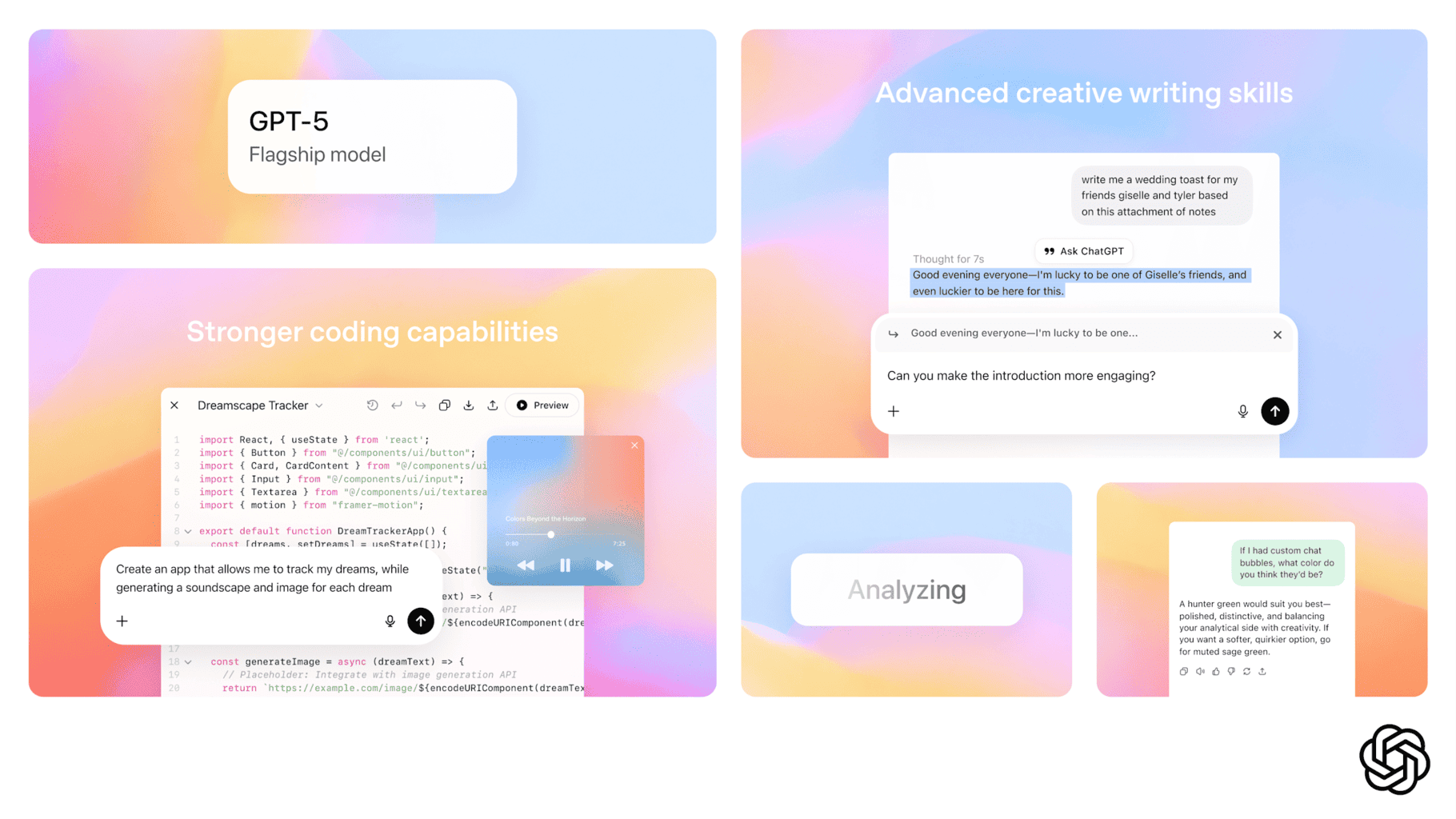
OpenAI has officially launched GPT-5, but it’s not available to everyone just yet. Starting today, only ChatGPT Team users can access it. Enterprise and Education customers will get it next week. If you’re using ChatGPT as a free or Plus user, you’re still on GPT-4o.
GPT-5: All you need to know
GPT-5 brings steadier reasoning, fewer hallucinations, and more reliable answers, especially in long or complex conversations. Sam Altman, CEO of OpenAI, described the model as “GPT-5 is the first time that it really feels like you’re talking to an expert in any topic.”
Remember, it’s not multimodal yet, no vision or voice, but it’s better at understanding nuance, doing multi-step logic, and staying on track over longer chats. According to OpenAI’s system card, GPT-5 hallucinates less often than previous models.
Researchers found that, even without web access, GPT-5 produced 26% fewer factual errors than GPT-4o. Compared to the older o3 model, hallucinations were cut down by 65%.
As far as availability for developers is concerned, they can also start using GPT-5 in the OpenAI API starting today. The company says it performs better on advanced tasks like summarization, agent flows, and technical writing.
Image: OpenAI
Not to forget, there’s also GPT-5 Pro coming soon, a higher-tier version for Team, Enterprise, and Edu customers. It’s designed for “extended reasoning,” though OpenAI hasn’t shared details yet. All in all, GPT-5 addresses a lot of the pain points power users had with GPT-4. ChatGPT Team users can try GPT-5 today. Moreover, OpenAI says broader rollouts are on the way.
Microsoft has issued a warning about a serious vulnerability in Exchange Server that could quietly trigger privilege escalation in hybrid environments.
The flaw, listed as CVE-2025-53786 with a CVSS score of 8.0, targets on-premises Exchange servers configured to work alongside Exchange Online. If an attacker already controls the on-prem server, they could potentially hack into the connected cloud environment, without leaving behind obvious traces.
That’s because both the cloud and on-prem Exchange services share the same service principal in hybrid setups. Dirk-jan Mollema of Outsider Security discovered the issue.
Microsoft recommends immediate action, including applying the April 2025 hotfix or later, reviewing your hybrid setup, and resetting credentials if you’re no longer using OAuth or Exchange hybrid features.
The U.S. Cybersecurity and Infrastructure Security Agency (CISA) has also noted that unpatched systems could risk the identity integrity of Exchange Online. It’s also pushing organizations to isolate or shut down old Exchange and SharePoint servers still exposed to the internet.
This advisory arrives as Microsoft is planning to temporarily block EWS traffic using the shared service principal. The company hopes to nudge more users toward a dedicated hybrid app for better protection.
CISA added context, revealing that recent SharePoint attacks involved ToolShell malware, capable of stealing machine keys and running PowerShell payloads for data theft.
ChatGPT5 is the latest generation of OpenAI’s conversational AI model, built on GPT-5. While it’s not a standalone software you can download like a regular app, there are several ways to access and use ChatGPT5 on your Windows 11 or 10 PC. This guide shows you how to do it in just a few steps.
1. Is ChatGPT 5 Available for Download?
ChatGPT5 is not currently a standalone desktop download. It runs in the cloud and is accessible through:
The app will appear in your Start Menu like any other native app.
3. Do You Need ChatGPT Plus to Access GPT-5?
Yes, GPT-5 (also known as GPT-4o) is only accessible via ChatGPT Plus as of now. This subscription costs $20/month, and gives you access to the most advanced models and features.
4. System Requirements for ChatGPT 5 on Windows
Even though it’s cloud-based, here’s what you need for smooth usage:
OS: Windows 10 or 11
Browser: Latest version of Chrome, Edge, or Firefox
RAM: 4 GB minimum
Internet: Stable connection (5 Mbps+)
FAQs
Can I download GPT-5 as a .exe file? No. GPT-5 (ChatGPT5) is not available as a standalone installable program. It runs in the cloud.
Is ChatGPT5 free to use? The GPT-3.5 model is free. GPT-5 (GPT-4o) access requires a ChatGPT Plus subscription.
Can I use GPT-5 offline? No. It requires an internet connection as it operates server-side.
It’s hard to believe, but the current Xbox and PlayStation consoles are already halfway through their lives. Both hit the market in 2020, and if history repeats, we’re likely looking at new hardware by 2027.
Rumors are already starting to build, and they’re hinting at what to expect, especially for the next Xbox. Microsoft might not be going after Sony this time. Instead, it could be aiming at the gaming PC crowd.
According to a report by TweakTown, Microsoft’s next console might feature AMD’s ‘Magnus’ APU. That’s a component you’d typically find in high-end prebuilt PCs, not your average living room console. If that’s true, the system could come packed with a Zen 6 CPU and RDNA 5 graphics.
That’s not all; leaker Moore’s Law is Dead claims Xbox may use an AT2 die with up to 64 compute units (CUs) of RDNA 5, 18GB of super-fast GDDR7 RAM, and memory speeds pushing 864GB per second. That’s an absurd amount of bandwidth, more than enough to keep up with what gaming PCs can do.
If all this holds up, Xbox may finally come up with something that doesn’t involve chasing PlayStation. Instead of playing the usual game of catch-up, Microsoft could be prepping a premium, almost modular console that targets PC performance in a box.
For now, don’t expect an official reveal anytime soon. Microsoft’s focus right now is on launching the handheld Xbox ROG Ally and Ally X later this year. Those devices still don’t have an official price tag just yet, but they are coming soon. All that said, we’ll probably start seeing details about the next-gen Xbox by mid-2026.
Turns out the decision to bring Helldivers 2 to Xbox wasn’t pushed by Arrowhead Studios, it came straight from PlayStation management. In a Discord chat, spotted by Windows Central, Arrowhead CEO Shams Jorjani told fans, “It was all PlayStation. Send them your thanks. We were all in support of course.”
When asked if he ever thought Sony would go for it, he added, “I think it’s one of the coolest things they’ve done. They’re killing it.” For the unitiated, Helldivers 2 lands on Xbox Series X|S on August 28, the same day Gears of War: Reloaded arrives on PS5.
Sony’s shift beyond PlayStation hardware has been slow but steady. First came PC ports, now, Helldivers 2 is headed to Xbox. A job listing earlier this year hinted at broader plans too. It mentioned a role that would help lead strategy for publishing PlayStation games “across all digital platforms,” including Steam, Epic, Xbox, Nintendo, and mobile.
Still, not everyone thinks this means a major multiplatform wave is coming. Industry insider Shinobi602 urged fans not to get “really carried away.” But leaker NateTheHate has since claimed more first-party PS5 titles will make their way to Xbox. However, there are no details on which ones yet.
Meanwhile, Microsoft is clearly all-in on multiplatform. The Outer Worlds 2 is launching on PS5 this October, with Hellblade 2 dropping next week. And yes, rumors are still swirling around Gears of War: E-Day and State of Decay 3 also making the jump.
Microsoft has started laying the groundwork for how AI will reshape Windows over the next decade, and it’s not just about smarter tools. In the first of a new video series, the company dives into the first of three major pillars: security, quality, and AI transformation.
This opening video features David Weston, Microsoft’s VP of OS security, who says the traditional mouse and keyboard era will soon feel ancient. “The world of mousing around and typing will feel as alien to Gen Z as using MS-DOS,” Weston says. AI will handle more of the mundane, repetitive work, freeing people up for creativity, vision, and connection.
Most of the video stays grounded in current security goals rather than futuristic updates. Weston highlights the Windows Resiliency Initiative, post-quantum safety efforts, and the broader Secure Future Initiative. The message is clear: Microsoft wants Windows to feel like a secure appliance, something users don’t have to think twice about.
But Weston also teases some big user experience changes. He says the shift toward agent-based systems will bring personalization, automation, and smarter decision-making. Interactions will get more natural, too.
“We will do less with our eyes,” Weston says. “And more talking to our computers.” Future versions of Windows will see, hear, and respond more like a human. AI agents won’t just assist, they’ll amplify what users can do, especially in small teams or businesses.
ASUS isn’t holding back with its new GPU. The ROG Astral RTX 5090 BTF OC Edition is now official, and it’s here for those who can go all out for performance. To catch you up, ASUS first teased the GPU It at Computex 2025, and the final specs confirm what many expected.
The ROG Astral RTX 5090 BTF OC Edition comes loaded with 32GB of GDDR7 memory on a wide 512-bit bus, running at 28 Gbps. It’s built on NVIDIA’s new architecture, pushing 21,760 CUDA cores, and connects through PCIe 5.0. That’s not all; it also offers HDMI 2.1b and triple DisplayPort 2.1b support.
Image: ASUS
What makes this model interesting isn’t just the performance, but the power setup. ASUS went ahead with a modular GC-HPWR connector, which pairs with its BTF motherboards for a cleaner build. But you can still hook it up to standard ATX systems using a 12V-2×6 pin connector, so you’re not stuck upgrading everything.
The cooling setup is chunky, bringing in four fans, a phase-change thermal pad, and MaxContact copper spreader to pull heat off the die. All that metal pushes the weight close to 3kg, and the length past 350mm, so yeah, you need check your case clearance.
As far as price is concerned, it’s set you back $3,850. So, if you are someone who is into ultra-high-end specs with clean cable routing and modular compatibility, this ASUS GPU is for you.
AMD has posted one of its strongest quarters yet. The company earned $872 million in profit on $7.7 billion in revenue for Q2 2025, up 23% and 32% year-over-year. A big chunk of that momentum came from exploding demand for its AI and PC chips.
AMD’s CEO, Dr. Lisa Su, pointed to record-breaking sales in both servers and PCs. “We are seeing robust demand across our computing and AI product portfolio,” she said, highlighting a bullish outlook for the second half of the year. The MI350 accelerator ramp-up and strong EPYC and Ryzen sales are key drivers.
AMD’s biggest business this quarter wasn’t datacenter chips, it was client and gaming. The segment pulled in $3.6 billion, a massive 69% jump from last year. Ryzen PC processors led the charge, racking up $2.5 billion in revenue alone, thanks to high demand for the new Zen 5 lineup.
Gaming section racked up $1.1 billion in revenue, up 73%, fueled by semi-custom sales tied to console partners and a rebound in Radeon GPU demand. Not to forget, AMD’s Data Center unit added $3.2 billion, up 14% year-over-year. Export limits to China did create some drag, but strong demand for AI-heavy workloads kept things moving.
AMD notes that the Embedded section dipped during the quarter, with revenue falling 4% YOY to $824 million. All in all, the strong financial results suggests that AMD’s bet on AI and next-gen silicon are paying off.
Microsoft has launched the public preview of Azure Storage Discovery. The tool helps Azure users find and track Blob Storage across large environments using the Azure Portal.
It gives teams a clear view of storage costs, usage patterns, and account activity. You can see how storage is growing, what’s using the most space, and which areas need cleanup. Everything shows up in one place without extra setup.
What’s interesting is that Storage Discovery works with Azure Copilot. You can ask things like “Which regions are adding the most storage?” or “Where is cost growing fastest?” and get answers directly in the dashboard.
The tool can scan and summarize data from hundreds of subscriptions and management groups. It supports over one million Blob Storage accounts. You’ll get stats on activity, capacity, error rates, and cost changes over time.
There’s support for up to 18 months of historical data. You can filter it by region, team, or account to find what matters. Microsoft also notes that Tesco and Willis Towers Watson are already using it. Tesco uses the data to understand cost spikes and reduce waste. Willis Towers Watson found unused storage accounts and cleared them out quickly.
Remember, both Basic and Standard versions are free to use during the preview. You can try it now through September 30, 2025. Moreover, the company says that pricing will apply after the preview ends.
A recent Battlefield 2042 update (v8.8.0) now requires Secure Boot to be enabled on your system. This is a mandatory anti-cheat measure, and if Secure Boot on your Windows PC is off, you may encounter errors when launching the game. Here’s how to check your system and enable Secure Boot in just a few steps even if you’re not a geek and know everything about a Windows 11 (or Windows 10) PC.
Below are simplified instructions for enabling Secure Boot on most systems. The BIOS interface may vary slightly depending on your brand. We also recommend taking a look at the next section that helps you prepare for enabling secure boot, as it may require some preliminary actions to be taken.
This method should work universally for a lot of laptop and motherboard manufacturers, like ASUS, MSI, Gigabyte, Dell, HP, and Lenovo, but make sure you double-check what key to press to enter the BIOS mode for your machine.
Enable secure boot for Battlefield step-by-step:
Time needed: 6 minutes
Enter BIOS/UEFI
– Restart your PC and press the BIOS key repeatedly (usually DEL, F2, or F10) when your manufacturer’s logo appears.
Switch to UEFI Mode
– Find Boot Mode or CSM settings and change them to UEFI. – On some systems, this might be called “Windows UEFI Mode” or “UEFI Only”.
Disable Legacy/CSM
– Locate “Launch CSM” or “Legacy Boot” and set it to Disabled
Enable Secure Boot
– Go to the Security or Boot tab. – Find “Secure Boot Control” or “Secure Boot” and change it to Enabled.
Load Factory Keys if Prompted
– If Secure Boot is greyed out, find an option like Restore Factory Keys or Enroll All Factory Keys. – This switches Secure Boot from Setup Mode to Standard/User Mode.
Save & Exit
– Press F10 or go to the Exit tab and choose “Save Changes and Exit”. – Your PC will reboot with Secure Boot enabled.
On some systems like HP and Lenovo, Secure Boot may appear greyed out until you follow those exact steps. If that’s your case, refer to this quick fix for Secure Boot greyed out in Windows 11.
Prerequisites Before Enabling Secure Boot
Secure Boot only works under the right system conditions. Make sure you meet these requirements:
1.UEFI Boot Mode Must Be Enabled
Your BIOS Mode must be UEFI, not Legacy or CSM.
You can check your disk partition style in Disk Management → Disk Properties → Volumes tab.
If it’s MBR, you’ll need to convert it to GPT using the MBR2GPT tool or reinstall Windows in UEFI mode.
If TPM is not active, enable fTPM (AMD) or PTT (Intel) in your BIOS under Security settings.
3. Disable Legacy/CSM Mode
In your BIOS, locate “CSM” or “Legacy Boot” and set it to Disabled.
This setting is often a blocker for Secure Boot on Gigabyte, ASUS, and MSI boards.
Final Check: Is Secure Boot Active?
After rebooting:
Open the Run dialog (Windows + R), type msinfo32, and hit Enter.
Verify that:
BIOS Mode = UEFI
Secure Boot State = On
If both are correct, you’re good to launch Battlefield 2042. The Secure Boot requirement will no longer block you from playing.
Troubleshooting Tips
Still Off? Go back to BIOS and check if the Secure Boot setting reverted or if the disk is still on MBR.
BitLocker Users: If you had drive encryption active, BIOS changes might prompt for a BitLocker recovery key. Make sure you have it ready.
Older PCs: If Secure Boot doesn’t appear at all, check if your BIOS is updated and the motherboard supports UEFI (post-2012).
Battlefield 2042’s latest anti-cheat system requires Secure Boot to be active on your system. Thankfully, enabling it is a one-time setup that only takes a few minutes. Once done, your PC becomes not just compliant for Battlefield, but more secure overall.
FAQs
Do I need to reinstall Windows to enable Secure Boot?
Only if your Windows is installed in Legacy/MBR mode. Otherwise, a quick BIOS change is enough.
Will Secure Boot affect game performance?
No. Secure Boot only runs at startup. It doesn’t affect gameplay, FPS, or app behavior.
Can I turn Secure Boot off later?
Yes, but Battlefield 2042 will likely fail to launch until it’s re-enabled.
What if my PC doesn’t support Secure Boot?
If it’s an older PC or BIOS, you may not have UEFI firmware. Check for BIOS updates or consider playing on a newer system.
Microsoft now lets anyone use GPT-4o to create AI images for free through Bing Image Creator. That’s the same powerful model OpenAI baked directly into ChatGPT earlier this year.
GPT-4o isn’t just smarter with prompts, it’s better at placing text inside images, and it can even tweak or build new images from what you upload. It also adds context from your previous chats, so your results feel more personalized.
Image: Microsoft
Image: Microsoft
One thing to note is that GPT-4o is slower than DALL-E 3 when it comes to speed. That’s because the images are more detailed. So, if you’re just trying to whip up something fast, Microsoft is keeping DALL-E 3 available, too.
You’ll get 15 fast generations for free. After that, you can still use it, just expect a wait or pay 10 Microsoft Rewards points per image. If you aren’t in a rush, normal-speed generations are still unlimited and free.
Microsoft says the new setup gives you freedom to pick the model that fits your needs, without changing the overall look or interface. You can switch between GPT-4o and DALL-E 3 with a click. Not to forget, both the models live inside the same Image Creator experience.
That said, the easiest way to try it is at bing.com/create. Worth noting that it’s also built into Bing’s mobile apps, the Copilot sidebar in Edge, and even the Bing search bar.
If you’re using ChatGPT Free, Plus, Pro, or Team, you already have access to GPT-4o image creation. But for Bing users, this might be the most accessible way yet to explore OpenAI’s latest model.
OpenAI is making its biggest government push yet by handing ChatGPT Enterprise to every U.S. federal executive branch agency for almost nothing.
As part of a year-long deal with the General Services Administration (GSA), each agency can access OpenAI’s top models through ChatGPT Enterprise for just $1.
With this move, OpenAI is looking to help agencies complete public service work faster, simpler, and less buried in forms. This is part of a broader effort tied to the federal AI Action Plan. The idea is to use AI to reduce busywork and give civil servants more time to focus on people, not paperwork.
During pilot runs in Pennsylvania and North Carolina, state employees said ChatGPT helped cut through repetitive tasks. Some saved over an hour and a half each day. Most said the AI tools improved their work.
Now, that support will be available nationwide. Alongside access, OpenAI is offering custom training, live sessions, and a private community for government users. The company is also partnering with Boston Consulting Group and Slalom to help roll things out smoothly.
As for security, the government version of ChatGPT won’t use agency data to train models. It’s already cleared by the GSA, which gave it an official Authority to Use. For the next 60 days, agencies also get unlimited access to premium tools, like Advanced Voice Mode and Deep Research.
If you’re planning to play Call of Duty: Black Ops 7 on PC later this year, your system better be up to date at the hardware level. Activision has confirmed that the game will mandatorily require both TPM 2.0 and Secure Boot to run.
For the initiated, TPM 2.0 is a hardware-backed security feature that protects your system from tampering. Secure Boot ensures only trusted software loads during startup. Together, they’re designed to shut down low-level cheats before the match even begins.
Both protections have been quietly active in the current Call of Duty titles since Season 5 launched earlier this August. But now, they’re moving from “recommended” to “required.”
Players with these settings turned off will get a warning when they try to launch the game. But with Black Ops 7, that warning becomes a wall.
Activision says that this decision it’s about fairness in gameplay. These features add a line of defense against exploits that traditional anti-cheat tools can’t catch.
Call of Duty isn’t the only one taking this route. Battlefield 6, its biggest rival this year, is also enforcing Secure Boot and TPM requirements on PC players. So if you’re playing shooters in 2025, you’ll need to meet the new security requirements. If you have any questions regarding these requirements, don’t forget to check out this support article.
Microsoft has quietly brought the Xbox Design Lab back online after nearly eight months of downtime. The site was taken down in December 2024 with a vague note about payment updates. Now, it’s back and ready for your wildest custom controller ideas.
The company announced the relaunch of Design Lab through the official Xbox account on X, with a banger teaser video alongside. You can check it out here.
If you’re unfamiliar, Xbox Design Lab lets players personalize their Xbox controllers with custom colors, textures, and components. You can mix and match parts for the Xbox Wireless Controller, the Elite Series 2, or even adaptive add-ons. Think of it like digital sneaker design, only it ends in plastic and rubber instead of leather and laces.
Microsoft says there are now more design combinations than ever. Most of the platform looks the same, but it gets the job done. There’s also a prompt to visit the Xbox Gear Shop, though oddly, that site’s currently down.
As for support, you’ll have to email [email protected] if something goes south. A small but important reminder: once you confirm a controller order, there’s no going back.
Since each piece is made to your specs, Microsoft doesn’t offer any returns or cancellations. Having said that, if you’ve been waiting to build your dream controller, now’s the time.