Someone made an Xbox One controller table and it’s awesome

An Xbox One fan has just created a table inspired by the video game console’s controller and it’s getting a lot of buzz online right now. The table, which can be bought on Etsy for just a little over one and a half thousand dollars, isn’t just a flat table in the shape of the Xbox One controller. This table includes indents that resemble the ones on the real thing as well as three dimensional buttons and joysticks that stick up and act as some sort of mini-tables.

Xbox One Table

As with most other fan-made products, this Xbox One controller table isn’t officially licenced and will understandable have its Etsy product page taken offline as soon as Microsoft gets wind of its existence. Still, the design shown in its creation is fairly impressive and deserves some recognition. What do you think about this table? Would you buy it? Share your thoughts with us in the comments below.

Cortana comes to IoT devices in 2017 with Windows 10 Creators Update

Microsoft introduced digital assistant Cortana to other types of devices besides the PC through Windows 10. While Cortana is already available on the Surface Hub, Xbox One, HoloLens, and Microsoft Band, it has yet to make its debut on smart home appliances.

Well, that is finally going to happen in the near future. Microsoft announced that it’s adding  Cortana support to Windows 10 IoT devices with screens next year.

Cortana on IoT device features

At WinHEC 2016, Microsoft revealed its plan to include Cortana in the upcoming Windows 10 Creators Update. Microsoft Principal Program Manager May Ji said the company intends to make PCs and other devices operate using the new Wake on Voice from Modern Standby and Far-field Voice features. Set for release in the spring of 2017, the Creators Update for Windows 10 is bringing with it those features.

Wake on Voice from Modern Standby will give Cortana the ability to power up PCs on devices using the Windows 10 Modern Standby power management tool. Far-Field Voice will make it possible for Cortana to function in settings with ambient noise that’s up to 13 feet away.

Microsoft plans to launch Cortana on Windows 10 IoT Core devices in English for the US and UK consumers initially, with additional language support set for a later rollout. Windows 10 IoT Core is a version of the operating system that works on embedded Intel and ARM-based devices. The variant can also run smaller devices like IoT gateways.

While Amazon Echo and Google Home already offer quite a similar functionality as the planned Cortana for IoT devices, Microsoft maintains that the personal assistant won’t compete with those smart home systems. Instead, the focus will be on devices with screens only.

Ji also revealed at the WinHEC event that Cortana offers more than 1,000 skills to developers, a figure that’s pretty impressive.

Read also:

Windows 10 will let users schedule update downloads

Windows 10 users have a love-hate relationship with Windows Update. When they know that an important patch is in the works, they can’t wait to get their hands on the latest updates. On the other hand, when Windows 10 updates make computers unusable, users wish Windows Update offered them more leeway.

As you already know, Windows 10 Pro users can already schedule Windows update installations. However, this feature is unavailable to Windows 10 Home users. The good news is that this will soon change.

JohnWinkMSFT recently confirmed on Reddit that Microsoft is already working on adding this feature to Windows 10 Home users. He added that Microsoft heard its fans loud and clear and some improvements are coming in the future for this.

In other words, this means that users will be able to schedule Windows 10 update downloads just like they can currently do with restarts. As a result, Windows 10 users will be able to install the updates whenever it’s suitable for them.

windows 10 schedule updates

In this manner, Microsoft finally allows users to download and install the latest Windows 10 updates when they want. This is an excellent piece of news especially because deploying updates can sometimes cause serious headache to users. Oftentimes, Windows Update gets stuck, computers freeze, the updates cause endless BSoD loops, and so on. And, as you may have already noticed, these unpleasant events always occur at the worst possible moments.

But this will soon change. Windows 10 users will be able to schedule system updates for when they are not using their computers, or are sleeping for example.

There is no clear confirmation for the time being as to when this feature will be available for Windows 10 Home users. However, we dare foretell it should come with the first Windows 10 builds of 2017. Most likely, the Windows 10 Creators Update will let users schedule updates.

RELATED STORIES YOU NEED TO CHECK OUT:

Mirror’s Edge Catalyst and Star Wars Battlefront are free to play on EA Access

There is no denying that Electronic Arts has been an exemplary provider when it comes to Xbox One games. One of the reasons to say that is because they have always been generous when it comes to giveaways. If you recall, EA recently provided exciting freebies like Plants vs. Zombies: Garden Warfare 2 and Mirror’s Edge: Catalyst. Not to forget a number of classics like the original Mirror’s Edge and SSX.

Just recently, EA Access on their official Twitter account announced that  Star Wars: Battlefront will be hitting the EA Access Vault today. So all members of the program can get their hands on DICE’s iconic first-person shooter,  based on the hit sci-fi franchise, absolutely free. Moreover, if you have Origin Access, you can play Battlefield 1 for ten hours from next week.

EA Access is currently available exclusively on Xbox One, with Origin Access acting as the PC alternative.

Star Wars Battlefront:

The well-received multiplayer shooter, Star Wars Battlefront, was first launched in November 2015.

The game earned massive recognition and was rated 8/10 by IGN. The game is also known to have revived the apprehended shooter franchise with EA’s Frostbite Engine, also bringing back all old and new characters from the sci-fi realm.

But EA was still unclear on whether the game is the regular version or the Ultimate Version of Battlefront. The difference between the variants is that the latter comes with all the respective DLC, along with the just-released Rogue One: Scarif pack.

Another note: if you have an Origin Access sub, you can enjoy  free-run of the city of Glass in Mirror’s Edge Catalyst.

Some related stories you should read:

Microsoft Edge gets Ghostery and RoboForm Password Manager extensions

For those of you who have been looking for more Edge extensions, a couple more just came up on the Windows store. Popular web plugin Ghostery has made its way to Edge as an extension, and it’s being joined by RoboForm Password Manager, another popular plugin that helps you browse the web on your own terms.

Ghostery helps you block any sort of trackers, cookies, or other unwelcome tag-alongs that come with you as you browse the web. RoboForm does what it sounds like – it helps you fill out forms by remembering passwords and other information, letting you automatically fill in important information on documents.

https://twitter.com/msedgedev/status/809129967418150912

Edge may still be lacking in add-ons when compared to browsers like Chrome and Firefox, but the addition of popular quality-of-life extensions like these two are a step in the right direction. If these sound like extensions that you wouldn’t mind having on Edge, both of them are available on the Windows Store right now.

Ghostery – Privacy Ad Blocker
Developer:
Ghostery
Price:
Free


RoboForm Password Manager

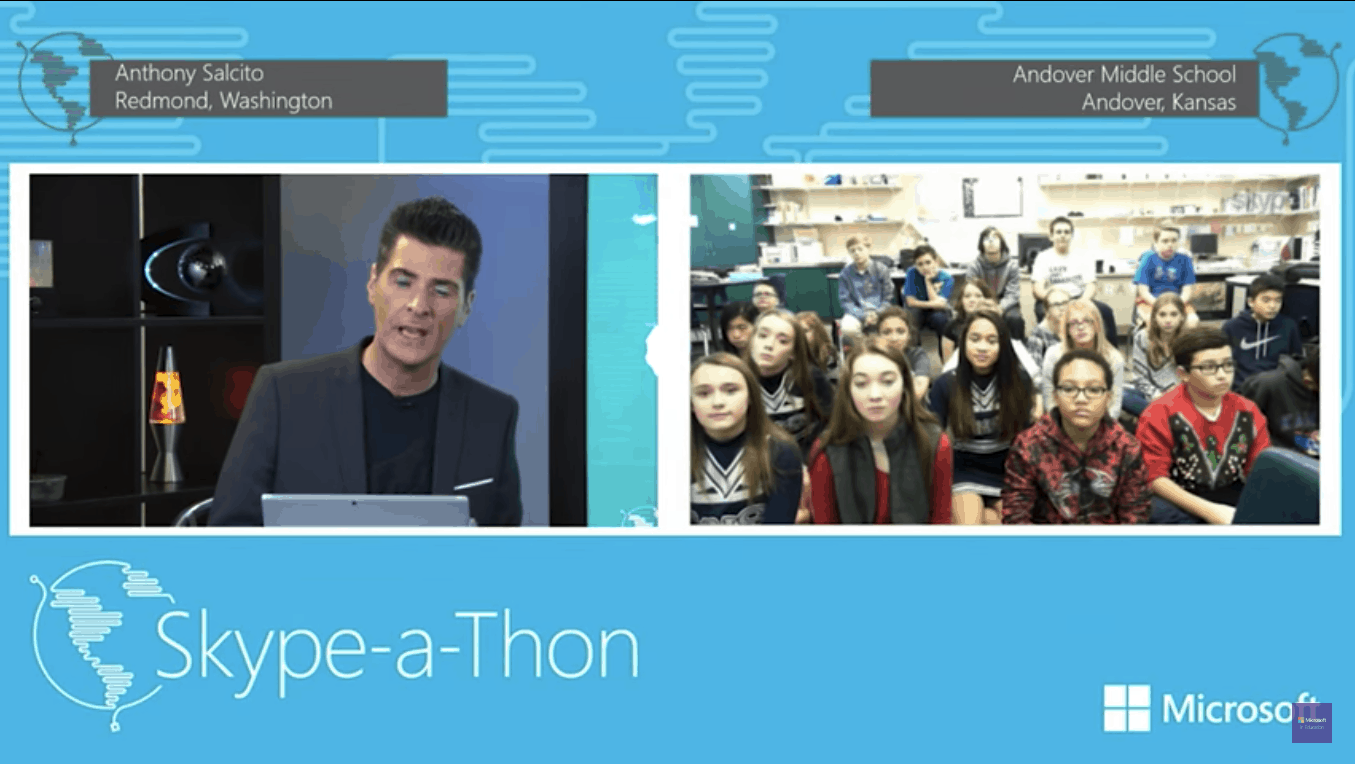
Microsoft’s Skype-a-Thon event was a smashing success

Microsoft shook up classrooms all over the world this year with its annual Skype-a-Thon, which connected teachers and students from all over the world. About 10 million virtual miles were traveled during the event – enough to circle the world 394 times. Students in the event used Skype to talk with scientists, visit zoos and aquariums, and connect with people from all sorts of different cultures.

The event brought together over 75 countries, marking the first time that many students have been able to make connections with so many different cultures. One student, Nathan E., noted that“Being able to converse so normally with someone so important was truly inspirational. It’s good to know that hard work can get you anywhere in life.”

Skype-a-Thon may be over for the year, but Skype in the Classroom is going to keep going strong. You can check out the website right here to see what programs they have to offer. If you’re only interested in the Skype-a-Thon event, another one will be going on for next year. Keep an eye out for it!

American Truck Simulator gets a major update, bringing bigger and more realistic roads

American Truck Simulator, the venerated driving and logistics game has finally got its big rescale that went into open beta last month. The rescale has apparently made the game ‘greater than ever’ and has been under development for around six months. There is now a more realistic and wider spaced network of roads added to the game environment, thanks to the update patch 1.5.

Not just that, the huge transformation has also brought in reworked cities, extra truck stops along with the hundreds of miles of open road. Developer SCS Software said that all of these efforts have been made solely to give a closer feel of the epic United States scale. To celebrate the commendable achievement, developers have released a dubstep trailer, check it out below:

The rescale changes the world scale from 1:35 to 1:20, so now there is a 1.75x larger map.  This means, longer roads and greater spaces between them to push in more features and detail.

“With the different world scale comes also a longer day-night cycle and rebalancing of the economy, so the gaming experience is changing way more than would be expected through a ‘mere patch’ of an existing game,” the studio explained.

The main features of the rescaled 1.5 patch include:

Main features

  • Map rebuilt in 1:20 scale
  • Upgrade Shop and Truck Browser Search Tool
  • New chassis options (6×2 & 6×2 Midlift)

Game

  • Adjustable interior FOV per truck
  • Weigh station UI behaviour made more real
  • Truck repair/refuel performed by hired driver cost money, included in logs
  • Added informational dialog showing when game detects upgrade or downgrade
  • Added pounds + short tonnes as weight unit option
  • Add possibility to buy driver and co-driver plate in truck dealer
  • Online job offer: Replaced refresh button with browse jobs
  • Better trailer air pressure simulation
  • Low air warning should only be active with running engine
  • Parking brake mechanical safeguard on low air added
  • Revised rolling resistance computations
  • Hired driver use same math for eco skill as player
  • Added selector modes to shift layout, correct detection of split shifts (advanced mode)
  • Adaptive shifting logic improved
  • Mod manager: Added link to load game screen in case game crashed and user has at least one mod activated
  • Mod manager: Added possibility of setting profile by name and by user profile pointer
  • Mod manager: Added DLC dependency list to mod manifest
  • Prevent to AI trucks disappearing in players view
  • Tweaked traffic spawn frequencies

Mods

  • Changed map parameters (climate_profile, map_data)
  • Moddable interior camera zoom parameters. (speed, factor)
  • 1 degree rotation on Ctrl + R, 90 degree rotation on Home
  • Merged editable sign and sign dialog
  • Refresh sign template and its model from content browser
  • Added letter-spacing to sign editor
  • Store content browser navigation history
  • Support for day/night effect switching and child hookups for lod_model_hookup_u
  • Undo of veg sphere manipulation

Office 365 has double the market share in Europe of Google’s G Suite

Data protection company Bitglass released their Cloud Adoption Report a few weeks ago revealing some interesting growth in regards to European company data reliance. Compared to other cloud suites, the two most used were Microsoft Office 365 and Google G Suite at a whopping 66% with Microsoft lording over them all. In fact, Office 365 was nearly double the G Suite’s 22% adoption (via TechRadar).

The growth towards 66% is a significant increase of cloud adoption shared between Microsoft and Google reported at 59% last year. The 44% adoption rate for Office 365 is a testament to the advancement of cloud computing in enterprises. Bitglass’ EMEA cloud report notes that the highest rates have been located in France with 82% and the Netherlands with 78%.

Even if tech companies in Europe have an 83% cloud adoption rate, Microsoft might not have EU enterprise in its pocket just yet. TechRadar speculates that the European bias towards Slack where it’s been more successful might cause some issues for the Microsoft Teams launch in the near future.

The full report can be read from Bitglass.

Best Ransomware Decrypt Tools to use to Stay Protected

Your computer files have been encrypted with the AES algorithm and you need to pay $294 to recover your data.

If this line rings a bell to you, that’s because you might have probably been a victim of ransomware before. As ransomware attacks continue, you can avoid paying for the decryption key using the following tools.

Or if you don’t want to use a third-party tool, we got other fixes for you in case you can’t decrypt files in Windows 10/11.

How to decrypt files encrypted by ransomware?

Trend Micro Ransomware Screen Unlocker Tool

Ransomware performs an attack in two different methods: lock screen and crypto. By locking the PC screen, ransomware limits a user from accessing the computer. The crypto method uses encryption algorithms such as AES to encrypt files. Trend Micro’s Ransomware Screen Unlocker Tool works to disable the lock screen types of ransomware.

The tool performs this in two different scenarios. In the first scenario, the tool could block normal mode while leaving safe mode with networking accessible. Here’s how to perform this operation:

  1. Open your PC in Safe mode with Networking.
  2. Download the Trend Micro Ransomware Screen Unlocker Tool and run the executable file.
  3. Extract the download file to install and reboot your PC in normal mode.
  4. Trigger the decryptor by pressing the following keys: Left CTRL + ALT + T + I. You may need to perform this key presses several times.
  5. If you see the Trend Micro Ransomware Screen Unlocker Tool screen, click scan to remove the ransomware files from your PC. Trend Micro Ransomware Screen Unlocker for USB

In another scenario, the tool may block both these modes.

  1. Download the Trend Micro Ransomware Screen Unlocker Tool for USB on a non-infected computer.
  2. Insert a USB drive and run the executable file.
  3. Click Yes when you see the User Account Control window and select the USB drive before clicking Create.
  4. Insert the USB drive on the infected PC and boot that PC from the external drive.
  5. Upon reboot, the following screen will show up:  Nightsaber
  6. If the infected PC fails to detect the USB drive, perform the following:
  7. Insert the drive to another USB port and reboot the PC.
  8. If the above step fails, use another drive.
  9. Open the infected PC and wait for the decryptor to remove the lock screen.
  10. Click Scan and then Fix Now.

Avast Free Ransomware Decryption Tools

Avast_decryptor

Avast’s decryption tools target many forms of ransomware. Earlier this month, the security vendor expanded the list with the addition of the decryptors for Alcatraz Locker, CrySiS, Globe, and NoobCrypt. Here’s a complete list of Avast’s decryption tools:

Kaspersky Ransomware Decryptor

Kaspersky_decrypt

Security firm Kaspersky designed a number of decryption tools for various ransomware threats, including Wildfire, Rakhni, Rannoh, and CoinVault.

Malwarebytes Anti-Ransomware Beta

Malwarebytes_anti_ransomware

Malwarebytes Anti-Ransomware Beta runs in the background to analyze the behavior of file encrypting ransomware programs. The tool terminates threads on the computer that attempt to encrypt files. The program might contain a few bugs as it is still in beta stage.

The decryptor works for some of the notorious ransomware threats including Cryptowall, TeslaCrypt, and CTB-Locker. Download Malwarebytes Anti-Ransomware Beta.

Emsisoft Decryptors

Emsisoft, one of the leading security vendors today, also offers various free decryption tools to recover encrypted files without paying the ransom.

Leostone Decryption Tool for Petya Ransomware

One of the most recent ransomware threats that hit many victims this year is Petya. The Petya Ransomware encrypts parts of a hard drive to prevent the victim from gaining access to the drive and the operating system.

Fortunately, Leostone has created a portal for Petya victims to generate the decryption key based on information that they provide from the infected drive. However, the tool works only if the Petya-affected drive is attached to another computer, from which the threat data will be extracted. It seems the tool is for advanced users only. But you can give it a try by downloading the tool from GitHub.

Final words

The number of victims is growing. Securelist’s KSN report indicates the total number of ransomware victims rose to 2,315,931 in March 2016 from 1,967,784 in April 2015. The financial implication of ransomware attacks could not be underestimated as well. According to Symantec’s Ransomware and Businesses 2016 report, the average ransom demand has now reached $679 from $294 last year. Thanks to the abovementioned free decryption tools, retrieving your files is only a few clicks away. If we missed any of the best ransomware decrypt tools, tell us about them in the comments.

Microsoft adds private internet connections to UK Azure datacenters

A few months ago, Microsoft announced that UK Azure datacenters would be receiving Office 365. Microsoft is now offering private internet connections to those Azure installations.

Microsoft’s customers can use Azure ExpressRoute and PSN/N3 Connectivity for their private internet connection needs using the UK Azure datacenters. UK businesses and governments alike are taking advantage of the UK Azure datacenters scattered throughout the region, including the UK Ministry of Defence, the London Metropolitan Police and parts of the NHS.

Other new Azure services include:

  • Azure Security Center, which helps customers prevent, detect and respond to threats, giving them full visibility and control over their secure network.
  • Service Fabric lets developers focus on building features for their applications, without needing to design and write additional code to deal with reliability, scalability or latency.
  • Azure Marketplace is an online store featuring thousands of certified and open source applications, developer service and data.
  • Power BI and Power BI embedded allow developers to place fully interactive reports and visualisations in customer-facing apps without the time and expense of having to build custom controls from the ground up.

In 2017, Microsoft plans to release more Microsoft Azure services, including:

  • Azure Site Recovery
  • Azure Backup
  • Azure Automation
  • DocumentDB
  • Azure Devtest Labs
  • Dynamics 365

Microsoft’s UK chief executive, Cindy Rose, is happy to see how fast Microsoft has developed Azure UK datacenters:

“We’re delighted to see such growing demand for our cloud services from our new data centres in the UK. We’ve been part of the UK’s tech landscape for over 30 years and we’re proud of the way this country leads the world in embracing technology and new ideas. With our trusted cloud now delivered locally, and our commitment to principles of security, privacy, transparency, compliance, and availability, we are well placed to support the digital transformation of organisations throughout the country.”

Take an interactive tour of a Microsoft Datacenter

The Overwatch Holiday update is now live on Xbox One

The Overwatch Winter Wonderland event is here to spread holiday cheer to all Overwatch fans on Xbox One. From now until Jnuary 2, 2017, Overwatch fans can take advantage of special Overwatch-themed content, including Mei’s Snowball Offensive, where you can battle your enemies in intense 6v6 matches.

Overwatch fans can also get their hands on new Winter Loot Boxes, and see all the holiday decorations in Hanamura and King’s Row.
Winter Loot Boxes can be earned or purchased in Overwatch and each Winter Loot Box will have at least one special item from the Overwatch 2016 Winter Wonderland collection, including profile icons, sprays, victory poses, emotes, highlight intros, skins, and more!

The Winter Loot Box contents are random, but you can still unlock a number of customization options in the Hero Gallery from now until January 2, 2017. Once an Winter Loot Box item is unlocked, you’ll have access to it forever; the content will not expire when the Overwatch Winter Wonderland event ends.

Overwatch, Mei's Snowball Offensive
The 2016 Overwatch Winter Wonderland event also features Mei’s Snowball Offensive, an intense 6v6 single elimination fight. Here’s a description of everything that is offered in Mei’s Snowball Offensive:

“In this brawl, Mei’s Endothermic Blaster no longer unleashes a stream of frost or shoots icicles. Instead, it’s been modified to fire a single, super-powered snowball. Taking down an enemy only takes one hit, but a miss can be costly. Once your weapon is empty, your enemies will have the advantage as you search for the nearest snow pile to reload, so don’t forget to cover your retreat with ice walls and cryo-freeze to block their attacks—and when the battle starts to heat up, you can activate Mei’s Ultimate, which turns her blaster into a semi-automatic snowball launcher, allowing you to fire continuously as your enemies scatter.”

Buy Overwatch, available on Xbox One, and start playing in the Overwatch 2016 Winter Wonderland event with your friends on Xbox Live. You’ll have to act fast; the Overwatch Winter Wonderland event ends January 2, 2017.

Overwatch® 2
Overwatch® 2
Price:
Free

Is Windows Hello ready for release? Dona Sarkar wants to know

Ever since it was announced about two years ago, Windows Hello, Microsoft’s futuristic, personal, and password-free way of having users log into their Windows 10 devices has come a long way. While the feature is included with a number of devices, such as the HP Elite x3 (fingerprint scanner), the Lumia 950 and 950 XL (iris scanner), and the Surface Book/Surface Pro 4 (facial recognition), Windows Hello is still in beta.  It is fitting then that Dona Sarkar is now asking if the feature is ready to drop it’s beta tag and head out for an official release.

As seen in the Tweet above, Dona Sarkar is calling on Windows Insiders to give feedback on the Windows Hello feature, and to set it up and try it out. Considering the positive feedback seen in some replies to her initial tweet, this would appear to suggest that the technology has come far, and Microsoft may be considering releasing the technology out of the beta stage. Other Windows Insiders, however, put a damper on things and have suggested that Windows Hello is far from perfect, pointing out that the feature is far from perfect and lags on some devices such as the Lumia 950.

Have you used Windows Hello on your Windows 10 device? If so, do you think the feature is ready to drop it’s beta tag and officially be released? Let us know what you think and how the Windows Hello experience has gone for you by dropping us a comment below!

Best music apps for Windows 10/11

If you listen music frequently on your PC, you probably have a specific music app that you use. In case you don’t have a favorite music app, today we’re going to show you some of the best music apps for Windows 10.

What are the best music apps for Windows 10?

MediaMonkey (recommended)

best-music-apps-mediamonkey-1

Unlike other applications on our list, MediaMonkey doesn’t have an attractive visual design, but it makes it up for it with its features. First thing that you’ll notice when you open MediaMonkey is its design and dark theme. We feel that the user interface is a bit cluttered with features, and the overall design seems a bit outdated. Unlike other music apps on our list, MediaMonkey allows you to open multiple tabs so you can quickly switch between different artists.

As for the user interface, you have different categories in the left pane that allow you to sort your library by folders, artists, albums, etc. This is a great feature, but it feels a bit cluttered with all the different options. Since left pane uses tree structure to show all the available options, users might feel overwhelmed with this feature. The middle pane shows all available songs according to the selected category on the left. If you want, you can also show album art along with additional information in middle pane. You can even show columns that will allow you to sort your music according to genre, artist or album. Lastly, the right pane is reserved for your current playlist.

MediaMonkey supports a wide range of audio formats, but it also allows you to add your MP3 tags with ease. If you want, you can also identify songs and get information about them such as MP3 tags, album art or lyrics right from MediaMonkey. Another option that this app offers is the ability to organize songs on your hard drive. This is useful if you tend to store your music on different locations on your PC. In addition to organizing, this tool can also rename all your songs automatically. Another feature is the ability to download audio from podcasts, but there’s also an ability to download media files from any website. This app also allows you to sync your music with other devices and share it over UPnP / DLNA.

MediaMonkey also has support for conversion, so you can easily convert any audio CD to MP3 with it. Of course, you can convert different audio formats, and even extract audio from some video files. If you want to burn your music quickly, there’s a built-in burn option that you can use. The app also comes with a Party mode that allows users to select the desired song, but they won’t have full access to your library, so they won’t be able to modify it in any way. If you’re a fan of visualizations, we’re happy to inform you that this tool completely supports visualizations. In addition to all these features, MediaMonkey supports add-ons that will enhance it even further. Of course, there’s support for additional skins, so you can easily change the look of MediaMonkey if you don’t like the default skin.

Although MediaMonkey is a free tool, some features aren’t available in the free version. If you decide to purchase MediaMonkey you’ll get multiple media collections and the ability to organize your files automatically in the background. Additional features in paid version include advanced AutoPlaylists, automatic conversion, and high-quality CD conversion. Premium version also offers automatic search for artwork and lyrics, advanced search, sleep timer, song previews and the ability to burn CDs at maximum speed.

MediaMonkey offers an extensive array of features, and with the ability to add add-ons, MediaMonkey is easily one of the most advanced music apps. Due to all these abilities, this application might seem a bit daunting to new users. As for the free version, it offers all the basic features that you need, so you probably won’t have to upgrade to premium version. We also have to mention that user interface can seem a bit cluttered and outdated, but you can somewhat fix that by using custom skins. Overall, MediaMonkey is a great app for music lovers that want to categorize and organize their music.


Dopamine

best-music-apps-dopamine-1 First on our list is Dopamine, and this music app offers sleek and simple design. Dopamine comes with both dark and light theme, so it will easily match the look of your Windows 10. In addition, this tool can also use the same color scheme that you’re using in Windows.

After you start Dopamine, you’ll be asked to choose your theme and highlight color. After that, you just need to locate your music folder and Dopamine will scan it and add all your music. When the application starts, you’ll notice that your music is neatly organized. On the left there’s a list of all artists, and in the middle there’s a list of albums. This allows you to easily search for a specific artist or an album. On the right there’s your current playlist along with the search bar that allows you to quickly search for specific song or artist. If you want, you can switch between different tabs and see your songs sorted by genre, albums, song name or playlist.

best-music-apps-dopamine-2

As for customization, this tool allows you to see notifications in the bottom right when a new song starts playing. If you want, you can even click the Taskbar icon and open the minified version of the player that allows you to use playback controls quickly. If you don’t want to use large user interface, there’s also an option for minified version that comes with playback controls and togglable playlist.

There’s also an option for Micro or Nano player, so you can make your player even more compact. Regarding supported formats, Dopamine supports WAV, MP3, OGG vorbis, FLAC, WMA and M4A/ACC formats. The list of supported formats isn’t impressive, but it should be enough for most users. Regarding requirements, this application requires Windows 7 or later and .NET Framework 4.6.1 or newer. Another thing that we have to mention is the availability of portable version, so you don’t have to install the app on your PC in order to run it.

best-music-apps-dopamine-3

Dopamine comes with sleek interface that will look amazing on every PC and match your Windows 10 theme perfectly. We have to mention that customization options are limited since there’s no support for add-ons or skins, so this could turn away some advanced users. If you’re looking for visually appealing music app that will look like a native component of Windows 10, be sure to try Dopamine.


AIMP

best-music-apps-aimp-1

AIMP is a music app that comes with relatively simple design and many customization options. We have to mention that this app supports about 32 different audio file formats, but it also supports internet radio and it even allows you to record internet radio. In addition, there’s support for various sound effects so you can easily change pitch, tempo, speed or add effects such as flanger, echo, reverb and many others. Of course, there’s support for equalizer, volume normalization and various mixing options.

As for additional options, there’s a Scheduler available that allows you to set alarm or sleep timer. Another unusual feature is the ability to repeat specific segment of the song. Simply select start point and end point and that section will repeat until you turn it off. Another option that we noticed is the support for simple visualizations which some users might like. One feature that we didn’t expect to see is the audio conversion option that allows you to convert your files from one format to another. The choice of formats is limited, but you should be able to expand it with plugins. In addition to music files, this feature also supports audio CDs. Last feature that we need to mention is the Tag editor which you can use to edit your MP3 tags easily.

As for the interface, your library is located on the left, and you can sort it by albums or by folders. The middle pane shows the selected album or folder while the pane on the right represents your playlist. Of course, there’s an ability to save your playlist, so you can keep your favorite music in one place. It might take you a bit to get used to the interface of AIMP, but after a while you should feel like at home. AIMP has a little icon in the Taskbar that reveals playback controls while the application is minimized, which is quite useful.

As you can see, AIMP is packed with all sorts of features, but if that’s not enough for you, there are many available plugins to download. In addition to plugins, you can also download many new skins or even icons for AIMP.

It’s safe to say that AIMP allows a great level of customization, so it will be perfect for advanced users. Another useful feature is the ability to install AIMP as portable application on your PC, so it won’t make any changes to your registry. One flaw of AIMP might be its complicated user interface, but most users should get used to it after a couple of minutes. Another thing that we didn’t like is the notification that appears on the top of the screen whenever a song changes. With its dark overlay it might be a bit distracting, especially because it stretches from one side of the screen to another. However, you can easily turn this option off or change it with plugins.

MusicBee

best-music-apps-musicbee-1

MusicBee is another music app for Windows 10, and just like several apps on this list, it comes with sleek user interface. The app has three panes, and the pane on the left shows you the list of artists. It’s also worth mentioning that almost every artist has a thumbnail available, which is a nice touch. Middle pane is reserved for selected artist’s songs or albums. In this pane you can display only songs, album covers or both album covers and songs. In addition, middle pane allows you to quickly navigate to a specific artist simply by selecting the letter in the menu on the top. Pane on the right is reserved for your playlist, and there’s also an album cover available. If you want, you can show lyrics instead of album cover. Lyrics will be displayed automatically, so you won’t have to search for anything manually.

best-music-apps-musicbee-2

MusicBee comes with several tabs, and by choosing Now playing tab the user interface will change and show you the big picture of the artist in the background that changes automatically. On the left you’ll see album cover and lyrics of the current song. On the right there is your playlist so you can easily switch to a different song. MusicBee supports playlists but it allows you to create multiple playlists and switch between them easily.

Music Explorer tab allows you to read the artist bio, but it will also allow you to view similar albums and artists, so it’s perfect if you want to discover new artists. When you select an artist in Music Explorer tab, you’ll see relevant statistics such as most played or best rated tracks. This allows you to easily keep an eye on your favorite songs. There’s also a Podcasts tab that allows you to listen to various podcasts on your PC. We have to mention that you can add more tabs, which is a great feature to have.

best-music-apps-musicbee-3

MusicBee also allows you to lock your player with a password so that others can’t change your playlist. There’s also support for Mini and Compact player sizes, and both of them look impressive. Taskbar icon is also available, and by clicking it you’ll open playback control options. MusicBee also supports Theater mode that will remove all unnecessary information from the screen. If you have a touchscreen device, this option will be perfect for it.

best-music-apps-musicbee-4

MusicBee also works with Groove Music and it supports syncing with other devices. There’s also a wide range of plugins and skins available that you can use to enhance MusicBee even further. MusicBee offers beautiful user interface and most features that basic users need, such as the ability to download lyrics automatically. With the support for plugins and skins, this application will also appeal to advanced users as well.


Foobar2000

best-music-apps-foobar2000-1

Foobar2000 is a simple music app that allows you to customize your player anyway you like. The default look of the player isn’t visually impressive, but you can arrange the components any way you like. There’s also a Layout Editing Mode that allows you to customize the look of your player even further.

Foobar2000 supports media library, and after your desired folder is scanned it will be added to the library. To play a certain song you need to open the Library window and there you’ll see the list of artists. You can expand the artist tree and select the desired album or you can simply search for it from the filter field. If you prefer to see available folders or albums you can do that by changing the View option. We have to mention that this method seems a little strange, but you should be able adjust to it quickly.

As for other features, this player supports a wide range of audio formats, gapless playback and advanced tagging capabilities. For advanced users there are customizable keyboard shortcuts and customizable user interface. If you want to enhance Foobar2000 even further, you can download and install one of the many available plugins. Our main complaint regarding Foobar2000 is its plain-looking user interface. However, with the advanced customization options you can customize your interface anyway you like. Unfortunately, this can be a bit complicated for basic users. You can simplify the process by installing one of many available skins. We have to say that many skins completely change the look of Foobar2000, so we highly recommend that you try some custom skins.

There’s also a Universal app available for download, but it offers humble user interface which some users might not like. Foobar2000 is a great music app, especially if you invest some time to learn how to customize it. If you don’t want to deal with customization and advanced settings, you’ll get a simple and lightweight music app for your PC. As we said, this app is perfect for advanced users that want customize their player. Foobar2000 also offers a lot to the basic users, as long as you don’t mind the humble user interface.

Resonic

best-music-apps-resonic-1

Resonic is a simple music app that comes in both free and paid version. The paid version is designed for audio professionals and it allows you to set cues and extract audio along with other options for audio experts. Paid version also allows you to change Metadata such as MP3 tags.

We have to mention that this music app is extremely fast and lightweight which is one of its stronger points. Resonic comes with a clean user interface that is simple and user-friendly. First thing you’ll notice when you open Resonic is its waveform on the top. Regarding the player, all standard options available. There’s also an option that allows you to play only specific segments of a song.

As for the user interface, it comes with two panes. Left pane works as a file browser and it allows you to navigate through folders quickly. Right pane is designed to show you available files in that folder. After you navigate to certain folder simply click the song that you want to play and it will start instantly. The best quality of Resonic is its speed and attractive design, but certain features such as playlists are missing. Resonic isn’t a multimedia player, and this is the main reason why these features are missing. However, you can still use Resonic as simple and lightweight music app. However, we have to warn you that certain features such as playlist and search are missing.


iTunes

best-music-apps-itunes-1

iTunes is probably one of the most popular music apps, especially on Mac OS. This application is available on Windows platform, and it offers amazing yet simple design. Using iTunes you can access Apple Store and purchase music and videos, but you can also play locally stored files. Simply add your files to the library and you’ll be able to access them from the pane on the left. You can quickly see available artists, albums or songs. iTunes has automatically created playlists in the left pane, but you can also create your own playlists as well.

As for the right pane, it shows you available songs as well as album covers. Music queue isn’t visible by default, but you can access it by clicking the More button next to the search bar at the top. In addition, there is also compact mode available that will hide all unnecessary information.

iTunes is one of the most popular music apps, and it offers beautiful design. Unfortunately it doesn’t allow any customization, so that might be a flaw for some users.

Winyl

best-music-apps-winyl-1

Winyl is another music app that comes with a simple design and basic features. According to its developers, this application can support more than 100,000 files in your library without affecting your performance. As for the supported formats, Winyl supports all most popular formats such as MP3, OGG, WMA, etc. There’s also a built-in tag editor as well as an ability to automatically download lyrics and album covers online.

As for the user interface, it’s simple but effective. Interface has a left pane that you can use to choose different artists or albums. In addition, you can also select artists and albums by navigating to their folders in the left pane. There is support for Internet radio and you can choose between many different radio stations. However, it seems that the ability to add new radio stations is missing.

Another feature that we have to mention is Smartlist feature. By using this feature you can play 50 random songs or 5 random albums. Of course, options such as most played or top rated tracks are also available. There’s also an option for user playlists. If you don’t like the user interface, you can always switch to Compact mode that removes unnecessary options.

Winyl is a decent music app, but it doesn’t have many customization options since there are no plugins available. If you’re looking for a regular music app with a simple user interface, Winyl might be perfect for you.

There are many great music apps for Windows 10, and it’s really hard to choose the best one. If you want an app that has the most features, then MediaMonkey is probably the best choice for you. Users that need an app with great design and functionality will probably want to try MusicBee or AIMP. If you are a basic user and you just want a simple music app, we recommend Dopamine or Winyl.

READ ALSO:

Almost half of Xbox One owners play backwards compatible Xbox 360 video games

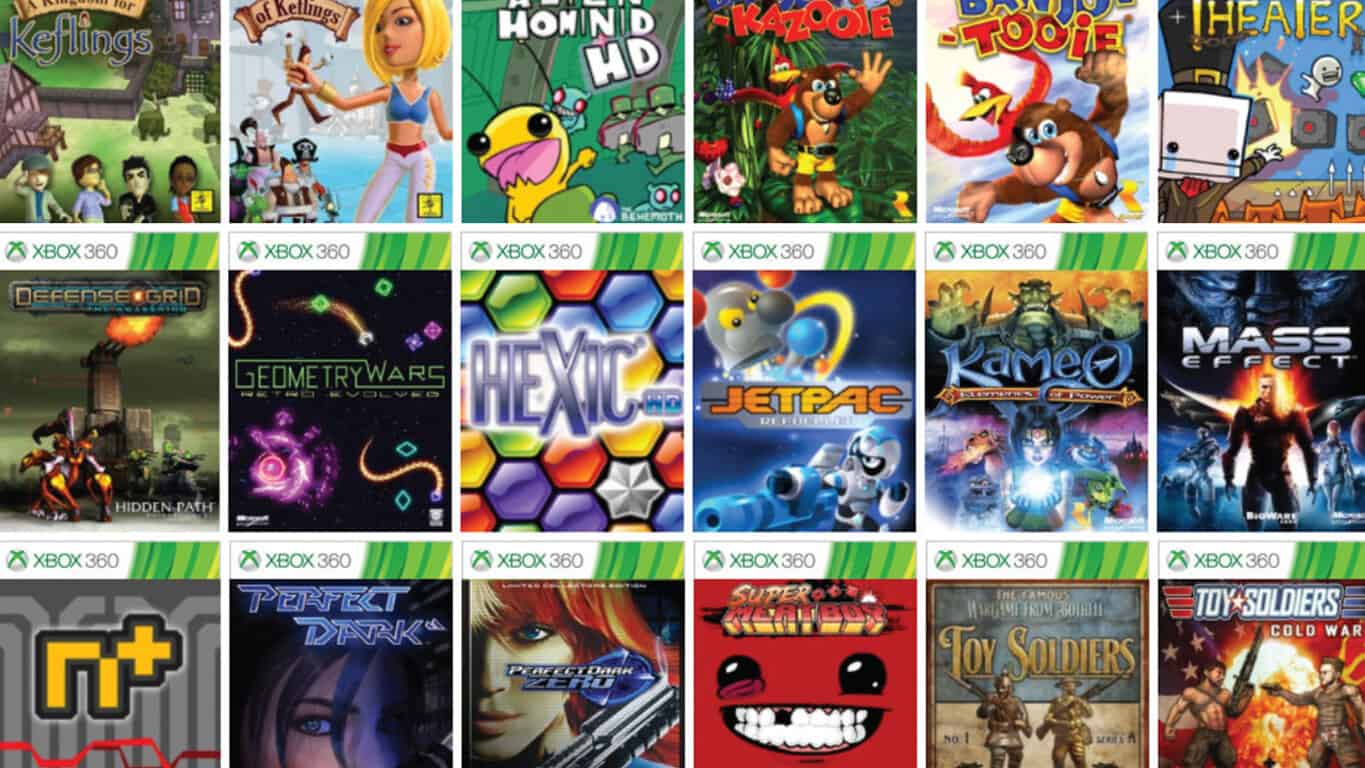
Microsoft’s Head of Xbox, Phil Spencer, tweeted earlier today that almost half of Xbox One users play Xbox 360 video games on the console through the backwards compatibility feature that launched last year. “Now over 300 back compat titles. Nearly 50% of XB1 owners playing BC games is great to see,” his tweet read. “Thanks for supporting the program.”

The number of Xbox 360 titles that are playable on the Xbox One have gradually increased on a regular basis and the feature recently passed the 300 video games mark. There are still a large number of Xbox 360 games that have yet to be given backwards compatibility but most of the more popular titles are now available.

Are you a fan of the backwards compatibility feature? How many Xbox 360 video games have you played on the Xbox One? Let us know in the comments below.

How to keep up with the latest FIFA 17 boot updates

FIFA 17 fans love customizing their players’ appearance. Just like any football fans, FIFA 17 gamers really appreciate a good pair of football boots. The only problem is how to stay updated with the FIFA 17 boot DLCs.

Now, the good news is that you can follow this FIFA 17 forum thread and get the latest information about the new football boots available in the game’s catalog.

Fans expect EA to roll out more boots updates until around May time. The latest FIFA 17 boot updates include four new Adidas models, and one Puma and Mizuno models. The new boots were rolled out at the end of November.

Latest FIFA 17 boot updates

  1. Adidas Messi 16+ Red Limit
  2. Adidas Copa 17.1 Red Limit
  3. Adidas Ace 17+ Red Limit
  4. Adidas X 16+ Red Limit
  5. Puma evoTOUCH PRO
  6. Mizuno Morelia Neo II – Red

FIFA 17 players strongly believe that EA should release new football boots more often. Of course, this is not an essential game element, but new football boot models make the game more enjoyable. Gamers wish that EA checked the new products more often and updated the game catalog accordingly.

Haven’t checked yet today but I don’t understand how it takes EA so long to add new boots. The Nike Floodlights pack was revealed a couple of weeks ago so why couldn’t EA have made them so they could be put in the catalogue when the boots were officially released on Monday? All they have to do is update the colour scheme, they already have the template.

However, taking into account all the bugs affecting FIFA 17, it’s easy to see why EA introduces new football boots quite rarely.

RELATED STORIES YOU NEED TO CHECK OUT:

The Division to support DirectX 12 soon

Tom Clancy’s The Division is a  popular game that was released by Ubisoft on March 8, 2016 for Windows PC, Xbox One and PlayStation 4. And according to reports, DX12 support is coming soon to the the PC version of this title.

DX12 support for “Tom Clancy’s The Division PC” was first spotted while Update 1.5 was still under testing. Unfortunately, the game’s developers decided to delay the release of DX12 support for this game.

During its State of the Game report, Ubisoft confirmed that DirectX 12 will be added once a bigger PC patch is released next week. The developer claims that once this patch will be released, the game will be better optimized at a higher resolution. Currently, there is a bug that doesn’t allow players to change brightness when DX12 is activated, but it seems that this issue will be solved at a later date. In addition, the upcoming patch will fix the performance impact caused by the high CPU usage.

During the State of the Game live stream, Ubisoft Massive claimed that it is looking into FPS drops/shuttering on consoles, so we might see the FPS issues being fixed on both Xbox One and PlayStation 4.

Uncomplicated and AlphaBridge

Some players were quite confused around the Uncomplicated talent on the FAMAS and how it actually works with AlphaBridge. So, if you are using a FAMAS with Uncomplicated together with an AlphaBridge set, the Uncomplicated talent will be impacted by Accuracy and Stability mods equipped on both secondary and primary weapons (it doesn’t matter which weapon you’re currently using).

However, this bug will be solved in an upcoming update, as Uncomplicated in combination with AlphaBridge should only take into account the mods that are currently equipped on the weapon that are you using at that time.

RELATED STORIES TO CHECK OUT:

Massive changes coming to Windows 7 and Windows 8

If you have a computer that runs Windows 7, Windows 8 or Windows 8.1, then you’ve probably already noticed that things are getting better for these operating systems.

Scott Breen, Microsoft field engineer, claims that the “patchocalypse” that created big Windows 7 and Windows 8 update sizes is no more. Breen said that “based on user feedback, the team has updated the supersedence relationship of updates so that Security Only updates are not superseded. In addition, the logic of the updates has been modified so that if the Monthly Quality update is installed (which contains the security updates), the security update will not be applicable.”

According to Breen, Windows 7 and Windows 8 users are now able to:

  • Selectively install Security Only updates at any time;
  • Periodically deploy the Security Monthly Quality Rollup and only deploy the Security Only updates since then, and…;
  • … More easily monitor software update compliance using Configuration Manager or WSUS.

From now on, users are able to accept the latest security updates without being forced to download and install them on their computers. For an inexperienced user, this might not be the best solution as they might not install important security updates and compromise their computer.

Microsoft divided its Windows 7 and Windows 8 Monthly Rollup patches into security patches and everything else. The Windows 10 free upgrade window has ended, so this might be another reason why Microsoft decided to bring these massive upgrade changes.

We think that Microsoft made a good choice by allowing users to be able to select the updates they want to install on their computers. After all, what’s the point of downloading a big patch if you don’t want it installed on your computer?

RELATED STORIES TO CHECK OUT:

Windows 10 is ruining Valve’s dream of a widespread SteamOS

There is no doubt that gaming is an important part of the computer ecosystem. A considerable number of computer users dedicate chunks of their day playing video games and Valve sought to take advantage of that by introducing a new platform. While Microsoft Windows has been the go-to in gaming for a long time, it has gone through different phases that might have been more or less indifferent to it.

SteamOS was developed by Valve back when Microsoft was heavily invested into the Windows 8 project. Windows 8 turned out to not be the most supportive platform for video game enthusiasts and SteamOS was designed as the perfect response for the lack of a competent gaming OS on the market.

It is easy to observe how Microsoft’s plans have changed since Windows 8. In the meantime, Windows 10 has arrived with a whole new identity for the developer and a new set of goals. With a refreshed perspective and plan, Microsoft seems to have reclaimed dominant control over the gaming sector of Windows users, something that is interfering with Valve’s SteamOS operations.

According to trustworthy sources, Valve had spoken with various high end manufacturers about producing lines of computers which would operate solely on SteamOS software. More recent reports, however, claim that Valve’s Alpha computers running Windows 10 are doing most of the work in terms of sales.

When SteamOS was conceptualized, it seemed like a sturdy plan but the unexpected happened when Microsoft shifted its priorities to where we can expect the tech giant to monopolize the computer market through its superior catalogue of supported games. Steam OS is still relatively new and does not possess compatibility with all the titles supported on Windows.

RELATED STORIES TO CHECK OUT:

How to fix the NBA 2K17 EFEAB30C error message

The error message “EFEAB30C” is a common error among NBA 2K16 and NBA 2K17 players. The good news is that you can now quickly fix this issue. 2K recently published a post on its forum explaining why this error occurs and how to fix it.

First things first, let’s see why the EFEAB30C error message affects NBA 2K16 and NBA 2K17. In the majority of cases, this error occurs because you don’t have the latest game data downloaded on your computer. For this reason, you can’t continue to play until you’ve installed the latest game updates.

I have the error code efeab30c after I reinstall steam and nba2k17. I try to find some solutions.Maybe reinstall your operation system is one of the solutions,but not the best.
I think the reason it says efeab30c is the nba2k17 don’t delete its cahces when uninstalling.

Fix: NBA 2K16/NBA 2K17 EFEAB30C error message

You need to download the latest NBA 2K17 on your console or PC. For some players this may take longer, depending on the size of the download and the speed of your internet connection.

When the download is complete, you’ll be asked to return to the game’s main menu so the update can go into effect. You can play a series of games in “Play Now” mode to trigger the download process faster.

Other NBA 2K16 and NBA 2K17 confirm that simply restarting their Xbox One console fixed this issue. If you prefer this solution and you use a NBA 2K17 disc, first remove the disc, wait for a couple of minutes and then go back online.

RELATED STORIES YOU NEED TO CHECK OUT:

How to fix frequent XCOM 2 issues on Windows PC

XCOM 2 takes you to a time when humanity lost the war against the alien invaders. A new world order now rules Earth. Time has come for the XCOM forces to rise and eliminate the alien occupation once and for all.

Although XCOM 2 was launched almost a year go, it’s still affected by many technical issues. In this article, we’re going to list the most frequent XCOM 2 bugs on Steam, as well as their corresponding workarounds.

Common XCOM 2 bugs and how to fix them


1. “Servers too busy” – error 41
1. Verify your files on Steam
2. Right click on the game in your Steam library > select Properties
3. In the new dialog box > select the local files tab > click on the Verify integrity of local game cache button in the bottom left of the tab.


2. “Servers too busy” – error 53
1. Temporarily disable any live scanning antivirus while you start the game, and turn it back on afterwards. You need to disable the antivirus only once, until the game is updated.
2. Also, try installing the game on a NTFS partition, not on a FAT partition.


3. XCOM 2 startup bugs
1. Verify Steam cache as described above
2. Run steam://flushconfig from your run dialog.
3. Rename the XCOM 2 folder under My Games > let it create a new set of files when it starts up.


4. XCOM 2 crashes
1. Make sure that the game and your Steam installation are on the same partition

2. Reinstall DirectX > go to your XCOM 2 Steam folder > locate the DirectX setup package > run DXSETUP.exe > reboot the computer
3. Reinstall Vcredist > go to your game’s steam folder > locate the two Vcredist folders > run the Vcredist.exe file in both folders > reboot the computer
4. Reinstall Microsoft .NET > locate the DotNet folder in your game’s Steam folder > repair it > restart your computer.


5. XCOM 2 gets stuck on soldier customization
1. Try changing something > attempt to exit the game again
2. Use the soldier selection buttons to move to a different soldier before exiting.


6. Gamepads and controller issues
Simply disconnect the peripheral and you should be able to eliminate most bugs affecting your gamepad or controller.


If you’ve e encountered other issues than the ones listed above, you can submit a support request to 2K, describing the exact bug that you’re experiencing.

RELATED STORIES YOU NEED TO CHECK OUT:

Posted in Fix

Microsoft Translator is now the world’s first personal universal translator

Communicating through a multitude of language barriers has been an issue for a long time schools, businesses, family, and friends. Until now, if you wanted to speak to a monolingual person on the other side of the planet, chances are you would have to learn a few words of their language. While it’s still, of course, preferable to go out and become fluent in other languages, Microsoft has developed the software necessary to bring down the language barrier – at least for some people.

Microsoft’s new universal translator is the sort of technology science fiction writers have been dreaming about for a long time. Now, you can speak face-to-face with people using one of 9 languages – and you can type in 100 different languages – all with real-time translations. The technology just requires you to have a tablet, computer, or phone on you and can open up an entirely new world of communication for a generation that’s more globally intermingled than any other before it.

Translator
Translator
Price:
Free


Microsoft Translator


‎Microsoft Translator

Microsoft continues blockchain push with AMIS partnership in Taiwan

Microsoft’s announcement of Asia’s first blockchain consortium may seem like gibberish to some, but to others, particularly in the banking sector, this news may be very intriguing.

Today, Microsoft made news in Asia by announcing the company has recently entered into a partnership with AMIS and the Industrial Technology Research Institute of Taiwan (ITRI) to establish the region’s first blockchain network via a new consortium.

The consortium thus far is made up of the following financial institutions:

  • Ubon Financial
  • Cathy Financial Holdings
  • MegaBank
  • KGI
  • Taishin
  • CTBC Bank

Following today’s announcement, Microsoft highlighted what it believes to be Four unique advantages to why AMIS chose the Microsoft Azure platform to utilize its Blockchain-as-a-Service (BaaS).

AMIS’s blockchain solutions utilize distributed ledger technology and cryptographic authentication, which aims to streamline financial business operations and reduce money laundering risks and other cyber-attacks. This solution can also be extended to other implementations such as Internet of Things (IoT) to further expand business opportunities.

Azure is the cloud platform of choice for enterprises. Not only is it compliant with various international standards and certifications, but it also has security and privacy features built-in, and is the only platform with BaaS.

Azure is therefore AMIS’s preferred platform for its blockchain offering, with the following unique features:

  1.  Highly secure and controllable platform that complies with international and industry regulations and standards
  2. Open, interoperable, flexible and scalable platform
  3. Availability of public, private and hybrid cloud models
  4. Business and technical support from local team based in Taiwan

Today’s new comes on the heels of a growing adoption of blockchain technology. Shortly before becoming embroiled with AIMS Microsoft also became the strategic partner of the R3 Consortium and servicing member to 40 different banks.

It seems the overall goal of establishing these blockchain investments are to bring more efficiency and cost-savings for companies while also providing two-way payment, cross-field integration and speed up cash flow. The other benefit of blockchain technology includes the support of a burgeoning bank app and payment ecosystem.

It’ll be interesting to see Microsoft continue developing its blockchain technologies and what, if anything comes of this effort to the broader Windows 10 ecosystem of devices and software.

Fans hate the new Dota 2 Update 7.00, say the game is losing its identity

The new Dota 2 Patch 7.00 brings many changes to the game. For this reason, many fans criticize the update content and say the game is losing its identity.

Just as it happens when change arrives, the Dota 2 Patch 7.00 has divided gamers into two camps. While there are many players who can’t wait to get their hands on the update and try it out, there are also gamers who really don’t like the patch’s official description: “Your clash for the Ancients will never be the same.”

Fans criticize the new Dota 2 Patch 7.00

Dota 2 fans don’t like the new map and terrain changes. They believe that the current terrain represented Dota the best. Players also say that the stat benefits were also a good incentive for players to enhance their hero’s capabilities over time.

Players go as far as to say that the latest Dota 2 changes turn the game into a copy of League of Legends. Fans also criticize Valve for not giving them more time to test the update and have more feedback on the matter.

I also feel that the current CM and Zeus scepter upgrades were much better than the new ones since they increase the ultimate ability damage, something both need very badly, especially late game. Many of the planned changes, like the new terrain and hud system, as well as the talent trees and removing and replacing of various things that used to be core to Dota is making the game feel more like it’s being turned into a copy of League of Legends sadly. I feel that all those changes that do that isn’t such a good idea honestly, especially if you only allow one day of testing for people to see how they feel about it. The Techies changes is another change I don’t think is a good idea at all since he was already a great hero as he is, but these changes completely change what he is. […]

There’s just so much being done, but so little time given to work everything out now, I think there needs to be more feedback and reviews before it can make it fully live.

Dota 2 gamers also hate the update because it makes the game much easier, making it less challenging to play. It appears that Valve’s idea of evolution is not what players had expected. The company describes the Dota story as one of constant evolution, but fans think otherwise.

What do you think about the new Dota 2 Update 7.00? Do you think it adds value to the game?

RELATED STORIES YOU NEED TO CHECK OUT:

10 best survival games on Steam to play

Humanity’s hardwired nature to survive partly makes survival games a popular item in the gaming world. A player’s perseverance not to die is constantly challenged virtually, and that cranks up the excitement. The cardinal rule is to stay alive, but you eventually lose the game by dying. However, if you’re really in the mood to survive the toughest game plots, Steam is offering some of the best titles.

Terraria

The world of Terraria is all about digging, exploring, fighting, and building. Players have a complete control of their journey and destination, which means it’s really up to them how the game unfolds. Terraria combines classic action and sandbox-style creativity into an adventure gaming experience. Terraria

Players can choose to explore the wide and hollow corners of the Terraria world in search of resources and treasures. They can also go out and test their skills in combat with the toughest enemies. Terraria is available for $6.00 while the Four-Pack can be had for $15.00 from Steam.

The Long Dark

Released in September 2014, The Long Dark has grown to be one of the best single-player survival games on Steam. The game challenges players to explore a wide frozen forest that’s been recently devastated by a geomagnetic catastrophe. The challenge lies in surviving nature’s wrath. Players need to provide information without revealing the answers.The Long Dark

The Long Dark stands out in the saturated genre of survival games for its core focus on environmental survival, breaking away from the crowded zombie apocalypse. It’s available to download on Steam for $10.00.

Don’t Starve

Don’t Starve is another survival game set in the wilderness, complete with all the elements of science and magic. The game tells the story of how Wilson, a scientist trapped by a demon in a mysterious world, learns to survive the odds. Dont Starve

Playing as Wilson, you must do all you can to return home safe and sound and escape from the dangers and eerie creatures. Create items and structures using various resources according to your survival style. You also need to solve the mysteries of the strange wilderness if you are to survive. Snag the game from Steam for $8.00.

Rust Alpha

RustLearn how to overcome hunger, thirst, and cold in the harsh world of Rust. Players need to build a shelter, create fire, hunt for animals to eat, fight other hostile players, and tie up with other players all in the name of survival. Rust Alpha is available on Steam for $10.00 while the Rust Alpha – Four Pack is now going for $29.

ARK: Survival Evolved

Survival Evolved opens with the player naked and with no possession of any sort in a mysterious and primitive island, where the only way to survive is by hunting, crafting items, building shelters and growing crops. Tame and ride dinosaurs and other primeval creatures that reside on ARK. ARK

In order to survive, players need to either form alliances with other players or prey on them. Survival Evolved is available to purchase for $15.00 and you can buy ARK Survivor’s Pack for $21.00.

The Forest

In this survival horror simulator, players find themselves in a mysterious forest following a passenger jet crash. In order to stay alive, they need to wade through a world of cannibalistic mutants by building shelters and exploring a vast network of caves and underground lakes. The Forest

Players can also create weapons, tools, and traps to maintain a safe zone. But this is a survival game, which means it’s calling on players to bring the battle to the enemies. Buy The Forest from Steam for $8.00.

Rogue Warrior

Rogue Warrior is a shooter game that features the badass character Richard ‘Demo Dick’ Marcinko. Players can engage in an action-packed multiplayer combat to destroy a ballistic missile program run by North Korea. Set in USSR, the game plot presents a conspiracy engineered by communists during a Cold War era.Rogue Warrior

The game also features more than 25 different kill moves to destroy the enemies. Players can also develop tactical advantages to prevent the adversaries from gaining an edge in the game. The game features the voice of Golden Globe winner and Oscar nominee Mickey Rourke as Dick Marcinko. Rogue Warrior is available for roughly $6.00 on Steam.

 RimWorld

If you’re a fan of Dwarf Fortress or Firefly, you might also get hooked to RimWorld. A sci-fi colony simulator with an intelligent AI narrator, the game opens with three shipwreck survivors. The game simulates psychology, ecology, gunplay, melee combat, climate, biomes, diplomacy, and relationships to create stories. RimWorld

The game controls the events thrown at the players. There are colonists who come from all occupations – nobleman, farmer, accountant, a housewife, etc. – who survived the crash as well. Players must capture more colonists in combat and build a colony with them. RimWorld is a whole new world of gaming experience rich in stories told by a narrator of your own choosing: Randy Random, Cassandra Classic, and Phoebe Friendly. Buy the game now for $15.00, with other game packs available on Steam.

Left 4 Dead 2

Left 4 Dead 2 is the sequel to the award-winning Left 4 Dead set in an apocalyptic world of zombies. The first-person shooter action horror takes multiple players, usually a band of four new survivors, across five campaigns. The players go through cities and cemeteries armed with various classic and upgraded weapons to take on three new Special Infected and five new uncommon common infected.Left 4 Dead 2

AI Director 2.0 serves to help players navigate the expansive campaigns by changing the weather and the pathways, controlling the number of enemies, and customizing the effects based on the players’ performance. You can check out the action horror game by snagging it from Steam for $10.00.

Factorio

In the 2D world of Factorio, players design and build automated factories to manufacture items using resources mined from a locality. But as you develop your factory into an industrial powerhouse, locals will try to destroy your infrastructure for exploiting their resources. You can protect your structures by forging alliances with other players in a cooperative multiplayer mode.Factorio

The game is played mostly in a freeplay scenario, but players can choose to take on challenges with the Scenario pack that’s available as free DLC. You can even make your own maps or scenarios using the in-game Map Editor. Grab Factorio from Steam now for $10.00.

If we missed any of the best survival games you can find on Steam, share them in the comments below.

Latest Skype Preview makes its way to the Windows Insider Slow and Release Rings

Last week, Microsoft pushed a new update to the Skype Preview UWP app for Windows Insiders on the Fast Ring, bringing new features such as support for Skype Translator for calls to phone numbers and more. Today, Microsoft has released another incremental update which bumps the version to 11.10.145.0, and this latest version is now rolling out to the Fast, Slow and Release Preview rings (via Neowin).

While there is no new changelog this time, here are all the new features that have been enabled in the previous version:

  • Introduce friends and family on Skype by sharing their Skype contact details
  • Capture and share video messages with friends and family on Skype—even if they’re not online
  • Manage your conversations and save time by marking conversations as read or unread
  • Don’t miss another call by forwarding them to a mobile or landline

All these features should be available pretty soon for users on the production ring. In the meantime, Windows Insiders can get this new update from the Windows Store or the download link below.

Skype
Skype
Developer:
Skype
Price:
Free

How to fix Strategy & Tactics: Dark Ages crashes on startup

Strategy & Tactics: Dark Ages is a turn-based strategy game set in the Middle Ages. That time period was haunted by violence and fierce battles and the game perfectly reflects that. You can send your Vikings to wage war against musketeers, or make the Mongol cavalry attack crusaders. The deadliest armies in history are at your order and they’re ready to clash in bloody wars.

The first obstacle to overcome are the annoying technical issues affecting the game. Perhaps one of the most annoying issues are the frequent Strategy & Tactics: Dark Ages crashes, as gamers report.

Strategy & Tactics: Dark Ages crashes on startup

Crash Information: App caused an exception (0) at 76CBC42D which is 0xa4cbd550 bytes from its load address 5B342AB0 (current s3e function address is 00000000) [ip=76CBC42D]
The game also launches with a very high resolution.

Here’s how to fix Strategy & Tactics: Dark Ages crashes

  1. Locate the dms, profile_player and profiles_manager files
  2. Put them into the rms folder
  3. Restart the game.

For more information about this fix, you can check out the game’s official Steam page.

Strategy & Tactics: Dark Ages other bugs

Players report that the startup crash is not the only bug affecting Strategy & Tactics: Dark Ages. Other bugs include install problems due to Disk Write error messages.

I have just downloaded the game and I cannot complete the install due to a Disk Write Error message.
I have checked the hard drive and there is 4.7 TB free, so I don’t think storage capacity is a problem.

Several players also complain about mouse button issues.

I have to left click and hold for the cersor to move on-screen is there a way to fix this problem?

Have you played Strategy & Tactics: Dark Ages? Is the game running properly on your machine?

RELATED STORIES YOU NEED TO CHECK OUT:

Microsoft defies “Trump tech slump,” stock reaches all time high

Quite a few tech stocks have dropped since the conclusion of the Presidential Election 2016 where Donald Trump won the electoral vote. In fact, popular market stocks such Amazon, Google, and Facebook fell during the first few days of the President Elect’s victory. Even though they have bumped back up since then, each still remains lower than pre-election.

That is, except for Microsoft (MSFT) which is at an all-time high! In fact, MSFT has risen nearly 5% in lieu of Trump’s effect on stocks. CNN Money reports that speculation is rising among investors and fund managers about the reason that Microsoft could be pulling ahead compared to its competitors.

“One possible reason?  The likelihood of lower taxes thanks to a Trump administration and Republican-controlled Congress,” CNN theorized today stating that repatriating the $111.1 billion dollars held in the tech giant overseas could be brought to invest in U.S. infrastructure.

However, a simpler speculation is that Microsoft CEO Satya Nadella has been more cordial than many other tech companies towards the President Elect Donald Trump. Nadella even congratulated the victory over Hillary Clinton and agreed to meet with the administration this Wednesday with other tech leaders.

Of course, on an unrelated note to election’s effect on the economy, Microsoft’s growth towards cloud computing could have just come at a more convenient time.

Why do you think the MSFT stock has risen as of late? Be sure to let us know what your thoughts are in the comments below.

Windows 10 KB3201845: Users wish Microsoft ended its experiments

Oops, Microsoft did it again: The Redmond giant rolled out Windows 10 KB3201845 to the general public a few days ago, but many users complain the company didn’t thoroughly test the update. As a result, KB3201845 introduces more issues than it fixes.

As a quick reminder, the latest Windows 10 update makes computers unusable and kills various Microsoft and third-party apps. Moreover, uninstalling the update doesn’t solve this problem. Users report they are experiencing the same bugs even after removing KB3201845.

Unfortunately, it appears that KB3201845 clings to Windows 10 computers like a leech. Since this update is downloaded and installed automatically, it oftentimes comes back after users remove it.

We noticed another interesting trend related to KB3201845’s deployment: Windows 10 users are simply tired of Microsoft’s update experiments. This is not the first time that a Windows 10 update breaks computers. However, we hardly recall another time users have been so angry with Microsoft.

Users beg Microsoft to end its Windows 10 update experiments

In a nutshell, regular Windows 10 users feel that Microsoft is conducting experiments on their computers. Many users complain that the company is pushing too many unpolished updates lately: “What is Microsoft doing? Do they release updates without testing?”

Users also feel that Microsoft is forcing these updates on them by removing all options to block updates. It’s worth mentioning that many users who installed KB3201845 report the update keeps coming back, even after they uninstalled it.

Someone should put together a class action law suit. If I bought a car then the company sent out a mechanic to “fix” an issue but made it unusable everyone would sue. Now in example, you have your computer, which is more important than transport. It has more than your business or personnel life organised in minute detail it doesn’t connect you to the rest of the world.
Now completely unusable for a minute, an hour, a day, or a week and not get compensated for the time? I guess its not your computer and its not your time and not Microsoft’s problem.

As grim as this update nightmare may seem, there are also users who haven’t encountered any problems after installing KB3201845.

Microsoft has yet to issue any comments on this situation. Actually, the company’s silence is one of the most annoying things for users. Microsoft’s forum has been flooded with KB3201845-related threads, yet there are no official answers.

Microsoft’s engineers are definitely aware of this problem due to the number of users who’ve already reported these bugs. The recent update bug wave took Microsoft by surprise, but the company should at least inform users that it’s investigating the issue — even if it doesn’t have a permanent fix to offer.

So what should we do? Those of us that are having problems? Should we wait for a fix? I’ve tried everything I can think of.

Unfortunately, the recent KB3201845 update is the straw that broke the camel’s back for many Windows 10 users. As a result, they chose to vote with their feet: “Very angry. Had a perfectly usable PC yesterday. Now not even able to reinstall Windows. MS just gave me a £800 ornament for Christmas. Linux I think!!”

What’s your stance on this situation? Share your thoughts in the comment section below.

RELATED STORIES YOU NEED TO CHECK OUT:

3 BioShock titles make it to Xbox One Backward Compatibility

It’s been a little more than a year since Microsoft introduced backward compatibility on the Xbox One, allowing consumers to play a growing number of Xbox 360 games on the next gen console. Last week, Xbox’s Major Nelson announced that the list of backward compatible games had reached 300, a new milestone for Microsoft, but today three great additions make this collection even more interesting for Xbox One owners. Indeed, the critically-acclaimed BioShock trilogy is now available to play on the gaming console:

For those unfamiliar with the franchise, the three BioShock games are first-person shooters set in the dystopian cities of Rapture and Columbia. The first episode was released back in 2007 while the third installment Bioshock Infinite was released in March 2013, just a couple months before the release of the Xbox One.

Back in September, Publisher 2K Games released Bioshock: The Collection, a $60 bundle featuring remastered versions of the three BioShock games on next gen consoles and Windows. However, those of you who already own the original trilogy on the Xbox 360 will be happy to learn that your investment is still paying off.

Microsoft’s educational app Whiteboard hits the Windows Store

Microsoft is no stranger to the education sector. Besides powering hundreds of millions of computers worldwide, the software giant also invests in technologies that help improve the learning experience of students in the United States and abroad. The company has quite a number of initiatives in its Microsoft Education program meant to help teachers guide the students. Now, Microsoft adds a tnew application to that portfolio with Whiteboard, an educational app finally hitting the Windows Store.

Whiteboard features touch-based handwriting and shape recognition for natural drawing and sketching. The application also supports both fingers and digital pens for simultaneous writing. Users can also extract web content, videos and other media files from local and online sources.

The app also works in real time with a Collaboration space in OneNote Class Notebook. This lets teachers and students integrate Whiteboard into an existing Microsoft learning management system. Most schools and universities supported by Microsoft already run the LMS, which will enable a seamless flow of data in the classroom. Additionally, the integration will support the School Data Sync and the Microsoft Classroom web and mobile apps for students to manage their assignments, for instance.

Microsoft first introduced Whiteboard to students and teachers in June 2016. The app is designed to let educators and students develop and collaborate on ideas together on a large screen. The interactive platform combines a whiteboard experience with multiple Windows machines. It’s compatible with any Windows 10 PC since the application uses the x86 architecture.

Microsoft’s Ink Workspace already offers a built-in whiteboard app and it’s unclear how the new Microsoft Whiteboard is any different. Microsoft Whiteboard is available to download in select territories at the moment. Some users are also reporting that the app is not working on their PC, though it seems to be running on Windows 10 Build 14393.479.

Read also:

90% of UK hospitals still use Windows XP-based machines

Windows XP may have long been ditched in a vast number of computers, but Microsoft’s antique desktop operating system currently remains in use in most UK hospitals. According to software company Citrix, 9 out of 10 hospital trusts under the National Health Service are still clinging to Windows XP.

That’s after more than two years since Microsoft ended life support for the OS. Citrix revealed the findings based on information from 42 NHS trusts that responded to the company’s Freedom of Information requests. A total of 63 hospital trusts received the FOI request.

The NHS trusts cited old applications and devices that are not capable of supporting the newer versions of Windows as the main reason for retaining Windows XP. According to Citrix, 14% of the respondents said they are on track to transition to a new operating system by the end of 2016 while 29% said they would do the same some time in 2017. The rest of the trusts remain unsure about when their organization will replace Windows XP.

Security woes

In 2014, Citrix also sent FOI requests to NHS trusts who were still using Windows XP back then. Three-fourth of the 35 respondents said they would relinquish Windows XP by March 2015. Citrix believes now is the time to make the switch to a new operating system as a matter of course, especially as the health care sector accounts for the majority of data security breaches across public services. Along with the end of support for Windows XP, Microsoft also stopped pushing out free security updates to the OS, unless organizations are willing to pay for custom support.

In October of this year, an NHS trust in England halted all of its IT systems after a virus compromised its electronic systems. Last January, one of Melbourne’s largest hospital networks suffered from a major cyber attack on its machines running Windows XP, compromising the delivery of meals and pathology results.

Health care data remain the favorite target of cyber criminals as personal identities and medical histories of patients can last for a long period. As a result of medical data breach, many patients will suffer personal financial loss.

Read more:

Microsoft is bringing Windows 10 to ARM-based devices

Qualcomm has announced they will be teaming up with Microsoft to develop Windows 10 PCs powered by its Snapdragon processors. This sets the stage for the possibility of cellular-connected, Windows 10 mobile PCs. The next generation ARM-based chips would be able to run legacy Win32 programs, adding a cherry on top.

Microsoft broke the news to the PC manufacturer partner at WinHEC in Shenzhen, China, on December 8. It was at the conference that Microsoft first demonstrated a version of Windows 10 running Qualcomm’s Snapdragon 820 processor.

This initiative could mean a lot of things. It is universally accepted that ARM processors are superior to Intel chips in a number of way, from their lesser power consumption, lower heat generation and more modern architecture. If the collaboration between the two powerful firms proves to be fruitful, then the Qualcomm and ARM chip makers could pose a viable threat to Intel’s cartel. Of course, they do lack aspects that Intel chips bring to the table, but these are just the the first steps.

What does it mean for future of ARM chips?

ARM processors will enable OEM’s to build fanless, slimmer architecture. To be clear, it does not at all affect the underlying performance of the machine but does offer a superb battery life.

Gigabit LTE, Quick Charge and Grade A Wi-Fi are only a few of the substantial features offered by the Qualcomm’s processors. That makes things a lot easier for OEM’s as it saves them the trouble of separately integrating all of them into devices. Microsoft has already named these devices “Cellular PCs.”

The ARM and Windows RT venture:

Let’s not forget Microsoft’s failed attempts at making Windows Phone/Mobile and Windows RT compatible with ARM and x86 architectures. It was then that they explicitly instructed developers to code new applications through its Universal Windows Platform. Its ability to run apps other than Universal Windows Platform applications prevented the platform from gaining a sizable position rather than pushing it forward. On another note, Windows RT only included a subset of the features that were part of Windows 8.

Before you start wondering, Windows RT was the operating system that powered the first Microsoft Surface tablet which was known as Surface RT.

It was due to some of Windows RT’s limitations that it didn’t acquire a strong consumer base. For instance, the lack of desktop applications didn’t really help. To address these limitations, Microsoft is bringing x86 emulation to ARM devices. It is all due to this technology that users will be able to run powerful desktop apps such as Adobe Photoshop or Microsoft Office. Microsoft has already demonstrated Photoshop running on devices with the Qualcomm Snapdragon 820 processor and 4GB of RAM. Needless to say, performance seems exemplary:

https://youtu.be/A_GlGglbu1U

Thankfully, the upcoming version of Windows 10 for Qualcomm is not Windows RT. Instead, it is a Windows 10 desktop version that is compiled natively to run on the Qualcomm CPU. But that doesn’t mean that it can not run Universal Windows Platform apps.

The eSIM Technology:

With a bunch of other aspects, Microsoft has also announced support for eSIM technology on Windows 10. That lets consumers purchase and manage their Wi-Fi and cellular data from the Windows Store.

What Qualcomm has to say:

Making further claims, Qualcomm asserts that its upcoming, next generation processors will give users the “full Windows experience”. It then specifically mentioned that their chips have embedded support for both UWP apps and Win32 legacy programs through emulation.

Qualcomm also lauded their Snapdragon processors in that they offer one of the world’s most advanced mobile computing features including Gigabit LTE connectivity, advanced multimedia support, and machine learning along with fan-less designs and long battery life.

It is hardly likely that Microsoft will be able to support x86 emulation on all ARM chips at first, widely because the ARM ecosystem isn’t nearly as consistent as the x86 ecosystem is. As it is such a competitive market also, ARM wants to allow its manufacturers a little flexibility in customization of ARM-based chips.

So, when will Windows 10 for Qualcomm be available? Microsoft representatives only mention ‘next year’, but some speculation is pointing towards the fall of 2017.

We Happy Few’s Clockwork Update adds tons of new features

We Happy Few made its debut on Steam Early Access during the summer. The game received massive applaud for its excellent graphics and for being an overall polished product. But there were some aspects, however, that hurt its gaming experience. The plot of the game seemed a bit dull and was quite short to play through, accompanied with a lot of repetition. Then there was the lack of NPC behavior that further contributed to gamer’s frustration and outrage.

To overcome these limitations, the developers of We Happy Few have announced the new Clockwork Update. Though it does not address all of the issues we mentioned, it does bring some much-needed features to the table.

Clockwork Update Features

The game begins with a new starting area that should fix a plot hole left by the gap between the introduction and beginning of the game. As the developers mentioned stated at the end of the prologue, the game’s protagonist Arthur is left for dead. After that, it was up to gamer’s imagination as to what happens next. So, to fix this plot break they have added a new tutorial that will also introduce you to crafting and combat.

The update adds a new shelter for the leading character Arthur along with a new conversation mode. So, now when you are conversing with an encounter NPC, you’ll be put into a conversation mode. It will make your conversation more isolated without the outside environment interference. That eliminates the fear of accidentally killing or walking away from the NPC while engaged.

Existing encounters have also been overhauled. Developers have refactored the majority of the side quests by “re-implementing them with the new puppet, conversation and quest state systems”.

My personal favorite aspect of the game is the eye-catching and smoothly navigating animations. Though it doesn’t need much work, the developers have still added a number of visual improvements to make the game feel more life-like.

NOTE: To receive all the Clockwork Update changes, you’ll have to start a new game and lose all your progress as the previous quest state system isn’t compatible with the new one at all.

There are several other minor bug fixes and small refractors that you can read about in the full patch notes here.

Get We Happy Few for Xbox One here.

Dota 2 update 7.0 rolls out with huge upgrades

Valve’s $3m Boston Major Dota 2 tournament ended on a high note: With a teaser pointing towards the possible release of the next update. And the update version isn’t 6.89, but rather 7.00. This is a major step in the right direction. Every update is bound to bring some major changes, but since we are making a big leap here, there must be something out of the ordinary on its way. Needless to say, the update has been something Dota lovers were clamoring for for over a decade.

The 7.00 patch went live on the test client at 5pm GMT/12pm EST/9am PST yesterday. You can read about it on the patch notes here. The patch is expected to go live on a normal client today.

“THE NEXT CHAPTER IS ABOUT TO BEGIN COMING DECEMBER 12TH

The story of Dota is one of constant evolution, a history of growth immortalized in the battles waged by millions of players around the world. Now, the time for the next entry in this epic tale has come. Today we begin: The New Journey”

But what will the update actually include? Well, at this point things are pretty hazy, as Valve has been very tight-lipped about Dota 2 Version 7.00. Nonetheless, the first brand new Dota 2 hero, Monkey King, will be in there. Monkey King was first leaked around six years ago — before the 6.80 beta.  Monkey King will more or less work like its leaked version. As for “what more should we expect from Monkey King” this time? It can include four special moves: Echo Sweep, Flicker, Nimble Nimbus, and Cloud Dance.

Some pro players have reached out to developers and they have stated that the update is going to be groundbreaking, so stay tuned.

Round up: list of apps and programs killed by KB3201845

If you can’t install the latest Windows 10 update, KB3201845, you should consider yourself lucky. What may first seem to be an annoying technical issue, is actually a blessing in disguise.

Tens of thousands of Windows 10 users who installed KB3201845 wish they hadn’t. Judging by their reports, this update is causing way more issues than it fixes. The 11 bug fixes listed by Microsoft on its support page are no match for the bevy of bugs triggered by the update itself.

The most severe bugs actually make the Windows 10 OS unusable. KB3201845 breaks many apps and programs, leaving users unable to access them. And the worst part is that the majority of Windows 10 users who uninstalled the update are still experiencing these bugs. In other words, simply uninstalling the update is not a solution.

KB3201845 breaks many apps and programs

If you can’t use your Google Chrome browser or Outlook Mail, don’t worry. There’s nothing wrong with these programs themselves. It’s KB3201845 that’s breaking them. As you can see, the update doesn’t just break Windows-related apps and programs, third-party programs are also affected.

After publishing an initial list of bugs caused by KB3201845, many readers used our comment section and offered us more information about the bugs they are experiencing. We’ll use this information to create a list of the apps and programs killed by KB3201845.

1. The Settings app won’t open

Is there a way to fix this problem??? I can’t even check for updates because my settings app won’t open.
I tried to uninstall the update but the problem is still there. Please help

2. KB3201845 breaks DirectX12

This update breaks DirectX 12 at least for Rise Of The Tomb Raider and 3DMark Time Spy benchmark […] Uninstalling the update fixes this problem but the update keeps being reinstalled.

3. Edge crashes

Edge when opening page will show no response, load the page and than crash. Windows Update just found updates and is trying to download update KB3201845 again but stuck at 0%,although it is showing it has successfully installed it on 11.12.2016.

4. VLC is unresponsive

VLC when starting playback just crashes, all ASUS apps like Smart Gesture,Sonic Studio are opening like an hour or more and then are completly unresponsive.

5. KB3201845 kills Google Chrome and Steam

The update killed Google Chrome, Steam, can’t access settings tab, Internet Explorer won’t open, can’t deleate the update. I get an error saying not all of the update deleted. When is a fix to this going to be rolled out?

6. The Start Menu, OneNote and Edge won’t open

After installing KB320145 I cannot open the Start menu anymore. It appears that all standard Windows apps like OneNote, Edge, System settings, that I had pinned at the taskbar will not launch too.  Fortunately all other apps and programs still work fine.

7. Bluetooth controls are missing, making Bluetooth nonfunctional

Microsoft has yet to issue any comments about this situation. Taking into account the severety of these bugs, the Redmond giant should really hurry up and push a hotfix as soon as possible.

RELATED STORIES YOU NEED TO CHECK OUT:

Killer Instinct: Definitive Edition now playable on Windows 10

Jolly news for the holidays! The Xbox title Killer Instinct: Definitive Edition is out now for Windows 10 via the Xbox Play Anywhere program. The newly released version features all the major content of the title since its vanilla release in 2013. The game was released a few months ago as a cross-play title between Xbox One and Windows 10.

Announced by Microsoft and Iron Galaxy, the package will include a number of major aspects including all the characters, stages, behind-the-scenes videos (that contribute to the history of the game), artworks, costumes and more. The package will also include concept art, tracks and a full universe map bundled with the deal, in addition to the classic Killer Instinct Classic 1 & 2 — “the faithful recreation of the arcade originals” — as stated in a blog post on Xbox Wire.

Another interesting addition is the overhaul of the Thunder costume. The development team reportedly collaborated with the Nez Perce tribe living in Lapwai, Idaho to help redesign the Thunder costume. The final outcome is claimed to be 100% authentic to the Nez Perce cultural traditions and dress. It will be available starting Wednesday, December 21 for all Killer Instinct players who own the Thunder character for free.

See below for the full list of benefits:

Definitive Edition Contents:

  • All Killer Instinct Fighters”. That means 26 characters which of course, includes the remastered casting and   original fighters like Hisako and ARIA are left out. Then there are Shadow Jago, Rash from Battletoads, Arbiter from Halo and General RAAM from Gears of War. That sums up to all characters from Season 1 to Season 3.
  • All 20 stages of the game are refracted in terms of visuals. Of course, in a good way.  The gaming experience just went through the roof.
  • A Monthly Ranked Leagues section will allow you to test and perfect your game play.
  • The gaming modules are transformed to give a movie-like feel.
  • An exclusive Dojo tutorial. For those who don’t have up-to-par skills when it comes to gaming mechanics.
  • Special features like every song in the KI archives and every character trailer.

To get an even closer look at the game, check out this trailer below:

https://youtu.be/5uGY9y0w2c8

Don’t have Killer Instinct: Definitive Edition on your Xbox One? No sweat. Get it here from Microsoft Store for just $39.99 — though the former can download and play the game on PC at no additional cost.

Related Stuff you should read: