Academic Writing Software For Professional Research

If you’re looking for good academic writing software to boost your productivity, you’ve come to the right place. In this article, we’re going to list the best tools you can use to write academic papers fast and efficiently, as well as to better organize your notes and ideas.

Let’s take a closer look.

What are the best academic writing software tools?

Quillbot – Most versatile tool
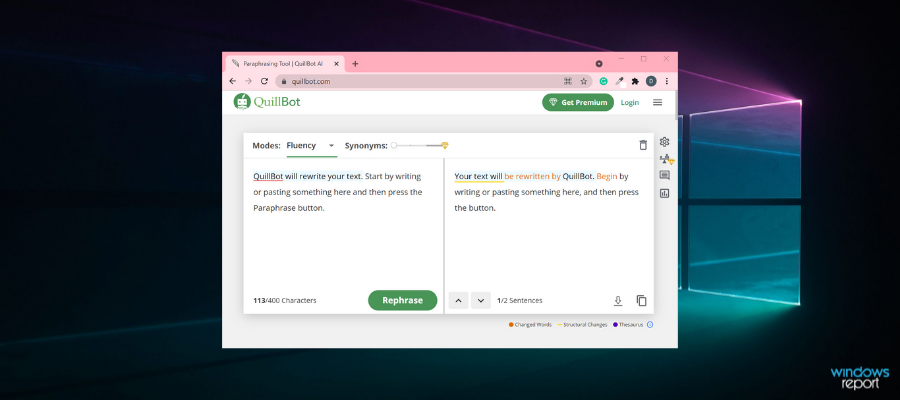
QuillBot is a versatile tool that can rephrase your texts in order to help you reach your writing goals.

The software has built-in vocabulary enhancement instruments like the AI-powered thesaurus, allowing you to find a suitable synonym for any word you want with a simple click. Just as easy, it can rephrase your sentences within seconds after you enter the text into the input box.

QuillBot is a great tool for academic writing needs, but you can also use it for personal or business purposes. Its adaptability makes it suitable for any occasion.

It’s easy to use and integrates directly into Google Docs and Chrome Extension, enabling you to make the changes you want directly from the platform.

QuillBot

Rephrase your academic texts and enhance your vocabulary with this versatile software!
Free trial Visit website

Grammarly – Best spell checking

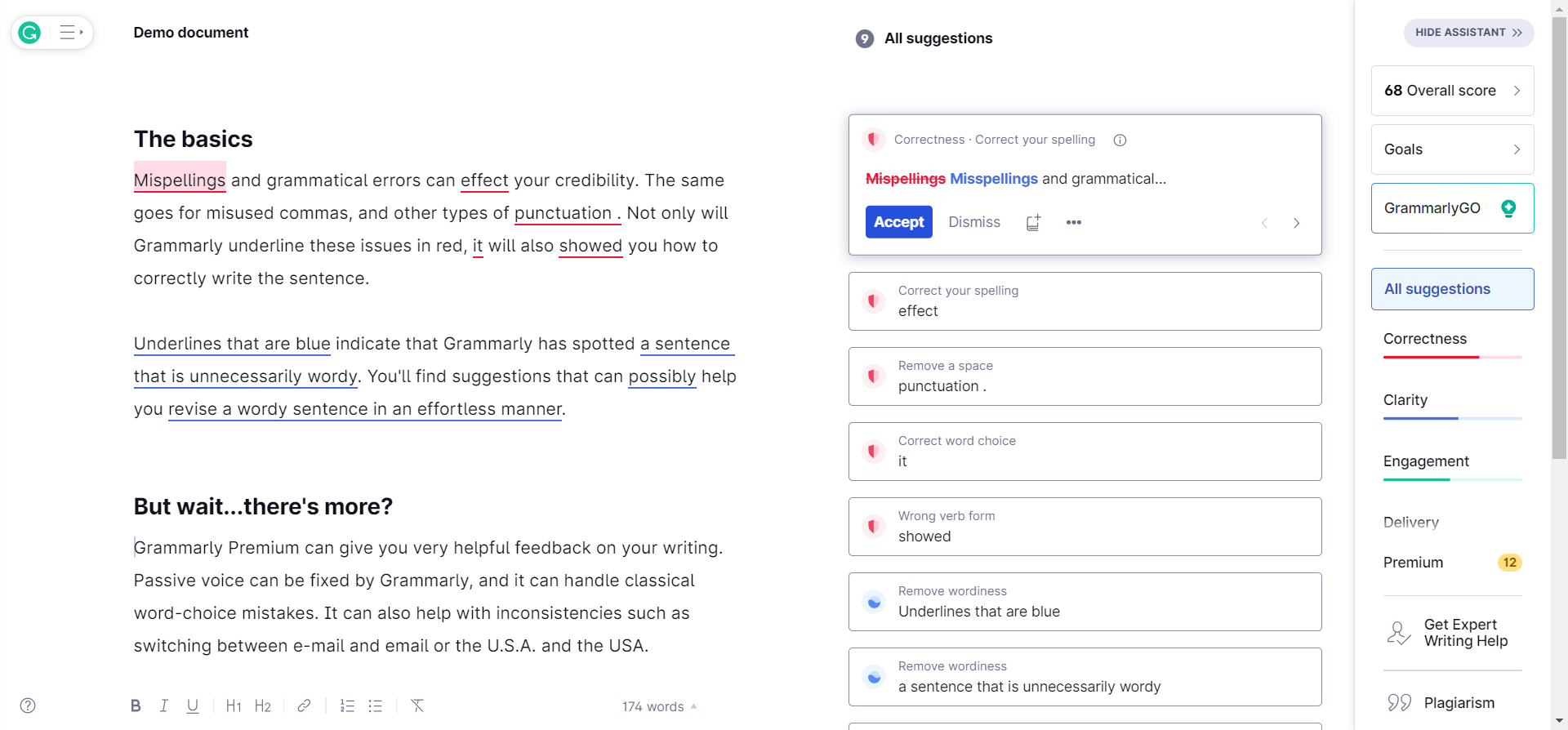
Grammarly is the best software for academic writing and the most famous on this list.

Its browser plugin corrects grammar mistakes and bad phrasing. It is extremely helpful when you need to recheck a text written very quickly or when you need to edit somebody’s work. It also provides you synonyms so you could diversify your texts.

This tool is the first on the list of academic writing needs. If you need to write something and when this needs to be done quickly – Grammarly is his best friend for the correct spelling.

It is not so complicated to use it – Install it on your browser, restart it, and you will have access to the best grammar-checking program.

Grammarly

Write complex texts with ease using this intuitive academic writing software!
Free trial Visit website

Nuance Dragon Anywhere – Great word recognition
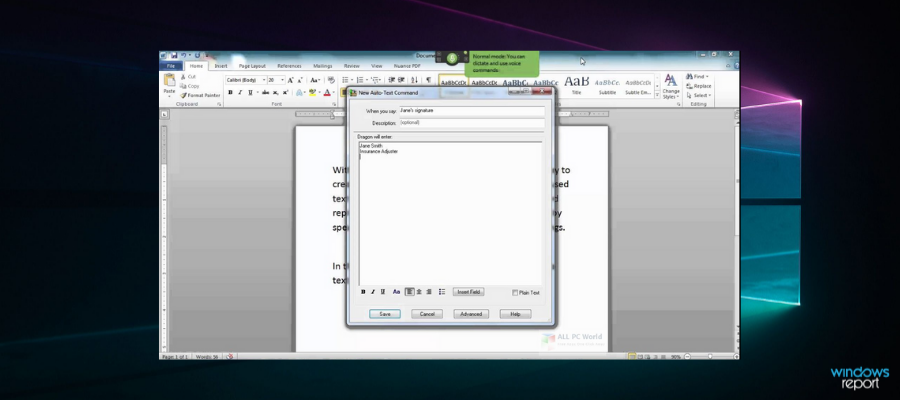
Nuance Dragon Anywhere is a suitable solution for on-the-go users. It is a mobile dictation software that helps you create and edit documents by voice.

The software promises word recognition with 99% accuracy. It has an AI technology that learns your speech patterns for maximized precision.

There is no limit on document length or dictation session. You can speak for as long as you need, and the app generates your documents accordingly.

You can use Nuance Dragon to complete forms on the go, write various documents, including academic papers, complete paperwork, and more. Dragon Anywhere allows you to create various types of document formats. You can also sync it with Dropbox or Evernote.

It provides paperwork assistance with auto-texts for recurring information such as phone numbers, frequently used names, etc.

Nuance Dragon comes with a desktop app as well. You can sync your mobile and desktop app to easily access all your documents on any device.

Nuance Dragon Anywhere

Nuance Dragon Anywhere

Create quality papers on-the-go with this extremely accurate dictation tool.
Check priceVisit website

Scrivener – Ideal for complex documents
Scrivener is one of the best software programs for academic writing, and for good reason. If you regularly work with long and complex documents, this is the perfect choice.

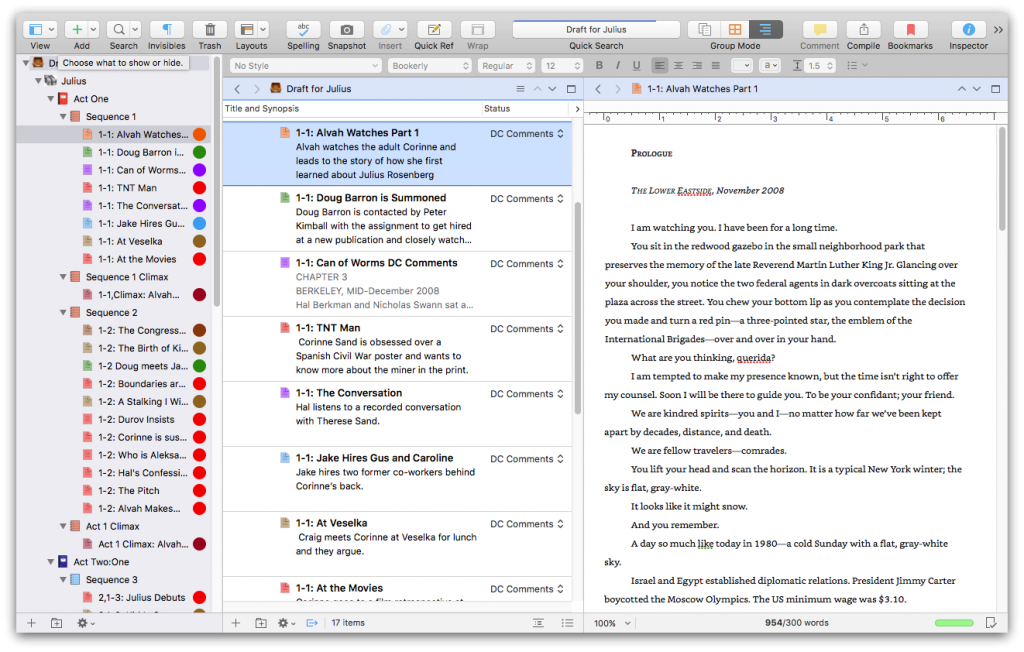
Whether you’re writing a novel, research paper, script, or other types of text, Scrivener helps you collect research information, take notes, view research alongside your writing, and order fragmented ideas to create a cohesive paper. The software brings all the tools that you need in one place.

You no longer need to switch between multiple programs to research files: you can keep all of your materials, PDF files, movies, and web pages inside Scrivener. Simply split the editor to view your research materials in one pane while composing your text in the second one.

This is a very useful feature, especially if you need to transcribe an interview or conversation: keep the audio file playing in one pane, and transcribe the interview in the second one, leaving the document you’re working on.

Don’t worry about making any mistakes. You can always take a “snapshot” of the document you’re working on and restore an earlier revision if you’re not satisfied with the result.

Scrivener

Scrivener

Write, take notes, and view your research materials in one place with this compact writing tool!
Free trialVisit website

Microsoft Word – Best word processing software
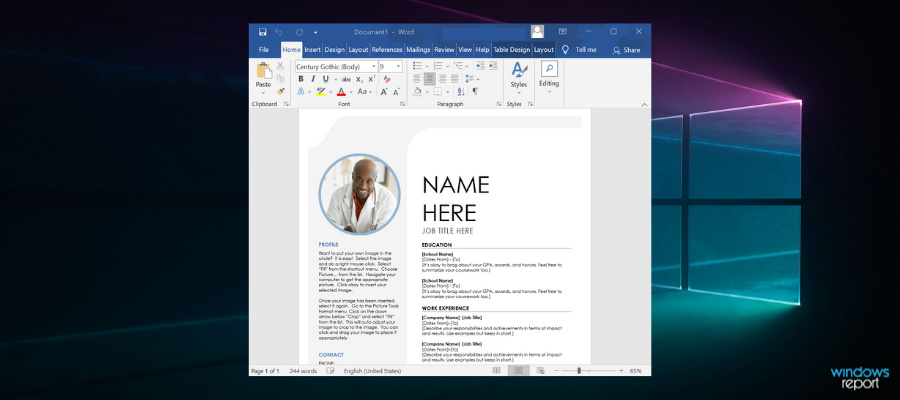
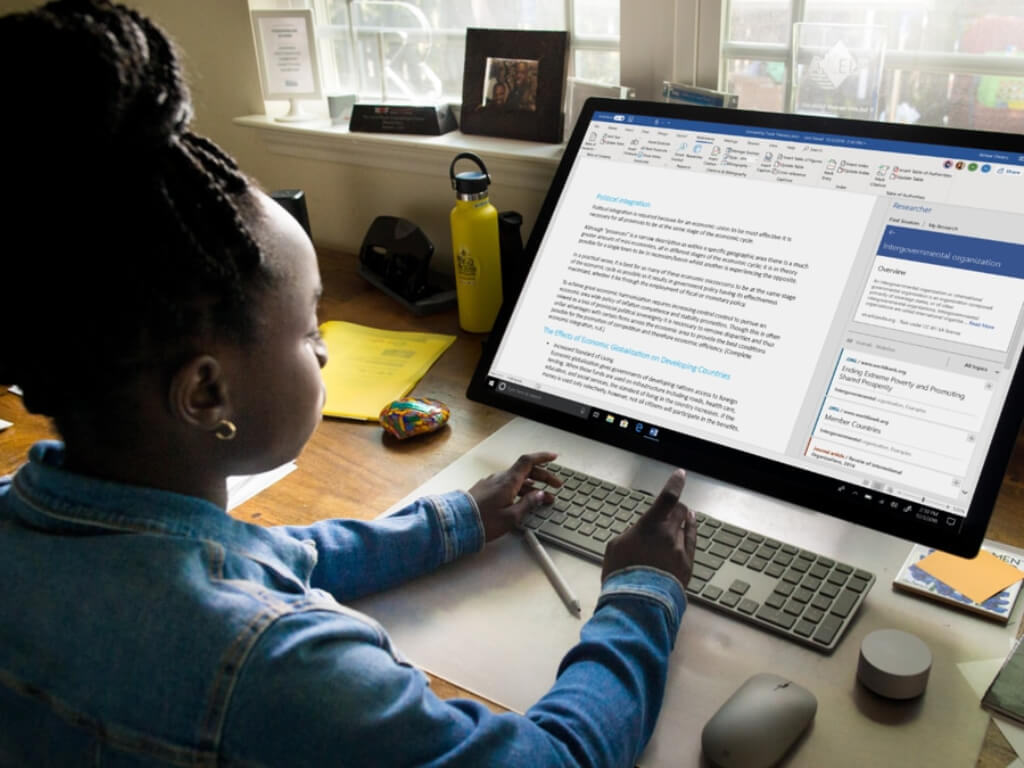
Microsoft Word is unmissable when it comes to the best academic writing software for your Windows PC.

In addition to rich templates and comprehensive text editing tools, Microsoft Word has reviewing features. You can explore multiple styles for your academic paper and save and print documents in multiple formats (including PDF).

You can download the standalone version of Microsoft Word or write in your web browser thanks to Microsoft 365.

⇒ Get Microsoft Word

Citavi – Great for students

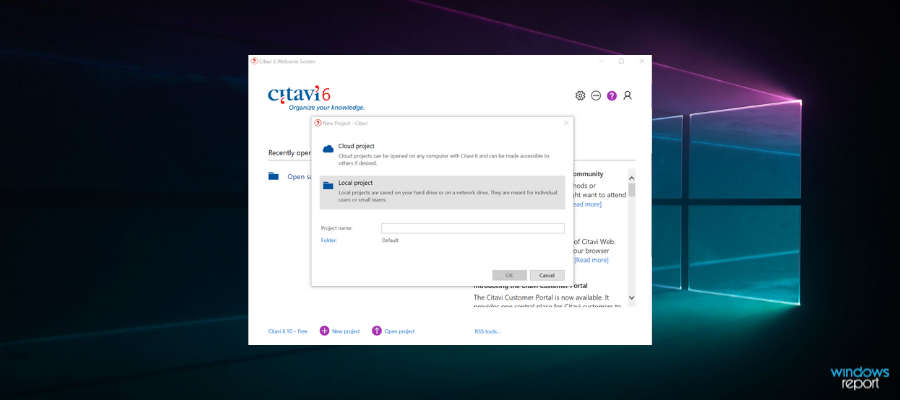
Citavi is a versatile software tool you can use for academic writing as well as for business.

If you’re a student, you can use Citavi to manage your sources, including those from your university’s library catalog. It can also save interesting text passages along with the source and page numbers.

If you’re having problems structuring your ideas, you can categorize your entries to outline your paper. Once you’ve decided on the structure of your paper, you can insert your saved quotations. Moreover, when you insert a quote, the tool automatically adds it to your bibliography.

If you’re a researcher, you’ll love this tool. You can use it to search resources worldwide, create tasks, analyze texts, save quotations and ideas, create drafts, and write reports, articles, books, etc. The software also supports teamwork, allowing you to collaborate with your peers.

⇒ Get Citavi

Ref-N-Write – Built-in academic phrases library
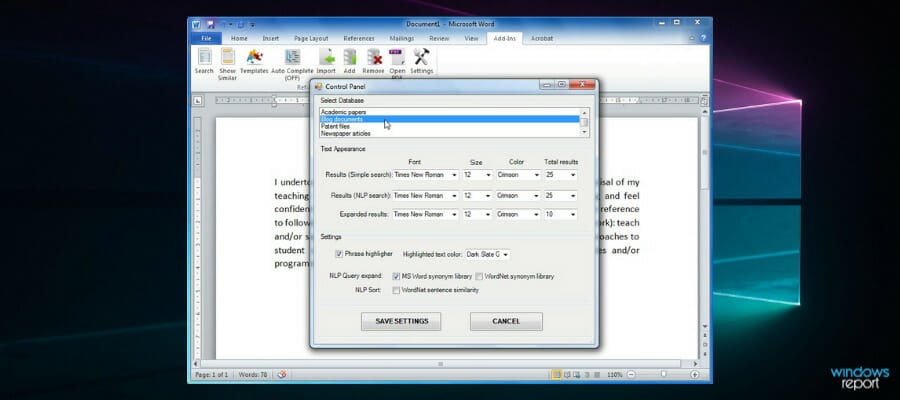
Ref-N-Write is a complex academic writing software tool that will help you finish your assignments or research in no time. You can use this software to perform a full-text search and navigate through all your documents, make sure that you use an appropriate tone for the field, look up specific vocabulary, and more.

Ref-N-Write is perfect for non-native English speakers. The tool offers an impressive academic phrase bank of 20,000 frequently used phrases in academic writing. This will help non-native English speakers paraphrase their text and improve their academic writing skills.

For more information, check out the video below:

⇒ Get Ref-N-Write

TypeSet – Ideal for research work

TypeSet is an incredible software solution that simplifies research and academic writing. It enables you to efficiently focus on finding the right information for your paper and then note down your ideas.

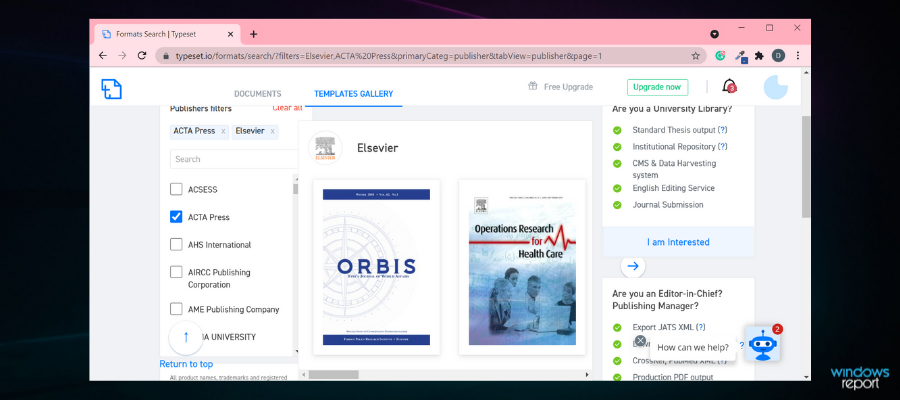
With TypeSet, you can now get your content into thousands of formats. This way, you’ll no longer waste time formatting your paper.

Citing your references is easier with TypeSet. All you need to do is click the “Cite” option in the toolbar, select your reference, and you’re done. The same is valid for bibliographies.

The software also checks your paper’s format, ensuring you didn’t miss any mandatory sections. Typeset’s version control feature lets you track progress on your document, restore an older version, and even compare different versions of your paper. In this manner, it’s easier for you to undo changes.

Most importantly, the tool’s math editor offers a wide library of expressions in mathematics, statistics, physics, biology, etc. This will come in handy if you’re doing research in those fields.

⇒ Get TypeSet

Paraphraser – Fastest academic rewriting
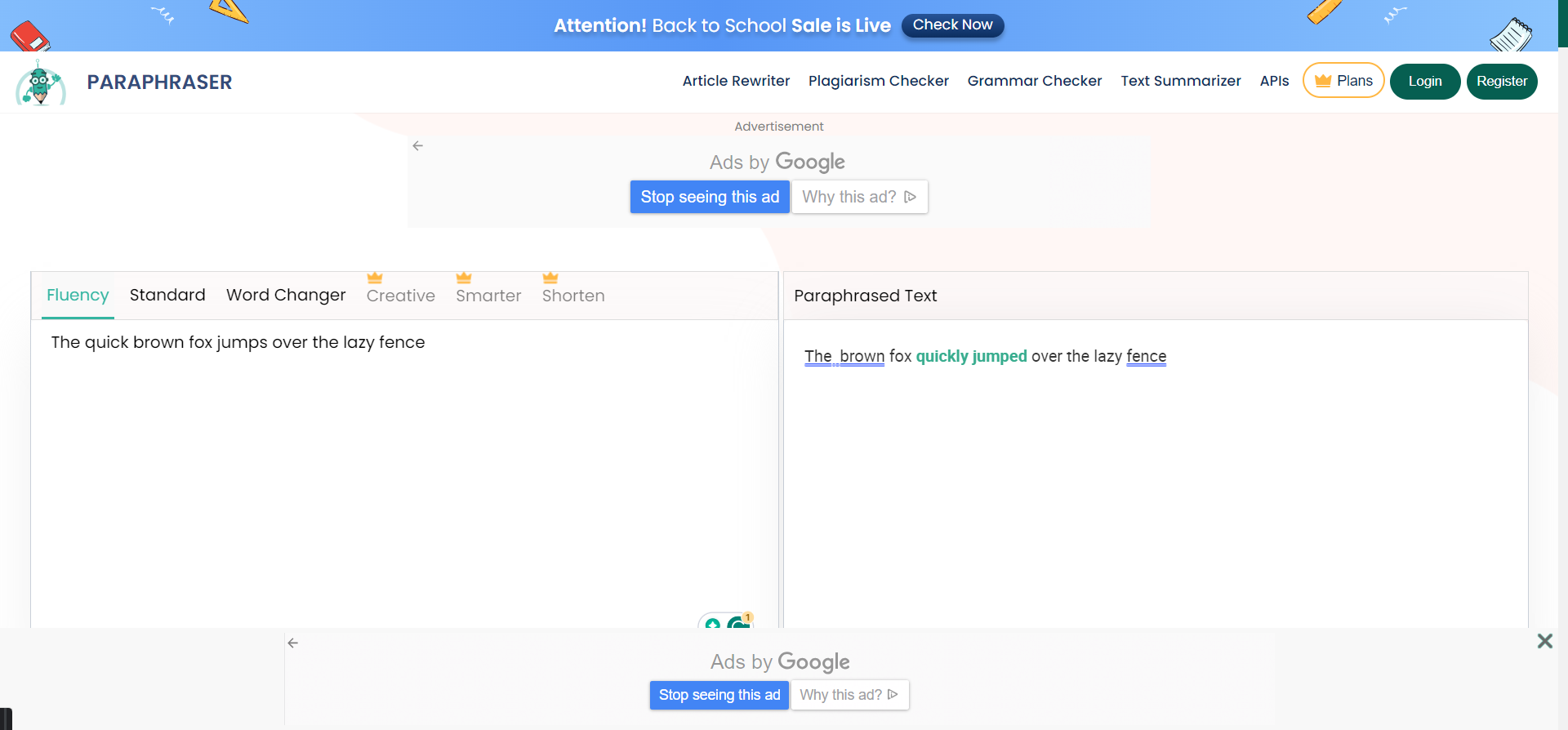
If your paper is not quite there when it comes to expressing your academic point, Paraphraser may be the fastest way to rephrase it in an elegant manner.

All you need to do is paste the text in the designated area, but in the free version, you are limited to 600 words. If you upgrade it to Pro, you will raise the limit to 1,500 words.

Then, just hit the Paraphrase button, and in a few settings, depending on the length of your text, you will get the result in a human-like rephrase style while keeping the original meaning of the context.

The tool has 3 free modes you can apply: Fluency, Standard, and Word Changer. If you go to the Pro plan, you get 3 more: Creative, Smart, and Shorten.

After creating the new content, Paraphraser offers the options to summarize the text, check it for plagiarism, and verify its grammar. You will be redirected to those tools on another page, but they are free as well.

You will also have the option of downloading the final text as a DOC file and using it for your project or simply copying the text with the click of a button.

⇒ Get Paraphrasing Tool AI

It’s very important to use a reliable academic writing tool when writing an academic paper. The research process is very complex, from searching for articles on Google Scholar to getting a tool that helps you organize your ideas comes in handy.

The tools listed above will help you get the job done faster and easier. Choose the one that best suits your needs.

Let us know in the comments below if you’ve used similar academic tools that we should include in our article.

We recommend that you use plagiarism software along with the above-mentioned tools. Making sure you submit original content is always a good idea.

7 Best UML Diagram Software [We Tested 15 in 2026]

UML (Unified Modeling Language) diagrams are visual representations of software systems. The diagrams are essential for software engineers who need to document software systems. There are various alternative types of UML diagrams, such as activity, class, object, component, and sequence diagrams.

This technique is essential for software engineers to visualize, document, and construct the artifacts of their systems plans. Such a best practice is not only efficient for developing software but it can be extremely helpful for business modeling.

Then UML diagrams can provide support in other fields because it structures the plan in sequence, following a logical pattern that actually represents the scheme of your final projects.

Software engineers will need diagram software to set up UMLs. As such, there are numerous diagramming software with which users can lay out UML diagrams. The best UML diagramming tools support most of the UML diagram classes and are compatible with the UML 2.0 specification. These are some of the best Windows software for UML diagrams.

What is the best UML diagram?

Edraw UML Diagram (recommended)

Edraw UML Diagram is the application of choice for many software engineers and designers. The software is fully compatible with 64 and 32-bit Windows platforms from Windows XP to Windows 10.

First, this diagram software is made for everyone who needs powerful visualizations of a software plan. Hence, take full advantage of progressive flowcharts and visuals, floor planning designs, or electrical engineering made simple.

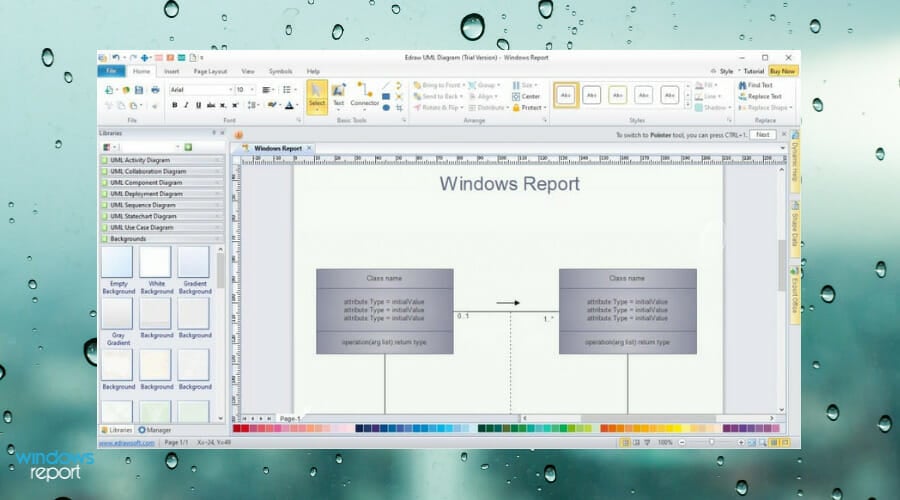
The tool provides all the tools most users will need to set up UML diagrams. The software enables users to set up UML use case, activity, component, sequence, package, static structure, statechart, and collaboration diagrams among others. It includes UML templates with which users can quickly set up the diagrams.

Users can also select various color fill, line, and shadow customization options for inserted objects and add pictures to their diagrams. In addition, users can set up data flow models, SSDs, Booch OOD, ROOM, and Nassi-Shneiderman diagrams among others with Edraw.

Edraw UML Diagram

Edraw UML Diagram

Get started with this strong UML diagram and flowcharting tool to build valuable projects quickly.
Check priceVisit website

Moqups

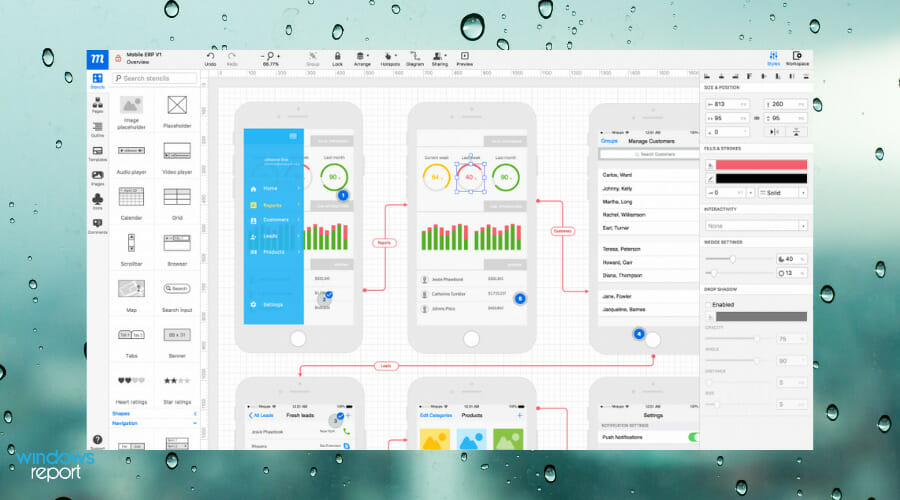
The next entry is an online app that helps individuals to design diagrams and wireframes in no time for complex projects.

Primary, you can use this software for multiple purposes that serve your final concept. So the capabilities involve designing to visualize projects, plan with diagrams, prototype presentation, and collaboration.

You can therefore use this tool in order to manage your project with diagrams or workflows, plus develop teamwork with Cloud collaboration services. Because feedback is crucial for any product, you can involve your teammates when you’re ready.

More so, it’s desirable to use this program due to its effective tools for project designing, at the same time stimulating the creative process as a team.

It’s worth mentioning that it includes crips elements for your diagrams or plans, with so intuitive drag-and-drop platform which also includes many widgets or smart shapes to quickly add it.

With that being said, Moqups presents valuable services to create respectable project planning with mockups, diagrams, or prototypes of all kinds.

Moqups

Moqups

Using this fantastic app, you can create, design, and visualize every aspect of your projects!
Check priceVisit website

Visio

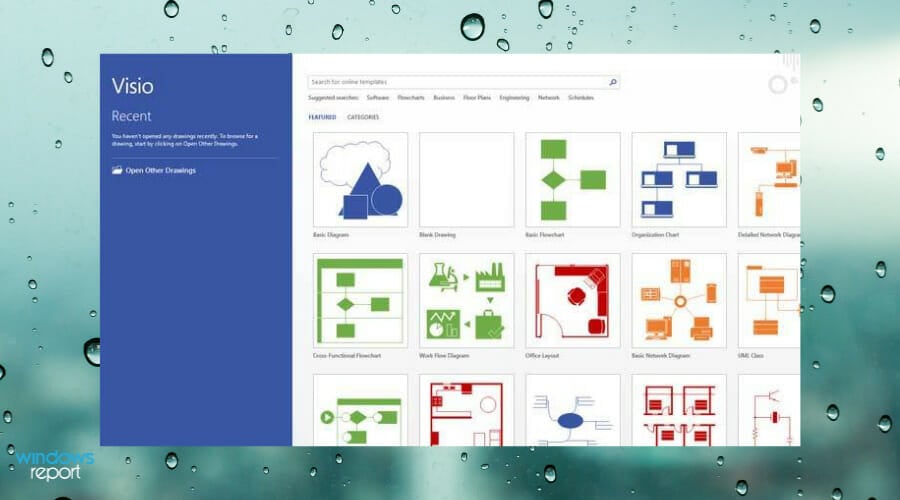
As one of the MS Office suite applications, Microsoft Visio is the industry standard diagramming software with which users can set up a wide range of diagrams, which include UML classes.

There’s also a Visio Online Plan version that supports UML 2.5 diagram types. This probably isn’t the most economical UML diagramming application, but both Visio versions still pack in an expansive diagram toolkit that few other alternatives can match.

Visio supports the UML 2.0 specification and provides templates for six types of UML diagrams. Visio Professional users can set up class, sequence, database, activity, state, and use case UML diagrams with the software.

Visio includes a plethora of formatting and design options, and users can add clip art, photos, CAD drawings, callouts, containers, hyperlinks, and additional charts to their diagrams.

The software enables users to generate UML diagrams from imported source code and integrate real-time data in them with data linking. Visio users can also set up numerous other diagram types, such as flowcharts, Gantt, network, organizational charts, and more besides.

⇒ Get Visio

UML Designer

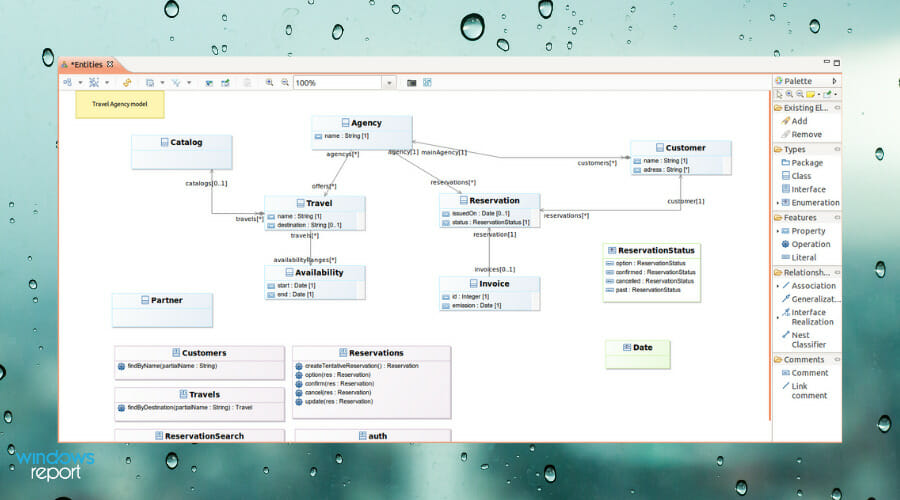
This UML software is a solution for graphical tools meant to edit and visualize UML models very easily.

Using software like this one it’s likely to create the most amazing graphical modeling workbench using Eclipse Modeling functionalities. So the service is based on the Sirius project that offers generic design structures for your UML maps.

Further, you can customize your workflow or diagrams and combine UML designs with domain-specific modeling, then working on multiple modeling types at the same time.

More exactly, it is possible to work on UML and DSL models at the same time and modify your diagrams however you need for your final concept.

In addition, in order to better understand how the software works or navigating options within the platform, there are cheatsheets you can access to learn the basics. Plus, you can benefit from extensive tutorials on the official website.

So choosing the UML Designer solution it’s assured that you can customize your best modeling diagrams and create your workflows seamlessly without much training.

⇒ Get UML Designer

UMLet 14.3

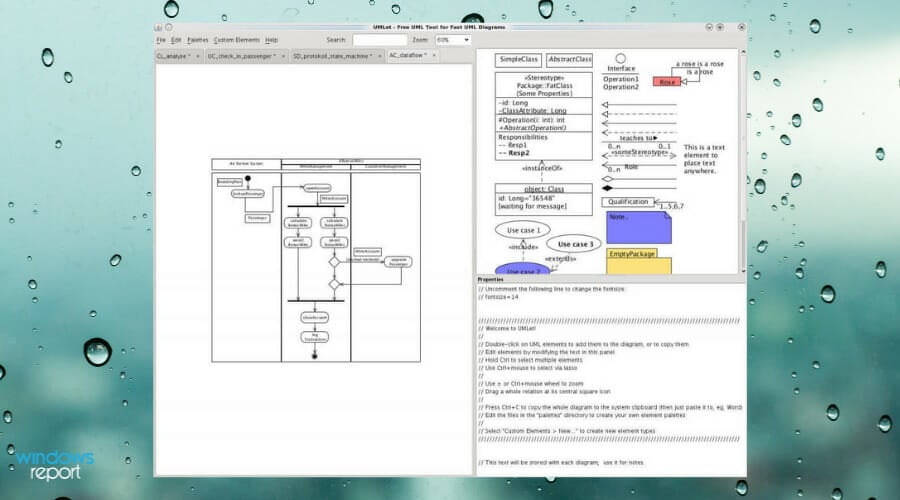
UMLet is a straightforward design tool with which users can quickly set up UML diagrams. This is open-source software for all Windows platforms that you can download from the UMLet website. Note that Java 1.6 is a system requirement for UMLet, so users need to have Java installed before they can run the software.

The tool is more specifically designed for UML diagrams. What sets UMLet apart from some of the other alternatives is that users modify diagram elements with text inputs instead of the more standard pop-up dialogs. UMLet users can set up custom elements for diagrams.

The software supports various UML diagrams, such as use case, sequence, deployment, activity, and state diagrams. In addition, this application includes a handy Mail to option with which users can email UML diagrams.

Plus, using this software you can create diagrams easily due to its user-friendly interface, building sequence diagrams from plain text in minutes. And also you can export your diagrams to PDF, JPG, SVG formats and share them quickly.

Lastly, operating this tool is very simple, with controls like double click to add elements, elements editing on lower-right text panel, or CTRL+Space for context help.

⇒ Get UMLet

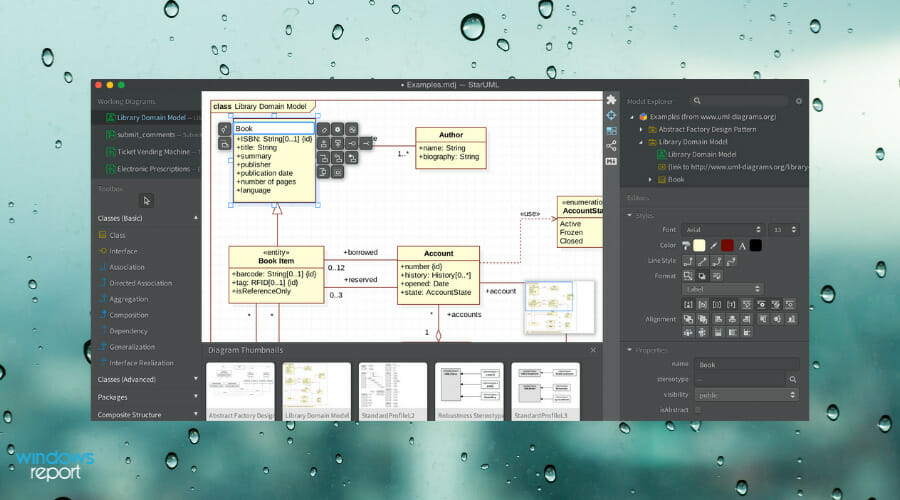
StarUML 3

StarUML 3 packs in an abundance of tools for designing software models. Apple, IBM, Samsung, EA, Amazon, and Intel are some of the renowned companies that utilize StartUML 3 for software design. The application is compatible with Windows (XP to 10), macOS, and Linux platforms.

StartUML 3 is compatible with UML 2.0 metamodel diagrams. So its users can set up about 11 UML diagrams along with data flow, flowchart, and entity-relationship diagrams (for database design).

With the software’s Java and C++ extensions, StartUML 3 users can generate Java and C++ code from their UML diagrams and revere engineer code.

Besides, this software also includes some handy publishing options that enable users to share their models with HTML docs or export them to PDF for printing.

Moreover, using this platform you can profit from extensive features such as retina display support, extension manager for third-party extensions, model-driven development, fast modeling with shorthand edits, dark or light themes, etc.

⇒ Get StarUML 3

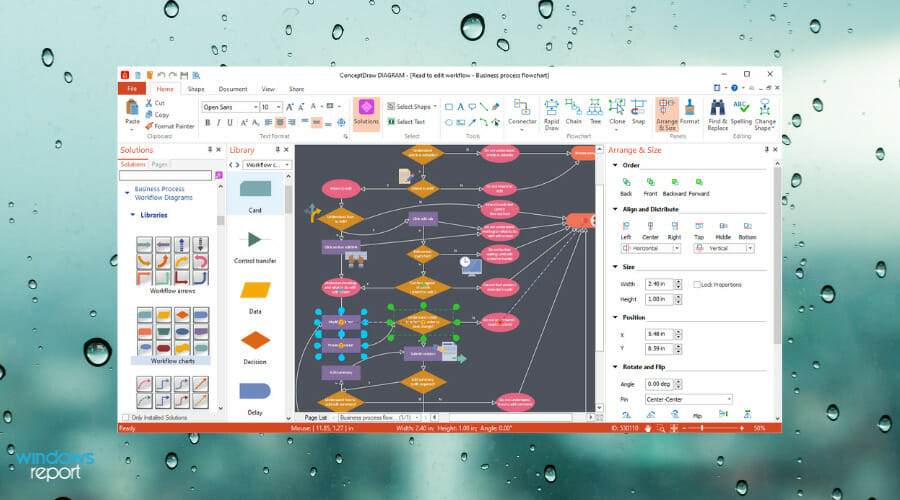
ConceptDraw Diagram

ConceptDraw Diagram is general-purpose diagramming software that users can utilize for software modeling. This is among the best diagram software alternatives to Microsoft Visio. ConceptDraw Diagram is compatible with Windows 10, 8, and 7 and Mac platforms.

ConceptDraw Diagram users can set up almost the full range of UML diagram types. The software includes a great range of drawing tools and item template galleries for diagrams.

Or ConceptDraw 12 users can set up UML diagrams by selecting one of its ready-made templates. The software incorporates live object tech, which is similar to Visio’s real-time data linking.

This application also includes great sharing options as it enables users to send diagrams via email, display them as presentations, export them to Adobe Flash or PDF formats, and save them as HTML for the web. Furthermore, ConceptDraw is fully compatible with Visio, which is a bonus for users who need to open Visio files.

So take your pick from those UML diagram applications. Visio and ConceptDraw are probably the best general-purpose diagramming software of those selected.

⇒ Get ConceptDraw Diagram

However, StartUML, Edraw UML Diagram, and UMLet 14.3 might be better value alternatives for users who only need to set up UML diagrams.

Outriders is joining Xbox Game Pass for PC on October 19

Outriders, Square Enix’s new loot shooter that launched day one on Xbox Game Pass for Console back in April, is joining Xbox Game Pass for PC tomorrow, October 19. If you previously played the game on Xbox consoles, you’ll also be able to transfer your progress to the Windows version that will be available with Xbox Game Pass for PC.

Launching day one on Xbox Game Pass for Console definitely helped Outriders to enjoy some big momentum earlier this year. As a brand new IP from People Can Fly, a Polish studio that previously worked on Microsoft’s Gears of War series, Outriders received praise for its solid gameplay and immediate support for cross-play multiplayer. It’s still not clear if developer People Can Fly is planning additional DLCs, but the four different classes in Outriders make the loot shooter highly replayable.

Xbox Game Pass for PC may have launched two years ago, it’s still not unusual to see some of the biggest games launch first or exclusively on Xbox Game Pass for Console. That was the case for AAA games like GTA V, Red Dead Redemption 2, or The Witcher 3, though things are slowly starting to change: We’ve seen this with Destiny 2 and Minecraft finally joining Xbox Game Pass for PC, or new games like Back 4 Blood launching simultaneously on Xbox Game Pass for Console and PC.

If you have yet to try the service, you can get your first month of Xbox Game Pass for PC for just $1 instead of $9.99. The game subscription service currently provides access to over 100 PC games from Microsoft and other developers, and upcoming Xbox Game Studios titles such as Age of Empires IV, Forza Horizon 5, and Halo Infinite will join the catalog on day one. Xbox Game Pass for PC also includes an EA Play for PC membership at no additional cost.

OUTRIDERS
OUTRIDERS
Developer:
Square Enix Ltd
Price:
$19.99

How to download and use Microsoft Mathematics on Windows 10

Microsoft has created all sorts of applications during the years, and many of these were discontinued completely.

A few of them had their functionality added to other software, so in a way, they are still present in some form.

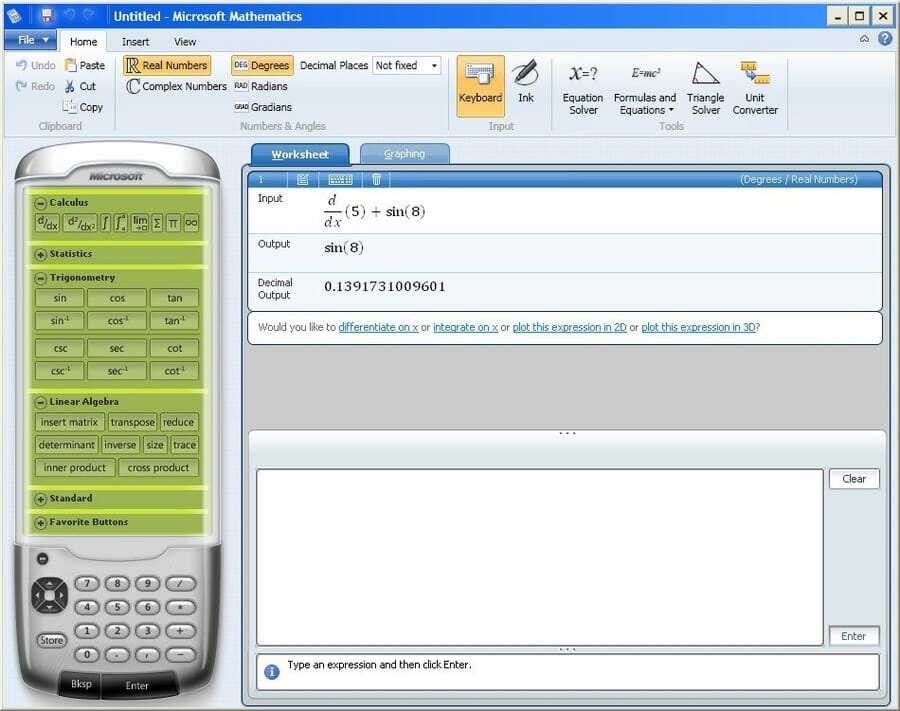
One application that many users are looking for is Microsoft Mathematics. This was an educational software designed to help students solve math problems.

This application had a long history, and in today’s guide, we’re going to see whether or not Microsoft Mathematics is still available for download.

How does Microsoft Mathematics work?

Microsoft Mathematics is an educational app designed for solving science and mathematics problems.

Over the years, Microsoft released four versions of Microsoft Mathematics, with the last one being released in early 2011.

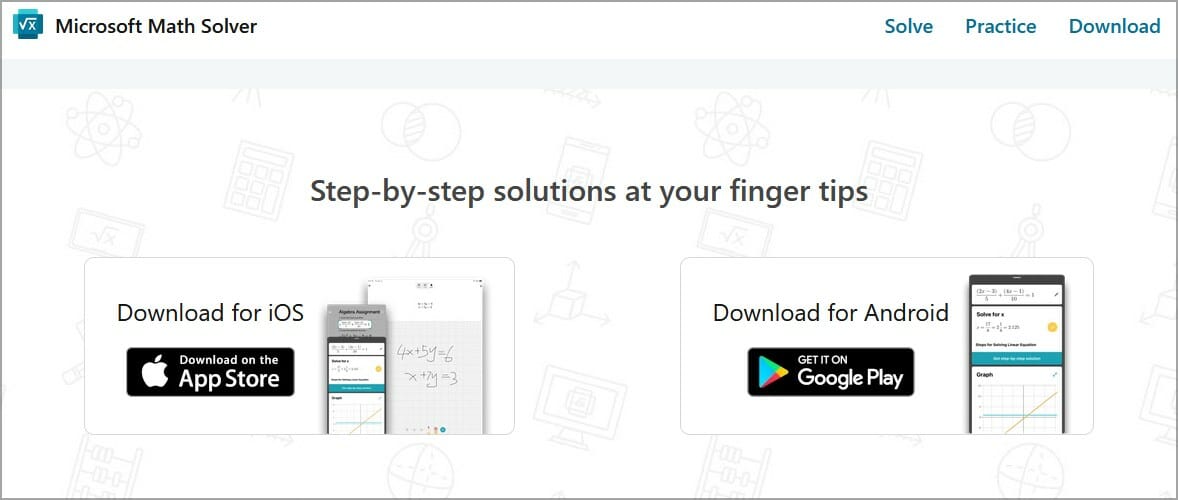
The software ran on the Windows platform until 2015 but now is available on the web and mobile devices as Microsoft Math Solver.

Is Microsoft Mathematics available for download?

The software isn’t available for download from Microsoft anymore. However, you might be able to find it on third-party websites.

Keep in mind that we don’t recommend downloading it from those websites since the file might be infected by malware.

How can I use Microsoft Math Solver on Windows 10?

  1. Go to the Microsoft Math Solver website.
  2. Now enter the equation that you wish to solve.
  3. Select the method that you want to use and see step-by-step instructions.

The web app is completely free and can be used to solve pre-algebra, algebra, trigonometry, and calculus tasks.

Each category can be expanded, allowing you to find exactly what you need with ease. It’s worth mentioning that each solution is followed by a graph, for visual representation.

Is Microsoft Math Solver better than Microsoft Mathematics?

Math Solver is a simplified version of Microsoft Mathematics and it’s designed as its successor. We have to admit that the app lacks certain features, such as statistics, triangle solver, and unit converter.

There’s also no option for physics equations, geometry, or chemistry which makes Math Solver less versatile.

However, the software can work on any mobile platform or any web browser, and it’s more convenient to use, and that’s its only advantage as far as we can tell.

Microsoft Math Solver available for PC

Math Solver is available for PC, or any other platform, in form of a web app, and you can run it from any web browser with ease.

However, the software isn’t available for download on the Windows platform. If you want to download it, you can only do that for the mobile version.

Is Math Solver free?

Yes, the app is free to enjoy without any restrictions, on any platform, so you can download it today and start using it.

The same applies to the mobile versions of this software, allowing you to use it on any platform without restrictions.

Does Google have a math solver?

Yes, Google has its own math solver, and it’s available as a component of Google Lens. In case you’re not familiar, this is a feature that allows you to scan text using your camera and perform searches.

Of course, this feature also works with equations, and you can easily solve any mathematical problem and see step-by-step instructions for it.

Since this feature is part of Google Lens, it’s only available on mobile devices, so you can’t use it on your PC.

Microsoft Mathematics has been retired, and the only way to obtain it is from third-party websites. However, the core concept of the software lives as the Math Solver app.

Even though this version doesn’t offer certain features, it’s developed and maintained by Microsoft, which makes it much more reliable and safer to use.

For more options to pick from, check out this list including the best mathematical equation writing software.

If you’re looking for more educational software, we have a great guide on how to download Encarta Kids, so don’t miss it.

What math software do you use? Let us know in the comments section below.

How to change directories in CMD (Command Prompt) in Windows 10 or Windows 11

Updated December 5, 2022.

The Command Prompt, sometimes also referred to as cmd.exe or cmd, is a command line interpreter in Windows operating system, and has been in use since the earliest days of Microsoft operating systems, dating back to the DOS days. Offered as an alternative to Windows GUI, CMD offers far more control and functionalities to the average Windows user, than the normal GUI ever can.

But, before you can perform any wizardry with the CMD, you’ll first have to learn how to change directories in it. In this article, we’ve covered some of the easiest methods to change your Command Prompt directory in Windows 10 and Windows 11.

Change your Command Prompt directory with the cd command

The cd command, short for “Change Directory,” lets you jump from one directory (folder) to another without a lot of hassle. Here’s what you need to do.

  1. Type in cd in the Command Prompt and hit Enter. From there, you’ll be taken to the top of your Command Prompt directory instantly. As you will see on your Command Prompt screen, you’ll be taken to the root directory in Windows “C:” drive.
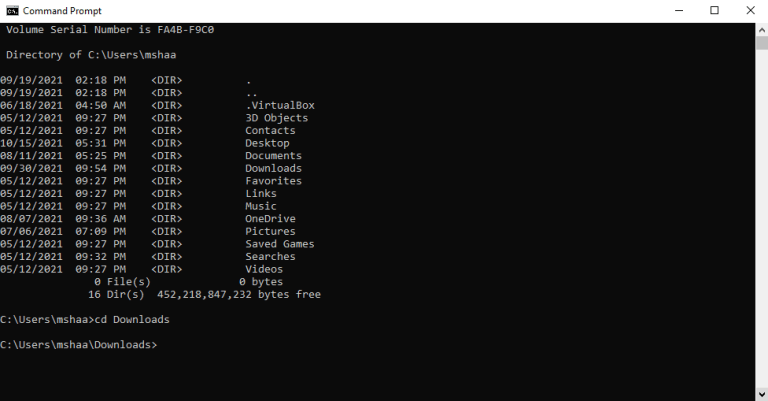
  2. To move into a particular directory, just enter cdfollowed by the directory name. For instance, we moved into the Downloads directory located inside the root directory of our Windows 10 here.
  3. For multiple-word directories, you may have to enclose the name in quotes, for example, cd "OneNote notebooks"– one tip here, you can start typing a directory name and then hit the Tab key, and Windows will fill in the name for you. If you have multiple directories with similar names (say files 1, files 2, files 3, etc) keep hitting the Tab key, and Windows will cycle through the possible matches.command prompt
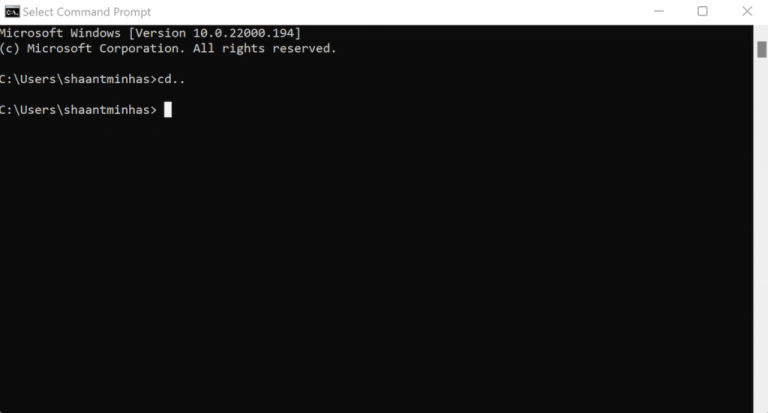
  4. Alternatively, instead of going straight to the root directory, you can also go back to the previous folder by adding ..  after cd command. So, go into your Command Prompt, type cd .., and hit Enter.
command prompt

Changing the drive in CMD

If, in contrast, you want to change your directory altogether, then you’ll have to type the drive name, followed by :. So, if you’re in the “C:” drive right now, and you’d like to move into your “D:” drive, just type in “D:” in the CMD and hit Enter.

Another thing to keep in mind is that the CMD is case-insensitive, meaning that it treats capital and small case letters as the same. So, it doesn’t matter if you type “D:” or “d:”—CMD will interpret both of them as the same.

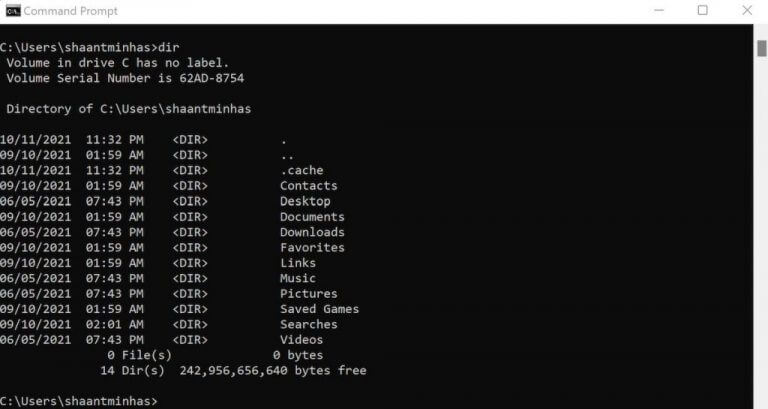
Another command that deserves special mention is the dir command. Type in the dir in the CMD and you’ll see a list of files and folders inside the parent directory.

running dir command in cmd in windows 11

Now, if you want to go inside a specific directory from here, just use the cd command from above, along with the name of the directory, as we did above.

Change directories in CMD by dragging the folder

You can also use the GUI along with the CMD here. Type in cd in the Command Prompt, drag the folder that you want to move in into Windows Terminal, and hit Enter. CMD will switch directly to the desired folder.

Changing directories in CMD

If becoming a pro in Windows Terminal is what you’re after, then being able to change your terminal directories is just one of many hacks you’ll be mastering along the way. Make no mistake, as this is only the beginning, and you’ll be learning a lot more when you dive into the Command Prompt more in-depth.

We also have a great guide on what is root directory that will show you how to access and use this folder.

Best Data Recovery Software For Damaged Hard Drive [Tested 2026]

Hard drive recovery is essential because we all have critical and potentially irreplaceable data and files stored on our systems.

Whether the data was lost as a result of a hard disk drive crash or due to a computer that suddenly stopped working, it’s paramount to know how to recover your data safely.

You have various options for retrieving your lost data. The first thing you need to do is to connect the hard drive to another computer.

The second step is to try and copy the data to another drive. If this does not work, you also have another option available for recovering your data, and this consists of downloading specialized tools, as listed in this article with the best Data Recovery Software.

Here are the best data recovery programs for Windows when extreme scenarios of damaged hard drives occur.

Recover damaged hard drive with these tools

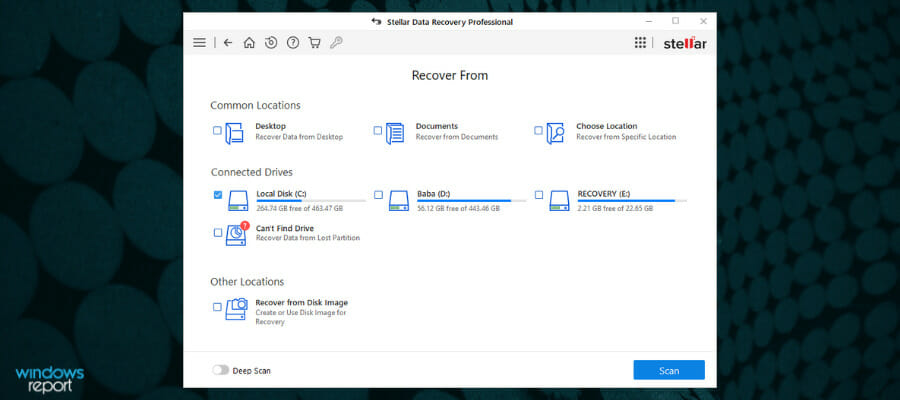
Stellar Data Recovery Professional

best recovery software for damaged hard drive

Stellar Data Recovery Professional can recover data from disks formatted in NTFS, exFAT, and FAT (FAT16/FAT32).

This program can handle a variety of data loss scenarios, including file deletion, drive formatting, disk corruption, lost or deleted partitions, crashed systems, and more.

The data recovery software recovers data from hard drives and solid-state drives found in laptops and desktop computers.

There is also a Clone Disk option, which allows you to make a duplicate of the disk to avoid permanent data loss circumstances caused by a drive failure.

The add-on Drive Monitor application monitors important properties of a hard drive, including temperature, drive health, and performance, to assist prevent data loss due to approaching disk failure.

Stellar Data Recovery Professional has the following essential features:

  • Data may be recovered from hard disks, SSDs, and USB devices
  • Data is recovered from a crashed and unbootable machine
  • Recovers data from a partly burned or damaged CD or DVD

The software elegantly categorizes the scanned files in Tree View, File Type, and Deleted List forms, making it simple to check and choose data for recovery.

Stellar Data Recovery Professional

Stellar Data Recovery Professional

Recovers any file type from storage media, checks hard drive health, and deals with damaged hard drives for a safe outcome.
Free trial Visit website

Disk Drill (Pandora Data Recovery)

best recovery software for damaged hard drive

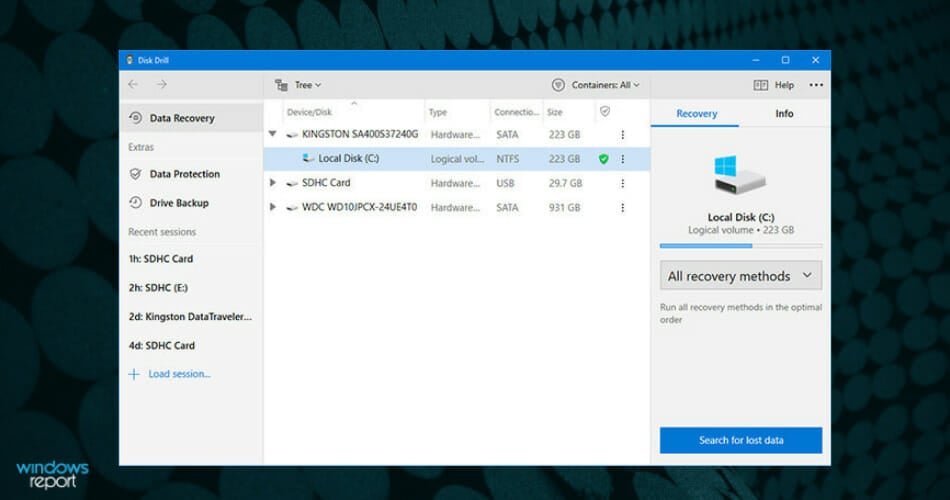
Disk Drill formerly known as Pandora Data Recovery allows you to find and recover deleted files from NTFS and FAT-formatted volumes.

The software will scan your hard drive and then build an index of existing and deleted files and folders.

After the scanning process is over, you will have full control over which files you want to recover and what destination you want to recover them to.

Let’s quickly look at its key features:

  • The program can recover archived, encrypted, hidden, and compressed files
  • You will be able also to recover alternate data streams
  • Disk Drill Hard Drive Data Recovery Tool is compatible with Windows
  • The software includes Review File properties and Drive Properties as well
  • You can recover lost files to your local hard drive, network drive, or flash drive

Disk Drill recovery understands a large number of files. The Deep Scan algorithm is highly familiar with over 300 distinct file signatures.

If your drive’s File Allocation Tables recall any data sectors, Disk Drill can read them and retrieve deleted files with their original file names, location, and parameters.

Disk Drill

Disk Drill

Photos, movies, files – you name it, Disk Drill can retrieve it and it’s absolutely free up to 500 MB of data.
Check price Visit website

Recuva

best recovery software for damaged hard drive

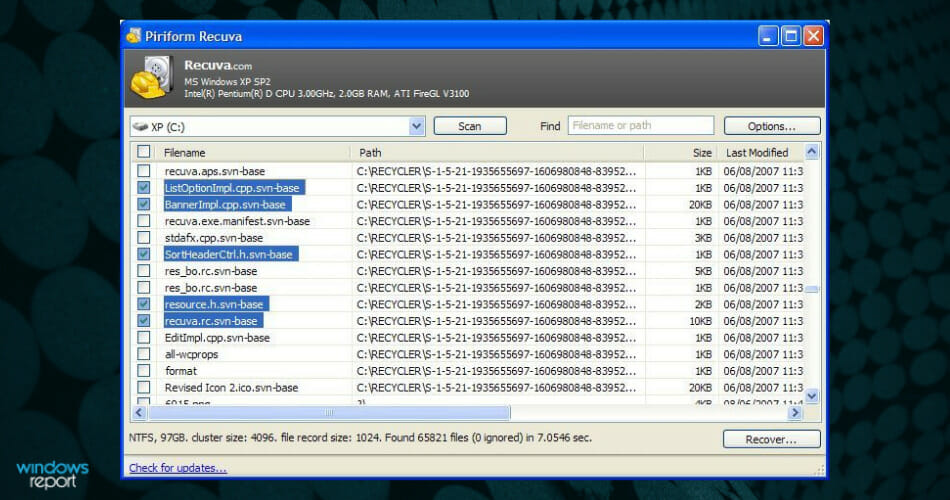
Recuva is another software that allows you to recover your deleted files effortlessly and quickly. If you accidentally deleted essential data or you lost your files due to a computer crash, Recuva is the solution that will definitely save the day.

Let’s quickly look at its key features:

  • This software can recover music, pictures, videos, documents, emails, and any other file types that you have lost
  • Recuva can recover the files from your computer but also from rewritable media such as external hard drives, memory cards, and USB sticks among others
  • Unlike most file recovery utilities, Recuva can recover files from both damaged or newly formatted drivers
  • The program’s flexibility will provide you with higher chances of your data recovery
  • Comes with an advanced deep scan mode that is able to search through your drives to find traces of the files that have been lost
  • The program’s secure overwrite feature uses industry and military-standard deletion techniques just to make sure that your data remains deleted

Recoverit Data Recovery

recovery software for damaged hard drive

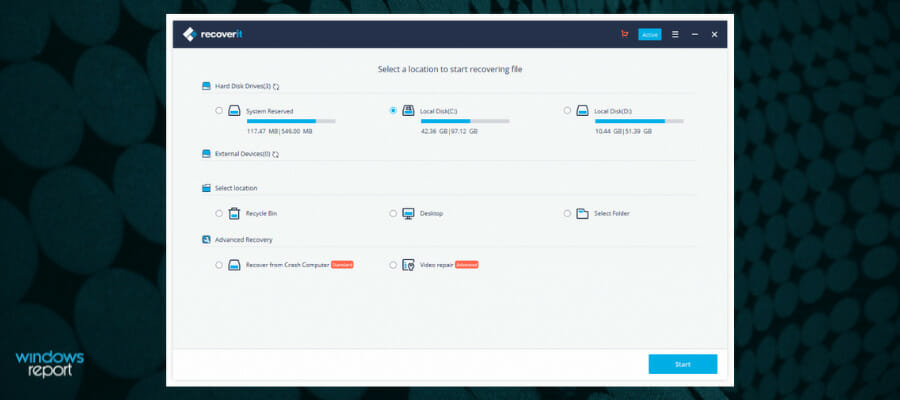
Files lost as a result of hard hardware failures or partition loss? When this harsh circumstance arises, Recoverit from Wondershare is a wonderful solution to save any lost data with the best data recovery success rate.

In fact, if your hard disk is corrupted, you may lose crucial media data saved on it, and Recoverit is the finest solution in this case thus far.

Video files are distinct from other types of data. After previewing the movie using a specialized program, you may discover video corruption. If this is the case, Recoverit Data Recovery Advanced will assist you. It analyzes, collects, and matches the fragments of your corrupt movies, ensuring that the majority of your media files are restored.

Here are the main features of Recoverit:

  • It recovers documents, movies, audio files, and emails.
  • It aids in the recovery of data from deleted files, the recycle bin, malware attacks, and system crashes
  • The partition recovery program will restore files when partitions are lost, destroyed, RAW, or inaccessible
  • Recover data from internal and external hard drives on your PC/laptop
  • Retrieve ZIP, RAR, SIT, ISO, EXE, HTML, SITX, and more formats
  • Supports any external USB storage media and memory cards

The Deep Scan takes longer since it searches your disk inch by inch for deeply buried data. Make use of the Filter that enables you to search for a certain file type and provides quick access to what you want. You can pause or stop scanning at any time to retrieve any data that has appeared in the results.

Recoverit Data Recovery

Recoverit Data Recovery

If the files have not been altered and are still present, you can recover your data in three steps, regardless of how you lost it.
Check priceVisit website

Ashampoo WinOptimizer

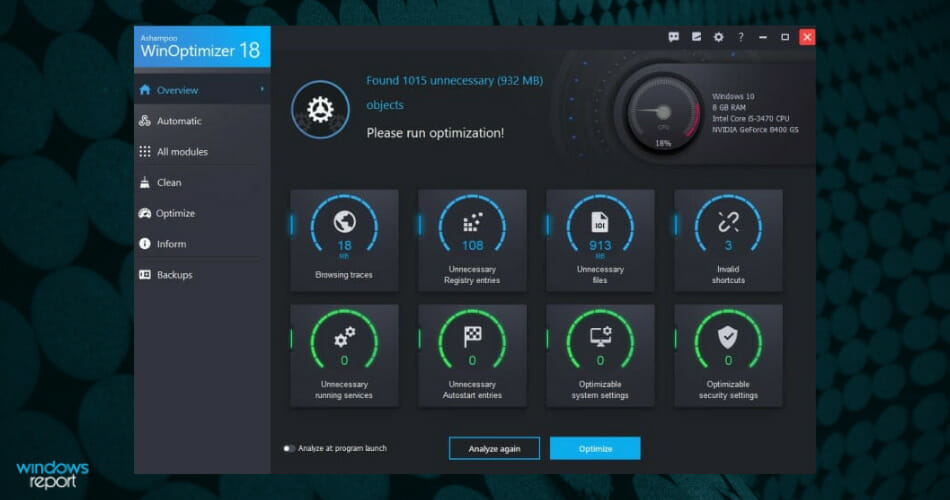
Ashampoo WinOptimizer goes beyond a mere data recovery tool. This is an ultra-powerful, next-generation complete tuneup and cleaning suite that comes packed with 37 modules covering everything you need to keep your PC in pristine condition from security, maintenance, privacy, deep scans to repair tools.

Needless to say that if you accidentally deleted files or if you want to permanently get rid of others, this system optimization software is your trusted partner.

Let’s quickly look at its key features:

  • System optimization, in-depth cleaning, and diagnosis
  • Remove junk data and broken shortcuts, fix Registry entries, and disable unnecessary services
  • Next-get SSD-ready Defrag tool to merge free space, automate drive analysis while enjoying uninterrupted use of your PC
  • Comprehensive dashboards to provide an extensive look of your system
  • Designed for Windows and set to evolve with it (includes fixing issues introduced through Windows updates)
  • Privacy Control and Antispy features

EaseUS Data Recovery Wizard

best recovery software for damaged hard drive

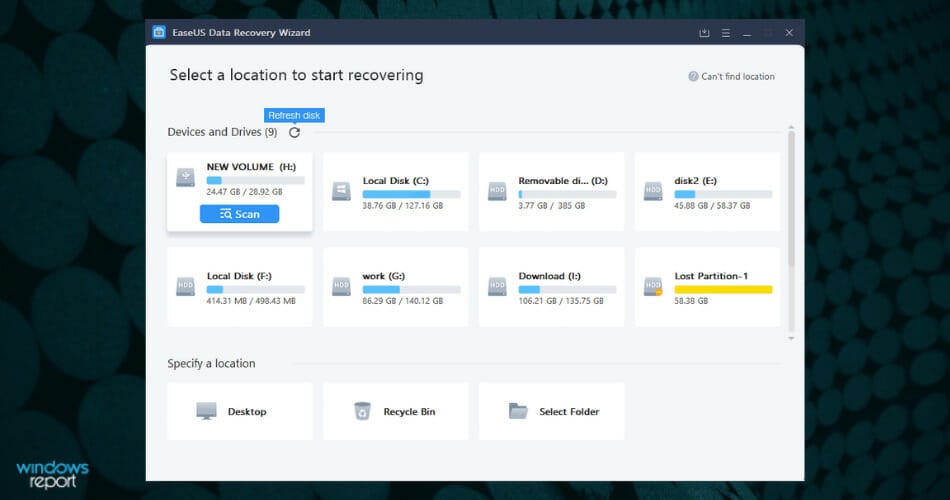
EaseUS Data Recovery Wizard handles partition recovery of a damaged hard disk in such a way that all recovered files are returned to you quickly and in one piece.

One of the finest data recovery tools can simply, rapidly, and safely recover data that has been deleted, erased, or lost from a PC, laptop, or portable device.

EaseUS Data Recovery Wizard’s entire scan is divided into three sections: Deleted Files, Lost Files, and Existing Files.

The EaseUS Data Recovery Wizard restores data for a variety of causes, including accidental data deletion, formatting, hard drive corruption, virus assault on disk, system crash, volume loss, operation failure, and many more.

EaseUS Data Recovery Wizard’s core features are as follows:

  • Repairs a hard disk that has been damaged or corrupted.
  • This method works for inaccessible drives.
  • A deleted partition on a hard drive can be recovered.
  • This applies to lost partitions as a result of repair and boot managers failures.
  • It is possible to repair improper partitioning or partition errors.
  • In the event that a partition has been formatted or reformatted, you can recover it.

EaseUS Data Recovery Wizard is a comprehensive program that aids in the recovery of critical sections of a damaged hard disk as well as the repair of damaged PC components. But don’t just take our word for it, try it out yourself!

EaseUs Data Recovery Wizard

EaseUs Data Recovery Wizard

A high-quality, non-destructive data recovery program that specializes in HDD/SSD recovery, format recovery, raw recovery, and partition recovery.
Free trialVisit website

PC Inspector File Recovery

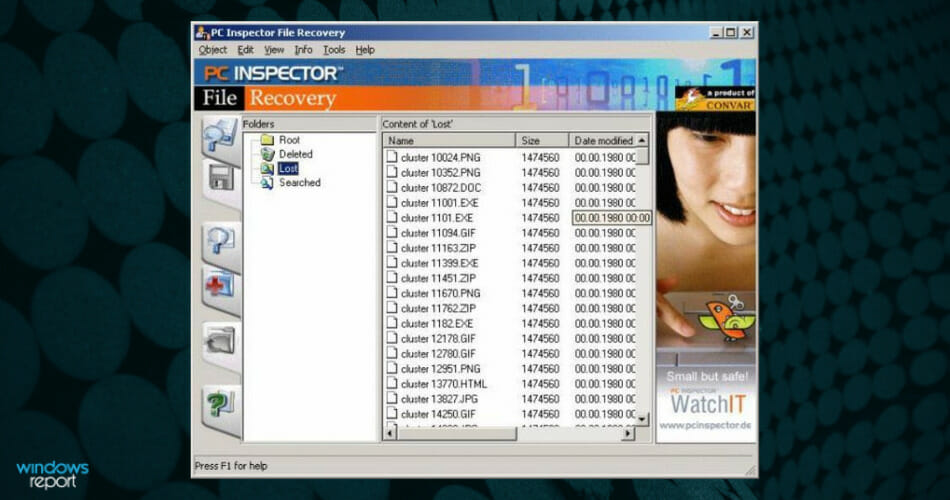
PC Inspector File Recovery is another excellent option for recovering your lost data.

When you launch the program, you will first need to choose your language, and after that, you’ll be prompted with a welcome screen that gives you three options.

Let’s quickly look at its key features:

  • The first option is to Recover Deleted Files, and this will allow you to restore the files that have been permanently deleted from your drive; the option will only work if the deleted files have not been overwritten yet.
  • The second option is Find Lost Data, and this lets you recover files that have been lost due to a system crash; the scan will take around a few hours, in accordance to your drive’s size.
  • The last option is Find Lost Drive, and you should use this id your drive letter doesn’t appear in My Computer or Windows Explorer; it will try to connect to the drive, and then it will allow you to browse through the data.

⇒ Get PC Inspector File Recovery

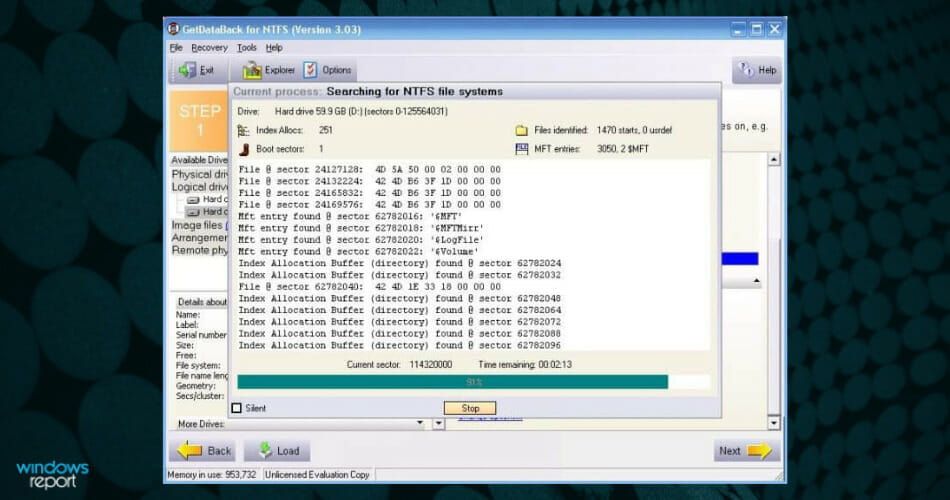
GetDataBack

GetDataBack is one of the simplest solutions for recovering your lost data.

GetDataBack is a read-only program, and this means that it won’t attempt to fix or write on the drive that you are about to recover.

Let’s quickly look at its key features:

  • It is able to recover all your driver data
  • You can restore file names and directory structure as well
  • The software’s interface is user-friendly, and beginners will be able to use the program without any issues
  • The software comes with free lifetime updates when you purchase it
  • You will not have to find out beforehand which files system your drive was formatted with
  • The program’s engine uses four advanced levels that will automatically escalate until the best results have been achieved
  • This software is compatible with Windows

⇒ Get GetDataBack

These are our top picks for damaged hard drive recovery software for Windows. Take a close look at all of their features and decide which tool is the best for your system’s needs. Also, you might want to have a tour of our dedicated area Data Recovery Hub, for more tips and tricks.

Curious about the latest news about hard drives? Team up with our HDD Guides for more useful insights.

All these tools are compatible with Windows, and they can successfully save your lost data and your day as well. Share your pick in the comments section below!

Microsoft news recap: Xbox Series X mini fridge pre-order date announced, LinkedIn to exit China, and more

Microsoft news recap is a weekly feature highlighting the top Microsoft news stories of the past week. Sit back, grab some coffee, and enjoy the read!

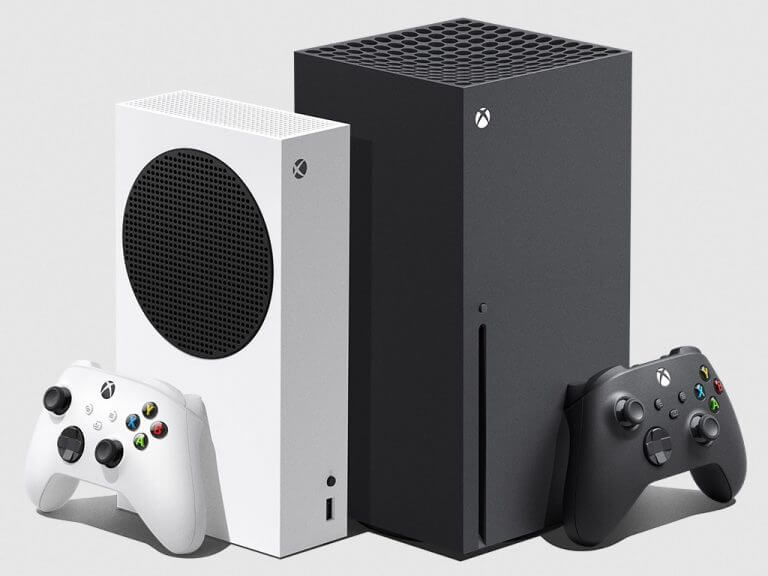
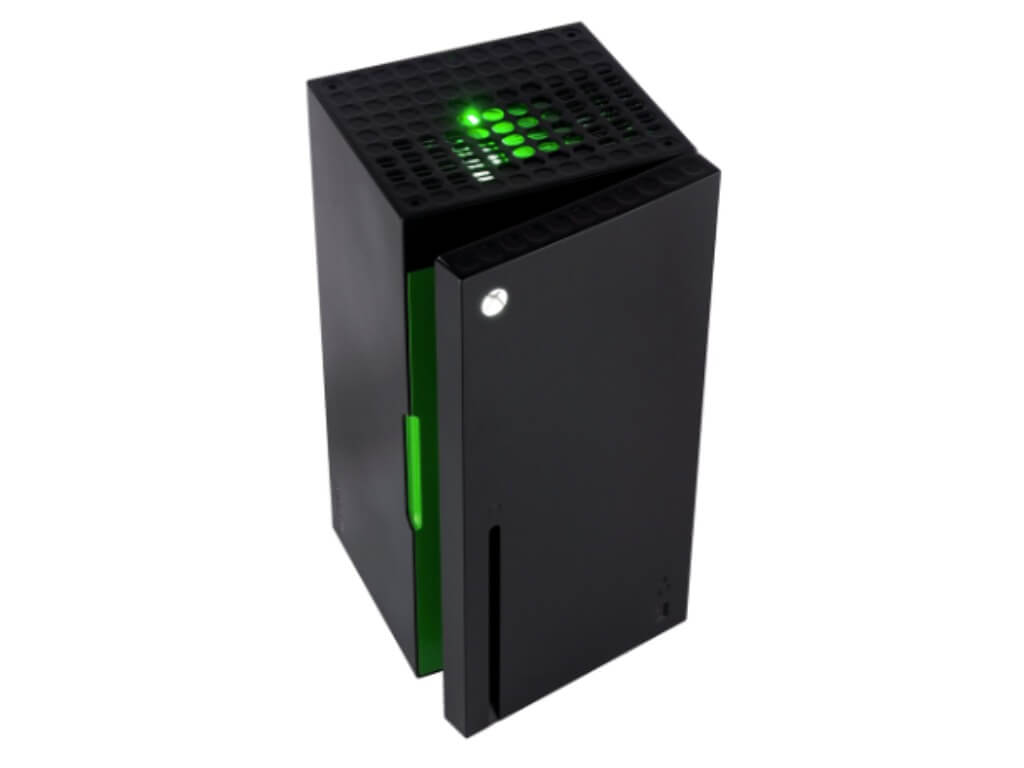
Xbox Series X mini fridge will go up for pre-order on October 19 for $99.99

Originating as a meme, the Xbox Series X mini fridge is finally becoming reality, as pre-orders are set to open on October 19, with the mini fridge being priced at a respectable $99.99. It will be available in multiple countries, including the US, UK, and Canada, and will ship beginning December this year.

Xbox series x mini fridge will go up for pre-order on october 19 for $99. 99 - onmsft. Com - october 15, 2021

Xbox Series X|S consoles just beat an Xbox One sales record in Japan

According to a report, Xbox Series X|S consoles have crossed 100k sales in Japan in less than a year, a milestone that took the Xbox One 4 years to reach. It shows that the latest Xbox consoles may be helping to increase adoption of the Xbox brand in a country in which it has previously struggled.

Xbox Series S and Xbox Series X video game consoles.

LinkedIn is exiting China due to “challenging operating environment”

Owing to what it calls a “challenging operating environment”, LinkedIn has announced that it will be exiting China. The professional social network launched a localised version in China back in February 2014, prior to Microsoft’s acquisition.

Microsoft shareholders push for transparency into company’s contracts

Following a number of controversies over Microsoft’s human rights advocacy work, whilst seemingly acting different through undisclosed contracts and partnerships, shareholders are now pushing Microsoft to be more transparent on its contracts. Following this push, Microsoft has agreed to commission law firm Foley Hoag LLP to conduct an independent review of the human rights impacts of over sixteen active contracts and products the company maintains with ICE, U.S. Customs and Boarder Protection, and more.

Microsoft shareholders push for transparency into company's contracts - onmsft. Com - october 13, 2021

That’s it for this week. We will be back next week with more Microsoft news.

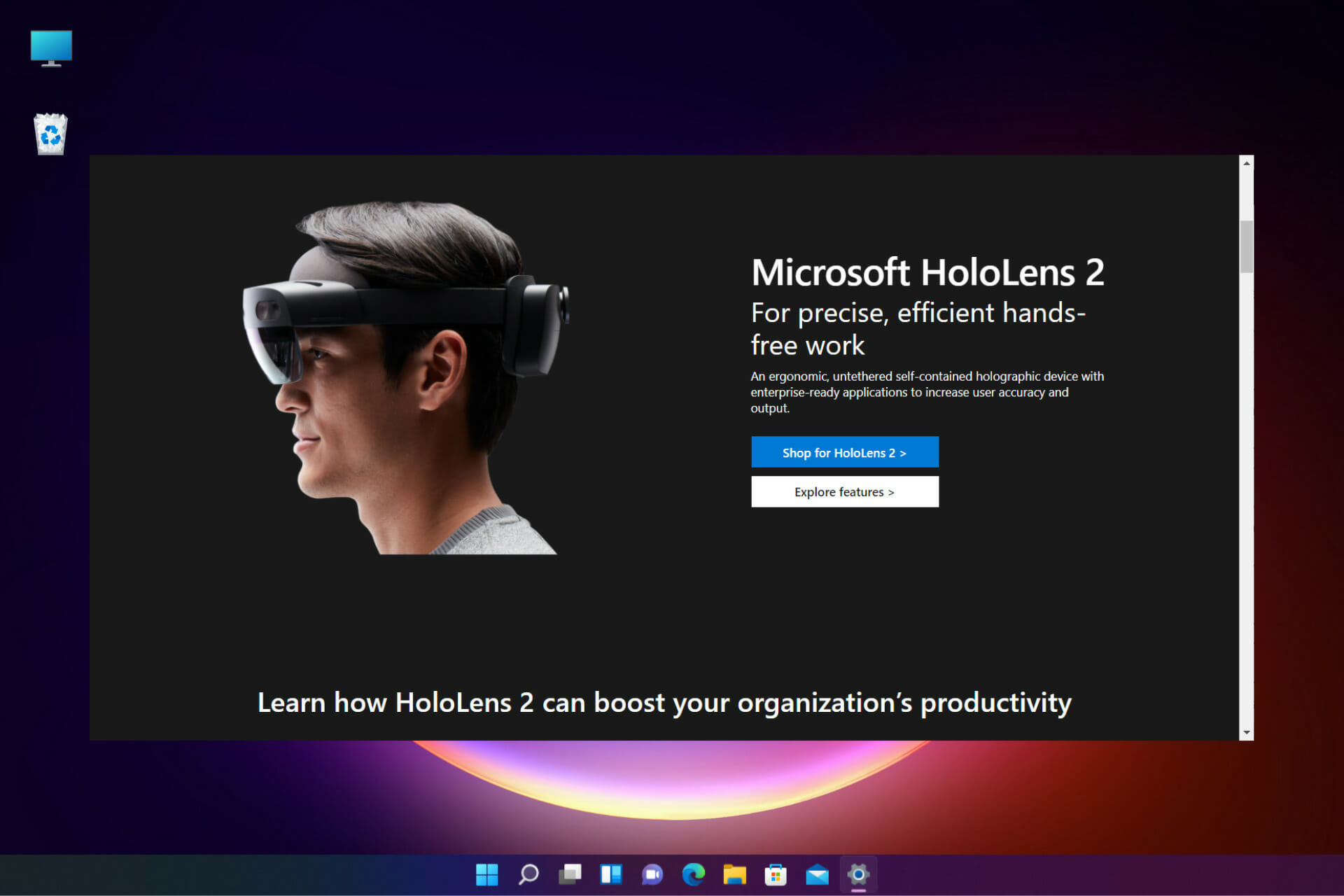
Microsoft: New Windows HoloGraphic 21H2 for HoloLens 2

Microsoft has informed its users that they will be releasing Holographic version 21H2. The mixed reality platform is set for a major update with a brand new feature for HoloLens 2. From the new features, users will be able to use HoloLens 2 in large ships and marine vessels, which was previously impossible.

Not yet ready for Windows 11

From the 21H2 number, the Windows HoloGraphic is based on Windows 10. It is still unknown whether Microsoft will move the mixed reality platform to Windows 11.

What’s new

Moving Platform Mode beta – when configured, it enables the use of HoloLens 2 on large marine vessels experiencing low-dynamic motion. This is a new innovative feature that expands the usability of HoloLens 2 in large environments with low dynamic movement.

PFX file support for Certificate Manager – this gives customers more control over the certificates they can manually add to their devices. They can add PFX certs via Settings UI. 

View advanced diagnostic report in Settings on HoloLens – there is now a simplified troubleshooting flow such that the user wearing the device is able to view the MDM logs on the device. Long gone are the days where you had to transfer logs to a nearby PC.

What to expect from next-gen HoloLens - The Ghost Howls

Offline Diagnostics notifications – there is a new audiovisual feedback feature when gathering offline diagnostics. This notifies the person gathering logs that their button combination pressed has done something. You also now need not wait for a temporary file to clean itself up to know it’s completed. There will be a toast notification to alert you.

Low storage log collection improvements – Improvements have been made to log collection scenarios in times of low storage situations. The device will clean up in low storage situations to create space. You can also use MDM or run CSPs to check if your devices are running low on space.

Improved update restart detection and notifications – there are new updated policies to give you better control when restarting your device. 

Smart Retry for app updates – IT admins have been enabled to schedule retries to update apps. If an app fails to download or the device shut down before the download can finish, the smart retry policy allows you to try again as per your preferences.

Use only private store apps for Microsoft Store – Organizations can now limit the store to display only company apps.

Use WDAC and LOB apps –IT Admins now have the power to use their own apps and still block other apps using WDAC.

The new features are quite a handful. Which of these features are you most excited about? Let us know in the comment section below.

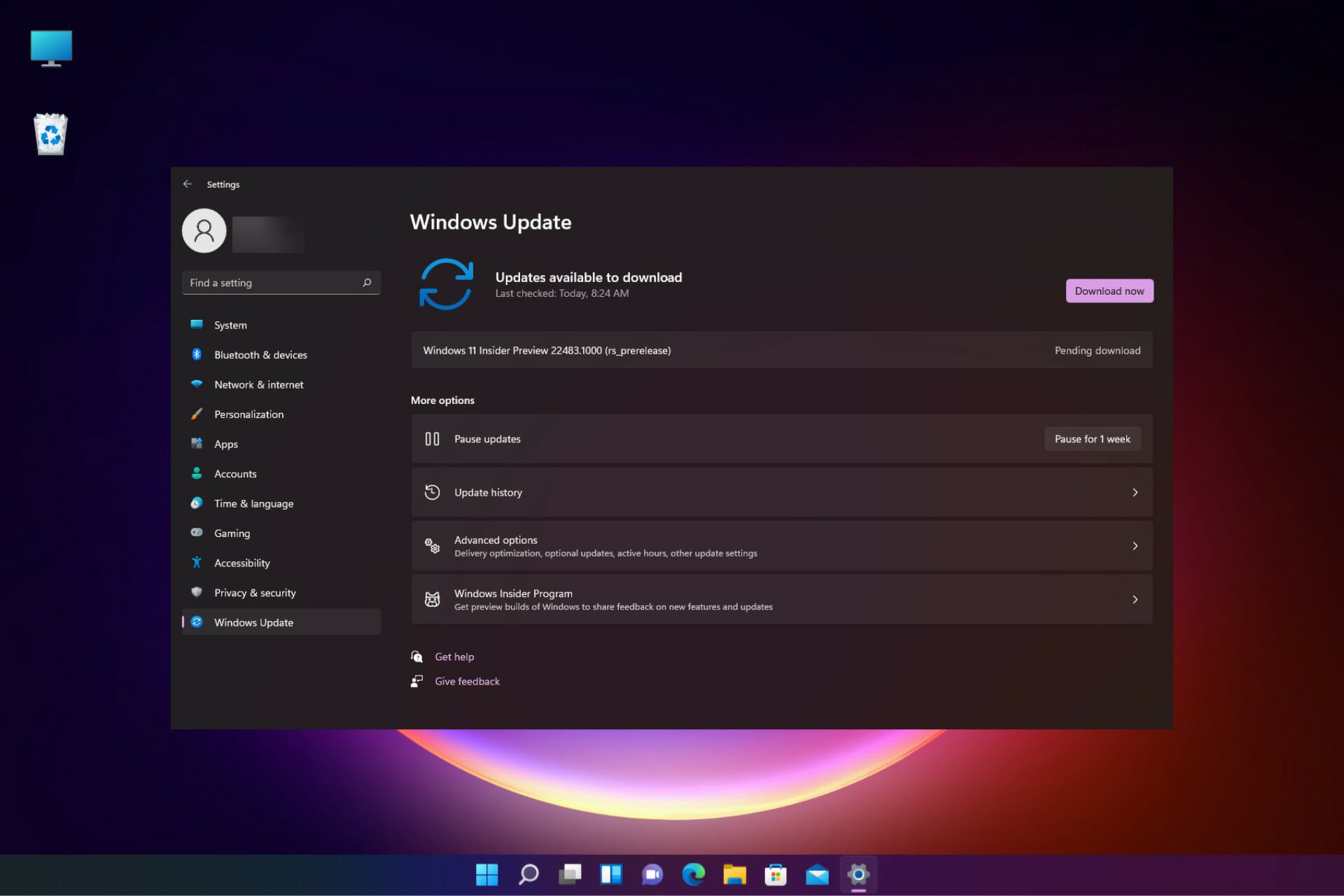
Windows 11 Build 22000.282 is here and has several fixes

Earlier in the week, we reported that Windows 11 latest update had an issue affecting AMD Ryzen processors. Microsoft made a statement that they would fix the issue later in the month, but now, Windows Insiders get to be the first to put it to test.

Bug fixes

  • The L3 caching issue that was affecting performance in AMD Ryzen processors after installing Windows 11 has been fixed.
  • A number of users who had issues that prevented the Start menu from working and could not see the updated taskbar after upgrading to the new OS have now been fixed.
  • A race condition that occurred at the initial part of the start up and may cause a stop error has been fixed. 
  • The regression that could cause the stop error 0x38 on some machine configurations using non-ASCII text in the registry has been fixed.
  • Some devices had stopped responding due the interrupt handling of certain processor issues but has now been fixed.
  • There was an issue with Powershell that led it to create an infinite number of child directories when using the Move-item command. This has now been fixed.
  • The Server Manager application was disappearing after using it to remove Hyper-V features after installing Windows 11. This issue has now been fixed.
  • There was an issue with the Windows Remote Management service that caused it to stop under high load. This has now been fixed.
  • The Windows Management Instrumentation provider host had an issue making it to stop because of an unhandled access violation using the Desired State Configuration. This has now been fixed.
  • Devices stopped responding when forcibly shut down while updating a Group Policy. This has now been fixed.
  • There was an issue where file migration failed between Distributed File System paths stored on different volumes. The issue occurs when implementing the file migration using PowerShell scripts using the Move-Item command but has now been fixed.
  • Users had issues with writing to a WMI repository after a low memory condition, but it has now been fixed.
  • There was an issue with the hardcoded font in the PowerShell shortcut file that caused a distortion in fonts for Japanese, Chinese and Korean languages. New users have this issue fixed, but existing users can use C:\Users\Default\AppData\Roaming\Microsoft\Windows\Start Menu\Programs\Windows PowerShell\Windows PowerShell.lnk file to open PowerShell to address the issue. Another way is to create a shortcut to this file on the desktop and use the shortcut to open PowerShell.
  • There was an issue while parsing time formats that excluded milliseconds, but that has now been fixed.
  • Some Enhanced metafile Format files were incorrectly rendered when you build the EMF third-party apps with ExtCreatePen() and ExtCreateFontIndirect() but has now been fixed.
  • Administrators now have the option to reset the zoom to default for HTML dialogs on Microsoft Edge Internet Explorer mode.
  • Enterprise Mode Site List redirection from Internet Explorer 11 to Microsoft Edge had issues where the redirection opens a site in multiple tabs in Microsoft Edge. This has been fixed.
  • Internet Explorer would stop working when you input certain characters in the Input Method Editor (IME). This has now been fixed.
  • The issue with PropertyGet in JScript9.dll has been fixed.
  • He issues a memory leak that occurs while using nested classes within VBScript has been fixed.
  • The NumLock had an issue of failing to keep the state after a Fast Startup restart but has now been fixed.
  • There was an issue that caused moving app windows unusually slow, especially if a File Explorer window is visible on the screen but has now been fixed.
  • The Mail app had issues where it intermittently prevented it from accepting keyboard input in the address and subject boxes but has now been fixed.
  • The UI had an issue of renaming files while using folder view and could not handle inline composition using the new Japanese IME.
  • The App-V had an issue that intermittently causes black screens to appear when signing in on the credentials page but has since been fixed.
  • The internet print server had an issue where it failed to properly package modified printer properties before sending the package to the client but has now been fixed.
  • A new Group Policy setting for the following registry value was implemented (See KB5005010 for more details):

Registry location: HKLM\Software\Policies\Microsoft\Windows NT\Printers\PointAndPrint

Value name: RestrictDriverInstallationToAdministrators

Value data: 1

  • There was an issue that caused Xbox Game Bar recording features to be unavailable but has now been addressed.
  • Audio captured by voice assistants was distorted but has now been fixed.
  • There was an issue with a memory leak in lsass.exe when the pTokenPrivileges buffer is not released but has now been fixed.
  • Kerberos.dll had stopped working within the Local Security Authority Subsystem Service (LSASS) when LSASS processes simultaneous Service for User (S4U) user-to-user (U2U) requests for the same client user but has now been fixed.
  • There was an issue with a non-paged pool (NPP) leak from the UxSF pool tag that occurred when lsass.exe stops processing asynchronous Security Support Provider Interface (SSPI) calls. This issue has now been fixed.
  • There was an issue that prevented you from enabling BitLocker on a thinly provisioned virtual machine (VM) which was bringing up the error “A device attached to the system is not functioning” and the system logs, “STATUS_UNSUCCESSFUL.” This has now been fixed.
  • The MSense.exe performance has been improved in environments with User Datagram Protocol (UDP) applications that use high amounts of bandwidth.
  • There was an issue with Windows Defender Exploit Protection which prevented some Microsoft Office applications from working on machines with certain processors, but this has since been addressed.
  • Credentials for Azure Active Directory (Azure AD) Active Directory Federation Services (ADFS) users in Quick Assist have now been enabled.
  • Quick Assist users had issues that prevented them from using full screen view after they started a remote assistance session but has now been fixed.
  • Set-RDSessionCollectionConfiguration had an issue where it failed to set the camerastoredirect:s:value custom property but has now been fixed.
  • The RemoteApp had an IME mode instability but has now been fixed. users must, however, install the update on both the Remote Desktop server and Remote Desktop client.
  • The IME toolbar was appearing despite the RemoteApp being closed but has now been fixed.
  • There was an issue with explorer.exe that caused a paged pool memory leak of the registry keys for the Virtual Desktop ID but has now been fixed.
  • The contrast theme colors have also been adjusted to make hyperlinks more distinct when using the desert theme.
  • The issue where the Narrator and other screen readers announced when the Start menu is open has been fixed.
  • There was an issue with the search bar that made the search index damaged in certain ways, and attempts using the search bar or taskbar would fail. This has been fixed.
  • There was an issue where the search window was appearing on a secondary monitor but has now been fixed.
  • The File Explorer window had an issue where it would lose focus when you map a network drive. But has since been fixed.
  • The lock screen had an issue of going black when slideshow was set up but has now been fixed.
  • There was a reliability issue with LogonUI.exe that affected the rendering of the network status text on the credentials screen but has now been fixed.
  • The Shift and clicking control keys could not be used to open multiple instances of an app but has now been fixed.
  • The visual design and animations of the Chat icon on the taskbar have been updated.
  • The warning when shutting down or restarting if no other users are logged on about losing other people’s unsaved work has been removed.
  • When you configure the policy, the message “Delete user profiles older than a specified number of days on system restart” would appear. This has now been fixed.
  • The issue where a Remote Desktop Protocol (RDP) service would fail or immediately drops has been fixed.
  • The input delays for some Bluetooth mice and keyboards has been fixed.
  • The issue where the Start menu would open after a video driver upgrade has been fixed.
  • The precision estimates for downtime when the estimates are at least two minutes or more have been improved.
  • The LSASS domain controller had a memory leak issue that is reported in Privileged Access Management (PAM) deployments but has now been fixed.
  • The issue where the LDAP client library receives a referral when the Lightweight Directory Access Protocol (LDAP) bind cache is full has been fixed.
  • The issue in Adamsync.exe that affects the syncing of large Active Directory subtrees has been fixed.
  • There was an issue where a deadlock occurred when Offline Files are enabled causing, CscEnpDereferenceEntryInternal holds parent and child locks. This has now been fixed.
  • The ability to configure period or dot (.) delimited IP has now been fixed by interchanging with fully qualified host names in the following Group Policy settings:

 Are the new fixes enticing enough? Share your thoughts in the comment section below.

Posted in Fix

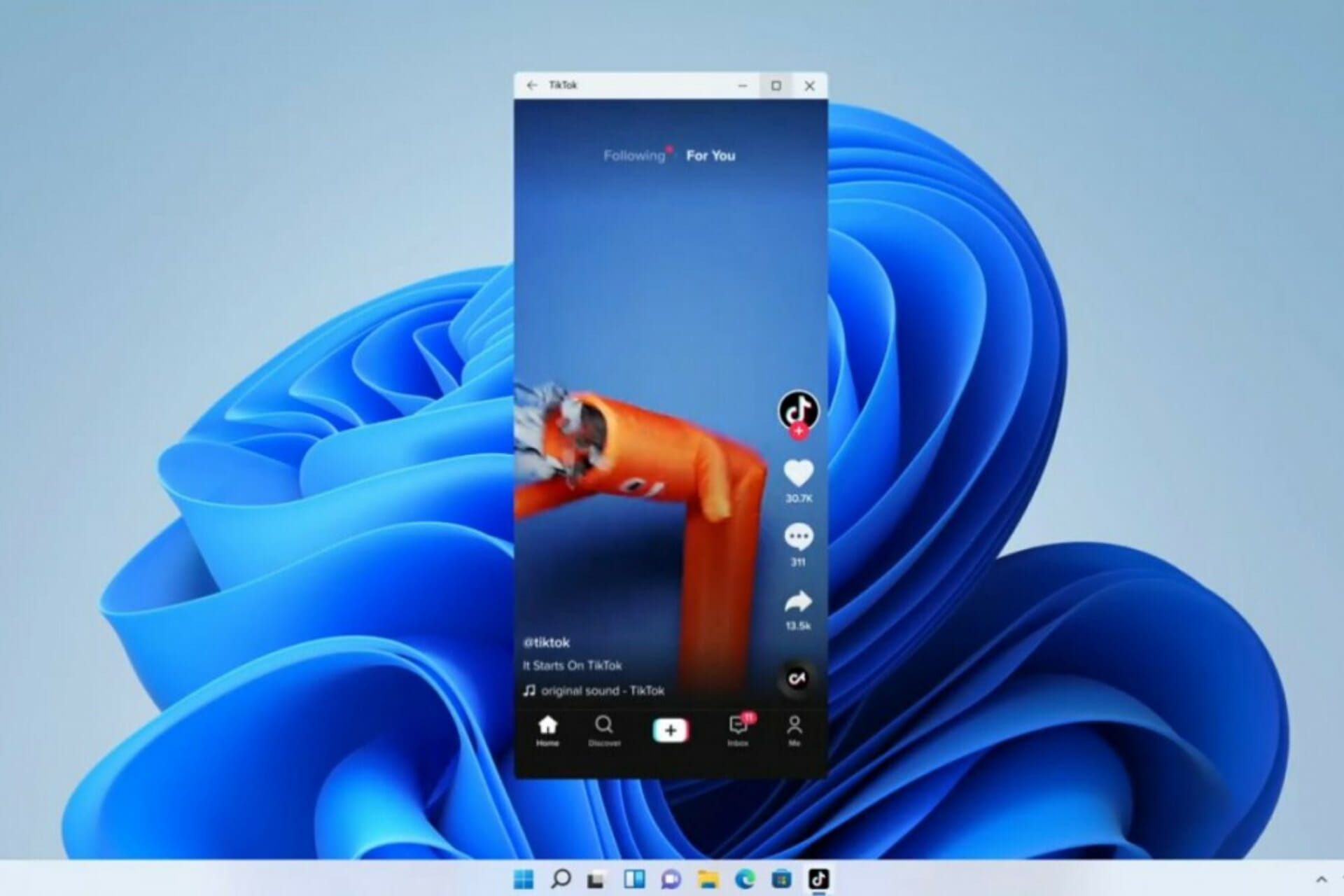
We get our first look at Android apps on Windows 11

As you probably know by now, Microsoft’s new operating system brings a massive visual overhaul, a few new features, and it is also set to introduce native support for Android apps.

While the last one ended up not launching alongside Windows 11 itself, Insiders are supposed to be able to test it in the coming months.

Meanwhile, screenshots of Android apps running on the latest OS were recently spotted online, and they seem to confirm multi-instance support.

Leaked photos show us what the future will be like

As we mentioned before, for native Android apps support on Windows 11, The Redmond tech giant is partnering with Amazon.

Thus, the Microsoft Store and Amazon Appstore will be integrated to deliver Android apps and users will be able to download and install mobile apps like Pinterest, Kindle, and more.

The leaked images were shared by a user on Chinese social network Billibilli, though they appear to have been taken down.

In these screenshots, we see two social network apps running on Windows 11, but the most notable one is where we see the WeChat app on the Windows 11 taskbar.

This actually means that WeChat is running in two instances, seemingly in two completely different parts of the app.

This is great because multi-instance support for Android apps in Windows 11 would be a big deal, especially considering many Android phones don’t support that kind of feature.

Having this could greatly help with multitasking since you don’t have to be stuck with one app screen at a given time.

However, we don’t know the full extent of this capability, or whether apps need to specifically be programmed to support multiple app instances.

We also know that Android app windows will mostly behave like any other Windows app, meaning we’ll be able to resize or snap windows to the sides of the screen, and pin the apps to our Start menu or the taskbar.

Applications will also be able to support mice, keyboard, touch, and so on, even though it hasn’t been specifically confirmed whether an Android app would be able to use your webcam for video.

Redmond officials have been somewhat quiet about Android apps since the original reveal, but some pieces have leaked out in the meantime.

The Windows Subsystem for Android was recently spotted on the Microsoft Store, and we’ve seen benchmarks pop up that give us a glimpse at the performance of Android apps on Windows 11.

We are all hoping that these leaked screenshots are an indication that Windows Insiders will be able to test the feature soon.

What’s your opinion on these screenshots? Share your thoughts with us in the comments section below.

9 Best Crypto-Trading Security Software [Antivirus & More]

If you are considering crypto-trading, the best way to secure your computer is by using high-quality security software.

Losing your cryptocurrency is not the best possible thing to happen to you; therefore it’s impetuous that you install such a tool.

After installing the best option for security software, it’s recommended that you schedule routine antivirus scans.

We also advise you to use strong passwords. It’s essential to remember that your security habits are the only thing that will keep your private data safe and it’s needless to stress the importance of this issue if you are managing your money online.

Crypto trading operations involve as well some risks on your part, due to hackers’ apprehension of this type of operation that exposes your finances. So when you exchange cryptocurrency keep in mind that your safety depends on security measures.

We gathered the best security software for your crypto trading that you can possibly find out there these days just to make your choice much more manageable.

Take a look at their sets of features to find out which tool suits your preferences and needs best.

How do I secure my cryptocurrency?

A great method to protect anything regarding cryptocurrency is to use VPN support to hide your online transactions and even antivirus tools.

Usually, people who trade crypto are looking for completely secure ways to lock their financial data, so it comes like this:

➡️ Best antivirus for cryptocurrency

➡️ Best VPN for crypto and secure platform (trading software for PC)

Many users may wonder if should I use VPN for crypto trading. The answer is most probably yes without any second guesses.

Additionally, if you need to know what software crypto traders use, we prepared an insightful list of the most popular tools for protected crypto trading.

Which antivirus is best for crypto trading?

As you may guess, there is a plethora of antivirus tools capable to cover your crypto transactions.

Therefore, we believe TotalAV is the top-notch option for crypto safety online due to its advanced features. However, Bitdefender and Avira are also fair solutions you shouldn’t miss.

What are the best tools to securely trade cryptocurrency?

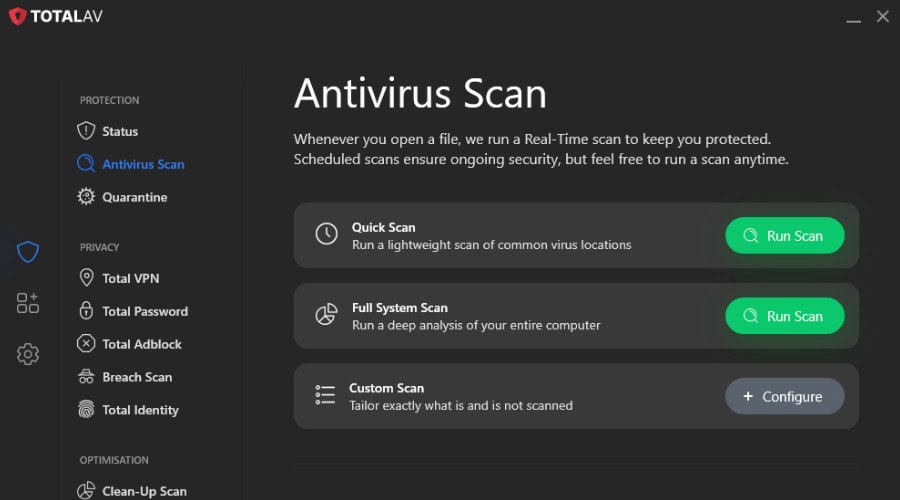
TotalAV – Solid protection for crypto trading

TotalAV antivirus scan

For a crypto trader the biggest risks are phishing pages, fake exchange sites and malware that watches what you type, and TotalAV covers all three.

WebShield blocks known phishing and malicious URLs before they load, real-time protection stops keyloggers and spyware from getting near your wallet details, and downloads are scanned as they arrive. The higher plans add a Safe Browsing VPN, which is worth having if you ever trade on hotel or cafe Wi-Fi, plus a password vault for exchange logins.

One subscription covers several devices, so the laptop, the desktop and the phone you use for two-factor codes are all protected.

  • WebShield blocks phishing and fake exchange sites
  • Real-time protection against keyloggers and spyware
  • Safe Browsing VPN in the higher plans
  • Password vault for exchange logins
  • One subscription for PC, Mac and phone
TotalAV

TotalAV

Let TotalAV take care of your online security while you focus only on honing your crypto-trading skills.
Free Trial Visit Website

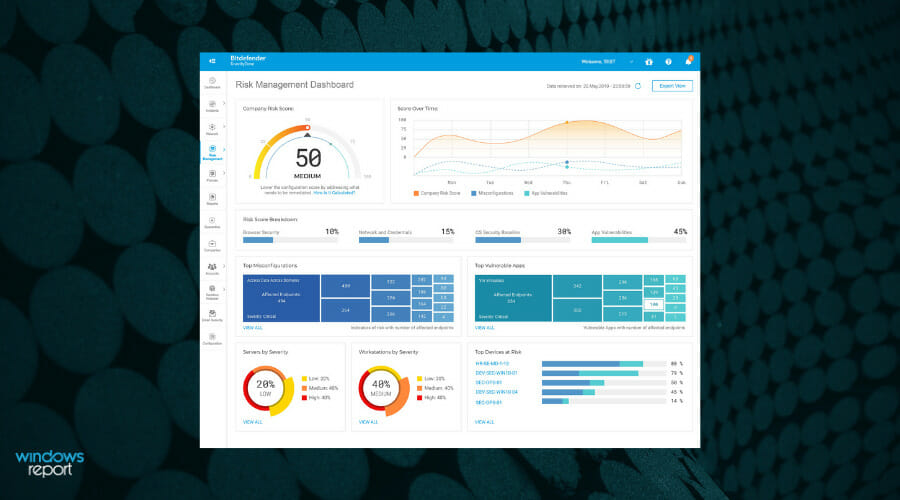
Bitdefender GravityZone Business Security

High-quality business security that proactively monitors and safeguards your device.
Check Price Visit Website

ExpressVPN

Access your crypto coins securely with this VPN shield for total online privacy.
Check Price Visit Website

CyberGhost – Most used for online privacy

CyberGhost is another effective solution that will successfully secure your crypto trading online.

Your online transactions will be finally secured with this security software, and you will be able to stay online and prevent any potential fraud.

This VPN is one of the best tools that you have available to make sure that your online payments and transactions remain safe and sound.

Furthermore, you can benefit from advantages regarding the untraceable online presence, easily hiding your IP to browse safely while you trade your cryptocurrency.

Then superior VPN protocols alongside high-standard encryption will keep you apart from dangerous hackers who await to steal your precious confidential data.

The CyberGhost VPN plans include everything you need to stay safe and protected while you’re online. You also have the opportunity to download a free trial of this service just to see how it works.

Therefore, ensure your undiscoverable digital presence with such powerful VPN services and become a ghostie right away.

You can check out more advantages and features that you will be able to enjoy while using CyberGhost.

Take a look at the best features and functionalities that CyberGhost has to offer for its users:

  • This VPN comes in handy when you’re considering trading cryptocurrency.
  • It will always safeguard all of your financial details including the moments when you are connecting to public or an unknown Wi-Fi network and even when you are traveling to a foreign country.
  • CyberGhost is able to hide your IP and replace it with another one from its own network this way prevents third parties to track you online while you are doing your transactions.
  • While using CyberGhost no one will be able to pry into your personal information and conversations, online transactions, or browsing history.
  • Your online activity will be encrypted with the 256-AES bit technology, and this makes it almost impossible for hackers to get your data

CyberGhost VPN

Manage any cryptocurrencies online using this highly secure VPN with plenty of servers.
Check Price Visit Website

NordVPN – Threat Detection tools

This leading VPN option is all you need for exhaustive digital security regarding online payments and cryptocurrency assets.

It’s proven that online security is a general concern among crypto trading users, especially for sensitive financial operations.

NordVPN is privileged to secure your entire Internet because it has unbreakable anonymity for your IP address and any data used online.

You can secure any cryptocurrency with numerous servers among 59 different regions and very high connection speeds for safe and sound transactions.

Plus, using this VPN software guarantees you digital protection against dangerous threats like phishing emails for your cryptocurrencies, hacking attempts, and funds theft.

More exactly, this full privacy is offered by high-end encryption tools with private DNS addresses to keep all your financial data safe.

You can also benefit from Onion over VPN security provided by the ToR browser which fully encrypts your traffic with user-operated servers.

It’s worth mentioning that such a complete VPN comes with multi-factor authentication so you can protect your account from scams.

Take a look at the best features of ExpressVPN:

  • No data leaks for a secure Internet
  • Dark Web monitoring to track any credentials leaks
  • Dedicated IP addresses for single usage
  • Efficient obfuscated server for sensitive data traffic
  • The fastest VPN server network

NordVPN

Fully secure your crypto coins with this best-in-class VPN that will hide your web traffic from any danger.
Check Price Visit Website

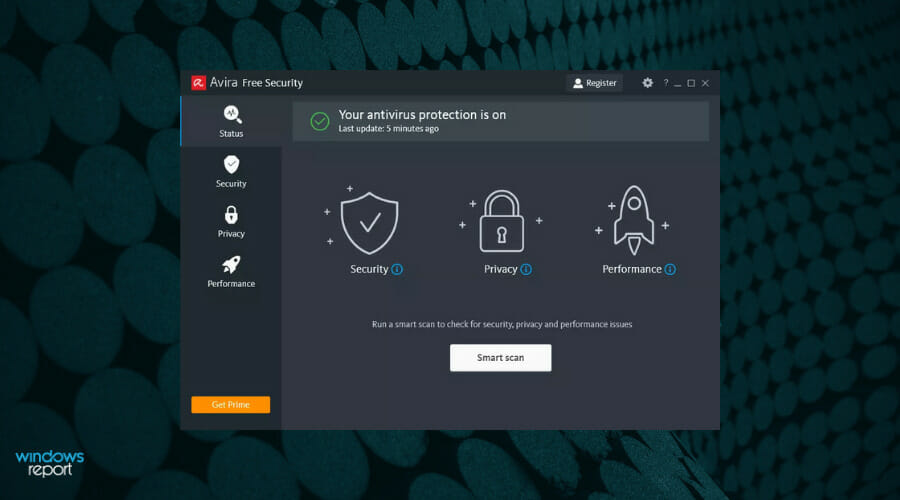
Avira Free Security – Free high security for crypto

Avira Antivirus is a popular antivirus solution, and this is because it packs an extended set of useful features and it also provides users the opportunity to install a free antivirus before considering buying a paid solution.

Avira is an excellent software for cryptocurrency investors. Coupled with the best cryptocurrency converter, it will help you stay on top.

Thus you can get complete privacy protection when browsing, free VPN service, or antivirus protection to stop ransomware or spyware attacks. So you assure your crypto trading security in seconds to stop any cyber attacks.

Moreover, this software promises effective protection against privacy attackers with free solutions, considering online safeguarding a right instead of a privilege.

Check out the most impressive features that are included in Avira Antivirus and will keep your online transactions safe:

  • The File Server Protection offers enhanced protection for your system and allows you to manage whatever data enters the computer or gets out of it.
  • You will even get the chance to blacklist apps and files that you don’t seem to trust or that you just don’t want to interfere with your online operations including crypto trading.
  • Avira is excellent regarding functionality and usefulness, and another great thing about this software is that it’s lightweight.
  • Avira comes with quite a minimalistic approach toward its features, and this ranges from the way that the program looks to the way it works.
  • The software will work silently in the background to protect you against all types of threats your computer might face.

All you have to do is download Avira Free Security, install it and after that just sit back and manage your crypto transactions without worry.

If you are happy with Avira’s security services you can hit the buy button and enhance online security with the full spectrum of features.

Avira Free Security

Try this excellent basic security toolkit with your cryptocurrency trading and be ready to upgrade for advanced protection.

Emsisoft Anti-Malware – Greatest choice against threats

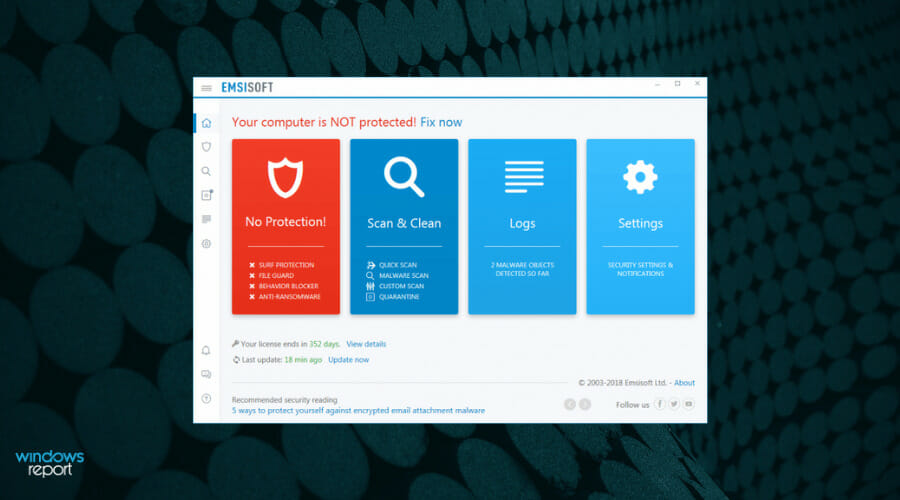
Emsisoft Anti-Malware is an extremely powerful security software leading in comparatives and continuously winning awards.

With a redesigned interface, significant improvements, and low impact on computer resources, this tool is ideal for securing crypto trading.

The Anti-Ransomware protection layer is able to prevent ransomware attacks by detecting their behavioral patterns. That’s how your files are safe from any attacks which may encrypt them.

In other words, your PC will be safe from data theft. You will be able to continue your crypto trading without worrying about attacks.

However, we suggest using VPN software to keep your actual identity, IP, and location safe. Thankfully, there are lots of great VPNs for those who trade and mine Bitcoin

The surf protection is able to recognize suspicious hosts and provide maximum security against the latest cryptojacking strategies. This feature will stop information from being sent to or loaded from malicious websites or Coinhive, by filtering all DNS requests.

This software protects your crypto wallet through the following mechanisms and features:

  • File Guard
  • Behavior Blocker
  • Surf Protection
  • 4-layer protection in real-time
  • Dual-engine scanner for high-speed scanning
  • Cleaning and restoration features
  • Windows Firewall Fortify feature

Emsisoft has more features to protect your system from mining malware. And it comes at a really good price for its performance and user-friendly functionality.

Emsisoft Anti-Malware

Excellent program that provides you with maximum security against cryptojacking schemes.
Free Trial Visit Website

Avast Free Antivirus – Best detection tools

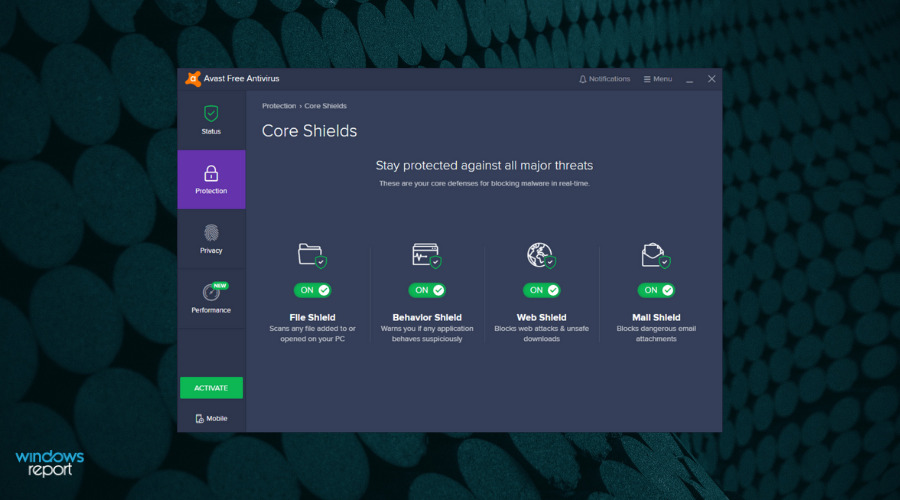
Avast is great security software that allows you to trade your cryptocurrency as safely as possible. All of your financial transactions and other activities are shielded from tracking when you use Avast’s SafeZone Browser in Bank Mode.

Speaking of cryptocurrency, there’s this great list of cryptocurrency tracking apps that keep track of all the live prices so you can constantly check the market value and invest accordingly.

This is a free antivirus both lightweight and efficient at the same time. It is able to offer you intuitive protection, and it’s already powered by a community of over 400 million.

Avast comes with two new shields, and this means double protection. You will be able to stop even the most determined hackers from getting their hands on your private information.

In addition, if you want the most vital protection against digital attacks, you can ensure your browsing with the SecureLine VPN feature. You can enjoy entirely secured navigation, hiding your online traces from potential hackers that try to access crypto operations.

With that being said, Avast can provide efficient support on financial security online thus protecting your transactions with intelligent malware or spyware removal.

Check out some of the most important features and functionalities that are included in this software:

  • The Webcam Shield protects your built-in camera from potential spies and hackers.
  • The Ransomware shield makes sure that your files are not able to be encrypted without your permission.
  • Real-time protection, intelligent threat detection, and enhanced network security.
  • It can also protect your browser and passwords.

During these times in which cyber threats are becoming more and more complex, cybersecurity must be even more sophisticated, and Avast makes sure to deliver this.

You can check out more information about this software by heading over to its official website.

Avast Free Antivirus

Your crypto-trading operations will be safer once you install this complete protection software that will fight the toughest cyber-attacks for you.

Kaspersky – Famous financial data security

Kaspersky is a fantastic way to protect your crypto trading with genuine cybersecurity.

For more than 20 years, Kaspersky has been recognized as one of the best experts in this fierce battle against malware and cybercrime, so this is definitely software worth looking into.

So with the most awarded software solution, you will be able to use needed protection when it comes to financial actions online.

The Money feature guarantees protection for any user who needs strong shielding in case of cyber threats.

According to the chosen plan, you can fully protect your online activity with storage or password safety, identity data from the browser, shopping and banking data, online risks for kids, or safeguarding desktop files.

In addition, it’s possible to protect yourself and your loved ones from phishing attacks. This way, you can perform transactional operations with mind-peace regarding cybersecurity attempts.

Check out its best features below:

  • The software will help you protect your privacy, money, files, and more.
  • It’s also important to note the fact that large enterprises, smaller businesses, and public sector organizations as well chose this software to protect their data, processes, and corporate systems.
  • Kaspersky also comes with spam filters, and this is essential for keeping your inbox clean and for staying clear of potential dangers that usually lurk in junk mail.
  • The software also includes a firewall, and this will improve security significantly.
  • Kaspersky can operate at pretty high standards, and this is precisely what you need if you decide to trade cryptocurrency from your computer.

Kaspersky

One of the best experts against cybercrime and malware that fully protects your financial activity.
Check Price Visit Website

These are the best five options that we recommend for maintaining your system and your financial operations as safely as possible.

No matter which one of these tools you will decide to use, we assure you that your crypto trading will be in good hands.

Windows 10/11 Default Apps Are Missing [Fixed]

Windows is what fueled this era of computing – at least for the general consumers – it made enough money to make Bill Gates the richest man alive, and from there, it has traveled a long journey adding and removing features.

Over the decades, it has added many features and removed several others in the pursuit of staying ahead of its competition and constantly innovating.

Its users have been loyal to it – mainly because it is the most used operating system around and therefore the most familiar and easy to use. However, it has also bloated itself with its legacy at the same time.

Windows comes with hundreds of features that you might never use but are required to be there for legacy support – making Windows is a highly complicated operating system to build and maintain.

These complexities only get in the way when you try to upgrade to the latest and greatest version of Windows – something that would result in loss of data if it was not for the fantastic upgrade feature of Windows.

It isn’t perfect, though – one of the examples of its failures is when the upgrade process fails to install the default Windows 10 apps during the upgrade. This guide will help you attempt to fix the issue – it is not hard to do.

What can I do if Windows 10 default apps are missing?

Many users reported that their default apps are missing on Windows 10. This can be a problem, and speaking of app problems, here are some of the most common issues that users reported:

  • Windows 10 apps missing from Start Menu – According to users, sometimes your apps can become missing from the Start Menu. This can happen if you have God Mode enabled, so be sure to disable this feature and check if that solves the issue.
  • Windows 10 default apps not working – Sometimes, your default apps won’t work at all on Windows 10. If this happens, you might have to reinstall them in order to fix this issue.
  • Windows 10 default apps won’t open – Many users reported that default apps won’t open on their PC. This can be a big problem, but you can fix it by repairing or resetting your apps.
  • Windows 10 default apps not installed – This is another common problem that you can encounter. If this happens, you need to download the affected applications again, and the issue should be resolved.
  • Windows 10 default apps corrupted – Sometimes, your applications can get corrupted. To fix the problem, you might have to create a new user profile or roll back to the previous Windows build.

1. Use PowerShell to reinstall the missing applications

  1. Open Start Menu, type Powershell and right-click the top result, then click Run as administrator.
    Windows 10 default apps won't open
  2. Now copy and paste this exact piece of command in your Powershell window – make sure it is running as administrator.
  3. Get-AppXPackage | Foreach {Add-AppxPackage -DisableDevelopmentMode -Register "$($_.InstallLocation)AppXManifest.xml"Screenshot_18
  4. Press Enter and wait for it to do its magic.

This simple 3 step process should install and register the default Windows 10 apps for you.

When you press Enter it might look like it’s not doing anything, but you must give it some time to download the applications and install them again.

You might need to restart your computer in some cases for it to affect – but it should work without a restart in most cases.

2. Disable God Mode

Many Windows 10 users like to turn on a hidden feature called God Mode on their Windows PC. This feature allows you to access hidden and advanced settings easily and can be quite helpful to advanced users.

However, many users reported that God Mode can also cause Windows 10 default apps to become missing.

To fix this issue, it’s advised to delete the God Mode directory from your PC, and the problem should be resolved. This feature isn’t enabled by default; if you haven’t enabled it on your own, you might want to skip this solution.

3. Perform a Clean boot

If this problem occurs after installing a new build, first, you need to go back to the previous build. After doing that, you need to perform a Clean boot. This is quite simple and you can do it by following these steps:

  1. Press Windows Key + R and enter msconfig. Press Enter or click OK.
    Windows 10 default apps not installed
  2. System Configuration window will now appear. Go to the Services tab and check Hide all Microsoft services. Now click Disable all button.
    Windows 10 default apps corrupted
  3. After doing that, go to the Startup tab and click Open Task Manager.
    Windows 10 apps missing from Start Menu
  4. A list of startup applications will now appear. Right-click the first item on the list and choose Disable from the menu. Repeat this step for all items on the list.
    Windows 10 apps missing from Start Menu
  5. Now go back to the System Configuration window and click Apply and OK. Restart your PC.
    Windows 10 default apps not working

Once your PC restarts, all third-party applications, and services will be disabled. Now you just need to wait for Windows to install the new build again. Once the new build installs, check if the problem is resolved.

If needed, you can install the update manually using the Media Creation Tool. To do that, just follow these steps:

  1. Download Media Creation Tool from Microsoft’s website.
  2. Once you download the tool, start it.
  3. Select Upgrade this PC now and click Next. Windows will now prepare your system.
  4. Now you’ll be asked to download and install updates. This step isn’t mandatory, but it’s usually recommended to download these updates.
  5. Windows will start downloading the necessary updates. This process can take a while, so you’ll have to be patient.
  6. Follow the instructions on the screen until you see Ready to install screen. Now click Change what to keep.
  7. Select Keep personal files and apps and then click Next.
  8. The upgrade process will now start. This process can take about an hour or so, therefore you’ll need to be patient.

After the process is finished, your PC will be updated to the latest version and the issue will be permanently resolved.

4. Turn off your antivirus before upgrading

This issue can appear if you install a new build of Windows 10 while your antivirus is still running in the background.

Sometimes third-party antiviruses can interfere with your files and that can cause Windows 10 default apps to disappear after the upgrade.

To fix this problem, it’s advised to roll back to the previous build. To do that, you need to do the following:

  1. Open the Settings app and go to the Update & Security section.
    Windows 10 default apps not working
  2. Go to the Recovery tab and click Get started button in the Go back to the previous version of Windows 10 section.
    Windows 10 default apps won't open
  3. Now follow the instructions on the screen to roll back to the older version.

Keep in mind that you can go back to the older build only 10 days after the upgrade. If this option isn’t available, you might have to use System Restore to go back to the previous build.

Once you roll back to the previous version you should disable your antivirus and try to upgrade again. Several users suggested that you might have to uninstall your antivirus in order to fix this problem.

Once you uninstall it, the upgrade process should be completed smoothly and without any issues.

If everything works after the upgrade, you should install your antivirus again or consider switching to a more well-balanced security solution.

We thankfully have access to plenty of good options for Windows 10 compatible antivirus software that use up-to-date technology to protect your PC.

You can find good third-party antivirus software that can fit your specific security requirements. There are very many powerful options regardless of your budget or system resources.

5. Create a new user account

If default apps are missing on your PC, you might be able to fix the problem simply by creating a new user account. This is quite simple and you can do it by following these steps:

  1. Press Windows Key + I to open the Setting app.
  2. Navigate to the Accounts section.
    Windows 10 default apps not installed    Windows 10 default apps won't open
  3. Select Family & other people from the left pane. In the right pane, click Add someone else to this PC.
    Windows 10 default apps corrupted
  4. Now click on I don’t have this person’s sign-in information.
    Windows 10 apps missing from Start Menu
  5. Select Add a user without a Microsoft account.
    Windows 10 default apps not working
  6. Enter the desired user name and click on Next.

After creating a new user account, switch to it, and check if your apps are still missing. If not, you might have to start using the new account instead of your main one.

Several users are also suggesting to switch back to the older build, create a new user account, and use that account while upgrading to a new build.

6. Repair the application

If certain applications are missing, you might be able to fix the problem simply by repairing them. Applications can get corrupted, but you can fix them by doing the following:

  1. Open the Settings app and go to Apps section.
    Windows 10 default apps not installed
  2. Select the application that you want to repair and click Advanced options.
    Windows 10 default apps corrupted
  3. Now click the Repair button.
    Windows 10 apps missing from Start Menu
  4. Optional: You can also click the Reset button to reset the app to default.

Now, repeat these steps for all affected applications. Keep in mind that some applications don’t have the Repair option available, so your only option might be to reset them.

Missing apps can be a problem, but we hope that you managed to solve this issue by using one of our solutions. You may also fail to locate the apps in your Control Panel, so feel free to check our expert article for solutions.

Do share your experience with us via the comments section below.

Microsoft introduces Update Stack Packages in the Windows 11 Dev Channel

Did you know that a new Windows 11 build is now available for Insiders in the Dev Channel? Not only that, but it also finally adds a few post-RTM additions to the new system.

October really has been a busy month for Microsoft, not only for releasing Windows 11 to the world, but the company is also celebrating the Insider program’s 7 year anniversary.

To help commemorate this anniversary, Microsoft is releasing special desktop backgrounds for you to show off being a major Windows 11 fan!

You can download the special background here for the dark theme and here for the light theme.

What’s new in build 22478?

Well, let’s start with the redesigned emoji pack since this is the hot topic of the day. Back in July, the Microsoft Design Team announced refreshed and new Fluent-designed emoji that would roll out across all of Microsoft 365 – including Windows.

Insiders are now getting a first look at how the new emojis will look in Windows 11 starting with this latest Dev Channel build.

And since we’re talking about this, you might also want to know that we could only see these new and cool emojis on certain apps, not across the whole operating system, as we initially thought.

Some of the other changes, as well as improvements that have been made to this version of the OS, include:

  • The updated version of the Korean IME, which began rolling out with Build 22454, is now available to everyone in the Dev Channel.
  • When your laptop is closed, it’s now possible to login to your PC using Facial Recognition (Windows Hello) on a connected external monitor if it has a camera attached that supports it.
  • Changes were made to the underlying indexer platform to help improve overall reliability and database size, which should help reduce disk space usage on the system – particularly in cases where users had very large Outlook mailboxes.
  • Scrolling your mouse wheel on the volume icon in the Taskbar will now change the current volume level.
  • Some small adjustments were made to the dialog when adding a new language in Settings to make it look a little more modern, including rounding the corners.

Microsoft is introducig Update Stack Packages

Besides other projects that they are currently working on, Microsoft decided to test a process for delivering new update improvements to users outside of major OS updates with Windows Insiders in the Dev Channel starting with Build 22478.

Through the Update Stack Package, developers can deliver improvements to the update experience prior to the PC taking a monthly or Feature Update.

This will help ensure that your PC has the highest likelihood of successfully installing new updates with the best and least disruptive experience available.

For the time being, the Update Stack Package is limited to a very small set of update-related system files that are developed independently of the OS.

By testing this process first with Windows Insiders, the company aims to expand the scope and the frequency of releases in the future.

Update Stack Packages will be delivered to Insiders through Windows Update just like builds and cumulative updates are.

What about fixes?

It’s time to look at some fixes and figure out what the tech giant has actually fixed through this software release.

[Start]

  • Keyboard focus will no longer get lost if you press ESC after opening the user profile flyout in Start.
  • Updated the prompt text when pinning something from a UWP app to Start, so it now says simply “Do you want to pin this to Start?”.

[Taskbar]

  • Addressed an issue that was causing Notification Center to get stuck in a state in recent builds where it would stop launching.
  • The plus icon for adding a new Desktop will now display properly when hovering over the Task View icon in the Taskbar when using Arabic and Hebrew languages.
  • After bringing up an app’s jump list from the Taskbar, right clicking on the app name should now show the correct icon for Pin to Start (a pin icon).
  • Left and right clicking Taskbar at the same time should no longer crash explorer.exe.

[File Explorer]

  • Fixed an issue where the command bar was doing unnecessary calculations when navigating to folders, causing an unexpected decrease in performance. This is also believed to be the root cause of performance issues when using drag to select files, as well as using the arrow keys to navigate in certain folders.
  • The Show hidden items option should no longer get out of sync when multiple File Explorer windows are open.

[Widgets]

The following two issues have been addressed with Microsoft Edge version 95, currently live for Microsoft Edge Insiders, and as such we’re removing them from the known issues list:

  • The widgets board may appear empty.
  • Widgets may be displayed in the wrong size on external monitors.

[Search]

  • The recent searches flyout when hovering over the search icon in the Taskbar should no longer immediately dismiss on invocation if an admin window is in focus.

[Input]

  • Setting focus to the search box in File Explorer shouldn’t make the touch keyboard invoke and immediately dismiss now when using a tablet with the Taskbar set to auto-hide.
  • Fixed an issue causing the handwriting panel to not insert text when using it to write Chinese.
  • Mitigated a memory leak that could occur in ctfmon, causing unexpected resource usage over time.
  • Addressed an issue for a small number of users that was causing TextInputHost.exe crashes when setting focus on any text field.

[Settings]

  • Fixed an issue that was causing Settings to crash when radio buttons were updated, for example if you connected an additional audio endpoint while the Sound page in Settings was open.
  • Improved performance of loading the themes displayed in Personalization Settings.
  • If a non-admin user changes their display language in Language Settings, we’ll no longer show the clickable sign-out button there as it was popping a UAC dialog and causing confusion.
  • The Windows Update entry at the top of the System page in Settings should no longer be misaligned with the other options (when shown) in languages like German.
  • The Braille options in Settings for Narrator users should now be in sync with the actual state of the Braille input/output mode.
  • Made a change to help address an issue where “Media streaming options” in the Network and Sharing Center would unexpectedly revert to default settings after an upgrade.
  • Improved Quick Settings launch reliability. This change should also help address the issue causing the window to not fully render (just a thin rectangle).
  • Addressed an issue where if you clicked on the media controls area in Quick Settings, it wasn’t bringing the app displayed to the foreground in certain cases.
  • Fixed an issue where the colors for items in Quick Settings could get stuck and not reflect the proper color for that state, particularly when using a contrast theme.
  • Updated the Quick Settings page for managing audio endpoints from “Volume” to “Sound output”.
  • Opening the page for managing audio endpoints in Quick Settings should no longer cause a brief cut in audio playback when multiple devices are listed.

[Windowing]

  • Mitigated an issue related to using ALT + Tab very quickly that could make explorer.exe crash.
  • Holding down ALT and pressing F4 after pressing ALT + Tab will no longer crash explorer.exe.
  • When using the Arabic or Hebrew display languages, dragging an app window to a different Desktop should show the thumbnail moving in the correct direction now.

[Other]

  • Fixed a casing issue that was causing LP.cab files to be unexpectedly removed in certain cases, which could lead you your display language changing until you added the desired display language back in Settings.
  • Addressed an issue that was causing some users to see a bugcheck with error “KERNEL_SECURITY_CHECK_ERROR”.
  • Mitigated an issue that was causing the SysMain service to use an unexpected amount of power in recent builds.
  • If the display order is missing in BCD settings that should no longer cause an upgrade failure.
  • Fixed an issue that was causing captions to draw at the wrong offset in certain apps.
  • Mitigated an issue that was causing crashes related to audiosrv.dll.
  • If going through OOBE with an Arabic or Hebrew display language, the volume and accessibility buttons should display on the correct side of the screen now.
Note icon NOTE
Some fixes from the active development branch may make their way into the servicing updates for the released version of Windows 11 that became generally available on October 5th.

Any known issues with the new build?

[General]

  • Users updating from Builds 22000.xxx, or earlier, to newer Dev Channel builds using the latest Dev Channel ISO, may receive the following warning message: The build you are trying to install is Flight Signed. To continue installing, enable flight signing. If you receive this message, press the Enable button, reboot the PC, and retry the update.
  • Some users may experience their screen and sleep timeouts being reduced. We’re investigating the potential impact that shorter screen and sleep timeouts could have on energy consumption.

[Start]

  • In some cases, you might be unable to enter text when using Search from Start or the Taskbar. If you experience the issue, press WIN + R on the keyboard to launch the Run dialog box, then close it.

[Taskbar]

  • The Taskbar will sometimes flicker when switching input methods.
  • Working on the fix for an issue causing tooltips to appear in an unexpected location after hovering over the Taskbar corner.

[Search]

  • After clicking the Search icon on the Taskbar, the Search panel may not open. If this occurs, restart the “Windows Explorer” process, and open the search panel again.
  • Search panel might appear as black and not display any content below the search box.

[Quick Settings]

  • Microsoft is investigating reports from Insiders that the volume and brightness sliders aren’t displaying properly in Quick Settings.

Are you a Dev Channel Insider? Share your new experience with us in the comments section below.

Lyric Video Software for Animated Creations [2026 List]

For as long as anyone can remember, people have been pairing videos with their music so that they could reach a broader audience.

We’ve seen the rise and fall of music channels on TV, and now YouTube has taken over as the prime platform for sharing music videos.

Music videos don’t have to always be very intricate or even visual for that matter.

A look into lyric videos

A very popular video solution these days is the lyrics video. The lyric video is different than a normal music video through the fact that its purpose is to make the lyrics of the song of whatever the chosen audio is, known to the public.

When someone doesn’t really understand what a singer is saying in one of their songs, they look for a lyric video that explains it all.

Many people are looking to make their own lyric videos, for various reasons.

Whether they are trying to make it in the music industry or to prepare some fun lyric videos for karaoke night with friends, the demand for lyric video-capable software is quite high.

In this article, we will be focusing on the top solutions when it comes to making lyric videos.

Here are the top lyric video software to use today

Adobe Premiere Pro

Adobe Premiere Pro

Adobe Premiere Pro is a professional video editor and the best lyric video maker app for PC.

Similar to other software solutions, Premiere works by using a timeline-based structure in order to provide control and editorial solutions for users, over video content.

As the name might suggest, this product is aimed at the professional sector of the video editing consumer market but average users also have a lighter and more appropriate version in Adobe Premiere Elements.

Adobe’s Premiere has an impressive resume as it has been used by major networks like CNN and BBC, but also for the production of movies likes Gone Girl.

These accolades further speak for the kind of capabilities Premiere Pro provides.

Let’s quickly look at its key features:

  • Customizable to the core (relies heavily on plugins and external integrations)
  • Professional video editing toolkit
  • Those that want more of a kick to their video editing experience can opt to bring in the help of other Adobe products such as Photoshop, After Effects, and others like Prelude, Story, and OnLocation.
  • Auto Reframe (to accelerate your workflow and optimize footage for social media)
  • Supports any format, from 8K to virtual reality
  • Compatible with any device
Adobe Premiere Pro

Adobe Premiere Pro

Release your creativity into video editing with industry-leading software Adobe Premiere Pro!
Free trialVisit website

Animaker

Animaker can be your best choice for animated lyrics or live-action videos. This software comes in your way to help create very lively music videos.  

This tool is designed for creating cool animation or cosmetic your video creatively. You don’t have to be tech-wise or professional to create a catchy video using this software

Animaker features great tools for making videos in such an intuitive way. More exactly, you can create or personalize animated characters, add voice-over or create dynamic lyrics videos. 

At the same time, this software hosts a diverse library of assets for your animated video. From character expressions to icons or pictures, you can get everything you need to do a great animated video. 

The main features for Animaker are as follows: 

  • Character builder for a spirited video. 
  • Choose from a variety of templates and fonts 
  • Overlay videos with text or images in a second 
  • Smart move with one click 
  • Live video editing at 4K quality 

Animaker

Don’t ever get dull with Animaker and try it out for convincing lyric music videos! 
Check price Visit website

Adobe After Effects

Adobe After Effects

As its name suggests After Effects comes from Adobe and it features a long list of capabilities. Although it is praised for its many potential uses, it is mostly known as a complete motion graphics editor.

Adobe After Effects is a great tool for processing, editing, and compositing, and it features a wide range of visual effects for your videos.

Just to give you an idea of the kind of functions available in After Effects, it is a program often used for the post-production of movies and TV content.

Video editing isn’t the only thing that it is capable of, as it also offers highly competent animation features, so it can work as lyric video software.

Let’s quickly look at its key features:

  • Highly customizable (it can be paired with very useful plugins and addons making the entire process a lot more manageable)
  • Robust and fully functioning software iteration
  • Impressive collection of 3D effects plugins
  • Powerful animation toolkit
  • Seamless integration with Adobe Creative Cloud apps
Adobe After Effects

Adobe After Effects

Enhance your cinematic skills with industry-standard motion graphics and visual effects software.
Free trialVisit website

Movavi Video Editor

This application’s whole deal is a high-definition video.

If you’re looking to create lyric videos that focus on high definition and require a high-quality and fidelity software partner, Movavi Video Editor might be just the thing you need.

Briefly, this software can guide you in creating all kinds of videos through its video editing features. Plus, if you need a program to edit on the go and still create stunning productions, this is what you’re looking for.

Hence, do not hesitate for this one if you want a multimedia editor at your fingertips that also helps to produce unparalleled lyric animated clips.

Let’s quickly look at its key features:

  • Good-looking interface and rich video tools
  • Can process the most used formats coming from multiple types of devices like digital photo cameras, digital recorders, video cameras or external drives
  • Ease of access to facilitate the creative process
  • High-quality import features

Movavi Video Editor

Movavi Video Editor is a professional video editor that allows you to easily create videos with animated lyrics.
Check price Visit website

Cyberlink PowerDirector

This tool will meet every single one of your video editing needs through its exclusive features and format support.

PowerDirector 365 benefits tremendously from its vast plugin collection and integration capabilities and you will enjoy an ever-growing library of plug-ins, effects & audio tracks.

Whatever is your focus from vlogging to Instagram tutorials, you will definitely enjoy using the precise, high-end performance tools that the PowerDirector brings.

Of course, the software can also work as an animated lyric video maker, so be sure to try it.

Let’s quickly look at its key features:

  • Collection of premium plug-ins and effects
  • New transition effects and multi-key color sampling
  • Advanced Motion Tracking
  • Generous collection of templates with effects, titles, and transitions included
  • Enhanced CPU & GPU performance
  • Supports a variety of professional formats
Cyberlink PowerDirector

Cyberlink PowerDirector

If you’re looking for a simple but powerful video editing software, PowerDirector from Cyberlink is the right choice for you.
Check priceVisit website

Now, our list comes to an end. If you’re aware of other great lyrics video software for Windows 10, share it with us in the comments section below.

Also, leave there any other questions that you may have and we’ll surely check them out.

Anti Screenshot Software for Windows 10 & 11 [2026 Guide]

Hackers nowadays are smarter and bolder than ever and resort to all kinds of means to get their hands on the information they want, including taking screenshots of your desktop.

If you keep important, or even confidential information on your computer, you should definitely do something to prevent these attacks.

If you want to avoid such situations, you can install anti-screenshot software on your Windows 10 computer. In this manner, you can easily prevent other persons from taking screen captures of your computer.

To make your task easier, in this article, we’ll list 3 powerful anti-screenshot software for Windows 10. Read the description of each tool and download the one that best meets your needs.

What are the best anti-screenshot tools to use?

Zemana AntiLogger


Zemana is another interesting anti-keylogger software that also acts as an anti-screen capture tool. Its creators proudly confirm that this tool can detect absolutely any keylogging, webcam capture, and screenshot capture malware.

If you’re looking for a tool that offers many security features in a single package, then the Zemana AntiLogger is the right choice for you.

Zemana AntiLogger hides your everyday online activities like shopping, phoning, messaging, online banking so that attackers can’t see them.

Not only does it prevent screen capture attempts, but also recognizes, prevents, and blocks any kind of online identity theft and financial deception.

Do you want ransomware to encrypt your files? Without a doubt, the answer is no. Build your defense system with one of the best ransomware protections available, which detects malware and hidden harmful programs on your computer.

More specifically, here’s a list of its main features:

  • Keystroke logging protection
  • Screen capture protection
  • IntelliGuard – cloud powered early response system
  • Webcam hijacking protection
  • Microphone hijacking protection
  • Clipboard remote access protection.

If you have an issue with your AntiLogger, the Zemana support staff is here to help you 24/7.

Zemana

Zemana

Camouflages, prevent, and blocks thieves, all one software to navigate in complete privacy anytime, anywhere.
Free trialVisit website

SpyShelter

SpyShelter is a very powerful anti-keylogger that also incorporates an anti-screenshot module.

SpyShelter comes in two versions, SpyShelter Firewall and SpyShelter Premium, and both prevent screen capture helping you stay one step ahead of hackers.

SpyShelter’s creators explain that keyloggers are often enhanced with screen logging features. SpyShelter’s Screen Capture Protection module is specifically designed to stop any suspicious applications from capturing your screen.

SpyShelter doesn’t need any daily database updates and is compatible with any antivirus and security software. The tool relies on fast and secure processing algorithms to use very few system resources, and avoid slowing your computer down.

These are the main features of SpySheler:

  • Stop all suspicious screenshot-taking actions right away.
  • Blocks application-based assaults and restricts access to capturing keyboard input, screenshots, and shatter attacks.
  • Protects sensitive information copied, clipped, and pasted in the clipboard.
  • PC registry, physical memory (RAM), and other critical PC components are protected.
  • The Webcam Protection module will protect your webcam.

SpyShelter Premium is available to download for 14 days for free and ultimately purchased for a one-year license of heavy protection.

SpyShelter

SpyShelter

With anti screen logging feature and advanced intuitive GUI, SpyShelter is your ally against hidden hacking techniques.
Free trialVisit website

ScreenWings

ScreenWings is an anti-screen capture tool for Windows 10 which makes sure that no screenshots will be taken on your computer.

ScreenWings is very easy to install and use. When you launch the software, you’ll see two buttons. The red x-icon closes the program, while the second one lets you enable the anti-screenshot function.

You can enable/disable this option at any given moment. ScreenWings doesn’t block the screenshot functionality on Windows 10, you’ll still be able to take screenshots whenever you want.

When a third-party application is trying to take a screenshot, ScreenWings will blacken the screen, and the hackers will see only a black screenshot.

Here are the main features of ScreenWings:

  • Block screen capturing automatically by prohibiting any desktop capturing software from snap shots.
  • The user interface is really easy and simple to use.
  • Can cover up to six displays, thus multi-monitor setups are possible.
  • The application is very stable and portable.

ScreenWings’ infrastructure relies on encryption and data anonymization in addition to HTTPS. Prevent screenshots from being taken throughout the entire system and avoid being tracked by viruses, spyware, snoopers, or other nosy eyes.

⇒ Get ScreenWings

As we stated at the beginning of this article, hackers could try to steal information by directing malware to take screenshots while you are writing your credit card information to purchase something online, so for that, we recommend trying out those amazing security tools for your PC.

Have you already used the anti-screenshot software listed above? If you use an anti-screen capture tool that you think should be on this list, use the comment section below to tell us more about it.

Bathroom Design Software: 10 Best to Use in 2026

In the past, home designers had to use the classical combo of pen and paper to design custom furniture and accessories. It was useful in helping to explain your design view to your customers. However, nowadays you can use support like bathroom design software.

But more than that, it requires you to have technical drawing skills, which most of us don’t. Instead of hiring a designer and wasting money, you can do it independently with the right software.

Because the process of designing custom furniture and arranging it to your needs is a complicated process that involves creating custom designs, specialized software makes it a lot easier and gives you a more visual experience.

Using design software is especially useful because it allows you to visualize a design before you actually start working on it, and it also allows you to use visual digital furniture templates that are customizable.

In this article, we will explore some best-specialized design software that allows you to design your dream home free of charge.

We will focus on software solutions that can also design custom bathrooms, among others.

What are the best bathroom design software?

Adobe Dimension – 3D designs from another world

Dimension is the most appropriate solution from Adobe in terms of 3D modeling and realistic bathroom designs.

The main factors for that are realistic templates no matter the project, with various designs and creative ideas to create the perfect bathroom.

So, the software comes with unparalleled features in terms of interior design. You have drag-and-drop benefits, 2D templates, or personalization features.

If you’re thinking about lights, this tool has it all. There are numerous light effects and layers for your bath sketches.

You can therefore customize the room project in your own way and add beautiful architectural elements without professional aid.

Moreover, another factor that makes this solution the best is the interactive object designs. So it’s possible to create 360-degree visuals for improved outcomes.

Finally, this is why you should consider Adobe to benefit from a simple-to-use UI and professional tools to make your dream bathroom real.

Other key features include:

  • Enhancement design tools
  • UV export
  • Realistic 3D materials and lighting
  • Product mockups and visualization

Adobe Dimension

Design the bathroom you always wanted using this user-friendly 3D modeling software.
Check price Visit website

Autodesk 3ds Max – Professional bathroom projects

Autodesk 3ds Max is a full-feature 3D modeling software that provides all tools necessary for high-quality bathroom designs. It can help through each step of the process, allowing you to model, render, and fine-tune your designs.

This software is one of the better choices if you are a beginner. While it is very comprehensive, the UI is easy to navigate and you get some pre-made templates and tools that can help get you started.

On top of that, users get access to free tutorials and guides that help them learn how to use all the features and also give suggestions for specific projects such as home decor or character design.

Interior designers can use CAD, DWG files, or blueprints to begin the process. Autodesk 3ds Max assists with modeling, lighting, texturing, and animation.

Autodesk 3ds Max lets you create highly realistic architectural designs. You can use it to fully furnish your rooms with CGI furniture. The software provides over 6 thousand pre-modeled furniture and decor options.

You can also create your furniture from scratch. Autodesk lets you create objects with specific tools for polygon, subdivision, surface, and spline-based modeling.

Another asset of this software is the fact that it assists collaborative projects. Most of the time, there’s more than just one person involved in one project. Autodesk 3ds Max has an interactive rendering feature that lets teams view and change the model in real time.

Moreover, Autodesk 3ds Max is compatible with other Autodesk products such as Inventor, Revit, and Fusion 360.  You can easily integrate cross-platform projects if you need to.

Other key features include:

  • Automatic optimization of geometry
  • Advanced material, texture, and color editor
  • Integrated Arnold GPU renderer
  • Hundreds of integrations like Shapespark, Clone or Unity

Autodesk 3ds Max is a subscription-based service with various plans available. You can try it for free for 30 days.

Autodesk 3ds Max

Create photo-realistic bathroom designs with advanced tools, hundreds of integrations, and free tutorials.
Free trial Visit website

DreamPlan Home Design – Cross-platform tool

DreamPlan Home Design is the easiest way to design your ideal bathroom.

Use it on any Windows 10, XP, Vista, 7, 8, 8.1, Mac OS X 10.5, or above PC to enjoy a full set of features and explore multiple bathroom design ideas prior to building.

Complex 3D modeling applications can prove to be a challenge, but that’s not the case with this DreamPlan Home Design tool.

When being unsure if you’re supposed to go big or try a clean, modern design that is clutter-free, with a neutral color scheme perhaps, take your time to explore all options.

You’ll find it refreshingly simple and intuitive to create walls or transform the existing bathroom.

Or you can try various colors and textures before finally deciding which one suits you best and to import image files to create custom textures for floors.

On top of that, just imagine the convenience to see what furniture would really fit when you already have the measurements of the furniture you intend to buy.

Once again, furnishing your bathroom is as easy as dragging and dropping all the items you have in mind.

That’s why this bathroom design software and planner comes as a fast and easy choice.

It enables you to plan and visualize every detail in your bathroom design on your computer; not as static drawings, but in various views – 2D plan, three-dimensional view, as well as Blueprint mode.

As a quick recap, these are some best features this software has to offer:

  • User-friendly interface for intuitive house planning creation or customization
  • It includes 3D furniture or other decorations
  • Switch between 3D, 2D, and blueprint view modes
  • Get unique ideas from the software or import your own image files
DreamPlan Home Design

DreamPlan Home Design

Design your bathroom with drag-and-drop 3D furniture, decorations, and realistic textures.
Free trialVisit website

Ashampoo Home Designer Pro – Practical interface

That’s another app for remodeling your house, decorating your bathroom, or designing it from the very beginning.

When you want to resort to specialized home design software that can assist you in the process of creating your dream bathroom, Ashampoo Home Designer Pro makes sure the tools and inspiration you need are both included.

Previous design skills are not needed when getting an impressive 3D view supports virtual tours to survey every single aspect of your bathroom plans.

The extensive Building Wizard is there to make sure you can create designs that fulfill your dreams.

Choose it and this will bring you through a process that includes five simple steps: Edit project data, Basic settings, and shape selection, Edit dimensions, and Create floors, and Roofs.

The integrated project wizard even helps you with formalities such as the object library which enables you to fully furnish your future bathroom.

Other professional-quality features here included are:

  • Easy-to-use navigation tools
  • Three design levels to choose from 2D, 3D, cross-section
  • Detailed 3D previews for every planning step
  • Support for area, length, and volume precise calculations
  • Repositionable viewing angles
  • Generous library covering everything from furniture to electrical, water, and security appliances or decorations
  • Google Sketchup and Collada imports for even more detailed furnishings

Hopefully, Ashampoo Home Designer Pro can inspire you to get a bathroom that is not only fully functional but also fashionable.

Ashampoo Home Designer Pro

Create advanced bathroom plans with an extensive furniture and appliances library.
Check price Visit website

Live Home 3D Pro – Floor plan home designs

There’s no better chance to explore your creativity than when you’re planning on changing your bathroom by using Live Home 3D Pro.

The successor of Live Interior 3D is up for the challenge with advanced home design tools and superior export quality.

When it comes to the included Elevation view, it takes your plans to the next level since it allows adding objects to the drawing and installing them into walls or roofs.

This includes openings, doors, niches, windows, or wall panels.

You just need to use the Show Adjacent Furniture in 2D Elevation View button to make it all possible. Even more, the 2D Elevation view further allows you to move furniture around.

Live Home 3D Pro is easily considered an intuitive design application since in order to add an object, you only have to drag and drop it from the library into the project.

Speaking of that, its material library includes more than 2,100 materials and 2,000 objects to choose from, with new models constantly added.

Moreover, here are some of its key features:

  • Create 2D drawings for floor plans and print them right at home
  • Enjoy real-time 3D rendering
  • Take advantage of the improved Backup / Restore speed in the latest version update
  • Explore unique drawing tools which allow ease in changing the shape of an object, creating new objects, rounded walls, and more
  • Find inspiration in detailed video tutorials

That’s why Live Home 3D Pro is an app suitable for homeowners and professional designers alike.

Live Home 3D Pro

Use drawing tools for customizable object design and enjoy real-time 3D rendering.
Check price Visit website

Total 3D Home Design Deluxe 11 – Creative bath designs

Before you start planning a new bathroom or working on the improvement project you had in mind for years, remember that you don’t need to do it all yourself.

Professional assistance from Total 3D Home Design Deluxe 11 comes in handy.

Unlike other similar tools, it doesn’t actually require any design skills. It is easy to navigate around its interface as most commands are already displayed and the results are astonishing.

The 2D floor plan uses simplistic symbols and the tool panel is found on the left side of the screen, where you can build walls, windows, doors, stairs, and more.

You should also know about its 3D-rendering mode.

When you are rendering your bathroom, you can quickly build a scene, add textured materials and objects, personalize the design, and render a beautiful result faster than anything else out there.

That’s how you can preview any design idea and make sure it will finally resonate with your expectations.

As for the Color Coded Floor Plan feature, identifying furniture, windows, and similar elements is no longer a task to worry about.

Besides all these, you need to know you’re getting the best. The features list also includes:

  • A rich suite of sample home plans to help you get started on an already existing floor plan, or for building one from scratch
  • Editable room templates you can use to furnish your bathroom
  • Extensive object catalog including more than 1,000 objects
  • High level of personalization is guaranteed by the quick import of digital photos into models
  • Cost estimator ready to keep track of the cost of materials you plan to buy and labor

With such features, you should feel right at home while using Total 3D Home Design Deluxe 11.

In any case, email and telephone support are available if you ever need to contact a customer support representative.

Total 3D Home Design Deluxe

Get started fast with sample plans, or create your own from scratch with high level of personalization for 2D and 3D projects.
Check price Visit website

Planner 5D – Professional 3D projects

Planner 5D is a great furniture design software that can be used by anyone that wants to renovate or remodel their dwelling/home/office.

This software is incredibly useful for both people who want to redesign a room in their home or for bigger projects with hundreds of rooms, like a big business owner.

No matter where you fit on that scale, this software can help you.

It contains an incredibly wide range of pre-designed items, has the ability to create both 2D and 3D floor plans, and also allows you access to a wide range of downloads.

You can use the 2D view mode to create floor plans and design custom furniture to fit the space perfectly, and then you can transform it into a 3D project.

Using the 3D view allows you to observe and edit your design from every angle.

By using this software’s friendly user interface, you can furnish your bathroom with ease, edit colors, edit patterns and choose your preferred materials.

After you’ve chosen the best setup for you, you can use the great HD visualization and sharing features found in Planner 5D.

You can easily take snapshots of your project, and share them with your family or co-workers, and you can even add shadows and lighting to make it look more realistic.

Other features include item editing and access to more than 4000 predesigned furniture/ patterns/ materials.

This software was released in two different flavors, one is completely free and the other with a Premium license:

  • Planner 5D Free version
    • Even though it’s easily accessible to anyone for free, it still offers a good range of features that will help you in your project – 2D and 3D editor, access to more than 150 item catalogs, 600+ textures catalog, and you can use it for an unlimited number of projects.
  • Planner 5D Premium version
    • It contains all the features found in the free version, and it also allows you access to the entire range of items (300+) in the catalog and also gives you the power to modify the size and appearance of all the furniture you used in your project.

If you want to see some examples of projects completed by using Planner 5D, you can visit their official website.

⇒ Get Planner 5D

Room Sketcher – Simple UI solution

Room Sketcher is a handy software option that gives you all the tools you need in order to refurbish, and redesign your bathroom.

You can use this software to visualize your project with ease in both 2D and 3D modes, without needing to have any prior skills.

This software was designed to be easy to use and understand by anybody that wants to try it, offering you a wide range of tools that will make the process much easier than using a pen and paper.

Here are some of its best features :

  • User-friendly UI
  • Drag and drop features – allows you to drag-and-drop elements into your projects with ease – drawing walls, adding more windows or doors, etc
  • Easily change wall and furniture setups and try new ones for a fresher look
  • 3D feature allows you to observe your project from a 3rd person perspective
  • Easy to share projects with your partners/ friends by using the built-in sharing options
  • Great measuring tool in drag-and-drop features – this makes it easier for you to follow the plan’s parameters by using standardized measurements
  • Share 360 views, 3D photos, and 3D floor plans

If you feel a bit stuck when it comes to how to refurbish your bathroom, you can always visit the official Room Sketcher site for some inspiration.

The Free version of Room Sketcher offers you a great range of features, allowing you full access to the app, and also helps you with an incredibly wide range of real products that you can use to furnish your project.

The Premium version of Room Sketcher contains all the features found in the free version, with some useful additions :

  • More customization power
  • Can create 2D and 3D floor plans
  • Has the ability to replace materials with a few clicks
  • Professional-level customization for your floor plans
  • Can calculate the total area of your project, and make furniture and layout suggestions based on that information
  • Can perform exact measurements
  • Can print floor plans to scale

If you want to see a more detailed overview of all the license options and each feature available, you can visit the official Room Sketcher pricing webpage.

⇒ Get Room Sketcher

Smart Draw – Perfect for flowcharts

Smart Draw is another great software option that allows you to easily design your dream bathroom.

One of the advantages of using this software is the fact that it allows you to use either a downloadable package or, an online version.

This makes it easier for users who don’t want to download anything and still gives you access to all its powerful features.

Using Smart Draw is easy. You can begin by choosing the appropriate bathroom template, and then customize it to fit your needs, and you also have access to a wide range of digital elements, symbols, etc.

After choosing the layout template, simply drag and drop any elements of your liking to your project. Smart Draw will automatically render that object/element in the 3D layout of your project.

After you chose some elements, you can easily customize every aspect of them – color, materials, patterns, placement, etc.

When your project is complete, you can use the built-in features to easily share it with whomever you want to.

You can share your completed project either on your Smart Draw profile, or by using storage options like Dropbox, Google Drive, or OneDrive. You can also generate a link for your project and email it normally to your partners.

Here are some of the most notable features of Smart Draw :

  • Can easily build and share diagrams with its intelligent formatting engine
  • Automatically sets up spacing, alignment, size, and color schemes
  • Integrates seamlessly with MS Office, Google Apps, etc.
  • Great range of content – more than 34.000 symbols and 4500 templates
  • Great CAD-like environment with engineering scales

This software was released with two different licensing options available :

Smart Draw Single User

  • Includes both the SmartDraw Windows Desktop and Online Editions
  • Only one user permitted
  • AutoCAD import
  • Powerful intelligent formatting
  • Save and open diagrams from Dropbox, Google Drive, etc
  • Can import data to generate charts, bar charts and graphs
  • Integration with Microsoft Office and PowerPoint
  • Free

SmartDraw Multiple Users – contains all features found in the Single User version, and also adds:

  • Allows more than 5 users
  • Great administrative controls regarding who can access which project, and with specific permissions for sharing and access

⇒ Get SmartDraw

Home Stratosphere – Free interior design tools

Home Stratosphere is another great free online bathroom design software that allows you to easily create both 2D and 3D layouts with professional-level editing tools. T

he Free version of this software offers you a full range of capabilities but is limited when it comes to being able to export your design project.

This software has a learning curve, and might not be suitable for beginners, but it comes packed with a wide range of useful templates that allow you to simplify the process of learning how to use it.

The user interface is not very intuitive, but if you give it the necessary time, this app will surely amaze you with the wide range of features that it offers.

One of the best features of Home Stratosphere is that you can see your project in side-by-side 2D/3D views which allows you to keep track of all changes applied in real-time.

Having access to the side-by-side 2D and 3D views, allows you to build the bathroom of your dreams by choosing furniture, tiles, and accessories, while also ensuring that all measurements are correct.

When using the full-screen 2D mode, you can select any option from the following – foundation, floor, electrical, plumbing, roof, etc.

Depending on the choice you make, the editing tools that will be on your left-hand side change.

You can even create an entire garden with flowers, bushes, and grass, create a rendering of it, and then even check out how the garden will look when the plants grow.

Besides gardening, you can find elements for every aspect of any room in your home – from faucets, cabinets, and furniture templates, to staircases and windows.

This software allows you to design every floor and room of your house to the tiniest detail by using drag-and-drop features.

In order to achieve this, you get access to an incredibly wide range of design libraries – plants, home decor, furniture, etc., and can also generate pricing lists for the items you chose.

This feature helps you make sure you’re always inside the budget or allows you to modify the textures and materials to reduce overall costs.

⇒ Get Home Stratosphere

In this article, we explored some of the best software options found on the market that allow you to create professional-looking bathroom designs without having any prior experience.

The features found in the software we presented in this list cover all your needs regarding refurbishing, room design, materials used, exact measurements, etc.

We covered both fully online design tools and software that must be downloaded to use them. We would love to know what your experience was when trying our tools.

Please let us know which app you chose and how it worked for your project, by using the comment section below.

Midnight Protocol game review: Feel like a real hacker

Midnight Protocol is a tactical narrative-driven RPG with unique keyboard-only controls. Hack into servers, beat security systems, and discover encrypted secrets while you try to find answers to why and how you got doxxed.

When I was first introduced to Midnight Protocol at 1UP Conference, a local Belgian gaming expo that I helped organize, I have to say that it didn’t manage to draw my attention in the same way most games would. The vast majority of games out there try to pull your attention with fancy visuals and cool animations, but with a text-based hacking game, you really need to sit down and let yourself become immersed in its world.

I[M]MERSIVE HACKING EXPERIENCE

Immersing players into feeling like a true hacker is where Midnight Protocol excels. You control the entire game by keyboard only, no cursor is visible at any time, and it feels… glorious!

There is something oddly satisfying about typing commands and seeing a computer execute them, and that’s basically what you’ll be doing the entire game. Typing Move S3 (or . S3 if you want to speed things up) moves you to that node on a digital network board.

Purchase Love online

Need to break a firewall that’s blocking your path? Type Dagger, Shuriken, or Jackhammer to tear it down. Want to avoid it altogether? Tunnel your way to the other side.

Almost every network address has multiple ways to approach the puzzle: if you encounter a safe, you can go look into data nodes for the password, or you can strongarm it with a Rainbow program. Is an encryption node blocking you from interfacing with it? Then you’ll need to decrypt it first.

[E]MOTIONS WITH NOTHING BUT TEXT

The game starts off great with some cool ideas like allowing you to enter the username Data yourself (you don’t get to pick a custom handle) and your password. It doesn’t really matter what you type here, the game will autocomplete each character with every keystroke you make.

It’s a nice little touch that I could really appreciate and this level of attention to detail is maintained throughout the game.

Blackmail

It’s further used in the communication by email or chat, which accounts for the majority of the storytelling: just type away on your keyboard and the game will fill in the actual message, including backspaces and moments where the protagonist seemingly changes their mind.

At a later point in the game, when I delivered a harsh message to a person on the other side of a chat, you could see their […] appear on screen a few times and then disappear again, indicating that they are also reconsidering what to say. It’s only text and icons, yet it conveys a lot of emotion.

[S]TORY TIME

To set the binary stage: Midnight Protocol takes place in the near future where the online world has grown to become even more important and with key operations all relying on digital information. It’s no surprise then that there is an equally increased activity from hackers who are either out to make a profit or those who use their skills to make the world a better place.

The story centers around a hacktivist called Data, who recently got doxxed after their personal information was shared for all to see. It’s up to you to set things right and uncover the many mysteries in this digital world. Luckily you won’t have to do this alone and you can count on fellow hackers to lend you their 10 digits.

Even though you never even see their faces, you quickly grow a certain attachment to your hacker friends and some of them even join you on the network to assist in taking down the evil corporations that think they own the net.

[R]PG ELEMENTS

Each person playing Midnight Protocol will probably approach challenges in a different way. There are quite a few things you can customize, like the programs in your deck. some examples:

  • Cloak helps you move through networks unnoticed
  • Spoon lets you chip away at encrypted nodes instead of manually interfacing with it multiple times
  • Leech does the same, but drains money to your personal account
  • There is even a variety of offense moves that each have their pros and cons

Your deck has a finite amount of slots but you can buy Hardware upgrades that increase your deck size or ones that slow down how quickly you are traced on a network.

Take a look at my hardware!

Which programs you can add to your deck are in part decided by how you play: if you gain more Black Hat reputation by stealing money, you’ll get more offensive tools at your disposal whereas Open Sourcing data can give you White Hat rep and opens doors to more ways to stay below the radar.

Looks like I’m more of a Grey Hat -morally neutral ?

[S]CREENSHOTS DON’T DO THE GAME JUSTICE

Just taking a look at some of the above screenshots will probably not be enough to convince you to buy the game. While it doesn’t look bad by any means and has some impressive effects, most of the time you’ll be looking at text and UI elements, which take up a large part of the screen space.

But the animations that are present more than do their job, especially combined with the intense soundtrack. The image below shows a program called LEVI4TH4N which slowly chases you through the level. It looks great and there certainly is a feeling of dread as the tentacles creep closer to your current location.

LEVI4TH4N

[G]OD MODE ACTIVATED

While Midnight Protocol is turn-based and you can take however long you want to plan your next move (in the default settings at least), it’s not exactly what I would categorize as an easy game. Sure it introduces you to new systems in a clear way and you soon understand most of the inner workings, but I still couldn’t shake the feeling I wasn’t working optimally.

Luckily the game has a lot of accessibility options for people who just want to experience the story and for whom the challenge isn’t as important. You can make it easier on yourself by giving you more time before the enemies can trace you and you can even decrease the hit points on the ICE (firewalls and other traps).

You can also retry any level as many times as needed, with different programs installed, but I grew a bit impatient from all the trial and error myself. Especially because losing means having to replay the entire level from scratch.

That’s why I quickly decided to turn on the God Mode, which never increases your trace, giving you all the time in the world to explore the networks and letting you focus on the story developments. This certainly pays off, because there are a ton of hidden secrets and I wanted to uncover them all!

[B]ONUS CONTENT

If you go for the main story and most of the side quests, it should take you around 20 hours to complete the game. I had about 11 hours of game time on the clock when I beat it, but that’s mostly because I ignored opportunities to gain some quick bucks and the God Mode saves me a lot of time as well.

But all the side content is very much worth exploring. The tweet from above and the screenshot below are probably my favorite example, with an entire mission told in rhyme (some returning readers will already know I’m quite fond of that ) and feeling like a Dungeons & Dragons campaign, with poisonous traps and a big boss fight waiting for you at the end.

Roll a D20!

To even get to that level, I had to follow a sidequest up to a point where a Wizard dropped a hint to move my soldier to B5 which was a hint to play a game of Hacker_Chess, a fully working chess minigame where your pawns move based on patterns and attacks from the main game.

Hacker Chess

There are a ton of little things like this hidden in the game (and even in the game files, *wink-wink*) that somehow unlock secrets, from extra content to extra cosmetics that alter the font colors on your screen. It’s absolutely delightful uncovering these so I won’t spoil any more than I already have.

[F]INAL THOUGHTS ON MIDNIGHT PROTOCOL

Pros
Midnight Protocol genuinely makes you feel like a real hacker
It has a great story with lots of twists and turns along the way
It lets you experiment and create your own customized playstyle
Cons
A bit too unforgiving without God Mode on
Making a mistake can mean replaying an entire level from scratch

Final Score: 4/5

Midnight Protocol lets you live out your hacker fantasies in an engrossing cyberpunk world. It’s got a gripping story full of unexpected twists and turns which surprisingly managed to convey a lot of emotion through text alone.

Because of the game’s difficulty options, even people who lack the skills or patience to hack their way to the credits can still enjoy the narrative work. Even if you’re on the edge, I’d definitely recommend playing the demo as nothing you read or see in online coverage will do quite as good a job at selling the game than experiencing it firsthand.

Midnight Protocol costs $14.99 and is currently only available on PC. Because of its typing gameplay, we won’t soon see a console release. It’s not very demanding graphically, so you should be able to play it on lower-end hardware as well. You can check the requirements on Steam.

*Disclaimer: Reviewed on Windows 10. Steam review copy provided by the publisher.

Xbox Series X mini fridge will go up for pre-order on October 19 for $99.99

The Xbox team promised that it would offer Xbox Series X mini fridges before the end of the year, and this is really happening. The Xbox team has teamed up with Ukonic! to create the $99 Xbox Series X mini fridges, which will go up for pre-order starting October 19 with a December 2021 shipping date.

The sleek matte-black tower holds up to 12 cans of your favorite beverage and has two shelves in the door, so you’ll be sure to have your favorite snacks at the ready. The front of the mini fridge also includes a USB port to charge devices and comes with a DC power adapter to enable the mini fridge to work on the go,” explained Xbox marketing exec Aaron Greenberg.

When Microsoft officially unveiled the Xbox Series X design at the Games Awards 2019 ceremony, the Xbox Series X fridge became an instant meme and Microsoft managed to ride this wave with grace. First, the Xbox team sent real Xbox Series X fridges to Snoop Dogg and other influencers, and it’s now following up by offering affordable mini-fridges to Xbox fans. This is really great fan service, and the $99 pricing is lower than what many Xbox fans were expecting.

Xbox fans in the US will be able to pre-order the Xbox Series X mini-fridges from Target.com next week, and Target will also be the exclusive retailer in the US. In Canada, the Xbox mini fridges will be available to purchase from the official Xbox gear store in December. In Europe, the mini-fridges will also be available from GAME in the UK (£89.99), as well as Game Stop EU, Micromania, or Toynk (via Amazon) in France, Germany, Italy, Ireland, Spain, Netherlands, and Poland.

“We’re working to bring the Xbox Mini Fridge to as many fans as possible and will continue to expand regional availability in 2022, pending regulatory approvals and restrictions by market,” Greenberg said today.

Update October 16 12:15 AM PT: Microsoft previously said that the Xbox Series X mini fridges would be available in Canada via Target.com, but the company has since reached out to us to say that this was no longer the case. The company plans to offer the Xbox Series X mini fridges in the country via the official Xbox Gear Store in December, and we’ve updated our post to reflect that.

Oculus Air Link is Laggy? X Ways to Fix Performance Issues

Windows 11 VR users are on the brink of mental breakdowns, as Microsoft still hasn’t taken the time to fix the annoying performance issues that VR headsets such as Oculus have. So, we still have several laggy Oculus Air Link cases.

Even though this is a known issue that affected Insiders during their test period, it remains despite Windows 11 being officially launched to the general public.

This guide will explore some come causes and the most recommended solutions.

Does Oculus Air Link have latency?

Like any wireless technology, Oculus Air Link can have latency or lag. Latency is the delay between the time an action is taken and the time it is reflected on the screen. Lag refers to slow or choppy performance.

Here are some common causes of latency and lag in Oculus Air Link:

  • Interference – Interference from other wireless devices, such as Wi-Fi routers, Bluetooth devices, or other wireless accessories, can cause latency or lag in Oculus Air Link.
  • Distance – The distance between the headset and the computer can also impact the quality of the wireless connection, causing latency or lag.
  • Bandwidth – The bandwidth of the wireless connection can also affect the performance of the Oculus Air Link. If other devices are using the same network and consuming a lot of bandwidth, it can result in latency or lag.
  • Hardware – The hardware on both the computer and the headset can also impact the quality of the wireless connection, causing latency or lag.
  • Operating System – The operating system and its updates can also impact the performance of Oculus Air Link.

If you experience latency or lag in Oculus Air Link, you can try the solutions we recommend below. However, you can contact Oculus support if the issue persists.

How do I fix Oculus Air Link lag?

Firstly before jumping into any complex solutions, we recommend these three elements:

  • Restart your computer and headset – Rebooting both devices can often resolve temporary issues and improve performance.
  • Move closer to the computer – The distance between the headset and the computer can impact the wireless connection quality. However, moving closer to the computer can improve performance.
  • Reduce interference – Interference from other wireless devices can cause lag in Oculus Air Link. Try to reduce interference by turning off other wireless devices or moving them away from the headset and computer.

1. Reduce background processes

  1. Press Ctrl + Shift + Esc to open the Task manager.
  2. Go through the list of processes, click any which you do not need, and select End task.
    oculus air link laggy
  3. Do this for as many processes as possible, but ensure you do not end processes essential to running your OS.

Reducing background processes can help fix stuttering, lag, or latency issues in Oculus Air Link by freeing up resources on your computer that are being consumed by other programs.

When multiple programs run in the background, your computer may not have enough resources to run Oculus Air Link smoothly. This can result in slow or choppy performance, which can be experienced as lag.

2. Configure the Oculus debug tool

  1. Press Windows + E to open File Explorer.
  2. Navigate to the path below:
    C:\Program files\Oculus\Support\Oculus-diagnostics\Oculus Debug Tool\
  3. Open the Oculus Debug Tool.
    oculus air link laggy
  4. Set Encode Bitrate (Mbps) to 0.
  5. Click on File at the top right and select Restart as administrator.
  6. Lastly, when it runs, confirm that the Encode Bitrate (Mbps) value is still 0. If not, redo the process.

3. Update your graphics drivers

  1. Right-click on the Start menu and select Device Manager.
    oculus air link laggy
  2. Expand the Display adapter category, right-click on your device, and select Update device.
    oculus air link laggy
  3. Finally, click Search automatically for drivers, and follow the prompts to complete the update.

Updating graphics drivers can fix laggy Oculus Air Link, latency, or shuttering because the updated graphics drivers contain bug fixes and performance improvements that can enhance the overall functioning of the graphics card and ensure smooth operation with Oculus Air Link.

4. Set essential Oculus processes to High

  1. Open the Task manager by pressing Ctrl + Shift + Esc.
  2. Click on the Details icon.
    oculus air link laggy
  3. Search for the OVRServer_x64.exe process or other Oculus processes. Lastly, right-click on it, hover on Set priority, and select the High option.

Setting essential Oculus processes to High can fix Oculus Air Link lag, latency, or shuttering by giving these processes a higher priority and more system resources.

This can ensure that the processes have the necessary resources to run smoothly, without interruption or slowing down, reducing or eliminating any issues related to lag, latency, or shuttering.

The system will allocate more system resources to the Oculus Air Link software, which will help improve its performance and stability, making the experience smoother and more seamless.

5. Update Windows

  1. Press Windows + I to open the Settings app.
  2. Click on Windows update, then select Download & Install if there are any pending updates.
  3. Finally, you may need to restart your device after the update.

The Oculus Air Link can sometimes experience lag, latency, and shuttering issues that can negatively impact the user’s experience. However, there are several ways to fix performance issues and improve the overall performance of the Oculus Air Link.

Lastly, if the issues persist, seeking help from the Oculus support team can provide additional solutions.

Are you also struggling with a laggy Oculus Air Link on Windows 11? Please share your experience with us in the comments section below.

5 Best SSDs for Windows 11 to Buy

If you’re planning to upgrade to Windows 11, it’s advised to have a device that can handle it, and this is why many users are going for Windows 11 ready laptops. Though some of the best SSDs for Windows 11 should do the job!

It’s not necessary to get a new PC to install the latest version of Windows, but you need to have enough storage space, and the best way to achieve that is by using a reliable hard drive.

Many users prefer using SSDs instead since they are smaller in size, less prone to damage, and, most importantly, much faster.

If you’re looking for a hardware upgrade, you’re in the right place, and today we’re going to show you the best SSD for Windows 11 that you can get.

How do I chose the best SSD for Windows 11?

To deliver the most accurate information, our team of experts has conducted thorough research and compiled a list of the best drives.

All entries have been tested on our test PC running Windows 11 to guarantee the best performance and reliability for your system.

Tip icon Tip
Editor’s tip:

To choose the best SSD for Windows 11, here are the most important factors that you need to consider:

➡ Drive capacity
➡ Read/write speed
➡ DRAM availability
➡ Form factor/bandwidth

By taking all of these elements into consideration, you’ll ensure that your new SSD offers the best possible performance while working with large files or when starting applications and games.

What do I consider when choosing the best SSD?

1. Capacity

The most important factor when buying a new SSD is the capacity, and the larger drive will be able to hold more data easily.

Higher capacity isn’t always better, and it all depends on your needs. If you’re a gamer and want the latest games to load quickly, you’ll need at least a 1TB drive to store them.

If you’re a casual user that has only a few applications and uses his PC for light office work and browsing, then 256GB or 512GB should be more than enough.

2. Speed

Even though solid-state drives are several times faster than HDDs, not all models offer the same performance.

For maximum performance, it’s advised to get a device with high read and write speeds. Most users probably won’t notice a difference, but according to the benchmarks, the results can vary drastically.

Low-end models can have speeds that are 100+ MB/s slower than their high-end counterparts, so be sure to pick a model that will suit your needs.

3. DRAM availability

SSDs also have DRAM that holds the map of data on your drive, allowing you to access files more quickly. This is especially important if you’re multitasking.

Almost all high-end models have it, while the more affordable SSDs skip this feature altogether. In addition to performance differences, models with DRAM have a longer lifespan.

Since these models have their data map stored in the chip, the drive is doing less searching and writing, thus lasting longer. Do keep in mind that these models usually cost a bit more, but they are worth it.

4. Form factor/bandwidth

Most SSDs come in 2.5-inch format, and they connect to your PC using a SATA cable. These devices can achieve speeds around 500MB/s or higher.

On the other side, there are M.2 and NVMe drives that use the PCIe standard. These models are slimmer and smaller and connect directly to your motherboard, delivering speeds of up to 7GBps.

In addition, these drives don’t require any cables, but they are more expensive than their SATA counterparts.

Tip icon Tip
Buyer’s tips:

➡ To experience maximum performance and lightning-fast transfer speed, we recommend SAMSUNG 980 PRO.

➡ The capacity of the drive is great, and with high transfer speed, it’s perfect for video editing and working with files that are a couple of GB in size.

➡ Although as not as fast, WD_BLACK SN750 SE offers great capacity and transfer rate several times faster than a regular SATA SSD.

➡ Being an NVMe drive, this model is perfect for large files or gaming since it will load assets faster than other drives.

➡ If you’re looking for a SATA SSD, SAMSUNG 870 QVO SATA III SSD offers great performance and high capacity, but it might not be for everyone.

➡ Due to its large capacity, this model is perfect for file storage, allowing you to store all types of multimedia and games without worrying about free space.

➡ For users that are looking for an all-around SSD that offers a solid transfer rate and high storage capacity, Crucial BX500 is a perfect choice.

➡ This drive offers great capacity, so it should be able to store all your applications, games, and other files with ease.

➡ Less demanding users might find Kingston A400 more suitable for their needs, even though it’s slower and it doesn’t have as much space.

➡ Due to these minor limitations, this model is perfect for first-time users that just need an SSD to boot their operating system and a couple of favorite apps or games.

Keeping all this information into consideration, let’s see what our testers had to say after testing these drives.

SAMSUNG 980 PRO

  • Transfer speeds up to 7000MB/s
  • 2TB of storage space
  • Compatible with PCIe 4.0 and PCIe 3.0
  • 12 times faster than a SATA SSD
  • Reliable thermal control
  • Expensive

This is an NVMe drive, and it utilizes PCIe 4.0 standard, meaning that it’s two times faster than the previous generation.

As for compatibility, you’ll be pleased to know that PCIe 3.0 is supported, so there are no issues in that regard. In terms of storage, there’s 2TB, so it’s more than enough space for all your games and software.

The advantage of NVMe drives is their speed, and this model can achieve speeds up to 7000MB/s, which is 12 times more than SATA SSDs.

To achieve the best performance, the Elpsis controller is being used, thus making it perfect for gamers and advanced users alike.

The drive is easy to install, and it can be connected to your PC in a matter of minutes. Due to its small size, this device won’t take up any of your precious space.

It’s worth mentioning that this model comes with no cables, so it will keep your computer case, nice, neat, and cable-free.

If you’re working with large files frequently, such as when editing videos, you’ll surely notice a significant performance boost while using NVMe drives.

Regarding the cooling, there’s a nickel coating that manages the heat levels. The SSD also has an advanced thermal control algorithm, so it handles heat effectively even during the most intensive tasks.

Lastly, we need to mention the software that comes with this SSD. With Samsung Magician Software, you can monitor drive health, protect your data, optimize the performance, or download firmware updates.

Overall, SAMSUNG 980 PRO 2TB offers incredible performance, and lightning-fast transfer speed, so it’s perfect for all advanced users.


WD_BLACK 1TB SN750 SE

  • 1TB of storage
  • Transfer speeds up to 3600MB/s
  • Uses PCIe Gen4 standard, compatible with Gen3
  • Easy to install
  • 30% less power usage
  • Not as fast as other M.2 drives
  • Minor issues while installing Windows on it

This model comes from Western Digital and it offers 1TB of storage, which should be more than enough for your operating system, your favorite apps, and games.

The drive uses PCIe Gen4 technology, but it’s also compatible with PCIe Gen3. As for the transfer rate, it will provide you with speeds up to 3600MB/s.

It’s 7 times faster than a SATA SSD, and it’s perfect for both gamers and users that work frequently with large files, such as video editing for example.

With such speeds, your operating system, games, and apps will boot faster than ever before.

The drive has 30% less power consumption than its predecessor, which makes WD_BLACK 1TB SN750 SE is perfect for laptops or any other device.

This SSD comes with its Dashboard software allowing you to monitor drive health at all times. With it, you can also optimize the storage device for gaming, and get improved performance when playing the latest titles.

Due to M.2 slot, the drive connects directly to your motherboard, and the whole installation process is quite straightforward.

With its small size, this SSD is perfect for users that want to make their PC cable-free or for laptop owners that don’t have space for additional drives.

WD_BLACK 1TB SN750 SE offers amazing performance, and with 1TB of storage, it’s a perfect choice for most users.

While the speed could be better, the SSD is faster than all SATA drives, so if you need a compact drive with amazing performance, be sure to consider this model.


SAMSUNG 870 QVO SATA III 2.5" SSD

  • 4TB of storage space
  • Speeds up to 560MB/s
  • 1440 TBW
  • 4GB SDRAM
  • Expensive
  • Some minor issues when cloning the drive

If you’re looking for a regular SATA SSD, there’s no better model than SAMSUNG 870 QVO. The drive offers 4TB of storage, so you’ll never run out of space for your games, apps, and files.

Regarding the performance, you’ll get a read/write speed of 560/530, which is excellent for a SATA drive, although a lot slower than an NVMe drive.

With 1440 TBW, the life expectancy of this model is double of its predecessors. As a result, your SSD should be able to last for years with moderate use.

Being a 2.5-inch drive, you can easily install it on any desktop PC or laptop, as long as there are free SATA ports available.

Just like with all Samsung models, DRAM is also available, thus offering enhanced performance, and 4GB SDRAM should be more than enough for most users.

Regarding the additional features, there’s TRIM and S.M.A.R.T support, as well as Auto Garbage Collection Algorithm.

Encryption is also supported, so you can rest assured that your files are perfectly safe at all times. As for supported protocols, the SSD works with AES 256-bit and TCG/Opal V2.0.

Lastly, we need to mention the Samsung Magician software that allows you to check the health and performance of your drive at any time. You can also use this tool for encryption or update your firmware.

SAMSUNG 870 QVO is an amazing SATA SSD, and with its large storage space and solid speeds, it’s a perfect option for users that prefer more traditional form factor for their storage devices.


Crucial BX500

  • 2TB of storage space
  • 540MB/s read speed and 500MB/s write speed
  • 720 TBW
  • 3 times faster than regular hard drives
  • Slower than other SATA SSDs
  • Doesn’t come with the necessary screws

Crucial BX500 is another SATA SSD, and it comes with 2TB of storage, which is perfect for both advanced and average users alike.

The amount of space is more than enough for your operating system, and all your important files, including your game library.

Unlike regular hard drives, this one is 3 times faster, and it uses 45 times less energy, so it’s perfect for laptops and other battery-powered devices.

Regarding the performance, the SSD has 540MB/s read and 500MB/s write speed, which is great for a SATA drive.

With such a transfer rate, your operating system will feel snappy and it will boot in just a couple of seconds. Of course, the same applies to other software on your PC.

This is especially important for gamers since it will allow your games to load a lot faster compared to using a regular hard drive.

The drive is incredibly simple to install, and with its 2.5-inch format and 7mm thickness, it should be able to fit in any desktop or laptop computer, without too much hassle.

As for longevity, with the TBW of 720, the drive should be able to last for years, with normal use. Regarding the software, the SSD comes with Acronis True Image cloning software.

With it, you can easily clone your system drive and move all its contents, including the operating system, to the new SSD, without having to reinstall your operating system.

If you need a new solid-state drive that can handle your operating system and all types of software, Crucial BX500 is worth checking out.


Kingston A400

  • 960GB of storage space
  • 500MB/s read and 450MB/s write speeds
  • Uses SATA 3 standard, compatible with SATA 2
  • 300TBW
  • Slower than other SATA drives
  • Doesn’t come with SATA or power cables

If you’re a basic user, and you need an SSD for everyday tasks, then this model might be right for you, since it offers 960GB of storage.

The drive is perfect if you want to put your operating system and your most-used apps on it, but if you plan to use it for heavy gaming, then you might want to consider a larger model.

With read/write speeds up to 500/450MB/s this SSD is 10 times faster than a standard hard drive.

SATA 3.0 standard is used for connectivity, but the older 2.0 standard is also supported, so it should work on any older PCs as well, with a reduced transfer speed of course.

The device has a small power consumption of 0.6W when reading and 1.5W during file writing, so it’s perfect for laptops. Regarding the operating temperature, the device works between 0C to 70C.

As for longevity, there’s 300TBW, which is more than enough for such a relatively small drive. It’s also worth mentioning that there are 1 million hours MTBF.

Overall, Kingston A400 is a small, but capable SSD, and it will be perfect for less demanding users, that just want to have their OS and a couple of favorite apps or games on it.

The speed is lower compared to the previous entries, but that’s to be expected from a budget model.

Even if this model has a bit lower write speed than some other entries, it still offers great performance and it will make your PC faster, so if you want an affordable SSD, this might be the right choice for you.


Bottom runners

If the SSDs mentioned above aren’t suitable for you, and you just want a basic drive to run your OS then you might want to consider these models.

The following entries offer less storage space, and they are perfect if you want to use them to boot your OS and some basic application without breaking the bank.

1. SanDisk SSD PLUS

This is a SATA device, and it comes with 480GB of storage and it offers read and write speeds of 535MB/s and 445MB/s, respectively.

The drive is shock-resistant up to 1500G, as well as vibration resistant, and it can sustain frequencies ranging from 10-2000 Hz.

Overall, this is a great SSD, and it’s a perfect drive if you just want to install your operating system on it and improve the device’s boot time.

➡ Check on Amazon

2. Western Digital WD Blue

Western Digital is well-known for its quality devices, and this model is no exception. In terms of performance, you can achieve up to 560MB/s and 530MB/s read and write speed.

This SSD has 500GB capacity, which makes it perfect for less demanding users that just want to run a couple of applications from it.

As for longevity, the drive has 600TBW and 1.75 MTTF, which is great for a device with such a small capacity.

➡ Check on Amazon

3. ADATA SU800

ADATA devices aren’t as popular as other ones, but they still offer solid performance, and this model has 560MB/s write, and 520MB/s read speed.

The capacity is on the smaller side, and with just 256GB of space, you’ll be able to install your operating system and several most-used apps.

This is a humble SSD, but it offers great performance, and it’s a perfect option for users that want a new drive to boot Windows from.

➡ Check on Amazon

These are some of the best SSDs for Windows 11 that you can find on the market at the moment. All of our entries offer great performance and should be able to handle all sorts of tasks!

If you need a high-end device with a lightning-fast transfer rate, we suggest considering some of the M.2 form factor SSDs from our list.

Before you leave, do check some quick tips to increase the performance and write speed of SSDs.

What is your solid-state drive of choice? Let us know in the comments section below.

5 Best H.265 Encoder Software to Use in 2026

H.265, otherwise HEVC, is becoming the new mainstream video codec format. This is largely due to the proliferation of 4K and 8K videos that consume higher amounts of hard drive space.

The H.265 video codec format has a compression ratio double that of H.264 and also retains the same video quality.

Thus, converting H.264 videos to HEVC reduces their file sizes by half. As a result, media players such as VLC, 5K Player, and KMPlayer already support the H.265 video compression standard.

To convert a video to H.265, you’ll need encoder software that fully supports the latest 265 codecs. Encoder software converts videos to formats compatible with various playback devices. Publishers are now updating their encoder software to ensure compatibility with the H.265 format.

As such, some software now incorporates x265, which is an H.265 encoder library. These are five of the best software to encode H.265 for videos.

What are the best HEVC players for Windows and Mac?

CyberLink PowerDVD

CyberLink PowerDVD is a multi-screen and cross-device media player that allows you to enjoy movies, TV shows, or photos and organize them on all your device, in a single console.

With CyberLink PowerDVD, you get instant on-demand access to your media library from any device, plus the possibility to resume watching your shows where you left off.

In case you go offline, there’s the Watch On-The-Go feature that you can use to still be able to enjoy your favorite

Besides, you get 100GB of personal storage, so you can easily download your favorite media file in the Cloud and then copy and share it with your friends and family.

Downloading the tool is free, and after a one-month trial, you have to subscribe to either a monthly or a lifetime plan.

Cyberlink PowerDVD

Cyberlink PowerDVD

Try this powerful multi-screen and cross-device media player to stream your favorite shows on your PC.
Check priceVisit website

WinX HD Video Converter Deluxe

WinX HD Video Converter Deluxe is among the best all-in-one video converter packages that are ideal for high-resolution video conversion.

It is a comprehensive encoder package that packs in plenty of configuration settings for video conversion. The software is compatible with both Windows and Mac OS X platforms.

You can try out an unregistered WinX version, which is limited to converting five minutes of videos.

WinX can convert a wide variety of video formats to HEVC. It provides faster conversion speed and is more straightforward to utilize for H.265 video encoding than most of the alternative software.

You can also use this software for converting H.265 videos to H.264 for devices that aren’t compatible with the latest video compression standard.

In addition, the software includes a video downloader to get H.265 videos from YouTube, Dailymotion, Vimeo, and other websites.

WinX HD Video Converter Deluxe

 Enjoy this versatile high-resolution video conversion tool for Windows and macOS!
Check price Visit website

Any Video Converter Ultimate

Any Video Converter Ultimate (AVC) is a DVD maker and video-encoding software that supports a multitude of file formats and includes some handy video tools.

Even if you don’t need to convert videos to H.265, AVC is still worth checking out.

The software runs on Windows from version 7 and higher. You can download an unregistered version, but that limits users to a 3-minute video conversion.

AVC converts videos faster than most alternative software. It also provides optimized output profiles for many video playback devices.

Aside from its compatibility with the HEVC video compression standard, the software also includes video conversion settings for frame rate, bit rate, video, and encode pass.

You can also use AVC to burn videos to DVDs, download clips from YouTube, and edit videos.

Any Video Converter

Convert, edit, and burn videos to DVDs with this fast and robust software!
Check price Visit website

MacX HD Video Converter Pro

From the same publisher as the previous tool, MacX HD Video Converter Pro is a fast HEVC video encoder for macOS platforms that supports many output formats.

Perhaps the best thing about MacX is the hardware acceleration tech it incorporates that considerably speeds up HEVC converting. The software’s publisher states that it’s five times faster than any of the other alternatives.

Furthermore, MacX HD Video Converter Pro supports the vast majority of high and standard definition input file formats and more than 400 output devices.

The software includes a few more unique tools that aren’t included in some of the other encoder alternatives.

For instance, MacX users can extract music and capture snapshots from videos. You can utilize the software’s slideshow maker to set up photo slideshows.

In addition, MacX enables its users to download 4K and 8K videos from YouTube. So there are plenty of handy extras in MacX HD Video Converter Pro.

MacX Video Converter Pro

Convert your favorite videos to any format with the highest quality!
Check price Visit website

HandBrake

HandBrake is a highly rated encoder software with which you can convert videos to the MP4 and MKV container formats. The latest versions of the program are also H.265 compatible.

Unlike WinX HD and Any Video Converter Ultimate, HandBrake is open-source software, and you can run it on Windows 10/8/7, Ubuntu (Linux), and Mac OS X (10.7 and later) platforms.

HandBrake directly supports x265, which is one of the best H.265 encoding options. The software includes advanced options for 4K UHD and Full HD video conversion.

You can only convert videos to two file formats with HandBrake, but the software does include a wide range of optimized presets for Windows Mobile, Android, Apple iOS, Roku, and PlayStation devices.

In addition, HandBrake is a flexible encoder software that includes plenty of output settings for video conversion.

⇒ Get Handbrake

Those are just a few of the best Windows and Mac encoder software to convert videos to H.265 with. Publishers are updating more and more encoder software to ensure they support the latest video compression standard.

Check our software guide for further details about some of the best Windows video converter software.

Bookmark our Video Hub to make sure you don’t miss any of our recommendations in the video industry. Similarly, other useful guides can be found in the Photo section on our website.

If you have further suggestions on this topic, feel free to write to us using the comments section below!

How to Enable TPM 2.0 in BIOS [For Different Versions]

TPM is a security feature and a Windows 11 requirement that has been a center of controversy because it’s required if you want to install the latest OS.

Luckily, most modern PCs support this feature, but many users with older PCs don’t have it. As a result, their PCs are ineligible for the Windows 11 upgrade.

When it comes to those computers that support it, users don’t know how to enable it properly, and we can’t blame them since this setting is hidden in BIOS.

In our older guides we showed you how to enable TPM in BIOS ASRock and today you’ll discover how to enable this feature on other motherboard brands.

How does TPM work?

TPM is a physical chip on your PC designed to protect the computer. By using it, you’ll ensure that only approved software can boot it, so it will protect your PC from bootloader malware.

TPM flowchart (Source: Microsoft)

In addition, this device is used for full-disk encryption, and it holds the cryptographic key needed to access your drive.

To learn more about it, we suggest reading our Windows 11 and TPM article for in-depth information.

What are the different types of TPM?

There are several types of TPM, and discrete TPM is the most secure choice since it’s separated from other hardware.

Many manufacturers use the integrated version that is added to other chips. Firmware-based versions are also popular, and they run in a trusted execution environment on your CPU.

Hypervisor TPMs are designed to run in an isolated exclusion environment inside of a virtual machine. The last type is software version, but they are considered vulnerable.

To learn about different versions, we suggest reading our TPM 1.2 vs 2.0 guide for a side-by-side comparison.

How can I enable TPM 2.0 in BIOS?

1. Enable TPM 2.0 in ASUS BIOS

For Intel motherboards

  1. While your system boots, keep pressing Del.
  2. Navigate to the Advanced section.
  3. Head over to PCH-FW Configuration.
  4. Locate PTT and set it to Enable.
  5. Select OK when the notice appears.
  6. Now press F10 to save changes.
  7. Restart your PC.

For AMD motherboards

  1. Keep pressing the Del key while your system boots.
  2. When you access UEFI, go to the Advanced section.
  3. Now head over to the AMD fTPM configuration section.
  4. Locate TPM Device Selection, and set it to Firmware TPM.
  5. Press F10 to save changes and restart your PC.

2. Enable TPM 2.0 in BIOS on Dell

  1. While your device boots, keep pressing the F2 key.
  2. Expand the Security section.
  3. Select TPM 2.0 Security.
  4. Make sure that TPM On is checked and Enabled is selected.
  5. Save changes and restart your PC.

3. Enable TPM 2.0 in BIOS on HP

  1. Keep pressing F10 while your PC boosts.
  2. Once you enter BIOS, head over to the Security tab.
  3. Locate TPM State and set it to Enabled.
  4. Save changes and restart your computer.

4. Enable TPM 2.0 in BIOS on Lenovo

  1. Keep pressing F2 to enter BIOS while your system boots.
  2. Once you enter, go to the Security section.
  3. Locate Intel Platform Trust Technology or AMD Platform Security Processor and set it to Enabled.
  4. Press F10 to save changes.
  5. Restart your PC.

How to check if my PC has TPM?

  1. Press Windows Key + X and select Device Manager from the list.
  2. Expand the Security devices section.
  3. If the devices in this section are enabled, it means that your PC has TPM support.

To check if TPM is enabled, do the following:

  1. Press Windows Key + R.
  2. Type tpm.msc and press Enter.
  3. In the new window, you should see if your TPM is enabled.

Does Windows 11 require TPM?

Yes, the OS requires TPM to install, and this has sparked a lot of controversy among users because not all older devices support this feature.

However, there are ways to install Windows 11 without TPM, but if you choose to do that, your PC might be susceptible to malware attacks.

In this guide, we showed you how to enable TPM 2.0 in BIOS on different motherboard brands. As you can see, the process is quite similar, regardless of the brand you’re using.

However, do keep in mind that CPU manufacturers use different terminology for TPM, so keep an eye out, especially if you’re using Intel.

Did you manage to enable TPM using the instructions from this guide? If so, feel free to let us know in the comments section below.

Automated Survey Tools: 7 Best to use in 2026

Are your employees happy and engaged? Are your customers satisfied? If you don’t have a definitive answer to this question, then you might want to consider using automated feedback software.

There is no better strategy when it comes to finding out the state of mind of your employees than to connect with them directly and without them knowing who you are.

This will measure your employee’s engagement in an efficient way, offering you invaluable data in order to improve the state of your business. The same is valid for customers.

This type of software is very useful for individuals, medium and also big companies. Keeping in touch with your employee’s feelings and issues can help your business grow faster. Many business owners also find useful employee monitoring software which can boost productivity for most types of companies.

It will also reduce costs, offer your employees the opportunity to feel valued, and also reduce time consumption in tasks that can be automated.

Automated survey software also helps you to learn what your customers want and how they feel about your business.

In addition, you can run sociological-based studies using professional survey tools, ideal to measure the public opinion regarding your business or products.

So you can highly capitalize using such opinion analysis and find out how people are thinking about your products, what is there to improve, or how you should proceed in the future.

In this article, we will explore some of the best software options on the market that allows you to get automated feedback from your employees, survey group, clients, classmates, etc., no matter the size of your business.

What are the best automated survey software?

JotForm

JotForm platform

JotForm is a modern tool that lets users make custom online forms with its easy-to-use drag and drop interface.

The form builder doesn’t require you to know any lines of code and you can embed the instruments you create into your website with a simple click, by adding the standalone link it provides.

Using the Theme Designer option, you have the freedom to pick a design theme, change the color of your forms, adjust fonts, and even implement custom CSS.

Apart from allowing you to create various types of forms, including surveys and polls, JotFrom lets you collect all the answers directly in your email. You can even create fillable forms and add your company logo.

The tool offers multiple subscription plans, but you can also try it for free with lower limits on form counts and other features.

Check this useful list of the best academic software for surveys and see other tools that will help with your research.

Other key features of JotForm include:

  • Strong data encryption using SSL technology
  • Thousands of ready-made templates
  • Collect subscription fees and donations
  • Online form builder
  • Apps & forms integrations like ActiveCampaign, Dropbox, and PayPal Business
  • Mobile app for Android and iOS
  • E-signature, inventory, date picker, and other widgets
  • Convert form responses into reports
  • Automated approval flow

JotForm

Build and customize professional forms with this versatile and intuitive tool!
Check price Visit website

SurveySparrow

SurveySparrow platform

This software is an omnichannel management platform to reach your audience better through surveys or other interactional ways.

SurveySparrow is a great communication tool, and not only for using surveys to measure your public opinion but also can help with automation, insights, or enterprise needs.

To be more clear, you are able to customize your surveys how you like, using more types of surveys and transmitting your products or values straightforward to the customers.

For instance, it is possible to choose from classic surveys, chat surveys, offline kiosks, or 360° assessments. According to your public interests, select the one who gathers your data effectively.

In addition to that, the channel you use to transmit your survey can be essential. That’s why you can select from a multitude of ways to be heard by your clients. Namely, you have in-built email surveys to customize and send, unique link share, SMS survey share, social share, QR code, etc.

Hence it’s possible to choose from various ways to reach your audience, be it the email method where you can white-label your emails and use A/B tests. More so, with SMS surveys it’s proven that respondents can react faster comparatively.

Therefore, using such resourceful tools you increase your survey open rate and get a better feel of your customers.

Other key features of SurveySparrow include:

  • Improved NPS: Sentiment analysis and score tracking
  • Subbaccounts and multiple users
  • Multiple language surveys
  • Visual workflows
  • Conversational surveys
  • Omnichannel survey feedback
  • Reports and studies in real time
SurveySparrow

SurveySparrow

Get more familiar with your audience sentiments or needs with this powerful omnichannel survey platform.
Check priceVisit website

SurveyMonkey

SurveyMonkey website

SurveyMonkey is a great tool designed for business people that want to produce automated surveys that include a group of people.

This app’s free version is suitable for small businesses, and the paid tier can be used for medium to large organizations as well.

SurveyMonkey is easy to integrate into any system. It also supports a wide range of questions in its library, all of this by using AI (artificial intelligence).

One downside to SurveyMonkey is that it doesn’t have display logic support, but it still offers you a wide range of powerful features.

Surveymonkey has 2 types of plans available for you, depending on the type of organization you own:

Surveymonkey Individual package

This type of plan is specifically designed to suit individuals’ needs.

SurveyMonkey Standard

  • Unlimited number of surveys
  • Unlimited questions for each survey
  • 1000 responses per month
  • 24/7 customer support via email
  • Create custom quizzes and get custom feedback
  • An unlimited number of filters, crosstabs, trended data
  • Exports data in CSV, PDF, PPT,and XLS formats
  • Automatically switches users to next question
  • Text analysis

In case you need more performant features besides the Standard plan, you can opt for SurveyMonkey Advantage. So you can benefit from the above features and others such as text analysis and statistical significance, advanced data exports (SPSS), A/B testing, file upload, and more.

Moreover, you can choose SurveyMonkey Premier plan to have Standard and Advantage packages, plus more features like phone support and 24/7 email support, advanced branching and piping, etc.

SurveyMonkey Team plans

If you need a team plan for your business you should try SurveyMonkey Team Advantage to cover needs like user-friendly hubs with a comments overview, shared asset library for surveys on brands, reassign accounts anytime, or unlimited surveys.

SurveyMonkey Team Advantage has a wide range of features, thus it is hard to choose which features to present depending on your survey needs.

Additionally, you can choose SurveyMonkey Team Premier to include features of Team Advantage version, plus blocks randomization, advanced survey tools, white-label surveys, apps with direct API access, or phone support 24/7. Also, check SurveyMonkey Enterprise version for large companies.

You can find a comprehensive guide about how to use SurveyMonkey for best results on the tool’s official website.

⇒ Get SurveyMonkey

Qualtrics

Qualtrics website

Qualtrics is another great automated feedback software option that gives you the ability to automate and manage the entire range of processes required in order to help you obtain great survey data.

You can collect data, analyze it, and apply it to your company in a few easy steps. Data can be collected from a variety of sources, like online surveys, surveys for your employees, and even your customers.

This app is designed mainly for enterprises but also has the ability to adapt to the size of your business as it grows.

You can use the services offered by Qualtrics for a wide range of topics like market research, customer experience, product testing, employee experience, and also tracking options for your brand.

Qualtric’s Survey Flow feature allows you to gather information about the state of your company through the eyes of your employees and customers. This feature makes it easy to analyze the collected data by offering multiple and single-view options for any survey.

You can simultaneously see data on your desktop and on your mobile devices as well, and Qualtric also offers great support for logic conditions that include matrices.

You also have the ability to improve survey quality by using the ExpertReview service, you can use geolocation features with different targeting variables (20+), and is also easily integrated into Salesforce, Maketo, etc.

Here is a great list of the best webinar software that will help you connect to your customers.

Key features include:

  • Import questions from already completed surveys
  • Logical branching options
  • Block-based questionnaire
  • SurveyFlow options
  • Direct manipulation options for your questions
  • Great support for carry-forward questions – questions asked based on the previous answer
  • Drag and drop
  • 100+ question types
  • Built-in survey templates
  • Can create and test surveys in real time

⇒ Get Qualtrics

Alchemer

Alchemer is a great automated feedback software that offers a wide range of features covering all your needs. This is a professional survey tool at the core, offering other solutions too for small or mid-sized businesses.

If you have experience with programming, you can easily use the Alchemer scripting system, based on JavaScript, to unlock even more power than the features provided by default.

With this tool, you can easily create different types of forms like payment forms, quizzes, and also professional-looking surveys.

You have the ability to import Microsoft Word documents into your survey for easy access to data stored in other mediums, and the wide range of templates will surely help you reach your goals faster.

This software has different solution packs on offer, depending on your business type and size.

Alchemer Free version offers you the possibility to run 3 surveys at a time, unlimited questions, and can get up to 100 responses.

Alchemer Collaborator includes features like an unlimited number of surveys and questions, no response charges, 25 essential question types, email support, and data exports (CSV, PDF, PPT, XLS)

Moreover, Alchemer Professional assures the features of previous plans, plus more advanced ones like segment and filter reports, A/B testing, advanced logic and piping, phone and email support, raw data exports, and more.

Last but definitely not least, the Full Access plan includes all the existent features and others like crosstab reports, open-text analysis, TUF reports, SPSS report, R scripts, and much more.

The Enterprise plan can also help to solve more complex problems, with no barriers and powerful integrations.

⇒ Get Alchemer

Zoho Survey

Zoho Survey website

Zoho Survey is a greatly powerful app that makes creating, managing, collecting, and sharing data a breeze.

This software was designed to keep the process of creating surveys as easy as possible, and it can be used to reach your audience on any device and also be able to see real-time results represented graphically.

In this software you will find a wide range of question types, over 200 templates, skip logic features, and can also drag-and-drop questions for ease of access.

The features covered in the Zoho Survey app, vary a lot depending on the type of license you are using it with. Next, we will explore the entire range of licensing options for this app and have a quick look over the features of each.

Zoho Survey Free

  • 1 user
  • Unlimited surveys
  • 10 questions and 100 responses per survey
  • Can build surveys in 7 languages
  • More than 200 templates
  • Limited question types
  • Pagination
  • Mandatory questions
  • Answer validation
  • Can embed surveys in website

This version of Zoho Survey allows a single collector per survey, and also has HTTPS encryption, QR codes for surveys, password protection, you can set survey end dates.

Furthermore, you can try Zoho Survey Plus to have all features from the free version, adding unlimited questions and responses per survey, export to PDF, auto-fill, design customizations, collecting responses offline, and so on.

As well, Zoho Survey Pro includes all the features of Zoho Survey Free and Plus, plus CRM option, Google Sheets compatibility, Zoho SalesIQ.

Lastly, Zoho Survey Enterprise contains the features of the above versions, plus licenses for 1 admin and 2 users and trigger functions.

You can find a comprehensive guide about how to start using Zoho Survey on the tool’s official page.

⇒ Get Zoho Survey

eSurveysPro

eSurveysPro website

eSurveysPro is a great lightweight software option that offers a good range of features covering a wide range of needs.

You can use this software to create surveys with ease, collect data, store it, and then apply the information to the way you run your company.

The incredibly wide range of features covered by eSurveysPro is structured in different versions of software with different capabilities depending on the size of your business and the number of surveys you want to create.

Versions and features of eSurveysPro:

Free

  • Unlimited number of surveys
  • Unlimited number of questions per survey
  • Unlimited number of responses per survey
  • Easy-to-use survey editor
  • Access to 14 question types
  • Upload survey logo
  • Professional online reports

With eSurveysPro Basic you have all features from the Free plan, and more such as professional-level reports, 1000 email invitations/month, SSL encryption, priority email support, report print to PDF, and so on.

Furthermore, choosing the Premium plan you have included all features from the Basic and Free versions plus others like watermark removal, 2000 email invitations/month, reports filtering, customizable design, survey progress bar, and more.

If you need the Corporate plan, you have the features of the above versions, including folders for surveys, advanced matrix questions, hidden fields, advanced reports filters, multi-user, and more.

The last two plans, Enterprise and Dedicated contain all the presented features above with 10.000 email invitations, 100 users access, 19 questions categories. More so, the Dedicated version has unlimited number of users, 100.000 email invitations, or a dedicated account manager.

⇒ Get eSurveysPro

The importance of surveys

When it comes to business and marketing, surveys can capture the importance of certain changes or aspects of your business, reflected through individual views and experiences.

As a business owner, you need to put your customers first and take their opinion into account before and after making any type of change.

Feedback is always helpful, and when it comes in the form of a survey, the results will create a clearer view of the benefits or downsides of a certain change or action taken by a company.

Useful tips when creating a survey

One might think that making a survey is as simple as writing some questions on paper. In fact, there are some factors that need to be taken into account when creating one.

Phrasing your questions is key. You need to pay extra attention to the way you word a certain question. This can change the way people interpret and respond to the questions.

Also, don’t make your survey too long, since people might lose interest due to its length and stop giving sincere responses just to get through it faster.

Improving business efficiency

Besides creating surveys to get feedback from customers or employees, there are other useful business practices that will help your company.

For example, automating simple tasks that would otherwise waste lots of time could be used in more productive ways.

Multitasking is not as productive as you think. When you focus on multiple things at once, your performance will not necessarily improve.

While people can multitask, they’re not necessarily more productive. Focusing on one thing at a time is the way to go.

The software options presented in this article will surely help you to get important feedback information from your employees, customers, or potential clients.

If you are a small business owner and you’re interested in protecting your sensitive data, we included the best solutions in this neat list of the best security software on the market.

The applications included in this guide cover all the features you could ever expect from this type of software.

We covered both user-friendly software options that are designed for single users, as well as professional-grade software that can be customized endlessly by using different programming languages.

Let us know which software you chose from this list and how it performed for you.

Google Chrome Auto Login Not Working [Quick Fix]

Modern web browsers like Google Chrome and the recently released Microsoft Edge allow the users to automatically log in to websites to which they have allowed the browser to save and manage the password.

This saves you from the hassle of typing your username and password for every login. However, some users have reported the Browser does not support automatic login issues in Windows.

Follow the troubleshooting tips in this article to fix this problem.

Why can’t I auto-login to websites?

1. Disable VPN

  1. If you have a VPN enabled while trying to login to any of the websites, try to disable it and check again.
  2. Disconnect your VPN from both the browser and from the Desktop VPN client (if running).browser does not support automatic login
  3. Now try to log in and check if the browser logs you in automatically.

2. Disable Cleaning Software

  1. System cleaning utilities like CCleaner can and may clear your browser cookies when you close the browser.
  2. The next time you open the website, it will ask you to enter the password again as the cookies have been deleted.
  3. Disabling CCleaner from cleaning site cookies can help you to resolve the issue.
  4. Launch CCleaner.
  5. Click on Options.
  6. Click on the Cookies tab.
  7. In the Cookies to keep column, check if the website you are trying to automatically login to is listed.browser does not support automatic login
  8. If not, from the Cookies on Computer section, select the website name and click on the Add button.
    browser does not support automatic login
  9. From the left pane, click on the Smart cleaning tab.
  10. Uncheck the Enable automatic browser cleaning box.
    browser does not support automatic login
  11. Close CCleaner and restart the system.
  12. Try to log in again with a username and password for the first time. Close the page and open it again to check for any improvements.

3. Clean and Reset your Browser

  1. Several users have reported that resetting their browsers has helped them resolve the issue.
  2. Launch your browser like Chrome.
  3. Click on the Menu button and select Settings.
  4. Click on Advanced button.
  5. Scroll down to the end of the page and click on Clean up computer.
    browser does not support automatic login
  6. Click on the Find button.
    browser does not support automatic login
  7. Google Chrome will now scan for any harmful software that is creating issues with the browser functionalities and remove it.
  8. Relaunch Chrome and check if that has resolved the issue.
  9. If the issue persists, open the Advanced menu again.
  10. Under Reset and clean up click on Restore settings to their original default.
    Reset Chrome Browser browser does not support automatic login
  11. Click on Reset Settings to reset your Chrome browser.
    browser does not support automatic login
  12. Once it is reset, restart the system and check if the issue is resolved.

By following these steps, you should no longer have any issues with Google Chrome’s auto-login feature. Let us know which solution helped you the most by leaving us a message in the comments section below.

Infographic Design Software for Windows: 7 Best of 2026

As most of you know, the key to pushing through a successful project is making sure that every participant knows their part.

This means informing them in the best way possible as to your objectives so that there are as few questions afterward as possible.

That’s precisely the situation where an infographic can come in handy. Admittedly, infographics can be used in a wide variety of scenarios, such as presentations, lectures, advertising, and more.

To that end, you always want your infographics to look their best, both from an information point of view, but also from a design point of view.

Since design is very important, using the right tool for your infographic can be crucial, and that’s precisely what we will be looking over in the article below.

The infographics software has proven itself to be great at infographic design, either because they come with a wide variety of templates, or simply because the tool set feels complete.

What is the best infographic software for Windows 10?

Adobe Illustrator – Most impressive graphs

Infographics are all about precise geometric shapes and sizes, so no better tool is suited for creating them than industry-standard vector graphics software.

With that in mind, we are topping our list with the best product of its kind on the market: Adobe Illustrator.

This product is used by millions of designers and artists in order to bring into reality whatever amazing designs their minds can conceive.

It doesn’t matter if we are talking about web and mobile graphics, logos, icons, book illustrations, product packaging, or billboards, Illustrator has it all covered.

Those of you already familiar with any of the other Abode family products will find the UI extremely familiar, so using the program isn’t something that only die-hard graphics designers can do.

Besides, the toolset is perfectly adapted to provide you with everything that you need in order to create the perfect infographics, regardless of the size, scale, colors, or shape.

What’s more, once you have the program, you are not limited just to making infographics, since this program is perfectly capable of allowing you to create anything.

This includes simple doodles to full-on digital art through which you can express yourself. You can find a wide range of tutorials and other tips and tricks on the official Adobe website.

Here are some of the main features of Adobe Illustrator:

  • Snap-to-pixel capability
  • Access Adobe Stock assets
  • Color synchronization
  • Free transform option
  • Images in brushes
  • Synchronized updating capability
  • Smart guides

Adobe Illustrator

Create the best infographics with the industry-standard vector graphics software, Adobe Illustrator.
Free trial Visit website

Adobe Creative Cloud Express – Various templates

Adobe Creative Cloud Express is a more interesting entry in our list since at first glance it seems like it was created with the idea of infographics in mind.

Not only does it have over 10,000 templates to choose from, but it also comes with thousands of free license-free assets to smarten up your design.

The program itself is as simple as it can get, as new elements can be easily added to your work in progress via the traditional drag-and-drop feature.

Add the background that you want, input whatever text is required, change the font shape, size, and color, resize and edit images to your liking, and more, all within the same simplified window.

Once you are done, you can save and resize your infographic into a dedicated format for each of the major social platforms and upload it directly, or simply save it on your PC for later use.

Therefore, second thoughts are useless here because you have unlimited functionalities to create unique infographics with rounded editing and drawing tools

Here are the main features of Adobe Creative Cloud Express:

  • Completely free
  • Intuitive design
  • Enormous library of infographic templates
  • Lightweight

Adobe Creative Cloud Express

Use one of the best tools available to design amazing infographics of different sizes for all your purposes.
Free trial Visit website

Canva – Straightforward editing tools

canva infographic edit

Canva is probably the most common but efficient solution in terms of infographic designs. The simplicity and variety of this software are the main features that can help your creations to shine.

Let’s say you need an office theme or a casual one for your infographic. You can choose from the hundreds of templates present on the platform and start your design. Whatever subject you may think of, this tool can give it to you from its rich library.

There are no creative limits when choosing Canva, due to the infinite possibilities to beautify your product. You can add graphics, sounds, and even videos to the pages for a more dynamic look and a satisfying outcome. 

Whether you choose a free template or a premium one, the pages can be customized with graphics or media support, so your project will impress anyway.

At the same time, this is a life-saving solution for anyone who aims to create outstanding infographics in a very intuitive manner. Really anyone can do it with this free design software. 

With that being said, this free online platform will certainly benefit your projects through its practical functions, plus handy templates created by professional designers.

Canva

Create the most revealing infographics using this online design platform and proudly share them with anyone.
Check price Visit website

Corel Draw – Professional graphs

CorelDRAW provides you with all the professional vector illustration, layout, photo editing, and typography tools you need to create and complete important design projects.

However, the expansive is not the highlight of this product. Instead, the incredibly intuitive UI is what makes this product shine, being a fan favorite, especially among amateurs and mid-level designers.

Of course, CorelDRAW isn’t limited to creating simplistic designs such as infographics.

Once you buy the program, you gain access to a complete graphics design tool that will allow you to draw anything you desire, from the simple app logo to award-winning digital art.

Moreover, this particular program includes an explosion of creativity with features meant to help you perform detailed infographics that impress your colleagues.

You can use high-capacity functionalities included in this platform, such as flexible designs and multiple projects view, dynamic asset management for illustrations, or time-saving typography for decorative fonts.

Here are the key features of CorelDRAW:

  • 2D Drawing
  • Data Import/Export
  • Drag & Drop
  • Image Editor
  • Image Tracing
  • Rendering
  • Templates
  • Collaboration
CorelDRAW

CorelDRAW

Create impressive infographics with AI-powered software and bitmap-to-vector trace technology.
Free trialVisit website

Summitsoft Graphic Design Studio – Easy infographic templates

Despite being a lesser-known program compared to the previous two entries, Graphic Design Studio from Summitsoft will surprise you because of just how to complete it feels in terms of what it can offer.

It doesn’t matter if you want to create a small infographic or a giant infographic with hundreds of entries, Graphic Design Studio will allow you to build it from the ground up just the way you like it.

Summitsoft Graphic Design Studio scores high marks in terms of just how easy it is to handle. In fact, those of you that used CorelDRAW before will probably feel very familiar with this program as well.

All in all, it is a good and well-rounded program for those that want to create infographics, flyers, cards, coupons, and more of the sort.

Here are the main features of Summitsoft Graphic Design Studio:

  • Full layer support
  • Powerful Bézier editing tools
  • Boolean operations to create new shapes
  • Create text art and add text to any path

Summitsoft Graphic Design Studio

Create perfect infographics, flyers, cards, and more, with one complete software that is also easy to handle.
Check price Visit website

Piktochart – Millions of users

Probably the simplest of all the products on our list, Piktochart is best described by using the words entry-level.

What makes this program especially great for infographic design is the fact that its library is filled with templates of all kinds.

In fact, some of them are so well-made and so particular in terms of design that most often than naught you will be simply adding your text over a pre-existing template.

That doesn’t mean that you can’t add your own personal touch when creating infographics. Once you’ve uploaded your stats, you’ll be able to tweak the layout and color scheme to your heart’s content.

All you need to do is sign up with an account and try out their free trial. If you’re satisfied, then you can move on and subscribe to their full services.

Here are the main features of Piktochart:

  • Intuitive interface
  • Unlimited design possibilities
  • Interactive maps
  • Categorized icons
  • Design drive charts

⇒ Get Piktochart

Venngage – Simple & intuitive interface

This online infographic platform comes with hundreds of templates that you can use to make beautiful infographics to convey your thoughts.

Create Mind Maps, reports, plans, posters, and timeline infographics and customize them to make your own.

The drag-and-drop editor is easy to use, so you don’t have to be a graphics designer; it allows you to effortlessly add text, icons, charts, images, and other visual elements to a template.

The platform has real-time collaboration, which allows you to make changes and get feedback and input for your creation in real-time.

With options to share on social media, embed to a site, and export in different formats, you can share your design as soon it is completed.

Here are the main features of Venngage:

  • Allows you to customize icons
  • High-quality free stock photos from Unsplash
  • Folders option to organize your work according to purpose
  • Allows you to import your data from Google Sheets or CSV

⇒ Get Venngage

While infographics may seem simple enough, their purpose is to transmit information in an efficient manner.

As such, the only way they can do it is if they manage to capture the audience’s attention, either through great design, vivid coloring, or interesting layouts.

One thing’s for certain: whichever approach you take, you won’t be able to do it without a good infographic design tool at your disposal.

So, if you’re going to be spending money on it, you might as well make sure you are getting your money’s worth.

5 Best Nintendo Switch Online Games

Nintendo kicked off its online services on the Switch in 2018. And since then Switch gamers have been able to gain access to some online-only features like cloud saves, subscribe to retro game emulators, etc.

However, the biggest change has been the availability of online single and multiplayer games on Switch. If you are new to the Switch saga, you might be looking for the best Nintendo Switch online games that you can play with your friends anywhere, anytime.

In this article, we take a look at the best Nintendo Switch online games that will allow you to make the best out of your Nintendo Switch Online service.

What are the top 5 Nintendo Switch Online games?

Super Smash Bros Ultimate

Nintendo Switch Online games

The iconic Nintendo gaming icons all come together in this massively popular online multi-player game for Switch that you can play anytime, anywhere.

The game features some of the iconic Nintendo characters including Pikachu, Luigi, Kirby, Ice Climbers, Samus, Toon Link, and allows the gamers to challenge their friends in this mad fighting game.

To make it more appealing, the Super Smash Bros Ultimate comes with over 100 new stages, frequent additions of new modes, and improved gameplay. With the recent addition of Super Smash Bros Ultimate DLC, the game will have something new to offer before you get bored of it.

More so, in this awesome game, you can combat up to 8 fighters in action-packed battles with the intent of defeating other beloved story characters.

In addition, you can savor the action whenever you want and discover updates like new fighters, new items or defensive moves, or faster attacks to surprise your opponents.

⇒ Get Super Smash Bros Ultimate from G2A

Splatoon 2

Nintendo Switch Online games

If you liked the original Splatoon, then Splatoon 2 comes with even more surprises. The new Inklings are back to splat more ink and claim more turf in this colorful chaotic 4-on-4 action shooter.

The new game allows you to team up for the new 4-player co-op fun in Salmon Run. It also comes with a fresh wave of fashion as well as new weapons and gears.

Splatoon 2 also features the popular TurfWar a favored sport among Inklings but with new additions like ranked battles, Octarians DLC in a  single-player campaign, and battling enemy Salmonids in one dangerous part-time job.

The colorful gameplay also comes with new weapons like the new Splat Dualies, a new Dodge Roll move, and also remixed Splat Roller and Splat Charger will offer new game mechanics.

Splatoon 2 supports Online Play which means if you have access to Switch Online, you can play it with your friends in co-op mode.

⇒ Get Splatoon 2 from Kinguin

If you’re also interested in a good deal for Splatoon you should check it out also on G2A.

Mario Kart 8 Deluxe

Nintendo Switch Online games

If you are familiar with the Mario Kart 8 Wii U version, the Mario Kart 8 Deluxe for Nintendo Switch will make you feel at home. The Deluxe version of the game comes with six new characters (Dry Bones, Bowser Jr, Gold Mario, King Boo, Inkling Girl/Boy) with 1080p 60fps support to play the game on a big screen using the dock feature.

Apart from the new characters, the game also features new battle modes with five rulesets with improved levels, mechanics, rendering, etc.

The players can compete with each other for the cup on 48 courses including the ones inspired by Excite Bike and the Legend of Zelda. The game also supports up to eight players in local wireless multiplayer and up to 12 players online.

Additionally, this MarioKart Deluxe sport offers new features such as anti-gravity racing, new characters, and new items such as the Boomerang Flower or The Super Horn that will give you a great advantage against others.

⇒ Get Mario Kart 8 Deluxe from G2A

If you’re also interested in a good deal for Mario Kart 8 you should check it out also on Kinguin.

ROCKET LEAGUE

Nintendo Switch Online games

If you like the high-powered hybrid of an arcade-style soccer game, the ROCKET LEAGUE offers chaos with easy-to-understand controls and fluid, physic-driven competition.

The game includes both casual and competitive online matches. It also comes featured with a full Offline Season Mode, special Mutators that let you change the rules entirely. In addition, there are hockey and basketball-inspired Extra Modes and over 500 trillion possible cosmetic customizations.

This game supports Online Play and Save Data Cloud so that you can play and access the game files irrespective of the Nintendo Switch device you are using.

ROCKET LEAGUE is a simple yet carefully designed game that wants you to knock a giant ball across the pitch to score goals and have a blast.

⇒ Get ROCKET LEAGUE from G2A

If you’re also interested in a good deal you should check it out on Kinguin.

Fortnite

Nintendo Switch Online games

Fortnite is one of the most popular battle-royal games that is available on multiple platforms. The game is also available on Nintendo’s popular handheld Switch console and offers all the goodies that you expect from an online multi-player competitive game.

Being a battle-royal game, Fortnite keeps adding a new season every few months. The new seasons usually come with new game modes, cosmetic changes, and a season pass that offers exotic weapons.

The USP of Fortnite is its Build & Destroy mechanics. The game allows the players to shape the battlefield by building their own cover that the enemy team can of course bring down.

You can either play solo or jump in with your other teammates in every match that consists of 100 players from your region.

Hence, take the challenge to go in battle with your teammates and have a great time in combat against Mothership threats. In the new chapter, you will fight again with the Cube and its monstrous plans to conquer your world.

⇒ Get Fortnite

The addition of Nintendo Switch Online has made the handheld console more attractive to competitive gamers than ever before.

Apart from the online games listed in the article above, Nintendo Switch Online also supports a host of other popular titles, including NES and SNES emulator support for retro games.

Other popular titles supported by the console include Lovers in a Dangerous Spacetime, Overcooked 2, Minecraft, and Super Mario Party.

This is a great option to play your favorite games without the console, especially when you are stuck with error code 2122-2503 on Nintendo Switch.

So, if you are considering upgrading to Nintendo Switch Online, there are plenty of online games that allow you to make the most of Nintendo’s Online service pass.

And don’t forget the advantages of playing Nintendo Switch games offline. Our dedicated article – Offline gaming on the Nintendo Switch: Playing downloaded titles – includes all the details you’re looking for.

Microsoft Word for the web will soon make it easier to preview tracked changes

Earlier this year, Microsoft launched a new feature for Word on the web that lets users keep track of all the edits made to a document. Now, the company has announced some enhancements that are coming to the Track Changes feature in the Word web app.

The latest Office Insider update brings a new pop-up card functionality that makes tracking changes more manageable. “Getting feedback from your collaborators is a critical part of producing great content. The Track Changes feature has played an essential role in that process for many years. With this recent update, we’ve introduced new pop-up cards that make it easier to preview any tracked change in Word for the web before you accept or reject it,” the Office Insider team explained.

Screenshot showing Track Changes feature card (Reject Change) in Word for the web

To get started, open a Microsoft Word document and click on any tracked change in Reviewing or Editing mode. Users will now see the suggested change from their colleagues in a pop-up card. Finally, hover over the buttons available at the top right corner of the pop-up card to Accept or reject the suggestion.

Microsoft says that this feature is gradually rolling out to Office Insiders, and it will be available for all web users “over the next month or so.” These improvements should be beneficial for documents with multiple collaborators who want to review each other’s changes. However, it is worth noting that users won’t be able to see the formatting changes when hovering over the Accept or Reject button on the card.

Sysinternals Suite comes to the Microsoft Store

25 years ago, Mark Russinovich started Sysinternals (or more precisely NTinternals at first), a set of 3rd party tools that became essential for anyone needing to dive deeper into the inner (and sometimes undocumented) workings of Windows. For a time, Microsoft wasn’t all too happy with Russinovich’s ability to pull back the curtains on Windows, but they eventually bought Winternals in 2006, and put him to work on Windows while allowing Sysinternals to remain available.

Russinovich has since moved up in the company (he’s now Chief Technology Officer for Microsoft Azure), but Sysinternals is still alive and well, and today during a 25th anniversary celebration, he announced that the Sysinternals Suite is now available in the Microsoft Store.

If you find yourself needing tools like Process Explorer, DiskMon, PsExec, or Hex2dec, or even less deep diving tools like Zoomit, help celebrate Sysinternals’ 25th anniversary and download the suite of tools

And that’s not all, Russinovich also announced that SysMon, one of the most popular tools, is now available for Linux:

Are you a Sysinternals user? Let us know in the comments below.

Sysinternals Suite
Sysinternals Suite
Price:
Free

Dell XPS 17 Review: The ultimate laptop for creators

These days it seems like content creators like bloggers or video editors might be more interested in Apple’s M1 Macs, but when it comes to folks who must have Windows machines, the XPS lineup is just as solid. I’ve already reviewed the XPS 13, the XPS 15 is also available, but the XPS 17 just sent to me by Dell for review is at the top of the top.

With a massive immersive slim-bezel 17 inch screen, options for Nvidia’s GeForce RTX graphics, and an 8-Core Intel processor, this laptop is quite unique compared to other 17-inch Windows laptops on the market (HP Envy 17, Razer Blade 17, LG Gram 17.) It also packs some serious power and has everything a content creator might want on the Windows side of things.

Specs & Price

The unit sent to us for review comes configured with an 11th Generation Intel Core i7-11800H processor. In these times, I also want to mention that It is a Windows 11 ready laptop. However, our unit came shipped to us with Windows 10 Home. Windows 11 can now be chosen at checkout on Dell.com if you do want it.

Our unit came with an RTX 3060 70W GPU sporting 6 GB of VRAM. As for physical RAM and storage, we were upgraded to 32GB of RAM, and a 1TB M.2 PCIe NVMe SSD. Our 16:10 aspect ratio display was also bumped up to the 4K UHD+ (3840 x 2400) resolution touch panel. Ports are standard on all models, including 4 Thunderbolt 4 ports (2 left, 2 right,) as well as a headphone jack and full-sized SD Card slot. Dell is even kind enough to include a USB-C to HDMI/USB-A dongle in the box. Charging, meanwhile, happens via USB-C with the included 130W adapter.

Altogether, the price of our model adds up to $2,600 on Dell.com. That’s not cheap, but considering all that power, it is totally worth it. Introduction pricing starts at $1,600, but that includes a Core i5 1140H processor, integrated Intel UHD graphics, 8GB of RAM, a 512GB SSD, and a standard 1920 x 1200 FHD+ display. If you want a mid-range model with RTX 3050 graphics, you can step it up to $2,099 for the Core i7 processor, 16GB of RAM, 512GB of storage, and an FHD+ display.

Design, weight, portability

If you’ve ever seen an XPS laptop, then you know the deal. The XPS 17 is one nice-looking machine. On the outside, it has a platinum silver machined aluminum finish and on the inside, it sports a soft-to-the-touch black carbon fiber material. That interior is quite quick to pick up fingerprints, which is slightly annoying.

The side walls are also diamond cut so that they’re shiny and gleaming. There are even upwards firing speaker grills on the inside to the left and right of the keyboard.

Compared to all-aluminum Macbooks, this is something special to look at and touch. Even the Blade 17’s all-aluminum finish looks dull against the XPS.

As for weight, the XPS 17 is a heavy and big laptop. Our touch-screen model weighs in at 5.34 pounds and measures in at 14.74 x 9.76 x 0.77 inches. That’s not too surprising, as 17 inch laptops have always been heavy, but this is a laptop that’s built tough. There’s no bending or flexing on the display, unlike on an LG Gram.

With the dimensions, the XPS is also 15% smaller than most 15-inch laptops on the market. Next to the 14.4 inch Surface Laptop Studio, it isn’t all that much bigger. or heavier. Dell manages to fit a 17-inch screen in a 15-inch chassis.

Dell XPS 17 next to a Surface Laptop Studio

For weight and size comparison, the Razer Blade 17 comes in 6.06 pounds and 15.55 x 10.24 x 0.78 inches. The LG Gram 17 is the lone exception, at it weighs in at just 3 pounds (14.97 x 10.24 x 0.70 inches, but doesn’t have all the beefy internals as the other laptops we’ve mentioned.

The weight is still manageable though, and I carried the XPS 17 around from my home office to the living room and other spots around my home without breaking my back. However, I still think this is more of a studio and “desktop replacement,” laptop, so I don’t see it moving around too much as it will likely stay plugged into the wall most days.

This design is able to bring cooling to a thin form factor. Dell is using dual opposite outlet fans to improve the cooling of the system. Dell says this can improve airflow by 30% and drive air in both directions. There’s even a massive vapor chamber that spans the entire width of the laptop and hidden exhaust vents in the hinge to improve cooling.

Display

I’ve always liked XPS laptops for their displays, and the one on the XPS 17 is no exception. Coming in Dell’s signature 16:10 aspect ratio, the 3840 x 2400 UHD+ display really impresses. When changing the scaling to a lower level in Windows (mine is at 150% but the default is 250%,) this display can let you go detached from monitors.

With Infinity Edge slim bezels, there’s plenty of room for on-screen content. I stacked three Edge browsing sessions side by side by side, and my content wasn’t cut off. I even played Microsoft Flight Simulator on one side of the screen, while keeping Teams open on the other. And, when editing the weekly OnMSFT podcast in Filmora, the 17-inch screen let me see more of my editing timeline, to drag and drop content in with ease.

Sure, it might not be super fast with a 360Hz refresh rate like on the Blade 17, but when it comes to accuracy, the Dell wins out. According to my colorimeter, the XPS netted 100% sRGB, 100% AdobeRGB, and 97% DCI-P3. Even the brightness is high, coming in at over 470 nits, beating the LG Gram’s 382 nits, and the MacBook Pro’s 429 nits.

I watched some 4K nature videos on YouTube to verify those numbers, and couldn’t help but feel as though I was standing in the forest scene that appeared on my screen. This display is super immersive and is super bright. Even though there’s no OLED screen on board, as far as color accuracy goes, this is one of the best laptops out there, especially for creators who need the best colors. With HDR support, you even can use Dell’s Cinema Color and Dell PremierColor software (included) to tweak the look of the screen to content on your screen.

The added touch support also means that you can spare your mouse some clicks, especially when dealing with timelines in video-editing software. It’s something that I appreciated in my time editing the OnMSFT podcast on this machine.

Performance & battery

Thanks to the quad-core Intel Core i7 H-series processor under the hood, as well as Nvidia’s RTX 3060 (70W) GPU (6GB VRAM), paired with 32GB of RAM, the XPS 17 is something that can tackle any load you throw at it. Usually, I start by mentioning the limits of a laptop, but with the XPS 17, there are none. This laptop is desktop replacement material, and it’s built to last quite a while.

Geekbench 5 scoring can attest to that. The XPS 17 nets a total of 8,024 on the multi-core test, and 1,569 on the single-core test. That’s ahead of the listed 1,327 single-core and 3,848 on the LG Gram 17. It’s even ahead of the 1,284 and 6,559 on the Razer Blade 17.

As far as what the GPU is capable of, I would say, pretty much anything a creator might want. I edited a 1 hour and 30-minute long 1080p and 60 FPS podcast on the XPS 17, and the XPS outputted the 17GB file in an impressive 10 minutes. The CUDA cores on the RTX 3060 really help make a difference when it comes to content creation, and I don’t see why this machine can’t handle 4K video editing or anything else that’s heavy and used by other content creators.  Outside of the GPU, I even opened about 32 tabs in Edge, and the XPS didn’t freeze or glitch.

When it comes to gaming, the XPS 17 impresses even more. In Microsoft Flight Simulator 2020 (one of the most demanding games yet,) the XPS pleased. It punched out 30 frames per second with the screen set at native resolution, and graphics set to high-end. On medium settings, meanwhile, Flight Simulator played at 45 frames at the native resolution. On 1080p settings, things were even better, at a solid 60 frames per second on high-end settings, and 72 frames at medium.

Task Manager open on the Dell XPS 17

In other games like GTA V, the XPS gets 74 frames per second when set at 1080p, and around 30 frames per second at the native resolution. This isn’t a gaming laptop, but I don’t see why it can’t be. With a 6GB VRAM and a 3060 graphics card, the XPS can play almost any game you throw at it.

As far as battery goes, though, the XPS 17 isn’t exactly the best, even with the slider set to “Best Battery Life,” as suggested by Dell. With H-series processors and hungry RTX graphics inside, the XPS struggled to get through 5 hours in my daily workflow of web browsing, media consumption with the screen set at around 30% brightness. Even in looping a 1080p video, it didn’t fair too well and died out after just 9 hours. The LG Gram 17 will exceed the XPS in battery, as it doesn’t have a power-hungry GPU inside.

I do want to mention Dell’s custom software, too. Using Dell power manager, you can tweak the GPU/CPU for the best performance or battery life. The application allows users to switch between quiet, cool, optimized, and performance modes. So, whether you want maximum performance or a cooler running or quieter experience, you can choose the one that’s right for you.

Keyboard, trackpad, and camera

If you’re familiar with MacBooks, then you might know how terrible the Mac keyboards can be. That’s not a problem here on the XPS 17. The keyboard is towards the middle of the chassis and in the perfect spot for arcing down my fingers for long typing sessions. I will admit that the keyboard travel is a bit shallow, but the keycaps are big to make up for that. I still was able to type at a pace of around 83 words per minute and I loved how responsive the keys felt as I clicked them down. And yes, the keyboard is backlit on two levels, with the backlighting bleeding through evenly on all levels.

I still, though, wish that the XPS 17 had a number pad. I never use it, but there are people who do. Considering the speakers are in the way, though, it’s probably not a possibility with this design.

As far as the trackpad goes, it’s amazing. It’s one of the largest I’ve ever seen on a Windows laptop and the smooth glass service is a pleasure to glide my fingers on. Compared to the size of the spacebar, it’s around 2.5 times bigger. My palms didn’t get in the way of the pad, either, and when it did, the XPS rejected my palm movements. The trackpad even makes a slight clicking noise when you tap it, and it’s not too loud.

One thing that I wish was improved was the webcam. Yes, it is Windows Hello, but it’s 720p. I tried using the webcam for my podcast, but the image it produced was absolutely terrible and grainy. For a $2,000 machine, that was a huge letdown. The audio, though, was pretty good thanks to the dual microphones at the top of the display. Dell says that Waves MaxxVoice – a suite of studio-quality voice optimizations – is engineered to match the quality of face-to-face communication for clear and uninterrupted voice conferencing.

Audio

I want to end this review by touching on the audio. It’s rare to have upwards firing speakers on a Windows laptop, and that’s what this XPS has. There are two primary up-firing speakers, and two traditional tweets in the base. This is a quad-speaker design, and it makes audio really immersive. I listened to Daxten’s High Hopes, and I could feel the trumps of the bass escaping the speakers. People have claimed that the 16 inch MacBook Pro has the best speakers, but the XPS is even better — especially thanks to the Waves MaxxAudioPro software, which lets you use an equalizer to tweak the speakers to your own liking.

The ultimate laptop for creators

Though it’s an expensive venture that adds up to $2,600 on Dell.com, this XPS 17 model that we’re reviewing is one of the best laptops money can buy. Thanks to the immersive 17-inch screen, Intel’s H-series processor, as well as the Nvidia GPU, there isn’t anything this laptop can’t handle. Other than the Razer Blade 17, it’s one of the most powerful options for content creators, and can go above and beyond standards.

Finally out: The PS5 and Xbox Series X|S versions of Quake

In August, the remaster of Quake was released on last-generation consoles. However, there was a delay in releasing the PS5 and Xbox Series X|S remaster. Many game enthusiasts with new generation consoles have been yearning to get their hands on the new version of the game. There are high expectations when it comes to performance. 

The PS5 and Xbox Series X|S is out now! This is following the release of the remastered Quake in August.

Do not fret if you have already bought the PS4 and Xbox One versions. This is because you are eligible for a free upgrade! On the other hand, if you are an Xbox Game Pass subscriber, the upgrade will be made automatically.

Enhanced player experience

The new upgrade comes with a wide range of benefits that you will enjoy. For instance, the upgraded Quake supports 4K maximum resolution coupled with a 120 FPS frame rate. This applies to both consoles. However, this is dependent on the compatibility of your monitor. 

Judging from the comments made by this Twitter user, they are still in denial that the visuals have been improved and enhanced.

Moreover, they have also incorporated the DualSense adaptive trigger as well as integrated speaker support. The only downside is that the upgrade does not allow one transfer saves from the PS4 to PS5 version.

⇒ Get Quake for Xbox Series X|S

Xbox Play Anywhere

Xbox owners also benefit a great deal from the upgrade. It supports the Xbox Play Anywhere. This means that you get to enjoy the game both on your console and PC. Moreover, your game saves are also retained on your Xbox Live account. 

If you’re thinking about buying a console, check our guide on Xbox Series S vs PS5 to learn which one is better for you.

Are you excited about the new features that come with the upgrade? Let us know what you think about the upgrade in the comment section below.

Good news! Unsupported Windows 11 PCs will be getting updates after all

If you may recall, a few weeks back, just before the release of Windows 11, Microsoft had announced that unsupported PCs would not get updates if they failed to meet system requirements. 

The demanding terms by Microsoft stirred up fear among many users whose PCs did not meet the system requirements as they were at risk of not receiving critical updates.

Well, it seems there is a change of tune with the release of the October patch Tuesday. This is the first patch update since the release of Windows 11, and if it’s anything to go by, we are off to a great start. 

Perfect patch Tuesday

The first patch Tuesday since Windows 11 was released also brought forth the first cumulative Windows 11 update. According to HTNovo, they can update unsupported PCs with no issues detected so far. 

The team has noted the possibility for users to download the full cumulative update and any future .NET Framework 3.5 and 4.8 updates to all PCs.

This Twitter user didn’t seem to be shocked by the news. After all, it always seemed like a game of who would blink first, and Microsoft seems to have been the first.

Season of giving

The patch was also reportedly available to Windows 7 users as, at the moment, Microsoft is unable to select who to send updates to. 

The situation is somewhat abnormal as the message on the Windows Insiders clarifies their PCs cannot receive new updates and that their PCs shall be going back to Windows 10.

For now, users running unsupported PCs can share the joy of not being left out.

Did your PC receive the latest updates? What OS are you currently running? Let us know in the comment section below.

How to fix Dell PC error code 0146

Today, we will be addressing an issue encountered by Windows users on Dell PCs. If you are one of Dell PC users, then you must have encountered the error Dell Error Code 2000-0146 which causes your PC to freeze and prevents software applications from responding.

The error problem is associated with many factors such as system freeze, slow performance, system crashes, virus infections, Windows problems, hard drive issues, and Windows Registry problems. In addition, error 0146 indicates the logs of errors on the hard drive which results in the hard drive problem.

However, we try to provide solutions to various PC problems, here, on Windows Report. Some potential fixes for Dell PC error 0146

How to fix Dell PC error code 0146

Solution 1: Run a full system scan

  1. Go to Start > type ‘defender’ > double click Windows Defender to launch the tool.
  2. In the left-hand pane, select the shield icon.pc error code 0146
  3. In the new window, click the Advanced scan option.pc error code 0146
  4. Check the full scan option to launch a full system malware scan.pc error code 0146

A virus can corrupt the hard drive and trigger the error code 0146. Run a full system scan on your PC to remove every possible virus corruption.

However, you can use Windows’ built-in antivirus, Windows Defender.

If you are done scanning your PC, it is advisable that you remove all the viruses; the option may be clean or delete depending on the Antivirus that you are using. This will definitely solve the pc error code 0146 problem.

Solution 2: Run Disk CheckUp

Another way of fixing the error problem is by running disk cleanup on your Windows PC. Disk Cleanup is a Windows utility program that reduces the number of unnecessary files on your hard disk to free up disk space.

It also removes temporary files, empties the Recycle Bin, and removes unwanted system files; which could be responsible for the error 0146 problems. Here’s how to run Disk Cleanup:

  1. Go to Start > Type Disk Cleanup and hit Enter.pc error code 0146
  2. Wait for Disk cleanup to scan your drive(s).pc error code 0146
  3. After the scanning, check the Temporary files box, and then click on OK to delete.pc error code 0146
  4. Select delete files to proceed.

Solution 3: Repair PC Registry

The utility program verifies the integrity of all system files and repairs files with problems when possible. Here’s how to run an SFC scan on all Windows versions:

  1. Go to Start > type cmd > right-click Command Prompt > select Run as Administrator.pc error code 0146
  2. Now, type the sfc /scannow commandpc error code 0146
  3. Wait for the scanning process to complete and then restart your computer. All corrupted files will be replaced on reboot.

The simplest way to repair your Windows registry is by using a dedicated tool. Alternatively, you can also use Microsoft’s System File Checker to check for system file corruption.

Solution 4: Run PSA Diagnostics

Normally, all Dell desktop/laptop comes with a built-in diagnostics program; this program is known as PSA Diagnostics. This diagnostics tool carries out troubleshooting on your Dell PC and can fix any issues including the error code 0146. Here’s how to run PSA Diagnostics:

  1. Restart your Dell PC.
  2. Press F12 key continuously until the Dell logo appears. Wait until One Time Boot Menu appears.
  3. Now, press the Down Arrow on your keyboard to highlight PSA Diagnostics option.
  4. Hit the Enter button.
  5. Then PSA will start automatically. Follow the prompts to solve the error issue.

Solution 5: Reset BIOS Settings

BIOS consists of system settings that determine PC functionality and performance. However, you may have to reset BIOS settings to the default state on your PC in order to fix error code 0146. Follow these steps to reset your Dell PC BIOS:

  1. First of all, restart your Dell PC.
  2. Hit the F2 key repeatedly until a System Setup screen window appears.
  3. Now, Hit on the Right Arrow on your keyboard and wait until Exit menu is highlighted.
  4. Next, hit on the Down Arrow on your keyboard and select Load Optimized Defaults option.
  5. Finally, hit the Enter button.

Solution 6: Run System restore in safe mode

Running system restore can also fix the error problem on your Windows PC. Safe mode is a diagnostics mode in Windows that starts your PC with only basic files and drivers running.

However, you can perform a system restore in safe mode to revert back to a certain restore point on your system devoid of the error message display on startup. Here’s how to do this:

  1. Shut down your PC and turn it on again.
  2. Navigate to the Run in Safe Mode option and hit Enter.
  3. Go to Start > Type system restore and then hit Enter.pc error code 0146
  4. Follow the prompts to revert back to a certain restore point.
  5. Wait for the process to complete, and then reboot.

Note: Ensure you are able to identify the restore point dated before the error message started. System restore does not affect any of your files, documents, and personal data.

Solution 7: Run your PC in Safe Mode and Clean Boot

In addition, you can also fix the error problem by running your PC in safe mode and cleaning the boot. However, ensure you disconnect all attached devices such as Wi-Fi adapter, Modem, wireless printer, router, and other external devices. Here’s how to run your PC in safe mode and clean boot:

  1. Turn off your PC.
  2. Turn your PC on again. Press and hold the F8 key. (Wait until the Windows logo comes up)
  3. Select Safe mode with networking and hit the Enter key.
  4. Go to Start > Press Windows and R keys > Type msconfig, and hit Enter to open System Configuration Utility.pc error code 0146
  5. In the System Configuration Utility window, click on the General tab followed by Selective startup.pc error code 0146
  6. Hence, uncheck the load startup items box, Click on Services.pc error code 0146
  7. Now, tick hide all Microsoft services box and disable all.

Solution 8: Replace your Hard Disk Drive (HDD)

Finally, you may need to replace your PC’s HDD because it may be faulty. You can remove your HDD, connect it to another PC to access the files and folders on the PC; this will enable you to backup important files for security purposes.

If the new PC is unable to identify and access the HDD, then you definitely need to replace it with a new one. You can purchase the new HDD from your PC manufacturer’s online retailing website, Amazon, or from your local computer shop. However, we highly recommended that you can carry out the replacement by a professional – computer engineer.

If you haven’t already tried it, we have an article describing how to use Dell Migrate, a very popular Dell tool.

Let us know by leaving your comment below if this has helped solve your Dell PC error code 0146 problem. If not, describe your issue thoroughly and we’ll try to find a fix together.

Microsoft Edge processes will be displayed totally different in Task Manager

In order to help ensure the browser does not slow you down, Microsoft keeps performance in mind as it continues to improve the popular Edge browser.

The company is also working to help you understand how Edge is using the resources on your device to deliver fast, efficient web browsing.

Imagine that one day you are browsing the internet and suddenly your computer starts to slow down, your fan turns on and your device gets hot.

You’re not sure what’s causing the issue, so you open Windows Task Manager to try and diagnose it.

With so much information there, it’s sometimes a struggle just to understand what is using your browser’s resources, so you find yourself randomly closing tabs in hopes that it will fix your performance issue.

However, all of this is about to change and Redmond officials are shedding some light on how this will actually be achieved in the near future.

Microsoft is working on new ways to improve performance

We can all agree that not understanding what is happening on your computer can be a very frustrating situation and the tech giant seeks to improve this experience.

With that in mind, improvements to how Microsoft Edge is represented in Windows Task Manager have already been made.

These changes are now available to insiders who are self-hosting Windows 11 and are in the Edge 94 Stable release.

The main goal with these improvements is to allow users to better understand where their resources are going and to help them make educated decisions when they experience a performance issue.

Currently, when you open Windows Task Manager and expand Microsoft Edge on the Processes tab, you see a list of processes named Microsoft Edge.

However, with the latest improvements to the Windows Task Manager, you will now see a detailed view of the Microsoft Edge processes.

If you are unfamiliar with Edge’s multi-process architecture, Redmond officials gave it their best shot at explaining it.

The upcoming changes include

  • For the browser process, GPU process and crashpad process, you will see the process type with a descriptive name and icon (such as Browser, GPU Process, or Crashpad.)
  • For the utility, plug-in, and extension processes, you will see the process type and the name of the service, plug-in, or extension.
  • For renderer processes:
    • For tabs you will see the word ‘tab’, and the site name and icon (Note: For InPrivate tabs, site name will be removed and icon will updated to a default tab icon)
    • For subframes (typically used for ads), you will see the word ‘subframe’, followed by the subframe’s URL
  • All dedicated workers and service workers will be listed

Rows under Microsoft Edge in the Windows Task Manager are not always a separate process. Some processes contain multiple items and will be represented by multiple lines.

There are multiple ways to distinguish which items are in their own process and which items share a process. When ending tasks, depending on the process that you are ending, you will see different behaviors.

  • Browser process: All processes related to that instance of Microsoft Edge will close.
  • GPU process, utility processes: Processes will close and restart. When the processes close, you may see a brief change in your Microsoft Edge window. For example, when the GPU process is closed, your Microsoft Edge window will briefly go black and will return to normal once the process is restarted and when the audio utility process is closed, if you are listening to music, your audio will briefly stop and will return to normal once the process is restarted.
  • Renderer processes: Process will close. If the process contains tabs, all the tabs in the process will be replaced with an error page saying, “This page is having a problem.” If the process contains subframes, the visible subframes will be replaced with a crashed tab icon. For invisible subframes, you likely won’t see a difference, but the page may be affected in some way.
  • Extension and plug-in processes: A balloon will appear in the bottom right-hand corner of your screen saying the extension or plug-in has crashed and will ask you if you would like to reload the extension or plug-in.
  • Crashpad processes: Process will close. Crashes in Microsoft Edge may be reported by other means.
  • Dedicated workers/service workers: Functionality of a tab may break.

If you are familiar with the Task Manager in Microsoft Edge, it can be opened by pressing Shift+Esc, while the browser is open.

As we mentioned above, these changes are now available to Insiders who are self-hosting Windows 11 and are in the Edge 94 Stable release.

If you are interested in trying out the improvements and you are not a Windows Insider, you can sign up to become one here and you can find the official Windows announcement here.

What’s your opinion on the latest changes announced by Microsoft? Share it with us in the comments section below.

Microsoft shareholders push for transparency into company’s contracts

In recent years Microsoft has stumbled over its perception as a human rights advocacy company publicly while sometimes practicing quite a different tune with undisclosed partnerships and contracts.

To that point, employees and shareholders have continued to pressure the company to review contracts with governments and law enforcement agencies to better adhere to what Microsoft pushes publicly as its human rights policies and statements.

According to correspondence viewed by Bloomberg, Microsoft has agreed to commission law firm Foley Hoag LLP to conduct an independent review of the human rights impacts of over sixteen active contracts and products the company maintains with ICE, U.S. Customs and Boarder Protection, and more.

While the total number of contracts to be reviewed is unknown, the specific areas of scrutiny are believed to cover the impacts Microsoft’s partnerships have had on POC’s, Indigenous, and Black Communities with regards to police, immigration enforcement and other unspecified agreements.

In a joint statement, Microsoft spokesperson Frank Shaw, Sister Joanne Safian of Religious of the Sacred Heart of Mary and executive director of Open MIC Michael Conner walked through the broad strokes of the new human rights review commission.

In response to shareholder requests, Microsoft Corp. will commission an independent, third-party assessment to identify, understand, assess, and address actual or potential adverse human rights impacts of the company’s products and services and business relationships with regard to law enforcement, immigration enforcement, and other government contracts. The assessment will include consultation with BIPOC communities, including immigrants, and other groups representing communities most impacted by Microsoft’s surveillance products, law enforcement and government contracts. – Frank Shaw

Open MIC is also involved with another Microsoft initiative that is a result of shareholder oversight that includes the company ceasing to sell facial recognition software to government agencies.

Last year, Microsoft attempted to tout its opposition to the indiscriminate use of facial recognition by law enforcement.

Unfortunately, the story doesn’t’ end there, shortly after, email correspondence surface showing Microsoft begging agencies to use the company’s facial recognition software, after being turned down numerous times.

Perhaps, a blessing in disguise. but since being ghosted by US law enforcement agencies, Microsoft has been free to double down on its advocacy of how facial recognition software should be used.

The independent commission’s report is due out next year.

6 Antivirus Software to Prevent Petya/GoldenEye Ransomware

Prevention is better than cure — this should be the motto of every PC user when it comes to malware attacks. Unfortunately, most users take only minimal prevention measures against threats, making hackers’ work much easier.

The recent wave of Petya and GoldenEye ransomware attacks has proven once again that malware can strike anytime. Instead of looking for a solution after you became the victim of hackers, the best solution is to prevent such attacks by installing reliable antivirus software.

The frequency of ransomware attacks has intensified lately. Ransomware is particularly dangerous because it takes over your computer and doesn’t allow you to access your files unless you pay a certain amount of money to the person that infected your PC. Some ransomware can even encrypt your hard drive, making your data completely inaccessible.

In this article, we’ll list the best antivirus solutions that you can use to prevent Petya and GoldenEye attacks.

What Antivirus will block Petya and GoldenEye ransomware?

TotalAV – Ransomware protection

TotalAV antivirus scan

TotalAV’s real-time protection watches for the behaviour ransomware like Petya and GoldenEye relies on and stops the payload before it can encrypt your files. WebShield blocks the phishing pages and malicious downloads that usually deliver it, and email attachments are scanned as they are saved.

Detections are backed by continuously updated cloud threat data, so new variants are recognised quickly. The free version lets you scan a machine you suspect, and the paid plans add the always-on protection.

  • Real-time protection against ransomware
  • WebShield blocks phishing and malicious downloads
  • Attachments scanned as they are saved
  • Cloud-updated threat data
  • Free on-demand scan to check a machine
TotalAV

TotalAV

Secure your devices from Ransomware attacks with a powerful multilayered malware shield and other real-time protection features.
Check Price Visit Website

Bitdefender Total Security – With VPN integration

Bitdefender is a powerful antivirus solution that can keep Petya and GoldenEye ransomware at bay. The antivirus can block all the currently known samples of the new GoldenEye variant.

The software has Multi-Layered ransomware attack prevention. Besides performing network and device scans and blocking threats, it also includes a data protection feature that protects your media files, documents, and folders.

Bitdefender also has complex ransomware detection features, combining multiple methods like Process Inspection, Registry Monitoring, Code Inspection, and Hyper Detect.

Bitdefender has highly advanced threat prevention. It detects suspicious network activity and automatically blocks malware and botnet-related URLs. 

Other key features include:

  • Parental Controls
  • Social Network Protection
  • Battery Mode
  • Anti-Theft
  • Password Manager
  • Antispam

With the BDAntiRansomware tool for consumers or businesses, you can breathe a sigh of relief as your computer is not in danger.

If you don’t have any antivirus software installed on your computer, or you’re not sure that your free antivirus is powerful enough to protect your PC from ransomware, install Bitdefender.

Bitdefender comes in various packages, depending on the type of protection you need. You can try it for free for 30 days.

Bitdefender Total Security

Get Bitdefender now on your device and add an additional level of security against ransomware.
Free trial Visit Website

Emsisoft Anti-malware – High web protection

One of the best in terms of keeping randomly organized cyberattacks is Emsisoft Anti-malware. Its Behavior Blocking technology will allow it to stop any attack that other antiviruses do not know about them yet. Even if its virus data is huge and receives over 300 000 new threats per day, this feature will keep you safe from Petya/GoldenEye.

Emsisoft combines two antimalware and antivirus technologies to thoroughly scan and protect your computer against all threats. It ensures fast scans that look both for mainstream threats and unwanted programs. It automatically eliminates any duplicate detections.

Other key features of Emsisoft include:

  • Real-time file guard
  • Behavior blocker of all suspicious processes
  • Multiple device

This tool is designed to run on low-specs PCs and laptops, so we can assure you that it will work on your machine as well. It is supported by x32 and x64 platforms and it comes with a decent price compared to other antiviruses.

Emsisoft Antimalware

Keep your computer protected with double engine protection and maintain performance with low resource usage.
Check price Visit Website

Kaspersky Standard – Ad Blocker for Windows

Kaspersky Lab offers you a series of reliable antivirus solutions to block Petya and GoldenEye ransomware attacks. The company was actually one of the first cybersecurity solution providers to warn users about the recent ransomware outbreak.

Kaspersky’s security solutions are perfectly capable of protecting your computer against Petya and GoldenEye, keeping all your files safe.

The antivirus helps you defeat digital dangers easily, without slowing your PC down. You can use it to protect your device against viruses, spyware, ransomware, and other threats.

The software also has an integrated VPN to keep your identity fully private when browsing online.
Kaspersky protects against unauthorized webcam use. It performs real-time scans of applications that try to use your webcam and blocks any suspicious activity it finds.

Threats come in many shapes and forms, and Kaspersky is fully equipped to prevent all of them. It runs a three-layer defense engine that comes with real-time protection, proactive detection, and instant neutralization of immediate dangers.

Other key features of Kaspersky include:

  • Encrypted browser for safe payments
  • Anti Phishing solutions
  • Malicious Link Detector

To protect your computer with Kaspersky, you have to buy a license. You can, however, try the software for free for 30 days and see how it works for you.

Kaspersky

Protect your devices against all threats with advanced malware and virus detection and removal.
Free trial Visit Website

Avast Antivirus – Real time ransomware protection

Avast antivirus detects and removes Petya ransomware, as well as other kinds of ransomware and malware. The antivirus can easily detect Petya and GoldenEye ransomware, quarantine it and destroy it.

The Antivirus has a constantly updating cloud-based threat-detection network, as well as machine-learning virus protection. It ensures real-time protection against new threats.

Online browsing security is also guaranteed by powerful detection of suspicious Wi-Fi network activity. 

Other key features of Avast Antivirus include:

  • Custom settings for multiple devices
  • Smart Scan for fast reports regarding your device
  • Secure DNS
  • Data Shredder

Avast will keep your files safe by blocking ransomware from getting in. If you are looking for a powerful anti-ransomware prevention tool, Avast has got you covered — from the free Antivirus solution to the advanced Avast Premier solution.

Avast Antivirus

Prevent and block all attacks with up-to-date ransomware protection, browsing security, and more!
Check price Visit Website

Windows Defender

Windows Defender is the default antivirus that comes with all Windows OS packages.

If you don’t want to buy a third-party antivirus solution, you can continue using Windows Defender as your main antivirus solution. The Windows Defender Advanced Threat Protection feature offers dedicated detection tools for Petya/GoldenEye.

Windows Defender relies on machine-learning detection for common lateral movement techniques and tools used by these two ransomware. Moreover, Windows 10 Creators Update makes your PC ransomware-proof thanks to its cloud-based artificial intelligence advanced protection features.

Windows Defender identifies and stops ransomware more accurately and rapidly than ever before, protecting your files and money. Update the antivirus daily to make sure that you’re running the latest definition updates.

Other key features of Windows Defender include:

  • Parental Controls
  • Firweall and network protection
  • System performance reports
  • Network security for shared connections

Petya and GoldenEye encrypt the entire hard disk drive, preventing you from accessing your computer. Additionally, after the encryption process is complete, Petya forces your computer to crash into reboot loops.

The worst part is that victims can’t recover their files even if they pay the ransom. Once again, the best solution is to prevent ransomware attacks by installing one of the antivirus solutions mentioned above.

If you want to stay updated on the latest ransomware news and prevention methods, bookmark our Ransomware Hub.

We also provide Antivirus related news and recommendations, as well as dedicated protection guidelines in our Antivirus section.

Visual Studio 2022 release candidate is now available ahead of November 8 launch

Visual Studio 2022, the latest version of Microsoft’s IDE will officially launch on November 8, and a Release Candidate build is available to download for developers today. The company will also hold a Visual Studio 2022 digital event on November 8 to celebrate this release, with different sessions providing tips and tricks for developers.

The RC release of Visual Studio 2022 (version 17.0) comes with a go-live license for building production-ready apps. It can be installed alongside the new Visual Studio 2022 Preview 5, which includes the latest features the team is currently working on. When Visual Studio 2022 will officially launch on November 8, the Preview 5 version will update to Visual Studio 2022 17.1 Preview 1 and will bring more new features to developers.

Visual Studio 2022 was first announced back in April this year, and the Redmond giant has launched several previews of its developer IDE for Windows and macOS since then. One of the biggest highlights of this release is that it’s built exclusively for 64-bit PCs, allowing developers to edit, run, and debug complex solutions without running out of memory.

The Visual Studio 2022 launch event will kick off at 08:30 AM PT on November 8, and there will be a dedicated live Q&A session for developers. You can find more information about the free digital event on this page.