Microsoft Teams add keyboard shortcut for “Raise Hand” feature during Meetings

A couple of weeks ago, we reported that Microsoft is planning to introduce a new feature in Teams that would allow users to raise their hand with a keyboard shortcut during meetings. The feature has begun rolling out for users running the desktop app of Teams on Windows and was spotted by Twitter user Selena Caamano.

The “Raise your hand” option was introduced to the Teams desktop client back in May 2020. It allows a participant to quickly get the attention of the presenter or organizer during a meeting. When a user clicks this icon, a notification lets the meeting presenters know that the participant wants to unmute in order to contribute to the conversation.

The option can be accessed by hovering over the “Reactions and Raise hand” flyout. However, some users have complained that this feature isn’t particularly accessible, especially for people with disabilities. With this update, the company has now made it easier for users to use this functionality in the app.

Microsoft Teams users can now use the keyboard shortcut (Ctrl + Shift + K) to trigger the raise hand command quickly. The same combination can be used for lowering the raised hand. The keyboard shortcut support is available in version 1.4.00.2879.

Unfortunately, this update isn’t yet available for the Teams Mac client, but this should change soon. The company is also planning to bring this capability to the Web app, too. In case you missed it, Microsoft Teams has recently added meeting reactions, allowing users to choose from four live reactions to express themselves during a meeting.

How to watch Netflix Japan & Best Netflix VPN for Japan

Netflix Japan is one of the biggest Netflix libraries in the world, with over 500 exclusive Japanese movies and TV series. If you are living or traveling outside of Japan and wish to watch Netflix Japan, you need a reliable VPN service.

On the other hand, if you’re in Japan, you’re missing out of Netflix content, too. We all know that the United States has the biggest Netflix library (+1200 TV shows and +4600 movies). But Netflix Japan users can only access a small part of the US library.

So, if you’re currently in Japan and want unrestricted access to Netflix, including the US and UK libraries, you need the best Netflix VPN for Japan. For example, you can watch Star Trek: Discovery on Netflix with a VPN by connecting to VPN server in Japan.

How do I watch Netflix Japan with a VPN?

  1. Download Private Internet Access
  2. Install PIA on your PC and launch it afterward
  3. In the main window, click VPN ServerThe main window of Private Internet Access
  4. Type Japan in the Search box and select JapanSearch for Japan in the PIA server list
  5. Click the large power button to connect to the Japan VPN serverPIA is connected to a Japan server
  6. Open your browser and go to Netflix (see the best quality browsers for Netflix)
  7. You can now access the Netflix Japan libraryNetflix shows the top 3 titles in Japan
  8.  

What’s the best Netflix VPN for Japan?

PIA is the best Netflix VPN for Japan users

Created by Kape Technologies, Private Internet Access (PIA) is the best VPN to watch Netflix if you’re in Japan. It’s wrapped in a user-friendly interface and includes over 3,200 servers across 45 countries.

Furthermore, PIA can block ads, trackers, and malware. It features exclusive DNS servers, together with OpenVPN, L2TP/IPSec, P2TP, and SOCKS5 proxy. The VPN service doesn’t capture traffic or request logs.

Here are the best Netflix libraries you can watch in Japan using Private Internet Access:

PIA unlocks Netflix US in Japan
  • Netflix US: +1,500 servers (14 locations)
  • Netflix UK: +180 servers (3 locations)
  • Netflix Canada: +240 servers (3 locations)
  • Netflix Australia: +55 servers (3 locations)

Check out the PIA network whenever you need an accurate VPN server account.

Private Internet Access doesn’t offer a free trial, but all license plans come with a 30-day money-back guarantee.

Private Internet Access

Private Internet Access

Watch exclusive Neflix Japan shows and unlock all Netflix libraries for Japan.
Check priceVisit website

Netflix Japan has some of the coolest Netflix originals made in Japan, such as Good Morning Call, Switched, Erased, Terrace House, and Miss Sherlock.

If you can’t access Japanese titles because your VPN is not working with Netflix, use a more powerful VPN to circumvent this block.

Unfortunately, free VPN apps for Netflix rarely do the trick since they use public VPN servers that are quickly identified and blocked by Netflix. An example is AVG VPN for Netflix, whose servers fail to unlock the streaming service. But it’s not so easy to block VPN traffic with premium apps.

We picked Private Internet Access because it’s the best premium VPN to unblock Netflix, whether you live inside or outside Japan. It has numerous servers and exclusive DNS, an ideal combination to help you unlock any Netflix library.

[wl_navigator]

How to use Hola VPN for Netflix: Does it work?

Hola VPN is popular for Netflix users since it promises to help them access Netflix content that’s normally unavailable. In fact, Hola VPN is specially made to unblock Netflix. However, that doesn’t automatically mean it works.

If you’re interested in using Hola VPN for Netflix, we prepared everything you need to know about it: how to use Hola VPN for Netflix, if it actually works, how safe it is, and what our recommendation is.

What you must know about Hola VPN for Netflix

Hola VPN helps you unblock any website


Hola VPN offers a free and premium plan called Hola VPN PLUS. It has a desktop version that installs a Chromium-based modded browser, which means that it shares the same core features as Google Chrome. But it also has browser extensions for Chrome, Firefox, and Opera.

Since Hola VPN is optimized for Netflix, it enables you to quickly select the preferred Netflix region before you sign into your Netflix account. It makes it equally simple to switch Netflix libraries by region whenever you get bored and want to see what other countries are watching on Netflix.

How to use Hola VPN for Netflix

  1. Install the Hola VPN browser extensionSet up the Hola VPN addon for your web browser
  2. Visit Netflix and select a Netflix region provided by HolaSelect one of the Netflix servers provided by Hola VPN
  3. Sign in with your Netflix account. Enjoy!

Does Hola VPN work with Netflix?

Yes, Hola VPN worked with Netflix in our tests. It successfully unblocked Netflix US and other libraries.

However, it logs you out of Netflix every time you change the region. On top of that, the free version limits Netflix streaming to 1-hour sessions. Also, Hola VPN gets blocked frequently.

Furthermore, you shouldn’t use the desktop version. The modded browser of Hola didn’t work with Netflix because it was outdated. And, unfortunately, you can’t manually update it.

Netflix shows an error in the Hold VPN desktop version


What does this mean? You have to wait until Hola pushes a Chromium update. But if Hola’s browser is always a step behind with the updates, you will always stumble upon this problem.

Is Hola VPN safe?

The free version of Hola VPN hides your IP address and unblocks websites, but it doesn’t encrypt your traffic. It means that Hola Free VPN is not safe for browsing, torrenting, or defeating censorship.

Moreover, Hola Free VPN shares your computer’s idle resources with premium members. It also caps your Netflix streaming to 1-hour sessions. To lift these limitations, you have to purchase Hola VPN PLUS.

How can I unblock Netflix and stay safe?

Private Internet Access helps you unblock Netflix


To unblock Netflix and protect your online identity, we suggest using Private Internet Access (PIA). Made by Kape Technologies, PIA is the best VPN app. You can use it to hide your IP address, encrypt your traffic, as well as unblock streaming services like Netflix.

While Hola VPN PLUS supports 200 locations, PIA gives you access to over 3,200 servers in 45 countries. Private Internet Access doesn’t offer a free version like Hola VPN, but it comes with a 30-day money-back guarantee. It’s also cheaper than Hola VPN PLUS.

What else you need to know about PIA:

  • Works with Netflix, including Netflix US
  • Up to 10 devices can simultaneously connect
  • Compatible with Windows, Mac, Linux, Android, and iOS
  • Browser add-ons for Chrome, Firefox, Opera

PIA

It’s more secure and more affordable than Hola VPN PLUS. Use PIA to unblock Netflix and other streaming services.
Check price Visit website

You can achieve great things with a virtual private network solution, like hiding your IP address, protecting your device from identity theft, and connecting two PCs using a VPN. But few VPN apps work with Netflix, since the company is always looking for ways to block VPN traffic.

Hola VPN works with Netflix, but the free version is very limited and doesn’t keep you safe. Generally, free VPN tools or VPN apps without registration can’t keep you safe on the Internet.

Although you can upgrade to Hola VPN PLUS for better features, we recommend using Private Internet Access because it’s more secure and more affordable. And it works with Netflix, too.

[Solved] Dbgmodel.dll error: dll File Missing / Not Found

A missing DLL file on your Windows 10 device can happen due to various reasons that include accidental deletion of the file or deleted by malware infection.

Anytime you receive a dbgmodel.dll error this is a strong indication that the file is corrupted in some way and some actions are needed immediately in order to fix it.

Also, if you were wondering why Dauntless keeps crashing, as many users have, know that it can also be related to a faulty or missing dbgmodel.dll file.

What is the the dbgmodel.dll file?

A dbgmodel.dll file is associated with Windows Debugger Data Model. The file is used in order to run Windows Debugger Data Model-based applications.

Moreover, video games and or software applications also use the dbgmodel.dll file in order to get access to certain API functionalities.

If you are wondering how to solve dbgmodel.dll not found errors, in this article we will present you all the steps you need to take for a quick and reliable fix of the problem.

How can I solve the dbgmodel.dll file is missing/ not found errors?

1. Restore the dbgmodel.dll file

Before performing any other actions, we would recommend you simply restore the dbgmodel.dll file.

You can do this manually or use a dedicated tool that will perform all the necessary actions without any effort from you.

2. Reinstall the program

One of the easiest approaches to solve the dbgmodel.dll error: DLL file missing / not found is to simply reinstall the associated program.

If you are running a specific software and this is when you see the issue appears, simply reinstall it.

When you perform this action what happens is that you substitute the program’s file, registry entries, and also the dbgmodel.dll file that is required in order to make the program run properly.

3. Scan your device

Is not uncommon for dbgmodel.dll error to happen if there is a virus or malware on your device that can potentially create damage to the file.

Running a simple scan on your device will help you see if this is the cause of the error and will also solve the problem quickly.

We would recommend that you use a dedicated tool in that matter, as this will not only solve the issue quickly but will also avoid causing even more harm to your device.

Malwarebytes is one of the best software you can use to execute the work perfectly. It will scan your device and will also protect it from future harm that can cause other dbgmodel.dll errors.

Malwarebytes

Solve all the dbgmodel.dll issues with this reliable tool and prevent it from causing even more harm to your device in the future.
Free trial Visit Website

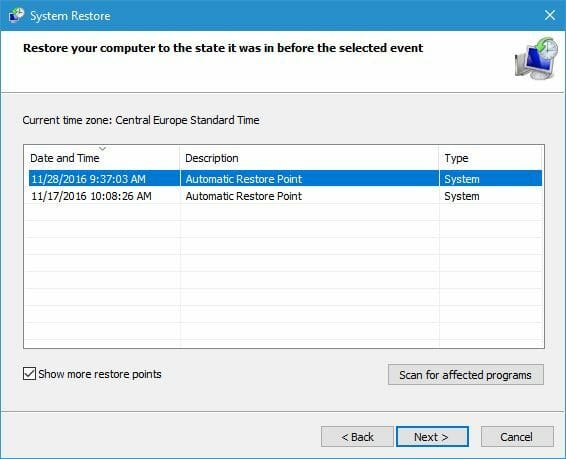
4. Perform a system rollback

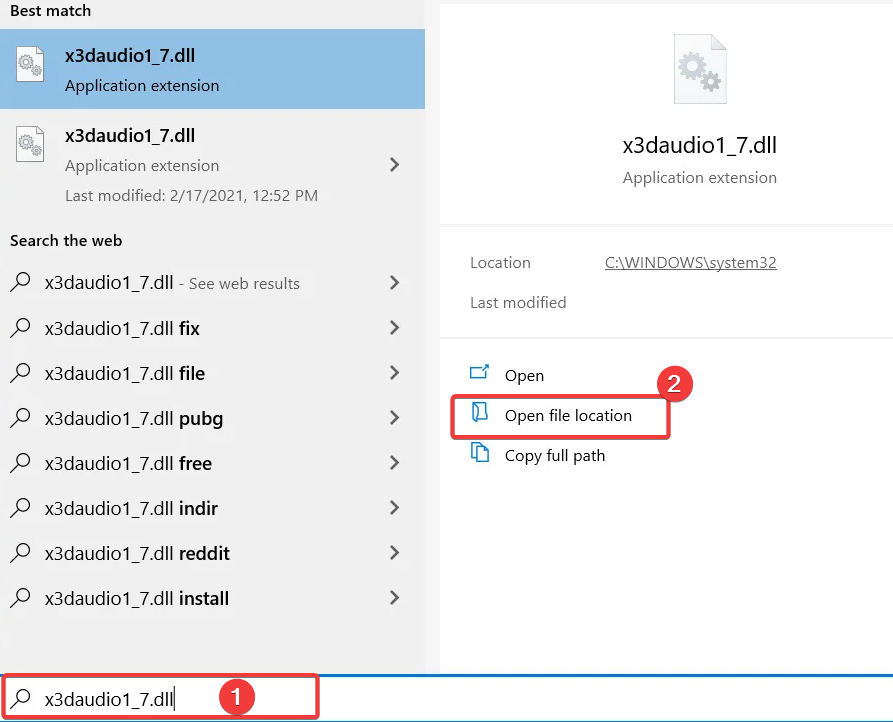
  1. Type System Restore in the search bar and select the Create a restore point option.
  2. Next, click on the System Restore button.
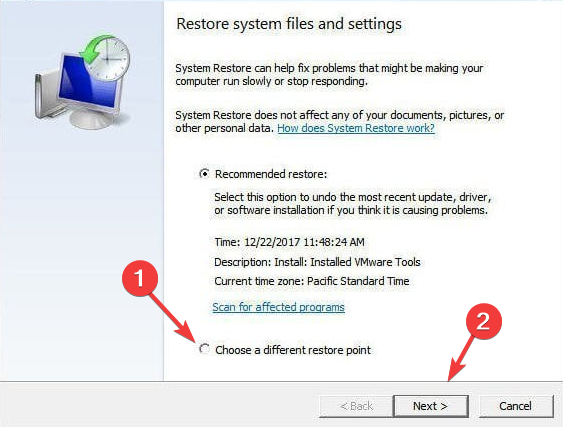
  3. Select Choose a different restore point and click Next.
  4. Make sure to enter a date for the restore point then click on Next.
  5. If asked enter your password and follow the required steps to choose a restore location.
  6. Finally, reset your device.

5. Update Windows

As Windows 10 updates are prone to happen a few times a month even, this can create dbgmodel.dll errors.

Is possible that some changes in the operating system are not compatible with the old version of the dbgmodel.dll file.

In this case, when you will install the latest Windows 10 this action will also deliver the updated dll file which will solve the existing issue.

Although the dbgmodel.dll is missing error and does not offer many indications on what to do next, as you could see in this article solving the error is actually quite simple.

Please let us know in the comments section below which solution worked best for you or if you have additional recommendations or suggestions.

5 best stereo image viewers & processing software

When trying to create or add 3D effects to photos and videos, one of the methods used is stereo image processing.

However, this isn’t something anyone can achieve easily since you will need two or more cameras and a software tool good enough to handle and then compose the images the right way.

Since stereo image processing is something that is very commonly implemented, we decided to create a list of the best software that you can use in order to pull it off in a high-quality manner.

We chose our entries based on multiple criteria, ranging from how widely spread the software is, to how easy it is to use it for the task of stereo image processing.


What are the best software tools for stereo image processing?

Adobe Photoshop

There isn’t a person alive that does image or video editing that doesn’t know about Adobe Photoshop.

This software tool is perfectly created for handling all manner of photo editings, and the layer and powerful mask support also makes it an ideal tool for stereo image processing.

The wide assortment of tools makes it perfectly capable of performing this task, although there isn’t a dedicated tool for this unless you use plug-ins.

Nonetheless, if you do decide on purchasing Adobe Photoshop, you can make use of its tools and features for all manner of different projects, not just stereo image processing.

The program is raster-based, so if you want to work with very large projects, you better make sure the image is scaled appropriately, or else pixelations will appear.

More so, you can try it before you buy it, and a Trial account will give you access to all Adobe products for a period of 7 days.

Here are some of Adobe Photoshop’s main features:

  • Full compatibility with other Adobe products
  • Its popularity means that guides and tutorials can be easily found
  • You can benefit from a free 7-day trial’
  • Extensive plug-in support
  • Great for stereo image processing, and other great image manipulation tools.
Adobe Photoshop

Adobe Photoshop

The industry-leading software for photo editing, is an ideal tool to use for stereo image processing.
Free trialVisit website

Adobe Illustrator

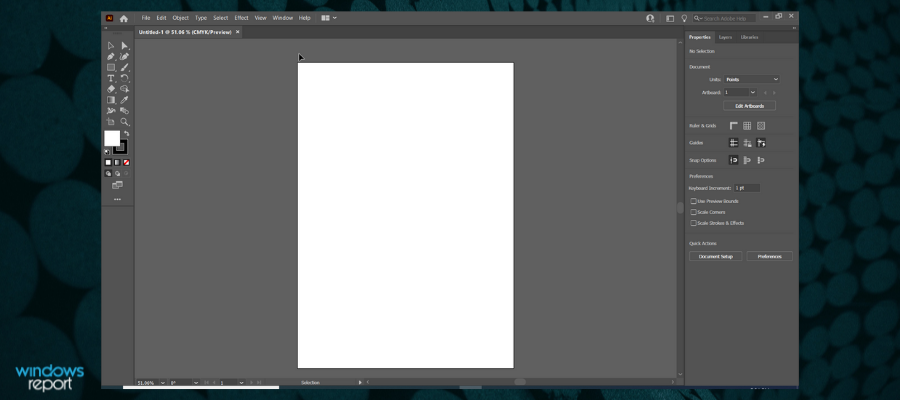
Adobe Illustrator is just like Adobe Photoshop in many ways, the main difference being that it is vector-based, and not raster-based.

This means that images that are used and created through it can be enlarged and expanded indefinitely without any loss in image quality

This will allow you to not only handle stereoscopic image processing, but you can also make it so that your projects can be printed in sizes no other image editors could handle.

Just like Photoshop, if you do decide on going with Adobe Illustrator, you can first try it for a period of 7 days before you buy it.

Here are some of Adobe Illustrator’s main features:

  • High-quality vector-based image support
  • Fully compatible with all other Adobe products
  • Popularity makes finding online guides easy
  • You can try it for 7 days before you buy it
  • Used world-wide
Adobe Illustrator

Adobe Illustrator

Yet another great software from Adobe that allows you to successfully handle stereoscopic image processing.
Free trialVisit website

Inkscape

Inkscape is yet another vector-based image editing tool, and you can use it to perform stereo image processing easily.

Admittedly, this will require a bit of improvisation, since its toolset does not contain anything specific for this task.

Nonetheless, if you follow a few online tutorials, you’ll realize that the program is very good at manipulating stereo images nonetheless.

Besides, Inkscape is completely free and open-source, so you can download it any time you want, and you can modify it to your heart’s content if you feel like it.

Here are some of  Inkscape’s main features:

  • Free to download and use
  • Completely open-source
  • Quite popular despite not being a premium product
  • Toolset comparable to that of premium-class tools
  • Very light on your system’s resources

⇒ Download Inkscape


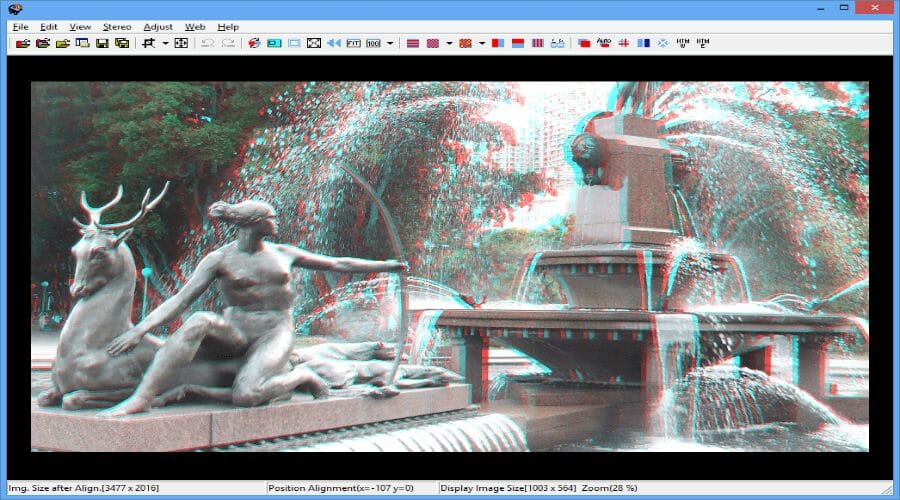
StereoPhoto Maker

If you find the entire concept of stereo image processing to be a bit too complicated, then a tool that is dedicated mainly for this purpose is probably what you need the most.

StereoPhoto Maker is the epitome of what it means to be a simplistic program, and the process of handling stereo photography is incredibly easy.

The program is free, and it is frequently updated. More so, it is also available for the macOS, so cross-platform support is a bonus feature.

Despite its lesser popularity compared to other entries on our list, this tool does feature plenty of online tutorials, so getting around it will be easy.

Here are some of StereoPhoto Maker’s main features:

  • Free to download and use
  • Get frequent updates
  • Popular enough that video guides are easy to find
  • Can automatically batch-align hundreds of images
  • Extremely lightweight from a PC resource point of view

⇒ Download StereoPhoto Maker


3D Anaglyph Maker

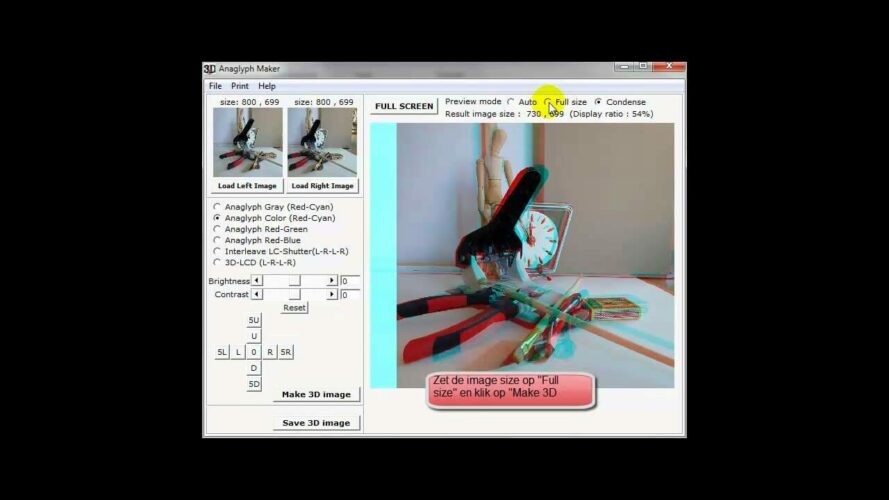
The name says it all about this tool, as 3D Anaglyph Maker is a lightweight software application specifically designed toa dd a 3D anaglyph effect to any photo you own.

The program is completely free and can be used to create stereo images, featuring several configuration tools to generate anaglyph using BMP and JPEG images.

Performing this task is quite easy, as all you need to do is load the image into the program, select a few adjustments, and then you’re done.

Besides the anaglyph effect, you can also adjust minor image settings, such as color, contrast, and luminosity.

Here are some of 3D Anaglyph Maker’s main features:

  • Completely free
  • Easy-to-use
  • Allows minor image editing
  • Lightweight
  • Can handle both BMP and JPEG images

⇒ Download 3D Anaglyph Maker


Creating stereoscopic images is a great way of making old-fashioned 3D effects, and they are still quite popular today.

While some of the entries son our list are not specifically designed for stereo image processing, their expanded toolset allows you to do the job nonetheless, sometimes with even greater effect.


[Solved] intellaptopgaming.dll missing System Error

A corrupted application or even the existence of malware or virus on your device can cause the intellaptopgaming.dll missing system error.

The intellaptopgaming.dll is an essential file of your Windows 10 operating system, which makes it crucial for it to work properly in order to not affect other important applications.

What happens when dll files are missing?

The intellaptopgaming.dll and all DLL files for that matter are essential components and they ensure that all Windows programs operate properly.

Whenever there is an issue with the intellaptopgaming.dll you will surely see how it will impact the associated software to stop working.

We will guide you in this article through the exact steps you need to follow in order to fix the intellaptopgaming.dll, so make sure to keep on reading

How can I fix the intellaptopgaming.dll missing system error?

1. Restore the intellaptopgaming.dll missing file

Before proceeding with trying anything else, our first recommendation is to restore the missing intellaptopgaming.dll file.

In doing this, the best action is to use a dedicated tool that will ensure you won’t perform any other damage to your device.

By using repairing software, you will also be able to detect missing or broken software files. These tools will then automatically find the missing file you need and install it from its verified database with thousands of new system files.

That being said, you can always count on this technology for different PC issues out there regarding system errors, Windows issues, and many more.

2. Update Windows

  1. Open Settings by pressing the Windows + I hotkey.
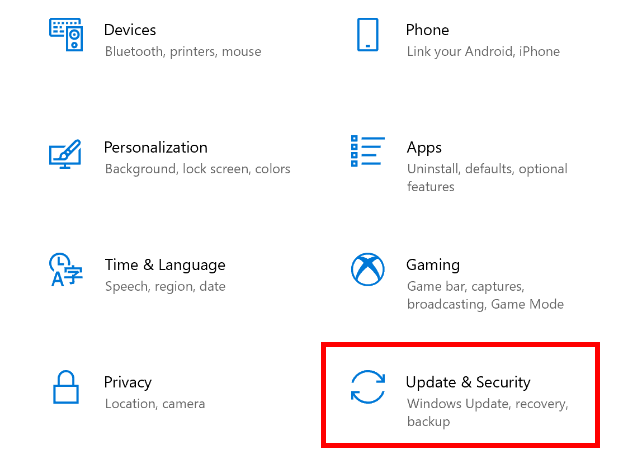
  2. Click Update & Security to open the options page.
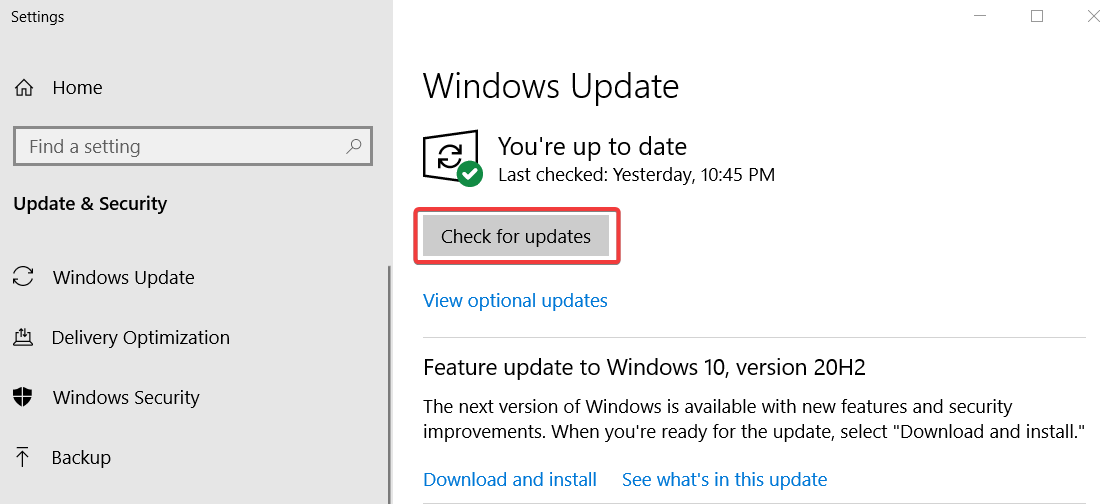
  3. Now, press the Check for updates button to download and install all available patch updates.
  4. Finally, click the Download and Install option for an available feature update.

3. Roll Windows back to a restore point

  1. Press the Windows and X keys at the same time.
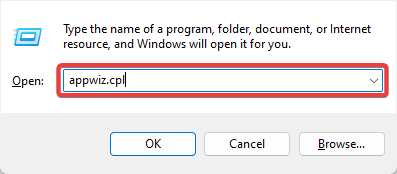
  2. Next, select Run on the Win + X menu.
  3. Press the OK button after entering the command: rstrui
  4. Next, click the Choose a different restore point button on the System Restore window that opens.
  5. Click Next to open the list of restore points.
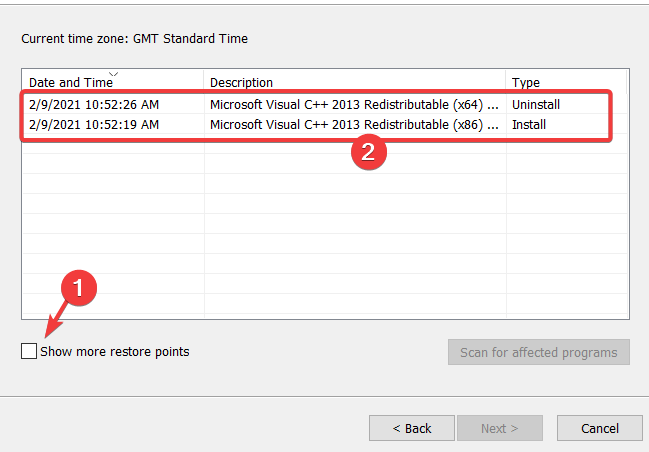
  6. Select the Show more restore points setting.
  7. Next, choose a restore point that is previous to the appearance of the intellaptopgaming.dll error.
  8. Click Next and hit the Finish button to initiate the Windows rollback.

4. Update drivers

Outdated or faulty drivers can be the cause of an intellaptopgaming.dll missing system error.

As with restoring the file, you can update the drivers manually or, you can use a dedicated tool that will allow you to do this automatically.

In using third-party software, such as Outbyte Driver Updater, you will ensure a clean and error-free update of the drivers, thanks to the built-in library of the software available.

Moreover, this way you have the certainty of installing the right driver version and avoid system problems caused by the wrong drivers.

You can as well add extra security and backup your drivers to benefit from a restore point in case something unexpected happens with any driver.

The presented solutions are among the quickest and easiest ways to fix the intellaptopgaming.dll missing system error message.

Please share with us in the comments section below which one worked best for you and if you have additional comments and recommendations.

Matte Painting Software: 5 Best to use in 2026

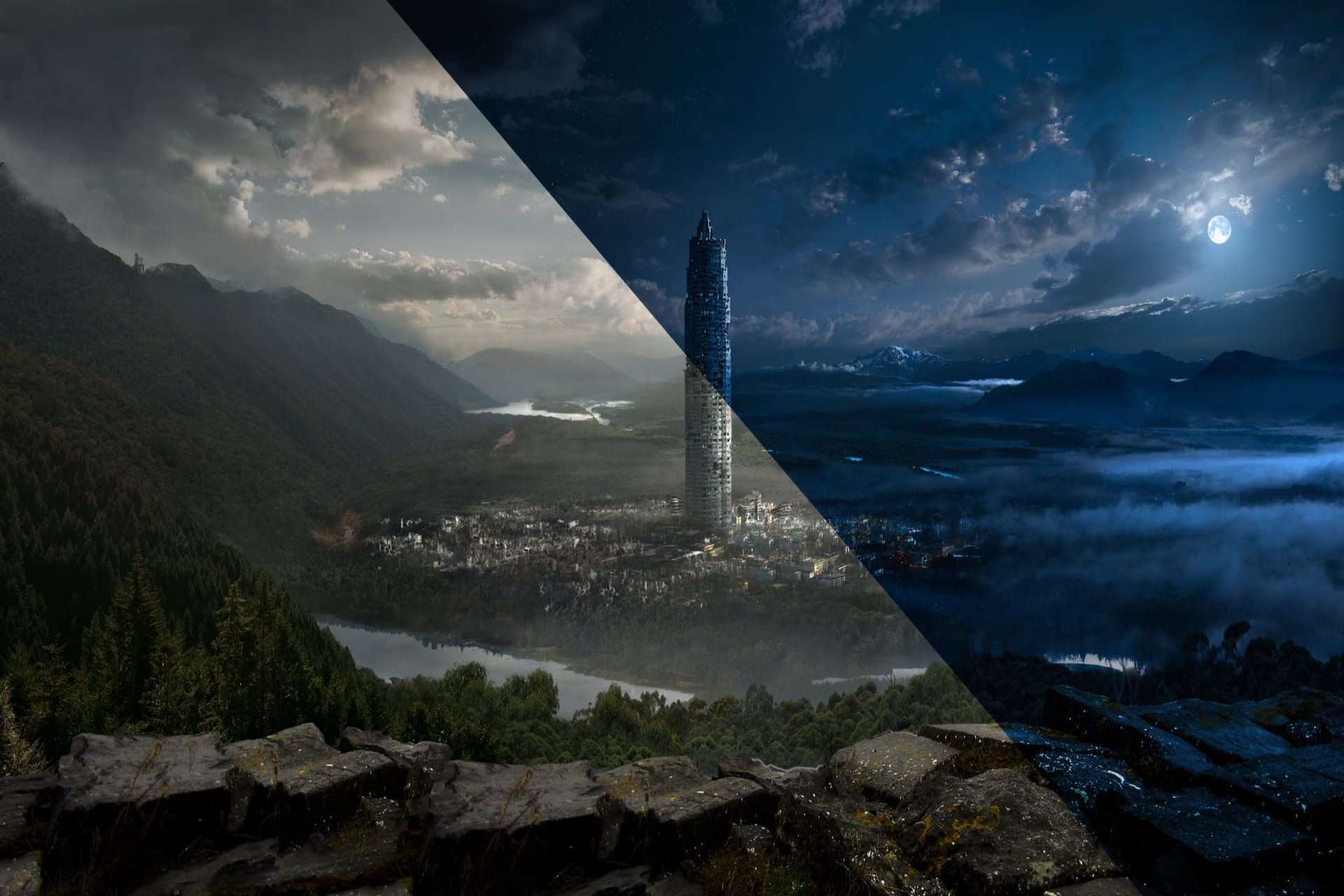
Matte painting also referred to as glass painting is traditionally made with paints or pastels on large sheets of glass. The purpose? Film-making, of course.

Representing landscapes, cityscapes, and complex environments, a matte painting integrates into live-action footage allowing film-makers to create the illusion of seamless locations.

Although traditional matte paintings are still in use, it is no longer a common practice to photograph and scan paintings into a PC

Thanks to the advancements in graphics design, matte painters have gradually moved their skills and artwork in the digital realm and the effects have never been more astonishing.

Matte painting software allows the artists to express their creativity blending digitally matte-painted textures with computer-generated 3D models and environments, and design visualization effects.

We thought you might want to see what is available on the market in terms of software for matte painting. Without further ado, here are five of our favorite painting programs that you can rely on.


What is the best matte painting software?

Adobe After Effects

Adobe After Effects

When it comes to graphics and visual effects software, there aren’t many tools that can match Adobe After Effects’ remarkable capacities.

One original way in which you can use this incredibly versatile tool is for matte paintings.

Offering features like color grading, image separation, and extensions in 3D space and a camera tracker to emulate realistic motion, you can achieve stunning matte paintings.

Besides the features mentioned above, Adobe After Effects also helps you not get lost in a variety of tools and options by organizing everything smoothly.

Let’s quickly go through its key features:

  • Graphics enhancements (new dropdown menu expression controls, templates that are easier to update in Premiere Pro, etc.)
  • Seamless work with Adobe apps
  • Pixel-perfect selections
  • Easily remove objects from videos (up to 25 percent faster with a third of the memory)
  • Stunning effects (for videos and images with explosive effects, VR videos to drop your audience right into the action)
Adobe After Effects

Adobe After Effects

Easily create astonishing matte art with an incredible amount of tools on offer.
Free trialVisit website

Adobe Photoshop

Adobe-Photoshop

Adobe Photoshop is the pinnacle when it comes to digital painting thanks to its numerous brushes and special effects, not to mention the fact that it gives you complete control over your artwork.

The world’s best imaging and graphic design software boasts an impressive collection of brushes to take your matte painting even further with dazzling effects.

Some of the great effects that you can apply include spray paint or ink wash effect, precise linework shading with pencil, ink, and charcoal brushes, watercolor brushes to splatter effects.

Let’s quickly go through its key features:

  • Play with color and effects using custom or Photoshop preset brushes
  • Your work is automatically saved to the cloud for quick access, no matter where you are
  • Lens Blur to offer a more natural and realistic look when blurring an object in the foreground
  • Improved Content-Aware Fill
  • Object Selection tool (create fast and precise selections by drawing a simple rectangle)
  • Enhanced Transform Warp
Adobe Photoshop

Adobe Photoshop

Use the industry-leading software for image editing, to create astonishing matte works.
Free trialVisit website

Adobe Illustrator

adobe-illustrator

When it comes to the state of the art of painting, Adobe Illustrator is the best software that money can buy.

Matte painting is as easy as a breeze thanks to Illustrator’s user-friendly brush widely appreciated for its accurate results.

Besides ease of use, this software also encompasses all the tools required by professionals to create state-of-the-art works with just a few clicks of your mouse.

The results of using this software will astonish you at every step, being designed specifically to never limit your imagination.

Faster rendering of Drop Shadows, and Feather Effects in preview mode and freeform gradients help you create rich color blends that give your matte artwork that breath-taking effect you were seeking.

Let’s quickly go through its key features:

  • Sketch-based development (you can either draw by hand in Illustrator or import art from Adobe Photoshop)
  • Image Trace (transform your imported sketch into an easily edited vector graphic to refine your work)
  • Real-time drawing and editing
  • Enhanced free distort (modify shapes freely through a bounding box)
  • Improved effects (Drop Shadows, Gaussian Blurs, and Feather effects in preview mode)
  • Freeform gradients (create rich color blends that give your objects and artwork a more natural look and feel.
Adobe Illustrator

Adobe Illustrator

Take your matte art creation process to the next level with Illustrator today!
Free trialVisit website

CorelDRAW

pixel painting software

Part of the CorelDRAW Graphics Suite, CorelDRAW is the natural choice for matte painting.

Draw, color, and fill using patterns, textures, color palettes, and color mixers or apply brushstrokes that replicate watercolors, felt markers, and more.

Beyond the effects and options you would normally expect from a powerful software like Corel, what amazes about this software is its capability to adapt to any workflow, indifferent of your expertise level.

Powerful retouching and restoration tools allow you to paint, draw, apply special effects with adjustment filters for greater control, sharpen, blend and blur as well as correct color and tone.

Let’s quickly go through its key features:

  • AI-powered image improvements (AI-powered upsampling and artifact removal features)
  • AI-based effects (experiment with new Art Style effects that leverage artificial intelligence)
  • Effect lens (apply any bitmap effect as a lens to change the appearance of objects beneath it)
  • User-inspired feature improvements (the new Smart Selection tool bring faster, smoother brushes)
CorelDRAW

CorelDRAW

CorelDRAW enables efficient and professional-level matte art to be created from the comfort of your own home.
Free trialVisit website

Graphic Design Studio by Summitsoft

Graphic Design Studio offers an impressive graphic editor perfectly adapted to matte painting.

You can draw or design your very own creations with easy to use pen and pencil tools or add special effects that can take any matte artwork from average to one-of-a-kind.

You can also upload your drawings into the program for further editing and export your work to any platform once you’re done.

Besides having access to a variety of useful options and features, this software ensures that you won’t get lost in the user interface, by neatly categorizing all options into accessible menus and sub-menus.

Let’s quickly go through its key features:

  • Advanced editing tools (to create eye-catching graphics, retouched to the finest detail)
  • Export your graphics to any program, print, or website
  • Enhanced pen and pencil tools (to draw custom shapes and designs)
  • Unique vector manipulation
Graphic Design Studio

Graphic Design Studio

With Graphic Design Studio you can create matte works of art easily, so try it out today.
Free trialVisit website

Matte painting is a widely known VFX technique. It has found a way into the digital world and thanks to dedicated matte painting software it generates even more spectacular results, faster and easier.

This guide provides you with a quick and efficient way for you to make an informed decision, both based on software capabilities and prices.

These recommendations will surely take your creativity to the next level, finding new ground to explore as you go.

Why shouldn’t your artwork benefit from the perks of digitalization? Have you already tried one of the tools from our list? If so, let us know your thoughts in the comments section below.


Fashion Design Software: 5 Best to use in 2026

If you’re into fashion design, it is essential to utilize fashion design software in order to turn your ideas into tangible results.

Nostalgics might find that the digital era has taken its toll on creativity, but as far as we see it, they could not be more wrong. Using a tool instead of pens does not take the charm out of your sketches.

If anything, it helps to create promotable models faster and easier by automating fashion design, markers, patterns, and production planning.

Integrating drawing, vector graphics, CAD software, and even ERP software, these solutions are meant to streamline the processes and take a weight off fashion designers’ shoulders.

The tools allow them to focus on what is really important, the product itself instead of wrapping their heads around productivity or manufacturing related issues.

Taking your samples into the digital space means accurate processes, error-proof garment manufacturing and rapid decision making across the organization.

That being said, how to pick your weapon of choice or in this case, fashion design software? We have highlighted the top picks for you below.


What is the best fashion and apparel design software?

Adobe Illustrator

Adobe Illustrator_best fashion and apparel design software

Adobe Illustrator enables you to create stunning clothing designs with easy access to amazing tools, including images, colors, filters, textures and much more.

Get any effect you want by applying layers and filters to your textile designs and create unique patterns seamlessly with tile, rotating and scaling graphics as needed.

Save your artwork to the Creative Cloud Library to have it at hand whenever and apply your textiles to a fashion sketch or croquis that you can make yourself or pick one from the pattern library.

Let’s quickly go through its key features:

  • Fashion Design (professional tools that allow you to obtain any effect)
  • CAD Tools
  • Fashion Illustrations
  • Pattern Layout / Print / Cut (create unique patterns seamlessly)
  • Presentation Tools
  • Color Matching (with enhanced functionalities)
  • Creative Cloud Library (to keep all your precious artwork at hand at all times)
Adobe Illustrator

Adobe Illustrator

Create amazing clothing design with the industry-leading software for fashion design, Adobe Illustrator.
Free trialVisit website

CorelDRAW

CorelDRAW Graphics Suite 2020

From manufacturing to engineering, CorelDRAW Graphics Suite is enjoyed by diverse designers, industries, and businesses worldwide and the apparel and textile industry makes no exception.

CorelDRAW is the most popular vector design software in the professional fashion design industry, with many fashion designers using it to create their designs.

Whether you’re into embroidery, direct-to-garment printing or apparel, CorelDRAW has all the tools you need to produce and output designs for the fashion industry.

Let’s quickly go through its key features:

  • Shape drawing tools and shaping options ( ellipse, polygon, rectangle, weld, trim, etc.)
  • Vector illustration and layout
  • Image editing and pixel-based design program
  • CorelDRAW app (online vector illustration and graphic design in the web browser)
  • PowerTRACE (AI-powered bitmap-to-vector tracing included in the CorelDRAW app)
CorelDRAW

CorelDRAW

Create amazing fashion design with an AI-powered software with shape drawing tools and shaping options.
Free trialVisit website

C-DESIGN Fashion

C-DESIGN Fashion accompanies you throughout the clothing creation process. It not only allows you to create fashion, but also takes care of the development lifecycle from design to production.

With a complete and intuitive user interface, professional features and enhancements, it is definitely one of the most advanced fashion design software on the market.

C-DESIGN takes on the complete development process using clear and specific technical files to include materials information, measurement chart, color matching, labeling and much more.

Let’s quickly go through its key features:

  • Fashion Illustrations
  • Color Matching (advanced features and enhancements)
  • Fabric Matching (advanced features and enhancements)
  • Technical files creation (to include materials information, measurement chart and many others)
  • Design Tools (latest generation design tools available)
  • Technical drawing tools
  • Import your drawings

⇒ Get C-DESIGN


PatternSmith

PatternSmith is an award-winning software for textile pattern creation and management that provides apparel businesses with templates, 2D or 3D drafting, editing, and nesting solutions.

Intuitive and easy to use, PatternSmith features industry-leading capabilities making it simple to execute patterns of all types thanks to embedded help files tutorials.

Specifically built for textile patterns,  the tool enables you to create, manage, and nest patterns, import files from other systems and export files to your cutting machine.

Let’s quickly go through its key features:

  • Full 2D CAD pattern drafting and editing (geometric creation tools, textile-specific entities like notches, seams, anchors and editing tools with previews)
  • Automated pattern clean-up
  • Custom add-ons
  • Keep all patterns in an organized project file
  • File Import / Export
  • Streamlined Order Processing
  • Material Library

⇒ Get PatternSmith


TUKATECH

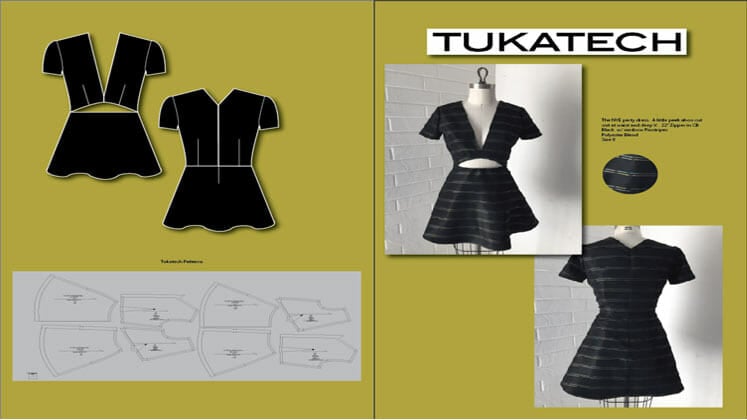
TUKATECH covers the digital fashion design industry with two amazing products TUKAcad and TUKA3D that fit manufacturers and designers of any size.

The best part is that it includes audio and video tutorials for every tool in its portfolio, thus ensuring easy usage and maximizing results.

TUKAcad is an innovative apparel design software with which you can create advanced patterns, grading, and markers to streamline your production process.

Let’s quickly go through its key features:

  • Pattern-making and grading (multiple-size and angle grading for curved contours)
  • Integration of artwork and logos
  • Block libraries with master grading
  • Automatic grading update with pattern changes
  • Marker making (manual or automatic)
  • Edit or alter patterns while making markers

If that did not cover it, take a look at TUKA3D.

As the manufacturer puts it, this software is meant to design, develop and deliver and it allows you to create life-like digital collections, eliminating the need for physical samples.

Let’s quickly go through its key features:

  • Real-life virtual fit sessions
  • 3D virtual sampling in 5 visual ways (stretch, warp, weft, pressure, and x-ray)
  • Channels for fabric color, transparency, shine, and texture
  • Integration with graphic design applications
  • Fabric and trims library

⇒ Get TUKATECH


Each one of the products above has the potential to bring your fashion design skills to the next level by eliminating fastidious aspects of your work like production planning or manufacturing.

The advantage of using such software is that you can focus your efforts and your creativity on what matters the most: astonishing fashion collections.

Plus, you can do so, without ever touching a pencil. Let us know what best suits your pattern creation needs via the comments section below.


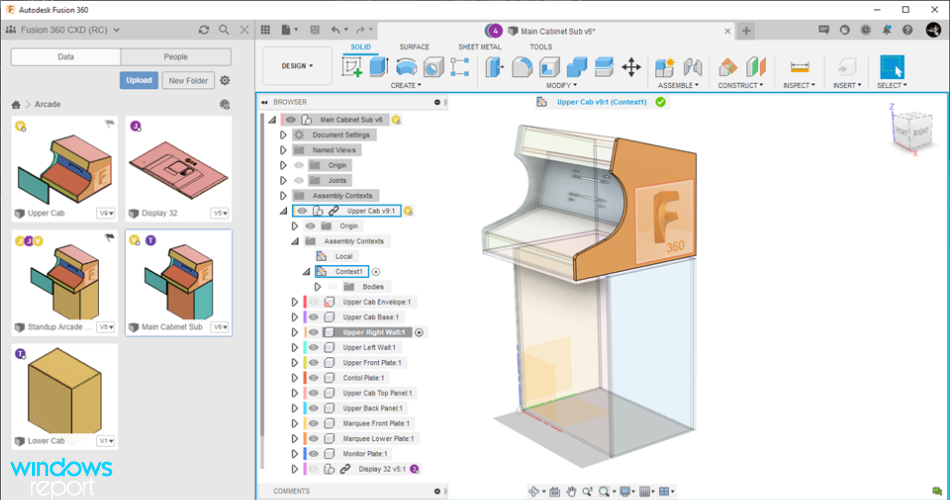
3D Animation Software for PC: 7 Best Apps in 2026

Computer animation is the process of generating animated images by using computer graphics. The concept of computer animation is the digital successor of the stop motion techniques using 3D models and frame to frame animation of 2D illustrations.

In order to create an animated movie, the illusion of movement is developed, and an image is displayed on the computer screen and repeatedly replaced by the new image that is similar to it and so on.

This same technique is achieved by television and also by motion pictures.

The computer animation can be developed with a computer and with the help of animation software. The animation will make everything alive by showing its movement and 3D animation will create an image that looks real to anyone who is viewing it.

It is not an easy task to make artificial objects look real by their motion. The motion of an object is a very difficult and very complex task. Fortunately, animation software can make it much easier.

All that being said, we present you with some of the coolest animation programs for your Windows PC.

What is the best 3D animation software for Windows 10?

 RatingFree/Paid2D&3D supportedKeyframe timelineMotion CaptureBeginner’s support
Adobe Creative Cloud4.7Paid(has trial)YesYesYesYes
Blender4FreeYesYesYesYes
Cinema 4D Studio4.5Paid(has trial)YesYesYesNo
Aurora 3D Animation maker4.5PaidYesYesNoYes
Autodesk Maya4Paid(has trial)YesYesYesYes
Mixamo3.5Paid (free sign up)YesYesNoYes

Adobe Creative Cloud

3d animation software

Adobe Creative Cloud is a whole packaged solution for your 3D creation needs. Although the full suite might seem hard to handle, at first sight, Adobe made sure that the learning process gets aided by tons of tutorials along with a simple to use and flexible interface.

To create a high-quality 3D animation you will need a couple of products from Adobe, such as Adobe Animate CC, Adobe Illustrator and, Adobe Character Animator. 

That’s why it makes sense to subscribe to Creative Cloud – with a single subscription, you get access to other apps that can handle anything involved in video editing as well as static graphic design.

Adobe Animate lets you create depth in animation by setting up the distance between layers across frames and also by rotating the object across the plane of the screen.

With Adobe Character Animator you can define facial features, body parts, and joint motions that contribute to a more lifelike visual effect.

You can also link the above-mentioned characteristics to your keyboard, mouse, or camera for a faster work process.

Adobe Illustrator will make the base of your project by designing stunning 3d characters based on perspective grids and layer grouping. You can also group parts for a smooth synchronization process.

Adobe Creative Cloud

Adobe Creative Cloud

After trying Creative Cloud you won’t even think about alternative tools. Your 3D animations will just look stunning!
Free trialVisit website

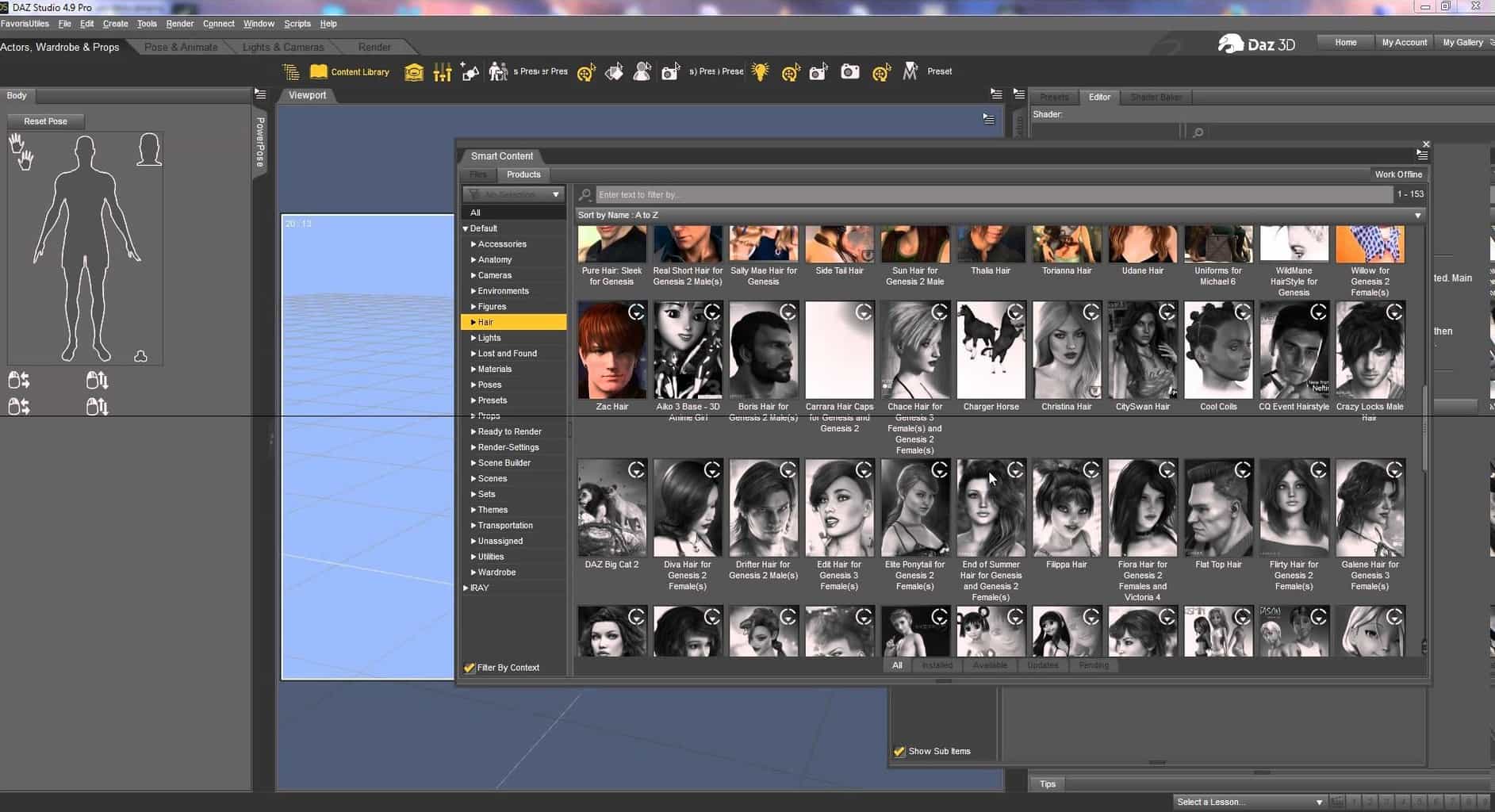
Daz3D Studio

daz3d studio scene window

Daz3D is a powerful tool to create animations and scenes by manipulating model presets. It allows you to use human, vehicle, animal, and object models.

You only have to choose your models, choose the accessories you want, and start creating digital animation scenes.

You have to know from the start that you cannot create your own models but there are so many features in morphing and detailing models that you won’t even feel the difference between Daz3D and 3D modeling software.

Even if the models are ‘lifeless’ at a first glance, just put into the scene the right details and it will be an artistic masterpiece.

While Daz3D is not the best software for newbies, it is not hard to assimilate and to get used to its features and possibilities.

Besides, you can find a bunch of tutorials on Youtube that will assist you in getting familiar with this 3D animation generator. After a few days of tutorials and you will become a future 3D professional animator!

For more advanced users we have good news: you can use the models from Daz3D in Photoshop and ZBrush to customize 3D figures. You can use this feature for free by downloading free plugins like GoZ.

⇒ Get Daz3D Studio

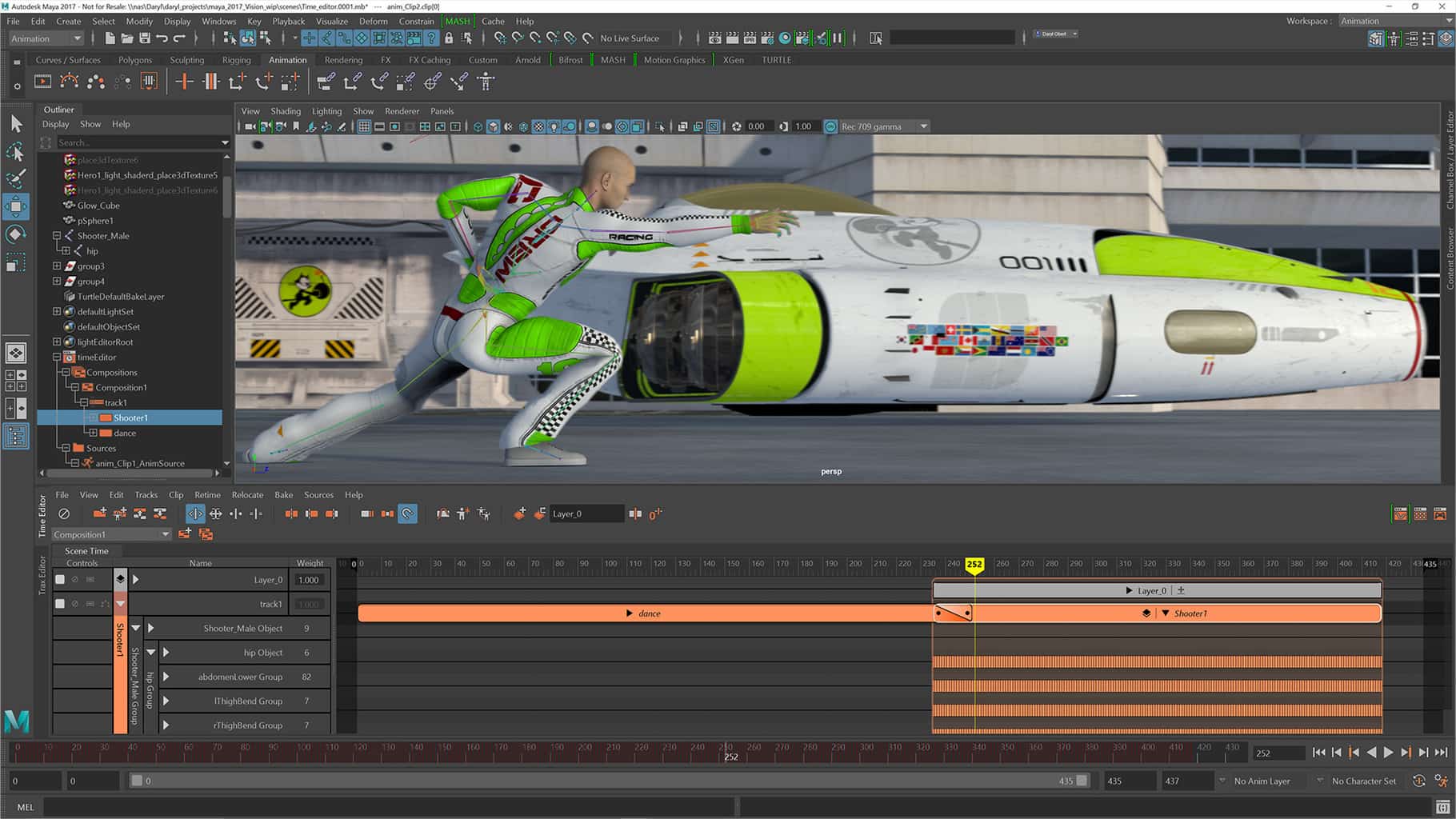
Autodesk Maya

Autodesk Maya is one of the best 3D animation software out there. Using this software, you will be able to create and develop 3D scenes, games, people, and movies.

The software has some cool features that are not complicated and that makes the program perfect for modeling, animating, and coloring.

You can use Arnold RenderView to view scene changes in real-time, including lighting, materials, and camera.

You can also create complex procedural effects and animations with instanced objects, and you will be able to make high-level animation edits with a nondestructive, nonlinear, clip-based editor.

The intuitive brush-based grooming tools give you greater control and accuracy for styling and posing hair and fur.

The developers have recently added a bunch of new features to the software. The speed enhancements will make your scenes work much faster, and now you can create ocean surfaces with waves.

You can also quickly render and manage complex scenes and generate templates for the setup of a shot for easy re-use. You are now able to fine-tune your characters and the animation more easily and quickly.

With the software, you can create branding, title sequences, flying logos, and more projects that require text. You can also import and or copy/paste SVG files into the program.

The mirror enhancements and the tool symmetry improvements will make symmetrical modeling much easier, and the sculpt and shape models are now more artistic and intuitive.

Users can accelerate their performance with the interactive workflow.

Maya allows you to work in a higher-fidelity, and higher-performance environment to edit assets and images in a short time.

You can buy the Autodesk Maya animation software from Autodesk. There is also a 30-day free trial available.

⇒ Get Autodesk Maya

Blender

Blender is an open-source 3D creation suite. It supports the entirety of the 3D pipeline including rigging, modeling, simulation, animation, composition and motion tracking, video editing, and game creation.

This is a public project, and it is made by hundreds of people from all over the world, by professionals and hobbyists, studios and individual artists, students, scientists, animators, VFX experts, game artists, and so on.

Blender features a built-in powerful straight path tracer engine called Cycles that offers fantastic realistic rendering: CPU and GPU rendering, real-time viewport preview, VR rendering support, PBR shaders, and HDR lighting support.

Blender features a vast array of modeling tools that make transforming, creating, and editing your models very easy.

Blender includes also a production-ready camera and object tracking that will allow you to import footage, track it, mask areas, and see the camera movements live in your 3D scene.

Due to its various qualities, Blender is used for various short films, advertisements, feature movies, and TV series.

With the help of the software, you can now draw 2D in 3D, and drawing straight in a 3D viewport makes lots of sense and it opens unsurpassed workflow freedom for storyboarders and 2D artists.

Blender has a flexible Python-controlled interface, and the layout, size, fonts, and colors can be adjusted very easily. You can use hundreds of add-ons by the community, or you can create your very own by using Blender’s Python API.

You can also subscribe to Blender Cloud for a monthly fee and you will get 100+ hours of high-quality training, all the tutorials and the open movies, and exclusive production insight and walkthroughs.

⇒ Get Blender

Cinema 4D Studio

Cinema 4D Studio is another top animation software that you can use to easily create character rigs and advanced character animation with numerous tools.

Cinema 4D is very easy to learn, and it’s also compelling. It really is the perfect package for all 3D artists out there who want to achieve breathtaking results as fast as possible and hassle-free.

All beginners and seasoned professionals will be able to take advantage of the program’s vast range of tools and features to achieve amazing results.

The software’s reliability will make the perfect app for demanding fast-paced 3D production and a range of attractively priced software packages is available to fit every need an artist has.

You can get started with the software straightforward and quickly to create cool results. The software’s intuitive and simple interface makes it very easy for beginners to jump right into the middle of the software and take control.

It never stops to amaze professional users as well, and the many tutorials and the global community are essential for bringing beginners to a pro-level of use.

All the program’s new functions work intuitively, and they are exactly what users need. The Cinema 4D’s layout can also be easily customized to precisely fit a user’s needs.

The program’s stability is great, and all the new features and functions are tested before they are released.

The developers release free service packs on a regular basis, and these will optimize the software and let the creators respond to changes in drivers and operating systems as quickly as possible.

Staying flexible for last-minute changes is important no matter which project you’re working on.

Cinema 4D offers numerous options for working non-destructively: parametric modeling, procedural shaders, textures, and more.

And the Cinema 4D Take System lets you save and manage multiple versions of a scene in a single file!

⇒ Get Cinema 4D

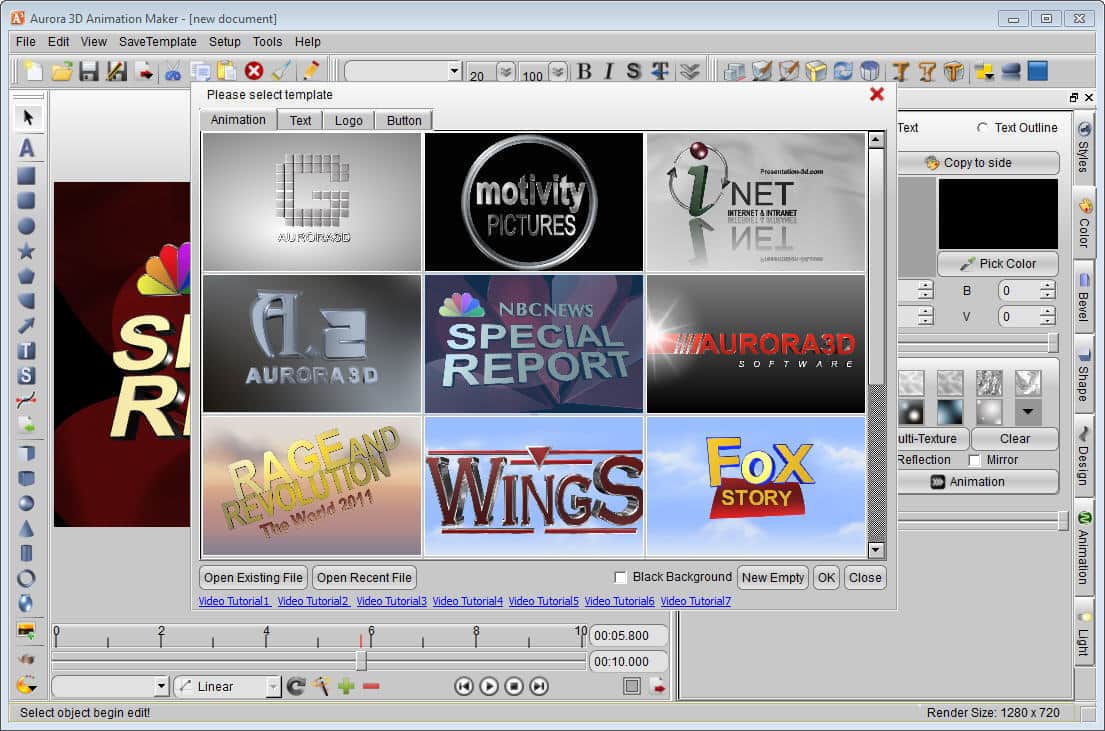
Aurora 3D Animation Maker

Aurora 3D Animation Maker is among the best animation software, and it features an extensive range of functions.

The software will allow users to create eye-catching 3D animations that will transform your logos or your text into original and awesome creations.

You will get the opportunity to control all aspects of your animation, including the speed of playback, the animation’s length, and more.

You can create your own movie title animations for the web and your movies in minutes. You don’t even need mastery over the basics of 3D Design.

Aurora offers 3000+ symbols, 60+ additional TrueType fonts, 80+ object style, 200+ 3D object templates, among others.

Using Aurora 3D animation software you can get the best results. You should know that web design is more than just choosing the right layout and graphics.

You will need eye-popping visuals that will capture and hold your audience’s attention. And Aurora 3D Animation Maker allows you to create awesome 3D animations that will take your logos and your texts as well to the very next level.

The software will allow you to create limitless special animation effects and you will be able to go as far as your creativity allows you to work.

Just imagine how it would be to apply particle effects to simulate fireworks, smoke, snow, flame, or the emptiness of space.

Or use motion effects like Linear, Quad, Cubic, and Quit to add choreography like bounce and twists.

When you are absolutely pleased with your final result, Aurora 3D Animation Maker makes it easy to incorporate your animation into your website, giving you the options to export as Video, Flash, animated GIF, or as a sequence of images.

Aurora 3D Animation Maker is one of the best cool 3D text, logo animation, 3D video title maker tools.

⇒ Get Aurora 3D Animation Maker

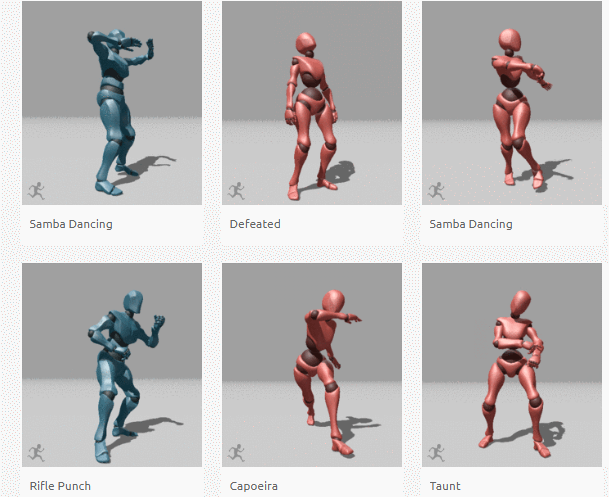
Mixamo

mixamo 3D animation

You may not have heard of Mixamo up until now, but we’re sure that ‘Adobe’ rings a bell for you. Mixamo is a niche 3D animation software that’s part of the Adobe family.

If you’re looking for a reliable tool to create animated 3D characters, then Mixamo is the right choice for you. The best part is that there is no 3D knowledge required to use this software.

Mixamo offers a huge animation library that you can choose from. There is no need to animate each and every step that your character takes, for instance. Simply go to Mixamo’s store and get the right animation for your needs.

If we were to use just two words to describe Mixamo, those would be ‘time efficiency’.

Simply use a few markers and the tool will instantly calculate skinning weights, adjust bones, and other visual characteristics.

⇒ Get Mixamo

While the first tools are really powerful and extremely versatile, the last one on your list, Mixamo is a great niche animation tool that you can use to create 3D character animation.

If you have any other questions about these products, or maybe you’re aware of another good alternative to them, feel free to share in the comments section below.

How to easily play AIFF files on Windows [Guide]

If you are trying to play an AIFF file on Windows Media Player and get an error message saying that says the file is not compatible.

Media Files that end with AIFF file extension is an Audio Interchangeable File Format files and known to cause this error on Windows computers.

But there are ways to play them and you can learn how to do it here.

What are the AIFF media files?

The audio files with AIFF extension are different from your common MP3 audio format as these files are uncompressed.

While the AIFF format helps in retaining high-quality audio, the file size tends to go over 10 MB for every minute of audio.

Your Windows Media Player is capable of running the AIFF Files. Other media players that are capable of running the AIFF files are Apple iTunes, VLC, Media Player Classic, etc.

To play any .aiff files on Windows 10, you only need to double-click on the audio file and Windows Media Player should be able to play it without any issues.


How to Play AIFF files on Windows 10?

1. Adobe Audition (recommended)

adobe audition

Adobe Audition is a professional tool for video and audio creators who want to take their recordings to the next level.

It seamlessly integrates with other Creative Cloud apps, and it is regarded as the industry’s leading audio cleanup and restoration tool.

It also goes without saying that it supports all audio formats and will allow you to easily play AIFF files on Windows 10. If you’re serious about the audio quality of your content, Adobe Audition is the place to start.

You can easily record, edit and apply effects to your audio clips and then import them into other software such as Premiere Pro.

Some features you can use with Adobe Audition are Waveform or Multitrack view; you can add audio effects to recordings, or presets for easy edits. Also, the batch processing and the non-destructive effects are available.

Adobe Audition

Adobe Audition

Adobe Audition helps you to easily play AIFF files on Windows, so be sure to give it a try!
Free trialVisit website

2. VLC Media Player

Play Aiff Files with VLC Player
  1. To make sure the problem is not due to Windows Media Player, download VLC Player from the official website if you don’t have it already. Install VLC media player.
  2. After the installation is over, right-click on the .aiff audio file and select Open with.
  3. From the list of apps select VLC Player.
  4. VLC Player should be able to play AIFF files in Windows 10 without any issues.

How to Convert AIFF Files to MP3?

Conver Aiff File using iTunes
  1. Launch iTunes on your computer.
  2. Drag and drop the file onto iTunes.
  3. Right-click on the File and select Convert > Create MP3 Version.
  4. Apart from MP3, you can convert the file to better formats like FLAC, AAC,  AC3, M4R, etc using a free file converter like DVDVideoSoft Free Studio.
  5. Once the file is converted, try to open it in Windows Media Player to check if it is not corrupted.

We hope that these recommendations from our list were helpful. For more suggestions, please access the comments section below.

6 Best Compositing Software to Use in 2026

Building a career as a content creator is no longer an impossible goal nowadays. The software you use to create videos can make the difference between a newbie content creator that will not last long and one that will gain traction and popularity.

Visual effects are a decisive factor when it comes to videos, especially those posted on social media. Even a simple filter can change the game.

For example, imagine what kind of content a fully-fledged video editing software with motion-tracking can provide you. The quality of the recorded software will be perfect for editing.

If you want to make your videos more dynamic and surprise viewers, we are here to help you out. Well, getting your hands on some great compositing software isn’t optional.

Professionals use compositing in film production to combine images from multiple sources in a single frame. The results speak for themselves.

As always, we are focusing on well-developed programs that provide many tools ready to assist you in making engaging HD videos. Don’t hesitate to check out the list below.

What is compositing?

Source: Compozitive

The process referred to as compositing is a technique that combines visual elements from separate sources into single images.

Such techniques are often used when creating scenes in live-action movies or TV shows and are called chroma keys, blue screen, green screen, and many other names.

The chroma key effect can be achieved by using physical green/blue screens in the background, then processing those with special green screen software.

Nowadays, most compositing is done through digital image manipulation, but things used to be different. Pre-digital compositing goes back to the late 19th century, while some are still in use today.

What’s the best compositing software to try out?

Adobe After Effects

This is a top-end digital visual effect, motion graphics, and one of the best compositing software solutions aimed at professionals.

If your wish is to create and refine immersive videos, you may as well stop your searches here.

Adobe After Effects has a special ever-growing effects pack giving you access to more transitions, motion graphics, and visual effects than most other services do.

Among the positive things about this program is that it lets you edit virtual reality or 360 videos using the VR Comp Editor and its amazing compositing tools.

Moreover, you may create virtual reality environments using the app’s tool aptly named Create VR Environment.

Through this feature, setting up the composition, cinematography, and other essential aspects of making a great 360/VR video is easier than you’ve imagined.

You also get rotoscoping features to open up endless possibilities for adding impressive visual effects to your videos and that’s not all.

Professional-level list of key features:

  • Helpful start screen
  • Intuitive VR Comp Editor and explosive effects in VR videos
  • Auto-saved work in Adobe Team Projects for a continuous workflow even while on the go
  • Set anything in motion with keyframes or expressions that will intensify the sensation of movement in your footage
  • Can be used on both Mac and Windows computers
Adobe After Effects

Adobe After Effects

Create immersive outstanding visuals with a professional tool that provides tons of features.
Free trialVisit website

Wondershare FilmoraPro

Wondershare FilmoraPro provides an extended suite of video editing and it is considered a perfect option for those who are specialists in the domain.

If you’re just starting out with video editing, or perhaps you need a simple program to slightly edit videos, this software has everything you need.

Having full access to the entire functionality of this tool once you purchase a license is a joy! You will be greeted by tutorials and descriptive text that will teach everything about the tools.

Just imagine that you have more than 300 stunning effects for different niches and you may transfer your final videos directly to any popular portable device, upload them to YouTube or burn them to DVD in no time.

That’s your chance to transform boring and dull everyday videos into unrecognizable pieces of art and raise the bar.

Windershare FilmoraPro will accelerate the editing process to help tell a story in your own way.

The software doesn’t limit itself only to editing videos. It can also sync the audio, compress it, reduce background noise levels, apply audio transitions, and much more.

You can adjust light levels thanks to the light leaks, lens flares, and glows. More so, mask unwanted parts of the video with preset or custom shapes.

With this multi-purpose editing tool, you won’t need another third-party software. What are you waiting for? Express your cinematic flair.

Besides developing FilmoraPro, Wondershire created other awesome software and even took their time to create browser-based tools.

Key features you may enjoy from Wondershare FilmoraPro:

  • Extremely intuitive user interface
  • Basic features such as trim, crop and rotate are all included for your videos
  • You may export and share to a huge selection of formats and social media sites
  • Audio ducking fades your music so your dialogue stands out
  • Apply color correction to multiple clips at once to save time
Wondershare FilmoraPro

Wondershare FilmoraPro

Get your hands on an impressive video editor that comes with hundreds of effects and other great features.
Try it nowVisit website

Nuke

Nuke is an interactive solution for video compositing. The software lets you create more content faster than ever before and enjoy enhanced flexibility in all your creative tasks.

To be more precise, both 2D and 3D compositing are included, along with some amazing Editorial options.

Nuke has a fundamental ecosystem of tools that impacts the industry at an international level, reaching studios large and small.

Additionally, to Nuke, the company also created NukeX, Nuke Studio, Nuke Indie, Hiero, and HieroPlayer.

All of these formidable tools tackle high-end compositing, offering VFX coverage through tutorials. Since HieroPlayer is freely included with Nuke, you also can review your work on the desktop.

2D compositing features include a Nodal toolset, Rotoscoping, and Deep image compositing so that the viewers can always feel immersed in what they’re watching.

Nuke was also used to create blockbuster tv shows thanks to its flexibility and hefty toolset that helps entire teams create the best quality content.

The software underwent a thorough evaluation by the Netflix Technology Alliance to ensure it met the technical requirements needed for the post-production and delivery of the Netflix Originals series.

Precisely, Nuke is responsible for the awesome CGI in the popular TV show, Game of Thrones. That’s right. The dragons, the Night King, and all the other special effects were created only by using Nuke.

The incredible list of key features delivering film-grade results includes:

  • User-friendly, stable UI
  • 3D compositing options enable you to work in an intuitive 3D environment
  • Access to technical support
  • 3D camera tracker included

⇒ Get Nuke

Nuke Non-commercial

Next is in the list is a free version of Nuke that runs outside the regular licensing model. This software is meant for personal, educational, and other non-commercial use.

In spite of that, it offers most of the features of the commercial version of Nuke, which makes it a video compositing software that is great for beginners who are eager to learn more about editing.

It is free software available for non-commercial, great for compositing, editing, or adding finishing touches to a product.

This version of the original program doesn’t place watermarks on the videos either, which is a big plus.

We don’t recommend Nuke non-commercial to professionals who are looking for fully-fledged compositing software, since this version is beneficial for those who wish to learn to edit.

Instead, professionals should check out Nuke, which was also mentioned in the article. Output resolution is though limited to HD (1920 x 1080) and the 2D format support is disabled for MPEG4 and h264.

Unfortunately, there is no support for third-party plug-ins. Only those who ship with Nuke are supported by the software.

Additionally, the Data storage is encrypted so you won’t be able to access commercial-use Nuke files from the non-commercial version.

Although the tool is a bit limited, it’s your own chance to explore it and its industry-leading editing tools.

Nuke Non-commercial key features:

  • A choice of different VFX tools is at your disposal
  • You may manage color grading with ease
  • Nuke StudioTimeline environment lets you create Nuke Comps, add soft effects, and export your project
  • In-application help from the Support team
  • Special forum dedicated to Nuke Non-commercial users

⇒ Get Nuke Non-commercial

Helius Composite

try out Helius Composite

Helius Composite is another great choice when looking for an application based on compositing and visual effects tools.

Even if it is a 32-bit application, be sure that it will install and run in a 64-bit environment as well.

Do note from the start that if other tools are recommended to high-end artists, this one is ideal for students and teachers. Only applications that use a valid school domain address are accepted.

Having an expansive database of composite materials, the tool will simulate material behavior or compound components.

The built-in solvers make it so u don’t need to have secondary finite element analysis to analyze the characteristics of the materials faster.

Compute strength margins for components through specific laminates that will help create bolt pattern designs.

You can also build custom woven fabric materials. All you need to compute lamina properties is to select a fabric type and base.

The different broad good-type materials that can be built are Random Continuous Mat, Woven Fabric, and Stiched Fabric.

Laminate layer compositions can also be used to calculate first-play strength failure, stiffness, and the progressive failure of a structure.

Some Helius Composite key features you’ll most likely appreciate:

  • It features a full High Dynamic Range pipeline
  • Easy-to-use graphical interface
  • Next-generation 3D compositing
  • High-performance interaction at extremely high resolutions and advanced rendering

⇒ Get Helius Composite

AVS Video Editor

AVS4YOU offers the ultimate multimedia pack covering a video converter, editor, and remaker in one single bundle.

Produce audio, videos, and other spectacular content without having any limitations or restraints to your creativity!

The software is compatible with all key video formats and supports any file size, so uploading 4K or even 8K videos or clips shouldn’t be a problem.

Since AVS Video Editor supports a variety of formats and HD videos, you can save your work in MP4, DVD, AVI, MOV, VOB, WMV, MKV, WEBM, etc.

The video and audio editing processes are sped up by the hardware acceleration feature that utilizes your GPU’s video cache to yield the best results.

More so, AVS Video Editor lets beginners and professionals turn basic recorded videos into pieces of art. Users have access to basic editing options such as trim, crop, join, etc.

Additionally, the editor gives you access to more professional-oriented features such as transitions, image effects, filters, edit chroma key, slow motion, and PC screen capturing.

Since AVS Video Editor is part of a bundle, let’s talk briefly about some of the other apps you will be getting alongside it.

The Video ReMaker can transfer video from camcorders and video cameras or create DVD and Blu-ray menus and discs.

Preview your edited videos or simply watch movies/TV shows or listen to your favorite music in your free time with the AVS4YOU media player, which supports all popular file formats.

You can also view images as a slideshow, create personal playlists, or take screenshots of important moments while watching videos.

Let’s take a look at the product’s main features:

  • Cut, split, and join as many videos as you want
  • Fix shaky footage with video stabilisation
  • Chroma key will change your background
  • Make vivid slideshows
  • Process HD video resolutions
  • Edit and save videos in all major formats
  • Hardware acceleration for faster editing

AVS Video

AVS Video Editor is part of the multimedia family bundle, putting together all the necessary tools to create, edit, and share content.
Check price Visit website

Compositing software and live-action movies

The most common usage of compositing software is adding CGI to TV shows or movies. Generally, people use these apps to create scenery that wouldn’t normally be in the recording.

In order to take advantage of compositing software, you need some special requirements. First of all, a green screen, blue screen, or something similar is necessary when you record unedited videos.

Obviously, the second step is to download or buy the actual tool with its assets. Lastly, you need patience and inspiration.

Preparing the subject for a green screen

When recording footage using a green screen, you should take into consideration some important aspects.

The screen needs to be lit first, followed by the other objects in the frame. One of the common mistakes made by people who use chroma keys is lighting the subject and the green screen as one.

Additionally, any object that is green will be considered part of the green screen by the software, so make sure you take all objects with that color out of the frame.

Why are we telling you all of these? Because, although compositing software is revolutionary and can make wonders, the raw, unedited footage also plays a crucial role in the making of a video.

Keep in mind that some videos require certain codecs in order to view them. If you want to see the finished product or even preview it, we suggest checking out this article about video codec packs for Windows 10.

If you were looking for high-quality compositing software, you came to the right place. These tools should be perfect for you. Don’t hesitate to let us know what you chose in the comments section below.

Video Optimizer Software: 8 Best We Tested in 2026

Video optimizers are software that enable users to optimize video playback for specific devices, social media websites, video-sharing apps, and YouTube.

Some users might call them video converters, while others might say that they’re media file compression software. A video optimizer is both, as it enables users to compress videos by converting them to other formats.

For example, you might need to utilize video optimization software to add a few videos to your own website or YouTube. Large video files can slow down webpages considerably, which has an impact on search engine optimization.

Larger files take longer to upload and might also eclipse max file sizes for instant-messaging apps such as WhatsApp.

Thus, we need to compress video files to optimize them for playback on websites and share them via instant messaging and social media channels.

Furthermore, large video files hog storage space on most devices, but all the more so on phones and tablets.

So a video optimizer will provide you with the tools and settings required to convert and compress videos. They’ll usually include conversion settings for things like frame rate, bitrate, and resolution to configure the output file with.

The best video optimization software also provide a variety of preset device formats for users to select. These are some of the best video optimizer software for Windows.


What’s the best video optimizer for a Windows 10 PC?

Adobe Premiere Pro

Adobe Premiere Pro is the best video editing software that you can use to create amazing videos and optimize them for YouTube, websites, and other video platforms.

This powerful tool lets you edit any type of footage, from standard video format to 8K videos and even VR videos. Premiere Pro can handle anything you’ll throw at it.

Adobe Premiere Pro packs a series of handy features that optimize your videos for different web platforms. For example, the Auto Reframe feature automatically optimizes your videos for social media so as to always keep the content in frame irrespective of the size or format used.

There’s also HDR10 metadata support that optimizes HDR content so as to look perfect on HDR displays.

Key Premiere Pro features include:

  • Seamless integration with other Adobe products such as Photoshop, After Effects, Adobe Audition, and Adobe Stock, and other third-party extensions.
  • Built-in Premiere Rush integration to film, edit and share your videos on whatever device you want.
  • Project locking when editing to prevent other users from editing content and avoid conflicts.
  • A flexible production panel to divide complex workflows into smaller chunks for improved productivity and efficiency.
Adobe Premiere Pro

Adobe Premiere Pro

Optimize your videos with the industry-leading video editing software for social sharing, TV, and film.
Free trialVisit website

Any Video Converter

Any Video Converter (AVC) is a video optimization software that’s compatible with a wide variety of video formats and packs in more multimedia tools than most alternatives. You can convert and compress videos with either AVC Ultimate or AVC Free, which is the freeware version.

The Ultimate version includes extra tools for DVD conversion and video recording along with DVD menu templates.

Both versions are compatible with Windows XP to Windows 10 and Mac platforms. They enable users to convert clips to a good number of output video formats, such as MPG, WMV, AVI, 3GP, FLV, DivX, F4V, and others.

AVC users can select numerous preset device profiles to optimize videos for playback on iPhones, iPads, Samsung Galaxies, Sony Xperias, Windows mobiles, Blackberry phones, and other mobile devices.

Unlike some of the alternatives, AVG includes editing options with which users can adjust contrast and saturation, crop clips, extract audio and add special effects to videos.

The Ultimate version also boasts super quick conversion speeds and includes some handy additional tools for downloading online clips and burning videos to blank DVDs. AVC even provides video and DVD playback options on its Video Player tab.

Any Video Converter

Any Video Converter

Convert and optimize any video format you have on your disk. This amazing software will help you out.
Check priceVisit website

Ashampoo Video Optimizer Pro

The first optimizer software that we want to show you is Ashampoo Video Optimizer Pro. This tool allows you to adjust standard video settings including video quality, colors, and contrast.

Of course, you can also change other video settings such as white balance, brightness, saturation, and shadows.

This tool is also great if you’re working with shaky videos that are recorded without a tripod because it has an advanced video stabilization feature available.

Noise removal feature is also present, and it will automatically detect and fix noise in your videos while providing you with crisp and clear videos.

The application also supports standard video editing features such as cropping and rotation, but you can also apply slow motion effects to your videos.

You can even speed up your clips and make impressive time-lapse videos with ease. The application supports various text and visual effects, and if you want, you can also add various metadata to your videos.

Regarding compatibility, this tool supports all common codecs, so you should be able to open any type of video file.

As for the supported resolutions, the application can handle any resolution and it fully supports HD, 2K, and 4K videos.

Overall, Ashampoo Video Optimizer Pro offers great features, and it’s quite simple to use due to its friendly interface.

Beneath the sleek interface, there’s a powerful video optimizer software that will be perfect for both amateur and professional users alike.

Overview:

  • Ability to adjust video quality, contrast, brightness, saturation, and shadows
  • Support for video stabilization and noise removal
  • Ability to create slow-motion and time-lapse videos
  • Support for all major video formats and 4K resolution
  • Batch processing
  • A sleek and simple user interface
Ashampoo Optimizer

Ashampoo Optimizer

The effective solution to enhance the quality of your videos. Stabilize shaky footage, optimize contrasts and colors of your clips.
Check priceVisit website

Prism Video Converter

The Prism Video Converter Software is a lightweight and reliable video optimizer. The software needs just 859 KB of hard drive space, but it still packs in all the essential tools and options for optimizing videos.

This is certainly among the best freeware video optimization packages. You can run the program on Windows platforms from XP to 10 and Mac OS X 10.5 or higher.

Prism Video Converter can convert any video with a DirectShow codec to alternative formats. There are 28 output file formats to select from along with additional preset mobile device and console profiles.

The software includes an encoder and video options with which users can adjust the bitrate, resize, and reduce the frame rate for the output file. PVC users can adjust the video color settings, add subtitles to clips, and enable watermarks.

Add DVD is another handy option the software includes that enables you to directly convert DVD to a video file format. In addition, PVC also includes a Share button users can press to upload files directly to video websites, cloud storage, and social media sites.

⇒ Download Prism


Pavtube Video DVD Converter Ultimate

Pavtube Video DVD Converter Ultimate is both video optimizer and DVD ripper software. The software works with a paid subscription, but there’s also an unregistered version you can try out.

Note, however, that the trial version adds a watermark to videos. You can run the software on Windows platforms from XP up.

Pavtube Video DVD Converter Ultimate is a straightforward video optimizer to utilize with an intuitive UI design. The software converts clips to the vast majority of common and high-definition video formats.

Pavtube Video DVD Converter enables users to optimize videos for various tablets, phones, game consoles, and digital media players by selecting preset device profiles. Users can adjust the resolution, frame rate, bitrate, and codec settings for each device profile.

The software includes an editor with which you can crop, trim out frames, add watermarks to clips, and add effects to videos.

The software’s DVD ripper tool also comes in handy when you need to rip video content from the disc to optimize it for playback on other devices.

⇒ Download Pavtube


HandBrake

HandBrake is another of the best open-source video optimization utilities for Windows platforms from Windows 7 to Windows 10, Linux Ubuntu, and Mac OS X.

The software is a decent choice for video encoding as it includes lots of advanced settings to configure the output with.

HandBrake supports the vast majority of input video file formats, but the software restricts you to convert to either MP4 or MKV.

Thus, it doesn’t provide the widest choice of output file formats; but HandBrake still includes more output settings than most alternatives.

HandBrake users can configure output files’ picture resolution, display size, frame rate, video codecs, video filters, audio bitrate, and more besides.

The software makes up for its limited file output choice with a plethora of preset device profiles to choose from, and they include Gmail presets so that you can share compressed videos via email.

Furthermore, HandBrake users can also batch convert multiple videos to alternative formats and rip their own video content from Blu-ray Disc and DVD.

⇒ Download HandBrake


Format Factory

If you need to convert video to file formats other than MP4 or MKV, Format Factory is a good freeware alternative to HandBrake. Format Factory enables users to convert videos, audio, and image files to various formats.

Format Factory users can convert their videos to the MP4, 3GP, AVI, WMV, FLV, SWF, and MPG file formats.

The software’s users can also select to convert files to numerous mobile presets optimized for playback on Apple, Android, Microsoft, Nokia, and Sony devices. To compress videos, you can adjust the video and audio stream settings included in Format Factory.

Aside from its video optimizer utility, Format Factory also includes few other handy multimedia tools that you might not find in other alternatives.

For example, the software includes joining options with which you can merge media files together. Users can also utilize FF to convert video DVDs and music CDs to file formats.

⇒ Download Format Factory


Freemake Video Converter

The Freemake website boasts that Freemake Video Converter has been the #1 online video converter for eight years. A counter on the site highlights that the software has about 93 million users to date.

FVC is freeware software that you can run on Windows platforms from Vista to 10. However, the unregistered version adds a Freemake logo to the output video.

Freemake Video Converter includes all the tools you’ll need for video optimization. It enables you to convert most video files to MP4, AVI, MPEG, WMV, 3GP, FLV, Blu-ray, and DVD formats.

The software provides device presets for various phones, tablets, and consoles. Users can configure those presets, or set up their own, with the preset editor and select to size up or down the output files’ display resolutions.

Freemake includes editing options with which you can cut, merge, and rotate clips before conversion. FVC users can download online clips from YouTube and other video and social media sites and upload their videos, photos, and MP3s directly to YouTube. You can also rip video content from unprotected DVDs with the software.

⇒ Download Freemake Video Converter


So those are some of the best video optimizer software for converting and compressing multimedia files. They’ll certainly come in handy if you need to optimize videos for playback on mobile devices or websites.

Even if you don’t, converting video files to more compressed formats with those software can save quite a bit of hard drive space.


FIX: iTunes SyncServer.dll is missing

If you accidentally deleted SyncServer.dll from your Windows 10 computer you’ll probably get RegSvr32 error every time you turn on your computer.

Restoring this DLL file will solve your problem, and we’ll show you how to do that manually and by using third-party software in just a few easy steps.

We have to mention that the SyncServer.dll is part of the iTunes program and without it, the app will trigger an error.

How can I fix the iTunes SyncServer.dll is missing error?

1. Reinstall iTunes

  1. Type control panel in Windows search and click Control Panel from the results.
  2. Click on Programs and Features.
  3. Select iTunes and click Uninstall.
  4. Restart the computer.
  5. Download the latest iTunes setup file for Windows from Apple’s website and install it on your computer.
  6. Let the iTunes install and then check the functionality.

This method is tested and it works fine but it’s a little bit time-consuming and it requires a little bit of skill. However, the iTunes SyncServer.dll is missing error can be fixed a lot easier.

We are talking about specialized software that not only will solve this DLL issue but will also optimize your system to an optimal running state.

Since SyncServer.dll comes with iTunes software, the simplest solution for this problem is to reinstall iTunes.

Uninstalling and then installing iTunes again will hopefully get this DLL file back and you’ll be able to boot your Windows normally.

2. Copy SyncServer.dll from another computer

  1. On another computer, go to Start, type the following paths in the search tab and press Enter:
    • C:\Windows\System32
    • C:\Windows\SysWOW64
    • The first is for 32-bit systems and the second is for 64-bit systems.
  2. A folder will pop up on the search menu.
  3. Double-click on the folder to open it, and you will see a lot of DLL files.
  4. Drag the SyncServer.dll file into an external memory device.
  5. Copy the same DLL file onto the same location in the second computer.
  6. Press the Windows key + R to start Run.
  7. Type regsvr32 SyncServer.dll and hit Enter to start the command (This action will register the DLL on the computer).
  8. Close the open windows and folders and reboot your computer.

This is a little bit unusual solution, but it could work in case reinstalling iTunes didn’t.

If you have another computer, you can transfer SyncServer.dll from it to your current machine, or you can do the same thing with your friend’s computer.

Whatever you do, don’t download the SyncServer.dll from a random website. The file could be harmful to your PC and if that happens, you will need a strong malware removing solution.

That would be all, if you have any comments or suggestions you would like to share with us, reach for the comments section below.

How to use flowchart templates with Adobe Illustrator

Flowcharts are a great way of conveying information to the public in a modern and concise way.

They need to be well-designed in order to draw a reader’s attention but created in such a way that the focus goes on the information that is transmitted.

Adobe Illustrator comes with a large gallery of flowchart templates which you can pick from as they are, customize, or just start a totally new one based on the template


How do I use Adobe Illustrator’s flowchart templates?

1. What is Adobe Illustrator?

Adobe Illustrator is a vector-based graphic design tool that was first developed for the macOS.

However, popular demand made it so that the program managed to make its way onto the Windows PC platform as well, and it is now supported on Windows 10, too.

The product is world-standard in graphic design, but that doesn’t mean that it is necessarily premium and exclusive.

On the contrary, you can try Adobe Illustrator for free for up to 7 days before choosing whether to buy a full license or not.

Adobe Illustrator

Adobe Illustrator is one of the best vector-based graphic design tool on the market and that is why it’s also used by professionals.
Free trial Visit website

2. What are Adobe Illustrator templates?

Templates can be perceived as semi-finished products that you only need to fill out with your own personal details, thus allowing you to create new documents that share common settings and design elements.

For example, if you want to create several flowcharts that look and feel the same, but are different, then you can create a template with the desired size, settings, and print options.

You can also include symbols for common design elements, like logos, as well as certain sets of color swatches, brushes, and graphic styles.


3. Start with New From Template

  1. Choose File, and then select New From Template.
  2. Choose File and go to New.
    • In the New Document dialog box, click Templates.
  3. When you are in the Welcome screen, select From Template in the Create New list.
    • In the New From Template dialog box, find and select a template that you wish to use as a basis, and click New.

Illustrator comes with a variety of templates included in its library. These include templates for brochures, labels, certificates, postcards, flowcharts, websites, and more.

Besides the one included with the base program, templates can also be downloaded separately from Adobe’s websites, but you can also try user-created content as well.

When you use the New From Template command, Illustrator creates a new document with identical content and document settings as the template but leaves the original template file untouched.

When trying to create a new project starting from a pre-existent Adobe flowchart template, do one of the following:


There are other software tools that can help you with creating flowcharts, and some of them even come with a few good templates as well.

However, Adobe Illustrator proved to be the best when it came to designing every last detail.

More so, no other third-party tool can match its template library so there’s little chance your flowcharts will ever look similar to anyone else’s.

Microsoft Surface Pro 7+ First Impressions: Spec upgrades are underrated

For a period of time tech journalism derided Apple for a seeming deluge of spec bump improvements to its Macs over the years. Year after year Apple would update its Mac lineup with the latest Intel chip, bump the number of transistors it listed on its slide shows and seemingly called it day. To the chagrin of reviewers and tech enthusiasts, it felt like Apple was being stingy with the impressively massive hardware changes the industry craved as yearly identifiers of “new & improved.”

Now that I have my hands on the Surface Pro 7+ I can see the logic behind simply tweaking the processor and shipping a relatively identical product, in fact, it may be one of the smartest decisions Microsoft’s done for its Surface lineup in a couple of years.

Late last week, Microsoft was kind enough to send OnMSFT a review unit of its latest Surface Pro, the Surface Pro 7+. Microsoft’s latest 2-in-1 is practically identical to the Surface Pro 7 that came out the year before and holistically the same as the previous four versions. However, during what can euphemistically be summed up as an unconventional year for the world, Microsoft unconventionally rolled out its follow-up to the Surface Pro 7. Normally released during the Fall, Microsoft released the Surface Pro 7+ in mid-winter with only a refreshed Intel 11th generation chip and a hardware tweak to make swapping SSD easier.

Pxl 20210213 215016821


With about a week’s worth of time under my belt, I can say my first impressions of the Pro+ are rather glowing. The Pro+ feels faster, and the battery life is noticeably improved. I have yet to really test the LTE on the device, which may hamper battery life, but other reviewers are seeing no noticeable difference in battery performance during their testing.

Microsoft and Intel have made some claims about graphical performance improvements but I haven’t opened any of my old CAD projects to test that just yet, but simply moving windows around the OS and animations feel more fluid.

I can note that the device does seem to get hotter much quicker than my last experience with a Surface Pro which was back in 2017, so I’m not sure if the device legacy in between the two is known for that.

The only other in-your-face change is the new access panel for the SSD. I don’t have the tools to open that hatch yet, they’re on order from Amazon, but it’s a cool feature for enterprises to quickly swap devices without having to clear an entire device beforehand.

Pxl 20210213 215332160.portrait

As I just mentioned, it seems Microsoft’s Surface Pro 7+ is an enterprise play only for the moment. Rumors have it that the consumer-grade version of the Surface Pro 8 may need to wait as long as next year to see that release. If the rumors hold true, I think it’s an unfortunate business decision on Microsoft’s part because so far, I think they have a solid winner on their hands.

If Microsoft would simply release this version to consumers it wouldn’t need to test new firmware (something that’s constantly plagued Surface devices), it can squeeze performance out of the latest Intel chip which appears to be a solid improvement, and while dated, the iconic design is still a favorite among buyers. Last quarter, Microsoft reported that its Surface line passed the $2 billion dollar revenue marker and if it spent the remainder of this year milking their R&D investments from the last 4 years, they could easily cross that marker during what will undoubtedly be a soft year for PC sales. At least that’s my armchair Tim Cook strategy.

4 best VPNs for Germany for privacy, streaming & speed

Even if you live in one of the most developed countries in the world, where everything seems to work perfectly, computer privacy is often under attack.

For this reason, precisely, it becomes very important to know what the best VPNs for Germany are.

Why should I use a VPN in Germany?

Without a doubt, there are many reasons why you should install a reliable VPN tool while in Germany. Here are some of the main advantages to using a software solution.

  • Watch YouTube without annoying blocks

In Germany, some YouTube content is blocked. For example, you open a video of your favorite song on YouTube but you run into the annoying message:

Sorry, this video is not available in your country.

So, if you’re leaving for Germany, get ready, this message (in German) will appear to you very often. Videos available and visible in other countries are sometimes blocked in Germany due to access restrictions.

  • Safely download data and files

Network and Internet control and censorship is sometimes used in Germany. Neighboring Switzerland is not far behind either.

In Germany, it is forbidden to download files covered by copyright. German providers are not only slowing down the file download but also analyzing the traffic.

This traffic analysis allows them to inform the competent authorities in case of suspicious downloads.

Thanks to this article, you can then safely download files and bypass any geographical block.

  • Watch Sky Go and access Netflix

Another reason to use VPN in Germany is Soccer! Thanks to a good VPN, you’ll be able to access the Internet from a different virtual location. In this manner, you can watch your favorite soccer games in Germany.

You will not miss the best games and sporting events. Moreover, the Netflix catalog varies from one country to another.

If you’re in Germany but you do not speak German, Netflix really does not give you much. With an adequate selection of the best VPN to use in Germany, you can access the complete Netflix catalog of the country of your choice.

How do I unlock YouTube through a VPN in Germany?

Install one of the best VPNs for Germany and you’ll be able to navigate with a different geolocation address. In this manner, you’ll access YouTube as if you were comfortably seated on your parents’ couch in another part of the world.

Germany is a beautiful country with many opportunities but also some online limitations and restrictions. Thanks to virtual private networks, you can bypass these limitations and protect your privacy.

What are the best VPNs to use in Germany?

To help you out, we’re going to look at 3 top providers that are reliable and can deliver. Here’s the range of benefits you’ll be reaching:

  • Fast internet connections.
  • Affordable subscription fee.
  • Strong encryption & privacy policies.
  • Wide range of servers in Germany and beyond.
  • Reputation as a reliable service provider with a proven track record.

Private Internet Access (Recommended)

Private Internet Access

Like any other country in the world, Germany has its own set of laws when it comes to geo-restrictions. For example, torrenting is forbidden in the country, so a VPN that can enable this feature is what will take the top spot on our list.

That being said, Private Internet Access is most definitely the solution that you should try when trying to bypass geo-restrictions in Germany.

Developed by Kape Technologies, this VPN service has around 3300 servers in 46 countries around the world, allowing complete coverage and a wide selection of faux identities to choose from.

Of course, the main feature that makes Private Internet Acess perfect for the job is the fact that it enables P2P support, which is the basis for torrenting.

Of course, when torrenting you also want to make sure that you will remain undetected, and that the download and upload speeds are decent.

These are both things that you don’t have to worry about anymore since the security level is assured by military-grade encryption, to the point where not even your ISP will know what you are doing.

As for the speed, you should know that you have unlimited bandwidth, and the high number of servers means you can choose that one that will benefit you most anyways.

Here are some of the perks of using Private Internet Access in Germany:

  • PPTP, OpenVPN and L2TP/IPSec technology
  • You are provided with a secure VPN account
  • It is extremely easy to set up and use.
  • Block ads, trackers, and malware
  • Your traffic will not be logged
  • Unlimited bandwidth
  • P2P support

Private Internet Access

Keep your browsing habits private with this amazing VPN, now at a discounted price for a limited time only!
Check price Visit website

CyberGhost VPN

CyberGhost VPN has a large selection of servers, making it the best option for online anonymity. The service features thousands of server locations worldwide and protects your data with 128-bit encryption technology.

However, by becoming a premium member,  you can enjoy top-notch 256-bit encryption. The installation is simple, but if you encounter any difficulties, a guide is available on CyberGhost’s website.

The variety proposed by CyberGhost VPN is not comparable with any of the services examined so far. Its servers are located in 17 countries worldwide, including the United States, Russia, Romania, Germany, and Switzerland.

The wide selection of servers allows you to have maximum anonymity when surfing the Internet. If a server were to turn off (a rather unlikely event), you can choose between other servers, ensuring continuity of the connection.

The service is also available on Apple and Android, with the ability to navigate safely even with smartphones and tablets. Unfortunately, the proxy does not work for multiple devices if you are a free user.

To get all the benefits of this service you must be a premium or premium plus subscriber.

The premium subscription has something more to offer.

As a premium member, there will be no bandwidth restrictions. If you are using the free service, the maximum rate will be 1 M per second and the rules for using your internet provider’s data will be applied!

This proxy service is easy to install and guarantees anonymous browsing with good data protection. Technical support is of excellent quality, the forum and blog keep up to date with the latest news.

Given these premises, it is really appropriate to carry out a test with CyberGhost VPN.

Cyberghost offers three levels of service: free, premium, and premium plus. Payments for registration can be monthly or yearly.

They allow you to remove the ads, present in the free version, and provide additional features. The premium plus option has all the features of the premium. In addition, it allows the user to connect 5 devices and not just 1.

CyberGhost VPN

CyberGhost VPN can protect your privacy and secure your connection and works great even in Germany.
Check price Visit website

NordVPN

NordVPN is one of the important names in the VPN market. If you need an easy-to-use, fast, highly reliable VPN to protect your sensitive data and solve connection problems, this is the tool to use.

What kind of problems are we talking about? For instance, to access the Netflix USA library, NordVPN is certainly one of the providers to be taken into consideration.

NordVPN is based in Panama, a paradise not only for tourists but also for privacy. The Panama government does not require VPN providers to store information about users.

So NordVPN does not keep any records of your activity on the Internet. There is absolutely no trace of what you have done online or the websites you have visited.

The WiFiSec feature is one of the most interesting tools you can use thanks to NordVPN. Public or free WiFi networks are notoriously very dangerous. As a general rule, you should never connect to a public or free WiFi hotspot.

However, the NordVPN WiFiSec feature detects when you connect to an unsecured WiFi network and automatically enables VPN protection.

You can set WiFiSec to automatically connect and activate automatically whenever you connect to secure and non-secure networks.

The Adblocker feature will make your Internet experience safer and more enjoyable. NordVPn Adblocker has a CyberSec feature that blocks dangerous websites and allows users to avoid annoying ads.

NordVPN offers 3 season tickets to choose from. Regardless of the type of subscription, the features are always the same.

As is customary in the VPN market, which determines the price difference is only the duration of the subscription. Naturally, the greater the duration of the subscription, the greater the benefits in terms of savings will be.

NordVPN

Looking for a VPN that will serve you well even in Germany? Check out NordVPN.
Check price Visit website

IPVanish

IP Vanish

IPVanish is a VPN provider based in the United States, with a particularly high reputation. In fact, the company is the only one to offer a Tier-1 VPN service.

It also owns and manages over 325 servers, located in 60 countries, with over 40,000 different IP addresses available.

IPVanish is a security product that guarantees online privacy by protecting users from unwanted espionage, hacking and other dangerous threats.

In addition, it can unlock websites and other online content usually limited by the geographical region.

IPVanish says not to save any logs. As with all VPN companies, there is no way to verify this, but, in our opinion, IPVanish is reliable.

How IPVanish works

The IPVanish VPN service allows users to browse online in a secure environment. When a user activates his or her VPN connection, IPVanish opens an encrypted tunnel through which all data can pass.

This process prevents access to information on your traffic and activities by any third party (ISPs, governmental organizations, office servers, etc.).

With this type of system, all data transmitted to and from your computer will be safe and secure. Your location will also be hidden.

In fact, IPVanish replaces the visible IP address online with one of its dynamic IP addresses on its extensive server network.

This system also allows you to bypass local restrictions that are implemented in your area because local servers will not be able to see which websites or online applications you are using with your VPN connection.

Therefore, it will not be possible to block any type of request or browsing activity.

IPVanish

IPVanish can really make your IPVanish, even in Germany. Try it out now!
Check price Visit website

Pick your favorite VPN

Now you have a good idea of the best VPN providers to turn to if you’re in search of a reliable VPN connection.

We welcome your comments on how your experience was with these providers if you tried them out. We’ll be glad to respond to any questions you might have.


FIX: This Document Is Trying to Access PDF Error

Here you are, staring at that bold This document is trying to access PDF error message once again, with the usual options to Allow, Block, and Cancel.

We can only imagine what you must be thinking of, but the easiest way – Allow – doesn’t always work.

If it does function, it only leads to another pop up window and no actual result. However, you do need to remind yourself that clicking Allow isn’t necessarily the wisest thing to do.

Malicious websites are created with one target in mind: to silently gather data and transfer harmful content.

That’s why Acrobat and Adobe step in to display a warning message when a PDF attempts to connect to an Internet site.

Various forums have threads on this topic, so you’re not alone in this mess. In today’s article, we’re about to explore some of the best methods to deal with such security warnings. Better late than never, right?

How can I fix This document is trying to access PDF error?

1. Change default PDF software to Adobe Reader/Acrobat

PDF Handler default option
  1. Open Adobe Acrobat Reader.
  2. Go to Edit, and select Preferences.
  3. Under Application Startup, click on the button Select Default PDF Handler.
  4. Click on the drop-down box and select Adobe Reader.
  5. Up next, click on Apply.
  6. Click OK to exit out the dialogs.

If you do not possess the Reader, considering installing it for free by following the link below.

Adobe Acrobat Reader

Adobe Reader enables you to view and print PDF files and get rid of any other warning message.
Free trial Visit Website

2. Specify the default behavior for PDF access to websites

  1. Open Acrobat. Edit menu Preferences
  2. Navigate to Edit menu, and select Preferences (Windows) or to Acrobat/Adobe Reader, and select Preferences (macOS).
  3. Choose Trust manager.
  4. Go to Internet Access from PDF files outside the browser, and select Change Settings.
  5. Now, check-mark Allow PDF to access all websites.

3. Change Internet access default behavior for a specific website

  1. Open Acrobat. Acrobat Pro DC Preferences
  2. Choose Edit, and select Preferences (Windows) or directly Acrobat/Adobe Reader, and go to Preferences (macOS).
  3. From the categories on the left, choose Trust manager.
  4. Click Change Settings.
  5. Choose the option to Add a website.
  6. Then, type its URL in the Host Name text box.
  7. Click Allow.

Some users describe trying the suggested solutions above just to be stuck with the same security warning message when accessing a specific website.

Alternatively, you may try changing Internet access default behavior from PDF files for the website in cause as well. Hope this helped.

This document is trying to access PDF message can create many problems for average users wanting a reliable PDF experience. We’ve been working on this with real progress thanks to the previously described solutions.

If you have any other questions or suggestions, don’t hesitate to leave them in the comments section below, and we’ll be sure to check them out.

Photo Keywording Software: 7 Best to Use in 2026

Are you looking for accurate keywords for your stock photos? Do you want to improve your photos‘ searchability on stock sites? This article is exclusively designed for you.

In this guide, we are going to be bringing you some of the best photo keywording software, any of which can be employed to generate keywords for your images and consequently improve their search results online.

All creative artists (photographers, graphic designers, and so on) want one thing: RECOGNITION. And the best way to get this is to get their work out there and make it accessible to as many people as possible.

To do this, keywording your artworks (photos, videos, graphics, etc.) and exporting them to the web is the way to go.

While photo upload/export could be a stroll in the park, the preceding process (keywording) could be highly engaging. In fact, many photographers end up spending more time on keywording than they actually spend on taking shots.
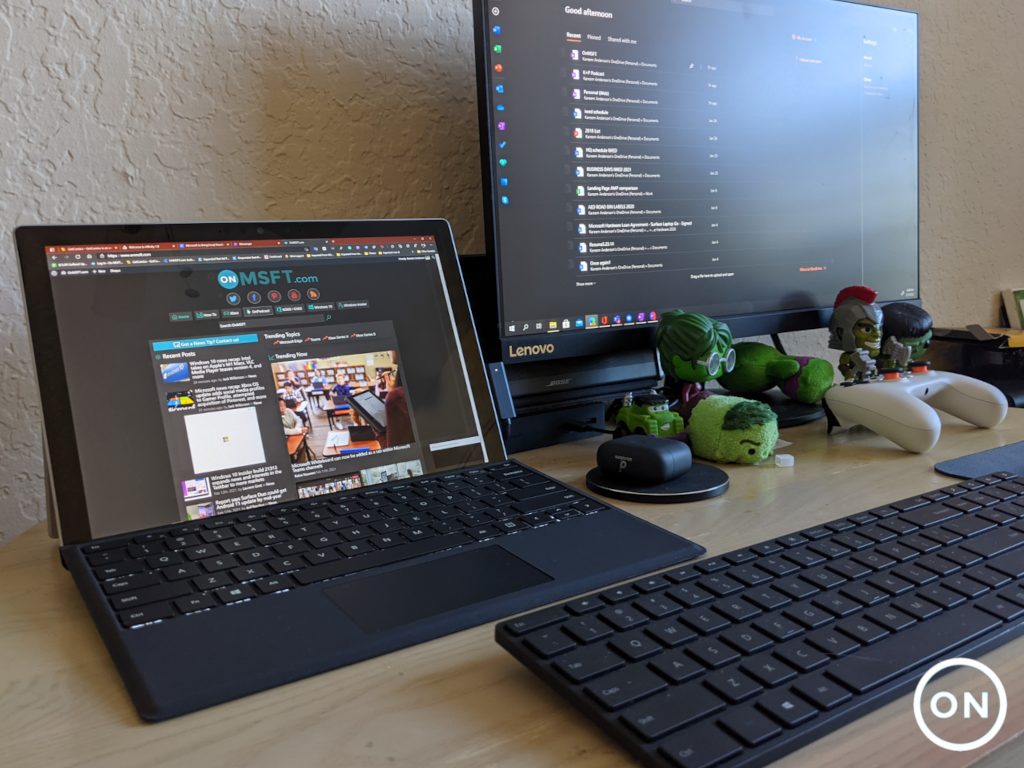
Hence, to facilitate photo keywording, save time, and improve productivity, keywording tools were invented. And we will be bringing you seven of the best photo keywording software out there.


What are the best photo keywording software tools?

Adobe Photoshop

Adobe Photoshop keywording tool

Just when you thought that Adobe might have missed something from its robust creative suite, the Stock Contributor portal makes its entry.

If you’re a Photoshop aficionado and much of your image editing magic is powered by the best imaging and design software, you will be pleased to know that this offers you a great tool to make your content easy to find with the right keywords.

The Stock Contributor allows you to review and reorder keywords for accuracy, delete irrelevant keywords, or edit them while the intelligent auto-keyword tool memorizes your editing preferences to improve your future experiences.

Let’s quickly look at its key features:

  • Auto-keyword feature for easy and fast keywording (up to 25 automatic keywords suggestions)
  • Click and drag function to move your keyword up or down
  • Select and affect multiple images (for indexing similar assets)
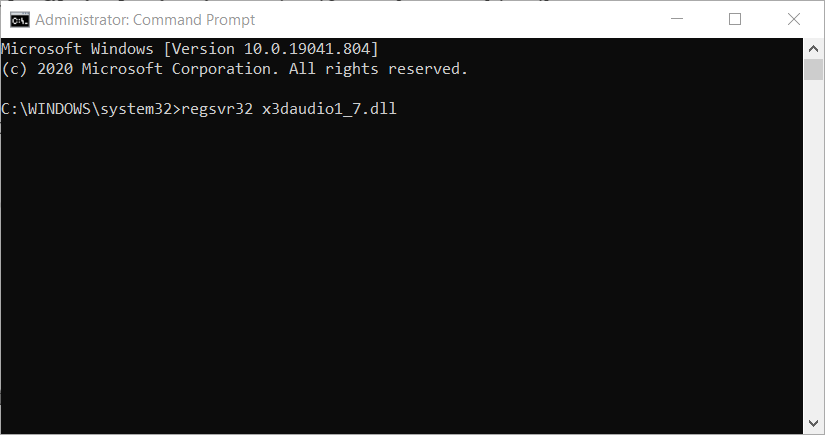
  • Erase and refresh auto-keywords options
  • Copy and paste function (distributes keywords to different fields if you use an external text file and more)
  • CSV files to track and upload your keywords
Adobe Photoshop

Adobe Photoshop

Adobe provides with a fully compatible tool that will help make your content easy to find with the right keywords, so try it out now!
Free trialVisit website

Adobe Stock

Adobe Stock

The almighty Adobe Stock is more than a collection of stunning high-resolution, royalty-free images.

The app is also used as a keywording tool that allows you to get as much recognition for your photos as you want thanks to the right keywords.

All you need to do is upload your image to the Contributor portal, fill in the file type, category, and language you’re using for your title and keywords, then type in a brief title of up to 70 characters that sounds natural when spoken.

The tool will take over and generate the most suitable keywords for a powerful impact on the web.

Let’s quickly look at its key features:

  • Indexing panel
  • Examples of effective titles
  • Machine learning-based auto-keywording feature
  • Click and drag to remove or rearrange keywords
  • Multiple keywords selection
  • Automatically translate keywords for other countries and languages

⇒ Get Adobe Stock


Lightroom Keywords

Lightroom Keywords best photo keywording software

Lightroom-Keywords is a photo keywording software, specially designed to run on Adobe Lightroom.

The software is exclusively used as a Lightroom plug-in, to generate keywords for images that are refined, edited, recolored, or manipulated by Lightroom.

It offers a swift keywording procedure, which typically takes minutes or even seconds.

Basically, it offers you the flexibility of running all your photographic workflow on Lightroom from taking shots, to editing, keywording, and uploading on stock sites.

It is an essential time and money-saving tool, which, if used as appropriate, would improve your operational efficiency and overall productivity.

Lightroom-Keywords typically runs on customizable AI technology, which automatically generates accurate keywords for stock photos.

Other key features of the software include CSV conversion, multi-format support, support for Lightroom 5 (and above), keyword preview, auto-suggest, YouTube tutorial (how-to guide), free trial, and more.

Lightroom-Keywords services are offered on a credit basis. The number of credits purchased determines the number of photos you can keyword and export to stock sites.

⇒ Get Lightroom-Keywords


Xpiks

Xpiks best photo keywording software

Xpiks is arguably the best photo keywording software, which is widely used by many creative artists to keyword and upload their photos, videos, and/or vectors on stock sites.

The software is cross-compatible with Windows, Linux, and Mac operating systems.

Xpiks offers you an intuitive interface, designed to speed up your workflow and get your images on microstock with the most suitable keywords. Essentially, you are able to save valuable time, while also improving productivity.

The unique feature of Xpiks is probably the File Transfer Protocol (FTP) setup, which facilitates file uploading after a suitable keyword has been generated by the software.

With this, you don’t have to export to another software before you can get your photographs on stock sites.

Furthermore, Xpiks offers a set of photo editing tools, which allow you to put final touches or modifications to your photos before uploading them online.

Other key features of Xpiks include keywords suggestion, multi-format video & image file support (MP4, JPEG, PNG, TIFF, and so on), keyword autocomplete, spelling check, auto-correction, translator (multilingual support), and many more.

Xpiks is offered to all and sundry at absolutely no charge, as the software is being financed by donations from all over the world.

⇒ Get Xpiks


KeywordsReady

KeywordsReady best photo keywording software

KeywordsReady is a photo keywording software, designed to facilitate keywords generation for stock photos, and improve their rankings on stock sites.

It is a cloud-based software; hence, it is not platform-dependent. This means that it can be used on Windows, Linux, Mac, and even mobile platforms.

As such, it is the ultimate photo keywording software for a good number of photographers across the globe.

This software is very easy to use, requiring you to only drag & drop photos on the site, and the software automatically generates keywords for the uploaded photos.

To upload photos on the software, you are afforded the flexibility of selecting images directly from your device or simply attach direct URL links (to the images). Either way, the software will generate suitable keywords for you within seconds.

Furthermore, KeywordsReady features the latest in artificial intelligence, with a powerful AI-enhanced image recognition tool. Other features include autosuggestion, Chrome extension, video guide, online support, APIs, intuitive interface, and many more.

KeywordsReady is free web-based software. However, you’ll have to sign up on the website to create an account, before you can enjoy the full features it offers.

⇒ Get KeywordsReady


EasyResource – Keywording & Metadata

EasyResource - Keywording & Metadata best photo keywording software

EasyResource is another prominent photo keywording service provider out there. It offers keywording services to photographers and graphic designers, and also facilitates photo and video upload/export to prominent stock sites like Alamy and Getty.

Metadata is often overlooked when preparing keywords; however, it is an essential aspect of keywording. And EasyResource provides you a durable avenue to use the service.

This ensures your photos are properly keyworded and ranked on the hosting stock websites, thereby making them accessible to more people.

Other keywording & metadata features of EasyResource include creative keywording, weighted keywords, auto-tagging, translation, keyword cleansing, auto-tagging, keyword captions, keyword description, and more.

EasyResource’s keywording & metadata services are offered by custom pricing. To get the solution, contact their sales team.


MyKeyworder

MyKeyworder best photo keywording software

MyKeyworder is a photo keywording software, widely used by thousands of photographers and graphic designers to generate suitable keywords for their photos/designs.

It houses flexible support for macOS computers and modern Windows PC.

This software is very easy to use; keywording a photo is as simple as importing a photo, generating keywords, and saving the generated keywords on the photo.

It is especially suitable for users with Adobe Lightroom, as its design makes it flexible enough to integrate and work in sync with Lightroom.

This way, you can easily keyword any photo that is processed and/or edited by Lightroom, and upload it directly to stock sites.

Other features of MyKeyworder include: AI-optimized keyword search and image recognition, Shutterstock optimizer, Google APIs, grammar highlighting (and correction), batch mode, thumbnail adjustment, alphabetical keyword order, copy-paste field, and more.

MyKeyworder is a free program, financed with user donations from all over the world. The free package, however, comes with limited features.

And to unlock the full package, you’ll have to make a subscription (make a donation of $10 or more).

⇒ Get MyKeyworder


Photo keywording software is an essential tool in photography today, especially if you are a stock photographer. With accurate keywords, your stock photos would be near-invincible on the web.

Keywording tools can help you generate concise keywords for your photos, and save you quality time, money, and efforts in the process.

So if you are looking to improve your rankings on stock sites, give these tools a try and share your impressions with us via the comments section below.


5 best VPNs for Thailand to access restricted web resources

You may be wondering why a VPN is needed in Thailand. Well, Thailand has always been a wonderful country for tourism or even business.

However ever since the military set in a few years ago, there has been an intense crackdown on Internet use. This may result in being unable to access social media or geo-location sites.

Also, Thailand has intensified its computer-related laws to give the government extra control over Internet access. To have the freedom to access all sites, you need a VPN to give you secure access.

A VPN masks your IP address by changing it to another country’s IP address; hence, your location is being spoofed to appear as if you are logging in from another country.

In addition, VPNs also help you to browse anonymously without any fear of third-party accessing your information.

Since the government crackdown is intense, you would definitely need a VPN to secure your VoIP calls and video chats.

If your VPN is blocked in Thailand, it is possible you did not note important features before using that particular VPN service.

Before going for any VPN, do note the following characteristics:

  • Strong encryption: to keep your data private from ISPs, government tracking, and snoopers.
  • Killswitch feature: this feature is essential because it prevents accidental leakage of unencrypted data to your ISP if your VPN service suffers problems. Without a kill switch, your VPN service is not secured.
  • Stealth mode: this enables silent and complete anonymous browsing. This is important because the main reason people use a VPN is to view (illegal) contents. Hence, the stealth mode would secure your system from any potential government tracker.

Meanwhile, these features are important in countries that crackdown against VPNs such as Thailand.

Since many VPN services are blocked by the Thai government, we have gone ahead and analyzed 5 of the best VPN services for accessing any content in Thailand.

Best VPN software to use in Thailand

Private Internet Access (recommended)

download PIA

Our top VPN choice for accessing restricted web resources in Thailand is no other than Private Internet Access.

If your wish is to keep your network super speedy and secure, there’s no doubt that this Kape Technologies solution is excellent.

Even if you’re a newbie, PIA is straightforward to use. You don’t need to turn into an IT expert to set up your VPN and make your future connections more secure.

Firstly, the default setting protects your connection with AES 128-bit encryption. This algorithm is secure on its own.

However, feel free to customize your encryption algorithm and protocols with ease. You may also select your authentication and data encryption.

Private Internet Access has numerous servers in a wide range of countries which means you can dial your IP address into 46 countries around the world.

Plus, its 30-day money-back guarantee is just what you need if the service doesn’t live up to your expectations.

Here’s the list of key features Private Internet Access brings to the table:

  • If streaming is your concern, it unblocks Netflix, HBO Go, and more without any fuss
  • It offers unlimited bandwidth
  • It’s got a super-effective automatic kill switch to re-enforce security
  • Reduces gaming latency with consistently high speeds
  • Minimalistic apps for Windows, Mac, Android, iOS, Linux, and more
Private Internet Access

Private Internet Access

Private Internet Access is the best VPN solution to use in Thailand. Now available at a major discount!
$2.69/mo. Buy it now

CyberGhost

get CyberGhost

CyberGhost is a widely used VPN in regions which are not VPN-friendly. With over 6400 servers worldwide, CyberGhost is an efficient VPN service provider to use in Thailand.

Some of its features include no bandwidth limit with 256-AES bit encryption technology.

Users’ information is kept secure with its DNS and IP leak protection while it also offers good browsing speeds when connected to their servers. Hence, you do not need to worry about your VPN being blocked in Thailand.

In addition, CyberGhost is cross-platform compatible with Windows, Linux, Mac, and Android versions available.

You can take advantage of the 30-day money-back guarantee to test their services before deciding to purchase their product.

CyberGhost VPN

CyberGhost VPN

Want to unblock Thailand's geo-restrictions? Check out CyberGhost VPN.
$2.75/mo. Buy it now

IPVanish

enjoy IPVanish

IPVanish has been in the VPN market for a while and provides excellent VPN features. The software offers many servers in strategic locations worldwide.

The StackPath, LLC VPN service encrypts the user’s data connection with a 256 encryption technology and reroutes users’ connection through their servers to increase privacy.

You also get kill switch and DNS leak protection feature which means your information is not leaked out to the Thai government.

The servers also give decent speed which is ideal if you access streaming websites.

Also, IPVanish is an excellent VPN service for Thailand and offers a 30-day money-back guarantee for any of its plans.

IPVanish

IPVanish

IPVanish can protect your privacy and unblock geo-restrictions in Thailand without effort.
$3.33/mo. Buy it now

VyprVPN

grab VyprVPNDeveloped by Golden Frog GmbH, VyprVPN offers comprehensive VPN features at an affordable price.

Your connections are passed through their servers and are encrypted with military-grade encryption.

Using this VPN eliminates any chances of your information being detected by the government or your ISP.

Also, VyprVPN has a stealth mode that ensures complete anonymous access to blocked content. You can easily access geo-blocked websites like Netflix and BBC services using this VPN.

The servers have fast connection speed and are excellent for streaming, gaming, and downloading content.

VyprVPN is excellent to use in Thailand as it offers all the services needed to unblock the government censored online services.

VyprVPN

VyprVPN

Looking for a VPN to unblock geo-restrictions in Thailand? Try VyprVPN.
$1.66/mo. Buy it now

ExpressVPN

grab ExpressVPN

ExpressVPN has consistently been among the vest VPN available for Thailand. They excel in offering full VPN features as well as excellent customer support.

With servers in over 90 countries, users have plenty of choices to suit their geography needs.

This Express VPN International Ltd. VPN has one of the best security protocols where users’ data traffic is encrypted with 256-bit encryption.

Your information is kept private as the VPN masks your IP address with their making it difficult for government agencies to identify your location.

The kill switch and DNS leak protection ensure that your online activity is kept private from hackers, snoop, and your ISP.

Their customer service is reliable, with quick and valuable feedback given to users with problems or questions about the VPN.

ExpressVPN comes with a 30-day money-back guarantee on all their products with the basic plan starting at $10 a month billed annually.

ExpressVPN

ExpressVPN

ExpressVPN can protect your privacy and unblock geo-restrictions in Thailand in no time.
$8.32/mo. Buy it now

All the VPN listed above are excellent for Windows users if your current VPN is blocked in Thailand, but we recommend Private Internet Access since it provides a total package from speed and privacy to that money-back guarantee.

Have you used any of the VPNs we mentioned above in Thailand? Feel free to share your experience with us by commenting below.

How to fix the Camtasia 9 black screen errors in Windows 10/11

Camtasia is a video-recording software that you can record screencast videos Windows with.

However, some users have stated on TechSmith forums that they see a black screen when they playback recorded output in Camtasia.

Thus, the recorded Camtasia video previews are blank. This is how you can fix Camtasia 9’s black screen video previews in Windows.

How can I fix the Camtasia black screen issues?

  1. Select the Use software-only mode Hardware Acceleration Option
  2. Turn Off Antivirus Software
  3. Update the Camtasia Software
  4. Use an alternative video editing software
  5. Check the Canvas Dimensions

1. Select the Use software-only mode hardware acceleration option

  1. Open the Camtasia 9 window.
  2. Click the Edit menu, and select Preferences to open the window shown directly below.
  3. Select the Advanced tab on the Preferences window.
  4. Then click the Hardware Acceleration drop-down menu and select Use software-only mode.
  5. Click the OK button to close the Preferences window.
  6. Then restart the Camtasia 9 software.

Numerous Camtasia users have confirmed that the Use software-only mode option fixes the software’s black screen previews.

As such, the black screen error is often due to Camtasia’s hardware acceleration settings.

2. Turn off your antivirus software

  1. Right-click the Start button to open the menu shown below.
  2. Select Task Manager to open that utility’s window.
  3. Select the Start-up tab shown directly below.
  4. Choose the antivirus utilities listed on the Start-up tab, and press the Disable button.
  5. Then close Task Manager, open the Start menu and select to restart Windows.
  6. To ensure there is no other software conflicting with Camtasia, you can also deselect the Load startup items option on the System Configuration window.
  7. To open the System Configuration window, press the Windows key + R hotkey, enter msconfig in Run, and click OK.
  8. Click the Selective startup radio button on the General tab if it’s not already selected.
  9. Then deselect the Load startup items checkbox.
  10. Press the Apply button.
  11. Click the OK button to close the window.
  12. Press the Restart button on the confirmation window to reboot Windows.

Camtasia’s black screen error can also be due to third-party antivirus utilities. The antivirus software can block the software’s recording utility.

Trusteer Rapport, Zone Alarm, Webroot, and Anti-Key Logger are a few of the utilities that TechSmith confirms can conflict with Camtasia.

So you should certainly at least disable that software, and any other antivirus utilities, you have run alongside Camtasia.

You can often turn off antivirus software by selecting a disable option on their system tray context menus. Alternatively, you can remove the antivirus software from the system startup.

That will ensure they don’t automatically run when Windows start.

3. Update the Camtasia software

Some Camtasia users have stated that updating the software fixed the black screen error for them. This page lists updates that have fixed various Camtasia bugs.

To check for Camtasia updates, click the Help menu at the top of the software’s window. Then you can select a Check for Updates option.

Check out this amazing guide to quickly learn how to record your screen in Windows 10 with the built-in tool.

4. Use an alternative video editing software

As unlikely as it may sound, the very first step in fixing Camtasia-related issues is to try different software.

In fact, this is first a simple method of testing that the recorded content plays back fine on software other than the affected one.

A great alternative to Camtasia is Adobe Premiere, which is also the industry-leading video editing software that allows you to record and process footage in any format, from 8K to VR.

One of its key features is the Intelligent reframing by Adobe Sensei (optimize footage framing whether it’s square, vertical, 16:9, or in 4K resolution).

It also has the Lumetri Color tools to make easy and accurate color grading selections, and the Essential Sound panel to improve audio content and accelerate audio mixing.

⇒ Get Adobe Premiere Pro

5. Check the canvas dimensions

Also note that what appears to be a black screen preview might just be a tiny, invisible canvas.

One Camtasia user stated: It turned out the issue for me was that my Project Dimensions had somehow gotten set from 1,920 x 1,080 to 2 x 1. As such, it might also be worth checking your canvas dimension settings.

To do that, click the Magnification drop-down menu at the top of the canvas and select Project Settings. Then select a more standard 1,920 x 1,080 dimension for the canvas from the Canvas Dimensions menu.

Alternatively, you can enter custom values for the canvas in the width and height fields. Press the Apply button to adjust the canvas.

Those resolutions will probably fix the black screen error in Camtasia so that you can playback recorded output.

Note, however, that there are also quite a few alternative freeware software you can record videos with, starting with Adobe Premiere Pro. Check out our software guide to discover further details for the best Windows 10 video-recording programs.

Let us know what worked for you in the comments section below.

How to fix corrupted GoPro video files

GoPro Hero cameras are versatile cameras for action video recording and photography that enable users to capture footage from a wide variety of angles.

Nevertheless, GoPro videos, which are typically MP4s, can get corrupted when a connection between SD card and camera is unexpectedly lost.

For example, video footage might get corrupted if the GoPro camera runs out of batteries when recording. Here are a few potential fixes for corrupted GoPlay MP4 videos.


How can I repair corrupted GoPro videos on Windows 10?

1. Use Adobe Premiere Pro

Your MP4 footage might also get corrupted in lights of the tool you are currently using to view and edit your videos. If such is the case, updating your gear to a truly pro one could be a gratifying solution that brings extra perks too.

Import your files MP3, MP4, and AVCHD (MTS) files in your project using Adobe Premiere Pro, the industry-leading video editing software that allows you to reprocess footage in any format, from 8K to VR.

As always, Adobe products are delivered with step-by-step, interactive tutorials, so you won’t need to worry about investing more resources in a special formation course.

One of its key features is the seamless integration with other apps and services to streamline your workflow (Photoshop, After Effects, Adobe Audition, and Adobe Stock or hundreds of third-party extensions).

It also has an integrated Premiere Rush feature (an all-in-one app that works across all devices), and the Auto Reframe to optimize footage for social media with intelligent reframing powered.

Adobe Premiere Pro

Adobe Premiere Pro

This tool provides native file support, and it integrates seamlessly with all the third-party apps you might need to edit your videos.
Free trialVisit website

2. Fix corrupted files with GoPro SOS

GoPro cameras index videos for playback as you record them. If the video suddenly stops recording unexpectedly, you’ll be left with a corrupted file that isn’t fully indexed.

GoPro cameras include an SOS signal with which users can repair corrupted files. To fix videos with SOS, insert the SD card that includes the corrupted video in the GoPro camera.

Turn on the camera. The camera might then display an SOS signal, bicycle, or + repair icon on its LCD to highlight that it detected a corrupted file.

If so, press any camera button when you see the repair icons or SOS signal to initiate a corrupted file repair; and wait until the camera stops blinking red.


2. Check out Fix.video

  1. Open the Fix.video page in your browser.
  2. Then copy the corrupted video from the GoPro storage card to your desktop or laptop.
  3. Click the Upload your broken video button to select the corrupted file.
  4. Press the Open button on the Open window.
  5. Fix.video will then show you a preview of the repaired video file when fixed. You can press the play button to play back a preview.
  6. Then click the Full Fixed Video option.
  7. A PayPal transfer is required to download a fixed video. Press the Continue button to make that transfer.
  8. Thereafter, you can click a download button to save the full video.

If GoPro SOS doesn’t fix the clip, check out the Fix.video web app. That’s a web app that repairs corrupted or truncated MP4 and MOV files recorded with GoPro cameras and other models.


3. Fix corrupted GoPro clips with the Video Repair software

There are numerous video repair software you can utilize to fix GoPro MP4 footage. Stellar Phoenix Video Repair is one package that fixes various video file formats, such as MP4, MOV, F4V, and M4V.

The full version is available for a standard price. You can check if the software will fix your corrupt video by clicking the Free Download button to try out the demo.

⇒ Get Stellar Phoenix Video Repair


Those are a few resolutions that will probably fix corrupted GoPro MP4s, so you can play them in media players. Remember, however, that a video isn’t necessarily always corrupted if a media player doesn’t play it.

You might need to adjust some software settings or add a codec pack instead. This post provides resolutions for fixing media software that doesn’t play MP4 clips.


X3daudio1_7.dll was not Found: Fix This Error With 6 Methods

Windows has myriad DLL (Dynamic Link Library) system files. The x3daudio1_7.dll is a DirectX DLL file some games and multimedia software need. A few users have reported an error message, x3daudio1_7.dll was not found when opening some software.

The software won’t usually start because x3daudio1_7.dll was not found. So, you can’t ignore the error message if you want to utilize software that requires that DLL file. There are numerous potential resolutions for fixing it, and we explore them in this article.

Why am I getting x3daudio1_7.dll was not found?

We have figured that a few things may cause the error. At the top of the list are the following:

  • Corrupt system files – These are a massive problem in computers and are known to cause many dll-related issues.
  • Wrong X3DAudio library version – If the game or application requires a different version from what you have, you will get a missing dll notice.
  • System requirements – For some users, it is a problem where the computer does not meet the minimum system requirements to use the application.

However, it would not matter what the cause is because you can fix the problem using the solutions we proffer.

What is X3DAudio1_7 dll?

It is a file that comes with the DirectX suite of software. It is an integrated part of this collection and helps manage graphic programs, videos, and game tasks. This component is integral to how the Windows 10 operating system handles some applications.

Let us now explore what you may do when it is missing.

How can I fix the code execution cannot proceed because x3daudio1_7 DLL was not found error?

1. Run an SFC scan

  1. Press Windows + R, type cmd, then press the Ctrl + Shift + Enter hotkey to open an elevated Command Prompt window.
  2. Type the script below and hit Enter: DISM.exe /Online /Cleanup-image /Restorehealth
  3. After that, type in this System File Checker command and hit Enter: sfc /scannow
    Sfc /scannow command x3daudio1_7.dll is missing
  4. When the SFC scan is finished, restart your PC if the scan outcome confirms Window Resource Protection has repaired files.

2. Restore Windows DLL files with third-party software

The x3daudio1_7.dll is missing, an error means that the file is deleted or damaged. You can restore Windows DLL files with dedicated tools.

For example, you can use a system repair utility that can fix many Windows-related errors, such as missing DLL or BSOD (Blue Screen of Death) issues.

Although you can manually download a fresh x3daudio1_7.dll from DLL file websites, a dedicated tool provides a quicker and more straightforward resolution.

It scans your whole machine and detects any system file issues, and with the help of its database, it replaces any faulty or missing files with fresh, well-functioning ones.

Such tools can also help you clean your PC by automatically detecting useless files such as temporary files, duplicates, etc. Plus, it is also able to fix specific files damaged by malware.

3. Reinstall software the x3daudio1_7.dll error arises for

  1. Press Windows + R, type appwiz.cpl, and hit Enter.
    x3daudio1_7.dll was not found
  2. Select the software that displays the x3daudio1_7.dll error message on the program list.
    The Programs and Feature applet x3daudio1_7.dll is missing
  3. Click the Uninstall button for the selected software (and Yes on confirmation prompts).
    x3daudio1_7.dll was not found
  4. Restart your PC before reinstalling the software.
  5. Then reinstall the uninstalled software with a downloaded installer file or DVD installation disc.

4. Update Windows

  1. Open Settings by pressing the Windows + I hotkey.
  2. Select Update & Security to open the Settings tab.
  3. Click on Check for updates.
    x3daudio1_7.dll was not found
  4. If a new build version is available, click the Download and install option for the latest feature update.

5. Copy the x3daudio1_7.dll from another PC

5.1 Finding the file

  1. First, turn on a PC to copy an x3daudio1_7.dll form. That PC must have the same Windows platform and 32 or 64-bit system architecture as the one you need to fix the x3daudio1_7.dll error on.
  2. Open the search tool with the Windows + S hotkey.
  3. Type x3daudio1_7.dll in the search box to find that file, then click the Open file location option.
  4. Then insert a USB drive into your PC.
  5. Right-click the x3daudio1_7.dll and select Copy.

5.2 Transferring the file

  1. Open a folder on your USB drive within File Explorer.
  2. Right-click within a folder on your USB stick to select the Paste option.
  3. After that, turn on the PC where you need to fix the x3daudio1_7.dll error.
  4. Insert the USB drive that includes the x3daudio1_7.dll into the PC you must copy it to.
  5. After that, open one of these folders (the first for 64-bit and the second for 32-bit systems) to copy the x3daudio1_7.dll to:
    C:\Windows\System32\
    C:\Windows\SysWOW64\
  6. Right-click within the folder you will copy the file to and select Paste.
  7. Select the Replace the file in the destination option if a Replace or Skip Files window opens.
    Replace or Skip Files window x3daudio1_7.dll is missing
  8. Open the Command Prompt as outlined for the second resolution.
  9. Enter this command in the Prompt’s window and press Enter: regsvr32 x3daudio1_7.dll
    The regsvr32 command x3daudio1_7.dll is missing
  10. Restart Windows after registering the DLL file.

6. Restore Windows to a previous date

  1. Open Run’s window with the Windows + R keyboard shortcut.
  2. Type this command in the Open box and press Enter: rstrui
  3. Click the Choose a different restore point option and Next.
    x3daudio1_7.dll was not found
  4. If System Restore doesn’t display a complete list of restore points, select the Show more restore points option, then select a restore point date that will restore Windows to a time when there wasn’t an x3daudio1_7.dll issue on your PC.
  5. Click Next to continue.
  6. Select the Finish option to initiate the system restoration.

Restoring Windows will delete software installed after a selected restore point date. So, don’t be surprised if some software disappears after restoring Windows.

You can check what software a selected restore point removes by clicking Scan for affected programs in System Restore.

The resolutions above will probably be enough to fix any issues if x3daudio1_7.dll was not found for most users.

If you still need another fix, try reinstalling or resetting Windows as a last resort. You can reset Windows 10 and 8 as our Factory reset guide outlines.

We hope this has been helpful. Please leave us your comments below in the comments section.

How to Use Rdmin VPN For Mineraft: Server Hosting Explained

Setting up a LAN server for Minecraft with Radmin VPN opens up a world of cooperative gameplay and adventure. Today, we’ll guide you through all the steps necessary for a smooth setup. We also have some troubleshooting tips if you encounter any issues.

Whether you’re building epic structures or exploring vast landscapes, the guidelines below will help.

How to use Radmin VPN for Minecraft?

  1. Download Radmin VPN from the official website
  2. Install Radmin VPN on the computer that will act as hostRadmin VPN installation
  3. Click the Create Network button in Radmin VPN’s main windowMain screen Radmin VPN
  4. Choose a name for your network and configure a password (minimum 6 characters)Create Radmin VPN network
  5. Click the Create button
  6. Tell your friends the name of the network and the password

How to host a Minecraft LAN server?

  1. Launch Minecraft on the host PC
  2. Click SingleplayerSingleplayer Minecraft
  3. Select Create New WorldMinecraft creating new world
  4. Customize your world
  5. Click the Create New World button once moreMinecraft world customization
  6. Once your world loads press the Esc key on your keyboard
  7. Select Open to Lan from the game menuMinecraft opening world to LAN
  8. Customize your LAN game
  9. Click Start LAN WorldStarting LAN game Minecraft
  10. Note down the 5-digit port number (your friends will need it to connect)LAN game port number Minecraft

How to join a Minecraft LAN server?

  1. Launch the Radmin VPN client on your PC
  2. Hit + on your keyboard or click the Join Network buttonJoin network menu Radmin VPN
  3. Make sure you’re in the Private Network tab
  4. Type the name of the server and its passwordJoining a network on Radmin VPN
  5. Click Join
  6. Note the IP of the host networkHost IP Radmin VPN
  7. Launch Minecraft on your PC
  8. Click MultiplayerMultiplayer mode Minecraft
  9. Select Add Server (or Direct connect)Add Minecraft server
  10. Choose a name for the server
  11. Type the IP and Port numbers in the Server Address field (it should look like in the picture below)Server details Minecraft
  12. Click Done

Can’t host game servers with Radmin VPN

If Radmin VPN is not working, you can try resetting your network, allowing it through the firewall and double-checking your Minecraft server setup.

If all else fails, you can also try using another VPN that’s just as good for hosting Minecraft servers.

Radmin VPN alternative for game server hosting

Private Internet Access (PIA) is a good alternative. It supports port forwarding, which is crucial for server hosting. It offers reliable performance with low latency, making it suitable for gaming

Moreover, the service also offers dedicated IP (at an extra cost).

Its strong privacy features and affordability make it a solid choice if you need to configure port settings for your Minecraft server.

Is Radmin VPN safe?

Yes, Radmin VPN is safe and legit. It provides secure connections and is designed for private networking. However, always make sure to use the latest version and only install from the official website.

Yes, using a VPN for gaming is generally legal. It provides a secure and effective way of connecting with your friends and protecting your data.

However, always check the specific game’s terms of use and the laws in your country. Places like China and Russia heavily restrict VPN usage. Additionally, games like Fortnite and PUBG restrict VPN usage to prevent cheating.

Play Minecraft on LAN with Radmin VPN

To wrap it up, creating a public Minecraft server is not always a sure hit. There are some situations when making your server public is simply not possible, but that shouldn’t put you off.

You can use the workaround we’ve described above to create a VPN for you and your friends. Once you’re connected, Minecraft will see you as if you’re connected to the same physical network and allow you to host and join LAN servers in no time.

Microsoft Store to host free “For You, By You” virtual event for educators on March 4

The Microsoft Store has announced a free virtual event for educators on March 4. Titled “For You, By You: A How-to Event Series for Educators to Supercharge Classroom Engagement,” the 90-minute event should provide useful resources for teachers in what remains a challenging time for educators. The virtual event will also feature various special guests including Microsoft Education’s Director of Marketing Mark Sparvell as well as Life is Good Playmakers Founder Steve Gross.

Kahoot!, a global learning platform will also be presenting a session to showcase how educators can leverage Kahoot!’s integration with Microsoft Teams to connect and engage with students. Another session will be dedicated to Flipgrid, a video-based social learning platform app that Microsoft acquired a couple of years ago.

The virtual event will kick off at 2PM PT on March 4, and Microsoft also promised “a few surprise celebrity appearances.” Interested educators can register now on this page, though be aware that space will given on a first come first serve basis.

Microsoft’s Surface Duo is now available in Canada, Germany, France, and the UK

Following its launch in the US in September, Microsoft’s dual-screen Surface Duo is now available in four new countries starting today. Surface fans in Canada, Germany, France, and the UK can now buy the Surface Duo from the online Microsoft Store and other retailers, though the dual-screen device is currently more expensive in these markets compared to the US where the Duo recently dropped to $999.

If you live in Canada, the Surface Duo starts at CAD $1,869.99 for the version with 128GB of storage, and you’ll need to pay $1,999 for the 256GB version. To sweeten the pot, Microsoft offers free Surface Earbuds ($259.99 value) with every purchase.

In the UK, the Surface Duo starts at £1,349 for the 128GB model, and you’ll need to pay an extra £100 for the 256G model. If the UK Microsoft Store doesn’t offer free Surface Earbuds with every purchase, you can still save up to £500 when you trade-in eligible devices.

In France and Germany, the two Surface Duo models are priced at €1,549 and €1,649, and consumers in these markets can also save up to €500 by trading-in eligible devices. Overall, the Surface Duo is probably a bit too expensive in these countries, and you may want to wait for a couple of months to see if Microsoft drops the price as it did in the US recently.

If you already own a Surface Duo, Windows Central spotted that the February Android Security update has started rolling out for unlocked Surface Duo devices, and you can see if it’s available in the Settings app

FIX: Surface Pen drags the canvas around in Photoshop

Many Windows 10 users who recently installed the latest updates on their devices reported that the Surface Pen often drags the canvas in Photoshop.

So, instead of drawing, the pen just moves the canvas around especially when starting a vertical stroke. This is one of the few Surface Pen issues in Photoshop.

Here’s how one user describes this bug:

I’m on a Surface Pro 4 and Photoshop CC used to work just fine for me but recently I’m experiencing the following problem: often in Brush mode the pen moves the canvas around instead of drawing. This is almost always the case when starting a vertical stroke, less so for horizontal ones. […]
Please note that my Surface pen is working normally other than in this specific instance. All other drawing or writing applications work as usual. I therefore suspect this is a Photoshop specific problem.

Judging by the user’s reports, it seems that this problem occurred after installing the KB4093112 Spectre patch.

The good news is that there are some quick fixes that you can use to solve this problem for good. Here are the troubleshooting steps to follow.


How can I fix Surface Pen issues in Photoshop?

  1. Download the latest version of Adobe Photoshop
  2. Uninstall the latest updates
  3. Tweak your Registry using CMD
  4. Create a .reg file

1. Download the latest version of Adobe Photoshop

Adobe Photoshop

If your Surface Pen is causing issues while using it in your current Photoshop edition, you might be facing an incompatibility instance.

Make sure you update to the latest version of Adobe Photoshop in order to regain the full control of your stylus and also benefit from the latest enhancements and upgraded photography tools that come with it.

Adobe Photoshop

Adobe Photoshop

Avoid functionality bugs and software crashes by using only the latest Photoshop version with all the updates installed.
Free trialVisit website

2. Uninstall the latest updates

Uninstall the latest windows updates

Since this problem seems to be related to Windows 10 updates, try to uninstall the latest patches that you installed on your computer.

Go to your Windows 10 Update history and remove the latest updates. Then restart your computer and check if the problem persists. If this is the case, go to the next solution.


3. Tweak your Registry using CMD

  1. Go to Start > type cmd > Right-click on Command Prompt and run the tool as an admin
  2. Enter this command and then press the Enter key:
    a. reg add HKEY_CURRENT_USERSoftwareMicrosoftWindowsCurrentVersionPen /v LegacyPenInteractionModel /t REG_DWORD /d 1 /f
    cmd prompt Surface Pen Photoshop issues
  3. A message should soon appear on the screen confirming the operation was successfully completed.
  4. Restart your Surface device.

If you want to keep the latest updates on your machine, you can use these two alternative solutions to fix Surface Pen issues in Photoshop.


4. Create a .reg file

create a .reg file

You can return the device to its prior behavior by creating a .reg file. Launch Notepad and copy the following text in a new document:

Windows Registry Editor Version 5.00

[HKEY_CURRENT_USERSoftwareMicrosoftWindowsCurrentVersionPen]
"LegacyPenInteractionModel"=dword:00000001

Save the respective Notepad document as fixpen.reg. Double click on it and confirm you want to add it to the Registry. Reboot your Surface device and check if the problem has been solved.

That concludes our solutions which we hope you will find useful. If you have any other issues with the Surface Pen in Photoshop, let us know in the comments section below.


Xamarin vs PWA : Which is the best approach for you?

Does a truly cross-platform development even exist for your business? Back in the day of the early internet age, and an era of desktops in every household it was thought to be a pipe dream by many in the industry. However, today, an app can work seamlessly well regardless of the device which is now a reality with robust tools that have developed over time for the past several years.

Which one is better suited for small business users and students small projects that does not take up resources. Let’s explore!

Xamarin

Xamarin is more handy when you need to create an application quickly and want a high quality user interface for your business applications, and even for interactive business applications that are AR and VR based, which is not possible with PWA cloud based apps. Xamarin based apps are reliable in terms of security for mobile banking based applications and finance based applications under a contained native app suitable for business owners that do not want their business and personal financial data on floating in the web. Further, Xamarin based apps brings opportunities to small business app makers in terms of monetisation and promotion opportunities of app services under App Stores.

Progressive Web Apps

Installing PWA with Edge Insider

Progressive Web Apps (PWA) is a comparatively new technology that is currently on the meteoric rise in popularity. Even though the development is not mobile per se, the result you get is equivalent if not sometimes better than a native mobile app experience. You can upload it to a store if need be, but it also works directly from the browser. In essence, it is a complex website that can work offline. It’s implemented with the help of a Service Worker, JavaScript code that works in the background and does the caching, while also handling such features as updates and notifications. PWA brings opportunity for small businesses owners who can quickly deploy apps using its web stack to their customers with few lines of code from a slew of growing PWA development tools.

The Future App Market

Microsoft Word, Excel, Bing, Microsoft Translate, Outlook, and PowerPoint apps on iOS

Many enterprises will still stick with solutions such as Xamarin.Forms or native apps for the moment, as they are still realize their investments in the technology. They are more likely to stick to native applications, and this provides some incentive in keeping Xamarin.Forms relevant. With more established mature existing native SDK libraries compared to PWA based applications that have a large customer base with cloud infrastructure, Xamarin may still have an advantage.

SummaryVisualstudio2

Xamarin has improved over the years since Microsoft acquisition with more robust and mature tools under Visual Studio IDE with regular and substantial updates. The cost to development of native cross platform apps has decreased, reducing the barriers to entry of App Stores, tools are more efficient and that has reduce development times for cross platform based apps on Android, iOS and UWP.

PWA needs maturity in the market in terms of app development tools, lots of dev time, the problems of offline PWA limitations, and the missing components of hardware acceleration from different mobile chipsets and hardware components that is holding back potential. Furthermore, slow page loading speeds and also constraints by the browser’s speed and the quality of internet connection, whereas a native Xamarin app directly uses device OS roots. However, PWA has a growing potential to compete with native apps that breaks barriers to entry like app store approvals and with more mobile friendly tools coming out.

However, for businesses, Xamarin native apps are still king for those that are familiar with native apps. Xamarin tools are more suitable to maintain business applications for those that want to deliver a high quality service to their customers with a high quality robust, mobile friendly native application user interface. Xamarin native apps are still dominant in distribution channels of mobile app stores, an advantage over PWAs because the absence of PWAs on renowned mobile app marketplaces may turn into a disadvantage. As a result, you may miss an opportunity for promotion and target audience coverage which can be costly as a small business owner.

Stay tuned for more related enterprise, small business developer related articles here on OnMSFT. Let us know what you think in the comments below!

5 Best Network Scanner For Windows 10/11 & Mac

Network administrators perform a network reconnaissance for identifying security threats that can cause unauthorized breaches resulting in critical data loss and system shutdown.

Network scanners for Windows 10 and Mac are software that can help you identify various network issues and prevent potential threats to your network.

When working in large organizations, managing the IP address can be a messy task. IP scanners can help you to scan IP, port, manage IP address, and more.

These tools can help managers, testers, and hackers find loopholes that unknown entities can exploit.

In this article, we have listed the best 5 network scanner for Windows 10 and Mac to help you ensure access to critical system resources are secure.

What are the best network scanners for Windows and Mac

PRTG Network Monitor 

network scanner for Windows 10

PRTG Network Monitor is an all-in-one network monitoring solution. With PRTG, you can monitor your network and receive timely alerts when there is a breakdown or disruption.

Apart from monitoring your network devices, it can also monitor applications and network traffic.

During the installation, PRTG Network Monitor scans the private IP address of the area in the tool’s subnetwork. The IP sensor allows you to check all devices’ reachability, while the IP snipper can filter your traffic by IP addresses, servers, computers, laptops, or printers, among others.

Key features of PRTG Network Monitor :

  • IP scanner with auto-discovery feature to scan and add private IP addresses automatically 
  • IP sensor to check the reachability with your IP Network 
  • Filter traffic by IP addresses, server, computer, and laptops using Packet Sniffer 
  • Tons of pre-configured SNMP sensors compatible with multiple vendors 
PRTG Network Monitor

PRTG Network Monitor

Easily and efficiently scan your networks with the amazingly efficient PRTG Network Monitor software today.
Free trialVisit website

ManageEngine OpUtils 

network scanner for Mac

ManageEngine OpUtils is an IP address and switch port management tool designed to help engineers efficiently monitor, diagnose and troubleshoot network resources. With A comprehensive set of 20+ tools, you can manage switches and IP Address Space.

ManageEngine OpUtils can help you perform network monitoring tasks like identifying unauthorized device intrusion, monitoring bandwidth usage and availability of critical devices, and backing up Cisco configuration files.

Other notable features include config file management, wake-in LAN tool, SNMP and CISCO tools, diagnostic and network monitoring tools, and address monitoring tools.

Key features of ManageEngine OpUtils:

  • Scan IPv4 and IPv6 subjects in the network to identify available and used IP addresses 
  • Switch port management and rogue device detection 
  • Bandwidth monitor and config file management 
  • Tons of network monitoring tools compatible with existing applications 

ManageEngine OpUtils

This easy-to-use but efficient software will enable you to scan your networks with just a few clicks of your mouse.
Free trial Visit website

Angry IP Scanner

network scanner for Windows 10

Angry IP Scanner is a fast and reliable IP address and port scanner. It can scan IP addresses and their ports in any range. The tools’ cross platform nature means it is compatible with both Windows, Mac, and other major system OS.

Angry IP Scanner works by pinging each IP address in your network to check if it’s active, and then proceed to resolve its hostname, determine the MAC, scan ports, and more if required. 

Scanner results can be saved to and exported in CSV, TXT, XML, or IP-Port list files. Additional features supported by the software include NetBIOS information, favorite IP address ranges, web server detection, customizable openers, etc.

Key features Angry IP Scanner:

  • Lightweight and cross-platform IP scanner 
  • Pings and optionally resolves hostname, scans ports, determine MAC address 
  • NetBIOS information gathering 
  • Saved data can be exported in multiple formats 

⇒ Get Angry IP Scanner

Network Scanner by LizardSystems

network scanner for Windows 10

Network Scanner by LizardSystems is an IP scanner software that can be used in large corporations with large IT networks and small home networks with a few computers. It can scan a list of IP addresses, computers, and a range of IP addresses along with the number of computers and subnets.

Along with FTP and web resources, it can also show shared resources. Network administrators and regular users can use it for auditing network computers and searching for available network resources.

Key features of Network Scanner:

  • Easy to use for network administrators and regular users 
  • Multi-threaded scanning to scan multiple computers per minute 
  • Excellent filtering options 
  • Network resource audit to check access rights to resources 

⇒ Get Network Scanner by LizardSystems

Intruder

network scanner for Mac

Intruder is a web-based vulnerability scanner that can help find cybersecurity loopholes in your IT Infrastructure and prevent potential data breaches. It offers enterprise-grade security, perimeter specifics to find mistakes that can increase your external attack surface, and emerging threat scan to automatically scan the system for security issues as they appear.

Intruders can monitor your cloud systems to maintain perfect visibility of your system, receive intelligent results that need minimal human analysis, and report on actionable issues that have a genuine impact on your security.

Key features of Intruder:

  • Excellent threat coverage with over 1000 checks 
  • Emerging threat scan 
  • Compatible with AWS, Azure, and Google Cloud connectors 
  • API integration with your CI/CD pipeline 

⇒ Get Intruder

System administrators use IP scanning tools to perform a quick check of their network infrastructure. These tools are used to scan all devices on your LAN and WLAN.

Most of the software listed in this article is cross-platform compatible and works with Windows 10 and Mac systems in particular. 

Microsoft’s new Translator Cognitive Service can translate documents in a batch

Microsoft has introduced a new Document Translation feature for its Azure Translator service in public preview. The company has announced that Translator Cognitive Service will now allow organizations to translate documents in a batch in various file formats preserving their original structure and layout.

“Translation of documents with rich formatting is a tricky business. We need the translation to be fluent and matching the context, while maintaining high fidelity in the visual appearance of complex documents. Document Translation is designed to address those goals, relieving client applications from having to disassemble and reassemble the documents after translation, making it easy for developers to build workflows that process full documents with a few simple steps.”, said Chris Wendt, Principal Program Manager.

The standard translation services that are currently available in the market have certain limitations. They support translating documents in plain text or HTML, and users can only translate a specific character count in one go. Customers need to manually split large documents into smaller pieces, translate them individually, and then combine the translated sections into a single document. This leads to a significant problem when translating large complex documents with rich content in them.

The incorporation of the Document Translation feature into the Azure Translator service brings more accuracy and reliability to translation. The cloud-based feature has the capability to process source documents by automatically recognizing the format of the input document, extract textual content, and translate it into the target language selected by the user.

thumbnail image 1 of blog post titled Translator announces Document Translation (Preview)

It preserves the original format and layout as presented in the source document while reconstructing the translated document and saves it to a specific location on the device. The list of supported file formats includes HTML, Text, PowerPoint, Excel, Word, PDF, Outlook Message, and more.

Microsoft has been consistently working to improve its document translation technology, and this service will definitely help consumers translation agencies, large enterprises who frequently need to deal with volumes of complex documents. To get started, you will need to create a free Azure account, and you can find pricing details here and additional information on this page.

Affinity Designer is not responding? Try these solutions

Affinity Designer is your top choice vector graphic design solution, yet achieving high productivity becomes impossible when it fails to respond. Designers describe all sorts of unpleasant situations.

Some say that the startup icon is nowhere to be found and Affinity Designer is not opening at all. No error messages are ever displayed, so they have no clue where to start their troubleshooting.

Other users complain that it is not working when using the appearance panel. One way or another, there’s no doubt that you need to take action and correct this issue that severely interrupts workflow.

Whenever you’re ready, the solutions below are waiting to be applied whenever Affinity Designer is not responding. Also, these solutions work for Affinity Photo too.

What can I do if Affinity Designer is not working?

1. Try out Adobe Illustrator

If you cherish your freedom to illustrate and precision for design, why don’t you try out Adobe Illustrator instead?

Some of the fixes we’ve detailed below involve time-consuming troubleshooting and not all are up for the challenge.

Whether you want to skip the uninstall process or simply save precious time, Adobe Illustrator is the smartest solution for your needs.

This software program assures graphics that are designed with maximum precision. No questionable resolution is in the cards while using it.

The graphics are no longer based on stored pixels, but rather on mathematics equations. Thus, you are always getting the sharpest results ever that may be easily printed in any desired dimension.

There’s no better choice for your design projects, especially when you start from scratch and have the highest expectations.

Key improvements over Affinity:

  • It works with both vector and raster graphics
  • It allows in-panel editing
  • Feature-packed user interface
  • Can be enjoyed on pretty much any computer system
  • It integrates perfectly with other Adobe products such as Flash and Photoshop, to name a few

⇒ Get Adobe Illustrator

2. Uninstall Designer or Photo and reinstall it

  1. To begin the procedure, open
  2. Go to Programs and Features.
  3. Then, select the program you wish to remove.
  4. You may either right-click it and select Uninstall or select Uninstall at the top of the list.

Uninstalling Affinity Designer in the hope of a fresh start has sometimes worked like a charm. Don’t hesitate to enter into my C: drive and delete all signs of Affinity. Up next, reinstall the program.

However, if getting a message saying The older version of Affinity Designer cannot be removed. Contact your technical support group, be sure to check out this amazing list with the best uninstaller software.

3. Fire up an SFC scan

  1. Press the keyboard shortcut Windows Key + S to open the Windows search bar.
  2. Type cmd and select the Run as administrator option.
  3. After you’re inside the elevated Command prompt, type the following command, and then press Enter: sfc /scannow
  4. Finally, close the elevated Command Prompt and restart your computer.

If you’re still unable to open Affinity Designer or Photo, chances are the path of your file is stored incorrectly.

Since the SFC utility usually scans all system files and replaces corrupted files with a cached copy, it might be your best bet now.

4. Make sure your computer is up to date

  1. Firstly, open the Settings app by pressing the Windows+I key combination.
  2. Click on Update & Security.
  3. Click the Check for Updates button and wait for Windows Update to check for any available updates for your PC.
  4. Assuming that some updates are found, they’ll be shown, so don’t hesitate to install all important updates and service packs that are available.

Users tend to rely on Windows 10 for updates, but don’t take it for granted.

Even if Windows Update automatically installs updates as they become available, there are times when you may need to double-check that things go according to the plan.

A simple update is not only essential to keep your computer both safe and efficient, but also fixes many bugs or glitches from the applications, which may be your case.

The above solutions should help you out when having issues with any of the Affinity programs, like Designer or Photo.

Let us know how the above procedures went for you or if Adobe Illustrator already took Affinity Designer’s place. The comments area is waiting for you.

D3dx9_33.dll is Missing From Your Computer? Here’s a Fix

D3dx9_33.dll is a shared Dynamic Link Library system file for Windows. This particular DLL file is a component of Microsoft DirectX.

So, d3dx9_33.dll missing errors usually arise when users try to start multimedia software or games. A common d3dx9_33.dll error message states:

The program can’t start because d3dx9_33.dll is missing from your computer. Try reinstalling the program to fix this problem.

When the above error message pops up, the software that needs the d3dx9_33.dll usually doesn’t start.

The error message makes it clear d3dx9_33.dll is not accessible, which can mean that file has been deleted. Various potential resolutions can restore that missing DLL file.

How can I fix a d3dx9_33.dll is missing error?

1. Use third-party software

Why manually search for, download, extract, and register a replacement d3dx9_33.dll when dedicated tools can do the job for you?

A system repair tool will replace all missing or corrupted Windows DLL files on your PC at just the click of a button. Such options can also purge any fake malware DLL files.

They use their own updated Windows files database to add fresh and well-functioning files to your system in just a few seconds.

These utilities can help you fully optimize your PC, repair files affected by viruses, remove unnecessary files, and help diagnose certain hardware issues.

2. Run a System File Checker scan

  1. Click the Type here to search button on the far left side of Windows 10’s taskbar.
  2. Type in Command Prompt as the search keyword.
  3. Right-click Command Prompt and select Run as administrator to open that utility with elevated user rights.
  4. First, enter this command and press Return: DISM.exe /Online /Cleanup-image /Restorehealth
  5. When the Deployment Image Servicing scan is done, type in this System File Checker command: sfc /scannow
    sfc /scannow command d3dx9_33.dll missing
  6. Press the Enter keyboard key to start the SFC scan.
  7. Wait for the System File Checker utility to finish scanning.
  8. Restart your PC if the SFC scan results say Windows Resource Protection fixed files.

3. Check your Recycle Bin

  1. Click the Recycle Bin icon on your Windows desktop.
  2. Type d3dx9_33.dll in the Recycle Bin’s search box.
  3. Select the d3dx9_33.dll if your Recycle Bin search finds it.
    Recycle Bin d3dx9_33.dll missing
  4. Click the Restore the selected items option.

4. Reinstall software the d3dx9_33.dll issue arises for

  1. Press the Windows and X keys at the same time.
  2. Click Apps and Features to open Settings as in the snapshot directly below.
     The Apps & features tab d3dx9_33.dll missing
  3. Select the software you need to fix the d3dx9_33.dll error for.
  4. Click Uninstall to remove the selected program.
    The Uninstall button d3dx9_33.dll missing
  5. Restart Windows when you’ve uninstalled the software.
  6. Then reinstall the latest version of the software with its downloaded setup wizard or DVD.

5. Restore Windows to a previous date

  1. Right-click the Start button and select Run on the Win + X menu.
  2. Press the Enter keyboard key after entering this command Run’s Open box: rstrui
  3. Select the Choose a different restore point option, and click Next to proceed.
  4. Click the Show more restore points checkbox to view a full list of available restore point dates.
     System Restore utility d3dx9_33.dll missing
  5. Now choose a restore point that will roll Windows back to a date that predates the d3dx9_33.dll error on your desktop or laptop.
  6. Click Next to continue to the confirmation step.
  7. Finally, select the Finish option to confirm and roll back Windows to your chosen restore point.

Note: System restore points delete software installed after their dates. To check what software gets removed for a chosen restore point, click the Scan for affected programs option.

The above resolutions will most likely fix any d3dx9_33.dll missing error message on Windows.

The last resort resolution is to reinstall or reset Windows with installation media or the Reset this PC utility. Our Factory reset Windows 10 guide tells you how to utilize the Reset this PC utility.

5 Best Software that Allows for Parametric Image Editing

Parametric image editing is the process of making changes to an image while preserving the original image.

All the changes made to the images are saved in layers allowing the creator to re-edit the image by changing the previously set instructions.

Parametric editing deals with RAW images. Not all image editors, have parametric editing capabilities that allow you to re-open and edit the previously edited file for old instructions.

Photo editing software Adobe Lightroom and ACDSee Photo Studio are some of the well-known image editors to have parametric image editing features.

However, there are a few more tools offering a similar set of features with a better price tag.

Today, we take a look at the best software for parametric image editing to help you edit and enhance the RAW image while preserving the original file.


What is the best software for parametric image editing?

Adobe Lightroom

Adobe Lightroom CC is the industry standard when it comes to RAW image processing.

The software has evolved over the years and one of its most recognized features is the ability to organize your photos into one searchable catalog.

In comparison to Photoshop, Lightroom is targeted at busy photographers who need a tool to manipulate images with parametric image editing capabilities and also easier organization features.

Adobe Lightroom CC is a premium application, and unlike most of the Adobe software, Lightroom has also gone cloud.

You can buy it as a part of Adobe Creative Cloud Suite subscription or Photography plan that cost $10/mo but offers Light CC, Lightroom Classic CC, Photoshop CC and 20 GB of cloud storage.

You can also opt for Lightroom CC only plan that offers 1TB of storage but doesn’t include Adobe Photoshop CC etc. The more expensive plan offers up to 1TB of cloud storage.

In comparison to Photoshop, Lightroom is easy to use. The user interface is identical to the previous version of Lightroom but offers a cleaner look with a streamlined workflow.

All the images including the edits and originals are saved in the Adobe Cloud which allows you to access it from anywhere.

Adobe also has a Lightroom CC app for Android and iOS just in case you need to make quick corrections to your social media pictures.

Adobe Lightroom also uses a machine-learning algorithm called Adobe Sensei to recognize the people and other content in your phone and applies searchable keywords to the photos automatically.

You can create custom albums based on any person or theme you want. Adobe Lightroom is an excellent software for parametric image editing and other image manipulation work with RAW images.

If you are a photographer and does not mind paying for the subscription every month, Adobe offers one of the best in business image manipulation tool.

Adobe Lightroom

Adobe Lightroom

Edit your photos with the industry-leading software solution for parametric image editing.
Free trialVisit website

ACDSee Photo Studio Ultimate

ACDSee Photo Studio Ultimate

ACDSee Photo Studio Ultimate is a RAW image manipulation program that offers parametric editing capabilities along with new features such as Face Detection and Facial Recognition.

ACDSee comes in multiple versions. The Ultimate version offers the most features and also the only version that has Layered Editing feature. The other two versions are Professional and Standard.

The latest version of ACDSee Photo Studio Ultimate comes with Facial Detection and Recognition allowing the users to tag photos with a name to make the isolation and searching process quicker.

Once tagged, ACDSee will automatically tag every photo matching the description with the given name. The Layered Editor is what allows you to use parametric photo manipulation.

Using the feature, you can add layers to make adjustments, add effects and pair individual layers with any edit mode filter to create a stunning image. All that without altering your original image.

The Digital Asset Management feature allows you to find, sort, move, organize and share images to increase the workflow.

You can also add the rating, keyword, categories, location data to your pictures, visual tags and color labels to quickly identify the photos from the collection when you need them.

ACDSee Photo Studio Ultimate is an excellent tool for anyone looking for a one-stop-shop to view, process RAW files and edit with layers.

And the perpetual license means you don’t have to deal with the subscription drama every month, but pay once and keep it forever.

⇒ Download ACDSEE Ultimate


Skylum Luminar

Luminar 3

Skylum’s Luminar is among the newest kid on the block. Despite its late entry, this image manipulation tool has become one of the most popular editing programs among photographers.

It is available for both Windows and macOS running computers. Luminar comes with an aggressive price tag of $69 for the latest version.

It is among the cheapest image editing software with RAW picture editing capabilities and other advanced features including DAM and AI Sky Enhancer.

The addition of DAM (digital assets management) system automatically sorts images into a dated folder. You also have the option to create your custom structure.

Another feature is Luminar’s AL Sky Enhancer. This feature works wonderfully for landscape photos by detecting and enhancing the color of the sky without affecting the rest of the image.

Accent AI is another AI feature that automatically analyzes the photos and enhances the images to make them look sharp and saves you from the hassle of manual adjustment.

You can select from over 60+ default styles handcrafted by professional photographers or download additional looks to match your vision.

Luminar has a different workspace for Landscape, Professional photography, Portrait and Aerial Photography that offers carefully selected set of tools to work with different types of images.

Luminar is not a perfect image editing software and does lack some nuts and bolts, but nothing that can’t be improved in future releases.

However, considering the price, Luminar offers a good combination of AI tools, assets management tools and a good level of control to the photographers.

⇒ Download now Skylum Luminar


Capture One Pro

Capture One Pro

Capture One Pro is a powerful image manipulation tool and a direct rival to the Adobe Lightroom. Being a rival doesn’t mean it is cheap.

Priced at $299 for a perpetual license, it is fairly expensive for an image editor. Although, there is a subscription plan which again is not the cheapest on the market.

Capture One Pro allows you to edit RAW images with parametric image editing features and organize images into a single large catalog to streamline the workflow.

The user interface is nothing like the Lightroom but resembles the long-retired Apple Aperture. The tool doesn’t use modes for different operations but depends on the functions of the left control panel.

Being an image editing tool, Capture One Pro offers essential image editing tools like annotation tool to add a layer of markup as instruction for other editors.

The Refine Mask option can be used to capture intricate and minor details like hair. Use the clone tool to remove unwanted objects and a very detailed color editor for color correction.

Capture One Pro supports more than 500+ camera models including Sony and Fujifilm.

If you use only one specific brand camera, Capture One Pro offers highly customized software specifically designed to work with the images captured with these cameras.

Notable features offered by the image editing tool include full creative control, asset management, color handling, detail, and lens profile and tethered capture.

Capture One Pro is a competent alternative to Lightroom and offers better color correct, faster performance and more creative control.

However, if you are looking for an alternative to Lightroom expecting similar workflow and familiar user interface, Capture One Pro is a different universe altogether.

That said, Capture One Pro is equally suitable for professional photographers as well as advanced amateurs looking to extract the best image quality of their RAW shots.

⇒ Download Capture One Pro


DxO PhotoLab

DxO Photolab

DxO combined its older DxO Option Pro with a new set of features to create a complete image editing software.

The DxO Optics Pro was known for its RAW image processing capabilities, and the latest version in the form of DxO PhotoLab brings more features while retaining the DNA of Optic Pro.

DxO PhotoLab offers localized image adjustment tools to save you from the hassle of using two software to process RAW images and make adjustments.

With Graduated Filter, you can balance the exposure in your image, add depth to the sky and make changes to your subject’s surrounding areas.

Other essential editing tools offered by DxO PhotoLab includes a Brush tool and Automatic Repair tool to replace distracting objects from any image.

The denoising technology helps you to remove noise from high ISO images without losing details, and the ClearView feature brightens the horizon in images by eliminating haze or smog from photos.

DxO PhotoLab can be a bit confusing with all the customizable window and same tools in multiple sub menus. It is also relatively slower than its competitors during the importing process.

DxO is a complete image manipulation software that is a viable alternative to Adobe Lightroom or even Capture One Pro.

⇒ Download DxO PhotoLab 


All the software listed in this article is capable of parametric image editing, thanks to their unparallel RAW image processing capabilities.

However, apart from the core functionality to processing RAW images, you also get localized image adjustment tools to create a final product without needing to use additional software.

So, which one should you use? Decide for yourself by taking these programs for a spin. Have you used any of this software before? Do let us know your experience in the comments below.


Best OCR software to extract text from images

Have you ever tried out ABBYY Fine Reader, the application for desktop that uses optical character recognition technology to convert scanned images into editable file formats?

If the answer is yes, then you will surely want to install these tools that use the same technology to recognize the text within images and allow users to copy and paste it to a new document.

OCR is the abbreviated form for Optical Character Recognition. A cool technology that allows you to convert different types of documents into editable and searchable data.

In this article, we will present to you what is the best Windows 10 OCR software app to use.


What is the best Windows 10 OCR software?

Adobe Acrobat DC Pro

Adobe Acrobat

Edit your scanned documents with ease using Adobe Acrobat. Thanks to its integrated OCR technology, you can extract text and convert scanned documents into editable, searchable PDF files instantly.

When you enable this function, Adobe Acrobat performs OCR on PDFs that contain images, vector graphics, hidden text, or a combination of these items.

By default, OCR uses the language selected in the dialog box to interpret the scanned text. OCR engine uses language-based dictionaries for conversion, so choose the correct language to improve accuracy.

Adobe Acrobat Export PDF supports the following languages for OCR:

Adobe Acrobat supported languages for OCR

The scanning and text recognition using the Searchable Image (Exact) command basically adds an image layer on the original scan with hidden text.

Let’s quickly look at its key features:

  • Instant conversion (automatically extract text from any scanned document or image and convert it to editable text)
  • Text formatting recognition (automatic custom font generation)
  • Seamless integration with Office products (export text to DOCX, PPT, XLS, or TXT file formats)
  • Archive-fit (preserve the exact look and editing restrictions with the smart PDF format that include searchable and editable text)
  • OCR language (picked from default locale)
  • System fonts (the converted text is displayed in an available font that is the closest match to the original used in the scanned page)
  • All pages editable (convert all pages of the current document to editable text in one click)
  • Turn off / disable automatic OCR for scanned documents
  • Batch OCR using (convert any number of image-only PDFs to editable text in one click)
Adobe Acrobat DC Pro

Adobe Acrobat DC Pro

Use one of the best PDF reader software with built-in OCR technology allowing you to create editable documents.
Free trialVisit website

Photo Scan app

Google’s Photo Scan app is available for Windows 10. OCR technology is part of the Universal Windows Platform and many developers started creating applications that extract text from photos.

The Photo Scan for Windows 10 is a free application that supports in-app purchases and comes with many great features.

First of all, once you open a photo using Photo Scan, the application analyzes it and if the image contains any text, it automatically extracts and displays it on the right side.

In addition, you can save the extracted text to Text File Document, Rich Type Format, HTML File Document, CSS and other file formats, or to clipboard.

If you have a picture and want to extract text from it, right-click on it and select Open with, then click Photo Scan. The list of the entire photos collection can be found in the left-pane of Photo Scan.

The Photo Scan app supports also the web camera, and its speech feature can be used to read out all extracted text from an image.

Other features of the Photo Scan app include glare-free scans, smart rotation, and automatic cropping. If you want to get rid of ads, you need to make in-app purchases.

⇒ Download Photo Scan app


There you go, you should be able to choose your weapon when it comes to editing scanned documents with no effort at all.

What tool do you like best? Share your impressions with us in the comments section below.


Drafting Software for Windows PC [2026 Updated List]

Looking for the best drafting software to create flat, two-dimensional, or even three-dimensional models of physical components?

Stop searching since you’re definitely about to achieve your goal sooner than expected.

For the nostalgic, manual drafting has its charm nowadays. However, can you really afford to keep using it in your engineering and design plans?

Drafting software tools that are compatible with Windows 10 represent an effortless approach to take into consideration.

Architects, designers, and engineers have often concluded that using computer-aided design and drafting software programs helps them think outside the box.

This type of software allows professionals to get closer to how a design may perform in the real world.

If you like the sound of it, waste no more time and take a look at the following top choices for your business.


What’s the best drafting software for Windows 10?

Adobe Illustrator (recommended)

Without any question, Illustrator is the 3D modeling program around for hardcore design professionals.

The software’s advanced drawing and visualization production capabilities make it incredibly easy to model and analyze complex structures.

There are a few advanced features you’ll be interested in, the best is the 3D and 2D rendering of images. The full potential of regular CAD programs isn’t for everyone.

So, you’ll be pleased to find out that for the most part, Adobe Illustrator keeps complexity to an absolute minimum as compared to those programs.

This doesn’t mean that you’re not getting advanced rendering and animation capabilities to better visualize product design.

Some other robust, powerful features that will please all experts include:

  • Lighting, shading, and other properties to control the appearance of 3D objects
  • Generous file type support and collection of templates
  • Intuitive Touch Type feature
  • Accessible troubleshooting when saving files
  • Creative Cloud membership plans for individuals, institutions, and businesses
  • Detailed guidance in the form of tutorials that provide basics and help you inspire (access the Home and Learn tab to find them)
Adobe Illustrator

Adobe Illustrator

Take your creativity to the next level with this excellent tool that helps you create professional images!
Free trialVisit website

Corel Draw

Traditional drafting software is fairly complex and not that productive any longer. Corel Draw steps in to help you forget all about manual drafting.

In fact, it isn’t at all difficult to make the transition when you can design on virtually any device you may use.

2D designs are turned into three-dimensional graphics in just a few clicks, while the.STL support for 3D printers assures that all your visions materialize quickly.

On top of that, if you want time-saving collaboration and project-sharing features for flawless communication with your team members, you can’t go wrong with Corel Draw.

Some of the key features that provide a simplified CAD experience include:

  • Enhanced 2D drafting functionality
  • PolySolid 3D solid editing and modeling tools
  • Advanced OffsetEdges to make 2D entities from 3D solid or surface boundary
  • .DWG file format support
  • Enhanced Custom Blocks saved as separate drawings with a specified name
Corel

Corel

Create outstanding 3D graphics and upgrade your editing experience with a high-quality tool!
Free trial Visit website

Autodesk Fusion 360

Autodesk Fusion 360 empowers educators and students in training themselves for the era of innovation. It is the first 3D CAD, CAM, and CAE solution, which connects every comprehensive process of designing to one virtualized platform. The software is a way for you to materialize your ideas.

It provides a free online trial with several videos based on level of skills so you can give it a shot and see how it works for you.

Fusion 360 can be downloaded as a desktop or laptop software or as a Chrome plugin for both Mac and Windows.

Drafting components are necessary for manufacturing techniques that utilize a mold, such as cast parts, injection molded parts, and thermoformed parts.

That is why it is critical to be able to not only update draft angles but also to verify when draft angles are insufficient or missing entirely. Fusion 360 does it all for you.

Some of the essential elements of Fusion 360 include:

  • Connect with people from all backgrounds of expertise, from students to specialists. 
  • Discover more about 3D printing and industrialization in the long term.
  • Participate in a variety of projects and gain real-world experience.
  • Select Draft Sides for your project: One Side: Apply draft to one side. Two Side: Apply draft to two sides at different angles. Symmetric: Apply draft to two sides at the same angle.

Start with Autodesk Fusion 360 if you’re a beginner doing it for fun or professional development. It is free for students and teachers. It supports all CAD, CAM, and CAE functions and is extremely simple to use.

Autodesk Fusion 360

Autodesk Fusion 360

Another Autodesk product with a complete package for 2D and 3D designs, engineering, architecting, and drafting.
Free trialVisit website

OpenSCAD

OpenSCAD solid 3D CAD objects

OpenSCAD is another great drafting software for PC that you may use for creating solid 3D CAD objects.

Thanks to its modeling techniques such as constructive solid geometry and extrusion of 2D outline, this tool is developed expressly for coders/programmers.

Do note that, unlike similar programs, it is not focused on the artistic aspects of 3D modeling, but on the CAD aspects.

This might sound like music to your years, but do note that it is completely based on description language. Therefore, the program will not be intuitive for all eager users.

Key features here included:

  • Precise designs in configurable parameters
  • 2D paths for extrusion
  • Ability to read design parameters from DXF file
  • Read and create 3D models in both STL and OFF file formats

⇒ Get OpenSCAD


FreeCAD

FreeCAD intuitive virtual designing solution

Another intuitive virtual designing solution is FreeCAD.  This tool enables you to design real-life objects of any size, sketch geometry constrained 2D shapes, and use them as a base to build other objects.

However, it is quite a simplistic program. The parametric component makes editing work like a breeze and you can go to your model’s history and change the parameters at any time.

While recommended for product design, mechanical engineering, and architecture, this clearly has limitations for some designs. It is aimed mostly at people who lack experience with 3D modeling.

Thanks to its user-friendly characteristics we recommend this tool as being the best drafting software for beginners.

Key features:

  • Advances tools to adjust dimensions or extract design details from 3D models
  • Compatible with Windows, Mac, and Linux
  • Modern Finite Element Analysis (FEA) tools
  • Experimental CFD, BIM
  • Robot simulation module to study robot movements

⇒ Get FreeCAD


Blender

Blender great drafting software

Blender is a great drafting software suitable for a wide range of domains. You may use it to create all sorts of 3D designs, from electronic projects to digital art.

If you’re looking for the best drafting software for architects, this program makes a great choice, mainly thanks to features that allow you to develop 3D geometrical drawings.

Animators, game developers have full access to modeling, rigging, rendering, compositing, and motion tracking.

The list further extends to creating simulations and animations, video editing, and game creation. You may enjoy this rich sculpting toolset, yet you need to be experienced with 3D modeling.

Key features:

  • Blender’s API for Python scripting is ideal to customize the application
  • You may write specialized tools
  • Enjoy polygonal modeling techniques
  • Multiplatform support (Linux, Windows, and Macintosh computers)
  • Large community, offering a lot of tutorials

⇒ Get Blender

If you’ve been a while in a growing industry that relies a lot on drafting software tools, you probably already know that making a choice can be quite difficult.

Take your time to compare features and let us know your decision by using the comments section below.

5 best online vector graphics editor for PC

If you intend to create and edit vector graphics, chances are you have a hard time deciding which online vector graphics editor suits your needs.

Vector graphics are known to use mathematical expressions to draw lines, shapes, and colors. As long as they’re infinitely scalable, no size is out of limits any longer.

Moreover, it’s incredibly easy to zoom in and out on an image without any resolution issues. Vector graphics are the perfect choice for your professional design tasks.

Here we’ve gathered a list of online vector graphics editor tools with an incredibly robust set of design features, just to make your choice a lot easier.


What’s the best online vector graphics editor?

Adobe Illustrator

If you’re looking for a complete vector graphics editing package for your professional career with all the tools included, then take a closer look at Adobe Illustrator.

That’s an industry leader synonymous with image editing itself.

Take the example of so many designers and artists all over the world who use this tool to create everything from gorgeous app icons to impressive billboards.

Adobe Illustrator has all the features you need to create beautiful and unique vector art. After all, you may add effects and edit individual characters to create typographic designs.

Best of all, do keep in mind the great compatibility between itself and other Adobe programs, which you’ll most likely appreciate when working within the Adobe Suite.

If you are considering Illustrator but want to weigh other choices too, check this detailed Adobe Illustrator alternative guide for more professional and free tools.

Anyone considering Illustrator for professional vector work can also review this guide on how to download Illustrator for free trial to test the full toolset before committing.

Take a look at other top key features which make Adobe Illustrator so popular:

  • Full layer support
  • Amazing file sharing features
  • Your work gets stored in the cloud
  • Hundreds of video tutorials and great guides when extra help is needed

⇒ Download Adobe Illustrator


Canva

Canva vector graphics editor

A top straightforward vector graphics editor to go for is Canva. It doesn’t really matter if you intend to create a simple app icon or go big and design social media graphics and awesome presentations.

This software makes it incredibly easy to work, even if you lack experience. It will basically prompt you to choose what type of graphic you’re trying to create, then it will suggest all sorts of template visuals for you.

Working as part of a team is always more fun, so email people from within the tool to invite them for collaboration.

Finally, you may download copies of your finished design or brag about your work and share them directly on Twitter and Facebook.

Besides quick results in vector illustration and thousands of impressive layouts, Canva has a lot more to offer.

Here are some of Canva’s key features:

  • A generous collection of free icons and shapes
  • Hundreds of fonts to choose for every single design
  • Files may be downloaded as printable PDFs
  • Advanced photo filters

⇒ Download Canva


Fotor

If your wish is to create personalized graphic designs in no time, be sure that the online picture editor and graphic designer Fotor is also a top choice.

The software provides some handy tools and a range of vector design templates/layouts needed to edit your dearest photos, make collages, and create refreshing designs.

For example, you may use vector clipart and vector layout to start a new design and make amazing graphic designs that will always stand out, no matter who sees them.

The user interface is very intuitive and it helps the user easily organize work, even when not knowing much about design.

Key features to consider:

  • A wide range of creative layouts and unique fonts styles
  • Essential retouching tools waiting to be used
  • Ready-made posters if you lack inspiration
  • Customizable smart clip arts

⇒ Download Fotor


Inkscape

Even if it’s not as prolific as Adobe Illustrator and CorelDRAW, professional editing results are always guaranteed when using Inkscape.

Not only that you can create vector objects, but you may also perform all sorts of manipulations on them.

Since this is a high-end vector graphics creation and editing software, it allows you to create vector images from bitmaps and enjoy features such as fill, render, transform, group, and more.

No less important, Inkscape encourages its community to become active by coding function-enhancing extensions and add-ons and debugging glitches.

See other key features which are most welcome:

  • Edit raster formats such as PNG are also included
  • Constantly updated software
  • Robust community to reach for help
  • Available for Linux, Windows, and Mac OS.

⇒ Download Inkscape


Draw Svg

Draw Svg powerful editor

Draw Svg is a vector graphics designing tool that helps create signs, amazing photos, posters and more. You may even create memes with your favorite pictures and photos, that’s how flexible this tool is.

You need to know from the start that it is optimized for both Chrome and Firefox, yet it’s compatible with Edge, Safari, and Opera as well.

Its user interface is available exclusively in English and it looks a bit different as compared to other interfaces found in similar desktop applications.

In spite of that, its multiple tools and that generous shapes library might just win you over.

Other interesting key features of this powerful SVG editor:

  • Easy SVG drawings conversion to PNG images
  • Touch device compatibility
  • Developers integration API included
  • Impressionist drawings with Photo to drawing Tool

⇒ Download Draw Svg


It is up to you to go for the software with an extensive features list that gives you the desired freedom or to choose a completely free vector graphics designing tool.

Let us know what you think of these options by using the comments area from below.


FIX: PDF files not printing correctly in Windows 10/11

PDF is one of the most popular file formats for documents due to its features. In that case, some users are wondering ‘Why is my PDF file not printing correctly?, so let’s see why that is the case and how to fix this problem.

What do I do if PDF files are not printing properly?

  1. Check if the PDF file is corrupted
  2. Make sure you use a reliable PDF editor
  3. Reload the fonts
  4. Keep your printer drivers up to date
  5. Print PDF as an image
  6. Try to print another document
  7. Create a copy of the PDF file
  8. Restart your PC
  9. Force printer to use TrueType fonts
  10. Install the missing fonts
  11. Embed the fonts in PDF files
  12. Use PDF/X standard
  13. Make sure that No Color option isn’t selected
  14. Make sure that visibility isn’t set to Screen
  15. Turn on Display PDF in the browser option
  16. Downgrade your PDF tool
  17. Disable Rely on system font only, don’t use document fonts option

1. Check if the PDF file is corrupted

  1. Open the problematic PDF file in the PDF editor.
  2. Choose File > Print and choose the option to save the file as PDF.
  3. Open the new PDF file and try to print it again.

One of the most common causes of PDF printing problems is the corruption of the PDF file. PDF files can become corrupted during the file transfer process, and if that’s the case, you’ll encounter issues when printing the PDF, so it’s best to download it again.

If the PDF file is stored on your PC, it can be corrupted due to a bad disk sector on your hard drive. To fix this problem, be sure to recreate the PDF file from the original source and save it to a different location.

2. Make sure you use a reliable PDF editor

PDF printing issues can occur if you’re using an untrustworthy PDF editing tool, so be sure to download and install a reliable PDF editor option.

For instance, we often suggest to our users to use the Soda PDF editor because it can secure your PDF documents so none of the information within will be compromised.

Moreover, it offers easy-to-use tools to help you create, convert, customize your content, and share it safely and securely.

Older PDF editor versions might have some issues regarding PDFs not printing properly, and in order to ensure that everything is working, try Soda PDF first. After downloading and installing this tool, try to print the PDF file again.

Soda PDF

Secure your PDF files and print them without worrying about transfer corruption file issues.
Free Trial Visit Website

3. Reload the fonts

Sometimes PDF files aren’t printed properly if there’s a problem with fonts. If you are the creator of the PDF document, try reloading fonts and check if that fixes the problem with printing.

4. Keep your printer drivers up to date

  1. Press Windows Key + X to open Win + X menu and choose Device Manager from the list.
    pdf-files-not-printing-properly-device-1
  2. When Device Manager opens, look for your printer.
    • If you don’t see it in Device Manager, go to the View tab and check Show hidden devices option.
      pdf-files-not-printing-properly-device-2
  3. Locate your printer, right-click it and choose Uninstall.
    pdf-files-not-printing-properly-device-3
  4. In the next window, check Delete the driver software for this device and click OK.
    pdf-files-not-printing-properly-device-4

Your printer relies heavily on drivers in order to work properly, but sometimes driver issues can occur.

If that’s the case, you should install the latest drivers for your printer. To do that, simply visit your printer manufacturer’s website and download the latest drivers for your model.

It is very important to choose the right driver versions from the manufacturer’s website. In case you choose and install the wrong one, this will not only be an issue for the GPU but may harm all your system.

Because of that, it’s better to be careful and consider specialized programs that can update drivers on their own. Hence, you can choose the best driver update software on Windows 10.

5. Print PDF as an image

If your PDF files aren’t printed properly, there might be an issue with rendering PDF files. To fix this problem, you need to check the Print As Image option. This option is available from the Print window so be sure to check it.

If you can’t find this option, be sure to look for it in the Advanced menu. By using this option your PDF file will be converted into an image before printing and all problems with rendering will be avoided.

6. Try to print another document

Sometimes these problems can be caused by your printer, and if that’s the case, you should check if your printer is working properly. To do that, try to print any other PDF document.

If the issue persists, try printing another type of file. This will help you determine if the problem is caused only by PDF files. If you can, you can also try using a different printer and check if that solves the problem.

7. Create a copy of the PDF file

According to users, you might be able to fix this problem simply by creating a copy of the PDF file. To do that, open your PDF editor and choose File, then Save as.

Enter the new name for the PDF file but be sure not to use any special characters or symbols. After creating a copy of the PDF file, try to print the new file and check if the same problem appears.

8. Restart your PC

A few users suggested that you might be able to fix this problem simply by restarting your computer. This problem can be caused by your cache, but it should be removed when you restart your PC. After restarting your PC, check if the issue is resolved.

9. Force printer to use TrueType fonts

Users reported that text isn’t being printed while printing a PDF file, and instead of letters users are getting empty boxes.

According to users, this issue is caused by TrueType fonts. Sometimes printers can use their own fonts instead of TrueType fonts and that can cause this error to appear.

To fix this issue you need to force the printer to download TrueType fonts for printing. To do that, make sure to change TrueType font option to Download as Softfont. Save changes and try to print again.

10. Install the missing fonts

If text is missing when printing a PDF file, that can be caused by missing fonts on your PC. When creating a PDF file users can embed custom fonts in the PDF which ensures that it will look the same on any PC.

By embedding fonts into the PDF file the file will be larger in size, and that’s not what many users want. In order to reduce the size of a PDF file, users often don’t embed custom fonts into PDF documents which can create these types of problems.

To fix this problem, you’ll need to find the fonts that are used by the PDF file and install them on your PC in order to print the PDF file properly.

11. Embed the fonts in PDF files

  1. When you’re printing the document as a PDF, click the Printer Properties button.Embed the fonts in PDF files
  2. Now click on Adobe PDF Settings tab.
  3. Click the Edit button next to the Default Settings dropdown menu.
  4. Click on Fonts and check the Embed all fonts option.

If you created the problematic PDF file, you should be able to fix the problem with missing text simply by recreating the file and embedding the missing fonts.

After doing that, custom fonts will be embedded in a PDF file and the issue should be resolved. Keep in mind that embedding fonts will make the PDF file larger in size.

12. Use PDF/X standard

You can avoid most of the printing problems with PDF files simply by using the PDF/X standard. Any document can easily be converted to PDF/X standard by using Adobe Acrobat or a third-party application.

The PDF/X standard requires that all fonts are embedded in the PDF documents. In addition, bounding boxes have to be specified. You also need to define the color and disable all transparency for this standard.

By using this standard you’ll ensure that your PDF file looks the same on your device and on paper. Keep in mind that the PDF file will be larger in size since you’re embedding fonts to it.

13. Make sure that No Color option isn’t selected

  1. Select field Properties.
  2. Navigate to Appearance.
  3. Now set Border Color to any color that you want.
  4. Set Fill Color to white.

Users reported that certain fields are visible on their PC when viewing the document, but the same fields are missing after the document is printed. This is a strange problem, but it seems that this issue is caused by the No Color option.

After setting Fill and Border colors to anything other than No color, the issue should be completely resolved.

14. Make sure that visibility isn’t set to Screen

If certain elements aren’t displayed when you print a PDF document, you need to check the visibility settings for that document. Few users reported that certain elements aren’t visible because their visibility was set to Screen.

By using the Screen option your elements will be visible only on your screen but not when you print the document. After changing the visibility to something other than Screen, the issue should be resolved.

15. Turn on Display PDF in browser option

  1. Open the file in Acrobat Reader and go to Edit > Preferences.
  2. Select the Internet category.Turn on Display PDF in browser option
  3. Locate Display PDF in browser option and check it.
  4. Save changes and try to print the document from the browser again.

According to users, sometimes PDF documents aren’t printed properly from the browser, and in order to fix that issue, you need to change few settings in Acrobat Reader.

16. Downgrade your PDF tool

If your PDF documents aren’t printed properly, you might want to consider downgrading your PDF tool. Newer versions often introduce new features, but certain bugs can be present and cause printing problems.

One suggested workaround is to downgrade your PDF tool to the older version and use the older version until the issue is resolved.

This might not be the most efficient solution, but it should allow you to print your documents without any problems.

17. Disable Rely on system font only, don’t use document fonts option

  1. Open Settings and go to Devices.
  2. Select Printers & Scanners.
  3. Select Adobe PDF, right-click and choose Printer preferences.adobe pdf printer properties
  4. Uncheck Rely on system font only, don’t use document fonts option.

As you know, you can embed fonts to PDF documents in order to avoid problems with viewing and printing, but some PCs don’t allow custom fonts to be displayed, and that can cause PDF documents to be improperly printed.

PDF documents are both portable and extremely useful, but sometimes issues with printing can occur. To fix problems with PDF files and printing, be sure to use some of our solutions.