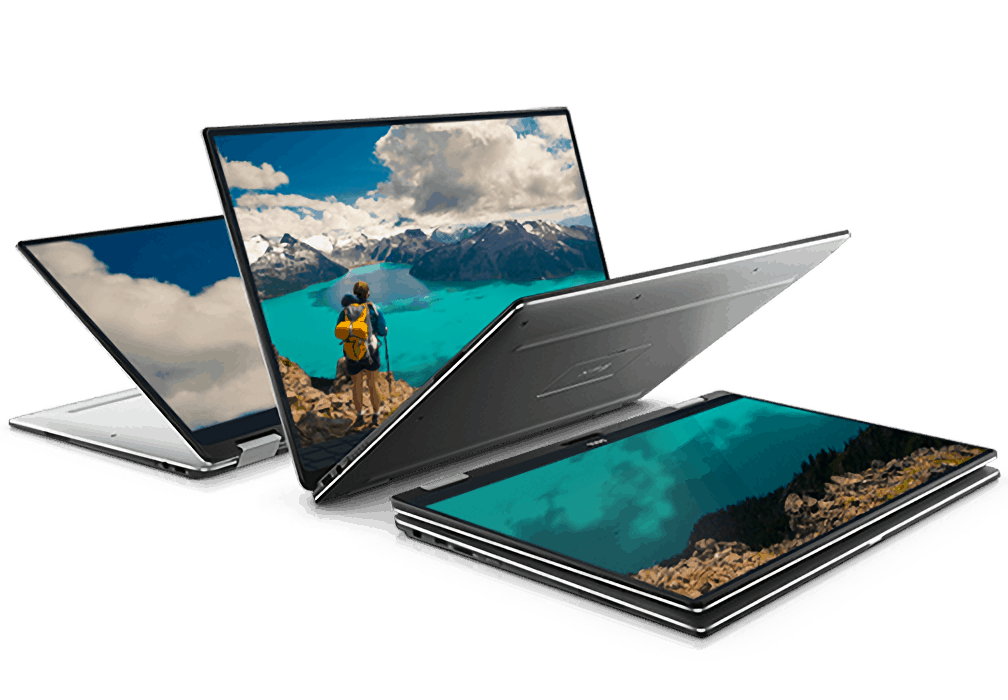
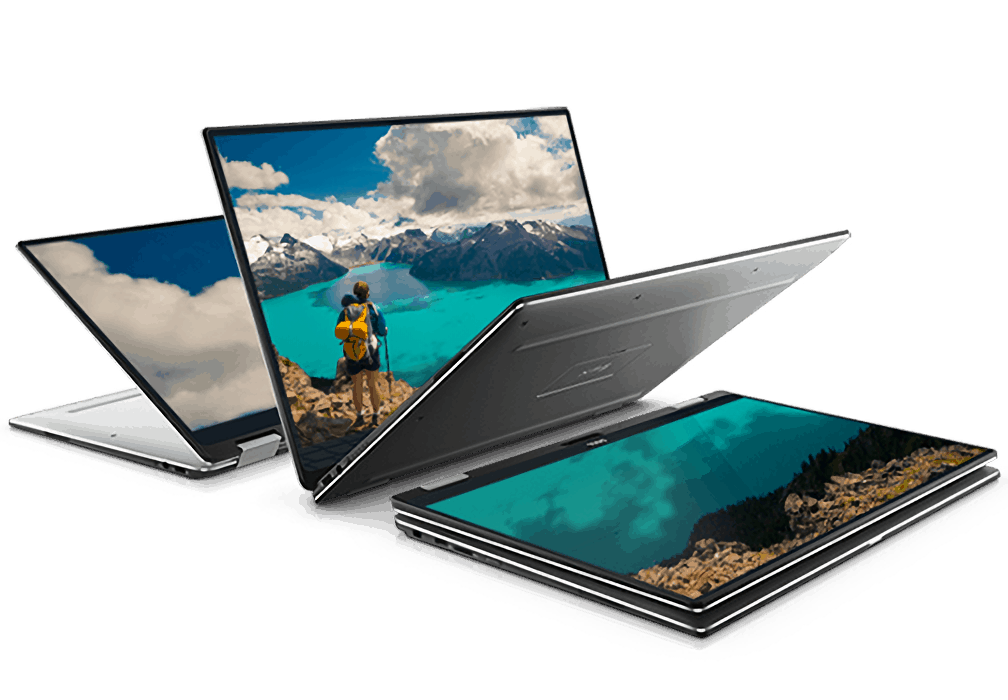
The specs are out on Dell’s new XPS 13 2-in-1

Althought the Dell XPS 13 9365 2-in-1 convertible was leaked just a little earlier than intended, we now have details on new Windows 10 machine ready just in time for CES. Dell’s announcement this morning revealed the new sleek convertible is becoming available as early as January 5, 2017, only three days from now.

This slimmer and more flexible XPS 13 seems to stand out from its predecessors. In fact, it’s taken many of the qualities from the XPS line and put them on a 360-degree angle so that you can switch to tablet mode, tent mode, and so on, just like a true 2-in-1 convertible should be.

However, Ars Technica notes that the steel attachments used to hinge the convertible make it look less seamless than similar devices and the keyboard deck actually sticks out further than the monitor while in tablet mode.

Further specifications include:

The world’s smallest 13-inch 2-in-1 with battery life up to 15 hours
Eye-popping clarity with a gorgeous QHD+ (5.7M pixels) InfinityEdge touch display, a first for a 2-in-1
HDR-ready (high dynamic range) display for incredibly life-like images when watching HDR10 content; available later this year
Windows Hello enabled finger print reader to easily and securely unlock the system with a touch; also comes with an infrared camera to enable Windows Hello at a later date
A business configuration with 7th Gen Intel® Core™ vPro™ processors and Dell BIOS and manageability software – all backed by Dell’s global services and support

The new device will be available first at Best Buy and Dell.com for the United States in just a few short days starting at $999. Prices will vary higher depending on preferences. Of course, it’s to be expected that we’ll see the Dell XPS 13 ship out globally not long after the January 5th release date.

Windows Insiders community arm, now #Insiders4Good, gets new blog

Last month, the Windows Insider team quietly launched a new blog for its #Insiders4Good program, which will be the new home of what was formerly called the #WINsiders4Good community. For those unfamiliar, this global network was launched last year after Dona Sarkar became the new head of the Windows Insider Program, with an ambitious purpose: inviting Windows Insiders to solve problems creatively through the use of Microsoft products.

In her first blog post published on December 31, the exec explained that the new blog is “a way for us to talk to you, for you to talk to each his other and for us to talk to the outside world about our various projects, passions, and challenges.” Nothing will change for those of you who just want to install Windows 10 preview builds and provide feedback to the team at Microsoft, but the company seems to have a much bigger ambition for the Windows Insider program going forward:

For those wanting to take the program a step further and use tech to learn, create, start businesses (even if it’s the business of YOU!), solve local problems and connect with others, the Windows Insider Program’s #Insiders4Good arm is also the program for you.

So, why #Insiders4Good rather than the formerly named #WINsiders4Good?

The past 274 days of this initiative have been about flighting various experiments such as the Create-A-Thons, Hour Of Code and Fellowships to see if they resonated.  Good news: they resonated! So many of you told us that *this* is what you’ve been looking for from the program. We are actively working on scaling our initiatives so *anyone* can do them at home.

If you want to participate to the #Insiders4Good initiative, you can send an email to [email protected] and also check the first blog posts published by members of the community over the last few days. “We needs all kinds of people to help build tech to fulfill our mission to empower EVERY person on the planet to achieve more,” added Sarkar, who also announced that there will be “a few more experiments coming in January for you all.”

Here’s how to fix Astroneer 2015 C++ Runtime errors

Astroneer is an impressive space exploration and resource management game. This title is still work in progress, and as expected, there are many technical issues that affect it and limit the gaming experience.

System Era Softworks regularly rolls out updates to patch various game bugs. There are still many issues that SES needs to fix, and fortunately some of them can be fixed using a series of quick workarounds.

Astroneer 2015 C++ Runtime bugs

Many Astroneer players are affected by 2015 C++ Runtime error messages, preventing them from launching the game. Gamers have uninstalled and then reinstalled Microsoft Visual Studio to fix this issue, to no avail.

Problem with the launch of the game, I am asked to install Microsoft Visual, and despite the installation and uninstalling of Visual C ++ 2015, always the same message. what to do ?

Fix Astroneer 2015 C++ Runtime bugs

SES has already acknowledged the 2015 C++ Runtime bugs, and posted a quick workaround on its forum. The company is working on a permanent fix which will be directly incorporated into the game through an upcoming update. Follow the suggestions listed below:

1. Windows 7 users need to make sure that the Service Pack 1 is installed, and then additionally install the Platform Update

2. Windows 8.1 users also need to install KB2919355, an update that improves the compatibility between the Windows OS and other programs.

3. Uninstall and reinstall the game. In this manner, the 2015 Runtime will successfully install.

4. Update your Windows OS, as well as all the system drivers.

6. Also install the Universal C Runtime KB2919355 Update for Windows.

If the actions listed above didn’t solve the problem, try disabling your antivirus after you uninstall the existing Visual C++ program. Turn on your antivirus only after you reinstall the 2015 C++ Runtime program.

If you’ve come across other workarounds to fix the Astroneer 2015 C++ Runtime bugs, feel free to list the troubleshooting steps in the comment section below.

RELATED STORIES YOU NEED TO CHECK OUT:

Posted in Fix

Dell’s upcoming XPS 13 9365 2-in-1 convertible discovered early

Ahead of CES, one of Dell’s upcoming new devices has been leaked early. The Dell XPS 13 9365 2-in-1 convertible has appeared on Dell’s own website (via Windows Central) before it has been announced. The 9365 is an upgrade on the current XPS 13 model, 9360.

The page doesn’t give much away about the device, apart from showing off an image of it, however, we can see that it will be incorporating the Infinity Edge display, which provides a near-bezel-less offering. In terms of the design itself, it looks very similar to that of the current generation of XPS 13’s.

Due to the lack of information on the page, it is unknown exactly what Dell will add or improve in this model. The RAM and storage space are unlikely to vary much but they could add biometric authentication methods for Windows 10.

As CES begins over the coming week, we’ll hear more about this upcoming device in the very near future.

How to automatically optimize Plex on your Windows 10 device

Plex is a client-server media player that has two main components: Plex Media Server and Plex Player. The Plex Media Player also runs on Windows 10 and organizes your videos, photos and audio content.

The Plex Media Players is an UWP app, compatible with both Windows 10 and Windows 10 Mobile. The tool also supports Cortana and Continuum on certain Windows 10 Mobile devices. The Plex Media Players allows users to optimize media depending on your device type.

Here’s how to automatically optimize Plex

1. In the Plex Web App, go to the … menu in the left actionbar > select the Optimize option
You can then choose to optimize a specific item, a season or show in the TV library, or in the library level itself. The Plex optimization option is also available when you filter content. For example, you can filter your movies by genres and select to optimize your action-adventure movies.
2. Once the Optimization window appears, you can customize the settings:

  1. Title: choose the title of the item you want to optimize
  2. Unwatched Only : select whether or not to apply the optimization only to items that have not been watched. In this manner, after you watch the optimized version of a particular item, that particular movie automatically gets removed from the optimization queue.
  3. Limit: this option allows you to limit the number of items to optimize
  4. Optimization Quality: this option offers four preset optimization types depending on your device:
    1. Optimized for Mobile: video is limited to 720p and 4 Mbps and audio streams are preserved when possible or transcoded to AAC 2.0.
    2. Optimized for TV: video is limited to 1080p and 8 Mbps and audio streams will be preserved and transcoded to AAC or AC3.
    3. Original Quality: this option uses the original resolution and won’t place any bitrate limitations. If the audio or video streams are MP4-compatible, they’ll be copied as such.
    4. Custom: you can select which profile to use and bitrate limitation to use

3. Version storage location: choose where the optimized versions are stored
4. Save the Optimization: press the Optimize button after you’ve selected the settings. A confirmation pop-up window will appear.

How to reduce eye strain when using your Windows 10 computer

Many Windows users experience eye pain after starring at their computer screen for hours on end. Other users may also experience blurry vision, eye redness or other forms of eye discomfort. If your job involves using a computer for most of the time, you should then find a way to reduce eye strain.

There are various tools and settings that you can use to protect your eyes while working on a computer. In this article, we’re going to list a series of solutions to reduce eye strain. We strongly recommend that you put them into practice to protect your eyes’ health.

Here’s how to reduce eye strain on Windows 10

1. Adjust your computer’s position

It’s very important to place your monitor at eye level, at a comfortable distance to your eyes. If you look down or up when working on your computer, you put a great amount of pressure on both your eyes and backbone.

2. Take a break

Yes, when we’re focusing on a particular task, we often forget to take a short break to rest. Your eyes are not designed to gaze at a computer screen for hours on end, therefore it’s extremely important to take a break from time to time.

The best solution is to install a reminder to take breaks. There are various tools that take care of your eyes, some are more flexible and allow you to continue work if you can’t take a short break, others block your computer altogether.

The following tools remind you to take a break from computer: EyeLeo, PCWorkBreak, the BreakReminder extension for Google Chrome, and more.

3. Install f.lux

f.lux is a tool that changes the color of your computer’s display depending on the time of day.  This app makes your computer screen look like the room you’re in. In other words, when the sun sets,  your computer looks like your indoor lights. In the morning, your computer display is bright. f.lux uses warmer colors after sunset, and cool, blue colors during the day.

All you need do to is tell f.lux what kind of lighting you have, and what your location is. The app will then adjust your display according to your input.

f.lux also features a night mode for Windows 10 that improves sleep quality. As night approaches, f.lux warms up the display in order to reduce the amount of blue light in your monitor, light which can disrupt sleep patterns.

You can download f.lux for free from the tool’s official website.

There are many tools you can use to reduce eye-strain. For more information, you can check out our dedicated article where we recommend 7 handy tools to reduce computer related eye strain.

4. Use a dark theme and skin

Many Windows 10 apps come with their own dark theme. As a matter of fact, all Windows 10 users have the option to switch to the Dark mode with just a few click. Here’s how to enable Dark mode on Windows 10:

  1. Go to Settings
  2. Open Personalization
  3. Go to Colors
  4. Now just choose Dark mode at the bottom of the screen.

As we already mentioned, the following Windows 10 apps also support dark themes: Microsoft Edge, Office 2016, Outlook and Calendar, the Feedback Hub, Windows 10 Maps, the UAC dialog window and the Skype UWP app.

5. Get a pair of computer glasses

Even if you have 20/20 vision, you can get a pair of computer glasses to further reduce eye strain. The special anti-glare and anti-reflective coatings eliminate reflections of light that can cause eye strain.

Adjusting your monitor’s brightness and contrast levels for optimal performance can also help enhance your viewing experience.

There you go, put these suggestions into practice and you’ll reduce eye fatigue, headache, or sensitivity to light. Remember, prevention is better than cure.

RELATED STORIES YOU NEED TO CHECK OUT:

Windows 10 news recap: Pause Windows 10 updates, Game Mode to improve performance and more

Welcome to our final Windows 10 recap for 2016. 2017 is just a mere few hours away and we’re stoked at what’s to come over the next year; here’s a glimpse at what we’ve found out over the past week, as well as the usual news you’ve come to expect from On MSFT.

Microsoft will FINALLY let users pause Windows 10 updates

Despite 2016 being a damning year for updates when it comes to Windows, from the forced Windows 10 upgrade, to annoying Windows 10 updates at the most inconvenient times, Microsoft has been listening. With the Windows 10 Creators Update, users will finally be able to pause Windows 10 updates that are non-security related. Updates can be paused for up to 35 days. More work, less updating – for up to 35 days of goodness!

Microsoft is working on a “Game Mode” feature which may bring an enhanced gaming experience to Windows 10

In newly discovered files in Windows 10, it would appear that Microsoft is extending a helping hand to those who choose to game on PC rather than its Xbox platform. Game Mode is a feature that will prioritise system resources to where they’re needed most during gaming, by essentially scaling back or turning off certain services which aren’t essential during a gaming session. No more having to install third-party software or mess around with system configurations to pluck some more frames-per-second out of a Windows 10 machine.

https://twitter.com/h0x0d/status/814016751578906624

App folders on the Start Menu will be enabled in the Windows 10 Creators Update

Windows Insiders rejoice as what was once a top feature request is now coming to fruition. Say hello to app folders!

App folders, as they do with Windows 10 Mobile, will allow users to group multiple tiles on the Start Menu into folders – allowing the folder to be opened to dropdown the tiles of all the containing apps. Even better, live tile functionality will continue to work and display from within the folder.

Lenovo announces 2 new ThinkPad docks for Windows 10 and other devices

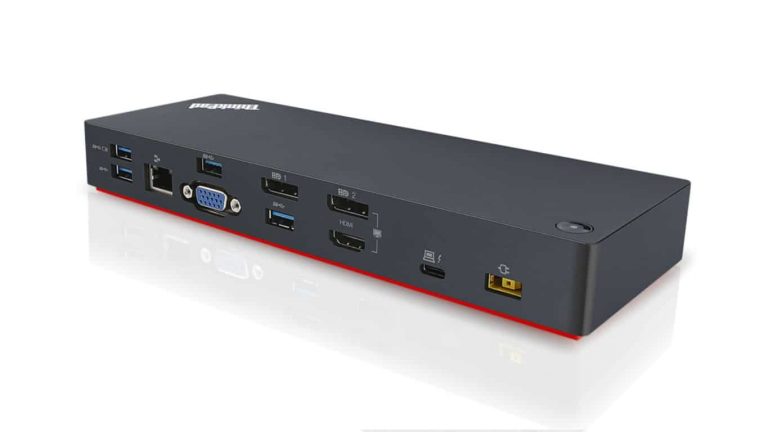
Lenovo has announced a couple new accessories ahead of the end of 2016. A dock for Thunderbolt cables, the ThinkPad Thunderbolt 3 Dock, as well as one for USB-C cables, the ThinkPad USB-C Dock. Both docks also provide additional connectors, such as Display Port and VGA.

That’s it for 2016 in Windows 10 news – we’ll see you in 2017! In the meantime, why not bookmark our Windows 10 news hub?

The best 6 point and click games for PC users

The Point & Click genre is one of the oldest ones in the gaming industry. This type of games has been available since the mouse function was implemented in PC systems. And it is still alive and kicking with plenty of new games that offer a great point & click experience.

To make it clear, in this genre, gamers use only pointing devices to move the characters or solve puzzles. Point & Click games rely more on the slow story build up and great puzzle solving, rather than massive action sequences and adrenaline rush. Some of the best game stories ever created belong to this genre. Although, there are some exquisite modern games, this genre owns a lot of its popularity to some older titles that are still played today.

We’ve prepared a mixed list that unites both the new titles that revamped the genre, as well as older ones that made it popular in the first place.

Best Point and Click games for Windows


Deponia (suggested)

deponia windows game

This game should be the best example of how a good humor and witty dialogues can surpass the AAA titles that are concentrated on visuals and raw action. Add to that the complex characters and a good-written story and you got yourself an amazing experience. The story revolves around Rufus, a not so moral main protagonist, and his misadventures in an endeavor to escape from his native planet called Deponia. The Deponia is a garbage world so we all can agree: not the best place to live on. But, Rufus is willing to sacrifice everyone and everything to leave it behind.

Deponia is, as noted, a Point & Click adventure that is based on 2.5D levels. You interact with different objects, collect items and solve puzzles in order to advance through the plot line. While you advance through the plot line, Rufus is followed by great characters and even one love interest.

The first part has two more sequels and one parallel game that is last on the list introduced on 2015. This game is truly great and you will enjoy it for sure if you are the fan of the genre.


The Book of Unwritten Tales (suggested)

The Book of Unwritten Tales windows

If you are a fan of epic fantasy combined with point & click gameplay, this game will serve you justice. It is heavily influenced by Lord of The Rings, with amazing storytelling and diversity both with characters and locations. You take part in the search for an artifact of amazing power, the one that will give the upper hand in the war. Instead of playing with one main protagonist, there are 3 quite different ones with special traits. Gnome, human and she-elf. Gnome called Wilbur, human adventurer Nate, and elf princess Ivo embraces the dangerous quest to save the world.  On some occasions, you can control the fourth character called Critter, alien creature that accompanies Nate, human character.

Instead of playing with one main protagonist, there are 3 quite different ones with special traits. Gnome, human and she-elf. Gnome called Wilbur, human adventurer Nate, and elf princess Ivo embraces the dangerous quest to save the world.  On some occasions, you can control the fourth character called Critter, alien creature that accompanies Nate, human character.

The game challenges player trough series of puzzles in order to move through the storyline. Its completion time is about 20 hours. The best way to start is to first play prequel from 2012 and last the sequel from 2015. This way you ‘ll go through the game’s story and learn about its scenery.


The Secret of Monkey Island Special Edition

The Secret of Monkey Island Special Edition windows

Adventures of Guybrush Threepwood, a childish pirate wannabe, are the one of the best and most famous Point and Click 2D series ever created. The first game of the series was introduced in 1990, and it fundamentally revolutionized some of the in-game mechanics, while setting a high goal for humor, storytelling, and voice acting. The Secret of Monkey Island made such a break in the gaming world and gathered many followers, that Lucas Arts decided to make a Special Edition remake, back in 2009. Special Edition is true to the original game but with optimized graphics and sound, to make it more likable to the new generation of players.

The plot of The Secret of Monkey Island revolves around Guybrush Threepwood, a young man that aspires to become a pirate. He arrives at the Mêlée Island and gets himself in three trials in order to become a pirate. He is witty but childish and that gets him in plenty of funny situations. Game original introduced dialog tree and the cutscenes, with the great impact to a storyline.

Just imagine a Jack Sparrow lookalike in his teenage years with all the mischiefs and funny moments, then add up beautiful graphics and scenario and you have yourself The Secret of Monkey Island in it full amazingness.


Broken Sword: The Shadow of the Templars – Director’s Cut

The Shadow of the Templar windows

If any of the Point and Click 2D game enthusiasts are asked, this is the best, both standalone and series, game ever made. It is so great that most of the later created adventure games are heavily influenced by it. British studio Revolution Software truly made a revolution when it comes to puzzle-solving system and deciphering codes. The main protagonist is George Stobbart, an American tourist in Paris who eyewitnessed the bomb explosion in a small cafe. His curiosity makes him research evidence at the crime site and initiates a long adventure full of danger and mystery. He is accompanied with French journalist Nicole Collard.

By combining 2D design with logical, but challenging puzzles, this game is letting you deep into its mysterious nature and lets you resolve Templars secrets. Embark on the great voyage full of dark secrets and dangerous adventures. The original game has 4 sequels with one continuing the story of The Shadow of Templars. The second part, The Smoking Mirror, is a standalone game that also got remastered. All of them are amazing and worth playing regardless of the fact that they’re graphically underwhelming.


The Longest Journey

The Longest Journey windows

The Longest Journey is a Point and Click adventure game introduced in 1999. And the adventure truly is every part of this game. Placed in two quite different worlds, one subdued to a technological advancement and other magical and ancient, story follows April Ryan. April is an 18-year-old girl that has the ability to travel between those two worlds, Stark and Arcadia. She is tasked to return the balance between the two, or chaos will emerge. The gameplay revolves around puzzle-solving interactions placed in the beautiful graphic background. Good voice acting and brilliant dialogs and narration will involve the player in the storyline, similar to reading a book.

This game is acclaimed as genre-saver and has a large base of fans. April Ryan, young art student, ”shifter” and the main protagonist is one of the best female leading characters ever created. This game is a necessity if you are Point and Click fan. And a journey worth a while.


Telltale game series

minecraft telltale windows

Last on the list is not one game but the whole bunch of them created by the game studio from the US, Telltale Games. Popular culture keeps evolving, on a daily basis we are presented with different content in every possible way of creative art. But, just a few of the available books/TV shows/movies made themselves fun favorites and brought the stardom uprise to its creators.

Telltale Games studio turned those household titles into the interactive stories. That’s the main idea of all of their games: tell a story while holding onto the original plot and the characters. This approach is widely approved and it made a trademark in the modern adventures genre. All of their games based on TV shows/books/comics/games revolve around the episode digital distribution. You buy the game and then they update it episode by episode. This gives the game a nature of the series while integrating additional content and continuing the story frequently.

Most famous contemporary titles remade into games while holding on to original canon are:

All games are on – standard Point and Click adventure, since they have some prompted command buttons to emphasize some action sequences. It is just like you are watching your favorite characters in their well-known roles with an exception that you choose their actions.

Each of the games from the series is worth your time. Beautiful cartoon-like graphics and amazing storyline will make you impatient for the new episode.


We’ll end our list of the best Point & Click games here. We hope you’ll find a title that suits you perfectly, but have in mind that all of them are worth trying out. Once you do, you won’t be able to stop playing. What are your favorite representatives of this genre? Do you have any other to add to this list? Please tell us in the comments section.

RELATED STORIES YOU NEED TO CHECK OUT:

Microsoft Edge, Opera, and Vivaldi have a “browser fight” on Twitter

It’s not often that companies get into scrapes on social media, but a few browsers recently exchanged a few playful quips on Twitter. In response to a tweet from Microsoft Edge bragging about Edge’s tab-pinning capabilities, both the Opera browser and the Vivaldi browser responded with tweets of their own. While the “conflict” began and ended there, it’s still always fun to see browsers brush shoulders on Twitter this way.

The “browser fight” was mainly about who came up with tab-pinning first – or, at least, who does it better. What do you think? Did Vivaldi break ground with tab-pinning, or was it Opera? Do you think that Microsoft Edge mastered the feature in the Anniversary Update? We’d love to hear what you think.

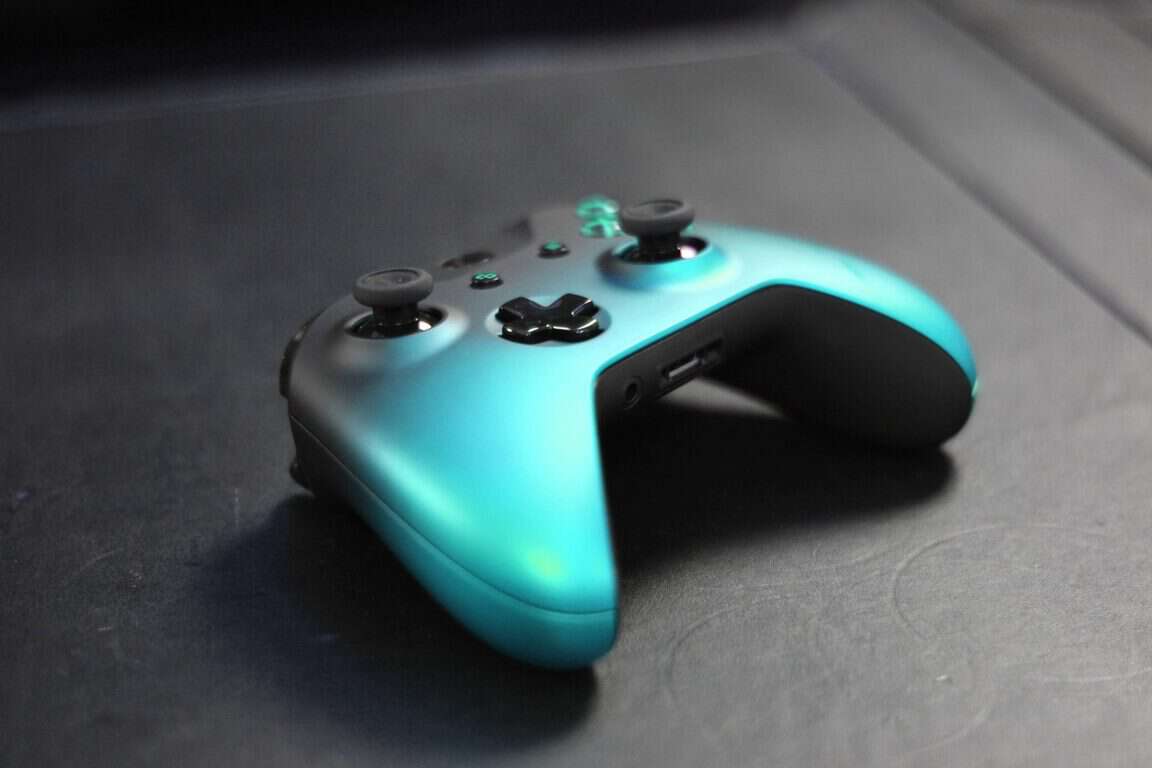
Ocean Shadow and Winter Forces Xbox One controllers discovered on Newegg

Thought that 2016 was over, and no more news was to pop up? Think again. A Reddit user, going by the name of  LGAMER3412 discovered two new Xbox One controllers on the Newegg website, but you can’t get them yet.

The Newegg site doesn’t currently show any images of the controllers, instead, it shows an “Image Coming Soon” placeholder, as you can see below:

Another Reddit user, going by the name of stmaximus, delivered images of what the Ocean Shadow controller could look like, but keep in mind that this is not official imagery from Microsoft, as it is just one person’s thought.

The release date of the controllers is noted as being 02/08/2017, meaning that 8th February, 2016, is the date to expect these controllers to become available.

The controllers will most likely be based on the Xbox One S controller design, with better grip, a 3.5mm headphone jack at the bottom and a little nicer design, with the above frame fading into the rest of the controller, just like with the Xbox One S.

Until Microsoft confirms that new controllers are on the way, remember that these controllers may not see the light of day for some reason or other. We’ll have to wait and see what happens in 2017.


Here’s a list of the games built with the Frostbite game engine

The Frostbite game engine is EA’s most popular game development platform,  powering a series of impressive games such as Battlefield, Need for Speed, Plants vs. Zombies Garden Warfare, Dragon Age: Inquisition and more.

The tool allows game creators to shape the future of gaming, providing a smooth and collaborative development experience. Frostbite lets game developers create games of any size, genre, or platform and continually exceed expectations.

Frostbite takes the gaming experience to the next level by allowing developers to create more dynamic environments. For example, weather can be more dynamic and change throughout the gameplay. At the same time, the Frostbite engine features highly improved facial animation for more realistic games as well as more impressive graphics.

Games built with the Frostbite game engine

If you want to experience the Frostbite game experience, we’ve prepared a list of all the Frostbite-enabled games currently available on the market. Enjoy!

  1. Battlefield: Bad Company
    This is actually the first Frostbite-enabled game. EA DICE built the engine and the game at the same time, resulting in sandbox gameplay where almost everything is destructible.
  2. Battlefield 1943
  3. Battlefield: Bad Company 2
  4. Battlefield Bad Company 2: Vietnam
  5. Battlefield 3: For this installment, EA DICE re-engineered all major systems. As such, animation, destruction, and everything else perfectly reflects these changes
  6. Need for Speed: The Run
  7. Battlefield 3: Back to Karkand
  8. Battlefield 3: Close Quarters
  9. Battlefield 3: Armored Kill
  10. Medal of Honor: Warfighter
  11. Battlefield 3: Aftermath
  12. Battlefield 3: End Game
  13. Army of Two: The Devils Cartel
  14. Battlefield 4: Second Assault
  15. Battlefield 4: China Rising
  16. Need for Speed Rivals
  17. Plants vs. Zombies: Garden Warfare
  18. Battlefield 4 Naval Strike
  19. Battlefield 4 Dragon’s Teeth
  20. Dragon Age: Inquisition
  21. Battlefield 4 Final Stand
  22. Star Wars: Battlefront
  23. Battlefield Hardline

RELATED STORIES YOU NEED TO CHECK OUT:
Here’s how to use Dropbox on Windows XP

Dropbox ended support for Windows XP in August 2016. On that day, all the Dropbox accounts linked to a Windows XP computer were signed out.

The good news is that although you’ve been signed out of your Dropbox account, no changes have been made to your account. In other words, all your files and photos are intact and you can access them from a compatible device.

Dropbox killed support for Windows XP because this old OS version doesn’t allow it to bring additional features, better performance, and enhanced security features. As a quick reminder, Microsoft itself ended support for Windows XP in April 2014, and Dropbox did the same to keep its product offerings in-line.

Is there a workaround to use Dropbox on Windows XP?

Many Windows XP users confirm that the answer is yes. More specifically, all you need to do is run Dropbox in compatibility mode “Windows 2000” and you should be able to sign in.

Running XP here too, since there’s not been any workaround I tried to run dropbox in compatibility mode “windows 2000” and voila, signed in and working. Enjoy. […] Been running for a month now, still working.

  1. Go to main drive/program files/dropbox/client > you’ll find two blue Dropbox logos > one is the .exe file and the other is the Uninstaller
  2. Right click on the .exe file > select Properties > click the Compatibility tab > change it to Compatibility mode for Windows 2000.

Other users rely on a third tool to connect Dropbox to Windows XP. One such tool is Goodsync, which even offers a few extra features.

I found it in GoodSync. It’s a piece of backup software that works with USB Drives and various cloud services, including Dropbox.
Works great and has many more features than standalone Dropbox.

If you’ve found other workarounds to make Dropbox compatible with Windows XP, use the comment section below to tell us more about your experience.

RELATED STORIES YOU NEED TO CHECK OUT:

Windows 10 Creators Update runs many svchost.exe processes: Here’s why

Windows 10 Creators Update, the upcoming version of Windows 10, will arrive sometime in early 2017. Until then, users can get a glimpse of what’s in the works by joining the Insiders program, with Microsoft incorporating the latest features into the latest Windows 10 builds.

As a result, many users have noticed that there’s an unusually high number of svchost.exe processes running in Windows 10 Creators Update. (As a quick reminder, a svchost.exe executable file is a system process that hosts multiple Windows services.) Its main role is to allow two or more services to share a process. In this manner, Microsoft reduces consumption of computer resource.

Microsoft splits service hosts into separate processes

Starting with build 14942, all Windows 10 Creators Update builds will feature a dedicated svchost.exe process for every Windows service. As a result, the number of svchost.exe processes has significantly increased.

At first, many Windows 10 users may find this change confusing. However, Microsoft explains that there’s no need to worry as this change won’t have a negative impact on system resources. The recommended RAM for PCs has dramatically increased over the years, which means that memory capacity is no longer an issue for users.

It is worth mentioning that Microsoft decided to use svchost.exe files to group processes in order to reduce pressure on computer memory. Since memory is no longer a problem, the company can now ungroup services. Windows 10 will ungroup services only on PCs with 3.5 GB+ of RAM.

Individual svchost.exe file advantages:

  1. Increased reliability: In case one service fails, the other services are not affected because they are not bundled in the same service host. Windows 10 will then run individual service failure actions to fix this problem.
  2. Increased transparency: The Task Manager can now show you how much CPU, memory,  or Disk & Network individual services are actually consuming.
  3. Lower servicing costs: IT engineers can now quickly detect which service is faulty and address the issue as soon as possible.
  4. Increased security: This change also allows IT engineers to isolate processes and set individual permissions. In this manner, the overall system security is enhanced.

In a nutshell, don’t be scared when you notice that Windows 10 Creators Update runs an unusually high number of vchost.exe processes: Your system is safe.

RELATED STORIES YOU NEED TO CHECK OUT:

Here’s how to get 16.75GB of free space on Dropbox

Dropbox is one of the most popular cloud storage platforms in the world boasting millions of users who rely on Dropbox to store, share and access their documents on the go. Most of these users chose a basic Dropbox account, which is free and offers up to 2GB of space.

However, after some time, the 2GB of storage space may no longer be enough. The good news is that you can get more free space on Dropbox without paying a penny. We’ll tell you exactly you can increase your Dropbox space for free.

How to increase your Dropbox space for free

1. Complete the Get Started Guide

You can get 250MB of additional space just by completing Dropbox’s introduction tour. Not bad, right? This allows you to store a few more photos from your recent holiday, for example.. At the same time, you’ll learn more on how to use Dropbox on your Windows computer.

2. Invite your friends to use Dropbox

If you become a Dropbox PR agent, you can earn some extra storage space. Each new Dropbox user brings you an extra 500MB of free space. You can bring a maximum number of 32 friends, which means that you can get up to 16GB of free space for life. What are you waiting for? Send out referral links now.

3. Connect your Facebook and Twitter accounts to Dropbox

You can get even more free space if you let Dropbox access your social media accounts. Each account that you add brings you 125MB of space, which means that if you connect both your Facebook and Twitter accounts, you can get 250MB of extra storage space for free.

4. Follow Dropbox on Twitter

You can follow Dropbox on Twitter and earn another 125MB of free space. In this manner, you can also check out the latest Dropbox news.

5. Send in your feedback to Dropbox

If you want an extra 125MB of free space, you can earn it by simply sending a nice message to Dropbox telling them why you like their cloud storage platform. Dropbox appreciates your feedback and rewards it with 125MB of extra free storage.

If you follow the five steps listed above, you can get up to 16.75GB of free storage space on Dropbox.

RELATED STORIES YOU NEED TO CHECK OUT:

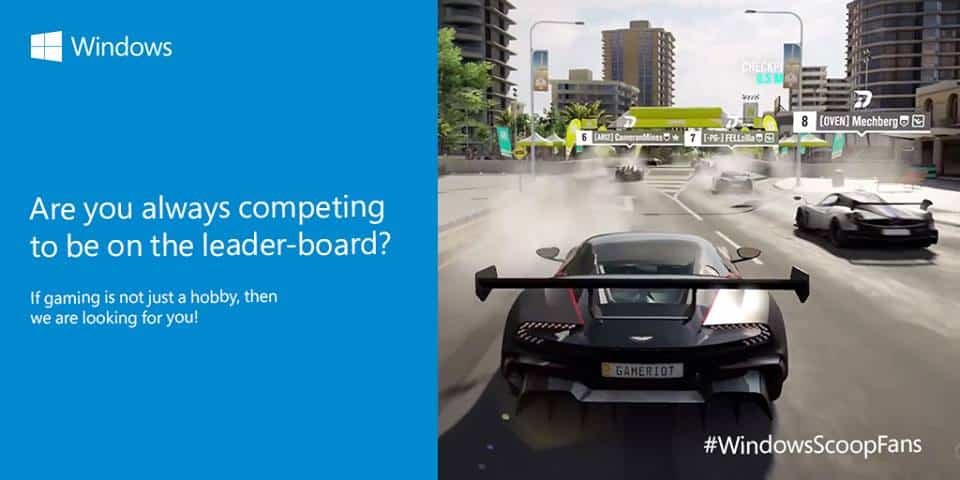
Microsoft India to launch “Windows Scoop Fans” program with exclusive access to Insider news

Windows India announced earlier this month that they were launching the Windows Scoop Fans program. In the tweet, they encouraged interested ‘super fans’ to send an email to them answering the question “Why are you the biggest fan of Windows?”. The original deadline for Christmas Day, Dec. 25, is now extended to January 5 (via Gadgets 360).

In case you’re catching up, the Windows Scoop Fans program is intended to bring enthusiasts together and provide exclusive news updates for apps and devices across all Windows brand. The members that are accepted from the aforementioned application process are then invited to a private Facebook group.

On the Windows India Facebook page, it is explained that the accepted members “will be part of an elite community that gets the inside story, updates, exclusive previews and much more related to Windows.” However, it’s important to note that this program will not be interfering with Windows Insiders as we know it.

While it sounds similar to the Microsoft First League program where localized fans will have access to early Windows news before most, it doesn’t seem to be the exact same program. In MFL, the members will be able to test devices in their early development and have their own separate ‘Superfan’ website to do so. Of course, the program could be dependent on the surrounding area since MFL focuses gaining members solely from Czech Republic, Slovakia, Serbia, Poland, Hungary and Greece.

If you’ll be submitting a reply, make sure that the email address you use matches your Facebook account so that they can send the invite upon acceptance. Images and videos are also accepted, so don’t be afraid to be creative!


Goat Simulator, Watch Dogs, FIFA 17 on sale in week two of the Xbox Countdown sale

Week Two of the Xbox Countdown sale is underway, and now is a great chance to save on some excellent Xbox One and Xbox 360 titles. The savings from today until January 9th include Watch Dogs, FIFA 17, Goat Simulator, and much more. As is usual, the list is quite extensive, so we’ve given some of the week’s biggest deals a look and have included the details for you below.

Xbox One Deals:

Watch Dogs 2: $59.99 now $41.99 or $35.99 with Gold

Tom Clancy’s The Division: $49.99 now $25.00 or $20.00 with Gold

Goat Simulator: $9.99 now $4.00 or $3.30 with Gold

FIFA 17: $59.99 now $35.99 or $30.00 with Gold

Dead Rising 4: $59.99 now $44.99 or $40.19 with Gold

Overwatch: Origins Edition: $59.99 now $44.99 or $40.19 with Gold

Fallout 4: $59.99 now $35.99 or $30.00 with Gold

XCOM 2:  $59.99 now $47.99 or $41.99 with Gold

Microsoft Xbox One S video game bundles for the holiday season
Did you buy one of these Xbox One S video game bundles for the holiday season?

Xbox 360 Deals:

FIFA 17: $35.99 or $29.99 with Gold

Call of Duty: Ghosts:  $23.99 or $19.99 with Gold

Rise of the Tomb Raider: $27.99 or $23.99 with Gold

Grand Theft Auto: San Andreas: $8.99 or $7.49 with Gold

Skyrim: $17.99 or $14.99 with Gold

Left 4 Dead 2: $8.59 or $6.59 with Gold

Call of Duty: World at War $11.99 or $9.99 with Gold

Forza Horizon 2: 17.99 or $14.99 with Gold

The Xbox 360

As always, the sale is not limited to the titles mentioned above, and it would be tricky to cover the entire list in just this one post.  You can head over here now to check out the full list! Once you’ve checked it out, be sure to come back to OnMSFT and let us know what you think by dropping us a comment below!

How to automatically optimize newly added games

Newly installed games require a lot of attention from players. You need to strike the perfect balance between performance and quality. Optimizing your game settings is quite a time consuming task. If you want to hit the play button as soon as possible, you can use dedicated apps to automatically optimize the newly added games.

Nvidia Geforce Experience

If your computer relies on an Nvidia card, you can install the Nvidia Geforce Experience tool. This app simply does it all for you.

Nvidia Geforce Experience analyzes your CPU and GPU specs, as well as your display monitor and automatically customizes game settings, allowing you to enjoy a smooth gaming experience.

When you launch the tool, it scans your library for compatible games. Optimizing your games is very simple: click on the game in the left hand sidebar, and then select the Optimize button.

Nvidia Geforce Experience also explains what each setting does. Another advantage is that you can adjust the settings, if the results of the optimizing process are not satisfying.

For more information, check out the trailer below:

You can download the Nvidia Geforce Experience tool from Nvidia’s official website.

AMD Gaming Evolved tool

AMD Gaming Evolved tool

If your computer is equipped with an AMD card, the AMD Gaming Evolved tool can help you to automatically optimize your games.

When you launch the tool, it will first scan your library for compatible games. Gaming Evolved currently supports 437 games. To optimize your games, go to the left hand panel, select the game that you want to optimize and then hit the Optimize button.

The AMD Gaming Evolved tool is a reliable tool that does what it promises: it delivers a fast, beautiful and hassle-free gaming experience. It finds the ideal game settings for every PC configuration and automatically install the latest drivers for your AMD card.

You can download the AMD Gaming Evolved tool from Raptr.

RELATED STORIES YOU NEED TO CHECK OUT:

Here are the best New Year wallpapers to use on your Windows computer

New Year is knocking on the door. You can welcome 2017 by setting a special New Year wallpaper on your Windows computer. There is a plethora of resources that you can use to find the perfect New Year wallpaper for you.

In this article, we’re going to list the best websites you can use to download New Year wallpapers. Check out the list below and personalize your desktop with a beautiful 2017-themed wallpaper.

Best New Year wallpapers to use in 2017


Wallpaperswide

new year wallpaper
Wallpaperswide offers a huge collection of New Year wallpapers you can use to embellish your Windows desktop. More precisely, there are 290 New Year wallpapers you can choose from, ranging from simple, minimalist wallpapers to highly complex, vivid wallpapers.

All the wallpapers available on this website are high-quality, bright and have an artistic touch. The images are available in different formats, both for computers and mobile devices. You can also rate them.

To check out all these New Year wallpapers, go to Wallpaperswide. It is worth mentioning that you should carefully browse the wallpapers because some of them feature 2016-themed images.


Webneel

new year wallpapers
Webneel offers a rich collection of New Year wallpapers. This website offers 25 original wallpapers you can set on your desktop when the clock strikes twelve.

Most of these wallpapers are generated on computer, and very few involve actual photos. If you prefer wallpapers with a simple design and bright colors, then Webneel’s offer is the perfect choice for you.

If you want to browse the whole wallpaper collection, go to Webneel’s official website.


123newyear

happy new year wallpaper
123newyear is another interesting website you can use as an inspiration source to choose the best New Year wallpapers. Its wallpapers are divided into four categories:

  1. New Year Images
  2. Happy New Year Images
  3. New Year Message Wallpapers
  4. New Year Quote Wallpapers

You can select the size of the wallpaper and share your favorite wallpapers on social media. If you’re curious to check out these wallpapers, go to the 123newyear website.


There you go, we hope these three resources helped you to find the right New Year wallpaper for you. Cheers to 2017!

[wl_faceted_search title=”RELATED STORIES YOU NEED TO CHECK OUT:”]

Here are the Xbox One S games that support HDR

The Xbox One S is a powerful console that supports 4K and HDR gaming. The 4K technology offers a horizontal resolution of 4,000 pixels and vertical resolution of 2,000 pixels. HDR is a new TV technology that renders richer, more vibrant colors. In order to enjoy a smooth HDR gaming experience, you need an HDR capable TV and an HDR compatible game.

If you own an Xbox One S console and an HDR capable TV, all you need to do is buy an HDR game. Since this technology is relatively new, the HDR game offer is rather scarce. The number of HDR compatible games is quite limited, and as you’d expect, it consists mainly of the games launched this year.

Xbox One S HDR compatible games

  1. Deus Ex: Mankind Divided
  2. Elder Scrolls Online: Tamriel Unlimited
  3. Final Fantasy XV
  4. Forza Horizon 3
  5. Gears of War 4
  6. Hitman
  7. NBA 2K17
  8. Pure Chess Ultra
  9. Recore
  10. Warframe
  11. World of Tanks

Battlefield 1 is another impressive first-person shooter that will receive HDR support in the near future.

More and more game developers are focusing on HDR games and already started investing in this technology. Resident Evil 7 and Scalebound are two impressive HDR games that will arrive in 2017. We’re sure that many more HDR compatible titles will be launched next year.

At the same time, more and more gamers will update their equipment for HDR games. Microsoft will launch the Scorpio console next year, and we’re sure many gamers will purchase this device — touted to be the most powerful console ever built.

The quality improvements between previous gaming technologies and HDR can immediately be seen. HDR makes the gaming experience much more realistic, with vibrant colors of HDR will make games look a lot better on your HDR TV.

RELATED STORIES YOU NEED TO CHECK OUT:
Microsoft explains the mysterious unlabeled toggle switches seen in Windows 10 build 14946

Windows 10 build 14946 might have been released over three months ago, but that does not mean the folks at Microsoft have forgotten it. Today, Microsoft’s Raymond Chen took to the MSDN “Old New Thing” Blog to explain a bug with four specific unlabeled settings toggle switches which many Windows Insiders had noticed after installing build 14946.

According to Raymond, the toggle buttons were “never really hooked up to anything,” and were rather associated with a new feature that, “if supported would have provided descriptive text as well as hooking up the toggle buttons.”  Members of the Windows team from inside Microsoft, nonetheless, had several wishes for what the toggles really did.

  • “Make ⟨internal tool 1⟩ take less than 2 hours.”
  • “⟨internal tool 2⟩ always finds a valid checkpoint.”
  • “Always submit my jobs to the front of the queue.”
  • “Prevent partner teams from checking in stupid bugs.”

Did you notice these unlabeled toggle switches when you had installed build 14946? What did you think they were for? As always, let us know what you think by dropping us a comment below!

The Walking Dead: A New Frontier video game comes to Windows 10

Telltale Games’ latest Walking Dead series, The Walking Dead: A New Frontier, is now available to buy and download on Windows 10 devices. The game, like all of Telltale Games’ other titles, is a sort of Choose Your Own Adventure story-based adventure where the player’s choices dictate the fate of certain characters and how the story will unfold. Here’s the full description:

When family is all you have left…how far will you go to protect it? After society was ripped apart by undead hands, pockets of civilization emerge from the chaos. But at what cost? Can the living be trusted on this new frontier? As Javier, a young man determined to find the family taken from him, you meet a young girl who has experienced her own unimaginable loss. Her name is Clementine, and your fates are bound together in a story where every choice you make could be your last.

Download Episode One of The Walking Dead: A New Frontier, a five part episodic game series from the creators of The Wolf Among Us, Batman – The Telltale Series, and Tales from the Borderlands.

The Walking Dead: A New Frontier launched on Microsoft’s Xbox One video game console earlier this month. Are you a fan of Telltale’s Waking Dead video games? Let us know which ones are your favorites in the comments below.

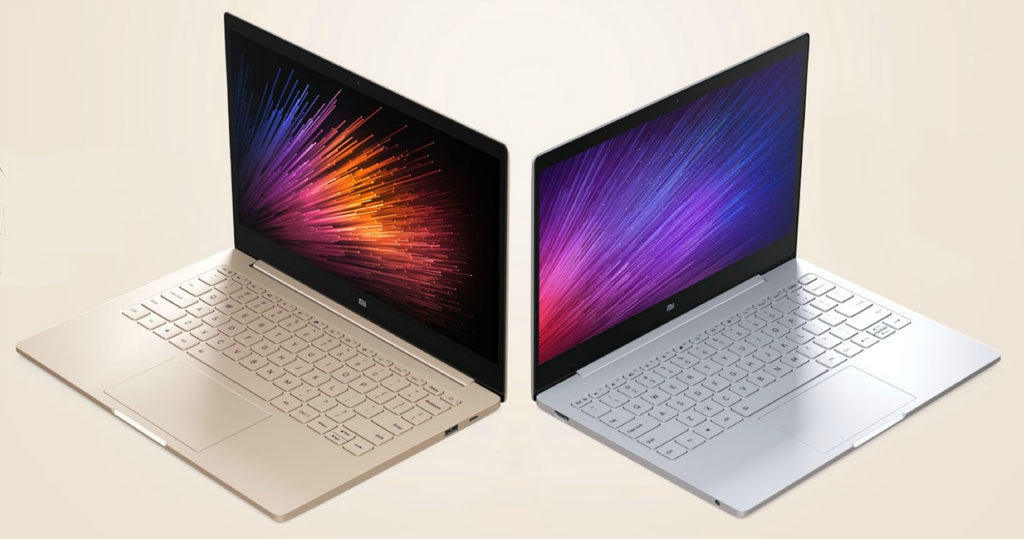
Xiaomi officially launches the Mi Notebook Air 4G Windows 10 Laptop

Xiaomi has officially announced the upgraded, 4G version of their Mi Notebook Air lineup in China just weeks ahead of the CES 17 during a small event. The device was first introduced on July 27 and was seen as Xiaomi’s official entry into the notebook market.

It is now, almost six months later, that Xiaomi is touting the bigger and better version of Mi Notebook Air. There is unfortunately still no word for the device to be available globally, obviously apart from China.

Features

The device comes with LTE Cat. 4 4G connectivity support and is and is capable of delivering download speeds up to 150mbps. Powered by Windows 10, the Home-based laptops were launched in collaboration with China Mobile and natively support the telecom operator’s networks without requiring a separate SIM card, meaning users can connect to the internet without needing Wi-Fi. Xiaomi has also officially declared they will be giving their users a free 4GB of 4G data every month, totaling to 48GB a year.

Full Specifications

The 12.5-inch variant comes in at 1.07 kg and is powered by an Intel Core M3 processor, coupled with a 4GB of LPDDR3 RAM (1866MHz), offers a 128GB SSD (SATA) storage along with additional SSD expansion slot, a 1080p FHD screen Edge-to-edge protective glass, KG dual speakers with Dolby Digital surround sound support and is powered by 37 Wh battery, which should last 11.5 hours.

Whereas, the 13.3-inch model weighs 1.28 kg and offers a sixth-generation Intel Core i7 (2 cores, 4 threads, max clock speed of 3.0GHz) processor, 8GB RAM and 256GB of SSD storage along with an expandable SSD slot, NVIDIA GeForce 940MX dedicated graphics card  with 1GB of GDDR5 VRAM, an elegant logoless exterior, personalize with stickers Mi Cloud Sync, Mi Band 2 unlocking, and a  40Wh battery will last 9.5 hours on a single charge.

Both of the models have a lightweight, slim and elegant metal body finish and run on the powerful Windows 10. They will be available with a 1080p display, a USB Type-C charging port, an HDMI port and a backlit keyboard. The variants will be available in two metallic colors, Gold or Silver.

Costing

When the Mi Notebook Air was originally launched his year, it held a price tag of CNY3,499 for the 12.5-inch variant. For the 13.3-inch variant, the price was CNY4,999.

The Mi Notebook 4G has been priced at CNY 4,699 while the 13.3-inch model has been priced at CNY 6,999.

Related stories you should read:

Latest Microsoft Office update adds SVG image support

Microsoft Office for Android is now becoming even more streamlined: The software giant has decided to release a convenience update for their Office suite on Android phones by adding SVG support. The newly introduced feature will allow users to edit SVG images right from Word, Excel and PowerPoint.

As all of the Microsoft office apps come pre-installed on most Android devices, the move will definitely equate to wide-spread advantage. Users can find the latest updates for them in the Google Play store. But if you are an Android user and don’t have the suite pre-installed on your device, you can download it for free.

The version number for Word is 16.0.7668.4775. Excel is 16.0.7668.5029 while PowerPoint is 16.0.7668.4273. (Here are their links: Word, Excel, PowerPoint.)

What is SVG?

SVG, or more specifically Scalable Vector Graphics, are modifiable XML components created in the form of text files. They can be searched, indexed, scripted, and compressed, while their text file nature enables them to be edited via any text editor. They are mainly used in documents to create advanced, better-looking content. All modern web browsers come enabled with SVG image rendering support.

Features

The update allows users to edit SVG images, such as changing the color of the SVG elements and more right from the Office app, eliminating the need of install a third-party tool. Also, as a result, you’ll have better defined and designed content.

The update is targeted towards novice users who lack knowledge about editing images. Now, all you have to do is insert the image in your document and edit.

The company explains the feature in the changelog:

“Use SVG images in Word, Excel and PowerPoint for Android: Insert and edit scalable vector graphic (SVG) images in your document, workbook, and presentation to create sharp, well-designed content. No expert software required.”

As there is no mention of any other feature, we guess the new update is limited to SVG support only.

Requirements

In addition, Microsoft Office for Android (particularly Word and Excel) will now support multiple windows. This allows more than one app to be usable on screen at the same time. Again, a formidable step towards enhancing the convenience of the apps. However, this feature is limited to Android devices running Nougat 7.0 and above.

Microsoft has stated that their apps will remain free to download for Android devices with screen sizes of 10.1 inches and below. Otherwise, you will be required to purchase an Office 365 subscription.

Also, for users who want to be the first in line to try out this new feature can sign up for the Office Insider Program, which’ll make you a member of the Google+ community where you can sign up to become a beta tester for each of the three apps in the suite.

If you want to update the Office apps for Android, you can find the new releases of Word, Excel, and PowerPoint through the Google Play Store.

Related stories you should read:

Microsoft compiles and releases Windows 10 Build 15000

Microsoft has chosen the most professional way to bid the year adieu: Compiling and completing Windows 10 Build 15000.

Microsoft has temporarily suspended the Windows Insider beta program during the holiday season but this was not going to stop them in any way from internally testing Windows 10-related work. In fact, because of diligent engineers, the Windows 10 build 15000 was released internally a few days ago.

Still, this does not mean the build released is in its finest form. As always, we are expecting some minor bugs and glitches because most testing engineers are on holiday. This is a prominent milestone set by the company after the previous big release, Build 10000, two years ago. So, apart from highlighting two years of dedication of the Windows team, the build does not bring anything revolutionary to the table.

The Windows Insider beta plan will be restarted in January, so it is going to be one hell of a one busy month for the company. As Microsoft’s team will be diligently working on perfecting Build 15000, adding major performance improvements and bug fixes. Speaking of next year, it is going to have some of the most exciting changes we have seen in a while, one of them being the completion of the Creators Update that Microsoft is all set to unveil in spring. Windows 10 Creators update’s final version is 1703 and will bring a series of improvements for smart phones and PCs.

Insiders can expect to see quite a few new additions in the coming months that might involve some UI improvements and enterprise features. Following that will be yet another major Windows 10 update.

Redstone 3 is expected to be a game changer and bring significant enhancements such as ARM64 emulation for x86 apps.

So, all in all, Build 15000 is a momentous landmark for the company, but there is a lot more to come our way in 2017.

Related stories you should read:

The 4 best Game Boy emulators for Windows 10/11

Since 1989, when it was introduced, Game Boy made a great mark to the video-gaming world. Nintendo had a dream about that portable gaming system that will let them make a breakthrough. That dream come true, and it was a blast. Game Boy became the most selling portable device of all-time.

If you are planning to board the nostalgia ship and replay some of your favorite games, the best way would be to use a Windows emulator. We prepared a few emulators that will enable you to do so on your Windows PC. We already covered emulators for Sega Genesis and NES and we suggest to check them out, as well, in case you’re feeling like playing some games from these consoles.


Best Game Boy emulators for Windows

In the following article we will help you choose a good emulator for your Windows PC, but first, you will need to pay attention to some questions:

  • How does a Game Boy emulator work?
  • Is it compatible with your Windows?
  • Can you enjoy it with your friends (multiplayer)?
  • Does it allows you to change the game options?
  • Can you use cheat codes in that specific Game Boy emulator?
  • Do you have to pay for it?
  • Which Game Boy emulator support peripherals (joysticks)?

The answers to these questions and even more can be found above.

You can explore an updated option for Game Boy and Game Boy Advance emulation by checking the complete mGBA guide for Windows, which explains setup steps, supported features, and performance tips.

 Rating (1 to 5)PriceCheats allowedMultiplayerChanging game optionsLast support
Visual Boy Advance-M5FreeYesYesYes2017
TGB Dual4.5FreeYesNoN/A2016
KIGB The Gameboy Emulator4FreeYesYesYes2008
BGB3.5FreeYesYesYes2015

Visual Boy Advance-M

Visual Boy Advance-M windows

When it comes to the popularity of given emulators for Game Boy, this one is in front of others. Why is that so, you may ask? Two words: stability and compatibility. Visual Bboy Advance-M covers most of the titles you can think of. Also, it’s stable and functions well, either if you emulate Game Boy or Game Boy Advance games. You can personalize your playing experience in many ways, and some of them are:

  • Use gamepad to play
  • Adjust in-game resolution
  • Speeding up or slowing down gameplay

Visual Boy Advance-M can be obtained for free and there are no extra features that you have to download in order to run it. You can download it the following link.


TGB Dual

TGB Dual windows

We presented Visual Boy Advance as the most popular emulator with plenty of features. However, TGB Dual has a nifty option that is not available on any other emulator. Option to start 2 ROMs at the same time, and play two different games. For example, you can play both Pokemon Red and Pokemon Blue, and trade Pokemon between the games.  It supports both Game Boy and Game Boy Advance emulation, as well as online playing with friends. Also, it works perfectly on Windows 10, as the emulator is being updated regularly.

You can get TGB Dual emulator for free by following this link.


KIGB The Game Boy Emulator

KIGB The Game Boy Emulator windows


KIGB is one of the oldest emulators made for Game Boy, but is still a good alternative for both options mentioned above. It supports up to 4 players on the same PC. Also, the emulator supports Game Boy Printer option, which was quite interesting at the time of its introduction. Another thing worth mentioning is the shadow option and online playing support. Too bad this great emulation option hasn’t been updated since 2008, but it still works exceptionally well on Windows 10.

To try out this emulator, check this link.


BGB

BGB windows emulator

BGB is one well-balanced emulator that will allow you to enjoy your favorite classic games from Game Boy and Game Boy Advanced. It comes with the debugging option, so you can analyse or change ROM properties. This comes in handy if you like to use in-game cheats or participate in the ROM development process. Additionally, graphics and sound are very well optimized, and there’s gamepad support, as well.

Emulation works fine for all versions of Game Boy, with 1000+ tested games. BGB was updated in 2015, so it is compatible with Windows 10.

You can obtain BGB emulator from this link.


This were our recommendations for the best Game Boy for Windows. Since Pokemon Go is not the thing anymore, all you Pokemon fans can try out great titles for Game Boy that made the franchise famous.famous. You won’t regret it.

Do you agree with our list? What’s your favorite Game Boy game of all time? Let us know in the comments below.

RELATED STORIES YOU NEED TO CHECK OUT:

Latest Windows 10 build 14997 for PC leaked online

The news that Dona Sarkar delivered almost two weeks ago was not so good. At that time, she said that Microsoft encountered a bug that prevented the release of a new Fast ring build that week. Since the holiday season was approaching, the leader of the Windows Insider Program wasn’t very optimistic about the arrival of a new build until 2017. However, BetaArchive is reporting that the upcoming build 14997 has been leaked online — but it’s complicated to download it.

It seems that build 14997 comes from the internal Development Branch and it’s titled “rs_onecore_base”. The only changes that have been discovered are a new Personalization menu, new Tab Expansion and Save tabs for later features for the Edge browser, a Lower Blue Light mode and an improved Settings app. When build 14986 was released, users were able to download themes from the Store, but they had to manually install them. Now, Build 14997 comes with theme support from the Store.

PC users should be very skeptical of installing build 14997 (14997.1001) for PC because it may contain bugs that could cause instability in the system. On the other hand, the build for mobile devices carries the number 10.0.14997.1001 and was compiled on December 28.

Currently, Microsoft is testing Windows 10 Redstone 2 PC build 15000 and mobile build 10.0.15000.1000 internally. The next insider build is slated to release in January 2017. But now, PC owners can download Windows 10 update kb3213522 build 14393.577 and build 10.0.14393.576 for mobile devices. In addition, Insiders members can download cumulative update KB3206309 build 14986.1001.

Users who want to download the ISO for Windows 10 build 14986 can find it on Sihmar. If they encounter installation issues with the cumulative update, they will find fixes on Sihmar’s website as well.

RELATED STORIES TO CHECK OUT:

Best online New Year cards to send this year

Christmas and New Year are the holidays that all of us love and enjoy. It is a time of family reunion, feasting on favorite food and subtle planning of your moves for the upcoming year. Although, we are all different individuals, similar wishes are bonding us. Good health, success on both professional and personal levels, peace, and love. For us and for the ones we care about.

Once upon a time people would send greeting cards via post office. Some of us even handmade ones. It was a beautiful practice, but now it feels outdated. Fast-paced life makes us want all and now, so we use modern technology to revamp old customs. Nevertheless, even if as a society is using less of paper made colorful greeting cards, there is a way to send your best regards to someone you care about. Using online alternative witty called e-cards.

Today we prepared 5 best New Year e-cards so you can surprise some relatives or friends with a beautiful, virtual greeting card.

Top 5 most beautiful e-cards for the New Year

Say Happy New Year in a most festive way!

new year special card
What’s a better way to send your love and best wishes to someone you care about then this live e-card? The present box and Christmas tree decorations are on point and the musical cover gives it a more festive note. Because it is just the template, you can customize it to make it more personal.

To send this e-card to the ones you love, follow this link.

Warm and calming way to greet someone special

new year card online
New Year is all about celebratory mood and good vibes. And this animation e-card is a brilliant way to spread festive spirit. On this one, you can also customize music track to match your taste. Be thoughtful and make someone happy in no time.

You can send this e-card following this link.

Interactive greeting card for best wishes

interactive new year christmas card
This interactive e-card will be a wonderful surprise for everyone. The receiver needs to light all the candles in order to see a greeting message. Kids will be delighted with it. Customization is also available so you can choose the message to your own preferences.

To customize and send this amazing interactive e-card, be sure to click this link.

Colorful greeting card with witty animation

happy new year christmas card
Adorable animation can change a classic greeting into a something truly special. Mind you, even though it is colorful and childish-like, it is an original way to express your wishes to loved ones.

This joyful creation is to be found on this link.

The good old greeting  card in new attire

New-Year-Joy christmas cardI always liked greeting cards portraying lone wood cabin covered with snow. It is followed by a thought of comfy chair and fireplace that spreads warmth and lights the room. This is animated version of it, so it must bring up some memories.

To send someone your best wishes in this beautiful manner, go to this link.

Those were our propositions for best online greeting cards. New Year is just the right time to try them out and bring a smile to the faces of your beloved ones. We hope you ‘ll like them. Do you have any other cards in mind? What is your favorite New Year motive? Give us your thoughts in comments.

RELATED STORIES YOU NEED TO CHECK OUT:

Get the complete 8 film Harry Potter collection on sale now at the Windows Store

If you’re a fan of the Harry Potter series, you might want to consider heading over to the Windows Store now for some savings. Microsoft has crafted up a magical deal, and you can now get the complete 8 film Harry Potter collection on sale at the Windows Store for $49.99 for today only.

As seen here, the deal brings the HD version of the collection down from $74.99 to 44.99, and the SD version down from $59.99 to $44.99. Originally released back in June of 2014, the collection includes 8 films and the extended editions of The Sorcerer’s Stone and The Chamber of Secrets. The films included in the bundle are:

The collection is a great way to save, as when purchased separately, these movies would normally cost about $100.00. Movies purchased through the Windows Store play on Xbox, Windows 10, Windows 8, and Windows Phone 8, so it’s also safe to say you can take these movies anywhere you go. Let us know what you think of this latest Windows Store offer by dropping us a comment below!

Fix: Ultimate General Civil War won’t launch or is unresponsive

Ultimate General: Civil War is a tactical war-game that allows you to experience the American Civil War of 1861-1865. As a player, you’ll fight in the American Civil War campaign and participate in over 50 battles, ranging from small engagements to massive battles.

The campaign results fully depend on your actions. You are the general and you have full control over the army. Depending on how successful your strategy is, you can get access to more corps, divisions and brigades. Your main tasks are to keep your soldiers alive and lead your army to victory. If you fail, your reputation will suffer, your army’s morale will drop and you will be forced to resign.

Since the game is still in Early Access, you may experience various issues: the game won’t start, becomes unresponsive or a black screen appears when you hit the play button. If you’re experiencing these issues, follow the troubleshooting steps below.

Fix: Ultimate General Civil War bugs

1. Verify the integrity of game cache

  1. Go to your Steam Library > right click on Ultimate General: Civil War
  2. In the dialogue window select Properties
  3. In the new window, go to the Local Files tab > click on Verify Integrity of Game Cache
  4. A process starts to examine if the are any missing or corrupt files. Steam will automatically fix them.

2. Install Microsoft Visual C++ 2010 Redistributable Package

You can find these files at this address:
C:\SteamLibrary\steamapps\common\Ultimate General Civil War\_CommonRedist\vcredist\2010

You can also download them from Microsoft. Another solution is to launch both the x64 and x86 versions and repair both.

3. Delete the Options file

Some of your custom changes in Options may not work when Game-Labs rolls out a new patch. As a result, delete the Option files, usually located in:
C:\Users\YOURUSERNAMER\AppData\LocalLow\Game Labs\Ultimate General Civil War.

More specifically, delete the following items:
controls.bin
ioptions.bin

4. Check your antivirus

Your antivirus may prevent Ultimate General: Civil War from launching. Disable your antivirus and launch the game to see if this is the root-cause of the problem. If this is the case, exclude the game manually from your antivirus threat list.

5. Uninstall and install the latest video card drivers

Your video card drivers may also cause various game issues. Uninstall them and then restart your PC and then install again the latest drivers. For more information about the latest Nvidia drivers, visit Nvidia’s official page. If you use an AMD CPU, visit AMD’s official webpage.

RELATED STORIES YOU NEED TO CHECK OUT:

Posted in Fix

Reserve Space on your hard drive: What you need to know

Nowadays, games require a significant amount of hard drive space. Moreover, subsequent game updates and patches also eat up a lot of hard drive, for example Dishonored 2 received a first-day patch of 9GB.

As a result, many gamers are looking to free up some space on their game platform’s hard drive. In doing so, you may notice that there is a section called “Reserve Space“. Actually, if you check that section, you’ll see that it contains no data from the game itself. In order to understand what the role of the Reserve Space section on your hard drive is, 2K recently published a post on its forum, explaining why that folder is present on your computer.

First things first, you should never delete a game’s Reserve Space from your hard drive. At first sight, this may seem to be a harmless action. However, the Reserve Space section is space on your HD that’s been allocated to hold updates and patches.

When game developers roll out a new update, Windows saves it on the Reserve Space. If you delete a game’s Reserve Space, the game will re-create it when it launches. However, when a second Reserve Space is created, there’s a high possibility that you encounter various technical issues, such as save game corruption problems.

If you’ve already deleted your game’s Reserve Space or hit Cancel during the “retrieve file” phase of game installation, 2K also published a workaround to recover your files. The only problem is that this solution doesn’t always work.

Fix Reserve Space issues

  1. Uninstall the game
  2. Reinstall it
  3. Don’t click “Cancel” while the install process is retrieving the files
  4. Let the game apply all updates and sync information

RELATED STORIES YOU NEED TO CHECK OUT:
Civilization VI AI behavior is still terrible two months after the game’s release

Sid Meier’s Civilization VI is an impressive empire-building game that challenges you to compete against history’s greatest leaders. Your main task is to build a civilization capable to stand the test of time. Watch and coordinate everything that happens on your territory, and play as one of the world’s most influential 20 historical leaders.

Civilization VI was launched in October 2016, but many fans still complain that the game’s AI behavior is terrible. Actually, AI behavior has always been a problem on this series, and Civilization VI makes no exception.

Players report that the AI doesn’t do a good job defending their cities. It appears that the AI try to avoid warmongering penalties at all cost, which could explain their passive behavior. As a result, cities seldom get captured during wars.

Other players label the AI behavior as irrational. Weaker nations declare war on strong nations with no obvious reason. Some players don’t try to embellish their words and put it clearly: they believe that the AI is just plain stupid and it would be better if AI troups had more of a bushido spirit.

Civilization VI players criticize AI behavior

The AI is still not fixed. It’s still sending transport ships to attack frigates. Although, I noticed that they attempted to improve the AI not building airplanes. Played one game with the latest patch and almost fell out of my chair when I saw 2 civilizations build the Aerodrome district before me. I thought, Oh my god, they fixed it! We will see planes! Was hoping to get slaughtered by F22 Raptors and B1 Bombers. Unfortunately, not a single plane was ever built.
The AI just likes the ‘look’ of Aerodrome districts. They are pretty cute. But cute doesn’t win wars.

In other words, the AI’s complexity push it to do extremely stupid things that surprise players. They are either coward or suicidal.

What do you think about AI efficiency in Civilization 6? Do you share the opinions listed above?

RELATED STORIES YOU NEED TO CHECK OUT:

Here are the free Xbox One games for January 2017

Microsoft has constantly rewarded its fans throughout this year, whether in the form of generous discounts or by offering awesome titles for free as a part of the Xbox One Games with Gold scheme. As such, Xbox Live Gold Subscribers have a pleasant surprise waiting for them as they move onto 2017 since the Games with Gold Lineup for January looks both exciting and interesting. To kick things off, Microsoft is offering four new titles for the month absolutely free. As expected, there are two for Xbox One and two for Xbox 360 that will give Xbox gamers and their friends plenty of opportunities to compete and cooperate with each other. Below is the complete list:

Games With Gold January 2017 Lineup:

Xbox One

  • Deathtrap: World of Van Helsing (January 1-31)
  • Killer Instinct Season 2 (January 16-February 15)
  • Outlast (December 16-January 15)

Xbox 360

  • The Cave (January 1-15)
  • Rayman Origins (January 16-31)

Note that the Xbox 360 “Games With Gold” titles are also playable on Xbox One via backward compatibility.

What’s new? The tower-defense style game Deathtrap: World of Van Helsing is finally making its Xbox One debut a few of years after being made available on PC.

The Cave is a puzzle platformer/adventure game by Double Fine Productions and headed by creator of Maniac Mansion and Monkey Island’s maker, Ron Gilbert. The game takes you to an enchanted world where some unusual characters indulge themselves in a quest to discover their true destinies.

Rayman Origins is a grand 2D platformer, with some awesome level designs and zany characters on a journey to restore happy dreams to the Bubble Dreamer. Defeat monsters and overcome challenges in the Land of the Livid Dead.

Last but not the least, Killer Instinct Season 2 is an expansion for the popular fighting title.

Before getting too carried away with what’s to come next year, make the most of what you have now: There are only a few days left to try out the December Games with Gold lineup for free, as they will soon be returning to their normal prices.

Related stories you should read:

Raspberry Pi PIXEL desktop is now available for your Windows PC

It was a couple of days ago the founder of Raspberry Pi, Eben Upton, released a version of the graphical front end “PIXEL” that can be installed directly on PCs and Macs.

For readers unfamiliar with the name, PIXEL stands for “Pi Improved Xwindows Environment, Lightweight” and is a desktop operating software that can be used by anyone with a Raspberry Pi. Of course, now the necessity to own the device for using  PIXEL has been taken out of the equation. Talk about an early Christmas present!

The announcement was made in a blog post in which Eben Upton revealed that they’ve ported an early prototype of the Raspberry Pi’s PIXEL desktop experience. So now, Linux lovers around the globe can have the sumptuous Pixel desktop experience natively on their regular laptops. The Pi Foundation also mentioned that the release aids its plan to produce the “best” desktop computing experience.

”If we like Pixel so much, why ask people to buy Raspberry Pi hardware in order to run it?”  said the Raspberry Pi founder Eben Upton “There is a massive installed base of PC and Mac hardware out there, which can run x86 Debian just fine.”

Moreover, Eben stated that the software is also designed to assist students, as many of them use the palm-sized Pi in class or for their own projects but have to pick up their work on PCs or Macs.

“There is no learning curve, and no need to tweak… schoolwork to run on two subtly different operating systems,” he said.

On a side note, the OS can be used to restore an old computer to its prime because PIXEL is suited best to running on older PCs that are too slow to run modern operating systems. Another plus: PIXEL comes bundled with an office suite, a browser, educational games and programming tools that you would find on Pi but exclude Minecraft and Wolfram Mathematica due to licensing reasons.

“We don’t just want to create the best desktop environment for the Raspberry Pi: we want to create the best desktop environment, period,” said Upton.

How to get PIXEL:

As a requirement to run PIXEL, you’ll need at least 512MB of RAM, which shouldn’t be much of a problem as any PC built in the last decade or so should have it. You can download Pixel directly from the Foundation’s website and burn it to a DVD or USB drive.

Note: You’ll need to set your PC’s BIOS to boot from your chosen media before looking to the internal storage drive.

Another Note: You will probably need a USB with massive storage space to allow for a partition to save data and files. It’ll also give you a mini-PC that you can run separately from your machine’s primary OS.


Fix: Forza Horizon 3 fails to recognize Logitech G27 racing wheel

Forza Horizon 3 supports a limited number of racing wheels, including the Logitech G27 wheel. Gamers report that this device is affected by many issues, and sometimes it stops working altogether.

Logitech G27 issues on FH3

More specifically, Forza Horizon 3 often doesn’t recognize Logitech G27. Here’s how one gamer describes the problem:

So when opening the game, the steering wheel is working, however it isnt finding my exact device. It knows its a racing wheel but thats as far as it goes. I tried to use the g27 layout, but i get an error telling me “invalid wheel layout” (This wheel profile is incompatible with your currently connected wheel) which means that my wheel isnt being recognised as what it really is.

The player who reported this issue also contacted Xbox Tech Support, but Microsoft’s support engineers couldn’t solve this problem. It appears that this issue is caused by a fault in the game. Players have tried restarting their computers, changing the USB ports for the wheel, as well as uninstalling and reinstalling the drivers – all to no avail.

They can use the Logiteh G27 racing wheel on other racing games that aren’t compatible with Windows 10 or the Xbox One console.

Fix: FH3 doesn’t recognize Logitech G27

1. Install the latest Logitech G27 drivers
2. Install both the 32- and 64-bit versions. The 32-bit version also installs  a program called Logitech profiler. Once this profiler is installed, your racing wheel should work perfectly.
3. In case this does’t work, try downloading the G25 drivers instead.

RELATED STORIES YOU NEED TO CHECK OUT:
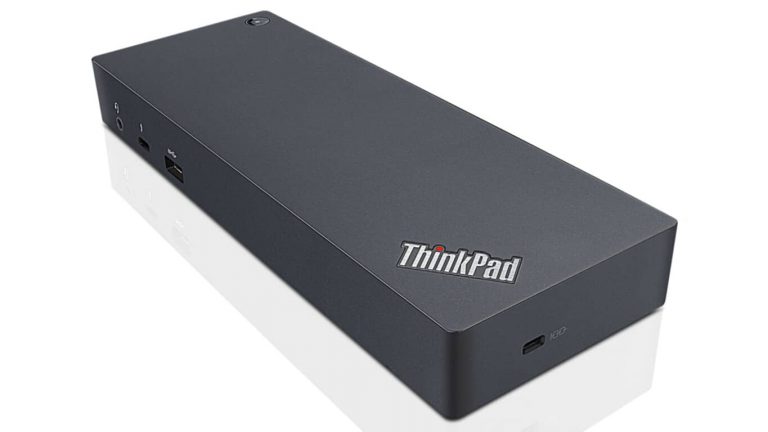
End the year with one last Xbox One deal, buy a console get a free gift

While Christmas is now behind us, we guess that Microsoft’s Xbox One S gaming console was found under many Christmas trees this year. But as the holiday season is not completely over yet, the Xbox team has just announced a last limited time promotion that may well help the company to sell more units before the end of the year.

Through December 31, consumers in the US who purchase any new Xbox One or Xbox One S console will get one of the following additional gifts along purchase:

  • For console purchases at Best Buy, Amazon or Walmart.com, get a free Xbox Wireless Controller
  • For console purchases at GameStop, get a free Xbox Stereo Headset in white or black
  • For console purchases at Target or Microsoft Stores, build your gaming collection with a free game of your choice

Last but not least, the Xbox team also mentioned that some online retailers including the US Microsoft Store are also offering a special a $50 gift card in addition to a gift. We invite you to check the dedicated page on Xbox.com to find the best Xbox One or bundle for you.

iBall launches iBall CompBook i360, an affordable Windows 10 convertible, in India

Indian OEM iBall has launched an affordable convertible Windows 10 laptop – iBall CompBook i360 – which sports a touch screen and a double-spindle hinge for 360° convertibility.

Earlier this year, iBall had launched its CompBook range of affordable laptops in India starting at just ₹9,999 ($150) aimed at first-time users, as well as students and small businesses.

In this era of touch screen devices, our strategic partnership with Microsoft and Intel has created a seamless combination of futuristic design and functionality. The iBall CompBook i360 is by far the most affordable Touch Screen and 360° Convertible laptop in the market. Outfitted with the finest, the i360 powered by Windows 10 will strike the right connect with the dynamic needs of today’s first-time aspiring user audience, looking for a touch-based laptop.

– Sandeep Parasrampuria, Director and CEO, iBall

The laptop is available in a chic soft gold color, and can be converted into four modes – Laptop, Tablet, Stand Mode and Tent Mode. The device is also available with Windows 10 Pro at an additional cost for business users.

iBall CompBook i360 Specifications

  • Operating System: Windows 10 Home
  • Display: 29.4 cm (11.6-inch) HD full capacitive multi-touch
  • Processor: 1.84 GHz Intel Quad Core processor
  • RAM: 2GB
  • Internal Storage: 32GB; expandable up to 64GB with MicroSD card
  • Battery: 10,000mAh
  • Ports: HDMI, 1 x USB 3.0, 1 x USB 2.0, 3.5mm combo jack for headphone and mic

The iBall CompBook i360 will be available at leading retail stores within a week, at a very affordable price of ₹12,999 ($192). What are your thoughts on this budget convertible? Tell us in the comments below!