Microsoft is launching a new Console Purchase Pilot for Xbox One owners in the US struggling to get their hands on a new Xbox Series X or Series S console. The program is now live in the Xbox Insider Hub, and but Microsoft will only allow select Xbox Insiders in the US to register.
Today we're introducing the Console Purchase Pilot, allowing US #XboxInsiders on Xbox One to register for a chance to reserve an Xbox Series X|S console. Check the Xbox Insider Hub on Xbox One for details. Limited space is available and not all who register will be selected. pic.twitter.com/MBkQmbSDWc
Even though Microsoft’s Xbox Series X and Series S launched six months ago, the next-gen consoles remain very hard to find. The problem has been aggravated by scalpers doing their best to purchase consoles to make a profit.
Sony has been facing a similar issue with its PlayStation 5 console, and the company has tried to tackle it by sending email invites to enthusiasts interested in pre-ordering a PS5 from the company’s PlayStation Direct website.
Last month, Microsoft’s CFO Amy Hood said during the company’s FY2021 Q3 earning calls that “significant demand for the Xbox Series X and S will continue to be constrained by supply.” The ongoing chip shortages are currently affecting many industries, and it could be months before next-gen consoles become widely available.
Are you a gambling addict? Do you want to control your addiction and possibly break off it? This article is especially for you. Here, we’ll be looking at some of the best anti-gambling software out there, which you can easily install on your PC to control or restrict your gambling online.
As believed by many, gambling is a bad habit, which needs to be curbed at all cost. It has resulted in the downfall of the wealthiest of men, and worse, many have lost their lives in the process. This underlines the reason for the campaign against gambling across the globe.
Like every addiction, gambling needs to be controlled before it can be fully curbed. In light of this, various tools have been developed to facilitate the control and restriction of online gambling, which dominates the gambling world today.
With these tools, you would be unable to access gambling/betting sites, and consequently, you’ll lose the convenience and flexibility of gambling from the comforts of your home.
In the next section of this article, we will be reviewing the top five anti-gambling software for Windows. Read on!
Best anti-gambling software to eliminate gambling habits for good
BetBlocker
Bet Blocker is a top-rated anti-gambling software, designed to place restrictions on gambling sites. The software is designed to run on all notable computer and mobile platforms, including Windows, Linux, Android and iOS among others. For Windows users, the tool is supported on Windows 7/8/8.1/10.
Besides that, BetBlocker is built to block more than 4200 gambling/betting sites. It offers two basic control techniques; self-restriction and parental control.
The former is used to block user access to betting sites, while the latter affords you the flexibility of restricting third-party access to gambling sites, which is specially designed to control underage gambling.
The interesting thing is, once you’ve activated the gambling self-restriction feature, you cannot reactivate it again, even if you uninstall & reinstall the program.
This is basically designed to enforce the necessary level of control, required to break an addiction. Furthermore, gambling self-restriction can be set on a daily, weekly, monthly or yearly basis. In fact, you are afforded the opportunity of setting it to a lifetime (forever).
Other notable features of BetBlocker include customer support, password-protection, simple UI, comprehensive FAQs, feedback support, multiple compatibilities and many more.
BetBlocker is available at absolutely no cost. You can easily download and install the anti-gambling software on your PC for free.
Gamban is another popular anti-gambling software, which is specially designed to run on Windows PC. It is equipped to block online websites and apps, including virtual casinos, betting sites, poker games, skins and so on. Like BetBlocker, Gamban is designed to run on all modern Windows OS, from Win7 to Win10. Other operating systems like Linux, Mac, Android (except Xiaomi & Huawei) and iOS are also supported.
Also, Gamban offers a clean, non-intrusive, platform, designed to help you gain control over your gambling addiction, and guides you to full withdrawal.
Its interface is fairly easy to use, making it ideal for all classes of gamblers, irrespective of their tech proficiency. Basically, you are afforded the opportunity of blocking any site that portrays a gambling/betting tendency.
Other key features of Gamban include Cloud storage synching, Simple installation, Video guide, Online support, Cross-platform support, Insightful setup, Clean & intuitive interface and many more.
Gamban is offered at a starting price of $13.99 per year (per device.
Betfilter is a dynamic anti-gambling software, designed to help you gain control over your gambling habits. Specifically, Betfilter affords you the flexibility of restricting access to online gambling sites and apps on your PC.
The software is one of the most trusted anti-gambling software in the world, with a client base of over 100,000 users across the globe.
In addition, Betfilter hosts cross-platform support for all major computer and mobile operating systems. Typically, it is supported on Windows and MacOS systems, as well as iOS and Android devices.
Key features of Betfilter anti-gambling software include Self-Restriction, Online Blocking, Discrete Upgrade, Simple Installation, Absolute Discretion, Authorized Uninstallation, No DNS Pointing, Online Support (Free), YouTube Video Guide and more. These features work in sync to reinforce your conviction to overcome gambling.
Betfilter is available at a starting license rate of $5.83 per month (per unit/device).
Gamblock is advanced anti-gambling software, which uses a set of analytical tools to block gambling sites and apps on your device. The software hosts exclusive support for Windows OS, and it is also supported on Android and iOS mobile platforms.
Furthermore, Gamblock hosts a set of advanced analytical features, which ensure that any new betting site or app is automatically added to the blacklist of restricted sites/apps. This saves time and efforts, which, otherwise, would have been expended on needless upgrades/updates.
Other noteworthy features of Gamblock anti-gambling software include Self-exclusion, Managed exclusion, Easy installation, Diagnostic & security tools, Flexible licensing, Cross compatibility, Gambler’s Help (dedicated support), VPN support, Installation video (Windows-exclusive), Online support, and more.
Gamblock offers three exclusive versions to Windows users: Windows Personal, Windows Small Business, and Windows Corporate. However, all versions are categorized under three license plans, which include:
Freedom is an all-inclusive website blocking software, which can be employed to block access to gambling sites on your PC. The software is supported on Windows and MacOS, as well as on Android and iOS. It hosts exclusive support for all Windows versions between Windows Vista and Windows 10.
Freedom hosts a flexible platform, which allows you to restrict or block sites on your computer. This makes it ideal for gambling addicts who seek to get their habit under control, as the software allows them to block their favorite gambling sites and apps, with ease.
Notable features of Freedom include Website blocking, App restriction, Internet block, Locked mode, Custom whitelist (selective blocking), Advanced scheduling, Session history, Session annotation, Multiple blocking sessions, Recurring scheduling, Technical support, Free trial and more.
Freedom is available in three pricing variants: Forever ($129), Annual ($2.42 per month), and Monthly ($6.99).
The above-outlined tools are some of the most reliable anti-gambling software in the market. And they have been ranked on the bases of their respective reliability (user reviews), affordability, compatibility and hosted features among others.
So, if you are a repentant gambler who is looking to gain control over his/her gambling habit, the software reviewed herein are the recommended solutions for you.
Resident Evil Village, the sequel to Resident Evil 7: Biohazard is one of the biggest games to be released in the first half of 2021. After the previous episode marked a return to the franchise’s survival horror roots, fans’ expectations for Resident Evil Village have been very high, especially since this year marks the 25th anniversary of the Resident Evil franchise.
The Resident Evil series is often credited for having reinvented the survival horror genre in the late nineties, and it remains one of Capcom’s most popular gaming IPs to this day. Four years ago, Resident Evil 7 biohazard was the first game in the series to use the first-person perspective, and Village keeps this FPS gameplay style but moves the action from swampy Louisiana to a secluded Romanian village.
Following the release of a time-limited demo on May 1, Resident Evil Village was released on May 7 on Xbox, PlayStation consoles, PC, and Google Stadia. RE Village is a cross-gen game that offers higher resolution textures and optional ray-tracing on PlayStation 5 and Xbox Series X|S consoles, and Capcom’s proprietary RE Engine continues to shine in this new survival horror adventure.
After a series of exciting series trailers focusing on Lady Dimitrescu, the tall vampire lady who’s one of the game’s main villains, I was really excited to finally get my hands on Resident Evil Village. After a lovely but short Resident Evil 3 Remake last year, Resident Evil Village is here to scratch gamer’s survival horror itch again, and it doesn’t disappoint.
A fantastic setting
The action of Resident Evil Village is set three years after the “Baker incident” in Resident Evil 7 biohazard, and Ethan Winters is back as the main protagonist. If you didn’t play the previous game, it continued the series’ obsession with failed scientific experiments and saw Ethan Winters save his wife Mia from the grasp of a bioweapon named Eveline.
At the beginning of Resident Evil Village, Ethan and his wife Mia have gone hiding in a remote European village to raise their newborn daughter. Mia has seemingly been cured from what turned her into a psychotic monster with regenerative abilities in Resident Evil 7, though she stills seems deeply affected by the events in the previous game.
Chris Redfield, one of the main protagonists in the Resident Evil series also plays an important role in Resident Evil Village. He appears right on the cover art for the game, and one of the first pre-release trailers for RE Village showed Chris and a team of elite soldiers storm Ethan and Mia’s house, kill Mia in cold blood, and take Ethan and his baby daughter under custody.
The truck transporting Ethan and his baby is later attacked in the middle of the night. After a confused Ethan wakes up in the forest, he starts looking for his daughter in a nearby village that is being attacked by wolf-like creatures. That village is a really creepy place with severed goat heads and dead crows hanging from the trees, and you’ll soon meet surviving villagers who are worshipping a mysterious woman named Mother Miranda.
The cult leader is the person who kidnapped Ethan’s daughter, and she’s planning to sacrifice her for reasons I won’t explain here. The baby’s name, Rosemary, is a not-so-subtle nod to Rosemary’s Baby, the cult-classic horror film from Roman Polanski where a pregnant woman confronts a satanic cult looking to use her baby for their rituals.
Mother Miranda, the main antagonist in Resident Evil Village is also assisted by four lords with superhuman abilities, and you’ll have to deal with each of them before you can rescue Ethan’s daughter. Lady Dimitrescu, the tall vampire lady I mentioned earlier lives in an old gothic castle which is one of the best-looking structures I’ve ever seen in a video game. Capcom’s attention to detail is phenomenal and your time in the castle should be quite unforgettable, especially if you’re playing on next-gen consoles.
In addition to the castle of Lady Dimitrescu, you’ll also have to explore a creepy mansion to deal with the puppeteer Dona Beneviento and her Chucky-like doll named Angie. The game has another fascinating lord with Heisenberg, a Dr. Frankenstein-like character doing weird experiments on the lycans monsters you’ll encounter in the village.
I generally enjoy the lore of Resident Evil and its grotesque monsters, but I think players who are not very familiar with it should still have a great time with Resident Evil Village. The connections with previous episodes won’t be made until late in the game, and overall I think Capcom managed to create a great and engaging story for both Resident Evil fans and newcomers.
A good mix of thrills and fan service
After Resident Evil 6 was heavily criticized for focusing too much on action, Resident Evil 7 biohazard acted as a spiritual reboot for the franchise. The derelict plantation setting and the frightening Baker family made it one of the scariest Resident Evil games for me, but Resident Evil Village probably toned down the shocking factor a little bit.
This was already quite obvious in the various pre-release trailers, but Resident Evil Village is a nice throwback to the fan-favorite Resident Evil 4, which remains Capcom’s most critically-acclaimed game of all time. Resident Evil 4 struck a very good balance between action and horror, and I think that Resident Evil Village could act as its spiritual sequel.
Several gameplay elements from Resident Evil 4 have also resurfaced in Resident Evil Village, including the inventory management system and the mysterious merchant offering weapon upgrades in exchange for money. This merchant is a giant overweight man named The Duke, and you’ll have the possibility to hunt certain animals in the game to cook meals for him in exchange for permanent bonuses.
The bestiary in Resident Evil Village is more varied compared to Resident Evil 7 village, which probably relied too much on the weird-looking “molded” monsters. Resident Evil Village offers different types of wolf-man lycan creatures, but you’ll also encounter different types of mutant humans in the castle of Lady Dimitrescu and other areas of the game.
The vampire lady is an invincible character that will hunt you down as you’ll explore her castle and learn about her disturbing antics, which include making wine from human blood. Many enemies in the castle are former humans Lady Dimitrescu turned into her slaves, and she has also three monstrous daughters that share the same lust for blood.
Protagonist Ethan Winters truly went through hell during the events of Resident Evil 7 biozahard, and he’ll once again be facing some gruesome violence in Resident Evil Village. However, the antihero we’ve seen in the previous game has since received some military training from Chris Redfield, and he’s quite a different man. Nearing the end of the game, we’re not far from John McLane levels of cockiness for Ethan, though series staple Chris Redfield remains the ultimate hard-boiled alpha male in Resident Evil Village.
An effective but improvable formula
Resident Evil Village is a fantastic survival horror game overall, and I had a hard time putting the controller down during the 10-12 hours adventure. I remember having some trouble getting into the story and gameplay of Resident Evil 7, which I found quite difficult to play with a controller, but Village will rarely leave you in need of ammo as the crafting system is quite generous.
My main issue with the game is probably that it’s a bit too short, and that overhyped characters like Lady Dimitrescu don’t have a lot of screen time. There are some great cutscenes with the vampire lady, but most of the time you’ll just be running away from her and her dreadful nails she can turn into giant claws. We’ll see what happens, but I really hope that Capcom has some DLCs in the pipeline to explore this quite fascinating character.
Some things in Resident Evil Village also broke the immersion for me, such as the voice acting. Despite the game being set in rural Romania, all secondary characters speak with a perfect American accent, which I found quite disturbing. I was also surprised by the sudden ellipses, with the action in the game shifting from nighttime to daytime sometimes within minutes.
Resident Evil Village isn’t very original in its mechanisms, and you’ll still have to solve some puzzles and find keys to continue your progression in the village. However, I did like the inclusion of optional bosses, with some of them offering a great challenge with satisfying rewards. I really encourage you to explore everything in the village, especially since some zones will become inaccessible after reaching certain points in the story.
Resident Evil games have always been known for their tank controls, and this didn’t really change with the move to a first-person camera in Resident Evil 7 biohazard. I remember hating the controls so much in that game that I eventually finished my playthrough on PC, though Resident Evil Village doesn’t offer that luxury. There’s no keyboard and mouse support on the Xbox version of the game, and the game also doesn’t support Xbox Play Anywhere on Xbox and PC even though Resident Evil 7 did.
Once you finish Resident Evil Village, you can unlock the bonus Mercenaries mode where you can fight waves of enemies in a limited amount of time, but I found the experience not very enjoyable with an Xbox controller. Ethan can’t jump and can only block enemy attacks with his hands to reduce damage, and I do miss the much more effective dodge mechanism introduced in the Resident Evil 3 Remake last year.
Overall, Resident Evil Village is a great-looking game, though be aware that enabling ray-tracing on the Xbox Series S can lead to serious performance drops. The Xbox Series X doesn’t have this issue and manages to reach its 60 FPS performance target most of the time, but I don’t think ray-tracing makes that much of a difference. I’ve been much more impressed by the general artistic direction and Capcom’s attention to detail, and again, I hope to have another opportunity to delve into this world with new DLCs.
We need more survival horror games
This year marks the 25th anniversary of the Resident Evil franchise, which remains Capcom’s flagship series alongside Monster Hunter and Devil May Cry. Earlier this week, the Japanese developer revealed in a press release that it has now shipped over 100 million Resident Evil games worldwide, with Resident Evil Village having already shipped over 3 million units in just four days.
Capcom had less success with multiplayer Resident Evil experiments, such as the forgettable Resident Evil: Resistance game that shipped alongside the Resident Evil 3 Remake last year. Resident Evil Village was expected to ship with another free multiplayer game named Resident Evil Re:Verse, but this companion game has now been delayed to summer 2021.
Resident Evil Re:Verse is coming later this summer.
I really wish Capcom kept focusing its resources on blockbuster survival horror games and fill the void left by dormant franchises like EA’s Dead Space and Bethesda’s The Evil Within. I’d also love to see the return of co-op modes in Resident Evil games, something that Resident Evil 5 and Resident Evil Revelations pulled off really well.
If you’re a longtime Resident Evil fan like me, Resident Evil Village is undoubtedly one of the best games in the series and a good synthesis of Resident Evil 7 and the fan-favorite Resident Evil 4. Capcom is reportedly working on a remake of the latter, which will also get a VR release on the Facebook Oculus Quest 2 later this year.
Resident Evil Village is priced at $59.99 on the Xbox Store and Steam, and there’s also a $69.99 Deluxe Edition including the “Samurai Edge” weapon, the “Mr. Everywhere” accessory, a screen filter, and more bonus content. If you’re an Xbox Game Pass subscriber, we also remind you that Resident Evil 7 biohazard is also free to play on Console and PC, and you may want to play it first before getting started with Resident Evil Village.
Microsoft Teams is finally receiving the much-awaited enhanced Calling experience that has been in the works since last year. This update is currently rolling out to the desktop version of Teams, as spotted by MVP Paul Bloem.
The new Calling app has been designed to streamline the whole calling experience on Windows 10 and macOS, making it easier for users to initiate or return a call with a single click. After updating the Teams desktop app, users will see a calling layout showing all important features, including contacts, calling history, voicemail, and speed dial, in a dedicated tab. This app will work with Apple CarPlay, a new capability that Microsoft announced back in December 2020.
The long anticipated #MicrosoftTeams Calling layout is here! So much simpler, everything you need without jumping to different tabs. Call forwarding options set from the same pane, no more multiple clicking to expose the Calls option buried in settings. Well worth the wait! pic.twitter.com/BK5XWxvtly
As is usually the case with Teams feature rollouts, this one too seems to be rolling out gradually, and it’s not available for everyone just yet. As for the general availability, the deployment of this update is expected to be complete by the end of this month.
In case you missed it, Microsoft has announced that the Teams collaboration service is getting support for interactive webinars for up to 1,000 attendees and PowerPoint Live this week. In addition to Webinars, Presenter mode will also roll out to Teams users later this month.
There are a lot of Windows hosting services on the market, but not all of them come with unlimited domain-hosting plans.
Lots of them come with limited hosting spaces, and that’s why we chose five of the best Windows hosting services that allow unlimited domains.
We’ve discussed about the best ones you can find on the market at the moment. Check out their best features and then decide which one seems to be the best for your needs.
What are the best hosting services with unlimited domains?
This is a Windows-shared hosting service that comes with more fine-tuned Windows Shared Hosting solutions.
You have three choices to choose from: the lite pack that allows you to get an excellent start for a single pack, or the swift package that lets you use unlimited domains and resources.
Lastly, the turbo pack also allows you to use unlimited domains and it’s the fastest service that is provided by A2 Hosting.
Since A2 Hosting’s launch back in 2003, the hard work of the team working at this service managed to earn recognition and accolades as one of the top hosting providers in the industry.
You can check out more features of A2 Hosting’s plans and get the one that is ideal for you from the official website.
Check out the best features of this service below:
At A2 Hosting, you will get the best versions of your favorite and the most popular Windows Hosting development programs
Within your account, there will be lots of solutions and development software included
The service comes with up to 20 times faster servers compared to other hosting services
You will be able to give your site a boost if you host it on the fine-tuned, blazing-fast Turbo Server option
The team of customer support from A2 Hosting service consists of experts that are available around the clock for any issues that you might have
Your account on A2 Hosting will be backed by the 99,9% Uptime commitment
A2 Hosting
A2 Hosting brings together free site migration, unlimited data storage, affordable prices, and great speeds.
With TMD Hosting, you will get blazing-fast Windows hosting with exceptional speeds and superior performance. You will also get free LetsEncrypt SSL for each one of your domains.
The service comes in three variants: Starter, Business, and Enterprise and the last two provide the opportunity to have unlimited domains, unlimited DDS space, bandwidth, MSQL databases, infinite dedicated app pools and more.
Whether you’re just starting with your website or you’re already moving an existing one from another company, the tech support team from TMD Hosting can help you get started entirely free of charge.
You can check out more exciting functionalities and features that are offered by TMD Hosting and get the best plan for your needs from their official website.
Check out the best features that come with this service:
TMD Hosting blazing-fast and fully managed Windows hosting
The service is automatically and continuously snapping five copies of your website’s database and files in order to make sure that you will always have a way back if you want to
The restoration option comes free of charge as well
All the servers from TMD Hosting are using Solid-State drivers as a foundation for the performance
If you didn’t know, SSDs significantly outperform the traditional hard disk drives, and they are able to provide up to 20 times faster load time for the website
The Windows hosting packages provide the option of creating unlimited email accounts
The service also takes care of securing the email services in order to prevent spam and to keep the accounts safe
TMD Hosting
TMD Hosting provides unlimited SSD powered servers and website databases with full functionality and optimized performance.
Speed, functionality, trustworthiness, are jus ta couple of the things that are guaranteed when choosing AccuWebHousing.
This hosting solution was perfected by developers using hardware, to create flawless security, perfect stability, and premium services all across the board.
Additionally, the company has flexible prices, lots of management tools and price plan options for you to choose from. We’d also like to mention that the service is available for both Linux and Windows.
Let’s have a look at their core features:
Unlimited website hosting on the cloud
100% hardware uptime
Unlimited hosting on SSD servers
Manageable WordPress hosting
Manageable WooCommerce hosting
Latest .NET and PHP support included
AccuWebHosting
AccuWebHosting is one of the most well-suited web hosting service that comes with plenty of features and customization options.
MochaHost is another service that provides super-fast and unlimited Windows web hosting. The service offers 100% uptime guarantee, free domain and website builder and enterprise level SSD storage among others.
MochaHost offers three variants for your two choose from. Firstly, Soho allows you to have one website to get started, Business is ideal for E-commerce and businesses and will enable you to have unlimited websites.
The second one isMocha, a service that is ideal for higher traffic sites and provides you the possibility to have countless websites.
You can see more features of MochaHost and get the plan that is ideal for you from the service’s official website.
Check out the most exciting features of MochaHost service below:
The service can host an unlimited number of websites
This is the only company that provides discounts for life, and the plan renewal fee will be the same as the initial plan price
The company makes sure that you will benefit from the lowest prices as long as you stick with them.
You will get a month of free service if MochaHost fails to meet the promised guarantee
All the nodes of this service and equipped with the fastest and the latest Intel/AMD enterprise processors allowing for enough resources for all the clients that are hosted
CISCO protects the service, and the application firewalls offer enhanced security and protection against all kinds of attacks
All three plans come with a free website builder with more than 500 professional templates
The servers are monitored 24/7 using the newest technology available
HostOnNet provides web hosting services since 2001, and it’s a fast, reliable and secure hosting service that is currently trusted by millions of users all over the world.
HostOnNet comes with three plans including Web Hosting, Reseller Hosting, and FFMPEG Hosting.
Check out the best features that are included in this service:
Using this service, you will be able to give your customers the possibility to manage their services with access to their own account in the Website Panel.
This allows you to create subaccounts for resellers, and it also enables you to centralize the management of the hosting infrastructure.
The service provides unlimited domain hosting and unlimited email accounts.
As soon as you make a successful payment, your web hosting and domain names will be activated on the spot.
HostOnNet Windows web hosting comes with two plans available, and both of them offer unlimited domain hosting.
We recommend that you head over to each service’s official website to be able to check out the complete list of features that they offer and all the plans that are included in the services.
On their websites, you will also be able to check out the pricing plans for each option available, and after that, you will be able to make the most informed decision for your needs.
All these hosting services will let you own an unlimited number of websites. Moreover, we strongly suggest giving us any feedback regarding the subject in the comment section below.
Microsoft has an excellent Windows Defender Application Guard extension for Chrome and Firefox. It helps users to protect the host PCs from malicious websites and hackers’ attacks.
The add-on works just like the Microsoft Edge extension. Simply enter a URL from any website you are not sure whether it is safe for your PC or not.
The extension automatically checks whether the website is trusted or not. If the website is trusted, then it will open in standard settings.
If you are navigating a harmful website, then your browser warns you to quit it otherwise it might install malware code on your PC.
But if the website is untrusted, and you still want to open in, the extension will open it in a sandboxed environment.
Sandbox is a highly controlled security system. It is used to test unverified programs which contain harmful data.
It will scan the untrusted websites or programs and automatically redirects users to Windows Application Guard and open the respective website in sandbox thus protecting the PC.
In order to use this application, users should install the browser specific extension and two companion applications.
How can I install Windows Defender Application Guard?
The browser will download the add-on. Press the Continue to installation button.
Click on the Add button in the next window.
After you install the Application Guard Extension, your browsing session will be protected from the online threats.
3. Install a dedicated antivirus
Microsoft’s extension is great for online browsing protection, but it has only limited powers in securing your system. Basically, it will keep you away from dangerous websites.
However, if you want full security for your PC and even your other devices, you will need a dedicated antivirus like the one recommended below.
This excellent tool offers multi-layered protection that will ensure perfect safety when performing online payments and banking transactions.
And you don’t have to commit from the start because you can try it for 30 days before buying to try all its benefits.
TotalAV
Protect your system and other devices completely with a trusted and dedicated solution.
Gaming is fun, creating video tutorials is useful, and recording meetings can be great for future reference, and these are just some of the things that can be made easier with a good screen recorder.
Today we will be looking over one such tool called Apeaksoft Screen Recorder, and we will be discussing how it can be a great addition to any gamer, streamer or even a typical user’s digital library.
What is Apeaksoft Screen Recorder?
Apeaksoft Screen Recorder is a professional software tool that allows users of all experience levels to perform top-notch recordings, both audio and video, of their screens and it works on both PC and Mac.
Since it records everything without any type of audio or video quality loss, it is an excellent choice for anyone that needs to record any important or fun screen activities.
These include online videos, Skype calls, GoToMeeting, games, podcast, webinars, lectures, online conference, webcam videos, etc., and they can all be done in either full screen, customized screen size, portions of the screen, and more.
What are Apeaksoft Screen Recorder’s features?
Record the highlights of your best gaming moments
The first thing that pops into the mind of any user when they hear about a screen recorder is whether or not they are good at recording gameplay videos, and as far as Apeaksoft Screen Recorder is concerned, it most certainly is.
It can record at up to 60 FPS, so if you have a monster PC that can run the latest games with the highest graphics while still maintaining the smoothest movements, you don’t need to worry about your recorder hindering any of that.
Besides, you don’t just record your best gaming moments, you can also share them directly to the most popular social media platforms of today like Twitch, YouTube or Facebook.
A tool that should be in any streamer’s possession
The next step after recording gameplay videos is full-on streaming your content, and as we all know you can be a streamer for other things as well, not just gaming, and Apeaksoft Screen Recorder has all the tools needed to help you.
Besides, if you’re a consumer of streaming products, you can make great use of this software to record any online video on YouTube, DailyMotion, Netflix, Hulu, etc.
More so, thanks to the lossless recordings both in terms of video and audio, you won’t be able to tell the difference between a recorded video and its downloaded counterpart.
Very handy for business environments
Not everything is about fun and games, and Apeaksoft Screen Recorder knows this. That’s precisely why its tools make it great for recording videos and taking pictures and screenshots of any product or service that you may be selling.
These same tools make screen sharing a breeze, so holding live presentations is easy if you know how to use it..
Speaking of presentations, Apeaksoft Screen Recorder makes for a great e-Learning tool as well, since the ability to record audio and video-calls can come in handy when dealing with taking online classes.
Customize the way you record content
Apeaksoft Screen Recorder doesn’t just record the entire screen along with the plain audio, since you can customize every single aspect of your videos, both while recording and after the recording is over via built-in audio and video editing tools.
On that note, you can select only portions of a screen to record, and you can choose whether to freely record system audio or just the microphone audio.
You can also preview the content and see if the capture went well before you commit to saving it, so you don’t have to worry about bloopers or recording mistakes.
As for how the content is then saved, Apeaksoft Screen Recorder supports many popular output video, audio, and image formats like MP4, WMV, AVI, GIF, and more.
Don’t waste time learning, since everything is familiar
Given all of the features mentioned above, one would expect Apeaksoft Screen Recorder to be one of those software tools that needs special training or previous experience to use, but that’s not the case.
If you know how a typical video player works and know how to read the app’s tooltips, you’re pretty much halfway there, making it a great entry-level program for any user out there.
Try before you buy
With so many perks attached to it, one would expect Apeaksoft Screen Recorder to have some big price tag attached to it, but that is not the case, especially now since you can get it at a special discount.
Besides, you can go ahead and give the free trial a try as well, as it will let you make a more informed decision on whether the software is worth it or not.
Tip
Apeaksoft Screen Recorder
A video, gaming and screen recorder all wrapped up into a single package for anyone to use!
This concludes our overview of Apeaksoft Screen Recorder, and we hope that by reading this guide and maybe even testing the tool yourself, you’ll be able to figure out if it meets your needs or not.
Let us know what you think about this tool by leaving us your feedback in the comments section below.
It’s that time of the month again! Patch Tuesday is here and I know that every one of you tech enthusiasts is impatient to read about the new updates prepared by Microsoft.
Its been a bit hard to predict what the company had in store for us, with all the projects they got going on at the same time. Keeping up with these adjustments and developments is a must for every self-respecting tech aficionado.
Windows 10, version 1909
This cumulative update is dedicated to an issue that cause scroll bar controls to appear blank on the screen and not function at all. This problem is known to affect 32-bit applications that run on 64-bit Windows 10.
Keep in mind that HScrollBar and VScrollBar controls are also compromised.
Other improvements were applied to the Windows App Platform as well as Frameworks, the Windows Kernel, the Microsoft Scripting Engine, and the Windows Silicon Platform.
The only know issues that this patch brings is that System and user certificates could be lost when you update a device from Windows 10, version 1809, or later to a newer version of Windows 10.
Another piece of useful information is that only devices that have already installed the Latest cumulative update (LCU), released September 16 2020, will be suffering from this.
Remember that this only happens when managed devices are updated using outdated bundles or media through an update management tool such as Windows Server Update Services (WSUS) or the Microsoft Endpoint Configuration Manager.
Another war to become vulnerable to this nuisance is using outdated physical media or ISO images that do not have the latest updates integrated.
Windows 10 v21H1 is almost here and there is a ton of new features coming so, plenty of reasons to be excited about.
Stay tuned for more information about the upcoming patches and updates released by Microsoft every Tuesday. Tell us what you think about v21H1 in the comment section below.
Microsoft finally rolled out the July 2021 Patch Tuesday updates, on the second Tuesday of the month, on the 13th of July.
It has become common practice for the Redmond tech company to release a brand new batch of updates every month, with the goal of improving the overall functionality of the OS and fixing existing bugs.
This month’s updates are all about improving the security of most Windows components and apps. If you want to install the latest updates, you can use our direct download links.
We already covered the key changes in these posts. Do check them out to learn what’s new:
What are the main changes in the July Patch Tuesday updates?
Microsoft Products and services updates
Across all major versions of Windows 10 that have received cumulative updates, ranging from Windows 10 original version to Windows 10 v21H1.
Here are the main highlights brought by the July Patch Tuesday updates according to Microsoft:
Updates for verifying usernames and passwords.
Updates to improve security when Windows performs basic operations.
Updates an issue that might make printing to certain printers difficult. This issue affects various brands and models, but primarily receipt or label printers that connect using a USB port.
Patch Tuesday list of CVEs
The July 2021 edition of the already famous Patch Tuesday contains a total of 116 CVEs, a much higher number if we compare it to last month when the tech company only released 49.
Adobe Products
Adobe addressed 26 CVEs this Patch Tuesday, and 22 of them are rated as critical severity impacting Acrobat and Reader, Adobe Framemaker, Illustrator, Dimension, and Adobe Bridge products.
Microsoft product vulnerabilities
The rest of this month’s vulnerabilities were found affecting Microsoft products, 15 of which were rated as Critical, while the rest are rated Important.
Tip
What are the best practices for Patch Tuesday?
There are a few things that you can do in order to make sure that your computer installs the latest Patch Tuesday updates without any issues. We all know that Windows updates often trigger errors.
In extreme cases, they may even render your PC completely unusable. Follow these tips to make sure the update install process goes as smoothly as possible.
How to download the latest PT updates
While the Patch Tuesday updates are true of greater significance compared to other patches that Microsoft regularly releases, installing them is done in pretty much the same way.
This means that you can perform the actions by following these steps:
Make sure that no other apps are running in the background.
Go to one of these sources to get the updates:
The Windows Update menu
The Windows Update Catalog (This allows for individual updates to be downloaded one by one manually)
The Windows Server Update Service (WSUS)
A Group Policy created by a network administrator
After downloading the updates, make sure nothing interrupts the update process until it is finished.
Reboot your PC once the updates are complete to finalize the installation.
Exploit Wednesday & Uninstall Thursday
Right after Patch Tuesday, hackers try to exploit the vulnerabilities left unpatched by Microsoft. This leads to an increase in the number of cyber-attacks.
On the other hand, many users often decide to uninstall the Patch Tuesday updates a few hours after install due to the large number of issues they triggered — hence the name Uninstall Thursday.
Check out this guide to learn more about how to stay safe after Patch Tuesday and make sure the updates don’t brick your computer.
Patch Tuesday: All your Questions Answered
When is Patch Tuesday released?
Microsoft rolls out new Patch Tuesday updates on the second Tuesday of each month. The next Patch Tuesday Update is expected to arrive on June 8, 2021.
How does Patch Tuesday work?
We already answered this question in this quick guide. Do check it out to learn more about the mechanisms behind Patch Tuesday.
What is the bandwidth impact of Patch Tuesday?
When actively downloading updates, you may experience slow connection issues on your Windows 10 computer. This happens especially when updating multiple PCs at the same time.
The solution is to distribute the updates locally via WSUS. This means downloading the updates from Microsoft Servers.
Then, your Windows 10 computers can share the updates in a peer-to-peer manner over the local network resulting in a faster update process.
Patch Tuesday Troubleshooting
Oftentimes, Patch Tuesday updates trigger various errors on Windows computers. These may range from minor glitches to technical issues that may render your computer unusable.
May is finally here and many users are excited to see what the next big feature update is all about, especially since Windows 10 v21H1 has been announced and teased so much over the past months.
Of course, today is also the day the monthly Patch Tuesday updates hit live, and as always, they bring a host of new features, improvements, and fixes for the most common Microsoft bugs found over the last month.
Since each cumulative update is different for each version of Windows 10, it would be wrong to talk about a singular changelog, and that is why this article exists.
Not only will we be providing you with a detailed changelog of all the modifications brought to each major version of Windows 10, but we will also be providing you with direct download links from the Windows Update catalog.
As of the writing of this article, Windows 10 v20H2 is the latest major version of Windows 10, and as such has the most experimental features on it.
Fortunately, most bugs that were first present when it was first made available have been weeded out, and this version of Windows 10 is far more stable.
That being said, you should upgrade to this version as soon as possible if your hardware allows it (the system requirements are the same as with Windows 10 v2004).
Security updates to Windows App Platform and Frameworks, the Windows Kernel, Windows Media, the Microsoft Scripting Engine, and the Windows Silicon Platform.
Known Issues:
System and user certificates might be lost when updating a device from Windows 10, version 1809 or later to a later version of Windows 10. Devices will only be impacted if they have already installed any Latest cumulative update (LCU) released September 16, 2020 or later and then proceed to update to a later version of Windows 10 from media or an installation source that does not have an LCU released October 13, 2020 or later integrated.
This primarily happens when managed devices are updated using outdated bundles or media through an update management tool such as Windows Server Update Services (WSUS) or Microsoft Endpoint Configuration Manager. This might also happen when using outdated physical media or ISO images that do not have the latest updates integrated.
Tip
Devices with Windows installations created from custom offline media or custom ISO image might have Microsoft Edge Legacy removed by this update, but not automatically replaced by the new Microsoft Edge. This issue is only encountered when custom offline media or ISO images are created by slipstreaming this update into the image without having first installed the standalone servicing stack update (SSU) released March 29, 2021 or later.
Addresses an issue that might cause scroll bar controls to appear blank on the screen and not function. This issue affects 32-bit applications running on 64-bit Windows 10 (WOW64) that create scroll bars using a superclass of the USER32.DLL SCROLLBAR window class. This issue also affects HScrollBar and VScrollBar controls and classes derived from System.Windows.Forms.ScrollBar. A memory usage increase of up to 4 GB might occur in 64-bit applications when you create a scroll bar control.
Security updates Windows App Platform and Frameworks, the Windows Kernel, the Microsoft Scripting Engine, and the Windows Silicon Platform.
Known Issues:
System and user certificates might be lost when updating a device from Windows 10, version 1809, or later to a later version of Windows 10. Devices will only be impacted if they have already installed any Latest cumulative update (LCU) released September 16, 2020 or later and then proceed to update to a later version of Windows 10 from media or an installation source that does not have an LCU released October 13, 2020 or later integrated.
This primarily happens when managed devices are updated using outdated bundles or media through an update management tool such as Windows Server Update Services (WSUS) or Microsoft Endpoint Configuration Manager. This might also happen when using outdated physical media or ISO images that do not have the latest updates integrated.
According to Microsoft, users that still have the Home, Pro, Pro for Workstation, and IoT Core editions of Windows 10 V1809 should know that it reached End of Service back in November 2020.
That is why it is advised that you update your OS to a newer, supported version.
Security updates to Windows App Platform and Frameworks, the Windows Kernel, the Microsoft Scripting Engine, and the Windows Silicon Platform.
Known Issues:
After installing KB4493509, devices with some Asian language packs installed may receive the error, “0x800f0982 – PSFX_E_MATCHING_COMPONENT_NOT_FOUND.”
Microsoft first announced that Windows 10 v1803 will reach the end of mainstream support, and starting with July there wouldn’t be any more optional, non-security releases for this version of Windows 10.
Note:Windows 10, version 1607 has reached the end of service for all of its available editions. Update to the latest version ofWindows 10in order to keep your system protected.
Addresses an issue with evaluating the compatibility status of the Windows ecosystem to help ensure application and device compatibility for all updates to Windows.
Provides a DWORD registry key to address a performance issue that might occur when you use the Background Intelligent Transfer service (BITS) to download many files. Set the DWORD registry key as HKEY_LOCAL_MACHINE\SOFTWARE\Microsoft\Windows\CurrentVersion\BITS\EnableLargeBuffer= 0x1 After you set the registry key, restart the machine, or restart BITS to enable the use of large buffer size and file size incrementing.
Addresses an issue in Task Scheduler that causes monthly tasks and tasks scheduled for 0 UTC to occur at the wrong time.
Security updates to Windows App Platform and Frameworks, the Microsoft Scripting Engine, and the Windows Silicon Platform.
Known Issues:
After installing KB4467684, the cluster service may fail to start with the error “2245 (NERR_PasswordTooShort)” if the group policy “Minimum Password Length” is configured with greater than 14 characters.
This concludes our list of changes that have come with the arrival of the May Patch Tuesday updates.
keep note that some of you may even get the option to uptae their PC entirely to the new Windows 10 21H1, although we recommend that you postpone that particular update for at least a couple of days to avoid day-1 bugs and errors.
You can do this for even longer periods of time (up to 35 days), although unless you have very serious reasons for doing so, we don’t recommend postponing for such a long time at all.
As for the generic cumulative updates, we recommend that you update your PC as soon as possible if you want to if you value your PC’s security and don’t want to fall victim to things like Exploit Wednesday or Uninstall Thursday.
If you’re not sure how you can get the latest updates installed on your PC, you should know that there are several methods that you can use:
The Windows Update menu on your OS
The WSUS (Windows Server Update Service)
Group Policies set up by your admins if you’re part of a larger network.
What do you think about this month’s Patch Tuesday updates? Share your thoughts with us in the comments section below.
BSoD errors can be rather troublesome, and they are one of the most serious errors on Windows 10.
These types of errors will make your PC restart in order to prevent damage, therefore it’s crucial to fix these errors.
MULTIPROCESSOR_CONFIGURATION_NOT_SUPPORTED is one of those BSoD errors, and today we’re going to show you how to fix it.
How can I fix MULTIPROCESSOR_CONFIGURATION_NOT_SUPPORTED BSoD?
Solution 1 – Make sure that your Windows 10 is up to date
Windows 10 is constantly being improved with various updates, and these updates often bring new features.
In addition to new features, there are many bug fixes that are fixing compatibility issues with certain hardware.
Since many BSoD errors are caused by incompatible hardware, it’s important that you perform Windows update regularly in order to eliminate any potential incompatibility issues.
Solution 2 – Update your drivers
Many BSoD errors can be caused by outdated drivers, therefore it’s crucial to keep your drivers updated if you want to keep your PC error-free.
Updating your drivers is relatively easy, and you can download all the necessary files from your hardware manufacturer’s website.
Since almost any driver can cause MULTIPROCESSOR_CONFIGURATION_NOT_SUPPORTED error, be sure to update as many drivers as you can.
In addition to downloading files from your hardware manufacturer, you can also update the drivers by using Device Manager. To do that, follow these steps:
Press Windows Key + X to open Power User Menu. Select Device Manager from the list.
Once the Device Manager opens, locate the driver you want to update, right click it and choose Update Driver Software.
Select Search automatically for updated driver software. Windows 10 will now download the appropriate driver.
Repeat the previous steps for every driver you want to update.
A number of users reported that they are unable to access Windows 10 due to this error, and if that’s the case you can always try updating the drivers from Safe Mode.
To enter Safe Mode, do the following:
Restart your PC while Windows 10 boots. You might have to restart your PC couple of times before you can start Automatic Repair mode.
Select Troubleshoot > Advanced options > Startup Settings and click the Restart button.
After your computer restarts, you should see a list of options available. Select Safe Mode with Networking by pressing 5 or F5 on your keyboard.
When you enter Safe Mode try to update your drivers again.
Don’t forget that even from safe mode, there is a big probability that you can find an older driver or a version that may not be compatible. In this case, we recommend you let a dedicated tool do the job for you.
Not only it will keep you away from downloading the wrong driver, but it will also let you choose what drivers you want to install for each of your PC’s components. You are the only entity that will decide and install a driver as the program will only find the right one and give you the option to install it or not.
Solution 3 – Upgrade your BIOS and enable Virtualization Technology
Few users reported MULTIPROCESSOR_CONFIGURATION_NOT_SUPPORTED BSoD error, and according to them, the issue was fixed after downloading the latest version of BIOS.
Updating BIOS is a relatively advanced procedure, therefore you should be extra careful while performing it if you wish to avoid causing any permanent damage.
It’s worth mentioning that BIOS update process is different for each motherboard model.
So in order to see how to properly update BIOS, be sure to check your motherboard manual for detailed instructions.
As for the required files, you should be able to find the latest BIOS available from your motherboard manufacturer’s website.
In addition to updating BIOS, many users are suggesting to enable Virtualization Technology.
Not all processors support Virtualization Technology, so before you try to enable it, be sure that your processor supports it.
As for enabling Virtualization Technology, you’ll need to enable it from BIOS. For detailed instructions on how to enter BIOS, be sure to check your motherboard manual.
Solution 4 – Downgrade BIOS
Although updating BIOS enables new features, some users claim that MULTIPROCESSOR_CONFIGURATION_NOT_SUPPORTED BSoD error was fixed after they installed an older version of BIOS.
It’s worth mentioning that after downgrading BIOS users reported slightly lower CPU speed and the inability to change the multiplier in BIOS.
Despite these drawbacks, the issue with BSOD was fixed after a successful BIOS downgrade.
Solution 5 – Disable CPUID Value Limit
Many users reported MULTIPROCESSOR_CONFIGURATION_NOT_SUPPORTED BSoD error while installing Windows 10, and you can easily fix this error by disabling CPUID Value Limit setting in BIOS.
Before you can disable this setting, make sure that your BIOS has this option available.
To see how to locate and disable CPUID Value Limit in BIOS make sure to check your motherboard manual.
In addition to the CPUID Value Limit, some users are also recommending to disable Hyperthreading and Multiple CPU cores in BIOS.
If the BSoD error is resolved, you can try enabling these features one by one if you need to use them.
Solution 6 – Make sure you’re using identical CPUs
This solution applies only to users that have two CPUs on their motherboard. If you have just one processor, you may skip this solution.
If you’re using two processors and you’re getting MULTIPROCESSOR_CONFIGURATION_NOT_SUPPORTED BSoD error, you need to make sure that installed processors are identical.
This includes both model and stepping, and if processors aren’t identical, you might have to replace one of them.
Solution 7 – Check for hardware problems
Sometimes MULTIPROCESSOR_CONFIGURATION_NOT_SUPPORTED error is caused by faulty hardware, most commonly processor, so you might need to check it.
Several users reported that they have successfully fixed this BSoD error by replacing their CPU, so make sure that you try that.
Solution 8 – Run an SFC Scan
System File Checker will help you find and fix problems and errors like MULTIPROCESSOR_CONFIGURATION_NOT_SUPPORTED.
Below you will find a guide on how to run an SFC scan on your Windows 10 laptop or PC:
Click the Start (Windows) button on your keyboard or open it by clicking on it in the left-bottom corner of your desktop
Type command in the search box (Wait for results to appear, do not hit Enter key yet)
In the results, Command Prompt will appear. Right-click on it and select Run it as Administrator
In the command line in Command Prompt type sfc /scannow
After the scan is over, follow the on-screen commands, restart your PC and see if the problems still persist.
MULTIPROCESSOR_CONFIGURATION_NOT_SUPPORTED BSoD error can be problematic since it’s usually related to your CPU or BIOS, but you can easily fix it by using one of our solutions.
As Amazon continues to litigate the awarding of the Department of Defense’s JEDI contract to Microsoft, rumors of defense officials contemplating skuttling the project have begun surfacing.
OnMSFT has covered the progress of the Joint Enterprise Defense Infrastructure over the past few years as it seemingly wound its way down to a single contract winner back in 2019.
Early on, the JEDI contract was mired in controversy as an original bidder Oracle filed a lawsuit alleging Amazon impropriety as a former employee eventually found their way into the procurement of the contract standards for the DoD. The employee was eventually hired back at Amazon after leaving the DoD shortly after the JEDI standards were solidified.
A judge on the Oracle suit ruled in favor of Amazon by way of rejecting Oracle’s claims. Over time, Oracle dropped out of the bid, leaving Microsoft and Amazon as the lone two solution providers. In mid 2019, the Trump administration made a public showing of interest in the JEDI contract, assigning newly appointed defense secretary Mark Espers to re-examine the $10 billion cloud-computing contract.
Espers shortly resigned from the oversight committee appointed to JEDI contract due to obvious conflicts of interest. A month later Microsoft was awarded the JEDI contract, and a few weeks later Amazon filed its first injunction.
Since its first injunction request, Amazon has filed two more complaints that mirror the singular claim that former president Donald Trump’s public disdain for Amazon founder Jeff Bezos, played a critical role in Microsoft’s win of the JEDI contract. Holding back no punches, Amazon has repeatedly claimed Microsoft’s Azure cloud computing service to be inferior and more expensive than its AWS product.
Despite a Pentagon inspector general advising that the Trump administration hadn’t violated any ethical standards in awarding Microsoft the JEDI contract, Amazon continues to seek legal remedies to stall its implementation and force a re-evaluation of the solutions.
Unbeknownst to many, the endowment of the JEDI contract was only the first act of a two-part act that would put the multiyear $10 billion deal into a legal quagmire with neither Amazon nor Microsoft able to begin work with the US Department of Defense.
If a judge were to side in favor of Amazon, the win could force the DoD to host another years-long bidding process again which is, perhaps, why defense officials are getting antsy at the idea of shelving the project altogether.
According to the Wall Street Journal, “Ms. Hicks and other Pentagon officials say there is a pressing need to implement a cloud program that serves most of its branches and departments. The JEDI contract, valued at up to $10 billion over 10 years, aims to allow the Pentagon to consolidate its current patchwork of data systems, give defense personnel better access to real-time information and put the Defense Department on a stronger footing to develop artificial-intelligence capabilities that are seen as vital in the future.”
On the face of it, it could seem like a “take my ball, and go home” approach to a highly sophisticated future proofing solution for DoD and may lend further credence to Amazon’s claim of unduly adjudication of the contract; with some viewing the decision as a smoke screen to conceal any exculpatory evidence that points to Microsoft favorability by the prior administration.
Either way, as time crawls on, lawmakers and government contract experts are pitching the idea that a multivendor approach may be a quicker and more efficient way to get a similar JEDI-like project up and off the ground at this point.
Not only would a multivendor JEDI approach eliminate potential single-point access flaws, it would circumvent any future claims of impropriety or favorability from the DoD as it awards future contracts. The current system the DoD utilizes is already a patch work of separate solutions, but are based on decades old technology.
While it would could have been another huge notch on the Azure belt of contracts, it’s increasingly becoming a reality that Microsoft may walk away from the JEDI contract as bit-player rather than the solitary arbiter of the DoD’s future cloud computing infrastructure.
With that being said, Microsoft seems prepared for that eventuality as it moves on to larger multi-billion contracts and puts its support behind the US government amid ‘prolonged’ litigation.
“We agree with the U.S. [government] that prolonged litigation is harmful and has delayed getting this technology to our military service members who need it. We stand ready to support the Defense Department to deliver on JEDI and other mission critical DoD projects.”
It is also unclear where this will leave Amazon and the DoD if this becomes the reality of the JEDI contract. Amazon already partners with the DoD and other defense branches.
Amazon declined comment when asked by the Wall Street Journal regarding the news of defense officials potentially looking beyond the JEDI contract and the company’s current legal complaint.
Using an Xbox controller on Windows is usually a walk in the park. And playing certain game genres without a controller is slow suffering.
So, it’s quite a common thing to use a well-built console controller on your PC, like the Afterglow Xbox 360 controller which is remarkably popular if we consider that Xbox 360 is already an outdated console.
However, it seems that the plug-and-play approach won’t work for some users. Luckily, we have a way to fix this below.
How can I install the Afterglow Xbox 360 controller?
1. Get the correct drivers
Make sure that your controller is plugged into the USB 2.0 port.
Right-click on the installer and run it in Compatibility mode.
Reboot your PC.
If that fails, here’s how to locate locally stored driver which might work:
Right-click Start and open Device Manager.
Navigate to Sound, video and game controllers and expand this section.
Right-click on your controller and choose Update driver.
Select Browse my computer for driver software.
Click Let me pick from a list of available drivers on my computer.
Select Microsoft Common Controller For Windows Class from the list.
Choose the latest available driver and install it.
Reboot your PC.
Due to the cross-platform support and the fact that Microsoft is behind both Xbox and Windows, all controllers should work with a simple Plug-and-Play sequence.
Just plug in your controller and wait for the system to install drivers.
After that, you can configure them as you please in the Hardware settings or in the in-game settings. Either way, that’s how it usually works on Windows 10.
However, some users are unable to make it work on its own. The problem is, seemingly, in the driver which works for some while it doesn’t for others. This can be addressed by installing the driver manually in the compatibility mode.
After lengthy research, we haven’t been able to find an Xbox 360 controller driver for Windows 10. However, the Windows 7 one should work without issues once run in the compatibility mode.
2. Use third-party software to update you drivers automatically
A professional driver updater tool is recommended to be used in order to avoid serious malfunctions.
Using a dedicated software you can automatically install and update your drivers just in a few seconds and safe from any issue.
After that, you should be having a fully functional afterglow Xbox 360 controller for Windows 10. If you’re still having issues with it, tell us in the comments section and we’ll gladly help you.
Finding the right software for FEM/ FEA is not an easy task. For this reason, in this article, we’re going to list the best tools that you can use to run FEM analysis on PC.
Before we dive in, it is worth mentioning that technically there is absolutely no difference between the terms FEM (Finite Element Method) and FEA (Finite Element Analysis). The term FEM is more popular at universities, while FEA is more popular in industries. FEM or FEA is a numerical method for solving complex problems in mathematical physics and engineering.
The best FEM/FEA software to use on Windows PCs
SimScale
SimScale is a powerful FEM tool that you can use in your browser, without installing any software. All you need to do is upload the model and run the analysis.
The Finite Element Analysis component of SimScale allows you to test and predict the behavior of structures. This tool helps you solve complex structural engineering problems subjected to static and dynamic loading conditions.
The tool supports the following modules:
Static Analysis: Perform structure simulations, including linear static and nonlinear quasi-static analysis. This module is very useful for simulation of heavy machinery, industrial equipment, aircraft structure, pipes, and bridge design.
Dynamic Analysis: Analyze the dynamic response of a structure subjected various loads and displacements to calculate impact loads and structural degradation. This module is very useful for analyzing automotive, earthquake effects on buildings, and more.
Modal Analysis: Determine the eigenfrequencies and eigenmodes of a structure as a result of free vibration. You can use this module to analyze the peak response of buildings, bridges, or vehicle parts under various frequencies.
Multibody Dynamics and Contact Constraints: Analyze the behavior of structures under large sliding friction and frictionless contact constraints.
Material Models: The solid mechanics tool offers various material models, allowing you to analyze the effects of plasticity, as well as large deformation behavior using hyperelastic material models.
For more information about SimScale, check out the introduction video below: SimScale has a pay-as-you-go policy. You can try the tool for free. The free account gives you access to 3000 hours of computing time per year.
LS-DYNA
LS-DYNA is a general FEM software that will help you solve complex problems in automobile, aerospace, construction, military, manufacturing, and bioengineering industries.
The tool has various applications, and was even used for the NASA JPL Mars Pathfinder landing simulation to see how the space probe’s airbags would behave. LS-DYNA is one of the most flexible finite element analysis software out there and can basically handle everything you throw at it.
In order to run LS-DYNA, you need a command shell, the executable file of the tool, an input file, and enough free disk space to run the simulation. It is worth mentioning that input file are in the ASCII format.
LS-DYNA can help you with the following analyses: thermal analysis, fluid analysis, failure analysis, crack propagation, electromagnetism, and much more. For more information about the software’s capabilities, go to LSTC’s website.
You can buy LS-DYNA as an annual, paid up, monthly, or site license. For more information, you can contact LSTC’s Sales Department.
Adams
Adams is a valuable tool to simulate real world physics and solve large-scale problems. The tool can help you design your products in an efficient manner in order to optimize performance, safety, and comfort.
You can quickly and easily simulate various situations and see how loads and forces vary in time depending on the motion type and operating environments.
Adams is a multidisciplinary tool, allowing you to blend and analyze data from various fields, including: mechanics, pneumatics, hydraulics, electronics, and control systems technologies. You an them use this data to virtually test your future products.
This multibody dynamics software is perfect for product design and test purposes. If your job involves building cars, heavy machinery or other similar products, then Adams is the perfect choice for you.
Simcenter 3D is an advanced 3D simulation platform that you can use to model, as well as simulate and analyze various systems. The tool can be used in a variety of fields right from the design stage of a product or system. Actually this is one of Simcenter 3D’s main advantages: you can use from the design phase to the testing phase.
You can use Simcenter 3D for the following analysis types: structural analysis, acoustics analysis, composites analysis, thermal analysis, flow simulation, motion analysis, multiphysics, engineering optimization.
If you want to see Simcenter 3D in action, check out the video below: Simcenter 3D is available as a standalone tool, as well as an integrated software with NX. For more information on purchasing the tool, you can check out Siemens’ official website.
WaveFEA
WaveFEA is a FEM software that uses the Autodesk Nastran Solver to run complex calculations. You can use the tool for a wide variety of tasks, including composites analysis, risk mitigation studies, design comparison, impact analysis, calculate impact results, find the localized damage factor, thermal stresses and expansion, metal forming analysis like rolling and drawing, and much more.
The team that created WaveFEA also published a series of tutorials on how to use the tool for running various analyses, as well as a thorough install guide. This is a very useful feature, making it suitable for beginners. Actually, WaveFEA is the perfect FEM software for users new to FEA, consultants, individual engineers, as well as small companies.
There is also a downside to this software: 32-bit (x86) versions of Windows are not supported.
midasNFX is a powerful software for structural CFD simulation and optimization design tasks. As a user, you have total freedom in building, editing and manipulating FE models.
The tool is also extremely versatile, and can provide in-depth analysis for functions such as contact, nonlinear, dynamic and fatigue to high-end fluid analysis functions.
If you’re in a hurry and you need to get things done quickly, midasNFX is the right choice for you. The Tool supports fast modelling of simulation models directly into its pre/post graphical interface. Thanks to its multi-core solvers, you’ll get the results in no time. The software also features a word format auto-report generator and 3D PDF report generator for fast reporting.
Interested in testing midasNFX? You can request a quote on this page. There is also a supporting rental plan available for small size companies and FEA consultants.
Mecway
Mecway is a useful FEM tool for Windows that focuses on mechanical and thermal simulation. If you’re a beginner and you’re learning to use FEM software, then this is the perfect choice for you. The tool has an intuitive graphical interface that speeds up the learning curve. In addition, it also provides you with instant feedback on errors as you work. In this manner, you can clearly see what you’re not doing right and learn faster.
Mecway also allows you to visualize your models both graphically and in an outline tree. If you want to see Mecway in action, check out the video below: Other features include:
Dynamic, static, thermal, buckling, acoustic, etc.
Full nonlinear capability though seamless integration with the included CalculiX solver
Wide range of element, load and material types
Both manual and automatic meshing tools
Up to 1,000,000 nodes in 64 bit mode
CAD associativity
It is worth mentioning that Mecway has a 20 year development history. You can buy the tool for $100 for non-commercial use or $350 for commercial use.
Conclusions
In all honesty, there is no best FEM software. It all depends on your needs as a user. Some FEM software specialize in certain fields, which means that they will leave a lot to be desired in other areas.
When choosing a FEM software, the type of analysis required should be your main criterion. Also, check what is the maximum number of nodes that the tool can process. And most importantly, keep in mind that not all software are the same and there is a huge variation when it comes to their problem-solving capabilities.
In this article, we tried to include both specialized FEM software, as well as more general and versatile tools that you can use for a wide range of analyses.
If you’ve used other FEM software that you think we should include on this list, let us know in the comments below.
Managing a tennis club can be a daunting task as you need to put consistent efforts to keep the tennis court in playable conditions as it may have long-term consequences when not implemented correctly.
While there is no software to reduce the maintenance workload, tennis court booking software can certainly help you take care of the booking process by automating booking and payments online.
A Tennis court software is an all-in-one management tool that helps you reduce the human workforce for administrative tasks.
These software solutions are usually cloud-based and also allow you to customize your website with easy to use plugins, contact forms, notification systems, and more.
Almost all the major Tennis clubs use tennis club software to make reservations, collect payment, maintain schedule and to show promotional offers online.
If the club members opt to get notifications on updates and promotions offers, you can send any future updates to all the club members with one click.
Things to consider in a tennis court booking software
Easy to use responsive user interface
Ability to make reservations online
Easy Payment Processing System Integration
Website builder to build highly responsive websites and pages
Efficient communication system with automated invoices, emails, and new updates
One-click access to a user database ( Address, name, contact number, etc.)
Analytics report based on user interaction, demographics, and devices
These features are usually offered by a business/membership management software and work with all kind of online businesses.
Today we will be looking at some the business management solutions to find the best tennis court booking software to save you time and money.
What’s the best tennis court software to automate the booking process?
Omnify (recommended)
7 Days Free Trial
Pricing Starts at $19 / mo
No Setup Fee
Supports iOS / Android / Web
PayPal and Stipe Payment Integration
Omnify is a cloud-based business management solution that offers scheduling and booking solution for tennis clubs and other businesses. It provides staff management, billing solutions and also comes integrated with CRM (Customer Relationship Managemen) solution.
After the setup, the admin can manage the site from the admin panel. You can easily manage and schedule events. Omnify offers recurring payments option for the members, subscription management system to keep track of packages purchased which can also be used as an A/B testing module to analyze the trend among clients.
The built-in website builder allows you to create a highly responsive site with user-friendly check out pages. Omnify offers its mobile application for Android and iOS users. The users can integrate the business with Stripe or PayPal as a payment processing system.
Omnify, in general, is a good business management solution. However, there are a few things that Omnify can improve including a better UI for customized checkout pages with additional details and also more training videos for a better understanding of the software.
Fons (suggested)
14-Day Free Trial
Pricing Starts at $9.95 / mo / Per staff
No Limit on Number of Clients on any plan
No Setup Free
Support iOS / Android / Web
Billing is Handled by Fons
Fons is also a cloud-based scheduling and billing platform that can efficiently act as a tennis court booking software. Fons gives clients their own unique link that can be shared with the customers to make appointments and payments etc.
Unlike Omnify, Fons handles the payments and billing process itself. The refund process is handled by Fons in case of on-time cancellation while the client can also choose to process refunds manually if needed. Users can also opt for recurring payment which is usually the cases with tennis classes and matches and removes the hassle of sending non-ending payment reminders.
You can set your own cancellation policy window from 24 hours to 48 hours, add more staff, set working hours and availability, set schedules so that every student/member can check the schedule online and send customized invitations with your logo.
Fons works on mobile devices including Android and iOS and offers a web-based user interface for PC users. The customer service feedback is good, but the software involves a learning curve for non-tech savvy people which can be improved with a better UX and more tutorial videos.
Skedda
Free Tennis Court Booking Software
Integration with custom Websites
Optional Extras Starts at $29
Integration with third-party apps like Zapier and iCalender (costs $19)
Stripe Integration for Payment and billing (costs $19)
30 Days Trials for all extras and optional features
Skeddais one of its kind tennis court booking software that costs nothing to set up. It is a cloud-based solution and works well with all kind of devices with access to the internet. There is a MultiUser feature to collaborate with other users on Skedda.
Skedda offers online booking and reservation facility to club members. The user can book the tennis court or lessons online and keep a tab on schedules with calendar integration.
The payment processing is done via Stripe integration which is optional and costs $19. Skeda also supports cloud-based services like Google Calendar, Microsoft Outlook, Yahoo Calendar, Mozilla Thunderbird and Zappier integration which is optional and costs $19.
Free Plan – The free plans offers unlimited bookings and users registration, updates about space conditions and sharing rules, reports based on daily or monthly activities, custom account URL, 24 hours of booking and in-app chat support.
Pro Pack – Pro Packs offers more features including unlimited booking administrators, 90-day booking activity feed, 7 years of data retention, better privacy, white labeling on email and mobile and Phone and video support in addition to chat support.
Skedda is one of the best free tennis court booking solutions for those looking for an event management software to make appointments and set schedules. If you also need apps integration and automate online payment, you need to sell a total of $40 extra each month.
Planyo
Free 30-Days Trial
Website Integration Support
Pro plan starts at $23 / mo
Commision based plans also available
Android and iOS App Support
Support Over 60 payment gateways
Third-party apps integration
Planyo is another tennis court reservation and booking software allowing the clubs to manage reservations and schedules. Users can make a reservation from a free iPhone and Android app.
Planyo can automate the reservation tasks like showing availability of courts, prices, quotations and handle cancellation and modifications to the appointments. The software can be integrated into your websites with the help of plugins or HTML codes.
You can further customize the site by offering vouchers, bundled offers, and coupons on the website. It supports up to 6 administrative roles including access to agents as needed. The billing and invoices are handled by Planyo.
Court Reserve
Free Demo Available with 30 days free trial
Basic plan starts @ 50/mo
Integrated Payment System
Mobile apps for Android and iOS / Web access on PC
CourtReserveis a powerful tennis court booking software that allows you to manage online booking for your tennis court. The users can make reservations either from the website or using the mobile app for Android and iOS.
CourtReserve offers free one-to-one demo along with a 30-day free trial. The basic plan starts at $50 per month and can manage up to 10 courts booking on a single location. You can also add unlimited admins and organizers, up to 1000 members and manage events.
The Payment and billing process is integrated into the software and is handled by CourtReserve. The mobile app is available for both the administrators and club members but requires registration.
The reservations can be made from a mobile device or PC online or your own website by adding a small snippet of codes. In addition, you can manage the recurring event, setup organizers, integrate pricing, create custom booking windows and offer different types of membership plans based on skill sets and age.
10sPortal
Pricing Starts at $199 / mo
Setup Fee Applicable
No Trial but Demo Available on Request
10sPortal offers an integrated tennis club management software that helps you manage your tennis club facility. 10sPortal allows you to keep track of your club members along with revenue generated from service provided.
Using the service, you can issue refunds, voids and collect payment from members online, generate employee payroll report and also calculate commissions based on payroll reports.
Members can make an online reservation for a tennis court or even private tennis lessons. Users can also find other members to play with based on age and skill level.
The graph-based analytics maps show users interaction based on demographics, age, time and date. You can also perform A/B testing with different tennis court lesson packages to find the best working pricing model.
10sPortal also has an advanced tracking feature to track members’ participation. You can further manage membership accounts by allowing members to manage lesson packages and sending monthly or quarterly reports.
The tennis court booking software isn’t a luxury anymore but a necessity to efficiently manage your tennis club business by reducing paperwork and manual handling of booking and event management.
All the software solutions in this article offer a free 30-day trial, so make sure you give them a shot before committing to the one that fits your bill.
If you’ve been using your PC for the longest time by now, chances are that you may have been disposing of your external drive with recoverable data. The problem is that users might have insufficient knowledge about the methods or tools to wipe their storage devices clean.
It is easy to understand the situation especially given the complexity of cleaning storage tools. Thankfully, we have listed down some of the best external drive cleaner tools for you to use before you dispose of your storage device.
What is the best external drive cleaner for Windows 10?
CCleaner is a helpful file shredder designed to clean areas of your storage device where data can be hard to find. The tool cleans up unused files and settings to help your computer run faster. It also ensures safer browsing for you as advertisers and websites track your behavior online with cookies that stay on your PC.
CCleaner erases your browser search history and cookies in order to keep your internet browsing confidential and your identity anonymous.
CCleaner’s patented registry cleaner clears out the clutter that comes from registry errors and broken settings to make your PC more stable. Also, CCleaner helps you boot up your PC more quickly by letting you disable unnecessary programs that run in the startup.
CCleaner
Fix your PC so that you can finally delete files, folders and icons with the help of the world’s #1 PC cleaner.
Blancco helps organizations erase data on storage devices regardless of the underlying technology. The tool guarantees that your data has been permanently erased from your IT assets. However, it does not come free of charge: it sets you back a decent price for its services.
DBAN is a free tool that lets you delete data stored on hard disk drives in laptops, desktops or servers. The tool also allows you to remove viruses and spyware from Microsoft Windows installations.
DBAN works by writing an ISO to a CD or USB. It provides support for six sanitization standards including DoD 5220.2M, Gutmann and NIST 800-88. It is better known for sanitizing ATA, SATA and SCSI hard drives.
You can follow this DBAN Windows guide to learn how to run the tool and safely wipe your drives.
However, it does not support SSDs and the company does not release updates. DBAN is unable to detect or erase SSDs and does not provide a certificate of data removal for auditing purposes or regulatory compliance. Also, there is no hardware support, customer support and software updates available for users.
Disk Wipe is a portable external drive cleaner that works within Windows. That means you can’t use the tool to clean the primary hard drive. Disk Wipe is best for sanitizing drives including USB sticks, external hard drives, and memory cards.
Disk Wipe allows you to erase all diskdata and prevent recovery of those data. The tool uses a powerful algorithms to help organizations and users dump their old hard drives the easy way. The algorithms fill the volume with useless rubbish binary data multiple times.
Features
Permanently wipes sensitive data on partitions and disk volumes.
Portable, no installation needed!
Uses several advanced shredding algorithms (Dod 5220-22.M, US Army, Peter Guttman) to securely wipe data.
Supports all popular Windows file systems, NTFS, Fat, Fat32.
It uses quick format prior to disk wiping for faster performance.
Works with USB sticks, SD cards and other portable memory devices.
Small, light, does not contain adware.
Respect the privacy of your information, does not try to connect to remote server and does not send any information over internet.
Secure Erase
It is usually hard to erase SSDs compared to hard drives due to the various ways they work at a low level. No worries, Secure Erase has your back. It is developed by the Center for Memory and Recording Research, which executed the Secure Erase function built into Serial ATA and Parallel ATA hard drives.
Secure Erase or HDDErase runs as a boot utility from media or a USB stick.
Secure Erase lets you run the drive internal secure erase command and security erase unit based on the ATA specification by the T13 technical committee.
To run the utility make a floppy, recordable CD-R, or USB DOS bootable disk; then copy HDDerase.exe to the bootable media. Reboot the computer with the floppy, CD-R, or USB inserted, and type “hdderase” in the system DOS prompt.
Set the correct priority boot order in the system BIOS, such as first boot floppy, CD-R, or USB depending on which media is used to run HDDerase.exe.
Keep in mind to run HDDerase.exe from an actual DOS environment and not a Windows-based DOS command prompt environment.
There are other external drive cleaner tools available out there. If you think we’ve missed some of the best, let us know by dropping a comment below.
Wordpad.exe application error message can appear while trying to run Wordpad on Windows 10. This is usually a small but inconvenient problem, so today we’re going to show you how to properly fix it.
According to users, sometimes Wordpad.exe application error can appear due to your antivirus. Using an antivirus is crucial if you want to protect your PC from online threats, but third-party antivirus tools can sometimes interfere with your system and prevent certain applications from running.
If you suspect that your antivirus is causing this issue, try disabling certain antivirus features or disable your antivirus altogether. In case that doesn’t work, you might have to uninstall your antivirus.
Even if you remove your antivirus, your PC will still be protected with Windows Defender, so there’s no need to worry about your safety.
If you’re unable to run Wordpad due to a Wordpad.exe application error, you might be able to fix this issue with this simple workaround. According to users, you just have to start the application using the Run dialog. This is quite simple to do, and you can do it by following these steps:
Press Windows Key + R to open the Run dialog.
Now enter write.exe or C:Program FilesWindows NTAccessorieswordpad.exe and press Enter or click OK.
After doing that, Wordpad should start without any issues. Keep in mind that this is just a workaround, so you’ll have to repeat it every time you want to run Wordpad.
Solution 3 – Use the Start Menu shortcut to open Wordpad
This is another workaround, but several users claim that it helped them fix Wordpad.exe application error message. To fix this problem, you just have to stop using the Wordpad shortcut on your desktop.
Instead, open the Start Menu and run Wordpad from there. After doing that, Wordpad should start without any issues. Keep in mind that this is just a workaround, but you might want to create a new Wordpad shortcut and check if that solves your problem.
Solution 4 – Copy wordpad.exe mui file
In order for Wordpad to run properly, wordpad.exe mui file needs to be on a specific location on your PC. If this file is moved or deleted, you might encounter Wordpad.exe application error message. However, you can fix this problem simply by copying this file to the required location. To do that, just follow these steps:
Go to the C:Program FilesWindows NTAccessoriesen-US directory and locate wordpad.exe mui file.
Now copy wordpad.exe mui to the C:Windowsen-US directory.
After doing that, your problem should be permanently resolved and Wordpad will start working again.
Solution 5 – Install the latest updates
If you keep getting Wordpad.exe application error whenever you try to run Wordpad, the issue might be the missing updates. Wordpad is a built-in application in Windows, and if you have any issues with it, it might be possible to fix them simply by installing the missing Windows Updates.
Microsoft is working hard to improve Windows 10 and keep it bug-free, and the best way to do that is to keep your system updated. Windows 10 already installs the missing updates automatically, but you can also check for updates manually by doing the following:
Use Windows Key + I shortcut to open the Settings app.
Once the Settings app opens, navigate to the Update & Security section.
Click Check for updates button.
Windows will now check for available updates and download the missing updates automatically in the background. Once Windows 10 is up to date, check if this problem still appears.
Solution 6 – Perform an SFC and DISM scans
In some instances, this problem can appear due to file corruption. Your installation can get damaged, and that can cause Wordpad.exe application error message to appear. However, you can fix this issue simply by performing an SFC scan. This is quite simple to do, and you can do it by following these steps:
Press Windows Key + X to open Win + X menu. Choose Command Prompt (Admin) or PowerShell (Admin) from the menu.
SFC scan should now start. The scanning can take about 15 minutes, so don’t interfere with it.
After the SFC scan is completed, check if the issue is still present. In case the problem is still there, or if you weren’t able to run SFC scan, you’ll have to perform a DISM scan. You can do that by following these steps:
Run Command Prompt as administrator.
In Command Prompt type DISM /Online /Cleanup-Image /RestoreHealth and press Enter.
DISM scan will now start. DISM scan takes about 20 minutes or more, so try not to interfere with it.
Once the DISM scan is finished, check if the problem is still there. If you weren’t able to run SFC scan before, try running it now and check if that solves your problem.
Solution 7 – Create a new user account
In some instances, Wordpad.exe application error can appear if your user account is damaged. Wordpad is a core Windows application, and if your user profile is corrupted, you might not be able to run it. However, you can always fix this issue simply by creating a new user profile. To do that, follow these steps:
Open the Settings app and go to the Accounts section.
Select Family & other people from the menu on the left. Click on Add someone else to this PC.
Select I don’t have this person’s sign-in information.
Choose Add a user without a Microsoft account.
Enter the username for the new account and click Next.
After you create a new user account, switch to it and check if the problem is resolved. If the issue doesn’t appear on the new account, that means your old account is corrupted, so you need to move your personal files to the new account and start using it as your main one.
Solution 8 – Perform a System Restore
System Restore is a useful feature that allows you to revert any recent changes on your PC. Thanks to this feature, you can fix many problems that can occur with Windows including Wordpad.exe application error. To perform a System Restore, you just need to do the following:
Press Windows Key + S and type system restore. Select Create a restore point.
A new window will now appear. Click the System Restore button.
When System Restore window opens, click Next.
Check Show more restore points option, if available. Choose your restore point and click Next.
Follow the instructions on the screen to complete the restoration process.
Once the process is finished, check if the problem is still there.
Solution 9 – Consider using an alternative software
Wordpad is a small and useful application, but sometimes you might not be able to run it due to Wordpad.exe application error. Although Wordpad comes with Windows, it only offers the most basic features, so you might want to consider switching to a third-party solution.
Microsoft Office is a great solution, but if you need something more affordable, WPS Office (download for free) is another alternative that we have to mention.
Solution 10 – Perform an in-place upgrade
If the previous solutions didn’t fix Wordpad.exe application error, your last choice is to perform an in-place upgrade. In case you’re not familiar, this process will reinstall Windows 10 and update it to the latest version, but unlike regular reinstall, it won’t remove any files or applications.
To perform an in-place upgrade, you just need to do the following:
Choose Download and install updates (recommended) and click Next.
Wait while the updates are being downloaded.
Follow the instructions until you reach Ready to install screen. Click Change what to keep.
Choose Keep personal files and apps and click Next.
Follow the instructions on the screen to complete the installation.
After the process is finished, you’ll have the latest version of Windows installed, and all issues should be resolved.
Wordpad.exe application error can be problematic and prevent you from using Wordpad, but we hope that you managed to fix this issue using one of our solutions.
The automated quilting software are intuitive tools that allow you to design quilt designs by using built-in patterns or by scanning pictures for inspiration. But the primary objective of automated quilting software is to handle the quilting process automatically.
The benefits of using an automated quilting solution are numerous. It allows you to focus more on the design process than the actual quilting which is a time-consuming task and slows you down.
The computerized quilting systems are not cheap. However, if you have decided to use one, it is important that you find the right quilting software for your quilting machine.
Today, in this article, we take a look at the best-automated quilting software that allows you to work on other projects while the computer is handling stitching.
Automated quilting software for endless creativity
This software is the most intuitive and easy-to-use for all types of users. You can use it to design and print custom quilt layouts on from your personal PC. You will start to work on it with a pattern library.
It is great, especially when you simply want to sketch something that will be developed later or simply if you want to create a look-alike model.
In case you have some skills and you would like to do it by yourself, Quilter’s Creative Design Software lets you design your own patterns by using its powerful pattern maker tool.
You can design entire quilt layouts and print them on your home printer so you can study them and see if everything was done right in terms of concept. A great feature is tracing patterns from photographs and using them for quilting.
In terms of customer service, Quilter’s Creative Design Software team will be in touch with you anytime you will have a question and will be perfectly able to guide you through your quilting process.
The product comes in 2 versions, simple and Pro which gives you a wider range of features but it also comes with a bigger price.
Quilter’s Creative Design Software
This awesome software is ectremely easy to use but offers unlimited possibilities for your creativity.
Brother the sewing and quilting machine manufacturer also offers THE Dream Motion Software. It is a quilting automation software that is compatible with Brother machines including the DreamWeaver, DreamCreator, and Dream Quilter series.
The intuitive layout and simple user interface make it ideal for both professionals and beginners. You can create, design, edit layout and quilt the design with absolute precision.
The software requires you to use a Windows OS running PC or a compatible tablet for automated quilting. The tablet is not included in the software package.
Using THE Dream Motion Software, you can mirror and rotate patterns and place them on your quilt with precision. The automated quilting process handles and stitches your quilt designs accurately on the fabric.
Switching between computerized quilting and free-hand quilting is easy too. The built-in pattern library consists of over 200 designs. If you opt for the Pro version, you can create your own patterns as well.
There are 8 different methods to align patterns in relation to your quilt. The PantoStacker allows you to create and edit pantographs with ease.
The Pro version of the software comes with an extra set of features such as PantoStacker Pro full quilt layouts, PatternCad to create and edit patterns, QuiltCad for advanced pattern layout designs, Trace Image to recreate original photos, and pattern optimizer to fix and clean up the patterns.
THE Dream Motion Software is professional-grade software. That said, even if you are just getting started with quilt automation, getting feature-rich software can help you in the long run.
Grace QuiltMotion is a quilting system that simplifies the process of pattern sewing with a few easy steps.
It is expensive software, but the cost includes a motor plater that moves your sewing machine for quilting the patterns, a flash drive to store the patterns and a tablet mount if you are using a Windows OS running tablet to control the quilting machine.
Quilting using Grace QuiltMotion software is as easy as select, place and sew. It comes with advanced features required to create design, edit, layout, and quilt accurately.
There are two versions of the software. The beginning version priced slightly lower comes with essential features while the Standard version which is pretty expensive comes with some advanced features for professionals.
The latest version comes with an improved user interface making it easier to use without compromising on features.
To create a design you can pick from over 200 patterns from the library and set a block, corner, or continuous line with ease. You can place the edited patterns precisely on your quilt as per your preference.
Once the patterns are ready, Grace QuiltMotion will use the motor plate and hardware bundle and start stitching your quilt design with accuracy.
The Standard version comes with some additional features such as Panto Stacker to create and edit pantograph, PatternCard to design complex designs, Trace Image to create patterns from photos, and Record to save any free motion quilted patterns and reuse them for the next project.
QuiltMotion is compatible with several quilting machines including Brother 1500S, Janome 1600P, Juki 2000Qi and more.
Baby Lock is known for its sewing and quilting machines. The company also offers an automated quilting system Quilt Motion Software System that works with Baby Lock Jewell and Crow Jewell series machines.
The system automates the stitching process of your quilt blocks to the exact dimension by adapting to the block size and shape for accurate placement.
It comes with over 300 patterns built-in including Traditional, Non-traditional, Geometric, Children’s, and Border Patterns.
It also comes with basic editing options that include mirror, combines, copy, stretches, flips and scale options. The patterns can be saved for later use.
To use the system, you need to install the software on your PC and connect it to the Quilting machine. It is powered by QuiltCAD software which is one of the best stitch pattern software available in the market.
The user interface is easy to use. For easier understanding, the package comes with a DVD for software containing instructional videos.
Other features in the software include the ability to create quilt blocks, pantograph, borders, trace, paper pattern digitizing, and record and ready-made quilt designs.
The QuiltMotion Software System package includes the software, LCD on a swivel mount, a USB cable, and a carriage plate.
This computerized quilting software is an ideal choice for those who have a Baby Lock quilting system.
⇒Get Baby Lock QuiltMotion System Software
Using a computerized quilting system doesn’t mean the quilter is not creative or doesn’t know how to quilt professionally. After all, quilters despised quilting machines when it was newly introduced, and the traditionalist thought that quilting manually using hands is the only legitimate way to do it.
The quilt design software is different than automated quilting software. The former allows you to design patterns and blocks while the latter allows you to do both designing and automatic quilting.
Adding an automated quilting solution to your business gives you a new level of flexibility. You can set stitch options, preferences and customize every process of quilting to near perfection.
However, before buying any automated quilting software make sure that it is compatible with your quilting machine.
Apple’s iCloud for Windows 10 works rather well for an app designed originally designed for a completely different platform, even though it has its share of issues from time to time.
Nonetheless, one of the issues which emerged lately is a blockage of appleidav.exe, the main process behind iCloud, by Windows Defender’s side.
For that purpose, we made sure to explain the reasoning behind this occurrence and provided a step-by-step solution to your problem. You should find everything below.
What is appleidav.exe?
What’s appleidav.exe? This is the process related to iCloud, Apple’s cloud-based online storage. You will only get this message if you have the iCloud app installed on your PC.
It configures and maintains uploading and backing up files, like so many others, including OneDrive, Google Drive, or Dropbox.
There are a few things we need to mention concerning this desktop extension for iCloud on Windows 10.
Firstly, back in the days, it was known for high bandwidth usage and it plagued hundreds of users. It’s not the case anymore, but you can still disable it for certain syncing operations and reduce consumption.
Apple’s iTunes and the accompanying software for Windows is there for ages. This is one of the rare tools which goes out of the well-established ecosystem. But why would Defender block a process from a trusted source?
Well, it seems that it’s due to unauthorized access. Windows Defender will occasionally block applications that try to change system settings. This can result in false alarms and detections.
Firstly, confirm that the appleidav.exe truly belongs to the aforementioned tool and is part of Apple’s iCloud client. After you confirm that, exclude it from Windows Defender.
How do I fix appleidav.exe blocked by Windows Defender?
1. Add the iCloud app to the Windows Defender’s exclusions list
Open Windows Defender from the notification area.
Choose Virus & threat protection.
Select Virus & threat protection settings.
Scroll down and, under Exclusions, click Add or remove exclusions.
Select a folder from the drop-down menu and choose the Apple folder.
2. Switch to a third-party antivirus software
The Windows Defender is a default security measure, which means does a poor job at defending your device. There are many other options out there that are better equipped to deal with harmful software.
Therefore, we recommend switching to a specialized third-party tool that has multiple ways of protecting you, especially one that utilizes advanced AI to detect and remove malware.
Do not worry about your Windows Defender, since it will automatically turn off in the presence of another security app, so you won’t be bothered by its false positives.
Thankfully, we have a recommendation for you. This program will protect you from any data theft, malware, spyware, and intrusion, while also being lightweight and accurate in its scans.
TotalAV
Powerful antivirus software that will provide full protection with no false positives and 100% accuracy.
After following these solutions, you won’t be having any issues with the Apple iCloud client or appleidav.exe error on your PC anymore, so you can enjoy this awesome storage app.
Also, don’t forget to share your experience with this peculiar occurrence, and give us any other tips regarding the situation in the comments section below.
Dyslexia is a common learning difficulty that makes it difficult for children to read and write. This disorder primarily affects one’s learning ability and not intelligence.
Although children with Dyslexia may find it difficult to remember words or name letters, with little support and care, the children can get through the problem and success in school.
To make life a bit easier, the children can use some apps and software that can help the dyslexic student do homework, study for a test and be more productive in the classroom.
In this article, we take a look at the best software for Dyslexia students and adults to combat learning difficulties.
Kaz is a software available for both PC and mobile, that teaches typing abilities while also managing visual stress issues.
The KAZ course teaches typing skills while minimizing visual disruptions. It incorporates specialized features and a multi-sensory approach throughout.
It incorporates a one-of-a-kind customization panel that personalizes the course for higher visibility and ease.
Touch typing is a unique method of taking thoughts to paper. Additional possibilities, such as dictation (using a scribe) or speech recognition software, are time-consuming and difficult to master, especially for dyslexic individuals who may have difficulty with a short attention span.
Touch typing requires a different type of memory than traditional ways. It utilizes a particularly creative form of spelling training. Pronunciations get imprinted in “muscle memory” as a combination of gestures and sequences on a keyboard as a result of repetition of touch typing words.
The anxiety that comes with struggling to memorize how to spell a word is gone. Simply think the word, and their(your kid’s) fingers will type it (a phrase known as think type). They (Children) learn to recognize words by sight, eliminating the time-consuming decoding process.
KAZ
Kaz fits for kids, parents who want to help their children with homeschooling, and teachers who have dyslexic kids in class.
NaturalReader is a powerful text-to-speech software that can help foreign language learners, dyslexic readers, working professionals as well as normal students.
NaturalReader is available in both the free and premium versions. You can either download the software for your Windows and other computer devices or use the web-based version of the same which offers more features and 24×7 access on any device.
The free version offers basic features like text to speech (may not be natural-sounding voice), supports PDF, Docx, TXT and ePub file formats and allows you to change speed and speaker.
The ability to change speed and speaker means you can customize the audio to suit the individual’s needs better.
The premium version comes with additional features such as text to audio files – it allows you to convert any text file into an audio file and move it to your children’s portable device for better accessibility.
It also offers 2 natural voices, a pronunciation editor to tweak the delivery as per personal preferences. These features are exclusive to the Personal version only.
There are two more versions of the tool – Professional and Ultimate. The professional version offers 4 natural voices, batch file converter, conversation control, OCR support for up to 500 pages with eBooks and scanned pages each.
NaturalReader is great software with all the features that can help a child with Dyslexia with the studies. You can start with the free version and later upgrade to premium for more features.
Audio NoteTaker is software made for students and working professionals alike. The software can help children with special needs as it turns speech into text.
It’s a premium software, but you can try the free trial without any risk. It works on both smartphone and Windows computers. The desktop version offers audio capture, text, and slide in a note-taking workspace.
You can organize, and categorize note sets for easier searchability when you need them. The notes can be turned into notes for a variety of formats to meet your requirement.
Another interesting feature is the ability to extract only what you need from the audio and remove everything else. Students can highlight the audio, enrich note withdrawing and markups, add pictures to create graphs and diagrams and more.
You can also upload notes to the software to review and create new information. In addition, it also comes with voice shift, Dragon NaturallySpeaking integration and the ability to convert the notes into audio files.
Sonocent Audio Notetaker software is a handy software for students. Download the trial and take the software for a spin to see if it meets your requirement.
Talking Fingers is a web-based learning application and offers multiple fun and interactive lessons to teach the children to link the sounds in words to appropriate letters and keystrokes.
The company also offers a CD version of the software that is compatible with Windows XP, Vista and 7 versions. If you want to run it on a Windows 10 machine, it is only possible via XP compatibility mode.
Talking Fingers offers the following types of software:
Talking Shapes – Consists of online stories and games that teach children how spoken words are made of sounds, which letter to use for sound and how to draw letters to make words.
Read, Write and Type – This software consists of phonics, reading, writing and typing lessons in the form of adventures linking each speech and sound to a letter and finger stroke. Children will learn to pronounce, segment type and spell hundreds of words during the session.
Word Qwerty – This teaches children to recognize repeatedly used patterns in words. It also includes 20 catchy songs to remember spelling rules.
Wordshark is an offline interactive learning program for children who have difficulty reading and remembering spelling. The program offers an effective and motivating program in the form of 50 games and a database of 10000 words.
The games and pre-recorded words are specially structured to assist people with dyslexia. Every game in the program helps the children with a specific part of learning to spell and read. The game includes teaching sound, latter patterns, sentences, phonics and more.
Numbershark is from the same developer as Wordshark. It is a separate program that uses games to teach children the use of numbers and their understanding.
The program consists of over 500 topics addressing almost all the basic number operations including addition, subtraction, multiplication, division, fractions, decimals, simple percentages and more.
Parents can refer to the resource on the website on how to use and set up the game for kids on the computer. This program is recommended for children between the age of 6-15 years.
For better understanding, many of the games in the program offer visual charts or graphs to explain the outcome of each equation.
Price – Free trial / Standard Edition starts at £59
ClaroRead for PC is a simple and easy-to-learn and use software program specially designed for dyslexia students to help with reading, writing, studying, clearing the exam and increasing overall confidence.
The ClaroRead offers a floating bar that can be used to read from Word and PDF documents using Adobe Reader or Microsoft Word editor. It also supports OpenOffice/Libre Office, Google Chrome and other web browsers for web page reading.
Students can read out the text with high-quality natural-sounding voices. The software is also capable of reading paper documents with OCR, but the feature is limited to Plus and Pro users only.
It is a multi-lingual software with support for French, German, English, Spanish and Portuguese and Swedish languages. To help with the writing, it comes with word prediction which suggests words as you type. After writing the text, you can listen to the text to spot mistakes and learn word pronunciation.
Furthermore, it comes with spellcheck, dictionary, visual customization option and screen capture feature.
ClaroRead is excellent software for both parents who are homeschooling their children and schools helping dyslexic students. There are three versions of the software offering additional features depending on the version.
Children with dyslexia may have difficulty reading but are motivated to learn more through creativity. With the help of these apps combined with other activities, you can make the learning process much simpler and faster.
All the software listed in this article can be used by both the parents for homeschooling and schools for special kids.
NETGEAR’s Readyshare routers enable users to connect drives, both USB and external, to them for network sharing to access data from other devices on the network seamlessly. But, for some, ReadySHARE is not working in Windows.
In a few cases, users come across the Windows cannot access \READYSHARE error while sometimes, the ReadySHARE drive is not showing up. There could be several reasons behind the problem and just as many solutions. So let’s go through them all.
Why Windows cannot access ReadySHARE?
Here are a few reasons ReadySHARE is not showing up on the network in Windows 10:
Drive is not compatible with ReadyShare: A common reason you are facing the issue is when the drive doesn’t support the ReadySHARE feature. So you will have to verify that.
Misconfigured settings: Misconfigured network settings on the PC or a third-party app conflicting with the properties can lead to ReadySHARE not working.
Buggy Windows update: A buggy Windows update is just as likely to trigger the issue, and uninstalling Windows updates should do the trick.
Improper connections: When the connection between the storage device and the router is not proper, you will find ReadySHARE not recognizing the USB drive.
What can I do if ReadySHARE is not working on Windows 10?
Before we proceed, perform these quick checks:
Go to NETGEAR’s official website and verify whether your drive is compatible with the drive-sharing feature. In case yours is not compatible, get one that is.
Restart both the computer and the router, and reconnect the storage device.
Make sure the cable used for the connection, if any, is not damaged.
If none work, move to the solutions listed next.
1. Adjust IP and DNS settings
Press Windows + S to open Search, type View network connections, and click the relevant result.
Right-click your net connection and select Properties.
Select Internet Protocol Version 4 and click Properties.
Select the Obtain an IP address automatically option.
Then select the Obtain DNS server address automatically radio button.
Click the OK option.
After changing your network settings, check whether ReadySHARE now starts working.
2. Turn on network discovery
Press Windows + S to open Search, type Control Panel, and click on the relevant result.
Click the Network and Sharing Center option.
Then click Changed advanced sharing settings on the left of the Network and Sharing applet.
Select the Turn on network discovery radio button.
Don’t forget to press the Save changes button.
According to some users, enabling Network discovery should help if Windows cannot access Readyshare, so be sure to try that.
3. Select the Enable insecure guest logins policy
Press Windows + R to open Run, type gpedit.msc in the text field, and click OK.
Click Computer Configuration and go to Administrative Templates on the left of Group Policy Editor.
Then select the Network and choose Lanman Workstation to open Lanman Workstation policies.
Double-click Enable insecure guest logons on the right.
Select the Enabled radio button.
Press the Apply button to save the new policy setting and click OK.
After making these changes, check whether the ReadySHARE is still not working or if the problem is resolved.
4. Enable NetBIOS
Press Windows + R to open Run, type ncpa.cpl, and hit Enter.
Right-click on the Wi-Fi adapter and select Properties.
Select Internet Protocol Version 4 (TCP/IPv4) and then click Properties.
Now, click on the Advanced button.
Now, navigate to the WINS tab, select the Enable NetBIOS over TCP/IP option, and click OK.
A quick solution shared by some users when ReadySHARE is not working is to enable NetBIOS in the network settings. If things still don’t work, move to the next solution.
5. Edit the registry
Press Windows + R, type regedit in the text field and click OK.
Next, navigate to this registry key path: Computer\HKEY_LOCAL_MACHINE\SYSTEM\CurrentControlSet\Services\LanmanWorkstation\Parameters
If you can’t find an AllowInsecureGuestAuth DWORD there, right-click within the right side of the Registry Editor window, select New, and choose DWORD. Then enter AllowInsecureGuestAuth as the DWORD title.
Double-click AllowInsecureGuestAuth to modify its value.
Enter 1 under Value data, and click OK to save the changes.
Once you make these changes, check if Windows still cannot access Readyshare.
6. Make sure SMB 1.0 is enabled
Open Windows 10’s search tool.
Enter the keyword Windows features within the search box. Select Turn Windows features on or off.
Click Turn Windows features on or off within the search results to open the window in the snapshot below.
Double-click the SMB 1.0 checkbox to expand it.
Then click SMB 1.0/CIFS File Sharing Support to select all the SMB 1.0 checkboxes.
Select the OK option.
Thereafter, click the Restart now button.
7. Uninstall recent Windows updates
Press Windows + I to open Settings, and select Update & Security.
Now, click on View update history on the right.
Choose Uninstall updates.
Select a recent update after which the problem first appeared, and click Uninstall.
Click Yes in the confirmation prompt.
For some users, ReadySHARE was not working after an update, and once the buggy version was uninstalled, things soon got up and running. And by now, the problem should be gone for good with one of our solutions.
Fleet Management Software (FMS) is a software solution allowing the firms to control the chaos of fleet maintenance to reduce risk and save time and money.
Fleet management solutions often offer features like GPS tracking, trailer tracking, dashboard camera, reefer tracking and much more in real-time to help small or big businesses to control their fleet operation.
This is also helpful if you want to stay compliant with ELD, FMCSA and any other regulatory authority in your country.
While the fleet management software aims to improve performance and reduce cost, some companies are hesitant of investing in an FMS due to budget constraints and the cost and time involved in training the employees with a new software solution.
This is where the free and open-source software makes it easy to keep your business in touch with modern technology without burning a hole in your pocket.
Fleet Management Software FAQ
-> What are the benefits of fleet management?
Fleet management allows your business to improve vehicle fuel efficiency. Another important benefit of fleet management is the improvement of the delivery time and the satisfaction of your clients. Last but not least, fleet management allows introducing additional jobs without massive additional spendings.
-> What does fleet management software do?
Fleet management software is a tool that allows a company to manage and coordinate its vehicles from a central information system. This type of software allows companies to improve delivery times, reduce fuel costs, optimize the routes, provide compliance with the government regulations and increase the safety of the cargo.
-> Why is fleet management important?
Fleet management is important because it allows you to react immediately in case of a route deviation, avoid potential fees and keep your clients always happy. Besides the minimized financial losses, efficient fleet management will generate longterm benefits like brand awareness and client trust, both of them being very important for a company.
In this article, we take a look at the best free fleet management software to keep your business on track, on time, and compliant with the local and federal regulations.
Track and organize your fleet activity with these 5 tools
GPSWOX (Editor’s choice)
Price – Free / Premium
GPSWOX is a GPS location tracking system for small and large business firms. It is a premium cloud-based solution but does offer a free starter plan that you can try before making the purchase.
The main features of GPSWOX Include real-time tracking, notification alter, history and report, geofencing, mobile and SMS gateway.
The free account offer tracking of one object that is one vehicle, real-time tracking, and mobile app feature. Reset of the features are divided across Lite, Basic, Pro and White Label plans.
Using GPSWOX, you can track the location of vehicles, people, etc. online in real-time using Google Maps, Satellite or OSM. In addition, you can also know the speed, exact address, petrol consumption and travel history of your fleet online.
GPSWOX allows you to set geo-zones and sends you instant alerts about your fleet as soon as it enters or exits the zone. In case of theft, the device sends SOS alarm and also lets you kill the engine remotely.
This tool is available in over 120 countries and you can use it in 30 languages. It has a wide range of geographical gfeatures that you could use in order to make your work easier.
The tracking reports can be exported in multiple formats including XLS, PDF, CSV, TXT and more. The report consists of information like GPS tracker name, driving hours, stopover, distance traveled and much more.
GPSWOX is a feature-rich GPS tracking solution for fleet management. The free account is severely limited by features but if you have only one vehicle to track it can be a good solution.
FleetVIP
Price – Free / Premium
FleetVIP is more of a fleet maintenance solution than fleet management software. The main features of FleetVIP include maintaining complete vehicle maintenance logs, automatic preventive maintenance alerts and calculate calendar due dates.
The free version of the software allows you to keep track of 2 vehicles. If you have more than two vehicles to maintain and need more features, look at the premium version of the tool.
One unique feature in FleetVIP is its true calendar due dates for scheduled maintenance tasks defined in running time of the vehicle in kilometers and miles.
FleetVIP offers timeline consistency checking for all completed maintenance, calculate calendar dues to adjust upcoming maintenance due dates for all scheduled tasks based on usage patterns, track unscheduled and unexpected maintenance.
Additional features offered by the software include annual vehicle inspection date tracking, reduce frequent odometer checks, exports reports in spreadsheet format, can print 35 reports and hundreds of Ad Hoc queries, keeps complete vehicle maintenance log and easily tracks multiple vehicles and maintains a separate maintenance log.
FleetVIP is compatible with Windows computers running version 7/8/10 including 32-bit and 64-bit editions.
Odoo offers a suite of open source business app and Odoo Fleet is one of them. Odoo Fleet is a fleet management app that offers a free account with unlimited users forever.
There is an upgradable premium plan in case you want more features like customization and support.
Odoo Fleet allows you to add in-depth descriptions of your vehicles including brand and model, registration number, chassis number, number of doors and seats, color, etc. to quickly identify each vehicle from your fleet.
The software can monitor fuel consumption and keep track of mileage, by reporting odometer reading and also forecast service and repairs. In addition, it also comes with vehicle maintenance feature offering day-by-day follow up of all vehicle maintenance needs.
The dashboard shows an overview of all the vehicles. You can create several statuses to keep track of ordered vehicles, standing vehicles, and retired vehicles.
The reporting and analysis include a simple and clear dashboard showing live reports and graphs and recording of all costs linked to your fleet with the option to create a custom report with user-defined parameters.
On the file side, Odoo Fleet misses out on GPS tracking and integration functionalities. Odoo Fleet is a non-nonsense solution with no restrictions on users and objects management.
Traccar is a free and open source GPS tracking system. Using the software, you can track your fleet of vehicle live on maps or satellite imagery.
Being an open source solution, Traccar needs to be hosted on the self-managed server. However, if you want the company to do the dirty job for you, Traccar offers premium plans for fully managed hosting with professional support.
Traccar claims to support more than 170 GPS protocols and more than 1500 models of GPS tracking devices. The list of all the supported devices can be found on the official website.
The modern user interface works with both the desktop and mobile devices. You can use the system on Android and iOS devices using the native app.
One interesting feature offered by Traccar is the ability to turn mobile devices to be used as a GPS tracker using a set of apps.
With Traccar you can view all the GPS devices in real time and send alerts through email or SMS in case of rash driving, over speeding, fuel and maintenance events, geo-fencing and many more.
In the report, Traccar includes simple location history, trip, chart and summary reports. The reports can be directly viewed from the mobile or app dashboard or export to an Excel file for detailed analysis.
OpenGTS (Open GPS Tracking System) is a first open source project designed to provide web-based GPS tracking service for a fleet of vehicles.
The software is currently being used by 110 countries over the world with thousands of vehicles being tracked every day.
The software was initially designed to handle the needs of an entry-level fleet; however, with time it has developed to be a highly scalable solution that can be used by large enterprises.
Each OpenGTS account supports multiple users along with separate login credentials with control access. You can track GPS devices from multiple vendors simultaneously and also find the list of compatible GPS trackers on the website.
However, organizations can customize the tool to work their own GPS trackers with custom programming.
The users can easily customize both the user interface and mapping service. OpenGTS comes with support for OpenLayers/OpenStreetMap, Google Maps, Microsoft Virtual Earth and Maps traction.
The reports can be generated using an internal XML-based reporting engine. The report can show historical data for a specific vehicle or an entire fleet in detail.
OpenGTS is a powerful fleet management solution with a lot of potential for customization. If you have a programming team and looking for a free fleet management software, OpenGTS can be customized to fit your needs by adding essential features on top.
While the free fleet management software is good for any business as they cost nothing to use, more often than not free software compromise on features or lack in features to put it correctly.
If you feel underwhelmed by the features offered by free FMS listed in this article, take a look at these premium fleet management software offering more features for a reasonable price.
Most of the premium fleet management software offers a free trial or demo so you can try the software without any risk.
Samsara
Price – Free trial / Premium
Samsara offers a unified system for fleet management, driver safety, and compliance. It is a cloud-based system hence does not require any installation on your computer.
Notable features offered Samsara include GPS tracking, trailer tracking, routing and dispatch information, reefer monitoring and dashboard camera integration.
It meets regulatory requirements of ELD and FMCSA and also helps in keeping the driver’s behavior in check.
MyRouteOnline is not a fleet management solution but a route optimization solution. The software converts route addresses from an excel sheet and creates a most optimal route plan that can be shared with a GPS or mobile device.
It is possibly the doctor strange of route mapping as it can create multiple or single routes at once and based on duration and stops parameters. You can further sort the route by shortest, fastest and balanced parameters to find the most cost-effective and safe directing for your fleet.
Whether you own and manage a fleet of 2 or 200 vehicles, fleet management software allows you to do more in less time. It can save time, money and a lot of work hours when done right.
All the software in this article offers a free version of its fleet management solution. The thing with free software is that most of them may not offer the latest in terms of technology and industry standard. However, for anyone new to this system, it offers enough to get you started.
You can always look for premium options as your business grows. Even for testing purposes, these free solutions offer a great learning experience without any risk.
Several Windows 10 users have reported that a strange MainWindow appears on their Desktop. The window appears as a small black dot that can be expanded to a full-sized window.
Pressing the Alt + Tab key shows the empty window as the main window. This issue seems to be occurring due to some third-party startup apps such as MSI Dragon Center.
Locating and uninstalling the third-party start-up can resolve this problem. If not, follow the additional troubleshooting steps to resolve the problem with VoiceControlEngine.exe main window appearing on the Desktop.
How do I stop the MainWindow from appearing?
1. Inspect and disable your startup apps
Make sure the main window is open and running.
Right-click on the Taskbar and choose Task Manager. You can also open Task Manager by pressing the Windows key + X.
In the Task Manager, open the Startup tab.
Look for any startup app such as MSI Dragon Center that is enabled and may help you identify the issue.
Click the Disable button to stop the app from auto-starting after the restart.
If you are unable to identify the app, open the Processes tab in the Task Manager.
Click the Name tab to sort by apps and background processes.
In the Apps section, look for any active program that you may not have launched yourself.
In most cases, it is the voice control service associated with the MSI Dragon Center utility causing the issue. Try to end the voice control process from the Task Manager and check if the MainWindow is gone.
2. Disable Dragon Center voice control service from System Configuration
Press the Windows key + R to open Run.
Type msconfig and click OK to open the System Configuration window.
Open the Services tab in the System Configuration window.
Scroll down and locate the VoiceControlService.
Select the service and uncheck the the checkbox next to it.
Click Apply and OK to save the changes.
Once you have disabled the VoiceControlService, reboot the computer and check if the MainWindow window on desktop issue is resolved.
MSI Dragon Center is a proprietary tool that integrates MSI components, desktop systems, and peripherals into one platform. However, the app also starts several services during the startup.
One such service helps Dragon Center recognize the Hey Lucky command to activate voice control. This can result in MainWindow appearance on the Desktop.
3. Disable VoiceControlEngine from Services
Press the Windows key + R.
Types services.msc and click OK.
In the Service window, locate MSI_Voice_Control_Service.
Right-click on the service and choose Properties.
If the service is running, click the Stop button.
In the General tab, set the Startup type to be Disabled.
Click Apply and OK to save the changes.
You can permanently disable the VoiceControlEngine from appearing on your screen by disabling it from the Services.
If the issue persists and the VoiceControlEngine auto restart after the restart, uninstall it from the MSI Dragon Center installation folder.
Uninstall MSI voice control program
Open File Explorer and navigate to the following location: C:Program Filesmsivoice recorder
Uninstall the voice record program.
Once uninstalled, reboot the computer and check if the MainWindow VoiceControlEngine.exe is triggered again after the restart.
4. Uninstall MSI Dragon Center
Press the Windows key + I to open Settings.
Open Apps.
Open the Apps and Features tab.
Search for the MSI Dragon Center app in the search bar.
Click on MSI Dragon Center and click Uninstall.
Choose Uninstallagain to confirm the action. Wait for Windows to uninstall the app.
Once uninstalled, restart your computer.
After the restart, download the latest version of MSI Dragon Center from the official site.
Install the app and check if the VoiceControlEngine.exe main window appears on the desktop.
While disabling the voice control service from the services and system configuration is an option, you can resolve the issue without disabling the service with a quick reinstall.
Just make sure to install the latest version of the MSI Dragon Center on your computer.
To ensure that you’ve completely removed the application, use dedicated uninstaller software. Along with the app, the software will also find and remove any leftover files and registry entries.
If the VoiceControlEngine.exe main window appears on the Desktop, the problem is usually triggered due to a glitch in the voice control service of the MSI Dragon Center app.
To resolve the issue, disable the app from the startup tab and then disable the active voice control service from the Services window. Additionally, try reinstalling the app to remove any issues due to a glitch or file corruption.
Intel is having a moment today as its PC partners announce a slew of laptops and workstations with its new 11th Gen Intel Core H-series mobile processors.
Lenovo has joined the chorus of PC OEMs packing their devices with the latest H-series mobile processors into its Legion lineup including its Y25g-30, 5i Pro and 7i gaming laptops.
Intel’s H-series pack three eight-core or two six-core chips with 35W outputs on average with a the top end i9-11980HK coming in at 65W. Aside from the boost in power, the H-series also marks Intel’s 10nm promise and allows Lenovo to pack a few more inches of thermal configurations into Legion line up this year.
Even though it’s marketed as a gaming rig, thanks in part to NVIDIA which is also present in the Legion lineup as optional GPUs configurations, gamers can push the edges of 3D rendering and Ray Tracing gaming development. Owners can make use of Ray Tracing 2.0, RTX Tensor Cores 3.0 NVIDIA, and NVIDIA DLSS (Deep Learning Super Sampling) to work render repeated scenes in cinematic quality without a hiccup.
Lenovo’s Legion Coldfront 3.0 thermals should increase airflow by an additional 18 percent as well as reduce noise according to Lenovo.
To further dissipate heat, we’ve expanded the copper heat sink system for up to 82 percent more thermal fin area gen-to-gen and drilled copious holes into the laptop’s bottom cover and even under the keyboard to keep things cooler.
Another impressive feature coming to the Legion line is a new 16:10 display aspect ratio. Lenovo is marking its Legion 7 and 5 Pro as the “world’s first 16-inch QHD165Hz gaming laptops.” Lenovo is also porting over its flagship TrueStrike keyboard engineering for an anti-ghosting and increased input speed experiences.
To squeeze the best performance out of the Legion’s Lenovo is building in Intelligent Mode which allows Lenovo’s custom software to automatically tweak performance for a desired gaming experience. In addition to the software Lenovo packed memory clocked in at 3,200MHz paired with NVMe PCIe SSD capacities to blaze through downloads and online multiplayer processing.
As for ports, gamers get two Thunderbolt 4 ports, three USB 3.2 ports, HDMI 2.1 support and even an Ethernet jack to keep the broadband connection unadulterated.
According to Lenovo, both the 5i and 7i series should be available for sale in July of this year and start at $969.99.
Have you ever wondered if there are any freeapps that allow you to set up custom tournaments for your badminton matches with friends ?
If your answer is ”yes”, then you’re in luck today. You can forget the papers and blackboards you had to use in the past. In this article we will explore some of the best software options on the market that allow you to easily manage tournaments.
We will present you with free options of tournament management software for badminton matches. Some of them are compatible with a wide range of sports, but have a specific badminton section included, and others will be specifically designed for badminton. Read on to find out more.
What are the best free software for badminton tournaments?
Tournament Planner
Tournament Planner is a incredibly useful software option that allows you to easily manage tournaments for a wide range of sports.
One of the best features found in this software, is that it supports great number of tournament types. You can set up the tournament as you wish, by modifying the number of knock-out draws, set up custom playoffs, and many other aspects.
This software has a very friendly user interface, and is designed so that you can access all options with just a few clicks of the mouse. You can easily schedule matches, group events by different classes, print a draw, etc.
In order to share the results of your tournaments with your friends and family, Tournament Planner has a built-in sharing option that can be activated easily.
Tournament Planner can be used as a free demo with full capabilities, but has some functions disabled compared to the licensed version. With the free version, you can not publish your tournaments online.
Other than that, it’s fair game.
Here are some of the best features found in Tournament Planner:
Keeps you informed about player and court availability, matches, etc.
One panel that shows the entire range of player data
Quick overview of matches that were scheduled, unschedules and played
Can create backups with your data in order to keep it safe in care of system issues
Can re-schedule matches without unscheduling it
Unlimited numbers of players, events, matches, courts
96 timeslots/day
Can create a wide range of reports – matches/day, match cards, players, draw lists, etc.
What’s Score is another great app that allows you to create and manage all of the aspects needed in order to create a professional looking badminton tournament with a great range of features.
Even though this app can be used to create tournaments for a wide range of sports, What’s Score has incredibly useful features that apply to badminton tournament creation as well.
Here are some of its best features:
Allows you to manage participants to your tournaments by using customized registration forms
Can automatically perform draws with multiple seeding options
Winners and losers are automatically moved across the tournament branches according to results
Can automate the process of scheduling a match depending on the court chosen
Live scorring system that keeps you aware of all scores
Can easily share results on social platforms directly from the software
Great mobile app that allows you to access the tournaments from anywhere in the world
The Free version of What’s Score, comes with a lifetime guaranteed free software, and this version is capable of creating and managing your badminton tournaments with a variety of cool features.
Some of them are :
Participant registration – allows you to keep track of who’s participating in tournaments
Can automatically perform random selection of candidates
Live results and scores on dashboard
Customizable player dashboard
The Premium version of What’s Score is designed for businesses, sports associations, clubs, etc. This option is paid, but offers great additional capabilities. Here are some of them:
Customizable software that adapts to your company no matter the size or number of departments
Allows you to create tournaments with Members Only policy
Score 7 is another great tool that enables you to easily create, manage, and also keep track of all aspects of badminton tournaments from your preferred device.
By using this app you can tailor the tournaments to you specific preferences and needs, can create automatic schedules for any number of participants, and also allows you to communicate easily with them, with the built-in sharing features available.
To build your tournament, you simply need to select the number of participants you want, the specific sport, and then the format in which the tournament should be created.
After you created the tournament, you can customize it even more by enabling you to add or remove members, update their names, add a text description to your tournament, and can even customize the tournament URL, to make it easy to share.
When it comes to the structures available for creating tournaments, with Score 7, you can create round robin tournaments, knockout rounds, and also multistage tournaments.
For the robin style tournaments, you can edit the number of legs and the number of points assigned for each victory, draw, and loss.
In the knockout style tournaments you can edit the seeding and you can also add a third place final, and in multistage mode, you can also change the number of groups and how many people move on the the next stage.
After everything is set up, you just need to share the newly generate URL with the tournament participants, and you can start playing.
Konkuri is another great free software option that can help you create, manage and sort out any type of tournament you’d like, for a variety of sports. It also includes badminton, the sport we talked about in this article.
This app is entirely web-based and very easy to use, and offers a good option for both personal use – free, and also sport organizations, badminton centers, etc. You can choose from a wide range of tournament setups – round-robin, brackets, groups, and also playoffs.
With Konkuri, you can also keep in contact with the tournament participants with ease, and also allows you to easily keep track of all scores, groupings, and schedules, so you never miss an important game. The results of every game are communicated instantly, and they are backed up on the servers to prevent any data loss.
Some of the best features found in Konkuri include:
Incredibly easy league builder – you can create a league/tournament with just a few clicks and have acces to a wide range of presets specific to the game you want to play
Great looking dedicated website that also contains options for URL sharing, following the game for competitions, without any ads
The dashboard offers you easy to access information that is updated in real time
Can sumbit comments on matches
Building mode – allows you to set custom permissions for guests and aministrators, and also to communicate with members before the competition
Easier than ever to share information – posters, descriptions, contacts, rules, instructions, etc.
Konkuri allows you to set up a wide range of tournament/league formats :
Round-robin – each contestant meets every one of the others once. You can set up a single, double, and multiple round-robin, and up to 24 participants/teams
Brackets – up to 128 participants/teams, with an option to set a third-fourth place match as well
Groups and playoffs – Can set a specific number of qualifiers/group, and allows up to 96 participants/teams
In this article, we explored some of the best free badminton tournament creator apps available on the market in 2019. The features found in these 4 options will surely cover your needs in this domain.
If you feel that the features found in the free versions of the apps presented here are not enough, you can always buy a license and access the entire range of unlimited features in the program of your choosing.
We would love to find out how was your experience when trying these software options out.
Thank you for reading this article, and please feel free to let us know in the comment section found below if you have any other software suggestions.
Dealing with a corrupted card reader can be very devastating. Vital information stored on your card readers might get lost once the card is corrupted. Most people spend a lot of time trying to fix a corrupted card reader or get vital information on it yet their efforts are ineffective.
Besides that, here are some symptoms of a corrupted card reader:
Card reader is not recognized by the PC or phone
Media items open fragmentarily
Windows explorer does not respond when you try to open the SD card folder
You get a popup message saying “SD card is not formatted, do you want to format it now?’’
Read/write failure
Unknown files appear in the card reader, etc
On the other hand, the Windows Report team has listed and comprehensively explained the various methods which will enable you to repair your corrupted card reader.
Nevertheless, Windows Report has compiled some of the best applicable workarounds to fix your corrupted card reader.
Here’s how to fix corrupted card readers
Method 1: Connect SD card to a different device
Sometimes, your current device may not read an SD card or might be incompatible to your SD card. Therefore, you should attempt to use the SD card on another device (whether mobile or desktop).
Alternatively, you can try another USB port on your computer. This is because the USB port connecting the card reader might be damaged; hence, trying other available USB ports might be ideal to fix the corrupted card reader.
Method 2: Scan with antivirus
Sometimes, virus attacks might lead to the corruption status of your card reader. By utilizing an antivirus program, you can clean your corrupted card reader and free it from virus corruption. Some notable antivirus programs you can use to fix your corrupted card reader include Avast, Malwarebytes, Panda, Kaspersky, and other solutions.
We strongly recommend you use another effective antivirus software for more powerful security features against all types of malware. Using such protection tools, you stay secured from hacking or phishing attacks, plus earn powerful scanning features to detect every issue from your PC and fix it in a short time.
Method 3: Change drive letter
Another applicable workaround to fix a corrupted card reader is by changing the drive letter of the card reader in windows explorer.
Here’s how to do this:
Connect your card reader to your computer.
Right-click on My Computer and then click on ‘Manage’ in the drop-down menu
Click on Disk Management on the left side in order to load the Virtual disk service.
Right-click on the card reader and then click on ‘Change Drive Letter and Paths’
Click on the drive letter and then click ‘Change’
Select the ‘new’ drive letter from the drop-down list and then click on ‘OK’.
Method 4: Use the CHKDSK command
Here’s how to do this:
Press the Windows and R keys at the same time to launch the Run program. Alternatively, type Run in the search box and then click on it
Now, type cmd and then hit the Enter key
In the Command Prompt windows, type chkdsk [drive letter]: /f /r
Press Y to confirm.
Note:
Commands in chkdsk:
Parameter /f – fixes errors on the card reader
Parameter /r – fixes corrupted sectors on the card reader
Parameter /? – for other check parameters
Method 5: Use Disk Cleanup
Disk Cleanup is another effective tool that can fix corrupted card reader.
Here’s how to run Disk Cleanup:
Go to Start > This PC/My Computer
Right-click on the SD card drive and then click on Properties
In the tools tab, locate the Disk Cleanup menu and then click on it
Follow the prompts to proceed with the cleanup process
Reconnect the card reader afterwards and then access the media items on the card reader.
Method 6: Format SD card
If all the files on the card are readable but cannot be saved, then your card is in a write protected mode. You have to unlock the write-protection switch to save files on the card.
If you are still unable to read or write to the card, then it’s possible that your files have become inaccessible or lost. Therefore, you can use windows explorer or any effective third-party software to format the card reader.
Note: You should ensure that you backup important files on the SD card prior to initiating the format process.
Here’s how to format your card reader by using Windows explorer:
Go to Start > This PC/My Computer
Right-click on the card reader drive, and then click on the format option.
After the format process, you can restore backed up files onto the SD card.
Method 7: Reinstall the driver
Here’s how to reinstall the driver for your card reader:
Go to My Computer, right click on it. Click on the ‘’Manage’’ option. Next, click on Device Manager Option which can be seen on the left side.
After that, double-click ‘’Disk Drives’’ option from the list. Then Right Click on your removable drive name.
Click on Uninstall. Once that is done, click on OK. Disconnect your card reader and restart your PC.
Reconnect your card reader again. This time, your system will detect the card reader.
In conclusion, if none of the aforementioned solutions fixed your corrupted card reader, recovery software will be applicable to salvage the issue. Whenever a card becomes inaccessible or formatted, most times the stored data gets lost. However, all files will remain on the SD card and can be recovered by using efficient file recovery software.
Were you able to fix your corrupted card reader by using any of the aforementioned workarounds? Share your familiarity with other Windows users by commenting below.
Would you like to identify the internet path as well as the time of communication between your PC and the remote server? There is a visual traceroute program that can help you do that.
A visual traceroute is a software used to identify the internet route and the time for communication between your computer and the remote server.
Visual traceroute programs have many uses. Computer experts use them to resolve network performance problems while end users sometimes need them to identify the path taken or identify the location of a remote website.
Traceroute programs can also be used to identify internet problems such as response time, data loss among others. We have gathered a list of the top 3 best visual traceroute freeware to keep your internet connection secure and help you resolve network issues.
What are the best free visual traceroute programs for Windows 10?
Path Analyzer Pro
Path Analyzer Pro is a high-end traceroute program that delivers advanced network route-tracing, DNS, Whois, and comprehensive network resolution tests to investigate network problems.
By integrating all these robust features into one program, Path Analyzer Pro has become a necessary tool in the technician’s toolkit. This software lets you research the network paths, email addresses, and IP addresses.
In doing so, it visually analyzes the network path characteristics and lets you know whether it’s the router, server, or ISP responsible for network problems.
Path Analyzer Pro utilizes the most powerful path discovery engine available today. In addition to path recovery, it has other unique features such as instant report generation, stunning graphical visualizations, multi-metric hop analysis, firewall detection and traversal among others that give it an edge against the competition.
Experts have seen it perform up to 20 times faster than the traditional traceroute programs.
Open Visual Traceroute is one of the best traceroute programs and one of the few tools available for Windows 10 that allows you to get public information about a domain. In addition to working as a perfect network analyzer, it can measure the packet’s transit delays, display network route, and act as a 3D and 2D map visualization tool.
Its most important features are the Network Packet Sniffer and Whois. Network packet sniffer allows you to see what data is being sent back and forth from your system to the internet while Whois allows you to get public information about a certain domain.
Open visual traceroute is a revolutionary application that is fast, convenient, and most importantly; it’s completely free and open-source.
3D Traceroute is a free utility for Windows computers that works great at detecting many aspects of internet connections.
At times, connecting to some sites might take too long or not connect at all. In such cases, 3D traceroute can help you find out what’s happening behind the scenes. Just type in the IP or address of a remote server and it will display the route taken in an easy to understand 3D chart.
You will be able to see all the details such as details of all the servers en-route and the details about the time taken for each link. You can use the information provided to trace spammers, to determine the owner and the location of a website or even to diagnose slow connections.
Get 3D Traceroute
As the name suggests, traceroute software are tools that help end users and technicians identify the problems associated with network connections.
These programs provide users with information such as the path followed by the host and the network, the time taken by the host to contact the server and other useful information for diagnosing network problems.
All the tools mentioned above are very popular and are available at no cost. If you need more advanced features, you might as well consider some paid traceroute programs such as VisualRoute.
However, the free tools mentioned above should provide enough information to resolve all your network problems and provide additional bonus information that might be of interest to you.
Microsoft’s web browser is getting yet another new useful add-on. Wordtune, an AI-powered writing extension is now available as a download on the Microsoft Edge add-ons website, helping give you more ways than one to rephrase sentences and improve your writing.
Rewrite is live in every language! While regular translation tools only give you 1 option, with Wordtune you can write in your native language or English (or both) & see countless different ways to rephrase. @MicrosoftEdge users check us out: https://t.co/s8duCOuzlCpic.twitter.com/n3L60HYKFY
A bit like Grammarly and Microsoft Editor, WordTune understands what you’re typing and suggests ways to make your writing clear. It can show you ways to rephrase sentences to be more concise, and also integrates with pasted text so that your words are more authentic. Other features include a word finder which helps you find missing words in sentences, and the ability to show you examples of writing from trusted sources.
WordTune works across various places, most of which are covered by Grammarly and Microsoft Editor. Gmail, Google Docs, Outlook on the web, Facebook, Twitter, LinkedIn, Whatsapp on the web, and Slack are just a few examples. This does appear to be a new service, and it might be worth checking out if English isn’t your native language.
School management software is an important tool to have now more than ever for educational institutions at all levels, whether it’s pre-school, kindergarten, primary, secondary or even college and campus.
This software is designed specifically to streamline the paperless administration of educational institutions, with modules that help teachers and staff to maintain student records like academic history and other pertinent information.
A good school management system unifies different departments and/or functions that can also be accessed remotely or via a network, but web-based school management software is today the best way to manage schools productively, systematically and in an organized way.
In order to run a kindergarten school, you need a comprehensive kindergarten management software to help staff keep records, store data and streamline academic processes, so as to automate them efficiently, and teachers or admins can get back to what matters most – the students.
Some of the benefits of having a fully-featured kindergarten management software include efficient information management, easy and faster communication, user-friendly, hassle-free to use, information tracking, access by teachers and parents, transparency, plus management of complaints and queries is enhanced.
Here are 5 of the best kindergarten management software.
Kindergarten management tools that ease your work
Skyward
This is a student management suite that lets you effectively perform student data management like accessing student records, including IEPs, goals and learning objectives through a unified system.
Skyward kindergarten management software offers advantages such as file sharing so you can easily share student records and IEPs with stakeholders including parents, teachers or administrators, track meetings and distribute meeting notifications or deadlines to relevant staff, track Medicaid reimbursement and generate proper billing documentation, plus ensure compliance with state and federal regulations using built-in compliance checks.
Other features of this software that make it the best include automated notifications and documentation workflows based on your program’s needs, reporting capabilities to generate comprehensive and customized reports as necessary, plus it integrates with student records and student information systems for a single, unified source for student documentation.
This kindergarten management software touts itself as the leader in school management software, what with its 4000+ schools database and over 15 years in unparalleled school information management system services.
This tool provides anywhere access for students and parents via smart devices, while schools enjoy the turn-key data conversion and system setup, unlimited free training, and unlimited customer support via live phones and online chat.
Together with FACTS, RenWeb offers the first end-to-end financial and school management solution for schools, so your kindergarten can use deeply integrated systems to manage the entire student lifecycle, from application to re-enrollment.
Its features include integrated value-added services such as FACTS payment plans, financial aid assessment, web designs and hosting, online admissions and re-enrollment, emergency alert services, learning management systems, and it is mobile ready for school administrators, teachers, students, and parents, which means you can access RenWeb anytime, anywhere.
Teachers get free apps for performing their classroom duties via iPads, iPhones, and Android phones. The new RenWeb 1 provides any school administrator or teacher complete access to RenWeb across any mobile tablet, including Chromebooks and Kindles, plus new capabilities like Standards Mapping and Standards-Based Grading.
Other features your kindergarten will benefit from include online trainings, turn-key data conversion and system setup, customer support, online application process, donor connect to automate donor management, parent alert, management of payments using Pay Now so parents can pay fees and tuition using credit card or bank details.
It also has a customization kit so you can take your commonly used documents and forms and customize them to your school’s look and feel.
This kindergarten management software helps teachers identify critical times that make a different in children’s future, by breaking down any barriers that affect learning.
It is the number one leading education technology platform for K-12 serving over 24.5 million students, 43 million parents and 68 million users in more than 70 countries globally. It provides the industry’s first Unified Classroom experience with secure, compliant online solutions such as registration, school choice, SIS, LMS, and classroom collaboration, assessment, analytics and special education management.
Features include SIS, which offers a clean and intuitive interface with powerful tools and resources that help teachers and administrators to manage grading, manage students and classrooms. It also manages the daily operations for student data management seamlessly.
It also offers analytics data system to help educators make data-driven decisions on instruction, curriculum and professional development, while providing data insights to inform decisions including visual illustrations, comparative analysis of long-term academic performance, state and attendance data, as well as intervention data.
Educators can also address the areas requiring additional support both for students and teachers, plus identify weak areas at school, district or even classroom level.
The good thing is PowerSchool software is cloud-based so teachers get real-time student interaction inside and outside the classroom, so there’s more social and collaborative learning, and they can create and deliver rich content with lessons, receive digital files from students, and provide comments, feedback and grades electronically.
If you’re looking for a good kindergarten software, you might be interested in Karellen. This service is completely online, and you can access it from any device. Of course, there’s a dedicated app available for iPhone and iPad.
The application has a student database, allowing you to easily keep track of basic information such as attendance, meals, sleep, food consumption, and health and safety information. Of course, there’s also an employee database that provides you with basic information related to the employees. Thanks to this feature, you can easily check employee background information. As for additional information, you can see each employee arrival and departure as well as interview records.
There’s also a guardian’s database, so you can easily see all the necessary information related to family members. Thanks to this database, the guardians can see information about schools attendance or send messages.
Karellen also has a billing system allowing you to easily see the billing overview for each month as well as detailed information related to each billing item. It’s worth mentioning that the service has a built-in communication system allow you to send messages or emails to parents with ease.
Another great feature of Karellen is its document storage feature that allows you to easily store photos and tag children, events, teachers or classrooms. Overall, Karellen is a great kindergarten service, so you might want to check it out:
Overview:
Student, employee and guardian database
Built-in billing system that allows you to see detailed billing reports
This kindergarten management software provides a complete and easy to use platform that lets anyone manage school professionally. It is total web-based, software solution that works with any size of school, large or small, to address unique needs of kindergartens and other educational institutions.
With SimTrain you can keep track of everyone in your school from teachers, staffs, students and parents, while receiving reports on attendance, tutor performance, center performance, tutor commission and student performance with less headache, and it also helps save time and get more work done.
It also lets you manage students’ payment and issues official receipts without hassles including outstanding payment, advanced and partial payments, discounts and add-on items or charges.
Features include a parents’ module which gives them access to their children’s performances, payroll management, teacher/staff and students management, class scheduling and rescheduling (with automatic timetable computing), management of multiple branches, student card generation, audit trails, class and result management, inventory management, reports and much more.
With this software, you can create student profiles for the little ones where you can input everything about them into the system.
You can also add, edit and delete students, complete students’ biodata with photo, register multiple addresses for transportation, register parent’s name and contact, easily register students, make payments, track performance, and print students’ cards with bar codes.
Tip: When looking for the best kindergarten management software, consider its user-friendliness, assistance from the software vendors to manage the data stored, software integration features, backup and security functions (check if cloud backup is enabled), remote access and networking capabilities, plus scalability for student and faculty sizes.
Are you already using any of these kindergarten management software? Let us know your experience, and which one you use by leaving a comment in the section below.
Dell updated its flagship XPS 13 laptop earlier this year and is now getting trickling down those upgrades to its larger 15 and 17-inch models today.
In conjunction with Intel unveiling its improved 11th Gen H-series chips, Dell announced that its XPS 15 and 17-inch models will come equipped with the latest Tiger Lake H-series chips.
Intel’s H-series chips represents the company’s mass production of 10nm processors for grand consumption with boosted six-core performance.
Other internal upgrades include more powerful GPU options such as NVIDIA’s RTX 3050, 3050 Ti, 60W RTX 3050 and 70W RTX 3060.
As for the physical upgrades to the XPS 15 and 17, there are minimal changes to its historic chassis this year. Thanks to slim bezel profile, Dell continues to sell the smallest 15 and 17-inch laptops in the market, and the 2021 variants retain their legendary 93.7% screen-to-body ratios this year.
Dell is also moving to a 16:10 aspect ratio for its InfinityEdge display for both the 15.6 and 17-inch models as well options for 4K with 100% Adobe RGB color options or 3.5K OLED displays with 400 and 500 nits of brightness.
Since the chassis has remained relatively untouched, port selection remains intact from last year’s model to include 2 Thunderbolt ports, full sized SD card slot, 1 USB Type-C and 3.5mm headphone/mic jack combo.
Dell is also packing a 90W or 130W AC adapter in the box to power its 56 or 86WHr battery which should get most users through a day, depending on screen tech.
Dell’s XPS 15 and 17 are still TBD regarding availability but should start at around $1,249.99 and $1,449.99 respectively when they do hit shelves.
Dell also unveiled some peripherals to boost the productivity of its new XPS 15 and 17 in its Dell 32 4K USB-C Hub Monitor and active noise cancelling Dell Premier Wireless ANC headsets.
4K USB-C Hub Monitor
The new Dell 4K USB-C Hub Monitor pushes a 31.5-inch 4K resolution screen with IPS technology, built-in low blue light screen. The monitor can be tilted, pivoted and swirls for a customized view and added comfortability.
More specifically, the color gamut is marked at 99% sRGB, support of 1.07 billion colors, up to 8 ms response time, and anti-glare treatment. Regarding port (or ‘Hub’ capabilities) selections, the Dell Hub monitor includes a DisplayPort 1.4, HDMI 2.0 port, USB Type-C Gen 1, 4 USB 6Gbps ports and single HDMI (HDCP 1.4).
Dell Premier Wireless ANC Headset
Starting at $299.99
With practically every OEM releasing their versions of ANC headset, Dell’s $299.99 come at a great time for fans of Dell’s craftsmanship.
Unfortunately, the Dell Premier Wireless ANC headsets are more conference or telemarketing-type headset than they are Sony or Bose competitors.
However, the DPW’s come with smart sensor technology to help resume calls and audio fell more natural with automatically announced connection statuses, talk time, and mute status. There are also easy call controls that include mute controls, volume, and redial functions built into the headset’s buttons.
According to Dell, talk time on the DPW’s is up to 12 hours and 10 hours with ANC and up to 30m (98ft) wireless range.
The Dell Premier Wireless ANC headset should be available starting June 25, 2021.
The improved search experience in the participant roster replaces the existing dropdown menu with an intelligent search field. Interestingly, the new search field now acts as a filter and allows users to find in-meeting attendees and take action on them directly from the participant roster. The app still provides an option to search for people and request them they join the ongoing meeting.
Furthermore, Microsoft has also made some changes to the way the list of participants appears during Teams meetings. The meeting roster will now display a maximum of 20 participants for the lobby, attendees participant, in meeting, and presenters sections. However, organizers will be able to check out the full list of participants in the lobby view before admitting them into the meeting.
The new features started rolling out last week, and the deployment should be complete in mid-May. It is also worth noting that these changes aren’t available for the Teams mobile apps. Have you spotted the new search experience on your PCs? Let us know in the comments down below.
The truth is that people lie and sometimes do it quite efficiently, which is why organizations are keen to identify deception.
Although there are lots of technologies that have been developed to determine if a person is lying, most experts agree: no foolproof method of lie detection exists.
This is saying a lot: since the early 1900s, experts have tried everything from measuring the changes in one’s blood pressure to linguistic and voice analysis, and many other methods.
Voice analysis
Usually, lie detection software uses voice analysis solutions: layered voice analysis able to identify various types of stress levels, emotional reactions and cognitive processes reflected in the subject’s voice.
Researchers found that the frequencies of the human voice are sensitive to honesty. For instance, when someone is being honest, the average sound in that range will generally be below 10Hz and will be above 10Hz only when dishonesty is prevalent.
All the muscles in our body, including our vocal chords, vibrate in the 8 to 12Hz range. This is usually considered a feedback loop and is similar to a thermostat/heater that maintains an average temperature by oscillating between higher and lower temperatures. In that same way, our muscles tighten and loosen to maintain constant tension.
When we are stressed – telling a lie, for instance, and not wanting to get caught – our body prepares for fight or flight by increasing the readiness of its muscles to spring into action. The vibration will increase from the relaxed 8 to 9 Hz to the stressful 11 to 12 Hz range.
Such vibrations are a measure of stress levels that will change from one moment to another. You surely know by now that stress can be brought up by a mere memory.
Some people have average stress levels while other people have low levels. What they all have in common is the fact that their stress levels change all the time within their current range.
Usually, the lie detection software for PCs looks for shifts in the voice and can turn out to be very reliable truth verification tools.
What are the best lie detection tools for Windows 10?
X13-VSA Voice Lie Detector Software
This tool promises to be the world’s number one voice stress analyzer. The software is a fully computerized voice stress analyzer that will enable users to detect the truth. The greatest thing is that it works in any language.
X13-VSA promises to be the only lie detection software you can trust completely while being the most advanced and cheapest VSA system in the world. The software uses state-of-the-art technology along with a high-accuracy, easy-to-use Voice Analysis Technology.
X13-VSA is an innovative, advanced and sophisticated software system that is a fully computerized voice stress analyzer that allows you to detect the truth on the spot. It is based on an intelligent algorithm that detects vocal stress.
The tool is a voice emotion analyzer that is capable of detecting deception and lies using the latest technology. It can also detect lies you hear on Skype.
The X13-VSA technology was initially developed for military use, and now you can use the same technology to detect deception. The software is a bright and elegant one and also easy to use.
Professional studies have shown that the software’s validity, accuracy, and reliability is around 97%.
Through voice alone, the tool can determine whether your subject has any doubts, what exactly is troubling them in a conversation, and if they are sincere.
With its help, you can turn your computer into a polygraph you can use to analyze live conversations and interviews using your computer microphone.
Phone conversations are straightforward to interpret because of their quality, and recorded phone conversations will offer you the opportunity to take your time for a more sophisticated analysis.
You can also find out who is telling the truth on recorded or on live television. You should know that digital TV offers great quality, perfect for analyzing lies and deception.
The tool uses the Sense Technology, one of the most advanced technologies in the world for voice analysis. It uses Layered Voice Analysis to listen to the minute changes that occur in the human voice.
Sense is able to analyze different layers in the voice while also providing an in-depth view into the subject’s range of emotions.
The tool’s technology is a poly-layer voice analysis that users more parameters gathered from each speech segment.
Its VoiceGraph technology is tuned in a such a way to expose extreme emotional situations that are usually associated with lies and deception.
The VoiceGraph analysis is displayed on a single bar that will change its color from green to red according to the emotional intensity associated with lying. This makes it extremely useful for recorded conversations.
The tool also uses VoiceGraph to judge the likelihood of deception and this feature better makes it helpful for analyzing an ongoing conversation.
The tool also includes something more: a Love Detector mode! The Love Detection voice algorithm is the result of four years of studies and research. You can finally make sure your new relationships are on the right track. Find out how interested the other party really is!
Love (or lust) changes our voice dramatically. We become more excited and more concentrated when we speak with the one we want. eX-Sense can detect this in no time flat!
These two tools will help you detect if a person is telling the truth or not. If you’ve used other voice polygraph tools that you think we should include on this list, let us know in the comments below.
Dell’s commercial offering also got some spec bumps in 2021 starting with the Lattitude 5421 and 5521, support of up to 64GB of DDR4 memory, 2TB and 4TB of storage on a 15-inch FHD panel pushing 400 nits of screen brightness.
As with most devices coming out in 2021, Dell’s tossing in the 11th gen Intel core TigerLake H-series chip into its Latitudes ranging from i5 to i7 vPro 8-core.
According to Dell, the “Latitude 5000 Series laptops were the first PCs to use reclaimed carbon fiber in the design and are the first to use 21% bioplastics from trees in the lid. The manufacturing creates a lower carbon and water footprint, reducing CO2 emissions equal to 24.2 million miles driven, saving energy to power 5,564 homes for 1 yr., and conserving enough water to fill 226 Olympic-size pools.18”
Since it’s a productivity line, Dell is also equipping its Latitude laptops with a 97Whr battery and switching its dual USB Type C port setup to Thunderbolt 4 support.
Other connectivity includes Wi-Fi 6E with support up to 7 channels in 6GHz band as well as 4G LTE and ExpressSign-In through proximity sensors and Windows Hello. Dell also tweaked its audio with its new Intelligent Audio platform to help reduce background noise for video conferencing.
TPM 2.0 FIPS 140-2 Certified, TCG Certified
Optional Windows Hello Compliant Fingerprint Reader in power button
Optional Security Hardware Authentication Bundles
1: Touch Fingerprint Reader (in Power Button) with Control Vault 3.0
Advanced Authentication with FIPS 140-2 Level 3 Certification
2: Contacted Smart Card with Control Vault 3.0 Advanced Authentication
with FIPS 140-2 Level 3 Certification
3: Touch Fingerprint Reader (in Power Button) and Contacted Smart Card
with Control Vault 3.0 Advanced Authentication with FIPS 140-2 Level 3
Certification
4: Contacted Smart Card, Contactless Smart Card NFC and Control Vault
3.0 Advanced Authentication with FIPS 140-2 Level 3 Certification
5: Touch Fingerprint Reader (in Power Button), Contacted Smart
Card, Contactless Smart Card NFC and Control Vault 3.0 Advanced
Authentication with FIPS 140-2 Level 3 Certification
Optional ExpressSign-in with Face IR camera (Windows Hello compliant)
and Proximity Sensor
Dell Client Command Suite
Dell BIOS Verification
Optional Dell Endpoint Security and Management Software
VMware Carbon Black Endpoint Standard
VMware Carbon Black Endpoint Standard + Secureworks Threat Detection and Response
Dell Encryption Enterprise
Dell Encryption Personal
Carbonite
VMware Workspace ONE
Absolute® Endpoint Visibility and Control
Netskope
Dell Supply Chain Defense
Chassis Intrusion Detection
Battery Removal Detection
Dell Precision
Precision 3450
Precision 3561
Precision 3650
Precision 5560
Precision 5760
Precision 7560
Precision 7760
Starting at $1,119.00
Dell’s Precision lineup cross both laptop and desktop stations and both are getting some upgrades in 2021.
For Precision laptops Dell is offering variants and configurations with 11th generation Intel Core H-series chips with varying numbers of threads.
The Precision lineup can be packed with an Intel i9 and up to 16 threads with support for 5.00GHz boost. Buyers can also load up the laptop versions of the Precision lineups with NVIDA T600 or T1200 graphics alongside the built-in Xe Intel set.
Between seven variants, buyers can also find themselves choosing between 15.6 and 17-inch displays with support up to UHD, 100% sRGB, anti-glare and 500 nits of brightness. The Precision laptops still sport some pretty noticeable bezels but the clarity of the screen, sorta makes up for it
Similar to the Latitude, the Precision also are improving their Thunderbolt game by adding 2 supported slots for it as well as 2 USB 3.2 Gen 1 Type A ports.
Memory and storage options are also bumped to 64GB for memory and 2TB PCIe NVMe Gen 4×4 on the high end.
The Precision lineup will also support optional LTE Cat9 WWAN, Windows Hello boosted by proximity sensor.
Dell’s most touted achievement for the Precision line is its software optimizations.
New Dell Precision workstations feature Dell Optimizer for Precision, which is AI-based software that learns how you work and adapts to your style to create a smarter, more-personal experience.
The result? Improved system responsiveness, better application performance, smarter use of battery power, reliable network connectivity, optimized storage as well as reporting and analytics to help identify bottlenecks and other options to improve system performance. A
ll from a single console that you manage from WorkspaceOne or Dell SCCM—allowing IT staff to deploy, configure, update, and monitor Optimizer remotely.
Lastly, Precision laptops should come with 90W E5 and 130W E5 Type-C Power Adapter.
Precision Towers and OptiPlex
Starting at $759
For those who have the room, Dell is also updating its tower workstations in its Precision 3000-series and OptiPlex 5000 and 7000 lineups.
Dell is loading up its tower workstations in preparation for augmented reality, CAD, and 3D animation workflows with 11th gen Intel Core i9 processors, 125W CPU and up to 128GB of 3200MHz DDR4 RAM.
The new tower is optimized for commercial virtual reality experiences. Designed to support high-end, ready for VR, 220W-class graphics cards, including NVIDIA® GEForce® RTX 3070, the tower can tackle graphic intensive workloads easily.
Dell is also touting the OptiPlex’s new ‘closed loop recycling aluminum construction, which reduces the overall weight profile by 20% and made from post-consumer recyclable (PCR) content. According to Dell the OptiPlex 7090 Tower and 7090 Small Form Factor are made of this new sustainable machining method, in addition to its other sustainability efforts that include its XPS 5 and 17 being EPEAT Gold certified.
Due to its form factor, buyers can look forward to a plethora of ports that include a RJ45 Ethernet port, 2 displayPort 1.4 ports, five USB-A ports, two USB Type-C, VGA port and in the tower variant additional 8x DVD-ROM/DVD+/-RW optical drive.
Dell’s also updating its Micro Towers which were made available starting May 7, 2021 and at the super pocket-friendly $480.28.
While PC gaming is still considered a niche platform for now, Dell is definitely not treating this year’s upgrade as one.
Dell is introducing its first AMD powered Alienware laptop in a decade in 2021, and paying homage to its flagship lineup with a new Alienware m15 R6 and m17 that come with 10th gen Intel Core mobile processors, up to NVIDIA GeForce RTX 3080 laptop GPUs and Dell’s HyperEfficient Voltage Regulation technology for better battery performance.
Buyers can load up their mobile rig with up to 4TB of storage, micro-SD card reader, Thunderbolt 3 support and Dell’s patented Cherry MX keyboard.
Upon experimenting with an array of material and mechanical changes across 160+ prototypes, Alienware and Cherry MX co-developed a 3.5mm ultra-low-profile design that incorporates stainless-steel mechanical components for an experience like no other. Inspired by the upward-opening gull-wing doors of the iconic DeLorean sports car, the goal was to engineer the keyboard to be an extension of the gamer’s senses and allow you to press deeper with more emphasis.
In addition to the modernized keyboard input, the m15 will also support RGB lighting and anti-ghosting technology.
Other notable gaming tech stuffed into the m15 is support for Wi-Fi 6 AX1650, HDMI 2.1 port for native 4K/120Hz on external displays, FHD 360Hz, QHD 240hz, or FHD 165Hz display options.
Dell will also have more information about its Alienware X-series in the coming months, but as a bit of a teaser we know that it will support Element 31 thermal interface material made of Gallium-Silicone matrix to improve heating. Following the thermal overhaul, the X-series will also introduce a quad-fan, patent pending, design that drastically improves airflow, along with NVIDIA GeForce RTX 30-series graphics.
For more traditional gaming fare, Dell is updating its G15 this year with support for Intel’s 6-core 11th gen processors, turbo boost with Game Shift, narrower bezels on its 15.6″ Full HD at 165Hz display panels, immersive nahimic 3D audio and comes in Dark Shadow Grey, Specter Green and Phantom Grey.
PDF files (short for Portable Data Format), is a file format created to present documents, including text formatting and images, in a way that makes the information accessible regardless of the software reading it.
Because of the file format’s versatility, it is very popular around the world, becoming a standard when it comes to document sharing, especially if they are rich in other visual elements.
All things considered, having a software tool that can do pretty much anything you need to a PDF can be vital, and that is why we will be briefly looking over Wondershare PDFelement Pro.
PDFelement is a complete PDF solution for Windows, Mac, iOS & Android, with the latest addition to this software line being PDFelement Pro for Windows.
This new tool allows you to Edit PDFs faster and easier, while still retaining the same similar functionality and feeling of the other PDFelement programs.
What are Wondershare PDFelement Pro’s features?
Create PDF files from scratch
The first step in managing PDF files is having one to begin with, and PDFelement Pro gives you the freedom to convert or scan to PDF pretty much any file format imaginable, regardless of whether they are a text format, image, spreadsheet, or a mix of the above.
Since the PDF format is the same at a universal level, this will make the presented data available for view on any PDF reader, regardless of the device.
Convert PDFs
Sometimes your document is all set, like an elaborate Microsoft Word document that has texts, images, tables, charts, etc, and all you need to do is convert it to PDF.
This can be easily done with PDFelement Pro, but keep in mind that it isn’t limited to digital conversions only, as it can also create high-quality PDF files from document scans as well.
Comments and annotations made easy
PDFs are great for when you want to review information, since they allow you to create visible annotations and leave elaborate comments as to how the documents can be improved.
This is yet another feature that PDFelement Pro prides itself with, as it allows you to review and mark up PDFs via a wide variety of commenting tools, while also letting you access markups and view comments from a single menu.
Another neat feature that is somewhat derived from this tool is the ability to sign documents, allowing you to send PDFs to others so that they can give their signature for operations like fulfilling contracts.
Edit documents from the ground up
Despite feeling very lightweight, PDFelement Pro feels like a professional PDF editing tool when it comes to the number of tools alone.
White text, delete existing paragraphs, reposition images, underline sections, add URLs and attachments, all from a single simplified toolbar that feels like your native text editor.
PDF OCR
Sometimes documents need to be transformed into editable text, and this can be especially tricky when you’re dealing with scanned documents that may have had printing issues.
That’s why PDFElement Pro’s OCR feature can be really helpful, since it can efficiently recognize characters and turn them into editable text within a few seconds, even if the font may be uncommon.
This also works with text from scanned images, and as of the writing of this article PDFelement Pro’s OCR supports 23 different languages.
One extra feature that is derived from the OCR is the software’s ability to recognize forms, allowing you to reorganize the data into editable tables and forms.
Lastly, PDFelement Pro’s OCR is so advanced that it doesn’t limit itself to recognizing regular text, as it can easily distinguish handwritten signatures as well.
Note: The OCR component needs to be downloaded separately, although you only need to do this the first time using it.
Optimize PDFs
If storage space is of great importance to you, PDFelement Pro has a tool that can help you compress the file with none or minimal quality loss, and it’s called Optimize PDF.
This feature lets you choose between 3 settings:
High compression, low quality
Medium compression, medium quality
Low compression, high quality
Combine PDFs
Once your PDF files have been created and edited to suit your liking, you can combine them into a singular document easily with just a few clicks.
Just select the Combine PDF tool, browse for the source PDFs, define the page range, and then hit Apply.
All of the above, in batches
While all of the above-mentioned tools are made to be as simple as possible, no process can still be deemed simple if you’re dealing with 100 documents at a time.
Fortunately enough, PDFelement Pro comes with a tool that allows you to apply each of the aforementioned tools on multiple documents simultaneously, sparing you the hassle of processing them one by one.
That being said, if you want to use the OCR on 100 files, simply hit Batch PDF, browse for their location, select the recognized language, and press Apply
Try it before you buy it
With such an impressive array of tools, one would expect that PDFelement Pro comes with a premium-level price tag attached to it, but that is surprisingly not the case at all, as it can be downloaded for free, and some of the features are free as well.
However, keep in mind that all PDFs processed with PDFelement Pro will come with a watermark.
Additionally, only the Pro version has the more advanced functions (OCR, batch processing, and data extraction).
For those of you that do want to gain the full benefits and capabilities of Wondershare PDFelement Pro, know that it is available in two different price plans;
Annual plan: $79/year
Lifetime license: $129
PDFelement Pro
Create, edit, optimize, convert, and do pretty much whatever you want with PDF files by using this tool!
Most of us don’t really worry about the data we save on our PCs or laptops and would not even consider protecting it. Not protecting our data can cause serious issues – losing files forever, valuable information stolen, etc.
There is also the possibility that your friends or family accidentally delete files when using your computer. Or there is even the possibility of getting attacked by hackers with the aim of stealing and manipulating your personal data.
Windows 7 doesn’t give you the option to lock individual folders with passwords without installing third party software. Even thought there is an option to hide folders on Windows 7, it has little to no use because of the fact that the folder can easily be un-hidden and accessed.
In this article, we will explore the top five folder locker software available for Windows 7 to hide your files from prying eyes.
5 tools to protect your files and folders on Windows 7
FolderLock
Folder Lock was designed to offer you the capability to protect your files and folders by encrypting them, using online backup features, etc. Using this software allows you to even shred files and also clear your history.
This app offers two-way encryption allowing you to backup your encrypted files in the cloud. This feature lets you create a password protected backup so that the information is secured and protected at all times. With this feature you can restore your data even if your PC gets stolen or if files get deleted.
One of the best features of FolderLock is that it offers you the possibility to create digital wallets. You can store information such as banking details, credit cards, transactions, ATM pin, etc.
Sometimes we need to get rid of a file for good, and the Shred feature found in FolderLock can do just that. Using this option deletes your files permanently from your hard disk and can’t be recovered even by using specialized recovery software.
AxCrypt was born in 2001 when the creators wanted to share confidential data online, and couldn’t find a good option of software. They created this tool to be simple and easy to use but also powerful.
Secured files can be opened by other AxCrypt users
AxCrypt Mobile — you can open encrypted files on your phone.
To set up AxCrypt on your Windows 7 PC, you will need to download and install it, then create an account. To finish the process, you need to choose a password after entering the activation code.
AxCrypt is very easy to use. You need to select one or more files that you would like to encrypt, and right-click on it. If you want to open files for viewing you can double click them.
AxCrypt has a built-in Key Sharing feature that allows you to share your secured files with other. In order to do so, you have to follow these simple steps :
Choose the file you want to share.
Add or select a contact.
Click “OK” to give access to your file.
Send the actual file to the recipient
AxCrypt’s also has a password manager that gives you the power to store all your passwords and codes online, without risking losing them forever.
Easy File Locker is a light weight file lock software that can protect your files and folder with ease. This software allows you to have peace of mind knowing that nobody can open, read or modify your locked folders in any way.
Easy File Locker can also hide files and folders.The hidden files/folders will be totally invisible to all users and to any program.
This software comes with a password protected GUI and uninstaller so that once you set a password, no one will be able to access it or uninstall the software.
This program is another light-weight tool for password protection and encryption of your files and folders.
File Lock PEA is written in Java which means that you need a Java Runtime Environment — that is already installed on your PC in most cases.
File PEA encrypts files and folders with powerful encryption. This program allows you to protect you anonymity and private data by using it’s efficient memory-hard key derivations.
This option of software is designed to handle several files or folders – it is not suitable for large amounts of data.
My Lockbox is another great security software that enables you to password protect any folder on your computer.
The protected folders are automatically hidden from any user and application of your system including Administrator and System itself.
This program is extremely easy to use. After you set the lockbox location on your PC and added a password, Lockbox will be hidden and inaccessible until you’ve entered the valid password.
Key features include:
Clear and convenient Ui in 10 languages
Hotkeys
Data protection without limitations
Password protection for locked data
Free edition can protect one folder with unlimited number of subfolders, and the professional edition protects unlimited number of folders
Safe online password recovery
Doesn’t allow you to lock systemfolders (C:Windows)
In this article, we listed 5 software options that allow you to lock your files and folders away from prying eyes. The tools presented here cover both complex and simple programs that encrypt the data on your Windows 7 PC.
These options can even backup your data online giving you unlimited access to your files.
What software did you choose to use from this list and why? Let us know in the comment section bellow.
Important note: Microsoft officially ended Windows 7 support. As a result, some of the tools listed above may not run properly on this OS version. If you’re planning to upgrade to Windows 10, make sure to check out our wide collection of guides on how to make the transition as smooth as possible.



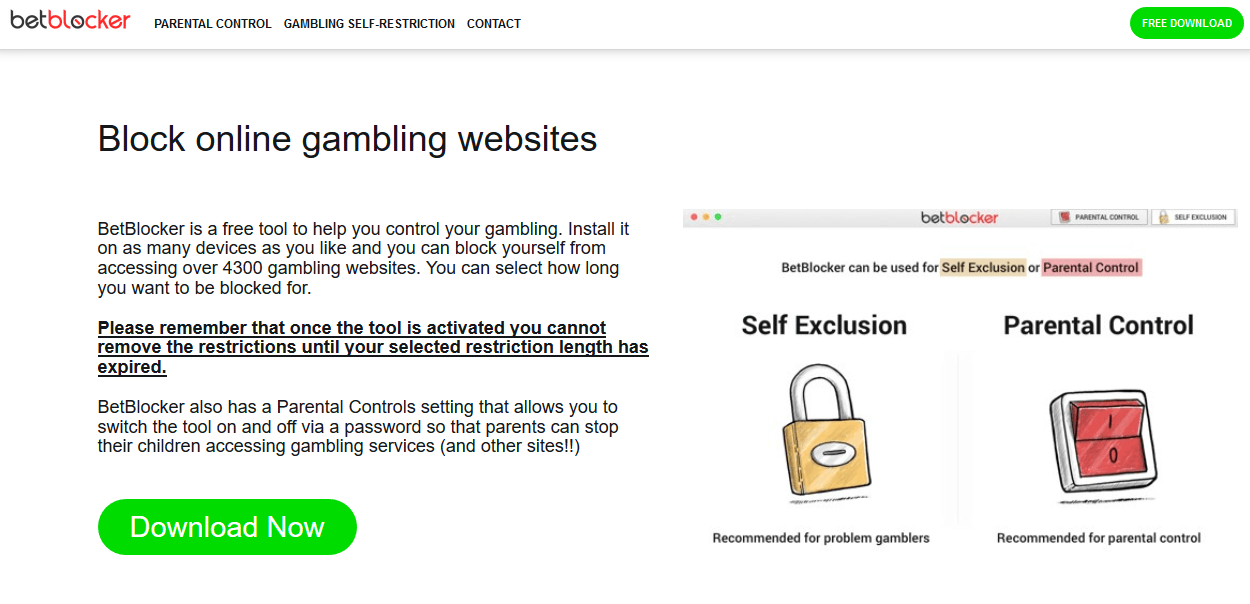
























![Download Windows Defender Application Guard [Browser Add-on]](https://windowsreport.com/wp-content/uploads/2019/03/Download-Windows-Defender-Application-Guard-on-Chrome-and-Firefox.jpg)



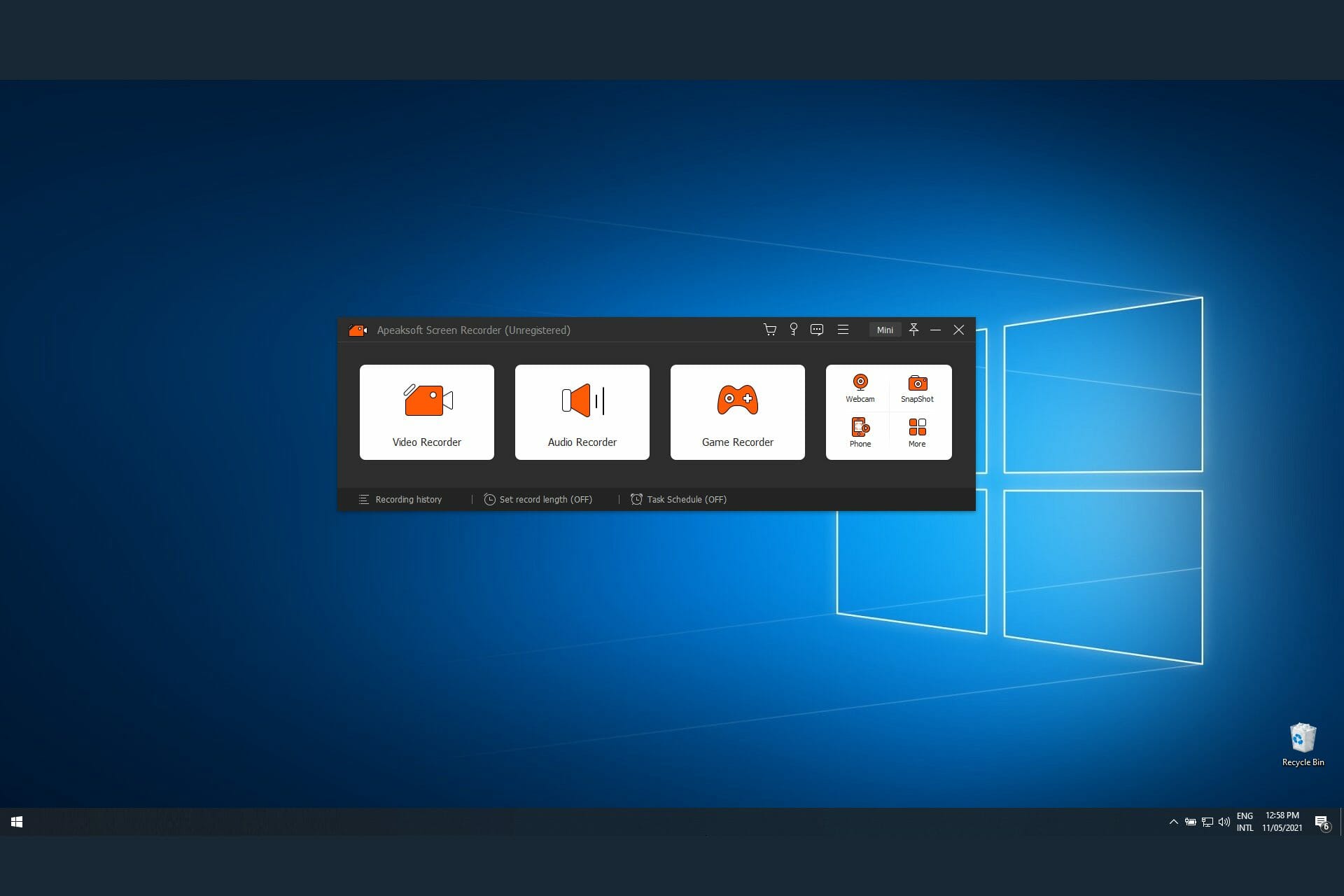
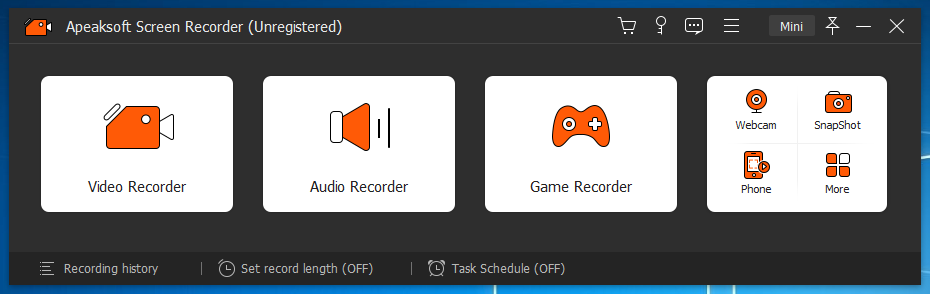
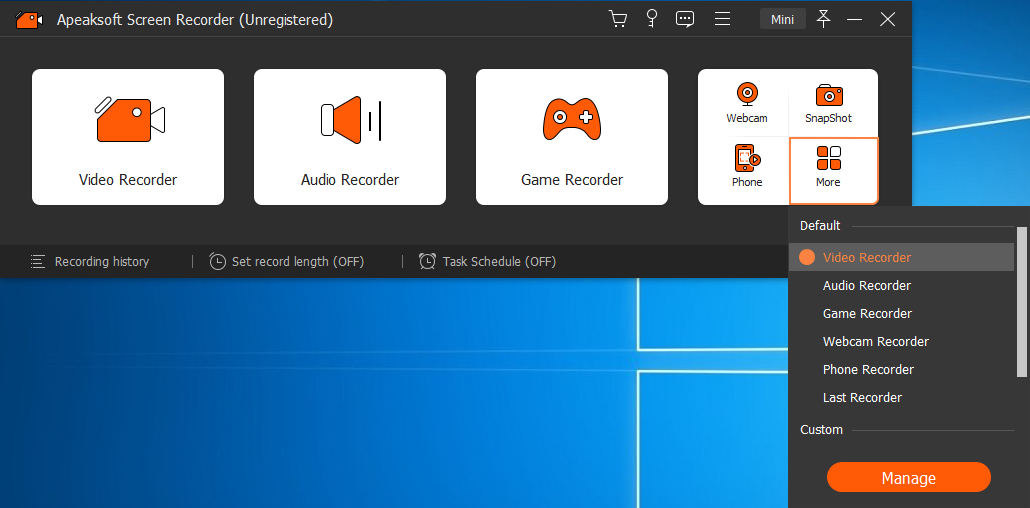
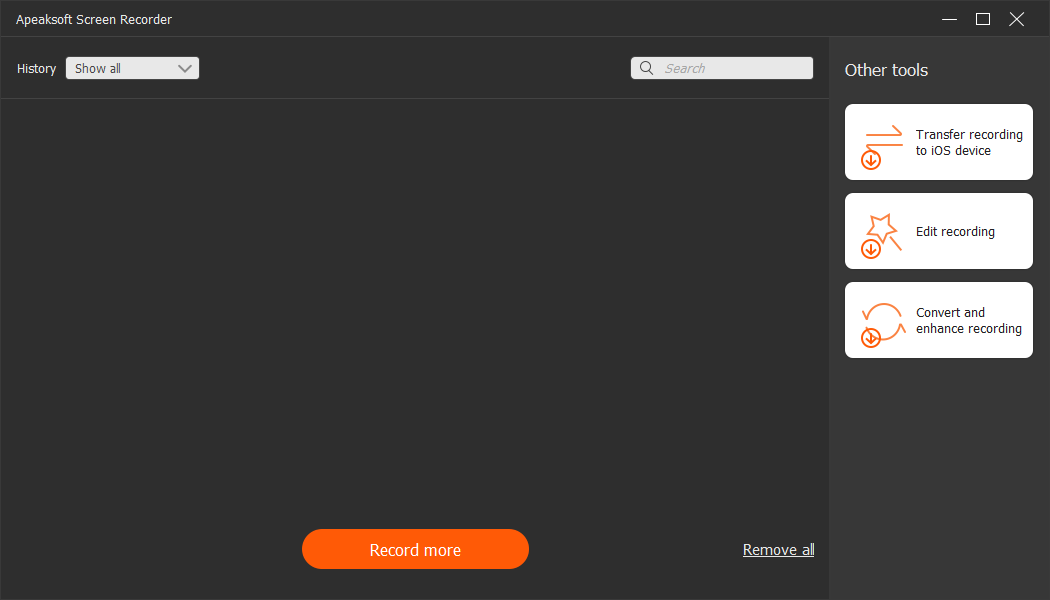



![Windows 10 May Patch Tuesday [DIRECT DOWNLOAD LINKS]](https://windowsreport.com/wp-content/uploads/2021/05/May-PT.jpg)


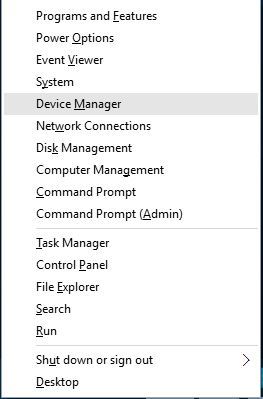
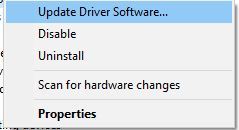
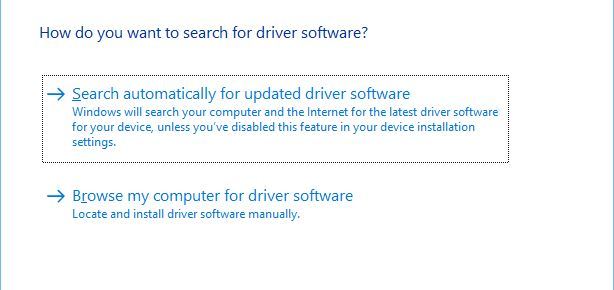



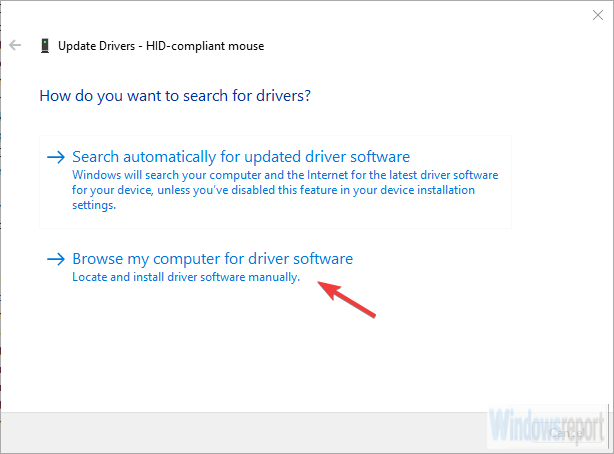
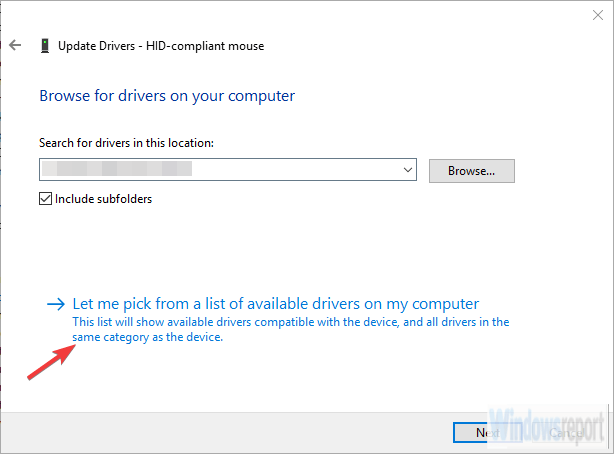






![5 Best External Drive Cleaner Tools To Use [2026 Guide]](https://windowsreport.com/wp-content/uploads/2019/08/USB-3.0-external-drive-not-recognized-in-Windows-10.jpg)




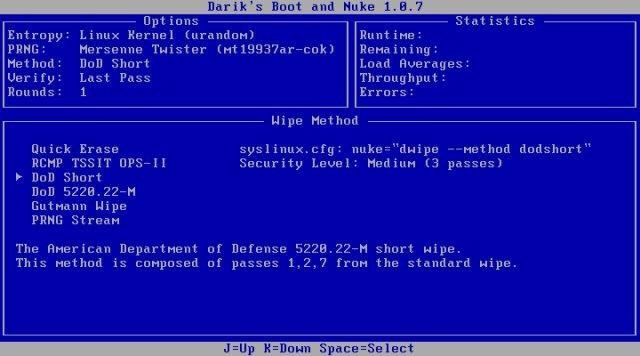
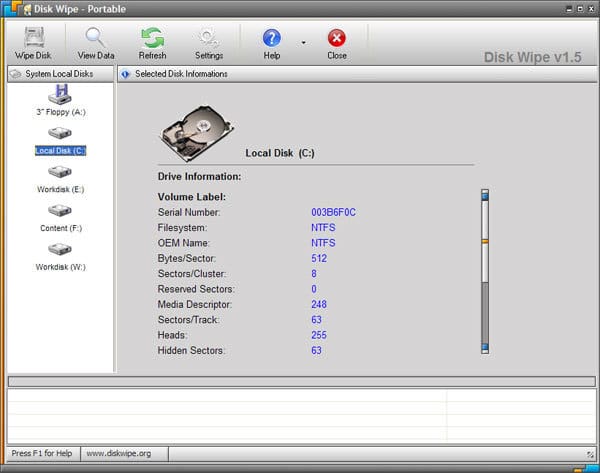
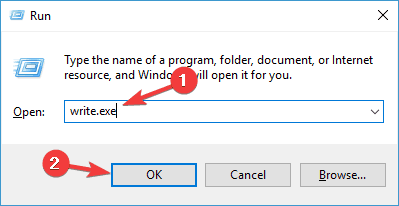
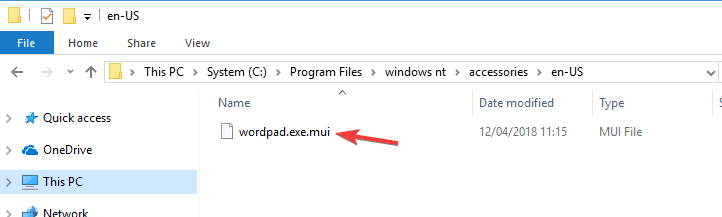
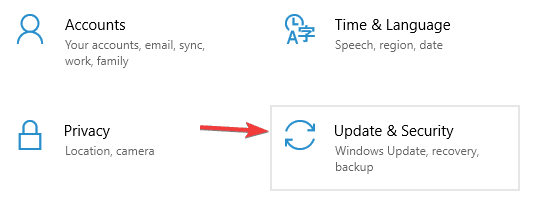
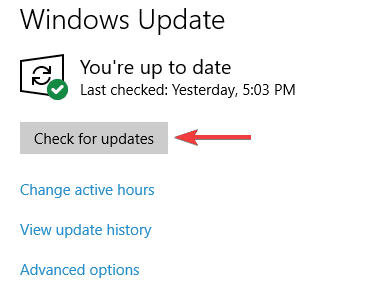
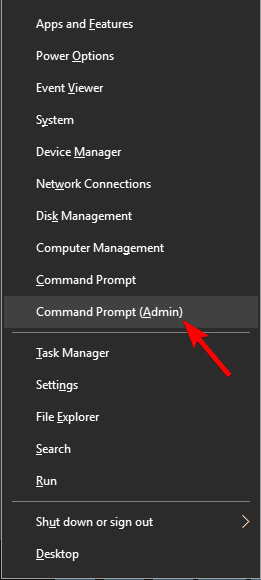

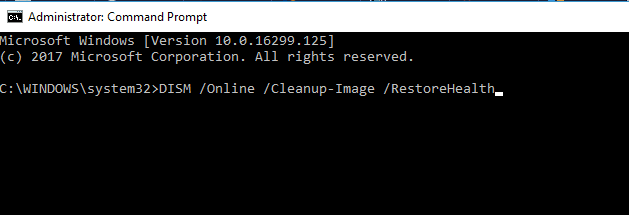
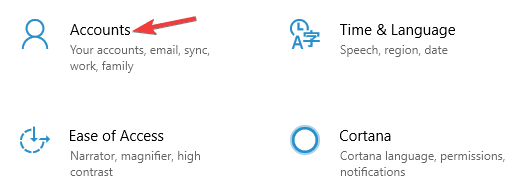
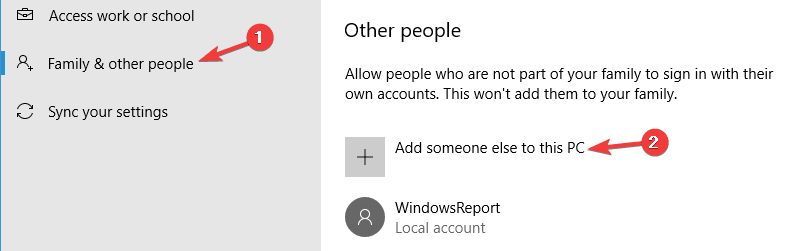
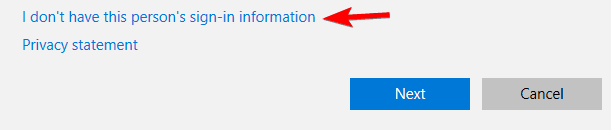

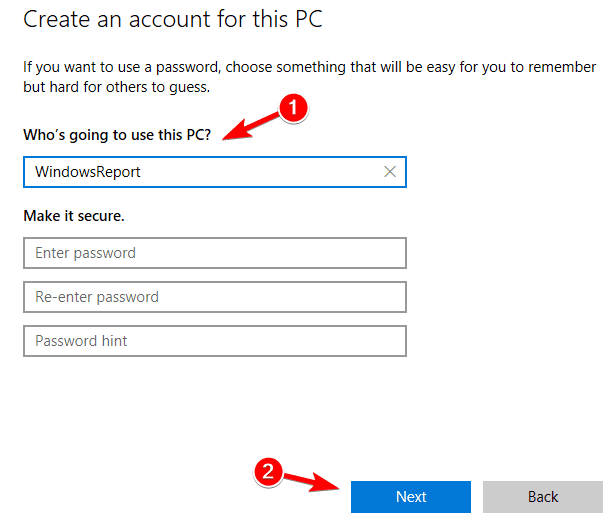
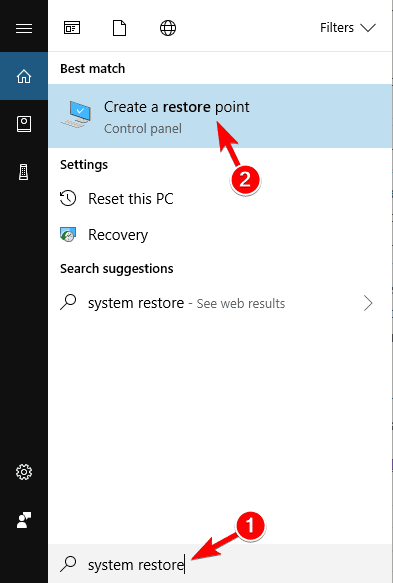
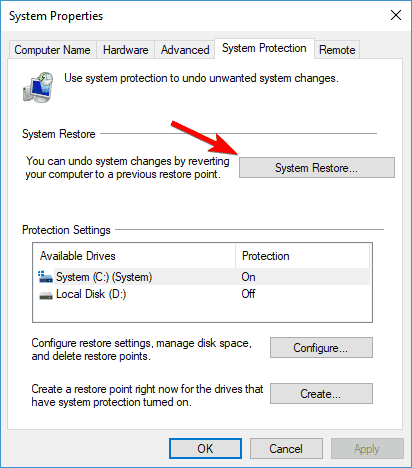

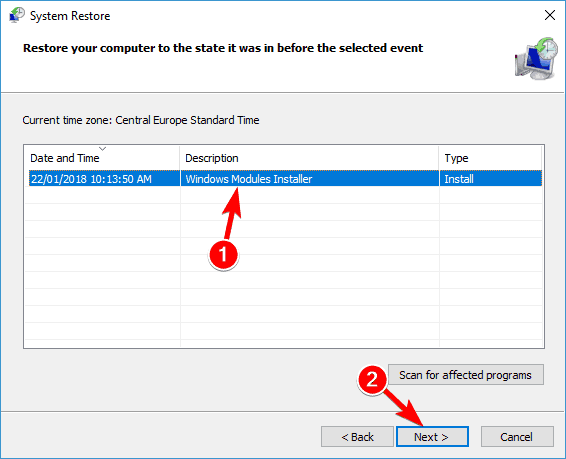
![4 Best Automated Quilting Software [Most Used]](https://windowsreport.com/wp-content/uploads/2021/05/quilting-software-1.jpg)









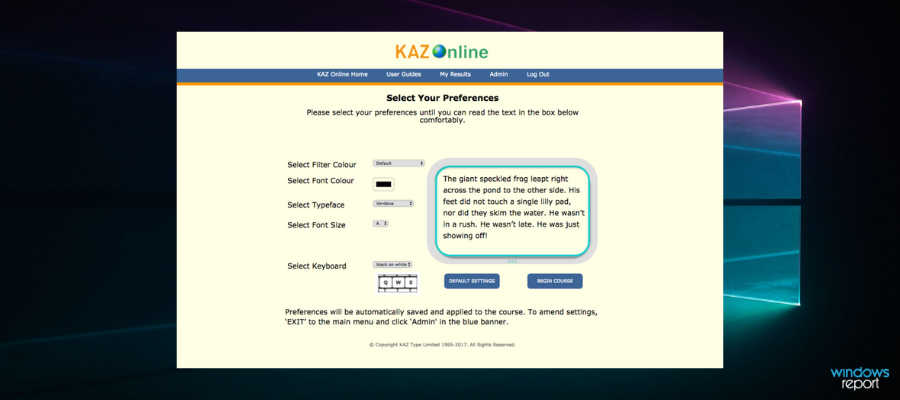

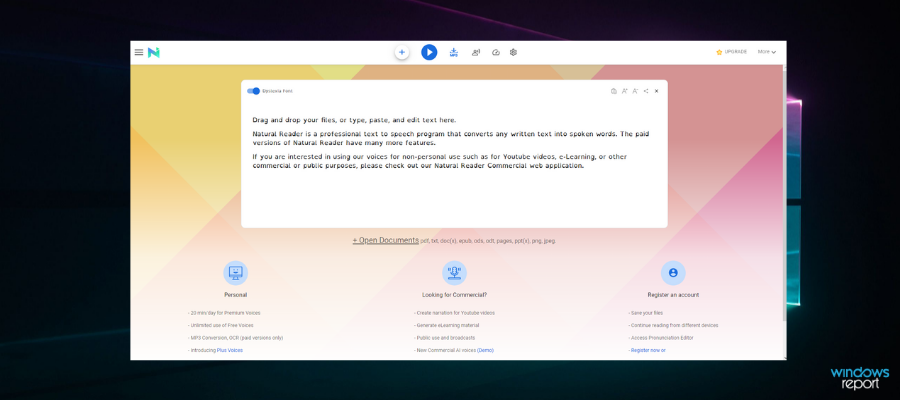
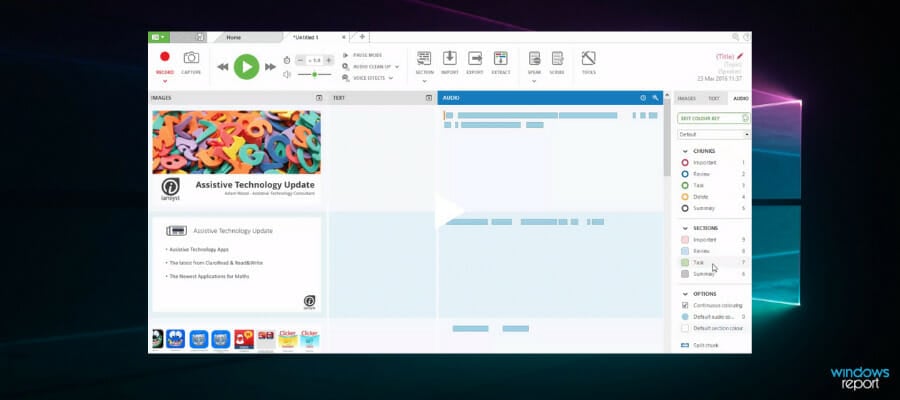

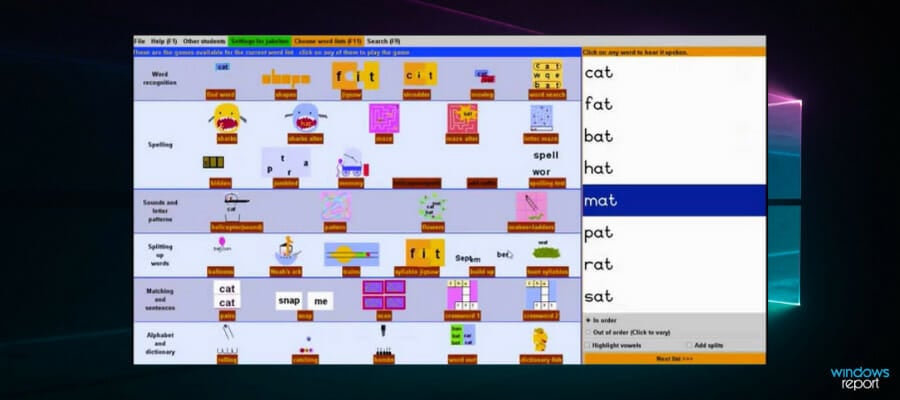
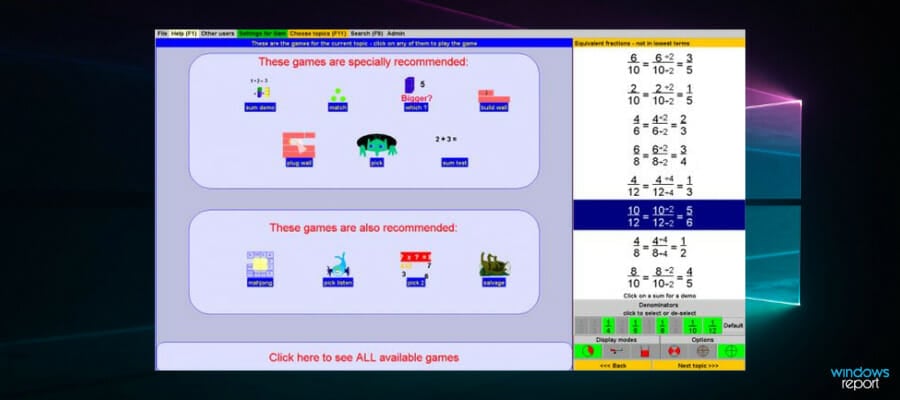
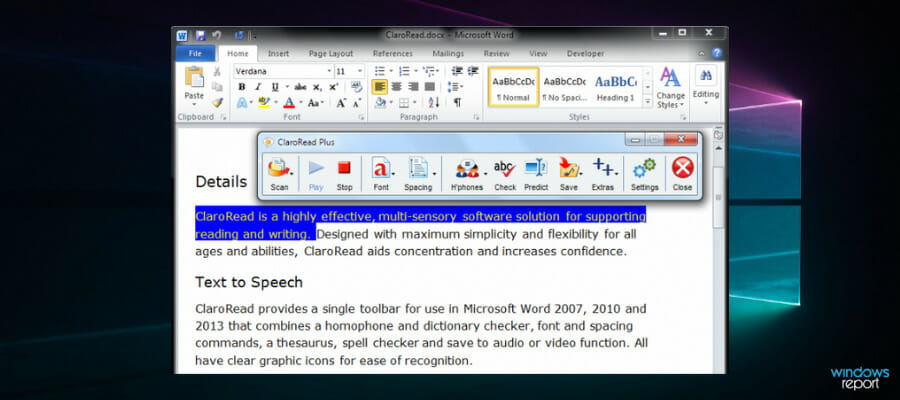
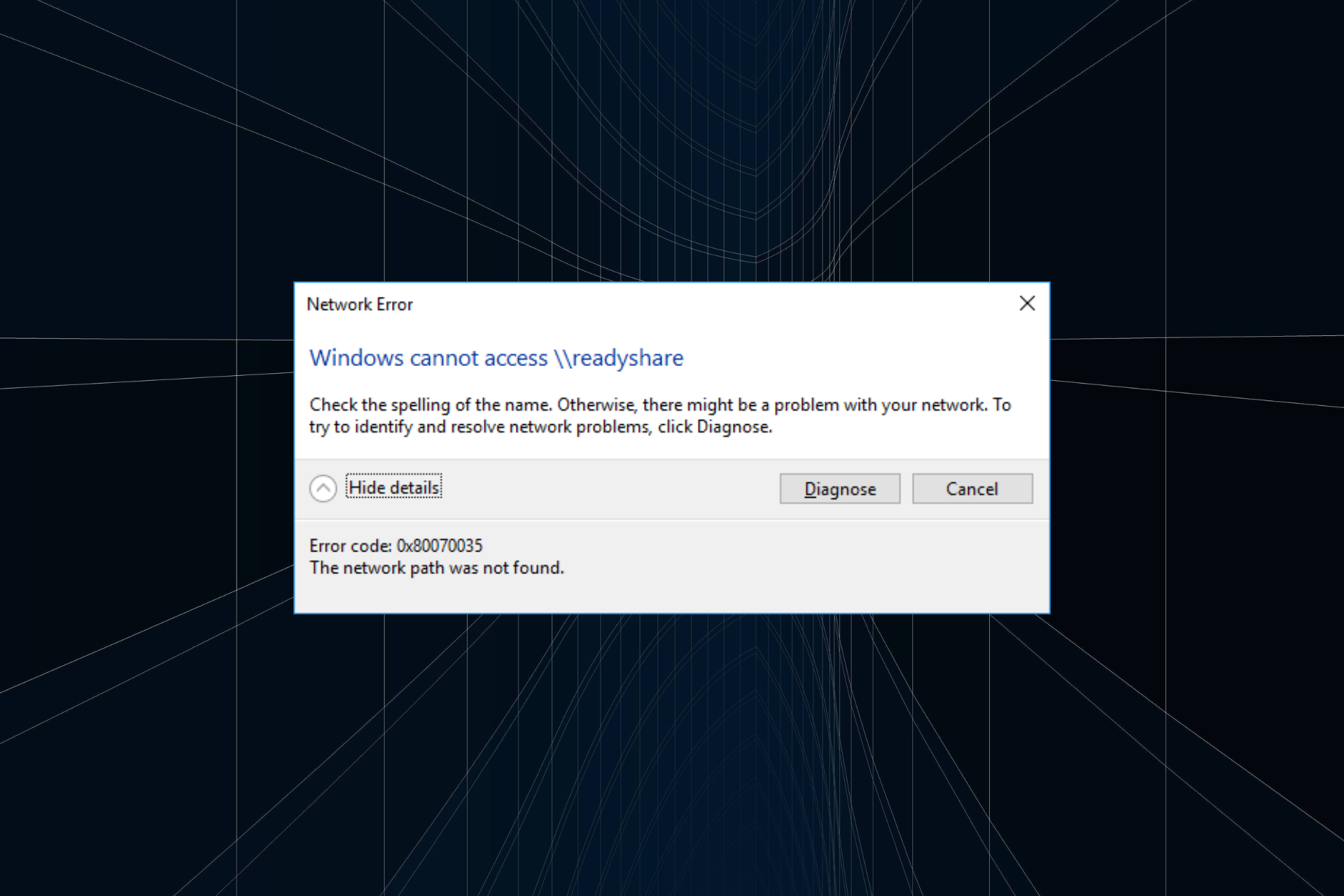
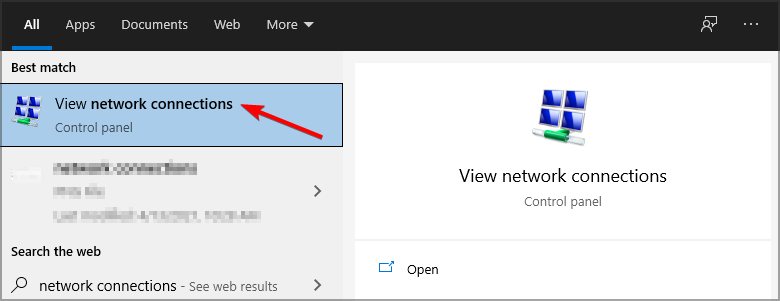
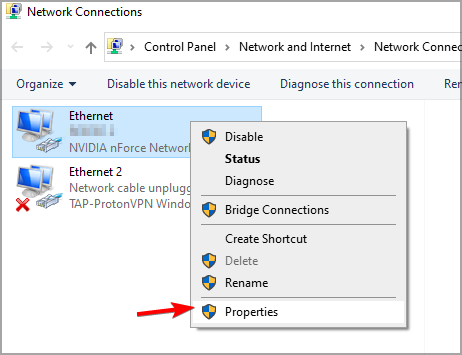
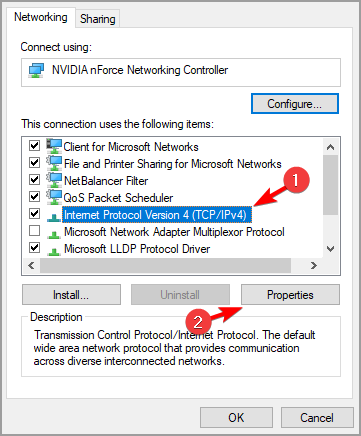


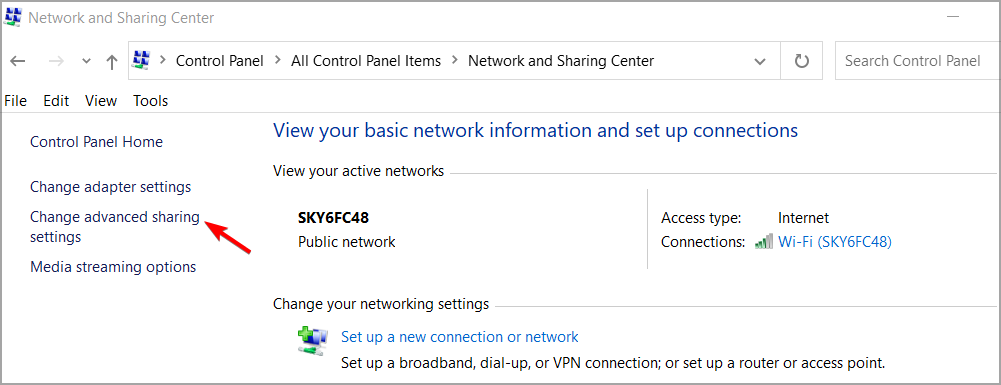

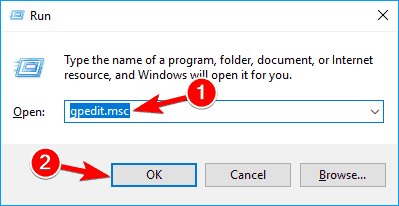
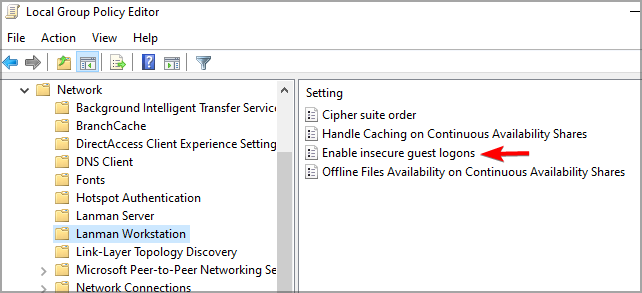


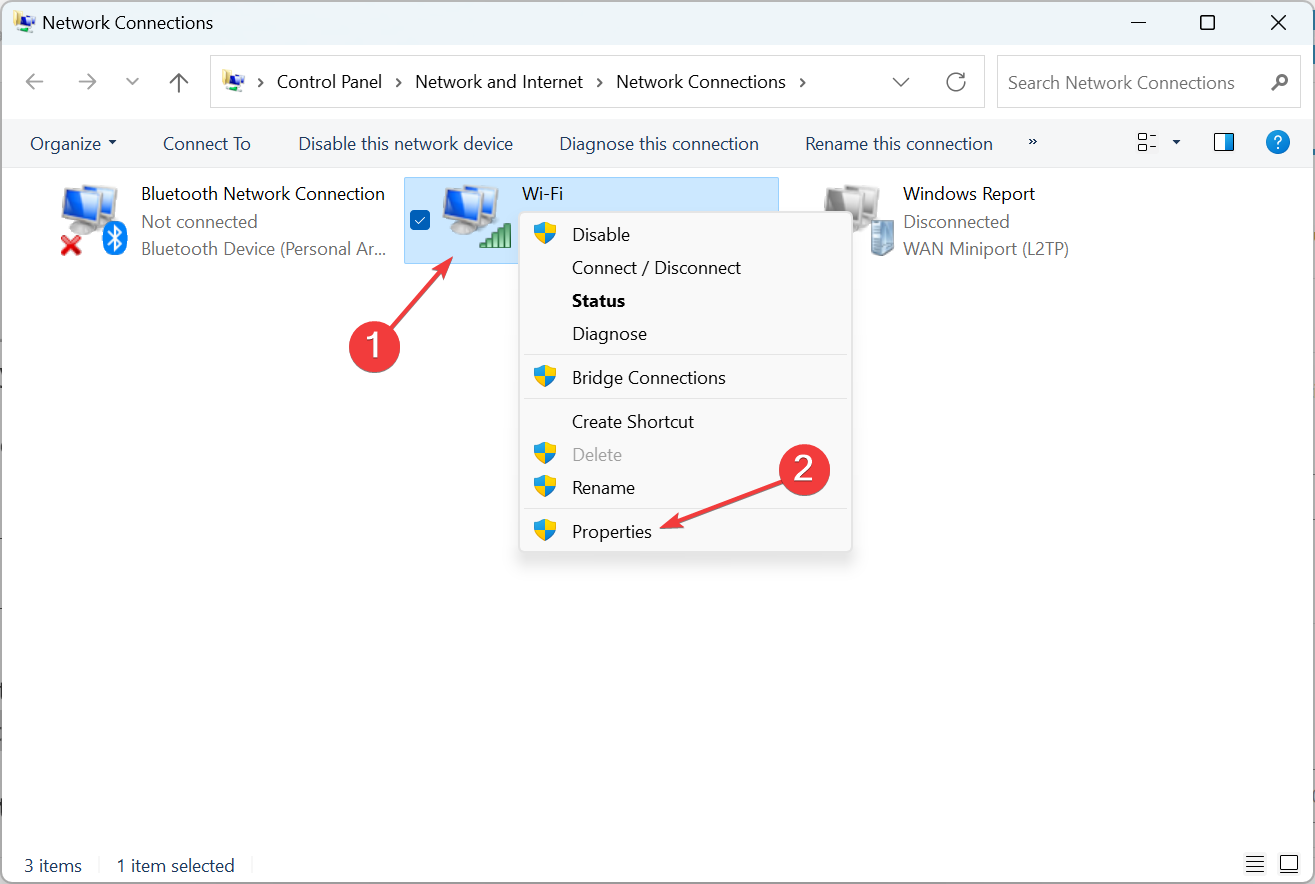


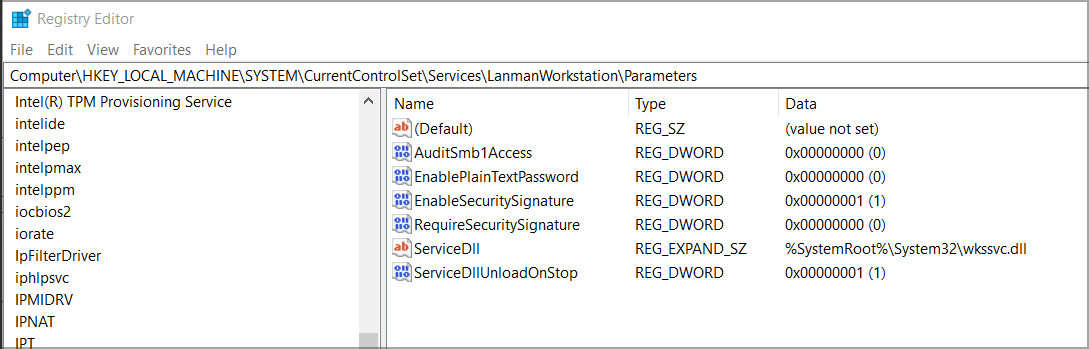

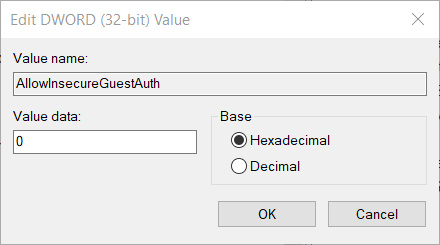


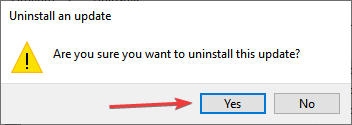

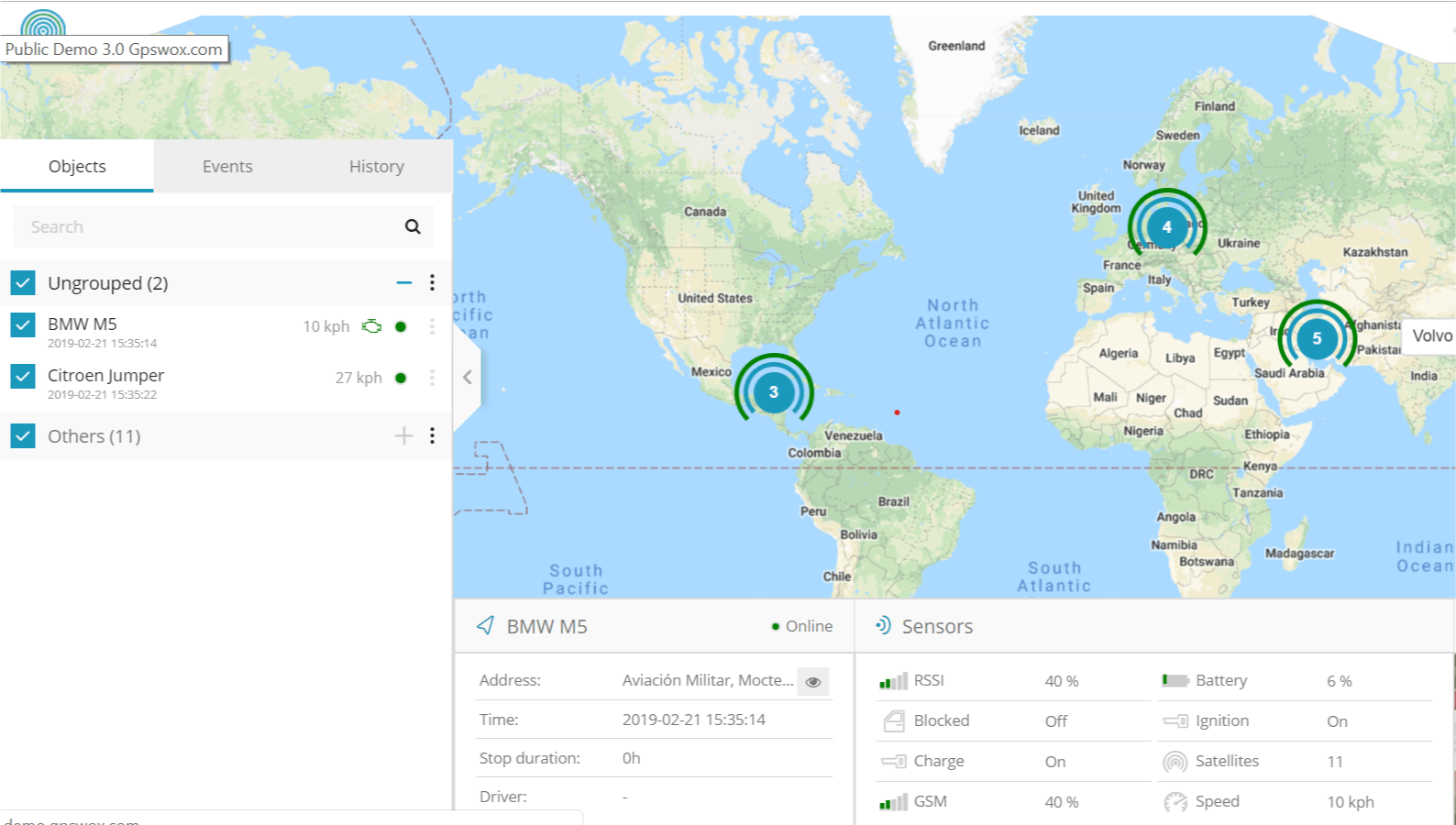
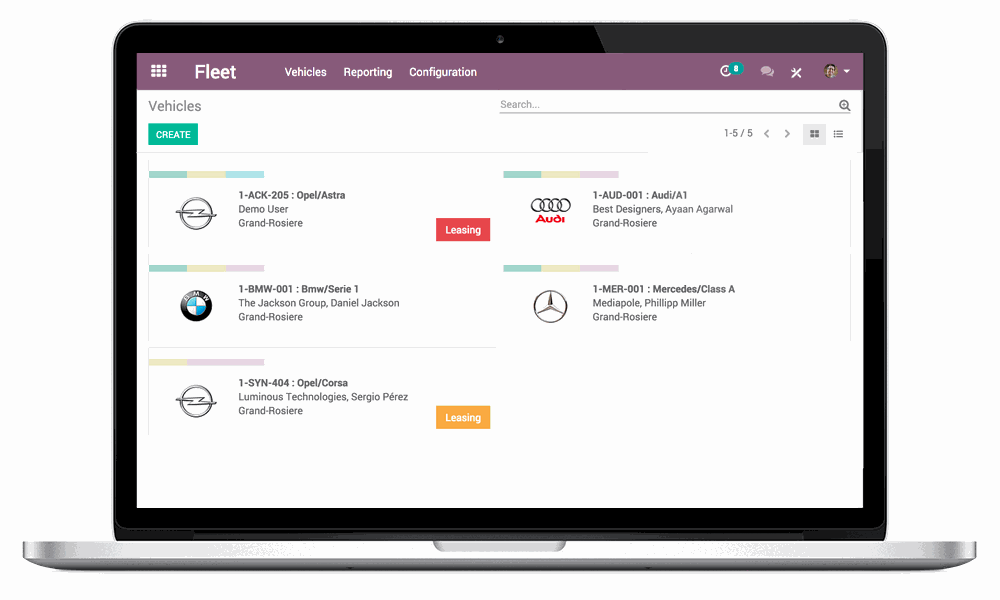
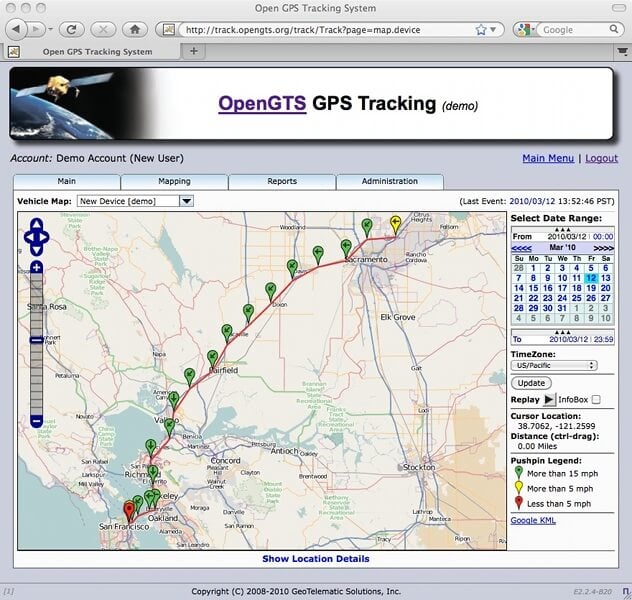
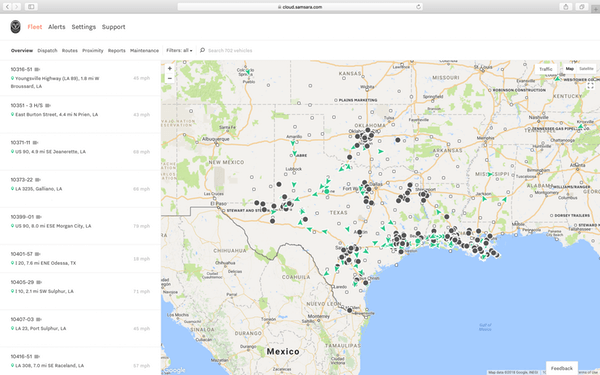

![MainWindow appears on Windows 10 [Fixed]](https://windowsreport.com/wp-content/uploads/2021/04/MainWindow.jpg)


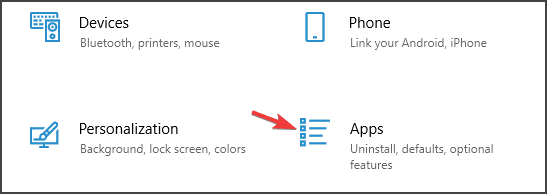


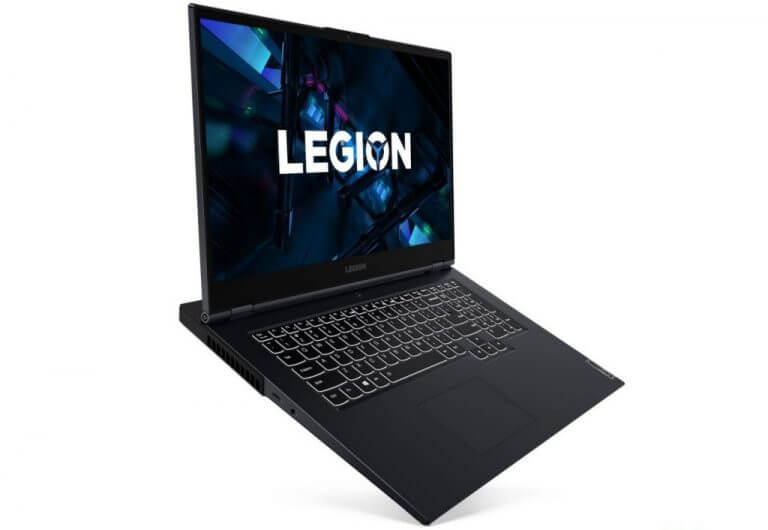
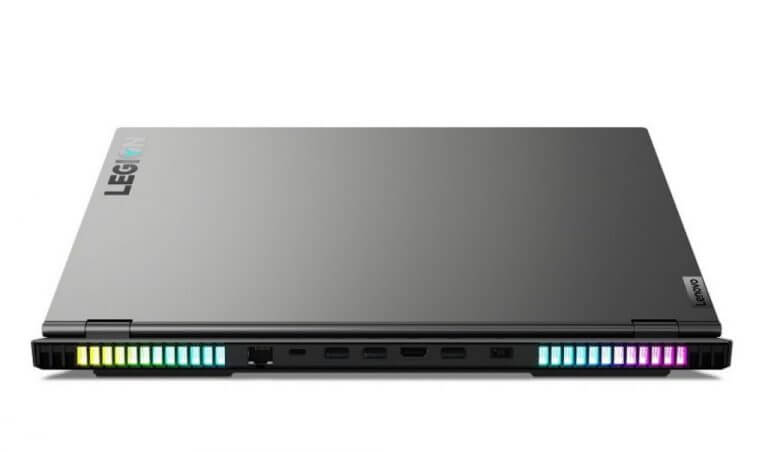



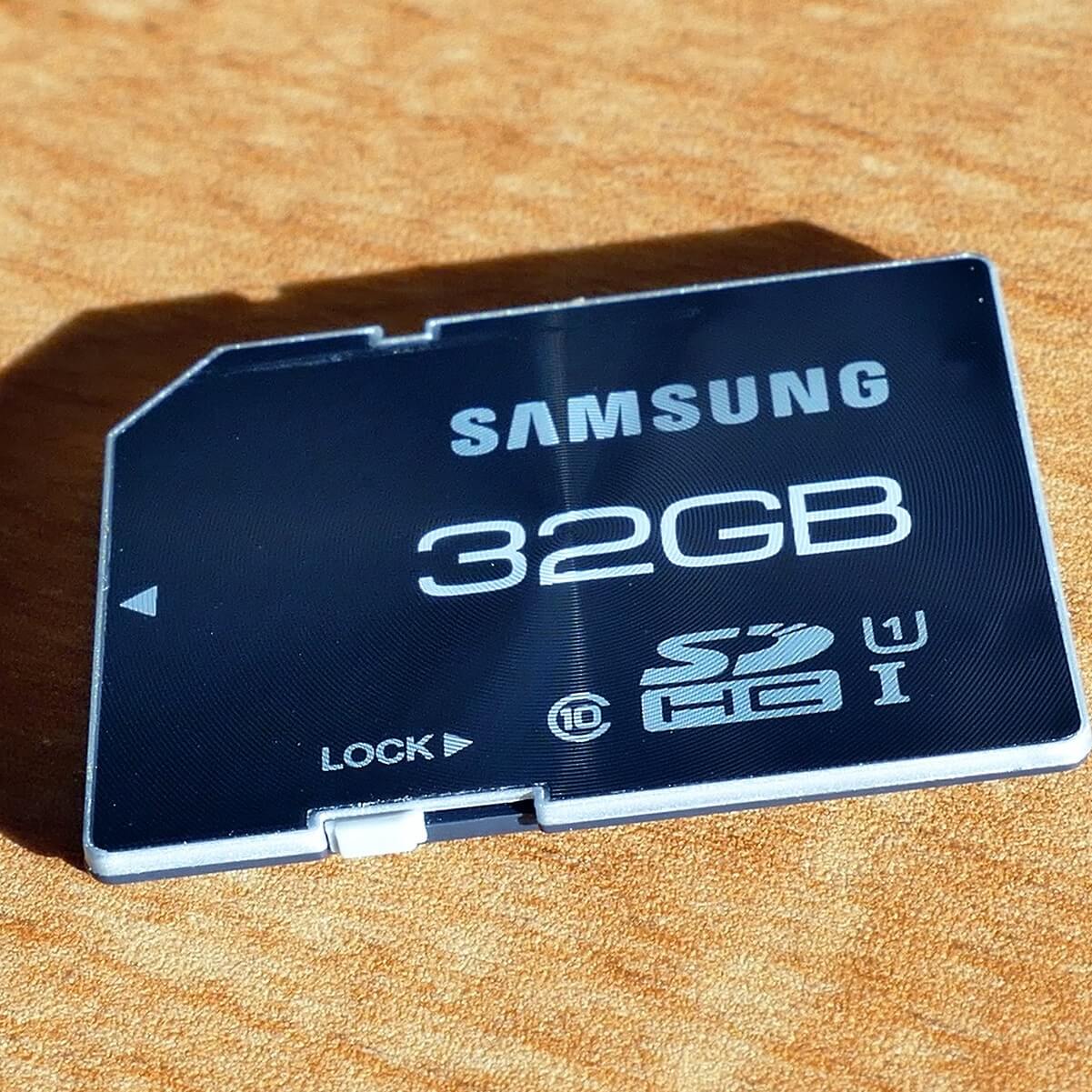
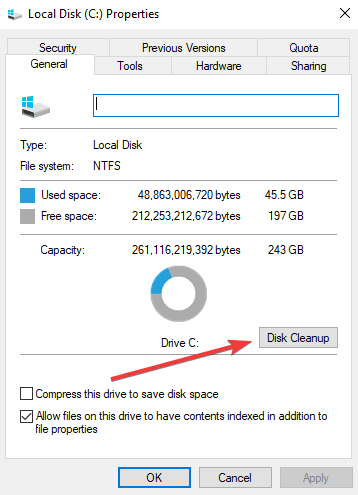


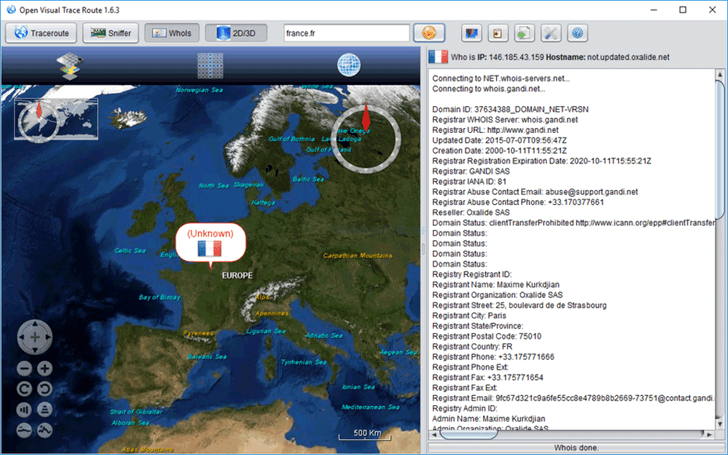

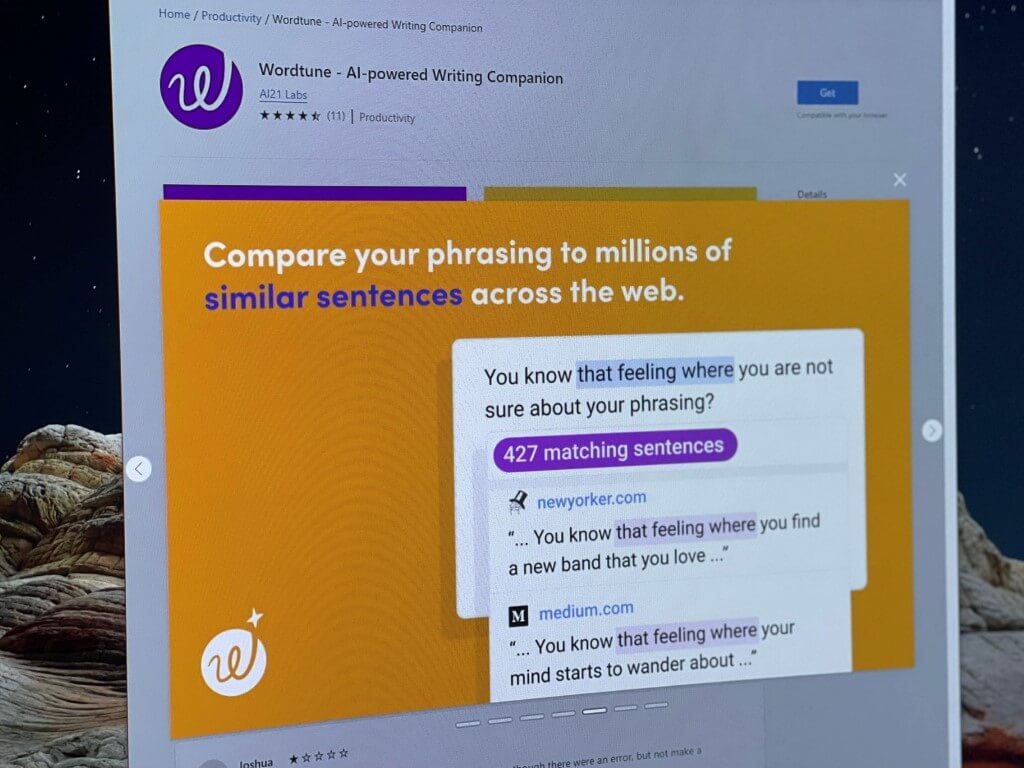
![5 Best Kindergarten Management Software [2026 Guide]](https://windowsreport.com/wp-content/uploads/2018/03/best-kindergarten-management-software-1.png)