Game Animation Software: 5 Best to Use in 2026

Game developers are striving to achieve ever more mind-boggling effects when it comes to animations by using excellent game animation software.

Through explosive effects, stunning graphics, and even VR, animation tools are taking us all one step closer to what we could barely imagine just a couple of years ago.

Modeling and rendering software for design visualization, games, and animation are gaining more and more popularity because of their capacity to transport gaming aficionados into a whole new dimension.

But regular users also benefit from the perks of storytelling beautifully rendered and this is exactly what animation tools are used for.

There are of course numerous options available on the market, so how exactly do you make your pick? The decision will certainly be influenced by the budget, your skills as an animator, and your preferences.

Of course, an aspiring animator will not choose the most complex tool just as an expert game developer will most likely not go for a free edition of software to design his or her artwork.

There are plenty of aspects that need to be taken into consideration when choosing the best software for game animation and we haven’t even started to address the individual features of these tools.

No need to worry, we have highlighted only the top picks of the industry for you, so make sure to go through the list below and choose the one product that can perfectly meet your needs.

What is the best software for animation?

Adobe After Effects

Part of the Adobe Creative Cloud, After Effects is the best of the best when it comes to motion graphics and visual effects software and there is practically nothing you can’t achieve with it.

Create anything you can imagine and get mind-blowing results every time. When it comes to games, perhaps you want to animate a character – make it spin, roll, twirl, bend it to reflect your artistic vision?

You can easily set anything in motion with keyframes or expressions and you can do so from scratch for unique results or by using the available presets to kick-off your designs.

Get animated, combine videos and images and add explosive effects or create VR videos to drop your audience right into the action with the very best animation software on the market.

After Effects is always getting better, with new features coming out regularly. The best part is that you will never fall behind thanks to the fast and easy tutorials covering everything.

Let’s quickly go through its key features:

  • Preview and playback performance enhancements (threading improvements and a new GPU-accelerated display system core)
  • Enhanced EXR workflows (12x faster performance) and faster shapes
  • Graphics and text enhancements (new dropdown menu expression controls, templates that are easier to update in Premiere Pro, etc.)
  • Expression improvements (40% faster processing)
  • Expanded format and better playback support (Canon XF-HEVC, Animation with delta frames and MJPEG)
  • Better notifications for system compatibility
Adobe After Effects

Adobe After Effects

Create awesome animations with the best software for motion graphics and visual effects.
Check priceVisit website

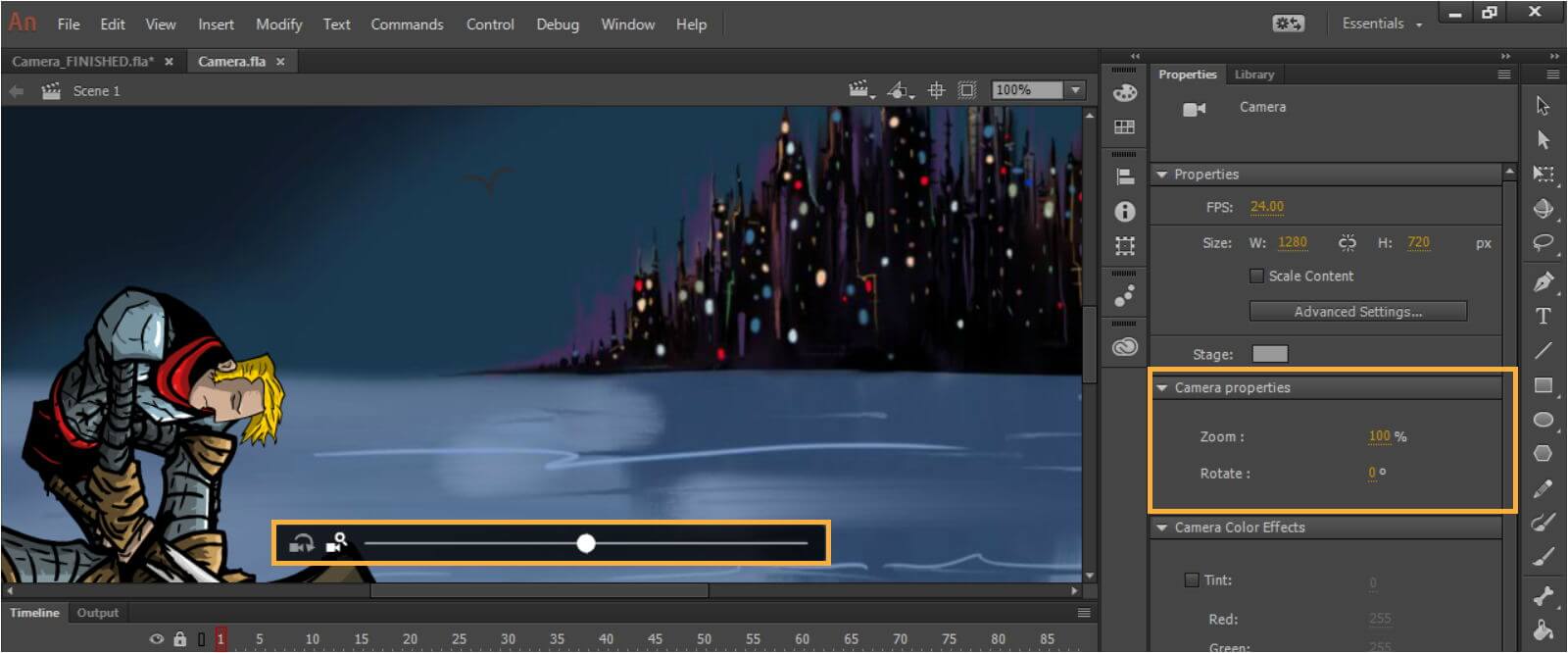
Adobe Animate

Adobe Animate_best game animation software

If we’re talking about vector graphics and game animation, Adobe Animate is the tool for you.

Also included in the Adobe Creative Cloud suite, the tool brings animation into the new age offering support for video and audio embedding, rich text, scripting, and raster graphics.

With powerful illustrations and animation tools, the Animate allows you to build game environments, design start screens, integrate audio, and even share your artwork as augmented reality experiences.

The brushes boasted by the tool are another quintessential feature cherished by animators since they allow you to create characters that truly come to life before your eyes.

As always, Adobe takes a particular interest in making the most of the user experience, thus getting started is fast and easy thanks to their step-by-step tutorials.

Let’s quickly go through its key features:

  • Fluid Brushes (brand new vector brushes in all sorts of styles)
  • Onion Skinning (this option allows you to draw new frames of animation on top of previous frames)
  • Infographics (including animated charts)
  • Layer parenting (introducing a simplified tool for modifying animated characters)
  • Publish to any platform (HTML5 Canvas, WebGL, Flash/Adobe AIR, desktop, mobile, and TV in order to reach viewers on any screen)
Adobe Animate

Adobe Animate

Bring characters, games and banners to life with a great software designed for animations.
Check priceVisit website

Autodesk 3ds Max

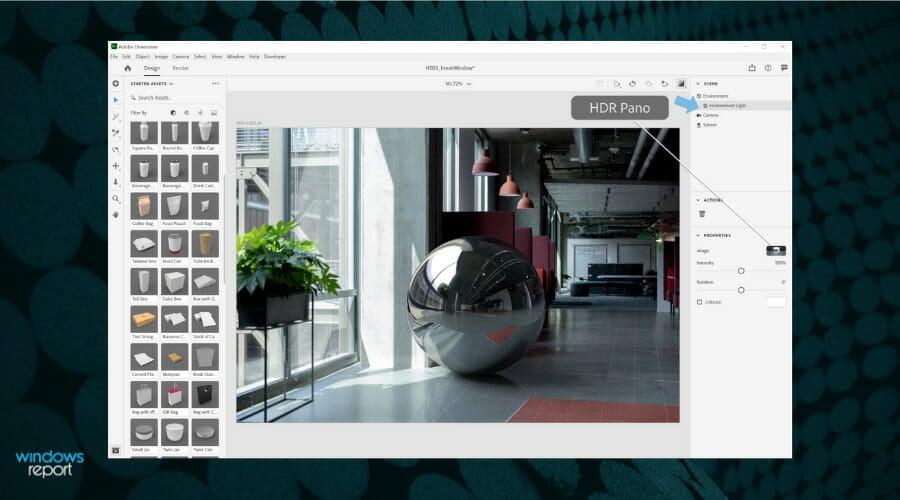
A popular choice among video game developers, Autodesk 3ds Max is a professional computer graphics program for 3D animations with enhanced modeling capabilities and a flexible plugin architecture.

The tool enables you to create professional-quality 3D game animations thanks to its integrated texture/color editor and character animation and rigging tools or keyframe and procedural animation tools.

Design visualization is brought to the next level through stunning effects, embellishments, while procedural animation and scene modeling tools make realistic characters and game environments.

Let’s quickly go through its key features:

  • Flexible toolset (to create professional animation designs with full artistic control)
  • Create massive worlds in games
  • Visualize high-quality architectural renderings
  • Model finely detailed environments and objects
  • Bring characters and features to life with animation and VFX
  • Built-in Arnold renderer (for an interactive experience that can handle the most complex characters and scenes)
Autodesk 3ds Max

Autodesk 3ds Max

One of the best tool to use for 3D modeling and rendering, design visualization, games, and animations.
Free trialVisit website

Houdini

Houdini_best game animation software

Packed with features for modeling, texturing, rigging and 3D animation, Houdini is used for high-quality graphics and intense, but accessible 3D animation experiences.

This animation maker comes as a solution for game devs that are required to come up with vast amounts of content without compromising the visual effects.

Using motion graphics and even VR, the tool allows the creation of compelling animations that provide the user with interactive gameplay and a unique game experience.

Let’s quickly go through its key features:

  • Game development (using procedural animation to bring a smarter way of creating quality games)
  • Realtime FX (award-winning particle and dynamics tools to create optimized game FX)
  • Procedural workflow
  • SideFX Labs Toolset (generating vertex animation textures for a wide range of FX to speed up game workflows)
  • Vertex animation (effective vertex shader playback of high-resolution simulations)

⇒ Get Houdini

Blender

Blender_best game animation software

A professional animation software, Blender makes an excellent choice for quality visual effects and video games offering features like rigging, modeling, animating, simulating, and, rendering.

Boasting masking and textured brushes for 3D painting, CPU, GPU, and VR rendering support, this animation software is also fully customizable thanks to its flexible Python controlled interface.

You can match it with a wide array of add-ons to adjust layout, colors, size, and fonts or you can simply use Blender’s Python scripting based API.

Let’s quickly go through its key features:

  • Cycles Render Engine (an integrated path-tracer engine that offers ultra-realistic rendering)
  • CPU, GPU, and VR rendering support
  • Advanced modeling and sculpting tools (sculpting brushes, 3D painting with textured brushes and masking)
  • Python scripting for custom tools and add-ons (customize the interface layout and colors or connect with the API)
  • High-quality rigging and animation tools (combine 2D with 3D in the viewport)
  • Full Animation Support with Onion Skinning

⇒ Get Blender

Depending on your skills, range of features, and of course, the budget you can now make your choice knowing that the products listed above will bring you the best when it comes to 2D or 3D game animation.

What will it be? Do let us know what was the feature that most appealed to you in the comments section below.

Fix: This Document Enabled Extended Features in Adobe Reader

PDF files are incredible as far as file types go. They can be text documents, images, and much more, plus they are compatible across all available versions.

One of the leading developers of PDF-oriented products is Adobe, with its proprietary line of software tools known as Adobe Support Community forums:

I have filled up a form using Foxit Reader. When I tried to open the form with Adobe Acrobat Reader DC I got error The document enabled extended features in Adobe Acrobat Reader DC. The document has been changed since it was created and use of extended features is no longer available. Please contact the author for the original version of this document. I tried some other PDF programs, no issue when opening this form.

Apparently, the problem was with how the user handled the PDF file in the first place.

How to enable extended features of Adobe Reader?

1. Try using only Adobe products

Adobe Reader is the premier solution for viewing, creating, managing, and printing PDF files. It is a widespread format used in many situations.

Actually, the .pdf file was developed by Adobe, the same company that has Adobe Reader. So who wouldn’t know more about PDFs than the actual creators?

To use all extended features in Adobe Reader, you shouldn’t make changes to the document in a different program. Keep using the same product family.

Not only does this ensure that you won’t encounter any errors, but it will also pave the way for important product updates and special deals for other product versions or new releases.

Adobe Acrobat

Adobe Acrobat

Manage your documents only with the PDF standards global trendsetter, Acrobat Reader. Try it now!
Free trialVisit website

It would seem that whenever you create a PDF file with an Adobe product, a digital signature is applied.

Apparently, only other Adobe products are able to modify and re-save documents without breaching that digital signature.

2. Try a different PDF viewer

If all you are interested in is viewing or printing the document, then you can simply ignore the error message altogether.

But if you want to edit or change security preferences, then you will need to fix the document first.

It is also possible to try out a different PDF viewer for this task. One great alternative is Icecream Ebook Reader.

Although it was designed for eBooks mostly, for sure you can use it for any large PDF document.

This top-notch PDF viewer allows you to resume reading where you left it, mark your favorite parts of a book, alter the text to better suit your needs, and much more.

⇒ Check out Icecream Ebook Reader


Note that it is possible that other developers use the same digital signature feature on PDF files.

Anyway, as far as Adobe products go, try using only their programs when creating, viewing, or editing PDF documents.

⇒ Use Adobe Acrobat Reader

⇒ Use Adobe Acrobat Pro DC

Did you find this guide useful? Let us know in the comment section below.

Microsoft Q2 2021 earnings: Game Pass bet paying off, Surface hardware hits $2 billion in revenue

The pandemic hasn’t slowed Microsoft’s march to profits as it rounded out an arguably disruptive 2020 calendar, on a high note. According to the latest fiscal earnings report, Microsoft’s Q2 2021 results were rather impressive with the company adding $15.5 billion to its coffers. To put that amount in context, Microsoft just made back its large investment in Bethesda with an extra investment to spare, over the past three months.

Aside from delivering a 34% increase in stock value at $2.03 a share for investors, Microsoft also managed to increase its revenue by 17%, bring in 47.5 million Microsoft 365 subscribers, increase its gaming revenue by 51%, bring up hardware sales by 86% and finally hit that elusive $2 billion marker for Surface revenue.

For more details and context, below are the investor’s notes Microsoft’s chief financial officer Amy Hood touched upon during her opening remarks to investors.

Revenue in Productivity and Business Processes was $13.4 billion and increased 13% (up 11% in constant currency), with the following business highlights:

  • Office Commercial products and cloud services revenue increased 11% (up 9% in constant currency) driven by Office 365 Commercial revenue growth of 21% (up 20% in constant currency)
  • Office Consumer products and cloud services revenue increased 7% (up 6% in constant currency) and Microsoft 365 Consumer subscribers increased to 47.5 million
  • LinkedIn revenue increased 23% (up 22% in constant currency)
  • Dynamics products and cloud services revenue increased 21% (up 18% in constant currency) driven by Dynamics 365 revenue growth of 39% (up 37% in constant currency)

Revenue in Intelligent Cloud was $14.6 billion and increased 23% (up 22% in constant currency), with the following business highlights:

  • Server products and cloud services revenue increased 26% (up 24% in constant currency) driven by Azure revenue growth of 50% (up 48% in constant currency)

Revenue in More Personal Computing was $15.1 billion and increased 14% (up 13% in constant currency), with the following business highlights:

  • Windows OEM revenue increased 1%
  • Windows Commercial products and cloud services revenue increased 10% (up 8% in constant currency)
  • Xbox content and services revenue increased 40% (up 38% in constant currency)
  • Surface revenue increased 3% (up 1%in constant currency)
  • Search advertising revenue excluding traffic acquisition costs increased 2% (up 1% in constant currency)

“Accelerating demand for our differentiated offerings drove commercial cloud revenue to $16.7 billion, up 34% year over year. We continue to benefit from our investments in strategic, high-growth areas.”

Distilling the numbers further, it’s apparent that Microsoft’s gamble on Xbox Game Pass is working for now as it helped guide revenue growth by 40% during a quarter where the division had few exclusive titles to push digital sales. In addition, Microsoft’s aggressive pricing and low tier entry Surface devices are resonating with its commercial base as its Surface revenue growth outpaces its Windows 10 OEM partner licensing growth.

Azure continues to make strides year over year as Microsoft adds larger multi-year contracts notches to its belt that include the DoD, Walmart, and others.

While Microsoft’s upward trajectory was plotted many quarters ago, today’s numbers are still a bit shocking to investors who hedge against minimal gains during a downturn in a stagnant economy. With more people slowly going back to work and Microsoft’s hybrid on-premises cloud solutions holding steady, it’ll be interesting to see if the company can shock again in a few months.

10 Best Vector Graphics Software for PC [Free & Paid]

Many designers use vector graphics in order to create attractive designs. Since vector graphics will always retain their original quality, it’s no wonder that many designers are using them for their projects.

If you’re a designer, or you simply want to try creating vector graphics, today we’re going to show you the best vector graphics software for Windows 10, so keep reading.

What is the best vector graphics software for Windows 10?

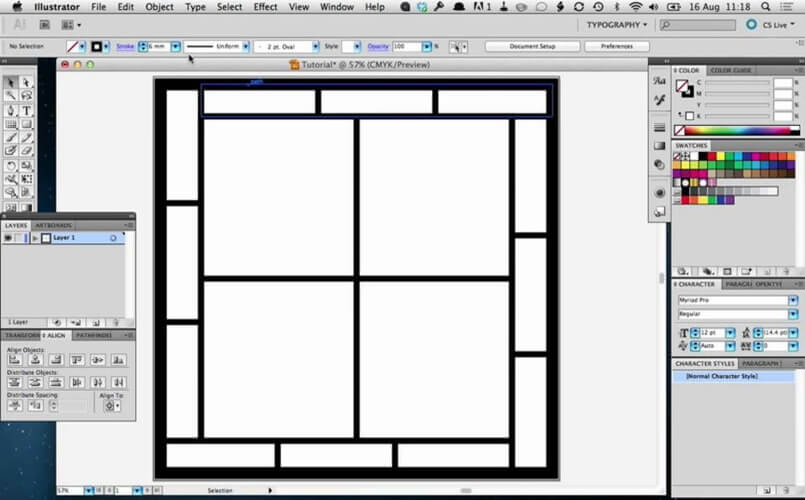
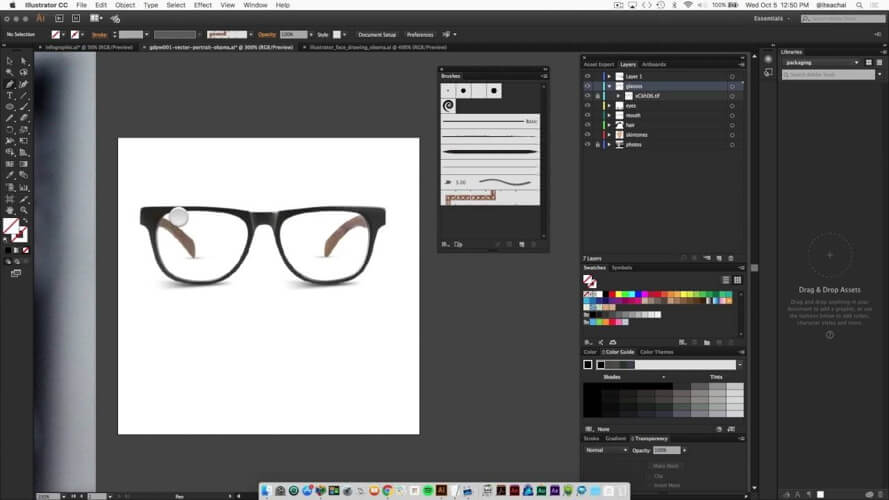
Adobe Illustrator – Professional vector editing

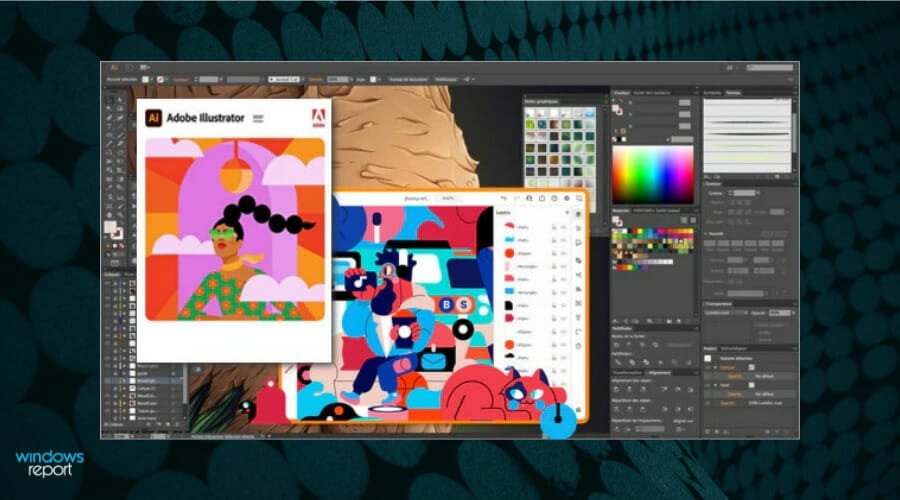
Adobe Illustrator is the most popular vector graphics software on the market. This is a professional vector graphics tool, and it offers a wide range of advanced features.

The tool allows you to create pixel-perfect artwork and align all your shapes perfectly on the pixel grid.

Adobe Illustrator allows you to easily export your drawings, and you can export multiple artboards or individual objects easily, and also have access to Adobe Stock, so you can use new templates and graphics.

The tool uses Creative Cloud Library to store all your brushes, shapes, colors, and styles, so you can access them easily on any device.

The latest version supports faster font finding, so you can find the desired font in a matter of seconds. Regarding fonts, you can now see live previews of the font simply by hovering over the desired font.

The tool also allows you to zoom into any object, path or point that you select.

We also have to mention that now you can fill objects with placeholder text in order to better visualize your designs. In addition, you can also import text into any path or shape.

We briefly covered some of the latest features of Adobe Illustrator, but this tool also offers a wide range of features for advanced users and professional designers.

Adobe Illustrator is one of the best vector graphics tools on the market, and you can download and try it for free. If you want to continue using this tool, you’ll need to purchase a license.

Adobe Illustrator

Impress the hardest audience with bold graphics and vector designing tool.
Free trial Visit website

CorelDRAW Graphics Suite – Stunning vector graphics

CorelDRAW is probably one of the most-known vector graphics software. This is a professional tool, and it supports a wide range of features.

The tool is fully compatible with previous versions of Windows, so you’ll have no compatibility issues with it.

Regarding the supported formats, CorelDRAW Graphics Suite supports AI, PSD, PDF, JPG, PNG, SVG, DWG, DXF, EPS, TIFF, DOCX, PPT and many other formats, it also supports multiple monitors, and it can work on 4K displays.

CorelDRAW has Font Manager that allows you to organize your fonts with ease. There’s also an advanced font filtering and search available that allows you to easily find the desired font.

In order to make the editing even simpler, you can hide desired objects or layers. Another new feature is the ability to copy curve segments. This is incredibly useful if you need to copy only specific parts of an object.

CorelDRAW also has a knife tool that allows you to split specific objects or groups along certain lines. The software also supports various extensions, and you can download them right from the application.

The tool also offers more than 10000 royalty-free clip art and more than 2000 high-resolution images. There are also about 1000 fonts, 350 templates, and over 1000 frames, files, and patterns.

The tool also offers total control over fills and transparency thus allowing you to create some impressive results.

CorelDRAW offers precise layout and drawing tools, so you can position and align your shapes perfectly. In order to achieve maximum performance, this tool has native 64-bit and multi-core support.

CorelDRAW is one of the best vector graphics tools, and it offers a wide array of features. This tool is perfect for professionals, and you can download and try it for free.

However, if you want to continue using it, you’ll need to purchase a license.

⇒ Get Corel Draw Graphics Suite

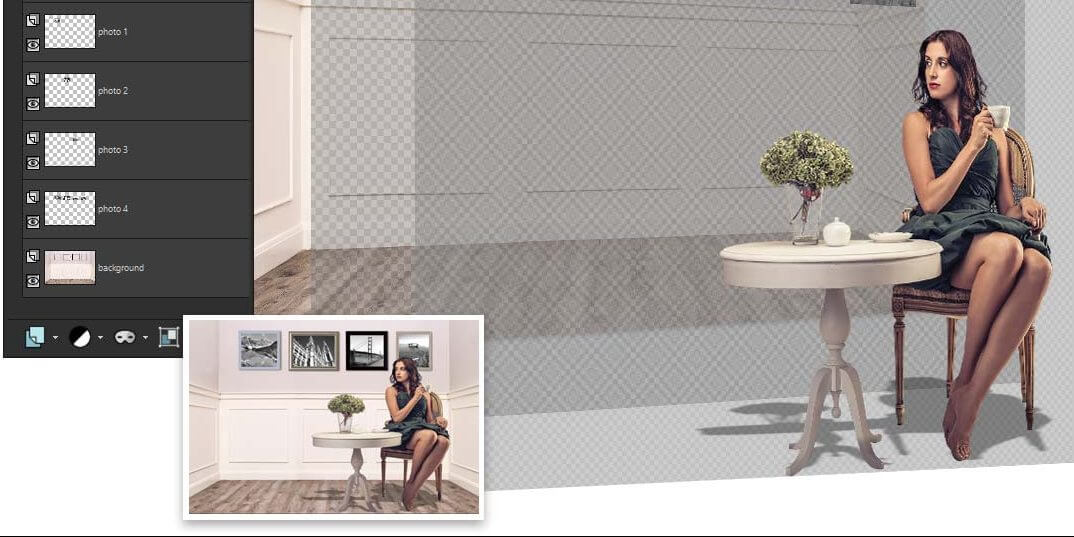
Corel PaintShop Pro – Improved AI editing

PaintShop Pro Corel_best photo correction tool

Corel PaintShop is no less than a professional vector graphics and universal software for the photo editing industry.

If you need vector graphics tools, this tool hits home. You have various editing and drawing tools that can help you design inspiring drawings.

Corel comes with the latest drawing features in terms of vector editing, such as specific texts or shapes.

As an example, you can use the famous Bezier tool for distinct drawing shapes or curves that gives your image a new dimension.

More so, there are object manipulation tools to help you customize vector drawings in your own way.

In addition to this, you have coloring fill and strokes that should help you express your vision in a much more creative manner.

Corel PaintShop

Have a confident try with this vector graphics solution for professionals.
Check price Visit website

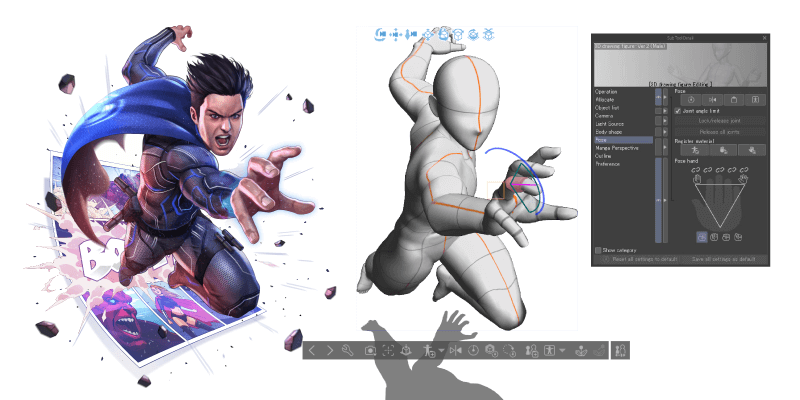
Clip Studio Paint – Vector graphics art drawings

If you need an original painting tool, this is the most suitable creative drawing designed for artists.

Studio Paint software has unparalleled vector graphics tools that can help anyone to edit and optimize their artwork.

An essential benefit of this solution is the vector layers that help you to draw and edit vector objects, such as lines or curves for improved paintings.

You can therefore utilize various vector drawings tools such as pens or brushes for crafting eye-catching drawings with detailed elements.

More exactly, you have more than 40,000 brush types for complex drawing and editing. Plus, you can use 3D object editing to create characters with realistic body movements.

In other words, this solution is the best choice for concept art drawings or vector graphics drawn by hand.

As a last note, you should pick this authentic drawing tool for character art or animation purposes because it has everything you imagine.

Clip Studio Paint

Create breathtaking artwork using this complete drawing resource for artists.
Free trial Visit website

Vectr – Free vector illustrations

Vectr is another free vector graphics software. Unlike the previous entry on our list, you can use Vectr online without downloading it.

If you choose to download this tool, you can run it without installation, which is great if you want to save space.

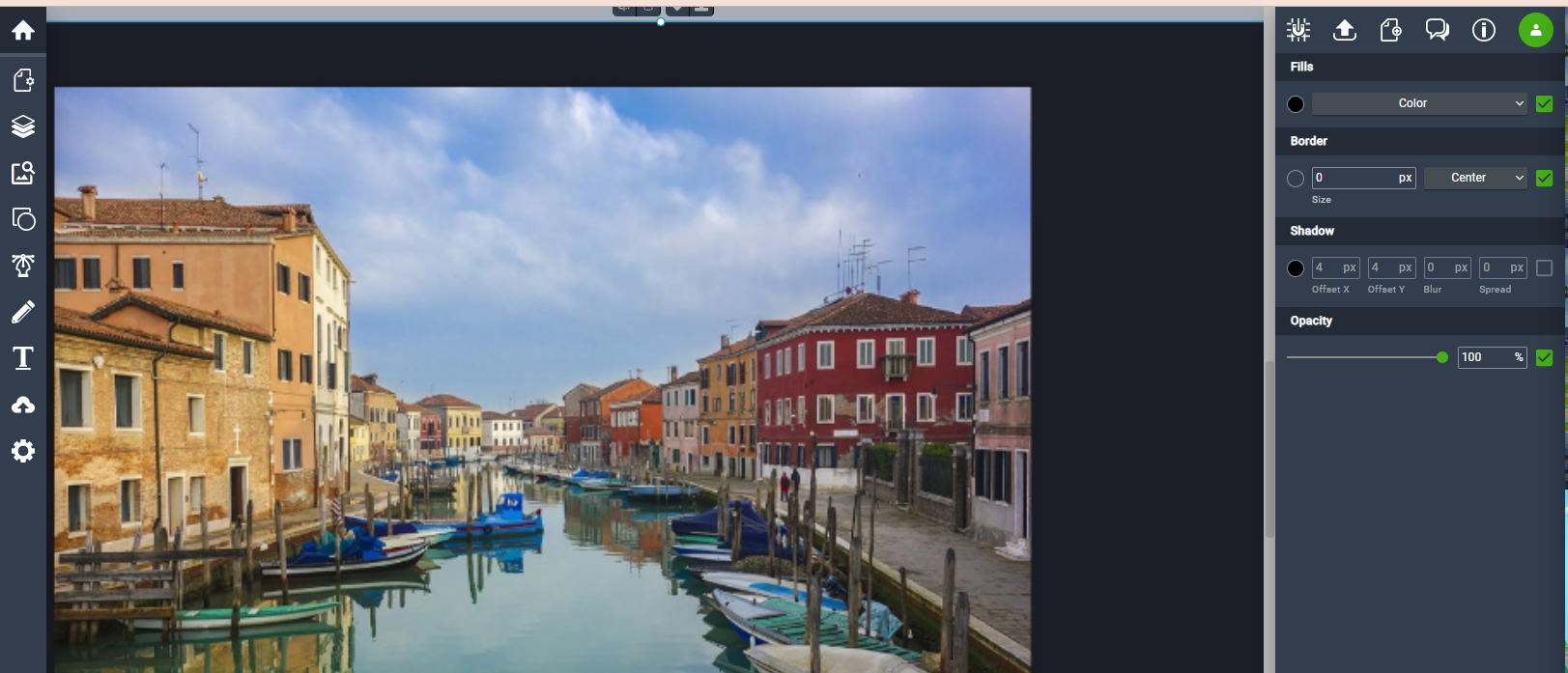
The software offers a friendly user interface, so it will be perfect for basic users. All your pages and layers are sorted on the left, and all object-related configuration is on the right.

Once you select an object you can change its background, border, shadow, color or opacity.

The tool supports basic objects, but you can also use the pen tool to create custom shapes. In addition, there’s a freehand pencil tool as well as the ability to add text.

Each object can be moved along Z-axis thus allowing you to create some impressive results. The tool also allows you to share your designs easily.

Simply share the link to your document so you can easily collaborate with others.

Vectr offers great design and a simple user interface, but it seems to lack some advanced features. The tool will be perfect for first-time users that want simple vector graphics software.

If you’re looking for simple and free vector software that supports collaboration, you might want to try Vectr.

⇒ Get Vectr

Affinity Designer – Effective UI for vector designs

According to its developer, Affinity Designer is the fastest and most precise vector graphics software on the market. The application offers all the tools that you need, ranging from a pen to a gradient tool.

Affinity Designer offers great speed and accuracy, and it allows you to pan the screen at 60fps. In addition, it supports 10000000% zoom, so you can see and edit the smallest details.

Just like other vector graphics software, Affinity Designer supports RGB, CMYK, LAB, and Grayscale colors. The tool also has ICC color management and 16-bit channel editing.

Regarding the supported formats, the tool supports PSD, SVG, EPS, PDF, and FH files.

In addition to standard vector tools, the application offers many tools for raster graphics as well. Affinity Designer also supports wide range of adjustment layers and blend modes.

Of course, there are also masks and clipping layers as well. We have to mention that these effects are non-destructive, so you can easily remove them or disable them.

The tool has customizable workspace, and you can adjust it any way you like. It’s worth mentioning that the tool has unlimited undo option, so you can easily fix any mistake.

Affinity Designer offers wide range of brushes as well as pressure control and tilt. This means that you can use this tool with your stylus in order to create natural-looking artwork.

You can also edit vector brush strokes and brush parameters. If you want, you can even create your own brushes or import new brushes in .abr format.

The tool also supports wide range of shapes, and almost every shape comes with customizable corner settings. This application also allows you to add text, and you can add text to any vector path.

This software has a powerful export mode that lets you select areas, layers or objects to export. This is perfect if you’re a UI designer that needs to export only specific objects from a vector document.

We also have to mention that this tool supports unlimited number of artboards, thus allowing you to create variations of your design. The application also supports real-time editing for embedded documents.

By using this feature you can make changes to an embedded document and see the results in other documents in real-time.

Just like any other professional vector graphics software, this one supports outline, pixel and split screen view. There’s also a corner tool that allows you to easily round multiple corners on shapes.

Affinity Designer offers wide range of features, and it will be perfect for basic and advanced users alike. The tool is available as a free trial, but you’ll need to purchase it if you want to continue using it.

⇒ Get Affinity Designer

Calligra – Various file formats

Calligra is a free vector graphics software with extensible user interface. The application offers loading support for ODG, SVG, WPG, WMF, EPS/PS formats.

Regarding writing support, the application supports ODG, SVG, PNG, PDF and WMF files. The software has customizable user interface, and you can freely move toolbars and dockers.

Calligra supports layers so you can easily create complex documents. You can preview thumbnails or group shapes simply by dragging and dropping. If needed, you can lock certain shapes or control their visibility.

There’s also an advanced path editing that allows you to create unique custom shapes. Regarding the tools, the application has basic tools such as draw path tool, pencil tool and calligraphy drawing tool.

Of course, there’s full support for patterns and gradients. The application allows you to create pixel perfect designs thanks to its advanced snapping features.

There’s support for guide lines, but you can also snap your objects to a grid. Just like any other vector software, this one also supports basic shapes such as circles, rectangles, starts, etc.

Of course, there’s text support and you can even add text to paths. We also have to mention that this tool supports wide range of plugins, and if you’re a developer, you can even create your own custom plugins.

Calligra is simple and free vector graphics software. The tool is available for Linux, Mac and Windows.

Although this tool doesn’t offer some advanced features, it will be perfect for basic users or designers that are tight on budget.

⇒ Get Calligra

Xara Photo & Graphic Designer – High quality editing

Unlike other tools on our list, this application is a vector graphics software, but it also works with raster graphics.

According to the developer, the application offers fast and non-destructive editing that doesn’t use too much of your resources.

The tool offers photo-enhancing features, and you can easily change brightness, contrast, saturation and other options. There’s also flexible cropping, red eye removal, brightness level controls, etc.

Although this application offers great raster graphics editing, it also supports vectors graphics.

Using this tool and its Bitmap tracer feature you can easily convert raster graphics into vector shapes. Just like any other vector software, Xara Photo & Graphic Designer supports basic shapes such as rectangles and circles.

There’s support for text, and you can add text to your documents, resize it, or even add it to a path. The text supports transparency, fills and other non-destructive effects.

Regarding the available fonts, this application offers more than 600 Google Fonts. There are also more than 1500 material design icons and symbols available.

We also have to mention that this application has 3D extrude tool that allows you to easily create 3D version of any shape.

The tool also supports blends and you can create them from one shape to another. This feature uses drag and drop technique, and it’s quite simple to use.

Using this feature you can create highlights, patterns and all sorts of other effects. Xara Photo & Graphic Designer also supports gradient vector transparency and vector feathering.

The application uses high-performance vector rendering engine, thus delivering maximum performance to the users.

The application has Direction Action Tools that allow you to add transparency, shadow, gradient and other effects by using drag and drop method.

Xara Photo & Graphic Designer also supports unlimited undo and redo, so you can easily fix any mistakes. If you’re working on detailed documents, you’ll be pleased to know that this tool supports up to 25000% zoom.

The tool is fully compatible with Adobe Photoshop PSD files, so you can import and export them easily.

We have to mention that imported and exported files have layer support, so you can continue editing where you left off. The tool also supports GIF, JPEG, BMP, PNG, TIFF and RAW format.

Regarding vector formats, there’s support for PDF, AI/EPS, SVG, and EMF/WMF.

Xara Photo & Graphic Designer is a great vector graphics software, and it offers wide array of features for both basic and professional users.

In addition to vector graphics, this tool fully supports raster graphics, which is also a major plus. The tool is available for free trial, but if you want to continue using it, you need to purchase a license.

⇒ Get Xara Photo & Graphic Designer

Inkscape – Designer shapes and lines

Inkscape is a freeware vector graphics tool that allows you to create vector graphics with ease. The tool allows you to create various simple shapes such as rectangles, ellipses, polygons and spirals.

In addition, you can create simple paths with freehand tool or Bezier curves and straight lines with pen tool. This application also supports text, so you can easily add text to your designs.

Inkscape offers extensive object manipulation thus allowing you to move, scale and rotate any vector object. Of course, there’s support for Z-ordering, so you can easily arrange objects on Z-axis.

To make the editing process even faster, the tool supports grouping, so you can group desired objects and edit them simultaneously.

Of course, there’s support for layers and you can hide or reveal specific layers, or change their order.

Inkscape supports various color selections, ability to copy and paste styles, gradient editor and patterns. There’s also support for dashed strokes and path markers.

The tool offers node editing, so you can move nodes and handles on Bezier curves easily. If you want, you can also easily convert any shape to path to edit it.

Regarding the supported formats, the tool is fully compatible with SVG file format. As for exporting, the tool can export files in PNG, OpenDocument Drawing, DXF, sk1, PDF, EPS, PostScript and many other formats.

Inkscape is a great vector graphics software, and it allows you to create amazing vector graphics. It offers most features that you’ll need, so it’s perfect for all users.

The tool has a learning curve, so it might take you a while to fully master it. Nevertheless, Inkscape is powerful tool and it’s available for free, so there’s no reason not to try it.

⇒ Get Inkscape

Creative Docs .NET – Simplest interface

This is another free vector graphics software. You can download and share this tool and use it without any limitations for personal use.

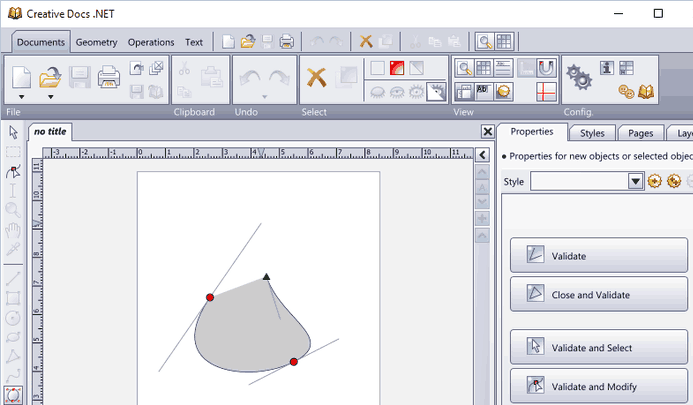
The application supports polygons so you can create custom shapes easily. In addition, you can also create Bezier curves. The tool also supports text, and you can even add text to paths.

Creative Docs .NET supports basic objects such as rectangles and circles. Regarding objects, you can save different styles and apply them to objects.

This tool also supports alignment, so you can always align your shapes perfectly. There’s also support for boolean operations, so you can easily remove the background or foreground of overlapping objects.

To make the editing process even simpler, you can combine shapes into groups for simple organization.

Creative Docs .NET is a decent vector graphics software, and it offers all the basic features that users need. This application is free to download, so we recommend that you try it out.

We have to mention that this software wasn’t updated in a while. As a result, it has a bit outdated user interface, but despite this minor flaw, it’s still a decent vector graphics tool.

Vector graphics software allows you to create resizable graphics with ease. These types of tools are perfect for designers, and we hope that you found a suitable application for you on our list.

⇒ Get Creative Docs .NET

  • What software do graphic designers use for logos?

There are a couple of options on the market, but the most popular ones are Adobe Illustrator and CorelDRAW Graphics Suite which can handle any complex logo design project.

  • What is the best free vector graphics program?

There are plenty of vector graphics programs on the market, but to be sure you find the proper one for your needs, check out our vector graphics software list.

Billboard Design Software for PC: 7 Best to Use

Banners and billboards are an efficient form of advertisement, so they have to look good in order to attract clients. That being said, you can’t just use any regular software tool to design them.

The tools need to be powerful enough to handle a wide range of features, but at the same time, they also need to produce banners and billboards that look good when they are both small enough to fit on a flyer.

The Internet is full of products that offer such capabilities, but we will be looking over some that we consider to be the best among them.

We’ve taken into consideration the toolset that they bring to the table when it comes to designing banners and billboards, their price, how easily you can get used to using the program, and other such criteria.

What is the best banner and billboard design software?

Adobe Illustrator – Unforgettable designs

Topping out our list is a software tool that can be considered the default graphics design tool that you should always be thinking of.

Since banners and billboards are sometimes meant to be enormous in size, you will want to use a tool that is vector-based, such as Adobe Illustrator, and not pixel-based, such as Adobe Photoshop.

In simple terms, vector-based files will never lose quality regardless of how much you stretch them. Since banners cover the entire facade of buildings, making sure that they aren’t pixelated is no easy task.

Of course, this isn’t the only reason you should go for Adobe Illustrator. It is perfectly capable of handling other types of projects as well, from small-scale logo designs to beautiful digital art.

Thus, if you’re going to buy a license for a product, you might as well go for a product you can use for more than just one task.

Here are some of Adobe Illustrator’s main features:

  • Vector-based design tool
  • Full compatibility with other Adobe products
  • Full layer support
  • Large library of brushes
  • Their website is full of great guides
Adobe Illustrator

Adobe Illustrator

Create awesome banners and billboards with the industry-leading software for graphic design.
Free trialVisit website

CorelDRAW – Professional graphics

CorelDRAW

The second entry on our list is yet another product that is vector-based and thus well-suited for the job of designing banners and billboards.

However, one big difference between CorelDRAW and the previous entry is the skill level required to master it.

CorelDRAW’s UI can be described as far more user-friendly, although the overall capabilities are somewhat more limited.

However, if you’re working on a personal project and are not all that versed in the ways of digital design, then CorelDRAW is definitely the tool for you.

More so, if you’re just into digital art, doodling, or even the occasional 2D CAD, then you can use CorelDRAW for that as well.

Here are some of CorelDRAW’s main features:

  • Intuitive interface
  • Easy to learn and master
  • Versatile in terms of what it can be used for
  • Strikes a balance between manual and automatic controls
  • Shaping docker gives maximum usage
CorelDRAW

CorelDRAW

Use one of the best software well suited for designing banners and billboards.
Free trialVisit website

Canva – Explosion of designs

This free online platform called Canva is known and used by millions for good reasons. Complete design and billboard templates and edits.

It’s possible to easily craft multiple billboard designs using existent templates for a variety of designs like banners, social media posts, or marketing products.

At the same time, it has plenty of features that help you create any digital media. For instance, you can compose photo collages, YouTube videos, or print media.

Another worth mentioning feature is the vector design tool that comes in handy to design inspiring artworks.

Here are Canvas main features:

  • Sharing and printing options
  • Collaboration tools for feedback sessions
  • Unlimited Marketing templates
  • Document creation tools

Canva

Deliver the most persuading billboard designs with this creative solution.

Xara Photo & Graphic Designer – Inspiring projects

This professional image editing and drawing tool has tons of creative templates, and design elements, with a simple UI.

First of all, you have the easiest vector image graphic tools for creating any project according to your vision.

There are simple-to-use editing tools regardless of your project. Then, it can transform your imagination into real products like a billboard.

More so, the tool also comes with blending shapes for detailed projects. So, you can use the drag-and-drop technique to tweak your marketing output quickly.

Not only that, it allows you to create highlights and other effects and compose every kind of project from e-books to print media.

Here are the Xara Photo & Graphic Designer main features:

  • High-quality photo editing
  • Advanced photos manipulation
  • Customizable template ideas
  • Smart scaling tools
  • Creative text editing

⇒ Get Xara Photo & Graphic Designer

Affinity Designer – Compatible with all apps

Affinity Designer was first created as a dedicated graphics design tool for Mac users but has slowly transitioned to Windows as well.

As far as the interface is concerned, Affinity Designer offers a modern, intuitive UI that allows users to transition almost seamlessly between it and Illustrator.

Those that are new to graphics design will have no problem finding all the basic tools that they will need, yet veteran Illustrator users will know their way to the more advanced settings and tools easily.

In fact, those that are used to Illustrator and Photoshop will pretty much realize that the learning curve for Affinity Designer is almost non-existent.

However, Affinity pales in comparison to Illustrator when it comes to sheer features, tools, and shortcuts. Then again, this is indeed reflected in the lower price tag.

Here are some of Affinity Designer’s main features:

  • Intuitive interface for beginners
  • familiar interface for Photoshop and Illustrator users
  • Both Vector-based and raster-based design
  • Low price tag
  • Great for Mac users

⇒ Download Affinity Designer

Inkscape – Object manipulation tools

The next entry on our list is a product that will probably deceive you at first glance when you find out that it is completely free and open-source.

However, nothing in the quality department has been sacrificed when creating this product. It is perfectly capable of handling vector-based products such as designing large banners and billboards.

Of course, there’s no way you can compare the sheer amount of resources that it has at its disposal compared to the premium products on our list.

However, if you’re working on projects that are more simplistic, or if you are perfectly capable of creating certain design elements by hand or with the few tools that you have, then you might as well go for Inkscape.

It is updated constantly, and you can even contribute with donations in order to make the program a whole lot better.

Here are some of Inkscape’s main features:

  • Completely free
  • Open-source and constantly updated
  • Packed with features considering the non-existent price tag
  • Vector-based
  • Versatile in terms of what it can create (banners, billboards, digital art, logos, etc)

⇒ Download Inkscape

Vectr – Pro vector graphics

Closing our list is yet another free vector-based graphics design tool.  It’s a simple yet powerful web and desktop cross-platform tool to bring your designs into reality.

What makes it stand out compared to all other entries on our list is that it can be used online, so there’s no need to occupy your disk space with it.

Simply go through your browser, visit Vectr’s website, log into your account, and start editing. Of course, those that lack a strong Internet connection can still opt for the traditional desktop client.

More so, you can send your design to other users instantly, and you can even make it so that they can watch you edit live.

Here are some of Vectr’s main features:

  • Completely free
  • Can be used as both an online web-based client and as a desktop client
  • Very lightweight
  • High-quality vector-based design
  • Makes sharing your work extremely easy

⇒ Download Vectr

Designing banners and billboards is no easy task. Even if you know precisely what you want them to look like, using the right tool for the job is crucial if you want to make it work.

Always remember when choosing design tools for projects such as these ones to always go for vector-based design tools and not raster-based, since the image quality will go down as the image size goes up.


How to update Windows 10 if you run a Conexant audio driver

More than one month after the last update regarding Windows 10 update issues for devices with Conexant ISST audio drivers, Microsoft releases a workaround, yet not the full solution.

It is known that devices with Conexant drivers can’t install newer Windows 10 versions (v2004 or 20H2) due to confirmed incompatibilities between the two.

Consequently, the workaround implies a driver update via the manufacturer or an update rollback.

Windows 10 update, still preferable, despite the conflict

Devices that run Conexant ISST audio driver and need to install Windows 10, version 2004 (the Windows 10 May 2020 Update) will still experience bugs during or after the installation, even with the proposed workaround.

The affected drivers – Conexant ISST Audio or Conexant HDAudio Driver – can be found in the Device Manager, under the Sound, video and game controllers section.

There, one should look for file names uci64a96.dll through uci64a231.dll and a file version of 7.231.3.0 or lower.

The solution found by Microsoft, until investigations reveal other solutions, is to contact your driver manufacturer and ask for an updated driver version, if available.

Since in most cases it is possible that your device already runs on the latest driver version, the solution is to roll-back your Windows 10 and attempt another update to v2004 at another time.

Additionally, updating will be rolled out cautiously, for some devices, Microsoft added:

As of January 14, 2021, we are adjusting this safeguard to allow certain devices with the affected driver to update to Windows 10, version 2004 or Windows 10, version 20H2.

The recommendation to avoid manually updating via the Media Creation Tool or the Update Now button is still available.

You could try using professional third-party software designed to perform automatic updates and keep your Windows OS healthy. The tool can perform an in-depth scan and find the right drivers for your PC within minutes.

⇒ Get Outbyte Driver Updater

A final fix for the incompatibility issue is expected in the next Windows 10 release, this spring.

Did you manage to update your device yet although you’re running Conexant ISST drivers? Tell us how it went in the comments.

6 Best Video Tutorial Software to Make Interactive Videos

In the last five years or so, the amount of video content uploaded to various social media networks has increased drastically. Everybody can launch their own YouTube channel and start vlogging.

Therefore, being able to edit the videos you share and bring them to top-notch quality is very important.

YouTube is currently the largest video sharing platform on the internet. More than 4 million hours of content are been uploaded each day, and these numbers are constantly rising.

If you want to attract the attention of millions of users and have the upper hand over content uploaders, you will need a good video editing software.

This allows you to organize your raw footage and to clear off any mistakes before uploading your videos.

You can find any type of video you want to on YouTube – ranging from tutorials, cooking recipes, fitness workouts, meditation videos, etc.

In this article, we will explore the best options on the market that allow you to easily create high quality tutorial videos – no matter if you’re a beginner or a pro. So, continue reading.


What are the best YouTube tutorial video software?

Adobe Premiere Pro (recommended)

Adobe Premiere Pro may seem like your typical timeline-based video editor, but that is the only typical thing about this program.

Among all the programs included in the Adobe Creative Suite, Adobe Premiere Pro is by far the choice for those looking to create, edit and compile videos for a wide variety of projects.

You can do anything you with this tool, from cutting videos to merging multiple short movies into one, all from within the same UI.

The program’s interface isn’t all that complicated given how many tools are at your disposal, and anyone with just a bit of experience editing videos will have no problem adapting to Adobe Premiere Pro.

Once you are done, you can go ahead and add a bit of extra movie magic with Adobe After Effects with which it works very well.

Here are some of the perks of using Adobe Premiere Pro:

  • Professional timeline-based video editor
  • Highly versatile in terms of imported and exported file formats
  • Can process video files from any type of video camera
  • Great plug-in support for extra flexibility
  • Can be tested out for free during a 7-day trial period

⇒ Get Adobe Premiere Pro


Pinnacle Studio (suggested)

pinnacle-studio-interface - YT tutorials

Pinnacle Studio 22 is a video editing software that provides a wide range of input file formats making it suitable for any user.

Pinnacle Studio brings advanced video editing tools to beginners and professionals alike, simplifying the video editing process.

This software is equipped will all the basic video editing features, and even offers paint effects or 360-degree video editing support.

For YouTubers, Pinnacle has a mosaic blur with motion tracking feature that allows you to conceal private information in the video, but it is only available in the Ultimate version of the software.

The Plus or Ultimate Pinnacle Studio versions, allow you to edit 3D and 4K videos.

General features of Pinnacle Studio include:

  • Multi-track video editing
  • You can enhance color and add effects
  • Royalty-free music, voice-overs
  • Burn to disc feature
  • You can upload to directly to social media
  • Export options to all file formats

Pinnacle Studio features :

  • 1,500+ effects, titles, and templates
  • 6-track HD video editing
  • Simplified color grading
  • Selective color
  • Multi-camera screen recorder
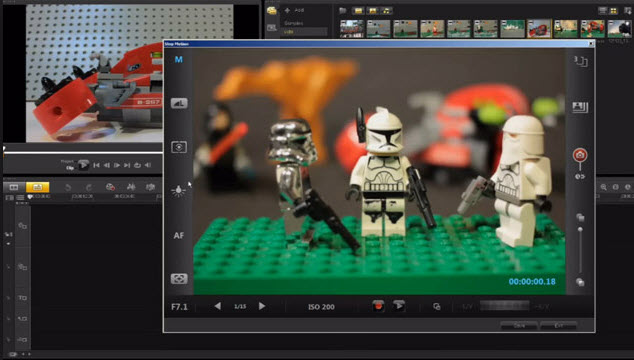
  • Stop motion animation

Pinnacle Studio Plus features :

  • 1,800+ effects, titles, and templates
  • 24-track HD video editing
  • Three and four-point editing
  • Basic color grading
  • Enhanced motion tracking
  • Wide-angle lens correction
  • Pro-level audio tools
  • And all the options included in Studio version.

Pinnacle Studio Ultimate features :

  • 2,000+ effects, titles, and templates
  • Unlimited HD and 4K video editing
  • Split screen video with keyframes
  • 3D motion objects
  • Seamless transitions
  • Effects from NewBlueFX
  • Enhanced 360 video editing
  • More formats and support
  • And, of course, all the other features included in Studio Plus

⇒ Get Pinnacle Studio 22


Corel Video Studio

corel-video-studio - Yt tutorial

Corel Video Studio is another great software with multi-track video editing options and a number of professional editing features.

Some of the best features found in Corel Video Studio include lens correction tools, 3D video editing, and stop motion animation.

This program gives you the ability to crop or resize videos and also helps you if you want to have more than just one video source by its split screen feature.

Video Studio is equipped with video hardware acceleration technologies that boost the speed of rendering a video. You can export your finished video to YouTube, Flickr or Vimeo.

Key features include:

  • Split-screen video templates
  • Multi-camera video editor – easily combine footage from multiple cameras
  • Track transparency – adjust the opacity of your tracks directly in the timeline
  • Customize motion path – control the movement of graphics, titles, etc.
  • Filters and effects – drag-and-drop effects, animated titles, transitions, etc.
  • Motion tracking – you can add moving text, graphics or blur faces
  • Green screen – ability to adjust how objects blend with the background
  • Audio editing tools – normalizer, audio ducking
  • Royalty-free music library
  • Ability to add filters and enhance color
  • Offers video tutorials

⇒ Get Corel Video Studio


Vegas Pro 16

magix-vegas-pro - Yt tutorials

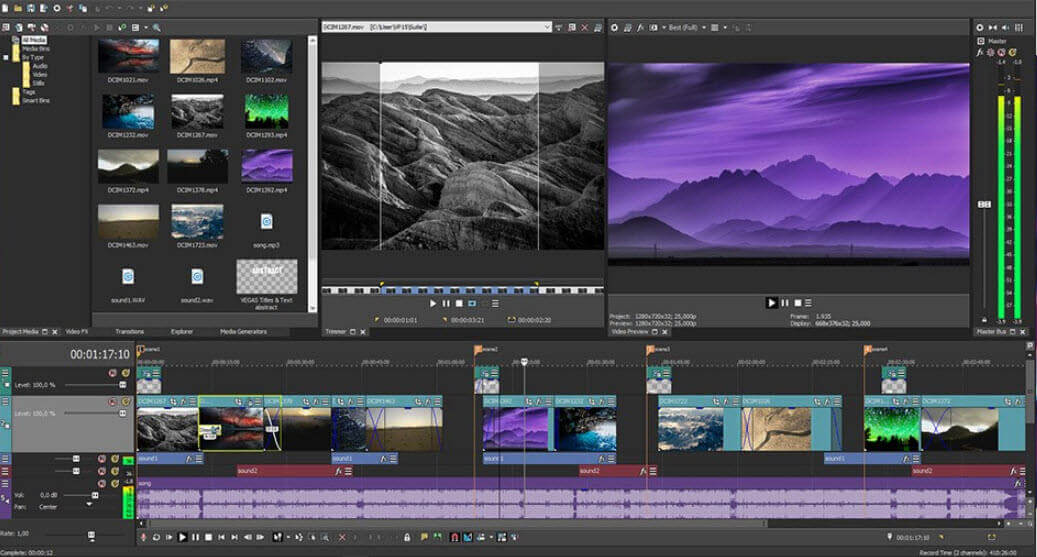
Vegas Pro 16 is designed for Windows users who need a professional and advanced video editing software.

Vegas Pro has tons of advanced features like 3D editing, composting, color correction, automatic corssfades, multicam-editing, chroma keying and various special effects.

Most notable features of Vegas Pro 16 include:

  • Full support for High Dynamic Range (HDR) color
  • Video stabilization
  • Motion tracking
  • 360° editing
  • High DPI scaling
  • Automatic subtitle creation from timeline regions
  • Ability to find missing streams automatically
  • Time Stretch/ Compress Shuffle Editing
  • ACES 1.0 (Academy Color Encoding System)
  • FX masking
  • Integrated 3D adjustments
  • Compositing modes – enables you to assign tracks as parent or child tracks
  • 4K support

⇒ Get Vegas Pro 16


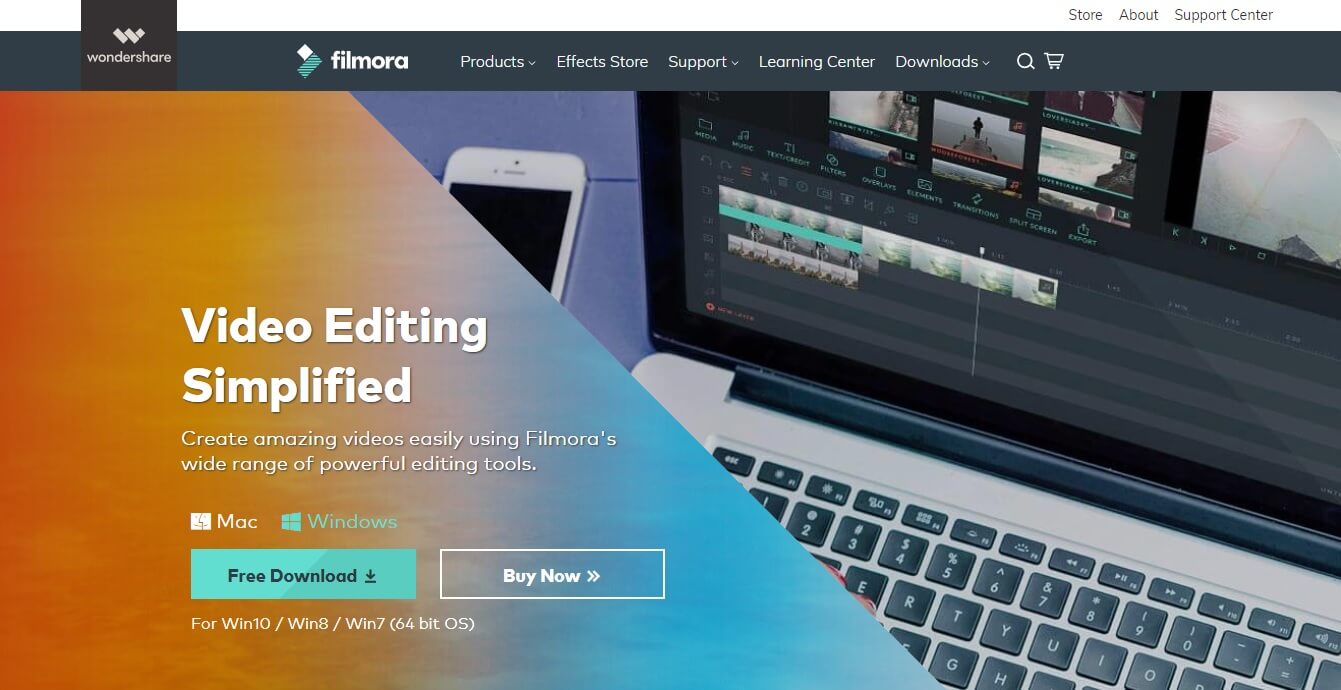
Wondershare Filmora

Wondershare Filmora - Yt tutorials

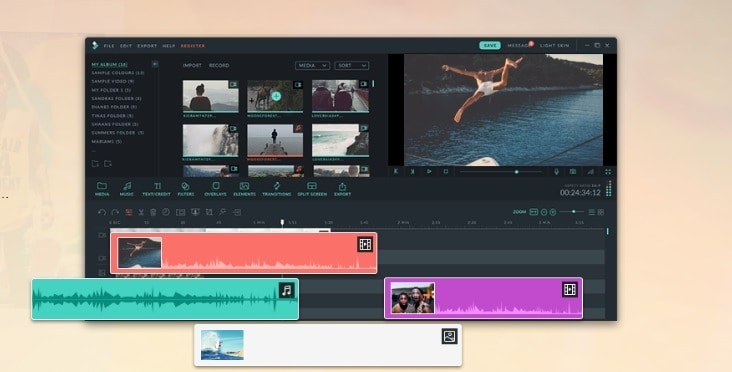
Wondershare Filmora is another great tool that allows you to create tutorial YouTube videos. With the numerous effects found in the library, you can change the way your video looks by adding text or image overlays.

This software has royalty free music that can help you create the perfect intro for your tutorials.

In order to help you create the perfect YouTube video tutorials, Filmora allows you to add text or use the split-screen feature.

Other notable features of Wondershare Filmora include:

  • Extremely intuitive UI
  • Simple color correction and audio editing
  • Advanced features like PIP, Green Screen, Tilt-shift, Mosaic, etc
  • Compatible with the most commonly used formats like MP4, MKV, MOV, FLV, etc

⇒ Get Wondershare Filmora


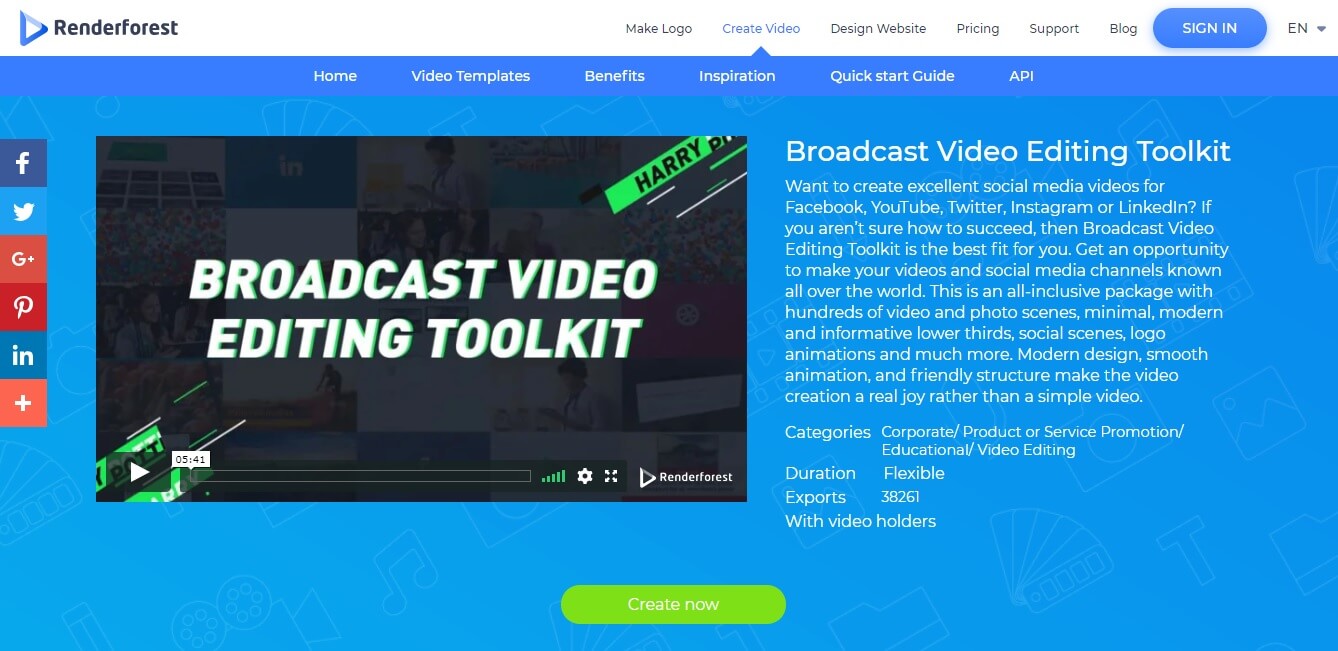
Broadcast Video Editing Toolkit – Renderforest

Renderforest - Yt tutorials

The Broadcast Video Editing Toolkit from Renderforest allows you to create excellent quality videos for Youtube with ease.

This software has hundreds of video and photo scenes that will give you the opportunity to create the perfect video without any skills.

Key features include:

  • More than 400 video templates
  • Easy to use video editor
  • 115.000+ HD royalty free stock footages
  • A wide range of commercial music tracks
  • Media Library to keep all your files in one place
  • Thousands of animated scenes for your projects
  • Ready-made stories to fasten your video creation
  • Upload your photos, videos, music or voice over
  • Publish to YouTube or Facebook with 1 click

If you feel like you need a quick start guide go to Renderforest’s guide page.

⇒ Get Broadcast Video Editing Toolkit


In this article, we explored some of the best editing software options that allow you to create amazing tutorial videos for your YouTube channel.

The options presented here are suitable for both beginners and professionals.

Some video editing software presented in this article are suitable for beginners – Wondershare Filmora, Renderforest, etc.

Other options are creative professional-grade software like Vegas Pro 16 or Pinnacle Studio 22. The software presented in this list will surely get you on track with your YouTube tutorial videos fast.

If you have any other software suggestions, let us know in the comment section below.


New Windows Feature Experience Pack update improves screen snipping experience for Beta Channel Insiders

Microsoft has released today a new Windows Feature Experience Pack update for Windows Insiders in the Beta Channel. This update is now available in Windows Update for Beta Channel Insiders running the 20H2 Build 19042.662 or higher, and it should be faster to install compared to a full-fledged build.

Back in November, the Windows Insider team announced that it would start shipping new Windows 10 features to Beta channel Insiders through Windows Feature Experience Pack updates. This is all about making the process of testing new Windows 10 features more agile, allowing the team to improve certain features and experiences that are now developed independently of Windows 10.

The Windows Feature Experience Pack 120.2212.2020.0, which is now available in Windows Update for Beta Channel Insiders brings minor changes to the Screen snipping experience. The Windows Insider team said that this update should make screen snipping more reliable “especially with apps that access the clipboard often.” Moreover, this update will remove the ability to copy and paste a screen snip directly into a folder in File Explorer as the Windows Insider team needs to fix a bug recently discovered by Windows Insiders.

Microsoft is just getting started with this new process for flighting new features to Beta channels Insiders, and that’s why today’s update brings very minor changes. “Over time, we hope to expand the scope and the frequency of releases in the future. Eventually, these Windows Feature Experience Pack updates will get folded into the already existing servicing process for Windows 10 and delivered to customers that way through Windows Update,” the Windows Insider team said today.

5 Best EXR Viewer & Editor Apps For Windows

EXR files aren’t supported by Windows, and to view one you’ll need an EXR file viewer. Many professional tools can handle these files, but there are a few free alternatives as well.

While some apps have native support others might require additional plugins to work with this file type, so it’s not easy to pick the right one for you. Luckily, this guide is here to help you make the right choice.

What is the best EXR file viewer software?

Adobe After Effects – Amazing EXR file viewer

Adobe After Effects is a software tool that looks and feels as if it was created with EXR files in mind. All you need to do is double-click the file or drag it onto an open After Effects window and the file will be open.

You can then make short work of it, modifying all image settings that you can imagine, from colors to luminosity.

More so, gaining access to Adobe After Effects will open up a whole new world of possibilities as far as video editing is concerned, as it is a world-leader in the domain.

In fact, by the time you get used to the entire tool set (and it will take some time to do so), the fact that it can open EXR files will probably be the last thing on your mind

Here are some of Adobe After Effects‘ main features:

  • The projects created in After Effects are fully compatible with most other Adobe products
  • Everyone uses it, so the Internet is full of helpful guides
  • Extensive plug-in support
  • Comes with a free trial
  • Great for creating high-quality products

⇒ Get Adobe After Effects

Autodesk 3DS Max – The best choice for 3D modeling

Another great software tool that everybody knows that can handle EXR files is Autodesk 3ds Max.

While few might have expected CAD software to be included on our list, the fact that it can open these types of files is what brought it here.

The images can be used in conjunction with the 3D models that you can create, resulting in stunning pieces of work.

In simple terms, imagine that the EXR images will most likely be used as the surface texture for the 3D objects that you created.

Of course, Autodesk 3ds Max is not just an EXR file opener, it is a program that holds the potential of creating entire 3D worlds as long as you invest the necessary time.

Here are some of Autodesk 3ds Max’s main features:

  • Create massive worlds in games
  • Visualize high-quality architectural creations
  • Model finely detailed interiors and objects
  • Bring characters and features to life with animation and VFX
  • Students and schools have access to free licenses

⇒ Get Autodesk 3ds Max

Adobe Premiere Pro – Professional post-production tool

If Adobe After Effects is the program that you use to add special effects to a video during the post-production phase, then Adobe Premiere Pro is the program you build the video from the ground up with.

This program is well suited for the creation and editing of videos, regardless of size or purpose. More so, the program has proven itself to be perfectly capable of opening EXR files as well.

Despite the Adobe namesake, the program is just like the typical timeline-based video editing tool, but with a professional-level toolset.

All in all, if you want to open EXR files in order to use them in basic video editing projects, then Adobe Premiere Pro is the software that you need.

Once the video is complete, consider using After Effects as well to further enrich your movie.

Here are some of Adobe Premiere Pro‘s main features:

  • Simplistic time-line-based movie editing
  • Great for creating videos from the ground up
  • Fully compatible with other Adobe products, especially After Effects
  • Not very resource-intensive
  • Can be tested during a 7-day trial period

⇒ Get Adobe Premiere Pro

DaVinci Resolve – Free post-production solution

This is an all-in-one post-production solution that offers non-linear editing to its users. It features drag and drop interface as well as context-sensitive auto-trimming tools.

We have to mention the library that has an array of effects, transitions, and titles you can add to your creations. Cutting is also simple with this tool due to its simple interface, dual timelines, and smart editing tools.

The software has advanced color correction and hundreds of 2D and 3D tools for visual effects and motion graphics. Regarding file compatibility, the application can handle a wide array of files, including EXR.

DaVinci Resolve is a professional tool, and its basic version is available for free, so don’t hesitate and give it a try.

Other great features:

  • Offers professional video editing features
  • Advanced color correction
  • Easy-to-use interface for seamless video cutting and trimming
  • Support for various formats, including EXR
  • The basic version is completely free

⇒ Get DaVinci Resolve

Luminance HDR – Open source alternative

This software is designed for HDR imaging and it allows you to fuse multiple pictures to create an HDRi. Regarding the supported formats, it works with JPEG, TIFF 8bit and 16bit, RAW, and many others.

With Luminance HDR you can save and load HDR files, rotate them, tonemap images, apply projective transformations, and copy EXIF data between images.

As for supported HDR formats, the software can work with EXR, TIFF, RAW, and PFS. Overall, this is a great free solution to open an EXR file on your PC and make small adjustments to them.

Other great features:

  • Open source
  • Available on all desktop platforms
  • Supports JPEG, PNG, PPM, PBM, TIFF, FITS
  • Works with EXR, RGBE, TIFF, RAW and PFS

⇒ Get Luminance HDR

How do I view an EXR file in Windows?

Windows doesn’t have native EXR file support, so to view it you need to use one of many applications that can open it. Simply open the application that supports this file type and then open the EXR file within the application.

How do I open an EXR file online?

  1. Go to the OpenHDR Viewer page.
  2. Click on Choose a file or drag it here.
  3. Select the file you want to view and wait for it to upload.
  4. Once uploaded, you should be able to see it.

As you can see, EXR files are quite versatile in terms of what they can be used in, especially since our list comprises two video editing tools, a CAD tool and a photo editor.

If you need more tools that can work with these files, check our guide on the best free video editing software or our best post-production software guide.

What software do you use to work with these files? Let us know in the comments below.

Microsoft Teams meetings will support 2×2 gallery view on the web next month

Microsoft Teams is finally planning to add support for 2×2 gallery view on the web for video calls and meetings. The company expects to release this feature to the Teams Web client in February, allowing users to view up to 4 video-call participants during a meeting in the Edge or Chrome browser.

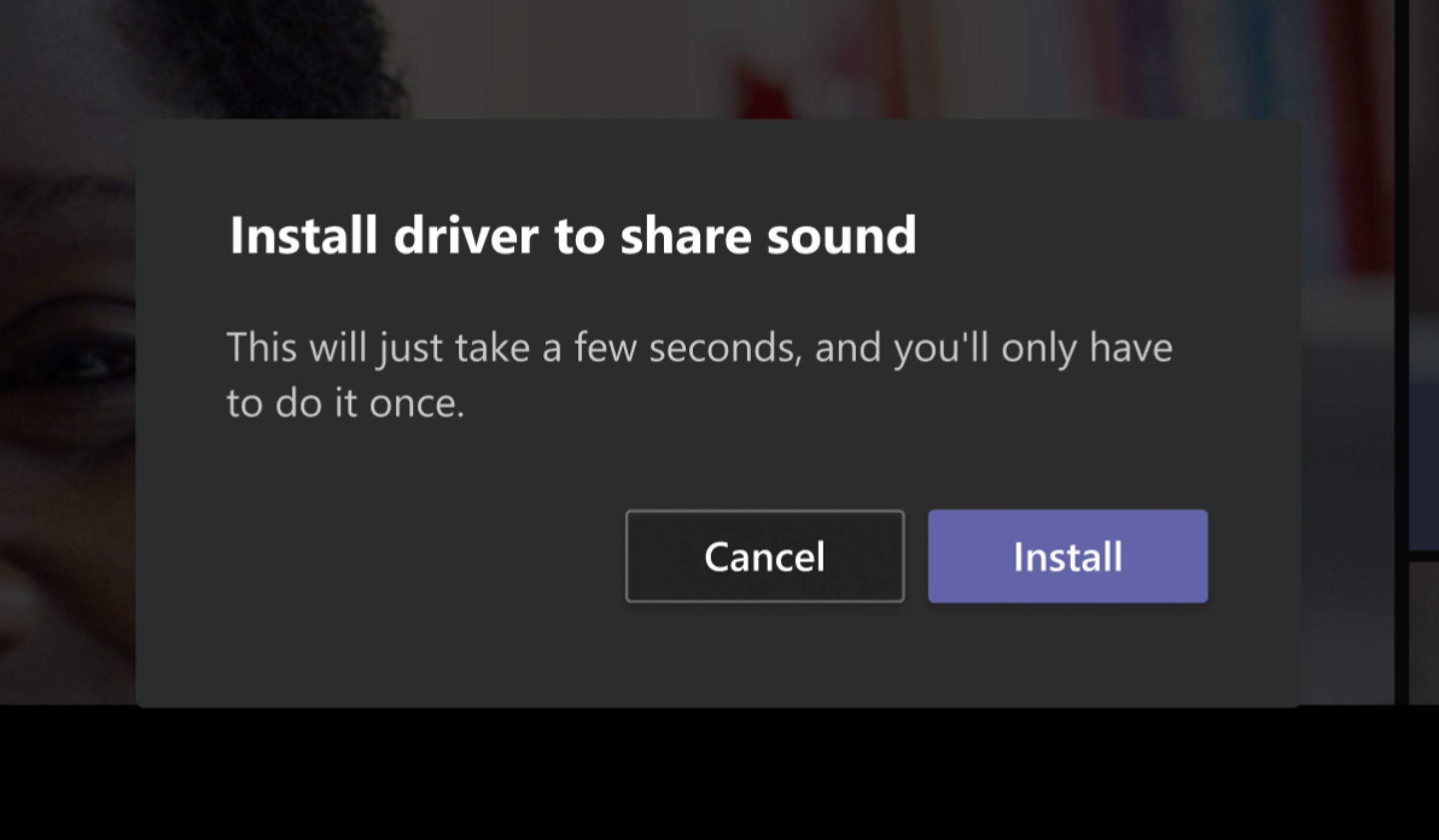
Microsoft is also working on letting Mac users include their computer’s sound when sharing their desktop or a window in a meeting. This means that the Teams desktop app will add the ability for users to share audio from their speakers with other meeting participants to make their meetings a bit more interactive.

Install driver

According to an entry in the company’s roadmap, the new capability is currently under development, and it will be generally available in early February 2021. Microsoft says that users will need to install an audio driver to enable this feature on their machines.

Easy Movie Maker: 6 Best Free to Download [Beginner-Friendly]

Windows 10 users can find and use many video editors on the market. However, it is really difficult to select the most suitable video editing software for Windows 10.

That’s why we wrote this article. In order to help you make a decision, we listed six movie maker software that are very easy-to-use on PC, so keep reading.


What are the best easy movie maker software for Windows 10?

Adobe Premiere Pro

Adobe Premiere Pro_best film-making software

Adobe Premiere Pro is the pinnacle when it comes to video editing, boasting effective tools, cross-integration with apps and services, and great new features including Premiere Rush.

With automated tools and integrated workflows, the Premiere helps you craft footage without leaving your timeline and edit it in any format, from 8K to VR.

By introducing Premiere Rush, a new all-in-one app that works across all devices, the software allows you to extend your editing platform wherever you are.

It integrates seamlessly with other apps and services within the Adobe Creative Cloud, including Photoshop or After Effects, and even with third-party extensions to help you and your team to easily collaborate.

Adobe dedicates a lot of resources into turning their products as user-friendly as they get and this industry-leading video editing software makes no exception. Detailed tutorials and valuable insights are on the house.

Let’s quickly go through its key features:

  • Automatically reformat videos (accelerate your workflow and optimize footage for social media – square, vertical, 16:9, or in 4K resolution)
  • Instantly improve audio (accelerate audio mixing, dial down background noise and reverb with new sliders)
  • End-to-end VR 180
  • Time remapping to 20,000 percent (re-timing shots without nested sequences for bigger speed changes)
  • Improved native format support (H264, HEVC, and ProRes including ProRes HDR)
  • More drivers audited in System Compatibility report
  • Faster scrolling in the Media Browser, easier Media Cache management, and more
Adobe Premiere Pro

Adobe Premiere Pro

Thanks to the innovative features of this software, you can now edit videos and create footage like a pro, so give it a try!
Free trialVisit website

VirtualDub

VirtualDub is an open-source program available for Windows 10.

The interface is intuitive and allows you to perform simple operations such as adding and deleting files, cutting the sidebars, rearrange, and rotate parts of the video.

It is a comprehensive program that is also capable of converting videos, in addition to editing them. Indeed, these are some interesting functions that may prompt you to use VirtualDub.

Pros

  • The program offers the video capture function, avoiding the need to import movies for editing.
  • You can manipulate files through third-party video filters.
  • It supports multiple processing, so it can work on multiple video files at the same time.

Cons

  • Despite the intuitive interface, performance quality is often something that can frustrate the user.
  • Beginners will have some trouble understanding how the program works.

So if you want a comprehensive tool that is free and offers a lot of features, check out VirtualDub in the link below.

⇒ Get VirtualDub


Windows Movie Maker

An alternative solution can be represented by the Windows Movie Maker. It is a free program, and for this reason, it may not have all the features you are looking for.

However, this does not have to be a daunting element.

In fact, Windows Movie Maker has a series of interesting features like a set of basic editing tools to slow down or speed up videos, cut them, and add effects and transitions.

When it comes to Windows Movie Maker, a so popular video editing tool, it’s not all black or white. Like every Windows experience, there are shades of gray.

Pros

  • Windows Movie Maker comes standard on almost every PC, so it’s hard to complain about its price (free).
  • Movie Maker provides a relatively easy introduction to video editing software for beginners. Its workflow elements with symbols of its professional editing system and its intuitive interfaces are easy to navigate for beginners and experts.
  • Windows Movie Maker is essentially the perfect tool to create a home video or film presentation to share your memories with family and loved ones. With built-in themes, fun transitions, and the ability to easily add music to slides, it’s a great tool for home video fans.

Cons

  • Movie Maker is designed for beginners and therefore becomes rather limited. It only allows one track, the green screen is out of the question. So your creativity is paralyzed and limited only to pre-installed effects.
  • If you are an advanced editor or have experience with other programs, Windows Movie Maker can be frustrating to use.
  • A problem that many of the Windows programs have is that Movie Maker crashes … quite a lot. Screenshots are often blocked causing you to rage and lose everything you were doing. Save your work often!

Windows Movie Maker is no longer supported by Microsoft, but if you don’t have it already, you can get it by following the link below.

⇒ Get Windows Movie Maker


Filmora Video Editor

Filmora Video Editor is a video editing tool fully compatible with Windows 10. It supports all types of audio, video and photo files, and can also record your PC screen.

It provides all the basic tools necessary for editing, including cutting, merging, and dividing.

It also brings a series of special effects such as face-off, mosaic, green screen, picture-in-picture, filters, and overlays.

Let’s quickly go through its key features:

  1. Simple interface, with all the editing tools shown in the main window. Users can find and use all the tools with great ease.
  2. It supports almost all audio, video, and photo file formats. There are no incompatibility problems.
  3. Selected threads, overlays, animated graphics, opening, and closing credits. The list of effects is updated periodically.
  4. Exporting videos in different formats, or optimized for sharing on YouTube, Facebook, and Vimeo.
  5. Specific versions for Windows and Mac, compatible with the latest operating systems.

Pros

  • Easy to learn and use.
  • It provides all the basic editing tools for a beginner.
  • The price is lower than professional applications but allows you to create professional-looking videos.

Cons

  • It may not be fully stable when importing multiple videos.
  • A number of functions are lower compared to other professional software.

A huge number of titles, transitions, and animated effects are also available. Check out the free version in the link below.

⇒ Get Filmora Video Editor


Pair your video editor with one of the best video optimizers. Check out our best picks in this article.


What are the best movie maker software for beginners (paid version)?

And now let’s see what are the best premium paid Windows 10 movie maker software available on the market.

These tools bring additional features and options compared to the free software listed above.


Pinnacle VideoSpin

The way this software is designed allows a very intuitive and reliable approach for both beginners and professional video editors. Its goal is simplicity of use by beginners and video editing experts alike.

Let’s quickly go through its key features:

  • Create photo slideshows
  • Delete unnecessary scenes from a movie
  • 2D transitions
  • Video effects and the ability to add audio or text overlays

In case your editing needs are concurrent in these functions, the choice of Pinnacle VideoSpin for video editing suits perfectly.

Pros

  • The program guarantees support for a huge number of file formats, with a very high compatibility rate.
  • The timeline makes the editing process very simple, eliminating a number of related difficulties.

Cons

  • You must register to be able to install the program on your computer
  • You may need to purchase the Advanced Codecs Pack, which will still have restrictions in certain formats.

Pinnacle VideoSpin is not exactly cheap, but it has a lot of features, and it’s worth every penny. Check it out in the link below.

⇒ Get Pinnacle VideoSpin


Sony Vegas Movie Studio

Sony Vegas Movie Studio software

Sony Vegas was created specifically for Windows and is one of the best choices in the field of video editing.

Through this program, you get fantastic videos with very little effort. If you are passionate about video editing, Sony Vegas Movie Studio is the right tool.

You can also download a trial version to test its potential.

Sony Vegas Movie Studio is an integrated solution for video editing thanks to a vast number of functions. You can manage those from a very intuitive interface with tools such as video stabilization, adding text, and effects in real-time.

Pros

  • It supports an unlimited number of incoming and outgoing files.
  • The compatibility of the formats is absolutely guaranteed, regardless of the one used.

Cons

  • The selling price is not very competitive. It is out of reach for some users’ pockets, and the trial version only provides a limited set of features.

So, if you want a professional tool to help you with your video editing, check out Sony Vegas Movie Studio in the link below.

⇒ Get Sony Vegas Movie Studio


That’s our list of the best video editors to use on Windows 10. Now it’s time to pick your favorite software and start editing!

The list above highlights some of the best movie maker software that are very easy to use. As a result, these tools are perfect for beginners.

Use the comment section below to let us know which software you downloaded.


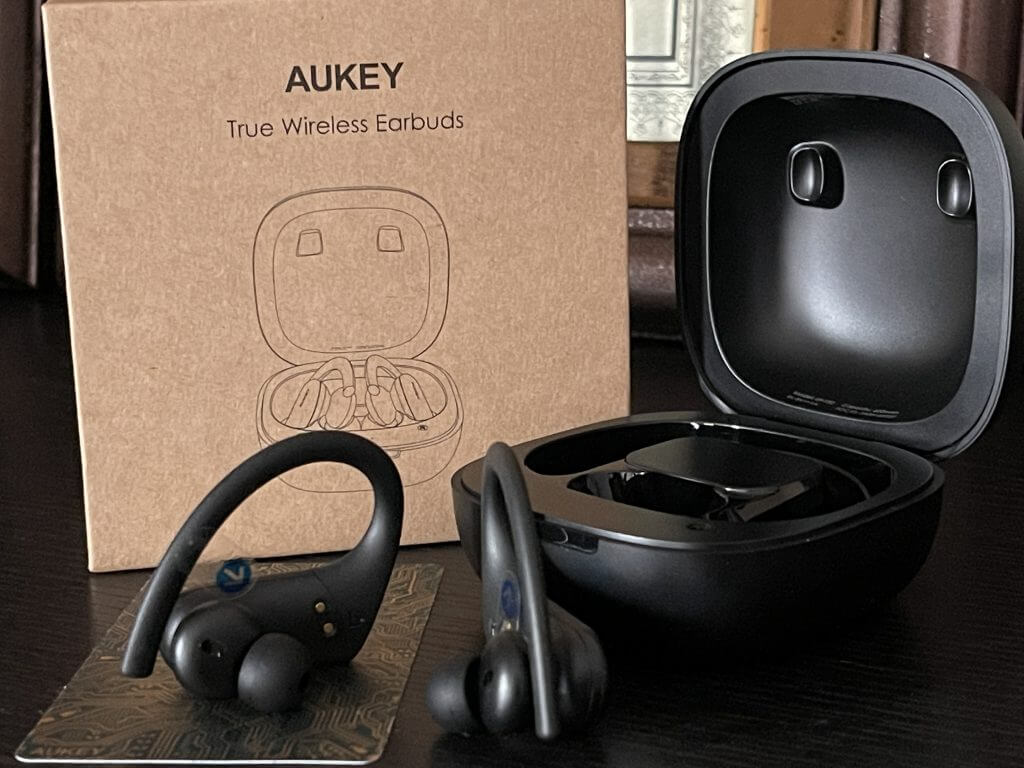
Aukey EP-T32 True Wireless Earbuds Review: A good pair of budget sports buds for close to $50

These days, there’s no shortage of wireless earbuds. You can find them on the cheap from everywhere, and you even can find more premium earbuds from Microsoft as well as Apple and Google.

But what if you’re looking for a balance, but without spending too much? That’s where Aukey steps in with their latest product, the Aukey EP-T32 True Wireless Earbuds. We were provided a pair for review, and here’s a look at why they’re a good pair of budget earbuds for under $50 (on sale at Amazon, with coupon.)

The charging case and battery life

Aukey Headphones Box 2

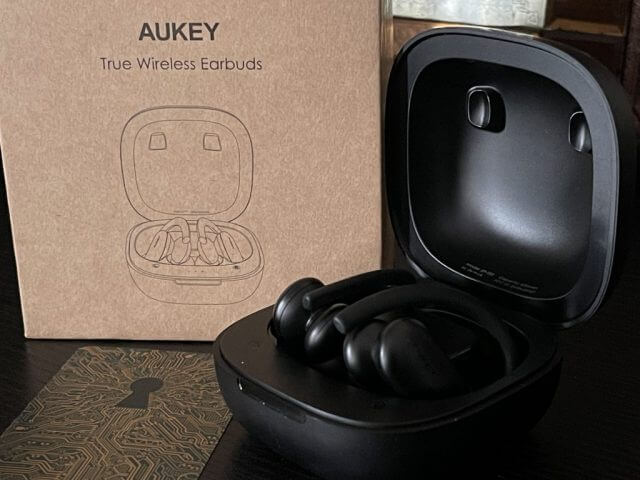
Much like when I reviewed Surface Earbuds, I’ll start first by mentioning the charging case included with these buds. Though Aukey markets this specific earbud for sports, the wireless charging case is a bit on the big side. It doesn’t really fit in my jeans, and I needed to slide it into my jacket pocket when using the earbuds on my daily walks. I can see this being troublesome if you’re a jogger or someone who doesn’t have space to carry the case around, but it’s not all a loss.

You can technically charge and pair up the headphones, and then leave the case at home, if you want. Each time the headphone is in the case, and the lid is opened, it will enter a pairing mode. When it is taken out, it will connect to what device you’ve paired it with. You can then turn off the earbuds by holding them down on the side for 5 seconds. It is a very seamless pairing process, but the earbuds only pair with one device at a time. You’ll need to turn off Bluetooth on one device if you want to switch it to another.

Anyway, Aukey markets that, with the case, the headphones can last for 35 hours, with 7 hours of playtime for each charge. This is where the big case size comes into play. It houses a battery that can charge up the wireless earbuds around five times. In fact, I charged my earbuds the day I received them (a Wednesday,) and it lasted me through to the weekend on four charges (through Sunday.) During my time I switched between my phone and my PC, for music as well as video editing, and used the earbuds throughout for roughly five hours each day.

Aukey Headphones Box

It should be noted that charging happens via USB-C, (supporting fast charge) but if you have a wireless charger, you also can put the case on it to charge it up. This is a great feature, usually reserved for premium earbuds. In fact, Microsoft’s own Surface Earbuds lack this.

The extended battery life is also great, too, as you can use these without worrying about having to charge. For comparison, Microsoft’s Surface Earbuds charging case can hold up to 24 hours of battery life with a single charge — or 8 hours of a single charge on the earbuds. Aukey’s has the edge here, for sure.

The fit

Aukey Headphones On 2

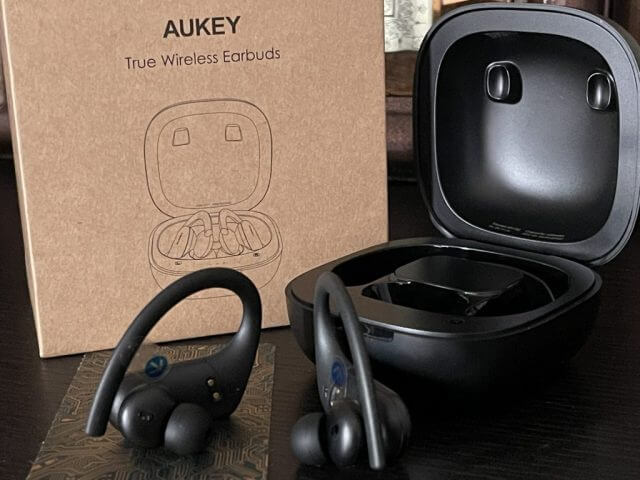
Now, for the most important part, the fit of the earbuds. Thanks to a “hook” and the curved design, the earbuds manage to grab onto the outside part of your ears when you put them on. This is important, as these are marketed as “sports” buds.

Overall, it’s a pretty comfy and subtle fit. There’s no need to “twist” or turn the earbuds in either. They just fits perfectly into my ears. No need for strange “turning” motions to get it to fit and stay stable in my ears like I had to do with Surface Earbuds or even my AirPods. I even went for a jog with the earbuds, and they didn’t slide off my ears as I moved, they stayed firm and secure.

I’ll also mention the IPX8 Waterproofing. Aukey tells me these Wireless headphones feature a fully sealed waterproof shell. It’s rated against sweat and rain. I walked in a slight drizzle with the earbuds, and they remained fully functioning. Of course, I would not suggest soaking your earbuds in water.

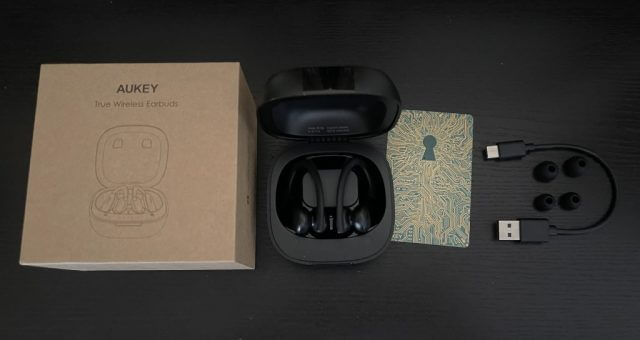
Like other earbud makers, Aukey includes three tips in the box — small, medium, and large, You can pull the tips in and out, to fit your ear size. I used the smallest one, as it creates a good seal for when you listen to music. A tighter seal will keep outside noise out.

The music, and the call quality

But what about music and call quality? On this end, the Aukey EP-T32 True Wireless Earbuds are great. While these aren’t meant to take on Apple’s AirPods with sound-canceling features or spatial audio support, the sound quality is definitely there for the price. It sounds about 20% lower than what I get with my Apple Airpods, but it does work well for the price you’re paying.

As you can see in the clip above, I wore these earbuds for our Podcast, and it felt just as if I had on a pair of over-the-ear headphones. The sound quality is clear and concise and I heard Kareem’s voice very clearly with the buds on. For long-range Teams or Zoom calls, these earbuds will definitely work well for comfort as well as audio quality.

Aukey Headphones Box 3

For music, there are no “tin” sounds as you’d get in cheaper headphones. These sound good for the price. The bass isn’t the greatest but music with lots of rhythm like Rihanna’s We Found Love were very lively. Aukey says “powerful 12mm / 0.36” speaker drivers deliver high-fidelity audio with deeper bass response.” Aukey also has the Qualcomm 3020 Bluetooth 5 chip, with integrated support for aptX and AAC codecs on board.

As for voice calls, the microphones on board are great. I gave my friend in Albany a call on my iPhone when wearing these earbuds. She told me I sounded “decent” compared to when I was using my iPhone’s mics. Aukey mentions the use of CVC 8.0 noise-reduction microphones onboard these buds, which could be the reason for that.

The touch controls

Aukey Headphones On

Finally, I’ll touch on the touch controls. Microsoft’s Surface Earbuds have a touch control surface which lets you control your music. Aukey does something similar with these earbuds.

You can tap on the outer surface of either earbud to play or pause music, and then triple-tap either earbud to summon your voice assistant. A double-tap on the left earbud, meanwhile, takes you back to your previous track, and can also answer or end a call. Going to the next-track will require a double-tap on the right earbud, too.

Like Apple’s Earpods, the Aukey earbuds also support single Earbud use. If you take one off when music is playing it will pause. You also can use each earbud as a standalone headset. It would have been great to see volume control on these Aukeys, but I could see that it might have pushed the price up a bit.

Summary

Priced at around $50, and even less when on sale, the Aukey EP-T32 True Wireless Earbuds provide a good balance. The battery life makes these earbuds reliable, and the fit make it a great companion for fitness, or long-haul Teams, or Zoom calls. There could be slight improvements in sound quality, but for $50, the Aukey EP-T32 True Wireless Earbuds don’t disappoint.

Screen Annotation Software: 11 Best to Use in 2026

On-screen annotation or screen marker software lets you annotate desktop screens and apps and then save your results.

In other words, screen annotation software can also be seen as a mix of presentation, screen capturing, whiteboard and note-taking tools.

Such tools are useful especially for teachers or professional who often deliver presentations and don’t want to spend too much time preparing slides.

Here are the essential features for screen annotation software:

  • Includes all kinds of drawing tools including pen, arrow, rectangle, text box, and free hand; it should also sport focus tools.
  • It allows you to delete and move objects, erase, undo and so on.
  • Features smooth on/off annotation.
  • Captures the whole screen or just a region in an editable format.
  • Works with any software.
  • Provides you the opportunity to magnify areas.
  • Features automatic numbering.
  • You should be able to hide it or certain things on the screen.

What are the best screen annotation software?

Adobe Reader

Adobe Reader is the most popular PDF reader in the world. This fact alone confirms the great value of this tool.

You can use the free version of Adobe Reader to view PDF files and add annotations, or you can get the premium version if you want to edit, convert, and protect your PDF files.

If several persons or team members are working on the same document, leaving notes, comments, sticky notes or drawings is a great way to provide feedback or share ideas.

Adding comments is really simple. You don’t need to open any complicated menus, you can add your comments while you’re reading your PDF documents.

All you need to do is select the text or the image you want to annotate and click on the Add Note option.

The secondary toolbar of the Comment feature is located on the right side of the screen for additional options. You can also add a Sticky Note to leave a comment.

You can also use the drawing tool to add a specific shape and then type your comment. Also, you can type a text message using the Sticky Note tool.

Adobe Acrobat Reader

Annotating the documents in your presentations will be far easier with Adobe Acrobat Reader!
Free Trial Visit website

Soda PDF

Soda PDF is a popular Acrobat alternative, accessible through any device with a web browser. This is the only PDF reader equipped with a 3D View mode and it has a robust menu of annotation instruments.

You can use the free online software to edit your documents, add comments, or highlight important ideas. Alternatively, you can get the Premium version, with no size or daily usage limitations, and enjoy more tools, including the 3D technology viewer.

Soda PDF offers you many import options, allowing you to add images, links, shapes, or even interactive forms to your files. 

The markup tools, as well as the Sticky Notes function, let you pick the desired colors, making it easier to organize your project or presentation.

Since it works from the cloud and on multiple devices, several people can edit a document at the same time. Soda PDF is the ideal annotation software for company use, especially due to its e-signing function. With this service, you can prepare, send and track the progress of e-signatures for your PDFs.

Check out its other key features:

• Advanced file encryption

• Customizable interface

• Inbuilt batch tool

• Split/merge PDF files functions

• Fast PDF conversion from Word, Excel, PowerPoint, RTF, HTML, JPG files, and more

• Inbuilt Optical Character Recognition (OCR) and Spell Check features

The fully functional PDF solution offers round-the-clock customer support and volume licensing discounts.

Soda PDF

Soda PDF

Batch edit PDF files and make impressive 3D presentations with the innovative Soda PDF software!
Check priceVisit website

Presentation Pointer

With the help of Presentation Pointer, you will be able to grab your audience’s attention and focus. Check out its most useful features below:

  • Pointer Effect highlights visibility pointer, mouse movements, and it also provides a spotlight effect.
  • The Mouse Click Effect displays a circle when you click the mouse, and you can also get an animation effect and different colors for different buttons.
  • The Live Drawing feature allows you to draw freely on the screen without locking it; you can draw horizontal lines, vertical lines, and arrow lines and if you press the hotkey you can clear everything.
  • With Live Zoom, you can zoom in and out of the windows, but you can work on the screen at the same time.
  • The tool also displays your keystrokes in an overlay at the bottom of the screen.
  • The Keystroke filter lets you define a list of custom keystrokes that will not be displayed.
  • You can activate and deactivate all the effects with the toggle Hotkey.
  • All the effects can be managed in two modes, together and standalone.
  • Everything about this tool is customizable.

You can try it for free with the trial version or buy Presentation Pointer and get a discount if you buy multiple licenses.

⇒ Get Presentation Pointer 


Presentation Marker

This tool provides users various screen marker tools including Curtain, Spotlight, Arrow Point, Screen Digital Clock, Screen Capture, Magnification and so on.

The tool is perfect for a product demonstration or a foil presentation where annotation comes in handy for better illustration.

Check out its key features:

  • You can mark on your screen, and the screen marker tools include Arrow, Line, Ellipse, Brush, Pen, and Rectangle.
  • Electronic Whiteboard which allows you to draw freely on the board; you can add more boards and set different background colors.
  • Full-Screen Zoom allows zooming the screen with the keyboard or wheel.
  • Live Drawing on Screen lets you draw freely on the screen but not lock the screen.
  • With Live Zoom, you can zoom in and zoom out the windows but allows you to work on the screen.
  • You can preside over a meeting more effectively with Countdown timer, Task shortcuts, and you can also play background music.
  • You can grab your audience’s attention and focus with Pointer effect, Mouse click effect, and Keystrokes displaying.

The software also features a portable version that you can carry together with your multimedia lecture content. You just have to plug your USB drive into the PC and then run it. For some users, the tool palette may be overkill.

⇒ Get Presentation Marker


Windows Snipping Tool

Windows Snipping Tool is the built-in grabber on Windows that you might not even know it exists. This tool is available on all Windows systems, including Windows XP.

Users usually ignore it as it’s hidden in the deepest recesses of the Start menu.

Take a look at its most notable features:

  • Even if the tool is straightforward, it has enough power to take useful screen captures.
  • It allows you to get full-screen images, rectangles, and the currently active window.
  • It can also perform free-form snips: you can drag your mouse around the area of the screen that you are interested in highlighting, and it will bring in the pixels within your sketch.
  • You also get the chance of scribbling on your shots with quite a rudimentary highlighter and pen, but it’s working well.
  • You can also set a delay on captures in case you need to set something particular up.

In case you don’t need complicated features, you will definitely be better off using Windows’ built-in tool. Just go to Start, type Snipping Tool and double-click the first result to launch the tool.


Annotate Pro

Annotate Pro is quite an ergonomic software, and you can check out its most important features below:

  • You can annotate so that your audience can efficiently follow along with you. You can easily exit the draw mode by clicking the arrow button on the right-click on your mouse and then continue to the next area of your training.
  • The tool allows you to communicate effectively with your colleagues, and you can draw on top of any program that’s running on your desktop.
  • You can also draw anywhere on your screen to communicate all product changes to the development staff.
  • You can annotate and save a screenshot, and your help desk can troubleshoot your problem much easier; you won’t need expensive or hard to use graphics software.
  • The latest features included in the newest release of the program include multiple undo, arrow tool, highlighter, hotkeys and more.

In case you have to deal with display errors with arrows and more geometric forms the whole issue will go away after you click twice on the transparency button. The software is not recommended for Windows 7.

⇒ Get Annotate Pro


Gadwin PrintScreen

In case you want to create a screenshot that is suitable for printing or saving, Gadwin PrintScreen is the right tool for you. You have to download it first, but it’s definitely worth your time.

Here are the most important features of the tool:

  • It offers a few hotkey combos to choose from, and after you have chosen your favorite one, you have to get to the Destination tab and have the screen print out instantly.
  • You can perform full-screen captures, or you can only capture a particular window.
  • The tool is a mix of a first-class screen capture app with an advanced image editing and annotation utility.
  • It is very versatile and straightforward.
  • The tool comes stocked with customizable arrows, colorful speech bubbles, blur, and more features to mark your screen capture.
  • You can use captured images to show off your product on the web, and the tool will help you enhance the technical or sales documents.

Using this tool, you’ll save time and increase your screenshots’ quality.

⇒ Gadwin PrintScreen


DemoHelper

DemoHelper is an annotation and screen zoom tool, and you can use it for your tech presentations that include app demonstrations.

The software is open-source, free, and you have to download one executable file, and that’s all.

Check out its main features:

  • It will help you in all your demos and presentations whenever you need to offer explanations.
  • It runs unobtrusively in the system tray.
  • The tool is activated by the context menu of the tray icon or by customizable hotkeys.
  • It allows you to draw on the screen to mark special areas, and you can also zoom in on an area on the screen.

DemoHelper requires Windows XP or later versions, and it’s important to note that it won’t work on Windows 2000.

⇒ Get DemoHelper


ZoomIt

ZoomIt is a screen annotation and zoom tool targeted at tech presentations that come with app demos.

The tool runs in the system tray, and it can be activated with customizable hotkeys to zoom in on an area of the screen, move around while it’s zoomed and also draw on the zoomed image.

The tool is compatible with all versions of Windows, and you can also use pen input for drawing on tablet PCs.

Here are more of its principal features:

  • The first time you run the tool, it shows a config dialog that describes the tool’s behavior.
  • It allows you to specify alternate hotkeys for zooming and for entering the drawing mode without zooming.
  • You can also choose hotkeys for customizing the drawing pen size and color.
  • You can use the draw-without-zoom option to annotate the screen at its native resolution.
  • There’s also a break timer feature that stays active also when you tab away from the timer window.

ZoomIt is free, but it’s not open-source.

⇒ Get ZoomIt


SnapDraw Free

SnapDraw Free is a feature-packed capture tool with lots of post-processing effects. Below, we’ll present its most important features:

  • The tool allows you to create high-quality screenshots with alpha transparency, reflections, annotations, and 3D rotation/perspective effects as well.
  • The tool can capture the entire desktop, an active window or an object under your mouse cursor when you press a keyboard hotkey.
  • You can also add annotations (shapes, lines or text), insert images.
  • You have the ability to adjust or even disable reflection effects.
  • It allows you to set a background color or image, and you can also add a text/image watermark.

The tool is an excellent choice for users who are looking to create high-quality captures featuring 3D rotation and reflection effects.

You can also automatically upload your images to an FTP server, or you can email them

⇒ Get SnapDraw Free


Ink2Go

Ink2Go is a mix of screen annotation and screen capture software, and it allows saving annotations as images or as *.wmf videos. Check out its key features below:

Annotation features of the tool are simple, and you can use either a highlighter or a configurable pen.

The tool is straightforward to learn just by taking a look at the tools tips.

It features configurable shortcuts for toggling display and for recording modes, and you can change these by just clicking its icon from the taskbar.

The exit icon from the top right of the toolbar will not exit from the program, and this is only used to stop the annotation process and to hide the toolbar; if you want to exit then click on the icon in the taskbar.

You can purchase the tool, and in case you’re interested in live annotations, it’s an ideal program.

⇒ Get Ink2Go


Our list of on-screen annotation and screen marker software ends here. We guarantee you that whichever tool you decide to install, you will not be disappointed.

For a lightweight screen annotation app that draws over any window, try the Epic Pen tool for quick markup during lessons and demos.

All the tools listed above are great and offer many useful features. So, what have you tried from these software apps? Leave us your answer in the comment section below.


Vinyl Cutter Software for Windows & Mac: 5 Best in 2026

The business of cutting vinyl is one that requires technique and precision which is exactly what a vinyl cutter is made for. It is important to research for the best vinyl cutter tailored to your needs.

The past decade has seen advancement in tech as most vinyl cutter equipment comes with built-in software which typically allows custom designs and graphics.

Furthermore, there are excellent vinyl cutter software in the market which gives more freedom in choice of design, graphics and intricate settings on the machine.

If you’re searching for the best software for vinyl cutter, we’ve got you covered, our team have researched and tested some of the best vinyl cutter software available on the market.

What is the best vinyl cutter software for Windows 10?

Adobe Illustrator

Adobe Illustrator has occupied the first position in our recommendations because of its very wide range of features, an amazing set of features, and customizable workspace.

This app not only offers you all the required tools you need in order to successfully and efficiently cut vinyl records but also does it more exactly and efficiently than any other software available on the market.

The most useful option that helps you create detailed vinyl cuts easily is the Snap to Pixel feature. As the name suggests, this feature works pixel by pixel to perform exact selections and cuts.

On top of this, the Pen Tool allows you to match any curves in your design perfectly. Here are some other useful features found in Adobe Illustrator:

  • Amazing selection of effects, styles, and fonts
  • Integrates perfectly with other Adobe products
  • Incredibly varied set of tutorials for any art project
  • Supports CSV and XML files
  • Very useful customizable keyboard shortcuts to ensure a fast creation process
Adobe Illustrator

Adobe Illustrator

Create custom and awesome designs for your vinyl records with the feature-rich Adobe Illustrator
Free trialVisit website

CorelDRAW Home & Student Suite

pixel painting software

CorelDraw Home & Student Suite is one of the popular graphic design software suite with over 500 million users worldwide and has different packages.

With CorelDraw, you would have a wider scope of possibilities than Sure Cuts A Pro as there are a larger library and more features available in the graphics suite.

In addition, CorelDraw comes with tons of design templates, images, and illustrations. Furthermore, its features and options make it an ideal software to employ as a layout and tracing tool.

Also, CorelDraw has a huge user base with lots of tutorials online and YouTube video tutorials which enable a faster learning curve.

Nevertheless, CorelDraw supports numerous file formats and is also compatible with several Windows versions.

Consequently, CorelDRAW Home & Student Suite is an ideal software for a vinyl cutter as you get diverse graphical options.

CorelDraw Home & Student Suite

CorelDraw Home & Student Suite

Bring your ideas to reality by creating and cutting captivating vinyl designs with CorelDraw
Check priceVisit website

Easy Cut Studio

Easy Cut Studio has increased in popularity in the past few years as a top quality software for vinyl cutter.

With a budding user base, Easy Cut Studio incorporates good features that provide users with diverse options for designs.

Unlike CorelDraw which is a general design software, Easy Cut Studio is developed solely for the needs of vinyl cutting, which makes the program very useful.

Moreover, this software comes with vinyl cutter specific features such as Bezier Operations, auto-tracing, m Lattice design, freehand drawing, and much more.

It also comes with a user-friendly interface which enables easy navigation with remarkable ease in cutting images.

Furthermore, like most graphical software, users can import many formats like PF, AI, SVG, etc. Easy Cut Studio is also compatible with many Windows OS versions as well as over 400 models of vinyl cutters.

Updates are also keeping it in touch with the latest vinyl cutter models and cutting plotters. Easy Cut Studio is similar to Sure Cuts A Lot but just offers a little extra making it the best software for vinyl cutter.

⇒ Download Easy Cut Studio


Sure Cuts A Lot Pro

Sure Cuts A Lot Pro is specially designed for vinyl cutting machines and integrates a cut and design mechanism which enables a range of variation for users.

This is one of the top-rated software for vinyl cutter in the market which provides users with extensive features most especially its library of shapes.

One unique feature of this best software for vinyl cutter is that it enables users to create images from scratch for designs such as T-shirts, and signs.

In addition, Sure Cuts A Lot Pro comes with a simplified user interface that is compatible with many brands of vinyl cutters, so it is handy for businesses that utilize different brands of vinyl cutter machines.

The weeding process is also achieved more efficiently as you can add extra lines to your work graphics.

In addition, the software supports file formats from popular design programs such as CorelDraw and Illustrator making it possible to import a wide range of designs.

Sure Cuts A Lot Pro also excels in after-sales support such as free technical support for existing customers. Besides, its interactive website offers a series of training videos for beginners and expert users.

⇒ Download Sure Cuts A Lot Pro


StoneCut Pro

StoneCut Pro is a decent software for a vinyl cutter that has been going strong in the market. Based on the Smartcut Pro software algorithms, StoneCut Pro features a user-friendly platform that allows users can produce vinyl signage, vinyl decals, and other functions.

One unique feature of this best software for the vinyl cutter is its seamless integration with other graphics software such as CorelDraw and Illustrator. Nevertheless, StoneCut Pro 2 can also be used as a standalone application.

Furthermore, StoneCut Pro 2 integrates special features such as the automatic configuration of rhinestones in tightly spaced areas.

It is compatible with over 550 models of Vinyl cutters. StoneCut Pro 2 is a decent software and can be tested for free before purchasing the full version.

⇒ Download StoneCut Pro


Clipart DeSIGN

Clipart Design is not a traditional software for vinyl cutter but offers users vector images which can be used for different purposes.

This platform makes things easier as users can select any design which fits their needs and requirements. Besides, all images available via Clipart DeSIGN are compatible with several software for vinyl cutter.

Nevertheless, Clipart DeSIGN images can be downloaded in different formats including PNG, AI, and CDR. The images can be used for garment printing, vinyl cutting, and other diverse industries.

Although, these images cost a fraction of what it would cost on online stock image websites. We recommend the software for its readymade images which gives good value for money.

⇒ Download Clipart DeSIGN


Have you made use of any of the best software for vinyl cutters we mentioned above? Please make sure you let us know in the comment section below.


6 Best Automated Animation Software [Amazing UX]

Whether you want to create a short movie, an advertisement for product promotion, a video resume, or simply try your hands at animation for the first time, knowing what tools to use is important.

There is a lot of animation software available in the market today, but the truth is all of us don’t need highly sophisticated and complicated animation software to create basic animations.

So, which animation software should you choose? It depends on your requirement. If you want something easy to learn and use and still be able to create high-quality animation, you can opt for automated 2D animation software that can produce natural motions in a few minutes with a visual editor.

However, in case you want to create a professional-grade animation that you have seen on film, games, and television look for animation software with 3D modeling, game creation, and motion tracking capabilities.

If you have still confused about what animation software you should begin with, let us help you make a better judgment.

Today, in this article, we will walk you through the best-automated animation software to create feature films and cartoons in 2D and 3D.

What’s the best-automated animation tool for beginners and professionals?

Adobe Animate CC – Excellent 3D animation software

Adobe Animate CC is suited for beginners as well as professionals who are looking to create high-quality and captivating animated videos.

You can create basic 2D characters or use a more complex graphic design tool like Adobe Illustrator that will help you create detailed characters that you can easily export into the software.

You can animate static shapes by using different animation templates as well as create a basic 3D effect by using the multiple layer feature and axial camera motion.

You can make your character talk, blink, and move frame-by-frame. The content can be triggered by a click or scroll which makes it perfect for interactive banner creation.

The package also comes with a suite of drawing tools such as vector brushes, rotatable canvas, and colored skinning which are more than enough for a basic animated video.

Once your content is ready, you can easily publish it on the web or TV by exporting it in any HTML5 Canvas, WebGL, Flash/Adobe AIR formats.

Adobe Animate CC

Create stunning and professional-looking animations with minimum effort with this amazing tool from Adobe
Check price Visit Website

Autodesk Maya – Best animation app for Mac

If you think the online animation software listed above is too simple and basic for your needs, meet Autodesk Maya.

A 3D animation, modeling, simulation, and rendering software from the house of Autodesk, might be the right choice for you.

Autodesk Maya has been the industry leader for decades. The software is used by some of the leading Hollywood studios to create animation, environment and motion graphics.

That being said, Maya is a complicated and powerful software that costs quite a bit. But then it addresses professionals looking for solid software with a powerful toolset.

For 3D animation, Maya comes with:

  • Parallel rig evaluation for rig manipulation
  • General animations for keyframes procedural and scripted animation
  • Time editor to make high-level animation edits with a clip-based, nonlinear editor
  • Shape tuner to fine-tune 3D characters and animations with ease
  • Speed enhancer to make animation scenes faster

In addition, it also comes with pipeline integration, 3D rendering, and shading options, dynamic and effects, and 3D modeling features.

Autodesk Maya involves a learning curve and can be intimidating with its features to beginners.

Autodesk Maya is a flexible solution for 3D animation artists as it offers more than just animation tools and allows you to make precise modifications to meet the client’s requirement.

Autodesk Maya

CD animations will be incredibly easy to create if you have a trusty software tool like Maya on your side.
Check price Visit Website

Animaker – Built-in custom character builder

Animaker for Windows automated animation software

Let me begin by saying that Animaker has nailed the intro video on its website which is probably made using the Animaker software. If nothing else, the intro video itself will get you excited about this cloud-based animation software.

Animaker comes with a free plan but is limited to 2-minute of video length and five exports a month with SD quality, watermark, and other limitations.

Animaker boasts the world’s largest animated library. It is DIY software for marketing professionals and freelancers for creating a simple yet effective marketing campaign, intros, and instructional videos.

Getting started with Animaker is easy even for beginners. Animaker also has a good collection of how-to videos on the website to help you understand the working of the software.

With six video styles, Animaker allows you to create 720 different types of animated videos that include infographics, whiteboard animation, typography, animated, and 2D and 2.5D animation.

The user interface is simple and supports drag-and-drop functionality. The basic editing tools offered by Animaker include cut, paste, edit, record, multimove, curve, camera, transition effect, and enter/exit effects.

You can further customize the videos by adding ready-made background music tracks, and sound effects and importing custom tracks to the video. To add voice to your video you can use the text speech feature or add voice over using direct voice recording.

Other notable features offered by Animaker are multi-user collaboration, task management, file management, and an in-app file manager in the Enterprise version. The videos can be exported in Full HD, and HD resolution, and the video length can be 5, 15, and 30 minutes depending on the plan.

Animake offers an excellent set of features to create a stunning animated marketing video and runs on the cloud sparing your PC from having another program installed. Sign up for the free plan to see if it meets your requirements before upgrading.

Animaker

Creating animations is something you do for your children, and software like Animaker will make it so that it is also easy.
Check price Visit Website

Viddyoze – Best video animation software for social media

viddyoze automated animation software

Viddyoze is a cloud-based live-action animation software that allows you to add a layer of animation and effects on top of your marketing or promotional video.

The huge library consists of premade video templates, animated intros, special effects, backgrounds, and more.

As for the templates, the company claims that they add new animations and templates every month. So, if you are a creative professional who opted for a monthly plan, you will have new contents to stylize your client’s project every month.

Viddyoze has two types of plans – Business and Marketplace. The Marketplace plan offers a one-time purchase where you can choose how many animations you want to create an advanced and pay accordingly or select a monthly plan based on your requirement.

Viddyoze is a fully automated software that allows you to create stunning and professional 3D animations in a few clicks.

The animations can be customized per the requirement of the client.

The business plan offers access to the entire Viddyoze library with other features such as exclusive new templates every month, multi-rendering processing, multi-user access for team collaboration, and tailor-made templates on demand.

Viddyoze is simple to use and allows you to create studio-quality content by adding new effects on top of your existing content

⇒ Get Viddyoze

Marionette Studio – Top-notch cartoon maker utility

Marionette Studio automated animation software

Marionette Studio is a cloud-based of kind animation software that is completely available online and does not require you to install anything on your computer.

From simple UI to tons of artwork and excellent export options, Marionette Studio doesn’t disappoint as an animation software for beginners and has enough tools for professionals.

The user interface reminds us of the old Adobe Flash program. Marionette Studio offers every nut and bolt to piece together a professional-looking 2D animation in no time.

The automated animation feature allows skipping the process of creating each step for the animation movement.

To create a walking human animation, all you have to do is define point A and point B for the object, and the software will fill in the legwork automatically.

This can be done with anything that needs to be shown as covering distance or in motion.

Marionette Studio comes equipped with advanced features such as the ability to customize animation curves, natural deformation to apply the skin on the auto-generated mesh, weight painting, auto-meshing with refining features, animation FX with Pixel art, and Motion Blur support and inverse kinematics.

The animations can be exported in multiple formats in HD and SD resolution. The animations can be used as a sprite sheet for creating games with Unity, Cocos2D, and other game engines.

Marionette Studio is an excellent tool for beginners as well as creative professionals to create 2D animations for less complicated projects.

As for the lack of features compared to full-blown animation software, this software is targeted at indie developers offering flexibility and features to create fast-paced animation.

⇒ Get Marionette Studio 

PowToon – Best animation program for beginners

Whether you want to create an animation video for marketing, HR, IT, training or for report creation, PowToon can help you make a stunning video presentation in a few minutes.

PowToon is among the oldest cloud-based animation software with tools to create professional-looking videos using ready-made templates, built-in voice tools, and advanced animations.

PowToon offers a free plan for everyone, but it comes with tight restrictions and a watermark on the finished project. The basic plan though starts at $16 per month.

The users can start making videos by selecting a look that includes Whiteboard, infographics, cartoons, training, etc. Next, you need to choose a template under three categories that include Work, Personal and Education.

You can customize each slide with text, graphics, and images from the library or by uploading your own and the background music.

PowToon has lots of features to explore and it takes more than one session to grasp it all. However, it is a great alternative to PowerPoint slides for creating a presentation. It may not be as good as Animaker or Marionette Studio on the functionality standpoint but it can certainly make for an excellent presentation maker.

⇒ Get PowToon

The animation software listed here can help you create an effective marketing campaign for your business, for presentation, and for those who are into the instructional video production profession.

Animaker and Marionette Studio are excellent automated animation applications.

For adding animations to your live-action video use PowToon or Viddyoze. If you want something more sophisticated, Autodesk Maya is an excellent option as well.

Tell us which one you prefer!

Improving the capturing and sharing experience on Xbox is now “a priority” for Microsoft

If the Xbox OS and the Xbox Store received a fresh coat of paint last fall ahead of the release of the Xbox Series X|S consoles, Microsoft still has a lot of work to do to improve social features on Xbox consoles. Despite Microsoft adding a new Share button to the new Xbox Series X|S controller, the capture and sharing experience on Xbox consoles continues to lag behind what Sony offers on PlayStation consoles.

As of today, uploading screenshots and clips to Xbox Live can be very slow, and sharing captures to OneDrive or Twitter can also be quite cumbersome. Despite the Xbox Series X coming with over 800GB of internal storage, it’s worth noting that the OS still requires gamers to use external storage to record longer clip that can only be up to 60 minutes long. For some reason, clips and screenshots from Xbox games captured on external storage can’t be shared to Xbox Live, OneDrive, or Twitter, which is another weird limitation.

A revamp of the Game DVR and sharing experience on Xbox consoles is obviously long overdue, and we’re happy to report that the Xbox team is already working on revamping these features. Answering a question about the lackluster Capture and video sharing experience on Xbox, Jason Ronald, Director of Program Management at Xbox replied that “We have heard the feedback and working on a number of improvements to the capture and share experience. Nothing to share yet, but a priority for the team.”

With the release of the new Xbox mobile apps for iOS and Android last fall, which allows users to managed their Xbox Live captures and share them on social media, Microsoft has also discontinued the Upload Studio app on Xbox consoles, a video editing app that made its debut with the Xbox One back in 2013. Xbox gamers are still able to edit trim clips via the Capture & Share tab in the Xbox Guide, though many are still wishing to see a true replacement for Upload Studio.

Are you glad to see that improving the capturing and sharing experience on Xbox consoles is now a priority for the team? If so, let us know in the comments what kind of improvements you would like to see.

5 Best Software to Make Video from Photos [2026 List]

Do you want to make your loved ones feel special? You can now create a meaningful and personalized video slideshow out of your favorite photos, and offer it as a gift.

You can create slideshows with photos from birthdays, weddings, graduation or family celebrations, parties with friends.

Or you can create them for your own use, to keep your vacation memories stored in one easy accessible video file.

For a personalized slideshow, it is best to use specialized software since it comes with some great optional features like batch processing, video and photo effects, stickers, etc.

Slideshow creator programs are designed to be used by anyone, beginner or experienced users alike.

All you need in order to create a meaningful slideshow is to have the right photos at your disposal and a bit of time and inspiration.

In this article, we will explore some of the best software on the market that allows you to easily create slideshows out of your photos, and offer good effects and sticker options for customization.

What is the best software to make videos from photos?

Adobe Premiere Pro

Turning photos into movies isn’t all that hard if you what tools to use within a video editor’s arsenal. However, having that particular arsenal arranged in an intuitive way can greatly help you out.

That’s precisely why Adobe Premiere Pro landed the first spot in our list, since not only does it have a UI that is welcoming to beginners, but the toolset will greatly satisfy veteran video editors.

This same toolset is what made Adobe Premiere Pro a world leader in terms of video editing, having set its own high standards that few other programs can come close to.

Of course, all of this shouldn’t scare you, since the program is still your typical timeline-based video editor, just that it pretty much has everything you could ask for.

Here are some of the perks of using Adobe Premiere Pro:

  • Perfectly compatible and sometimes dependent on Adobe After Effects
  • You can share the projects that you are working on
  • Several expansive libraries filled with resources
  • You can test it for free for 7 days.
  • Supports a wide variety of video formats
Adobe Premiere Pro

Adobe Premiere Pro

Put some life into your photos by creating a stunning video in any format, just the way you like it.
Free trialVisit website

Camtasia

Camtasia - photo to video

Camtasia is a great software option that allows you to easily create video slideshow, and also has a wide range of other video editing options that will surely cover your needs.

The latest version of this software, Camtasia 2018 has a series of great new features that are worth mentioning. You have the opportunity to use the new set of video assets that include customizable intros, outros, etc.

You can also easily create themes and save them in a safe storage environment. This feature allows you to keep every theme separated and organized into specific folders for easy access and faster video processing.

In order for you to start making videos out of PowerPoint presentations, you can now import the slides into this software and edit them to fit your needs. First, you need to close PowerPoint, then click the Import Media button and choose your file.

This software will turn every slide into a PNG image, and then it will add it to the media bin for later use. You can use the provided sliders to adjust every aspect of your project, and then export it with ease to any physical or online medium.

Other notable features of Camtasia include:

  • Create training and tutorial videos
  • Mouse movement recording abilities
  • Can record keystrokes
  • Add notes and annotations to your video
  • Drag and drop video editor
  • Good range of motion graphics
  • Wide number of pre-made transitions for video scenes
  • Green screen options – allows you to immerse yourself into the video scene

If you feel like you need a bit of help regarding how to use Camtasia, you can find the official tutorial page by clicking here.

⇒ Download Camtasia


Movavi Slideshow Maker

Movavi Slideshow Maker is another easy to use tool that allows you to easily transform your photos to video files. Even if you are a beginner, it takes a short amount of time for anybody to understand how this program works, making it a very good option for all levels of experience.

Because of its intuitive user interface, Movavi offers fast access to any of its features by using drag and drop features, and it also allows you to export your finished project into all popular formats.

You can use the 150+ filters, 100+ transitions, 40+ titles found in this software you customize your video slideshow to reach any desired result, can manually add music that automatically fits the speed of your slideshow, or choose a song or more from the built-in database.

The Movavi Store has a great number of video effects available for download that cover a wide range of topics. Some examples include:

  • Built-in media – video clips, backgrounds, sound, music, etc.
  • Can combine multiple videos on one screen
  • Audio tools – frequency, remove noise, etc.
  • Can import media files from different sources – hard-drive, phone, tablet, etc.
  • Multi-track editing
  • Can easily remove unwanted parts of your video, move parts around, add titles and transitions, filters, etc.
  • Can share your projects directly to YouTube
  • Special visual effects: Retro, Vignette, Flying hearts, etc.
  • Save time with automatic slideshow creation by the use of the built-in Montage Wizzard
  • Customizable color settings

⇒ Download Movavi Slideshow Maker


PhotoStage Slideshow by NCH

PhotoStage by NCH is a greatly useful software that allows you to easily create slideshows out of your photos.

The friendly UI (user interface) found in this software allows you to create professional-looking slideshows out of your favorite photos, add filters and text to them and export them to any popular format.

This software has a wide range of video transitions and effects, digital audio tools, and also good video optimization tools :

  • Drag and drop feature for easy access
  • Wide range of effects – zoom, crop, fade, pan, ken burns effect, etc.
  • Great optimization tools for both photos and videos
  • Easy export of projects either to hard-drive, web-based applications, or external devices
  • Panning and zoom effects
  • Fade transitions – allows you to customize the way your slideshow act
  • Preview the effects in real-time
  • Customize the duration of the effect
  • Photo optimization – brightness, color, saturation, crop, rotate, flip, etc.
  • Add music tracks to your slideshow
  • Fade, loop, and add track effects to your audio
  • Can record your own narration easily
  • Transition effects – crossfade, fade to black, dissolve, etc.

You can also export your project directly from PhotoStage to a DVD or CD, to a video file saved on your computer’s hard-drive (avi, wmv, mpg, etc.), or choose the option to post your project directly to sites like Flickr, YouTube, or Facebook.

⇒ Download PhotoStage by NCH


Magix Photostory Deluxe

Magix Photostory Deluxe is a great software that offers a good range of editing and optimization features, making it easier than ever to create the perfect video slideshow out of your favorite photos.

With this software, you can create professional-looking animated slideshows with the possibility to choose from over 1,500 effects & music, and after you reached your desired results, can easily export them to your hard-drive, DVD, or USB stick.

One of the best features found in Magix Photostory Deluxe is the ability to use the intuitive Effect Wizard. This tool allows you to simplify your workflow by making professional suggestions regarding what effects could be used to make your image/video pop. 

Another useful feature is the Magix Travel Maps feature. This feature shows you the route of your travels on an animated map and can help you make your presentations better by using details of your travel in your slideshow – stops along the way, speed of travel, time spent in certain locations, personal impressions, and notes, etc.

If you feel like you need a bit of guidance regarding how to use this software, you can access the official Magix help page.

⇒ Download Magix Photostory Deluxe

This top 5 list is a selection of the best software options to create custom slideshows out of your photos, and easily export the resulted video file to any medium – hard-drive, USB stick, online storage, etc.

These tools offer a great range of useful options like – custom color schemes, batch processing, the ability to add audio and text, different pre-made templates, color and design suggestions, and more.

We would love to know what software option you chose. Feel free to let us know in the comment section below.


Excel for the web now lets users open and edit notebooks even faster

Microsoft has announced a bunch of performance improvements that are being added to the web version of Excel this month. These updates should improve the usability of the popular spreadsheet software and bring improvements to the workbook loading, scrolling, selection, cell modification, and navigation.

Most notable for Excel is an improved scrolling experience for web users. Microsoft understands that scrolling is a “fundamental part” of working in Excel workbooks. With the latest update, users should be able to scroll through their workbooks smoother and faster than ever.

Microsoft is also making improvements to the loading experience, and the company noted that the workbook loading time has now been significantly reduced starting this month. In addition to this, Microsoft Excel has introduced cell selection optimizations for web users. This means that users will now be able to interact with the content in their workbook even faster.

thumbnail image 2 captioned Selection in Excel for the Web

Lastly, the Redmond giant has also recently brought a host of improvements to navigation, making it easier for users to use the find, Go-To, search, page-up, and page-down operations. The cell modification function has also received additional refinements to reduce lag and improve formatting speed for users.

Favicon Software For Your Website: 7 Best to Download

In today’s competitive market, making your website stand out from the rest of the crowd if not impossible, is not easy either.

However, as long as you are offering what the user wants, that is, quality and great user experience, not having an out of the world design for your website is forgivable.

That being said, there are a few little yet important things that you can do to make a positive impression and also increase user engagement. When done right, it helps your website stand out from the crowd.

In other words, it will appear in bookmarks and favorite lists of the readers and results in better engagement via returning visitors, and also help you build brand awareness.

Graphics designers use sophisticated tools like Photoshop or Coreldraw to create icons and favicons for their websites.

However, there is specialized online and offline software to create favicons that give you the freedom to sculpt your favicons exactly the way you want them to be.

In this article, we take a look at the best software to create favicons and icons for your website and app.

The list consists of both free and paid tools, so take the free/trial version of the software for a spin before committing to a favicon maker.


What’s the best favicon maker software for your website?

Adobe Illustrator

There’s no other vector graphics software to match what Adobe Illustrator has to offer to its users. Even if you aren’t planning on pursuing billboards design, Adobe Illustrator is a great favicon maker too.

Since it packs a wide variety of tools, effects, and filters, the program may be used to create graphic designs for websites, brand logos, and favicons with ease.

Not sure that this is what you’re looking for? This means that you don’t know how Illustrator functions. Long story short, it uses mathematically-defined paths to create outlines of shapes.

There are endless possible combinations of options to create the desired final image. Its clean and well-designed interface accompanied by various tutorials available to make the learning process easy.

All these make Adobe Illustrator a fantastic tool for non-designers and professionals alike.

Impressive key features to consider before choosing your very own favicon maker:

  • Intuitive interface that might become familiar to all users in no time
  • Easy to access and use design presets and templates
  • Impressive range of options for the creation of vector graphics, page layouts, and not only
  • Delivers iconic results for projects at any size
  • It works seamlessly with other popular Creative Cloud apps that you’re already enjoying
Adobe Illustrator

Adobe Illustrator

Create the most interesting, unique, and attractive icons for your website using Adobe Illustrator
Free trialVisit website

Favicon.io

Favicon.io is a free online favicon creator that allows you to create text, emoji and image-based favicons with few clicks.

There is nothing fancy here. It is a basic favicon creator and has three options to choose from.

If you select the Text favicon generator option, you can customize the text, background shape, font color, and font size on the editing page. Click the download button to download favicons in PNG and .ico format.

To create a favicon from an image, upload an existing image, logo, or icon. Click the download button to convert the image into an icon.

If you want to create something funky, try the emoji favicon option. Select any of the emoji you want to use and click on Download ICO or Download PNG button to download the icon in their respective format.

It also has a logo creator, which allows you to create a text-based logo with an icon. If you want to create something quickly, favicon.io is a good choice.

⇒ Try favicon.io 


Icons Flow

Icons Flow (formerly known as Free Icon Maker) is a web-based icon editor. It is a premium service but does offer a free plan which is limited to max two icon sets with five icons per set, 32px, and PNG export.

The premium plan starts at $9.99 per month. Icon Flow offers a modern web-based editor. It has a huge library of icons for almost every category including technology and social media.

You can get started using the editor by visiting the official website. However, to save the icon, you need to register for an account.

Start by selecting an icon from the category or upload your own image. If you prefer the first letter of your logo to be the icon, select text option (ABC 123).

You can further customize the size, background color, shape color, shape scale, shadow settings, background theme, and shape from the right-hand side pane.

To save some time, add, multiple icon shapes and styles to the editor, and when you apply any changes it will affect all the icons in real-time. You can choose the one you need depending on the final result and export it.

Icon Flows is an impressive tool and can be even used to create simple text and shape-based logos. However, the premium plan may not be for everyone. So, give it a try to see if it worth your time and money.

⇒ Try Icons Flow


X-Icon Editor

X-Icon Editor is a more traditional icon editor with a simple yet practical interface offering the most basic icon editing tools to the users.

It is a free online software tool and can be used to create an icon of 16×16 to 64×64 size. There are three ways to create icons using X-Icon Editor.

You can upload an image and crop it to fix icon size. Paint your icon using the cursor on the canvas or type in icon text using the text box.

If you have a logo already, we would recommend uploading the image and converting it to an icon.

X-Icon Editor offers basic tools such as paintbrush, pencil, Eyedropper tool, paint bucket, line tool, Rectangle and Circle shape tool, and the eraser.

You can change the size text of the and also play with different colors using the sliders. On the right side, there is a slider that allows you to change the background and increase and decrease the pattern blocks.

Click on Import to download the image. X-Icon Editor saves the image in .ico format.

⇒ Try X-Icon Editor


Logaster

Logaster is an online logo maker and is quite popular among users. Apart from Logo, Logaster can be used to create a business card, envelope, letterhead, and favicons.

Once you signup, proceed to create a logo. Enter the text and Logaster will automatically create your logo. It will display the logo preview on various mockups like a business card, letterheads, and website, etc.

You can further customize the logo design using the built-in editor according to your requirements.

Logaster is free to signup and try different logos and make changes. But to download, you need a premium account.

The editor allows you to change layouts, add text, change colors, select fonts, and different shapes for your logo. You can easily convert the finished logo to a favicon and download it to your PC.

You can download one full-sized logo for free. However, you can create numerous variations of logos and branded product designs for free as well, but that’s it. For anything else, you need a premium account.

The free account also allows you to share, compare, and discuss the logos created. You can download a small-size watermark-free logo for your website.

For some reason, Logaster was painfully slow during our trial run. However, the pricing structure is affordable for both freelancers as well as individuals.

⇒ Try Logaster


SIB’s Free Icon Editor

Free Icon Editor is a Windows utility to create and edit icons for your website. As the name suggests, it is entirely free to download and use.

This icon maker allows you to create and edit icons in either standard or custom sizes. You can adjust transparency, export in PNG formats, create a button for websites, and more.

The editing tools include eyedropper tools, pencil tool, shape and line tool, text tools, and more.

You can get a pre-made icon for free from online resources or get a premium pack from third-party design studios and edit them using Free Icon Editor.

⇒ Try Free Icon Editor


GIMP

GIMP (GNU Image Manipulation Program) is a free open source image editing tool that comes with all the features you would seek from a professional-grade image manipulation program.

With all the bells and whistles it has on offer, one handy feature in GIMP is the ability to create favicons.

If you know how to use GIMP and have it installed on your PC, you don’t need any other favicon creation tool. Creating a favicon using GIMP is easy ( assuming that you have used GIMP before).

Begin with creating a new image file and set the size to 48×48 pixels. Since the image layout is small, zoom in to adjust the work area.

Some of the features in GIMP that you can use to get a better viewability to include antialiasing to reduce the negative effect of aliasing, Shading, and gradients to enhance any object and experiment with highlights and shadows to improve the look further.

You can use the basic shape, bending, color, and layer tools to create custom icons with little effort. The final result will be a professional-looking icon ready for your website or app.

GIMP is an excellent image manipulation software and creating favicon is one of its uses.

However, if you have not heard of GIMP before and wanted just a favicon maker, this is probably not the best tool for you to get started.

⇒ Try GIMP


This list consists of premium as well as free icon editors. What kind of icon editors you want to use depends on your use.

If you are a graphic designer or a freelancer offering your services, you may need something that is feature-rich like Icon Flow or GIMP or even Photoshop.

However, if you want to create a basic but high-quality favicon for your website or business, any of these free favicon editors will be more than sufficient.

If you know of a better favicon maker and think that it deserves to be on this list, make sure you let us know in the comments below.


5 Best Drum Backing Track Software for Music Producers

Drumming is a passion that many music lovers nurture, and physical drum machines have been sufficing the needs till now. But with the advancement of technology, people now use the best software to create drum tracks.

Drum machine programs are now a part of most of the mixers and input/output devices.

While online drum machines or audio editing software help create tracks, the best drum tracks software offers much more. Online drum machines are known to generate short drumming samples, but only MIDI files.

A software solution, on the other hand, helps create amazing music at a much lower cost compared to physical drum machines.

We have handpicked some of the best software to create drum tracks that make drum tracks sound amazing.

What’s the best drum track software to get?

Adobe Audition – Strong audio restoration tools

Interface of Adobe Audition

Adobe Audition is a recommended choice for people who have basic knowledge of music creation and want to produce content at a professional level.

To decide if this should be your option as well, take Adobe Audition as more than the greatest drum track software.

It’s actually a multitrack recording studio that offers all the refined tools you expect to get from Adobe products.

Adobe Audition has an abundance of effects that you can add to your audio if you want to make drum tracks sound real. Moreover, it can detect beat patterns and rhythms and set in and out points accordingly.

Additionally, its ability to switch between different interface layouts is refreshing. If you are no stranger to the classic layout, nothing stops you from making the switch to the desired layout in the window preferences.

No less important, if you usually rely on other Adobe products like Adobe Stock or After Effects, a smoother workflow is guaranteed.

After all, Adobe Audition integrates with the most popular apps and services of the moment.

Incredible key features provided by this professional audio editor and post-production suite:

  • Multitrack recording capabilities
  • Strong audio restoration tools
  • Noise-canceling features to make sure that all of the noise from your recordings can be easily removed
  • Spectral Frequency Display for a professional display of the frequency range with colors
  • Spectral Pan Display and Spectral Phase Display for a perfect stereo sound sync
  • Countless video tutorials in the Help section of the company’s website

Adobe Audition

Record and edit your drum sessions to track and improve your progress with Adobe Audition.
Free trial Visit Website

FL Studio – Professional-level app

FL Studio is one of the best drum track software that offers a complete package with the option to record, edit, mix, arrange, and compose professional-level music.

Based on DAW (Digital Audio Workstation), it offers an exhaustive music production atmosphere. It features a built-in plug-and-play function, and a 4 x 16GB pad matrix.

Users can add patterns on the Step Sequencer quickly, or they can also change to Performance Mode to play live and record notes.

It also allows users to launch patterns based on their requirements. While the Mixer allows users to mix and achieve perfection to the top professional level, the Piano Roll sends note and automation data to the plugin tools, efficiently.

It comes equipped with one of the most flexible Playlists, and with over 80 plugins with instruments and effects to choose from.

As a bonus, it also offers VST standards 1, 2, and 3 apart from a wide range of built-in instruments.

From the vector interface, the option to record live control movements and edit, or live DJ control to touch control access, it offers a lot.

FL Studio

Launch patterns based on your equipment with the most flexible program.
Free Trial Visit Website

Reaper – Customizable software

Reaper is a super customizable drum track software that allows users to apply different themes. It provides support for a host of free extensions while offering many options for rendering.

Moreover, it offers endless tracks with endless effects. One of the most significant aspects of the software is that it rarely crashes, unlike other DAWs.

It’s an efficient and professional-grade software that loads quickly and is firmly coded. Being portable it can be installed and operated from a removable or a network drive.

Among its other major features are, robust audio and MIDI channeling, 64-bit internal audio processing, multiple studio-level effects, and more.

⇒ Get Reaper

Audacity – Easy-to-use platform

Audacity is undoubtedly one of the most popular digital audio editors around that’s free and open source. This is among the best software to create drum tracks due to its super-efficient multi-track audio editor.

It’s an easy-to-use platform that’s compatible with all the major operating systems (Windows, Mac OS X, GNU/Linux, and more).

While it can record live using a mixer or microphone, it can even import, edit, and blend the music. It allows users to further export their recordings in multiple types of file formats, which include several files at one go.

The software provides support for 16-bit, 24-bit, and 32-bit in terms of sound quality. Moreover, it converts the sample rates and formats using superior-quality dithering and re-sampling.

It also supports different types of plugins, viz., LADSPA, LV2, Nyquist, VST, and Audio Unit effect. Users can even modify Nyquist effects in the text editor, or create their own plugin.

Furthermore, users can edit with cut, copy, paste, and delete functions easily, along with endless use of Undo and Redo.

Manipulation of tracks and selections with the keyboard, an option to view and select frequencies in the spectrogram, and an option to preview LADSPA, LV2, VST, and Audio Unit (macOS) effects in real-time, are some of its other major features.

⇒ Get Audacity

Cakewalk – Natural pro-studio audio

Sonar Home Studio by Cakewalk is another free and among the best drum track software that’s known for its innovation. It’s one of the most well-rounded packages for music production.

It comes with a blend of advanced technology, easy workflow, and an inspiring interface. The software allows users to make complete songs and performances using some creative songwriting tools.

It also allows users to record performances with clear quality and endless audio and MIDI tracks.

Moreover, users can also edit the tracks, fix, and tweak the pitch, organize sections, and much more. It offers natural pro-studio audio through the mix feature that helps to compose huge, clear, and powerful mixes.

The integrated mastering tools, on the other hand, lets users complete the mixes in a polished manner.

Users can further export their creations and even publish them straight to social media platforms like Facebook, YouTube, etc.

⇒ Get Cakewalk

A musician knows well about his requirements while composing tracks. His topmost requirement is professional quality sounds and tracks.

So, if you are looking for software that can help enhance and create high-quality drum racks, you may want to try the above list of some of the best software to create drum tracks.

6 best vocal harmonizer software for PC & Mac

Harmonizers are devices that sample incoming audio material, and that will automatically create a few time-stretched versions at different pitches, combining them all to an audio output.

This happens in real time, and you can hear the devices all the time on the radio. Vocal harmonizer software is an excellent alternative to physical harmonizers.

A good harmony engine alternative comes with amazing sets of features that make them fully-fledged harmonizers.

We picked out five of the best vocal harmonizer tools for PC and Mac, and we’re giving you a glimpse of their amazing sets of features.

What is the best vocal harmonizer?

Adobe Audition

Adobe Audition is a world-leading audio workstation used to design, mix, and create crystal clear sound effects. Why should it be your next vocal harmonizer software choice?

Well, let us start with some of its core functionalities. Audition comes as an expansive toolset that includes multitrack, spectral, and waveform display to restore, edit, and mix audio content with precision.

Its interface may look intimidating at first, yet give yourself the needed time and you’ll feel right at home.

We may as well add that it’s easy to master from the start if you have experience with any other editing software.

With dozens of shortcuts available right out of the box, the most common tools are already at your disposal.

Moreover, you’ll find useful its noise reduction tools that can remove background noise like tape hiss or power-line. The wide versatility of how you can remove noise is appreciated by users all over the world.

Expect to get zero crashes while working with it and a pristine sound with a polished mix. Don’t you just like the sound of it?

Some of the most important key features that you’ll enjoy using:

  • Multitrack features to produce content with multiple audio layers
  • Unmatched audio restoration tools
  • Visual of audio waves to keep the audience entertained
  • Can easily import and export multiple formats
  • Integration with other Adobe apps for a smoother workflow
Adobe Audition

Adobe Audition

Perfect for all things related to music-making, the ultimate DAW will also prove to be the best vocal harmonizer!
Free trialVisit website

Harmony Engine

The maker of Auto-Tune Evo created a software solution that is a full-fledged harmonizer called Harmony Engine Evo.

Whether you are an experienced vocal arranger or a songwriter who is looking for a perfect backup vocal, this tool offers you new ways to create the harmony parts that you hear in your mind.

Harmony Engine uses a few innovative Harmony Control modes from fully automatic to individual control of each one of the notes.

Take a look at the most exciting features that are included in this software below:

  • Harmony Engine packs four high-quality, formant-corrected harmony voices that come with vibrato, independent vocal character, and pan settings
  • There are also five channels of the CHOIR Vocal Multiplier that will let you turn each harmony voice into more unison voices
  • The Throat Modelling technology used by this tool allows you to process each harmony voice via a physical model of the human vocal tract
  • The individual humanizing functions offer selectable amounts of variation to each voice for realistic and natural-sounding results
  • With the help of Harmony Engine Evo, you will be able to use all the necessary tools to produce great convincing harmonies

This tool provides four independent harmony voices, a vast variety of robust harmony generating modes, and humanization features for the most natural-sounding performance.

With this tool, you will be able to explore harmonic alternatives that you may have never considered before.

⇒ Check out Harmony Engine


Mu Voice

Mu Voice is a plug-in that allows you to tune the vocal recordings, apply various special effects, and add amazingly sounding harmonies when you are mixing your tracks.

This tool uses an innovative technique for vocal processing, and it provides a unique set of features for your recording studio.

Check out some of its best features:

  • There is an intelligent harmonizer that takes into account the musical context of a certain tune, and you will be able to configure each track by setting the octave and voicing
  • The chord panel included in this tool offers an effortless to use interface in order to select scales and chords
  • After you select a scale, you will also get the diatonic series of chords
  • You can also add scales and chords to a chord scheme
  • There is also a mixer included in this tool that lets you mute and bypass some of the channels to control the gain and apply pitch shifts
  • Mu Voice also includes a built-in tuner, and for every track, there is an additional set of special effects
  • In order to keep the massive number of control parameters manageable, all the settings can be saved in the presets, and you will get the chance to add them to the chord scheme.
  • The progression of the chords and presets can be automated easily

⇒ Check out Mu Technologies


MHarmonizerMB

MHarmonizerMB from Melda allows you to make one instrument sound like various musicians at once.

You will also be able to create harmonies, enhance or widen recordings, add bass drum sub-harmonics, and more.

Take a look at the best features and functionalities that are packed into this amazing software:

  • The tool includes multiple harmonizing algorithms, formant adjustments, up to 120 voices, and more
  • You will be able to enjoy six distinct frequency bands
  • Using MHarmonizerMB, you will be able to modulate any parameter, and each modulator will work as an LFO, enveloper, audio level follower, randomizer, and also pitch detector
  • The tool comes with a straightforward interface that will turn out easy enough for beginners as well
  • You will be able to enjoy a unique visualization engine with time graphs and classic meters
  • MHarmonizerMB uses the adjustable oscillator shape technology
  • More handy features include a safety limiter, automatic gain compensation, smart randomization, and many more
  • MHarmonizerMB is optimized for the newest AVX capable processors

⇒ Check out MHarmonizerMB


Style Enhancer

Style Enhancer is a sequencer that is based on Performance Modelling technology. It comes with intelligent and powerful MIDI-data generation and transformation.

This tool includes an advanced system of online MIDI FX, and powerful processing tools that are serving at automating data conversion.

Take a look at some of this tool’s key features and functionalities:

  • You will be able to enjoy playback through multiple MIDI outputs
  • The tool allows excellent melody harmonizing and data generation according to the chord progression
  • You can use various MIDI FX, and these include Modeler; the MIDI FX chains can then be saved for future use
  • The tool comes with great multi-object visualization and straightforward editing of all the events that are implemented in the Piano-Roll view
  • You will also have the possibility to create and save your own SE project
  • Style Enhancer is basically a complete MIDI tool for arranging and composing music in any genre that you want
  • The newest MIDI FX includes the following: AutoPhraser, Chord Generator, Drum Generator, Line Generator, Quantizer, Shaper, Time Morpher, Time-Pitch Adjuster
  • This software is packed with powerful processing tools that are great for automating data conversion

Overall, Style Enhancer is able to ensure excellent and flexible real-time control and generation of MIDI data.

This allows increasing the efficiency of managing your hardware and software synthesizers as well in order to obtain the best sounds that would be impossible to achieve with other tools.

⇒ Check out Style Enhancer


Loomer Manifold

Manifold is a software audio effect processor that is able to increase an audio signal. It can produce a fuller, more prominent, and livelier sound.

The input signals are split into 20 individual voices, and each one of these is detuned and placed around the stereo panorama. The voices are then recombined with surprising results.

Just take a look at the most important features packed in this tool:

  • Manifold can produce a vast range of effects starting with subtle modulations and finishing with the most extreme detuning that makes the weakest of input sources powerful
  • The tool will process only a specific frequency range by using the lowpass and highpass filters
  • The flexible panning allows the effect to produce sounds that can be focused in the center of the stereo image
  • The MIDI Learn mode is useful for integration with any MIDI hardware controller
  • This tool comes with optimized audio algorithms that will not overload your processor
  • Manifold also boasts rock-solid stability and this tool is basically ideal for live work
  • The software has a simple and intuitive interface, and this makes it suitable for beginners as well
  • With its total parameter automation, Manifold is perfect for a studio environment.

⇒ Check out Manifold’s official website


Here is where our list of top picks for the best vocal harmonizer plugin tools comes to an end.

All the tools that we have discussed above come with robust sets of unique features and every one of them has to offer its original functionalities and advantages.

4 best software to record online FM radio

Due to the large popularity of music streaming services like Spotify or YouTube, online FM radios lost their initial value.

However, that doesn’t mean that FM radios are not listened to. There are so many various radio stations streaming music for every taste.

What’s a better way to hear something fresh than on your favorite FM radio, and once you hear it, to record it and save it for the purpose of an offline pleasure.

Since that randomizing factory radio can’t be replaced easily and there are so many songs you want to keep, we prepared a list of tools that will enable you to record any given track that’s currently playing.

That way, you should be ready to capture any contagious tune without a problem. So, if you’re into radio but still willing to record a song or two, make sure to check the software we presented below.


What are the best tools to record online Internet radio?

Adobe Audition (recommended)

adobe audition audio recording tool

Adobe Audition is a versatile audio recording and editing software that packs a plethora of features. Record clear and pristine vocals or audio from your favorite online radio stations, with this awesome tool.

But in order for Audition to record audio streamed from the Internet, make sure your soundcard supports the What You Hear recording feature. This is because the tool can only record the sound signals sent by your soundcard.

Speaking of Internet radio, it is worth mentioning that you can also use Audition to record, clean up, and mix sound for recorded tracks, or radio through your computer microphone.

So, whether you are an online Internet radio fan, you run your own online radio station or you run your own podcast show, Adobe Audition can help you to record high-quality audio.

Other key features of Adobe Audition include:

  • Multitrack recording and editing
  • A flexible and intuitive user interface
  • Built-in audio recorder troubleshooter
Adobe Audition

Adobe Audition

Create your own online FM radio easily with the best software on the market, Adobe Audition
Free trialVisit website

Wondershare Streaming Audio Recorder

Wondershare has its share in various multimedia categories with a large variety of premium tools. They are indeed pricey, but, in return, you get everything you need with premium support and remarkable design.

One Wondershare’s tool that fits nicely on our list is called Streaming Audio Recorder. As the name itself says, this nifty application is used for recording any streaming audio, including FM radio streaming.

These are the main features of Wondershare Streaming Audio Recorder:

  • Audio recording from any audio streaming source, including videos
  • Tracks tagger that automatically updates metadata
  • Intuitive and simple-to-use interface design
  • Advisement removal
  • Ringtone maker
  • Various output formats and bitrate options

When it comes to recording, just open the program and click on the Record button. Wondershare Streaming Audio Recorder will work its magic, and voila, you got yourself a new song in the dedicated library.

Too bad that the Trial period is quite limited and you’ll need a $29 in order to use the full potential of Streaming Audio Recorder.

Wondershare Streaming Audio Recorder

Wondershare Streaming Audio Recorder

Wondershare Streaming Audio Recorder lets you record and stream high-quality audio with a simple and intuitive interface
Free trialVisit website

RadioSure

RadioSure is a quite simple tool on the first glimpse, but there’s hardly any other similar application that matches its feature-rich demeanor hidden behind the simplified interface.

It looks like a simplistic extension of any given multimedia player that enables you to listen to an FM radio.

But, besides the immensely large base of radio stations, RadioSure will let you record anything that’s currently playing so you can save it to your storage.

Here’s what you’ll be getting, feature-wise if you decide to try it out:

  • Can be installed as a portable app, so it won’t meddle with your registry
  • More than 33.000 international radio stations covering basically every genre out there
  • You can sort an abundance of radio stations alphabetically, by country, genre, or language
  • You can choose between various streaming sources for a certain radio station
  • Names of currently playing songs
  • Recording with choices of bitrate, fade – in and fade-out after each track, and automatical split between the tracks
  • A large variety of applicable skins you can download from the official site
  • Global hotkeys support

Now, we’ll focus on the recording. It’s as simple as they come. You run the program, navigate to Settings and configure recording options to your liking.

Then just look up for the station of choice and click the Record button in the bottom-left corner. Simple as that. RadioSure is a freemium program, so there’s also the Pro version up for grabs with even more features.

⇒ Download RadioSure


Nexus Radio

Now we finally come to a sweet spot on this list. And that spot is reserved for none other than widely-known Nexus Radio. One of the best, if not the best FM radio application available for free.

Imagine an FM radio player that can do it all, with more than 30.000 stations divided into 38 music genres at your disposal.

Add more features to that sheer presence of stations, and of course, the recording option, too, and we found ourselves the right tool for the job.

Here’s the list of the key features Nexus Radio offers:

  • Full-featured Winamp-like media player
  • Dynamic stream recorder with auto file naming features and recording schedule
  • Downloadable visualizations
  • Audio editor
  • Audio streaming recording with a single click
  • Support for various plugins
  • 30.000+ radios stations covering 38 music genres
  • Frequent updates that address bugs and add more features

And all of that packed in a modern UI gives the impression of a well-produced freeware application.

Recording-wise, you should easily configure everything you need in no more than 2 minutes. After that, the only thing left is to select the station of choice and click on that Record button.

⇒ Download Nexus Radio


With that, we can conclude our list. There are plenty of other similar programs, but we decided to pick the ones we tried and can recommend objectively. You can try them out and find out which suits you the best.

Finally, don’t forget to share with us your experience regarding the tools we presented. You can do so in the comments section below.


FIX: There was an error opening your printer on Photoshop

Photoshop allows you to print your work directly from the application. Sometimes, the print function in Photoshop may not work properly.

The full Photoshop error reads There was an error opening your printer. Printing functions will not be available until you have selected a printer and reopened any documents.

Is there a problem with Photoshop opening your printer? Solve it today by resetting Printer Preferences.

By resetting the printer preferences to default values, Photoshop should be able to access the printer again. Alternatively, you can change the default printer or apply the Registry fix.

Finally, make sure that the printer driver is up-to-date as well as your Photoshop copy.

Follow the detailed instructions below to fix the error at hand.

  1. Reset printer preferences
  2. Update the printer driver
  3. Change the default printer
  4. Update Photoshop
  5. Registry fix

What can I do if Photoshop won’t print?

1. Reset printer preferences

  1. Quit Photoshop if running.
  2. Relaunch Photoshop and open the file that you want to print.
  3. Click on the File menu and go to Print. Don’t click on Print, simply hover the mouse over the Print option.
  4. Now press and hold the Spacebar key for a few seconds.
  5. This should reset the Printer Preferences for Photoshop. Upon a successful reset, you will see a print settings dialogue box.
  6. Proceed with printing the document and check if the error is resolved.

If you’re getting Error opening printer in Photoshop, the problem might be corrupted configuration settings for Photoshop‘s print function.

You can resolve this issue by resetting the print preferences for Photoshop by following the instructions from above.

2. Update the printer driver

  1. Type Device Manager in the search bar and click on Device Manager.
  2. In the Device Manager, scroll down to Print Queues and expand it.
  3. Right-click on the problematic printer and select Update Driver.
    Printer Queues Device Manager - Update Driver
  4. Choose  Search automatically for updated driver software option.
  5. Windows will now look for any new updates and install them automatically.
  6. Restart the PC, launch Photoshop , and set the printer as the default in Printer options.

Try to update the driver from the Device Manager and check if that resolves the error.

If the issue persists, try to download and install the driver manually. You can download the latest driver from your printer manufacturer’s website. That should fix the Photoshop error opening printer for good.

If you’re getting Error opening printer message in Photoshop, you can try to update drivers automatically with Outbyte Driver Updater.

This is a third-party software that will scan your system for outdated drivers and update all your drivers automatically.

⇒ Get Outbyte Driver Updater

3. Change the default printer to fix the Photoshop error opening printer

  1. Launch Photoshop and open the document you want to print.
  2. Press Ctrl + P to open the Print dialogue box.
  3. In the Print settings, click on the Printer option and select a different printer from the list. Click on Done / OK to save the changes.
    Printer Options - Adobe There was an error opening your printer on Photoshop
  4.  Quit and relaunch Photoshop.
  5. Open Print settings and change your work printer as default printer. Click OK/Done to save the changes.

If that does not work, in Windows, go to Start > Settings > Devices > Printer and Scanner

manage printer printers & scanners settings an error opening printer in Photoshop

Change the default printer to something else. Make sure to set your work printer as default again in Photoshop Print option and check for any improvements.

Users have reported that changing their default printer in the printer settings to something else and changing back it to the default printer has fixed the issue.

Therefore, we advise you to try this workaround if Photoshop is not printing.

4. Update Adobe Photoshop to latest version

Keep your Adobe Photoshop copy updated. The Adobe team releases an update for Photoshop almost every month.

Each new release contains performance improvements and bug fixes. Some of them even come with new features.

There’s little reason to run an older version. Your printing issues might be eliminated through one of the updates released.

Verify what version you have installed by opening Photoshop, and in the top menu select Help -> About Photoshop. Below the Logo, you will see the version you have installed.

This is the simplest solution, and it should help you if Photoshop is not printing.

⇒ Get Adobe Photoshop

5. Registry fix for the Photoshop error opening printer

  1. Press Windows + R to open Run
  2. Type Regedit and hit enter.
  3. In the Registry Editor, go to the following location: ComputerHKEY_CURRENT_USERSoftwareAdobePhotoshop Elements16.0
  4. Right-click on 16.0 folder and select New > DWORD (32-bit) Value.
  5. Rename the new value as OverridePhysicalMemoryMB.
  6. Double-click on OverridePhysicalMemoryMB. 
  7. In the new dialogue box, select Decimal under the Base section.
    Photoshop - Printer Opening Error - Registry Edit- Memory
  8. For Value Data, enter a numeric megabyte value according to your system’s physical memory (RAM). If you have 4GB memory, enter 4000 and for 8GB enter 8000.
  9. Click OK to save the changes.

There was an error opening your printer error in Photoshop can be problematic, but hopefully you have managed to fix it using our solutions.

Interior Design Software: 8 Best We Tested in 2026

Redecorating your home comes with a few risks because what you thought looked great in the store might not seem that amazing in your room.

Rather than spend money while redoing all your work, you can simply use interior design software that can help you envision your project in the highest detail, in your home eliminating potential mistakes.

Whether you’re a professional interior designer or just want to see how the new couch would fit in your home, these apps will provide a clear picture.

What should I look for in an interior design software?

There are a lot of interior design programs on the market, and every one of them comes with its own unique features.

First off, you should adapt the software to your skills. If you don’t know much about architecture or design, you should settle on a more friendly app, with simple features.

Some of the solutions below also help you with automatic dimension calculation so you will know immediately know if the couch will fit right in or not.

Also, if you need a more detailed picture of your home, find a software with a high library of objects to match them easily with what you’re planning.

That being said, we have gathered the best tools out there to ease the process of redecorating your home.

What are the best interior design software for Windows 10?

Adobe Dimension

Adobe Dimension comes with fantastic tools for designing 2D and 3D interior spaces.

The software is packed with features and an interactive interface, and it’s one of the most straightforward programs to use once you have taken the time to learn it.

It comes with plenty of options and tools that will help you get a realistic depiction of what your new home will look like.

The tool has great integration with Adobe Stock, but the images may be watermarked if you don’t have a license for Adobe Stock.

It allows you to pick and edit objects from its extremely vast library from Adobe Stock that includes moldings, furniture, window coverings, flooring, materials, paint, and so on.

Even if you are a beginner in designing, you can learn how the software works. It comes with fantastic learning materials and online lessons, and plenty of creative options to help you build the home of your dreams.

Take a look at some of the most exciting features that are included in the program:

  • For interior work, you will get designs for doors, windows, cabinets, and fireplaces
  • The program can help you customize the surface, texture, shapes, light, and colors of your design elements
  • It does an excellent job especially if you are remodeling your kitchen and bathroom
  • Adobe Dimension also comes with landscaping features to design your patio, deck, yard, and garden
  • As well, interior designs can be created in 360 or augmented reality as Adobe Dimension is part of Creative Suite, where you can find apps like Adobe Aero, Indesign or XD that can help you in creating interactive content

Adobe Dimension

Adobe Dimension is one of the greatest software for 2D and 3D interior design software.
Free trial Visit website

Adobe Illustrator

This is the best software that allows you to create 2D and 3D design concepts.

The program is designed to help you visualize the way decorating elements, furniture, and basic aspects will look in the way you imagine. Take a look at the essential features that are included in the software:

Moreover, for a better experience in 3D rendering, Adobe is including Live Effects, so you can visualize in real-time all the changes you make without changing the layer.

You will be able to unlock your creativity with features like Pen Tool to create technical illustrations, like shapes, paths, and vector-based graphics.

Due to an intuitive interface workspace, the tool will allow you to manage layers, draw plans, and elevations in order to have a clear perspective of your work.

For artistic architectures who prefer to draw, Illustrator is coming with the innovation of drawing on iPad Pro with a Pencil or touch.

Take a look at its most important features:

  • Mix and match the walls, ceilings to find the perfect combination
  • With just a few clicks, you can give your home a digital makeover
  • This tool allows you to digitally paint the rooms with any color that is included in the Adobe Illustrator paint collection
  • For a precise position and arrangement in the interior space, Adobe Illustrator comes with transforming features like aligning, scaling, and rotating features
  • Great set of advanced designing tools

Adobe Illustrator

Adobe Illustrator will help you visualize all the elements that you will imagine in the home decor.
Free trial Visit website

Live Home 3D

Live Home 3D Pro is an excellent home design app that will help you design and build the house of your dreams.

Whether you’re a homeowner who wants to completely revamp his/her home or a professional designer, this app is for both of you.

Live Home 3D Pro offers advanced design tools and a rich Object Library with thousands of 3D models of pieces of furniture, fireplaces, and much more.

In-app purchases are also available. For example, you can purchase over 150 additional plans and more than 600 additional materials to make sure that the end results look exactly like the digital design.

Users absolutely love this app, and this review sums it all up:

This program is extremely effective for visualizing ideas before you plan build them. FIRST, this product is great for trying out ideas for your own before going to the expense of building.

SECOND Anyone with CAD intuition of any level or just an interest in acquiring some CAD experience will love this product.

Here are some key features of the app:

  • 2D floor plans and real-time 3D rendering are supported
  • There is no limit as to the number of stories that you can design
  • You can use photos to create custom materials so that you can fully personalize the design
  • You can automatically adjust natural light by setting the time and geographic location
  • You can export the design of your house to 3DS, FBX, OBJ, Collada, VRML, and X3D formats

Live Home 3D

Use one of the best 3D rendering design software to personalize your future home.
Check price Get it now

Interior Design 3D

Interior Design 3D is convenient software for creating floor plans and home interiors. It is highly intuitive and requires no professional skills to master. 

The program allows you to draw plans from scratch or customize pre-made samples. There is a library of over 600 decorative materials at your disposal, so you can try a new look for the walls, floor, ceiling, etc.

A built-in collection of furniture items will help you plan the furnishing of your dream house. After all is done, you can take a virtual tour of your new or remodeled place. 

Here’s what a customer had to say about working with Interior Design 3D: 

Tried a few other floor plan creators before, but they were all too technical for me. This one is totally easy to use. I’d recommend Interior Design 3D to everyone who wants to start designing their property.

Here are Interior Design 3D’s key features:

  • Create floor plans for apartments and houses
  • Import existing floor plan drawings to use as a base
  • Experiment with 600+ materials: wood, tiles, parquet, etc.
  • Find furniture and accessories for any room in the built-in library
  • Use the smart Stairs Constructor to design safe and stylish stairs
  • View the 3D model from different angles or take a virtual tour
  • Print floor plans and 3D scenes or save as JPEG or PDF

Interior Design 3D

Create your floor plan and dream interior design with this great professional tool!
Check price Get it now

DreamPlan Home Design Software (NCH)

Designing your future house is no easy task, and everything needs to be planned ahead if you want things to turn out perfectly.

That is precisely why you need a program that can cover pretty much every aspect of your house planning.

Everything from the walls, colors, room placement, and even the furniture can be set, edited, and managed within DreamPlan Home Design Software (NCH).

The best thing about this tool is that you don’t need to be an architect or an interior designer to do a good job since the interface is so easy all you need to do is click, hold, drag, and move objects around however you see fit.

The presets included are amazing, and you can even load your own resources for elements such as wall designs or carpet colors.

Let’s see what are its best features:

  • Wide range of environments and objects to choose from (indoor objects, garden, etc)
  • Terrain editor
  • Not demanding of your system’s resources
  • Incredibly simple UI

⇒ Get DreamPlan Home Design Software (NCH)

Total 3D Home Design Deluxe 11

Total 3D Home Design Deluxe 11 comes with plenty of tools that will help you reimagine your home’s interior.

The software comes with thousands of brand-name products and materials in its library.

It comes at an affordable price, and after you learn a bit about its features, you won’t find designing with this program a challenge as it may seem in the beginning.

The software comes with color-coded floor plans that will make it easy to distinguish between doors, windows, appliances, and furnishings.

It also includes lots of sample plans and objects, and you will be able to create rooms quickly and effortlessly.

Here are the most useful features that are included in this software:

  • It provides you the opportunity to redecorate your rooms, add another room or design an entire house virtually
  • The software is best suited for beginners
  • It is a great way to brainstorm ideas for your new home
  • The SmartRoom Blocks feature allows you to create complete rooms automatically
  • You can design in both 2D and 3D
  • You can also import images to use in the design
  • You will also get the ability to simulate interior lighting and shadows as well

⇒ Get Total 3D Home Design Deluxe 11

Punch Home & Landscape Design Premium 19

Punch Home & Landscape Design Premium 19 is excellent software for most remodeling and redecorating projects. It provides the bonus of outdoor planning features as well.

This tool comes with a beautiful set of features to help you create your new home in virtual reality, and it can also help you keep tabs on the price of materials.

For instance, while you draw and resize rooms, the automatic dimensioning tool will provide the exact measurements.

The program is compatible with CAD software. This means that after you finished designing a room, you will be able to export it in DXE or DWG formats.

The software comes with lots of sophisticated tools that might take some time to learn, but it won’t be difficult, and the effort is worth it.

Here are its most important features below:

  • It comes with a generous object library filled with over 4,700 objects
  • It includes bathroom fixtures, doors, appliances, windows, light fixtures, and furniture
  • The actual rebuilding in an easy process
  • You have the ability to create a Quick Palette with all the colors and materials that you want to use
  • It includes landscaping tools, and you can also design your porch or deck as an extension of your home
  • The QuickStart option will help you create a floor plan first
  • You can also incorporate electric elements into your plans
  • Once you recreate a room, you can view it in both 2D and 3D, and you’ll be able to walk through it

⇒ Get Punch Home & Landscape Design Premium 19

Home Designer Interiors

Home Design Interiors is a very efficient home design app that allows you to renovate any living space. This interior design program will make sure that you will see how everything looks before you decide to buy anything.

It is a comprehensive software packed with a lot of features and an extensive object library.

In fact, it includes over 6,500 objects in its object library, and the materials library includes more than 30,000 items.

You can choose between lots of bathroom fixtures, appliances, doors, cabinets, fireplaces, and so on, to complete that dream home exactly as you imagined it.

After you finish the design process, Home Design Interiors provides accurate digital mock-ups in 2D or 3D. You will be able to virtually walk around your new home as well.

Take a look at the most interesting features of the program below:

  • The program provides lots of flooring options, windows, furniture, and houseplants
  • It includes handicap-accessible objects and materials
  • The drag-and-drop feature works in 2D
  • You can update things and alter colors and materials in 3D
  • The program is ideal especially if you plan to remodel your home
  • The pre-arranges furniture groupings will help you plan the space

⇒ Get Home Design Interiors

These are our picks for the top interior design programs for Windows that you can use right now to create that dream home.

Interior design software is a really helpful tool when you want to try out new designs, decor, and layouts before investing the money and labor required to do the job in real-life.

Such tools can definitely help you plan designs or renovations and complete the projects of your dreams. Pick the best software for your needs and start designing!

And after finishing the interior, how about checking our selection with the best garden design software for PC and Mac. It might get you a few landscaping ideas.

Have you chosen the right tool? Tell us all about how you made the selection in the comments section below.

Full fix: Windows 10/11 Photo Enhancer not working

Windows (Microsoft) Photos would be a great photo-editing app if there weren’t so many bugs.

There are many things going for it, but it seems that, when it comes to stability, this app falls short for many users.

One of the commonly-used features is the Photo Enhancer which, as the name says, fixes your photos for you in a single click.

But, it seems that this nifty retouching tool stopped working recently.

If you’re dealing with a severe case of enhance your photo not working, worry not as we prepared a list of available solutions.

At least one of those should help you address the matter at hand, so don’t hesitate to try our fixes to solve the Windows photos enhance not working.

How can I fix Enhance your photo mode issues in Windows 10?

  1. Download Adobe Photoshop
  2. Run the built-in troubleshooter
  3. Update Windows 10
  4. Reset the app
  5. Reinstall Windows Photos
  6. Try sticking to local photos only

1. Download Adobe Photoshop

Photoshop CC 2020 best editing tool

If your Photo Enhance is not working in Windows 10, the easiest solution is to use an alternative. The best photo enhancement and editing tool available on the market right now is Adobe Photoshop.

This software tool has a wide range of features and options.

It can be downloaded and installed in just a couple of steps, without the hassle of a complex process with confusing steps.

Photoshop is the first choice of beginners and professionals, mainly because of its plethora of editing tools and ease of use.

A large number of brushes, filters, and photo effects add to the complete experience that Photoshop offers.

Besides that, the customizable workspace with lots of easy-to-use options is another big plus.

Frame tools, slicing tools, magic wand, symmetry mode, white balance, color gamma, and color correction are just some of the many features in Photoshop that can help you enhance your photos.

Adobe Photoshop

Adobe Photoshop

If the Photos app is failing, the most cherished photo editing software will definitely enhance your artwork!
Free trialVisit website

2. Run the built-in troubleshooter

Here’s how to run the dedicated troubleshooter and try fixing the Photos app and the Enhance your photo mode:

  1. Right-click Start and open Settings.
  2. Open Update & Security.windows photo enhancer not working
  3. Select Troubleshoot from the left pane.
  4. Highlight the Windows Store apps troubleshooter from the end of the list.
  5. Click on the Run the troubleshooter.windows photo enhancer not working

The first troubleshooting step is the built-in part of Windows 10. Since the Photos app is an integral part of the Windows 10 workflow, there’s the dedicated troubleshooter which deals with app issues.

The idea was for UWP apps to take over, but even the built-in ones, like Photos and Mail & Calendar, fall short. This is where the Store Apps troubleshooter comes into play.


3. Update Windows 10

Here’s the whole route:

  1. Open Settings and navigate to Update & Security > Windows Update and Check for updates.windows photo enhancer not working
  2. Wait until the available updates are applied.
  3. Navigate to Microsoft Store and click on the 3-dot menu.
  4. Choose Downloads and updates.windows photo enhancer not working
  5. Update Windows Photos.

The number of times Microsoft changed the Photos app since its inception on Windows 8 can barely count.

In concerns to the issue we’re addressing today, they removed the automatic enhancement options a few releases back.

Now you’ll need to apply this to every individual photo. And even that, obviously, won’t function as initially intended. If this was a minor problem, Microsoft might’ve put it under the rug.

However, since there were (and still are) lots of complaints, they had to do something. And, seemingly, they did.

That’s why we encourage you to check for the latest updates. In addition, make your way to Microsoft Store and check for updates there, as well.


4. Reset the app

Here’s how to reset the Photos app in Windows 10:

  1. Open Settings.
  2. Choose Apps.
  3. Under the Apps & features, search for Photos.
  4. Highlight the Photos app and open Advanced options.windows photo enhancer not working
  5. Scroll down and click Reset.windows photo enhancer not working

As you’re probably aware, one can’t uninstall the Photos app. It’s a successor to Windows Photo Viewer and the main competition to Google Photos.

You can, on the other hand, reset the app to factory values. This won’t meddle with your photos, so don’t worry about it.

It’ll just clear all pilled-up cache and, basically, refresh everything as it’s the first time you’re starting the app.


5. Reinstall Windows Photos

Follow these steps to reinstall Windows Photos in Windows 10:

  1. Right-click Start and open PowerShell (Admin).
  2. In the command-line, type the following command and press Enter: get-appxpackage *Microsoft.Windows.Photos* | remove-appxpackagewindows photo enhancer not working
  3. Wait until the app package is reinstalled and restart your PC.
  4. Open Photos and check the Enhancing feature again.

Yes, we said you can’t remove Windows Photos. But that doesn’t exclusively mean the app can’t be reinstalled. Of course, this requires a more complex approach than the previously suggested solution.

In order to reinstall the Windows Photos app (or any built-in app, for that matter), you’ll need to use PowerShell as shown above.


6. Try sticking to local photos only

Here’s how to disable OneDrive for Windows Photos:

  1. Open Photos.
  2. Click on the 3-dot menu and open Settings.windows photo enhancer not working
  3. Under the Microsoft OneDrive, disable Show my cloud-only content from OneDrive.windows photo enhancer not working
  4. Close Photos and restart PC.
  5. Open Photos again and check whether the Enhance feature works.

If we have to name one distinctive advantage the Photos app brings is direct access to cloud storage. Of course, here we refer to Microsoft’s-own OneDrive.

You can, without downloading, access all photos stored in OneDrive. However, there are some reports that this causes the slowdowns and additional issues with Windows Photos.

Especially if you’ve changed the default OneDrive locale on your PC or the photos are only online-stored.

Because of that, we recommend unlinking the OneDrive and Windows Photos (if this link isn’t a dire need). You could still access all photos on your local storage.


In case you’re aware of an additional tool, make sure to tell us in the comments section below.

Also, leave there any other questions or suggestions that you may have.

How to change the language in Adobe Creative Cloud

Adobe by default sets the language preference for its CC apps depending on the default language settings of your computer.

However, some users may prefer their native language over English or vice-versa,  depending on the requirements.

The fact that Adobe still doesn’t allow custom installation makes it difficult to select user preferred language during installation.

In this article, we show you how to change the language of Adobe Creative Cloud apps for Windows PCs.

How do I change the language on Adobe Creative Cloud?

1. Change language from Creative Cloud interface

  1. Launch Adobe Creative Cloud app from the taskbar.
  2. Click the Gear icon/three dots (top right corner).
  3. Click on the Preferences option.
    change language Adobe Creative Cloud
  4. From the sidebar select Apps.
  5. Under Installing, click the drop-down menu for Default install language.
  6. Select your preferred language from the list.
  7. Click Done to apply the changes.

You can change the default language for your Adobe CC app from its interface. However, the changes will only affect future installations.

This means you need to reinstall any Adobe app to use it in your preferred language after changing it.

As noted earlier, this change cannot be applied to the already existing apps, but will only affect future installations. So, if you already have some Adobe apps installed, you need to uninstall and reinstall the apps.

2. Change the system language

  1. Click on Start and select Settings.
  2. Click on Time &Language.
  3. Select the Language tab.
    change language Adobe Creative Cloud
  4. Click on Add a preferred language option.
  5. Find and install the language you want to use Adobe CC with.
  6. Set the new language as the default display language.
  7. Launch the Adobe app and check if the language preference is changed.

If you don’t want to reinstall the Adobe apps to benefit from the language change, try changing the system language. Adobe by default uses the system language, thus allowing you to use the app in your preferred language.

While this is a quick solution, there are a couple of issues here. First, you need to have a multi-language Windows license ( Windows 10 Pro or above) to add another language to the system.

Second, you need to change the system language completely to change the Adobe app language.

This makes the first solution more practical for those who don’t mind reinstalling the software to change language preference.

Adobe Creative Cloud supports 25+ languages for its apps. However, before uninstalling any app, make sure that the Adobe app supports your preferred language in the preference screen.

3. Run the latest Adobe Creative Cloud version

There is no secret that we’re always encouraging you to use the most recent Adobe Creative Cloud version. Besides dreaming of new features and fixes of all kinds, it’s time to think outside the box this time.

Visit Adobe’s official distribution page and don’t hesitate to choose the current OS system. Also, choose to install Adobe Creative Cloud directly in your language.

Eventually, click on the Download Now button and you’ll be good to go.

If you have any other questions or suggestions, don’t hesitate to leave them in the comments section below.

Fix corrupted After Effects files: The only guide you need

Imagine working on a project in Adobe After Effects and the file you were working on suddenly won’t open. A thing of nightmares, certainly. But not as uncommon as one would imagine.

If the saving procedure is interrupted, the file might get damaged or unsupported.

This is where incremental backups and autosaves come in handy, but if you (for some reason) have only one version of the file, here’s how to try and fix After Effects file. Don’t hold your hopes high, though.

Table of contents:

  1. Check the autosaves
  2. Start a new project and import the file
  3. Upgrade to the latest Adobe After Effects version
  4. Try with QuickTime
  5. Use File History or a third-party recovery tool

How can I fix corrupt Adobe After Effects files?

1. Check the autosaves

If you have the Auto-save feature enabled, there should be at least a dozen backups stored locally. Sadly, this feature isn’t enabled by default so, if you haven’t enabled it by hand, this won’t be of any help.

The backup folder is found in the standard save location. In addition, make sure to clear the cached data to prevent render functions from kicking in in the later steps.

This might not be the most reliable solution, but restoring from a backup can be useful if the After Effects file is damaged.

If you don’t have any auto-saves, continue with the steps below.

2. Start a new project and import the file

Many affected users managed to address the issue at hand with a simple workaround. By starting a new project and importing the corrupted file, they were able to access it.

This is a common solution for corrupt After Effects files which saved a lot of users from the hardship of progress loss.

It’s worth giving it a try, especially if After Effects is saying that jpg file is damaged or unsupported.

3. Upgrade to the latest Adobe After Effects version

Maybe the best thing to do in your case is to start from scratch. Installing the latest version of After Effects is a no-brainer, yet it definitely helps you fix the corrupted files that are giving you a hard time.

This automatically uninstalls previous versions of After Effects, while preferences and settings from all of them are migrated to the current one.

Moreover, you get the chance to enjoy all significant upgrades and new features packed in this amazing digital visual effects application.

⇒ Get Adobe After Effects

4. Try with QuickTime

Another viable option to open corrupt, unsupported, or incomplete After Effects files are to install the QuickTime and Avid Meridian Codec.

This fixed it for some users, as they were able to access the corrupted files afterward. The procedure is rather simple and it doesn’t require any additional configuration or troubleshooting.

You can find the QuickTime installer, here. And the Avid Codec set is located here.

5. Use File History or a third-party recovery tool

Finally, the only suggestions which cross our minds are recovery tools. If you’ve configured it, you can use the built-in File History to retrieve the older version of the file.

On the other hand, you can just stop making any changes to the hard drive and use any third-party recovery tool to restore older versions of the file that way.

This isn’t the most reliable solution, but it might work if the AfterEffects file is damaged.

We encourage you to share alternative solutions if you’re aware of any in the comments section below. And please back up your future projects as frequently as possible.

What’s the Best Music Software for Rap Beats in 2026

Having the best music software for rappers is a must to produce an excellent song. For any type of music genre, particularly rap and hip-hop, the lyrics beat and rhythm playx a pivotal role.

No audience-grabbing opportunity or top being at the music chart without the best music making software ever.

Now, the lists of music software mentioned in this review are suitable for beginners, intermediate, and expert beat makers.

But note that the music production software listed in this guide, however, covers only those that are Windows 10 compatible.

Whether is the rap recording software or just for creating some mean beats, here’s our selection with the best music software for rappers.


What is the best music software for rap beats?

Adobe Audition

The word Rap is supposedly an acronym for Rhythm and Poetry, and you can’t maintain a good rhythm and tempo without an ear for music and some good software.

And that is precisely why Adobe Audition is at the top of our list.

This digital audio workstation has all the tools that a singer, songwriter, or music producer will ever need, and not just for rap, but for pretty much every musical genre.

Study the sound quality of your recordings, remove all imperfections, clear the music of any background noises, all of this can be accomplished from this great program.

Admittedly, this isn’t a program that could be considered entry-level, but those with minimal experience editing and mixing audio will get the hang of it quickly.

Normally, such a professional tool would only be available behind a hefty price tag, but Adobe Audition can now be downloaded and tested for free.

Here are some of the pros of using Adobe Audition:

  • Multitrack support
  • Handles pretty much every kind of audio file format
  • Professional-level audio editing tools
  • Makes it easy to go back and edit already-completed projects
  • Projects made with older versions of Audition are compatible with each other

Adobe Audition

Whether you’re a well-established rapper or a newbie, Adobe’s professional audio editing software will help you give a personal touch to your music.
Free trial Visit website

FL Studio

When looking for an excellent digital audio workstation (DAW), FL Studio 12 presents the best out there in the market.

Particular for those trying to get a grip or hone their beat-making skill, FL Studio sure is the way to go.

FL Studio is a popular brand with over a decade of electronic dance music (EDM) making experience. It’s most suitable for rap sessions due to its excellent features with standard protocols for even beginners.

With a little practice, reading through manuals and videos getting started mixing music beat shouldn’t take any longer.

The most recent versions offer over 30 synth software from its robust loop library to make a professional track making possible.

A beginner can start learning with the free version of the music software before upgrading to the full version. The FL Studio 12 has slight limitations with editing features and little perks with effect plugins.

It, however, still qualifies as the overall best buy for the best music software for rappers. Available FL studio video tutorials make learning easier.

Key FL Studio features:

  • Easy to navigate and user-friendly DAW for cut and paste (editing), time-stretch, pitch shifting, correction, etc.
  • It includes Producer edition for recording vocals and instruments. Use the MIDI keyboard and microphone to record, edit, and mix.
  • Offers free lifetime updates, meaning no more purchase of upgrade license and additional value for money.
  • One of the best and innovative DAW – customizable, multi-touch support, easy to resize, etc.

FL Studio

The virtual music studio with all the features the rapper in you might desire to create, record and customize audio effects.
Free trial Visit website

Samplitude Pro X5

Music has reached the digital age a long time ago, and this trend doesn’t seem to show any signs of stopping anytime soon.

Thus, if you want to be part of the new wave of musicians that are reaching out to people’s hearts and ears, then you need some really good software.

Samplitude Pro X5 is a great software tool that will bring your music mixing and recording game to a whole new level.

With professional effects, efficient editing functions, as well as a powerful audio engine, this software continues to set new standards in the professional audio sector.

What makes it so great is the fact that it covers all aspects of music production, from recording and editing to music production, all the way to mixing and mastering to give your songs the finishing touches.

Key features:

  • Recording, production, mixing, and mastering in a single DAW Highest audio quality for recording studio tasks
  • Automation Lanes for optimal control and overview of track automation data
  • Plug-in browser for quick searches for effects and instruments
  • Improved performance: Samplitude now supports CPUs with up to 32 cores
  • New MIDI editing functions and improved MIDI workflow
  • 17 virtual instruments and Independence Pro Plus sampler full version

Samplitude Pro X5

After you’ve tried this high-end audio editing software, you’ll never go back to regular audio software.
Check price Visit website

ACID Pro 10

Acid Pro 10 offers beat makers a professional platform for expressing their musical creativity. Magix Software GmbH brings over 20 years’ experience in music software production to play in the Acid Pro 8.

The free trial version helps even beginners to try out using one of the best music software for rappers. Acid Pro 8 is the most recent music software released by the company.

It allows for easy multi-track recording, looping with exceptional MIDI features using the all-new Graphics User Interface.

The Acid Pro 365 is for more experienced beat makers. With regular practice, an intermediate player should be good to go pro!

Key ACID Pro features:

  • Excellent version 10 easy to navigate GUI to an awesome music-making experience.
  • Processes at least 16 new instruments using the world-class audio-MIDI function.
  • Customizable and responsive channels for the record, play, edit, and mix.
  • Introduction of additional 13 music effect plugins.
  • Introduction of VST3 support to boost beat making.
  • Up to 9 GB available loop library.
ACID Pro 10

ACID Pro 10

Use ACID Pro’s game-changing technology to edit and remix your rap music and enter in line with some of the world’s best DJs.
Check priceVisit website

Steinberg Cubase

Cubase is a respectable brand popular amongst renowned music makers and arguably one of the best music software for rappers.

Cubase offers a digital audio workstation with versatility, great sound quality, a range of top-notch tools for music production.

Steinberg includes its signature key in the Cubase for a touch of professional sound mixing.

The Cubase signature key comes with an advanced drum editor and score functions for manual editing of MIDI tracks. Cubase is more suitable for advanced players and will take some handling to master.

Key features include:

  • Unlimited audio-MIDI tracks
  • A robust sound library (about the biggest).
  • Advanced plugins and reverb effects.
  • Easy to edit (drag and drop), correct.
  • Can record as much as 24 extra instruments
  • 30 drum kit Groove Agent SE4
  • Construction kit for EMD and LoopMash FX

⇒ Download Steinberg Cubase


Ableton Live

Ableton Live has been around for close to two decades providing a great platform for music producers and rappers to explore their creativity.

Several unique features make Ableton Live one of the best music software for rappers.

And intermediate and professional rap music producers and beat-makers should find the Ableton Live seamless to work with.

However, because of the simple design and easy-to-use tools, even a beginner can grow on Ableton Live.

It has advanced drum rack plugins in the Introversion that makes laying multiple samples on the 16-pad grid great.

You can record samples, adjust tempo, and more at a very low cost while learning the ropes. But it’s also an exceptional tool for live performance with little or no glitches.

Key features include:

  • Unlimited audio-MIDI track.
  • Excellent user interface with easy software navigation.
  • A stress-free connection between MIDI, software, and hardware music instruments.
  • Seamless editing, cut, and paste functions with workflow improvements.
  • Advanced synth plug-ins and electronic drums for intuitive sound handling.
  • Different versions are suitable for each experience level plus budget considerations.
  • A rich 23 sound library and 50 GB of sound.

⇒ Download Ableton Live


Presonus Studio

Presonus Studio offers nothing less than studio-grade music sounds like the best music software for rappers.

Some of the exceptional tools inclusive for the Studio One DAW experience include the AudioBox iTwo audio interface.

AudioBox iTwo is an add-on that makes the workstation an exciting experience. It allows for easy navigation, drag-and-drop functions, and more to create smooth seamless sound and reverb effects.

It has a little perk though when it concerns aesthetics and overall outlook but an intriguing workflow experience.

Key features:

  • Comprehensive Audio Box iTwo audio interface for easy manipulation.
  • Unlimited track making capabilities
  • Multiple functionalities – VST, buses, FX channels, MIDI, Melodyne, etc.
  • Studio-standard sound quality from a 64-bit sound engine.
  • Mastering integration tool for beginners

⇒ Download Presonus Studio


When searching for the best music software for rappers it’s always best to work with tools that make learning easier.

As one advances with using the music software then it would be okay to move to more advanced recording software.

Using the best music beginner software guide can be quite helpful in making purchase decisions too. Intermediate or advanced music producers shouldn’t find these music making software so difficult to learn.

One to two years of mastery could be enough before making the decision for a Pro music maker.

Twitter updates on Windows 10 and web with support for Birdwatch, carousel ads, and more

A new batch of release notes have been published, revealing everything that’s been added or changed over the past few months within the Twitter Progressive Web App (PWA) that powers both the Windows 10 Twitter app and the Twitter web experience.

The most noteworthy change is added support for the new Birdwatch feature which was announced earlier today. Birdwatch is Twitter’s attempt at empowering users to identify and fact-check misleading tweets via a new note functionality which is launching today in the US and is expected to roll out to other regions soon.

Other major changes include the addition of image and video carousel ads, hover labels, the ability to dismiss topic suggestions, and more information on verified accounts.

Here’s the full release notes:

New

  • Birdwatch: We’ve added Birdwatch, a pilot program in the US of a community-driven approach to addressing misleading information on Twitter. Learn more here.
  • Carousels: We’ve rolled out Image/Video Carousel ad formats for Promoted Tweets on Twitter.com.
  • DMs: We’ve added social context information to message requests in your inbox. This should give you a better idea of who has sent the DM, and whether they’re someone you might know.
  • Hover Labels: We’ve been working to improve and expand our hover labels! To start, we’ve added hover labels to the side navigation when it’s collapsed to help give you more context. We’ve also added them to the composer, media viewer sidebar, and the home timeline switch.
  • Pre-Roll Ad Redesign: We’ve made a number of updates to Pre-roll video ads on Twitter.com to improve ad attribution and the overall user experience.
  • Retweets: The Retweets button will once again display the Retweet and Quote Tweet menu instead of directly opening the Quote Tweet composer.
  • Topics: Topic pills in the Suggested Topics module now have an “X” button which allows you to indicate when you’re not interested in a Topic.
  • Verified Accounts: We’ve added an educational sheet for the verified badge, and a new flow for verified accounts to remediate issues and violations.

Updated

  • DMs: The tombstone for sensitive media in DMs will now show more informative text in the button to display media, letting you know whether it’s a photo, video, or GIF.
  • Emoji Picker: The recently used section in the emoji picker will now update when closing the picker, instead of in realtime. This will make it easier to select emojis from the recently used section without them reordering while you’re making selections.
  • Misinformation Prompt: When you’ve selected Like or Retweet on an embedded Tweet that has been flagged as misinformation, you’re brought to the Web client and shown a confirmation prompt. This prompt now has a link for more information about the Tweet.
  • Topics: Increased the size of the Topic pills in the Suggested Topics carousel on mobile devices.
  • Topics: For recommended Topic Tweets, we’ve increased the size of the context header on the Tweet detail screen.

Fixed

  • Accessibility: Improved focusing of entries which are lists for screen reader users.
  • Accessibility: Corrected some issues with navigating timelines using the “j” and “k” keys. More updates are in progress.
  • Accessibility: Improved labeling of the account switcher.
  • Carousels: Fixed issues with keyboard navigation when viewing carousel content fullscreen.
  • Composer: The composer will no longer show a flash of a loading spinner when loading the home timeline.
  • Conversation Controls: Education for conversation controls will no longer display “you can reply” prompts when viewed while logged out.
  • DMs: Fixed an issue where list items were missing borders in the Message requests inbox.
  • DMs: You should no longer see the sensitive media interstitial for messages you’ve sent.
  • DMs: The filter graphic media setting will now correctly show as enabled by default.
  • Education Prompts: We’ve made changes to prevent users from seeing educational prompts after they’ve already been shown.
  • Explore: Improved link readability on Explore header content.
  • Lists: Private Lists will now display a proper error message instead of a blank screen in cases where the List was not found.
  • Lists: Fixed an issue where navigating into Lists from a notification was showing an error.
  • Lists: Reordering your pinned lists will now properly save the updated ordering. Also resolved issues with deleting pinned lists.
  • Photo Editor: Improved spacing and presentation in the GIF editor.
  • Profile: Fixed visibility of the error message on the edit profile screen letting you know name is a required field.
  • Text: Fixed an issue where you were unable to highlight certain blocks of text.
  • Toasts: Muting an account through the reporting flow will now show the correct screen name in the toast that’s displayed.
  • Tweets: Fixed an issue where selecting Like on a Tweet with limited engagements would show a prompt on top of the information modal.
  • Tweets: Non-compliant Tweets without a tombstone will now correctly disable Tweet actions.
  • Tweets: While editing photos in a Tweet, zooming on iOS should no longer cause broken images.
  • Tweets: The “x” key will now correctly trigger the block action when focusing a specific Tweet.

Have you had a chance to check out the new Birdwatch feature yet? Do you think it’ll be effective? Share your thoughts with the community in the comments below and then follow us on Twitter for more tech news.

Raster Graphics Editor Software: 6 Best in 2026

Are you a digital artist or a graphics designer? Do you need a reliable raster graphics editor to make your work easier? Look no further – this article brings you some of the best raster graphics editors in the market.

A raster graphics editor is an application that facilitates the creation and edition of photos or graphical illustrations and saves them in one of the standard raster images formats like JPEG, GIF, PNG, and others.

It is a creative tool commonly used by graphics designers and creative artists in their day-to-day endeavors, to create, edit and retouch images as they see fit.

There is a myriad of software that uses raster graphics in the market, most of which are substandard or average at best. Hence, if you want a reliable raster graphics editor, follow this article.

What’s the best raster graphics editor for PCs?

InPixio Photo Studio 12 Pro – Simplified photo editing

The solution offered by inPixio is probably the most accurate and beneficial for raster graphics and easy photo editing.

First, you may consider this tool if you’re a complete beginner. So, the reason why is that you can easily create designs or edit your shots with a few clicks.

As the Internet is dominated by AI nowadays, this tool is fully optimized and offers AI-powered tools for professional-looking photos.

Hence, you can use raster graphics elements and create wonderful portrait or landscape images.

It’s worth noting that InPixio has a simplified UI to fit everything in one place. Meaning that it’s possible to work on different projects and not switch between them.

Concluding here, invest in a professional photo editing tool with an intuitive but full-featured design to deliver your vision.

inPixio Photo Studio 12 Pro

inPixio Photo Studio 12 Pro

Have a go with AI editing tools and high-class technology to speak through your photos.
Check Price Visit Website

Adobe Photoshop – Ultimate detailed graphics

Adobe Photoshop is probably the most popular raster graphics editor out there, with a huge global client base. It is a product of Adobe Corporation, and it is supported on both Windows and Mac computer systems.

Adobe Photoshop, to many people, is the established standard in the world of photoshopping and raster image editing.

The software is equipped to edit raster image layers and color patterns, for all the major raster image formats including BMP, JPEG, PICT, PNG, PSD, and TIFF.

It hosts a highly customizable and extensible platform, which is made possible by plug-ins like Camera-Raw, filter plug-ins, color correction plug-ins, 3D effects, special effects, and so on.

Adobe Photoshop hosts a myriad of powerful features, some of which include: Paintbrush, 3D extrusion, Video editing, slicing and cropping tools, frame and shape tools, Symmetry mode, Clone Stamp, etc.

Corel Painter – Raster graphics art on canvas

corel painter best raster graphics editor

Corel Painter, from Corel Corporation, is one of the most widely used raster graphics editor applications. Painter is the ultimate photoshop tool of millions of graphic designers and creative artists across the globe.

This program is cross-compatible with both Windows and Mac computers, with support for all modern Windows versions. Corel Painter hosts a set of powerful tools allowing you to create impressive photos.

The software is like the digital version of a traditional paint toolbox, as it hosts features like felt pens, pattern pens, image hose, airbrush, pastel sticks, watercolor, floaters, thick paint, a media library, and so on.

Essentially, it is designed to simplify the work of a creative artist, as all physical paintings can easily be created and edited with a computer system and a graphics tablet (or mouse) via Corel Painter.

Other noteworthy features of Painter include a comprehensive user guide, intuitive UI, color workflow, Wacom tablet support, multi-format file support (PNG, JPEG, and so on), reliable client support, and much more.

Corel Painter is offered in two models: Business and Education. The pricing of both models is available by quote (custom pricing). There is also a free trial version for both versions.

Corel PaintShop Pro – Engaging photo designs

PaintShop Pro Corel_best photo correction tool

Corel PaintShop Pro, fondly tagged PSP, is a top-rated raster graphics editor, which is specially designed for Windows computers.

However, PaintShop Pro is not just a raster graphics editor, it is also a vector graphics editor. As such, it is an all-rounder, which makes it one of the leading options for millions of digital artists across the globe.

PaintShop Pro’s original build was not designed by Corel; it was instead acquired from a middle-class tech firm in 2004.

The software has gone through a series of development since then, and today, it is comfortably one of the best graphic design and photo editing tools in the market.

PaintShop Pro hosts the latest in AI (Artificial Intelligence) technology, 360o editing, and much more like 4K support Customer support, and a free trial.

It also includes Paintbrush, Auto-save, Swift image cropping, Vintage tools, Pic-to-Painting presets, Photo restoration, Layers, Masks, Image filters, Media sharing (via Social media integration), and more.

GIMP – Veteran object manipulation tool

gimp

GIMP – GNU Image Manipulation Program – is one the oldest raster graphics editor in the market, having been around for over 20 years now. It is supported on all major computer operating systems.

GIMP is specially built to simplify the art of photo/image editing. It can be employed to retouch any type (format) of photos, and also change images from one format to another.

This makes it ideal for quick editing since virtually all image formats are supported.

GIMP includes a Watercolors selector, HSV color selector, Paintbrush, Airbrush, Bucket fill, Blend tool, Clone tool, Smudge tool, Dodge & burn tool, Multilayer support, 150+ image filters, and more.

More advanced features include an Animation package (plug-in), Resynthesizer (plug-in), Unsharp mask tool, Multi-format support, Color management extensions (Inkscape & Scribus), and more.

GIMP is an open-source application, developed under GNU’s General Public License (GPL). As such, it is available to all at absolutely no cost.

⇒ Get GIMP

Artweaver – Safe and creative art

Artweaver

Artweaver rounds up our list of best raster graphics editors. It is similar to Adobe Photoshop and Corel Painter in terms of functionality.

It also offers exclusive support for only Microsoft Windows computer systems, although it can also be used on Linux PC.

Artweaver, just like Corel Painter, is capable of simulating traditional paint works, with a set of color management and photo editing tools like airbrushes, paint brushes, oil paint effects, photo filters (mosaic, emboss & blur), and so on.

Furthermore, Artweaver houses support for virtually all image file formats, albeit with limited layer support.

This software includes lasso, magic wand, multilingual support, pen tablet/eraser support, custom pallets, color themes, multiple CPU core support, user-friendly UI, a dedicated helpline, and more.

Artweaver is a freemium program, with a free version for personal use and an optimized commercial edition for business owners and professionals.

⇒ Get Artweaver

This article has outlined five of the best raster graphics editors in the market, that are easy to use, have Windows compatibility, client base, and affordability.

So, if you are a digital artist, graphics designer, or just an art lover, you can employ one of the above-listed raster graphics editors to simplify your workflow and improve productivity.

Microsoft tests its service pipeline with cumulative update build 21296.1010 in the Dev Channel

Late this afternoon Microsoft announced the release of cumulative update build 21296.1010 to the Dev Channel. Showing in Windows Update as KB4602812, this just a small release and doesn’t come with anything major. Rather, it is designed to test Microsoft’s servicing pipeline.

You should be seeing this update if you’ve installed build 21296 last week. As a reminder, that build rolls out an update to the converged clipboard history design (WIN + V) to support pinning, unpinning, deleting, and syncing individual entries. It also delivers the ability to manage and create Storage Spaces from within Settings for more Windows Insiders.

Now that Microsoft is testing its pipeline, we hope that it means that we’ll see another major build this week. These releases have been small, with the exception of build 21286 which brought the new news and interests section in the taskbar. We’re still awaiting the rumored Design overhauls said to be coming later this year with the “Sunvalley” update.

Best Motion Tracking Software: Top 3 of 2026

Motion tracking can bring videos to life and a free video editing software with motion tracking feature allows you to do the same without having to spend a fortune on a premium video editing software.

There are quite a few uses of motion tracking that are obvious, and then some are less obvious.

You can use motion tracking to play a superhero who shoots a laser from his eyes or track an athlete’s movement to improve his performance.

The technology can also be used to remove or blur unwanted objects from a picture or stabilize a video by consistently tracking the object on the editing table.

While there are a good number of free video editing software, only a few offer motion tracking for free.

In this article, we take a look at the best free video editing software with motion tracking to bring your videos to life.


What is the best motion tracking video editing app?

Adobe Premiere Pro (recommended)

premiere pro best subtitle editing software
  • Price – Free trial for 7 days

Pros

  • High-grade professional video editing software
  • Motion Tracking support
  • Excellent collection of online learning and training resources

Cons

  • Not for beginners

Adobe Premiere Pro is the best leading software in video editing and VR reality software equipped with all the powerful tools you need to create something cool.

It is available for both Windows and Mac users, the two platforms used by most of the content creators and video editors.

Adobe Premiere Pro is not your regular trim, cut, paste and produce kind of software. It is a full edit suite with all the features for moviemakers.

Advanced digital specialists can create some cool stuff by referring to the training mode materials on the official website that consists of masterclass tutorials to create their own interactive digital effects.

The user interface is not similar to other video editing tools, as it is a software for professionals in cinematography, but the easy-to-use timelines make it easier to create your video storytelling with the help of an intuitive workflow.

You also have interactive reframing of the video with optimized footage for Facebook, YouTube, Instagram and other social media as well as color grading features on offer.

For video editing, Adobe Premiere Pro offers animation tools that include transitions of series, motion graphics, or you can create your customized template form Essential Graphics tab.

You can further extend the functionality of the software using official apps that will allow you to share videos on social media, to create broadcasts, to create unique characters or to animate in real-time.

You will be able to have unlimited powers if you are a member of Creative Cloud, so you can benefit from the entire package of editing video app for free.

On the flip side, Adobe expresses being an advanced photo editing suite involving a steep learning curve. You can reach out to the online Adobe Community for any help, though.

Adobe Premiere Pro is an excellent video editor that can deliver some great results to the users who are willing to spend a considerable amount of time learning to use the software.

Adobe Premiere Pro

Adobe Premiere Pro

Adobe Premiere Pro lets you edit your videos like a pro thanks to its motion tracking feature, so don’t waste time and give it a try!
Free trialVisit website

DaVinci Resolve 15

davinci resolve 15
  • Price – Free

Pros

  • Advanced editing features
  • Support for RAW formats
  • Motion Tracking Support
  • Free to use

Cons

  • Steep Learning Curve

DaVinci Resolve currently in its 15th edition from Black Magic design is second to none when it comes to video editing capabilities.

It is a free video editing software with a complete set of basic and advanced editing features to cut your next blockbuster film or commercial.

DaVinci Resolve has a Studio version of the tool that offers everything in the free version plus some additional features including multi-user support and 3D tools.

The latest version of DaVinci Resolve has full visual effects, and motion graphic features built-in.

The workspace gives you access to a complete 3D workspace with over 250 tools for different tasks including text animation, tracking, stabilization, rotoscoping, vector painting and more.

Using the Blackmagic RAW codec, you can create stunning images by extracting maximum details from any RAW footage.

The Fusion Effects consist of advanced tools to assist visual effects artist and motion graphic animators with vector paint, rotoscoping, chroma keying, 3D particle system and tracking, and stabilization.

The motion tracking feature allows you to match camera movement with the camera tracker.

Other notable features in DaVinci Resolve include the professional grade color grading and correction tools with advanced curve editor, noise reduction and grain tools.

There is also Fairlight Audio support that offers a built-in DAW (Digital audio workstation) for professional mixing and sample-level editing.

DaVinci Resolve is an excellent piece of software and step above Hitfilm Express with all its advanced editing features.

However, the learning curve in DaVinci Resolve is also one notch higher than Hitfilm Express which is better suited for the novice users in comparison.

⇒ Get DaVinci Resolve 15 


Blender

Blender
  • Price – Free  /  Open Source

Pros

  • Motion Tracking Support
  • 3D modeling and animation support
  • Essential video editing tools
  • Free to use

Cons

  • Steep learning curve

Blender is a completely free, award-winning, open source video editing software that offers a basic yet very efficient set of tools for advanced users.

The software is primarily used for 3D modeling and animation, but the video editor offers enough punch to edit and render the video using the tool.

Blender is admittedly not the best video editing program for the beginners. The advanced users, however, can extend the functionality using third-party add-ons.

Features offered by Blender include live preview, chrome vectorscope, luma waveform, 32 to tracks to add audio, images and visual effects and the audio mixing and syncing capabilities.

Blender allows you to perform the basic video editing tasks but where it shines the most is its ability to carry out complex tasks such as video masking etc.

Blender is an excellent software for anyone looking for a multipurpose tool to edit videos with motion tracking support and also create 3D models and animations.

Or if you are looking for a video editor to use on multiple platforms including Windows, Linux, and macOS.

⇒ Get Blender 


Looking for the best slow motion video editing software? Here are the best options for you.


All the software listed in this article offers basic to advanced video editing tools along with motion tracking support.

While there are many free video editing programs available, these are the best programs you can download if motion tracking support is one of the priorities.

What’s your pick? Is it an advanced video editing software like Hitfilm Express and DaVinci Resolve or a multi-purpose and more 3D/animation focused Blender for you? Let us know in the comments.


FIX: Photoshop CC installation failed

Adobe Photoshop is one of the world’s most well-known raster-based image editors in existence, having basically coined the term for doctoring an image with special effects.

The program has been on the market for quite some time, and each year Adobe launches a new version of the program, further expanding its toolset with new and exciting features.

That being said, the latest version of Adobe Photoshop is Photoshop CC.

Unfortunately, some users have reported having issues with the new program, especially during the installation phase:

I am trying to download Photoshop on a Windows 7 computer. Every time I click to download the app on Creative Cloud, it says waiting, then “Installation Failed”.

Click on this and it says “Installation failed

Download error. Press retry to try again or contact Customer Support.(55)”

I have retried multiple times, restarted computer, turned computer on and off, emptied temp files.

Not working. Please help.

Since not being to install the program at all can be quite troublesome, we’ve decided to look over some steps that you can take in order to troubleshoot the problem.

What can I do if Photoshop installation failed?

1. Get the latest version of Photoshop

Before proceeding with any of the troubleshooting steps mentioned below, make sure that you have Adobe Photoshop downloaded from the official website.

Adobe does not officially support downloads from any third-party sources, so do this at your own risk.

In case you desire the official version of Photoshop, you can acquire it from the official website only, having qualitative photo editing services you can use exclusively from the provider.

Hence, it’s recommended to avoid pirated versions from unknown sources, considering the functionality and security matters. So be sure you install this popular editing tool carefully, plus you can get the free trial anytime you need.

Adobe Photoshop

Adobe Photoshop is perfectly capable of filling in all the tool requirements of any graphic designer, so try it out!
Free trial Visit website

2. Check if you have any browser security extensions installed

More often than naught, a lot of users have an issue with downloading the installation kit for Photoshop CC, and not actually installing it.

That being said, it is a well-known fact that some security extensions can interfere with the download process.

These include Adblockers, Mcafee site/web adviser, internet security toolbar, and more of the kind.

Thus, if you have any of these installed, either uninstall them or temporarily disable them before trying to download Photoshop CC again.

Note: You can also try opening incognito/private tabs in your browser and try downloading Photoshop CC since these tabs open without extension interference.

3. Disable your PC’s Firewall

  1. Press Start, and open the Control Panel.
  2. In the search box, type firewall, and then click Windows Firewall.
  3. In the left pane, click Turn Windows Firewall on or off.
  4. Click Turn off Windows Firewall under each network location that you want to help protect, and then click OK.

4. Uninstall the Creative Cloud Desktop Manager

  1. Download the ZIP file containing the executable uninstaller.
  2. Extract Creative Cloud Uninstaller.zip.
  3. Run the executable installer file, Creative Cloud Uninstaller.exe.
  4. The installer prompts you to confirm that you want to uninstall the Creative Cloud desktop app.
  5. Review the message and click Uninstall.

Once the Creative Cloud Desktop Manager is uninstalled, delete the following folders:

  • C:>Program Files (x86>Common Files>AdobeOOBE
  • C:>Program Files (x86)>Common Files>AdobeAdobe >Application Manager
  • C:>Program Files (x86)>AdobeCreative >Cloud Folders
  • C:>Users><user_name>>AppData>Local>Adobe >AAM UPDATER and OOBE

Go to C:>Program >DATA >Adobe, and rename the file SL-STORE as SL-STORE_OLD

Note: You will need to set your Windows Explorer to view hidden folders in order to access some of these folders.

Once the folders have been deleted and renamed, reboot your PC and perform a clean Creative Cloud Desktop Manager install as well as a clean Photoshop CC install.

By following these steps, you should be able to easily solve and Photoshop CC installation issues.

If you know of any other solution that we may have missed out on, check out this detailed article.

FIX: Microsoft Photos app has disappeared

Did Microsoft Photos app disappear on your Windows 10 computer? Don’t panic, we can help you fix this problem.

The famous Windows Photos application is a multipurpose image viewer available as a built-in program on Windows 8, Windows 10, and Xbox One.

This program allows you to view, organize, and edit your videos and images.

However, some Windows users reported that things go unusual and Microsoft Photos app disappeared on their PC.

Also, they get the error message Element not found whenever they try to open images on their PC.

What should I do if Microsoft Photos app has disappeared?

First off, try running the Windows Store Apps troubleshooter. Photos app is a Windows Store app and running the troubleshooter might help.

Alternatively, you can try downloading the Photos app by using PowerShell and Windows Store.

What can I do if the Windows 10 Photos app is missing?

  1. Run the app troubleshooter
  2. Download an alternative photo viewer
  3. Clear the Windows Store cache
  4. Download and Install Microsoft Photos
  5. Use PowerShell

1. Run the app troubleshooter

  1. Open the Start Menu, type in troubleshooting, and hit Enter.
  2. In the troubleshooting window, scroll down to locate Windows Store Apps.
  3. Click on it and then click on Run the troubleshooter.
  4. Follow the prompts to finish up the process.
  5. Restart PC.

If Microsoft Photos app has disappeared, you can fix the problem by using the application troubleshooter.

With the app troubleshooter, you can check for errors related to Microsoft Photos and then resolve them automatically.

Check to see if Microsoft Photos appears on your Windows PC after the restart. If not, you may proceed to the next step.

2. Download an alternative photo viewer

  1. Download Lightroom free.
  2. Make sure you register for a free 7-day trial.
  3. Install Adobe Lightroom on your PC.
  4. Press Start.
  5. Go to Settings.
  6. Choose Apps.
  7. Go to Default Apps.
  8. In the Photo viewer section choose Adobe Lightroom.

If Photo Viewer doesn’t work, then maybe it’s time you try out an alternative photo viewing tool, one good example being Adobe Lightroom.

Not only is this Adobe product an excellent photo viewer, but it comes with all the editing tools you will ever need to enhance and doctor photos.

In fact, this program can be considered a lightweight version of Adobe Photoshop, but without the complicated UI.

3. Clear the Windows Store cache

  1. Press the Windows + R keys to launch the Run program.
  2. In the Run dialog box, type wsreset.exe and hit the Enter key.wsreset microsoft photos app disappeared
  3. Restart your PC.

Clearing the Windows Store can effectively resolve the missing Microsoft Photos problem.

Check to see if the issue is resolved after restarting your computer. If not, you should try the next solution.

4. Download and Install Microsoft Photos

Microsoft Photos may have been accidentally or manually uninstalled on your Windows PC.

However, you can manually install Microsoft Photos on your Windows PC from the official Microsoft Photos website or from the Microsoft Store.

5. Use PowerShell

  1. Go to Start, and type PowerShell.
  2. Right-click it, and select Run as an administrator.
  3. Type the following commands in the PowerShell window and then hit the Enter key:

PowerShell –ExecutionPolicy Unrestricted $manifest = (Get-AppxPackage Microsoft.WindowsStore).InstallLocation + ‘AppxManifest.xml’ Add-AppxPackage –DisableDevelopmentMode –Register $manifestpowershell microsoft photos app disappeared

  1. Restart your PC, and launch the Microsoft Store.
  2. Search for Microsoft Photos to download and install it on your system.download microsoft photos microsoft photos app disappeared

PowerShell can also help if Microsoft Photos app has disappeared. 

There you go, these are just a couple of solutions that can help you if the Microsoft photos app has disappeared on your PC. Let us know in the comments section if you found our solutions helpful.

Lookbook Software: 6 Best to Use in 2026

We live in a world that is in a constant process of technological development, and that means new technologies are created every day across the globe.

Because of that, people generally prefer to read on their mobile devices and computers than using real physical papers, because it’s more convenient not to carry a stack of heavy papers around constantly.

For the reasons mentioned above, it is very important that publishers use the latest tech available. This is where software that can create professional PDF lookbooks come in.

PDF lookbooks are a useful and professional way of presenting your products to marketers and designers, in order to achieve greater market exposure and to attract the target clients.

The way you present your products, no matter if the product is related to fashion or hardware, makes a big difference in the way you are perceived by your customers, and also competitors.

You can create lookbooks for a variety of reasons. You can use them to present the latest line of clothing you created to the public,  modeling, product presentation for customers, artist portfolios, etc.

Lookbook software allows you to create digital magazines, books, coupons, brochures, etc. Doing this allows you to present your business more clearly, giving the reader the option to use the digital magazine.

In this article, we will explore some of the best lookbook software options available on the market that allow you to easily create professional-looking lookbooks and flipbooks.


What is the best lookbook software?

Adobe InDesign

InDesign - Best film lookbook software

The InDesign app from Adobe is our top pick for the best film lookbook software.  It offers you an incredibly useful set of features, and everything is packed in a beautiful and user-friendly interface.

InDesign not only has the capability to automatically adjust pages to the format that you’re using, but the way the new properties work gives you a more clear understanding of how your document is structured.

The smart automatic page adjustment feature simplifies the process very much, as it is done to pixel-level accuracy with just one click of your mouse.

The PDF context menu has also been revamped to allow more options and to be easier to use, even for inexperienced users.

Here are some other useful features found in InDesign:

  • Very large selections of fonts and formats
  • Automatic layout adjustment so you can focus on creating
  • Smart properties panels simplify the creation process considerably
  • Content-Aware Fit option that automatically adjusts the selection  size to contain the most important parts
  • Great PDF export and import options
Adobe InDesign

Adobe InDesign

Create professional and engaging digital lookbooks with the industry-leading software,
Check priceVisit website

FlipHTML5 Pro

FlipHTML5 - How to create lookbooks

FlipHTML5 is a great PDF lookbook creator that gives you the ability to apply different multimedia elements to your project.

This software allows you to transform a PDF file into a great-looking page-flipping lookbook that can be saved either digitally or printed out.

This software gives you all the tools you need in order to apply different multimedia content to your project, and then publish your lookbook either to a local storage, online, or as a plugin for your website.

FlipHTML5 Pro gives you access to 50GB of storage, allows you to upload an unlimited amount of projects, and also removes the pestering watermark, in order for you to represent your company entirely.

One of the best features of FlipHTML5 Pro is that no ads will ever pop up on your screen, this allows you to focus entirely on the job at hand.

You can export up to 5 lookbooks every month with the option of choosing from 10 great looking bookcases, of a maximum of 1000 pages/book.

In order to keep your files safe at all times, you can also upload files to and from Google Drive and Dropbox.

Here are some key features that are worth mentioning:

  • Slide mode – Can create slides or flipping effects for either a single page or a double plage slide effect
  • Google Analytics tracking – useful information relating to your content, conversion rate, social and advertising
  • Text version for SEO – allows users to search inside the PDF text as well, increasing your exposure
  • Custom logo/branding
  • Password protection
  • Custom templates – a great set of built-in templates and themes to help you customize your project easily
  • Can import table of contents from PDF
  • Customize the lookbook and its functionality
  • Keyword searching -you can search for specific pages by using keywords

 ⇒ Download FlipHTML5 Pro


Yumpu

Yumpu is a great software option that allows you to create professional-looking lookbooks from your PDF files, and allows you to publish projects directly from the dashboard.

One of the best features of this software, besides the fact that it can create digital flipbooks from PDFs, is that Yumpu has great integration with social media platforms, and also a powerful optimization engine.

This software operates as a tool that can be remotely accessed and allows you to modify every aspect of your project, no matter where you are on the planet.

It’s extremely simple to get started using Yumpu. All you need to do is create a free account, and then you can upload a pre-made PDF file to be converted into a digital lookbook, or start from scratch and build your own.

After you’ve finished your project and you published it, you will receive a short piece of code that allows you to embed your flipbook on your webpage, in a blog post, or on Facebook.

You can use this software for free, but if you want to get a bigger number of features and options, you can opt for one of the paid versions.

The paid versions offer a no-ad service, an unlimited number of magazine exports, SEO optimization, Google Analytics, drag, and drop features, etc.

⇒ Try Yumpu


AnyFlip

AnyFlip - lookbook creation

AnyFlip is another great software that allows you to create professional looking lookbooks. This software can be used both online, and as a downloadable software for Windows 10.

You can start using AnyFlip by working with an already existing PDF file from which you can extract the data and transfer it into an HTML5 lookbook document.

With the AnyFlip Free account, you can publish an unlimited number of projects, and host the completed project on their servers.

If you feel like you need a bit of inspiration to get started, you can check out the AnyFlip templates and themes library.

AnyFlip Free allows your clients to open a magazine up to 30.000 times every day, gives you 500 uploads/month, and 100GB storage. The downside of using the free version is that it has limited features.

With the paid versions of AnyFlip you can get up to half of a million daily opens for your clients, unlimited numbers of uploads/month, unlimited storage, and many other great features.

⇒ Try AnyFlip


LucidPress

LucidPress is another great software option that allows you to easily create lookbooks/flipbooks by using drag and drop features for ease of access.

By using this software you also get access to a large amount of pre-designed templates, layouts, and customization tools, that can help you choose the best look for your project.

You can create a wide range of items with this app, including but not limited to letterheads, brochures, business cards, flipbooks, etc.

If you’re not sure how to start designing your lookbook or just need a bit of guidance, you can use one or more templates from la 350 options available, or, you can design everything starting from a white page.

One of the best features of this software is the fact that you can share the work on different projects with your team of designers.

Everybody that is added to this multi-people workspace gets access based on the administrator’s rules, and they can contribute to the design by changing the colors and fonts.

Because communication in this type of project is extremely important, LucidPress offers you the possibility to use chat and comment features. This way everybody that’s part of the team will understand what’s going on.

All the projects created in LucidPress are stored securely in an encrypted cloud environment. This feature allows you to access your projects from anywhere in the world, and not worry about ever losing your files.

⇒ Try LucidPress


PubHTML5

pubhtml5

PubHTML5, much like FlipHTML5, allows you to create professional looking lookbooks, and offer a great set of customization options.

You can access this software from anywhere in the world, and produce incredible digital publications of any printed files, or PDFs.

Customizing the way your lookbook looks is easy with the wide range of customization options and the possibility to simply drag and drop images, sounds, and video to your presentation.

PubHTML5 allows you to customize the book titles, keywords and descriptions about your products in order to increase your SEO score, get more visitors, and eventually more sales as well.

All the SEO customization you perform in this software allows you to make your project easy to search through and can be added easily to your website or blog to increase online visibility.

Another great feature of this software is the PubHTML5 Metrics option. This feature offers you real-time reports relating to the engagement of your clients, zoom patterns and the time they spend on each page.

With the free version of PubHTML5, you can create great looking lookbooks, administer the project, use the text version of SEO, and also publish your work on social media directly from the soft.

The Premium version of PubHTML5 has a few extra and very useful benefits. You can use MS Office files to create your lookbook, have access to animation editorial features, and insert audio files to digital catalogue.

⇒ Try PubHTML5


It is extremely useful to use professional lookbook creator software to achieve great looking results. Creating the perfect lookbook has never been easier with the tools we presented in this top 5 list.

You get an incredible amount of pre-designed templates on which you can build your project, or you can start from scratch and use all the customization options available to create your perfect flipbook.

We would love to know what option you chose from this list and how it performed for you. Please feel free to let us know what your experience was, in the comment section below.


Use Visio Online Preview to open Visio diagrams in browsers

If you don’t possess a Visio license, and you don’t feel like purchasing one, rest assured there are ways to view and even edit your diagrams.

Find out how to open Visio diagrams in browsers in the following article. We’ve found some quick solutions for you, so read on.

How can I use Visio Online Preview to open Visio diagrams?

Visio Online is a tool that lets users view and share Visio drawings on the web even if they don’t have Visio installed in their machines.

Microsoft already rolled out Visio Online Preview to Office 365 commercial customers in First Release.

All you need to do is upload a .vsdx file to the cloud, OneDrive for Business, or SharePoint Online. Then all users can access the file on their browsers without installing Visio on their computers.

If you’re curious to see what this tool can do, test it, and get an idea of what it’s like.

Other features include:

  • Navigate to other pages in the file by clicking the tabs in the lower left.
  • Zoom in and out of the drawing using the slider located in the lower-right corner.
  • You can share your drawing by sending a link instead of an email attachment. Click Share in the upper right and other users can then view it in a web browser.
  • You can also view shape data: click on a shape and then select Shape Info to see its data.
  • Hyperlink support is available.

Here’s what you need to know about the Visio:

  • The tool doesn’t allow users to edit drawings, but this feature will be supported in the future.
  • Visio Online Preview works with the current versions of Edge, Chrome, and Microsoft Internet Explorer.
  • The tool is expected to be generally available by the end of this year to all Office 365 subscription plans that include Office Online.

⇒ Get Visio

By opting for web access rather than purchasing the Vision software, you may quickly preview files. What was your experience with Visio, and did you run into any problems? Please use the dedicated area below to comment.