The YouTube player has its own volume controls. However, at times you may feel the YouTube volume to be too low on Windows 10 computers.
This can happen due to several reasons including having set the browser volume too low in the settings.
Other times, it could just be your headphone or speakers that are having issues with the volume hence why you’re getting no sound on YouTube or very low sound.
In this article, we take a look at a few troubleshooting steps to help you resolve YouTube volume too low on Windows 10 problem.
What can I do if my YouTube volume is too low on Windows 10?
1. Use specialized volume-boosting software
Boom 3D is a popular volume booster and audio enhancement software for Windows and Mac systems. The audio enhancements features offered by the apps help you boost your volume for any media or content-sharing platform like YouTube.
Apart from the audio boosting features, it also comes with 3D Surround technology to offer virtual surround sound without any special headphones.
You can use the Equalizer presets for precise audio tuning, apps volume controller to console volume for individual apps, and access over 20,000+ radiation stations over the internet.
It also comes with an audio player to play your locally stored song with Boom effects. You can create a playlist to organize your music collection as well.
Boom 3D
Customize the way YouTube sounds on your PC with this powerful equalization software.
Make sure your web browser’s Volume control is not low. Drag the slider upwards to increase the volume.
If you use multiple browsers, make sure to make the changes for all the browsers listed.
Use the slider for the browser to increase or decrease the volume.
At times, you may notice the YouTube volume to be too low because the Volume Mixer is not correctly configured. Once you have made the changes, open YouTube and check for any improvements.
Reset sound setting to default
Press the Windows key + I.
Go to System.
Open Sound from the left pane.
Click on App Volume and device preferences.
Scroll down and click the Reset button.
This should reset all the changes you made to the volume mixer. Open YouTube and check if the issue is resolved.
Run the Windows audio troubleshooter
Click Start and select Settings.
Open Updates & Security.
Select the Troubleshooter tab.
Click on Additional troubleshooters’ option.
Click on Playing Audio and then click on Run the Troubleshooter.
3. Disable audio enhancements
Right-click on the speaker icon in the taskbar.
Select Sound.
In the Sound window, open the Playback tab.
Right-click on your playback device and select Properties.
Open the Enhancement tab.
Check the Disable all enhancements box.
Click Apply and OK to save the changes.
In case you don’t find the Enhancements tab, do the following.
Open the Sound window.
Right-click on the Playback device and select Properties.
Open the Advanced tab.
Under Signal Enhancements, uncheck the ‘Enable audio enhancements’ box.
Disable spatial sound
Right-click on the Speaker icon in the taskbar.
Go to Spatial Sound.
Select Off.
Spatial sound in Windows 10 offers surround sound effects with your headphones. However, it can also conflict with your system volume, especially when streaming online.
4. Update browser
Launch your Chrome browser.
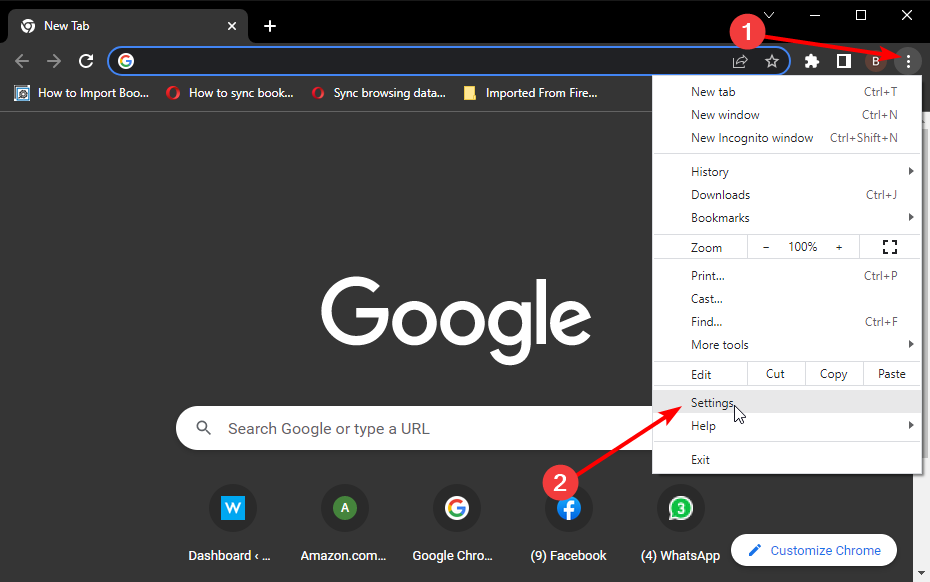
Click the Menu (three-dots) icon.
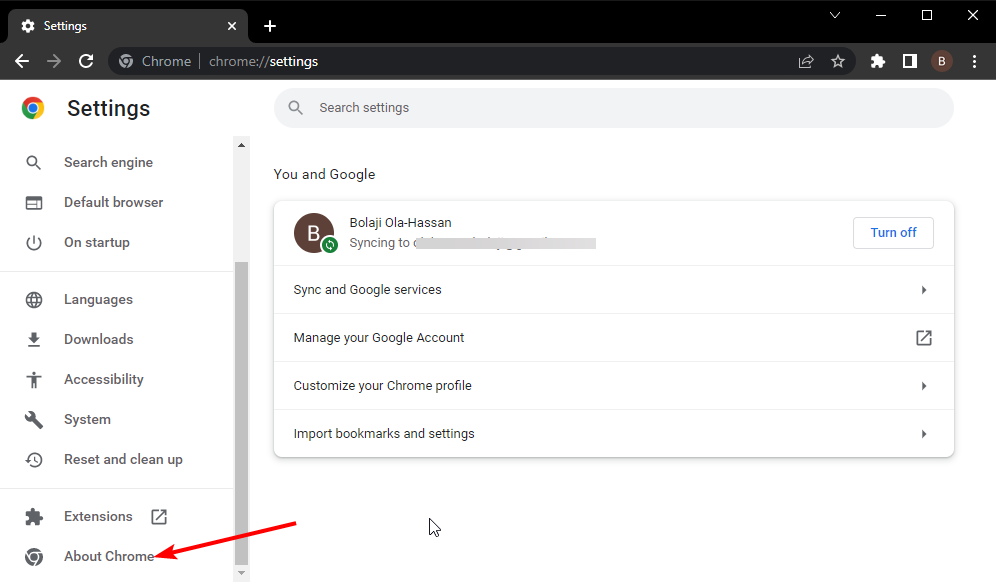
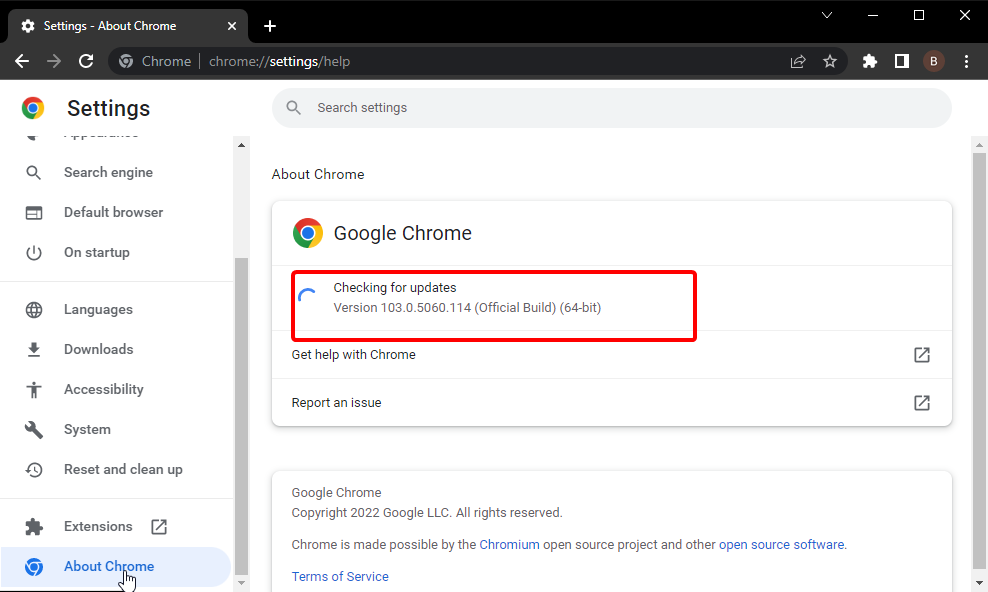
Go to Help > About Google Chrome.
Chrome will scan for pending updates. If there is an option to manually updated, proceed to update the browser.
After that, relaunch the browser and check for any improvements.
Reset browser settings
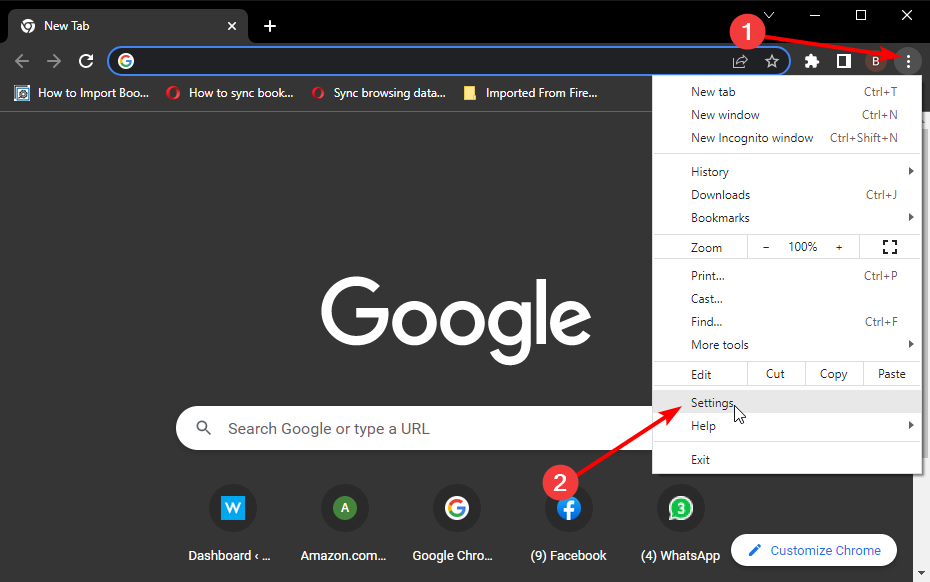
Click the Menu (three-dots) icon.
Select Settings.
From the left pane, expand the Advanced section.
Click on Reset and Clean up.
Select Restore settings to their original default.
Select Reset Settings.
Relaunch the browser and check for any improvements.
The YouTube volume low issue on Windows 10 can occur due to incorrect audio configuration. You can fix it by changing the volume mixer setting or using Boom 3D audio enhancement tool.
Explore our Audio Software section for more audio enhancement utilities for Windows. Also, check out our thorough YouTube webpage for more useful information on this topic.
Either way, which option did you choose? Let us know in the comment area below.
Omegle is a popular online chatting app that allows you to connect with millions of people. It also does not require a login and create an account, making it easy for anyone to chat.
Omegle is accessible on any device with a compatible web browser. It is also available for smartphone users.
If you are determined to use Omegle online, without the app, and have the best experience, it is essential to have a compatible browser.
What browsers work with Omegle?
All the major browsers are compatible with the Omegle chatting platform, but some will not allow the usage of the camera in the browsers.
Therefore, you will not be able to use the video feature on the Omegle browser version. In this article, we have listed the best browsers that work with Omegle video.
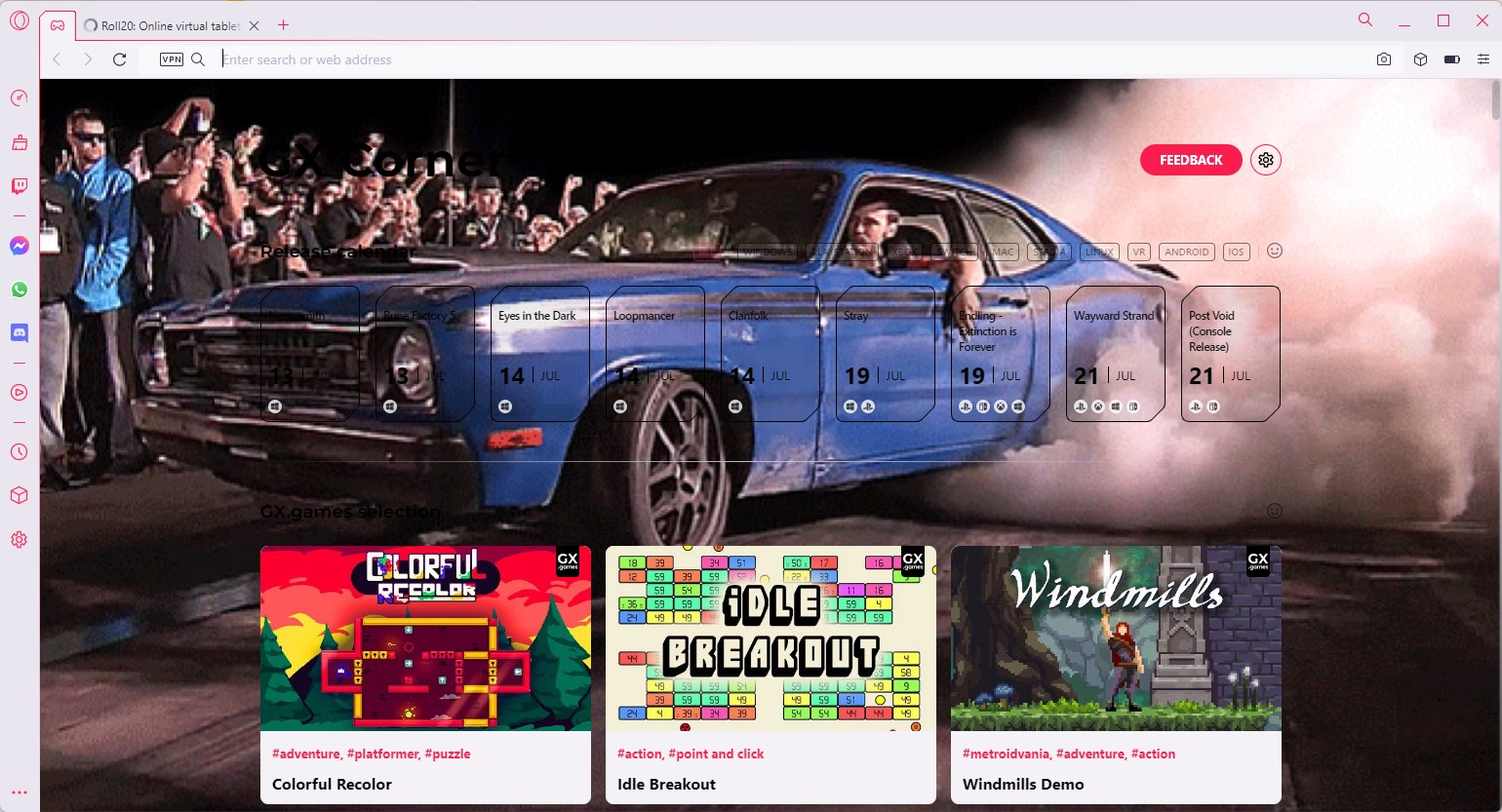
With built-in privacy features and an ad-blocker, the Opera One browser is one of the best for Omegle.
Thanks to the built-in ad blocker that helps load web pages faster, it uses way less processing capacity than other browsers.
Opera One browser also comes equipped with a decent VPN client that reduces online tracking and allows you to bypass region-restricted content without using third-party VPN clients.
Additionally, it also comes with built-in shortcuts to access your social media apps directly from the browser without the need to juggle multiple tabs.
It also has a whole new user interface with a modular design and tab islands that allow you to browse easier and multitask by selecting all your preferred sites on the first page.
Key features of Opera One browser include:
Faster web page loading speed
Built-in adblocker and VPN
Built-in messenger apps
Plenty of customization options
Opera One
Stay safe online with ease while using Omegle by using this powerful browser today.
If you are looking for something that is as customizable as Google Chrome without worrying about privacy, Firefox is an excellent option. The main focus of Firefox has been on user privacy and transparency.
For a browser focused on user privacy, Firefox features all the new features of a modern browser including PiP mode for video streaming on supported websites.
The new version of the browser comes with improved dark mode and an extra player of protection with DoH (DNS over HTTPS). The browser can block auto-playing videos as well.
Key features of Firefox include:
Excellent video streaming experience
Autoplaying blocking and built-in tracker blockers
Google Chrome needs no introduction as it is among the most popular browser on almost all platforms.
Being a Google product, Chrome is heavily focused on improving users’ search needs as it offers search results directly from its home page.
Similar to Firefox, Chrome also features the convenient PiP feature to watch videos in a overplay. Chrome automatically protects you from security issues like phishing and dangerous sites.
The Chrome Store features one of the most extensive collections of extensions that include everything from long screenshot-taking tools to note-taking tools like Evernote. You can further customize the browser with third-party and first-party themes as well.
Microsoft now offers the Chromium version of its Edge browser. The new browser brings all the goodies of a Chromium browser including the extension support from the Chrome store and some Microsoft exclusive features.
The newer version supports Profile allowing the users to create multiple profiles on a single PC/browser.
Its new Collection feature is another highlight of the browser. You can create a collection of web pages and organize them easily with tags.
Microsoft Edge has Microsoft security technology built directly into the browser. You can further customize the browser with Chrome themes and Microsoft’s own auto background change options.
Vivaldi browser is focused on user privacy. It offers built-in tools to protect the users from the trackers, block unwanted ads, and allow you to customize your privacy settings further.
You can sync your bookmarks, passwords, extensions, and more across all your devices. Data is encrypted on your device using a password and is not shared with Vivaldi.
Vivaldi gives full control of how you can group, display, and interact with tabs. You can select multiple tabs and assign a command to all of them, display tabs side by side, vertically, or stack on one another.
With a unique reward system and excellent privacy control features, Brave is one of the best Android browsers for browsing and streaming.
It comes with a built-in ad blocker, tracker blocker, and other usual browser features. Surf the web privately and safely on your phone thanks to this awesome app.
Moreover, you can select whichever ads you wish to see or not, and you may simply turn them off and on again with a few taps on the screen.
In addition, Puffin shifts the workload of your mobile’s hardware to their cloud servers, ensuring faster and more optimized browsing.
Puffin’s cloud isolation features protect your device from harmful software and adware that might try to steal your data. Moreover, it features a great data-saving algorithm that can reduce it by up to 90%.
There may be many reasons why you can’t see the person on the other side on Omegle:
➡ Blocked camera lens – One is that they simply covered their webcam lens and don’t want to be seen
➡ Slow connection – You probably have a slow connection and the system can’t stream the video stream efficiently
➡ No browser support – Not all browsers allow camera video streaming so you should go for the recommended programs above to make sure that everything works fine
These are the best web browser for Omegle to access the popular live chatting platform on your computer or Android device. You should also check our list of browsers for watching videos without buffering on PC.
Using the right browser improves your Omegle experience, but you can also try other platforms. Check our guide on Ome TV alternatives here.
What is your favorite browser for Omegle? Do let us know in the comments together with your insights.
Looking for a way to pass the time with some music-driven challenges? Rhythm games test your timing and reflexes, turning button presses into part of the beat.
These browser-based games run straight in your browser – no downloads needed. Here’s a look at some of the best ones out there.
Bemuse is a browser rhythm game. You have to tap the proper keyboard keys while listening to the music. You score higher by duplicating the playing music correctly.
In this game, there are more than 40 songs to pick from in various genres. It has ranking system and you have to fight for the top score with other players.
Rhythm Plus is another excellent option that is easy to learn and play. You play the game by tapping on the keys on your keyboard, and you will start with the keys F, D, K, and J.
It is categorized as a VSGR (vertical scrolling rhythm game) since the song notes are dropped from the top of your screen to the bottom.
To make the game more fun, you are allowed to import your songs and they will be used as part of the game.
Chainsaw Dance is yet another free rhythm browser game based on the manga series Chainsaw Man. To stay alive, you have to button-bash through various complex melodies while keeping your health meter filled up.
It is based on a popular game called Friday Night Funkin’, and the two games share similar music.
Because it is centered around your listening experience, the aesthetics are minimal yet incredibly appropriate for the game. The new soundtrack will keep you glued to your keyboard.
This free rhythm browser game is aimed at kids and allows them to learn rhythm while playing a digital taiko drum and old Japanese melodies.
You can choose whatever song you’d like to sing along to. You may either click the screen or use the keyboard’s M, V, N, and B keys to strike the right edge, left edge, right side, and left side of a virtual taiko drum as the notes approach the time marker. z
Geometry Dash is a relaxing rhythm browser game played on mobile devices and PC through your browsers.
The game’s principle is simple: the player must keep a block alive as it swerves through a labyrinth of rhythmically synchronized obstacles that should be avoided with increasing precision.
This game also has several peer materials, so there’s a lot to do for such a little game.
In Taiko Don-chan embarks on a grand journey that will take him across space and time, saving the earth from weird happenings throughout the globe!
In this rhythm game combat, you will face giant bosses, over 250 creatures, and enemy drums by linking your combinations to do severe damage.
You may grow your squad by analyzing the characteristics of the creatures you’ve vanquished and inviting them to join your team to assist you in taking on formidable adversaries.
Since the teams are better funded, you will probably have quicker access to support and material about the game online.
Some of the rhythm games have blocked levels and some don’t let you access some levels because the songs are not available for your country. You can bypass this with VPN.
The browser rhythm games on this list are written in no particular order; they are simply among our favorites to play, and now you can play them as well.
All you need is a modern browser, and you are good to go. In case you are interested in finding more games, visit our best itch.io browser games guide as well.
Let us know in the comments which of the games on our list are your favorites.
If Google Chrome is not as fast as it used to be, you can install a dedicated extension to speed it up.
But the problem is that there are several of these available, each claiming to be better than the other. And only installing the effective ones will help boost the performance.
In this article, we’ll list the best extensions to speed up Chrome and enjoy a better browsing experience.
Do Chrome extensions affect performance?
Extensions do affect the performance, they can both speed up Chrome or cause it to slow down. Besides, various extensions have been found to cause errors with Chrome or lead to crashes altogether.
This is why it’s imperative that you do thorough research before installing an extension. Check what others have to say about it and whether the extension performs the intended task effectively.
Why is my browser so slow but my Internet is fast?
This is generally the case when you have several extensions installed on Chrome. Though there have been instances where just one problematic extension slowed Chrome down considerably.
Also, it could be that Chrome is consuming high CPU which is affecting the overall performance of the system and slowing it down. And, this is a particularly common problem with Google Chrome. Besides, the presence of malware or conflicting program could also slow down Chrome.
Quick Tip:
What about switching to another browser? You can use Opera One which is much faster by default, without installing anything else.
You can add most of the extensions to Opera One while keeping your activity secure and safe across webpages thanks to its improved features.
Opera One
Give Opera One a shot and see how easy it is to make the switch forever.
1. Web Boost – Extension to speed up browsing in Chrome
If you need extensions to make Chrome faster, Web Boost is a must-have.
This tool works by blocking the elements that you don’t really need when surfing the Internet, such as ads and trackers.
In this manner, web pages load noticeably faster without damaging image quality. Web Boost is free and open-source software that you can download from the Chrome Store.
We recommend a fully-dedicated tool to secure 100% of all your Internet access. Get Private Internet Access VPN. It protects your PC from tracking while browsing, masks your IP address, and provides very fast servers.
2. FasterWeb – Chrome extension to speed up Blackboard
FasterWeb is one of the best extensions to speed up Chrome and get it to deliver optimal performance. It does so by employing a few unique techniques, for instance, preloading pages before you click on them.
The extension was previously called FasterChrome and is one of the preferred options amongst users. So, if you want the web pages to load faster, this would be a perfect choice.
If you haven’t cleared your browsing data for quite a while, Chrome becomes slow, but you can speed up Chrome with this extension.
OneClick Cleaner helps you quickly clean up Chrome and delete all the traces of your online activity.
With just one click, you can clear the browser’s cache, cookies, the list of downloaded files (but not the downloads), fileSystems, history, localStorage, pluginData, passwords, and webSQL data.
You can download OneClick Cleaner for Chrome for free from the Chrome Store.
There are many extensions that can make Chrome faster, but none are simple as this one.
This extension speeds up browsing by adding missing Cache-Control response headers. Downloaded images and scripts are used once again to load pages significantly faster.
If you’re on a slow or metered Internet connection, this one will work wonders for you and act as a perfect anti-lag extension.
Speed Up Browsing also lets you change the max-age value for images/scripts/css independently. However, it increases the disk space used in C: drive over time.
If you have limited drive space, you should install another extension. You can download Speed Up Browsing for free from the Chrome Store.
An open-source option, the AMP Browser Extension is of great help in cases when the Internet speed is slow, and the extension can considerably speed up Chrome.
It also allows users to easily switch between AMP (Accelerated Mobile Pages) and the web version of the website for an enhanced experience.
6. Speed Tweaks – Chrome extension to speed up download
One of the best extensions to speed up Chrome, Speed Tweaks offers seven different settings to boost the performance, lower the loading time, and block ads and images.
Another useful setting in Speed Tweaks is the extension’s ability to automatically discard inactive tabs from memory.
Besides, it will clear the browser’s cache thus reducing the likelihood of encountering errors. If you were looking for a faster Chrome extension, the search ends here!
While not really an extension to boost Chrome’s performance, SpeedUp: Netflix and Prime Videos surely comes in handy when trying to save time.
It allows modifying the playback speed of videos on Netflix, Prime Videos, YouTube, Facebook, and Reddit, amongst others. It has a simple interface and changes on one tab automatically reflect on all the others.
While in most cases it shouldn’t cause any problems, several extensions have been found to collect data or introduce malware or similar software to the computer.
That’s why experts recommend that you be extra cautious when adding extensions to Chrome to ensure safety, especially the ones where critical information is not available. Also, you could modify the permission granted to extensions for a safer experience.
These were the best extensions to speed up Chrome and you must try them out today. New ones are added to the Web Store regularly and will update the list when another effective extension is launched. So, make sure to bookmark it.
If you’ve used other extensions, list them in the comments section below.
Britbox is a subscription-based radio streaming service from top UK broadcasters, including BBC and ITV. This service operates in nine countries, including North America and Europe.
Using this online streaming platform, you can watch your favorite shows and movies that have expired on ITV Hub and BBC iPlayer. To start streaming, you only need a stable internet connection as no cable or satellite subscription is required.
You can access Britbox on your web browser with no additional software. All you need to do is open and log into Britbox.com and start watching.
So in this post, we have compiled a list of the Britbox browsers to stream your favorite movies and series.
Can you watch Britbox on a browser?
No additional software is required to watch Britbox on a web browser. First, you have to open Britbox.com and start watching. However, you can also download the Britbox app for your mobile, tablet, or TV.
Just search Britbox in your app store on your device and follow the instructions on the screen to install it.
Is Britbox free with Amazon Prime?
You’ll have to add Britbox to your prime subscription separately as it’s not a free channel. However, doing so is the same as adding any other channel like HBO or showtime.
All you need is an active Prime Video or Amazon Prime subscription with a relevant price for your channel.
Opera One is your go-to choice if you want something lightweight yet fast as your Britbox browser. This chromium-powered browser is often considered a much more refined version of Google Chrome.
One of its unique features is a hotlist that serves as both a directory to the web and a bookmark file. However, it can easily be removed according to the user’s preferences.
Other than that, Opera One offers keyboard as well as mouse controls as one of its features. Many plugins, including RealAudio, RealVideo, and ShockWave, are also available. This browser also includes free VPN, Ad Blocker and AI.
Opera One
Choose this browser confidently if you require uninterrupted UK radio content from Britbox.
Chrome is one of the most popular Britbox browsers. It provides a refined and private surfing experience. It also offers several add-ons, privacy settings, and a simple user interface.
Because Chrome is cross-platform, it is simple to sync data across all of your devices. It also provides a variety of add-ons to make your browsing experience more convenient. It also makes use of the data protection API integrated into the operating system to handle encryption sources.
Firefox is one of the best privacy-oriented web browsers to binge-watch Britbox movies. A stealth mode is offered by default with the browser that automatically disables trackers while browsing.
Firefox, among all browsers, offers the best sound quality with meatier mids and upper bass. Some other features offered are default ad blocking and tracking, a clean user interface, and Siri shortcuts to clear history with voice commands.
Firefox is one of the best Britbox browsers for watching movies and series. However, it consumes an extensive amount of memory to operate, but it is otherwise a good browser app.
If you don’t own a smart TV, you can still enjoy Britbox on it. All you need to do list connect your TV to your laptop using an HDMI cable and select the source using your remote.
Then open Britbox on your preferred browser, log into your account, and go to BritBox browse shows.
These were the best Britbox browsers. Among the above-mentioned, Firefox and Opera One are the two most recommended ones you can try.
If this guide was helpful, do let us know in the comments below.
Hackers can get into your computers without having access to your computer or smartphone, physically. All they need are a few key personal information.
Technology and, along with it, the ways of hacking have evolved so much that hackers and online scammers will lure you into not only providing but giving away your personal information yourself.
Phishing is an online fraudulent practice where hackers send out text messages, emails, social media posts, etc. to the target user to obtain sensitive information.
Reports regarding the Coinbase verification text scam have been reported by users across the globe on multiple platforms.
Users say that they have randomly received multiple verification text messages from Coinbase, several times a day.
Well, it is safe to say, if this had been an actual message from Coinbase, then you would have received it only once or twice, based on the number of activities you have performed that would trigger the verification message.
Not only text messages, but this Coinbase scam is also sent via emails as well. In this guide, we will explain to you the different ways this Coinbase scam is being operated and also the ways to safeguard yourself from giving away your personal information.
The Coinbase scam text has spread like a wildfire and has been reported by users across the globe. There is not one, but different ways hackers try to get users’ personal information in this Coinbase scam.
Let us take a look at the different examples of Coinbase phishing scams.
Quick Tip
Before digging into our following solutions, we recommend you try professional software like Incogni that can successfully remove your personal data from various databases.
It diminishes the risks of identity theft from cybercriminals and completely keeps your private information from being sold.
Incogni
Keep your private and financial details safe from phishing scams and other cyber threats.
What are the different examples of Coinbase phishing scam?
1. Via Email
Users have reported receiving an email apparently claiming to be from Coinbase saying that the platform has changed their user agreement and, in order to continue using their services, the user needs to review and accept the new user agreement.
The scam resides in the Review our new user agreement link. Because when you hover over the link, it will show you a link that redirects you to a website that is not related to Coinbase.
This is the red flag that you need to check, and if you come across one, you should not engage with such emails.
First, check the sender of the email. If the email does not have the suffix @coinbase.com, as this is the official email address ending, you will receive emails.
2. Via website
You should always check the website link that you are visiting. Hackers can set up a website that may look similar to the official website, but there will definitely be something fishy about the website link.
If you find a dash or any special character between www and coinbase.com then the URL is not an official one and is a fake website.
Coinbase.com is the only official website of Coinbase, and every other website is just a fake one waiting for you to give away your personal information.
3. Via SMS
If you have received a text message from Coinbase saying that you have received some digital currency or you need to send back your verification code or OTP, etc. then beware. Because it is a Coinbase text scam.
Coinbase does not and will never send out text messages to verify transactions or ask you about your personal information.
This Coinbase scam text will contain a link that will not redirect you to Coinbase.com but somewhere else. Do not click on such links, and simply delete such text messages.
Can you be scammed by opening a text message?
In simple words, no. You cannot get scammed by opening a text message. However, you can get scammed by opening the link in the message or replying to the message.
A hacker will send you a message saying that some amount has been transferred to your Coinbase account, and will ask you to verify your account on the attached link.
As soon as you click on the link, you will be taken to a website not related to Coinbase that will ask you to enter your information, and that’s it! You will be scammed.
Why do I keep getting Coinbase verification texts?
If you have received a text message from Coinbase that you weren’t expecting or haven’t triggered yourself, then you should understand that it is a scam text.
This also means that someone is trying to hack into your account using your password or other credentials.
Moreover, if you receive another text message following the previous one, or a call, then it is set up by a scammer and definitely not from Coinbase.
Now if you receive such a Coinbase scam text, then what should you do? We have a list of solutions that you can take note of to not get scammed in the next section.
How can I ensure the safety of my Coinbase account?
If you come across any of the unfamiliar sessions, you can either hit the Sign out all other sessions button or click on the X button to sign out of individual sessions.
You can also visit https://haveibeenpwned.com/ to check if your email address has ever been compromised in a third-party data breach.
If yes, then chances are someone who has got hold of your email address is trying to access your Coinbase account to get hold of it.
3. Enable 2FA
Sign in to your Coinbase account.
Open the Security Settings page.
Under the Other Options section, click on the Select button in the Authenticator App box.
Follow the onscreen prompts to complete your authenticator setup.
Do note that you can now not use the Authy authenticator app as it is no longer supported by Coinbase. So, if you face issues with the Authy authenticator, then it is advised that you switch over to Google or Duo two-factor authenticators.
When you enable the authenticator app for your Coinbase account, the SMS code delivery will be disabled. And when you disable the authenticator app, it will re-enable SMS code delivery.
If you want to try out some different alternatives, then we have a guide that lists down some of the best password managers with multifactor authentication, which you can use with Coinbase to add an extra layer of protection to your account.
4. Bookmark the official website
If you search Coinbase on your search engine every time you wish to access the platform, then there are more chances of you visiting a fake website than a person who has bookmarked the official website.
Bookmarking a website is a better way of accessing a much-visited website as it negates the need to manually search for it and also keeps you away from clicking and entering fake websites.
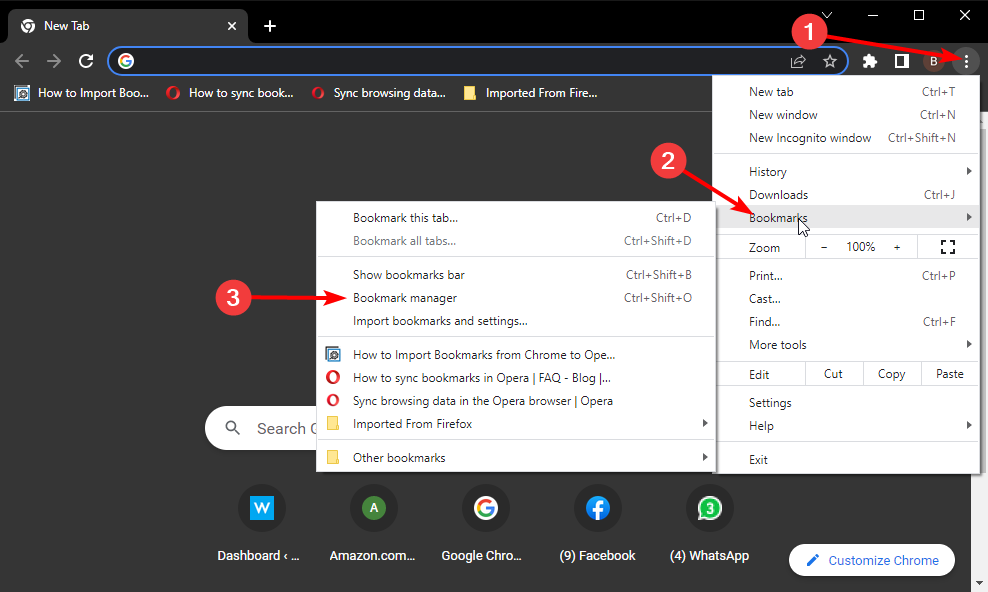
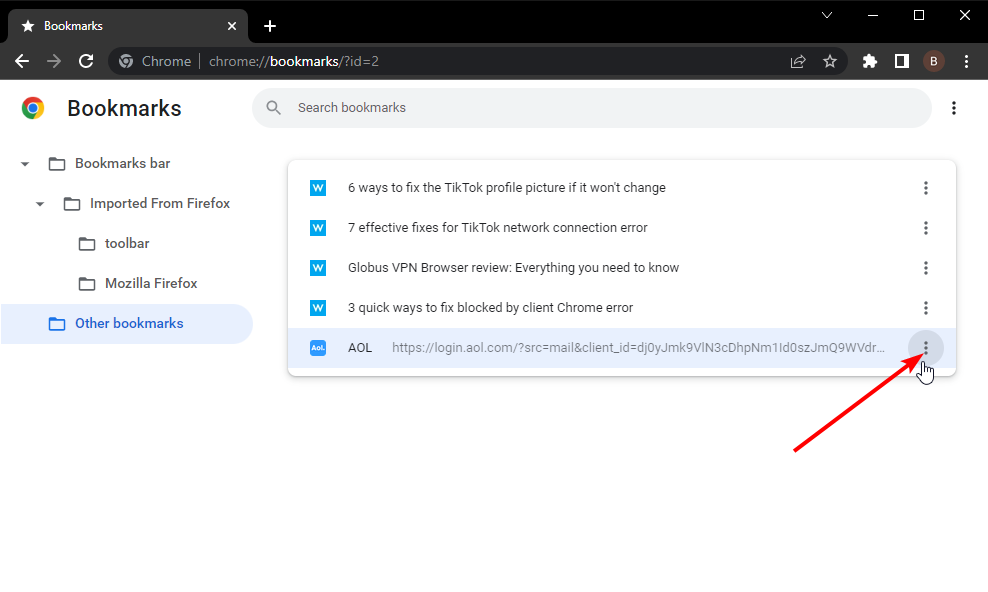
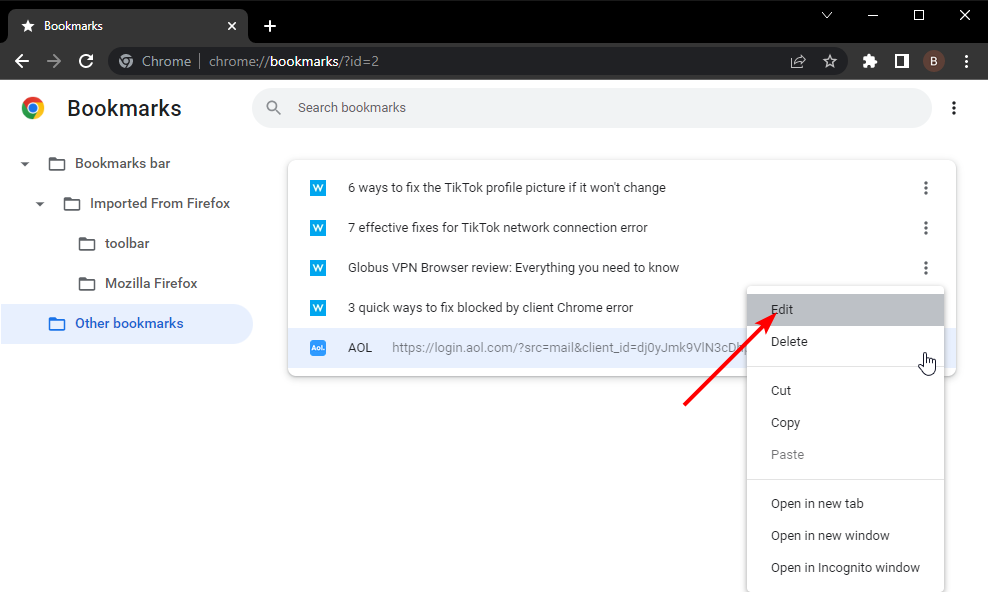
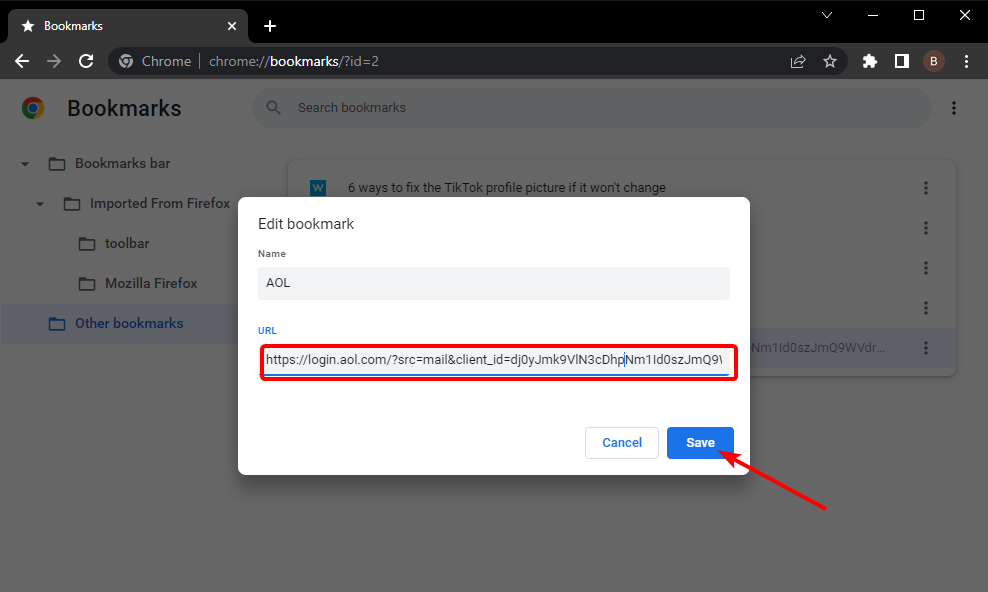
So, you can simply visit the official Coinbase website, and bookmark it on any of your favorite browsers. And when you wish to access it, simply tap the bookmark in the bookmark manager and you will arrive at your destination.
5. Use the Address Book feature
You can make use of the Address Book feature on Coinbase to add and store as many cryptocurrency addresses as you like on your account.
This makes it easier for you to search for and send crypto to the crypto addresses that you trust. Besides, allow listing/whitelisting is another feature inside the Address Book that lets you perform crypto withdrawals only with addresses that are in your Address Book.
In this way, you are avoiding sending your crypto to an unknown address.
6. Contact customer support
If you detect unknown activity or receive a Coinbase scam text message on your phone that is not triggered by your actions, then you should immediately contact customer support.
Although, Coinbase’s customer support isn’t known to be very prompt at handling customer grievances. However, they are the best ones to report any misdoing to your account so that if anything goes down south, they are at least aware of the issues that you have reported.
You can contact customer support by submitting a support ticket. Else, if you have submitted your Coinbase credentials to a fake website other than coinbase.com, then you should submit the link of the website with your report to [email protected].
That’s it from this guide. We hope that this guide helped you learn more about the Coinbase text scam which has been troubling users for quite a while.
Tabbed browsing enables users to open multiple web pages within a browser. Almost any browser has this feature but not all work best with multiple tabs.
However, opening lots of page tabs consumes more system resources and can slow down browsing speed. Using a browser that offers more optimization features would be a better idea.
The best browser for opening multiple tabs so that users can organize their web pages should include numerous built-in tab management options and have lots of tab management extensions for users.
These are some great browsers for opening lots of tabs without being a burden on your system’s resources.
How many tabs can 32GB RAM open?
The amount of tabs you can open with 32GB of RAM depends on a lot of criteria, including the other specs like CPU and even the hard drive.
On an average configuration PC, after opening 100 tabs, the system can start slowing down significantly and even go to a halt.
However, if we’re talking about a gaming PC with a top CPU and GPU, this number can go up to even 500 tabs.
Websites use a different amount of memory
It also depends on what websites are you opening. Some web apps can even use hundreds of MB of memory, while others under 1 MB.
What happens if you open 100 tabs?
As we’ve highlighted above, it mainly depends on what websites you’re visiting and on your PC configuration.
For high-end configuration PCs with 32 GB of RAM, opening 100 tabs can be a piece of cake while on the average PC it might even be impossible.
Opera One includes some advanced tab management options and features that users won’t find in most alternative browsers.
You can easily organize your tab groups according to their use, which will make navigating through your browsing history so much easier. It’s clean and simple.
The browser even allows you to choose specific icons for each workspace and if at any moment one of the workspaces becomes unnecessary you can simply delete it.
It includes a tab menu that displays recently closed pages, all open tabs, and expanded thumbnail previews of each selected page. Users can cycle through tabs with the browser’s Ctrl + Tab hotkey.
Opera One also includes a Task Manager that shows users the level of system resource utilization for each tab and add-on, which is a good tab management feature.
Opera One
Keep your work organized with Opera One’s amazing workspace option.
AVG browser is a worthwhile choice for homepage customization and lightweight tabs usage on multiple platforms.
If you’re tired of draining navigation usage and tracking cookies, this browser is your escape.
You can use groups of tabs entirely private and work on multiple tasks simultaneously and also customize your browsing with plenty of background or themes.
In terms of features, there are privacy-centered tools like automatic adblocker, HTTPS-required encryption, and privacy cleaners to remove history data.
Additionally, you can make use of ad-free browsing and extension shields to prevent threats, plus 4x quicker navigation.
AVG Secure Browser
Take advantage of this lightweight and high-productivity browser today.
UR is a new Chromium multi-tab browser that’s similar to Chrome in terms of UI design and tab management.
The browser’s tab context menu includes exactly the same options as Chrome for pinning, duplicating, and bookmarking tabs, which are handy page options.
One of the best things about the UR Browser is that its users can tap into Chrome’s vast tab management extension repository. Thus, UR users can utilize all the best Chrome extensions for tab management.
Furthermore, we can’t skip mentioning the main focus of UR Browser which is privacy.
But what makes the difference with UR Browser is that trackers and annoying cookies won’t bother you in any of them.
The built-in VPN will keep you anonymous, albeit you’ll sacrifice a bit of bandwidth speed when using it. Thanks to great built-in privacy features, page loading beats the competition without much of a fight.
There are no ads and other scripts loading in the background on web pages, which reduces the loading time substantially.
UR Browser
A reliable browser with great design and tab management that allows you to organize your tabs better and navigate easier through the Internet.
Google Chrome is the browser of choice for many, but it lacks some of the built-in tab management features and options found in a few alternative browsers.
Nevertheless, Chrome’s great tab management extensions make up for that and ensure it remains among the best browsers for opening lots of pages.
Using such Chrome extensions for multiple tabs reduces the impact on your system resources. Thus, those extensions give Chrome’s tab management a notable boost.
Mozilla Firefox is a more system resource-efficient browser than Chrome when it comes to having multiple page tabs open.
Mozilla claims Fox utilizes 30% less RAM than Chrome on Windows 10. Thus, Firefox is among the best browsers for PCs with lower system specifications.
Although it has lost a few notable tab management features, such as Tab Groups, it still includes some handy built-in tab management options. Mozilla users can pin tabs and send tabs to synced devices.
The browser includes a Ctrl+Tab key combination that enables users to switch between tabs. You can configure the browser to show thumbnail previews for all opened tabs on the Windows taskbar.
There are also plenty of decent tab management add-ons for Firefox. You may group and organize pages with Simple Tab Groups, OneTab, and Panorama Tab Groups.
Vivaldi incorporates some of the best browser tab management options and features you can currently find.
For starters, its Tab Stacks feature enables users to group tabs by dragging them over each other, an option more browsers should include.
You can view multiple pages in the same window with Vivaldi’s Tab Tiling. The browser displays thumbnail previews for tabs when users hover cursors over them.
Selecting the browser’s Hibernate Background Tabs option suspends pages to preserve RAM. Furthermore, Vivaldi users can search open tabs via the Quick Commands menu.
Vivaldi users don’t need any tab management extensions. However, you can still add plenty of additional tab management add-ons to the browser from Chrome’s extension repository.
These were our browser picks with reliable extensions and built-in options for tab management. Let us know in the comments section which one you liked.
Two weeks ago we shared information regarding Windows Exchange Server 2013 and how this version will be reaching its end of support early next year.
Now, we’re here to talk about a different version of Windows Server, which will also be taking its victory lap before the permanent end of support.
On that note, know that Microsoft reminded its users that Windows Server (version 20H2) will be reaching its End of Service (EOS) next month, on August 9th.
The company also stated, back in May 2022, that Windows Server 20H2 will reach the mainstream support end date for Standard Core and Datacenter Core users.
Windows Server 20H2 is set to reach EoS in August 2022
For those of you that really use this version of the OS, in order to continue receiving security and quality updates, Microsoft recommends updating to the latest version of Windows Server.
Keep in mind that this Semi-Annual Channel release of the Windows Server version (October 20, 2020) will not receive security/non-security updates after the EOS date is reached.
Redmond officials also revealed in its May notification that the Windows Server Semi-Annual Channel (SAC) would be retired on August 9.
Thus, users still running SAC releases are advised to switch to the Long-Term Servicing Channel (LTSC), which will become the primary Windows Server release channel.
As Microsoft stated, there will be no future SAC releases of Windows Server, and this product will no longer receive security updates at all after August 9, 2022.
The tech giant also specified that Windows Server is moving to the Long-Term Servicing Channel (LTSC) as the primary release channel.
As you surely know by now, Windows Server LTSC versions are released every two to three years, with their users entitled to 5 years of mainstream support with an extra five years of extended support.
Remember that you cannot upgrade or change from SAC to LTSC without doing a clean install because they are different servicing channels.
SAC is soon shutting down, so most of the features introduced in this servicing channel have already been rolled up into the next LTSC release of Windows Server.
In conclusion, users are advised to move to Azure Stack HCI for the same release cadence or make the switch to Windows Server 2019/2022 in the LTSC servicing channel.
If you need a bit of assistance upgrading to a new Windows version, you can follow Microsoft’s guide to fix any errors encountered during the update process or use this support document to troubleshoot update problems.
We know that you are already aware, but we have to remind everyone that the Redmond company also releases security updates for some of the obsolete operating systems, during Patch Tuesday.
Thus, not only Windows 10 and 11 users will receive new software. We’re also looking at Windows 7, Windows 8, and various Server versions as well.
We’ve already presented the 84 new updates that became available, along with the official download links, so all that remains is going a bit more in-depth.
Also, we’ve provided download links to the security updates that Adobe released for its suite of products during the same event.
However, now, let’s take a closer look at what Windows 7 and Windows 8 users were given to work with on this month’s Patch Tuesday.
What’s new during this Patch Tuesday?
As we said, Microsoft has just released Patch Tuesday updates for Windows 8.1, in the form of KB5015874, and Windows 7, in the form of KB5015861.
Needless to say, they each come with a whole host of improvements and known issues with some pretty neat workarounds.
All official support for Windows 8.1 will end in January, so Microsoft keeps urging users to upgrade to a later edition of the Windows OS.
And, the Patch Tuesday update for Windows 7 requires you to have purchased the Extended Security Update (ESU) support.
NTLM authentication through an external trust is unsuccessful when serviced by a domain controller that has the January 11, 2022 or later Windows update installed. This issue occurs if the DC is in a non-root domain and does not hold the global catalog (GC) role. Impacted operations may log the following errors:
The security database has not been started.
The domain was in the wrong state to perform the security operation.
0xc00000dd (STATUS_INVALID_DOMAIN_STATE)
Addresses a known issue that might prevent you from using the Wi-Fi hotspot feature. When attempting to use the hotspot feature, the host device might lose the connection to the Internet after a client device connects.
Addresses a known issue in which Windows Servers that use the Routing and Remote Access Service (RRAS) might be unable to correctly direct Internet traffic. Devices which connect to the server might not connect to the Internet, and servers can lose connection to the Internet after a client device connects.
NTLM authentication through an external trust is unsuccessful when serviced by a domain controller that has the January 11, 2022 or later Windows update installed. This issue occurs if the DC is in a non-root domain and does not hold the global catalog (GC) role. Impacted operations may log the following errors:
The security database has not been started.
The domain was in the wrong state to perform the security operation.
0xc00000dd (STATUS_INVALID_DOMAIN_STATE)
Addresses a known issue that might prevent you from using the Wi-Fi hotspot feature. When attempting to use the hotspot feature, the host device might lose the connection to the Internet after a client device connects.
Addresses a known issue in which Windows Servers that use the Routing and Remote Access Service (RRAS) might be unable to correctly direct Internet traffic. Devices which connect to the server might not connect to the Internet, and servers can lose connection to the Internet after a client device connects.
Known issues
After installing this update and restarting your device, you might receive the error, “Failure to configure Windows updates. Reverting Changes. Do not turn off your computer”, and the update might show as Failed in Update History.
Certain operations, such as rename, that you perform on files or folders that are on a Cluster Shared Volume (CSV) may fail with the error, “STATUS_BAD_IMPERSONATION_LEVEL (0xC00000A5)”. This occurs when you perform the operation on a CSV owner node from a process that doesn’t have administrator privilege.
Starting with this release, we are displaying a dialog box to remind users about the End of Support (EOS) for Windows 8.1 in January 2023. If you click Remind me later, the dialog box will appear once every 35 days. If you click Remind me after the end of support date, the dialog box will not appear again until after the EOS date. This reminder does not appear on the following:
Managed Pro and Enterprise devices.
Windows Embedded 8.1 Industry Enterprise and Windows Embedded 8.1 Industry Pro devices.
NTLM authentication through an external trust is unsuccessful when serviced by a domain controller that has the January 11, 2022 or later Windows update installed. This issue occurs if the DC is in a non-root domain and does not hold the global catalog (GC) role. Impacted operations may log the following errors:
The security database has not been started.
The domain was in the wrong state to perform the security operation.
0xc00000dd (STATUS_INVALID_DOMAIN_STATE)
Applications might not run after an AppLocker publisher rule is deployed.
Addresses a known issue that might prevent you from using the Wi-Fi hotspot feature. When attempting to use the hotspot feature, the host device might lose the connection to the Internet after a client device connects.
Addresses a known issue in which Windows Servers that use the Routing and Remote Access Service (RRAS) might be unable to correctly direct Internet traffic. Devices which connect to the server might not connect to the Internet, and servers can lose connection to the Internet after a client device connects.
Known issues
Certain operations, such as rename, that you perform on files or folders that are on a Cluster Shared Volume (CSV) may fail with the error, “STATUS_BAD_IMPERSONATION_LEVEL (0xC00000A5)”. This occurs when you perform the operation on a CSV owner node from a process that doesn’t have administrator privilege.
The MSI Afterburner is a very popular, resourceful, and reliable software. It is because it functions smoothly as one of the best graphic card software.
Likewise, it renders a quality service by providing precise and smooth access to your device’s graphic card configuration. An error people encounter with it is the MSI Afterburner no GPU temperature option.
More so, MSI Afterburner allows you to monitor, overclock, and control all your graphic cards. The software is only available for Windows. Some features of the MSI Afterburner are hardware monitoring, custom user skins, 64-bit support, and others.
There are several reasons why the MSI Afterburner on your computer isn’t displaying the GPU temperature option.
Nonetheless, you should not panic if you are facing this error. We’ll discuss the causes of the error and some easy fixes you can use.
Why is my GPU not showing up in MSI Afterburner?
1. Poor internet connection
MSI Afterburner may encounter issues while displaying the GPU temperature option if the network isn’t stable enough to run it. However, if your internet connection is poor, it’ll affect the services that depend on it.
2. Outdated Graphics Card drive
If your computer is on an outdated graphic card driver, it can impact the programs using its services, including the MSI Afterburner. These programs use the graphic card driver to access your PC’s graphic hardware. Hence, errors like the MSI Afterburner not displaying the GPU temperature option occurs.
3. Bad connection cable
A faulty cable connection can cause this error because it will prevent MSI Afterburner from connecting to its rightful source. Also, the cable may be faulty or your computer display isn’t connected to the right port.
4. Third-party app interference
Third-party apps like antivirus can be responsible for the MSI Afterburner issues. It mostly happens because the antivirus is blocking the activities of MSI, preventing it from functioning as expected.
If the antivirus detects a possible threat or illegitimate connection, it prevents it from loading. As a result, MSI Afterburner cannot detect the GPU status.
Does MSI Afterburner damage the GPU?
Like every other software, the MSI Afterburner has its features and requirements. However, it doesn’t damage the GPU. For instance, the Overclocking has a limit that is considered appropriate for your GPU. So, if you increase the voltage beyond what the GPU can operate, it’ll crash or close the app.
What can I do if MSI Afterburner is not displaying GPU?
1. Disable the low-level IO driver
Launch the MSI Afterburner app.
Click the Settings.
Select the General tab and go to Compatibility properties.
Uncheck the Enable low-level IO driver box.
Click Apply, then OK to save the changes.
2. Uninstall Riot Vanguard
Press the Windows + I key to open the Settings app.
Click on Apps, then select Apps & features.
Click on Riot Vanguard.
Press the Uninstall button and follow the prompts to complete the process.
Press the Windows key, input Device Manager, and launch it.
Locate Display adapters and expand them.
Right-click on the driver and select Update driver.
Choose Search automatically for drivers and follow the on-screen instructions.
There is another efficient way to update your drivers without any manual steps that take more time.
More exactly, the automated support of specialized driver updating software. These tools will scan your PC for outdated and missing drivers, and update them instantly.
It’s possible to update your graphics card driver in order to fix the issue of GPU not showing up in MSI Afterburner, and thus optimize your hardware devices for maximum performance.
4. Switch to a wireless network connection
Connecting your router to your devices with a cable can cause lagging or poor internet connection. The connection cables can be faulty. Also, you should check every port to ensure your display is connected to the right one.
Hence, you should switch to WLAN (Wireless Local Area Network) for a stable internet connection.
These are the best solutions to fix the MSI Afterburn no GPU temperature display. And if you are facing issues with OC Scanner, things are just as easy to fix!
Click the Settings button from the bottom-right side of the screen.
Click the Dark Theme button to deactivate it.
The theme should be changed now.
2. Select Light Mode in Windows 10
Click the Start menu button and select Settings to open that app’s window.
Next, click on Personalization.
Select Colors.
From Choose your color drop-down menu, click on Custom.
Selecting Light for Choose your default appmode enables Chrome’s Light Mode. Do note that the Light default app option disables Dark Mode for all software.
7. Turn off Dark Mode for Web Contents flag in Windows or macOS
To turn off Chrome’s Dark Mode for Web Contents flag, type chrome://flags/ in Google Chrome’s URL bar.
Enter dark in the search box.
Select Disabled on the drop-down menu for the Force Dark Mode for Web Contents flag.
Click the Relaunch button to restart Google Chrome. Thereafter, website pages will no longer have dark backgrounds.
You can disable the Surface control flag on some devices by following similar steps to disable the dark mode. Keep in mind that not all versions of Chrome have it.
Editor’s tip
How do I disable the Dark Mode in Chrome on Ubuntu?
Whatever your distro of choice, from Ubuntu to Mint, you can easily change Chrome from dark to normal theme or the other way around by tweaking the flags, as shown above.
8. Restore Chrome Settings in Windows or macOS
On Chrome, click on the three-dot icon at the top-right corner and select Settings.
Select Reset and clean up.
Now click on Restore settings to their original defaults.
Then click on Resetsettings to confirm.
By doing this you’ll reset the settings and Chrome should be back to its original light theme.
9. Disable Chrome Dark Mode on other devices/platforms
Google Chrome in Android
Start the Google Chrome app.
Tap on the three-dot icon at the top-right corner of the window.
Select Settings from the menu.
Look at the Basics section and tap on Themes.
You will have three options: System default, Light, and Dark. Make sure you check the Light one.
Android OS
Swipe down from the edge of the screen and tap the Settings icon (the cogwheel).
Tap the Display or Display & brightness option according to the version of your OS.
Toggle off the Dark mode option from the menu.
NOTE
By performing the steps above, you will turn off Dark mode in all Google apps, including Google Chrome.
iOS
Tap the Settings icon on your iPhone and select the Display & Brightness option.
Now tap the Light mode.
On iOS, the only way to change Dark Mode settings for Google Chrome is to access Settings for all apps, just like in the easy steps provided above.
Why is Dark Mode so popular?
According to a Twitter poll for the Google Chrome team, people use Dark Mode because it’s easier on the eyes, it’s elegant and beautiful, and it consumes less battery.
Study results reveal why people prefer to use Dark Mode (Medium)
Simply put, people often choose Dark Mode, especially for its low-light settings, as it could potentially reduce eye strain and dry eyes in low-light conditions.
Light Mode vs Dark Mode
With the arrival of CRT monitors that could emit brighter lights and colors and the advent of GUIs, Light Mode entered people’s homes, pockets, and hearts.
This until some extensive research on the side effects of a white screen turned giants like Google to offer their products in dark mode, i.e. Google Chrome Dark Mode.
Visual fatigue in both low-light and high-light environments (Researchgate)
So, as with any trend that comes and goes, Light Mode made room for its sibling, and people turned to Dark Mode for more comfort, aesthetics, and improved battery life for their devices.
What are the advantages of Dark Mode?
Besides the sleek look, people with light sensitivity or visual impairment can benefit from Dark Mode as it’s easier to read and look at a screen when the emitted light is low.
Recent studies also show that bright screens restrict melatonin production, allowing the human body to get a good night’s sleep.
With Dark Mode, when browsing on your device, the light from your screen will be easier on the eyes, and in the long term, that is something to consider, especially if you work in front of a screen all day.
This is thanks to the DOSBox Pure emulator and Retroarch frontend. Using these programs, the folks over at Digital Foundry were able to accomplish the feat and shared a video of it.
Just imagine all the great classic titles you could now play on your Series X|S alongside Halo Infinite: Starcraft, Myst, Baldur’s Gate, Micrsoft Flight Simulator 98, and the list goes on.
While it is uber-cool to see Xbox Series X|S running Windows 98 and all those classic games, the feature is likely to have more of a niche appeal. What are your thoughts on the Xbox Series X|S running Windows 98? Is it something you would be interested in? Let us know in the comments.
PC Matic is one of the best antivirus software that provides high-level cyber-security protection for your devices. It protects your computers and home network from cyber threats and malicious attacks.
With lots of users across the globe, PC Matic is one of the best users’ choice antivirus solutions. However, it doesn’t mean that PC Matic is free of downsides or errors plaguing it. Common issue users complain about is the PC Matic not working.
Super Shield is a tool that helps list apps and software into a Whitelist protection. It means any app or program that is not on the whitelist will not load and will be denied access to run.
Does PC Matic stop viruses?
The PC Matic whitelisting approach to protection can prevent viruses from gaining access to the user’s device. So, we can say PC Matic stops viruses by not giving access to unauthorized programs to run on your computer.
Even though there are complaints about the whitelisting approach like blocking legitimate sites, PC Matic still offers commendable protection.
It scans and scrutinizes the files on your computer for threats or intruders like ransomware, viruses, Trojans, and other malware.
Is PC Matic compatible with Windows Defender?
Because PC Matic doesn’t have its own firewall, it can work smoothly with Windows Defender to render more effective protection.
What causes issues between the Windows Defender and antivirus software is that only one firewall service can work. Hence, it can cause the Pc Matic not loading error.
However, PC Matic is compatible with Windows Defender because only one firewall is available on the computer.
What can I do if PC Matic won’t load/work?
1. Restart your computer
On your screen, navigate to the bottom left corner and click the Start button.
Press the Windows key, input the control panel, and launch it.
Choose Programs and Features.
Select Uninstall a program.
Right-click PC Matic, PC Matic Super Shield, and click Uninstall.
Restart your computer when the uninstall has been completed.
For a quicker process and to make sure you completely remove all PC Matic files from your computer, use IObit Uninstaller. It uninstalls apps in one click and uses a smart scanner to find and remove any leftovers.
3. Check if PC Matic is down
An easy way to do this is by going to PC Matic’s social platforms and forums to check for new updates about the current situation. If there is any information about the server’s breakdown, you can’t do anything else than wait till it is back up.
Alternatively, the server may be overworking with activities from different users. So, it can sometimes cause PC Matic not working error on some user’s device.
Also, PC Matic has a free version, where users can explore it in a free trial mode. Furthermore, it has an affordable paid version.
Note that there are also other antivirus apps you can download on your device. Check out the best free antivirus apps for Windows 11. Let us know your choice in the comments area below.
UiPath is a robotic process automation (RPA) software that allows businesses to create automated processes and office routines. Here’s a look at the five best browsers for UiPath that offers full support.
What browser types does UiPath currently support?
UiPath currently supports the latest versions of Google Chrome, Microsoft Edge, Firefox, Opera, and Safari. However, the UiPath Customer Portal no longer supports Internet Explorer.
Does UiPath work with Chrome; How do I automate Chrome in UiPath?
Yes, Google Chrome is among the supported browsers for UiPath. To automate Chrome in UiPath, users will need to use the Open Browser feature. Create a variable and add the URL for Chrome using UiPath Studio.
Opera is a great browser for accessing UiPath portals because of its speed, security, and unique features like Workspaces which allows users to separate their work and personal life.
With a built-in free VPN, users can rest easy knowing that their information is secure while browsing. There is also a built-in ad and tracker blocker that can be accessed from the address bar.
Key features of Opera:
Workspaces for separate profiles
Built-in VPN
Ad and tracker blocker
Opera
Keep your information and browsing data secure using Opera’s free VPN.
A big appeal of Chrome is the Google accounts integration and thus gives users easy access to apps like Calendar, Gmail, and more.
The profiles feature allows users to create different accounts on Chrome to keep browsing data separately. This is great for users that have a shared computer or use the same PC for work and personal affairs.
Microsoft Edge is known for productivity with its vertical and sleeping tabs option. Edge is the default browser for Windows and is therefore optimized for Microsoft products. Users have the ability to search on Edge from the PC’s search bar.
The Collections feature gives users the ability to save text from websites and sort them into categories.
Mozilla Firefox is one of the browsers supported by UiPath. Firefox has a primary password feature that keeps all stored passwords secure.
In addition to being a fast browser, Firefox is also highly customizable, with a great selection of addons and a customizable toolbar menu so users can make it their own.
When browsing with Safari, each tab is isolated from others. This means any malware in a tab cannot affect other tabs or apps outside of the source tab.
However, Safari is only available for Apple devices and isn’t compatible with Windows or Linux.
Attach Browser is a container in UiPath that allows users to enact activities from an open browser by attaching to it. When using the desktop web recorder, this feature is automatically activated.
So, these are our picks for the best browsers for UiPath that are fully supported. If you want to know how to install UiPath Orchestrator, we have a guide for that.
Let us know in the comments below which browser you prefer to use for UiPath portals and Automation Hub.
Twitch is a widely known interactive live-streaming platform. It houses content ranging from gaming, sports, music, entertainment, and lots more. Twitch has a few partners, the Prime and Twitch Turbo, which are used to stream on Twitch.
Most of these partners only have their broadcasts saved for 60 days, after which they are automatically deleted. However, this isn’t the same with users of other broadcasters because they only have a 14 days span to save their broadcasts. It is why users need to learn how to download Twitch VODs.
More so, a VOD (Video On Demand) is an archive of your previously streamed content on Twitch. However, it helps you to access your content without worrying about when the broadcast will delete. VODs help you build your channel. Also, it allows your audiences to catch up with content they have missed.
Furthermore, you can download Twitch VODs on your local device by following the steps in this article.
Can you edit Twitch VODs?
There are several options for your Twitch VODs like edit, download, watch, highlight, and lots more. However, clicking the Edit option allows you to access the edit panel, where you can alter some available features.
The Edit option allows you to edit features like the Title, Description, Language, and Category of your VODs. Also, there are different ways you can edit your VODs, either by yourself or by employing an editor you trust to do it for you.
Moreover, Twitch is available in the native app and web browser versions. Nonetheless, the edit feature is available for both the Twitch app and the browser app.
Can you cut a VOD?
Twitch has a feature known as Clip. It allows you to share the best moments of your twitch broadcasts. Also, a Twitch-integrated online video editor like Flixier, allows you to cut your VODs from anywhere you want.
How can I download Twitch VODs?
1. Use Twitch’s official site
Go to the Twitch homepage and select the Video Producer option.
On the Video producer page, click the three dots at the top right-hand corner of the screen to prompt the Menu drop-down.
Select the Download option from the drop-down. (Depending on the length of the video, the downloading process may take an extended period to start)
There are other ways by which you can easily download your twitch VODs. You can do this by visiting websites like Untwitch as an alternative for users to download Twitch videos.
Also, you can download Twitch Leecher as it allows you to download VODs (Videos On Demand) from Twitch. This means that you can watch your favorite content anytime you want without connecting to the internet.
However, some users complain about Twitch Leecher prompting error messages. This can happen for different reasons, which is why we have put together easy ways to fix the Twitch Leecher error in our guide here.
You can leave your suggestions and questions in the comments section below.
Are you getting the SSL_ERROR_RX_RECORD_TOO_LONGerror when trying to open a website in Firefox over a secure connection with the HTTPS protocol?
This means that the browser can’t verify the secure data, which is usually due to an SSL certificate that isn’t correctly configured.
When that happens, a Secure Connection Failed tab opens with the SSL_ERROR_RX_RECORD_TOO_LONG error code. This can be a big problem, and speaking of this issue, here are some similar issues reported by users:
Ssl_error_rx_record_too_long on Facebook, Wikipedia, YouTube, Onedrive, Pinterest, Spotify, Dropbox, Google, Gmail – This message can appear while visiting your favorite websites, and if you encounter this message, be sure to try some of our solutions.
Ssl_error_rx_record_too_long in Windows 10 – This error can appear on any version of Windows. Even if you use Windows 7 or Windows 8.1, be sure to try some of our solutions since they are fully compatible with all versions of Windows.
Ssl_error_rx_record_too_long in Kaspersky – According to users, your antivirus can cause this issue to appear. Many reported that Kaspersky caused this problem, but even if you don’t use Kaspersky, try disabling your antivirus and check if that helps.
Ssl_error_rx_record_too_long in VPN – Sometimes your proxy can cause this issue if it’s not properly configured. To fix the problem, check proxy configuration or try using a VPN.
Though you can ignore the SSL_ERROR_RX_RECORD_TOO_LONG Firefox error, and hit the Try again button a couple of times hoping that it would fix the issue, the easier way would be to identify and eliminate the underlying cause. Read the following sections to find out.
What does this mean SSL_ERROR_RX_RECORD_TOO_LONG?
The error message itself states that the authenticity of the received data could not be verified, and indicates a security issue, most likely, at the server’s end, which prevents you from accessing it.
This particular error message, limited to Firefox, could better be understood only by the website’s administrator since the underlying cause is not precisely listed.
What causes SSL_ERROR_RX_RECORD_TOO_LONG?
The error generally shows up when there’s a problem with the website’s SSL certificate and is indicative of poor security. And your browser is designed to protect you from accessing such sites, thus throwing the SSL_ERROR_RX_RECORD_TOO_LONG error in Firefox.
Also, if the browser doesn’t support the required version of TLS (Transport Layer Security), you are likely to come across the error. In addition to that, a misconfigured listing port too can lead to the SSL_ERROR_RX_RECORD_TOO_LONG error.
Quick Tip:
Before starting to struggle to fix this error, you should consider switching to a different browser. We recommend Opera One as it’s a safe and fast browser that is not affected by the error.
This browser comes with a lot of features like a Speed Dial, Ab Blocker, and Instant Search that cut distractions and make your browsing faster than on other browsers.
Opera One
Forget about random errors with this sleek browser that shields you from online threats.
How can I fix ssl_error_rx_record_too_long in Firefox?
1. Try using a VPN to fix SSL_ERROD_RX_RECORD_TOO_LONG with Facebook
If you’re having SSL_ERROR_RX_RECORD_TOO_LONG in Firefox, you might be able to fix the problem by using a VPN. In case you’re not familiar, a VPN is a useful tool that can help you protect your privacy online.
When it happens to experience network problems on your browser, you might need to use a virtual private network because it will enhance your browsing security.
Further, you can set up a VPN on your Windows manually, but this process takes longer and it requires some how-to knowledge. A third-party VPN is thus an excellent alternative to resolve browsing issues.
A robust VPN will hide your IP address and chance the geo-location to protect online privacy, secure your device from risky hacking, prevent websites to collect personal data for personalized ads, and so on.
Therefore, assure protection on your PC and repair SSL errors for good, use the best VPNs on Windows.
2. Select the no proxy setting to fix SSL_ERROD_RX_RECORD_TOO_LONG with YouTube
Click on the hamburger icon and then select Settings.
Scroll down to the Network Settings section, and click on the Settings button.
If the browser is configured with a non-essential proxy connection, select the No proxy option here, and click on OK to save the changes.
Once done, restart Firefox for the changes to come into effect.
Another simple fix that may work is to open the website with HTTP instead. All that’s required is to replace https:// at the beginning of the URL with https://.
3. Open Firefox in Troubleshoot Mode
Launch Firefox, click on the hamburger icon, and then select Help.
Select Troubleshoot Mode from the options here.
Click the Restart button to confirm the selected option.
Click Open in the confirmation prompt.
Now try to connect to the website again, and check if the problem is solved. In case it is, the next method will help disable the conflicting add-ons.
4. Switch off Firefox’s add-ons to fix SSL_ERROD_RX_RECORD_TOO_LONG with Synology
Launch Firefox in normal mode, paste the following path in the address bar, and hit Enter:about:addons
Select the Extensions tab from the left.
Click on the toggle on the right to disable the problematic extensions/add-on.
Restart the browser, and try opening the website again.
5. Reinstall Firefox
According to users, you might be able to fix the SSL_ERROR_RX_RECORD_TOO_LONGerror simply by reinstalling Firefox. Sometimes your installation can get corrupted and that can lead to this and many other errors.
However, several users reported that they fixed the problem simply by reinstalling Firefox. There are several ways to reinstall Firefox, but if you want to remove it completely, it’s advised to use uninstaller software.
In case you’re not familiar, uninstaller software is a special application that will remove the selected program along with all of its files and registry entries.
To find out more about uninstallers and try one to fix this Firefox issue, you have the best uninstaller software available out there.
By using one of these tools, you’ll completely remove the selected application ensuring that there are no leftover files.
You need to delete those leftovers not only because after a while they will clog your computer but also because some programs won’t run properly after you reinstall them.
Another advantage is that you will get to uninstall multiple applications at once, just by selecting them on a list. And yes, you can also remove some Windows preinstalled apps.
Once you remove Firefox with an effective uninstaller, download the latest version from Mozilla’s website and install it again. Several users also suggest using Beta or Nightly versions of Firefox.
These versions might not be as stable, but they should have the latest fixes available, so if you’re having this problem, the Beta or Nightly version might be just what you need.
6. Refresh the browser to fix SSL_ERROD_RX_RECORD_TOO_LONG with pfSense
Launch Firefox, paste the following path in the address bar, and press Enter:about:support
Now, click the Refresh Firefox button here.
Again, click Refresh Firefox in the confirmation prompt.
7. Check if your proxy settings are correct
According to users, this problem can appear due to your proxy settings. Your proxy can interfere with Firefox and cause the SSL_ERROR_RX_RECORD_TOO_LONG error to appear.
To fix the problem, it’s required that you configure your proxy properly. Once you configure the proxy, check if the problem is still there.
8. Set security.tls.version.max to 0 to fix SSL_ERROD_RX_RECORD_TOO_LONG with Nginx
Paste the following path in Firefox’s address bar, and press Enter:about:config
Click on Accept the Risk and Continue.
Enter security.tls.version.max in the search field, and then click on the Edit icon to change its value.
Now, enter 0, and click on the Checkmark icon to save changes.
We have to mention that some users are suggested changing both security.tls.version.min and security.tls.version.max to 2, so you might want to try that as well.
After doing that, check if the problem is resolved. Keep in mind that this is just a workaround, and changing this setting can sometimes affect your security, so be sure to use this method only as a temporary solution.
9. Check your antivirus to fix SSL_ERROD_RX_RECORD_TOO_LONG with Visual Studio
Sometimes SSL_ERROR_RX_RECORD_TOO_LONG error can appear due to your antivirus. Your antivirus can interfere with Firefox and that can lead to this and other similar errors.
To fix this problem, try disabling certain antivirus features related to SSL. If that doesn’t help, your next step would be to completely disable your antivirus and check if that solves the problem.
In a worst-case scenario, you might even have to remove your antivirus tool completely. If removing the antivirus helps, you should consider switching to different antivirus software.
There are many great security solutions on the market, but if you want the best security that won’t interfere with your system, there is compatible antivirus software that highly protects your system without affecting other services.
10. Install the latest updates to fix SSL_ERROD_RX_RECORD_TOO_LONG with Chrome
Open Firefox, click on the hamburger icon near the top-right corner, and select Help.
Now, click on About Firefox.
A new screen will now appear and you’ll see the current version of Firefox running on the computer. If any updates are available, they will be downloaded automatically.
Once the Firefox is up to date, the SSL_ERROD_RX_RECORD_TOO_LONG error would be fixed, and you should be able to access the website that was earlier throwing the error.
A USB-C hub is a device that serves as a central adapter for multiple devices. They’re also known as USB-C docking stations. You can plug in laptops, computers, keyboards, mice, and so many more.
As you can guess from the name, a USB-C hub supports USB-C connections which is something that not every hub can go so it’s important that they distinguish themselves that way.
For the purposes of this guide, we’re only going to focus on the USB-C that can output to two monitors. Again, not every hub can do this so it’s a rather unique feature.
What should I look for in a USB-C hub for dual monitors?
There’s no shortage of USB-C hubs out there on the market so it’s important that you choose the right one. The most important thing that you should consider is how many ports you’re looking for and what kind.
In addition to USB-C, many hubs have ports for HDMI, VGA, Ethernet, Micro SD, and more. It’s important to figure out which ones you need and which ones you don’t. Some hubs are massive towers.
It won’t do you any good to get someone that’s too big or has ports that you will never use. You should also check that the hub you want is fast. Make sure it has your desired data transfer speed such as having USB 3.0.
Starting off this list is the Anker PowerExpand Elite Docking Station. Elite is the most important word in that title because it truly exemplifies all of the things this hub can do.
You can connect your computer to two different monitors and output video at 4K resolution via the Thunderbolt 3 downstream port and the HDMI port. But if you stick to one monitor, the resolution goes up to 5K.
And it can do all of these resolutions at 60Hz. On top of that, Anker’s Docking Station can charge connected devices via the 15W and 85W Thunderbolt 3 port plus the one 18W USB-C port.
Be aware that the USB-C data port, which is where data is uploaded, doesn’t charge. For the other ports, you have one for Ethernet, one for audio, and a MicroSD slot to upload images from a phone.
Anker’s device is compatible with Windows laptops and Macbooks. However, it’s not compatible with Linux laptops, Chrome OS devices, or MacBooks with the M1 chip.
Right off the bat, this Kensington Thunderbolt 4 Docking Station is the most expensive entry on this list. That alone may deter people away from purchasing this product, but it’s worth the price.
This thing is jam-packed with features. You’re able to output to two monitors at a 4K resolution and 60Hz or one monitor for 8K resolution, but at a lower frame rate. It’s compatible with Windows laptops that have a Thunderbolt 4 port.
MacBooks are compatible as well if they have either a Thunderbolt 3 or Thunderbolt 4 port. But unlike the previous entry, Kensington’s hub supports Macbooks with the M1 chip, but even then only certain models.
If you have Macbook Pro with an M1 Pro chip and M1 Max CPU, you connect them to display onto two monitors. Another notable feature is the 180W power supply that can send 90W of power to charge devices.
It also sports WiFi Auto-Switch that ensures a reliable internet connection.
Going down in price, we have the more affordable USB 3.0 Dock Station from Plugable. It’s compatible with laptops that run Windows 10 and up plus Mac computers 10.14 or later.
If you connect this to a Windows laptop, it works right off the bat, but for Mac devices, it requires some driver installation. It also does not have the charging abilities the first two entries have.
The main purpose of this hub is for workstations, and as such, it isn’t as powerful as others. It’s a good middle option. Because of the workstation preference, it’s not great for video games as that requires more robust hardware. Something that can support resource-intense games is needed.
For two monitors, it can output at Full HD (1920×1200) at a refresh rate of 60Hz. If you decide to use a single monitor, that resolution goes up to Quad HD (2560×1440) with a refresh rate of 50Hz.
Now we have what may be the cheapest option on this list: the Docking Station to HDMI adapter from MOKiN. This device has a ton of ports in it for such a small hub. You get access to 12 different ports that include VGA, Etherport, audio jack, and two HDMI ports.
Those HDMI ports output at 4K resolution and can send video to two separate monitors. It’s also capable of sending video to three monitors, but only for Windows laptops that support Mirror and Extending Mode.
Without that mode, you can’t display video files on three monitors. Also displaying videos on three separate screens requires you to use the VGA port so you’ll need the right cable for that. The feature also doesn’t work for Mac OS.
Another notable feature is the device’s ability to fast charge devices via the USB-C PD port. And it’s Ethernet port can transmit data a full gigabyte.
And for the final entry, we have the robust USB-C Docking Station Dual Monitor from VVB. This is certainly one of the better options on this list in terms of features and price.
It may output to 8K resolution for a monitor, but it can do so much more. Using the HDMI port, you can output a signal at a 4K resolution and 30Hz or 2K at 60Hz. If you decide to use the VGA port, that resolution goes down to 1080p at 60Hz.
VVB’s hub works with Windows, Linux, Mac OS, and ChromeOS which is something that none of the other devices can do. Another noteworthy aspect involves all of the computers the dock station is compatible with.
The full list is massive, so just to give you an idea of the brands, you have the likes of Lenovo, Dell, Microsoft Surface, and HP. And if you’ll also enjoy the fast data transfer, part in due to the USB 3.0 support.
What should I do if I run into problems with USB ports?
Problems concerning USB-C ports can be easily fixed. A lot of times all you have to do is either update or reinstall your USB driver. This can be done by opening the Device Manager and locating the Universal Serial Bus option.
Other times, you may have to physically clean the ports if they’re clogged with dust. If you ever run into the problem of not having your USB-connected device recognized, make sure it’s plugged in correctly.
We also recommend that you check out a recent recommendations list that goes into detail about the best USB-C laptop chargers for your device. The Anker PowerCore made the list if you’re curious.
New to Xbox Game Pass and don’t know where to start? We’ve got you covered with these Game Pass recommendations for the sure-footed. These platform games on Game Pass feature a good blend of classics and next-gen titles.
Platform games have a uniquely universal appeal. They hearken back to the “golden age” of gaming, and no doubt every gamer has at the very least tried a platform game at some point.
And if you happen to be a fan of this genre, then you are in for a real treat with your Game Pass subscription. Without further ado, let’s check out what to play on Game Pass for platform gamers.
This classic platformer got an Xbox 360 remaster after legendary studio Rare was acquired by Microsoft in 2002. This is the first of the Banjo Kazooie series, and was originally released on the Nintendo 64 in 1998.
Banjo Kazooie follows the adventures of the titular bear-and-bird duo. Their quest is to foil the schemes of the witch Gruntilda to steal the beauty of Banjo’s sister Tooty. Players must make creative use of Banjo and Kazooie’s combined abilities to traverse nine nonlinear worlds.
See for yourself what makes this classic still worth playing today.
This original Xbox platforming classic was hailed as “The World’s First 4-D Action Game.” And what exactly is this fourth dimension we speak of, you may ask? In the case of Blinx: The Time Sweeper the fourth dimension is time.
You see, the game made use of the Xbox’s internal hard disk drive (it was the first console to have such) to allow for a variety of “time control” mechanics. These included the ability to rewind, fast-forward, pause in-game time, slow time, and even allowed players to record their actions. This meant players could use rewind to undo fatal screw-ups (if they have enough red hearts, that is).
And this repertoire of abilities is crucial since Blinx only has ten minutes to complete each level. It all made for some pretty novel platforming, and made Blinx: The Time Sweeper a unique game in its time. If you love platform games you owe it to yourself to check this out.
Ori and the Blind Forest
From Moon Studios, Ori and the Blind Forest was one of the most compelling platform games of the last generation of consoles. Taking inspiration from a variety of sources including animated films like The Lion King and The Iron Giant, as well as from games like Rayman and Metroid, Ori’s first outing was met with universal critical acclaim. One reviewer dubbed it “a new classic” upon its release.
It was also noted for its soundtrack and visuals, and is considered a prime example of video games as art. If you have a Game Pass subscription and haven’t tried this multiple award-winning platformer, then there is no better time than the present to experience this once-in-a-generation game.
The long-awaited follow-up to Double Fine’s Xbox cult classic platform game. When the Psychonauts sequel finally did arrive in August 2021, it made the 15+ year wait worth it.
The game is similar to its predecessor in terms of gameplay. Protagonist Raz has a repertoire of psychic abilities that wil feel familiar to fans of the first game: telekinesis, levitation, pyrokinesis, and so on. And he will need all of them as he explores the psyches of non-player characters in his quest to prevent the reawakening of the cruel hydrokinetic Maligula.
Psychonauts 2 is one of the best platformers of recent years, and many feel that it is a worthy sequel to its storied predecessor.
Also check out on Game Pass:
Pyschonauts
Raji: An Ancient Epic
Raji enjoys a unique setting steeped in Hindu mythology. Created by Maharashtra, India-based Nodding Head Games, the game has a visual style that evokes the Pahari school of painting. This lends the game a distinct look that is a perfect fit for the game’s narrative subject matter.
The titular hero Raji is an orphaned circus performer on a quest to rescue her brother Golu from the demon lord Mahabalasura.
Ragi: An Ancient Epic is surely one of the more distinct recent platformers out there. Game Pass platformer fans looking for something a little different will definitely find a winner here.
“Witness the birth of sapient AI in this sprawling atmospheric hacking adventure.”
Recompile might be one of the most underrated platformers out there. Its gorgeous minimalist visuals are even more stunning in motion as the player roams a sprawling digital wasteland that challenges them to “explore, fight, hack, and survive.”
Recompile tells a story that spans a mere second of real time…although the choices you make in the game will determine one of multiple endings for your sapient AI avatar.
One last jump
Are you as impressed by Game Pass’ platformer offerings as we are? Let us know down in the comments below.
If you don’t already have an Xbox Game Pass membership, you can sign up here. If you would like to know more about Game Pass you can visit its FAQ page. And don’t forget to check out our other “What to play on Game Pass” posts to find more Game Pass recommendations for other genres.
You found this article because you need the best free online gaming platform. Here is all you need to know.
We love online games because you don’t have to wait for them to download and install. So whenever our team has a spare moment and wants to relax, we play a few online games because why not?
We love how there’s a wide array of online games to choose from; many are free. So you can play challenging role-playing games, addictive strategy games, or exciting shooters – so many options!
Below is a list of the best free online gaming resources which need a browser and don’t require any sign-up.
There are a couple of excellent cloud gaming platforms, and you would be spoiled for choice. With these services, you will not need a download or high-end hardware. Also, you will be able to game anywhere and on various devices.
We will discuss a few in this article, but we also like to shout out to BlueStacks X. Even though it doesn’t make our list, it offers free streaming for mobile games through different devices and platforms.
What is the best free online game site?
While there are so many to pick from, we highly recommend Miniclip Games. It has one of the wealthiest game repertoires and millions of players to show for it.
We shall discuss this and other platforms to play games online later in the article. With all of them, you can play free games online without downloading.
Quick tip:
Yes, it’s all fun and games until your game gets stuck loading, or you can’t load it at all. So you can thank your browser for that, but it’s not even its fault because most of the browsers were not made for online gaming.
Opera GX, however, it’s perfectly designed for that because it’s incredibly light and can manage the system resources a lot better than any other browser.
This free browser comes with a separate tab where you will find the weekly freebies and discounts for all major gaming platforms, so you will always be aware of the best and newest titles.
Opera GX
Forget about buffering and loading problems with this dedicated gaming browser. It’s free!
The games available on Miniclip are challenging, addictive, and diverse. We’re sure you’ll find many games that will draw your attention and keep you playing for hours.
It offers hundreds of games organized into categories, from action and multiplayer to puzzle and empire games and so on.
It is worth mentioning that you might need to disable your ad blocker if you’re using one to play some games.
For some games, you’ll still have to watch some ads between various levels, but that’s the price to pay for playing free games. Interested in checking out Miniclip’s games?
ArmorGames is an excellent resource for free online games. There are many game types that you can choose from, such as action, adventure, puzzle & skill, strategy, sports, and many more.
Just like any other free online gaming platform, Armor Games displays various ads from time to time. The good news is that you can quickly get rid of them all by signing up.
Statistics confirm that millions of players worldwide have spent countless hours playing their favorite games on the platform.
In this case, we’ve got to warn you: Armor Games’ platform is so addictive that you won’t even notice how fast time flies.
Shockwave offers a wide range of games for you to play, and the game types are rigorously filtered.
They allow you to choose between playing puzzle games, word games, strategy games, matching games, time management games, adventure games, shooters, car racing games, sports games, and more.
You’ll find it on their online gaming platform if you’re looking for one particular game.
Mind Games is a gaming platform with a minimalist interface. As its name suggests, this platform focuses on games that challenge the brain in five categories: logic, math, puzzles, word, and sudoku.
There is also a download section where you can download a series of games.
Every game has a short description available, explaining to players what to expect. Mind Games also stands out in the crowd with its crystal-clear graphics.
Be careful! These free online gaming platforms have hundreds and even thousands of free addictive games, so you may lose yourself quickly in the fun realm.
All the free online game platforms we have discussed are great for playing with friends or even total strangers.
If you have other suggestions, we would be delighted to see them in the comments section below, Happy gaming!
Many Chrome users may sometimes encounter the error message “Error establishing a database connection” message when trying to open a WordPress page. This is a severe problem because they can’t access the websites they administrate.
Often, I have got an this kind of issues in my client website (Error establishing a database connection). Below, I have in the screenshot of this problem. Already, We have informed to go-daddy support team. But, they said that this problem is not coming from their side. So, we don’t know how to fix it. Kindly give any ideas to update this issues
If you have been in these shoes, we will show you how to fix this issue in a few easy steps.
What does it mean when it says Error establishing a database connection?
This means that you can’t access your website because its domain can’t contact, you and has lost the connection with the WordPress database.
Simply put, this database connection error will shut down your website and may cause significant data loss.
Your WordPress website information is stored on a database that contains every piece of data containing post data, metadata or login information, or plugins.
A corrupted database usually generates the error establishing a database connection in your website’s WordPress settings.
These are the most common related issues you can encounter on your website using different online services.
Error establishing a database connection WordPress
An Error establishing a database connection localhost
Error establishing a database connection GoDaddy
An Error establishing a database connection Cpanel
Error establishing a database connection Chrome
An Error establishing a database connection Xampp
Error establishing a database connection InfinityFree
Quick Tip:
We know that Chrome is the most popular browser out there. But we also know that it eats a lot of RAM and drains the battery quickly when multiple tabs are loaded.
So why not give OperaOne a chance? It will feel familiar in the settings area because it’s also based on the Chromium platform. But it also comes loaded with exciting features.
Opera One
Make the switch from Chrome to experience fewer errors and a faster, safer browsing experience.
How can I fix error establishing a database connection error in Chrome?
1. Update your plugins
Go to the three vertical dots from the upper-right corner of Chrome and select More tools.
Click Extensions.
On the Extension page, turn on Developer mode and select Update.
An outdated plugin may be causing this issue. You can solve this by following the steps below.
2. Disable plugins
Follow the same steps as above to open Extensions.
Click on the switch to disable extensions.
Try the connection.
If updating the plugins doesn’t work, disable every plugin and start again. Then, through the process of elimination, you can see which extension causes the problem and delete it.
3. Clear your browsing data
Open the menu and select More tools, then select Clear browsing data.
On the basic tab, select a Time range, tick the options for Browsing history, Cookies and other site data, and Cached images and files, then click the Clear data button.
Retry the connection.
Clearing your browsing data could sometimes solve the Error establishing a database connection issue
4. Check if Chrome is up to date
Click on the three dots at the top right and select the Settings option.
Select About Chrome.
Once the update is done, try establishing a connection again.
An outdated browser could cause many problems, including an error in establishing a database connection.
How is a database connection established?
The ability to communicate with database server software, whether it is running on the same computer or not, is provided by a database connection. Both sending instructions and receiving responses, often in the form of result sets, need connections.
By providing a connection string to an underlying provider or driver, connections are created. Once created, a link may be opened, terminated, and have its attributes changed after.
If a database error occurred on your browser and you are unable to connect, hopefully, you have resolved it.
If not, this problem is not generated on your side. The wrong credentials for connecting to the database are probably causing this error or insufficient permissions for the database user.
Fortunately, for the error in establishing a database connection, there are some easy solutions to solve the problem quickly. So basically, you must ensure your Google Chrome is running smoothly.
Get the best plugins and keep them updated, clear your browsing data, and keep your browser updated.
There are various database errors you can encounter, and we recently wrote a guide on what to do if the DBeaver driver download has failed, so you might want to visit it.
Did our solutions work for you? Do let us know in the comments section below!
Opera GX is our first recommended Pogo browser since this is a browser that has been created for gaming.
The browser has unique and dedicated integrations designed to enhance the gaming experience.
Opera GX allows CPU, RAM, and network control of your browser for better performance.
Moreover, the browser comes with a free VPN and a built-in adblocker designed to protect your online data and block all annoying pop-ups from interfering with your game.
Additional features:
GX Sounds
Video pop-out
CPU Limiter
Opera GX
Take advantage of this browser’s innovative features and enjoy a gaming experience like never before.
This browser is another excellent choice for Pogo enthusiasts that will not disappoint them.
Edge has been improved a lot over the years and is now much faster and more reliable than its predecessor.
The customizations included such as Privacy and Security page, Site permission page, and many offers more control over what the accessed websites can do.
Moreover, the browser has other valuable add-ons, such as a password manager, ad blocker, and VPN.
Vivaldi is a browser that is great in customizations that allows you to make pretty much all the changes you need, from how navigations work to the user interface design.
Chromium is also available here so that you can use the most helpful Chrome add-ons without worry.
When it comes to tab management, Vivaldi is on top of its game, allowing you to pin sites to the sidebar, stick toolbars, adjust pages’ fonts and colors, and many more.
And on top of it all, it’s an excellent browser for playing games, especially Pogo, allowing for a great gaming experience.
As you can see, you have some fantastic browser options to choose from when playing Pogo online. We have not made this list in any particular order and expect that your decision will boil down to your personal preferences.
Let us know in the comments section below which browser you have tried and what your experience was.
We already know that many of you are waiting for the Patch Tuesday monthly batch of security updates and we’re here to make it a bit easier for you to find what you’re looking for.
It goes without saying that Microsoft isn’t the only company that has such a rollout on a monthly basis. So, in this article, we’re going to talk about Adobe and some of the patches for their products.
As we’re pretty sure you know by now, we will also include links to the download source, so you don’t have to scour the internet to find them.
Adobe releases a batch of fixes for 27 CVEs
As far as June 2022 is concerned, the company released six patches addressing 46 CVEs in Adobe Illustrator, InDesign, InCopy, Bridge, Robohelp, and Animate.
By far the largest update belonged to Illustrator, which addresses 17 total CVEs, with the most severe of these bugs allowing code execution if an affected system opens a specially crafted file.
Looking at this month’s release, you should know that Adobe addressed 27 CVEs in four patches for Acrobat and Reader, Photoshop, RoboHelp, and Adobe Character Animator.
For starters, we would like to mention that the Acrobat and Reader update addresses a combination of 22 different Critical- and Important-rated bugs.
It goes without saying that the most severe of these could allow code execution if an attacker convinces a target to open a specially crafted PDF document.
Product
Track
Affected Versions
Platform
Acrobat DC
Continuous
22.001.20142 and earlier versions
Windows & macOS
Acrobat Reader DC
Continuous
22.001.20142 and earlier versions
Windows & macOS
Acrobat 2020
Classic 2020
20.005.30334 and earlier versions (Win) 20.005.30331 and earlier versions (Mac)
Windows & macOS
Acrobat Reader 2020
Classic 2020
20.005.30334 and earlier versions (Win) 20.005.30331 and earlier versions (Mac)
Windows & macOS
Acrobat 2017
Classic 2017
17.012.30229 and earlier versions (Win) 17.012.30227 and earlier versions (Mac)
Windows & macOS
Acrobat Reader 2017
Classic 2017
17.012.30229 and earlier versions (Win) 17.012.30227 and earlier versions (Mac)
Windows & macOS
Keep in mind that, while there are no active attacks noted, Adobe did actually list this as a Priority 2 deployment rating.
For July 2022, the update designed for Photoshop only fixes one Critical- and one Important-rated bug, in case you were wondering.
The fix update for Character Animator addresses two Critical-rated code execution bugs, one a heap overflow and the other an out-of-bounds (OOB) read.
Before we conclude, we have to mention that the patch for RoboHelp corrects a single Important-rated cross-site scripting (XSS) bug.
Also, none of the bugs fixed by Adobe this month are listed as publicly known or under active attack at the time of release.
The popular company categorizes most of these updates as a deployment priority rating of 3, with the Acrobat patch being the lone exception at 2.
This is what you are looking at in terms of Patch Tuesday releases for Adobe for the month of July 2022, so hurry up and get the software.
What’s your take on this month’s release? Share your thoughts with us in the comments section below.
This article explores the Safari download for Windows 8.1 / how to download Safari for Windows 8.
Certain Windows users may utilize the Apple Safari internet browser on a Windows computer. These, in many cases, are devs who need to test for support and compatibility.
We will take you through all the steps and show you how it is installed. Let’s get right to it.
Is Safari available for Windows 8?
If the download and setup processes are successful and without errors, Safari may be utilized without difficulties on your Windows 8 and 8.1 computers.
The precise procedures needed to get Safari on your Windows 8 PC safely and securely will be discussed in this article.
Can you download Safari for Windows?
Yes, you can download Safari from Windows; you should, however, note that the browser is no longer supported for Windows users.
This means that you may no longer be able to download it officially, and if you have it before support ended, you will not have access to updates and upgrades.
Hence the best you can hope for is the Safari 5.1.7 version released for Windows before 2012; if this will suffice, you should keep reading.
Is Safari for Windows free?
Before support ended for Safari on Windows OS, it was free; if you have it, you can still use it for free.
Now you should have your Safari download for Windows 8.1 / the Safari download for Windows 8.
How do I install Safari on Windows 8 and 8.1?
Locate the downloaded file and double-click on it, or click on it on the download tray at the bottom of your browser for Chrome users.
Click on the Run button.
Click on the Next button.
On the next window, click on I accept the terms in the license agreement, then click the Next button. Before continuing the Safari download for Windows 8.1 / the Safari download for Windows 8 you may want to read through to understand the terms of use.
Tick the option for Install Safari Desktop shortcuts, then click the Next button.
Click the Install button.
The browser should open once the installation is complete. It is usually a quick installation, and within a few minutes, you should have your Safari browser up and running.
Note that if it does not look so much like the Safari browser you are used to, it is perfectly normal. There have been so many updates to the browser since the last Windows edition, and many things have changed from interface design to the seamlessness of the user experience.
If you like our guide on Safari download for Windows 8.1 / Safari download for Windows 8 you can follow very similar steps to download Safari for Windows 10.
Let us know how the procedure went for you in the comments area below.
As you already know, the seventh round of the monthly Patch Tuesday updates of 2022 have arrived, and they bring an entire array of changes for both Windows 10 and Windows 11, regardless of whether it is a newer or an older version.
As we announced earlier today, the July 2022 Patch Tuesday updates are expected to fix some of the issues that were still pending, and in the article below we will be looking to see exactly what we get.
We’ve included detailed changelogs for each cumulative update, and we will also be providing you with direct download links from Microsoft’s Windows Update Catalog, so you know that they are secure.
Alternatively, you can always use other methods to get the latest updates, including:
The Windows Update menu on your OS
The WSUS (Windows Server Update Service)
Group Policies set up by your admins if you’re part of a larger network.
Changes included in the May Patch Tuesday Updates
Windows 11
As most of you know by now, Microsoft released its latest operating system, Windows 11, on the 5th of October, 2021.
Five months after the general rollout, the new OS seems to become increasingly stable and far less buggy than we’ve gotten used to.
You might also like to know that the 22H2 version of Windows 11, the operating system’s first major update, has already been declared feature complete.
It will, most likely, come in the first half of the year, so we might just get it until the summer. Of course, there is a possibility that the Redmond tech giant could postpone to the third, or fourth quarter.
Addresses an issue that redirects the PowerShell command output so that transcript logs do not contain any output of the command. Consequently, the decrypted password is lost.
Known issues
After installing this update, some .NET Framework 3.5 apps might have issues or might fail to open. Affected apps are using certain optional components in .NET Framework 3.5, such as Windows Communication Foundation (WCF) and Windows Workflow (WWF) components.
After installing this update, IE mode tabs in Microsoft Edge might stop responding when a site displays a modal dialog box. A modal dialog box is a form or dialog box that requires the user to respond before continuing or interacting with other portions of the webpage or app.
Windows 10 v21H2 is the latest major version of Windows 10, and as such has the most experimental features on it.
Fortunately, most bugs that were first present when it was first made available have been weeded out, and this version of Windows 10 is far more stable.
Addresses an issue that redirects the PowerShell command output so that transcript logs do not contain any output of the command. Consequently, the decrypted password is lost.
Known issues
Devices with Windows installations created from custom offline media or custom ISO image might have Microsoft Edge Legacy removed by this update, but not automatically replaced by the new Microsoft Edge. This issue is only encountered when custom offline media or ISO images are created by slipstreaming this update into the image without having first installed the standalone servicing stack update (SSU) released March 29, 2021 or later.
After installing the June 21, 2021 (KB5003690) update, some devices cannot install new updates, such as the July 6, 2021 (KB5004945) or later updates. You will receive the error message, “PSFX_E_MATCHING_BINARY_MISSING”.
After installing this update, IE mode tabs in Microsoft Edge might stop responding when a site displays a modal dialog box. A modal dialog box is a form or dialog box that requires the user to respond before continuing or interacting with other portions of the webpage or app.
This version of the OS is outdated and will no longer receive any updates from the tech company. Users that are still running this old version on their devices are strongly advised to choose a more recent one to update to.
If you still want to use Windows 10 and are not willing to upgrade to 11, you don’t have to do so right away. After all, Microsoft announced that the support for Windows 10 will go on until 2025.
Addresses an issue that redirects the PowerShell command output so that transcript logs do not contain any output of the command. Consequently, the decrypted password is lost.
Known Issues:
After installing KB4493509, devices with some Asian language packs installed may receive the error, “0x800f0982 – PSFX_E_MATCHING_COMPONENT_NOT_FOUND.”
After installing KB5001342 or later, the Cluster Service might fail to start because a Cluster Network Driver is not found.
Windows 10, version 1607 has reached the end of service for all of its available editions. Update to the latest version of Windows 10 in order to keep your system protected.
Addresses a known issue that might prevent you from using the Wi-Fi hotspot feature.
Addresses security issues for your Windows operating system.
Addresses an issue that causes searchindexer.exe to stop responding during a dismount operation in the Remote Desktop setup environment.
Addresses an issue that redirects the PowerShell command output so that transcript logs do not contain any output of the command. Consequently, the decrypted password is lost.
Addresses a known issue that might prevent you from using the Wi-Fi hotspot feature. When attempting to use the hotspot feature, the host device might lose the connection to the internet after a client device connects.
Addresses an issue that prevents the use of Encrypted File System (EFS) files over a Web-based Distributed Authoring and Versioning (WebDAV) connection.
Addresses an issue that causes Microsoft NTLM authentication using an external trust to fail. This issue occurs when a domain controller that contains the January 11, 2022 or later Windows update services the authentication request, is not in a root domain, and does not hold the Global Catalog role. The affected operations might log the following errors:
The security database has not been started.
The domain was in the wrong state to perform the security operation.
0xc00000dd (STATUS_INVALID_DOMAIN_STATE).
Addresses an issue that causes the primary domain controller (PDC) of the root domain to generate warning and error events in the System log. This issue occurs when the PDC incorrectly tries to scan outgoing-only trusts.
Addresses an issue that might damage BitLocker virtual machine-based (VM) system files if you expand the BitLocker partition while the VM is offline.
Addresses a known issue that prevents Windows servers that use the Routing and Remote Access Service (RRAS) from correctly directing internet traffic. Devices that connect to the server might not connect to the internet, and servers might lose connection to the internet after a client device connects to them.
Have you noticed any issues after downloading and installing these security updates for your version of the Windows operating system? Let us know in the comments section below.
When it comes to Naruto online games, the anime series may be over, but the loyal fans can’t just let an era go. Starting as a weekly manga in Japan in 1999, the Naruto franchise has grown to be worldwide merchandise and a video game.
If this will be your introduction to Naruto games online, I strongly recommend that you first learn how to play Naruto browser games before going ahead with this article.
This guide will explore some of the best five Narutoonline games that will keep you entertained while exercising your brain to defeat all obstacles.
Is there any online Naruto game?
You will be able to play Naruto online. The most famous of the bunch is the naruto game by OAS Games. It is just like what you would expect from any Naruto console game and also carries some very cool graphics akin to the anime.
We will be talking about a handful of Naruto browser games in this article. Alternatively, you may try out some Naruto games online emulators.
Quick Tip:
With Opera GX, the most important aspect is its wide range of gaming features that will help you play famous Naruto games.
Beyond the fantastic gaming features, you can also find a built-in VPN service that will always keep you anonymous while playing games online or browsing.
Opera GX
Make the best use of this dedicated browser and relish in the Naruto universe with practical gaming features.
Taking the first spot is Naruto Online. This is a browser MMORPG where players dive into the tactical adventures found only in the Naruto Universe.
The game is just like the original series; you get to build your team with your favorite Ninjas.
Cinematic cut-scenes and unique dialogues exist between bonded characters, well-animated combo ninjutsu, and characters that evolve and grow the more you play.
This game is free to play, and there is plenty to do online.
Here is where the story kicks off. Since it is the first sequel of the storm series, a large shoe needed to be filled up.
Developers of the game ensured they fixed specific gameplay areas to meet fans’ expectations.
It starts with Naruto’s three-year gap from The Hurricane Chronicles. Also, you can jump right into the action or follow an older Naruto and Sasuke’s journeys in the Adventure mode.
This is one of the best Naruto Online games available out there.
Released in 2007, Rise Of A Ninja gave one of the best visually imperative worlds of Naruto available.
Like every other Naruto game, many missions make up a big part of the game, but unlike others, you have a free roam mode.
Rise of a Ninja is an excellent Naruto Online Game; it introduces you to the ambitious Ninja.
It gives you multi-playing platforms with a battle system that is easy to learn but enough for different series of battles. Walk in Naruto’s shoes by playing Rise Of A Ninja.
With an epic storyline, confront super-strong bosses, including the gargantuan-tailed beasts, in addictive battles defying time and death.
Also, the Ultimate Ninja STORM 3 comes with the highly anticipated Madara (Tailed beast mode) or the Jinchurikis.
Offering over 30 different costumes and 100 new missions, embark on a different series of missions and their unique, different challenges and objectives.
This Naruto Online Game will indeed sweep you off your feet.
Experience the STORM series like never before, with amazing fights, original animations, and increased action scenes.
Ultimate Ninja STORM Revolution has improved game mechanics, powerful Combo Ultimate Jutsu, and crazy attacks.
Available Online to battle with other players, this Never-Been-Seen roster offers 100 playable and supports Ninjas, including new, never-before-seen characters.
Go below to get this game with many new techniques and enhanced mechanics.
The above titles are the best 5 Naruto online games available online. We dug deep to get you the best options that are the closest possible to the original look and feel of the cartoons.
Nevertheless, it’s up to you to pick any option from our list, get your PC ready, and have great fun in the Naruto universe.
Visit our extensive Gaming Hub for more game guides, tips, and tricks.
Our thorough Online Games section is a helpful bookmark if you enjoy playing games online. And lately, we hope you enjoy playing these our recommended Naruto games.
A decade ago, website creation was an area reserved only for those of us who had solid programming skills. Nowadays, anybody can build their own website.
There is a variety of website design software online – Wix, SquareSpace, GoDaddy – that offer a wide range of options and templates, both free and paid, for your online businesses, galleries, blogs, etc.
But the most known is definitely WordPress. It is used by more than 60 million websites and it offers a free and open-source content management system (CMS) based on PHP and MySQL.
It includes plugin architecture, a template system, and it’s used even in domains such as pervasive display systems (PDS).
Using WordPress’s themes allows any user to change the look and functionality of a WordPress website without altering the site’s core code or site content which comes in very handy.
WordPress also offers a wide range of plug-ins (over 55,000 available), allowing you to extend the features of any website or blog with ease.
Using these plug-ins, the customization ability of your website is almost unlimited and you can use them for search engine optimization (SEO), client portals, content management, features of content displaying, and more.
Because of WordPress’s popularity, most website builders let you set up your WordPress site easily and usually give you a more visually pleasing experience with some added features.
So, let’s see what are the best website building software for WordPress.
How do web design software work?
Website design software aim to help users build their own websites without necessarily requiring a solid skillset when it comes to coding.
You can nowadays find fully beginner-friendly builders that work on a WYSIWYG basis. Users have a visual experience, most of the time based on blocks or drag-and-drop.
Website design software generally puts forward a set of pre-made templates. You pick your favorite and start customizing it to your own liking.
They let you integrate all sorts of features such as social media buttons, videos, contact forms, and more.
The integrations available may vary, so make sure to check multiple options so you can pick the best one for your requirements.
Which is the best website design software for WordPress?
Adobe Dreamweaver is the go-to web design software for WordPress. Creating and publishing web pages can be a hassle-free task with the help of this tool as it packs outstanding features.
If you happen to like the idea of flexible coding, then you need to know more about its smart coding engine. With access to useful code hints, mastering HTML, CSS, and other web standards will become possible.
Even beginners are helped to better understand what the coding does for their website. Apart from that, your coding is instantly checked.
To be more precise, Dreamweaver will highlight every single mistake you make, even if it’s just a typo.
Adobe Dreamweaver integrates Bootstrap which is a popular framework for developing websites for mobile.
It can be of great use if you want your website targets, mobile users, in the first place, but you can also use it to implement mobile-friendly features for your primarily desktop-oriented website.
Dreamweaver has a simple user interface that allows you to create a minimal workspace and only integrate the tools you need, as you use them.
Dreamweaver is a subscription-based solution that is part of the Adobe Creative Cloud. There are multiple plans available and you can try them for free for 7 days.
Some of the key features you’ll most likely appreciate:
Countless incorporated templates at your disposal
Live View editing accessible with just a click of the mouse
Word processing interface to make quick text changes
Incorporated tab functionality to make switching between files incredibly easy
Multi-monitor support for an extended workspace that meets your demands
New features are constantly added to Adobe Dreamweaver
Adobe Dreamweaver
Websites of all kinds will be easy to create from scratch with the help of this amazing tool, so get Dreamweaver today!
GoDaddy Inc. is one of the world’s largest web services companies. They were founded as a domain registrar but today they provide an entire range of services from web hosting to website builders.
Like many other companies, because of the popularity of using WordPress for setting up websites, GoDaddy created their own ‘WordPress Hosting product.
Even though GoDaddy’s specialty is not hosting (they started as a domain registrar) – their Website Builder for WordPress product competes with other companies on the market.
One of the biggest hurdles for new website owners is the learning curve of a new setup – dealing with drop-downs, settings, and jargon.
This WordPress web design software is a hosting product that has back-end design, usability, and onboarding to help you with potential issues.
GoDaddy provides SFTP ( Secure File Transfer Protocol) and staging areas on their upper plans and also provides WordPress-specific support.
The simplicity of setting everything up takes away some of the stress of actually running your website and makes the WordPress installation ‘a one-click experience’ while offering plenty of web designs to get you inspired.
Go Daddy website builder for WordPress gives you the opportunity to choose the best visual setup whether you’re using it for your business or passion.
GoDaddy website builder key features:
Professional imagery -great library of royalty-free photography and option to upload your own
Swipe-to-style interface – easy to create and update the look of your site
The ability to customize every part of your website’s pages with easily editable templates
Professionally designed styles and beautifully coordinated color sets
Easy set up to start selling online
Easy to manage inventory – supports adding over 5000 products with a few clicks
Support for all major credit cards, PayPal and even Apple Pay
Flexible shipping
Purchase e-mail reminders for customers that left something in their cart
Easy blog creation without the need to install plug-ins
GoDaddy
WordPress-based websites need services that focus on WordPress, and GoDaddy is one such tool that will surely deliver.
Elementor is a very powerful and easy-to-use option for WordPress design software. You can use this tool to create beautiful landing pages, design blogs, customize your online store, and more.
You can easily customize every part of your WordPress website using the build-in Theme Builder and create custom headers, footers, etc.
Elementor has over 80 design elements and other dedicated tools to help you easily generate more traffic, leads, and conversions without the use of any plug-ins.
It works perfectly with any theme & plugin in WordPress and it’s available in over 50 languages. The tool offers complete RTL (register-transfer level) and is fully compatible with translation plugins like WPML.
It offers pixel perfect design in WordPress producing 100% clean code allowing you to take your design vision and turn it into a stunning custom-made website
Elementor key features:
Drag & drop feature to create the perfect layout
Thousands of font options or the ability to upload your own custom font
CSS filters
18 different shape dividers
Hover & scroll animations to increase site interactivity
Text shadow
Custom color picker
Background gradient (BG)
Mobile visibility
100+ free and Pro WordPress templates
Elementor is available in 3 versions:
The Personal version can be used for only one site with features that include theme builder, premium support, WooCommerce Builder, 50+ Pro Widgets, 300+ Pro Templates and 1 year of updates
The Business edition offers all the ‘Personal’ features but can be used for 3 sites
The Unlimited version, as the name suggests, can be used for an unlimited number of sites.
Elementor
Elemetor provides you with all the tools you may ever need to build a website from the grounds up, so try it today!
Pinegrow is a Windows web editor that offers a quick solution for building responsive websites with live multi-page editing, CSS, SASS styling, CSS Grid Editor, and smart components for WordPress.
Pinegrow lets you create production-ready WordPress themes, and also exports the standard PHP WordPress files. You can preview PHP code, import WP content, and add 200+ WP actions.
Pinegrow comes in 3 types of licenses suiting different types of users – individuals, companies, and students with three subcategories for each one of them.
The Standard version of any of these 3 options is suitable for building one-page websites, the Pro version allows you to create multi-page websites with other added features like CMS.
The Pro with WordPress version can be used to easily create production-ready WordPress themes and all the futures included in the Pro edition.
Pinegrow key features:
Visual control for CSS gradients and an entire library dedicated to gradient presets
Smart drag & drop features
Page libraries
Element code edit support
Page code editor
Live editor for SASS and LESS without any external tools
Active rules
You can edit your pages for multiple device sizes
Custom breakpoints which Pinegrow can detect by analyzing stylesheets
Media queries
You can define templates by using master pages feature (Pro edition)
Artisteer 4.3 is an easy-to-use web design generator for Windows that offers hundreds of design options and the ability to export them to WordPress.
You can easily design awesome blogs and cool web templates in minutes without the need to learn Photoshop, CSS, or HTML, with the ability to include images and buttons in your newly created WordPress template.
Its powerful tools allow you to automatically solve any problems with image aliasing, web browser capability, and other details enabling you to learn how to create professional HTML and CSS codes.
Artisteer can help you instantly create professional WordPress themes without struggling with Photoshop, Dreamweaver, HTML, or CSS.
Other key features of Artisteer include:
Lets you fully customize design elements of WordPress themes
Easy import process
Library of pre-made templates
It’s a powerful option even for people without any artistic talent or technical skills.
Bold Grid makes it easier than ever for you to start using WordPress by making the experience intuitive, adding features like drag & drop design, free built themes, and more.
Bold Grid works as a suite of plugins for WordPress adding to its limited design choices and templates and offering more freedom regarding where you want your site to be hosted at a more accessible price.
Its built-in theme customizer makes it simple to change your layout or color scheme by using either pre-set color palettes or customizing your own.
This web design software for WordPress also allows you to choose background images and patterns to fit your taste.
The WordPress SEO plugin by BoldGrid analyzes the content on your page in real-time and makes recommendations in order for you to maintain the best SEO practices while writing content.
BoldGrid is compatible with almost any web host that works with WordPress and also offers a list of supporting hosting companies in order for you to choose the best option for your needs.
One of the best features BoldGrid has to offer is the ability to access Cloud WordPress without using your computer storage space.
You can use it to try new plugins, create temporary sites, and customize themes without modifying your primary WordPress website.
Web design software solutions are useful tools that can help pretty much any type of user that wants to build a website. They are especially useful if you have no prior knowledge or experience because they let you build intuitively.
However, experienced web designers can also benefit from these tools, because they are very time efficient and most of them let you integrate and combine actual coding with the visual editors.
It is also important to note that these tools are many times very cost-efficient, as opposed to the alternative of hiring a professional development team to build your website.
They can be a great choice if you are on a budget or just experimenting with website building and are not necessarily willing to invest too much for the time being.
Web design tools let you integrate pretty much everything you need and get professional-level results, without paying a fortune.
This article offers you an overview of the best options on the market regarding the most efficient web design software WordPress.
We tried to cover all your creation needs no matter if you’re an experienced web designer or if you just started using WordPress.
Let us know what your opinion is about the options listed here. If you have any other suggestions, feel free to use the comments section below.
Twitter is one of the most popular social media platforms and can sometimes be really addictive. And the experience is enhanced mainly if you use the best browser for Twitter.
Different users use it for different purposes. Some use it for work and business, while others use it to keep up-to-date with the latest trends in the world (also politics).
Twitter has a well-built smartphone app. However, the app is not feasible for Windows users whose work requires them to be on the computer all day. This leaves the user with the Twitter web client.
The Twitterweb client works flawlessly. However, depending on the browser, the user experience can be different. A good web browser with fast loading speeds and a solid UI can make a difference.
With so many good browser options, it can get confusing which web browser you should choose. To make it a bit easier for you, we have compiled a list of top browsers for Twitter to improve your overall experience.
Does Twitter have a web version?
Yes, there’s an official web version of Twitter that you can try, in case you are using a PC or prefer viewing content on a relatively bigger screen (compared to a mobile phone).
Also, you can download the official Twitter app from the Microsoft Store to easily access it without the need for a web browser. It has the same interface as the web version but is more accessible.
How do I use Twitter on an old browser?
Though Twitter should work just as fine on an old browser, if you encounter a problem, install the latest version. But we recommend using a practical browser like the ones listed here.
Also, in case you are wondering how to get the old look back, there are several Twitter browser extensions to have the classic Twitter website show up every time. GoodTwitter is one such extension available on all major browsers.
Let’s now find out which is the best browser for Twitter.
Opera One is a must-have Twitter-supported browser if you’re looking for fast web page loading speeds and quick access. Actually, the latest design brings Twitter directly into Opera One as a built-in tool integrated right in the sidebar.
You get a better view on the desktop to easily tweet, explore, chat, and effortlessly follow the topics of your choice without switching tabs or devices.
Opera One browser comes with an excellent Turbo mode that accelerates the web page loading speed by eliminating media content and the pop-ups and ads on the site.
The integrated ad-blocker helps block all the annoying ads, while the free VPN feature allows you to browse the web without any restrictions.
Let’s quickly look at its key features:
Support for Facebook Messenger and Whatsapp allows you to keep the chat head in the toolbar for easier access
Snapshot feature to capture a quick screenshot
VR player support for virtual reality on the web
Battery saver mode and newsreader mode to avoid distraction
Currency and time zone converts and tons of customization options
Opera One
Twitter integration and ease of access is the missing piece for efficient browsing.
UR Browser – Lightweight but doesn’t miss out on features
UR Browser is said to be one of the best browsers for Twitter. It comes with some unique features on the security and privacy front apart from offering a clean user interface while using comparatively fewer resources than Chrome.
We’re looking at a browser fully dedicated to privacy, which makes it perfect for social media. Social networks, like Twitter, feast on your private data to serve you ads. This is not the case with the UR browser.
On the security front, UR Browser offers a built-in virus scanner that scans the downloaded files for malware and adware infection and alerts the user if found.
Let’s quickly look at its key features:
UR browser also alerts the user when you visit a website suspected of phishing or malware attack
Redirects the websites to the secure HTTPS version automatically and uses 2048-bit RSA encryption
Built-in VPN with a variety of privacy-oriented modules that completely eliminate the necessity of extensions to block content you don’t want to see
Well-rounded browser with unique features and an intuitive interface
UR Browser
Enjoy fast, private, and secure tweeting with a top-range browsing solution.
A while ago, Mozilla released a major update for its Firefox browser with a complete overhaul. The latest browser comes with new tricks and better performance while remaining as stable as before.
The extension support in Firefox has always given the browser an edge. Now, the developers have given it the modern touch with features like password-free login and automatic blocking of ad trackers, improving user privacy.
Let’s quickly look at its key features:
You can choose a new look from Firefox’s theme categories or even create your own
The toolbar, too, can be customized depending on your use, and the user can drag and drop it where they want
If you use Chrome, you can switch to Firefox with a few clicks. Firefox allows you to import the bookmarks, passwords, and other data from the Chrome browser with ease
Powerful browser engine offering faster performance, less memory usage, and some great privacy features
Google Chrome is definitely among the first choice when it comes to the user preferred browser for the Windows user.
With a clean user interface, developer-friendly tools, and some modern safety standards, Chrome is on par with any modern browser and ahead in some areas like Extension support.
The latest version of Google Chrome has received a UI overhaul making the browser adapt to the Windows modern UI. While Chrome does not offer fancy features like a built-in VPN or ad-blocker, it does, however, take user safety seriously.
Let’s quickly look at its key features:
The browser blocks and notifies of any suspicious site that may spread malware or is hacked with malicious intent
Redirects the URL to the secure version (if available) automatically and notifies if the site tries to load scripts from unknown sources
VR support, improved developer tools, a decent password manager, and a clean UI
On the flip side, Chrome still struggles with the same problem of being resource hungry. In comparison, Chrome uses more resources to run efficiently than Firefox or Opera One browser.
What do I do if the Twitter browser is no longer supported?
The This browser is no longer supported error message on Twitter is encountered when the platform detects, generally mistakenly, that you are using an outdated version of the browser. It could be an extension or corrupt browser cache behind the issue.
These are some of the best web browsers you can use to tweet and retweet, add media files, or seamlessly like your favorite Twitter content. If you enjoy our privacy, you can protect your X posts and only show them to a select audience.
Which browser do you prefer the most? Let us know in the comments.
CCleaner is a well-known tool for removing junk and cache files, but did you know there’s also a CCleaner Browser available?
And it’s used by many who prefer a lightweight browser that doesn’t consume many system resources and slow things down. But there certainly are a lot of other aspects that you should know about.
In today’s article, we will review the CCleaner Browser and tell you how safe it is.
What is CCleaner Browser used for?
This is a web navigator created by Piriform. Just like their other product, CCleaner, the browser is packed with features, including the following:
Privacy – It has a tool that clears your history and a unique privacy browsing mode.
Security – It has essential security features like VPN, anti-tracking and anti-phishing features, and a password manager.
User-friendliness – Its design is clear and simple, making it easy to use even if it were your first time.
Customizability – You will be able to tweak it with a number of extensions, themes, and a range of search engines to pick from.
Is CCleaner Browser free?
Yes, the browser is free.
You can download the setup from the official website, but you will require a subscription for some advanced features like its Password manager and VPN.
Even though this browser may not be the most robust in the market, it is not a virus and is safe for use. Of course, it may not be your go-to for everything, but it could serve some purpose besides your main browser.
CCleaner browser vs. Chrome
Chrome is one of the fastest browsers, but it has its fair share of limitations, and the one that has troubled most users is the high resource consumption. This directly impacts the computer’s performance and other programs running simultaneously.
On the other hand, CCleaner wouldn’t be that much trouble, but it certainly won’t offer the same browsing speed and performance as Chrome.
Also, Chrome offers a plethora of extensions to customize the browser, and that’s something you would be missing with CCleaner.
Choosing the CCleaner browser or going with Chrome or Opera is an individual decision, but Opera has, time and again, proved to be the best browser of all time.
If you want to find out the other options, check the best browsers for Windows after extensive testing for speed and security.
What is your browser of choice? Let us know in the comments below.
AOL mail is one of the leading email services. It provides top-notch service with unlimited storage for all its subscribers.
As much as it has improved to compete with the leading modern-day email programs, it is still not free from errors and glitches. In the past, users complained about the AOL service error amidst other problems.
Now, the blerk error 5 prevents users from accessing their accounts. Fortunately, we have provided effective fixes to the problem, as we have done with some of the earlier issues.
Why do I keep getting the blerk error 5 on AOL mail?
The reasons for the blerk error 5 on AOL mail are diverse. From faulty browser files to problems with the mail service, there are many factors you can point fingers at.
Below are some of the common causes:
Corrupt browser data
Wrong bookmark addresses
AOL Desktop Gold technical error
Problematic browser settings
How do I fix the blerk error on the AOL mail?
1. Update your browser
Launch your browser and click the Menu button.
Select the Settings option.
Choose About Chrome on the left pane.
It will show if there are any updates available to install.
Outdated browsers are a source of numerous problems and could cause the blerk error 5 on AOL mail. This is because they are mostly buggy and prone to issues that might have been fixed in the newer versions.
2. Update saved browser bookmarks
Open your browser and click the Menu button.
Select the Bookmarks option.
Choose the Bookmark manager option.
Click the more button (three vertical dots) in front of the AOL bookmark.
Choose the Edit option.
Finally, update the URL as necessary and click on the Save button.
AOL mail has changed its URL over time, which renders the old address useless. Hence, if you have bookmarked this address and tried to access the website with it, you will likely get the blerk error 5 on AOL mail.
Changing the URL should help solve the problem in this case.
3. Clear browser data
Click the Menu button and select the Settings option.
Select Privacy and security on the left pane.
Choose the Clear browsing data option.
Click the Time range dropdown at the top and select All time.
Mark the checkboxes for Browser history, Cookies and other site data, and Cached images and files.
Finally, click the Clear data button.
Despite the ease of use that browser data such as cache and history offer, they cause all sorts of problems when corrupt. The blerk error 5 on AOL mail has been traced to this data.
Ensure to restart your browser after clearing them to effect the changes.
Sometimes, the blerk error 5 might be due to a technical problem on AOL mail’s end. In this case, the only option is to contact AOL customer support for guidance and assistance.
Nothing could be more frustrating than being denied access to your mail portal due to issues like the blerk error 5. But with the detailed solutions above, you should be able to get past the error and get back to business.
Gaming is one thing that is common to almost every student, even adults. The use of consoles like PlayStation, Xbox, and the like is usually not convenient for students staying in dorms. Also, it is not affordable for some students.
So, it is necessary to improvise how to get a device that’ll serve as a studying laptop, likewise a gaming laptop. However, this article will discuss the best laptop for school and light gaming.
Also, we consider the price range of our recommendations to be pocket friendly for students. It is essential because gaming laptops are always more expensive than normal laptops. So, we’ll consider the ability of the laptops to work for both schooling and gaming. It is still of a reasonable price.
What to look for when buying gaming & studying laptop?
There are several types of laptops on the market. What makes them different from each other is their specifications. Some features to look out for are battery life, RAM & storage space, and some other software specifications.
Another key feature is the processor grade and GPUs that suits both graphically intensive games and curriculum-related apps.
Also, portability is for a student’s light gaming laptop. It ensures that you can move the system conveniently, as most gaming laptops are always heavy.
More so, the keyboard is an essential feature, likewise the touchpad. The features are important as they determine how productive and reliable the laptops are for your needs.
Which is the best laptop for student gamers?
The ASUS Zephyrus G15 is a powerful laptop for school and light gaming. It is the best choice for student gamers looking at multi-tasking their laptops.
It is our best pick because it offers the needed features of most other laptops on the market. Also, it comes for a reasonable amount considering how much it has to offer.
The ASUS Zephyrus G15 is a powerful laptop for school and light gaming. It is the best choice for student gamers looking at multi-tasking their laptops. It is our best pick because it offers the needed features of most other laptops on the market. Also, it comes for a reasonable amount considering how much it has to offer.
However, it comes with AMD’s latest Ryzen 5000 processors. Also, it is with VIDIA’s RTX 3000 GPUs. Likewise, it can judiciously manage its power for close to 5 hours, which is a pretty good battery life for a laptop of this grade.
Furthermore, it has a fast 165Hz 1440p screen that allows it to fit well as a gaming and schooling laptop. Although, the only downside of the ASUS Zephyrus G15 is that it doesn’t come with a webcam.
Alienware is one of the best companies with the best gaming laptops, and it’s been like that for years. Alienware M15 has a new feature, which is the R5 Ryzen Edition. Some are high-grade processors, with 512 GB SSD. Also, it has a fast screen that comes with graphic quality.
It is one of the best laptops for gaming and schooling. Also, it has good battery life and display quality which are necessary for students who need to study and play games.
A core quality of Dell laptops is strength. It is known for making some of the most reliable laptops for multitasking like gaming and schooling.
The Dell G5 15 has amazing specifications like a reliable battery and a clear graphic display. Although heavy, it can easily carry out any graphical work without affecting performance.
Razor Blade is a good laptop with stunning specifications that make it a good competitor to other laptops.
It is strong enough to power Intel’s latest 11th-gen processors. It allows it to function at a fast pace. Also, it has a reliable battery lifespan. It comes with keyboard lighting, which makes it durable for gaming and schooling.
The disadvantage to this laptop is its cost. However, its performance can cover up for all that.
The ASUS VivoBook student laptop is affordable and resourceful for gaming and schooling. It has a 15.6-inch FHD (1920 × 1080) LED and a 3500U processor.
It is lightweight and fast. Likewise, it comes with a 512 GB SSD and 8 GB RAM, making it a capable beast for most mid-ranged games.
Today we’ll show you how to sign up for and use Snapchat on your PC without downloading.
And because what you can view in the browser is somewhat limited, we’ll give you an alternative that’ll allow you to use all the features you have on your phone, but on PC.
Access Snapchat web. You can call, snap, and chat with your friends, get notifications, share your screen, create and customize your Bitmoji character, and share files.
The new Snapchat for Web offers a lot more features that closely resemble the mobile app. However, certain features, such as My AI are still only usable on Android and iOS.
As for what app to use to sign into Snapchat without downloading, we recommend Opera One.
Why?
It offers tracking protection and has a built-in VPN. This means you get an extra layer of privacy and security over your private conversations and snaps.
It’s also very fast and highly customizable, allowing you to create a quick-access bookmark for Snapchat.
Opera One
Cross-platform & fully integrated with social media apps like Snapchat or AI language tools.
If you’re getting the An error occurred while starting Roblox issue, chances are that there are some problems with your connection.
The solutions listed below are tested and they work in all cases when Roblox is not starting properly.
How to fix Roblox start errors?
1. Reset your router
Resetting the router is a straightforward fix that some Roblox users have confirmed to work.
As Roblox requires a net connection to run, it’s not entirely surprising that a router reset can fix the An error occurred while starting Roblox studio unable to open file for writing error message. So press the reset button on your router to reset it.
If encountering the Roblox Error Code E01, read the highlighted guide to fix the problem.
2. Deselect the Proxy Server Setting
Some Roblox users have got Roblox started by deselecting the proxy server setting in Windows. To deselect that option in Windows 10, press Cortana’s Type here to search button on the taskbar.
Enter the keyword Internet options to open the Network status window below.
Select the Connections tab.
Press the LAN settings button.
Deselect the Use a proxy serverfor your LAN option if it’s selected.
Then press the OK button to close the window
3. Reset TCP-IP with Netsh
Type cmdin the taskbar and open the Command Prompt.
Enter the following command: netsh int ip reset c:esetlo.txt and pressEnter.
Wait for the Command Prompt to finish and restart your PC.
This error can also be caused by a corrupt Internet Protocol Suite (TCP/IP). Use the command above and check if the An error occurred trying to launch the experience. Please try again later issue is fixed.
4. Turn off antivirus software
As mentioned, Roblox needs a connection to start. So, it might be the case that antivirus software is blocking Roblox. Switching anti-virus software off will ensure that doesn’t happen.
Numerous anti-virus utilities include disabling options on their system tray context menus that you can select to turn off the antivirus software temporarily.
Alternatively, you can select to disable most antivirus packages via their primary windows. Open the antivirus utility’s main window and browse through its settings menu, which will probably include a disable or turn-off option.
Once done, verify if the Roblox error 0x80072f06 is resolved. If not, head to the next method.
5. Add Roblox to the Windows Firewall’s Allowed Apps list
NOTE
First, note that you must modify the Windows Defender Firewall settings within an admin account. So log in to an admin account if required.
Type Windows Defender Firewall in the taskbar search box and open the panel.
Select Allow an app through Windows Defender Firewall to open the window in the shot directly below.
Press the Change settings button.
Press the Allow another app button to open the Add app window.
Click Browse and select to add Roblox.
Press the Add button to add Roblox to the apps list.
Make sure you’ve selected both Roblox’s checkboxes on the allowed apps list.
Then click the OK option.
The Roblox error occurred while starting error might also be due to Windows Defender Firewall. Some users have fixed the issue by adding Roblox to the Windows Defender Firewall’s allowed apps list.
6. Reinstall Roblox
Type add or remove in the taskbar to open the Add or Remove Programs settings panel.
Locate Roblox, select it, and then click the Uninstall button.
Please wait for the process to complete and reboot our PC.
Reinstalling Roblox can also fix a few of its error messages. The app may have become corrupt over time, so a fresh reinstall can overcome that.
If you want to make sure all files related to Roblox are gone, you can use a dedicated uninstaller software that will find and delete all registry entries and other junk files.
To reinstall the application, open the Microsoft Storeapp and search for Roblox.
Click on it and select Install. Wait for the process to complete and try to launch it again.
If you have other problems with the game, you can check our more in depth-guide that helps you fix common Roblox errors.
Why does Roblox keep saying an error occurred while starting?
This is a common error message that Roblox players get when they have a poor Internet connection. Problems with your ISP can cause it, but also network configuration issues.
Many users report having this problem after changing their router settings. We can only conclude that they may have mistakenly blocked access to Roblox, in which case a simple reset to default should help.
On the same note, it is also possible that your Proxy settings block the app or your Internet Protocol Suite (TCP/IP) is corrupt.
It is also possible that the Roblox servers are down, in which case you will have to be patient until they solve the problem. You can check the Roblox Downdetector page to see if there’s currently any outage.
Third-party applications such as antiviruses or firewalls may also interfere, so make sure you check and adjust your security settings.
Some error messages that you may encounter in this case are listed below:
Details httpsendrequest failed
Studio details failed to create key
Studio failed to deploy
Details createprocess
Unable to open file for writing
An error occurred while starting Roblox the requested operation requires elevation
Details version did not match
Studio failed to create key
Details unable to rename download file
Access is denied
Details error opening
Details version did not match
Share your experience of Roblox and what you love the most about it in the comments section below.
Are you on the hunt for a USB device-sharing switch for your USB peripherals? Worry not, as we have a quick guide for you to find the right one.
With a USB switch device, you can share one or more USB peripherals (printers, scanners, memory cards, etc.) between two or more computers.
The purpose of the USB sharing switch is to divert the connection of one set of USB devices from one PC to another effortlessly, by simply pressing the button once.
With 4 USB ports for 2 peripheral devices, this device is easily the best USB device-sharing switch.
It does not just allow you to share multiple devices like printers, scanners, keyboards, etc., but also works seamlessly with all platforms.
The one-button switch & LED indicator allows you to effortlessly alter between 2 PCs in just one click as the LED light indicates that the PC is active.
Moreover, you can also expect a stable connection using the separate micro USB female port for optional power.
Known for its ultra-fast USB 3.0 data transfer speed of up to 5 GB/s, this device sharing switch secures the second spot with its increased work efficiency.
This helps the switch work seamlessly with the high-bandwidth USB 3.0 devices, for example, with external hard disks, high-resolution webcams, multichannel audio, and more.
The switch allows up to 2 users to share up to 4 USB 3.0 peripheral devices and supports the sharing for multiple devices.
Its other major features include backward compatibility with USB 2.0 and USB 1.1 devices, a one-button switch with an LED option, and a separate micro USB female port.
If you are looking for a USB sharing switch that helps you share 4 USB devices between two computers and save your time and space, then this is it.
The separate micro USB female port helps optimize its compatibility with more devices, including HDD, SSD, video cameras, and so on.
Additionally, push one button, and the LED indicator allows you to switch between computers easily.
Whether you use it for PC tests or share computers and other connected devices within office space or home, it helps increase user productivity in any environment.
A USB device sharing switch is usually considered safe. It is not known to cause any damage to your PC since it does not use the power and data pins for USB 2.0 backward compatibility.
However, if you are using a USB A/B switch box with a USB-A port, there are chances that the cable may overheat and create a fire hazard.
Therefore, it’s advised not to purchase devices with USB-A input, unless urgent. In short, the best USB sharing switch saves you the expense and space for an additional USB device.
Moreover, it also makes it easy to connect the USB device to any computer at the press of a button. Best of all, it does not even require any software to be installed.
With more than one reason to use a USB device sharing switch, our recommendations make it even easier to pick the right one.
Today we’ll show you some of the best portable browsers for Windows so you can always explore the web even on machines where you have no admin permissions.
A portable browser allows you to install it on a USB Stick and use it on any computer. So, grab your flash drive, and let’s get started.
Google Chrome is the world’s favorite browser. You’ll enjoy its streamlined UI design, automatic page translation, incognito mode, and speedy performance.
NOTE
This is an unofficial download for the portable Chrome version. WindowsReport is not responsible for the download or the installer package.
Furthermore, Chrome is compatible with many platforms and has the best Android mobile integration.
Its users can seamlessly sync Chrome bookmarks and other saved preferences between PCs and mobiles via a Google Account.
Other useful features:
Built-in browser tab task manager
Built-in ad-blocker
Password manager saves passwords
Flexible URL bar that can be utilized as a calculator, translator, and currency converter
Vivaldi boasts some of the best customization and tab features of any browser. Its tab features also put most other browsers to shame.
Its innovative tab-stacking feature enables you to group tabs together. It also enables you to display four tabs simultaneously within a single window.
To use it as a portable browser, clickAdvanced on Vivaldi’s installer window. Then select the Install standalone option, and click Browse to choose a USB drive directory.
Other useful features of Vivaldi:
Page actions menu includes various page display options
Mozilla Firefox has everything you’ll need from a browser.
It includes an ad-blocker, password manager, text-to-speed mode and a screenshot utility. Even more, some handy page action options for copying links.
Fox also incorporates better customization options than Chrome which enable you to add and remove items from its URL toolbar and select three alternative built-in themes.
Other useful Firefox features:
Ctrl + Tab cycling with page thumbnail previews
Autoplay blocking stops videos and sound from playing automatically in tabs
Maxthon has minimal system requirements that pack in plenty of features. It offers device-syncing support across a wide variety of platforms.
Its users can save webpage content with the Maxnote Cloud feature, which can then be synced across devices.
Maxthon incorporates some novel tools you won’t find in many alternative browsers. For instance, its External Tools feature enables you to add software shortcuts to the browser.
Other useful features:
Includes a Night Mode option
The built-in screenshot tool enables users to capture snapshots
Sometimes it’s necessary to share your browser window with others, but unfortunately, many reported that Opera GX is not streaming on Discord properly.
This can be an inconvenience, especially if other browsers are working properly and they allow you to share your screen without problems.
Luckily, there are a couple of methods that you can use to fix this problem, so be sure to keep on reading to find out how to properly fix this problem.
Why can’t I stream Opera GX in Discord?
This issue is mainly caused by the hardware acceleration feature within the browser and below, you will find out how to disable it.
However, this problem can also occur because of other graphics-related problems. Don’t worry, we covered all the angles in our guide.
Does Discord work on Opera GX?
Opera GX is a dedicated gaming browser and has one of the most advanced integrations for Discord.
Although the web app offers the same features, you might encounter issues if you try streaming or sharing your screen, therefore it’s advised to use the desktop app instead.
4. Disable extensions
Click the Opera icon in the top left corner. Expand Extensions and select Extensions.
Click the switch icon next to the extension you want to disable.
Repeat this for all available extensions.
If disabling the extensions solves the problem, you need to enable extensions one by one until you find the cause of the problem.
How do I fix Discord’s black screen stream?
Most likely you need to change the graphics backend to D3D9 or OpenGL to fix this issue. For an unknown reason, the default setting causes problems with streaming.
Alternatively, disabling hardware acceleration on Opera GX can help with this issue, so make sure to try that as well.
If you have problems with Opera GX and streaming on Discord, following the instructions from this guide will surely help you fix the problem.
In ancestral times, the equalization process used to require massive and heavy instruments known as equalizers. But in this day and age, things can be effortlessly done via audio equalizer software. Or audio equalizer extensions if you are using Chrome.
Equalization involves the way of adjusting the balance between frequency components in order to get the most optimal sound output.
With the use of an audio equalizer, you will be able to modify the sound. So that it is more suited for a space that is sensitive to low-frequency noises. By increasing the bass or decreasing the treble.
Is there an equalizer for Chrome?
There are plenty of audio equalizer extensions in Chrome that allow you to adjust the volume of sound, the bass booster, the sound booster, and dim the highs. You can find them in Chrome’s web store.
We picked out the five best options, and we’ll introduce you to their nice sets of features below. Keep on reading!
Quick Tip:
There are browser alternatives like Opera One that is worth your time in terms of innovative navigation and useful extensions.
Using this browser can enhance your sound settings using the Addon section that supports Chrome extensions too. In addition, the plugins work smoothly without slowing down your browsing.
Opera One
Improve your navigation with better security and optimal sound with the best equalizers!
Audio Equalizer is a simple, lightweight, and aesthetically pleasing add-on for your web browser that gives you the ability to alter the audio on various websites so that it sounds just right.
You won’t be sorry if you give this equalization extension a try whether you’re viewing online movies or listening to your favorite music.
It will take your audio experience to a whole new level by providing a flexible audio tune. Moreover, Audio Equalizer will work well with any streaming video or audio website.
No matter what kind of music you gravitate toward, you can be certain that it has you covered in every aspect. From an acoustic track to a hip-hop track, its presets will be more than sufficient.
Adjusting the level of sound is one of the many functions that the Audio Equalizer provides. Other functions include reducing the loudness of the highs, increasing the volume of the voices, using a 12-band parametric EQ, and switching between stereo and mono.
EQ Audio Equalizer may be used on any web page, including videos on YouTube, live streams, television, and radio stations broadcast online.
This extension controls HTML5 audio and video tags, and it’s important to note that it does not control Flash or Silverlight audio.
It’s recommended that you install the HTML5 extension in order to force the popular sites that you’re hanging on to use HTML5 instead of Flash.
This Chrome extension works amazingly for YouTube, and we know that this is a place where most users hang around all the time.
This is an excellent and straightforward Chrome extension. If you experience any sound issues while you are using it, we recommend that you disable Core Parking because this is usually a Windows issue and not the extension itself.
The Sound Equalizer extension for Chrome gives you the ability to increase the sound quality of your browser, therefore enhancing your enjoyment of listening to music and viewing movies.
Secondly, the extension comes with the following features: a collection of 14 different music genres’ worth of presets, a 10-band equalizer, an audio filter that modifies the frequency envelope of the sound, and more
Moreover, this add-on is a straightforward and hassle-free music utility that will make your favorite songs sound better than ever before.
Using this extension, you will be able to equalize any audio that you can possibly find on the web. You will get the chance to crank the bass, up the vocals, dim the highs, and more.
With the help of this extension, you can alter the equalization of all tabs at the same time. All you have to do is navigate to any website that has audio, open Ears and drag the sliders in order to lower or raise the filters.
Clicking the Bass Boost button will instantly deliver a much more profound bass sound. If you like what you are hearing, you can save it as a preset for an easy recall for later, and if you don’t like the result, all you have to do is click Reset and start again.
Equalizer is an extension made by Doug Sheffer, and it’s really handy for Chrome users. It gives you the ability to control the sound of HTML5 audio and video with a ten-channel equalizer.
After opening a new web page with sound such as a YouTube video, all you have to do is to click on one of the equalizer band adjustments. The setting will be applied to the current tab. Note that this extension will not work with websites that use Silverlight and Flash.
If you play video or audio content on the web, you may have sometimes noticed that the audio playback may differ a lot between services and also between media on the same service.
We mean that some videos can be too loud or too quiet, other can have louder or quieter parts, and other can also come with ads that are usually played louder than the actual videos.
Operating systems include options to control the sound’s volume, but if you want something closer to an equalizer, Chrome extensions will definitely do the trick. Pick any extension of the five we listed above and you’ll see the difference.
What is the best way to record for YouTube?
Spending extra money on your recording gear is going to be necessary if you want your finished film to have a more polished and professional appearance. The same goes when choosing a good gaming recording software for Youtube streaming.
In addition to investing in a high-quality video camera, you should think about obtaining accessories. Such as extra lighting, microphones, and tripods. You could also opt to invest in YouTube recording software that also allows you to edit the content.
Built-in software such as iMovie and the Windows Photos app should be able to handle basic editing tasks.
However, if you want that extra level of polish, professional software such as Adobe Premiere Pro CC or Final Cut Pro may be a better option for you.






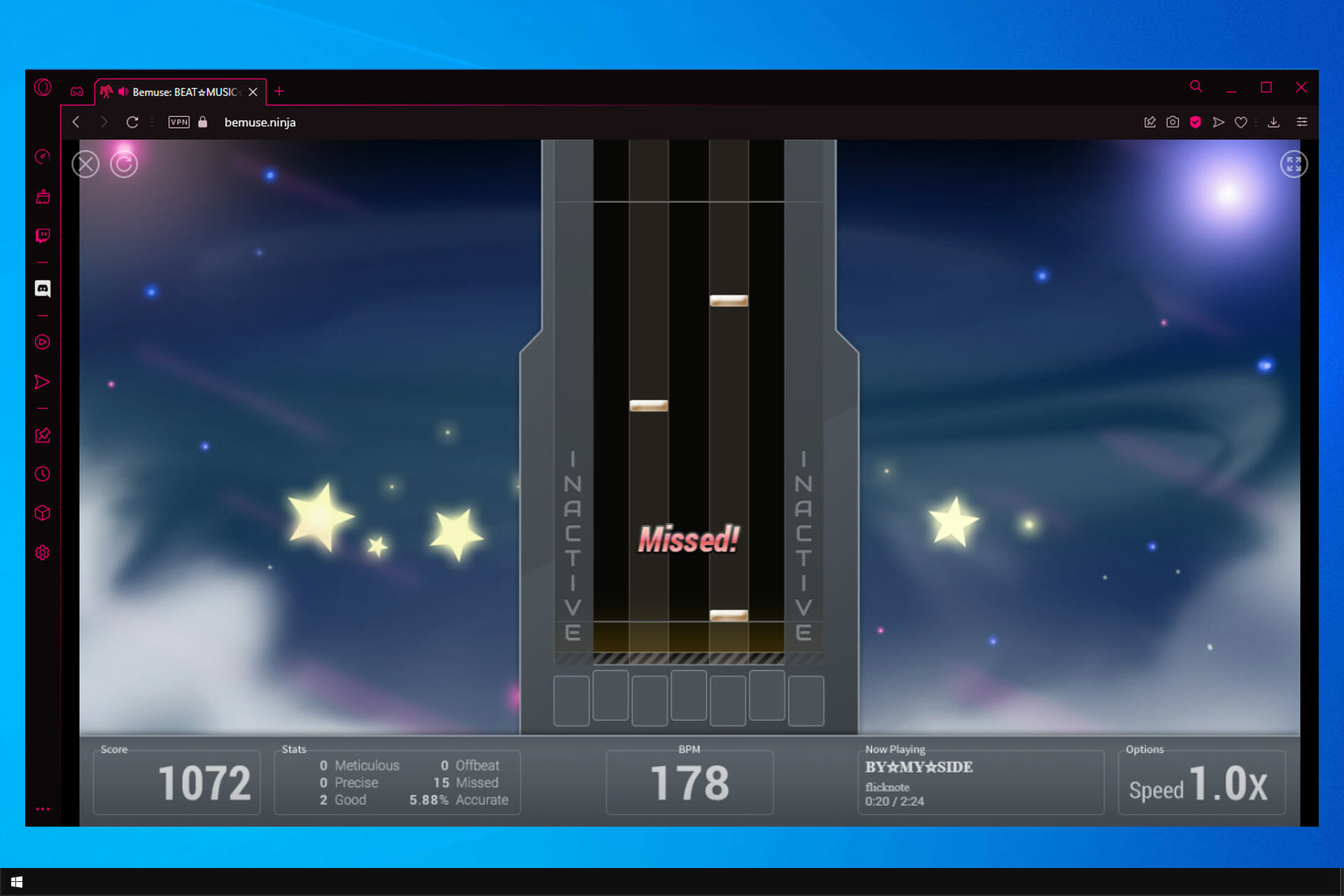

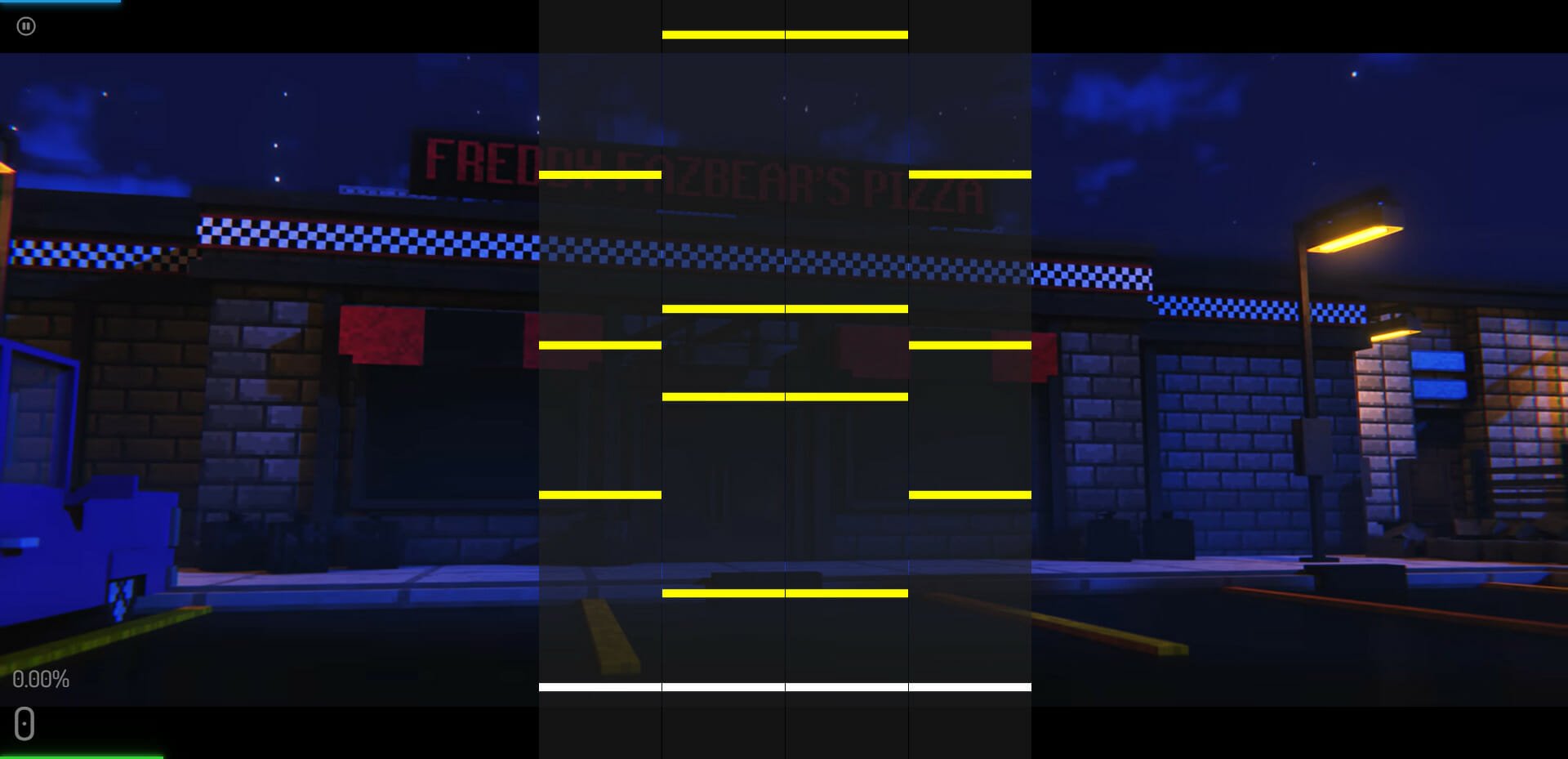
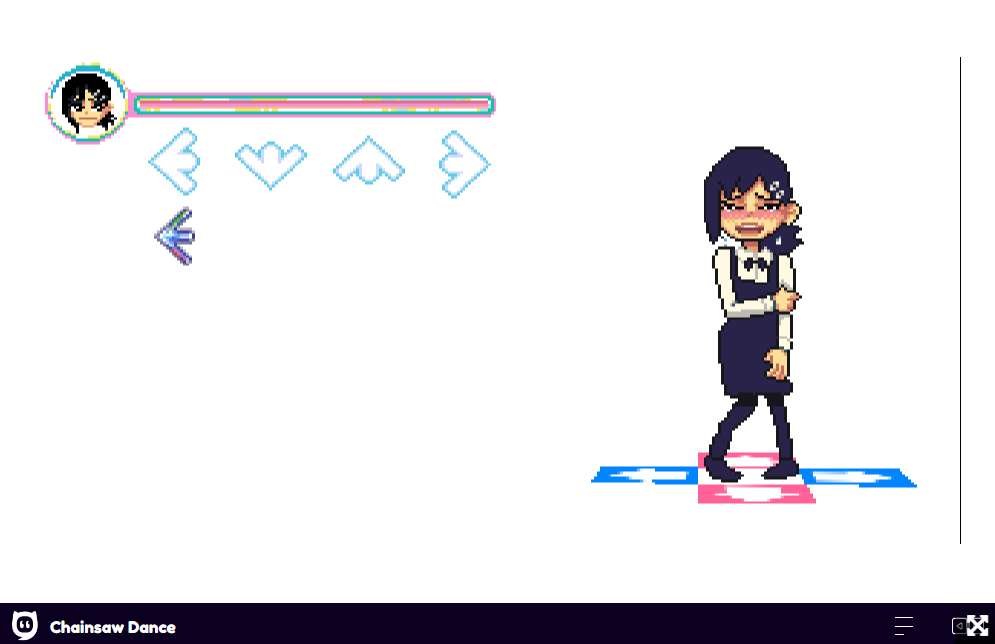








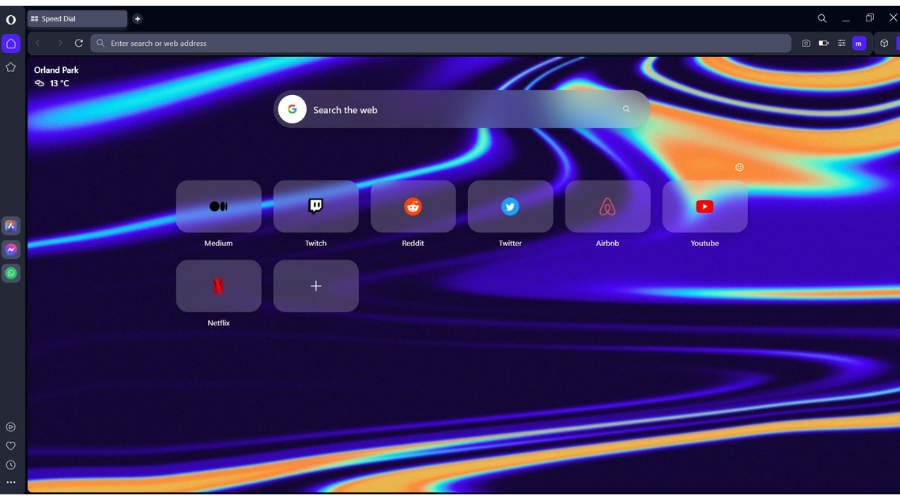
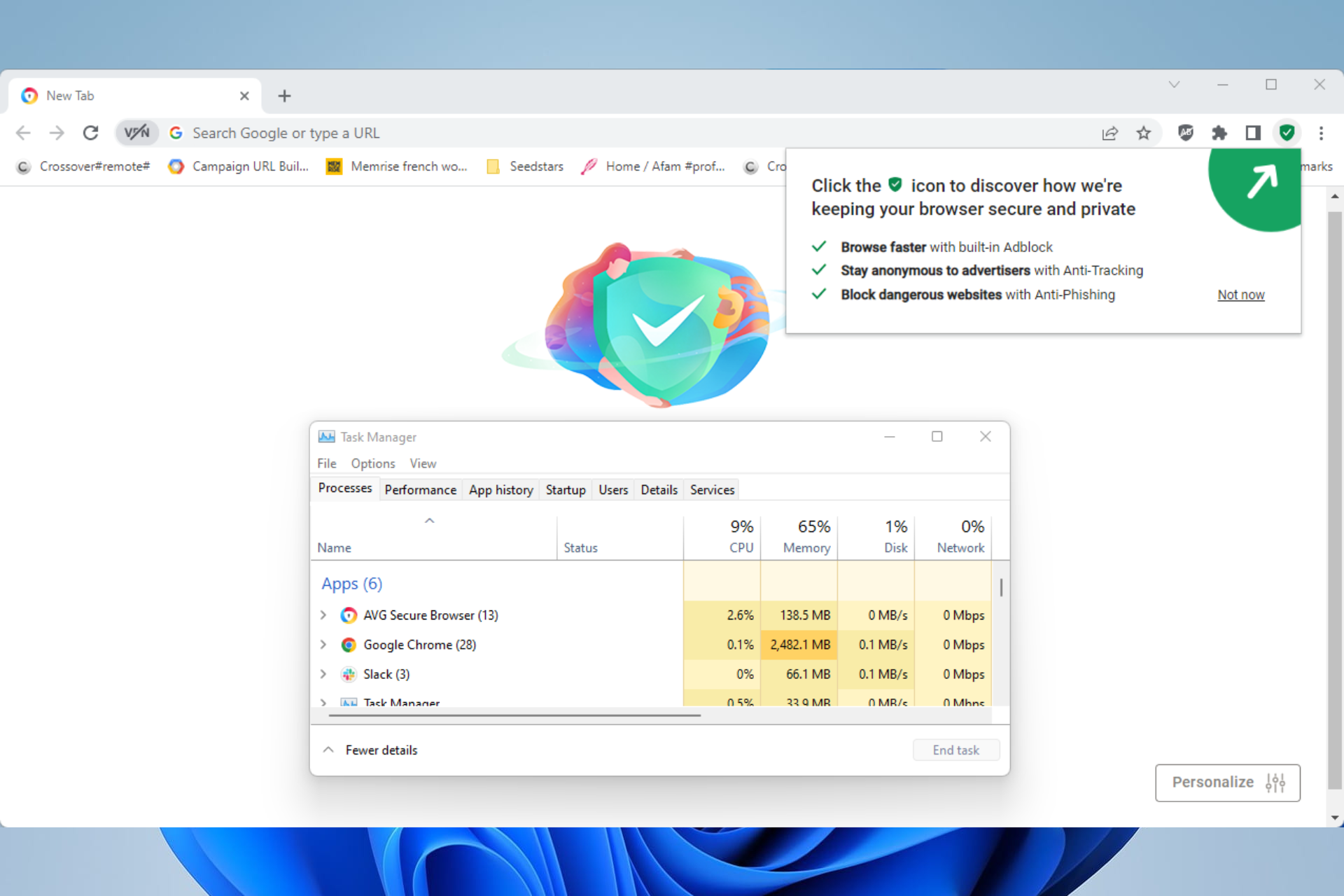








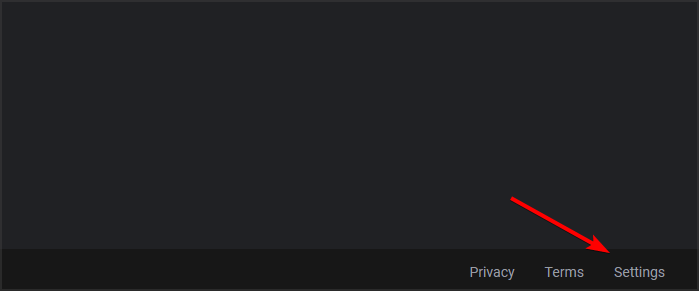
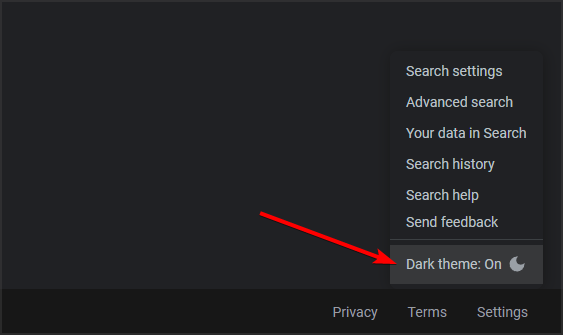
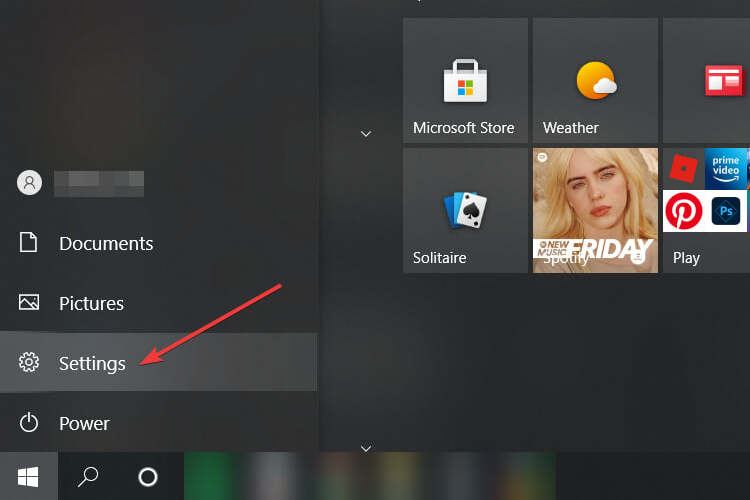
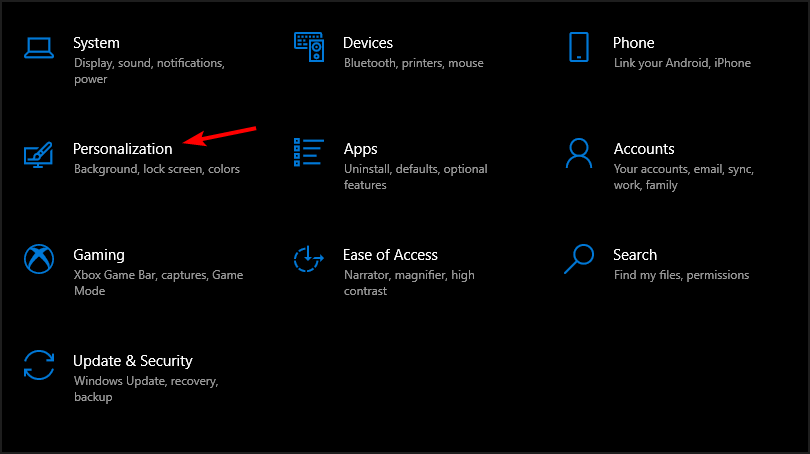
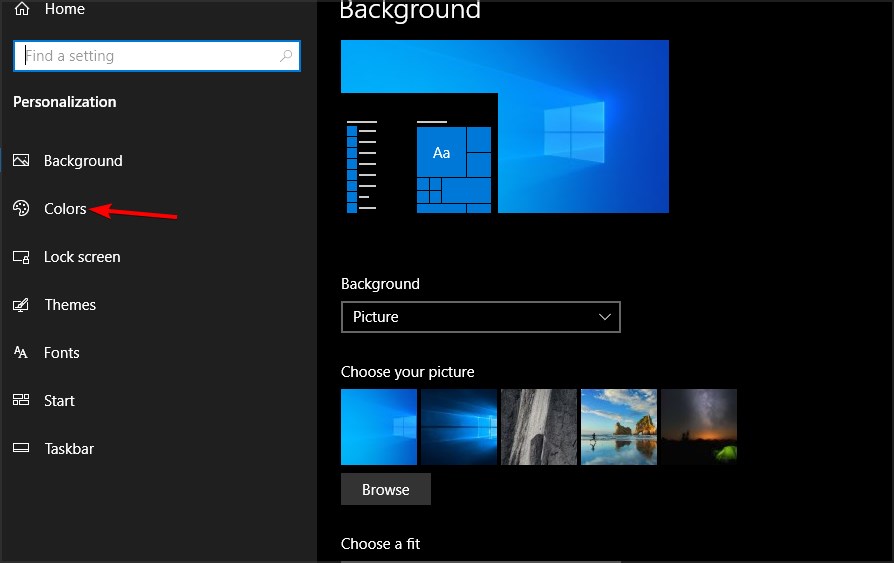
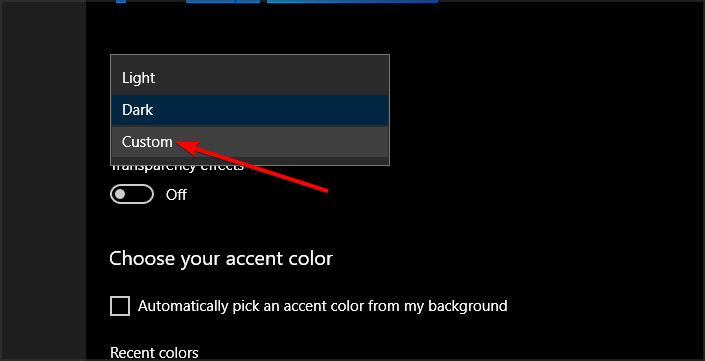


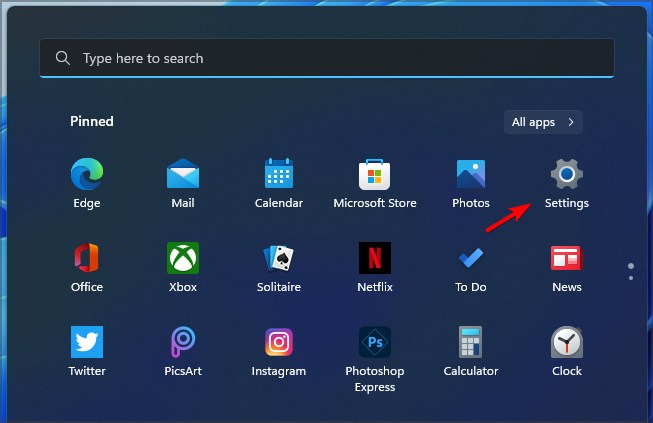
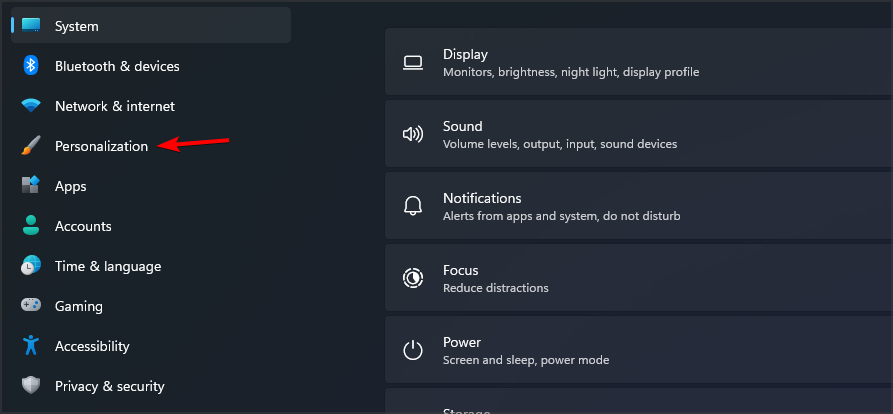
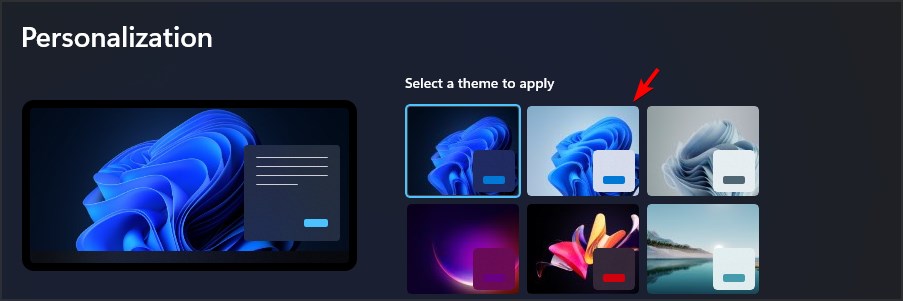
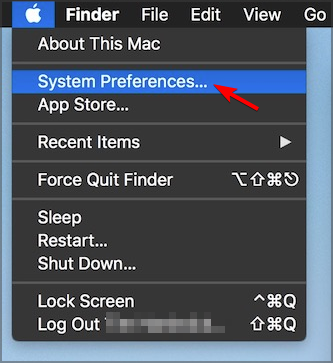
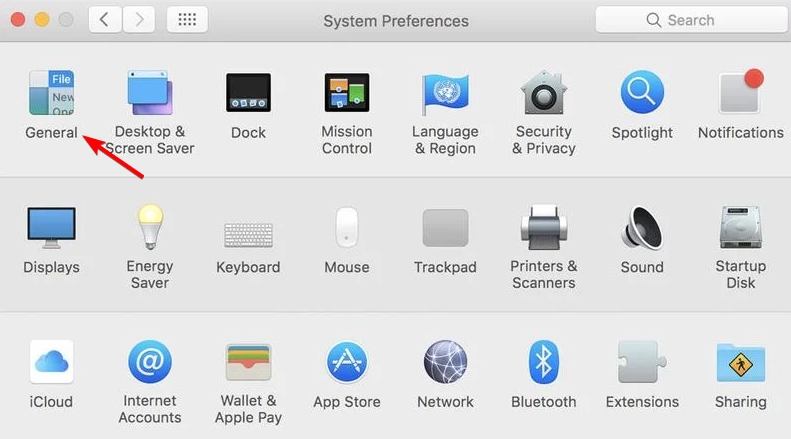
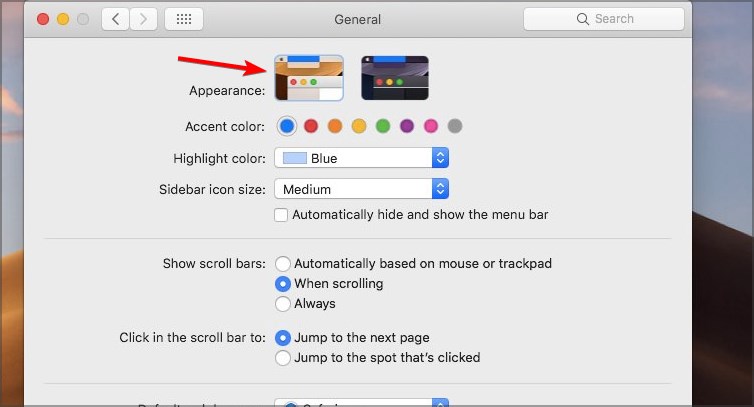
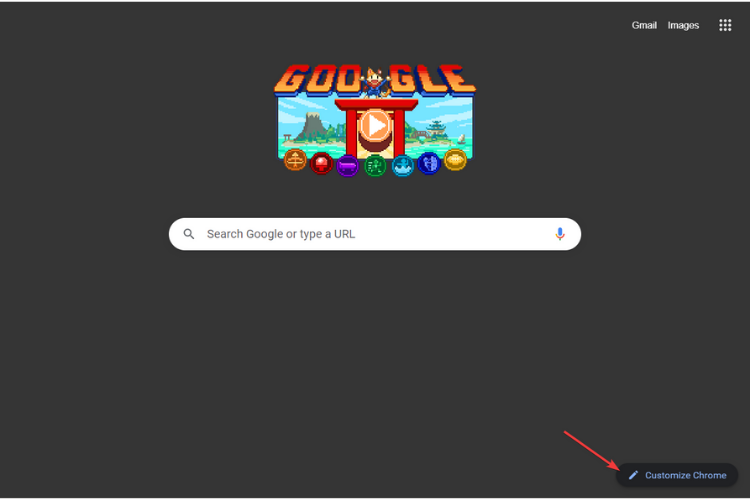
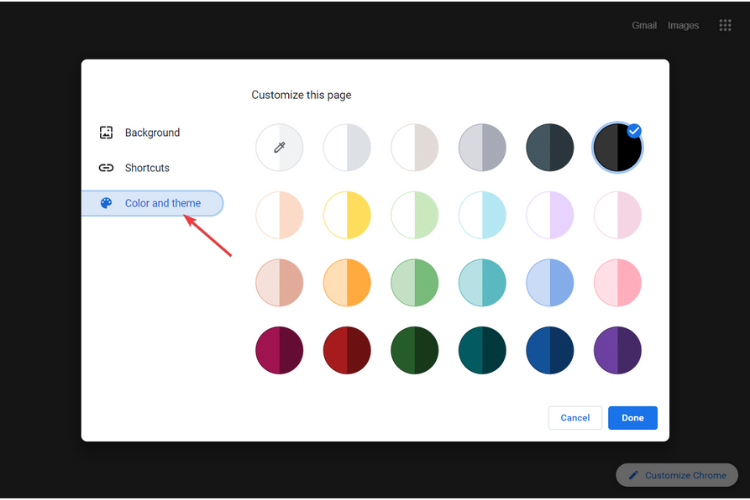
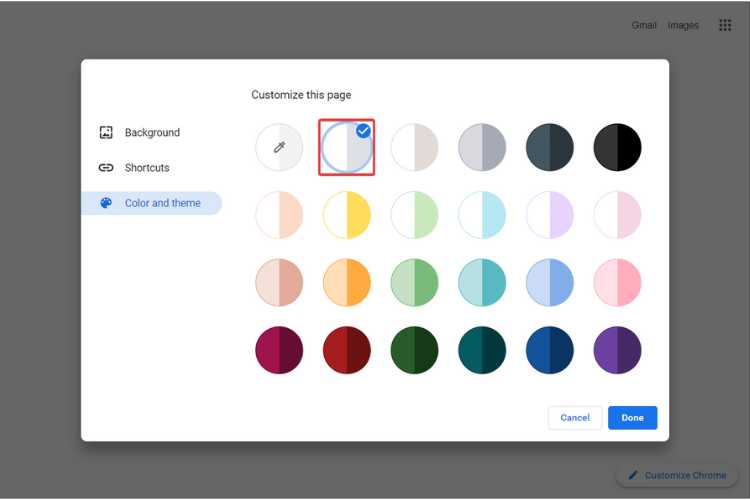


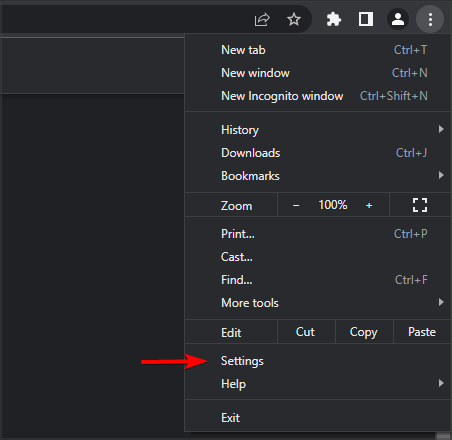
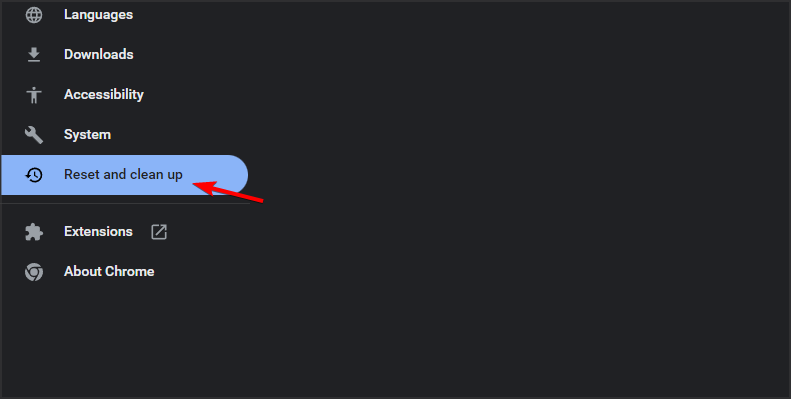
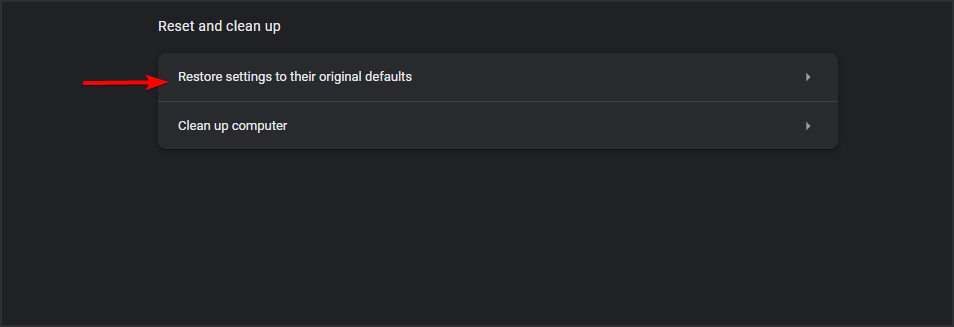
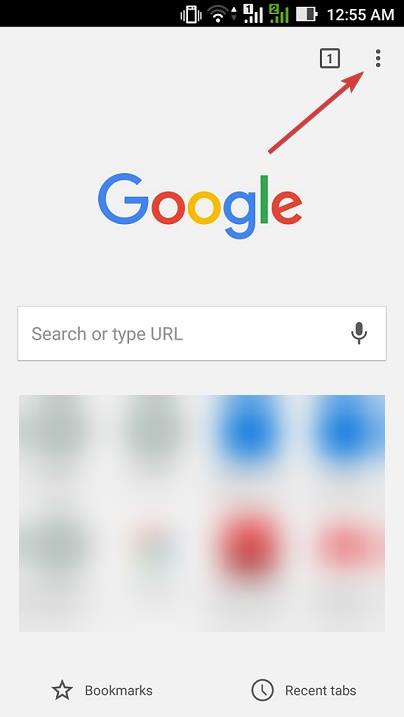
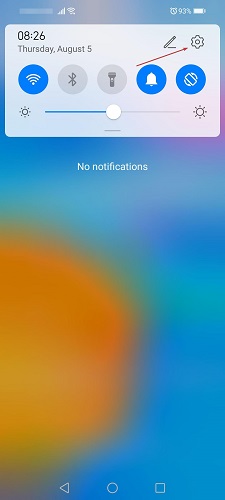
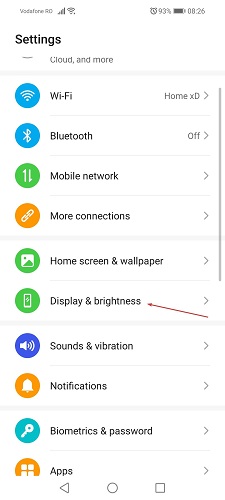
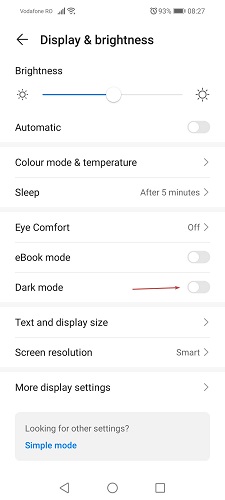

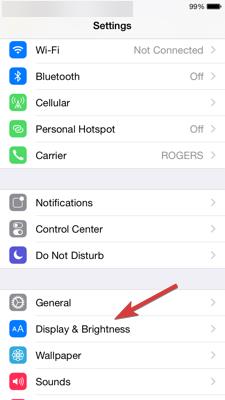
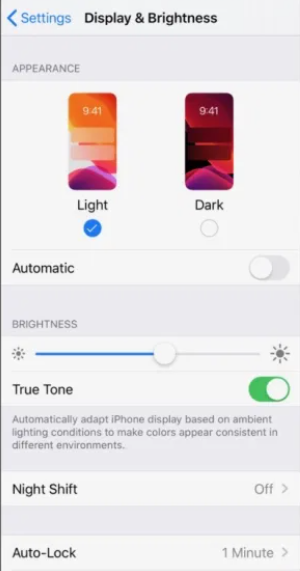
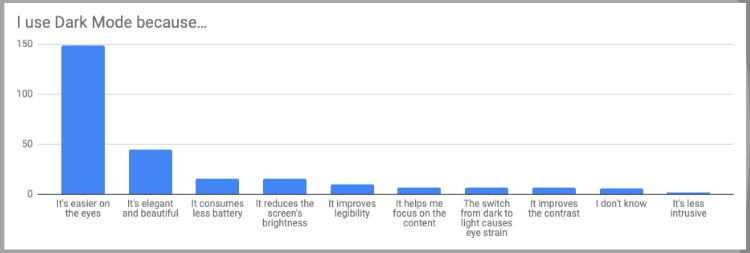

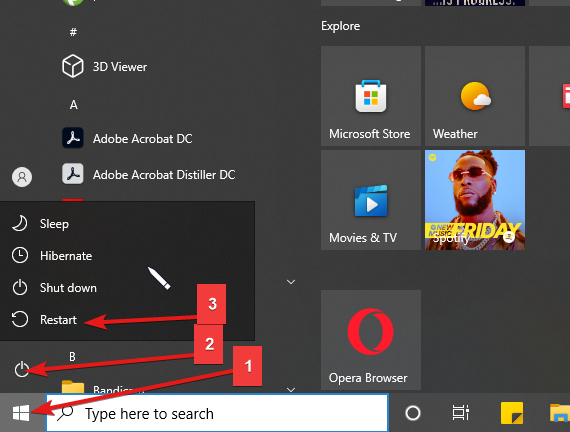
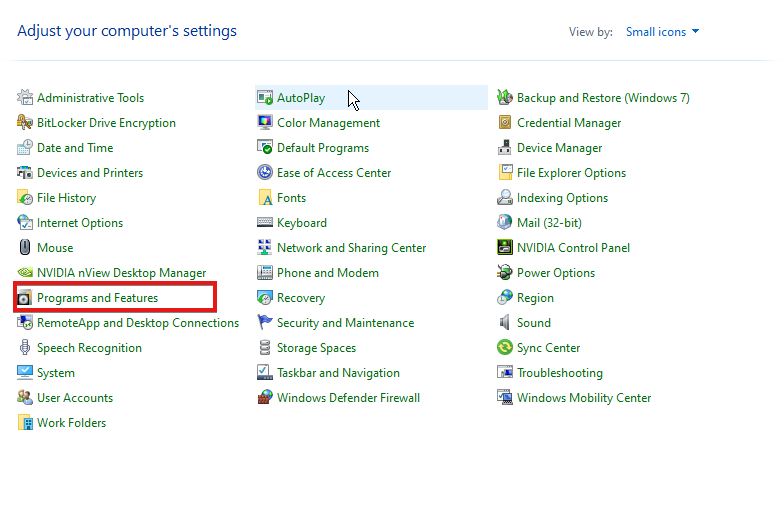
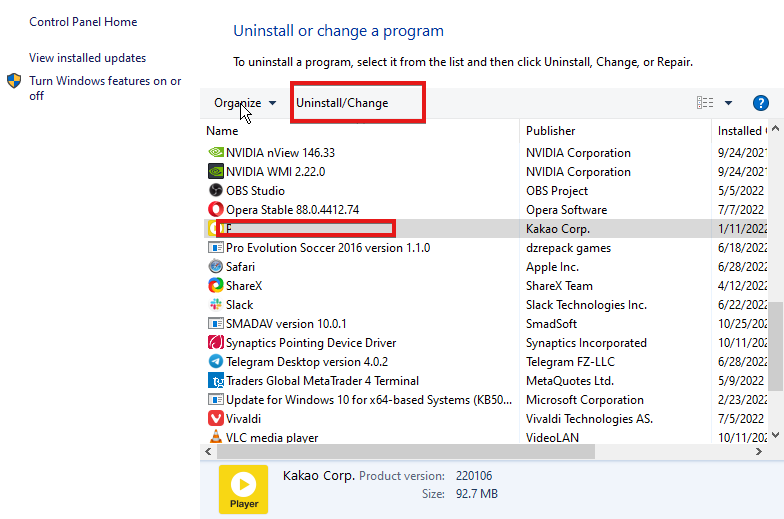
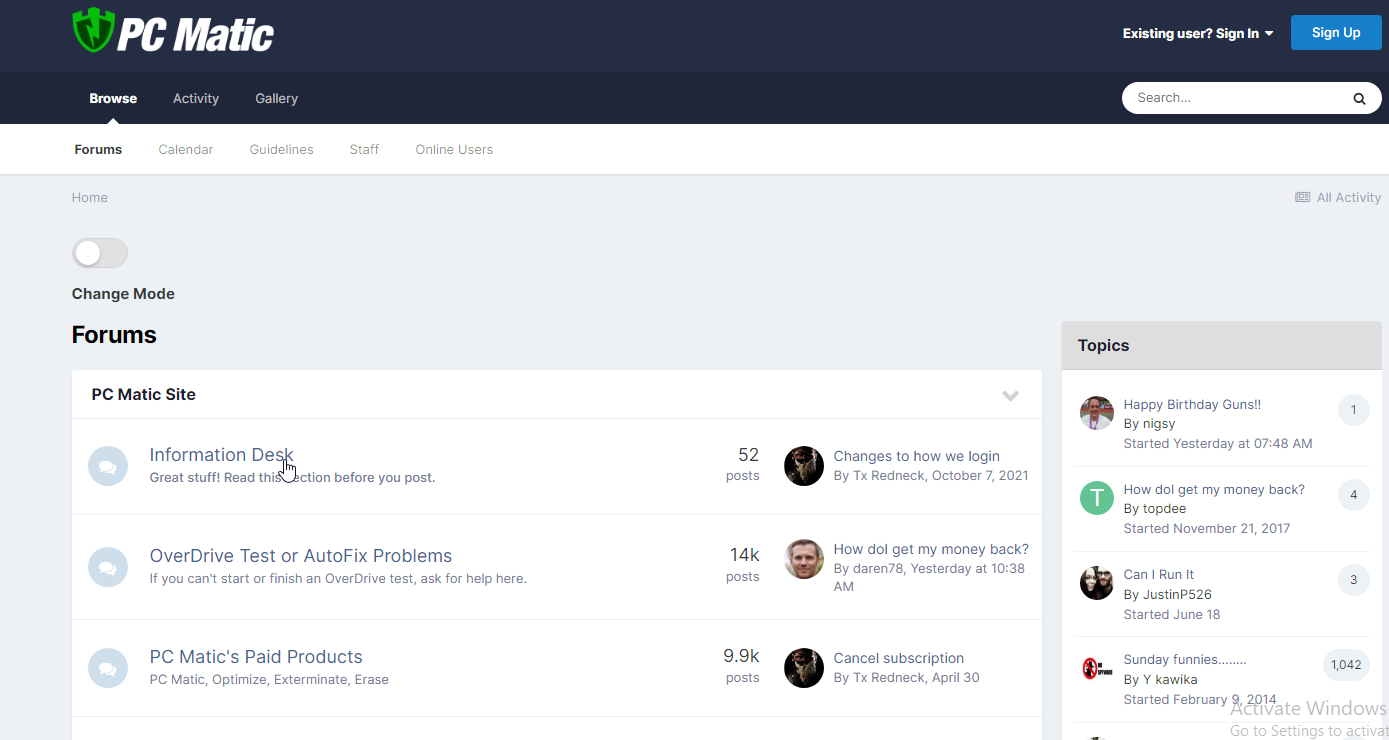
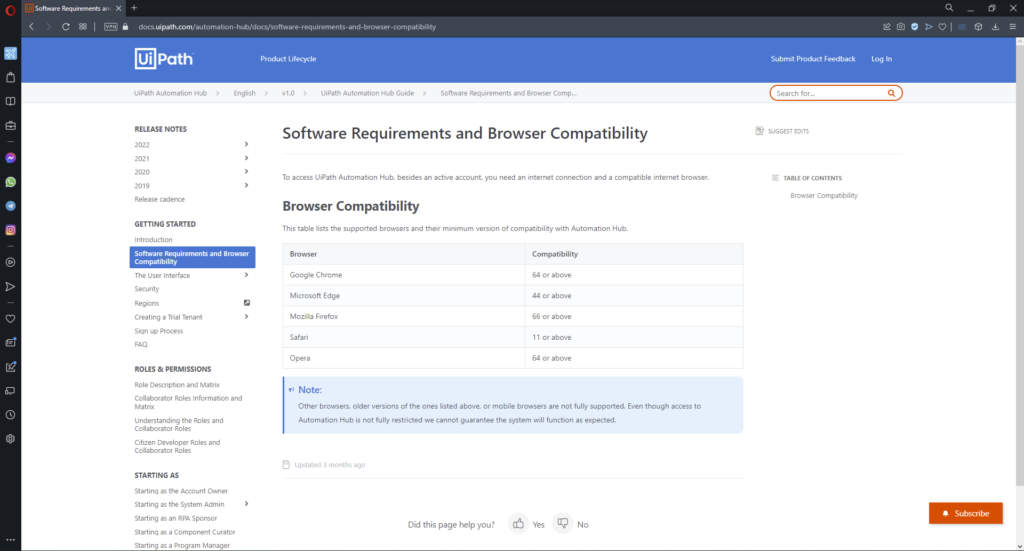
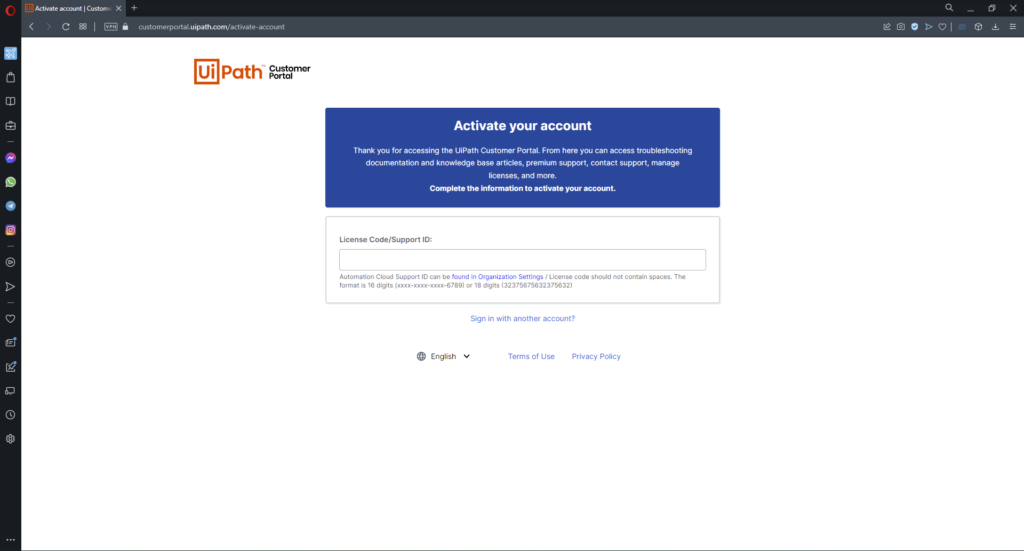

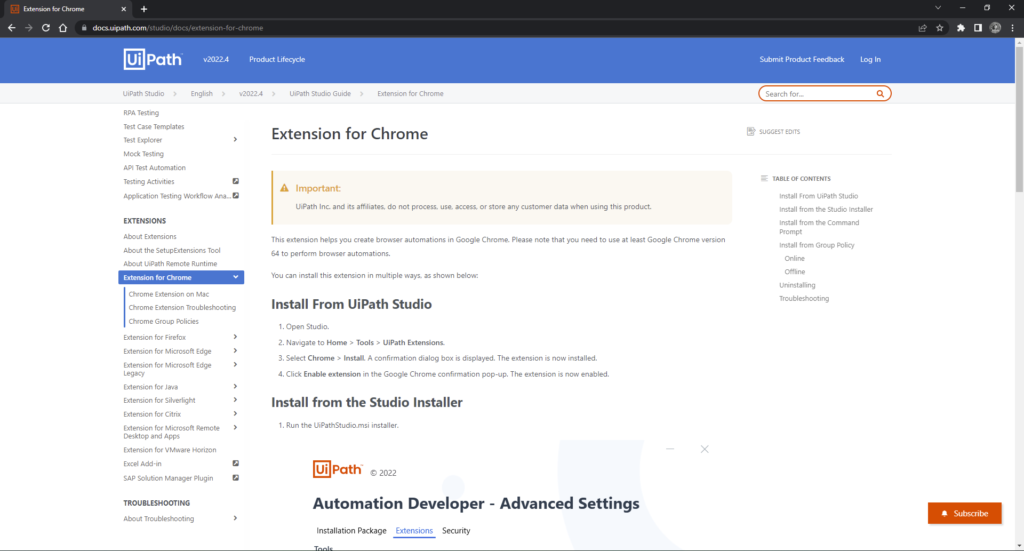



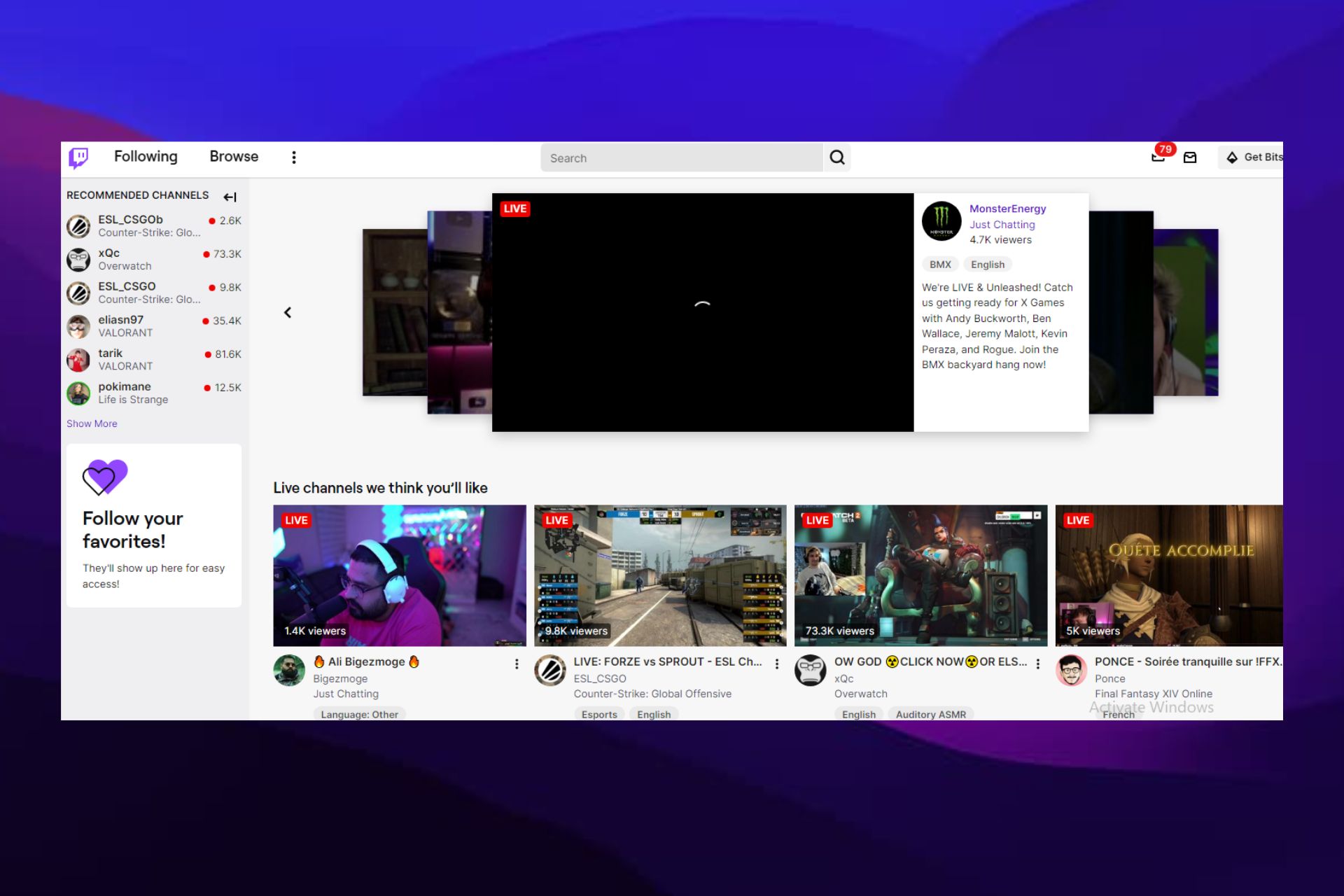
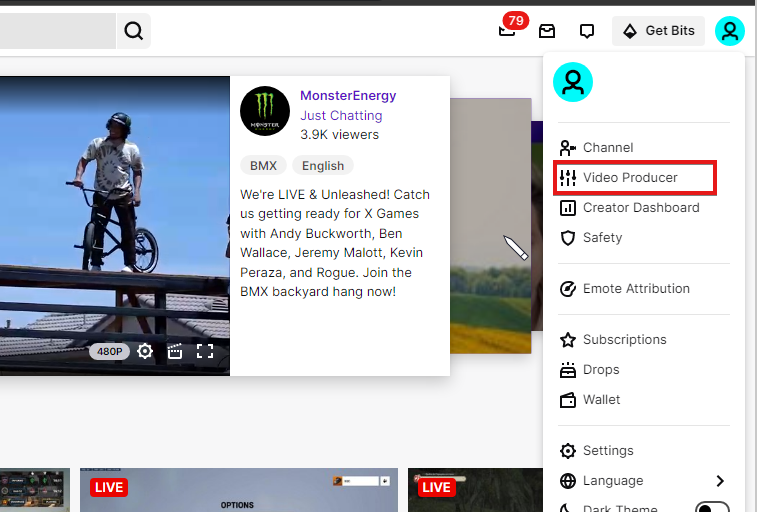
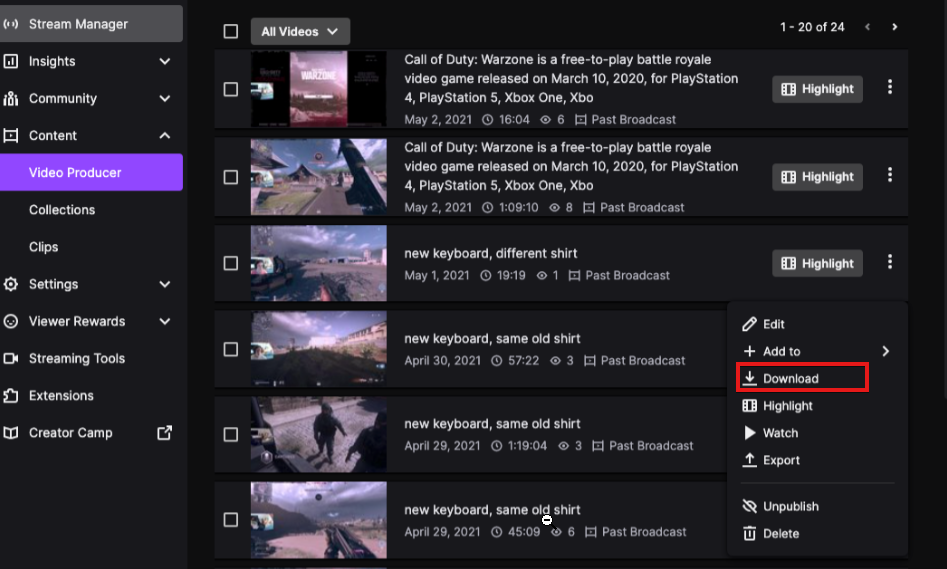
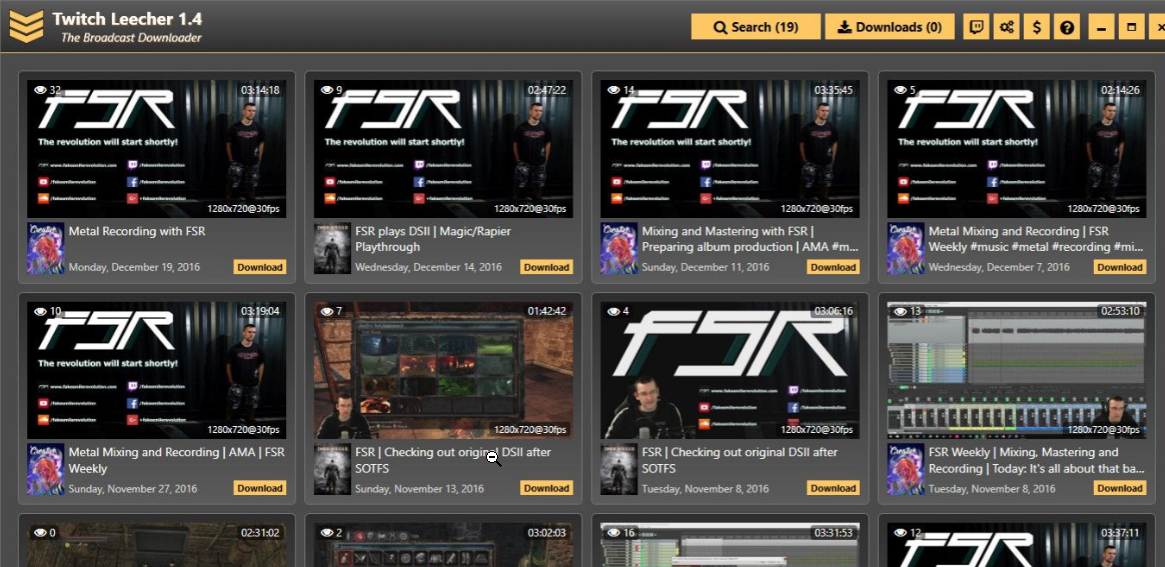
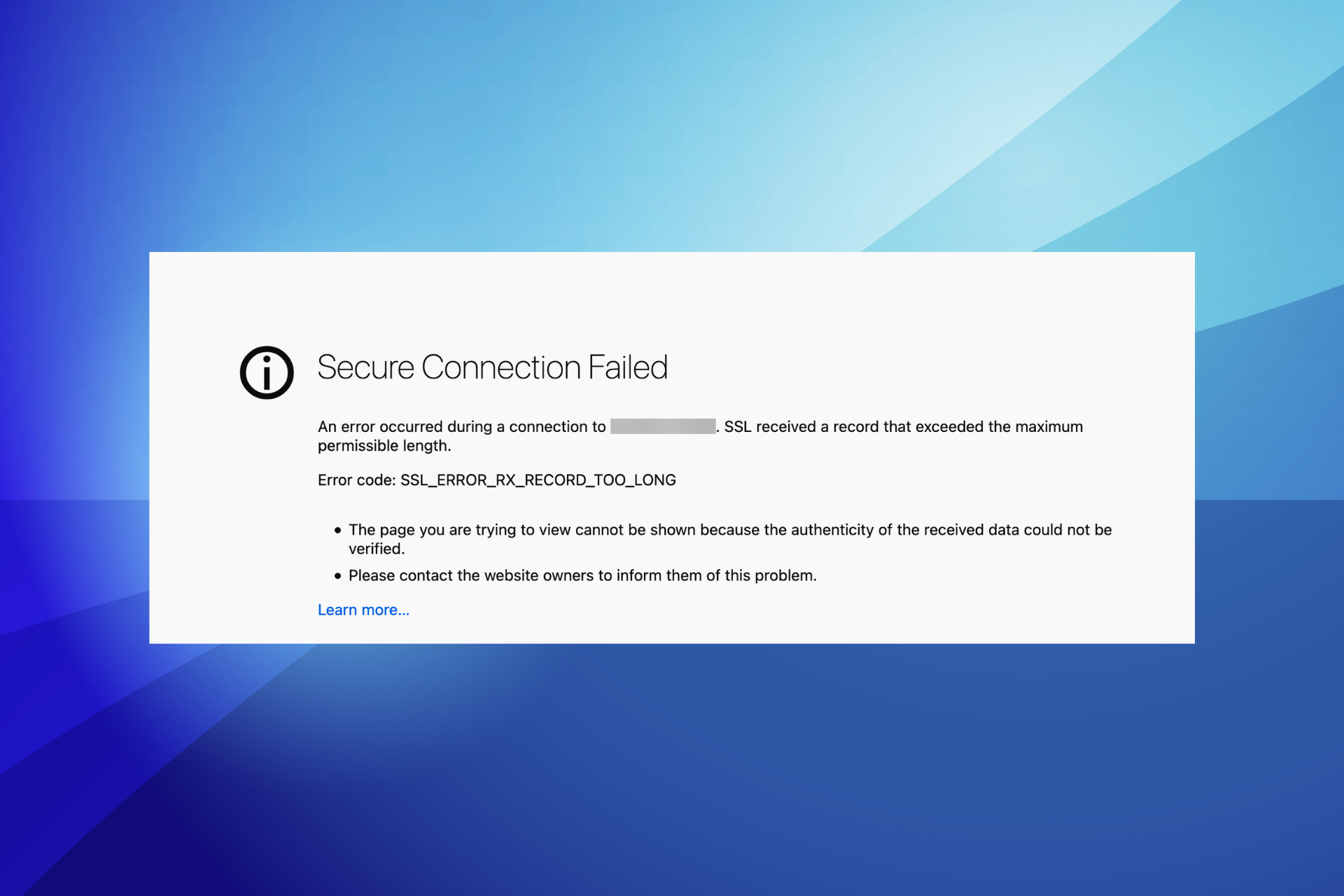


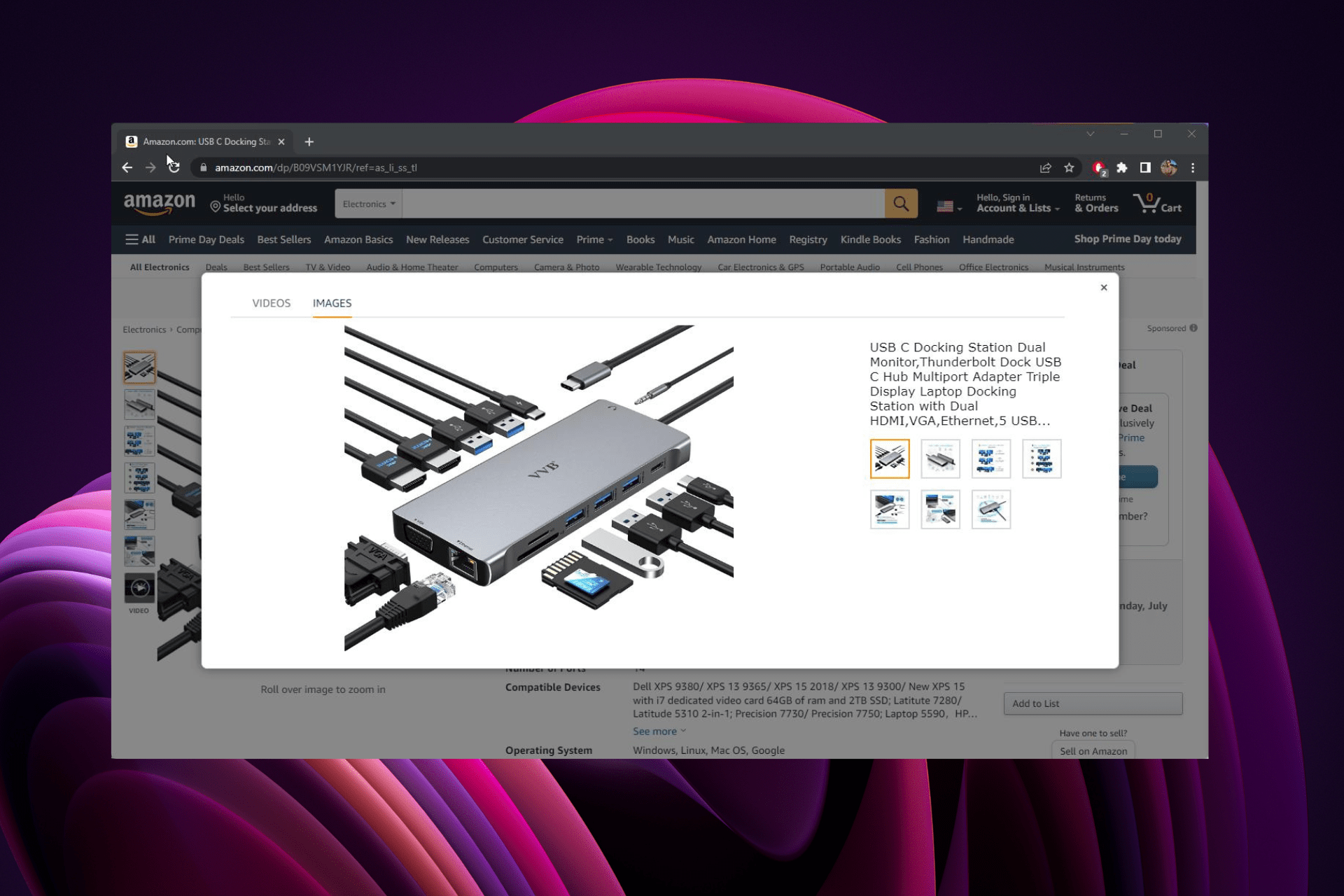




 The long-awaited follow-up to Double Fine’s Xbox cult classic platform game. When the Psychonauts sequel finally did arrive in August 2021, it made the 15+ year wait worth it.